Marcada para estrear em 12 de agosto (uma quarta-feira), a nova parte da produção acompanhará María (Bárbara Mori), agora promovida a tenente, enquanto se vê dividida entre as regras que jurou cumprir e uma busca implacável pela verdade, após a descoberta do corpo de uma estudante ativista.
#WomenInBlue — Apresentando-se para o serviço em 12 de agosto.
Veja o trailer também no YouTube:
Enquanto María, Valentina (Natalia Téllez), Gabina (Amorita Rasgado) e Ángeles (Ximena Sariñana) travam batalhas dentro e fora da delegacia, verdades ocultas vêm à tona e elas são forçadas a confrontar uma questão incômoda: em um sistema assolado pela corrupção, qual é o preço de lutar pelos seus ideais?
Depois da estreia, novos episódios de “Mulheres de Azul” serão lançados semanalmente, sempre às quartas-feiras, até 30 de setembro.
O Apple TV está disponível no aplicativo Apple TV em mais de 100 países e regiões, seja em iPhones, iPads, Apple TVs, Macs, dispositivos Android, smart TVs ou online — além de também estar em aparelhos como Roku, Amazon Fire TV, Chromecast com Google TV, consoles PlayStation e Xbox. O serviço custa R$29,90 por mês, com um período de teste gratuito de 7 dias. Por tempo limitado, quem comprar e ativar um novo iPhone, iPad, Apple TV ou Mac ganha 3 meses do Apple TV. Ele também faz parte do pacote de assinaturas da empresa, o Apple One.
NOTA DE TRANSPARÊNCIA: O MacMagazine recebe uma pequena comissão sobre vendas concluídas por meio de links deste post, mas você, como consumidor, não paga nada mais pelos produtos/serviços usando os nossos links de afiliado.
Começando pelas novidades que chegaram hoje, a maioria delas tem relação com a Siri AI. Agora, por exemplo, o sistema exibe uma tela de boas-vindas para o usuário quando ele usa a nova assistente pela primeira vez.
New in iOS 27 beta 4: There is a new splash screen when using Siri AI for the first time pic.twitter.com/R6kFXk1loF
Falando em Siri AI, a nova beta acrescentou novas opções de vozes na personalização da Siri — que requerem dispositivos com pelo menos 12GB de memória, cabe recordar.
New in iOS 27 beta 4: Apple has added more Siri voices with a note that customizations for them are coming soon pic.twitter.com/5ksQXTERAm
Já na seção da Siri do aplicativo Ajustes, há uma nova opção para ajustar o tamanho das prévias das informações da assistente, com a possibilidade de escolher entre nenhuma e até até cinco linhas. No menu de Acessibilidade, há uma nova opção “Sempre Mostrar Solicitação” que exibe na tela uma transcrição do que você diz à Siri.
Além disso, a Apple removeu o recurso que causava um efeito de profundidade ao abrir a central de notificações. Ao deslizar, era possível ver um recorte do elemento principal do papel de parede da Tela de Início, mas isso não está mais disponível.
iOS 27 beta 4 removes the depth effect when opening Notification Center, a change that first showed up in beta 3. pic.twitter.com/1at4mqM3KU
Ainda em termos de correção, os ícones de atalhos na Tela Bloqueada mantém a aparência tanto no modo escuro quanto no modo claro.
Outras novidades incluem:
Na seção de ajustes do app Apple TV, há uma nova opção “Downloads Automáticos”. Ao ativá-la, os dois próximos episódios das séries que você começar a assistir na seção “Continuar Assistindo” serão baixados automaticamente.
Uma nova opção “Ampliar fotos para preencher”, na seção de ajustes do aplicativo Fotos (Photos), amplia levemente as fotos que têm proporção próxima à da tela e vem ativada por padrão.
Na seção Câmera (Camera) do aplicativo Ajustes, há uma opção para escolher um formato ProRes Log se você ativar o Apple ProRes.
Existe uma opção para ativar ou desativar o recurso Assistência ao Wi-Fi para cada rede Wi-Fi conectada, independentemente de a função geral estar ativada ou não.
Ainda durante o ciclo da terceira beta, outro destaque vai para a possibilidade de a Siri AI obter informações de aplicativos de terceiros — algo que, por ora, parece se restringir a informar o nível de bateria de veículos elétricos.
O app Traduzir (Translate), por sua vez, também suportará os idiomas/dialetos português (Portugal), dinamarquês, malaio, norueguês bokmål, sueco, cantonês (chinês tradicional) e espanhol (México e Estados Unidos).
Além disso, uma nova (e bem bonita) animação ao estilo Liquid Glass para o ícone de bateria fraca aparece quando o iPhone está prestes a “morrer”.
Apple really cooked with iOS 27 Beta 3🔥 That new liquid-glass, low-battery animation is absolutely sick. The glow and texture on the graphic are pure eye candy—almost makes you want your phone to die just to look at it. pic.twitter.com/gmFwRMhSbd
Por fim, de acordo com o Cult of Mac, especificamente na terceira beta do watchOS 27, a Apple passou a permitir usar a Siri para configurar um tempo adicional para um timer já em andamento — algo impossível até então nos relógios da Maçã.
A Volvo anunciou que o Apple Music passará a integrar mais de 2 milhões de seus carros por meio de uma atualização remota (over-the-air, ou OTA), oferecendo até três meses grátis do serviço para os veículos compatíveis.
Para resgatar o teste gratuito, é necessário entrar com sua Conta Apple no app Volvo Cars. Tanto para antigos quanto novos assinantes, a oferta de resgate é válida até 6 de julho de 2027.
Alwin Bakkenes, diretor global de engenharia de software da Volvo, comentou a novidade:
Muitos dos nossos clientes já utilizam o Apple Music em seus smartphones ou em casa. Ao levarmos o Apple Music diretamente para nossos carros, transformamos nossos veículos em um lugar extraordinário para vivenciar a música. […] Você sentirá como se estivesse em meio a uma sala de concertos ou a uma arena durante a sua apresentação ao vivo favorita, ou imerso nas músicas mais recentes em Áudio Espacial, exatamente como os artistas pretenderam — uma experiência sonora verdadeiramente emocionante.
Embora o streaming seja compatível com os modelos XC90, S90, V90, XC60, S60, V60, XC40, EX40 e EC40 fabricados a partir de 2020, o Áudio Espacial do Apple Music será exclusivo do EX90, do ES90 e do EX60 (este último chegará ao mercado brasileiro em outubro).
O Apple Music conta com um catálogo de mais de 100 milhões de músicas e 30 mil playlists — muitas delas com suporte a Áudio Espacial (Dolby Atmos) e em altíssima definição, com áudio Lossless. Para quem ama música clássica, há um app dedicado com mais de 5 milhões de faixas, tudo em uma interface simplificada! No Brasil, são três tipos de assinatura: Universitária (R$12,90/mês), Individual (R$23,90/mês) e Familiar (R$40,90/mês). Caso você não seja um assinante, pode testar o serviço de forma gratuita por um mês. Ele também faz parte do pacote de assinaturas da empresa, o Apple One.
NOTA DE TRANSPARÊNCIA: O MacMagazine recebe uma pequena comissão sobre vendas concluídas por meio de links deste post, mas você, como consumidor, não paga nada mais pelos produtos/serviços usando os nossos links de afiliado.
The M5 MacBook Air was updated with a new chip when it was introduced on March 3rd, 2026. Other than that, the new MacBook Air doesn’t seem much different from it’s predecessor. The real changes are under the hood with the M5 chip, changing the paradigm of MacBook Air workflows. Five generations into […]
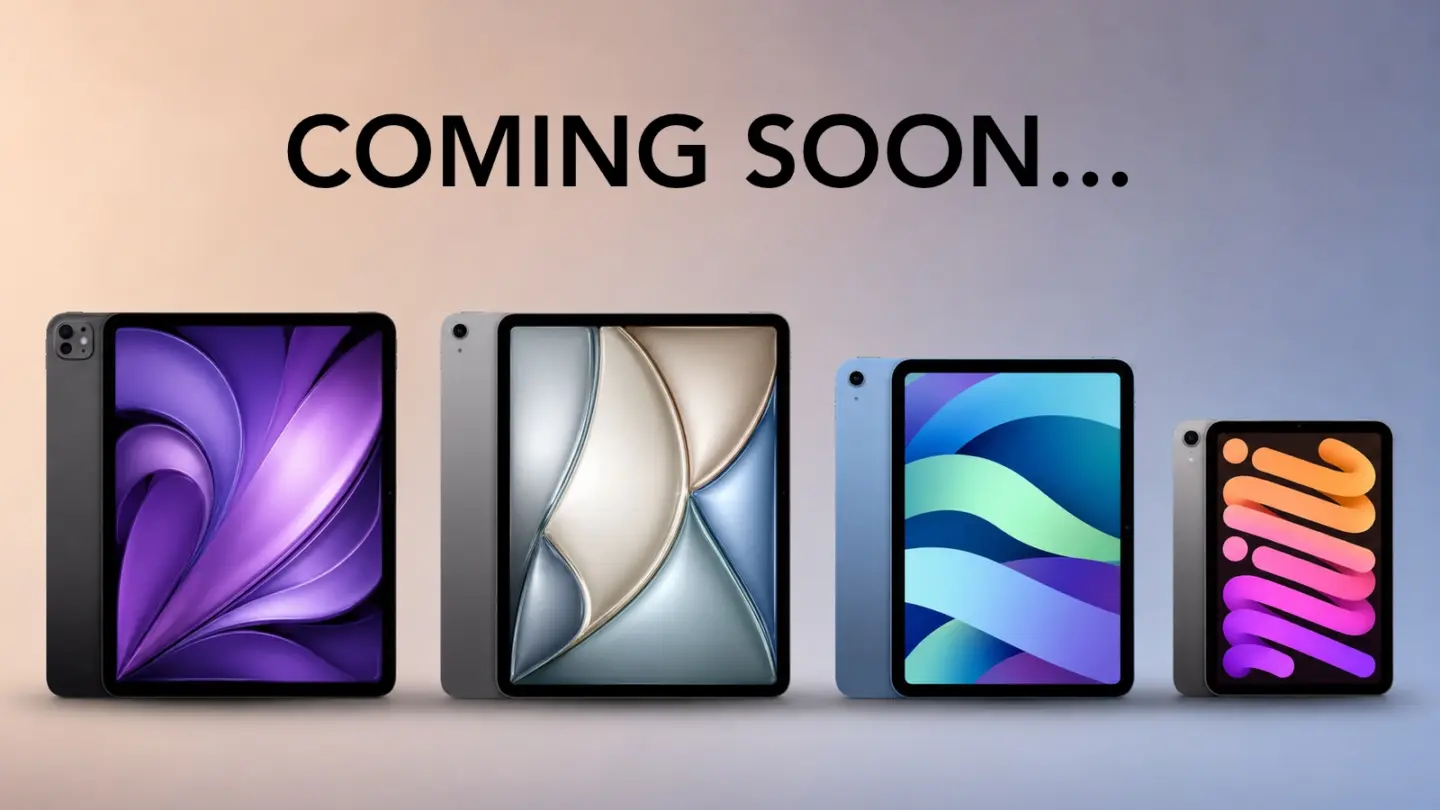
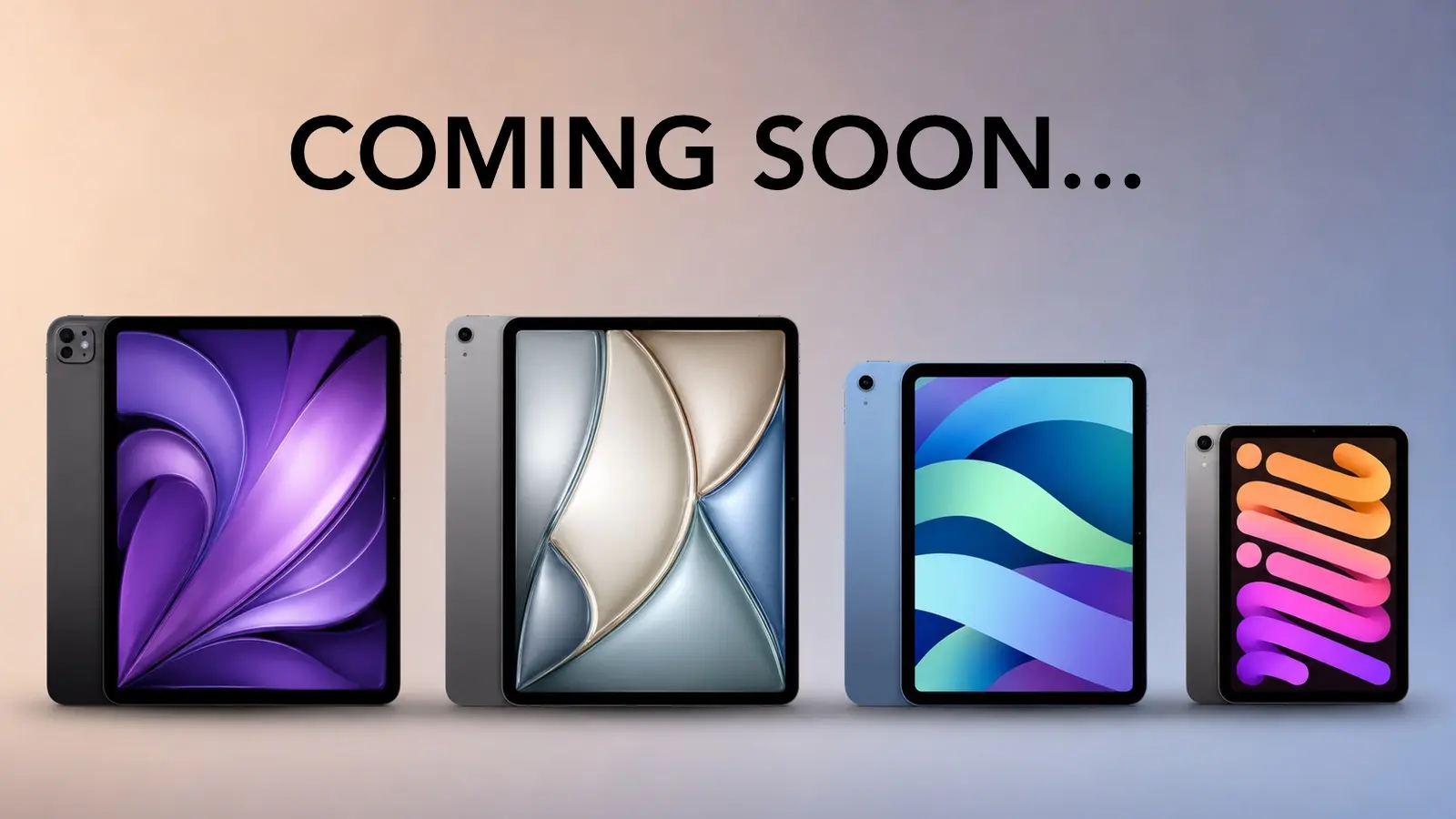
Apple’s next iPad lineup refresh could begin this fall with a new iPad mini, followed by updates across the rest of the tablet family during 2027. The reported schedule would give Apple a rolling series of launches rather than one event covering every iPad at once.
Bloomberg’s Mark Gurman reports that Apple is preparing replacements for the iPad mini, entry-level iPad, iPad Air and iPad Pro. The compact model is expected to arrive first, potentially as early as October, while the remaining tablets would follow over the next several months.
Apple has not announced any of the devices, and release timing can change. The report nevertheless gives prospective buyers a clearer picture of where each current model sits in its cycle. The first update could also bring one of the most requested display improvements to Apple’s smallest tablet.
iPad Lineup Refresh Starts With the Mini
The iPad lineup refresh is expected to begin with the iPad mini, which has received fewer updates than Apple’s larger tablets. The current design remains popular because it offers an 8.3-inch screen in a device small enough to hold comfortably with one hand, place in a small bag or use as a portable reading and note-taking tool.
The next model is reportedly moving to an OLED display. That would give the iPad mini deeper black levels, stronger contrast and more vivid color than its current LCD panel. OLED would be particularly noticeable when reading in dark environments, watching video or working with images.
The new display is expected to measure approximately 8.4 inches without producing a major change to the overall design. Apple may retain a 60Hz refresh rate rather than bringing the 120Hz ProMotion technology used by the iPad Pro. That could disappoint buyers hoping the mini would become a compact Pro model, but OLED alone would represent a visible upgrade.
Reports have also pointed to an A19 Pro chip. That would give the smaller tablet more performance for games, creative apps, Apple Intelligence and longer-term software support. The current iPad mini already occupies an unusual position between a reading device and a compact professional tool. A stronger chip and OLED screen would push it further toward the second category.
Price may become the less attractive part of the update. Apple could raise the starting cost as display and memory expenses increase. Buyers interested mainly in portability may accept a higher price, but the iPad mini would need to avoid moving too close to the iPad Air.
The Entry-Level iPad May Stay Familiar
Apple’s least expensive iPad is expected to receive a more modest update in early 2027. The company reportedly plans to preserve the current design while replacing the processor with a newer chip.
That would fit the role of the entry-level model. Apple uses it for education, families, basic productivity, streaming, games and first-time tablet buyers. A dramatic redesign could increase the cost without improving the tasks most customers use it for.
The processor update could bring Apple Intelligence compatibility, depending on the chip and memory configuration Apple chooses. The current model’s position outside some advanced AI features creates an increasingly visible separation from the rest of the lineup.
A newer chip would also extend the useful life of the device. Entry-level iPads are often kept for several years, passed between family members or deployed in schools and businesses. Long software support can be more valuable in that segment than a thinner body or new camera arrangement.
Anyone considering the current base iPad should decide whether price or longevity has greater value. The current model remains suitable for ordinary use, particularly when discounted. Buyers who want the longest possible support window may prefer to wait.
iPad Air Could Receive the Larger Display Upgrade
The iPad Air is also expected to receive an update in 2027, with OLED display technology reportedly planned for the range. That would narrow one of the most obvious visual differences between the Air and the iPad Pro.
Apple currently positions the Air as the balanced choice: stronger than the entry model, less expensive than the Pro and available in 11-inch and 13-inch sizes. It supports Apple Pencil Pro and Magic Keyboard while offering M-series performance for demanding apps.
An OLED display would make that value proposition more aggressive. The Air could offer improved contrast and image quality without requiring buyers to move to the Pro tier. Apple would still have several ways to distinguish the Pro, including ProMotion, brighter displays, thinner hardware, advanced cameras and newer processors.
The processor is likely to receive another M-series upgrade as well, though the exact chip remains uncertain. For most users, the Air already has far more processing power than routine tablet work demands. The screen may provide the stronger reason to wait.
The risk for Apple is pricing. OLED panels could push the Air upward, especially in the 13-inch configuration. If the gap between Air and Pro becomes too narrow, buyers may move directly to the flagship. Apple will need to preserve a convincing middle tier.
iPad Pro May Focus on Power and Accessories
The next iPad Pro is reportedly planned for spring 2027. Apple may use a new M-series processor while leaving the current thin design largely intact.
That would make the Pro refresh more evolutionary than transformative. The current generation already includes OLED displays, high-end performance, Face ID, ProMotion and support for Apple Pencil Pro and Magic Keyboard.
Apple is also reportedly preparing two updated Apple Pencil models. Those accessories could arrive alongside the next iPad Pro, with changes potentially related to battery design and regulatory requirements.
The larger question is what additional processor power will do for the tablet. iPadOS 27 has expanded multitasking and window management, but buyers continue to evaluate the Pro against MacBook models at similar prices. A faster chip alone will not settle that comparison.
Apple may rely more heavily on AI, professional applications and accessory integration to justify the update. The Pro has become a platform for illustration, video editing, music production, 3D work and specialized enterprise apps. New hardware needs to strengthen those uses rather than simply win another benchmark.
Should Buyers Wait?
The answer depends on the model. Prospective iPad mini buyers have the strongest reason to pause because the reported fall update could introduce a substantially better display within months.
Entry-level buyers can still consider the current iPad when pricing is attractive. Its expected replacement appears focused on performance rather than design. Waiting becomes more sensible for anyone who wants Apple Intelligence support or maximum longevity.
The current iPad Air remains a capable option, particularly for users who need a tablet now. OLED would improve the experience, but a 2027 release leaves a longer wait. The same logic applies to the iPad Pro. Its successor may be faster, though the existing model already covers demanding work comfortably.
Apple’s gradual schedule could keep the iPad in the hardware conversation from fall through spring. It also means there will be no single perfect moment when every model is equally new.
The iPad mini may open the cycle because it has the most obvious opportunity for visible improvement. After that, Apple can use the base iPad for reach, the Air for broader OLED adoption and the Pro for its latest silicon and accessories.
The tablet lineup is not expected to change all at once. It may instead evolve model by model, giving buyers repeated reasons to reconsider which iPad fits their needs.
A white spot on iPad screen can appear as a bright patch that remains visible while browsing, watching videos or using apps. It may be small and easy to ignore at first, then become distracting whenever the screen shows a white, gray or lightly colored background.
The spot may come from a temporary software problem, but a fixed bright area is more commonly connected to the display hardware. Pressure inside the iPad, a damaged backlight layer, display separation or an impact can create uneven illumination that no setting can remove.
Before arranging a repair, a few simple checks can reveal whether the spot belongs to the image being displayed or to the physical screen itself.
What Causes a White Spot on iPad Screen?
A white spot on iPad screen is often described as a bright spot, pressure mark or backlight patch. On iPads with LCD displays, light passes through several internal layers before reaching the glass. When one of those layers becomes damaged, separated or compressed, light can concentrate in one area.
The mark may be more visible against pale backgrounds and almost disappear when the screen displays black or dark content. This is different from a dead pixel, which usually appears as a tiny fixed dot rather than a larger cloudy patch.
Pressure is one possible cause. Carrying an iPad in an overloaded bag, placing heavy objects on it or using a tight case can place stress on the display. A drop may also disturb the internal screen layers without cracking the front glass.
Battery swelling can create similar pressure from inside the device. If the screen is lifting from the frame, the iPad feels unusually warm or the body appears bent, stop using it and seek service. A swollen battery should not be pressed back into place or handled as an ordinary screen defect.
The problem can also appear after a display replacement involving a poorly fitted or lower-quality part. Apple notes that nongenuine displays may produce inconsistent brightness, color or touch behavior.
Image Credit:
Check Whether the Spot Is Really on the Display
Begin by opening several different apps. Look at the spot over a white webpage, a gray Settings screen, a dark photo and a full-screen video. A hardware-related mark normally stays in the same physical location regardless of what appears underneath it.
Rotate the iPad. If the content changes orientation but the bright patch remains in the same part of the glass, the display is the likely cause.
Taking a screenshot provides another useful test. A physical screen defect will not normally become part of the screenshot file.
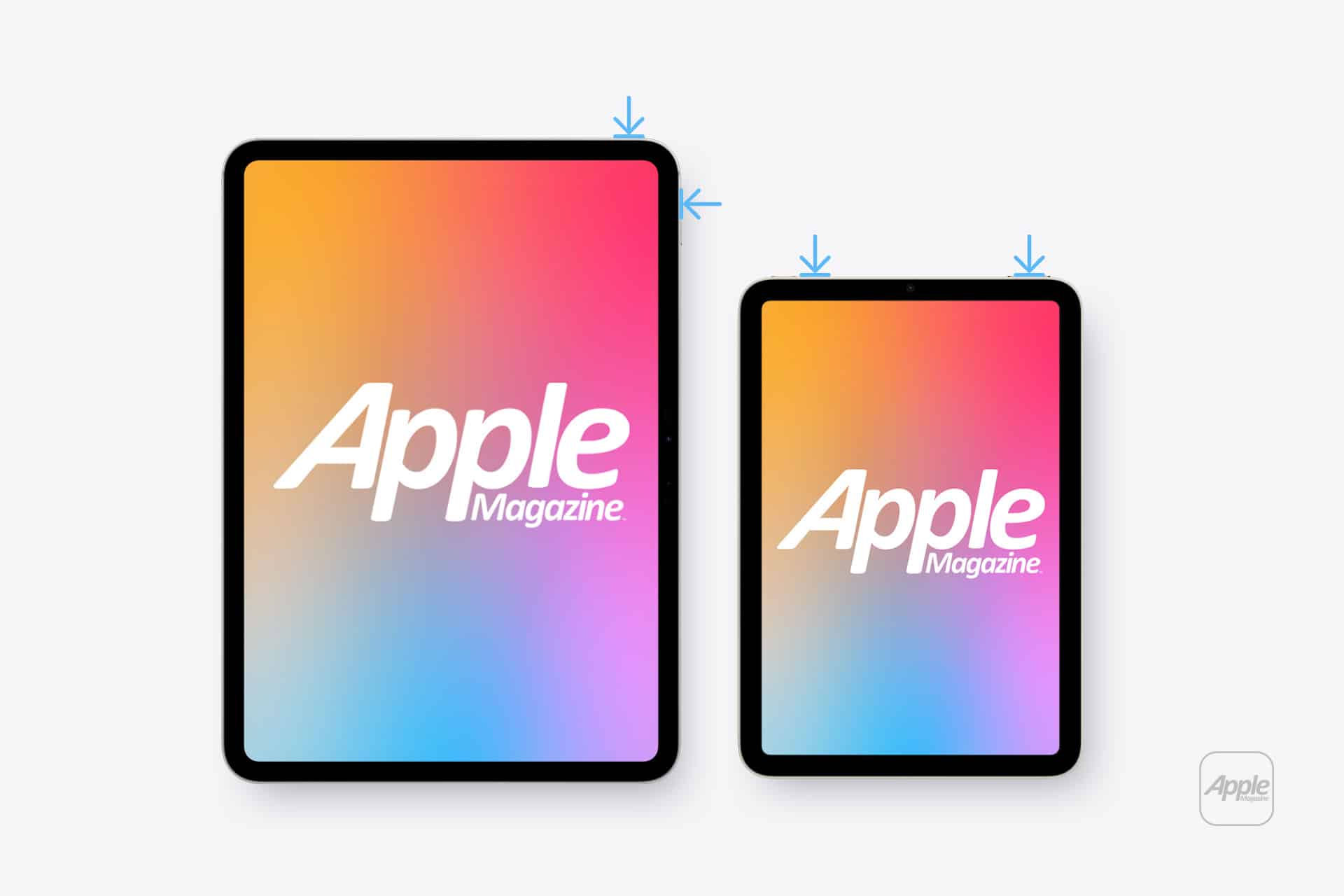
To take a screenshot on an iPad without a Home button:
Top button + either volume button
To take a screenshot on an iPad with a Home button:
Top button + Home button
Open the screenshot on another device or send it to a trusted computer. If the white spot does not appear there, the image generated by iPadOS is normal and the problem is probably inside the display assembly.
If the mark appears in the screenshot, it may belong to an app, image, accessibility setting or software effect rather than the panel.
Restart Before Assuming Hardware Failure
A restart is worth trying because it clears temporary display and system behavior without affecting personal files. It is unlikely to repair physical backlight damage, but it can eliminate a short-lived graphical problem.
To restart an iPad without a Home button:
Press and hold the top button and either volume button > Drag the power slider > Wait approximately 30 seconds > Hold the top button until the Apple logo appears
To restart an iPad with a Home button:
Press and hold the top button > Drag the power slider > Wait approximately 30 seconds > Hold the top button until the Apple logo appears
After restarting, return to the same pale background and check the area again. A spot that remains fixed is unlikely to be caused by a temporary iPadOS issue.
Image Credit: AppleMagazine
Brightness Can Make the Problem More Visible
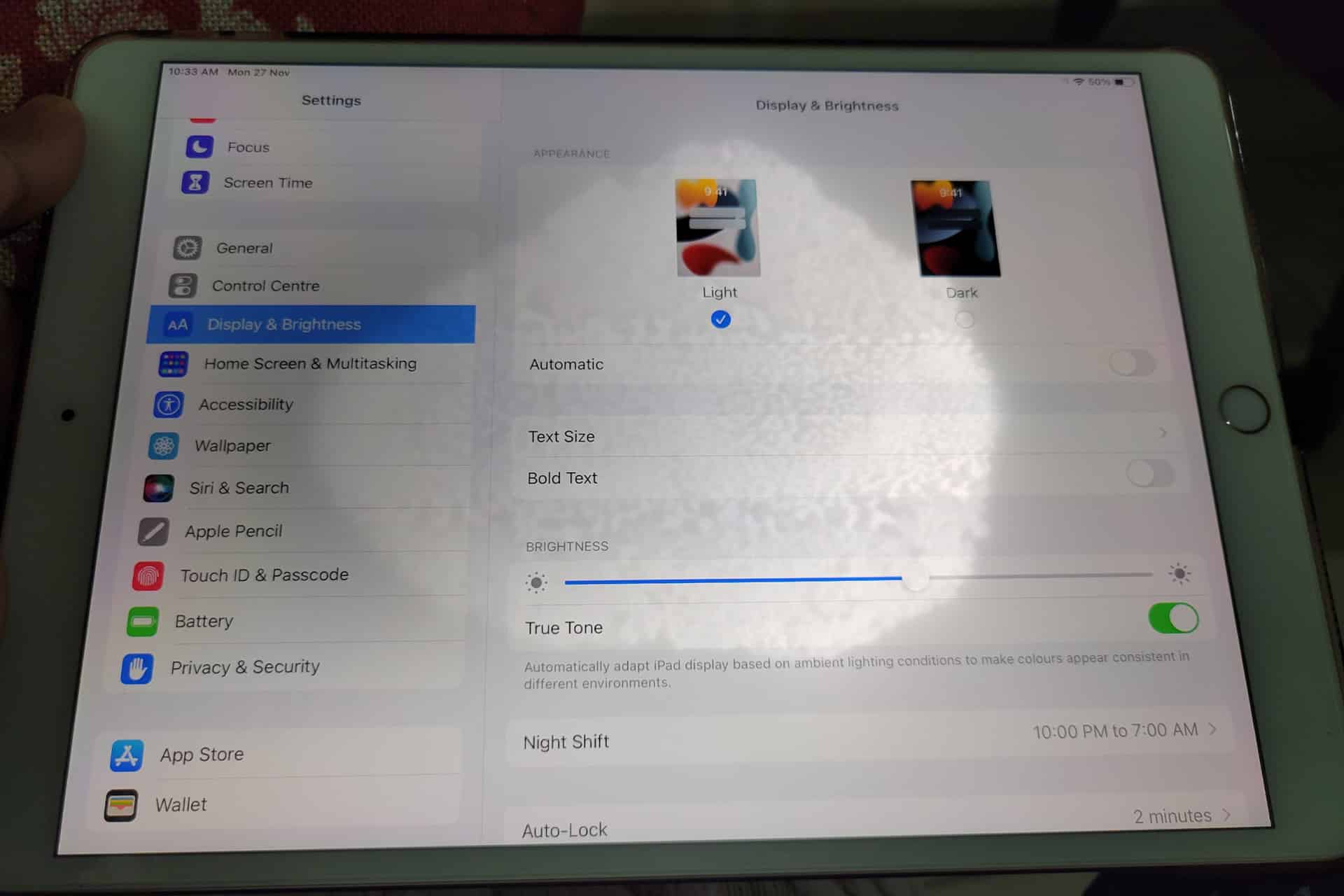
Lowering brightness may make a bright patch less distracting, but it does not repair the underlying display. The same applies to Dark Mode, Night Shift and Reduce White Point. These settings can change how noticeable the mark becomes without removing it.
To adjust screen brightness:
Settings > Display & Brightness > Brightness
Test the iPad at several brightness levels. A backlight-related spot may become easier to see as brightness increases. Photographing the screen against a plain background at medium and high brightness can also help document the defect before requesting service.
Avoid pressing or rubbing the affected area. Pressure may temporarily change the appearance, but it can damage the display further. Internet advice suggesting that users massage bright spots out of a panel should be ignored.
Check the Case and Screen Protector
Remove any rigid case that appears unusually tight or has been damaged. A poorly fitted case can place uneven pressure around the frame, particularly if the iPad has been dropped while inside it.
A screen protector normally cannot create a true illuminated patch beneath the display. It can, however, produce bubbles, trapped moisture or reflective marks that resemble a screen defect. Examine the iPad with the display turned off. If the mark is visible on the surface even when the screen is black, the protector or glass may be involved.
Do not remove a properly installed protector solely as an experiment unless the mark clearly appears close to its surface. A bright patch visible only while the display is illuminated usually comes from deeper inside the screen.
When the iPad Needs Repair
A persistent white spot generally requires display service when it remains after restarting and does not appear in screenshots. There is no iPadOS setting that can realign a damaged diffuser, remove internal pressure or repair separated display layers.
Back up the iPad before service so photos, documents and app data remain protected.
To create an iCloud backup:
Settings > your name > iCloud > iCloud Backup > Back Up Now
Apple can inspect the device and determine whether the defect qualifies for warranty coverage, AppleCare service or paid repair. Coverage depends on the device, purchase date, condition and whether the problem resulted from accidental damage.
To check coverage:
Settings > General > AppleCare & Warranty
Apple or an Apple Authorized Service Provider may replace the display assembly or the iPad, depending on the model and available service process. The final repair estimate normally requires inspection.
Image Credit: AppleMagazine
Do Not Ignore Physical Changes
A stable white spot that has not changed for months may remain only a visual annoyance. A spot that is expanding, accompanied by screen lifting or followed by unusual heat needs faster attention.
Stop using the device if the display separates from the enclosure, the iPad becomes visibly swollen or pressure marks spread across the panel. Do not puncture the device, force the display closed or continue charging it unattended.
For an ordinary fixed bright patch, the practical path is simpler: confirm it does not appear in screenshots, restart the iPad, remove any case applying pressure and arrange display service if the mark remains.
A white spot on iPad screen rarely affects the information stored on the device, but it can indicate physical damage that software cannot correct. A brief check can rule out the easy causes. After that, repair is usually more effective than repeatedly changing display settings and hoping the light disappears.
AppleCare+ pricing has gone up for new Mac and iPad customers, adding another small cost increase to the Apple ownership equation. According to Bloomberg, Apple has raised monthly and annual AppleCare+ rates for new Mac and iPad plans, with the change applying to new coverage rather than existing plans already active on customer devices.
The increase is modest on paper. Reports indicate Apple has raised monthly AppleCare+ rates by 50 cents and annual plans by $5 for affected Mac and iPad products. For example, AppleCare+ for the 13-inch MacBook Air is now listed at $7.99 per month or $79.99 per year, up from $7.49 per month and $74.99 per year. The Mac mini now starts at $4.49 per month or $44.99 per year, while the 16-inch MacBook Pro costs $15.99 per month or $159.99 per year.
The numbers are not dramatic alone. The context is harder for buyers. Mac and iPad prices have already been under pressure from component costs, financing changes and longer upgrade cycles. AppleCare+ is optional, but for many customers buying expensive laptops and tablets, it is part of the real purchase price.
AppleCare+ Pricing Adds to the Ownership Cost
AppleCare+ pricing is one of those costs many buyers do not fully consider until checkout. The device price gets attention first. Then come storage upgrades, cellular connectivity, keyboard accessories, Apple Pencil, taxes, financing, software subscriptions and protection coverage.
For a MacBook Air, an extra 50 cents per month may not change the decision. For a MacBook Pro, iPad Pro or a family buying multiple devices, the increases add up over time. Annual plans rising by $5 also signal that Apple is comfortable nudging protection costs higher even when the change is small enough to avoid a major backlash.
AppleCare+ remains valuable for users who carry devices daily or depend on them for work. Macs and iPads are portable, expensive and often used in places where accidents happen: classrooms, coffee shops, airports, offices, studios, kitchens and family rooms. A cracked iPad screen or damaged MacBook display can be expensive without coverage.
Apple’s pitch is convenience as much as insurance. AppleCare+ includes priority support, battery service when capacity drops below Apple’s threshold, and reduced service fees for accidental damage. For iPad, AppleCare+ can also cover Apple-branded keyboard accessories and Apple Pencil damage under service-fee terms.
That makes the plan attractive. It also makes the higher price easier for Apple to defend.
Image Credit: Apple Inc.
New Customers Feel the Change First
The latest increase applies to new Mac and iPad AppleCare+ customers. Existing customers with active plans are not the immediate target of the reported change. That distinction helps Apple avoid angering subscribers who already signed up at previous rates, while still lifting revenue from new device buyers.
This approach fits Apple’s broader shift toward recurring coverage. Apple has been moving AppleCare+ further into monthly and annual subscription-style plans, with AppleCare One offering a bundled option for multiple products. The protection plan is no longer only a one-time add-on at purchase. It is increasingly part of Apple’s services layer.
That matters because Apple’s services business depends on recurring payments. AppleCare+ may not get the same attention as iCloud, Apple Music or Apple TV, but it is another way Apple extends the customer relationship beyond the hardware sale. A Mac or iPad purchase becomes not only a device transaction, but also a support and repair subscription.
The price increase strengthens that pattern. A small rise across a large base of new buyers can support services revenue without changing the product lineup.
Mac Buyers Should Compare Plans
Mac buyers now have more reason to compare AppleCare+ options before adding coverage. Apple’s Mac plans vary by model because repair risk and device cost vary. A Mac mini plan starts lower because the device is stationary and less likely to face drops or screen damage. A 16-inch MacBook Pro costs more because it is a high-value portable machine with expensive components.
For a buyer choosing a MacBook Air, AppleCare+ may be easier to justify if the laptop travels daily. Students, journalists, consultants, photographers, editors and business travelers are more exposed to accidental damage than someone who leaves a Mac mini on a desk.
For MacBook Pro buyers, the decision often depends on work dependency. If the Mac is the primary income tool, AppleCare+ can be less about repair math and more about reducing downtime. Access to Apple support and lower repair costs can be worth the subscription if the device is central to daily work.
Still, users should compare the plan cost with their own risk. A careful desktop Mac user may not need the same coverage as a frequent traveler. AppleCare+ is useful, but it should not be automatic for every buyer.
iPad Buyers Face a Different Calculation
iPad AppleCare+ has its own logic because iPads are more physically exposed than Macs in many homes. They are passed between family members, used by children, carried around the house, taken to school, placed in bags and paired with accessories that raise the total cost of ownership.
For iPad Pro and iPad Air buyers, AppleCare+ can make sense because screen repairs and accessory damage can be costly. Apple’s current AppleCare+ terms for iPad include service fees for screen damage, other accidental damage and covered accessories. That can make the plan appealing for users who buy Magic Keyboard, Apple Pencil Pro or a high-end iPad Pro.
The decision becomes more complicated for entry-level iPad buyers. A lower-cost iPad may not justify years of coverage for every user, especially if it stays mostly at home. Families, however, may see the protection differently. An iPad used by children faces more risk than a laptop used carefully by one adult.
The new pricing does not change the core question. It makes the answer slightly more expensive.
AppleCare Products | Warranty Check
AppleCare One Becomes More Relevant
AppleCare One gives Apple another way to soften individual plan increases. The bundle starts at $19.99 per month for up to three eligible products, with additional devices available for $5.99 per month each. It includes AppleCare+ benefits and adds theft and loss coverage for eligible iPhone, iPad and Apple Watch products.
For users with only one Mac or one iPad, AppleCare One may not be the best fit. For users with multiple devices, it can become more attractive as individual plans rise. A person with an iPhone, iPad and Mac may compare three separate AppleCare+ plans against the bundle and find the monthly difference easier to justify.
That is likely part of the strategy. Apple can raise individual plan prices modestly while giving heavier ecosystem users a bundled option. The company has used similar logic across services with Apple One, where the value increases as users subscribe to more Apple products.
The same principle now applies to protection. The deeper a customer is inside Apple’s hardware ecosystem, the easier it becomes to turn support coverage into a monthly bundle.
Small Increase, Larger Signal
AppleCare+ pricing increases may be small, but they arrive during a period when Apple is asking customers to absorb more costs across the ecosystem. Device prices, component pressure, cellular financing, AI hardware demands and service subscriptions all affect the total ownership picture.
The AppleCare+ change fits that pattern. Apple is not dramatically changing the service. It is raising the price slightly while keeping the value proposition intact: lower repair costs, battery service, accidental damage coverage and Apple support.
For buyers, the best response is not panic. It is math. Compare the plan price with the device cost, repair risk, usage pattern and whether multiple Apple products would make AppleCare One more efficient. Someone buying a MacBook Pro for travel may want the protection. Someone buying a Mac mini for a desk may not. A family iPad may be a stronger candidate than a carefully handled personal tablet.
AppleCare+ remains a useful safety net. It is just a slightly more expensive one for new Mac and iPad buyers, and that makes the real cost of the device a little higher than the number on the product page.
I can’t recall the last time I was truly excited about a mouse. I primarily use a trackpad whether I’m at my desk or using a laptop. The trouble with a trackpad-only setup, though, is that I sometimes wind up with wrist and elbow pain. That’s why I keep a Logitech MX Master 4 mouse on my desk to balance out the stress on my arms.
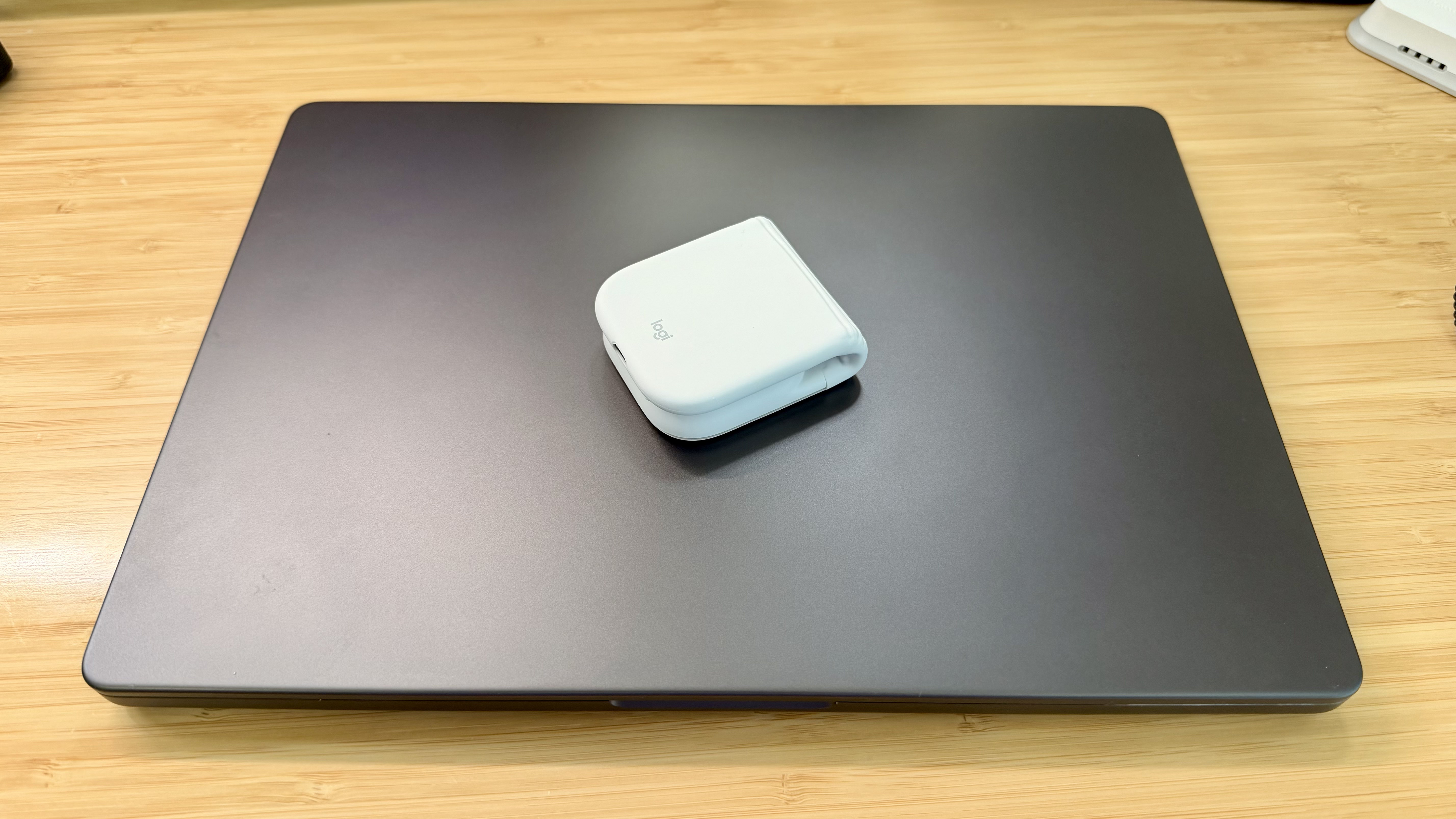
But that only works if I’m at my desk. More and more, I’ve been turning to a MacBook Pro for working away from my desk at home or elsewhere. Those locations are always less ergonomic than sitting at my desk, causing wrist and elbow pain more quickly. Still, I’ve never made it a habit to bring a mouse with me, especially when I’m away from home, because it’s more than I want to carry – that is, until Logitech’s latest mouse, the Mobi Fold, came along.
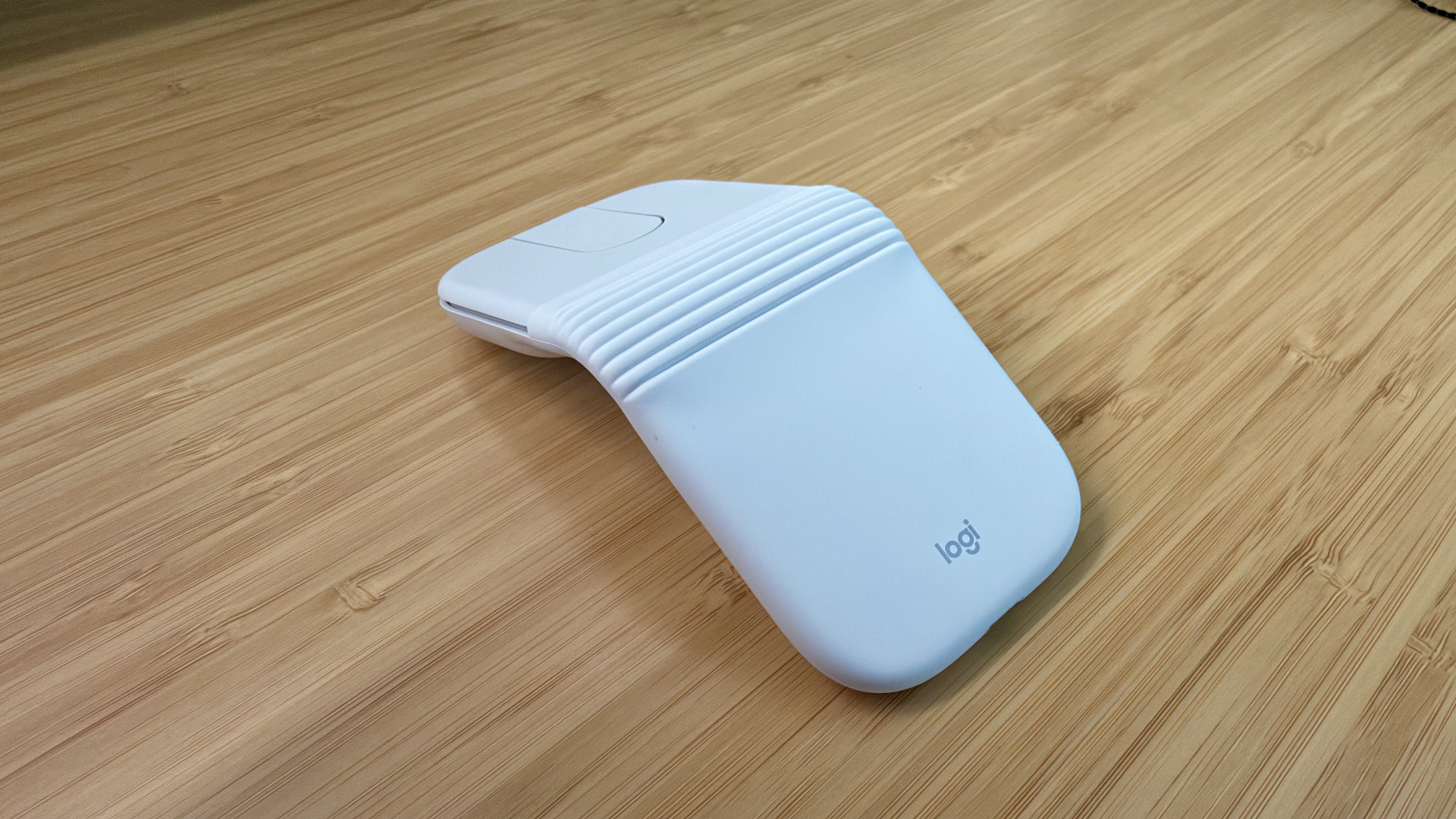
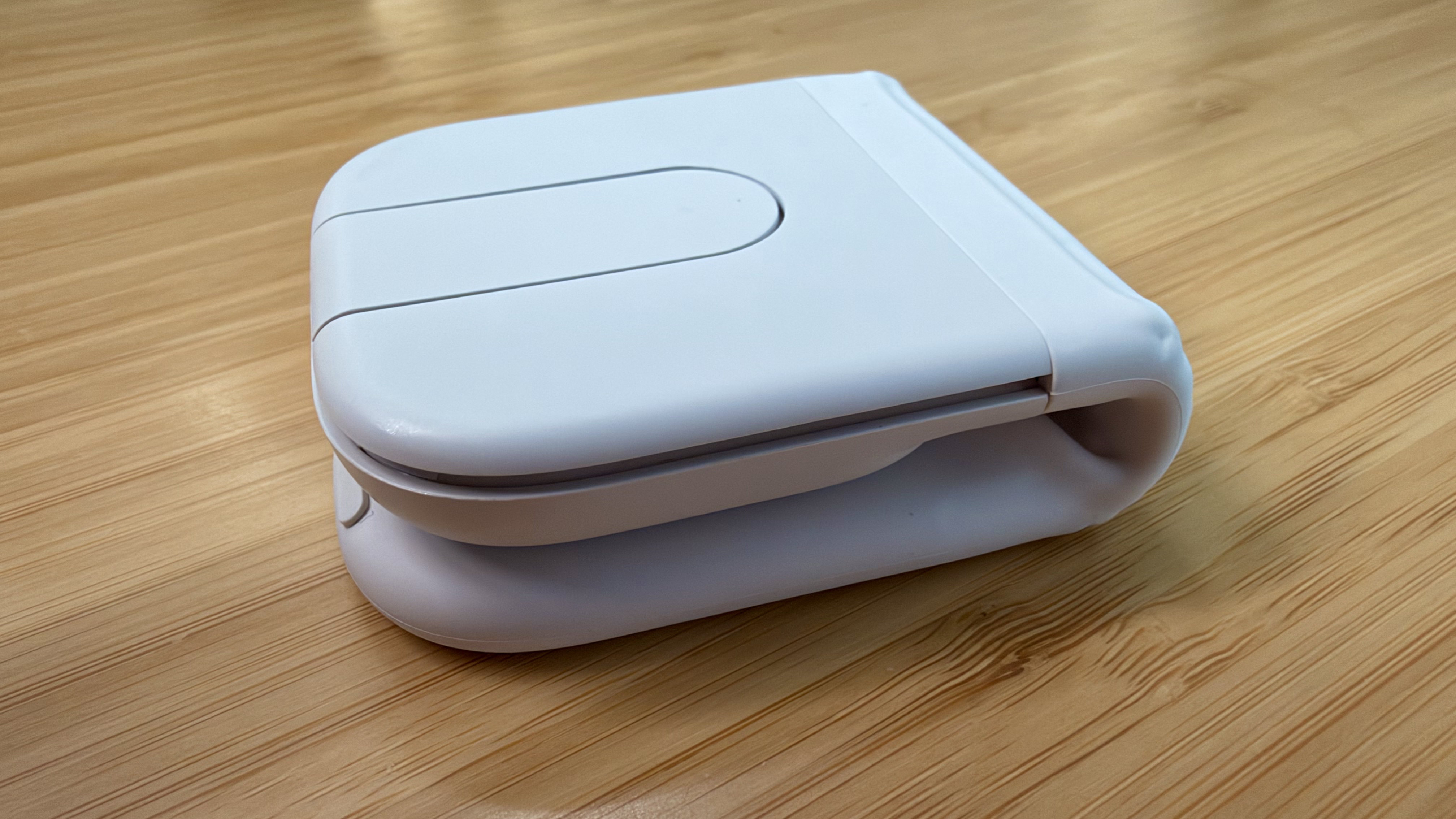
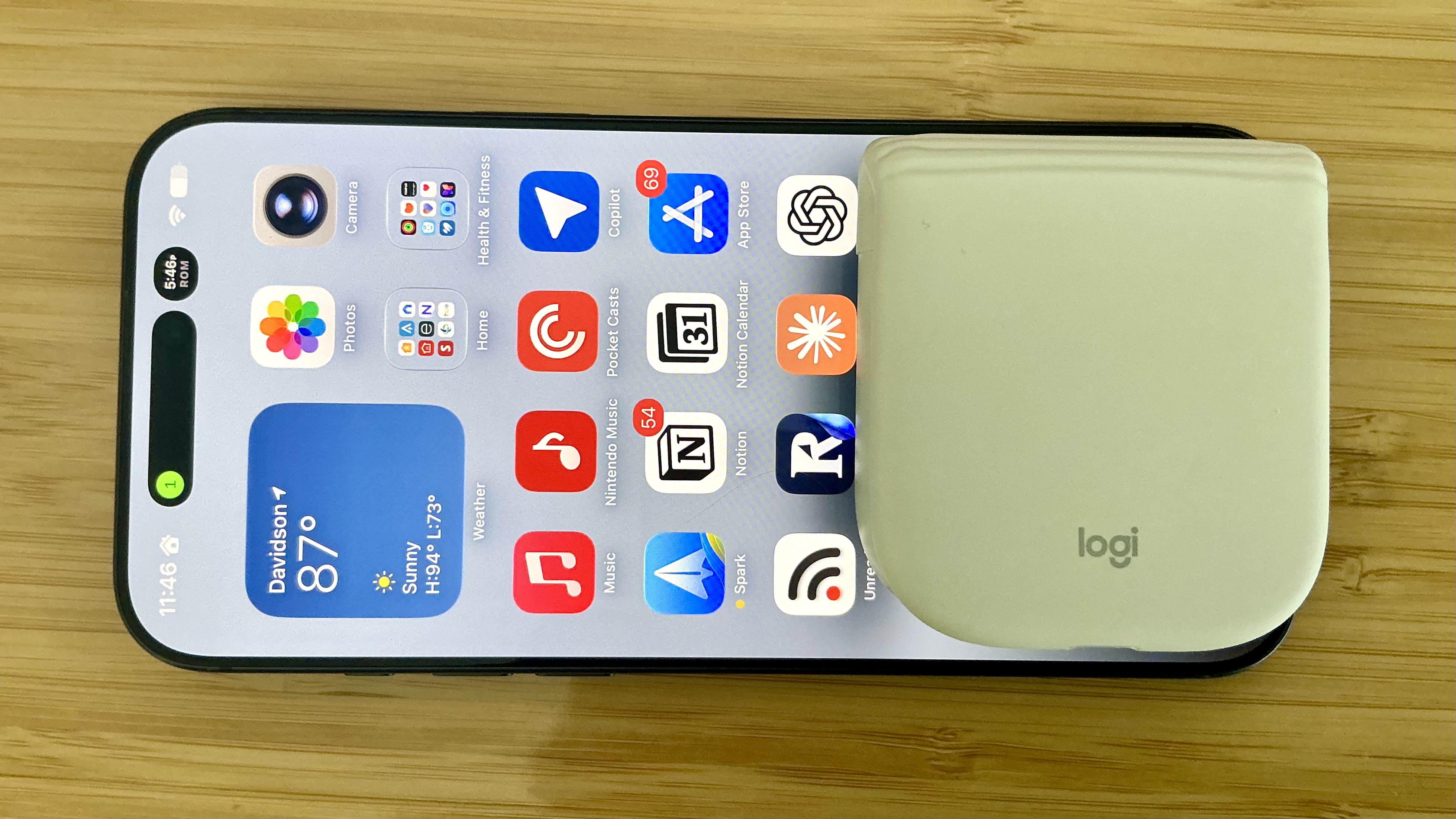
The Logitech Mobi Fold is an impossibly small mouse that folds completely in half, reducing its footprint to about ⅓ the size of my iPhone 17 Pro Max and about twice its thickness. Unfolded, it’s close to the length of the MX Master 4 but narrower. The Mobi Fold is impressively full-featured, too, making it an excellent all-around travel mouse worth taking a closer look at.
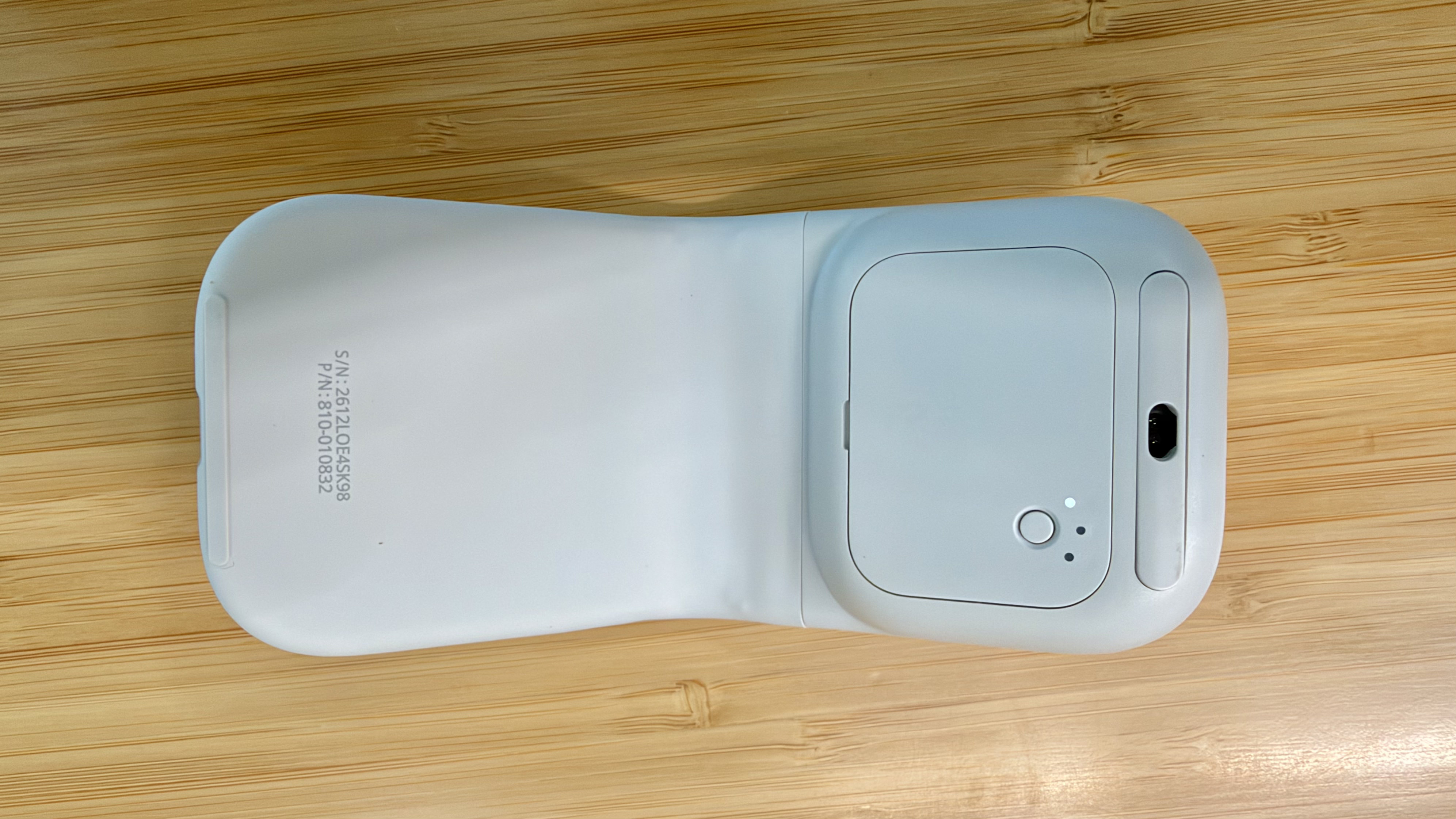
Folded, the Mobi Fold doesn’t look much like a mouse.
I’ve been testing the Mobi Fold for about a month, and my favorite thing to do with it is fold it up, show it to someone, and ask them to guess what it is. No one has guessed correctly because a folding mouse just isn’t a thing most people have encountered before. Instead, the most common guess is that the Mobi Fold is a small battery for charging an iPhone, until I unfold it and the shape becomes more familiar.
The Mobi Fold is tiny.
Really tiny.
The Mobi Fold is powered by a rechargeable battery that Logitech says lasts for up to 33 days (and up to 22 hours on a one-minute quick charge). The device also turns itself on and off automatically when unfolded and folded, which I love. Plus, the Mobi Fold can connect to up to three devices, and it supports both Bluetooth connections and Logitech’s Bolt dongle (sold separately).
The Mobi Fold’s surface is a soft-touch plastic that feels comfortable in your hand, and it has three buttons arrayed across the front. The middle button doubles as a trackpad, allowing you to drag a finger across its surface to scroll and perform gestures like a double tap for zooming in and out of a webpage.
The Mobi Fold pairs with up to three devices.
By default, tapping the front of the middle button navigates forward, while tapping the back navigates back in a browser. However, as with other Logitech mice, you can program the Mobi Fold’s buttons and gestures to:
perform different actions depending on the app you’re using,
control system settings like brightness and volume,
perform macro-like smart actions, and
display the Logitech Actions Ring, a customizable set of actions that are overlayed on your work environment.
That’s a lot of customization for a diminutive mouse, which I appreciate. However, because the Mobi Fold is typically my “long work sessions at the coffee shop” mouse, I’ve found that all I really need is its traditional point-and-click functionality.
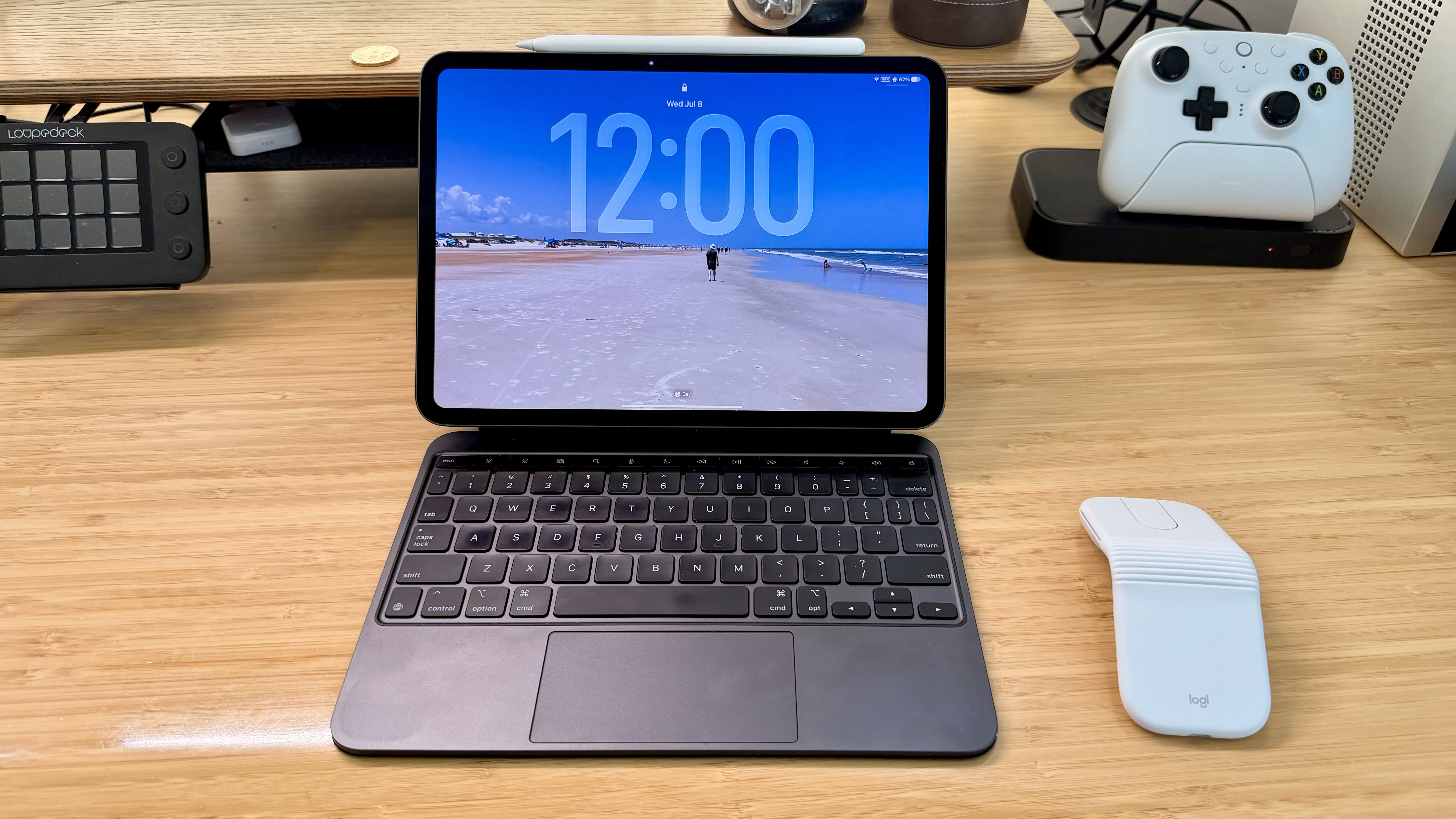
The Mobi Fold makes a good companion to an iPad.
Ultimately, the Mobi Fold isn’t going to replace the MX Master 4 sitting on my desk, but it’s not meant to. I’ve fallen for the Mobi Fold just the same because its compact size and light weight make it a no-brainer to carry with me. I’ve also been pleasantly surprised at just how comfortable the Mobi Fold is to use, unfolding into a sturdy, angular shape that feels good in hand, unlike, say, Apple’s shallower Magic Mouse.
As a result, I really can’t recommend the Mobi Fold enough for on-the-go use with a Mac laptop or iPad. The combination of features in such a small, portable package sets it apart from every other mouse I’ve used and makes it well worth its $79.99 price tag.
The Mobi Fold is available in Graphite, Lilac, Off White, and Sand colors, both directly from Logitech and from Amazon.
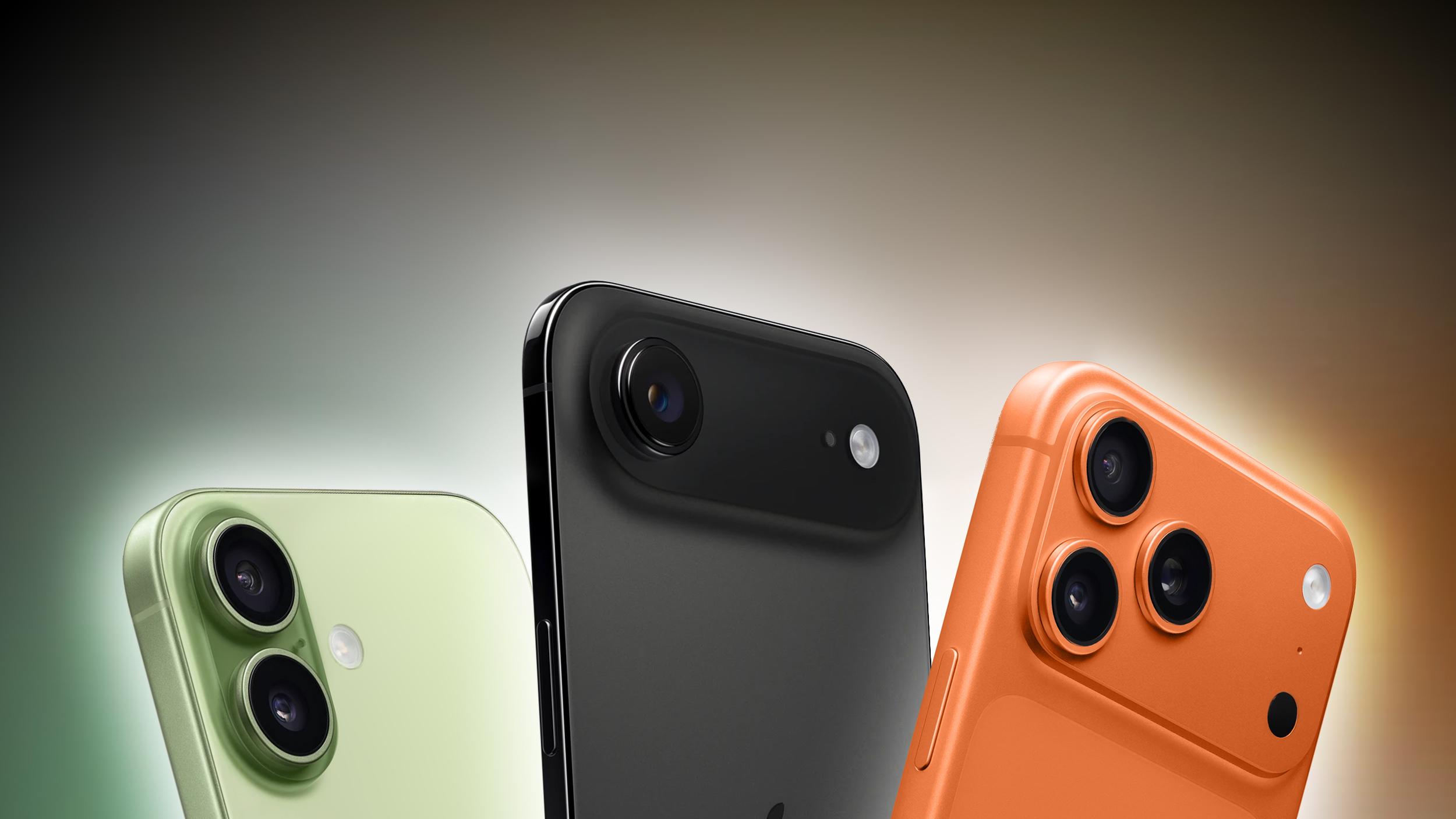
As spotted by the Spanish blog iPhoneros, the iPhone 16, iPhone 17e, iPhone 17, iPhone Air, iPhone 17 Pro, and iPhone 17 Pro Max all received price increases on Apple's online store in Japan today. Prices increased by up to 11%.
Model
Previous Price
New Price
Increase
iPhone 17 Pro Max
¥194,800
¥214,800
10.3%
iPhone 17 Pro
¥179,800
¥194,800
8.3%
iPhone Air
¥159,800
¥177,800
11.3%
iPhone 17
¥129,800
¥142,800
10%
iPhone 17e
¥99,800
¥107,800
8%
iPhone 16
¥114,800
¥124,800
8.7%
Apple attributed the Mac and iPad price increases last month to the ongoing memory chip shortage, which has driven up chip prices. In this case, however, the increases are likely due to the Japanese yen's depreciation against the U.S. dollar over the past year.
Apple did not raise iPhone prices today in the U.S. or any other countries that we checked.
Vous venez de nettoyer vos vitres, puis une averse éclate. Et les voilà couvertes de traces. Faut-il en conclure que la pluie est responsable ? En réalité, le phénomène est bien plus subtil et révèle ce qui se cache dans l'air que nous respirons.
Elles sont souvent présentées comme des alliées naturelles capables de purifier l'air de nos intérieurs. Pourtant, derrière cette réputation largement relayée depuis des décennies, les preuves scientifiques racontent une histoire bien différente.
New images of the giant elliptical galaxy NGC 4696 from the NASA/ESA/CSA James Webb Space Telescope reveal gas filaments funneling material into a spinning disk around a supermassive black hole 800 light-years across.
Last week, just before the US started its break for the July Fourth holiday, the Nuclear Regulatory Commission (NRC) proposed a new rule that would change how it regulated exposure to radiation. The Trump administration has been pushing to restart construction of nuclear power plants in the US, and many pro-nuclear advocates have been complaining about the US's existing regulations, portraying them as the main barrier to the flourishing of the industry. So, it had seemed likely that major revisions were coming.
Instead, the NRC's proposed new rules endorse the science behind its current rules and suggest that any problems are largely in the vagueness of the terminology that it has been using. So, instead, it's endorsing standards that are meant to accomplish the same thing, but avoid using some of the language it had relied on. Probably the clearest indication of the evolutionary change at play is that the NRC estimates the changing rules will save industry—not just power, but also medical and research applications—only about $9.5 million a year.
LNT and ALARA
There are two technical abbreviations at the center of US nuclear regulations. The first is LNT, which stands for "linear non-threshold." It's in reference to the issue of whether there's any level of radiation that is so low that it no longer produces harmful biological effects—the "threshold" in LNT. The "non-threshold" implies that it doesn't, and that's in keeping with biology, which has demonstrated that even single particles or photons of radiation can damage DNA and that the mechanisms cells have for repairing that damage are inherently error-prone. The "linear" in LNT simply describes how the impact of radiation scales directly with the dose.

 Login
Login