32 millions de moustiques lâchés dans la nature, non pas pour piquer, mais pour stopper la propagation de maladies. Le projet de la filiale de Google fait autant parler les scientifiques que le grand public. Une initiative aussi audacieuse que méconnue qui mérite qu'on s'y attarde sérieusement.
Google’s Chrome browser has added a new feature that could go a long way in preventing a form of account takeover that’s grown increasingly common as users adopt two-factor authentication, passkeys, and similar protections.
The new Chrome protection is known as device-bound session credentials (DBSCs). The measure stores a unique encryption key in a silicon-resident fortress that’s built into the device running the browser. On Windows machines, this fortress is called a TPM, short for Trusted Platform Module. On macOS and iOS, it’s known as a secure enclave. Other platforms have differing names. Recently released versions of Chrome for Windows and macOS generate a key that’s stored in this fortress.
An antidote to session cookie theft
DBSCs protect against the theft of session cookies, the unique strings of characters that websites store on browsers. Session cookies greatly speed up browsing on sensitive sites that require user authentication. Instead of requiring the exchange of credentials each time a user opens a new site page, the server sets a session cookie that effectively proves the user has already successfully logged in.
Google began offering third-party app store downloads in the Play Store earlier this week, but US District Judge James Donato says the company isn't doing enough. After reviewing the process for accessing the first non-Google store, Donato ruled that Google has added unnecessary "anticompetitive friction," ordering the company to rectify the issues.
While Epic and Google are patching things up with a global partnership agreement, the two are still on opposite sides of the antitrust case in the US. Google lost the case in 2023, and the intervening years have been about determining how to implement remedies to address Google's anticompetitive behavior. One of the court's key elements is the requirement that Google include third-party app stores in the Play Store, giving users an easy way to get apps from non-Google sources. Aptoide Games became the first such app store recently.
However, Google worked hard to avoid this outcome, attempting to settle with Epic to keep third-party app stores out. When it was forced to admit the Aptoide store under the terms of the ruling, Google didn't exactly put up a banner welcoming third-party app stores. In fact, Judge Donato found in a Thursday hearing that Google's implementation was not good enough, according to The Verge.
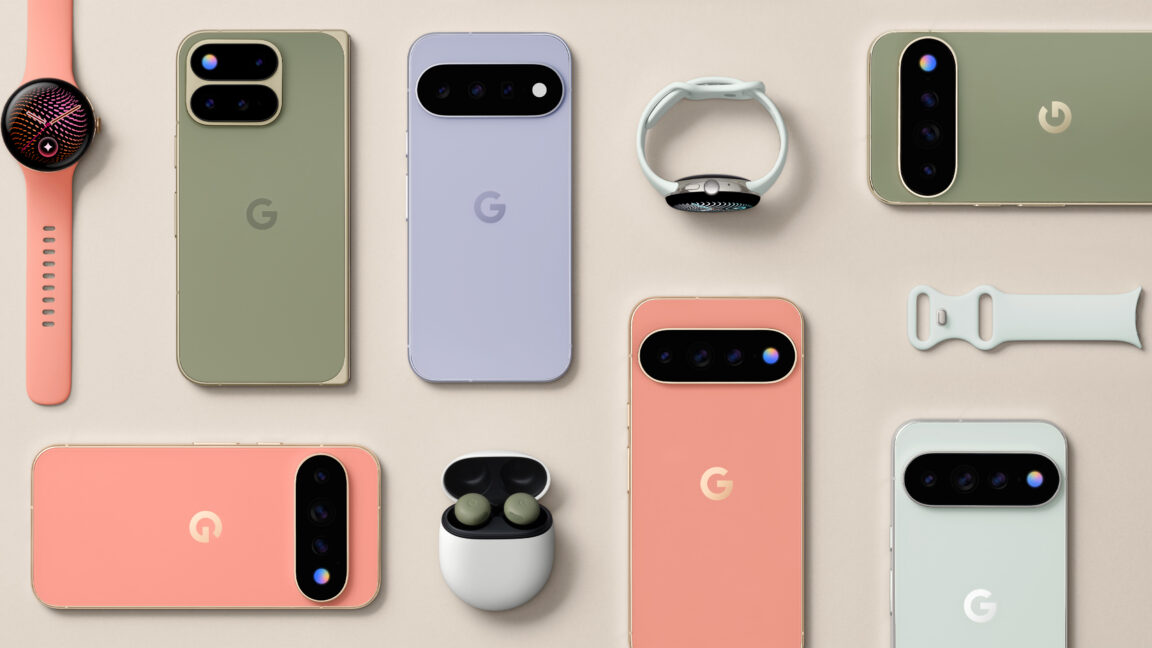
Google has revealed its Pixel phone hardware for 2026, and you won't be surprised. The Pixel 11 series looks a lot like last year's lineup, featuring an evolution of the design Google adopted with the Pixel 9. There are some minor tweaks, a few new hardware goodies, and yes, even more Gemini-powered AI. The new phones are joined by an updated Pixel Watch 5 with much the same story, as well as Google's first in-house tracker device, the Pixel Tag. And you can place orders for all of Google's new hardware today.
The Pixel 11 series is clearly the star of the show. You might even call it the highlight—or HiLight. Just as the leaks predicted, Google's most notable hardware innovation for the 2026 Pixel phones is the return of the notification LED (sort of).
The new HiLight feature is available on the Pro phones, so the base model Pixel will remain unilluminated. HiLight consists of a ring of RGB LEDs inside the flash assembly on the back of the phone. It lights up when you're talking to Gemini, so you don't have to look at the screen of your phone to know you've been heard or that the AI is working. Thus, it makes the most sense when the phone is lying face down.
In 2018, 20,000 Google employees worldwide made headlines when they staged a walkout to protest how the company had handled sexual misconduct allegations against key corporate executives, among other grievances. One of the organizers was Claire Stapleton, a communications specialist whose distinctive voice and ability to channel the corporate ethos had once earned her the internal moniker "Bard of Google."
Stapleton didn't set out to be a rabble-rouser. When she joined Google out of college in 2007, it was like "getting the golden ticket in Willy Wonka," she told Ars. Awareness of her good fortune offset any initial uneasiness or skepticism, although Stapleton was sufficiently independent-minded not to move into what was then Google's new corporate housing development in Mountain View, California. Stapleton was very good at her job, and she quickly moved up the ranks, playing a key role in shaping the company's public image.
Para quem possui surdez ou alguma dificuldade de audição, é possível habilitar a exibição das legendas do Gemini Live enquanto estiver usando-o no seu Mac. Veja como! 👨💻
Com o app aberto, acesse as configurações do navegador. É possível fazer isso indo até Chrome » Ajustes…, na barra de menus, usando o atalho de teclado ⌘ command, ou clicando no botão com três pontinhos (no canto superior direito).
Selecione “Inovações de IA” (na barra lateral esquerda) e entre em “Gemini no Chrome”.
Por fim, marque a chave ao lado de “Legenda descritiva”.
Na prática, você poderá conferir as legendas nas conversas do Gemini Live, como no exemplo abaixo:
Com a disponibilização do Gemini no Google Chrome para Macs, ficou muito fácil consultar o serviço de inteligência artificial da empresa para alguma atividade que precisa fazer.
Por padrão, o painel lateral do Gemini fica localizado na parte direita da tela do seu computador. Mas, se preferir, é possível que ele seja mostrado no lado esquerdo.
Com a liberação do Google Gemini no navegador Chrome para macOS, tornou-se possível utilizar a inteligência artificial da empresa de uma maneira rápida, sem precisar abrir um aplicativo separado, por exemplo.
Uma das maneiras de sair ou voltar a navegar pelo Gemini no Chrome é por meio de um atalho de teclado. Apesar de já vir com um pré-configurado, você pode alterá-lo.
Abra as configurações do Chrome, indo até Chrome » Ajustes…, na barra de menus, usando o atalho ⌘ command, ou clicando nos três pontinhos, no canto superior direito.
Selecione “Inovações de IA” e entre em “Gemini no Chrome”. Clique no lápis ao lado de “Atalho para navegação” e utilize o teclado para adicionar o novo atalho preferido.
Rivalizando com iniciativas como o app Granola ou o assistente Notetaker do Wispr Flow, o recurso era anteriormente restrito aos encontros virtuais ocorridos dentro da plataforma do Google.
Divulgação/Google
Ele permite que o Gemini transcreva conversas e crie resumos da reunião salvos em um documento do Google, criando ainda um relatório encaminhado ao email do usuário com detalhes dos assuntos tratados e uma lista de tarefas da reunião. O Anota pra Mim é compatível tanto com as versões web quanto com o app do Google Meet.
Divulgação/Google
De acordo com o Google, a distribuição ampliada começou hoje para a versão web e iniciará no dia 31 de agosto para o app no iOS. A ferramenta está disponível para os assinantes dos planos AI Pro (além do AI Pro for Education) e Ultra — no caso dos consumidores finais — e nos planos padrão e Plus das soluções Business e Enterprise do Google Workspace.
Após a Apple garantir, ontem, uma suspensão temporária do processo de cálculo de taxas para compras a partir de links externos em sua disputa judicial contra a Epic Games, a Suprema Corte dos Estados Unidos negou o pedido da companhia para estender essa suspensão até a análise de um outro recurso da Maçã relacionado a uma decisão de desacato no caso.
Com isso, conforme divulgado pela Bloomberg, a empresa deverá seguir as determinações da ação que corre na instância inferior referente à taxa que cobra de desenvolvedores por vendas realizadas fora da App Store.
De fato, a Apple apresentou hoje mesmo uma proposta detalhando a comissão que considera razoável cobrar de aplicativos que incluam links para opções de compra fora da App Store — apenas nos EUA. Vale notar que, até agora, a empresa vinha sendo proibida de cobrar qualquer taxa.
Como detalhado pelo MacRumors, a Apple propõe cobrar metade da comissão normalmente aplicada; assim, aplicativos que pagariam uma taxa de 30% por uma compra/assinatura interna serão cobrados 15% ao direcionar o usuário para uma opção de compra na web — a proposta original era de uma taxa de 27%. Já os participantes do programa para pequenas empresas (Small Business Program), que pagariam 15%, serão cobrados 5%.
Aplicativos padrão: 15%.
Aplicativos integrantes dos programas de parceria para Notícias, Vídeos e Miniaplicativos, bem como renovações de assinaturas: 10%.
Aplicativos elegíveis para o programa de pequenas empresas (Small Business Program): 5%.
Essas taxas propostas deverão ser pagas pelos desenvolvedores quando um usuário tocar em um link contido em um app e realizar uma compra pela web. Por exemplo, se um usuário do Spotify clicar em um link no app para acessar o site do serviço e assinar o plano, os serviços de streaming têm de pagar à Apple uma taxa de 15%.
A Epic usou suas redes sociais para comentar a proposta da Apple. Segundo a desenvolvedora, os valores “estão muito além dos limites estabelecidos” e a empresa aponta que apresentará sua contestação dentro de 60 dias.
Apple's filing is in, and Apple admitted that under the Ninth Circuit's definition of "necessary costs" they would charge 0% for purchases made via linkouts to the web.
Apple proposed linkout fees of 15% for standard apps and 5% for Small Business Program apps. Epic believes…
A Apple apresentou sua petição e admitiu que, segundo a definição de “custos necessários” do Nono Circuito, cobraria 0% sobre compras realizadas por meio de links externos para a web.
A Apple propôs taxas de 15% para aplicativos padrão e de 5% para aplicativos do programa Small Business Program sobre essas transações via link externo. A Epic considera que tais taxas estão muito além dos limites estabelecidos pelas diretrizes do Nono Circuito quanto a taxas permitidas, e temos cerca de 60 dias para apresentar nossa contestação, fundamentada em depoimentos de especialistas.
Já a Apple afirma que os valores foram calculados com base em análises de especialistas e são inferiores às taxas de direcionamento externo que o Google está cobrando no seu processo judicial contra a Epic. A Maçã também protocolou uma petição solicitando o encaminhamento para uma conferência de conciliação — a qual poderá ajudar ambas as partes a chegar a um acordo e a restringir ou resolver as questões pendentes.
A Apple enviou a proposta ao Tribunal do Distrito Norte da Califórnia, onde a juíza Yvonne Gonzalez Rogers agora avaliará a proposta e ouvirá a resposta da Epic, de modo que a empresa terá de implementar a taxa definida pelo tribunal.
Google has unveiled the $29 Pixel Tag, its long-awaited AirTag rival that combines UWB with Bluetooth 6.0 Channel Sounding for two forms of precision tracking. It launches November 11. The Verge reports: The Pixel Tag is a slim oblong device available in one grayish color -- Fog -- that weighs about 12g, or 0.4oz. Like the AirTag, it has no built-in hooks or clips for attaching to objects you want to track. There's a single button that will trigger a sound on your phone, for the rare occasion when you've got the Tag but have lost your main device. It also has an IP67 rating, so it should be safe from dust and rain. As for the battery, the Pixel Tag takes CR2032 coin batteries, and says one battery should last for over a year.
Naturally, it'll be compatible with Google's Find Hub network, which leverages the Bluetooth capabilities of Android devices worldwide to help locate lost objects. [...] Once you're close enough to the Pixel Tag, UWB lets the Find Hub app display the distance and direction to the tracker, so long as you're using a phone with a UWB chip. Channel Sounding is a newer development that can display the exact distance, but not direction, and it will work with any phone or tablet that includes Bluetooth 6.0. The Moto Tag 2 is the only other tracker to currently support it.
Bad news for anyone seeking a job in this AI-infested hiring hellscape: not even Google’s top AI lab can figure it out.
That’s according to an HR memo viewed by Bloomberg, encouraging job-seekers to fill out a special AI-proof form on top of their standard application so that a “real human” will know they applied.
The document, which contains the delicious disclaimer “PLEASE DO NOT SHARE THIS DOC WIDELY,” is ironically the product of Google DeepMind’s AGI Safety and Alignment Team. Taken at face value, it pretty blatantly admits that whatever AI-integrated hiring software the lab uses to review candidates has been dumping CVs straight into the garbage.
“We have an applications system with a non-trivial probability your CV will be screened out incorrectly or take too long to reach us,” the memo explains. “Filling out this form makes sure that a real human on the team will get to see your application.”
Even in the face of the memo, a spokesperson for Google’s DeepMind project insisted to Bloomberg that the company’s AI hiring software is working just fine.
“This team set up a special form to go past the recruiter review, and get their resumes direct to the people on the team,” the spokesperson said. “But there are no shortcuts to getting hired.”
All told, it’s a wild admission from any Google division, not to mention its flagship AI research hub. For the DeepMind crew, specifically, to throw up their hands and invent a workaround to sneak past the company’s own AI hiring software is galling beyond words.
It’s safe to say AI slop has completely obliterated the digital hiring ecosystem millions depend on to find work — and if Google’s top AI minds can’t fix it, what hope do the rest of us have?
A Microsoft está testando uma novidade no seu navegador Edge que facilitará a vida de usuários da Apple: a possibilidade de se cadastrar e fazer login em um perfil do browser com uma Conta Apple.
Conforme observado pelo usuário @Leopeva64 no X, a novidade já está disponível nos canais Beta e Canary do Edge para desktop e pode ser ativada por meio dos recursos experimentais (flags) tanto no Mac quanto no Windows.
In Edge Canary for desktop there are a couple of new flags to enable support for signing in with an Apple account. Microsoft added support for Google accounts some time ago and has now added support for Apple accounts: https://t.co/34BBm0b3Wipic.twitter.com/BNMrpB8pkO
Mas o que isso significa, na prática? Que você pode pular algumas etapas no processo de criação de uma conta para usar no navegador caso ainda não tenha uma conta da Microsoft, usando o mesmo email e outros dados da Conta Apple.
O usuário também poderá fazer login com facilidade no navegador apenas clicando no botão para logar com a Apple — como já acontece com outras plataformas.
Essa é uma expansão de um movimento que começou há poucos meses, quando o mesmo usuário descobriu a possibilidade de se cadastrar e fazer login com o Google no mesmo canal de testes do Edge (agora já disponível).
A novidade chega para tornar o uso do navegador mais prático, eliminando a obrigatoriedade da criação de uma nova conta do zero para quem já é usuário dos serviços da Apple (ou do Google).
O Gemini, do Google, ultrapassou oficialmente a marca de 1 bilhão de usuários mensais ativos — tornando-se, segundo a própria gigante de Mountain View, o produto de crescimento mais rápido na história da empresa.
Para colocar esse marco em perspectiva, o Gmail levou cerca de 12 anos para conquistar uma base de usuários desse tamanho. Isso também coloca o Gemini no mesmo patamar do ChatGPT (da OpenAI), que atingiu essa marca no início de junho.
O CEO 1Chief executive officer, ou diretor executivo. do Google, Sundar Pichai, utilizou o X para destacar esse marco.
1B+ people are now using @Geminiapp every month to spark new ideas and get things done. It’s our fastest growing product ever, and our 14th to hit the 1B-user mark.
Mais de 1 bilhão de pessoas já usam o @Geminiapp todos os meses para despertar novas ideias e realizar tarefas. É o nosso produto que mais cresce na história e o 14º a atingir a marca de 1 bilhão de usuários.
Parabéns ao @JoshWoodward e a toda a equipe do Gemini, e obrigado a todos que têm feito parte dessa jornada conosco — vem muito mais por aí!
Além do número de usuários, o Google divulgou detalhes sobre como as pessoas interagem com o chatbot no dia a dia. Entre eles, a empresa aponta que os usuários dos dispositivos da Apple estão adotando a ferramenta em grande escala, com mais de 100 milhões de usuários ativos no iOS. Além disso, usuários avançados do macOS acionam o Gemini cerca de duas vezes mais frequentemente do que em outras plataformas.
Eles apontam ainda que interação por voz tornou-se a forma preferida de usar o aplicativo, com 63% dos usuários optando por falar em vez de digitar. Ademais, uma em cada cinco sessões do Gemini Live vai além do áudio simples, envolvendo o compartilhamento de imagens da câmera/tela em tempo real.
Estudantes representam outro grupo importante de usuários: 38% das solicitações acadêmicas incluem o envio de arquivos de tarefas, anotações ou PDFs. A geração de imagens também gera um tráfego enorme, sendo responsável pela criação de mais de 150 milhões de imagens diariamente.
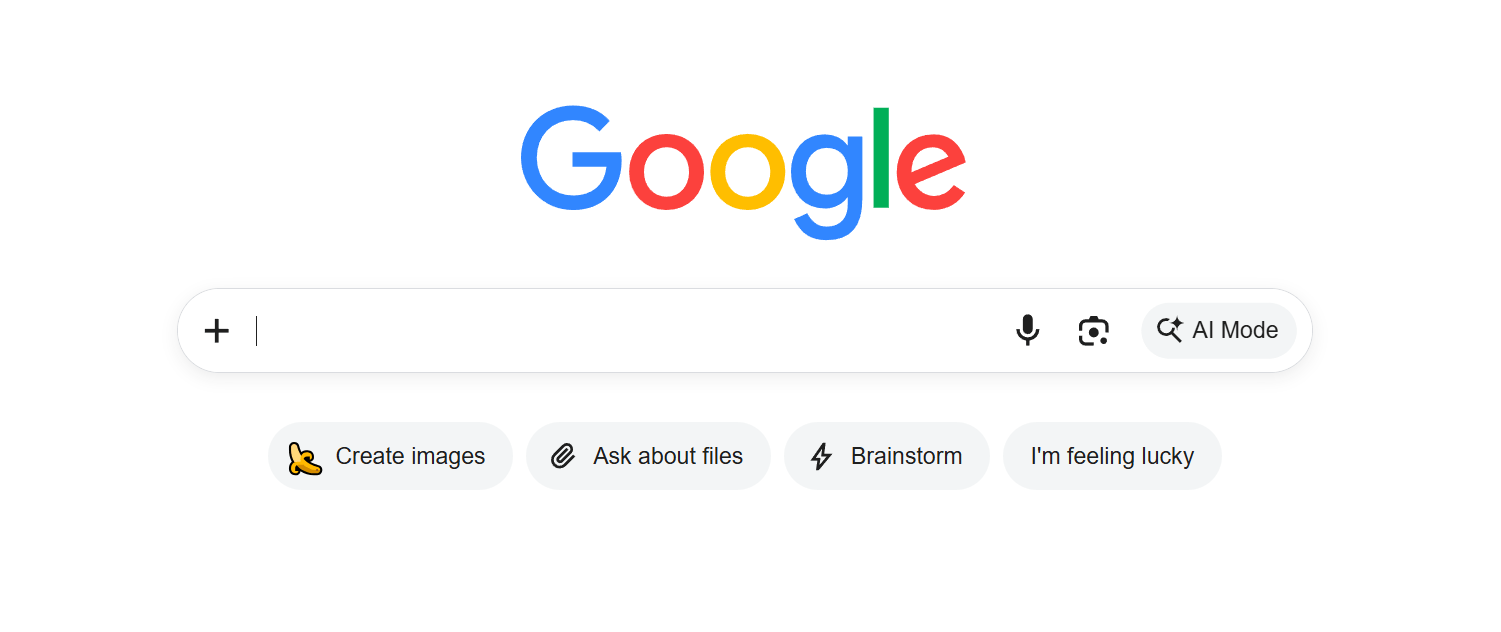
Since its earliest days, Google’s homepage has been iconic in its simplicity: a central text box and a big button labeled “Search.”
That’s now changing. As anticipated, many users are reporting that the “Search” button is no more, replaced by three buttons for various AI features: “Create images,” “Ask about files,” and “Brainstorm.”
These are placed next to the lingering “I’m feeling lucky” button, which survived the chopping block. A separate “AI Mode” button that’s existed inside the search bar for some time now still features as well. Some of the options, like “Create images,” were already featured on the home page of the Google app.
The change was first spotted on Monday by search engine experts. You can still perform a regular Google search — which are already pretty AI-laden — by hitting enter. But it’s clear that Google is further experimenting with its AI-centric vision for navigating the internet, though there’s a distinct sense of caution about how far the tech giant is willing to go.
Google Search’s vice president of product Robby Stein confirmed that this was a “small test.”
“This is a small test on desktop to help people find new things they can do with Search,” he wrote in a post on X. “No impact to how the core search box works.”
In May, Google teased an “intelligent” search box that expands into an chatbot-like experience as you type. It came loaded with AI features, including the ability to recruit AI agents to automate searches and an autocomplete feature to help finish your thoughts.
The biggest change, however, was that the revamped search box showed conversational answers instead of Google’s classic “ten blue links” to other websites.
Experts viewed this as a threat to the open web. Instead of encouraging users to visit other websites, Google’s AI was pilfering and summarizing content into a single contained window. In the long run, this could starve websites of the much needed traffic they need to survive. This was already happening as more people turn to AI chatbots to get their answers instead of a search engine, causing some websites to start using ads that cater to robotic visitors.
Still, heavily AI-infused though it may be, the old-fashioned search hasn’t been completely replaced by Google — yet.
Fomos procurar quais os smartphones com as melhores câmaras à venda em Portugal, dividindo-os em duas categorias, sem limite de preço e até 500 euros. Explicamos também quais os critérios que deve ter em contra na hora de escolher.
Earlier this summer, Amazon customers began noticing that emails related to their online orders looked sparse: Order confirmation emails didn't name specific items anymore, and instead listed only item categories.

 Login
Login