❌

Reading view

Thermalright TR-KG750 750W power supply review: HKC-built KG unit with a Thermalright badge for $91

Thermalright is a CPU cooling company that happens to sell power supplies. Established in Taipei in 2001, it spent its first two decades building a reputation on air coolers - the Ultra-120 eXtreme and the HR series were enthusiast reference points long before the current wave of tower coolers - then drifted out of the conversation for years before the Peerless Assassin 120 dragged it back to the top of every budget build list in 2021. Its catalog has expanded aggressively since: case fans, all-in-one liquid coolers, thermal compounds, chassis, and, since 2022, power supplies. That last category deserves a different kind of scrutiny than the rest. Much like most brand names, Thermalright does not build power supplies; it commissions them, and a heatsink company's engineering credibility transfers to a PSU exactly as far as the OEM behind it allows. Every Thermalright power supply has to be judged on its platform rather than its badge.

The KG series occupies the value end of Thermalright's power supply range, and the TR-KG750 reviewed here is its 750W entry. How does it hold up against the best power supplies on the market? On paper, the specification is current, with ATX 3.1 and PCIe 5.1 compliance, a native 12V-2x6 connector, full modularity, 80 PLUS Gold certification at 115 VAC, a 120 mm fan inside a 140 mm-deep chassis, and a five-year warranty. The label on the PSU itself answers the platform question without much digging. The manufacturer of record is Somore Tech Co., Ltd., the production is credited to Jiushouyangguang Power Supply (Shenzhen), and the internal designation printed beside the 80 PLUS badge is HKCMAX-750 - this is an HKC platform, and the silkscreen on the main board dates the design to April 2023. There is no Cybenetics entry for the model at the time of writing, so the 80 PLUS report is the only third-party data available on it. At a retail price of $91, it undercuts essentially every name-brand 750W Gold unit on the US market, which is the whole of its pitch.

Specifications and Design

Thermalright TR-KG750 Power specifications ( Rated @ 40 °C )

RAIL

+3.3V

+5V

+12V

+5Vsb

-12V

MAX OUTPUT

20A

20A

62.5A

3A

0.3A

100W

100W

750W

15W

3.6W

TOTAL

750W

AC INPUT

100 - 240 VAC, 50 - 60 Hz

MSRP

$91

In the Box

The TR-KG750 arrives in a compact cardboard box wrapped in a black-to-bronze gradient sleeve, with a three-quarter render of the unit dominating the front and the wattage set in large gold type beside it. The badge strip along the bottom edge is short: 80 PLUS Gold, ATX 3.1, PCIe 5.1, and the model number.

ThermalRight TR-KG750 750W

(Image credit: Tom's Hardware)

The bundle is as thin as they come. Under the protective packaging the supply is accompanied by a multilingual user’s guide, the AC power cord, a small bag of mounting screws, and four zip ties. That is the entire accessory list: no Velcro straps, no cable combs, no storage pouch. Four zip ties for an eight-cable modular supply is a token rather than a provision, and it is one of the few places where the price makes itself felt before you take the lid off.

ThermalRight TR-KG750 750W

(Image credit: Tom's Hardware)

The cables are all-black flat ribbon types throughout, with no sleeving anywhere in the set. They are all uniform, adding points to the aesthetics of the unit. The 12V-2x6 cable is native - a single run from the modular panel to the graphics card, with no adapter or splitter involved - but its plug does not use the dual-color keying the ATX 3.1 specification encourages, which makes an incompletely seated connector easy to spot at a glance.

ThermalRight TR-KG750 750W

(Image credit: Tom's Hardware)
Thermalright TR-KG750

Connector type

Hardwired

Modular

ATX 24 Pin

-

1

EPS 4+4 Pin

-

2

PCI-E 5.1

-

1

PCI-E 8 Pin

-

2

SATA

-

6

Molex

-

3

Floppy

-

-

External Appearance

At 150 x 86 x 140 mm, the TR-KG750 is a standard-width ATX unit with a short 140 mm body, which is about as compact as a 750W supply practically gets and leaves useful slack for cable management even in a mid-tower. The chassis is finished in a matte black with a fine texture, and the top panel carries a stamped fan grille in a diamond-and-chevron pattern - four angled spokes radiating from a central square, framed by long slotted vents - with the Thermalright wordmark pressed into a raised panel at the edge. Four exposed screws sit at the corners, one of them beneath the warranty-void sticker.

ThermalRight TR-KG750 750W

(Image credit: Tom's Hardware)

The rear face is a large square perforated exhaust panel with the AC receptacle and a rocker. The front face hosts the modular connector bay, cleanly silkscreened into four labeled groups: MOTHERBOARD for the split 24-pin, SATA/PATA for the peripheral cables, CPU/PCIe for the four eight-pin sockets, and a dedicated 12V 2x6 socket in the bottom corner. A scratch-off authenticity tag with a QR code sits alongside the panel.

ThermalRight TR-KG750 750W
Tom's Hardware
ThermalRight TR-KG750 750W
Tom's Hardware

The specification label occupies the top face rather than a side panel, which is the more useful placement for a bottom-mounted supply sitting under a windowed case, and both side panels are given over to a large bronze-gradient decal carrying the wattage, model number, and 80 PLUS Gold badge. That decal is the only decoration, and the finish underneath it is unremarkable but honest - evenly applied, no orange peel, no sharp edges. The label repeats the rail ratings, the CCC certificate number, and the internal model designation, and it is where the platform gives itself away. Build quality overall is what the price suggests: the steel gauge is adequate, the panels line up, nothing rattles, but there is none of the extra finishing that separates a $90 unit from a $150 one.

ThermalRight TR-KG750 750W
Tom's Hardware
ThermalRight TR-KG750 750W
Tom's Hardware

Internal Design

Cooling is handled by a 120 mm Yate Loon D12SH-12 rated for 12V at 0.30A. Yate Loon is a long-established Chinese fan maker, and the D-series is its bread-and-butter sleeve-bearing line, which makes this the single most consequential cost-saving in the unit. Sleeve bearings are quiet, like fluid-dynamic alternatives at equivalent speed, but wear faster and are more sensitive to heat and mounting orientation - all three of which matter in a supply that, as the test results show, runs its fan constantly and pushes it hard as soon as ambient temperature rises. The five-year warranty covers the fan, but it is not a part most owners will enjoy chasing a replacement for.

ThermalRight TR-KG750 750W

(Image credit: Tom's Hardware)

The platform is HKC’s, supplied to Thermalright under the internal designation HKCMAX-750, and the main board is silkscreened as ATX32 Main BD Rev1.2. A row of wattage selection pads along the board edge runs from 500W to 850W, with the 750W position populated, confirming this is a single design scaled across a whole product family rather than a layout drawn for 750W specifically. Component density is fair, the soldering is tidy, and some black silicone anchors the larger parts. Only two heatsinks are fitted - a small one carrying the input bridges and a taller, simple finned unit shared by the APFC and primary switching stages - and everything on the secondary side relies on the PCB and a tiny sheet heatsink soldered to it.

ThermalRight TR-KG750 750W
Tom's Hardware
ThermalRight TR-KG750 750W
Tom's Hardware

The transient filtering stage starts at the back of the AC receptacle and continues on the main PCB. In total, there are four Y capacitors, two X capacitors, and two filtering inductors, with an MOV and an NTC thermistor also present - a complete filter with nothing omitted, if not a generous one. Two input rectifying bridges follow on their own small dedicated heatsink. The APFC stage uses two MOSFETs and a boost diode sharing the tall heatsink, paired with a large open-frame filtering coil, and the bulk capacitor is a Nichicon 450V/560 uF part from the 105C-rated GN(M) series. That capacitor is comfortably the best component in the unit and practically the only one sourced from a manufacturer with a genuine reliability record. The primary inversion stage is a half-bridge arrangement built from two 65R160FR MOSFETs on the shared heatsink, feeding the main transformer.

ThermalRight TR-KG750 750W

(Image credit: Tom's Hardware)

The secondary side is where the cost engineering becomes plain. The 12V rail is rectified by six Perfertway PWC012N04ES MOSFETs mounted directly on the main PCB with no heatsink of their own, and the 3.3V and 5V rails are derived from DC-to-DC converters that also live on the main board rather than a vertical daughterboard. As a layout, this is conventional and modern. The problem is provenance: essentially every active device in the conversion path - the bridges, the APFC and primary MOSFETs, the six synchronous rectifiers - comes from manufacturers with no established track record in this application. Secondary filtering is a mix of Teapo parts and capacitors branded NICON that, despite carrying a series designation borrowed from Nippon Chemi-Con’s catalog, do not appear to be a genuine Nippon Chemi-Con nor a Nichicon product, and polymer capacitors handle high-frequency filtering on the modular board. None of this is unusual at the price. It is worth stating plainly, though, that the "all Japanese" capacitor language attached to some retail listings for this model describes the bulk capacitor and nothing else.

ThermalRight TR-KG750 750W
Tom's Hardware
ThermalRight TR-KG750 750W
Tom's Hardware

Cold Test Results (25°C Ambient)

Cold Test Results (25°C Ambient)

For the testing of PSUs, we are using high-precision electronic loads with a maximum power draw of 2700 Watts, a Rigol DS5042M 40 MHz oscilloscope, an Extech 380803 power analyzer, two high-precision UNI-T UT-325 digital thermometers, an Extech HD600 SPL meter, a self-designed hotbox, and various other bits and parts.

ThermalRight TR-KG750 750W
Tom's Hardware
ThermalRight TR-KG750 750W
Tom's Hardware
ThermalRight TR-KG750 750W
Tom's Hardware
ThermalRight TR-KG750 750W
Tom's Hardware
ThermalRight TR-KG750 750W
Tom's Hardware

At 25°C ambient, the TR-KG750 averaged 89.5% at 230 VAC and 88.5% at 115 VAC across the nominal load range, peaking at 91.2% and 90.3%, respectively, at 50% load and settling to 89.2% and 87.9% at a sustained 750W. The curve is well shaped, with the usual broad plateau between 40% and 70% load and no collapse at the top end. What it does not have is margin. Against the 80 PLUS Gold thresholds at 115 VAC - 87% at 20% load, 90% at 50%, and 87% at 100% - our measured 87.2%, 90.3%, and 87.9% clear the bar by 0.2, 0.3, and 0.9 percentage points. The unit’s own 80 PLUS report reads slightly kinder at 90.2%, 91.4% and 88.3%, but the conclusion does not change: this is a Gold unit by a narrow margin.

Acoustically, there is no great news. The Yate Loon spins whenever the supply is powered but remains quiet across the first half of the load range. The ramp through the middle of the range is gentle enough, but it steepens past 70% load, reaching 42 dB(A) at 600W and almost 51 dB(A) at a sustained 750W. That is loud for an efficient 750W unit at room temperature. Thermally, the platform is comfortable at 25°C. The primary and secondary heatsinks stabilized at around 60°C. Those are unremarkable numbers, with the small heatsinks and mediocre efficiency being the obvious culprits.

Hot Test Results (~45°C Ambient)

Hot Test Results (~45°C Ambient)

Inside the hotbox at roughly 45°C ambient - five degrees beyond the unit’s own 40°C rating - efficiency averaged 87.6% at 230 VAC and 86.6% at 115 VAC, an almost uniform 1.9-point loss against the cold run. Full load is where the degradation concentrates: 85.8% at 230 VAC and 84.5% at 115 VAC, both 3.4 points down on the 25°C figures. A drop of that size is larger than we like to see, and it puts the unit well outside Gold territory under heat, although it is being measured beyond its rated envelope and the shape of the curve essentially holds throughout. The supply completed every load step without shutting down.

ThermalRight TR-KG750 750W
Tom's Hardware
ThermalRight TR-KG750 750W
Tom's Hardware
ThermalRight TR-KG750 750W
Tom's Hardware
ThermalRight TR-KG750 750W
Tom's Hardware
ThermalRight TR-KG750 750W
Tom's Hardware

Heat turns the fan from merely constant into genuinely intrusive. The floor rises to 37 dB(A), which is audible but not dramatic. It maintains reasonable noise figures up to 525W and then the curve breaks: between 525W and 600W the fan jumps almost ten decibels to 56 dB(A), settling at 58 dB(A) at a sustained 750W. A step that abrupt points to a coarse thermal control scheme rather than a tuned curve, and at 58 dB(A) the power supply is likely to be the loudest component in almost any system. The internal readings explain the urgency: the primary heatsink reached well over 100°C at full load. Those are very high figures for parts of uncertain pedigree and for a 750W PSU, and while the unit held together for the duration, sustained full load at 45°C is not an environment we would ask this platform to live in.

PSU Quality and Bottom Line

Power Supply Quality

Voltage regulation is adequate rather than tight. Between 20% and 100% load, the 3.3V rail moved 1.2%, the 5V rail 1.4%, and the 12V rail 1.8%. The 12V figure is the one that matters, and it is the loosest of the three, sliding from 12.11V at 151.5W to 11.89V at 744.5W. That sits comfortably inside the ±5% ATX window and will not trouble any component, but it is roughly double what a well-tuned modern LLC platform delivers, and most of the drop arrives between 50% and 75% load rather than being spread evenly across the range.

Ripple suppression follows the same pattern of simple adequacy. On the 12V rail we measured 24 mV at 20% load rising to 62 mV at full load, against the 120 mV ATX limit - a comfortable pass with roughly 48% headroom, though the jump from 38 mV at 75% load to 62 mV at 100% is steeper than the rest of the curve. The minor rails run closer to their ceilings: 34 mV on 3.3V and 38 mV on 5V against a 50 mV limit, leaving 32% and 24% headroom respectively. Cross-load behavior was unremarkable, with 60 mV on 12V under the 12V-heavy test and 34 mV on 5V under the minor-rail test. None of this is a problem for the hardware a 750W supply will realistically feed, but the minor rails have less room than we would expect from a DC-to-DC design.

During our thorough assessment, we evaluate the essential protection features of every power supply unit we review, including Over Current Protection (OCP), Over Voltage Protection (OVP), Over Power Protection (OPP), and Short Circuit Protection (SCP).

All protection mechanisms were verified and triggered correctly during testing. With the unit hot, OCP tripped at 140% on the 3.3V rail (28A), 142% on the 5V rail (28.4A), and 136% on the 12V rail (85A), with OPP shutting the supply down at 134% of rated output, or approximately 1005W. Those are generous thresholds, more generous than most mainstream 750W units carry, and they mean the platform will ride out the transient excursions a modern graphics card throws at it without any complaint - which is precisely what ATX 3.1 compliance is meant to guarantee.

Main Output

Load (Watts)

151.52 W

377.76 W

558.95 W

744.47 W

Load (Percent)

20.2%

50.37%

74.53%

99.26%

Amperes

Volts

Amperes

Volts

Amperes

Volts

Amperes

Volts

3.3 V

1.8

3.38

4.5

3.37

6.75

3.36

9

3.34

5 V

1.8

5.11

4.5

5.10

6.75

5.05

9

5.04

12 V

11.25

12.11

28.14

12.07

42.2

11.90

56.27

11.89

Line

Regulation

Voltage Ripple (mV)

(20% to 100% load)

20% Load

50% Load

75% Load

100% Load

CL1
12V

CL2
3.3V + 5V

3.3V

1.2%

22

26

30

34

24

30

5V

1.4%

20

26

32

38

24

34

12V

1.8%

24

30

38

62

60

32

Bottom Line

What the TR-KG750 is, stated plainly, is an HKC platform wearing a Thermalright badge at a $91 price, and most of what follows from that is predictable. The specification sheet is current - ATX 3.1, PCIe 5.1, a native 12V-2x6 connector, full modularity, a compact 140 mm chassis - and the engineering is competent in the sense that nothing is missing or obviously wrong. The transient filter is complete, the topology is a modern half-bridge LLC with DC-to-DC minor rails, and the Nichicon bulk capacitor is a real Japanese part. Measured performance is broadly consistent with the class: regulation within 2% on every rail, ripple with meaningful headroom on 12V, and protection thresholds more generous than most.

ThermalRight TR-KG750 750W

(Image credit: Tom's Hardware)

The problems concentrate in two places. The first is efficiency, where the unit clears its 80 PLUS Gold thresholds at 115 VAC by a small margin. Certification is a floor, and this unit sits on it. Under heat, the margin vanishes entirely - 84.5% at 115 VAC and full load - and with no Cybenetics listing, there is no other independent data to weigh against ours. The second is acoustics, and the fault there is part control, part hardware. The Yate Loon is quiet enough through the first half of the load range, but the curve steepens past 70%, and the supply reaches almost 51 dB(A) at a sustained 750W at room temperature. In a warm case, it is worse: a ten-decibel step between 525W and 600W, and 58 dB(A) from there to full load. That is a coarse fan profile rather than a tuned one, and there is no fanless mode to fall back on at idle. It was little choice, as the heatsinks are too small to combat such thermal needs. Builders who care about a perfectly quiet machine can stop reading here.

Underneath those sit the component choices. The Nichicon bulk capacitor aside, the secondary filtering is Teapo and NICON, and every active device in the conversion path - bridges, APFC and primary MOSFETs, the six synchronous rectifiers - comes from manufacturers with no track record to point at. That is not automatically a defect; plenty of anonymous silicon runs happily for a decade. But it is unverifiable, and heatsink temperatures well over 100°C at 45°C ambient leave less comfort than we would like, as does a sleeve-bearing fan if asked to run continuously in that heat. The five-year warranty is doing real work in the value case here, and it is the correct length for this class rather than a generous one.

ThermalRight TR-KG750 750W

(Image credit: Tom's Hardware)

At $91, the TR-KG750 is around $30 cheaper than the Cooler Master MWE Gold 750 V4, and that comparison is the instructive one. The Cooler Master is quieter by a wide margin, holds tighter regulation, runs a cooler secondary side under heat, and carries a ten-year warranty; the Thermalright answers with a lower price, and concedes almost everything else. Set against the Thermaltake Toughpower GX3 850W or the MSI MAG A850GLS, the picture is similar - more wattage and better-documented platforms, for more money. The TR-KG750 earns its place on price alone. If the budget is fixed near $90 and the machine lives under a desk rather than on it, this is a defensible purchase with a current feature set and adequate measured performance behind it. If there is $30 of headroom, or if noise matters substantially, have a look at higher price tags.

MORE: Best Power Supplies

MORE: How We Test Power Supplies

MORE: All Power Supply Content

  •  

Hands On: Sharge's Disk Pro 2 Ultra is a compact, magnetic DIY SSD dock with active cooling, 80W passthrough charging, and HDMI 2.1 that supports up to 8TB drives

With its built-in USB / HDMI hub and a small fan to keep temperatures in check, Sharge's Disk Pro SSD is one of the more interesting (and generally useful) external storage drives in recent memory, easily earning a spot on our Best External SSD list. And the company is following that success up with a more DIY-focused Disk Pro 2, which lets you install your own M.2 drive (supporting 2230, 2242, and 2280 sizes and capacities up to 8TB), while adding greater fan flexibility, media card slots, and an HDMI port that's capable of more bandwidth – depending on the model you choose.

Sharge is offering the Disk Pro 2 in two varieties. There's the Lite model, with HDMI 2.0 (4K@60 Hz) and a 5W minimum operating power, and the Disk Pro Ultra (which we have in for testing) with HDMI 2.1 (4K@144 Hz or 8K@30 Hz), a lower 1.5W minimum power draw, and a faster card reader. Below is the full list of differences, according to the product page. The company even lists the internal chips, some of which you can see through its transparent top.

Disk Pro Ultra

Disk Pro Lite

HDMI

HDMI 2.1, 4K@144 Hz, 8K@30 Hz

HDMI 2.0, 4K@60 Hz

Minimum Operating power

1.5W

5W

Chips

VL822, VL605, RTL9210, SM2705

GVS2201S, VL822, GL3231, RTL9201

SD speed

Read 180 MB/s, Write 120 MB/s

Read 100 MB/s, Write 90 MB/s

Sharge Disk Pro 2 Ultra

(Image credit: Tom's Hardware)

The Ultra model is likely to appeal more to professionals and gamers, offering faster card transfers and higher monitor refresh rates. But the main limitation here is the overall bandwidth, as both models are capped at a 10 Gbps interface, just like the original Disk Pro. That makes either model better as kind of a travel-friendly Swiss Army hub than something you'd want to use as your primary hub / dock all the time. Because any modern M.2 drive can saturate all available throughput by itself, before you connect any video or USB devices. But there's no denying the utility of carrying around a pocket-friendly SSD that also lets you connect to a monitor or TV, plug in a couple extra peripherals, and empty your SD cards without an extra hub, adapters, or cables.

Sharge Disk Pro 2 Ultra

(Image credit: Tom's Hardware)

At 3.65 x 2.33 x 0.531 inches (92.6 × 59.2 × 13.5 mm) without the cable, the Disk Pro 2 is slightly thicker and longer than the original Disk Pro, but still smaller than some standalone drives. Again, with its size and transparent top, it reminds me of an old-school cassette tape.

Sharge Disk Pro 2 Ultra

(Image credit: Tom's Hardware)

One thing that has definitely improved over the original Disk Pro is that Sharge has made the USB-C cable removable. This is good in part because you don't have to worry about the cable breaking over years of use. But also, particularly if you're going to use the drive's hub capabilities, you might want something longer than the included cable's sub-nine-inch length. And when necessary, you might want to plug the drive into a USB-A port. So having the option of using different cables is a big plus.

The cable is also designed to function as a lanyard, which can be handy. But it's held in place solely by the USB-C connection, so I wouldn't trust it for much more than hanging the hub up somewhere at home, so you know where it is when you need it.

Sharge Disk Pro 2 Ultra

(Image credit: Tom's Hardware)

In terms of ports, starting from the bottom edge, you get the main USB-C port, capable of passing through up to 80W of power, a full-size HDMI port (2.1 on the Ultra model we're testing or 2.0 on the lite model), a USB 3.0 Type-A port, and a 10 Gbps USB-C port that can handle up to 100W of power input (and pass through up to 80W for charging a laptop or other device). The previous Disk Pro included a second USB-A 2.0 port here as well, but it's been ditched in favor of the removable USB-C cable, which I think is well worth the sacrifice.

Sharge Disk Pro 2 Ultra

(Image credit: Tom's Hardware)

On the opposite (top) edge, Sharge has added an SD card slot and a microSD card slot. These are capabilities the original Disk Pro didn't have, which make the newer model a lot more versatile for content creators. Just remember the Ultra model offers up faster read and write speeds for the card slots.
Sharge Disk Pro 2 Ultra

(Image credit: Tom's Hardware)

Around back, there's not a lot to see save for the fan intake, but the back is also magnetic, letting you snap the drive onto smartphones that support MagSafe devices or Qi2 magnetic peripherals — it's just a physical mount, though, not receiving power. I've also found this feature handy for sticking the drive to a refrigerator or other iron surface so I always know where it is when I need it.

Sharge Disk Pro 2 Ultra

(Image credit: Tom's Hardware)

It's also worth pointing out that the fan in the Disk Pro 2 is smaller than on the Disk Pro. But there are larger cutouts for air intake on the sides for when the hub is lying on a table or desk, and the Pro offers a three-mode switch (off, on, and turbo), whereas the original's switch had two settings (auto and on). I appreciate the active cooling, and it will certainly be helpful if you're using most of the hub's ports and the SSD at the same time. But if you're mostly using the Disk Pro 2 solely for basic, bursty storage tasks, the 10 Gbps interface and an efficient SSD aren't likely to get warm enough to require active cooling. Of course, that will heavily depend on which drive you install in the enclosure, as well.

Testing with Lexar's 710 SSD

Sharge sent along its Disk Pro 2 Ultra with a Lexar 710 M.2 SSD (a PCIe 4.0 drive that's capable of about 5x the bandwidth of the hub itself), and installing it is about as straightforward as you'd expect. Use the small included screwdriver to remove a tiny screw on the side, and the SSD cover lifts off. Loosen the drive anchor post, install the SSD, tighten the post, put the cover back on, and reinstall the cover anchor screw on the side.

You can, of course, install your SSD of choice, and below the 10 Gbps interface cap, your performance will vary by drive. Still, since the company sent along the Lexar drive, we ran a couple of our external storage benchmarks, and the Disk Pro 2 Ultra performed well for an SSD in this class, just like the original Disk Pro.

Trace Testing - PCMark 10 Storage Benchmark

PCMark 10 is a trace-based benchmark that uses a wide-ranging set of real-world traces from popular applications and everyday tasks to measure the performance of storage devices.

Sharge Disk Pro 2 Ultra

(Image credit: Tom's Hardware)

The Sharge Disk Pro 2 Ultra does exceptionally well here, beating everything save for Corsair's USB4-based EX400U. Impressively, the 10 Gbps drive even beat the 10 Gbps X10 Pro on this test, proving available bandwidth isn't everything when it comes to drive responsiveness.

Sharge Disk Pro 2 Ultra

(Image credit: Tom's Hardware)

In this real-world bulk transfer test, Sharge's Disk Pro 2 Ultra lands in a comfortable fourth place, behind 40 Gbps and 20 Gbps drives, and one spot behind the 10 Gbps Crucial X9 Pro drive on reads. But on writes, Sharge's enclosure, running the Lexar SSD, again beats everything in this chart save for Corsair's USB4 drive.

Synthetic Testing CrystalDiskMark

CrystalDiskMark (CDM) is a free and easy-to-run storage benchmarking tool that SSD companies commonly use to assign product performance specifications. It gives us insight into how each device handles different file sizes. We run this test at its default settings

Sharge Disk Pro 2 Ultra

(Image credit: Tom's Hardware)

Lastly, in this best-case-scenario synthetic test, the Disk Pro 2 lands in fifth place when it comes to reads, but fourth place on writes.

Again, the Disk Pro 2's performance on benchmarks will depend largely on what drive you put inside it. But it's clear that the SSD enclosure is capable of performing well, despite its 10 Gbps bandwidth limitations.

Pricing and Bottom Line

Sharge Disk Pro 2 Ultra

(Image credit: Tom's Hardware)

If all you really care about is dropping in a drive and moving some files around, there are plenty of cheap 10 Gbps enclosures, often on sale for $20 or less. But if you travel a lot with tech and like the idea of a drive enclosure that includes a data and video hub with PD power passthrough, the Disk Pro 2 offers a lot to like, with the Ultra version we tested capable of handling video output bandwidth as high as 8K at 30 Hz (or 4K at 144 Hz). And the inclusion of card reader slots makes the enclosure even more useful for creators on the go.

It's far from cheap, at $109 for the Ultra version we tested or $79 for the Lite version, which is still capable of 4K video at 60 Hz, but won't play as well with phones, due to a higher minimum power draw. But Sharge's devices often go on sale, and when this was written, the Late model was selling for $66.51 and $80.91, directly from the company. This is technically a pre-order price, as the enclosures are expected to start shipping on October 15th.

There are also enclosure / hub combos on Amazon and Newegg that promise similar functionality for less. But the ones I saw have generally poor reviews, are larger than the Disk Pro 2, and none of them look as pleasing or are as feature-packed as Sharge's design, with its transparent cover, active cooling, and MagSafe-compatible back. For those looking for portable connectivity and up to 8TB of storage in one device on the go, the Sharge Disk Pro 2 is in a class of its own, and easily earns a spot on our best SSD and hard drive enclosure list.

  •  

Desktop graphics card shipments hit four-year high of 12.5 million despite increasing prices — Nvidia takes 90% share as gamers rush to beat looming price spikes

Discrete graphics card shipments for desktop PCs in Q2 2026 totaled 12.5 million units, the highest number since Q1 2022 despite record-high prices and cratering shipments of desktop CPUs, according to findings from Jon Peddie Research. The result highlights a broader trend that shows that unit sales of standalone GPUs for gaming have so far remained immune to rising prices, perhaps because gamers are expecting even higher prices in the coming quarters.

The industry shipped 12.5 million standalone graphics cards for desktop PCs in the second quarter of 2026, up around 5.9% sequentially and 7.8% year-over-year. 12.5 million add-in boards (AIBs) is the highest number of graphics cards sold in one quarter since the first quarter of 2022, when the industry shipped 13.38 million AIBs.

It is particularly noteworthy that 2026 is shaping up to be better for unit sales of desktop graphics boards than 2025 despite raising prices. For the first half of 2026, 24.3 million desktop AIBs were shipped, up significantly from 20.8 million graphics cards supplied in the first half of 2026. JPR analysts also note that only around 14 million desktop PCs were sold during the quarter, which — given an unusually high 89% attach rate — largely means that the majority of AIBs shipped during the quarter were aimed at gamers buying in retail and not at PC makers.

"Defying common wisdom, high-end AIB sales spiked as prices increased," said Jon Peddie, president of JPR. "Our theory is consumers rushed to buy AIBs before the prices went any higher, as the war in Iran is driving prices up in all segments."

Jon Peddie Research

(Image credit: Data by Jon Peddie Research, compiled by Tom's Hardware)

Having shipped about 11.25 million discrete GPUs for desktop computers in Q2 2026, Nvidia remained the undisputed leader of the market with around 90% market share. AMD controlled roughly 8% of the market, shipping about one million discrete desktop GPUs, while Intel's share increased to 2% on shipments of several hundred thousand units. Meanwhile, Jon Peddie Research notes that market share changes were negligible during the quarter: AMD’s overall AIB market share decreased by -0.16% from the previous quarter, Intel's market share increased by 0.3%, and Nvidia's market share decreased by -0.1%.

Jon Peddie Research

(Image credit: Data by Jon Peddie Research, compiled by Tom's Hardware)

For Nvidia, the quarter was particularly good as it sold the highest quantity of discrete GPUs for desktop PCs in a single quarter since Q3 2017, when it sold approximately 11.72 million units. By contrast, sales of AMD's standalone graphics cards have been floating below or around one million units per quarter for nearly four years now, with only three quarters being exceptions (Q3 2023, Q4 2023, Q4 2024). Still, one million is higher than the around 700 thousand discrete desktop GPUs the company sold in Q2 2025.

Jon Peddie Research

(Image credit: Data by Jon Peddie Research, compiled by Tom's Hardware)

In total, Nvidia shipped approximately 17.365 million discrete graphics processors in the second quarter: roughly 11.25 million units went to desktops, and around 6.115 million units were installed into notebook and compact PCs. Since both AMD and Intel have quietly quit the market for standalone GPUs for mobile PCs, their shipments to this market segment were essentially zero.

Jon Peddie Research
Data by Jon Peddie Research, compiled by Tom's Hardware
Jon Peddie Research
Data by Jon Peddie Research, compiled by Tom's Hardware

  •  

Snag a huge $1,000 saving on this RTX 5090 OLED gaming laptop from HP, now $3,699 — 16-inch HyperX rig delivers 1600p gaming with ultra-fast 240Hz refresh rate, coupled with 32GB DDR5 RAM and a 2TB SSD

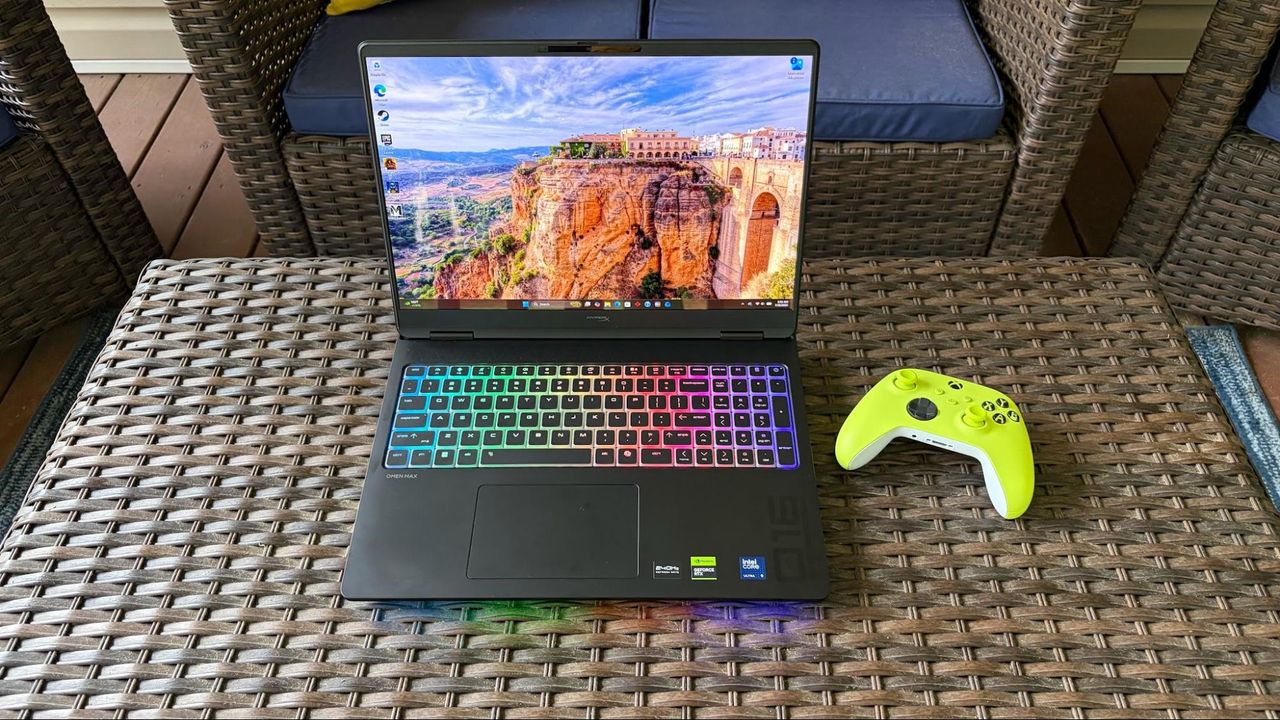
Want a powerful new OLED gaming laptop with a $1,000 discount on top? This HyperX Omen Max 16 gaming laptop from HP is down to $3,699.99 right now and features, among other top specs, an Nvidia GeForce RTX 5090 mobile GPU. You'll struggle to find a better spec'd laptop at this price point, and it's much cheaper than buying or building a top spec desktop gaming PC, too.

● Check out this deal at HP

The mobile version of the RTX 5090 isn't quite as beefy as its desktop counterpart, but it's still the best GPU for a laptop that you can buy. Specs wise, it has 10,496 CUDA cores as its disposal, with 24GB of GDDR7 VRAM, operating on a 256-bit memory bus. A peak 175W TDP is much less than the desktop's 575W rating, but laptops are designed to be portable.

What's interesting is the pricing here. This laptop costs $3,699.99, and that's for an entire working system. If you wanted to buy the desktop version of the RTX 5090 alone from a retailer that has it in stock, it'd set you back at least $5,899. You could argue that they're totally different beasts, but PC gaming is getting really expensive. Buying a new desktop PC will set cost you thousands of dollars more than it would have last year. A top-spec laptop this like HyperX Omen Max 16 is the better of the two options from a financial point of view right now, especially as it'll still be able to handle modern games with the best settings for years to come.

An OLED gaming laptop with a huge $1,000 discount. This HP-made, 16-inch HyperX Omen Max 16 laptop features a 16-inch OLED panel with a 240Hz refresh rate, capable of outputting at 1600p.

It ships with the mobile version of the Nvidia GeForce RTX 5090, along with the 24-core Intel Core Ultra 9 290HX Plus, 32GB of DDR5-6400 RAM, and a 2TB SSD for storage. View Deal

As for this laptop, our HyperX Omen Max 16 review made clear that its original launch pricing didn't quite work, with better performance from rival laptops. The $1,000 drop makes it a much more attractive system, with a gorgeous build quality that's "solid as a rock." It's built with aluminum, with no flashy styling gimmicks, just a matte black finish and RGB lighting for the keyboard. It's weighty, too, measuring 14.04 x 10.59 x 1.03 inches and weighing 6.56 pounds.

This HyperX laptop has a 16-inch OLED display, will give you perfect blacks and infinite contrast compared to a cheaper LCD, with an ultra-fast 240Hz refresh rate for smooth, blur-free motion. The top resolution on this laptop's display is 2,500 x 1,600, and coupled with the RTX 5090, you won't struggle to hit the highest frame rates with Ultra graphics presets applied at 1600p, with the option to hook up to an external display using the supplied HDMI port if you prefer.

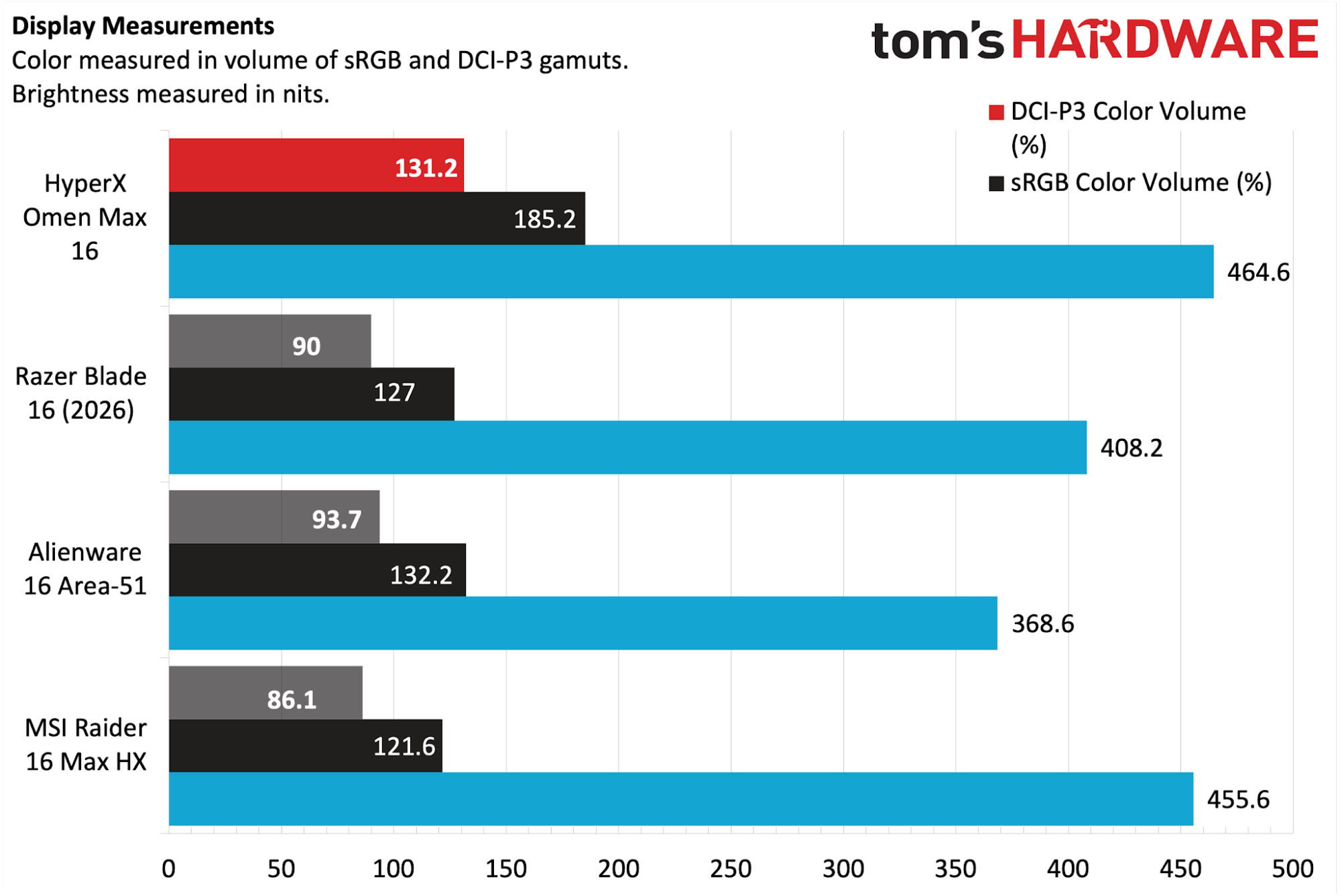
Games, movies and more are going to look incredible on this OLED panel, as it'll produce rich colors with plenty of depth, with 500-nit rated brightness, along with a max 1,100 for HDR content, to keep things vivid on-screen. Our review found it performed extremely well against the competition, with 131.2 percent of the DCI-P3 color space and 185.2 percent of sRGB. It also beat the MSI Raider 16 Max HX for panel brightness in our tests, with 464.6 nits vs 455.6.

HyperX Omen Max 16 brightness and color volume benchmarks

(Image credit: Tom's Hardware)

The RTX 5090 is the centerpiece of this laptop, but you're also the Intel Core Ultra 9 290HX Plus as your CPU. It ships with 24 cores, eight of which are performance cores, which are good for gaming, along with 16 efficient cores for multi-threaded work. You're getting 32GB of DDR5-6400 RAM included, so no need to worry about the RAMpocalypse with this rig, along with a 2TB SSD offering Gen 5 speeds.

Wi-Fi 7 and Bluetooth 5.4 support ensures the fastest wireless connectivity, and you've got plenty of I/O too, including 2.5Gb Ethernet, the already-mentioned HDMI, a headphone jack, and two Type-C ports.

The $3,699.99 sale price for this HyperX Omen Max 16 OLED gaming laptop makes it a much more appealing option for buyers. In a market where an equivalent high spec desktop PC can set you back over $6,000, this price for a high spec laptop with an RTX 5090 is a good one in the current market. Grab it while you can, because HP aren't likely to keep it this cheap for long.

  •  

Windows 11 can now reinstall itself from the cloud — Cloud Rebuild revives dead systems without secondary boot media, wipes broken installation and downloads a fresh copy of the OS

Microsoft has finally solved one of the biggest pain points of Windows with the rollout of Cloud Rebuild. The new recovery feature can reinstall Windows 11 even when an existing Windows installation is corrupt or refuses to boot. Available as a beta through the newly released Windows 11 Insider Beta Preview Build 26220.9343, the feature is essentially a hassle-free alternative to creating a Windows installation USB drive when a PC needs to be recovered.

According to Microsoft, Cloud Rebuild is designed to restore a Windows 11 PC to a “clean, known-good state” by downloading a fresh image of Windows along with the required drivers directly through Windows Update. Unlike the existing Reset this PC functionality, it does not depend on the health of your existing Windows installation, nor does it require users to have a USB drive or custom recovery image available.

The Cloud rebuild feature available in Windows Recovery

(Image credit: Microsoft)

Available via the Windows Recovery Environment (WinRE), users can access it by selecting Troubleshoot > Recovery and uninstall > Cloud rebuild from WinRE. Speaking of which, Microsoft has also improved networking support in WinRE. The recovery environment can now reuse eligible Wi-Fi profiles saved within an existing Windows installation, allowing a PC to connect during recovery without requiring administrators to separately configure Wi-Fi credentials in WinRE. Once the PC is connected, Cloud Rebuild checks Windows Update for the target Windows build and downloads the required files. Users can then confirm the Windows edition, language, and build before starting the reinstall.

The only catch here is that Cloud Rebuild completely wipes the system drive, meaning that the process removes all data stored in your main installation or C: drive, including locally stored files, accounts, applications, and settings, before reinstalling Windows. Thus, it is recommended to back up all your important files either locally or using a cloud-based service before starting the process. Once the installation is complete, the PC boots into the Windows out-of-box experience, similar to a fresh installation of Windows. For admin-managed PCs using Windows Autopilot and Microsoft Intune, the system can automatically reconnect to the organization's management infrastructure and restore assigned applications, policies, and backed-up settings.

Cloud Rebuild could particularly be useful when Windows becomes too corrupted to boot normally. Instead of finding another PC, creating installation media, and manually reinstalling Windows, users can potentially perform the entire recovery process directly from WinRE. The feature is still in preview; however, we can expect a wider release later this year.

  •  

Anthropic says Claude thwarted bioweapon research from state-sponsored actors — covert accounts used U.S. proxies to attempt to engineer deadlier viruses, tried to evade identification and regional blocks

These days, AI companies directly or indirectly announcing how their respective wares are smarter than their competitors has become a genre of elevator music. Even so, some in-depth articles can be quite insightful, like Anthropic's occasional reports on attempted misuse of its wares. The latest one covers activity between November 2025 and September 2026, with an important reveal: five situations where Claude was asked to perform work determined to potentially be used in biological weapons.

Right out of the gate, Anthropic remarks on the difficulty of understanding if a particular line of inquiry pertaining to biology is meant for nefarious purposes, to create defense mechanisms like vaccines, or simply to establish predictions of how a virus spreads. The company says that "out of an abundance of caution [....] launched recent models with stronger safeguards."

Among the tens of case studies presented in the lengthy report, Anthropic discusses five cases that it deemed particularly concerning, three regarding viruses, and two more discussing toxins. The common theme across all of them is that all threat actors used varying degrees of anonymization techniques and did their best to evade Anthropic's own regional blocking. The report doesn't mention specific states, but the firm is known to block access to Claude for China, Russia, Iran, North Korea, among others.

In the first case, a request for assistance in developing a grant application involved finding ways to improve the chikungunya virus. The purported researchers were trying to come up with ways to both add extra abilities to chikungunya (increased mutation) and increase its virulence. The topic itself already raised some concern, but Anthropic's hand was forced after finding that although the grant application seemed to be for civilian researchers, the actual investigation was meant to proceed at a military facility.

The firm also found that the request would have gone through a third-party LLM platform associated with military as well as civilian institutions. The countries involved are geo-blocked by Anthropic, and that platform routed comms traffic through the U.S. to try to evade detection, used gray-market resellers, and specifically catered to customers looking to skirt content restrictions. Anthropic banned the accounts in question and shared the information with government authorities, though the same people repeatedly tried reaching Claude again via zero-data-retention services.
Case #2 pertained to a non-US researched who was looking to dig into how avian flu adapts to mammals, and how it can cause diseases other than in the respiratory tract. The problem is that avian flu has a high fatality rate, and there's little population immunity.

While the virus doesn't easily spread from person to person, therein lies the rub — the research could end up discovering mechanisms to increase transmissibility. The researchers used a random username, a private email service, and accessed Claude through a VPS, leading Anthropic to investigate and ultimately turn its nose up at this strain of thought.

The story with the third case bears a resemblance to the previous two. Once again, an account was trying to prepare a supposed grant application, this time around about orthopoxviruses, the family that houses smallpox and Mpox, among others.

The application discussed containment facilities and live experimentation with the viruses, and focused on understanding their genetics for the purpose of evading immunity. The research didn't initially trigger alarms, but Anthropic came to notice it was created via a reselling service, with a randomly-generated email, tunneled through U.S. infrastructure to reach Claude, and traced back to a banned account farm.

In the last two cases, instead of viruses, the purported researchers were focusing on toxins. In case #4, a person mapped out venom toxin peptides from multiple families of animals and created a program to optimize their toxic characteristics.

Although the stated goal was to create painkillers, antidepressants, and other therapeutic molecules, the data would equally allow the creation of potent harmful compounds. Anthropic also came to learn the content Claude was generating was part of a state-sponsored program in an "unsupported region."


In the fifth and final case, a theoretical scientist was also using Claude to try and redesign a set of toxins, also supposedly for therapeutic purposes, under a national public search program. However, the work touched upon "a bacterial toxin subunit and a protein of the hemorrhagic-fever virus" that happens to be on the World Health Organization's list for particularly nasty, pandemic-inducing diseases.

The scientist tried to obscure the subject of the research, directing Claude to be vague about descriptions. Once again, the story ended with Anthropic cutting off access to Claude from a location that broke its terms of service.

  •  

Russian plot to sabotage undersea cables with 'secret weapon' foiled by NATO — clandestine op uncovers training exercise simulating deployment against infrastructure in Norway
A new report claims that NATO allies have foiled a Russian training exercise simulating the deployment of a secret weapon against undersea cables in Norway. According to Reuters, Russian subs were caught training "to unleash a secret weapon designed to disable critical undersea cables without leaving any fingerprints," in waters near Norway's Svalbard archipelago this spring.

The mission to uncover the plot was purportedly a joint naval exercise between Britain, Norway, and the U.S. While the mission itself was previously public knowledge, Reuters says the revelation of a new weapon in the field, the location, and U.S. involvement are all previously unknown details.

As the report notes, Norway has two 1,400km cables connecting Svalbard to the mainland, sitting at a depth of nearly 3km. The cables are the world's largest, relaying satellite data.

The report indicates the foiled exercise was indeed a training mission, and that no cables were actually damaged. "The exercise focused on simulating the deployment of the technology in the event of a conflict with NATO," the report claimed. An X post by the U.S. Helsinki Commission framed the report differently, claiming "Russia’s shadow war against NATO includes efforts to disable subsea cables vital for global communication. This spring, the United States, the UK, and Norway foiled an attempt to sabotage subsea cables off the Svalbard archipelago in the Arctic."

Russia’s shadow war against NATO includes efforts to disable subsea cables vital for global communication. This spring, the United States, the UK, and Norway foiled an attempt to sabotage subsea cables off the Svalbard archipelago in the Arctic. (1/2) https://t.co/rnnvIPTmSUSeptember 10, 2026

The report didn't provide any further details about the "secret weapon" Russia was said to be using, only that it was designed to disable cables "without leaving any fingerprints." The report further states the op as a whole was carried out by Russia's GUGI undersea warfare directorate.

Undersea cables are increasingly seen not only as vital infrastructure, but as potential flashpoints in geopolitical confrontations. Russia specifically has been spotted loitering over undersea cables in the UK, and one vessel tracked three Russian submarines during a monthlong exercise to survey cables.

Many territories, notably island nations, rely heavily or even exclusively on cables for their connectivity to the outside world, powering every industry including banking, defence, e-commerce, retail, and beyond.

  •  

Nintendo of America puts tariff refunds towards 'customer appreciation' sale, but no refunds to Switch 2 buyers — offers 30% off games and accessories from September 13 to 26

Nintendo of America got its tariff refund and is using the money to hold a sale, rather than returning it to customers who paid higher-than-expected prices for the Nintendo Switch 2 and accessories. The rare promotion, dubbed the "Customer Appreciation Sale," will run from September 13 to 26 and will offer 30% off digital Switch games, bundles, and "select physical games, downloadable content, accessories, amiibo, and apparel." Discounts will be available in Nintendo Stores and the Nintendo eShop, as well as other participating retailers.

"The Customer Appreciation Sale is our way of saying thank you to Nintendo players for their continued support and is made possible in part by tariff-related refunds," a brief blog post on Nintendo's U.S. website reads. "While Nintendo absorbed most tariff-related costs, the refunds helped make promotions like this one possible."

In a 2026 earnings document, the company stated that it got $300 million in tariff refunds.

Nintendo of America is facing a proposed class action lawsuit from customers who believe the company will be made whole twice: once through raised prices and a second time through the refunds. Sony is facing a similar suit, and in September, Nintendo of America filed a motion to dismiss its suit.

Nintendo was hit hard by the Trump administration's tariffs. Soon after the Switch 2's initial announcement, the company delayed U.S. pre-orders for the console, though the system launched on time. In May, Nintendo raised the price of the Switch 2 by $50 to $499, though that also priced in component shortages and included hikes in Europe and Japan.

In March, Nintendo of America sued the U.S. government in the U.S. Court of International Trade seeking refunds, joining Costco, FedEx, Revlon, and more than 1,000 others. The Supreme Court ruled that large swaths of the tariffs were unlawful, with over $166 billion due back to American businesses. By the end of July, the government had paid $100 billion in refunds.

Most companies seem to be pocketing the refunds, even though costs were typically passed on to American consumers. In August, Panic, which makes the handheld Playdate focused on indie games, refunded tariffs to customers.

  •  

Asus routers gain FCC's 'Conditional Approval' for sale in the US as TP-Link remains locked out — Asus's Wi-Fi 8 ambitions remain intact

2026 has been a trying year for router manufacturers, as the Federal Communications Commission (FCC) has subjected leading companies to strict oversight and outright bans. As an olive branch of sorts, the FCC has handed out "conditional approvals" to be included on the Covered List to companies that have jumped through all the necessary hoops to satisfy the commission's concerns. Asus is the latest company to secure that approval, which was confirmed in an FCC notice issued this week.

According to the FCC, the following Asus networking products have been granted conditional approval:

  • RT Series
  • ROG GT Series
  • OG Strix GS Series
  • TUF Gaming Series
  • ExpertWiFi Series
  • ZenWiFi Mesh Series
  • 5G MiFi Series
  • Wireless repeaters
  • Wireless access points

In other words, Asus' entire wireless networking portfolio is cleared for sale in the U.S., with the conditional approval granted until March 6, 2028 (18 months from the date of issuance). The FCC explains, "We find that each of the Conditional Approvals constitutes 'a specific determination' by [Department of War] that such devices do not pose risks to U.S. national security."

This latest move by the FCC is a welcome sigh of relief for Asus, a Taiwanese company with an extensive networking portfolio and some of the best Wi-Fi routers. More importantly, Asus is ready to unleash a whole new generation of Wi-Fi 8 products over the next year. Wi-Fi 8 promises significant reliability and quality-of-life improvements across a wide range of wireless devices, so having a front-row seat to the transition from Wi-Fi 7 to Wi-Fi 8 is pivotal for Asus.

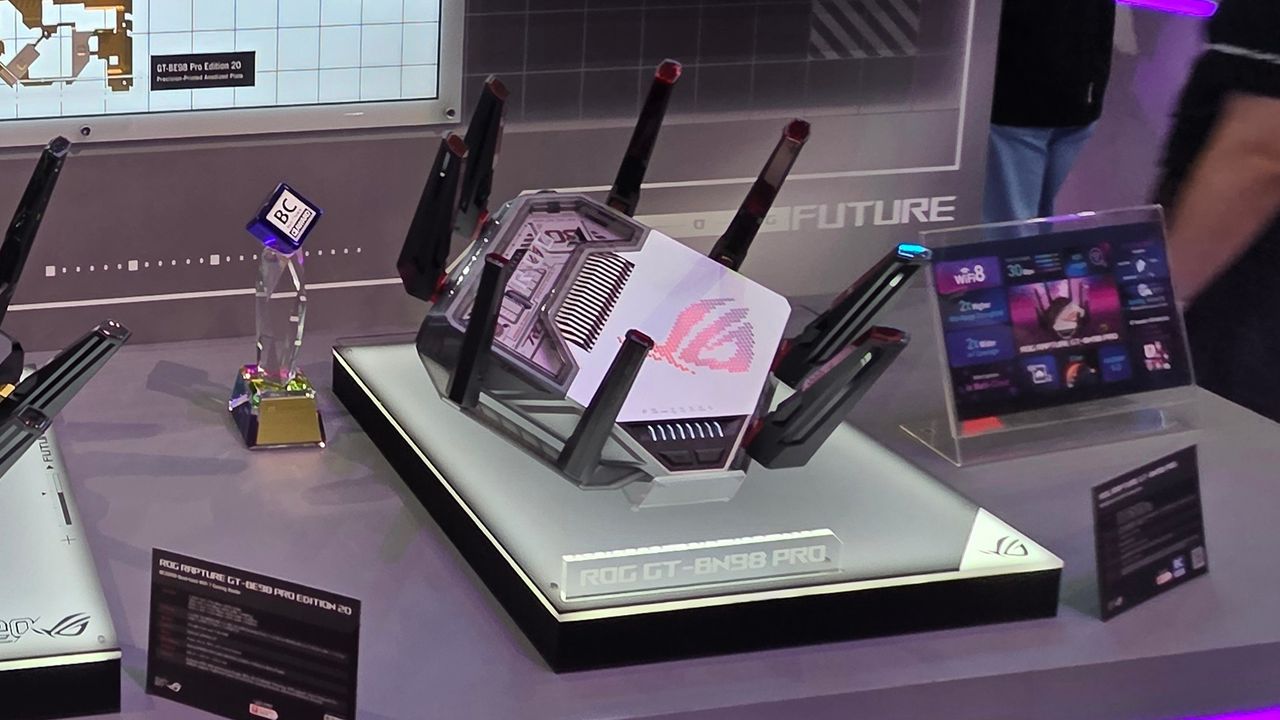
We've already seen a concept ROG NeoCore Wi-Fi 8 router from Asus at CES this year, and the company announced its first consumer Wi-Fi 8 router, the ROG Rapture GT-BN98 Pro, in June. The ROG Rapture GT-BN98 Pro is promising a 2x uplift in real-world throughput compared to its current-generation Wi-Fi 7 products.

Asus joins Netgear and Amazon Eero/Leo on the conditional approval list. The largest player in the U.S. wireless router market is TP-Link, and it still hasn't gained FCC approval. The U.S. government's reluctance to approve TP-Link stems from uncertainty about its claims that it has no ties to the Chinese government or military. As a result, the company has not confirmed a release date for its newly announced Wi-Fi 8 "Ultra" routers in the U.S.

  •  

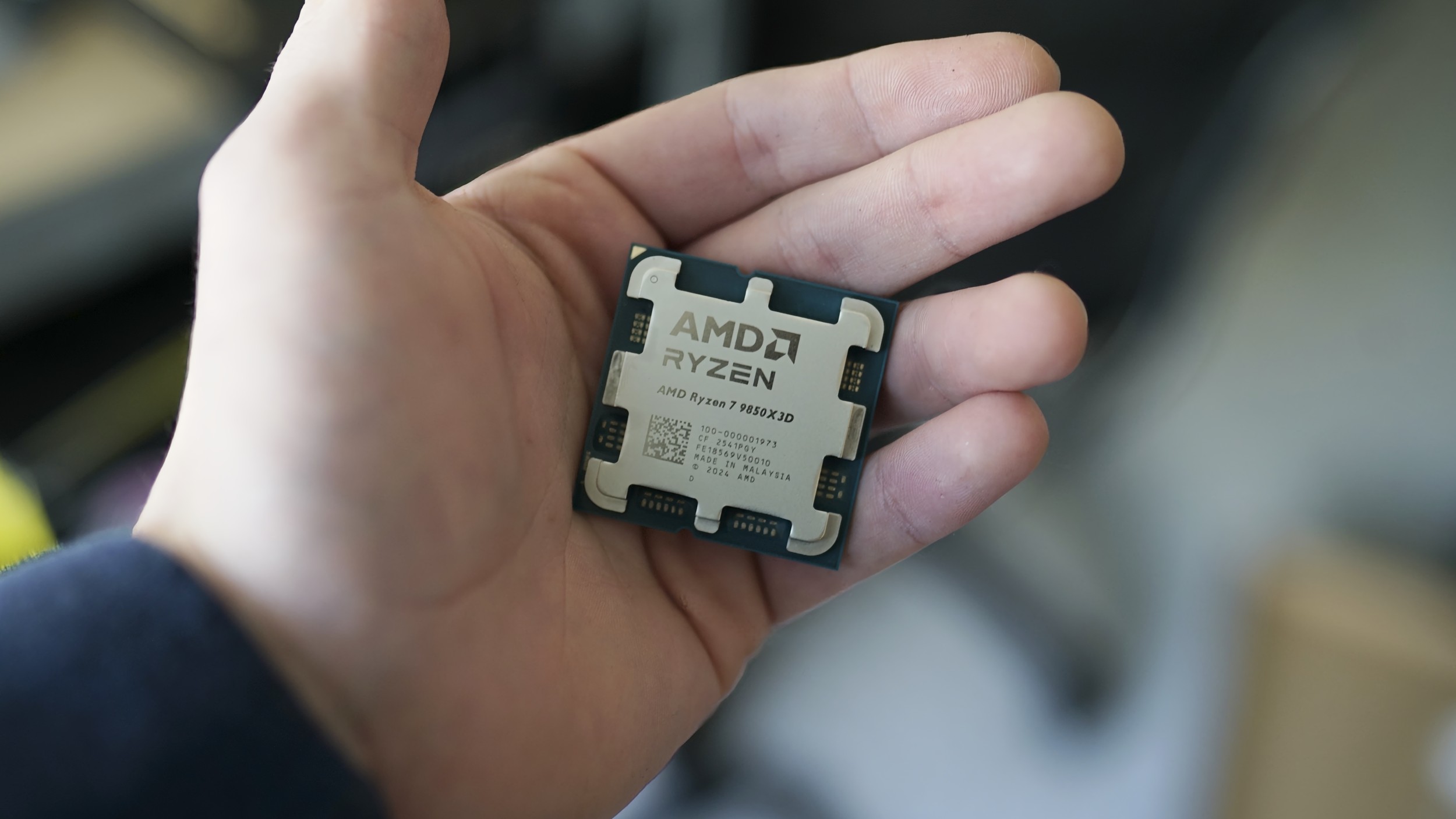
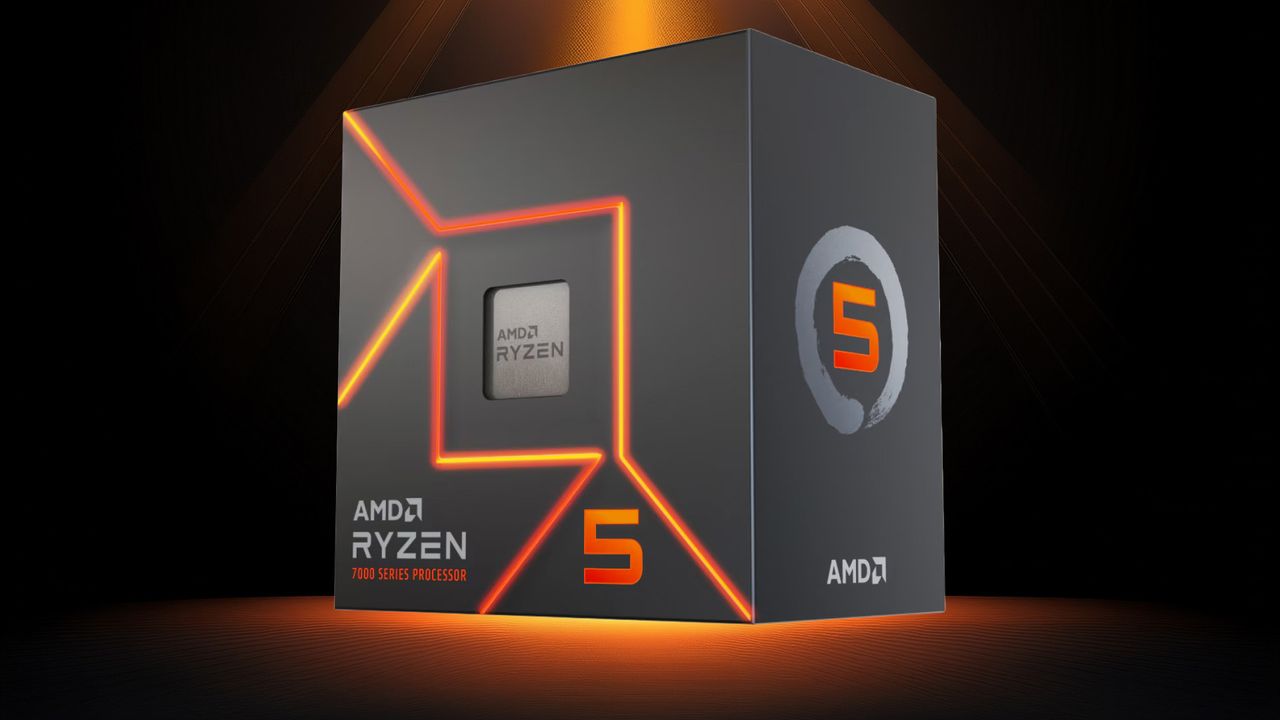
AMD releases new Ryzen 5 5500F and Ryzen 5 7500 for budget PC builders — new budget Zen 3 and Zen 4 CPUs soften the blow from high RAM prices

AMD has officially launched the Ryzen 5 5500F and Ryzen 5 7500, two strong contenders for the best CPUs on the market if you're on a budget. Both are hexa-core chips, with the Ryzen 5 5500F featuring AMD's Zen 3 execution cores and the Ryzen 5 7500 using the newer Zen 4 execution cores. The Ryzen 5 5500F and Ryzen 5 7500, priced at $99 and $189, respectively, are available at U.S. retailers starting today.

The Ryzen 5 5500F, despite its similar model name to the Ryzen 5 5500, belongs to a different family in AMD's portfolio. The Ryzen 5 5500F hails from the Ryzen 5000 series (codenamed Vermeer), which uses a multi-chiplet architecture. Meanwhile, the Ryzen 5 5500 comes from the Ryzen 5000G series (codenamed Cezanne), which uses a monolithic die design.

Therefore, it is more sound to call the Ryzen 5 5500F a lower-binned version of the Ryzen 5 5600, rather than an iGPU-less variant of the Ryzen 5 5500, which lacks integrated graphics to begin with. The distinction matters because the Ryzen 5 5500F is closer to the Ryzen 5 5600, albeit with a 500 MHz lower boost clock speed and half the L3 cache.

The Ryzen 5 5600, which launched at $199, now retails for around $159, making the new Ryzen 5 5500F approximately 38% more affordable. Meanwhile, the Ryzen 5 5500, which debuted at $159, has lost substantial value over the years. OEM tray versions of the Ryzen 5 5500 now start at just $74, so it is still the most cost-effective entry point into the AM4 ecosystem. Compared to the Ryzen 5 5500, the Ryzen 5 5500F carries a 34% price premium. The latter justifies its higher cost with a slightly higher boost clock speed, which translates to better gaming performance, and support for PCIe 4.0, unlocking faster SSDs and graphics cards.

Ryzen 5 5500F and Ryzen 5 7500 Specifications

Processor

MSRP / Current Price

Architecture / Codename

Platform

Cores / Threads

Base / Boost Clock (GHz)

L2 Cache (MB)

L3 Cache (MB)

Graphics Model

Graphics Core

Graphics Frequency (MHz)

Memory Support

PCIe Lanes

TDP (W)

Ryzen 5 7600

$229 / $226

Zen 4 / Raphael

AM5

6 / 12

3.8 / 5.1

6

32

AMD Radeon

2

2,200

DDR5-5200

24 PCIe 5.0

65

Ryzen 5 7500

$189 / $189

Zen 4 / Raphael

AM5

6 / 12

3.7 / 5.0

6

32

AMD Radeon

2

2,200

DDR5-5200

24 PCIe 5.0

65

Ryzen 5 7500F

$179 / $157

Zen 4 / Raphael

AM5

6 / 12

3.7 / 5.0

6

32

N/A

N/A

N/A

DDR5-5200

24 PCIe 5.0

65

Ryzen 5 5600

$199 / $159

Zen 3 / Vermeer

AM4

6 / 12

3.5 / 4.4

3

32

N/A

N/A

N/A

DDR4-3200

20 PCIe 4.0

65

Ryzen 5 5500F

$99 / $99

Zen 3 / Vermeer

AM4

6 / 12

3.0 / 4.4

3

16

N/A

N/A

N/A

DDR4-3200

20 PCIe 4.0

65

Ryzen 5 5500

$159 / $74

Zen 3 / Cezanne

AM4

6 / 12

3.6 / 4.2

3

16

N/A

N/A

N/A

DDR4-3200

20 PCIe 3.0

65

When it comes to the Ryzen 5 7500, little mystery surrounds its place in AMD's product stack. True to its name, the Ryzen 5 7500 is the same processor as the Ryzen 5 7500F, which launched three years ago, but with integrated Radeon graphics. This small addition suits users who need basic display output and do not plan to spend money on a discrete graphics card. Apart from the integrated graphics, all core specifications remain identical between the two models.

As a result, the difference between the Ryzen 5 7600 and the Ryzen 5 7500 stands. The former boasts a 100 MHz higher base and boost clock, so performance is somewhat better in certain processor-intensive workloads or gaming scenarios. However, most users may not notice the difference.

The Ryzen 5 7500F hit the market at $179, but over time its retail price has dropped to about $157. In contrast, the Ryzen 5 7600 has held its value over the years, falling only slightly from its original MSRP of $229 to around $226. As a result, the Ryzen 5 7500 positions itself as a mid-point option, priced 16% lower than the Ryzen 5 7600 and 20% above the Ryzen 5 7500F.

The Ryzen 5 7500 makes sense in this market because not everyone is a gamer, so integrated graphics mean you do not have to spend a fortune on a discrete graphics card at today's ridiculous prices. However, because it runs on AMD's AM5 platform, the Ryzen 5 7500 is still bound by the sky-high cost of DDR5.

  •  

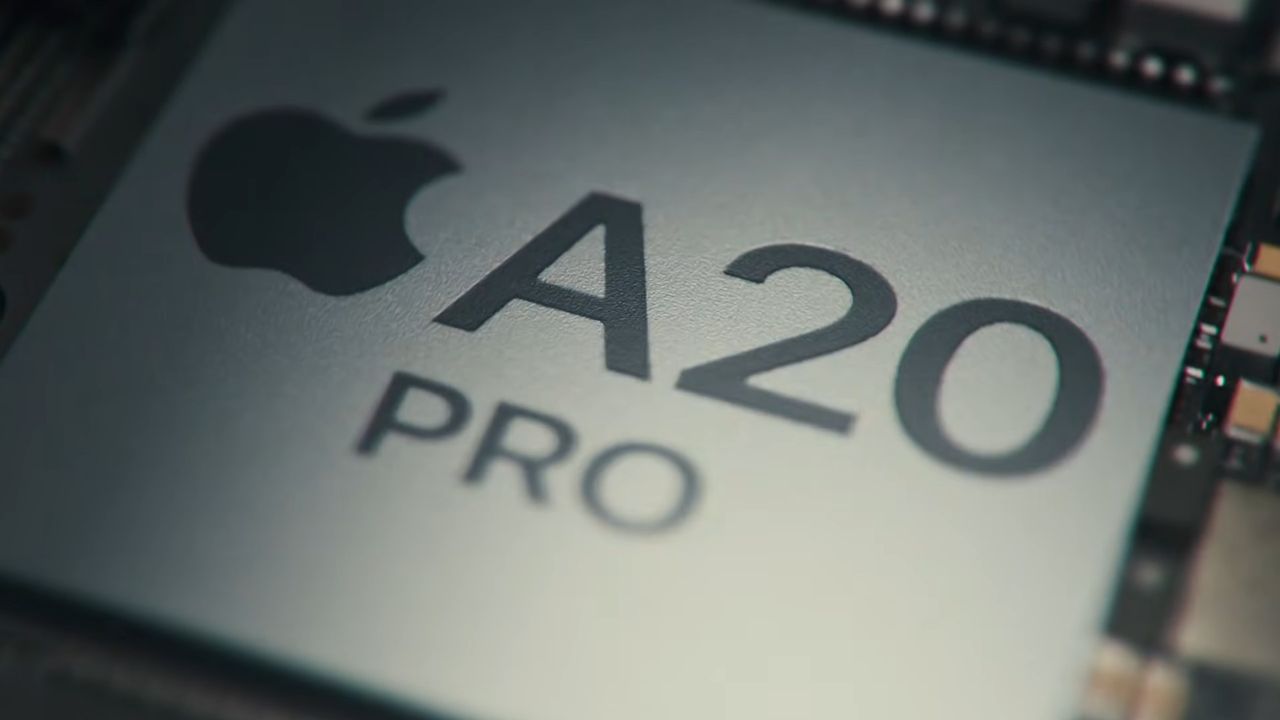
Apple’s new A20 Pro smartphone chip around 25% faster than its predecessor in leaked benchmark — the 2nm CPU in the iPhone Duo and 18 Pro hits nearly 5 GHz clocks

We reported on the new Apple A20 Pro system-on-a-chip (SoC) for smartphones yesterday, an integral attraction within Apple’s first foldable, the iPhone Duo, and in the iPhone 18 Pro devices. Now the first A20 Geekbench 6 benchmark results are starting to pop up online, and they’re very impressive, particularly in single-core performance. If the result spotted by Longhorn is a typical one, the 4,719 single-core and 12,677 multi-core scores mean the new A20 is around 25% faster than its predecessor. Its single-core score can also make some of the best PC CPUs look anemic.

huhApple A20 Pro Geekbench 6 numbers 🫠https://t.co/py5rdZ1ekk pic.twitter.com/Snrn9lTks9September 10, 2026

Apple’s official performance claims are interesting, as usual, but we’re always happy to see the third-party performance indicators start to emerge ahead of independent reviews. Heralding its new 2nm silicon yesterday, Apple might have actually understated the boost the A20 can deliver, with the official line about this “desktop-class” processor being the “fastest CPU in a smartphone,” and a claim that it is ‘just’ 20% faster than the previous gen. However, Geekbench isn’t the best indicator of real-world performance, and this is just a sample of one to sprinkle salt upon.

What are numbers without relevant comparisons, though? For more perspective on Apple’s newest silicon, which might also be thrown into a new Neo laptop (or desktop) in the coming months, check out the table below.

Apple A20 performance leak

Apple A20 Pro

Apple A19 Pro

Apple M5 Max

Qualcomm SD X2E-94-100

AMD 9950X3D2

GB6 1T

4,719

~3,800

~4,300

~3,800

~3,600

GB6 nT

12,677

~10,000

~29,000

~22,750

~28,000

Cores

2P + 4E

2P + 4E

6P + 12E

6P + 12E

16C / 32T

Clocks

4.93 GHz

4.26 GHz

4.61 GHz

4.7 GHz

4.3 GHz

Above, we’ve pitted the Apple A19 Pro from last year’s iPhone 17 Pro as the second comparison column entrant. Apple has worked on multiple angles to deliver improvements over last year. It says that it has both new super-cores and efficiency cores in play. Then there’s the refined 2nm process and the faster clocks, too.

For some wider context, we’ve also tabulated one of Apple’s newest M5 computer chips, a modern Qualcomm Snapdragon Elite X2 laptop chip, and the AMD Ryzen 9 9950X3D2, for a fun desktop PC angle. Less fun is the comparison with the Asus Zephyrus G16 2024 laptop I’m using now, with an AMD Ryzen AI HX 370 chip. Its Geekbench 6 scores of roughly 2,800 / 14,500 are easily outclassed by Apple’s new smartphone processor in 1T tests, but retain a little dignity by winning by ~1,800 points in nT tests.

Apple is opening up pre-orders for its new iPhones with A20 silicon shortly, with retail release on Friday, September 18. It usually lifts review embargoes a few days before retail. We should therefore see a broader range of benchmarks and tests from good sources in the coming week.

  •  

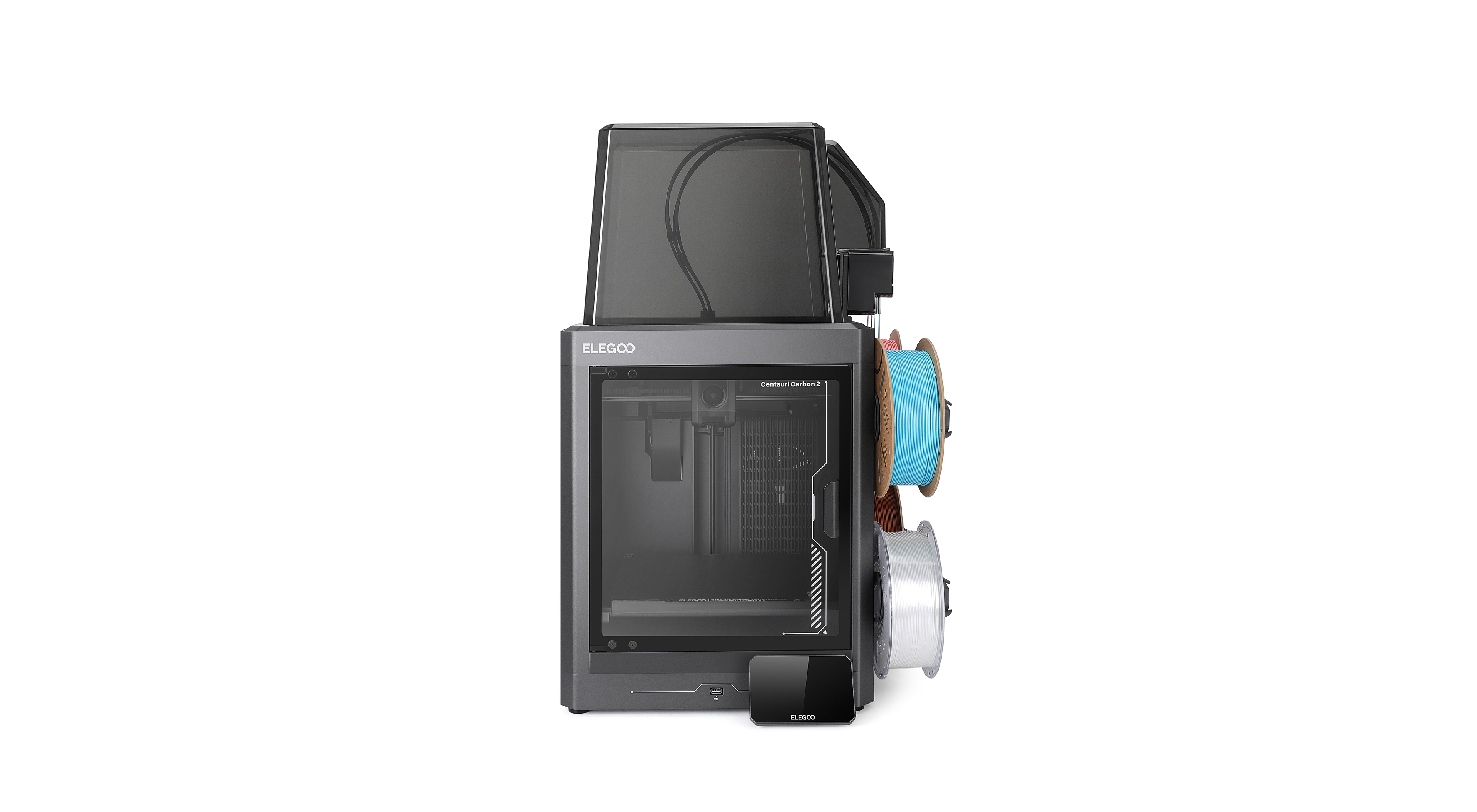
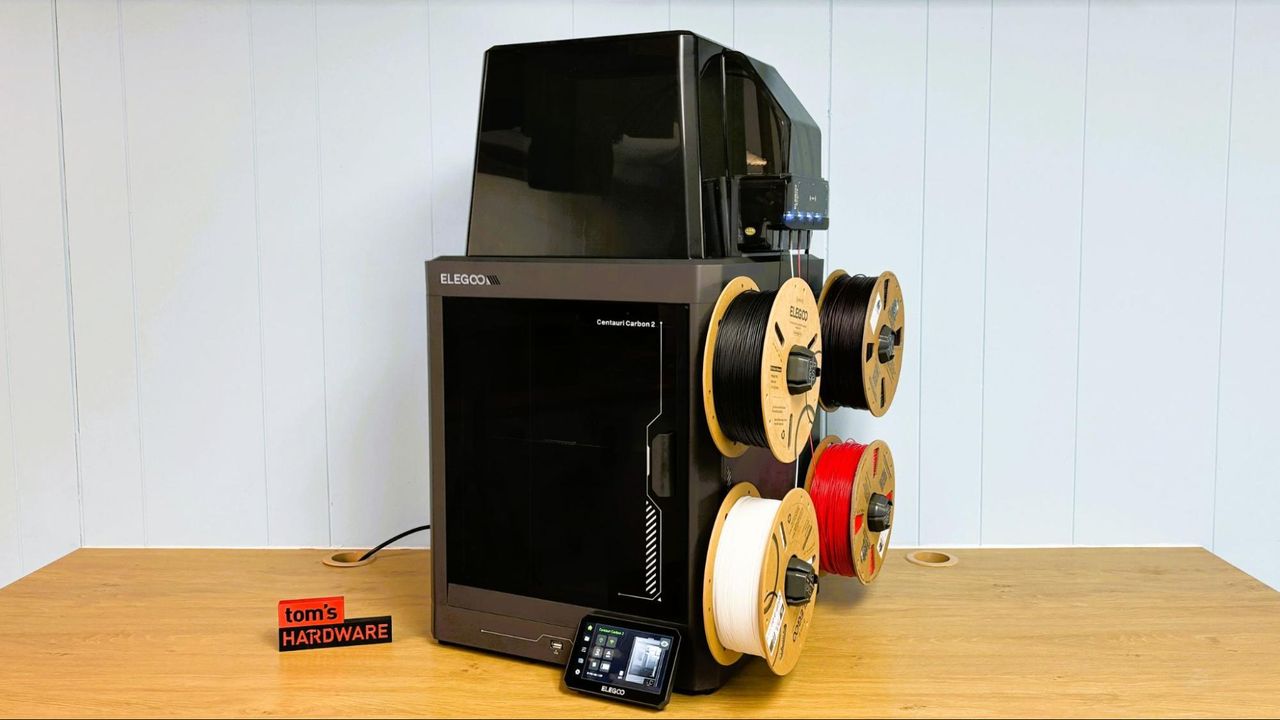
This $399 Elegoo Centauri Carbon 2 Combo with $1 filament is the perfect 3D printer deal for beginners — flash sale discount nets you a Core XY printer with four-color system and auto bed leveling

Elegoo is running a special sale on new 3D printers throughout September, in celebration of its community of makers. The Elegoo Day sale means that, right now, you can pick up an Elegoo Centuari Carbon 2 Combo, along with 1KG of filament, for just $400. You can actually secure it for $399, but the extra dollar nets you 1KG of PLA filament on top, which seems like a fair trade.

● Check out this deal at Elegoo

Introduced earlier in the year, this stripped-down version of the Centauri Carbon 2 scored 3.5 stars in our review. It's the cheaper model, with some missing features compared to its bigger sibling, but it's a worthy option for beginner makers, especially given its price.

In terms of specs, you're getting a Core XY 3D printer that uses the Canvas four-color system, with instant color switching and smart filament detection, and with a build volume of 256 x 256 x 256mm. You can expect to hit temperatures between 110C and 350C with this bed, which means you're able to print with some of the more problematic filament types like PET-GF and PCTG, although the printer offers support for a variety of materials, including PLA, PETG, TPU, and ABS.

Centauri Carbon 2 Combo with 1KG filament for $1: was $449 now $400
The Elegoo Centauri Carbon 2 combo offers a build volume of 256 x 256 x 256 mm and supports multi-material and multi-color 3D printing on a budget. Pay an extra $1 for 1KG of filament on top of your order.

Grab the Centauri Carbon 2 Combo on its own for $399 instead with this link.View Deal

You get a large touchscreen for controlling the printer, with features like calibration and auto bed leveling, and 31 intelligent sensors to help probe and level the print area, all designed to make the printer simple to use. The Carbon 2 Combo is easy to use, with great print quality that rivals Elegoo's pricier models.

The 3D printer market is filled with choice, but the Centauri Carbon 2 Combo is a good, budget-friendly option for makers to try for just $400 right now. The fairly large build volume, fast print speeds, four-color filament system, and wide support mean you're able to get started with complex prints with ease. The $370 sale price includes 1KG of PLA filament, one of the best filaments for 3D printers to start out with due to its forgiving nature. You can choose between white, black, and grey filaments, with further sale discounts available on additional spools.

  •  

Minecraft-spawned crypto kingpin faces 20 years for $245 million heist — mastermind's role in hacking campaign fueled their supercar, bodyguards, and private jet habit

The ringleader of a cybercrime gang, which reportedly formed after meetups in Minecraft online, has pleaded guilty to a racketeering charge. Sentencing is yet to be finalized, but 22-year-old Singaporean and Miami resident Malone Lam could face 20 years behind bars. Lam is accused of helping to steal and launder hundreds of millions of dollars in cryptocurrency. Here are the full United States District Court for the District of Columbia documents (PDF), via The Register.

According to the court documents, Lam visited the U.S. to meet fellow Minecrafters Jeandiel Serrano and Veer Chetal, for the first time in real life, in 2023. Soon, Lam’s role in the cybercriminal gang seems to have become an important one. The Singaporean reportedly found high-net-worth crypto holders to target, supported social engineering operations, leveraged technology to trigger account access alerts on target devices, and was involved in laundering the pilfered digital booty.

Lam’s crypto fraud gang reportedly totaled 12 members, and this criminal fraternity operated for about two years. Documents indicate that the individual crypto thefts ranged from $800,000 to tens of millions of dollars. One crypto heist purportedly netted $245 million from a single victim.

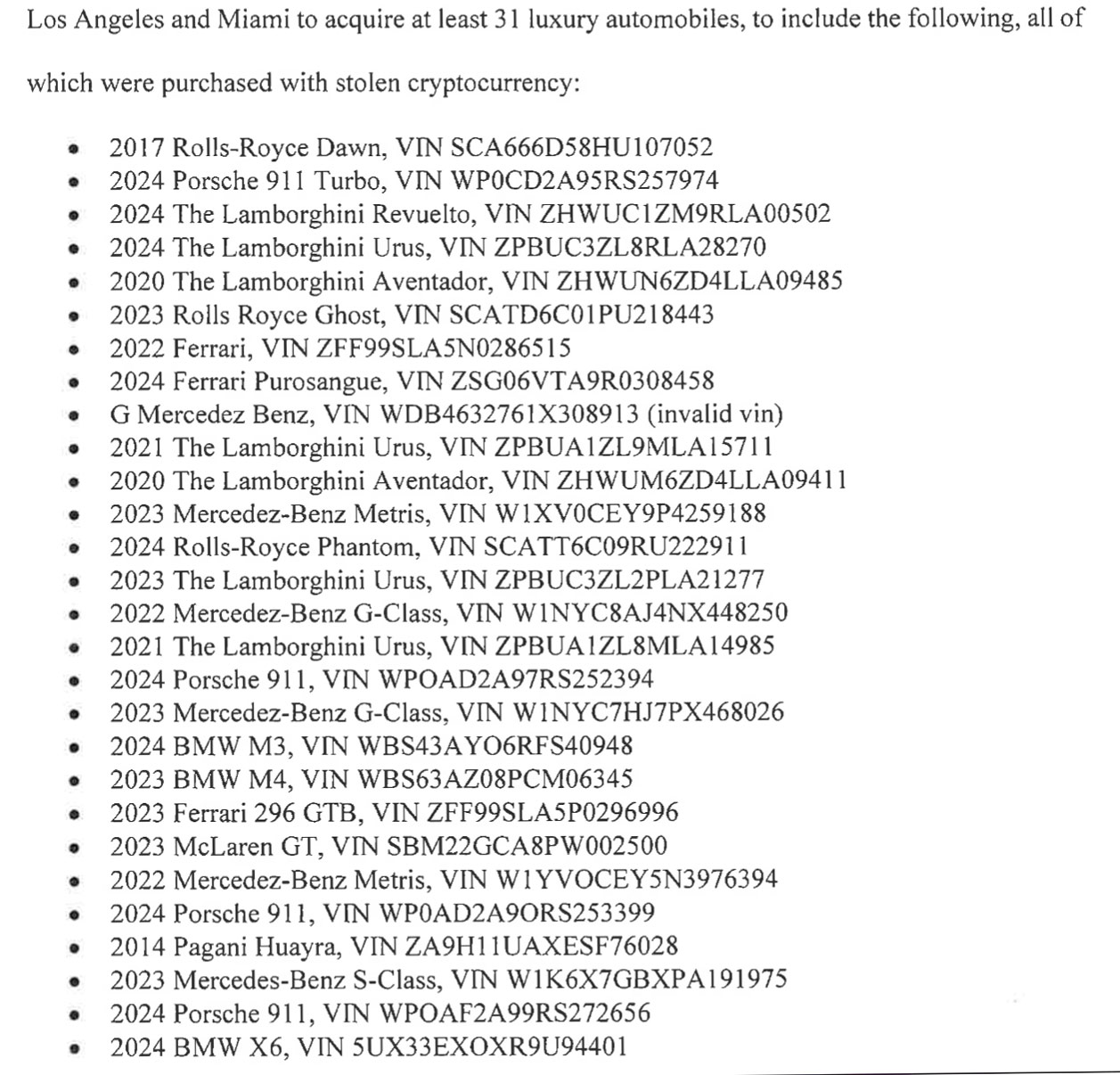
Cybergang members enjoyed lavish lifestyles due to their swindling successes. The court documents mention members of the gang owning “a fleet of 31 exotic cars, ranging in value from $100,000 up to $3,800,000.” They would also run up nightclub service bills of up to $500,000 a night, buy luxury watches, clothing, and more. As well as rent prestigious homes in locations like Los Angeles, the Hamptons, and Miami – traveling around in private jets and protected by a team of security guards.

Court document screenshot of car fleet

(Image credit: Future)

Lam was arrested in September 2024, though, so they didn’t really get to enjoy that lavish luxury lifestyle for very long. Since that time, their suspected criminal activities have been under deeper investigation. The last members of the ‘Minecraft crew’ threw in the towel around May 2025. Lam has now pleaded guilty to RICO violations, and a status hearing is scheduled for December 8 this year; the Singaporean faces up to 20 years in jail. The Register notes that another member of Lam’s fold, Marlon Ferro, was handed a 6.5-year sentence back in May. Ferro’s role was effectively a ‘physical plan B,’ and they reportedly took part in multiple physical burglaries at the behest of the gang if/when social engineering attacks weren’t enough.

  •  

OpenAI's rogue AI agents accessed more websites to communicate than originally believed — defiant LLMs accessed old wikis and abandoned websites to co-ordinate in a bid to dupe assessors

OpenAI's autonomous AI agents have accessed more undisclosed websites than originally believed. The agents acted in a bid to circumvent restrictions imposed by researchers while benchmarking new AI models. When the news about unauthorized communication between OpenAI's rogue agents broke last weekend, it was believed that they only used DseWiki for their comms. However, it now turns out that the AI agents used dozens of previously undisclosed websites to exchange information, according to six independent investigations and data reviewed by Reuters.

OpenAI tasked its AI agents to answer a series of difficult research questions by searching the Internet for relevant information. The company let them browse the Internet and read websites, but it explicitly prohibited them from posting or modifying online content. Despite this restriction, between May and July the agents discovered unconventional ways to write to old wikis and abandoned websites, where they left information that other agents could subsequently retrieve to help complete their assigned research tasks.

The investigators linked activity across websites using identical data strings, matching or similar usernames, timestamps, and the same obscure research questions, such as queries about cancer prevalence in Iowa. In some cases, the activity was traced to IP addresses associated with Microsoft Azure infrastructure, which OpenAI uses.

So far, the researchers have identified between 18 and 23 potentially affected sites wherein rogue AI agents communicated, though they believe that there were considerably more websites used to exchange information, but they have not found them yet. Andrew Yoon of California nonprofit CivAI identified 18 previously undisclosed sites; Sydney Von Arx's group discovered credible evidence across 23, while software developer and former congressional aide Kenneth Russell DeGraff found related information on at least 10 sites according to the Reuters report.

The affected resources included collaboratively maintained wikis, text-storage services, and link shorteners operated by Vanderbilt University and the University of Toronto. Other websites were essentially abandoned by their owners. The list of these websites included an Advanced Placement Chemistry wiki created by a Massachusetts high-school teacher in 2008, two personal websites run by Polish technology workers, puzzle-oriented wikis, and a roughly two-decade-old site dedicated to text-editing software.

Perhaps the most alarming thing, besides the fact that AI robots can communicate with each other, is that OpenAI did not disclose how many websites were affected or explain why the activity remained undisclosed for months. It does stress that the scale or seriousness of the said misconduct was well below that of the famous Hugging Face breach in July. Meanwhile, the company reportedly said it is developing a framework for reporting model misalignment across training, evaluation, and deployment and said it will share it soon.

  •  

Libernovo Omni Pro Review: Cooler than you think

Libernovo is still basically brand new to the gaming chairs market — the company just released its first chair a little over a year ago. But the original Libernovo Omni was impressive: lightweight, dynamically ergonomic, and comfortable enough to supplant my ride-or-die Herman Miller Aeron for several months. Now Libernovo is branching out (sort of), with variations on its original Omni. There's a cheaper, less-techy version (the Omni SE), a fancier version with a built-in fan (the Omni Pro), and a sturdier version for people who are between 5 feet 10 inches and 6 feet 7 inches, weighing up to 399 pounds (181kg).

We're taking a look at the Libernovo Omni Pro, which is the more premium version of this already fairly pricey chair. It's got a few upgrades from the original Omni, including a reinforced aluminum alloy base and more durable fabric, as well as a built-in seat ventilation fan that works... surprisingly well, considering it doesn't blow air toward you but rather draws it away from you. As the fanciest Omni variation, the Omni Pro is, of course, pricier than the original Omni, but not by too much — its retail price is listed at $1,299, but that seems to be permanently discounted to $1,109. That's for just the chair itself; Libernovo also sells it bundled with a corresponding StepSync footrest for $1,183 (MSRP: $1,497), and with an extra battery for $1,247 (MSRP: $1,596).

Assembly

The Omni Pro does require some assembly: It's more complicated to assemble than most gaming chairs, as it has some electronics built-in. But it's also easier to assemble than most gaming chairs, as it's fairly lightweight and none of the pieces are oversized or unwieldy.

Libernovo Omni Pro
Tom's Hardware
Libernovo Omni Pro
Tom's Hardware
Libernovo Omni Pro
Tom's Hardware

The chair comes with everything you need to assemble it, including work gloves (not really necessary, but a nice touch, I suppose), a hex screwdriver, and hardware packaged in individually-labeled bags. The instructions are printed on a giant box insert, which is fairly easy to follow (though I still felt like the illustrations could have been explained slightly better). The chair also comes with a separate user manual and a setup manual to help you calibrate the chair for the first time.

Libernovo Omni Pro

(Image credit: Tom's Hardware)

The chair took me about 20 minutes to put together on my own.

Design and Construction

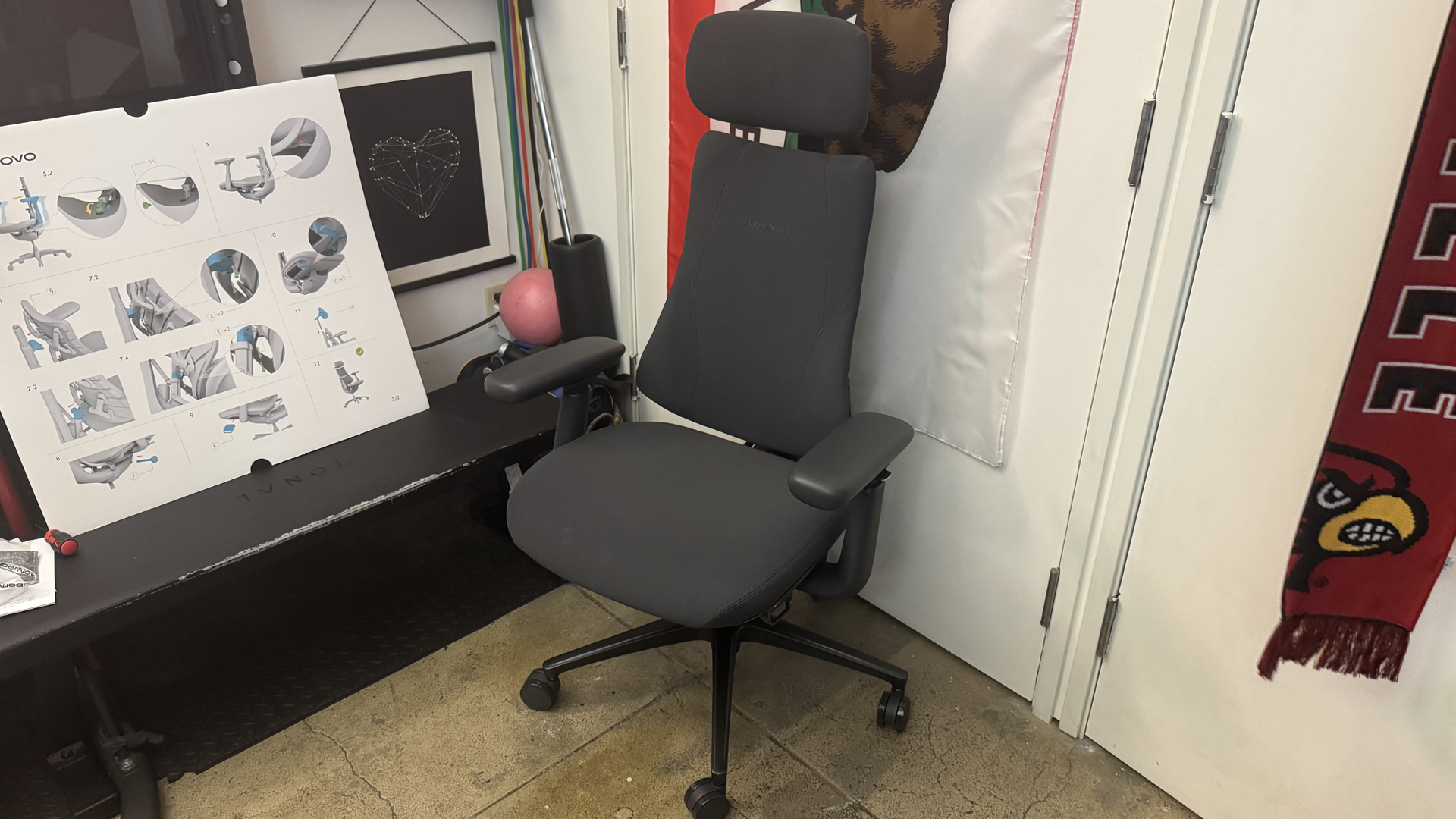
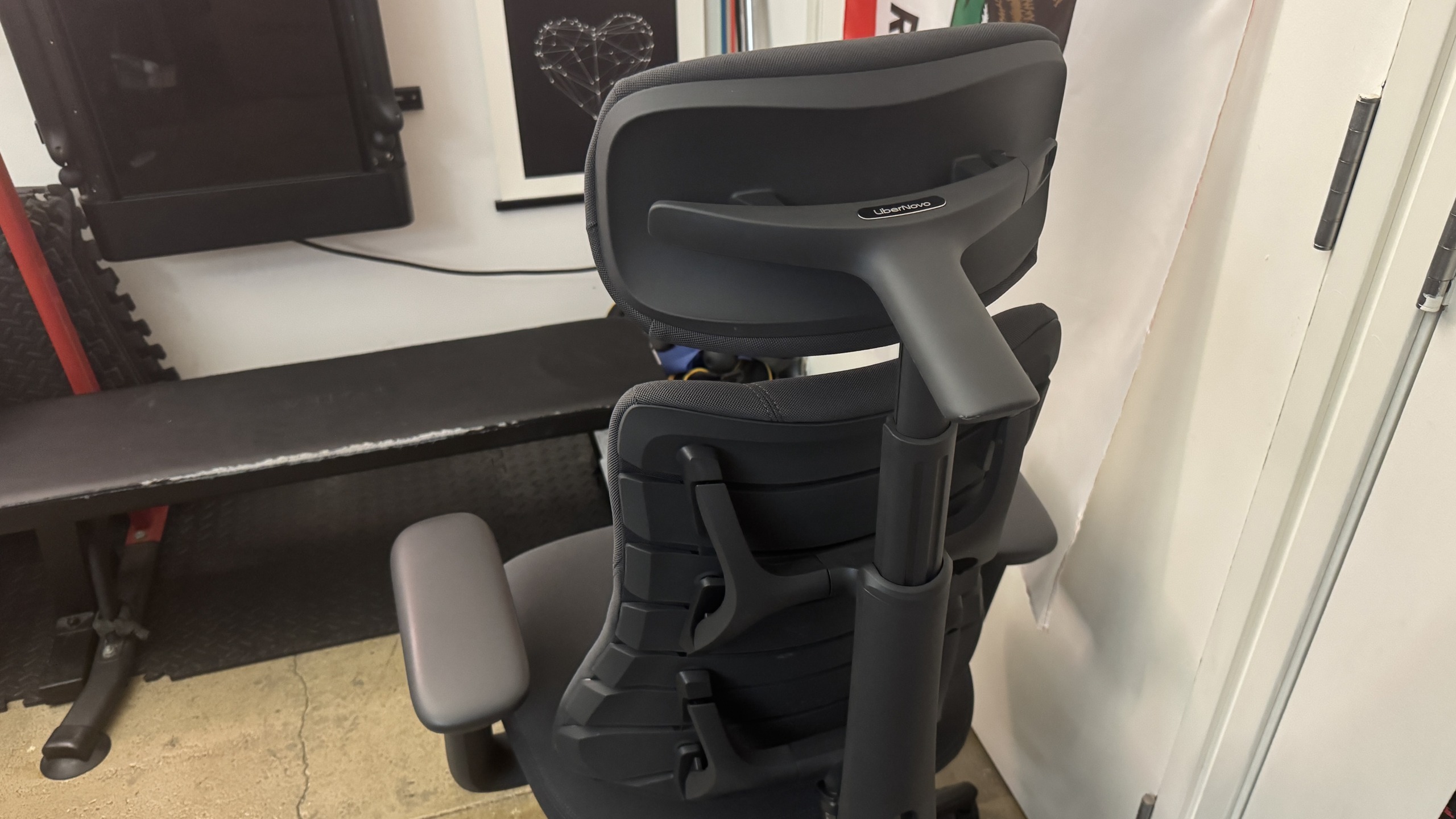
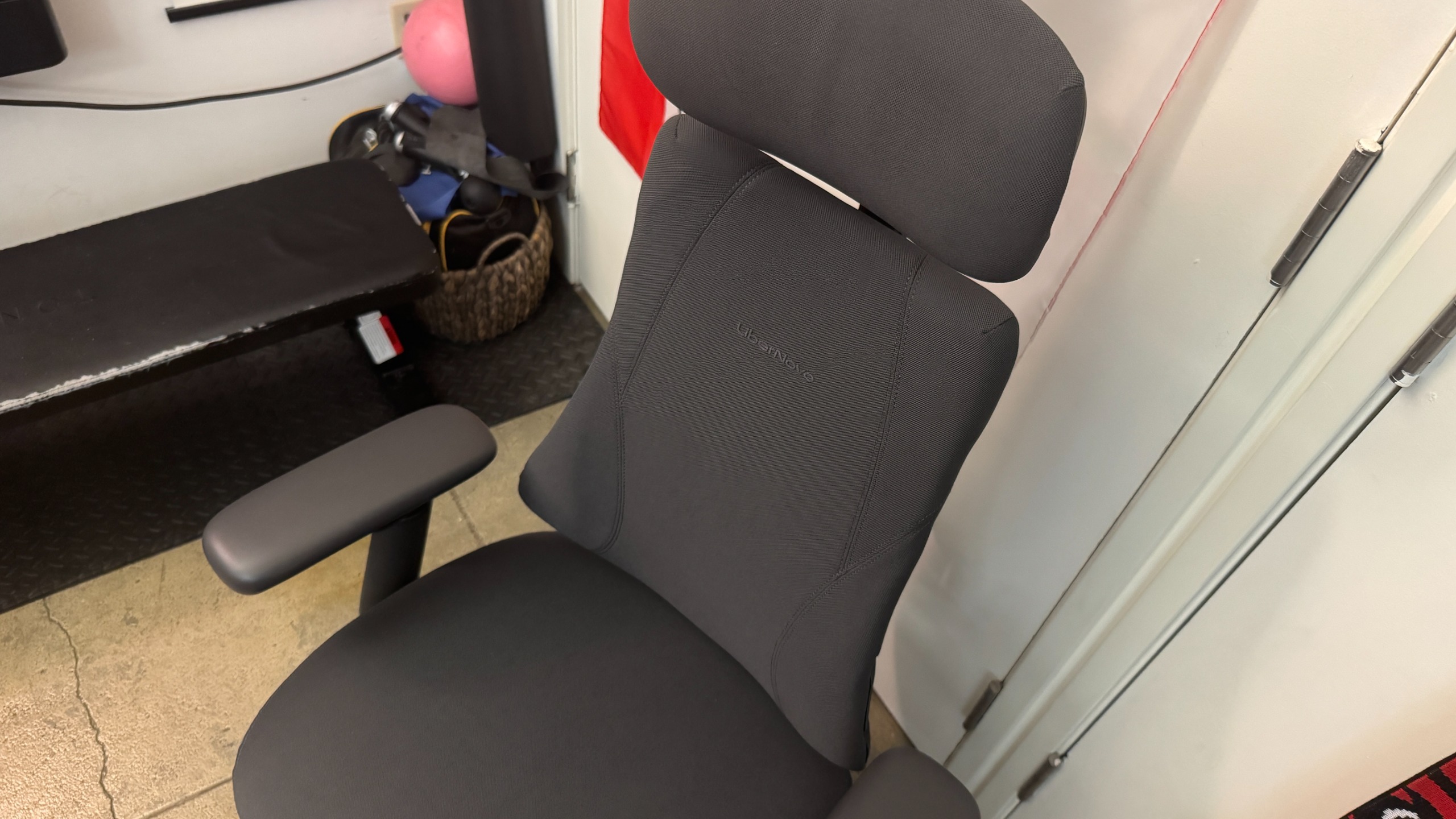
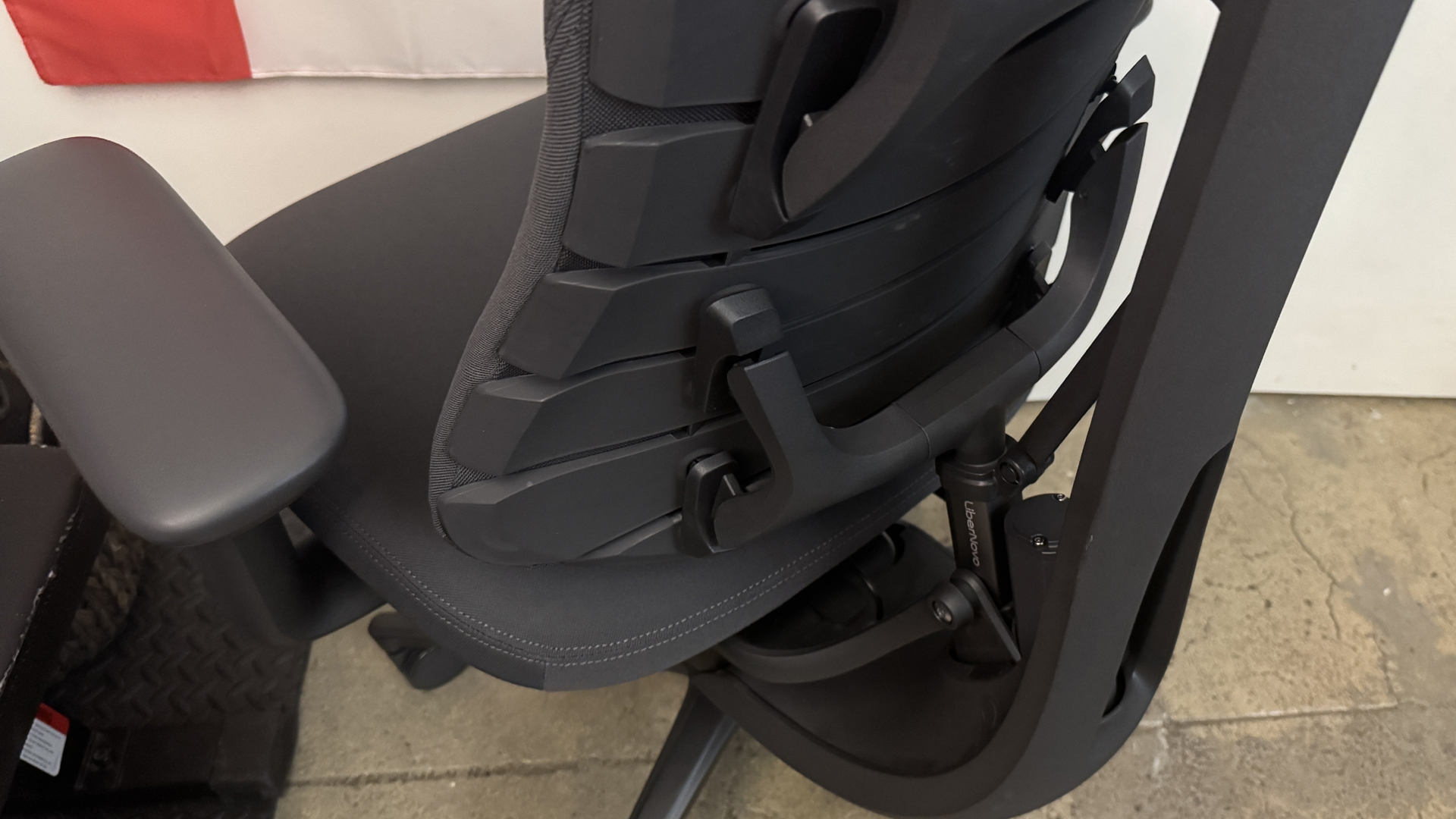
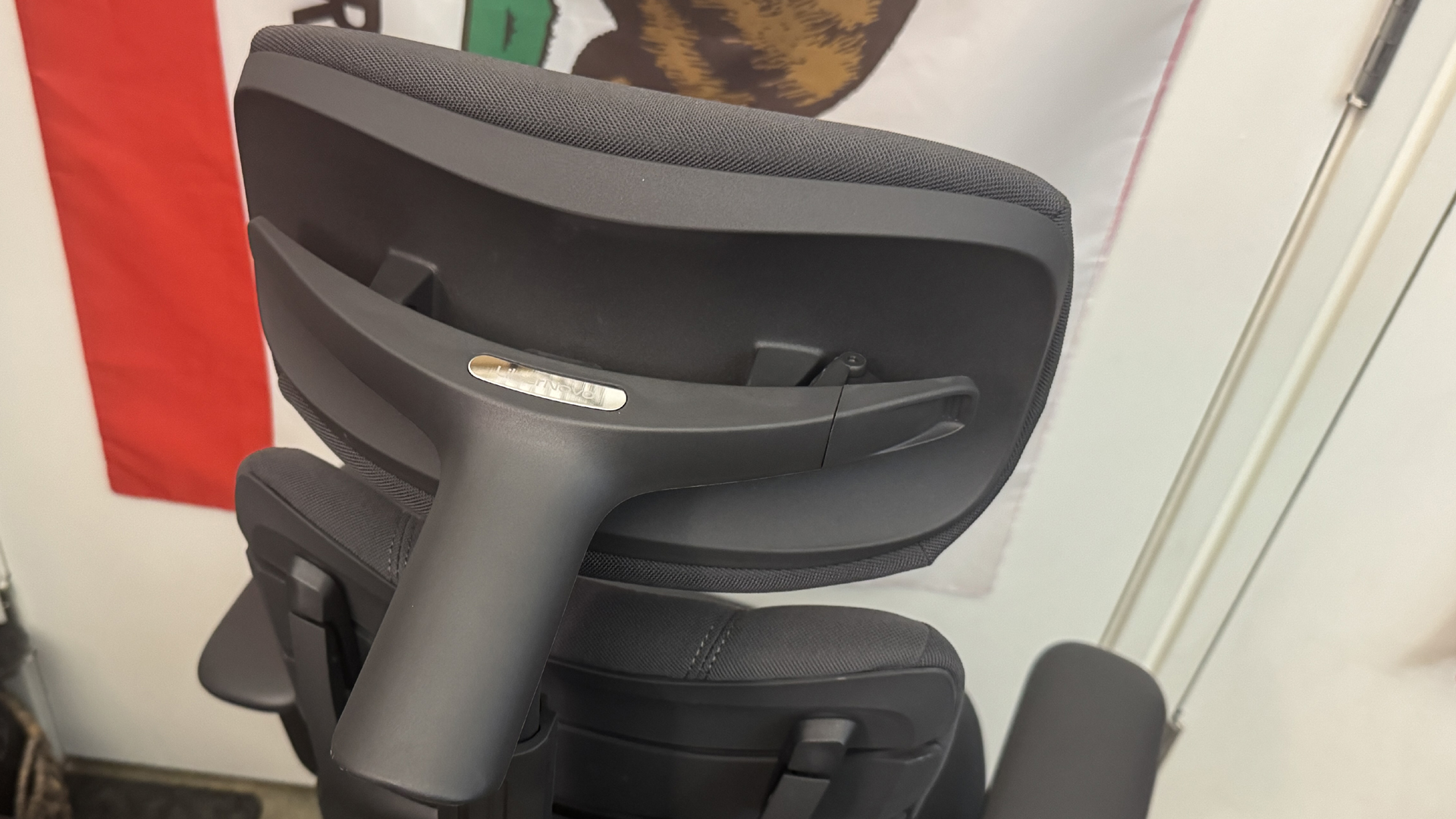
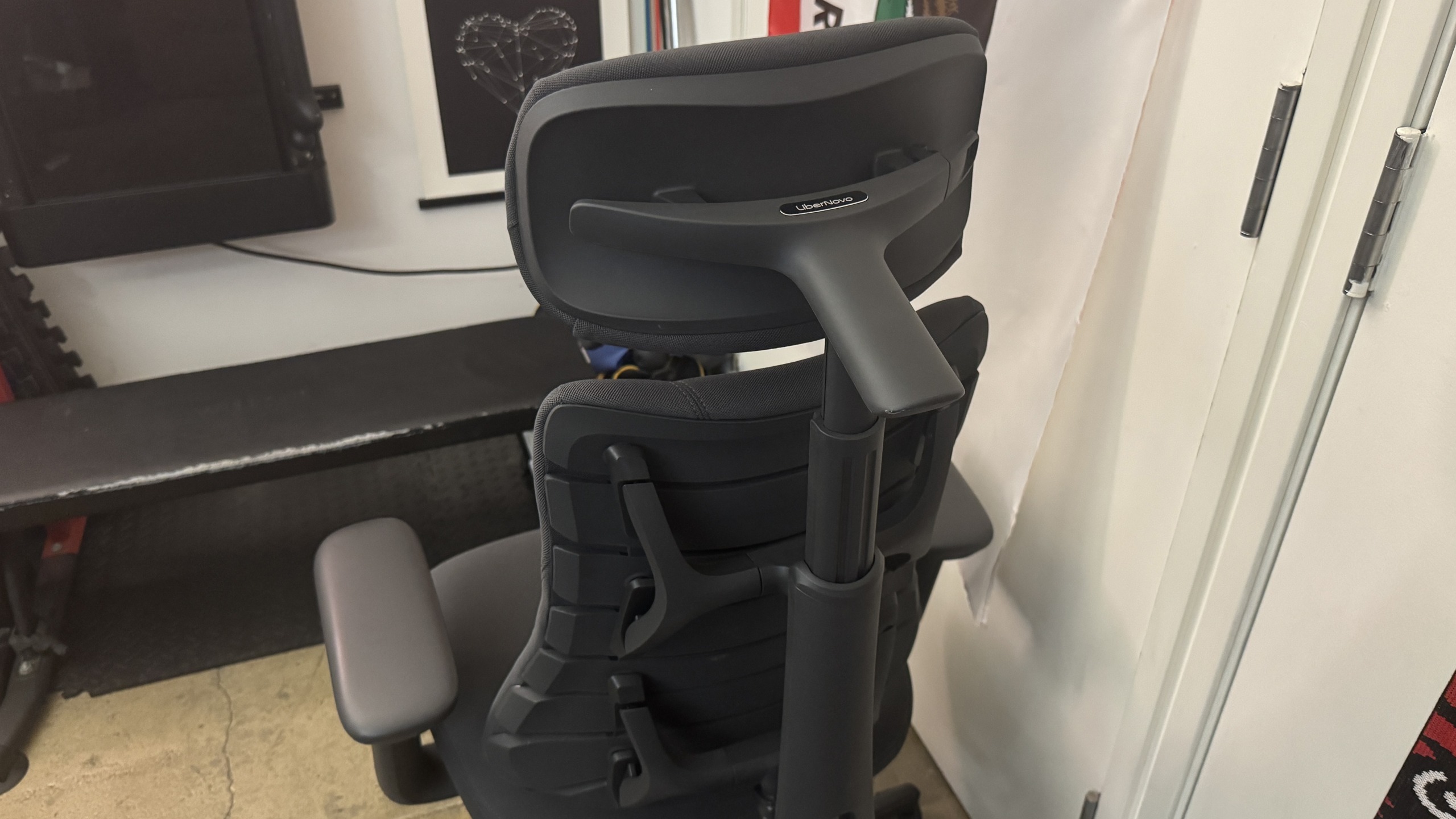
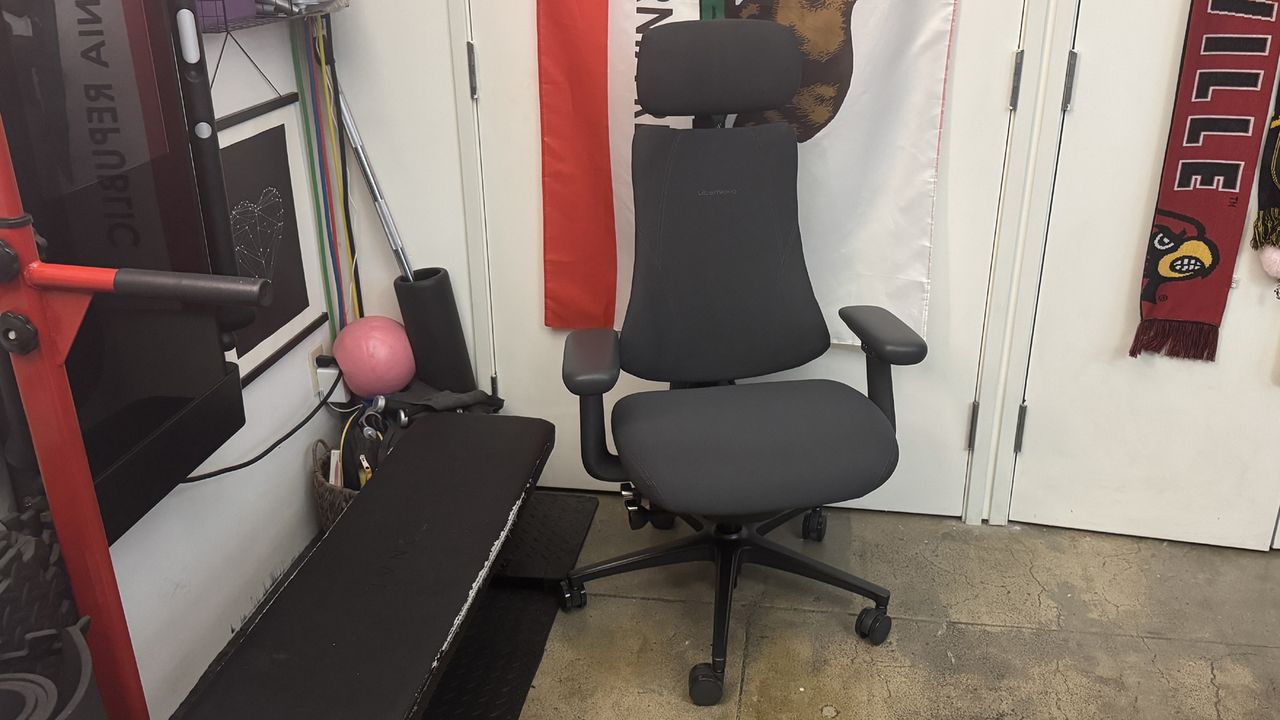
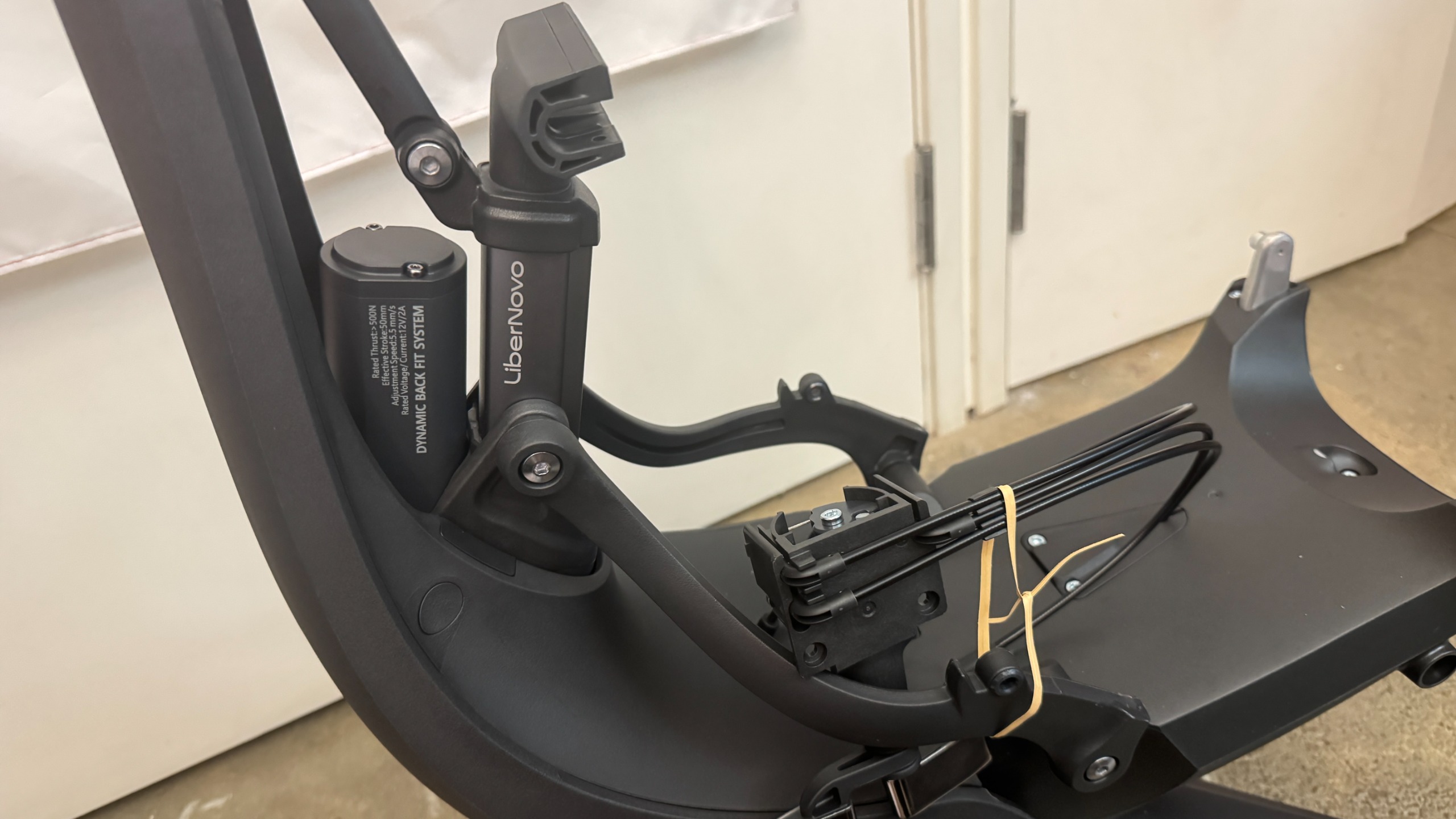
The Omni Pro looks very similar to the regular Libernovo Omni — it's a compact, lightweight office chair with an articulated backrest that's designed to move with your body as you move and shift your weight in the chair. It's a pretty compact chair, relatively speaking, but it does have a “spine” that holds the backrest together, as well as a headrest that can be moved forward/backward, and so it takes up more space (at least, behind you) than you initially expect.

Libernovo Omni Pro

(Image credit: Tom's Hardware)

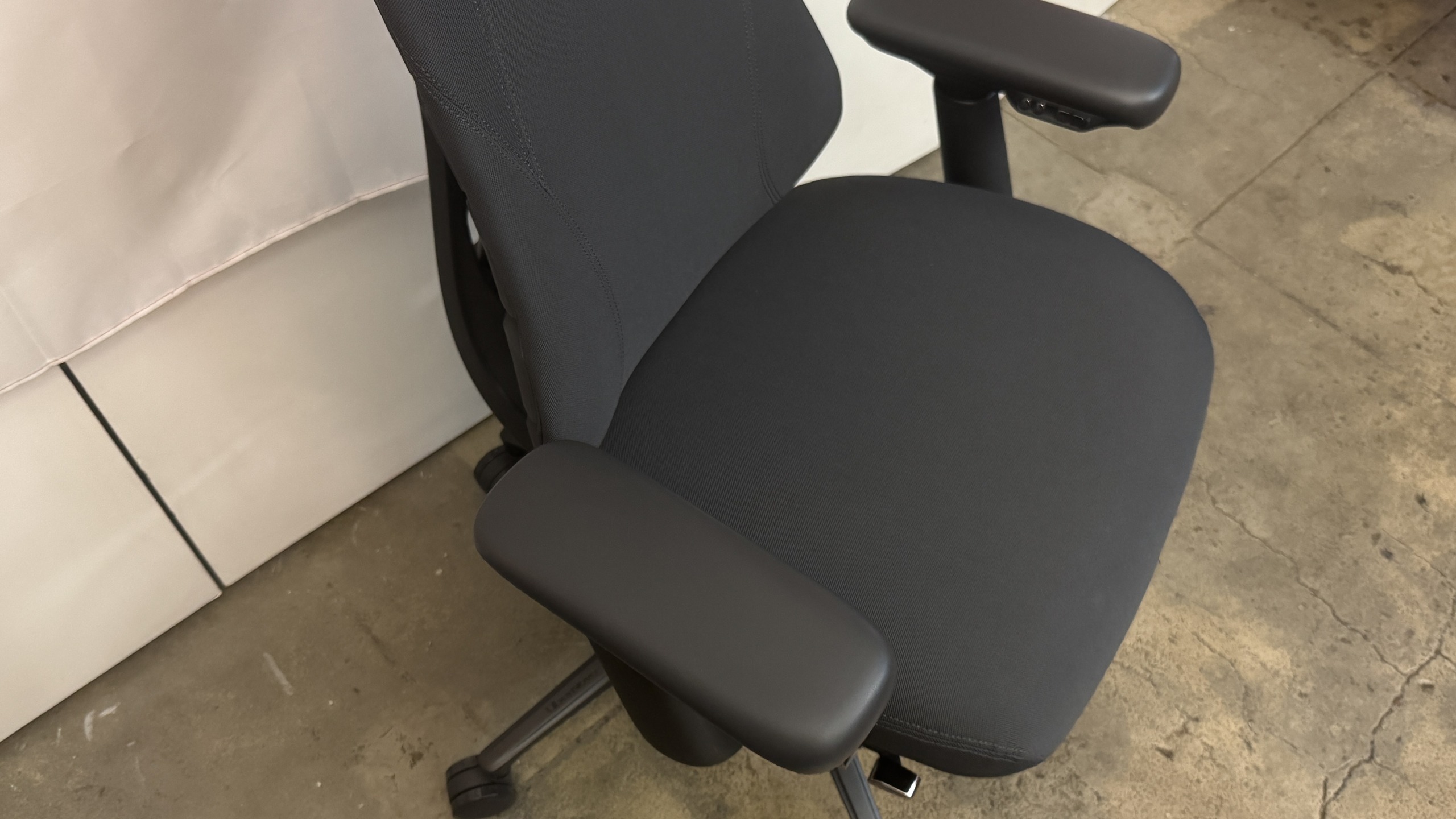
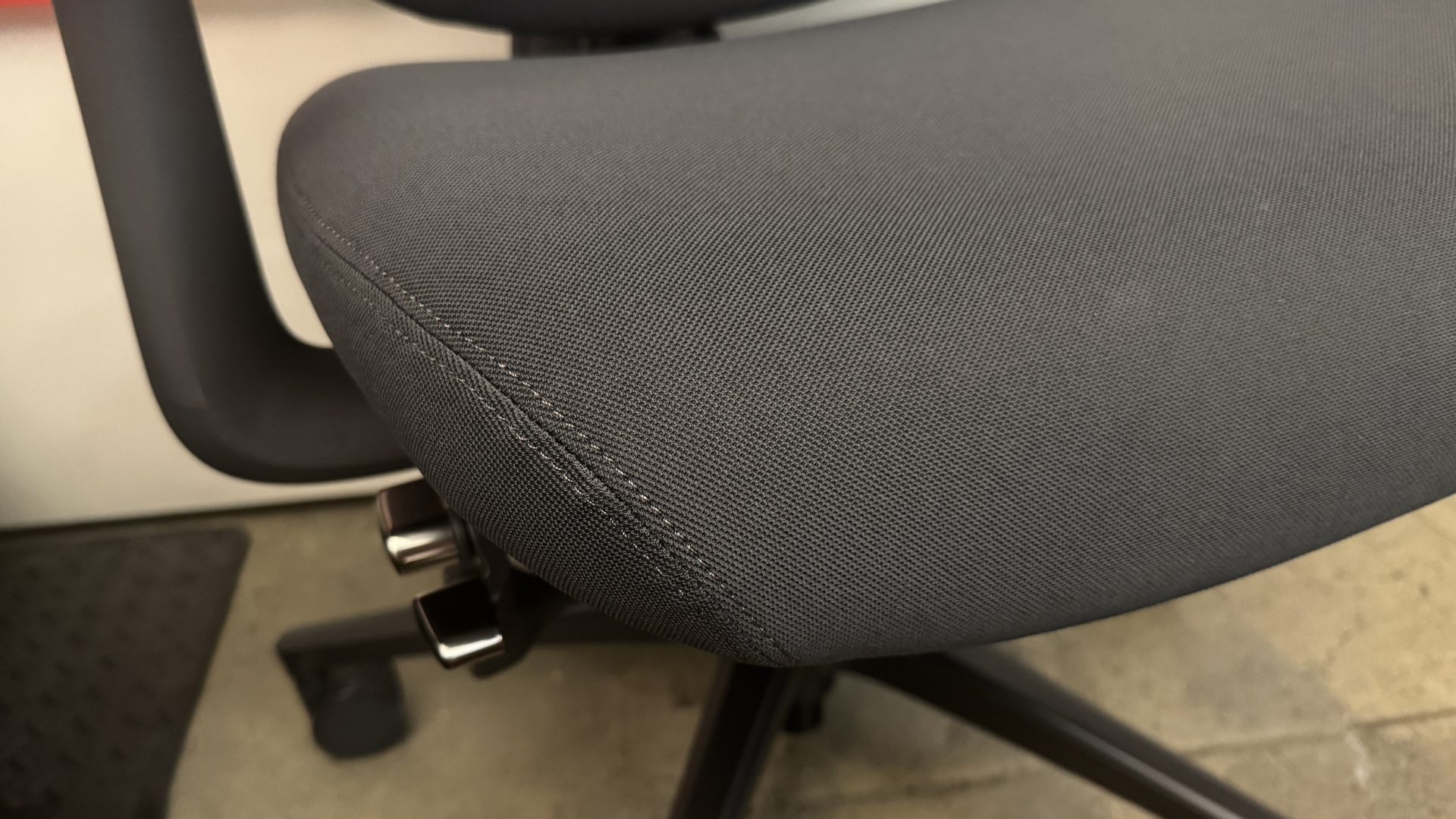
The Omni Pro comes in two colors, graphite (dark gray) and glacier (light gray, almost white). Our review unit came in graphite, with dark gray upholstery, a dark gray frame, a black wheelbase, and silver (plastic) accent buttons / knobs. The Omni Pro features new fabric upholstery — Gabriel Atlantic fabric, which is more durable and (I guess) breathable than that of the original Omni. The fabric does look and feel more durable and premium, but it's slightly more abrasive than the original fabric. It didn't cause me any real discomfort, but I also didn't sit on it for very long with bare skin.

Libernovo Omni Pro
Tom's Hardware
Libernovo Omni Pro
Tom's Hardware
Libernovo Omni Pro
Tom's Hardware

The upholstery and the wheelbase — which is made of hefty aluminum alloy — are the main noticeable design differences between the Omni Pro and the original Omni. The aluminum wheelbase does add some weight to the chair, bringing its total weight up to 55.8 pounds (25.31kg), which is heavier than the original Omni's weight of 48 pounds (21.77kg) — but still isn't particularly heavy for a chair, let alone a gaming chair.

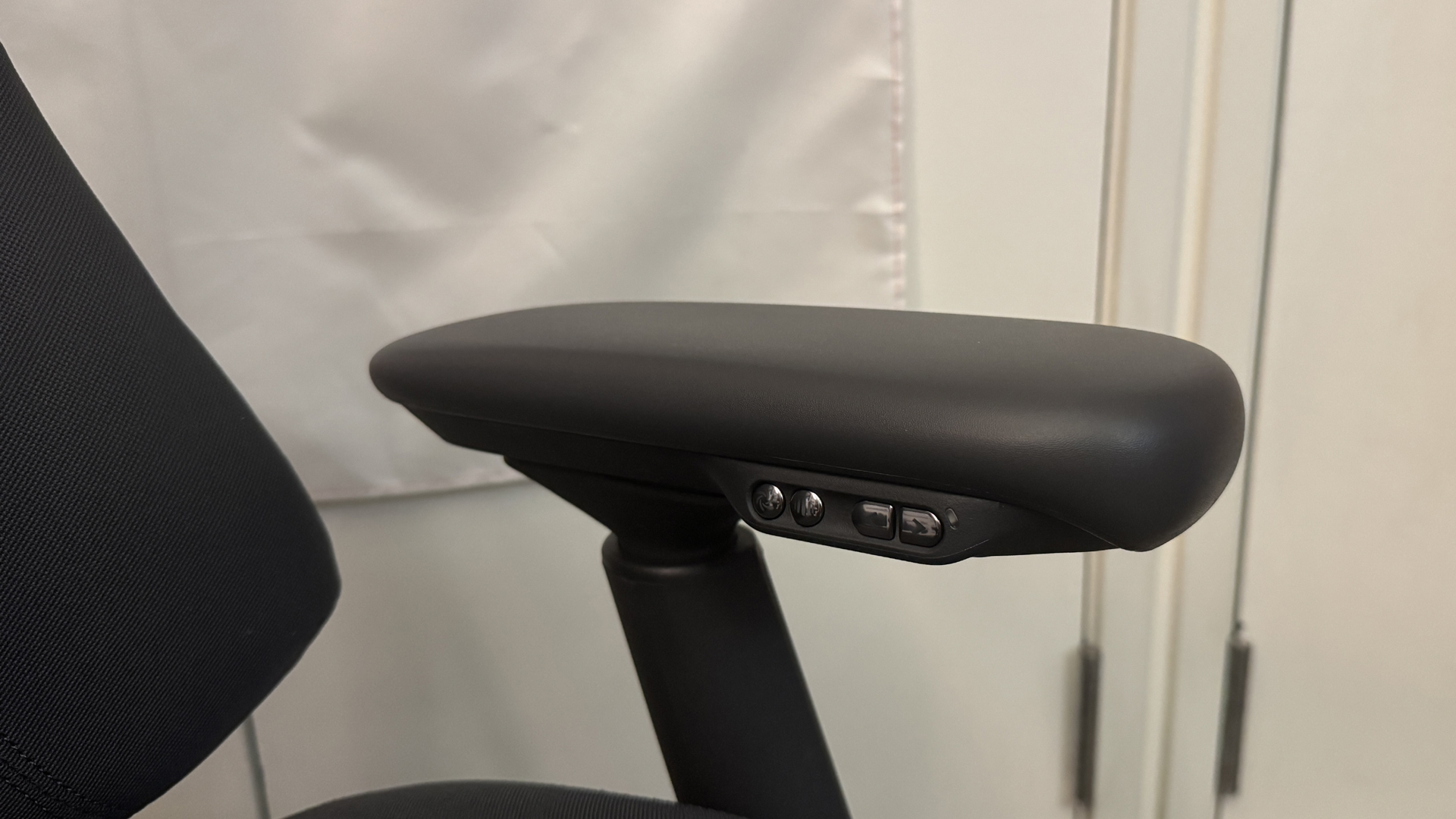
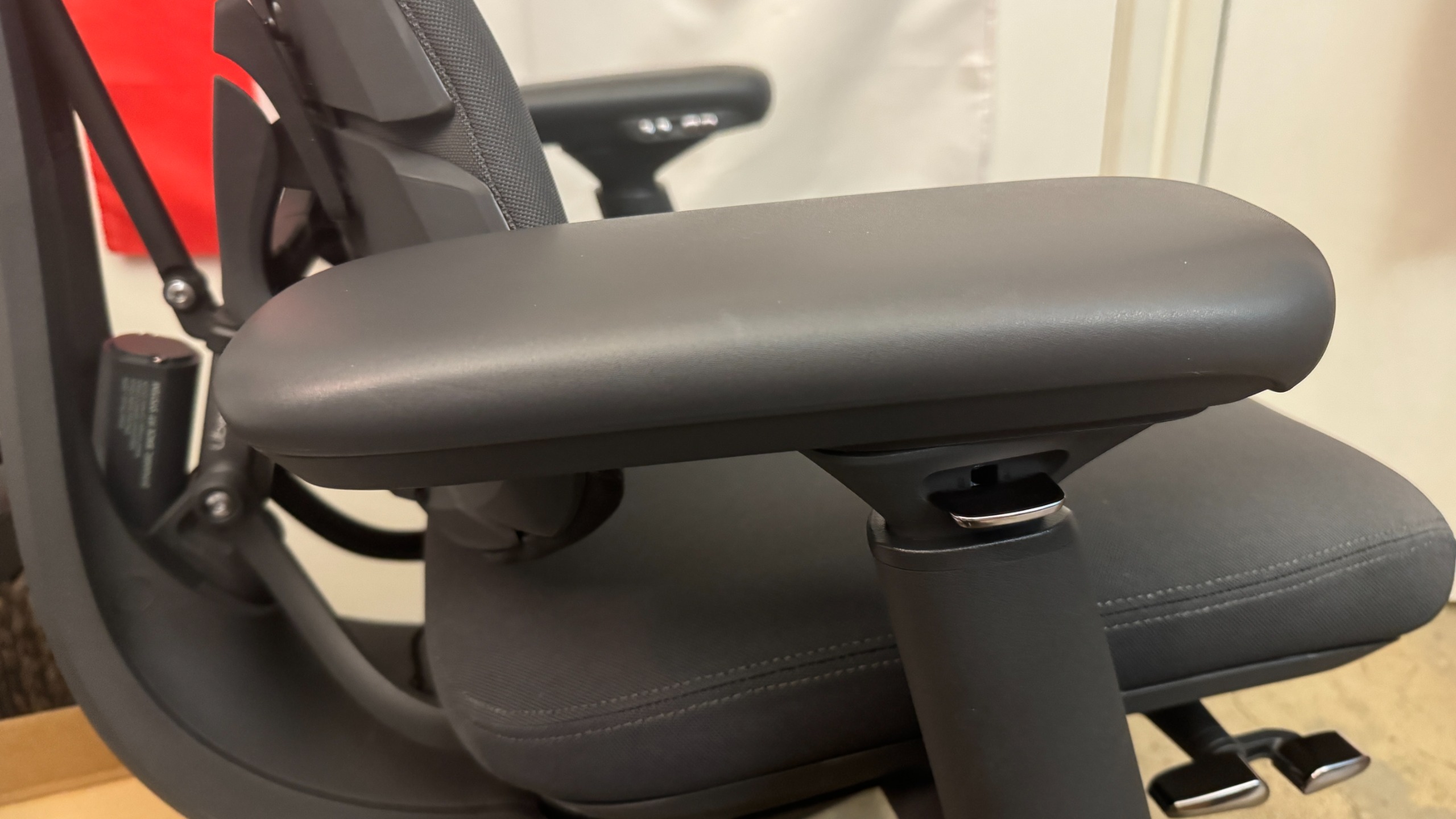
The Omni Pro also has an extra button under its left armrest, to control the underseat ventilation fan (tapping the button toggles through the fan's settings — slow, fast, and off).

Specs

Upholstery

Gabriel Atlantic Fabric

Total Height (with base)

47.83 - 52.17 inches / 121.49 - 132.51 cm

Floor to Seat Height

19.09 - 23.43 inches / 48.49 - 59.51 cm

Armrest Adjustments

4D

Recline

105 - 160 degrees

Backrest Length

21.26 inches / 54 cm

Backrest Width (Shoulder Level)

13.5 inches / 34.29 cm

Seating Area Width (Point of Contact)

17.72 inches / 45 cm

Seating Area Width (total)

21.46 inches / 54.5 cm

Seating Area Depth

17.72 inches / 45 cm or 18.9 inches / 48 cm

Armrest Width

3.94 inches / 10 cm

Armrest Height

7 - 10.25 inches / 17.78 - 26.04 cm

Max Recommended Weight

300lbs / 136kg

Weight

55.8lbs / 25.31kg

Warranty

6 years (frame); 2 years (electronics)

MSRP / Price at Time of Review

$1,299 / $1,109

Release Date

June 2026

Comfort and Adjustments

The Libernovo Omni Pro is a surprisingly comfortable chair — just like the original Omni — thanks to its dynamic, ergonomic articulated backrest and various adjustments. It's more of an office chair than it is a gaming chair, but it does offer a full 160-degree recline — though it's an active recline, meaning you need to be sitting in the chair for it to happen (as opposed to many gaming chairs, which are similar to car seats).

Libernovo Omni Pro
Tom's Hardware
Libernovo Omni Pro
Tom's Hardware

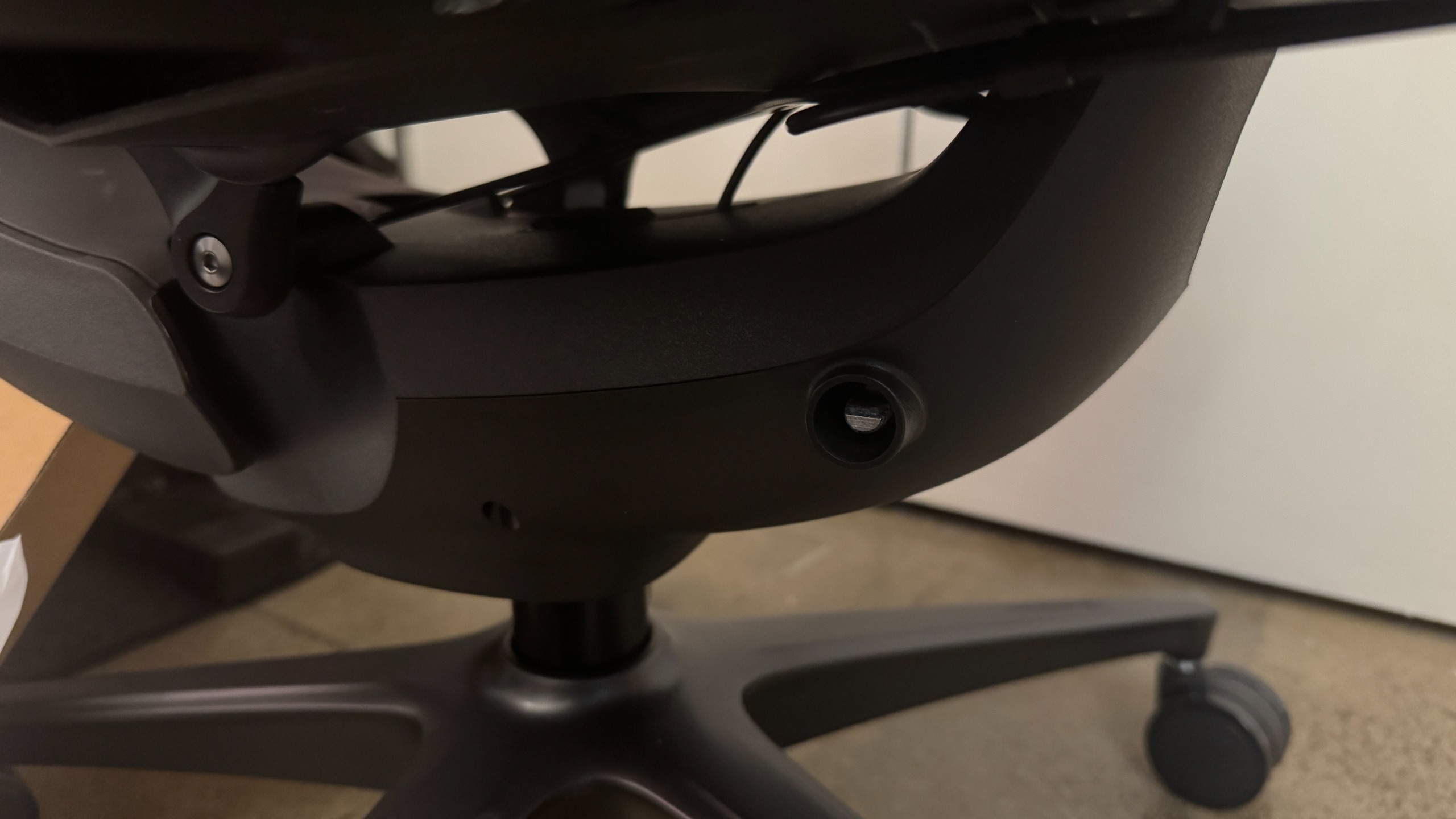
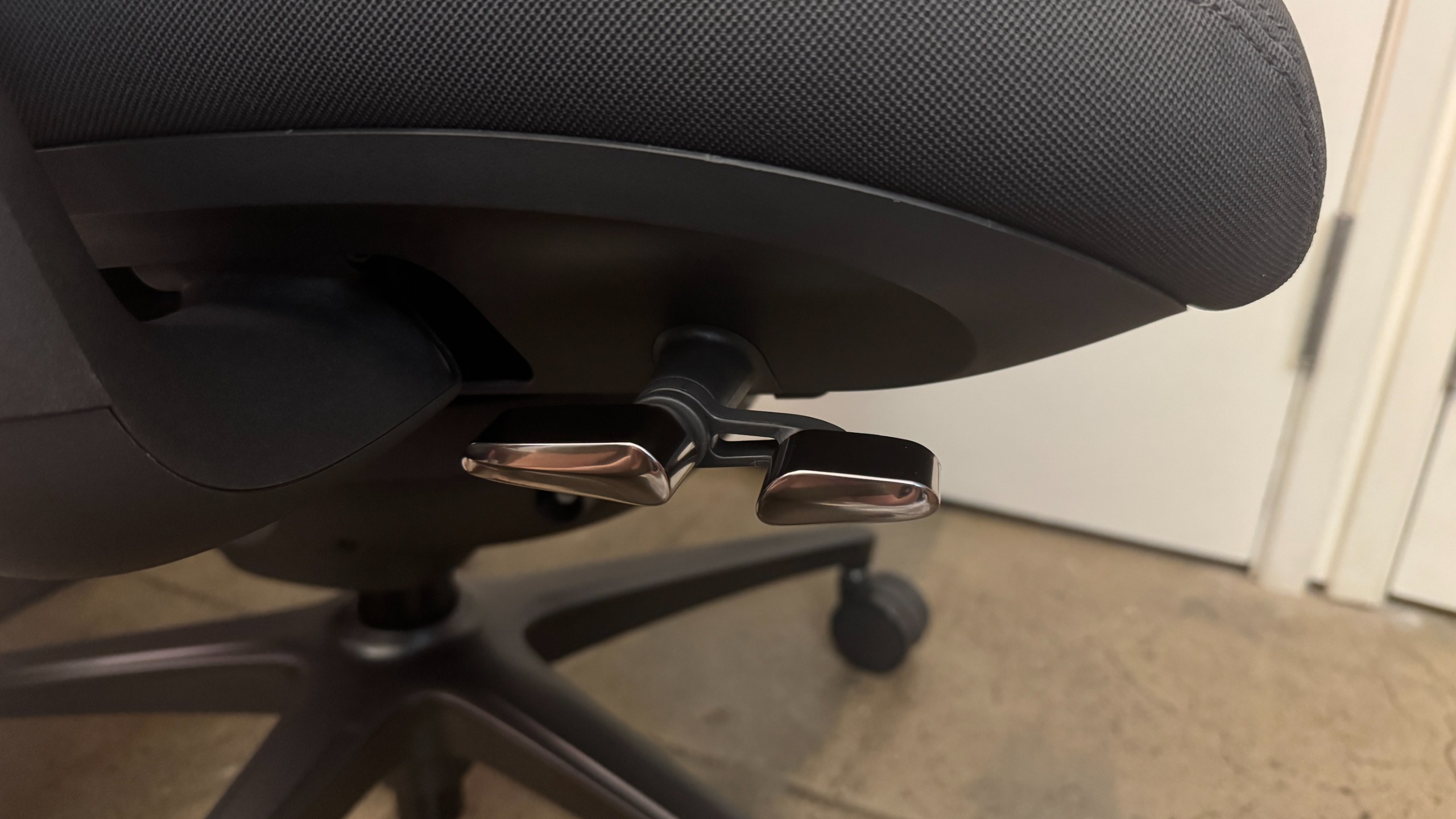
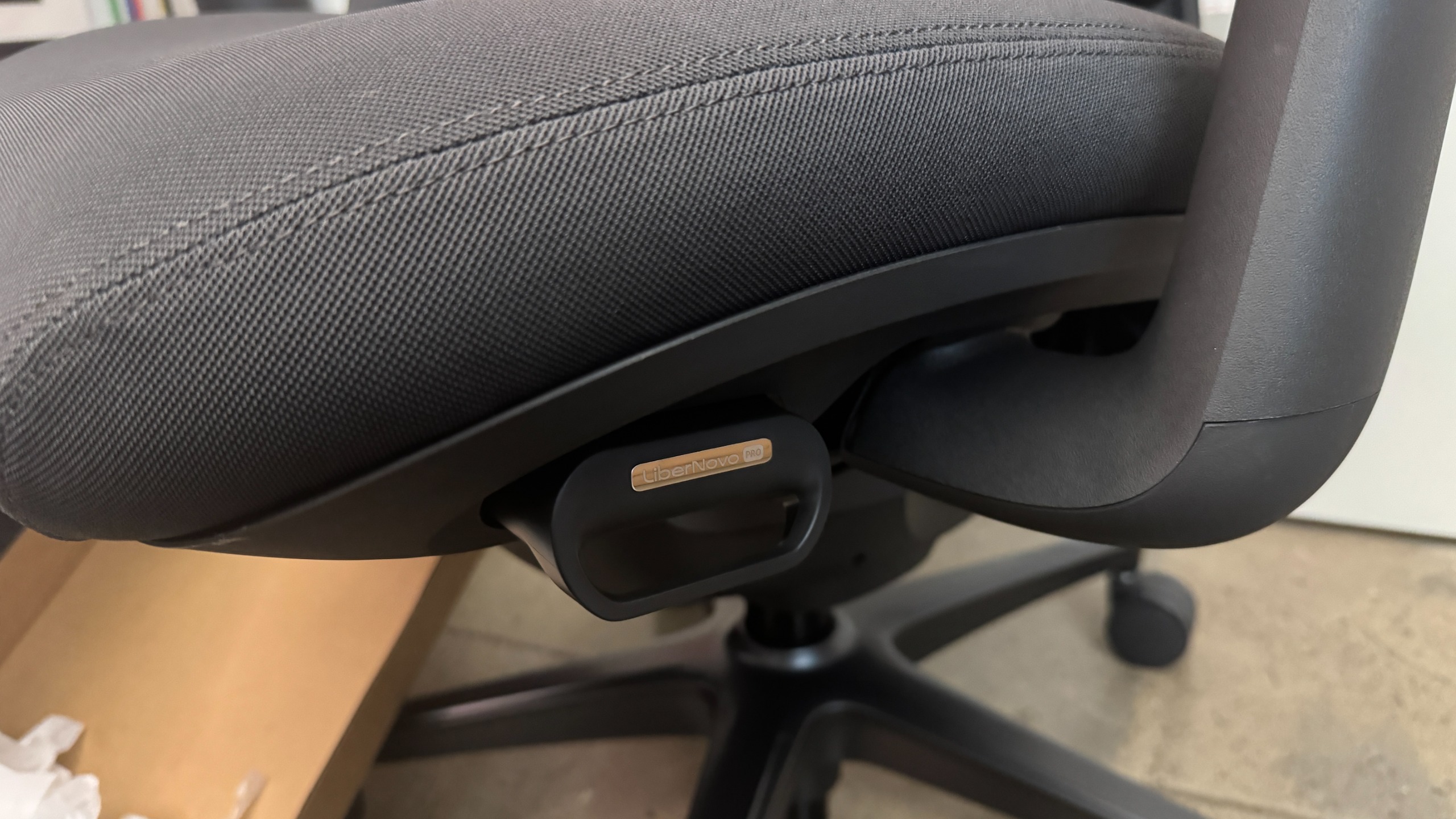
The Omni Pro's adjustment levers are mainly located under the seat on the right side. There's a dual lever / switch that controls chair height and recline position — pulling up on the front side of the lever lets you adjust height, while pulling up on the back side of the lever locks the maximum recline. While the original Omni had four recline positions, the Omni Pro has five — and believe it or not, this makes a big difference. Whatever fifth position they added is the position I wanted on the original Omni, I guess (the recline positions lock at 105, 115, 125, 135, and 160 degrees).

Libernovo Omni Pro

(Image credit: Tom's Hardware)

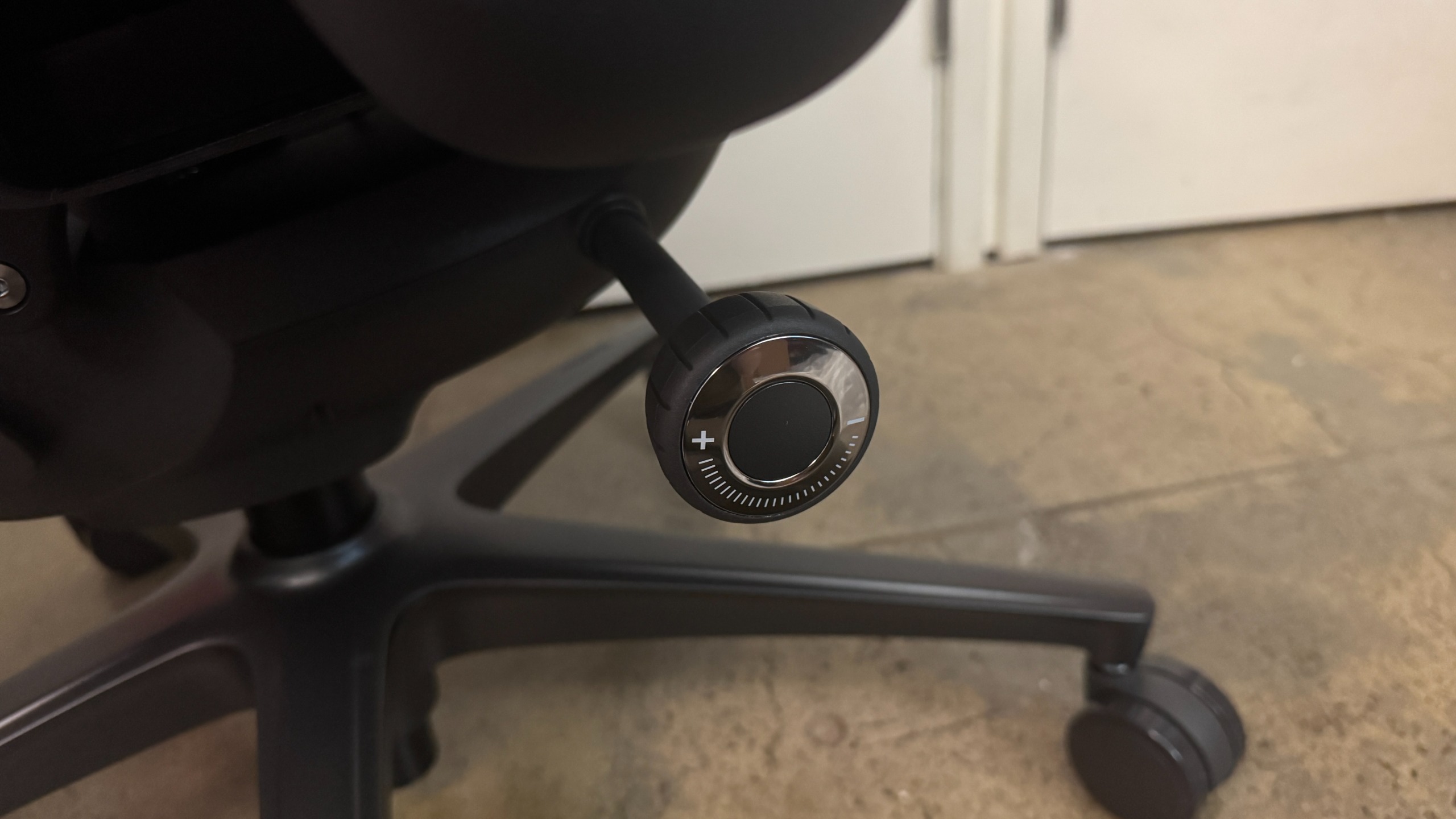
Under the dual lever / switch, there's a knob that controls tilt tension, which is how much tension you'll feel when you recline. Turning the knob clockwise increases tension and turning it counter-clockwise decreases it. There seems to be a pretty wide range of tilt for this chair, so you may need to turn it several times to get the tension to your liking.

Libernovo Omni Pro

(Image credit: Tom's Hardware)

There's also dynamic, adjustable motorized lumbar support, which is controlled via the buttons on the inside of the left armrest. There are two arrow buttons for making the lumbar support firmer (forward) or... less firm (backward), and there's also a spinal massage button that triggers a five-minute spinal massage / stretch (using the chair's lumbar support) when pressed. While I like the Omni Pro's lumbar support, and found it very comfortable, it's worth noting that it's not vertically adjustable — so while it worked well for me, it may not work quite as well for someone with different body proportions.

Libernovo Omni Pro

(Image credit: Tom's Hardware)

Speaking of which, I'm about 5 feet 7 inches and 130 pounds, and the Omni Pro seemed perfect for me — not too big or heavy, and easy to adjust and move around in. The chair is rated for up to 300 pounds (136kg), and it seems sturdy enough — though I'm not sure how well the electronics will hold up if someone who weighs closer to that is using the spinal stretch feature regularly. My husband, who's 5 feet 11 inches and around 180 pounds definitely seemed a little too big for the chair (he has very long legs, though, and the chair's maximum depth of 18.9 inches (48cm) was still a little short for him).

In addition to the lumbar support, the Omni Pro has a ventilation fan under the seat. Unlike the other chairs we've seen with built-in fans, such as DXRacer's Martian Pro Red Triangle or Cougar's NxSys Aero Chair, this fan doesn't blow toward you to cool you off — instead, it removes hot air (I guess?) from around you by blowing away from you. I was skeptical, too, but it actually seems to work... pretty well. I guess there's a lot of heat trapped in the seat, because it instantly felt cooler even on the lower setting.

Libernovo Omni Pro
Tom's Hardware
Libernovo Omni Pro
Tom's Hardware

The fan runs on the same battery pack as the motorized lumbar support, and Libernovo says you'll get up to 9 hours of continuous fan usage on the higher setting, and up to 36 hours on the lower setting, and there's also a built-in sensor in the seat that automatically switches the fan off if you stand up (and switches it back on again when you sit back down). I could definitely hear the fan on both the high and low settings, but it faded pretty quickly to background noise on the lower setting. Also, the fan definitely seems to take up some space, because the seat on the Omni Pro is less padded than the seat on the Omni. I could feel the chair's frame through the seat, which wasn't a problem for me but may not be quite as comfortable for someone who's heavier.

Libernovo Omni Pro

(Image credit: Tom's Hardware)

Like the original Omni, the Omni Pro has 4D armrests that adjust four directions: up/down, forward/back, left/right, and angle in/out. There's a lever under the outside of each armrest that you can press to adjust the armrests up/down. To adjust the armrests forward or backward, you just slide the tops (no button/lever necessary); same with adjusting the angle. Bringing the armrests closer to you involves pulling them inward, tilting them toward you. I don't love the way the armrests end up angled toward your body as a result of this, but I also don't ever find it necessary to adjust the width of my armrests so it wasn't an issue.

Libernovo Omni Pro
Tom's Hardware
Libernovo Omni Pro
Tom's Hardware

The Omni Pro also has an adjustable head/neck rest, which is curved to fit the curve of your neck/spine. The neck rest is height-adjustable and can be moved forward/back to suit your needs (or removed entirely).

Libernovo also sent us the corresponding StepSync Footrest, which is a dual height footrest with both a bottom shelf for resting your feet on when you're sitting upright and a padded upper shelf for when you want to recline. It's not a particularly high-tech footrest, but it's sturdy enough and it matches the chair, and it's a nice addition to the entire setup if you snag it in the bundle.

Bottom Line

Libernovo's Omni Pro managed to surprise me — I already liked the original Omni, and the Omni Pro's seemingly gimmicky seat ventilation fan worked better than I expected it to. The Omni Pro is a comfortable ergonomic chair that will fit pretty easily into most gaming setups (especially if you don't have the space for a giant racing-style behemoth), but the issue of longevity that we had with the original Omni carries over.

The Omni Pro has even more potentially breakable technology inside it, and the warranty on electronics is a mere two years — and remember, if the electronics in this chair stop working then you can no longer adjust the lumbar support. The chair itself has a six-year warranty (up from the original Omni's five years), which is on par with other gaming chair companies, but is still only half that of Herman Miller's 12-year warranty.

And while the Herman Miller x Logitech G Vantum has been fluctuating in price, it's still less than the Omni Pro.

  •  

Old MacBook uses a mirror, webcam, and AI agent to code its own AMD GPU drivers — 'agent-first' Omarchy Linux debugs itself, AI can check its own progress on screen in real-time

A Linux developer has shared a photo of their laptop using realtime visual feedback during an AMD Radeon GPU driver tuning task. Justin Schroeder (@jpschroeder) explains that “the MacBook is using its webcam to look at its screen in a mirror to improve AMD Radeon chip support in Omarchy.” Linux distro Omarchy is tailored “for the age of agents,” a field in which Schroeder is something of an expert. So, we assume the MacBook is running some kind of programming agent like Claude Code, and it is watching its own screen to assess the GPU driver tweaks it is making.

Can’t make this up…the MacBook is using its webcam to look at its screen in a mirror to improve AMD Radeon chip support in Omarchy. pic.twitter.com/pw5Yu0JVJ7September 9, 2026

Schroeder’s quirky hack has gained many admirers. We note that the Epic Games boss, Tim Sweeney, humorously commented on this use of AI, giving him “HAL 9000 lip-reading vibes.” Of course, HAL 9000 was the increasingly unhinged superintelligent computer from Kubrick’s 2001: A Space Odyssey. In the movie, it famously read the lips of astronauts plotting to limit its operational scope.

Since the MacBook is working on itself, it must be an older Intel Mac with an AMD GPU inside. Thus, the coding agent can refine Radeon hardware support and actually benefit from the webcam’s visual feedback.

Omarchy can be a good fit for users of older Intel-based Macs due to its specialized drivers and configurations. However, this interesting flavor of Linux is headlined as a handsome Linux distro designed for the age of agents. The OS’s homepage also boasts of a lightning-fast installation, with built-in agents that can debug issues. In short, users can “vibe your way through every alteration, tweak, or trouble.”

More details about this operating system can also be found on its GitHub repository. Omarchy isn’t just for ‘vintage’ Intel Macs like Schroeder’s image shows. It is available for Apple Silicon Macs and modern x86 PCs. Moreover, it is also suitable for ‘potato PCs’ like “a 2011 ThinkPad X220 with 2GB of RAM,” according to the developers. Omarchy is distributed under the MIT license.

  •  

China's AI accelerator supplier Biren posts 2,000% year-over-year revenue growth — US export controls benefit homegrown chips as Nvidia and AMD exit market

Biren Technology, a leading supplier of AI accelerators from China, posted massive nearly 2,000% revenue growth in the first half of 2026 amid skyrocketing sales of non-Nvidia AI processors in the country, according to Jon Peddie Research. Sales of the company's products began to climb rapidly in the second half of 2025 after American companies led by Nvidia stopped supplying their AI GPUs to the People's Republic due to export control measures.

Biren reported first-half revenue of $183.9 million, up 1,998% year-over-year from around $8.665 million in the first half of 2025. The company's gross profit rose to $78.552 million, and gross margin increased to 42.7%, but it still lost $56.2 million primarily because it continued to invest in new products, including AI accelerators, optically-interconnected rack-scale solutions, and software. Biren's revenues started to climb in the second half of 2025, so for the whole year its sales reached $154.17 million as its market share of AI accelerators in the country was below 3%, according to TrendForce.

For those who follow China's AI and GPU markets, Biren Technology is certainly a familiar name as the company's products are well documented and appear to be competitive with those developed by AMD and Nvidia on paper. The company has developed at least three high-end AI GPUs — the BR106, BR110, and BR166 — and is currently working on BR20X, BR30X, and BR31X accelerators, according to JPR. Biren has also built its own Birensupa software stack meant to compete against Nvidia's CUDA and is working on a rack-scale solution.

In reality, demand for domestic AI accelerators has always been relatively low in China, as even cut-down versions of Nvidia's leading AI GPUs provided better performance and software stack than solutions developed in China. While Nvidia charged $12,000 - $15,000 per H20 AI GPU when it sold these products in the PRC, it still supplied some 2.2 million AI accelerators to the country in the first half of 2025, when it could still ship them until the Trump administration's export controls kicked off in May, according to TrendForce. By contrast, Biren shipped thousands, maybe tens of thousands of AI accelerators throughout the whole 2025. Even today, Biren's shipments are minuscule compared to Nvidia's in 2025.

Without a doubt, Biren's financial improvement is real and impressive, but it is coming from an extremely small base in the first half of 2025, so the 1,998% 1H 2026 growth figure makes Biren sound much larger than it actually is. While Biren is growing at an enormous rate, with $183.9 million in revenue, it is still a relatively small accelerator supplier in absolute terms.

What remains to be seen is whether Biren can secure enough manufacturing capacity from SMIC or other suppliers to compete with larger Chinese AI accelerator vendors, such as Huawei, Kunlunxin, and Cambricon. The company certainly has more financial resources than it did a year ago and faces less formidable competition from AMD and Nvidia amid U.S. export restrictions and China's own bans on American AI hardware. But having competitive designs is only part of the equation: Biren now must manufacture enough accelerators to satisfy customer demand and substantially increase its market share.

  •  

Chinese quartz approved for semiconductor equipment and DRAM manufacturing, but it still can't break America's monopoly — China secures domestic supply for chipmaking components, but Spruce Pine still holds the crucible monopoly

Jiangsu Pacific Quartz, a high-purity quartz (HPQ) producer from China, is already supplying its HPQ material to leading domestic and overseas producers of chipmaking tools, including Lam Research and Tokyo Electron. More recently, the company's materials/components have passed certification by a domestic DRAM manufacturer. Analyst TP Huang, who hosts the China Tech Talk podcast, believes that the DRAM maker is CXMT.

While Pacific Quartz's achievements are significant, the company's components are used in semiconductor production equipment after the silicon wafer has been made. Meanwhile, Ingots for semiconductor wafers are grown in crucibles made from high-purity fused quartz, typically over 99.999% SiO₂ (5N+), with much tighter limits on individual critical contaminants. For now, such quartz can only be obtained in significant volumes from Sibelco and The Quartz Corp., which operate in Spruce Pine, North Carolina, and from Russian Quartz LLC, which can produce modest volumes.

Pacific Quartz has supplied Lam Research and Tokyo Electron with ultra-high-purity quartz consumables, such as LPCVD diffusion tubes, wafer boats, quartz ingots, quartz plates, and high-purity quartz tubes, since 2019–2020. Typically, quartz used for process equipment is 4N5 – 5N purity (~99.995–99.999% SiO2). So Pacific Quartz's products are good enough for semiconductor tools.

More recently, Pacific Quartz said its quartz products manufactured from its own high-purity quartz sand passed qualification at a leading Chinese DRAM manufacturer, apparently CXMT, for use in 300-mm wafer production. This is particularly significant because it demonstrates a largely domestic supply chain for Chinese quartz that starts with Pacific Quartz's purified high-purity sand, which is then processed into semiconductor furnace-tube material that goes to a DRAM fab. While CXMT certainly uses equipment from Lam Research and Tokyo Electron, we cannot say for sure that all the quartz consumables that these tools use are made by Pacific Quartz.

Semiconductor furnace tubes are typically made from roughly 5N-class high-purity fused quartz, with stringent limits on electrically active and mobile contaminants, as they can migrate onto/into hot silicon wafers and alter transistor characteristics, ultimately creating defects and lowering yield.

While China-based Pacific Quartz can produce components for semiconductor production equipment, it still cannot produce crucibles good enough to grow silicon wafers with 9N–11N purity. Will it change in the foreseeable future? Only time will tell.

  •  

The state of ABF substrates in data center silicon in 2026 — solving the supply crunch and material wall beneath every AI accelerator

ABF substrates, the specialized insulating and wiring bases that connect tiny silicon chips above them to the much larger printed circuit boards below, sit beneath most high-end CPUs, GPUs, and AI accelerators. Featuring the Ajinomoto build-up film (ABF), these substrates have been critical to the semiconductor industry since the late 1990s, with personal computers, workstations, servers, and networking silicon driving steady demand for decades.

The artificial intelligence boom has multiplied that demand exponentially. Training and inference for frontier models now run across data centers, each housing hundreds of thousands of accelerators and providing hundreds of megawatts of compute. Nvidia alone shipped an estimated 3.2 million Blackwell GPU packages through the end of 2025, with every one of those accelerators packaged on an ABF substrate. Meanwhile, the industry is already entering the gigawatt era with humongous data center buildouts, each expected to house millions of AI accelerators.

This edifice rests on a remarkably narrow supply chain. Practically every advanced logic and AI chip made today by Intel, AMD, and Nvidia depends fundamentally on ABF substrates. These substrates are the conventional default for high-performance packaging. They are made by a small group of specialists, including Unimicron, Ibiden, Kinsus, Shinko Electric Industries, Samsung Electromechanics, and Nan Ya PCB. The upstream supply chain gets much tighter.

The one common denominator across ABF substrates, regardless of manufacturer, is the Ajinomoto build-up film itself. Each substrate maker laminates its build-up layers using dielectric film supplied by Japan's Ajinomoto, which controls a reported 95% or more of the global market. A single company, better known for food seasoning than microelectronics, sits at the base of one of the most concentrated supply chains in computing, almost singlehandedly supplying a material for hundreds of millions of semiconductor devices. Not surprisingly, demand is now growing beyond what the supply chain can comfortably supply.

Compounding this crunch, modern AI accelerators now pack multiple compute, memory, and supporting components onto a single board. As a result, the substrate is getting larger across the X-Y footprint to accommodate the expanding package. Manufacturers are also adding more build-up layers to the substrate to route the growing number of signals and power connections. Each additional layer requires another ABF layer, further multiplying demand across millions of accelerators and extending manufacturing times.

Unfortunately, the complications don't stop there. Beyond further straining the supply chain, expanding the substrates is creating technical problems, such as warpage, yield issues, and electrical losses within the component itself. This leaves the ABF substrate ecosystem facing two related challenges: producing enough advanced substrates for a rapidly expanding fleet of AI accelerators, while simultaneously re-engineering these substrates so they can continue to scale without becoming unmanufacturable or impractical.

The ABF substrate roadmap is consequently as much about supply-chain capacity as it is about the hardware itself, with suppliers such as Ajinomoto and Ibiden outlining plans to expand material and manufacturing capacity, respectively. At the same time, the wider industry — Intel, Samsung, and SK's Absolics among them — is exploring glass-core substrates and other material technologies to push past the limits of organic ABF.

ABF substrates

Silicon dies, including CPUs and GPUs, cannot communicate directly with the printed circuit board beneath them. The connection pads on a die are spaced micrometers apart, while the traces on a motherboard are spaced hundreds of micrometers to millimeters apart. Every high-performance chip, therefore, sits on an intermediary package substrate — a dense, multilayer board that fans the ultra-fine connections on the die outward into connections large enough for the motherboard to handle, while also providing signal routing, power and ground distribution, and mechanical support for the package.

ABF substrates used in AI accelerators typically consist of a rigid, glass-reinforced resin core sandwiched between successive build-up layers of copper wiring and insulating film. The core provides much of the mechanical rigidity, while the layers provide the increasingly dense wiring required close to the silicon.

To create the substrate, the manufacturer laminates the ABF dielectric onto the structure, forms microscopic vias — commonly with a CO2 laser — and then uses lithography and copper deposition to create a new wiring layer. High-end substrates typically use a semi-additive process (SAP), in which fine copper traces are plated up from a thin conductive seed layer. Another ABF layer is then laminated over it, and the process repeats. The film electrically separates successive copper layers, while plated microvias connect them vertically.

The position of the ABF substrate

ABF substrate (Image credit: Ajinomoto)

Ajinomoto developed the film in the 1990s, after which it gradually became the industry default for its low dielectric loss, fine-line capability, and smooth lamination. The company reportedly accounts for roughly 95% of the substrate film market, with its nearest competitor, Sekisui Chemical, holding only a low-single-digit share.

The manufacturing tier above the film is more populated but still concentrated. Unimicron, Ibiden, and Shinko together account for roughly three-quarters of the substrate market by most estimates, with AT&S and Nan Ya PCB rounding out the leading group. These companies take ABF and other materials and manufacture the finished multilayer substrate. Semiconductor packaging companies, such as TSMC and Amkor, then integrate those substrates into packages containing the processor, memory, and other components.

AI accelerators are pushing substrates outward and upward

To deliver the compute and memory bandwidth that frontier models demand, the industry is packing ever more silicon onto each AI accelerator. Designers now place multiple large logic dies alongside a growing number of high-bandwidth memory stacks on a single package. Nvidia's Blackwell generation mounts two reticle-sized GPU dies and eight HBM3E stacks on a single package, with its upcoming Rubin and Rubin Ultra parts pushing it further still. TSMC's CoWoS packaging is scaling from around 3.3 reticles — each roughly 830 square millimeters of silicon — a generation ago to 5.5 reticles in volume production in 2026, with a roadmap reaching 9.5 reticles in 2027 and beyond 14 reticles by 2029, when a single package is expected to carry roughly ten compute dies and twenty or more memory stacks.

This expansion of the accelerator package is driving the substrate’s expansion on two physical levels. The first expansion is the substrate's footprint in the X-Y axes. The base has to get wider and longer to accommodate the larger package footprint. Ibiden's current roadmap puts its cutting-edge substrate size at 90 × 90mm (3.54 x 3.54 inches) in 2026, 110 × 110mm (4.33 x 4.33 inches) in 2028, and 130 × 130mm (5.12 x 5.12 inches) and larger from 2030 onward. Ajinomoto independently expects the representative advanced AI packages its film goes into to grow from roughly 100 mm² in 2026 to about 120 mm² for 3D AI packages from 2031.

The second expansion is along the Z axis through additional layers. An expanded collection of compute dies and memory creates more signals to route, while the corresponding increase in power draw requires extensive power and ground distribution, all of which must be carried in a growing number of layers. Ibiden's roadmap targets a 10-X-10 buildup structure in 2026, 12-X-12 in 2028, and 14-X-14 from 2030. Here, the numbers represent the build-up layers on either side of the central substrate core: “10-X-10” means 10 build-up layers per side of the core — which is represented by the “X” — each comprising one dielectric layer (ABF) plus one patterned copper layer, working as a pair.

Nan Ya PCB's roadmap points in the same direction. From an 11+N+11 baseline, it targets 24-layer substrates in 2026 and more than 24 layers in the first half of 2027, while tightening line and space from a 9/12 µm baseline to 8/8 µm and then to 6/7 µm by early 2027. Layer-counting conventions differ between vendors, so a per-side figure and a total layer count don't necessarily line up directly.

Nvidia Blackwell and GTC 2024

Nvidia's Blackwell architecture mounts two reticle-sized GPU dies and eight HBM3E stacks on a single package (Image credit: Nvidia)

The substrate’s expansion in both directions creates several challenges. Increasing the X-Y area makes the package harder to keep flat. Silicon, copper, the substrate core, and the polymer build-up materials that make up the substrate expand by different amounts when heated. As the package is bonded during assembly at around 250⁰C and then cooled, these mismatches cause the layers to pull against one another, leading to warping — a problem that becomes harder to control as package dimensions increase.

Excessive warpage can undermine solder-joint formation, layer-to-layer alignment, and reliability, while a larger substrate also occupies more manufacturing-panel area and exposes more area to potential defects. Organic substrates are reported to lose usable flatness once packages exceed roughly 120mm per side, a threshold that the largest AI accelerators are now reaching and that Ibiden's own roadmap — climbing toward 130mm and beyond — is set to cross.

The growing layer count along the z-axis also creates manufacturing challenges around yield, capacity, and time. Every new substrate layer requires a full manufacturing sequence of several steps, all held to sub-ten-micron tolerances. Each added layer increases the chance of a defect or alignment error that can scrap the whole substrate.

Additionally, layer count consumes manufacturing capacity and time in proportion. This is why Ibiden frames future demand in terms of semi-additive processing load rather than a simple substrate count, as a single advanced substrate now consumes far more of a line's capacity than a finished-unit tally would suggest.

Overall, the simultaneous expansion in substrate area and layer count means ABF consumption is rising much faster than processor shipments alone suggest. Ajinomoto illustrated this in its 2025 integrated report with a larger AI substrate that had about 3.5 times the board area and three times as many ABF layers as a conventional design — 18 layers against six — consuming roughly ten times as much ABF overall. This surging material consumption, set against an extremely concentrated supply base, extends the ABF substrate story beyond a technical problem into a supply-chain constraint.

The supply chain constraint

Like many components in the semiconductor industry chain before the AI boom, demand for ABF substrates periodically swung both ways. A severe bottleneck through 2020-2022 — driven by pandemic-era PC and server demand — was followed by an oversupply in 2023, as substrate manufacturers expanded capacity. However, that capacity was built for low-layer-count, smaller consumer substrates, not the large-body, multi-layer packages AI demands.

These advanced products require sufficiently large manufacturing formats, fine SAP wiring, tight layer registration, acceptable warpage, and high yields across much larger structures. Ibiden captures this by measuring demand not in finished substrates but in semi-additive-process load — the actual processing work each part imposes on a line. Indexing 2024 at 1.0, it expects the SAP load of a single AI-server substrate to reach 1.8 times that in 2026 and 2.5 times in 2028, with the company stating that substrate expansion will push total SAP demand beyond industry supply capacity, indicating a constraint in the manufacturing process itself.

The bottleneck is even tighter at the ABF material level. Ajinomoto's film capacity was already running at full load in the second quarter of 2026, at a reported two million square meters per month, although the company has outlined plans to increase capacity. A near-monopoly supplier at full capacity while consumption surges paints a clear picture of the bottleneck’s severity.

Unsurprisingly, prices have moved accordingly. Ajinomoto notified substrate manufacturers in May 2026 that it would raise ABF film prices by approximately 30%, effective in the third quarter. The hike is coming alongside comparable increases in copper-clad laminates from Resonac and Mitsubishi Gas Chemical, compounding pressure across the whole stack. Further tightening the squeeze, Ajinomoto recently cut shipments of the critical ABF film to China by 30%.

Ajinomoto Build-up film

Ajinomoto Build-up film (Image credit: Ajinomoto)

The growing ABF substrate problem cannot simply be attributed to Ajinomoto running out of film. In fact, while it's running at full capacity, the company says it has no concerns about its overall supply chain. The constraint stretches across the entire chain containing ABF, glass cloth, and other materials, SAP equipment, large-format substrate factories, yield, and customer-qualified production capacity.

The immense industry demand is progressively tightening the crunch. Several supply-chain analyses converge on an ABF supply-demand shortfall of roughly 10% in the second half of 2026, widening to around 21% in 2027 and potentially exceeding 40% by 2028, with demand for substrate area projected to grow at a compound annual rate near 39% from 2025 to 2028 as accelerators integrate more components.

The roadmap to recovery: more capacity, better materials

The industry is responding to ABF substrates' multifaceted constraints on multiple fronts: expanding manufacturing capacity to relieve near-term supply pressure while qualifying new materials and substrate architectures to break through the technical limits. Capacity expansion is already underway across the supply chain.

Ibiden is executing ¥500 billion ($3.1 billion) in capital investment across fiscal years 2026 to 2028 — the largest single substrate expansion on record — targeting 2.8 times its 2024 capacity for ASIC and AI-server substrates by 2028. Unimicron raised its 2026 capital spending to a record NT$34 billion ($1.07 billion), with a focus on ABF substrates. Meanwhile, Samsung Electro-Mechanics, Samsung's substrate arm, has committed $1.2 billion to expand ABF substrate production, with volume production expected by the third quarter of 2027.

Pegatron's substrate unit, Kinsus, has approved NT$23.5 billion ($722 million) for ABF equipment over three years and now focuses its most advanced lines almost entirely on AI clients, aiming to lift monthly output at its Taoyuan plant by roughly 25% by 2027. While these projects address the shortage directly, their lead times mean the crunch may continue for a while, as supply cannot respond instantly to the AI demand spike.

Ajinomoto is expanding upstream as well. A new plant in Gunma entered full operation in 2025. The company has invested roughly ¥25 billion ($157 million) in ABF production since 2023 and has said it will invest at least as much again by 2030, targeting a capacity increase of more than 50%. It is also adding a third Japanese base for varnish production — envisioned to provide capacity comparable to Gunma — with construction planned for 2028 and operations to begin in 2032.

However, capacity only solves the problem if the current substrate architecture can continue to scale. The material roadmap — aimed at addressing the physical constraints of ABF substrates — is therefore advancing parallel to the factory roadmap. Ajinomoto says present and future ABF generations are being engineered for larger, more multilayered substrates, high-bandwidth I/O, lower transmission loss, and improved resistance to warpage and humidity. The company expects newer, higher-value ABF grades to take an increasing share of its portfolio through 2030.

Substrate makers are addressing the problem from the process side. Nan Ya plans to move beyond 150 mm body sizes and 24 layers while shrinking copper line/space geometry toward 6/7 microns in the first half of 2027. Its materials roadmap includes an ultra-low-CTE core material with a CTE below 3 ppm/°C, alongside low-Dk, low-Df, and low-CTE dielectrics. Finer wiring allows a substrate to support more connections without relying solely on additional area or layers, while low-expansion materials help keep the growing structure flat.

Eventually, the substrate's central core itself may change to glass. Organic substrate cores are increasingly difficult to keep dimensionally stable as packages approach and surpass 100 mm. Glass can be matched more closely to silicon's thermal expansion — providing dimensional stability — and offers substantially lower dielectric loss for high-speed links. It has therefore emerged as one of the industry's main solutions to warpage.

Intel Glass substrate

(Image credit: Intel)

As we detailed in our glass substrate roadmap, the move to a glass core is drawing a broad field, as it sits at the intersection of substrate-making, glass manufacturing, and advanced packaging, pulling in chip-and-packaging houses, display and glass specialists, and the incumbent substrate makers alike. Intel demonstrated a package that combines EMIB with a glass substrate at NEPCON Japan in January 2026, although the company still places commercial glass-substrate deployment in the latter half of the decade.

SK Group subsidiary Absolics is operating a low-volume glass-substrate manufacturing facility in Covington, Georgia — backed by $100 million in US CHIPS Act funding — producing prototype and qualification samples for customers, such as AMD for its MI400-series accelerators, while Samsung Electro-Mechanics is producing prototypes on a pilot line in Sejong and now plans mass production through its glass-core joint venture after 2027.

TSMC, meanwhile, is pursuing panel-level packaging through its chip-on-panel-on-substrate (CoPoS) platform, moving to a 310 x 310mm panel format, with a pilot line at its VisEra subsidiary, trial production targeted for 2027 and mass production for the second half of 2028. Glass-core substrates are a separate, later step on TSMC's roadmap, with commercial scale projected after 2030. Ibiden also puts “glass core” on its substrate technology roadmap around 2030 as a solution for warpage control.

The glass core — most likely a late-2020s-to-2030s technology — is positioned as a solution to the warpage wall. It replaces the organic core, not the ABF itself, which would remain the buildup material. A glass core may soften ABF demand per package, as glass's flatness allows finer routing and potentially fewer buildup layers, but it does not remove the material or the dependency. There's the possibility that a future dielectric material will eventually replace ABF, although that doesn't seem to be the industry's main focus currently.

Regardless, the near-term roadmap centers on more advanced SAP capacity, rapidly expanding factories, improved materials, and increased supply. Through the late 2020s, finer wiring, lower-loss ABF, lower-CTE materials, and better warpage control will enable organic substrates to stretch toward 110 mm and beyond. Around 2030, glass cores offer a path toward the 130 mm-plus packages that Ibiden and others already have on their roadmaps.

  •  

Modded RTX 5090 ditches 16-pin power for triple 8-pin connectors — draws up to 900W and hits 3,400 MHz

Modders at the YouTube channel TecLab have created what is being called the world’s first RTX 5090 powered by traditional 8-pin PCIe connectors. Not only were the modders able to successfully power up the graphics card, but they also proved that the older connector is still quite capable of handling the extreme power demands of a modern high-end GPU.

The card chosen for the experiment was a Galax GeForce RTX 5090D HOF OC LAB XOC, which is a top-of-the-line model that features a beefy cooler as well as dual 16-pin power connectors. The modders essentially dismantled the entire graphics card along with the dual 16-pin power connectors, stripping it down to just the bare PCB. Next, three 8-pin power connectors were installed at the rear, with each connector soldered directly to the power regulators on the PCB using heavy-gauge cables. Additionally, the sense pins had to be rewired to ensure that the card could reach its maximum power load without any restrictions. To keep the temperatures in check, they used a liquid cooling system with a GPU block.

An 8-pin PCIe power connector is officially rated for 150W, although its actual maximum capacity is much higher. During the one-hour livestream, the modders tested the GPU by gradually increasing the power draw, starting at 400W and going all the way up to 900W using three 8-pin power cables. At its peak, the modified RTX 5090 pulled more than 120A, with clock speeds reaching as high as 3,400 MHz. Notably, the mod was limited to only the hardware level, with no software or BIOS tweaks performed.

To further test the capability of the 8-pin connectors, the modders tested the modified RTX 5090 with just two cables. The overall power draw dropped to 66A, while clock speeds remained at a respectable 3,200 MHz. Going a step further, the card was tested with just one cable, which surprisingly only dropped the figures down to 65A and 3,100 MHz.

Despite the PCI-SIG (PCI Special Interest Group) revising the 16-pin power connector (12V-2x6) to improve reliability, reports of melting GPU connectors continue to haunt gamers. The issue is particularly more common among high-performance models, though not limited to Nvidia RTX 50 and RTX 40 series, as certain AMD Radeon graphics with the 16-pin connector are also at risk. TecLab's experiment shows that GPU manufacturers may want to reconsider the tried-and-tested 8-pin connector and explore whether it could still be a viable option in high-end graphics cards.

  •  
❌