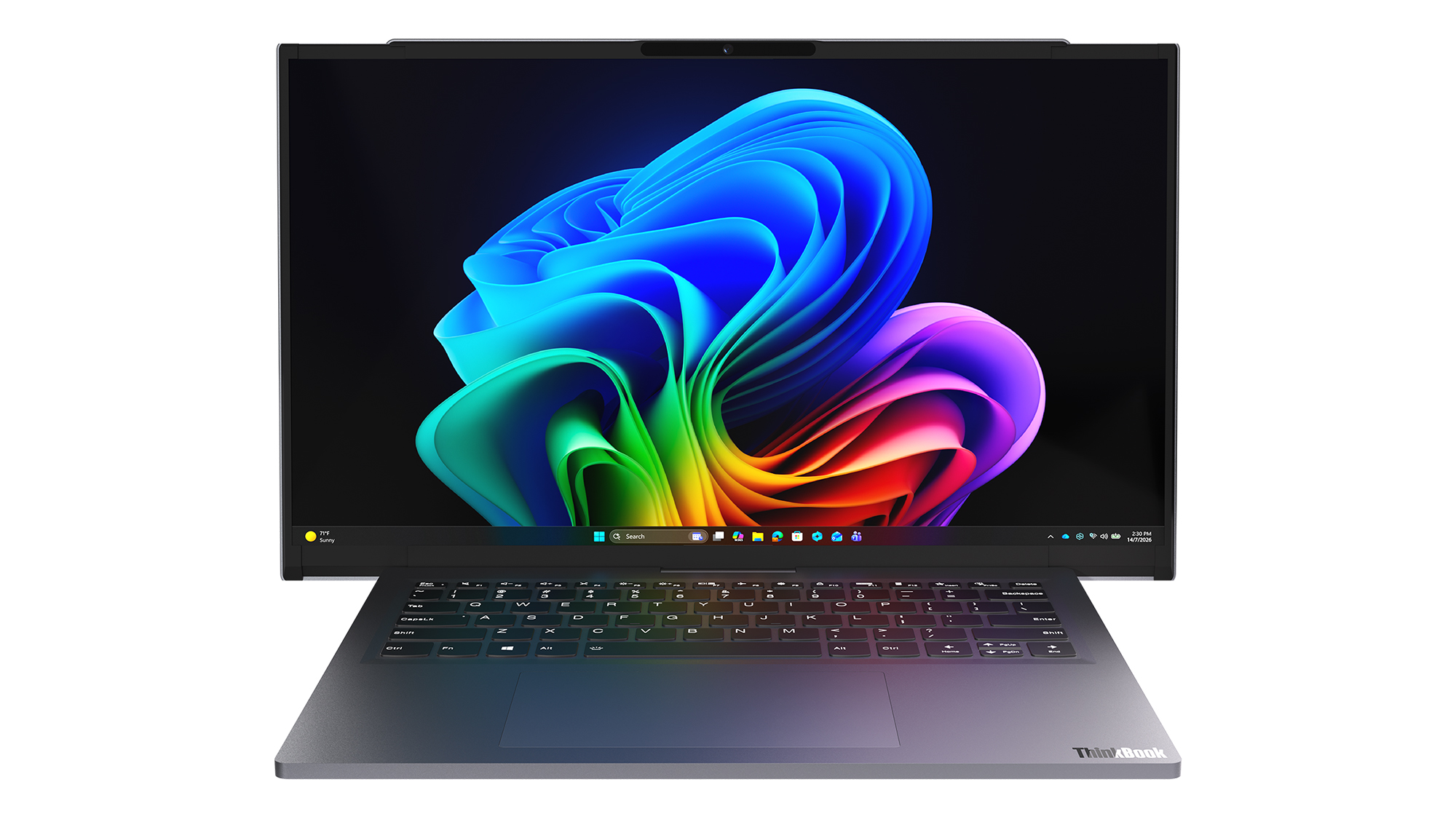
NVIDIA's RTX Spark has arrived, and tons of laptops are quickly equipping themselves with this superchip to take advantage of its NVIDIA AI, RTX graphics, and unified memory to improve their productivity and gaming performance.
Antonline is getting in on the launch-day action by offering Microsoft Surface and Lenovo laptops packed with the RTX Spark, and we've rounded up Antonline's available RTX Spark offers for your perusal.
Do note that some of Antonline's RTX Spark laptop offers are only up for pre-order, while others are not in stock yet, so check back on its website frequently for stock updates.
This 15-inch PixelSense Touchscreen laptop comes with an NVIDIA RTX Spark N1X with a 5120-core GPU and 18-core CPU, an NVIDIA Blackwell RTX 5120-core Graphics card, 32GB of Unified Memory, and 1TB Storage.View Deal
This advanced Lenovo Pro 9n Notebook features a 15.3 WQXGA Touchscreen, 64GB RAM, 2TB Storage, and an NVIDIA RTX Spark N1X with a 6144-core GPU and 20-core CPU for improved productivity and gaming.View Deal
This configuration of the Lenovo Pro 9n laptop features its display with an OLED Touchscreen, 32GB RAM, 1TB Storage, and an NVIDIA RTX Spark with a 5120-core CPU and 18-Core CPU to help you master its Copilot+ features when conducting research, meetings, or content creation.View Deal
What is the RTX Spark?
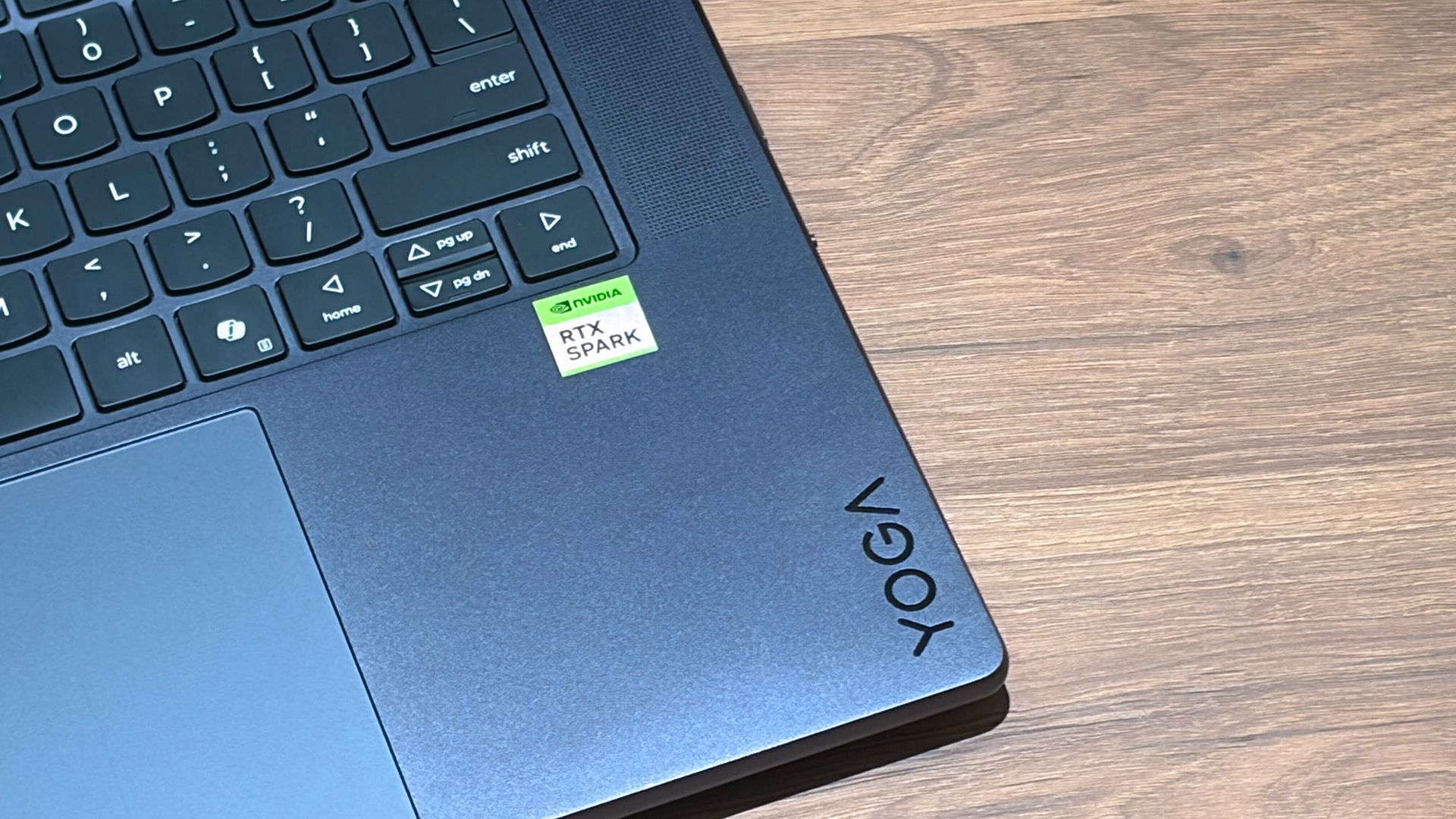
A Lenovo Yoga laptop equipped with the RTX Spark chip. (Image credit: Cale Hunt | Windows Central)
The RTX Spark is a brand-new ARM-based superchip platform designed by NVIDIA to make a PC more efficient when running high-end PC games and local AI-workflow tasks securely without compromising its performance.
The RTX Spark has an NVIDIA Grace CPU that can support up to 20 cores for boosted performance efficiency, and its Blackwell-generation RTX GPU has gaming performance rates on par with the RTX 5070 graphics card,
Additionally, the RTX Spark can support up to 128GB of unified RAM between its CPU and GPU, and it can generate up to 1,000 TOPS to boost its power when running local AI workflows.
RTX Spark selling points. (Image credit: NVIDIA)
One of our tech experts, Zac Bowden, recently benchmark-tested the RTX Spark and concluded that, and I quote, "RTX Spark is a super interesting chipset. It's forward leaning in a lot of ways, built on the Arm64 architecture that delivers serious performance and great efficiency. While its N1X CPU is just okay, its Blackwell RTX GPU really shines.
This is the first time we've seen RTX 4070-5070 level performance in an SoC that is this small and efficient. It's optimized for AI workloads, which is its strongest workflow by far. Quantized AI models run great, and with up to 128GB of unified memory, most mainstream models will fit entirely on the GPU without a hitch."
Zac also mentions that while it's great for content creators and gamers, the RTX Spark is best recommended for workers who run AI models locally all day, develop software, crunch complex data, and manage source code using thin laptops.
So, If you're one of those hard-working data crunchers in need of a powerful productivity laptop, then laptops built with the RTX Spark are for you.
Join us on Reddit at r/WindowsCentral to share your insights and discuss our latest news, reviews, and more.
Microsoft is finally ready to take on the MacBook Pro with the new Surface Laptop Ultra. From pricing to specs and design, Surface Laptop Ultra was inspired by MacBook Pro, and that's not necessarily a bad thing.
Unlike most Surface PCs we see ship these days, the Surface Laptop Ultra is a lot of firsts for Microsoft. It's the first ultra-class Surface Laptop, designed from the ground up to compete squarely with high-end professional creator or developer mobile workstations.
What I find fascinating about Surface Laptop Ultra however is that it exists because Microsoft's own developers and engineers wanted it. They built this laptop for themselves. It feels like the company got tired of looking over the fence at the MacBook Pro, and decided "why don't we just make our own version of that?"
It really is Microsoft's most powerful and most capable Surface PC ever, and a great stage for Windows. But that doesn't necessarily mean it's the best Surface PC for everyone. I've been testing the laptop over the last 8 days, and here are my thoughts on Microsoft's new flagship computer.
This review was made possible thanks to a review unit supplied by NVIDIA & Microsoft. Neither company had editorial input and did not see the contents of this review prior to publication.
Price & Availability
Microsoft
Surface Laptop Ultra
Surface Laptop Ultra is Microsoft's flagship and most powerful Windows PC. It can be configured with up to 128GB RAM, and ships with NVIDIA's new RTX Spark SoC. It's great for creative workflows and software development, and those who want to run local AI and LLMs directly on their device.
Surface Laptop Ultra is Microsoft's most expensive Surface Laptop to date. It starts at an eyewatering $2,599 for the entry-level configuration with 24GB of RAM, 512GB SSD storage, and an 18-core RTX Spark with 5,120 GPU cores. That's an expensive laptop, and it only gets worse the higher you climb up the specs ladder.
The model I've reviewed is the very top end configuration, with a crazy 128GB RAM, 1TB SSD, and a 20-core RTX Spark with 6,144 GPU cores. That model will set you back $5,899, which at these prices basically makes this a $6,000 laptop. That's an insane amount of money to spend on a laptop, but this configuration only really exists for professionals who need the extra power to run local agents and data crunching.
For video creators, gamers, and prosumers, you'll be more than well served with the lower tier models with 24-32GB RAM. All models come with the same mini LED screen, speaker setup, ports, keyboard, and trackpad. It's also available in Platinum or Nightfall colorways (aka, silver and black.)
Brightness: SDR up to 1,000 nits (typical), HDR up to 2,000 nits peak luminance
Optimised for touch interaction
Operating System
Windows 11 Home (24 GB unified memory models)
Windows 11 Pro (32 GB, 64 GB, and 128 GB models)
Ports & Connectivity
2 × USB-C® / USB4®
1 × USB-C® / USB4® with Magnetic Connect
1 × HDMI 2.1b
1 × USB-A 3.1
1 × Full-size SD card reader
1 × 3.5 mm headphone jack
Wireless
Wi-Fi 7, Bluetooth 5.4
Camera & Audio
1080p Full HD front-facing camera
Battery Life
Up to 15 hours of local video playback
Up to 12 hours of active web usage
Power Supply
Requires USB PD 115W–140W charging
Weight & Dimensions
Weight: 2.0 kg (4.41 lbs)
Chassis: Sub-18 mm thickness
Colours
Platinum, Nightfall
Base Price
Starting at $2,599
Design & Ports
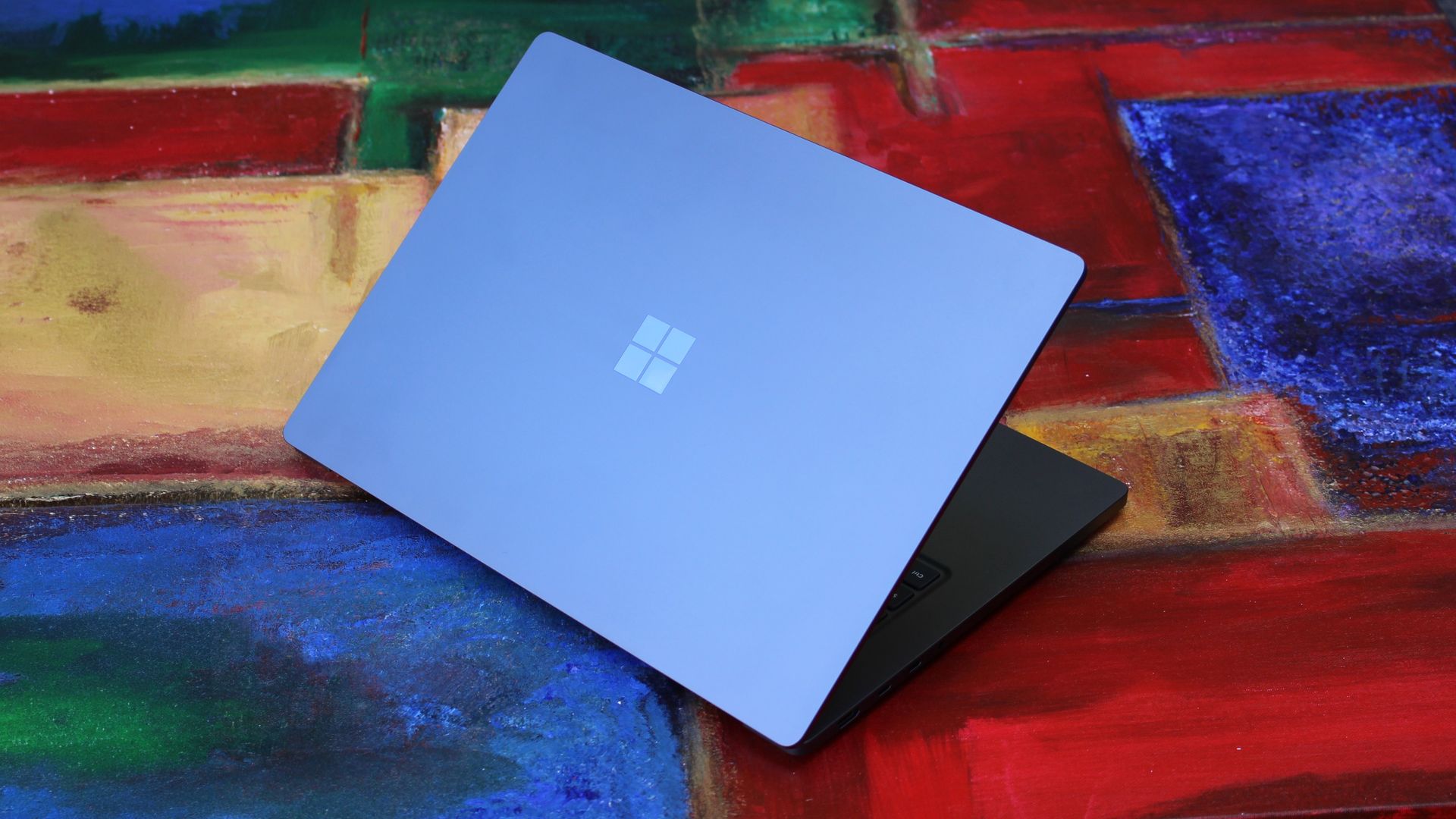
MacBook Pro? (Image credit: Zac Bowden / Windows Central)
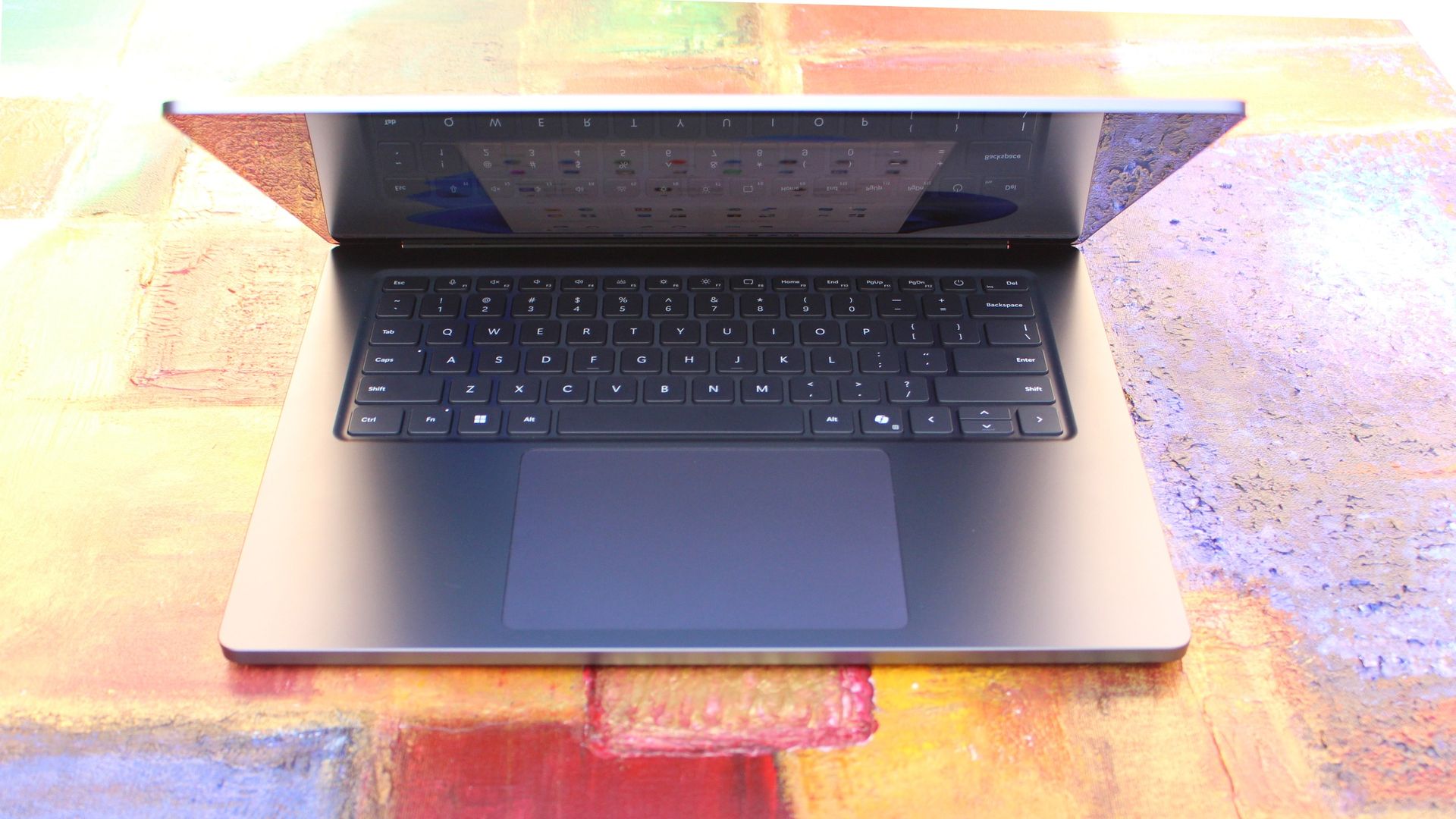
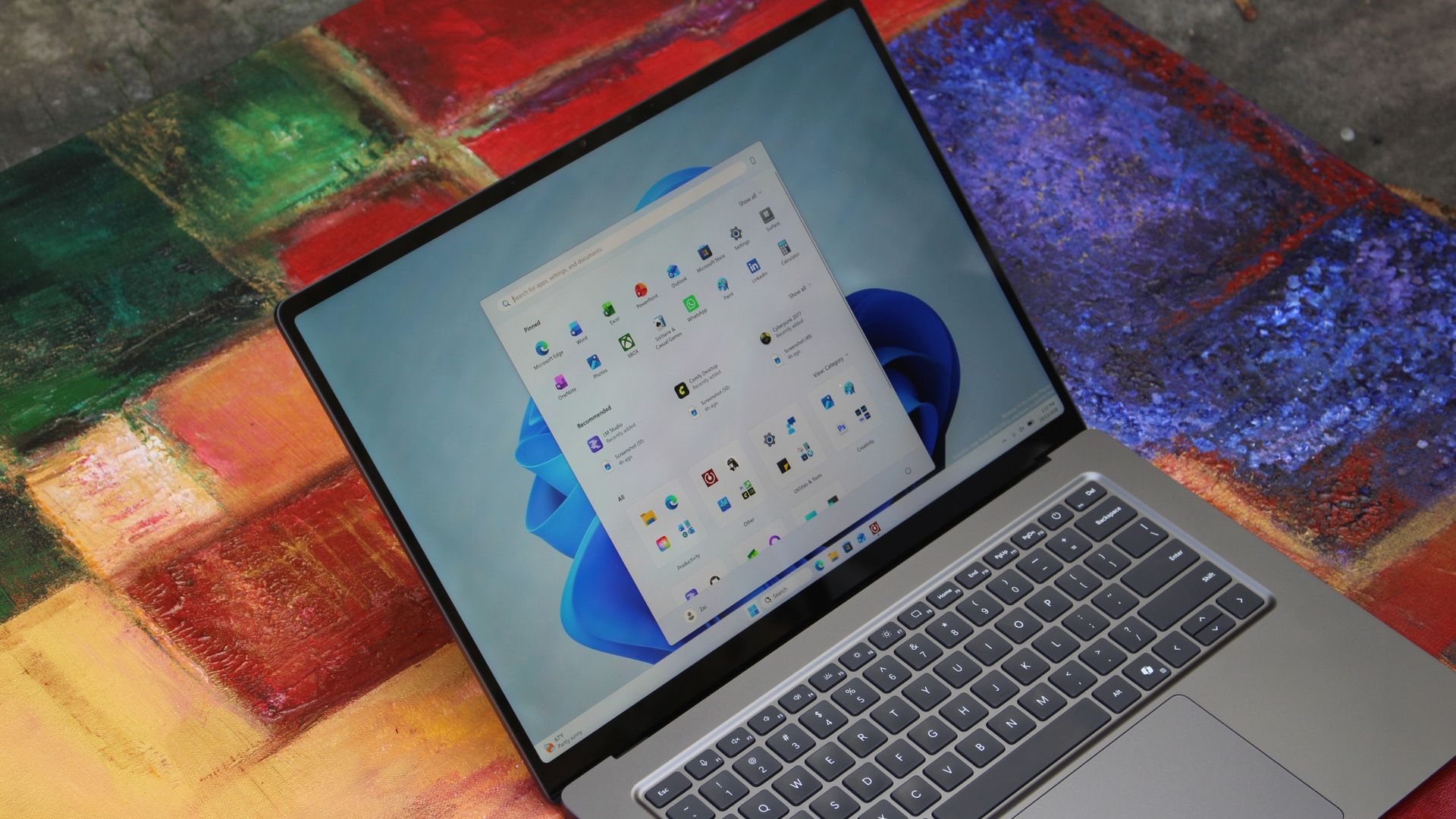
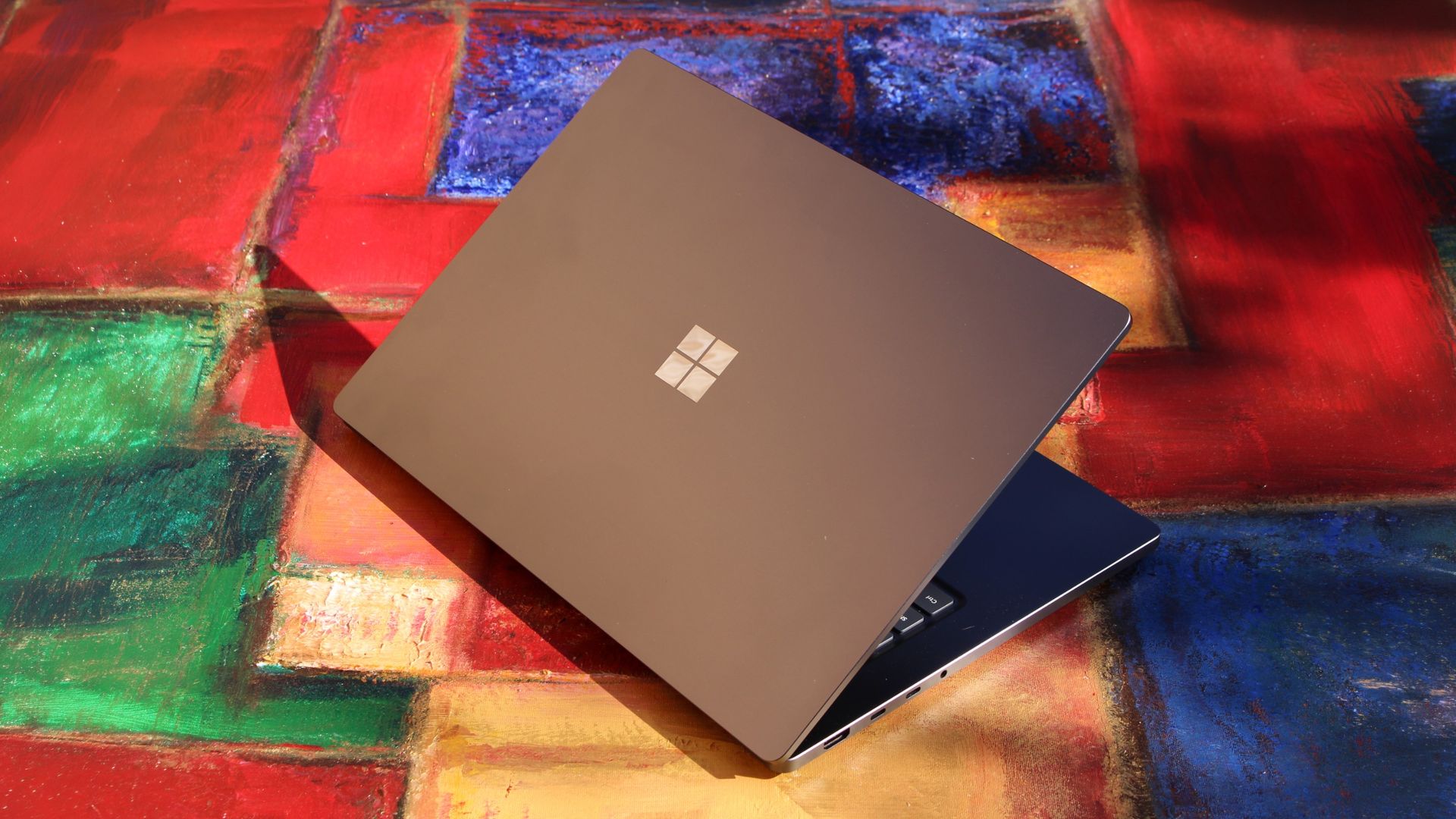
We have to start with how this thing looks, and we do need to address the fruit-shaped elephant in the room. Yes, Surface Laptop Ultra looks an awful lot like a MacBook Pro. I wouldn't blame the layman for even thinking it was a MacBook Pro from a distance. The square edges, large trackpad, and minimalist design echo the MacBook Pro from pretty much every angle.
But I'm not here to tell you that's a bad thing. The MacBook Pro is a beautiful device, which is to say Surface Laptop Ultra is also very beautiful. In fact, I think it even improves upon the MacBook Pro's design in subtle ways. The keyboard deck isn't surrounded by a plastic bezel like on MacBook Pro, instead it's softly indented into the metal keyboard deck which looks lush and seamless.
The corners on Surface Laptop Ultra are also a little rounder than the MacBook Pro, a design choice that trickles down from the corners of the chassis to the keys on the keyboard, and corners on the trackpad. It's an entirely consistent and well thought out design, which I highly appreciate.
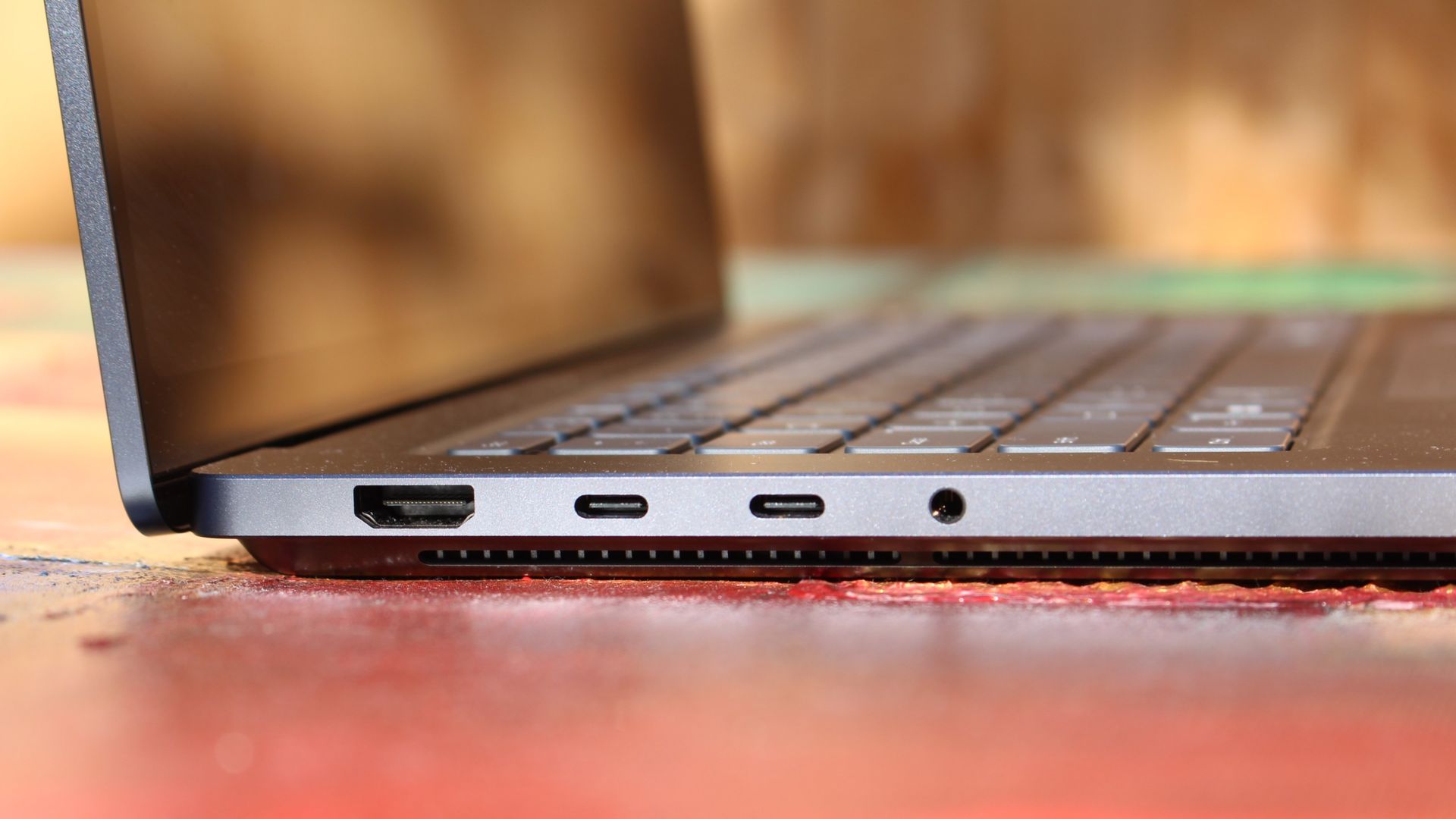
The left-side ports are good enough. (Image credit: Zac Bowden / Windows Central)
Microsoft also doesn't suffer from the godawful notch that you'll find on a MacBook Pro. Surface Laptop Ultra's display bezels are uniform along the left and right, and slightly thicker on the top to accommodate the Windows Hello IR face unlock sensors, which are much better than a fingerprint reader.
I should also mention that the display hinge on this laptop is perfectly tuned. It opens with one finger, and is perfectly balanced to provide a satisfying level of friction as you open and close it. It's also rock solid when typing, meaning it doesn't wobble around at all when on a desk.
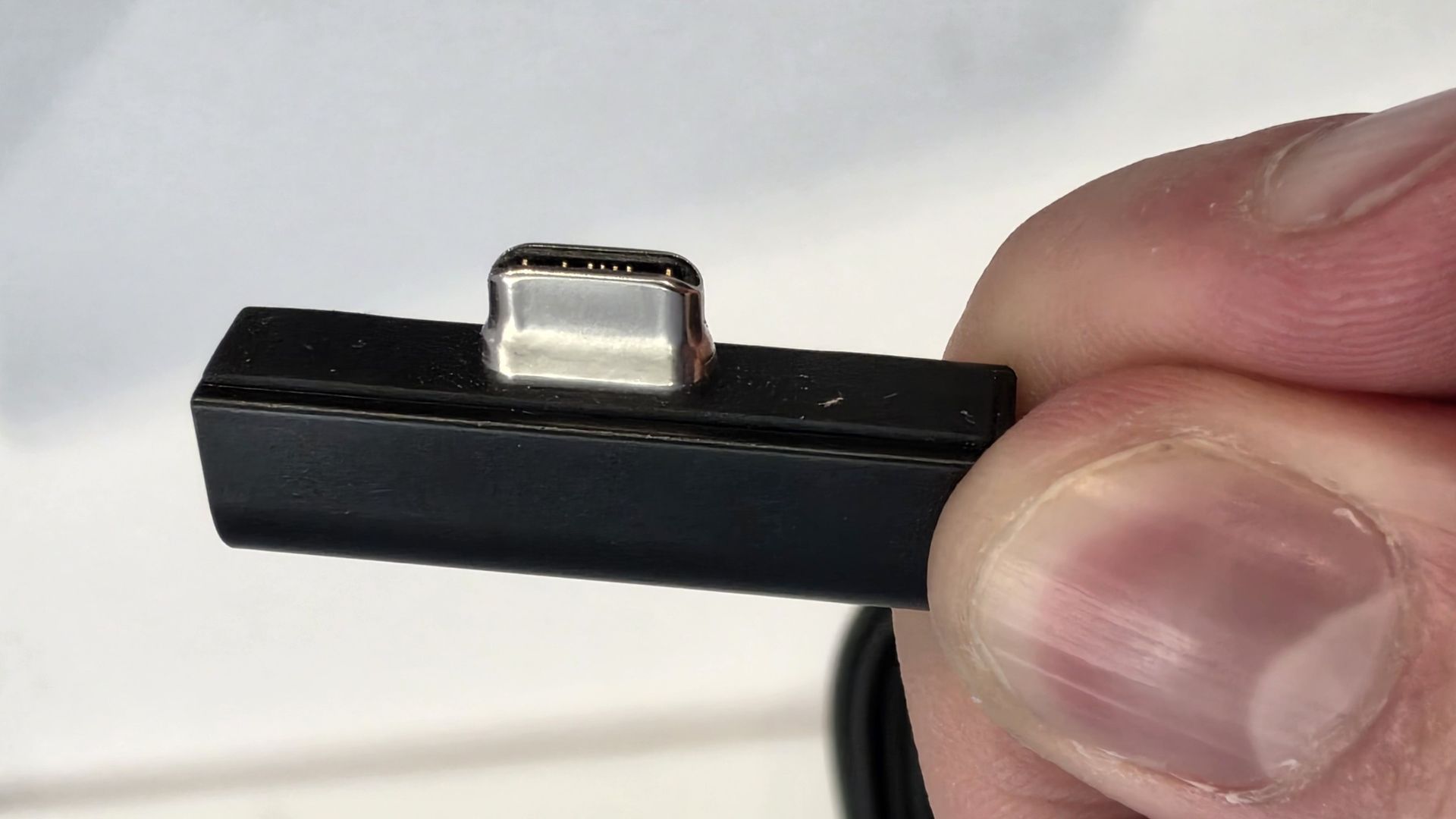
The port selection is good enough. It features three USB-C ports, a USB-A port, a 3.5mm audio jack, HDMI 2.1, and a full-sized SD card reader. Of course, the star of the show in the ports department is Microsoft's clever magnetic USB-C port, which replaces the proprietary Surface Connect charge port found on older Surface Laptops.
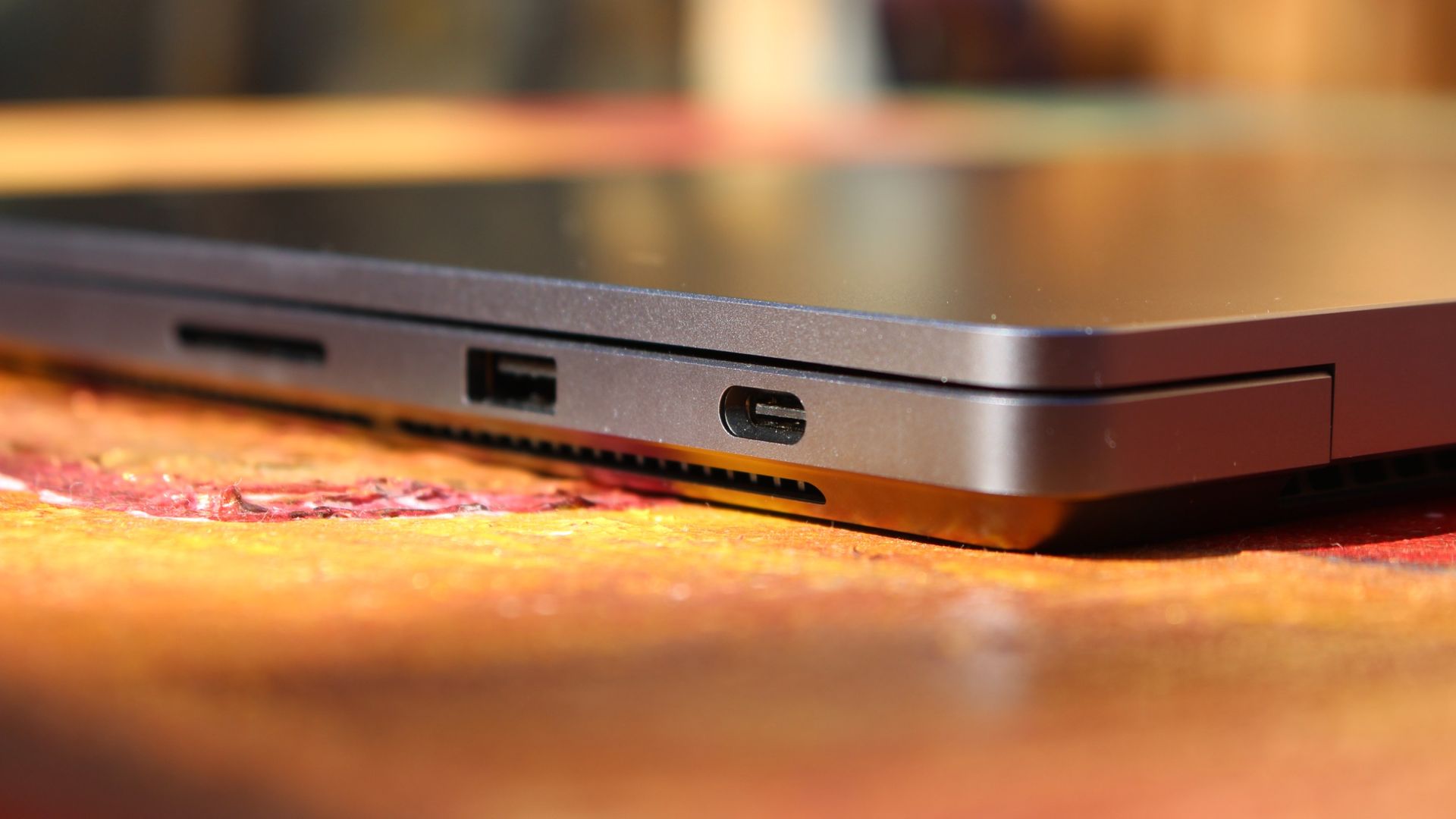
The special USB-C port is truly great. (Image credit: Zac Bowden / Windows Central)
It's great to see a laptop manufacturer attempting to innovate and improve on the universal USB-C standard. Here, we have a USB-C port that is compatible with all your USB-C peripherals, but it's also magnetized, and with the included charging cable, magnetically snaps to the device just like Apple MagSafe, while using the same universal USB-C port.
How did Microsoft do this? Well, most of the innovation is actually on the cable side. On the laptop itself, the only real change is that the USB-C port is slightly wider at its opening, but the rest of the USB-C port itself is typical in its design. Microsoft placed magnets on either side of the port, and redesigned the USB-C connector that's attached to the cable to allow for the magnetic connection to be seamless.
The cable's male USB-C end is shallower than a normal USB-C connection. This allows for it to connect to the USB-C port without clicking in, which is what locks a cable to a USB-C port normally. Instead, the magnets hold it in place, which enables the breakaway design that differentiates this USB-C port from the rest.
The USB-C connector is unique. (Image credit: Zac Bowden / Windows Central)
That does mean the USB-C cable that comes included only works with Surface Laptop Ultra, and only in this particular port. Microsoft realized this would be a problem, and designed the power brick that comes with Surface Laptop Ultra in a way that allows the magnetic cable to attach to the brick instead. The other end of the charging cable is a normal male USB-C end, which connects to any USB-C port you want.
So you can still use the Surface Laptop Ultra's power brick and cable on any device or any port you like, you just have to plug the magnetic end into the power brick first. It's a genius design, and proves that Microsoft really thought of everything when it comes to this unique magnetic USB-C experience. I love it, and I hope to see it on more laptops in the future.
Surface Laptop Ultra is available in just two colorways: Platinum and Nightfall. To me, I think the Platinum version looks the nicest, but the Nightfall version looks clean too. The good news is the dark color does a relatively good job at fending off fingerprints thanks to an anti-fingerprint coating that has been applied to the chassis.
Display & Features
The Mini LED display in all its glory. (Image credit: Zac Bowden / Windows Central)
Surface Laptop Ultra ships with Microsoft's first ever mini-LED display, which delivers better contrast and brighter peak brightness over your standard LCD that has been found in all other Surface Laptops to date. Unlike an LCD, the Surface Laptop Ultra's mini-LED screen packs 1,344 local dimming zones, which allows the laptop to dim darker areas of the screen that don't need as much light.
This number is not as high as the mini-LED screen on the MacBook Pro, and this results in a bit of blooming around bright elements on a dark background. If you use Windows in light mode, this will almost never bother you. But in dark mode, in a dimly lit environment, it becomes quite a bit more apparent.
The backlight also takes a fraction of a second to keep up with what's going on on your screen. If you move a bright window around on a dark background, you'll notice the backlight brightening and dimming around the edges of the window. This gives off a slight ghosting effect which degrades the 120Hz refresh rate somewhat. It isn't noticeable at all in light mode, however.
This all leads me to say I wish Microsoft had opted for an OLED panel on the Surface Laptop Ultra. I've been daily driving OLED displays for the better part of a year now, and a mini-LED panel just isn't a vibrant or contrasty as an OLED display can be. The mini LED display is good, but not the best on the market, and it's certainly no OLED.
Microsoft tells me it opted for mini LED over OLED primarily for the brightness and efficiency gains. At 2,000 nits peak brightness, it is the brightest screen ever put on a Surface. But Tandem OLED displays are also very capable of reaching similar peak brightness levels these days, and so I feel the benefits of a mini LED screen don't carry much weight here.
If you're coming from a standard LCD, the mini LED screen will be nothing but an upgrade to you. It's color accurate, very bright, and its high resolution and 120Hz make reading text and scrolling webpages look and feel great. But if you're coming from a MacBook Pro mini LED screen, or an OLED display, you will notice the downgrade in contrast and more noticeable blooming.
The display is also a touch screen, which is the case on pretty much all Surface PCs since the line began in 2012. Microsoft truly believes that touch has a place on the laptop form factor, and I agree with it. Being able to reach out to tap on a notification or hit OK on a window prompt is really nice, even if I don't use it all the time.
For pen lovers, sadly the Surface Laptop Ultra does not support pen input. Microsoft dropped pen input from the Surface Laptop with Surface Laptop 7, and the Surface Laptop Ultra has not restored it. This makes sense however, as the screen does not lay flat so drawing on it would be uncomfortable.
I also want to mention the fact that Surface Laptop Ultra features a user upgradeable SSD drive. That means you don't have to splash out on the most storage at the checkout screen. You can opt for a lower amount, and when you finally fill it, upgrade the SSD to something larger later down the line. You can't say that about the MacBook Pro.
That large trackpad is something else... (Image credit: Zac Bowden / Windows Central)
Unfortunately, Surface Laptop Ultra is missing a key quality of life feature that I have come to enjoy on other flagship Windows laptops over the last year: presence sensing capabilities. My daily driver is able to wake up and go to sleep whenever I approach it or walk away, and Surface Laptop Ultra is missing this functionality entirely. A crying shame.
It's also missing all Copilot+ PC features currently. Microsoft tells me that RTX Spark is a Copilot+ PC capable chip, but that the suite of Copilot+ PC features aren't yet ready for the platform, and to expect them to show up in the coming months. The RTX Spark has a 50 TOPS NPU that will power these experiences when they finally do arrive.
Keyboard & Trackpad
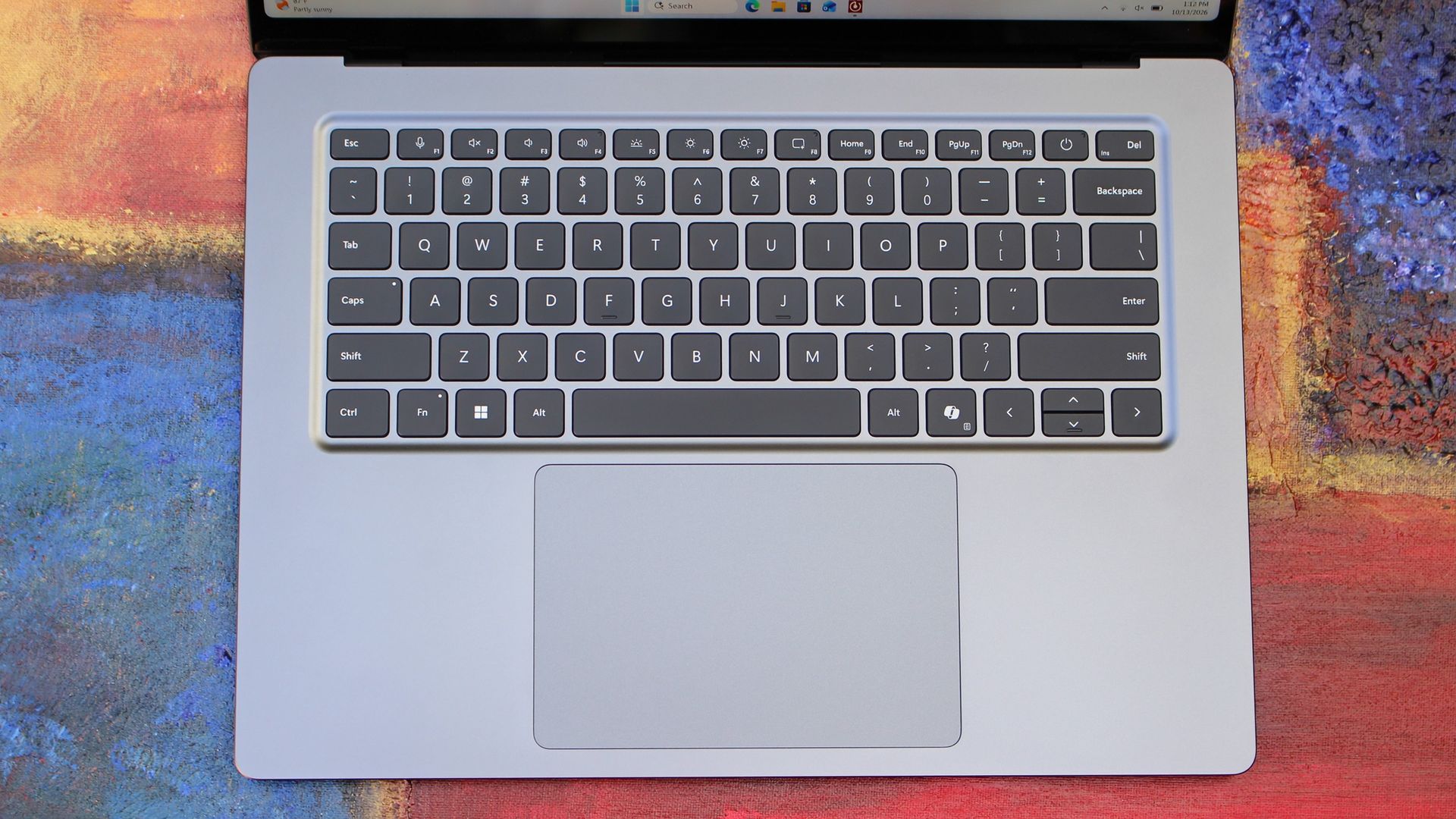
The best keyboard and trackpad I've ever used. (Image credit: Zac Bowden / Windows Central)
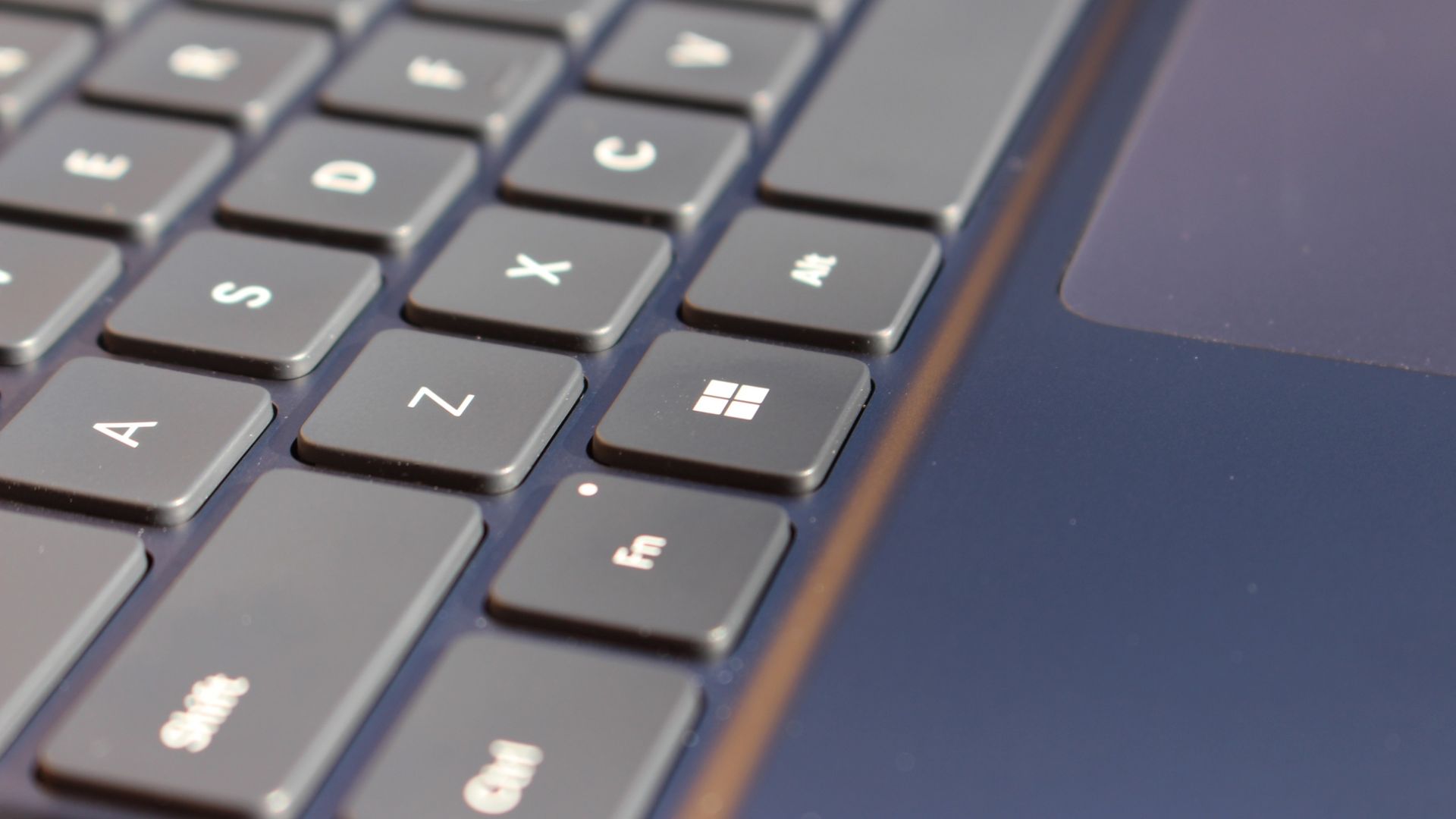
Surface has always delivered excellent keyboard and trackpad experiences, but Surface Laptop Ultra might be on a whole other level. This is probably the best keyboard and trackpad experience I've ever had on a Windows laptop to date. The keyboard is comfortable, tactile, and quiet, with 1.4mm key travel which is incredibly satisfying and not at all fatiguing.
The keys themselves are slightly rounder than the keys found on Surface Laptop 8, which I think is more comfortable and looks nicer as a result. It features a three-stage backlight, a Copilot key (which can be changed,) and a dedicated microphone mute key. It's pretty much perfect in every way.
But what I really want to talk about is the trackpad. It's the largest trackpad ever fitted to a Surface, and that makes a huge difference in how easy it is to use. There's so much room for activities, and you'll never find yourself at the edge of the trackpad because you needed to drag a file and ran out of room.
The keys are so nice to type on. (Image credit: Zac Bowden / Windows Central)
Palm rejection is also very good. I never once had an issue with the trackpad being in the way when typing, which means Microsoft has done a good job at ensuring the trackpad's side isn't impeding the typing experience. The trackpad itself is haptic, and feels great to click on, with strength adjustability in Windows Settings so you can really dial in just how strong that haptic feedback is.
But the new trackpad also supports Windows 11's new haptic system, which introduces subtle haptic feedback when interacting with different UI elements across Windows. When you snap an app window, or drag files across folders, you'll feel haptic bumps under your finger in the trackpad that are different from the usual click down sensation it provides. It's genuinely great.
Camera & Audio
It's a Surface, so you can and should expect great cameras and microphones on Surface Laptop Ultra. The webcam is a 1080p shooter that looks more than fine for video calls, Teams meetings, and recorded presentations. In low light, the image does get a little noisy, but not any more than any other high-end webcams on the market.
The shining star in this department are the built-in studio mics, which are very very good. They sound studio quality, with rich bass and far-field mics that do a very good job at tuning out background noise to ensure the things that you are saying are captured clearly and well.
I also need to take a moment to talk about the built-in speakers on this laptop. They are superb. Again, probably the best I've tried in a Windows laptop to date, and give the MacBook Pro 14-inch a run for its money. There's a clear sound stage, highs are crisp and bass is rich.
Performance & Battery
It's a looker for sure. (Image credit: Zac Bowden / Windows Central)
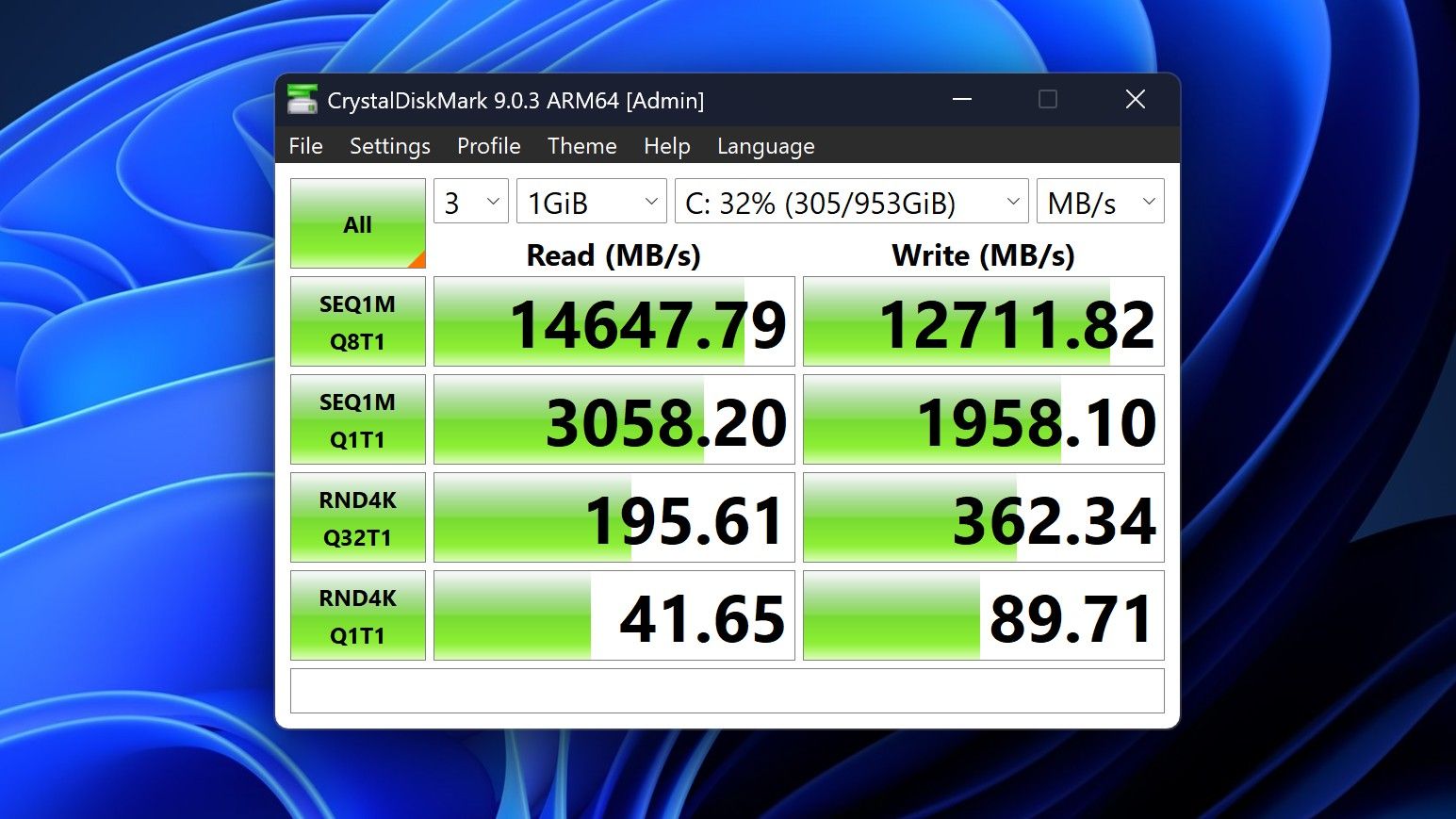
I've already published an in-depth look at the performance of RTX Spark on Surface Laptop Ultra, which you can read here if you're interested, so there won't be raw performance benchmark numbers in this review.
The TL:DR for that however is that the RTX Spark is a powerful chip, with okay CPU performance but great GPU performance. It's capable of playing most games at 1440p high settings above 60fps, and top end configs can fit large AI models directly onto the GPU for faster processing. But it trails behind the latest high-end Apple Silicon, and is more in-line with current-gen Snapdragon X2 Elite or last-gen Apple M4 Pro in overall performance.
By default, the 128GB Surface Laptop Ultra ships with its unified memory in a 50/50 split configuration. Users are free to adjust this in the NVIDIA app, which is good for when you need to give either the system or your GPU more RAM for whatever task it is you're completing. It requires a restart to apply, which frustratingly takes a long time on the Surface Laptop Ultra.
You can expect very fast read and write speeds on 1TB models. (Image credit: Zac Bowden / Windows Central)
Performance is great for the most part. In day to day usage, it's blazing fast and is able to crunch through pretty much any workload I'd want to throw at a mobile workstation such as this. With that said, there are a couple of oddities related to performance that I feel I should mention.
Compared to other devices I have on hand, the Surface Laptop Ultra sometimes takes twice as long to restart. I'm talking over 2 minutes from hitting restart to being back on the lock screen, which is about double the amount of time it takes all the other laptops in my possession. Microsoft says they are investigating.
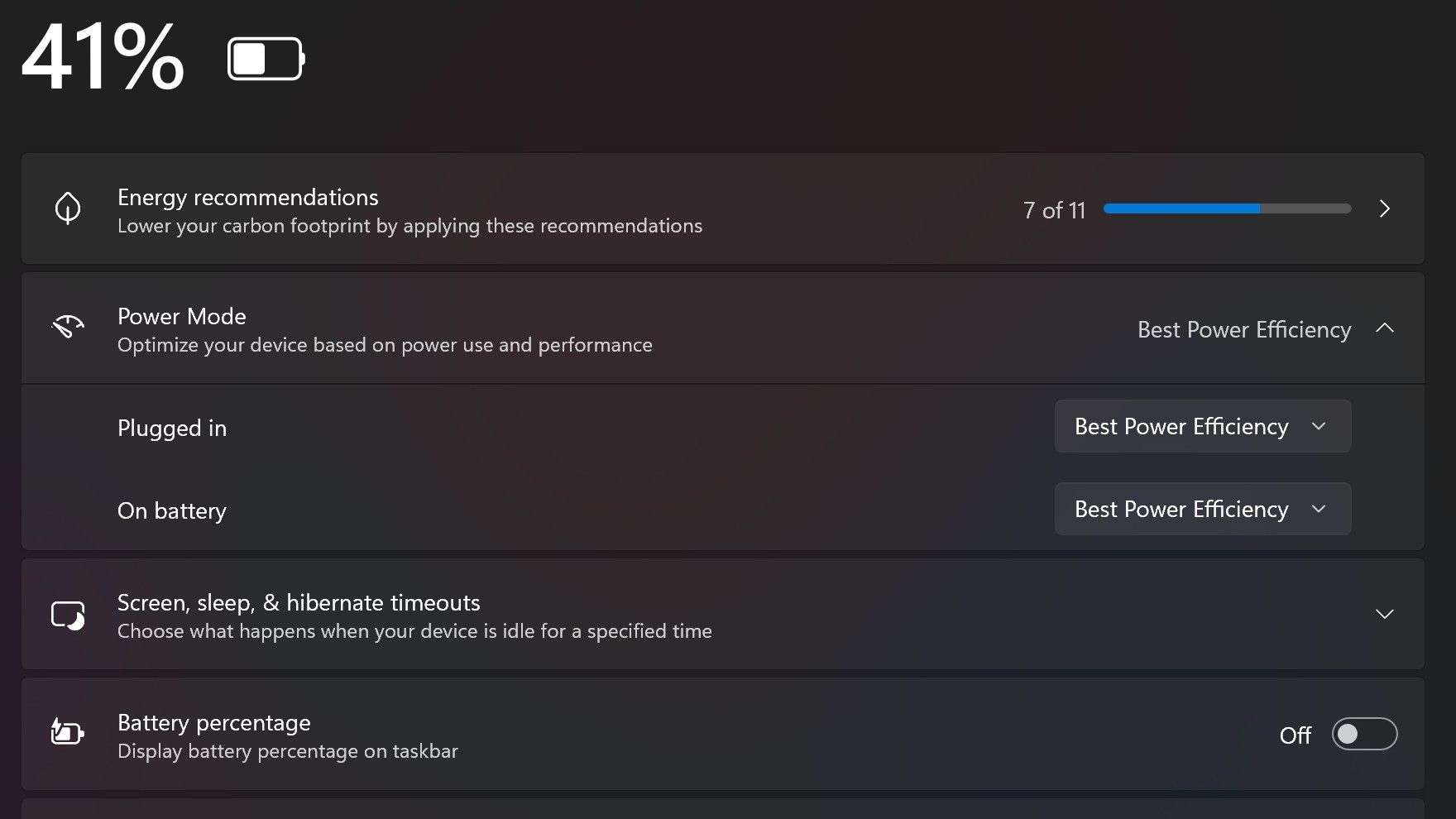
Surface Laptop Ultra also ships with the "Best Power Efficiency" profile set by default. This is unusual, as most Surface PCs ship with their power profile set to balanced. Microsoft says it does this to maximize battery life, but that does come at the cost of performance.
Make sure you change these to Best Performance for plugged in, and Balanced for battery life. (Image credit: Zac Bowden / Windows Central)
I've found that overall performance can be slashed by up to a quarter or even half when in this default mode. So if you want to make the most of your RTX Spark PC, be sure to change the power mode in Windows Settings to either Balanced or Best Performance. I usually set the on-battery mode to Balanced, and the plugged in state to Best Performance.
On the subject of battery life, the Surface Laptop Ultra's endurance is just fine. It's not class leading by any stretch, but I can definitely get through the work day without much fuss, though this will depend on your workload. Our Procyon battery life benchmark test lasted around 14 hours, and in real world use I was getting close to about 10.
But if your workload heavily leans on the GPU, you can expect to halve that number. The GPU is quite efficient for the power it outputs, but it's still a GPU and it's still hungry. So if you know you'll be using the GPU a lot throughout the day, you'll want to bring the charger with you.
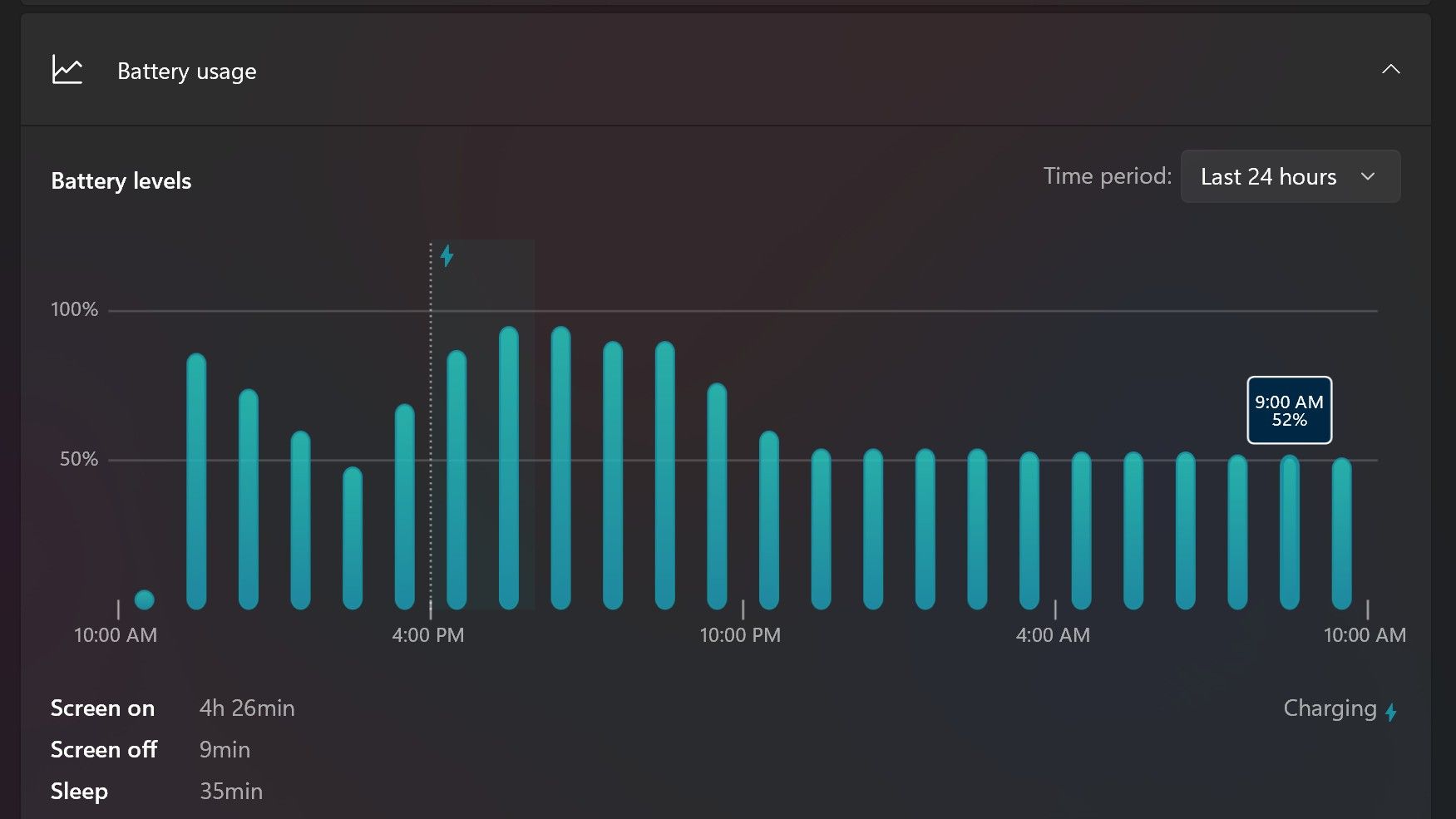
Surface Laptop Ultra only sipped power during sleep between midnight and 9AM. (Image credit: Zac Bowden / Windows Central)
With that said, sleep endurance is very good for the level of power this laptop outputs. I put the laptop to sleep at about midnight, and open the lid 10 hours later, and it's only drained one, maybe two percent from the battery. Very good on that front!
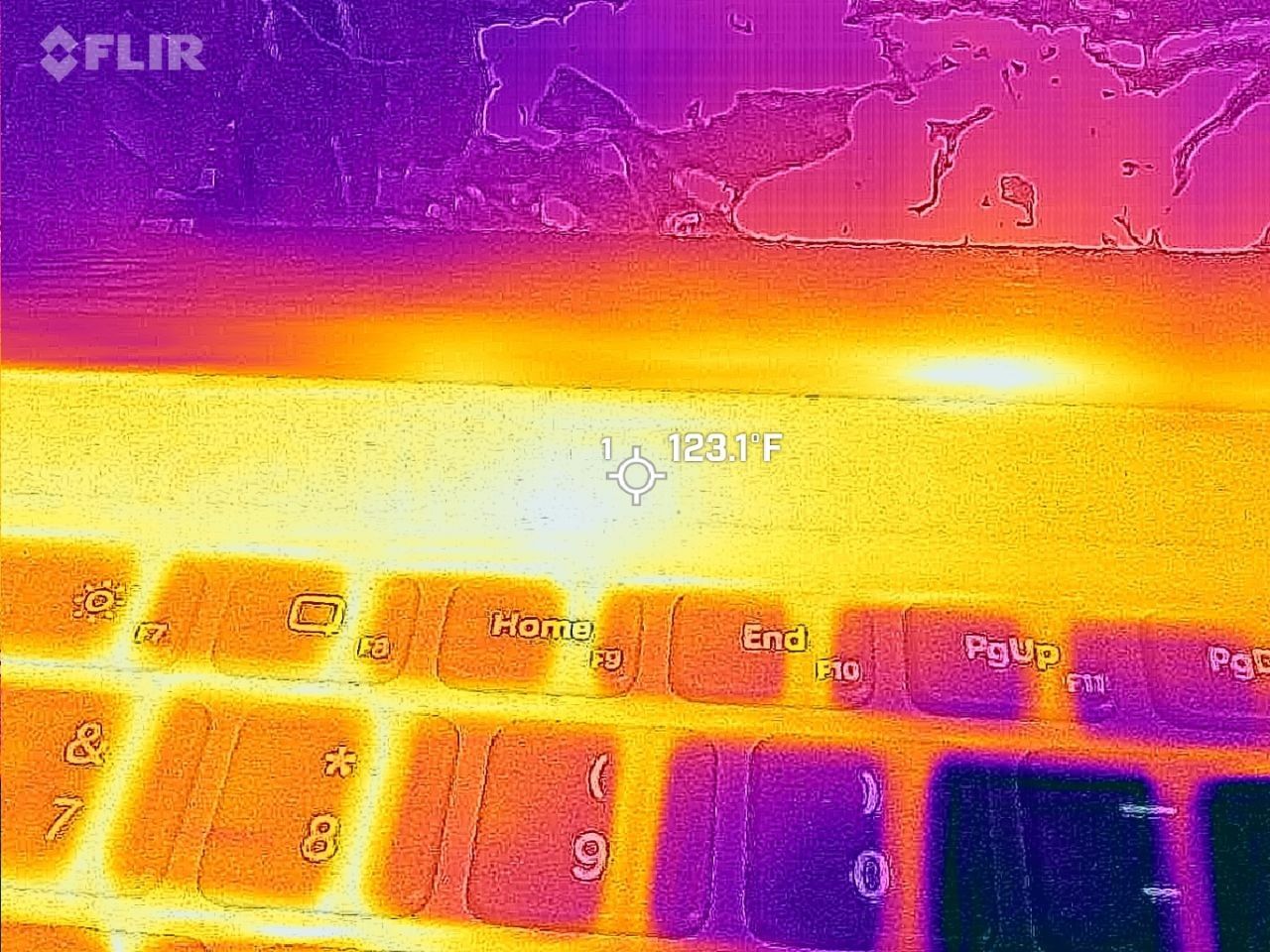
Under max load, the Surface Laptop Ultra gets quite warm. While the keys themselves remain at an okay temperature, the top part of the keyboard deck gets very toasty. I measured 123 F at its hottest under max load, which is approaching "oh that's hot" territory.
Surface Laptop Ultra gets toasty, but doesn't seem to thermal throttle. (Image credit: Zac Bowden / Windows Central)
I also noticed quite audible coil whine when under max load on my Surface Laptop Ultra. This isn't a problem in day to day use, but whenever the GPU is being used, I can hear buzzing coming from inside the keyboard chassis. If you're sensitive to that kind of thing, it will annoy you.
Fan noise is acceptable even at max load. I measure around 42 decibels at its loudest, and that was after running a benchmark for 10 minutes. In normal use, the fans rarely come on, though it does run slightly warm on your lap as a result.
Conclusion
Surface Laptop Ultra is ultra-premium. (Image credit: Zac Bowden / Windows Central)
✅ You should buy this if ...
You are a software developer utilizing on-device AI
You live and breathe large language models and agentic workflows
You need a beefy GPU in a portable and efficient package
You need lots of RAM
❎ You should not buy this if ...
You aren't interested in AI or agentic workflows
You only need a PC for standard productivity tasks
You occasionally game or edit video (get something cheaper)
You want something thin and light
Surface Laptop Ultra is great, but it's not something I can comfortably recommend everyone go out and buy, especially at these high prices. At the base level, it doesn't offer enough to justify the added cost over a Surface Laptop 8 with 24GB RAM. You do get the more beefy GPU and "better" display, but that comes at the cost of portability and battery life.
The Mini LED screen isn't the upgrade I was hoping it would be. For those who have only ever used a standard LCD their whole life, I'm sure you will appreciate the added brightness. But the ghosting issue is annoying and I think most people will notice it. I would have much preferred an OLED on a laptop this expensive.
Battery life is also just okay, which, again, for a laptop of this size and weight, leaves something to be desired. You can get longer day to day use out of a thinner and lighter Surface Laptop 8, which I think most people would prefer over the raw power that Surface Laptop Ultra offers.
And that brings me back to my original point. This isn't a laptop for everyone. It's a laptop for those who know they need it, and it's mainly for AI developers and high-end content creators. If you find yourself leaning on local agents to complete tasks for you, or enjoy generating images and videos using AI models, this is the laptop for you.
If you're someone who just needs a laptop for productivity tasks that includes a little bit of photo and video editing, and sometimes some gaming, there are cheaper laptops out there that will do that job very well.
Is this the MacBook Pro for Windows? I think it is. But it's not the perfect MacBook Pro alternative just yet. RTX Spark isn't at the same level as high-end MacBook Pro silicon, the Mini LED screen isn't best in class, and battery life could use some improvement.
Microsoft
Surface Laptop Ultra
Surface Laptop Ultra is Microsoft's flagship and most powerful Windows PC. It can be configured with up to 128GB RAM, and ships with NVIDIA's new RTX Spark SoC. It's great for creative workflows and software development, and those who want to run local AI and LLMs directly on their device.
Those tablets aren't really direct competition to the Surface Pro, but they do have a feature I'm envious of. The nanomatte screen on one of those Amazon Alexa tablets would be perfect on a Surface Pro.
Matte displays reduce glare by diffusing light. Because the screens bounce light in different directions, the image can appear grainy. An extreme example of this is if you get a cheap matte screen protector for your phone, but even a premium PC with a matte finish can look a bit grainy.
The nanomatte display Amazon uses in its new tablets etches the screen in a way that aligns with the pixels of the display. Amazon praises the displays for providing "a first-of-its-kind cinematic viewing experience, with incredible contrast retention in bright conditions and text that feels like it’s sitting on top of the glass."
I'm not sure I agree with the claim that it's a world first. Apple's nano-texture technology is similar to what Amazon unveiled. But even if Amazon is not a pioneer in the space, it has a device with a screen I'm envious of.
Many Surface devices, including the Surface Pro 8, are glossy, making them hard to use in well-lit environments. (Image credit: Future)
Microsoft has been oddly resistant to anti-glare displays. Surface was late to the party on adding them to any device and has been selective with where it offers the screens.
Microsoft has yet to fully embrace anti-glare screens and it holds back Surface hardware.
The anti-glare display of the Amazon Alexa Tablet 12 Pro also has a texture that makes pen usage feel more natural. The screen is meant to make it feel like you're writing on paper, not a perfectly smooth piece of glass.
It's not surprising that a device made by Panay has features that would fit perfectly on a Surface. He shaped the Surface brand as much as anyone, and he took his expertise over to Amazon.
But as I mentioned earlier, the Alexa tablets are not competitors to the Surface Pro, so they can't serve as replacements either. The Alexa tablets run on Android and have access to the Google Play Store. That's a welcome change to the locked-down Fire Tablets of the past, but it's a far cry from a Windows-powered 2-in-1.
I'd love to see Microsoft replicate the nanomatte finish of the Amazon Alexa Tablet 12 Pro on a Surface Pro in the future. The finish would help those using the Surface Pro in bright settings and also improve the feel of using a stylus.
The Amazon Alexa Tablet 12 Pro features a Nanomatte anti-glare display designed to reduce reflections while maintaining detail and color accuracy. It runs Android and can access the Google Play Store.View Deal
Join us on Reddit at r/WindowsCentral to share your insights and discuss our latest news, reviews, and more.
Google says certain Googlebooks won't feature full Android app support.
In a statement, the company warns Googlebooks with Intel processors (Acer, ASUS, and Lenovo) may struggle to support certain apps from the Play Store, but Qualcomm processors (HP and Dell) are fine.
Googlebook pre-orders opened September 21 and fully launched October 4 (U.S.) and 5 (U.K., etc.)
The Googlebook is available for consumers to start the week, but the company behind it revealed something important — they won't run all Android apps.
Earlier this morning (Oct. 5), the folks at Android Authority reached out to Google concerning the Googlebooks' app support capabilities. The company revealed something crucial: Not every Googlebook is made equal. According to the company, Googlebooks with Intel processors might struggle to support all Android apps that are available via the Play Store, because the majority of Android apps were made to suit ARM chips in phones.
"A small handful of complex apps or games need some developer tuning to run their best on Intel-based platforms," Google told the publication. While the company says it is working with devs, Intel, and Qualcomm to rectify this issue, consumers might not have to worry. "The vast majority of Android apps run smoothly," no matter if you're using an Intel Googlebook or one from Qualcomm, the company advised.
Poor support could mean a myriad of things in today's age. Would these apps not work completely, or would users encounter glitches and frequent error codes? Moreover, are we certain that Intel's chips are capable of running major apps (we'd assume so)?
For the record, the Acer, ASUS, and Lenovo Googlebooks all utilize the Intel Core Ultra 5 processor. Everything else (HP and Dell) relies on Qualcomm's Snapdragon X Elite.
Googlebooks are here
(Image credit: Derrek Lee / Android Central)
Android Central's Take
I've seen a couple of publications' takes on this, and I have to agree: This should've been stated from the jump. Imagine buying a Googlebook nad running home excited, only to find that, oh, this app's not working. Weird. Google said the full Play Store would be available, and yet ... The good thing is the company knows and is working with the right people to fix it. The bad thing is ... we didn't know until now.
Googlebook pre-orders officially opened on September 21. It was a momentous occasion following Google's earlier laptop reveal during The Android Show. This first wave includes laptops from companies previously mentioned, with prices starting at $899. A few major features include touchscreens, haptic glass trackpads, backlit keyboards, and strong Android phone pairing.
In particular, Magic Pointer is a standout feature for the Googlebook. It brings Gemini directly to your mouse pointer, so you can call on the AI for help whenever you need it. If you don't feel like putting money down for a Googlebook, don't worry. Google started rolling Magic Pointer out in Chrome for Windows and Mac computers.
Consumers can find the Googlebook at the Google Store, Best Buy, and other retailers. There is a motley of included goodies—free trials and the like.
It's time for TechRadar's annual tech awards, and this year we're doing it differently. For the first time, we have a complete set of categories where the winners are chosen 100% by you, the TechRadar readers.
The TechRadar Readers' Choice Awards 2026 comprises nearly 100 categories, but we know that not everyone is interested in voting in every one, so on this page you can vote in just our Computing and Gaming categories.
These include laptops, PC gaming peripherals, console accessories, monitors, gaming services and more. You can vote in the survey just below — or follow the links to see other specific categories, or to vote on the full list instead.
The shortlists were chosen by TechRadar's editors based on the best products we've tested or the most popular products of the year. You'll need to vote before 00:01am PST / 03:01am EST / 08:01am BST on Wednesday October 7th 2026 for it to be counted.
Once the deadline has passed at 00:01am PST / 03:01am EST / 08:01am BST on Wednesday October 7th 2026, we'll tally your votes to find the winners in each category.
We'll announce the winners in our big TechRadar Awards 2026 Week, starting Monday October 19th. We'll reveal the winners of the Reader's Choice Awards, as well as the winners of our TechRadar Product of the Year Awards, which are chosen solely by our expert judges.
How many products will do the double? We'll be curious to see — but right now, all you can do is vote for what you think should win, so vote away!
Laptops have long been a more expensive way to game, especially compared to a desktop gaming PC, for comparable components. But with the ever-rising costs of PC hardware in the current economic climate, it's a lot easier and now often cheaper to get a powerful prebuilt gaming PC or ready-made gaming laptop. Today's deal is on a large, 18-inch Asus ROG Strix G18 gaming laptop powered by an RTX 5080, now reduced by $600 to $2,699.99. It's still an expensive piece of kit, but you are getting a somewhat portable form factor and a good amount of memory and storage included in the specs for this large gaming laptop.
Asus's ROG Strix G18 is a large 18-inch laptop with a big screen. The 18-inch display sports an IPS panel with a 240Hz refresh rate and 500-nit brightness. Powering the display and your gaming performance is an NVIDIA RTX 5080 laptop GPU that includes 16GB of fast GDDR7 VRAM, along with the 24-core Core Ultra 9 275HX processor from Intel. Importantly, there's also a good amount of memory: 32GB of DDR5 RAM and a large 2TB PCIe Gen4 SSD for storage.
ROG Strix G18: was $3299.99 now $2699.99 A mighty 18-inch gaming laptop that uses a very powerful Nvidia RTX 5080 laptop GPU with 16GB of VRAM. The onboard processor is a 24-core Intel Core Ultra 9 275HX, sporting boost clock frequencies of up to 5.1 GHz, with an ample 32GB of DDR5 memory. There's also plenty of room for your game collection on the included 2TB SSD.
For any future upgrades, there's easy tool-less access to the SSD and RAM slots, which is a nice feature on a laptop. The keyboard features plenty of RGB backlit lighting that is configurable through Asus's Armory Crate software, along with an RGB light bar along the bottom of the laptop chassis, casting a distinctive glow on your desk that can sync with your keyboard and peripheral lighting.
For video connectivity, there's 1 x HDMI 2.1 port and 2 x Thunderbolt 5 ports, plus an Ethernet port for wired network access, with wireless options including Bluetooth and WiFi 7.
So if you want a ready-to-go gaming setup that's powerful enough to play all the latest game titles on a sharp 2.5K screen at high settings and frame rates, then the Asus ROG Strix G18 with RTX 5080 is a great choice, especially when you can save a hefty $600 off the price tag.
Googlebook pre-orders will officially open on September 21 at 9 a.m. ET, Google has confirmed.
The first Googlebooks are expected from brands including Acer, ASUS, Dell, HP, and Lenovo.
Googlebooks will focus heavily on Gemini, with features like Magic Pointer and AI-generated custom widgets.
Google has revealed that you'll finally be able to pre-order the first Googlebooks starting next week.
At The Android Show earlier this year, Google had its "one more thing" moment when it teased its next category of premium laptops called Googlebooks. Google says these are a new category of laptops built for the "intelligence system" era, but at the time, the company didn't reveal much about the devices or when you'd actually be able to buy one.
Now, Google has started emailing users confirming that Googlebook pre-orders will open on September 21 at 9 a.m. ET. The company hasn't revealed exactly which models will be available to pre-order next week, but we're expecting devices from Acer, ASUS, Dell, HP, Lenovo, and other partners. It's also unclear when the first Googlebooks will actually start shipping.
Google has also set up a new website that currently shows the Googlebook branding, a few teasers, and the September 21 pre-order date.
(Image credit: Future)
The company is highlighting some of the key Googlebook features on the page as well, with a heavy focus on Gemini. One of those is Magic Pointer, which lets you access Gemini directly through the pointer on your Googlebook. You'll also be able to create your own widgets simply by describing what you want.
Google is also positioning Googlebooks as the perfect companion for Android phones. Users will be able to open apps from their Android phone directly on a Googlebook, as well as access files stored on their phone from the laptop.
Googlebooks will be the first laptops built on Google's new Android-based technology stack rather than ChromeOS. Interestingly, Google still hasn't revealed the official marketing name for the operating system that will power Googlebooks, but we expect to learn much more as pre-orders open.
It'll also be interesting to see how Googlebooks fare in an increasingly crowded laptop market, especially with new RTX Spark-powered laptops on the way and RAM prices continuing to rise.
Want a powerful new OLED gaming laptop with a $1,000 discount on top? This HyperX Omen Max 16 gaming laptop from HP is down to $3,699.99 right now and features, among other top specs, an Nvidia GeForce RTX 5090 mobile GPU. You'll struggle to find a better spec'd laptop at this price point, and it's much cheaper than buying or building a top spec desktop gaming PC, too.
The mobile version of the RTX 5090 isn't quite as beefy as its desktop counterpart, but it's still the best GPU for a laptop that you can buy. Specs wise, it has 10,496 CUDA cores as its disposal, with 24GB of GDDR7 VRAM, operating on a 256-bit memory bus. A peak 175W TDP is much less than the desktop's 575W rating, but laptops are designed to be portable.
What's interesting is the pricing here. This laptop costs $3,699.99, and that's for an entire working system. If you wanted to buy the desktop version of the RTX 5090 alone from a retailer that has it in stock, it'd set you back at least $5,899. You could argue that they're totally different beasts, but PC gaming is getting really expensive. Buying a new desktop PC will set cost you thousands of dollars more than it would have last year. A top-spec laptop this like HyperX Omen Max 16 is the better of the two options from a financial point of view right now, especially as it'll still be able to handle modern games with the best settings for years to come.
An OLED gaming laptop with a huge $1,000 discount. This HP-made, 16-inch HyperX Omen Max 16 laptop features a 16-inch OLED panel with a 240Hz refresh rate, capable of outputting at 1600p.
It ships with the mobile version of the Nvidia GeForce RTX 5090, along with the 24-core Intel Core Ultra 9 290HX Plus, 32GB of DDR5-6400 RAM, and a 2TB SSD for storage. View Deal
As for this laptop, our HyperX Omen Max 16 review made clear that its original launch pricing didn't quite work, with better performance from rival laptops. The $1,000 drop makes it a much more attractive system, with a gorgeous build quality that's "solid as a rock." It's built with aluminum, with no flashy styling gimmicks, just a matte black finish and RGB lighting for the keyboard. It's weighty, too, measuring 14.04 x 10.59 x 1.03 inches and weighing 6.56 pounds.
This HyperX laptop has a 16-inch OLED display, will give you perfect blacks and infinite contrast compared to a cheaper LCD, with an ultra-fast 240Hz refresh rate for smooth, blur-free motion. The top resolution on this laptop's display is 2,500 x 1,600, and coupled with the RTX 5090, you won't struggle to hit the highest frame rates with Ultra graphics presets applied at 1600p, with the option to hook up to an external display using the supplied HDMI port if you prefer.
Games, movies and more are going to look incredible on this OLED panel, as it'll produce rich colors with plenty of depth, with 500-nit rated brightness, along with a max 1,100 for HDR content, to keep things vivid on-screen. Our review found it performed extremely well against the competition, with 131.2 percent of the DCI-P3 color space and 185.2 percent of sRGB. It also beat the MSI Raider 16 Max HX for panel brightness in our tests, with 464.6 nits vs 455.6.
(Image credit: Tom's Hardware)
The RTX 5090 is the centerpiece of this laptop, but you're also the Intel Core Ultra 9 290HX Plus as your CPU. It ships with 24 cores, eight of which are performance cores, which are good for gaming, along with 16 efficient cores for multi-threaded work. You're getting 32GB of DDR5-6400 RAM included, so no need to worry about the RAMpocalypse with this rig, along with a 2TB SSD offering Gen 5 speeds.
Wi-Fi 7 and Bluetooth 5.4 support ensures the fastest wireless connectivity, and you've got plenty of I/O too, including 2.5Gb Ethernet, the already-mentioned HDMI, a headphone jack, and two Type-C ports.
The $3,699.99 sale price for this HyperX Omen Max 16 OLED gaming laptop makes it a much more appealing option for buyers. In a market where an equivalent high spec desktop PC can set you back over $6,000, this price for a high spec laptop with an RTX 5090 is a good one in the current market. Grab it while you can, because HP aren't likely to keep it this cheap for long.
The memory crisis rages on, driving PC gaming prices through the roof. But that won't stop Dell (as Alienware) from offering powerful gaming desktops and letting players enjoy their favorite titles at high resolutions and smooth frame rates.
One rig in particular is the Alienware Aurora Gaming Desktop, currently discounted by $1,000 and offering an RTX 5070 (12 GB) GPU, 32GB of DDR5 RAM, and an Intel Core Ultra 7 265F CPU configuration for $2,229.99 at Dell (was $3,229.99).
"The Alienware Aurora R16 delivers great gaming performance at a whisper thanks to its powerful components and enhanced cooling technology." — Tony Polanco, Senior Computing Writer, Tom's Guide
It didn't earn these top review scores lightly either, as the Alienware Aurora R16 configuration that's on sale is equipped with some of the most mainstream and capable hardware for gaming.
These include an NVIDIA GeForce RTX 5070 graphics card to help it run graphically intense games like Cyberpunk 2077 at 1440p and 60fps (with some DLSS support), 32GB RAM to help it maintain stability during heavy multitasking (like playing a game while opening several browser tabs), and an Intel Core Ultra 7 265F CPU to aid it during content creation (like photo editing and rendering graphics) or everyday tasks (like browsing the web or writing reports).
It also has a 1TB SSD, so the Aurora can store plenty of game files or work folders that can be transferred in mere seconds.
To top it off, the Alienware Aurora Gaming Desktop has a superb ventilation and cooling system that will prevent this gaming PC from overheating during heavy-duty tasks while keeping it quiet.
Extra accessories for the Alienware Aurora Gaming Desktop
So if you're looking for a reliable gaming PC rig that can play the best PC games at their full graphical potential while getting some work done on the side in a jiffy, then you won't regret snagging the Alienware Aurora Gaming Desktop, now on sale for $2,229.99 at Dell.
While you're at it, here are some additional discounted accessories to help complete your Alienware Aurora Gaming Desktop setup and enhance your gaming experience.
"Developed in collaboration with over 100 esports professionals, it stands as one of the best wireless gaming headsets and has dethroned my favorite Razer option as my daily driver." — Brendan Lowry, Contributor, Gaming
"Build quality is exceptional, typing feels great, and gaming performance is flawless. It's light on extra features at this price point, but the core experience is good enough to make up for it." — Zachary Boddy, former Staff Writer
"Dell knocks it out of the park again with the excellent Alienware AW720M gaming mouse. Sleek, lightweight, and gorgeous, this mouse sports some serious hardware and specs." ~—Allisa James, Computing Staff Writer
Yesterday, Apple unveiled iPhone Duo, much to the dismay of the dozens of die-hard Surface Duo fans that opted for Microsoft's now defunct line of foldable phones. Of course, the name of the product was what drew immediate comparisons to Surface Duo, but as the keynote went on, it quickly became evident that it isn't just the name that Apple was interested in.
Ever since Surface Duo launched in 2020, I have heralded it as the best multitasking phone you could buy. No other folding phone, whether that be from Samsung, Huawei, Oppo, Honor, Xiaomi, or Google, have matched the Surface Duo from a pure multitasking perspective.
The dual-screen setup allowed for Microsoft to create a new user experience around the gap between the screens, and that led to a unique experience that made multitasking automatic. Open your app on one screen, and the other screen would remain on the home screen, available whenever you need it to begin another task.
Surface Duo multitasking allowed for both halves to work independently or in unison. (Image credit: Daniel Rubino / Windows Central)
If the second screen was free, opening links would open them on the other screen, allowing you to keep viewing the first app without it being obscured by your browser. You could swipe up from the bottom and drag the app across both screens, swapping them in place or spanning a single app across both screens for a totally immersive experience.
No other folding phone has ever matched this level of fluidity or multitasking prowess. Most single-screen folding phones opt to treat the large folding screen as a tablet screen, opening apps full screen and requiring gestures or modes to enter a special "multitasking view" that allows you to run the apps side by side. The OS isn't able to dynamically do this, unlike the Surface Duo.
Well, it turns out, iPhone Duo can. I've never seen another folding phone match the Surface Duo's multitasking design, but iPhone Duo does almost identically. In multiple demos, Apple shows the iPhone Duo opening an app, and letting users split it side by side with another app by dragging the app up and docking it to the left or right of the screen.
iPhone Duo lets you treat each side of the folding screen as independent. Just like Duo. (Image credit: Apple)
When you do this, the iPhone home screen appears on the other side, just like Surface Duo. From there, you can open another app, and swap sides with it by doing the same drag and drop gesture you do on Surface Duo. It even opens links in a browser next to your app automatically, just like Surface Duo.
Surface Duo had a lot of flaws, but one thing it got absolutely right was the fluidity and automagic-ness of its multitasking experience. Users were in control of where apps appeared, and it was easy to move apps between the two halves, and have them run side by side. In most instances, multitasking on Surface Duo was an automatic experience. I never had to cognitively initiate a multitasking mode, it automatically happened.
It looks like iPhone Duo is opting for the same design philosphy. User shouldn't need to initiate a complex gesture or mode to multitask. It should just happen when it makes the most sense. If you need to open an app next to your currently open one, just drag the app to the side and open the second app from your familiar home screen.
If you tap a link, it should open the browser next to your current app, not on top of it like so many other Android phones do. Both Surface Duo and iPhone Duo appear to do this correctly, and that's the biggest surprise in my book. It's not just the name Duo that Apple borrowed, it's the entire multitasking design ethos as well.
You can see this in action in this video:
I'm not even mad about it, I've always said that I wish another company built the Surface Duo, because it wasn't fair of Microsoft to debut the best multitasking experience I'd ever seen on a phone, only to kill the product two years later. Apple has taken the best of Surface Duo and implemented it onto its own iPhone Duo, which is a win for Surface Duo fans in my book.
And it's not just the software multitasking and windowing that Apple have copied. iPhone Duo also supports pen, another feature that was incredibly popular on Surface Duo. Many people used their Surface Duo's as a personal diary or note taking device, and it did that quite well. iPhone Duo also supports pen input via the Apple Pencil, which is awesome to see.
I think Apple even indirectly referenced the Surface Duo during their keynote. At the start of the iPhone Duo segment, Apple says "others have created foldables that just feel like two phones awkwardly stuck together." The only folding phone that was literally two phone screens stuck together was Surface Duo.
Apple is right in that you can mimic the setup of a dual-screen phone 100% on a single screen folding phone, and that's exactly what they've done with iPhone Duo. All the dual-screen multitasking behaviors have been implemented on the folding screen, and it still works great.
Surface Duo fans, I fear we may finally have our Surface Duo 3 in the form of iPhone Duo. Too bad it costs $2,000.
Join us on Reddit at r/WindowsCentral to share your insights and discuss our latest news, reviews, and more.
Apple didn't shock the world this week by unveiling the iPhone Duo, but it has taken the tech world by storm. With Apple joining the folding phone fray, we now have millions of people considering foldables that never would have considered the category.
But the iPhone Duo announcement stood out to me for another reason. It shows what happens when a company knows its own identity and leans into it. Apple is far from the first company to make a foldable phone, but the iPhone Duo tackles foldables in a way that's quintessentially Apple.
In normal Apple fashion, the company bided its time and waited for Samsung, Motorola, Xiaomi, and other companies to work out the biggest issues with foldables. Through years of trial and error, other manufacturers have determined the best form factor for a folding phone. They've also figured out use cases for folding screens and the large displays provided by what are essentially tablets that fold into phones at this point.
Apple's patient approach does more than give its engineers real-world feedback about a product category. By waiting until foldables became normal, Apple has left potentially the most difficult task to be completed by other companies: getting people to even consider a folding phone that costs a fortune.
Every time Apple introduces a new product or feature that's been seen elsewhere, people online joke about Apple "inventing" things. I get it. It's an easy joke and some Apple heads are smug and ignore advances made by other companies. But Apple's strategy works. In addition to making Apple money hand over fist, it creates good products.
Apple knows what it is. The leaders at Apple have a clear strategy and know how to make new products. Microsoft is lost when it comes to Surface, and the iPhone Duo shows that.
The Surface Duo pushed boundaries but was later abandoned by Microsoft. (Image credit: Future)
Before you jump to the comments, I am fully aware that Microsoft had a foldable phone years before Apple. The buggy mess that was the Surface Duo launched in 2020. After silently fixing a few bugs and realizing people want NFC and good cameras in a smartphone, Microsoft unveiled the Surface Duo 2. But Microsoft abandoned the Surface Duo lineup and never even released the Surface Duo 3, so I'm not going to give it the benefit of the doubt.
By not sticking with the Surface Duo lineup, Microsoft gave up its pioneer status. The company could have made a Surface Duo 3 that addressed concerns and then unveiled a model with a folding screen by now. But instead, Surface Duo is dusted.
When it comes to tech, you need to carve out a niche. That's often done by being the first, the best, or the most affordable. You can also succeed by being unique or by being over the top. Surface used to check some of these boxes, but it rarely does anymore.
What is Surface in 2026? It's no longer the innovative hardware maker that drove the 2-in-1 form factor. Experimental projects have been pushed to the wayside, leaving Lenovo to pick up the slack. Surface PCs were never the most affordable, and I'd argue they aren't even the best options in their respective categories anymore.
Microsoft has shown some small signs of moving in the right direction with the Surface Laptop Ultra, but I still have my reservations. Surface still seems lost, and I don't see Microsoft returning to the experimental roots of the product family.
Microsoft no longer pushes the limits of computing with experimental hardware. But it also does not wait long enough to see a category fully mature and then swoop in with a perfected version. Surface is stuck in the middle of a crowded PC space and feels like a leftover appendage of a bloated company.
Join us on Reddit at r/WindowsCentral to share your insights and discuss our latest news, reviews, and more.
Ever since the MacBook Neo launched earlier this year, Windows OEMs have scrambled to ship devices that match it from a design and price perspective. Until this year, most Windows OEMs weren't all that interested in insuring their sub-$1,000 laptops were pretty, but that has all changed in recent months.
OEMs like Dell and Acer have come out with $799 laptops that match the MacBook Neo in design and premium build quality, and now ASUS is joining the fray with their own $799 Windows laptop that also looks the part. The new ZenBook 14 with Snapdragon X is one of the better $799 Windows laptops we've tested, thanks to its premium design and excellent OLED display.
I've been daily driving the ZenBook 14 over the last few weeks, and this is my full review.
This review was made possible via a sample unit supplied by ASUS. The company had no editorial input and did not see the contents of this review before publication.
ASUS
Zenbook 14 (UX3480 Snapdragon)
The ASUS ZenBook 14 with Snapdragon X is ASUS's first true MacBook Neo competitor. Coming in at $799, it features a 1080p OLED display, excellent keyboard, plenty of ports, good performance and all day battery life.
Category
Specification
Model
UX3480QA
Operating System
Windows 11 Home
Processor
Snapdragon X X1 26 100 (30MB Cache, up to 2.97GHz, 8 cores, 8 threads)
Graphics
Qualcomm Adreno GPU
Neural Processor
Qualcomm Hexagon NPU up to 45 TOPS
Display
WUXGA (1920×1200) OLED, 16:10, 0.2ms response, 60Hz, 100% DCI‑P3, 1,000,000:1 contrast, 16.7M colors, 70% less blue light, non‑touch
Memory
16GB or 8GB LPDDR5X (on board)
Storage
256GB M.2 NVMe PCIe 3.0 SSD
Expansion Slot
1× M.2 2280 PCIe 4.0×4
I/O Ports
2× USB‑C (USB 3.2 Gen 2, display & power delivery) 1× USB‑A (USB 3.2 Gen 1) 1× HDMI 2.1 TMDS 1× 3.5mm audio jack
AI Noise Canceling, Live Update, TaskFirst, WiFi SmartConnect, Function key lock, Splendid, Fan Profile, Battery health charging, System diagnosis
Included Offers
3‑month Google AI Pro 3‑month GoPro Premium+ 1‑month Adobe Creative Cloud All Apps Xbox Game Pass Premium (2 months)
Security
TPM, Microsoft Pluton, BIOS password protection, IR webcam with Windows Hello
What I love
(Image credit: Zac Bowden / Windows Central)
Any laptop that wants a running chance at being competitive with the MacBook Neo needs to focus on design and build quality. Luckily, the ASUS ZenBook 14 is a device that looks and feels the part. It features a premium metal chassis with a coating that does a great job at hiding fingerprints and remaining light.
The design of the laptop is notably rounder than the MacBook Neo and other laptops in this price range, which gives it an edge in ergonomics too. Carrying this laptop around in your hands is very comfortable, and it just looks great when sitting on a desk or on your lap.
The texture of the chassis is nice and smooth, and cold to the touch which helps with that premium feeling. It's also super lightweight, coming in at just 2.87lbs, making it a touch heavier than the MacBook Neo but still plenty light, especially at 14-inches. The chassis does flex a tiny amount, but not enough for it to take away from the overall premium experience.
(Image credit: Zac Bowden / Windows Central)
Opening the laptop up, we're greeted with what I'd arguably describe as the star of the show. This laptop is rocking 14-inch OLED display that looks great for $799. It is a 1080p panel, which is notably lower resolution than what you might find on the MacBook Neo and Dell XPS 13, but the OLED colors make up for that slight drop in sharpness.
You don't often find OLED displays on laptops at this price bracket, especially not with a Snapdragon chip on the inside. This laptop is powered by the Snapdragon X 8-core SoC, which delivers good performance for day to day tasks while being incredibly energy efficient, meaning this device will last you all day on a single charge without breaking a sweat.
The configuration that starts at $799 includes 8GB RAM, which is a little on the low side in 2026, but if you're only planning to use your laptop for lightweight productivity tasks and a bit of multitasking between a web browser, Spotify, Teams/Slack, and an email client, it should be more than enough. If you need more, ASUS does offer the laptop with more RAM and storage at a higher price.
(Image credit: Zac Bowden / Windows Central)
Turning out attention to the chassis once more, we have plenty of ports for a laptop at this price bracket. It features a full size USB-A port on the right, and two USB-C ports, a full-size HDMI port, and a 3.5mm audio jack on the left. The USB-C ports are used for both data and charging the device.
I also want to take a second to shout out the great keyboard on this laptop. The ZenBook 14 has one of the best feeling keyboards I've ever typed on at this price point. For $799, this keyboard is lush. It's tactile yet quiet, and my fingers just glide across the keys. Actuating the keys is also easy and weightless.
(Image credit: Zac Bowden / Windows Central)
Lastly, the audio and webcam on this device are surprisingly good. The webcam is a XX shooter which looks great in well lit rooms, but gets a bit noisy in low light. It's perfect for Teams calls and video calling friends, and the built-in microphone is more than cabable for the same tasks.
What's really nice about the webcam is that it also features IR sensors for Windows Hello face unlock. This level of biometric authentication isn't something you'll find on the $799 MacBook Neo, but it does match the $799 Dell XPS 13.
What I hate
(Image credit: Zac Bowden / Windows Central)
There's not much to dislike about the ASUS ZenBook 14, but there are a few things I noticed during my time with it that I wasn't a fan of.
First of all, I don't like the trackpad. It's nice and smooth, and plenty large, but that's about as much good as I can say about it. I don't know if this was just an issue with my review unit, but the trackpad feels notably tougher to actuate than other trackpads I've tried. The MacBook Neo's trackpad is effortless, but the ZenBook 14 trackpad is a little tougher to press down.
I'll also say that the tracking of the trackpad itself is also not great. When people say Windows trackpads suck, I suspect it's trackpads like this that they're referring to. It just doesn't feel very accurate, often over or under shooting where I intended to move the mouse. The keyboard also doesn't feature a backlight, which kind of sucks. I know the MacBook Neo also doesn't have a backlight, but it also sucks on that laptop too. At $799, the laptop should have a backlight in my opinion.
The only other annoyance I found with the ZenBook 14 is that I found its fan spins up a fair bit, and it can get quite loud under super intensive load. It's not normally an issue in day to day use, but if you're susceptible to fan noise, I'd be weary of the ASUS ZenBook 14.
Conclusion
(Image credit: Zac Bowden / Windows Central)
The ASUS ZenBook 14 is the latest MacBook Neo competitor to hit the scene, and it's one of the better ones. Yeah, the trackpad isn't amazing, but everything else about this laptop is great for a $799 starting price.
I think it's one of the better looking $799 laptops you can find right now, complete with a thin and light profile and plenty of ports to boot. It also has all day battery life, and good performance for the day to day tasks you'd be expected to want to complete on a device in this price bracket.
The OLED display is a great addition, and while I wish it was slightly higher resolution and higher refresh rate, the panel itself is perfectly acceptable at this price point. In fact, I'd say the punchy colors are worth the slight decrease in resolution.
ASUS
Zenbook 14 (UX3480 Snapdragon)
The ASUS ZenBook 14 with Snapdragon X is ASUS's first true MacBook Neo competitor. Coming in at $799, it features a 1080p OLED display, excellent keyboard, plenty of ports, good performance and all day battery life.
Join us on Reddit at r/WindowsCentral to share your insights and discuss our latest news, reviews, and more.
The new Asus Zenbook 14 is designed to be an ultra portable device with a mid-range price that doesn’t compromise on performance.
True to other models in the line, the finish of the Zenbook 14 is different to the usual fare at this kind of price point, with its soft texture and uncommon colorways that are far more vibrant than many.
More impressive, though, is the Zenbook 14’s build, which blends strength and lightness in a way very few can match. Compared to other 14-inch laptops, this has to be one of the best laptop constructions around in terms of portability.
However, it’s not quite as thin as you might expect, and the thick feet underneath only add to the bulk. What’s more, although most of the unit is remarkably sturdy, the keyboard has a tendency to flex while typing on it, which is a little disconcerting.
(Image credit: Future)
As you might expect for a laptop this portable, the Zenbook 14 isn’t loaded with interfaces, but those included are wisely chosen. You get one USB-A and two USB-C ports — the latter of which support power delivery and display signals — as well as an HDMI output and a headset jack.
The Zenbook 14 performs competently at everyday tasks. It can handle basic productivity and browsing, as well as 4K streaming. It struggles with even light gaming, but that isn’t too surprising given its lack of a dedicated GPU.
Fortunately, the Zenbook 14 remains composed even when undertaking heavy workloads. The fans are audible in such circumstances, but they’re certainly more hushed than many other examples. Temperatures also remain impressively cool, with only a few hotspots appearing — and mercifully these steer clear of commonly touchable surfaces.
The 1920 x 1200p resolution is sharp enough for its 14-inch real estate, while the OLED technology provides the vividness and contrast you’d expect. Reflections are visible at times, but the maximum brightness level should keep them from disrupting your viewing experience too much.
One of the main drawbacks of the Zenbook 14, though, is its battery life. It lasted just over 12 hours when I played a movie on a loop, which is short compared to many of its competitors. In fact, the Zenbook A14, a similar machine to the 14 in many ways, more than doubled this time when I ran the same test.
What’s more, the A14 is similarly priced to the 14, so all things considered it offers the better value. The 14 is the better the choice if you want a slightly more solid body, but in all other regards, the A14 would be the better choice.
(Image credit: Future)
Asus Zenbook 14 (2026) review: Price & availability
Starts from £799.99 (about $1,080 / AU$1,500)
Preorders open now (ships September)
Some rivals offer better value
The Zenbook 14 starts from £799.99 (about $1,080 / AU$1,500) and is available to preorder now, with shipments expected early to late September. Availability in the US and Australia is yet to be confirmed, but we'll update this section once it has.
The base model gets a Qualcomm Snapdragon X1 CPU, 16GB of RAM, and a 50Wh battery. More powerful AMD Ryzen AI 7 and Intel Core Ultra 9 models, both with 70Wh batteries, can also be preordered for £1,399.99 and £1,499.99 respectively. These two also get backlit keyboards, but the Snapdragon model doesn’t. Each model has three colorways to choose from: Zabriskie Beige, Arctic Blue, and Komodo Coral.
This is a reasonable price considering its spec. However, the already available Asus Zenbook A14 is slightly cheaper, yet has superior battery life and a marginally lighter build. Then there’s the HP OmniBook 7, which we’ve seen in recent sales with a similar price, and is a fantastic all-rounder that’s hard to beat at this point in the market.
2x USB-C (3.2 Gen 2, display / power delivery support, 10Gbps) 1x USB-A (3.2 Gen 2, 5Gbps), 1x HDMI 2.1, 1x 3.5mm Combo Audio Jack; Wi-Fi 6E, Bluetooth 5.3
2x USB-C (1x 4.0 Gen 3 40Gbps, 1x 3.2 Gen 2 10Gbps, display / power delivery support) 1x USB-A (3.2 Gen 2, 5Gbps), 1x HDMI 2.1, 1x 3.5mm Combo Audio Jack; Wi-Fi 6E, Bluetooth 5.4
2x USB-C (1x 4.0 Gen 3 40Gbps, 1x 3.2 Gen 2 10Gbps, display / power delivery support) 1x USB-A (3.2 Gen 2, 5Gbps), 1x HDMI 2.1, 1x 3.5mm Combo Audio Jack; Wi-Fi 6E, Bluetooth 5.4
Battery
50Wh
70Wh
70Wh
Dimensions
12.3 x 8.5 x 0.7 inches / 311 x 216 x 17mm
12.3 x 8.5 x 0.7 inches / 311 x 216 x 17mm
12.3 x 8.5 x 0.7 inches / 311 x 216 x 17mm
Weight
2.43lbs / 1.10kg
2.65lbs / 1.20kg
2.65lbs / 1.20kg
(Image credit: Future)
Asus Zenbook 14 (2026) review: Design
Light and strong body
Unique finish
Reasonable port selection
The unique Ceraluminum body certainly sets the Zenbook 14 apart, as do the bright colorways. The beige finish of my review unit was more interesting than the usual monochromatic shades we’ve grown accustomed to, looking softer and more inviting as a result. This was further aided by the rounded corners and the odd texture of the material, which has a slight graininess that’s comfortable in the hand.
One of the major selling points of the Zenbook 14’s construction is its lightness. It weighs around 2.5 pounds (just over a kilogram), which is impressive for a 14-inch laptop. However, it’s not quite as thin as you might expect, with a bit more unexpected bulk at the rear. The two long bars that run underneath, acting as feet, don’t help matters, either.
(Image credit: Future)
However, some may view this a worthy sacrifice for the unit’s surprising solidity. Both the base and the lid have very little flex to them. It feels slightly sturdier than the A14 I reviewed previously, although that model is slightly lighter at 2.16 lbs / 0.98kg.
There is, though, one weak point to the Zenbook 14’s build, and unfortunately that’s the keyboard. Hammering away on the keys often depresses the whole board, which can be quite annoying and doesn't inspire much confidence. There’s also no backlighting, which is an omission I always lament.
On the plus side, there are a reasonable number of ports on the Zenbook 14. There’s one USB-A port on the right-hand side of the unit, which is the only port on this side. On the left, you’ll find two USB-C ports (both of which support external display signals and power delivery), an HDMI port, and a headset jack.
(Image credit: Future)
Asus Zenbook 14 (2026) review: Performance
Fast everyday performance
Vivid but reflective display
Good for typing
Asus Zenbook 14 (2026) benchmarks
3DMark: Night Raid: 16,506; Fire Strike: 3,644; Steel Nomad: 224; Solar Bay: 6,135; Solar Bay Unlimited: 6,132; Solar Bay Extreme: 624; Solar Bay Extreme Unlimited: 625 Geekbench 6.5: Multicore: 10,701; Single-core: 2,145 Cinebench R23: Multi Core: 7,403; Cinebench R24: Single Core: 58; Multi Core: 435 Crossmark: Overall: 1,118; Productivity: 1,047; Creativity: 1,188; Responsiveness: 1,132 Passmark Overall: 2,989.3; CPU: 12,886; 2D Graphics: 330.3; 3D Graphics: 1,848.8; Memory: 2,338.2; Disk: 37,339.4 BlackMagicDisk: Read: 3,832MB/s; Write: 2,810MB/s HandBrake 4K to 1080p: 37.6fps Battery Life (TechRadar movie test): 12 hours and 15 minutes
For everyday tasking, the Zenbook 14 is a solid performer. The Snapdragon X1 chip in my review unit was fast and smooth when conducting basic productivity workloads such as word processing. It also handled multi-tab browsing and 4K streaming with plenty of composure as well.
Sadly, but somewhat expectedly, the Zenbook 14 isn't ideal for a spot of light gaming. It struggled to run Cyberpunk 2077 even on the lowest preset, blighted by rough visuals and debilitating slow downs during chaotic scenes. The A14 I tested previously, equipped with a Snapdragon X2 Elite chip, was able to handle low presets better, although it still wasn’t a flawlessly smooth experience.
Some fan noise is evident when the Zenbook 14 is under stress, but this isn’t too distracting. For such a compact laptop, the Zenbook 14 also does well to keep temperatures from soaring. I only noticed portions above the keyboard and underneath getting hot, while the commonly touchable surfaces, such as the keyboard, only became lukewarm at most.
(Image credit: Future)
The 1200p OLED display is crisp and sharp, with plenty of contrast and vividness. It can show reflections a little too readily, especially when deep blacks are displayed. Mostly, though, the high brightness levels do well to keep reflections at bay.
Despite that aforementioned flexing of the keyboard, the Zenbook 14 is still good for typing. It may feel a little harsh due to the lack of dampening, but the keycaps are comfortable and well spaced, while their low profile and short travel make them feel snappy and easy to glide over.
Complementing the keyboard is the super smooth touchpad that allows for easy swipes and gesturing. It’s not very large, but it maximizes its real estate commendably by extending from almost the bottom edge of the unit to the bottom of the space bar, which makes navigation less of a chore than it otherwise would be.
(Image credit: Future)
Asus Zenbook 14 (2026) review: Battery life
Middling longevity compared to rivals
Zenbook A14 massively outlasts it
Quick to charge
The battery life of the Zenbook 14 isn’t particularly impressive. When I played a movie on a continuous loop unplugged, its 50Wh battery lasted 12 hours and 15 minutes. While this is quite long, it falls short of quite a few of its rivals.
For context, the A14 has a 70Wh battery, and the difference shows, as that laptop lasted over 28 hours in the same test, one of the best results we’ve seen. And if you’re looking for another enduring 14-inch laptop, the HP OmniBook 7 posted a time of 26 hours. Fortunately, the Zenbook 14 is at least quick to charge, just around two hours to fully top up.
Should I buy the Asus Zenbook 14 (2026)?
Scorecard
Attributes
Notes
Rating
Value
Similarly priced rivals are better all-round propositions.
3 / 5
Design
The construction is unique, super light, and high in quality, but the flexing keyboard is a small shame.
4.5 / 5
Performance
Great for everyday tasking, but don't expect more beyond that. It remains remarkably cool and quiet at all times, though.
4 / 5
Battery Life
The Zenbook 14 can last a while, but it’s disappointingly short lived compared to rivals. It’s quick to charge, though.
3.5 / 5
Final Score
The Zenbook 14 is a capable and highly portable laptop, but when rivals occupying same price point are better all-rounders, they might make more sense.
3.5 / 5
Buy it if…
You want something portable You won’t find many 14-inch laptops more portable than the Zenbook 14, thanks to its compact dimensions and light footprint.
You want a unique design You won’t find many constructions like this, either: it’s solid with a soft-touch finish and has some interesting colorways to boot.
Don't buy it if…
You want a stable keyboard While the 14 is great to type with, the keyboard flexing as you do so might irk some users.
You want the best battery life The Zenbook 14’s battery life isn’t anything special, while the A14’s is.
Asus Zenbook 14 (2026) review: Also consider
Asus Zenbook A14 The A14 is very closely matched to the 14, but it has a much better battery life — the best in class, in fact — and despite having a very similar Ceraluminum construction, it’s ever so slightly lighter (0.98KG as opposed to 1.10KG). It’s similarly priced, too, so might be the better pick of the two. Read our full Asus Zenbook A14 review.
HP OmniBook 7 The OmniBook 7 is a terrific laptop across the board. Its battery life is much longer than Zenbook 14’s, although it can’t quite match the endurance of the aforementioned A14. Its list price is quite steep, but we’ve seen it with significant discounts, bringing it more in line with the Zenbook 14. Read our full HP OmniBook 7 review.
(Image credit: Future)
How I tested the Asus Zenbook 14 (2026)
Tested for a few days
Used for a variety of tasks and benchmarks
Extensive laptop reviewing experience
I tested the Zenbook 14 for a few days, during which time I used it for all manner of tasks, from basic productivity and general browsing to 4K streaming and gaming.
I also ran our series of benchmark tests for laptops, designed to assess every aspect of performance. I ran a movie on a loop to test the battery life, too.
I’ve been using laptops for decades, and have reviewed a large number of them, ranging from small budget offerings to large gaming monsters.
A cracking deal at Walmart could set you up with a brand new gaming laptop, capable of hitting high frame rates at 1080p. This MSI Cyborg 15 gaming laptop is down to $1,049 right now, a saving of $250, and it makes it one of the best value machines you can buy for gaming right now, especially considering the specs.
This laptop was $100 cheaper last month, but given the AI-fueled boom in PC hardware prices, that's a modest increase for a laptop that is still good value at this price. You're getting a 15.6-inch 1080p display with this MSI laptop, featuring a decent 144Hz refresh rate.
The Nvidia GeForce RTX 5060, meanwhile, is the best component in this rig. You're ditching integrated graphics for a current-gen Nvidia Blackwell GPU with 8GB VRAM and 3,328 CUDA cores. With Nvidia DLSS support enabling multi-frame generation for the most intensive games, you're going to easily hit high frame rates in games on this 1080p display.
The CPU, meanwhile, is an eight-core Intel Core 5 210H CPU, featuring four performance and four efficient cores apiece. You're also getting 16GB of DDR5-5600 RAM, which is a plus, as you're not settling for slower DDR4 speeds. A small compromise, given the price, is the 512GB SSD, which is still Gen 4, so it won't be particularly slow.
RTX 5060
Enjoy buttery-smooth gaming with the RTX 5060-powered Cyborg 15, coupled with the 8-core Intel Core 5 210H CPU and 16 GB RAM. Featuring a sleek design, plenty of battery life, and a 144 Hz 1080p IPS display, this is a solid machine for any task on the go — made even better at its discounted price. View Deal
The MSI Cyborg 15 has a clear aesthetic for gamers, with a slate gray chassis, combined with a symmetrical pattern on the keyboard and transparent plastic cutouts. The keyboard has four RGB zones, which you can configure, with the chassis also including a fingerprint reader and webcam privacy shutter. There's also a decently large 55.2 Wh battery for those on-the-go gaming sessions.
As for connectivity, you're getting Wi-Fi 6E and Bluetooth 5.3 support for wireless networking, while a Gigabit Ethernet port is included if you want to max out your connection. You've got USB-A and USB-C ports, along with an HDMI 2.1 port to hook up your laptop to a separate monitor.
The $1,049 sale price for this MSI Cyborg 15 makes it one of the best value laptops on the market right now for 1080p gaming. You're not settling for outdated components, with the RTX 5060 setting you up for gaming for several years to come. If you want a budget-friendly rig before the holiday season, this is the deal you'll want to take advantage of.
I loved my Surface Duo a lot. It was a unique folding phone with two screens instead of a single foldable display, supported pen input, and was the thinnest of its kind when it launched in 2020 (see our original review). It was a mesmerizing bit of kit, but it failed to gain any real mainstream attention.
And although it never shipped, its bigger brother, the Microsoft Surface Neo PC, was also something a lot of us Windows fans were looking forward to at the time. A dual-screen laptop, to complement my dual-screen phone? Sign me up! In 2020, it really did seem like Microsoft was building out its own unique device ecosystem to compete with Apple, Samsung, and Google.
The Neo and Duo were clever names for these devices. Both names had dual meanings to them, too. Neo, meaning "new," referred to the form factor, as well as being a reference to "The One" from The Matrix. And Duo, obviously signifying the device's unique "duo" screen setup, but it was also a reference to the fact that it was a surprise second device in a pair, alongside Neo.
When Duo was announced, it was a true one more thing moment during the event. There had been rumors that Microsoft was working on a folding phone for years prior, but recent reporting at the time had suggested the project was dead. So when Duo was announced alongside Neo, it was a rare true surprise to those in attendance and watching online.
(Image credit: Future)
Cut to 2026, and it's all dead. Microsoft gave up on Duo after just one iteration (Surface Duo 2 review), and it never even gave Neo a chance. The company's boneheaded shortsightedness led to the death of unique Surface hardware, and now today we're left with boring laptops and tablets from the Redmond giant.
It was inevitable that the Neo and Duo would forever be relegated to the history books, a hall of fame of unique devices that tried and failed to capture the market. Now, Apple has stormed in and stolen these names for their own products, which will only serve to further bury Microsoft's efforts.
I'm sure there are some Apple fans out there who think Apple never even thought about Microsoft when it named the MacBook Neo and iPhone Duo, but I think that's a lie. Apple is clearly aware that Neo and Duo were strongly tied to the Surface brand, but decided that didn't matter, which is the correct decision.
The MacBook Neo is an almost polar opposite of the Surface Neo. While Surface Neo was supposed to be a super expensive dual-screen flagship laptop, the MacBook Neo is Apple's cheapest laptop, undercutting much of the market. I don't know why, but that feels like an F.U. to Microsoft's vision for its Neo.
And now, there's iPhone Duo. This one hits much harder, as they're both playing in the same game. Surface Duo was a thin folding phone with pen support, and the iPhone Duo is pretty much exactly that. Of course, Apple's iPhone Duo refers to the fact that it's both an iPhone and an iPad, but seeing the Duo moniker on an Apple product just stings.
The iPhone Duo is a modern day Surface Duo. (Image credit: Apple)
If anything, it's just reminded me of what was possible had Microsoft pushed through and continued to innovate on the Surface Duo. The company had started working on a third-gen Surface Duo in 2022, which was going to pivot to a single-screen folding setup not dissimilar to the iPhone Duo.
But Microsoft just can't see a good thing through. Because Surface Duo 1 sold poorly, and Surface Duo 2 sold even less than that, the company decided that it was not worth continued investment in this category, which is just wrong. Folding phones were and still are the future, but Microsoft decided to pack it all in.
Now, Apple has just stolen the crown for the Duo moniker, with a product that seemingly does everything the Duo set out to achieve, but better in every way because Apple isn't going to give up after just one iteration. I get the impression that Duo is here to stay in Apple's lineup, unlike the Duo in Microsoft's lineup.
I'm mad that Apple has stolen the Neo and Duo moniker, but frankly, they deserve it. Microsoft clearly isn't doing anything with them, and they are cool product names for devices that stand out. MacBook Neo and iPhone Duo certainly do that, even if they're not in complete harmony like the Surface Neo and Surface Duo were supposed to be.
Congratulations on the launch of iPhone Duo, Apple.
Join us on Reddit at r/WindowsCentral to share your insights and discuss our latest news, reviews, and more.
We are committed to passing on savings whenever we can and keeping computers as accessible as possible in the current environment, so we are rolling out price reductions across both already shipped and a subset of currently pending pre-orders. While these new costs remain above our origina …
Modular laptop manufacturer Framework has just announced that it's dropping some of its memory pricing for its new Framework Laptop 13 Pro after previously doubling it back in July, including retroactively for orders that have already shipped. Posting on social media and in an update on its blog, the company says that it's been able to source new inventory at a reduced cost.
"We have a positive update today on LPCAMM2 pricing! We were able to source a limited quantity at lower cost, and are retroactively reducing prices for orders that shipped at higher price, as well as offering the lower price to orders through Batch 10" according to the company's recent X post. A further update, posted on the company's blog, goes on to explain that Framework's Supply Chain team "has been working continuously to source additional inventory at better prices."
The lower prices are due to a "limited quantity" of Micron 32GB and 64GB LPCAMM2 memory modules that the company has secured at "lower cost," and that as the company is "committed to passing on savings whenever we can," it is passing the price reductions back to customers. LPCAMM2 memory is available for the Intel Core Ultra Series 3 version of the Framework laptop. Other models, like those shipping with AMD Ryzen AI 300 CPUs, are using SO-DIMMs instead.
The price reductions are being applied to "both already shipped and a subset of pending pre-orders," according to chief executive Nirav Patel. This improves the situation for consumers compared to the last price update on July 22, which saw Framework almost double its prices for 32GB and 64GB LPCAMM2 memory in the Laptop 13 Pro. While these new prices are "still above our original pre-order launch baseline, they are lower than the last cost update that drove our current pricing for new pre-orders," according to the company.
This pricing isn't expected to last for long, however. As Framework notes, only a limited quantity of new modules has been acquired at lower cost. Framework explains on X that these are being made available "first-come, first-serve to customers through Batch 10". If the company is able to source more, then it'll "open it to later batches and then to new pre-orders."
Framework is automatically refunding the difference if your order has already shipped and you paid the higher price. Pending pre-orders through to Batch 10 have also been adjusted to reflect the better pricing. If you're waiting on a pre-order and want to update the RAM capacity you've ordered to take advantage of the lower prices, that option is now available via the order summary page, with instructions in Framework's Help Center if you run into trouble.
Those with a DIY Edition Framework 13 Pro that has already shipped and who want to switch to the 32GB or 64GB LPCAMM2 modules at the lower price can also fill out this contact form to organize a swap.
TL;DR: Pick up a refurbished 2018 Apple MacBook Air for $199.97 (MSRP $1,199). It packs a 13.3-inch Retina display, Intel Core i5 processor, 8GB RAM, 128GB SSD, Touch ID, and up to 12 hours of battery life into a lightweight 2.75-pound design.
Intel Core i5 processor with Turbo Boost up to 3.6GHz for everyday computing
13.3-inch Retina display with a crisp 2560×1600 resolution
8GB RAM and 128GB SSD for basic multitasking and file storage
Up to 12 hours of battery life for workdays, streaming, and couch computing
Two Thunderbolt 3 ports for charging, displays, and fast accessories
Touch ID for quick, convenient sign-ins
Lightweight 2.75-pound aluminum design that’s easy to toss in a bag
macOS Sonoma compatibility for a more current software experience
Grade-A refurbished, which means minimal to no signs of previous use
If you're looking for a laptop that's purely for crushing work without frivolous features eating its precious processing power, few are as simple yet effective as the HP OmniBook X Flip 2-in-1 laptop.
It's not going to win any design contests, but it will help you conquer your daily tasks with superb performance, detailed resolutions, and handy AI features, all of which are now 50% off for $699.99 at Best Buy for a limited time before it returns to its steep $1349.99 listing price on September 7, 2026.
The HP OmniBook X Flip 16-inch laptop will bulldoze any lightweight workflow tasks you throw at it thanks to its AMD Ryzen AI 5 430 (2026), 16GB RAM, and 512GB SSD, while being much cheaper than the competition.View Deal
Why buy the HP Omnibook X Flip 14"?
The HP OmniBook X 2-in-1 laptop in hand. (Image credit: Windows Central (Zachary Boddy) | HP)
The HP OmniBook X Flip 16" 2-in-1 laptop is equipped with handy components like an AMD Ryzen AI 5 430 (2026) CPU, 16GB RAM, and a 512GB SSD.
While some of these components aren't as powerful as the ones found in the 14-inch version of the HP OmniBook X Flip we reviewed some time ago, they're still more than capable of handling daily workflow tasks, whether it's crunching numbers on spreadsheets, typing up long essays via Microsoft Office, researching info on the internet, and more.
It also features an NPU with 50 TOPS to help the laptop perform local AI tasks more efficiently, a 16-inch 2K OLED touchscreen to display images and videos with crisp detail and vibrant colors, and a long-lasting battery life of 30 hours so you can work for a whole day without worrying about it losing power.
Add on top a comfortable-to-use keyboard, a plethora of USB and HDMI ports, and stylus pen compatibility for easier note-taking or digital art sketching, and you've got a laptop that's worth the price of admission, especially now that it's 50% off for Best Buy's Labor Day Sale.
FAQ
How long will Best Buy's Labor Day Sale last?
Best Buy's Labor Day Sale will last until September 7, 2026.
Can it handle gaming or heavy creative work?
No, mainly because it was designed for light workflow tasks and everyday productivity. Trying to use the HP OmniBook X Flip 16-inch laptop for gaming or heavy creative work will cause its performance to stutter and overheat quickly.
What convertible modes does it support?
The HP OmniBook X Flip 16-inch laptop supports Laptop Mode, Tablet Mode, Tent Mode, and Reserve Mode (a.k.a. Media Mode).
Join us on Reddit at r/WindowsCentral to share your insights and discuss our latest news, reviews, and more.
Over the last several years, the company has become the PC industry's unofficial concept lab, routinely showing off hardware that seems pulled from science fiction. We've seen rollable displays that grow taller, gaming laptops that transform into ultrawide displays, foldable PCs, attachable screens, rotating displays, and enough unusual form factors to make even the most adventurous laptop enthusiast pause for a moment.
Some of those ideas have remained concepts. Others have eventually become real products. The ThinkBook Plus Gen 6 Rollable (yes, they actually ship some of these!) is perhaps the best example, evolving from an eye-catching prototype into an actual shipping device. But even as Lenovo's concepts have become increasingly impressive from an engineering perspective, I've often found myself wondering how many of them actually solve a problem that regular laptop buyers have. Making a display expand is certainly cool. Convincing people they need it is the harder challenge.
That's why Project Swan immediately stood out to me.
Lenovo's Project Swan laptop in "normal" mode at 14-inches. (Image credit: Future)
Officially, it's another Lenovo proof-of-concept device, but after spending time with it in person, I came away thinking this may be the company's most practical display concept yet. Not because it's the most ambitious, but because it's arguably the least ambitious.
And that's exactly why it works.
Lenovo finally found a sensible use for a rollable display?
The Lenovo ThinkBook Project Swan begins life as a fairly normal-looking 14-inch laptop.
At 17.9mm thick and weighing 1.6kg (3.5lbs), it isn't trying to break weight records or compete with ultra-premium featherweight notebooks (like Lenovo's new AeroBlade concept). Instead, the focus is on creating a laptop that's comfortable to carry throughout the day while offering something extra when users return to their desk, settle into a hotel room, or need more space for serious work.
That "something extra" is a rollable display that expands horizontally into a 17-inch 16:9 workspace.
Unlike Lenovo's previous rollable designs, which generally expanded vertically, Project Swan widens itself by extending the display out to the sides. It's all done with a touch of a button (see my video below), and it only takes a few seconds.
The result feels much more like using a traditional external monitor than using an experimental form factor. You suddenly have enough room for side-by-side documents, large spreadsheets, dashboards, presentations, browser windows, Teams chats, and everything else that tends to compete for space on a 14-inch screen.
Lenovo's Project Swan laptop in extended mode, where the display reaches 17 inches. (Image credit: Future)
The transformation is dramatic enough to get attention, but conservative enough to feel practical. During my hands-on session, that was the first thing that struck me about the device.
Many of Lenovo's earlier concepts felt designed to answer the question, "Can we do this?"
Project Swan feels far more interested in answering the question, "Would people actually want this?"
That's a subtle distinction, but it's an important one.
This feels like the next step in Lenovo's display experiments
Lenovo Project Swan concept laptops side-by-side, demonstrating the screen in standard view versus expanded rollable view. (Image credit: Lenovo)
Project Swan didn't emerge in a vacuum. In many ways, it feels like the natural evolution of everything Lenovo has been experimenting with over the last few years.
The ThinkBook Plus Gen 6 Rollable demonstrated that expandable OLED displays could successfully transition from concept to commercial product. Lenovo's Legion rollable gaming laptop concept showed how flexible displays could create an ultrawide experience without requiring users to carry an enormous machine. Other projects explored foldable displays, secondary screens, and entirely new ways of interacting with PCs.
As impressive as many of those concepts were, some occasionally felt like technology showcases first and products second.
Project Swan reverses that equation.
Lenovo ThinkBook Plus (Gen 6) laptop and its vertical rollable display at CES 2025. (Image credit: Windows Central | Zachary Boddy)
Rather than dramatically changing how people interact with a laptop, it simply gives them more screen real estate when they need it and gets out of the way when they don't. That's a much easier benefit for consumers to understand and, perhaps more importantly, a much easier benefit to justify paying for.
After all, most people already know the dilemma.
A 14-inch laptop is ideal for travel. A larger display is ideal for work.
Project Swan attempts to deliver both.
The idea makes sense. The challenges are obvious.
Read image of the Project Swan laptop cover and its motorized rollable display. (Image credit: Lenovo)
That isn't to say there aren't trade-offs.
The first thing I noticed when using the expanded display was that the system becomes somewhat top-heavy. That's hardly surprising given the additional display hardware housed in the lid, but it was noticeable enough that I'd expect Lenovo's engineers to still be looking at ways to refine the balance.
Pricing is another obvious concern.
Rollable OLED displays aren't cheap (it's $3,499 for the ThinkBook Plus Gen 6 Rollable), and if Project Swan ever becomes a commercial product, it's almost certainly going to carry a premium compared to a traditional clamshell laptop. The value proposition may be easier to understand than some other concept devices, but consumers still need to be convinced that expandable screen space is worth the additional cost.
Then there's the question everyone asks whenever a company unveils a rollable or foldable display.
How durable is it?
Flexible OLED technology has improved dramatically over the last few years, but long-term reliability remains an important consideration. How will the mechanism hold up after years of daily use? What happens after thousands of expansion cycles? Will buyers trust a laptop that contains moving display components?
The technology may be ready, but consumer confidence isn't something that can be engineered overnight.
The bigger question is whether people want these new form factors
That's really the challenge facing every laptop manufacturer right now.
The industry has spent years experimenting with alternatives to the traditional clamshell design. Foldable PCs promised tablet-sized displays that fit inside a laptop footprint. Dual-screen systems like the Lenovo Yoga 9i attempted to replace physical keyboards with additional displays. Rollable devices have explored several different directions entirely.
Some enthusiasts love these ideas, but many consumers remain perfectly happy with the laptops they already own.
That's what makes Project Swan so interesting to me. It isn't asking users to learn a new workflow or completely rethink how they use a PC. Instead, it's enhancing something people already understand: bigger screens are often better, but bigger laptops are harder to carry.
Whether that argument ultimately resonates with buyers remains an open question, but it's certainly the clearest pitch Lenovo has made for a rollable display so far.
Lenovo deserves credit for keeping the experimentation alive
Front view of the open grey Lenovo Project Swan concept laptop with its rollable screen expanded horizontally beyond the keyboard base. (Image credit: Lenovo)
Even if Project Swan never reaches store shelves, I appreciate what Lenovo is doing here.
The PC industry can sometimes become obsessed with processor upgrades, AI features, and specification sheets while overlooking more fundamental questions about how people actually use their devices. Lenovo's concepts consistently ask those questions, even when the answers occasionally seem, well, strange.
What's refreshing about Project Swan is that it feels grounded in reality. The company isn't trying to reinvent personal computing or create an entirely new category. Instead, it's exploring a straightforward idea that almost everyone who has worked on a laptop can relate to.
Sometimes you want a compact machine for travel.
Sometimes you wish that same machine had a much larger screen.
Project Swan is the most convincing attempt I've seen yet to bridge that gap.
I still have concerns about durability, balance, pricing, and whether consumers are truly interested in another alternative laptop design. But after trying it for myself, I'm more optimistic about this concept than many of Lenovo's previous experiments.
Ironically, that's because it feels less ambitious. Rather than trying to change how we work, Project Swan simply gives us a little more room to do it.
And that may be exactly what makes it one of Lenovo's most promising concepts yet.
Let me know in the comments what you think about Project Swan. Should Lenovo continue to push this concept of an expanding display, or focus more on other ideas (and if so, which ones)?
Join us on Reddit at r/WindowsCentral to share your insights and discuss our latest news, reviews, and more.

 Login
Login