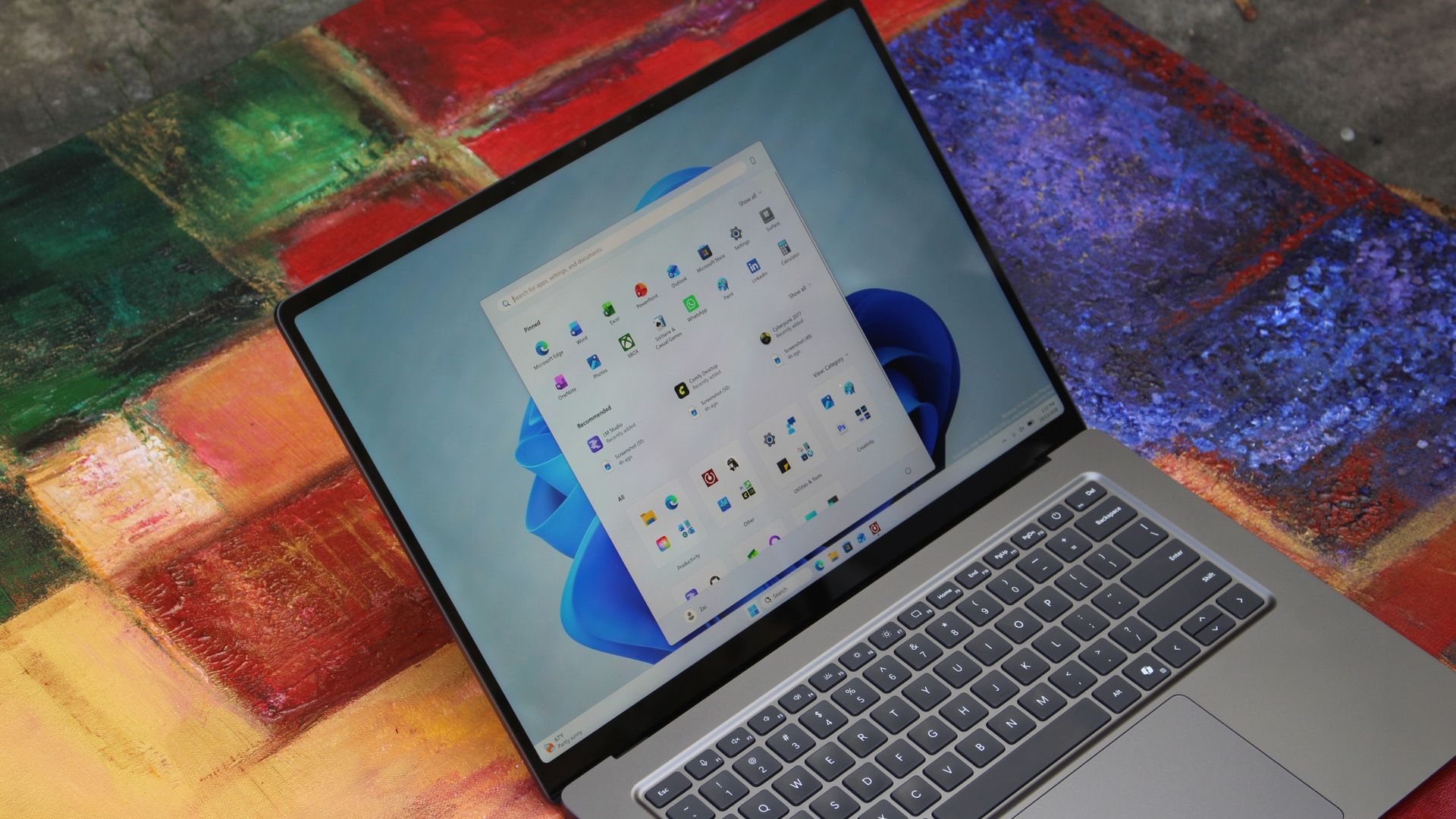
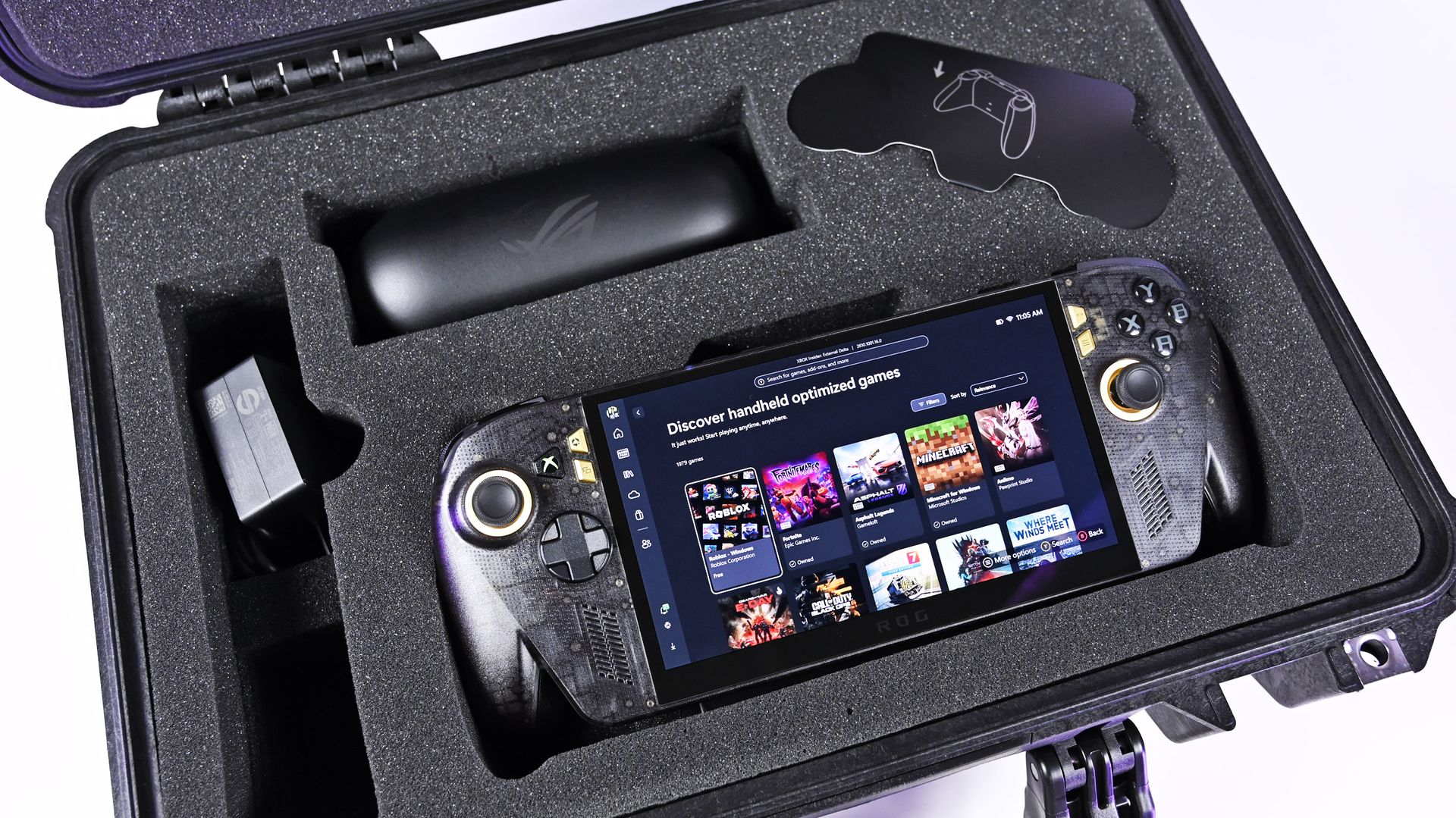
Windows 11 has a new Gaming Task View for XBOX mode that helps users hop back to the desktop or adjust power options for a device. That feature is now in testing among Windows Insiders.
Microsoft released builds in every Windows Insider channel to wrap up the week. I've listed all the changes below except those exclusive to the Release Preview channel since those features have largely been in testing before today.
While the update to XBOX mode is the headline feature of these builds, there are several other welcome changes. For example, Windows Hello can now temporarily brighten your screen to help you sign in when in a dark room.
Gaming (Beta, Experimental)
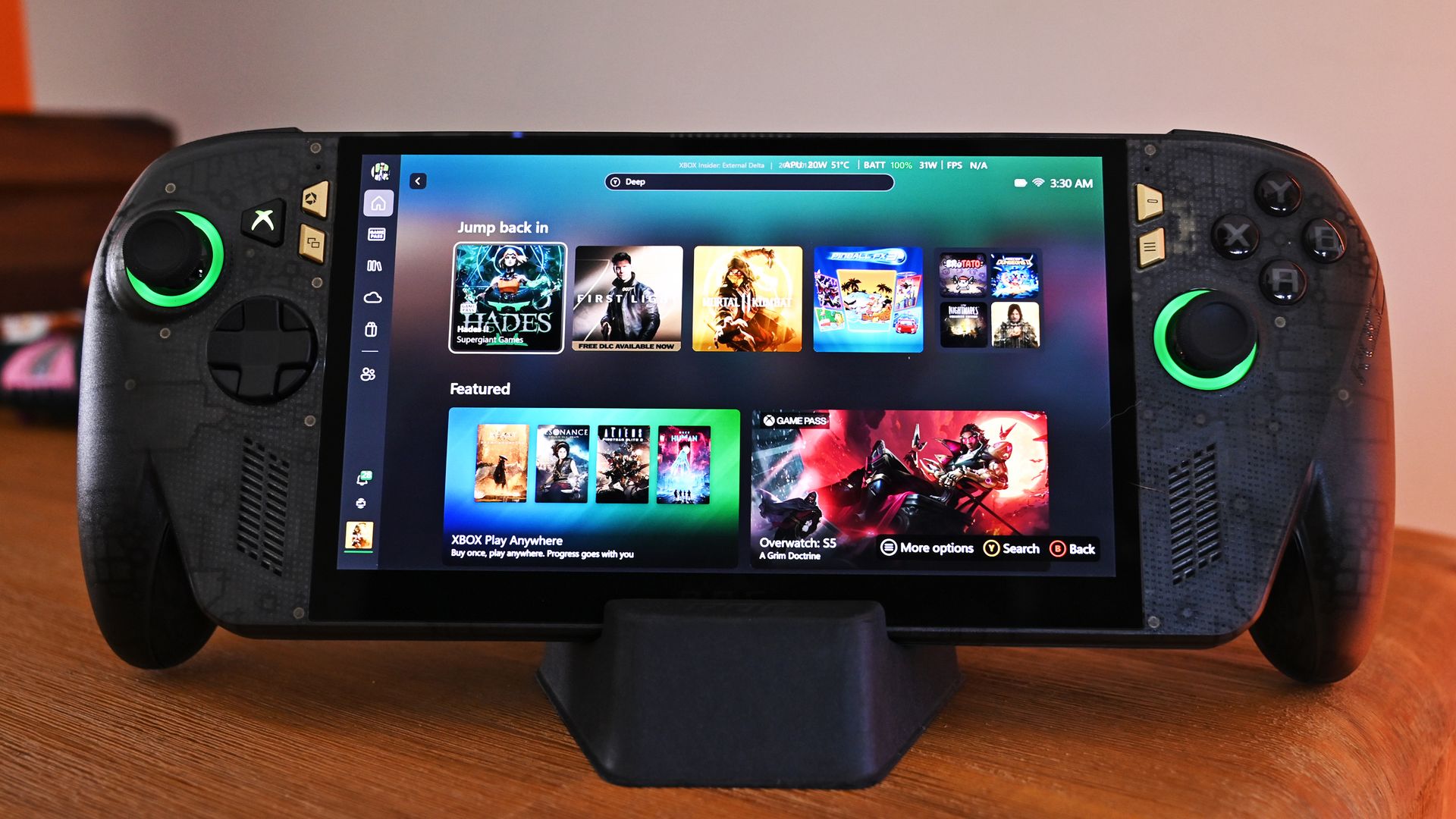
Gaming Task View has a new navigation bar that makes it easier to exit to desktop and edit power options. (Image credit: Microsoft)
We're introducing a refreshed Gaming Task View experience in XBOX mode, featuring a new navigation bar that provides quick access to Exit to Desktop and Power Options. This update makes key system actions easier to access while gaming.
Magnifier (Beta)
Magnifier now understands each of your displays
More and more of the work people do happens across more than one screen. You draft on one display and keep source material open on another. You fill in a form while a reference document sits beside it. Those extra displays can be more helpful when each one can do its own job, and now Magnifier supports exactly that.
To use this update, set your monitors to Extend in System > Display, not Duplicate, so Windows treats each screen as its own space.
Every screen keeps its own view at its own zoom. In earlier versions of Magnifier, zooming in stretched a single magnified view across all of your displays, so one screen's zoom followed you everywhere and screen edges blurred together. With this update, each monitor's boundary is respected, and each monitor can have its own zoom percentage. Your writing screen can be at 300% while your reference screen stays at 150%, and the magnified view no longer spills from one display into the next. This behavior matters because different tasks and screen resolutions often require different levels of magnification to remain comfortable to read.
Setting the zoom on each screen is easy. Choose whichever method feels natural:
Move your mouse pointer onto the screen you want to adjust, then press Windows key + Plus (+) or Windows key + Minus (-), or hold Ctrl + Alt and rotate your mouse wheel.
Set the percentages directly in Accessibility > Magnifier.
Drag the Magnifier toolbar onto a specific screen to adjust that screen from its on-screen controls.
Per-monitor zoom is turned on by default. If you prefer the classic behavior where a single zoom spans all of your displays, you can turn per-monitor zoom off at any time from either the Magnifier toolbar or Accessibility > Magnifier. You can turn it back on whenever you like.
Keep the view that matters, right where you need it
As you move your mouse from screen to screen, the magnified view naturally follows your pointer. Sometimes this might cause you to lose sight of the content that you're actively working on.
Viewport locking keeps that view in place. For example, you might be drafting an email based on a section of a document open on another display. Position that display so the paragraph you need is in view, press Ctrl + Windows key + K, and the screen holds its view steady while you move your cursor over to write. The locked screen stays fully live and interactive, so you can glance back, click, or copy from it whenever you need to, and its view stays put until you release it.
A message appears on the screen when it's locked, so you always know what's being held. To lock or unlock a screen, point your mouse at that screen and press Ctrl + Windows key + K again. To release everything at once, press Windows key + Esc to dismiss all locks. You can change the lock shortcut to Ctrl + Alt + P in Accessibility > Magnifier.
Settings - Home (Beta)
We're beginning to expand the new Device Info Card experience for Settings Home to additional markets globally. Available for Windows Insiders signed in with their Microsoft account, the Device Info Card provides a quick snapshot of your PC's key specifications and usage. From the card, you can go directly to Settings > System > About to see more detailed information about your PC.
The improved Privacy & security page in Windows Settings helps you find the Camera, Microphone, and Location privacy controls more easily. It groups similar controls across the page and brings usage information from deeper linked pages onto this page.
File Explorer (Beta)
Key file information, such as name, location, and date, now appears in a consistent layout on the File Explorer search results page, making search results easier to scan.
File Explorer (Experimental)
Improved responsiveness of folder views so they update and sort correctly when files and folders are added or renamed.
Family Safety (Beta, Beta (26H1), Experimental (26H1))
Improved family safety messaging when applications are blocked because of age-restricted parental controls.
Other (Beta, Experimental)
Improved shutdown reliability, reducing the chance of a hang on shutdown in certain cases.
The dialog for certain system messages, like low battery and permissions, should use the expected modern design again.
Other (Beta (26H1), Experimental (26H1))
Fixed an issue with msmpeg2ac3dec.dll which was leading to some apps and games crashing recently.
Web sign-in (Experimental)
Web sign-in now works on Microsoft Entra hybrid joined devices. Before this update, it was only available on Microsoft Entra joined devices. You can sign in to Windows at the lock screen with a passwordless credential: a FIDO2 security key, a passkey on your phone, or a Temporary Access Pass (TAP). You don't need a password. Once you're signed in, Windows gets a Kerberos ticket, so on-premises file shares and internal sites keep working. For more information, see Use web sign-in to enable passwordless sign-in in Windows.
Windows Hello (Experimental)
Windows Hello facial recognition can temporarily brighten your screen to help you sign in when you're in a dark or dimly lit room.
To turn on this feature, go to Settings > Accounts > Sign-in options > Facial recognition (Windows Hello) and turn on Automatically adjust screen brightness during face recognition.
Windows Search (Experimental)
Addressed underlying issues that could cause search to appear missing or stop working after the previous update, including if you rapidly clicked the search icon repeatedly.
Search (Experimental (26H1))
Search home has been simplified to reduce visual clutter and make it easier to get back to recent searches quickly.
Search does a better job showing where a result comes from, whether it's an app, setting, file, web result, or Store suggestion, so it's easier to tell what you're looking at and where you'll go before you click.
A new setting in Settings > Privacy & security > Search lets you choose whether web and Microsoft Store suggestions appear alongside local results.
Run (Experimental)
Improved the window position when using an Arabic or Hebrew display language.
Improved performance of the Run dialog when navigating to very large folders.
Fixed an issue where your text might unexpectedly disappear if you started typing too quickly after opening Run.
Made a few other small visual fixes and refinements.
Pointer Indicator (Experimental (26H1))
We're introducing the Pointer Indicator accessibility setting. This feature enables Windows users with low vision to easily locate and use their cursor to increase productivity and efficiency when using a Windows device.
To enable this experience, go to Settings > Accessibility > Mouse pointer and touch, and enable the Pointer indicator setting. You can also search for the setting by name. When the setting is enabled, you can toggle it on or off with the keyboard shortcut, Windows logo key + Ctrl + Shift + X.
Live Captions (Experimental (26H1))
We're improving Live Captions with a new Include Screen Reader audio setting, which is off by default. With the setting off, Live Captions won't transcribe audio from screen readers such as Narrator, JAWS, and NVDA, keeping captions focused on microphone and system audio.
Taskbar
New! This update improves animations of app window previews when you move the mouse across app icons in the taskbar.
This update improves the underlying state persistence of taskbar settings related to multiple monitors across monitor connections and disconnections.
Since revamping the Windows Insider Program earlier this year, Microsoft has sped up its release schedule for builds. As a result, we often end the week with a batch of five or six new builds to check out.
Join us on Reddit at r/WindowsCentral to share your insights and discuss our latest news, reviews, and more.
NVIDIA's RTX Spark has arrived, and tons of laptops are quickly equipping themselves with this superchip to take advantage of its NVIDIA AI, RTX graphics, and unified memory to improve their productivity and gaming performance.
Antonline is getting in on the launch-day action by offering Microsoft Surface and Lenovo laptops packed with the RTX Spark, and we've rounded up Antonline's available RTX Spark offers for your perusal.
Do note that some of Antonline's RTX Spark laptop offers are only up for pre-order, while others are not in stock yet, so check back on its website frequently for stock updates.
This 15-inch PixelSense Touchscreen laptop comes with an NVIDIA RTX Spark N1X with a 5120-core GPU and 18-core CPU, an NVIDIA Blackwell RTX 5120-core Graphics card, 32GB of Unified Memory, and 1TB Storage.View Deal
This advanced Lenovo Pro 9n Notebook features a 15.3 WQXGA Touchscreen, 64GB RAM, 2TB Storage, and an NVIDIA RTX Spark N1X with a 6144-core GPU and 20-core CPU for improved productivity and gaming.View Deal
This configuration of the Lenovo Pro 9n laptop features its display with an OLED Touchscreen, 32GB RAM, 1TB Storage, and an NVIDIA RTX Spark with a 5120-core CPU and 18-Core CPU to help you master its Copilot+ features when conducting research, meetings, or content creation.View Deal
What is the RTX Spark?
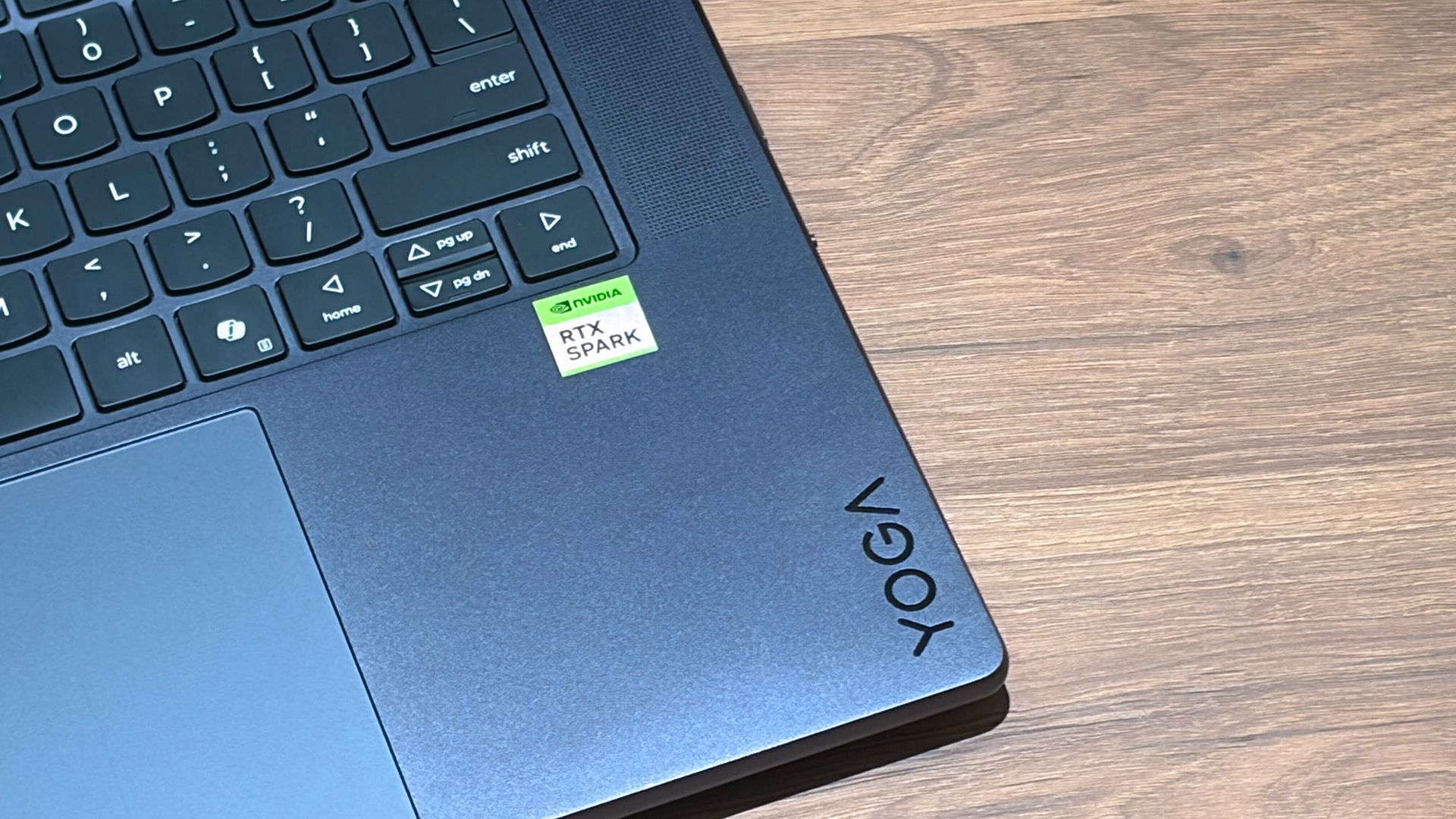
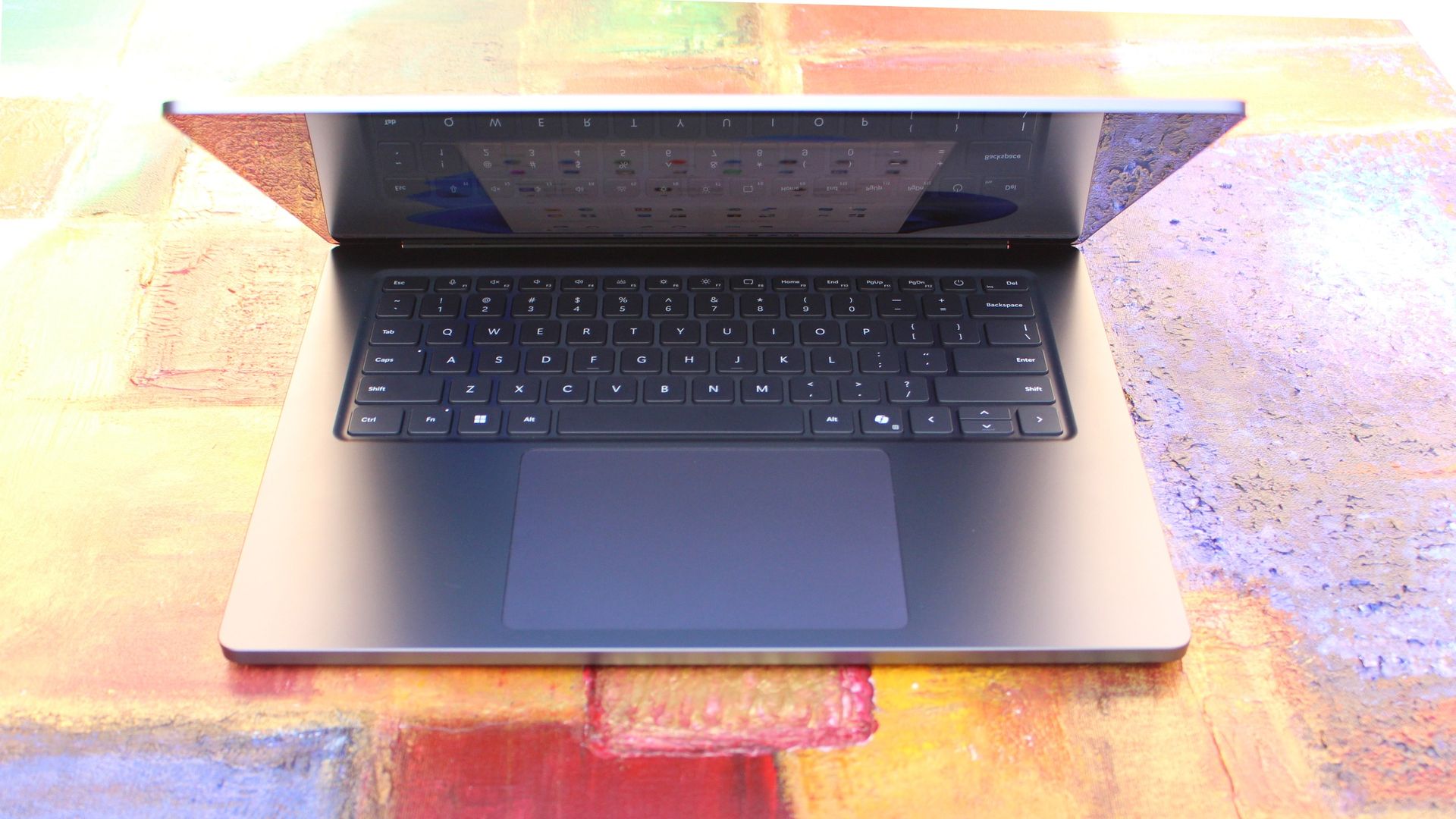
A Lenovo Yoga laptop equipped with the RTX Spark chip. (Image credit: Cale Hunt | Windows Central)
The RTX Spark is a brand-new ARM-based superchip platform designed by NVIDIA to make a PC more efficient when running high-end PC games and local AI-workflow tasks securely without compromising its performance.
The RTX Spark has an NVIDIA Grace CPU that can support up to 20 cores for boosted performance efficiency, and its Blackwell-generation RTX GPU has gaming performance rates on par with the RTX 5070 graphics card,
Additionally, the RTX Spark can support up to 128GB of unified RAM between its CPU and GPU, and it can generate up to 1,000 TOPS to boost its power when running local AI workflows.
RTX Spark selling points. (Image credit: NVIDIA)
One of our tech experts, Zac Bowden, recently benchmark-tested the RTX Spark and concluded that, and I quote, "RTX Spark is a super interesting chipset. It's forward leaning in a lot of ways, built on the Arm64 architecture that delivers serious performance and great efficiency. While its N1X CPU is just okay, its Blackwell RTX GPU really shines.
This is the first time we've seen RTX 4070-5070 level performance in an SoC that is this small and efficient. It's optimized for AI workloads, which is its strongest workflow by far. Quantized AI models run great, and with up to 128GB of unified memory, most mainstream models will fit entirely on the GPU without a hitch."
Zac also mentions that while it's great for content creators and gamers, the RTX Spark is best recommended for workers who run AI models locally all day, develop software, crunch complex data, and manage source code using thin laptops.
So, If you're one of those hard-working data crunchers in need of a powerful productivity laptop, then laptops built with the RTX Spark are for you.
Join us on Reddit at r/WindowsCentral to share your insights and discuss our latest news, reviews, and more.
As part of the Windows Insider Program, Microsoft released several preview builds of Windows 11 in early October, some of which rolled out new features and improvements, while others played catch-up by bringing already announced changes to other channels.
During the first two weeks of October, the software giant made available the first preview of the new Windows Search experience. We also saw the new Battery widgets and more.
Microsoft also revealed a new option to sanitize the hard drive when using the Cloud Rebuild feature, plus improvements to File Explorer, Share, and more.
In the Experimental channel, we've seen builds 28120.3181, 26340.9616, 26340.9596, 28120.3151, 29683, and 29680. In the Beta channel, the company released builds 26220.9606, 28020.3172, 26220.9587, and 28020.3142.
In this recap, I'll highlight the latest and most noteworthy changes available through the Windows Insider Program.
Biggest improvements from the Windows Insider Program in October 2026
In this recap, I'll highlight the latest and most noteworthy changes available through the Windows Insider Program.
Windows Search overhaul
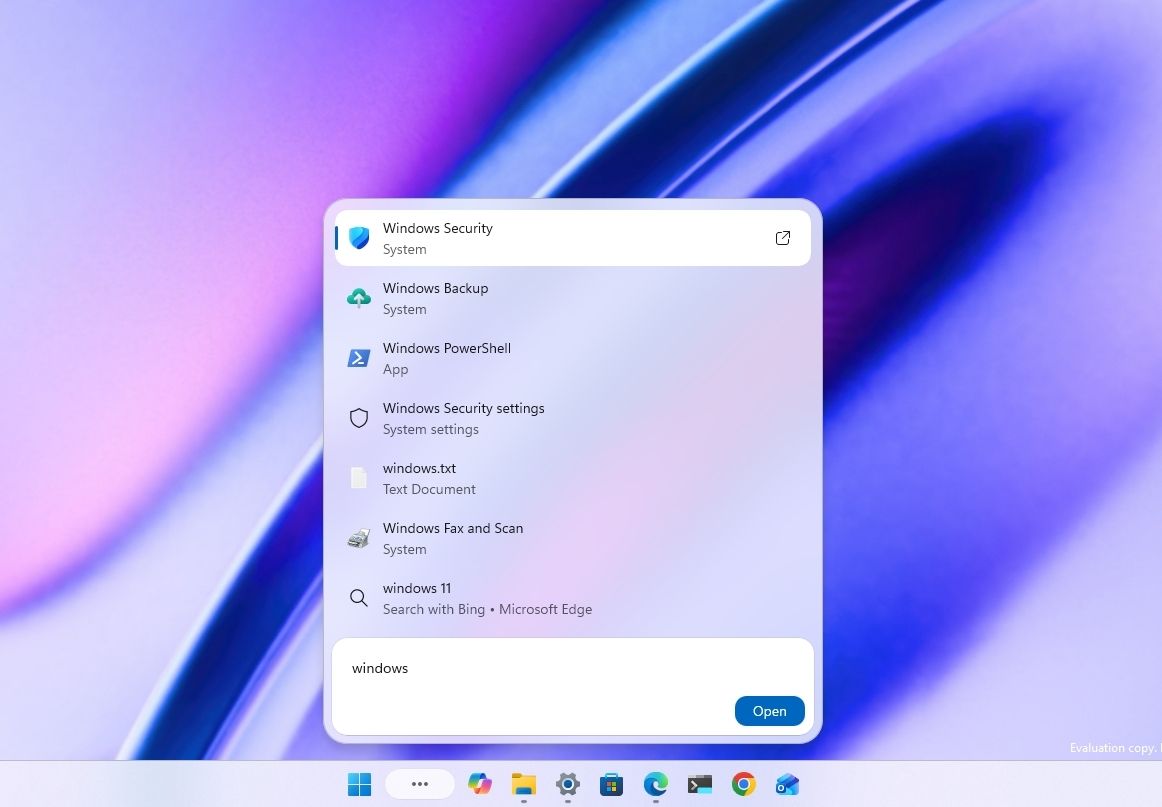
Starting with the release of build 26340.9616 for version 26H2, Microsoft began the gradual rollout of the new Windows Search experience.
(Image credit: Mauro Huculak)
The new experience features an entirely new interface using WinUI 3, designed to make search faster and more efficient while using less memory.
Perhaps the most notable change is the new inline actions that let you perform tasks directly from the Search box. For example, you can switch between the light and dark mode, enable Bluetooth, adjust brightness, arrange windows, and more.
In addition, the company is adding improvements to help Windows Search understand you better, including better handling of typos and synonyms.
The new Search experience is currently available in versions 26H2 and 26H1 as a preview through the Experimental channel.
Battery new widget
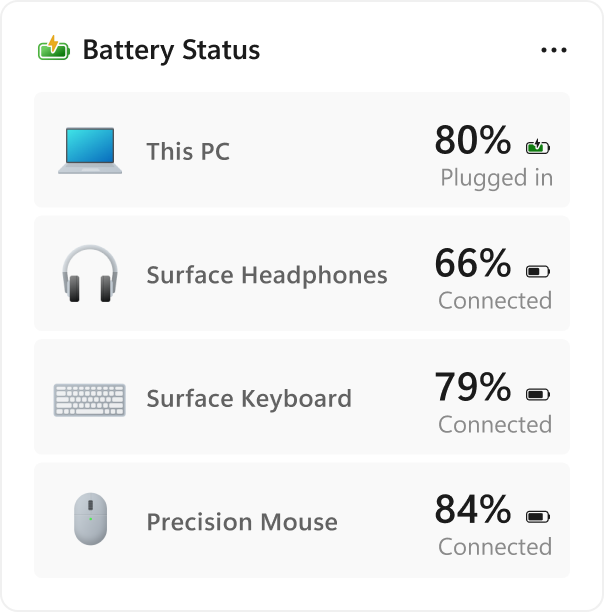
Also, Windows 11 build 26340.9616 ships with the new Battery Status widget, which tracks your computer and peripherals' battery levels without having to resort to third-party tools.
(Image credit: Microsoft)
The widget is available from the Widgets dashboard> Add widgets > Battery Status.
Once the widget is enabled, you'll see the battery level of your laptop as well as your mouse, keyboard, headphones, and more.
Task Manager new processes group
Although Task Manager isn't getting another makeover, an updated version improves how it handles process groups, letting apps combine separate background processes into a single category instead of relying on traditional parent-child process trees.
Microsoft says that this should make it easier to view how an app uses system resources. Currently, this works only in Microsoft Defender.
File Explorer faster navigation
The company has also made small but welcome improvements to File Explorer with the release.
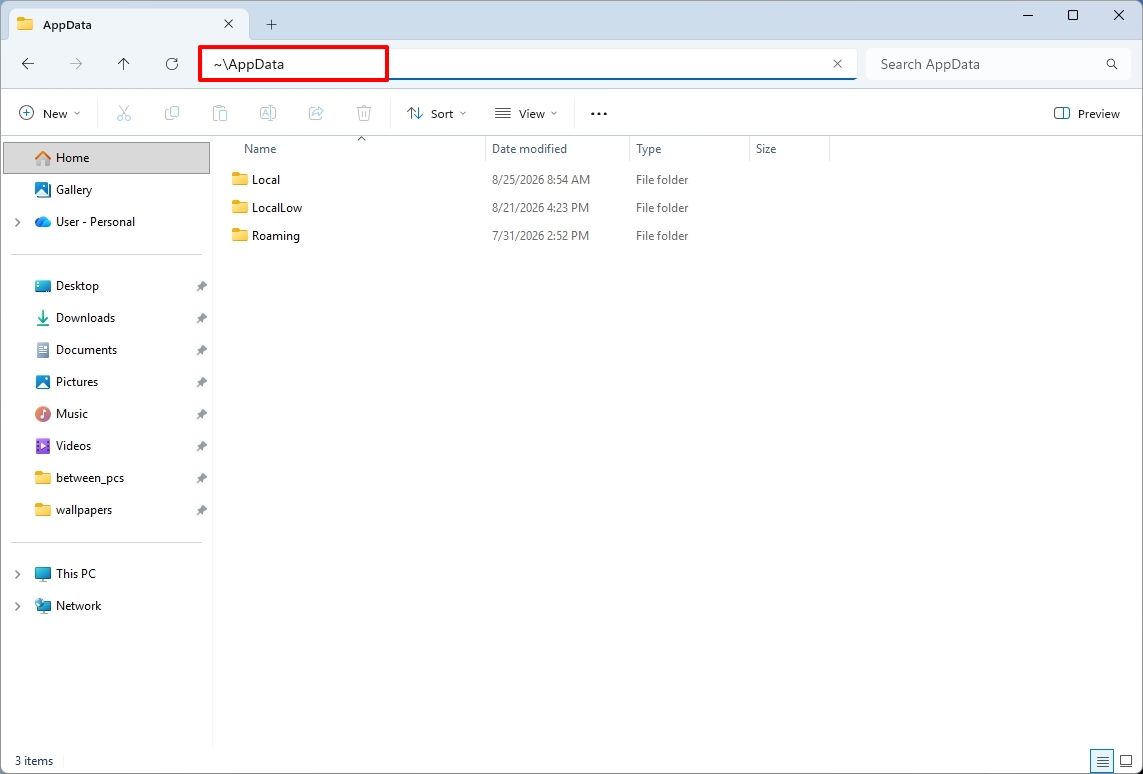
For instance, on build 26340.9596 for version 26H2, you can now use the "~" character to quickly open your profile folder or subfolder, for example, "~\AppData".
(Image credit: Mauro Huculak)
As part of the File Explorer changes, on builds 28120.3151 and 28020.3142 for version 26H1, Microsoft rolled out improvements to keep folder view customizations, such as sorting and icon size preferences, consistent across different access paths and apps.
The update also improves address bar support for paths with double backslashes and quotation marks.
Finally, in this wave of updates, build 29680 for the Future Platforms version, you'll find an updated version of the file manager that now handles previews for downloaded files from the internet.
When using the preview pane, HTML files will show a preview after you acknowledge the warning, while non-HTML files, such as PDFs, will show previews automatically.
Cloud Rebuild improvements
Cloud Rebuild is a new recovery feature that helps you reinstall the operating system when your computer has problems or won't boot.
Unlike other recovery options, this feature uses Windows Update to download installation files and drivers without needing bootable USB media.
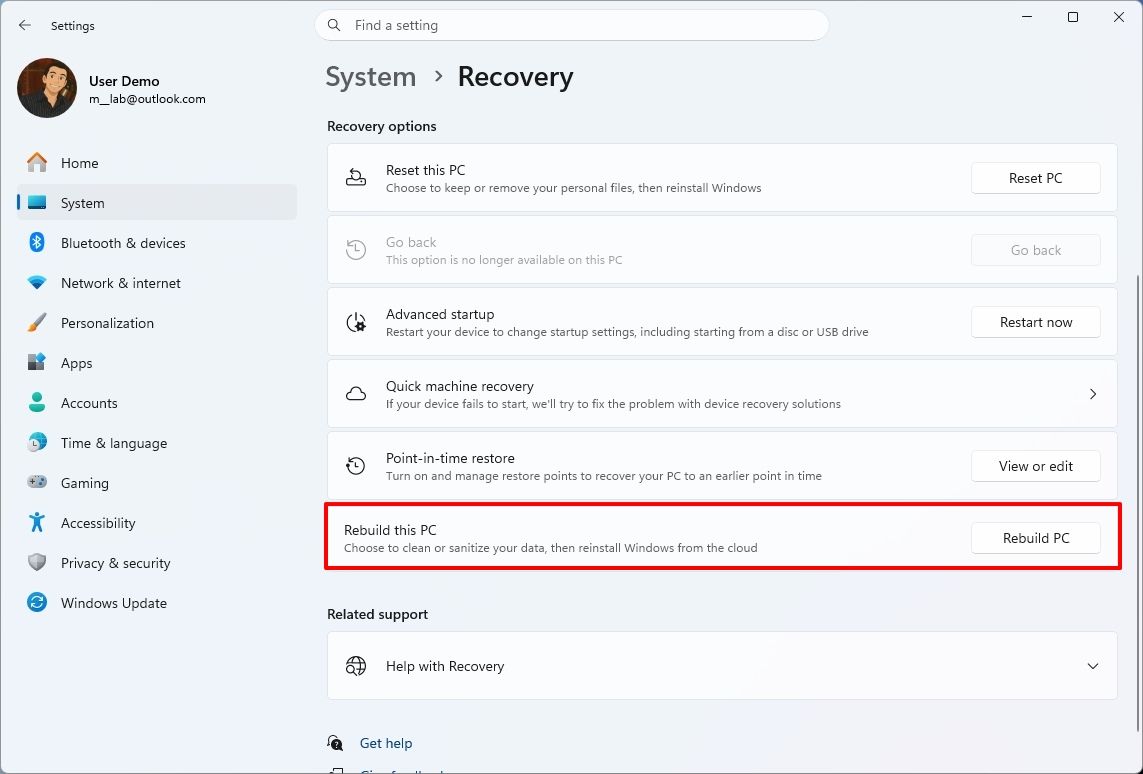
This recovery feature is still in preview, but in build 26340.9596 for version 26H2 and build 26220.9587 for version 25H2, you'll now find a new "Rebuild this PC" option on the Recovery page in Settings, making it easier to access.
(Image credit: Mauro Huculak)
Also, in builds 28120.3151 and 28020.3142 for version 26H1, the Cloud Rebuild feature added a new "Remove & sanitize files" option to securely erase data before reinstalling the operating system, which is useful when recycling or reassigning a computer.
This update also lets admins configure and start a Cloud Rebuild remotely using Recovery CSP.
Narrator's new math reading
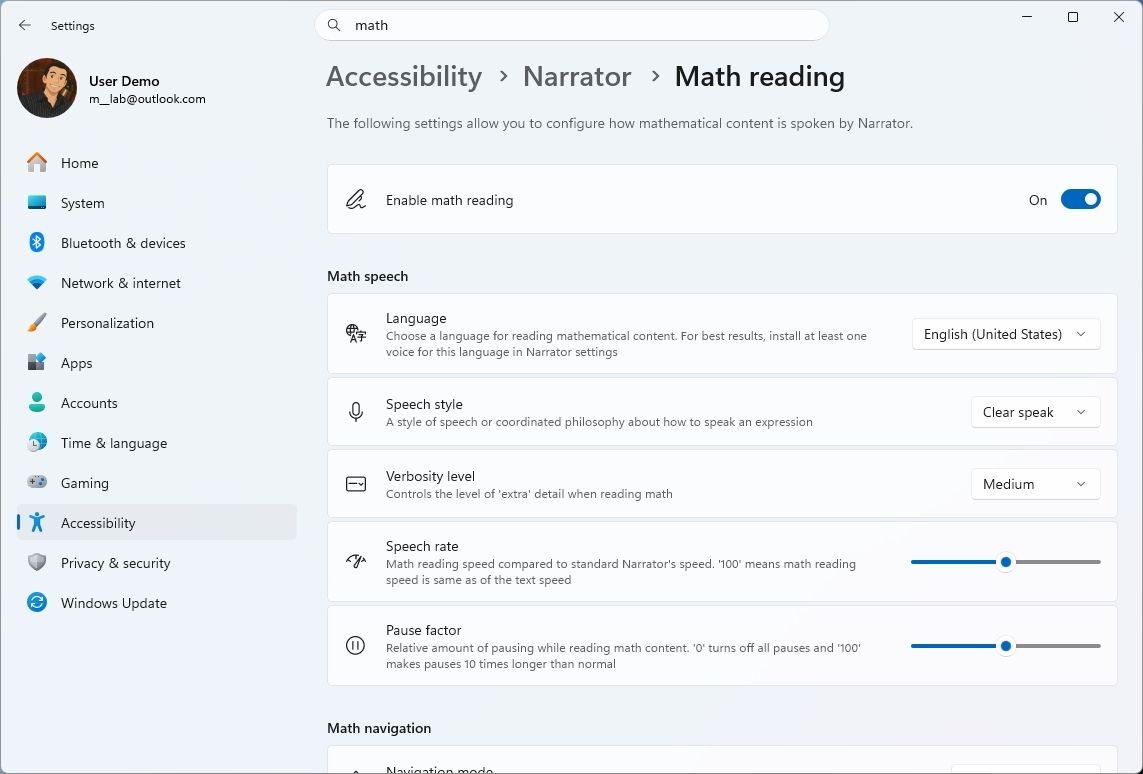
As part of the updates for version 26H1 (builds 28120.3151 and 28020.3142), Microsoft also updated the Windows Narrator feature with a more natural way to read and explore math equations.
According to the company, on supported apps from the Microsoft 365 suite, such as PowerPoint and Word, Windows Narrator can now read equations as structured expressions.
In addition, a new math navigation mode allows you to explore an equation one part at a time.
(Image credit: Mauro Huculak)
You can use the "Narrator key + Alt + N," and then use the arrows to move through fractions, exponents, and roots. You can also use "Esc" to exit the mode.
The new math capability also works on supported web content in Microsoft Edge and Google Chrome.
Magnifier with updated controls
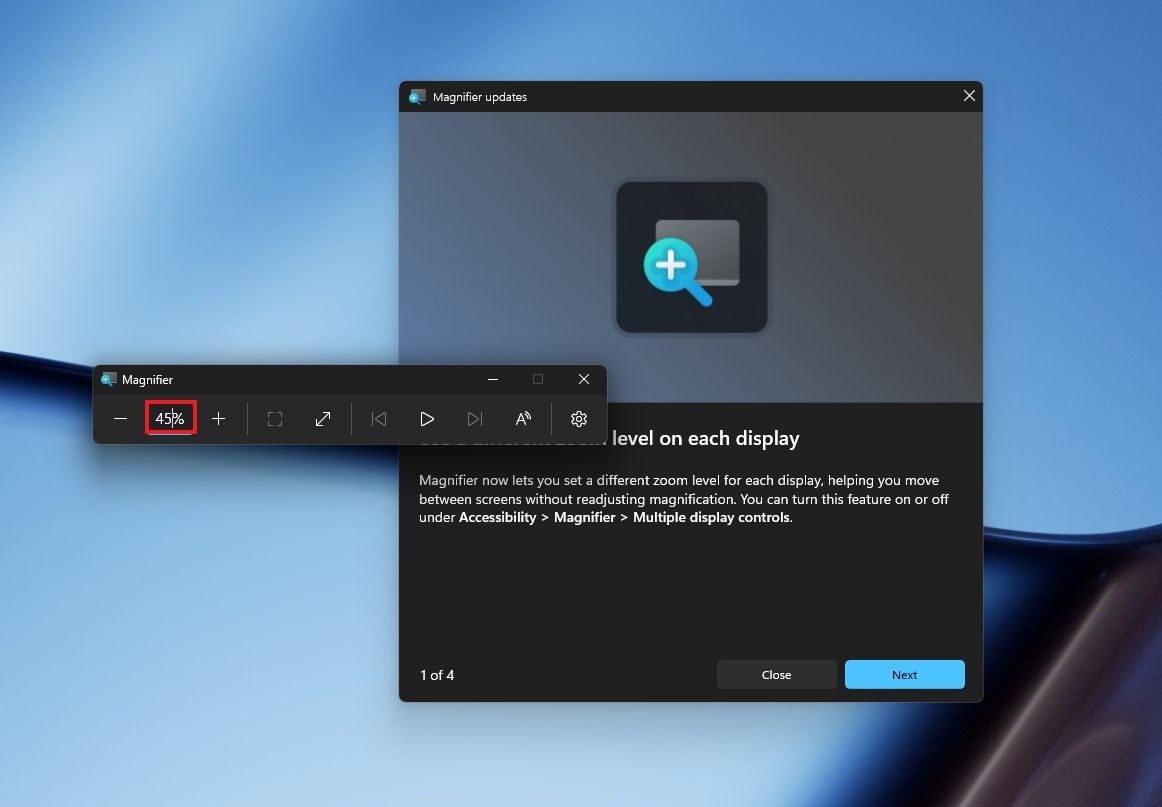
In this wave of updates, the Magnifier lets you enter the exact zoom percentage directly in the toolbar instead of relying on the presets.
(Image credit: Mauro Huculak)
In addition, in the settings, the preset option now includes more increments up to 400 percent.
Windows Share customization
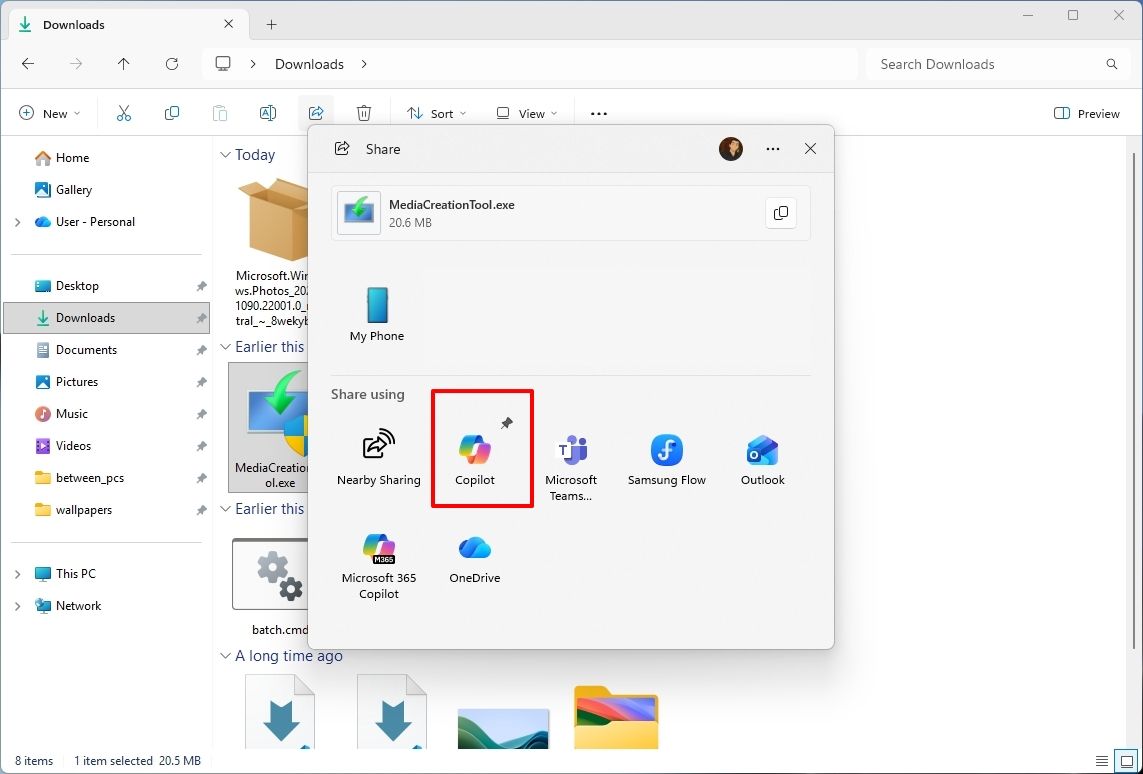
Although the Windows Share experience remains largely the same, Microsoft has added the ability to pin your favorite apps directly in the Share interface in the Experimental channel for Future Platforms.
(Image credit: Mauro Huculak)
This change makes it easier to find your favorite apps that you use often when sharing.
Installed apps page tweak
Finally, starting with build 29680, the "Installed apps" page now shows the version number at the top level under the Apps settings section for package apps.
Windows Central's Take
I'd put the new Windows Search, Cloud Rebuild, and File Explorer improvements at the top of this list. Search is becoming more useful for everyday tasks, Cloud Rebuild is getting better options for recovering a computer and securely erasing its data, and File Explorer is addressing small annoyances that can make file management frustrating.
These changes can make Windows 11 more practical without requiring users to learn an entirely new way of doing things.
I hope Microsoft continues to improve these core features instead of leaving them behind in favor of bigger, flashier additions.
Which of these three improvements would you most like to see arrive on your PC? Let me know in the comments.
More resources
Explore more in-depth how-to guides, troubleshooting advice, and essential tips to get the most out of Windows 11 and 10. Start browsing here:
I can't recall the last time I took a road trip or flight without my trusty Steam Deck in tow. It's just too convenient to slip into my backpack alongside a thin and light work laptop that doesn't stand out in professional settings.
That trend ends this weekend.
I have a 10-hour round trip to contend with, and after playing around with Lenovo's Pro 9n laptop powered by NVIDIA's new RTX Spark chip this past week, I'm ready to make it earn its accolades.
Can it really be my one-stop device for AAA gaming AND for work, just like what was advertised countless times in the lead-up to launch? Here's what it needs to prove to me.
What the RTX Spark platform needs to prove on a 10-hour trip
There are several key points that I want to confirm, and a 10-hour road trip seems like the perfect testing ground as I work on a full review of the Lenovo Pro 9n.
There are some areas where I do expect the RTX Spark platform to fall short, which I've also noted below.
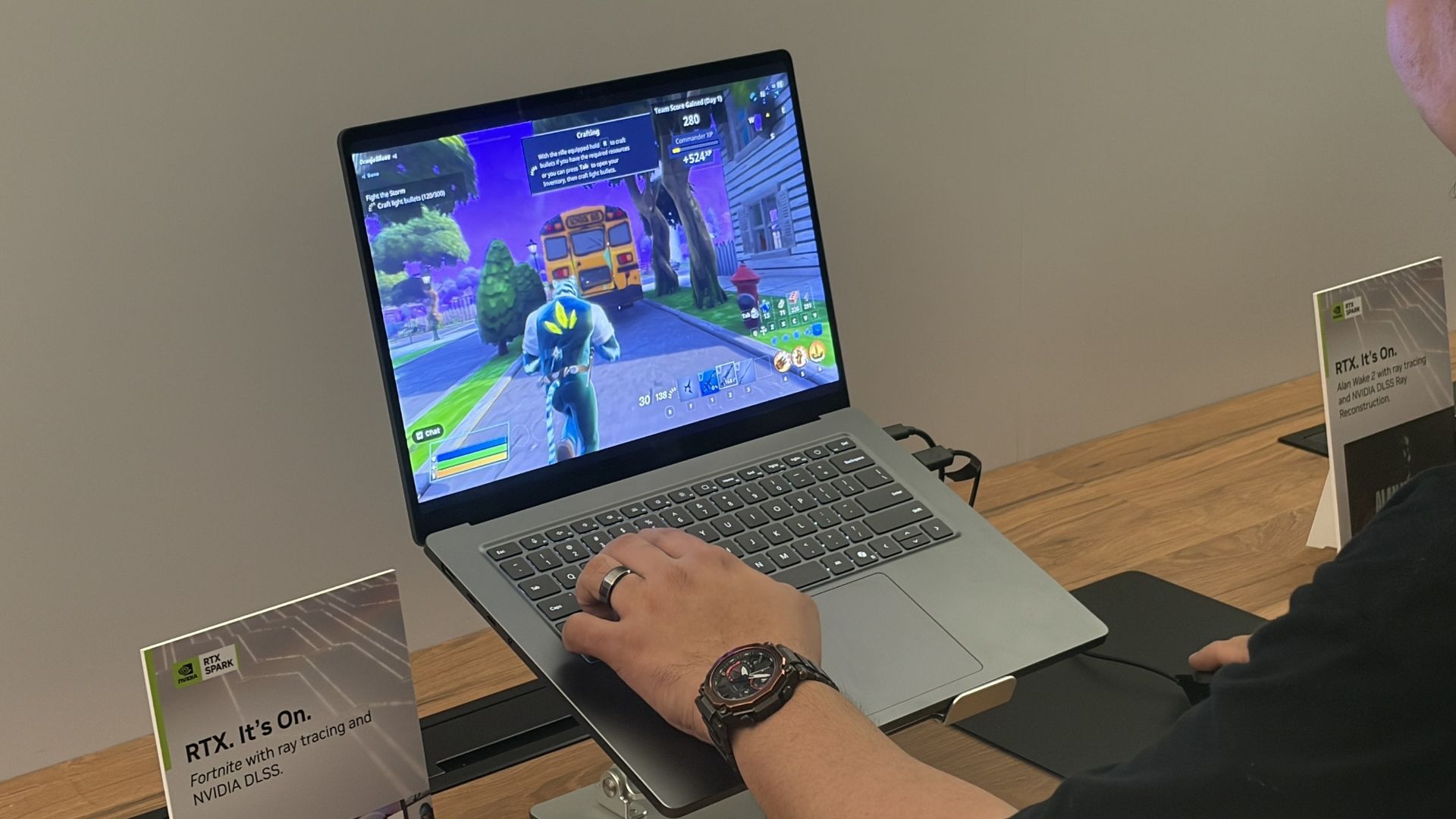
Is ray tracing worth turning on when I'm not near an AC adapter?
The Surface Laptop Ultra is another RTX Spark laptop, and I've seen how well it handles gaming on a charger. What about battery? (Image credit: Future)
One of the RTX Spark platform's biggest selling points is its Blackwell-class RTX GPU supporting all of NVIDIA's latest upscaling and frame-gen goodies.
That doesn't bode well for efficiency, but I'm curious to see if I can dial it in by lowering settings like resolution or refresh rate. I really want ray tracing to be a worthwhile option without AC power.
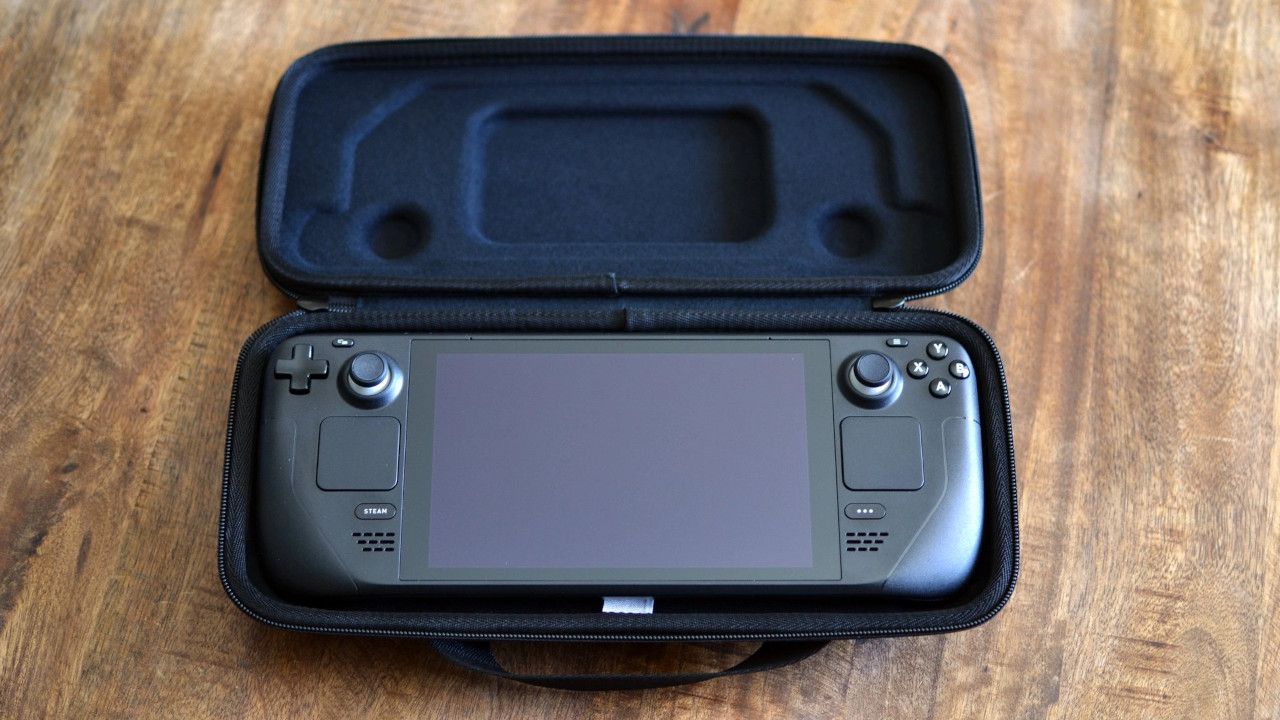
Can I replace two devices with one?
Not having the Steam Deck and its bulky case in my bag should free up a lot of space. (Image credit: Miles Dompier | Windows Central)
Is having everything contained within the same PC actually simpler? Long-time gaming laptop users will probably say yes. Heck, I'd lean towards an affirmative if I wasn't testing it out myself this weekend.
But there are two sides to this question.
On one hand, it's nice to have a dedicated gaming device that I can put away when it's time to focus on work. On the other hand, I'll have a lot more room in my bag without an extra charger and an encased gaming handheld. A standard controller is much easier to slip into my bag.
The Pro 9n will have to handle any work I throw its way and be ready to switch to gaming on the fly, all while balancing heat and battery life.
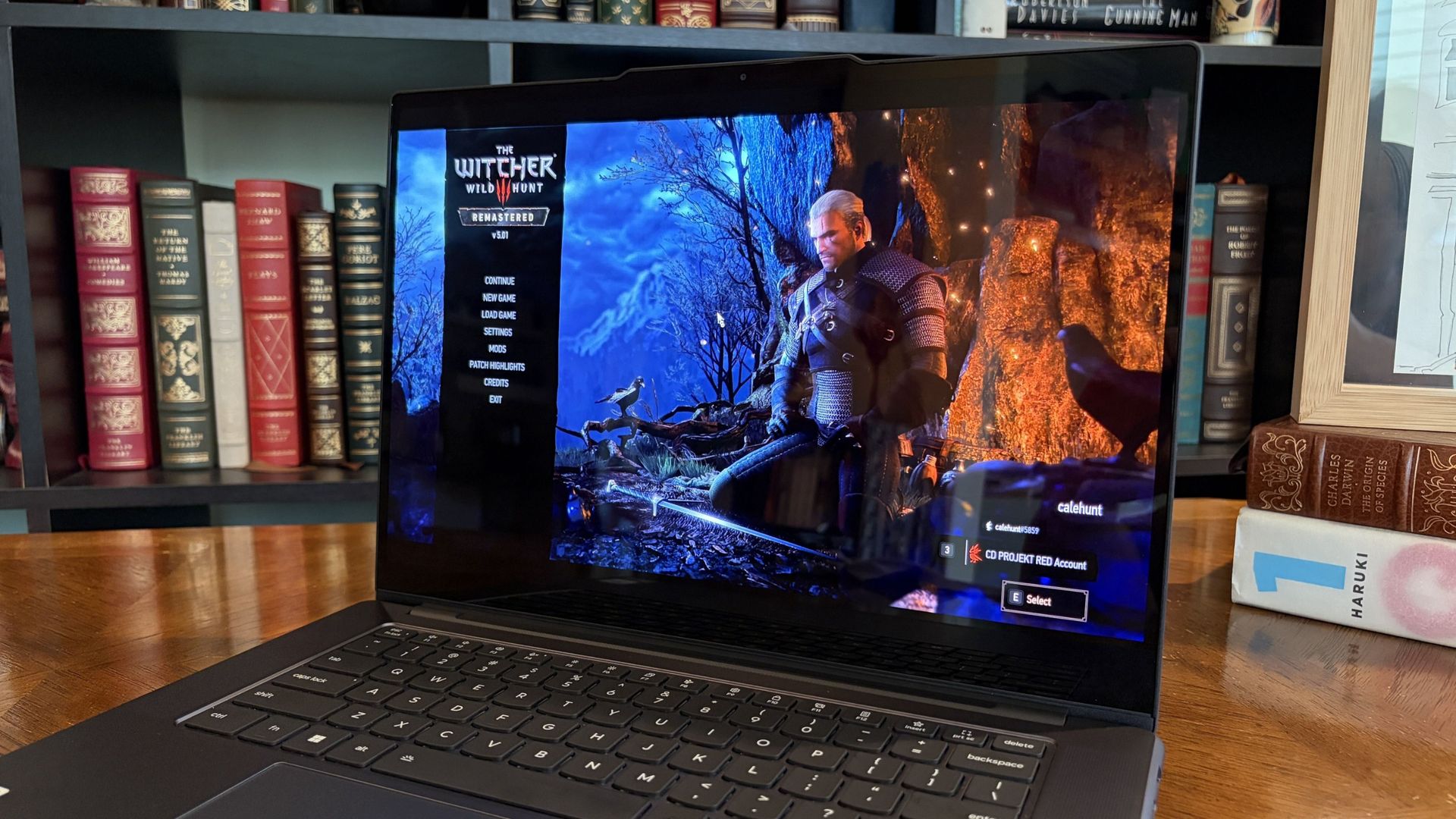
Can the battery survive a real travel day?
The Witcher 3: The Wild Hunt Remastered looks gorgeous with ray tracing enabled, but it eats battery a bit too quickly. (Image credit: Future)
The Steam Deck, and any gaming handheld for that matter, can be extremely efficient or inefficient depending on the game you're playing. The same ultimately goes for RTX Spark laptops.
Considering I plan to split time evenly between work — involving writing, hotspot web browsing, photo editing, etc. — and gaming, I'm hoping that one or the other doesn't leave me out to dry.
I do have the ability to plug in if required, and that will be another test of how much heat is created in a cramped cabin as the battery recharges.
Where I expect my RTX Spark laptop to fall short
Gaming handhelds are ergonomic, comfortable, and don't produce a lot of heat. A lot of that goes out the window when using a 15.3-inch laptop.
Sure, I'll have an ergonomic gamepad in hand part of the time, but I'll need to keep the laptop on my lap while gaming. Will it get too hot to handle? Will I feel too cramped in my seat? In those cases, I'll no doubt be wishing for my Steam Deck.
What I need from you
My testing results from this weekend will inevitably end up in my full Lenovo Pro 9n review that I'm already working on, and act as the most compelling evidence as to why I did (or didn't) give up my Steam Deck for an RTX laptop.
I'm more than open to other suggestions on how to test the gaming/work balance on the RTX Spark platform. I urge you to drop your most pressing questions in the comments section below, and I'll do my best to address them.
Join us on Reddit at r/WindowsCentral to share your insights and discuss our latest news, reviews, and more.
It seems like 2026 is the year of the achievement overhaul. Just as Xbox continues to revamp its achievement system, streamlining the experience across PC and Xbox and adding Mythic Achievements into the mix, Valve is also getting in on the action and rolling out Steam Achievement Sets.
Currently live in beta, this new achievement system completely changes how games handle base achievements versus post-launch DLC expansions, as well as season updates and new game modes. Completionists who have had headaches with these systems for decades can rejoice!
So what are Steam Achievement Sets anyway?
ValveValve
So you've poured 80 hours into a game to hit the 100% achievement mark, then merrily moved on to another game. Only to come back later and see your shiny 100% completion is now 80%. The game released new DLC, and you are now compelled to play it to get that 100% back.
Anyone who's played Vampire Survivors or the RE4 Remake can attest to this pain, though I don't really mind and enjoy the new challenge. Valve, however, is solving this issue with a new system that lets developers group achievements into distinct "sets."
Base game achievements are kept seperate from post-launch DLCs or extra mode, meaning if you 100% the base game you keep your base game completion ribbon regardless of what is added later on.
Beyond seperating DLCs, Valve is ontroducing a few other quality of life upgrades to it's achievement system.
Archived Achievements: Developers can now officially archive dead, broken, or retired achievements. Archived achievements remain visible on the profiles of players who unlocked them, but won't block new players from achieving a 100% completion badge.
Separating Campaign from Multiplayer: Developers can split single-player and co-op/multiplayer into separate sets. This is a massive win for titles like Portal 2 or Ghost of Tsushima, where dead servers or tacked-on online modes have blocked solo players from earning completion badges for years.
Sub-ribbons & cleaned-up UI: Unlocking full sets earns distinct sub-ribbons, making massive achievement lists (like Payday 2 or Master Chief Collection) far less laborious to navigate.
Some notable concerns
ValveValve
Overall, the changes have been received positively, but developers could add seasonal or time-limited event sets to games that embrace FOMO mechanics, though I think the archiving feature Valve is proposing mostly solves this. As long as the event is archived after the fact, latecomers can still 100% the game without being walled off.
The update also removes overall Average Game Completion % from profile showcases, a metric many hardcore completionists have built up over the years. Completed game counts have also been replaced with completed sets, meaning a game with 16 sets, such as Team Fortress 2, that has a whopping 520 achievements could artificially inflate a profile's stats compared to a game with just one set. Hopefully these are issues that can be ironed out or addressed during the beta phase.
Will Developers actually use the new achievement sets?
(Image credit: Jennifer Young - Windows Central)
Because Steam has historically given developers total freedom and few rules, Achievement Sets' success relies on studios manually opting in via Steamworks. Fortunately, smaller developers are already praising how easy it is to set up. The founder of Arcen Games (Heart of the Machine) has already noted on Reddit that categorizing 100 achievements into a DLC set took less than 10 minutes.
How are you feeling about the update to Steam Achievements? Do you welcome the new structure to our virtual trophy cases, or could you not care less once you complete a game? Let me know in the comments!
Join us on Reddit at r/WindowsCentral to share your insights and discuss our latest news, reviews, and more.
My favorite game of all time and the title many consider the best Fallout entry are now seemingly merged. I assume this is another vibe-coded mashup, but honestly? It looks annoyingly cool.
Seeing Master Chief drive a Warthog around the Mojave Wasteland, or even fly a Banshee above the ruins, is genuinely bizarre. Not only that, but you can also seemingly play through the entire Fallout: New Vegas campaign with full dialogue options; only you’re playing as Master Chief, armed with an energy sword, battle rifle, grenades, and, why not, a gravity hammer.
Two completely different games, somehow running together?
It’s kind of difficult to know where to start, given what’s been happening in the space recently. We’ve seen Skate in Call of Duty, Minecraft in Elden Ring, and Mario in Halo, among all sorts of other monstrosities. I do feel a bit weird covering these things, but given Xbox’s latest venture in essentially approving of these AI mashups through Xbox Labs, I can’t feel too bad about it, I guess.
It’s genuinely unprecedented times for gaming. If this is what AI is capable of now, it’s a harrowing thought to consider what it might be capable of just a year from now. But I digress.
The Halo 3 and Fallout: New Vegas combination is cool, and I wouldn’t mind playing it myself. Of course, you can’t right now, because that would be too much fun. The developer, Reveries on YouTube, does say this about the project:
“An integration of Halo 3 and Fallout: New Vegas, allowing both games to run simultaneously and bringing Halo's original gameplay into the Mojave... Still in active development, planned for release on GitHub soon... Not a rewrite or decompilation, inspired by Chasm's SkyCraft project.”
So, unlike other AI mashups, this one isn’t available yet, but the video does a good job showcasing what you can get up to.
With that said, let me know how you feel about these AI remixes that combine games. Do you care? Is it too far? Or do you have other thoughts entirely? Let me know in the comments and be sure to take part in our poll below:
Join us on Reddit at r/WindowsCentral to share your insights and discuss our latest news, reviews, and more.
Similar to the PS5 port, this requires you to be in Developer Mode. The emulator appears to be based on Eden, with gameplay footage showing Super Mario Odyssey, Super Mario Wonder, and Metroid Prime Beyond successfully booting.
Emulation is always a tricky topic to discuss. Many people get a bit cagey about it, and it’s no surprise, given that the scene is rife with piracy. But emulation itself isn’t illegal. Assuming you can legitimately source your copies of the games, this could actually be a great way to experience titles that would otherwise be exclusive to Nintendo hardware.
O emulador de Switch no Xbox Series X está muito bom. Gostei pic.twitter.com/4wyhTQvEtkOctober 16, 2026
It is a wild timeline to have both the Xbox Series X and PlayStation 5 capable of emulating a Nintendo Switch. I must admit, that is a shock. But with that said, I’d love to hear how you feel about this.
Would you emulate a Nintendo Switch on your Xbox console, or would you rather stick to the proper hardware? Let me know in the comments, and be sure to take part in our poll!
Join us on Reddit at r/WindowsCentral to share your insights and discuss our latest news, reviews, and more.
As Xbox gears up for its 25th anniversary, we're reflecting on an extraordinary journey that evolved into one of the industry's most influential brands. From the original Xbox and the success of Xbox Live to the impact of Xbox 360, Game Pass, cloud gaming, and an increasingly platform-agnostic future, the road has been anything but predictable.
Here at Windows Central, we're celebrating Xbox with editorials, retrospectives, and more opinion pieces exploring the brand's past, present, and future. Just as importantly, we'll look ahead, analyze Microsoft's strategy, and share our perspective on where Xbox could go from here as gaming continues to change.
Microsoft is finally ready to take on the MacBook Pro with the new Surface Laptop Ultra. From pricing to specs and design, Surface Laptop Ultra was inspired by MacBook Pro, and that's not necessarily a bad thing.
Unlike most Surface PCs we see ship these days, the Surface Laptop Ultra is a lot of firsts for Microsoft. It's the first ultra-class Surface Laptop, designed from the ground up to compete squarely with high-end professional creator or developer mobile workstations.
What I find fascinating about Surface Laptop Ultra however is that it exists because Microsoft's own developers and engineers wanted it. They built this laptop for themselves. It feels like the company got tired of looking over the fence at the MacBook Pro, and decided "why don't we just make our own version of that?"
It really is Microsoft's most powerful and most capable Surface PC ever, and a great stage for Windows. But that doesn't necessarily mean it's the best Surface PC for everyone. I've been testing the laptop over the last 8 days, and here are my thoughts on Microsoft's new flagship computer.
This review was made possible thanks to a review unit supplied by NVIDIA & Microsoft. Neither company had editorial input and did not see the contents of this review prior to publication.
Price & Availability
Microsoft
Surface Laptop Ultra
Surface Laptop Ultra is Microsoft's flagship and most powerful Windows PC. It can be configured with up to 128GB RAM, and ships with NVIDIA's new RTX Spark SoC. It's great for creative workflows and software development, and those who want to run local AI and LLMs directly on their device.
Surface Laptop Ultra is Microsoft's most expensive Surface Laptop to date. It starts at an eyewatering $2,599 for the entry-level configuration with 24GB of RAM, 512GB SSD storage, and an 18-core RTX Spark with 5,120 GPU cores. That's an expensive laptop, and it only gets worse the higher you climb up the specs ladder.
The model I've reviewed is the very top end configuration, with a crazy 128GB RAM, 1TB SSD, and a 20-core RTX Spark with 6,144 GPU cores. That model will set you back $5,899, which at these prices basically makes this a $6,000 laptop. That's an insane amount of money to spend on a laptop, but this configuration only really exists for professionals who need the extra power to run local agents and data crunching.
For video creators, gamers, and prosumers, you'll be more than well served with the lower tier models with 24-32GB RAM. All models come with the same mini LED screen, speaker setup, ports, keyboard, and trackpad. It's also available in Platinum or Nightfall colorways (aka, silver and black.)
Brightness: SDR up to 1,000 nits (typical), HDR up to 2,000 nits peak luminance
Optimised for touch interaction
Operating System
Windows 11 Home (24 GB unified memory models)
Windows 11 Pro (32 GB, 64 GB, and 128 GB models)
Ports & Connectivity
2 × USB-C® / USB4®
1 × USB-C® / USB4® with Magnetic Connect
1 × HDMI 2.1b
1 × USB-A 3.1
1 × Full-size SD card reader
1 × 3.5 mm headphone jack
Wireless
Wi-Fi 7, Bluetooth 5.4
Camera & Audio
1080p Full HD front-facing camera
Battery Life
Up to 15 hours of local video playback
Up to 12 hours of active web usage
Power Supply
Requires USB PD 115W–140W charging
Weight & Dimensions
Weight: 2.0 kg (4.41 lbs)
Chassis: Sub-18 mm thickness
Colours
Platinum, Nightfall
Base Price
Starting at $2,599
Design & Ports
MacBook Pro? (Image credit: Zac Bowden / Windows Central)
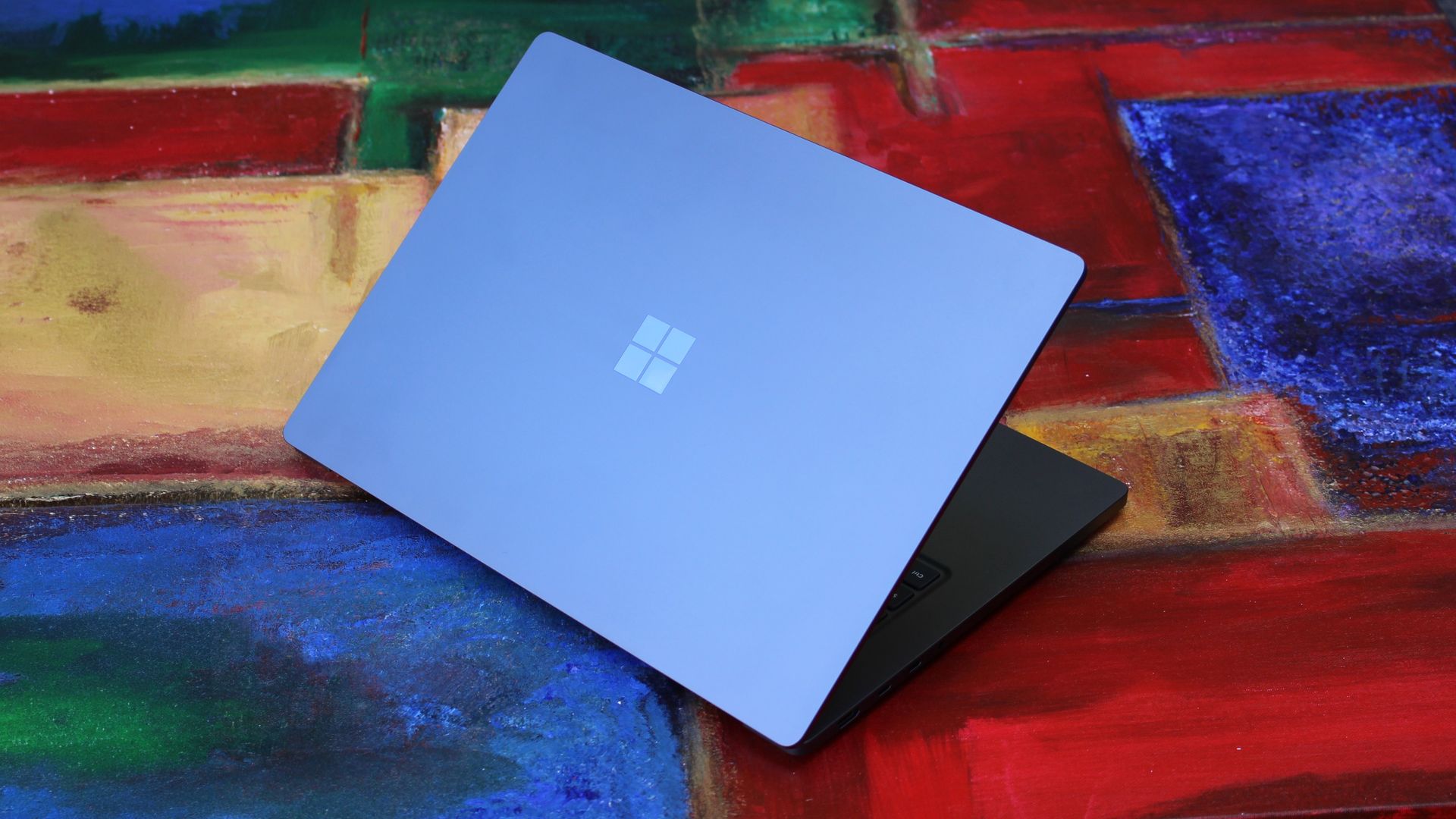
We have to start with how this thing looks, and we do need to address the fruit-shaped elephant in the room. Yes, Surface Laptop Ultra looks an awful lot like a MacBook Pro. I wouldn't blame the layman for even thinking it was a MacBook Pro from a distance. The square edges, large trackpad, and minimalist design echo the MacBook Pro from pretty much every angle.
But I'm not here to tell you that's a bad thing. The MacBook Pro is a beautiful device, which is to say Surface Laptop Ultra is also very beautiful. In fact, I think it even improves upon the MacBook Pro's design in subtle ways. The keyboard deck isn't surrounded by a plastic bezel like on MacBook Pro, instead it's softly indented into the metal keyboard deck which looks lush and seamless.
The corners on Surface Laptop Ultra are also a little rounder than the MacBook Pro, a design choice that trickles down from the corners of the chassis to the keys on the keyboard, and corners on the trackpad. It's an entirely consistent and well thought out design, which I highly appreciate.
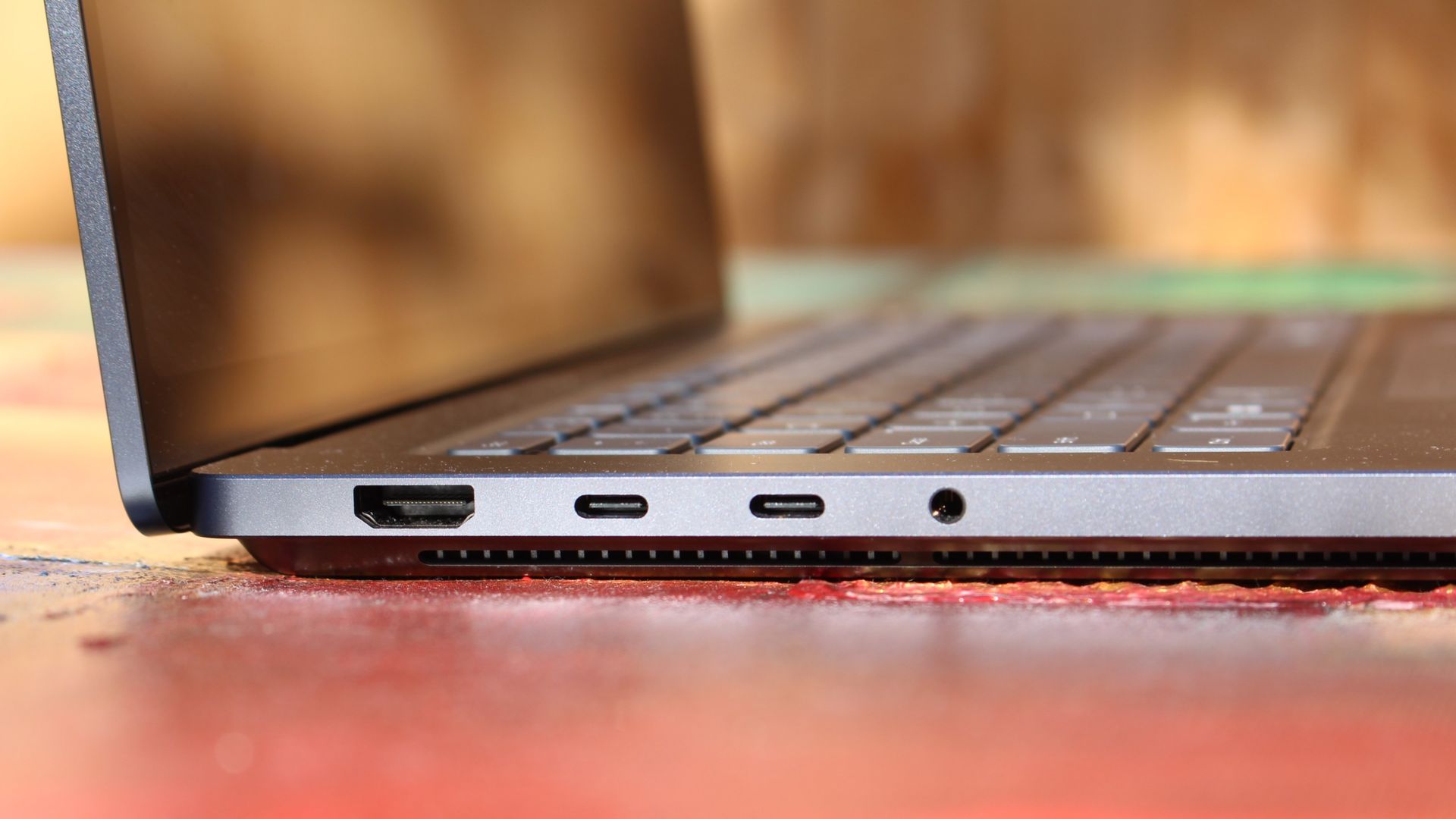
The left-side ports are good enough. (Image credit: Zac Bowden / Windows Central)
Microsoft also doesn't suffer from the godawful notch that you'll find on a MacBook Pro. Surface Laptop Ultra's display bezels are uniform along the left and right, and slightly thicker on the top to accommodate the Windows Hello IR face unlock sensors, which are much better than a fingerprint reader.
I should also mention that the display hinge on this laptop is perfectly tuned. It opens with one finger, and is perfectly balanced to provide a satisfying level of friction as you open and close it. It's also rock solid when typing, meaning it doesn't wobble around at all when on a desk.
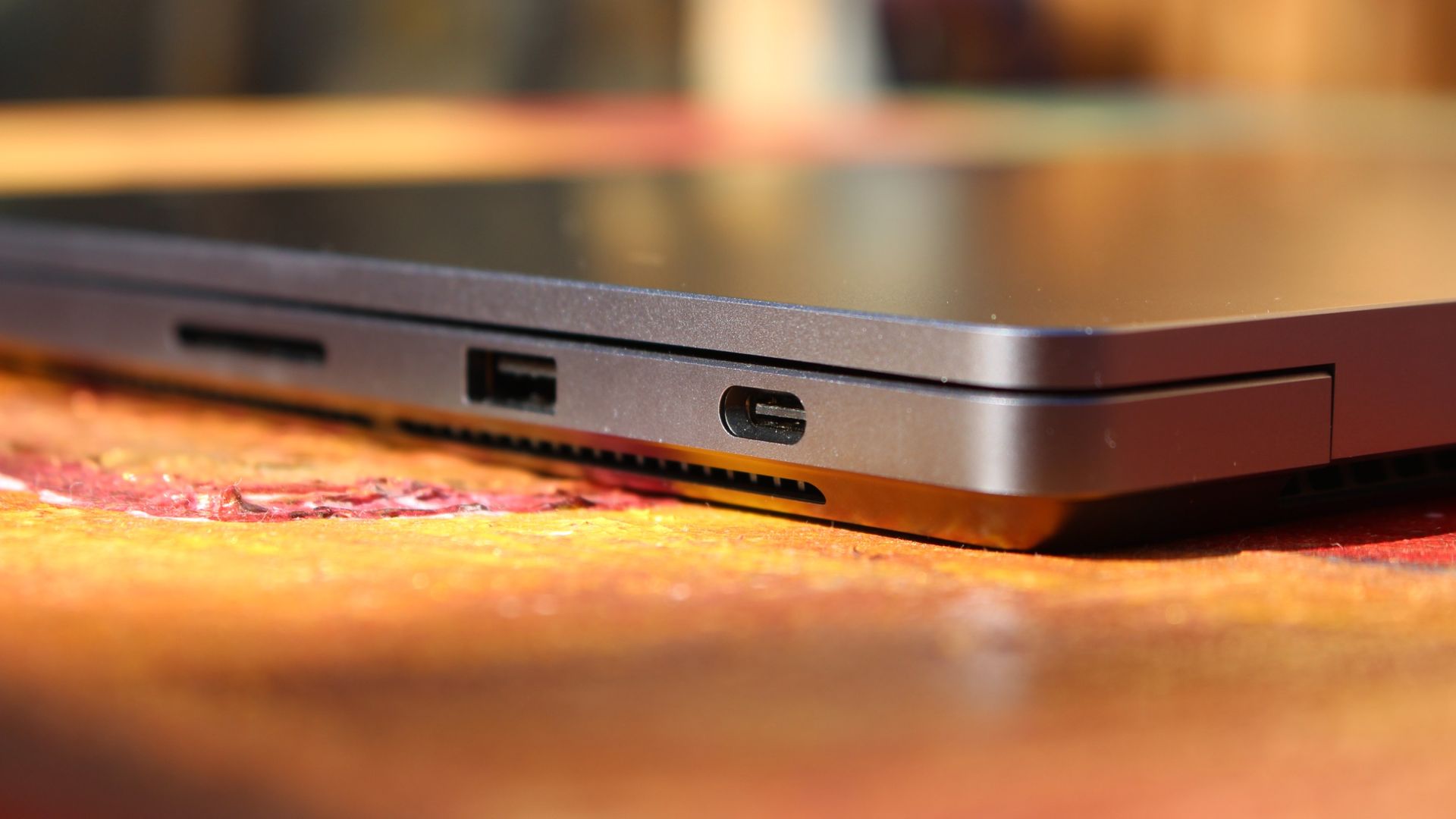
The port selection is good enough. It features three USB-C ports, a USB-A port, a 3.5mm audio jack, HDMI 2.1, and a full-sized SD card reader. Of course, the star of the show in the ports department is Microsoft's clever magnetic USB-C port, which replaces the proprietary Surface Connect charge port found on older Surface Laptops.
The special USB-C port is truly great. (Image credit: Zac Bowden / Windows Central)
It's great to see a laptop manufacturer attempting to innovate and improve on the universal USB-C standard. Here, we have a USB-C port that is compatible with all your USB-C peripherals, but it's also magnetized, and with the included charging cable, magnetically snaps to the device just like Apple MagSafe, while using the same universal USB-C port.
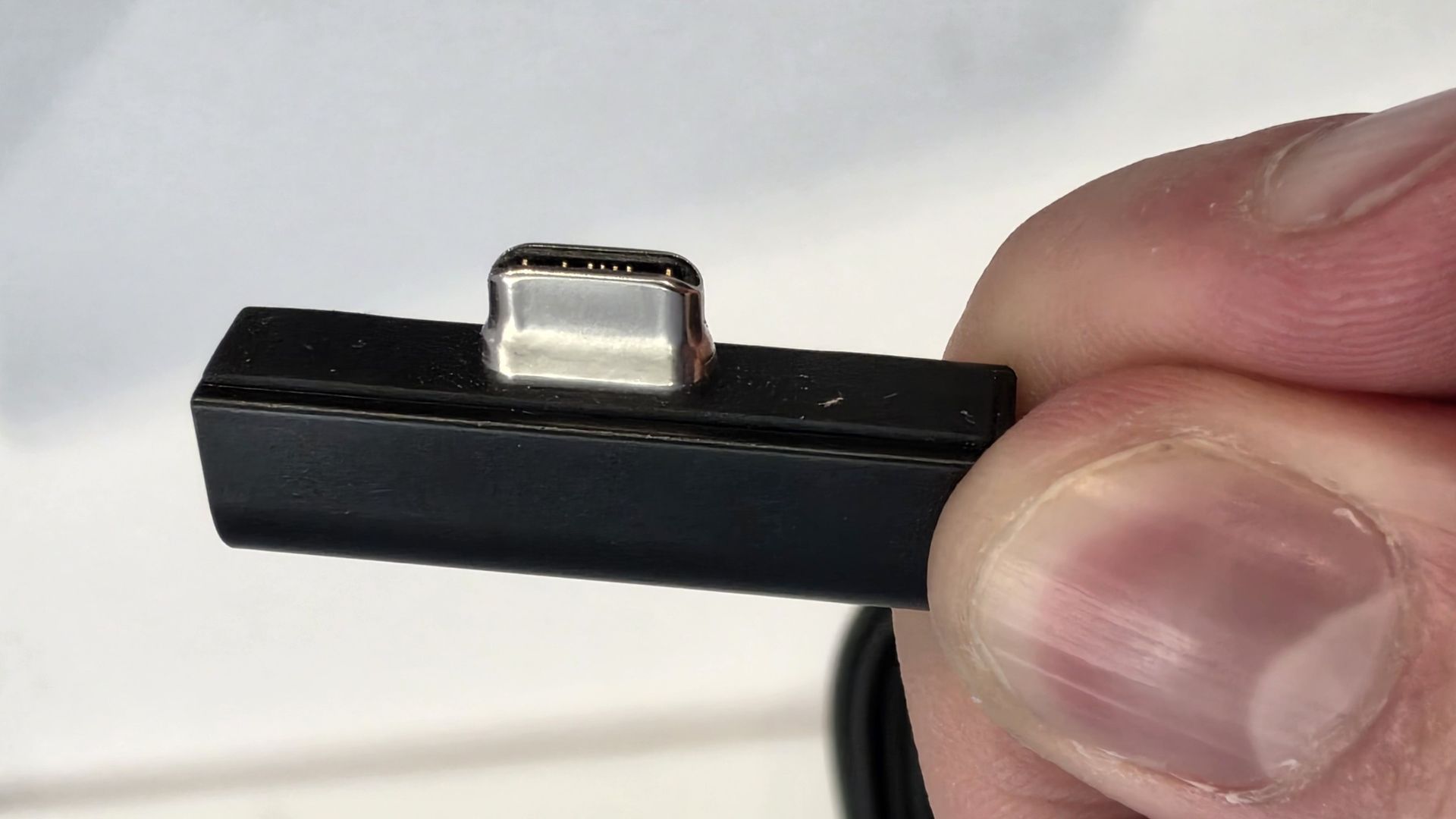
How did Microsoft do this? Well, most of the innovation is actually on the cable side. On the laptop itself, the only real change is that the USB-C port is slightly wider at its opening, but the rest of the USB-C port itself is typical in its design. Microsoft placed magnets on either side of the port, and redesigned the USB-C connector that's attached to the cable to allow for the magnetic connection to be seamless.
The cable's male USB-C end is shallower than a normal USB-C connection. This allows for it to connect to the USB-C port without clicking in, which is what locks a cable to a USB-C port normally. Instead, the magnets hold it in place, which enables the breakaway design that differentiates this USB-C port from the rest.
The USB-C connector is unique. (Image credit: Zac Bowden / Windows Central)
That does mean the USB-C cable that comes included only works with Surface Laptop Ultra, and only in this particular port. Microsoft realized this would be a problem, and designed the power brick that comes with Surface Laptop Ultra in a way that allows the magnetic cable to attach to the brick instead. The other end of the charging cable is a normal male USB-C end, which connects to any USB-C port you want.
So you can still use the Surface Laptop Ultra's power brick and cable on any device or any port you like, you just have to plug the magnetic end into the power brick first. It's a genius design, and proves that Microsoft really thought of everything when it comes to this unique magnetic USB-C experience. I love it, and I hope to see it on more laptops in the future.
Surface Laptop Ultra is available in just two colorways: Platinum and Nightfall. To me, I think the Platinum version looks the nicest, but the Nightfall version looks clean too. The good news is the dark color does a relatively good job at fending off fingerprints thanks to an anti-fingerprint coating that has been applied to the chassis.
Display & Features
The Mini LED display in all its glory. (Image credit: Zac Bowden / Windows Central)
Surface Laptop Ultra ships with Microsoft's first ever mini-LED display, which delivers better contrast and brighter peak brightness over your standard LCD that has been found in all other Surface Laptops to date. Unlike an LCD, the Surface Laptop Ultra's mini-LED screen packs 1,344 local dimming zones, which allows the laptop to dim darker areas of the screen that don't need as much light.
This number is not as high as the mini-LED screen on the MacBook Pro, and this results in a bit of blooming around bright elements on a dark background. If you use Windows in light mode, this will almost never bother you. But in dark mode, in a dimly lit environment, it becomes quite a bit more apparent.
The backlight also takes a fraction of a second to keep up with what's going on on your screen. If you move a bright window around on a dark background, you'll notice the backlight brightening and dimming around the edges of the window. This gives off a slight ghosting effect which degrades the 120Hz refresh rate somewhat. It isn't noticeable at all in light mode, however.
This all leads me to say I wish Microsoft had opted for an OLED panel on the Surface Laptop Ultra. I've been daily driving OLED displays for the better part of a year now, and a mini-LED panel just isn't a vibrant or contrasty as an OLED display can be. The mini LED display is good, but not the best on the market, and it's certainly no OLED.
Microsoft tells me it opted for mini LED over OLED primarily for the brightness and efficiency gains. At 2,000 nits peak brightness, it is the brightest screen ever put on a Surface. But Tandem OLED displays are also very capable of reaching similar peak brightness levels these days, and so I feel the benefits of a mini LED screen don't carry much weight here.
If you're coming from a standard LCD, the mini LED screen will be nothing but an upgrade to you. It's color accurate, very bright, and its high resolution and 120Hz make reading text and scrolling webpages look and feel great. But if you're coming from a MacBook Pro mini LED screen, or an OLED display, you will notice the downgrade in contrast and more noticeable blooming.
The display is also a touch screen, which is the case on pretty much all Surface PCs since the line began in 2012. Microsoft truly believes that touch has a place on the laptop form factor, and I agree with it. Being able to reach out to tap on a notification or hit OK on a window prompt is really nice, even if I don't use it all the time.
For pen lovers, sadly the Surface Laptop Ultra does not support pen input. Microsoft dropped pen input from the Surface Laptop with Surface Laptop 7, and the Surface Laptop Ultra has not restored it. This makes sense however, as the screen does not lay flat so drawing on it would be uncomfortable.
I also want to mention the fact that Surface Laptop Ultra features a user upgradeable SSD drive. That means you don't have to splash out on the most storage at the checkout screen. You can opt for a lower amount, and when you finally fill it, upgrade the SSD to something larger later down the line. You can't say that about the MacBook Pro.
That large trackpad is something else... (Image credit: Zac Bowden / Windows Central)
Unfortunately, Surface Laptop Ultra is missing a key quality of life feature that I have come to enjoy on other flagship Windows laptops over the last year: presence sensing capabilities. My daily driver is able to wake up and go to sleep whenever I approach it or walk away, and Surface Laptop Ultra is missing this functionality entirely. A crying shame.
It's also missing all Copilot+ PC features currently. Microsoft tells me that RTX Spark is a Copilot+ PC capable chip, but that the suite of Copilot+ PC features aren't yet ready for the platform, and to expect them to show up in the coming months. The RTX Spark has a 50 TOPS NPU that will power these experiences when they finally do arrive.
Keyboard & Trackpad
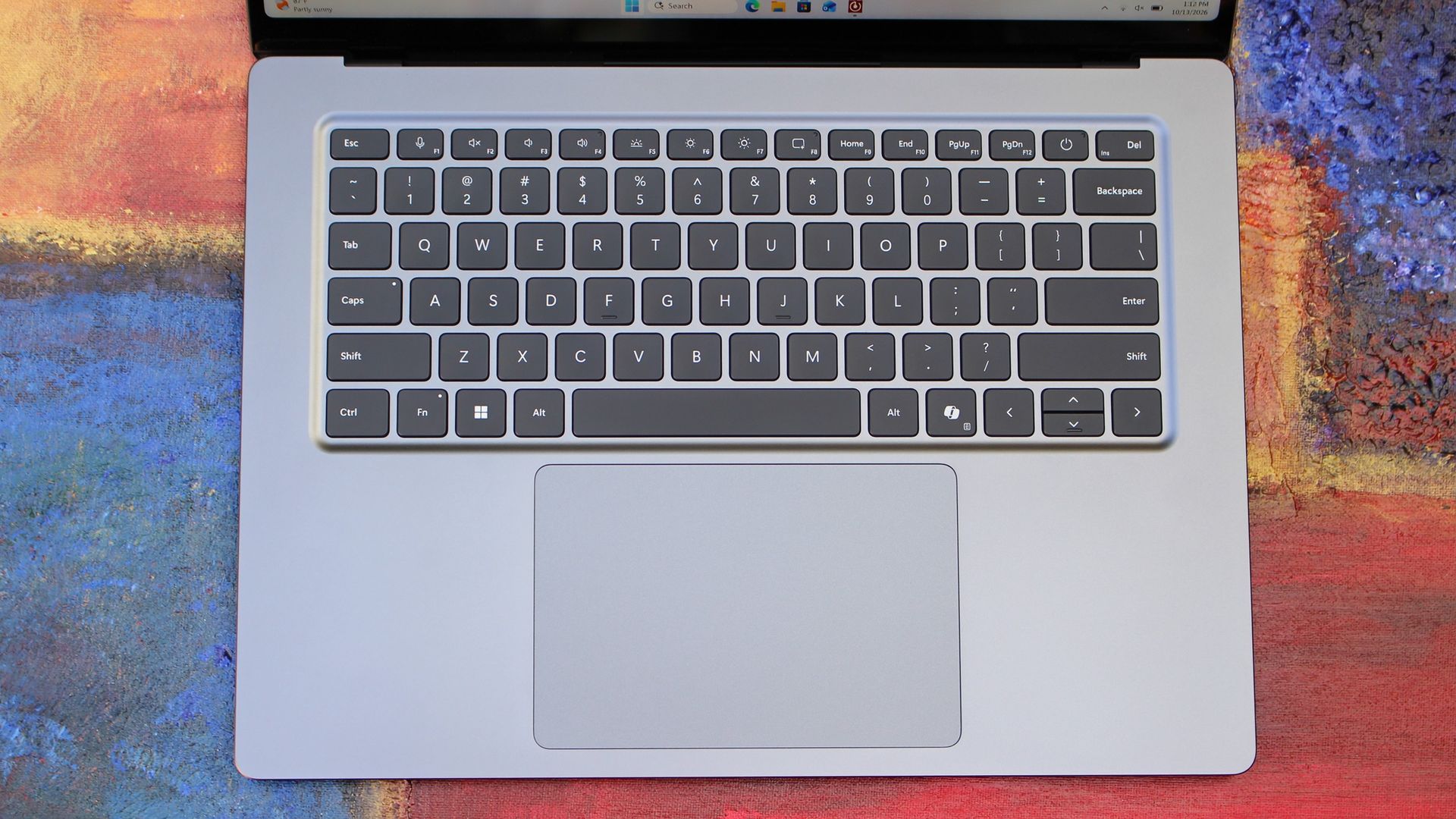
The best keyboard and trackpad I've ever used. (Image credit: Zac Bowden / Windows Central)
Surface has always delivered excellent keyboard and trackpad experiences, but Surface Laptop Ultra might be on a whole other level. This is probably the best keyboard and trackpad experience I've ever had on a Windows laptop to date. The keyboard is comfortable, tactile, and quiet, with 1.4mm key travel which is incredibly satisfying and not at all fatiguing.
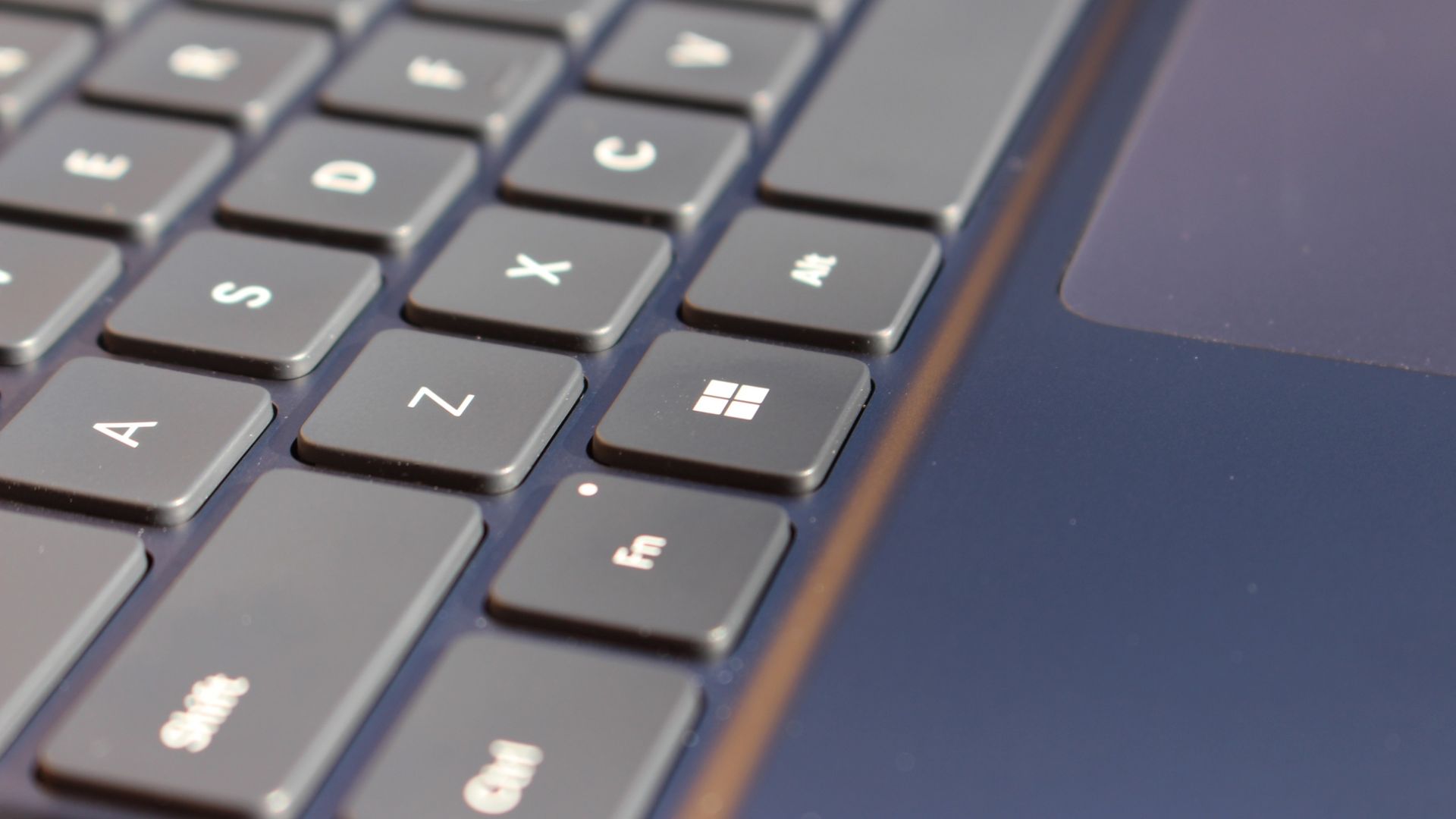
The keys themselves are slightly rounder than the keys found on Surface Laptop 8, which I think is more comfortable and looks nicer as a result. It features a three-stage backlight, a Copilot key (which can be changed,) and a dedicated microphone mute key. It's pretty much perfect in every way.
But what I really want to talk about is the trackpad. It's the largest trackpad ever fitted to a Surface, and that makes a huge difference in how easy it is to use. There's so much room for activities, and you'll never find yourself at the edge of the trackpad because you needed to drag a file and ran out of room.
The keys are so nice to type on. (Image credit: Zac Bowden / Windows Central)
Palm rejection is also very good. I never once had an issue with the trackpad being in the way when typing, which means Microsoft has done a good job at ensuring the trackpad's side isn't impeding the typing experience. The trackpad itself is haptic, and feels great to click on, with strength adjustability in Windows Settings so you can really dial in just how strong that haptic feedback is.
But the new trackpad also supports Windows 11's new haptic system, which introduces subtle haptic feedback when interacting with different UI elements across Windows. When you snap an app window, or drag files across folders, you'll feel haptic bumps under your finger in the trackpad that are different from the usual click down sensation it provides. It's genuinely great.
Camera & Audio
It's a Surface, so you can and should expect great cameras and microphones on Surface Laptop Ultra. The webcam is a 1080p shooter that looks more than fine for video calls, Teams meetings, and recorded presentations. In low light, the image does get a little noisy, but not any more than any other high-end webcams on the market.
The shining star in this department are the built-in studio mics, which are very very good. They sound studio quality, with rich bass and far-field mics that do a very good job at tuning out background noise to ensure the things that you are saying are captured clearly and well.
I also need to take a moment to talk about the built-in speakers on this laptop. They are superb. Again, probably the best I've tried in a Windows laptop to date, and give the MacBook Pro 14-inch a run for its money. There's a clear sound stage, highs are crisp and bass is rich.
Performance & Battery
It's a looker for sure. (Image credit: Zac Bowden / Windows Central)
I've already published an in-depth look at the performance of RTX Spark on Surface Laptop Ultra, which you can read here if you're interested, so there won't be raw performance benchmark numbers in this review.
The TL:DR for that however is that the RTX Spark is a powerful chip, with okay CPU performance but great GPU performance. It's capable of playing most games at 1440p high settings above 60fps, and top end configs can fit large AI models directly onto the GPU for faster processing. But it trails behind the latest high-end Apple Silicon, and is more in-line with current-gen Snapdragon X2 Elite or last-gen Apple M4 Pro in overall performance.
By default, the 128GB Surface Laptop Ultra ships with its unified memory in a 50/50 split configuration. Users are free to adjust this in the NVIDIA app, which is good for when you need to give either the system or your GPU more RAM for whatever task it is you're completing. It requires a restart to apply, which frustratingly takes a long time on the Surface Laptop Ultra.
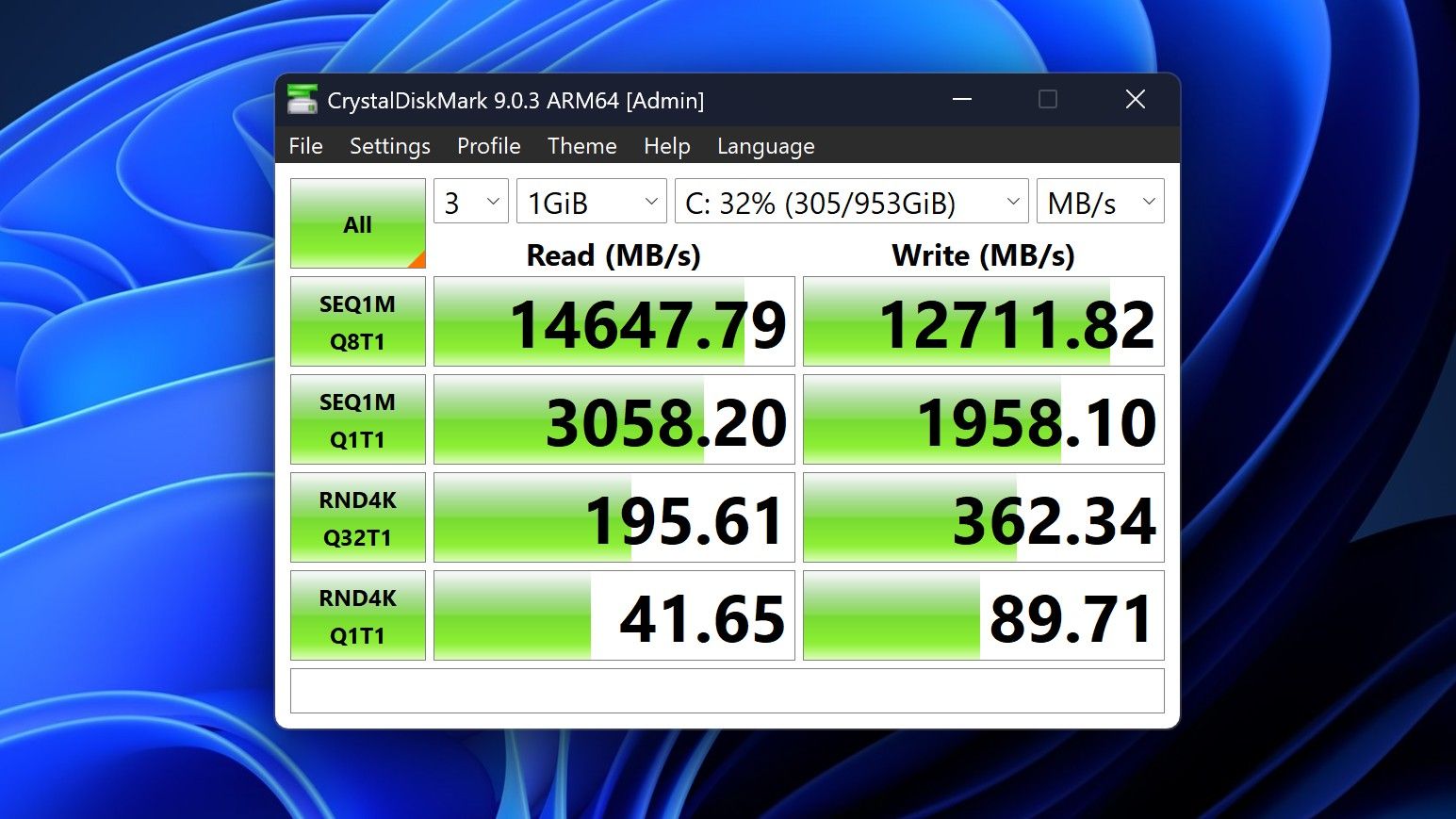
You can expect very fast read and write speeds on 1TB models. (Image credit: Zac Bowden / Windows Central)
Performance is great for the most part. In day to day usage, it's blazing fast and is able to crunch through pretty much any workload I'd want to throw at a mobile workstation such as this. With that said, there are a couple of oddities related to performance that I feel I should mention.
Compared to other devices I have on hand, the Surface Laptop Ultra sometimes takes twice as long to restart. I'm talking over 2 minutes from hitting restart to being back on the lock screen, which is about double the amount of time it takes all the other laptops in my possession. Microsoft says they are investigating.
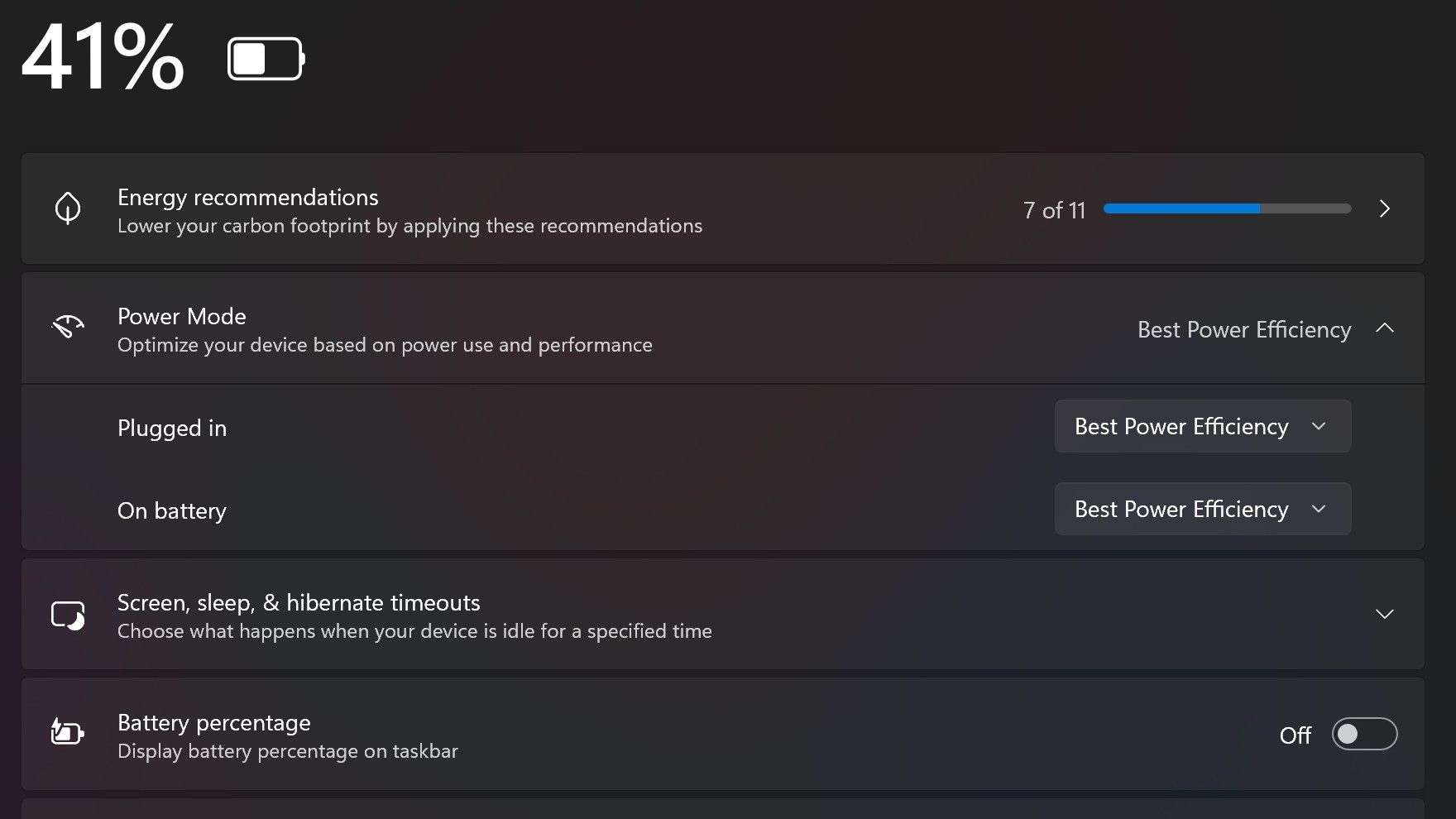
Surface Laptop Ultra also ships with the "Best Power Efficiency" profile set by default. This is unusual, as most Surface PCs ship with their power profile set to balanced. Microsoft says it does this to maximize battery life, but that does come at the cost of performance.
Make sure you change these to Best Performance for plugged in, and Balanced for battery life. (Image credit: Zac Bowden / Windows Central)
I've found that overall performance can be slashed by up to a quarter or even half when in this default mode. So if you want to make the most of your RTX Spark PC, be sure to change the power mode in Windows Settings to either Balanced or Best Performance. I usually set the on-battery mode to Balanced, and the plugged in state to Best Performance.
On the subject of battery life, the Surface Laptop Ultra's endurance is just fine. It's not class leading by any stretch, but I can definitely get through the work day without much fuss, though this will depend on your workload. Our Procyon battery life benchmark test lasted around 14 hours, and in real world use I was getting close to about 10.
But if your workload heavily leans on the GPU, you can expect to halve that number. The GPU is quite efficient for the power it outputs, but it's still a GPU and it's still hungry. So if you know you'll be using the GPU a lot throughout the day, you'll want to bring the charger with you.
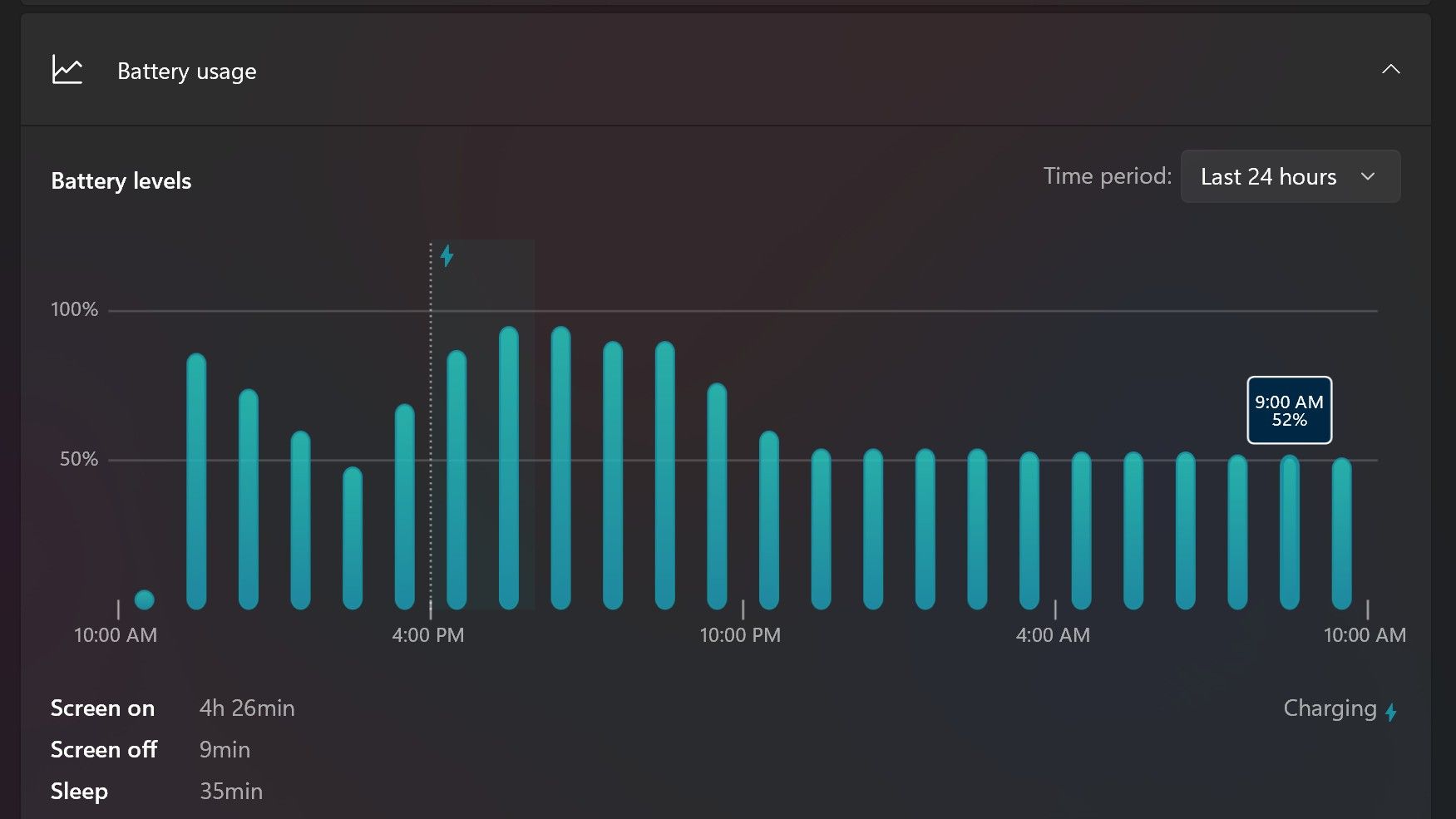
Surface Laptop Ultra only sipped power during sleep between midnight and 9AM. (Image credit: Zac Bowden / Windows Central)
With that said, sleep endurance is very good for the level of power this laptop outputs. I put the laptop to sleep at about midnight, and open the lid 10 hours later, and it's only drained one, maybe two percent from the battery. Very good on that front!
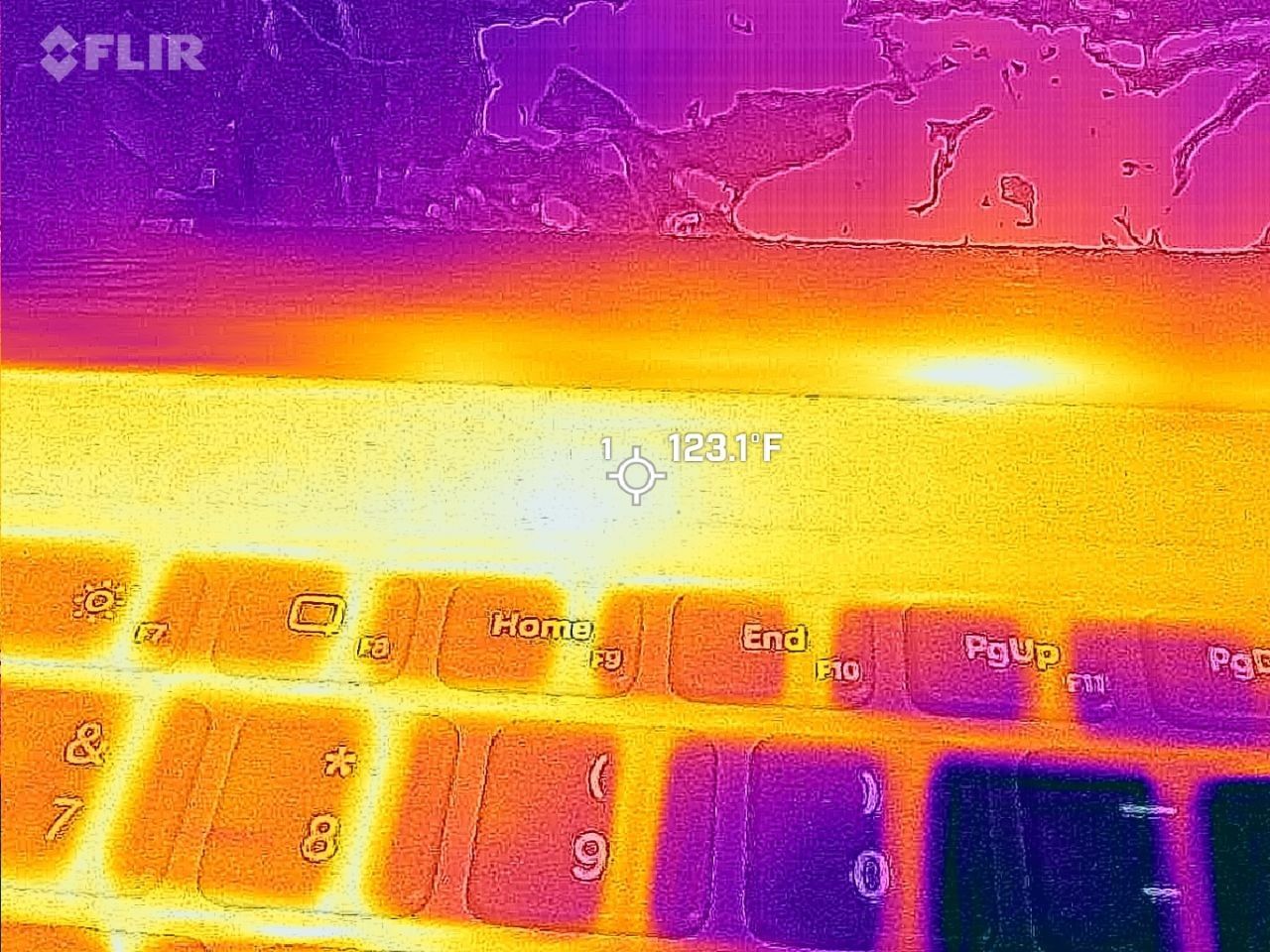
Under max load, the Surface Laptop Ultra gets quite warm. While the keys themselves remain at an okay temperature, the top part of the keyboard deck gets very toasty. I measured 123 F at its hottest under max load, which is approaching "oh that's hot" territory.
Surface Laptop Ultra gets toasty, but doesn't seem to thermal throttle. (Image credit: Zac Bowden / Windows Central)
I also noticed quite audible coil whine when under max load on my Surface Laptop Ultra. This isn't a problem in day to day use, but whenever the GPU is being used, I can hear buzzing coming from inside the keyboard chassis. If you're sensitive to that kind of thing, it will annoy you.
Fan noise is acceptable even at max load. I measure around 42 decibels at its loudest, and that was after running a benchmark for 10 minutes. In normal use, the fans rarely come on, though it does run slightly warm on your lap as a result.
Conclusion
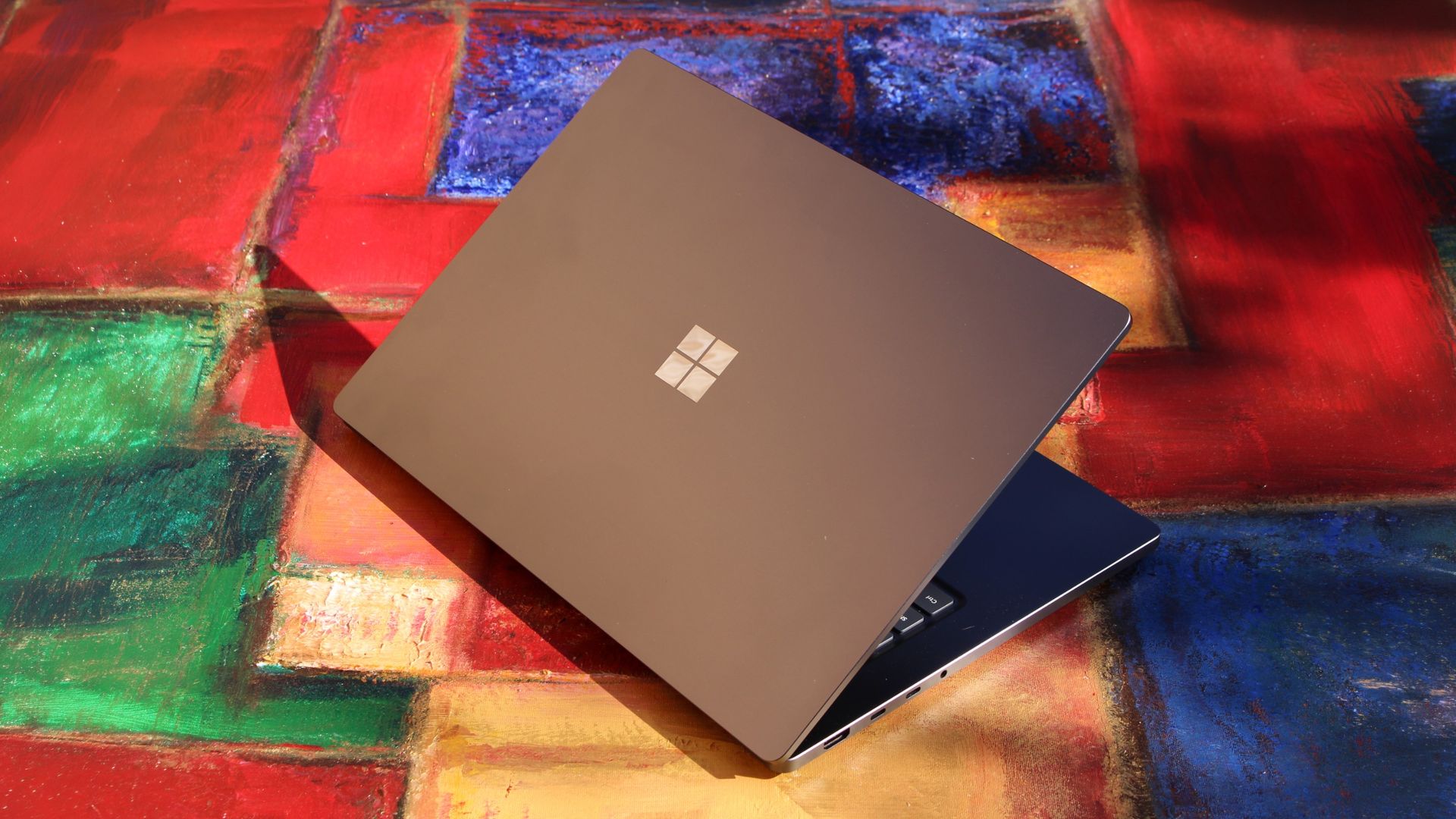
Surface Laptop Ultra is ultra-premium. (Image credit: Zac Bowden / Windows Central)
✅ You should buy this if ...
You are a software developer utilizing on-device AI
You live and breathe large language models and agentic workflows
You need a beefy GPU in a portable and efficient package
You need lots of RAM
❎ You should not buy this if ...
You aren't interested in AI or agentic workflows
You only need a PC for standard productivity tasks
You occasionally game or edit video (get something cheaper)
You want something thin and light
Surface Laptop Ultra is great, but it's not something I can comfortably recommend everyone go out and buy, especially at these high prices. At the base level, it doesn't offer enough to justify the added cost over a Surface Laptop 8 with 24GB RAM. You do get the more beefy GPU and "better" display, but that comes at the cost of portability and battery life.
The Mini LED screen isn't the upgrade I was hoping it would be. For those who have only ever used a standard LCD their whole life, I'm sure you will appreciate the added brightness. But the ghosting issue is annoying and I think most people will notice it. I would have much preferred an OLED on a laptop this expensive.
Battery life is also just okay, which, again, for a laptop of this size and weight, leaves something to be desired. You can get longer day to day use out of a thinner and lighter Surface Laptop 8, which I think most people would prefer over the raw power that Surface Laptop Ultra offers.
And that brings me back to my original point. This isn't a laptop for everyone. It's a laptop for those who know they need it, and it's mainly for AI developers and high-end content creators. If you find yourself leaning on local agents to complete tasks for you, or enjoy generating images and videos using AI models, this is the laptop for you.
If you're someone who just needs a laptop for productivity tasks that includes a little bit of photo and video editing, and sometimes some gaming, there are cheaper laptops out there that will do that job very well.
Is this the MacBook Pro for Windows? I think it is. But it's not the perfect MacBook Pro alternative just yet. RTX Spark isn't at the same level as high-end MacBook Pro silicon, the Mini LED screen isn't best in class, and battery life could use some improvement.
Microsoft
Surface Laptop Ultra
Surface Laptop Ultra is Microsoft's flagship and most powerful Windows PC. It can be configured with up to 128GB RAM, and ships with NVIDIA's new RTX Spark SoC. It's great for creative workflows and software development, and those who want to run local AI and LLMs directly on their device.
If you're wondering why your favorite PC games don't look their best despite running on a monstrously powerful PC, it's probably down to an outdated monitor that can't keep up with the graphical luxuries of modern games.
Fortunately, Dell is offering two of its high-quality Alienware gaming monitors to satisfy your gaming standards with limited-time discounts. They include the Alienware 32 4K QD-OLED (AW3225QF) at $749.99 at Dell (was $999.99) and the Alienware 500Hz IPS (AW2524HF) at $449.99 at Dell (was $549.99).
"It’s hard to imagine anyone complaining about any aspect of the Alienware AW3225QF. It delivers a supremely colorful image with incredible contrast, accuracy and fidelity. Its gaming performance is as good as it gets. Once you see it, you’ll want it." ~ Christian Eberle, Contributing Editor, Tom's Hardware
"If you’re willing to sacrifice the G-Sync module, Alienware’s AW2524HF can save you a bit of money in the 500 Hz monitor category. It still delivers the same incredible motion resolution and low input lag of its more expensive stablemate and boasts excellent image quality as well." ~ Christian Eberle, Contributing Editor, Tom's Hardware
If you're the kind of gamer who wants to play at 4K for the most detailed graphics possible, the Alienware 32 4K QD-OLED (AW3225QF) that's now on sale for $749.99 at Dell is for you.
It can render images and videos with broad contrast and rich colors thanks to its OLED panel, and its Dolby Vision integration allows it to automatically optimize brightness and shadow details via HDR tone mapping when watching movies or streaming videos.
Plus, the Alienware AW3225QF supports a 240Hz refresh rate at full 4K resolution (as tested by our sister site Tom's Hardware), so it can achieve extremely detailed images and razor-sharp motion without compromising visual fidelity or inducing much input lag.
On top of that, it has a solid and attractively designed build, and its 1700R screen curve adds wrap-around immersion to games while keeping text and geometric layouts untouched to make them easier to read.
The Alienware 500Hz Gaming Monitor (AW2524HF) on display (Image credit: Tom's Hardware (Christian Eberle) | Dell)
However, if you're more interested in giving your games the smoothest performance rates possible for frame-perfect gameplay, then you're better off with the Alienware 500Hz (AW2524HF) that's now on sale for $449.99 at Dell.
This monitor features an overclockable refresh rate of 500Hz. This destroys any trace of standard motion blur and sample-and-hold limitations in a game to create perfect-motion resolution, as our friends at Tom's Hardware similarly found.
Add on top sub-millisecond response times, and you've got a gaming monitor that can ensure you suffer absolutely zero perceptible input lag while playing games. That way, you will be able to enjoy skill-based action games at their best and not have to worry about input lag costing you a match in esports competitions.
It's also no slouch in the visuals department, as the Alienware 500Hz Gaming Monitor (AW2524HF) offers excellent color saturation and contrast. Plus, it has solid build quality, so you won't have to worry about it falling to bits anytime soon.
How do I prevent Burn-in on the Alienware 32 4K QD-OLED Gaming Monitor (AW3225QF)?
The Alienware 32 4K QD-OLED Gaming Monitor (AW3225QF) uses Pixel Refresh and Panel Refresh features to clean up its pixels in order to prevent Image Burn-in (a nasty condition that permanently damages a screen's coloration).
Can the Alienware 500Hz Gaming Monitor (AW2524HF)'s screen flicker or revert to a lower refresh rate?
It can happen if your cable connection to the Alienware 500Hz Gaming Monitor (AW2524HF) is loose or if you're using cables that don't support DisplayPort 1.4 bandwitch. Also, forgetting to upgrade your computer's GPU drivers can also cause the Alienware 500Hz Gaming Monitor (AW2524HF)'s screen to flicker and revert to a lower refresh rates.
Join us on Reddit at r/WindowsCentral to share your insights and discuss our latest news, reviews, and more.
It looks like the early-stage Halo 2 and Halo 3 remakes were planned to far exceed the bare-minimum content that Halo: Campaign Evolved offered. It’s no secret that Halo: Campaign Evolved was a polarizing remake, releasing with very little content and bonus missions that I’d describe as on par with Halo 5's level of bad storytelling.
Multiplayer, Forge, Firefight, and more: What could have been
(Image credit: Windows Central)
According to Rebs, Halo Studios reportedly conducted a survey among select community members regarding what they wanted from a Halo 2 and a Halo 3 remake, with the studio allegedly referring to the trilogy of remakes as “Project Manihi.”
For the Halo 2 survey, Halo Studios reportedly asked the following questions:
Bringing back dual wielding and how important it was to the experience.
Including a full multiplayer component retaining Halo 2's classic gameplay.
Having a complete selection of multiplayer playlists available at launch.
Potentially introducing entirely new bonus missions.
Rebs claims that participants pushed back against reusing Blur cutscenes because Halo Studios wanted to reuse assets from Campaign Evolved, creating a visual mismatch. Respondents also believed that dual wielding was essential to a Halo 2 remake, and on that, I do agree.
As for multiplayer, participants reportedly wanted the classic gameplay preserved while ensuring it remained appealing to casual and competitive players, with a full selection of playlists available from day one.
For Halo 3, however, Rebs alleges the studio's ambitions were even greater, with Halo Studios looking to take everything it had learned from Campaign Evolved and the proposed Halo 2 remake and apply it to Halo 3.
The survey reportedly evaluated how important it was to deliver the complete experience, and participants essentially said yes to everything: multiplayer, Forge, Theater, and additional modes like Firefight.
One of Rebs' sources suggested that Halo 3 was intended to become the flagship project of the entire remake initiative, with Halo Studios apparently looking to invest more resources into making it the most complete experience of the three.
It is also reported that Halo Studios were planning to do more bonus missions similar to what we got in Campaign Evolved, and that these next two remakes would also exist alongside the next mainline Halo game.
Let me know how you feel in the comments. Would you have been excited for the prospects of a Halo Studios crack at a Halo 2 and Halo 3 remake, or are you like me and glad we’ll never see them?
Join us on Reddit at r/WindowsCentral to share your insights and discuss our latest news, reviews, and more.
Minecraft Bedrock Edition has long been confined to.. well, hardly anything, actually. The game is available on almost every major platform, including Android, iOS, Nintendo Switch, PlayStation 5, Xbox Series X|S, and Windows. That leaves just two platforms notably absent, which would be Mac and Linux.
For some reason, Mojang never thought to bring the Bedrock Edition of the game to Apple’s Mac line of hardware, despite its older sibling, Minecraft Java Edition, being readily available for download.
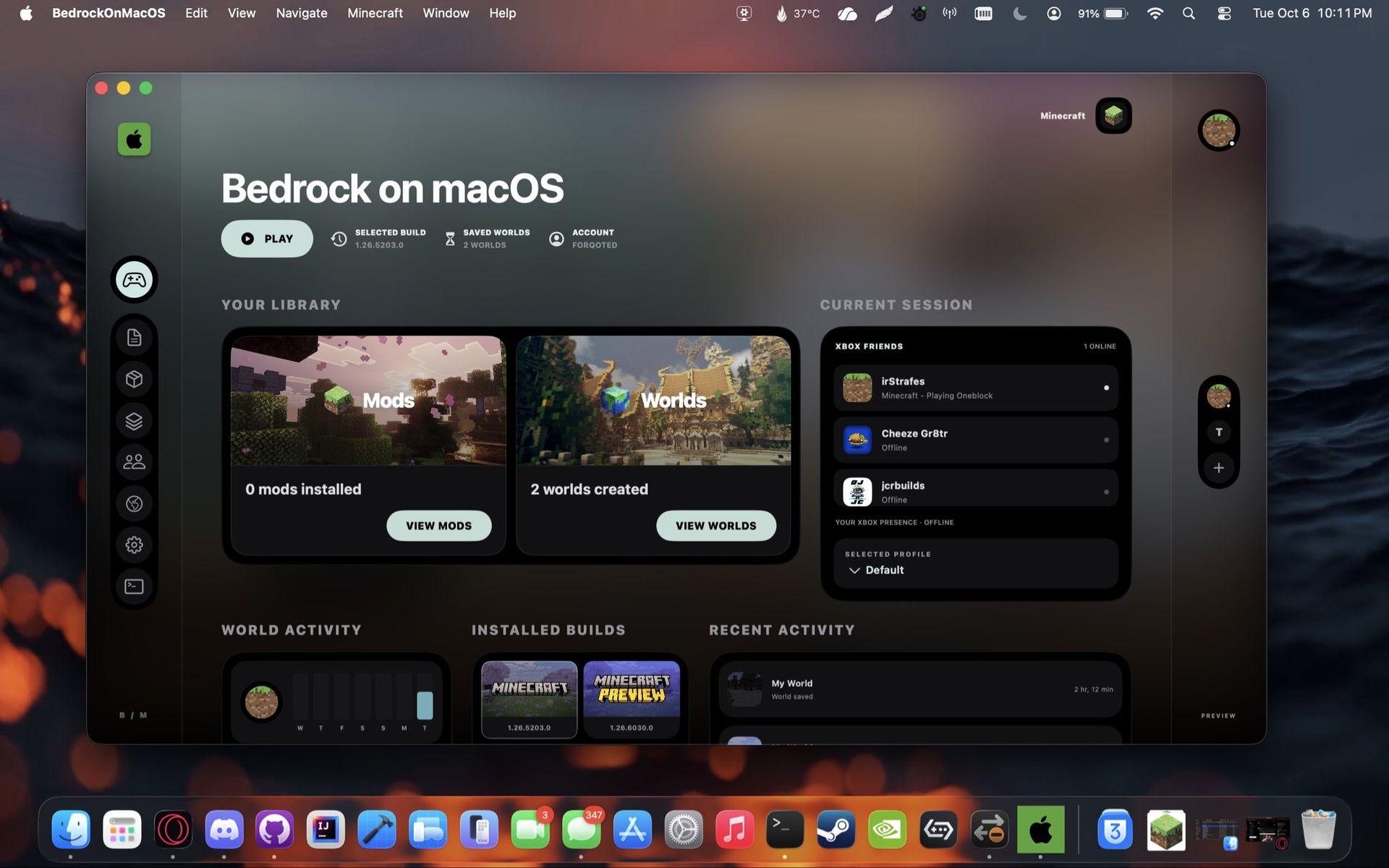
That is where creator @multision comes in. A 22-year-old self-taught developer, they have taken it upon themselves to get Minecraft Bedrock Edition working on Apple Silicon. Dubbed Blockintosh, the project is looking pretty good based on early previews, and you can check it out in their Discord.
Minecraft Java Edition already runs on Mac, so why does Bedrock matter?
Blockintosh brings Minecraft Bedrock Edition to macOS, complete with a custom launcher featuring world management, mod support, and Xbox social integration. (Image credit: multision)
Well, I’m glad you asked. Minecraft Bedrock Edition is completely cross-platform. This means if your friends are on Nintendo Switch, Xbox, or PC, you can jump in with them. Until now, Mac users have been a bit out of luck in that regard.
Not only that, but unlike Java Edition, Bedrock comes with native controller support without the need for installing mods. There is also the Minecraft Marketplace. Yes, it isn’t as robust as the Java modding scene, but there tends to be some high-quality content on there, including impressive crossovers with games like Sonic and Dragon Ball Z, just to name a few.
Let me know your thoughts on Blockintosh in the comments. Do you agree with my take, or do you think it isn’t worth the time needed for Mojang to invest? Be sure to take part in our poll below:
Join us on Reddit at r/WindowsCentral to share your insights and discuss our latest news, reviews, and more.
Plus, Microsoft is also offering a special surprise for PC players during this time in honor of Xbox's 25th anniversary as part of these updates. Starting in November, customers who buy eligible Windows 11 PCs will be able to claim PC versions of 25 Xbox games with a total value of over $500.
This free collection of games (all digital, no discs) will only be valid with the purchase of select Windows devices sold from participating U.S. retailers from November 2, 2026, to December 31, 2026. Microsoft describes in its small print that offers to 'claim this collection' for your eligible device in the Microsoft Store app will be available until November 30, 2026.
You must activate your PC and claim the digital game bundle for your Microsoft account by December 2, 2027. You'll be able to check aka.ms/XBOXbundle on November 2, 2026, for game compatibility, system requirements, ratings, and full offer terms.
When you claim these titles, their PC versions will be linked to your Microsoft account and will become playable on any compatible Windows PC. Plus, some select titles will also be playable on Xbox Series X|S consoles with Xbox Play Anywhere support.
Note that some devices eligible for this giveaway will not be able to play all the games within this collection.
Christmas is coming early for Xbox fans in November
This free Xbox giveaway list is already stacked with some incredible titles from the few confirmed titles alone. We have Gears of War: Reloaded, the HD remaster of the iconic third-person shooter that still holds up today with its brutal gunplay, gritty story, and addictive multiplayer.
There's also Halo: Combat Evolved Anniversary, the first HD remaster of the first Halo that completely retains the gameplay of the original game while improving its graphics. Plus, unlike Halo: Campaign Evolved, Halo: Combat Evolved Anniversary comes with PvP multiplayer modes to keep players busy long after beating the campaign.
Then there's The Elder Scrolls V: Skyrim Special Edition, Bethesda Softworks' magnum opus of an open-world RPG that people still play to this day for its immersive world and lore, engaging gameplay, and near-infinite modding compatibility.
We also have the cutesy Minecraft Dungeons, which is a fun, beginner-friendly ARPG that combines the hack-and-slash and looting gameplay of Diablo with the universe of Minecraft. Finally, we have Age of Empires 2: Definitive Edition, a full-blown remaster of the genre-revolutionizing real-time strategy game that features co-op, competitive multiplayer, mods, and full crossplay.
With such high-profile games, I can't wait to see what the rest of the free Xbox games being given away by Microsoft are as we inch closer to Xbox's 25th anniversary. Needless to say, it's going to be one heck of a birthday party.
Join us on Reddit at r/WindowsCentral to share your insights and discuss our latest news, reviews, and more.
Last week, I demonstrated the new Xbox PC app which ended up being uploaded prematurely to some users' devices (including mine, apparently!) but, some of you were asking how it works on an Xbox Ally. The answer is: pretty damn great.
The Xbox PC app has improved leaps and bounds over the past couple of years as Microsoft turned its attention more seriously to Windows and PC gaming in general. Steam OS has been giving Microsoft a well-deserved kick up the backside both in the usability and performance space for gaming, and the competition has led to improvements for those in the Xbox ecosystem on PC, both via Xbox Play Anywhere and Xbox / PC Game Pass.
The primary gain here is raw performance. The Xbox Ally paired with the Xbox PC app offers very middling navigational responsiveness, with this weird "rubber banding" quirk where the cursor gets stuck, and you have to wait for it to become unstuck for a couple of seconds. If you get frustrated and spam buttons, as I often do, the inputs will queue up and then all play out instantly, leading to the highlighted object flipping all over the place.
In the new Xbox PC app, the rubber banding is completely gone I'm happy to report, even on this early build. Navigating through even massive lists of games is smooth and pleasant, and the loading speed is vastly improved across every panel. Whether it's your own library, the Xbox Game Pass library, the store page, individual game pages, and beyond. Navigation also now feels a lot more "d-pad" native. On the existing app, sometimes the cursor moves in a diagonal direction unexpectedly, adding to the sense that it isn't truly native for console-style use.
The new Xbox PC app doesn't offer much by way of new features yet, but I am told that there are plans to add new stuff before it all goes live. Indeed, this is an early, unfinished build as mentioned, and some of the things I saw people dislike from the video I put out last week have already been addressed on internal builds I'm told.
It's unclear exactly when this will ship. I'm expecting it to go out to Xbox Insiders on PC at least towards the end of the year, by which time it should be a lot more polished and refined over what I've been messing around with now. It's unclear if the Xbox Game Bar guide will get similar treatment, but I would hope so, since now it has a very different visual style to the Xbox PC app itself.
Xbox is getting serious about PC gaming
The new Xbox Ally X20 which our editor in chief Dan Rubino got ... I'm not jealous at all. (Image credit: Daniel Rubino)
I would like to see more customization, with custom backgrounds to give us a greater sense of "ownership" in our increasingly-digital investment in the hobby. I'd like to see more data surface more quickly when navigating the store too. I shouldn't have to enter a store page to see screenshots of a game or try to figure out what it is from its thumbnail in my view. Also, I think Xbox could still improve the search tool a bit, although some of this is on the developer's side with regards to tagging their games properly and so on.
For sure, some of Xbox's issues on PC move beyond the app itself, and emerge on the developer ecosystem side. Tainted Grail: Fall of Avalon for example shipped with two builds simultaneously when it hit Xbox Play Anywhere a couple of weeks ago, allowing users to download the Xbox console version to their PC (which naturally wouldn't run). It's small issues like this which simply shouldn't be possible, and wouldn't be possible on Steam. Xbox needs to look towards fixing a litany of small things with its PC gaming ecosystem overall, and address things like native modding ecosystem support, systems for developer interactions with the community, social features potentially, and beyond. Perhaps the new Xbox Labs team will have some interesting things for Xbox PC up its sleeve in the future too.
In any case, it's great to see Microsoft double down on all of its endpoints. Xbox console has had a ton of new features lately, with Mythic Achievements, 1440p remote play streaming, and voice clipping in the Game DVR. Xbox Cloud Gaming is also getting a new interface that looks very close to the new PC app, and we should be seeing a new Xbox Elite Series 3 controller emerge soon.
Join us on Reddit at r/WindowsCentral to share your insights and discuss our latest news, reviews, and more.
NVIDIA's RTX Spark is almost here. Laptops powered by the chip launch on October 16, 2026, but reviews of the chip are already out.
Reviews of the first wave of RTX Spark laptops work a bit differently than some other product launches. Today, those who were given access to RTX Spark laptops can share their experience with the chip itself, but thoughts on specific RTX Spark laptops cannot be shared until October 16, 2026.
While that is different than what we normally see, it's not that surprising. RTX Spark is not just a new chip akin to a new processor from AMD, Intel, or Qualcomm. It is a new platform for NVIDIA, a major addition to Windows on Arm computing, and the mark of a new silicon partner for Windows.
Note that reviewers of the RTX Spark were limited to sharing details about the performance and benchmarks of the processor. Dedicated GPU performance varies based on the laptop it's paired with, so some reviewer experiences may differ depending on the hardware used to test RTX Spark.
RTX Spark: Reviews
Windows Central: "The RTX Spark GPU is very performant and is capable of pretty much handling anything you'd want to throw at it on a mobile workstation. Where it really shines, however, is running local AI models directly on it. It's the reason NVIDIA built this platform to begin with, and it does this very well."
Tom's Hardware:"Still, for a first-generation mobile platform that joins complex silicon IP from multiple design teams onto one chip and relies on several OEM partners to bring it to life in highly integrated notebook form factors, the maturity of the RTX Spark platform is an impressive achievement. (Take it from someone who has seen a couple of rough product launches from the inside.)"
Tom's Guide:"Judging RTX Spark purely by its single-core CPU speeds is like judging a Ferrari by its cup holders. And after a week of stress-testing the Microsoft Surface Laptop Ultra with Spark — running every synthetic and real-world test we can throw at it — it's clear that this is so much more."
HotHardware:"In its most potent form, which is what we’ve tested here, the RTX Spark N1X is a powerful SoC that offers competitive multi-threaded CPU performance versus today’s top mobile platforms, with class-leading GPU performance. The RTX Spark N1X’s AI performance and capabilities are also unmatched, not only because of the powerful hardware on tap and unified memory architecture, but because NVIDIA’s AI software stack is so pervasive and mature."
Lowyat:"For NVIDIA? They basically took multiple pages out of Qualcomm’s book of trial and errors, added their gaming DNA, made damn sure that the majority of compatibility issues between the x86 and ARM architectures were resolved, and what you have is something I’d never thought I’d see: playing AAA titles on an SoC, along with all the accoutrements that comes with an NVIDIA chipset."
NVIDIA RTX Spark shows promise, but you have to understand who it is for
Early impressions of RTX Spark are largely positive. Across multiple reviews, experts praised the processor's strong GPU performance, AI capabilities, and surprisingly polished first-generation experience.
At the same time, several reviewers cautioned against viewing RTX Spark through the lens of traditional gaming benchmarks, reminding readers that the platform is designed for AI workloads, creators, and developers.
The RTX Spark is not meant to power gaming laptops. It is aimed at developers and high-end creators. The processor is especially focused on local AI performance, an area many expect to be the next major shift in personal computing.
That being said, the RTX Spark is capable of gaming. It may show the future of Windows on Arm gaming, but that's yet to be seen. Over the coming weeks I am sure we will see countless reviewers test games on RTX Spark laptops. I think they'll be surprised by how well the processor does, but gaming-focused reviews still won't be the best way to judge those PCs.
The first wave of RTX Spark laptops are already available for preorder and hit shelves tomorrow. Our Cale Hunt rounded up all the RTX Spark laptops you can buy, which you can also find below.
Built around the NVIDIA RTX Spark platform with an N1X CPU, RTX GPU, and up to 128GB of unified memory, the Surface Laptop Ultra hits new performance heights for power users. It's all contained in a gorgeous chassis with a mini-LED display and tons of ports. Prices start at $2,599.99, and units will begin shipping on October 16, 2026.
The new ASUS ProArt P14 and P16 duo gives users more size options while retaining the same great RTX Spark performance. The P14 is the lightest ProArt laptop ever, while the P16 is the way to go for a larger OLED display. Prices start at $2,599.99 for the P14 and $2,799.99 for the P16. They're expected to begin shipping on October 16, 2026.
Dell's new XPS 16 with RTX Spark features a 3.2K OLED display, lattice-free keyboard, and the usual premium XPS styling. Prices start at $3,799.99 and units are expected to begin shipping on October 16, 2026.
The OmniBook X 14 is the smaller of the two new PCs, but it features the same RTX Spark options for maximum performance. Models start at $2,999.99 and are expected to ship beginning November 4, 2026.
The larger of the two new HP RTX Spark laptops delivers a gorgeous 16-inch OLED display with 3K resolution and, of course, your choice of RTX Spark chips. Prices start at $3,199.99, and shipments are expected to begin on November 4, 2026.
Lenovo's Yoga 9n should be the right choice for those who value a versatile convertible design and premium build quality. Prices start at $3,099.99, and models are expected to begin shipping on October 16, 2026.
MSI's Prestige N16 Flip AI+ is another versatile convertible featuring the RTX Spark platform and a Tandem OLED display. It appears that preorders might kick off on October 8 for this laptop, with prices starting at $3,299.99.
We've pretty well known all along that Call of Duty: Black Ops 7 did not live up to expectations. While I personally enjoyed (mostly) Black Ops 7 and there was no shortage of content, it didn't do well.
Battlefield 6 launching before Black Ops 7 didn't help, neither did the fact it was a back-to-back Black Ops release cycle, coming after back-to-back Modern Warfare titles.
In an interview with The Game Business, Activision's Chief Marketing Officer, Tyler Bahl, admitted that it didn't perform well and that it wasn't what players were looking for. A couple of key quotes:
“I don’t think we were happy with every aspect of last year’s game, and we heard the feedback loud and clear. With Modern Warfare 4, we’ve tried to adjust based on that feedback. It’s getting back to a grounded military shooter. Making it cinematic, making it authentic, and bringing that edge back that Call of Duty is known for.”
"It was not something that our community was looking for. They wanted something fresh, and even though there were different time settings, and ways to play the game with new features, that tonal shift is something that they were looking for."
Black Ops 7 had a ton of content, even if it ended up not being received that well. (Image credit: Windows Central)
I've spoken before of Call of Duty fatigue, and to me it's personified by the sheer quantity of Black Ops and Modern Warfare games in recent memory. Aside from Vanguard, eight of the last nine Call of Duty games have been either Black Ops or Modern Warfare.
As we're already expecting, Call of Duty 2027 is set to be a new sub-franchise spearheaded by Sledgehammer Games. It certainly feels refreshing to have something completely new to look forward to.
Early signs for Modern Warfare 4 are positive, though. At least, speaking personally. DMZ is looking really interesting; the campaign will absolutely be better than last year's game, and the movement and mechanics we experienced in the beta I thought were pretty good.
Apart from this map, I'm excited for Modern Warfare 4. This map can go to hell, though. (Image credit: Windows Central)
The uphill battle Activision faces is the slide in player sentiment and, as a result, player retention. Bahl talks in the interview about nostalgia, lest we forget how successful the Black Ops and Black Ops 2 ports were on PS5.
But he also acknowledges that the teams working on Call of Duty have to be part of the community. They need to listen to players, they need to engage with players and they need to be more transparent. He points to the widespread appearance of the game at public events, putting the game in as many people's hands as possible before it comes out and letting them form their own opinion. Rather than parroting that of the internet echo chamber.
The other interesting point I pulled from the interview was Bahl's remarks on how Modern Warfare 4 will be judged a success or not:
"We’re not really holding ourselves to a specific number. It’s more about living up to those expectations that we set out at the beginning of the year... Because even if it delivers on sales, if people don’t like the game, we’ve missed the mark.”
DMZ is probably the most hyped part of this year's Call of Duty release. (Image credit: Activision)
I really want to believe that player satisfaction is a priority metric. But we need to see it play out that way. We've had two years of Call of Duty on Xbox Game Pass, which instigated a price increase and then a price decrease and the removal of the franchise from being added during its first year.
Revenue from sales was a driving factor. Game Pass players don't pay full price; even if they subscribe for a year, not all that money is attributable to Call of Duty. Revenue dropped, but then we also have Black Ops 6 experiencing a record launch.
Let's just say I'm skeptical. But I'm prepared to give Activision a chance to live up to it. Whether you enjoy the game or not, it's easy to look at it as an $80 storefront for skins, with a video game attached to it.
I want Modern Warfare 4 to be good. I want it to do well, and I want Call of Duty to get back to being the biggest and best there is. Only time will tell.
Join us on Reddit at r/WindowsCentral to share your insights and discuss our latest news, reviews, and more.
Well, apparently it looks like an enormous, heavy-duty Pelican case that feels like it should contain either extremely expensive gaming hardware or something you've been tasked with delivering to a secret government facility.
Inside is the new ROG Xbox Ally X20 (now available at Best Buy), ASUS' limited-edition handheld celebrating 20 years of its Republic of Gamers brand, along with the new ROG XREAL R1 Edition 20 AR glasses, a custom dbrand Killswitch and skin, and all the accompanying accessories.
There's even an empty cutout where you can add your own Xbox controller, which is objectively kind of fun (as it implies I'm going to show up randomly to public places carrying this kit, which is certainly a baller move).
And yes, I unboxed the whole ridiculous thing (see video below):
Let's talk about this Pelican case
Front view of the closed black Pelican Protector Case with red latches and a gold 20th Anniversary ROG badge. (Image credit: Daniel Rubino)
The first thing you'll notice is that ASUS didn't exactly go for subtlety.
The X20 bundle arrives inside a custom Pelican Protector Case, with everything nestled into its own section. And having now handled the thing, I can confirm two things: it's incredibly substantial, and it has some of the most satisfying, snappy latches I've ever used on a case (with holes for padlocks, natch!).
Opening it feels like an event.
That's appropriate because the hardware inside isn't exactly normal either. The X20 uses a translucent black chassis with gold accents underneath, giving it a distinct throwback look that fits the 20th-anniversary theme without making the handheld look like a toy.
Even the Xbox logo/button now glows green (and you can set it to static, pulsing, or fading), which is really sharp-looking and reminds you this is XBOX FIRST.
More importantly, I've now spent some actual time using the X20, and I'm warming up to this thing considerably.
That OLED display really does make a difference
ASUS' new 7.4-inch ROG Nebula HDR OLED display (120Hz VRR) is a huge selling point and upgrade over the current Ally X's LCD panel (7-inch, IPS). (Image credit: Daniel Rubino)
The centerpiece is ASUS' new 7.4-inch ROG Nebula HDR OLED display, a 1080p panel capable of 120Hz with FreeSync Premium Pro and VRR support from 30Hz to 120Hz. It can also reach a claimed 1,400-nit peak brightness.
And yeah, it's good.
The OLED panel is one of those upgrades that becomes immediately obvious when you put the X20 in front of you. It's a significant improvement over the display on the existing ROG Xbox Ally X and gives ASUS' latest handheld some real visual punch.
Playing Deep Rock Galactic: Survivor on the X20's OLED display is a dream. (Image credit: Daniel Rubino)
They're absurdly loud. In fact, they're the loudest speakers I've heard on a gaming handheld so far, and between the audio and that OLED screen, the X20 makes a surprisingly strong first impression before you even start digging into performance.
Underneath all of that is AMD's Ryzen AI Z2 Extreme, paired with 24GB of LPDDR5X memory, a 1TB M.2 2280 SSD and an 80Wh battery. ASUS has also redesigned the cooling system, while TMR joysticks, a transforming D-pad, and rubberized grips round out some of the hardware changes.
Then ASUS throws a 171-inch virtual display into the box
The ROG XREAL R1 Edition 20 AR smart glasses with 240Hz refresh and OLED internal displays. (Image credit: Daniel Rubino)
Because apparently a $2,499 bundle needs more toys.
The ROG XREAL R1 Edition 20 Gaming AR Glasses (MSRP: $849) can create a virtual display of up to 171 inches viewed from roughly 13 feet away. They use Micro-OLED panels and support up to a 240Hz refresh rate, along with native 3DoF tracking and an Anchor Mode that can keep the virtual screen fixed in position while you move your head.
Front view of the matte black ROG XREAL R1 Edition 20 AR glasses, with tinted lenses and dual display prisms. (Image credit: Daniel Rubino)
You also get a custom dbrand Killswitch (see our review) designed for the X20, complete with an exclusive skin and stick caps. I'm torn about using it. On one side, it's an excellent case with a cover, making it perfect for tossing in the bag. On the other, you're now covering 80% of the translucent case, which seems kinda sacrilegious.
There's a 68W charger in the package too, along with the various accessories for the glasses.
It's basically the "give me everything" configuration.
$2,499 is bonkers, but thankfully you don't need to spend that much
The Pelican case with custom foam holding the powered-on ROG Ally X20 handheld, 68W charger, and AR glasses case. (Image credit: Daniel Rubino)
Let's be realistic: $2,499 for a gaming handheld bundle is an enormous amount of money.
This isn't the mainstream X20 package. It's a collector's bundle for the hardcore ROG enthusiast who wants the limited-edition machine, AR glasses, custom accessories, and a Pelican case capable of making the whole setup feel like precious cargo.
The good news is that ASUS isn't forcing you to buy all of that.
Daniel RubinoDaniel RubinoDaniel RubinoDaniel RubinoDaniel Rubino
And after spending more time with it, that's the version I'm increasingly interested in.
At $1,299, the X20 certainly isn't cheap either. But the combination of its excellent OLED display, booming speakers, unique translucent design and other hardware improvements is making it feel like a much more substantial upgrade over the current Ally X than I initially expected.
I'll have a lot more to say about that very soon.
Stay tuned to Windows Central for my full ROG Xbox Ally X20 review in the coming week, where I'll answer the question that really matters: is ASUS' new $1,299 handheld actually worth it?
Now available
ASUS
ROG Xbox Ally X20 Bundle
Twenty years of ROG innovation, marked by the limited ROG Edition 20 lineup in an exclusive colorway. The ROG XBOX Ally X20 Bundle carries that celebration forward, pairing the handheld with the ROG XREAL R1 Edition 20 Gaming AR glasses to create a complete gaming setup that travels with you.
Join us on Reddit at r/WindowsCentral to share your insights and discuss our latest news, reviews, and more.
Microsoft just shared a massive blog post recapping major Windows 11 changes, including new Photos app features, an improved Search experience, expanded phone integration, and gaming improvements.
Many of the changes highlighted by Microsoft have already been announced, or even fully detailed elsewhere. But with Windows 11 in the middle of a significant refresh, gathering them all in one place is useful.
While much of the post focuses on previously known improvements, Microsoft also used it to introduce a few genuinely new additions, including the redesigned Photos app and an Xbox anniversary game bundle for eligible PC buyers.
Here's a quick rundown of the features Microsoft highlighted:
New Photos app
Advanced Shader Delivery (ASD)
Windows 11 performance improvements
Faster Start menu
Faster File Explorer
Faster Search
Faster Snipping Tool
Faster Settings
Memory optimizations
Reduced Widgets memory usage
Reduced update times
Bluetooth and AirPods improvements
Windows Hello improvements
A push to improve driver quality
Expanded Phone Link features
Microsoft Ink Canvas
Advanced Haptics
Improved accessibility
One of the biggest changes is the new Search experience that allows you to perform actions from the taskbar. The new Search is faster, supports inline actions, and lets you perform tasks without opening related apps or settings menus. The new Search is already in testing among Windows Insiders.
Microsoft explains that improvements to Windows 11 results in an experience that feels up to 20 percent more responsive. That improvement comes as the result of several efforts from Microsoft, such as optimizing memory management and streamlining in-box apps.
The company also highlights that Windows 11 is more reliable and customizable than before. Over the past year the Widgets Panel has been cleaned, the taskbar has gained the option to be placed on other parts of your screen, and Windows Update has been improved.
Microsoft specifically highlighted Bluetooth improvements, including AirPods pairing that it says is up to 15 seconds faster.
The new Windows Search is faster, more efficient, and supports inline actions. (Image credit: Microsoft)
On the gaming side of things, Advanced Shader Delivery (ASD) reduces the initial load time of games by delivering precompiled shaders. Forza Horizon 6 and Gears of War: E-Day are supported now and more titles should gain support in the future.
The improvements to Windows 11 will help anyone with an up-to-date PC, but it's clear Microsoft is taking the opportunity to suggest people buy a new PC. As part of that effort, the company has an Xbox 25th Anniversary bundle that includes over $500 worth of games. The collection includes several major titles, including Skyrim Special Edition, Halo: Combat Evolved Anniversary, Age of Empires II Definitive Edition, Minecraft Dungeons, and Gears of War: Reloaded.
"A new PC is a meaningful purchase, and the value should show up in more than a spec sheet," says Microsoft. "The reason to upgrade is not just one feature; it is how [experiences] work together to make more of your day feel effortless."
Microsoft shared a commitment to listen to feedback earlier this year. The company followed up with several improvements as part of its Windows K2 initiative. It's taken time for those promises to move from feedback and Insider testing to broader availability, but Windows 11 is now seeing some of its most significant changes in years.
The real question is whether these improvements change buying behavior. Microsoft clearly believes a faster, more reliable Windows experience can help convince people to upgrade.
Join us on Reddit at r/WindowsCentral to share your insights and discuss our latest news, reviews, and more.
This is all becoming very commonplace now, and I am even starting to not be surprised when something like this comes across my feeds. This time, it's Halo: Combat Evolved running on a Nintendo 64, of all things.
The project, known as Halo-64, is playable, but it does require the Nintendo 64 8MB Expansion Pack. You also need a copy of the original Xbox version of Halo: CE to get it working. The setup process seems a bit complicated if you are uncomfortable with the Command Prompt, but the project itself is really cool and appears to be working pretty well.
We are in the midst of pretty unprecedented times, what with all the AI modding happening and Xbox itself essentially jumping on the bandwagon with Xbox Labs. However, there’s currently no indication that this project uses AI, and I thought that was important to mention before I dive into what you can expect from Halo-64.
Halo on the Nintendo 64 shouldn't be possible, yet here we are
Halo: Combat Evolved on Nintendo 64? Yes, really, and it even comes with Firefight (Image credit: JackTulli | Xbox)
The game supports all 13 multiplayer maps with up to four-player split-screen, including game modes we’ve all come to know and love, like Team Slayer and Capture the Flag. It also supports bots in-game, with up to 8 AI players at four different skill levels. In a nice touch, those bots take random names from a "list of about 300 Mario, Zelda, GoldenEye, and Rare N64 characters."
Most impressively, the game features a Firefight mode. For those who don’t know, Firefight is Halo’s PvE mode featuring wave-based enemies, and it’s something that Halo: Campaign Evolved, the latest remake, doesn’t even have. The port also includes Rumble Pak support, so you can feel the shots and such on your controller.
Unfortunately, there’s no campaign, and I’d be surprised if we ever did get something like that. It’s crazy enough that we get multiplayer and Firefight, but Halo: CE’s campaign on a Nintendo 64? Now I do think that would be impossible.
Microsoft Edge may not have a Favorites bar after a future update. The browser may instead feature a collection of bookmarks instead. The change would bring Edge more in line with Chrome, which could help people transitioning from Google's browser to Microsoft's.
The change appears now in the Canary version of Microsoft Edge, which suggests it will make its way to the stable version of the browser at some point in the future. Leo Varela, who tracks changes to Edge and Chrome, spotted the change and highlighted it on X.
Varela also noted that the switch could be made to make Edge appear more like Chrome.
Microsoft might rename "Favorites" to "Bookmarks" in Edge. I suppose this aims to make the browser feel more familiar to users switching from Chrome to Edge. This change is already being tested in Canary: https://t.co/DmBSVj4IQPOctober 15, 2026
I'm curious if people are even aware that Edge has Favorites rather than bookmarks. Even if you click the star icon in Edge to add a site as a favorite and then place that site in the Favorites bar, the user interface looks almost identical to bookmarks in Chrome or other Chromium browsers.
Edge still has a poor reputation
Many people assume Microsoft Edge is a worse browser than Chrome and do not try Edge themselves. (Image credit: Getty Images | SOPA)
This week I was speaking with a friend about Microsoft Edge and was somewhat surprised to hear them say it was a bad browser. I was actually more surprised that they had an opinion of the browser at all.
If you hop into our comment section or into subreddits full of tech enthusiasts, you'll often see people say something to the effect of "Edge is a fine browser; it's basically Chrome with a Microsoft paintjob."
But in my experience, that opinion is not held by non-techy users. In the rare instances that browser preferences come up in my everyday conversations, most people I speak with still connect Edge to Internet Explorer or just assume Edge is worse than Chrome.
I know Chrome gets a lot of hate around these parts, but the reality is that it's the world's most-used browser. Statcounter shows Chrome at a 66.36% market share right now. That tramples second-place Safari, which sits at 18.27%. Edge is in third place with a 6.04% market share.
That picture changes when exclusively looking at mobile devices. Chrome is even more dominant and Edge has essentially no mobile market share.
With Chrome being the de-facto standard for browsing, it's wise to make Edge look similar to Chrome. Microsoft needs to differentiate Edge in some ways, but Favorites versus Bookmarks is not one of them.
Join us on Reddit at r/WindowsCentral to share your insights and discuss our latest news, reviews, and more.

 Login
Login