NVIDIA's RTX Spark is almost here. Laptops powered by the chip launch on October 16, 2026, but reviews of the chip are already out.
Reviews of the first wave of RTX Spark laptops work a bit differently than some other product launches. Today, those who were given access to RTX Spark laptops can share their experience with the chip itself, but thoughts on specific RTX Spark laptops cannot be shared until October 16, 2026.
While that is different than what we normally see, it's not that surprising. RTX Spark is not just a new chip akin to a new processor from AMD, Intel, or Qualcomm. It is a new platform for NVIDIA, a major addition to Windows on Arm computing, and the mark of a new silicon partner for Windows.
Note that reviewers of the RTX Spark were limited to sharing details about the performance and benchmarks of the processor. Dedicated GPU performance varies based on the laptop it's paired with, so some reviewer experiences may differ depending on the hardware used to test RTX Spark.
RTX Spark: Reviews
Windows Central: "The RTX Spark GPU is very performant and is capable of pretty much handling anything you'd want to throw at it on a mobile workstation. Where it really shines, however, is running local AI models directly on it. It's the reason NVIDIA built this platform to begin with, and it does this very well."
Tom's Hardware:"Still, for a first-generation mobile platform that joins complex silicon IP from multiple design teams onto one chip and relies on several OEM partners to bring it to life in highly integrated notebook form factors, the maturity of the RTX Spark platform is an impressive achievement. (Take it from someone who has seen a couple of rough product launches from the inside.)"
Tom's Guide:"Judging RTX Spark purely by its single-core CPU speeds is like judging a Ferrari by its cup holders. And after a week of stress-testing the Microsoft Surface Laptop Ultra with Spark — running every synthetic and real-world test we can throw at it — it's clear that this is so much more."
HotHardware:"In its most potent form, which is what we’ve tested here, the RTX Spark N1X is a powerful SoC that offers competitive multi-threaded CPU performance versus today’s top mobile platforms, with class-leading GPU performance. The RTX Spark N1X’s AI performance and capabilities are also unmatched, not only because of the powerful hardware on tap and unified memory architecture, but because NVIDIA’s AI software stack is so pervasive and mature."
Lowyat:"For NVIDIA? They basically took multiple pages out of Qualcomm’s book of trial and errors, added their gaming DNA, made damn sure that the majority of compatibility issues between the x86 and ARM architectures were resolved, and what you have is something I’d never thought I’d see: playing AAA titles on an SoC, along with all the accoutrements that comes with an NVIDIA chipset."
NVIDIA RTX Spark shows promise, but you have to understand who it is for
Early impressions of RTX Spark are largely positive. Across multiple reviews, experts praised the processor's strong GPU performance, AI capabilities, and surprisingly polished first-generation experience.
At the same time, several reviewers cautioned against viewing RTX Spark through the lens of traditional gaming benchmarks, reminding readers that the platform is designed for AI workloads, creators, and developers.
The RTX Spark is not meant to power gaming laptops. It is aimed at developers and high-end creators. The processor is especially focused on local AI performance, an area many expect to be the next major shift in personal computing.
That being said, the RTX Spark is capable of gaming. It may show the future of Windows on Arm gaming, but that's yet to be seen. Over the coming weeks I am sure we will see countless reviewers test games on RTX Spark laptops. I think they'll be surprised by how well the processor does, but gaming-focused reviews still won't be the best way to judge those PCs.
The first wave of RTX Spark laptops are already available for preorder and hit shelves tomorrow. Our Cale Hunt rounded up all the RTX Spark laptops you can buy, which you can also find below.
Built around the NVIDIA RTX Spark platform with an N1X CPU, RTX GPU, and up to 128GB of unified memory, the Surface Laptop Ultra hits new performance heights for power users. It's all contained in a gorgeous chassis with a mini-LED display and tons of ports. Prices start at $2,599.99, and units will begin shipping on October 16, 2026.
The new ASUS ProArt P14 and P16 duo gives users more size options while retaining the same great RTX Spark performance. The P14 is the lightest ProArt laptop ever, while the P16 is the way to go for a larger OLED display. Prices start at $2,599.99 for the P14 and $2,799.99 for the P16. They're expected to begin shipping on October 16, 2026.
Dell's new XPS 16 with RTX Spark features a 3.2K OLED display, lattice-free keyboard, and the usual premium XPS styling. Prices start at $3,799.99 and units are expected to begin shipping on October 16, 2026.
The OmniBook X 14 is the smaller of the two new PCs, but it features the same RTX Spark options for maximum performance. Models start at $2,999.99 and are expected to ship beginning November 4, 2026.
The larger of the two new HP RTX Spark laptops delivers a gorgeous 16-inch OLED display with 3K resolution and, of course, your choice of RTX Spark chips. Prices start at $3,199.99, and shipments are expected to begin on November 4, 2026.
Lenovo's Yoga 9n should be the right choice for those who value a versatile convertible design and premium build quality. Prices start at $3,099.99, and models are expected to begin shipping on October 16, 2026.
MSI's Prestige N16 Flip AI+ is another versatile convertible featuring the RTX Spark platform and a Tandem OLED display. It appears that preorders might kick off on October 8 for this laptop, with prices starting at $3,299.99.
RTX Spark is finally here. After years of rumors, NVIDIA has re-entered the Windows silicon game with the MediaTek N1X, a tailor-made 18/20-core SoC with 5,120 or 6,144 GPU cores, up to 128GB of unified memory, and a heck of a lot of power for apps, games, and AI experiences under the hood.
It's not every day that Windows gains a new silicon partner, which is why everyone seems to be involved with ensuring this launch goes as smoothly as possible. Microsoft has worked closely with NVIDIA on optimizing the Windows platform, especially for RTX Spark, and third-party app vendors like Adobe, Blender, anti-cheat software, and more have mobilized to optimize their products and frameworks for the new chipset.
But the big play with RTX Spark is on-device AI. LLMs and agentic workflows have become all the craze over the last year, and NVIDIA believes the RTX Spark is the first chipset for Windows that has been designed from the ground up for running local AI experiences locally and securely, without sacrificing performance.
NVIDIA has 6 hardware partners lined up to ship RTX Spark hardware starting this week, and all of them are aimed at the high-end content creator or developer crowd. NVIDIA has set its sights on competing head-to-head with the MacBook Pro, and is eager to win over AI developers who flocked to that platform thanks to Apple Silicon.
I've been testing out the top configuration of RTX Spark over the last week on a Surface Laptop Ultra, and here's what I discovered it's good at, and what it's not so good at. FYI, today's embargo only allows us to detail the RTX Spark's performance and benchmarks, not the Surface Laptop Ultra itself. So battery life, thermal performance, and laptop-specific variables are not included in this piece. That information will be shared in the full laptop review, coming soon.
NVIDIA RTX Spark Overview
(Image credit: NVIDIA)
If you're looking for a quick rundown of what RTX Spark is and how it compares, here's what you need to know:
RTX Spark is a powerful SoC with good CPU performance and great GPU performance. Its CPU is comparable to the Apple M4 Pro and Qualcomm's Snapdragon X2 Elite, with multi-thread performance being its stronger asset in the CPU department, though it trails behind the Apple M4 Max and Snapdragon X2 Elite Extreme.
The GPU is the star of the show, with great performance thanks to its 6,144 GPU cores that deliver smooth framerates (with help from DLSS and framegen), faster rendering times, and very capable AI performance. Its quantized INT8 tensor execution, unified memory sharing, and computer vision acceleration easily leapfrog mobile discrete GPUs in its power class for AI workflows, which it excels at.
I don't believe RTX Spark is for everyone. It's very good at key things, and shines primarily for those who are knee-deep in local AI workflows and experiences. If you're not a mobile content creator, software developer, or utilize local LLMs often, RTX Spark probably isn't for you.
Mobile efficiency varies depending on power profile. The GPU is hungry and will drain power fast when at full pelt, but in day-to-day usage that only occasionally leans on the GPU, it should last the workday. The good news is, you should see the same performance regardless of plugged-in state.
Compared with most integrated Snapdragon, Intel, and AMD systems, RTX Spark is substantially faster in AI image generation and local inference, while matching or approaching dedicated RTX 4070/5060/5070 class GPU performance in most workloads outside of AI.
The latest generation of high-end Apple Silicon retains an advantage in peak single-thread CPU performance, but RTX Spark’s strength is its GPU, with TensorRT execution and high-speed memory providing advantages in diffusion, quantized models, and sequential data access.
RTX Spark configurations
Specification
RTX Spark N1X (5120-core GPU)
RTX Spark N1X (6144-core GPU)
CPU Configuration
18 cores (9x Cortex-X925 + 9x Cortex-A725)
20 cores (10x Cortex-X925 + 10x Cortex-A725)
Max Performance Core Clock
3.9 GHz
4.0–4.1 GHz
Max Efficiency Core Clock
2.8 GHz
2.8 GHz
GPU Architecture
Blackwell RTX
Blackwell RTX
CUDA Cores
5,120
6,144
Streaming Multiprocessors (SMs)
40
48
RT Cores
4th Generation
4th Generation
Tensor Cores
5th Generation
5th Generation
Unified Memory Type
LPDDR5X
LPDDR5X
Memory Interface
256-bit / 16-channel
256-bit / 16-channel
Memory Speed
Up to 9,400 Mbps
Up to 9,400 Mbps
Peak Memory Bandwidth
Up to 300 GB/s
Up to 300 GB/s
NVLink-C2C Bandwidth
600 GB/s bidirectional
600 GB/s bidirectional
Display Support
HDMI 2.1a, DisplayPort 2.0 over USB4
HDMI 2.1a, DisplayPort 2.0 over USB4
Process Technology
TSMC 3nm (CPU & GPU dies)
TSMC 3nm (CPU & GPU dies)
Configurable SoC TDP
45–80W
45–140W
NVIDIA RTX Spark CPU Performance
(Image credit: NVIDIA)
The RTX Spark CPU was co-designed by NVIDIA and MediaTek. The N1X, as it's known, comes in either 18- or 20-core configurations and is relatively efficient while delivering good performance. With that said, it's not leading in its class, leaving something to be desired when it comes to raw benchmarks.
In Cinebench 2026, the 20-core N1X achieved a single-core score of 558 and a multi-core score of 6,885. To put that into perspective, its single-core score beats the first-gen Snapdragon X Elite X1E-80-100 at 519, but falls short compared to Qualcomm's Snapdragon X2 Elite Extreme, which achieves a score of 662 for single-core. Multi-core fares better, with a score of 6,885, which is only just behind the X2 Elite Extreme and Apple M4 Max.
Cinebench Scores (Best Performance)
Cinebench 2026 Test
Plugged In Result
Unplugged Result
CPU (Multi Core)
6,885 pts
6,844 pts
CPU (Single Core)
558 pts
554 pts
MP Ratio
12.33 x
12.35 x
These scores do place it ahead of Intel's and AMD's latest flagship mobile workstation chips, but the chipset simply doesn't compete with Apple's latest Max chips, consistently trailing behind the Apple M4 Max and the M3 Ultra. This is a little disappointing given that the RTX Spark is directly targeting Apple Silicon.
It's a similar story with our Geekbench 7 results, achieving a single-core score of 2,718 and a multi-core score of 23,571. It's clear that multi-core performance is the N1X's stronger asset, competing with the likes of the Apple M4 Pro or Intel Core Ultra 9 285K, and is well ahead of the last-gen Snapdragon X Elite and Intel Lunar Lake, as it should be.
Geekbench Scores (Best Performance)
Geekbench 7.1
Plugged In Result
Unplugged Result
CPU (Multi Core)
23,571
23,879
CPU (Single Core)
2,710
2024
Outside of benchmarks, in day-to-day use the N1X feels fine. This isn't a slow CPU by any means, and will chew through even complex workflows with no sweat. Most day-to -day apps are Arm native these days, but for the few that do require Microsoft's Prism emulation layer, you won't even notice it. RTX Spark makes it so emulated apps feel just like native ones.
All our benchmarks were run with the Best Performance setting enabled, and in our tests we ran them a number of times in both plugged-in and unplugged states to see if there's any performance drop when away from a wall outlet. The good news is the RTX Spark delivers pretty much the same power regardless of plugged-in state, which mimics Apple Silicon.
NVIDIA RTX Spark GPU Performance
Gears of War E-Day running on RTX Spark (Image credit: Zac Bowden / Windows Central)
The star of the show with RTX Spark is the Blackwell RTX GPU with either 5,120 or 6,144 cores. We benchmarked the top-end, 6,144-core configuration for these benchmarks, and it does impress, outputting performance in workflows like video editing, model rendering, and gaming similar to an RTX 4070 or 5060, but in an efficient package with all-day battery life.
For what is essentially an integrated GPU, it outputs dedicated GPU performance in pretty much all workflows. But it really excels at AI workflows, especially when optimized for tensor and CUDA.
The 128GB configuration is set to split that memory evenly between system RAM and the GPU, meaning in our default configuration and for how we ran most of our benchmarks, the GPU had 64GB of video RAM to make use of. In this configuration, it's more than capable for most tasks, with the only exception being running AI models that surpass this size. In that situation, you can allocate more memory to the GPU so that it will fit.
In our 3DMark tests, we found that the RTX Spark performs similarly to an RTX 4070. It's very capable at 1440p gaming with high settings in most titles, though more demanding games will need to lean on DLSS and frame generation for smooth 60+ FPS gaming. In most titles we benchmarked, games ran without a hitch and looked great.
Benchmark
Target Resolution & API
Overall Score
Graphics Score
CPU Score
Test Framerates
3DMark Time Spy
1440p (DirectX 12)
12,771
12,368
15,669
GT1: 81.68 FPS, GT2: 70.11 FPS, CPU: 52.64 FPS
3DMark Time Spy Extreme
4K UHD (DirectX 12)
5,857
5,972
5,281
GT1: 37.77 FPS, GT2: 35.19 FPS, CPU: 66.30 FPS
3DMark Steel Nomad
4K UHD (DirectX 12 Heavy)
3,064
3,064
N/A
Graphics Test: 30.65 FPS
3DMark Speed Way (Run 1)
1440p (DirectX 12 Ultimate / DXR)
3,011
3,011
N/A
Graphics Test: 30.12 FPS
3DMark Speed Way (Run 2)
1440p (DirectX 12 Ultimate / DXR)
2,985
2,985
N/A
Graphics Test: 29.85 FPS
Gaming is not the main reason to buy an RTX Spark laptop, but it is an additional benefit. It's the first Windows on Arm platform that does gaming relatively well, supporting the usual breadth of gaming technologies and frameworks such as:
Ray tracing
DLSS 5
Multi Frame Generation
Neural Rendering
Reflex
G-SYNC
RTX Remix
Most games run under emulation on RTX Spark, as the platform is Arm64, and most games are compiled for x86. However, in most titles, this isn't a problem. Most mainstream anti-cheat software is now compatible with Windows on Arm, and the Prism emulation layer has been tuned specifically for RTX Spark to ensure most games run without a hitch, though there are exceptions.
Some games, such as Red Dead Redemption 2, will require you to change settings to get them to run successfully. For example, by default Red Dead Redemption 2 was set to run with Vulkan, which caused it to crash at launch. Switching it to DirectX12 fixed this for me. Most games run without needing to change any settings first, however.
Zac Bowden / Windows CentralZac Bowden / Windows CentralZac Bowden / Windows CentralZac Bowden / Windows Central
I tried Cyberpunk 2077, which runs pretty well right out of the box. The game analyzed my system and decided that Ray Traced Ultra settings were a perfect fit for the RTX Spark. Running at 1440p with frame gen enabled, the game was easily able to maintain 60fps while looking good doing it with these graphics settings enabled.
Shadow of the Tomb Raider also works great, but it takes quite a while to actually load up. But once the game is running and you're in-game, it looks great and runs well above 60fps at high settings at 1440p. Marvel's Spider-Man 2 and The Witcher 3 Remastered ran without a hitch, reaching close to 90fps in high settings at 1440p.
For content creators, RTX Spark is a great choice. Whether you are editing photos or rendering videos using apps like Adobe Photoshop and Premiere Pro, or rendering 3D environments in Blender, the RTX Spark is well suited for those tasks.
Photoshop supports on-device AI models on RTX Spark (Image credit: Zac Bowden / Windows Central)
Adobe and NVIDIA say the Adobe Creative Cloud Suite has been optimized specifically for RTX Spark. These optimizations include:
Photoshop on-device AI object removal
Premiere Pro TensorRT acceleration
Blender support for DLSS 4.5 Ray Reconstruction
When it comes to video rendering times, the RTX Spark trails the current-gen RTX 50 series GPUs. We benchmarked it against three other laptops with an RTX 5060, 5070 Ti, and 5080, in which it trailed the RTX 5060 in video rendering performance, finishing a few seconds later in most instances. In this benchmark, we ran Premiere Pro Beta, as that version includes necessary optimizations for RTX Spark.
Premiere Pro Export Times
Export Profile (Seconds ↓)
Surface Laptop Ultra (RTX Spark)
Lenovo Yoga Pro 9 (RTX 5060 8GB)
ASUS Zephyrus G14 (RTX 5070 Ti 12GB)
Lenovo LEGION 9 (RTX 5080 16GB)
H.264 Export (1 GPU)
42.002 s
32.111 s
39.403 s
20.218 s
H.264 Export (Pass 2)
34.415 s
26.003 s
33.532 s
18.401 s
H.264 UHD Export (1 GPU)
81.419 s
64.140 s
71.918 s
40.235 s
H.264 UHD Export (Pass 2)
66.496 s
52.301 s
59.536 s
34.253 s
Dedicated GPU performance can vary depending on laptop chassis size, cooling solution, and thermal envelope, which is why the 5070 Ti frequently trailed the 5060 in our testing.
The RTX Spark GPU is very performant and is capable of pretty much handling anything you'd want to throw at it on a mobile workstation. Where it really shines, however, is running local AI models directly on it. It's the reason NVIDIA built this platform to begin with, and it does this very well.
We ran several Procyon AI benchmarks to see how well the GPU performs when running on-device AI workflows. Text generation LLMs ran very fast, with Spark delivering responsive time-to-first-token results, including 0.27 seconds on Phi and 0.39 seconds on LLaMA3, but its sustained decoding rates trail higher-wattage discrete GPUs.
On-device text generation benchmarks
Model
Overall Score
Tokens / Second
Time to First Token (s)
Model Load Time (s)
Phi-3.5-mini
2,615
72.21
0.27
0.66
Mistral 7B
2,276
53.07]
0.47
0.96
Llama 3.1 8B
2,251
49.44
0.40
1.50
Llama 2 13B
2,108
27.44
0.84
1.69
But quantized AI performance is where RTX Spark truly leads. In Stable Diffusion 1.5 INT8, the RTX Spark scored 11,294 and generated images in 2.77 seconds, substantially outperforming the tested RTX 5080, RTX 5070 Ti, and RTX 5060, on which we ran the same tests.
Stable Diffusion Benchmarks
Model Profile & Metric
Surface Laptop Ultra (RTX Spark)
Lenovo Yoga Pro 9 (RTX 5060 8GB)
ASUS Zephyrus G14 (RTX 5070 Ti 12GB)
Lenovo LEGION 9 (RTX 5080 16GB)
SD 1.5 FP16 - Total Duration
67.55 s
69.70 s
107.73 s
44.59 s
SD 1.5 FP16 - Speed
4.222 img/s
4.356 img/s
6.733 img/s
2.787 img/s
SD 1.5 FP16 - Average UNet
23.986 it/s
23.265 it/s
15.070 it/s
36.426 it/s
SD 1.5 INT8 - Total Duration
22.14 s
138.74 s
101.83 s
440.19 s
SD 1.5 INT8 - Speed
2.767 img/s
17.342 s/img
12.729 img/s
55.024 s/img
SD 1.5 INT8 - Average UNet
19.158 it/s
2.949 it/s
4.043 it/s
0.927 it/s
SDXL FP16 - Total Duration
400.82 s
499.37 s
735.47 s
303.68 s
SDXL FP16 - Speed
25.051 s/img
31.211 s/img
45.967 s/img
18.980 s/img
SDXL FP16 - Average UNet
4.028 it/s
3.331 it/s
2.196 it/s
5.321 it/s
AI Workflows
The GPU is best suited for running large on-device AI models such as Qwen 3.8 27B, Gemma 4 31B, or even 120B-parameter models such as Nemotron or GPT-OSS.
NVIDIA is touting local agentic capabilities with this GPU, leaning on apps like Hermes Agent and OpenClaw to achieve this. We tested Hermes Agent, as OpenClaw failed to connect to the gateway once setup was complete.
The selling point of running LLMs and agents locally is that you are no longer constrained by usage limits or the amount of tokens you have available. When the AI runs locally, it's yours. You can run it for as long and as hard as you like.
120B parameter models can fit entirely on the RTX Spark's GPU, significantly speeding up LLM performance. (Image credit: Zac Bowden / Windows Central)
It's also good for security and privacy reasons. You may have confidential documents, audio recordings, intellectual property that you need summarized or explained to you, and feeding that data to a cloud-based LLM or agent is giving that data away to the host.
With RTX Spark, you can feed whatever data or task you want to your local AI running off the GPU, and that data will never leave the device. You can build up your own personal agent that is capable of managing your local files, creating documents, making edits, and in some cases even controlling your PC.
Hermes Agent is a great tool for beginners, as it offers local AI compute experiences and makes setting it up a breeze. You open the app, choose to run AI locally, and it recommends the best model for the specs you have. Once downloaded, you're good to start chatting with your own AI locally.
Instead of using up tokens in the cloud, local AI leans on the GPU for processing. Unlimited power! (Image credit: Zac Bowden / Windows Central)
Hermes Agent is particularly good at automating tasks. The first thing I did was tell it to clean up and organize my large, cluttered downloads folder. It moved images to my photos library, deleting any old executables, and organizing and categorizing PDFs and Word documents appropriately. It did all this without sending any of my data to the cloud, all processed by the GPU.
I also asked it to build me a basic website that included all my benchmark results so that I could refer back to them more easily. It ran that process entirely off my GPU, and came up with a pretty nice looking webpage design in the process. Zero cloud-based tokens used:
The webpage that the Qwen 3.8 27B parameter model created using Hermes Agent. (Image credit: Zac Bowden / Windows Central)
NVIDIA has even built MCP support into NVIDIA Broadcast and NVIDIA Control Panel, allowing you to hook it up to your local LLM and issue commands that allow it to configure your NVIDIA PC's settings.
Windows and RTX Spark
The Get Started app on RTX Spark includes a step to automate installing agent apps. (Image credit: Microsoft)
In addition to raw CPU and GPU performance, Microsoft has worked closely with NVIDIA to optimize RTX Spark for Windows 11. This partnership runs deep, and there are a lot of things going on behind the scenes that will aid the performance of Windows and support for apps on RTX Spark over the coming months and years.
For those unboxing a new RTX Spark laptop this fall, the Get Started app on Windows 11 will present a step that makes downloading and installing apps that can handle AI agents super easy. Hermes Agent will even go a step further and recommend a suitable model to download once up and running, meaning the user has to do zero research to get started.
With that said, I still find these recommended apps quite complex and convoluted. Many beginners will feel overwhelmed by these apps, especially OpenClaw, which I could not get working properly after it failed to open a gateway to allow the AI model to communicate with the OpenClaw chat interface.
Hermes Agent does automate setting up your first local agent. (Image credit: Zac Bowden / Windows Central)
Microsoft has optimized the system scheduler specifically for RTX Spark to squeeze out as much performance across Windows, menu flyouts, app launches, and more as possible. It has also made changes and enhancements to how Windows handles unified memory so that it's faster and more reliable at feeding that memory to where you need it.
TensorRT is now supported by Windows ML, and DirectX 12 has neural rendering support. The Prism emulation layer has also been tuned for RTX Spark, which results in emulated apps that simply do not feel like they are being emulated.
Microsoft is also keen to position Windows as the platform for local AI and agentic workflows. It has built safeguards and security into the Windows platform to ensure the local agents you run on Windows aren't capable of making severe changes or causing damage to your files, apps, and more.
This is a direct attempt at combating the sudden rise in local AI developers flocking to the Mac. Apple has made little optimizations to macOS to adopt and safeguard local AI and agentic workflows on that platform, whereas Microsoft is moving to make agents a native extension of the Windows platform.
RTX Spark is a Copilot+ PC certified chip, but you won't find any Copilot+ PC features at launch. Microsoft says it's working with NVIDIA to bring features like Windows Recall, Click To Do, and on-device Semantic Search to the RTX Spark platform in the coming months, which will run off the RTX Spark's 50 TOPS NPU.
Conclusion
(Image credit: NVIDIA)
RTX Spark is a super interesting chipset. It's forward leaning in a lot of ways, built on the Arm64 architecture that delivers serious performance and great efficiency. While its N1X CPU is just okay, its Blackwell RTX GPU really shines.
This is the first time we've seen RTX 4070-5070 level performance in an SoC that is this small and efficient. It's optimized for AI workloads, which is its strongest workflow by far. Quantized AI models run great, and with up to 128GB of unified memory, most mainstream models will fit entirely on the GPU without a hitch.
It's also great for content creators, and is very capable at gaming also. But at the prices that these devices are launching at, I think most people would be better served getting an Intel or AMD laptop with a dedicated NVIDIA GPU instead, as these often cost less than the cheapest RTX Spark laptops right now.
But if your workflow involves running AI models locally all day, software development, or complex data crunching and source code management, the RTX Spark is one of the better choices in the Windows space right now, especially for laptops that are thin-ish and (relatively) lightweight.
These RTX Spark laptops are more efficient and portable than typical laptops with a dedicated NVIDIA GPU, which is one of the key benefits of an SoC like this. The power this GPU outputs, for what is essentially integrated graphics, should not be understated.
Of course, just how efficient RTX Spark is will depend entirely on the hardware you choose to buy, as OEMs are free to feed the GPU more or less power depending on the chassis and thermal envelope. Keep that in mind.
Benchmarks
All benchmarks ran on RTX Spark 20-core CPU configuration with 128GB RAM and 6,144 GPU cores. All tests ran connected to power with Best Performance profile enabled, unless stated otherwise. We are still running benchmarks and new tests, and will update accordingly.
These are all the specs you'll want for a machine that will comfortably play games at 1080p. The current-gen Nvidia GeForce RTX 5060 is top of the list, though, with features like DLSS that mean you'll be able to take advantage of both upscaling and multi-frame generation, making games smoother to play if you decide to boost up to higher resolutions or better graphics settings.
The RTX 5060 will be a significant improvement over an older graphics card or integrated GPU, too. It has 3,840 CUDA cores, along with 8GB of GDDR7 VRAM. With DLSS enabled, this'll let you run most games at 1080p with high graphics presets enabled.
You're also getting the best value GPU in our GPU hierarchy when looking at FPS per dollar at 1080p with the RTX 5060. The 8GB of VRAM isn't as limiting as you'd think with a build like this, because you're not going to be hitting 4K here. It has more than enough power for modern games, but you'll need to occasionally optimize for the mos demanding ones. 1440p is possible in some games, too, especially with MFG switched on.
(Image credit: Future)
As far as the CPU goes, the Intel Core i5-14400F processor is a little older these days, but still a well-sold and solid option in pre-builts at this price point. You get 10 cores, with six performance cores that offer the best performance for gaming. The other four are efficiency cores for multi-threaded work, with a clock speed that can boost up to 4.7 GHz in total.
You'd expect compromises elsewhere, especially with RAM and SSD prices flying through the roof at the minute, but you don't see that here. 32GB of DDR5 RAM is a good amount for a rig at this price, while a 2TB SSD with Gen 4 speeds leaves plenty of space for a growing games collection. Wi-Fi 6E and Bluetooth 5.3 support gives you good wireless connectivity, with gigabit Ethernet for a faster wired hook-up to your network.
You won't really see many PCs priced as well as this $1,429 MSI Codex R2 gaming PC at the moment. Yes, this spec is pricier than it was a year ago, but you could easily pay more for less in the current market. If 1080p gaming, with DLSS-supported 1440p upscaling, is all you want and need, this is the rig you'll want to buy before the $270 discount disappears.
We've reviewed Asus' ROG Edition 20 anniversary kit. We've built a PC with it. It's about as premium as a gaming PC build can get. Right now, you can pick up the same kit for a whopping $10,849.96 on Newegg in a combo deal. To put it mildly, this is one expensive deal, but it's actually hiding a secret gem: it's the cheapest RTX 5090 graphics card on sale right now.
Writing up a near-$11,000 combo set as a deal might seem silly, but one of the core components here is the Asus ROG Astral GeForce RTX 5090 Edition 20 that is priced as part of this deal at $5,999. You can't buy this Astral card on sale individually right now. In fact, you can barely buy an RTX 5090 anywhere. RTX 5090 stock has almost completely disappeared in the United States, with only sketchy third-party sellers offering it at prices approaching $10,000.
This premium GPU is now ultra premium and, for the time being, ultra rare. Does that make this $10,849.96 Newegg combo deal a good option? If money is no object, you're perversely getting some value for your money, as long as you don't think too hard about the RTX 5090's original $1,999 MSRP.
ROG Edition 20 combo: $10849.96 This frankly ridiculous bundle includes all of Asus' ROG Edition 20 kit, including the ROG Astral RTX 5090, ROG Crosshair X870E, ROG Thor Titanium III 3000W PSU, and the ROG GR20 open-frame PC case. No discount, but the RTX 5090 is the cheapest you'll find it, in the oddest way.View Deal
Yes, the GPU is an unstoppable force for any gamer. Our GPU benchmarks make that very clear. The RTX 5090 is the best GPU you can buy, and no other consumer GPU is going to beat it. It has 21,760 CUDA cores and 22GB of GDDR7 VRAM, with a 512-bit memory bus and bandwidth speeds of up to 1,792 GB/s.
This Astral is a world-beater of its own, though. It features an upgraded design, with a second BTF power connector to pull up to 800 watts, a glass backplate, and a curved OLED screen. It has faster clocks, hitting 2,750 MHz, with a 4.7-slot design. Performance-wise, the OG Astral is beating world records, so this is a card that you can really push to its limits (if you're not scared of charred power cables).
Tom's HardwareTom's HardwareTom's Hardware
The $6,000 GPU aside, you're also getting a $3,299 Asus ROG Crosshair X870E Edition 20 motherboard. Asus has a few variants of this, but the Edition 20 board here has (alongside some beautiful gold accents) supports for up to nine M.2 SSDs, with five slots on the board and more via add-in cards. There are six USB-C ports, plus two 20 Gbps front-panel connectors. Large copper VRM heatsinks work with its integrated AIO cooler, with a curved 6.7-inch AMOLE screen and a huge copper heatsink. Probably overkill, but for $3,299, you want it all.
You're also getting a $899.99 Asus ROG Thor Titanium III 3000W Edition 20 power supply. It's a PSU, but 3000W isn't to be sniffed at, and it'll certainly provide enough power for the monstruous Astral RTX 5090. It’s fully modular, with another OLED display (magnetic, this time) which you can mount either side, or extend with a cable.
(Image credit: Tom's Hardware)
Finally, you get the Asus ROG GR20 open-frame EATX PC case, set at $649.99. This is a totally new design from Asus, supporting large EATX motherboards, and you can stand it vertically or horizontally. There's a crossflow fan to blow cool air onto the GPU, RGB light strips, and several fast USB ports. It's mostly aluminum, with some plastic, magnetically attached cosmetic covers around the sides.
$10,849.96 for this Asus combo kit is so much money for anyone to spend on a gaming PC build, but, unfortunately, we are where we are. As our Asus ROG Edition 20 build write-up mentions, this is a kit that few will buy and own. AI is pushing gaming PCs to new heights, and it's a real shame that we're now seeing current-gen flagship GPUs like the RTX 5090 becoming so rare to buy that combo offers like this are, perversely, almost good value. If you're spending $6K or more on a GPU, though, then it might make sense. You won't find an RTX 5090 cheaper (or, probably, at all, at least for some time) so if you want the best gaming PC build that you can find, this is the kit you'll want. For once, we don't imagine this will sell out soon, but Newegg might pull the deal at any point.
A pre-built gaming PC with one of AMD's top X3D chips inside is always going to be a formidable option, especially if it's coupled with a current-gen Nvidia GeForce GPU. That's exactly what you're getting with this all-white CyberPowerPC machine, down to $1,859.99 thanks to a $560 discount, that ships with a 9800X3D, RTX 5060 Ti, and 32GB of DDR5 RAM.
That's a serious set of specs with few compromises to think about in a market that's seen huge price rises over the last 12 months. Building a new gaming PC has become far more expensive than buying a good pre-built, and the specs you're getting here set you up with a rig that'll let you play games at 1440p at high frame rates and the best graphics presets for years to come. This particular rig scored 4 stars in our CyberPowerPC Gamer Supreme review, with praise for its performance and room for upgrades later.
Featured in this rig is one of Nvidia’s current mid-tier graphics cards in the RTX 5060 Ti. It ships with 4,608 CUDA cores and a boost clock speed of 2,527MHz, along with that all-important 16GB of GDDR7 VRAM. Unlike the RTX 5090, this RTX 5060 Ti only requires a single eight-pin PCIe connector to deliver power, so you won't need a huge amount of electricity to run it.
Our RTX 5060 Ti 16 GB review is clear that this GPU is a very good option for mid-tier builds, with ray tracing performance proving to be much better than its rivals. You've also got the full support of Nvidia DLSS 4, giving you access to functionality like multi-frame generation to give your rig a frame rate boost in the most resource-heavy games, especially if you want to try and push to 4K.
At this price point, though, 16GB of VRAM is the serious winner. You're giving yourself much more headroom for better performance than the budget-friendly 8GB GPUs that you'd otherwise have to switch to. That'll mean that stable gaming at 1440p will be easier to achieve.
Couple that with the eight-core AMD Ryzen 7 9800X3D. This continues to be the best CPU overall for gamers, even if AMD has launched faster models since, because of its price-to-performance value. It continues to offer outstanding gaming performance, as the CPU benchmarks show, with 1% low frame rates that ensure the smoothest possible gameplay. The power of AMD 3D V-Cache, stacking extra L3 cache (96MB in total) so that games don't need to drop down to the slower system RAM, gives you a serious performance boost.
You won't see much compromise elsewhere, either. 32GB of DDR5 RAM means you won't face memory bottlenecks, and a 2TB Gen 4 SSD gives you good storage capacity for several big game installations alongside Windows. You're also getting Wi-Fi 6 and Bluetooth 5.2 wireless connectivity, along with Gigabit Ethernet for a wired setup.
The $1,859.99 sale price for the CyberPowerPC Gamer Supreme rig on sale here is a good price given its performance potential. You're getting a solid 1440p-capable gaming PC, with the best CPU and a formidable GPU to match, with plenty of room to upgrade in the future, and a lot of longevity until then. Don't expect this $560 discount to be around for long.
A tech enthusiast says that they managed to put together a home lab-worthy Proxmox server using PC parts scavenged from the nearby county landfill. Furthermore, Tsuto told fellow Redditors that they now routinely raid the dump’s separate electronics recycling area once a week. We can’t blame them; their gallery of liberated hardware includes plenty of valuable trinkets like SSDs, HDDs, GPUs, even RAM, complete laptops, and more.
‘It’s wild what people throw away these days,’ says the successful tech scavenger. Tsuto seems to admit that many of the bits and pieces are “on the older end,” but even folks paying cold, hard cash at retail in 2026 are competing for components like RTX 3060s, AM4 motherboards/CPUs, and DDR4. That’s how hard the components shortage is hitting folks.
Tsuto also seems rather pleased with an Asus ROG laptop found at the landfill site. “The Asus ROG laptop just needed a $25 battery off Amazon and still has decent enough specs for casual gaming for my son,” they comment. Pixel peeping Tsuto’s gallery indicates that this portable gaming laptop packs an Intel Core i7-4710HQ (4C/8T) supported by 16GB of RAM, and allied with a GeForce GTX 860M 2GB GPU. It will be playing less demanding titles such as Stumble Guys, we see.
In a follow-up post, the Redditor explains that one of their home lab projects that has been built from the dumpster finds includes a Proxmox server. It’s a dusty-looking machine (it’s a shame Tsuto hasn’t found an air duster yet?), but it is ample for their needs. The ‘new’ Proxmox machine is said to pack in “Two mirrored 256GB SSDs for the OS, one extra 1TB SSD for fast storage, and three 2TB HDDs in RAID1 for ZFS storage.”
Despite the lavish tech finds from this landfill, Tsuto says they actually bought some key components off Amazon to finalize the system – a Core i7-7700 and 64GB of RAM. We hope the RAM wasn’t bought in recent months, with the prices as they are.
Where I live, you might as well rob a bank as try and swipe electronics from the local council recycling centers. There’s security and cameras around these trash = treasure hoards, which can be particularly appealing to folks who appreciate retro computing.
A self-taught electronics tinkerer called Mike recently shared details of his retro-computing project on Hackaday. It certainly is retro, as the design eschews modern computer component niceties like microprocessors or microcontrollers. Instead, Mike’s computer is “a modern 8-bit design, built with recycled 1950s vacuum tubes.” It uses 460 Soviet-era 6N3P (Cyrillic 6Н3П-ЕВ) double triode tubes, which were manufactured around 50 years ago, combined with era-appropriate germanium diodes.
The wall-mounted vacuum tube-based computer you see in the video above is apparently the third tube computer Mike has engineered this decade. Previous iterations have sometimes come to an explosive end…
Of course, there have been a number of famous historically significant computers based on arrays of these tubes or valves, which offer similar functionality to the transistors that largely succeeded them. There are plenty of reasons the computer industry moved from tubes to transistors, and then silicon ICs, but enthusiasts aren’t bound by such practicalities.
Mike notes a few drawbacks with vacuum tubes, actually. Most notably, this simple 8-bit computer design needs 460 of these fragile, rather bulky, white-hot glowing tubes to run. Furthermore, these used/old stock 6N3P models only have about a 500-hour operational life, so a few handy spares are required, as is a stepladder to reach the whole array of tubes, which may fizzle out at any time. The tubes run hot, so Mike's computer room is always toasty whether the season makes that a nice thing or not. A fire extinguisher is always kept handy, and the room smells of burning dust.
Performance and capabilities are about as limited as one might expect. Mike notes that starting The Tube Computer (MK3) means waiting 10 to 15 mins after power-on for the machine to literally warm up. This is followed by a mandatory reset to get the tubes into a unified operational state.
For compute functionality, Mike’s Tube Computer architecture uses an arithmetic logic design to perform just the five essential functions needed for its instruction set (sum, carry, not, increment, and XNOR). Meanwhile, its instruction cycle relies on a non-pipelined architecture with a six-step fetch and single-execute cycle.
Components:
460 × 6N3P vacuum tube
46 × 10 tube pcbs
1 × 190cmx130cm 4mm acrylic panel
3 × 2m 30mmx30mm Aluminium box section
5 × Backplane pcbs
User interaction with this wall-mounted homemade computer varies depending on the program in use. Currently, Mike has it set up to run an Airship Simulator piloting a British R80 airship from Brighton to Paris. “By pressing controls on the image of the bridge of the R80, you can direct the airship software,” says Mike. “These membrane buttons simply put 5 volts directly to the input board of The Tube Computer. You can control the ballast, gas release, engine power, elevators, rudder and the bow mooring gear, which is used to release the airship from the tower.”
Another charming feature of this admittedly “build it now, fix it later” computer design is the very audible accompanying ex-British Rail flip-digit display. That add-on will invoke another entirely different flavor of nostalgia for some of our readers.
The DDR5-6000 RAM in this PC is currently worth $400 alone, making this build a good value proposition over buying the parts yourself. Likewise, the GPU is worth $450, meaning that more than half your build cost is covered by just these two parts. This PC would be perfect as a beginner gaming rig or mid-range replacement for a DDR4 gaming PC. With a Raptor Lake refresh CPU and Nvidia's latest GPU technology, it's the perfect stepping stone into modern PC gaming without breaking the bank.
As you can see, without frame generation, the RTX 5060 can put out a respectable 41 frames per second across our 1440p test suite, and easily manages 60 frames per second at 1080p in our other testing. Using Nvidia's DLSS technology, you'll be able to bump that up no problem and enjoy high-fidelity gaming with good frame rates. With just 8GB of VRAM, this card won't be useful for 4K gaming but would make a great upgrade for someone on an older RTX 30-series card or integrated graphics.
The GPU is complemented by the excellent Intel Core i7-14700F CPU, with 20 cores (eight performance and 12 efficiency), perfect for productivity and gaming workloads. The Raptor Lake Refresh CPU offers boost clocks of up to 5.4GHz.
This is a great all-round build at the price point, as evidenced by the strong supporting cast of components. You're getting that all-important 32GB of DDR5-6000 RAM for multitasking and gaming, as well as a 1TB Gen 4 SSD — specifically Kingston's SNV3S — for storage.
The motherboard is an ASRock B760M-CX with room for M.2 expansion should storage prices settle down in the future. You also get a very capable Cooler Master Hyper 212 air cooler, more than enough for this CPU, as well as a 650W 80 PLUS Gold PSU.
It also features Wi-Fi 6E and Bluetooth 5.2, as well as a copy of Windows 11. For the price, this is a really good PC in the current market. You're getting a $300 discount, plus a further $120 off when you use the promo code SSF73457, for a $420 discount total. Thanks to the Intel's Gamer Days sale, you'll also get two free games to enjoy on your new PC: Tomb Raider: Legacy of Atlantis and Star Wars: Galactic Racer, due to be released in February 2027 and October 2026, respectively. That's $120 of free upcoming new releases to enjoy on your new PC.
The individual cost of some of these components makes this a pretty remarkable deal in Fall 2026. The RTX 5080 GPU in this rig alone will set you back more than $1,500 in today's market. The CPU is nearly $500, bringing the cost of just those two components to 2/3 of the build's entire price.
RAM and SSD prices are heavily inflated, which means 32GB of DDR5 would normally set you back $400 right now. Add the storage to the bill of materials, and you've covered nearly the entire cost of this PC before you've added the case, fans, cooler, motherboard, and PSU. With the best CPU for gaming on the market and a huge GPU, this PC is no slouch either.
Grab a huge saving on this ABS Kaze II Aqua gaming PC, made and shipped by Newegg. It comes equipped with an AMD Ryzen 7 9800X3D, Nvidia GeForce RTX 5080, 32GB of DDR5 RAM, and a 2TB SSD.View Deal
While the 9800X3D is not quite the fastest gaming CPU on the market these days, it is still the best all-rounder by some distance thanks to its combination of power efficiency and performance compared to the 9850X3D. This 8-core, 16-thread CPU chews through gaming titles, even at 4K, thanks to its 3D V-cache. Reducing reliance on slower RAM, this industry-leading tech makes AMD's X3D CPUs the best gaming chips on the market, as you can see from our testing data.
Tom's HardwareTom's HardwareTom's Hardware
The RTX 5080 likewise needs no introduction. This behemoth features 16GB of GDDR7 VRAM and 10,752 CUDA cores. As you can see from our GPU hierarchy, that translates into average frames per second of 60 even at 4K, performance eclipsed only by the extremely powerful and expensive 5090. At 1440p, we clocked average fps of over 100. The 5080 will also unlock Nvidia's powerful DLSS 4.5 and new DLSS 5 technology for frame generation and neural rendering.
Headline components aside, this build features 32GB of Kingston Fury DDR5 6400 RAM, a fantastic addition considering it's easy to hide cheap, slow RAM inside a pre-built PC. The SSD is Team Group's NV5000 2TB Gen 4 drive, giving you plenty of storage and gaming performance. The motherboard is a Gigabyte B850 with Wi-Fi 6, giving you plenty of power and performance as well as room for expansion in the future. The build also features a 360mm AIO cooler for the CPU, Windows 11, and a 1000W 80 Plus Gold to keep everything running.
NVIDIA has confirmed new details and availability info about its upcoming RTX Spark SoC for Windows 11 devices. At IFA 2026, the company announced that it expects the first RTX Spark laptops to begin shipping as soon as next month, sometime in October depending on the OEM. Additionally, two new devices are joining the launch lineup; the Lenovo Yoga 9n laptop and Acer SFF desktop PC.
Alongside availability news, NVIDIA has also confirmed configuration details for the upcoming RTX Spark chips. There will be two different configurations of the RTX Spark N1X, with configurable RAM and storage based on what OEMs wish to offer. The high-end RTX Spark will be targeted at desktops and laptops, with support for up to 128GB unified memory, 20 CPU cores, and 6144 Blackwell RTX cores.
There will also be a less powerful RTX Spark configuration exclusively for laptops, which can only be configured with 24GB or 32GB unified memory, a 5120-Core Blackwell RTX GPU, and an 18-core CPU. While still a high-end chip, this should allow RTX Spark to ship in laptops that cost closer to $2,000, significantly lower priced than the high-end SoC.
Category
Specification 1
Specification 2
GPU Cores
6144-core Blackwell RTX GPU
5120-core Blackwell RTX GPU
CPU Cores
20-core Grace CPU
18-core Grace CPU
Memory
24-128 GB Unified Memory
24-32 GB Unified Memory
Form Factors
Laptops and Compact Desktops
Laptops
NVIDIA is touting RTX Spark as the best SoC for AI development on Windows. It supports NVIDIAs full AI stack, as well as the Windows Agent Framework and 120B parameter agents. It also supports hardware accelerated 4:2:2 video for video editing professionals.
While the first RTX Spark devices are expected to begin shipping in October, it's not yet clear which OEMs will be first out the gate. All major Windows hardware makers, including Dell, Lenovo, HP, ASUS, and Microsoft have all announced RTX Spark devices that are expected to ship by the end of this year. Devices like the Surface Laptop Ultra have not yet been given a release date, though Microsoft typically does aim to ship new Surface PCs in October.
We'll be sure to keep you updated on all the RTX Spark device availability as more information is revealed by OEMs. In the meantime, are you considering an RTX Spark device as your next Windows PC? Let us know in the comments!
Join us on Reddit at r/WindowsCentral to share your insights and discuss our latest news, reviews, and more.
If you're not a keen follower of the AI space, then the name Hugging Face may not mean anything to you. But the company has just been acquired by NVIDIA, which continues to reinforce its new identity as an AI company.
Hugging Face is an open platform that has been likened to GitHub, except for local, open AI models that anyone can use. NVIDIA's plans are to keep Hugging Face the same as it is today but to scale. Because if you're not scaling AI these days, what are you even doing?
"Hugging Face will remain an open platform for the entire AI ecosystem. Developers will choose the models they want, the frameworks they want, the clouds and inference service providers they want and the computing platforms they want. NVIDIA compute will not be required to build on or deploy through Hugging Face.
Hugging Face will continue to support open source and open weight models from across the ecosystem, from every model builder. It will continue to support multi-cloud and multi-accelerator development and deployment, so builders can use the hardware and infrastructure that best fit their work."
Keeping personal opinions about AI aside, I'm certainly more in favor of real people being able to use AI models without having to rely on massive, un-evironmentally friendly data centers from the likes of Microsoft and OpenAI.
AI is very much here to stay, whether we choose to embrace it or not. But I'm definitely on the side of being able to use it however you want to use it and without feeding all your data to companies that don't necessarily deserve it.
NVIDIA is very much AI-first these days, though. Gone are the days we'd all look at its shiny new GPUs, and our only thoughts would be about gaming. It does make you ponder what the future holds for gamers, though.
I've got an RTX 5090, for example, and it's still overkill for gaming. But with 32GB of VRAM and a ton of compute horsepower, it's pretty damn good for local AI use. But is this where future products will be aligned first? Everything's getting more expensive, and AI is definitely to blame for a good chunk of it.
Alas, here we are. If you use Hugging Face currently, it doesn't sound like anything's going to change. But if you're a gaming customer of the company, as I am, I am starting to wonder how important we're going to be in the future.
Join us on Reddit at r/WindowsCentral to share your insights and discuss our latest news, reviews, and more.
This particular kit is an upgraded version of the one we've seen Hoto sell over recent months, with more driver bits and a more robust case for users. The 40% discount isn't quite a record low, but it's on the lower end of the scale, and it's still a good price for the kit you're getting here. This is a good upgrade for a PC builder or hobbyist, as well as for any DIY tasks at home.
This Hoto magnetic electronic screwdriver is powered by a 1,500 mAh battery, allowing you to drive over 1,000 screws on a single USB-C charge. It weighs 250g, features three different torque settings, and includes 25 ultra-hard screw bits, rated for 60HRC hardness on the Rockwell scale.View Deal
The 3.6V driver is the same model that several Tom's Hardware staffers own, and it comes with a 1,500 mAh battery that should reportedly allow you to drive over 1,000 screws without a charge. From my own use, that feels about right, as I've been using it almost every weekend since January and I've only needed to charge it once. USB-C charging is easy using the supplied cable, and it takes about two and a half hours to fully charge.
The driver is fully adjustable, with three torque settings, along with a sensor that stops driving as soon as you release control. It has a circular LED light at the top to help you see what you're driving, which is useful in those dark spaces, especially inside a PC case. The driver is magnetic, too, so you should find it easier to keep hold of any tiny screws.
The screwdriver and bits come with an upgraded storage case to help protect and organize the set while you're not using it. This is a nice upgrade over the circular casing that came with the earlier NEX O1 Pro kit, which, while compact, was a little tricky to open from time to time. You also get 24 different screw bits, along with an extended PH2 bit, which should cover all of the bases, giving you Phillips, Torx, flat, hexagon, and Pozidriv head options, which are all rated for 60HRC on the Rockwell scale.
This $29.99 25-piece Hoto screwdriver set is a must-buy for PC builders and DIYers, and the 40% discount makes it a good price. I wouldn't be without mine, and I've found it to be a particularly versatile driver to reach for when I need a lightweight driver with a bit of extra power.
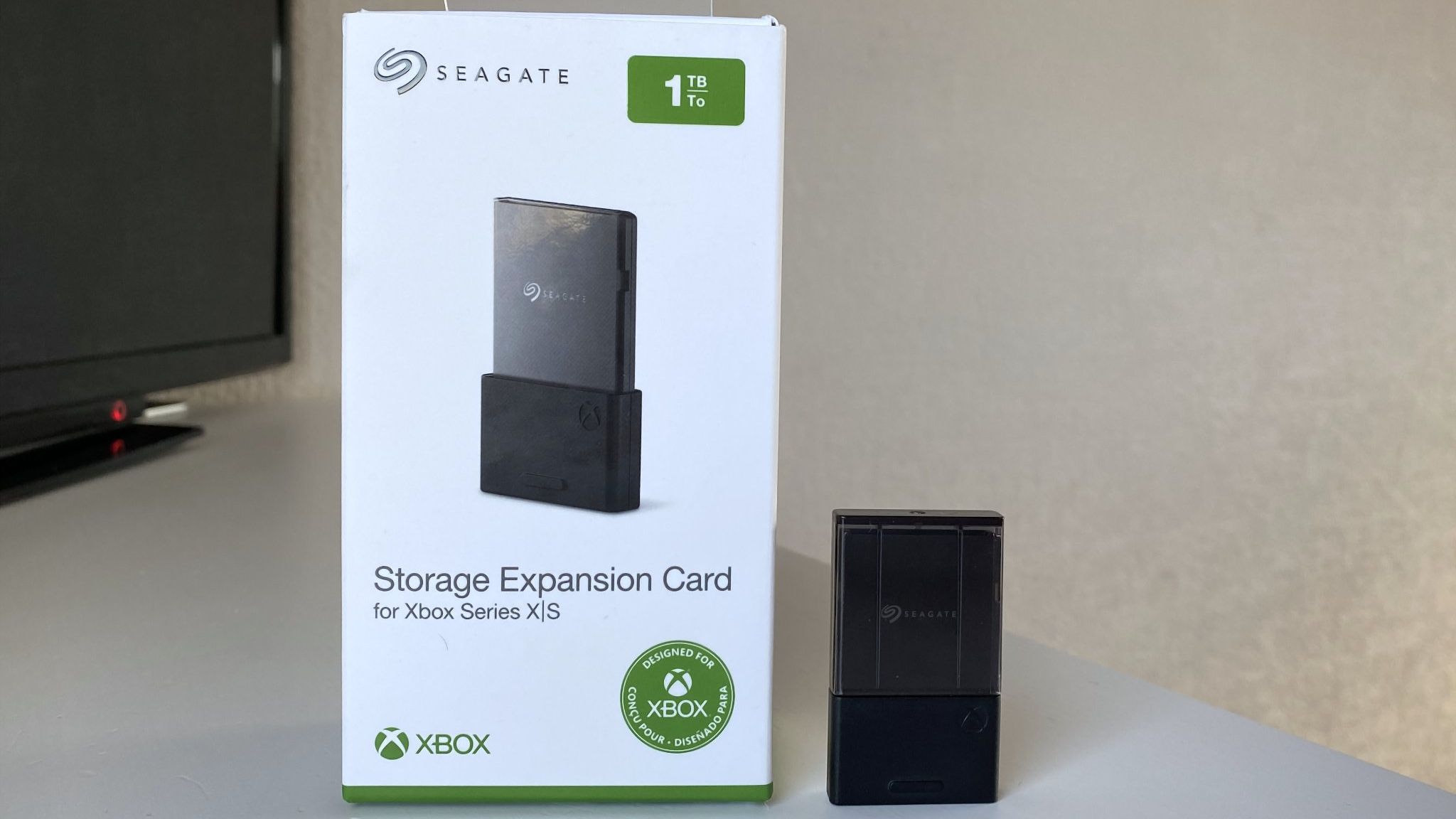
The Seagate Xbox Expansion Card is a must-have accessory for the Xbox Series X and Xbox Series S. It's a plug-and-play drive with quick enough speeds to play games right from the card.
But the Seagate Xbox Expansion Card is running out of stock. Scanning the web shows retail listings with warnings of low stock or a lack of stock at all. Other stores have the cards but at inflated prices. If you want to get a Seagate Xbox Expansion Card, you need to act quickly.
Below, I'll list all places I've found the card in stock. It's now difficult to find them at all, let alone at a good price.
This card allows you to expand the storage of your Xbox Series X or Xbox Series S. Stock is extremely limited.
Is it a good time to buy a Seagate Expansion Card?
You can skip game file management and space issues with the Seagate Storage Expansion Card for Xbox. (Image credit: Windows Central)
Right now is a good time to buy a Seagate Xbox Expansion Card for three reasons. First, the card is below its launch price at certain retailers. Second, the card is running out of stock, so if you want one you need to act quickly. Third, games like GTA 6 and Call of Duty: Black Ops 7 will take up a lot of space, so you'll need more storage.
Gaming prices are out of control right now. RAM and storage seem to get more costly each month. There aren't signs of the market correcting any time soon, either.
The most pressing factor here is that stock of the Seagate Xbox Expansion Card is running out. Literally as I wrote this article, Best Buy marked the card as unavailable. Newegg and Amazon have the card in stock but at wildly inflated prices.
The only Seagate Xbox Expansion Cards I've found in stock are the ones listed above, including the 2TB model at Walmart. If you spot a model in stock, please flag it and I'll update this piece.
Join us on Reddit at r/WindowsCentral to share your insights and discuss our latest news, reviews, and more.
If you're a content creator or a gamer that needs to have a whopping 32GB of VRAM to power either your software applications or run your favorite games on extreme fidelity settings, then you're looking to own an RTX 5090 graphics card. Unfortunately, these GPUs do not come cheap, with the current lowest price on an available-to-buy 5090 sitting at an eye-watering $4,399.99. However, with this amazing Dell deal on an Alienware Area-51 gaming rig for $4,779.99, you can bag a whole gaming PC that includes the RTX 5090 for just $380 more than purchasing the standalone graphics card.
The Alienware Area-51 gaming PC in question comes packed with the aforementioned Nvidia GeForce RTX 5090 graphics card, but also includes the 20-core Intel Core Ultra 7 265K processor, 32GB of high-speed DDR5 7200 MT/s memory, and a 1TB SSD for the operating system and game storage.
All of the above components are packed into Dell's own Alienware case with a tempered glass side panel to show off the internals of the system. A 240mm liquid AIO cools the Intel Core Ultra 7 265K, and a beefy 1,500W 80 Plus Platinum-certified power supply has all the juice needed to run the RTX 5090. The Area-51 does away with Dell's old proprietary parts ecosystem and lets you add upgrades more easily, so you're able to add more memory or a bigger SSD down the line.
This Alienware Area-51 gaming PC is a top-spec powerhouse with performance to smash through gaming at 4K. It includes an Intel Core Ultra 7 265K CPU, Nvidia GeForce RTX 5090 GPU, 32GB of fast DDR5-7200 RAM, and a 1TB SSD.View Deal
The RTX 5090 is the most powerful consumer GPU on the market right now. It comes with 21,760 CUDA cores, over double the RTX 5080's 10,752 count, along with a massive 32GB of GDDR7 VRAM, using a 512-bit memory bus with memory bandwidth up to 1,792 GB/s. In our benchmarking results from our review of the RTX 5090 we can see that this super powerful GPU dominates the competition in all performance metrics.
Tom's HardwareTom's HardwareTom's Hardware
The Alienware Area-51 gaming PC in this deal has the ability to play any game at extreme frame rates and power high-refresh-rate gaming monitors, even at 4K resolutions. It's the best GPU to experience ray-traced graphics without severely compromising in-game graphics settings, and with the extreme pricing of the RTX 5090 at the moment, it's one of the best value ways to purchase an RTX 5090-powered gaming PC if you can afford one.
Yes, it should be $2000 cheaper, but thanks to the AI-boom ruining PC component prices for us enthusiasts, this is one of the best deals you will find on an RTX 5090 prebuilt gaming PC right now.
20 years ago today, Steve Jobs took to the Apple WWDC stage to unveil the first-ever Mac Pro desktop computer. As well as marking the beginning of a whole new Mac line, this was the first Apple workstation desktop to transition from PowerPC to Intel x86. Apple had already introduced Intel-powered versions of its iMac, Mac Mini, and MacBook at the start of 2006; now it was replacing the mighty PowerMac G5 tower.
While readers might remember most clearly, and even fondly, Intel-era Mac Pro computers like the ‘trash can’ or the ‘cheese grater,’ the first Mac Pro with an x86 chip looked almost the same as its G5 ancestor.
Of course, the Apple WWDC presentation was all about the new processors, and the new machine was crowned the performance king, claimed to “deliver up to twice the performance of the Power Mac G5 Quad.” The top configuration would come with two new dual-core Intel Xeon processors running up to 3.0 GHz.
“Apple has successfully completed the transition to using Intel processors in just seven months — 210 days to be exact,” boasted Apple CEO Steve Jobs. “And what better product to complete it with than the new Mac Pro, the workstation Mac users have been dreaming about.”
Key specs of the first Mac Pro were:
Two Dual-Core Intel Xeon processors running up to 3.0 GHz, each with 4MB of shared L2 cache and independent 1.33 GHz front-side buses
Nvidia GeForce 7300 GT with 256MB GDDR3, configurable up to ATI Radeon X1900 XT and the Nvidia Quadro FX 4500, both with 512MB of video memory
1GB of DDR2-667 fully buffered memory, expandable to 16GB
250GB HDD, expandable to 2TB using the four bays
16x SuperDrive with double-layer support (DVD±R DL/DVD±RW/CD-RW), with an extra bay for two ODDs
2x Gigabit Ethernet, Optional Wi-Fi 4, Optional 56k V.92 USB modem, Optional Bluetooth 2.0+EDR
5x USB 2.0 ports, 2x FireWire 800 ports, 2x FireWire 400 ports, various audio I/O
Compatible with Mac OS X Tiger at launch, supported to 10.6 Snow Leopard
Three processor choices were available at release in early 2007. As well as the top-end model with a pair of dual-core Core Xeon 5160 CPUs running at 3.0 GHz, there was a Core Xeon 5150 x2 (2.66 GHz), and a Core Xeon 5130 x2 (2.0 GHz) model. If an off-the-peg model wasn't quite right, Apple proudly claimed the online configurator allowed for "more than 4.9 million possible configurations."
To give you some pricing context, Apple released the Mac Pro with a Core Xeon 5150 x2 (2.66 GHz) and base specs bullet-pointed above for $2,499, including a Mighty Mouse and Apple Keyboard.
Apple’s last Mac Pro was a 2023 model with the M2 Ultra chip. Then, in March this year, Apple confirmed there would be no future revisions of this desktop workstation flagship. The line had been effectively replaced by the Mac Studio, as a key reason for the Mac Pro to exist (upgradeability via PCIe expansion) had been sidelined by Thunderbolt 5.
When you're buying a pre-built gaming PC, you'll want to consider how many years the rig you're buying is going to be able to play the latest games. Luckily, this Newegg deal on an ABS Cyclone Aqua machine for $1,329.99 right now unlocks performance that should last for some time. Unlike plenty of other budget rigs that stick with 8GB GPUs, this machine from Newegg's own ABS brand features an RTX 5060 Ti with 16GB VRAM, giving you the option to game at 1440p for less than $1,400. You'll need to use the coupon code SSF72762 for $70 off to get the full discount, however.
The PC hardware market has seen huge price increases, so a gaming PC with specs like these remaining at an affordable price is worth considering. While the RTX 5060 Ti 16GB is the star of the show, you're also getting 16GB of DDR5 RAM, a 1TB SSD, and the 20-core Intel Core i7-14700F to sink your teeth into. The 14700F is still a popular choice in pre-builts, despite being a little older, with decent performance for gaming.
$70 off with coupon code ssf72762
This ABS Cyclone Aqua gaming PC is ready for 1080p and 1440p gaming. It features an Nvidia GeForce RTX 5060 Ti 16GB, 16GB DDR5 RAM, a 1TB SSD, and a 20-core Intel Core i7-14700F CPU.View Deal
With this build, you're securing yourself one of Nvidia’s current mid-tier graphics cards, featuring a GPU with 4,608 CUDA cores and a boost clock speed of 2,527MHz. Unlike the RTX 5090, this RTX 5060 Ti only requires a single eight-pin PCIe connector to deliver power, so you're not expected to be guzzling huge amounts of power with this rig.
Our RTX 5060 Ti 16 GB review is clear about how impressive this GPU is for mid-tier builds, with the charts below showing how the card's ray-tracing power is especially formidable in comparison to its rivals. DLSS 4 support, meanwhile, unlocks the full software capabilities of this Blackwell GPU, with multi-frame generation helping to give your rig a frame rate boost in the most resource-heavy games, especially at the higher resolutions.
The big win, though, is that VRAM. 16GB of GDDR7 is a significantly better option for any build, but especially compared to the 8GB variants you'll usually find at this price point. It gives you much greater headroom for performance while playing the most resource-heavy games, especially if 1440p is in your sights.
The GPU isn't the only good part about this build, however. While the Intel Core i7-14700F is getting older, this Raptor Lake Refresh CPU is still a popular choice in pre-built systems at this price point. It ships with 20 cores, a max turbo clock speed of 5.4 GHz, and a 65W TPD. Those 20 cores are split across eight performance cores, which are the best options for gaming, along with 12 efficient cores for multi-threaded work. Performance-wise, the 14700F won't be a bottleneck alongside the RTX 5060 Ti at either 1080p or 1440p while gaming.
You're also not settling for outdated specs, either. This machine skips DDR4, which is still used in budget builds to reduce costs, and instead comes with 16GB of G.Skill Flare X5 DDR5-6000 RAM. While 32GB would be better, RAM pricing is sky-high at the moment, so it's a compromise. 16GB won't give you as much breathing room, but using DDR5 adds to the longevity of this machine, giving you scope to upgrade later.
As for storage, you're getting a 1TB Patriot P410 SSD included in this rig. It offers Gen 4 speeds and enough space, at least, for you to install a few big game installations, alongside plenty of indies. Wi-Fi 6E and Bluetooth 5.2 wireless connectivity are included, along with Gigabit Ethernet.
The $1,329.99 sale price for this ABS Cyclone Aqua gaming PC is hard to beat at the moment. The RTX 5060 Ti 16GB GPU means you've got the power to game at 1440p if you choose to do so, but with PC hardware costs continuing to rise, there's no guarantee that it'll be around at this price for long. If you're interested, don't forget to use the SSF72762 coupon code to save that extra $70.
You'll struggle to find a comparable set of specs on any other pre-built at the moment at this price point. The RTX 5070 is the big winner here, delivering you the power you'll need to game at 1440p, bolstered by current-gen Nvidia features like DLSS 4, which'll give you access to upscaling and multi-frame generation to make your games even smoother to play.
Our RTX 5070 review is clear about the performance offered by this mid-tier Nvidia Blackwell GPU. Shipping with this pre-built means you've got a graphics card that makes our best GPU list as the best all-round Nvidia GPU for gamers from its current generation.
The MSI Codex R2 gaming desktop comes with Intel Core i5-14400F, RTX 5070 12GB, 32GB of DDR5 RAM, and 1TB NVMe SSD, as well as Wi-Fi 6E and Windows 11. View Deal
Specs-wise, the RTX 5070 comes with 6,144 CUDA cores and 12GB of GDDR7 VRAM operating on a 192-bit memory bus. What that means for gaming is that you can expect high frame rates at 1080p, even with high to ultra graphics presets. 1440p is an option here, too, but the most demanding games will require you to tweak your graphics settings to cope. The GPU benchmarks make clear that this is a GPU that is modestly better than its predecessor, the RTX 4070, while sitting below the more powerful RTX 5070 Ti.
Meanwhile, the Intel Core i5-14400F processor included in this MSI gaming PC isn't a bad option for 1080p gaming, and it continues to be well-sold in many pre-built rigs. It comes with 10 cores, of which six are performance cores that will deliver the best gaming performance. The other four, meanwhile, are efficiency cores, which are good to use for multi-threaded tasks. The i5-14400F has a clock speed that can boost up to 4.7 GHz, too.
We'd expect to see compromises at this price point, whether it's on RAM or storage, but there are none. You're getting 32GB of DDR5 RAM here, so you're not settling for lower capacity or slower DDR4 modules, which, given the rapid rise in memory pricing, is a nice surprise. Likewise, you're also getting a 1TB NVMe SSD with this build, which gives you enough space for a decent set of modern games alongside Windows.
The $1,399.99 sale price for this MSI Codex R2 gaming PC is a seriously good deal in the current market. It's a current-gen rig with the performance to deliver 1440p gameplay and should last for several years into the future. You've got less than a day to pick up this deal before it expires, and we'd expect this Woot deal to sell out fast, so if you're interested, make sure to pick it up quickly.
Our local AI explorations in 2026 have so far focused on two main platforms: Nvidia’s GB10, as seen in the DGX Spark and Dell Pro Max with GB10, and AMD’s Ryzen AI Max+ 395, aka Strix Halo, as seen in the Corsair AI Workstation 300 and the Ryzen AI Halo. We’ve generally favored GB10 systems for these kinds of local AI development sandboxes. Their solid all-around performance and broad AI software compatibility make them easy to love, even if raw LLM inference throughput isn’t that high.
But Apple’s Mac Studio is another compelling option for local AI trailblazers who want systems with large unified memory pools, powerful GPUs, and high memory bandwidth to enable faster tokens-per-second throughput than either GB10 or Strix Halo can provide. And until someone builds another unified memory SoC with a memory bus as wide as what Apple uses for its Max and Ultra chips, Apple Silicon is, in fact, the only game in town for more memory bandwidth from a chip of this design.
Why focus so much on memory bandwidth for local LLM performance to begin with? To keep it very short, the decode phase of LLM inference is virtually always sequential. Every output token (starting with the first one generated as part of the prefill process) has to be run through every layer in a model in order to generate the next token, and so all the active model weights in a layer have to be streamed to the GPU from its memory as the token makes its way through each one.
Because the amount of computation required for each individual token at each layer is tiny, the speed of the entire decode process basically becomes dependent on how fast those model weights can be streamed in from GPU memory. That makes systems with large memory pools (for holding large models) and high memory bandwidth (for streaming those model weights to the GPU) appealing, and Apple Silicon is the only platform that lets you have both characteristics at a (relatively) reasonable cost.
Apple’s last Mac Studio refresh was in March 2025 and marked the introduction of two versions of the system. The higher-end version uses the M3 Ultra SoC with 819GB/s of memory bandwidth across both the 28-CPU-core, 60-GPU-core mode and the 32-CPU-core, 80-GPU-core model.
The M4 Max version of the Mac Studio encompasses two versions with greater divergence in specs than just core counts. The base M4 Max includes a 14-core CPU (10 performance cores and four efficiency cores) with 410GB/s of memory bandwidth, and it can be upgraded to a 16-core CPU (12 performance cores and four efficiency cores) with 546GB/s of memory bandwidth.
We reviewed both of these systems at launch, but Apple generously lent us another M4 Max with the 16-core CPU, 40-core GPU, and 128GB of memory for LLM-specific tests. At the time, the price of that system was $3,699 or so, close to the DGX Spark’s $3,999 list price.
But as the RAMpocalypse has rolled on, the Mac Studio has become more limited in its configuration options and harder to find in stock. The M4 Max version we tested now tops out at 64GB of RAM, and lead times for that system are over two months out. Regardless, it’s the most comparable system that Apple has for the DGX Spark and GB10 platform more generally, at least back when dollar-for-dollar meant something in this market.
Before we get into performance results, we wanted to dig into the nitty-gritty of the M4 Max’s 40-core GPU, but Apple doesn’t share much (if any) detailed architectural information on its GPUs, including the number of shader ALUs that make up each GPU core, so it’s hard to directly compare the M4 Max to GB10 or the Radeon 8060S in the Ryzen AI Max+ 395.
The Radeon 8060S on board Strix Halo has 40 RDNA 3.5 compute units, each with 64 shader ALUs for a total of 2,560. AMD clocks the 8060S high, at 2900MHz, to achieve its roughly 14.8 TFLOPS of peak FP32 vector math.
Meanwhile, GB10 has 48 Blackwell SMs with 128 shader ALUs each for 6,144 total CUDA cores, and it too clocks relatively high, at 2450MHz in our testing. It offers a whopping theoretical 30 TFLOPS of FP32 vector compute.
Way back in the day when Apple first revealed the M1 GPU, however, the company disclosed that each core encompassed 128 execution units. Assuming that the same organization has carried through to current Apple GPUs, the 40-core M4 Max GPU would have 5,120 execution units or shader ALUs. That provides an idea of the scale of the GPU, at least, though without knowing clock speeds, we’re hesitant to speculate further about peak FLOPS or other theoretical performance measures.
Apple also only provides raw memory bandwidth figures for the M4 Max, but we can do some back-of-the-napkin math to surmise that the chip likely uses LPDDR5X-8533 on a 512-bit bus to achieve its 546 GB/s of rated memory bandwidth, twice as wide as both GB10 and Strix Halo. The lower-end M4 Max likely uses LPDDR5X-6400. In turn, the M3 Ultra likely uses a 768-bit-wide bus with LPDDR5X-8533 across both of its variants.
(Image credit: Tom's Hardware)
We covered the design of the Mac Studio in detail in our initial review, but it’s worth a quick tour to re-familiarize yourself with it. The top and sides of the system are largely featureless, save for an inlaid black Apple logo up top. The front panel has two 10Gbps USB Type-C ports and a UHS-II SD card reader.
(Image credit: Tom's Hardware)
The Studio’s thermal design uses a clever intake system that draws in air from vents around the system’s circular foot before exhausting it through a vent at the back of the chassis.
(Image credit: Tom's Hardware)
The M4 Max Studio we tested has a whopping four Thunderbolt 5 ports on its back panel with support for data rates up to 120Gbps. Although we’re not testing it today, you can enable RDMA over Thunderbolt 5 for low-latency clustering of Mac Studios using utilities like Exo. These ports also support Thunderbolt displays or DisplayPort 2.1 Alt Mode.
This system also has two USB 3 ports running at 5Gbps, 10Gb Ethernet, an HDMI 2.1 port, and a headphone jack, so it’s got all the connectivity you could practically want out of a compact desktop in 2026.
With those basics out of the way, let’s get to testing.
To test LLM inference performance, we once again turn to llama.cpp, which includes native Metal/MLX support on Apple Silicon when built from source. We used the llama-benchy project as our benchmarking harness.
(Image credit: Tom's Hardware)
We tested three models of various memory footprints and architectures: Qwen 3.6-35B-A3B, a recent mixture-of-experts model; Gemma 4 12B, a small dense model, and OpenAI’s gpt-oss-120b, a large mixture-of-experts model. We used Unsloth’s four-bit quantizations of these models for our testing.
Tom's HardwareTom's Hardware
Out of the gate with Qwen 3.6-35B-A3B, the Mac Studio delivers prompt processing speeds that beat Strix Halo but are still behind GB10, especially with longer contexts.
Flip over to the throughput results, and the M4 Max pulls ahead of both GB10 and Strix Halo, turning in higher tokens-per-second throughput than both those systems at all context depths.
But despite having double the memory bandwidth of GB10 and Strix Halo on paper, the real-world improvement in token throughput on the M4 Max is just 25% on Qwen 3.6-35B-A3B. That’s certainly welcome, but it’s not nearly the speedup you might expect with twice the memory bandwidth on tap.
Tom's HardwareTom's Hardware
The dense Gemma 4 12B, on the other hand, really seems to let the Mac Studio’s bandwidth advantage shine. Tokens-per-second throughput scales more linearly with memory bandwidth with this model, and so the Mac Studio delivers a 1.8X increase in throughput over GB10 and a 2.26X increase over Strix Halo.
But prompt processing speeds are only in line with (or even slightly worse than) Strix Halo here, which isn’t a fantastic result for latency if that’s important to your application.
Tom's HardwareTom's Hardware
Finally, we’ll look at gpt-oss-120b. Prompt processing again lands between Strix Halo and GB10, and tokens-per-second throughput is far higher than with either of those systems. But the Mac Studio’s tokens-per-second throughput is, on average, 1.5x higher than GB10 and 1.6x higher than Strix Halo, despite its much higher memory bandwidth. Those are still impressive leads, but they show that memory bandwidth is just one component in judging the performance of an inference pipeline.
On the whole, our LLM inference testing shows that the M4 Max GPU can generate many more tokens per second than competing systems with large unified memory pools, but a memory bandwidth specification alone isn’t a good proxy for delivered performance. The actual boost you get from the M4 Max in LLM inference is highly dependent on the architecture of the model you want to run, so real-world benchmarking is still important.
Image generation performance
LLMs aren’t the only AI workload that one might want to run locally. Image and video generation also matter, and the performance of these diffusion models is generally bound by the compute throughput of the underlying GPU.
(Image credit: Tom's Hardware)
Running our Flux.2 Klein image generation test on the Mac Studio initially failed due to an apparent lack of GPU support for the FP8 data type that the ComfyUI workflow uses by default.
We were able to modify the ComfyUI workflow to use the base FP16 version of Flux.2 Klein on the Mac Studio, but that initial compatibility issue shows that you might not enjoy as smooth an image or video generation experience on Apple Silicon as you might on GB10 or even Strix Halo.
Compatibility issues aside, the M4 Max GPU requires even more time than the already pokey Radeon 8060S in this image generation test. Nvidia has repeatedly demonstrated the DGX Spark running as an image and video generation companion for Macs in its demos this year, and this result demonstrates why that pairing might make sense.
Image generation performance with the latest M5 GPU and its dedicated Neural Accelerators for matrix math might be better here, but we don’t have an M5-powered system at hand to compare against the M4 Max. Apple does claim that the M5 Max is “up to 3.8x faster” at image generation than the M4 Max, so take heed if this workload is important to you.
General CPU performance
We already gauged the CPU performance of the M4 Max in our initial review, but we wanted to stack it up against Strix Halo and GB10 directly to see how it performs against these popular platforms in the AI space. To establish a CPU performance ballpark for the M4 Max, we fired up the just-released Geekbench 7 and got to it.
(Image credit: Tom's Hardware)
In this benchmark, the M4 Max turns in a whopping 27% advantage in single-core performance and a 21% boost in multi-threaded performance versus the Ryzen Max+ 395’s 16-core, 32-thread Zen 5 x86 CPU.
And comparing Arm to Arm, the M4 Max delivers a 39% single-threaded advantage over the Cortex-X925 “big” core on the Nvidia GB10, along with a 22% advantage in multi-threaded work.
Those results are seriously impressive on their own, but Apple has even more advanced CPU cores in its arsenal now on board the M5 series. We’d expect even larger advantages in general use from those chips.
Geekbench is fine for a quick synthetic test, but I wanted to make sure that its results held in a real-world task, so I compiled the CPU-only version of llama.cpp from source across all three of our test systems using the Clang 21 compiler running across all available physical cores.
(Image credit: Tom's Hardware)
With all 16 of its CPU cores in the game, the M4 Max finishes this compilation job in about 37 seconds, anywhere from 33% to 37% faster than the Nvidia and AMD competition here. That’s even faster than the M4 Max’s Geekbench multi-threaded performance delta would suggest.
At least going by these high-level tests, Apple’s CPU performance among SoCs with large unified memory pools is best-in-class, and by a wide margin. And again, that’s with the last-gen M4, not the latest M5.
When judging the efficiency of Apple Silicon or any other platform, one might be tempted to just glance at a power meter like a Kill-a-Watt with the system under load and leave it at that, but instantaneous power draw isn’t the right metric when judging the efficiency of a system for a given task.
Task energy (the amount of power consumed over time) is much more informative. A system that needs a lot of power but finishes a task quickly may consume less task energy and is therefore more efficient than one that consumes a moderate amount of power but takes much longer to finish a job.
To judge inference efficiency, we set up a fixed-length workload with gpt-oss-120b using llama.cpp and llama-benchy: first processing a 2048-token prompt against a 32768-token context depth, then generating 1024 output tokens. We chose that context depth to ensure that our test ran long enough to collect useful data. We recorded this data in watt-hours so that it reflects both energy consumed and time to completion.
(Image credit: Tom's Hardware)
At least in this synthetic workload, the M4 Max is more efficient than Strix Halo, but the sheer prompt-processing speed of GB10 lets it finish much faster and use less total power than the Mac Studio does, even though it’s outputting fewer tokens per second in the decode stage.
This test once again suggests that fixating on tokens-per-second throughput alone is perhaps not ideal for judging a system’s inference performance. An ideal LLM inference system would have both high prompt processing speeds and high tokens-per-second throughput for the shortest possible inference turn.
We’re curious how Apple’s latest M5 Max GPU would perform on this workload, as the company claims big gains on prefill compared to the M4 Max and has given that chip even higher memory bandwidth than the M4 Max. If that’s true, the combination of fast prefill and high tokens-per-second on decode would likely make the M5 Max competitive with GB10, if not an outright leader here.
(Image credit: Tom's Hardware)
We also gauged idle and load noise levels of these systems to see what it’s like to share space with them. For reference, the noise floor in our testing environment is about 32.6 dBA. We measure sound pressure levels at a distance of 18” from these systems to approximate what it’s like to work with them on top of a desk.
The Mac Studio is impressively quiet both at idle and under load. It barely raises the noise level in our testing environment at idle, and under load, its fans are barely perceptible. Practically any other noise you make or hear in your space will be louder. This is superlative performance.
Our time with a 128GB M4 Max Mac Studio demonstrates why these systems have been so popular among local AI trailblazers. For starters, the spec we tested has an incredibly potent 16-core CPU that’s leagues ahead of both Nvidia’s GB10 and AMD’s Ryzen AI Max+ 395 in both single-threaded and multi-threaded performance.
The massive memory bandwidth advantage of the 40-core GPU configuration of the M4 Max versus Strix Halo and GB10—546 GB/s vs 273 GB/s—also translates directly to higher tokens-per-second throughput in local LLM workloads. The M4 Max’s LLM inference performance is by far the highest of any unified memory platform we’ve tested.
(Image credit: Tom's Hardware)
But our tests demonstrate that there’s much more to delivered performance than that raw bandwidth figure. Depending on the model you choose, you might see the M4 Max generate as few as 27% more tokens per second or as many as 82% more TPS than an Nvidia GB10 box, at least with the llama.cpp inference engine.
This result emphasizes that you can’t just eyeball memory bandwidth and conclude that twice the bandwidth means twice as many tokens per second for LLM inference. Testing actual workloads remains essential.
And the Mac Studio doesn’t totally wipe the floor with the competition in our tests. For work like image generation, the Nvidia GB10 GPU still holds a large advantage over the M4 Max. Apple claims this workload will perform significantly better on the most recent M5 Max with its latest GPU architecture.
Beyond its impressive raw performance with LLMs and in general processing tasks, the Mac Studio is a master class in industrial design. It looks distinctly classy on a desk, and its cooling design keeps it incredibly quiet. Under load, it’s barely louder than the Nvidia GB10-powered Dell Pro Max and Ryzen AI Halo are at idle. And when the Studio itself is idling, it’s practically silent. This level of performance in such a compact, quiet, and refined chassis is incredibly impressive.
There’s one major asterisk, though: the ongoing RAMpocalypse means that even if you do want to use a Mac Studio as a foundation for your local LLMs, these systems are no longer available in the configuration that we tested.
A Studio with the high-end M4 Max as seen in this review currently tops out at 64GB of RAM for $5299, and the M3 Ultra version tops out at 96GB (with an even higher 819GB/s of memory bandwidth) for the same price. But neither of these configurations are available from stock, and lead times for both are about two months out, meaning that you practically can’t buy a Mac Studio new right now.
If you really want to try out local AI on Apple Silicon with a large memory pool to match, the best current option may be a MacBook Pro with an M5 Max inside, which is still readily available from stock, still allows you to get up to 128GB of RAM, and benefits from Apple’s latest GPU architecture with dedicated Neural Accelerators for matrix math operations.
But depending on your SSD choice, a 128GB M5 Max MacBook Pro with the highest-end 16-core CPU and 40-core GPU is still a $7K to $10K system today. Even in today’s world of rising prices for access to frontier models, that’s a lot of tokens from the cloud – and, almost assuredly, more intelligent ones – than anything you can get from a single 128GB system from any vendor.
But if you’re dead-set on a single Apple Silicon system with the most memory possible, and you want it now in order to ride the local AI wave, a maxed-out M5 Max MacBook Pro is your only ticket at the moment. Given the refinement and flexibility of the Mac Studio as a desktop or server, we can only hope Apple brings that chip to this system, too.

 Login
Login