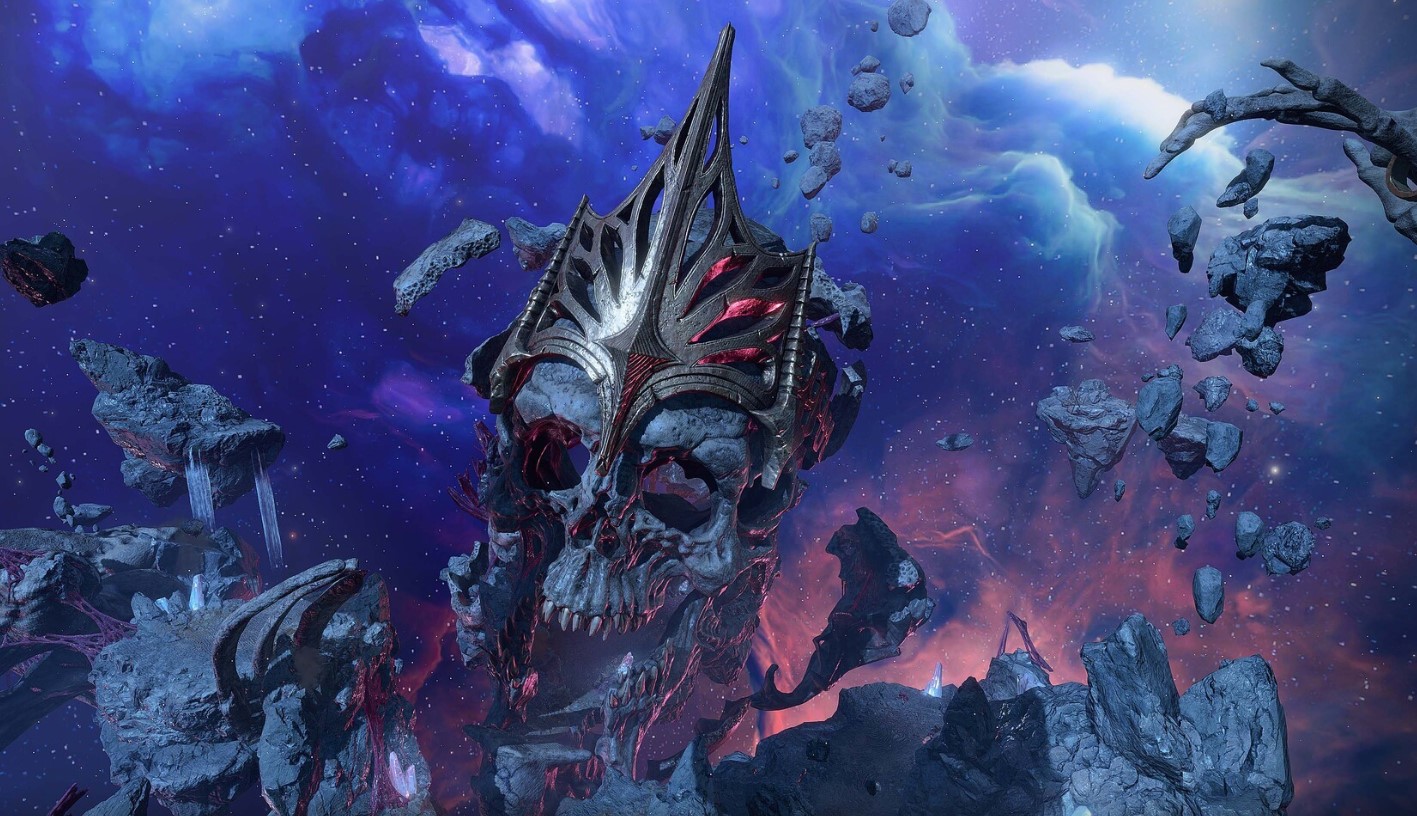
I've long been a fan of XCOM, which is why when I heard two of my favorite franchises were about to collide on Xbox and PC, my interest was immediately piqued.
This is Star Wars: Zero Company, an upcoming turn-based tactics game set in the legendary sci-fi universe that needs little introduction.
Developed by Bit Reactor, who themselves are comprised heavily of XCOM and Firaxis vets, I recently was lucky enough to talk to the team behind the game, as well as go hands-on for the first time.
Bit Reactor's Greg Foertsch, art director of XCOM fame, was candid on the game's origin story. It was actually the late great Vince Zampella of Titanfall and Call of Duty fame who offered it up first, and the rest is history: "Star Wars was not on my bingo card, to be quite honest, till Vince brought it up, and frankly, I was a little terrified at first, but I had to say yes."
Terrified they might've been. But from what I've seen, I think they've absolutely nailed it and have nothing to fear whatsoever. Star Wars Zero Company is now a personal game-of-the-year contender, if indeed the full game continues to be as infectious and intriguing as the demo slice I played.
Bit Reactor noted that they felt the turn-based tactics genre still had a big story to tell, even as Take Two essentially wound down the XCOM franchise in favor of focusing on Civilization. What better way to introduce the genre to a new audience than via one of the biggest franchises in the world?
But Bit Reactor has also been keen to modernize every aspect of it for modern sensibilities: photorealistic art, a third-person camera, high-quality story writing and cinematic treatment, and a Mass Effect-like character bonding system that has enormous potential.
Star Wars: Zero Company launches on Xbox and PC on August 27, 2026.
A heaping of XCOM, a dash of Mass Effect?
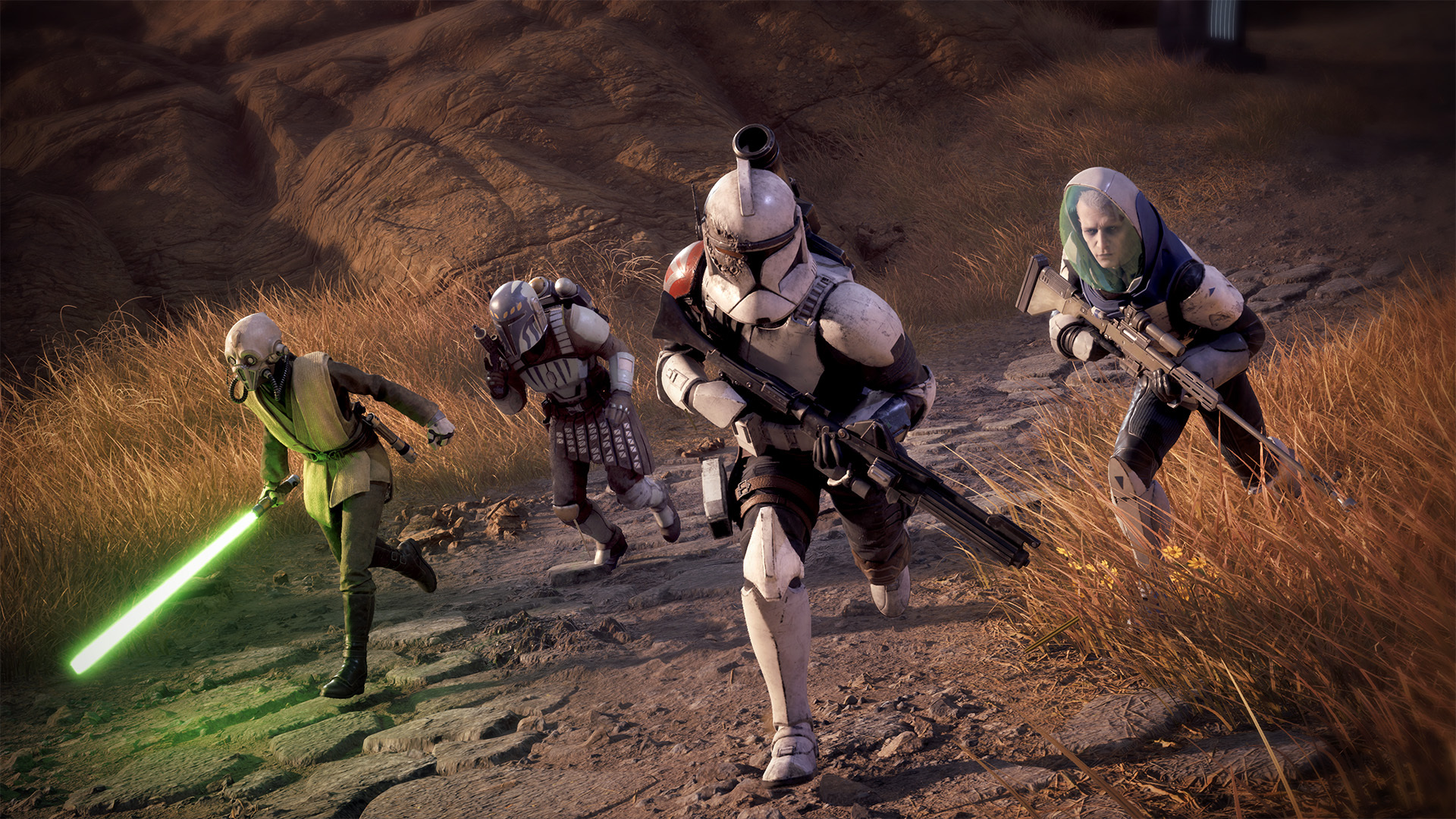
Lead a rag tag group of survivors on a quest for fame and fortune, and unravel a potentially darker plot along the way. (Image credit: EA | Bit Reactor)
In Star Wars Zero Company, you take command of a "dirty dozen" style mercenary outfit, which immediately gave me Mass Effect 2 vibes.
This ragtag group of rejects, bounty hunters, and warriors of fortune come together under a variety of difficult circumstances. The Clone Wars are in full swing, and the Republic needs mercs willing to undertake missions that are perhaps beyond their remit (and missions that skirt the law ... and perhaps even basic morality.)
As such, you play as Captain Hawks, a fully customizable humanoid and former Republic officer who has gone into business for himself. You can fully tailor Hawks' identity and pick from a variety of iconic Star Wars species to lead your crew.
As you get further in, you'll meet other heroes who join your squad for a variety of their own reasons. There's Tel-Rea, who is a former Jedi Padawan, Trick, a "forcibly retired" clone trooper, and Cly, a Mandalorian driven by vengeance.
The eclectic cast led Bit Reactor to create its "Bond system," which gave me a ton of Mass Effect 2 vibes. As your crew collaborates both in missions and during trips to The Den (your base of operations), they build relationships and synergies that benefit your tactical options and also develop their characters.
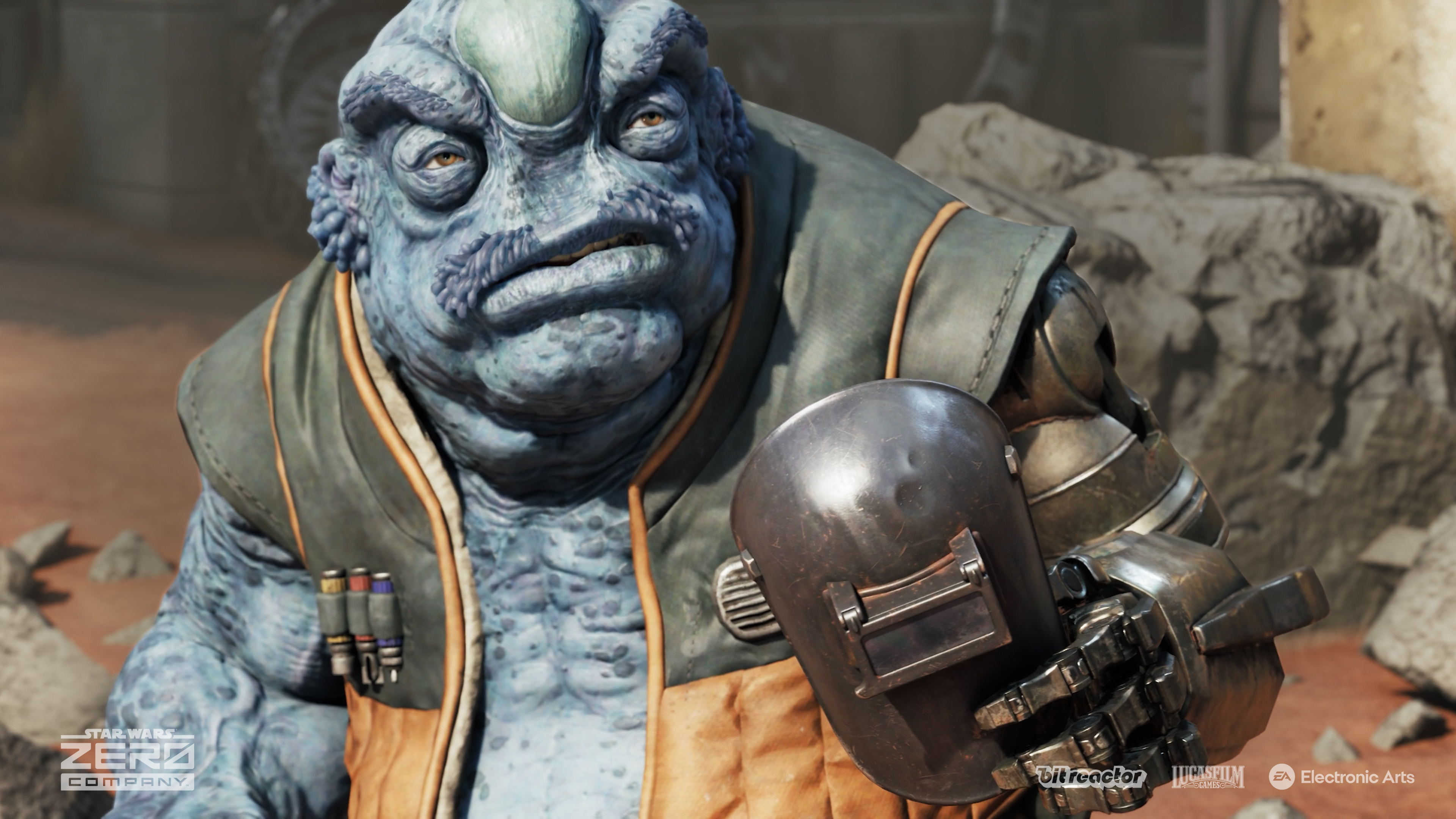
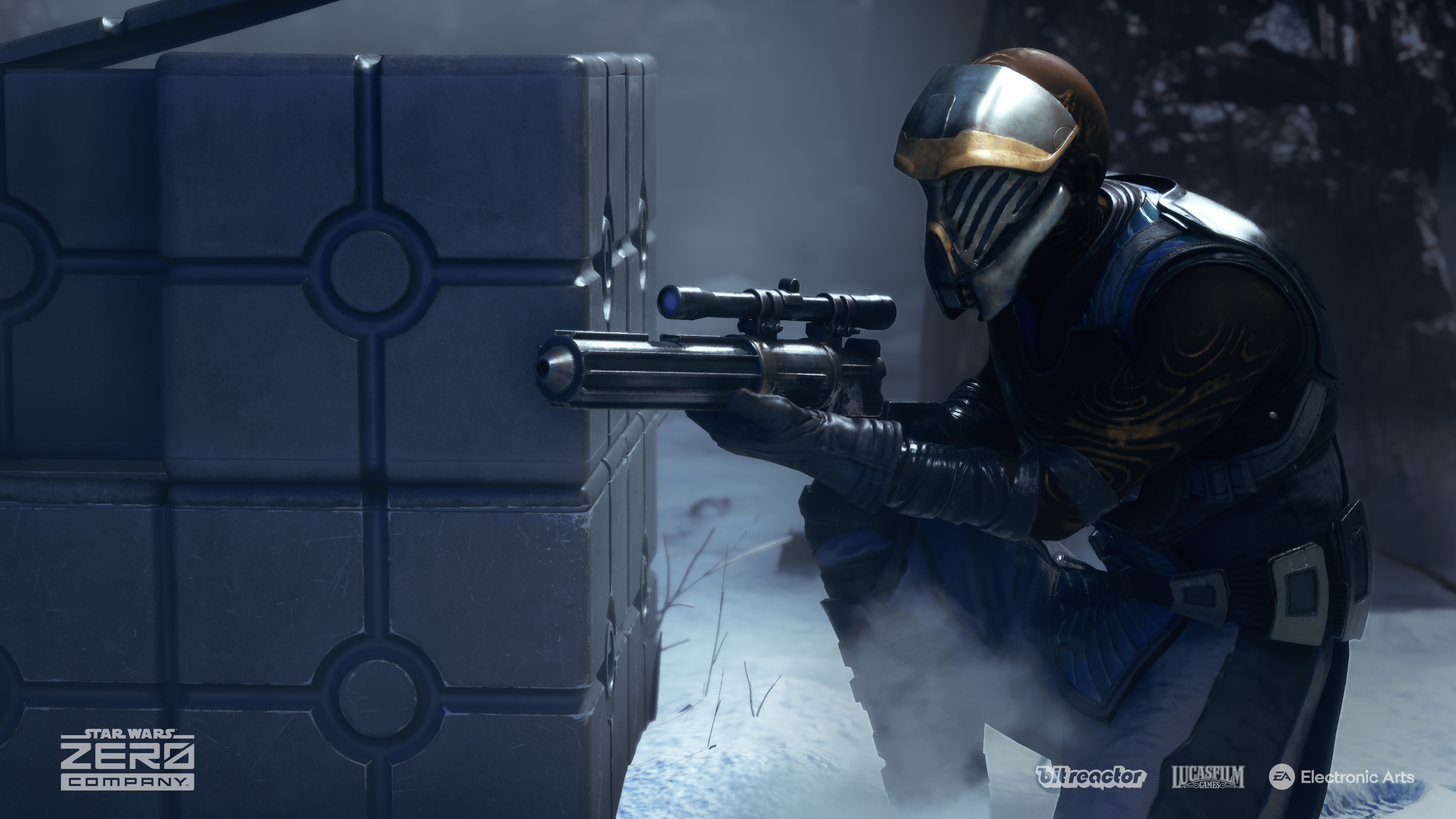
Kabbney "Kabb" Uppercut is a Felshi, a completely new species created for Zero Company. (Image credit: EA | Bit Reactor)
"I wanted that to have a long arc of play over the course of the whole campaign… you’re not just learning to power your characters up, but you’re also having them develop relationships that’s evolving in your head," game directorJames Brawley explained to us. "Characters grow stronger as a result… that’s why they’re able to beat these overwhelming threats, because they know how to work together."
"This is your Star Wars game… how you get there, what you experience, the characters you build, the relationships and bonds you make — they’re all unique to your playthrough."
The team explained that the events of Zero Company take place adjacent to The Clone Wars, in the shadows, using an entire cast of new characters. And indeed, like any good XCOM-like, permadeath is a feature here. If you have two characters that synergize well and unlock powerful abilities as a result, having one of them die not only severs that bond but also deprives you of access to those powerful abilities. The stakes remain incredibly high as a result, in true XCOM-fashion. You'll also lose the resolution of their stories and experiences too, making every playthrough potentially unique (unless you save scum, that is ... but there are auto-saves-only Ironman modes for those who don't want to be enticed into such heretical gameplay styles.)
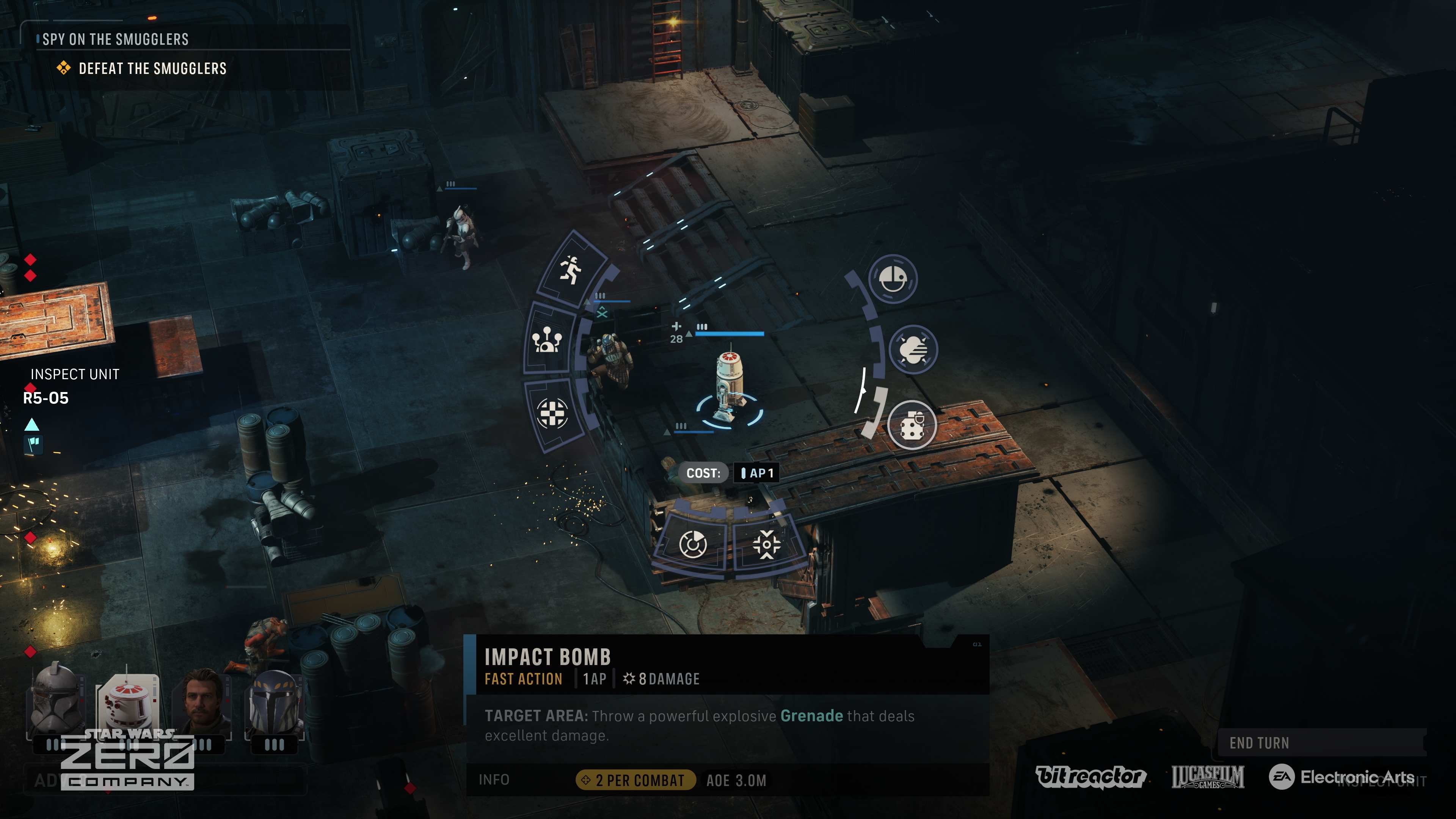
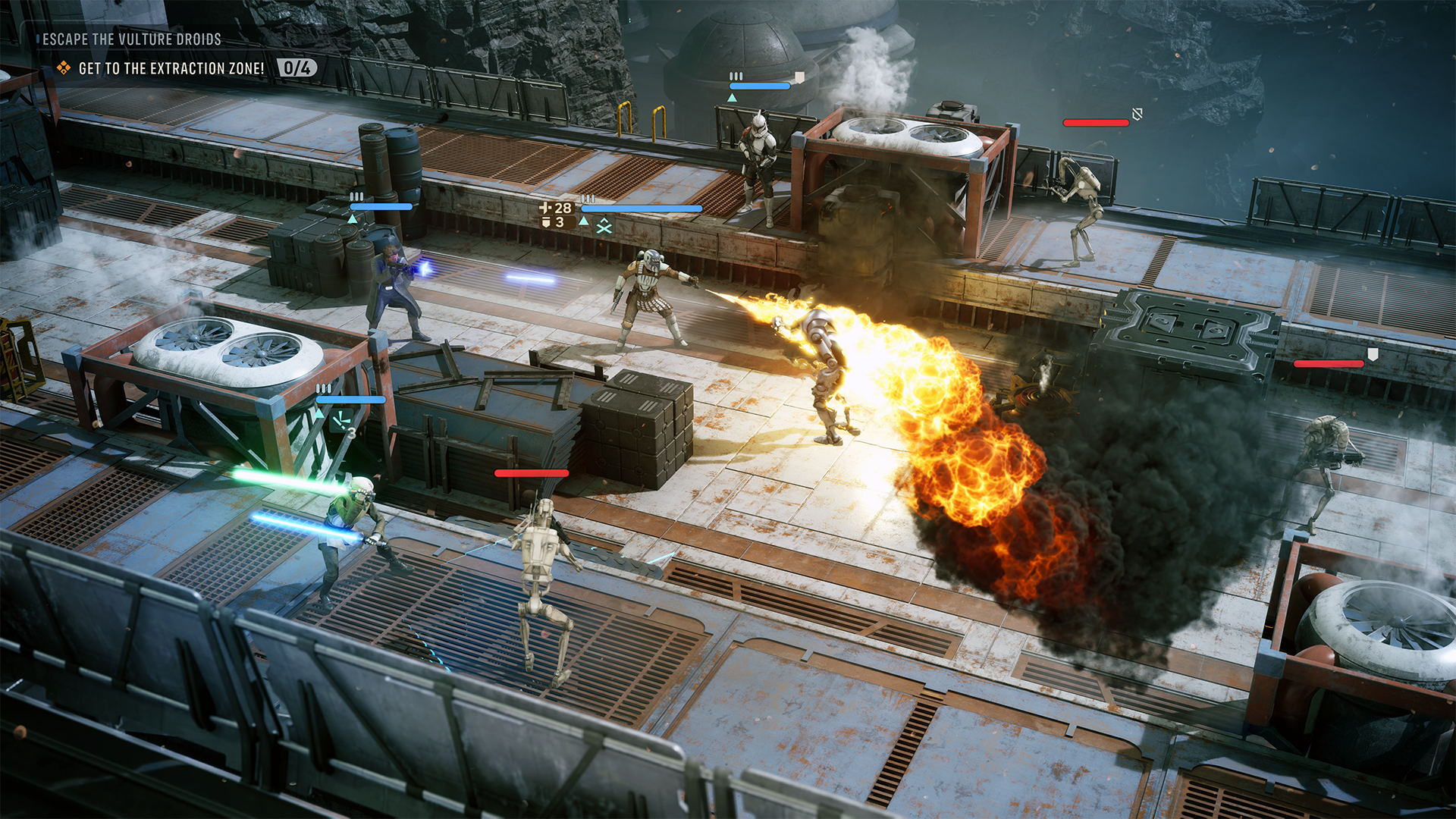
Set up powerful killzones with overwatch commands, and leverage unique Star Wars-inspired abilities to decimate your enemies. (Image credit: EA | Bit Reactor)
I didn't get to experience too much of the combat gameplay, but from what I played, it felt every bit as satisfying and fun as previous official XCOM-style games I've played from the team here. Bit Reactor is comprised of XCOM and Firaxis vets, as noted, and you can feel that pedigree in every aspect of play. The team said Disney was on hand too to verify the Star Wars authenticity but was also incredibly open to Bit Reactor's own agency therein. The team said they "couldn't praise Disney enough," in what sounds like a very productive working relationship.
Disney hasn't always handled the Star Wars IP as well as I would've liked ... but it's hard to deny that they've had some absolute bangers on their hands. Rogue One has been a particular highlight for me, but also the games. Cinematic delivery I'd argue is more important in a Star Wars-adjacent title, which obviously comes with certain expectations. You can expect great characters, a grand adventure across the galaxy, and big cinematic moments sprinkled throughout Zero Company, the developers tell me. But crucially, also dark villains.
The Clone Wars are in full swing in corners of the galaxy, but while bounty hunting, Hawks and his crew get caught up in a uniquely dangerous situation. The separatist-aligned cult known as the Infinite Coil rears its head early on. Its members seem infected with a mysterious space plague that, if I were a betting man, potentially has dark side origins.
"The Clone Wars offered us a place to tell a Star Wars story that touched on canon, but didn’t interfere… it allows people to attach to new characters in a way that hasn’t been done before."
The Jedi Fallen Order franchise has been well-received, and before Vince Zampella's passing, it seemed like EA was on an upward swing with its Star Wars license stewardship. Zero Company looks set to continue that legacy and also maintain the quality bar Jedi Fallen Order established.
In Zero Company, you'll fight separatist forces of all stripes, but the central antagonistic force is a shadowy cult known as the Infinite Coil. (Image credit: EA | Bit Reactor)
Indeed, I was surprised to discover how far Zero Company diverges from the typical XCOM formula from a story perspective, where most of the characters are throwaway soldiers designed to ultimately be expendable. The detailed characterization of the heroes in Zero Company are every bit as cinematic and interesting as any story-heavy action game or big-screen Star Wars experience you might expect.
Zero Company makes heavy use of a traditional third-person over-the-shoulder camera for some of these sequences too, making the game feel almost more like a CRPG in the vein of Baldur's Gate 3 or Wasteland 3, as opposed to a pure tactics game. Tactics games with fixed isometric cameras often come with stylized art given that the camera is zoomed out a lot of the time. Zero Company went deeper on visuals to accommodate its more cinematic delivery, and the results speak for themselves. Zero Company feels painstakingly authentic.
"We should be better looking, not worse. We should be better frame rates, not worse. We should have more stories, more immersion," Bit Reactor explained. "We’re just making a great game — it just happens to be turn‑based.”
If you've never played an XCOM-like before, its RPG systems might be what entices you most
More XCOM-style games please. (Image credit: EA | Bit Reactor)
I was incredibly encouraged by Star Wars: Zero Company's preview cycle. I was immediately drawn to the characters and intrigued by the potential of the game's Bond system. What events and storytelling opportunities would I be able to unlock? What consequences would befall me for mismanaging those bonds and potentially getting some of my heroes killed? What exactly is the Infinite Coil, and what do they want?
Star Wars: Zero Company is a bit of a rarity in 2026, as big publishers chase service games, infinite experience, and microtransaction hellscapes. Take Two itself no longer seems to want to service the XCOM franchise sadly, and other companies that have attempted it have often struggled to broaden their appeal. Truly "AAA"-grade tactics games have become vanishingly rare.
Star Wars is the perfect universe to offer a take on this genre in my view, particularly in the Clone Wars era. But Bit Reactor's clear efforts on the cinematic and story-delivery side give Zero Company broad potential that similar attempts at the turn-based tactics genre have missed in recent years. Baldur's Gate 3-style cinematics and character delivery, atop modern high-quality visuals and focused XCOM-style tactical play? Zero Company has everything I didn't know I needed from this quarter's very busy slate of games.
Star Wars: Zero Company is something every Star Wars and turn-based afficionado should put on their wishlist.
If you have any questions about the game, drop them in the comments and I'll get them answered!
Star Wars Zero Company is a turn-based tactics experience with heavy cinematic leanings. Set in the Clone Wars Star Wars era, lead a merc group across the galaxy seeking fame and fortune, but perhaps finding something darker along the way.
Xbox is legally required in some territories, such as the UK and, more recently, Australia, to verify the age of its users in order to access certain features.
Whether we like it or not, there's no way around it. Governments will always government. But what most of us objected to more was the use of faceless third-parties that were being used to verify some of our most personal information. In Xbox's case, it was Yoti, a company that's found itself in hot water before over its handling of data.
Fortunately, at long, long last, if you've held out on completing Xbox age verification, it looks like you won't have to. A message is hitting the inboxes of those accounts that haven't yet verified their age through other means but have been determined as having an "adult account" through their activity.
Our own Ben Wilson was one such holdout and got the message himself last night. Here's what it says in full:
Due to longstanding account activity, we've estimated your Xbox profile to be an adult account and updated its age verification status to "Verified." You are no longer required to complete full age verification for uninterrupted access to social features on Xbox. While no further action is required, you can update your privacy and safety settings on Xbox at any time. For more information, click "Learn more" below.
Reddit is likewise lighting up with folks who've had the same message and have been released from the requirements to verify their age for full access.
This seems to be taking place predominantly in the UK, with Australian age verification recently hitting the news as frustrated users see what us Brits were faced with at first.
But since Xbox can clearly identify your age effectively using your account data, why isn't it applied automatically to everyone immediately?
I don't personally care whether I have to be verified as an adult or not, but I do care about being asked to hand over biometric data to companies I have no usual business with. I remember many years ago, being told by a local shop they wouldn't photocopy my passport for me because they wouldn't handle personal information such as this.
Now we're being asked to funnel all that into a computer somewhere, trusting that they're going to behave responsibly with it.
But a win's a win. Even if it's a win that took a little long to get here. Hopefully it can roll out quickly in any subsequent markets that require age verification.
Join us on Reddit at r/WindowsCentral to share your insights and discuss our latest news, reviews, and more.
Fast forward to today, and the CTO of Xbox, Scott Van Vliet, took to social media to provide Xbox fans with a detailed explanation of how this disaster occurred, what Xbox's engineers did to fix it, and what their plans are to ensure this never happens again.
I wanted to provide an update on the incident affecting some players trying to launch games and access other game library features last week.What was the root cause?As I previously wrote, an underlying service required for XBOX Home Console sharing and Game Pass purchased… https://t.co/hqC8ebV4oyAugust 10, 2026
Scott reiterates from his interview with The Verge that this outage was caused by an update made to an underlying service within the Xbox's digital ecosystem that was required for Xbox Home Console sharing, Xbox Game Pass purchased content, and PC scenarios to function, putting them in an unresponsive state.
While this update was happening and causing these systems to shut down, a bug within the Xbox client software stack caused other digital game licence checks to fail. These multiple issues combined created a domino effect where the accumulating failure scenarios blocked some players from launching games while causing issues with library enumeration.
To combat this, Scott says Microsoft is transferring ownership of the underlying licensing service to the Xbox team while Microsoft's engineers work on improving the stability of Xbox Live's services and infrastructure for future updates.
As for the client bug, it will be fixed in an update to the Xbox that rolls out today and will become mandatory to download on August 17, 2026.
In addition, Scott says Microsoft has plans to roll out new features for players along with quality-of-life improvements for system updates as it looks for more ways to improve the stability of its products and services.
Windows Central's take
I'm sticking with physical game discs from now on. (Image credit: Windows Central)
On the one hand, it's nice to see Xbox be a little transparent for once regarding its mistakes and its attempts to fix them, as it shows there are people higher in the company who do care about the quality of their product.
To me, getting DRM-free games (like the ones you see at GOG for example) with their own dedicated launchers and storing them in external SSDs is currently the best way to preserve your modern games library and play them without being shackled to licence entitlements or online services (unless you're playing multiplayer-only games like Overwatch or World of Warcraft, in which case, you're out of luck).
Either way, time will tell if this new update to the Xbox client will prevent any future fiascos for Xbox Live's services.
Join us on Reddit at r/WindowsCentral to share your insights and discuss our latest news, reviews, and more.
This was done because, according to Microsoft's email notice sent to Australian players, and I quote, "As part of our compliance program in Australia, beginning late August 2026, adult XBOX accounts must verify their age to be able to access apps and games rated 18+ on the Microsoft and XBOX Store. Access to such content may be restricted unless you verify your age. Apps and games you already own won’t be affected. Select below to verify now. Please ignore if you’ve already verified.”
Players consigned to this must verify their age either through Email-based age verification, facial age estimation by taking a self-portrait using their camera, providing credit card details, or providing government-issued ID like a driver's license, passport, national ID, or residence permit.
Despite every effort on our part, the Australian Classifications Board has denied “Halloween: The Game” a rating. The denial was not based on the presence of the iconic slasher, Michael Myers, or the outstanding kills that can be performed in the game, but rather the presence of…August 9, 2026
Around the same time this happened, Australia had banned "The Halloween: The Game", an upcoming Xbox horror game based on the iconic Halloween movie franchise because of the presence of a controlled substance, rather than the violent murders that occur in the game.
A bleak glimpse at the digital future?
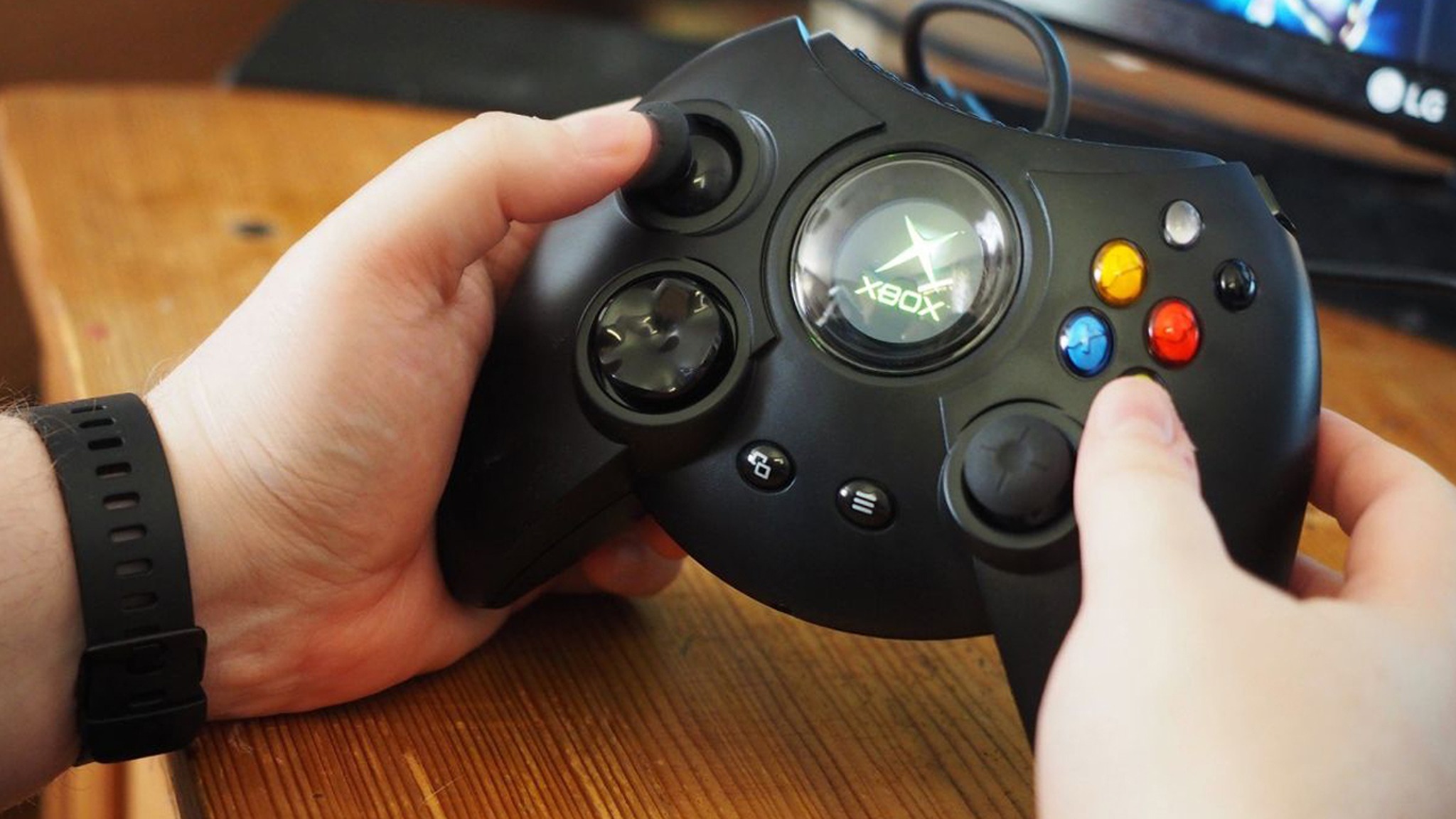
Sigh...I long for the simple days of the OG Xbox when we didn't have to worry about any of this madness. (Image credit: Windows Central | Jez Corden)
Now, Australia banning a horror game is nothing new, as the country has a long history of censoring games or outright banning them in the past, such as the Grand Theft Auto series and South Park: Stick of Truth.
Although some games do manage to get released under the "Adults Only" rating, such as Hotline Miami, Outlast 2, and We Happy Few, to name a few.
However, what is concerning is the age verification enforcement, as we're seeing more Western countries like Australia, the UK, and several states in the US implementing it across many websites, online services, and video games, bottlenecking what we can or cannot access.
Either way, between this and the ongoing memory crisishiking the price of Xbox Series X|S and other related tech, the gaming industry is in a volatile and chaotic state right now that I pray we recover from soon somehow because, if things keep going the way they are...I think it may be time to invest in a new hobby we actually have ownership and freedom over.
Join us on Reddit at r/WindowsCentral to share your insights and discuss our latest news, reviews, and more.
But wading in today is Strauss Zenick, CEO of Take Two (via IGN), otherwise known as the company that counts Rockstar Games among its portfolio. The same Rockstar Games that recently printed a ridiculous sum of money when GTA 6 pre-orders went live.
Only this time, and for the first time in the franchise, there will be no physical version at all. If you buy it from a retailer, all you get is a download code. Naturally, Zelnick is all for this.
“Our business is well over 90% digitally distributed,” Zelnick said. “It's already a digital business. So in certain instances, especially if it's a big game, discs just — and note I said discs — don't really make sense for the consumer.
Also, most instances you have to register online to play anyhow. So if you're already connected, who cares if you download digitally? It's all the same and it's much more convenient."
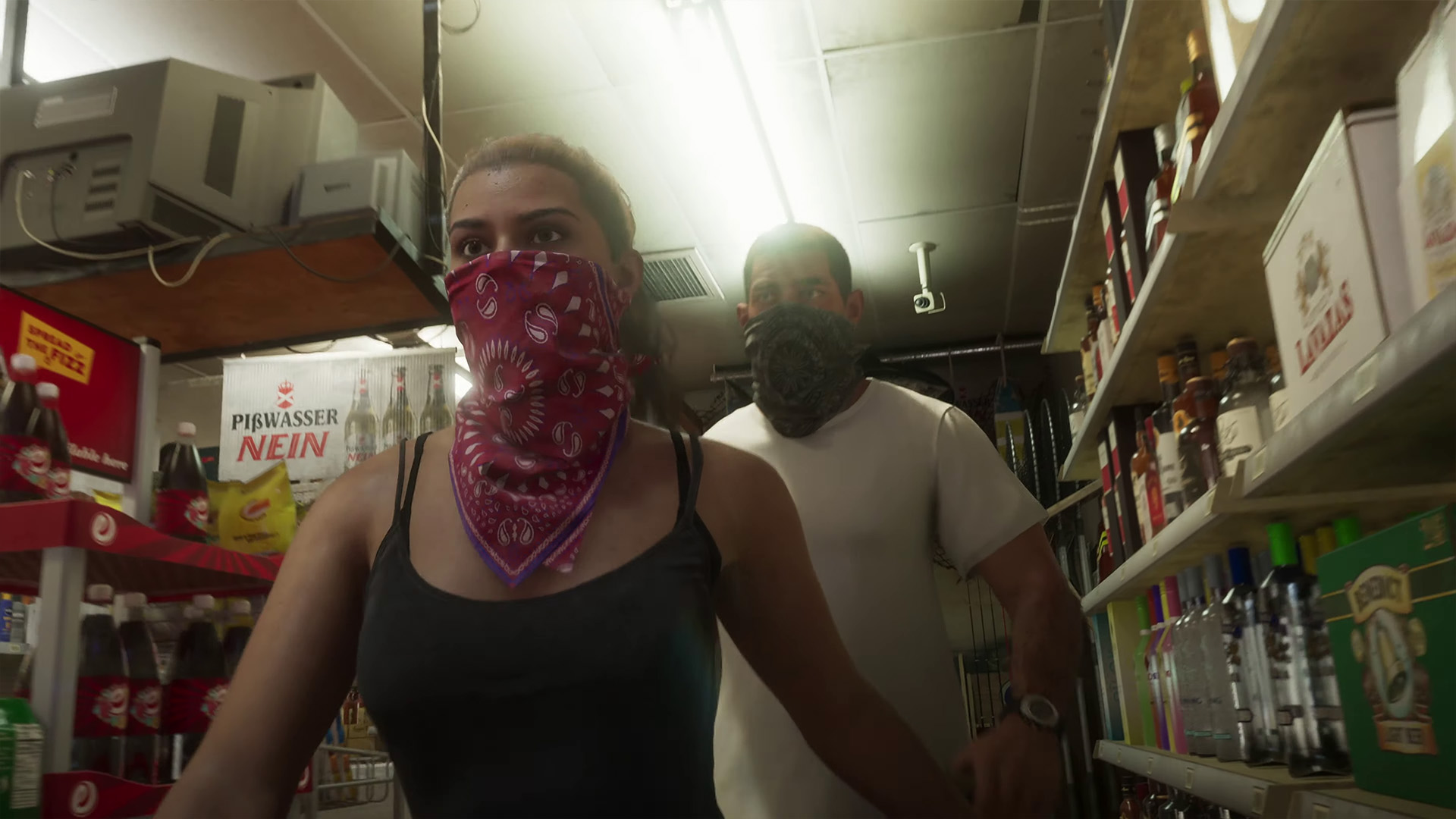
GTA 6 is all digital and there's no going back. (Image credit: Rockstar Games)
Granted, I'll give Rockstar Games specifically a little more slack here. GTA V came on two discs on the Xbox 360 originally because the game was too big for one (PS3 used Blu-Ray and was a single disc). Likewise, even on the larger capacity discs for Xbox One, Red Dead Redemption 2 suffered the same fate.
Nobody wants to get up and have to change discs. Not to mention more raw materials, manufacturing costs, etc. But I take particular exception to the second part of the quote above.
It's not our fault we have to register online to play a game. It's not our fault we need to have a Microsoft or Sony account, probably also a Rockstar Games account created alongside either of those. A subscription to play online. Alongside an account for every other different publisher who says we need to have an account.
Are digital games more convenient? Of course they are. But let's not pretend that this has anything to do with making our lives easier. Without a physical copy of something in our hands, we know that at any point it could just vanish without a trace.
It's not remotely surprising GTA 6 is digital-only. Even ignoring the likely technical issues fitting much of it onto a disc, it kills the resale market stone dead. Used game stores won't have copies of GTA 6 on the shelves after players are done with it. GTA Online is the cash cow, but there are still plenty of us who will play the campaign and call it a day. Those players can't sell on or trade in their copy anymore.
Curiously, Zelnick also said that "It doesn't mean that we won't have physical additions now and then, I'm sure we will in the same way that there’s still vinyl in the recorded music business." I don't even know where he's going with that one.
Join us on Reddit at r/WindowsCentral to share your insights and discuss our latest news, reviews, and more.
Everyone knows Xbox isn't doing so hot these days, but new research from Statista Consumer Insights has put that common belief to the test.
Xbox is "unhealthy" according to new CEO Asha Sharma, which has led to thousands of layoffs this summer and many more throughout the next fiscal year. Gaming as a whole is struggling from a variety of headwinds, including the memory crisis, dilution of attention, competition from non-gaming hobbies, and potentially an unhealthy dependence on free-to-play forever games like Fortnite.
Indeed, Microsoft's gaming division saw a decline to the tune of 11% last fiscal year, which sources tell me almost entirely revolves around Call of Duty having an off year. I suspect diversifying the Xbox business would probably be a good idea to reduce dependence on the firm's handful of mega-games, but that's a discussion for another time.
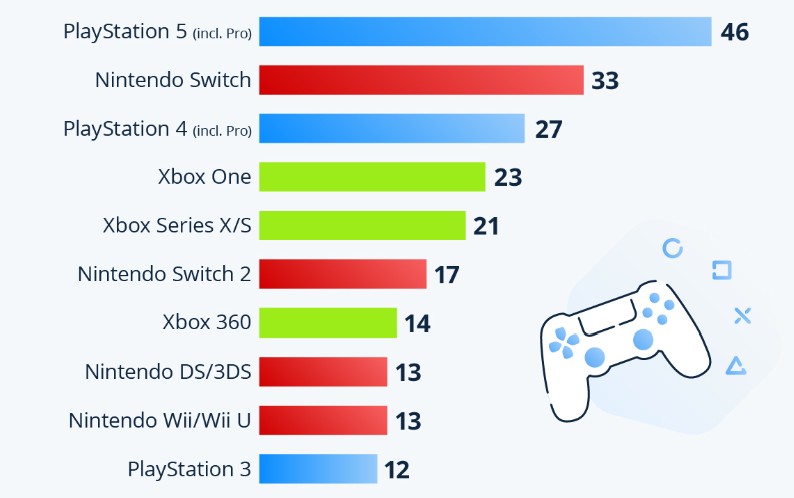
It's no secret that Xbox One was ill-received by the core gaming community, and Microsoft is still paying for those mistakes over a decade later. New data from Statista Consumer Insights put common beliefs about Xbox's performance to the test, surveying over 3,200 gamers in the United States.
The data from Statista shows PlayStation beating Nintendo and Xbox by a healthy margin, with Xbox combined platforms languishing in last place. (Image credit: Statista Consumer Insights)
Users were asked which console platforms they frequently play on specifically, with PC and mobile excluded from the picture. Of console players in the United States, some 85% frequently play on PlayStation platforms, 76% play on Nintendo platforms, with Xbox coming in last at 58%. The figures suggest that most people own multiple consoles and frequently play across different platforms. What is perhaps most striking is how popular the Xbox 360 still is, which is even giving the Nintendo Switch 2 a run for its money. It aligns with what I've previously heard about Xbox 360 engagement, which is uniquely sticky for Microsoft.
In a universe where some service games last "forever," there are arguably few reasons to upgrade from a PS4 or an Xbox One if all you enjoy playing is Fortnite or Minecraft and the like, which are still updated and fully functional on older platforms. At least it shows that users remain engaged, even if they are playing on older platforms. The challenge is figuring out how to convince them the upgrade is worth it.
Grand Theft Auto 6 is exclusive to Xbox Series X|S and PlayStation 5, which in a usual console cycle would likely have a dramatic upward impact on the current-gen systems. That uptake is likely going to be a tad muted for Xbox, which is struggling to source memory at reasonable prices for its Xbox Series X|S range. The box is already more expensive than ever, and has firmly slipped beyond your average luxury purchase.
Can devices like the Xbox Ally and the next-gen Xbox Helix help Microsoft's struggling gaming division find its footing? (Image credit: Windows Central)
It'll be interesting to see how Xbox CEO Asha Sharma addresses the delta here. Xbox PC and Xbox Cloud Gaming are obviously excluded from the results here, and both of these platforms represent a huge growth area for Microsoft. Microsoft has barely marketed Xbox Cloud Gaming arguably, and Xbox Game Pass on PC remains a fantastic deal too. Putting more investment into these products (and maybe I dunno, marketing them?) could make for an easy win.
Sharma said that there are "200 million" Xbox players last month, but it's unclear exactly how Microsoft arrives at this figure. Does that include Minecraft players on PS5 or Nintendo Switch for example? It's hard to parse. What isn't hard to parse is the scale of the challenge facing Xbox, whose identity has been rocked by a variety of experiments that landed with mixed results.
Xbox has a new console on the horizon, in the form of Project Helix, but so too will PlayStation. The competition for the future will remain fierce, but it's unclear if Microsoft still has the stamina to keep investing in gaming as shareholders heap demands for more AI.
It'll be interesting to see how Xbox weathers the next few years, with no end in sight for memory shortages, demographic shifts to PC, and the rise of free-to-play perpetuating something of a race to the bottom.
We've seen where the United States prefers to play, but where do YOU prefer to play, Windows Central reader? Vote in our poll below!
Join us on Reddit at r/WindowsCentral to share your insights and discuss our latest news, reviews, and more.
Five years ago back in 2021, a game was released with a famous franchise attached that initially slipped me by. I'm talking about Aliens: Fireteam Elite.
I don't really have any affinity for the movie franchise, so that's likely why I didn't even give it a look. But after catching a couple of streamers playing it, I took a punt, and boy was I in for a surprise.
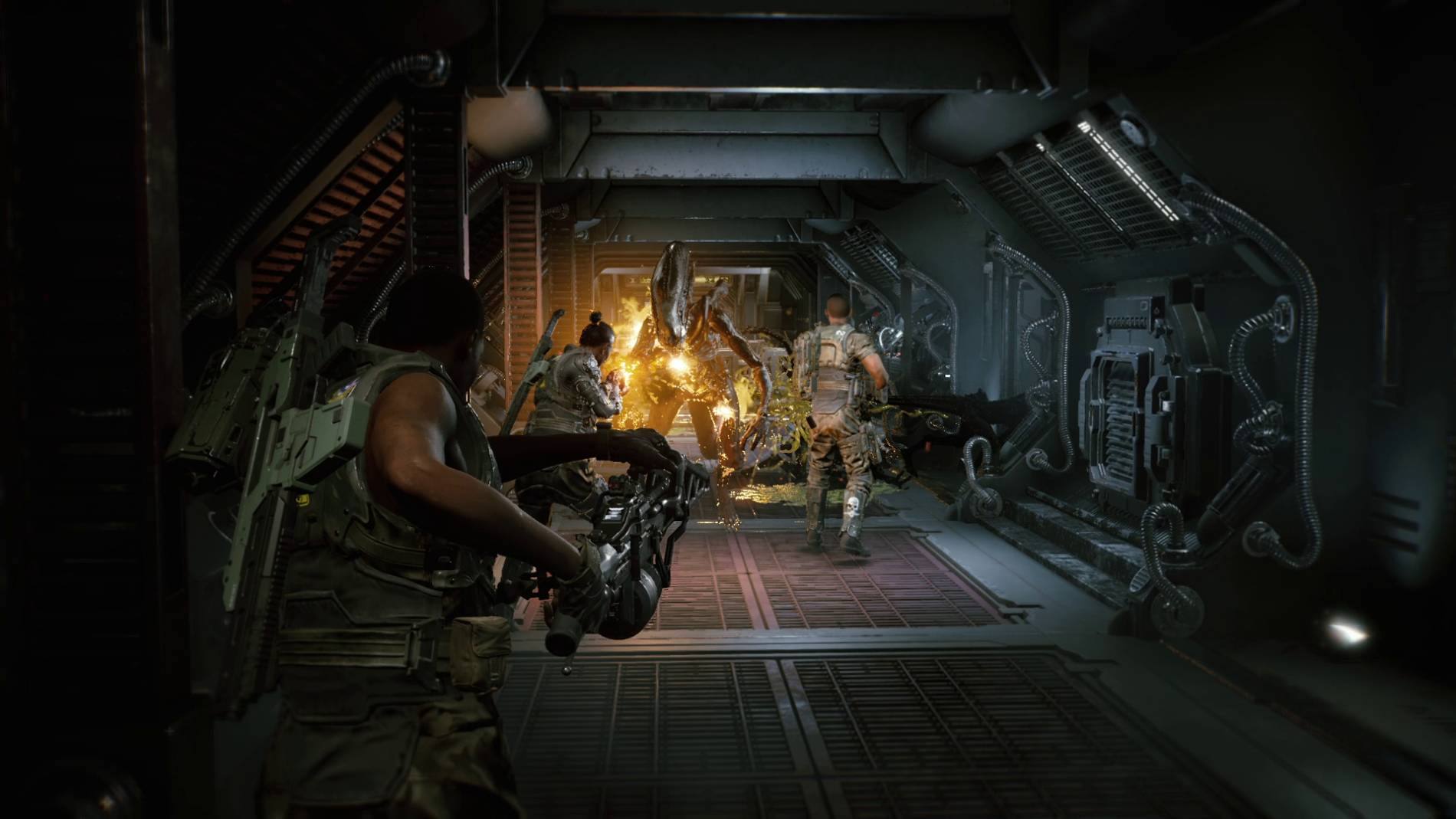
To this day I think Aliens: Fireteam Elite is woefully underrated. I can't speak to whether it's a truly authentic Aliens experience, but it's a fun game with plenty of replayability, without being too serious or requiring all your time. And it's about to leave Xbox Game Pass in 9 days as I write this, so consider this your notice to check it out while you still can.
You've got various classes and loadouts to build out, perks, different weapons, and hidden caches to find to get yourself some of the better loot. It has mild elements of a looter shooter in its mechanics, but it really isn't one.
It's a run-and-gun action game where your objective primarily is slaying alien creatures. Lots and lots of alien creatures. My former colleague, Miles Dompier, summed it up perfectly in our original 2021 review.
"Aliens: Fireteam Elite genuinely caught me off guard. I was excited about the idea of playing another co-op shooter in the Aliens universe, but I wasn't confident it would be a quality title worth spending a great deal of time with. However, my squad and I are already strategizing our loadouts for the more extreme difficulties. Despite my initial reservations, I'm fully expecting to spend the next several weeks playing Aliens: Fireteam Elite with friends."
Don't stop, just mow them all down! (Image credit: 20th Century Games)
This is exactly what happened to me, though I played more solo than with others. While it's more fun with friends, it's perfectly playable solo from beginning to end.
Better still, the Pathogen expansion is currently heavily discounted, too, and I'll be honest, that passed me by. I own the game (and it has Xbox Play Anywhere, too), but with Aliens: Fireteam Elite 2 coming really soon, it's as good a time as any to revisit this gem.
But seriously, if you're stuck for something to play right now and you have Xbox Game Pass Premium, Ultimate, or PC Game Pass, take it for a spin. I think you'll be pleasantly surprised.
Join us on Reddit at r/WindowsCentral to share your insights and discuss our latest news, reviews, and more.
Xbox has been on a bit of a tear when it comes to new platform features lately.
Yesterday, Microsoft announced the latest build for the Xbox Insider Program, with a variety of new features big and small. The features included better management for Xbox cloud saves, better sorting of your games library, and other bits and pieces. The headline act, however, is voice clip recording on the Xbox Game DVR. This is a feature people have been asking Microsoft to add for over a decade, all the way back to the Xbox One era.
When you have an epic gameplay moment with friends, it would be awesome if you could also capture their reactions without having to use a complex capture rig. You'd need to use a streaming PC with StreamLabs OBS or a capture card like the Elgato 4K S to extract the audio alongside your Xbox gameplay.But yesterday's update has made it a million times easier.
Here's a clip from a quick gameplay session on Warhammer 40K: Space Marine 2 I had this morning, showing how the first iteration works.
Here's an example of Xbox's new voice capture in the Game DVR. It's early days yet (available on the Insider ring). It seems to freeze the game for a split second when you hit capture. Also as far as I can tell, there's no way to adjust audio levels. You can barely hear me in… pic.twitter.com/0wmR5id4KVAugust 6, 2026
As you can see (or ... well, hear) the audio levels aren't ideal out of the box. You can barely hear me in this capture over the audio of the game. You would have to lower the gameplay sound a fair bit in order to be able to hear me, but it would be ideal if Microsoft would add settings for this.
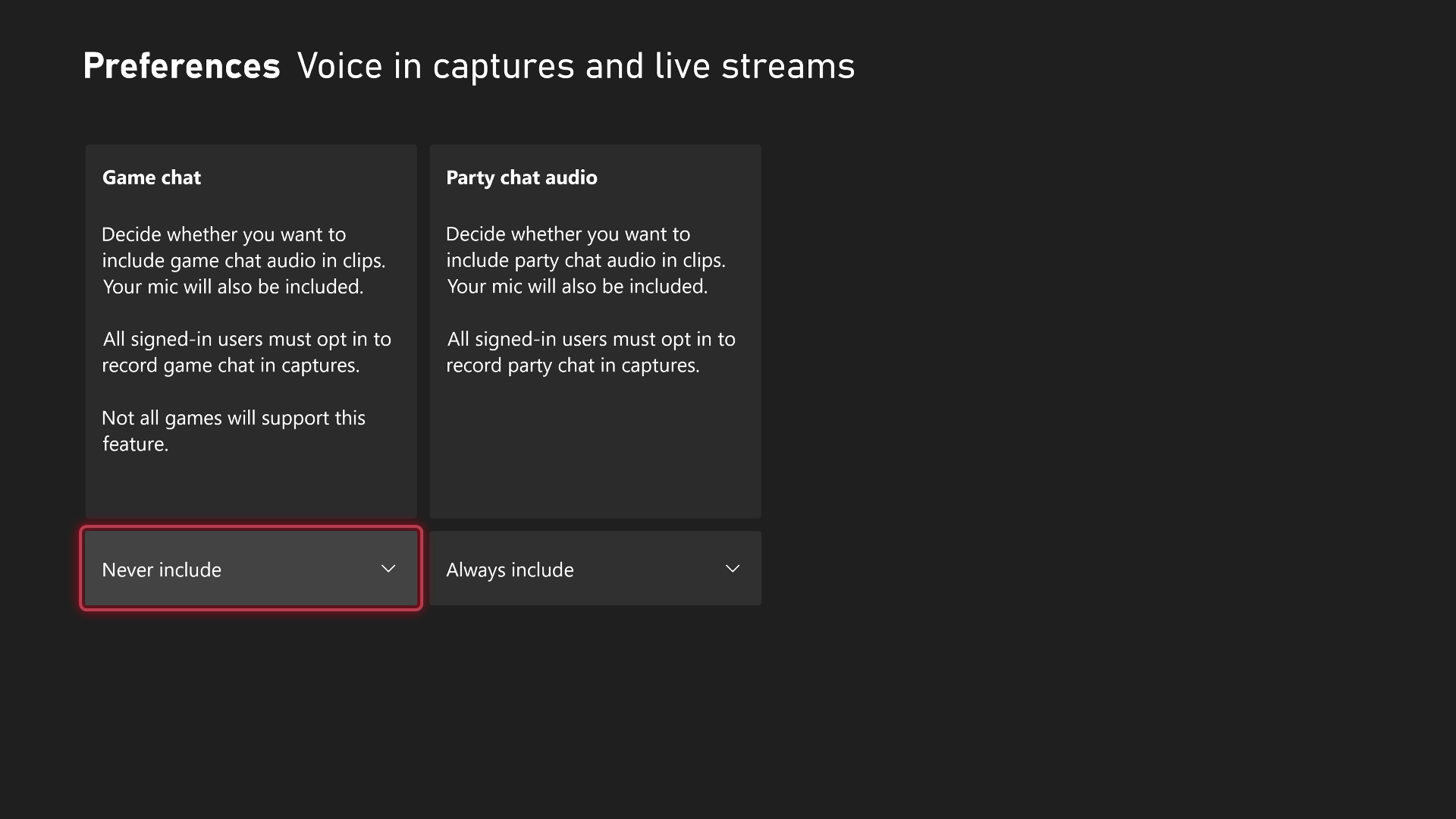
In order for this feature to work, users have to enable it in the settings. Only users who have enabled game or party chat audio capture will appear in the sound mix, giving you total control over whether or not your reactions are captured (potentially saving your more embarrassing gameplay moments from going viral.)
You can also set whether your voice is clippable in public audio settings too, such as lobby chat on Call of Duty (oh boy) or in proximity chat games like Arc Raiders and the like.
Head into preferences, then clip settings, and then voice in captures and live streams to access the above settings. As of writing, they're available to Xbox Insider Program users in the Alpha ring. (Image credit: Windows Central | Jez Corden)
Hopefully, Microsoft will add audio mix granularity sliders in the future, as it's far too quiet in my opinion as of writing. Additionally, capturing a clip seems to temporarily freeze a game for 0.2 seconds when you have voice capture turned on. I'm not sure if that's a consequence of the feature or an instability in the latest Alpha build, but I'm sure the experience will be improved before hitting general availability.
It's potentially exciting how this feature could evolve in the future. Xbox CEO Asha Sharma is a former Meta executive, and likely has thoughts on how to leverage social media virality as a vector for growing Xbox's footprint. Perhaps there's a future where Xbox supports webcam picture-in-picture clipping too, and maybe we'll even get direct sharing to social networks back again some day on top. Perhaps even native Xbox Series X|S video editing tools will return as well, who knows?!
Xbox has just announced on its website that it is rolling out new Xbox Series X|S console features for Xbox Insiders before sending them out to the general public, one of which has been requested by many Xbox players since the days of the Xbox One.
These new features include being able to have voice chat included in game captures, more options for viewing achievements, more control over Cloud save data, and improvements to Xbox wishlists.
Voice chat is now possible for recorded gameplay clips (Image credit: Microsoft)
The first and possibly biggest new feature of this bunch is allowing gameplay captures to include your voice and those of your chat party instead of just the gameplay audio alone.
Each player can choose if they want to have their voice included in the clip, and you can also choose to include in-game chat audio in your captures if you're not using the Xbox app's voice chat party feature.
This feature is now available for Xbox Insider users in the Alpha Skip-Ahead ring.
New methods of viewing your Xbox Achievements
Viewing Xbox achievements just got easier. (Image credit: Microsoft)
Keeping track of your Xbox Achievements has now been made less of a hassle for Xbox Insider users in the Alpha Skip-Ahead ring.
In addition to the 'last played' view option, players can now sort games by title, completion percentage, Gamerscore earned, and the number of Achievements unlocked.
These options can also be sorted in ascending or descending order, whichever a user prefers.
Back up more Cloud data. (Image credit: Microsoft)
This feature is already available for Xbox Insiders, but starting next week, more Xbox players will have the option to restore previously synced cloud save data directly from their Xbox console with games that support it, starting with Forza Horizon 6.
This means that if you need to recover a precious version of your save, you can browse cloud save versions and restore it to an easier save file directly from your console instead of just the Cloud.
You can access this feature for Forza Horizon 6 by going into the Xbox console's 'Manage game & add-ons' options menu, going to 'Saved data', and then clicking 'Restore saved data'.
More Xbox games will support this feature in future updates.
Add More Games To Your Wishlist
Add more games to your wishlist (Image credit: Microsoft)
The final new feature announced is available for all Xbox users and it's a simple one.
Starting today, you can now add up to 1,000 Xbox games to your wishlist, instead of only 301, allowing you to keep track of more upcoming Xbox you're interested in playing and when they'll go on sale.
Windows Central's take
New console features are rolling out to XBOX insiders!💬Voice chat in game captures🏆 New ways to view achievements☁️ More control over cloud saves🎮 More games on wishlistRead more about these upcoming features: https://t.co/eBIUKNYxkoAugust 5, 2026
All these features are all fine and dandy, but the one me and my friends are hyped about mostly is the voice chat becoming available to be included in game captures.
Some of my favorite gaming moments have been listening to my friends freaking out being mauled by monsters in Monster Hunter, or screaming triumphantly after killing a boss I've been stuck on for hours in Elden Ring.
Yes, you can do this already if you're a livestreamer, but that usually requires going out of your way to purchase recording capture cards and learning how to stream, which can be expensive and time-consuming.
With this new feature, you can have your voice in gameplay clips with just your Xbox console alone; no capture gear or streaming knowledge needed, which is good for me, as I never want to become a streamer anytime soon due to stage fright.
But what about you? Are you happy that voice chat in recorded game clips is now possible? Are there any other features you want Xbox consoles to include?
If you have any thoughts on the matter, please let us know through the poll, the comments section, or our Reddit page.
Join us on Reddit at r/WindowsCentral to share your insights and discuss our latest news, reviews, and more.
Xbox is back with a flurry of updates for the Xbox Series X|S, including one headline act that I think will make many people very happy.
Today, Xbox revealed that it has acted on some of the top feedback requests from the Xbox Feedback site, including voice clip and party chat recording inside the Xbox game DVR. Recordings will now also capture your team mates' cries of valor or wails of defeat (if you enable it, that is), alongside other various Xbox system improvements.
Team is working on something for later this year!August 5, 2026
Speaking on X (Twitter), Xbox CEO Asha Sharma replied to a fan "team is working on something for later this year," when asked if Microsoft would implement "Platinum"-styled completion achievements.
Players have been pining for an answer to PlayStation's platinum trophy system, which rewards players with a trophy for achieving 100% completion rates in games. Xbox games typically come with 1000 gamer score to earn per title, but there's no reward for acquiring all of the achievements.
I suspect Xbox was probably working out some of the finer details about how it would work in continuity with gamer score. Many games receive extra achievements post-launch, which would obviously remove your "100%" completion status. Perhaps you get the platinum achievement simply for hitting the base 1000 gamer score in the title? Who knows. Either way, it seems that Xbox will have an answer for it later this year!
Join us on Reddit at r/WindowsCentral to share your insights and discuss our latest news, reviews, and more.
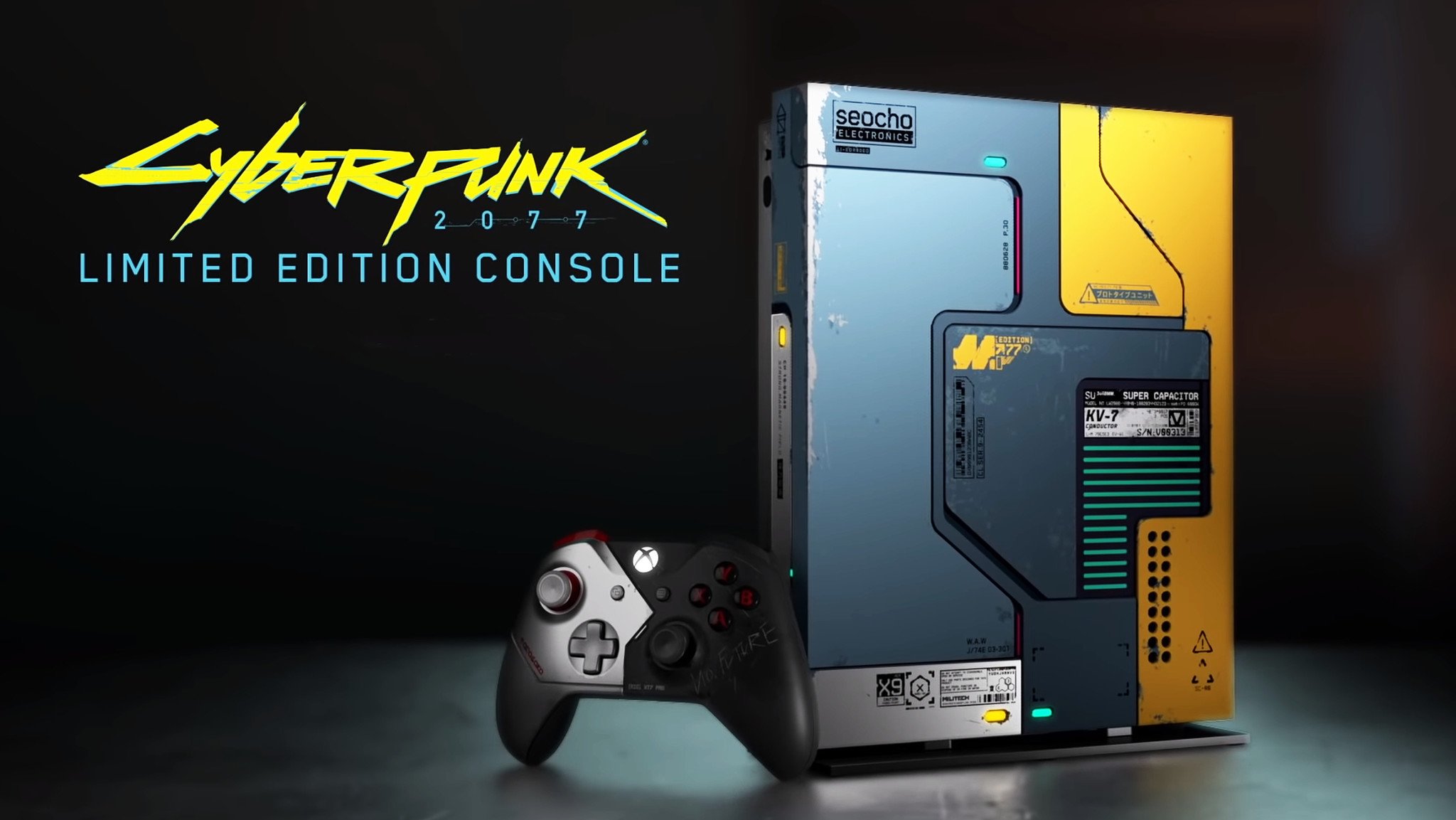
One thing we haven't had so much of with the Xbox Series X|S compared to previous generations is limited edition consoles. There have been some, like the Halo Xbox Series X and some competition specials, but compared to the Xbox 360 and Xbox One especially, it's been a pretty dry time.
Some of the older limited editions command a pretty penny on the used market these days, and obviously there's a finite supply of them. But there are some real gems, like the Gears 5 Xbox One X (pictured above) or even the blood red Gears of War 4 Xbox One S. Later this year we'll also see the Xbox Series X25, with its classic translucent green shell. Though unfortunately, a vastly increased price, now.
But over on the Xbox subreddit there's a thread rolling right now where folks are talking about these consoles, so I thought I'd bring it on over here, too. So what's your favorite limited edition Xbox console of all time?
There are some incredible choices on the Reddit thread, from the classic Crystal Green OG Xbox through the Halo 4 Xbox 360, the Titanfall Xbox One, and some others that folks like myself based in the UK might not even have known existed.
I didn't know there was a Taco Bell Xbox One X, for example, nor a green Mountain Dew OG Xbox. Granted, neither of these were actually sold, but they still exist, and I'd definitely go for a Mountain Dew Xbox if I could get my hands on one without selling a kidney.
I've never actually owned a limited edition console myself. The closest I've come so far is the Project Scorpio launch edition Xbox One X, which I still have in my office looking pretty.
Does this one take the crown as your favorite limited edition? (Image credit: Microsoft)
If I had to pick, it'd be between two. The Xbox console I always coveted the most was the Crystal Green first-generation. I wish I'd chopped in my standard black console to get one, but given I'd already spent a whole paycheck from a part-time job on one at the age of 17, I decided against it lest I risk the wrath of the parents.
The other might be one most wouldn't pick given some of the wild designs, but as a massive fan of the franchise, I always wanted the blue Forza Edition Xbox One. It didn't help that a friend of mine actually had one, taunting me every time I went over.
So, those are my picks, but I'm more interested in yours. There's no shortage to choose from, so hit the comments below and share your own favorite limited edition Xbox console design from the last 25 years!
Join us on Reddit at r/WindowsCentral to share your insights and discuss our latest news, reviews, and more.
My favorite Xbox feature is having a bit of a moment in the sun.
The Xbox ecosystem is a lot better than people give it credit for in my view. Xbox Game Pass is still a fantastic deal for those who want to graze a large library of content. Xbox Cloud Gaming is more viable than ever for single-player games, and things like cloud saves remain free, while paid on other platforms.
My favorite feature however is Xbox Play Anywhere. The ability to buy once, and take my games across Windows PCs, cloud, my laptop, Xbox Series X|S and Xbox Ally X handheld is a cornerstone of how I want to access games now. It's a vastly underrated feature, and something I think Microsoft could do a lot more to promote.
Baldur's Gate 3 is one of the best RPGs of modern times. (Image credit: Larian Studios)
I sent Larian publishing lead Michael Douse a message and asked for comment on why Baldur's Gate 3 ended up hitting Xbox Play Anywhere, almost three years after its initial launch.
"We just did it because it's a pretty cool part of the Xbox ecosystem and it would mean a lot to the players who enjoy that ecosystem," Douse explained. "We had the resources & time and figured it would make a few folks happy."
Indeed, there's been a huge sprint of fantastic AAA games hitting Xbox Play Anywhere recently, including 007: First Light, Beast of Reincarnation, Hell is Us, Palworld 1.0, Dispatch, Subnautica 2, and many more. Upcoming we also have things like Blood of the Dawnwalker and Onimusha: Way of the Sword. Historically, games only hit Xbox Play Anywhere via Xbox Game Pass, but increasingly, developers are dropping Xbox Play Anywhere on a discretionary basis.
I also asked Sascha Reuter from Fullset about Project Neon, a classic SHMUP that originally launched on the Neo Geo. Project Neon has now been ported to Xbox Series X|S and other platforms, and is launching straight into Xbox Play Anywhere.
"We always love to give players as much bang for for their buck as we can," Reuter explained. "So adding all the versions was pretty much a no-brainer, so was to allow players to switch between their systems however they like."
Reuter told me that developing for Xbox Play Anywhere is as simple as "using a Dropbox folder," as developers can deliver app packages that target multiple platforms via Microsoft's developer back end. Reuter said that Xbox's API for designating a save folder is simple to set up for cross-platform saves, and prevents overwriting and handles syncing via Azure.
Increasingly, it feels like developers are actively opting into Xbox Play Anywhere by default, but challenges remain.
The future of Xbox is PC
Xbox Helix is set to bridge the gap between Xbox and Windows. (Image credit: Windows Central)
Microsoft is doing a lot of work to bridge the gap between its Xbox and Windows ecosystems. Xbox Play Anywhere helps developers target Xbox customers regardless of platform, and Microsoft has long suggested games with Xbox Play Anywhere see higher sales and boosted retention.
Still, it's difficult to retroactively set up Xbox Play Anywhere. If codebases diverge too much across separate versions, applying Xbox Play Anywhere can create errors when synchronizing progress. Games like Fallout 76 have never received Xbox Play Anywhere support for that reason — although it's not unheard of. Resident Evil 8 gained Xbox Play Anywhere support several years after launch too, just like Baldur's Gate 3.
Some publishers perhaps simply don't seem to see the value in it. Ubisoft has begun offering free versions of some of its PC games to owners who already own the Xbox version, but Xbox achievements aren't supported on PC. EA doesn't offer any form of synchronicity at all between its Xbox and PC versions either.
Players of Dovetail Games' popular train simulator, Train Sim World 6, on Xbox One and PS4 have unfortunate bad news to endure.
Currently the game and all DLC content have been made available on last-gen hardware, but that is now coming to an end.
The announcement was made on the developer's blog, alongside information on exactly what it means for players on Xbox One and PS4.
"Train Sim World titles and new TSW Add-on releases developed from this date onwards will only be available on PlayStation 5, Xbox Series X|S, and PC platforms (Steam, Xbox for PC and Epic Games).
This change is essential for allowing the teams that create TSW content freedom to take advantage of current-gen hardware, prioritising the best performance possible, and improving the visual quality as much as they can."
The good news is that this change doesn't affect content you've already bought up to now. It's still there, it's still playable, and it's still supported. The cancellation only applies to any further DLC content for Train Sim World 6 and for future games in the franchise. To play any of that, you'll need to be on PC, Xbox Series X|S, or PS5.
It's sad news for players still on the last-gen consoles, for sure, but credit to Dovetail Games for holding out as long as it has.
Xbox One players do at least have more options to carry on with Train Sim World 6. (Image credit: Dovetail Games)
Even Xbox has finally had to take the plunge with Call of Duty, with Modern Warfare 4 not releasing on Xbox One or PS4, either. It's particularly bad timing for those still holding onto their older consoles given that both Xbox and Sony have recently increased prices on the new consoles, too.
If you are on Xbox One with Train Sim World 6, you do at least have options. It supports Xbox Play Anywhere, for one, so if you can move to PC, you can take all of your existing content with you so long as you use the Xbox App. You can't transfer your content to Steam or Epic Games. Content does transfer between Xbox One and Xbox Series X|S as you would expect, and PS4 players can also carry over to PS5.
Train Sim World 6 is also supported by Xbox Cloud Gaming, so even though your console may not be up to scratch going forward, you can still keep playing through the cloud if you're unable to move natively to supported hardware. PS4 owners don't have that luxury, as cloud streaming on PlayStation is limited to owners of the PS5 version.
While the timing might not be great, it's understandable. Games are more demanding than ever, and ultimately no experience at all is better than paying for something and having a bad experience.
Join us on Reddit at r/WindowsCentral to share your insights and discuss our latest news, reviews, and more.
Another month into the scorching summer season, and things have just heated up for Xbox Game Pass as we have a couple of major highlights coming in its latest batch of new games dropping in the first half of August 2026.
Some standout highlights include the cozy Power Wash Simulator 2, the hit open-world survival game Grounded 2, and the chaotic roguelike action game Ball x Pit.
However, the star of the show is the first Gears of War: E-Day multiplayer beta test, which is scheduled to run from August 6, 2026, at 12:00 pm PT to August 10, 2026, at 10:00 am PT for people who pre-ordered the game on Xbox Series X|S or Steam or people who are subscribed to Xbox Game Pass Ultimate and PC Game Pass.
Here's August's first wave of Xbox games coming to and leaving Xbox Game Pass.
Game
Date Available
Available on (Game Pass versions)
Monsters are Coming!
August 6, 2026
Cloud, Xbox Series X|S, Handheld and PC (Ultimate, Premium, PC Game Pass)
PowerWash Simulator 2
August 6, 2026
Cloud, Xbox Series X|S, and PC (Ultimate, PC Game Pass)
Bounty Star
August 11, 2026
Cloud, Xbox Series X|S, and PC (Premium, Ultimate and PC Game Pass)
Date Everything!
August 11, 2026
Cloud, Xbox Series X|S, Handheld, and PC(Premium, Ultimate and PC Game Pass)
Grounded 2 (Game Preview)
August 11, 2026
Cloud, Xbox Series X|S, Handheld, and PC(Premium, Ultimate and PC Game Pass)
Ball x Pit
August 12, 2026
Cloud, Xbox Series X|S, Handheld, and PC(Premium, Ultimate and PC Game Pass)
Cricket 26
August 13, 2026
Cloud, Console, and PC (Premium, Ultimate and PC Game Pass)
Mio: Memories in Orbit
August 13, 2026
Cloud, Xbox Series X|S, Handheld and PC (Premium, Ultimate and PC Game Pass)
Sandustry (Game Preview)
August 13, 2026
PC (Premium, Ultimate and PC Game Pass)
Egging On
August 18, 2026
Cloud, Xbox Series X|S, Handheld and PC (Premium, Ultimate and PC Game Pass)
Games leaving Xbox Game Pass (August 15)
Menace (Game Preview) (PC)
Atlas Fallen (Cloud, Console, and PC)
Aliens: Firesteam Elite (Cloud, Console, and PC)
Firewatch (Cloud, Console, and PC)
Windows Central's take
To be frank, this isn't the greatest batch of new Xbox Game Pass titles in the world (unless you're really into Grounded 2 or PowerWash Simulator). It's quite clear that, right now, Xbox is dedicating all its marketing power to hyping Gears of War: E-Day by including its upcoming early-access multiplayer beta test in this line-up.
Which, to be fair, is totally fine with me because Gears of War: E-Day's multiplayer looks insane. It features an epic 12-player PvE mode called "Siege Horde" where you must fight off never-ending waves of Locust grunts while completing objectives, and occasionally content MMORPG-style raid bosses that require every player to take down.
The classic PvP 4v4 Versus mode also makes a comeback, but with new match types, maps, and new weapons to help you rip and tear your enemies apart.
Additionally, you can also check out my colleague, Jez Corden's preview of Gears of War: E-Day's Siege Horde mode to see if its large-scale carnage and 12-player co-op insanity is up your alley and enticing enough to make you pick up the full game when it launches on October 6, 2026 for Xbox Series X|S, Xbox Game Pass (Day One), and PC via Windows and Steam.
Relive the tragic day that started the long, grueling war between the COGs and the Locust horde in the highly anticipated prequel of the Gears of War franchise, Gears of War: E-Day.
Existem diversos aplicativos de notas, dos mais variados estilos e para todos os gostos: desde aqueles baseados em bancos de dados ou mapas mentais, até simples processadores de texto. Entre eles, há os apps de notas livres, que procuram simular um caderno ou fichário não só para tornar a interface familiar, como também para alcançar usuários que desejam usufruir de uma ferramenta de escrita à mão.
Esse é o caso de um dos apps mais populares nesse meio: o Notability, sobre o qual trataremos neste artigo. Mais especificamente, exporei minhas experiências utilizando-o com o Apple Pencil (de primeira geração) e um iPad (9ª geração).
Interface e personalização
Um dos aspectos que mais me agradou no aplicativo foi sua interface simples e intuitiva. Ele oferece diversos temas e combinações de cores que agradarão aos cromófilos, mas gostei bastante do visual padrão/básico, tanto no modo claro quanto no escuro.
A página inicial é bem organizada e, após a versão 16, ficou ainda melhor. Antes, a organização era feita por Subjetos (uma tradução bastante infeliz para Subjects) e Divisores. Agora, tudo foi simplificado para pastas e subpastas. A funcionalidade continua exatamente a mesma, mas a nova organização é muito mais intuitiva e fácil de compreender. Além disso, cada pasta recebe uma cor diferente, o que deixa tudo mais organizado e agradável visualmente.
Na barra lateral esquerda ficam as configurações, a busca, todas as suas notas e a Galeria, onde é possível encontrar templates disponibilizados tanto pela comunidade quanto pela própria equipe do Notability.
Na seção Notas, todas ficam reunidas e podem ser filtradas por Recentes, Favoritos e Não arquivados. Tanto ali quanto dentro das pastas, é possível ordenar as notas por data de modificação, data de criação ou nome. Apenas senti falta da possibilidade de reorganizá-las manualmente.
Partindo para o que realmente importa: a nota. Nela, a personalização é ainda maior. Ao criar uma nova nota, você pode começar com a folha em branco ou optar por diferentes cores e layouts. O app sugere alguns: linha, grelha e ponto (isto é, pautado, quadriculado ou pontilhado), mas também é possível escolher alguns dos modelos disponíveis na Galeria ou enviar o seu próprio em Meus Modelos » Importar.
O aplicativo ainda permite definir um modelo padrão para todas as novas notas. Como essa opção não é muito fácil de encontrar, seguem as instruções: na página inicial, vá em configurações (engrenagem no topo) e depois em Editor de Notas » Modelo. Escolha então uma das opções do app — ou crie o seu próprio em Meus Modelos.
O único detalhe é que não existe uma opção para transformar uma nota já existente em modelo. Se quiser, será preciso exportá-la e importá-la como PDF ou imagem — um processo que poderia ser muito mais simples se tivesse uma opção como “Adicionar aos Modelos” (sigo esperançosa de que a equipe implemente isso a qualquer momento).
A barra de ferramentas — que, inicialmente, aparece no topo da nota — também é bastante personalizável. Os itens nela podem ser reorganizados, duplicados ou ocultados, e a própria barra pode ser movida para qualquer canto da tela: esquerda, direita ou parte inferior. Dependendo da forma como você segura o iPad ou escreve, basta arrastá-la para que ela deixe de atrapalhar a visualização da página.
Por fim, há uma pequena barra discreta com comandos para desfazer, refazer e compartilhar, além de acesso às configurações, à visualização das páginas e ao recurso Learn, sobre o qual falarei mais adiante.
No dia a dia, a simplicidade da interface ajuda a manter o foco no conteúdo, sem distrações. Ao mesmo tempo, usuários novos talvez levem algum tempo para descobrir alguns recursos mais avançados, já que certas opções ficam escondidas em menus pouco intuitivos.
Principais recursos
Para quem não é fã do modelo de assinaturas, é fácil torcer o nariz inicialmente. No entanto, desde que comecei a usá-lo, em 2023, o aplicativo evoluiu bastante.
Além de aprimorar ferramentas já existentes, a equipe passou a lançar atualizações frequentes — principalmente na área de inteligência artificial, sinal de que os desenvolvedores se esforçam para entregar uma experiência cada vez melhor. Antes de falar da IA, porém, vale conhecer os recursos que fazem parte da experiência básica.
Ferramentas fundamentais
No básico, o Notability faz muito bem o que se propõe. A escrita é feita por meio de três ferramentas principais: lápis, caneta e marcador. Todas permitem modificar cor e espessura, enquanto as duas últimas também oferecem estilos como linha contínua, tracejada ou pontilhada, além de diferenciação de pressão.
A princípio, o app sugere algumas cores, mas é possível escolher qualquer uma no seletor de cor (com suporte a códigos hexadecimais) e salvá-la para que permaneça na sua paleta.
Naturalmente, você também encontra uma borracha, que pode apagar apenas uma área específica ou remover automaticamente um traço inteiro.
Além da escrita manual, o Notability permite inserir textos digitados em qualquer ponto da página, com opções básicas de formatação, como títulos, negrito, itálico, hiperlinks e listas.
Nos meus testes, copiar e colar textos funcionou bem na maior parte do tempo. Encontrei apenas um comportamento curioso ao importar conteúdos do Canva: a ordem dos elementos foi alterada, o título acabou sendo enviado para o final do texto e as listas perderam seus marcadores; fora isso, funcionou corretamente.
Entre todos os recursos tradicionais do aplicativo, talvez o Zoom seja um dos mais engenhosos. Ao ativá-lo, uma pequena janela delimita a região da página em que você está escrevendo, enquanto uma área ampliada aparece na parte inferior da tela. Isso permite escrever em tamanho reduzido sem perder precisão nem precisar aumentar constantemente o zoom da página.
O bacana é que o recurso acompanha automaticamente a escrita. Conforme você avança, a janela também avança; ao chegar ao final da linha, ela passa para a seguinte sem que seja necessário mover a página manualmente. Para quem precisa de agilidade nas anotações (como em uma aula, por exemplo), isso torna a escrita surpreendentemente fluida.
Além dessas funções, o aplicativo oferece régua, ponteiro laser, fita adesiva, multimídia e gravação de áudio.
A régua funciona exatamente como esperado: basta posicioná-la sobre a página e desenhar próximo dela para que o traço seja automaticamente alinhado. Vale chamar atenção para apenas um detalhe importante: ela serve para criar linhas e formas retas, não como apoio para melhorar a caligrafia.
Já o ponteiro laser foi pensado para apresentações. É possível escolher diferentes cores e decidir se o ponteiro deixa ou não um rastro durante o movimento.
A fita adesiva é outro recurso simples, mas extremamente útil. Ela funciona como um marca-texto que esconde o conteúdo abaixo dele até ser tocado. Na prática, isso pode ser interessante para estudantes testarem seus conhecimentos: ao esconder informações, podem forçar o cérebro a lembrar o que está embaixo da fita e depois verificar se acertaram.
Na ferramenta Multimídia, o Notability permite inserir fotos na hora, imagens da galeria, GIFs, adesivos personalizados (que você pode criar e salvar, ou escolher em uma vasta galeria) e notas adesivas (Post-its). Gostei especialmente da implementação do último: quando você escreve sobre eles, o texto passa a fazer parte da nota adesiva, permitindo redimensioná-la ou movê-la sem deformar o conteúdo.
Embora o aplicativo aceite GIFs animados, ainda não é possível inserir vídeos diretamente nas notas. Como alternativa, ao adicionar uma URL, o Notability oferece o recurso “Criar recorte da Web” (“web clip”), que cria rapidamente uma captura da página vinculada. Assim, uma miniatura da página é adicionada como referência dentro da nota.
Por fim, uma funcionalidade bastante prática é a possibilidade de duplicar (ou remover) ferramentas. Em vez de trocar de cor ou espessura sempre que precisar, manter várias canetas já configuradas na barra de ferramentas traz mais praticidade, então você apenas alterna com um toque. Toda essa barra também pode ser reorganizada conforme sua preferência, escondendo recursos que você utiliza menos.
Gravação e recursos de IA
Desde que comecei a usar o Notability, nenhum aspecto evoluiu tanto quanto seus recursos de inteligência artificial. A gravação de áudio, que já era uma ferramenta excelente, se tornou um conjunto bastante completo de funcionalidades graças à IA.
Inicialmente, o recurso captava o áudio juntamente com a sua escrita. Depois, ao reproduzir a gravação, os manuscritos vão “ganhando cor” conforme aquele trecho do áudio é reproduzido. Na prática, isso facilita muito revisões de aulas ou reuniões, porque fica fácil localizar exatamente o contexto em que determinada anotação foi feita.
Depois, o recurso passou a oferecer também transcrição automática dos áudios. Nos meus testes, ela funcionou bem na maior parte do tempo, embora ainda apresente algumas dificuldades com nomes próprios ou trechos extraídos de vídeos e outras fontes externas.
Com a chegada do Notability Learn, conjunto de recursos de IA do app, as gravações foram levadas a um outro nível. No plano Pro, a transcrição pode acontecer em tempo real (Live Transcript), o que funcionou bem até com mais de um idioma sendo falado. Curiosamente, quando a gravação termina, o aplicativo escolhe apenas um idioma principal para gerar a transcrição final, ignorando os demais. É um detalhe pequeno, mas que pode fazer diferença para quem participa de reuniões ou aulas bilíngues.
Mas a IA vai muito além da transcrição. Com o Learn, o app analisa o conteúdo completo da nota (incluindo áudio, escrita à mão, textos digitados e PDFs importados) para gerar automaticamente resumos, flashcards, questionários, exercícios de preencher lacunas e atividades de associação (Mix & Match). Para quem estuda, isso é extremamente prático; mesmo que dê para fazer algo similar utilizando um chatbot de IA externo, estar tudo integrado nele é um grande diferencial.
Outro recurso interessante são as Smart Notes. Diferentemente dos resumos tradicionais, que são gerados depois da gravação, elas podem ser produzidas em tempo real a partir da transcrição, organizando automaticamente os principais tópicos da conversa. Gostei também da possibilidade de escolher em qual idioma essas notas serão exibidas — algo que pode ser bastante útil para quem estuda outras línguas.
O pacote inclui ainda o recurso Chat with your note (Converse com sua nota), que permite fazer perguntas sobre qualquer conteúdo presente naquela nota. A IA responde utilizando apenas as informações contidas ali, sem recorrer à internet ou a fontes externas.
Nos meus testes, o recurso funcionou muito bem para revisar conteúdos, embora ainda tenha algumas limitações importantes: o histórico das conversas não é sincronizado entre dispositivos e cada conversa fica restrita a uma única nota.
Outro recurso bastante útil são os Action Items. A IA consegue identificar tarefas automaticamente tanto a partir das gravações quanto do conteúdo escrito na nota, reunindo tudo em uma lista organizada. Testei o recurso em português e em inglês, e ele funcionou bem em ambos os idiomas.
Minha principal crítica ao conjunto de ferramentas de IA é a falta de edição. Se a transcrição estiver errada ou se um item de ação não fizer sentido, não há como corrigir. O mesmo vale para resumos, flashcards e questionários gerados automaticamente. Atualmente, a única alternativa é copiar o conteúdo para dentro da nota e editá-lo manualmente.
Por fim, vale mencionar que as gravações podem ser exportadas tanto junto com a nota (em PDF, incluindo os arquivos de áudio) quanto separadamente, no formato M4A.
Menções honrosas (e muito boas)
Há recursos do Notability que raramente aparecem nos reviews, mas que, no dia a dia, acabaram fazendo uma diferença enorme para mim! O primeiro deles foi uma surpresa bastante agradável: a barra lateral “escondida”.
Enquanto você está em uma nota, um gesto simples de arrastar do canto esquerdo para o centro revela uma barra lateral com toda a sua biblioteca de notas — você navega entre elas sem sair da página atual. Mais interessante ainda é que, ao arrastar uma dessas notas para a área principal, o Notability abre automaticamente uma visualização em tela dividida (split view) dentro do próprio aplicativo, sem depender do multitarefa do iPadOS. Isso facilita bastante consultar uma anotação enquanto escreve em outra ou copiar informações entre documentos.
Outro recurso que merece destaque é a busca inteligente. Ela localiza textos digitados, manuscritos e até conteúdo presente em PDFs importados. Os resultados aparecem organizados por nota e, ao abrir qualquer um deles, o aplicativo já destaca automaticamente o trecho encontrado. Mesmo com uma biblioteca grande de documentos, a busca permaneceu rápida durante meus testes.
Para quem deseja utilizar o Notability no iPad como ferramenta de estudos, duas novidades recentes também são maravilhosas. A primeira é o suporte aos sumários de PDFs. Sempre que um documento possui um índice incorporado, o aplicativo passa a exibi-lo automaticamente, facilitando bastante a navegação por materiais mais longos.
A segunda são as Sessões de Estudo, um temporizador inspirado na técnica Pomodoro integrado diretamente ao aplicativo. É um recurso simples, mas que gostei muito de ver incorporado ao fluxo de estudos, já que evita a necessidade de recorrer a aplicativos externos para controlar o tempo de foco.
Por fim, dois pequenos detalhes que talvez passem despercebidos, mas fazem diferença depois de algum tempo de uso. O primeiro é o gesto de desfazer e refazer utilizando dois e três dedos, respectivamente — algo familiar para quem usa aplicativos como o Procreate e do qual sempre sinto falta quando uso o Pencil com o Notas (Notes).
O segundo é a possibilidade de ocultar completamente a barra de status do iPad, removendo relógio, bateria e outros indicadores da tela. Pode parecer um detalhe bobo, mas ajuda a criar uma sensação maior de imersão durante a escrita (e eliminar distrações).
Apple Pencil: experiência real
Utilizei o Notability com um Apple Pencil de primeira geração em um iPad de 9ª geração, então toda a minha experiência parte dessa combinação. Porém, se você tiver um dos modelos mais recentes, como o Pencil de segunda geração ou o modelo Pro, certamente aproveitará ainda mais o app com recursos como o toque duplo, o gesto de apertar, feedback tátil e o Cursor (hover), todos compatíveis com o app. Infelizmente, não tive como testá-los.
No que eu pude testar, o desempenho foi excelente com o lápis da Apple. A resposta é fluida e precisa, com latência baixa o suficiente para a escrita parecer natural. A rejeição de palma funciona muito bem, possibilitando apoiar a mão na tela tranquilamente sem se preocupar com toques acidentais ou interrupções durante a escrita.
A sensibilidade à pressão também merece elogios. Além de funcionar com o modo caneta e marcador, no modo lápis o app reconhece a inclinação do Apple Pencil, simulando o efeito esfumaçado e produzindo sombreados com pressões variadas.
Com isso, mesmo que o foco do aplicativo não seja ilustrações, ele atende muito bem quem precisa fazer pequenos desenhos para complementar as anotações.
“Pencil sobre tela”, uma contribuição do meu marido
Outro recurso bacana é a conversão de escrita à mão. Por padrão, o aplicativo utiliza o idioma definido no dispositivo para reconhecer o texto, mas permite baixar pacotes de outros idiomas e escolhê-los manualmente durante a conversão — o que abre possibilidades interessantes para quem estuda línguas.
Gostei especialmente da forma como o processo foi implementado: antes de substituir a escrita manuscrita, o Notability mostra uma prévia com o texto reconhecido, permitindo revisar o resultado antes de confirmar a alteração. Testei convertendo textos em coreano e reconheceu bem. A única questão que encontrei foi o tamanho da fonte gerada; o app não preservou a escala original e a conversão ficou com um texto pequeno demais, mas é possível aumentar o tamanho depois, se você quiser.
Com as fórmulas matemáticas, o desempenho permaneceu o mesmo, bastante satisfatório. Pode ser uma verdadeira mão na roda para estudantes de exatas.
As funções e recursos do app são notáveis por si só (tanto que a empresa está disponibilizando vários desses gratuitamente na web). Entretanto, não há dúvidas de que a maior parte da experiência positiva vem do uso juntamente com o iPad e um lápis (ou caneta), seja o da Apple ou qualquer outra disponível no mercado.
Importação, exportação e compartilhamento
Embora o Notability seja voltado principalmente para anotações manuscritas, ele também faz um bom trabalho na importação e exportação de arquivos, oferecendo compatibilidade com diversos formatos.
Existem várias maneiras de importar documentos. É possível utilizar o menu de compartilhamento do iPadOS, arrastar arquivos diretamente para o aplicativo ou, em sua tela inicial, pressionar e segurar o botão “+ Nova” para acessar a opção de importação e escolher a origem do arquivo.
O aplicativo aceita imagens, PDFs, apresentações do PowerPoint e Keynote, além de planilhas do Excel. No caso das apresentações e planilhas, o conteúdo é convertido automaticamente em PDF, e funciona como uma espécie de template, permitindo que você faça anotações diretamente sobre ele.
Com imagens, porém, a experiência é um pouco diferente. Quando importadas para servir como modelo de página, elas aparecem pequenas e posicionadas no canto superior esquerdo da nota. Para utilizá-las como fundo, é preciso ajustar manualmente o tamanho usando a opção “Ajustar à página”. Se a intenção for usá-las como plano de fundo da nota, vale usar a opção de bloquear elemento para evitar que ela seja movida acidentalmente durante a escrita.
Quando a imagem é inserida como um elemento dentro de uma nota já existente, o comportamento é melhor: ela pode ser posicionada livremente e redimensionada normalmente, como seria esperado.
Na exportação, o Notability oferece praticamente todas as opções que se espera de um aplicativo desse tipo. As notas podem ser exportadas no formato nativo do aplicativo (NTB), em PDF, PNG ou JPEG. Também é possível incluir as gravações de áudio durante a exportação, que são salvas em arquivos M4A.
Outro recurso proveitoso é o compartilhamento por meio de links públicos — traduzido de maneira esquisita pelo aplicativo como Hiperligação. Ao gerar esse link, qualquer pessoa pode visualizar a nota diretamente pelo navegador, sem precisar ter uma conta no Notability. Expandindo ainda mais esse recurso, o app recentemente também passou a oferecer edição colaborativa em tempo real, ótima notícia para quem gostaria de utilizá-lo em grupo.
Naturalmente, continuam disponíveis as opções tradicionais de compartilhamento do iPadOS, permitindo enviar notas por email ou salvá-las em serviços como iCloud, Google Drive, Dropbox e praticamente qualquer outro aplicativo compatível com a folha de compartilhamento do sistema.
Screenshot
Sincronização e backup
A sincronização entre dispositivos da Apple acontece por meio do iCloud, que é o método recomendado pelo próprio Notability para manter todas as notas atualizadas entre os aparelhos. Vale lembrar que, ao apagar uma nota pelo iCloud, ela também será removida do aplicativo e vice-versa. Por isso, o ideal é sempre gerenciar suas notas diretamente pelo app, para evitar excluir algo acidentalmente.
Falando em iCloud, uma vantagem pouco conhecida é o histórico de versões. Conforme você edita uma nota, versões são salvas periodicamente no iCloud e podem ser restauradas caso algo dê errado.
Para acessá-las, basta tocar nos três pontos para abrir as configurações, pressionar onde aparece o nome da nota e escolher “Histórico de Versões na iCloud”. Obviamente, para tal é preciso que a nota já esteja sincronizada e tenha pelo menos uma versão anterior já salva. Um detalhe importante é que a versão restaurada é salva como uma nota separada, não substituindo a versão mais recente.
Além da sincronização pelo iCloud, o Notability oferece um sistema independente de backup em serviços de terceiros como Google Drive, Dropbox, Box, OneDrive e servidores WebDAV. A diferença é que, enquanto o serviço da Apple mantém todas as alterações sincronizadas entre seus dispositivos, o backup serve apenas como uma cópia de segurança. Ou seja, apagar uma nota no aplicativo não remove automaticamente sua cópia armazenada no Google Drive, Dropbox ou outro serviço — e vice-versa.
Quanto ao formato do backup, também há certa flexibilidade. É possível salvar as notas no formato nativo do Notability, preservando todos os elementos editáveis, incluindo as gravações de áudio, ou optar por PDFs simples ou PDFs acompanhados dos arquivos de áudio em formato M4A, compactados em um arquivo ZIP.
Compatibilidade e preços
Embora o foco deste review tenha sido a experiência no iPad com o Apple Pencil, o Notability também está disponível para iOS, macOS e até visionOS. Há ainda uma versão web (ainda em beta), disponível em notability.com/app, que permite visualizar e editar notas, embora com algumas limitações.
Starter (gratuito): notas ilimitadas, acesso às ferramentas de edição, mas com um limite mensal de alterações (a empresa não divulga exatamente qual é esse limite). Após atingi-lo, ainda é possível visualizar as notas normalmente, e o contador é renovado no mês seguinte. Segundo a empresa, as edições na versão web permanecem ilimitadas.
Lite (R$30/mês ou R$40/ano): inclui edições ilimitadas, backup em serviços de terceiros e acesso a mais de 20 mil templates.
Plus (R$40/mês ou R$80/ano): adiciona recursos de IA, como resumos automáticos, até 400 questionários e flashcards por mês, gravação e transcrição de áudio, além da busca em anotações manuscritas.
Pro (R$100/mês ou R$500/ano): reúne todos os recursos anteriores, e inclui Smart Notes em tempo real, transcrições ilimitadas, geração ilimitada de flashcards e questionários, além do recurso de conversar com suas notas.
Vale a pena?
Mesmo sendo possível utilizar o Notability no iPhone ou navegador, ele brilha mesmo é no iPad, especialmente quando combinado com um Apple Pencil (ou qualquer outra ferramenta de escrita que preferir).
Ao longo dos últimos anos, foram poucas as limitações que encontrei usando o app. Em mais de uma ocasião, inclusive, quando voltava para revisar este próprio review — ele foi criado ao longo de muitos meses —, percebia que alguns dos pontos que eu havia criticado já tinham sido corrigidos. Essa evolução constante transmite a sensação de que vale a pena investir em um app cujos desenvolvedores estão atentos ao feedback dos usuários e buscam sempre lançar melhorias.
Seja para estudos, trabalho ou organização pessoal, o aplicativo com certeza pode atender aqueles que buscam um lar para suas notas, principalmente quem usa o tablet da Maçã como ferramenta de anotações manuscritas. A interface é agradável, a escrita é excelente, os recursos evoluem constantemente e as funcionalidades de IA, embora ainda possam amadurecer, já agregam bastante valor ao aplicativo.
Como existe um plano gratuito (e edições ilimitadas pela web), minha recomendação é simples: experimente. Depois de algum tempo de uso, fica muito mais fácil entender se os recursos adicionais justificam a assinatura para o seu fluxo de trabalho. Então, “se jogue” na versão gratuita e seja feliz; se utilizar com frequência e achar valor, com certeza não se arrependerá do investimento!
iPad Pro de 13″
Cores: preto-espacial ou prateado Armazenamento: 256GB, 512GB, 1TB ou 2TB Vidro: convencional ou nano-texture Conectividade: Wi-Fi ou Wi-Fi + Cellular
NOTA DE TRANSPARÊNCIA: O MacMagazine recebe uma pequena comissão sobre vendas concluídas por meio de links deste post, mas você, como consumidor, não paga nada mais pelos produtos/serviços usando os nossos links de afiliado.
A Apple TV 4K é a melhor opção de set-top box para quem quer aproveitar ao máximo todos os serviços e recursos disponibilizados pela empresa.
O que torna essa experiência tão mágica é o sistema operacional tvOS, feito especialmente para esse produto. Para garantir todos os recursos mais recentes e também as correções de erros, é imprescindível manter o OS sempre atualizado.
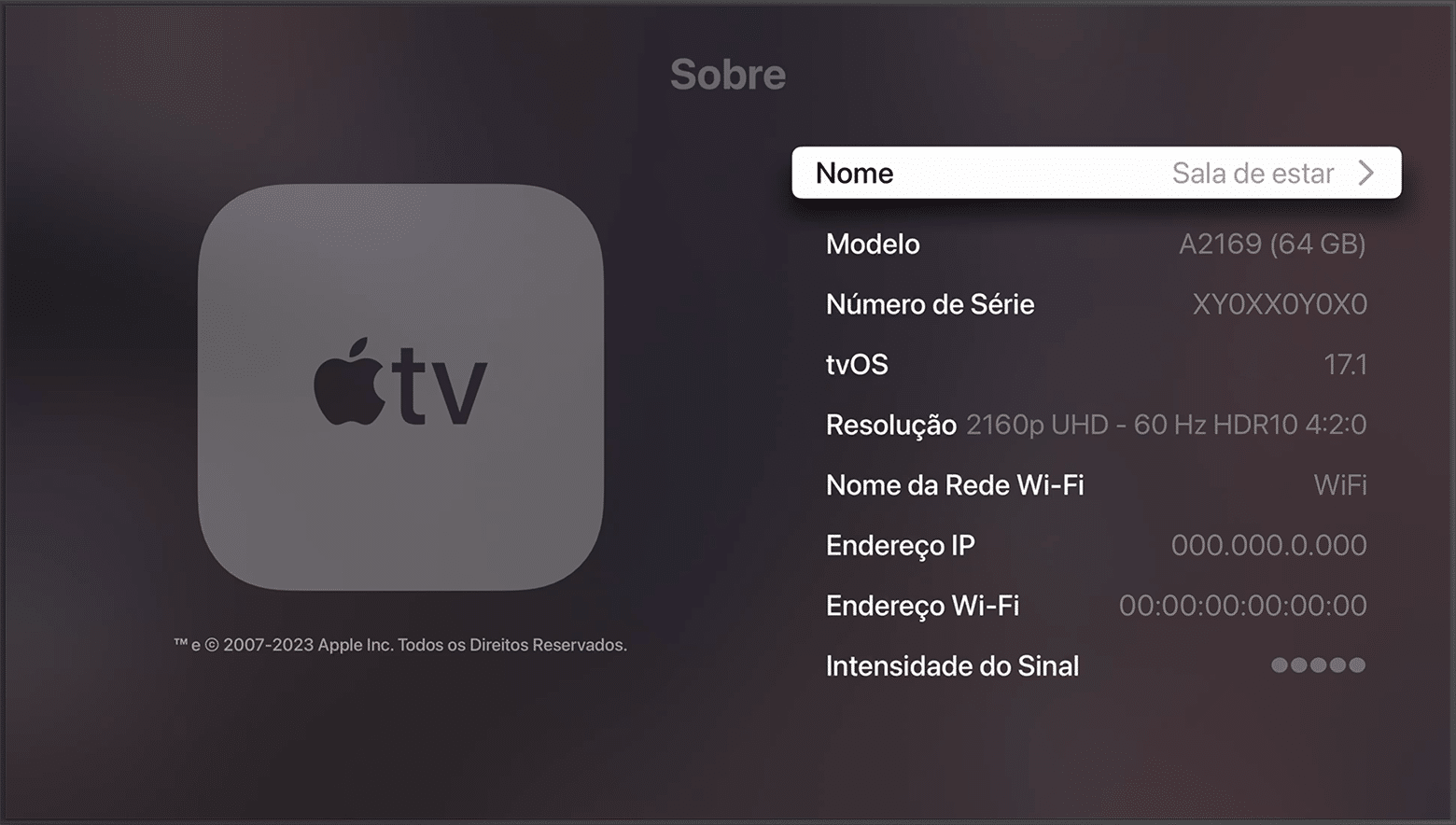
Veja como conferir qual versão do tvOS sua Apple TV está rodando!
NOTA DE TRANSPARÊNCIA: O MacMagazine recebe uma pequena comissão sobre vendas concluídas por meio de links deste post, mas você, como consumidor, não paga nada mais pelos produtos/serviços usando os nossos links de afiliado.
This year is the 30th anniversary of the launch of the original Quake by id Software, if you could believe it. To commemorate that, publisher Bethesda has released a new campaign chapter for the game, titled "Dawn of the Machine."
This is part of a series of new campaign chapters, all developed by MachineGames "in collaboration with id Software." MachineGames is best known for making the games in the relatively recent Wolfenstein reboot series, as well as Indiana Jones and the Great Circle. The Quake maps are made by a team dubbed "Quake Club," which includes several MachineGames employees who work on Quake maps in their spare time.
The ambition and scope of some of these maps is beyond what was typical for Quake maps back in the late '90s, thanks in part to the team's use of TrenchBroom, a newer map editor that works well on modern systems and is easier to work with and more capable than what folks were using in those days.

 Login
Login