The MacVoices Panel tests a new live-production platform while discussing Apple’s reported $5 trillion valuation, and the end of Tim Cook’s earnings-call era. The pros and cons of Apple’s new device upgrade and leasing program is the subject of intense debate over factors such as balloon payments, ownership, carrier lock-ins, AppleCare costs, convenience, and flexibility. […]
The MacVoices Live! panel examines Apple’s move from the iPhone Upgrade Program to a Klarna-backed leasing model, including the possibility of restricting leased devices after missed payments. The discussion explores how financing could soften the impact of rising iPhone prices, especially for premium and foldable models. They share personal experiences while debating ownership versus leasing, AppleCare implications, trade-in strategies, and changing consumer expectations around smartphone upgrades.
O tvOS 27 chegará neste ano com uma leva de novidades para a Apple TV 4K que, embora discretas se comparadas às de outros sistemas da Maçã, trazem melhorias bem-vindas ao dia a dia de quem usa o aparelho — do app Podcasts redesenhado a ajustes de performance por todo o sistema.
Preparamos um vídeo reunindo e demonstrando as principais mudanças da atualização. Confira abaixo:
Entre os destaques está o novo app Podcasts, que ganhou redesenho completo com suporte a programas em vídeo, alinhando a Apple TV às demais plataformas da empresa. O Apple Music também recebeu atenção: agora conta com suporte a áudio Hi-Res Lossless e com o recurso AutoMix, que cria transições automáticas entre as faixas.
Outras novidades incluem ajuste de tamanho de texto, verificação do status do AppleCare diretamente nos Ajustes (Settings) e atualização remota da Apple TV pelo app Casa (Home). O sistema também trará suporte a legendas geradas por IA on-device e melhorias no HomeKit Secure Video, agora com suporte à resolução 4K.
No quesito performance, a Central de Controle ficará mais responsiva, o AirPlay estará mais rápido, as animações ficarão mais suaves em todo o sistema e segundo a Apple os apps abrirão até 30% mais rápido, além de o sistema vir com diversas correções de bugs.
Vale lembrar que o tvOS 27 não é mais compatível com as Apple TVs HD e 4K de primeira geração, funcionando apenas nos modelos 4K de segunda e terceira gerações.
Proteja sua vida digital com a NordVPN, a VPN mais rápida e confiável do mercado. Navegue com segurança em redes Wi-Fi públicas, mantenha sua privacidade online e acesse conteúdos de qualquer lugar do mundo sem restrições. Assine agora a NordVPN e descubra por que milhões de usuários — incluindo nós, do MacMagazine — confiam nela para uma internet mais livre e segura. Aproveite a oferta exclusiva com mais de 70% de desconto e 4 meses grátis!
Apple TV 4K (3ª geração)
Armazenamento: 64GB ou 128GB Conectividade: Wi-Fi ou Wi-Fi + Ethernet
NOTA DE TRANSPARÊNCIA: O MacMagazine recebe uma pequena comissão sobre vendas concluídas por meio de links deste post, mas você, como consumidor, não paga nada mais pelos produtos/serviços usando os nossos links de afiliado.
Apple today announced Apple Upgrade, a new product leasing program provided by Klarna for iPhone, Apple Watch, Mac, and iPad available on the Apple Store online, in the Apple Store app, and at Apple Store locations in the United States.
[…]
Apple Upgrade offers 12- and 24-month leasing options for iPhone and Apple Watch, and 24- and 36-month leasing options for Mac and iPad. Leasing prices start as low as $17.99 per month for iPhone, $11.99 for Apple Watch, $24.99 for Mac, and $11.99 for iPad.
The $17.99/month gets you a base model iPhone 17e for 24 months. This is a total of $431.76 vs. $599 for buying a new one today, but then you have to make a decision:
At the end of the lease term, customers can upgrade their device to the latest generation, purchase it with a one-time payment, or simply return it and exit the program.
I used to get a new phone every other year, but I kept my iPhone 12 mini for three years and will likely keep my 15 Pro for four years. In addition to making it easier to buy phones without the up-front payment, Apple is probably hoping this will encourage more customers to get back on the two-year cycle. Given the choice between continuing a small monthly payment and getting a new phone or making a larger payment to keep their old phone, many may opt to upgrade.
The payoff amount is the difference between what was paid during the leasing period and the retail price of the device, minus any remaining trade-in credits. Klarna is not charging a fee for the leasing program, so an iPhone that’s $1,099 can be leased and then purchased for $1,099 with no extra cost beyond taxes.
I guess this means that, for a bit of hassle, you can essentially buy the device for the list price at 0% interest.
Lease participants can opt to end a lease early and return a device, but Apple says there may be “substantial fees” for terminating a lease before the end of the term.
[…]
Customers must upgrade, end the lease, or purchase the device at the end of the lease term. If that doesn’t happen, the lease converts to a month-to-month lease for up to six months.
[…]
Damage to an iPhone, losing an iPhone, or having an iPhone stolen could incur fees.
The rollout of the program comes as Apple has been struggling with supply chain issues related to “RAMageddon,” which refers to the industry-wide shortage of memory chips that is driving up the price of hardware. As a result, Apple recently announced price hikes for its Mac and iPad lineups, sparing the iPhone for now. The new Upgrade program seems to be Apple’s answer to making those higher prices more manageable for consumers.
Customers can manage their lease directly in the Klarna app, where they can view their billing schedule and track remaining payments.
With the launch of the new Upgrade program, Apple is discontinuing its existing in-house financing and installment programs in the U.S., which include the iPhone Upgrade Program and iPhone Payments.
For iPhones, you have to have a carrier and can’t use a prepaid plan.
[…]
For iPads, the starting prices range from $12.99/month to $24.99/month, Macs range from starting prices of $24.99/month to $48.99/month, and the Apple Watch ranges from starting prices of $11.99/month to $47.03/month. But again, these are just starting prices. You can configure a fully loaded 16-inch MacBook Pro that is just under $230/month, and it won’t include AppleCare.
As a point of comparison, under the current program that is being discontinued, I pay $69.50/month for an iPhone 17 Pro Max, but I have a 512GB model, so my lease price for the same phone would be $40.83/month, significantly lower, but keep in mind that doesn’t include AppleCare+, which would add $13.99/month or $139/year for that iPhone. On a monthly basis, that puts a new iPhone 17 Pro Max with 512GB of storage and AppleCare+ at just under $55/month. Still a superior deal, but not nearly as good as the landing page might initially lead you to believe.
[…]
If you lease accessories for your device, those don’t have to be returned. Why? Presumably because they have no value to Apple or Klarna.
9to5Mac can now confirm that code found in the iOS 27 beta appears to reveal a broader system for managing a financed iPhone, including the ability to restrict apps and services when payments are missed.
The code describes a system called App Managed Features, which allows an authorized financing or provider app to enroll an iPhone and perform ongoing status checks.
If the contract is no longer in good standing, Apple’s system services can place the iPhone in “Restricted Mode,” which blocks access to most apps until the payment or contract issue is resolved, while keeping a small set of apps available.
I bet there are some governments that would love to commandeer that for their own purposes.
Finally, the new framework also introduces a new type of activation lock called “Partner Finance Lock,” which is meant to prevent users from erasing, reselling, or stripping a restricted device for parts.
Apple says it won’t limit the capabilities of devices leased through its new Upgrade program if you miss a payment. In an emailed statement to The Verge, Apple spokesperson Brian Bumbery says, “There will be no restricted mode and/or there will be no limitations put on device functionality due to missed payments or default with the Apple Upgrade program.”
One possibility is that it was developed for financing programs offered by carriers, retailers, or other partners outside Apple Upgrade, potentially including markets where device restrictions are already used to enforce installment agreements.
Here’s a breakdown of how much you’d pay for the devices included in the Apple Upgrade program, as well as how much more you’d pay to purchase the devices outright at the end of your lease[…]
[…]
Klarna doesn’t say what will happen if you don’t pay the outstanding balance.
[…]
During the lease, Klarna owns your device. You’re responsible for any damage, and will get charged a fee if you don’t return the device in “good condition.” That’s why Apple is encouraging customers to sign up for an AppleCare subscription that could drive up the cost of your lease even more.
[…]
Apple also notes that you’ll have to pay an early termination fee if you want to return the device before your lease ends or if you want to upgrade early.
The Apple Card Monthly Installments aren’t going away, so I’ll keep using that.
[…]
When you finance using the Apple Card Monthly Installments, you pay a fixed amount to own your device. There are no savings here — aside from the 3% cashback — the monthly payment is the purchase price divided by either 12 or 24 months.
When you lease an iPhone through Apple Upgrade, you need a cellular account on one of the big three U.S. carriers: AT&T, T-Mobile, or Verizon. That kind of stinks, and I’m not quite sure I understand why.
The iPhone upgrade program always required it. For a time you could do Apple Card installments without a carrier if you bought it online but never in store. I assume there is carrier pressure to tie the phones to the carriers. Activating iPhones on carriers was a key metric at the Apple Store.
Credit-risk assessment is seemingly part of it. There’s a lot of fraud in iPhone purchases specifically and cell phone service generally. The big three carriers do a significant amount of risk assessment before letting you open a new postpaid account; that you have an active account with one of them is a signal that you’re not trying to lease an iPhone using phony credentials in order to sell it.
But the bigger reason is the complex nature of the contracts between Apple and each of the big three carriers.
The price increases for Apple Music come after Spotify announced its own round of price hikes earlier this year, which Apple poked fun at on social media. Even with today’s price hikes, though, Apple Music remains cheaper than Spotify.
Apple Music no longer makes sense when I’m already paying for YouTube Premium. Apple Music goes up to £11.99, YouTube Premium is £12.99 and on top of a good music service you get no ads on YouTube.
Distilling my longtime argument down to its simplest bit, I’d ask “do you want to pay $10 a month for music for the rest of your life?”
But truly, it was never going to just be $10 per month. The price was going to go up over time. It was going to get more expensive to have access to the same music.
If you purchase your music, though, I think most people would reach a point in their life where they stop buying new music entirely or they’re only buying a few albums per year. The cost of music would go down for you over time.
That was my thinking, too, but then I found that music I’ve purchased from Apple won’t work on my HomePod. I refuse to condone that behavior, so now I have two solid reasons not to subscribe to Apple Music.
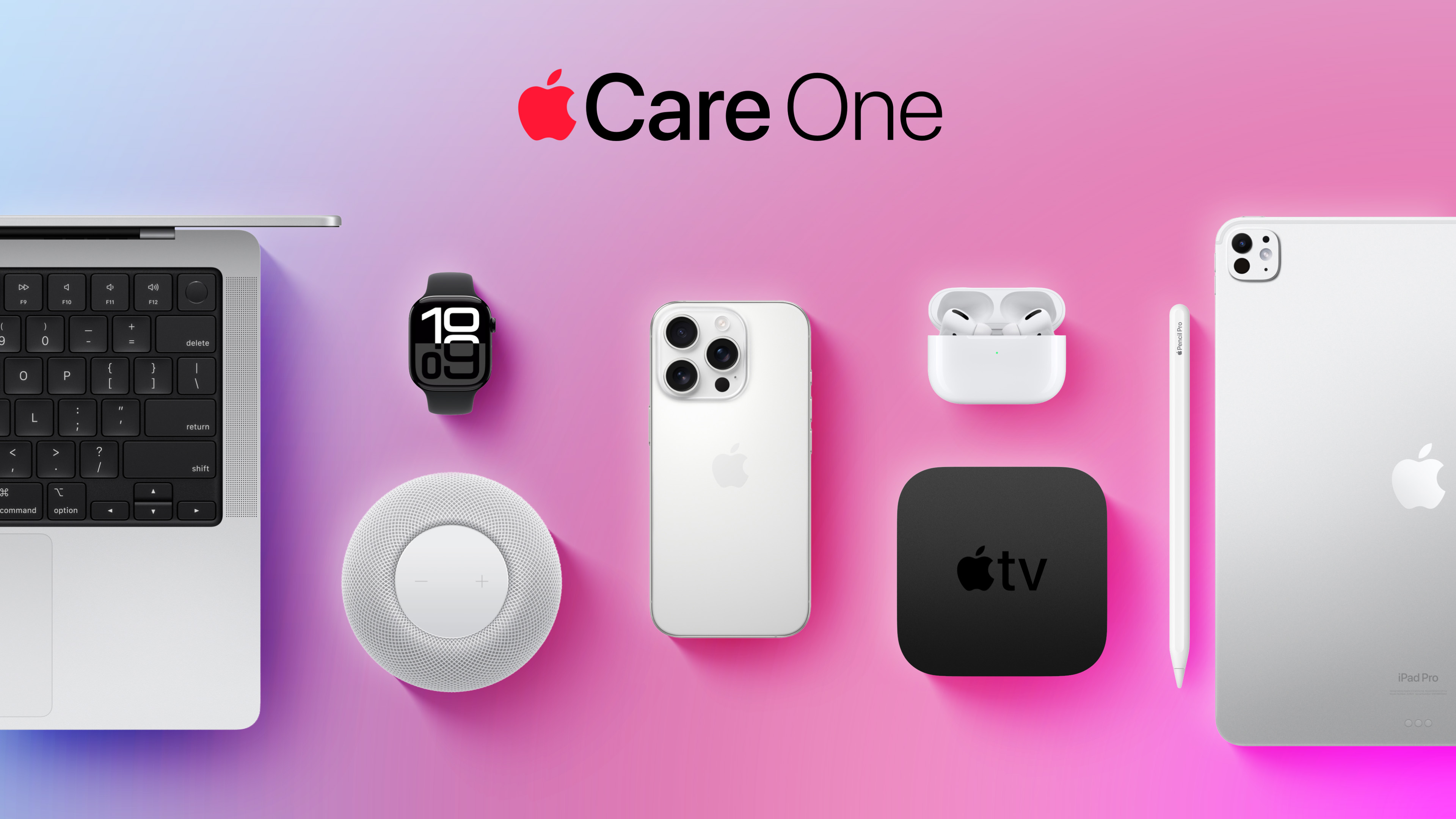
While the monthly and annual prices of AppleCare+ plans for Macs and iPads received a slight increase this week, AppleCare One continues to start at $19.99 per month in the U.S., making the multi-device plan even more valuable.
While the monthly and annual prices of AppleCare+ plans for Macs and iPads received a slight increase this week, AppleCare One continues to start at $19.99 per month in the U.S., making the multi-device plan even more valuable.
Launched in July 2025, AppleCare One allows you to cover up to three devices as part of a single subscription for $19.99 per month, and additional devices can be added for $5.99 each. AppleCare One offers repairs for accidental damage, 24/7 priority tech support, and theft and loss protection for the iPhone, iPad, and Apple Watch.
If you have an iPhone 17 Pro, a MacBook Air with an M5 chip, and an iPad mini with an A17 Pro chip, for example, AppleCare+ plans with theft and loss coverage where applicable can cost up to $26.97 per month for those devices in total. As mentioned, AppleCare One still costs $19.99 per month, so you can save $6.98 per month in this scenario.
Notably, you can add Apple devices that you already own to an AppleCare One plan, so long as they are in good condition and less than four years old. A diagnostic check and/or inspection may be required to verify a device's condition.
A white spot on iPad screen can appear as a bright patch that remains visible while browsing, watching videos or using apps. It may be small and easy to ignore at first, then become distracting whenever the screen shows a white, gray or lightly colored background.
The spot may come from a temporary software problem, but a fixed bright area is more commonly connected to the display hardware. Pressure inside the iPad, a damaged backlight layer, display separation or an impact can create uneven illumination that no setting can remove.
Before arranging a repair, a few simple checks can reveal whether the spot belongs to the image being displayed or to the physical screen itself.
What Causes a White Spot on iPad Screen?
A white spot on iPad screen is often described as a bright spot, pressure mark or backlight patch. On iPads with LCD displays, light passes through several internal layers before reaching the glass. When one of those layers becomes damaged, separated or compressed, light can concentrate in one area.
The mark may be more visible against pale backgrounds and almost disappear when the screen displays black or dark content. This is different from a dead pixel, which usually appears as a tiny fixed dot rather than a larger cloudy patch.
Pressure is one possible cause. Carrying an iPad in an overloaded bag, placing heavy objects on it or using a tight case can place stress on the display. A drop may also disturb the internal screen layers without cracking the front glass.
Battery swelling can create similar pressure from inside the device. If the screen is lifting from the frame, the iPad feels unusually warm or the body appears bent, stop using it and seek service. A swollen battery should not be pressed back into place or handled as an ordinary screen defect.
The problem can also appear after a display replacement involving a poorly fitted or lower-quality part. Apple notes that nongenuine displays may produce inconsistent brightness, color or touch behavior.
Image Credit:
Check Whether the Spot Is Really on the Display
Begin by opening several different apps. Look at the spot over a white webpage, a gray Settings screen, a dark photo and a full-screen video. A hardware-related mark normally stays in the same physical location regardless of what appears underneath it.
Rotate the iPad. If the content changes orientation but the bright patch remains in the same part of the glass, the display is the likely cause.
Taking a screenshot provides another useful test. A physical screen defect will not normally become part of the screenshot file.
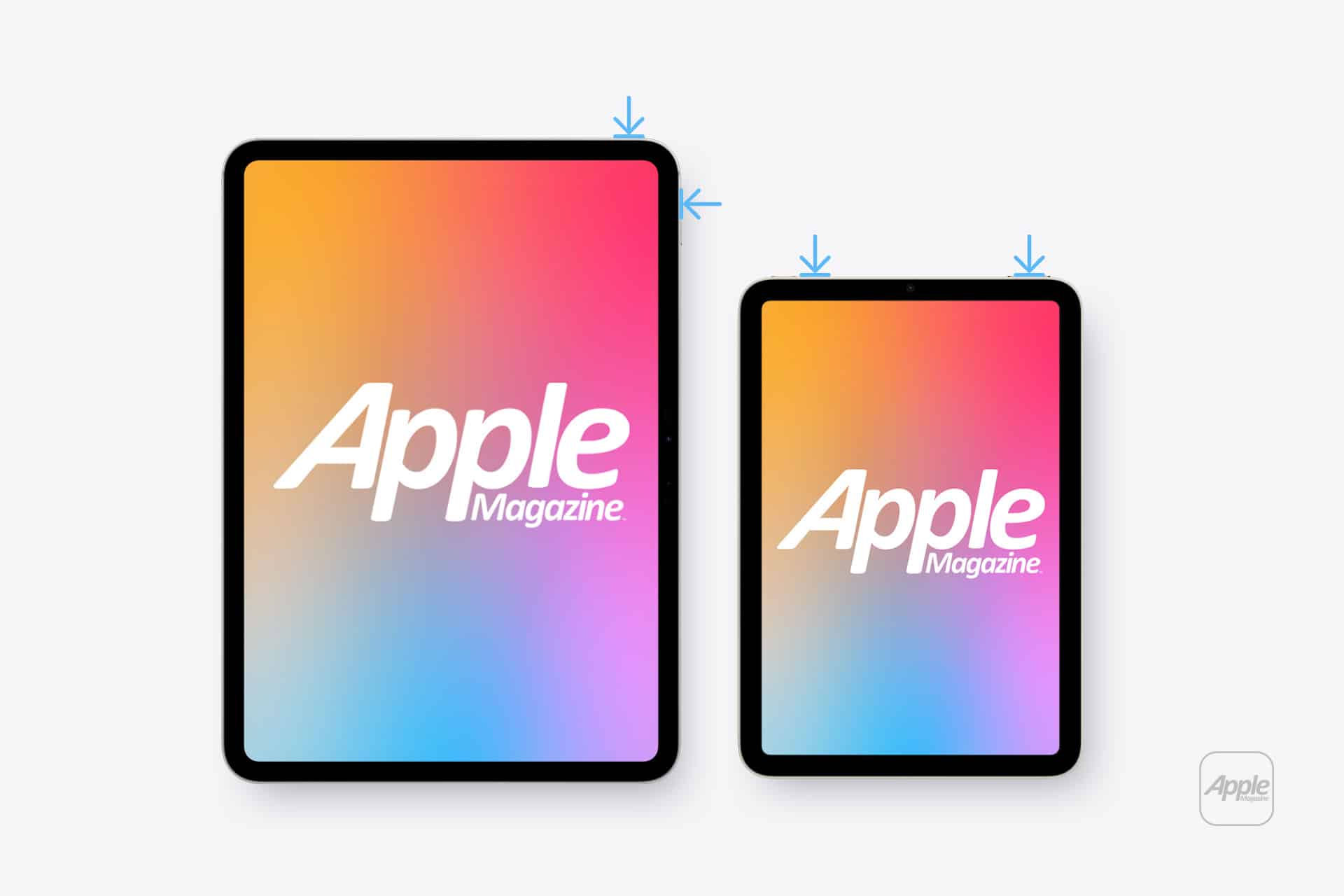
To take a screenshot on an iPad without a Home button:
Top button + either volume button
To take a screenshot on an iPad with a Home button:
Top button + Home button
Open the screenshot on another device or send it to a trusted computer. If the white spot does not appear there, the image generated by iPadOS is normal and the problem is probably inside the display assembly.
If the mark appears in the screenshot, it may belong to an app, image, accessibility setting or software effect rather than the panel.
Restart Before Assuming Hardware Failure
A restart is worth trying because it clears temporary display and system behavior without affecting personal files. It is unlikely to repair physical backlight damage, but it can eliminate a short-lived graphical problem.
To restart an iPad without a Home button:
Press and hold the top button and either volume button > Drag the power slider > Wait approximately 30 seconds > Hold the top button until the Apple logo appears
To restart an iPad with a Home button:
Press and hold the top button > Drag the power slider > Wait approximately 30 seconds > Hold the top button until the Apple logo appears
After restarting, return to the same pale background and check the area again. A spot that remains fixed is unlikely to be caused by a temporary iPadOS issue.
Image Credit: AppleMagazine
Brightness Can Make the Problem More Visible
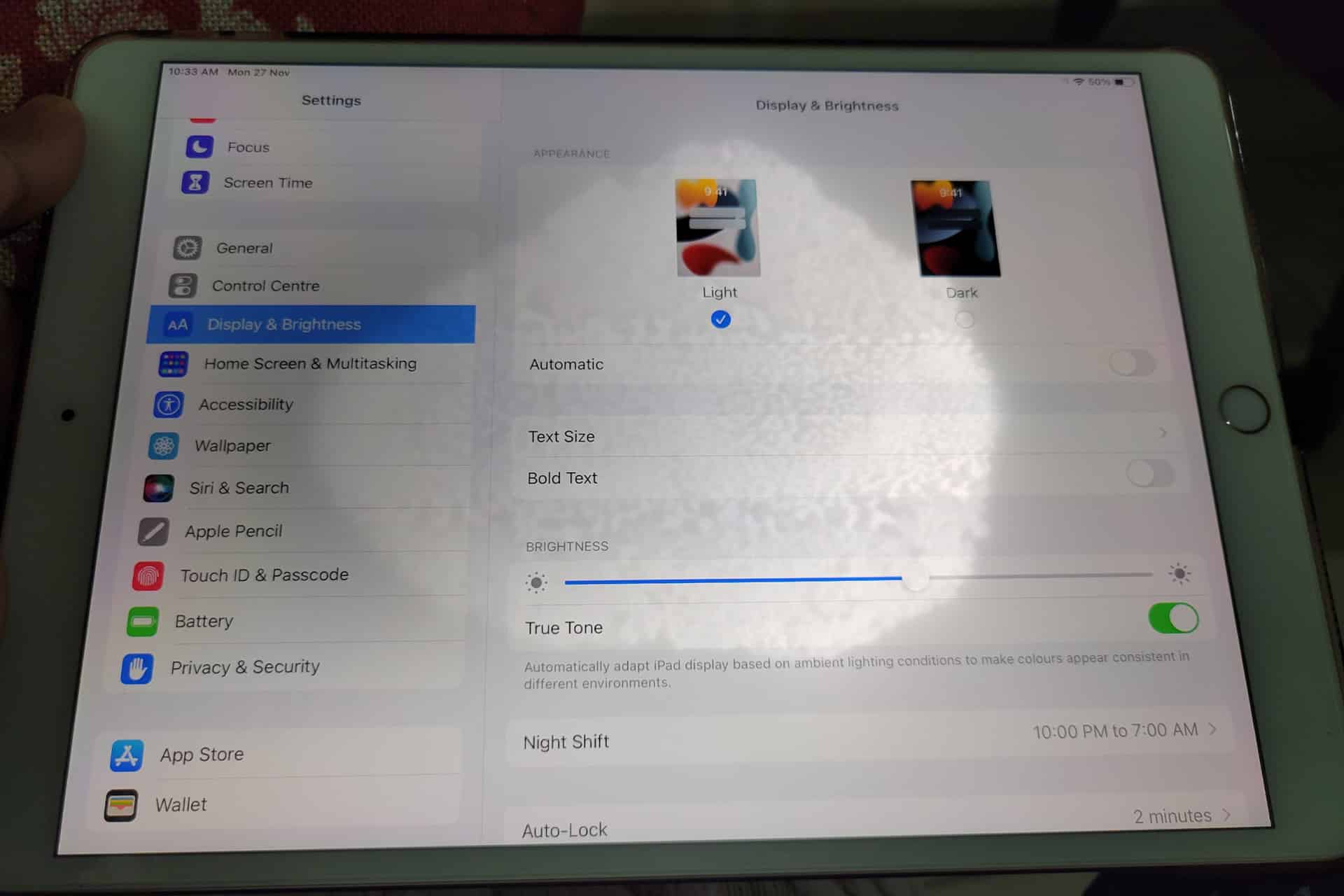
Lowering brightness may make a bright patch less distracting, but it does not repair the underlying display. The same applies to Dark Mode, Night Shift and Reduce White Point. These settings can change how noticeable the mark becomes without removing it.
To adjust screen brightness:
Settings > Display & Brightness > Brightness
Test the iPad at several brightness levels. A backlight-related spot may become easier to see as brightness increases. Photographing the screen against a plain background at medium and high brightness can also help document the defect before requesting service.
Avoid pressing or rubbing the affected area. Pressure may temporarily change the appearance, but it can damage the display further. Internet advice suggesting that users massage bright spots out of a panel should be ignored.
Check the Case and Screen Protector
Remove any rigid case that appears unusually tight or has been damaged. A poorly fitted case can place uneven pressure around the frame, particularly if the iPad has been dropped while inside it.
A screen protector normally cannot create a true illuminated patch beneath the display. It can, however, produce bubbles, trapped moisture or reflective marks that resemble a screen defect. Examine the iPad with the display turned off. If the mark is visible on the surface even when the screen is black, the protector or glass may be involved.
Do not remove a properly installed protector solely as an experiment unless the mark clearly appears close to its surface. A bright patch visible only while the display is illuminated usually comes from deeper inside the screen.
When the iPad Needs Repair
A persistent white spot generally requires display service when it remains after restarting and does not appear in screenshots. There is no iPadOS setting that can realign a damaged diffuser, remove internal pressure or repair separated display layers.
Back up the iPad before service so photos, documents and app data remain protected.
To create an iCloud backup:
Settings > your name > iCloud > iCloud Backup > Back Up Now
Apple can inspect the device and determine whether the defect qualifies for warranty coverage, AppleCare service or paid repair. Coverage depends on the device, purchase date, condition and whether the problem resulted from accidental damage.
To check coverage:
Settings > General > AppleCare & Warranty
Apple or an Apple Authorized Service Provider may replace the display assembly or the iPad, depending on the model and available service process. The final repair estimate normally requires inspection.
Image Credit: AppleMagazine
Do Not Ignore Physical Changes
A stable white spot that has not changed for months may remain only a visual annoyance. A spot that is expanding, accompanied by screen lifting or followed by unusual heat needs faster attention.
Stop using the device if the display separates from the enclosure, the iPad becomes visibly swollen or pressure marks spread across the panel. Do not puncture the device, force the display closed or continue charging it unattended.
For an ordinary fixed bright patch, the practical path is simpler: confirm it does not appear in screenshots, restart the iPad, remove any case applying pressure and arrange display service if the mark remains.
A white spot on iPad screen rarely affects the information stored on the device, but it can indicate physical damage that software cannot correct. A brief check can rule out the easy causes. After that, repair is usually more effective than repeatedly changing display settings and hoping the light disappears.
AppleCare+ pricing has gone up for new Mac and iPad customers, adding another small cost increase to the Apple ownership equation. According to Bloomberg, Apple has raised monthly and annual AppleCare+ rates for new Mac and iPad plans, with the change applying to new coverage rather than existing plans already active on customer devices.
The increase is modest on paper. Reports indicate Apple has raised monthly AppleCare+ rates by 50 cents and annual plans by $5 for affected Mac and iPad products. For example, AppleCare+ for the 13-inch MacBook Air is now listed at $7.99 per month or $79.99 per year, up from $7.49 per month and $74.99 per year. The Mac mini now starts at $4.49 per month or $44.99 per year, while the 16-inch MacBook Pro costs $15.99 per month or $159.99 per year.
The numbers are not dramatic alone. The context is harder for buyers. Mac and iPad prices have already been under pressure from component costs, financing changes and longer upgrade cycles. AppleCare+ is optional, but for many customers buying expensive laptops and tablets, it is part of the real purchase price.
AppleCare+ Pricing Adds to the Ownership Cost
AppleCare+ pricing is one of those costs many buyers do not fully consider until checkout. The device price gets attention first. Then come storage upgrades, cellular connectivity, keyboard accessories, Apple Pencil, taxes, financing, software subscriptions and protection coverage.
For a MacBook Air, an extra 50 cents per month may not change the decision. For a MacBook Pro, iPad Pro or a family buying multiple devices, the increases add up over time. Annual plans rising by $5 also signal that Apple is comfortable nudging protection costs higher even when the change is small enough to avoid a major backlash.
AppleCare+ remains valuable for users who carry devices daily or depend on them for work. Macs and iPads are portable, expensive and often used in places where accidents happen: classrooms, coffee shops, airports, offices, studios, kitchens and family rooms. A cracked iPad screen or damaged MacBook display can be expensive without coverage.
Apple’s pitch is convenience as much as insurance. AppleCare+ includes priority support, battery service when capacity drops below Apple’s threshold, and reduced service fees for accidental damage. For iPad, AppleCare+ can also cover Apple-branded keyboard accessories and Apple Pencil damage under service-fee terms.
That makes the plan attractive. It also makes the higher price easier for Apple to defend.
Image Credit: Apple Inc.
New Customers Feel the Change First
The latest increase applies to new Mac and iPad AppleCare+ customers. Existing customers with active plans are not the immediate target of the reported change. That distinction helps Apple avoid angering subscribers who already signed up at previous rates, while still lifting revenue from new device buyers.
This approach fits Apple’s broader shift toward recurring coverage. Apple has been moving AppleCare+ further into monthly and annual subscription-style plans, with AppleCare One offering a bundled option for multiple products. The protection plan is no longer only a one-time add-on at purchase. It is increasingly part of Apple’s services layer.
That matters because Apple’s services business depends on recurring payments. AppleCare+ may not get the same attention as iCloud, Apple Music or Apple TV, but it is another way Apple extends the customer relationship beyond the hardware sale. A Mac or iPad purchase becomes not only a device transaction, but also a support and repair subscription.
The price increase strengthens that pattern. A small rise across a large base of new buyers can support services revenue without changing the product lineup.
Mac Buyers Should Compare Plans
Mac buyers now have more reason to compare AppleCare+ options before adding coverage. Apple’s Mac plans vary by model because repair risk and device cost vary. A Mac mini plan starts lower because the device is stationary and less likely to face drops or screen damage. A 16-inch MacBook Pro costs more because it is a high-value portable machine with expensive components.
For a buyer choosing a MacBook Air, AppleCare+ may be easier to justify if the laptop travels daily. Students, journalists, consultants, photographers, editors and business travelers are more exposed to accidental damage than someone who leaves a Mac mini on a desk.
For MacBook Pro buyers, the decision often depends on work dependency. If the Mac is the primary income tool, AppleCare+ can be less about repair math and more about reducing downtime. Access to Apple support and lower repair costs can be worth the subscription if the device is central to daily work.
Still, users should compare the plan cost with their own risk. A careful desktop Mac user may not need the same coverage as a frequent traveler. AppleCare+ is useful, but it should not be automatic for every buyer.
iPad Buyers Face a Different Calculation
iPad AppleCare+ has its own logic because iPads are more physically exposed than Macs in many homes. They are passed between family members, used by children, carried around the house, taken to school, placed in bags and paired with accessories that raise the total cost of ownership.
For iPad Pro and iPad Air buyers, AppleCare+ can make sense because screen repairs and accessory damage can be costly. Apple’s current AppleCare+ terms for iPad include service fees for screen damage, other accidental damage and covered accessories. That can make the plan appealing for users who buy Magic Keyboard, Apple Pencil Pro or a high-end iPad Pro.
The decision becomes more complicated for entry-level iPad buyers. A lower-cost iPad may not justify years of coverage for every user, especially if it stays mostly at home. Families, however, may see the protection differently. An iPad used by children faces more risk than a laptop used carefully by one adult.
The new pricing does not change the core question. It makes the answer slightly more expensive.
AppleCare Products | Warranty Check
AppleCare One Becomes More Relevant
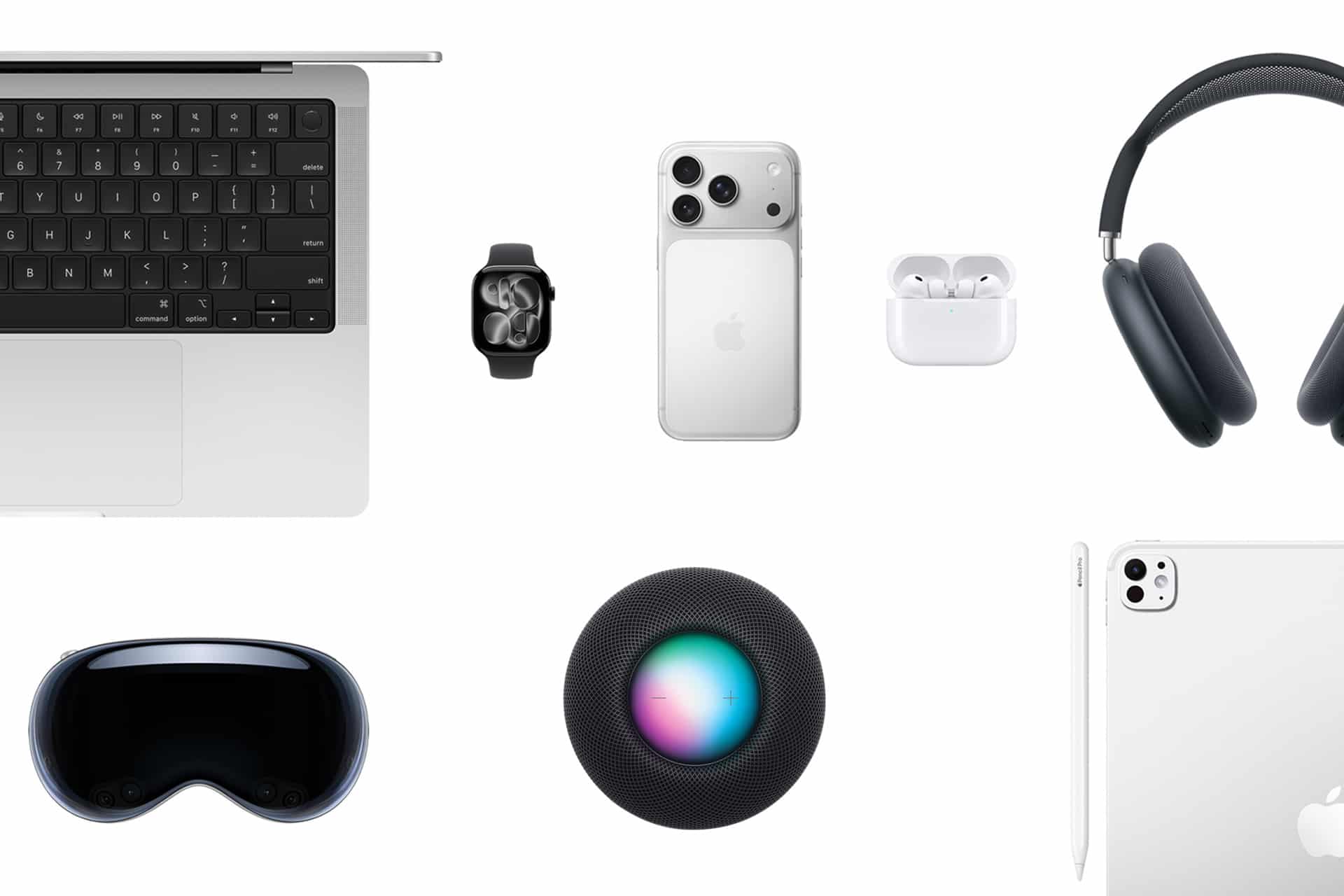
AppleCare One gives Apple another way to soften individual plan increases. The bundle starts at $19.99 per month for up to three eligible products, with additional devices available for $5.99 per month each. It includes AppleCare+ benefits and adds theft and loss coverage for eligible iPhone, iPad and Apple Watch products.
For users with only one Mac or one iPad, AppleCare One may not be the best fit. For users with multiple devices, it can become more attractive as individual plans rise. A person with an iPhone, iPad and Mac may compare three separate AppleCare+ plans against the bundle and find the monthly difference easier to justify.
That is likely part of the strategy. Apple can raise individual plan prices modestly while giving heavier ecosystem users a bundled option. The company has used similar logic across services with Apple One, where the value increases as users subscribe to more Apple products.
The same principle now applies to protection. The deeper a customer is inside Apple’s hardware ecosystem, the easier it becomes to turn support coverage into a monthly bundle.
Small Increase, Larger Signal
AppleCare+ pricing increases may be small, but they arrive during a period when Apple is asking customers to absorb more costs across the ecosystem. Device prices, component pressure, cellular financing, AI hardware demands and service subscriptions all affect the total ownership picture.
The AppleCare+ change fits that pattern. Apple is not dramatically changing the service. It is raising the price slightly while keeping the value proposition intact: lower repair costs, battery service, accidental damage coverage and Apple support.
For buyers, the best response is not panic. It is math. Compare the plan price with the device cost, repair risk, usage pattern and whether multiple Apple products would make AppleCare One more efficient. Someone buying a MacBook Pro for travel may want the protection. Someone buying a Mac mini for a desk may not. A family iPad may be a stronger candidate than a carefully handled personal tablet.
AppleCare+ remains a useful safety net. It is just a slightly more expensive one for new Mac and iPad buyers, and that makes the real cost of the device a little higher than the number on the product page.

 Login
Login