O Apple Creator Studio desbloqueia vários recursos bacanas de aplicativos já conhecidos pelos usuários de dispositivos da Maçã.
Dentre os exemplos, estão os apps Pages, Numbers e Keynote. Com eles, assinantes do Creator Studio podem gerar imagens e adicioná-las aos seus documentos, planilhas e apresentações de slides.
Com uma assinatura ativa do Apple Creator Studio, usuários do aplicativo Keynote podem usufruir de benefícios especiais.
Um deles, por exemplo, é o Gerar Apresentação (Generate a Presentation). Como o nome sugere, é possível usar um esboço de texto para criar uma apresentação completa, com títulos, tópicos e um tema consistente.
Como gerar uma apresentação no Keynote pelo iPhone/iPad
Na tela inicial, selecione “Gerar Apresentação”.
Escolha um tema para os slides.
Adicione as informações desejadas no campo “Visão geral” e, no campo “Pontos principais”, insira uma lista ou parágrafos com os detalhes que você quer que apareçam na apresentação.
Toque na setinha do canto superior direito para gerar a apresentação.
Como gerar uma apresentação no Keynote pelo Mac
Com o app aberto, clique em “Novo Documento” e, no canto inferior direito, em “Gerar”.
Adicione as informações e selecione “Gerar” para que os slides sejam gerados com base nos dados fornecidos.
Com uma assinatura do Apple Creator Studio, é possível aproveitar diversos recursos extras em aplicativos já conhecidos da empresa, como é o caso do Keynote.
No app dedicado à criação de slides, é possível fazer com que as notas de apresentação sejam geradas de forma automática em um slide — eliminando a necessidade de fazer isso manualmente.
Como gerar notas de apresentação no Keynote pelo iPhone/iPad
Com a apresentação aberta, toque nos três pontinhos (na parte superior), em “Opções de Visualização” e “Mostrar Notas da Apresentação”. Depois, selecione o slide desejado, vá novamente até os três pontinhos e em “Gerar Notas”.
Após fazer isso, é possível alterar o tamanho da fonte ou aplicar formatação de texto às notas do apresentador. Selecione-as, vá até o botão com um pincel (na parte superior) e use os controles de texto.
Como gerar notas de apresentação no Keynote pelo Mac
Com a apresentação sendo mostrada, clique no ícone ao lado do semáforo (no canto superior esquerdo) e escolha “Mostrar Notas da Apresentação”.
Selecione o slide desejado e clique no quarto botão (da esquerda para a direita) na parte superior.
Com uma assinatura do Apple Creator Studio, usuários do aplicativo Keynote podem usufruir de recursos especiais para criar e gerenciar as suas apresentações de slides.
Um deles é o chamado Correção de Slide (Slide Clean Up), que pode corrigir automaticamente o alinhamento dos objetos e outras inconsistências em um slide.
Se for um assinante, veja como utilizar isso na prática no seu iPhone, iPad e Mac! 😉
Com uma apresentação aberta no Keynote, toque em um espaço vazio no slide, na seta “>” e vá em “Correção de Slide”.
Ou navegue até o slide que deseja editar, toque nos três pontinhos (na barra de ferramentas) e vá em “Correção de Slide”.
Como corrigir um slide pelo Mac
Assim como no iPhone e iPad, você pode seguir um dos vários métodos diferentes para corrigir o slide desejado.
O primeiro deles é clicando com o botão direito do mouse em um espaço vazio e escolhendo “Correção de Slide”
Se preferir, navegue até o slide que deseja editar e clique no botão roxo na barra de ferramentas, escolha o slide que deseja editar no navegador de slides e clique em “Correção de Slide”.
Ou, no slide desejado, vá até Slide » Correção de Slide (no menu Slide, na parte superior da tela).
Segundo a Apple, o número exato de imagens, slides e notas do apresentador que podem ser gerados varia com base na complexidade das consultas e na disponibilidade do servidor e da rede.
No mínimo, por mês — se usado de forma exclusiva —, você pode:
Gerar 50 imagens;
Gerar 250 formas;
Gerar 50 apresentações com 8 a 10 slides cada;
Gerar notas do apresentador para 700 slides.
Esses limites são redefinidos mensalmente e podem ser conferidos a qualquer momento.
Como visualizar o status de uso
Pelo iPhone/iPad
Abra o Pages, Numbers, Keynote ou Freeform e toque no botão com três pontinhos. Depois, vá até “Recursos de Inteligência” e “Mostrar Status de Uso”.
Pelo Mac
Dependendo do app que estiver usando, selecione “Pages”, “Numbers”, “Keynote” ou “Freeform” na barra de menus. Depois, selecione “Recursos de Inteligência” e “Mostrar Status de Uso”.
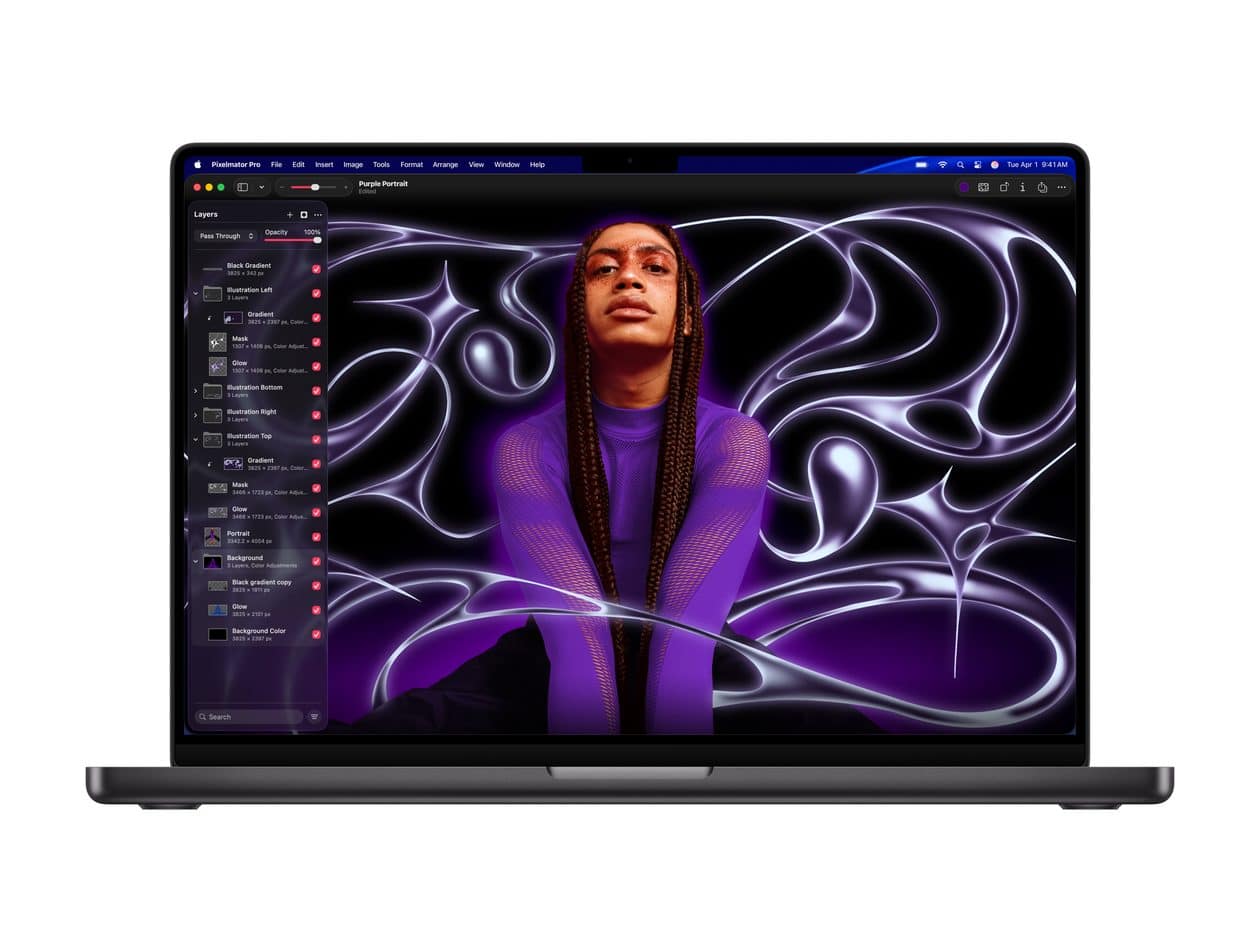
Além de alterar a cor do fundo da janela do aplicativo Pixelmator Pro dos Macs, a Apple também permite realizar outra forma de personalização visual.
Trata-se da possibilidade de alterar a aparência do app — que pode ou não corresponder à aparência que você já usa no macOS em geral: escura, clara ou automática, esta última variando de acordo com a hora do dia.
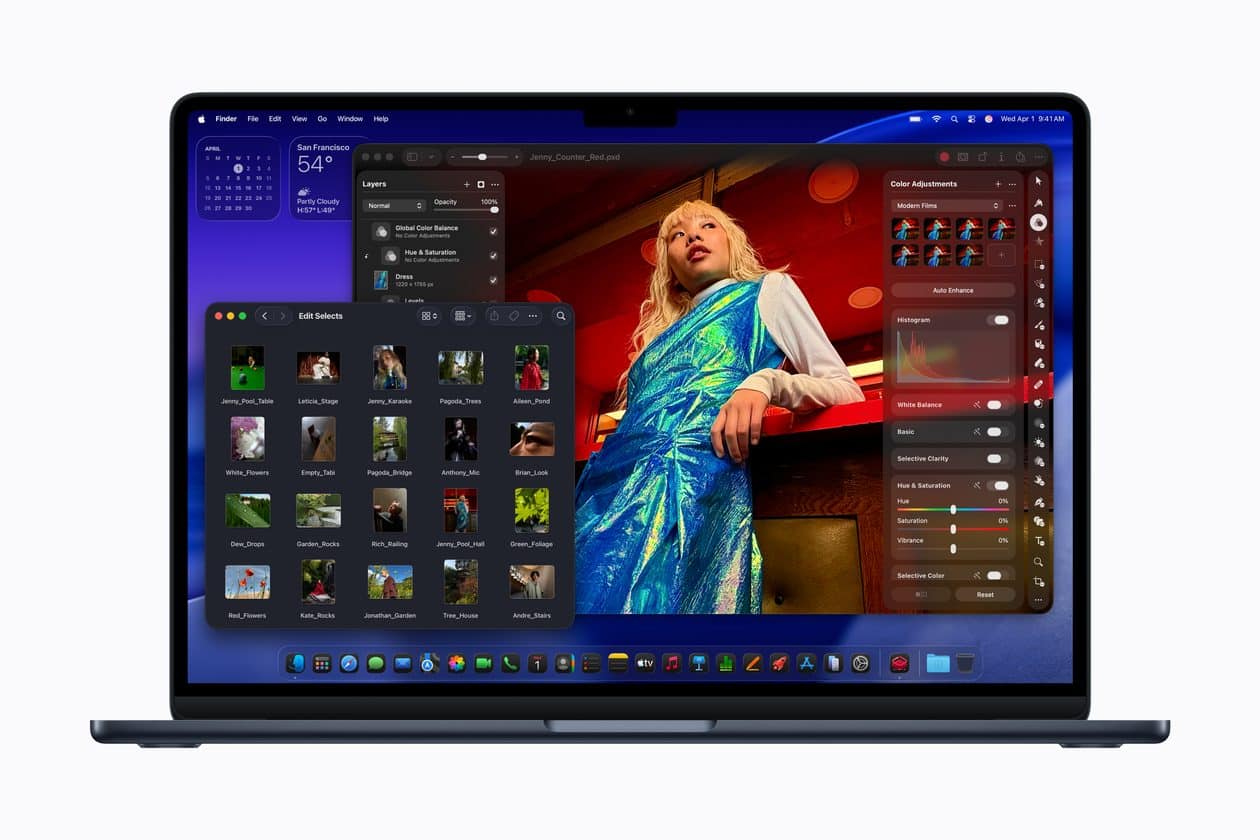
Com o Pixelmator Pro e uma assinatura do Apple Creator Studio, o processo de edição de imagens fica muito mais fácil e eficaz, graças às ferramentas avançadas disponibilizadas.
Uma dessas ferramentas é a Super resolução (Super Resolution). Com ela, é possível ampliar qualquer foto, ao mesmo tempo que se tenta preservar a nitidez e os detalhes.
Com o aplicativo Pixelmator Pro, donos de Macs podem editar as suas fotos usando as inúmeras ferramentas avançadas disponibilizadas.
Para que esse processo de edição seja o melhor possível, o app possibilita que você escolha um dos diversos layouts de trabalho disponibilizados — como os otimizados para fotografias, design e ilustração, por exemplo.
Mais do que isso, você pode configurar um layout de espaço de trabalho personalizado e salvá-lo como uma predefinição.
Com o Pixelmator Pro aberto, vá até Pixelmator Pro » Ajustes…, na barra de menus, ou utilize o atalho ⌘ command,.
Vá até a aba “Espaço de trabalho” e escolha um dos layouts. Ou, se quiser criar um novo espaço, selecione o “+”, insira um nome para o espaço de trabalho e clique em “Renomear”.
Clique duas vezes na miniatura do novo espaço de trabalho, arraste os elementos delineados em azul para a nova posição e clique em “OK”.
Se você utiliza esse app para editar fotos, projetar e ilustrar, uma dica bem simples pode lhe interessar. Trata-se da possibilidade de alterar a cor do fundo da janela do Pixelmator Pro — podendo definir o quão clara ou escura ela será.
Com o app aberto no seu Mac, vá até Pixelmator Pro » Ajustes…, na barra de menus, ou use o atalho ⌘ command,.
Clique na aba “Geral” e use o menu suspenso ao lado de “Fundo da janela” a fim de escolher uma das opções: “Padrão”, “Branco”, “Cinza claro”, “Cinza”, “Cinza médio”, “Cinza escuro” ou “Preto”.
Abaixo, um exemplo de como fica na opção “Cinza claro”:
“O armazenamento do iCloud está quase cheio”. Se você usa iPhone, aposto que leu essa frase nesta semana. Talvez hoje. Ela aparece nos Ajustes, aparece por notificação, aparece quando o backup falha de madrugada… e não desiste nunca. Não é um bug. É, possivelmente, o vendedor mais eficiente que a Apple já contratou.
Nas últimas semanas, escrevi aqui duas matérias medindo produtos da Apple numa moeda que todo mundo entende na pele: horas de trabalho. Vimos quanto custa um Mac depois dos aumentos e quanto custou cada geração de iPhone desde 2007. Mas hardware você paga uma vez e o assunto morre; assinatura, não. Assinatura é um pedágio silencioso: poucos reais por mês, para sempre. E ninguém de fato se dá ao trabalho de fazer essa conta — então eu resolvi fazer.
Os mesmos 5GB desde 2011
Antes dos números, um pouco de contexto. Quando o iCloud nasceu, em outubro de 2011, a Apple deu 5GB gratuitos para cada conta. Era a época do iPhone 4s, de câmera de 8 megapixels e fotos de uns 2,5MB cada. Dava para viver um bom tempo dentro daquele limite.
Quase 15 anos depois, os 5GB continuam exatamente os mesmos. Só que o mundo ao redor deles mudou de tamanho: o iPhone 17 tira fotos de 48MP, grava 4K a 60 quadros — cerca de 400MB por minuto — e sai de fábrica com 256GB. Ou seja, a Apple vende um aparelho com 256GB e dá uma nuvem que corresponde a 2% disso. Um backup básico, sozinho, já não cabe. A caixa ficou pequena de propósito ou só ficou pequena? Guarde essa pergunta.
Quem não aguenta o aviso assina o iCloud+. No Brasil, depois do reajuste de até 33% em 2025, as mensalidades saem por R$5,90 (50GB), R$19,90 (200GB), R$66,90 (2TB) e vão até R$399,90 (12TB).
A conta em horas, plano a plano
A régua é a mesma das matérias anteriores: salário mínimo por hora no Brasil (R$8,50), nos Estados Unidos (piso federal de US$7,25), no Canadá (C$17,60, em Ontário) e em Portugal (5,31€). Cada célula mostra quanto tempo de trabalho um mês de assinatura consome.
Plano
Brasil
EUA
Canadá
Portugal
iCloud+ de 50GB
42min
8min
4min
11min
iCloud+ de 200GB
2h20min
25min
14min
34min
iCloud+ de 2TB
7h52min
1h23min
44min
1h53min
iCloud+ de 12TB
47h
8h16min
4h33min
11h18min
Preços oficiais da Apple em julho de 2026, sempre no plano mensal.
À primeira vista, parece barato — e é justamente assim que uma assinatura funciona. O plano de 50GB custa 42 minutos de trabalho por mês. Quem reclamaria? Mas suba na tabela: o plano de 2TB, o mais comum para quem tem família ou anos de fotos acumuladas, consome quase um dia inteiro de trabalho por mês de um brasileiro de salário mínimo. O mesmo plano custa 44 minutos para um canadense. E o de 12TB beira o surreal: 47 horas mensais — mais de uma semana de expediente, todo mês, só para guardar arquivos.
Vale a comparação com o hardware: nas matérias anteriores, o brasileiro trabalhava de 8 a 12 vezes mais que o americano pelo mesmo iPhone ou iPad. Nos serviços, a distância é menor — cerca de 6 vezes no plano de 2TB —, mas segue aí, firme e forte. Contra o Canadá, a proporção volta às mesmas 10 vezes de sempre. E Portugal repete o papel de meio-termo que já apareceu na conta do hardware: 1h53min pelos mesmos 2TB, 4x menos esforço que o brasileiro — confortável perto de nós, longe do sossego canadense.
O pedágio que nunca acaba
Agora, o detalhe que muda tudo: essa conta não fecha nunca. O iPad de 706 horas dói uma vez; o iCloud cobra todo mês, até o fim dos tempos — ou das suas fotos, o que vier primeiro.
Um ano de iCloud+ de 2TB custa R$802,80 — 94 horas de trabalho, meio mês de expediente por ano. Em 10 anos, são mais de 900 horas: território de iPhone 17, que calculei em 1.006 horas na matéria anterior. Ou seja, guardar as fotos por uma década custa quase o mesmo esforço que comprar o telefone que as tirou.
E tem o degrau seguinte, claro. O Apple One Individual (R$42,90) leva 5 horas mensais de trabalho; o Premium (R$99,90), quase 12 horas — cerca de 140 horas por ano, ¾ de um mês de trabalho anual em assinatura. No fim das contas, o brasileiro de salário mínimo que assina o pacote completo da Apple dedica praticamente um mês do ano só para manter os serviços da Maçã rodando.
Por que a caixa não cresce
Aqui entra o olhar de produto, área em que trabalho há mais de 20 anos. Aquele aviso de armazenamento não é um acidente de percurso: é um funil de conversão dos bons! Ele aparece no momento de maior dor (backup falhou, foto não salvou), oferece a solução a um toque de distância e custa “só” R$5,90. Nenhum vendedor de loja chega perto dessa taxa de conversão.
E o incentivo para manter os 5GB congelados é gigante. Os serviços renderam à Apple US$109,2 bilhões no ano fiscal de 2025, com margem bruta de 75% — o dobro da margem do hardware. Cada pessoa que cede ao aviso vira receita recorrente, previsível e baratíssima de servir. Se os 5GB gratuitos virassem 50GB amanhã, quantos milhões de assinaturas de entrada evaporariam? A Apple sabe a resposta melhor do que ninguém. Tanto que Google (15GB) e Microsoft (5GB, mas com Office no pacote) jogam jogos parecidos — a Apple só joga com a caixa mais apertada do mercado.
Sejamos justos num ponto: nuvem custa dinheiro de verdade (data center, energia, redundância) e o iCloud+ entrega junto recursos como o Retransmissão Privada (Private Relay) e o Ocultar Meu E-mail (Hide My Email). Não é um produto ruim; eu mesmo assino e não pretendo cancelar. O problema não é o plano pago existir, é a versão gratuita ter sido desenhada para não ser suficiente — em 2011, ela era.
No fim, é uma escolha de modelo de negócio — e das mais bem executadas. Só acho saudável que a gente a chame pelo nome. Quando o aviso aparecer de novo aí no seu iPhone — e ele vai aparecer —, lembre que aqueles 42 minutos de trabalho por mês não foram um acaso: foram desenhados, testados e otimizados para esse exato momento. A Apple não vende mais só o telefone. Vende o lugar onde a sua vida digital mora — e cobra o aluguel em dia.
Ou seja, eles se comportam exatamente como mostrado nas capturas de tela da App Store quando acessados de praticamente qualquer lugar do mundo, exceto em terras tupiniquins.
A maioria dos aplicativos é publicada por contas de desenvolvedores com apenas um registro na loja da Maçã. Esses aplicativos também tendem a usar políticas de privacidade semelhantes — ou possuem até mesmo políticas idênticas.
Ao aprofundar sua investigação, a reportagem encontrou um repositório público no GitHub contendo instruções para um agente de IA criar aplicativos simples, com código criado por meio de vibe coding, que servem como fachada para as plataformas de apostas.
As instruções exigem que cada aplicativo inclua de três a cinco interfaces visíveis, use um nome comercial e um ícone com tema animal (um dragão, boi, coelho, rato ou tigre) e suporte roteamento controlado remotamente para o aplicativo local, uma página da web dentro do aplicativo ou um site externo.
Elas também afirmam que os aplicativos devem ser construídos em torno de conceitos simples e imediatamente compreensíveis, com uma marca clara e várias áreas de recursos proeminentes, mas suficientemente diferentes entre si para parecerem produtos separados.
O repositório também inclui instruções explícitas destinadas a impedir que os aplicativos sejam sinalizados como suspeitos durante a revisão da App Store. Isso inclui atribuir a cada aplicativo códigos de inicialização e configuração remota com nomes exclusivos, dificultando a identificação deles como parte do mesmo grupo pelos revisores.
O método para burlar as diretrizes de revisão de apps da Apple tem funcionado, já que o próprio sistema de recomendação da App Store direciona os usuários para outros aplicativos suspeitos com mais frequência do que para aplicativos genuínos.
Procurada, a Apple ainda não comentou as descobertas da reportagem.
Após três meses em fase de testes, o recurso de nome de usuário do WhatsApp finalmente parece estar funcionando entre os usuários que já haviam reservado seu username, ampliando a disponibilidade da funcionalidade.
Aos que efetuaram a reserva, o WhatsApp começou a exibir um banner no topo da lista de conversas, informando que ele já está ativo e explicando que agora ele pode ser compartilhado com outras pessoas. Caso você queira verificar o nome de usuário de algum dos seus contatos, basta abrir a conversa com ele para conferi-lo.
De acordo com o WABetaInfo, o recurso está sendo liberado de forma gradual para quem já reservou um nome de usuário. Se esse for o seu caso, basta tocar no botão de adicionar (na aba Conversas) para abrir a lista de contatos, e em seguida, digitar o nome de usuário na barra de pesquisa.
Vale lembrar que isso não afetará a visualização dos números de telefone nos contatos com os quais você já iniciou uma conversa anteriormente. Nos moldes de rivais como o Telegram, os nomes de usuário apenas introduzem uma nova opção de acionar um determinado contato, alterando a primeira interação dos usuários, já que o número de telefone deixa de ser a única forma de iniciar uma conversa.
O WhatsApp está liberando o recurso completo de nomes de usuário para “uma fração muito limitada da sua base instalada no iOS e Android”, incluindo tanto versões betas quanto estáveis do aplicativo.
Nothing highlights the highs and lows of vinyl like a proper turn table such as the Fluance RT87. Maybe you’ve been using the same Audio Technica LP-60 or even Crossley or Victrola that proliferates the storefront of every record store you’ve ever been to. No shame, I’ve had each at some point.
But there’s something about a fully manual turntable from assembling and calibrating (and testing one’s patience) to cleaning a record every time you put a new one on. Convenient is not necessarily a word that I would use for this process. But it is a bit meditative. More importantly, the audio quality you get a step above with that analog warmth that the best turntables are known for, while not adding unnecessary distortion that may make your vinyl also sound a bit unintentionally lo-fi.
Of course, spending the $799.99 / £666.33 / AU$1,231.70 is not enough for that immersive listening experience. You should probably get a pair of the best stereo speakers you can afford. And if those speakers don’t have a built-in phono preamp, you’ll have to get one of those too. This turntable does not come with one.
Fluance RT87 Turntable review: price and release date
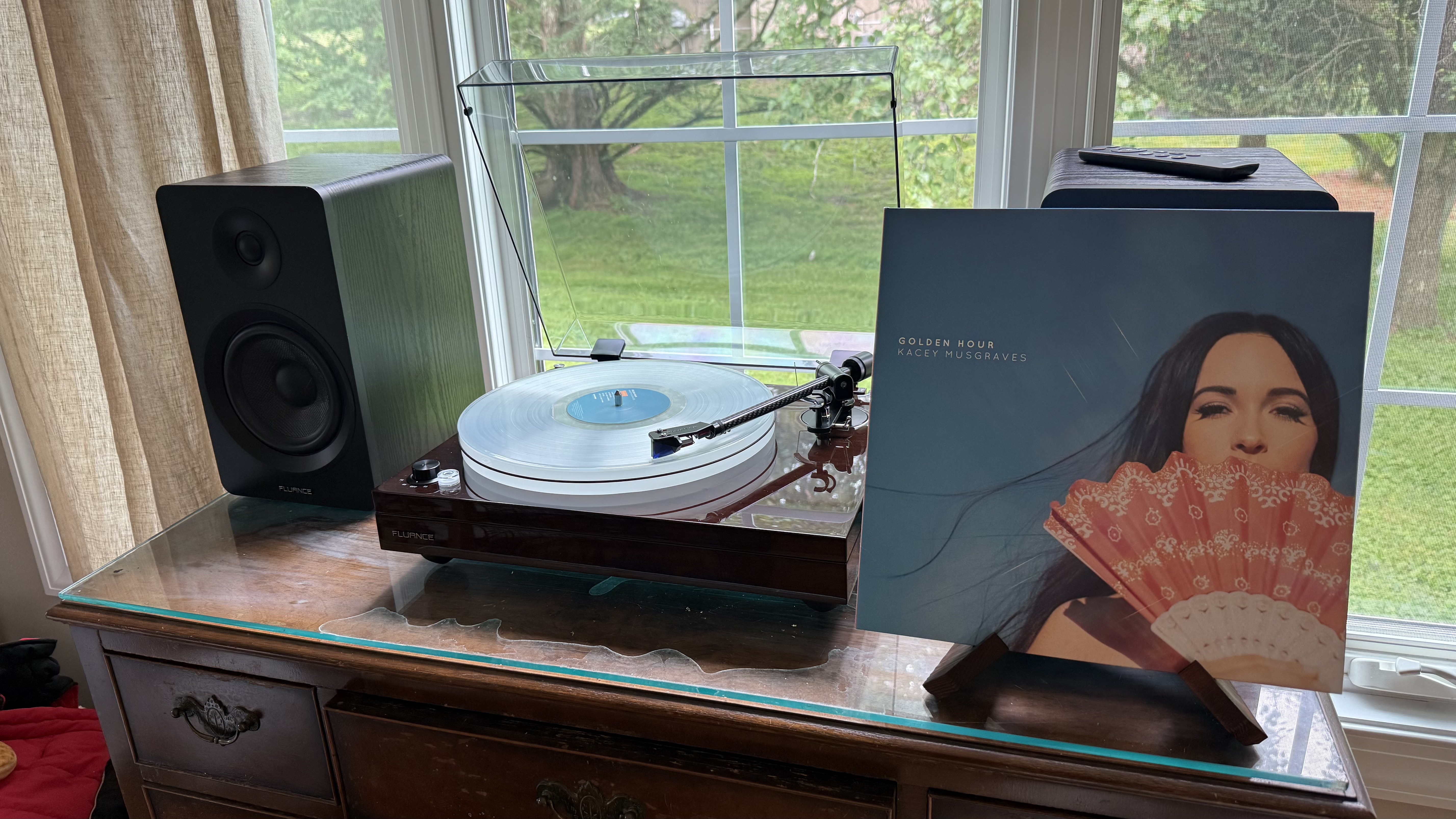
The Fluance RT87 is playing Kacey Musgraves. (Image credit: Future / James Holland)
How much does it cost? $799.99 (around £666 / AU$1,230)
When is it available? Available now (launched in June 2026)
Where can you get it? Available now in the US; UK and Australia coming soon
Newest among Fluance’s offerings with a mid-June 2026 release, the Fluance RT87 is available in the US and will (at the time of writing) be available in the UK,and Australia very soon. And whether you get it in Natural Walnut, Piano Black, or Piano White, the price goes for an only-cheap-to-audiophile price of $799.99 (around £666 / AU$1,230). And that price stays the same regardless of cartridge, of which you can choose from the Ortofon 2M Blue or Audio Technica AT-VM95ML.
Just be aware that the Fluance RT87 does not have a built-in phono preamp, so you’ll need to invest in one. Fluance does sell the PA10 Phono Preamp for $99.99 / £82.99 / AU$154 and can be bundled (though without a discount) on its site.
Fluance RT87 Turntable review: features
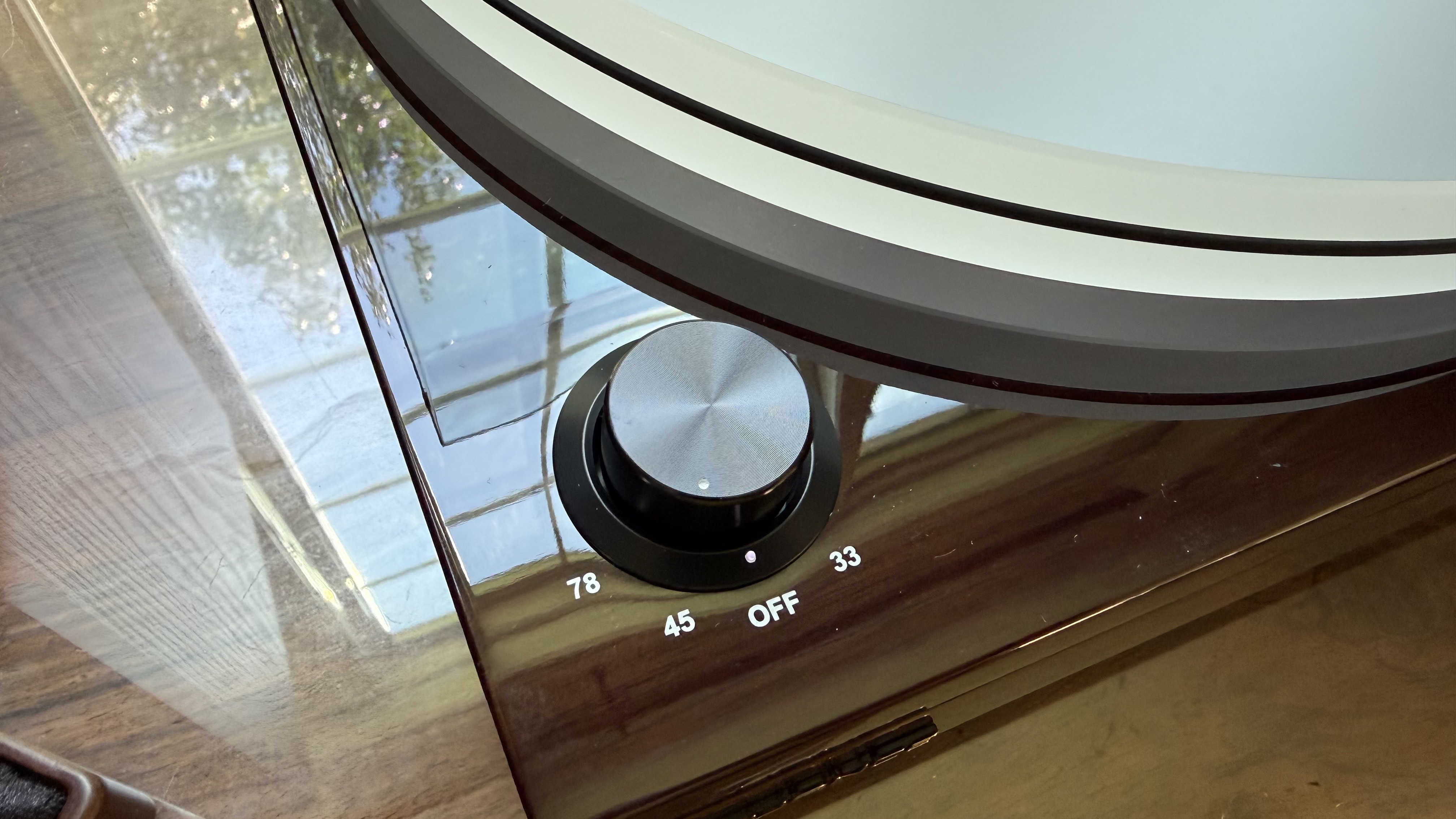
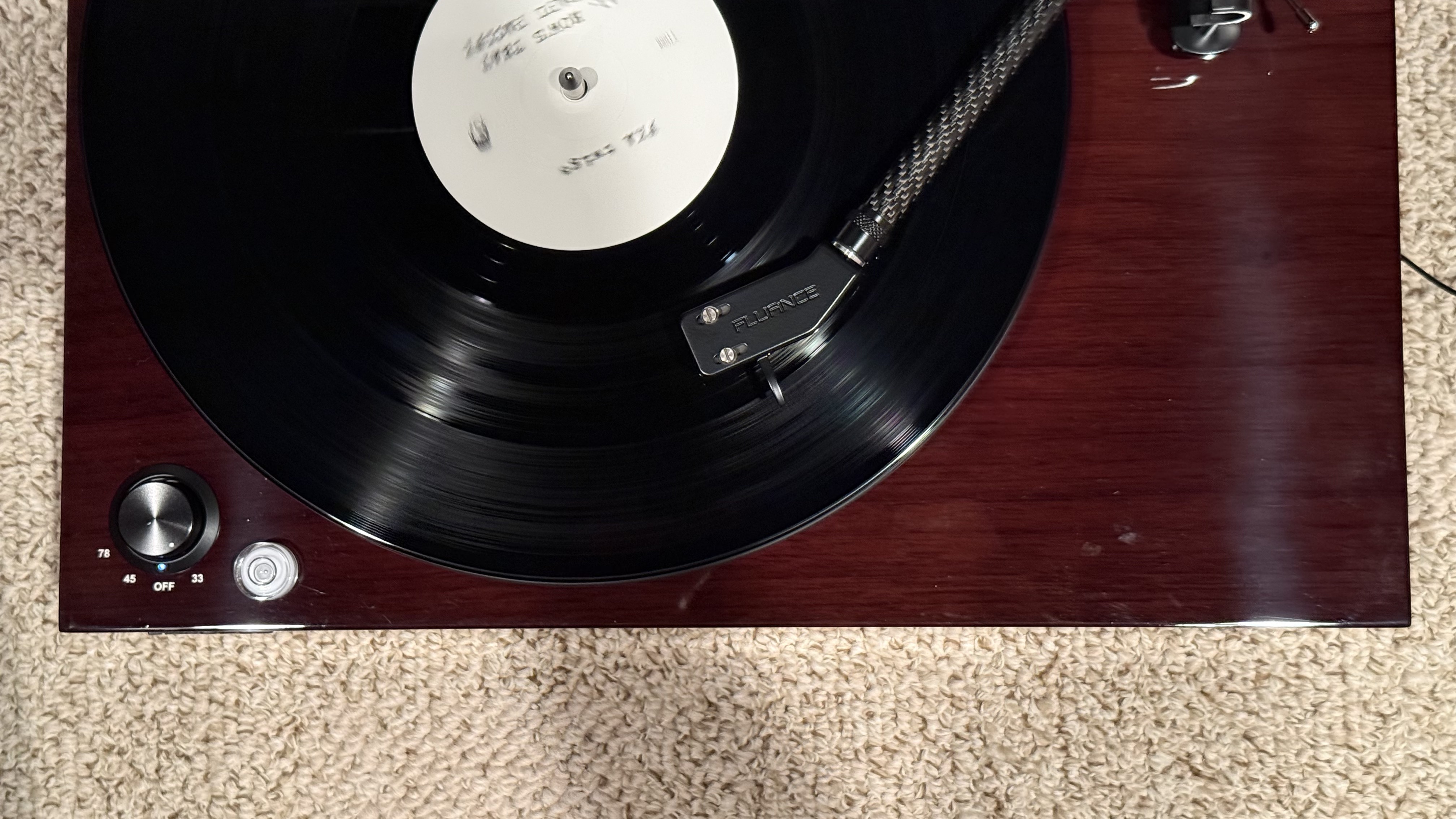
The Fluance RT87 has a speed selector, so no need to change the belt. (Image credit: Future / James Holland)
Very light on features and extra perks — the connoisseurs' choice
No phono preamp or 45 RPM adapter
Does come with a bubble level
If the Fluance RT87 is more for the audio purist and I think that’s who the brand is targeting, then it makes sense that this turntable is pretty light on convenience-focused features. There is no built-in phono preamp — something you can find on much cheaper decks like the Audio-Technica AT-LP70XBT. And, of course, you won’t find Bluetooth connectivity or any other unique types of connectivity.
I don’t say this as a bad thing, either. After all, the Fluance RT87 is meant for someone ready to enter more serious vinyl listening and all those extra accoutrements take away from what’s important and that’s its performance and everything involved in making sure that it performs properly.
While I’ll cover most of those choices for performance in the next couple sections, it’s worth noting that the Fluance RT87 comes with the option of either the Ortofon 2M Blue or Audio Technica AT-VM95ML cartridge, either of which cost over $150 as just as part ($166.99 and $179.00, respectively). The configuration reviewed here is the Ortofon 2M Blue.
While there are plenty of opinions out there on both cartridges and how they affect the sound and I won’t parse out that whole conversation — people’s opinions of cartridges are as varied as they are on any other piece of audio equipment — other than to say that either cartridge marks an entry point into serious audio quality from more budget cartridges… just like the Fluance RT87 itself.
It’s also worth mentioning that this turntable can play 78, 45, and 33 RPM, via a selector on the lower left corner of the turntable so no need to adjust the belt like some turntables. Unfortunately, it doesn’t come with a 45 RPM adapter. Additionally, it has an Auto-Stop toggle on the back.
Features score: 3 / 5
Fluance RT87 Turntable review: sound quality
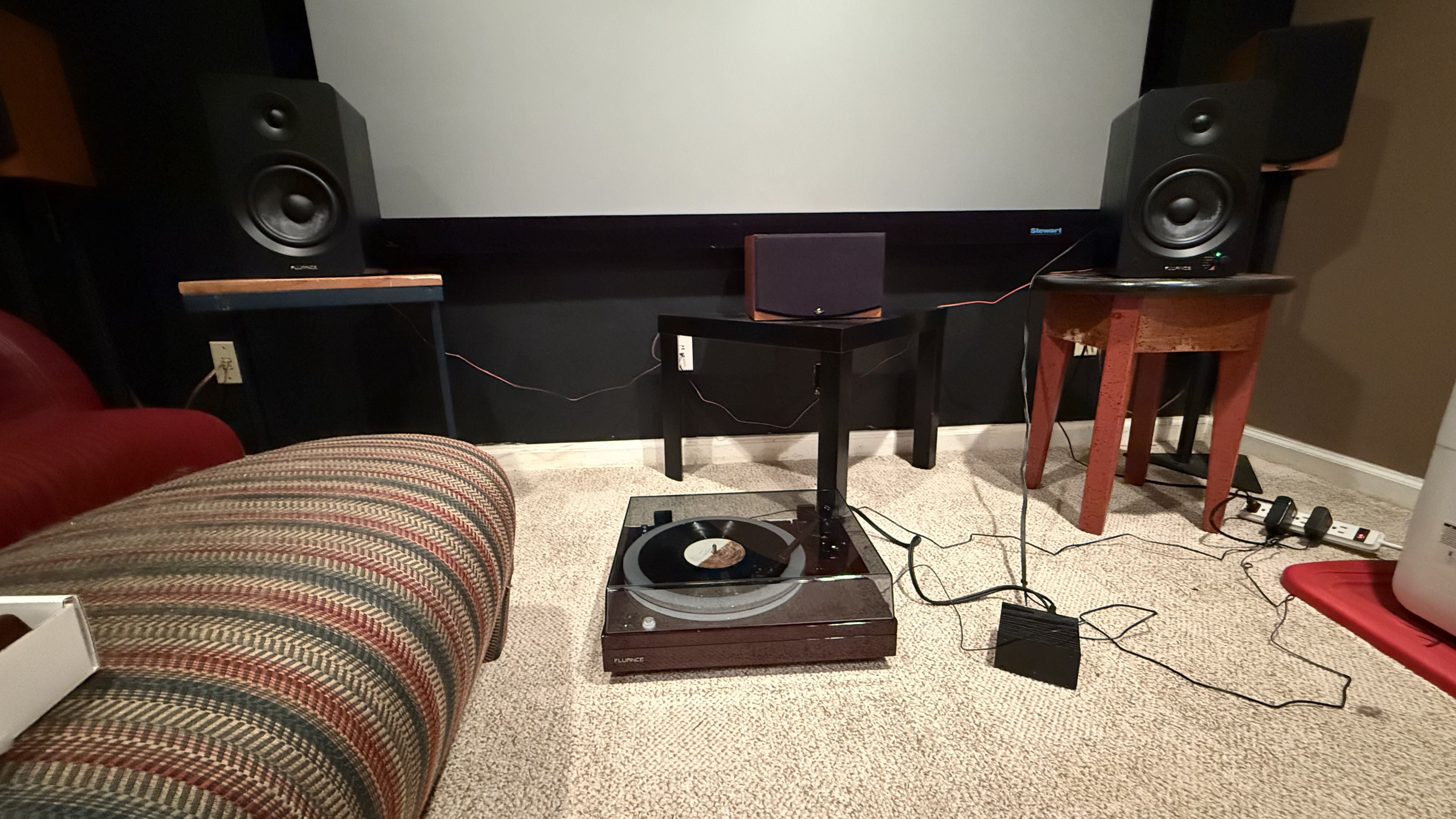
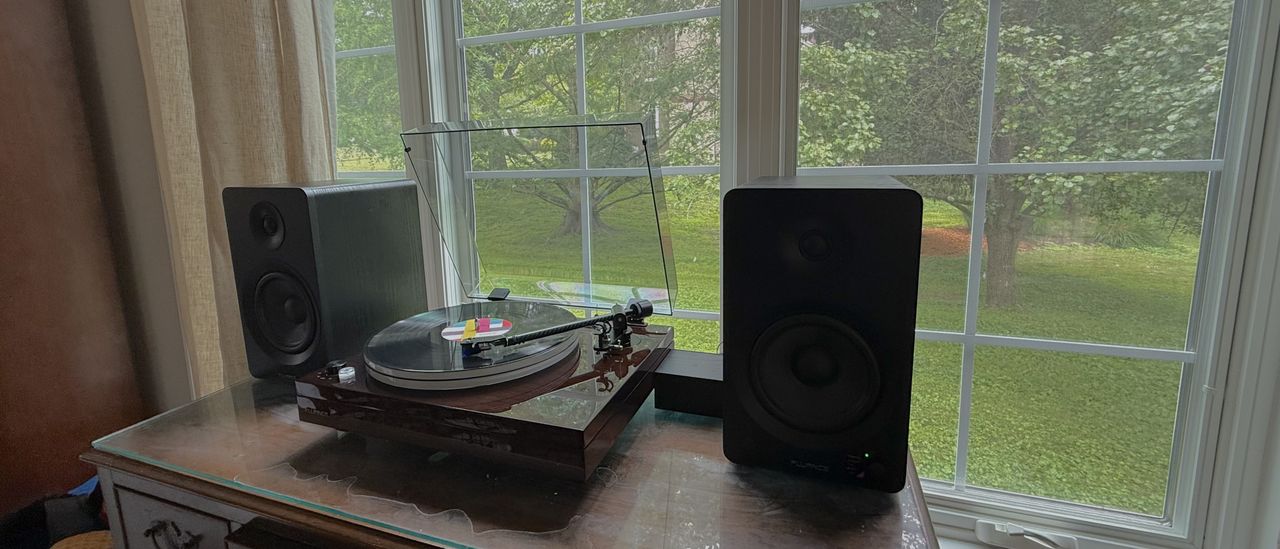
The Fluance RT87 being used in a somewhat treated room. (Image credit: Future / James Holland)
Has a sweet, slightly warm sound
Soundstage is immersive
No discernable inner groove distortion
I learned a lot about my records using the Fluance RT87 as my conduit. I learned that I didn’t like the way Fleetwood Mac’s Rumours is mixed. I learned that there’s way too much happening in Kamasi Washington’s Truth. Just to name a few.
You hear something that was there this whole time, but you noticed it on this last listen. And that’s not something that typically happens with entry-level gear. In short, I really enjoyed listening to the Fluance RT87. And while the turn table is a step or two up from entry-level gear (maybe beginner audiophile gear or first serious turntable level), the rest of the chain was more on the budget side — Fluance’s affordable PA10 phono amp and the company’s Ai41 speakers. Solid gear, but not transcendent.
One of the good things about using the Ai41 speakers is its Bluetooth connectivity. I could compare a record to a digital stream of the same music via HiFi through Deezer, which I did in a few cases. Rumours, for instance, got a play through vinyl as well as Kacey Musgrave’s Golden Hour. And the vinyl sounded just a little bit better. Maybe it’s the even-order harmonics. Maybe it’s using physical media over digital zeros and ones. To me, everything through the Fluance RT87 had this little bit of bloom to it. It just sounded a little bit sweeter.
Since I had done my best to properly set up my bookshelf speakers when I did my serious listening, I found the soundstage to be expansive and enveloping during listening sessions. I mentioned Kamasi Washington’s Truth, from his album Harmony of Difference before. When playing that song (really the whole record), not only could I hear his band to the outer reaches of where the speakers were projecting, but I could hear precise placement of various horn parts placed across the sound stage. In the same vein, Radiohead’s Pyramid Song sounded phenomenal on this setup.
As far as frequency response goes, I was pretty pleased. With the obvious caveat that the speakers are going to be the biggest bottleneck in a sound system (a bit of an oversimplification), I found the mid-range to be rich and full. Kacey Musgrave’s voice and guitar on Slow Burn, the opening track from Golden Hour, has weight to it. And the high-end has plenty of detail, while retaining some of the warmth of analog as it’s a tiny bit rolled off in a pleasing kind of way.
Now, the bass response is a bit tighter as opposed to big or woolly. It was still very present. Sure, it has a defined space on an older record like Rumours or Talking Heads’ Remain In The Light, but it’s easily placeable and doesn’t overpower the mix in something like FKA Twigs’ EP1.
Lastly, every record I played had a good amount of headroom so that the music came through clearly and without any real distortion (outside of those even order harmonics). And there wasn’t any discernable inner groove distortion either as the stylus would wind its way to the end of each side.
Sound quality: 5 / 5
Fluance RT87 Turntable review: design
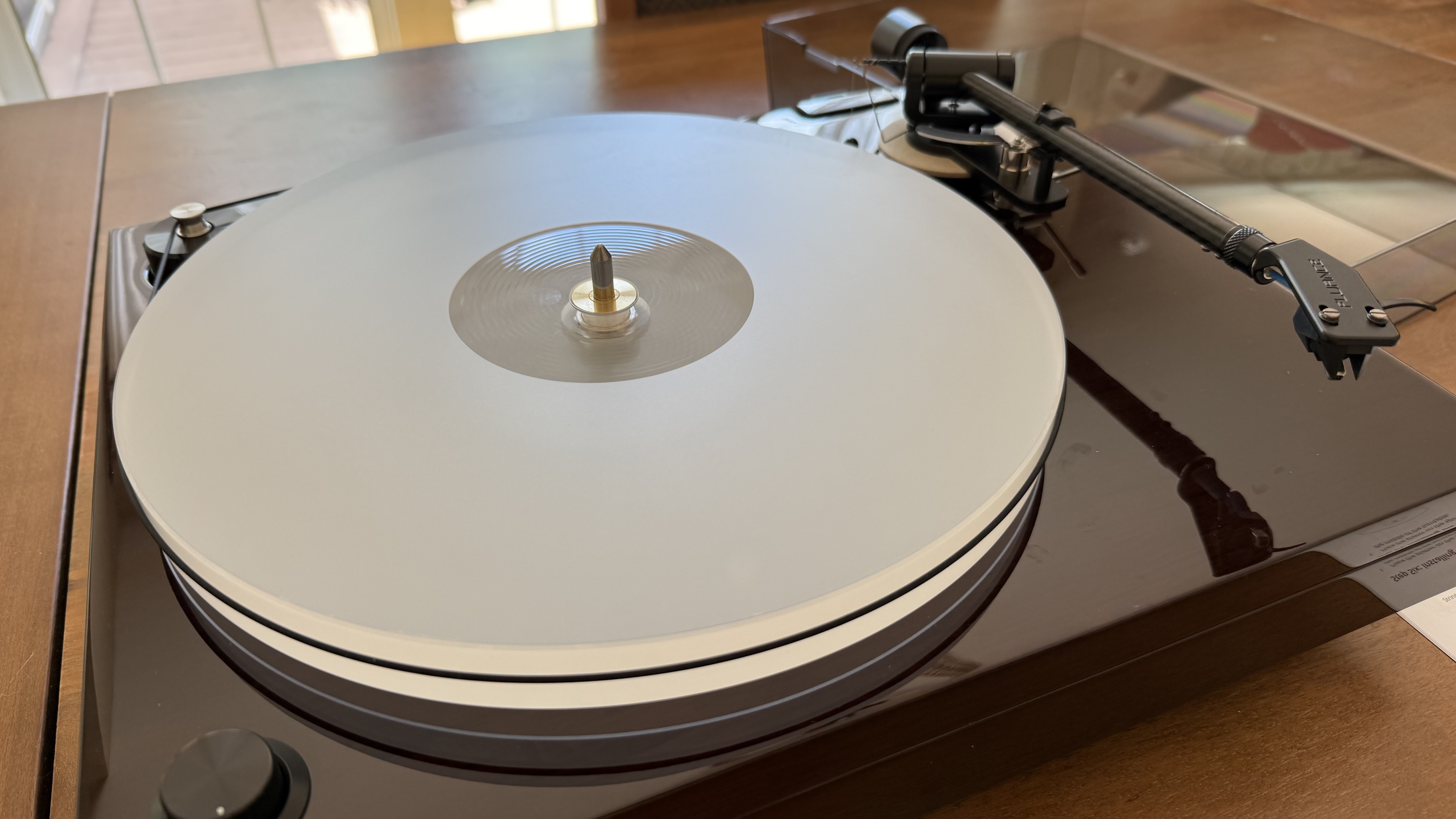
Fluance RT87's acrylic platter is hefty, weighing about four pounds. (Image credit: Future / James Holland)
Heavy-duty plinth and platter
Belt-driven
Removable cartridge
If you’re just getting into turntables, you might be wondering what puts the Fluance RT87 in a more expensive price bracket compared to a lot of the popular, feature-filled turntables out there, one of which you might be upgrading from.
Obviously the sound quality is a huge part of that, which we’ve already covered, but that sound quality is affected by the build of the Fluance RT87. Of course, it’s worth mentioning that it’s a classy-looking deck with a high-gloss finish, available in Natural Walnut (reviewed here), Piano White, and Piano Black. It is made from MDF, but that’s actually a positive, as it doesn’t create any resonance.
Getting back to that build, the plinth, aka the body or chassis of the turntable, is heavy — the whole thing weighs 21 lb (9.5 kg) — giving the turntable a durable feel. Also, the acrylic platter is hefty in and of itself at 4.1 lb (1.85 kg). Incidental bumping or closing of the dust cover, which is surprisingly easy to scratch, doesn’t skip or affect the sound. And unless your record is warped, it will rotate without any up or down motion.
This is a belt-driven turntable with an adjustable and rigid carbon fiber tonearm (you even get a little hex wrench to adjust it), complete with removable counterweight and tiny anti-skate weight, and replaceable cartridge. I’ve mentioned earlier the two types of cartridges to select from and the fact that the reviewed model here came with the Ortofon 2M Blue. It’s worth noting that this is a moving magnet cartridge with a nude elliptical stylus.
The feet, of which there are three, are adjustable to help level the Fluance RT87. They are basically large, mostly silicon silicon screws.
Control-wise, there’s just the speed selector on the front, left corner of the plinth and the auto-stop toggle on the back. The ports are about as Spartan — just stereo RCA inputs and a ground outlet.
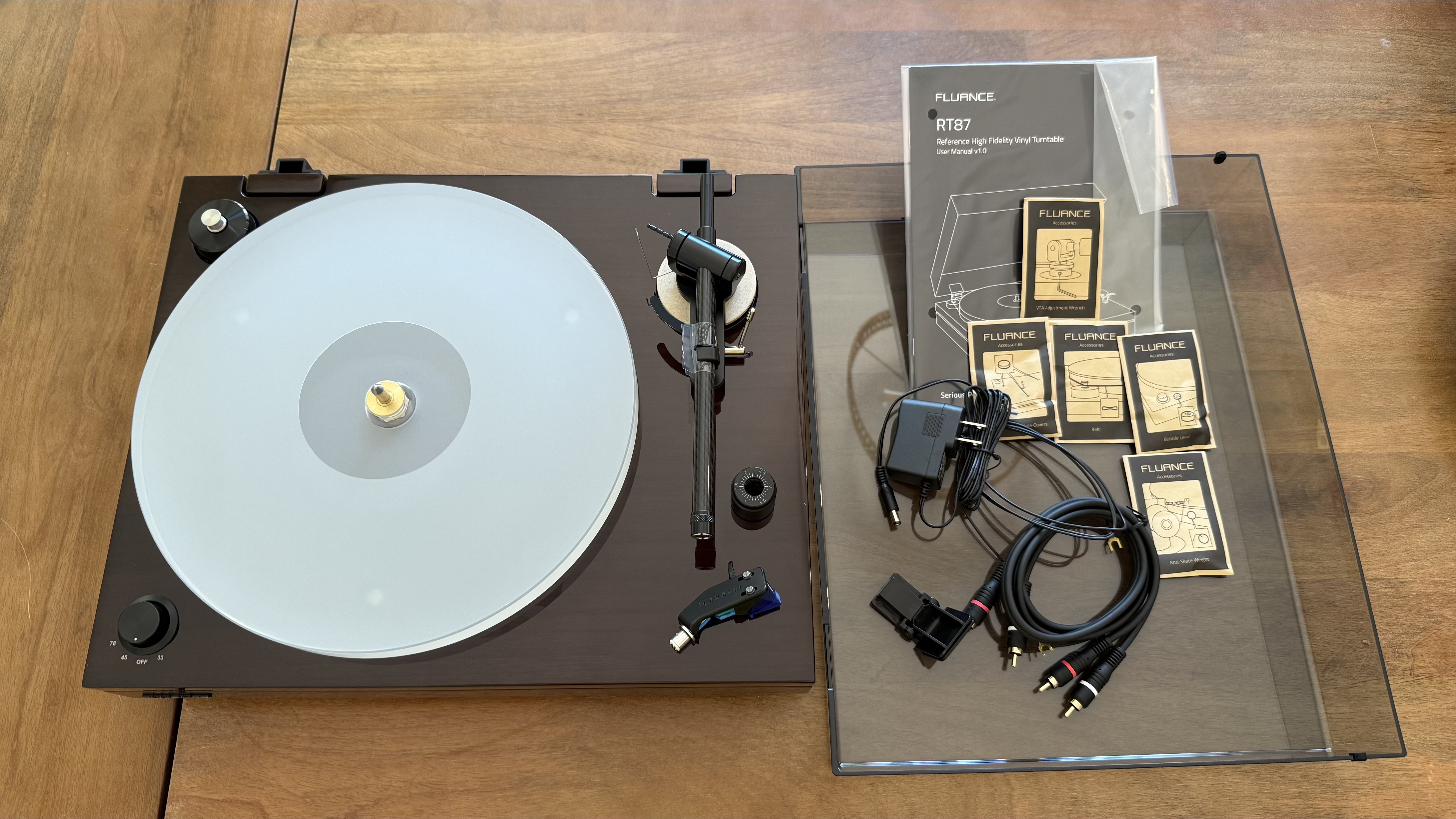
As far as extras go, the turntable comes with a RCA cable, ground cable, hex wrench for adjusting the tone arm, and bubble level, so you can adjust the turntable’s angle accordingly before you end up butchering any records. Brushes and any extras will require an individual purchase.
Design score: 4.5 / 5
Fluance RT87 Turntable review: ease of use and setup
Putting it together takes ten minutes
Not plug-and-play
Fine tuning takes even longer
There's a bit of assembly required with the Fluance RT87. (Image credit: Future / James Holland)
This should not be your first turntable. There’s ritual to setting up the Fluance RT87, as there is for a lot of turntables once you graduate beyond the three-to-four hundred dollar range. Because of that, it was equal parts frustrating and engaging. So, yes, there is some assembly required.
When first unboxing, I had to remove everything from its plastic wrapping and then spend probably five minutes just getting everything all together. I had to put the platter on the plinth, put the belt around the platter and then on the motor, put the Ortofon cartridge on one end of the tonearm followed by the counterweight on the other end, then on goes the anti-skate weight, and, lastly, I had to add the hinges to the dust cover and then attach it to the plinth.
But wait, we’re not ready to start playing any records. I had to turn the platter a few times with the belt on so that it’s evenly distributed. Since the platter doesn’t have a ridge or indentation for the belt, it has a habit of slipping off (and still does if I’m a bit clumsy removing a record after play) — something you don’t have to deal with on cheaper decks.
I also had to adjust the feet so that the turntable is completely level, making sure records lie flat during play. This takes a bit of time because you have to reach under and turn each foot clockwise to extend (counter-clockwise to shorten) until the bubble level shows its bubble directly in the center. This took me about ten minutes of adjusting initially, though to be fair, I was using a table that wasn’t very level. After moving the Fluance RT87 from the table I first had it set up on to a different, somewhat treated room where I had to put it on the floor, it required much less adjusting.
Adjusting the tonearm’s counterweight took quite a while as I had to be precise in getting it to balance flat instead of flying up and away from the turntable or digging into my records. While it’s par for the course, this probably also took me about ten minutes of adjusting, though that’s partially because I set it up according to the manual and found the tonearm to still not have enough weight from the counterweight.
Similarly, the anti-skate weight here is a bit finicky as well. It’s just a tiny ball on a thread thin enough to thread a needle with a loop on the other end to attach to the tonearm. The tonearm attachment is basically a lever with four notches on it to account for different anti-skate weight needs (for instance, the anti-skate should loop over a different rung when using the Ortofon cartridge versus the Audio-Technica one). Not only did it take some experimentation to find the right setting, but the loop kept slipping off its rung.
If you’re upgrading to your first big-boy or big-girl turntable and considering this one, just be ready to put in some time getting it right before actually using it. Also be aware that some of the required attention to detail during setup is not unique to this turntable, though anti-skate weights aren’t always a tiny ball on a tiny string.
Usability and setup score: 3.5 / 5
Fluance RT87 Turntable review: value
(Image credit: Future / James Holland)
Less features and automation than cheaper turntables
Better sound quality than those cheaper turntables
Some entry-to-premium decks may sound as good, but aren’t as sturdy
It’s interesting that the cheaper decks are the more convenient. It’s almost as if the more money you spend, the less features. Exhibit A, for instance, might be the FiiO TT13. This turntable costs a little over a quarter of the price of the Fluance RT87 ($249 / £239 / AU$249 if you need specifics), while adding in Bluetooth connectivity, a built-in phono amp, a fully automatic tonearm, and, frankly, due to its plug-n-play design requires none of the setup or fine tuning of the record player reviewed here. But I would hazard that the Fluance RT87 sounds quite a bit better since it has a bit more heft to its sound.
If you’ve been looking at upping your vinyl game, you might have already looked at the popular Rega Planar PL1, which at $595 / £299 / AU$645, is probably a more direct comparison. But, while the Rega also has a pretty spacious sound, it’s a bit more workmanlike in construction. It’s more utilitarian in looks and is much more light weight in construction. The Fluance RT87’s acrylic platter alone weighs about half of the Rega Planar PL1, making the Fluance more likely to absorb shocks and bumps without fuss.
Value score: 4 / 5
Should I buy the Fluance RT87 Turntable?
Attributes
Notes
Rating
Features
While it’s to be expected on more serious turntables, this one is very light on features, though at least one can change from 33 to 45 rpm without having to adjust the belt.
3/5
Sound quality
The Fluance RT87 sounds really good, able to reproduce that analog warmth with body and spaciousness.
5/5
Design
From the removable but capable Ortofon Blue 2M (or AT-VM95ML) cartridge to the heavy acrylic platter and more, this turn table was built for durability and for quality.
4.5/5
ease of use and setup
There’s a lot of fine tuning required to set the RT87 up properly. And it’s probably going to take a little while. This part may exercise your patience.
3.5/5
Value
The Fluance RT87 is not a cheap turntable, but as a turntable for those ready to get serious about their listening experience, it’s appropriately priced.
4/5
Average Rating
Excellent sound, heavy duty build — there’s a lot to love. Too bad it doesn’t have a built-in phono preamp.
4.5/5
Buy it if...
You want immersive, impressive audio With a good pair of speakers in tow, the Fluance RT87 will make your record collection come alive with audio that has heft as well as breadth. It just sounds good.
You’re ready for a serious turntable Yeah, you have to do a bunch of set up and it doesn’t have Bluetooth, but if you want a solid turntable for serious listening, the Fluance RT87 should be in consideration.
You’re worried about vibrations There’s the rubberized, adjustable feet, a substantial plinth, and a hefty platter. This turntable won’t skip or scratch from a bump (if you have it set up correctly).
Don't buy it if...
You prioritize value While I think the Fluance RT87 is worth its price tag, I’ll also admit that it’s pretty high. Most people wanting to get into vinyl or step up from their very first record player will probably not want to spend $800 on one.
You need a phono preamp The Fluance RT87 does not have a phono preamp. If you’re not prepared to pay for this additional piece, then you might want to look elsewhere.View Deal
Fluance RT87 Turntable review:: Also consider
Fluance RT81 If you’re reading this review and liking what you see except for the price tag, Fluance does have the RT81, which costs less than half the price. It still sounds good, though not as good (less detail, inconsistent speed), and is much more convenient to use. Read our full Fluance RT81 reviewView Deal
Rega Planar PL1 The Rega Planar PL1 is not nearly as heavy duty as the Fluance RT87. And it’s a bit more utilitarian looking. But it also sounds very good and is a couple hundred bucks cheaper. Read our full Rega Planar PL1 reviewView Deal
How I tested the Fluance RT87 Turntable
Used regularly for a few weeks
Played through Fluance P10 Phono Preamp and Fluance Ai41
Played at various speeds and different size records
I used the Fluance RT87 for a few weeks, listening to as wide a variety of music from Rock to Jazz to Americana that I could. In so doing, I used the different speeds as well as seeing how it did with different size records. I also used the record player in a couple different rooms and with a couple different speakers, the Fluance Ai41 mentioned above and the Klipsch The Nines II.
I’ve tested a lot of tech gear over the years from laptops to keyboards and speakers, and so have been able to use my expertise towards giving an honest and fair opinion, not to mention a critical eye, to any product I test.
O EX30 é o Volvo mais pequeno e mais acessível da gama, e um dos SUV elétricos compactos mais interessantes do mercado. Testámos a versão P5 Plus, com bateria de 55 kWh, e ficámos rendidos ao bom ambiente a bordo, e com a eficiência superior à anunciada. Mas não conseguimos ignorar algumas decisões de design que dão que pensar numa marca com o histórico de segurança da Volvo.
Prices are going up across almost all the Apple Music tiers
There are some bumps in Apple Music prices too
These are the first price hikes we've seen since October 2022
Apple Music is the latest subscription package to get a bump in price, leaving users with the choice between paying more or losing access to the streaming part of their library. The bundled Apple One package that includes Apple Music now costs more as well.
As reported by Music Business Worldwide (via Engadget), the reason cited by Apple is "rising licensing costs". It's the first price hike for this particular subscription we've seen since October 2022. The new monthly prices are below:
New Apple Music prices
US
UK
Australia
Individual
$11.99 (up $1)
£11.99 (up £1)
AU$14.99 (up AU$2)
Family
$19.99 (up $3)
£19.99 (up £3)
AU$23.99 (up AU$4)
Student
$6.99 (up $1)
£5.99 (unchanged)
AU$7.99 (up $1)
The Apple One price increases are less clear, as they're not as easily available on the Apple website. It appears the Apple One Family plan is now $27.95 per month (up $2) and the Apple One Premier plan is now $39.95 (also up $2), though the Apple One Individual plan has stayed at $19.95. Internationally, similar price rises are likely.
This comes at a time when everything tech-related is getting more expensive, from laptops to streaming services. Exploding AI resource demand has sent the price of memory and storage rocketing, and that continues to have a knock-on effect everywhere.
Apple is of course by no means the first company to put up its subscription prices, but it's a reminder of the pitfalls of the digital rental model. As soon as you stop paying, you lose access — so if you need a service, you have no choice but to accept the higher price.
The online reaction has mostly focused on this too: "It's not even about the cost sometimes," writes one Redditor. "It's about loss of control over your finances. Companies can jack up their prices whenever they want." Few commenters seem ready to quit Apple Music, though many are pointing out the billions that Apple has in the bank.
Apple Music doesn't have a free tier like Spotify does, but it beats every other music streaming service in the support it gives you for local files. If you have enough MP3s and ripped CDs, you can use it perfectly well without a subscription.
As we've written about recently, Apple is selling more and more of its software products through recurring payments rather than a flat one-off fee, and one of the reasons is that it's more profitable — and makes it more likely that users will continue to pay up.
Audio engineer Cameron Oatley is better-known as 'GoldenSound'
He's teamed up with Status to add a special tuning profile to its Pro X buds
The result is Pro X GoldenSound; the fruit of impressively extensive labor
Sometimes in this job (as TechRadar's Audio Editor), I just get sent a set of earbuds and a press release. Sometimes, I'm invited to an online briefing so that a marketing rep can explain key terminology before I start my review process.
Rarely am I invited to a lovely pub in London, lulled into a false sense of security with a drink and a comfy chair and then taken through a brief but intense Doctorate in audio engineering.
I jest, of course. But if you've ever come into contact with either Status Audio (see the Status Audio Between 3ANC or Status Audio Pro X for previous examples of greatness) or Cameron Oatley, aka GoldenSound, you'll know that things are about to get decidedly audiophile. And given that this is a collab between the two, it's doubly so.
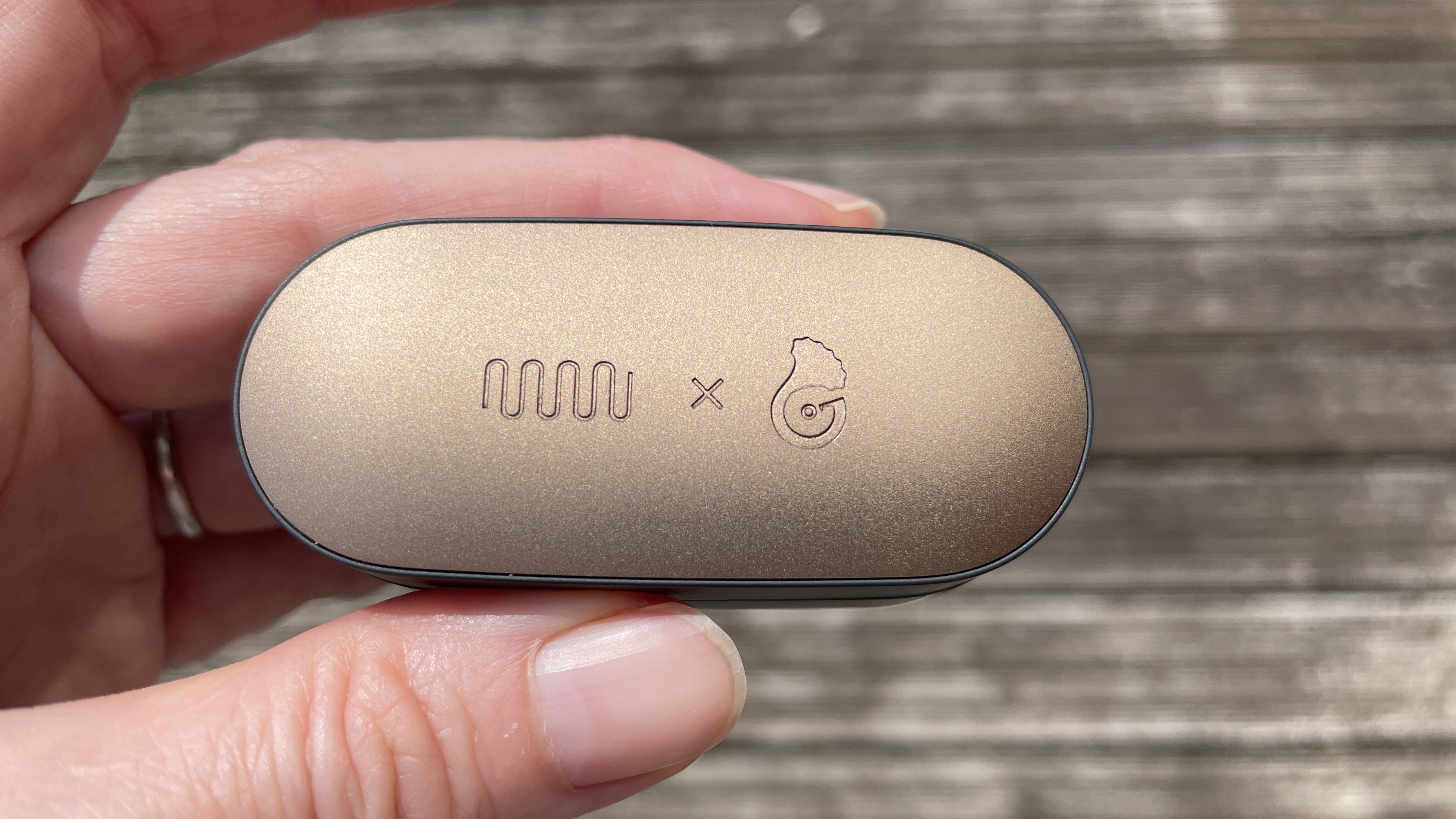
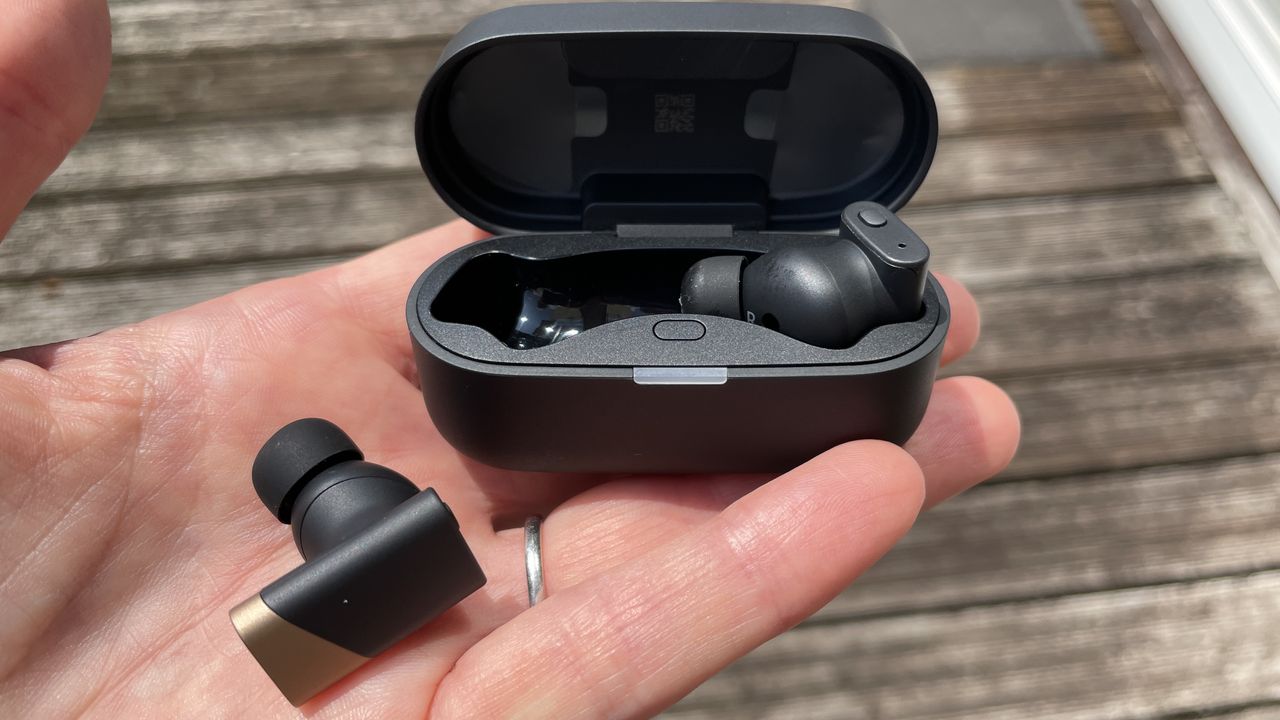
What you're looking at is the Status Pro X GoldenSound Edition. Yes, it's gold-tone on the top of the case and on the accents of the stems — but that's not all. Inbuilt here (and definitely not available in the non-GoldenSound variant) is a special new piece of software that Oatley thinks is the "most accurate tuning that a TWS product has ever had" and a "faithful recreation of real-world sound".
And this version will be $279 when it hits shelves in August (so $30 more than the current price of the Pro X, at $249) or around £209 / AU$400, give or take.
(Image credit: Future)
Status Audio Pro X GoldenSound: are listeners up for a Harmon Curve rewrite?
In terms of hardware, you're looking at everything built into the Status Audio Pro X, so two balanced armatures and a dynamic driver — something Status has been working with for some time and with no dearth of success.
But this time around, Oatley describes his granular approach to tuning thus: "What you measure is the IEM plus the impact of the rig" ie. your inner ear — albeit a metal tube to represent it with a mic at the end, for the purposes of his testing.
Oatley explains that the Harman Curve is often implemented incorrectly by audio engineers, because when it was developed in 2012 (and subsequently published in 2013, quickly becoming a trusted reference), true wireless earbuds hadn't yet been invented.
Because of this, the Harman Curve uses the pinna, or outer ear, as the reference point — ie. part of the "rig". But when developing in-ear products, from a purely sonic perspective (not including the creation of ANC antiphases) you can ignore the outer ear because the product starts within your ear canal. I know! Contrary to what we were taught as kids, the answer to 'My, what big ears you have!' isn't actually 'All the better to hear you with'…
(Image credit: Future)
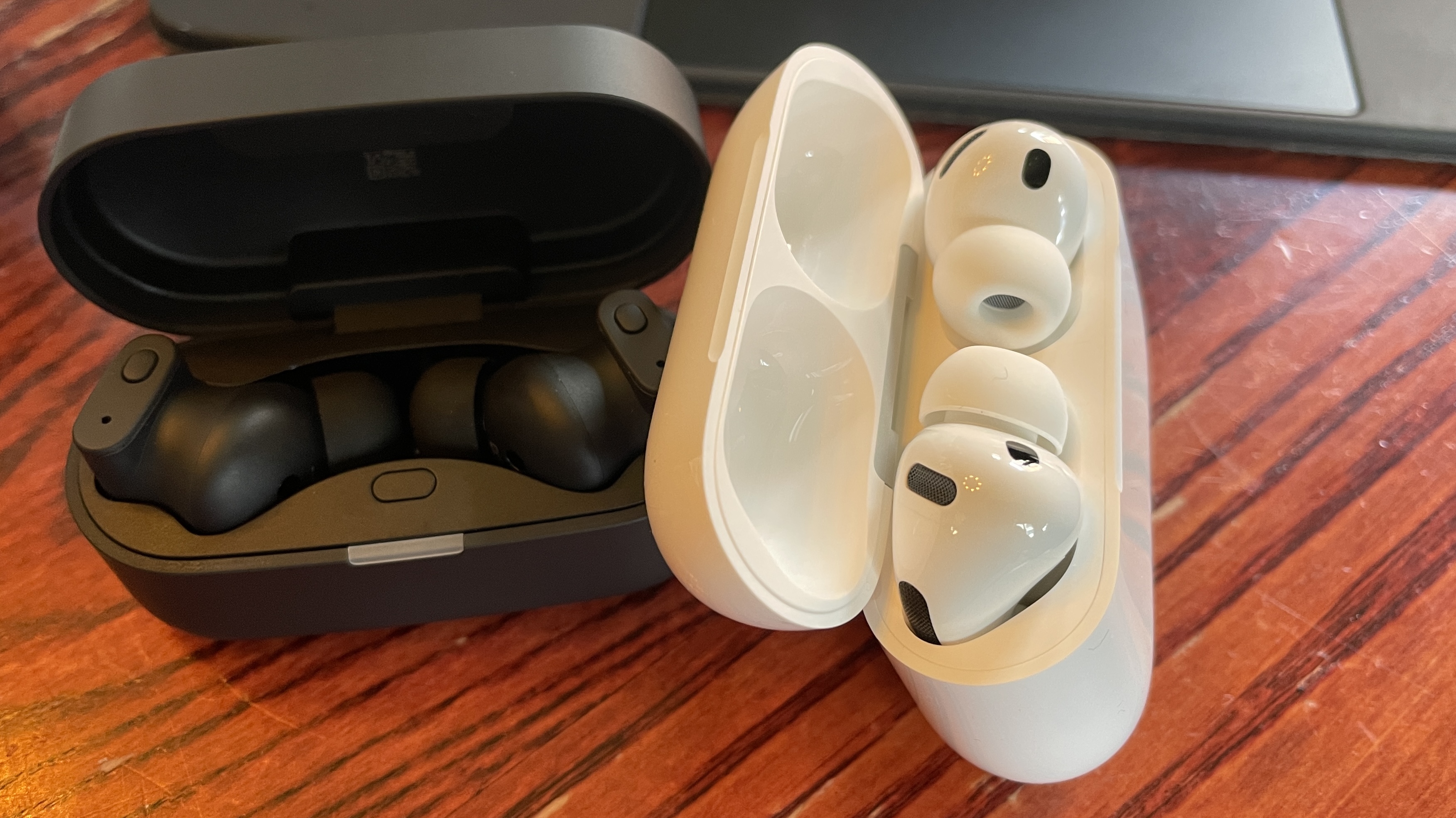
How does all of this stack up against AirPods Pro 3?
I ask Oatley what he's most proud of with this project and he's surprisingly open: "Look, for ANC I think AirPods will always be tough to beat. But a lot of work has been done to make these sound better. These are for the user who wants the best possible sound in a true wireless design. I hope I've achieved that".
He then points me to a graph that's like the Harman Curve, but different. It's what he was able to achieve with the GoldenSound Edition. He's particularly proud of the graceful line between 80Hz and 100Hz, juicy bass frequencies he feels are more accurately relayed in the Pro X GoldenSound Edition. And I have to agree: in this area, these earbuds glitter like gold.
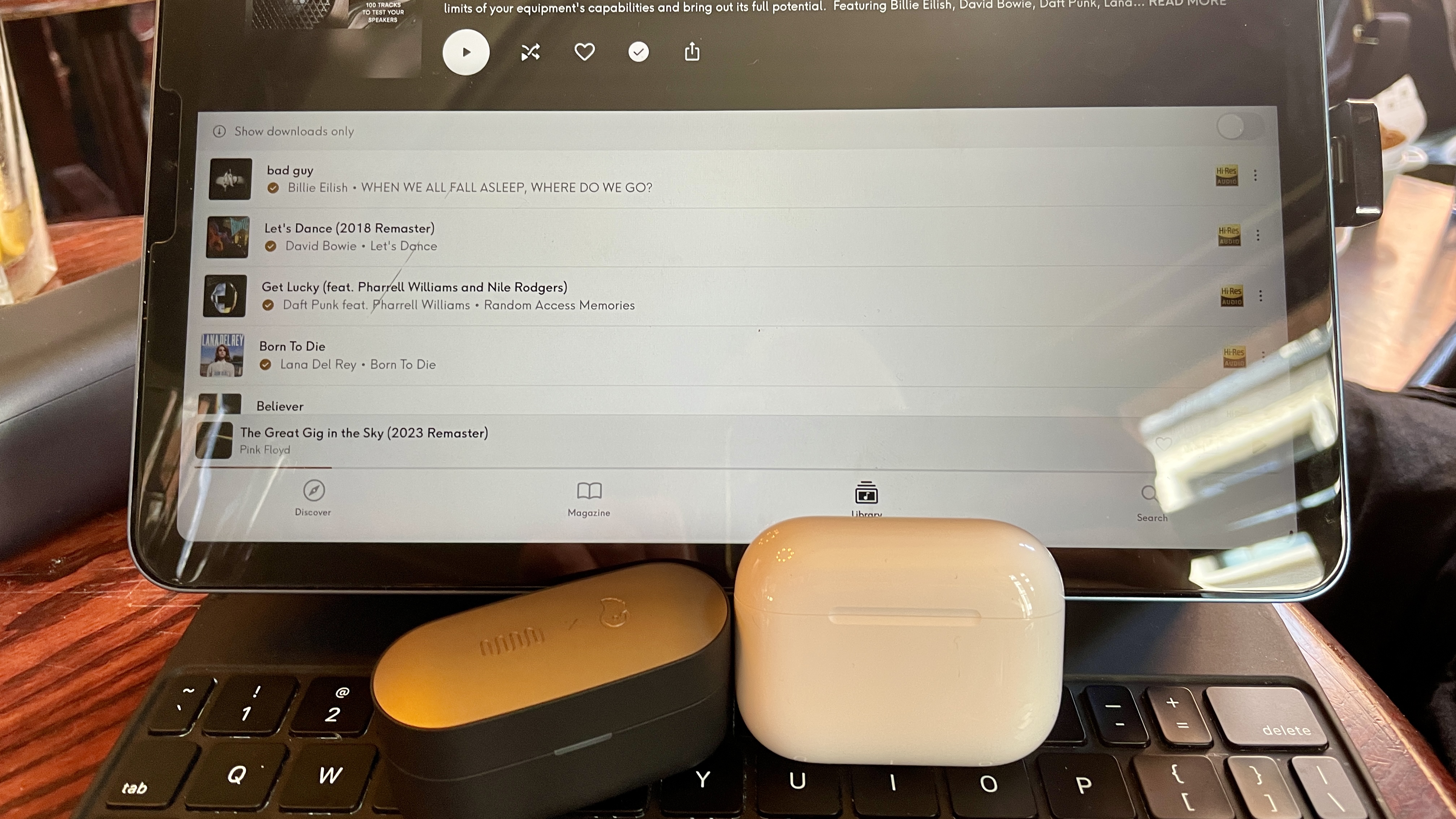
Let's get to the meat of the thing: listening. Both Status and GoldenSound actively encourage me to do this, and even set me up with a Qobuz screen, an LDAC source device and some AirPods Pro 3 for comparison. Oatley adds, "something tuned perfectly on a low codec is still better than something tuned badly on a higher codec", and while we all know you won't get LDAC out of AirPods, it's a very valid point.
Billie Eilish's Bad Guy is expansive and clean, with a snappy, impactful low end. Dire Straits' Money for Nothing is as brooding, snaking and exciting at the outset as you'd ever want it to be. ACDC's Back in Black? A head-nodding and beautifully regimented, cohesive mix.
What's gone are the… I hesitate to call them 'parlor tricks', but that typical V-shaped augmented treble one so often hears in designs of this type feels eased. And know this: the sound is altogether more open as a result.
(Image credit: Future)
It's not all glowing praise: during my limited time for an initial listen, you understand, I found Apple AirPods Pro 3's audio just marginally more woolly overall in direct comparison. That said, AirPods Pro 3 do have a slightly more soaring treble from the box. As such, some tracks sound more fun, forthright and zealous using the Apple product. It's the age old debate, isn't it: integrated hi-fi sound or fun, V-shaped in-ear mix?
I know my ear is keenly tuned to treble sounds (I've done the tests) but some listeners will love what's been achieved here. I spy an industry disruptor and no mistake. It's nothing if not interesting — and I'd say the industry standard was due a shake up.
I often find listeners might think they enjoy a certain tuning (typically, wearers might augment bass frequencies straight away) when in fact, if we play with their EQ settings, they actually prefer something quite different.
Here, Oatley hasn't given users the option to tweak his proprietary GoldenSound profile within the EQ settings, although you can select from 'Status Signature', 'Status Audiophile', 'Knowles Preferred' or 'Vocal Enhance' presets, or create your own using an 8-band tab set at neutral from the Status Hub app. Sadly, there's no similar visual for the presets so you really need to trust GoldenSound has done it right here. And given the extensive amount of work that's gone into them, I think your trust is well-placed.
This is not to be considered a full review, you understand. For that, I need more time. But what I can tell you right now is that the process won't be a hardship.

 Login
Login