Apple released watchOS 27 on September 14, bringing a new Audio Intelligence feature set to its latest Apple Watch models, but as a result, owners of previous models are set to lose out doubly in the process.
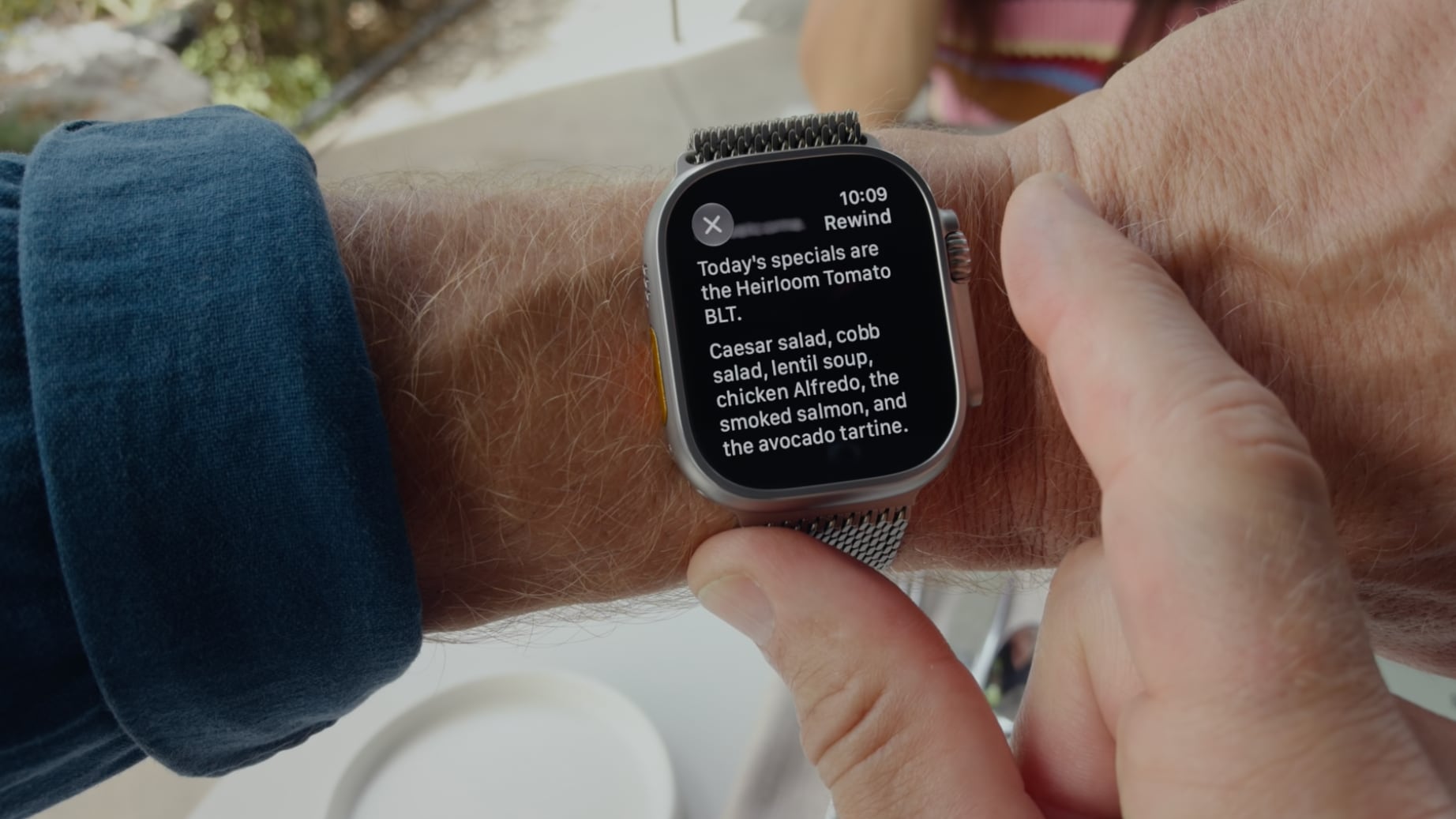
Apple Watch Series 12 and Ultra 4 models later this year will get Live Rewind, a feature that provides a transcript of any spoken audio that was picked up by the device in the last 15 seconds. To activate the feature, users need to double-click the Digital Crown.
Unforunately, this double-click action is the same one that in watchOS 26 switches between the current app and the previously used app – or indeed the watch face and the last used app.
It's a neat way of multitasking on your Apple Watch without tapping the display.
Needless to say, this feature will no longer work for anyone upgrading to Apple Watch Series 12 and Ultra 4 models when the devices are released on September 18. Apple has reserved the double-click action for when its new Live Rewind feature is activated later this year.
However, what's arguably more frustrating is that owners of older Apple Watch models who update to watchOS 27 will also lose the ability to jump between apps using the Digital Crown double-click.
After updating to watchOS 27, the Digital Crown double-click no longer works to switch between apps. All it does is bring up the new dynamic app grid, which is the same behavior that a single click offers. This is despite the fact that the new Live Rewind feature is hardware-bound to the Apple Watch Series 12 and Ultra 4. Owners of previous models are simply out of luck in both senses, losing a useful function while also missing out on the new feature that usurps it.
It also throws up another problem for new Series 12 and Ultra 4 owners: What if people don't want to go near the Live Rewind feature and its privacy implications? Apple could have made the double-click action work to switch between apps as it does in watchOS 26, while also providing an option to assign the action to Live Rewind if that's preferred.
Apple currently doesn't provide options to resolve the situation for either group of users, so all we can do is provide feedback to Apple and hope the company hears enough demand for it to change course in watchOS 27.1 or a later update.
Pre-orders for the Apple Watch Series 12 and Ultra 4 are available now ahead of a Friday, September 18 launch.
Alongside new betas of iOS 27.2, iPadOS 27.2, and macOS Golden Gate 27.2, Apple has released the first betas of watchOS 27.2, tvOS 27.2, and visionOS 27.2. The betas come two days after the 27.0 software updates were released.
Registered developers can download the betas through the Settings app on each device.
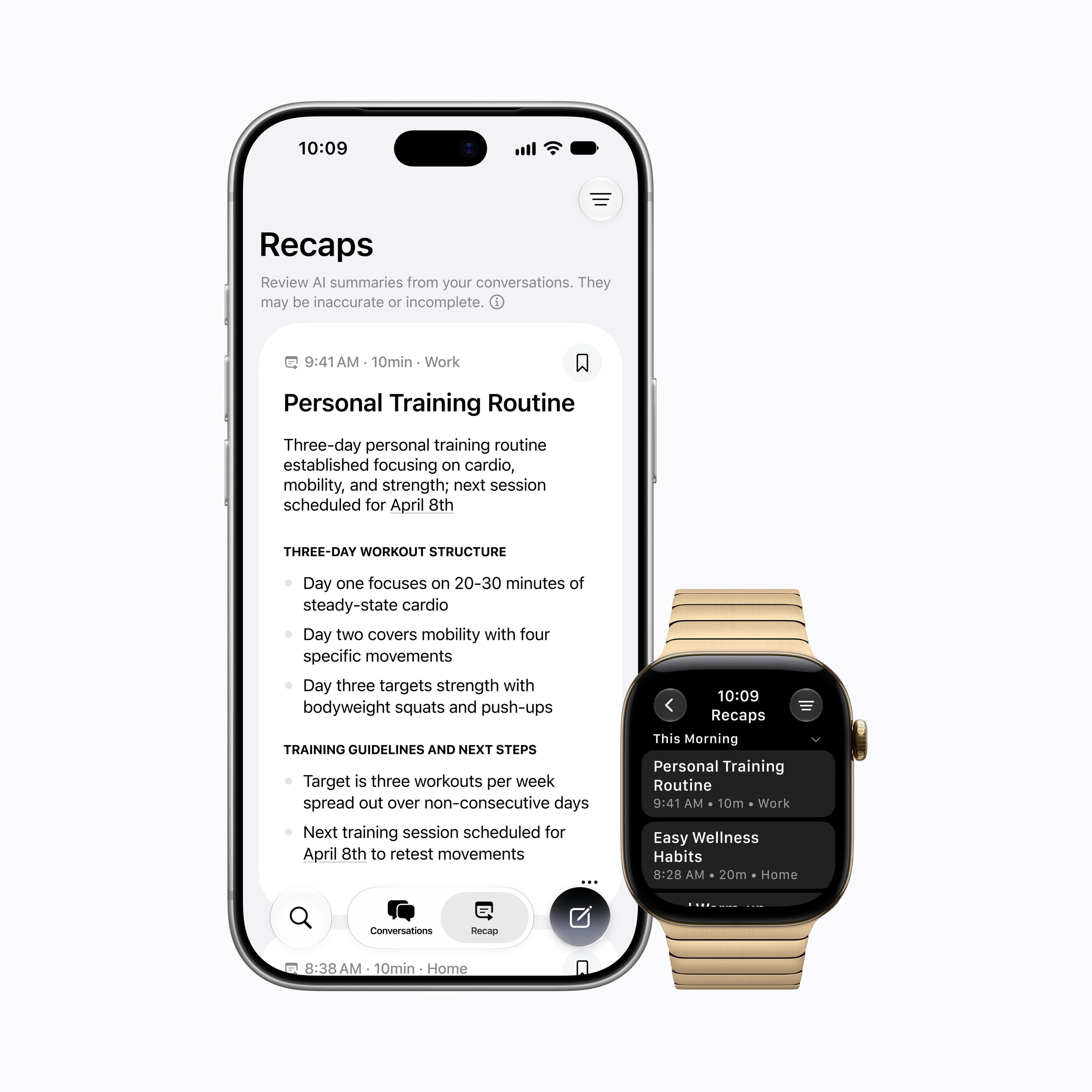
Two new Apple Intelligence features are coming to the Apple Watch Series 12 and Apple Watch Ultra 4 in late 2026, and Apple could start testing them as soon as watchOS 27.2. Live Rewind will allow users to double-press the Digital Crown to get a transcription of what was said in the last 15 seconds, while Siri Recap will turn conversations users have had during the day into high-level notes.
There's no word on what's being added in visionOS 27.2 and tvOS 27.2, but Apple is expected to introduce a new version of the Apple TV 4K with Siri AI support sometime before the end of the year.
Nesta terça-feira, confira, aproveite e economize com a nossa seleção de promoções na App Store!
Planet of Lana é uma bela aventura, desenvolvida pelo Wishfully Studios e publicada nas plataformas móveis pela Playdigious, e nosso destaque do dia.
O jogo nos conquista primeiro pelos olhos: cada cenário parece uma pintura em movimento, com cores vibrantes, que transforma o planeta alienígena em algo ao mesmo tempo acolhedor e misterioso.
A jornada de Lana e seu companheiro Mui se destaca pela atmosfera contemplativa, criando uma experiência com um tom esperançoso. O design dos puzzles é intuitivo e nos incentiva a observar o ambiente e experimentar soluções criativas.
Confira um vídeo:
Um jogo cuja história passeia pelo equilíbrio, natureza e conexão. Uma oferta imperdível! 🥹
Abaixo outros jogos/apps que, juntos, somam quase R$130 em descontos:
Jogos
Jogo de aventura.
Jogo de cartas.
Diversão matemática.
Aplicativos
Calculadora.
Utilitário para códigos QR.
Fotos panorâmicas.
Aproveite as ofertas e até amanhã! Lembrando que elas são sempre por tempo limitado, então é bom correr. ✈️
If anyone like me is struggling to update their Apple Watch, the Install button in the Watch app scrolls almost off the bottom of the screen on my iPhone 17 Pro. You can just see a few orange pixels. Try to tap them and it should work.
As previously announced, Apple has today released 2026's major annual updates for its operating systems, including iOS 27, macOS 27 Golden Gate, watchOS 27, visionOS 27, and tvOS 27.
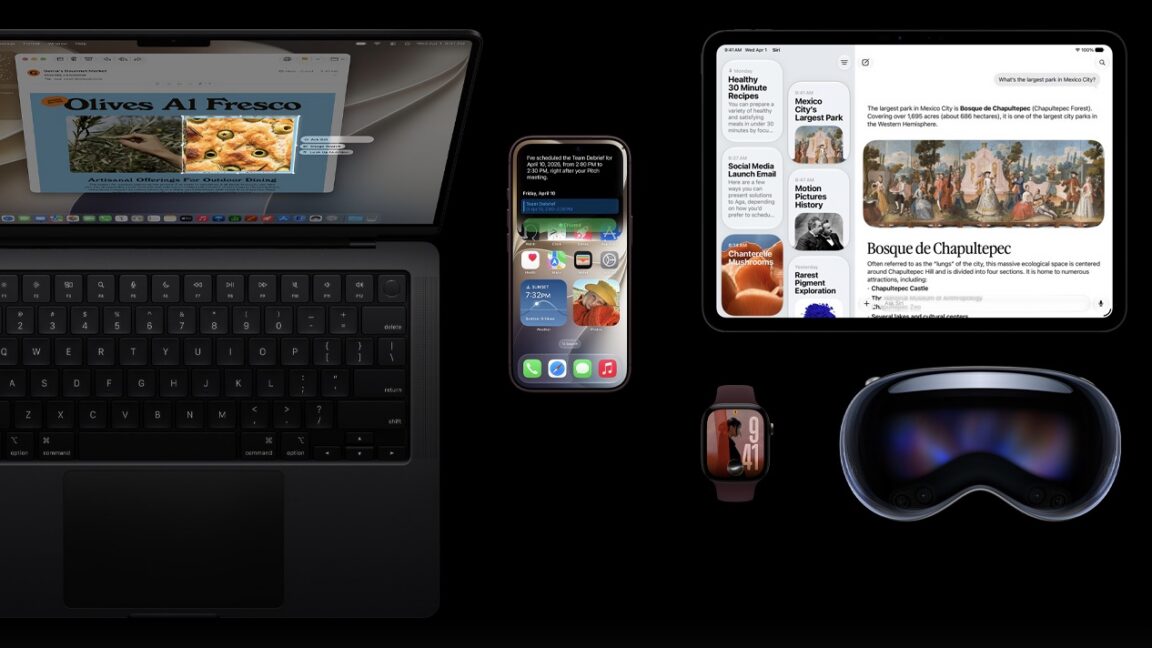
Siri AI—a large language model-based and context-aware overhaul of the company's Siri voice and text assistant—is the flagship feature across all these releases except one (tvOS).
I haven’t been this excited about an Apple Watch in a long time. Last week, Apple introduced the Apple Watch Series 12 and Apple Watch Ultra 4, which will be available at the end of the week. The new Watches feature the S11 chip, which enables a bunch of new features, some of which won’t debut until later this year. At the same time, Apple is dropping support for more Watches than usual.
What we’re witnessing is a reboot of the Apple Watch and watchOS forced by advances in AI. The Apple Watch and its OS found their niche years ago, freeing us from pulling out our iPhones for notifications, tracking our health and fitness, and enabling the occasional Siri request. It was a good and comfortable spot for what by all accounts has been one of the most successful wearables to date, but watchOS also felt stuck in a rut.
Every year we got a few new workout types, a new watch face, and a few other features, but the OS didn’t advance much. What’s different this year is that watchOS 27 is breaking with slower hardware and looking forward to the substantially more powerful S11 chip, which will allow the Apple Watch to expand into all-new areas.
What this transition also means is that there is not just one set of features to track in watchOS 27 this year but three:
those that arrive today for anyone with a compatible Apple Watch,
those that arrive at the end of the week that are exclusive to the new Apple Watch Series 12 and Ultra 4, and
those that are coming later this year.
That makes this more than just a review. It’s also a preview of things to come and a roadmap for where the Apple Watch is heading.
There’s more than usual to cover this year, so let’s dive in and check it out.
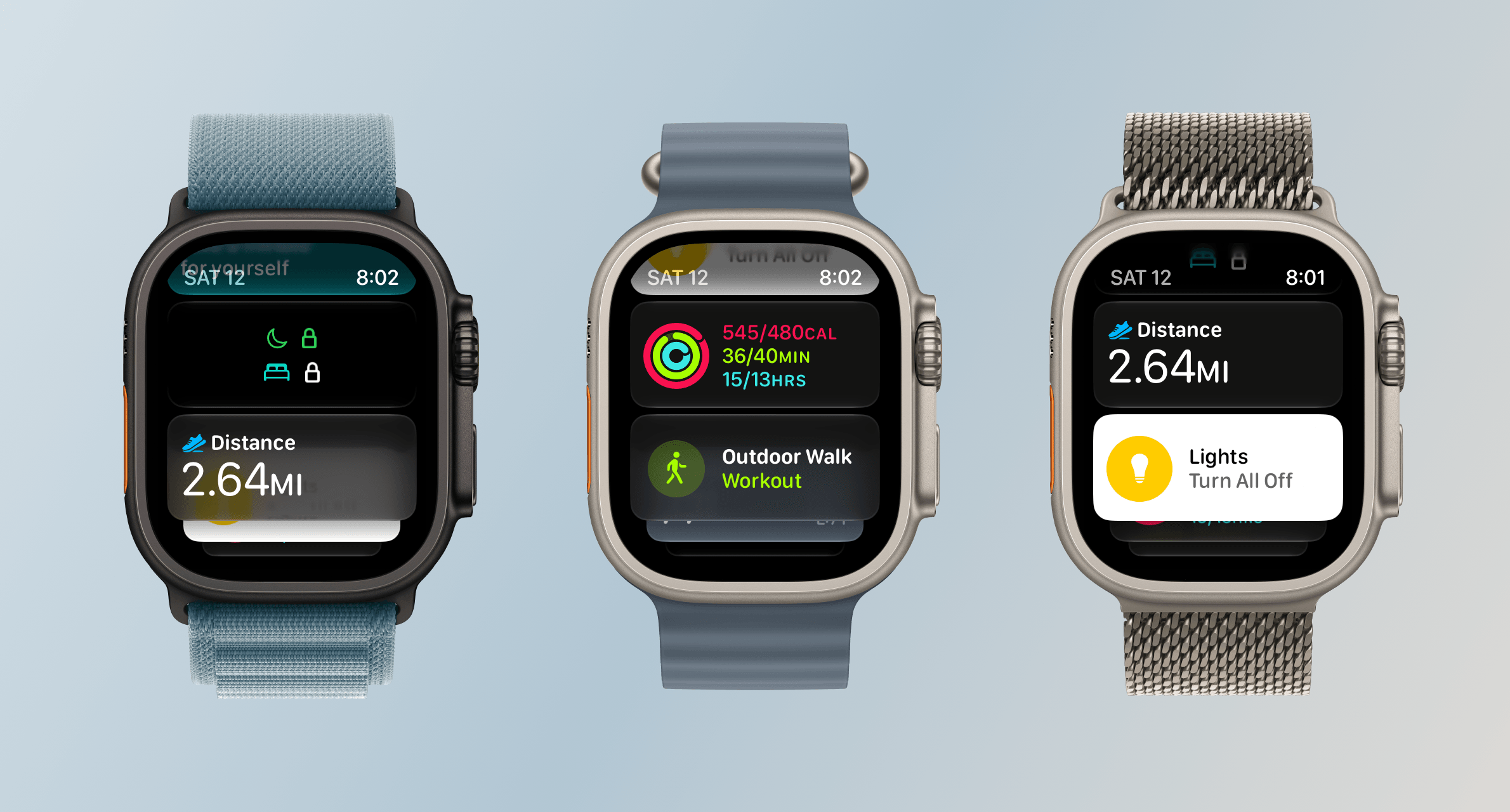
Notifications, Smart Stack suggestions, and Control Center are all easier to read in watchOS 27.
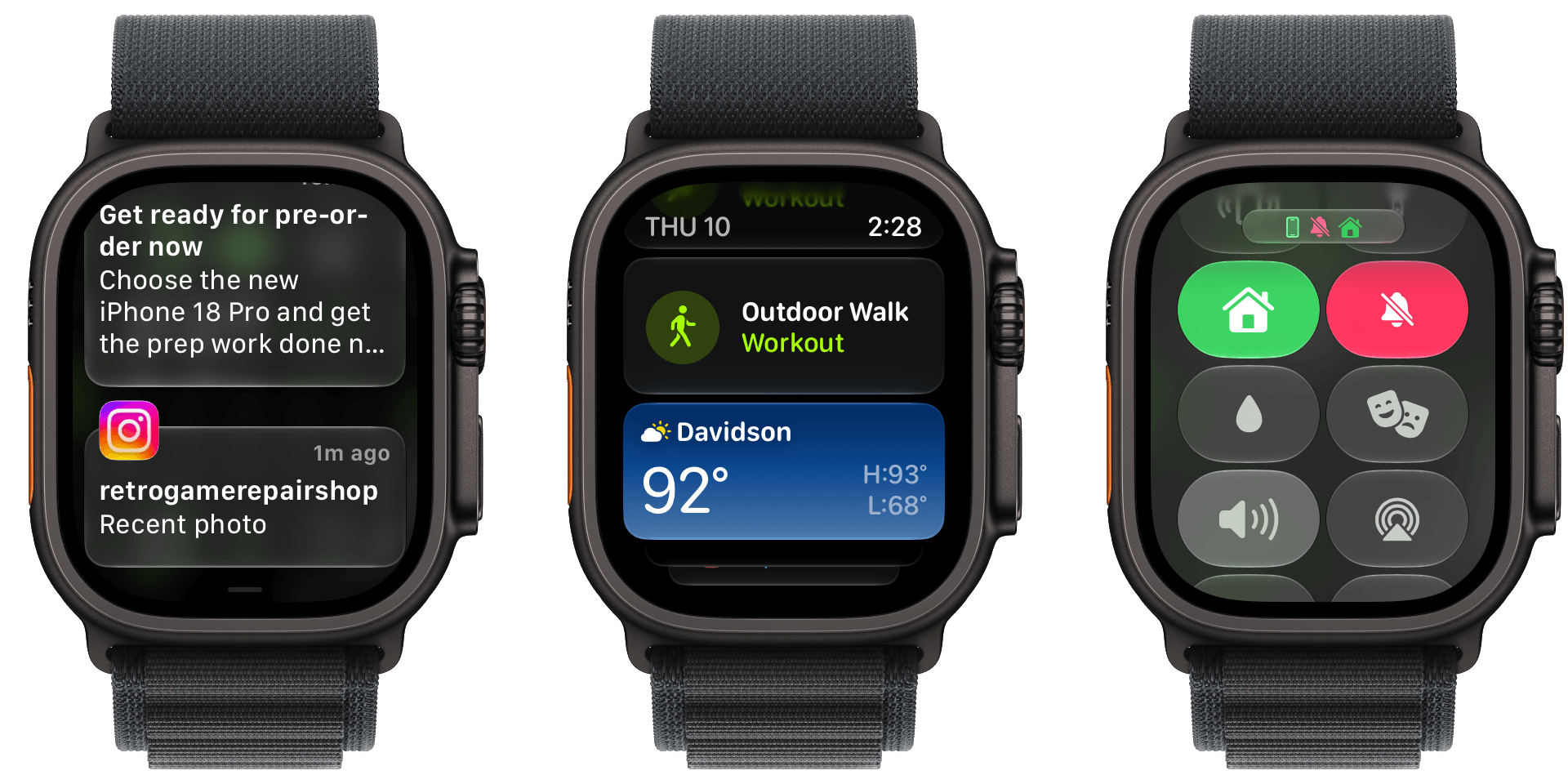
I like Liquid Glass on all of Apple’s devices and didn’t have any issues with its first iteration in watchOS 26. However, with the latest update, my Apple Watch Ultra 3’s UI is ever so slightly more readable. Smart Stack suggestions and notifications don’t bleed through each other as much, and app icons are sharper.
On a small screen like an Apple Watch, you may never notice the difference, but there’s a sharpness throughout the UI that’s reminiscent of the sharpness you see in app icons on iOS, iPadOS, and macOS. Edges are more defined and colors are diffused less, making everything a little crisper. It’s a subtle change, but a good one.
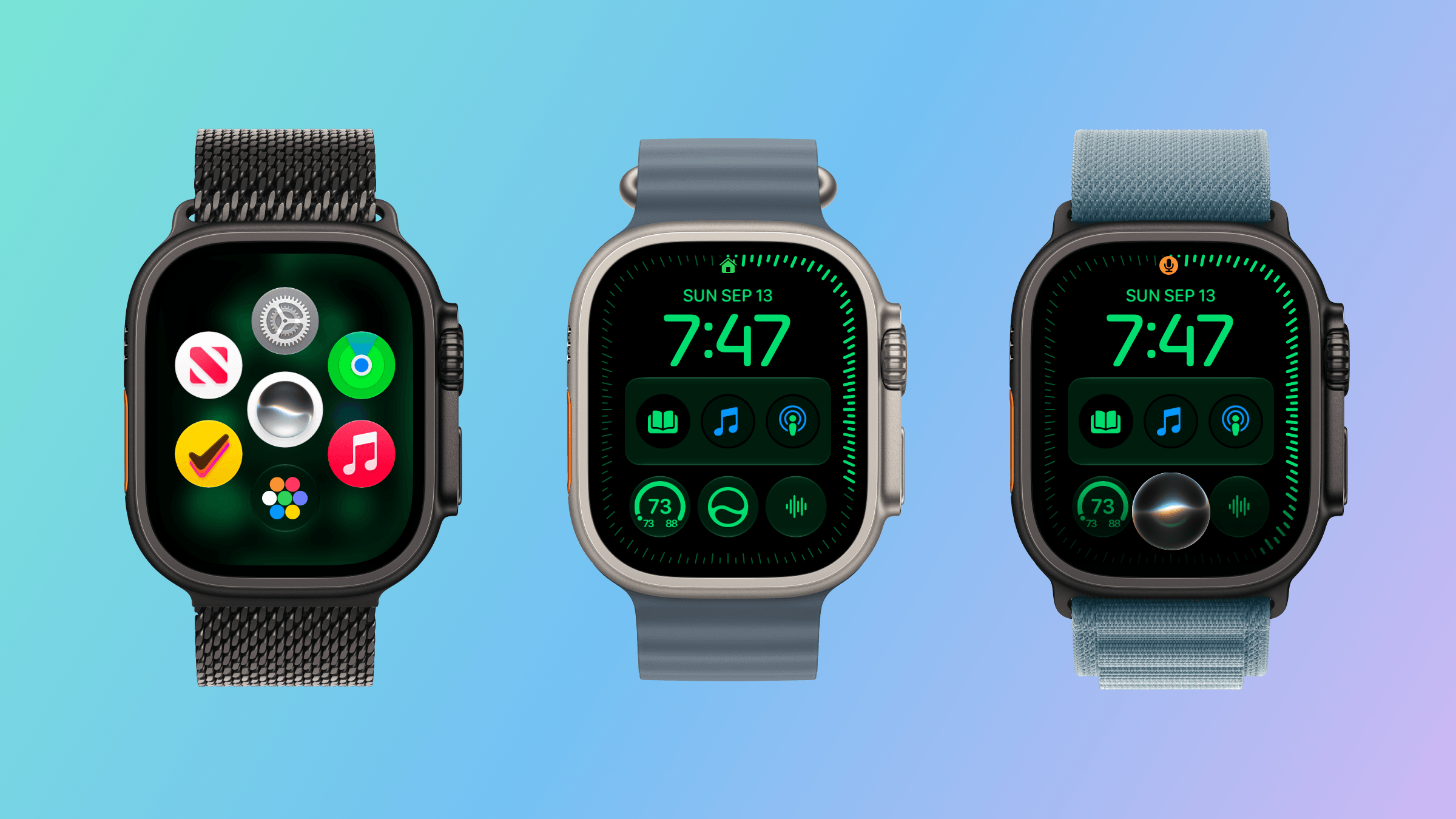
The watchOS 27 change most users will notice first is the change to the way you navigate through the OS’s UI. The App Switcher is gone, replaced by the simpler Dynamic App Grid. And although I expect the App Switcher will be missed by some, I don’t miss it at all. Sure, it was a little hard to break the Digital Crown double-press habit at first, but as someone who returns to the same handful of apps repeatedly, I find the new design makes more sense.
Before watchOS 27, the App Switcher was invoked with a double press of the Digital Crown. That revealed a Rolodex-style view of your recent apps that you could move among by turning the Digital Crown. The UI served as a shortcut between frequently used apps that avoided returning to the app grid or list views on your Watch, which can be crowded if you have a lot of apps installed.
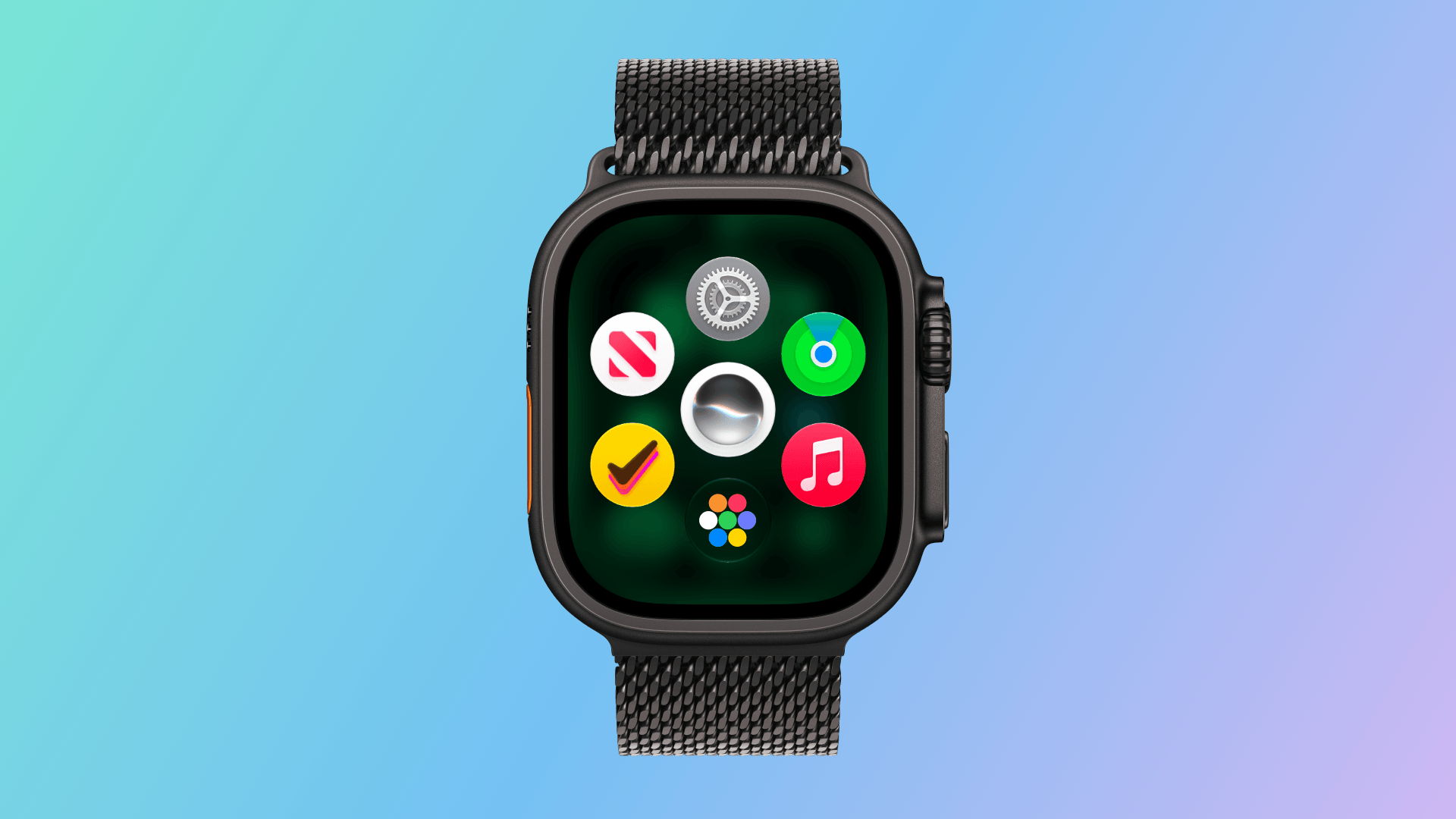
The new Dynamic App Grid.
Now, whether you single- or double-press the Digital Crown, the new Dynamic App Grid appears. At its center is the new Siri app. Below that is the icon to take you to the app list or grid view depending on how your Watch is set up. Apple says that the remaining five icons that circle the Siri icon are placed based on recency and frequency of use.
I’ve been using watchOS 27 all summer, and my recently used apps have barely changed. Currently, those apps include Settings, Alarms, News, Maps, and Moshi, an app I use for monitoring AI agent projects.
I don’t think I’m alone in being a creature of habit when it comes to the Apple Watch apps I use. Having those five apps just one Digital Crown press away is far easier than pressing twice, scrolling to find what I want, and then tapping into an app. Between the Dynamic App Grid and the expanded Smart Stack, there are plenty of ways to get to the apps you use the most, which I love. What the Dynamic App Grid gives up in predictability is more than made up for by the simpler gesture and UI.
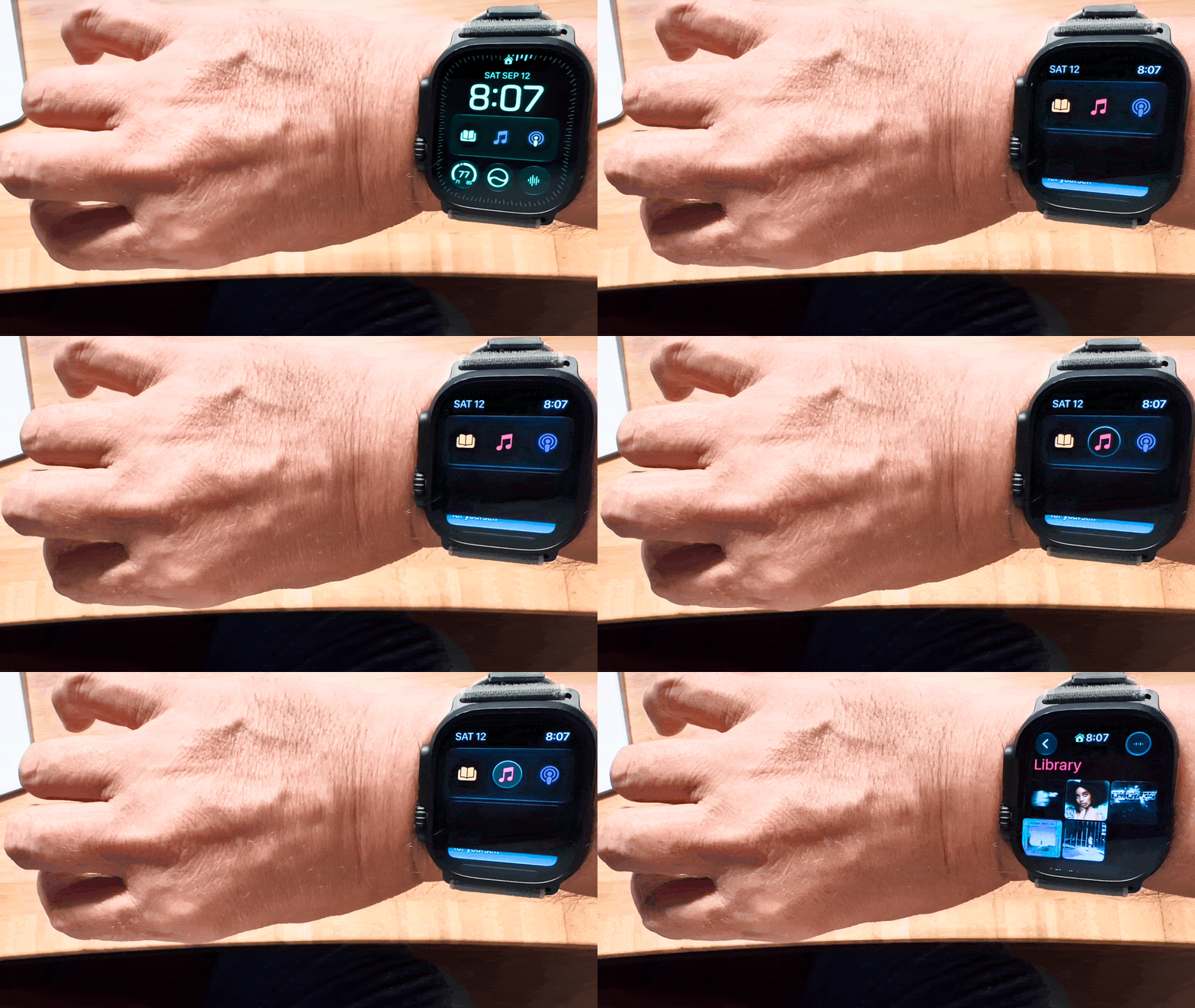
watchOS 27 adds a new single tap gesture for selection, which allows you to do a lot more simply with gestures. For example, a double tap gesture with your thumb and index finger opens the Smart Stack to the first card. Double tap again to move to the next card or, if a card has multiple items that can be selected, to the next item on the card. Once what you want is selected, a single tap will open it. The existing wrist flick gesture is then used to return to the watch face.
Using the single-tap gesture.
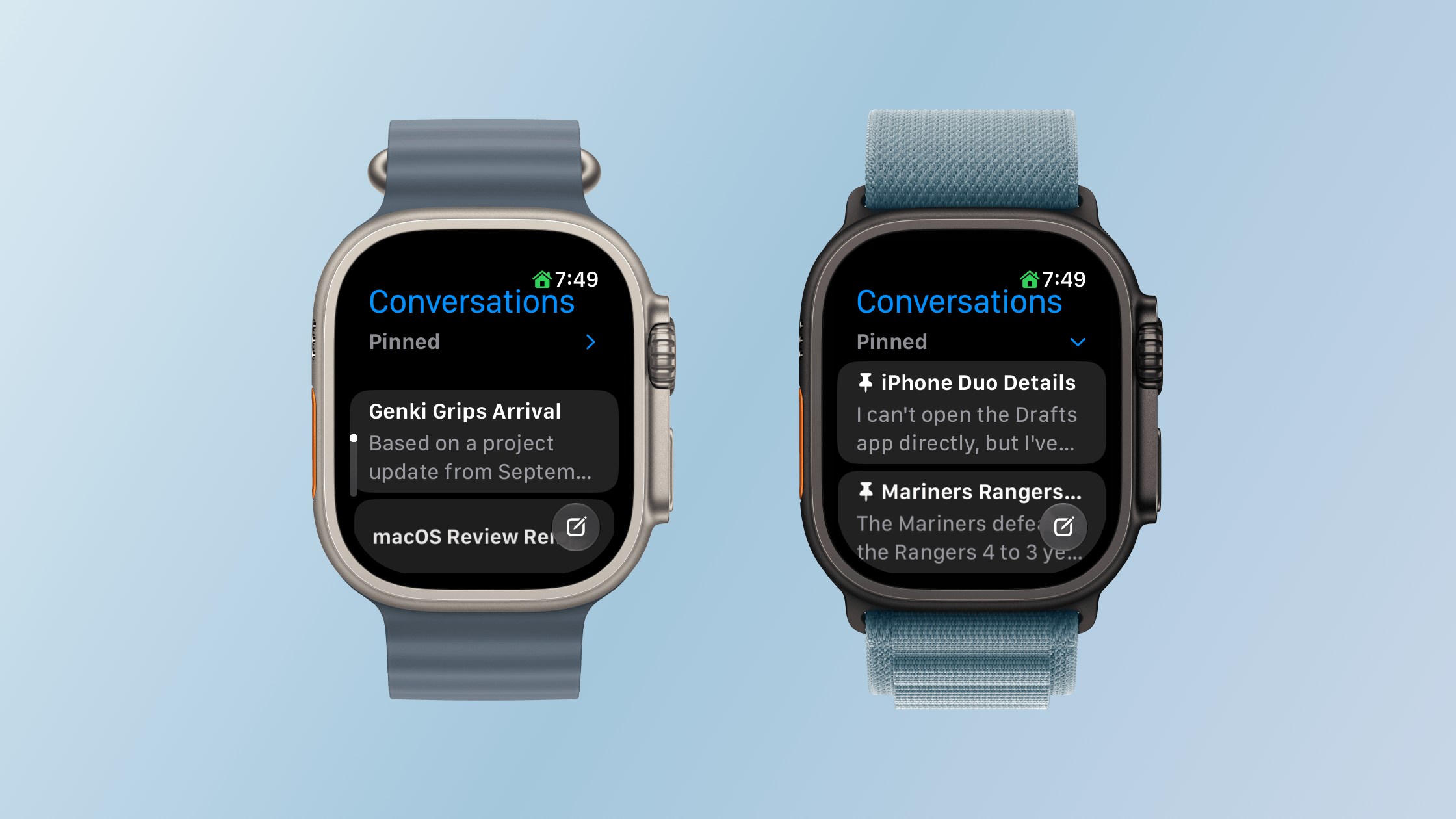
The Smart Stack is now stacked with more types of cards, too. Apple has added cards for birthdays stored in Contacts, your car’s parking location, a prompt to change an alarm before a holiday, a shortcut to resume a Siri conversation, transit card balances, pinned Messages conversations, Theater Mode, and more. It’s a nice expansion that has made my Smart Stack feel more useful all summer because there’s always something relevant to me there.
There’s a lot more to see in the Smart Stack now.
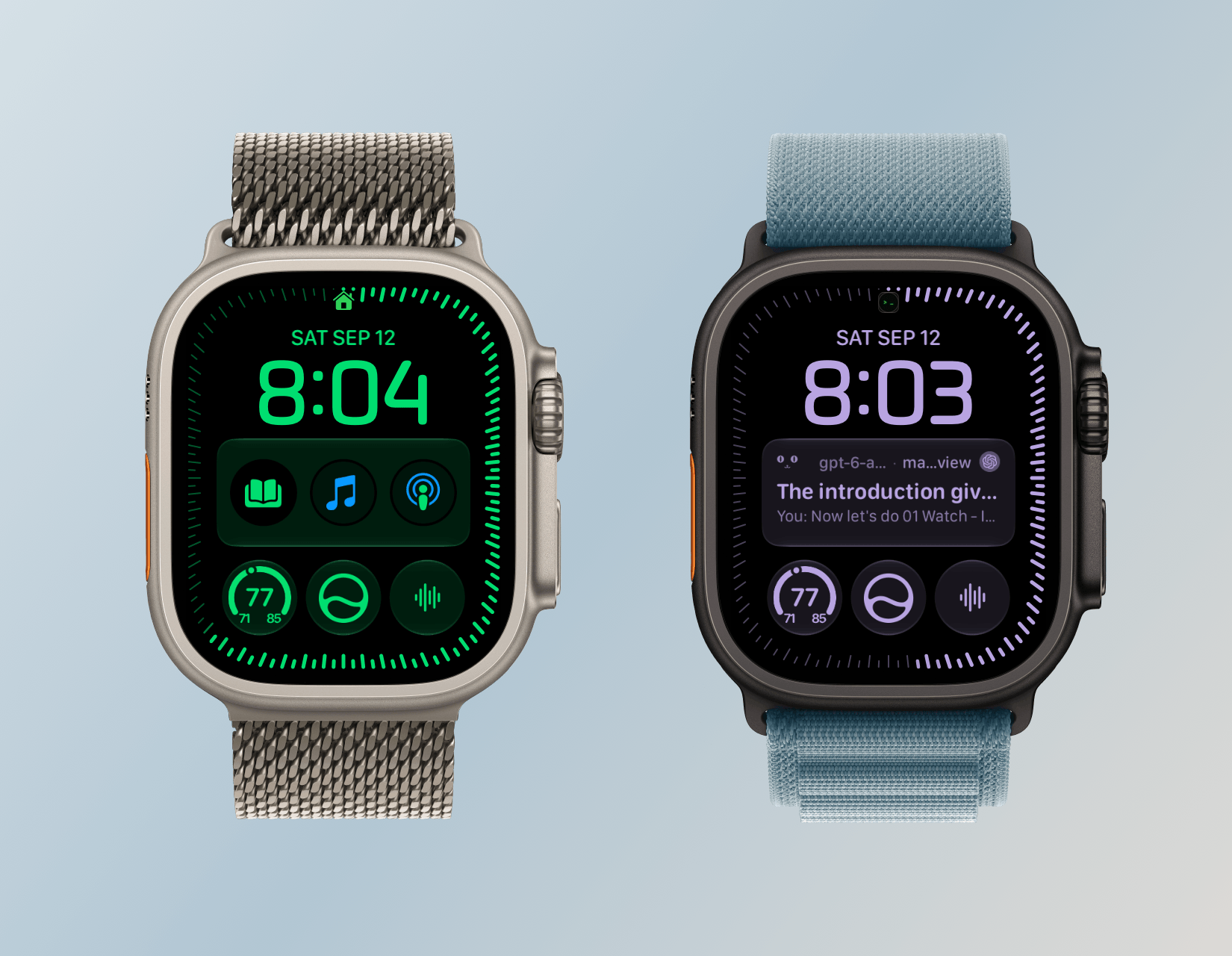
The other change announced just last week is the addition of the Siri Modular face, which I immediately installed on my Apple Watch Ultra 3. The watch face displays the top Smart Stack item in a large complication in the middle of your Watch. It’s a nice touch, but because you can’t dismiss the media playback card without turning off Live Activities, that one has wound up on my watch face more frequently than I’d like. Still, when an app like Moshi reports that an AI agent’s task has been completed, it’s nice to be able to see a snippet of the message directly on my watch face. It also strikes me as a great way to keep track of tasks with a deadline from task manager apps like this review’s sponsor, Finalist.
The Siri Modular watch face.
So, on balance, I like what Apple has done with watchOS 27’s navigation. The Dynamic App Grid takes a little getting used to, but I appreciate its simplicity. The Smart Stack, single tap gesture, and new Siri Modular watch face combine to make the Smart Stack more useful than ever too. Watch interactions are meant to be short, and watchOS 27 nails that goal.
Siri AI and the Apple Watch as Helper
You can get to Siri from the Dynamic App Grid, a complication, or by long-pressing the Digital Crown.
Siri AI is a big part of watchOS 27 just like it is on every Apple platform (except tvOS) this year. As on those other platforms, Siri has a dedicated app on the Watch. The main difference is in how you interact with Siri. On macOS, iOS, and iPadOS, you can speak or type queries in the Siri app. On watchOS 27, the app accepts spoken queries only. That struck me as a little strange at first given that Apple offers multiple ways to input text on watchOS, but the reality is chatbot queries are typically longer than a dashed-off text message, so in practice, the lack of text input is fine.
Siri AI requires an Apple Watch Series 9 or later, Ultra 2 or later, or SE 3, along with a nearby iPhone that supports Apple Intelligence: an iPhone 15 Pro, 15 Pro Max, or any iPhone 16 or later model. It’s being released as a beta, initially in English only, and won’t be available in the EU for the time being. Apple also says it will introduce usage limits for Siri AI in the future. Those limits will vary depending on factors such as request complexity and system demand. Increased access will be available for a fee. To make a Siri request, you can tap an installed complication, long-press the Digital Crown, or say “Siri” or “Hey Siri.” Once you start a chat with Siri, it retains the context, allowing you to ask follow-up questions without restating everything.
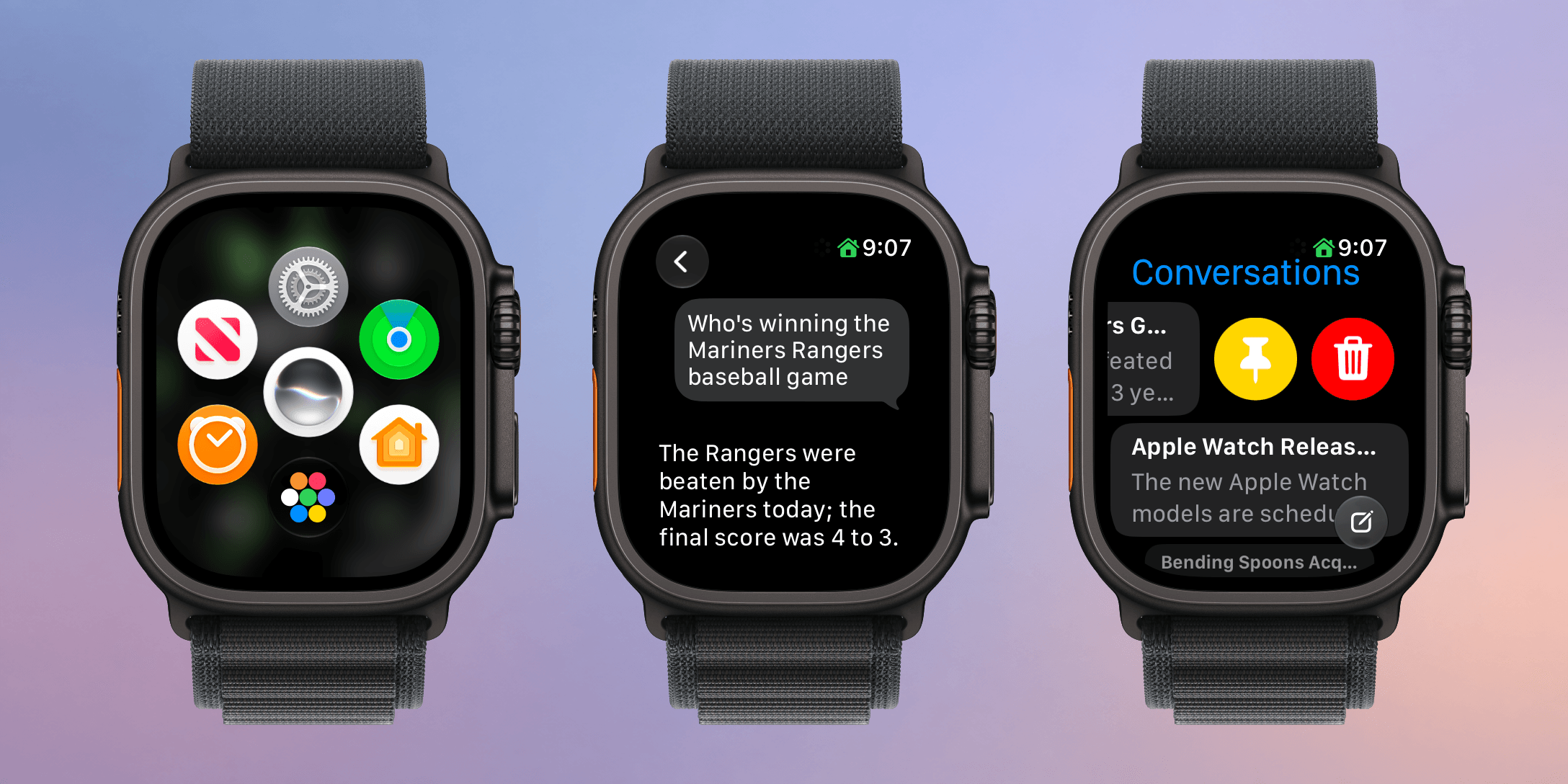
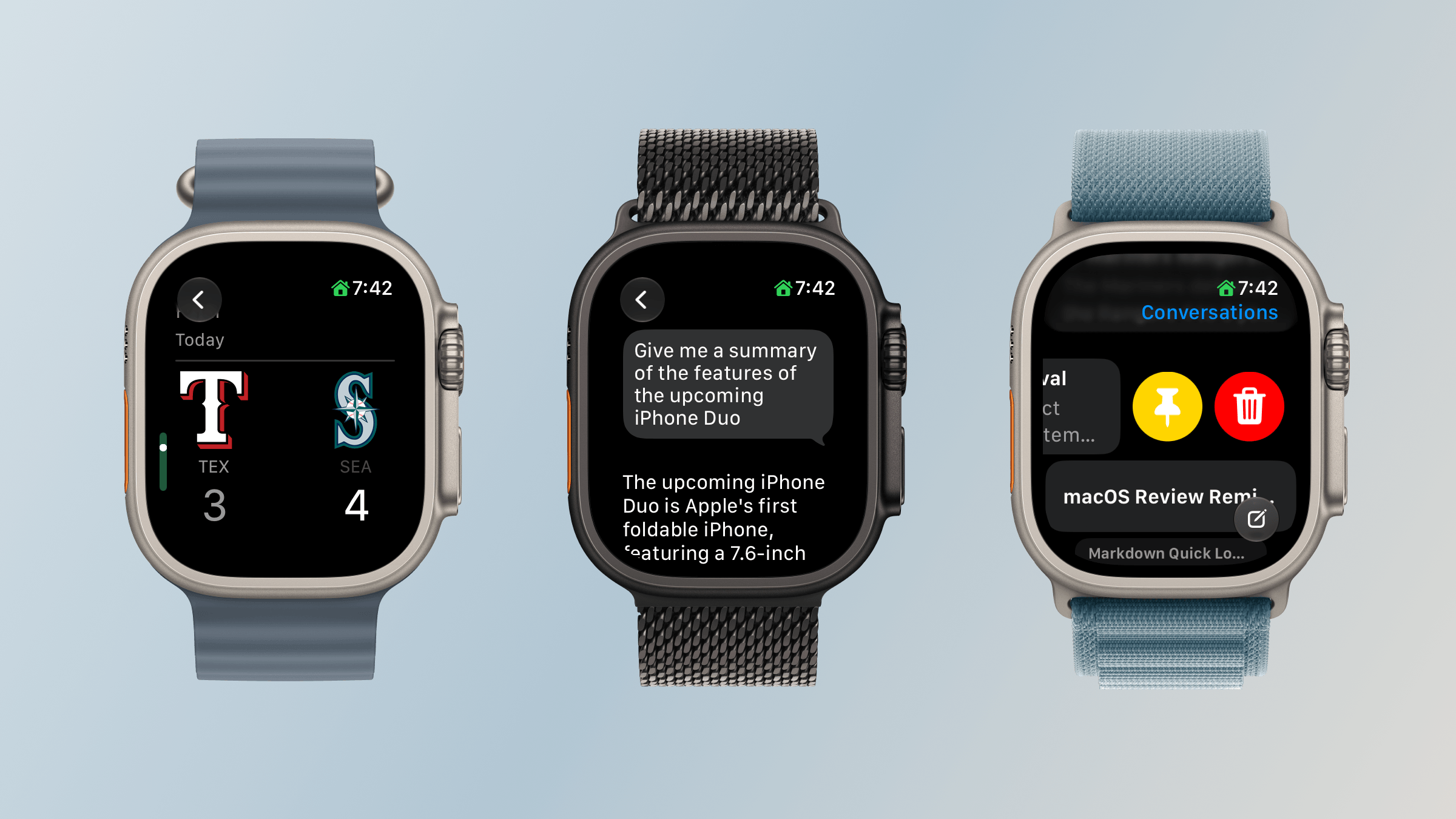
Reviewing and managing conversations in the Siri app.
Alternatively, you can open the app where you can see your past chats. The app’s button to start a conversation accepts spoken input only. Type to Siri remains available through Accessibility settings, but it’s a separate way to invoke Siri rather than a text-entry option within the app.
Your query list includes any requests you’ve made on your Apple Watch or any other Apple device, all synced via iCloud. In my experience, sync is fast over a good network connection with chats appearing on my Mac seconds after a response is delivered to my Watch. From the Siri Apple Watch app, you can also swipe left on an entry to delete or pin it, or tap the entry to read it.
Pinned conversations can be collapsed and expanded in the Siri Watch app.
Siri AI on the Apple Watch also offers the same personal-context capabilities that let it find information in your email, photos, tasks, and notes and use it to take action in apps. I explored those capabilities and their shortcomings in my macOS Golden Gate review. My experience on the Watch hasn’t been meaningfully different, apart from occasional minor latency, so that review is the best place to dig into my testing.
What changes here is the convenience of having those capabilities on your wrist within easy reach. The nearby iPhone supplies the connection to Apple Intelligence, but the Watch is both the immediate interface and, for many requests, the place where the resulting action occurs.
It’s also worth stepping back to think about what Siri could do before. I rarely used Siri for more than setting timers and alarms, checking the weather, and controlling my lights. However, now, I can tell Siri to remind me to take out the trash tomorrow morning and add a calendar event for a dinner reservation in one breath. That’s not wildly complex stuff, but it’s very convenient, especially when your iPhone is in your pocket or across the room and you think of something you need to do. Siri also has the same broad world knowledge that it does on other Apple devices, allowing you to check recent sports scores, check the news, and answer questions about the world around you.
Not every technology advance needs to be a monumental leap forward. Sometimes the simplest, most convenient small thing has the greatest impact. Siri on the Apple Watch has that potential, although with time, I’d like to see it become independent of the iPhone.
Workouts and Fitness
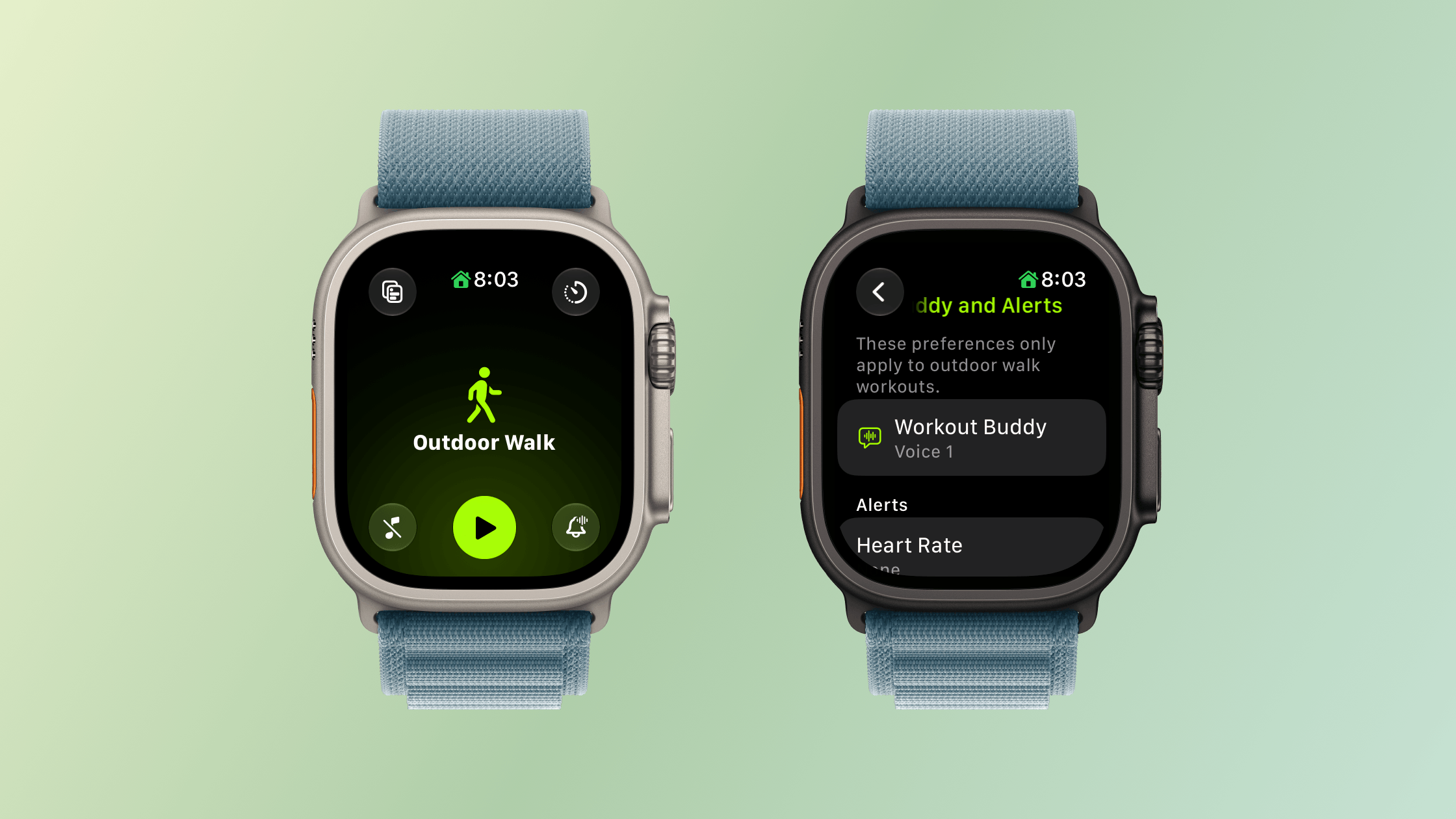
You can leave your iPhone at home and still use Workout Buddy.
I’m happy to be the one who gets to tell you that Workout Buddy has been freed from the requirement that you carry your iPhone with you. Users tend to love or hate Workout Buddy. Personally, I love it. Sure, its incredibly chipper voice can grate if you’re heading out for a long walk and aren’t feeling it, but that’s sort of the point. Once enabled, Workout Buddy is there to encourage you with no judgment. It’ll tell you you’re below your average targets with the same cheerfulness as when you’re crushing it.
When Workout Buddy debuted, my disappointment wasn’t with its voice, personality, or the information it offers. My issue was that the time I need a pep talk when exercising is when I’m out on a long run by myself suffering in the summer heat. The problem is that until watchOS 27, Workout Buddy was only available if you had your iPhone with you. That was fine when I went on a long walk, and I’m sure many cyclists were fine, but one of the reasons I got an Apple Watch was to never lug an iPhone with me while I ran, especially an iPhone like my iPhone 17 Pro Max.
With watchOS 27, I’m pleased to report that Workout Buddy works as well over a Wi-Fi or cellular connection as it does tethered to your iPhone and is compatible with walking, running, cycling, hiking, elliptical, stair stepper, HIIT, and functional and traditional strength training. Workout Buddy speaks Mexican Spanish now, too. In fact, it’s an Apple Intelligence feature that works without your iPhone nearby, which gives me hope for more iPhone-independent Apple Intelligence features in future releases.
Workout Buddy also offers more insights about your workout by comparing pace, distance, and workout duration to your recent fitness history. Today, just before I wrote this section, I went for a walk to get some fresh air and was cheerfully told how little I’ve exercised during this crazy iPhone event and OS review writing week. What I appreciate most, though, is that overall, Workout Buddy isn’t significantly more chatty. I don’t want it to turn into a podcast; I just want brief, periodic updates, which it delivers well.
The Workout app’s scrolling has been improved too. I know a lot of people who felt it was too easy to scroll past their intended workout type. That’s generally not a problem for me since I only use a few workout types, but even then, I sometimes overshot my mark. With watchOS 27, there’s a little less momentum built into the scrolling. Even if I swipe as fast as I can muster, I can only manage to move five workouts. A normal, calm swipe advances me just one workout.
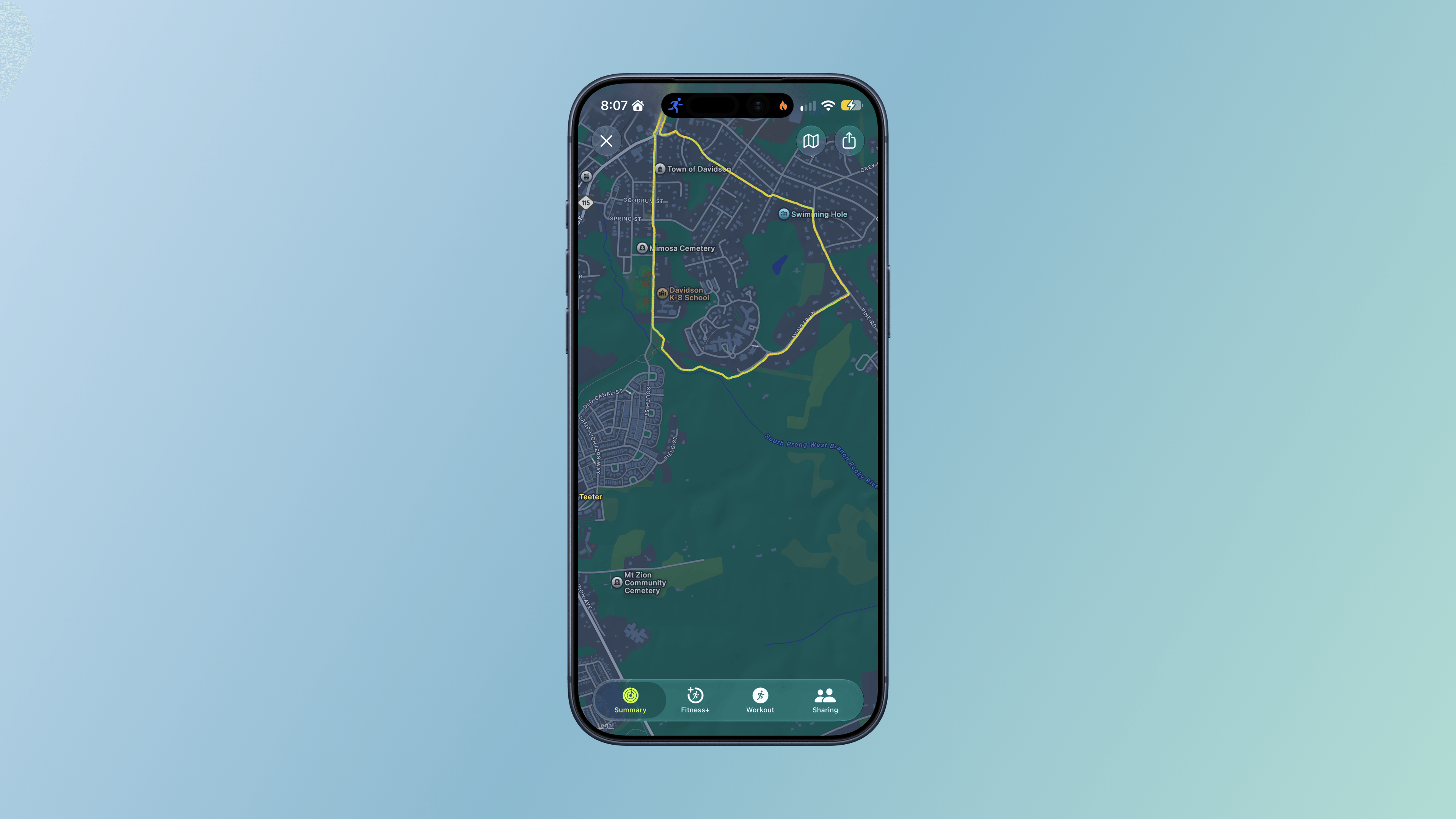
A post-workout route in Fitness.
Additional Workout and Fitness improvements include:
more precise post-workout route maps, which, based on my walks and runs, have been very accurate whether I’m among buildings, under trees, or out in the open,
more accurate measurement of treadmill distances, which I haven’t tried personally, and
step counts in the Fitness app that now synchronize with those recorded in Health.
There may not be many changes to the workout and fitness features of the Apple Watch in watchOS 27, but I’m nonetheless pleased that I’ve been able to turn on Workout Buddy for my morning runs to help motivate and inform me about my progress.
Apps, Services, and Everyday Improvements
Find My
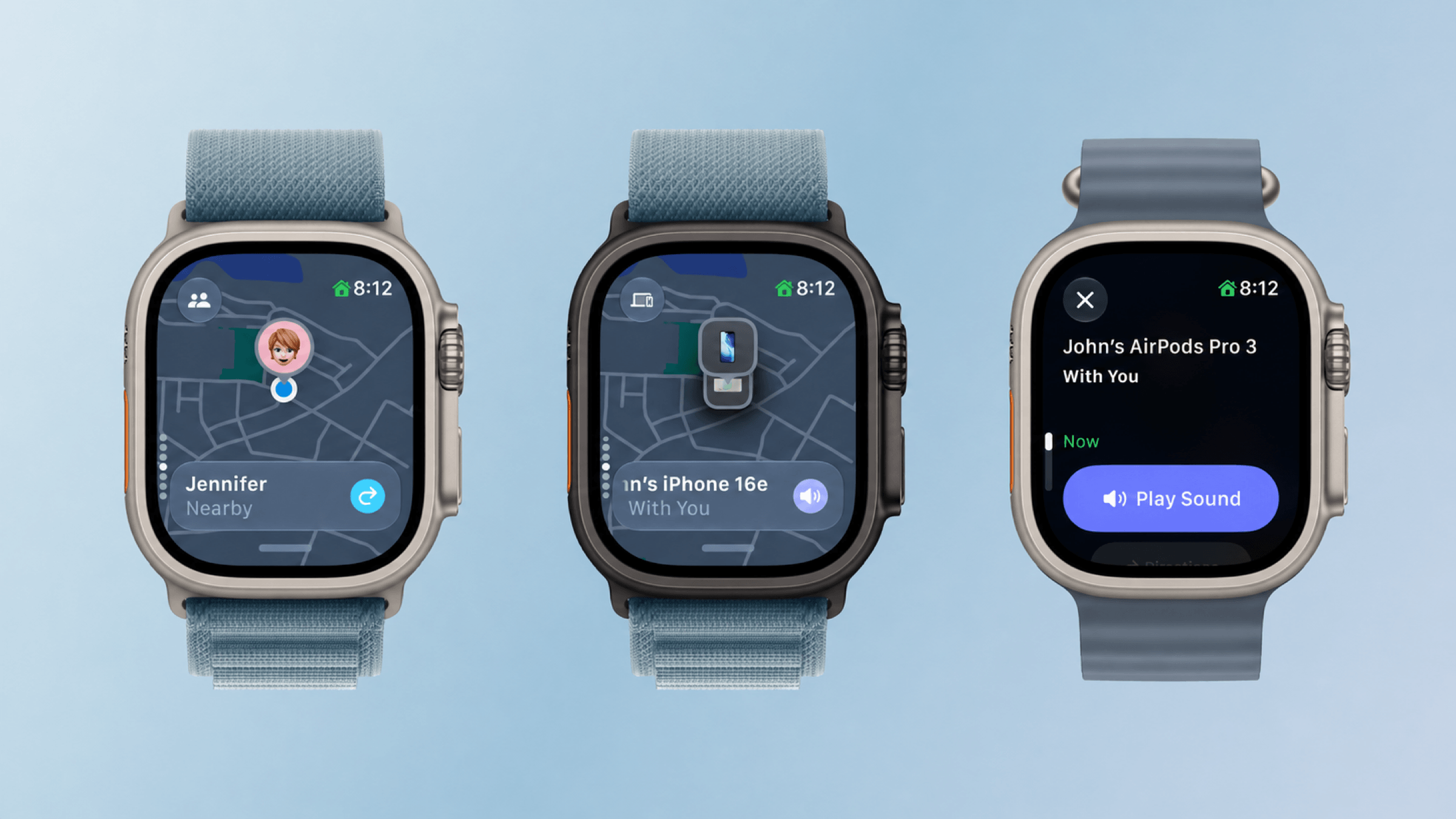
Find My is now one app.
It never made sense to me that different aspects of the iPhone’s Find My were spread across separate apps on the Apple Watch. I suppose the idea was that splitting the app up made it more atomic and widget-like for the Apple Watch’s small screen, but in practice, I think most people use Find My from an iPhone more than they do an Apple Watch, so the split on the Apple Watch was confusing.
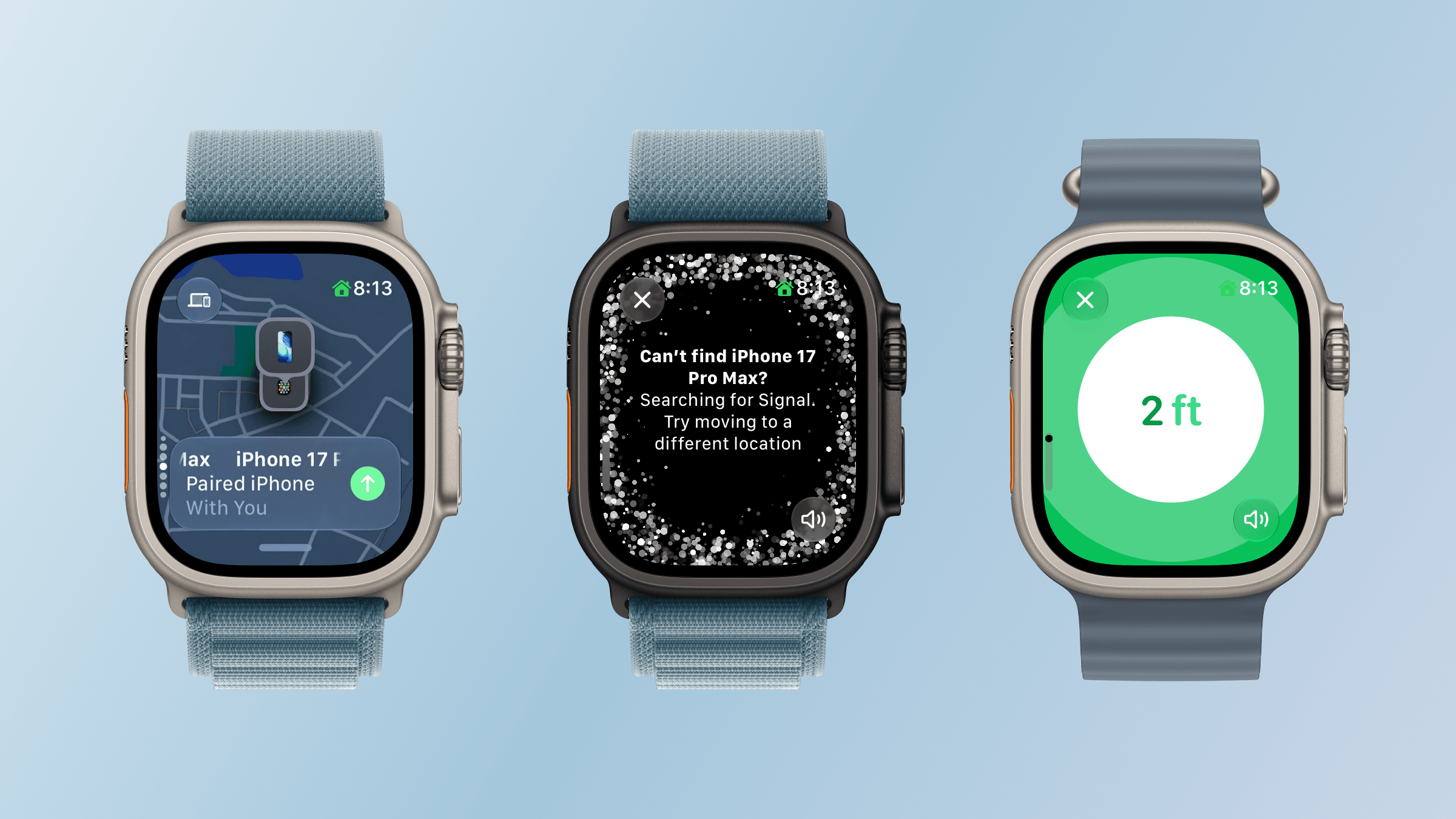
The new Find My app is map-based, just like it is on other platforms. The app defaults to a devices view, and if you have multiple devices with Find My enabled in one location, you can scroll among them using the Digital Crown. Tap the button in the top left corner and you can switch from devices to people or items.
Precision locating my iPhone.
What I love about the new Find My is how true it is to the iPhone app. You’re able to use it to get directions, contact someone, play a sound on a device or item, enable Notify When Found or Notify When Left Behind, set arrival and departure alerts for people, mark devices and items as lost, and use Precision Finding with the iPhone and second-generation AirTag. Precision Finding requires a Series 9 or later or Ultra 2 or later, and locating an iPhone requires a compatible model with Ultra Wideband. Find My is no companion Watch app. It’s the real deal.
Wallet
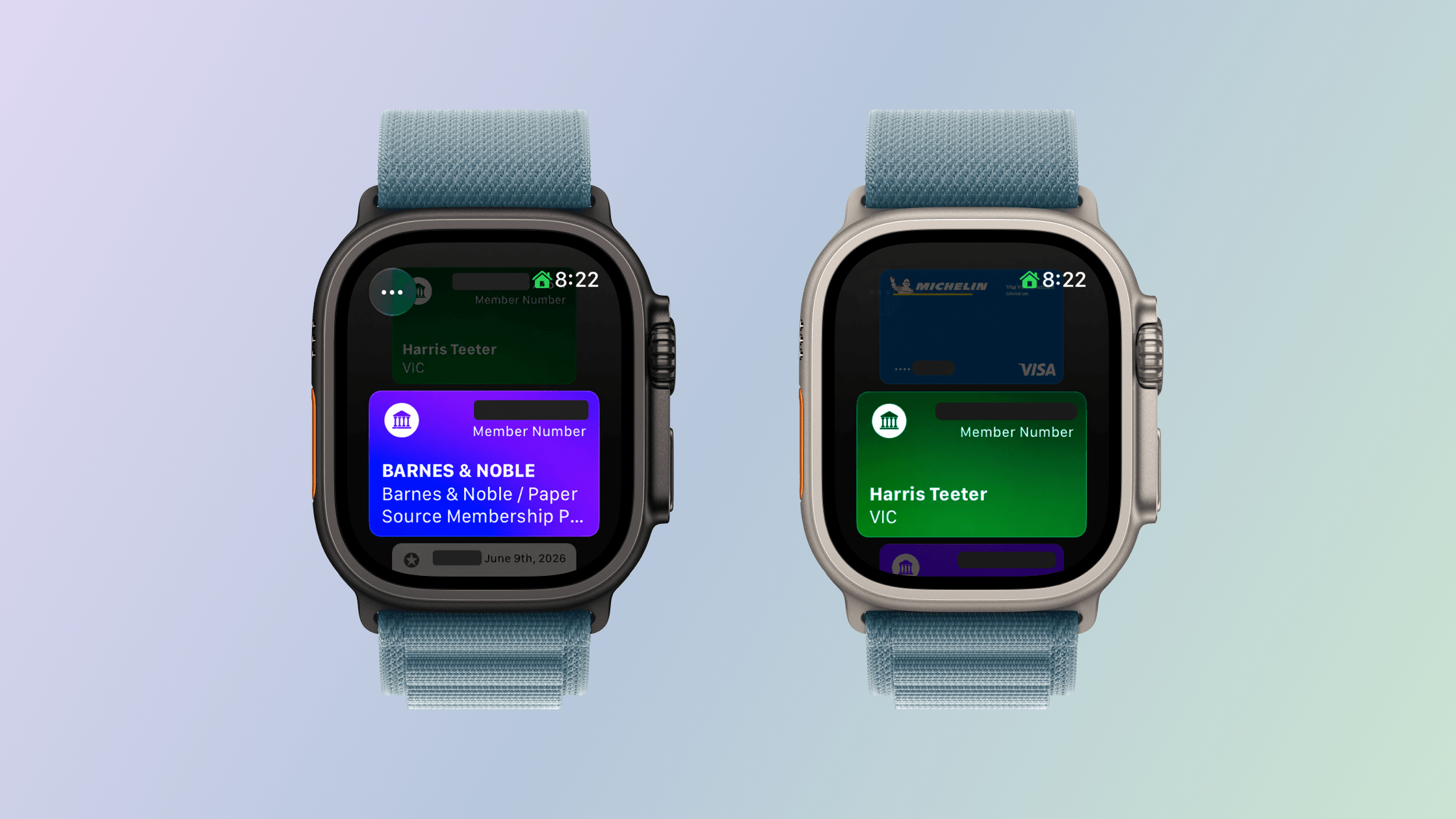
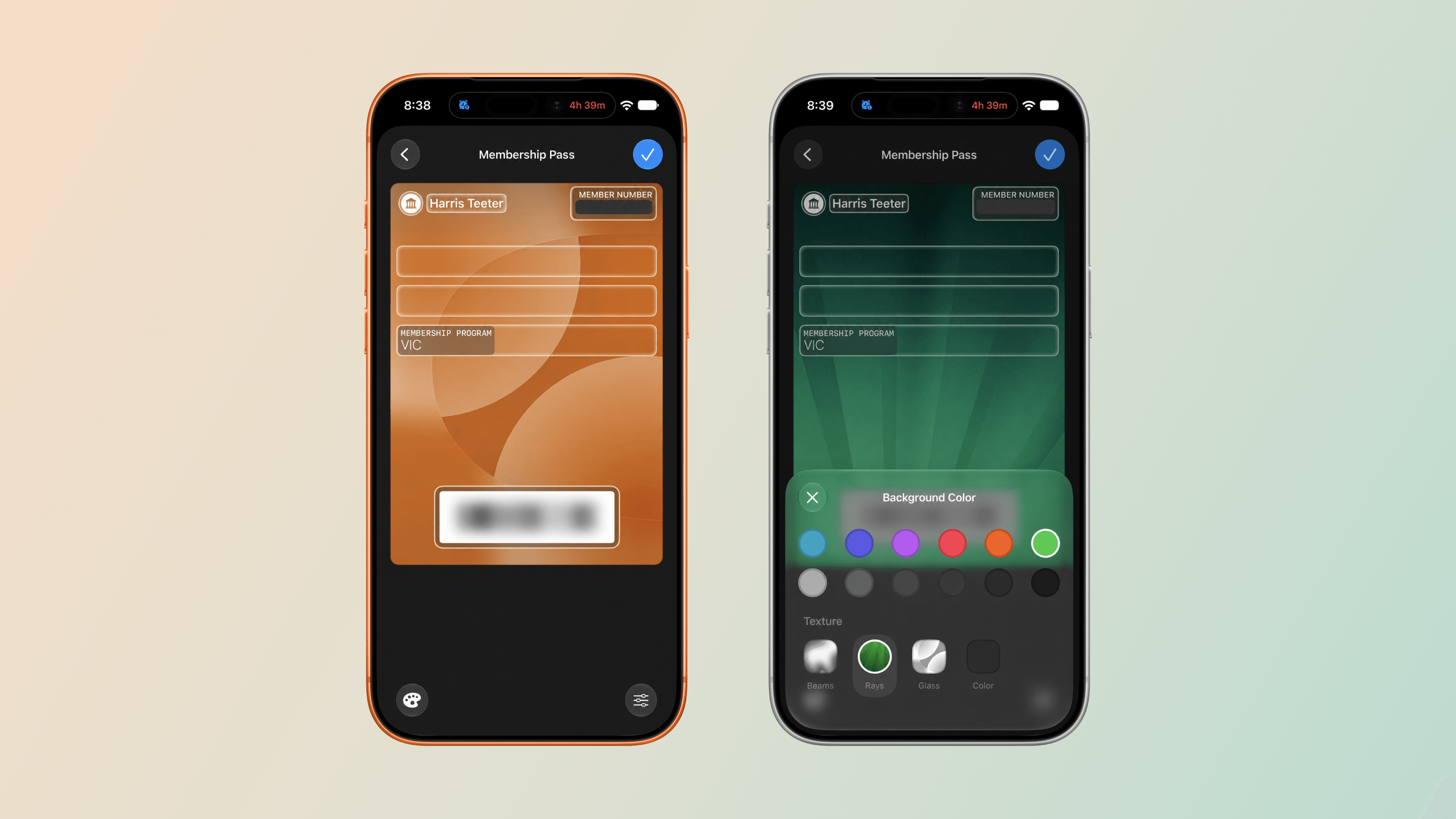
Homemade Wallet passes on the Apple Watch using “Create a Pass.”
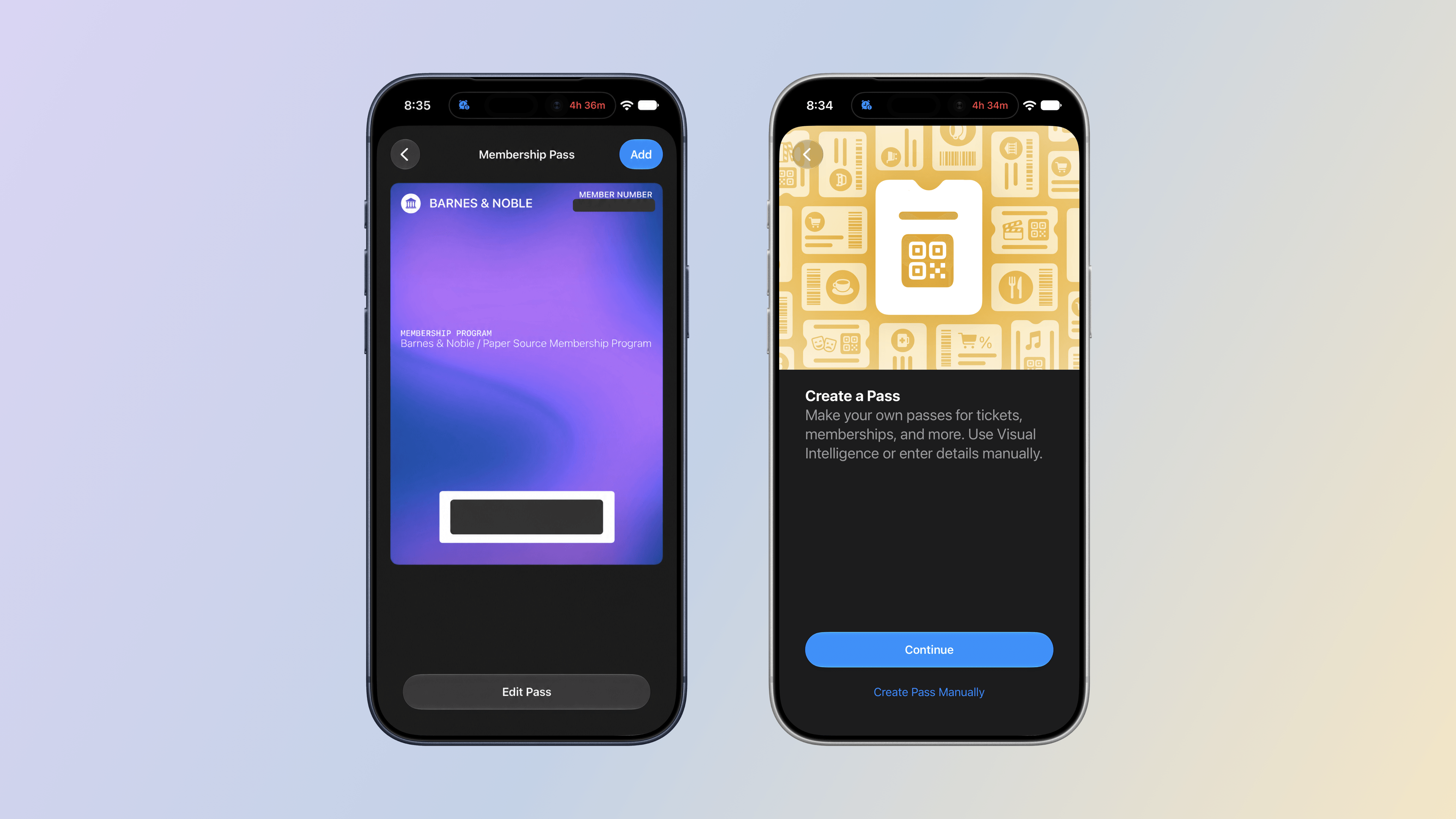
iOS 27 adds the ability to create passes in the Wallet app. The new feature makes it easy to add library, loyalty, and gym cards that use a barcode or QR code to Wallet even when a service doesn’t offer a Wallet pass. With “Create a Pass,” you no longer need to carry physical cards.
Making a Wallet pass on the iPhone.
Setting up a pass is easy. From the Wallet app on your iPhone, tap the plus button and choose “Create a Pass.” The next screen explains that you can set up a pass automatically by photographing it or manually by typing in the information yourself. I’ve used the automatic approach with our local supermarket’s loyalty card and one my wife has for Barnes & Noble. Wallet picked up the relevant information from both cards right away. I haven’t tried the Barnes & Noble card, but the card for our supermarket worked perfectly the last time I bought groceries.
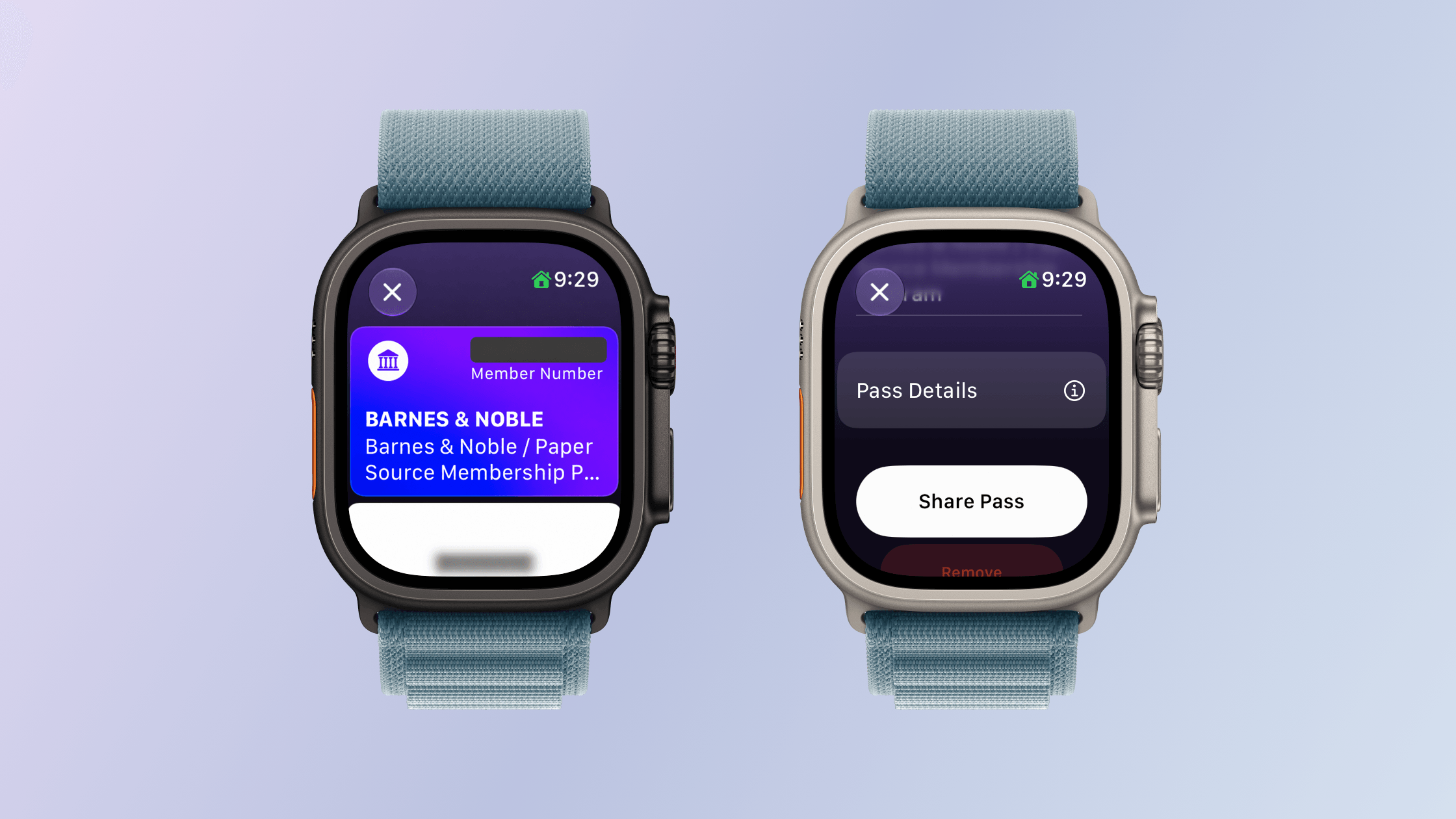
Viewing a Wallet pass and its sharing options on Apple Watch.
The functionality extends to watchOS 27, too. Although you can’t make passes with the Apple Watch’s Wallet app, they appear there the same way cards from other apps are collected there. Tap on a pass in the Wallet app and it expands to show the membership number and name, followed by a barcode, more pass details, and buttons to share the pass with someone or remove it from Wallet. There are third-party apps that do something similar, but for the limited number of cards I have that aren’t already tied to an app or Wallet pass from that app, the new pass generation feature and its integration with watchOS 27 are exactly what I need. On the iPhone, you can also edit a pass’s details and customize its appearance, making your passes easier to tell apart.
Customizing a Wallet pass’s background color and texture.
Other Apps and Features
Phone:
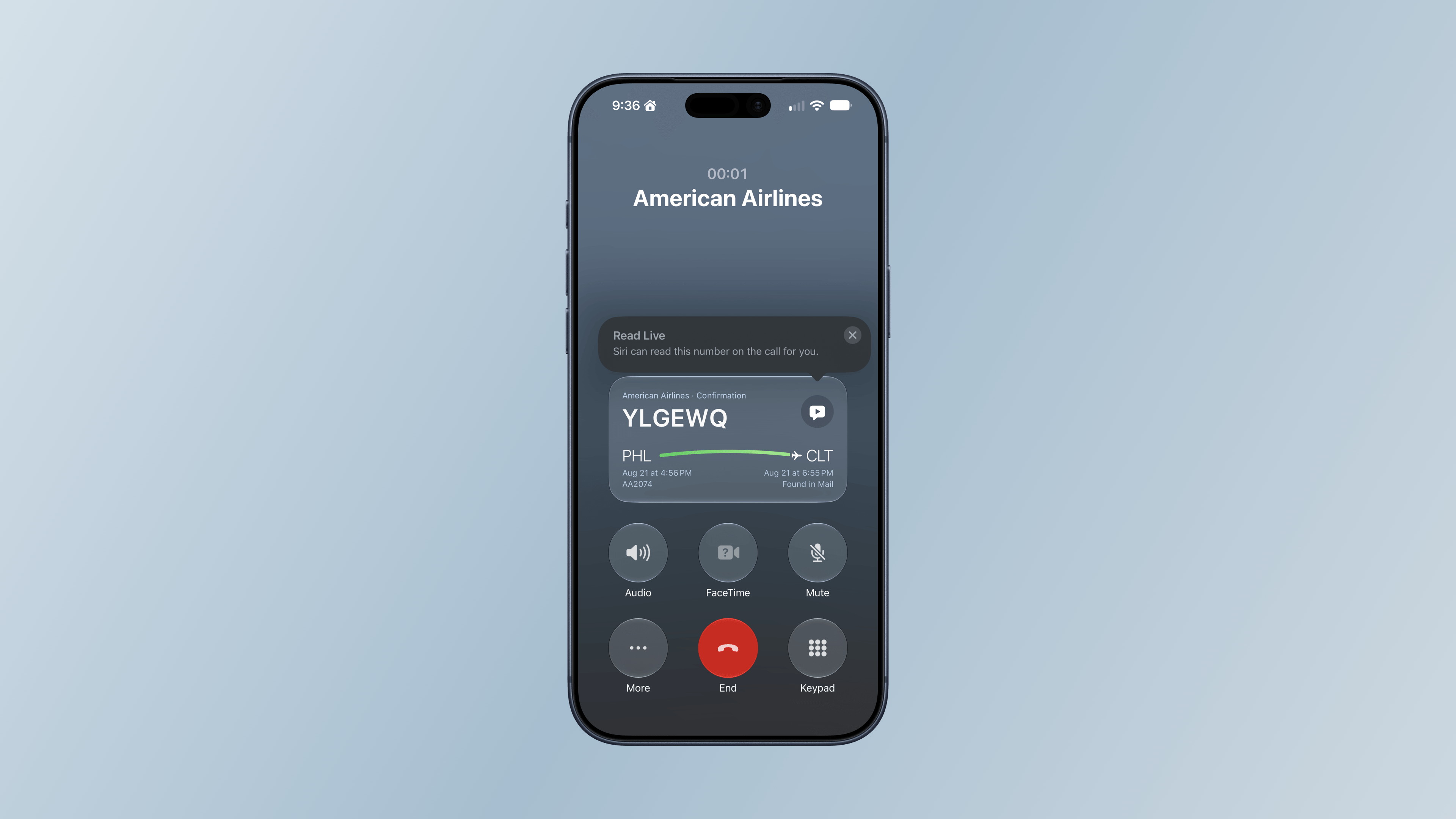
It’s not a Watch call, but I did see Call Context once on my iPhone this summer.
Call Context is a Phone feature that’s available on both the iPhone and Apple Watch that can surface relevant information from Mail during a call, such as flight details when you call an airline. I haven’t had many opportunities to try this over the summer, but it did pull up a flight for me on my iPhone when I called American Airlines about a flight. I called back later from my Apple Watch Ultra 3, but that time, the flight details didn’t appear.
Shazam:
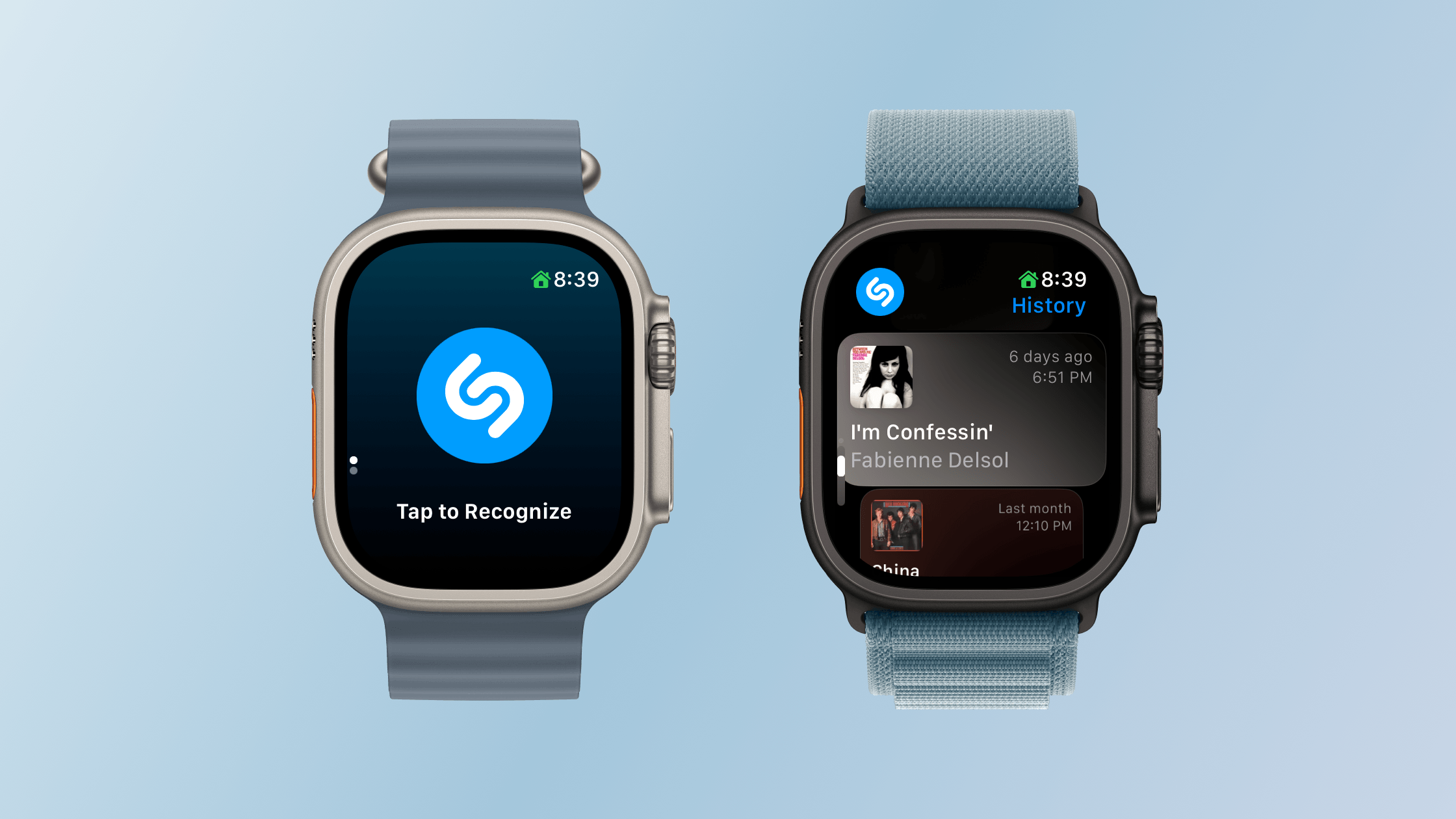
Starting song recognition and browsing Shazam history.
With watchOS 27, Shazam can listen to music even if your Apple Watch isn’t connected to the Internet and send its acoustic signature to the cloud for analysis and matching when your connectivity resumes. This is not on-device song recognition, but it does mean you can still track a song in the moment and get the results later, which I like.
Unused Feature Notifications:
watchOS 27 proactively sends notifications that it will turn off unused features, such as gestures, Start Workout reminders, and Raise to Speak, to preserve your Watch’s battery life. If you get one of these notifications, you can decline it or turn the feature back on later in Settings. I haven’t seen any of these notifications during my summer testing.
Cycle Tracking:
watchOS 27’s Cycle Tracking expands support to perimenopause and menopause, including symptom logging and educational resources. For anyone 40 and older, changes in logged cycle patterns may prompt a notification suggesting a consultation with their doctor. Apple makes it clear that the notifications the Apple Watch provides aren’t meant to be a diagnosis, but a way of recognizing a pattern that the user may want to raise with their doctor.
Screen Time:
Apple has also redesigned Screen Time controls to help families manage a child’s Apple Watch use, including contact restrictions, app schedules, and app access. I don’t manage any of my grown kids’ devices, so I haven’t tested these updates.
Performance
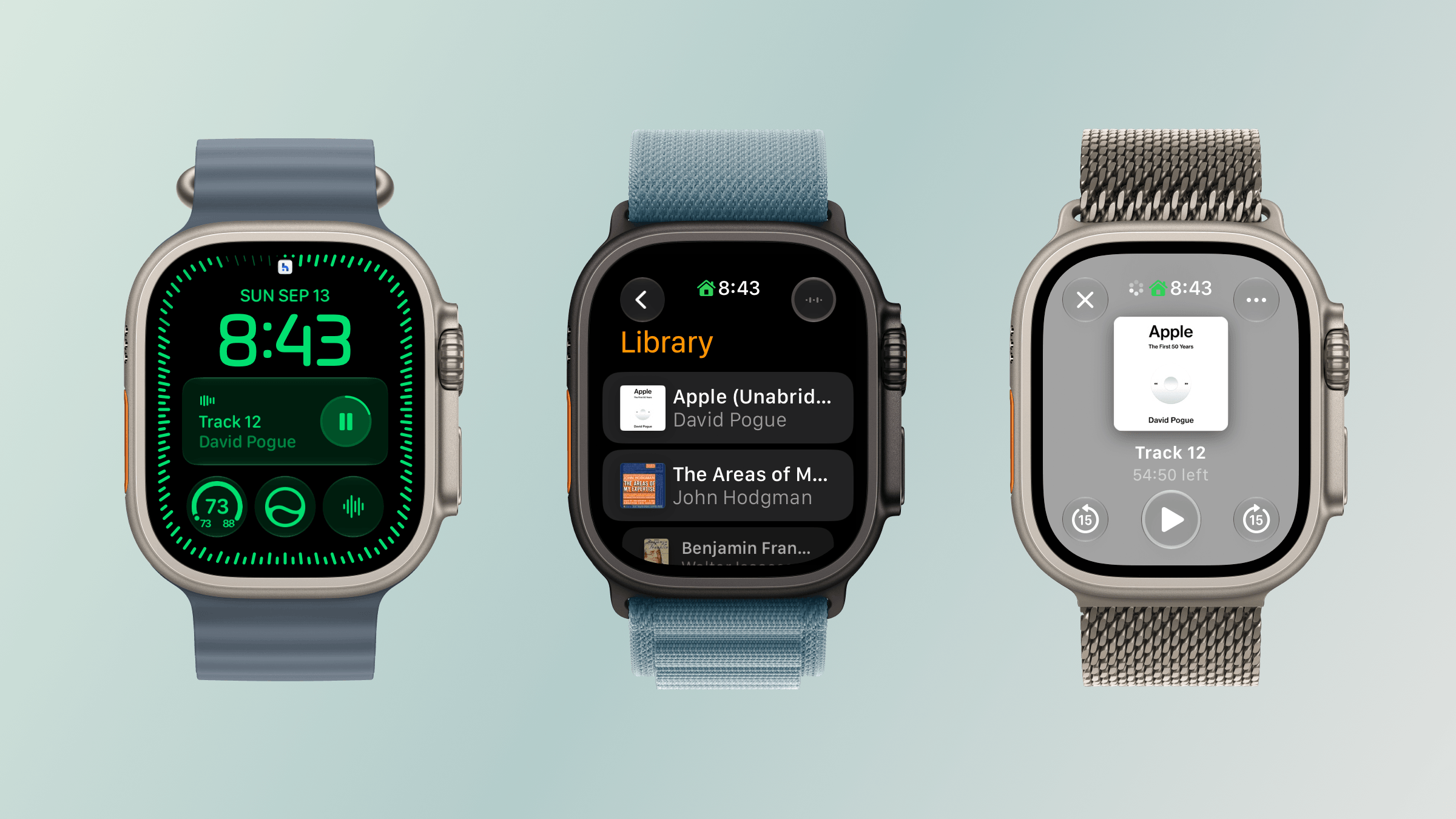
Audiobook playback from the Siri Modular face and Books app.
My experience with watchOS 27 has been a lot like my experience with macOS Golden Gate. The performance enhancements touted by Apple at WWDC are real, but soon become the new normal. I also have just my one Apple Watch to go by, so I’ll share my anecdotal experience with the betas.
My Apple Watch Ultra 3 already had one of the fastest chips available in an Apple Watch, but the performance of watchOS 27 was still noticeably faster from the very first time I installed developer beta 1. That experience is as true today as it was then, but I’m more used to it now. Apps launch faster and more smoothly, and transitions between in-app views are better too. The changes are relatively subtle, but nonetheless noticeable, which I appreciate.
The biggest difference of all, though, has been my experience with Apple Music, Podcasts, and Books. All three apps load content and start playing it faster than before. I’ve also had less trouble connecting both my Powerbeats Fit earbuds that I use for exercising and my AirPods Pro 3. That’s ended a whole connection and playback dance I used to do every time I got ready to go for a jog, which has been wonderful to leave behind.
What I didn’t notice was better battery life. That’s not to say it isn’t better, but with the frequency of beta updates over the summer and my habit of periodically charging my Watch at my desk, battery life seemed about the same as watchOS 26.
Odds and Ends
In addition to what I’ve already covered, it’s worth noting the following changes:
Apple says water detection is more efficient, though in what way is unclear.
GymKit has been extended to the iPhone with AirPods Pro 3, which allows heart rate data collected by the earbuds to be synced through your iPhone to GymKit-enabled equipment, although I haven’t tried this because I don’t belong to a gym.
watchOS 27 requires an Apple Watch Series 9 or later, Ultra 2 or later, or SE 3, paired with an iPhone 11 or later or iPhone SE 2 or later running iOS 27. That’s the requirement for the OS itself, but Siri AI also requires an Apple Intelligence–capable iPhone. The update drops support for Series 6–8, the original Ultra, and SE 2, too, although Apple’s Cait Dooley told TechRadar in June that those older models can remain paired with an iPhone and will continue to receive security updates.
Coming Soon to an Apple Watch Near You
Apple’s upcoming Readiness app. Source: Apple.
I wouldn’t normally touch on unreleased features in an OS release, but so many things were announced during last week’s Surprise and Shine event that I wanted to give readers a quick recap of what’s still to come in watchOS 27, even though I haven’t tried any of these features yet.
When the new Apple Watch Series 12 and Ultra 4 arrive on doorsteps and in Apple Stores on Friday, their owners will be able to enjoy the following additional features:
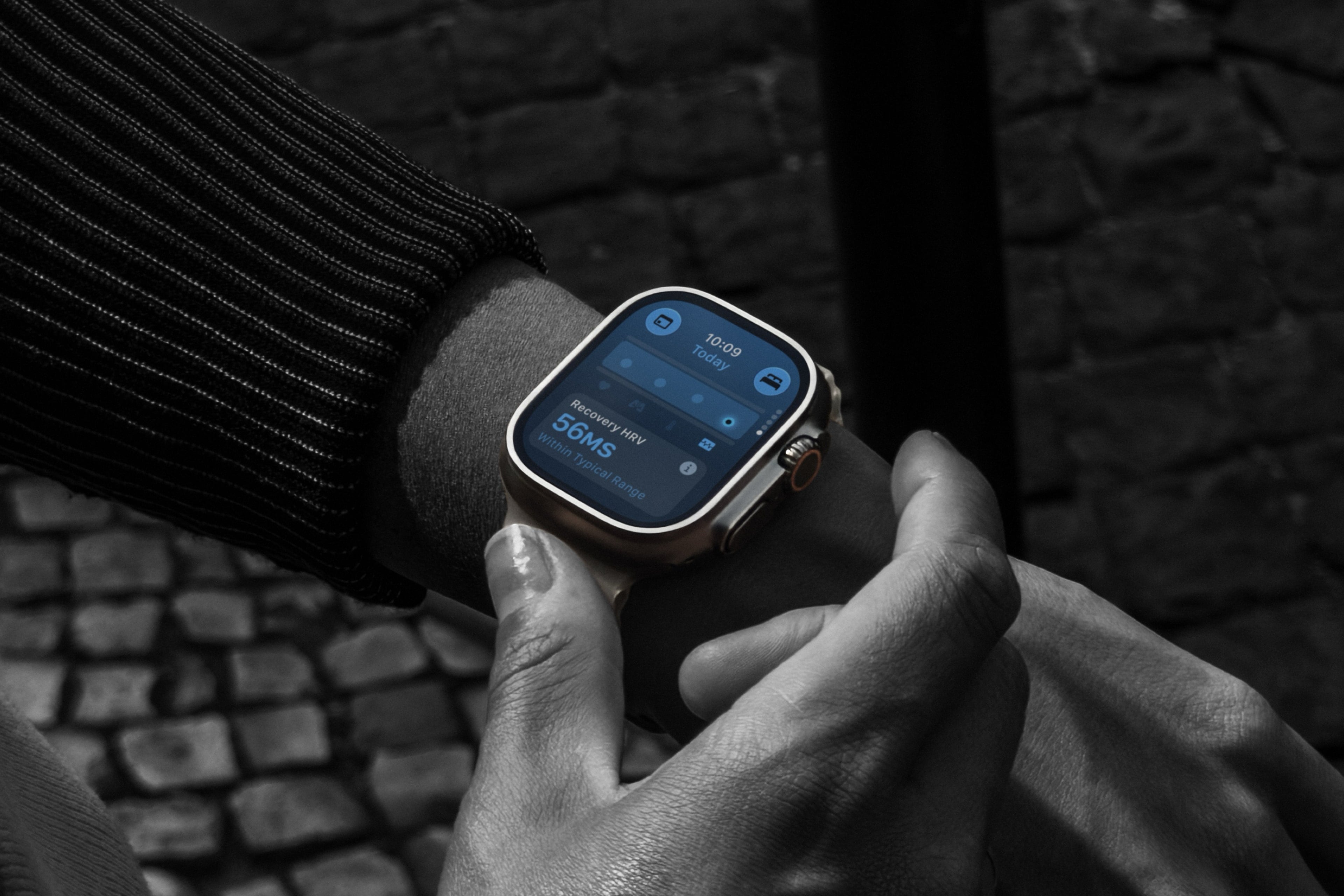
Apple’s New Health Sensing System: Both new Watches have redesigned optical and electrical heart sensors, which will allow them to take heart rate measurements every five seconds and HRV readings as often as every five minutes, which is up to a 24-fold increase in HRV measurement frequency compared with previous Watches. Apple says the new sensors will provide more accurate and meaningful measurements.
Heart Rate and Vitals: On the Series 12 and Ultra 4 Watches, the additional heart rate measurements also enable an HRV section with recovery and overall HRV readings. Vitals also gains access to recovery HRV in its overnight measurements and adds a daytime view.
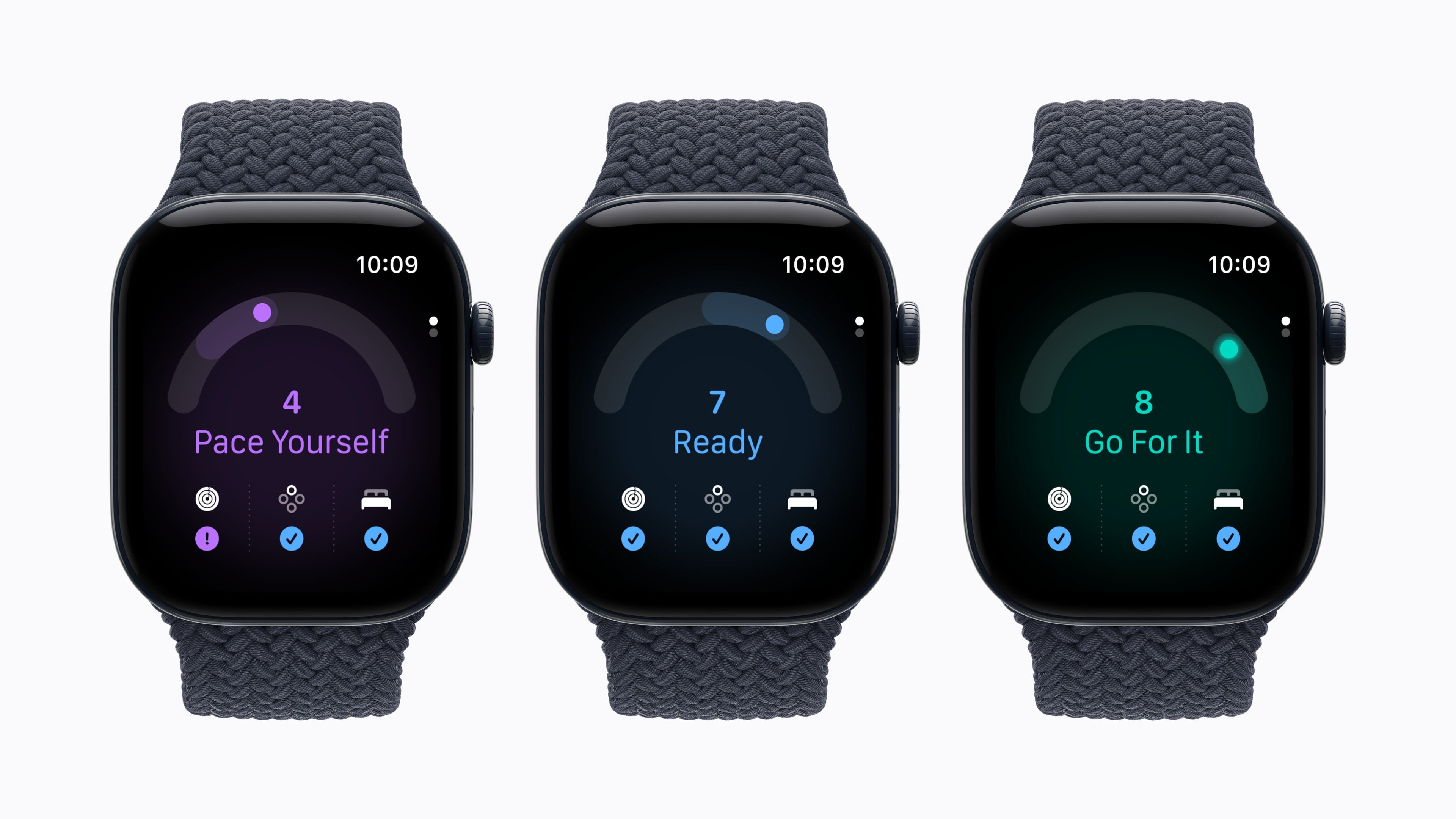
Readiness:Readiness is a new app that uses your sleep, vitals, and recent activities to compute a score from 0–10, which the app translates into Recover, Pace Yourself, Ready, or Go For It recommendations.
Sound Recognition: The new Watches can analyze sounds like a baby crying, alarms, sirens, and doorbells even if your iPhone isn’t nearby. When a sound is recognized, users will be alerted on their Apple Watch.
Automatic Music Recognition with Shazam: With Music Detection enabled on the new Watches, Shazam will identify background music when you open the Smart Stack, without requiring you to tap the widget.
Siri Recaps. Source: Apple.
In addition, later this year, Apple is adding two new features to the new Watches, which you can read about in greater depth in my preview story from last week:
Live Rewind: Live Rewind, which plays a sound and animation to alert people that it’s been activated, transcribes the last 15 seconds of speech to help with hearing.
Siri Recap: A summarization feature that will pull key points from conversations and will support only English at first.
Both features are set to debut as betas later this year and require a Series 12 or Ultra 4 Watch paired with a supported iPhone 16 or later, excluding the iPhone 16e, with Apple Intelligence and Siri AI enabled. Both features are opt-in, and Siri Recap can be enabled manually or scheduled by time and location. Unsaved recaps disappear after seven days. Apple says audio is protected by handling processing in a Secure Exclave, but the resulting text can still be saved and shared, and it’s possible for Siri summaries to miss or misunderstand details. Those are things I’ll be looking at carefully when I can try the features for myself.
Finally, later this year, Apple will debut a redesign of the Health app on the iPhone that also incorporates a Health Age feature, movement evaluations, and lab work purchases and scheduling in the U.S.
Shaking off the Cobwebs
New hardware enabling new software experiences.
It’s funny to write a watchOS review hot on the heels of finishing my macOS Golden Gate review. In some ways, the two couldn’t be more different. My Apple Watch Ultra 3’s screen is about two inches diagonally and is designed to be interacted with in small, fleeting doses. Meanwhile, I’m writing this on my Mac Studio, using a 32-inch OLED display and an OS that’s as hands-on as they get.
Yet at the same time, there’s a similar transition going on with Apple Watch hardware and its OS that reflects a similar thing I see in macOS. Apple silicon lit a fire under macOS, opening up new ways to use Apple’s computers. That’s only accelerated with AI.
watchOS is in a similar place. The Apple Watch is already one of the most popular smartwatches on the planet, giving Apple Intelligence a place on a lot of wrists. Apple is raising the minimum hardware requirements for watchOS while introducing another set of capabilities exclusive to its newest Watches. We’re witnessing a shift from small, incremental watchOS changes to a new category of features. Starting with Live Rewind and Siri Recap, those additions have the potential to define the device’s future.
Today, the watchOS features that are currently available are more modest, typical features. I love the expansion of the Smart Stack, the new Siri app is incredibly useful as an extension of the app on other platforms, and it’s great to have Workout Buddy along for my runs without my iPhone.
In any year, I’d be happy with those and the other updates to watchOS, but this year, they feel like the first course of what I expect will be a great year for watchOS. AI has shaken the cobwebs off of watchOS, and I can’t wait to see what’s next.
Apple says Live Rewind on Apple Watch cannot be used secretly because activation requires a deliberate double press of the Digital Crown, plays a chime, and shows a full-screen animation with a microphone indicator. The chime plays even when the watch is muted or headphones are connected. After activation, Live Rewind shows only a text […]
Apple’s Apple Watch Ultra 4 technical specifications list precision dual-frequency GPS with GPS, Galileo, QZSS, and BeiDou, but GLONASS is missing. The older Apple Watch Ultra specification page lists GLONASS alongside those systems. That makes the omission a real change in Apple’s published wording, although Apple does not explain whether it reflects hardware, software, regional […]
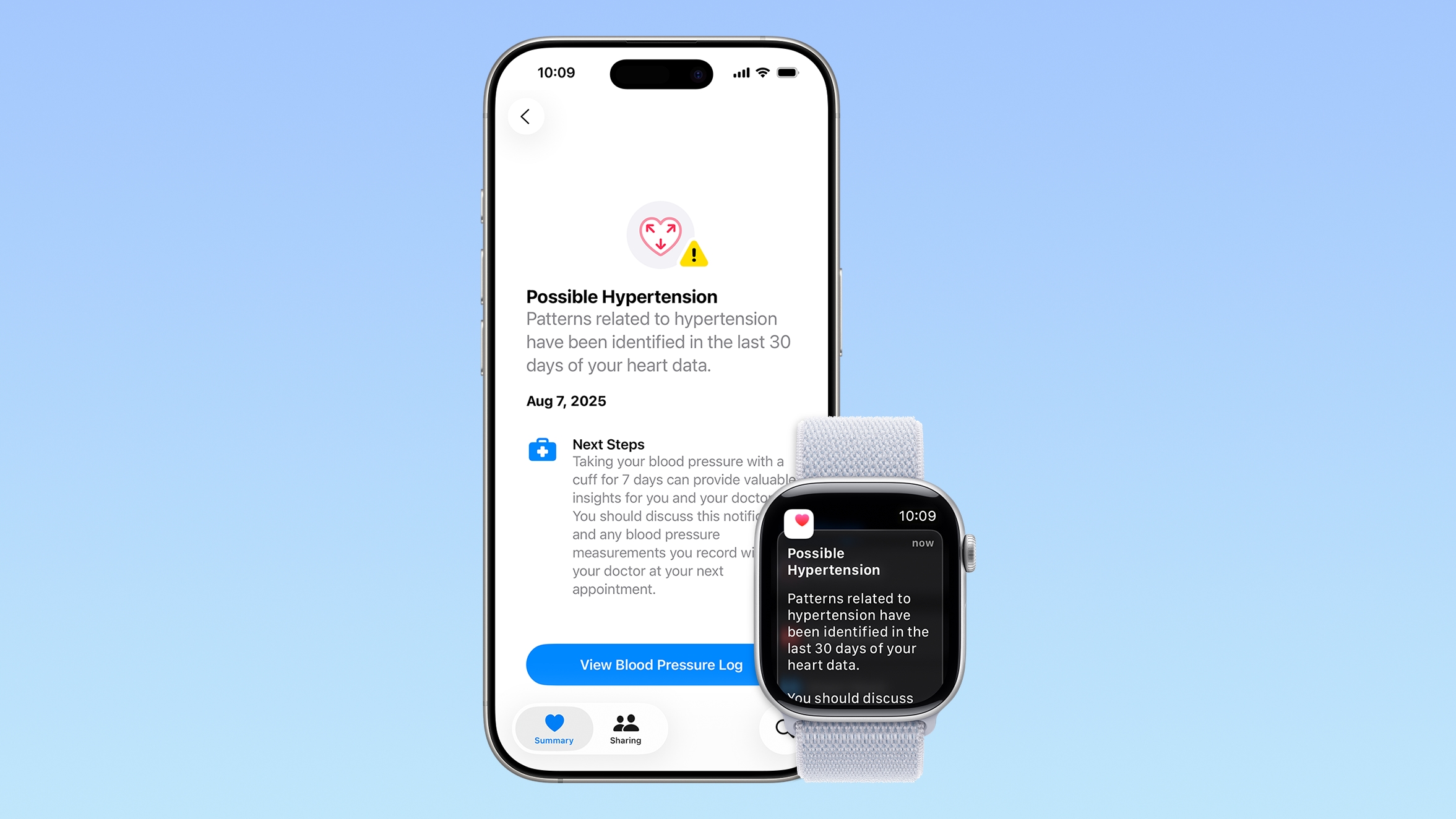
Some Apple Watch users who upgrade to the Series 12 or the Ultra 4 might temporarily lose access to hypertension notifications.
On the watchOS feature availability page, Apple says notifications might not be available on the Series 12 or Ultra 4 at launch because regulatory clearances are in process.
Hypertension Notifications may not be available on Apple Watch Series 12 or Ultra 4 in your region, as additional regulatory clearances for these devices are in process.
The warning applies to 33 countries and regions, including Canada, Australia, India, Brazil, Singapore, Japan, Taiwan, South Africa, South Korea, and the UAE, with a full list on Apple's website.
The Apple Watch Series 12 and Apple Watch Ultra 4 have revamped sensors and a new Health Sensing System. Apple added new optical and electrical heart sensors for more frequent and accurate tracking, and the change appears to require new regulatory approval in some locations.
What's new:
ECG - The electrodes in the watch cover more surface area for improved skin contact during ECG readings.
Optical sensing - Redesigned photodiodes are organized in a ring to capture light more efficiently.
Heart rate measurement - Larger, power-efficient green LEDs in the optical heart rate sensor allow the new watches to measure heart rate every five seconds all day, offering more data on a user's fitness and physiological state. Real-time heart rate is available in the updated Heart Rate app, and Exercise and Move Activity rings are more accurate. HRV is also measured as often as every five minutes.
Apple Watch users who get these notifications today may lose the option when upgrading to the Series 12 or Ultra 4 until regulatory clearance is granted.
Countries not on Apple's list with a footnote will continue to get notifications as usual. This includes the United States, UK, and all EU countries.
The new Health Sensing System on Apple Watch Series 12 and Apple Watch Ultra 4 features new optical and electrical heart sensors, enabling higher-frequency heart rate and heart rate variability (HRV) measurements, a new readiness score, a more comprehensive Vitals overview with the addition of HRV, and an updated Heart Rate app.
[…]
Apple Watch Series 12 and Apple Watch Ultra 4 introduce readiness — a new feature that analyzes a user’s recent activity, vitals, and sleep score, and then provides a single 0-10 score each day with a clear, actionable recommendation: Recover, Pace Yourself, Ready, or Go For It. This helps a user decide how to take on their workday or tackle their training plan.
[…]
A new Longevity tab analyzes a user’s longitudinal health data for deeper insights into heart health, sleep, mental wellbeing, movement health, metabolic health, hearing, and nutrition. The tab includes Health Age, a new feature that uses Apple Watch data to show users how their metrics are tracking relative to their chronological age, informed by the best available science.
Engineered with the new Health Sensing System and S11 chip, Apple Watch Ultra 4 delivers the most accurate heart rate sensing in a wearable, higher-frequency heart rate and heart rate variability (HRV) measurements, and a new readiness score to support athletes of all kinds. Apple Watch Ultra 4 also offers extended battery life to track outdoor workouts for up to 45 hours and the most accurate on-device GPS in a sports watch.
[…]
For everyday use, Apple Watch Ultra 4 now offers more than two days of battery life, up to 50 hours. In Low Power Mode, it offers up to 84 hours of battery life. Charging is now faster than ever: Just 15 minutes adds up to 18 hours of additional battery life.
[…]
The pedometer model has been completely redesigned with new machine learning algorithms and the S11 chip to provide more accurate distance measurements during indoor walk or run workouts, and more accurate step counts all day.
The Ultra 2 was sold to me as the watch that can do Siri without network connectivity. That was very useful to me to leave reminders for stuff I think about while on a run without the phone.
3 years later, Apple releases the OS 27 versions and Siri got improved to the point where it can’t work on-device any more on said Ultra 2
So to get the feature back which I paid for and which was specifically used to sell me the device and which now has been taken away from me, I just have to… buy the next hardware generation?
And how long will that last before they decide to remove the feature again?
With the new Health Sensing System and S11 chip, Apple Watch Series 12 delivers higher-frequency heart rate and heart rate variability (HRV) measurements, which power an enhanced suite of health and fitness features including a new readiness score.
[…]
Apple Watch Series 12 is designed to be as individual as the person wearing it and is available in an array of beautiful finishes, including dark bronze, black, light gold, and space gray aluminum, and radiant gold and natural titanium. It is also available in a stunning ceramic material, in pearl white and night blue. Aluminum models now feature Ceramic Shield 2, which is tougher than any smartwatch glass and 60 percent tougher than the Ion-X of previous aluminum models.
[…]
Apple Watch Series 12 continues to offer up to 24 hours of everyday battery life and now offers up to 10 hours of battery life during an outdoor workout — 25 percent more than the previous model.
[…]
Apple Watch Series 12 starts at $399.
It sounds like the S11 is the biggest update to the SOC in a while, but I haven’t seen much coverage of it yet.
While the Apple Watch Series 12 with a 42mm case maintains a starting price of $399, the 46mm model has received a $20 price increase and now starts at $449.
Nesta madrugada de quarta para quinta-feira — depois de um evento da Apple —, economize com a nossa seleção de promoções na App Store!
Apesar de já termos uma ferramenta semelhante nativamente no iOS/iPadOS, o Snap Markup – Annotation Tool é um bom utilitário para marcações em fotos.
Toque no canto inferior esquerdo da tela para escolher a origem do arquivo. Selecione uma imagem da sua biblioteca, tire uma foto ou abra uma página na internet.
Linhas, formas geométricas, setas, números e textos podem ser adicionados em imagens ao simples toque de um botão. Marque o que desejar e compartilhe tudo sem sair da tela do Snap Markup.
Se você procura um aplicativo que vá além do recurso nativo do iOS/iPadOS, baixe agora!
Confira outros jogos/apps que, juntos, somam quase R$140 em descontos:
Jogos
História interativa.
Jogo de tabuleiro.
Puzzles.
Aplicativos
Criação musical.
Utilitário para o tempo e estações.
Atividades físicas rápidas.
Aproveite as ofertas e até amanhã! Lembrando que elas são sempre por tempo limitado, então é bom correr. 🏎️
Hoje, com a revelação dos Apple Watches Series 12 e Ultra 4, a Maçã também anunciou um novo conjunto de recursos chamado Inteligência de Áudio (Audio Intelligence), composto pelas funções Reconhecimento de Som (Sound Recognition), Reconhecimento de Música (Music Recognition), Live Rewind e Siri Recap.
Parte da Apple Intelligence e exclusivas desses novos relógios, essas ferramentas analisam o som ambiente — que, em alguns casos, é captado constantemente — para alertar o usuário sobre sons importantes, ajudá-lo a descobrir o título de músicas, recobrar algo que foi falado nos últimos instantes e revisar anotações sobre as suas principais conversas ao longo do dia, respectivamente.
Por mais bem intencionados que esses recursos possam ser, no entanto, é natural que alguns usuários torçam o nariz para eles — afinal, a ideia de ter um dispositivo monitorando tudo o que você fala (e que falam para você) sem interrupções pode ser um tanto… preocupante, principalmente do ponto de vista da privacidade — um assunto tão abordado pela Apple.
E foi muito provavelmente pensando nessas pessoas que a Apple colocou no ar uma extensa página de suporte que detalha o funcionamento dessas ferramentas, além de explicar quais medidas de segurança foram tomadas para proteger usuários que decidirem ativar essas ferramentas. A empresa também publicou um documento [PDF] que mergulha ainda mais nas minúcias dessas novidades, as quais dependem não só do poder de fogo do novo SiP 1System in a package, ou sistema em um pacote.S11, como também dos seus recursos de segurança embutidos.
Para início de conversa, a Apple deixa claro que todos esses recursos são completamente opcionais; o Reconhecimento de Som, por exemplo, precisa ser configurado nos Ajustes (Settings) do iPhone, de modo que ele só vem ativado por padrão no Apple Watch caso o recurso equivalente do iOS já tenha sido ativado anteriormente pelo usuário no iPhone. Outras ferramentas, como o Reconhecimento de Música, podem ser ativadas diretamente nos Ajustes do Apple Watch (caso já não tenham sido ativadas anteriormente).
Divulgação/Apple
O Live Rewind, por sua vez, entra em cena apenas quando o usuário dá um clique duplo na Digital Crown, mostrando em seguida uma transcrição dos últimos 15 segundos de conversa. Ainda segundo a Apple, o relógio para de gerar essa transcrição assim que o último trecho de conversa é exibido, além de não salvar qualquer texto — a menos que o usuário faça uma pergunta sobre o seu conteúdo para a Siri ou escolha salvá-lo no app da assistente, que é onde estão os ajustes dessa ferramenta.
Divulgação/Apple
Disponível na Central de Controle, o Siri Recap pode ser ativado e desativado manualmente a qualquer momento, mas também permite que o usuário defina uma programação com base na hora e/ou localização. A Siri também pode ser barrada de realizar qualquer registro em momentos/lugares específicos.
Trechos de texto do Live Rewind e anotações do Siri Recap podem ser visualizados, editados e apagados a qualquer momento no app da Siri, bem como exportados para apps como o Notas (Notes) e o Diário (Journal). Além disso, apagá-los faz com que eles sumam de todos os seus dispositivos sincronizados — lembrando que a Apple os protege com criptografia de ponta a ponta antes de enviá-los ao iCloud.
Proteções adicionais
Segundo a Apple, em todos esses casos, nenhuma gravação de áudio é gerada ou armazenada no Apple Watch. Em vez disso, o áudio captado pelos microfones passa pelo Secure Exclave do SiP S11 — compartimento isolado por hardware que processa dados de maneira separada do resto do sistema, impedindo que aplicativos, o watchOS, a Apple ou até mesmo o próprio usuário possam acessá-lo.
Os resumos da Siri Recap são gerados pelos chamados Apple Foundation Models no Private Cloud Compute, que não salva nenhuma das informações. As anotações também são apagadas automaticamente pelo app da Siri depois de sete dias, caso o usuário escolha não salvá-las ou exportá-las.
A Apple também garante que esses recursos não identificam ou atribuem locutores nos áudios captados — protegendo, assim, a identidade de pessoas no entorno do usuário. A única particularidade aqui é a Siri Recap, que pode registrar nomes citados no conteúdo da conversa, mesmo sem identificar quem é o locutor ou interlocutor; ele também reconhece e censura “conteúdo potencialmente prejudicial, como linguagem que promove automutilação ou discurso de ódio, e informações confidenciais, como dados financeiros, identificadores governamentais, dados de autenticação e certos identificadores pessoais”.
Divulgação/Apple
No caso do Live Rewind, um alerta sonoro é reproduzido sempre que o usuário ativa o recurso, não importa se o Apple Watch está com o modo silencioso ligado ou não. Uma animação em tela cheia também é exibida junto com um indicador de uso do microfone; “Isso serve para alertar as pessoas próximas de que o recurso foi ativado”, explica a empresa.
Dependente do Shazam, o Reconhecimento de Música compartilha apenas uma assinatura acústica, e não o áudio bruto, na hora de processar o áudio captado — algo que acontece nos servidores do serviço. A assinatura acústica, ainda segundo a Apple, é gerada em um buffer seguro no Secure Exclave.
Disponibilidade
Todos esses recursos, como dito, requerem um Apple Watch Series 12 ou um Apple Watch Ultra 4 para funcionar.
Indisponíveis para usuários menores de 13 anos, o Live Rewind e a Siri Recap serão liberados como recursos beta ainda neste ano (inicialmente apenas em inglês). O Reconhecimento de Som e o Reconhecimento de Música serão liberados junto com os novos smartwatches.
Em beta desde junho, os sistemas 27 reúnem uma série de novos recursos para a Apple Intelligence, além da nova Siri AI — vale lembrar, essas funcionalidades podem não ser compatíveis com todos os dispositivos em que os sistemas 27 estão disponíveis.
Em matéria de iPhone, um diferencial relevante para as gerações mais antigas é a implementação de um novo scheduler de CPU 1Central processing unit, ou unidade central de processamento. para gerenciar melhor as demandas de cargas de trabalho em iPhones a partir do 11, algo já visto anteriormente nos modelos mais recentes — além, claro, de melhorias mais amplas, como na velocidade de envio de arquivos no AirDrop.
No caso do macOS, o maior destaque — além da otimização de desempenho — é o fim do suporte aos Macs com processadores Intel.
NOTA DE TRANSPARÊNCIA: O MacMagazine recebe uma pequena comissão sobre vendas concluídas por meio de links deste post, mas você, como consumidor, não paga nada mais pelos produtos/serviços usando os nossos links de afiliado.
Notas de rodapé
1
Central processing unit, ou unidade central de processamento.
Abrindo a semana — ontem foi feriado, então não conta! 😛 — de evento da Apple com a nossa seleção de promoções na App Store!
ELOH, criado pela Broken Rules, é um puzzle perfeito para relaxar e se divertir.
Trata-se de um quebra-cabeça no qual você deve escutar o groove e deixar que ele o guie pelas 98 fases. Controles intuitivos, belíssimas animações e uma trilha sonora desenvolvida especialmente por SCNTFC fazem parte deste jogo.
Confira um vídeo:
Aproveite o bom desconto e boa diversão!
Abaixo outros jogos/apps que, juntos, somam mais de R$60 em descontos:
Everyone uses their Apple Watch for different purposes, whether it’s having a nifty tech gadget on their wrist with all sorts of communication tools, as a fitness and activity tracker – which is my primary use case, or simply as a watch to check time and other useful information. Since my own Apple Watch is ... Read More
O Apple Watch facilita muito a vida de quem precisa cuidar da sua saúde, conferir as notificações de seus apps e também usar alguns aplicativos sem que seja necessário tirar o iPhone do bolso.
Dentre eles, é possível fazer e receber chamadas pelo app Telefone (Phone), onde é possível usar um teclado numérico para aquelas chamadas que necessitam de digitação para algum setor — principalmente em serviços de atendimento ao consumidor.
Com o app Telefone ou o Contatos (Contacts) aberto, faça a chamada normalmente para um número.
Depois de ouvir a chamada e precisar digitar um número, selecione o botão representado por três pontinhos (no canto inferior direito) e toque em “Teclado” para ver os algarismos.
Quando quiser fechar o teclado, toque em “OK”, no canto superior direito.
Apple today seeded the fifth beta of watchOS 27 to developers, with the update coming two weeks after the launch of the fourth beta.
The beta can be downloaded through the Watch app on the iPhone with a free developer account. The Apple Watch will need to be on the charger, connected to Wi-Fi, and have a battery level of 50 percent or above for new software to be installed. The beta is available for all Apple Watch models compatible with watchOS 27 except for the Apple Watch Ultra 3.
watchOS 27 gains Siri AI, the smarter, more capable version of Siri. Siri can hold back-and-forth conversations, plus it has access to general world knowledge and your personal data to answer questions and find information. Siri AI on Apple Watch requires an iPhone that supports Apple Intelligence, including the iPhone 15 Pro and later.
There's a new Dynamic app grid that highlights Siri suggested apps, and more intuitive Smart Stack Suggestions. You can find your parked car, see pinned messages, get noise alerts, and view identity and transit cards.
Liquid Glass has been updated to improve legibility, and Workout Buddy works on the Apple Watch even when an iPhone isn't nearby. Workout Buddy also gains new metrics like progressive increases to distance, pace, or duration. Apple added a new all-in-one Find My app with support for Precision Finding, and there are performance optimizations that improve battery life.
Como ocorre com os outros sistemas operacionais da Apple, o watchOS é frequentemente atualizado. Com isso, o seu Apple Watch recebe não só novos recursos, como também correções de segurança importantes.
Neste artigo, mostraremos como é possível conferir qual versão do sistema o seu smartwatch está rodando no momento, veja só! ⌚️
Material: alumínio ou titânio Cores: cinza-espacial, prateado, ouro rosa, preto brilhante, natural, dourado ou ardósia Tamanho: 42mm ou 46mm Conectividade: GPS ou GPS + Cellular Pulseiras: esportiva ou estilo milanês
NOTA DE TRANSPARÊNCIA: O MacMagazine recebe uma pequena comissão sobre vendas concluídas por meio de links deste post, mas você, como consumidor, não paga nada mais pelos produtos/serviços usando os nossos links de afiliado.

 Login
Login