❌

Reading view

Nickelodeon Splat Pack Switch REVIEW

Nickelodeon Splat Pack (Limited Run Games #294) – for Nintendo Switch

$64.99
We may earn a commission when you buy through our links. This helps support MacSources and keeps our content free. Thank you!

Classic 90’s morning cartoon nostalgia with frustrating Controls

Weirdly, time seems to become more valuable as we age. Especially when you consider that each second, minute, hour, week, month, and year has the same duration and cadence.  As a youth, it seemed that this currency was limitless.  I could play what I wanted, when I wanted, and do nearly anything I wanted.  Now, as a married father of four kids, each with their own sports, work/study, hobbies, interests, and a full-time job, I have to be more selective about my activities.  Since my free time is worth more than when I was a child, I have to ration it and divert my energy between only a few activities.   

I have enjoyed playing video games since approximately 1988 when my parents bought a Nintendo NES.  With time I progressed through the NES, Super Nintendo, N64, GameCube, Wii, Nintendo Switch, Nintendo Switch 2, the GameBoy family (Game Boy, Color, Advance, DS, 3DS/XL), Sega Genesis, Sega CD, GameGear, PlayStation 2/3, PSP, XBOX 360, XBOX One and XBOX Series X.  I played a variety of game types to include platformers, first person shooters, RPG, JRPG, racing games, quest/puzzle style games, etc.  In my later years of high school and into college, my father and I played the online role-playing game (MMORPG) Dark Age of Camelot.  Now, I am left with a Nintendo Switch 2, an Xbox Series X, and one to two hours per week of playtime.  One hour is used to play Diablo 4 with my Dad, and one hour is used for Switch 2 time.  

Nickelodeon Splat Pack Switch

I read about the Nickelodeon Splat Pack, a $14.99 Nintendo Switch eShop game, and immediately fell in love with the nostalgia of morning cartoons and the art style of Rocko’s Modern Life, Real Monsters, and the gameshow Nickelodeon GUTS.  I had the privilege of reviewing the title thanks to the publisher.  With a quick trip to the eShop and a download time of ~7 minutes (1032-1039 am), the game found its way onto my E-storage.  I fired up the game and noticed a virtual card insertion animation, photosensitivity warning, and then the fun, slimy, Nickelodeon image.  Many adults will remember the orange/yellow slime splat, purple lettering, and crayon-like purple feel of Nickelodeon.  I think that feeling is part of why Splatoon felt so fun to play and why Slime remains one of my kids’ favorite pastimes.  We had Gak; now they have every iteration of texture and smell you can imagine in slime form.

The game compilation had several modes/games within the main collection: Rocko’s Modern Life: Spunky’s Dangerous Day, Nickelodeon Guts, and AAAHH!!! Real Monsters (Sega/NES versions).  The main Nickelodeon splat screen will transition into the second screen with Real Monsters 16-bit Mega at the top left, Rocko’s Modern Life: Spunky’s Dangerous Day along the left, Museum, and Credits. Along the right side of the screen, you will find Real Monsters 16-bit Super, GUTS, and a music player. Along the bottom, you have change selection with the L drumstick, Y for languages (French, English, Italian, German, Spanish), B for back, and A to confirm.  

Nickelodeon Splat Pack Switch

I remembered the kids’ TV game shows like Double Dare, GUTS, Legends of the Hidden Temple, and wanted to start with the GUTS game.  Unlike the cartoony feel of the other games, the GUTS game lacked color and pizazz and felt more pixelated and outdated than retro.  The game’s opening sequence provided several black-and-white photographs of the GUTS game show. You can adjust the screen size between full, 4:3 ratio, and stretch.  You can change the filter from CRT to off and adjust the borders: 1. Off, which is all black. 2. Colored Backgrounds: A yellow, orange-shaped background, purple, yellow, green background, and a green slime background.  You can open up the game manual and walk through the different games and try to navigate/memorize the manual for each game subtype. 

Instead of using the A button to start the game, the GUTS game required you to press the “+” button to start a game. You can choose between single player vs. two player, change between beginner and advanced, and turn the music on and off. You can choose GUTS Show or single event. Select your desired color (blue, red, and purple), and then pick your character. There are eight options to select from, and each one has a different weight, height, and favorite sport.  I am not certain that these differences mattered much in the actual game. From Lacrosse V Attack to track to elastic ball slam dunk, and then to the Aggro Crag, the game was very difficult to play.  The controls were not easy to remember; each mode had its own sequence of button combinations and timing patterns.  Timing the basketball slam, trying to get back onto the ledge, rope grabbing, ball throwing/aiming all created more frustration than enjoyment.  At times, it felt like the athletic character would fall or jump before I even pushed a button.  Again, quite frustrating.  Even though it was one of the first games I played, I did not return to the game and have since not played it again.  

Nickelodeon Splat Pack Switch

Rocko’s Modern Life: Spunky’s Dangerous Day did a great job at capturing the artistic, visual feel of the 16-bit era.  In this game, you will assume the role of the Wallaby Rocko, and you must guide your dog Spunky through various maps, hazards, and transitions.  The gameplay felt clunky, and the Spunky Mechanic was incredibly frustrating.  I have played many games that required specific timing (Aladdin carpet level, Turbo Tunnel level on Battletoads, Solomon’s Key, Mike Tyson, numerous platform jumps). Still, the escort mechanic, combined with the mapped controls and inability to adjust the controls, made the game quite frustrating.  Despite the frustration, I think it was the best of the collection.  The platformer feel combined with some puzzle-like activities required you to move things/open up pathways for the dog.  If you did not open them in time, the dog would turn 180 degrees and go backward.  Thus, you had to open/close levels/shells/gates to keep the dog from trying to die.  Curiosity, in this case, killed the dog!.  

The AAAAH!!! Real Monsters games had a fun character swap mechanic.  You will need to change your leader by pressing the L/R buttons based on the situation, as Ickis, Oblina, and Krumm each possess their own special ability.  Control your characters with the D pad or Thumbstick, press down to squat, press up to ascend a ladder, Y to throw a monster, B to jump, A to scare, and X for triple monster moves with the other two.  There are a total of three options depending on your leader.  Ickis, the pink-eared monster, has a frightening fling long jump. Krumm has an EERE Eye ejector to search for hidden rooms. Finally, Oblina the taller monster, can reach higher places with a high jump. All three will stack up. You can throw monsters, and will need to use their individual powers to search for trash.  Navigate through schools, sewers, streets, look for character upgrades, and try to get to the end.  Several of the stages reminded me of Metroid, where you could not access certain areas.  At times, I wanted to move the jump button to A, and I would have liked to move the monster-throw button to a trigger button.  Alas, the game did not allow for button mapping or modification.  The button combinations for the Switch controller felt weird and made several of the levels feel more difficult than they needed to be.  The rewind function was a great update for the game.  However, it did not provide enough of a victory to pull the review up from ~6/10.  

Nickelodeon Splat Pack Switch

Despite the difficult-to-navigate/learn button combinations, the Splat Pack did provide a few modern quality-of-life upgrades.  No, you cannot button map.  If that were possible, this review would be at least an 7.5/10.  However, like with many modern ports, you gain the ability to save progress, and you can rewind/reverse time to try again.  Let me be clear, these games will not walk you through and give you a trophy at the end.  Games from the 80’s and 90’s did not do this; Elden Ring does not do this, and games like Call of Duty won’t do this either.  You will have to practice the controls, remember the sequence, and die/restart a lot.  The 90’s versions were frustrating!  Guess what, the current ports are frustrating!  Some may find this alluring and a challenge worthy of a quest, while others may want to throw the controller and move on to other games.  With valuable time as a resource, we must choose what games to play.  

I liked the Museum and Music Player feature within the main menu.  One of my favorite memories about gaming was the box art, included instruction manual, and sometimes map (thank you Zelda Overworld Map).  The included Museum and Music Player features will let you listen to soundtracks, while the museum feature will show you the box art and scans of the manual.  I would love for other Switch games to include the original box art and scans.  

Summary:

You will need to determine if you want to scratch your nostalgia itch and reignite your love/hate feeling for retro games. Think Battletoads Turbo Tunnel bike level, Ninja Turtles water level,  Ghosts N’ Goblins, Ninja Gaiden, Eco the Dolphin, and so many more without a Game Genie.  I have grown fond of Limited Run games but feel that this title would benefit from some additional love.  Despite the nostalgia of the Nickelodeon era and memories of Skip-bo, Gak, Pizza Hut family time, and morning cartoons, the constellation of games did not hold up well to time.  Despite the minor upgrades to the graphics and color schemes, they still held their original appeal.  The games felt dusted and cleaned up, with some very superficial upgrades in the ability to rewind, pause, and save (single-game save). The 16-bit retro sound and music library provided the best upgrade/“nostalgia” feel. I liked the original tracks, and the fun cartoony backgrounds.  As far as replayability, I would give the game pack a mid-range of ~6/10.  With so many other games available, I would rather have a Nintendo Switch Online subscription, or pick up a used copy of Disney Classic Games from Game X-Change to remember how mad I got at The Lion King and Aladdin.  

I would have liked a bit more polish and better button mapping/upgrades, so I could enjoy and complete the games.  The price is not unfair for what you get but I missed a few other titles like Ren and Stimpy Games, or possibly Rugrats.  Will I play them again? Probably.  Will I play them frequently? Likely not. 

Learn more about the Nintendo Switch Nickelodeon Splat Pack.
  •  

I've spent a bunch of time with the SteelSeries Stratus+, and it’s OK on PC but struggles on Android

The SteelSeries Stratus+ is a wireless Bluetooth controller built primarily for Android mobile gaming, with wired USB-C support for Windows PCs.

It launched back in 2022 at $59.99 / £64.99, but has since tumbled to sale prices around $25 / £25. It’s a welcome price drop because it’s about the only thing that keeps it in with a shot of being worth picking up, and on the periphery of the best mobile controller conversation — but only just.

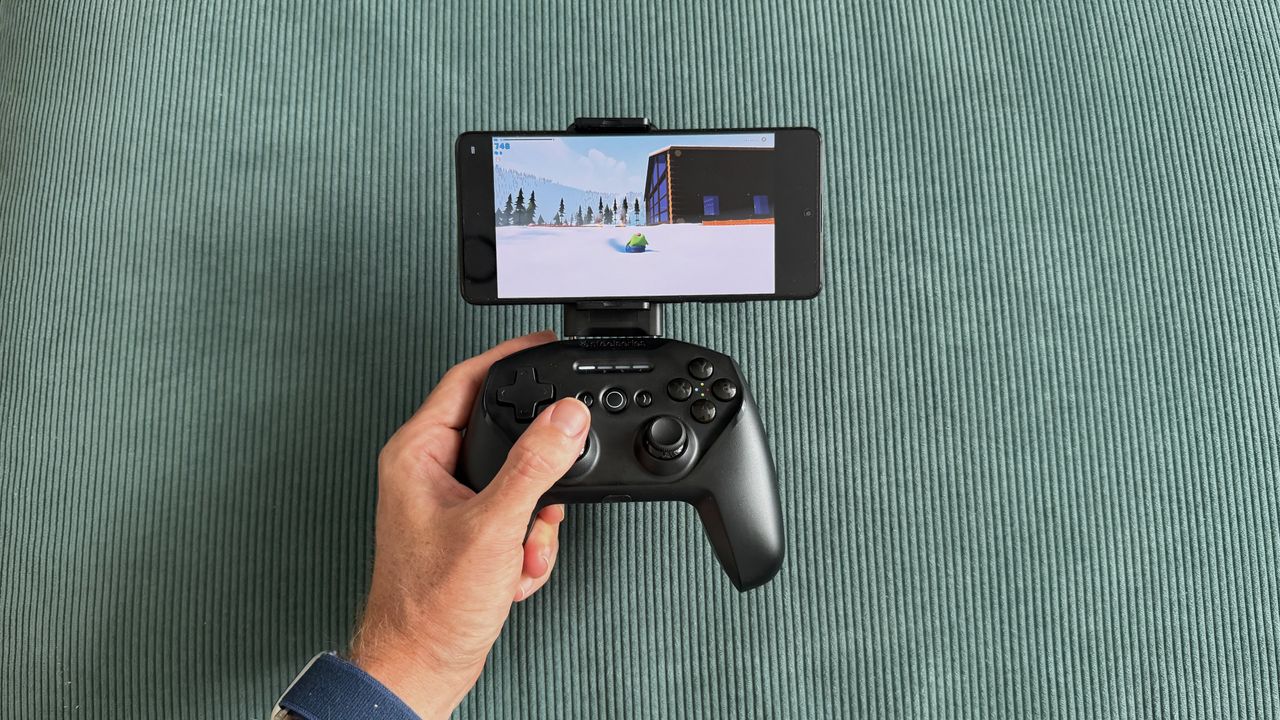
SteelSeries positions the Stratus+ as delivering a console-quality mobile experience, and in theory, it has most of the ingredients to do that. A traditional shape that blends Xbox and PlayStation design elements with a removable phone mount, Hall Effect triggers, and a claimed 90-hour battery life via Bluetooth LE. In practice, however, the phone mount that should be the controller's defining feature ends up being its biggest weakness. It’s tricky to install, and once it’s in, it wobbles, spoils the balance, and worst of all, it has a habit of turning your phone off altogether.

Once you have found the sweet spot to mount your phone, game compatibility is then a mixed bag. Fortnite on mobile is often kind on controller compatibility and worked well here, but more finicky titles like Call of Duty Mobile and Need for Speed didn't work at all. Xbox Cloud Gaming fared better, performing well enough with Forza Horizon 6, though compounding Bluetooth latency with remote gaming meant noticeable enough input lag that it forced me into pre-empting inputs rather than driving naturally.

For a mobile controller, the Stratus+ actually performs best as a wired PC controller. Plug it in via USB-C, and it's instantly recognized as an XInput device, fully mapped in Steam, and perfectly functional as a basic controller. The problem is that it's a particularly competitive market, and it does very little to stand out. You could pick up an actual Xbox Wireless Controller for not much more and get a better, more comfortable pad that still pairs to your Android phone.

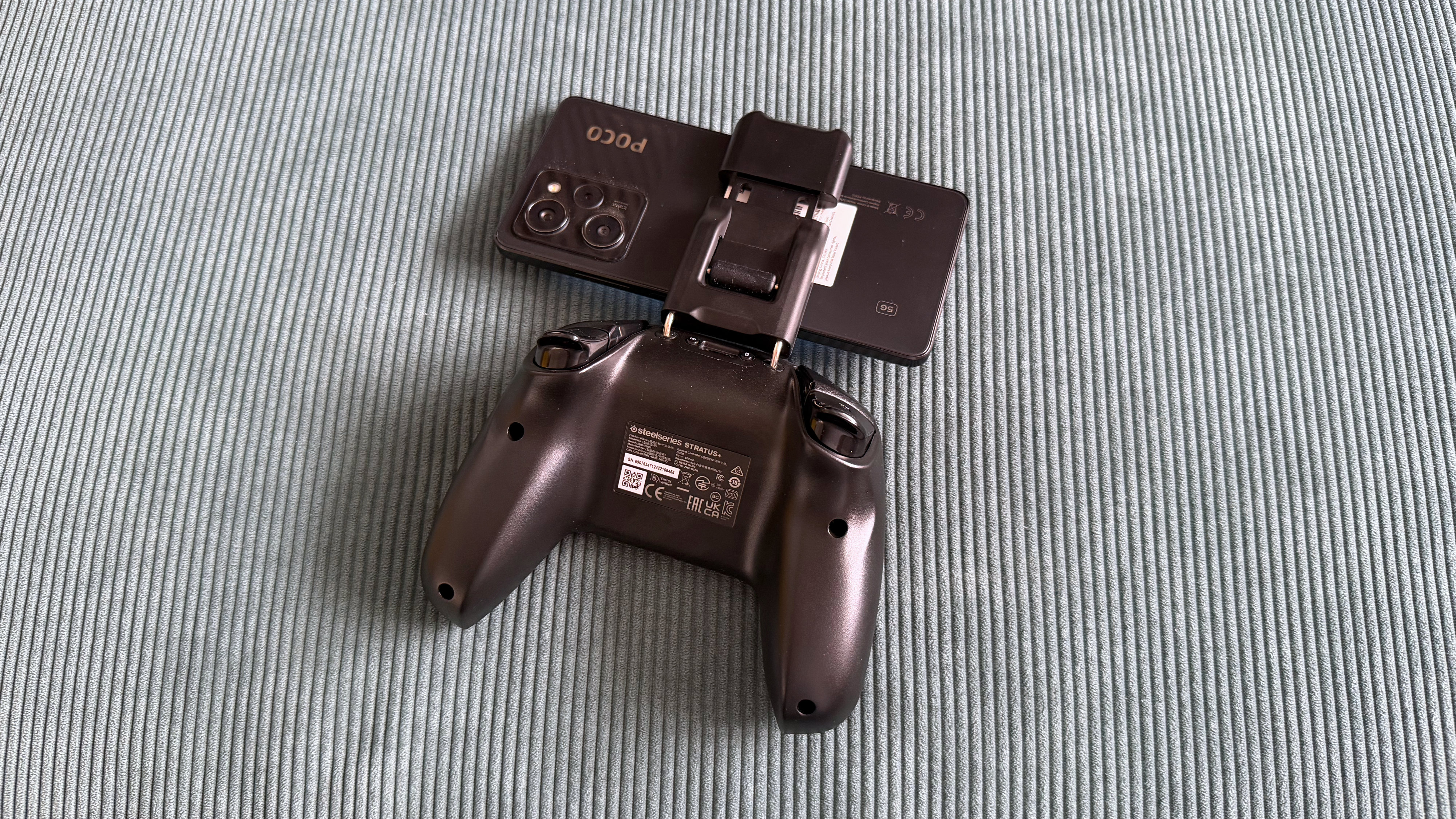
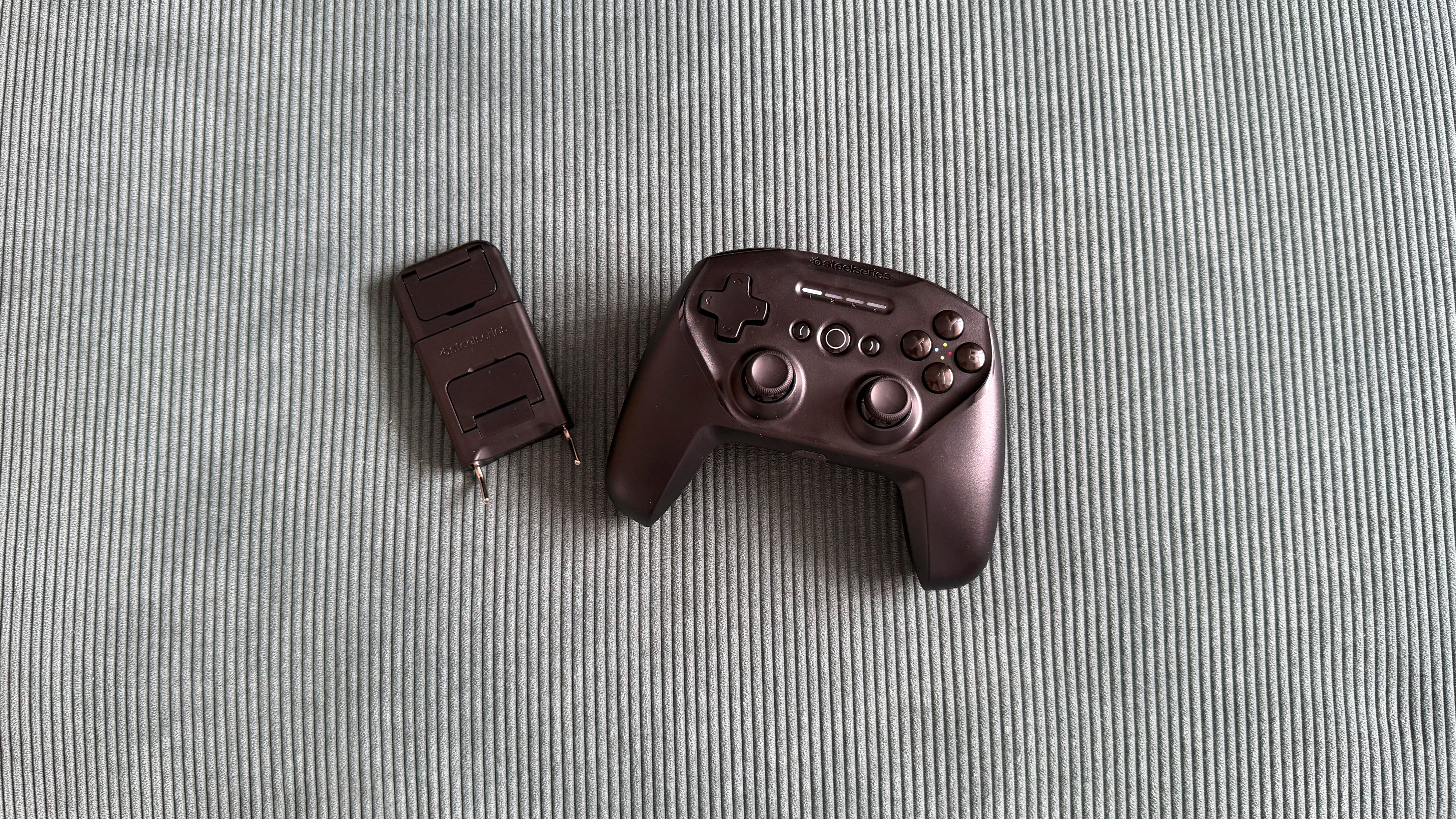
The SteelSeries Stratus+ mobile and PC controller on top of a green carpet surface

(Image credit: Future/Alex Berry)

SteelSeries Stratus+ review: Price and availability

  • List price: $59.99 / £64.99 / AU$159.99
  • Now often found as low as $25 / £25 from third parties
  • Available from SteelSeries and retailers

The SteelSeries Stratus+ has been around a little while now, first launching in May 2022 at $59.99, though fast-forward to 2026 and that list price isn’t holding up. It’s now often available much cheaper from retailers, and I saw it selling for less than half its list price while pulling together this review.

At full price, the Stratus+ is stuck trying to compete with options like the first-party Xbox Wireless Controller and sits uncomfortably close to the excellent GameSir G8 Galileo mobile grip or the GameSir G8+ Bluetooth controller, all of which offer better experiences in their own way.

At its current discounted price, however, it’s cheap enough to be worth a look as a budget PC gamepad.

SteelSeries Stratus+ review: Specs

SteelSeries Stratus+

Price

$59.99 / £64.99 / AU$159.99

Dimensions

5.9 x 4.3 x 2.5in / 150 x 110 x 63.2 mm

Weight

8.6oz / 244g

Connection

Bluetooth LE, USB-C (Windows only)

Compatibility

Android, Chromebook, PC

Software

None

SteelSeries Stratus+ review: Design and features

  • Blends elements from Xbox and PlayStation controllers into a familiar shape
  • Included phone mount isn’t really fit for purpose
  • Solid D-pad and Hall Effect triggers are the highlight

Before you start messing around with the phone mount, the SteelSeries Stratus+ looks like a perfectly generic controller. The sort of thing you’d see in a film to avoid giving brand recognition to either side of the console war. It borrows PlayStation’s symmetrical thumbstick layout and pairs it with Xbox-style ABXY buttons and a black shell. It's inoffensive, generic, and unexciting.

Holding it, though, something feels off. Despite being almost identical in width to an Xbox Series X controller and actually a touch taller, the Stratus+ somehow feels cramped. Part of that is down to the symmetrical stick placement, I’m sure, as it naturally sits lower on the body and makes the whole controller feel shorter than it physically is. I have reasonably large hands and am very used to an offset stick layout, so it never quite settled. Some of this is obviously personal preference, and if you’re coming from a DualSense Wireless Controller, I’m sure you’ll adapt quicker, though I doubt you’ll escape that sense of being on top of yourself.

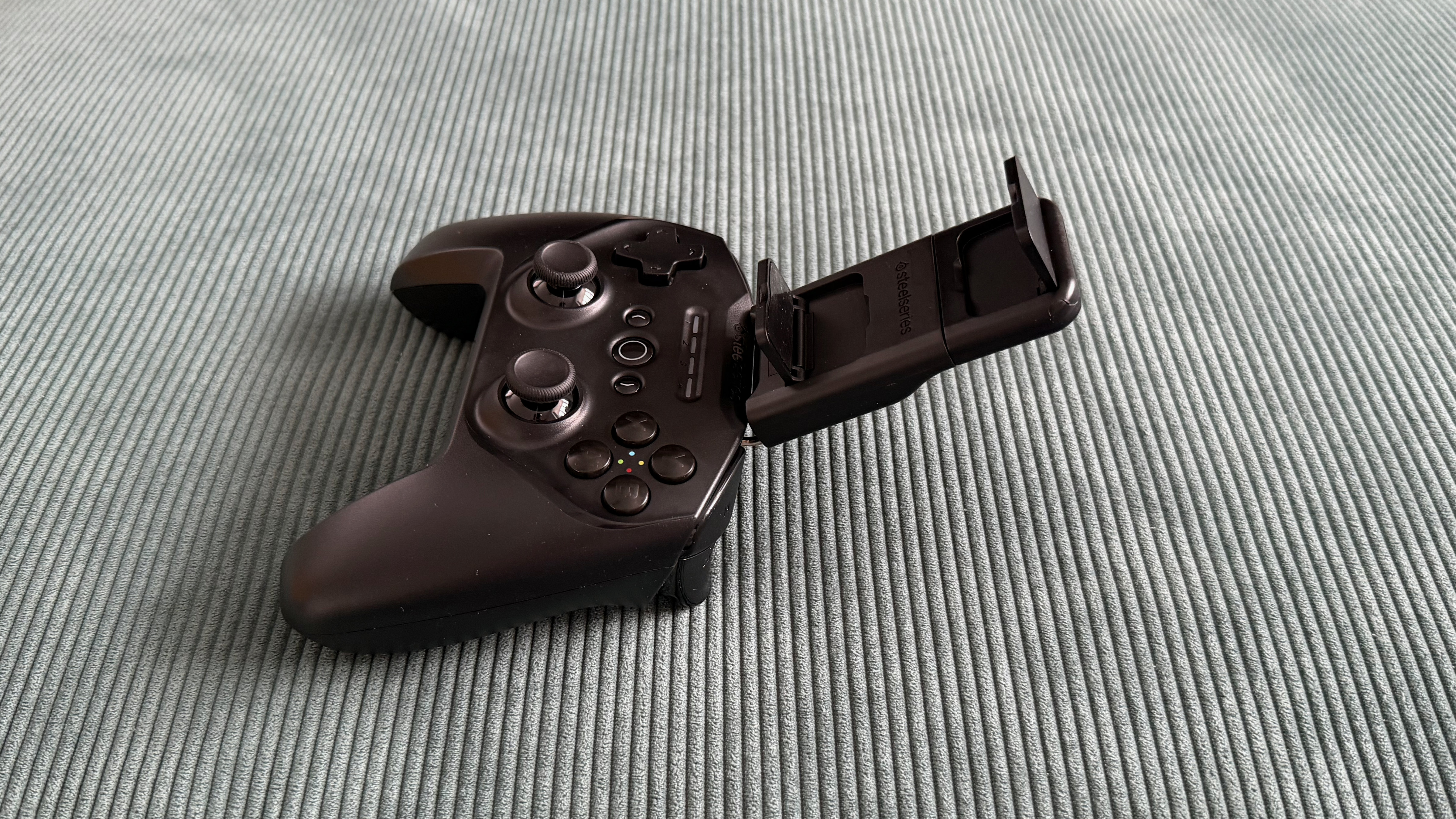
The phone mount is where things stray from the norm and, unfortunately, not particularly successfully. SteelSeries includes a detachable clip that slots into the top of the Stratus+ via two metal bars to turn this from a controller into a mobile controller. It doesn’t work well, though, and almost feels like a third-party modkit for a controller, rather than a first-party USP. It’s fiddly to install, and even with the bars fully inserted, there's noticeable wobble before you've even added a phone.

The SteelSeries Stratus+ mobile and PC controller on top of a green carpet surface

(Image credit: Future/Alex Berry)

Once you do seat a device, the controller becomes top-heavy and unbalanced, constantly wanting to tip backward when placed on a surface and feeling like it’s trying to spill forward out of your hands. The mount clamps your phone from the sides rather than end-to-end, which helps with universality, but means it's also constantly trying to press your phone's power and volume buttons. During testing with a POCO X5 Pro, I had to significantly offset the phone to the right of the cradle to avoid it turning my phone off.

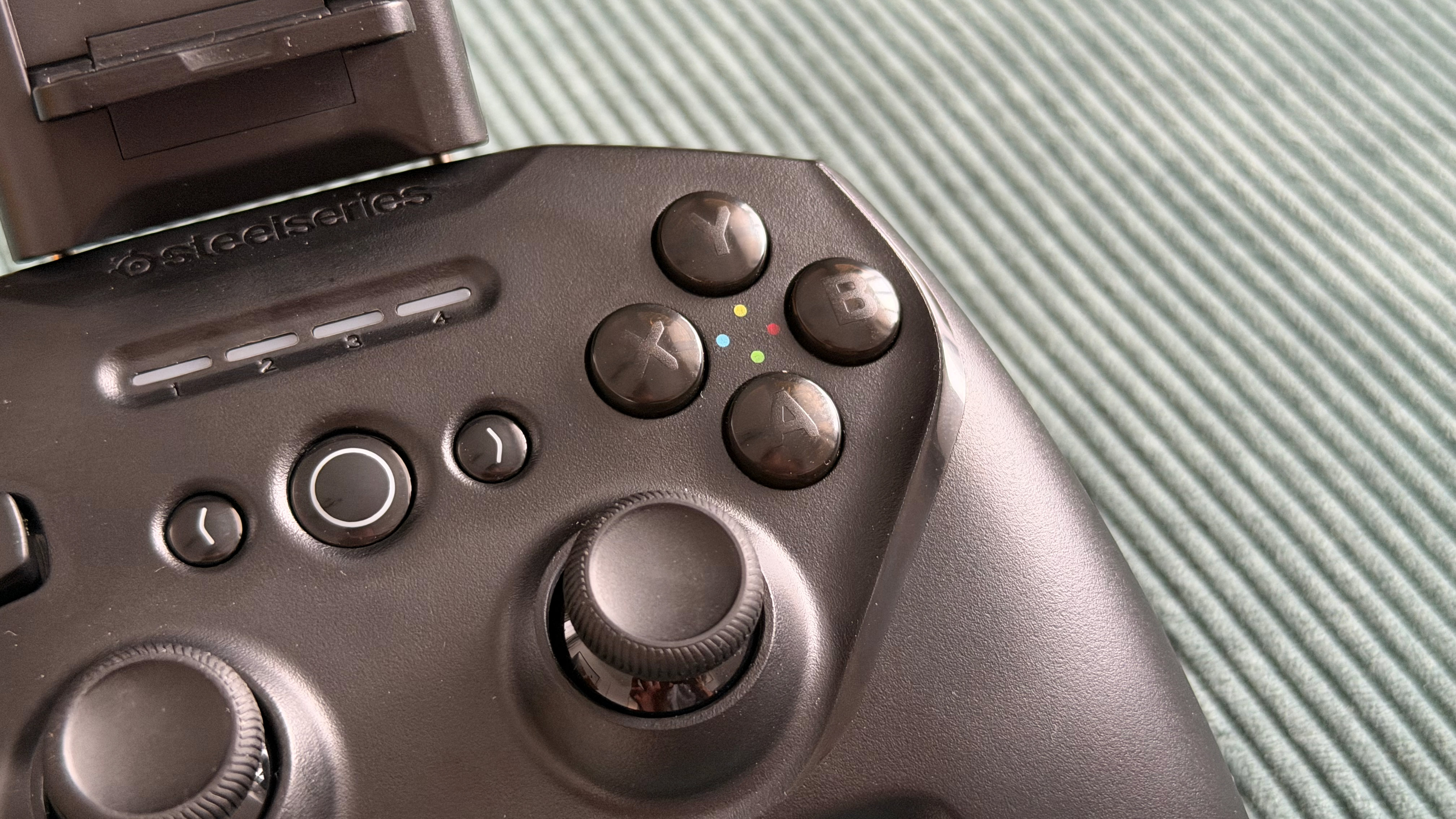
The D-pad is probably the highlight of the entire controller, not something I’ve often said, so it’s nice to see it get its moment to shine. It's firm with a satisfyingly soft press and rock solid with zero wiggle. The ABXY face buttons are generic but functional, and the bumpers are quiet, soft, and responsive.

There are Hall Effect sensors in the triggers with a mid-length travel and linear mapping, though there’s no hair trigger mode and no companion app to set dead zones. The ALPS thumbsticks offer fairly high resistance and felt fine during testing with no drift out of the box, though it's worth noting that these sticks don't carry the same drift-resistance guarantees as Hall Effect alternatives.

The SteelSeries Stratus+ mobile and PC controller on top of a green carpet surface

(Image credit: Future/Alex Berry)

SteelSeries Stratus+ review: Performance

  • Bluetooth latency is noticeable at times
  • Mobile game compatibility is inconsistent
  • Wired PC performance is where it’s at its best

The SteelSeries Stratus+ is trying to be two controllers in one, and in testing, the experience was certainly a tale of two halves.

Connected to my Windows gaming PC via USB-C, the Stratus+ was instantly recognized as an XInput controller and fully mapped as a generic gamepad in Steam. You’d think that’d be the bare minimum experience, but it’s actually refreshing to see it just work, as that isn’t always the case, I’ve found.

I jumped across a few titles in both Steam and Xbox Cloud Gaming, and there's nothing here that would give you reason to reach for a different controller. It’s perfectly fine but equally, there’s nothing worth shouting about, or that would make you recommend this one specifically. It looks like a generic game controller, and it plays like one, but most importantly these days it’s priced like one too, so that’s not a bad thing.

Sticking that weird phone mount into the top and heading to mobile, the experience is considerably less convincing. The SteelSeries Stratus+ connected to my POCO X5 Pro without issue, but game support is a guessing game. Fortnite recognized the controller and played well overall, but displayed PlayStation button prompts on screen despite the Stratus+ using an ABXY layout.

The firm resistance of the sticks offered me plenty of fine control, and any input lag was small enough to be below my skill cap. Call of Duty Mobile and NFS No Limits simply didn't work at all, with no controller recognition and no hardware mapping workaround available.

Again, this isn’t a SteelSeries-specific issue, but competitors like GameSir have built compatibility solutions via their companion apps, so while those games don’t have great native controller support, it’s possible with a little effort by brands.

The SteelSeries Stratus+ mobile and PC controller on top of a green carpet surface

(Image credit: Future/Alex Berry)

Xbox Cloud Gaming fared better, recognizing the controller natively and without any button mapping issues. Forza Horizon 6 played OK, but this is where the Bluetooth latency became most apparent when stacked on top of the small amount of remote gaming input lag. Racing games demand reactive inputs and a feeling of being connected to your car, and with the Stratus+, there was enough delay to force me into adapting my play style.

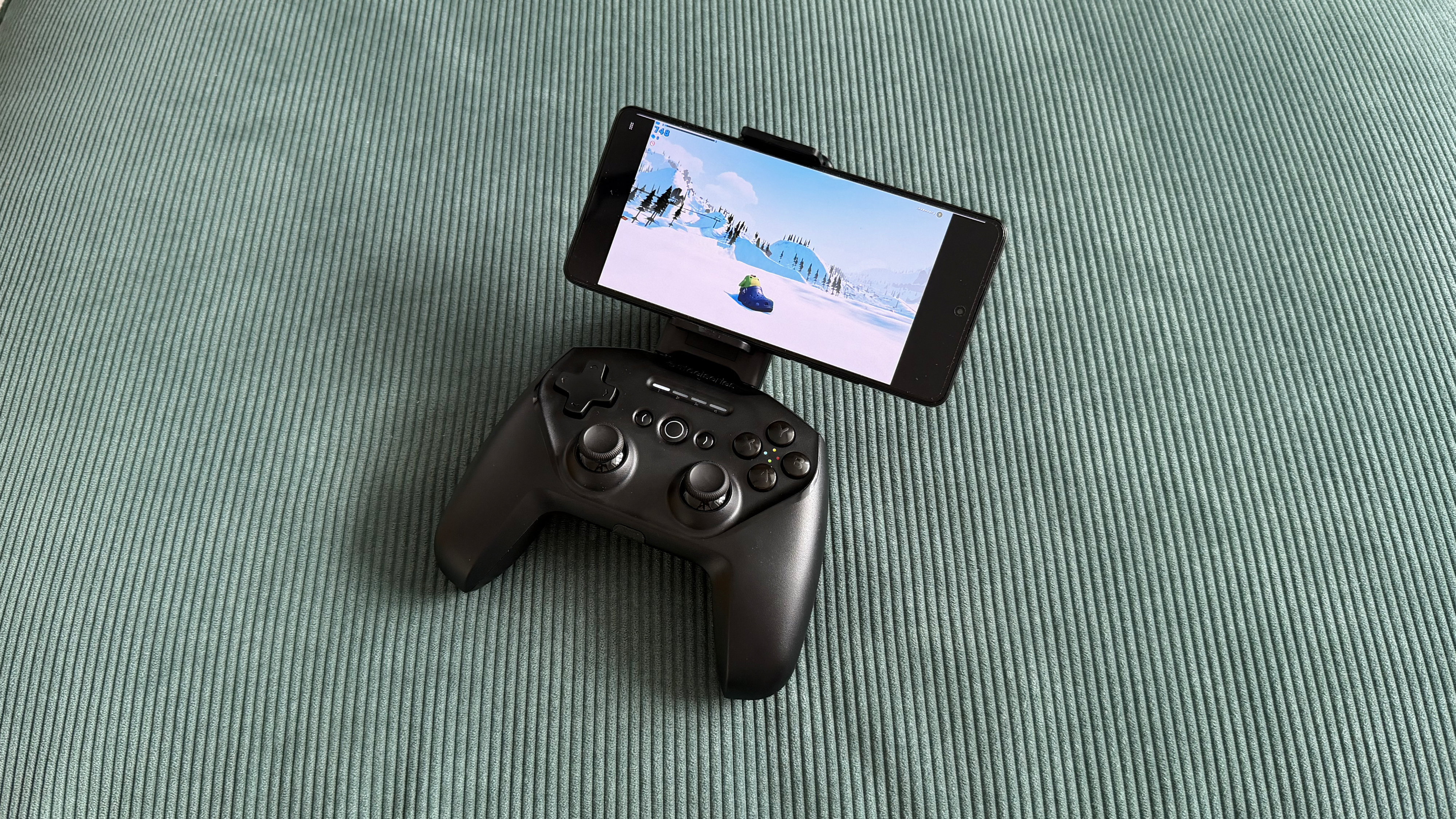
Rather than reacting naturally to what was happening on screen as I would normally, I found myself having to preempt my next movement while still executing the last one, building in a mental delay to compensate. It's not catastrophic, and it's less noticeable in games that don't demand constant precision, like the charming Sledding Game or Stardew Valley, which both played fine.

SteelSeries claims 90+ hours of battery life, and while I unfortunately couldn’t devote nearly four straight days to gaming, I can see those numbers being true enough. Despite regular use over a week of testing, the battery percentage reported by Android barely seemed to drop, and any time I was gaming on PC was passively juicing it up again anyway. Curiously, when charging, I noticed there was often quite a discrepancy between what the controller's own LED indicators showed versus what my phone reported.

At one point, I had three solid lights and one flashing during charging, suggesting it should be 75%, yet my phone's Bluetooth settings reported just 47% battery. There’s fast charging available here, so ultimately it isn’t a dealbreaker, as I doubt you’ll be plugged in often, but I’d be inclined to trust the more pessimistic software number over the lights.

The SteelSeries Stratus+ mobile and PC controller on top of a green carpet surface

(Image credit: Future/Alex Berry)

Should I buy the SteelSeries Stratus+ review?

Buy it if...

You're looking for a budget wired PC controller and nothing more
At its current street price, the Stratus+ is a functional, no-frills wired gamepad that works out of the box with Steam on Windows. If you need a cheap controller for casual gaming on a PC, it'll do the job.

You want a casual Bluetooth pad for Fortnite or cloud gaming
For supported mobile titles like Fortnite, the Stratus+ is perfectly fine. The same is true for Xbox cloud gaming, though be mindful that compound input lag can be tricky to work with for titles requiring reactive controls.

Don't buy it if...

You want a genuine mobile-first gaming controller
The phone mount is poorly designed, the Bluetooth latency is noticeable at times, and without a companion app, there are real limits to game compatibility. A telescopic controller or even a standard Xbox Wireless Controller paired via Bluetooth will give you a substantially better mobile experience.

You're paying full retail price
The Stratus+ isn’t worth its MSRP and is still not particularly compelling until you get close to the half-off mark it can often now be found at. There are simply far too many better options in the same price bracket if you’re stuck paying full price.

Also consider...

If you're looking for something else in either the dedicated mobile or PC controller space then consider these fine options.

SteelSeries Stratus+

GameSir G8+ Bluetooth

Xbox Wireless Controller

Price

$59.99 / £64.99 / AU$159.99

$79.99 / £79.99 / AU$129.99

$59.99 / £54.99

Dimensions

5.9 x 4.3 x 2.5in / 150 x 110 x 63.2mm

9.06 x 4.21 x 2.17in / 230 x 107 x 55mm

6.0 x 4.0 x 2.5in / 153 x 102 x 63mm

Weight

8.6oz / 244g

10.72oz / 314g

10.1oz / 287g

Connection

Bluetooth LE, USB-C (Windows only)

Bluetooth 5.3, Wired (USB-C), Dongle (sold separately)

Xbox Wireless, Bluetooth, Wired (USB-C)

Compatibility

Android, Chromebook, PC

Android, iOS, Nintendo Switch, PC, macOS

Xbox, Windows PC, Android, iOS

Software

None

GameSir App (Android only)

Xbox Accessories app

GameSir G8+ Bluetooth
If mobile gaming is your priority, something from the GameSir G8+ family is likely a better bet. The telescopic cradle design eliminates all the phone mount problems entirely; Hall Effect sticks and triggers offer drift resistance, and the GameSir companion app provides hardware mapping for unsupported games. It costs more, but the experience is in a different league.

For more information, check out our full GameSir G8+ Bluetooth review

Xbox Wireless Controller
You’ll need to find somewhere to prop up your phone or grab a third-party case/clip, but you can always just pair a first-party Xbox Wireless Controller to an Android phone over Bluetooth. It’ll be a more comfortable solution with more robust native game support, and it plays great on PC too.

For more information, check out our full Xbox Wireless Controller (2020) review

How I tested the SteelSeries Stratus+

  • I spent a week gaming with the Stratus+ across a POCO X5 Pro (Android) and a Windows PC
  • I tested native Android games like Fortnite and Call of Duty Mobile, Forza Horizon 6 and Sledding Game via Xbox Cloud Gaming, and Steam titles via wired USB-C
  • I paid particular attention to things like Bluetooth latency, game compatibility, and phone mount stability

I approached testing the Stratus+ independently as both a mobile controller and a PC gamepad over the course of a week, along with considering whether it successfully comes together as one hybrid unit. On Android, I tested both local titles and cloud gaming, while on PC, I tested through Steam's controller interface and games, along with Xbox Cloud Gaming, to evaluate its viability as a wired desktop pad.

I used a POCO X5 Pro in the included phone mount, paying particular attention to stability, balance, and how comfortable the overall experience was in this arrangement. I played both at home on the couch and at a desk, as well as taking the controller out and about to see how it fared on the move.

First reviewed May-July 2026

Read more about how we test

  •  

Xbox prices are increasing by up to €200 or £170

The black 1TB Xbox Series S console

When Microsoft announced its latest round of Xbox price bumps in June, it only gave US pricing. Now we know the pricing increases for the EU and UK, and they're dramatic. Depending on the model, Xbox prices are increasing by up to €200 or £170. The 1TB Xbox Series X with a disc drive is going up by over 30 percent from £499.99 / €599.99 to £669.99 / €799.99. The 512GB Xbox Series S is getting a price increase of over 43 percent, jumping from £299.99 / €349.99 to £429.99 / €499.99.

While other consoles have received price bumps as RAM and storage prices skyrocket due to demand from the AI industry, none have been quite as dramatic as Microso …

Read the full story at The Verge.

  •  

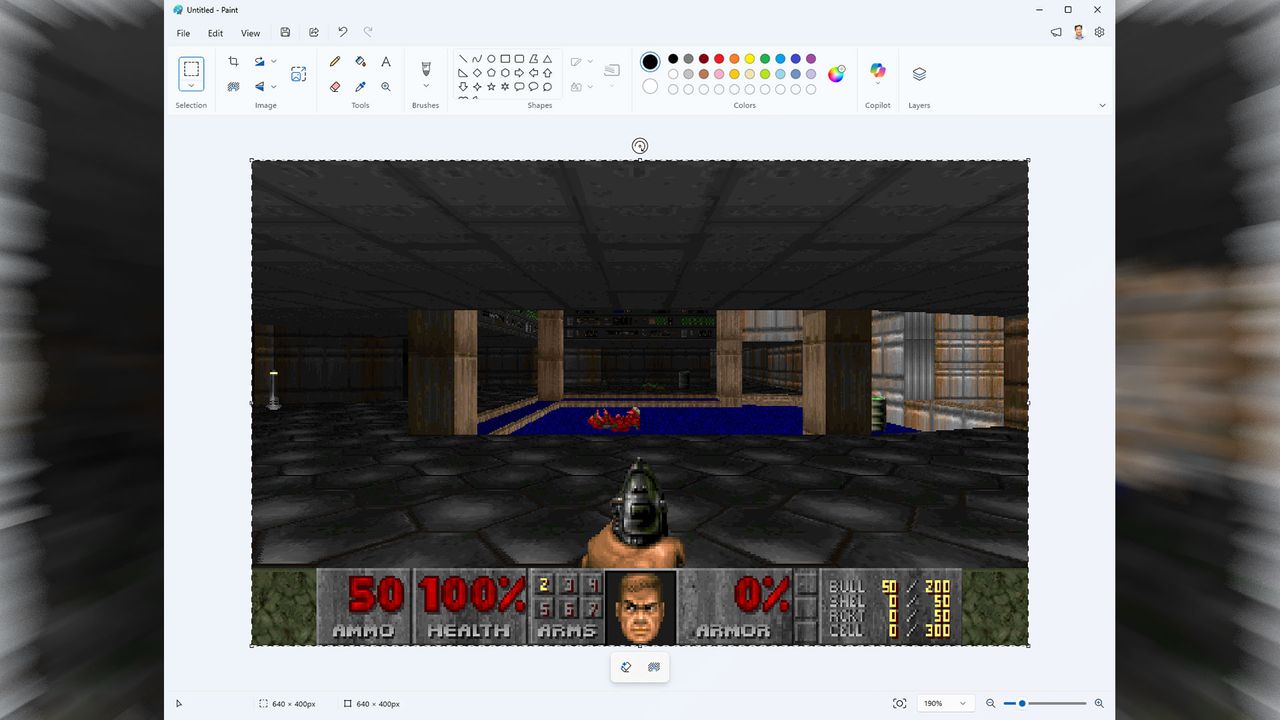
Microsoft Paint used as a 'monitor' to run Doom at up to 35 fps, project released by firm's Azure CTO — runs actual Doom engine and loads real shareware DOOM1.WAD

Another day another Doom port, but the new DoomPaint stands out from the crowd for a few reasons. Firstly, it has been developed by Mark Russinovich, the Microsoft Azure CTO. Secondly, DoomPaint runs the actual original shareware Doom release using MS Paint as the monitor or viewport for in-game action. That’s different, and it is remarkable to read that the OLE clipboard hack behind this latest Doom escapade allows the game to run at a fair pace, up to 35 FPS, but might also sometimes be “spreadsheet-tier,” according to the author.

“The actual Doom engine (ViZDoom) runs the real shareware DOOM1.WAD — with the BSD-licensed Freedoom WADs covering the episodes shareware doesn't ship — and renders headlessly,” explains Russinovich on the project GitHub page. “Every frame is placed on the Windows clipboard and pasted into Paint's canvas as a genuine document edit.” The Microsoft CTO adds that the relatively low frame rate “is part of the charm” of DoomPaint, but 35 FPS isn’t bad, if you can make it, especially in 1990s PC gaming terms.

There are files, resources and instructions on how to run DoomPaint on the GitHub site. Depending on your machine you may be able to run this version of Doom at a full 35 FPS at 320 x 200, or even 640 x 400 pixels. It even includes sound and music.

Towards the end of the README file, Russinovich says that “Paint renders the game but does not compute it. Paint computes nothing. Paint has never computed anything. That's the joke.” DoomPaint is distributed under the MIT license.

Russinovich started at Microsoft in 2006, where he’s transformed SysInternals into the backbone of Windows diagnostics. More recently he’s shaped Azure’s architecture, security, and reliability. Over the past year he has, accidentally or by design, become well known as a leading voice behind addressing the many shortcomings of Windows 11.

It's therefore kind of surprising that this busy CTO has time to fiddle with projects like DoomPaint. However, the most dedicated coding and computer enthusiasts will also code and compute in their spare time.

  •  

HP’s HyperX Omen 15 isn’t quite the budget-friendly gaming laptop its predecessor was

A HyperX Omen 15 gaming laptop on a wood table, in front of a splash of cyan colored light.
Tough sell. | Photo: Antonio G. Di Benedetto / The Verge

The HP HyperX Omen 15, which I first saw at CES, replaces the HP Victus 15, a longtime bestselling budget gaming laptop. The Victus cost just $800, or less when on sale, and was a good entry point to decent laptop gaming.

The Omen 15 has nice little upgrades over the Victus. Its RTX 5050 Laptop GPU can play 2026's latest games, albeit on low-ish settings. But it's also got a brighter 16:10 aspect ratio display with higher refresh rate, and a 1080p webcam to make it a little better for non-gaming stuff.

I'd call it a working-class gaming laptop, but thanks to RAMageddon, the Omen 15 starts at $1,200 - a far cry from the $800 that made its …

Read the full story at The Verge.

  •  

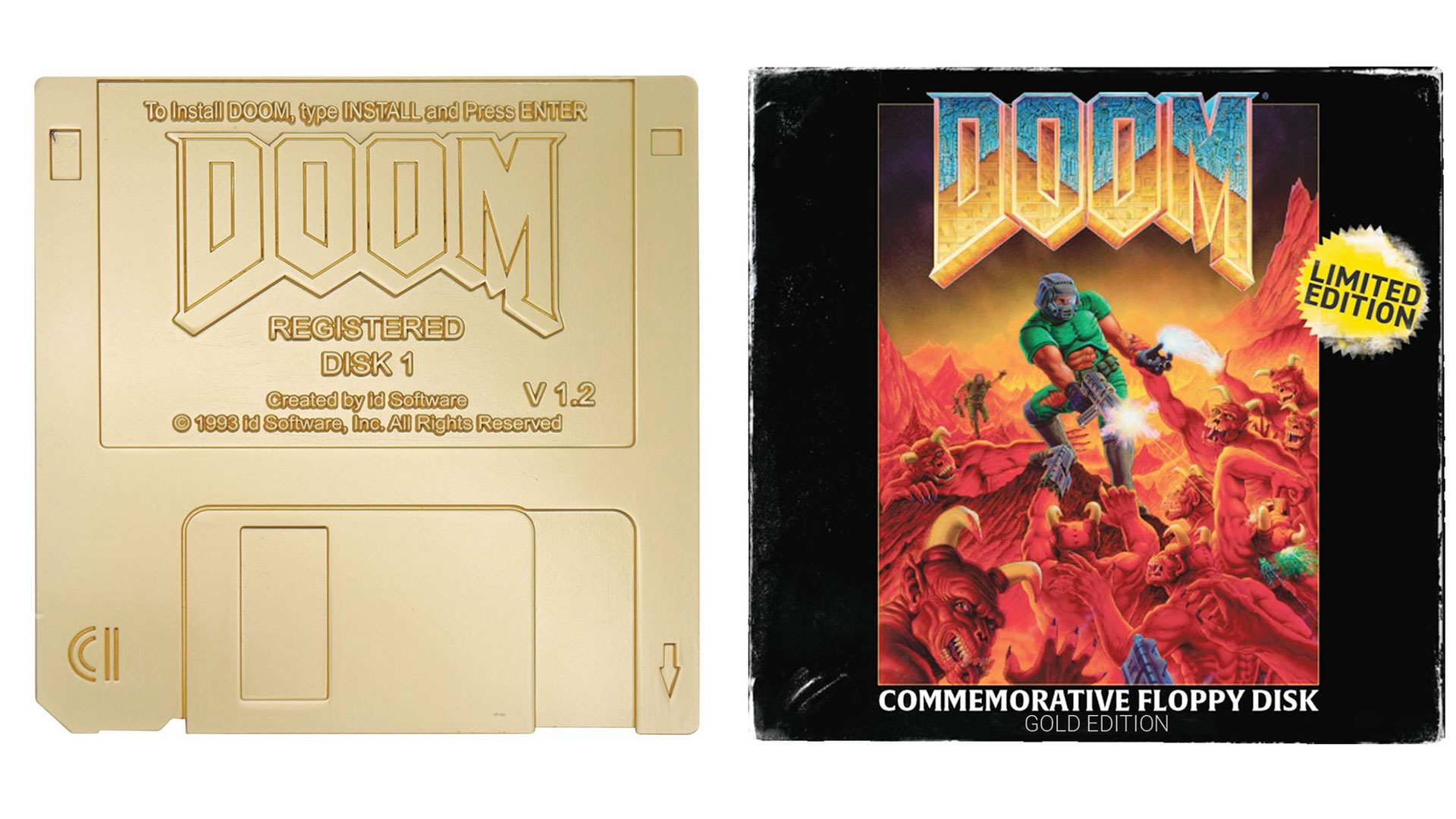
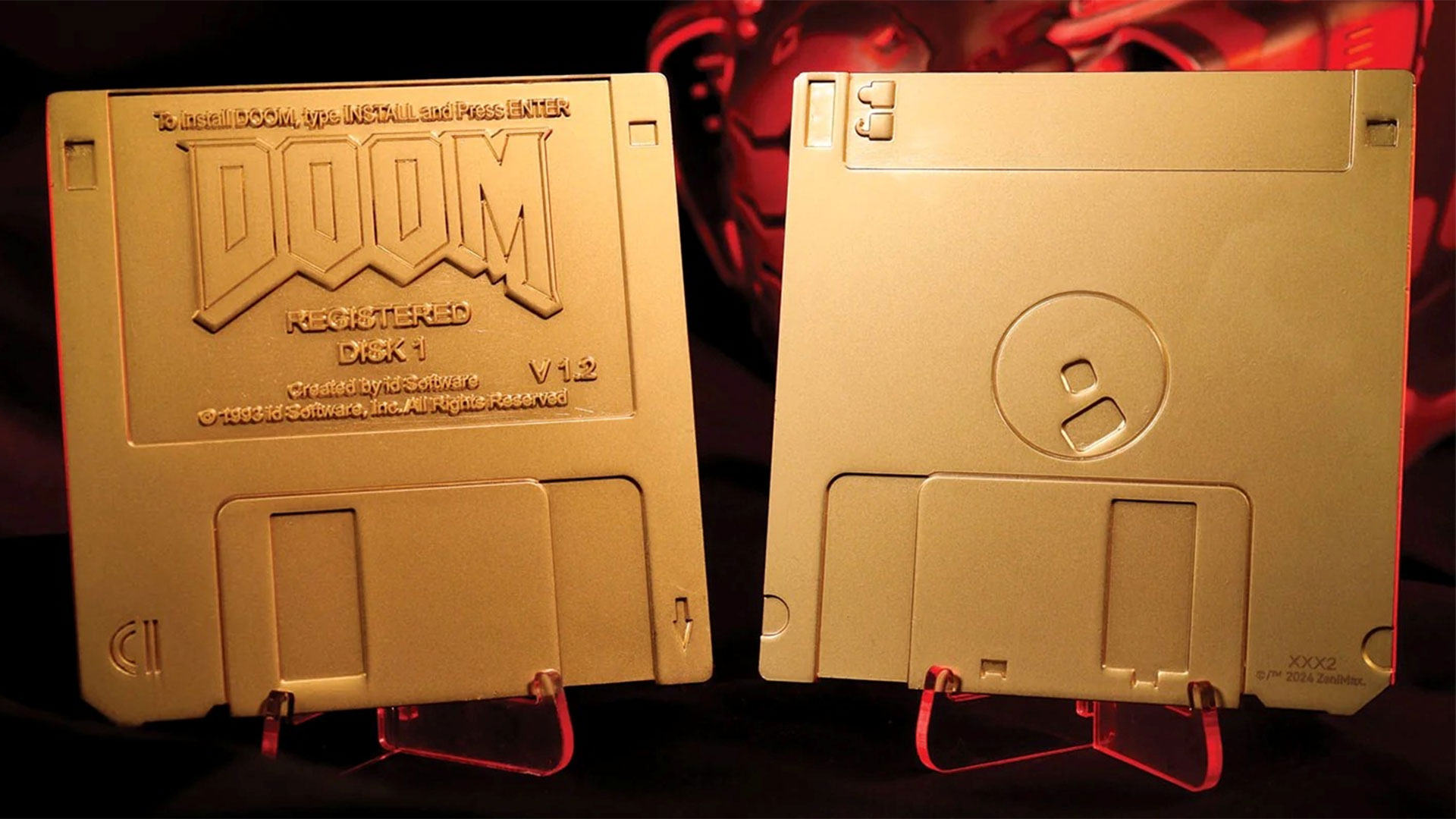
Commemorative golden Doom floppy disks go up for pre-order — pair of limited edition dummy ‘imitation gold plating’ disks and a box are $30 at GameStop

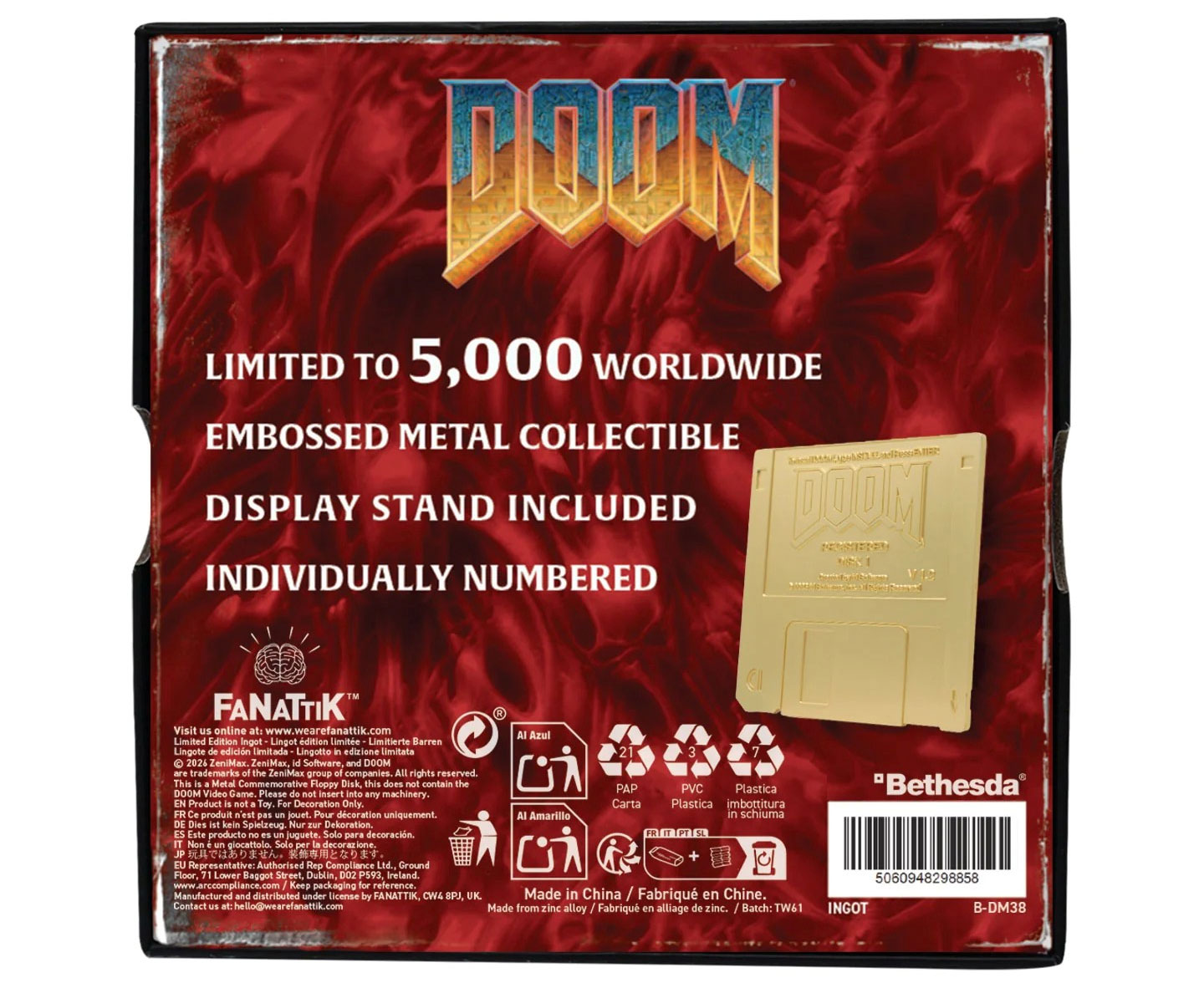
GameStop has listed a Doom Floppy Disk Limited Edition Imitation Gold Plated Replica at $29.99. Let’s unpick that for a moment. These are imitation floppy disks coated in imitation gold, delivered in a commemorative box. There’s a display stand included, too. However, these are non-functioning 'floppy disks' inspired by the Doom v1.2 shareware release and don’t contain any game data. Doom's single-level ‘Knee‑Deep in the Dead’ shareware release is still free to download, though, as it has been for many years.

Doom Floppy Disk Limited Edition Imitation Gold Plated Replica
GameStop and Fanattik
Doom Floppy Disk Limited Edition Imitation Gold Plated Replica
GameStop and Fanattik
Doom Floppy Disk Limited Edition Imitation Gold Plated Replica
GameStop and Fanattik

“What's more retro than obsolete technology?” asks Fanattik, the collectibles maker behind this useless physical media. “Celebrating the humble 3½-inch, 1.44 MB floppy disk that the game was originally released on back in 1993, this limited edition Doom Floppy Disk Replica plated with imitation gold comes in a box displaying the original game artwork, has a display stand included, and is individually numbered as one of 5,000 worldwide.” Pre-orders are now open at GameStop in the US for $29.99 or directly from Fanattik in the UK at £19.99.

The 89 x 89 mm dimensions of the golden-but-not-gold and 3.5-inch-but-not-floppies make them at least the correct size. However, if I were buying fake floppies, I think I would appreciate a movable protective sliding mechanism and the write-protect cutout toggle to move, so I could fidget with them from time to time.

Also, in some ways, it is ironic that game media is now being licensed and hawked to fans, at non-trivial prices, without any game data contained on them. This seems to be a growing trend as the games industry moves inexorably to a digital-only future. People still covet the physical media so much that they are now willing to pay for it, even without any game data or download code being associated with it.

The original Doom v1.2 shareware edition was released on two floppy disks in Feb 1994, and it is famous for adding modem support to this seminal game. If you paid and registered Doom v1.2, you would get four floppy disks from id Software containing the full three-episode campaign. The registered release disk set stayed on four floppies until the CD-ROM era.

  •  

Prolific Team Fortress 2 collector is selling his in-game case arsenal for an estimated $100,000 — 1.7 million items collected over 10 years are enough to fund a house purchase

Team Fortress 2 cases are worth pocket change. There are a few select cases that scale up to a few dollars, and even fewer with a market price in the double digits, but the vast majority of cases are worth a few pennies, no more than a Steam Trading Card. But one player, Vincent Stech, started collecting cases nearly a decade ago, racking up over 1.7 million cases across several Steam accounts. And now, he’s selling the whole collection, with an estimated value of $100,000.

Stech started collecting cases around Team Fortress 2’s last major update, in late 2017, outside of annual Halloween events that persisted through 2022. In order to accumulate so many cases, Stech largely automated the process, noting that he was careful not to upset the string-pullers at Valve as he amassed a stash of seemingly innocuous digital assets.

“That’s always been one of my biggest fears over the past decade, is one day they wake up like ‘hey, we don’t like what this guy’s doing,’” Stech told Tom's Hardware. “Because I know people with accounts with like 50,000 items that won’t load, and Valve won’t delete the items off their account, so they just can’t access Team Fortress 2 inventory ever again on their main account.”

Before understanding Stech’s process, however, we have to start with how Team Fortress 2’s in-game economy works. Like other Valve titles, you’re able to list items you earn in-game on the Steam Community Marketplace, selling them for real dollars or spending real dollars of your own to buy other items. That’s the normal way of doing things, but this in-game economy has grown beyond the bounds of Steam. A lot of transactions happen off the platform.

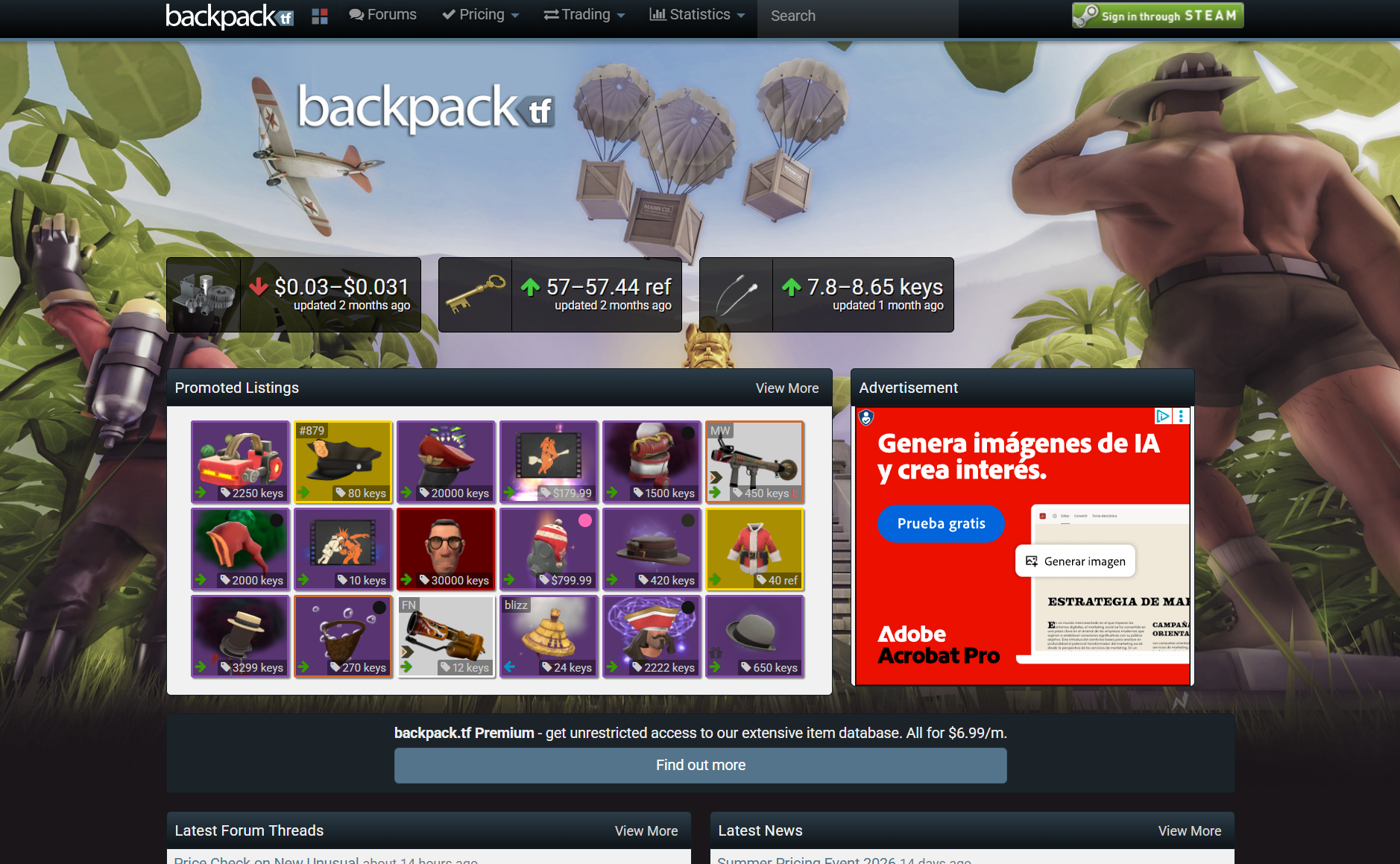
Backpack

(Image credit: Backpack)

Websites like backpack.tf and stntrading.eu take trading off of Steam, allowing you to use in-game crafting materials (along with keys) to buy and sell items. There are several reasons for these third-party marketplaces to exist, not the least of which is bot automation, which is against Steam’s Terms of Service. This exchange of in-game currency for items happens through trades on Steam, creating a separate marketplace where real money doesn’t change hands.

That’s not where Stech started. “Team Fortress 2 cases, they weren’t worth anything. They were… people were just giving them away because they take inventory spots,” Stech said. “People were deleting things, and so I decided to scoop them up.”

The problem Stech quickly ran into was inventory space. You can only have a few thousand items in your inventory (Stech told me 4,000 for Team Fortress 2, others say it’s around 2,000). Regardless of the number, it’s far too low a limit to amass nearly 2 million items, even with dozens of alternative accounts. Stech bypassed this issue by using the community marketplace. He listed the cases at very high prices where they were unlikely to sell. That’s because you can have tens of thousands of items on the market “before Steam gets really angry at you.” It effectively multiplies inventory space.

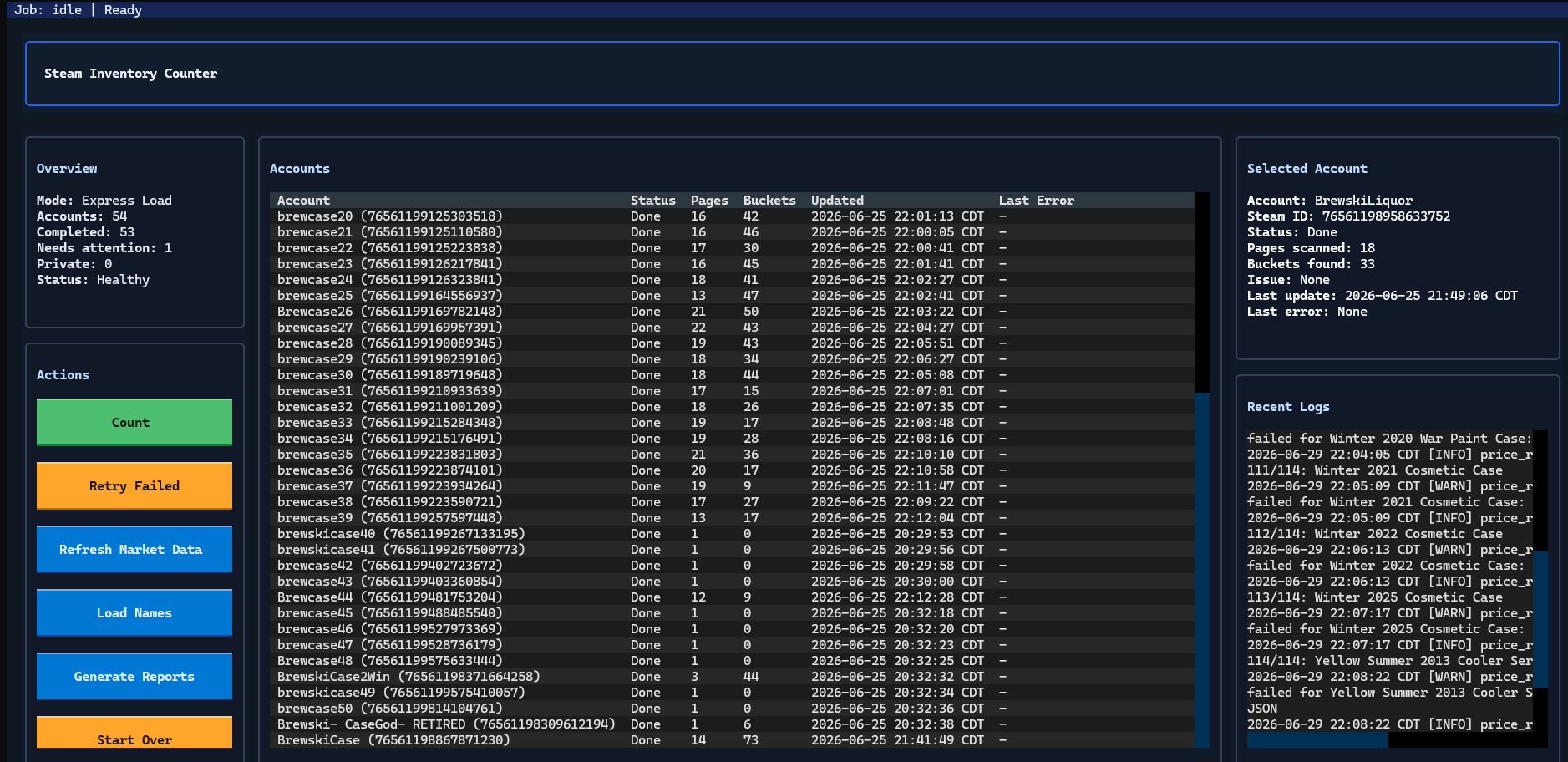
Team fortress 2 inventory

(Image credit: Vincent Stech)

As his inventory began to grow, Stech started automating the process of taking inventory and accepting trades, the latter of which was handled through a simple batch file. At first, Stech was just buying cases in bulk at relatively low prices, but the inventory escalated once he started digging into Steam’s local pricing in different regions.

“In Venezuela and, like, Russian [Rubles]... they are very weak currencies compared to the U.S. dollar,” Stech said. “What I found out is the lowest you can sell an item on Steam for us is three cents. For them, it’s a 10th of a penny. So I found this one guy in Venezuela… he would buy almost every case off the Steam Community Market for their extremely low price, and then he would sell it to me, and I would just give him, like, keys. And he was actually a doctor in Venezuela, and they don’t make much at all by comparison to, like, what $50 would be in USD. So a large majority of his income was case money.”

For context, $50 is equivalent to just over 37,000 bolívares (the official currency of Venezuela).

Stech’s first cash-out from Steam was $50 when he was around 16 years old. A few years later, he cashed out $2,500 to buy his first car. Stech stopped collecting cases about three years ago, and now, he’s looking to sell off the entire collection, which he estimates is worth around $100,000.

Selling this collection is no easy feat, however. For starters, Steam can break when trades get too large, necessitating hundreds of trades across dozens of different accounts. Further, Stech controls quite a large portion of known cases. “At one point, I calculated I had, like, 17% of all TF2 cases that are publicly known… I would have an extremely hard time selling it off because I am a large [portion] of the market. It’s like, you know, Elon Musk couldn’t dump a lot of his stock.”

Stech has, apparently, found a buyer that wants the whole collection, however, and the selling process is already underway. “The transaction has kind of started… he has admin privileges on the trade offers he sends to my accounts, so my accounts just automatically accept any trade from him,” Stech said. “An option was for him to just buy the accounts, but we know that is very bannable, so we haven’t done that.”

Stech says he expects to have the process complete around October. Just as he used case money to buy his first car, he says he plans to use the money from the sale as a down payment on a house.

  •  

As a human D&D Dungeon Master, AI will never replace me — but I wanted to see whether ChatGPT or Gemini were getting close

One of my favorite hobbies is Dungeons & Dragons. I love nothing more than sitting around a table with friends and playing out a fantastical adventure, in which the dice are the difference between success and failure.

It's a fun game, and all the more fun because real-life people make dumb, suboptimal decisions and the dice cause the game to change in unpredictable ways. But I really love it because the concept of people sitting around a table or hearth and telling stories is as old as the campfire, and it's a fun modern-day way to keep that experience alive.

You might think such a robust framework for an analog hobby (friends, a table, dice, pen and paper) might be tech-proof, but even in the Dungeons & Dragons world, AI is coming for my job as a Dungeon Master — the person who runs and guides the game world. Deep in the corpus of most popular generative AI models designed for general use are the rules to D&D 5e (and likely every other edition before it) and plenty of people report playing with their chatbots online.

Many of these players can't, or simply don't want to, get round a table with real people. For them, having a chatbot write them a story while the user prompts the continuation of the story with their character's actions, must seem like the perfect solution — even if it's more like a solo choose-your-own-adventure than a 'proper' group D&D game.

Gemini and ChatGPT both have a strong grasp of the rules for D&D's popular 5th Edition; they are certainly strong enough to make them an accessible choice for a player without a group. Maybe one day, the fire will die, and instead of sitting around a table with friends, we'll all be sitting at separate desks playing our own separate D&D adventures with our AI companions.

I wanted to test whether this dark future would be an adequate replacement for my usual game night, and which chatbot will be the best one to choose if so. I fired up Gemini 3.6 Flash and ChatGPT 5.5, and asked them for the same game.

The parameters

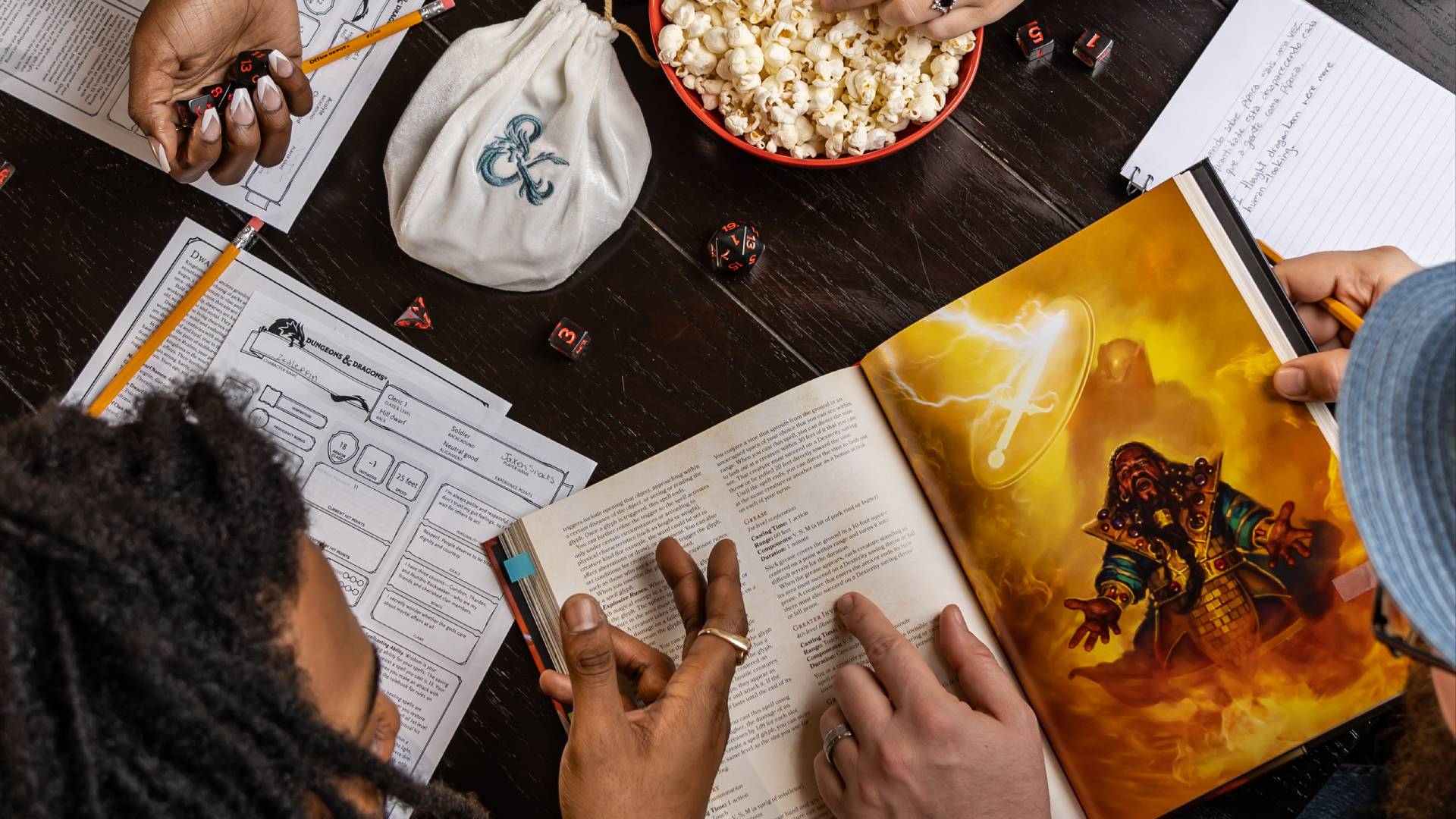
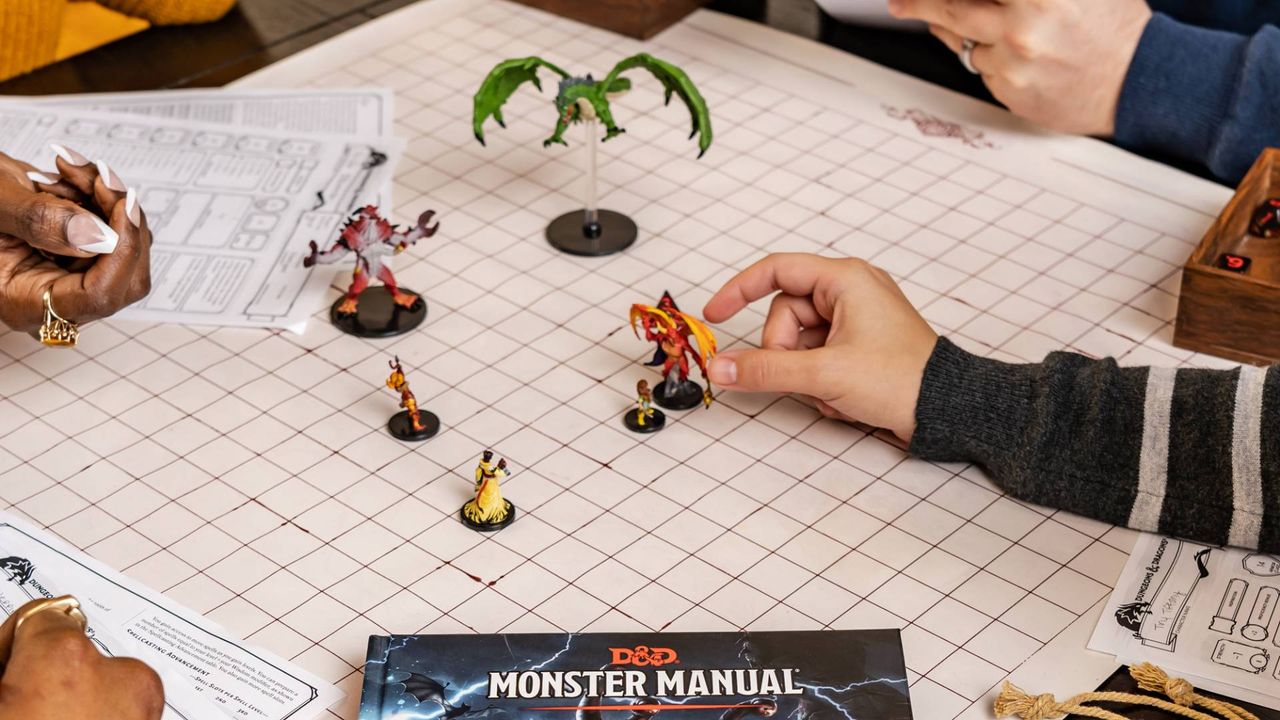
Dungeons and Dragons book and players

(Image credit: Wizards of the Coast)

I gave both chatbots the same prompt: "Can you be my D&D 5e DM?" and following up with another message:

"Let's do a classic high fantasy dungeon crawl. Please use a strict RNG for all rolls to ensure fairness - you can roll dice for me. My character is a 10th-level conjuration wizard. See all information about him below:"

I then copy-pasted a character sheet of a 10th-level wizard — a powerful spellcaster with a variety of magical abilities at his disposal. It's easy to DM a game for a level 1 thief — I wanted to see how the AIs could handle a character who could do fantastical things, such as teleport and summon creatures to fight for him.

Interestingly, both Gemini and ChatGPT created a similar adventure, at least at first: an abandoned dwarven stronghold bristling with magical traps, ready to be explored. However, that's where the similarities ended.

Gemini 3.6 Flash

The Google Gemini logo is seen displayed on a smartphone screen.

(Image credit: Getty Images / SOPA Images)

Gemini's adventure was what any D&D player could expect from the "classic high-fantasy dungeon crawl." I avoided a pressure-plate trap that would have shot darts at me, and in one memorable sequence, defeated a bunch of skeletons by casting a Grease spell on a stone staircase and freezing them in place with my Ray of Frost cantrip while they slipped and stumbled at the bottom of the steps.

Gemini was offering me suggested actions, and I did find myself choosing a few of those suggestions — but as time wore on, this began to feel lazy, like my brain wasn't firing in the same way it did when I played with my friends. I was skim-reading the AI's descriptions of the scene and responding with a single click. I asked it to remove suggested options and as a result, I had to think more carefully about each move, typing out requests and thinking about my actions rather than clicking on a predetermined response.

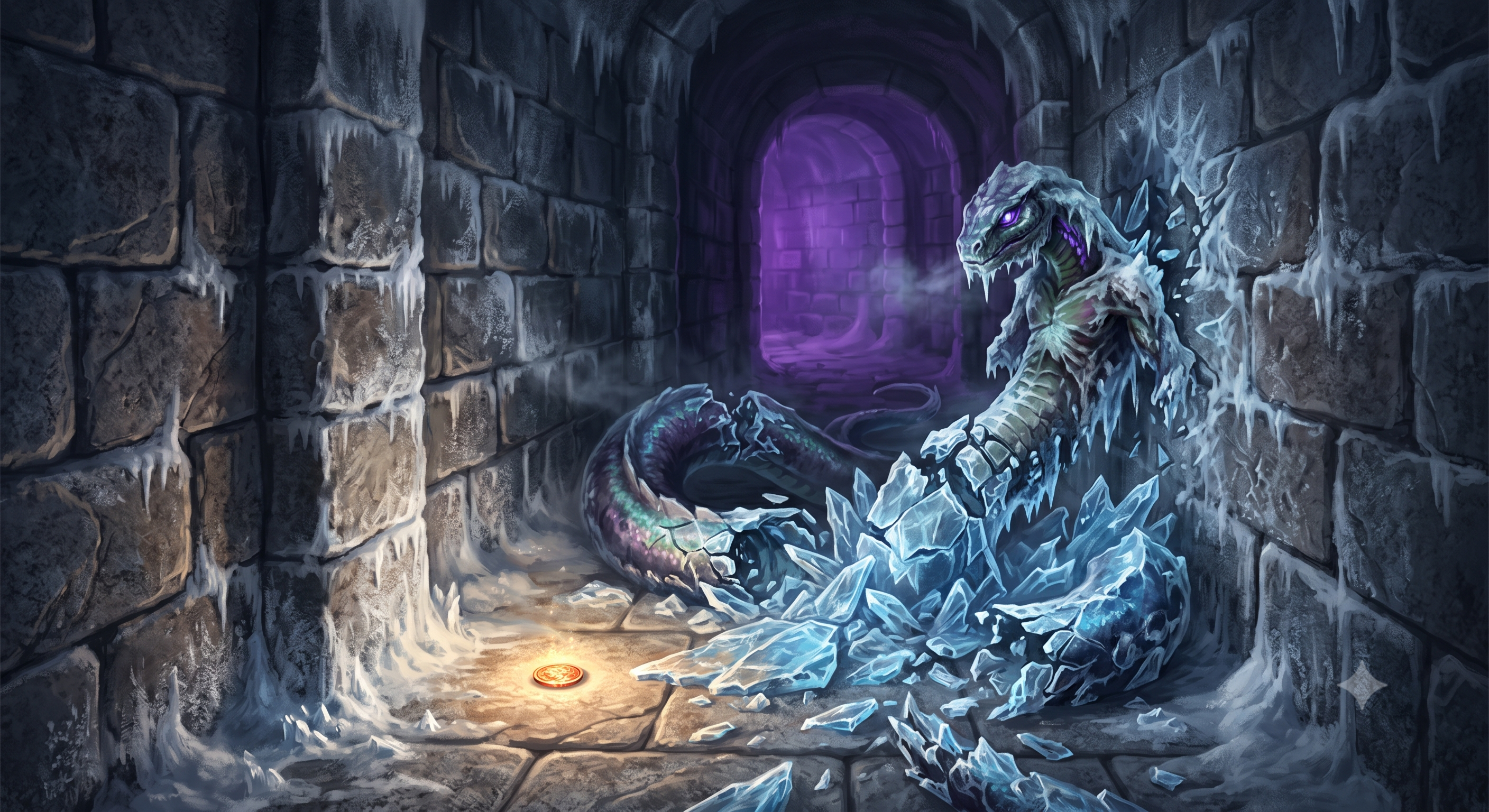
The memorable finale occurred when I unlocked a secret passage and defeated a Naga, a giant snake monster, by teleporting away and blasting it with a powerful Cone of Cold. The snake ended up frozen solid, and I checked the monster's HP against the official book, and it was accurate. When asked to generate a picture of our adventure, Gemini came up with this moment:

Picture generated from a recent Dungeons & Dragons game

(Image credit: Future, edited by Gemini)

I asked Gemini a few questions at the end, such as whether it nudged the dice in my favor, as all my rolls were successful. This happened in my previous experiment with ChatGPT. Gemini said it used a 'pseudorandom number generator', not a true RNG, but the model doesn't 'fudge dice, pad rolls, or tweak numbers behind the scenes to keep players happy or prolong the game'.

Gemini's language was natural and even evocative in places, although it's still not a patch on a good creative human. Overall, a decent enough effort at simulating a D&D game.

ChatGPT 5.5

ChatGPT app on an iPhone

(Image credit: NurPhoto / Getty Images)

Despite the similar setting, ChatGPT's adventure with the same character was very different. There was little to no combat throughout the entirety of the game, and ChatGPT didn't tell me when it was rolling 'behind the scenes', preferring to keep me in the moment.

When I asked it about the lack of rolling, the grovelling chatbot began its apologetic essay with "That is a fair critique. The short answer is: I leaned too heavily into narrative pacing and not enough into D&D mechanics. The adventure became closer to a collaborative fantasy novel than a 5e dungeon crawl", while suggesting fixes if I wanted to continue. I hadn't even said anything negative — but it certainly picked up on my tone, and the choose-your-own adventure I got was a far cry from a classic dungeon crawl.

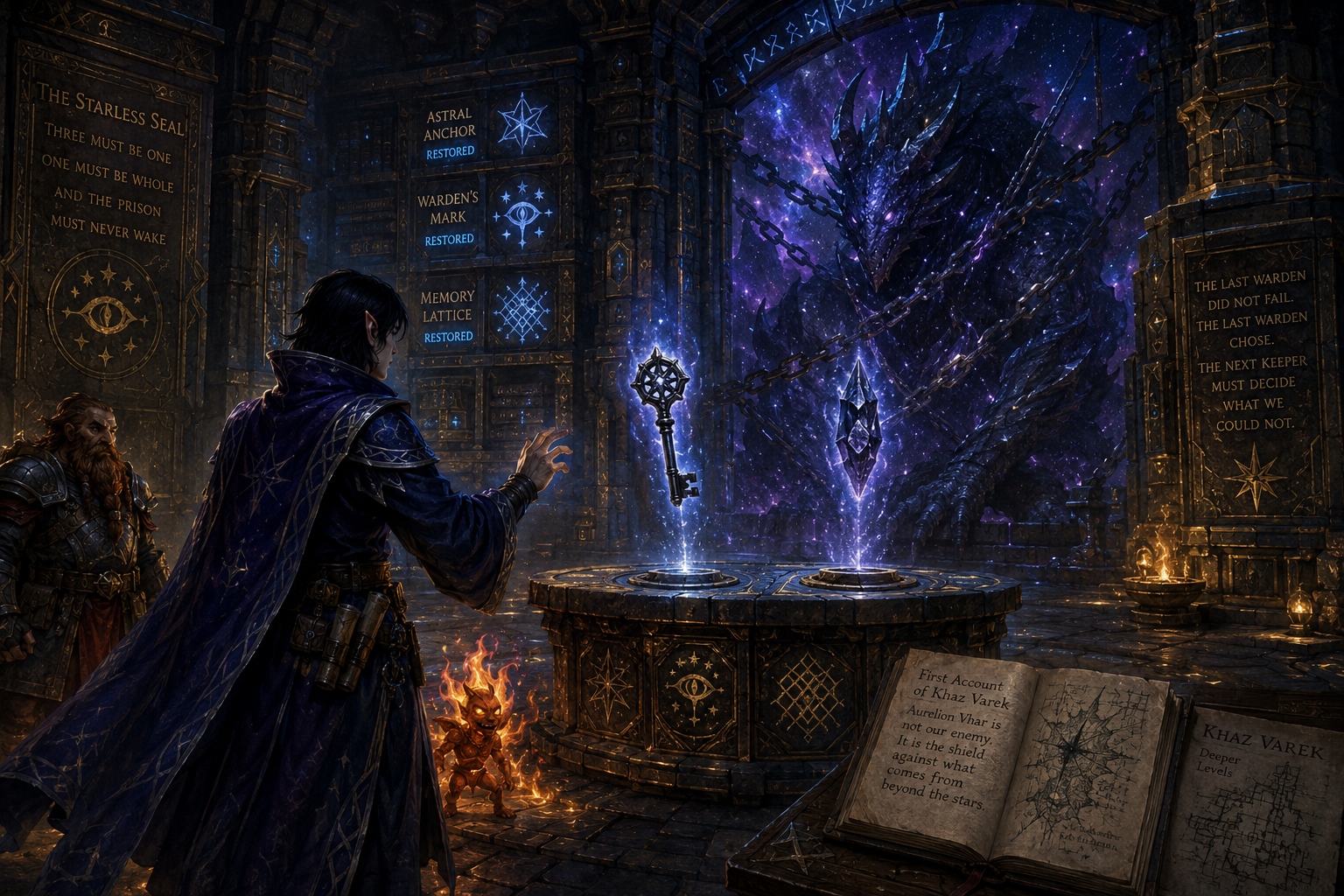
Instead of combat, ChatGPT came up with a rambling mystery about a dimensional prison beneath the mountain, a sphere suspended in a cavern. Its guardians spoke ominous (and to be honest, quite confusing) portents such as "The archive does not open for authority. It opens for judgement."

Mysteries work best when they're developed with skill by a writer who can work backwards to seed clues throughout the game or text. ChatGPT does not do this: instead, it's arranging tokens on the fly to generate a facsimile of a mystery, and although it got the trappings of the genre right, the execution fell very flat. I (or at least, my character) underwent trials to seek obsidian objects such as keys and seals to reveal more about the prison, themselves accompanied by more foreboding, sometimes nonsensical portents.

Very little 'action' was taken by my character in a classical sense: it was all about investigating the origins of the being contained in this prison, and by the time I had spent 40 minutes on this, I had seen enough. It didn't help that ChatGPT also spoke in the peculiar sentence structure pattern that AI users are likely very familiar with now: "This isn't just X. It's Y." Examples include:

"Unlike the rest of Khaz Varek, this room has remained untouched.

No dust. No decay."

Or the following, when I met one of the prison's guardians:

"Ser Kaelen immediately looks toward the sphere. 'You hear it too.'

Not a question. A confirmation."

Any user of ChatGPT (or those who look at AI-generated posts on LinkedIn or Reddit) will immediately recognise this sort of language, and know what I'm talking about. By the end, it was quite painful to have every other sentence be treated as a grand revelation. Not a statement. An omen.

When asked to generate a picture of our adventure, ChatGPT came up with this moment:

Picture generated from a recent Dungeons & Dragons game

(Image credit: Future, edited by Gemini)

The winner

Out of these two? Gemini 3.6 Flash, by a mile. It was at least a mildly enjoyable experience conveyed in natural language, and something I'd consider revisiting.

ChatGPT's efforts, on the other hand, were unenjoyable, and I wouldn't return to it. In fact, it's gotten worse since the last time I tried it.

Both, however, were a far cry from an in-person session. While they have a good grasp of the rules, and you can create your perfect world and character, the chatbots are ultimately missing the 'human and hearth' element that keep me returning to the game. For people who can't get round a table with friends, I'd pick Gemini over ChatGPT.

For those who can? While AI is busy taking as many creative jobs as it can, I feel safe in the knowledge that the role of Dungeon Master is AI-proof for a long time yet.

  •  

NYT Connections hints and answers for Sunday, August 2 (game #1148)

Looking for a different day?

A new NYT Connections puzzle appears at midnight each day for your time zone – which means that some people are always playing 'today's game' while others are playing 'yesterday's'. If you're looking for Saturday's puzzle instead then click here: NYT Connections hints and answers for Saturday, August 1 (game #1147).

Good morning! Let's play Connections, the NYT's clever word game that challenges you to group answers in various categories. It can be tough, so read on if you need Connections hints.

What should you do once you've finished? Why, play some more word games of course. I've also got daily Strands hints and answers and Quordle hints and answers articles if you need help for those too, while Marc's Wordle today page covers the original viral word game.

SPOILER WARNING: Information about NYT Connections today is below, so don't read on if you don't want to know the answers.

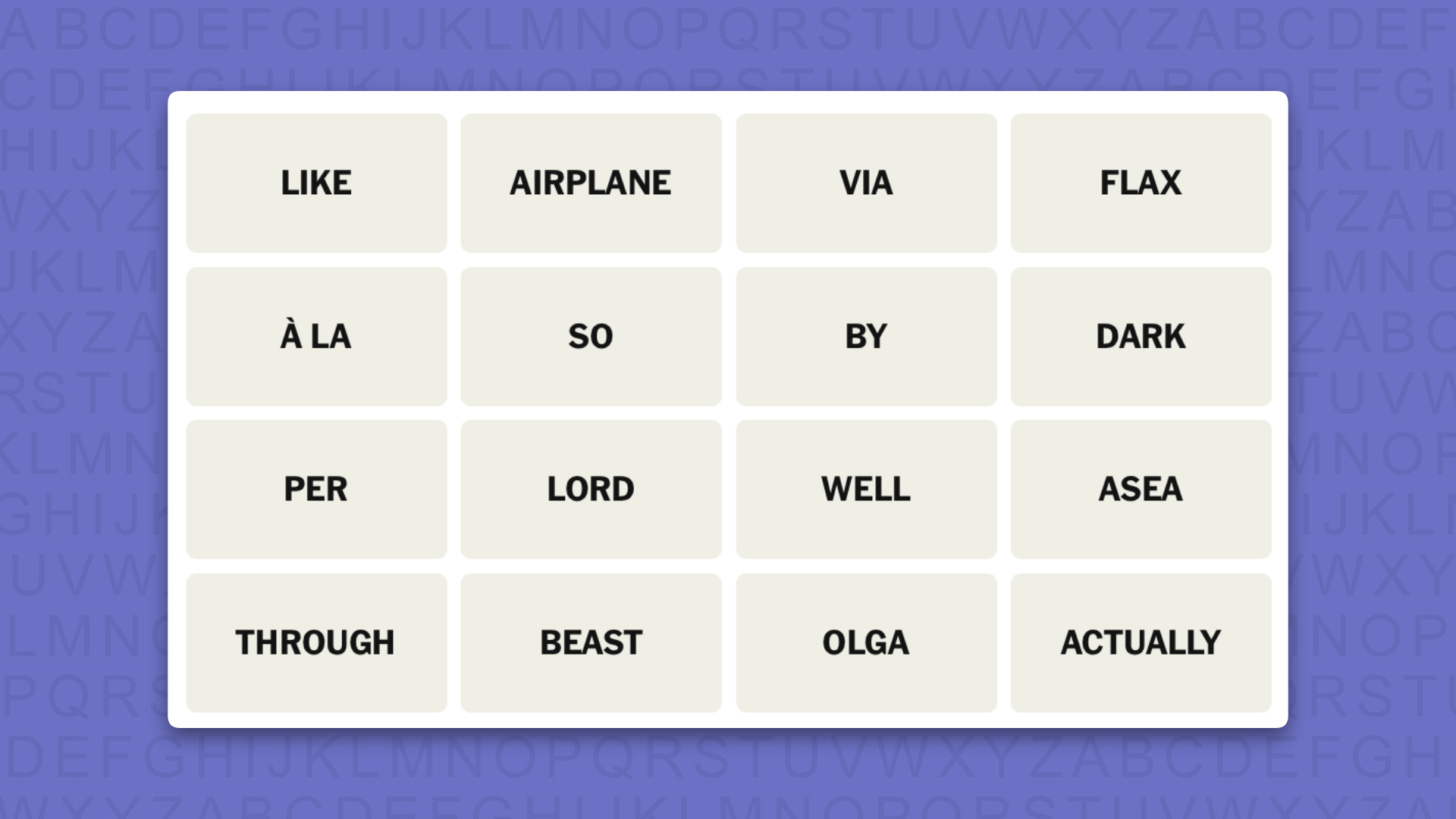
NYT Connections today (game #1148) - today's words

NYT Connections hints for game 1148 on a purple background

(Image credit: New York Times)

Today's NYT Connections words are…

  • LIKE
  • AIRPLANE
  • VIA
  • FLAX
  • À LA
  • SO
  • BY
  • DARK
  • PER
  • LORD
  • WELL
  • ASEA
  • THROUGH
  • BEAST
  • OLGA
  • ACTUALLY

NYT Connections today (game #1148) - hint #1 - group hints

What are some clues for today's NYT Connections groups?

  • YELLOW: Meaningless meaning
  • GREEN: How to get threre
  • BLUE: A type of thing different to the main thing
  • PURPLE: Abbreviations for baggage handlers

Need more clues?

We're firmly in spoiler territory now, but read on if you want to know what the four theme answers are for today's NYT Connections puzzles…

NYT Connections today (game #1148) - hint #2 - group answers

What are the answers for today's NYT Connections groups?

  • YELLOW: FILLER WORDS
  • GREEN: BY MEANS OF
  • BLUE: MODE
  • PURPLE: U.S. AIRPORT CODES PLUS STARTING LETTER

Right, the answers are below, so DO NOT SCROLL ANY FURTHER IF YOU DON'T WANT TO SEE THEM.

NYT Connections today (game #1148) - the answers

NYT Connections answers for game 1148 on a purple background

(Image credit: New York Times)

The answers to today's Connections, game #1148, are…

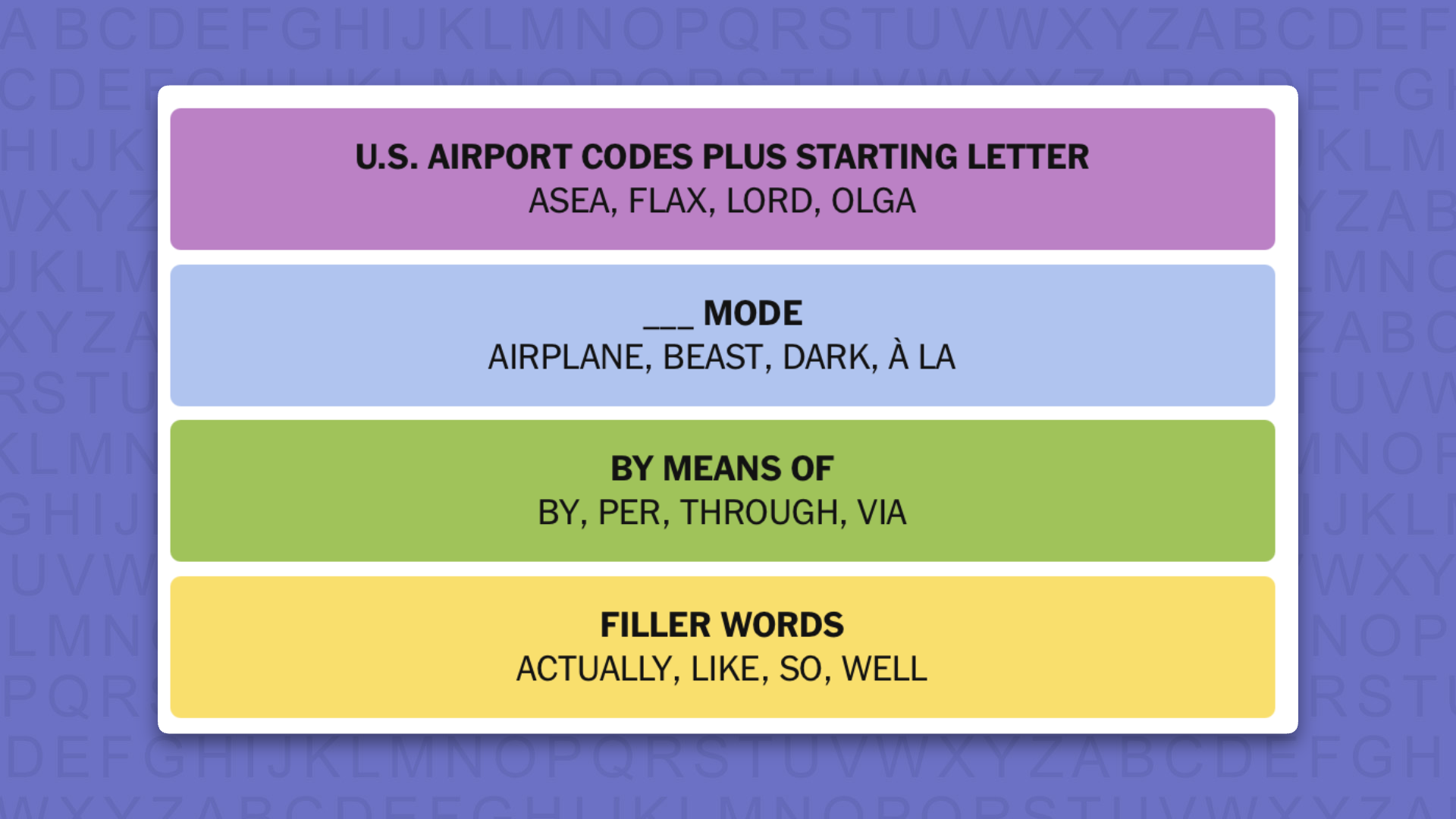
  • YELLOW: FILLER WORDS: ACTUALLY, LIKE, SO, WELL
  • GREEN: BY MEANS OF: BY, PER, THROUGH, VIA
  • BLUE: MODE: AIRPLANE, BEAST, DARK, À LA
  • PURPLE: U.S. AIRPORT CODES PLUS STARTING LETTER: ASEA, FLAX, LORD, OLGA
  • My rating: Easy
  • My score: Perfect

I love getting Connections badges and today was rewarded with a Reverse Rainbow. Incredibly, after playing the game for several years this is only the second time I’ve achieved this.

Key to my Purple First success was spotting LAX hidden in FLAX and GLA in OLGA, having travelled to both airports plenty of times. LAX feels particularly iconic thanks to its inclusion in several lyrics — “I hopped off the plane at LAX with a dream and a cardigan” from Miley Cyrus’s Party in the USA being a favorite.

Next, I got MODE in part because I am fairly certain we have had this category before, while I simply got lucky connecting BY MEANS ahead of the yellow group of FILLER WORDS.

Yesterday's NYT Connections answers (Saturday, August 1, 2026, game #1147)

  • YELLOW: BEDDING: COMFORTER, SHAM, SHEET, THROW
  • GREEN: OSCAR-WINNING ACTORS SINCE 2010: BALE, JORDAN, PHOENIX, WALTZ
  • BLUE: PERFORM SOME HOLE MACHINING OPERATION: S BORE, COUNTERSINK, DRILL, REAM
  • PURPLE: STARTING WITH BREAD SHAPES: BOULEVARD, BUNDLE, LOAFER, ROLLS-ROYCE

What is NYT Connections?

NYT Connections is one of several increasingly popular word games made by the New York Times. It challenges you to find groups of four items that share something in common, and each group has a different difficulty level: green is easy, yellow a little harder, blue often quite tough and purple usually very difficult.

On the plus side, you don't technically need to solve the final one, as you'll be able to answer that one by a process of elimination. What's more, you can make up to four mistakes, which gives you a little bit of breathing room.

It's a little more involved than something like Wordle, however, and there are plenty of opportunities for the game to trip you up with tricks. For instance, watch out for homophones and other word games that could disguise the answers.

It's playable for free via the NYT Games site on desktop or mobile.

  •  

The Ultimate Guide to Apple Arcade

You could be sitting on a treasure trove of fantastic iPhone, iPad, Mac, and Apple TV games and not even know it.

Apple Arcade might be one of the most underrated gaming services on the market right now, with many Apple One subscribers not even realizing that it is included in all tiers of the service. You can also subscribe to it separately and you could even be able to access a generous free trial right now if you're reading this on a shiny new Apple device.

But what exactly is Apple Arcade, how much does it cost, what kind of games can you play on it, and, perhaps most importantly, are any of them actually good? I've spent the last week really sinking my teeth into the service in order to find out and deliver this ultimate guide to everything that you need know.

From all the basic facts to a bumper list of my personal game recommendations and even a personality quiz to match you to titles that you might like, everything here is intended to help you walk away an expert in all things Apple gaming.

The ultimate guide to Apple Arcade

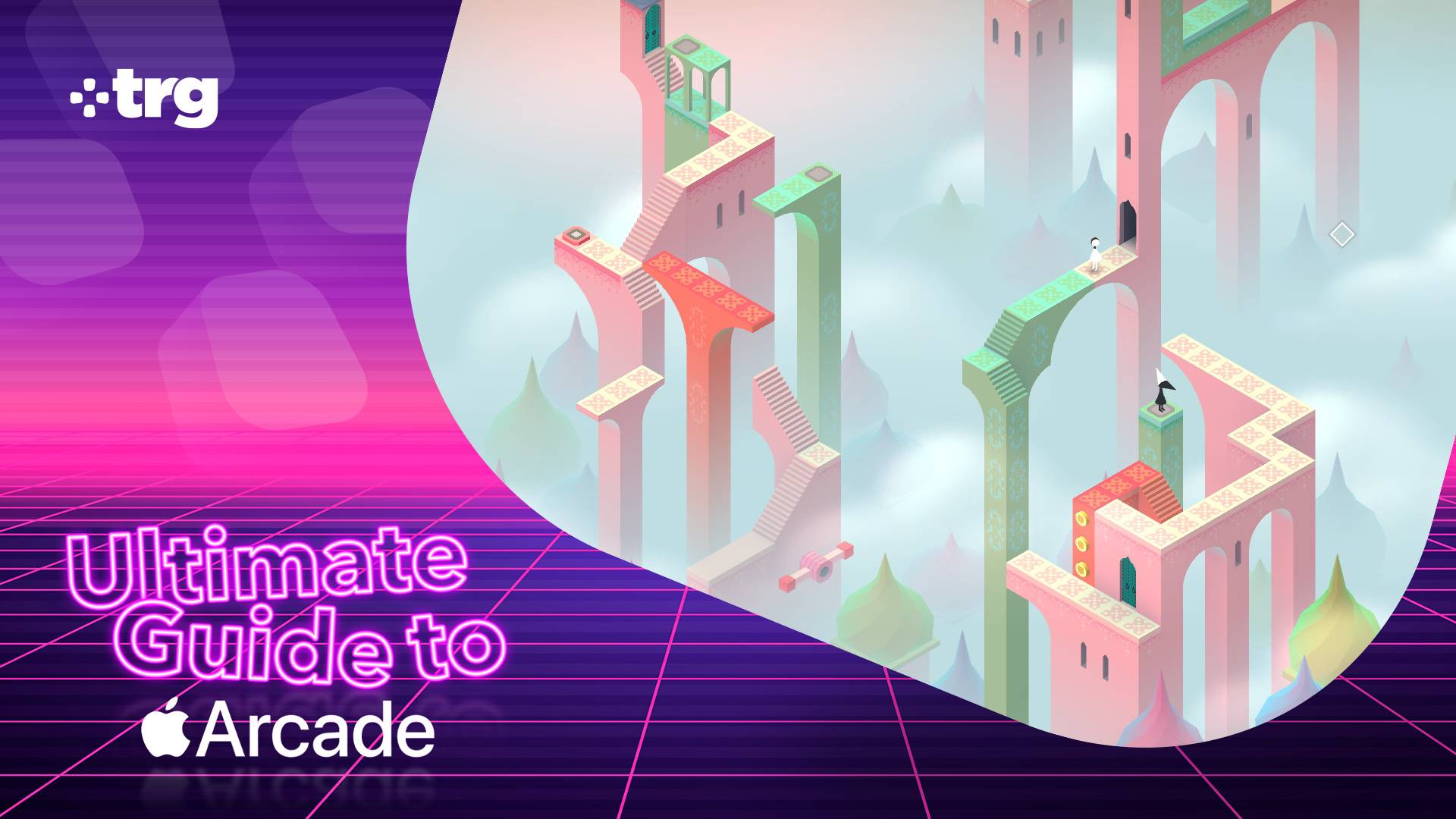
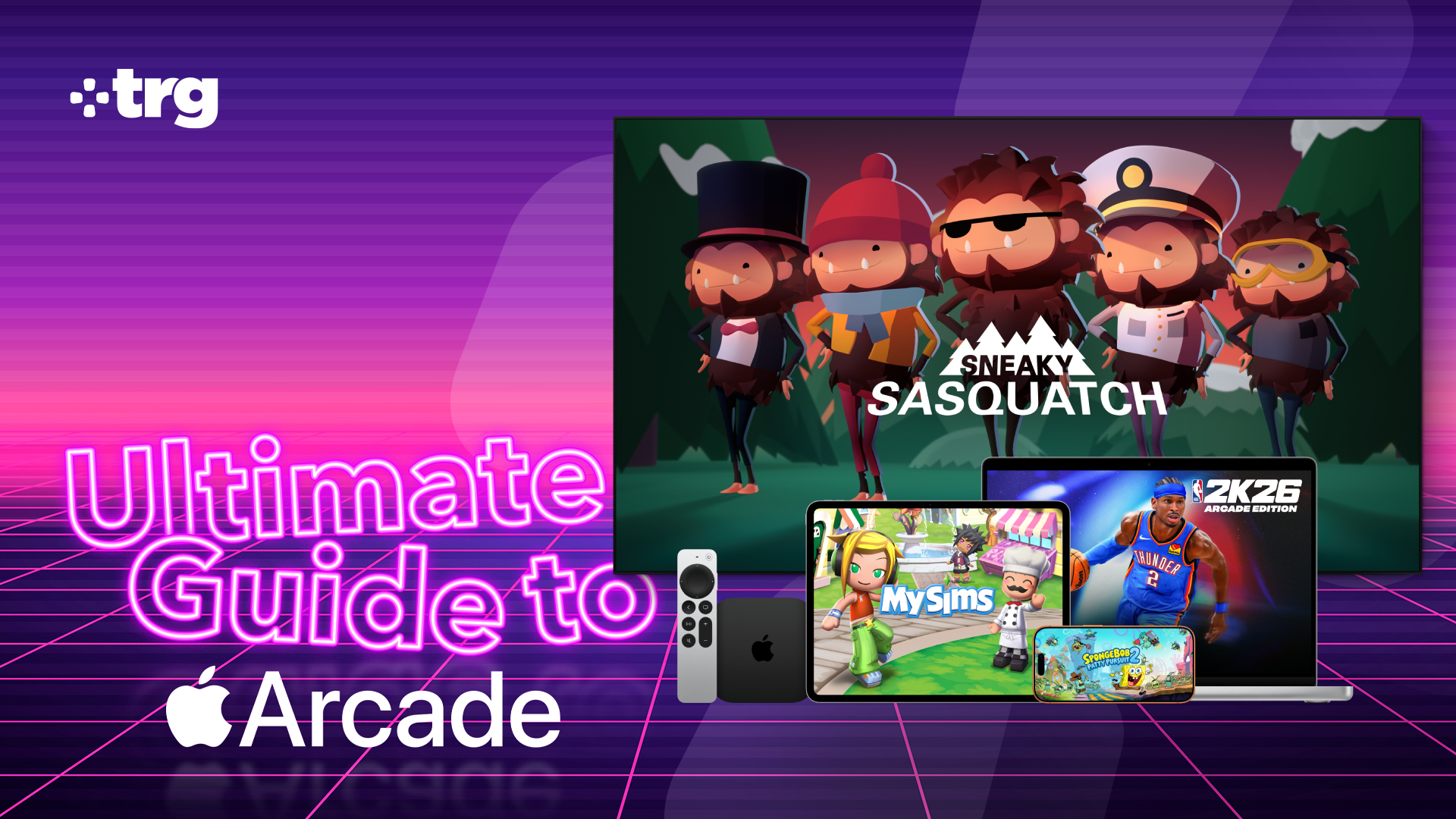
TRG Ultimate Guide to Apple Arcade branding on a screenshot of Monument Valley.

What is Apple Arcade? Everything you need to know about the gaming service

No idea where to start? This is our comprehensive breakdown of everything that you need to know about Apple Arcade from how much it costs to the kinds of games that are included.

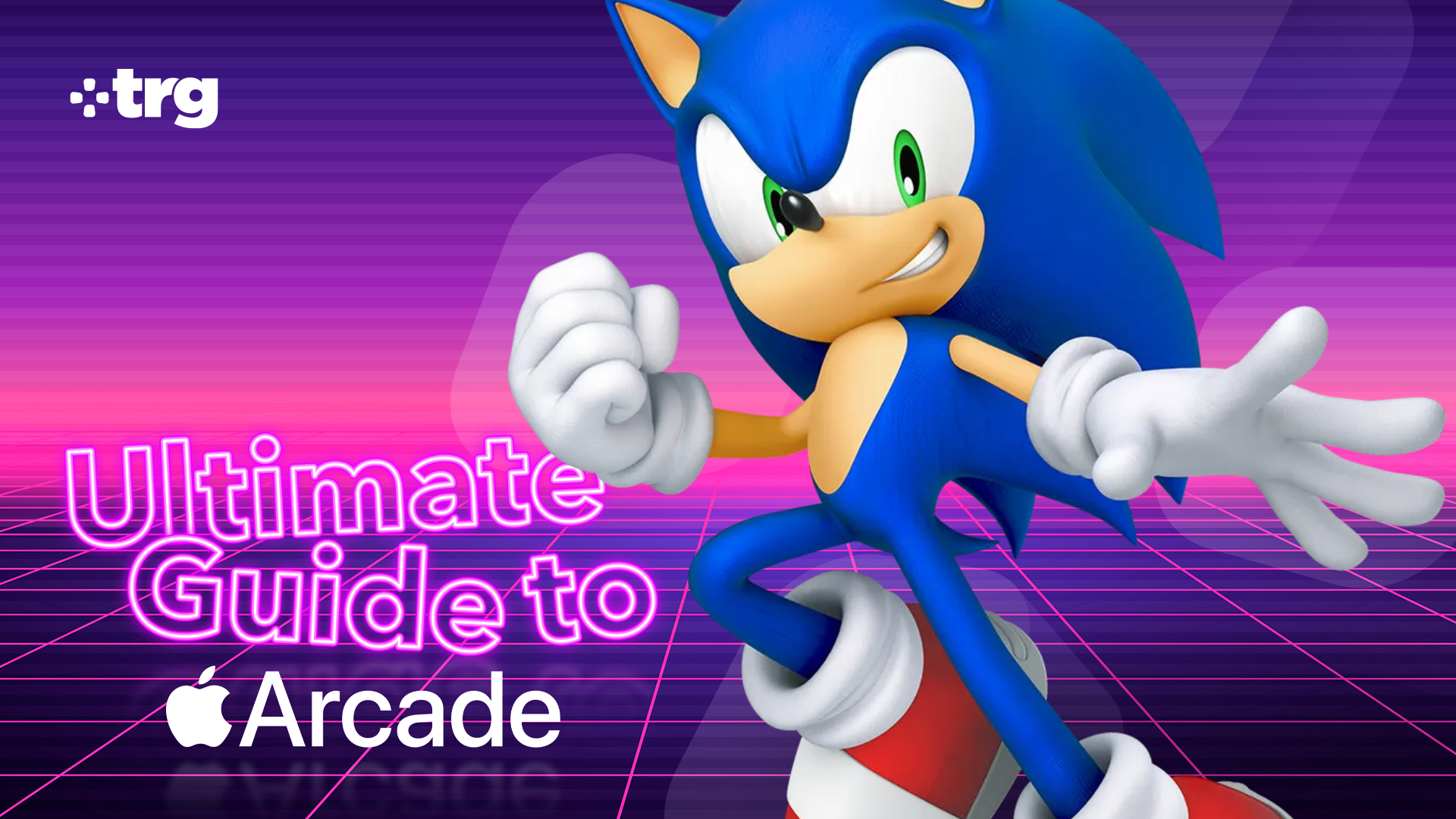
TRG Ultimate Guide to Apple Arcade branding with an image of Sonic the Hedgehog overlaid.

Apple Arcade is a joyful reminder of when mobile gaming was about fun, not emptying your wallet

The Ultimate Guide to Apple Arcade header image.

Apple Arcade review: is the mobile gaming service still worth it in 2026? Here's our definitive verdict

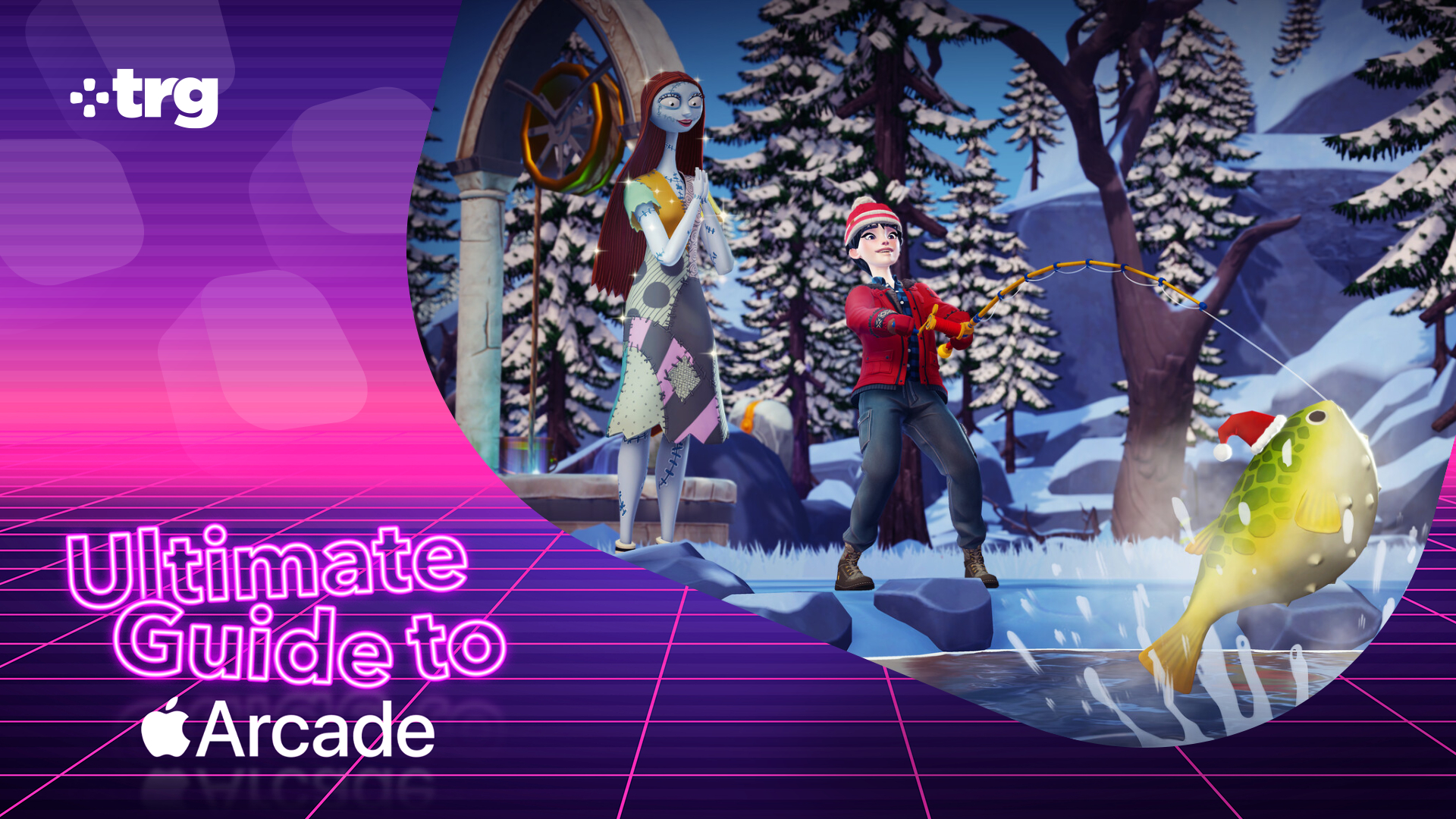
A Disney Dreamlight Valley screenshot with Ultimate Guide to Apple Arcade branding.

I've played all 279 Apple Arcade games — here are the eight best

I spent a week playing every single game available on Apple Arcade to bring you this definitive list of the ones worth checking out first.

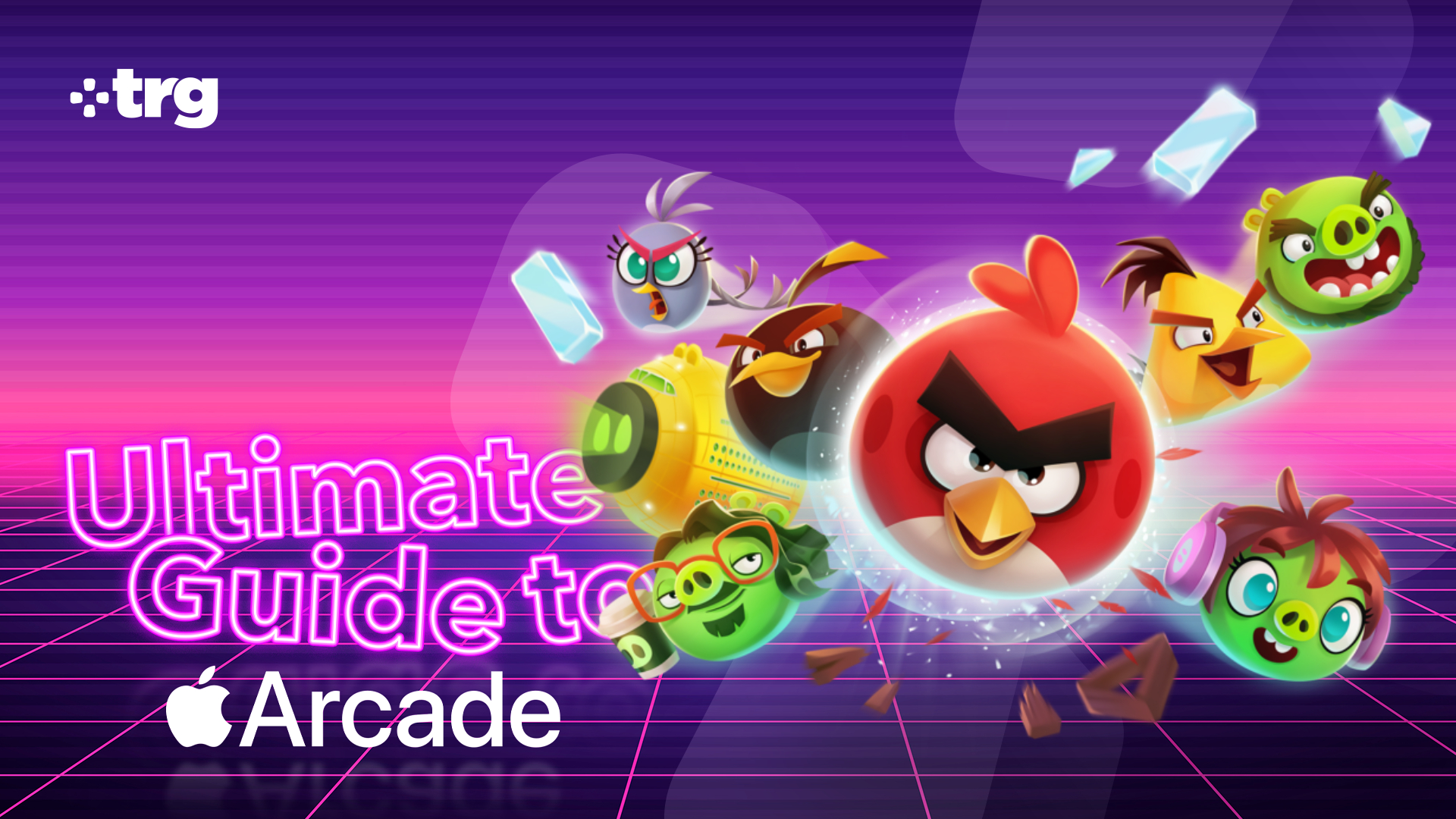
TRG Ultimate Guide to Apple Arcade branding with an image of Angry Birds protagonists overlaid.

What kind of iPhone gamer are you? Find out — and get game suggestions — in our quiz

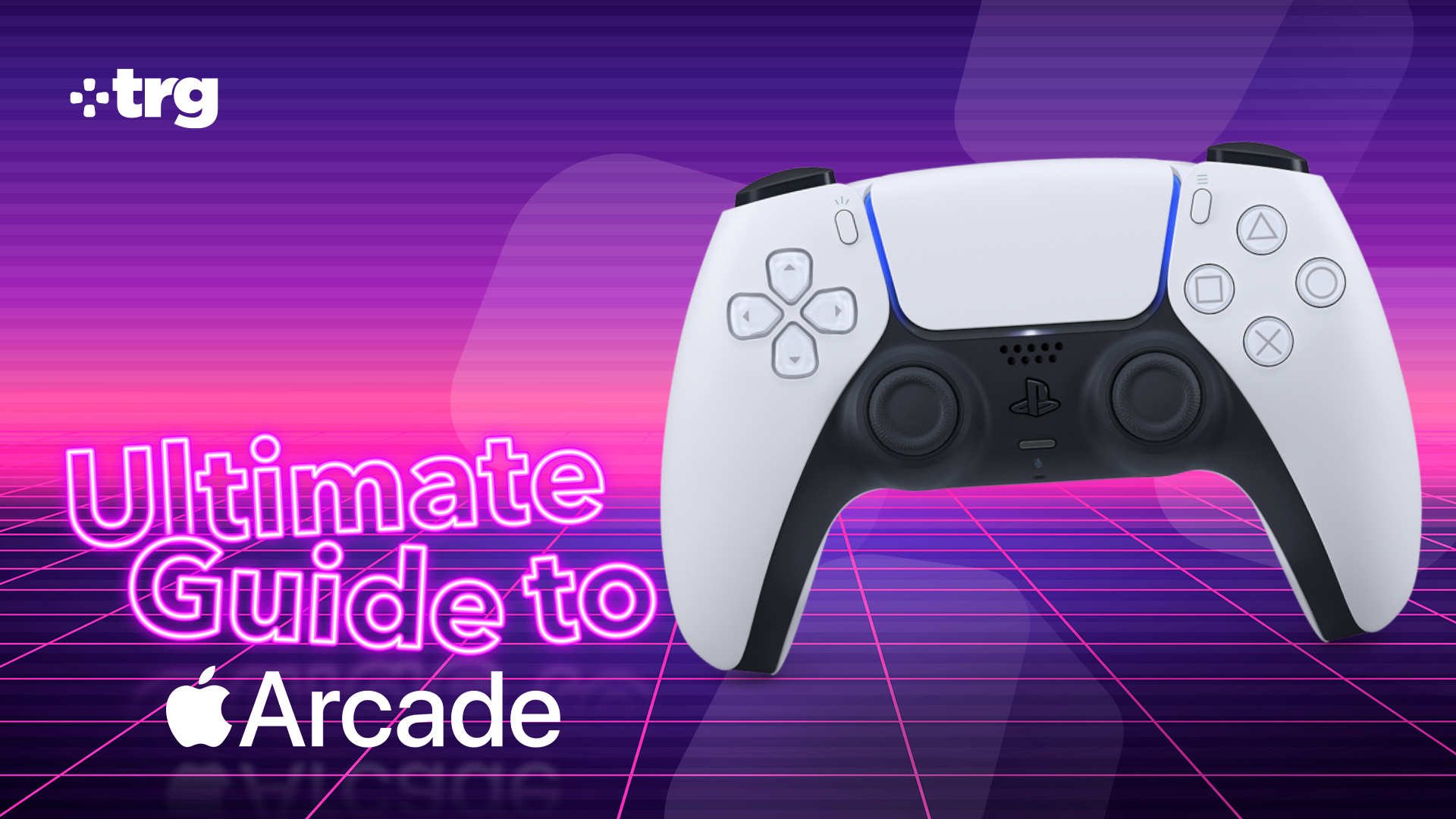
Recommended controllers in the Ultimate Guide to Apple Arcade.

The Apple Arcade controllers I've tested and recommend to improve your gaming

  •  

Apple Arcade is packed with console-quality games, but you'll need a compatible controller to get the best from them. Here are my recommendations

I've spent the last week really getting to grips with the Apple Arcade service, trying out all of the available games and experimenting with its major features.

Ultimate Guide to Apple Arcade

TechRadar's Ultimate Guide to Apple Arcade.

(Image credit: Apple / Future)

This article is part of our Ultimate Guide to Apple Arcade: the definitive guide to everything that you need to know about the gaming service. Be sure to browse the full series here.

The experience has been great so far, thanks to the many console-quality games out on the platform. I'm talking titles like Sonic Dream Team, Hello Kitty Island Adventure, Cult of the Lamb, Fantasian, and so much more.

Although they're all perfectly playable with touch controls, loads of Apple Arcade games (including all of the aforementioned titles) offer full controller support. Hooking up a compatible gamepad is the perfect way to get an even more console-like experience, and really recommend getting your hands on one if you want to make the absolute best and most comfortable playing sessions.

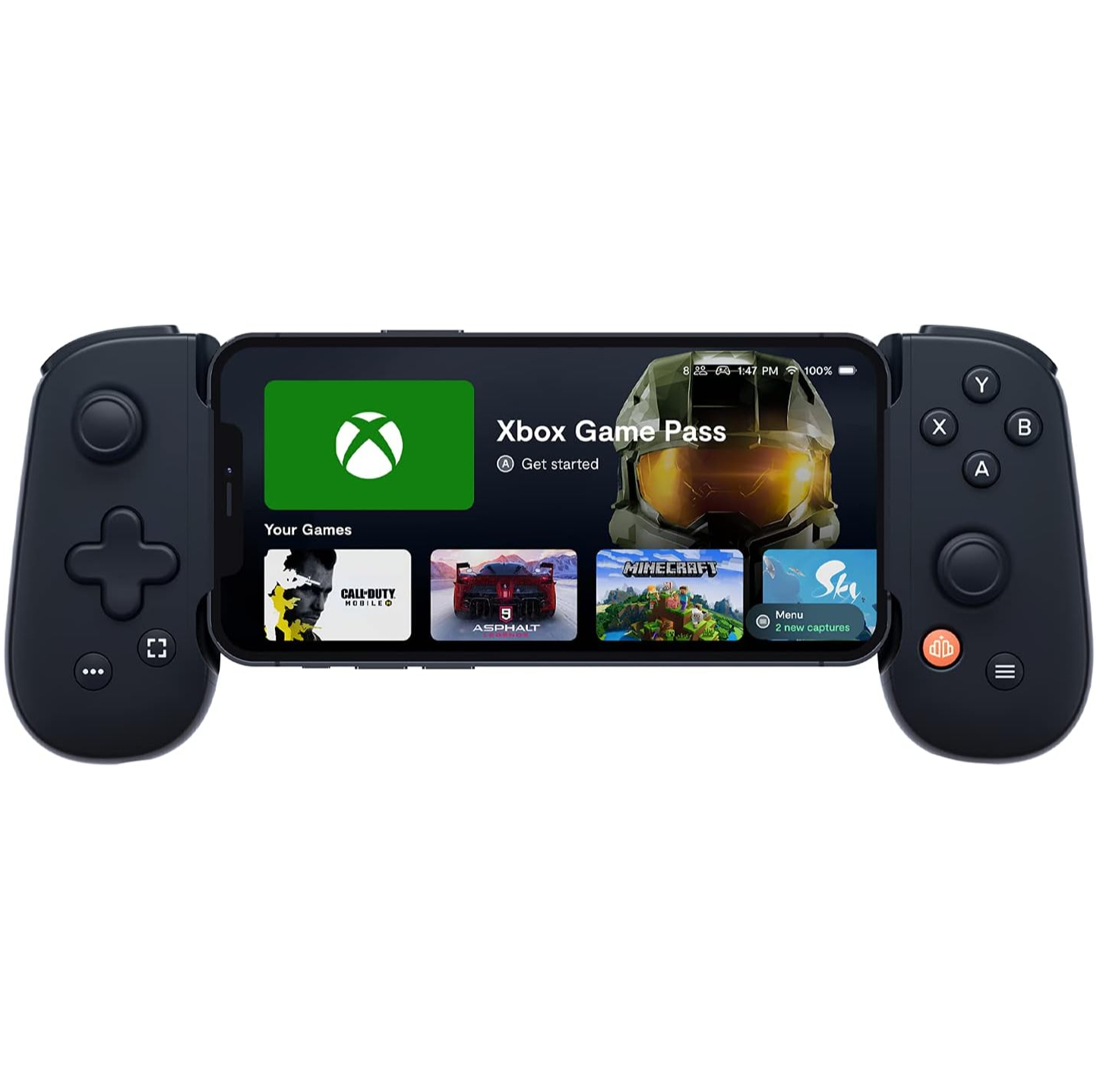
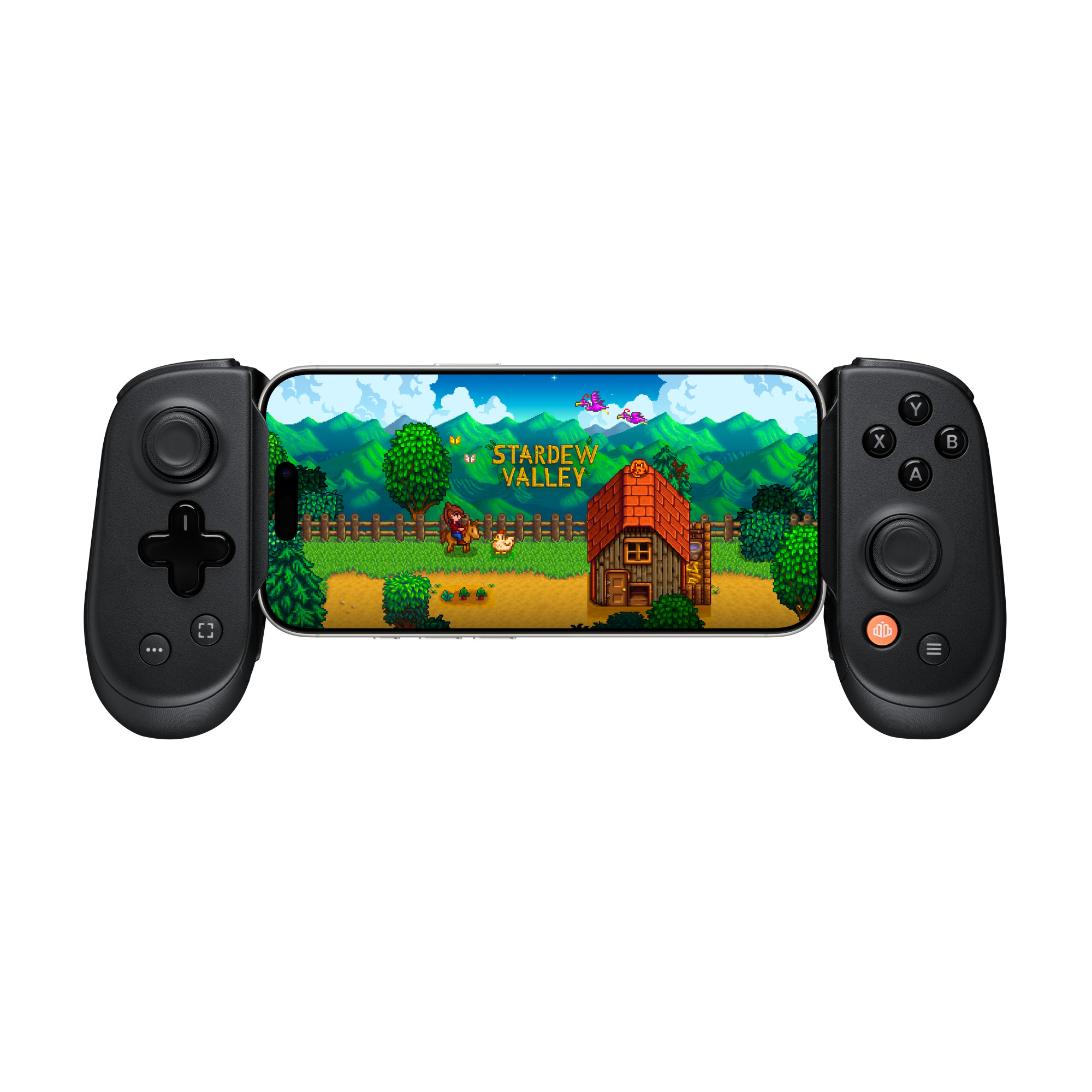
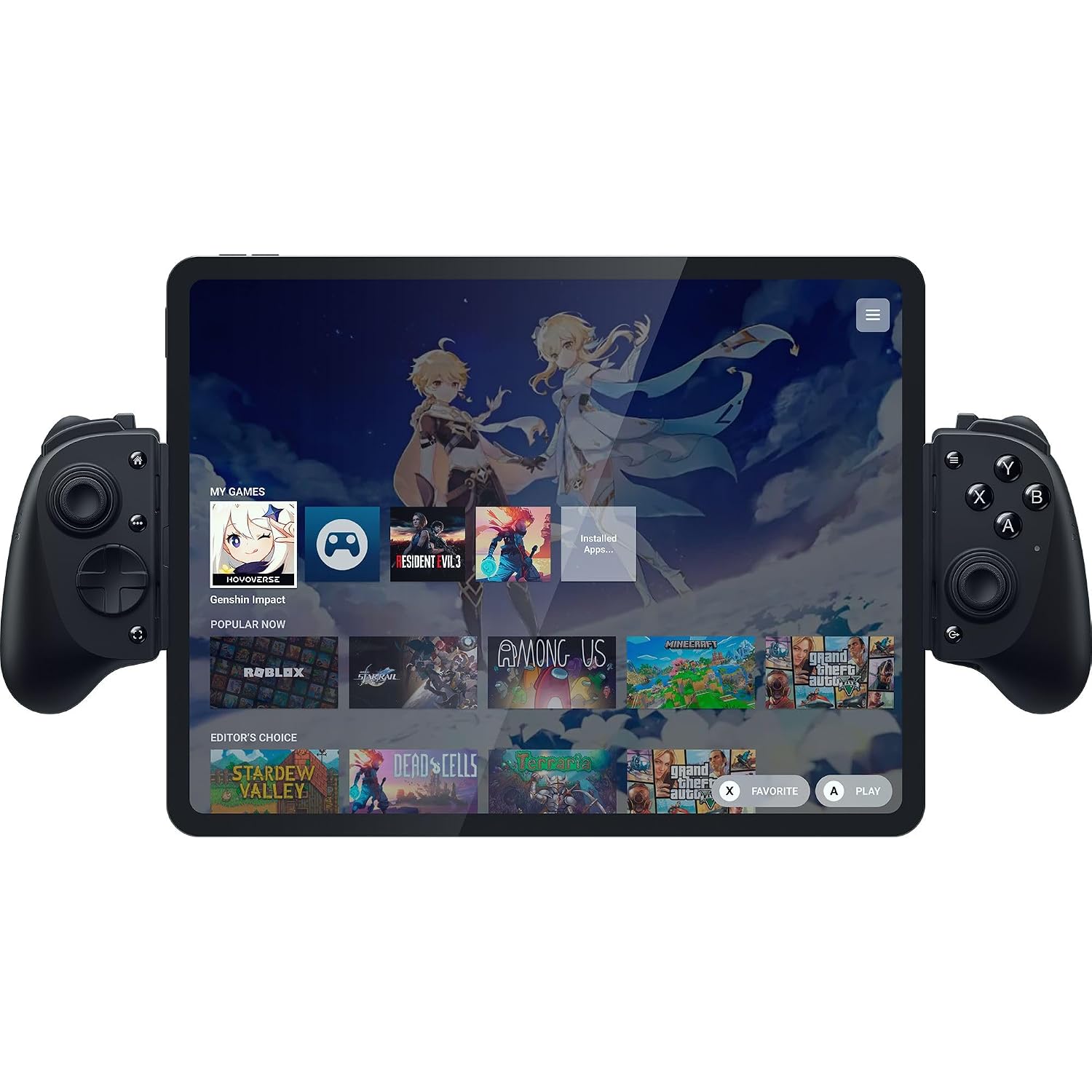
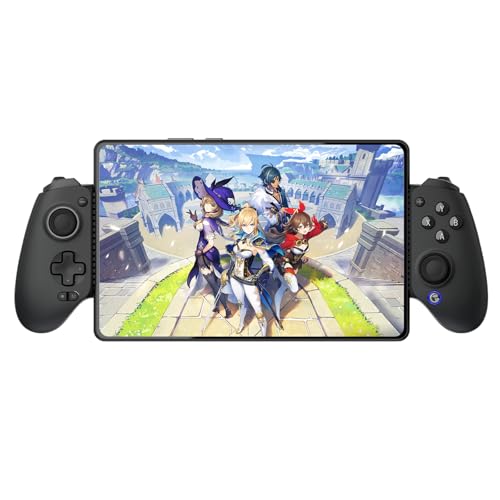
For iPhone players, I would recommend three of the best mobile controllers on the market today: the Backbone One, Backbone Pro, and Razer Kishi V3 Pro. They're all formidable choices, though each has its own distinct advantages. The Backbone One, for example, is the most portable and cheapest of the three, while the Pro and Kishi V3 Pro are more comfortable and have better software features. I've also included the GameSir G8 Plus Galileo as a worthy budget alternative, though it doesn't offer quite as seamless an experience as the others.

For iPad gamers, the Razer Kishi V3 Pro XL is one of the few options that's compatible with massive tablets. It can even fit the truly huge 13-inch iPad Air and Pro models.

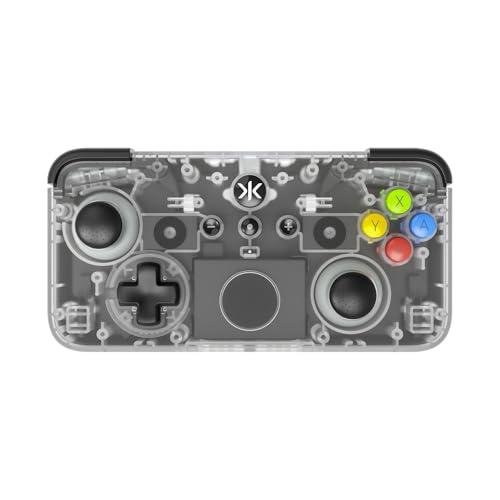
Finally, those playing on Apple TV are best served by more conventional options: the Xbox Wireless Controller and DualSense Wireless Controller. If you want something a little quirkier, the cute CRKD Neo S is a strong choice.

Recommended Apple Arcade controllers

Backbone One

Backbone One

The Backbone Pro.

Backbone
Backbone Pro

Kishi V3 Pro

Razer
Kishi V3 Pro

Razer Kishi V3 Pro XL

Razer
Kishi V3 Pro XL

Gamesir G8 Plus Bluetooth Mobile Game Controller for Switch & Ios & Android & Tablets, Wireless Gamepad With Hall Effect Joysticks/hall Trigger, Play Minecraft, Genshin Impact, Call of Duty Mobile

GameSir
G8 Plus

Xbox Wireless Controller

Microsoft
Xbox Wireless Controller

PlayStation 5 DualSense Controller

Sony
DualSense Wireless Controller

Crkd Neo S - Wireless Collectible Controller for Nintendo Switch/switch 2, Iphone, Android, Ipad, Pc, Smart Tv, Steam Deck Oled, Legion Go, Rog Ally Gaming (classic Clear)

CRKD
Neo S

  •  

What kind of iPhone gamer are you? Find out in our quiz and get some hand-picked Apple Arcade recommendations

Whether you're a die-hard mobile gamer or a newcomer to the world of portable play, Apple Arcade will likely have something for you.

Ultimate Guide to Apple Arcade

TechRadar's Ultimate Guide to Apple Arcade.

(Image credit: Apple / Future)

This article is part of our Ultimate Guide to Apple Arcade: the definitive guide to everything that you need to know about the gaming service. Be sure to browse the full series here.

The subscription service gives you access to hundreds of games for your iPhone, iPad, Mac, or Apple TV, ranging from revamped mobile classics including Angry Birds Reloaded and Doodle Jump 2+ to original and exclusive games in massive franchises such as Sonic the Hedgehog with Sonic Dream Team. All of the included titles have absolutely zero ads and no microtransactions, meaning that they offer a more premium, console-like experience than you would get with many other App Store titles.

Most Apple phones now come with a free three-month subscription to the service, giving you the perfect opportunity to take your shiny new hardware for a whirl. Even if you're using an older device, there's still a one-week free trial that new subscribers can take advantage of, in order to see what the service offers and work out whether it's a good fit for them.

The only problem? With so many titles on offer it can be hard to know where to start, even if you're already a subscriber. That's why I've created this short personality quiz, which is designed to find out what kind of gamer you are and deliver a selection of recommendations. The recommended games have been personally tested by me, and are what I believe should suit your taste.

Did you find this quiz useful, or do you think I missed the mark with my picks? Let me know in the comments, and don't hesitate to drop your own game recommendations if you have them!

  •  

I played all 279 Apple Arcade games — here are the eight best, from genius quick puzzlers to addictive life sims

It's been a huge week for me here at TechRadar. I managed to convince my boss that it was a good idea for me to sit at my desk for five whole days and play all 200+ games available as part of the Apple Arcade service on my phone.

Ultimate Guide to Apple Arcade

TechRadar's Ultimate Guide to Apple Arcade.

(Image credit: Apple / Future)

This article is part of our Ultimate Guide to Apple Arcade: the definitive guide to everything that you need to know about the gaming service. Be sure to browse the full series here.

If it sounds like a ridiculous idea, that's because it really is. Honestly, in my rush to get paid to play some games on my phone, I don't think I actually considered just how long the task would take. That became painfully apparent when I actually started on Monday, and the fact that I was about to spend hours and hours flicking through apps set in.

Still, I managed it — even if the quest ended up sapping up all of my free time. I spent entire evenings lying on the sofa planting crops in Stardew Valley+, whole meals with one finger guiding an escaping explorer in Temple Run Legends, and my hour commute with both eyes glued to Suika Game+ . If I had just one hand free at any given time this week, I was using it to play an Apple Arcade game. Thankfully, I didn't have to drive anywhere.

Now, to be clear, I didn't spend an equal amount of time in all of them. It's easy to sink a few hours into the pixel survival action of Vampire Survivors+, for example, but literal torture to do the same in Play-Doh World (which is basically just a sensory experience for toddlers).

Still, I can now say with confidence which ones are truly worth getting into and, while the following eight picks are by no means an exhaustive list of everything worth playing on the service (just look at the honorable mentions for even more greats), they are the games I've had the most fun with so far and will coming back to time and time again in the weeks and months to come.

Top eight

8. Squiggle drop

Squiggle Drop is one of the biggest surprises I've had while exploring Apple Arcade. It's an easy-to-understand puzzler that has you drawing shapes to complete different objectives and, with basic graphics and a spartan interface, looks like a pretty simple game.

That simplicity is one of its biggest strengths, however. The controls are eminently approachable; just drag your fingers around the screen to draw, and all of the levels have multiple solutions that reward creativity and mean that you never feel like you're truly at a loose end.

There's loads of variety to boot. One mission could have you drawing a container to save a birthday cake from the rain, while another might require a more complex creation to catch an underwater fish.

With more than 250 puzzles (some of which are pretty darn difficult), rotating daily challenges, a raft of achievements to obtain, and even an in-game town that you build as you progress, it's the perfect game to pick up and play when you get a few spare moments in an otherwise busy day.

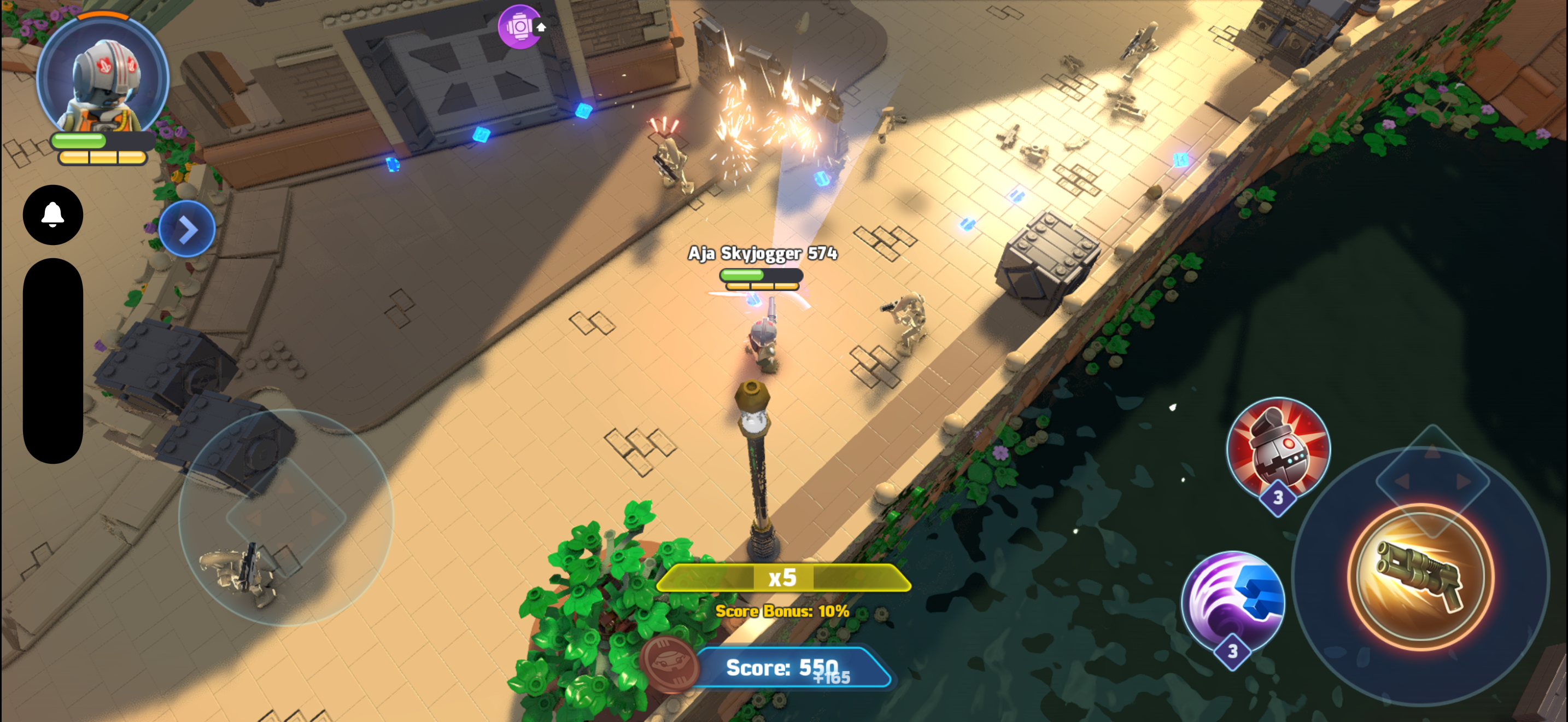
7. Lego Star Wars: Castaways

Lego: Star Wars Castaways

(Image credit: Gameloft)

Lego Star Wars: Castaways is yet more proof that you should never judge a book by its cover (or, I guess, an app by its icon art). What I thought was going to be a generic kids' game turned out to be a really approachable and quite charming MMO.

You create a custom Star Wars hero and drop into a shared hub world that you can explore while surrounded by other real players, before dropping into iconic locations from the movies (explained in-game as a training simulation) to battle waves of Stormtroopers, Tusken Raiders, Battle Droids, and fearsome bosses like Darth Vader either solo or with up to three friends.

There are four character classes to unlock, focusing on ranged laser blaster combat, powerful force skills, team support, and stealth, and they all have meaty upgrade trees in addition to a range of distinct weapons to try. Character customization is also strong, and you can unlock loads of different hats and outfits using currency you obtain by completing quests and missions.

I had a lovely time with it as an adult, but there are some smart safety features that make this a great pick for children as well. Your character name, for example, is chosen from a random selection of suitably Star Wars-sounding words (I foolishly flicked past 'Jar-Jar Skywalker' when it popped up as an option) and numbers. There's also no direct text or voice chat function, though you can communicate through a small selection of emotes.

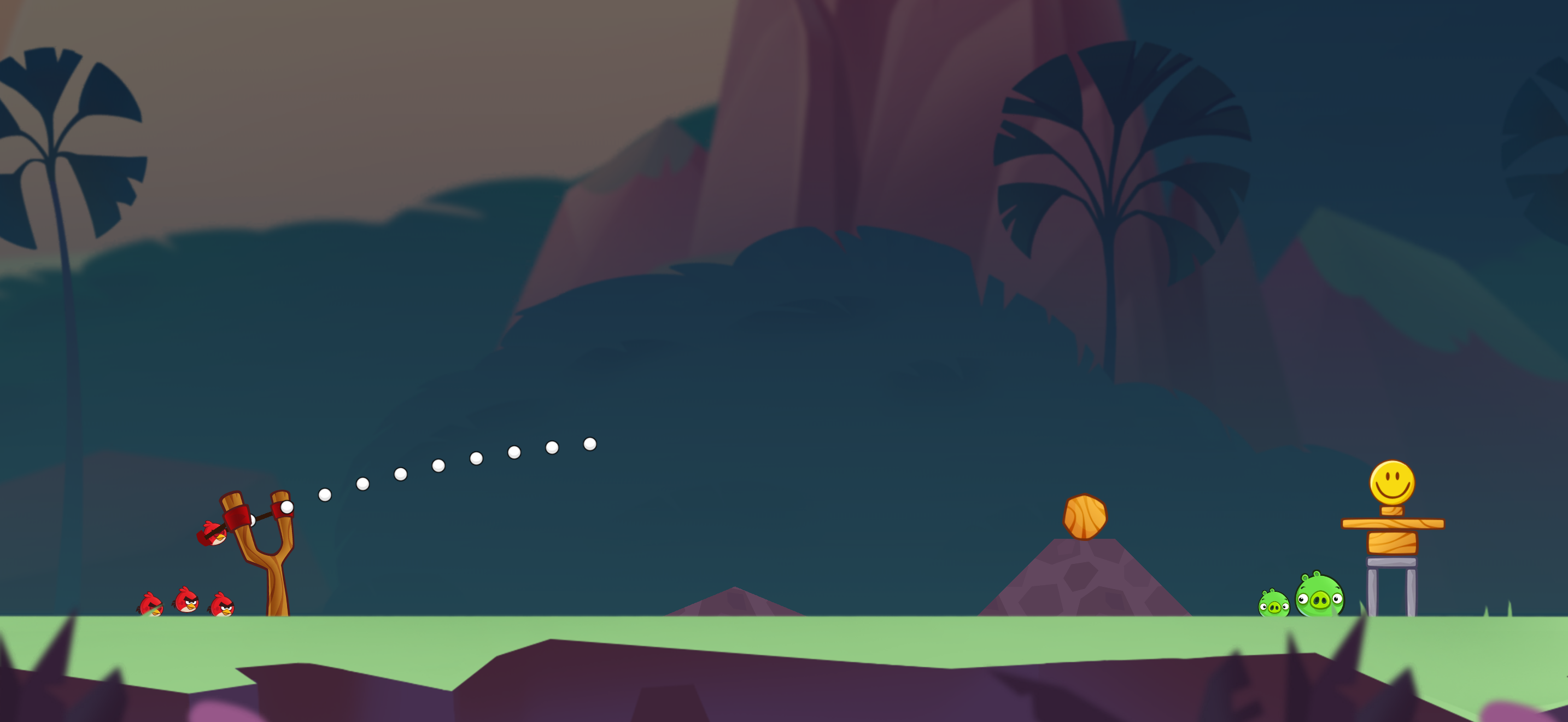
6. Angry Birds Reloaded

Angry Birds Reloaded

(Image credit: Rovio)

Angry Birds is a game that needs no introduction. This legendary early App Store sensation spawned countless sequels, spinoffs, theme park rides, a TV show, and even two popular animated films with a third set to release later this year.

Reloaded is basically the definitive Angry Birds game, bringing together the levels from the classic Angry Birds and its sequels Angry Birds Seasons, Angry Birds Space, and Angry Birds Stella (the latter two aren't even available on the App Store in their original forms anymore, making this the only way to officially play them) in addition to loads of new ones.

It offers the classic bird-slinging action that made the series so popular, now spruced up with shiny new graphics that look lovely even blown up on a big screen. All of the new content means that it's a joy to dip into even if, like me, you completed all of these games back in the day.

For newcomers, it's the absolute best that the series has ever been, with the best-looking graphics, all the greatest levels, and absolutely no ad interruptions. Get it downloaded, and find out why it was such a hit.

Top five

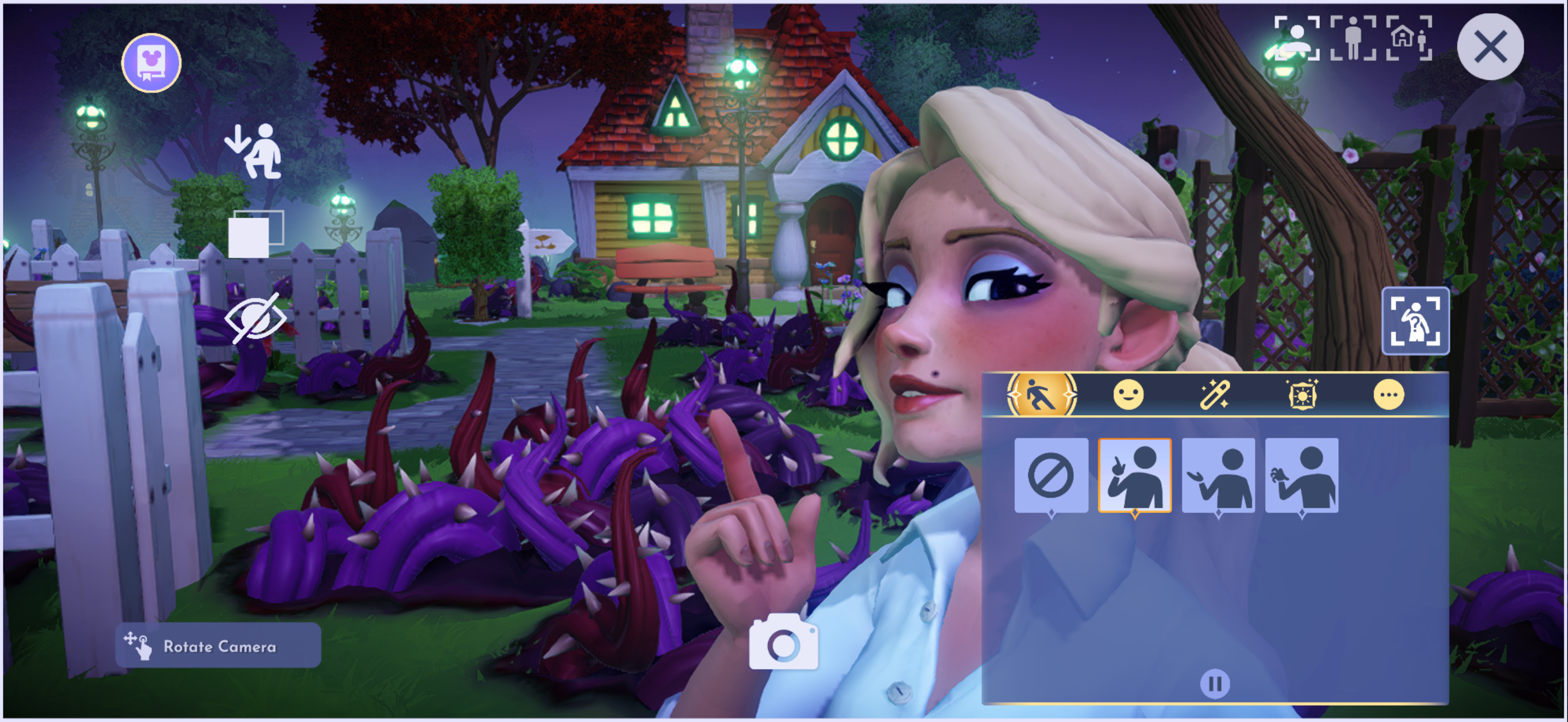
5. Disney Dreamlight Valley Arcade Edition

Disney Dreamlight Valley on Apple Arcade.

(Image credit: Gameloft)

If after a busy day you just want to kick back and escape to a fantasy world, then Disney Dreamlight Valley is for you. This life simulator thrusts you into a magical town filled with iconic Disney characters that has fallen into disarray. A mysterious malevolent force is taking over in the form of dark roots that sap away memories, and it's up to you to get rid of them all and restore everything to its former glory.

From relaxing farming to designing your own cute cottage and customizing your outfits, everything here seems designed to bring nothing but the most chill vibes. There's a good sense of progression as new areas are steadily unlocked while you play, bringing the worlds of new Disney franchises into the mix.

On that note, it's hard to overstate the joy of interacting with some of the company's best characters. I've never been a massive fan of Mickey Mouse, Donald Duck, or Goofy, but even I can't stop myself from smiling when I unlock childhood favorites like Ratatouille's Remy, Wall-E's Eve, or Peter Pan's Tinker Bell.

Although you can pick up Dreamlight Valley on other platforms, the Arcade Edition comes packed with all of the latest free updates and access to the biggest paid expansions at no extra cost. It looks great and controls well on a phone, too.

4. Sid Meier' Civilization 7 Arcade Edition

The Arcade Edition of Sid Meier's Civilization 7 is the real deal, bringing all the strategic brilliance of the latest Civilization game to mobile with few real compromises aside from some missing DLC.

If you're unfamiliar with the franchise, it tasks you with building and governing a historical society from the ground up in a randomly generated world. You build cities, conquer territory, develop new technology, and interact with other competing societies. Whether you form trade alliances and live peacefully alongside your neighbours or wage war is entirely up to you.

Unlike past games, Civilization 7 added the ability for your empire to evolve, giving you the choice to swap between different cultures for unique bonuses, special buildings, or exclusive units.

The level of depth here is simply unparalleled in the mobile space, and as games can take tens of hours at a time, it's great to be able to take it all on the go.

Top three

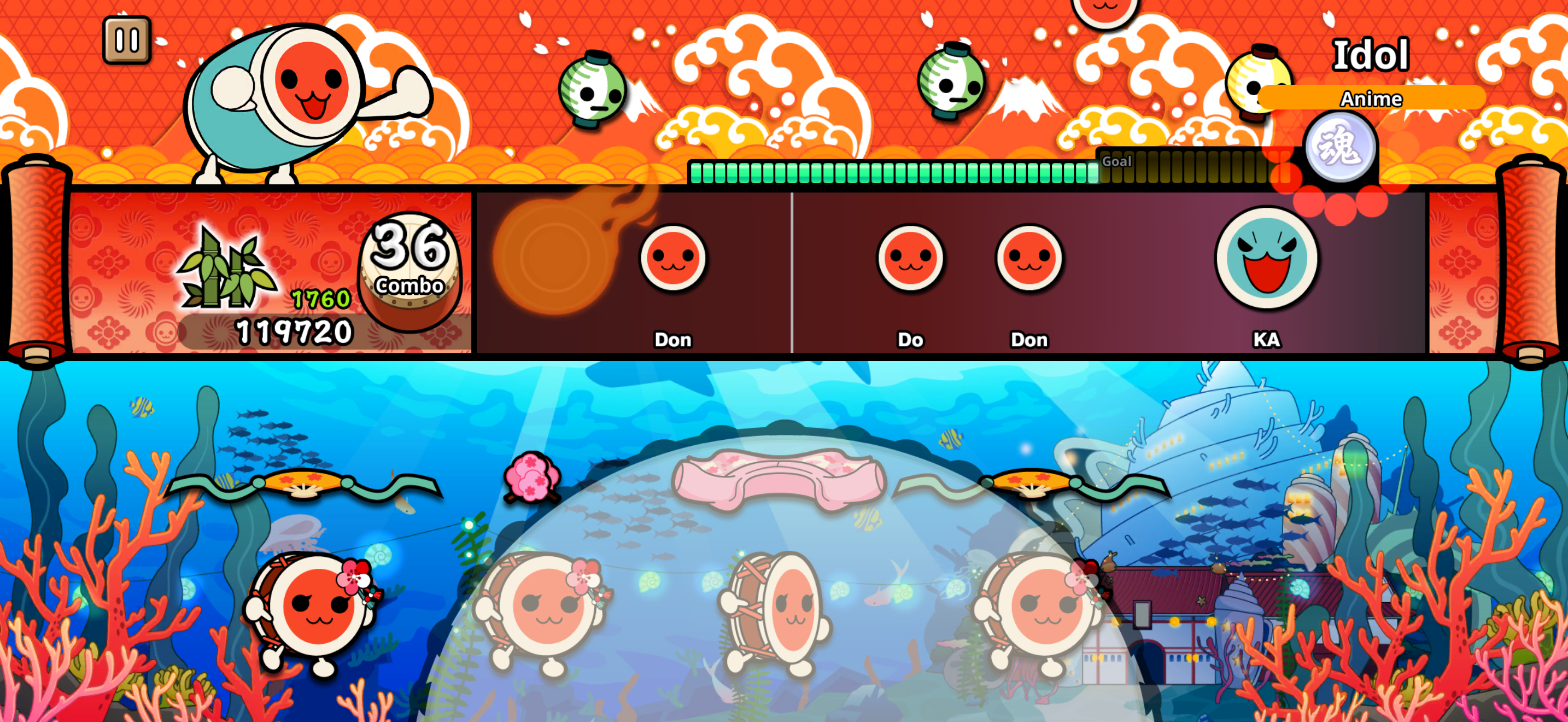
3. ‎Taiko no Tatsujin Pop Tap Beat

Taiko no Tatsujin Pop Tap Beat

(Image credit: Bandai Namco)

Taiko no Tatsujin is a name you'll recognize if you've even been to an arcade in Japan. It's a simple but addictive rhythm game all about hitting a big drum in time with the beat, a gameplay perfectly suited for a touchscreen.

Tap either side of the on-screen drum in time with the blue icons or either side of the middle for the red ones, with bigger notes needing both sides at once. It starts off simple, but as the difficulty ramps up, beats that you have to hold are introduced, alongside ones that have you hammering the screen as quickly as possible with your fingertips.

The song selection is brilliant if, like me, you love Japanese music with a good mix of J-pop hits, Vocaloid classics, and music from popular anime. If that's not your speed, there are plenty of original songs, a whole load of classical music, a few tracks from Western blockbusters like Indiana Jones, plus viral sensations such as Baby Shark.

Nothing quite compares to the joy of mastering a song and, with so many to choose from and a wide range of difficulty levels to beat, Taiko no Tatsujin Pop Tap Beat is almost impossible to put down.

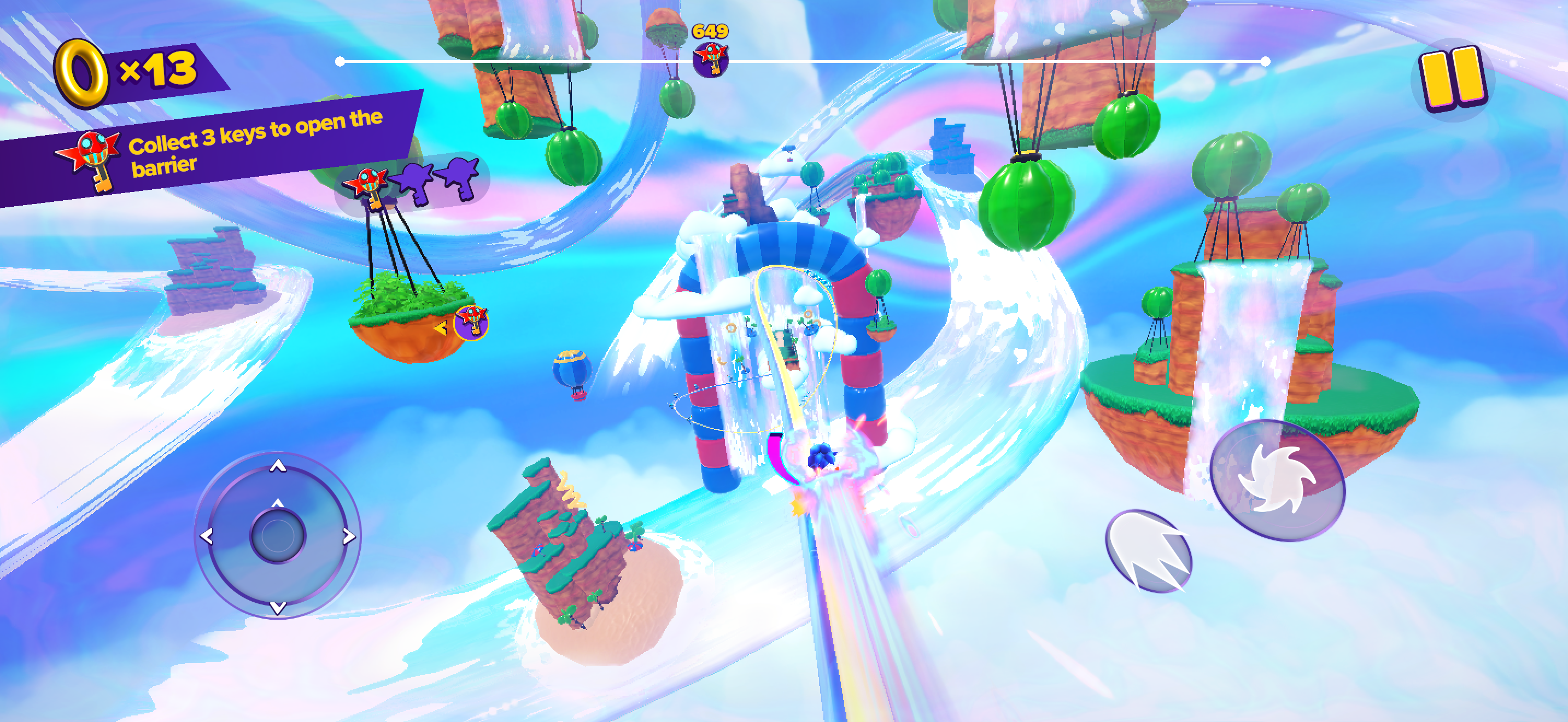
2. Sonic Dream Team

Sonic Dream Team on Apple Arcade.

(Image credit: Sega)

What if I told you the best new 3D Sonic the Hedgehog game of the last decade was an Apple Arcade exclusive? It sounds hard to believe, but Sonic Dream Team is so good that I would recommend it even if you're not a Sonic the Hedgehog fan.

This 3D platformer has the iconic blue hedgehog navigating a series of dense worlds with impeccable dream-like visuals, hopping between floating platforms, boosting your way down high-speed rails, and dispatching enemies with homing attacks. The action certainly isn't as fast as some of the 2D Sonic the Hedgehog games, but the precise controls mean that it feels excellent nonetheless.

It's not the longest experience on Apple Arcade, lasting just a couple of hours, but it is highly replayable with six swappable characters (including a rare Cream the Rabbit appearance), each with their own distinct pacing and unique roster of abilities to experiment with, a ranking system to chase high scores, tricky challenge stages, and unlockable powers.

There are also loads of collectibles to seek out, so true completionists have plenty to chip away at even after the credits have rolled.

1. What the Golf?

If I were forced to pin down one overall favorite among everything that I played this week, then What the Golf? is the obvious choice.

It's an unapologetically ridiculous physics-based game that is only really about golf in the loosest sense. Levels are incredibly creative, and no two are the same, having you putt everything from hot dogs and cars to live horses and entire houses into the hole.

It's consistently surprising and endlessly amusing, with mechanics and even the game's perspective shifting on a level-by-level basis. It's all underpinned by an expressive, minimalist art direction, a sleek interface, upbeat music, and a barrage of punny humor. The brilliant use of haptics also deserves some credit, giving everything you punt a distinct feeling of weight to it.

In addition to a lengthy main campaign, there is a generous selection of daily courses, bonus episodes, special events, online leaderboards, and more. Indie game fans will recognize loads of crossovers and references, too. It's nothing short of a joyous time.

Even more picks

Honorable mentions

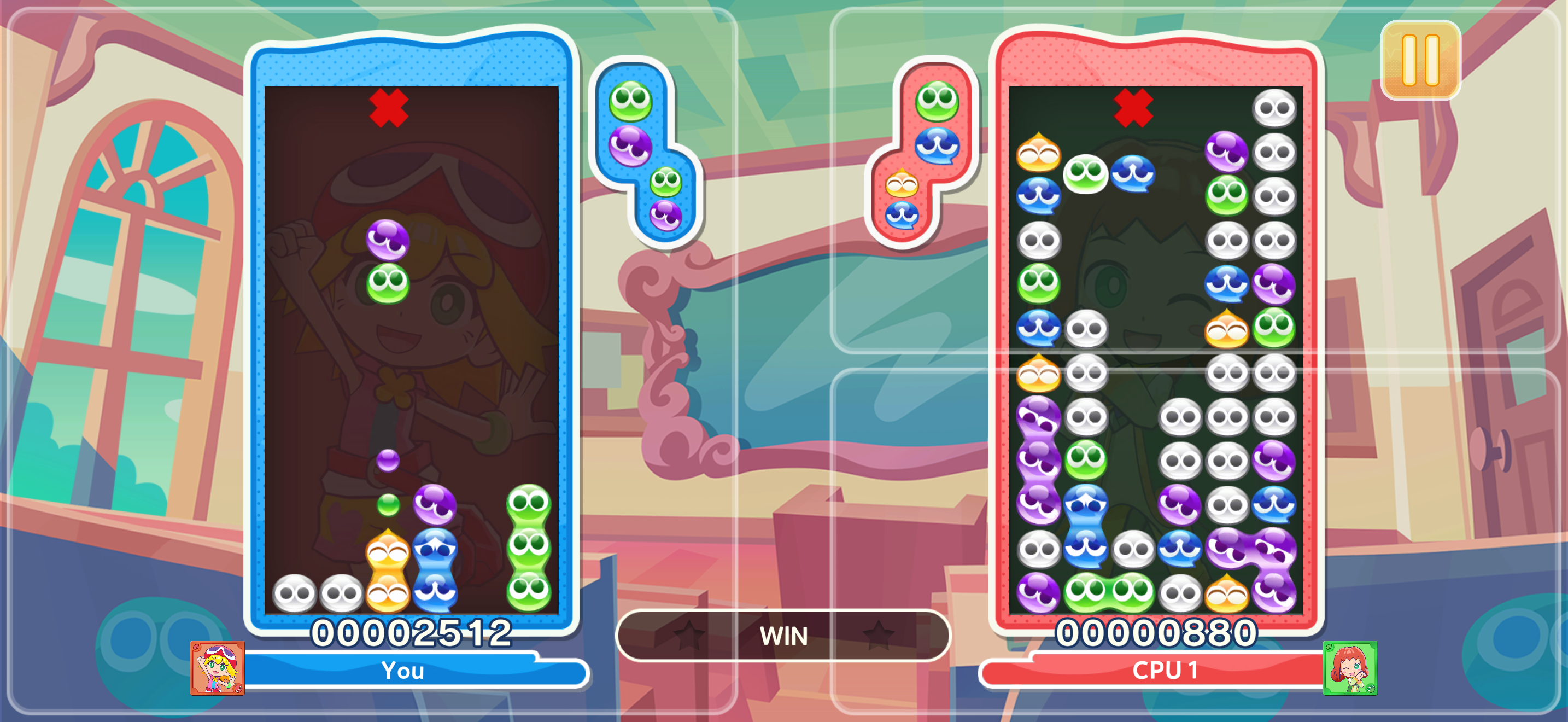
Puyo Puyo on Apple Arcade.

(Image credit: Sega)

I wanted to keep my recommendations concise and varied, with a good mix of genres, art styles, control methods, and so on represented. That doesn't mean that I don't have loads more recommendations, though, so here are some more strong picks that didn't quite make the full list for one reason or another.

  • Fantasian is a sprawling RPG adventure with a beautiful miniature art direction.
  • Monument Valley+ and Monument Valley 2+ are two stunning indie puzzle games that play with perspective in interesting ways.
  • NFL Retro Bowl '26 offers a surprisingly meaty football simulator delivered through charming pixel-art graphics.
  • Stardew Valley+ combines relaxing farming with social simulation as you build relationships with a cast of memorable characters in a cozy town.
  • Suika Game+ has you merging different fruits in an easy-to-understand puzzler that's taken the internet by storm.
  • Puyo Puyo Puzzle Pop is an exclusive entry in the long-running Puyo Puyo series that's filled with its trademark Tetris-like puzzle battles.
  • MySims and MySims Kingdom are both expansive, feature-complete ports of classic The Sims spinoff games.
  • Vampire Survivors+ brings the viral wave survival game to mobile — be warned that hours can vanish in the blink of an eye.

  •  

Apple Arcade is a joyful reminder of when mobile gaming was about fun, not emptying your wallet

Remember when mobile gaming was fun?

Back in the day, you could just scroll the App Store, pick out an icon or two that you liked the look of, and have a new game downloaded and ready to play in just a few moments.

Ultimate Guide to Apple Arcade

TechRadar's Ultimate Guide to Apple Arcade.

(Image credit: Apple / Future)

This article is part of our Ultimate Guide to Apple Arcade: the definitive guide to everything that you need to know about the gaming service. Be sure to browse the full series here.

Booting them up, you’re not confronted with a 29.68GB additional download that you have to stay on one screen to complete, a wall of sketchy in-app permissions to accept, or a page demanding that you sign in with some iffy third-party account — just a neat little self-contained experience designed to help you kill a few hours on the train.

Though they seemed simple, many of the best App Store games were quietly revolutionary. Angry Birds and Fruit Ninja pioneered intuitive touch-screen controls, while Doodle Jump smartly utilized the iPhone’s accelerometer to show how hardware features could become core gameplay mechanics.

Statista estimates that there are now more than 180,000 mobile games available on the App Store. But when was the last time you installed one that felt genuinely exciting, rather than like a thinly veiled scheme to force ad views, harvest personal data, or pressure you into pricey Gacha Pulls? That’s exactly where Apple Arcade comes in.

Back in time

Puyo Puyo on Apple Arcade.

Puyo Puyo Puzzle Pop is an incredible Apple Arcade exclusive entry in the long-running puzzle series. (Image credit: Sega)

Having spent the last week diving into all 200+ of the titles available on the service, I can’t help but think that Apple’s highly curated library of mobile titles feels like a journey back in time to the App Store’s glory days.

The whole experience is completely seamless. You sign up for $6.99 / £6.99 / AU$9.99 a month and can immediately jump into browsing the games. They’re all contained in a dedicated Arcade tab in your iPhone’s App Store, so there’s no ambiguity about whether the app you’re looking at is part of the service or not.

Although the selection here is nowhere near as expansive as the regular games tab, it feels genuinely curated and cuts out huge amounts of clutter and spam.

No matter what you like to play, there’ll be at least a few games for you. An impressive variety of genres are represented in the catalog: there are plenty of massive role-playing games (RPGs) that you can sink hours into, be that Trials of Mana+ or Final Fantasy+, fast-paced racers such as Asphalt 8: Airborne+ and Sonic Racing, head-scratching puzzlers in Monument Valley+ and Lego Builder’s Journey, and so much more.

Jetpack Joyride 2 on Apple Arcade

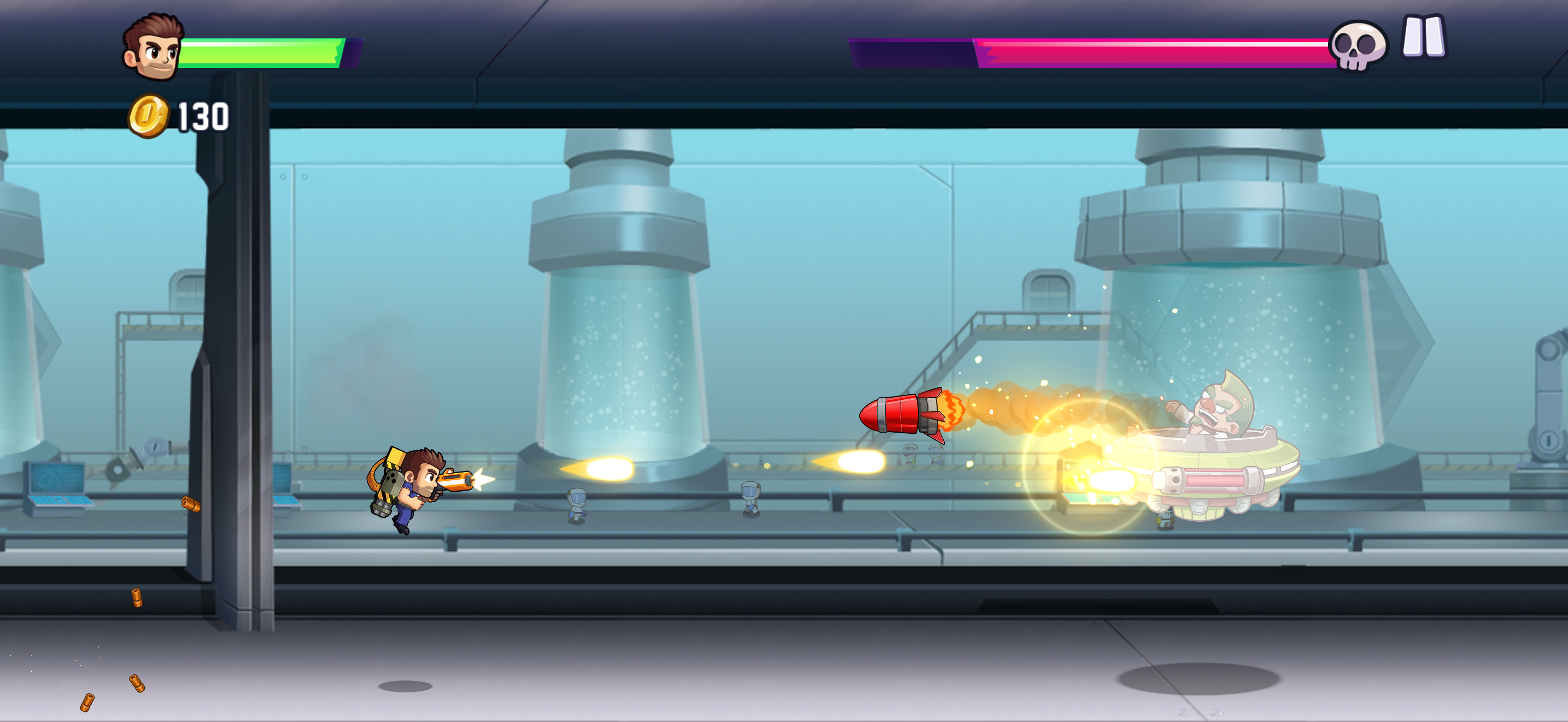
Jetpack Joyride 2 adds new missions, weapons, upgrades, and more. (Image credit: Halfbrick Studios)

Those iconic early mobile titles I mentioned earlier? They’re back too in new and improved forms that make them a nostalgic joy to revisit. There’s a full-on Angry Birds remake with enhanced graphics and extra levels, an expanded Doodle Jump sequel that updates the hand-drawn graphics and adds new environments, and a Temple Run successor that trades the endless format for challenging levels that are better-suited for short bursts of play.

The innovation of the early App Store is there too. RPG Fantasian wows with incredible art direction that sees you exploring hundreds of beautiful real-world dioramas that were digitally scanned into the game, while bonkers sports simulator What the Golf? takes full advantage of punchy iPhone haptics to add real weight to its wacky physics challenges.

No distractions

Taiko no Tatsujin Pop Tap Beat

No ads makes it easier than even to lock-in in rhythm games like Taiko no Tatsujin Pop Tap Beat. (Image credit: Bandai Namco)

The games are all entirely devoid of ads and microtransactions, so you never have to deal with a frustrating splash screen or pop-up that takes you out of the action.

This means that most of the games will work entirely offline as well, just like they did back in the day. I had practically given up playing mobile games on my commute before getting into Apple Arcade simply because it was so hard to find titles that wouldn’t kick me out the second my train went into a tunnel.

There are no sign-in screens anywhere, and most games don’t even request permission to send push notifications. Your progress will even automatically sync to the cloud so you can continue playing on your iPad, Mac, or Apple TV when you get home.

Oh, and you don’t need to worry about your privacy in all this either. Apple says that all of the games in the service have no third-party tracking software and don’t collect any advertising data. All that, to me, is certainly worth paying for.

  •  

What is Apple Arcade? Everything you need to know about the gaming service included with your One subscription

If you're a die-hard iPhone user, then there's a strong chance that you already have access to Apple Arcade and don't take full advantage of it. The gaming service is currently included with all tiers of the Apple One subscription — an all-in-one bundle that also includes the likes of iCloud Plus, Apple TV Plus, and Apple Music in one monthly fee.

Ultimate Guide to Apple Arcade

TechRadar's Ultimate Guide to Apple Arcade.

(Image credit: Apple / Future)

This article is part of our Ultimate Guide to Apple Arcade: the definitive guide to everything that you need to know about the gaming service. Be sure to browse the full series here.

Even if you don’t pay for Apple One, a free three-month trial of Apple Arcade comes bundled with every new iPhone, iPad, Mac, or Apple TV, plus, the service is available as a standalone subscription if you don’t want it bundled with anything else. Sounds great, right? But what actually is Apple Arcade, how much does it cost, and is it really worth the price?

I’ve spent this week getting to grips with all things Apple Arcade, from diving into some of its biggest exclusive games to comparing it to other competing services, in order to bring you this comprehensive breakdown of everything you need to know about it. Read on and become an Apple Arcade expert.

What actually is Apple Arcade?

Apple Arcade is a gaming subscription service by Apple designed for its iPhone, iPad, Mac, Apple TV and even Apple Vision Pro devices. It launched in September 2019 and gives you access to a huge library of more than 200 premium games that you can download and play offline.

Unlike many titles that you might download from the App Store, Apple Arcade games are wholly devoid of both ads and in-app purchases. They are complete experiences that you can dive into without the risk of annoying interruptions or being asked to shell-out real world cash for in-game items or downloadable content (DLC).

What kind of games are included?

There are more than 200 games available on Apple Arcade, with options across a wide variety of genres. This includes a selection of high-quality original games such as fast-pace platformer Sonic Dream Team, cozy life simulator Hello Kitty Island Adventure, and beautiful role-playing game Fantasian.

There are also some ports of console and PC games, such as hit strategy game Sid Meier's Civilization 7 Arcade Edition, Disney life sim Disney Dreamlight Valley Arcade Edition, and indie roguelike Cult of the Lamb.

You will also find loads of premium versions of existing mobile titles with no ads or microtransactions in the likes of Doodle Jump 2+, Fruit Ninja Classic+, Bloons TD 6+, and much more.

You can use our quiz below for some hand-picked recommendations.

How much does Apple Arcade cost?

The Apple Arcade standard plan costs $6.99 / £6.99 / AU$9.99 a month.

You can save some cash by opting for an annual plan instead, which is $49.99 / £49.99 / AU$79.99 — a saving of $33.89 / £33.89 / AU$39.89 compared to 12 months of monthly payments.

No matter which of these two options you choose, you can share your Apple Arcade subscription with up to six family members at no extra cost.

Apple Arcade is also available as part of all Apple One tiers (Individual, Family, and Premier). Unlike Apple Arcade, Apple One is not available in an annual subscription format, so you can only pay for it on a monthly basis. You can view and compare all of the options below.

Plan

Price

Included services

Sharing limit

Apple Arcade

$6.99 / £6.99 / AU$9.99 per month


$49.99 / £49.99 / AU$79.99 yearly

Apple Arcade

Up to six users

Apple One Individual

$19.95 / £18.95 / AU$24.95 per month

Apple Arcade, Apple Music, Apple TV Plus, 50GB iCloud Plus

One user

Apple One Family

$27.95 / £24.95 / AU$34.95 per month

Apple Arcade, Apple Music, Apple TV Plus, 200GB iCloud Plus

Up to six users

Apple One Premier

$39.95 / £36.95 / AU$52.95 per month

Apple Arcade, Apple Music, Apple TV Plus, Apple News Plus, Apple Fitness Plus, 2TB iCloud Plus

Up to six users

How to claim your Apple Arcade free trial

In most regions a new iPhone, iPad, Mac, or Apple TV now comes with a three-month free subscription to Apple Arcade. The offer is only valid for 93 days (that's roughly three months), so if you have an eligible device you should consider claiming it quickly if you're interested.

To do so, simply follow these four simple steps

  1. Open the App Store on the eligible device
  2. Tap the Apple Arcade tab at the bottom of the screen
  3. The offer should appear automatically
  4. Follow the on-screen instructions to redeem it

If you're not eligible for a complimentary three-month subscription, there's no need to worry — because new subscribers can still claim a one-month trial via the App Store.

Whether you claim three months or one month, bear in mind that a valid payment method will be required in order to get set up. This will be billed at the standard subscription price when your promotional period is over, so remember to cancel your subscription if you want to avoid any charges.

You can find out how to do this on the official Apple Support page.

Do you need a controller to play Apple Arcade games?

Neo S wireless collectible controllers

The CRKD NEO S is a good pick for Apple Arcade. (Image credit: CRKD)

You don't actually need a controller to play the majority of Apple Arcade games. On iPhone and iPad, almost every title supports full touch screen controls and can be enjoyed without any extra hardware.

If you're playing on Mac, many titles support keyboard and mouse controls.

On Apple TV, you're most likely to need a dedicated gamepad as there are only a few titles that work well with the included remote.

Of course, lots of games still allow you to use a controller on any device even if it's not strictly required and I'd recommend it if you're after an even more console-like gaming experience.

You can see some models that I've personally tested and would recommend for Apple Arcade below.

What about the competition?

If you're strictly looking for a gaming subscription service for your iPhone, then Apple Arcade doesn't really have much direct competition.

The biggest alternatives on that platform are cloud gaming services such as Amazon Luna, which you can access through your iPhone's web browser. These stream games to your phone directly from a cloud server, which means that they require a constant internet connection and cannot be accessed offline.

They also don't work too well with on-screen controls, which means a controller like the dedicated Luna Wireless Controller is required for anything but the most casual titles.

That said, cloud gaming does have some big advantages. You can access full console or PC games, including massive titles such as Fortnite, Fallout 4, or Shadow of the Tomb Raider. As they do not rely on your local hardware, they can also offer high-end graphics features such as maximum in-game settings and ray tracing — though slow or choppy internet can negate this by introducing visual artifacts.

If you have access to an Android Phone, Google Play Pass is a potential alternative. It's cheaper than Apple Arcade but similarly grants access to loads of mobile games with zero ads or microtransactions. It also includes some productivity apps, meaning that it's a little more versatile than the strictly gaming-focused Apple Arcade.

That said, its software library feels much more chaotic and less curated. It also lacks the compelling exclusive releases that I think really bring a lot of value to Apple Arcade.

Apple Arcade FAQs

Do Apple Arcade games work offline?

Yes, all Apple Arcade games work offline. This means that you can play them on your iPhone or iPad when you're out of the house and don't have a steady internet connection.

Is it worth getting Apple Arcade?

Apple Arcade can be worth getting if you frequently play mobile and want a more curated, premium experience. The lack of in-game ads and microtransactions means that you don't have to worry about annoying distractions or impulse spending, while many of the exclusive games are high-quality experiences that are worth playing.

Do I lose my games if I cancel Apple Arcade?

You will lose access to Apple Arcade games if you cancel your subscription. You don't need to worry about losing any progress, however, as your save data is stored by Apple via iCloud. This means you can pick up exactly where you left off if you resubscribe at a later date.

Can games leave Apple Arcade?

Although it is uncommon, games can leave Apple Arcade. When this happens you can keep playing the game for a short grace period, before it becomes unavailable on your device.

  •  

Sony doubles down on axing physical game discs — CFO reiterates 'we’re going to cautiously move this forward'

Despite widespread public backlash, Sony has reaffirmed its plan to transition PlayStation to an all-digital platform during the company's FY26 Q1 earnings call. The company is moving forward with ending the production of physical game discs in January 2028. After this date, the company will no longer manufacture physical media for new game releases. This decision gives PlayStation fans and retailers a little over a year and a half to prepare for the change.

When asked about Sony's decision to end production of physical game discs during the Q&A session, Lin Tao, Executive Officer and CFO for Sony, replied that:

"On this point, we announced that January 2028 onwards, we will no longer be manufacturing game discs. One and a half years ahead. We made this announcement at this time. There are various reasons we made this decision."

Tao further explains the rationale behind the digital paradigm shift, a move that was met with negative criticism from PlayStation fans and parts of the industry.

"The biggest being that the digitalization of content overall has been progressing. That’s the big factor. It’s not just for PlayStation, but for all kinds of contents; digitalization is progressing. When we think about the future, we put in a lot of thought and time; we cautiously considered this, we came to this conclusion, we’re going to cautiously move this forward.

To this decision, we have received various opinions; people have strong views. We understand that the community has put forth those views to us.

Games are loved by many people. It’s a form of entertainment that’s loved by people; it’s connected to people’s fond memories in many cases. We understand those emotions. We want to consider that."

According to Sony's financial results for FY26 Q1, which covers the period from April to June, the company raked in $1.2 billion in digital game revenue. In stark contrast, physical game sales brought in only $128 million for Sony, meaning digital revenue was more than 9X higher than physical sales. The growth in digital sales and the disparity with physical sales shows why Sony is eager to go all in on digital.

Sony was asked directly about the impact of discontinuing physical discs. In response, Ishii, a Corporate Communications executive at the company, provided the following statement:

"Well, up until 2028, well, at this point in time, well, we are not seeing any impact on our business as of now. Going forward, about the content sales, I think a large part is already digitized.

Therefore, as a result of the discontinuation of a disc, we don’t see that there will be any negative impact on our business. However, as I already said, the users, the players, have attachments, and we have to think about how to respond to that feedback."

Phasing out game discs will undoubtedly have a significant financial impact on gamers. Physical game discs not only provide ownership, but they also come with the benefit of resale. Gamers can recoup some of what they paid for it once they are finished playing. The extinction of game discs represents the loss of the ability to share physical games with friends and family. The PlayStation platform does not support sharing digital games, unlike services like Valve’s Steam Families or Nintendo’s Virtual Game Cards.

Game discs enable gamers on a tight budget to purchase second-hand copies of games at great prices at their local game stores or online marketplaces. For instance, used copies of The Last of Us Part I, which came out four years ago, go for as little as $25, while the digital version remains priced at around $69.99 on the PlayStation Store. Even during major promotional events like Days of Play or Black Friday, digital discounts have rarely brought prices below $29.99. Second-hand physical copies are simply a more affordable choice for many players.

Without game discs, PlayStation console owners will have to rely more on internal storage, and when that depletes, they will have to expand the storage with the best PS5 SSDs. The issue is that SSDs are ludicrously expensive right now due to the storage shortage, which could last way beyond January 2028.

The discontinuation of physical discs does not just affect consumers but also retailers. However, Sony expects limited business impact in that aspect since the digital transition has somewhat started a long time ago. Tao elaborated, "For the last 30 years, we have been selling PlayStation, and the retail partners have always been important to us. With the completion of the disc production, we communicated this at an early stage so that we have enough time to be able to listen to various partners’ voices.”

Tao continued, “In North America, this has already happened, but without discs. In the package, there’s a code. That’s how they sell in North America. About the retailers, there are regional characteristics. For each regional partner, we try to have thorough dialogues so that we can end up in a win-win situation. Now, the differentiation from PC. We don’t feel that the disc is the factor to differentiate from the PC."

Gamers are actively voicing their opposition to Sony’s move away from physical media. DoesItPlay, a community dedicated to game preservation, has organized a large-scale boycott dubbed #PSBlackout, urging PlayStation users worldwide to turn off their consoles for an entire week, from August 23 to August 30. The X post has amassed over 1.8 million views and 7,500 shares, but it is uncertain how many users will participate. In addition to this digital protest, a Change.org petition with more than 350,000 signatures is asking for Sony to reconsider its decision to end physical game production.

Sony has been winding down its physical media production over the years (for example, physical boxes with a download code), so it was just really a matter of time before the PlayStation ecosystem adapted to the changes. Unfortunately, the die is cast, and there are rumors that Sony has already started repurposing its factories for other endeavors. There is little to no hope that Sony will reverse its decision to discontinue physical game discs.

  •  

97 untouched Duck Hunt and Super Mario Bros. cartridges worth thousands discovered in retro shop storage room — never-before-seen version of popular NES games include five perfect 10 PSA items

A retro shop owner based in Waukesha, Wisconsin, located some 15 miles west of Milwaukee, discovered that he was holding on to a rare stash of NES carts in his storage room. According to Nintendo Wire, these cartridges were never-before-seen versions of Duck Hunt and Super Mario Bros., which were some of the most popular games on the Nintendo Entertainment System. What’s more important is that these haven’t been opened, and the original owner said that these supposedly came directly from Nintendo of America. Their condition is so pristine that PSA (Professional Sports Authenticator) gave them extremely high grades of no less than 9.6, with five units getting the coveted perfect 10.

Kevin Braun, the owner of the retro shop OneStopWonders, said that a person sold him the cartridges years ago and that they’ve just been sitting untouched in his storage unit. The man said that his grandfather owned a business that recovered precious metals from circuit boards, and that this box was supposedly sold to him for salvaging. It’s unknown how it ended up in storage instead of recycling, but Braun bought it from the seller, thinking he could resell it in his shop for around $10 to $15 each.

Thankfully, he forgot about these cartridges until his friend and EIC of Nintendo Wire, Jason Ganos, got a chance to look at them. When he saw the carts for the first time, Ganos knew that he was looking at something special but didn’t realize how exceptional they were until he shared the find on a high-end gaming Facebook group. Two different people working as directors at different grading companies then reached out to him, telling him that there was something strange about these cartridges. They then asked for more photos of one cartridge and the manual and even told him to disassemble one unit for a deeper inspection.

This is where he discovered that these cartridges were some of the last produced units made during the 40th week of 1993. The manuals weren’t seen before, either, with the back page saying, “maintenance or service,” whereas previous known versions said, “maintenance or repair.” Because of these finds, he proceeded to take a flight to PSA in California early the next morning, where the grading company confirmed its authenticity.

It seems that the cartridges in the box were made as replacements for warranty repairs or refurbished consoles, or as part of a bundle that never saw release. We would never know which is true, though, unless Nintendo of America confirms why they were made. If you’re an avid collector or simply want to get your hands on an original Nintendo game that hasn’t been released, three carts will be auctioned off at Goldin Auctions starting August 12.

It’s unclear how much these carts will go for, but it’s estimated that they’d cost at least four digits, with the perfect 10s possibly hitting five digits. This is possible, given that an ultra-rare NES Gold Nintendo World Championships cartridge auction sat at $77,000 and probably sold for a much higher price. So, if you want to get your hands on this, you’d better have a war chest of at least $100,000 to guarantee that you can get one — just don’t blow on it if you insert it in your NES console and it doesn’t work for the first time.

  •  

Lost one-of-a-kind Nintendo DS cartridge hits eBay for $9,100 — PokePark Fishing Contest designed to delete itself after 12 hours, game so rare it was only distributed to theme park attendees in 2005

A Nintendo DS game that was classified as ‘lost media’ for nearly two decades is currently within tantalizing reach of video gaming fans and archivists. All the fans need is about $9,100, and no rival bidders on an eBay auction for an ultra-rare, perhaps one-of-a-kind, development cartridge thought to contain the PokePark Fishing Contest DS minigame.

Ultra-rare Nintendo DS Pokemon game on eBay

(Image credit: eBay)

Japanese game archaeology enthusiast Yoshino @ Federation (renpou.com) shared details of the eBay auction and its significance to their tens of thousands of social media followers.

So, what’s the deal with PokePark Fishing Contest DS, and why is it ultra-rare or even classified as ‘lost media?’ This fishing mini-game was lost for several reasons. Firstly, it was a download-only title. Secondly, its distribution was limited to those attending a short-lived Pokémon theme park venue in Japan (PokePark 2005). It also eluded archivists because it would be removed from a DS handheld when it was powered off, or after a 12-hour limit, whichever triggered first.

The eBay listing shows a large development and testing cartridge, front and back. There’s also an image showing the cartridge working. However, the on-DS-screen proof of viability is limited to “a Japanese-language screen indicating a high-score ranking communication program.”
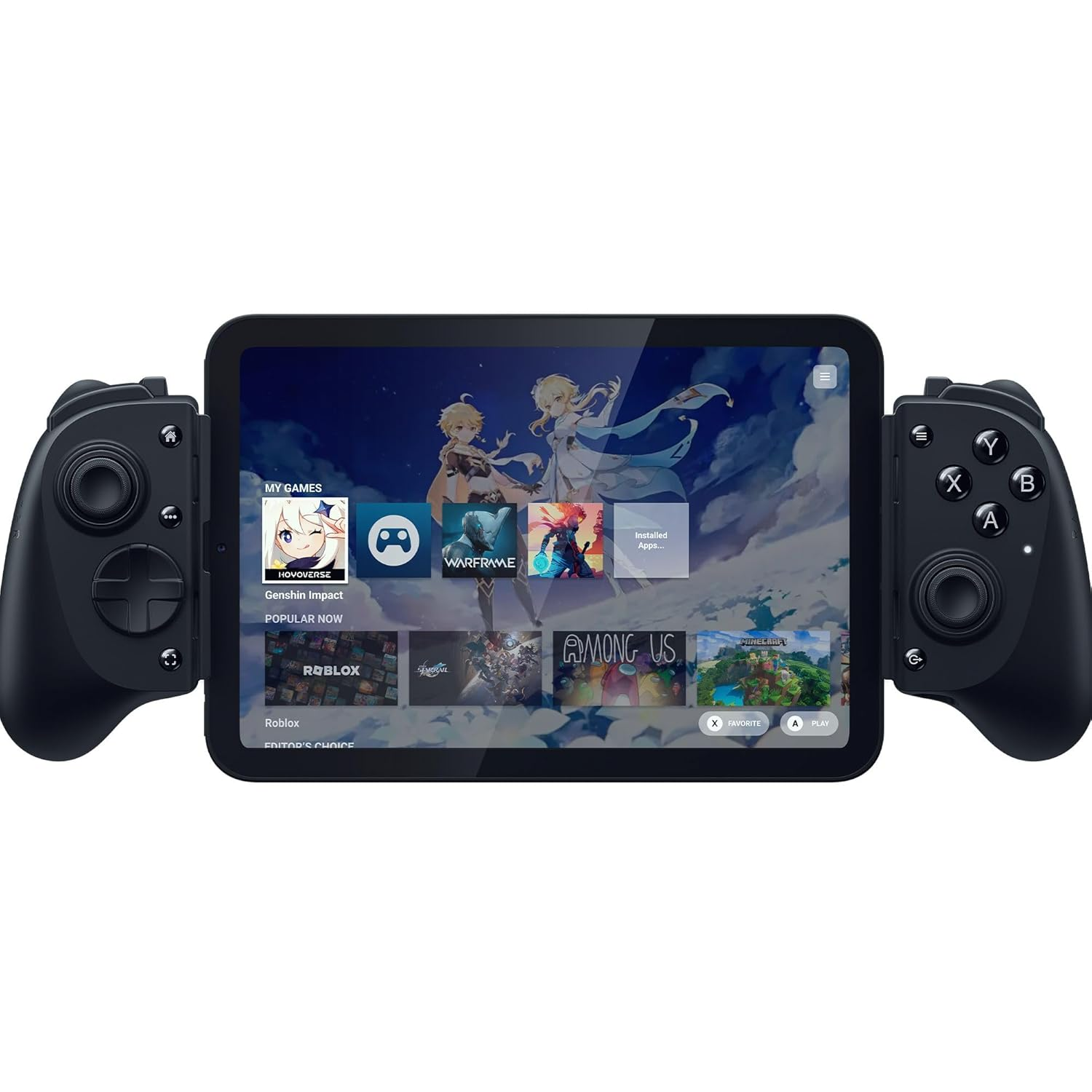
The Germany-located seller, catbearpaws, says the cart was acquired as part of a private lot, and is selling the hardware as-is, with no promises regarding functionality, compatibility, or provenance. Catbearpaws has a 100% selling record and is asking for bids starting at €7,999 ($9,100), with less than three days left to run. They also may accept offers via the eBay Make Offer button/process.

Ultra-rare Nintendo DS Pokemon game on eBay

Machine translation of eBay listing Nintendo DS screen content (Image credit: eBay)

Our machine-translated version of the eBay listing screen content appears to confirm that this is indeed a dev cart that was used for hosting “PokePark Fishing Contest DS” assets of some kind. Whether a playable version of the game can be downloaded, transmitted, or extracted from this hardware remains to be seen. As mentioned, the seller isn’t guaranteeing anything about this expensive but potentially important retro gaming artifact.

  •  

Play the 1992 Classic Wolfenstein 3D but with Modern Lighting Effects

Longtime gamers and fans of retro gaming in general may recall the 1992 classic first person shooter Wolfenstein 3D, which set the standard and blueprint for many the entire genre and gaming in general moving forward. While re-playing Wolfenstein 3D in and of itself can be a fun retro experience, one enterprising developer took it ... Read More

The post Play the 1992 Classic Wolfenstein 3D but with Modern Lighting Effects appeared first on OS X Daily.

  •  
❌