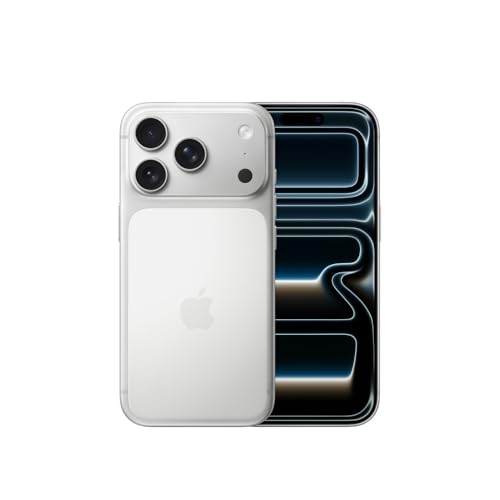
Apple is pressing its OLED panel suppliers for a substantial price reduction on displays destined for the upcoming iPhone 18 Pro Max, as soaring memory chip costs force the company to seek savings elsewhere in its bill of materials.
According to a report from Korean outlet The Elec, Apple has proposed paying around $70 per OLED panel for the iPhone 18 Pro Max. Industry estimates indicate the final supply price from Samsung Display and LG Display could settle even lower — at approximately $66.50. That represents a roughly 20% drop compared with the panels used in the iPhone 17 Pro Max.
While Apple has historically negotiated lower OLED prices with each successive iPhone generation, this year’s cut is unusually steep. The reduction comes despite increased manufacturing complexity: the iPhone 18 series is expected to incorporate Samsung Display’s latest M16 OLED material set, which improves luminous efficiency, lifespan, and color performance. Panel makers must refine processes and stabilize yields for the new materials, raising production difficulty even as prices fall.
The aggressive push for lower display costs is driven by “chipflation”—sharp increases in memory semiconductor prices. Smartphone makers across the industry are attempting to offset higher memory expenses by cutting procurement costs for other components, including displays and camera modules.
Samsung Display President Lee Cheong recently highlighted the pressure, stating at K-Display 2026 that “this year is extremely difficult because of chipflation” and that “very strong pressure is coming in to lower component and display prices.” LG Display’s president noted the company is feeling the effects but described them as manageable through ongoing cost innovation.
Market research firm UBI Research projects Samsung Display will supply 46 million OLED panels for Apple’s bar-type iPhone 18 lineup this year (2 million for the standard model, 18 million for the Pro, and 26 million for the Pro Max). LG Display is expected to provide about 41 million panels (roughly 1 million for the standard model, 19 million for the Pro, and 21 million for the Pro Max).
Apple is anticipated to launch the iPhone 18 Pro and Pro Max in September 2026 alongside its first foldable iPhone, with the standard iPhone 18 and iPhone 18e following in spring 2027. Analysts have suggested the Pro models could see starting prices of $1,299 and $1,399 respectively — up $200 from their predecessors — largely due to elevated memory and storage costs.Whether the OLED savings will help limit further price increases for consumers remains to be seen, but the negotiations underscore the intense cost pressures currently facing the smartphone supply chain.
MacDailyNews Take: In the high-stakes world of smartphone component supply, the message from Cupertino is clear and uncompromising: If you want to keep Apple’s gargantuan business, you will help them preserve their margins.
Please help support MacDailyNews — and enjoy subscriber-only articles, comments, chat, and more — by subscribing to our Substack: macdailynews.substack.com. Thank you!
Ford Apple Maps integration will place the navigation service directly inside a new family of affordable electric vehicles, beginning with a midsize pickup expected to start at approximately $30,000 in 2027.
The truck will not depend on CarPlay or a connected iPhone to access Apple Maps. Ford plans to embed the service through MapKit for Automotive, allowing the automaker to incorporate Apple navigation into its own displays, controls and software environment.
CarPlay will remain available for drivers who want to use iPhone apps, messages, calls and media. The native integration, however, means Apple Maps can continue providing directions when no phone is connected or when the driver uses a device from another manufacturer.
The partnership extends beyond dashboard navigation. Ford also intends to use road-level information from Apple Maps while developing future versions of BlueCruise, connecting Apple mapping data with the driver-assistance technology planned for its Universal Electric Vehicle Platform.
Ford Apple Maps Moves Beyond CarPlay
Ford Apple Maps represents a different approach from the familiar relationship between an iPhone and a vehicle.
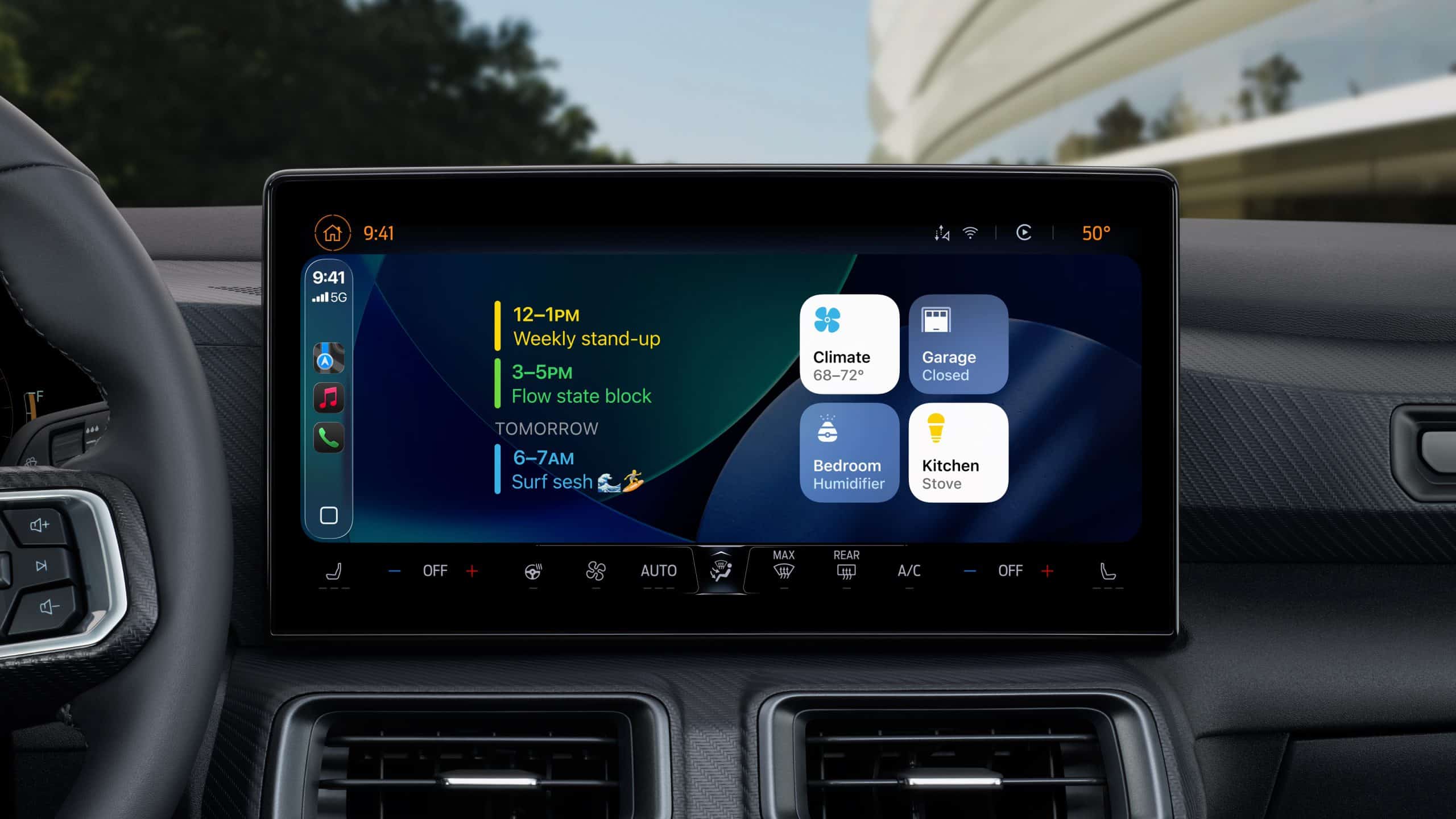
CarPlay runs from the phone and presents selected apps through the dashboard. The embedded version of Apple Maps will operate as part of the truck software, giving Ford greater control over how directions, charging information and vehicle data appear across its displays.
Drivers can expect turn-by-turn guidance, live traffic conditions, incident reports and detailed destination information. Ford will be able to adapt the visual experience to match the interface created for its new electric platform rather than reproducing the standard CarPlay layout.
EV routing may become the most practical benefit. The system can consider available range, charging locations and route conditions before recommending where a driver should stop.
When supported by the vehicle, navigation can also trigger battery preconditioning before arriving at a fast charger. Bringing the battery toward an appropriate temperature can reduce charging time, particularly during cold or extremely hot conditions.
Integrating those functions removes part of the planning burden from longer electric trips. Drivers will not need to move constantly between a navigation app, charging network software and separate vehicle menus to understand whether a station is suitable.
The native experience also gives Ford an alternative to building a complete mapping platform internally. Apple already maintains search, traffic, routing and place information across a large geographic network, while Ford can concentrate on vehicle-specific functions.
Apple, meanwhile, gains a route into factory-installed automotive software without needing to produce its own car.
A Different Strategy From CarPlay Ultra
The Ford arrangement should not be confused with CarPlay Ultra.
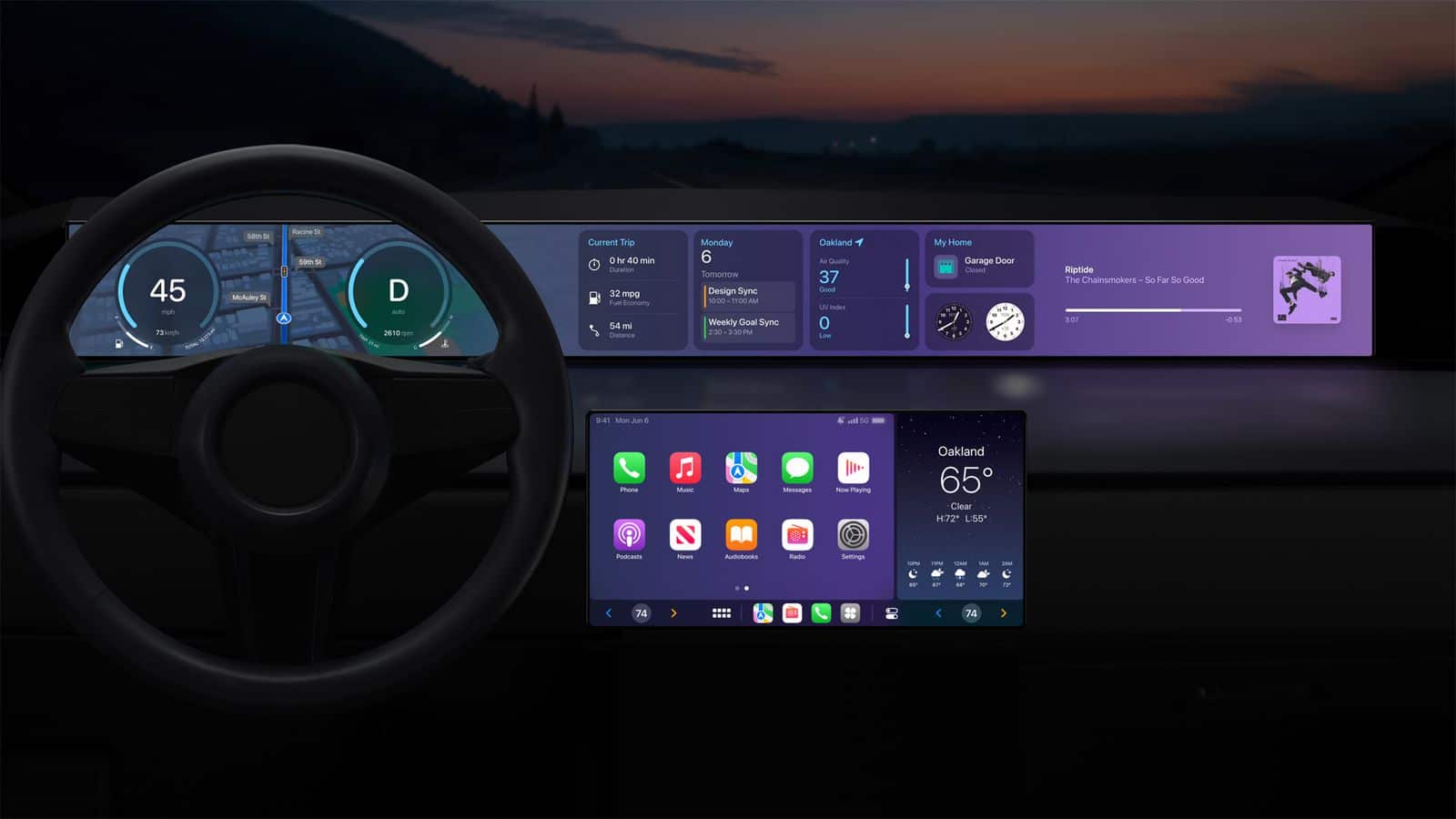
CarPlay Ultra expands the iPhone experience across multiple vehicle screens and can combine phone content with information supplied by the car, including speed, fuel or battery levels and climate controls.
Ford is taking a more selective path. Apple Maps becomes a native service, but the broader dashboard remains a Ford environment.
That distinction may appeal to automakers reluctant to hand control of the cabin interface to another company. Ford can use Apple technology for navigation while preserving its own identity, subscription services and software architecture.
Drivers still receive a recognizable Apple product, but the vehicle manufacturer determines where it appears and how it interacts with charging, driver assistance and other functions.
The arrangement could provide a model for other automakers that want access to individual Apple services without adopting the complete CarPlay Ultra experience.
Image Credit: Ford
A $30,000 Electric Truck Needs More Than a Low Price
The targeted price of approximately $30,000 would place it below many electric pickups currently available in the United States. Ford is aiming at drivers interested in an EV but unwilling or unable to spend the amounts associated with large premium trucks.
The company says the vehicle will provide more passenger space than a recent Toyota RAV4 while including a front storage compartment and a conventional truck bed. Performance is expected to compare with a Mustang EcoBoost, giving the pickup a stronger argument than affordability alone.
Reaching the price target requires changes throughout the vehicle rather than a smaller battery placed inside an existing truck design.
Ford has reduced the number of components, fasteners and assembly operations involved in the new platform. Its zonal electrical architecture is intended to shorten wiring and simplify how software-controlled systems connect across the vehicle.
Lithium iron phosphate batteries will form part of the structural floor. The chemistry avoids nickel and cobalt, generally costs less than alternatives focused on maximum energy density and can offer strong durability for repeated charging.
Production is planned for the Louisville Assembly Plant in Kentucky, where Ford is introducing a manufacturing process that separates major vehicle sections before bringing them together later in assembly.
Apple Maps supports the same cost-conscious strategy. Ford can offer a mature navigation experience without financing the creation of every mapping layer from the beginning.
Apple Maps Will Support BlueCruise Development
The partnership becomes more significant when mapping information begins supporting driver assistance.
Ford Latitude AI plans to use road-level Apple Maps data while developing future BlueCruise capabilities. The objective is to create smoother hands-free travel from a highway entrance ramp through the eventual exit.
Apple Maps can provide advance knowledge of road layouts, interchanges, curves and exits. Ford sensors and onboard systems must still identify vehicles, pedestrians, construction and unexpected changes in real time.
Apple is not developing or controlling BlueCruise. Ford remains responsible for the cameras, sensors, processors and driving decisions used by the system.
The maps provide another layer of context. A vehicle that understands the route in advance can prepare for lane changes, merges and exits before its sensors reach them.
Ford is also developing a large driving model through Latitude AI using extensive road data. Combining that work with detailed maps could allow the company to improve assistance without depending entirely on moment-to-moment visual detection.
The Universal Electric Vehicle Platform is expected to support more capable automated driving in later models. Ford has discussed eyes-off operation from 2028, although final hardware, pricing and regulatory approval remain unresolved.
Introducing that technology through an affordable platform would represent a departure from the usual industry pattern. Advanced driver assistance often begins in expensive vehicles where premium pricing absorbs the cost of sensors and computing.
Ford wants to distribute the development expense across a larger family of electric products.
Image Credit: Ford
Apple Maps Gives the Truck a Familiar Entry Point
The Apple Maps name may make the new truck feel less unfamiliar to customers buying an electric vehicle for the first time.
Charging behavior, range estimation and route planning can create hesitation among drivers accustomed to gasoline vehicles. Presenting those functions through a navigation service already used on millions of iPhones reduces the number of unfamiliar interfaces introduced at once.
Existing Apple Maps users may also recognize saved locations, search behavior and visual guidance, although Ford has not explained which personal features will require an Apple Account or connected iPhone.
The embedded service will still need reliable integration with vehicle range, charger availability and battery temperature. A familiar logo alone cannot compensate for inaccurate charging information or route estimates.
Ford has not yet announced the truck name, final driving range, battery capacity, production specifications or confirmed base price. Those details will determine whether the pickup can combine its promised affordability with enough capability for everyday work and travel.
The first production model is scheduled for 2027, leaving Ford time to refine the software and reveal how Apple Maps will appear across the dashboard before the Louisville assembly line begins building customer vehicles.
A crise no mercado de memórias causada pelo boom das empresas de inteligência artificial (IA) está fazendo até mesmo marcas como a Apple pechincharem na hora de garantir componentes para os seus produtos, segundo informações do site sul-coreano The Elec.
Mais precisamente, a empresa teria pedido que suas fornecedoras reduzissem o preço das telas OLED 1Organic light-emitting diode, ou diodo emissor de luz orgânico. destinadas ao vindouro “iPhone 18 Pro Max” para algo em torno de US$70. Para efeito de comparação, é estimado que cada tela do iPhone 17 Pro Max custe à Apple algo em torno de US$80.
De acordo com as fontes da indústria consultadas pelo veículo, no entanto, a Maçã não só teria obtido sucesso em sua barganha, como estaria pagando um valor médio ainda menor para a Samsung Display e a LG Display, suas duas principais fornecedoras de painéis: US$66,50 (redução de aproximadamente 20%).
Dados da UBI Research citados pelo The Elec dão conta de que a Samsung Display deverá produzir algo em torno de 46 milhões de telas OLED para a linha “iPhone 18” só em 2026, de modo que 2 milhões delas serão reservadas para o modelo de entrada, 18 milhões para o modelo Pro e 26 milhões para a versão Pro Max. A LG Display, por sua vez, produzirá cerca de 1,09 milhão de telas para o modelo mais barato, 19 milhões para o Pro e 21 milhões para o Pro Max.
É esperado que os iPhones “18 Pro” e “18 Pro Max” utilizem displays M16, a geração mais recente de painéis OLED. Entre as vantagens dessa versão da tecnologia estão uma maior eficiência luminosa, uma vida útil maior e características de cor aprimoradas.
Essa, vale notar, não é a primeira vez que o valor das telas OLED empregadas em iPhones cai de uma geração para a outra. Como destacado pelo próprio The Elec, os painéis produzidos para o iPhone 16 Pro Max, lançado em 2024, podiam passar de US$100 por unidade em alguns casos.
Exigências como a da Apple também não são uma surpresa para as fabricantes de telas. No último dia 22 de julho, por exemplo, o presidente da Samsung Display, Lee Cheong, comentou durante um evento que “há uma pressão muito forte para reduzir os preços de componentes e telas” devido à “inflação dos chips”. Jeong Cheol-dong, presidente da LG Display, por sua vez, reconheceu o impacto dessa crise nos negócios da fabricante, mas disse que a situação permanece “em um nível administrável”.
iPhone 17 Pro Max
Cores: prateado, laranja-cósmico ou azul-intenso Armazenamento: 256GB, 512GB, 1TB ou 2TB
NOTA DE TRANSPARÊNCIA: O MacMagazine recebe uma pequena comissão sobre vendas concluídas por meio de links deste post, mas você, como consumidor, não paga nada mais pelos produtos/serviços usando os nossos links de afiliado.
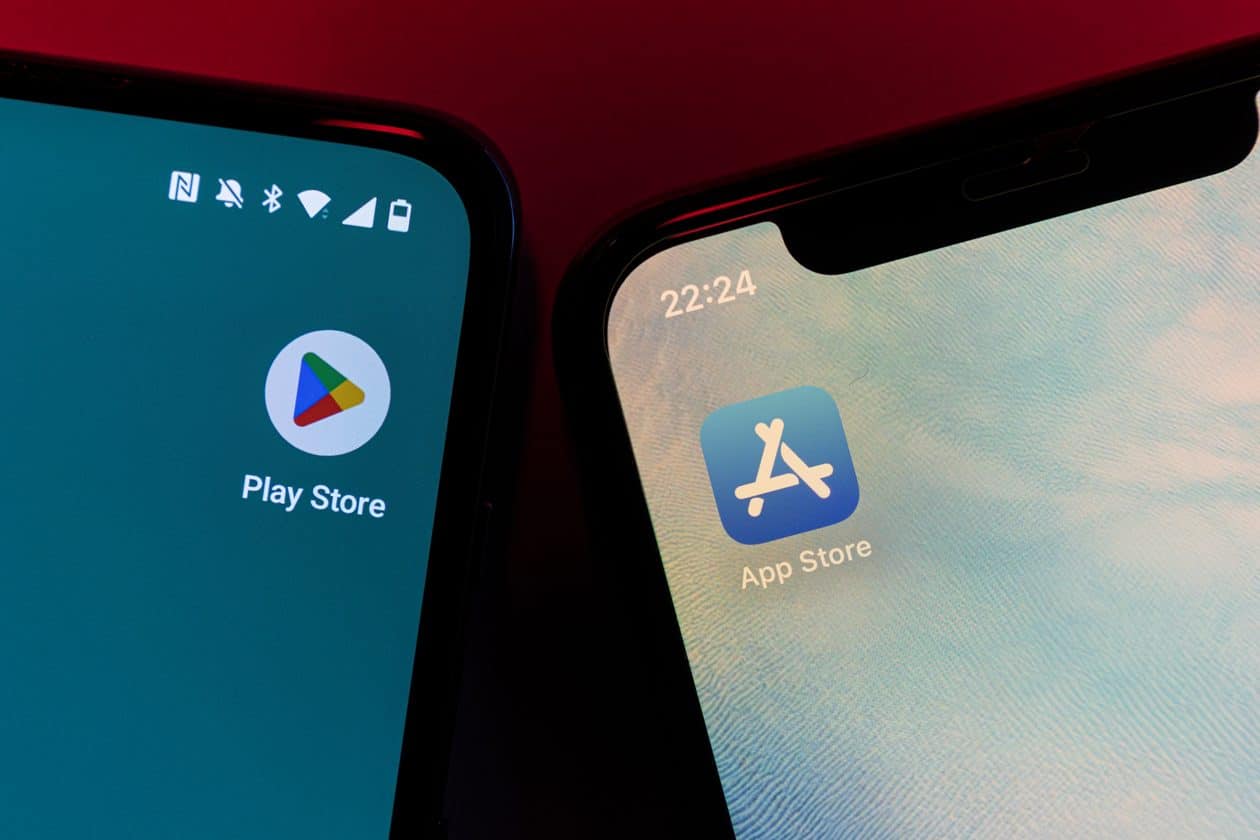
The European Commission has fined Google a total of €890 million ($1 billion) for its breaches of the Digital Market Act (DMA).
Just over half the fine — €460 million — was because Google illegally gave preference to its own services in Google Search results.
The remainder was because in the Google Play store for Android apps, the company prevented app developers from leading consumers to alternative, often cheaper, purchase channels. Under the DMA, app developers who distribute their apps via Google Play or Apple’s App Store should be able to inform customers of alternative offers.
Now Google must give third-party services featuring in its results the same treatment as its own services, and allow developers of apps in the Play Store to communicate about offers both in and outside the Play Store, or face further fines.
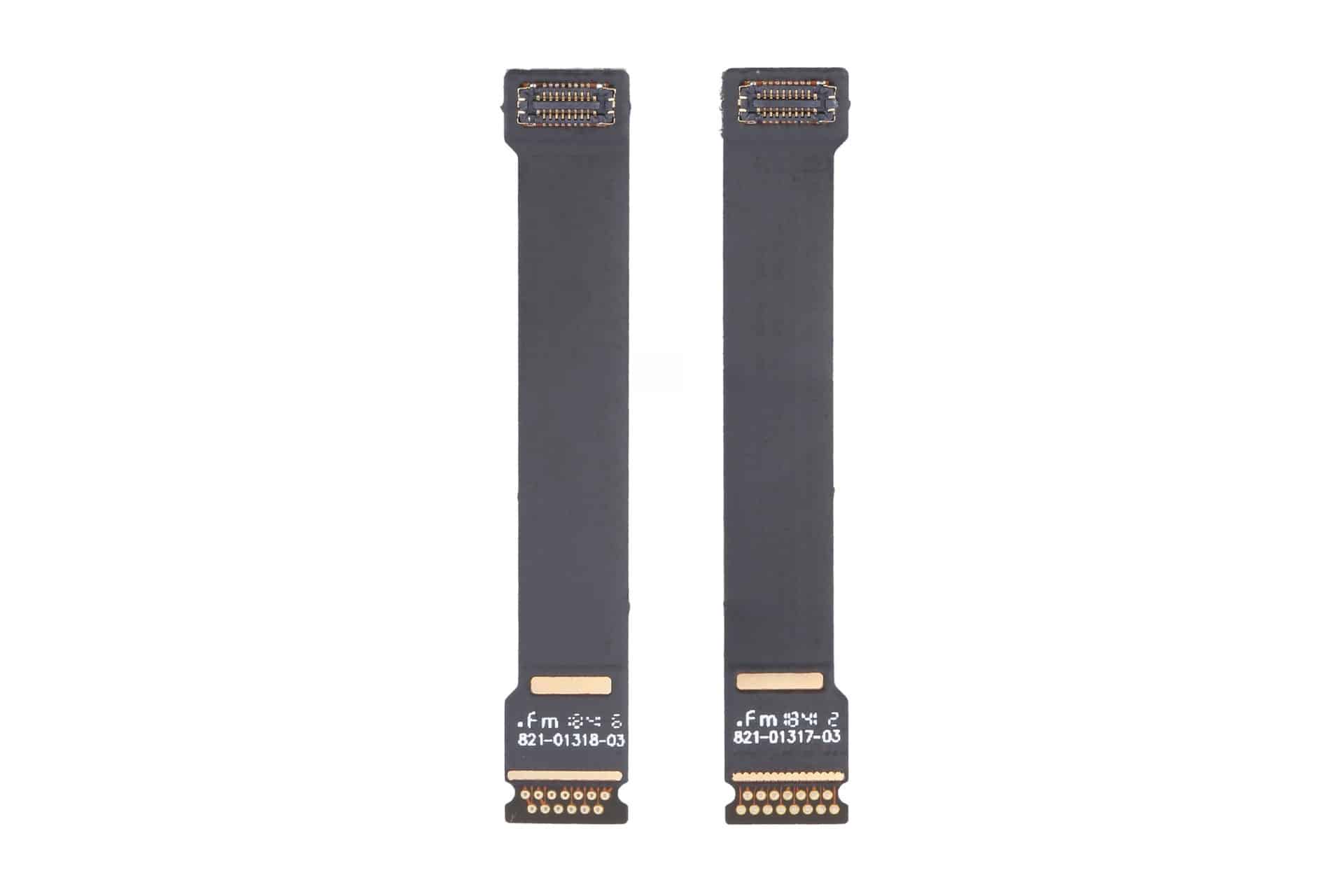
MacBook Air Flexgate is an unofficial name increasingly used for screen problems that appear when the laptop lid reaches a particular angle. The display may flicker, lose its backlight, show colored lines or turn completely black even though the computer continues running.
The term can be misleading. The original Flexgate controversy involved certain 13-inch MacBook Pro models from 2016, not MacBook Air. Apple later created a display backlight service program for eligible MacBook Pro units after determining that a small percentage could develop uneven lighting or lose the backlight entirely.
No equivalent MacBook Air repair program currently appears among Apple active service programs. Individual Air models can still experience failures involving display cables, connectors, backlight components or the LCD panel, but that does not establish one confirmed defect affecting every generation.
Owners therefore need to identify the symptom before assuming the screen has the same problem associated with the earlier MacBook Pro.
MacBook Air Flexgate Is Not the Original Flexgate
MacBook Air Flexgate usually refers to damage or wear affecting the thin cables carrying display information and power between the computer body and the screen.
These cables must flex every time the lid opens or closes. When a cable, connector or bonded section begins failing, the problem may initially appear only at certain screen angles. Moving the lid can restore the image temporarily, followed by another blackout when the display opens farther.
The original MacBook Pro issue became associated with a short backlight cable integrated into the display assembly. Repeated movement could place stress on the cable, producing a stage-light effect along the bottom of the screen before the backlight eventually stopped working.
MacBook Air designs also use compact display connections routed through the hinge area, but the internal construction differs across generations. A cable-related Air failure should not automatically be treated as evidence that Apple reused the exact defective MacBook Pro component.
The distinction matters during repair. A technician may use “Flexgate” as convenient shorthand, while the written diagnosis may identify a damaged display cable, backlight circuit, panel connection or complete display assembly.
Customers should ask which component has failed and how the conclusion was reached rather than accepting the nickname as the diagnosis.
Image Source: Google
Which MacBook Air Models Are Mentioned Most
Reports of angle-dependent MacBook Air display failures most commonly involve Retina models introduced from 2018 onward.
The 2018 and 2019 Intel MacBook Air share a thin Retina design with display connections running through the hinge area. The early 2020 Intel version and late 2020 M1 MacBook Air use closely related chassis designs, making symptoms across these machines look similar even when the failed component is not identical.
Owners describe displays that work when opened slightly but flicker, develop lines or turn black when moved toward a normal viewing position. Some units recover after the lid is partly closed, strongly suggesting a physical connection affected by movement.
The M1 MacBook Air receives particular attention because it sold in large numbers and remained available for several years. A greater number of public complaints does not necessarily mean it has a higher failure rate, but many of these computers are now old enough for wear, accidental pressure and repeated hinge movement to become relevant.
The redesigned M2 MacBook Air introduced in 2022 uses a different enclosure and display assembly. M3 and later versions continue that flatter design. Individual screen and cable failures can occur, but there is no established evidence of a single Flexgate defect covering those generations.
Older wedge-shaped MacBook Air models released before the 2018 Retina redesign can also develop display cable problems. They are not normally included in the Flexgate discussion because their screen architecture predates the MacBook Pro controversy and their failures follow different repair patterns.
The exact model can be checked through:
Apple menu > About This Mac
The model year and screen size are more useful than the date the Mac was purchased. Retailers may sell an earlier generation long after its original release.
How to Recognize a Display Cable Failure
A strong Flexgate-style symptom is a display that changes immediately when the lid moves.
The screen may operate normally below a particular angle, then flicker or disappear as it opens farther. Returning the lid to the previous position restores the picture without restarting the Mac.
Uneven illumination along the bottom edge can point toward a backlight connection. Several bright or dark patches resembling stage lights are especially associated with cable or backlight distribution problems.
A completely dark screen may still contain a faint image. Shining a flashlight toward the display in a dark room can sometimes reveal the desktop beneath the failed backlight. This test should be performed gently without pressing against the panel.
Colored vertical lines, black bands or duplicated images can involve the display data connection, but they may also indicate panel damage. Lines that remain unchanged at every lid angle are less characteristic of a flex-related failure.
Cracks do not always appear on the outer glass. Pressure from a webcam cover, keyboard protector, plug, pen or other object left between the keyboard and display can damage the internal LCD while leaving the surface relatively smooth.
Liquid exposure may create lines, discoloration or intermittent operation around the hinge and display connectors. In those cases, repeatedly opening the lid can spread contamination or worsen damaged connections.
An external monitor provides one of the most useful tests. When the external image remains normal while the built-in screen fails, the graphics processor is probably still generating the picture correctly. Attention then moves toward the internal display assembly, cable or connector.
A screenshot can provide another distinction. Capture the screen while the fault is visible, then inspect the file on another device or external monitor. When the screenshot looks normal, the problem is likely occurring after macOS generates the image.
What Owners Should Do Before Paying for Repair
Back up the Mac as soon as an intermittent display problem begins. A screen that works at one angle today may become completely unusable after another cable movement.
Avoid repeatedly opening and closing the lid to demonstrate the fault. Each movement can place further stress on an already damaged connection.
Record a short video showing the display at different angles. Intermittent failures can disappear when a Mac reaches a repair counter, and clear documentation helps the technician reproduce the condition.
Apple Diagnostics may identify some hardware problems, although a clean result does not rule out a damaged display cable. Testing in macOS Recovery or during startup can help exclude an ordinary application problem.
Apple and authorized providers commonly replace the complete display assembly when the cable is integrated with the screen. That approach can make an out-of-warranty repair expensive even when the visible fault involves a small cable.
Independent repair specialists may offer component-level cable work for certain models. The quality and durability of those repairs vary considerably, and newer Air displays can require specialized equipment, adhesives and calibration.
Before authorizing work, request a written estimate identifying the model, suspected component, warranty on the repair and whether the replacement display is new, used, refurbished or genuine.
AppleCare+ may reduce the cost when coverage remains active, particularly if the screen shows accidental damage. Standard warranty coverage depends on the diagnosis and whether Apple determines that impact, liquid or external pressure caused the failure.
The current Apple service-program list should also be checked before paying. A MacBook Air display program could be introduced or changed later, while consumer-protection laws may provide additional rights in some countries even after the limited warranty ends.
Owners using the Mac with an external monitor can often continue working while evaluating repair options. FileVault credentials, backups and any essential recovery codes should be confirmed before service because a technician may need to erase, reset or retain the computer during inspection.
A Apple anunciou hoje uma parceria com a Ford para que o Apple Maps seja integrado à Universal Electric Vehicle Platform (UEV) da montadora até 2027, por meio do seu kit de desenvolvimento MapKit for Automotive.
A Maçã ainda afirmou que as informações cartográficas em nível de via serão utilizadas pela equipe Latitude AI da Ford para desenvolver um sistema de condução hands-free.
Com o novo SDK 1Software development kit, ou kit de desenvolvimento de software., a plataforma UEV da Ford permitirá navegação curva a curva a partir de instruções em linguagem natural, informações de trânsito e incidentes em tempo real, busca intuitiva com cartões detalhados de locais e opções de rotas inteligentes.
A Ford deverá utilizar os dados viários dos Mapas da Apple para aprimorar a próxima geração do BlueCruise, seu sistema de condução sem as mãos para rodovias. A experiência da plataforma UEV poderá se assemelhar à dos Mapas no CarPlay, oferecendo um roteamento inteligente para elétricos e pré-condicionamento de bateria — nesse caso, integrados diretamente ao sistema de navegação do veículo.
O CEO 2Chief executive officer, ou diretor executivo. da Ford, Jim Farley, comentou a parceria:
Nossos novos carros de porte médio terão um preço por volta de US$30.000 e redefinirão o que a tecnologia avançada pode ser — simples, útil e realmente acessível para mais consumidores. […] Nós temos o orgulho de incorporar a navegação e a tecnologia de navegação de mapas do Apple Maps diretamente na nossa Universal Electric Vehicle Platform, dando aos consumidores uma experiência definitiva de navegação junto com o nosso app da Ford, uma suíte completa de software e a próxima geração do BlueCruise, tudo habilitado para uma nova arquitetura zonal. O Apple Maps entregou um produto de classe mundial, e estamos honrados em ser um dos primeiros a incorporá-lo diretamente em um veículo, ajudando a definir uma condução mais intuitiva e capaz.
Para os proprietários de carros da Ford, a Apple confirmou a continuidade do suporte ao CarPlay, embora a colaboração permita que até mesmo quem não utiliza um iPhone possua os Mapas da Apple com todos os seus recursos. Com o kit de desenvolvimento MapKit for Automotive, a expectativa da Apple é que mais montadoras incorporem os Mapas aos seus próprios sistemas.
Notas de rodapé
1
Software development kit, ou kit de desenvolvimento de software.
O WhatsAppoficializou hoje um conjunto de novidades para usuários de recursos e dispositivos da Apple, com destaque especial para o CarPlay e o iPad — que só ganhou um app do mensageiro no ano passado.
No caso do sistema de infoentretenimento da Maçã, foi revelada uma reformulação completa da experiência, que inclui agora a possibilidade de ouvir e responder mensagens com as mãos livres. Também passou a ser possível fazer ligações, consultar o histórico delas e acessar seus favoritos diretamente da multimídia do veículo.
Divulgação/Meta
Usuários de iPad, por sua vez, agora podem criar uma conta na plataforma e configurá-la diretamente do tablet, o que os livra também de ter que conectar o app a um smartphone. Segundo o mensageiro, essa adição era um dos principais pedidos dos usuários.
O WhatsApp também oficializou a possibilidade de compartilhar uma música do Apple Music ou do Spotify na forma de um status, expandindo as possibilidades de expressão nessa seção do app.
Por fim, também foi anunciada uma integração com o Adobe Acrobat para permitir que usuários abram PDFs diretamente do WhatsApp Web (ou do app para Windows) sem precisar baixá-los. Também passou a ser possível fazer edições simples, como destacar e adicionar comentários, sem deixar o mensageiro e com criptografia de ponta a ponta.
Divulgação/Meta
Segundo a Meta, essas novidades já foram liberadas para todos os usuários do WhatsApp.
Fontes da cadeia de suprimentos dão conta de que a Apple estaria avaliando a utilização de uma tela maior para o iPhone — de quase 7 polegadas, mais especificamente — em um futuro próximo.
A informação veio do leakerDigital Chat Station, o qual comentou na rede social chinesa Weibo que o tamanho físico do novo painel seria de exatas 6,96 polegadas. Ele especula que essa ampliação deverá acontecer no“iPhone 20 Pro Max”, a versão maior da edição comemorativa de 20 anos da linha, marcada para chegar em 2027, sucedendo o “iPhone 18 Pro Max”.
Caso o rumor se confirme, esse se tornará o maior painel já utilizado em um iPhone (embora a diferença em relação às 6,86″ do iPhone 17 Pro Max seja pequena), número suficiente para que o arredondamento das campanhas publicitárias da Apple dê conta de uma tela de 7″.
A proposta dos modelos comemorativos de 20 anos, conforme especulam vários insiders, é de uma tela sem intervenções, com bordas curvas. Segundo Mark Gurman, da Bloomberg, esses novos iPhones deverão contar com um chip “A21” de 2 nanômetros, que poderá estar presente ainda na segunda geração do iPhone dobrável. Resta a dúvida se a Apple pulará a linha “iPhone 19” e seguirá direto com o “20” (ou “XX”), como fez com os iPhones 8/8 Plus e o iPhone X, em 2017.
iPhone 17 Pro Max
Cores: prateado, laranja-cósmico ou azul-intenso Armazenamento: 256GB, 512GB, 1TB ou 2TB
NOTA DE TRANSPARÊNCIA: O MacMagazine recebe uma pequena comissão sobre vendas concluídas por meio de links deste post, mas você, como consumidor, não paga nada mais pelos produtos/serviços usando os nossos links de afiliado.
A Apple e o Google foram intimados por um procurador de San Francisco a remover aplicativos que gerem imagens de nudez não consensuais.
As notificações extrajudiciais foram enviadas pelo procurador David Chiu, que exigiu a remoção de 13 aplicativos de troca de rostos (face swap) os quais permitem que usuários criem imagens de nudez sem o consentimento das pessoas envolvidas, com o auxílio da inteligência artificial (IA). Ele solicitou ainda o rompimento das relações comerciais com os desenvolvedores desses apps.
Chiu comentou o conflito com esse segmento de apps e a problemática da relação desses aplicativos com grandes empresas de tecnologia:
Gerar imagens íntimas não consensuais é ilegal, prejudicial e completamente inaceitável. […] Essas empresas têm a responsabilidade de garantir que os aplicativos em suas plataformas não facilitem abuso sexual. […] O fato de algumas das maiores e mais consolidadas empresas de tecnologia do mundo estarem facilitando isso precisa acabar.
Pesquisadores das universidades de Cornell e Georgetown descobriram que, de 155 apps de criação de deepfakes, 70% deles permitiam gerar conteúdos com nudez sem quaisquer restrições — demonstrando que mesmo os apps que não são promovidos como tal não impedem práticas criminosas. Uma investigação da Tech Transparency Project (TTP) revelou números parecidos.
A Apple possui um histórico delicado com o tema: embora esses estudos apontem leniência com a existência desse tipo de ferramenta na App Store, a Maçã possui um rastro de combate a esse tipo de prática — ainda que sob pressão governamental —, a exemplo da ameaça de remoção do X em meio à polêmica com a geração de imagens de nudez com o auxílio do Grok.
Representando o Google, Dan Jackson afirmou que centenas desses aplicativos foram excluídos da loja do Android:
O Google Play não permite aplicativos que contenham conteúdo sexual, e tomamos continuamente medidas proativas para detectar e remover apps com conteúdo prejudicial. […] Quando recebemos denúncias, investigamos e agimos rapidamente, o que, nesses casos, incluiu suspender centenas de aplicativos que violavam nossas políticas e restringir termos de busca relacionados, como “nudify”, em nossa loja.
A Apple, por sua vez, optou por não comentar o caso.
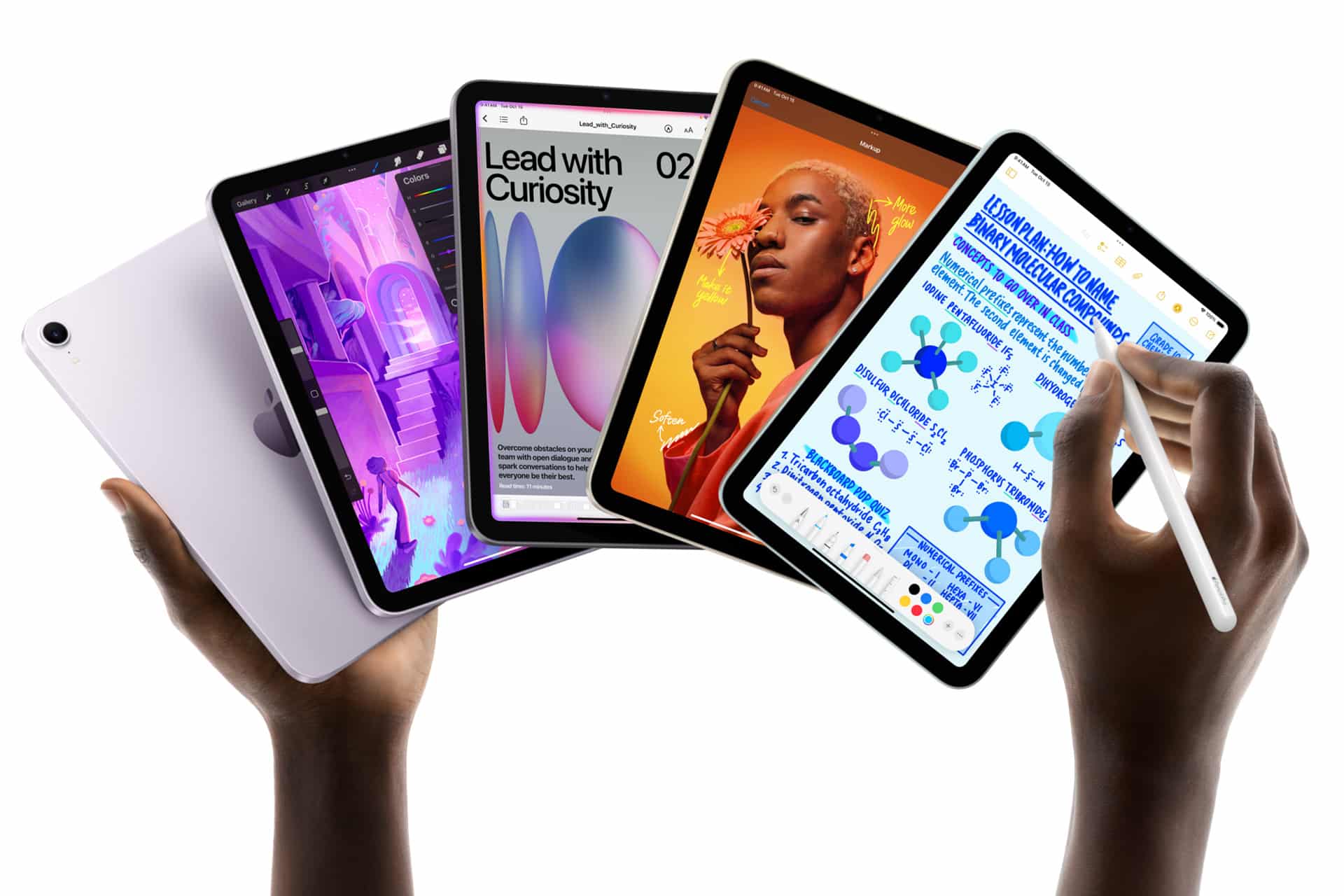
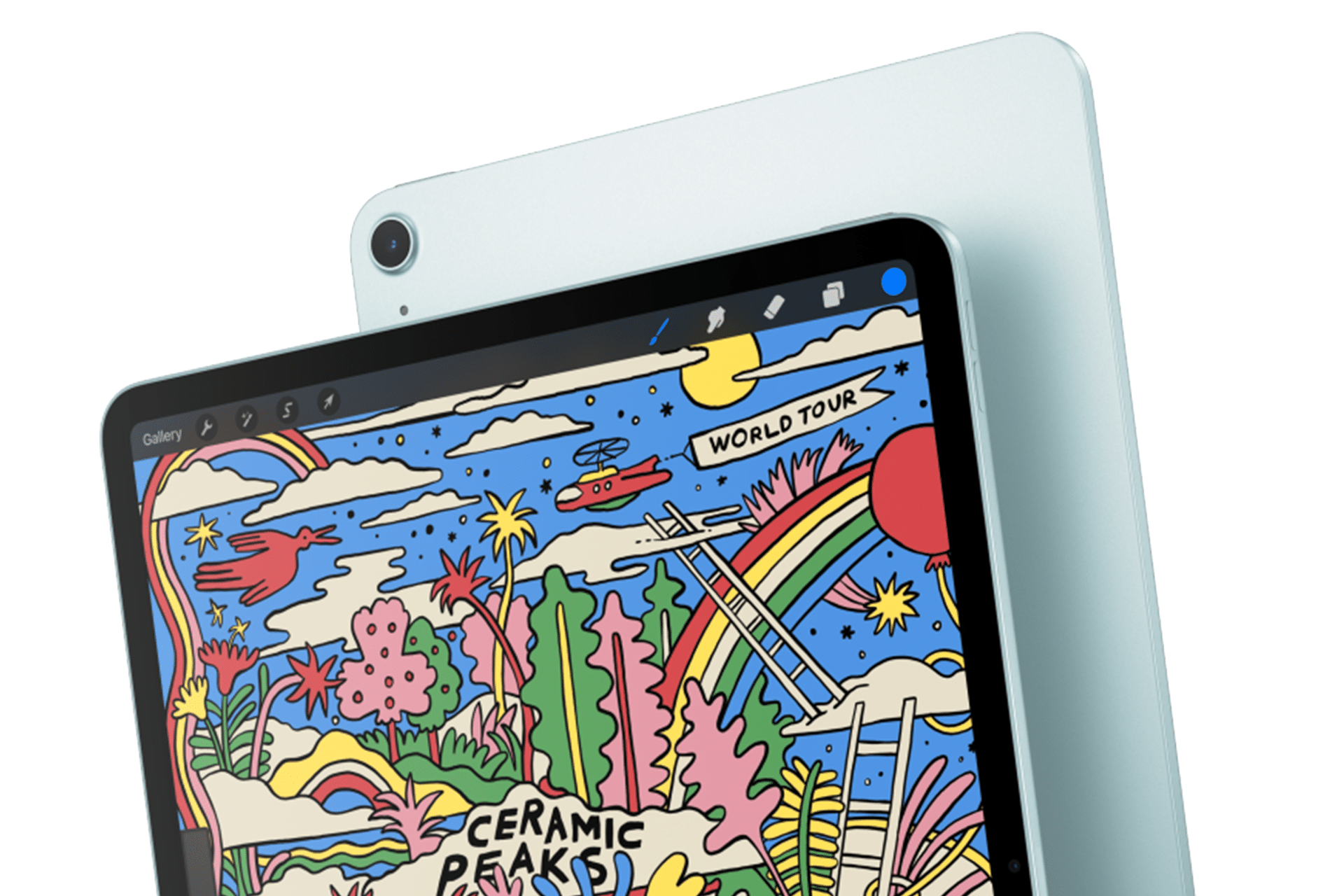
Apple’s next iPad lineup refresh could begin this fall with a new iPad mini, followed by updates across the rest of the tablet family during 2027. The reported schedule would give Apple a rolling series of launches rather than one event covering every iPad at once.
Bloomberg’s Mark Gurman reports that Apple is preparing replacements for the iPad mini, entry-level iPad, iPad Air and iPad Pro. The compact model is expected to arrive first, potentially as early as October, while the remaining tablets would follow over the next several months.
Apple has not announced any of the devices, and release timing can change. The report nevertheless gives prospective buyers a clearer picture of where each current model sits in its cycle. The first update could also bring one of the most requested display improvements to Apple’s smallest tablet.
iPad Lineup Refresh Starts With the Mini
The iPad lineup refresh is expected to begin with the iPad mini, which has received fewer updates than Apple’s larger tablets. The current design remains popular because it offers an 8.3-inch screen in a device small enough to hold comfortably with one hand, place in a small bag or use as a portable reading and note-taking tool.
The next model is reportedly moving to an OLED display. That would give the iPad mini deeper black levels, stronger contrast and more vivid color than its current LCD panel. OLED would be particularly noticeable when reading in dark environments, watching video or working with images.
The new display is expected to measure approximately 8.4 inches without producing a major change to the overall design. Apple may retain a 60Hz refresh rate rather than bringing the 120Hz ProMotion technology used by the iPad Pro. That could disappoint buyers hoping the mini would become a compact Pro model, but OLED alone would represent a visible upgrade.
Reports have also pointed to an A19 Pro chip. That would give the smaller tablet more performance for games, creative apps, Apple Intelligence and longer-term software support. The current iPad mini already occupies an unusual position between a reading device and a compact professional tool. A stronger chip and OLED screen would push it further toward the second category.
Price may become the less attractive part of the update. Apple could raise the starting cost as display and memory expenses increase. Buyers interested mainly in portability may accept a higher price, but the iPad mini would need to avoid moving too close to the iPad Air.
The Entry-Level iPad May Stay Familiar
Apple’s least expensive iPad is expected to receive a more modest update in early 2027. The company reportedly plans to preserve the current design while replacing the processor with a newer chip.
That would fit the role of the entry-level model. Apple uses it for education, families, basic productivity, streaming, games and first-time tablet buyers. A dramatic redesign could increase the cost without improving the tasks most customers use it for.
The processor update could bring Apple Intelligence compatibility, depending on the chip and memory configuration Apple chooses. The current model’s position outside some advanced AI features creates an increasingly visible separation from the rest of the lineup.
A newer chip would also extend the useful life of the device. Entry-level iPads are often kept for several years, passed between family members or deployed in schools and businesses. Long software support can be more valuable in that segment than a thinner body or new camera arrangement.
Anyone considering the current base iPad should decide whether price or longevity has greater value. The current model remains suitable for ordinary use, particularly when discounted. Buyers who want the longest possible support window may prefer to wait.
iPad Air Could Receive the Larger Display Upgrade
The iPad Air is also expected to receive an update in 2027, with OLED display technology reportedly planned for the range. That would narrow one of the most obvious visual differences between the Air and the iPad Pro.
Apple currently positions the Air as the balanced choice: stronger than the entry model, less expensive than the Pro and available in 11-inch and 13-inch sizes. It supports Apple Pencil Pro and Magic Keyboard while offering M-series performance for demanding apps.
An OLED display would make that value proposition more aggressive. The Air could offer improved contrast and image quality without requiring buyers to move to the Pro tier. Apple would still have several ways to distinguish the Pro, including ProMotion, brighter displays, thinner hardware, advanced cameras and newer processors.
The processor is likely to receive another M-series upgrade as well, though the exact chip remains uncertain. For most users, the Air already has far more processing power than routine tablet work demands. The screen may provide the stronger reason to wait.
The risk for Apple is pricing. OLED panels could push the Air upward, especially in the 13-inch configuration. If the gap between Air and Pro becomes too narrow, buyers may move directly to the flagship. Apple will need to preserve a convincing middle tier.
iPad Pro May Focus on Power and Accessories
The next iPad Pro is reportedly planned for spring 2027. Apple may use a new M-series processor while leaving the current thin design largely intact.
That would make the Pro refresh more evolutionary than transformative. The current generation already includes OLED displays, high-end performance, Face ID, ProMotion and support for Apple Pencil Pro and Magic Keyboard.
Apple is also reportedly preparing two updated Apple Pencil models. Those accessories could arrive alongside the next iPad Pro, with changes potentially related to battery design and regulatory requirements.
The larger question is what additional processor power will do for the tablet. iPadOS 27 has expanded multitasking and window management, but buyers continue to evaluate the Pro against MacBook models at similar prices. A faster chip alone will not settle that comparison.
Apple may rely more heavily on AI, professional applications and accessory integration to justify the update. The Pro has become a platform for illustration, video editing, music production, 3D work and specialized enterprise apps. New hardware needs to strengthen those uses rather than simply win another benchmark.
Should Buyers Wait?
The answer depends on the model. Prospective iPad mini buyers have the strongest reason to pause because the reported fall update could introduce a substantially better display within months.
Entry-level buyers can still consider the current iPad when pricing is attractive. Its expected replacement appears focused on performance rather than design. Waiting becomes more sensible for anyone who wants Apple Intelligence support or maximum longevity.
The current iPad Air remains a capable option, particularly for users who need a tablet now. OLED would improve the experience, but a 2027 release leaves a longer wait. The same logic applies to the iPad Pro. Its successor may be faster, though the existing model already covers demanding work comfortably.
Apple’s gradual schedule could keep the iPad in the hardware conversation from fall through spring. It also means there will be no single perfect moment when every model is equally new.
The iPad mini may open the cycle because it has the most obvious opportunity for visible improvement. After that, Apple can use the base iPad for reach, the Air for broader OLED adoption and the Pro for its latest silicon and accessories.
The tablet lineup is not expected to change all at once. It may instead evolve model by model, giving buyers repeated reasons to reconsider which iPad fits their needs.
CarPlay apps have grown far beyond maps, music and basic messaging. More than 120 popular iPhone apps now offer some form of support for Apple’s in-car platform, giving drivers access to navigation, podcasts, audiobooks, sports, communication, electric vehicle charging, parking, food ordering and newer AI assistants.
Not every compatible app places its full iPhone interface on the dashboard. CarPlay uses simplified layouts, voice controls and restricted features designed to reduce distractions. Some apps show lists and buttons, while others operate mainly through Siri or audio playback.
The larger catalog nevertheless changes what CarPlay can do. It is becoming a controlled extension of the iPhone rather than a small collection of driving utilities.
CarPlay Apps Cover More of the Journey
The first generations of CarPlay concentrated on a small set of familiar activities: choosing a route, making a call, sending a message and playing audio. Those functions remain central, but Apple has gradually opened additional categories to developers.
CarPlay apps can now help drivers find parking, locate fuel, identify EV charging stations, order food for collection and complete certain driving-related tasks. Automakers can also build apps that control supported vehicle features without forcing the driver to leave the CarPlay interface.
Apple continues to limit which app categories qualify. A social network, game or ordinary shopping app cannot simply reproduce its iPhone screen on the dashboard. Developers must use Apple’s CarPlay frameworks and present only functions considered suitable for the car.
The approach explains why the available catalog can feel both extensive and restrained. More than 120 apps may be compatible, but the dashboard does not become a crowded copy of the App Store.
Image Credit: Apple Inc.
Navigation Remains the Starting Point
Apple Maps is built directly into CarPlay and provides turn-by-turn guidance, traffic information, estimated arrival times and destination suggestions based on information from the iPhone.
Drivers can also choose popular alternatives including Google Maps and Waze. Each service brings a different combination of traffic data, route preferences, incident reporting and familiar saved locations.
Other navigation and travel options include HERE WeGo, TomTom GO Navigation, Sygic GPS Navigation, Gaia GPS and specialist apps designed for trucks, motorcycles or outdoor routes.
The strongest choice usually comes down to habit and regional coverage. A driver already using Google Maps or Waze on iPhone can continue using saved destinations and preferences inside the car. Apple Maps benefits from tighter system integration, including Siri requests, Calendar suggestions and Apple Watch directions.
CarPlay allows several navigation apps to appear in the Dashboard layout, where mapping can share the screen with media controls and other useful information.
Music, Radio and Podcasts Dominate the Catalog
Audio remains the largest CarPlay app category because it suits an environment where users should spend as little time as possible looking at the screen.
Apple Music, Spotify, YouTube Music, Amazon Music, Deezer, Tidal and Pandora provide access to large music libraries. Radio services such as TuneIn, iHeartRadio and SiriusXM add live stations, news, sports and talk programming.
Podcast listeners can use Apple Podcasts, Overcast, Pocket Casts, Castro and Spotify. Audiobook options include Apple Books, Audible, Audiobooks.com and Bookmate.
The CarPlay versions usually emphasize large buttons, recent listening, saved libraries and voice search. More detailed account management remains on the iPhone.
Siri can start playback without requiring users to browse through several menus. The experience is safer and often faster when the request includes the service and content, such as asking Siri to play a specific playlist through Apple Music or Spotify.
Messaging Is Becoming More Visual
Messages has long allowed CarPlay users to hear incoming texts and dictate replies through Siri. Third-party messaging services have expanded the same general idea.
WhatsApp now offers a fuller CarPlay experience that can display recent chats, calls and favorite contacts while keeping message composition centered on voice. Other supported communication apps include Telegram and selected business messaging services, depending on region and app version.
CarPlay does not display long text conversations like an iPhone. Siri reads messages aloud, and users can dictate a response. Visual elements remain limited so the dashboard does not become a scrolling chat screen.
Phone and supported calling apps also provide simplified access to contacts, recent calls and favorites. Meeting services can support audio participation, but video remains unavailable while driving.
AI Assistants Enter CarPlay
AI assistants represent one of the newest CarPlay app categories. ChatGPT, Perplexity and Grok have introduced CarPlay support, allowing drivers to interact through voice without handling the iPhone.
These apps can answer general questions, explain subjects, brainstorm ideas or continue voice conversations. Their usefulness in a car is different from navigation or music. They provide a hands-free knowledge interface during a commute or long trip.
Google Meet and other communication apps have also expanded their in-car presence, emphasizing audio conversations rather than video.
AI responses should not replace directions, emergency information or vehicle warnings. They can also produce inaccurate answers, particularly when asked about rapidly changing road conditions. Apple Maps, official traffic services and the vehicle’s own systems remain the appropriate sources for driving decisions.
The arrival of AI assistants still marks a meaningful expansion. CarPlay is no longer limited to commands with predefined outcomes. Drivers can now hold longer spoken interactions through supported services.
Parking, Fuel and EV Charging Become Easier
Practical travel apps can reduce the need to handle an iPhone after arriving near a destination.
Parking services can help locate garages, compare availability or start a parking session. Availability varies by city, but apps from services such as SpotHero, EasyPark and ParkWhiz may offer CarPlay functions in supported markets.
Fueling apps can guide drivers to compatible stations and, in some cases, prepare or authorize payments. EV charging apps can locate chargers, show connector availability and begin navigation to a selected station.
ChargePoint, PlugShare, Electrify America and other charging networks provide different levels of CarPlay integration. Drivers should confirm that their preferred service supports the platform in their country and app version.
Food-ordering support is more restricted. Compatible apps are designed around quick pickup tasks rather than browsing complete menus while the vehicle is moving.
Sports and Driving Information Join the Dashboard
Sports apps are also finding a place in the car. Apple Sports and selected third-party services can provide scores or spoken updates without requiring drivers to follow a live visual feed.
Audio broadcasters already make sports a major part of CarPlay through radio and podcast services. Dedicated sports support makes it easier to reach a favorite team or competition directly.
Driving-task apps can handle functions such as recording mileage, managing road trips or communicating with fleet systems. These experiences are generally built for narrow purposes and use simplified controls.
Automaker apps form another category. Depending on the vehicle, they can expose controls for radio stations, climate functions, drive modes or other systems through CarPlay. Support is determined by the manufacturer and may differ between models.
How to Find CarPlay Apps on an iPhone
Compatible apps installed on the iPhone normally appear in CarPlay automatically. Users can decide which ones remain visible and change their order.
To organize CarPlay apps:
Settings > General > CarPlay > select the vehicle > Customize
Apps can be added, removed or rearranged from this screen. Removing an app from the CarPlay layout does not uninstall it from the iPhone.
An app may not appear when its developer has not enabled CarPlay support, the feature is unavailable in the region or the app needs to be updated. Some services also require an active subscription or account.
The safest layout keeps frequently used navigation and audio apps near the first page. Less essential services can remain farther back or be removed to reduce dashboard clutter.
More Apps Do Not Mean More Screen Time
The value of 120 CarPlay apps is not having 120 icons inside the car. It is having a useful service available when a particular trip requires it.
A daily commute may involve only Maps, Music and Messages. A road trip may add charging, parking, audiobooks and weather information. A workday could involve audio meetings and mileage tracking.
CarPlay’s restrictions remain part of its appeal. Apps are expected to simplify their interfaces, support voice interaction and limit detailed visual tasks. The system should reduce the temptation to use the iPhone rather than reproduce every distraction on a larger screen.
As iOS 27 expands capabilities for audio, communication, navigation and driving-task apps, the catalog is likely to keep growing. The more useful evolution will be deeper integration with the Dashboard, Siri and vehicle controls—not simply another row of icons.
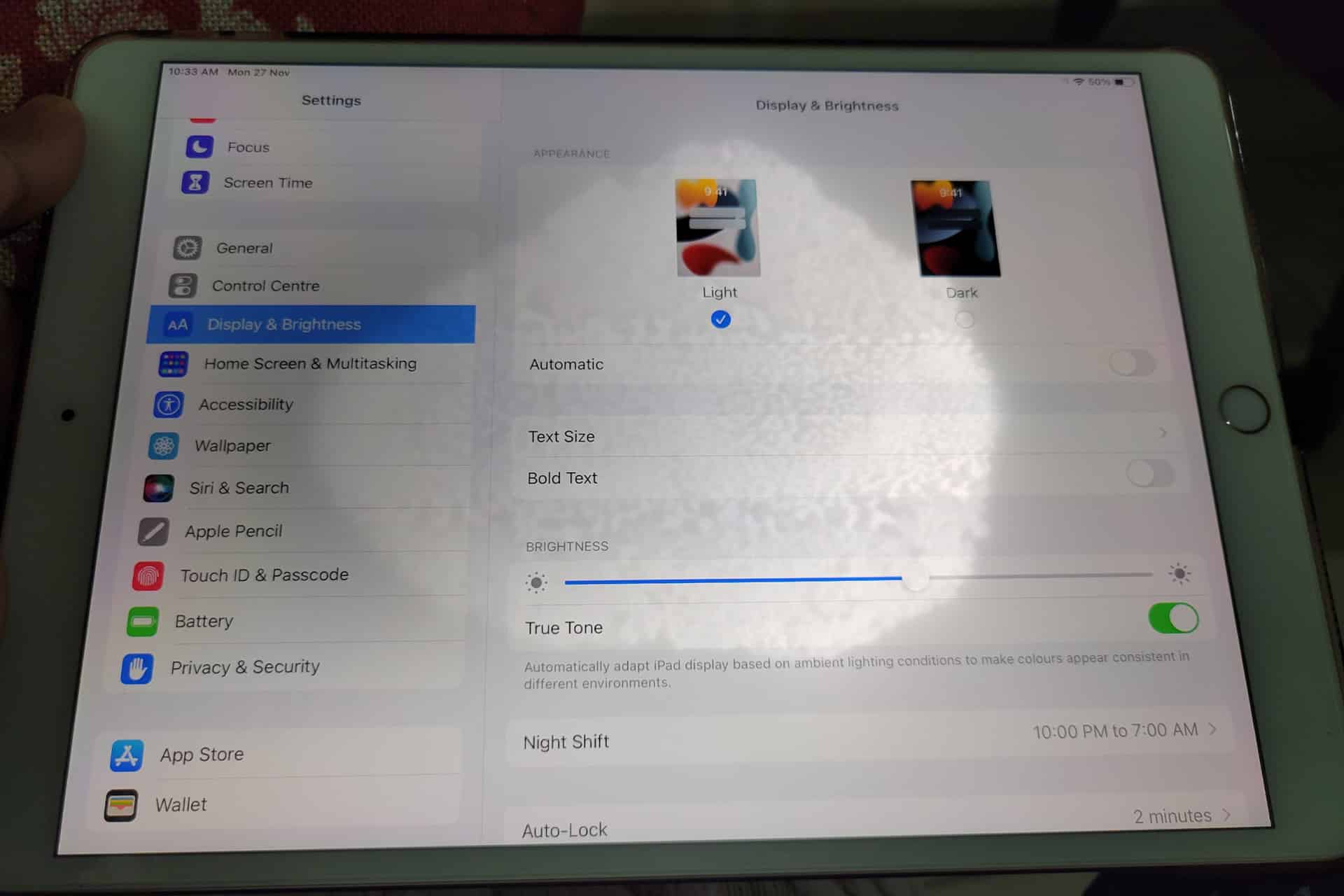
A white spot on iPad screen can appear as a bright patch that remains visible while browsing, watching videos or using apps. It may be small and easy to ignore at first, then become distracting whenever the screen shows a white, gray or lightly colored background.
The spot may come from a temporary software problem, but a fixed bright area is more commonly connected to the display hardware. Pressure inside the iPad, a damaged backlight layer, display separation or an impact can create uneven illumination that no setting can remove.
Before arranging a repair, a few simple checks can reveal whether the spot belongs to the image being displayed or to the physical screen itself.
What Causes a White Spot on iPad Screen?
A white spot on iPad screen is often described as a bright spot, pressure mark or backlight patch. On iPads with LCD displays, light passes through several internal layers before reaching the glass. When one of those layers becomes damaged, separated or compressed, light can concentrate in one area.
The mark may be more visible against pale backgrounds and almost disappear when the screen displays black or dark content. This is different from a dead pixel, which usually appears as a tiny fixed dot rather than a larger cloudy patch.
Pressure is one possible cause. Carrying an iPad in an overloaded bag, placing heavy objects on it or using a tight case can place stress on the display. A drop may also disturb the internal screen layers without cracking the front glass.
Battery swelling can create similar pressure from inside the device. If the screen is lifting from the frame, the iPad feels unusually warm or the body appears bent, stop using it and seek service. A swollen battery should not be pressed back into place or handled as an ordinary screen defect.
The problem can also appear after a display replacement involving a poorly fitted or lower-quality part. Apple notes that nongenuine displays may produce inconsistent brightness, color or touch behavior.
Image Credit:
Check Whether the Spot Is Really on the Display
Begin by opening several different apps. Look at the spot over a white webpage, a gray Settings screen, a dark photo and a full-screen video. A hardware-related mark normally stays in the same physical location regardless of what appears underneath it.
Rotate the iPad. If the content changes orientation but the bright patch remains in the same part of the glass, the display is the likely cause.
Taking a screenshot provides another useful test. A physical screen defect will not normally become part of the screenshot file.
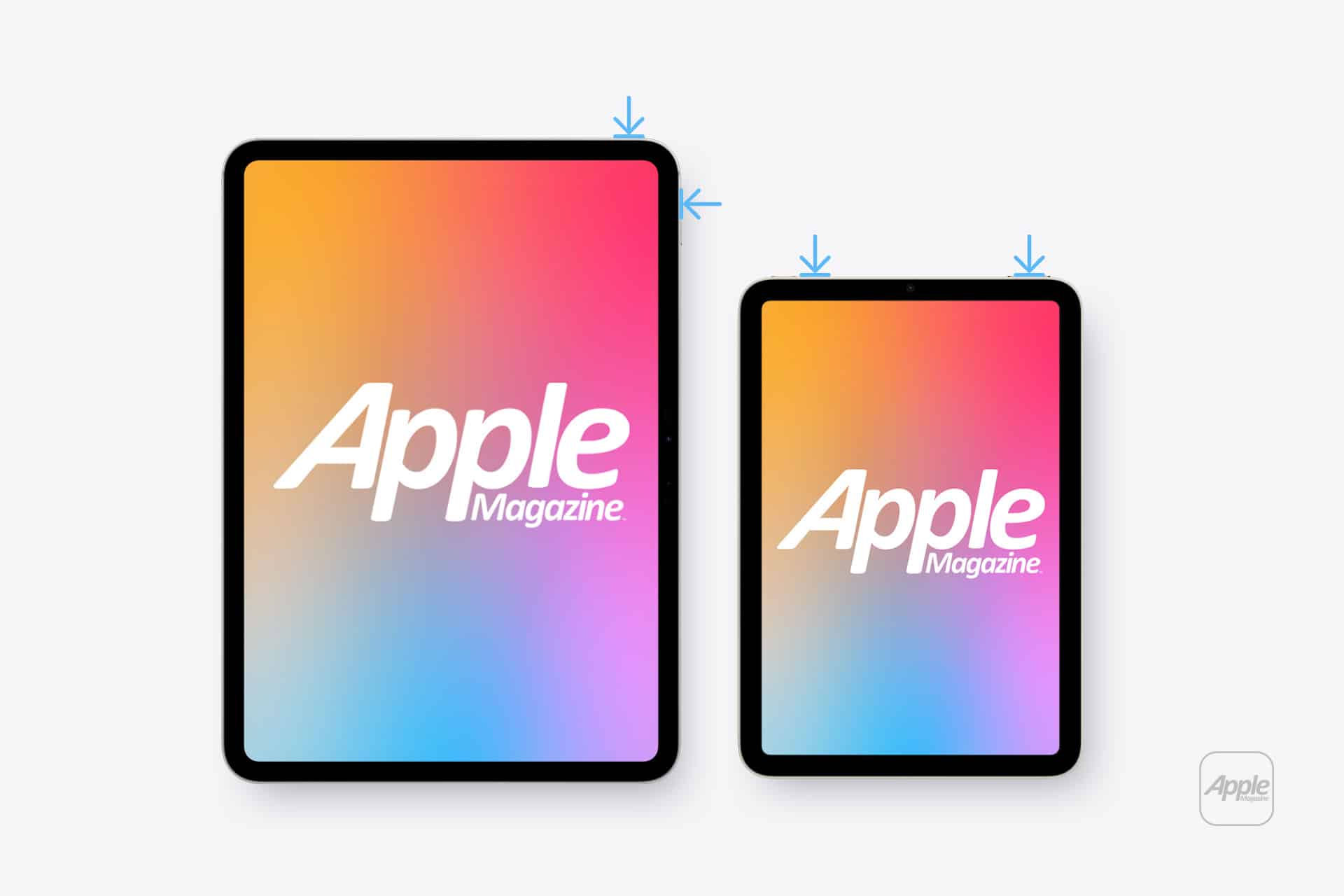
To take a screenshot on an iPad without a Home button:
Top button + either volume button
To take a screenshot on an iPad with a Home button:
Top button + Home button
Open the screenshot on another device or send it to a trusted computer. If the white spot does not appear there, the image generated by iPadOS is normal and the problem is probably inside the display assembly.
If the mark appears in the screenshot, it may belong to an app, image, accessibility setting or software effect rather than the panel.
Restart Before Assuming Hardware Failure
A restart is worth trying because it clears temporary display and system behavior without affecting personal files. It is unlikely to repair physical backlight damage, but it can eliminate a short-lived graphical problem.
To restart an iPad without a Home button:
Press and hold the top button and either volume button > Drag the power slider > Wait approximately 30 seconds > Hold the top button until the Apple logo appears
To restart an iPad with a Home button:
Press and hold the top button > Drag the power slider > Wait approximately 30 seconds > Hold the top button until the Apple logo appears
After restarting, return to the same pale background and check the area again. A spot that remains fixed is unlikely to be caused by a temporary iPadOS issue.
Image Credit: AppleMagazine
Brightness Can Make the Problem More Visible
Lowering brightness may make a bright patch less distracting, but it does not repair the underlying display. The same applies to Dark Mode, Night Shift and Reduce White Point. These settings can change how noticeable the mark becomes without removing it.
To adjust screen brightness:
Settings > Display & Brightness > Brightness
Test the iPad at several brightness levels. A backlight-related spot may become easier to see as brightness increases. Photographing the screen against a plain background at medium and high brightness can also help document the defect before requesting service.
Avoid pressing or rubbing the affected area. Pressure may temporarily change the appearance, but it can damage the display further. Internet advice suggesting that users massage bright spots out of a panel should be ignored.
Check the Case and Screen Protector
Remove any rigid case that appears unusually tight or has been damaged. A poorly fitted case can place uneven pressure around the frame, particularly if the iPad has been dropped while inside it.
A screen protector normally cannot create a true illuminated patch beneath the display. It can, however, produce bubbles, trapped moisture or reflective marks that resemble a screen defect. Examine the iPad with the display turned off. If the mark is visible on the surface even when the screen is black, the protector or glass may be involved.
Do not remove a properly installed protector solely as an experiment unless the mark clearly appears close to its surface. A bright patch visible only while the display is illuminated usually comes from deeper inside the screen.
When the iPad Needs Repair
A persistent white spot generally requires display service when it remains after restarting and does not appear in screenshots. There is no iPadOS setting that can realign a damaged diffuser, remove internal pressure or repair separated display layers.
Back up the iPad before service so photos, documents and app data remain protected.
To create an iCloud backup:
Settings > your name > iCloud > iCloud Backup > Back Up Now
Apple can inspect the device and determine whether the defect qualifies for warranty coverage, AppleCare service or paid repair. Coverage depends on the device, purchase date, condition and whether the problem resulted from accidental damage.
To check coverage:
Settings > General > AppleCare & Warranty
Apple or an Apple Authorized Service Provider may replace the display assembly or the iPad, depending on the model and available service process. The final repair estimate normally requires inspection.
Image Credit: AppleMagazine
Do Not Ignore Physical Changes
A stable white spot that has not changed for months may remain only a visual annoyance. A spot that is expanding, accompanied by screen lifting or followed by unusual heat needs faster attention.
Stop using the device if the display separates from the enclosure, the iPad becomes visibly swollen or pressure marks spread across the panel. Do not puncture the device, force the display closed or continue charging it unattended.
For an ordinary fixed bright patch, the practical path is simpler: confirm it does not appear in screenshots, restart the iPad, remove any case applying pressure and arrange display service if the mark remains.
A white spot on iPad screen rarely affects the information stored on the device, but it can indicate physical damage that software cannot correct. A brief check can rule out the easy causes. After that, repair is usually more effective than repeatedly changing display settings and hoping the light disappears.
Un nouveau cheval de Troie bancaire, baptisé Rokarolla, se propage sur Android en se faisant passer pour Google Play Protect, l'antivirus du système. Une fois installé, il prend le contrôle du téléphone pour viser les identifiants de 217 applications bancaires et de cryptomonnaies.
In the pursuit of understanding the enigmatic phenomenon of ageing, modern biology finds itself at a crossroads more complex than ever before. Once described as “an unsolved problem in biology” by Nobel laureate Peter Medawar in the mid-20th century, ageing has since evolved into a multifaceted enigma that transcends simple explanations or singular mechanisms. Recent advances in the field have empowered scientists to probe the molecular and genetic underpinnings of ageing at unprecedented depth, studying thousands of genes within individual cells and dissecting the interplay of diverse biological pathways. Yet this surge in knowledge reveals not clarity but the intricate complexity inherent to the ageing process.
Dr. Piotr Chmielewski from Wroclaw Medical University offers a timely and critical review that reshapes our understanding of ageing biology. His article published in the journal Biogerontology challenges the long-held quest for a universal cause of ageing and posits instead that ageing is a product of dynamic, overlapping biological processes operating concurrently across various organizational levels. In this paradigm shift, the once singular biological quandary becomes a tapestry of interconnected cellular and molecular systems whose interactions collectively propel the ageing process.
The leaps in technology over recent decades have drastically expanded the horizons of ageing research. Signaling networks such as mTOR, AMPK, FOXO, and IGF-1 have been identified as crucial regulators of growth, metabolism, and longevity, illuminating intracellular pathways that influence lifespan. The development of epigenetic clocks—biological age estimators derived from patterns of DNA methylation—has enabled researchers to quantify biological age beyond chronological markers. Furthermore, advancements in single-cell sequencing technologies now allow unprecedented resolution in observing cellular changes during ageing. Despite these breakthroughs, Dr. Chmielewski emphasizes the paradox that greater knowledge reveals deeper uncertainties concerning the fundamental nature of ageing.
Historically, the pursuit of a singular ageing mechanism has dominated the field, with hypotheses including oxidative stress, accumulation of DNA damage, telomere attrition, mitochondrial decline, epigenetic alterations, and chronic low-level inflammation each proposed as primary drivers. Over time, however, it has become apparent that none of these factors alone account for the totality of ageing-related changes. Instead, ageing appears akin to a gradual loss of systemic organization, a complex biological network gradually unraveling through cumulative and interacting defects rather than a discrete failure attributable to any one cause.
This multidimensional view underpins the widely accepted concept of the hallmarks of ageing, encompassing biological features such as genomic instability, telomere shortening, epigenetic alterations, proteostasis loss, mitochondrial dysfunction, cellular senescence, stem cell exhaustion, and altered intercellular communication. These hallmarks do not function in isolation but in intricate crosstalk, amplifying each other’s effects and contributing to the systemic degeneration observed in ageing organisms.
A pivotal advance driving contemporary age biology research lies in the use of epigenetic clocks, tools that estimate biological age by profiling DNA methylation patterns at select genomic loci. While these clocks correlate strongly with chronological age and predict disease risk and mortality, their exact biological significance remains uncertain. Dr. Chmielewski articulates a critical question facing the field: do epigenetic clocks capture core ageing mechanisms, or are they merely biomarkers reflecting downstream effects of other processes? The distinction is monumental because it determines whether interventions targeting epigenetic marks will achieve true rejuvenation or merely modulate surrogate ageing indicators.
Experimental therapies such as senolytics have shown promise by selectively eliminating senescent cells, which accumulate with age and contribute to tissue dysfunction and inflammation. Yet the complexity of ageing biology calls for caution—what works in rodent models may not directly translate to humans. Fundamental disparities in lifespan, metabolic rate, cellular turnover, tissue architecture, immune function, and repair capacity separate rodents from humans, limiting the applicability of animal data to human therapeutics. This gap underscores the critical need for human-centric clinical research in ageing interventions.
A profound insight emerging in recent years is the recognition that youthfulness is not the mere absence of cellular damage but rather a robust capacity for adaptation and repair. Living organisms continually face metabolic errors, DNA mutations, and protein misfolding; however, their resilience lies in effective stress response systems, regenerative potential, and metabolic plasticity. Interventions such as caloric restriction, intermittent fasting, and physical activity illustrate this principle: they do not halt damage accumulation but enhance the body’s adaptive responses, maintaining functionality and delaying age-related decline.
Shifting research focus accordingly, Dr. Chmielewski suggests a new narrative framing ageing research. Instead of solely asking “What causes ageing?”, the field is increasingly exploring “How do some organisms maintain function, resilience, and adaptive capacity despite ongoing damage?” This reframed question moves the scientific community towards identifying factors that preserve healthspan and mitigate functional loss rather than searching for elusive “anti-ageing” magic bullets.
Such an outlook heralds a future where ageing interventions emphasize support for systemic maintenance, resilience, and repair mechanisms. This direction could translate into therapeutic strategies that bolster cellular quality control, metabolic regulation, and immune competence, collectively sustaining organismal health beyond current expectations. In refocusing ageing as an emergent property of complex systems rather than a singular failure, biogerontology embraces a more holistic understanding that aligns with the observed heterogeneity and dynamism of ageing biology.
Ultimately, Dr. Chmielewski’s review challenges simplistic narratives and advocates for embracing complexity as the path forward. The realization that ageing is a multi-layered phenomenon demanding integrative study promises to inspire innovation in research approaches and therapeutic design. By charting this nuanced course, the scientific community stands poised to unlock the mysteries of longevity, delay the onset of age-related diseases, and fundamentally improve human health across the lifespan.
Subject of Research: Not applicable
Article Title: Ageing was never a singular problem in biology: implications for mechanisms, measurements and interventions
News Publication Date: 20-Apr-2026
Web References: http://dx.doi.org/10.1007/s10522-026-10436-x
References: Chmielewski, Piotr Paweł. “Ageing was never a singular problem in biology: implications for mechanisms, measurements and interventions.” Biogerontology (2026).
Image Credits: Wroclaw Medical University
Keywords: Gerontology, Ageing populations, DNA, Life sciences, Molecular biology
Le soleil ne se contente plus d'éclairer les journées : il peut aussi alléger la facture d'électricité. Avec l'arrivée de la gamme SolarVault 3 en France, Jackery rend le stockage solaire domestique plus accessible grâce à des batteries résidentielles proposées à partir de 839 euros. Une...
Seja na navegação por interface de voz, controlar a música ou fazer chamadas e enviar mensagens, a Siri poderá ser muito útil no automóvel para não largar as mãos do volante.

 Login
Login