Our solution hinges on splitting the Apple Reference Image process into two phases: creating a secure digital negative, and developing that negative into a reference image. Each phase receives our strongest protections.
[…]
Apple Reference Image provides both a lower bound and an upper bound on capture time from Apple’s cryptographic timestamp service, and we guarantee the photo was taken between the two bounds. On a regular heartbeat, the device requests a cryptographic timestamp token, and retains the most recent one it has received. Globally this happens on average every 15 minutes, though the interval depends on local network conditions. This provides a proven lower bound timestamp for the photographic capture. After capture, the device requests a second timestamp to use as an upper bound, and both timestamps are embedded and signed with the sensor data.
[…]
When the user chooses to create a reference image, the device uploads the digital negative to PCC, which runs the processing steps needed to render the image — including demosaicing, tone mapping, and compression — in a highly secure, private, and verifiable environment. Experts can verify that PCC doesn’t alter a digital negative during development: they can examine the software that does the work.
[…]
Finally, as no security system is perfect, we created a revocation system that can revoke individual photos, as well as all photos from a specific sensor.
[…]
We built Apple Reference Image to avoid using an explicit, public credential for photographers, and to avoid even implicit public association between different photos taken by the same sensor. The final reference image is instead signed by Apple’s signing service, after validation by PCC.
Siri AI is beginning its public rollout as Apple transforms its familiar assistant into a substantially more conversational system built around personal context, onscreen awareness, web knowledge, and the ability to perform actions across apps.
The beta is available first in English on compatible devices running iOS 27, iPadOS 27, macOS 27, watchOS 27, and visionOS 27. French, Japanese, Korean, Portuguese, and Spanish support is scheduled for October. Availability remains more limited in some regions, with Siri AI initially unavailable on iPhone, iPad, and Apple Watch in the European Union and unavailable in China while Apple addresses regulatory requirements.
The release follows several years of gradual Apple Intelligence expansion, but Siri AI represents a more fundamental change. Instead of handling each request largely as an isolated command, the assistant can maintain conversations, find relevant personal information, understand what is displayed on a device, and combine those capabilities to complete multistep tasks.
Image Credit: Apple Inc.
Siri AI can connect personal context with app actions
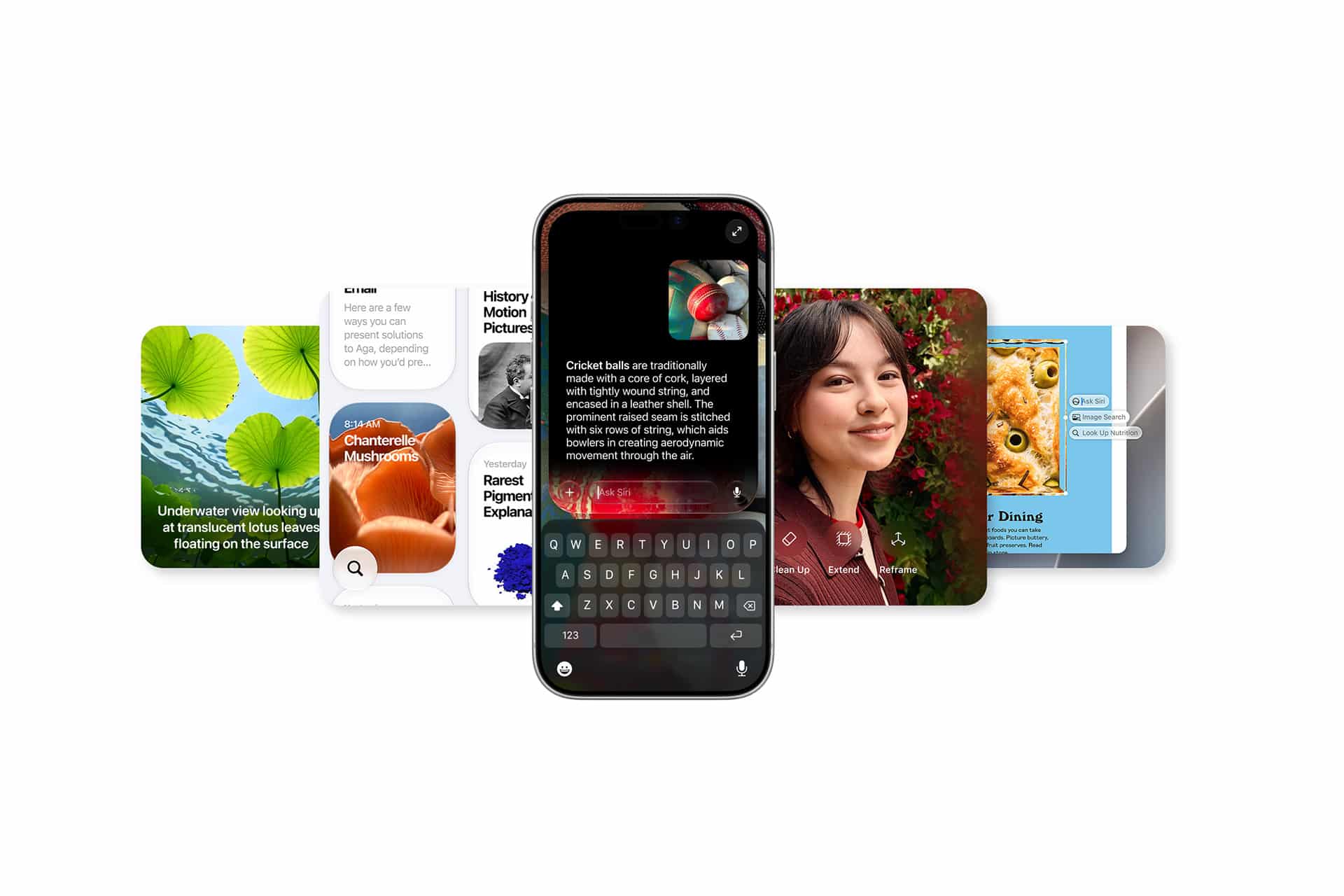
The system can search across a user’s messages, email, photos, notes, and other information when responding to a request. Apple offers an example in which someone asks what a family member suggested doing during an upcoming visit. Siri can locate the relevant conversation, find a recipe previously sent by email, and then place the ingredients into a Reminders grocery list.
That combination of retrieval and action is central to the new design. Siri AI can draft an email, edit and share photos, create calendar events, manage reminders, control media, and perform other supported actions without requiring users to manually move information between applications.
Third-party apps can participate through Apple’s App Intents architecture. Existing integrations include tasks such as messaging through WhatsApp or playing an audiobook in Audible, with Apple also previewing deeper capabilities in applications including Microsoft Outlook, Notability, and Tripsy.
Onscreen awareness adds another layer. Siri can identify information currently visible on a device and act on it. Someone viewing a sports website, for example, can ask Siri to identify upcoming home games and add them to Calendar without manually copying dates.
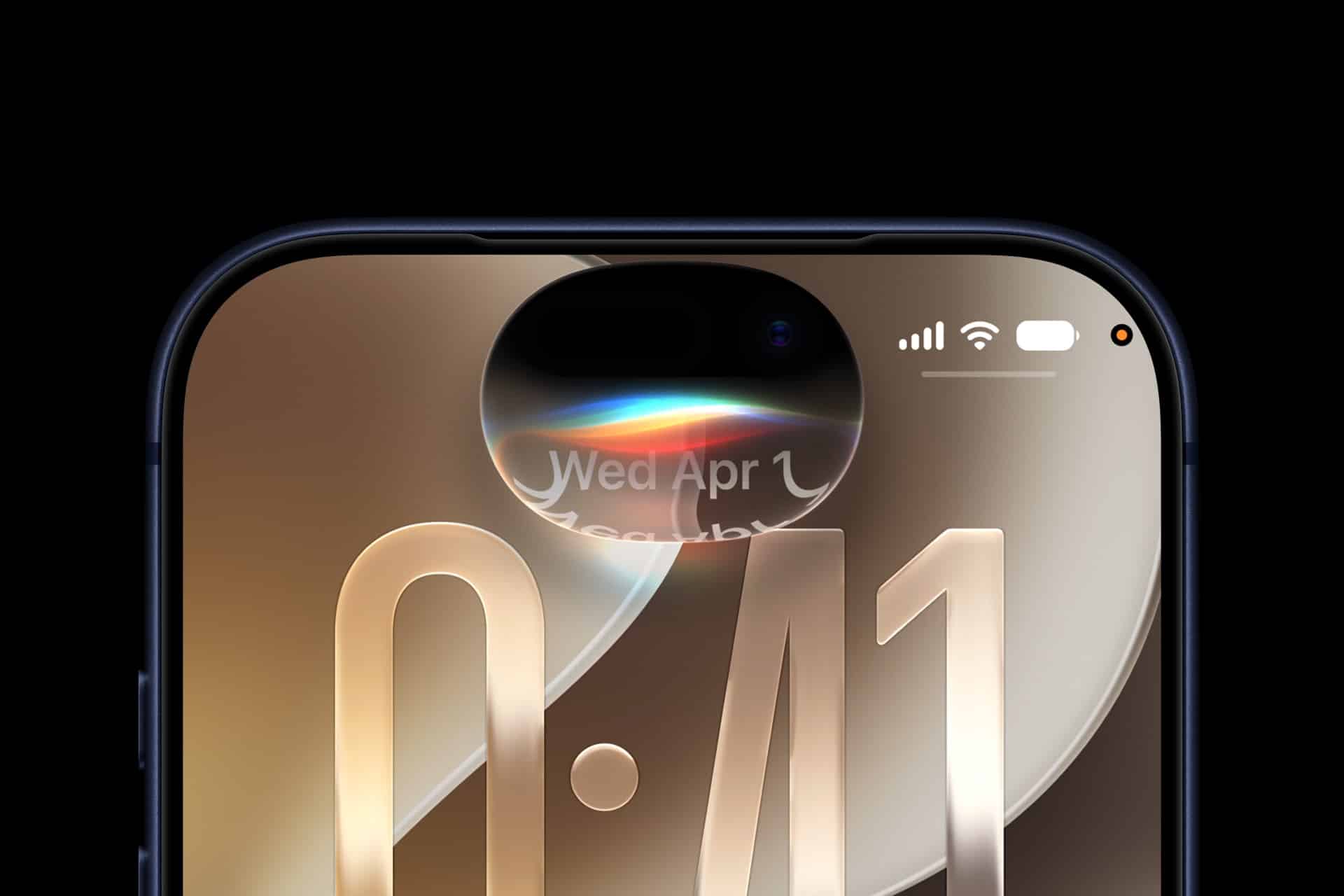
Apple has also expanded Siri beyond voice. On iPhone, users can invoke the assistant with the side button, voice command, or by swiping down from Dynamic Island. On iPad and Mac, Siri AI is integrated into Spotlight, while systemwide context menus can send selected files, images, or text directly to the assistant.
Image Credit: Apple Inc.
Siri AI gets its own app and conversation history
Siri AI is no longer confined to a temporary interface that disappears once a request is complete.
Apple has introduced a dedicated Siri app where users can begin new conversations or revisit previous ones. Conversation history can sync privately through iCloud across iPhone, iPad, Mac, Apple Watch, and Apple Vision Pro, allowing a discussion started on one device to continue on another.
Follow-up questions can retain the context of an earlier answer, giving Siri a more conventional conversational interface for longer exchanges.
The assistant also has access to broad web knowledge for questions that cannot be answered through personal information or local device data. Apple says Siri can retrieve current information for topics ranging from sports results to travel planning and nearby businesses.
Visual Intelligence expands alongside the assistant. On iPhone, a dedicated Siri mode inside Camera can identify and respond to objects or information in front of the user. A concert poster, for example, can become the starting point for questions about performance times followed by the creation of Calendar events.
On iPad, Visual Intelligence is integrated with screenshots. Mac users can select content on their displays through a keyboard shortcut, while Vision Pro users can ask Siri about app windows or physical objects simply by looking at them.
Writing Tools are similarly integrated across the system. Siri can generate drafts, revise existing text from natural-language instructions, and provide writing suggestions. In Mail and Messages, Apple says it can take a user’s typical communication style with a particular recipient into account, including tone and punctuation patterns.
Image Credit: Apple Inc.
Siri AI runs across on-device and private cloud models
Siri AI is powered by a new generation of Apple Foundation Models developed in collaboration with Google using Gemini technology, marking a notable shift in Apple’s AI infrastructure.
The architecture divides processing between models running directly on the device and larger models operating through Private Cloud Compute. Apple says requests sent to Private Cloud Compute are processed without personal data being stored or made accessible to the company.
Core resources such as the Spotlight index and Apple’s App Toolbox can remain on-device, allowing Siri to retrieve local information and perform supported actions without sending every request to a remote server.
More capable devices can also use AFM Core Advanced, Apple’s highest-performance on-device model. It powers improvements including more expressive Siri voices and advanced systemwide dictation that automatically handles capitalization, punctuation, and formatting.
Compatibility varies by feature. Apple Intelligence supports iPhone 16 models and later, iPhone 15 Pro and Pro Max, M1 or later iPads and Macs, iPad mini with A17 Pro, Apple Vision Pro, and supported Apple Watch models when paired with a nearby Apple Intelligence-enabled iPhone.
AFM Core Advanced requires newer hardware, including iPhone Duo, the iPhone 18 Pro line, iPhone Air, iPhone 17 Pro models, qualifying M4 or later iPads with at least 12GB of unified memory, M3 or later Macs with at least 12GB, and Apple Vision Pro with M5.
Image Credit: Apple Inc.
Siri AI arrives with limits as Apple expands access
The initial Siri AI release remains explicitly labeled beta, and some of the surrounding Apple Intelligence features are scheduled for later updates.
Apple also confirms that features relying on server-side models can be subject to daily usage limits. That includes Siri AI, cloud-based photo editing, Image Playground, and AFM 3 Cloud models used through Shortcuts. Limits can vary depending on the feature, request complexity, system demand, and other factors.
Apple says expanded access to server-dependent features will eventually be available for a fee, introducing a future paid layer to parts of Apple Intelligence even as the core system remains integrated into supported devices.
Apple will also expand its intelligence capabilities on Apple Watch later in 2026. Planned Audio Intelligence features on Apple Watch Series 12 and Ultra 4 include Live Rewind, which can display text representing the previous 15 seconds of a conversation, and Siri Recap, which generates high-level summaries that can be reviewed later in the Siri app.
Those functions are designed around a hardware-isolated Secure Exclave on the S11 chip, with Apple saying raw audio is processed in isolation and immediately deleted rather than stored as recordings. Live Rewind and Siri Recap are scheduled to enter beta later in 2026, making the current Siri AI launch the beginning of a staged expansion rather than the final form of Apple’s new assistant.
Durante a WWDC26, em junho, a Apple informou que alguns recursos de inteligência artificial baseados em servidor teriam limites diários — e, às vésperas do lançamento do iOS 27 e demais sistemas, a empresa tratou de confirmar isso.
A partir dos lançamentos de software de 2027, os usuários poderão experimentar a próxima geração da Apple Intelligence, com acesso aprimorado a recursos que dependem de modelos baseados em servidor.
Alguns recursos da Apple Intelligence dependem de modelos potentes baseados em servidor e têm limites de uso para garantir uma experiência confiável e de alta qualidade para todos.
Conforme detalhado pela empresa, esses recursos incluem:
Siri AI;
Ferramentas Inteligentes de edição de fotos, incluindo Limpar, Estender e Reenquadramento Espacial;
Image Playground;
Modelos AFM 3 Cloud e AFM 3 Cloud Pro em Atalhos;
Apps de desenvolvedores que usam os Modelos de Base da Apple no Private Cloud Compute.
Os limites não serão necessariamente iguais para todos os recursos; fatores como a complexidade da solicitação e a demanda do sistema influenciarão a definição de cada um. Caso o limite seja atingido, o recurso ficará indisponível por um período, sendo o acesso restabelecido posteriormente.
De acordo com os termos de uso específicos da Apple Intelligence, usos considerados excessivos, abusivos, automatizados, fraudulentos, ilegais ou desarrazoados também podem sofrer restrições, limitação de velocidade ou suspensão.
A Apple não explicou como a cobrança será feita nem como o acesso expandido variará entre os planos do iCloud+. Em relação aos resumos de vídeo do app Casa (Home), o artigo de suporte indica que o plano de 2TB cobrirá até uma câmera, enquanto o plano de 6TB abrangerá até duas câmeras e o plano de 12TB, até cinco câmeras.
Hoje, com a revelação dos Apple Watches Series 12 e Ultra 4, a Maçã também anunciou um novo conjunto de recursos chamado Inteligência de Áudio (Audio Intelligence), composto pelas funções Reconhecimento de Som (Sound Recognition), Reconhecimento de Música (Music Recognition), Live Rewind e Siri Recap.
Parte da Apple Intelligence e exclusivas desses novos relógios, essas ferramentas analisam o som ambiente — que, em alguns casos, é captado constantemente — para alertar o usuário sobre sons importantes, ajudá-lo a descobrir o título de músicas, recobrar algo que foi falado nos últimos instantes e revisar anotações sobre as suas principais conversas ao longo do dia, respectivamente.
Por mais bem intencionados que esses recursos possam ser, no entanto, é natural que alguns usuários torçam o nariz para eles — afinal, a ideia de ter um dispositivo monitorando tudo o que você fala (e que falam para você) sem interrupções pode ser um tanto… preocupante, principalmente do ponto de vista da privacidade — um assunto tão abordado pela Apple.
E foi muito provavelmente pensando nessas pessoas que a Apple colocou no ar uma extensa página de suporte que detalha o funcionamento dessas ferramentas, além de explicar quais medidas de segurança foram tomadas para proteger usuários que decidirem ativar essas ferramentas. A empresa também publicou um documento [PDF] que mergulha ainda mais nas minúcias dessas novidades, as quais dependem não só do poder de fogo do novo SiP 1System in a package, ou sistema em um pacote.S11, como também dos seus recursos de segurança embutidos.
Para início de conversa, a Apple deixa claro que todos esses recursos são completamente opcionais; o Reconhecimento de Som, por exemplo, precisa ser configurado nos Ajustes (Settings) do iPhone, de modo que ele só vem ativado por padrão no Apple Watch caso o recurso equivalente do iOS já tenha sido ativado anteriormente pelo usuário no iPhone. Outras ferramentas, como o Reconhecimento de Música, podem ser ativadas diretamente nos Ajustes do Apple Watch (caso já não tenham sido ativadas anteriormente).
Divulgação/Apple
O Live Rewind, por sua vez, entra em cena apenas quando o usuário dá um clique duplo na Digital Crown, mostrando em seguida uma transcrição dos últimos 15 segundos de conversa. Ainda segundo a Apple, o relógio para de gerar essa transcrição assim que o último trecho de conversa é exibido, além de não salvar qualquer texto — a menos que o usuário faça uma pergunta sobre o seu conteúdo para a Siri ou escolha salvá-lo no app da assistente, que é onde estão os ajustes dessa ferramenta.
Divulgação/Apple
Disponível na Central de Controle, o Siri Recap pode ser ativado e desativado manualmente a qualquer momento, mas também permite que o usuário defina uma programação com base na hora e/ou localização. A Siri também pode ser barrada de realizar qualquer registro em momentos/lugares específicos.
Trechos de texto do Live Rewind e anotações do Siri Recap podem ser visualizados, editados e apagados a qualquer momento no app da Siri, bem como exportados para apps como o Notas (Notes) e o Diário (Journal). Além disso, apagá-los faz com que eles sumam de todos os seus dispositivos sincronizados — lembrando que a Apple os protege com criptografia de ponta a ponta antes de enviá-los ao iCloud.
Proteções adicionais
Segundo a Apple, em todos esses casos, nenhuma gravação de áudio é gerada ou armazenada no Apple Watch. Em vez disso, o áudio captado pelos microfones passa pelo Secure Exclave do SiP S11 — compartimento isolado por hardware que processa dados de maneira separada do resto do sistema, impedindo que aplicativos, o watchOS, a Apple ou até mesmo o próprio usuário possam acessá-lo.
Os resumos da Siri Recap são gerados pelos chamados Apple Foundation Models no Private Cloud Compute, que não salva nenhuma das informações. As anotações também são apagadas automaticamente pelo app da Siri depois de sete dias, caso o usuário escolha não salvá-las ou exportá-las.
A Apple também garante que esses recursos não identificam ou atribuem locutores nos áudios captados — protegendo, assim, a identidade de pessoas no entorno do usuário. A única particularidade aqui é a Siri Recap, que pode registrar nomes citados no conteúdo da conversa, mesmo sem identificar quem é o locutor ou interlocutor; ele também reconhece e censura “conteúdo potencialmente prejudicial, como linguagem que promove automutilação ou discurso de ódio, e informações confidenciais, como dados financeiros, identificadores governamentais, dados de autenticação e certos identificadores pessoais”.
Divulgação/Apple
No caso do Live Rewind, um alerta sonoro é reproduzido sempre que o usuário ativa o recurso, não importa se o Apple Watch está com o modo silencioso ligado ou não. Uma animação em tela cheia também é exibida junto com um indicador de uso do microfone; “Isso serve para alertar as pessoas próximas de que o recurso foi ativado”, explica a empresa.
Dependente do Shazam, o Reconhecimento de Música compartilha apenas uma assinatura acústica, e não o áudio bruto, na hora de processar o áudio captado — algo que acontece nos servidores do serviço. A assinatura acústica, ainda segundo a Apple, é gerada em um buffer seguro no Secure Exclave.
Disponibilidade
Todos esses recursos, como dito, requerem um Apple Watch Series 12 ou um Apple Watch Ultra 4 para funcionar.
Indisponíveis para usuários menores de 13 anos, o Live Rewind e a Siri Recap serão liberados como recursos beta ainda neste ano (inicialmente apenas em inglês). O Reconhecimento de Som e o Reconhecimento de Música serão liberados junto com os novos smartwatches.
Chamado Imagem de Referência da Apple (Apple Reference Image), o recurso utiliza um novo sensor na câmera principal que assina os dados do sensor em nível de pixel, no momento da captura. Quando uma foto é tirada em um novo modo chamado Referência (Reference), esses dados são enviados para o Private Cloud Compute, que os processa para criar o que a Apple chama de “imagem de referência inalterável” (algo como um “negativo digital”).
Agora, você pode provar a autenticidade de uma foto tirada no iPhone. A assinatura segura dos dados da imagem no nível do pixel acontece no momento da foto, registrando tudo que o sensor da câmera viu.
As imagens de referência aparecem no aplicativo Fotos (Photos) ao lado da foto correspondente, permitindo que os usuários comparem visualmente as duas para verificar se houve alguma edição. A Apple também está disponibilizando APIs 1Application programming interfaces, ou interfaces de programação de aplicações. no iOS 27, iPadOS 27 e macOS Golden Gate 27 para que aplicativos de terceiros possam exibir essas imagens de referência.
Divulgação/Apple
A Apple apresentou o recurso como parte de uma iniciativa mais ampla voltada para a autenticidade de imagens, complementando os metadados de imagem já existentes e o futuro suporte ao padrão SynthID, que ajudará a identificar imagens geradas ou editadas com IA.
Entretanto, o novo recurso não estará disponível — a princípio — na China, devido a exigências regulatórias. Na União Europeia, a captura de imagens com o Apple Reference Image também não estará disponível já no lançamento dos novos iPhones; no entanto, usuários que estão rodando o iOS 27, iPadOS 27 e macOS 27 ainda poderão processar e visualizar imagens de referência.
Notas de rodapé
1
Application programming interfaces, ou interfaces de programação de aplicações.
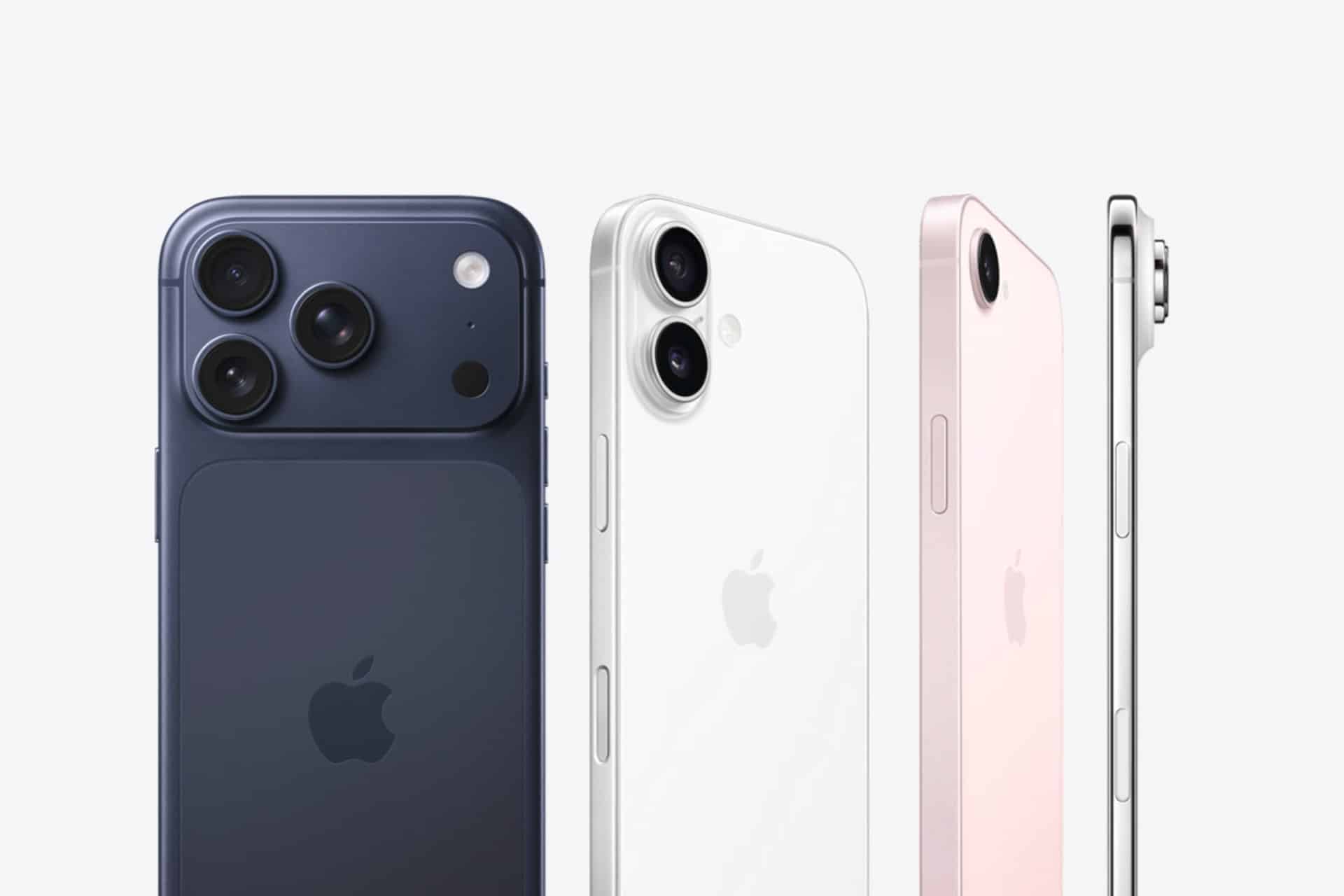
Apple today announced iPhone 18 Pro and iPhone 18 Pro Max, delivering the most advanced pro camera system in an iPhone, and huge leaps in battery life and performance. The new 48MP Fusion Main camera, now with variable aperture, brings creative control that wasn’t possible before, and new Pro controls let users customize their experience in the Camera app. Both models feature a smaller and even more useful Dynamic Island, as well as A20 Pro and a next-generation vapor chamber that together deliver the highest sustained performance in iPhone history.
[…]
Pro controls is a new customizable experience in the Camera app for iPhone 18 Pro and iPhone 18 Pro Max that makes it easier than ever for users to access their most used settings and introduces new options for manual control.
[…]
When a photo is taken in the new Reference mode, the camera captures signed sensor data that Private Cloud Compute develops into an unalterable reference image.
[…]
The upgraded Dynamic Island can now show three Live Activities at once[…]
[…]
eSIM-only models deliver up to 36 hours of video playback on iPhone 18 Pro and up to 45 hours of video playback on iPhone 18 Pro Max.
[…]
iPhone 18 Pro and iPhone 18 Pro Max will be available in 256GB, 512GB, 1TB, and 2TB storage capacities. Available in burgundy, glacier, silver, and black, iPhone 18 Pro starts at $1,199 or $49.95 per month, and iPhone 18 Pro Max starts at $1,299 or $54.12 per month for 24 months.
What I’m most happy to see is the ability to increase the depth of field. I don’t understand what Apple Reference Image is doing that it needs to be uploaded/offloaded to Private Cloud Compute.
Pro Controls is built around the variable aperture on the new Main camera. Six laser-cut blades move smoothly between four aperture settings, and the Camera app can adjust aperture automatically based on depth of field and lighting, or users can take manual control themselves for what Apple calls “truly unique shots that weren’t possible before” on an iPhone.
Pro Controls works across both photo and video capture. It also introduces Smart Focus Tracking, which uses on-device AI models to lock onto a subject and maintain focus even if that subject briefly leaves the frame and comes back into view.
Começando pela parte visual, a Apple continua a fazer ajustes em alguns ícones de aplicativos — como o Safari, o app da Siri, os Ajustes (Settings), o Controle Remoto, a App Store e o Pré-visualização (Preview), entre outros.
O ícone do Safari está em um azul mais claro, com linhas e setas da bússola mais detalhadas, enquanto o ícone do app da Siri se parece mais com o “balão” que aparece quando ela está ativada.
Can you actually spot the difference between Safari app icon:
O ícone da App Store está mais translúcido para que você possa ver melhor cada linha que compõe o “A”, enquanto o do app Ajustes também ficou mais translúcido em algumas partes.
Já o ícone do app Pré-visualização tem uma aparência completamente diferente, com uma lupa sobre um fundo colorido, enquanto o ícone do Controle Remoto também ganhou mais detalhes e foi atualizado com um fundo cinza em vez de preto.
A quinta beta do iOS 27 também expandiu ainda mais as opções de personalização da voz da Siri. Em versões anteriores, os controles deslizantes de Ritmo e Expressividade estavam disponíveis apenas para as vozes da Siri com sotaque americano.
Agora, essas opções de ajuste estão disponíveis para qualquer voz americana, além de todas as vozes com sotaque britânico já existentes. Isso significa que agora há 11 vozes compatíveis que permitem escolher diferentes configurações de ritmo (velocidade da fala) e expressividade (nível de emoção e ênfase).
iOS 27 Beta 5 expands Siri voice customization.
Pace and Expressivity can now be adjusted across more Siri voices, including all seven American voices and all four British voices. pic.twitter.com/Ma0aZDRHio
Conforme observado pelo pessoal do 9to5Mac, o código da quinta beta iOS 27 mostra que a Apple está trabalhando em algo chamado “Imagem de Referência” (Apple Reference Image), um possível novo recurso projetado para autenticar a origem das fotos usando dados vinculados ao hardware da câmera do iPhone.
Para isso, o sistema enviará a imagem ao Private Cloud Compute para autenticação, sendo que certas informações do sensor e metadados da foto são enviados de volta para a Apple — embora ela garanta que não acessará a foto original.
Atualmente, o recurso está desativado por padrão e, quando for lançado, poderá ser ativado em Ajustes » Câmera » Imagem de Referência e tocando em “Modo de Referência”.
Essa verificação só será possível se as fotos forem capturadas com o referido modo ativo. Isso significa que as fotos tiradas normalmente não conterão as informações de procedência necessárias para a autenticação posterior; além disso, se a Apple determinar que um sensor pode ter sido comprometido, ela poderá revogar as autenticações anteriores associadas a esse sensor.
As fotos autenticadas também poderão ser compartilhadas com outras pessoas, de modo que as informações incluídas no compartilhamento variarão dependendo do método usado (AirDrop, Mensagens, etc.) e se a foto é uma versão original, editada ou autenticada. Se o usuário optar por compartilhar “Todos os Dados de Fotos”, a Apple afirma que a transferência também pode incluir identificadores de hardware exclusivos e qualquer vídeo não cortado associado à imagem.
Por fim, a reportagem aponta que a Apple também está adicionando uma opção “Transferir com Procedência” (Transfer with Provenance) para transferências feitas a partir de um cabo USB. Quando ativada, as fotos autenticadas transferidas para um Mac ou PC incluirão os dados de Imagem de Referência, enquanto as fotos não autenticadas ainda poderão conter informações de procedência, como identificadores de hardware exclusivos e qualquer vídeo não cortado.
RCS da Claro
Como notado por testadores da nova beta, a Claro começou a testar o suporte ao padrão RCS 1Rich communications service, ou serviço de comunicação rico., o que indica que ela pretende cumprir a promessa de liberar essa funcionalidade ainda neste ano.
Outras novidades menores vistas com as novas betas incluem novas telas de apresentação quando os aplicativos Carteira (Wallet), Apple Music, App Store e Fotos são abertos pela primeira vez após o update.
iOS 27 beta 5 includes new Splash Screens for Calendar, Photos, and Apple Music pic.twitter.com/TVSytZQJbg
A Apple também fez ajustes na Central de Controle com a beta mais recente. Os tipos de rede celular não são mais exibidos — então você não verá “5G” ou “LTE” quando seu telefone estiver conectado a uma rede Wi-Fi. Ademais, a Central de Controle e a barra de status agora apresentam novas barras de ícones de rede celular.
Apple increased the height of the Cellular Data signal bars in the Status Bar and added a matching Control Center icon in iOS 27 Beta 5. pic.twitter.com/LabNcVkR8F
Na seção Busca do aplicativo Ajustes, a Apple adicionou uma nova opção chamada “Antes de Buscar” (Before Searching), permitindo que os usuários escolham quantos aplicativos aparecem como sugestões durante as buscas, entre outras coisas.
🚨 New feature Alert 🚨
iOS 27 Dev Beta 5 lets you devices how many apps spotlight suggests when first opening it up. You can keep it at 8, switch to 4 or just say none
No app Contatos (Contacts), caso um contato criado por você tiver uma empresa associada, o nome da empresa aparecerá na lista — abaixo do nome — e nos resultados de busca.
New in iOS 27 beta 5: If a contact has a company name added, it now shows in the main view pic.twitter.com/xNtSXnYY5E
Há uma fonte mais espessa para a seção de Alarmes e Timers do aplicativo Relógio (Clock).
A configuração mais transparente do Liquid Glass está mais translúcida do que na versão beta anterior.
Agora existe uma opção para ativar ou desativar o recurso “Personalizar Respostas Inteligentes” no aplicativo Mail. O recurso vem desativado por padrão e pode ser ativado na seção Mail do aplicativo Ajustes.
iOS 27 beta 5 adds a new setting for mail called Personalize Smart Replies
“Smart Reply can learn from your sent Mail messages to suggest responses that sound more like you” pic.twitter.com/LvD6NNkJod
A seção Bateria do aplicativo Ajustes agora informa se uma conexão de rede móvel ruim está causando consumo excessivo de bateria.
O aplicativo Ajustes agora também mostra quando a atualização mais recente do iOS foi instalada.
O recurso de criação de passes do app Carteira já está disponível fora dos Estados Unidos.
A fonte San Francisco dos números do indicador de bateria foi trocada por uma versão mais arredondada.
They swapped SF Pro to SF Pro rounded for the battery percentage on beta 5 Certainly looks better pic.twitter.com/6cK6asCtGH
— ShrimpApplePro 🍤 ずっと真夜中でいいのに (@VNchocoTaco) August 11, 2026
Foram encontradas referências à disponibilidade da Apple Intelligence na China, incluindo menções a “mecanismos de segurança” disponibilizado por empresas locais.
iOS 27 beta 5 preps support for Apple Intelligence in China
"Apple Intelligence is built for privacy. To comply with laws and regulations, Apple Intelligence in China uses a safety mechanism provided by a local company. Your requests are processed on-device and not sent to Apple… pic.twitter.com/mCwiwZqqMi
Apple’s next generation of Apple Intelligence and Siri are truly helpful AI that’s centered around you and your needs. Integrated into your apps, grounded in your context, and private at every step; coming later this year.
Apple’s long-awaited overhaul of its voice assistant, now branded Siri AI, is set to arrive this fall alongside iOS 27, iPadOS 27, macOS updates, and related system software. The upgraded assistant promises deeper personal context awareness, on-screen understanding, more natural conversations, and the ability to take actions across apps. But there’s a clear hardware cutoff: only devices that already support Apple Intelligence will receive the full experience at launch.
iPhone Models That Make the Cut
Siri AI requires an A17 Pro chip or newer (with sufficient RAM for on-device processing). Supported iPhones include:
• iPhone 17 Pro and Pro Max
• iPhone Air
• iPhone 17 and 17e
• iPhone 16 Pro and Pro Max
• iPhone 16, 16 Plus, and 16e
• iPhone 15 Pro and Pro Max
Older models, including the standard iPhone 15 and anything earlier, will get the broader iOS 27 update (interface changes, security fixes, and non-AI features), but miss out on the new Siri capabilities.
A subset of these devices — primarily the iPhone 17 Pro, Pro Max, and iPhone Air — will also unlock Apple’s most powerful on-device AI model. That unlocks extras such as more expressive customizable voices, improved speech recognition, and higher-accuracy dictation.
iPads, Macs, Watches, and Vision Pro
Compatibility extends across the rest of the ecosystem with similar requirements:iPad: iPad Pro (M1 chip and later), iPad Air (M1 and later), and iPad mini with the A17 Pro chip.
• Mac: All models with Apple silicon (M1 and later), including the MacBook Neo with its A18 Pro chip.
• Apple Watch (must be paired with a nearby supported iPhone): Series 9 and later, Ultra 2 and later, and SE (3rd generation).
• Apple Vision Pro: All models.
The highest-tier on-device model is further restricted on tablets and computers to those with newer chips (M4 or later on iPad, M3 or later on Mac) plus at least 12 GB of unified memory.
Timeline and Limitations
Developer betas began around the June 2026 WWDC announcements, with a public beta expected in the following months and a stable consumer release targeted for fall 2026 (September timeframe). Siri AI will initially roll out in English (with Spanish support also noted in some documentation), and regional restrictions apply: it will not launch at the outset on iOS or iPadOS in the European Union due to regulatory considerations around the Digital Markets Act, though macOS and visionOS users in the EU will be able to access it. Availability in China is also delayed pending regulatory clearance.
Those without supported hardware will keep the classic Siri experience for now while still receiving the rest of the 2026 software updates. Apple continues to emphasize on-device processing and Private Cloud Compute for privacy, so the hardware bar reflects the computational demands of the more capable models.
MacDailyNews Note: More info about Apple Intelligence and Siri here.
Please help support MacDailyNews — and enjoy subscriber-only articles, comments, chat, and more — by subscribing to our Substack: macdailynews.substack.com. Thank you!
Apple Notes in iOS 27 receives a focused collection of upgrades designed to make long documents easier to navigate and information simpler to move between apps.
Section links allow users to jump directly to headings inside a note. Divider lines create clearer visual boundaries, while expanded Markdown support improves workflows involving websites, writing tools and plain-text editors.
Siri AI introduces the most ambitious addition by creating notes, adding information to existing documents and transferring answers from a Siri conversation without requiring manual copying.
Image Playground also becomes more capable inside Notes, gaining additional visual styles and photorealistic image generation through Apple’s new cloud-based model.
Not every feature requires Apple Intelligence. Divider lines, section links, Markdown tools and the updated interface work on every iPhone compatible with iOS 27. Siri AI and advanced Image Playground capabilities need newer hardware and may have additional language or regional restrictions.
Image Credit: Apple Inc.
Apple Notes iOS 27 Adds Section Links
Section links solve one of the largest problems affecting long notes: reaching information located several screens below the beginning.
A user can now select text, choose Add Link and connect it to any heading or subheading inside the current note. Tapping that linked text immediately moves the reader to the selected section.
The feature can turn the opening of a document into a manual table of contents. A project note might contain links to its schedule, budget, participants, research and outstanding tasks without requiring separate documents.
To create a section link:
Select text > Add Link > Link to Section > Choose a heading
Notes displays the headings and subheadings already present in the document. Regular body paragraphs do not appear as destinations, so the note must use Apple’s title or heading formats before links can be created.
To format a destination:
Select the section title > Formatting > Heading or Subheading
The visible link text does not need to match the destination heading. A phrase such as “View the current budget” can link to a section titled “Financial Information.”
Section links differ from the existing ability to connect separate notes. Apple Notes already allows users to create internal links leading from one document to another. The new control moves within the same document instead.
That distinction is useful for meeting records, research files, travel plans and study material that become too long for ordinary scrolling but do not need to be divided into several notes.
Links should continue working when the document is shared through iCloud because they point to structural elements inside the note rather than fixed screen positions.
Renaming or deleting a destination heading may affect its link. Users maintaining complex documents should test their navigation after reorganizing major sections.
Divider Lines Improve Visual Structure
Apple Notes in iOS 27 adds horizontal divider lines as a native formatting element.
The line creates a visible separation across the document without requiring users to type repeated hyphens, underscores or other characters.
To add one:
Place the cursor > Open the edit menu > Insert Divider Line
The divider is inserted at the cursor position and moves with the surrounding content as the note changes.
A horizontal line can separate meeting notes by date, distinguish reference material from personal comments or divide a recipe into ingredients, preparation and serving information.
It also provides structure without making every section a heading. Headings define the hierarchy used by section links, while dividers create a visual break that does not become another navigation destination.
Typing a row of hyphens previously produced an inconsistent substitute. The characters could wrap on a narrow screen, change length after editing or become difficult to select. The native element maintains its appearance as the document moves among iPhone, iPad and Mac.
Divider lines should be used selectively. Adding one between every short paragraph can make the note look more fragmented rather than organized.
The strongest layout combines headings for major subjects, subheadings for smaller divisions and divider lines where one type of content clearly ends before another begins.
Markdown Moves More Easily Into Apple Notes
Apple Notes gained the ability to import and export Markdown files with iOS 26. The iOS 27 upgrade removes additional steps from copying content between Notes and Markdown-based tools.
Markdown uses plain-text characters to represent formatting. A hash symbol can identify a heading, pairs of asterisks can create bold text and square brackets can define a link.
The format is widely used by writers, developers, documentation systems and publishing platforms because it remains readable without requiring a proprietary editor.
When Markdown-formatted text is pasted into Apple Notes in iOS 27, the app automatically converts the syntax into rich text. Headings become formatted headings, links become clickable and emphasis appears as bold or italic text.
A pasted line such as Project Schedule appears as a formatted heading rather than displaying the two hash symbols.
Moving content in the opposite direction is also easier. Apple has added a Copy as Markdown command that converts selected rich text into Markdown syntax before placing it on the clipboard.
To use it:
Select the text > Open the edit menu > Copy as Markdown
The result can be pasted into a content-management system, code editor, Markdown document or another writing application while preserving supported formatting.
Copy as Markdown does not transform Apple Notes into a complete Markdown editor. Users continue writing through the familiar rich-text interface rather than viewing raw syntax throughout the document.
Complex attachments may not translate perfectly. Scanned documents, drawings, audio recordings, embedded files and some tables do not have universal Markdown equivalents.
Basic elements such as headings, links, emphasis and lists provide the most dependable transfer. Users preparing an important publication should review the pasted result before assuming every element survived the conversion.
Image Credit: AppleMagazine
Siri AI Can Create and Update Notes
Siri AI gives Apple Notes in iOS 27 a more direct connection with information generated or located through the assistant.
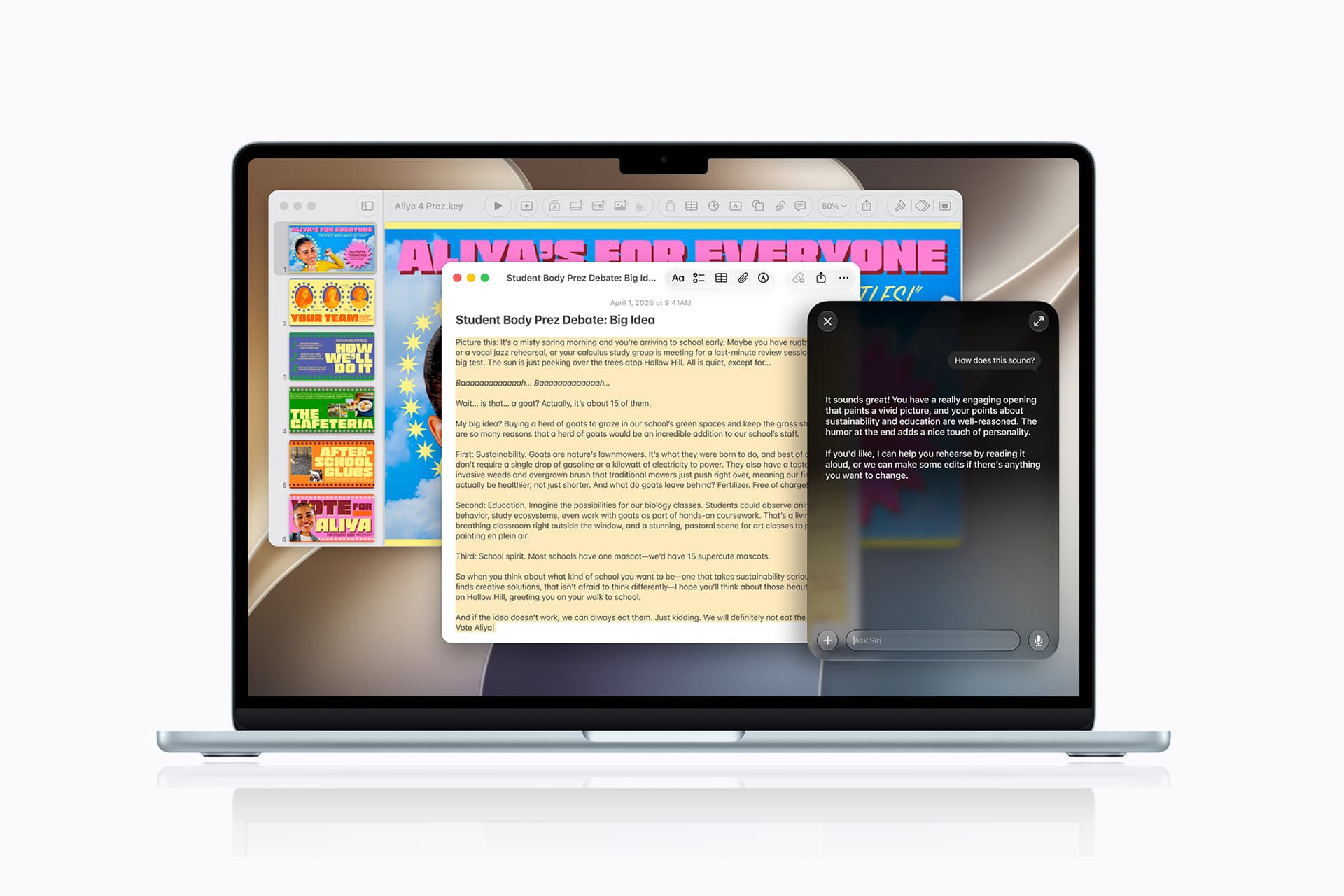
A user can ask Siri a question, refine the answer through conversation and save the result into a new note. The transfer happens without selecting the response, copying it and leaving Siri to open Notes manually.
A request could take the following form:
“Create a note called Kyoto Trip and add this itinerary.”
Siri can also target an existing document when the user identifies it clearly:
“Add these restaurant suggestions to my Kyoto Trip note.”
The integration extends beyond saving complete answers. Siri AI can reorganize poorly formatted information, convert text into a clearer structure and place the revised version inside Notes.
Someone collecting an unorganized group of tasks could ask Siri to separate them by priority before saving the result. A block of research could be converted into headings and shorter paragraphs.
Siri’s personal-context capabilities can help locate an existing note when the precise title is forgotten. The assistant is designed to search information across apps and understand requests using details connected to the user.
These actions remain subject to permissions. Siri should not silently place information into a document without recognizing the requested destination and action.
Users should review AI-generated material before treating it as authoritative. Reformatting supplied text carries less factual risk than asking Siri to generate research, dates, quotations or instructions from general knowledge.
Siri AI Requires Newer iPhone Hardware
The main Apple Notes iOS 27 update runs on iPhone 11 and later, as well as the second-generation iPhone SE and newer models.
Siri AI has a narrower hardware requirement. Apple lists iPhone 15 Pro, iPhone 15 Pro Max and every iPhone 16 or later model as compatible with the new Apple Intelligence architecture.
An iPhone 15, iPhone 15 Plus, iPhone 14 or iPhone 11 can receive section links, dividers, Markdown support and the redesigned Notes interface. Those devices cannot use the Siri AI note-writing actions.
This separation means two iPhones running the same operating system can display different Notes capabilities.
Siri AI is scheduled to reach users as a beta later in 2026, beginning in English. Apple plans to expand language availability, but individual capabilities may not arrive simultaneously in every supported language.
The assistant will not initially be available on iPhone or iPad in the European Union. Apple has also said its new Apple Intelligence features will remain unavailable in China while the company works through regulatory requirements.
Ordinary Siri controls may continue to perform basic actions on unsupported devices, such as creating a simple dictated note. They should not be confused with the new ability to hold a conversation, reorganize information and add the result to a chosen document.
Image Playground Expands Inside Notes
Image Playground remains integrated with Apple Notes in iOS 27 and receives a substantially more capable generation model.
The upgraded system can produce higher-quality images in a wider range of visual styles, including photorealistic results. Earlier Image Playground versions concentrated on illustration, animation and sketch-like appearances.
Users can describe an image and insert the generated result into the current note. A travel plan might receive a destination image, while a creative project could use generated concept art beside written ideas.
Photorealistic generation runs through Private Cloud Compute rather than entirely on the iPhone. Apple says requests processed through this architecture are not stored or made accessible to the company.
Generated images automatically include a hidden SynthID watermark identifying them as AI-created. The watermark does not appear as a visible label across the picture, but it provides a technical signal that compatible systems can detect.
Image generation may have daily usage limits because it depends on powerful server models. Apple says most iCloud+ plans will provide increased access, although the exact allowance can depend on the subscription and service conditions available at release.
The complete Image Playground experience may not appear in every early iOS 27 beta. Apple can activate or adjust cloud-dependent features separately while testing the operating system.
New Icons Clarify Shared Notes and Folders
Apple Notes adopts the wider iOS 27 design changes through refreshed buttons, menus and Liquid Glass interface elements.
The Notes app icon has been updated while preserving the familiar yellow-and-white paper design. The change keeps the app recognizable without leaving it visually disconnected from the new system icons.
Shared material receives clearer identification. The shared folder displayed near the top of the folder list now uses a blue icon, separating it more clearly from private iCloud and local folders.
Individual shared notes and folders also receive revised symbols. These indicators make it easier to understand whether another person can view or edit material before sensitive information is added.
The distinction matters because a collaborative note can look almost identical to a private document once it is open. A clearer icon in the list provides another warning before the user begins editing.
Liquid Glass changes the appearance of controls and menus but does not alter the underlying note format. Existing notes, scans, checklists, attachments and locked documents remain available after the update.
People using accessibility settings such as increased contrast, reduced transparency or reduced motion may see a modified version of the visual design.
Existing Notes Features Remain Available
The iOS 27 changes build on a much larger set of capabilities introduced during earlier releases.
Apple Notes can already scan documents, attach PDFs, record audio, generate transcripts, solve mathematical expressions, create checklists and collaborate through iCloud.
Users can link one note to another, place notes inside folders, apply tags and create Smart Folders that collect documents according to selected rules.
Locked notes can use a device passcode or separate password, while Face ID provides faster access on supported iPhones.
The app can also identify handwriting, search text inside scanned documents and recognize information contained in images.
None of those existing tools has been replaced by Siri AI or Markdown. The new version concentrates on moving through large notes and transferring information with less manual work.
Section links are particularly effective when combined with audio transcripts or lengthy scanned research. A user can create headings above important material and place navigation links at the beginning of the document.
Markdown support addresses another gap by making Notes more practical as the first stage of a publishing workflow rather than a closed destination for text.
Image Credit: Apple Inc.
What to Check Before Installing the iOS 27 Beta
Apple Notes in iOS 27 is available for testing through prerelease software, with the complete operating-system release scheduled for the fall.
Beta software can contain synchronization failures, interface problems and changes that Apple has not finished documenting. Notes is especially sensitive because its content may synchronize immediately across every device using the same Apple Account.
Before installing a beta on a primary iPhone, users should confirm that important notes have finished syncing and that another copy of critical information exists outside the beta device.
A Mac, iPad or iCloud.com can be used to verify whether recent documents have reached the server. Exporting especially important notes as PDFs or Markdown files provides an additional copy that does not depend on the Notes database.
Collaborative notes require more caution. People using older operating systems may not see every new formatting element exactly as intended, particularly while iOS 27 remains in testing.
The public release should resolve many compatibility issues, but Siri AI will follow its own beta schedule and regional limitations. Installing iOS 27 alone will not guarantee that every intelligent Notes action appears immediately.
Apple can still modify menu locations, visual elements and cloud-based features before the final version arrives. The safest time to reorganize a large Notes library around section links will be after every frequently used Apple device can install its corresponding fall update.
Apple today introduced the next generation of Apple Intelligence, powered by a bold new architecture that integrates the latest Apple Foundation Models deep into Apple’s platforms and is uniquely designed to protect users’ privacy.
[…]
The next generation of Apple Intelligence also helps power Siri AI, an entirely new version of Siri.
[…]
Image Playground offers new powerful ways for users to bring their imagination to life. They can create high-quality images in virtually any style, now including photorealistic, thanks to a new generative model that runs on Private Cloud Compute. This is a major transformation for image generation across platforms. And generated images will automatically include a hidden SynthID watermark to identify them as AI-generated.
[…]
Now Messages offers one-tap suggestions based on the context of users’ conversations, making it easier than ever to get things done, such as creating a reminder or a note.
[…]
Apple Intelligence powers even more enhancements across operating systems. With automatic proofreading, users receive improved suggestions for spelling and grammar as they type across the system.
What’s confusing about this Apple-Google partnership is that Google pretty much calls all things AI “Gemini”. The models are “Gemini”, the assistant is “Gemini”, and the feature integrations are “Gemini”. So Apple is taking pains to emphasize that they’re building atop the Gemini models, not the Gemini assistant.
Google creating the model, Apple figuring out how to integrate it and make it easy to use. Are we back to Apple and Google each focusing on what they do best?
Instead of bombarding you with a million new features that mostly feel half-assed, this feels like it’s actually catered to the user experience instead of to marketing checklists.
As I expected, Apple is going to punt the “on-device” story for Apple Intelligence and push towards the “private cloud compute” story for the models that you’ll actually want to use. I’m glad on-device isn’t going away, but it’s clear a hybrid approach is absolutely necessary
Apple today said it is expanding Private Cloud Compute (PCC) beyond its data centers, partnering with Google and NVIDIA to run Apple Intelligence workloads on Google Cloud.
[…]
All server components and software are part of a trusted computing base subject to verifiable transparency and no-privileged-access guarantees, plus Apple has a cryptographically verifiable ledger of all Google Cloud hardware that is part of the PCC fleet to mitigate the risk of supply chain attacks. PCC on Google Cloud also uses many of the same architectural security patterns as PCC on Apple silicon.
As we continue to refine our approach to image generation, the ImageCreator class is being discontinued and will no longer work in iOS 27, iPadOS 27, macOS 27, and visionOS 27 or later.
[…]
Transition to presenting the Image Playground sheet, which provides a consistent, system-managed image generation experience. Alternatively, you can integrate another image generation service of your choice.
At the heart of this architecture is our third generation of Apple Foundation Models (AFM), a family of five foundation models custom-built in collaboration with Google. These span from on-device models to server-based models running on Private Cloud Compute.
Apple Foundation Models are built to unlock a wide range of helpful experiences for our users, like an entirely new Siri and intelligent tools that make everyday apps smarter and more useful.
“The amount of the Google Assistant we use is none,” Federighi said, explaining that Apple uses none of the Gemini models deployed to Google’s customers, none of Google’s client-side code, and no Google Search infrastructure as the knowledge backbone.
The cloud models hosted on Private Cloud Compute are interesting: they’re not “Gemini” models; they’re Apple Foundation Models trained using proprietary data via RL, which were then “refined” with data from Google’s “frontier” models.
[…]
I’ve been covering the AFM family of models for a while now, and AFM Core Advanced is one of the most interesting on-device models I’ve read about in a while, especially in the context of model size for mobile devices and built-in multimodality with support for text, images, and audio. I’m very keen to play around with this model and understand how it holds up in practice. I wonder if the new CLI (!) for AFM will let you test this one.
It’s very cool that Apple shipped a 20B parameter on-device.
You can’t put 20B parameters in RAM at any reasonable precision. To make it work they are using pretty exotic architecture by today’s standards.
A small model predicts from the query (or prompt) which experts to load from Nand into RAM. The key distinction from a typical MoE is that you do this once per query and then generate all the tokens with the same experts (instead of switching the experts for every token).
FoundationModels is one of the highlights of this WWDC; I think it’s now finally what we hoped we were getting two years ago, and thought we were getting last year (just the models themselves were barely up for it then). I finally feel like I can build features with it, though I really don’t like the Sword of Damocles Apple is holding above Private Cloud Compute and how it can permanently lock you out of using the models forever across all your apps if you hit a download threshold. Poison pill
These strict limits don’t seem to be getting as much attention as they should. It’s nice that for small developers who meet the above criteria, access to PCC has no cost. But there’s no way (yet?) to buy your way out of these limits.
[…]
The “fewer than 2 million first-time app downloads from any of their apps” restriction is particularly notable. It’s not 2 million installations for apps that are using PCC, but 2 million downloads for any app the developer has ever released.
Is there a real time count somewhere of total lifetime downloads for a developer account, so one can plan if they at risk of the switch tripping? Reminds me of the small business qualifications. I had to try to figure out if an employers developer account was going to exceed the revenue threshold for the year. I was left trying to determine it from sales reports, not to mention sales date versus pay out date confusion. I think I botched the calculation in the end.
Claude for Foundation Models is a Swift package that makes Claude available as a server-side language model in Apple’s Foundation Models framework. The package conforms Claude to the framework’s LanguageModel protocol, so you drive it with the same LanguageModelSession API you use for Apple’s on-device model: respond(to:), streaming, guided generation, and tool calling all work the same way.
Requests go directly from your app to the Claude API; Apple is not in the request path and does not see prompts or responses. Usage is billed to your Anthropic account at standard API pricing.
Apple is literally stopping me from building a brand new app using Private Cloud Compute because I made a successful app a few years ago.
The new app might be a success, or it might be a complete flop. Nobody knows yet.
I would understand it if Apple were to limit developers once an app reaches a certain number of downloads or active users, but that’s not what’s happening here.
Instead, they’re blocking developers before they’ve even had a chance to build and ship the app.
Siri AI is an entirely new version of Siri deeply integrated into iPhone, iPad, Mac, Apple Watch, and Apple Vision Pro. It can draw on personal context understanding to search across messages, emails, photos, and more, and get things done across apps with even more systemwide app actions. Additionally, Siri AI can answer questions related to the content on a user’s screen or go out to the web to get up-to-date information using broad world knowledge and generate a helpful answer. A dedicated Siri app allows users to revisit a past conversation or kick off a new one — all in one place — and uses iCloud to privately sync conversational history across a user’s products.
Powered by the next generation of Apple Intelligence, Siri AI is a completely reimagined version of Siri that is more helpful, more capable, and more intelligent. With detailed, engaging responses and natural back-and-forth conversation, Siri AI helps users get more done than ever.
[…]
Siri has been rebuilt from the ground up with powerful AI at its core. It takes full advantage of the bold new architecture for Apple Intelligence, including the next generation of Apple Foundation Models that run on device and on servers using Private Cloud Compute. When Private Cloud Compute is handling users’ requests, their personal data is not stored nor made accessible to Apple or anyone else. Outside experts can continue to verify this privacy promise at any time. Additionally, Siri AI uses the system orchestrator to tap into core capabilities like the Spotlight index and App Toolbox, which work entirely on device to keep users in control of their data.
[…]
For products that support Apple’s most advanced on-device model ever, Siri AI offers even more expressive voices, as well as a major boost in accuracy with systemwide dictation. Users have the ability to customize the expressiveness and pace of Siri’s voice so it’s just right for them. Dictation now captures what users say as polished text with greater precision, automatically handling capitalization, punctuation, and formatting as they speak. With improved speech understanding, users can speak naturally and trust that their words will appear clearly, accurately, and as intended.
I remain uninterested in these more advanced Siri features. They matter in that Apple needs to show that they’re not “behind” and that they can actually deliver on what they announce and advertise. But I don’t find the use cases compelling and wouldn’t trust the results.
If you really care about a particular concert, would you believe Siri about how the tickets work and that it will auto-create a reminder at the right time? Why should I believe that it can figure out whether a particular irregularly shaped object can fit inside an irregularly shaped container when said shapes are probably not even published on the Web? Can it really dig into my e-mail to find the right flight info? An answer without being able to see the sources is not useful. And I certainly don’t want it to pick for itself which vacation photos to send out.
I just want the basic features—from a decade or so ago, like music controls, reminders, and access to my purchases—to work quickly, reliably, and offline to the extent possible. I did not hear anything to suggest that this was a focus. Instead, everyone is celebrating how slow the demos were because that proves they weren’t fake.
The other interesting thing to note from the keynote: watching the demos, there is ZERO doubt these are real, recorded demonstrations on live devices. There will be no confusion about what is real or fake like there was at WWDC 2024 and the initial attempt at the new Siri.
And, if your standards are the state of the art in AI circa June 2024, when Apple took their first crack at answering the question, they did quite well.
[…]
What’s fascinating about this specific demo is that it also showed just how far behind Apple is.
[…]
Still, the bubble was strong enough to convince OpenAI to make the exact same mistake Dropbox did: the company somehow convinced itself that it could make enough money selling subscriptions to consumers; Anthropic, meanwhile, realized that it was enterprises who were willing to pay for AI’s massive productivity benefits, even as OpenAI failed to capitalize on their consumer market penetration by refusing to build an advertising product.
This is a long-winded way of saying that I don’t think that Apple’s agentic shortcomings are a big deal, at least for now. Agents help you do work and be more productive, and consumers don’t want to work or care about being productive. What they do want to do is watch short-form video, and an iPhone is simply much better at that than any other device ever will be; in that context, Siri being good enough is enough, and it appears that Apple crossed that bar.
They need to execute, they need to prove this can scale, and most of all, they need to get third-party apps on board with App Intents and App Schemas. But it seems like they’re doing all of that. This is not a done deal but it is very realistic.
Siri doesn’t have access to the filesystem or tool-calling, so it’s completely unable to do the kinds of tasks you might easily do with Codex or Claude. It’s a good start, but the state of the art has already dramatically shifted over the past year. The question is will Siri move in this direction, or stick to providing answers from the web?
Will Apple introduce its own distinct Codex-style agentic programming model that can do all this, and work with Xcode? You would hope so…
The revamped version of Siri that is officially named “Siri AI” will be available to test in the iOS 27, iPadOS 27, macOS 27, and visionOS 27 developer betas starting today, and it is coming to the Apple Watch in a future watchOS 27 beta. “Siri AI” will also be included in the public betas of each platform that are launching in July.
“Siri AI” requires a device that is compatible with Apple Intelligence.
Apple senior vice president of software engineering Craig Federighi has explained why the company launched a standalone Siri app in iOS 27, after previously characterizing a dedicated chatbot as contrary to its Apple Intelligence strategy.
[…]
“We see Siri not as a separate chatbot, just an unintegrated place you go and chit-chat, but rather as an integral, conversational tool that you use in the moment, deeply integrated into your experience.”
…And playlists, contacts, settings and preferences. Peel off the agentic slop bandwagon and focus on core performance, smarter caching, and resilience under adverse network conditions.
Though this is a test conducted on the very first version of Siri A.I. from a fixed point in Calgary, it seems to work quite well. So far, it is better than any version of Siri Apple has released yet and, as you can see above, it is almost as good as the original 2010 demo, before Apple acquired the company.
On the one hand, if Siri has indeed become this reliable at understanding queries like those demoed so far, it’s indeed impressive. On the other hand, I can’t help but ask myself, once again, whether people at Apple even know how regular people actually use their phones and devices.
Apple executives downplay and obfuscate the role of Google in Siri AI. The Siri AI announcement didn’t even mention Google or Gemini once! Does anyone actually believe Apple’s BS? The argument seems to be that since Google made a bespoke implementation for Apple, Google is not really involved, and it’s all Apple. Ridiculous.
It’s really odd to me that Apple is getting so much credit for Google’s work. Siri now “works” to the extent it does because Siri is to a very large extent Gemini, and Apple has wrapped that in a bow.
Apple didn’t “nail” anything. Apple failed at its own internal efforts and was forced to outsource.
This is the advantage of being a platform: you can fail and still win.
Apple’s Siri team, led by Craig Federighi, held a post-WWDC keynote tech talk with members of the press this afternoon to talk through iOS 27 and the new Siri AI.
During the talk, Federighi shared more details about Apple’s collaboration with Google.
Apple looks like it will use some combination of Google Gemini models, combined with Google’s Confidential Inference and Apple’s own Private Cloud Compute for private hosting. These systems will process both your queries and evaluate private data from your devices.
[…]
Apple has since “expanded” PCC to encompass Google’s hardware as well. I will confess that I find the details of the new “expanded” PCC just a bit vague. It sounds a lot like Apple is primarily going to rely on Google’s existing confidential compute (running in Google datacenters) to process this data, but they’re bolting on a new layer of technical security to control which models are actually running. In any case: security experts can argue about whether this is good enough to keep Cozy Bear away from your data. What I will grant is that it’s probably good enough to keep Google and Apple from accessing your stuff, which is what most people are worried about in the first place.
So why am I so nervous?
[…]
So far we’ve discussed two adversaries: the misaligned designers of private agents (such as search operators), and the possibility of remote prompt injection attacks. But of course, in any discussion of technical privacy systems we need to talk about the last elephant in the room: your government.
Apple Intelligence on-device processing remains Apple’s most convincing argument in artificial intelligence. Rivals may lead in public model rankings, chatbot adoption and the speed of releasing experimental features, but Apple is building AI inside devices people already use for their most personal work.
That distinction changes the definition of winning.
Apple does not need every iPhone owner to open a separate chatbot app. It can place intelligence inside Messages, Mail, Photos, Notes, Shortcuts, Siri and third-party apps. Local models can operate on private information without automatically transferring that information to an external server.
The strategy appeared slow while the AI market measured progress through chatbot launches and model size. It looks more competitive as the industry confronts cloud costs, privacy concerns, unreliable connectivity and the difficulty of turning general-purpose AI into useful daily actions.
In his video “Apple Lost the AI Race,” Marques Brownlee captures the contradiction in one concise line:
“Apple lost the AI race. Actually, Apple won the AI race.”
The apparent reversal describes Apple’s current position well. Apple may have lost the first race for public perception. It is increasingly prepared for the longer contest over where AI runs, how it reaches users and who controls the personal data required to make it useful.
Apple Intelligence On-Device Changes the AI Relationship
Most popular generative AI products began as cloud services. A user sends a request to a remote model, the provider processes it in a data center and the answer returns through an app or browser.
That structure supports enormous models but creates dependence on internet access, server capacity and continuing infrastructure expense. It also means personal prompts leave the device, even when the provider uses strong security and privacy policies.
Apple Intelligence on-device begins from the opposite direction. The iPhone, iPad or Mac first attempts to handle the request locally using Apple Foundation Models optimized for Apple silicon.
That local model does not need to know everything available on the internet. It needs to understand the user’s request, work with relevant personal context and complete common tasks efficiently.
The difference is similar to owning a capable computer rather than renting every calculation from a distant server. Cloud systems remain useful for difficult workloads, but they no longer need to participate in every interaction.
For Apple, local processing is also a product advantage. The company controls the chip, operating system, model architecture, memory system and apps. Each layer can be designed around the others rather than assembled from unrelated services.
Image Credit: Apple Inc.
Privacy Becomes a Technical Feature
Technology companies frequently describe privacy as a policy. Apple is trying to make it part of the AI architecture.
When a request runs entirely on an iPhone, the associated data does not need to leave the device. A model can work with messages, appointments, photos or app content without uploading that personal context to a conventional cloud account.
That structure is especially relevant to Siri AI. A truly personal assistant needs access to information that users may never place willingly inside an ordinary chatbot: private conversations, travel plans, health-related details, work documents and relationships between people.
An assistant becomes more useful as it gains context. It also becomes more invasive when the same context is stored, analyzed or used for model training outside the device.
Apple Intelligence on-device allows Apple to expand personal context while maintaining a stronger boundary around it. The assistant can understand information locally, perform an action and discard temporary processing data without building a permanent advertising or training profile.
This is difficult for competitors whose businesses depend on cloud services, large-scale data collection or engagement inside separate AI products. Apple’s hardware business gives it different incentives.
Private Cloud Compute Extends the Model
Not every AI task can fit within the power and memory limits of an iPhone. Apple uses Private Cloud Compute when a request requires a larger model.
Private Cloud Compute is designed to extend the privacy architecture of Apple devices into the cloud. User information is processed only for the request, is not stored and is not made available to Apple for unrelated purposes.
Independent researchers can inspect software images used by the system, creating an unusual level of outside visibility into the cloud environment. Apple has also expanded the architecture while maintaining control over the software and privacy protections used for processing.
This creates a layered system rather than a simple choice between local and cloud AI.
Apple Intelligence first determines whether the device can handle the request. More complex work can move to Private Cloud Compute. External models may be offered separately when the user chooses to involve them.
The user does not need to understand the technical path behind every answer. The system chooses the smallest and most private environment capable of completing the task.
Apple Silicon Was an AI Investment
Apple’s control of its processors has become one of its largest advantages in the AI era.
The Neural Engine first appeared years before generative AI became a consumer obsession. It supported Face ID, photography, speech recognition and other machine-learning tasks. Apple continued expanding that hardware across the iPhone, iPad and Mac.
Those investments now provide a large installed base of devices designed to run machine-learning workloads locally. Recent Apple chips combine CPU, GPU, Neural Engine and unified memory in one architecture that can move information efficiently between different types of processing.
The same design helps foundation models run without requiring the power consumption or separate memory systems associated with conventional data-center hardware.
Apple also controls the operating systems that schedule those workloads. A model can be optimized for the exact processors, memory limits and energy behavior of supported devices.
Competitors can build excellent models, but they often need to support hardware from several manufacturers with inconsistent capabilities. Apple can decide that an AI feature requires a specific generation of silicon and design the complete experience around it.
Developers Gain a Local Model
The Foundation Models framework extends Apple Intelligence on-device beyond Apple’s own apps. Developers can use the system model through native Swift tools rather than shipping a separate large model or paying for every cloud request.
An app can generate structured content, interpret natural language or use tool calling while keeping supported processing on the device. Apple handles model delivery and system integration.
This can reduce operating costs for developers. A cloud-based AI feature creates an ongoing expense each time a user submits a request. Local inference uses hardware the customer already owns.
It can also improve reliability. Features may remain available without an internet connection and respond without waiting for a remote service.
The framework encourages a quieter form of AI adoption. Apps do not need to add a prominent chatbot tab or redesign themselves around a conversational interface. Intelligence can appear inside existing workflows as a useful capability.
That is where Apple’s strategy may reach scale. Millions of apps can incorporate small AI functions that users experience as normal software behavior rather than as visits to an AI destination.
Image Credit: Apple Inc.
The Installed Base Is Apple’s Distribution Advantage
The AI race is often discussed as a contest between models. Consumer adoption also depends on distribution.
Apple can deliver new intelligence features through operating-system updates across the iPhone, iPad, Mac and Vision Pro. Users do not need to create another account, choose a provider or transfer their personal information into a new service.
Siri already occupies the system interface. Apple Intelligence can work across first-party apps. Developers can connect their own features through Apple frameworks.
The scale is difficult to reproduce. A model provider may have stronger benchmark scores but still need users to download an app and consciously open it. Apple can introduce AI during actions people already perform: replying to a message, locating a photo, organizing a note or completing a shortcut.
This does not guarantee success. Apple must make Siri AI reliable, keep feature availability consistent and prove that local models can deliver enough capability to satisfy users accustomed to powerful cloud assistants.
The distribution advantage only becomes meaningful when the experience works.
Winning Without Building the Loudest Chatbot
Apple has made mistakes during its AI transition. Siri improvements arrived later than promised, regional regulations delayed features and competitors established powerful consumer brands before Apple completed its new system.
Those setbacks explain why the claim that Apple lost the AI race became persuasive.
They do not settle the outcome.
The first stage rewarded companies that released chatbots quickly and demonstrated increasingly large models. The next stage may reward systems that can integrate AI into ordinary life without demanding constant cloud access, high subscription costs or broad collection of personal information.
Apple Intelligence on-device is built for that stage. It uses hardware already in the user’s hand, protects more personal context locally and gives developers access to intelligence without requiring every interaction to become a server transaction.
Apple does not need to win every benchmark or release the most talkative assistant. It needs AI to become a reliable part of the devices people already trust.
Brownlee’s title works because both statements can be true. Apple lost the visible sprint that defined the early generative AI market. By concentrating on local processing, silicon, privacy and operating-system integration, it may already be positioning itself to win the race that follows.
PrismML AI compression could give Apple a way to place far more capable artificial intelligence directly inside the iPhone. The Caltech spinout says it reduced a 27-billion-parameter model from approximately 54GB to less than 4GB, small enough to run locally on an iPhone 17 Pro.
That represents a reduction of about 93%, but the more useful number may be memory efficiency. PrismML says its technology can use up to 15 times less memory than conventional versions of the same model. Apple has reportedly held early discussions with the startup about possible uses for the technology.
Neither company has announced a partnership, acquisition or product plan. PrismML’s claims also need to be judged through independent testing, sustained performance and the compromises introduced by heavy compression. Even so, the demonstration points directly at one of Apple’s largest AI challenges: fitting stronger models inside devices without destroying battery life, consuming too much memory or sending every complex request to the cloud.
PrismML AI Compression Changes the Size Problem
Large AI models are difficult to run on phones because their parameters require substantial storage and working memory. A standard model may perform well in a data center equipped with powerful accelerators, large memory pools and constant electricity, then become impractical inside a device designed to last all day on one battery.
PrismML approaches that problem by representing model weights with far fewer bits. The startup has developed what it calls Bonsai models, including 1-bit versions designed to preserve much of the original model’s capability while sharply reducing size and energy use.
The reported iPhone demonstration used a compressed version of Alibaba’s Qwen model with 27 billion parameters. That is far larger than the compact language models normally associated with smartphones. Running it locally suggests that model size may no longer be controlled only by the number of parameters. How efficiently those parameters are represented becomes just as relevant.
Compression is not new. Developers already use quantization, pruning and other methods to make models smaller. PrismML’s claim is that its approach pushes that process much further while retaining useful reasoning and language performance.
That claim is exactly why Apple would be interested.
Why Siri AI Needs Smaller Models
Apple’s AI strategy depends on dividing work between the device and the cloud. Simpler Apple Intelligence requests can run locally, while more demanding tasks may move to Private Cloud Compute. That hybrid structure allows Apple to offer stronger capabilities without forcing the iPhone to carry every model it may ever need.
The cloud layer, however, introduces cost, latency and availability requirements. A request must leave the device, reach a server, be processed and return. Apple has designed Private Cloud Compute around strong privacy protections, but local processing remains faster and easier to explain.
A larger on-device model could improve Siri AI’s language understanding, reasoning and ability to complete multi-step tasks without a network connection. It could also reduce the number of requests sent to Apple’s servers.
That does not mean cloud processing would disappear. Server models can remain larger and support especially demanding requests. PrismML AI compression could instead move the dividing line. Tasks that currently need Private Cloud Compute might become possible directly on a future iPhone.
The benefits could include quicker responses, stronger offline operation and less server demand as Apple Intelligence reaches more users.
Image Credit: Apple Inc.
Privacy Fits Apple’s Preferred Direction
On-device processing has always been central to Apple’s AI positioning. Personal information can remain on the iPhone rather than moving through a conventional cloud service. The device can interpret a request, use local context and produce an answer without exposing the underlying data beyond the hardware.
A model capable of handling more work locally would reinforce that approach. Siri AI could potentially understand messages, notes, schedules or onscreen content while reducing the need to transfer information elsewhere.
Apple already uses Private Cloud Compute when local processing is insufficient, and the company has built significant safeguards around that system. Yet every task completed on the iPhone removes one additional processing step.
Privacy is not the only advantage. Local models can continue operating when connectivity is poor or unavailable. That could help Siri AI during flights, rural travel, crowded events or other situations where cloud access becomes unreliable.
A capable offline assistant would also feel more like part of the operating system and less like a remote service accessed through an interface.
The iPhone Still Has Physical Limits
Shrinking a model to less than 4GB does not automatically make it ideal for everyday iPhone use. The model must also run quickly enough, avoid excessive heat and leave enough memory for iOS and active apps.
A technical demonstration may complete tasks successfully while consuming more energy or time than users would accept from Siri. Apple would need to optimize the model for its Neural Engine, memory architecture and software frameworks rather than simply loading PrismML’s existing build onto every supported device.
Storage is another consideration. A model occupying several gigabytes would compete with apps, photos, offline media and system files. Apple could reserve more storage for intelligence features, deliver models selectively or use several specialized models instead of one large general system.
Battery use may create the hardest constraint. An AI model can fit in memory and still require too much sustained computation for frequent mobile use. The ideal system needs to be small, fast and efficient enough to disappear into normal iPhone behavior.
Apple’s chip design gives it an advantage here. The company controls the processor, Neural Engine, operating system and AI software stack. PrismML could provide the compression technique while Apple handles the deeper hardware integration.
Image Credit: Apple Inc.
Better AI Without Replacing the Cloud
The strongest use of PrismML’s technology may not be putting one enormous model on every iPhone. Apple could use compression across a family of models designed for different devices and tasks.
A smaller model could handle routine language requests. A more capable local model could be downloaded only to recent Pro devices with sufficient memory. Specialized models could support writing, image generation, app actions or Visual Intelligence. Private Cloud Compute could remain available when the request exceeds local capability.
That would give Apple more flexibility than an all-local or all-cloud design. Each device could carry the intelligence appropriate for its chip, memory and battery capacity.
The approach could also help Macs, iPads and future home products. A compressed model may run more comfortably on a MacBook Air, HomePod or smart home hub without requiring constant server access. Apple could scale the same intelligence foundation across products while adjusting model size to the hardware.
This is especially relevant as Siri AI moves beyond answering questions. App actions, personal context and ambient smart home control require intelligence that remains available throughout the day. Lower memory and energy requirements could make those experiences more practical.
Compression Always Includes Trade-Offs
A 93% reduction is a striking headline, but compression can affect output quality. A smaller representation may lose precision, weaken reasoning or struggle with uncommon information. The real test is not whether the model runs. It is whether it performs well enough across the tasks Apple expects Siri AI to handle.
PrismML says its technology preserves strong performance compared with full-precision models. Apple would still need extensive evaluation across languages, safety categories, tool use and personal-assistant scenarios.
Reliability is especially sensitive for an operating-system assistant. A model used for casual brainstorming can tolerate occasional weakness. A model handling messages, appointments, directions or app actions needs a higher level of consistency.
Apple may therefore use aggressive compression selectively. Some tasks can accept a smaller model, while others may remain on a higher-quality server model. The user would not need to know which model is active as long as the response remains fast and dependable.
Image Credit: Apple Inc.
Apple Wants the Technology, Not Necessarily the Company
Reports indicate Apple has spoken with PrismML, but early conversations can lead in several directions. Apple could license the startup’s technology, work on a technical integration, hire members of the team or explore an acquisition.
The company has a long history of purchasing smaller firms for specialized technology and engineering talent. Model compression would fit that pattern because it supports Apple’s existing AI strategy rather than creating a separate consumer product.
PrismML could also remain independent and provide its tools to multiple hardware companies. Its technology has potential uses across phones, computers, robotics, vehicles and industrial equipment where cloud access is expensive or unreliable.
Apple’s interest alone gives the startup attention. The larger significance is that efficient models are becoming as valuable as larger ones. The AI industry spent years treating scale as the primary route to improvement. Mobile computing forces a different question: how much intelligence can fit inside the power and memory limits of one personal device?
A Smaller Model Could Make Siri Feel Larger
Apple does not need to place the biggest available model on an iPhone. It needs a model capable enough to improve the interactions users repeat every day.
PrismML AI compression could help Siri understand more context, complete more requests locally and respond without waiting for a server. It could strengthen Apple’s privacy argument while reducing the infrastructure load created by millions of AI-enabled devices.
The technology remains early, and a startup demonstration is not the same as a shipping Apple feature. The 93% figure will mean little if quality, battery life or speed suffer under daily use.
But the direction fits Apple unusually well. The company has spent years designing smaller, more efficient hardware systems that perform beyond their apparent limits. PrismML is proposing a similar strategy for AI models.
If the startup’s claims hold up, the next major Siri improvement may not come from sending a larger model into the cloud. It may come from fitting one into the iPhone without making the iPhone feel the weight.
Siri Wolfram helped define the original promise of Apple’s voice assistant. When Siri debuted on the iPhone 4S in 2011, it could answer factual and computational questions without sending users through a list of search results. Ask about a mathematical calculation, scientific quantity, historical statistic or unit conversion, and Wolfram Alpha could provide a structured answer.
That partnership gave early Siri something many modern AI assistants still struggle to guarantee: a source designed to compute answers rather than produce plausible sentences. Wolfram Alpha was not a chatbot. It was a computational knowledge engine built around curated data, symbolic mathematics and algorithms.
Siri AI enters a far more ambitious era. Apple now wants its assistant to hold natural conversations, understand personal context, interpret images, find information across apps and complete actions. Yet the old Siri Wolfram relationship remains useful for understanding what Apple gained, what was lost as assistants became more conversational and why verified computation may become even more valuable in the generative AI age.
Siri Wolfram Was Built Around Answers
The original Siri Wolfram integration reflected a straightforward idea: users wanted direct answers without manually searching, opening websites and comparing sources.
Wolfram Alpha was particularly effective for questions with a computable result. It could solve equations, compare financial data, convert measurements, retrieve astronomical information, calculate dates and present structured scientific facts. Siri provided the voice interface, while Wolfram supplied the knowledge engine behind selected responses.
A user could ask how many days remained until a date, calculate a percentage, compare populations or request information about a mathematical concept. Siri translated the spoken request and delivered the result in a format suitable for the iPhone.
The experience was narrow compared with modern generative AI, but it had a valuable discipline. Wolfram Alpha attempted to determine an answer from structured information. It did not need to improvise an explanation every time.
That made Siri Wolfram especially useful for mathematics, science, education and quick factual calculations. The assistant could sound intelligent because it was connected to a system built to compute.
Image Source: Google
What Siri Wolfram Alpha Could Do Well
Siri Wolfram Alpha worked best when the request had a definable structure. Arithmetic, percentages, conversions, equations and statistics were natural categories. The system could also retrieve information about weather history, geography, nutrition, astronomy, transportation and other data-rich subjects.
The integration helped make Siri feel different from ordinary web search. Instead of showing several links, the assistant could present one answer with supporting figures or charts.
That approach had limitations. Wolfram Alpha could only respond effectively when it understood the request and had the relevant data or computational method. It was not designed for open-ended conversation, personal writing, emotional nuance or the countless informal questions users ask assistants.
Siri also relied on several external services, with Wolfram Alpha handling only certain knowledge categories. The experience could therefore feel inconsistent. One request produced a polished computational response, while another returned a web search or a limited canned answer.
Still, the partnership demonstrated a principle Apple has never fully abandoned: the best assistant does not need to create every answer itself. It needs to route each request to the system most qualified to handle it.
Generative AI Changed the Definition of an Assistant
Modern AI assistants are expected to do far more than retrieve facts. Users want them to explain ideas, write messages, summarize documents, analyze images, brainstorm projects and remember the direction of a conversation.
Siri AI is Apple’s response to that expanded expectation. Powered by Apple Intelligence and Apple Foundation Models, the new assistant can handle open-ended requests and continue natural conversations. It can use personal context from supported apps, understand onscreen content and connect requests with app actions.
This is a dramatic expansion from the Siri Wolfram era. The old model was largely transactional: ask a question, receive an answer. Siri AI is intended to interpret intent, understand relationships between information and help complete a larger task.
A user may ask Siri AI to find a restaurant recommendation buried in Messages, locate a hotel confirmation in Mail and add the details to a travel note. That request involves personal context and several system services rather than one public factual answer.
The assistant becomes less like a talking search box and more like an operating-system layer.
Image Credit: Apple Inc.
Conversation Creates a Reliability Problem
Generative AI makes assistants more flexible, but it also introduces uncertainty. A language model can produce an elegant response even when the underlying information is incomplete or wrong. The same fluency that makes the assistant enjoyable can make an inaccurate answer sound convincing.
The old Siri Wolfram model avoided much of that risk within its strongest categories. A mathematical calculation came from a computational engine. A unit conversion followed a defined relationship. A data query could be tied to structured information.
Siri AI needs both capabilities. It needs conversational intelligence for requests that cannot be reduced to a formula, while retaining access to reliable tools for tasks that demand precision.
Apple can use specialized systems for calculations, calendars, maps, weather, app actions and personal information rather than asking one generative model to invent every result. Foundation models can understand the request, then direct the work to an appropriate source.
That structure would preserve the strongest lesson from Siri Wolfram: intelligence also means knowing when not to guess.
Personal Context Is the New Knowledge Engine
Wolfram Alpha gave Siri access to public computational knowledge. Siri AI adds a second knowledge source: the user’s own information.
Apple says Siri AI can understand personal context across messages, emails, photos, notes and other supported content. It can help retrieve a detail without requiring the user to remember which app contains it.
This changes the assistant’s value. Wolfram Alpha could explain the distance between two cities. Siri AI could find the hotel reservation, identify the arrival time and retrieve the message where a friend recommended a nearby restaurant.
That personal layer also requires stricter privacy. Apple uses on-device processing for many requests and Private Cloud Compute when more processing power is required. The company has designed the system so personal data does not become part of an ordinary cloud AI profile.
Siri Wolfram answered questions about the world. Siri AI is being designed to answer questions about the user’s place within it.
Image Credit: Apple Inc.
Apps Complete the Transition
Siri AI also moves beyond knowledge by connecting directly with apps through App Intents. Developers can expose content and actions so the assistant can help users complete tasks instead of only describing how to do them.
That could include editing a photo, retrieving a document, starting a workout, updating a task or sending information through a supported app. Onscreen awareness adds another route, allowing users to ask about content already visible without explaining every detail again.
Wolfram Alpha remains valuable because some questions require specialized computation. App Intents extend the same routing philosophy into actions. Siri does not need to contain every capability internally. It needs to understand the request and connect it with the correct tool.
This may become the defining structure of Siri AI: one conversational interface backed by models, apps, services, personal context and specialized knowledge engines.
The Old Siri Still Has a Lesson for the New One
Siri Wolfram belonged to a more limited assistant era, but its underlying approach was disciplined. The system used a specialized source for questions that demanded structured knowledge and computation.
Siri AI has a wider assignment. It must converse naturally, interpret images, understand personal information and complete actions across Apple devices. That breadth can make Siri far more useful, but only if Apple preserves dependable pathways for calculations and factual tasks.
The future assistant should not choose between Wolfram-style precision and generative flexibility. It should combine them. A conversational model can understand what the user wants. A computational engine can provide the numerical answer. Personal context can supply relevant details. App Intents can complete the task.
The old Siri Wolfram integration showed that a voice assistant could make expert knowledge accessible through one spoken request. Siri AI now aims to place conversation, personal context and action around that foundation.
The assistant has become larger, more personal and more capable. Its credibility will still depend on something the 2011 version understood well: when a question has a correct answer, intelligence should calculate before it speaks

 Login
Login