
❌

Normal view

Microsoft gives XBOX mode a more handheld-friendly Gaming Task View

Windows 11 has a new Gaming Task View for XBOX mode that helps users hop back to the desktop or adjust power options for a device. That feature is now in testing among Windows Insiders.

Microsoft released builds in every Windows Insider channel to wrap up the week. I've listed all the changes below except those exclusive to the Release Preview channel since those features have largely been in testing before today.

While the update to XBOX mode is the headline feature of these builds, there are several other welcome changes. For example, Windows Hello can now temporarily brighten your screen to help you sign in when in a dark room.

Gaming (Beta, Experimental)

The gaming task view in XBOX mode on Windows 11 displays Forza Horizon 5 in the foreground, recent apps across the top, system status indicators, and controls for closing the current app.

Gaming Task View has a new navigation bar that makes it easier to exit to desktop and edit power options. (Image credit: Microsoft)
  • We're introducing a refreshed Gaming Task View experience in XBOX mode, featuring a new navigation bar that provides quick access to Exit to Desktop and Power Options. This update makes key system actions easier to access while gaming.

Magnifier (Beta)

Magnifier now understands each of your displays

  • More and more of the work people do happens across more than one screen. You draft on one display and keep source material open on another. You fill in a form while a reference document sits beside it. Those extra displays can be more helpful when each one can do its own job, and now Magnifier supports exactly that.
  • To use this update, set your monitors to Extend in System > Display, not Duplicate, so Windows treats each screen as its own space.
  • Every screen keeps its own view at its own zoom. In earlier versions of Magnifier, zooming in stretched a single magnified view across all of your displays, so one screen's zoom followed you everywhere and screen edges blurred together. With this update, each monitor's boundary is respected, and each monitor can have its own zoom percentage. Your writing screen can be at 300% while your reference screen stays at 150%, and the magnified view no longer spills from one display into the next. This behavior matters because different tasks and screen resolutions often require different levels of magnification to remain comfortable to read.

Setting the zoom on each screen is easy. Choose whichever method feels natural:

  • Move your mouse pointer onto the screen you want to adjust, then press Windows key + Plus (+) or Windows key + Minus (-), or hold Ctrl + Alt and rotate your mouse wheel.
  • Set the percentages directly in Accessibility > Magnifier.
  • Drag the Magnifier toolbar onto a specific screen to adjust that screen from its on-screen controls.
  • Per-monitor zoom is turned on by default. If you prefer the classic behavior where a single zoom spans all of your displays, you can turn per-monitor zoom off at any time from either the Magnifier toolbar or Accessibility > Magnifier. You can turn it back on whenever you like.

Keep the view that matters, right where you need it

  • As you move your mouse from screen to screen, the magnified view naturally follows your pointer. Sometimes this might cause you to lose sight of the content that you're actively working on.
  • Viewport locking keeps that view in place. For example, you might be drafting an email based on a section of a document open on another display. Position that display so the paragraph you need is in view, press Ctrl + Windows key + K, and the screen holds its view steady while you move your cursor over to write. The locked screen stays fully live and interactive, so you can glance back, click, or copy from it whenever you need to, and its view stays put until you release it.
  • A message appears on the screen when it's locked, so you always know what's being held. To lock or unlock a screen, point your mouse at that screen and press Ctrl + Windows key + K again. To release everything at once, press Windows key + Esc to dismiss all locks. You can change the lock shortcut to Ctrl + Alt + P in Accessibility > Magnifier.

Settings - Home (Beta)

  • We're beginning to expand the new Device Info Card experience for Settings Home to additional markets globally. Available for Windows Insiders signed in with their Microsoft account, the Device Info Card provides a quick snapshot of your PC's key specifications and usage. From the card, you can go directly to Settings > System > About to see more detailed information about your PC.

Settings - Privacy & security (Experimental (26H1))

  • The improved Privacy & security page in Windows Settings helps you find the Camera, Microphone, and Location privacy controls more easily. It groups similar controls across the page and brings usage information from deeper linked pages onto this page.

File Explorer (Beta)

  • Key file information, such as name, location, and date, now appears in a consistent layout on the File Explorer search results page, making search results easier to scan.

File Explorer (Experimental)

  • Improved responsiveness of folder views so they update and sort correctly when files and folders are added or renamed.

Family Safety (Beta, Beta (26H1), Experimental (26H1))

  • Improved family safety messaging when applications are blocked because of age-restricted parental controls.

Other (Beta, Experimental)

  • Improved shutdown reliability, reducing the chance of a hang on shutdown in certain cases.
  • The dialog for certain system messages, like low battery and permissions, should use the expected modern design again.

Other (Beta (26H1), Experimental (26H1))

  • Fixed an issue with msmpeg2ac3dec.dll which was leading to some apps and games crashing recently.

Web sign-in (Experimental)

  • Web sign-in now works on Microsoft Entra hybrid joined devices. Before this update, it was only available on Microsoft Entra joined devices. You can sign in to Windows at the lock screen with a passwordless credential: a FIDO2 security key, a passkey on your phone, or a Temporary Access Pass (TAP). You don't need a password. Once you're signed in, Windows gets a Kerberos ticket, so on-premises file shares and internal sites keep working. For more information, see Use web sign-in to enable passwordless sign-in in Windows.

Windows Hello (Experimental)

  • Windows Hello facial recognition can temporarily brighten your screen to help you sign in when you're in a dark or dimly lit room.
  • To turn on this feature, go to Settings > Accounts > Sign-in options > Facial recognition (Windows Hello) and turn on Automatically adjust screen brightness during face recognition.

Windows Search (Experimental)

  • Addressed underlying issues that could cause search to appear missing or stop working after the previous update, including if you rapidly clicked the search icon repeatedly.

Search (Experimental (26H1))

  • Search home has been simplified to reduce visual clutter and make it easier to get back to recent searches quickly.
  • Search does a better job showing where a result comes from, whether it's an app, setting, file, web result, or Store suggestion, so it's easier to tell what you're looking at and where you'll go before you click.
  • A new setting in Settings > Privacy & security > Search lets you choose whether web and Microsoft Store suggestions appear alongside local results.

Run (Experimental)

  • Improved the window position when using an Arabic or Hebrew display language.
  • Improved performance of the Run dialog when navigating to very large folders.
  • Fixed an issue where your text might unexpectedly disappear if you started typing too quickly after opening Run.
  • Made a few other small visual fixes and refinements.

Pointer Indicator (Experimental (26H1))

  • We're introducing the Pointer Indicator accessibility setting. This feature enables Windows users with low vision to easily locate and use their cursor to increase productivity and efficiency when using a Windows device.
  • To enable this experience, go to Settings > Accessibility > Mouse pointer and touch, and enable the Pointer indicator setting. You can also search for the setting by name. When the setting is enabled, you can toggle it on or off with the keyboard shortcut, Windows logo key + Ctrl + Shift + X.

Live Captions (Experimental (26H1))

  • We're improving Live Captions with a new Include Screen Reader audio setting, which is off by default. With the setting off, Live Captions won't transcribe audio from screen readers such as Narrator, JAWS, and NVDA, keeping captions focused on microphone and system audio.

Taskbar

  • New! This update improves animations of app window previews when you move the mouse across app icons in the taskbar.
  • This update improves the underlying state persistence of taskbar settings related to multiple monitors across monitor connections and disconnections.

Since revamping the Windows Insider Program earlier this year, Microsoft has sped up its release schedule for builds. As a result, we often end the week with a batch of five or six new builds to check out.

Click to join us on r/WindowsCentral

Join us on Reddit at r/WindowsCentral to share your insights and discuss our latest news, reviews, and more.

Review roundup: RTX Spark's biggest surprise isn't performance

NVIDIA's RTX Spark is almost here. Laptops powered by the chip launch on October 16, 2026, but reviews of the chip are already out.

Reviews of the first wave of RTX Spark laptops work a bit differently than some other product launches. Today, those who were given access to RTX Spark laptops can share their experience with the chip itself, but thoughts on specific RTX Spark laptops cannot be shared until October 16, 2026.

While that is different than what we normally see, it's not that surprising. RTX Spark is not just a new chip akin to a new processor from AMD, Intel, or Qualcomm. It is a new platform for NVIDIA, a major addition to Windows on Arm computing, and the mark of a new silicon partner for Windows.

Note that reviewers of the RTX Spark were limited to sharing details about the performance and benchmarks of the processor. Dedicated GPU performance varies based on the laptop it's paired with, so some reviewer experiences may differ depending on the hardware used to test RTX Spark.

RTX Spark: Reviews

  • Windows Central: "The RTX Spark GPU is very performant and is capable of pretty much handling anything you'd want to throw at it on a mobile workstation. Where it really shines, however, is running local AI models directly on it. It's the reason NVIDIA built this platform to begin with, and it does this very well."
  • Tom's Hardware: "Still, for a first-generation mobile platform that joins complex silicon IP from multiple design teams onto one chip and relies on several OEM partners to bring it to life in highly integrated notebook form factors, the maturity of the RTX Spark platform is an impressive achievement. (Take it from someone who has seen a couple of rough product launches from the inside.)"
  • Tom's Guide: "Judging RTX Spark purely by its single-core CPU speeds is like judging a Ferrari by its cup holders. And after a week of stress-testing the Microsoft Surface Laptop Ultra with Spark — running every synthetic and real-world test we can throw at it — it's clear that this is so much more."
  • HotHardware: "In its most potent form, which is what we’ve tested here, the RTX Spark N1X is a powerful SoC that offers competitive multi-threaded CPU performance versus today’s top mobile platforms, with class-leading GPU performance. The RTX Spark N1X’s AI performance and capabilities are also unmatched, not only because of the powerful hardware on tap and unified memory architecture, but because NVIDIA’s AI software stack is so pervasive and mature."
  • Lowyat: "For NVIDIA? They basically took multiple pages out of Qualcomm’s book of trial and errors, added their gaming DNA, made damn sure that the majority of compatibility issues between the x86 and ARM architectures were resolved, and what you have is something I’d never thought I’d see: playing AAA titles on an SoC, along with all the accoutrements that comes with an NVIDIA chipset."

NVIDIA RTX Spark shows promise, but you have to understand who it is for

Early impressions of RTX Spark are largely positive. Across multiple reviews, experts praised the processor's strong GPU performance, AI capabilities, and surprisingly polished first-generation experience.

At the same time, several reviewers cautioned against viewing RTX Spark through the lens of traditional gaming benchmarks, reminding readers that the platform is designed for AI workloads, creators, and developers.

The RTX Spark is not meant to power gaming laptops. It is aimed at developers and high-end creators. The processor is especially focused on local AI performance, an area many expect to be the next major shift in personal computing.

That being said, the RTX Spark is capable of gaming. It may show the future of Windows on Arm gaming, but that's yet to be seen. Over the coming weeks I am sure we will see countless reviewers test games on RTX Spark laptops. I think they'll be surprised by how well the processor does, but gaming-focused reviews still won't be the best way to judge those PCs.

The first wave of RTX Spark laptops are already available for preorder and hit shelves tomorrow. Our Cale Hunt rounded up all the RTX Spark laptops you can buy, which you can also find below.


Built around the NVIDIA RTX Spark platform with an N1X CPU, RTX GPU, and up to 128GB of unified memory, the Surface Laptop Ultra hits new performance heights for power users. It's all contained in a gorgeous chassis with a mini-LED display and tons of ports. Prices start at $2,599.99, and units will begin shipping on October 16, 2026.

👉 Preorder at BestBuy.com

👉 Preorder at Microsoft.com

ProArt P14/P16:

The new ASUS ProArt P14 and P16 duo gives users more size options while retaining the same great RTX Spark performance. The P14 is the lightest ProArt laptop ever, while the P16 is the way to go for a larger OLED display. Prices start at $2,599.99 for the P14 and $2,799.99 for the P16. They're expected to begin shipping on October 16, 2026.

👉 Preorder ProArt P14 at BestBuy.com

👉 Preorder ProArt P16 at BestBuy.com


Dell's new XPS 16 with RTX Spark features a 3.2K OLED display, lattice-free keyboard, and the usual premium XPS styling. Prices start at $3,799.99 and units are expected to begin shipping on October 16, 2026.

👉 Preorder Dell XPS 16 at BestBuy.com


The OmniBook X 14 is the smaller of the two new PCs, but it features the same RTX Spark options for maximum performance. Models start at $2,999.99 and are expected to ship beginning November 4, 2026.

👉 Preorder HP OmniBook X 14 at HP.com

OmniBook Ultra 16":

The larger of the two new HP RTX Spark laptops delivers a gorgeous 16-inch OLED display with 3K resolution and, of course, your choice of RTX Spark chips. Prices start at $3,199.99, and shipments are expected to begin on November 4, 2026.

👉 Preorder HP OmniBook Ultra 16 at HP.com


Lenovo's Yoga 9n should be the right choice for those who value a versatile convertible design and premium build quality. Prices start at $3,099.99, and models are expected to begin shipping on October 16, 2026.

👉 Preorder Lenovo Yoga 9n at BestBuy.com


MSI's Prestige N16 Flip AI+ is another versatile convertible featuring the RTX Spark platform and a Tandem OLED display. It appears that preorders might kick off on October 8 for this laptop, with prices starting at $3,299.99.

👉 Preorder MSI Prestige N16 Flip AI+ at MSI.com

Click to join us on r/WindowsCentral

Join us on Reddit at r/WindowsCentral to share your insights and discuss our latest news, reviews, and more.

Microsoft's new Windows 11 pitch isn't AI. It's a faster, less annoying PC

Microsoft just shared a massive blog post recapping major Windows 11 changes, including new Photos app features, an improved Search experience, expanded phone integration, and gaming improvements.

Many of the changes highlighted by Microsoft have already been announced, or even fully detailed elsewhere. But with Windows 11 in the middle of a significant refresh, gathering them all in one place is useful.

While much of the post focuses on previously known improvements, Microsoft also used it to introduce a few genuinely new additions, including the redesigned Photos app and an Xbox anniversary game bundle for eligible PC buyers.

Here's a quick rundown of the features Microsoft highlighted:

  • New Photos app
  • Advanced Shader Delivery (ASD)
  • Windows 11 performance improvements
    • Faster Start menu
    • Faster File Explorer
    • Faster Search
    • Faster Snipping Tool
    • Faster Settings
    • Memory optimizations
    • Reduced Widgets memory usage
    • Reduced update times
  • Bluetooth and AirPods improvements
  • Windows Hello improvements
  • A push to improve driver quality
  • Expanded Phone Link features
  • Microsoft Ink Canvas
  • Advanced Haptics
  • Improved accessibility

One of the biggest changes is the new Search experience that allows you to perform actions from the taskbar. The new Search is faster, supports inline actions, and lets you perform tasks without opening related apps or settings menus. The new Search is already in testing among Windows Insiders.

Microsoft explains that improvements to Windows 11 results in an experience that feels up to 20 percent more responsive. That improvement comes as the result of several efforts from Microsoft, such as optimizing memory management and streamlining in-box apps.

The company also highlights that Windows 11 is more reliable and customizable than before. Over the past year the Widgets Panel has been cleaned, the taskbar has gained the option to be placed on other parts of your screen, and Windows Update has been improved.

Microsoft specifically highlighted Bluetooth improvements, including AirPods pairing that it says is up to 15 seconds faster.

Windows 11 desktop showing Microsoft's new Search experience with recent files, apps, settings controls, and quick actions available from a Taskbar search panel.

The new Windows Search is faster, more efficient, and supports inline actions. (Image credit: Microsoft)

On the gaming side of things, Advanced Shader Delivery (ASD) reduces the initial load time of games by delivering precompiled shaders. Forza Horizon 6 and Gears of War: E-Day are supported now and more titles should gain support in the future.

The improvements to Windows 11 will help anyone with an up-to-date PC, but it's clear Microsoft is taking the opportunity to suggest people buy a new PC. As part of that effort, the company has an Xbox 25th Anniversary bundle that includes over $500 worth of games. The collection includes several major titles, including Skyrim Special Edition, Halo: Combat Evolved Anniversary, Age of Empires II Definitive Edition, Minecraft Dungeons, and Gears of War: Reloaded.

"A new PC is a meaningful purchase, and the value should show up in more than a spec sheet," says Microsoft. "The reason to upgrade is not just one feature; it is how [experiences] work together to make more of your day feel effortless."

Another Microsoft blog post highlights deals as we head into the holidays.

Microsoft shared a commitment to listen to feedback earlier this year. The company followed up with several improvements as part of its Windows K2 initiative. It's taken time for those promises to move from feedback and Insider testing to broader availability, but Windows 11 is now seeing some of its most significant changes in years.

The real question is whether these improvements change buying behavior. Microsoft clearly believes a faster, more reliable Windows experience can help convince people to upgrade.

Click to join us on r/WindowsCentral

Join us on Reddit at r/WindowsCentral to share your insights and discuss our latest news, reviews, and more.

Microsoft Edge may ditch Favorites for Bookmarks

Microsoft Edge may not have a Favorites bar after a future update. The browser may instead feature a collection of bookmarks instead. The change would bring Edge more in line with Chrome, which could help people transitioning from Google's browser to Microsoft's.

The change appears now in the Canary version of Microsoft Edge, which suggests it will make its way to the stable version of the browser at some point in the future. Leo Varela, who tracks changes to Edge and Chrome, spotted the change and highlighted it on X.

Varela also noted that the switch could be made to make Edge appear more like Chrome.

Microsoft might rename "Favorites" to "Bookmarks" in Edge. I suppose this aims to make the browser feel more familiar to users switching from Chrome to Edge. This change is already being tested in Canary: https://t.co/DmBSVj4IQPOctober 15, 2026

I'm curious if people are even aware that Edge has Favorites rather than bookmarks. Even if you click the star icon in Edge to add a site as a favorite and then place that site in the Favorites bar, the user interface looks almost identical to bookmarks in Chrome or other Chromium browsers.

Edge still has a poor reputation

In this photo illustration a Microsoft Edge logo of a web browser developed by Microsoft is seen on a smartphone and a pc screen.

Many people assume Microsoft Edge is a worse browser than Chrome and do not try Edge themselves. (Image credit: Getty Images | SOPA)

This week I was speaking with a friend about Microsoft Edge and was somewhat surprised to hear them say it was a bad browser. I was actually more surprised that they had an opinion of the browser at all.

If you hop into our comment section or into subreddits full of tech enthusiasts, you'll often see people say something to the effect of "Edge is a fine browser; it's basically Chrome with a Microsoft paintjob."

But in my experience, that opinion is not held by non-techy users. In the rare instances that browser preferences come up in my everyday conversations, most people I speak with still connect Edge to Internet Explorer or just assume Edge is worse than Chrome.

I know Chrome gets a lot of hate around these parts, but the reality is that it's the world's most-used browser. Statcounter shows Chrome at a 66.36% market share right now. That tramples second-place Safari, which sits at 18.27%. Edge is in third place with a 6.04% market share.

That picture changes when exclusively looking at mobile devices. Chrome is even more dominant and Edge has essentially no mobile market share.

With Chrome being the de-facto standard for browsing, it's wise to make Edge look similar to Chrome. Microsoft needs to differentiate Edge in some ways, but Favorites versus Bookmarks is not one of them.

Click to join us on r/WindowsCentral

Join us on Reddit at r/WindowsCentral to share your insights and discuss our latest news, reviews, and more.

The best AR glasses you can buy just got a major display upgrade

XREAL just announced a refresh to the best AR glasses on the market. The newly announced XREAL 1 Pro+ is brighter than last year's model and features enhancements to improve image quality.

XREAL carved a niche in the wearable space with its glasses that let you enjoy content on a massive digital screen that you can take anywhere. We've covered XREAL products for years, including the XREAL Air 2 Pro, XREAL One Pro, and XREAL Beam Pro, which enhances XREAL AR glasses by adding support for Android apps.

The XREAL 1 Pro+ builds on the XREAL One Pro, retaining a 57-degree field of view and support for 3DoF (three degrees of freedom) spatial viewing. The new AR glasses are much brighter than their predecessor.

The biggest upgrade on paper is the jump from 700 nits to 1,200 nits of brightness. We've found display quality to be one of the most important factors when evaluating AR glasses.

In our XREAL One Pro review, we said you should buy a pair if you want a "bright, beautiful, and private display for all your devices." We'll have to test the XREAL 1 Pro+ but the official specifications suggest it's brighter and more beautiful than its predecessor.

XREAL added support for AI HDR to improve perceived image quality, though that feature is limited to certain types of content.

The 2D-to-3D conversion of the glasses, which adds depth to normal 2D content, has had its refresh rate improved from 30Hz to 60Hz.

The XREAL 1 Pro+ also has a new ergonomic nose pad that is supposed to make the glasses more comfortable during extended sessions.

You can order the XREAL 1 Pro+ starting today for $599. The launch is through XREAL's website, but XREAL glasses have become available through Amazon and Best Buy in the past, so it's reasonable to expect the XREAL 1 Pro+ to appear at other retailers.

At the time of publication, the XREAL 1 Pro+ glasses had not appeared on the XREAL website. I will update this piece once they are available for purchase.

Click to join us on r/WindowsCentral

Join us on Reddit at r/WindowsCentral to share your insights and discuss our latest news, reviews, and more.

Amazon’s Nanomatte display is so good it makes me want a whole new Surface Pro

Microsoft held a Windows and Surface event last week that focused heavily on the Surface Laptop Ultra. Coincidentally, Panos Panay announced a new device on the same day. Panay, who led Microsoft's hardware division for years, now works for Amazon and unveiled a new range of Amazon Alexa tablets.

Those tablets aren't really direct competition to the Surface Pro, but they do have a feature I'm envious of. The nanomatte screen on one of those Amazon Alexa tablets would be perfect on a Surface Pro.

Matte displays reduce glare by diffusing light. Because the screens bounce light in different directions, the image can appear grainy. An extreme example of this is if you get a cheap matte screen protector for your phone, but even a premium PC with a matte finish can look a bit grainy.

The nanomatte display Amazon uses in its new tablets etches the screen in a way that aligns with the pixels of the display. Amazon praises the displays for providing "a first-of-its-kind cinematic viewing experience, with incredible contrast retention in bright conditions and text that feels like it’s sitting on top of the glass."

I'm not sure I agree with the claim that it's a world first. Apple's nano-texture technology is similar to what Amazon unveiled. But even if Amazon is not a pioneer in the space, it has a device with a screen I'm envious of.

Surface Pro 8 Glossy

Many Surface devices, including the Surface Pro 8, are glossy, making them hard to use in well-lit environments. (Image credit: Future)

Microsoft has been oddly resistant to anti-glare displays. Surface was late to the party on adding them to any device and has been selective with where it offers the screens.

Even as recently as this year, Surface Laptop 8 shoppers needed to choose between an anti-glare display or 5G connectivity.

Our Editor-in-Chief Daniel Rubino argued back in 2020 that Microsoft needed to use anti-reflective displays in Surface PCs. Anti-reflective screens are different from anti-glare displays, but both aim to improve visibility in bright environments.

Microsoft has yet to fully embrace anti-glare screens and it holds back Surface hardware.

The anti-glare display of the Amazon Alexa Tablet 12 Pro also has a texture that makes pen usage feel more natural. The screen is meant to make it feel like you're writing on paper, not a perfectly smooth piece of glass.

It's not surprising that a device made by Panay has features that would fit perfectly on a Surface. He shaped the Surface brand as much as anyone, and he took his expertise over to Amazon.

But as I mentioned earlier, the Alexa tablets are not competitors to the Surface Pro, so they can't serve as replacements either. The Alexa tablets run on Android and have access to the Google Play Store. That's a welcome change to the locked-down Fire Tablets of the past, but it's a far cry from a Windows-powered 2-in-1.

I'd love to see Microsoft replicate the nanomatte finish of the Amazon Alexa Tablet 12 Pro on a Surface Pro in the future. The finish would help those using the Surface Pro in bright settings and also improve the feel of using a stylus.

The Amazon Alexa Tablet 12 Pro features a Nanomatte anti-glare display designed to reduce reflections while maintaining detail and color accuracy. It runs Android and can access the Google Play Store.View Deal

Click to join us on r/WindowsCentral

Join us on Reddit at r/WindowsCentral to share your insights and discuss our latest news, reviews, and more.

I asked for this Teams feature years ago, and Microsoft finally delivered

Microsoft Teams will soon have a new feature that will deliver high-quality video to event attendees. An upcoming update to Teams will add the option to share videos directly from OneDrive.

At the moment, sharing video during Teams events often requires screen sharing or embedding videos in PowerPoint. The first solution lowers quality and the second requires extra work. Being able to share a video directly from OneDrive will provide a smoother experience while also improving quality.

Microsoft detailed through the Microsoft 365 Message Center (archived here):

"Microsoft Teams will soon support sharing video directly from OneDrive during Teams events. Organizers and producers using Manage what attendees see can load videos from OneDrive and present them on stage without screen sharing a local media player or embedding videos in PowerPoint. This improvement provides smoother, higher-quality video playback for attendees and simplifies event production through built-in video playback controls."

The feature is expected to start rolling out in early November and should be available to all users by the end of December.

I run an American football team and we study film from games and practices. But because we are not attached to a specific school or building, our players and coaches are spread across the area. That makes film study events easier to schedule, but there are limits to presenting remotely. One of the biggest drawbacks is video quality.

In the past I've had to share my screen and play videos on my desktop, which is both awkward for me and a poor viewing experience for attendees. Videos shared this way can appear laggy and have lower resolution than videos played natively on a device.

I switched away from Microsoft Teams for film study a few years ago due to other changes made to Teams, but support for sharing videos directly from OneDrive will make me try Teams again.

Click to join us on r/WindowsCentral

Join us on Reddit at r/WindowsCentral to share your insights and discuss our latest news, reviews, and more.

An AI magic wand could be on the way to fix Microsoft Edge

Microsoft Edge appears to have an AI tool on the way that will fix common issues within the browser. A page within the browser's settings app was spotted recently, though only for those using Edge Canary (a preview version of the app).

The feature was first spotted by Leo Varela, who keeps track of changes to Edge and Chrome. Varela noted that the icon for "Fix an issue" is a magic wand, which suggests it could be an AI tool. Microsoft often uses a similar icon to denote AI features.

Early hints of the feature appeared back in May. The latest version of Edge Canary shows a basic interface for the tool, but the feature is not functional yet.

The interface has a text box for describing an issue and also shows a list of four suggestions, such as "Fix videos that won't play" and "Help me sign in."

Edge's new "Fix an issue" settings page now displays a prompt box where you can type what you need help with. There are also four suggestion chips at the top that automatically fill the text field with prewritten prompts. Currently, clicking "Get help" throws an error: https://t.co/DUunhc4FZpSeptember 12, 2026

Earlier this year, Varela discovered the same feature in a different section of Edge's settings. That listing noted that the feature would use AI to analyze relevant diagnostic data to identify an issue and suggest a solution.

It's normal to see features like this bump along through various preview channels, but it's a bit odd that "Fix an issue" does not appear in the AI at Work Roadmap (previously known as the Microsoft 365 Roadmap).

For example, watermarking protection is on the way to Edge and is not expected to ship to the browser for months, but it is already on the AI at Work Roadmap.

Hopefully the new feature ships to Edge eventually. The latest Edge stories have included a bug freezing web apps and Microsoft removing Edge Drop and real-time video translation with an update. It would be nice to cover an addition next time.

Click to join us on r/WindowsCentral

Join us on Reddit at r/WindowsCentral to share your insights and discuss our latest news, reviews, and more.

The AI clone wars have officially reached Microsoft 365

Microsoft has a new competitor, and it's not a big name like Google or Apple. A developer named Brandon Thomas has created open-source replications of Microsoft Word, Excel, and PowerPoint using AI. Thomas made headlines recently for using AI to replicate the Adobe suite, and he has now pointed his AI agents at Microsoft 365.

GridCraft (Excel clone), DeckCraft (PowerPoint clone), and WordCraft (Word clone) are made using Claude. They're free to download and you can read more about their development through the ArtCraft GitHub page.

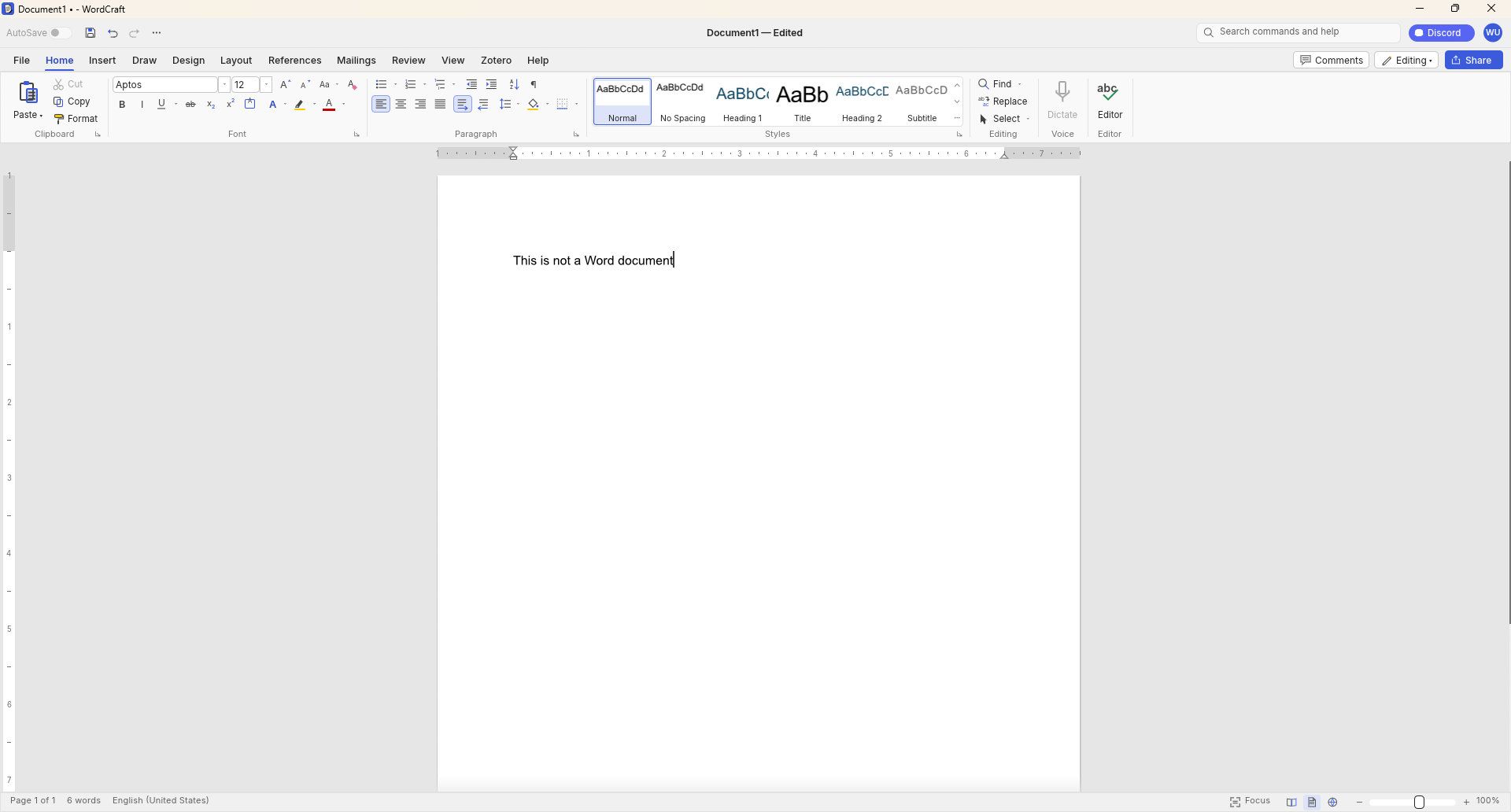
WordCraft document editor running on Windows, showing a blank document with the text

WordCraft uses a familiar ribbon interface and document layout that closely resembles Microsoft Word. (Image credit: Future)

Thomas now has a growing suite of app clones that aim to replicate the functionality and design of the popular suites from Adobe and Microsoft. The situation was summed up brilliantly by Reddit user "EngFL92" who said, "Begun, the clone wars have."

Windows Central take: Proving a point

The concept of replicating apps is nothing new. LibreOffice has been available for years and there are a plethora of apps similar to Word, PowerPoint, Excel, and other Microsoft 365 applications.

WordCraft and other applications made by Thomas are important because they ask the question, "Can AI be used to replace paid industry-leading software suites."

At the moment, I'd say the answer to that question is "no." But the replica Office apps are in the alpha stage of development. We could see the feature gap close and bugs get squashed before general release, assuming Thomas decides to continue the project.

Shut your yap.Open Office / Libre Office sucks.It ate my 40 page essay during finals week.I'm paying back a grudge that has been years in the making.Stop dragging along shitty OSS software and venerating it like it's some holy relic. Let it die.October 13, 2026

Projects like this often gain notoriety quickly as they get shared online. Microsoft and Adobe are tech giants that charge a lot of money to access software. They're easy targets and I believe some of the passion against the companies is justified.

Thomas said on X that they're "paying back a grudge that has been years in the making," so there seems to be some history there.

Quite the media frenzy has formed around these apps. I suppose I'm a part of that, but I think some outlets have gone too far and argued that the AI-coded clones of the Adobe and Microsoft 365 suites are further along than they really are.

I appreciate the dedication to create apps that compete with some of the best-known software around. Projects like this can demonstrate that some people don't need to pay monthly subscriptions for their entire lives to get work done. But I'd suggest pumping the brakes on narratives along the lines of "vibe coding takes down tech giants in a month."

Click to join us on r/WindowsCentral

Join us on Reddit at r/WindowsCentral to share your insights and discuss our latest news, reviews, and more.

Microsoft is changing how developers build Windows 11 apps

Microsoft's blueprint for making Windows 11 apps has received an update that allows developers to try more experimental features. WinUI Gallery just received a bump to version 3.0, and with that update comes a new approach to experimental features.

WinUI Gallery is Microsoft's sample app for developers, showing how Windows UI components work and helping app makers build software that looks and behaves like a native Windows 11 application. It's available through the Microsoft Store.

WinUI Gallery used to receive new controls after those controls had reached a stable Windows App SDK release. Because of that, Microsoft was limited in how much it could change those controls based on feedback. WinUI Gallery now includes the experimental Windows App SDK so developers can play with new controls earlier and provide feedback to Microsoft in time to drive changes.

🚀 WinUI Gallery 3.0 is here!Starting with this release, we're embracing Experimental versions of the Windows App SDK, giving you earlier access to new control/API samples so you can try them out more easily, share feedback, and help shape what's next!And this release is packed with new controls! 🚀✒️ Inking in WinUI!!📑 TableView📊 Charts🔢 Pagination control🪟 Simpler windowing APIs🎁 WrapPanel and StackLayout✨ And much more!Learn more👇:https://t.co/srgiSPUI29October 13, 2026

WinUI Gallery 3.0 also adds some quality of life changes that are outlined by Niels Laute, a Senior Product Manager at Microsoft:

  • Mouse back and forward buttons now navigate through the Gallery, just like in your browser (#2195), thanks @hoshiizumiya!
  • Search finds more. Every control page now has search tags, so searching for terms like “context menu”, “carousel”, or “WCAG” finds the right page even when the query doesn’t match the control’s name (#2185).
  • No more dead ends. When a search has no results, you now see your query, a few search tips, and a button to view all samples (#2255), thanks @Zakariathr22!

Since experimental controls are now in WinUI Gallery 3.0, there are several new samples available in the app, including TableView, Charts, and Wrap Panel and LayoutPanel. Those controls allow apps to present data in a way that's easier to digest.

WinUI Gallery is an app that everyday PC users will likely never download or even see. But it's an important tool for developers who want to create modern applications. The latest update should lead to more quality apps being available on Windows 11.

What is WinUI Gallery?

WinUI Gallery is a developer tool that acts as a digital showroom for Windows app development. Developers can see what UI elements look like on a PC by using the app and see relevant code samples to help create applications that align with Microsoft's design framework and guidelines.

Microsoft has had some form of a digital showroom since 2018, but the app has gone through a few name changes. Its current name is a bit confusing because of similar terms being used in different settings.

The latest update to WinUI Gallery brings that app to version 3.0, so it's referred to as WinUI Gallery 3.0. But despite the similar name, that is different than WinUI 3, which is the framework developers currently use.

Regardless of its slightly confusing name, WinUI Gallery is a useful tool for app development and helps push developers toward making apps that perform well and appear natural on Windows 11 PCs.

Click to join us on r/WindowsCentral

Join us on Reddit at r/WindowsCentral to share your insights and discuss our latest news, reviews, and more.

"Data centres have become integral to our lives" — Microsoft plans to push ahead with data center despite protests

Microsoft appears keen to go ahead with plans to build a data center in Slough, England. Plans could be submitted as soon as this autumn, according to The Slough Express.

Recently, a consultation was held to receive feedback from local residents about the data center. In that process, Microsoft said: "Data centres have become integral to our lives, with social media, contactless payments and remote working all reliant on the functionality they provide."

The tech giant added, "The UK needs more new data centres to power the economy of the future."

The consultation covered several topics related to the proposed data center, including on-site parking and if the building of the data center would affect local traffic.

Councillor Chandra Muvvala discussed the impacts of data centeres with the Local Democracy Reporting Service (LDRS). "Not having a data centre is not a problem, but having a data centre is certainly a problem," said Muvvala.

The councillor also noted things Microsoft could do to help the community, such as planting trees or improving local parks.

A petition to pause the data center project has over 600 signatures at the moment. Petitioners want an independent assessment to be completed to determine the impacts of the project.

Blank Pixel

Controversial data centers

The proposed data center in Slough is not alone in drawing criticism. Microsoft has also faced pushback about its planned data center in Leeds, England.

That project has been controversial since its inception. Over 43,000 people signed a petition to prevent the construction of the data center. Hundreds of protesters appeared at the site earlier this week, according to The Yorkshire Evening Post.

The complaints about the project in Leeds are similar to those from people in Slough. Residents in both areas have expressed concerns about the environmental impact of the data centers and raised flags about potentially high noise levels and other ways the data centers could harm their respective surrounding areas.

Microsoft has already received the go-ahead to build the data center from the Leeds City Council, which voted unanimously to approve the project. But the final decision on the project will come from Chief Planning Officer Martin Elliot.

Click to join us on r/WindowsCentral

Join us on Reddit at r/WindowsCentral to share your insights and discuss our latest news, reviews, and more.

Microsoft Surface event announced for October 7 — here's everything we know so far

Microsoft just announced a Windows and Surface event for October 7, 2026. The event will be held in San Francisco and will focus on "how local AI will shape the next chapter of the PC." It will start at 10 AM PT / 1 PM ET.

Microsoft CEO Satya Nadella will be at the event, as will Surface chief Pavan Davuluri. NVIDIA CEO Jensen Huang will also be there, so we can expect to see RTX Spark discussed on stage.

RTX Spark is NVIDIA's new superchip. It powers the Surface Laptop Ultra and Surface RTX Spark Dev Box. Microsoft already announced those devices but has not shared key details yet, including pricing and availability. The event in October could be a chance to share more about the devices and the RTX Spark in general.

Blank Pixel

Microsoft is also expected to highlight improvements to Windows 11. The tech giant is deep into its Windows K2 initiative that aims to reduce pain points in the operating system and smooth the overall experience. We've seen some early wins from that initiative, such as the option to resize and move the Taskbar on Windows 11.

But Microsoft still has a long way to go before Windows 11 is redeemed in the eyes of many. Windows updates often ship with bugs and the operating system still has mismatching UI elements. Fixing Windows 11 is a large project that will take time, and Microsoft would be wise to show what it's already done to improve the OS and point to what's on the way.

While Microsoft could always surprise us with more hardware announcements, its quote about "how local AI will shape the next chapter of the PC" aligns well with devices we already know are on the way. The Surface Laptop Ultra and Surface RTX Spark Dev Box are designed to run AI locally.

Based solely on that quote, we could see Microsoft discuss Project Zenith at the event. That's the codename of a new class of devices aimed at developers that want to build apps and local AI experiences.

Click to join us on r/WindowsCentral

Join us on Reddit at r/WindowsCentral to share your insights and discuss our latest news, reviews, and more.

Windows 11 update breaks copy and paste in Microsoft Excel

Microsoft is having a bit of a rough September when it comes to bugs. Another issue has been discovered in Windows 11. This time, it's Excel's copy and paste feature that's been broken by an OS update.

That bug was discovered shortly after Microsoft confirmed issues with Hyper-V Linux folder shares, Remote Desktop, and USB audio. Those have since been fixed through an out-of-band update, but the Excel bug has not been fixed yet.

Here's what's wrong, according to Microsoft:

"In Microsoft Excel 2024, 2021, 2019, and 2016, the paste operation might fail silently. Although users try to paste content, the source remains selected and the destination is unmodified. When this issue occurs, users receive no indication of the failure, such as a beep or error message. Microsoft is researching the issue and will post more information in this article when the information becomes available."

The September Patch Tuesday update has almost 1,000 security fixes, so it is important to install it on PCs. But it may be worth holding off a bit if your workflow would be hindered by lingering bugs.

Blank Pixel

I don't want to come across as a doomsayer. The sky is not falling because copy and paste in Excel is broken. But it's frustrating to see bugs creep into Windows 11 updates.

Microsoft is aware of negative feelings many users have toward Windows 11. The company has a Windows K2 initiative that aims to reduce pain points and improve the overall Windows 11 experience. Part of that initiative centers around improving Windows updates.

On paper, Microsoft is trying to reduce how many updates people need to install each month. But I've had to install several Windows 11 updates just in September, including the out-of-band update that fixed the audio issue.

Click to join us on r/WindowsCentral

Join us on Reddit at r/WindowsCentral to share your insights and discuss our latest news, reviews, and more.

Windows 11 just received another emergency update — is this the new normal?

Windows 11 just received an out-of-band update that addresses several issues with the operating system. The September Patch Tuesday update includes almost 1,000 security fixes and other improvements, but it also had bugs that broke folder shares in Hyper-V-based Linux virtual machines, Remote Desktop Services, and certain audio devices.

Microsoft released the out-of-band update shortly after the issues were confirmed. It should download automatically in the background if you're running Windows 11 versions 26H1, 25H2, or 24H2. You can also grab the update through the Microsoft Update Catalog.

For the sake of clarity, Microsoft refers to these types of updates as out-of-band updates, but many people refer to them as emergency updates because installing them is urgent enough to ship the fixes immediately.

Here's a quick summary of the fixes, as outlined by Microsoft:

"Microsoft has identified issues that affect some devices after installing the September 2026 Windows security update, released September 8, 2026. On affected devices, host folder shares might be unavailable in Hyper-V-based Linux virtual machines, Remote Desktop Services might stop responding, which can prevent new sessions from being created and can prevent local and remote sign-in, and some USB Audio Class 1.0 devices might fail in multichannel audio modes."

Blank Pixel

Out-of-band updates have been released more in 2026 than in previous years. Some bugs in Windows 11 have required multiple patches.

When we publish a piece on Windows Central about a Windows 11 update, it's normal to see comments asking what the update will break. When there are inevitably issues with Windows 11, people ask "what do you expect" or something along those lines.

Obviously, if Microsoft finds issues, it needs to patch them. Emergency updates should be used when needed. My question is: why are they needed more frequently this year?

The situation is so bad that people celebrated the option to pause Windows 11 updates forever.

Microsoft is in the middle of an initiative to improve Windows 11 and reduce pain points in the operating system. But no one will care if they can move the Taskbar to the top of the screen or customize the Start menu if their speakers don't work.

Click to join us on r/WindowsCentral

Join us on Reddit at r/WindowsCentral to share your insights and discuss our latest news, reviews, and more.

Windows 11's latest update broke my speakers, and I'm not alone

The latest Windows 11 update gives you plenty of reasons to upgrade, including hundreds of security fixes. But it also includes some bugs that range from frustrating to workflow-breaking.

Microsoft recently confirmed that a bug in Windows security update KB5124008 can cause some audio devices to fail. Affected systems will see one or more of the following issues:

  • The device displays an error in Device Manager: "This device cannot start (Code 10).” 
  • No audio output.
  • Volume controls are unresponsive or remain at zero. 
  • Sound settings are unresponsive or unavailable. 
  • Some devices might function in standard stereo configurations but fail when using multichannel audio features, including 8-channel or 3D audio modes. Some customers have reported that they're able to restore audio in these cases by switching to 2-channel mode. 

I believe my PC was affected by this bug. After installing the most recent Patch Tuesday updates, my external USB speakers stopped working, and Windows automatically defaulted my audio output back to my docked laptop's built-in speakers.

The problems only affect USB Audio Class 1.0 devices. Just about any operating system or platform that supports USB audio works with USB Audio Class 1.0. That class was the first standard for audio devices and shipped in 1998. There are USB microphones, headsets, speakers, and many other devices that fall into the category.

Because some modern platforms (most notably gaming consoles like the PS5 and Nintendo Switch) do not support newer standards, headsets and other peripherals are often made to be USB Audio Class 1.0 devices so they work everywhere.

The bug affects Windows 11 versions 26H1, 25H2, and 24H2. Microsoft has confirmed the issue but has not released a fix at this time.

You may be able to workaround the bug by switching to 2-channel mode, but that is not a permanent fix. You can also uninstall the KB5124008 update, though it may be better to just wait for an official fix or to find a workaround.

Blank Pixel

Click to join us on r/WindowsCentral

Join us on Reddit at r/WindowsCentral to share your insights and discuss our latest news, reviews, and more.

Grok is now in Microsoft Copilot, but don't expect snark in your spreadsheets

Microsoft Copilot will soon support Grok models from xAI. Word, Excel, and PowerPoint users in the Microsoft Frontier Program can test Grok models now, with general support expected to roll out in the future.

Grok models are being added to Microsoft's Online Services Subprocessor list. By offering different models as subprocessors, Microsoft can give customers access to those models without people having to switch away from the overall Copilot experience.

For example, Researcher Agent in Microsoft Copilot works with Claude AI models from Anthropic. Other Copilot experiences may use multiple AI models to complete tasks.

"Our multi-model strategy gives customers access to leading AI models while maintaining the trusted Copilot experience," said Microsoft in a Tech Community post.

For different models to appear as options, admins need to enable them through the settings of their respective organization.

During the testing period, Grok models will not be available in the European Union, European Free Trade Association, or the United Kingdom.

Blank Pixel

What is a subprocessor?

Subprocessors are third-party providers that help Microsoft deliver online services. Microsoft has an expansive list of subprocessors used for everything from powering data centers to completing tasks in Copilot.

Using Grok as a subprocessor helps Copilot tackle different tasks and provides redundancy that protects against outages or issues with other subprocessors. But users should not expect the witty or irreverent tone and style that Grok has become known for on X.

Subprocessors sit under Microsoft's system prompts and enterprise guardrails, so the generated responses will still be professional. Essentially, you get the benefit of Grok's multi-step logic and mathematical prowess but within Copilot.

Once an admin enables the integration, you can set Copilot in apps like Word, Excel, and PowerPoint to automatically pick the best model for a task, or manually pick between GPT, Claude, or Grok directly from a drop-down menu in the interface.

Click to join us on r/WindowsCentral

Join us on Reddit at r/WindowsCentral to share your insights and discuss our latest news, reviews, and more.

Google's Gemini app for Windows 11 uses the same keyboard shortcut as Copilot

Google Gemini now competes with Microsoft Copilot for space on your keyboard. Google just released Gemini for Windows, and that app uses the same keyboard shortcut as Copilot (Alt + Space).

That shortcut is popular and those hoping to use Gemini may have to remap some shortcuts to perform other tasks. In addition to summoning Copilot, Alt + Space opens PowerToys Run.

The Gemini app is available for both Windows 11 and Windows 10. You can download it through Google's website.

The general functionality of the Gemini app is similar to Gemini's web experience. One key difference is that you can summon the AI tool with a keyboard shortcut, which allows you to launch it quickly.

The macOS version of Gemini supports sharing your screen and other native capabilities, such as dictating by pressing both Command keys. Google explains that more native features will ship to the Windows version of Gemini in the future.

Blank Pixel

I prefer Gemini over Copilot for many tasks. I recently swapped to Google's AI tool for a month to see how it performed as an editor. While Copilot felt more personal, Gemini was often more accurate when it came to correcting tasks.

"In my specific use case, Gemini felt like an upgraded Microsoft Editor while Copilot felt like a modern Clippy," I said a couple months ago.

Both Copilot and Gemini have their strengths and weaknesses, but Google's option is better for my workflow. Our readers disagreed.

21% of those who voted in our poll about proofreading with AI use Microsoft Editor. Another 29% of participants use Microsoft Copilot. Only 11% of voters rely on Gemini to proofread documents.

Of course, Gemini and Copilot can do a lot more than proofread documents. Google recommends the new Gemini app for fact-checking documents, coming up with titles for a presentation, and creating images and videos.

For more complex tasks, you can hand things off to Gemini Spark within the app.

Click to join us on r/WindowsCentral

Join us on Reddit at r/WindowsCentral to share your insights and discuss our latest news, reviews, and more.

Apple's iPhone Duo announcement contains a trolling Surface Easter egg

Apple unveiled the iPhone Duo this week, taking the tech world by storm and dominating social media. While folding phones are hardly new, Apple used some clever tricks to make the iPhone Duo stand out. Apple's classic approach of perfecting a product category after other companies have tested the waters is fully on display.

Windows Central readers and Surface enthusiasts were quick to point out that Apple's new foldable has a remarkably similar name to the Surface Duo. Multitasking on the iPhone Duo also works in a similar way to split-screen work on the Surface Duo.

From the passport-like aspect ratio to multitasking to the literal name of the device, it's clear that Apple took inspiration from Microsoft's foldable. It appears that someone in the Apple marketing department had a bit of fun with this fact.

So it turns out, it's more than just the name that Apple borrowed. iPhone Duo is the first folding phone I've seen copy the Surface Duo's unique multitasking and windowing system pretty much 1:1!https://t.co/4KDClS9JxgiPhone Duo can treat each half of the folding display as… pic.twitter.com/gtsnIcbSEXSeptember 10, 2026

In a video demonstrating the multitasking capabilities of the iPhone Duo, Apple chose to have an article from Surface Magazine appear on the screen. That piece is not just a mockup made by Apple, it's a real article that was published in 2018.

X users @zenbookpro1 spotted the Surface article.

It's an interesting read about how Comporta, Portugal became a hot spot for architecture and how the area evolved from its agricultural roots. It also seems to have nothing to do with the iPhone Duo, at least directly.

Blank Pixel

I confess that I'm not an Apple historian. There is a chance that Comporta's rich architectural history is somehow related to the iPhone Duo, but that seems unlikely.

Before joining Windows Central full time, I worked for a company that presented on stage at WWDC. While I wasn't part of making that presentation, I have experience working on a team that makes videos for that audience.

Marketing videos are meticulously edited. At a company the size of Apple, every single frame that appears on stage will have been looked over several times by an entire team of people. There's almost no chance that the word "Surface" appeared by accident. The only debate that's possible is arguing that there's some other reason for it to appear.

Easter eggs like this are commonplace in the tech industry. Heck, Office 97 had an Easter egg that was not discovered until this year.

I suspect the appearance of Surface in the iPhone Duo announcement is a mixture of a playful jab at Microsoft and a nod to the work done on foldables to refine the category.

Click to join us on r/WindowsCentral

Join us on Reddit at r/WindowsCentral to share your insights and discuss our latest news, reviews, and more.

Microsoft adds Bigfoot and Copilot key remapping in latest Windows 11 preview build

Move over iPhone Duo announcement, the real news is here. Windows 11 will soon feature a few more emojis. Microsoft recently shipped Windows 11 Builds 26100.9539 and 26200.9539 to Insiders in the Release Preview Channel. Among other changes, the update adds support for Emoji 17.0.

Since these are Release Preview builds, many of the included changes have already been seen during earlier Insider testing.

Several changes have been made to File Explorer that should make for a smoother experience. Home within File Explorer now preserves the state of sections, so the next time you open the app things will be expanded or collapsed as before. Thumbnail previews for cloud files should appear more consistently as well following this update.

Emoji lovers will be happy to hear that Emoji 17.0 support comes with this build of Windows 11. Emoji 17.0 adds the distorted face, fight cloud, and hairy creature (Bigfoot) emojis.

Blank Pixel

Microsoft continues on its recent push to create more widgets. These Insider builds add a Tips widget that provides guidance about Windows features. Microsoft recently announced a battery widget that's in the works as well.

Another welcome change is the update to remap the Copilot key to function as the Right Control key or Context Menu key. Copilot already has a keyboard shortcut (Alt + Space) for those who want to use it, so having a dedicated key for a niche tool felt a bit like overkill.

Microsoft detailed the changes that are gradually rolling out.

Build 26100.9539/26200.9539

File Explorer

  • New! This update adjusts how the preview pane handles files downloaded from the web. For HTML files, a new Preview anyway button lets you acknowledge the warning and preview the file. Non-HTML files, such as PDFs, are now previewed automatically.
  • New! File Explorer Home now preserves the state of sections (expanded or collapsed), so you can pick up where you left off.
  • New! This update improves the reliability of thumbnail previews for cloud files in the Details pane. The pane has also been reorganized so file properties are easier to find and review at a glance.
  • New! This update addresses an issue that could clear the address bar contents when entering edit mode by clicking near the right side of the address bar.

Emoji

  • New! This update adds support for Emoji 17.0, including new emoji such as distorted face, fight cloud, and hairy creature. To insert them, press Windows key + Period (.) to open the emoji panel.
  • New! This update also refines the design of several existing emoji for better consistency across platforms, including saluting face, face with peeking eye, goose, lotus, and kissing cat.

Widgets

  • New! This update introduces the Tips widget, which provides short, helpful guidance about Windows features. To add it to your Widgets board, open the board, select Add widgets, and then choose Tips. To add it to your lock screen, go to Settings > Personalization > Lock screen and add Tips to your lock screen widgets.

Personalization

  • This update includes a variety of improvements to desktop background experiences:
    • This update improves the reliability of the Personalization > Background page in Settings.
    • This update adds support for using DIB image files as desktop backgrounds.
    • This update improves the reliability of desktop slideshow transitions on newly created accounts.
    • This update improves the resolution of previews when selecting a desktop background in Personalization > Background.
    • This update improves the desktop background preview display in Settings for users with portrait mode monitors.
    • This update improves the reliability of processing desktop wallpaper changes when they happen in quick succession.
    • This update adds support for using slideshow wallpapers with multiple desktops, so that it won't automatically switch you back to Picture.

Bluetooth

  • This update contains several enhancements to improve reliability and the experience when connecting to and using Bluetooth devices:
    • During voice calls, the Windows shell volume flyout now appears when adjusting the volume of a Bluetooth Classic Audio accessory using the volume controls on the accessory, providing visual feedback of the new volume level.
    • This update improves the accuracy of the connection state displayed by Windows for accessories that have disconnected from the PC.
    • This update improves the stability of the Bluetooth & devices page in Settings when managing Bluetooth and audio devices.
    • This update resolves an issue where the Bluetooth radio could be turned off, but the radio control toggle on the Bluetooth & devices page in Settings appeared on.
    • This update improves Bluetooth audio stability and compatibility.
    • This update improves microphone compatibility with certain Bluetooth Classic Audio accessories.
    • This update resolves an issue that could result in a crash (error code 0x139) while streaming Bluetooth audio.
    • This update improves reliability and performance with LE Audio accessories.
    • This update improves the reliability of shared audio.

Accessibility

  • New! This update introduces Open apps maximized, an accessibility setting that automatically maximizes app windows as they open. It removes a bit of everyday friction whether you use a screen reader or magnification, work in tablet mode, or simply prefer a consistent, full-screen workspace. To turn it on, go to Settings > Accessibility > Visual effects and turn on Open apps maximized.
  • This update improves navigation of the Bluetooth quick settings page when using keyboard input, gamepad input, or Narrator.

Magnifier

  • New! This update brings a modernized visual refresh to Magnifier on the taskbar:
    • Updated icons: Magnifier's toolbar icons align with the Windows 11 visual design, giving the tool a cleaner, more modern feel.
    • Refined spacing and padding: The padding is adjusted with consistent spacing across the toolbar for a more polished layout.
  • Views, zoom controls, keyboard shortcuts, and Read Aloud all behave exactly as they did in earlier versions.

Settings

  • This update improves the reliability of Settings when interacting with the contents of the Settings > Bluetooth & devices > Printers & scanners page.
  • This update updates Settings > Apps > Installed apps to show the version number at the top level for packaged apps, as it already does for other apps.
  • This update improves the time picker control in Settings so that it reflects your preferred time format when you switch between 12-hour and 24-hour formats. This applies in places such as setting active hours and scheduling night light.
  • This update improves the persistence of the Allow multiple apps to use camera at the same time option in Settings > Bluetooth & devices > Camera.

Touchpad

  • New! Additional gesture controls for precision touchpads are available in Settings > Bluetooth & devices > Touchpad:
    • Single-finger scrolling: Scroll vertically with one finger starting from the left or right side of the touchpad.
    • Automatic scrolling: Keep scrolling without lifting your fingers by moving them near the edge of your touchpad while scrolling.
  • Previously, gesture controls for scroll and zoom speed and accelerated scrolling were released in the July 2026 update (KB5101684).

Copilot key

  • New! This update introduces a new Windows 11 setting that lets you remap the Copilot key to function as the Right Ctrl or Context Menu key, helping preserve familiar keyboard shortcuts and accessibility workflows. For more information, see Understand updates to the Copilot key on Windows devices.

Camera Roll

  • New! This update introduces Camera Roll Backup in Settings, helping eligible users protect their photos with OneDrive. You can turn on the feature from the Settings Home or Accounts page and complete setup on your mobile phone using a QR code.1

Fonts

  • New! This update adds support for the Garay and Beria Erfe scripts to the Ebrima font, the first Microsoft font to support both. Garay was encoded in Unicode 16.0 and Beria Erfe in Unicode 17.0.
  • New! This update also refines the Adlam glyph designs in Ebrima to align with the current Unicode standard and improve consistency.

Windows Recovery Environment (WinRE)

  • New! This update enables WinRE to automatically reuse eligible Wi-Fi profiles already saved in Windows, including supported certificate-based networks. Devices can now get online automatically during recovery scenarios such as quick machine recovery or cloud rebuild, without preconfiguring Wi-Fi credentials in WinRE. This capability is on by default, and IT admins can disable it. For more information, see Windows Recovery Environment (Windows RE).
  • New! This update adds a recovery remote management plug-in for extending WinRE management capabilities for mobile device management (MDM) providers. For more information, see Recovery Remote Management Overview.

Kiosk mode

  • The Windows key + Tab keyboard shortcut is now disabled when using a restricted user experience kiosk.
  • The Windows key + A and Windows key + C keyboard shortcuts are now disabled when using single-app kiosk mode.

Windows Backup

  • PC-to-PC Migration is no longer available. This feature, introduced through a phased rollout, previously allowed you to transfer files and settings directly from your previous PC when setting up a new Windows PC. To back up and restore your files, settings, and other supported items when moving to a new PC, use Windows Backup. For more information, see Back up and restore with Windows Backup.

Click to join us on r/WindowsCentral

Join us on Reddit at r/WindowsCentral to share your insights and discuss our latest news, reviews, and more.

The iPhone Duo is a stark reminder that Microsoft Surface has lost its purpose

Apple didn't shock the world this week by unveiling the iPhone Duo, but it has taken the tech world by storm. With Apple joining the folding phone fray, we now have millions of people considering foldables that never would have considered the category.

With the iPhone Duo sharing so much with the Surface Duo, it's natural to make comparisons. Our Zac Bowden explained what went wrong with Surface Duo and highlighted Apple copying the names of Surface products.

But the iPhone Duo announcement stood out to me for another reason. It shows what happens when a company knows its own identity and leans into it. Apple is far from the first company to make a foldable phone, but the iPhone Duo tackles foldables in a way that's quintessentially Apple.

Blank Pixel

In normal Apple fashion, the company bided its time and waited for Samsung, Motorola, Xiaomi, and other companies to work out the biggest issues with foldables. Through years of trial and error, other manufacturers have determined the best form factor for a folding phone. They've also figured out use cases for folding screens and the large displays provided by what are essentially tablets that fold into phones at this point.

Apple's patient approach does more than give its engineers real-world feedback about a product category. By waiting until foldables became normal, Apple has left potentially the most difficult task to be completed by other companies: getting people to even consider a folding phone that costs a fortune.

Every time Apple introduces a new product or feature that's been seen elsewhere, people online joke about Apple "inventing" things. I get it. It's an easy joke and some Apple heads are smug and ignore advances made by other companies. But Apple's strategy works. In addition to making Apple money hand over fist, it creates good products.

Apple knows what it is. The leaders at Apple have a clear strategy and know how to make new products. Microsoft is lost when it comes to Surface, and the iPhone Duo shows that.

Surface Duo vs Surface Duo 2

The Surface Duo pushed boundaries but was later abandoned by Microsoft. (Image credit: Future)

Before you jump to the comments, I am fully aware that Microsoft had a foldable phone years before Apple. The buggy mess that was the Surface Duo launched in 2020. After silently fixing a few bugs and realizing people want NFC and good cameras in a smartphone, Microsoft unveiled the Surface Duo 2. But Microsoft abandoned the Surface Duo lineup and never even released the Surface Duo 3, so I'm not going to give it the benefit of the doubt.

By not sticking with the Surface Duo lineup, Microsoft gave up its pioneer status. The company could have made a Surface Duo 3 that addressed concerns and then unveiled a model with a folding screen by now. But instead, Surface Duo is dusted.

When it comes to tech, you need to carve out a niche. That's often done by being the first, the best, or the most affordable. You can also succeed by being unique or by being over the top. Surface used to check some of these boxes, but it rarely does anymore.

What is Surface in 2026? It's no longer the innovative hardware maker that drove the 2-in-1 form factor. Experimental projects have been pushed to the wayside, leaving Lenovo to pick up the slack. Surface PCs were never the most affordable, and I'd argue they aren't even the best options in their respective categories anymore.

Microsoft has shown some small signs of moving in the right direction with the Surface Laptop Ultra, but I still have my reservations. Surface still seems lost, and I don't see Microsoft returning to the experimental roots of the product family.

Microsoft no longer pushes the limits of computing with experimental hardware. But it also does not wait long enough to see a category fully mature and then swoop in with a perfected version. Surface is stuck in the middle of a crowded PC space and feels like a leftover appendage of a bloated company.

Click to join us on r/WindowsCentral

Join us on Reddit at r/WindowsCentral to share your insights and discuss our latest news, reviews, and more.

❌