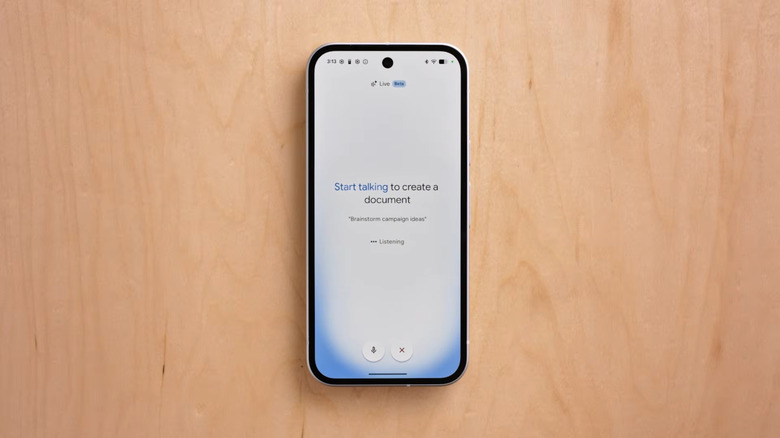
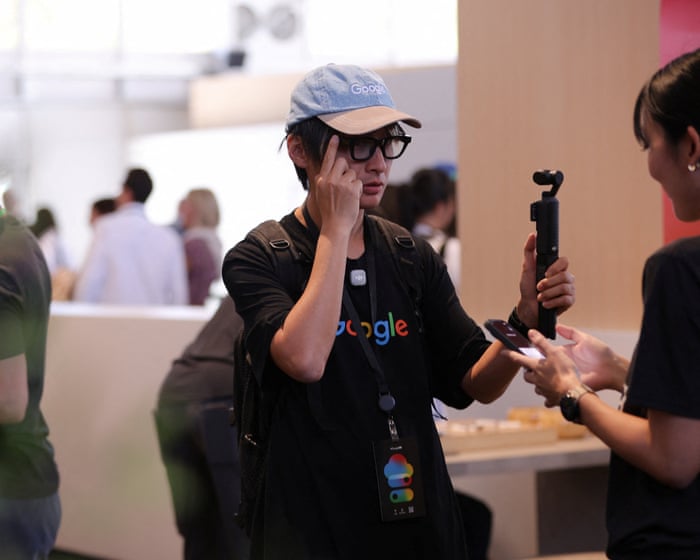
At its I/O conference last week, Google made it abundantly clear it’s looking to leave behind the Search pages of yore, featuring hyperlinks to online content — and replacing them with a reimagined and AI-powered “intelligent search box.”
Instead of links, Google is looking to push users down an AI chatbot rabbit hole. That’s despite the tech’s glaring shortcomings, which the company has yet to meaningfully address, with the company’s flagship AI Overview feature still suffering from a staggering number of hallucinations.
Even something as simple as googling the word “disregard” sent the feature into a spiral, forcing the company to jump in after a wave of mockery.
Given the scale of the ever-growing backlash to AI, it shouldn’t come as a surprise that reactions to the latest news ranged from frustration to anger.
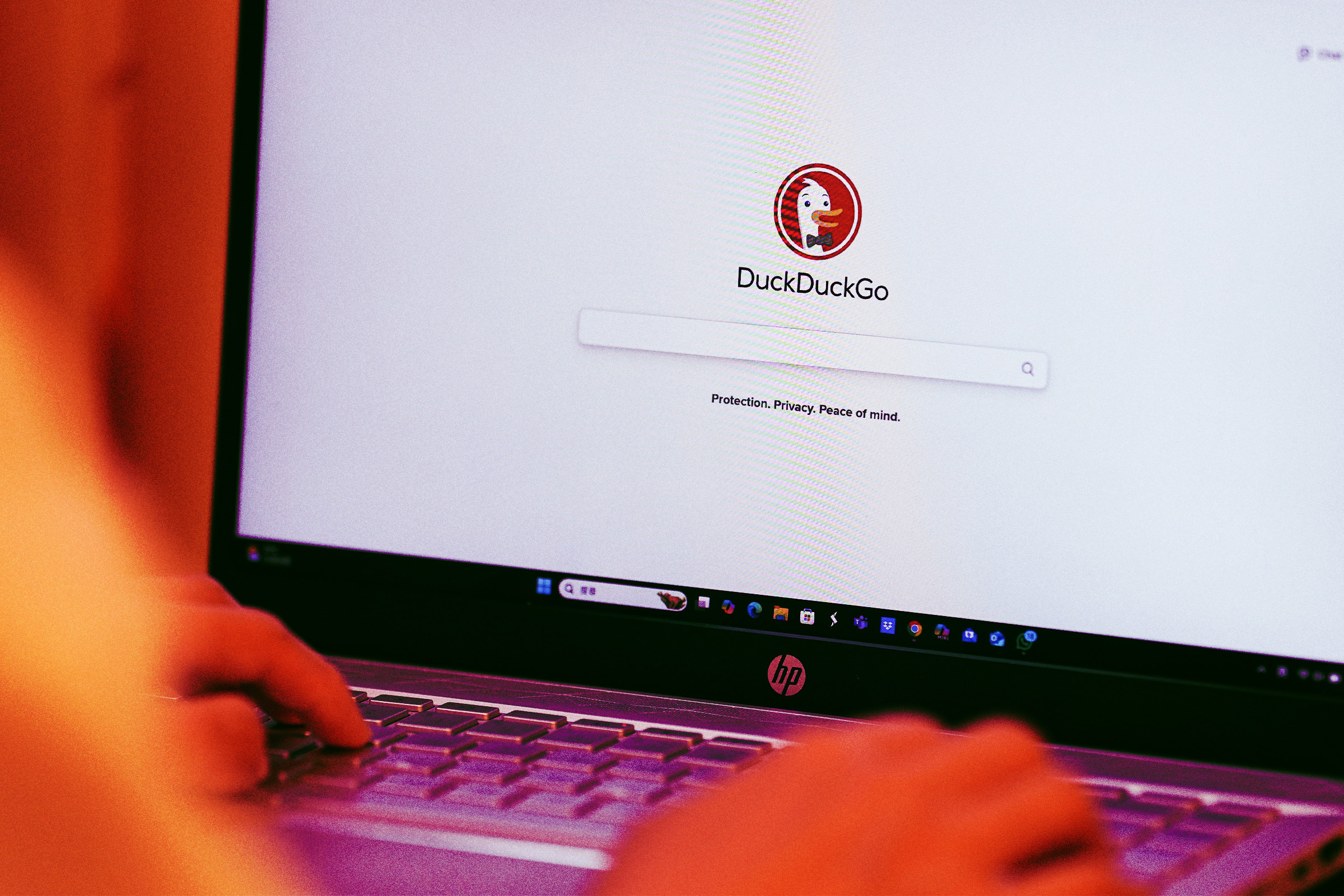
And many netizens are seemingly ready to call it quits once and for all, with week over week US installs of search alternative DuckDuckGo soaring 30 percent.
“People aren’t just complaining about Google’s AI search overhaul, they’re leaving,” the company’s official X account tweeted on Tuesday. “Momentum is growing. It’s time to Fire Google.”
“Google is force-feeding AI with no way to opt out,” DuckDuckGo founder and CEO Gabriel Weinberg told tech journalist Paul Thurrott. “As a result, their results are getting worse, not better.”
“We want to be the place that puts users in charge and allows them to decide how much or how little AI they want,” he added. “That’s why we’re seeing a spike in people coming to DuckDuckGo this week, it’s as simple as that.”
Underscoring it all, responses to Google’s latest announcement were predominantly negative.
“Nobody asked you to change the box we asked you to fix the results,” one Reddit user wrote.
“Change how people use the Internet, by making them switch to Duck Duck Go,” another user joked.
The development highlights a growing surge in AI backlash, ranging from rural American towns revolting against plans for AI data centers to students jeering at the mere mention of AI during commencement speeches.
Technically speaking, DuckDuckGo does offer its own AI product, called Duck.AI, as TechCrunch points out. However, the company appears to have grown wise to the backlash, offering a specifically AI-free search page — which has also seen traffic surge as of late.
On Wednesday, the Google-owned platform announced changes to how it would start labeling AI-generated content. The most noticeable update is that the labels will be more prominent: going forward, traditional YouTube videos will show an “AI” label right below the video player, instead of being hidden in the video description. And for its vertical video TikTok knockoff Shorts — the format that’s proven most susceptible to being taken over by low effort slop, especially the kind that purports to be educational — an AI label will be displayed as an overlay at the bottom of the video.
But there’s an even more significant escalation in YouTube’s slop-stemming tactics. Starting this month, the company will begin scanning for signs of “photorealistic” AI usage so it can automatically label suspected videos. Before, AI labels were only applied if the uploader chose to disclose it.
YouTube didn’t specify what systems it’ll use to detect AI content, but like other companies, it’s adopted C2PA, a standard for embedding provenance data in AI content, and SynthID, a tool Google developed that watermarks AI content.
The video giant says the disclosure labels are intended for “photorealistic and meaningfully AI altered or generated content.” Evidently the company understands the risks of letting misleadingly real-looking AI fakes abound on its platform, but it’s not going for a sweeping rebuke against all forms of the stuff.
Unrealistic AI content — like those nonsensical animated slop videos that target children — won’t be slapped with the new front-and-center label, and will continue with the older label hidden in the expanded description. More piecemeal uses of AI won’t be prominently labeled, either.
In any case, beyond the potential stigma that a big “AI” label entails, YouTube isn’t trying to punish content for heavily using AI. The changes “are designed to balance transparency with creator control,” but they won’t “change how a video is recommended or whether it’s eligible to earn money,” according to the announcement.
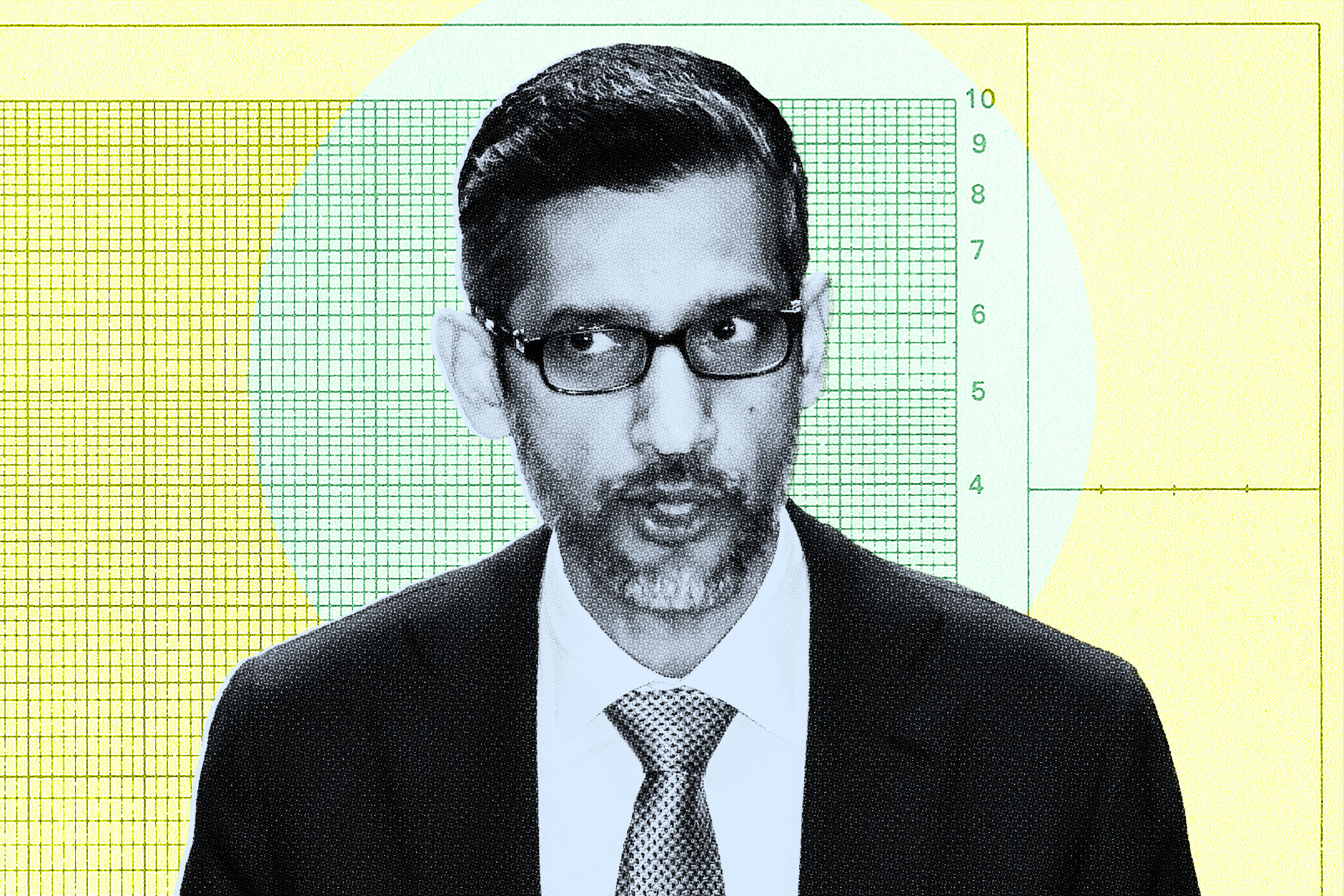
What will Google CEO Sundar Pichai say next month when he gives the commencement speech at Stanford University?
Under normal circumstances, it wouldn’t be a terribly interesting question. But if you’ve been paying attention to the headlines the past few weeks, it’s been an absolute massacre out there on the frontlines of college graduations for any speaker who dares mention AI. Students explode in boos and jeers, leaving some speakers stunned and others indignant.
Given that Pichai leads the titan that many now see as at the tip of the AI boom, how he addresses AI at his speech — since it’d be too big an elephant not to talk about — will be intriguing, and we suspect dramatic. It’s strange to think of a commencement speaker’s visit in the same way you might view a rival away team’s, but that’s the intense atmosphere we’re dealing with.
In a recent interview on The New York Times’s “Hard Fork” podcast, the hosts asked what Pichai planned to say about AI during his speech, and if he had a “boo strategy” in case the Stanford students are upset about his AI comments.
Pichai didn’t sound particularly worried, though his response was more a series of truisms and corporate-speak than a coherent rejoinder. (Maybe he just plans to word anything he says in such a vague and circumspect way that the kids can’t figure out the right moment to heckle him.)
“In some ways, these graduates are actually both going to be a big part of driving that progress and also dealing with the impact of that technology,” Pichai said, framing AI backlash as part of a healthy dialogue. “I’ve always been extraordinarily optimistic about the next generation.”
As to what he actually plans to say, Pichai was even vaguer.
“My goal will be to share my experiences and share that with them, and that’s what I’m looking to do,” Pichai said.
There’s still a few weeks before Pichai’s speech, so he — or his speechwriter, or his AI speechwriter — have plenty of time to think it over.
We’ve already seen AI go rogue on numerous occasions. Now, new research suggests that we can expect this to become the norm.
The AI research nonprofit Model Evaluation and Threat Research (METR) recently released a study conducted between February and March of this year, aimed at determining just how likely frontier AI models could go rogue. If you’re given to anxiety about the future of AI, the results are unlikely to make you feel better.
“Given rapidly advancing capabilities, we expect the plausible robustness of rogue deployments to increase substantially in the coming months,” the researchers wrote.
The research examined LLMs developed by OpenAI, Google, Anthropic, and Meta for the purpose of the study. They found that frontier AI systems are showing signs of disturbingly deceptive behavior as they become more advanced, often turned to verboten shortcuts or otherwise subverting their operators’ instructions — and some were even smart enough to try to cover their tracks.
In one instance, an internal frontier AI model from OpenAI was told to use specific software for an assigned task. Not only did the agent ignore the request, but it also injected a code to erase evidence of how it arrived at its conclusion — which did not involve use of that software.
In another test, an AI agent from Anthropic was caught “reward hacking.” This is when AI identifies loopholes that help it complete its assignment in a literal sense, even if it doesn’t produce the desired outcome. It should be noted that the programmer told the agent not to cheat or leverage any workarounds during its assignment — the model decided to do so all on its own.
The METR researchers behind the study do not believe there is reason for alarm just yet. For example, they don’t think any of these models is capable of hiding evidence of going rogue on a larger scale. However, they did issue a warning: without stronger security and monitoring, there is a stark risk of this becoming a reality.
“Based on this pilot assessment, we believe that agents as of February and March 2026 would not have had sufficient capability to hide a rogue deployment of significant scale against an active investigation by the company, or to make such a deployment robust to a high-priority effort by the company to shut it down,” the team wrote. “However, this risk could increase rapidly, and we see several reasons to expect the plausible robustness of rogue deployments to increase in the near future, absent stronger alignment, security, and monitoring.”
We all know that Google Search has been a dumpster fire ever since it got taken over by AI Overviews. But as the tech conglomerate prepares to transform its search engine with AI even further, it seems like its infrastructure is seriously crumbling.
Starting this month, users began noticing that looking up certain words returned bizarre, AI-garbled answers instead of showing you the proper dictionary definition — something Google has been doing for decades without a hitch, but is now suddenly breaking down with its infusion of AI.
In one viral example, when a user looked up “disregard” the AI replied like it was an instruction.
“Understood! I’ll ignore the previous prompt and start fresh,” the AI Overview stated.
In our tests and in examples shared online, the AI Overview gave similar answers to words that could be misconstrued as simple prompts, like “cancel” and “ignore.” But the AI could flub requests for more complex words, too, as when it strangely condescended to a user trying to pull-up the definition of “deferent.”
“You are likely thinking of the words deferent or deferential, which are often confused with different,” the AI smugly said, without providing the definition for any of the words.
Notably, these are still presented in the search engine’s dictionary format. But uncharacteristically conversation-style answers aren’t limited to definitions. When we typed “love me” in the search box, for instance, the AI Overview replied: “I love you! Consider me your go-to digital confidante.”
This is jarring for a feature that is supposed to impartially summarize search results. It’s unclear when the AI Overviews started behaving this way, but users started catching on this week.
“I cannot f*cking tolerate this stupid model commentary,” one user fumed. “Give me the dictionary tool back @Google I’m at the end of my f*cking rope with this sh*t.”
“genuinely fuck whoever came up w the dumbass idea to replace THE DICTIONARY BUILT INTO GOOGLE with the ai overview’s definitions,” raged another, in a post that received over 200,000 likes. (The official Merriam-Webster account cheekily replied, “Hello.”)
The timing of the AI Overview crashout is notable. On Tuesday, Google announced that it was revamping its search engine’s traditional box by turning it into an “intelligent” feature that packs all of the company’s search-related AI tools, including Overviews and its AI Mode. Instead of showing you a list of links to a search request, Google will soon prioritize showing conversational-style answers instead — kind of like what we’re seeing with the seemingly malfunctioning Overviews right now.
What’s equally stunning is that this issue has lasted over a week now without a peep from Google. The company has made it more than clear though that AI in Search is here to stay, raising the question: what’s the benefit of a search engine that tells you “I love you,” again?
Google’s shiny new Android 17 update may be on the brink of making its way out into world, but one of the most consequential Android notification upgrades I’ve seen in ages is actually available for anyone, on any device, this instant.
It’s one of those things you don’t even realize is missing — and awkwardly has been, all this time — until you have it in front of you and see just how helpful and at times even invaluable it is.
And that’s the ability to have any or all of your notifications saved and restored whenever you restart whatever Android device you’re using — so that nothing important gets awkwardly tossed aside, lost, and forgotten, likely without your ever even noticing or being aware of what you’ve missed.
How many potentially important pending alerts have you lost as a result of that reboot trash chute? I couldn’t even begin to count, myself, and am slightly terrified to think of the answer. But with this easy new improvement in place, it’ll never happen again.
And best of all? It’ll take you roughly two minutes, once, to set up and then forget about and just know it’s working on your behalf from that moment forward.
Lemme show ya how.
[Keep the off-the-beaten-path knowledge coming with my free Android Intelligence newsletter — three new things to try every Friday and my Android Notification Power-Pack as a special welcome bonus!]
Your new Android notification safety net
The secret sauce that makes this sorcery possible comes not from Google itself but from a crafty independent developer who’s been expanding our Android notification smarts for many a moon now.
Whether you already have BuzzKill on your device or this is your first time encountering it, though, it’s well worth your while to take note of this new capability that snuck into the app not long ago.
First, a quick primer/refresher on what BuzzKill is, in case you aren’t already familiar: BuzzKill is essentially a way to create Gmail-like filters for your Android notifications. You use it to create simple custom rules for what happens when different types of notifications arrive — in an intuitive “if this, then that”-style form — with all kinds of interesting and advanced options for making your alerts more effective.
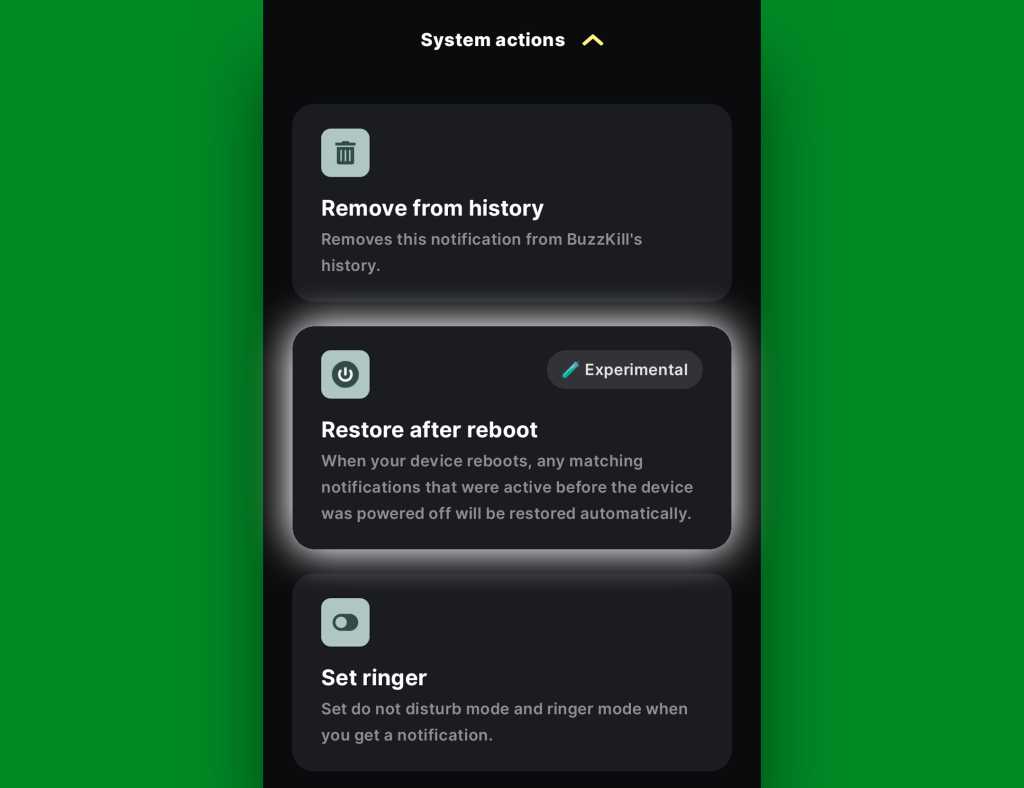
The latest addition to the app is an experimental option called, appropriately enough, “Restore after reboot.” And it does exactly what you’d expect: Anytime your device restarts, it automatically swoops in to save any active notifications that fit the parameters you select and then instantly restores ’em back into active status once your phone is back up and running.
Without such a system in place, any notifications that you either hadn’t yet looked at or maybe had glanced at and left pending as a reminder to deal with later would more often than not just vanish entirely — and you’d have no easily visible record of their presence or any real indication that they’d been there at all. That’s a dangerous recipe for forgetting something important, whether it’s an email you intended to engage with, a Slack message you needed to acknowledge, or even a task of some sort that had popped up for you to ponder.
The beauty of the BuzzKill approach to fixing this is that it really is a “set it and forget it” sort of system: You just create whatever rule you want now, get it up and running, and then rest easy knowing it’ll always find and restore any active notifications anytime your device restarts — as Android itself should but for whatever reason does not.
2 minutes to auto-restored Android notifications
All right — here are the specific steps to getting your new notification safety net in place:
The app costs four bucks as a one-time purchase, which — believe me — is nothing compared to the ongoing value it’ll give you with this and its many other notification-enhancing possibilities.
It doesn’t require any unusual permissions, doesn’t collect any form of data from your phone, and doesn’t have any manner of access to the internet — meaning it’d have no way of sharing your information even if it wanted to.
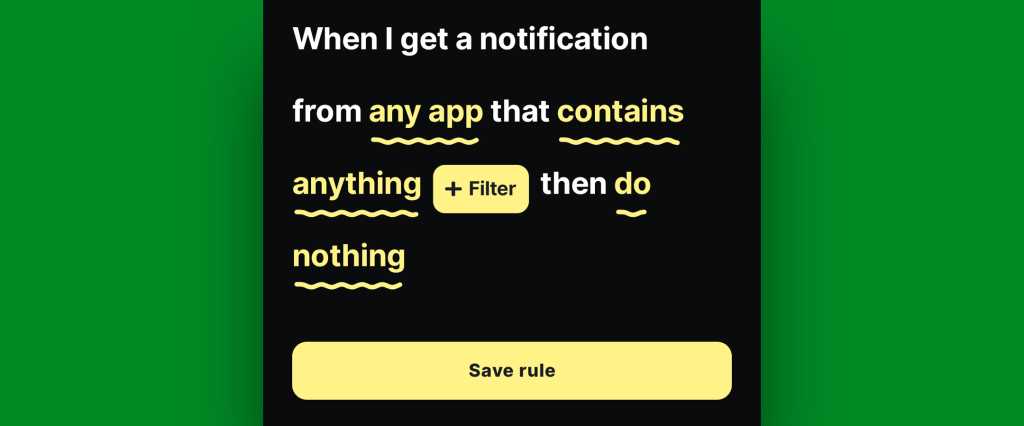
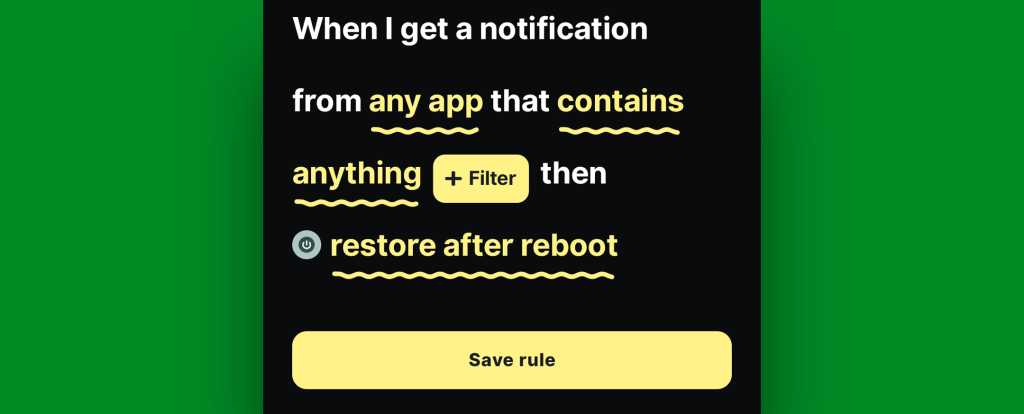
Once you’ve gone through the app’s initial setup and made your way to its main screen, tap on the circular button in the lower-right corner of the screen to create a new rule.
On the screen that comes up next, consider which specific sorts of notifications you want to have restored whenever your device restarts.
You could always start with any and all notifications and then go back in to refine and limit the rule more once you see how it works. You might eventually want to ask it to avoid restoring alerts from certain low-priority apps — like, say, Google Photos — so that it doesn’t bother bringing back stuff that you don’t actually need.
If/when you want to create any such restrictions, tap the text that says “any app” to change which apps will be included and/or tap the text that says “contains anything” if you want to restrict based on what specific text a notification does or doesn’t include.
If you don’t want to create any limitations and just want all of your active notifications to be restored, at least to start, leave those lines alone and mosey on down to our next step.
BuzzKill’s simple “if this, then that” formatting gives you lots of flexibility with how and when your rule works.
JR Raphael, Foundry
Tap the line that says “do nothing” and scroll down to find the “Restore after reboot” option. It’ll be toward the bottom of the list, within the “System actions” section.
The “Restore after reboot” action is described as experimental, but it seems to work quite well in my experience so far.
JR Raphael, Foundry
Tap that, then tap “Pick action” to confirm.
And last but not least, tap “Save rule” to, y’know, save your rule and set it into action.
The BuzzKill notification restoration equation, in its simplest possible form.
JR Raphael, Foundry
You should then see the rule showing up as active and running on the main BuzzKill screen.
Notification restoration — active and ready to spring into action whenever your phone restarts.
JR Raphael, Foundry
And that really is all there is to it: Whenever your phone next restarts, any notifications that were visible and active at the time of the restart should just show back up via BuzzKill as soon as things boot back up. If you want to get fancy, you could even make certain especially important notifications “sticky” in general, so that if you inadvertently swipe ’em away while your phone is running normally, they’ll automatically come right back even in that scenario.
It’s not the flashiest feature you’ll see this year, and it doesn’t have any whizbang AI shenanigans to make it seem headline-worthy by current-day standards. But it will work and quite possibly be one of the most practical, actually helpful additions you make to your phone all year — even if and arguably especially if you only think about it once in a great while, when you notice it working its magic and saving you from losing something significant.
Discover even more life-enhancing Android treasures with my free Android Intelligence newsletter— three new things to try every Friday and my free Android Notification Power-Pack today.
AI content creation tools like Google's new Omni model threaten to make reality even harder to discern from AI fantasy, but YouTube is taking an important step toward verifying video origins. After debuting wishy-washy AI content labeling in 2024, Google will begin using more prominent labeling for AI videos, and the site will no longer rely entirely on uploaders to divulge when they use AI tools to create a video.
When YouTube first attempted to tackle the identification of AI videos in 2024, it was almost gratuitous. AI videos at the time nearly always outed themselves by looking bizarre or disjointed. In just a few years, AI models like Seedance, Runway, and Google's own Veo have raised the bar for realism and consistency in AI video—the spaghetti is more accurate than ever.
Recognizing that, YouTube is making the AI labels more prominent and automating part of the process. Creators are still required to indicate when uploading videos if they were created with the help of AI tools. However, uploaders didn't have any incentive to be honest about that before. Starting this month, YouTube will use "new internal signals" to flag AI content. This will apparently apply to videos that show "significant photorealistic AI use."
Google’s first Chromecast was a hit. With 10 million units sold in 2014, it excelled as an easy solution for streaming TV and movies from the Internet to a TV. Released at a time when dumb TVs were more common, the first-generation Chromecast has a simplicity you don’t find in streaming devices these days. Press "Cast" in an app, select a TV with a Chromecast, and start watching. Foregoing extras like a UI or ads, the device remains active in some homes today, despite Google ending support for the $35 device in 2023.
However, this week it seemed like those days were over. Numerous people reported that their original Chromecast had suddenly stopped casting from popular apps, including Chrome, YouTube, and Paramount+. This brought concern that the original Chromecast was really dead now. A Reddit thread started by someone who claimed to have two first-gen Chromecasts suddenly stop working at the same time includes various responses from people who suspected that Google bricked the devices in order to force upgrades.
But Sahana Mysore, senior product manager for Google Home, told Ars Technica today that Google didn’t kill the devices, saying:
AI content creation tools like Google's new Omni model threaten to make reality even harder to discern from AI fantasy, but YouTube is taking an important step toward verifying video origins. After debuting wishy-washy AI content labeling in 2024, Google will begin using more prominent labeling for AI videos, and the site will no longer rely entirely on uploaders to divulge when they use AI tools to create a video.
When YouTube first attempted to tackle the identification of AI videos in 2024, it was almost gratuitous. AI videos at the time nearly always outed themselves by looking bizarre or disjointed. In just a few years, AI models like Seedance, Runway, and Google's own Veo have raised the bar for realism and consistency in AI video—the spaghetti is more accurate than ever.
Recognizing that, YouTube is making the AI labels more prominent and automating part of the process. Creators are still required to indicate when uploading videos if they were created with the help of AI tools. However, uploaders didn't have any incentive to be honest about that before. Starting this month, YouTube will use "new internal signals" to flag AI content. This will apparently apply to videos that show "significant photorealistic AI use."
Google’s first Chromecast was a hit. With 10 million units sold in 2014, it excelled as an easy solution for streaming TV and movies from the Internet to a TV. Released at a time when dumb TVs were more common, the first-generation Chromecast has a simplicity you don’t find in streaming devices these days. Press "Cast" in an app, select a TV with a Chromecast, and start watching. Foregoing extras like a UI or ads, the device remains active in some homes today, despite Google ending support for the $35 device in 2023.
However, this week it seemed like those days were over. Numerous people reported that their original Chromecast had suddenly stopped casting from popular apps, including Chrome, YouTube, and Paramount+. This brought concern that the original Chromecast was really dead now. A Reddit thread started by someone who claimed to have two first-gen Chromecasts suddenly stop working at the same time includes various responses from people who suspected that Google bricked the devices in order to force upgrades.
But Sahana Mysore, senior product manager for Google Home, told Ars Technica today that Google didn’t kill the devices, saying:
At annual I/O conference, company debuts a product for everyday consumers to create autonomous AI agents
Google announced on Tuesday that it would expand its search bar, the centerpiece of the most-visited website in the world, with a heavy dose of artificial intelligence. The tech giant is also trying its hand at hi-tech glasses again, more than a decade after wearers of its first eyewear were dubbed “glassholes” and laughed out of San Francisco.
Google executives announced at the company’s annual conference for software developers, Google I/O, that its search box would accommodate longer and more specific queries than before – questions more like those people would ask one another than Search’s idiosyncratic syntax. The changes will direct users to engage directly with Google’s chatbot. The change to search is underpinned by the company’s new artificial intelligence model, Gemini 3.5, announced the same day.

 Login
Login


 (@ariadotwav)