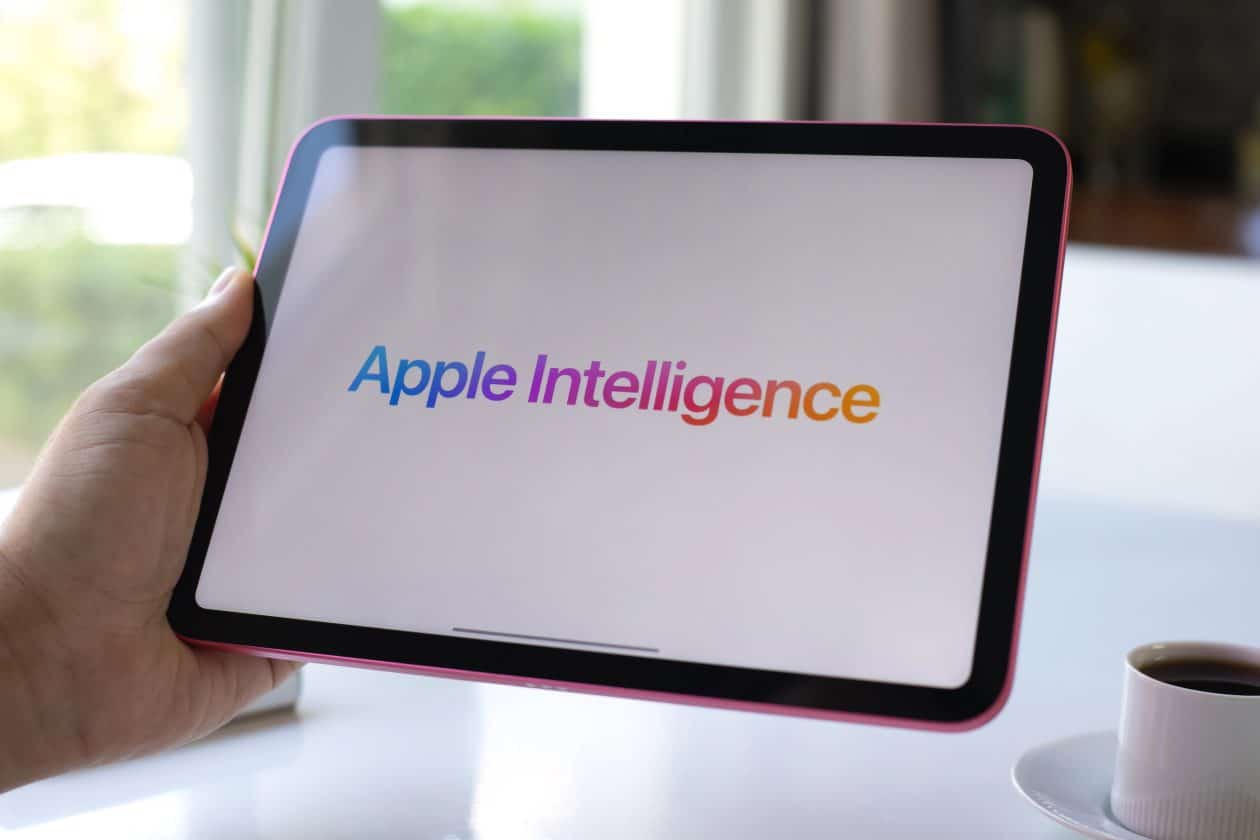
De acordo com uma reportagem da Reuters, a Apple poderá usar uma estratégia híbrida na adoção de recursos de inteligência artificial na China. Em vez de confiar apenas em plataformas de terceiros chinesas, a Maçã pretende também adotar sua tecnologia proprietária no país.
Segundo a agência de notícias, a Maçã estaria treinando seu próprio modelo de IA especificamente para a China — algo que a permitirá ter um maior controle sobre a Apple Intelligence em seu mercado mais competitivo fora dos Estados Unidos (mas sem abrir mão das parcerias).
Esse modelo teria sido desenvolvido em parceria com o Alibaba (e treinado com o apoio da empresa). Caso seja aprovado, ele será o primeiro modelo proprietário de uma empresa estrangeira a ser aprovado no país e permitirá à Apple lidar com as muitas barreiras regulatórias chinesas.
Isso indica que a Apple não pretende substituir por completo as tecnologias de terceiros em seu conjunto de IA no país, mas que poderá usá-las em conjunto com seus modelos proprietários e escolher o mais apropriado para tarefas diferentes a serem realizadas nos seus sistemas.
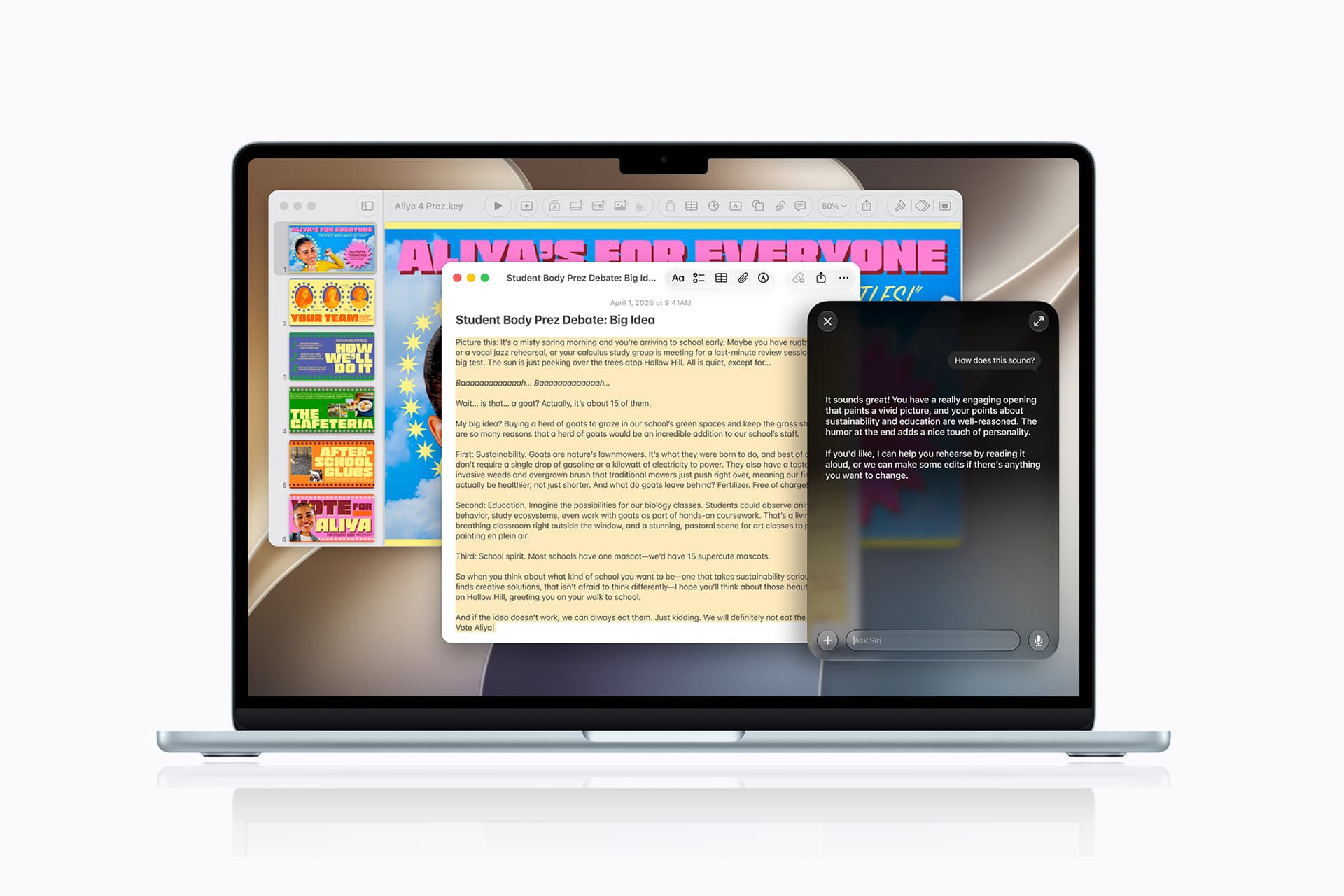
Conforme visto pela agência Reuters, a Apple publicou uma documentação oficial de suporte ensinando usuários do macOS na China a conectar o Qwen, plataforma de inteligência artificial (IA) proprietária da Alibaba, como uma extensão da Apple Intelligence no país.
Embora ensinasse efetivamente a fazer essa integração (o que indica que não era apenas algo preparatório), a documentação foi retirada do ar pouco tempo depois — o que nos leva a entender que ela foi, no mínimo, lançada em cima da hora ou antes do período previsto pela empresa.
O guia atualizado em chinês da Apple diz que os usuários que optam por participar podem usar o Qwen via Siri para obter respostas mais detalhadas a algumas solicitações, incluindo análise de fotos e documentos. As Ferramentas de Escrita também podem se basear no serviço para criar texto ou imagens a partir de uma descrição.
A possibilidade de usar o Qwen estaria disponível para usuários elegíveis com o macOS Tahoe 26.6 ou posterior. Eles devem se sujeitar a condições específicas para o mercado chinês e fazer login na plataforma — que não pode usar os materiais gerados para treinar seus modelos.
Segundo a Alibaba, que poderá usar a integração com os softwares da Apple para aumentar o alcance do Qwen, a plataforma será incorporada à Apple Intelligence também em iPhones, iPads e Vision Pros — embora ainda não se saiba qual modelo alimentará essa integração.
Existem diversos aplicativos de notas, dos mais variados estilos e para todos os gostos: desde aqueles baseados em bancos de dados ou mapas mentais, até simples processadores de texto. Entre eles, há os apps de notas livres, que procuram simular um caderno ou fichário não só para tornar a interface familiar, como também para alcançar usuários que desejam usufruir de uma ferramenta de escrita à mão.
Esse é o caso de um dos apps mais populares nesse meio: o Notability, sobre o qual trataremos neste artigo. Mais especificamente, exporei minhas experiências utilizando-o com o Apple Pencil (de primeira geração) e um iPad (9ª geração).
Interface e personalização
Um dos aspectos que mais me agradou no aplicativo foi sua interface simples e intuitiva. Ele oferece diversos temas e combinações de cores que agradarão aos cromófilos, mas gostei bastante do visual padrão/básico, tanto no modo claro quanto no escuro.
A página inicial é bem organizada e, após a versão 16, ficou ainda melhor. Antes, a organização era feita por Subjetos (uma tradução bastante infeliz para Subjects) e Divisores. Agora, tudo foi simplificado para pastas e subpastas. A funcionalidade continua exatamente a mesma, mas a nova organização é muito mais intuitiva e fácil de compreender. Além disso, cada pasta recebe uma cor diferente, o que deixa tudo mais organizado e agradável visualmente.
Na barra lateral esquerda ficam as configurações, a busca, todas as suas notas e a Galeria, onde é possível encontrar templates disponibilizados tanto pela comunidade quanto pela própria equipe do Notability.
Na seção Notas, todas ficam reunidas e podem ser filtradas por Recentes, Favoritos e Não arquivados. Tanto ali quanto dentro das pastas, é possível ordenar as notas por data de modificação, data de criação ou nome. Apenas senti falta da possibilidade de reorganizá-las manualmente.
Partindo para o que realmente importa: a nota. Nela, a personalização é ainda maior. Ao criar uma nova nota, você pode começar com a folha em branco ou optar por diferentes cores e layouts. O app sugere alguns: linha, grelha e ponto (isto é, pautado, quadriculado ou pontilhado), mas também é possível escolher alguns dos modelos disponíveis na Galeria ou enviar o seu próprio em Meus Modelos » Importar.
O aplicativo ainda permite definir um modelo padrão para todas as novas notas. Como essa opção não é muito fácil de encontrar, seguem as instruções: na página inicial, vá em configurações (engrenagem no topo) e depois em Editor de Notas » Modelo. Escolha então uma das opções do app — ou crie o seu próprio em Meus Modelos.
O único detalhe é que não existe uma opção para transformar uma nota já existente em modelo. Se quiser, será preciso exportá-la e importá-la como PDF ou imagem — um processo que poderia ser muito mais simples se tivesse uma opção como “Adicionar aos Modelos” (sigo esperançosa de que a equipe implemente isso a qualquer momento).
A barra de ferramentas — que, inicialmente, aparece no topo da nota — também é bastante personalizável. Os itens nela podem ser reorganizados, duplicados ou ocultados, e a própria barra pode ser movida para qualquer canto da tela: esquerda, direita ou parte inferior. Dependendo da forma como você segura o iPad ou escreve, basta arrastá-la para que ela deixe de atrapalhar a visualização da página.
Por fim, há uma pequena barra discreta com comandos para desfazer, refazer e compartilhar, além de acesso às configurações, à visualização das páginas e ao recurso Learn, sobre o qual falarei mais adiante.
No dia a dia, a simplicidade da interface ajuda a manter o foco no conteúdo, sem distrações. Ao mesmo tempo, usuários novos talvez levem algum tempo para descobrir alguns recursos mais avançados, já que certas opções ficam escondidas em menus pouco intuitivos.
Principais recursos
Para quem não é fã do modelo de assinaturas, é fácil torcer o nariz inicialmente. No entanto, desde que comecei a usá-lo, em 2023, o aplicativo evoluiu bastante.
Além de aprimorar ferramentas já existentes, a equipe passou a lançar atualizações frequentes — principalmente na área de inteligência artificial, sinal de que os desenvolvedores se esforçam para entregar uma experiência cada vez melhor. Antes de falar da IA, porém, vale conhecer os recursos que fazem parte da experiência básica.
Ferramentas fundamentais
No básico, o Notability faz muito bem o que se propõe. A escrita é feita por meio de três ferramentas principais: lápis, caneta e marcador. Todas permitem modificar cor e espessura, enquanto as duas últimas também oferecem estilos como linha contínua, tracejada ou pontilhada, além de diferenciação de pressão.
A princípio, o app sugere algumas cores, mas é possível escolher qualquer uma no seletor de cor (com suporte a códigos hexadecimais) e salvá-la para que permaneça na sua paleta.
Naturalmente, você também encontra uma borracha, que pode apagar apenas uma área específica ou remover automaticamente um traço inteiro.
Além da escrita manual, o Notability permite inserir textos digitados em qualquer ponto da página, com opções básicas de formatação, como títulos, negrito, itálico, hiperlinks e listas.
Nos meus testes, copiar e colar textos funcionou bem na maior parte do tempo. Encontrei apenas um comportamento curioso ao importar conteúdos do Canva: a ordem dos elementos foi alterada, o título acabou sendo enviado para o final do texto e as listas perderam seus marcadores; fora isso, funcionou corretamente.
Entre todos os recursos tradicionais do aplicativo, talvez o Zoom seja um dos mais engenhosos. Ao ativá-lo, uma pequena janela delimita a região da página em que você está escrevendo, enquanto uma área ampliada aparece na parte inferior da tela. Isso permite escrever em tamanho reduzido sem perder precisão nem precisar aumentar constantemente o zoom da página.
O bacana é que o recurso acompanha automaticamente a escrita. Conforme você avança, a janela também avança; ao chegar ao final da linha, ela passa para a seguinte sem que seja necessário mover a página manualmente. Para quem precisa de agilidade nas anotações (como em uma aula, por exemplo), isso torna a escrita surpreendentemente fluida.
Além dessas funções, o aplicativo oferece régua, ponteiro laser, fita adesiva, multimídia e gravação de áudio.
A régua funciona exatamente como esperado: basta posicioná-la sobre a página e desenhar próximo dela para que o traço seja automaticamente alinhado. Vale chamar atenção para apenas um detalhe importante: ela serve para criar linhas e formas retas, não como apoio para melhorar a caligrafia.
Já o ponteiro laser foi pensado para apresentações. É possível escolher diferentes cores e decidir se o ponteiro deixa ou não um rastro durante o movimento.
A fita adesiva é outro recurso simples, mas extremamente útil. Ela funciona como um marca-texto que esconde o conteúdo abaixo dele até ser tocado. Na prática, isso pode ser interessante para estudantes testarem seus conhecimentos: ao esconder informações, podem forçar o cérebro a lembrar o que está embaixo da fita e depois verificar se acertaram.
Na ferramenta Multimídia, o Notability permite inserir fotos na hora, imagens da galeria, GIFs, adesivos personalizados (que você pode criar e salvar, ou escolher em uma vasta galeria) e notas adesivas (Post-its). Gostei especialmente da implementação do último: quando você escreve sobre eles, o texto passa a fazer parte da nota adesiva, permitindo redimensioná-la ou movê-la sem deformar o conteúdo.
Embora o aplicativo aceite GIFs animados, ainda não é possível inserir vídeos diretamente nas notas. Como alternativa, ao adicionar uma URL, o Notability oferece o recurso “Criar recorte da Web” (“web clip”), que cria rapidamente uma captura da página vinculada. Assim, uma miniatura da página é adicionada como referência dentro da nota.
Por fim, uma funcionalidade bastante prática é a possibilidade de duplicar (ou remover) ferramentas. Em vez de trocar de cor ou espessura sempre que precisar, manter várias canetas já configuradas na barra de ferramentas traz mais praticidade, então você apenas alterna com um toque. Toda essa barra também pode ser reorganizada conforme sua preferência, escondendo recursos que você utiliza menos.
Gravação e recursos de IA
Desde que comecei a usar o Notability, nenhum aspecto evoluiu tanto quanto seus recursos de inteligência artificial. A gravação de áudio, que já era uma ferramenta excelente, se tornou um conjunto bastante completo de funcionalidades graças à IA.
Inicialmente, o recurso captava o áudio juntamente com a sua escrita. Depois, ao reproduzir a gravação, os manuscritos vão “ganhando cor” conforme aquele trecho do áudio é reproduzido. Na prática, isso facilita muito revisões de aulas ou reuniões, porque fica fácil localizar exatamente o contexto em que determinada anotação foi feita.
Depois, o recurso passou a oferecer também transcrição automática dos áudios. Nos meus testes, ela funcionou bem na maior parte do tempo, embora ainda apresente algumas dificuldades com nomes próprios ou trechos extraídos de vídeos e outras fontes externas.
Com a chegada do Notability Learn, conjunto de recursos de IA do app, as gravações foram levadas a um outro nível. No plano Pro, a transcrição pode acontecer em tempo real (Live Transcript), o que funcionou bem até com mais de um idioma sendo falado. Curiosamente, quando a gravação termina, o aplicativo escolhe apenas um idioma principal para gerar a transcrição final, ignorando os demais. É um detalhe pequeno, mas que pode fazer diferença para quem participa de reuniões ou aulas bilíngues.
Mas a IA vai muito além da transcrição. Com o Learn, o app analisa o conteúdo completo da nota (incluindo áudio, escrita à mão, textos digitados e PDFs importados) para gerar automaticamente resumos, flashcards, questionários, exercícios de preencher lacunas e atividades de associação (Mix & Match). Para quem estuda, isso é extremamente prático; mesmo que dê para fazer algo similar utilizando um chatbot de IA externo, estar tudo integrado nele é um grande diferencial.
Outro recurso interessante são as Smart Notes. Diferentemente dos resumos tradicionais, que são gerados depois da gravação, elas podem ser produzidas em tempo real a partir da transcrição, organizando automaticamente os principais tópicos da conversa. Gostei também da possibilidade de escolher em qual idioma essas notas serão exibidas — algo que pode ser bastante útil para quem estuda outras línguas.
O pacote inclui ainda o recurso Chat with your note (Converse com sua nota), que permite fazer perguntas sobre qualquer conteúdo presente naquela nota. A IA responde utilizando apenas as informações contidas ali, sem recorrer à internet ou a fontes externas.
Nos meus testes, o recurso funcionou muito bem para revisar conteúdos, embora ainda tenha algumas limitações importantes: o histórico das conversas não é sincronizado entre dispositivos e cada conversa fica restrita a uma única nota.
Outro recurso bastante útil são os Action Items. A IA consegue identificar tarefas automaticamente tanto a partir das gravações quanto do conteúdo escrito na nota, reunindo tudo em uma lista organizada. Testei o recurso em português e em inglês, e ele funcionou bem em ambos os idiomas.
Minha principal crítica ao conjunto de ferramentas de IA é a falta de edição. Se a transcrição estiver errada ou se um item de ação não fizer sentido, não há como corrigir. O mesmo vale para resumos, flashcards e questionários gerados automaticamente. Atualmente, a única alternativa é copiar o conteúdo para dentro da nota e editá-lo manualmente.
Por fim, vale mencionar que as gravações podem ser exportadas tanto junto com a nota (em PDF, incluindo os arquivos de áudio) quanto separadamente, no formato M4A.
Menções honrosas (e muito boas)
Há recursos do Notability que raramente aparecem nos reviews, mas que, no dia a dia, acabaram fazendo uma diferença enorme para mim! O primeiro deles foi uma surpresa bastante agradável: a barra lateral “escondida”.
Enquanto você está em uma nota, um gesto simples de arrastar do canto esquerdo para o centro revela uma barra lateral com toda a sua biblioteca de notas — você navega entre elas sem sair da página atual. Mais interessante ainda é que, ao arrastar uma dessas notas para a área principal, o Notability abre automaticamente uma visualização em tela dividida (split view) dentro do próprio aplicativo, sem depender do multitarefa do iPadOS. Isso facilita bastante consultar uma anotação enquanto escreve em outra ou copiar informações entre documentos.
Outro recurso que merece destaque é a busca inteligente. Ela localiza textos digitados, manuscritos e até conteúdo presente em PDFs importados. Os resultados aparecem organizados por nota e, ao abrir qualquer um deles, o aplicativo já destaca automaticamente o trecho encontrado. Mesmo com uma biblioteca grande de documentos, a busca permaneceu rápida durante meus testes.
Para quem deseja utilizar o Notability no iPad como ferramenta de estudos, duas novidades recentes também são maravilhosas. A primeira é o suporte aos sumários de PDFs. Sempre que um documento possui um índice incorporado, o aplicativo passa a exibi-lo automaticamente, facilitando bastante a navegação por materiais mais longos.
A segunda são as Sessões de Estudo, um temporizador inspirado na técnica Pomodoro integrado diretamente ao aplicativo. É um recurso simples, mas que gostei muito de ver incorporado ao fluxo de estudos, já que evita a necessidade de recorrer a aplicativos externos para controlar o tempo de foco.
Por fim, dois pequenos detalhes que talvez passem despercebidos, mas fazem diferença depois de algum tempo de uso. O primeiro é o gesto de desfazer e refazer utilizando dois e três dedos, respectivamente — algo familiar para quem usa aplicativos como o Procreate e do qual sempre sinto falta quando uso o Pencil com o Notas (Notes).
O segundo é a possibilidade de ocultar completamente a barra de status do iPad, removendo relógio, bateria e outros indicadores da tela. Pode parecer um detalhe bobo, mas ajuda a criar uma sensação maior de imersão durante a escrita (e eliminar distrações).
Apple Pencil: experiência real
Utilizei o Notability com um Apple Pencil de primeira geração em um iPad de 9ª geração, então toda a minha experiência parte dessa combinação. Porém, se você tiver um dos modelos mais recentes, como o Pencil de segunda geração ou o modelo Pro, certamente aproveitará ainda mais o app com recursos como o toque duplo, o gesto de apertar, feedback tátil e o Cursor (hover), todos compatíveis com o app. Infelizmente, não tive como testá-los.
No que eu pude testar, o desempenho foi excelente com o lápis da Apple. A resposta é fluida e precisa, com latência baixa o suficiente para a escrita parecer natural. A rejeição de palma funciona muito bem, possibilitando apoiar a mão na tela tranquilamente sem se preocupar com toques acidentais ou interrupções durante a escrita.
A sensibilidade à pressão também merece elogios. Além de funcionar com o modo caneta e marcador, no modo lápis o app reconhece a inclinação do Apple Pencil, simulando o efeito esfumaçado e produzindo sombreados com pressões variadas.
Com isso, mesmo que o foco do aplicativo não seja ilustrações, ele atende muito bem quem precisa fazer pequenos desenhos para complementar as anotações.
“Pencil sobre tela”, uma contribuição do meu marido
Outro recurso bacana é a conversão de escrita à mão. Por padrão, o aplicativo utiliza o idioma definido no dispositivo para reconhecer o texto, mas permite baixar pacotes de outros idiomas e escolhê-los manualmente durante a conversão — o que abre possibilidades interessantes para quem estuda línguas.
Gostei especialmente da forma como o processo foi implementado: antes de substituir a escrita manuscrita, o Notability mostra uma prévia com o texto reconhecido, permitindo revisar o resultado antes de confirmar a alteração. Testei convertendo textos em coreano e reconheceu bem. A única questão que encontrei foi o tamanho da fonte gerada; o app não preservou a escala original e a conversão ficou com um texto pequeno demais, mas é possível aumentar o tamanho depois, se você quiser.
Com as fórmulas matemáticas, o desempenho permaneceu o mesmo, bastante satisfatório. Pode ser uma verdadeira mão na roda para estudantes de exatas.
As funções e recursos do app são notáveis por si só (tanto que a empresa está disponibilizando vários desses gratuitamente na web). Entretanto, não há dúvidas de que a maior parte da experiência positiva vem do uso juntamente com o iPad e um lápis (ou caneta), seja o da Apple ou qualquer outra disponível no mercado.
Importação, exportação e compartilhamento
Embora o Notability seja voltado principalmente para anotações manuscritas, ele também faz um bom trabalho na importação e exportação de arquivos, oferecendo compatibilidade com diversos formatos.
Existem várias maneiras de importar documentos. É possível utilizar o menu de compartilhamento do iPadOS, arrastar arquivos diretamente para o aplicativo ou, em sua tela inicial, pressionar e segurar o botão “+ Nova” para acessar a opção de importação e escolher a origem do arquivo.
O aplicativo aceita imagens, PDFs, apresentações do PowerPoint e Keynote, além de planilhas do Excel. No caso das apresentações e planilhas, o conteúdo é convertido automaticamente em PDF, e funciona como uma espécie de template, permitindo que você faça anotações diretamente sobre ele.
Com imagens, porém, a experiência é um pouco diferente. Quando importadas para servir como modelo de página, elas aparecem pequenas e posicionadas no canto superior esquerdo da nota. Para utilizá-las como fundo, é preciso ajustar manualmente o tamanho usando a opção “Ajustar à página”. Se a intenção for usá-las como plano de fundo da nota, vale usar a opção de bloquear elemento para evitar que ela seja movida acidentalmente durante a escrita.
Quando a imagem é inserida como um elemento dentro de uma nota já existente, o comportamento é melhor: ela pode ser posicionada livremente e redimensionada normalmente, como seria esperado.
Na exportação, o Notability oferece praticamente todas as opções que se espera de um aplicativo desse tipo. As notas podem ser exportadas no formato nativo do aplicativo (NTB), em PDF, PNG ou JPEG. Também é possível incluir as gravações de áudio durante a exportação, que são salvas em arquivos M4A.
Outro recurso proveitoso é o compartilhamento por meio de links públicos — traduzido de maneira esquisita pelo aplicativo como Hiperligação. Ao gerar esse link, qualquer pessoa pode visualizar a nota diretamente pelo navegador, sem precisar ter uma conta no Notability. Expandindo ainda mais esse recurso, o app recentemente também passou a oferecer edição colaborativa em tempo real, ótima notícia para quem gostaria de utilizá-lo em grupo.
Naturalmente, continuam disponíveis as opções tradicionais de compartilhamento do iPadOS, permitindo enviar notas por email ou salvá-las em serviços como iCloud, Google Drive, Dropbox e praticamente qualquer outro aplicativo compatível com a folha de compartilhamento do sistema.
Screenshot
Sincronização e backup
A sincronização entre dispositivos da Apple acontece por meio do iCloud, que é o método recomendado pelo próprio Notability para manter todas as notas atualizadas entre os aparelhos. Vale lembrar que, ao apagar uma nota pelo iCloud, ela também será removida do aplicativo e vice-versa. Por isso, o ideal é sempre gerenciar suas notas diretamente pelo app, para evitar excluir algo acidentalmente.
Falando em iCloud, uma vantagem pouco conhecida é o histórico de versões. Conforme você edita uma nota, versões são salvas periodicamente no iCloud e podem ser restauradas caso algo dê errado.
Para acessá-las, basta tocar nos três pontos para abrir as configurações, pressionar onde aparece o nome da nota e escolher “Histórico de Versões na iCloud”. Obviamente, para tal é preciso que a nota já esteja sincronizada e tenha pelo menos uma versão anterior já salva. Um detalhe importante é que a versão restaurada é salva como uma nota separada, não substituindo a versão mais recente.
Além da sincronização pelo iCloud, o Notability oferece um sistema independente de backup em serviços de terceiros como Google Drive, Dropbox, Box, OneDrive e servidores WebDAV. A diferença é que, enquanto o serviço da Apple mantém todas as alterações sincronizadas entre seus dispositivos, o backup serve apenas como uma cópia de segurança. Ou seja, apagar uma nota no aplicativo não remove automaticamente sua cópia armazenada no Google Drive, Dropbox ou outro serviço — e vice-versa.
Quanto ao formato do backup, também há certa flexibilidade. É possível salvar as notas no formato nativo do Notability, preservando todos os elementos editáveis, incluindo as gravações de áudio, ou optar por PDFs simples ou PDFs acompanhados dos arquivos de áudio em formato M4A, compactados em um arquivo ZIP.
Compatibilidade e preços
Embora o foco deste review tenha sido a experiência no iPad com o Apple Pencil, o Notability também está disponível para iOS, macOS e até visionOS. Há ainda uma versão web (ainda em beta), disponível em notability.com/app, que permite visualizar e editar notas, embora com algumas limitações.
Starter (gratuito): notas ilimitadas, acesso às ferramentas de edição, mas com um limite mensal de alterações (a empresa não divulga exatamente qual é esse limite). Após atingi-lo, ainda é possível visualizar as notas normalmente, e o contador é renovado no mês seguinte. Segundo a empresa, as edições na versão web permanecem ilimitadas.
Lite (R$30/mês ou R$40/ano): inclui edições ilimitadas, backup em serviços de terceiros e acesso a mais de 20 mil templates.
Plus (R$40/mês ou R$80/ano): adiciona recursos de IA, como resumos automáticos, até 400 questionários e flashcards por mês, gravação e transcrição de áudio, além da busca em anotações manuscritas.
Pro (R$100/mês ou R$500/ano): reúne todos os recursos anteriores, e inclui Smart Notes em tempo real, transcrições ilimitadas, geração ilimitada de flashcards e questionários, além do recurso de conversar com suas notas.
Vale a pena?
Mesmo sendo possível utilizar o Notability no iPhone ou navegador, ele brilha mesmo é no iPad, especialmente quando combinado com um Apple Pencil (ou qualquer outra ferramenta de escrita que preferir).
Ao longo dos últimos anos, foram poucas as limitações que encontrei usando o app. Em mais de uma ocasião, inclusive, quando voltava para revisar este próprio review — ele foi criado ao longo de muitos meses —, percebia que alguns dos pontos que eu havia criticado já tinham sido corrigidos. Essa evolução constante transmite a sensação de que vale a pena investir em um app cujos desenvolvedores estão atentos ao feedback dos usuários e buscam sempre lançar melhorias.
Seja para estudos, trabalho ou organização pessoal, o aplicativo com certeza pode atender aqueles que buscam um lar para suas notas, principalmente quem usa o tablet da Maçã como ferramenta de anotações manuscritas. A interface é agradável, a escrita é excelente, os recursos evoluem constantemente e as funcionalidades de IA, embora ainda possam amadurecer, já agregam bastante valor ao aplicativo.
Como existe um plano gratuito (e edições ilimitadas pela web), minha recomendação é simples: experimente. Depois de algum tempo de uso, fica muito mais fácil entender se os recursos adicionais justificam a assinatura para o seu fluxo de trabalho. Então, “se jogue” na versão gratuita e seja feliz; se utilizar com frequência e achar valor, com certeza não se arrependerá do investimento!
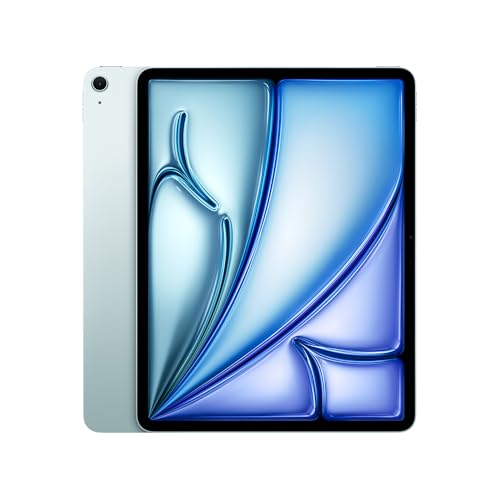
iPad Pro de 13″
Cores: preto-espacial ou prateado Armazenamento: 256GB, 512GB, 1TB ou 2TB Vidro: convencional ou nano-texture Conectividade: Wi-Fi ou Wi-Fi + Cellular
NOTA DE TRANSPARÊNCIA: O MacMagazine recebe uma pequena comissão sobre vendas concluídas por meio de links deste post, mas você, como consumidor, não paga nada mais pelos produtos/serviços usando os nossos links de afiliado.
Apple’s next generation of Apple Intelligence and Siri are truly helpful AI that’s centered around you and your needs. Integrated into your apps, grounded in your context, and private at every step; coming later this year.
Apple’s long-awaited overhaul of its voice assistant, now branded Siri AI, is set to arrive this fall alongside iOS 27, iPadOS 27, macOS updates, and related system software. The upgraded assistant promises deeper personal context awareness, on-screen understanding, more natural conversations, and the ability to take actions across apps. But there’s a clear hardware cutoff: only devices that already support Apple Intelligence will receive the full experience at launch.
iPhone Models That Make the Cut
Siri AI requires an A17 Pro chip or newer (with sufficient RAM for on-device processing). Supported iPhones include:
• iPhone 17 Pro and Pro Max
• iPhone Air
• iPhone 17 and 17e
• iPhone 16 Pro and Pro Max
• iPhone 16, 16 Plus, and 16e
• iPhone 15 Pro and Pro Max
Older models, including the standard iPhone 15 and anything earlier, will get the broader iOS 27 update (interface changes, security fixes, and non-AI features), but miss out on the new Siri capabilities.
A subset of these devices — primarily the iPhone 17 Pro, Pro Max, and iPhone Air — will also unlock Apple’s most powerful on-device AI model. That unlocks extras such as more expressive customizable voices, improved speech recognition, and higher-accuracy dictation.
iPads, Macs, Watches, and Vision Pro
Compatibility extends across the rest of the ecosystem with similar requirements:iPad: iPad Pro (M1 chip and later), iPad Air (M1 and later), and iPad mini with the A17 Pro chip.
• Mac: All models with Apple silicon (M1 and later), including the MacBook Neo with its A18 Pro chip.
• Apple Watch (must be paired with a nearby supported iPhone): Series 9 and later, Ultra 2 and later, and SE (3rd generation).
• Apple Vision Pro: All models.
The highest-tier on-device model is further restricted on tablets and computers to those with newer chips (M4 or later on iPad, M3 or later on Mac) plus at least 12 GB of unified memory.
Timeline and Limitations
Developer betas began around the June 2026 WWDC announcements, with a public beta expected in the following months and a stable consumer release targeted for fall 2026 (September timeframe). Siri AI will initially roll out in English (with Spanish support also noted in some documentation), and regional restrictions apply: it will not launch at the outset on iOS or iPadOS in the European Union due to regulatory considerations around the Digital Markets Act, though macOS and visionOS users in the EU will be able to access it. Availability in China is also delayed pending regulatory clearance.
Those without supported hardware will keep the classic Siri experience for now while still receiving the rest of the 2026 software updates. Apple continues to emphasize on-device processing and Private Cloud Compute for privacy, so the hardware bar reflects the computational demands of the more capable models.
MacDailyNews Note: More info about Apple Intelligence and Siri here.
Please help support MacDailyNews — and enjoy subscriber-only articles, comments, chat, and more — by subscribing to our Substack: macdailynews.substack.com. Thank you!
You can delete stickers on iPhone without removing your entire collection, but the correct procedure depends on whether you want to erase a custom sticker, remove a Genmoji, hide keyboard stickers, or detach a sticker from a conversation.
For custom photo stickers and Live Stickers, iOS provides an individual Remove command. This lets you clean the sticker drawer while leaving every other saved sticker untouched.
Apple does not provide a protected Favorites folder inside the system sticker drawer. The Frequently Used section is created automatically from your activity and should not be treated as a permanent collection. If you have stickers you cannot afford to lose, save recoverable copies before beginning the cleanup.
Save Your Favorite Stickers First
The safest backup is to send your favorite stickers to a conversation with yourself. The sent copies remain inside the conversation even if you later remove the reusable versions from your sticker collection.
Adding Stickers:
Messages > New Message > Your Contact > Add > Stickers
Select each favorite sticker and send it as a separate message. You can also create a private conversation with a trusted contact, but messaging yourself keeps the backup separate from ordinary conversations.
If you accidentally delete one of these stickers from the drawer, return to the self-conversation and restore it.
Messages > Your Self-Conversation > Touch and Hold Sticker > Save to Stickers
For a sticker attached to the corner of a message bubble, open its details before saving it.
Messages > Your Self-Conversation > Touch and Hold Sticker > Sticker Details > Save
This procedure is especially useful for stickers received from other people. A photo sticker you created yourself can usually be recreated from the original image, but a saved sticker from another person may be difficult to replace if the original conversation is deleted.
Image Credit: AppleMagazine
How to Delete Stickers on iPhone
The easiest way to remove an individual custom sticker is through the Messages app. You can open any existing conversation because you do not need to send a message.
Removing individual stickers:
Messages > Conversation > Add > Stickers > Live Stickers
The Live Stickers tab uses an icon resembling a sticker being peeled from a surface. It contains stickers created from your photos, animated Live Stickers, and compatible stickers saved from conversations.
Touch and hold the unwanted sticker until the contextual menu appears, then release your finger and select Remove. Do not drag the sticker toward the conversation because that action may attach it to a message instead of opening the menu.
Touch and Hold Sticker > Remove
Only the selected sticker is deleted. Other photo stickers, saved designs, and favorite items remain in the collection.
Some iOS versions also display a Rearrange command after you touch and hold a sticker. This mode allows you to move the stickers you use most often toward the beginning of the collection.
Messages > Conversation > Add > Stickers > Live Stickers > Touch and Hold > Rearrange
Drag the stickers you want to preserve toward the first positions. You may also see a removal control beside each sticker while rearranging. Use it carefully because iOS may remove the sticker immediately without presenting a second confirmation.
A selective cleanup is safer than trying to reset the complete keyboard or sticker database. Removing and reinstalling the Emoji keyboard is unnecessary and may alter frequently used emoji without providing better sticker controls.
Delete Stickers Through the Emoji Keyboard
The same sticker collection is accessible from the system keyboard in Messages, Notes, Mail, and other supported apps.
Using system keyboard in Messages:
Any Text Field > Emoji Keyboard > Stickers > Live Stickers
Touch and hold the sticker you want to erase, then tap Remove. If the menu does not appear, confirm that you are viewing the Live Stickers collection rather than Frequently Used.
Frequently Used combines recently selected emoji, Memoji, Genmoji, and stickers. Items shown there are shortcuts to content stored in another section. Opening the Live Stickers tab gives iOS the correct context for managing your custom collection.
If the keyboard is compressed or several categories are hidden, swipe across the sticker controls until the Live Stickers icon becomes visible. The exact position can change as Apple adjusts the keyboard, but the touch-and-hold removal gesture remains the same.
Image Credit: Apple Inc.
Use Photos When the Sticker Menu Does Not Respond
You can also access the system sticker drawer through the Markup tools in Photos. This is useful when Messages tries to drag a sticker rather than displaying its menu.
Touch and hold the unwanted sticker, then tap Remove. You are managing the same synchronized collection, so a sticker deleted through Photos also disappears from Messages and the system keyboard.
Removing a sticker does not delete the source photograph. If you created the sticker by lifting a person, pet, or object from an image, the original photo remains in your library unless you delete it separately.
To recreate the sticker later, open the original image and lift its subject again.
Photos > Open Photo > Touch and Hold Subject > Add Sticker
You can then apply an effect such as Outline, Comic, Puffy, or Shiny. Live Photos can produce animated Live Stickers when the isolated subject contains usable motion.
Delete a Genmoji Without Removing Other Stickers
Genmoji created with Apple Intelligence are stored with the stickers accessible through the emoji keyboard. They can be removed individually without affecting your photo stickers or other generated designs.
Any Text Field > Emoji Keyboard > Stickers > Genmoji
Touch and hold the Genmoji you no longer want, then tap Remove. You can perform the same procedure from Messages.
Messages > Conversation > Add > Stickers > Genmoji > Touch and Hold > Remove
Removing one Genmoji does not disable Apple Intelligence or erase the other Genmoji you created. If you later want a similar design, open the Genmoji creator and enter the description again, although the generated image may not be identical.
Image Credit: AppleMagazine
Be More Careful With Memoji Stickers
Memoji stickers operate differently because iOS automatically creates a complete sticker pack from each custom Memoji character. You cannot normally delete one expression while keeping the remaining expressions from the same character.
Deleting the underlying Memoji removes its generated sticker pack. Before selecting Delete, confirm that you do not want any of that character’s poses or expressions.
Any Text Field > Emoji Keyboard > Memoji > More > Delete
If you only want Memoji and other stickers to stop appearing in the keyboard, use the keyboard setting instead of deleting the character.
Settings > General > Keyboard > Stickers
Turning off Stickers hides sticker content from the emoji keyboard. It does not provide a selective cleanup and should not be used as a substitute for removing individual items. Your saved stickers remain available when the setting is enabled again.
Remove a Sticker From a Message Without Deleting It
A sticker attached to a message bubble is separate from the reusable copy stored in your collection. Deleting it from the conversation does not erase the sticker from your drawer.
Messages > Conversation > Touch and Hold Message Bubble > Sticker Details
Find the sticker you want to detach, swipe left across it, and tap Delete. This removes that placement from the conversation on your iPhone.
Use this procedure when a sticker covers text, was attached accidentally, or no longer belongs in the conversation. If you instead open the sticker drawer and select Remove, you erase the reusable sticker while leaving previously sent copies in their conversations.
Understand What Happens Through iCloud
Custom stickers sync through iCloud to supported Apple devices using the same Apple Account. Removing a sticker from the iPhone can therefore remove it from the sticker drawers on an iPad, Mac, or Apple Vision Pro.
There is no Recently Deleted album for the system sticker collection. Keep the original source photo or send valuable stickers to yourself before removing anything.
After a deletion, another Apple device may continue displaying the sticker briefly while synchronization completes. Closing and reopening the sticker drawer usually refreshes the collection. A favorite preserved in your self-conversation can be restored at any time through Touch and Hold Sticker > Save to Stickers.
Apple Intelligence files can occupy several gigabytes of Mac storage because locally downloaded models power text generation, summaries, image creation, Siri requests, and other on-device features. Removing these files can recover valuable space when Apple Intelligence is no longer needed.
Apple lists 7GB of available device storage among the requirements for Apple Intelligence, but the amount displayed on a Mac can be higher. Additional languages, image-generation resources, updated models, and temporary assets can increase the total over time.
The files are managed by macOS and do not appear as ordinary documents that can be moved to the Trash. Apple provides a supported removal method through System Settings: turning off Apple Intelligence causes macOS to remove the downloaded on-device models.
This also disables features that depend on Apple Intelligence. Writing Tools, summaries, Image Playground, Genmoji, intelligent Shortcuts actions, and Apple Intelligence functions inside Siri may become unavailable. Regular Mac applications and the rest of macOS continue working normally.
Check Apple Intelligence Files on Your Mac
Recording the available storage before removing the files makes it easier to confirm how much space macOS recovered afterward.
To see the current storage allocation:
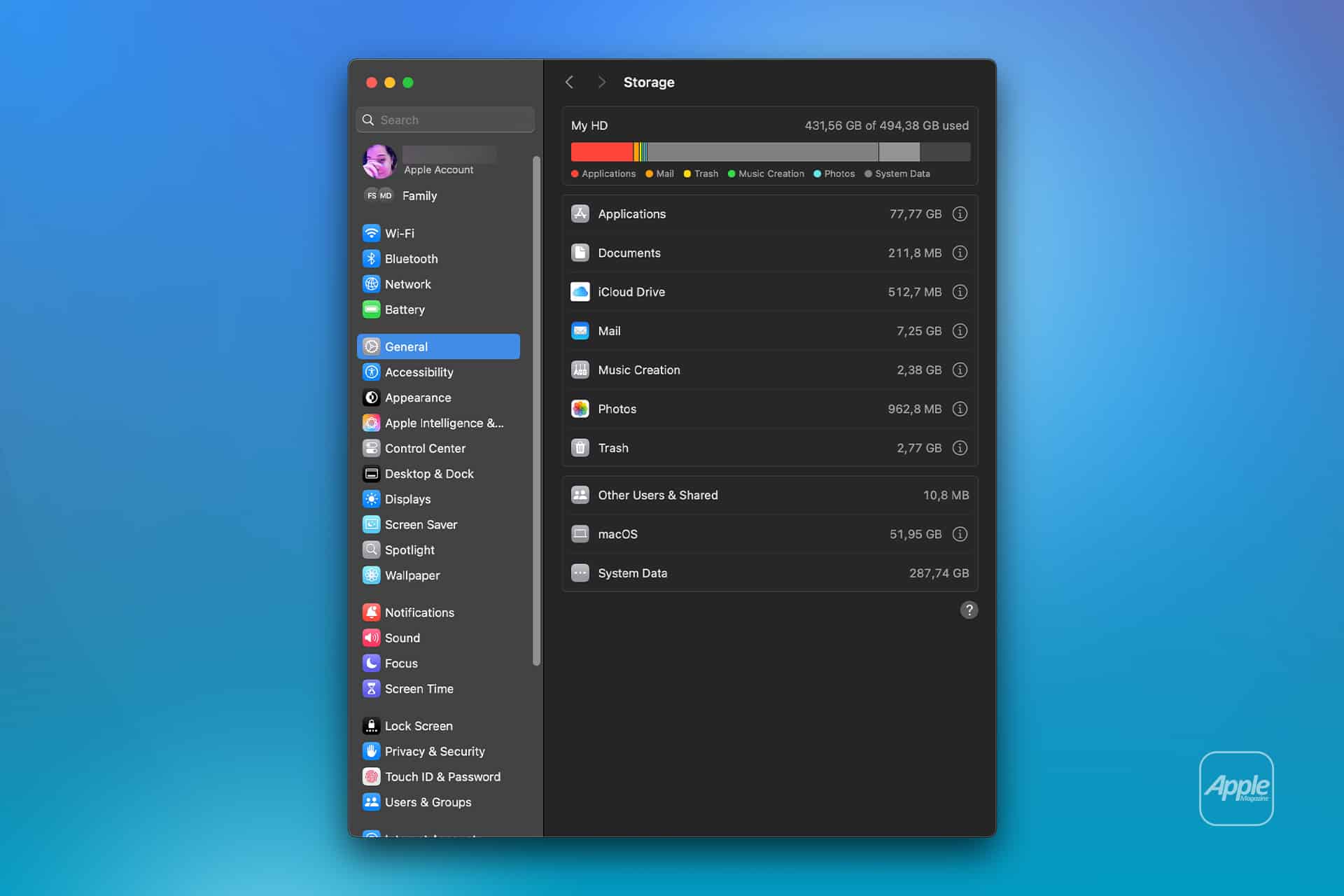
Apple menu > System Settings > General > Storage
Allow the Storage page to finish calculating its categories. The process may take a moment when the Mac contains many applications, local files, connected volumes, or several user accounts.
Apple Intelligence may appear as a separate item within the macOS storage category. Depending on the installed macOS version, some related assets may instead be counted under macOS or System Data.
Note the amount of available storage displayed near the storage graph. Comparing the total free space before and after the procedure is usually more reliable than watching one category because macOS can reclassify system-managed files while deleting them.
To inspect the complete internal storage container:
Apple menu > System Settings > General > Storage > All Volumes
This view is useful when the internal drive contains several APFS volumes sharing the same physical storage. The available capacity belongs to the shared container rather than remaining permanently assigned to one volume.
The storage used by Apple Intelligence is different from the memory, or RAM, used while features are running. Closing applications may reduce RAM consumption, but it does not delete the models stored on the internal SSD.
Image Credit: AppleMagazine
Remove Local Apple Intelligence Files
Apple Intelligence is available on compatible Macs with Apple silicon. Intel-based Macs do not support the complete Apple Intelligence system and should not contain the same downloadable model collection.
To turn off Apple Intelligence and request the removal of its on-device models:
Apple menu > System Settings > Apple Intelligence & Siri > Turn off Apple Intelligence > Turn Off Apple Intelligence
The second Turn Off Apple Intelligence command confirms the change. The exact appearance may vary between macOS versions, with the first control presented as either a switch or a button.
Apple says that turning off Apple Intelligence removes the on-device models. There is no separate model manager, Delete Models button, or supported Finder location from which users must remove the files manually.
Keep the Mac connected to power while macOS completes its background storage work. The Apple Intelligence setting changes immediately, but the Storage page may not display the recovered capacity at once.
macOS manages these models through its system asset service. The operating system must identify the associated packages, release them, and recalculate the storage categories. The process can therefore continue after the Apple Intelligence switch has already moved to the off position.
Turning off only individual features does not remove the complete model collection. Disabling notification summaries, Writing Tools, ChatGPT access, or Siri suggestions leaves Apple Intelligence itself active.
A Screen Time restriction also serves a different purpose. It can prevent access to image generation, Writing Tools, and other functions without turning off the underlying intelligence system. Use the Apple Intelligence control inside Apple Intelligence & Siri when the objective is recovering storage.
Confirm That the Space Was Recovered
After macOS has had time to process the removal, return to the Storage page.
To check the available capacity again:
Apple menu > System Settings > General > Storage
Wait for the storage graph and categories to finish updating. Compare the new amount of available space with the figure recorded before Apple Intelligence was turned off.
The Apple Intelligence entry may disappear completely, display a smaller amount, or become part of an adjusted macOS or System Data category. The increase in total available storage provides the better indication that the local models were removed.
If the figures have not changed, restart the Mac to refresh its system services and storage calculation.
To restart macOS:
Apple menu > Restart > Restart
Sign back in, allow the Mac to remain idle for a while, and open the Storage page again.
Apple menu > System Settings > General > Storage
Restarting does not delete the models by itself. Apple Intelligence must remain disabled while macOS completes the removal.
Emptying the Trash is not part of this procedure because macOS does not place Apple Intelligence models there. The Trash affects only files that a user or application has already marked for deletion.
Image Credit: Apple Inc.
What to Do When the Files Remain
First, verify that the complete Apple Intelligence system is off rather than one related feature.
To confirm its status:
Apple menu > System Settings > Apple Intelligence & Siri > Apple Intelligence
The control should display Apple Intelligence as disabled. If macOS presents another confirmation request, complete it and leave the feature off.
Storage information can take time to settle because macOS also manages caches, local snapshots, temporary update packages, and purgeable files. These categories can change while the Mac is idle, making an immediate before-and-after comparison misleading.
Installing the latest stable macOS update can correct storage reporting or asset-management problems.
To check for an available update:
Apple menu > System Settings > General > Software Update
Save current work before installing an update. The Mac may need to restart, and the installation temporarily requires additional free storage.
Beta versions of macOS require extra caution. Development releases may download experimental models, retain previous model revisions, or temporarily change the Apple Intelligence controls. A procedure confirmed for the public version of macOS may not produce the same storage behavior in a beta.
Avoid following online instructions that require starting in macOS Recovery, disabling System Integrity Protection, mounting protected volumes, and deleting folders with names referring to MobileAsset or generative models.
System Integrity Protection prevents applications and administrator accounts from modifying protected parts of macOS. Disabling it weakens that protection and creates the possibility of deleting the wrong asset, leaving macOS with an incomplete model installation, or causing the system database to disagree with the files present on the drive.
A storage utility can help identify how much space system files occupy, but it should not require disabling macOS security to remove Apple Intelligence. If the documented switch leaves a large allocation after a restart and sufficient processing time, Apple Support can investigate the asset database without exposing the Mac to an unsupported system modification.
Turning Apple Intelligence on again reverses the storage saving.
To restore its features:
Apple menu > System Settings > Apple Intelligence & Siri > Turn On Apple Intelligence
The Mac will download the required local models again. Apple recommends leaving the device connected to Wi-Fi and power while the model download completes.
Imagine slipping in a pair of AirPods that don’t just play your music or take your calls, they help you see the world. Not by recording it, but by understanding it. According to the latest rumors from reliable sources, Apple may be ready to deliver exactly that sooner than many expected.
Reports indicate Apple has been internally testing two versions of camera-equipped AirPods. One carries the codename B798, which has been on the radar for some time. The other, B790, appears newer and is advancing more quickly. References to the B790 model have already shown up in iOS 27 beta code, a strong signal that development is well underway, Bloomberg News‘ Mark Gurman reports.
This timeline points to a possible launch as early as this year. Apple often pairs new AirPods with its September iPhone event. Last year’s AirPods Pro 3 debuted alongside the iPhone 17 on September 9. A similar window this fall, potentially with the iPhone 18, would fit the pattern. And, given how little of 2026 remains, “soon” is a realistic possibility.
Rumors also suggest these advanced models could arrive under a name like AirPods Pro Ultra, positioning them as a premium, AI-focused offering above the standard lineup. Importantly, Apple is expected to continue selling conventional AirPods for those who simply want excellent audio.
What the Cameras Are Actually For
Forget the idea of Google Glass-style recording or constant content capture. The cameras in these AirPods are not designed to take photos or videos. Instead, they would analyze the wearer’s surroundings to power an onboard AI assistant—think an enhanced, more context-aware Siri. This approach aims to create a true wearable AI companion rather than a surveillance or creator tool.
Privacy remains a key consideration. A small LED indicator would light up when the cameras are active, similar to the approach used in smart glasses, giving nearby people a clear visual cue. This design choice reflects broader industry caution: Apple has reportedly considered delaying its own smart glasses amid backlash over privacy issues and misuse of devices like Meta’s Ray-Ban glasses.
Why This Matters
If these rumors hold, camera-equipped AirPods would mark a significant step in Apple’s wearable strategy. They would extend the company’s AI ambitions beyond phones and computers into everyday, always-on, wearable accessories that can interpret the environment in real time. For users, that could mean more natural, hands-free assistance — whether identifying objects, providing contextual help, or enhancing accessibility features — without the bulk or social friction of glasses.
Of course, these remain unconfirmed reports based on internal testing and code references. Apple has not officially announced any such product. Still, the combination of dual prototypes, software breadcrumbs, and an accelerating development path for the newer model makes this one of the more concrete AirPods rumors in recent memory.
As we head toward the traditional September reveal window, the prospect of AirPods that can “see” enough to assist—without turning every wearer into a walking camera—feels both futuristic and characteristically Apple: ambitious, privacy-conscious, and focused on making technology disappear into daily life. Whether they arrive this fall or a bit later, the era of AI-powered earbuds appears to be approaching fast.
MacDailyNews Take: We prefer the name “AirPods AI, but given the friction AI poses in some circle, “AirPods Ultra” may be the better marketing choice. Regardless, we’ll be first in line for these!
Please help support MacDailyNews — and enjoy subscriber-only articles, comments, chat, and more — by subscribing to our Substack: macdailynews.substack.com. Thank you!
O iPhone 17e é o atual smartphone de entrada da Apple. Lançado no início do ano, ele traz várias funções interessantes para quem quer um iPhone, mas não pode/deseja investir em modelos mais caros (como o iPhone 17, 17 Pro, etc.).
Entre as suas características, temos uma tela de 6,1 polegadas, uma câmera 2-em-1 Fusion de 48 megapixels, além do processador A19 e o botão de Ação (Action button). Ele também suporta o MagSafe e é plenamente compatível com a Apple Intelligence.
Se levarmos em conta que o preço tabelado desse modelo aqui no Brasil é de R$5.799, estamos diante de um desconto de 25%! Esse valor pode ser parcelado em até 10x no cartão de crédito, se preferir.
Para chegar a esses valores, aplique o cupom AMODESCONTO no carrinho.
Todos os descontos de promoções divulgadas pelo MacMagazine são calculados com base nos preços sugeridos pela Apple ou por outras fabricantes. Pode ser que um determinado produto seja comumente encontrado por valores inferiores em redes varejistas, mas a nossa base de comparação é sempre em cima das tabelas oficiais.
Se você não é louco, é claro que gosta de economizar. E, para isso, o MacMagazine tem diversas opções para ajudar você a conseguir comprar o seu produto Apple pagando menos!
NOTA DE TRANSPARÊNCIA: O MacMagazine recebe uma pequena comissão sobre vendas concluídas por meio de links deste post, mas você, como consumidor, não paga nada mais pelos produtos/serviços usando os nossos links de afiliado.
Apple in China occupies a position unlike the company’s presence in any other country. China is simultaneously a major consumer market, a critical manufacturing center, an extensive developer economy and the home of Apple’s most determined hardware competitors.
That combination creates an opportunity few technology companies can ignore. China has hundreds of millions of affluent mobile users, a strong appetite for premium devices and a digital economy built around smartphones.
It also creates unusual complexity. Apple must compete with Huawei, Xiaomi, Oppo and Vivo while satisfying Chinese regulations, navigating tensions between Beijing and Washington and reducing its manufacturing dependence without damaging the supplier network that helped make the iPhone possible.
The latest market figures show why Apple cannot treat China as a business it has already lost. IDC estimated that Apple captured 18.1 percent of Chinese smartphone shipments during the second quarter of 2026, placing it second behind Huawei at 22.6 percent.
Apple’s shipments increased by 24.4 percent from the previous year even as the wider Chinese smartphone market contracted. The recovery demonstrated that Chinese demand for the iPhone remains substantial when product design, storage, performance and pricing align with consumer expectations.
The same figures also show why the position can never be considered secure. Huawei remains ahead, local brands respond quickly and a few percentage points can separate several major vendors.
Apple in China Still Has Room to Grow
China is already one of Apple’s largest markets, but its scale means that even established product categories contain room for expansion.
The country has a large premium smartphone segment, extensive 5G coverage and consumers accustomed to using mobile devices for communication, payments, shopping, entertainment, transport and work.
An iPhone purchase can also lead to AirPods, Apple Watch, iPad, Mac, iCloud storage and paid applications. The commercial opportunity is therefore larger than the initial handset transaction.
Apple’s strongest advantage is its integrated ecosystem. An iPhone can share passwords, photographs, messages and files with a Mac or iPad, while AirPods and Apple Watch extend the experience without requiring separate accounts and setup systems.
That continuity becomes more valuable as households accumulate devices. Replacing one iPhone is relatively easy. Leaving an ecosystem containing several products, purchased applications, cloud storage and shared family services involves greater friction.
Apple also benefits from a premium identity that remains recognizable in China. Local manufacturers now produce sophisticated flagship phones, but the iPhone continues to operate as both a personal computer and a luxury consumer product.
The importance of that status should not be exaggerated. Chinese buyers are technically informed and increasingly willing to support domestic brands. Brand recognition can attract attention, but it does not excuse weak features or an uncompetitive product cycle.
Recent iPhone Demand Shows the Opportunity
Apple’s 2026 recovery offers a useful example of how quickly its position can improve.
China’s smartphone shipments fell 4.3 percent during the second quarter as memory and component costs pushed several manufacturers toward higher prices. Apple and Huawei held prices more stable, giving buyers a reason to purchase while competing brands became more expensive.
The iPhone 17 generation also addressed several areas where Apple’s standard models had appeared conservative beside Chinese flagships. Stronger base specifications made the regular iPhone more competitive without requiring every customer to move into the Pro tier.
This matters in a market where consumers compare display technology, camera systems, storage, battery life, charging and AI features closely. Apple cannot depend entirely on iOS loyalty when domestic companies introduce visible hardware improvements at several price levels.
The rebound does not establish a permanent trend. Smartphone demand in China remains affected by economic confidence, upgrade cycles, government incentives and the timing of major shopping festivals.
Apple’s position can also look different according to the research firm and whether a report measures shipments or consumer sales. Quarterly rankings should be treated as evidence of momentum rather than a final judgment on the market.
The important signal is that Chinese consumers have not broadly rejected the iPhone. Demand can return rapidly when the product and price create a convincing upgrade.
Huawei Makes China Apple’s Hardest Market
Huawei gives Apple a competitor with advantages unavailable to most global smartphone manufacturers.
The company combines strong national recognition with advanced cameras, communications technology, custom chips, local services and an expanding HarmonyOS ecosystem. Its return to premium smartphones removed the opening Apple had gained when U.S. restrictions disrupted Huawei’s access to important components.
Huawei can also position its products as part of China’s technological self-reliance. That message carries commercial and political weight beyond a conventional comparison between two phones.
Apple must therefore compete against product quality and national sentiment simultaneously. An iPhone can offer strong performance and still lose a purchase to a domestic flagship viewed as technically capable and strategically important.
Xiaomi, Oppo and Vivo add different pressures. They move quickly across price categories, experiment with folding designs, adopt larger batteries and provide features adapted to local applications and buying habits.
Chinese phone makers also operate inside a retail and software environment they understand directly. They can build relationships with local platforms, carriers and commerce services without translating a global strategy into Chinese requirements.
Apple follows a more centralized product model. That consistency protects the identity of the iPhone, but it can make the company slower to answer features gaining popularity inside one country.
Services Depend on Local Rules
Apple in China is not only an iPhone business. The installed device base creates demand for applications, cloud storage, entertainment, subscriptions and digital purchases.
China has an enormous developer community producing games, commerce platforms, social services, education tools and productivity software. The App Store connects those developers with high-value iPhone and iPad customers.
The relationship is commercially important but politically complicated. Apple must operate the mainland App Store according to Chinese law, including rules affecting games, generative AI, communications services and content.
Applications available elsewhere may be absent from the Chinese storefront. Developers may also need licenses or regulatory approval before distributing certain categories of software.
Apple changed commission rates and related policies for the mainland China storefront in March 2026. The company described the adjustments as part of maintaining a strong business opportunity for Chinese developers.
Regulatory and developer pressure has not disappeared. Complaints involving commissions, distribution restrictions and payment policies continue to challenge Apple’s control of the platform.
The company cannot simply copy its response from another region. European rules focus heavily on alternative marketplaces and interoperability, while China combines competition concerns with content regulation, data localization and licensing requirements.
Every concession must therefore be designed for a distinct legal environment without fragmenting iOS into an unmanageable collection of regional systems.
China Is Also Part of the Product
Apple’s relationship with China extends far beyond the devices sold there.
For more than two decades, Apple and its manufacturing partners built a dense network of factories, component suppliers, engineers, logistics operators and toolmakers across the country.
That network does more than provide low-cost labor. It can place specialists from several suppliers near an assembly site, modify production lines quickly and increase output to enormous volumes during a product launch.
China’s infrastructure also supports the less visible stages of manufacturing. Components require precision tooling, testing equipment, chemicals, packaging, subassemblies and experienced quality-control teams before final assembly begins.
Apple has expanded iPhone production in India and moved parts of its Mac, iPad, Apple Watch and AirPods supply chains to countries including Vietnam. It is also increasing semiconductor and component commitments in the United States.
Those investments reduce the danger of relying on one country, but they do not recreate China’s complete manufacturing environment immediately.
A factory in another region may assemble an iPhone while still depending on Chinese machinery, materials, subcomponents or engineering support. Production diversification is therefore a gradual redistribution of individual stages rather than a clean departure.
Apple must reduce concentration risk without weakening the manufacturing system responsible for its product quality, scale and launch schedules.
Image Credit: AFP Photo
Trade Tensions Turn Efficiency Into Risk
The same China supply chain that provides Apple with extraordinary efficiency also exposes the company to political decisions outside its control.
Tariffs can raise the cost of devices exported from Chinese factories. Export restrictions can limit access to materials or production equipment, while sanctions may affect suppliers and technology partners.
Chinese government policies can influence the use of foreign devices inside state agencies and companies. U.S. rules can restrict the technologies available to Chinese firms that also participate in Apple’s supplier network.
Apple cannot solve these problems through product design alone. It must maintain relationships with two governments whose technology policies increasingly emphasize security, domestic production and strategic independence.
Moving more assembly to India gives Apple additional flexibility, particularly for iPhones destined for the United States. China nevertheless remains important as a production center and consumer market.
An aggressive withdrawal could damage supplier relationships and local sales. Moving too slowly could leave Apple vulnerable to another trade disruption.
The company is trying to preserve Chinese capabilities while creating enough capacity elsewhere to keep a political dispute from becoming a worldwide product shortage.
Retail Stores Give Apple a Direct Relationship
Apple’s physical stores remain an important advantage in China because they give the company direct contact with customers.
The stores allow buyers to compare models, receive technical support, attend educational sessions and enter the ecosystem without depending entirely on a carrier or reseller.
That experience is particularly valuable for premium products. A customer considering a Mac, Apple Vision Pro or high-end iPhone may need more explanation than someone replacing an inexpensive handset.
Retail locations also communicate long-term commitment. A prominent store represents more than a sales channel; it signals that Apple intends to remain part of the local technology market.
Online commerce is equally important. Chinese consumers are accustomed to large shopping festivals, aggressive promotions and rapid delivery through domestic platforms.
Apple must balance its controlled global pricing with a market where discounts can change quarterly rankings. Too little flexibility makes the iPhone appear expensive, while frequent reductions can train customers to delay purchases and weaken its premium image.
The strongest 2026 performance came partly from avoiding price increases while component costs were forcing rivals to reconsider their pricing. That advantage may disappear when competitors adjust their supply chains or launch another cycle of promotions.
Chinese Consumers Set a Higher Product Standard
China is often discussed as a sales problem for Apple, but it also functions as a demanding test of the iPhone.
Domestic flagship phones compete through larger batteries, rapid charging, advanced camera hardware, folding displays and deep integration with local digital services.
Features considered experimental elsewhere can become established expectations more quickly in China. Apple’s slower adoption cycle may look disciplined in one market and conservative in another.
The company must decide which expectations represent durable improvements and which are temporary specification contests. Copying every local feature would weaken Apple’s focused product strategy, but ignoring major changes creates openings for rivals.
This pressure can benefit Apple globally. Competition in China forces the company to defend the value of its standard iPhone, improve battery efficiency, strengthen cameras and make software features more useful outside English-speaking markets.
The opportunity is therefore not limited to selling more devices. China can reveal where Apple’s global assumptions no longer match the most competitive part of the smartphone industry.
Todas as empresas de capital aberto (que possuem ações à venda na bolsa de valores) são obrigadas, por lei — na maioria dos países (inclusive Brasil) —, a disponibilizar publicamente suas demonstrações financeiras periodicamente. Esse costuma ser um momento bastante esperado por acionistas (analisando se a empresa na qual estão investindo está sendo bem administrada e gerando lucros), investidores (para captar novas oportunidades de alocar seus recursos), além da imprensa e de curiosos em geral. Na última quinta-feira (30/7), foi a vez da Apple de divulgar seus resultados financeiros referentes ao trimestre abril-junho de 2026.
Para alegria de todos, o CEO 1Chief executive officer, ou diretor executivo.Tim Cook se despede da sua posição com o melhor terceiro trimestre fiscal que a empresa já registrou — um recorde absoluto! Como já informado aqui no MacMagazine, no período de abril a junho (encerrado no dia 27/6), a companhia relatou uma receita de US$109,4 bilhões (alta de 16,4%) em relação ao mesmo trimestre do ano anterior, e lucro líquido de US$29,8 bilhões (um avanço de 27%). A margem bruta chegou a incríveis 50,1%, a maior já apurada em períodos semelhantes da história da empresa!
Hoje, a Apple tem orgulho de relatar o nosso melhor trimestre de abril-junho de todos os tempos, com crescimento de receita de dois dígitos em iPhone, Mac e Serviços, e em todos os segmentos geográficos.
Uma das grandes surpresas do relatório foi o crescimento no faturamento de Macs. Pela primeira vez, a categoria ultrapassou a casa dos US$10 bilhões em um trimestre abril-junho, e o crescimento de 29% superou o do iPhone.
A explicação está em parte na procura alucinada por Macs mini para rodar agentes de inteligência artificial e na leva de lançamentos de março: MacBook Air com M5, MacBook Pro com M5 Pro e M5 Max, e principalmente o MacBook Neo, o modelo de entrada que estreou a US$600 — preço que subiu para US$700 em junho, no reajuste geral motivado pelo custo de memória. A Apple parece ter encontrado um mercado relevante abaixo do Air, e vale acompanhar o que isso faz com a margem da linha nos próximos trimestres.
O iPad foi a única categoria no vermelho, com queda anual de 6%. Não é surpresa: a própria Apple havia avisado que a comparação seria difícil, pois no ano anterior houve o lançamento do iPad com chip A16. O iPad Air com M4, que chegou em março, não foi suficiente para compensar. Cabe ainda analisar se o bem-sucedido MacBook Neo não acabou levando um pouco do mercado dos tablets, também.
O asterisco que quase ninguém vai mencionar
A margem bruta de 50,1% e o lucro por ação de US$2,02 não são resultado apenas da operação, e esse detalhe se perde facilmente na comemoração dos recordes.
À primeira vista, no press release — e nos comentários que fizemos no último podcast —, esse ponto não ficou bem claro, mas merece atenção. A Apple informou, no comunicado, que a margem incluiu cerca de dois pontos percentuais e o lucro por ação incluiu US$0,11 vindos de reembolso de tarifas, dinheiro que a empresa havia pago ao governo americano e recebeu de volta depois que a Suprema Corte derrubou, em fevereiro, as tarifas impostas sob a IEEPA (a lei de poderes econômicos internacionais de emergência). A empresa não detalhou a origem exata dos valores devolvidos, mas a decisão da Corte é o evento que abriu caminho para os reembolsos.
É dinheiro real, entra legitimamente no resultado, mas não é recorrente e não diz nada sobre a capacidade da Apple de vender aparelhos. Descontando o efeito, a fotografia muda um pouco: a margem bruta cai para aproximadamente 48%, exatamente o que o consenso projetava, e o lucro por ação vai para cerca de US$1,91, contra os US$1,89 esperados. De uma superação de 6,9% no lucro, sobra uma de pouco mais de 1%.
Ou seja: o trimestre continua bom em receita e em volume, que são genuinamente fortes. Mas o brilho extraordinário no lucro é, em boa parte, contábil, e não se repete.
A Apple abre a margem bruta em dois blocos apenas: produtos e serviços. Ela nunca divulga margem por categoria individual (não existe margem oficial de iPhone, Mac ou iPad em documento nenhum da empresa, e todo número desse tipo que circula é estimativa de analista), mas os dois blocos que ela abre já contam a história.
Linha de negócio
Margem do FQ3 2026
Margem do FQ3 2025
Variação
Produtos
40,07%
34,52%
+5,55pp
Serviços
75,62%
75,58%
+0,04pp
Consolidado
50,06%
46,49%
+3,57pp
A margem de hardware subiu 5,55 pontos percentuais em 12 meses. A margem de hardware não sobe 5 pontos por ganho de eficiência: é ali que o reembolso de tarifas desembarcou, porque tarifa incide sobre produto físico. A prova está na linha seguinte: serviços, que não pagam tarifa nenhuma, ficou praticamente parado. A melhora não foi operacional.
Vale registrar um desequilíbrio que explica boa parte do valuation da Apple. Serviços representam 28,1% da receita, mas respondem por 42,4% do lucro bruto do trimestre. Produtos são 71,9% da receita e apenas 57,6% do lucro. Cada dólar de serviço vale quase o dobro de um dólar de hardware, e é por isso que o mercado aceita pagar perto de 40x o lucro por uma empresa que, no fim das contas, vende telefone.
Serviços: um pequeno sinal de alerta
Os relatórios revelaram um problema silencioso do trimestre. Serviços cresceram 12,1%, um bom número isolado, mas bem abaixo dos 16,2% do trimestre encerrado em março e, mais grave, abaixo do que a própria Apple havia sinalizado. Na teleconferência de abril, o diretor financeiro Kevan Parekh disse que os serviços cresceriam em ritmo “similar ao reportado em março” (ou seja, algo perto de 16%, ressalvando o efeito cambial). Ficaram cerca de 4 pontos percentuais aquém.
A linha chegou a recuar 0,8% em relação ao trimestre imediatamente anterior. Foi o único item da projeção que a Apple não cumpriu, e não é um item qualquer: é o que sustenta o múltiplo da ação. Parte da imprensa de mercado atribuiu a reação negativa à combinação de serviços com a Grande China, embora as estimativas para a região divergissem bastante entre as casas: havia projeções de US$18,8 bilhões, que o resultado cumpriu, e de US$19,5 bilhões, que não.
Fora das manchetes do balanço, três indicadores das demonstrações merecem atenção, e nenhum deles apareceu no material de divulgação.
O estoque quase dobrou, de US$5,7 bilhões em setembro de 2025 para US$11,1 bilhões, alta de 94%. Uma empresa que é referência mundial em operar com estoque enxuto dobrou o estoque em 9 meses. A leitura mais provável é compra antecipada de memória, antes que os preços subam ainda mais. É a confirmação contábil do que Cook disse em junho, quando afirmou que aumentos de preços eram inevitáveis.
Pesquisa e desenvolvimento saltou para US$11,7 bilhões, o dobro do ritmo da receita, e passou de 9,4% para 10,7% do faturamento. Ao mesmo tempo, o investimento em ativo fixo (equipamentos, imóveis, veículos etc.) caiu 28% no acumulado de 9 meses. É a tese da IA “capital-light” traduzida em números: a Apple gasta mais em gente e software, e menos em concreto e servidor, apostando em rodar inteligência nos mais de 2 bilhões de aparelhos que já estão nas mãos dos usuários. O oposto de Microsoft, Google e Amazon.
O caixa operacional de 9 meses foi de US$117 bilhões, contra US$81,8 bilhões. Mesmo assim, a recompra de ações caiu de US$70,6 para US$62,1 bilhões. A Apple está segurando dinheiro, o que é coerente com o estoque dobrado e com uma troca de comando marcada para 1º de setembro.
Há ainda um detalhe na linha de outras receitas, que agrupa o que a Apple ganha fora da operação: juros do caixa aplicado, juros pagos sobre dívida, variação cambial e valorização de participações minoritárias. O resultado foi de US$572 milhões positivos, contra US$171 milhões negativos há um ano — um giro de US$743 milhões. A carteira de caixa e aplicações subiu para US$146,5 bilhões, enquanto a dívida caiu para US$82,3 bilhões. Mais dinheiro rendendo, menos juros a pagar. É lucro financeiro, não operacional.
A projeção para setembro veio bem abaixo
O trimestre relatado é recorde. A projeção que o acompanha, não. E como o mercado precifica futuro e não passado, foi ela que dominou a reação. A ação, que havia fechado o pregão a US$333,43, caiu cerca de 6,5% na negociação estendida ao longo da teleconferência, o que equivale a aproximadamente US$317 bilhões de valor de mercado. No dia seguinte, a queda se confirmou: -7,35%. A projeção da Apple para o trimestre de setembro, o último do ano fiscal, veio com dois números desconfortáveis.
Indicador
FQ3 2026 (real)
FQ4 2026 (projetado)
Crescimento de receita
16,4%
de 9% a 11%
Margem bruta
50,1%
de 47% a 48%
Margem bruta sem reembolso de tarifas
48,1%
de 47% a 48%
Receita implícita
US$109,4 bilhões
de US$111,7 a US$113,7 bilhões
A desaceleração de 16,4% para algo entre 9% e 11% já seria suficiente para incomodar. O que agravou foi a justificativa: Parekh afirmou que o impacto das restrições de oferta deve “aumentar significativamente” em relação ao trimestre anterior — citando explicitamente iPhone, Mac e iPad —, e mencionou ainda ventos contrários de câmbio sobre a receita de iPhone.
A margem projetada de 47% a 48% é o número mais revelador de todo o balanço. Ela fica abaixo do resultado limpo deste trimestre sem o reembolso de tarifas. Ou seja: a Apple está dizendo que a margem vai cair de verdade, em bases comparáveis. O colchão de estoque de memória comprado a preço favorável, que segurou os custos nos últimos trimestres, está acabando, e o trimestre de setembro é justamente o que carrega o lançamento dos “iPhones 18 Pro/18 Pro Max” — e provavelmente do “iPhone Ultra”, o primeiro dobrável da empresa.
Ternus assumirá como diretor executivo em 1º de setembro, com Cook passando a presidente executivo do conselho. A julgar pelo balanço, ele recebe uma casa em ordem: receita recorde, base instalada de aparelhos ativos em máxima histórica em todas as categorias principais, patrimônio líquido de US$107,5 bilhões e — possivelmente — a companhia mais valiosa do mundo.
Recebe também três problemas bem definidos. O primeiro é o custo de memória, que já forçou aumentos de preço no MacBook Air, no Mac mini e no Mac Studio, e que agora vai comprimir margem sem o amortecedor do estoque barato.
O segundo é a desaceleração dos serviços, com os recursos judiciais contra o acordo de busca com o Google ainda pendentes.
A leitura mais honesta deste balanço talvez seja esta: Cook encerra sua gestão entregando o melhor trimestre abril-junho da história da Apple, a maior capitalização de mercado do mundo e uma operação que cresce dois dígitos em todos os continentes em que atua. O que ele não entrega pronto é a próxima curva: provar que a aposta de rodar inteligência artificial dentro do aparelho, e não na nuvem, vale o múltiplo de 40x que a ação vinha cobrando. Essa parte, agora, é com Ternus.
Metodologia
Os números do trimestre e do comparativo anual foram extraídos das demonstrações consolidadas condensadas não auditadas da Apple referentes ao terceiro trimestre fiscal de 2026 e ao terceiro trimestre fiscal de 2025, conferidas linha a linha. As margens por linha de negócio, os indicadores de balanço patrimonial e de fluxo de caixa e todos os percentuais foram calculados a partir desses documentos.
As estimativas de consenso de Wall Street citadas foram compiladas antes da divulgação junto a Yahoo Finance, TipRanks, Zacks, Visible Alpha, Hudson Labs e Goldman Sachs.
A projeção para o trimestre de setembro e as declarações do diretor financeiro vêm da teleconferência de 30 de julho de 2026, com apuração de 9to5Mac, CNBC e AppleInsider.
Os dados de mercado chinês são da IDC e da CAICT. A série de fechamentos mensais da ação tem origem em StatMuse, StockAnalysis.com, FinancialContent e Macrotrends, via S&P Global Market Intelligence.
O ajuste identificado como “sem reembolso de tarifas” não é uma linha contábil: é cálculo próprio a partir do efeito que a Apple declarou no comunicado de resultados.
Observação
Este texto não constitui recomendação de investimento.
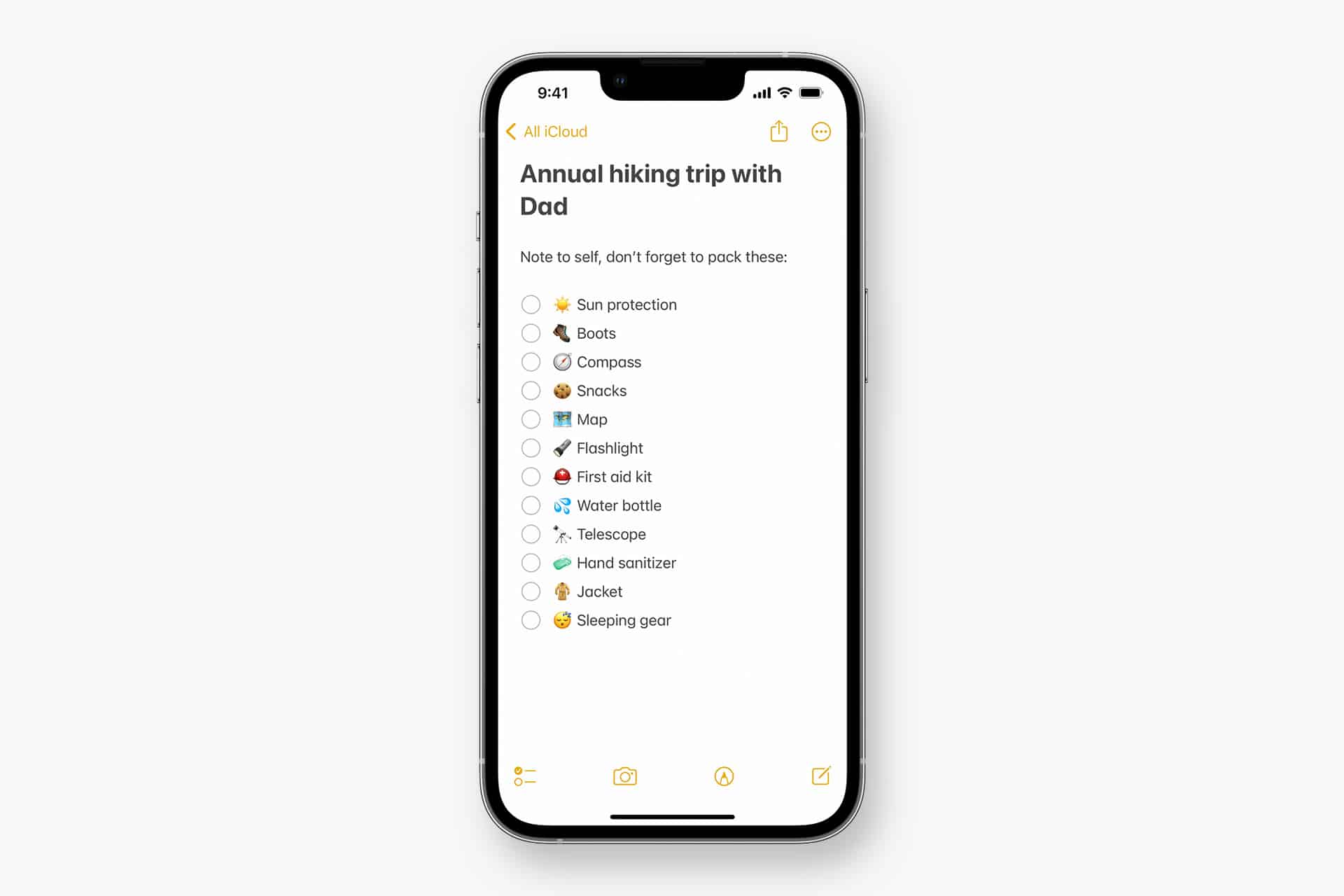
Apple Notes in iOS 27 receives a focused collection of upgrades designed to make long documents easier to navigate and information simpler to move between apps.
Section links allow users to jump directly to headings inside a note. Divider lines create clearer visual boundaries, while expanded Markdown support improves workflows involving websites, writing tools and plain-text editors.
Siri AI introduces the most ambitious addition by creating notes, adding information to existing documents and transferring answers from a Siri conversation without requiring manual copying.
Image Playground also becomes more capable inside Notes, gaining additional visual styles and photorealistic image generation through Apple’s new cloud-based model.
Not every feature requires Apple Intelligence. Divider lines, section links, Markdown tools and the updated interface work on every iPhone compatible with iOS 27. Siri AI and advanced Image Playground capabilities need newer hardware and may have additional language or regional restrictions.
Image Credit: Apple Inc.
Apple Notes iOS 27 Adds Section Links
Section links solve one of the largest problems affecting long notes: reaching information located several screens below the beginning.
A user can now select text, choose Add Link and connect it to any heading or subheading inside the current note. Tapping that linked text immediately moves the reader to the selected section.
The feature can turn the opening of a document into a manual table of contents. A project note might contain links to its schedule, budget, participants, research and outstanding tasks without requiring separate documents.
To create a section link:
Select text > Add Link > Link to Section > Choose a heading
Notes displays the headings and subheadings already present in the document. Regular body paragraphs do not appear as destinations, so the note must use Apple’s title or heading formats before links can be created.
To format a destination:
Select the section title > Formatting > Heading or Subheading
The visible link text does not need to match the destination heading. A phrase such as “View the current budget” can link to a section titled “Financial Information.”
Section links differ from the existing ability to connect separate notes. Apple Notes already allows users to create internal links leading from one document to another. The new control moves within the same document instead.
That distinction is useful for meeting records, research files, travel plans and study material that become too long for ordinary scrolling but do not need to be divided into several notes.
Links should continue working when the document is shared through iCloud because they point to structural elements inside the note rather than fixed screen positions.
Renaming or deleting a destination heading may affect its link. Users maintaining complex documents should test their navigation after reorganizing major sections.
Divider Lines Improve Visual Structure
Apple Notes in iOS 27 adds horizontal divider lines as a native formatting element.
The line creates a visible separation across the document without requiring users to type repeated hyphens, underscores or other characters.
To add one:
Place the cursor > Open the edit menu > Insert Divider Line
The divider is inserted at the cursor position and moves with the surrounding content as the note changes.
A horizontal line can separate meeting notes by date, distinguish reference material from personal comments or divide a recipe into ingredients, preparation and serving information.
It also provides structure without making every section a heading. Headings define the hierarchy used by section links, while dividers create a visual break that does not become another navigation destination.
Typing a row of hyphens previously produced an inconsistent substitute. The characters could wrap on a narrow screen, change length after editing or become difficult to select. The native element maintains its appearance as the document moves among iPhone, iPad and Mac.
Divider lines should be used selectively. Adding one between every short paragraph can make the note look more fragmented rather than organized.
The strongest layout combines headings for major subjects, subheadings for smaller divisions and divider lines where one type of content clearly ends before another begins.
Markdown Moves More Easily Into Apple Notes
Apple Notes gained the ability to import and export Markdown files with iOS 26. The iOS 27 upgrade removes additional steps from copying content between Notes and Markdown-based tools.
Markdown uses plain-text characters to represent formatting. A hash symbol can identify a heading, pairs of asterisks can create bold text and square brackets can define a link.
The format is widely used by writers, developers, documentation systems and publishing platforms because it remains readable without requiring a proprietary editor.
When Markdown-formatted text is pasted into Apple Notes in iOS 27, the app automatically converts the syntax into rich text. Headings become formatted headings, links become clickable and emphasis appears as bold or italic text.
A pasted line such as Project Schedule appears as a formatted heading rather than displaying the two hash symbols.
Moving content in the opposite direction is also easier. Apple has added a Copy as Markdown command that converts selected rich text into Markdown syntax before placing it on the clipboard.
To use it:
Select the text > Open the edit menu > Copy as Markdown
The result can be pasted into a content-management system, code editor, Markdown document or another writing application while preserving supported formatting.
Copy as Markdown does not transform Apple Notes into a complete Markdown editor. Users continue writing through the familiar rich-text interface rather than viewing raw syntax throughout the document.
Complex attachments may not translate perfectly. Scanned documents, drawings, audio recordings, embedded files and some tables do not have universal Markdown equivalents.
Basic elements such as headings, links, emphasis and lists provide the most dependable transfer. Users preparing an important publication should review the pasted result before assuming every element survived the conversion.
Image Credit: AppleMagazine
Siri AI Can Create and Update Notes
Siri AI gives Apple Notes in iOS 27 a more direct connection with information generated or located through the assistant.
A user can ask Siri a question, refine the answer through conversation and save the result into a new note. The transfer happens without selecting the response, copying it and leaving Siri to open Notes manually.
A request could take the following form:
“Create a note called Kyoto Trip and add this itinerary.”
Siri can also target an existing document when the user identifies it clearly:
“Add these restaurant suggestions to my Kyoto Trip note.”
The integration extends beyond saving complete answers. Siri AI can reorganize poorly formatted information, convert text into a clearer structure and place the revised version inside Notes.
Someone collecting an unorganized group of tasks could ask Siri to separate them by priority before saving the result. A block of research could be converted into headings and shorter paragraphs.
Siri’s personal-context capabilities can help locate an existing note when the precise title is forgotten. The assistant is designed to search information across apps and understand requests using details connected to the user.
These actions remain subject to permissions. Siri should not silently place information into a document without recognizing the requested destination and action.
Users should review AI-generated material before treating it as authoritative. Reformatting supplied text carries less factual risk than asking Siri to generate research, dates, quotations or instructions from general knowledge.
Siri AI Requires Newer iPhone Hardware
The main Apple Notes iOS 27 update runs on iPhone 11 and later, as well as the second-generation iPhone SE and newer models.
Siri AI has a narrower hardware requirement. Apple lists iPhone 15 Pro, iPhone 15 Pro Max and every iPhone 16 or later model as compatible with the new Apple Intelligence architecture.
An iPhone 15, iPhone 15 Plus, iPhone 14 or iPhone 11 can receive section links, dividers, Markdown support and the redesigned Notes interface. Those devices cannot use the Siri AI note-writing actions.
This separation means two iPhones running the same operating system can display different Notes capabilities.
Siri AI is scheduled to reach users as a beta later in 2026, beginning in English. Apple plans to expand language availability, but individual capabilities may not arrive simultaneously in every supported language.
The assistant will not initially be available on iPhone or iPad in the European Union. Apple has also said its new Apple Intelligence features will remain unavailable in China while the company works through regulatory requirements.
Ordinary Siri controls may continue to perform basic actions on unsupported devices, such as creating a simple dictated note. They should not be confused with the new ability to hold a conversation, reorganize information and add the result to a chosen document.
Image Playground Expands Inside Notes
Image Playground remains integrated with Apple Notes in iOS 27 and receives a substantially more capable generation model.
The upgraded system can produce higher-quality images in a wider range of visual styles, including photorealistic results. Earlier Image Playground versions concentrated on illustration, animation and sketch-like appearances.
Users can describe an image and insert the generated result into the current note. A travel plan might receive a destination image, while a creative project could use generated concept art beside written ideas.
Photorealistic generation runs through Private Cloud Compute rather than entirely on the iPhone. Apple says requests processed through this architecture are not stored or made accessible to the company.
Generated images automatically include a hidden SynthID watermark identifying them as AI-created. The watermark does not appear as a visible label across the picture, but it provides a technical signal that compatible systems can detect.
Image generation may have daily usage limits because it depends on powerful server models. Apple says most iCloud+ plans will provide increased access, although the exact allowance can depend on the subscription and service conditions available at release.
The complete Image Playground experience may not appear in every early iOS 27 beta. Apple can activate or adjust cloud-dependent features separately while testing the operating system.
New Icons Clarify Shared Notes and Folders
Apple Notes adopts the wider iOS 27 design changes through refreshed buttons, menus and Liquid Glass interface elements.
The Notes app icon has been updated while preserving the familiar yellow-and-white paper design. The change keeps the app recognizable without leaving it visually disconnected from the new system icons.
Shared material receives clearer identification. The shared folder displayed near the top of the folder list now uses a blue icon, separating it more clearly from private iCloud and local folders.
Individual shared notes and folders also receive revised symbols. These indicators make it easier to understand whether another person can view or edit material before sensitive information is added.
The distinction matters because a collaborative note can look almost identical to a private document once it is open. A clearer icon in the list provides another warning before the user begins editing.
Liquid Glass changes the appearance of controls and menus but does not alter the underlying note format. Existing notes, scans, checklists, attachments and locked documents remain available after the update.
People using accessibility settings such as increased contrast, reduced transparency or reduced motion may see a modified version of the visual design.
Existing Notes Features Remain Available
The iOS 27 changes build on a much larger set of capabilities introduced during earlier releases.
Apple Notes can already scan documents, attach PDFs, record audio, generate transcripts, solve mathematical expressions, create checklists and collaborate through iCloud.
Users can link one note to another, place notes inside folders, apply tags and create Smart Folders that collect documents according to selected rules.
Locked notes can use a device passcode or separate password, while Face ID provides faster access on supported iPhones.
The app can also identify handwriting, search text inside scanned documents and recognize information contained in images.
None of those existing tools has been replaced by Siri AI or Markdown. The new version concentrates on moving through large notes and transferring information with less manual work.
Section links are particularly effective when combined with audio transcripts or lengthy scanned research. A user can create headings above important material and place navigation links at the beginning of the document.
Markdown support addresses another gap by making Notes more practical as the first stage of a publishing workflow rather than a closed destination for text.
Image Credit: Apple Inc.
What to Check Before Installing the iOS 27 Beta
Apple Notes in iOS 27 is available for testing through prerelease software, with the complete operating-system release scheduled for the fall.
Beta software can contain synchronization failures, interface problems and changes that Apple has not finished documenting. Notes is especially sensitive because its content may synchronize immediately across every device using the same Apple Account.
Before installing a beta on a primary iPhone, users should confirm that important notes have finished syncing and that another copy of critical information exists outside the beta device.
A Mac, iPad or iCloud.com can be used to verify whether recent documents have reached the server. Exporting especially important notes as PDFs or Markdown files provides an additional copy that does not depend on the Notes database.
Collaborative notes require more caution. People using older operating systems may not see every new formatting element exactly as intended, particularly while iOS 27 remains in testing.
The public release should resolve many compatibility issues, but Siri AI will follow its own beta schedule and regional limitations. Installing iOS 27 alone will not guarantee that every intelligent Notes action appears immediately.
Apple can still modify menu locations, visual elements and cloud-based features before the final version arrives. The safest time to reorganize a large Notes library around section links will be after every frequently used Apple device can install its corresponding fall update.
Apple’s all-new Siri AI. An even more capable AI assistant with expanded intelligence to be more helpful every day.
According to Gene Munster, an X poll indicated that only about 17% of U.S. iPhone users engage with Siri on a daily basis, a notably low figure given that the average iPhone is interacted with more than 100 times per day. At present, Siri is primarily used for low-stakes tasks and is not widely trusted as a full assistant.
Munster anticipates that this will begin to change over the next year. A new version — Siri AI — will become available in the U.S. late this year through an iOS 27 update. In beta testing conducted over the past 20 days, the feature was observed to be slow; however, this drawback was more than offset by an AI assistant that simply works effectively.
Ultimately, Munster believes that increased use of Siri (which is central to Apple’s personalized AI) will form the foundation of the value proposition for Apple devices.
We ran a simple one-question poll on X asking, “How often do you use Siri?” The poll drew 1,750 votes. The raw results showed daily Siri use at a low 17%, with 39% reporting they never use it. As a daily Siri user, these numbers caught my attention, underscoring the degree of brand damage the feature has endured over the past decade.
The comments were more telling than the poll. Across 64 replies, the message was clear and expected: Siri survives as a basic utility or shortcut, not an assistant…
My takeaway: Siri today is, on average, not trusted. It works for a narrow set of commands where the cost of failure is low.
The question is, once Siri gets overhauled, will the 83% of users who question its utility give it another try? I believe the answer is yes.
MacDailyNews Take: We fully agree with Gene.
Siri AI no longer just marketing. The rebuilt architecture works in real life — helping with souvenirs for the kids, prepping for your day, or analyzing your breakfast — while staying firmly within responsible boundaries.
The old Siri is gone. The new Siri AI has arrived in a very promising way – and it’s still just in beta. Our little birdies — who’ve been telling for months that the new Siri not only works, but is actually pretty great — knew what they were talking about! – MacDailyNews, June 20, 2026
Please help support MacDailyNews — and enjoy subscriber-only articles, comments, chat, and more — by subscribing to our Substack: macdailynews.substack.com. Thank you!
Mesmo não sendo o modelo mais popular da mais recente safra de telefones da Apple, o iPhone Air certamente foi o modelo que roubou as atenções.
Com um design ultrafino de 5,64mm de espessura, ele traz vários recursos poderosos, como o processador A19 Pro (com uma GPU 1Graphics processing unit, ou unidade de processamento gráfico. de 5 núcleos), uma câmera 2-em-1 Fusion de 48 megapixels, o botão de Ação (Action Button) e o Controle da Câmera (Camera Control).
Se você está atrás desse modelo, hoje a Amazon está com uma promoção excelente. Trata-se da versão com a maior capacidade disponível (1TB), nas cores branco-nuvem ou dourado-claro. Ele está saindo por R$8.499, parceláveis em até 12x no cartão de crédito!
iPhone Air de 1TB
Parcelado: de R$13.499,00 por R$8.499,00 em até 12x À vista no Pix: de R$12.149,10 por R$7.609,10
🛍️ Produto vendido pela Amazon; o preço aparece na finalização do pedido💰https://t.co/PFQtc7pgoC
Considerando que o preço tabelado desse modelo aqui no Brasil é de R$13.499, estamos diante de um desconto de incríveis 37%!
Para quem preferir pagar à vista no Pix, o valor fica ainda melhor: ele cai para R$7.609,10 — também um desconto de 37% em comparação com o valor cobrado pela Apple na mesma modalidade de pagamento, de R$12.149,10.
Para chegar a esses valores, basta adicionar o iPhone Air no carrinho para garantir mais R$400 de desconto sobre o preço anunciado.
Todos os descontos de promoções divulgadas pelo MacMagazine são calculados com base nos preços sugeridos pela Apple ou por outras fabricantes. Pode ser que um determinado produto seja comumente encontrado por valores inferiores em redes varejistas, mas a nossa base de comparação é sempre em cima das tabelas oficiais.
Se você não é louco, é claro que gosta de economizar. E, para isso, o MacMagazine tem diversas opções para ajudar você a conseguir comprar o seu produto Apple pagando menos!
NOTA DE TRANSPARÊNCIA: O MacMagazine recebe uma pequena comissão sobre vendas concluídas por meio de links deste post, mas você, como consumidor, não paga nada mais pelos produtos/serviços usando os nossos links de afiliado.
Notas de rodapé
1
Graphics processing unit, ou unidade de processamento gráfico.
A nova versão foi compartilhada pelo usuário mactracker na versão beta do macOS 27 e, como apontado por ele, permite exibir sugestões contextuais de respostas inteligentes geradas pela Siri sem a necessidade de inserir automaticamente no rascunho, semelhante ao funcionamento de outras inteligências artificiais (IA) em apps de email.
As opções da nova barra incluem alternativas de edição, reescrita, correções gramaticais e/ou de escrita e uma opção intitulada “How does this sound?”, além das ferramentas tradicionais de formatação, escanteadas na lateral direita do novo layout.
Na versão atual, essas opções de formatação de texto também estão recolhidas na lateral direita da janela do aplicativo, desaparecendo por completo assim que se seleciona a opção de escrever com a Siri.
O novo layout está oculto por trás de uma feature flag interna, de forma que a maioria dos usuários da versão beta não consegue habilitá-lo. A beta 4 apresenta ainda algumas inconsistências no funcionamento do recurso, como a ausência da barra na escrita de novas mensagens, restringindo o seu funcionamento às réplicas de email.
Não se sabe ao certo se o recurso chegará à versão final do macOS 27 (prevista para aterrissar em setembro), mas ele parece acompanhar as reformulações propostas sobre a integração das ferramentas de IA no cotidiano do ecossistema da Apple nos sistemas 27.
Apple's settlement has now received preliminary approval from a judge, according to a July 17 court document. However, there is no settlement website yet, and it may take months before eligible customers can begin submitting claims. In other words, no action is required from eligible customers at this time, but stay tuned for updates.
Below, we have answered some key questions regarding the lawsuit.
Why Was Apple Sued?
In June 2024, Apple previewed new Siri capabilities powered by Apple Intelligence, including understanding of a user's personal context, on-screen awareness, and deeper per-app controls. For example, Apple showed an iPhone user asking Siri about their mother's flight and lunch reservation plans based on info from the Mail and Messages apps.
In a statement, Apple touted a range of other Apple Intelligence features it had already released. Nevertheless, Apple agreed to settle the lawsuit "to stay focused" on "delivering the most innovative products and services to our users."
Apple finally announced "Siri AI" at WWDC 2026 last month, and the revamped assistant is available to test on the iOS 27 developer beta, with a public beta to follow this month. iOS 27 should be released in September, at which point "Siri AI" will finally be available to all users with an iPhone 15 Pro or newer.
Am I Eligible?
To be eligible to submit a claim, you must reside in the U.S. and have purchased any iPhone 15 Pro or iPhone 16 model between June 10, 2024 and March 29, 2025.
The full list of eligible iPhone models:
iPhone 15 Pro
iPhone 15 Pro Max
iPhone 16
iPhone 16e
iPhone 16 Plus
iPhone 16 Pro
iPhone 16 Pro Max
It is unlikely that individuals who submit a claim will still need to have physical possession of an eligible iPhone model. However, there is a possibility that proof of purchase or other information will be required, such as the device's serial number. Exact requirements will be outlined on the settlement website, which is still not live.
How Much Will Apple Pay Me?
According to the terms of the settlement, each person who files an eligible claim will receive a per-device payment of $25, but this amount could increase up to $95 if the total number of claims submitted is lower than anticipated.
Where and When Can I Submit a Claim?
Over the coming months, a settlement website is expected to go live with an online claims form.
Eligible class members will be notified by email within approximately 45 days after the settlement received preliminary approval, according to the court documents. Even if you are not notified but are a U.S. resident who purchased one of the above iPhone models within the above dates, you are still eligible if you meet the criteria.

 Login
Login