As Tim Cook hands the reins to hardware engineering chief John Ternus in September 2026, the company faces its biggest leadership transition in 15 years. While Cook’s tenure delivered massive revenue growth and operational excellence, many former employees and analysts say Apple has lost the product-first, risk-taking design culture that defined the Jobs years. Fortune explores whether Ternus can shift the company from steady iteration back to true innovation.
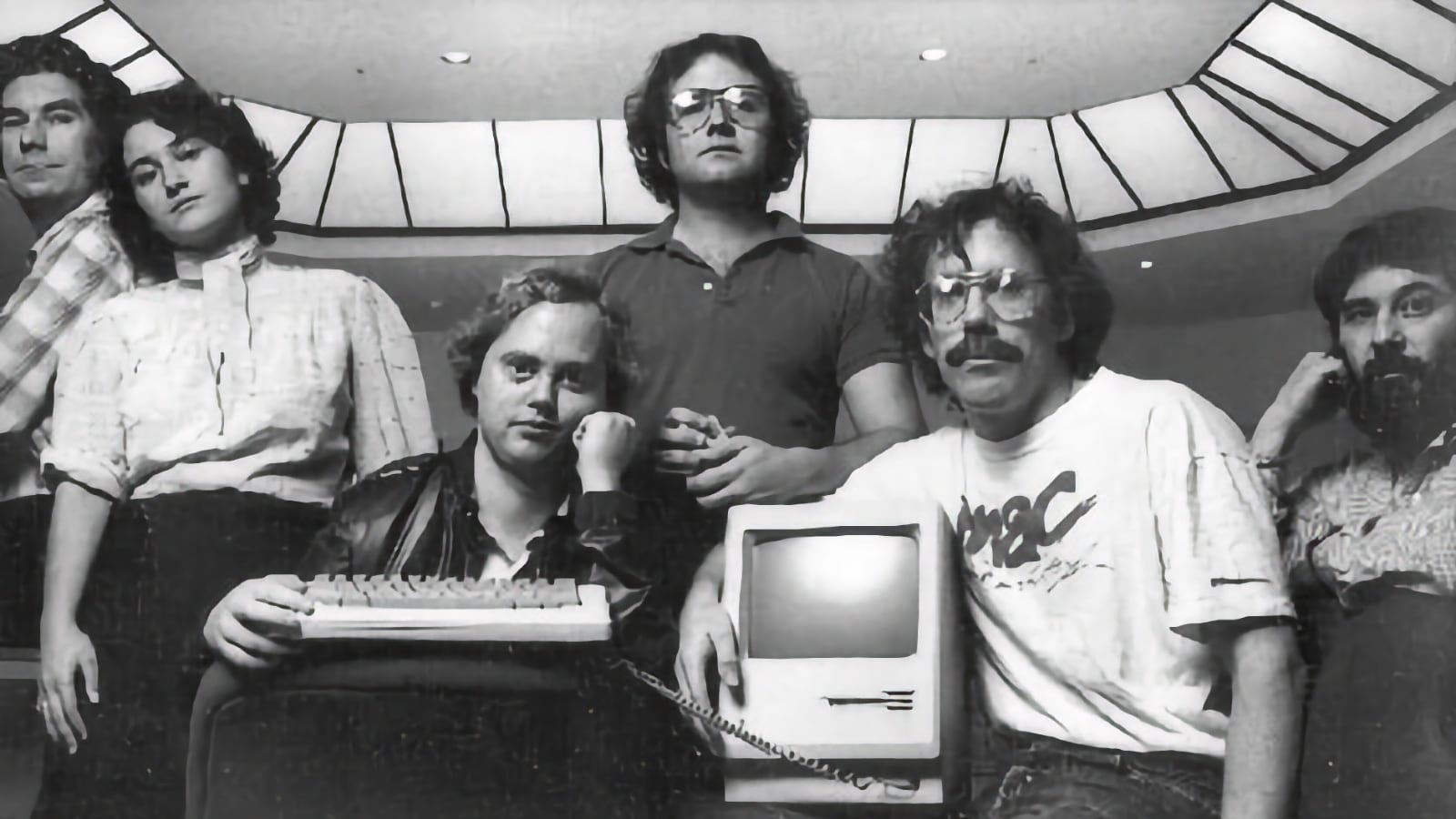
Matthew Rogers remembers Apple’s scrappy days when, as an engineer fresh out of college, he could debate ideas directly with Steve Jobs… “I was 23, 24 years old, and I interacted with Steve Jobs. That’s crazy, right? But that’s the organization he ran,” Rogers told Fortune from his Silicon Valley office (he now runs food-recycling startup Mill).
Back then, Apple’s hierarchy was much flatter. What made Apple special, he said, is that Jobs surrounded himself with consumer-minded product leaders who were expected to argue. The mandate was to build “the best thing out there” and take real risks. Some of Apple’s most iconic products came out of a skunkworks team across the street from the main office.
That much-mythologized era continues to shape — and perhaps burden — Apple as it navigates its biggest leadership transition in 15 years. Somewhere along the way, Apple lost a part of its design and product magic, Rogers and several former design and hardware employees, investors, and analysts said. The September handoff from Tim Cook to incoming chief executive John Ternus, who currently leads hardware engineering, has Rogers and other longtime Apple watchers wondering: Can the company reclaim its product-first soul?
Rogers, who also cocreated smart home company Nest with former Apple executive Tony Fadell, said Ternus now faces a defining test. “I’ll put it this way,” he said. “He has a tall task, but a big opportunity.”
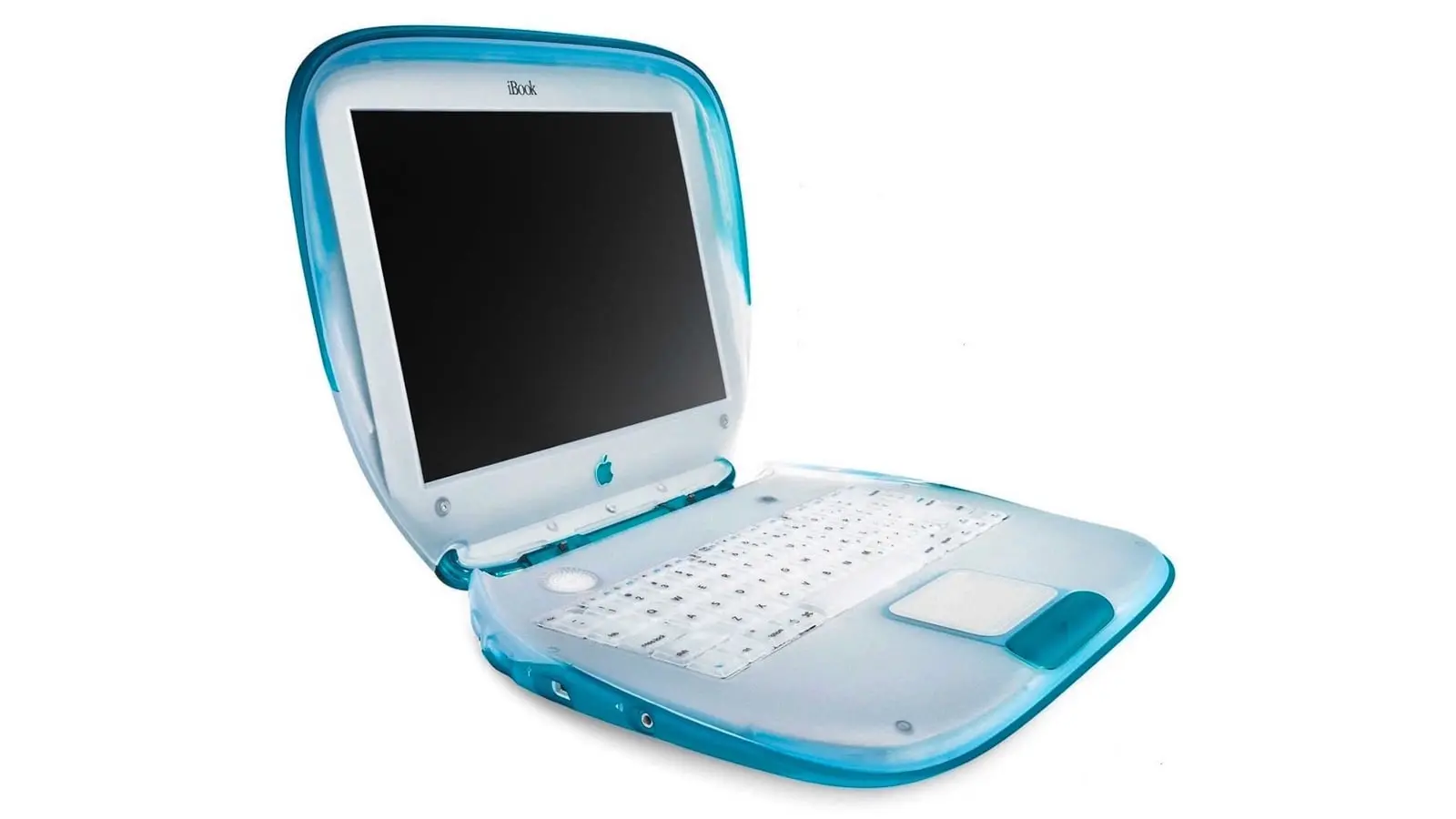
Under Tim Cook, Apple systematically strayed from Steve Jobs’ core vision. Product Design, the very soul of the company Jobs rebuilt, was demoted, sidelined, and subordinated to operations, supply-chain efficiency, and services revenue. The result? Fifteen long years of polished, but profoundly boring iteration: thinner bezels, faster chips, incremental camera bumps, and endless “Pro” variants that rarely moved the industry forward the way the original iPhone, iPad, or even the aluminum unibody MacBooks once did.
Jobs put Design at the absolute top of the food chain. Jony Ive’s group wasn’t a service department; it was the engine. Cook flipped the hierarchy. Hardware engineering, operations, and finance called the shots (poorly; witness Luca Maestri famously rejecting calls to invest in AI early on which is why he’s now sidelined). Design became reactive instead of directive. The Vision Pro launched as an impressive, but overpriced, underbaked curiosity. After billions spent, the Apple Car evaporated. True category-defining leaps simply did not happen.
Now comes John Ternus, a product person, a hardware guy who has spent his career shipping actual devices rather than optimizing margins. Early signals are encouraging: bringing trusted hardware lieutenants back into the fold and already embedding himself with the industrial design group. That is exactly the right instinct.
If Ternus moves quickly to restore Design to its rightful place at the apex of Apple’s decision-making, the company might finally escape the long, comfortable, lucrative mediocrity of the Cook era. Apple doesn’t need another fifteen years of safer, prettier, or just different iterations. It needs the return of products that make people stop, stare, and rethink what a computer in their pocket, on their wrist, or on their face can be.
The hardware engineer is about to become CEO. The question is whether he has the will — and the authority with Cook looming as Executive Chairman — to put Design back on top where Jobs left it. The next few years will tell us if Apple can innovate again… or if the iteration treadmill simply continues under a new CEO.
Fingers crossed!
Please help support MacDailyNews — and enjoy subscriber-only articles, comments, chat, and more — by subscribing to our Substack: macdailynews.substack.com. Thank you!
After more than 30 years the cybersecurity field, Keith Jones recently realized that his role had changed, from being a single contributor to manager of a fairly large team. And this team was getting a lot accomplished — tasks that used to take up a huge chunk of his workday.
No, his company hadn’t hired a group of new employees to work under him. He simply accelerated his use of artificial intelligence tools. Now, instead of grinding through a lot of basic tasks, that work is done for him while he focuses on bigger-picture work.
“It really feels like I have a team behind the scenes, but what I have is Claude [Anthropic’s AI tool],” says Jones, who currently works as a cybersecurity researcher. “I’ve been thinking for the last several months about how much differently I work now than I did a year ago, when I would sit and write all the low-level stuff before I could get to the 10% of the good stuff I really wanted to focus on. Now I can sit back and say, ‘Give me three different ways to solve this problem.’”
Most people working in the technology field, like Jones, have had to figure out how best to work with AI. The technology has come on strong, with many companies making its use mandatory and actively evaluating whether employees are faster and more efficient because of it. And while it is boosting productivity and taking over the burden of repetitive, manual tasks, it’s also creating a new level of stress and a dizzying kind of mental exhaustion.
So what can tech workers do about the heavier mental load that comes with using AI, on top of escalating worries about the safety of their own jobs? AI users and industry analysts say there are specific ways to ease some of those burdens and prepare for a changing job market.
Combating the slop factor
When it comes to working with LLM tools, a well-known issue is dealing with AI workslop and hallucinations. The slop is AI-generated output that is low-quality, buzzword-heavy, and generic. It also can refer to bloated, boilerplate code. Hallucinations are inaccurate or completely made-up results. AI routinely offers this messy or incorrect information with total confidence, giving users a false sense of security.
Using this bad data can lead to anything from minor software bugs to severe liabilities. “Don’t believe the machine is infallible,” says Craig Shue, computer science professor and department head at Worcester Polytechnic Institute (WPI). “That’s when bugs will start working in. There’s a lot of misinformation on the internet, and that could be what the LLM is grabbing and using.”
Craig Shue, computer science professor and department head at Worcester Polytechnic Institute
WPI
Here are ways to combat the problem:
Make AI show its work: Ask it to cite its sources or explain its reasoning. Example prompt: Explain the logic and show the steps before writing the code.
Give the AI a source of truth: Instead of letting the AI search the internet for information, give it the exact source material (reports, transcripts, data sheets) to base its output on, telling it to use only the information provided.
Validate. Validate. Validate: Never let AI publish code directly to the main project without first reviewing and running it locally. Similarly, never take AI output and simply move it on to the next person in the project. Every single AI output needs review.
Don’t be fooled by confidence: As with managing a human, question the output. When you’re busy or tired, it’s easy to just go with the results it gives you. Don’t. Always analyze and question it.
Taking on AI-driven workload creep
Let’s face it: The great promise of AI is that it will take over repetitive, manual tasks, which will save you an incredible amount of time. What isn’t talked about as much is that it also can create a new workload — one that can be exhausting in a whole new way.
“Is AI saving people time? The short answer is yes,” says J.P. Gownder, vice president and principal analyst with Forrester Research. “But people also are being overwhelmed with overproduced things. Everyone wants to look busy and they’re producing more, but not necessarily better. Managers have to push back on that or it’s not really saving you time.”
In a multi-year study by Upwork, the largest online freelance marketplace, 77% of employees reported that AI had increased their workload. The report noted that a boost in productivity comes with a “significant emotional and relational cost,” with 88% of workers who saw the highest productivity gains also feeling burned out. And IDC’s Future of Work 2026 survey reported that 24% of IT workers report increased workload as a top AI concern.
Here are ways to combat the problem:
Keep it short: Part of the prompt — always — should be to tell any AI tool to be concise.
Build an anti-slop culture: Don’t simply accept and pass on workslop. It’s insulting for a co-worker to have to deal with pages of largely useless information.
Filter the noise: When everyone on a team starts using AI, the volume of Slack messages, long-form memos, and data reports skyrockets. Don’t treat it all with equal importance. Practice radical prioritization.
Manage the transcript deluge: Stop wading through 40-page meeting transcripts that bury action items. Instead, prompt the system to produce a concise summary focused strictly on deliverables or status updates.
Reduce the AI blast radius: When asked to fix a bug, AI tools often rewrite hundreds of lines of unrelated code, multiplying your code review time. Prevent this by instructing the tool to isolate its changes only to the specific function or file in question.
Managing the AI mental tax
Using AI often necessitates a different kind of mental processing, changing what had been the natural pacing of your day and dramatically increasing context switching. Instead of simply building and testing, someone might be jumping back and forth between auditing, fact-checking, prompting, and re-prompting. To manage strain and protect your focus, new strategies are needed.
Published this past March in the Harvard Business Review, a study by Boston Consulting Group and the University of California, Riverside, surveyed 1,500 workers and coined the term “AI brain fry.” The researchers found that juggling multiple AI tools causes decision fatigue and increases errors.
How to combat the problem:
Work in batches: Continuously reviewing AI output as it comes in can quickly lead to mental burnout. Dedicate blocks of time throughout your day to interact with your AI tools.
Create analog islands: Your brain needs time to decompress, and that means taking a break from digital processing… and from screen time in general. Make time in your day to step away from screens, such as taking a 15-minute walk or reading a book instead of watching a video online.
Know when to step in: Instead of endlessly tweaking prompts to get a perfect result, it is often faster and less mentally taxing to manually write or refactor the final 20% yourself.
Create base prompts: Writing custom prompts that include everything from guardrails to tone instructions for every new project quickly drains your mental energy. Instead, build two or three reusable system prompts, such as one for refactoring legacy code and another for drafting API docs, and use them as templates.
Proving your human value in a new job market
With companies regularly using AI-based applicant tracking systems to filter resumes, and AI actively shifting job responsibilities and skills requirements, the strategy for how you apply for roles and handle interviews is changing.
Leo Freitas, an analyst and research manager at IDC Research, says it’s critical for job applicants to show potential employers what they can do that machines cannot. “You need demonstrable achievements,” he adds. “It’s good to show highly human skills.”
Mirror their language: Use the exact language from the job description. Traditional applicant tracking systems rely heavily on structured information and keyword matching, says Teresa Hill, founder and leader of Anchor GTM, a growth marketing consultancy. That means if a posting says “product marketing manager,” don’t just write “PMM.” Write both.
Keep it simple: Use standard section headers, like “Experience” and “Education.” Creative alternatives and formatting can confuse parsers.
Avoid AI writing: Use AI to help structure your thinking, then edit until the copy sounds natural and authentically human.
Swap responsibilities for metrics: To stand out, especially with AI scanners, tie as many bullet points as possible from your work to business outcomes.
For the interview:
So, how do you use AI? Every interviewer eventually asks some version of this question. The best answers focus on judgment vs. simply name-dropping tools. Explain what you automate, what you never automate, and why.
Show that you’re a gatekeeper: AI tools can generate code or copy instantly, but they also introduce errors. To stand out, show that you know how to audit, verify, and safeguard quality.
Focus on learning: Don’t emphasize your expertise with a specific AI tool. Focus on being someone who is adaptable and learns quickly, Hill says.
What sets you apart from a machine: Show, don’t tell. Give work examples that demonstrate that you know how to be creative, collaborative, and problem solve. Show metrics whenever possible.
Demonstrate that you know the limits: Make it clear that you know when to use AI and what not to let it touch without heavy review.
Future-proofing your career in a shifting tech market
The anxiety echoing through the tech industry is tangible as companies reallocate corporate capital toward automation. While both Gownder and Freitas emphasize that there is far more fear than actual AI-driven layoffs, the shift in corporate spending is undeniably stoking job insecurity.
“There’s this apocalyptical view that AI will take everyone’s job in a few years,” says Freitas. “I don’t see that happening, but many things will change in the nature of how we work. I don’t think the world is going to end tomorrow. But it’s always good to do a self-assessment and look at whether AI can do what you’re doing now.”
How to combat the problem:
Use this technology to your advantage: Approach AI as a new tool, not a replacement. Use it to make yourself better and faster at your job. “I look at AI like it’s another new tool, and I’m going to learn it like I’ve learned any other tool,” says Jones.
Don’t bury your head in the sand: Take a look at what you do and consider if it could be done by AI.If your role is highly automatable, think about switching to a more advanced position or to a role, like security, that more clearly needs a human in the loop.
Take ownership of your career: Expand your knowledge and skills. Find courses and certifications (many are free online) and take advantage of employers’ training programs.
Work with the business side: Make sure you understand the business — its long-term goals, competitive market, and jargon. Be the bridge between the technical and business sides of the company, giving presentations and solving business problems with technology.
Highlight your in-house expertise: When you have institutional knowledge, make sure you are openly using it to benefit the business. Your knowledge can be your key differentiator.
Push the business forward: Think about the next app or customer-facing system that will propel the business forward. Be the one who is advancing the company with tech.
Continue to adapt: Don’t get stuck in your anxiety. Keep being curious and working your learning muscles.
A delivery in Wilmington, N.C., this month. Heat is linked to hundreds of workplace deaths each year, but labor groups say the true toll is unknown because heat-related illnesses are not properly tracked or reported.
A cada atualização anual do macOS, uma escolha da Apple em particular gera quase tanta curiosidade quanto as mudanças e os novos recursos do seu sistema operacional: o nome que acompanhará o update.
Hoje, faremos uma breve recapitulação das principais escolhas da Maçã sobre os nomes de cada versão do sistema operacional dos seus computadores, passando por décadas de codinomes felinos e, mais recentemente, paisagens californianas.
As (várias) mudanças do passado
Antes disso — no período do Mac OS Classic, que abrange os sistemas dos Macintoshes lançados entre 1984 e 2001 —, os nomes dos sistemas da Apple eram usados quase exclusivamente de forma interna. Publicamente, as versões recebiam denominações bastante protocolares, mas, nos bastidores, praticamente todas carregavam codinomes.
O System 6, por exemplo, teve versões conhecidas internamente como Antares (6.04), Big Deal (6.05), SixPack (6.06) e Terminator (6.08). Já o System 7 passou por uma verdadeira coleção de nomes, incluindo Blue, Beta Cheese, Cube-E, I Tripoli, Jirocho, Mozart, Capone, Danook, Thag e Marconi, entre outros. Também houve casos específicos, como Road Warrior, utilizado nos primeiros PowerBooks, além de Unity, Buster, Son of Buster, Harmony e Ides of Buster, empregados em versões posteriores do sistema.
A partir do Mac OS 8, os nomes foram predominantemente relacionados à teoria musical — é o caso do codinome Tempo no Mac OS 8, Allegro no Mac OS 8.5 e Sonata no Mac OS 8.7 (versão de desenvolvimento do que viria a ser o Mac OS 9). As exceções são o Mac OS 8.1 (intitulado Bride of Buster) e o Mac OS 8.6 (Veronica).
Essa só se tornou uma tradição marqueteira a partir do Mac OS X 10.2, quando Steve Jobs apresentou a nova versão do sistema operacional como Mac OS X Jaguar, levando um codinome ao público pela primeira vez — antes do Jaguar, a Apple utilizou os codinomes Kodiak para a versão beta, Cheetah para a 10.0 e Puma para a 10.1 —, inaugurando a era de nomes de grandes felinos.
Os animais ditaram os sistemas dos Macs por cerca de dez anos (de 2002 até 2012): foi o caso do Mac OS X 10.3 Panther, Mac OS X 10.4 Tiger, Mac OS X 10.5 Leopard, Mac OS X 10.6 Snow Leopard, Mac OS X 10.7 Lion e, por fim, OS X Mountain Lion 10.8 — que abandonou (temporariamente) o prefixo “Mac”.
OS X Mavericks 10.9: a alteração de rota rumo à Califórnia
A partir da décima versão do macOS (então OS X), a Apple adotou publicamente nomes com as regiões da Califórnia, tendência que segue em vigor até os dias de hoje.
A troca, aliás, andou em paralelo a uma mudança paradigmática do sistema: foi somente com o OS X Mavericks 10.9 que a Maçã deixou de cobrar pela atualização dos seus sistemas operacionais, permitindo que os seus usuários, a partir do Snow Leopard (na compilação 10.6.8), atualizassem as suas máquinas sem custos adicionais — uma realidade que permanece até os dias de hoje.
O primeiro destino geográfico escolhido pela Apple remete a uma região litorânea conhecida pelas altas ondas, propícias para a cena local do surfe. O papel de parede do OS X 10.9 dava destaque à curvatura de uma grande onda em tons de azul e turquesa, com clara inspiração na localização que deu nome ao update.
Em matéria de software, o OS X Mavericks ficou marcado pelo aprimoramento na gestão de performance, bateria e memória, aproveitando melhor o hardware dos computadores da Apple. Quanto aos recursos, o sistema trouxe os links compartilhados no Safari, respostas embutidas em notificações, abas e tags no Finder, melhor suporte ao uso de múltiplos monitores, além da introdução de novos aplicativos, como o Mapas e iBooks.
OS X Yosemite 10.10
Pouco mais de quatro horas adiante (ou 314km, para ser mais exato), encontramos o Parque Nacional de Yosemite. A área já era considerada tão importante para a preservação ambiental que Abraham Lincoln autorizou sua proteção e uso público em 1864, anos antes da criação de Yellowstone, reconhecido como o primeiro parque nacional do mundo. Outro grande entusiasta de Yosemite foi Theodore Roosevelt, que ajudou a consolidar a sua importância dentro do sistema de parques americanos.
Um dos maiores símbolos do parque — e também o destaque do wallpaper oficial do sistema — é o Half Dome, um monólito de granito com impressionantes 2.696 metros de altitude. Localizada no coração de Yosemite, a formação foi considerada inescalável por alguns geólogos do século XIX, até que George G. Anderson realizou a façanha em 1875, escalando-a descalço. Muito possivelmente, a foto usada pela Apple foi registrada com uma lente teleobjetiva nas proximidades da Ahwahnee Meadow.
O OS X Yosemite 10.10 foi um marco importante na trajetória do macOS. Muito lembrado pelas mudanças de design na interface — com elementos translúcidos e ícones de formas planas que definiriam a identidade visual do sistema por várias gerações —, ele também deixou como legado a introdução dos recursos de Continuidade (Continuity) entre o OS X e o iOS.
Inicialmente, a novidade englobava apenas o AirDrop, as chamadas telefônicas, o app Mensagens, o Handoff e o Instant Hotspot. Ainda assim, ela inaugurou um nível de interoperabilidade que ajudou a redefinir a forma como o mercado de tecnologia passou a enxergar ecossistemas compostos por diferentes produtos de uma mesma marca.
OS X El Capitan 10.11
A apenas 20 minutos de distância do Ahwahnee Meadow, a próxima parada do Mac é outra atração turística presente dentro do Parque Nacional de Yosemite: o El Capitan é um monólito de granito de quase 900 metros que se ergue acima do vale do parque.
O papel de parede provavelmente foi fotografado a partir do mirante Tunnel View, de onde é possível avistar o El Capitan à esquerda do vale. Ao fundo, surge o Half Dome — um enquadramento que parece refletir o espírito da atualização. Diferentemente de Yosemite, o OS X El Capitan 10.11 deu menos ênfase à introdução de novos recursos e concentrou seus esforços em correções de bugs, otimizações de desempenho e refinamentos da experiência de uso. Entre as principais novidades, estavam um Spotlight aprimorado, a adição do Split View e diversas melhorias nos aplicativos nativos da Apple.
macOS Sierra 10.12
Cerca de 338km depois (aproximadamente quatro horas e meia) de Yosemite, passando pela cordilheira de Sierra Nevada (situada no leste da Califórnia, a oeste do Mount Whitney), temos o Lone Pine Peak, cenário da montanha que aparece no wallpaper do sistema.
Além da mudança de nomenclatura de OS X para macOS (colado e com o “m” minúsculo, como segue até os dias de hoje), a atualização é particularmente lembrada pela inclusão da Siri no Mac, o Desbloqueio Automático (Auto Unlock) com o Apple Watch e a Área de Transferência Universal (Universal Clipboard) entre Macs, iPhones e iPads.
macOS High Sierra 10.13
Uma rápida viagem de 80 minutos (129km) é capaz de nos levar ao próximo destino fotografado pela Apple: North Lake, localizada na pequena cidade de Bishop, entre as montanhas da cordilheira de Sierra Nevada. Ali, muito possivelmente em meio ao outono, o registro eternizado no papel de parede do sistema foi feito.
Quando falamos do sistema, aos moldes do próprio El Capitan e do Snow Leopard, o macOS High Sierra 10.13 focou muito mais no aprimoramento interno do macOS do que em novos recursos, mas vale mencionar a inclusão do novo sistema de arquivos da Maçã (o Apple File System, ou APFS), do suporte aos formatos audiovisuais HEVC e HEIF, bem como a chegada da segunda geração da tecnologia de desempenho gráfico Metal.
macOS Mojave 10.14
Depois das montanhas, que peculiarmente ficam na margem do wallpaper, vieram as dunas. Com uma distância de 253km (ou três horas de carro), o próximo destino é o Parque Nacional do Vale da Morte, o ponto mais quente do continente americano — onde se registrou a maior temperatura da história (56,7°C) em julho de 1913, e onde a foto do papel de parede do macOS Mojave 10.14 foi feita.
Já sobre as novidades do sistema, essa versão do macOS é particularmente conhecida pela introdução do Modo Escuro, a inclusão dos Conjuntos (Stacks) na Mesa (Desktop), além da estreia de apps já conhecidos dos usuários de iOS, como o Apple News, o Bolsa (Stocks), o Gravador de Voz (Voice Memo) e o Casa (Home).
macOS Catalina 10.15
A 428km adiante do Deserto de Mojave (cerca de cinco horas e meia de carro), nós temos a Ilha de Santa Catalina, destino paradisíaco — e remoto — da costa sul da Califórnia que deu nome à versão do macOS lançada em 2019. Pela posição da foto, o que se especula é que o registro oficial da Apple tenha sido feito com o auxílio de um drone ou helicóptero, sobrevoando as águas para capturar Catalina sob diferentes períodos e iluminações para fornecer o tema dinâmico disponível no sistema.
Essa atualização marcou o fim do iTunes, que foi segmentado em um catálogo de aplicativos separados (Apple TV, Música, Apple Podcasts), mas sua adição mais relevante muito possivelmente foi o recurso Sidecar, que possibilita o uso do iPad como um monitor externo do Mac.
macOS Big Sur 11
Com uma distância de 524km da Ilha de Catalina, a próxima parada é na Ponte Bixby Creek (inaugurada em 1932 e particularmente conhecida por suas estradas com curvas), localizada na costa central de Big Sur, que dá nome a essa versão do macOS — o papel de parede retrata também a parte litorânea do local.
Sobre o sistema, a versão marcou a transição dos processadores da Intel para o Apple Silicon com o lançamento do M1, trazendo novos ícones, materiais translúcidos, um novo Dock, Central de Controle e de Notificações.
Esta versão também foi um marco para o sistema operacional, pois, pela primeira vez em muitos anos, a Apple abandonou as sub-versões 10.x e passou para o número 11 — o que se manteve nos anos subsequentes.
macOS Monterey 12
Ainda na costa de Big Sur, o macOS Monterey 12 marcou a quebra de uma tradição: pela primeira vez em anos, a Apple optou por não incluir um registro fotográfico como possível papel de parede ou tela de descanso, mantendo apenas temas dinâmicos para ilustrar o sistema dos Macs naquela ocasião.
O Condado de Monterey, que inspirou o nome do sistema, é particularmente lembrado por ter abrigado a primeira capital da Califórnia, quando a região ainda era de domínio dos governos da Espanha e do México.
Em relação ao sistema, o grande destaque foi a introdução do Controle Universal (Universal Control), permitindo que um único conjunto de periféricos (como teclados e mouses) seja utilizado simultaneamente no Mac e no iPad.
macOS Ventura 13
Por volta de 450km de distância (quatro horas e meia de trajeto) depois, temos o Condado de Ventura, que inspirou essa versão do macOS. Emancipado do Condado de Santa Bárbara em 1873, ele abriga o píer mais antigo do estado da Califórnia. Mais uma vez, a Apple optou por não incluir um papel de parede fotográfico.
Quanto aos seus recursos, o macOS Ventura 13 se destacou pela adição do recurso Organizador Visual (Stage Manager) e melhorias no Spotlight, Safari, entre outros aplicativos nativos do sistema que ganharam reformulações.
macOS Sonoma 14
Do Condado de Ventura até Sonoma, são 748km (pouco mais de sete horas de trajeto) até a região norte de San Francisco, conhecida por abrigar centenas de vinícolas. O registro da Apple foi feito na vinícola Mazzocco Sonoma, no rancho de Warm Springs.
Depois de dois anos, a Apple enfim retornou com os papéis de parede fotográficos no macOS, funcionando também como protetores de tela (screensavers) dinâmicos que lentamente se tornam um wallpaper estático após o login.
A maior novidade do sistema foi a implementação dos widgets interativos na Mesa (Desktop), além de reformulações no modo Jogo, na relação do sistema com acessos remotos e no compartilhamento de conteúdos em videochamadas, com novidades também no Safari, na Siri e nos recursos de acessibilidade.
macOS Sequoia 15
Saindo de Sonoma, nosso próximo destino está localizado a quase sete horas de distância (mais ao sul da Califórnia, a exatos 547km de distância); trata-se do Parque Nacional da Sequoia, que abriga algumas das maiores árvores do planeta em termos de volume.
O registro do papel de parede é remoto o suficiente para não termos uma dimensão exata da sua localização geográfica (até porque a Apple nunca divulgou essa informação), mas é seguro afirmar que as imagens foram capturadas em algum dos bosques de sequoias da Sierra Nevada.
Além da estreia controversa dos recursos da Apple Intelligence devido à discrepância entre o que foi apresentado e as funcionalidades entregues, o macOS Sequoia 15 introduziu o Espelhamento do iPhone (iPhone Mirroring), a organização de janelas em mosaico e o aplicativo Senhas (Passwords).
macOS Tahoe 26
Do Parque Nacional de Sequoia, partimos rumo ao norte, até a fronteira entre a Califórnia e o estado do Nevada (uma distância de 330km, ou três horas e meia de trajeto). O próximo destino é o Lago Tahoe, também presente na cordilheira de Sierra Nevada. Ele é particularmente conhecido por ser o maior lago alpino da América do Norte em termos de altitude.
Conhecido por suas águas cristalinas, o lago é um destino frequente para esqui. O papel de parede do macOS Tahoe 26 exibe um ângulo baixo sobre o lago, com as rochas em primeiro plano, enquanto os pinheiros e as montanhas de Sierra Nevada aparecem ao fundo.
Quanto ao sistema, além da unificação da numeração com todo o ecossistema (iOS, iPadOS, watchOS, tvOS e visionOS) da Apple, essa versão foi especialmente marcada pelo redesign de interface com a estreia do Liquid Glass. Outras novidades incluem a adição das Atividades Ao Vivo (Live Activities) ao recurso Continuidade, além de revisões do Spotlight, Central de Controle e os recursos da Apple Intelligence.
macOS Golden Gate 27
E, enfim, chegamos à versão mais recente do macOS! Com uma distância de 330km (trajeto com cerca de três horas e meia), nosso próximo destino é o cartão postal da cidade de San Francisco: a Ponte Golden Gate.
Ela foi, até 1964, a maior ponte suspensa do mundo — caso seus cabos de sustentação fossem esticados, teriam tamanho o suficiente para dar três voltas no planeta.
Enquanto sistema, assim como o Snow Leopard ou o High Sierra, o macOS Golden Gate 27 é marcado por sua abordagem de priorização dos refinamentos, tanto relacionados ao visual Liquid Glass quanto aos recursos da Apple Intelligence e da Siri, que agora se torna Siri AI.
E você aí, usa o macOS desde que versão? Alguma, em especial, lhe marcou? Ou você (ainda) não é usuário de Mac, mas gostou de todas essas curiosidades? 😊
Um Apple I funcional, de 1977, entrou em leilão pela RR Auction. E o destaque vai para o seu valor estimado, de US$300 mil — os lances começam em US$10 mil.
Ele é um dos 50 modelos do segundo lote produzido pela Apple e está instalado em uma mala adaptada a partir de uma máquina de escrever Smith-Corona, sendo restaurado pelo especialista Corey Cohen, em junho, para funcionamento.
Divulgação/RR Auction
O modelo do leilão, “Neumark”, destaca-se por incluir mais do que a placa de circuito montada, a única coisa que os compradores do Apple I recebiam ao adquirir a máquina.
O item faz parte da segunda parte do “Steve Jobs & the Computer Revolution: The Apple 50th Anniversary Auction”, um leilão comemorativo que inclui objetos históricos da Apple, como um iPhone original lacrado, um protótipo do primeiro iPod — cada um podendo chegar a um valor de US$50 mil —, documentos como um cartão de visitas da Maçã assinado por Steve Jobs, um cheque da Apple assinado por ele (destinado a Elizabeth Holmes, primeira responsável pela contabilidade da empresa) e, ainda, itens pessoais do cofundador e ex-CEO 1Chief executive officer, ou diretor executivo. da Maçã.
Os lances poderão ser feitos até o dia 20 de agosto, às 18h (horário da Costa Leste dos Estados Unidos). Às 19h, entra em vigor a regra de prorrogação automática do leilão, que estende-o em intervalos de 30 minutos a partir do registro de novos lances.
Siri Wolfram Alpha integration helped create one of the defining moments in the early history of consumer artificial intelligence. When Apple introduced Siri with iPhone 4S in October 2011, users were not merely given another form of voice control. They could ask a spoken question and receive a calculated answer rather than a page of search results.
Questions involving mathematics, measurements, dates, nutrition, astronomy and factual comparisons could be routed to Wolfram Alpha, a computational knowledge engine launched in 2009. Siri handled the conversation, while Wolfram Alpha supplied structured information and calculations behind many of the responses.
The experience could feel remarkably advanced for its time. Asking how many days remained before a holiday, comparing the populations of two cities or converting miles into kilometers no longer required opening Safari, entering a query and selecting a website.
That direct path from natural language to a useful answer established an expectation that continues shaping AI products today.
Its technological roots extend to research conducted at SRI International, including work associated with the DARPA-funded CALO project. The objective was to develop systems capable of learning, organizing information and helping people complete everyday tasks.
SRI later spun the technology into Siri Inc., founded by a team including Dag Kittlaus, Adam Cheyer and Tom Gruber. The company released a standalone Siri app for iPhone in early 2010.
The original product was designed around actions rather than ordinary web search. A user could ask for a restaurant reservation, request a taxi, check entertainment listings or search for local services. Siri attempted to understand the intent and connect the request with an appropriate online provider.
This approach was ambitious because the assistant needed to coordinate several different systems. Speech had to be converted into text, the request had to be interpreted, context had to be considered and an external service had to return something useful.
Apple acquired Siri in April 2010. Steve Jobs had personally recognized the potential of moving beyond a collection of apps toward a conversational layer capable of reaching them on behalf of the user.
When the assistant returned as an integrated feature of iPhone 4S, Apple had narrowed some aspects of the original startup vision while making the technology accessible to a much larger audience.
Siri could send messages, create reminders, place calls, manage calendar events, check weather conditions and answer questions. Apple initially labeled the feature as a beta, an unusual decision for a prominent part of a new iPhone launch.
The beta label acknowledged that natural-language interaction remained unpredictable. Accents, ambiguous phrasing, network conditions and external data providers could all influence whether a request succeeded.
Image Source: Google
Siri Wolfram Alpha Made Answers Feel Immediate
Siri Wolfram Alpha became especially memorable because it showed the difference between retrieving information and computing an answer.
A conventional search engine could locate pages containing a formula. Wolfram Alpha could apply that formula to the values supplied by the user. It could interpret units, compare quantities, calculate probabilities and organize factual data into a structured response.
That distinction allowed Siri to appear more knowledgeable than a voice interface simply reading search results aloud.
A request such as “What is 15% of $86?” could return the calculation directly. A question about the distance between planets could produce a value without requiring the user to inspect several websites. Wolfram Alpha could also answer unusually specific requests, including information about aircraft flying overhead when the necessary location and aviation data were available.
The system was not a large language model. It did not generate open-ended prose in the way current AI assistants do. Wolfram Alpha relied on curated data, symbolic computation, algorithms and formal representations of knowledge.
That structure provided an advantage that remains relevant: many answers could be calculated and traced through defined information rather than improvised statistically.
Early Siri combined several specialized capabilities instead of depending on one system to do everything. One provider might supply restaurant information, another could handle maps and Wolfram Alpha could process computational questions.
The assistant acted as the conversational coordinator.
This architecture made Siri seem like one intelligence even though the response could come from a network of separate services. Modern AI platforms have returned to a similar idea through tools, agents and external data connections. A language model may manage the conversation while calling a calculator, calendar, search engine or business system when a task requires reliable external action.
Siri demonstrated that model on a consumer smartphone more than a decade earlier.
A Small Integration Created a Large Expectation
The Wolfram Alpha partnership influenced how people began judging digital assistants.
Before Siri, voice features on phones were commonly associated with rigid commands such as calling a contact or selecting music. Siri invited users to speak more naturally and attempt questions that would previously have been typed into a browser.
The results were inconsistent, but successful interactions changed perceptions immediately. The iPhone appeared capable of understanding intent, reaching into a knowledge system and returning a concise answer through one conversational interface.
That apparent simplicity concealed substantial infrastructure. Speech recognition, language interpretation, location, personal context and external databases all had to work together quickly enough to preserve the feeling of a conversation.
Wolfram Alpha also gave Apple access to expertise that would have taken years to reproduce internally. Stephen Wolfram had spent decades building Mathematica and computational systems before launching the public knowledge engine.
Following the Siri announcement, Wolfram described the integration as a characteristically direct Steve Jobs decision: users wanted access to knowledge and actions without unnecessary intermediate steps.
That idea became more influential than any individual answer Siri provided.
The assistant did not need to show how many services had participated. It needed to understand the request and return the result.
Early Siri Also Revealed the Limits of the Model
The first version of Siri could feel futuristic one moment and frustrating the next.
Some questions reached Wolfram Alpha correctly, while similar wording could trigger a web search or an unrelated response. Siri occasionally struggled to determine whether the user wanted a calculation, a local result or an action inside the phone.
Wolfram Alpha responses were also better suited to some subjects than others. Mathematical and scientific questions matched its computational structure, while casual conversation, current events and subjective requests required different sources.
Network dependence created another weakness. Early Siri processing relied heavily on remote servers, so delays or outages could make a basic request fail even when the iPhone itself was functioning normally.
Those limitations foreshadowed the central challenge surrounding modern assistants. A convincing interface encourages people to ask almost anything, but no single technical system performs equally well across every type of request.
Current generative AI can produce more natural language and handle a wider range of topics. It can also create confident errors when factual grounding is weak. The computational approach represented by Wolfram Alpha remains valuable precisely because some questions require verified data and exact calculation rather than fluent speculation.
The story behind the first Siri steps is therefore not only about an old iPhone feature. It shows that a powerful assistant needs more than a conversational personality. It requires access to dependable tools, structured knowledge and the ability to recognize when another system should provide the answer.
Siri Wolfram Alpha offered that lesson in 2011, long before AI assistants became capable of writing essays, interpreting screens and acting across apps.
In our experiment, we deployed A.I. “agents” to act as office workers, and found that they were capable of performing some of the tasks we assigned, but not all of them.
Among a range of factors leading to a wave of tech sector layoffs in 2026 is the rapid rise of artificial intelligence and automation. Companies are reconfiguring their workforces to leverage AI for increased efficiency and reduced operating costs. This realignment and reduction is implemented even by companies reporting strong financial performance.
But it’s not just AI leading to workforce cuts. Complementing this technological shift are ongoing economic uncertainty, inflation, and higher interest rates, compounded by a chip shortage and rising energy costs. This mix is driving companies to cut costs and streamline operations for increased efficiency.
According to data compiled by Layoffs.fyi, an online tracker that keep tabs on job losses in the technology sector, 123,941 tech employees were laid off at 269 companies in 2025. The site also reports that 71,981 government employees were laid off by DOGE alone, with 182,528 total federal workers laid off.
Here is a list — to be updated regularly — of some of the most prominent technology layoffs the industry has experienced recently.
Notable tech layoffs in 2026
Monday.com
Microsoft
Meta
Cisco
Cloudflare
Oracle
Atlassian
Salesforce
Amazon
Ericsson
July 22, 2026: Monday.com cuts 20% of its workforce to restructure for the AI era
The company says the decision to cut 620 jobs isn’t about margins, but about creating a flatter organization built around AI agents, autonomous teams, and deeper customer engagement.
July 6, 2026: Microsoft cuts 4,800 jobs, primarily in sales and Xbox teams
As the company trims thousands of jobs, it’s also investing in embedded engineering teams and AI infrastructure. The layoffs come several weeks after the company offered 8,750 US employees voluntary retirement buyouts.
June 5, 2026: Tech industry cut 38,242 jobs in May, worst since 2024
AI was blamed for 40% of the job cuts in May, up from 7% in January, according to research by employment placement company Challenger, Gray & Christmas.
May 20, 2026: Meta cuts 8,000 jobs, around 10% of workforce
The cuts are expected to expected to hit Meta’s engineering and product teams the hardest, arriving as Meta pivots toward AI to boost efficiency across its organization, according to Yahoo Tech.
May 13, 2026: Cisco to cut nearly 4,000 jobs despite strong growth in AI, enterprise networking
Despite reporting positive financial news — including record third-quarter revenue of $15.8 billion, a 12% year-over-year increase — Cisco said it will eliminate almost 4,000 jobs.
May 7, 2026: Cloudflare to cut 1,100 jobs in AI-focused restructuring
April 1, 2026: Oracle to cut up to 30,000 jobs globally, putting enterprise support and roadmaps at risk
Oracle began laying off employees on March 31 in what could be the largest workforce reduction in the company’s history. Employees received termination emails at 6 a.m. local time with immediate system lockouts and no prior warning. (Note: in June, CNBC put the final layoff tally at 21,000.)
March 12, 2026: Atlassian cuts 1,600 jobs to fund AI and enterprise expansion
Atlassian will reduce its global workforce by approximately 10%, eliminating around 1,600 roles, as the collaboration software maker redirects capital toward artificial intelligence development and enterprise sales.
March 11, 2026: Tech layoffs surpass 45,000 in early 2026
January 15, 2026: Ericsson plans to shed 1,600 jobs in Sweden
Ericsson lans to cut some 1,600 jobs in Sweden, the telecommunications equipment maker said doubling down on recent cost-saving measures that have helped it weather a prolonged downturn in telecoms spending, Reuters reports.
January 13, 2026: Meta plans to cut around 10% of employees in Reality Labs business
Meta plans to cut around 10% of the employees in its Reality Labs division who work on products including the metaverse, according to three people with knowledge of the discussions, according to The New York Times.
Layoffs in 2025
Cisco
Oracle
Windsurf
Intel
Microsoft
Crowdstrike
HPE
Autodesk
HPE
CISA
Workday
Salesforce
Meta
Global tech-sector layoffs surpass 244,000 in 2025
August 18, 2025: Cisco and Oracle to cut hundreds of Bay Area jobs
Tech companies Cisco and Oracle are cutting hundreds of jobs across the Bay Area. Cisco will eliminate 221 positions at its Milpitas and San Francisco offices, effective Oct. 13. Oracle is reducing 101 positions in Santa Clara on the same date
August 5, 2025: 3 weeks after acquiring Windsurf, Cognition offers staff the exit door
Cognition, the AI coding startup that acquired rival company Windsurf three weeks ago, laid off 30 employees last week and is offering buyouts to the roughly 200 remaining employees on the team, reports The Information.
July 25, 2025, Intel to lay off 22% of workforce, CEO Tan signals ‘no more blank checks’
July 8, 2025, Intel layoffs begin: Chipmaker is cutting many thousands of jobs
Intel has begun laying off employees across the company. CEO Lip-Bu Tan told workers back in April to expect major layoffs at Intel in the coming months as the chipmaker slashes costs and overhauls its organization after years of technical setbacks and falling sales.
July 2, 2025: Microsoft will cut 9,000 workers
Microsoft will lay off about 9,000 employees, a source familiar with the workforce cut told CNBC. The cuts will reportedly affect less than 4% of Microsoft’s global workforce and will impact different teams, geographies and levels of experience. This is the latest in a string of cuts the tech giant has made this year.
June 17, 2025: Intel looks to factory layoffs to return to profitability
Intel will lay off up to 20% of its manufacturing sector employees starting in July, according to media reports, as the company looks for options as it seeks a return to profitability. The cuts reportedly will be made around the world, but some of the layoffs will be closer to home, according to a report in The Oregonian citing an internal company memo from Intel manufacturing Vice President Naga Chandrasekaran.
May 7, 2025: CrowdStrike to lay off 5% of staff
CrowdStrike announced a plan to cut about 500 roles, roughly 5% of its workforce, to streamline operations and reduce costs. The cybersecurity company will incur about $36 million to $53 million in charges related to the layoffs
March 6, 2025: HPE cuts 2,500 jobs, remains committed to Juniper buy
Feb. 27, 2025: Autodesk to lay off 9% of workforce
Software maker Autodesk is laying off 1,350 staff. With the rise of subscription and multi-year contracts billed annually, and self-service enablement, it finds it needs fewer sales staff, CEO Andrew Anagnost said in a message to employees. And with its cloud, platform, and AI products proving most profitable, it’s concentrating its staff and investments there.
Feb. 27, 2025: HP to lay off 2,000 more
As part of an ongoing restructuring, HP plans to lay off up to another 2,000 workers. In recent weeks, the company has tried — unsuccessfully — to do away with telephone support staff by forcing callers to wait for at least 15 minutes if they refuse to use self-service support resources online. The company swiftly backtracked, but wider job cuts are still on.
Government employees get laid off too: In this case, 130 workers at the US Cybersecurity and Infrastructure Security Agency are being shown the door as a result of a DOGE decision. Cybersecurity experts are concerned that the cuts will harm the international collaborations that CISA has fostered, quite apart from their concerns about the security of the DOGE layoff process itself.
As it moves to invest more in AI and international growth, Workday is laying off 8.5% of its workforce and disposing of unused office space. Some analysts fear the cutbacks will affect the company’s customer service — unless AI can pick up the slack.
Feb. 4, 2025: Salesforce lays off over 1,000
At the same time as it’s hiring sales staff for its new artificial intelligence products, Salesforce is laying off over 1,000 workers across the company, according to Bloomberg. As of June, 2024, the company had over 72,000 employees, according to its website. Salesforce did not comment on the report. In 2024 the company reportedly laid off around 1,000 staff too, in two waves: January and July.
Jan. 14, 2025: Meta will lay off 5% of workforce
Mark Zuckerberg told Meta employees he intended to “move out the low performers faster” in an internal memo reported by Bloomberg. The memo announced that the company will lay off 5% of its staff, or around 3,600 staff, beginning Feb. 10. The company had already reduced its headcount by 5% in 2024 through natural attrition, the memo said. Among those leaving the company will be staff previously responsible for fact checking of posts on its social media platforms in the US, as the company begins relying on its users to police content.
Despite intense demand for its data center capacity, Equinix is planning to lay off 3% of its workforce, or around 400 employees. The announcement followed the appointment of Adaire Fox-Martin to replace Charles Meyers as CEO and the departures of two other senior executives, CIO Milind Wagle and CISO Michael Montoya.
AMD will lay off around 1,000 employees as it pivots towards developing AI-focused chips, it said. The move came as a surprise to staff, as the company also reported strong quarterly earnings.
Enterprise software vendor Freshworks laid off around 660 staff, or around 13% of its headcount, despite reporting increased revenue and profits in its fourth fiscal quarter. The company described the layoffs as a realignment of its global workforce.
After laying off around 4,200 staff in February, Cisco is at it again, laying off another 6,000 or around 7% of its workforce. Among the divisions affected were its threat intelligence unit, Talos Security.
More than 1,000 software and services staff are on the way out at General Motors, signalling that it could be rethinking its digital transformation strategy. In an internal memo, the company said that it was moving resources to its highest-priority work and flattening hierarchies.
Intel plans to cut its workforce by around 15% to reduce costs after a disastrous second quarter. Revenue for the three months to June 29 stagnated at around $12.8 billion, but net income fell 85% to $83 million, prompting CEO Pat Gelsinger to bring forward a company-wide meeting in order to announce that 15,000 staff would lose their jobs. “This is an incredibly hard day for Intel as we are making some of the most consequential changes in our company’s history,” Gelsinger wrote in an email to staff, continuing: “Our revenues have not grown as expected — and we’ve yet to fully benefit from powerful trends, like AI. Our costs are too high, our margins are too low. We need bolder actions to address both — particularly given our financial results and outlook for the second half of 2024, which is tougher than previously expected.”
OpenText said it will lay off 1,200 staff, or about 1.7% of its workforce, in a bid to save around $100 million annually. It plans to hire new sales and engineering staff in other areas in 2025, it said.
Microsoft laid off staff in several teams supporting its cloud services, including Azure for Operations and Mission Engineering. The company didn’t say exactly how many staff were leaving.
Amazon announced hundreds of layoffs in the sales and marketing teams of its AWS cloud services division — and also in the technology development teams for its physical retail stores, as it stepped back from efforts to generalize the “Just Walk Out” technology built for its Amazon Fresh grocery stores.
Dell Technologies’ latest 10K filing with the US Securities and Exchange Commission disclosed that the company had laid off 13,000 employees over the course of the 2023 fiscal year; it characterized the layoffs and other reorganizational moves as cost-cutting measures. “These actions resulted in a reduction in our overall headcount,” the company said. A comparison to the previous year’s 10K filing, performed by The Register, found that Dell employed 133,000 people at that point, compared to 120,000 as of February 2024. Dell announced layoffs of 6,650 staffers on Feb. 6, but it is unclear whether those cuts were reflected in the numbers from this year’s 10K statement.

 Login
Login