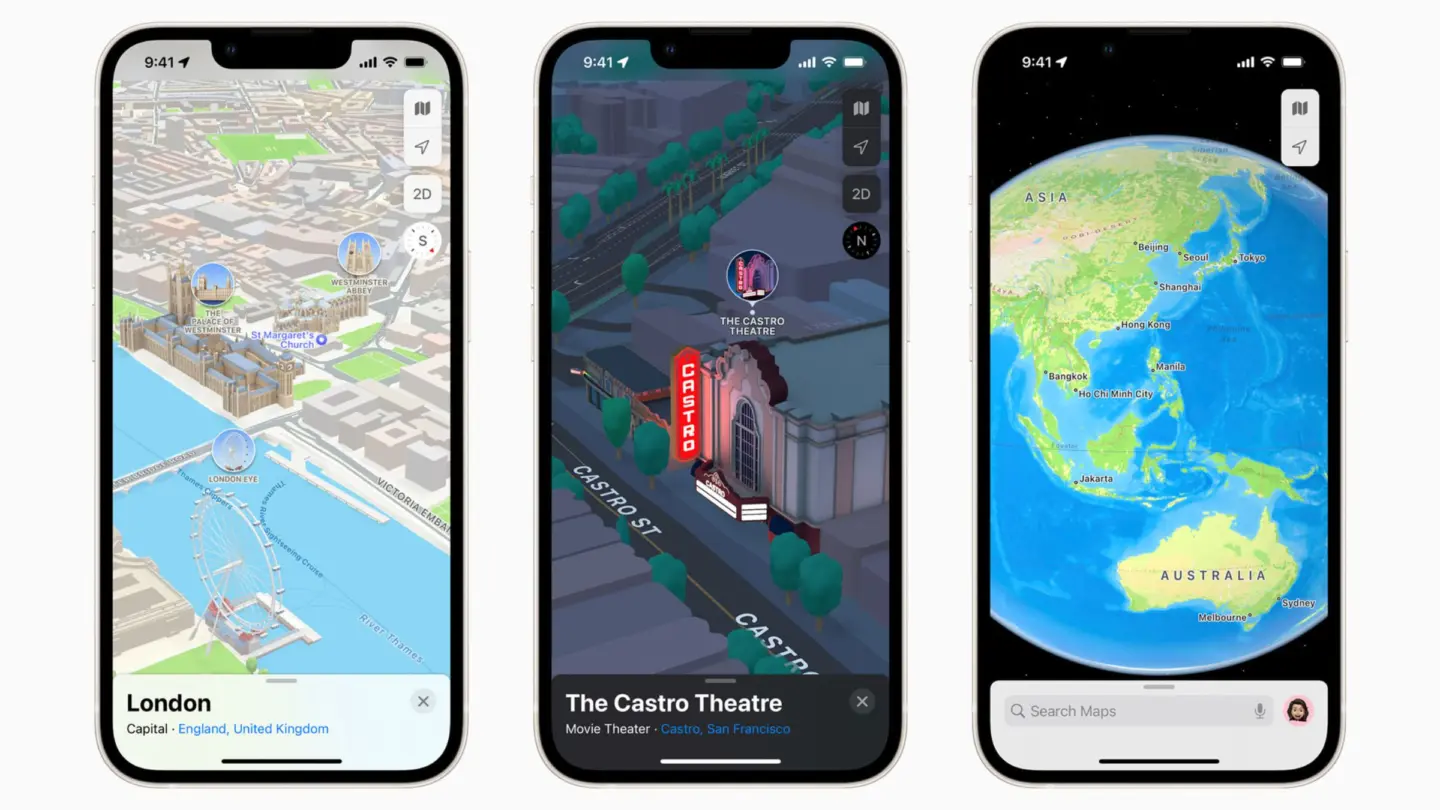
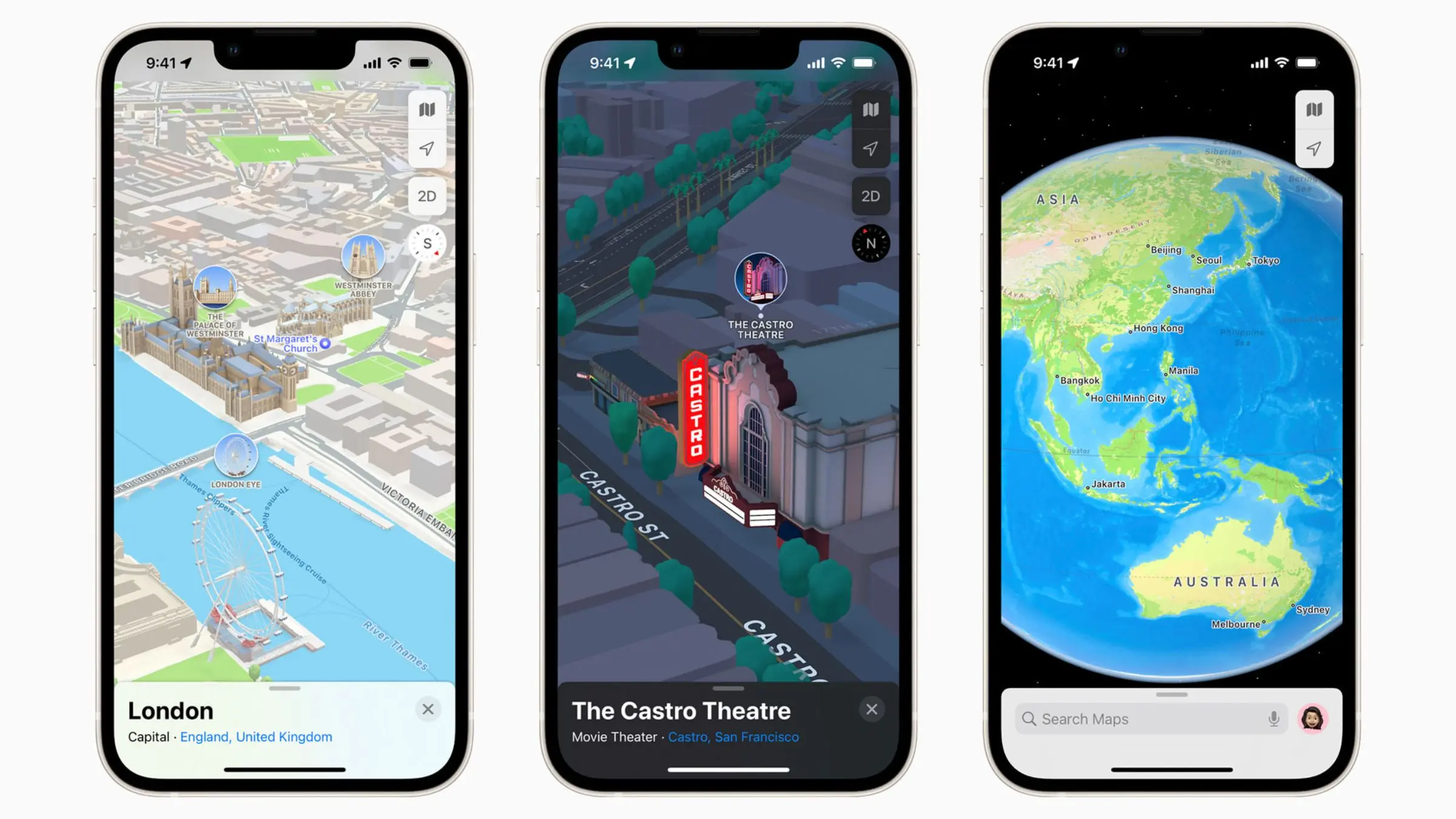
A Apple anunciou hoje uma parceria com a Ford para que o Apple Maps seja integrado à Universal Electric Vehicle Platform (UEV) da montadora até 2027, por meio do seu kit de desenvolvimento MapKit for Automotive.
A Maçã ainda afirmou que as informações cartográficas em nível de via serão utilizadas pela equipe Latitude AI da Ford para desenvolver um sistema de condução hands-free.
Com o novo SDK 1Software development kit, ou kit de desenvolvimento de software., a plataforma UEV da Ford permitirá navegação curva a curva a partir de instruções em linguagem natural, informações de trânsito e incidentes em tempo real, busca intuitiva com cartões detalhados de locais e opções de rotas inteligentes.
A Ford deverá utilizar os dados viários dos Mapas da Apple para aprimorar a próxima geração do BlueCruise, seu sistema de condução sem as mãos para rodovias. A experiência da plataforma UEV poderá se assemelhar à dos Mapas no CarPlay, oferecendo um roteamento inteligente para elétricos e pré-condicionamento de bateria — nesse caso, integrados diretamente ao sistema de navegação do veículo.
O CEO 2Chief executive officer, ou diretor executivo. da Ford, Jim Farley, comentou a parceria:
Nossos novos carros de porte médio terão um preço por volta de US$30.000 e redefinirão o que a tecnologia avançada pode ser — simples, útil e realmente acessível para mais consumidores. […] Nós temos o orgulho de incorporar a navegação e a tecnologia de navegação de mapas do Apple Maps diretamente na nossa Universal Electric Vehicle Platform, dando aos consumidores uma experiência definitiva de navegação junto com o nosso app da Ford, uma suíte completa de software e a próxima geração do BlueCruise, tudo habilitado para uma nova arquitetura zonal. O Apple Maps entregou um produto de classe mundial, e estamos honrados em ser um dos primeiros a incorporá-lo diretamente em um veículo, ajudando a definir uma condução mais intuitiva e capaz.
Para os proprietários de carros da Ford, a Apple confirmou a continuidade do suporte ao CarPlay, embora a colaboração permita que até mesmo quem não utiliza um iPhone possua os Mapas da Apple com todos os seus recursos. Com o kit de desenvolvimento MapKit for Automotive, a expectativa da Apple é que mais montadoras incorporem os Mapas aos seus próprios sistemas.
Notas de rodapé
1
Software development kit, ou kit de desenvolvimento de software.
A Apple está testando uma nova interface na beta do macOS Golden Gate 27 que exibe uma série de atalhos da Siri AI sempre que o usuário seleciona texto em um app qualquer.
Descoberta pelo usuário identificado como “pdfu” em uma comunidade do Reddit, a novidade está claramente inacabada, o que explica o fato de ela vir desativada por padrão nas versões mais recentes do sistema operacional.
Como é possível notar abaixo, a interface assume a forma de um popover que aparece no canto superior esquerdo da seleção feita pelo usuário. Além disso, os atalhos são contextuais, o que significa que ações diferentes poderão ser sugeridas dependendo do conteúdo em destaque.
Caso o usuário esteja trabalhando em um texto, o recurso exibirá atalhos relacionados às Ferramentas de Escrita (Writing Tools), só para citar um exemplo. Ainda de acordo com as informações, o recurso também pode sugerir ações como enviar um email, adicionar um número aos contatos, exibir um endereço no app Mapas (Maps) ou rastrear um voo.
Para desativar a novidade (o que talvez se prove necessário, já que, como dito, ela ainda está inacabada e apresenta inconsistências), basta abrir o Terminal novamente, rodar o comando a seguir e reiniciar o Mac:
Como essa nova interface já está disponível (mesmo que escondida) nas betas do macOS 27, é bem possível que ela dê as caras em uma futura versão de teste do sistema — provavelmente em um estado bem mais polido.
Apple is preparing to introduce advertising to its Maps app in the United States and Canada this summer, but the company has drawn some distinctly Apple-style lines in the sand about who gets to advertise there.
In a new Advertising Services policy update, Apple explicitly prohibits several ad categories from appearing in search results and Suggested Places within Maps. The banned list includes home services such as plumbing, electrical work, locksmithing, HVAC repairs, pest control, roofing, and general contracting. Also off-limits: bail bond services and cryptocurrency ATMs.
Medical service ads will be considered on a case-by-case basis, which is Apple’s polite way of saying “we’ll let you know if your ad passes our vibe check.”
The restrictions set Apple Maps apart from Google Maps, where home services represent one of the biggest local advertising categories. While Google happily serves up sponsored results for roofers and plumbers, Apple appears intent on keeping its Maps experience focused on businesses users can actually use Maps to visit without needing a hard hat or a getaway driver.
Apple’s broader advertising rules remain in force as well — no ads for weapons, controlled substances, political campaigns, or anything that competes with (or knocks off) Apple products. (Sorry, Samsung. Not sorry.) The company also continues its long-standing bans on deceptive claims, discriminatory content, and anything it deems offensive or controversial.
Ads in Maps will carry a clear “Ad” label, and Apple emphasizes that user location data and ad interactions will not be tied to Apple IDs or shared with third parties.The move comes months after Apple first announced plans for Maps monetization as part of its Apple Business platform. While many users have already expressed dread at the arrival of ads in what was previously a relatively clean navigation experience, the selective restrictions have sparked a mix of reactions — ranging from relief that emergency “my basement is flooding” searches won’t be interrupted by sponsored plumbing offers, to mild confusion about why perfectly legal (if occasionally sketchy) services are getting the boot.
MacDailyNews Take: In typical Apple fashion, the company is threading the needle between revenue generation and maintaining its reputation for curation. The result? A Maps app that will happily tell you where to get the best latte, but won’t lift a finger to help you when your kitchen sink stages a rebellion.
Please help support MacDailyNews — and enjoy subscriber-only articles, comments, chat, and more — by subscribing to our Substack: macdailynews.substack.com. Thank you!
CarPlay apps have grown far beyond maps, music and basic messaging. More than 120 popular iPhone apps now offer some form of support for Apple’s in-car platform, giving drivers access to navigation, podcasts, audiobooks, sports, communication, electric vehicle charging, parking, food ordering and newer AI assistants.
Not every compatible app places its full iPhone interface on the dashboard. CarPlay uses simplified layouts, voice controls and restricted features designed to reduce distractions. Some apps show lists and buttons, while others operate mainly through Siri or audio playback.
The larger catalog nevertheless changes what CarPlay can do. It is becoming a controlled extension of the iPhone rather than a small collection of driving utilities.
CarPlay Apps Cover More of the Journey
The first generations of CarPlay concentrated on a small set of familiar activities: choosing a route, making a call, sending a message and playing audio. Those functions remain central, but Apple has gradually opened additional categories to developers.
CarPlay apps can now help drivers find parking, locate fuel, identify EV charging stations, order food for collection and complete certain driving-related tasks. Automakers can also build apps that control supported vehicle features without forcing the driver to leave the CarPlay interface.
Apple continues to limit which app categories qualify. A social network, game or ordinary shopping app cannot simply reproduce its iPhone screen on the dashboard. Developers must use Apple’s CarPlay frameworks and present only functions considered suitable for the car.
The approach explains why the available catalog can feel both extensive and restrained. More than 120 apps may be compatible, but the dashboard does not become a crowded copy of the App Store.
Image Credit: Apple Inc.
Navigation Remains the Starting Point
Apple Maps is built directly into CarPlay and provides turn-by-turn guidance, traffic information, estimated arrival times and destination suggestions based on information from the iPhone.
Drivers can also choose popular alternatives including Google Maps and Waze. Each service brings a different combination of traffic data, route preferences, incident reporting and familiar saved locations.
Other navigation and travel options include HERE WeGo, TomTom GO Navigation, Sygic GPS Navigation, Gaia GPS and specialist apps designed for trucks, motorcycles or outdoor routes.
The strongest choice usually comes down to habit and regional coverage. A driver already using Google Maps or Waze on iPhone can continue using saved destinations and preferences inside the car. Apple Maps benefits from tighter system integration, including Siri requests, Calendar suggestions and Apple Watch directions.
CarPlay allows several navigation apps to appear in the Dashboard layout, where mapping can share the screen with media controls and other useful information.
Music, Radio and Podcasts Dominate the Catalog
Audio remains the largest CarPlay app category because it suits an environment where users should spend as little time as possible looking at the screen.
Apple Music, Spotify, YouTube Music, Amazon Music, Deezer, Tidal and Pandora provide access to large music libraries. Radio services such as TuneIn, iHeartRadio and SiriusXM add live stations, news, sports and talk programming.
Podcast listeners can use Apple Podcasts, Overcast, Pocket Casts, Castro and Spotify. Audiobook options include Apple Books, Audible, Audiobooks.com and Bookmate.
The CarPlay versions usually emphasize large buttons, recent listening, saved libraries and voice search. More detailed account management remains on the iPhone.
Siri can start playback without requiring users to browse through several menus. The experience is safer and often faster when the request includes the service and content, such as asking Siri to play a specific playlist through Apple Music or Spotify.
Messaging Is Becoming More Visual
Messages has long allowed CarPlay users to hear incoming texts and dictate replies through Siri. Third-party messaging services have expanded the same general idea.
WhatsApp now offers a fuller CarPlay experience that can display recent chats, calls and favorite contacts while keeping message composition centered on voice. Other supported communication apps include Telegram and selected business messaging services, depending on region and app version.
CarPlay does not display long text conversations like an iPhone. Siri reads messages aloud, and users can dictate a response. Visual elements remain limited so the dashboard does not become a scrolling chat screen.
Phone and supported calling apps also provide simplified access to contacts, recent calls and favorites. Meeting services can support audio participation, but video remains unavailable while driving.
AI Assistants Enter CarPlay
AI assistants represent one of the newest CarPlay app categories. ChatGPT, Perplexity and Grok have introduced CarPlay support, allowing drivers to interact through voice without handling the iPhone.
These apps can answer general questions, explain subjects, brainstorm ideas or continue voice conversations. Their usefulness in a car is different from navigation or music. They provide a hands-free knowledge interface during a commute or long trip.
Google Meet and other communication apps have also expanded their in-car presence, emphasizing audio conversations rather than video.
AI responses should not replace directions, emergency information or vehicle warnings. They can also produce inaccurate answers, particularly when asked about rapidly changing road conditions. Apple Maps, official traffic services and the vehicle’s own systems remain the appropriate sources for driving decisions.
The arrival of AI assistants still marks a meaningful expansion. CarPlay is no longer limited to commands with predefined outcomes. Drivers can now hold longer spoken interactions through supported services.
Parking, Fuel and EV Charging Become Easier
Practical travel apps can reduce the need to handle an iPhone after arriving near a destination.
Parking services can help locate garages, compare availability or start a parking session. Availability varies by city, but apps from services such as SpotHero, EasyPark and ParkWhiz may offer CarPlay functions in supported markets.
Fueling apps can guide drivers to compatible stations and, in some cases, prepare or authorize payments. EV charging apps can locate chargers, show connector availability and begin navigation to a selected station.
ChargePoint, PlugShare, Electrify America and other charging networks provide different levels of CarPlay integration. Drivers should confirm that their preferred service supports the platform in their country and app version.
Food-ordering support is more restricted. Compatible apps are designed around quick pickup tasks rather than browsing complete menus while the vehicle is moving.
Sports and Driving Information Join the Dashboard
Sports apps are also finding a place in the car. Apple Sports and selected third-party services can provide scores or spoken updates without requiring drivers to follow a live visual feed.
Audio broadcasters already make sports a major part of CarPlay through radio and podcast services. Dedicated sports support makes it easier to reach a favorite team or competition directly.
Driving-task apps can handle functions such as recording mileage, managing road trips or communicating with fleet systems. These experiences are generally built for narrow purposes and use simplified controls.
Automaker apps form another category. Depending on the vehicle, they can expose controls for radio stations, climate functions, drive modes or other systems through CarPlay. Support is determined by the manufacturer and may differ between models.
How to Find CarPlay Apps on an iPhone
Compatible apps installed on the iPhone normally appear in CarPlay automatically. Users can decide which ones remain visible and change their order.
To organize CarPlay apps:
Settings > General > CarPlay > select the vehicle > Customize
Apps can be added, removed or rearranged from this screen. Removing an app from the CarPlay layout does not uninstall it from the iPhone.
An app may not appear when its developer has not enabled CarPlay support, the feature is unavailable in the region or the app needs to be updated. Some services also require an active subscription or account.
The safest layout keeps frequently used navigation and audio apps near the first page. Less essential services can remain farther back or be removed to reduce dashboard clutter.
More Apps Do Not Mean More Screen Time
The value of 120 CarPlay apps is not having 120 icons inside the car. It is having a useful service available when a particular trip requires it.
A daily commute may involve only Maps, Music and Messages. A road trip may add charging, parking, audiobooks and weather information. A workday could involve audio meetings and mileage tracking.
CarPlay’s restrictions remain part of its appeal. Apps are expected to simplify their interfaces, support voice interaction and limit detailed visual tasks. The system should reduce the temptation to use the iPhone rather than reproduce every distraction on a larger screen.
As iOS 27 expands capabilities for audio, communication, navigation and driving-task apps, the catalog is likely to keep growing. The more useful evolution will be deeper integration with the Dashboard, Siri and vehicle controls—not simply another row of icons.
Years ago, in the era between the introduction of the iPhone and the modern period of widespread cellular coverage, my wife and I were driving with our quite young children across the vast, unexplored expanse of north-central Pennsylvania, en route to a family wedding. We had plotted out the route and knew where we were going: Eagles Mere, a tiny, former luxury resort town once at the end of a railway line. The town used to attract well-known actors, as well as New York City denizens, who would escape the summer heat and polio outbreaks back in the city.
As we tootled along, chatting with the kids and keeping them occupied, we suddenly went off the grid. We were still on a state highway, not yet turned to a smaller road, and yet there was no coverage. We figuratively slapped ourselves in the head. Had we gotten AAA maps or printed out whatever the technology was of the day—did MapQuest even still exist? No. We relied on having continuous cellular service. Readers, we did not wind up in the forest for a week, discovered by rescuers clad in bark and branches, feeding the children non-toxic berries. But we did learn a lesson.
Eagles Mere used to be a fancy place; it remains beautiful.
Always have a map that doesn’t require cellular access! I mean, duh, of course, but we had been lulled in our coastal urban elitism to expect service, service, everywhere!
Of course, it wasn’t long after that Google introduced a download option; Apple added one for its Maps app a full decade later.1 Downloading a map lets you access nearly everything you need while off the cellular grid, in an area where you don’t have service, when you have just a trickle of data, or when data access is metered and high-cost.
The usual provisos apply: something could go wrong, you might not have access to your iPhone or iPad, the map might be missing details you need, and so on. If you want a belt to go with your suspenders, consider printing out a paper map! Yes, paper still exists.
Common offline features
In both Google and Apple’s mapping apps—say that five times fast—a Download button should appear whenever you search by a name, like a park, business, or city. Otherwise, you have to hunt a bit, as I’ll explain below. Downloadable maps may require from about 150 MB to over 1 GB of storage, depending on the area you select and the amount of detail Apple or Google downloads for that selection.
Search on a place name, and you can immediately download an offline map.
The settings for both apps are quite similar: tap your profile picture in either app, then tap Offline Maps; in Google Maps, tap the gear icon. Now you can change preferences:
Downloads (Apple)/Download preferences (Google): Opt whether to download only over Wi-Fi or over both Wi-Fi and cellular.
Automatic Updates (Apple)/Auto-update offline maps (Google): When enabled, maps are periodically refreshed.
Optimize Storage (Apple): The app automatically purges maps you haven’t used “in a while.”
Sync with Apple Watch (iPhone only): You can also push offline maps to your Apple Watch, which has a lot less storage, but, really, how much are you keeping on it, anyway?
Only Use Offline Maps (Apple): This forces the use of offline maps even when you have an Internet connection, which is useful when you are in one of the bandwidth scenarios above: low throughput or expensive usage-based service. Google automatically switches to an offline map when there’s low throughput available, or you have no connection.
Offline maps have remarkably similar settings between Apple Maps and Google Maps.
Download from Apple Maps
If you search for a city name and there’s an exact best result, a Download button appears in the search result. I’ve also found that if Maps isn’t certain the match is correct, you may have to tap the city link, and then a Download button will appear. Enter a business name, tap the link that corresponds to the firm you want, and you can then tap the more (…) icon and choose Download Map. This also works for street addresses.
If you aren’t offered a Download button, you can use the menu to choose Download Map (left), and then refine your selection.
In all of the above cases, Maps shows you a portrait selection by default on an iPhone and a landscape one on an iPad. Adjust the area shape, and pinch and expand to zoom in or out, then tap Download. The estimated map download size appears above the Cancel and Download buttons.
Manage your offline data by tapping your profile picture and tapping Offline Maps. You’ll see all the stored maps, can delete them, and control settings. Tap a map, and you can then tap Rename, change the included area, or tap Delete Map. In the main Offline Maps view, tap Download New Map (iOS/iPadOS 26) or Add Offline Map (iOS/iPadOS 27) to search for a location and then immediately have the area-selection view appear.
Download from Google Maps
Search for a city name and tap a result. You may have to swipe left in the button bar to see the “Download offline map” link; tap it. If you’re viewing a map, tap your profile picture, then tap “Offline maps.” Tap “Select your own map,” then zoom in or out on the current map area; tap Download when you have the selection you want.
From your profile picture, tap “Offline maps” to view the list of available maps. Tap a map and tap Delete or Update, or tap the Edit (pencil) icon to rename it. From the main view, you can also tap the More (…) button to the right of a map to update, rename, or delete. You can’t change the selected area, however.
Print a goldarned map out
Having a physical map may seem like something from the early 2000s, so long ago few living souls remember it, but it’s an extra backup against calamity. With a color inkjet printer, you can squeeze a fair amount of detail into a letter-sized or A4 page.
Apple Maps in macOS lets you print maps with directions that are probably adequate.
Printing directions via Apple Maps in macOS Tahoe worked surprisingly well. It was like the good old days, but better, offering multiple pages of maps and step-by-step directions. You just get a standard print dialog, with no details to tweak. Google Maps on maps.google.com has a print mode, but it’s lackluster, with no step-by-step directions. In Safari, the preview and printed output were incorrect.
Postscript: Where she’s going, there are no Offline Maps
Of course, right after I wrote this, my older went off on a hike and came back…complaining about the poor performance of Offline Maps in Apple Maps. She was in a not-terribly-remote area in the mountains, about 90 minutes away, with intermittent cellular access. She had downloaded the map before she left, thinking it was successful. But even with no cell access or with the Offline Maps forced-use option enabled, she couldn’t get the offline map to work. Fortunately, the trail was well-signed and full of people, and there was no real chance of getting lost.
Back in Seattle, examining Offline Maps, these out-of-area maps she downloaded showed up as 0 KB. We tried to download the map again, but Apple Maps wouldn’t let us use the trailhead as a landmark. We found a nearby place and tried to download. The progress circle showed that a download was first underway, then complete, yet the download was again 0 KB. This happened repeatedly. More bizarrely, the offline map couldn’t be deleted. I attempted to replicate on my iPhone, where everything worked without error, including using the trailhead as the place name—a Download button appeared as expected.
We didn’t test Google Maps for comparison, since her hike was over, but it’s another reason to download and check that your offline maps are up to date and valid before departing.
[Got a question for the column? You can email glenn@sixcolors.com or use/glennin our subscriber-only Discord community.]
This came long after the semi-disastrous Apple Maps launch and early years that led many people—my spouse included—to swear off it. ↩
Apple has published the policies governing its upcoming Maps advertising business, revealing a strategy that differs from Google’s. The new rules prohibit home services businesses like plumbers, electricians, locksmiths, and roofers from advertising on Apple Maps, along with several other sensitive categories, suggesting Apple is taking a more curated approach to these ads.
In a groundbreaking study poised to redefine our understanding of auditory perception across species, researchers have unveiled strikingly similar auditory perceptual maps in both humans and mice. This discovery not only bridges a crucial gap between animal models and human sensory processing but also offers predictive insight into how perceptual decisions are formed during auditory discrimination learning. The implications ripple across neuroscience, psychology, and artificial intelligence, promising new avenues for studying sensory perception and developing advanced hearing-related technologies.
Auditory perception—the way organisms interpret and make sense of sound stimuli—is a complex process that involves integrating multifaceted sound attributes such as frequency, intensity, and temporal patterns. While mouse models have long been foundational in auditory research due to their genetic malleability and experimental accessibility, skepticism has persisted about the extent to which their perceptual frameworks parallel those of humans. This novel research offers compelling evidence that these frameworks are not only comparable but also exhibit shared underlying structures.
The study employed a sophisticated experimental design in which both human participants and mice were exposed to a wide array of tonal stimuli varying systematically across multiple auditory dimensions. Using advanced computational modeling and neural decoding techniques, the researchers were able to construct perceptual maps—conceptual frameworks representing how different sounds are internally organized within the brain’s auditory space. These maps enabled a quantifiable comparison of perceptual similarity and distance between sounds for both species, revealing a remarkable congruence in their auditory representations.
What makes these findings particularly compelling is the demonstration that these perceptual maps are predictive of behavioral outcomes during discrimination tasks. In other words, the way an individual’s brain groups different sounds predicts how well that individual can distinguish between them in learning scenarios. This link between neural representation and perceptual decision-making underlines a fundamental cognitive mechanism shared across mammalian species, offering crucial insights into the principles guiding sensory learning processes.
Beyond the fundamental science, the implications for translational research are profound. Understanding shared auditory perceptual structures facilitates the development of more accurate animal models for studying hearing impairments and neurological disorders affecting auditory processing. It also guides the design of auditory prosthetics, such as cochlear implants, by informing the algorithms that mimic natural sound perception. By aligning animal and human perceptual frameworks, therapies can be tailored with greater precision and efficacy.
A key technical achievement of the study was the use of multidimensional scaling techniques combined with machine learning algorithms to decode auditory neural responses with unprecedented granularity. The researchers collected high-resolution neural data using electrophysiological recordings in mice and non-invasive neuroimaging in humans. This dual approach allowed cross-species alignment of perceptual space, overcoming previous methodological challenges that hindered direct comparisons between human and rodent sensory processing.
Moreover, the study explored dynamic aspects of perceptual learning by measuring how auditory maps evolve through repeated training sessions. The maps exhibited plasticity reflective of learning-induced changes, emphasizing the adaptive nature of auditory perception. This plasticity was mirrored across both species, suggesting an evolutionarily conserved mechanism for tuning sensory systems based on environmental demands and experience.
One of the study’s most innovative aspects lies in its predictive modeling of discrimination performance. By mapping perceptual distances within the auditory space, the researchers could forecast individual differences in learning speed and accuracy, an advancement that holds enormous promise for personalized auditory training protocols. Such protocols could optimize rehabilitation strategies for individuals with auditory processing deficits by targeting specific perceptual aspects most relevant to their unique neural patterns.
The shared structure of auditory perceptual maps also raises intriguing questions about the evolutionary trajectory of sensory systems. The findings suggest that despite divergent evolutionary paths, fundamental auditory processing architectures remain conserved, supporting efficient sound discrimination necessary for survival and communication. This conservation across species underpins the generalizability of animal research findings to human sensory neuroscience.
Furthermore, these insights pave the way for advancing artificial sensory systems, especially in the realm of auditory artificial intelligence. By modeling computational auditory perception after natural neural maps, engineers can design more sophisticated speech recognition systems and assistive devices that better emulate human-like sound processing. The study’s integrative framework thus acts as a blueprint for creating tonal perceptual algorithms with enhanced contextual understanding.
This research also contributes importantly to theoretical debates surrounding sensory representation. By empirically demonstrating a shared, structured perceptual space, the study challenges views that sensory maps are strictly idiosyncratic or species-specific. Instead, it supports a paradigm that sensory systems leverage common organizational principles, rooted perhaps in fundamental neural coding constraints and environmental pressures shaping auditory perception.
The study’s methodology and results were meticulously detailed in a recent publication, where the authors delineated the computational techniques, behavioral paradigms, and statistical analyses that underscored their conclusions. This transparency fosters reproducibility and invites further interdisciplinary collaboration between computational neuroscientists, experimentalists, and cognitive psychologists aiming to unravel the complexities of sensory perception.
Importantly, these findings hold societal relevance beyond academic circles. Hearing loss and auditory processing disorders affect millions worldwide, often hindering communication and quality of life. Technologies and therapies inspired by a unified perceptual mapping approach could revolutionize auditory rehabilitation, offering hope for more effective interventions grounded in a thorough understanding of perceptual neuroscience.
In conclusion, this pioneering work illuminates the common auditory perceptual code shared by humans and mice, demonstrating that the brain’s representation of sound is not merely a byproduct of species-specific adaptations but a fundamental, conserved neural language. This discovery not only furthers scientific knowledge but also catalyzes innovation in medicine and technology, underscoring the power of cross-species research in unraveling the mysteries of the sensory brain.
As this field develops, future investigations are likely to explore how these perceptual maps interact with other cognitive systems such as memory and attention, and how factors such as age, experience, and pathology modulate the structure and function of auditory perception. With burgeoning advances in neurotechnologies and computational methods, the confluence of cross-species neuroscience and perceptual science promises to unlock new dimensions of understanding sensory experience.
Ultimately, the revelation that humans and mice share auditory perceptual maps that predict learning efficacies serves as a testament to nature’s optimization strategies, propelling a unified framework for deciphering sensory perception. This convergence of biology, computation, and psychology heralds a new chapter in auditory neuroscience with far-reaching implications for science and society alike.
Subject of Research: Auditory perceptual maps and discrimination learning in humans and mice
Article Title: Auditory perceptual maps in humans and mice share common structures and predict perceptual decisions in discrimination learning
Article References:
Seiler, J.PH., Cazzetta, G., Ghobadi, A. et al. Auditory perceptual maps in humans and mice share common structures and predict perceptual decisions in discrimination learning. Commun Psychol 4, 98 (2026). https://doi.org/10.1038/s44271-026-00485-w

 Login
Login