❌

Reading view

Golden Gate Squircle Jail

Paul Kafasis:

With last year’s release of MacOS 26 (Tahoe), Apple made a mess of app icons. In the first betas of MacOS 27 (Golden Gate), however, there are signs of a turnaround. We’re urging Apple to continue making improvements, by restoring the ability for MacOS app icons to have distinct shapes.

[…]

After decades of beautiful, memorable Mac icons in varying shapes, Tahoe flattened personality to obtain bland uniformity. The platform is worse for it.

Past icons weren’t just more expressive. They were also more usable. Having distinct shapes provided a useful way to tell icons apart. Tahoe eliminates that cue by forcing everything into the same squircle, leaving color as the primary way to tell icons apart at a glance.

Jason Snell:

Kafasis makes the important point that uniform shapes make it more difficult for users, especially those with vision issues including color deficiency, to differentiate between icons.

John Siracusa:

Squircle Jail is the worst design-related thing Apple has ever done to Mac developers, and probably the worst icon-related thing it has ever done, period. Incredibly developer-hostile.

If squircled icons are actually better, then let that design win in the market. That’s how we transitioned from the classic Mac OS icon style to the more photorealistic Mac OS X icon style. Developers adopted it because they wanted to, and because users desired it.

John Gruber (Mastodon):

The squircles, I will point out, are not in and of themselves the problem. The problem would be the same with any mandated shape, like, e.g., VisionOS’s circles.

[…]

I can’t think of any other design crime Apple has ever foisted on Mac developers that I’d argue (with Siracusa) was worse.

[…]

It’s like Apple decided every single one of its own apps must wear a stupid-looking hat, and they put those stupid-looking hats on third-party apps too, whether the developers of those apps want them or not. Scratch that. Not hats but helmets.

[…]

Just the mere silhouette of the old Keynote icon is more recognizable, and thus more iconic, than any icon on any platform from Apple today.

Jeff Johnson:

The traffic sign analogy hits me personally, because the StopTheMadness icon used to be shaped like a stop sign, but I was practically forced into making it a generic road sign.

Gus Mueller:

I get why Apple did it, but I think it’s completely wrong for the Mac.

Marcin Wichary:

On his blog, Jim Nielsen writes how Apple filed away so much expression by forcing rigid icon bureaucracy in macOS. Nielsen focuses mostly on distinctiveness; previously, you could make the icon unique by its general shape or the shape of its contents, but one of these two levers has now been taken away[…]

[…]

However, one also can’t help but notice how ugly and amateurish the Creator Studio icons are, so it all feels absolutely like a net negative – the new system took something away and the proposed replacement feels low quality[…]

Rui Carmo:

I, too, find the squircles aesthetically offensive and utterly pointless.

[…]

The part that genuinely breaks my brain, though, is that I now find icons on Linux more distinctive than on macOS, which would be impossible for my ten-year-ago self to believe. The platform that built its reputation on craft and visual identity has spent a year sanding it off, while the one everyone used to mock for its inconsistency is where individuality survives.

Jeff Johnson:

The subliminal, Orwellian message of the squircle jail is that all software is subservient to Apple, merely accessories to Apple devices, interchangeable cogs in the machine.

Mario Guzmán:

Had to grab the rest of the icons from #MacOSX Leopard. Gosh, they’re so, so pretty. So finely crafted. Gorgeous. Love it.

Dr. Drang:

I agree, but Apple’s 50th anniversary has gotten me thinking a lot lately about the early days of the Mac, so it’s only natural that my mind shifted to the highly constrained icons Mac applications had back then.

[…]

Many of the complaints about squircle jail are about the loss of icon elements that “stick out” from the rest of the design. As you can see, this idea was there from the very start; the hands stick out from the tilted rectangles.

John Gruber:

I never loved the hand on these icons. It felt too uniform. It functioned like a “this is an application” badge, but such a badge never felt necessary to me.

[…]

I think it’s less that Apple gave up on them and more that it came into focus that the “hand holding a pen over a diamond-shaped document” convention was intended for document-based apps. It signified “This is a creative tool that you use to create documents”. Apps that weren’t about creating document files — like Disk First Aid and Font/DA Mover — got different icons. Font/DA Mover’s truck icon in System 2 signified that you use this tool to move things. Disk First Aid’s ambulance was an obvious metaphor for repairing something unwell.

[…]

But the main thing about the “hand holding pen over diamond” convention was that it was only ever a convention.

John Gruber (Mastodon):

(a) I don’t think this is a good mandate for iOS either;

(b) it was always so for iOS, though, so it’s not like Apple has ever taken away rich creative icon shapes on the platform;

(c) MacOS is a far richer and more precise environment than iOS.

[…]

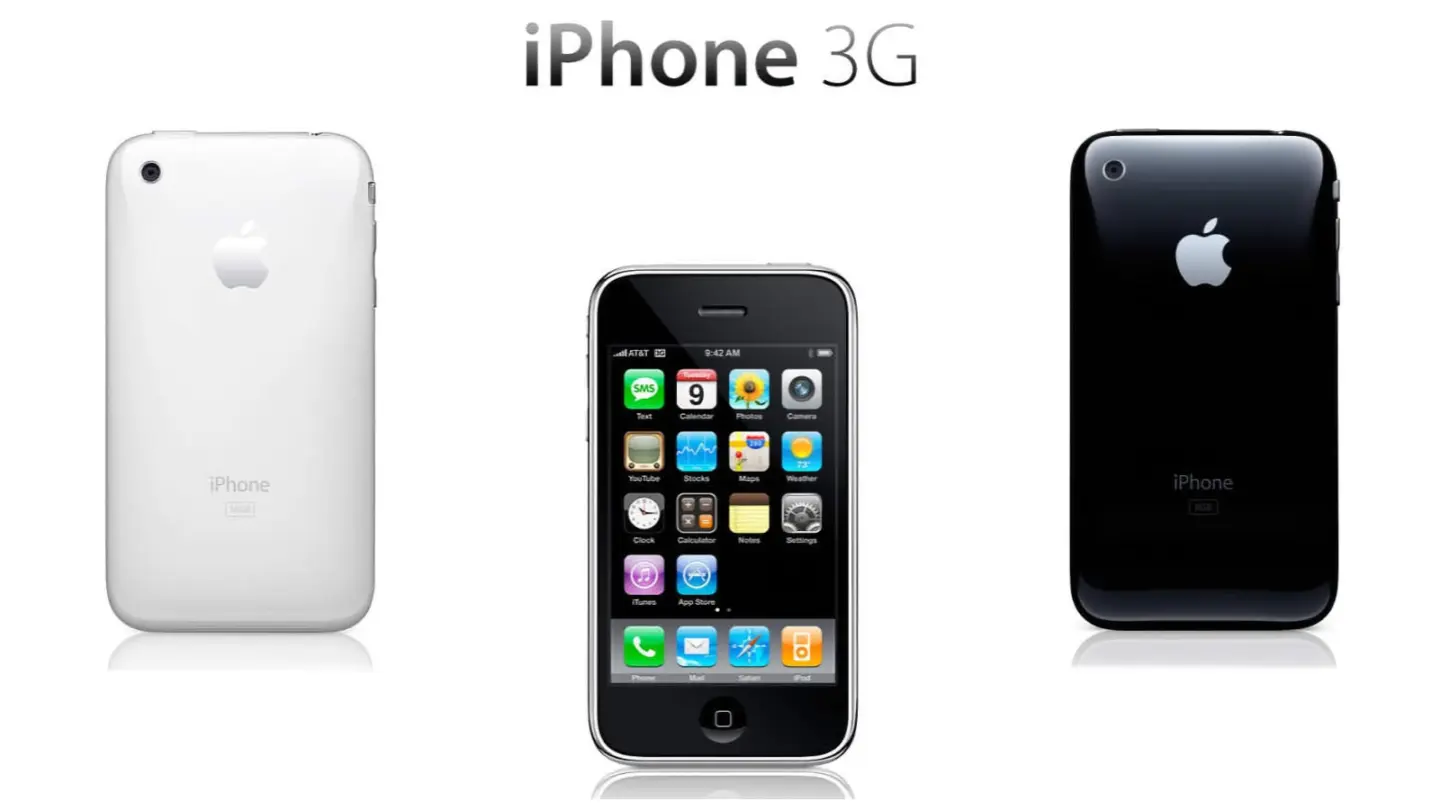
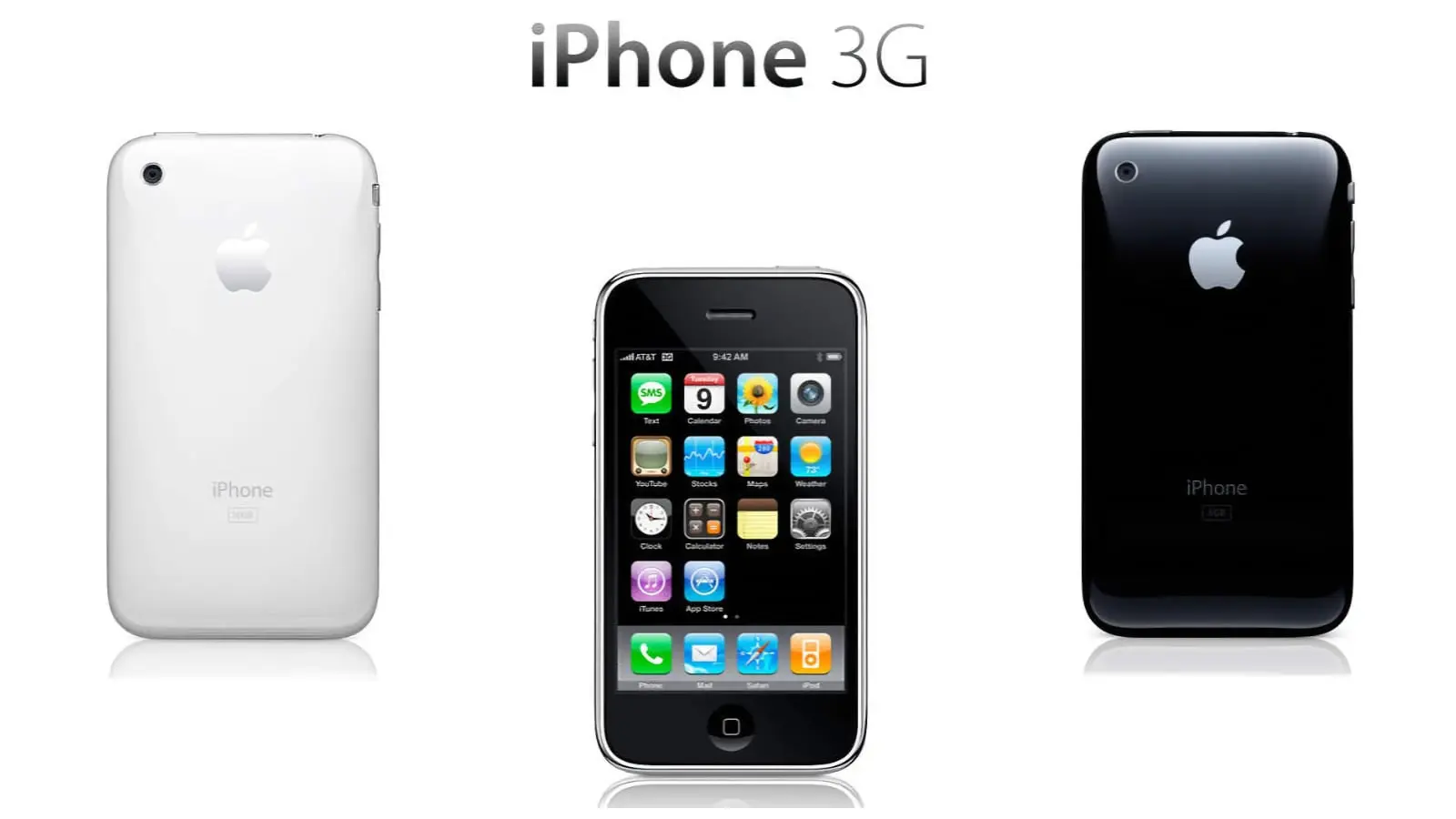
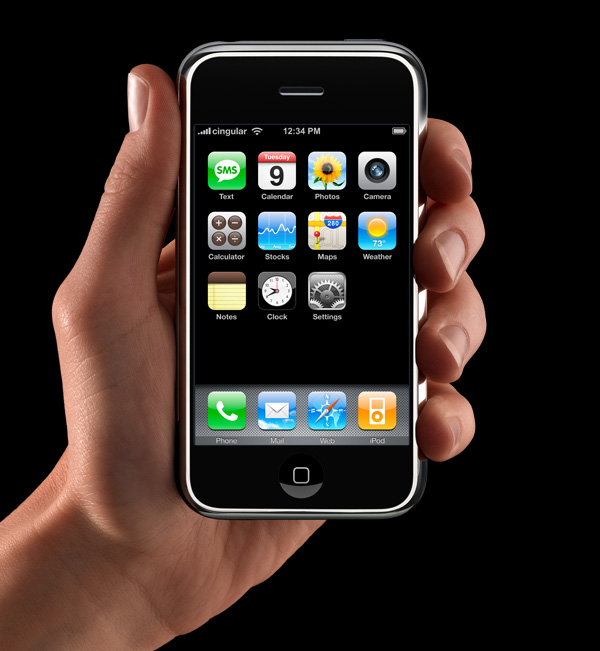
App icons on the iOS home screen are effectively simple buttons. I think it’s rather obvious that’s why they have had that squircle/roundsquare shape ever since the iPhone was announced in January 2007 (source). They’re one-tap launchers. App icons in MacOS are not mere buttons. You can drag them, move them, and drop things on them. You click them to select, and double-click to launch. They are richer objects that deserve a richer visual vocabulary. iOS is a world meant for fat-tipped Magic Markers and blunt safety scissors. MacOS is a world meant to support fine-tipped drafting pens and precision razor-sharp X-ACTO knives.

Louie Mantia (Mastodon):

While developers have submitted full-bleed square images for iOS app icons since 2008, for these new squircle icons in macOS 11, Apple provided a template to compose app icons in an image editing tool like Photoshop, with full control over the canvas beyond the suggested—but not required—squircle. This template made it easy-ish for designers to compose macOS app icons that were identical to or synonymous with an iOS app icon, while leaving the door open to continue using arbitrarily-shaped app icons on macOS.

[…]

The second type of Squircle Jail is more controversial, because these app icons were specifically drawn with the intention of fitting in. Overriding that intention feels like punishment for having done the right thing. App icons in a style that was recently encouraged by the system are now scaled down and put inside the squircle as if it were a container. Every icon that was utilizing the previous squircle shape suddenly looks much worse than before.

[…]

Instead of taking care to design and develop solutions specifically for Mac and iPhone, newer and bigger companies that don’t only make apps often ship apps with logo icons, rather than app icons. We’ve all seen it.

[…]

I would love if Apple provided a way for designers to poke outside that squircle boundary. Some of my favorite app icons did that. But also some of my least-favorite app icons ignored this shape entirely, when it was used for every system icon in the last five years. Whenever those apps showed up in my Dock, it was like a stain on my shirt I couldn’t get out.

John Gruber:

Ultimately this is what I object to with the squircle mandate. It favors the bottom of the heap by restricting the top. It makes bad icons mediocre but pushes great icons toward mediocrity too. That’s not The Macintosh Way.

Nick Heer:

Mantia touches on all the pragmatic reasons to unify the shape of icons in an operating system, all of which I have considered, and then drops the above paragraphs — and things started to make more sense to me. This is a different way to think about it. This is not a situation where a cleaner looks like a zesty beverage with toxic consequences. The shared general function of these icons does help communicate something and makes them less ambiguous in that sense.

But a broad category of functionality is only part of the story of an icon and — with respect to Mantia’s long and illustrious history of work in this area, and that of co-Parakeeter Luka Grafera — taking away a difference of shape also limits what an icon can communicate. It may not be a cleaning product that looks and is packaged like juice, but imagine if every consumable liquid was in identical bottles with only a different label.

Steve Troughton-Smith:

Louie’s squircle jail post just underscores that the squircle jail benefits 99% of apps, and is better for the platform overall. There is only ever a handful of apps that make great Mac app icons, and a withering number of ‘great Mac app icon designers’ — you can probably only name one or two left in the scene.

Jeff Johnson:

Mantia talks as if it were more important for apps to “belong to the Dock” than to allow Dock users to quickly select the right app in the list. That’s choosing form over functionality.

“The shape of apps is a squircle.” But Mac users already knew those were apps in the Dock!

See also: Accidental Tech Podcast.

Tyler Hall:

If you’re lucky enough to distribute an app outside the Mac App Store, you can break free of squircle jail using NSDockTilePlugIn. It’s not strictly the intended use-case of that API. And it’s not allowed in the Mac App Store, either. But it can solve the problem.

BasicAppleGuy:

If you recognize these icons, it’s probably time to schedule your routine back exam.

Previously:

Update (2026-07-17): Louie Mantia:

But my perspective right now is to be very pragmatic. The decision to mask all icons with squircles is a long-time coming. It was perhaps the most predictable thing to happen in Apple’s history. For 20 years, it’s been leading up to this.

I want to make nice things for macOS, whatever macOS is. And this is what it is.

Roger Wong:

Some of my favorite icons over the years have had interesting shapes, like the truck for Transmit, the vise for Compressor, or the cute bird for Twitteriffic.

[…]

But I also recall clicking some icons and not being able to select them. Why? Because I was inaccurate in my click and instead my cursor landed in the empty space just outside the shape.

[…]

If I recall correctly, developers could use a different mask for the click target to help users out. But I don’t think many did all the time, including Apple, which you can obviously see in the video above.

Louie Mantia:

I don’t want to step on toes regarding your new [StopTheMadness] icon which has great color— but I don’t understand why you elected to abandon the octagon as the outer shape. That’s a choice. You are not forced to abandon it. Why not do something like this?

I like this.

Nick Heer:

Losing some of the artistry in an icon makes it more difficult to distinguish between legitimate and well-crafted Mac apps, and everything else. It is not a perfect proxy, to be sure, and there are some very nice squircle icons. But it is nevertheless a unfortunate change that makes apps of varying levels of quality look more similar.

  •  

macOS California Adventure

Basic Apple Guy:

But what exactly is a Mavericks? Where is Sonoma? And how many Mac users could point to where Ventura or Tahoe on a map?

I decided to trace the history and real-world locations behind every California-inspired macOS release and the wallpapers used to market the them to the world. Enjoy.

Previously:

  •  

All the A-Series Apple SOCs, explained – Part 1

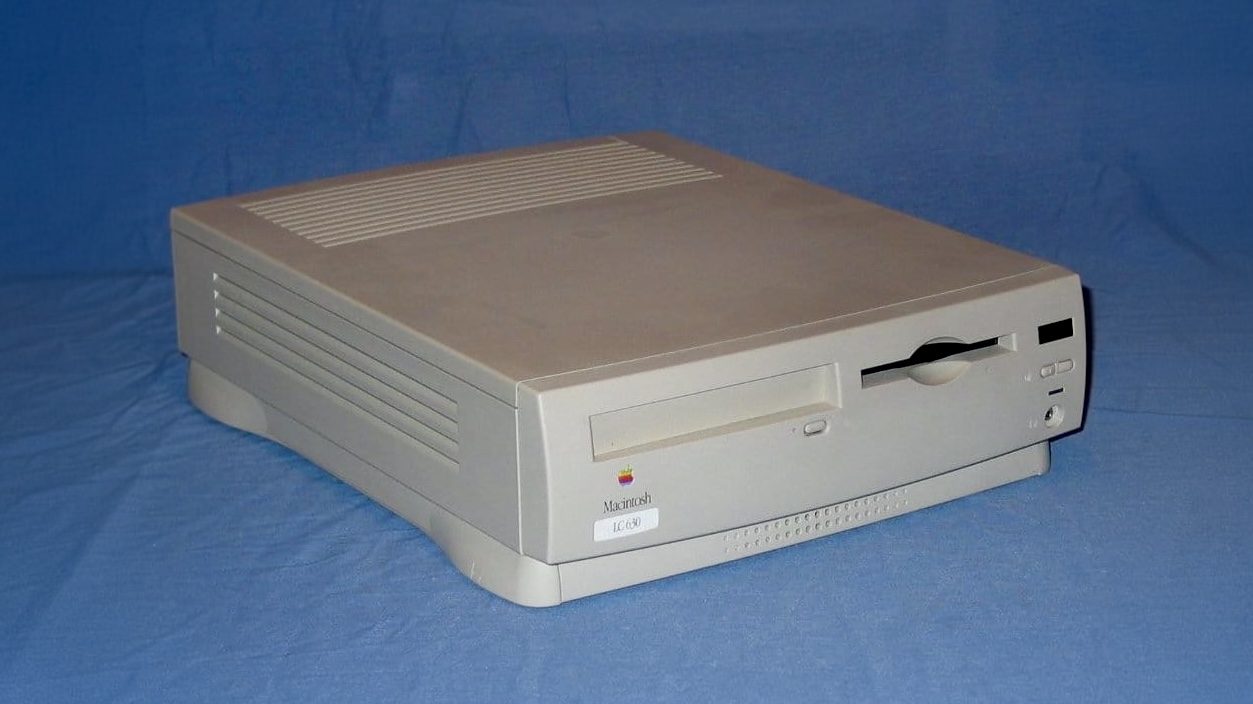
Before Apple ever had their own custom in-house silicon with the debut of the A4 chip on the iPhone 4, there were Samsung chips. The first few iOS devices relied on these early chips, while every device since the first iPad sports a chip made by Apple. These are the known as the “A-Series” SOCs, […]

The post All the A-Series Apple SOCs, explained – Part 1 appeared first on Low End Mac.

  •  

What are some of the common image file formats?

Everyday when you see any sort of graphic in a GUI (graphical user interface), or in any printed media such as a billboard, poster, etc; they relate to different image file formats. Each format was created for specific purposes. While some are universal, others are less known about, and a few are difficult to interact […]

The post What are some of the common image file formats? appeared first on Low End Mac.

  •  

Why Ancient Mesopotamians Took Their Signatures So Seriously

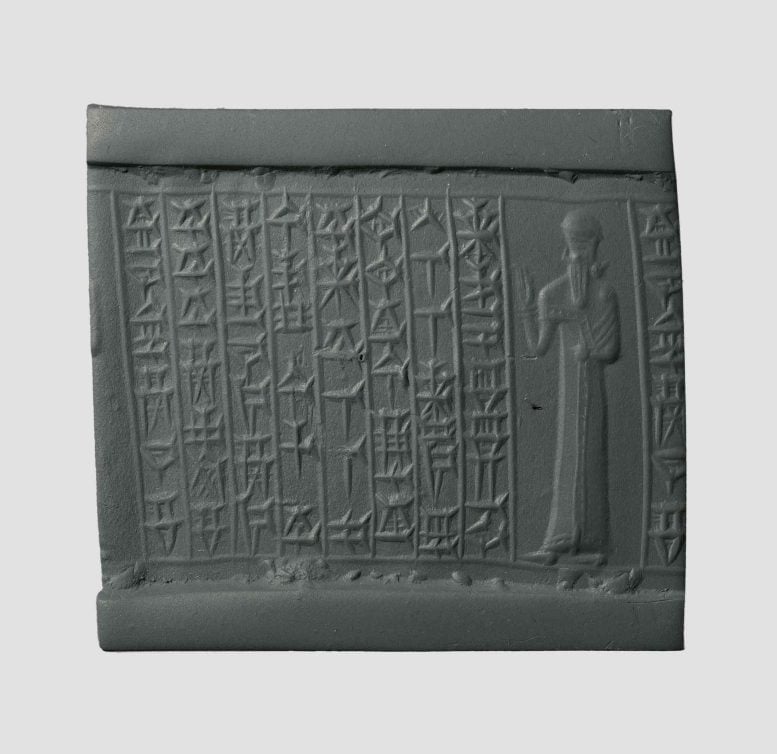
Babylonian Seal Made of Chalcedony Inscribed With a Hymn to the Goddess InannaCylinder seals were far more than ancient signatures. They fused art, power, and belief into objects that revealed exactly who their owners were. The earliest form of the signature came from ancient Iraq in the form of cylinder seals. Mesopotamians, the ancient inhabitants of the land between the Euphrates and Tigris rivers, are credited for [...]
  •  

Archaeologists Decapitated Tutankhamun and Glued His Body Back Together

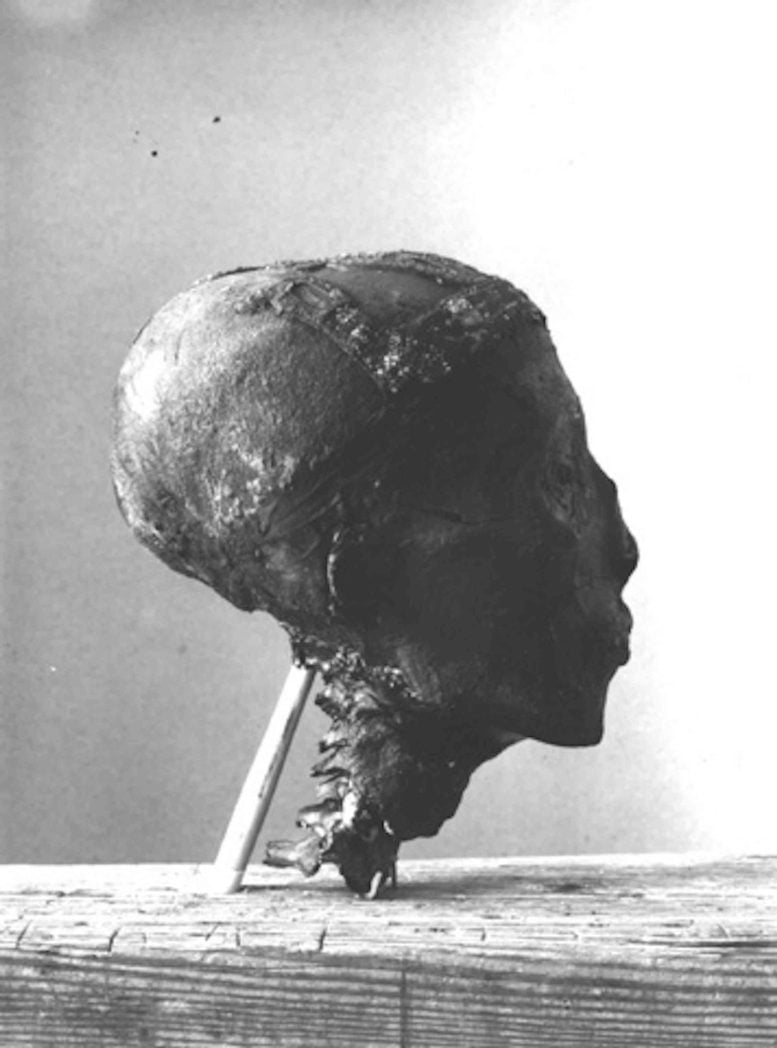
Side of Tutankhamun’s HeadTutankhamun’s 1925 examination left behind evidence that official accounts largely omitted. A closer look at the records reveals a troubling gap between scientific history and what actually happened. November 2025 marks 100 years since archaeologists first examined Tutankhamun’s mummified remains. What followed wasn’t scientific triumph—it was destruction. Using hot knives and brute force, Howard Carter’s [...]
  •  

Siri Wolfram Built a Powerful Foundation for Siri AI

Siri Wolfram helped define the original promise of Apple’s voice assistant. When Siri debuted on the iPhone 4S in 2011, it could answer factual and computational questions without sending users through a list of search results. Ask about a mathematical calculation, scientific quantity, historical statistic or unit conversion, and Wolfram Alpha could provide a structured answer.

That partnership gave early Siri something many modern AI assistants still struggle to guarantee: a source designed to compute answers rather than produce plausible sentences. Wolfram Alpha was not a chatbot. It was a computational knowledge engine built around curated data, symbolic mathematics and algorithms.

Siri AI enters a far more ambitious era. Apple now wants its assistant to hold natural conversations, understand personal context, interpret images, find information across apps and complete actions. Yet the old Siri Wolfram relationship remains useful for understanding what Apple gained, what was lost as assistants became more conversational and why verified computation may become even more valuable in the generative AI age.

Siri Wolfram Was Built Around Answers

The original Siri Wolfram integration reflected a straightforward idea: users wanted direct answers without manually searching, opening websites and comparing sources.

Wolfram Alpha was particularly effective for questions with a computable result. It could solve equations, compare financial data, convert measurements, retrieve astronomical information, calculate dates and present structured scientific facts. Siri provided the voice interface, while Wolfram supplied the knowledge engine behind selected responses.

A user could ask how many days remained until a date, calculate a percentage, compare populations or request information about a mathematical concept. Siri translated the spoken request and delivered the result in a format suitable for the iPhone.

The experience was narrow compared with modern generative AI, but it had a valuable discipline. Wolfram Alpha attempted to determine an answer from structured information. It did not need to improvise an explanation every time.

That made Siri Wolfram especially useful for mathematics, science, education and quick factual calculations. The assistant could sound intelligent because it was connected to a system built to compute.

A geometric, 3D red star with polygonal facets is centered on a solid red background, reminiscent of the sleek design language found in Apple Intelligence. The star is composed of interlocking shapes in varying shades of red.
Image Source: Google

What Siri Wolfram Alpha Could Do Well

Siri Wolfram Alpha worked best when the request had a definable structure. Arithmetic, percentages, conversions, equations and statistics were natural categories. The system could also retrieve information about weather history, geography, nutrition, astronomy, transportation and other data-rich subjects.

The integration helped make Siri feel different from ordinary web search. Instead of showing several links, the assistant could present one answer with supporting figures or charts.

That approach had limitations. Wolfram Alpha could only respond effectively when it understood the request and had the relevant data or computational method. It was not designed for open-ended conversation, personal writing, emotional nuance or the countless informal questions users ask assistants.

Siri also relied on several external services, with Wolfram Alpha handling only certain knowledge categories. The experience could therefore feel inconsistent. One request produced a polished computational response, while another returned a web search or a limited canned answer.

Still, the partnership demonstrated a principle Apple has never fully abandoned: the best assistant does not need to create every answer itself. It needs to route each request to the system most qualified to handle it.

Generative AI Changed the Definition of an Assistant

Modern AI assistants are expected to do far more than retrieve facts. Users want them to explain ideas, write messages, summarize documents, analyze images, brainstorm projects and remember the direction of a conversation.

Siri AI is Apple’s response to that expanded expectation. Powered by Apple Intelligence and Apple Foundation Models, the new assistant can handle open-ended requests and continue natural conversations. It can use personal context from supported apps, understand onscreen content and connect requests with app actions.

This is a dramatic expansion from the Siri Wolfram era. The old model was largely transactional: ask a question, receive an answer. Siri AI is intended to interpret intent, understand relationships between information and help complete a larger task.

A user may ask Siri AI to find a restaurant recommendation buried in Messages, locate a hotel confirmation in Mail and add the details to a travel note. That request involves personal context and several system services rather than one public factual answer.

The assistant becomes less like a talking search box and more like an operating-system layer.

A glowing, abstract metallic shape with six curved, interconnected loops forms a symmetrical pattern against a black background, illuminated with blue and white light—evoking the futuristic vibe of WWDC26 developer betas.
Image Credit: Apple Inc.

Conversation Creates a Reliability Problem

Generative AI makes assistants more flexible, but it also introduces uncertainty. A language model can produce an elegant response even when the underlying information is incomplete or wrong. The same fluency that makes the assistant enjoyable can make an inaccurate answer sound convincing.

The old Siri Wolfram model avoided much of that risk within its strongest categories. A mathematical calculation came from a computational engine. A unit conversion followed a defined relationship. A data query could be tied to structured information.

Siri AI needs both capabilities. It needs conversational intelligence for requests that cannot be reduced to a formula, while retaining access to reliable tools for tasks that demand precision.

Apple can use specialized systems for calculations, calendars, maps, weather, app actions and personal information rather than asking one generative model to invent every result. Foundation models can understand the request, then direct the work to an appropriate source.

That structure would preserve the strongest lesson from Siri Wolfram: intelligence also means knowing when not to guess.

Personal Context Is the New Knowledge Engine

Wolfram Alpha gave Siri access to public computational knowledge. Siri AI adds a second knowledge source: the user’s own information.

Apple says Siri AI can understand personal context across messages, emails, photos, notes and other supported content. It can help retrieve a detail without requiring the user to remember which app contains it.

This changes the assistant’s value. Wolfram Alpha could explain the distance between two cities. Siri AI could find the hotel reservation, identify the arrival time and retrieve the message where a friend recommended a nearby restaurant.

That personal layer also requires stricter privacy. Apple uses on-device processing for many requests and Private Cloud Compute when more processing power is required. The company has designed the system so personal data does not become part of an ordinary cloud AI profile.

Siri Wolfram answered questions about the world. Siri AI is being designed to answer questions about the user’s place within it.

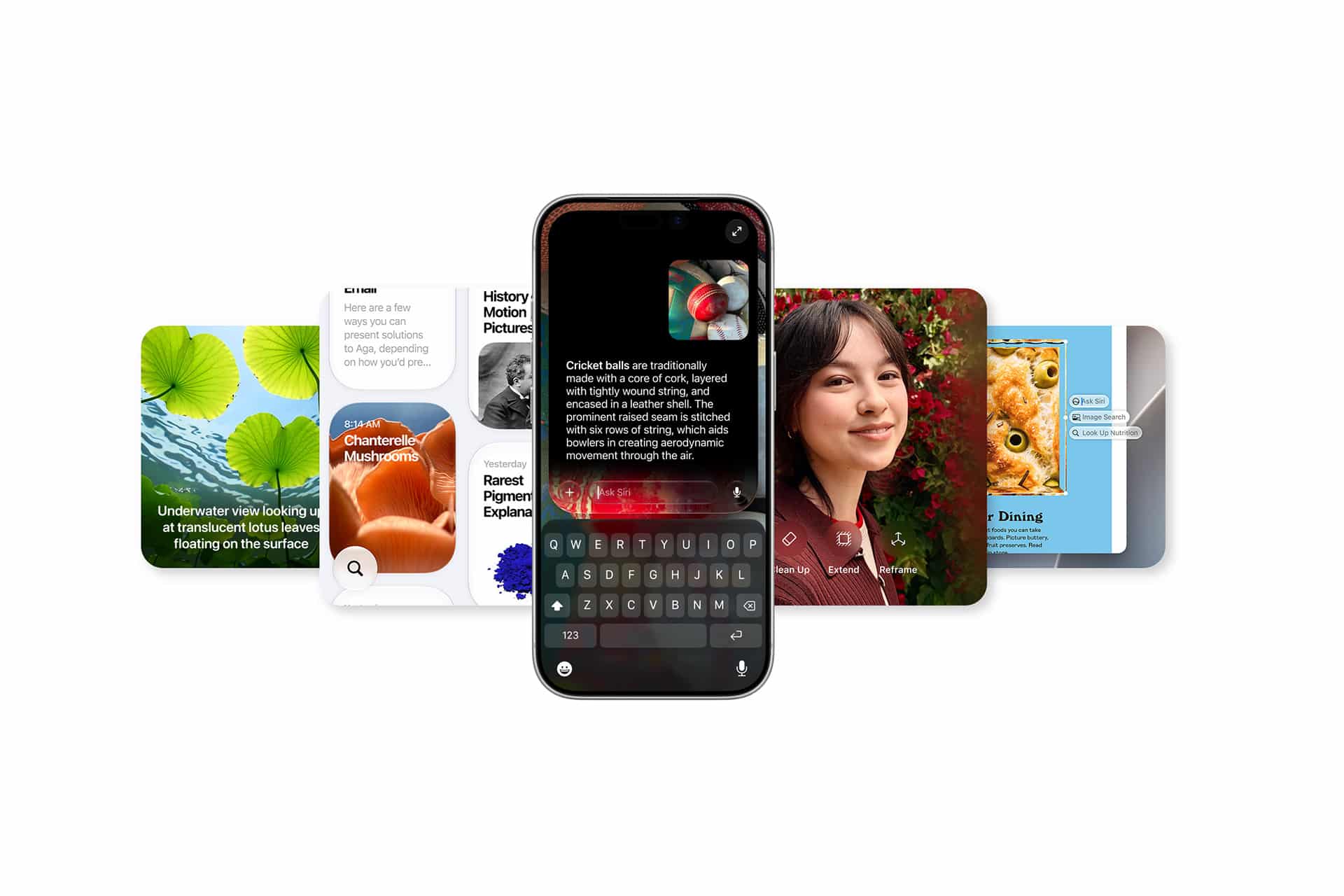
Siri Wolfram - A smartphone featuring Apple Intelligence powers a text search, centered before four overlapping app cards showing topics like underwater leaves, mushrooms, a woman’s portrait, and a pizza—perfect for wwdc26 innovations.
Image Credit: Apple Inc.

Apps Complete the Transition

Siri AI also moves beyond knowledge by connecting directly with apps through App Intents. Developers can expose content and actions so the assistant can help users complete tasks instead of only describing how to do them.

That could include editing a photo, retrieving a document, starting a workout, updating a task or sending information through a supported app. Onscreen awareness adds another route, allowing users to ask about content already visible without explaining every detail again.

Wolfram Alpha remains valuable because some questions require specialized computation. App Intents extend the same routing philosophy into actions. Siri does not need to contain every capability internally. It needs to understand the request and connect it with the correct tool.

This may become the defining structure of Siri AI: one conversational interface backed by models, apps, services, personal context and specialized knowledge engines.

The Old Siri Still Has a Lesson for the New One

Siri Wolfram belonged to a more limited assistant era, but its underlying approach was disciplined. The system used a specialized source for questions that demanded structured knowledge and computation.

Siri AI has a wider assignment. It must converse naturally, interpret images, understand personal information and complete actions across Apple devices. That breadth can make Siri far more useful, but only if Apple preserves dependable pathways for calculations and factual tasks.

The future assistant should not choose between Wolfram-style precision and generative flexibility. It should combine them. A conversational model can understand what the user wants. A computational engine can provide the numerical answer. Personal context can supply relevant details. App Intents can complete the task.

The old Siri Wolfram integration showed that a voice assistant could make expert knowledge accessible through one spoken request. Siri AI now aims to place conversation, personal context and action around that foundation.

The assistant has become larger, more personal and more capable. Its credibility will still depend on something the 2011 version understood well: when a question has a correct answer, intelligence should calculate before it speaks

The post Siri Wolfram Built a Powerful Foundation for Siri AI appeared first on AppleMagazine.

  •  
  •  
  •  

Buzz Aldrin sells famous felt-tip pen that helped launch Apollo from the Moon

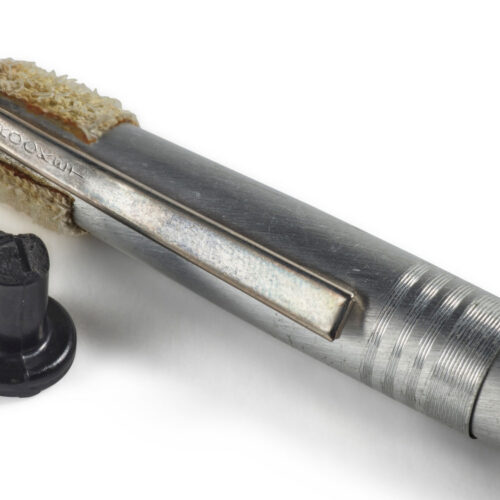
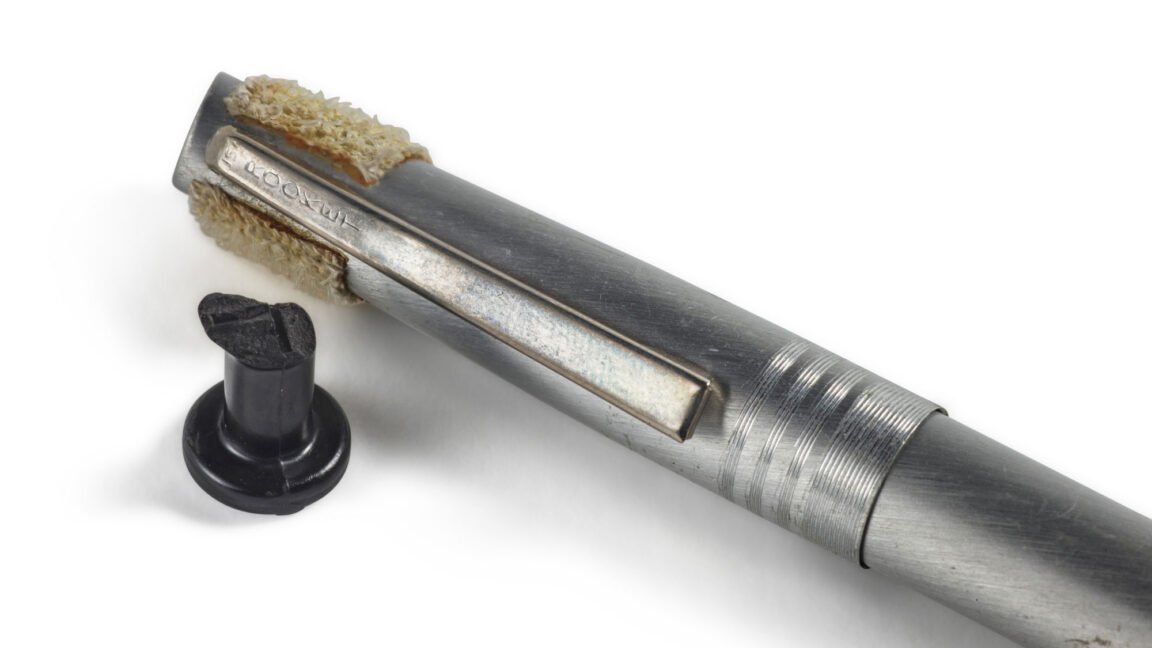
A dried-out felt-tip marker and a snapped-off piece of molded black plastic sold for $857,600 at a Sotheby's auction on Wednesday.

What otherwise might have been worthless bits of trash commanded the highest bids due to where the two items were 57 years ago—lifting off aboard NASA's Apollo 11 spacecraft on humanity's first mission to land astronauts on the Moon. More than flown odds and ends, one was the problem that almost stranded Neil Armstrong and Buzz Aldrin on the lunar surface, and the other was the simple solution to saving the mission.

"Houston, Tranquility. Do you have a way of showing the configuration of the engine arm circuit breaker?" radioed Aldrin to Mission Control after realizing he or Armstrong had inadvertently broken off the top of the circuit breaker switch that would enable their ascent engine to ignite, beginning their trip back to Earth. "The reason I'm asking is because the end of it appears to be broken off. I think we can push it back in again. I'm not sure we could pull it out if we pushed it in, though."

Read full article

Comments

© Sotheby's

  •  

Buzz Aldrin sells famous felt-tip pen that helped launch Apollo from the Moon

A dried-out felt-tip marker and a snapped-off piece of molded black plastic sold for $857,600 at a Sotheby's auction on Wednesday.

What otherwise might have been worthless bits of trash commanded the highest bids due to where the two items were 57 years ago—lifting off aboard NASA's Apollo 11 spacecraft on humanity's first mission to land astronauts on the Moon. More than flown odds and ends, one was the problem that almost stranded Neil Armstrong and Buzz Aldrin on the lunar surface, and the other was the simple solution to saving the mission.

"Houston, Tranquility. Do you have a way of showing the configuration of the engine arm circuit breaker?" radioed Aldrin to Mission Control after realizing he or Armstrong had inadvertently broken off the top of the circuit breaker switch that would enable their ascent engine to ignite, beginning their trip back to Earth. "The reason I'm asking is because the end of it appears to be broken off. I think we can push it back in again. I'm not sure we could pull it out if we pushed it in, though."

Read full article

Comments

© Sotheby's

  •  
❌