❌

Reading view

Tony Krueger, RIP

Raymond Chen:

Tony Krueger is remembered in Wikipedia as the person who ported the game Chip’s Challenge to Windows for the Windows Entertainment Pack. But that’s probably not the code he wrote that touched the most people.

Tony worked on Word 1.0, 1.1, 2.0, then on Word for OS/2 and Word for Mac, then returned to Word 6.0 and several versions beyond that. He probably holds the record for “most versions of Word shipped.”

[…]

Tony made the spell checker much more unobtrusive so that it didn’t interfere with your foreground work. And when it found a problem, instead of waiting for you to trigger a spell check, it immediately drew red squiggles under potentially-misspelled words (and later green squiggles under potential grammatical errors).

Update (2026-06-30): See also: Marcin Wichary and Jon Snader.

  •  

★ Ferramentas no navegador ou aplicativos: qual é a melhor opção para acessar conteúdo offline?

Grande parte dos vídeos que consumimos hoje vai muito além do entretenimento. Tutoriais técnicos, palestras públicas, demonstrações de produtos, treinamentos corporativos, webinars, apresentações de eventos e materiais educativos fazem parte da rotina de estudantes, profissionais e empreendedores.

Em muitos momentos, ter acesso a esse conteúdo mesmo sem conexão com a internet pode fazer toda a diferença. Mas surge uma dúvida comum: vale mais a pena utilizar uma ferramenta que funciona diretamente no navegador ou um aplicativo dedicado?

A resposta depende principalmente da forma como cada pessoa utiliza seus dispositivos e organiza seu fluxo de trabalho.

Quando uma ferramenta baseada no navegador faz mais sentido

As soluções que funcionam diretamente no navegador conquistaram muitos usuários por eliminarem uma etapa importante: a instalação.

Em poucos segundos, é possível abrir a ferramenta, utilizar seus recursos e continuar trabalhando, independentemente do computador ou do dispositivo utilizado.

Essa praticidade costuma ser especialmente útil para quem precisa acessar conteúdos em diferentes dispositivos sem depender da instalação de programas.

  • Acompanhar palestras e conferências online;
  • Consultar tutoriais técnicos durante o trabalho;
  • Revisar treinamentos profissionais;
  • Utilizar computadores compartilhados;
  • Alternar frequentemente entre computador, tablet e smartphone.

Nesses casos, um baixador de vídeos do YouTube baseado no navegador permite abrir a ferramenta rapidamente e acessar conteúdos públicos de forma simples, independentemente do sistema operacional utilizado.

VidsSave.com

Outro benefício importante é a compatibilidade. Como o acesso acontece pelo navegador, a experiência permanece semelhante em diferentes sistemas operacionais, facilitando o uso em qualquer dispositivo.

Quando um aplicativo pode ser a melhor escolha

Embora as ferramentas baseadas no navegador sejam extremamente práticas, existem situações em que um aplicativo dedicado oferece uma experiência diferente.

Usuários que acessam frequentemente os mesmos materiais, organizam conteúdos por categorias ou preferem manter tudo disponível em um único ambiente costumam valorizar recursos adicionais de organização e gerenciamento.

Nesse contexto, soluções como a Muka representam uma alternativa interessante para quem prefere utilizar um aplicativo em vez do navegador. Dependendo da rotina de cada pessoa, esse tipo de abordagem pode tornar o acesso aos conteúdos mais conveniente.

Além disso, aplicativos costumam facilitar a organização de arquivos locais e oferecer acesso rápido aos materiais utilizados com maior frequência.

Não existe uma solução única

Na prática, o navegador e o aplicativo resolvem necessidades diferentes.

Imagine alguns exemplos:

  • Um estudante universitário utiliza o computador da biblioteca para revisar uma palestra antes de uma prova.
  • Um empresário salva uma apresentação sobre marketing digital para consultar durante uma viagem.
  • Um técnico acompanha demonstrações de equipamentos enquanto trabalha em locais onde a conexão nem sempre é estável.
  • Outro profissional prefere manter seus materiais organizados em um aplicativo para encontrá-los rapidamente sempre que necessário.

Todos possuem objetivos semelhantes, mas desenvolvem hábitos diferentes para acessar seus conteúdos de referência.

O fator mais importante é a praticidade

Ao escolher uma solução, muitas pessoas concentram a atenção apenas nas funcionalidades. Entretanto, a facilidade de acesso costuma ser igualmente importante.

Se o objetivo é consultar rapidamente um material de referência, quanto menos etapas existirem entre o usuário e o conteúdo, melhor será a experiência.

Por isso, ferramentas baseadas no navegador continuam sendo uma excelente opção para quem valoriza simplicidade e acesso imediato, enquanto aplicativos podem oferecer uma experiência mais organizada para quem consulta os mesmos conteúdos com frequência.

Conclusão

O crescimento dos conteúdos digitais mudou a forma como aprendemos, trabalhamos e compartilhamos conhecimento. Palestras, treinamentos, demonstrações técnicas, apresentações profissionais e outros materiais de referência tornaram-se recursos importantes para milhões de pessoas.

Escolher entre uma ferramenta baseada no navegador ou um aplicativo dedicado não significa decidir qual tecnologia é superior, mas identificar qual delas se adapta melhor ao seu dia a dia.

Quando a solução acompanha a maneira como utilizamos nossos dispositivos, acessar conteúdos importantes offline torna-se um processo mais simples, eficiente e conveniente.

  •  

Microsoft’s Patch Tuesday updates: Keeping up with the latest fixes

Long before Taco Tuesday became part of the pop-culture vernacular, Tuesdays were synonymous with security — and for anyone in the tech world, they still are.  Patch Tuesday, as you most likely know, refers to the day each month when Microsoft releases security updates and patches for its software products — everything from Windows to Office to SQL Server, developer tools to browsers.

The practice, which happens on the second Tuesday of the month, was initiated to streamline the patch distribution process and make it easier for users and IT system administrators to manage updates.  Like tacos, Patch Tuesday is here to stay.

In a blog post celebrating the 20th anniversary of Patch Tuesday, the Microsoft Security Response Center wrote: “The concept of Patch Tuesday was conceived and implemented in 2003. Before this unified approach, our security updates were sporadic, posing significant challenges for IT professionals and organizations in deploying critical patches in a timely manner.”

Patch Tuesday will continue to be an “important part of our strategy to keep users secure,” Microsoft said, adding that it’s now an important part of the cybersecurity industry.  As a case in point, Adobe, among others, follows a similar patch cadence.

Patch Tuesday coverage has also long been a staple of Computerworld’s commitment to provide critical information to the IT industry. That’s why we’ve gathered together this collection of recent patches, a rolling list we’ll keep updated each month.

In case you missed a recent Patch Tuesday announcement, here are the latest six months of updates.

July’s Patch Tuesday sees an end-of-support collision amidst a massive, record-setting patch wave

Microsoft addressed 722 CVEs this month once the 427 Chromium upstream relays are set aside — roughly three times a normal cycle and one of the largest single months in recent memory. Two vulnerabilities arrive under active exploitation: an elevation of privilege in Active Directory Federation Services (CVE-2026-56155), and an elevation of privilege in SharePoint Server (CVE-2026-56164). A third, a BitLocker security feature bypass (CVE-2026-50661) is publicly disclosed but not yet exploited.

The July 2026 Patch Tuesday earns Patch Now recommendations for Windows, Office, Exchange, and SQL Server. SharePoint has two critical RCEs on top of its exploited zero-day, and Exchange Server returns with a critical on-premises spoofing flaw. Adding to our (dear) administrator’s efforts, SharePoint Server 2016/2019 and SQL Server 2016 all reach end of support today. The Readiness team has provided a handy infographic of the expected risk profile of this month’s Patch Tuesday updates.

More info is available here on Microsoft Security updates for July 2026.

For June, Patch Tuesday means an IT scramble

Microsoft this month released 206 updates affecting Windows, Office, Exchange Server, and its developer tools — including three Windows vulnerabilities already publicly disclosed. That trio includes an elevation of privilege in the Collaborative Translation Framework (CVE-2026-45586), a denial of service in HTTP.sys (CVE-2026-49160), and a BitLocker security feature bypass (CVE-2026-50507). At the moment, none appear to be under active exploitation, but all three are rated “Exploitation More Likely.” 

Even without an exploited zero-day, the June 2026 Patch Tuesday release requires Patch Now recommendations for Windows, Office, and Exchange. The latter is back in the patch picture with a consolidated security update that Microsoft recommends installing “as soon as possible.”

More info is available here on Microsoft Security updates for June 2026.

For May, Patch Tuesday means 139 updates — but no zero-days

Microsoft this month released 139 updates affecting Windows, Office, .NET, and SQL Server (though there were no updates for Microsoft Exchange Server). Despite the absence of zero-days, the May Patch Tuesday update still requires Patch Now recommendations for Windows and Office. 

The combination of three unauthenticated network RCEs (Netlogon, DNS Client, and SSO Plugin for Jira and Confluence), four Word Preview Pane RCEs, the large TCP/IP vulnerability cluster, and the carry-over BitLocker recovery condition (still active on Windows 10 and Windows Server) warrants an accelerated deployment release schedule. 

More info is available here on Microsoft Security updates for May 2026.

Microsoft’s Patch Tuesday release for April is a whopper

Windows admins are going to be busy this month, dealing with the largest Patch Tuesday cycle in memory. The April release involves 165 updates and roughly 340 unique CVEs from Microsoft — including two zero-days, one of which is already being actively exploited in the wild. 

The Readiness team recommends “Patch Now” schedules for nearly every major product family: Windows, Office (with a zero-day), Microsoft Edge (Chromium), SQL Server, and Microsoft Developer Tools (.NET). April also brings Phase 2 of Microsoft’s Kerberos RC4 hardening with full enforcement set for July. There is a lot to cover, so here’s a useful infographic mapping the deployment risk for each platform.

More info is available here on Microsoft Security updates for April 2026.

For March, Patch Tuesday delivers fixes for 83 vulnerabilities

Microsoft’s March Patch Tuesday release addresses 83 vulnerabilities across Windows, Office, SQL Server, Azure, and .NET — with two publicly disclosed zero-days affecting SQL Server and .NET (though neither is being actively exploited in the wild.) Six additional vulnerabilities spanning the Windows Kernel, Graphics Component, SMB Server, Accessibility Infrastructure, and Winlogon are flagged as “Exploitation More Likely.”

The most significant change this month is the introduction of Common Log File System (CLFS) hardening with signature verification, which will affect how Windows handles log files across the operating system. More info on Microsoft Security updates for March 2026.

February’s Patch Tuesday release fixes 59 flaws, including 6 being exploited

The company’s Patch Tuesday release for February addresses 59 CVEs across the company’s product family — roughly half the volume of January’s 159 patches. Six vulnerabilities, affecting Windows Shell, MSHTML, Desktop Window Manager, Remote Desktop, Remote Access, and Microsoft Word, are already being actively exploited. (All five Critical-rated CVEs target Azureservices rather than Windows, however.) 

Both Windows and Office get a “Patch Now” recommendation, with CISA setting a March 3 enforcement deadline for all six exploited vulnerabilities. Two new enforcement timelines also take effect in April: Kerberos RC4 deprecation (CVE-2026-20833) and Windows Deployment Services hardening (CVE-2026-0386). More info on Microsoft Security updates for February 2026.

  •  

July’s Patch Tuesday sees an end-of-support collision amidst a massive, record-setting patch wave

Microsoft addressed 722 CVEs this month once the 427 Chromium upstream relays are set aside — roughly three times a normal cycle and one of the largest single months in recent memory. Two vulnerabilities arrive under active exploitation: an elevation of privilege in Active Directory Federation Services (CVE-2026-56155), and an elevation of privilege in SharePoint Server (CVE-2026-56164). A third, a BitLocker security feature bypass (CVE-2026-50661) is publicly disclosed but not yet exploited.

The July 2026 Patch Tuesday earns Patch Now recommendations for Windows, Office, Exchange, and SQL Server. SharePoint has two critical RCEs on top of its exploited zero-day, and Exchange Server returns with a critical on-premises spoofing flaw. Adding to our (dear) administrator’s efforts, SharePoint Server 2016/2019 and SQL Server 2016 all reach end of support today. The Readiness team has provided a handy infographic of the expected risk profile of this month’s Patch Tuesday updates.

(More information about recent Patch Tuesday releases is available here.)

Known issues

The July release note flags known issues against the following updates:

  • BitLocker recovery prompt on first restart – the PCR7 recovery condition tracked since April remains live on the platforms that did not receive the Boot Manager servicing fix (Windows Server 2022 and Windows 10 22H2). Devices with BitLocker on the OS drive, the Group Policy “Configure TPM platform validation profile for native UEFI firmware configurations” set with PCR7 included, and Secure Boot State PCR7 Binding reported as “Not Possible” may be prompted for the recovery key on the first restart after installing this update. This month’s publicly disclosed BitLocker security feature bypass (CVE-2026-50661) keeps the component in focus.
  • WSUS synchronization error details suppressed (Windows Server 2025 and 2022) – WSUS no longer displays synchronization error details in its error reporting, a deliberate change made to address the Remote Code Execution Vulnerability CVE-2025-59287. Sync still works, but administrators triaging a failed synchronization lose the detail pane and must fall back to the SoftwareDistribution logs.

Windows Update can still replace manually installed graphics drivers with older OEM versions from the catalogue (the four-part Hardware ID ranking issue acknowledged on the Hardware Dev Center). The two-part HWID pilot runs to September 2026.

Major revisions and mitigations

Between the June and July Patch Tuesdays, MSRC Security Update Guide notices updated 651 reported CVEs across six notification dates (15, 19, 26 June and 3, 8, 11 July), 532 of them routine Chromium upstream re-publications. Of the roughly 30 Microsoft revisions, almost all were cross-platform Office catch-up with no bearing on a Windows enterprise estate. No further action required for IT administrators for this Windows update cycle.

Windows lifecycle and enforcement updates

This is the deadline cycle June pointed at. The July end-of-support wave lands today, and it collides with the month’s heaviest patching. SharePoint and SQL Server take some of their most active security updates ever on platforms receiving their last.

  • SharePoint Server 2016 and 2019, Project Server 2016 and 2019, SQL Server 2016 and InfoPath 2013 have all reached end of support. SQL Server 2014 ESU Year 2 reaches end of support today. SharePoint 2016/2019 take an actively exploited zero-day and two RCEs this cycle, and SQL Server 2016 takes a critical RCE, all as their final security update. Now is the time to get moving on updating these platforms.

The 2011 Secure Boot certificate expiries have now passed; devices that never took the Windows UEFI CA 2023 key updates under CVE-2023-24932 can no longer receive updated boot components, with the Windows Production PCA for the boot manager still ahead on 19 October 2026. Kerberos RC4 hardening (CVE-2026-20833) has been in enforcement since April 2026; the July 2026 update removes the RC4DefaultDisablementPhase rollback control that let administrators defer it, making enforcement final.

Microsoft’s July 2026 Patch Tuesday is a security-only release: 180 test-guidance entries, 14 of them high risk (June had one). Printing and graphics are the centre of gravity: win32kfull.sys, the kernel-mode window manager, is the most-patched binary (14 entries), and seven high-risk flags sit alongside it – the Print Spooler, four win32k entries, and two GDI+ metafile entries. NTFS is the second theme, with 10 entries, two high risk. Every entry reports no functional changes – it’s pure regression validation. The packages span Windows 11 26H1 back to Server 2012 ESU.

Printing and graphics (high risk)

The Print Spooler flag centres on shared printers, whose queue status must track jobs accurately; the win32k flags cover 32-bit application printing, font rendering in printed and exported output, on-screen rendering, and window management; the GDI+ flags cover metafiles.

  • Share a printer from a print server, print from a separate client in varied sizes and formats, and cancel a job, confirming the queue reflects every state change
  • Print from your 32-bit applications, and print text-heavy, graphics-heavy, and multi-page documents to physical and virtual (PDF or XPS) printers, repeating after orientation, scaling, and resolution changes
  • Export documents with varied fonts to PDF and confirm fonts and layout survive; render EMF+ files that apply effects to very large images, and convert EMF files to WMF
  • Open and close windows rapidly, drive common dialogs by mouse and keyboard, and close parents with children open – no orphaned windows

Storage and file systems (high risk)

Both NTFS high-risk flags target integrity – extended attributes, and volume recovery after an unexpected shutdown. File History carries its own high-risk flag on clients. A Windows Server 2025-only bundle across boot, BitLocker, and ReFS demands the full Secure Boot/BitLocker matrix. Eight entries hit Server 2025 alone, including WSL, GPU partitioning, and a scripted Windows Server Backup pass repeating recovery after rolling the date 90 days forward.

  • Exercise NTFS extended attributes – older-system EAs, backup workflows that preserve them, concurrent same-file operations where supported – with antivirus, encryption, or storage filters active
  • Simulate an unexpected shutdown during file activity, verify the volume mounts intact, run chkdsk, and confirm indexing, shadow copies, and backup still work
  • Run a full File History pass: back up, modify and back up again, exclude folders, change frequency, move the destination
  • On Server 2025, boot all four Secure Boot/BitLocker combinations, in standard and confidential VMs where supported

Devices, input and networking (high risk)

Three further high-risk flags land here: HID input (hidparse.sys with win32k) – touch, keyboard, mouse, touchpad, through disconnects and restarts; the WinSock bundle (afd.sys plus Bluetooth and multicast drivers); and IrDA. The heaviest ask is not high risk at all: the NetAdapterCx driver (24H2/25H2, Server 2025) wants 500-plus adapter enable-disable cycles under Driver Verifier.

  • Run the connectivity suite: browsing, large downloads, mapped drives, an RDP session idle 30+ minutes, a Teams call, an hour of streaming, and localhost apps such as Docker or WSL
  • Stress Bluetooth: pairing, 10+ minutes of audio, input after idle, and reconnection after sleep
  • Where infrared hardware exists, transfer a file and run at least 100 connect-disconnect cycles
  • Sweep the rest: DNS Server (zone data must stay under its configured database directory), the client resolver (five entries), DHCP Server (five entries), SMB, NFS, Message Queuing (five entries), RRAS administration, client VPN, and WinHTTP/WinINet consumers

Other windows components

Windows Installer itself is patched: testing should include application install, uninstall, repair, and force a rollback. Hyper-V wants virtual-switch traffic as part of its testing exercises with Virtual Filtering Platform policies enforced. Sixteen media-related security entries cover playback, HEVC and MPEG-TS, USB audio, and MIDI 2.0.

Shell hardening and LSA isolation

These two entries are a little different from the rest of the cycle: they ask you to confirm a security behaviour actively works, not just that nothing regressed. A pass here means the protection fired, so treat them as functional checks rather than box-ticking.

  • Shortcut handling (windows.storage.dll; Windows 11 23H2 and earlier, plus Server 2022): drop a shortcut file carrying the Mark of the Web into a folder and confirm the system refuses to extract its icon and leaks no NTLM credential hash – include the zero-click paths, where the icon would otherwise render without you opening anything
  • LSA isolation and KeyGuard (24H2/25H2, Server 2025): run the supplied PowerShell validation script, which turns on Virtualization-based Security if it isn’t already, exercises KeyGuard key operations in both required and best-effort isolation modes, and reports pass or fail – it needs TPM 2.0, UEFI with Secure Boot disabled, and PowerShell 7
  • Run that script on a dedicated test machine, never a shared one: it enables test signing, disables automatic updates, and reboots without asking

Office & SharePoint

July’s Office wave is security-only; everything landed on 14 July, and nothing critical or non-security shipped in the 7 July preview. It’s an MSI-only cycle, so Click-to-Run estates can sit this one out.

  • On MSI Office 2016, apply the client updates – Excel (KB5002886), Word (KB5002890), PowerPoint (KB5002867), and five further Office 2016 security updates (KB5002273, KB5002887, KB5002748, KB5002857, KB5002830) – then exercise macros, external data, embedded objects, and any line-of-business add-ins
  • On SharePoint Server, patch 2016 (KB5002891, plus the KB5002892 language pack) and Subscription Edition (KB5002882), then check browser-based editing; the guidance lists SharePoint 2019 with a baseline but ships no 2019 package, so there is nothing to install there

Mind the rollback rules before you schedule the window: most client updates can be uninstalled, but the server updates cannot and always require a reboot.

Developer tools & databases

The developer estate gets a broad but low-drama sweep this month. Both .NET and SQL Server patch widely, but the ask is representative-application validation rather than anything exotic – install on the matching branch and confirm normal behaviour.

  • .NET: install the SDK updates (8.0.423, 9.0.316, 10.0.302, x64 and x86) and the Framework rollups spanning 3.5 through 4.8.1 – which reach from Windows Server 2012 up to Windows 11 26H1 and Server 2025 – then run a representative set of applications and confirm they function normally
  • SQL Server: the GDR updates span 2016 SP3 through 2025 – install each on its matching branch and test that each removes cleanly
  • Check an encrypted client connection through the separately patched Windows SQL client (dbnetlib.dll), which ships outside the server branches

The Readiness team recommends the following priorities for your larger enterprise deployments:

  • Start with printing and graphics: half the high-risk flags sit in the Print Spooler, win32k, and GDI+, so regress shared printers, 32-bit printing, PDF export, metafiles, and window management before anything else
  • Take NTFS next – extended attributes and crash recovery both touch data integrity – and add a client File History backup-and-restore pass
  • Give Server 2025 its wider matrix – the Secure Boot/BitLocker combinations, WSL, GPU partitioning, and the scripted backup pass – and work through the stress suites
  • Run the scripted KeyGuard validation on any VBS estate, preferably on a dedicated machine.

Each month, we break down the update cycle into product families (as defined by Microsoft) with the following basic groupings:

  • Browsers (Microsoft IE and Edge)
  • Microsoft Windows (both desktop and server)
  • Microsoft Office
  • Microsoft Exchange and SQL Server
  • Microsoft Developer Tools (Visual Studio and .NET)
  • Adobe (if you get this far)

Browsers

Edge has had a busier month than usual. Microsoft addressed 46 Microsoft Edge (Chromium-based) CVEs this cycle. None critical, but heavily weighted to remote code execution (21 entries) and spoofing (13), led by CVE-2026-58289, a remote code execution flaw. A run of further RCEs (CVE-2026-57981, CVE-2026-56645, CVE-2026-57974) follows.

  • Microsoft Edge – the Edge-specific fixes ship in the Edge stable channel (version 150.0.4078.65, released 9 July). The concentration of RCE and spoofing this month is worth a look for managed Edge estates rather than a routine wave-through.
  • Chromium upstream – 427 CVEs relayed through MSRC this cycle, spanning the weekly Chrome release cadence since the June report: use-after-free, out-of-bounds read/write, type confusion, and inappropriate-implementation flaws across V8, Dawn, ANGLE, Skia, and Tint. The same fixes ship in the Chrome Stable channel; see the Chrome releases blog for the upstream notes.

The Chromium volume looks (quite) alarming but is routine plumbing: it flows to Edge through its own auto-update channel. Add these browser (Edge) updates to your standard release schedule for your managed environments.

Microsoft Windows

Windows carries the bulk of this month’s updates: 406 CVEs, 31 rated critical and 374 important. Elevation of privilege dominates by volume (226 entries), followed by remote code execution (70), information disclosure (70), denial of service (23), and a scatter of security-feature-bypass, tampering, and spoofing entries across the following feature groupings:

The Windows Kernel is the most-patched component (28 CVEs, seven “More Likely”), followed by NTFS (21), Windows Runtime (17), Windows Media (14), ReFS (12), and Win32k (15 across its two entries). Add this Windows update to your Patch Now deployment schedule.

Microsoft Office

Microsoft released 96 Office CVEs this month: 19 critical, 76 important. Remote code execution leads (53 entries), ahead of information disclosure (27) and spoofing (10). SharePoint is the centre of gravity: it touches 39 of the 96 CVEs and supplies the family’s one actively exploited flaw.

  • SharePoint Server: has been exploited (who would have guessed) and reaches end of support today. CVE-2026-56164, an elevation of privilege, is under active exploitation. Above it sit two critical remote code execution flaws, both “Exploitation More Likely” (CVE-2026-50522, CVE-2026-58644) and a critical security feature bypass (CVE-2026-55040). SharePoint Server 2016 and 2019 reach end of support on 14 July, so this exploited, critical-heavy set is the final security update those on-premises farms will receive.
  • Office has experienced a long run of critical remote code execution entries across Office, Word, and PowerPoint (among them CVE-2026-55033 and CVE-2026-55127 in Word, CVE-2026-55043 in PowerPoint, and CVE-2026-55018 in Office), topped by CVE-2026-55045.

With an exploited zero-day, two RCEs, and an end-of-support deadline all landing on SharePoint in the same cycle, SharePoint environments are the priority. Add the July Office and SharePoint updates to your Patch Now schedule.

Microsoft Exchange and SQL Server

Both Exchange and SQL Server carry critical-rated security vulnerabilities this month. Exchange Server returns with an on-premises security update for Exchange Server Subscription Edition, the only on-premises release still supported after Exchange Server 2016 and 2019 reached end of support in October 2025; SQL Server takes two critical remote code execution flaws, one of them against SQL Server 2016, which reaches end of support on the same day.

  • Exchange Server (on-premises) – CVE-2026-55008, a spoofing vulnerability rated critical and “Exploitation More Likely,” is the headline. Behind it, a remote code execution entry (CVE-2026-55005) and two elevation-of-privilege flaws (CVE-2026-55006, CVE-2026-55009) round out the on-premises set. A separate Exchange Online elevation of privilege (CVE-2026-54998, critical) is fixed service-side with no customer action.
  • SQL Server – two critical remote code execution flaws: CVE-2026-54117 (SQL Server 2025) and CVE-2026-54118 (which reaches back to SQL Server 2016 SP3), with five further important elevation-of-privilege and information-disclosure entries behind them. The 2016 exposure matters because SQL Server 2016 reaches end of support on 14 July: a critical RCE on a platform taking its final update.

Both belong on the Patch Now schedule this month: the Exchange on-premises update for its critical spoofing flaw, and the SQL Server update for the two critical RCEs.

Microsoft developer tools

Microsoft released 24 CVEs across its developer tooling this month, all rated important. The weighting shifts from last month’s Visual Studio Code concentration toward .NET and ASP.NET Core, where a run of denial-of-service entries dominates the volume:

Add these Microsoft updates to your standard developer update release schedule.

Adobe (and third-party updates)

Outside Microsoft’s own catalogue, July is quiet. Adobe issued no Acrobat or Reader security updates. So, the month belongs to Microsoft, and it is a heavy one: 722 CVEs, roughly three times a normal cycle and one of the largest on record. Worth noting that this lands in the same season Microsoft has been talking up AI-assisted vulnerability management, and the AI stack it is selling as the answer, Copilot and Azure OpenAI among them, sits in the centre of this patch cycle’s own critical-rated updates. The (AI) tooling may be getting smarter, but the patch pile is (definitely) not getting smaller. This may be the beginning of an accelerating curve of ever larger patch cycles. My feeling is that we are in the middle of the beginning of this coming patch surge.

This article is published as part of the Foundry Expert Contributor Network.
Want to join?

  •  

A pesquisa do Windows 11 vai finalmente deixar de mostrar publicidade e conteúdo inútil

A Microsoft está a testar uma versão radicalmente simplificada da caixa de pesquisa do Windows 11, sem anúncios, sem trivia, sem sugestões de jogos, e com um botão para desligar completamente os resultados da web e da Microsoft Store. Por enquanto é só para membros do programa Windows Insiders, mas o caminho para a versão final parece traçado.

The post A pesquisa do Windows 11 vai finalmente deixar de mostrar publicidade e conteúdo inútil appeared first on Tek Notícias.

  •  

L'ultimo aggiornamento di Windows risolve il bug dei file con nomi errati nel Cestino

Microsoft mette fine ad un piccolo problema di Windows che ha causato qualche grattacapo agli utenti, e che nello specifico riguardava il Cestino ed i file in esso contenuti.

Provando ad eliminare definitivamente un file, la finestra di conferma su Windows non mostrava il nome reale dell'elemento selezionato. Al suo posto compariva una sigla poco comprensibile composta da lettere e numeri, qualcosa che ricordava un codice interno del sistema piuttosto che il documento scelto dall'utente.

Il file però risultava identificato correttamente in tutte le altre schermate di Windows. Aprendo il Cestino, il nome era quello giusto. Anche nel caso di un ripristino non c'erano anomalie. L'errore compariva soltanto in quel passaggio preciso, subito prima della cancellazione. I dubbi e le segnalazioni, ovviamente, non hanno tardato a palesarsi.


Il miglior iPhone di sempre? Apple iPhone 17 Pro, compralo al miglior prezzo da Digitalparadise.it a 1,073 euro.

CLICCA QUI PER CONTINUARE A LEGGERE

  •  

Windows 0-day drops the same day Microsoft releases record number of patches

Right on the heels of Microsoft releasing a record number of security patches, a researcher has published exploit code that can enable low-privilege Windows accounts to make sensitive changes to administrator accounts.

The exploit, which multiple researchers say works, is sending Microsoft scrambling, yet again, to patch a zero-day released by an anonymous researcher who has complained about the software maker’s handling of their bug reports. To date, the pseudonymous NightmareEclypse has published nine such exploits, including Tuesday’s HiveLegacy. The researcher said the proof-of-concept code included in the report was stripped down to prevent attackers from using it maliciously.

A “pretty powerful primitive”

HiveLegacy is an elevation-of-privilege exploit that targets a vulnerability residing in the Windows User Profile Service. It allows users (and with more work likely processes) with limited system rights to compromise an admin user's account by modifying its classes registry hive, a resource that ensures the correct application opens when certain types of files are clicked on in Windows Explorer.

Read full article

Comments

© Getty Images

  •  

Windows 0-day drops the same day Microsoft releases record number of patches

Right on the heels of Microsoft releasing a record number of security patches, a researcher has published exploit code that can enable low-privilege Windows accounts to make sensitive changes to administrator accounts.

The exploit, which multiple researchers say works, is sending Microsoft scrambling, yet again, to patch a zero-day released by an anonymous researcher who has complained about the software maker’s handling of their bug reports. To date, the pseudonymous NightmareEclypse has published nine such exploits, including Tuesday’s HiveLegacy. The researcher said the proof-of-concept code included in the report was stripped down to prevent attackers from using it maliciously.

A “pretty powerful primitive”

HiveLegacy is an elevation-of-privilege exploit that targets a vulnerability residing in the Windows User Profile Service. It allows users (and with more work likely processes) with limited system rights to compromise an admin user's account by modifying its classes registry hive, a resource that ensures the correct application opens when certain types of files are clicked on in Windows Explorer.

Read full article

Comments

© Getty Images

  •  

4 alternativas leves e compactas ao MacBook Neo sem “esticar” demasiado o orçamento

O MacBook Neo trouxe leveza e um preço competitivo ao ecossistema Apple, mas quem prefere Windows também tem hoje portáteis igualmente leves e capazes para o dia a dia, fáceis de encontrar em Portugal.

The post 4 alternativas leves e compactas ao MacBook Neo sem “esticar” demasiado o orçamento appeared first on Tek Notícias.

  •  

Microsoft Patches a Record 570 Security Flaws

An anonymous reader quotes a report from Krebs on Security: Microsoft today released software updates to plug at least 570 security holes in its Windows operating systems and other software, almost triple the number of vulnerabilities the software giant fixed in its record-smashing Patch Tuesday release last month. Microsoft attributed the burgeoning patch counts to vulnerability discoveries aided by artificial intelligence. Nearly 60 of the bugs quashed in July's Patch Tuesday earned a "critical" severity rating, meaning miscreants or malware could use them to seize remote control over a Windows device with little or no help from the user. Microsoft also addressed three zero-day flaws, including two that are already being exploited in the wild. Two of the zero-day weaknesses allow an attacker to elevate their user rights on a Windows system, as do approximately 250 other elevation of privilege flaws fixed this month; they include CVE-2026-56155 - an Active Directory Federation Services bug -- and CVE-2026-56164, a Microsoft Sharepoint vulnerability. CVE-2026-50661 is a security feature bypass in Windows BitLocker that could allow attackers to gain access to encrypted data if they have physical access to the device. Microsoft said this bug has been detailed publicly, but that it is not aware of any active exploitation. In a blog post on July 9, Microsoft Executive Vice President Pavan Davuluri wrote that Windows users will notice "a higher volume of security updates included in each security release" as a result of AI aiding in the discovery of vulnerabilities. "The pace of vulnerability discovery is changing with advances in AI making it possible to find more issues, faster, across more code, with new mechanisms that can accelerate both discovery and analysis," Davuluri wrote.

Read more of this story at Slashdot.

  •  

Le GeForce RTX 5090 non smettono di fondersi, nemmeno coi cavi 12v-2x6

Ci risiamo, ennesimo caso di scheda grafica NVIDIA top di gamma danneggiata dal famigerato cavo di alimentazione. Questa volta sembra che sia successo con la variante aggiornata, quindi il cosiddetto 12V-2x6 al posto del precedente 12VHPWR, pensato proprio per risolvere i suoi problemi. L'ultimo episodio coinvolge una fonte particolarmente nota nella comunità hardware. Il sito specializzato Club386 ha documentato il danneggiamento di una RTX 5090 Founders Edition durante una sessione di test.

Le immagini pubblicate mostrano pin anneriti, plastica deformata e danni evidenti sia sul connettore della scheda video sia sul cavo di alimentazione. Secondo quanto riportato, il sistema era alimentato da un Be Quiet Dark Power 13 da 1000 watt collegato tramite un singolo cavo 12V-2×6 nativo, correttamente installato e conforme alle specifiche previste.

Il 12V-2×6 era stato progettato per migliorare la sicurezza del precedente 12VHPWR grazie a pin di rilevamento modificati e a una forma migliorata dei pin di potenza. Tuttavia, questo risolve solo parte del problema. Le GeForce RTX 40 e RTX 50 non hanno circuiti di monitoraggio del carico, quindi se per qualsiasi ragione uno dei sei pin di potenza non fa bene contatto tutta l'energia viene trasferita attraverso i restanti cinque. Il problema è che i fili elettrici hanno una sezione molto al limite calcolando che una RTX 5090 può arrivare ad assorbire anche 600 W nei carichi AI o nel gaming.


Top gamma a prezzo da medio gamma? Poco F8 Ultra, compralo al miglior prezzo da Aliexpress.com a 594 euro.

CLICCA QUI PER CONTINUARE A LEGGERE

  •  

Windows 11 introduce i punti di ripristino automatici che salvano anche i file locali

Ripristinare Windows è sempre un bel problema, ma sembra che finalmente le procedure dei PCr basati su Windows 11 stiano diventando più semplici e accessibili. Nel corso di questa settimana, infatti, Microsoft ha avviato la distribuzione globale della funzionalità "Point-in-time restore”, tramite la quale è possibile generare in modalità completamente automatica dei punti di ripristino del sistema, ai quali l'utente può fare ritorno nell'eventualità in cui si riscontrino anomalie o malfunzionamenti nel corretto funzionamento del computer.

Disponibile per le varianti Enterprise, Pro e Home di Windows 11, la funzione Point-in-time restore è in grado di completare il ripristino operativo di un computer nel giro di pochissimi minuti, riducendo drasticamente i tempi rispetto alle ore necessarie con i metodi tradizionali. Quando la funzionalità è attiva, il sistema acquisisce in autonomia un'istantanea dello stato complessivo del PC, lasciando che l'ambiente includa i file core di Windows, le applicazioni installate, le configurazioni di sistema e dei programmi, le impostazioni personalizzate e la totalità dei file locali memorizzati dall'utente.

COME FUNZIONA

La configurazione predefinita prevede l'acquisizione di un punto di ripristino ogni 24 ore; tuttavia, la facoltà di modificare questo parametro è disponibile solo gli utenti che utilizzano la versione Enterprise, con la possibilità di impostare una cadenza temporale differente a seconda delle proprie esigenze specifiche. L'opzione risulta abilitata di default su tutti i dispositivi dotati di Windows Home e Windows Pro, a patto che questi PC non si trovino sotto la gestione diretta di un'infrastruttura aziendale. Al contrario, per i sistemi aziendali, il Point-in-time restore rimane disattivato per impostazione predefinita e la sua attivazione automatica avverrà soltanto in seguito all'installazione dell'aggiornamento a Windows 11 versione 26H2.


Top gamma a prezzo da medio gamma? Poco F8 Ultra, compralo al miglior prezzo da Aliexpress.com a 594 euro.

CLICCA QUI PER CONTINUARE A LEGGERE

  •  

Laptop prices suck these days, but here are 25 Prime Day deals that help a little

A rear-view of the 15-inch MacBook Air M5.

The RAM, storage, and component crunch has come for new laptop prices. Plenty of models have gone up in price after being on the market for months, and so have those that’ve been on shelves for over a year. Plus, many new models are releasing at higher prices than the previous generation. So, it really isn’t the best time to buy a new laptop. But what if you need one or really want one now, and you prefer to shop new?

Well, I’m not here to tell you that Amazon’s Prime Day makes everything better. But the discounts certainly don’t hurt.

As usual, we’re doing our best to surface the best Prime Day tech deals. And here, we’ve pulled together the biggest discounts happening not just on laptops, but also on keyboards, mice, webcams, or other worthwhile PC accessories. And since Prime Day has counter-deals running at other retailers like Best Buy (and its Tech Fest Sale), there are also laptop deals for non-Amazon shoppers alike.

The best deals on MacBooks

  • The days of multi-hundred-dollar discounts on MacBooks are behind us for now, but the base 14-inch MacBook Pro with an M5 chip for $1,549 ($150 off) at Amazon and Best Buy is still a solid deal. It’s powerful enough for the average content creator, comes with 16GB of RAM and 1TB of storage, and has lots of ports. Read our review.

Apple MacBook Air (M5)

Apple’s 2026 MacBook Air has an M5 chip and starts with 512GB of storage that’s significantly faster than previous generations. It’s still as excellent as ever despite a higher base price. Read our review.

Where to Buy:

  • The 14-inch MacBook Pro with an M5 Pro chip (15-core CPU / 16-core GPU), 24GB of memory, and 1TB of storage is $2,034 (around $165 off) at Amazon and $2,049 at Best Buy. It’s a pretty nice step-up model from the standard M5 MacBook Pro, with a bit more RAM, a more powerful chip, and faster Thunderbolt 5 ports.

The best deals on Windows laptops

Microsoft Surface Laptop, 13-inch

Microsoft’s slightly smaller, entry-level Surface Laptop trims some of the size and a few features from its bigger 13.8-inch counterpart, but it maintains excellent battery life and solid performance. It’s just a shame it’s price went up. Read our review.

Where to Buy:

Microsoft Surface Pro 12-inch

Microsoft’s latest Surface Pro is smaller, with a new design and updated keyboard. It’s powered by Qualcomm’s Arm64 Snapdragon X Plus chip. Read our review.

Where to Buy:

  • The Lenovo IdeaPad Slim 3x was one of the laptops I tested against the MacBook Neo and… it got smoked. But a 512GB config for $449 ($251 off) at Walmart? Not bad. The speakers are an assault on your ears and the trackpad ain’t great, but if you can live with those shortcomings, you get a decent laptop with a competent Snapdragon X processor and marathon battery life. Just read our review and be aware of its shortcomings.
  • Like the Lenovo above, the Acer Aspire 14 AI is another MacBook Neo contender I tested that’s on sale. It’s $589.99 (about $288 off) at Amazon, exclusively for Prime members. Best Buy has it for anyone, sold via Acer, for $599.99. Let me set your expectations: The screen on this laptop is pretty washed out, the speakers are tinny, and the build quality feels cheap. But what you’re getting a deal on is a great Intel Core Ultra 7 256V “Lunar Lake” processor that’s a solid performer while also being quite power efficient. It also has plenty of ports (including Thunderbolt 4) and can even do some light gaming.
  • For a higher-end Acer offering, the Swift X 14 AI is selling for a new low of $1,559.99 ($140 off) at Amazon for Prime members. The 14-inch laptop has a 2880 x 1800 / 120Hz OLED, AMD Ryzen AI 7 350 CPU, RTX 5060 discreet graphics, 32GB of RAM and 1TB SSD. It even has a haptic trackpad that should be a nice upgrade over Acer’s mechanical ones that can be a bit basic.

Asus Zenbook A14

Asus’s Zenbook A14 is a bit of a MacBook Air wannabe, but it’s a compelling alternative if you value a superlight Windows laptop with long battery life. The last-gen 2025 model sports an Arm-based Qualcomm Snapdragon X Plus chip, a nice 14-inch OLED display, and a sleek textured beige finish.

Where to Buy:

The best deals on gaming laptops

2025 Asus ROG Zephyrus G14

Asus’ ROG Zephyrus G14 is the go-to choice for a portable gaming machine that’s great at regular laptop duties. It’s got a lovely OLED display, great keyboard and trackpad, and solid battery life. There’s a new Intel model that’s much pricier, but the 2025 version with AMD chips is still a great choice.

Where to Buy:

  • The 2025 Asus ROG Zephyrus G16 is $1,574.99 ($575 off) at Best Buy. The larger version of the Zephyrus twins sports a 240Hz OLED display and a thin profile to make it travel friendly. This configuration includes an Intel Core Ultra 9 285H CPU, RTX 5070 GPU, 16GB of RAM, and 1TB SSD.
  • HP’s Omen 16 gaming laptop from last year is $1,619.99 ($600 off) at Best Buy through a third-party seller. The 16-inch laptop is configured with an AMD Ryzen 9 8940HX processor, RTX 5060 graphics, 32GB of RAM, and 1TB SSD. Not bad for around $1,500, but while its screen’s 144Hz refresh is nice, the resolution is only 1920 x 1200.
  • For a little more money, you can get a Lenovo Legion 5i at Walmart for $1,589 ($261 off). This 15-inch Legion has an Intel Core i9 14900HX CPU, RTX 5070 GPU (the 8GB VRAM version), 16GB of RAM, and 1TB SSD. You’re getting less RAM than the HP Omen deal, but in exchange it’s got a better GPU and 2560 x 1600 OLED display with 165Hz refresh rate.

Acer Predator Helios Neo 16 AI (2025)

An affordable mid-ranger from Acer running RTX 5070 or 5070 Ti graphics, a 16-inch 240Hz display, and lots of ports.

Where to Buy:

  • Acer’s Nitro V 16S AI gaming laptop is selling for $1,099.99 ($300 off) at Amazon, exclusively for Prime members. It’s got an AMD Ryzen 7 260 CPU, RTX 5060 GPU, 32GB of RAM, and 1TB SSD. The specs are close to the Asus ROG Zephyrus G14 deal above, but it’s much chunkier, has more RAM, and its display is larger but a lower-res LCD.

The best deals on keyboards, mice, and other PC peripherals

  • Moft has a variety of deals on its origami-style cases and stands. You can get its folding 2-in-1 Laptop Carry Sleeve, a sleek laptop case that doubles as a portable stand, for $51.96 ($13 off) at Amazon in four sizes and up to 11 different colors. Or, if you don’t mind some adhesive, the Moft Laptop Stand in select colors is $19.99 ($5 off) at Amazon. The super thin attachment sticks to the bottom of your laptop to give you a fold-out stand anywhere you go.

Logitech MX Master 3S

The MX Master 3S is a favorite among many Verge staff members because of its comfort and customization. It can connect via Bluetooth, via its included 2.4GHz receiver, or wired with its USB-C cable.

Where to Buy:

  • The fairly new Keychron V5 Ultra mechanical keyboard with Silk POM red linear switches is $107.99 ($12 off) at Amazon. The near-full-size 96-percent layout board has an incredibly long battery life thanks to its ZMK-based firmware, and it supports a fast 8,000Hz polling rate via its 2.4GHz wireless connection. Its plastic case isn’t as nice as ones with a metal chassis, but it’s a great no-nonsense keyboard for the money. Read our review.
  • Ugreen’s Dock and Stand for the Mac Mini M4 / M4 Pro is $49.99 ($40 off) at Amazon, exclusively for Prime members. The dock sits below your Mac Mini and plugs in to a rear USB-C port, dramatically expanding the port offerings of your tiny desktop and making your power button more accessible with a tiny lever. It has SD / microSD card slots and two USB-A ports on the front, and three USB-C and three USB-A ports on the rear. Plus, inside is an M.2 SSD slot for extra built-in storage. (You’ll have to BYO SSD.)
  • LG’s 32-inch UltraGear 32GX850A-B OLED gaming monitor is $684.50 ($600 off MSRP) at Amazon, exclusively for Prime members. LG also has it for anyone for a slightly higher $699.99. The dual mode 4K OLED supports a fairly high 165Hz refresh rate but can dip down to 1920 x 1080 resolution to output a super fast 330Hz for specialized uses like competitive gaming.
  • For a much more affordable and down to Earth OLED, check out the 27-inch Acer Predator Gaming Monitor X27U, selling for $314.99 ($235 off) at Amazon, exclusively for Prime members. It’s a sweet spot of 2560 x 1440 resolution that isn’t as demanding on games while supporting a high 240Hz refresh.

Elgato Stream Deck MK. 2

The MK.2 version of the standard Stream Deck comes with 15 programmable buttons, a swappable faceplate, and a detachable stand.

Where to Buy:

Asus ROG Falcata

A unique Hall effect gaming keyboard that actually takes ergonomics into account. Read our review.

Where to Buy:

8BitDo Retro 87 Mechanical Keyboard (Xbox Edition)

This mechanical keyboard is inspired by the original Xbox, with a translucent green color scheme and two large customizable buttons. Along with Bluetooth support, it offers a standard tenkeyless layout with clicky hot-swappable Kailh Jellyfish X switches.
8BitDo’s green Xbox-themed Retro 87 Mechanical Keyboard in front of a matching green Xbox console.

Where to Buy:

Update, June 24th: Updated current deals and added new ones for the Microsoft Surface Pro 12-inch and Moft accessories.

  •  

Asha Sharma: CEO Xbox: il gaming sta diventando sempre meno accessibile

Quando anche l’amministratrice delegata di una delle aziende gaming più grandi al mondo ammette che l’intero settore sta diventando troppo costoso, è chiaro che c’è qualcosa che non va. Asha Sharma ha rilasciato una lunga e articolata intervista per Entertainment Weekly, e tra i vari punti analizzati c’è anche il fatto che l’hobby è sempre meno accessibile man mano che passa il tempo. In quest’ultimo periodo stiamo facendo i conti con una crisi dei chip di memoria che ha peggiorato moltissimo le cose, ma stavano andando già male da tempo.

Forse è facile dimenticarselo, ma già ai tempi dell’uscita delle GeForce RTX 40 NVIDIA aveva ricevuto grosse critiche per i prezzi - critiche che non si sono certo affievolite con l’arrivo delle RTX 50, carissime e con pochi vantaggi concreti prestazionali (almeno considerando il rendering raster tradizionale). Ma per Sharma non è solo questione di hardware. Si osserva una crescente frammentazione degli abbonamenti digitali, il tutto mentre la competizione per il tempo libero degli utenti non fa altro che continuare a intensificarsi, tra servizi in streaming, social network e altre forme di intrattenimento.

Il ragionamento di Sharma è, molto semplicemente, che è sempre più difficile convincere gli utenti a investire tempo e denaro nei videogiochi. La nuova CEO ritiene che la strada per uscire da questa situazione è costruire un ecosistema più aperto, capace di attirare nuovi sviluppatori e nuove categorie di giocatori, slegando sempre di più la piattaforma al concetto di console tradizionale. È una visione che Microsoft / Xbox porta avanti già da qualche tempo, che negli ultimi anni si è tradotta in una forte espansione verso il cloud gaming, il PC e i dispositivi mobili.


Lo Smartphone piccolo che va bene a tutti? Motorola Edge 50 Neo, compralo al miglior prezzo da Amazon Marketplace a 170 euro.

CLICCA QUI PER CONTINUARE A LEGGERE

  •  

Windows 11 is now 5 years old — and for the first time this decade, I think Microsoft's finally onto a winner with the OS

Can you believe that it's now half a decade since Windows 11 was revealed? The operating system was first announced by Microsoft at a press event on June 24 back in 2021 (although the OS was leaked just before that, in typical fashion).

Five years ago today we were told that Windows 11 was inbound as a free upgrade for all Windows 10 users — but there was no stampede to adopt it, that's for sure (and the hardware requirements certainly didn't help the cause).

It wasn't until July 2025 that Windows 11 overtook Windows 10 as the dominant version of Microsoft's desktop OS according to Statcounter's figures, but it now holds a comfortable majority of over 70% of that market. As it should do, considering Windows 10 ran out of support last October (and only has a few months of extended support left).

However, putting aside the sluggish pace of adoption and the various problems that have plagued Windows 11 through the years (all the bugs and some notably missing features in the main), I think there's now cause for optimism for the future of Microsoft's operating system.

So, let me share my thoughts and reflect on what has been a half-decade of Windows 11, and tell you why I'm way more positive about the OS than I was last year — and why I think that Microsoft is finally on track (with, of course, some inevitable caveats).

The great fix-athon

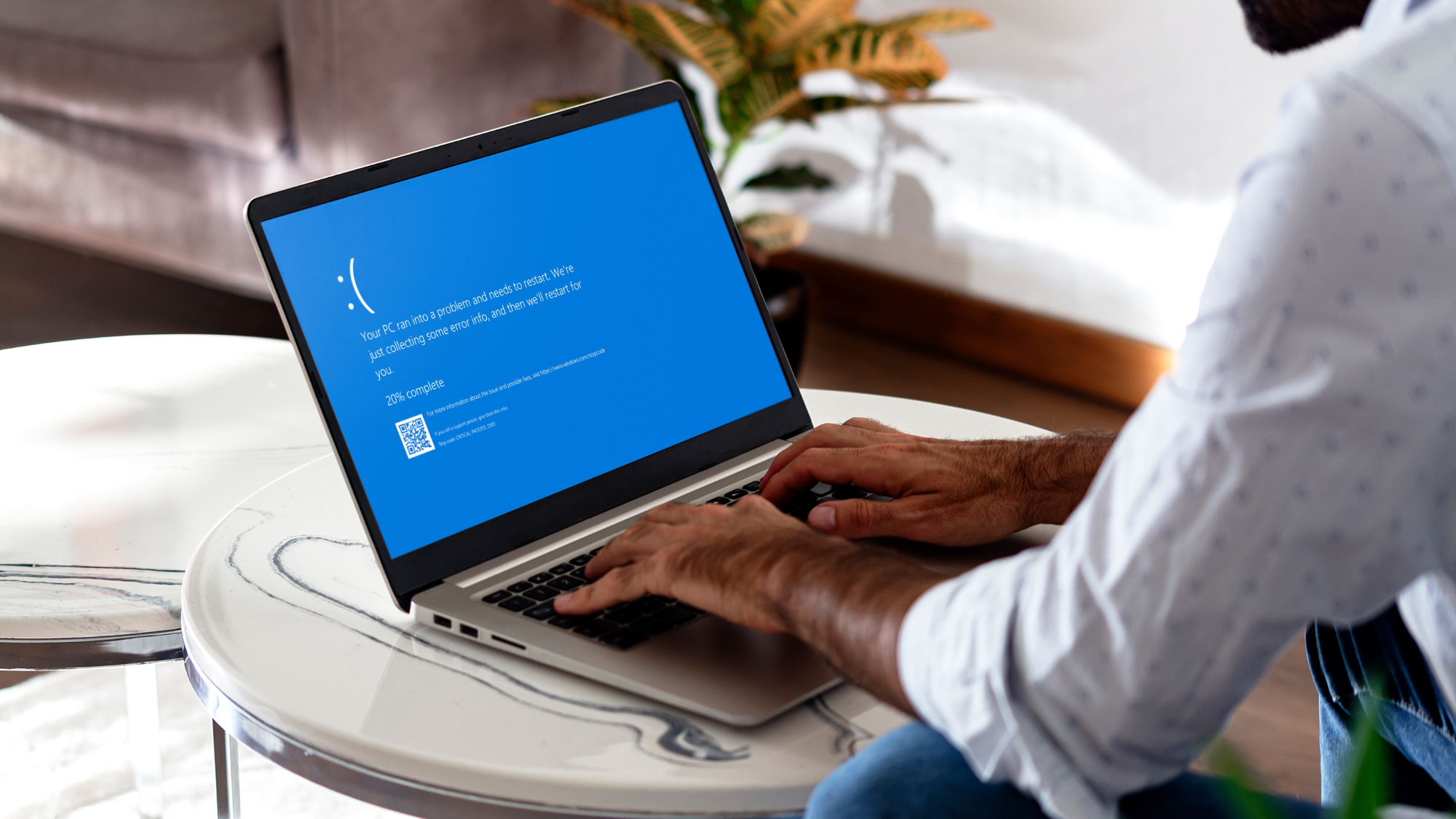
Man with laptop showing Blue screen of death or BSOD on the monitor screen

(Image credit: Alex Photo Stock / Shutterstock)

Most of my hopefulness about where Windows 11 is heading comes, of course, from the big campaign Microsoft kicked off in March 2026 to fix Windows 11. Since that announcement — which I would say is the biggest statement to have been made since the OS was first announced in 2021 — Microsoft has very much proven that it intends to tackle all sorts of shortcomings and pain points with the OS.

Taskbar repositioning? We've got it. A much greater level of Start menu customization? Check. Spam removed from Windows search? Yep. More control over Windows updates? Certainly, and in fact way more control than I'd have ever believed might happen, including the ability to put off an update indefinitely, should you wish, on Windows 11 Home.

In fact, Microsoft has hit many wish-list features that I never expected would come to Windows 11, and the extent of the crowd-pleasing measures so far is heartening. These are features that are actually being delivered already, too, they're not just promises.

Furthermore, Microsoft appears to be listening to feedback and requests more closely, and generally engaging more with the community online. There's even a new initiative consisting of a research panel where Microsoft will consult testers directly on how to change aspects of Windows 11.

This genuinely feels like a fresh direction for Microsoft, and a serious commitment to change Windows 11 for the better based on what the users themselves actually want.

A more thoughtful, cautious approach

Checking windows update on laptop screen close up view

(Image credit: Shutterstock)

The other key driver for optimism with Windows 11 is the way in which Microsoft is taking more care over how the operating system is developed and coded.

Not so long ago, matters were less organized and more chaotic. Cast your mind back to the introduction of Qualcomm's Snapdragon X (Arm-based) chips in Copilot+ PCs back in 2024, alongside which Microsoft brought in a new underlying platform for Windows 11 (complete with the tinkering required to support that Arm silicon). While nothing was ever officially admitted, this is a move that I believe could have at least contributed to the mess that was the 24H2 update, which was laden with a ton of (sometimes very annoying) bugs.

Whatever the case in terms of how those glitches came to be, things have changed a lot since then. Microsoft is now being a lot more cautious with its Arm and x86 strategy — Windows 11 is split into two development paths, with the 26H1 update for Arm devices, and the 26H2 update for traditional x86 PCs — and the company has switched to use a fresh approach for these annual updates.

Instead of big annual updates — the last of which was the problematic 24H2 — Microsoft is now deploying small 'enablement packages', essentially very minor bumps to a new version of Windows 11. The actual features, the meat of Windows 11 changes, are pushed out in monthly updates as and when they're ready — in sometimes quite tightly controlled, carefully paced rollouts. This more gradual drip-feed of features is a more reliable method of deployment compared to dropping a lot of stuff all at once.

In short, Microsoft has learned its lesson from the nightmarish 24H2 release, which suffered from far too many bugs, to take on a fresh new way of operating. True, there will still need to be big updates at times, when the underlying codebase of Windows 11 has to be changed (quite possibly with 27H2). But it looks like Microsoft wants to mainly stick to compact, easily applied annual updates in the main, with features pushed out elsewhere in general.

Optimism abounds — with a notable catch

girl using laptop hoping for good luck with her fingers crossed

(Image credit: MAYA LAB / Shutterstock)

Between the ardent push to fix Windows 11 and the better thought-out deployment of features and updates, Microsoft has come a long way, but as I mentioned before, there are caveats here.

It's worth mentioning that while the new system of continual feature deployments, rather than weighty annual feature drops, is commendable (in my opinion), the controlled rollouts of these various features have come in for some criticism. Mainly because they are so cautious in some cases that something like the Start menu revamp (the one from last year, I should clarify, not the current work) took ages for some Windows 11 users to get, and those folks found that rather frustrating.

Part of that caution is likely down to Microsoft's paranoia around bugs, and sadly, the truth is that there are still too many bugs in Windows 11, and some of them are disappointingly weird. And by disappointing, I mean odd things that just shouldn't be happening.

I only need glance back to last weekend for one such example where there was a glitch with the Recycle Bin whereby the delete confirmation dialog (when junking a file from the bin) showed the internal file name instead of the proper name. While this only applied to the dialog box — so it was hardly an important or dangerous glitch — it was confusing some people, and more to the point, this sort of thing shouldn't be happening in the release version of an operating system.

This kind of bizarre slip-up also leads to folks blaming AI for being involved in Windows 11 coding. And while there is absolutely no evidence for that, it's the very nature of the strange bug that means people will easily jump to these conclusions when Microsoft has previously admitted AI is used to quite an extent in programming its software.

Whatever's at fault, Microsoft still needs to have better processes in place to catch these kinds of glitches, and other more critical bugs which have turned up in Windows 11 this year.

One thing I've called for in the past is a commitment from Microsoft to confirm that it's addressing its quality assurance processes, and improving bug squashing, and this is a notably missing part of the fix Windows 11 campaign. A vital part, in fact, I'd argue, for better stability going forward which is one of the big overarching goals (alongside better performance, and those crowd-pleasing feature additions).

Still, all in all, I've got to underline that right now, I'm as optimistic about Windows 11 as I've ever been. If Microsoft can tackle the bug blot on the OS landscape, and keep on listening to users — and its new research panel of testers from the community — Windows 11 could be in great shape come next year.

  •  
❌