The entrepreneur turned fraudster is the subject of an Oscar-tipped new documentary that takes an unusual look at her strange legacy
David Agus’s first encounter with Elizabeth Holmes at a health conference came as a shock. The Holmes he met in the green room was personable and pleasant. The Holmes he interviewed on stage was altogether different.
“The accent changed: this deep voice, very serious,” Agus, a medical oncologist, recalls by phone from Los Angeles. “It was as if I had met a person and then interviewed a separate person. That transition from the green room to the stage – I had never experienced something like that before.”
“Update My Phone & Apps: Guide” is an iOS app from developer Tair Olzhasev. By default, the only thing it does for free is give you a “Check for Updates” button that launches the system Settings app. It doesn’t even take you to the General → Software Update screen. It just takes you to the root level of Settings.
Everything else it purports to do requires a $15/week subscription. That’s $780 per year.
You can tell it's a scam without even downloading the app, because it has no website and hosts the privacy policy on sites.google.com, a dead giveaway.
The 3-day trial with auto-renewing subscription is also a huge red flag. By no coincidence, 3 days is the minimum subscription trial length allowed by Apple. All the scams use it.
Though allegedly focused on benefiting users (through better safety and compliance), App Store review in its current form mostly frustrates the people it claims to protect.
[…]
Those are all scammy apps that got through. Apple’s review capacity isn’t infinite. Every hour a reviewer spends poring over a bug-fix update to an app that’s been in the store for years is an hour not spent catching the fake LastPass app.
[…]
And the review process is fundamentally flawed anyway: It works best with developers who are trying to do the right thing. Plenty of apps pull their content, features, and behavior from servers their developers control. Feature flags, remote configuration, and web views mean an app can behave differently the day after approval than it did the day of vetting. A determined bad actor can get past App Review. An honest developer just waits in a slow, nebulous line.
[…]
At WWDC 2020, the company announced that bug fixes for apps already in the App Store would no longer be held up over guideline violations (except for legal issues); developers could address those problems in a subsequent update instead. That’s a good policy! Based on developer complaints I’ve seen, Apple hasn’t honored that agreement.
The Muse from Meta app description says at the beginning, “Muse is your personal AI agent that gets things done, always working on what matters to you.” The Muse AI app description says at the beginning, “Muse is your professional AI agent that gets work done, always helping move important tasks forward.” Near the end, the Muse from Meta app description has the heading “SMART, BUT STILL LEARNING.” Near the end, the Muse AI app description has the heading “POWERFUL, BUT STILL LEARNING.”
In other words, Muse AI is a blatant copy of Muse from Meta, the latter of which is currently the #1 iOS App Store download in the United States. I don’t know where Muse AI ranks in the iOS App Store, but I do know that it’s currently the #20 Mac App Store download in the US.
And the real Muse app isn’t in the Mac App Store, so it has no competition.
By the way, I’d also like to draw your attention to the #11 Mac App Store download, as shown in my screenshot above: App for Instagram º. Yes, the app name includes the º character, a phenomenon I’ve written about before.
[…]
The top search result for “VLC” in the Mac App Store is Video Player for VLC, developed by muhammad faisal jabbar, not by VideoLAN. VLC for Mac is distributed outside the Mac App Store. You may notice a similarity between the icon of the official VLC app in the iOS App Store and the icon of Video Player for VLC.
The Reddit commenter claims that the scams receiving public attention are “the tip of the iceberg from a limited, outsider perspective,” which is an accurate metaphor, yet the commenter and I have dramatically different interpretations of that metaphor. For the commenter, the iceberg represents the vast number of scams allegedly caught by Apple app review but not seen by the public; for me, the iceberg represents the vast number of scams not caught by Apple app review and not seen by the public either. To put the argument another way, the commenter appears to assume that the majority of scams in the App Store receive widespread public attention, in blog posts such as mine or in the news media, so the relatively small number of stories we hear is indicative of a relatively small number of scams in the App Store, whereas my own impression is that the vast majority of scams in the App Store do not receive widespread public attention. Scam hunting is not my job, merely an occasional hobby. It’s so easy for me to find scams, they practically fall into my lap whenever I look. I could spend all day every day finding and listing App Store scams, if I were sufficiently motivated (I’m not). You would think that someone working for Apple would be sufficiently motivated, by a paycheck, to spend all day every day finding and listing and most importantly removing App Store scams, but I’ve seen no evidence of it.
I think Johnson is right about the iceberg. Most of the scams that get publicity are at the top of the charts. One view is that all the scam apps that Apple misses end up being popular. What are the odds? The other is that we notice them because they’re popular and that there’s also a vast number of deceitful or dangerous apps lurking.
Speaking of App Store shortcomings, I really hate when I want to see how much an app costs and I get this impenetrable list of IAP options. It’s impossible to know without installing and opening the app what the payments options are. Be great if Apple helped make this clearer—which options are actually available? What are their various plans (monthly, weekly, etc.)?
Just because you're in the office doesn't mean you might not still need to be on camera — so I guess it's not too surprising that some of the best webcams are made specifically for the office. Or that Dell is the one to make them.
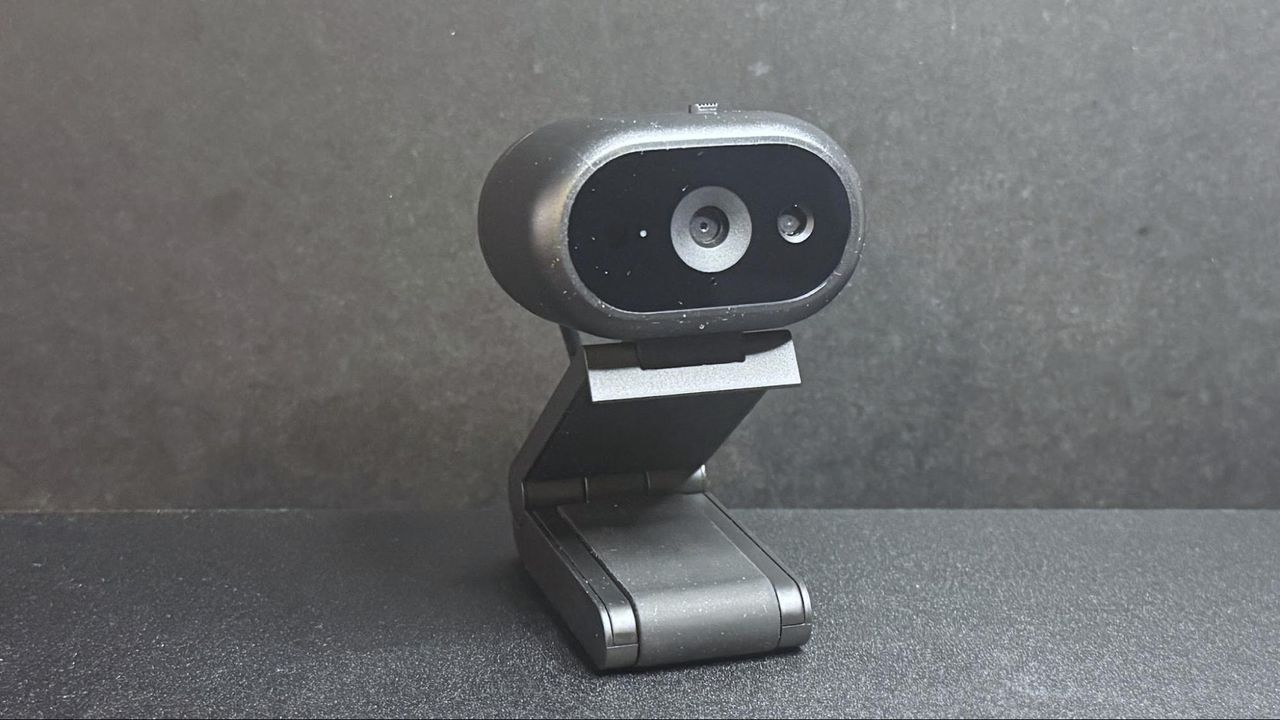
Dell's new office-oriented 2K webcam, the Dell Pro 5 (WB526), is a small, lightweight webcam that records video at 2K QHD / 30fps, 1080p / 30fps, and 720p / 60 and 30fps. It sports a Sony sensor and has a 78-degree field of view, 2x digital zoom, and an autofocus lens with a maximum aperture of f/2.0. As for its "office-friendly" features, it's compatible with Windows Hello, and it has an "anti-theft interface" and comes with a lockable cable that you can attach to a loop on the non-detachable USB-C cable. It also has some intelligent features, such as smart auto-exposure, AI auto-framing, and face tracking, as well as a built-in omnidirectional microphone that doesn't sound quite as terrible as most built-in webcam mics. It's available now for $119.99, though it's currently on sale for $114.99.
Design
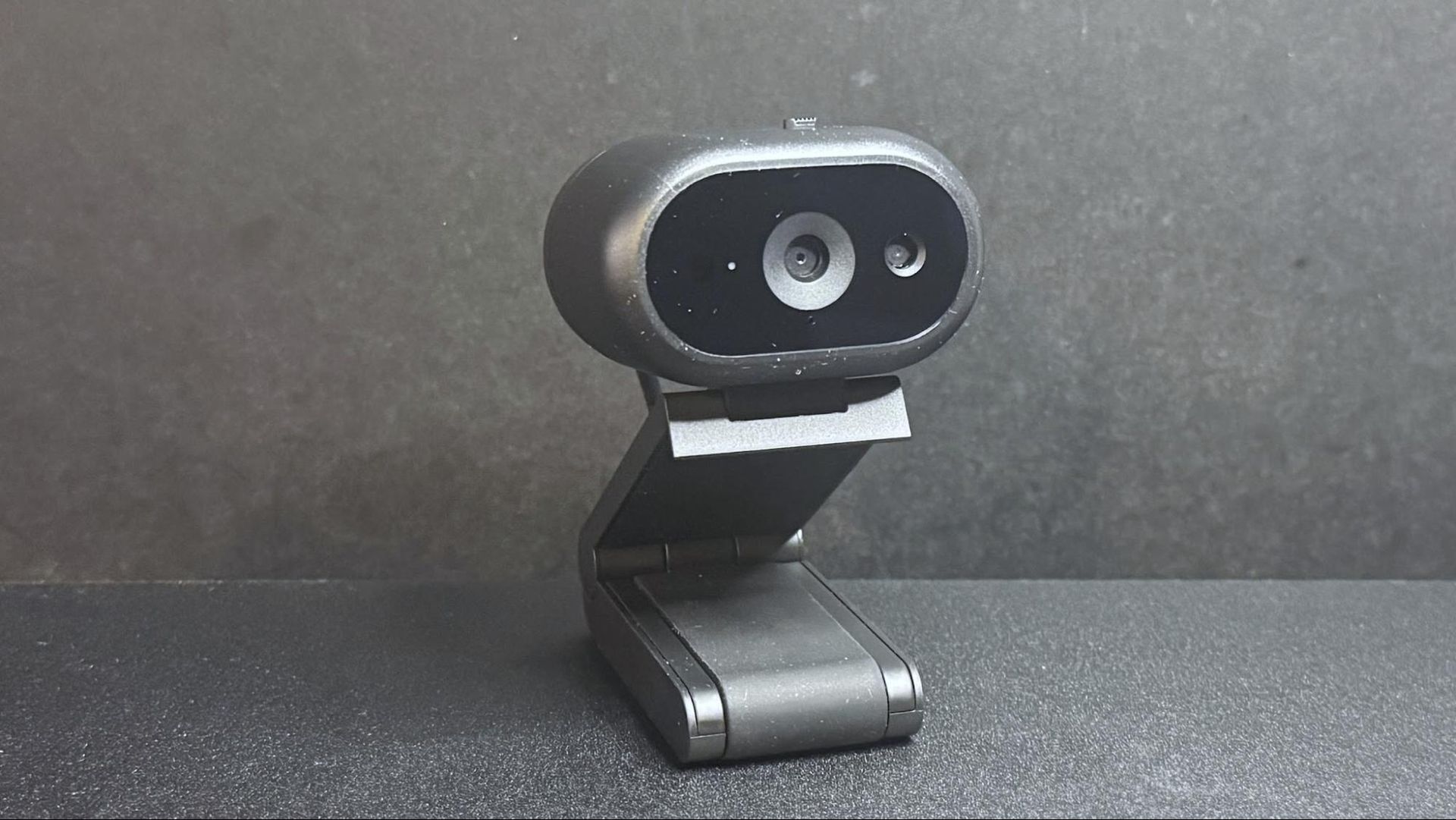
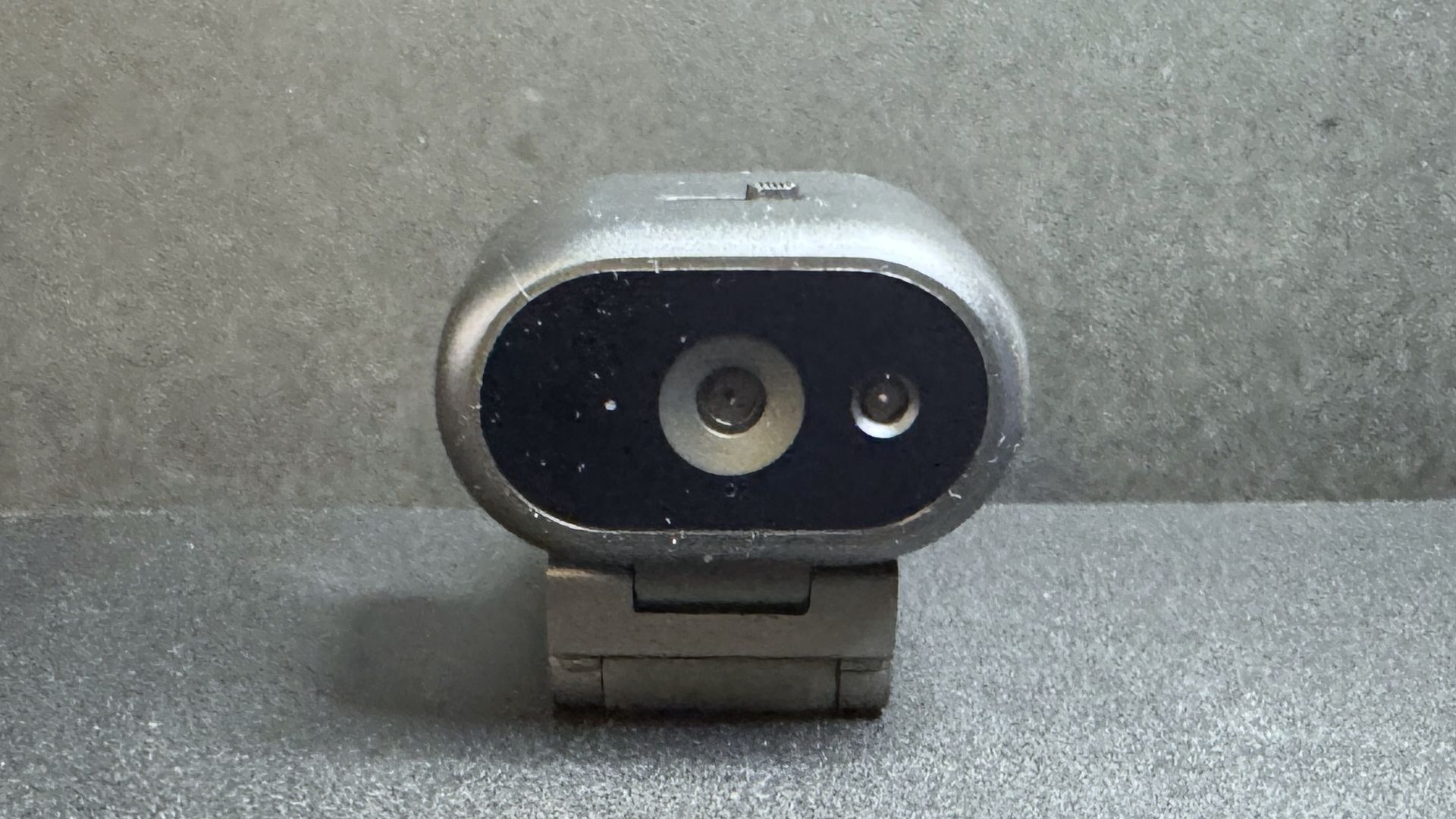
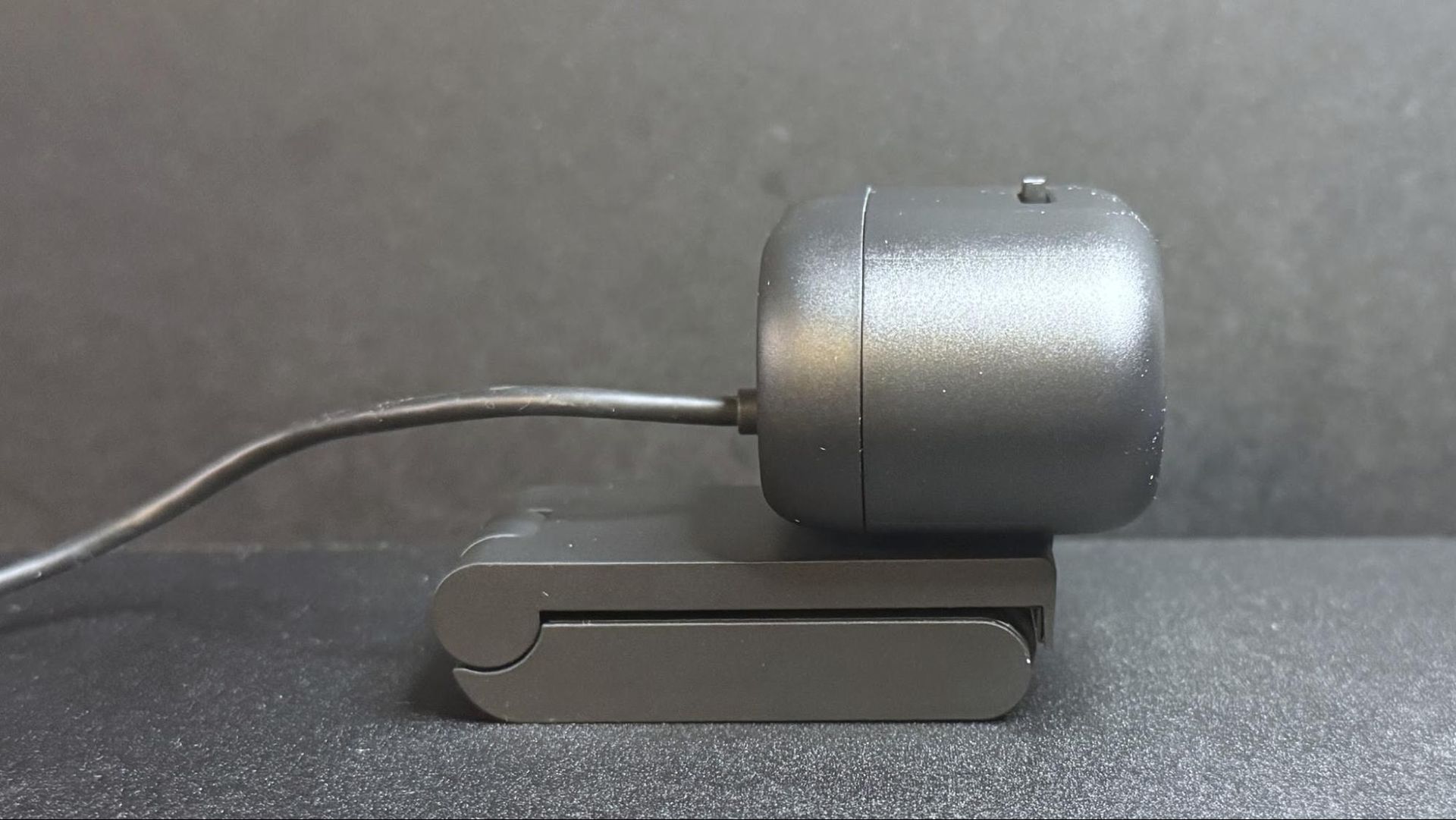
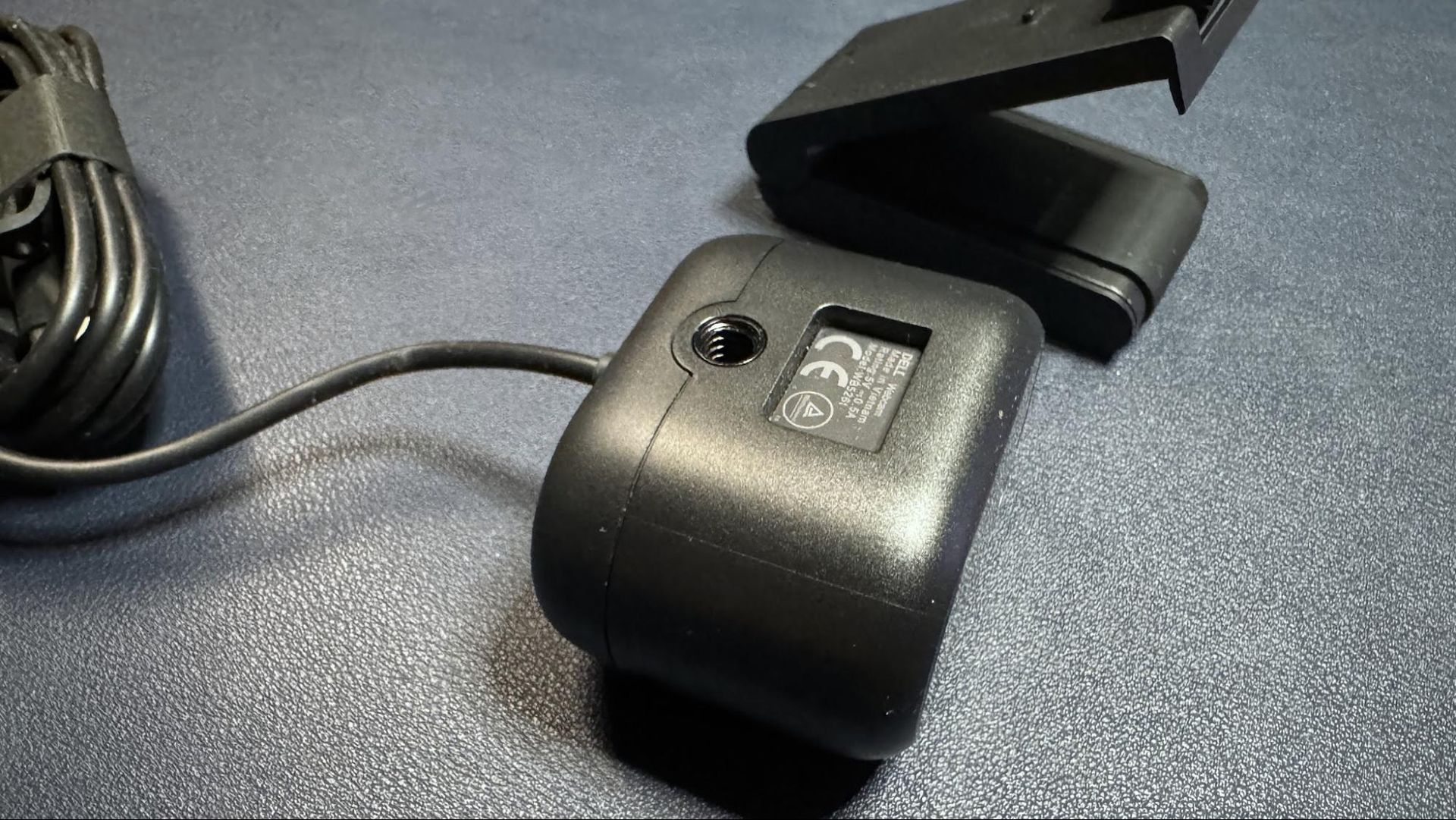
The Dell Pro 5 webcam is a small oval-shaped webcam with a non-detachable USB-C cable (which comes with a built-in USB-A adapter. It has a lightweight black plastic body, measuring about 2.28 inches (57.9mm) wide by 1.7 inches (43.18mm) deep, and is 1.4 inches (35.56mm) high. It's a fairly small webcam — not quite as small as the YoloLiv YoloCam S3, but close. It also has a physical lens shutter, which you can open and close via a small switch on top of the device. It's not the most elegantly implemented lens shutter we've ever seen, but it does the job perfectly well.
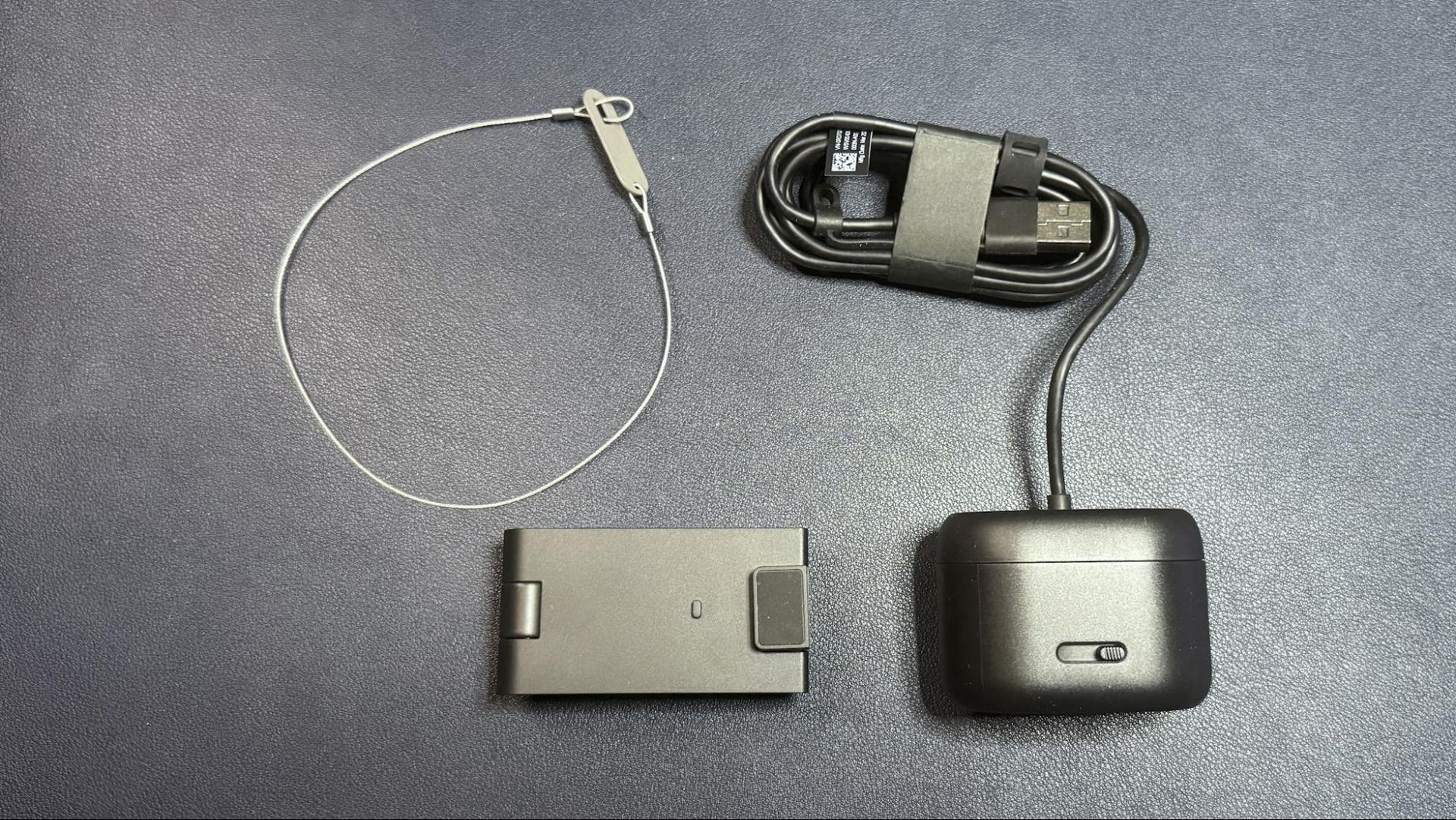
Like many lower-cost webcams, its cable is not detachable — it's a 5-foot (1.5m) rubber USB-C cable with a built-in USB-C to USB-A converter attached to one end. It's not a particularly thick cable, but it's stiff enough (and the webcam is lightweight enough) that it does influence the webcam's position, and bumping it can cause the webcam to accidentally move and mess up your framing.
Tom's HardwareTom's Hardware
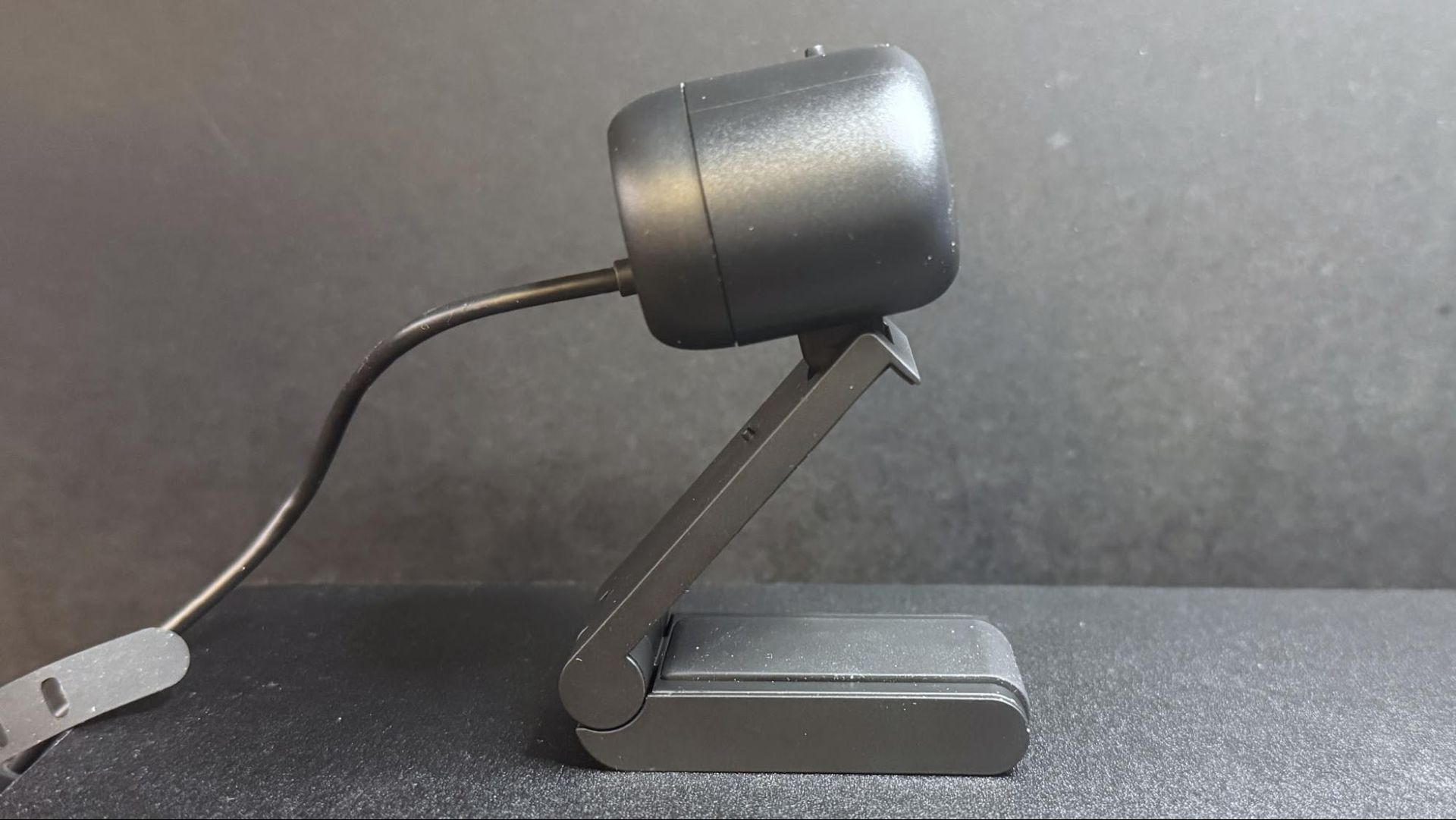
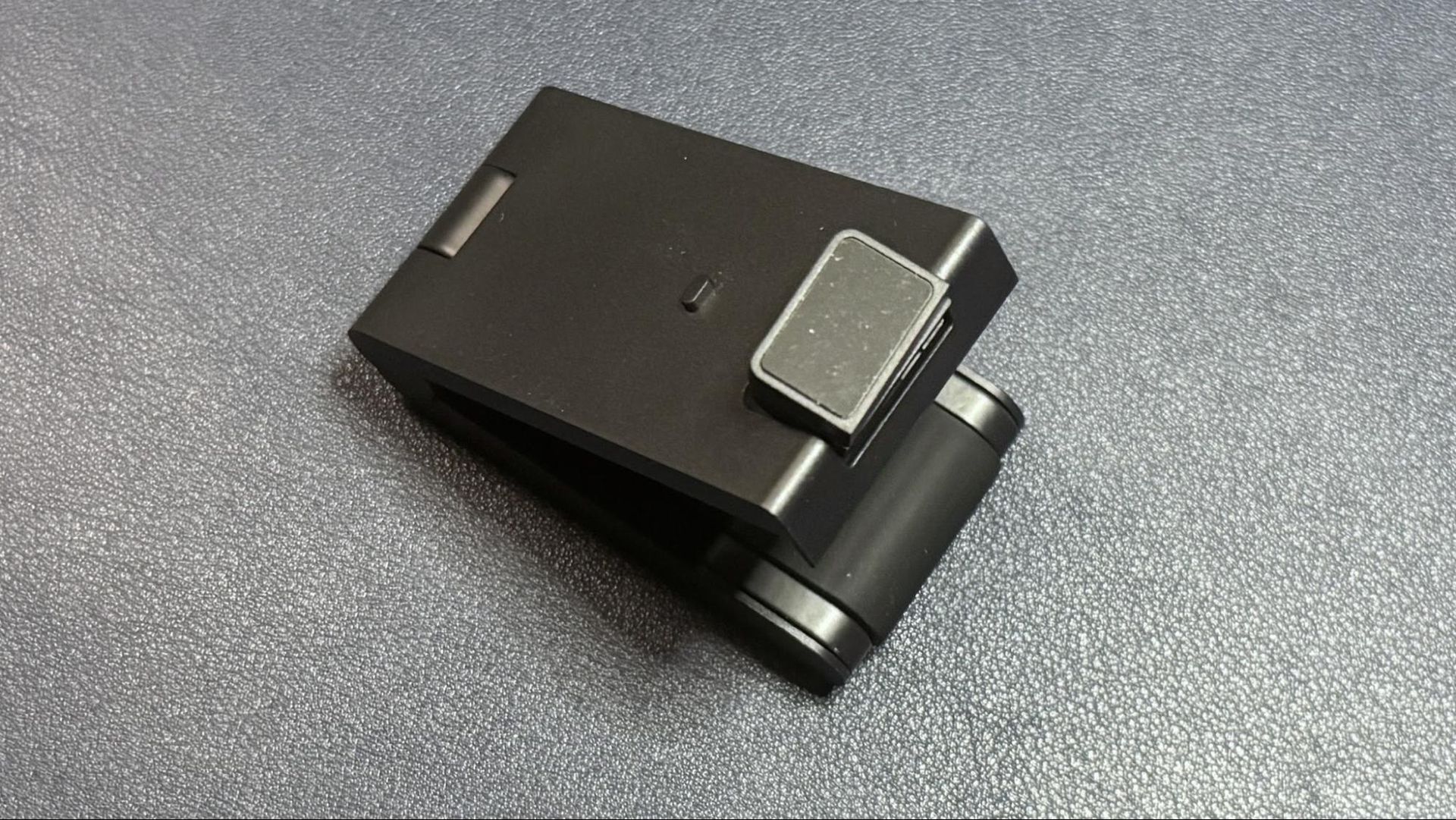
The Dell Pro 5 comes with a sturdy detachable monitor mount that attaches to the bottom of the webcam via a strong magnet. (The webcam also has a standard tripod mounting point, should you want to use it with a different camera mount.) The mount is surprisingly hefty — it weighs about 4.7 ounces (133g), which is nearly twice the weight of the webcam itself, which weighs around 2.57 ounces (73g). It's a pretty standard monitor clip mount, with a lip that goes over the edge of your monitor and an adjustable, rubber-coated "foot" that sits on the back of your monitor to hold the webcam in place.
The mount allows you to tilt the webcam forward up to 90 degrees, which will probably be useful for the webcam's document-reading feature. It also allows you to swivel the webcam almost 90 degrees in either direction, so it's actually pretty flexible for a mount included with a more budget-friendly webcam. It does not have a tripod mounting point on the bottom, however, so you won't be able to take advantage of this flexibility away from your PC.
(Image credit: Tom's Hardware)
In the box, the Dell Pro 5 comes with its detachable monitor mount and a locking mechanism for those of you who work in insecure office environments (or, I suppose, for those who might travel and work from co-working spaces, I guess). The locking mechanism is designed to slide through a loop on the cable.
The Dell Pro 5 is a 2K webcam that outputs video in 2K UHD at 30fps — it's not 4K, but it should give you more detail and better image quality than a standard full HD 1080p webcam, even if most streaming and video conferencing services limit your outgoing stream to 1080p or lower.
For our well-lit performance test, I tested the Dell Pro 5 webcam in a fully-lit setting. From the front, I have two professional lights (a ring light on the right side and a key light on the left side), as well as four monitors (three 27-inch monitors and one 34-inch widescreen monitor), plus ambient lighting from various peripherals, including my desk. Behind me, there are two desk lamps, and overhead I have an arching floor lamp. There is no uncontrolled light in my home office, and it's a pretty bright scenario. (All of my test photos are taken with Windows' native camera app for consistency, but please note that test photos are mainly for illustrative purposes and the conclusions drawn are based on extensive testing.)
Dell Pro 5Tom's HardwareDell Pro (WB5023)Tom's HardwareElgato NeoTom's Hardware
The Dell Pro 5 performed pretty well in our well-lit scenario, though the color balancing seemed to wash me out slightly and the picture wasn't quite as crisp as I would have liked. That said, this is exactly the kind of picture I look for in an office-oriented webcam — bright and evenly-lit, if a little flat, for a more "professional" appearance (and so it can do things like read text and scan documents). It's not the most cinematic, dramatic, or flattering image from a webcam, but it should work very well in a professional setting.
Low-Light Performance
For our low-light test, I turned off all of the lights in my home office except for one 27-inch monitor, on which I had a window open with Google's homepage (mostly white) filling half the screen and the Windows 11 Camera app filling the other half. This is basically a completely dark scenario with only my (admittedly, relatively large) monitor for lighting.
Dell Pro 5Tom's HardwareDell Pro Webcam (WB5023)Tom's HardwareElgato NeoTom's Hardware
The Dell Pro 5 performed about as well as I expected in this scenario — it was able to pick up more detail in the dark than most 1080p webcams, though its low-light performance is far from what I'd call "good." This was more noticeable in moving video, however, as the video was extremely grainy with large artifacts (this photo actually makes it look much better than it was). The Dell Pro 5 does have HDR, but this didn't seem to make a significant difference in the low-light picture quality.
By comparison, the Dell Pro (WB5023) webcam did a better job with balancing light in the low-light scenario, though it picked up the same amount of detail. The Elgato Neo, which is a budget 1080p webcam, did a much better job of balancing light in this scenario, but its picture was also extremely grainy.
Overexposed Performance
For our overexposed performance test, I turned off most of the lights in front of me (save for one 27-inch monitor) and left the lights behind and above me turned on. This is actually one of the most likely scenarios for webcam users, as offices tend to be generally well-lit environments, but without dedicated camera-focused lighting aimed at the user.
Dell Pro 5Tom's HardwareDell Pro Webcam (WB5023)Tom's HardwareElgato NeoTom's Hardware
The Dell Pro 5 performed adequately in our overexposed performance test: it managed to balance light fairly well (every webcam struggles with this), but its auto color balancing was definitely off. Both the Dell Pro (WB5023) and the Elgato Neo did a much better job with color balancing in the overexposed scenario, especially with the default settings.
Features and Software
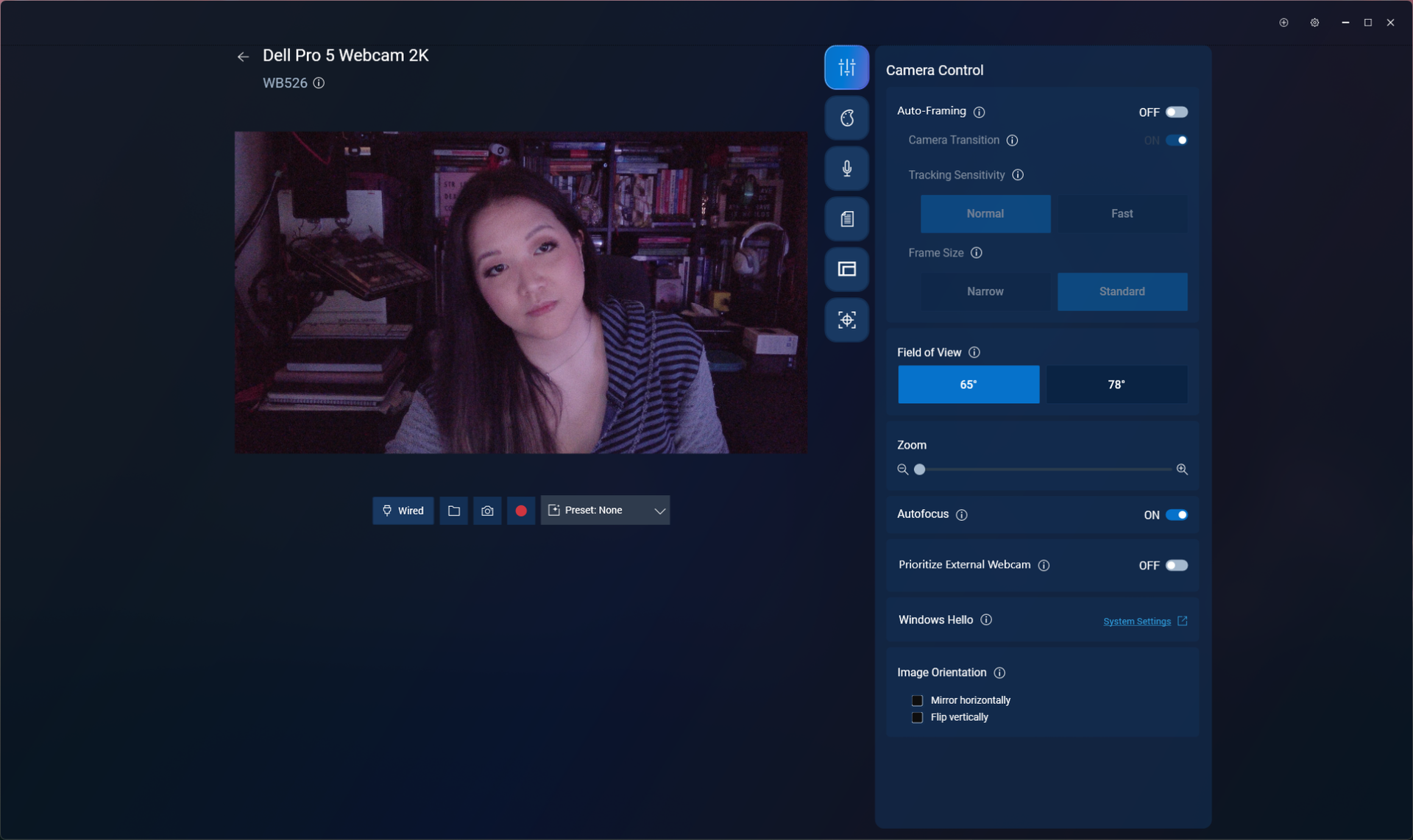
The Dell Pro 5 is configurable via Dell Display and Peripheral Manager, which lets you adjust the webcam's image settings and toggle on various features such as face tracking, HDR, and auto exposure. You can also set up features such as gesture control and Windows Hello from this app, as well as Document View, which can be configured to automatically turn on when you tilt the camera down at least 60 degrees and show a rectangular document.
(Image credit: Tom's Hardware)
While the Dell Display and Peripheral Manager does have a lot of settings you can adjust, including brightness, sharpness, contrast, saturation, and vibrance, I found that adjusting the settings didn't actually seem to do much for the picture. Turning the saturation down to 0%, for example, gave me a slightly desaturated image — not a completely black-and-white one. I also found it frustrating that there was no way (at least as far as I could see) to minimize the app to your system tray.
The Dell Pro 5 has a built-in omni-directional microphone for when you have absolutely no choice other than to use your webcam's built-in mic. The mic wasn't the worst I've heard on a webcam — it managed to pick up my voice pretty clearly, and didn't make me sound like I was yelling through an underwater tunnel — but it wasn't great, either. It should work fine if you've got nothing else on hand to speak into, but it's not a microphone I'd recommend.
Bottom Line
The Dell Pro 5 webcam is definitely designed for office use — and for an office-oriented webcam, it's not bad. But if you're looking for something easy to use and cheap enough that your coworkers aren't going to try to steal it, I'd probably recommend the Elgato Neo over the Dell Pro 5 — after all, the Elgato Neo retails for $60 and can currently be found for about half that, which means the Dell Pro 5 is more than four times as expensive.
The Dell Pro 5's 2K resolution might come in handy if you're the type of person who's constantly showing documents over video calls, but Razer's Kiyo X also has a 2K resolution and retails for $100 (and can currently be found on sale for around $75). The Dell Pro 5 isn't a bad webcam, but you don't need to pay $120 for similar quality.
If you’re called by an unidentified number, the advice is to remain silent until you’re sure there’s a human being on the line. Is this the end of an era?
The Mac App Store “screenshot” for the app is not actually a screenshot at all. If you look closely, that’s not the real Safari: the toolbar elements are wrong. I suspect that the image was AI-generated.
[…]
Another thing you should note in the fake screenshot is the “4.9 out of 5” stars, giving the impression that this is the App Store user rating of the app.
[…]
These purported reviews, all but one of which is 5 stars, are all in English. Yet none of them is in the US App Store. […] If you’ve ever looked through App Store user reviews, it’s unusual to find this naming format. […] the dates on the reviews, such as “Mar 12,” predate the release of TabControl Extension in the App Store!
God only knows what this obvious AI slop scam is doing with the data from users’ Safari tabs. It’s currently the 12th or 13th most popular Safari extension in the App Store.
Coincidentally, on the same day well-known developer Marco Arment complained on social media that his new, unreleased Mac App Store app had been waiting 12 days for review by Apple.
Johnson continued browsing Safari extensions in the store:
The apps’s privacy policy is again on Google Drive, but the developer website link goes to https://aee5e5015.app-ads-txt.com, a suspicious URL. This website is barren and simply redirects back to the App Store[…] Did App Store review ever bother to click the developer website link?
[…]
In addition to the 41 apps, each of which required at least one submission to App Store review, I count across those 41 apps at least 327 updates, almost all of which have the same generic description for what’s new in the update: "Bug fixes and performance improvements." So that’s at least 368 submissions to App Store review, most within the past 12 months, from a single developer. In other words, the developer is averaging almost one submission per day. We can count only approved submissions; we have no idea how many submissions by the developer were privately rejected by App Store review.
I get the impression that Apple is asleep at the wheel. Is anyone at Apple counting submissions per developer? How many is too many? How many resources is one developer allowed to consume?
[…]
You may view it as a noble, democratic ideal to treat every app developer the same, but in reality this is the path to the crApp Store, full of scams and slop.
There’s no doubt that there is spam on the App Store, but the way to remove it is to target the spammers, not new developers, students, and hobbyists looking to build their ideas. I know that being an indie developer isn’t an easy way to make a living, but erecting barriers to submitting apps is the surest way to starve Apple platforms of fresh, innovative ideas.
I’d like to see App Store spam cleaned up as much as anyone, but the way to do it isn’t preferring well-known developers and those who can afford to pay more for special treatment.
I don’t agree with paid tiers either. However it feels like there should be a natural brake applied to new developers and new apps. It’s no big deal if your first app takes a week or two to review (often did 10y ago), and as it matures & receives meaningful updates in the store, turnaround increases as trust and “value” (active users?) builds up. Like “tarpitting” new accounts. I think limiting the # of new apps you can add per month to say 1 or 2 would also help…
I was a new App Store developer myself ten years ago. My previous article didn’t propose any new barriers for those groups. To be clear, I did imply that no developer, whether new or not, should have more than 40 apps and average a new App Store submission every day of the year. I’m not aware of any prominent developer who has that many. Apparently, checking just now, Microsoft by my count has 38 App Store apps between iOS and Mac, which is a lot but still less than the 41 apps of the developer I discussed in my previous article who is definitely not one of the largest software developers in the world along with Microsoft. I do think it’s reasonable for Microsoft to pay a significantly higher developer fee to have those 38 apps reviewed than a smaller developer pays to have one app reviewed by Apple.
[…]
My contention is that Apple is actually wasting its own resources treating every developer like a potential spammer or scammer, even the developers who are known to be trustworthy, and this wasting of resources makes it harder on everyone, including new developers, students, and hobbyists. App review is grossly inefficient, and it’s clearly failing to scale to the increase in App Store submissions. What I propose is not raising the gates but rather lowering the gates for developers who have already proven trustworthy, so that Apple can focus its review efforts where they’re most needed.
I’m not sure that paying more would help anything. If scams are profitable, surely it would be worth them paying more, and then we’re back to square one. And I don’t want to create another situation like App Store Search Ads where providing poor service makes the revenue numbers go up. But I like the general idea of considering the account’s history, e.g. the way the Discourse forum gradually increases trust over time. It should count for something if you have a long history of following the rules and submitting updates to a small number of apps on a reasonable schedule vs. frequent spamming of submissions that don’t even have real release notes. It would not be fair for Microsoft to be able to cut in line, but giving spammers equal access to the review queue means they’ll use more than their share of Apple’s resources. That also seems unfair. The current system encourages frequent submissions, which also increases the overall load on the reviewers. I think the incentives need to be changed somehow. Maybe each account should get a certain number of “fast” submissions per month or year, after which you can still submit but it goes into a lower priority queue.
Even among more legitimate-seeming apps, though, Apple is ignoring clear problems. In AppleInsider research, for instance, we found that many price tiers listed for the “Simply Piano” app bore no relation to what the developer actually charges.
[…]
You shouldn’t have to be the one to investigate apps you want to try. That is the future of third-party App Stores, and that is a future to be fought.
But that future is here with the first-party App Store we already have. And this inability to trust an App Store is here, right now, because Apple will not do what it keeps saying it is doing and what it is charging developers to do.
Apparently the App Store developer in question saw my article in the news, because the fake App Store reviews posted on the developer’s website were quickly removed, as reported by AppleInsider and confirmed by me. Until yesterday, the misleading “4.9 out of 5 stars” claim remained in the App Store. However, the developer released an update only hours ago with new screenshots that no longer include the misleading claim, thereby erasing all evidence of the previous fraud. Apple approved the developer’s update and, needless to say, did not remove the app from the App Store.
[…]
There are 59 reviews [of Authenticator ℠], 54 of which are 1 star, and 3 of which are 2 stars. Two of the reviews are 5 stars; of those, one is titled “space jam” and goes on to say, “i believe i can fly and touch the sky.” Anyway, the question is, how did the app manage ratings of 4.1 out of 5 when the reviews average 1.2 out of 5? (That’s a rhetorical question. I think we all know the answer.)
Cameras in airline seatback screens and increasingly sophisticated driver-monitoring systems spark a debate over safety, privacy, data access, and surveillance. The MacVoices Live! panel examines EU vehicle requirements, Tesla interior cameras, dash cams, accident evidence, connected devices, and whether consumers receive enough disclosure and control over technologies designed to watch them. Panel members include: Chuck […]
The Road to Macstock takes a serious turn as Mike T. Rose previews his workshop on becoming a digital caretaker for family members and loved ones. Mike discusses scams targeting older adults, password sharing, remote support, Apple Passwords, financial preparedness, and the need to balance protection, respect, independence, and trust when helping others manage their digital lives.
A Washington, D.C., resident recently received a startling text message that claimed Apple Pay had already charged him $8,250, with a second identical charge set to go through automatically in only 35 minutes, Fox News’ CyberGuy Kurt Knutsson reports. The message, which appeared to come from “Apple Pay Account Services,” instructed him to call a toll-free number immediately, reference a case ID, and “verbally kill” the pending transaction—or risk losing the money forever.
The recipient, identified as Paul C., wisely paused instead of dialing. He forwarded the message for review rather than engaging. The text is a classic example of a high-pressure callback scam designed to create panic and push people into contacting criminals posing as support agents.
Key Red Flags in the Message
Several details immediately signal fraud:
• The text arrived from a +44 number (United Kingdom country code), yet directed a U.S. recipient to an unrelated 855 callback line.
• Dramatic, unprofessional language such as the account having “hemorrhaged” money, a “catastrophic fraud event,” a contactless limit “crushed” to $0, and the need to “verbally kill” a charge. Legitimate financial alerts use clear, straightforward wording.
• Vague and nonsensical merchant descriptions, including an “agricultural processing surplus in Stockton, CA” and a “payday lending chain in Modesto.”
• Internal contradictions: the message claimed the contactless limit was already blocked at $0 while simultaneously warning that another large contactless charge would auto-approve shortly.
• Every instruction funneled the recipient toward calling the provided number. It never suggested checking the Wallet app, the bank’s official app, or the phone number printed on the physical card.
The 35-minute countdown is intentional. It creates just enough urgency to discourage careful verification while still giving the target time to place the call.
How the Scam Typically Unfolds
The text is only the bait. Once someone calls, the person on the other end may claim to see the account activity, request personal details, card numbers, Apple Account information, or one-time verification codes. In some cases, scammers push victims to install remote-access software so they can view the screen or guide transactions. Other variations involve claims of an oversized refund that must be “returned,” or instructions to move money into a supposedly safe account.
Similar Apple Pay-themed texts have previously put victims at risk of losses in the five-figure range.
How to Verify a Suspicious Charge Safely
Never call a number that appears in an unexpected text. Instead:
Open the Wallet app on your iPhone, select the relevant card, and review the Transactions tab.
Check the full history in your bank or card issuer’s official app.
If anything looks wrong, call the customer-service number printed on the back of your physical card.
Apple has noted that Wallet does not always show complete transaction history for every card, so the bank remains the most reliable source.
Reporting and Next Steps
If you receive a similar message:
• Take a screenshot that includes the sender details.
• Report it as spam/junk in the Messages app, then block and delete the conversation.
If you already called the number or shared information, hang up immediately. Contact your bank or card issuer through official channels to secure the account. Change any passwords that may have been compromised, enable or confirm two-factor authentication, and remove any remote-access software that was installed. Place credit freezes if sensitive personal data was shared.
Simple Habits That Reduce Risk
Slow down when any message imposes a tight deadline. Verify activity only through channels you already trust. Never read verification codes aloud or grant remote access to someone who contacts you first. Keep security software updated, limit the personal data available on people-search sites, and consider identity-monitoring tools if you have been targeted repeatedly.
MacDailyNews Take: This particular scam relies on fear and urgency rather than sophisticated technology. The best defense remains the same: pause, ignore the callback number, and check your accounts yourself through official apps or the number on your card.
Please help support MacDailyNews — and enjoy subscriber-only articles, comments, chat, and more — by subscribing to our Substack: macdailynews.substack.com. Thank you!
The notion that scammers can use AI to sharpen their deceptions, polish their language, and lubricate their banter with victims is now a reality for anyone fighting the fraud operations that steal tens of billions of dollars a year worldwide. But can AI fully replace a human scammer, autonomously building the web of deception leading up to the fake investment that defrauds the mark? One study's experiment suggests that it can—and may even be able to carry out the majority of that long con more effectively than humans.
Researchers from four universities—Amrita Vishwa Vidyapeetham in India, Foscari University of Venice, the University of Melbourne, and Ben Gurion University of the Negev—carried out a broad study on the use and potential of generative AI chatbots in the growing scam industry centered around a form of fraud known as “pig butchering,” text-based romance scams that eventually shift to fake crypto investments that steal as much as six-figure sums from victims. In their study, the researchers pitted AI chatbots directly against humans in a simulation of the scamming process—or more specifically, the long, trust-building conversations that eventually lead up to soliciting a fake investment from the scam’s target.
They found that for the relationship-establishing stages of the scam—the stage that in real-world scams typically represents the longest part of the interactions with the victim, often stretching to months—an AI chatbot performed remarkably effectively, successfully impersonating a human and by some measures outperforming the real human “scammers” in their experiment.
À medida que os incêndios florestais continuam a afetar várias regiões da Europa, um nova ferramenta, que usa dados dos satélites Copernicus, permite acompanhar, em tempo real, a evolução dos fogos, a propagação do fumo e as emissões de carbono.
Brazilian users browsing the App Store rankings in categories such as Navigation, Travel, and Weather have noticed a growing number of poorly made games appearing among the top results, many of them featuring AI-generated illustrations of animals as their app icons. Many carry an AL age rating, making them available to users of all ages, including children.
As it turns out, these are so-called jacket apps, which are just a front for hidden betting and gambling apps.
[…]
The repository also includes explicit instructions intended to prevent the apps from being flagged as suspicious during App Store review. These include giving each app uniquely named startup and remote-configuration codes, making it harder for reviewers to identify them as part of the same group.
Ironically, the App Store’s own recommendation system appears to have little trouble grouping the apps together, as the “You Might Also Like” section on several of these apps points users toward other suspicious apps more frequently than they point to genuine apps.
Obviously the main problem is that these apps disguise themselves Trojan Horse-style, and slip through App Store review undetected. I don’t think it’s reasonable to think App Store review could catch every attempt at this sort of thing though — if the horses are disguised well-enough, some of them are going to slip through. That’s actually fine.
I agree that it’s unreasonable to expect App Review to catch all those, but then Apple should not be pretending that it can. This was all obvious from day one. The public perception of App Review is completely at odds with what it actually can and does do.
But the first example 9to5Mac cites isn’t well disguised at all. What sense does it make that “PotatoPlot Puzzle” — a game featuring a rabbit potato farmer — is a weather app? How is that not a red flag right there?
[…]
I always mention that the point of such a squad shouldn’t be to make the App Store 100 percent scammer-free — which I believe is an impossible goal that would set the team up for failure. The point should be only to make the App Store free of successful scams. Focus on the most popular apps and the most lucrative apps.
The App Store is more than 18 years old. The idea of patrolling the top charts probably occurred to Apple before it even shipped. They just don’t want to do it.
Apple only took 24 hours to approve my iOS app update that crashed instantly on launch. Such a blessing to have that extra level of reliability and security that only a manual review process can provide 🙏
Incidentally, the crash was due to a missing dylib - something that could easily have been detected by the automated scan process, if only that scan were designed to protect users’ and developers’ interests instead of Apple’s.
There is simply no other way to maintain a modern, healthy software ecosystem without making sure that apps that have been around for 7 years and 20 major versions can’t get a build looked at within 48 hours. There’s no other way. Probably needs to be longer, honestly.
I had to file an Expedited Review Request because this update is a legitimate emergency. Four hours later, App Review rejected the build because they didn’t follow the first sentence of the testing instructions (which haven’t changed in 7 years). Back to Waiting for Review! There’s no other way.
We got rejected in the Expedited Review again, this time for not having an account deletion feature. Except we do, and it’s one button press away from the screen that the reviewer was on. And it has always existed. Is this how the expedited review works? Malicious incompetence?
If you were wondering how long one of the “you can ask us to approve this build and can fix this issue in the next release” App Review errors takes to resolve when you’re in the Expedited Review Queue… me too! So far, 18 hours. (Ignoring the fact that we have the feature the rejection was for.)
The complaint alleges that Apple violated California’s Consumers Legal Remedies Act and other laws by failing to adequately review and monitor apps distributed through the App Store, despite marketing it as “a safe and trusted place to discover and download apps.” Due to these assurances in Apple’s marketing, the complaint said the plaintiffs trusted that a Sparrow Wallet app they downloaded from the App Store on iOS was legitimate, when in reality it was a fraudulent spoof designed to steal Bitcoin from users.
Sparrow Wallet is only available on Windows, macOS, and Linux. The popular Bitcoin wallet is not available on iOS, but scammers have released fake lookalike apps in the App Store that can trick users into giving up control of their funds.
[…]
Even when victims reported fraud, the lawsuit alleges that Apple often took little to no action, and it says other fake Sparrow apps remain in the App Store.
Sparrow Wallet developer Craig Raw has publicly addressed Apple’s slow response to multiple fake versions of his app appearing in the App Store. In a January 2024 social media post, for example, he said “there is still a scam ‘Sparrow Wallet’ app on the @Apple App Store, despite myself and others having reported it weeks ago.”
My attempt to protect users from scam apps on the
@AppStore
has gotten my Apple Developer account flagged for termination - ironically, for “dishonest activity”.
[…]
I’m the developer of the real Sparrow Wallet, a desktop app, and I hold the registered US trademarks for the name and logo. I have publicly warned
@Apple
and the community about these fake apps from early 2024, but they keep appearing.
The app
@Apple
flagged was a placeholder that was never published. Its only purpose was to warn users that Sparrow is desktop-only and that other “Sparrow” apps aren’t mine. This approach may have been misguided, but there was nothing dishonest about it.
In response to our request for comment, Apple said it has taken swift action to remove any apps impersonating Sparrow Wallet[…] Apple says it takes immediate action against apps that do not comply with its guidelines.
The complaint targets one of Apple’s longtime competitive arguments: that its tight control over its App Store makes its platform safer than those offered by its rivals. The company has used this claim to push back against deregulation of the app ecosystem, including third-party app stores and sideloading.
“As part of a sustained marketing campaign, Apple has positioned itself, its products and services, as offering a level of security and trustworthiness superior to any competing technology company,” the new filing states. “This includes assurances about the safety of applications distributed through its App Store. By retaining exclusive control over which apps are permitted on Apple devices, Apple has structured its platform to ensure that consumers depend entirely on its promise of safety and reliability,” it reads.
With third-party app stores, there would be an incentive to do better vetting than Apple, and with sideloading it would be clear that the app was not being downloaded from sparrowwallet.com.
What struck me about Apple’s response is that it places the burden of curating the App Store on developers and users rather than taking responsibility for it. After all, Apple reviews every version of every app before it can be published to the App Store. If Apple is curating the App Store, then why do scams have to be reported and removed? One wonders how the scams get past Apple review in the first place, and even if Apple review “is not perfect” (a gross euphemism), how the second line of defense, Apple employees patrolling the App Store for scams that the review team missed, also fails. The burden of App Store curation should not fall to me, a lone indie developer.
Apple’s response also ignores that the indie developer did report the scams, multiple times.
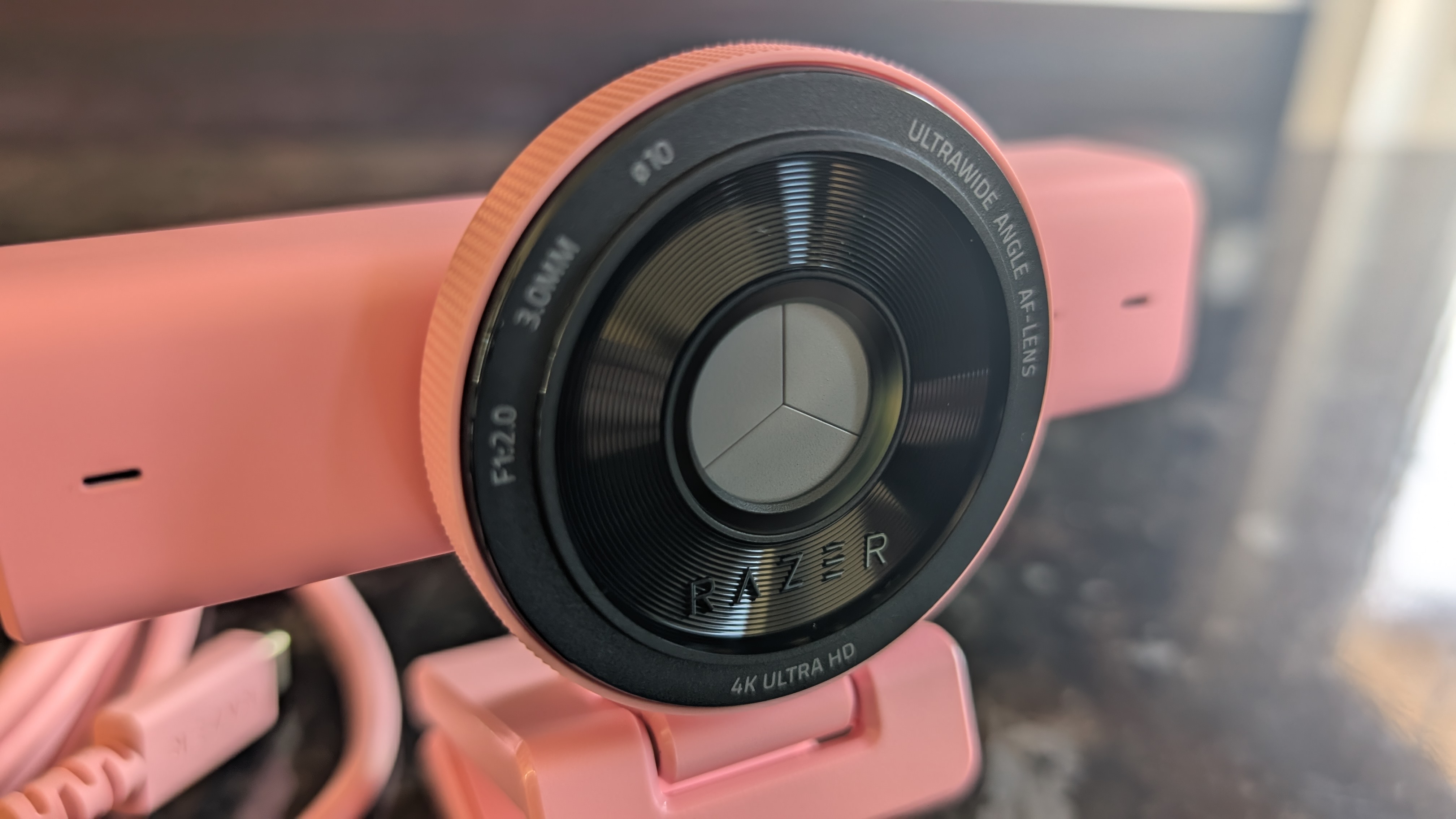
Razer is a household name in the webcam space, with its Kiyo brand being one of the most popular choices for streamers and PC gamers. The latest Kiyo V2 is another sterling example of Razer's commitment to premium build quality and high-end components, and for the most part, it's a great product.
Delivering either 4K recording at 30 frames per second or 1080p at 60, the Kiyo V2 captures quality video with a high degree of customization via the Razer Synapse software. It's fairly pricey (don't expect to see it on our list of the best cheap webcams), but for a 4K webcam with this sort of build quality and feature set, it's actually quite competitively priced.
(Image credit: Future)
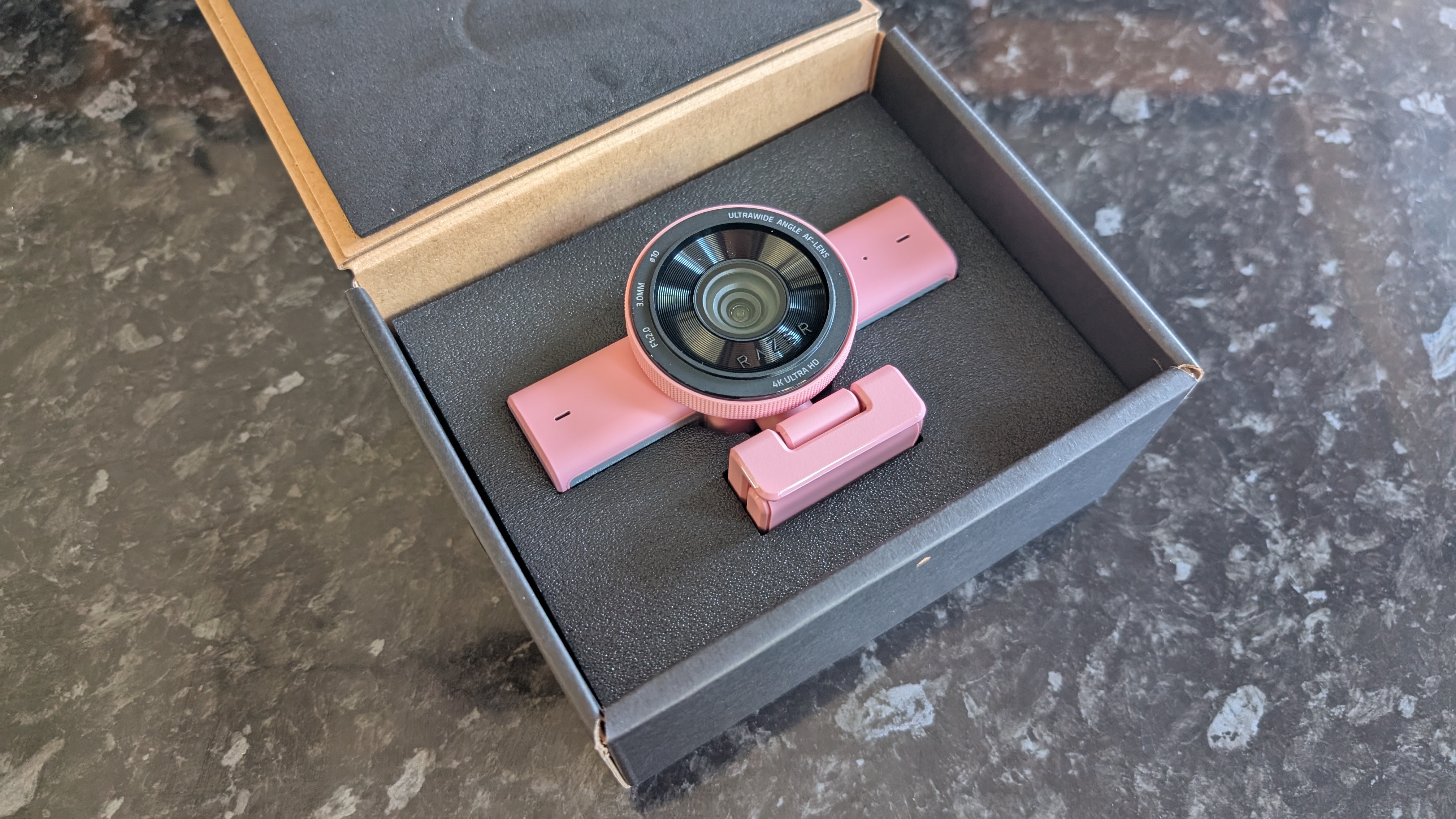
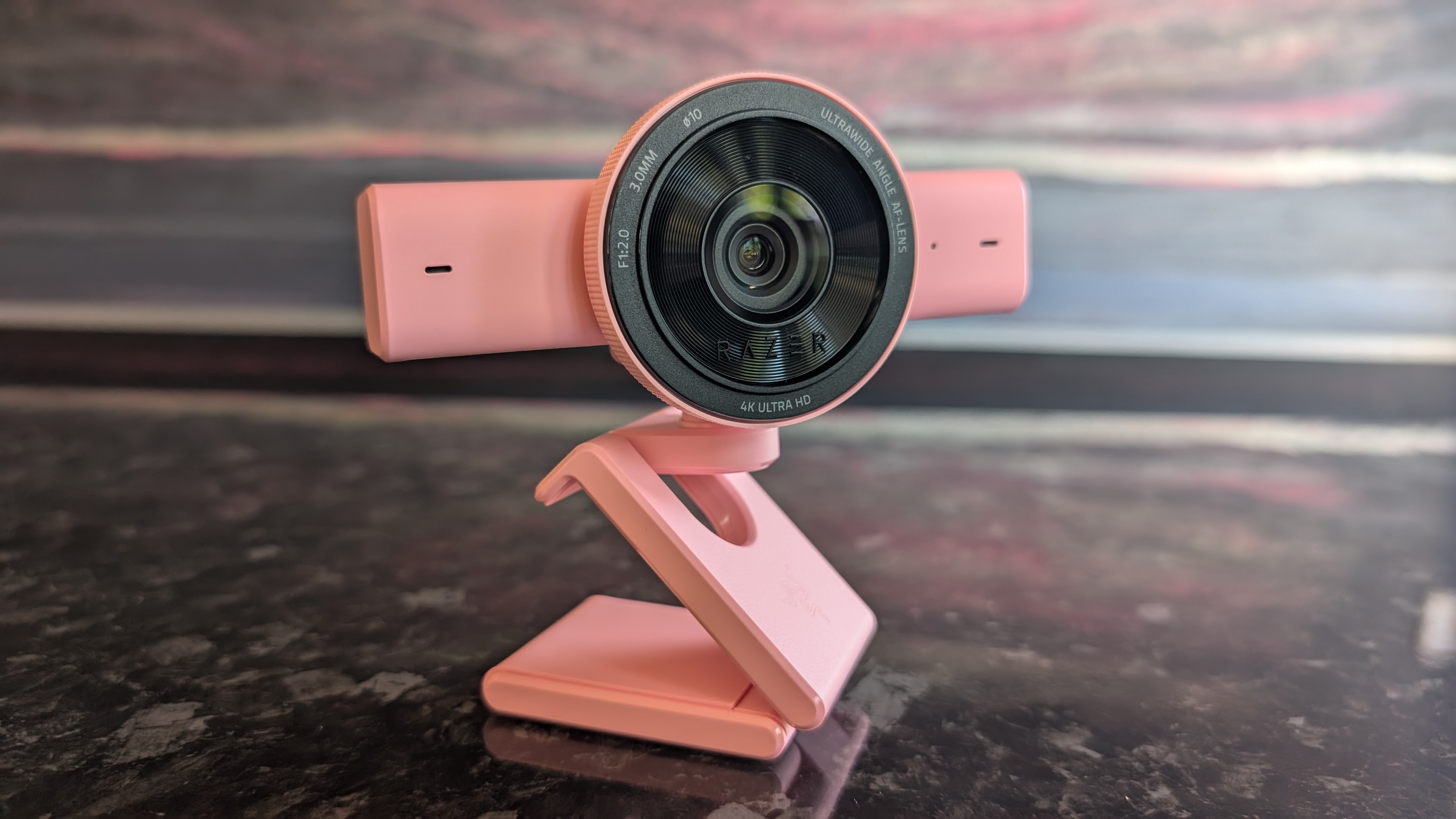
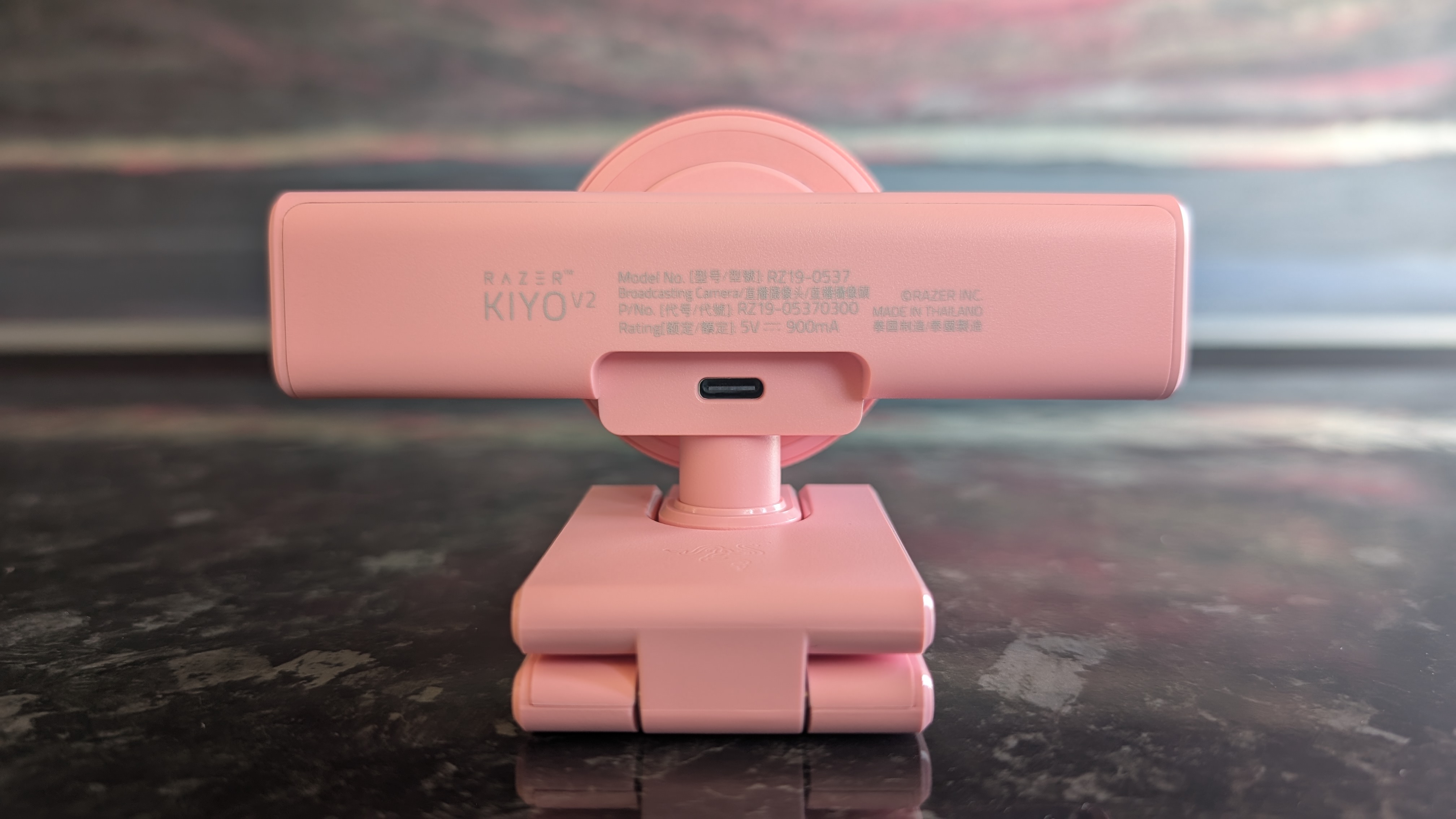
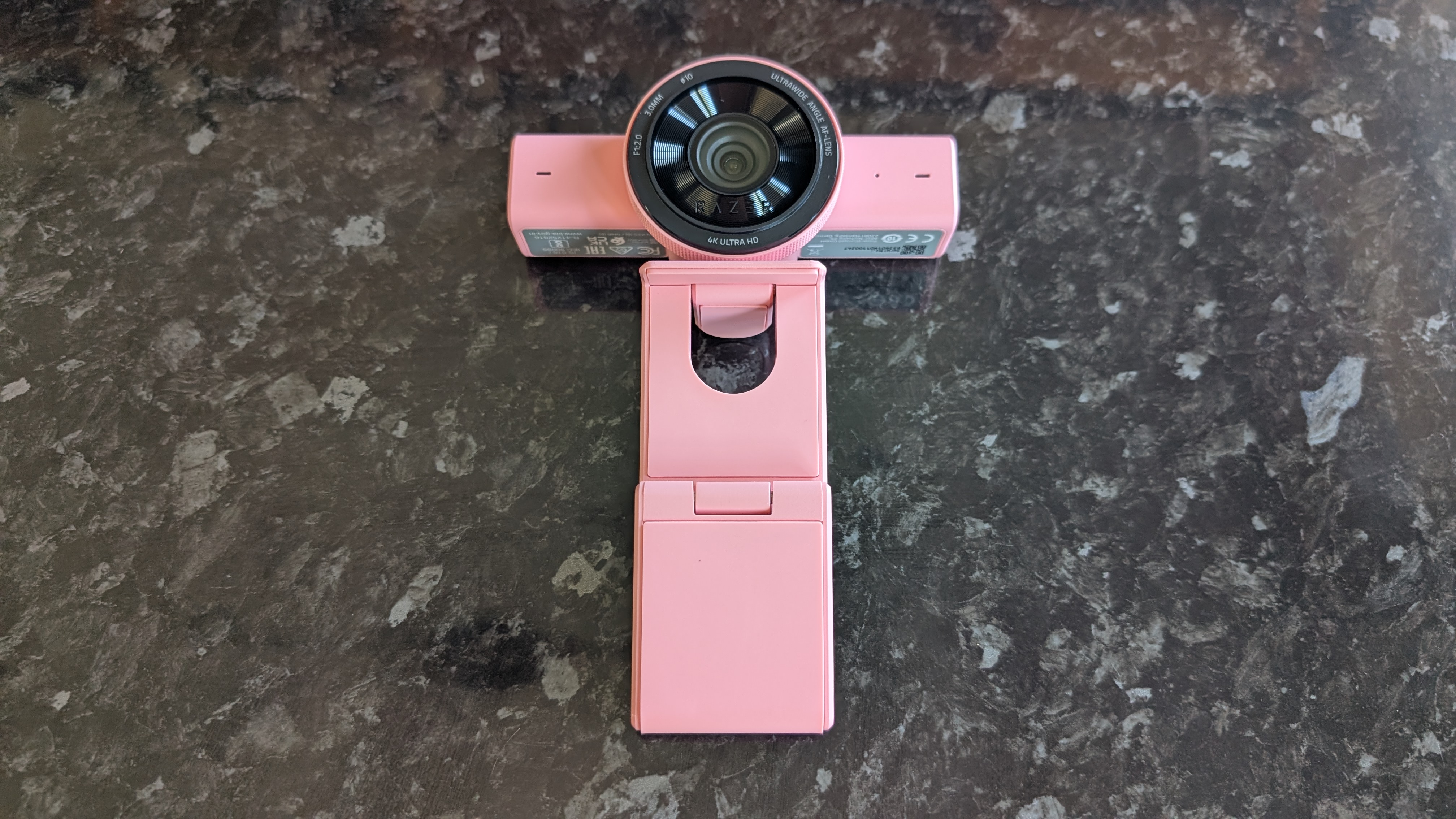
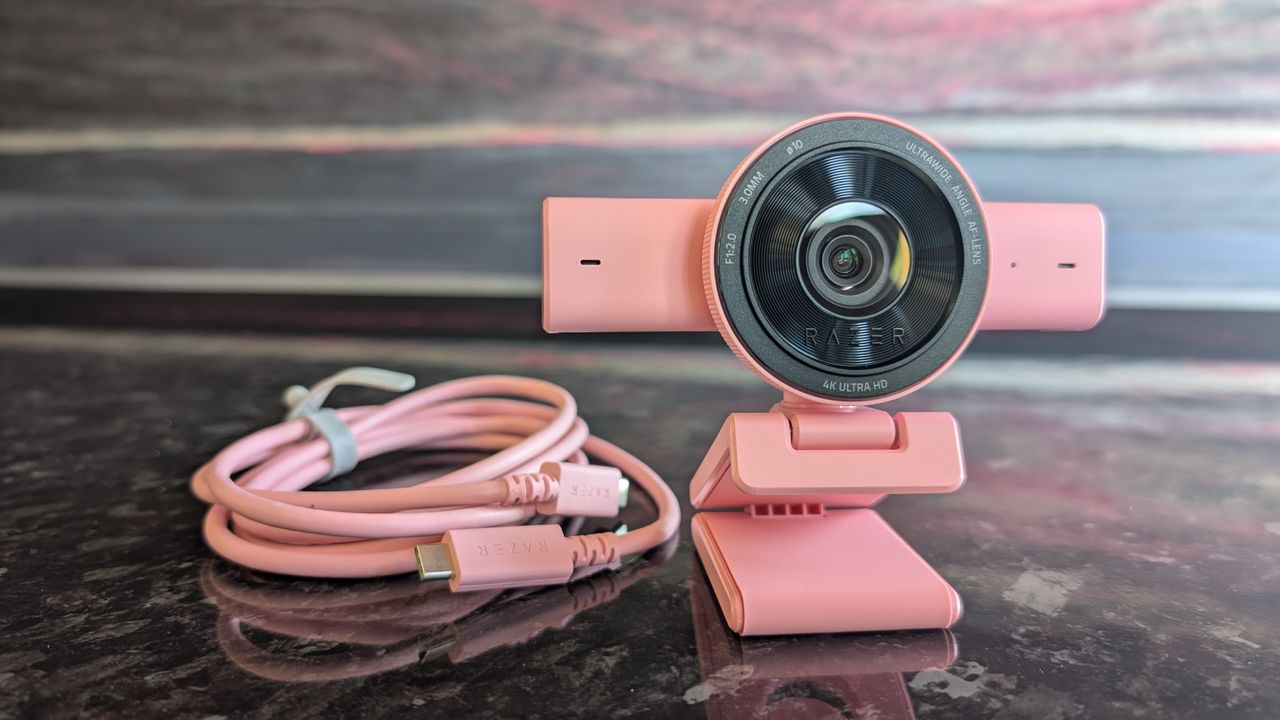
Coming in black, white, and pink colorways (mine is the pink 'Quartz' model), the Razer Kiyo V2 is an extremely well-constructed product. It's durable and pleasingly tactile. The base can be extended and rotated to capture the perfect angle, and it easily clasps onto any monitor; I tested it both with the two monitors in my home desktop setup and my laptop, and it snapped into place with no issues. It's a little heavy, however, so laptops with flimsier display hinges might struggle.
The design is a departure from previous Razer webcams, which typically opted for a singular large casing surrounding the lens construction. Instead, it's a smaller lens housing with an oblong body, immediately reminiscent of the Logitech MX Brio 705.
Not everything has been abandoned with this new design, however. The lens housing, like previous Kiyo models, includes a pleasingly tactile rim that can be twisted to close the built-in physical privacy shutter. I'm always a fan of privacy solutions like this, though given the large size of the glass lens face, it would've been nice to see a lens cap included to keep it dust- and scratch-free.
(Image credit: Future)
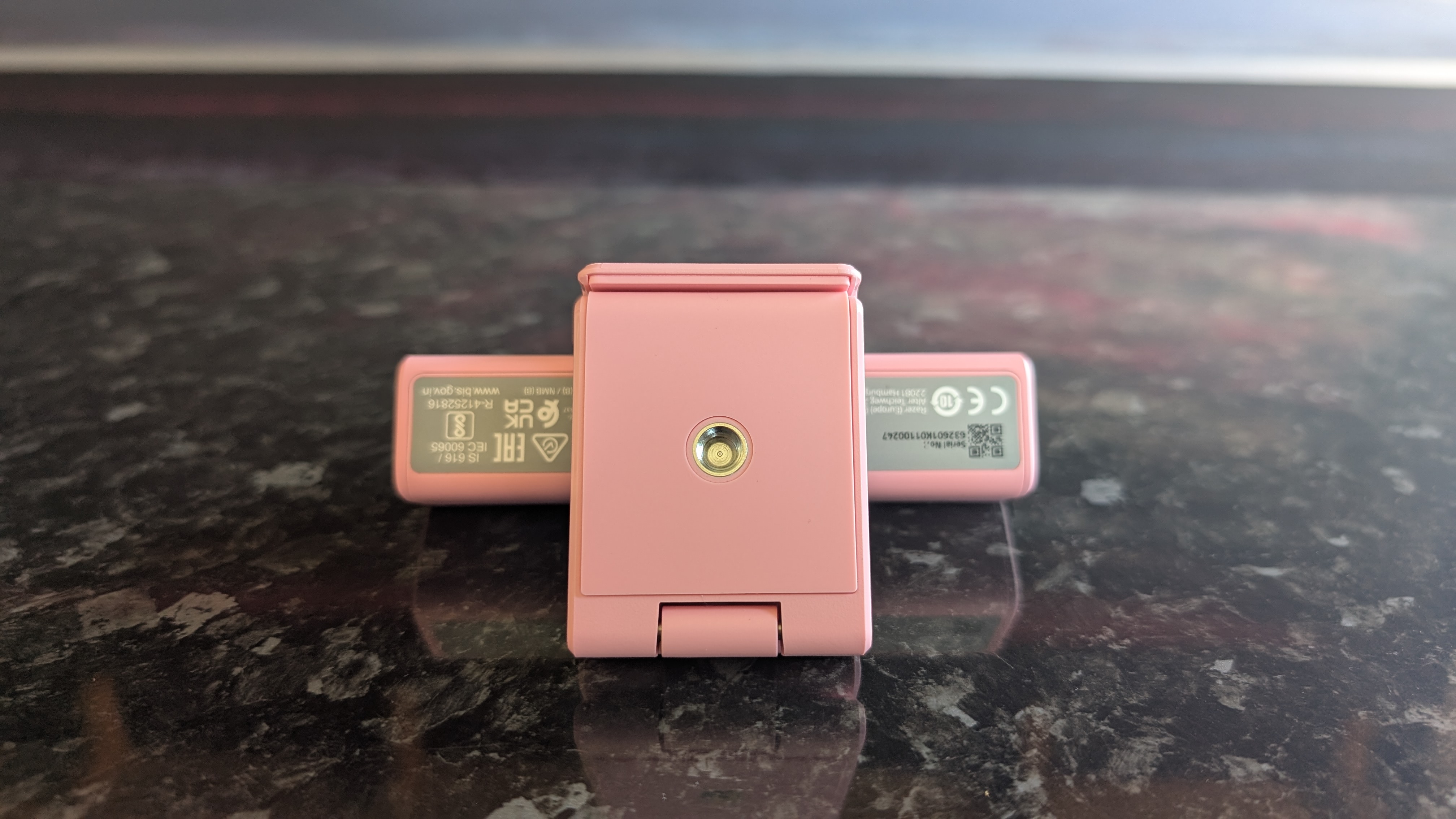
It would potentially be nice if the webcam could be detached from the attached mount in order to fit it to a different mount; many content creators will have their own video setups and may want to use their own camera stands. However, the mount does have a threaded screw connector on the base, letting you fit it atop most industry-standard camera mounts.
In terms of video quality, it's great. 4K video is sharp and colorful, and even zoomed in, I found I looked perfectly detailed in the footage I recorded. Color reproduction is great, and the camera performed well in a range of light conditions. Low-light performance resulted in some mild oversaturation, but I've seen worse performance in more expensive cameras. It also supports HDR, though only at 30fps even at lower resolutions.
The autofocus works well, but I found it was a little slow to adjust if I quickly moved closer or further from the camera. Having tested quite a few webcams in my time, I feel that a webcam in this price range should be a bit snappier to focus.
That big lens means that the default field of view is huge. A 93-degree FOV means that the Kiyo V2 is liable to capture not just yourself but the entire room you're in, but thankfully it's easy enough to tweak this via the zoom and crop tools in Razer's Synapse software.
(Image credit: Future)
On the topic of Synapse, it's still a frankly rather clunky piece of software, but for webcam users who want granular control over their hardware, it does a solid job. In addition to zoom and crop tools, you can also manually tweak the autofocus, auto exposure, and color balance.
The Kiyo V2's software-side feature set also includes a selection of AI-powered tools, which are covered prominently in the marketing material for the webcam. These include dynamic light correction and noise reduction, but these features already existed in Synapse, and to be honest, I'm not entirely clear on what AI brings to the table here.
(Image credit: Future)
Look, Razer: I get it. I'm sure there's tremendous pressure from your shareholders to make everything AI-powered, because it's the buzzword du jour. But anyone who actually wants AI in their webcam (for whatever inane reason) likely isn't going to be better served by the Kiyo V2 than any other cutting-edge 'AI' webcam, like the Obsbot Tiny SE.
One element that does actually benefit from the involvement of machine learning is the auto-framing feature, which uses AI-powered head-tracking to keep you in the center of the frame even if you move around. However, since the Kiyo V2 lacks a mechanized gimbal, it can't alter the frame while fully zoomed out and can only track you so far; it can keep you in center frame if you move by a foot or two, but it won't follow you around a room.
On the bright side, you don't actually have to use Synapse and the AI features at all. The Kiyo V2 works great straight out of the box; just plug in the bundled cable, and you're off to the races, assuming you're happy with the default wide-angle FOV.
(Image credit: Future)
Now, for the only real problem I have with the Razer Kiyo V2. It comes with a USB-C to USB-C cable in the box (the one with my review unit is pink, like the webcam itself), and as far as I can tell, you have to use this cable to access the full 4K functionality of the camera.
Considering that the cable is USB-C-exclusive, you'll need a free USB-C 3.0 port to make full use of the Kiyo V2. I tested it out with a USB-C to USB-A adapter, as well as using one of my own USB-C cables; no dice. It's frustrating, because USB-C ports can be in short supply for users connecting multiple peripherals, and the bundled cable is a bit short and inflexible.
(Image credit: Future)
Lastly, the built-in microphone is... fine, I guess. It's good enough for video calls, but anyone aiming to produce professional-level video content should definitely use a proper standalone microphone.
It's fair to say that the Razer Kiyo V2 deserves a spot among the best webcams on the market. There are a few niggling issues, but nothing that should ruin the experience for a gamer who wants a high-end webcam. For hardcore content creators, it remains a sound choice, but you should be aware of the downsides.
Razer Kiyo V2 webcam: Price & availability
How much does it cost? $149.99 / £149.99 / AU$279.95
When is it available? Available now
Where can you get it? The US, UK, and Australia
At $149.99 / £149.99 / AU$279.95, the Razer Kiyo V2 is significantly cheaper than the brand's own older Kiyo Pro webcam. If you're looking for a high-quality 4K cam, it's not an unreasonable price.
Sure, you could easily get a cheaper 4K webcam, but you'll need to risk it on a less established brand, and you almost certainly won't be getting the same rich feature set seen in the Kiyo V2. Similarly effective models from other premium brands like Logitech and Elgato will cost a comparable amount, so I'm pleased to say that despite its reputation for pricey hardware, Razer got the price right this time around.
Razer Kiyo V2 webcam: Specs
Razer Kiyo V2
Price:
$149.99 / £149.99 / AU$279.95
Supported resolutions:
4Kp at 30fps, 1440p at 60fps, 1080p at 60fps
Sensor:
8.3 MP Sony STARVIS
Field of view:
93 degrees
Connection:
USB-C
Features:
Digital zoom, AI auto-framing, AI autofocus, dynamic color correction, HDR, mechanical privacy shutter
Software Integration:
Razer Synapse
Should you buy the Razer Kiyo V2 webcam?
(Image credit: Future)
Razer Kiyo V2 webcam report card
Value
The Razer Kiyo V2 is still fairly expensive, but it's reasonably priced for a high-end 4K webcam and much better value than the previous Kiyo Pro.
4 / 5
Design
A fresh chassis design that retains the excellent physical privacy shutter of older Kiyos, but the forced USB-C is annoying.
4 / 5
Performance
Audio is merely decent, but the picture quality and color balance are fantastic and Razer Synapse packs a ton of extra features.
4 / 5
Avarage rating
A high-quality webcam with a broad feature set and more competitive pricing, the Razer Kiyo V2 is a great product with only a few small flaws.
4 / 5
Buy it if...
You want 4K At this price point, the Kiyo V2 is competitive within the 4K webcam space - you could find cheaper ones, but only if you're willing to accept a drop in quality.
You need wide-angled recording If you're aiming to capture a larger space (or multiple video participants), the 93-degree FOV of the Kiyo V2 is perfect.
Don't buy it if...
You're short on ports Since it needs to use the bundled USB-C cable to access full 4K recording, the Kiyo V2 is a poor choice for anyone who already has lots of ports in use on their PC.
You're on a budget At $149.99 / £149.99 / AU$279.95, the Kiyo V2 is still pretty darn expensive, even if it's far better value for money than the older Kiyo Pro.
Razer Kiyo V2 webcam: Also consider
Insta360 Link 2C Our current top pick of the 4K webcams available on the market right now, the Link 2C offers superior low-light performance and autofocus while also offering the same high-quality video and AI features as the Kiyo V2.
Obsbot Tiny 2 The Tiny 2 from Obsbot delivers 4K video along with AI-powered tracking via its mechanical gimbal mount. For those who want a high-end video experience, this is a great pick.
8+ years of experience reviewing computer hardware
I replaced my usual webcam (the Insta360 Link 2 4K) with the Razer Kiyo V2 for two weeks, using it for all my normal video calls during the workday. I also tested it in various different lighting conditions by recording video separately and comparing the clips side by side. Naturally, I installed (well, reinstalled) Razer Synapse to properly test out all the software-side features as well.
I've been testing and reviewing PC hardware for more than eight years, starting at the PC-building hobbyist magazine Maximum PC before making the leap to TechRadar's computing team. I put all of my knowledge and experience behind each and every one of my product reviews, so you can be assured that you're getting an informed and bias-free judgement.
Modern cars are becoming increasingly good at reminding drivers about speed limits, upcoming safety cameras and potential hazards. So much so, driving is now soundtracked by a cacophony of irritating bleeps and bloops.
But unless you've bought something new in the past few years, there's a good chance your car is missing many of these features altogether.
Even if it isn't, many factory-fitted systems are far from perfect. Speed camera databases aren't always comprehensive, speed limit recognition can be caught out by temporary signs, while built-in alerts often arrive too late or are buried beneath layers of infotainment menus.
That's where dedicated speed camera detectors come in. These discreet dashboard companions warn of fixed cameras, average-speed zones, changing speed limits and road hazards without requiring you to constantly glance at a navigation or smartphone screen.
(Image credit: Future/Leon Poultney)
Unlike apps such as Google Maps or Waze, most of these gadgets are designed to fade into the background. Once paired with your phone, they quietly monitor your journey, without the need to plumb a destination into the navigation, only piping up when there's something worth knowing about.
Some even integrate with Apple CarPlay and Android Auto, playing alerts through your car's speakers while leaving your preferred navigation app to handle directions.
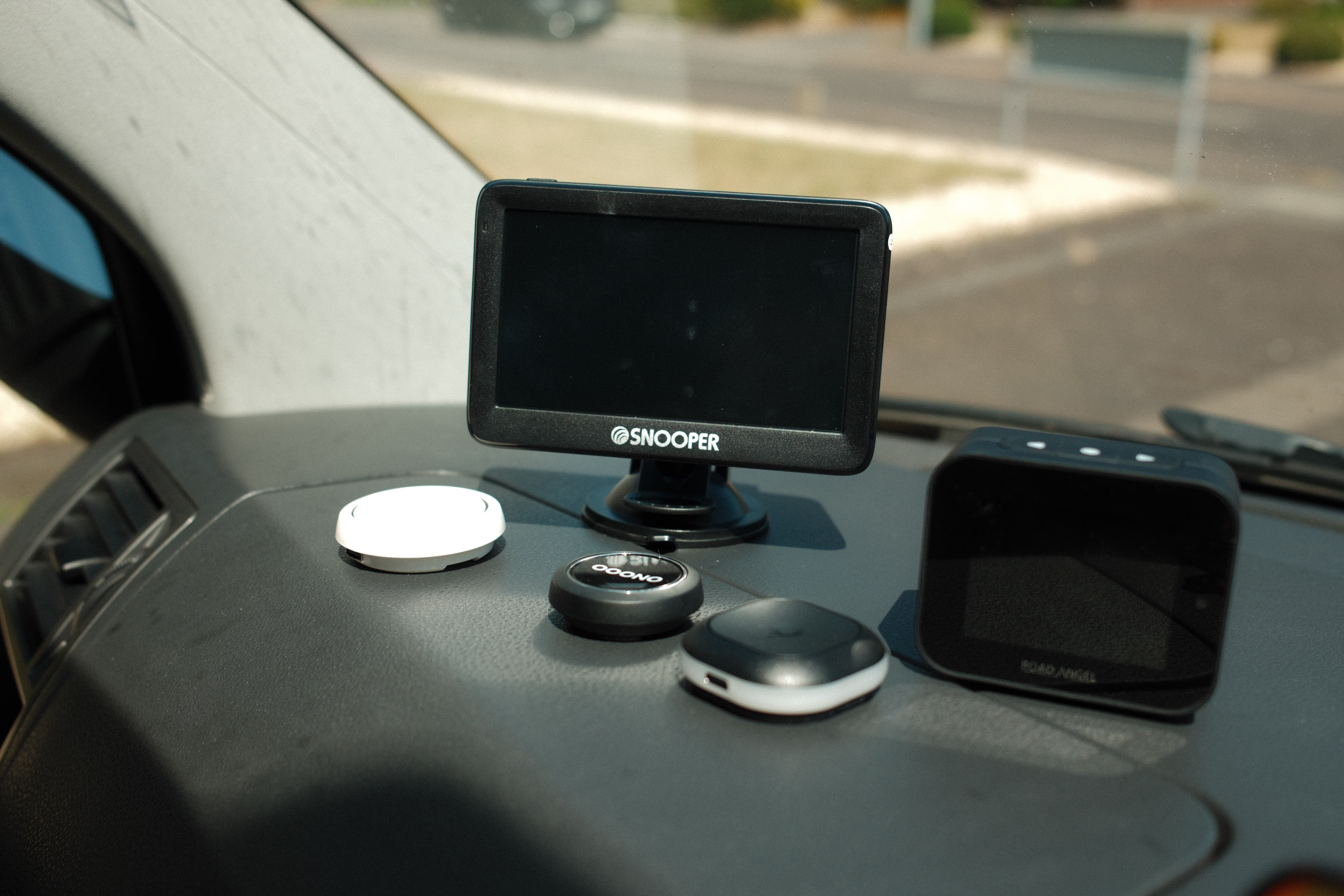
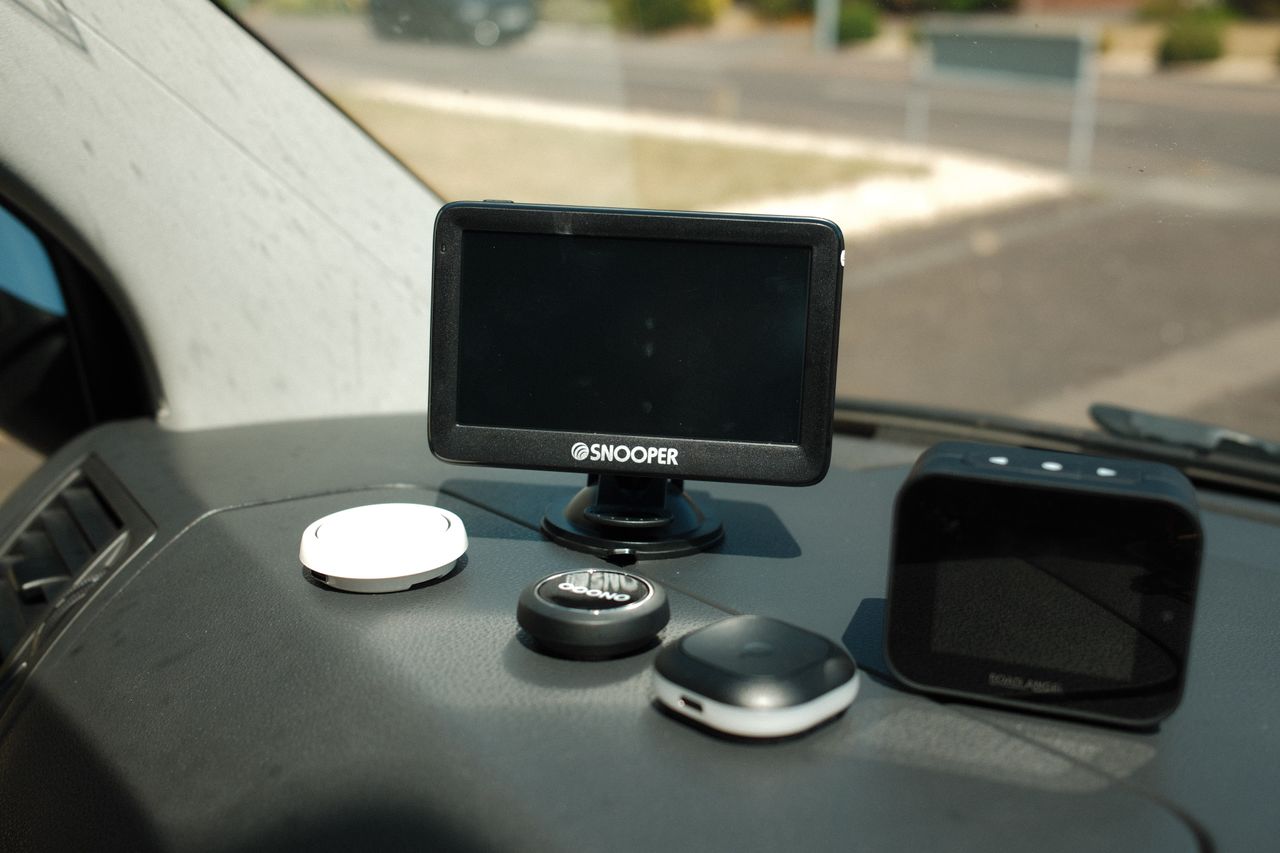
It is worth noting that the tested and models (below) are available to purchase and are perfectly fine to use in the UK and much of Europe, but aren't widely available in the US and other regions. These are five of the best dedicated speed camera detectors we'd recommend.
You might also like to check out our best dash cams guide, which is packed with buying advice, FAQs and lists the top models available in all regions today, with links to the best deals. These on board cameras can record journeys and provide you with the assurance and legal evidence needed should you get into any incidents, plus act as a security camera for parked vehicles.
1. Ooono Co-Driver NO2
(Image credit: Future/Leon Poultney)
Price: £69.99 / $95 / AU$143
Rating: 5/5
Design
The Ooono Co-Driver NO2 sets the benchmark for one simple reason: it makes almost every rival feel unnecessarily complicated.
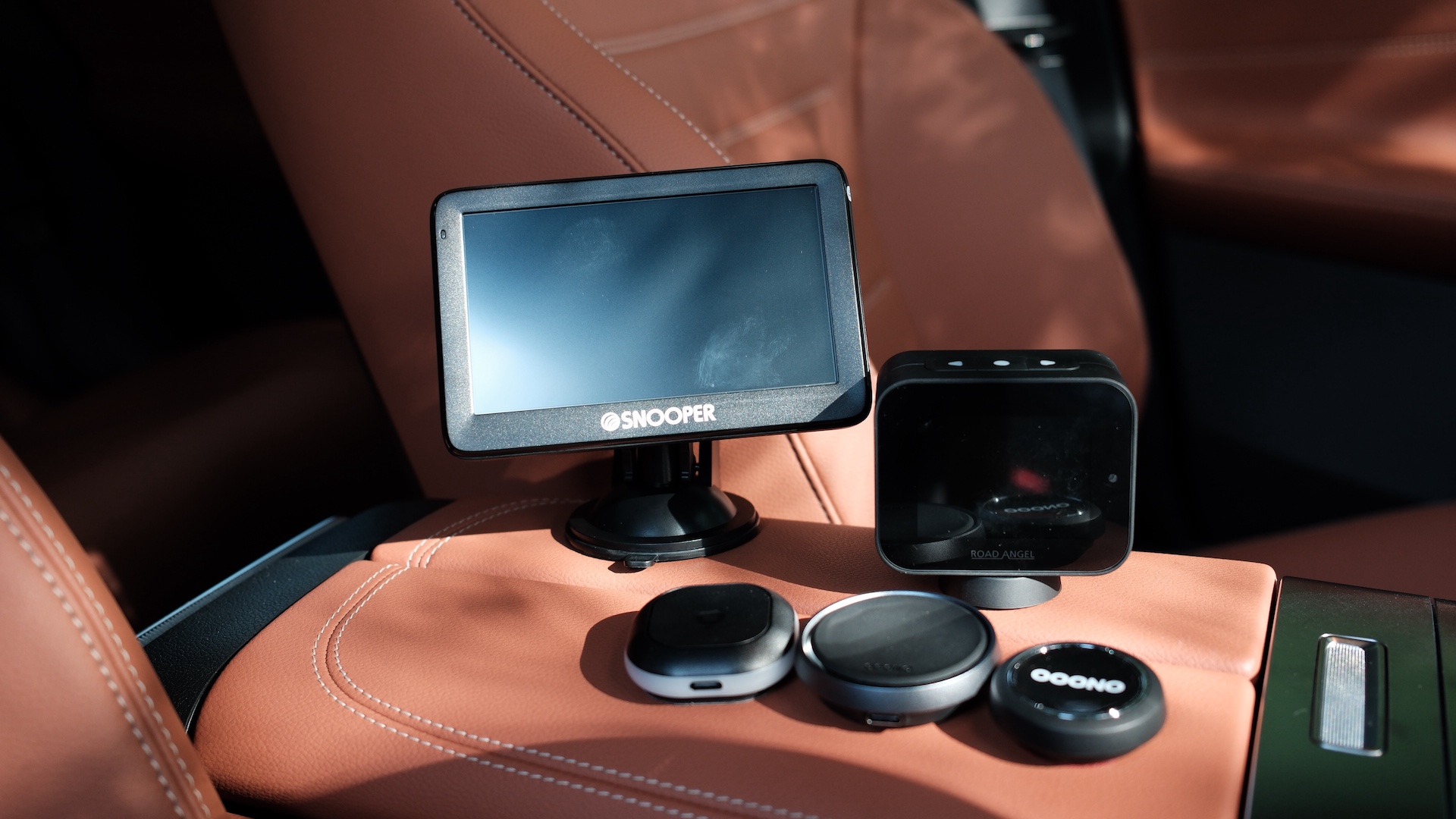
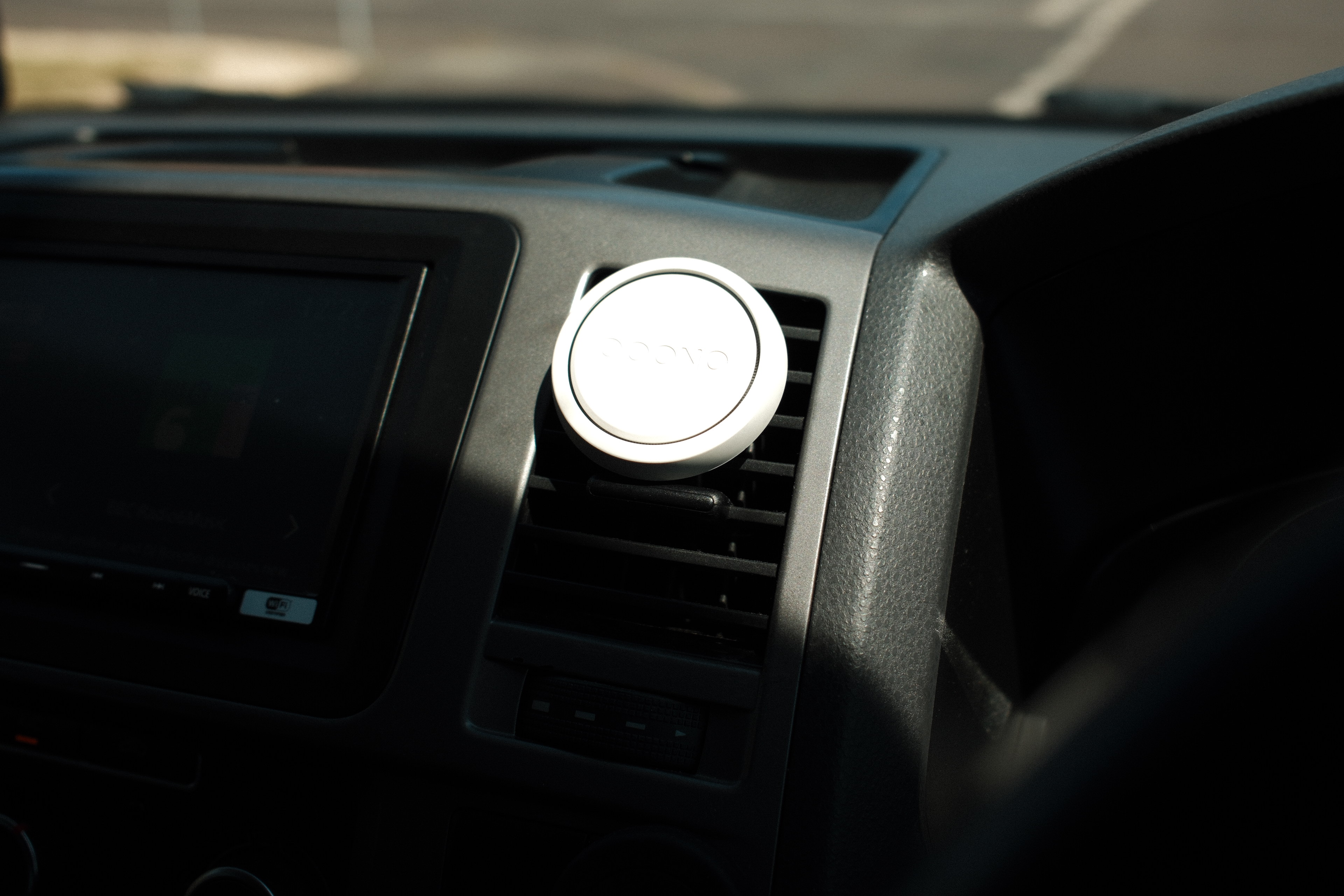
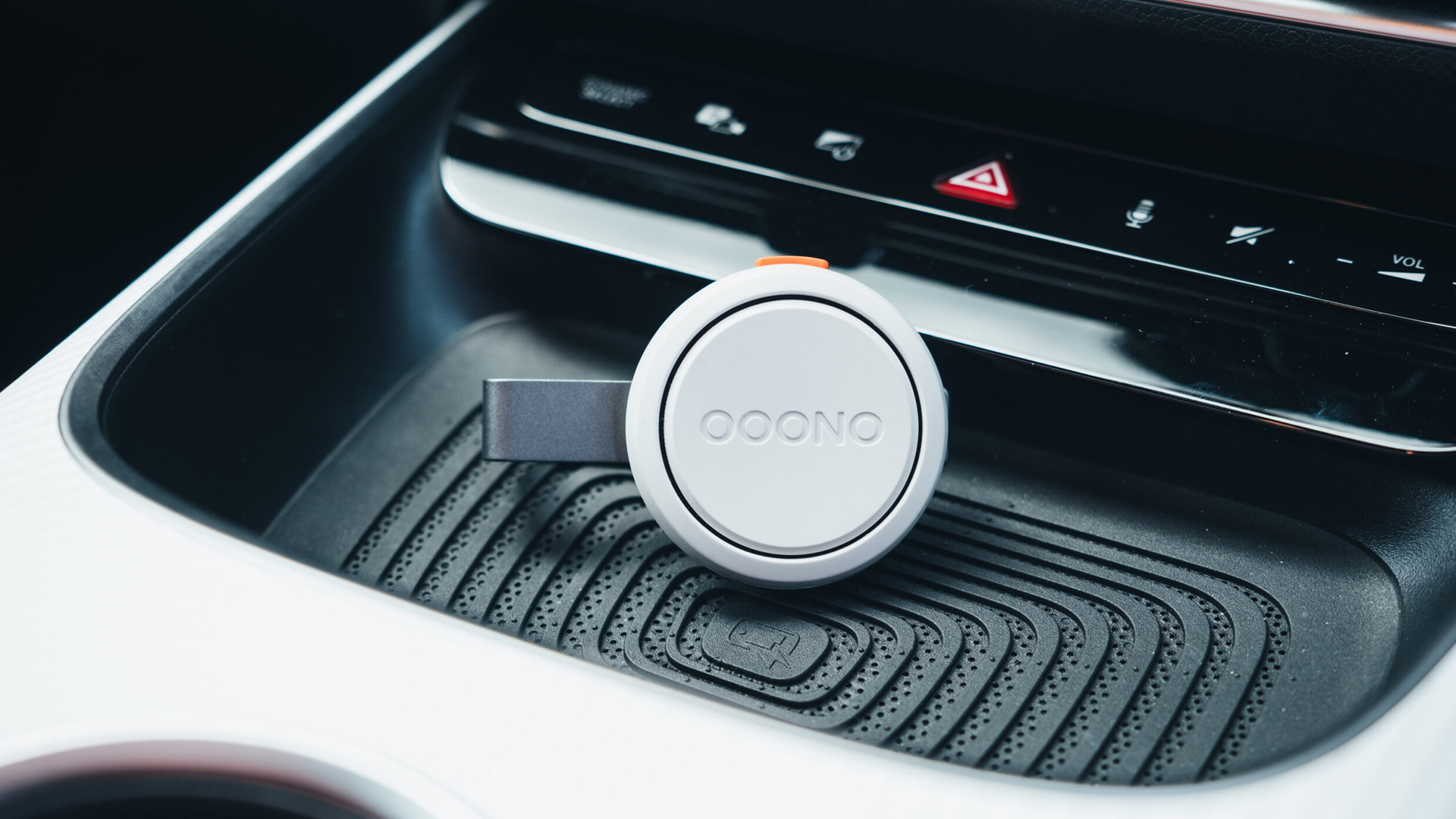
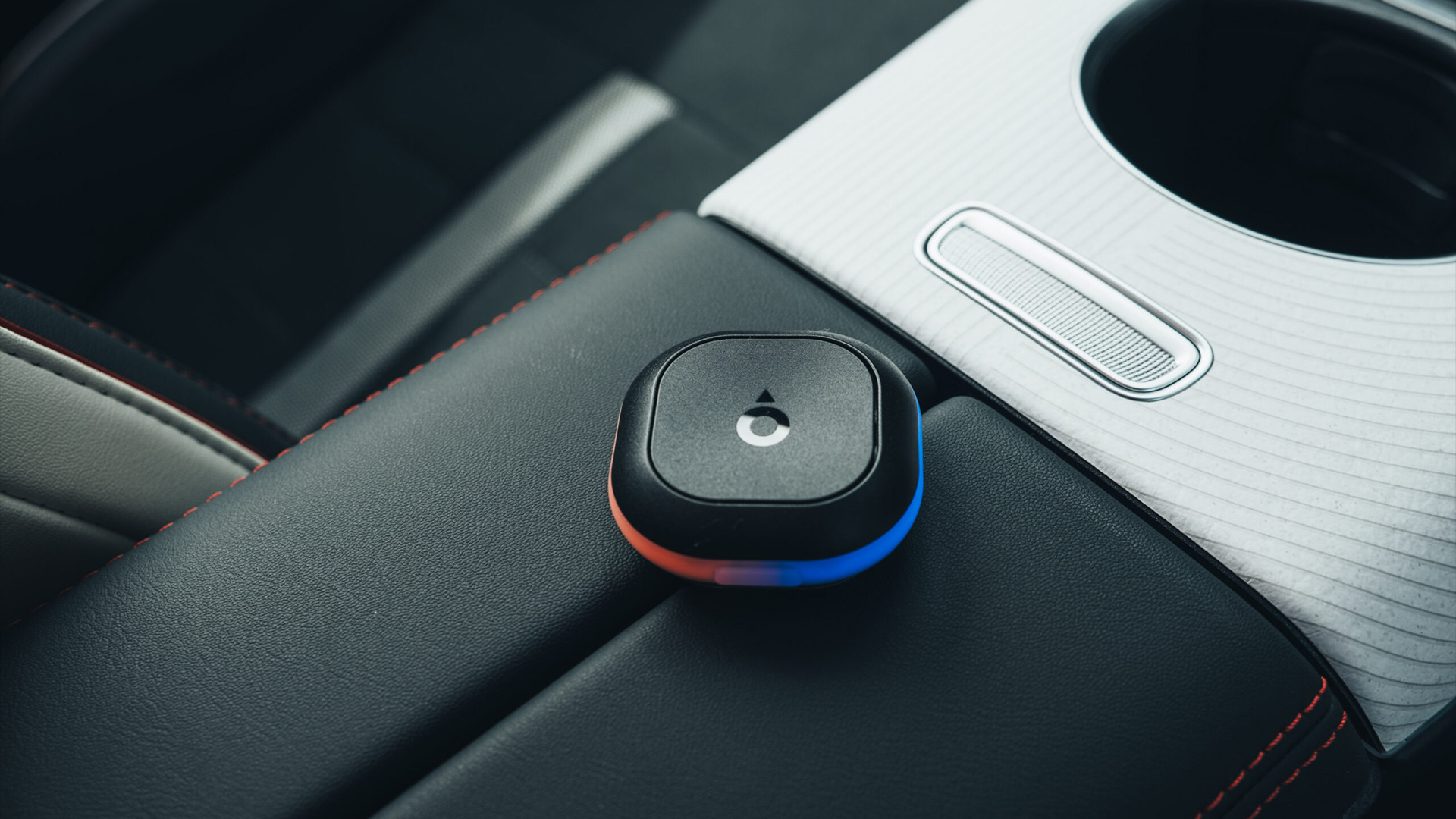
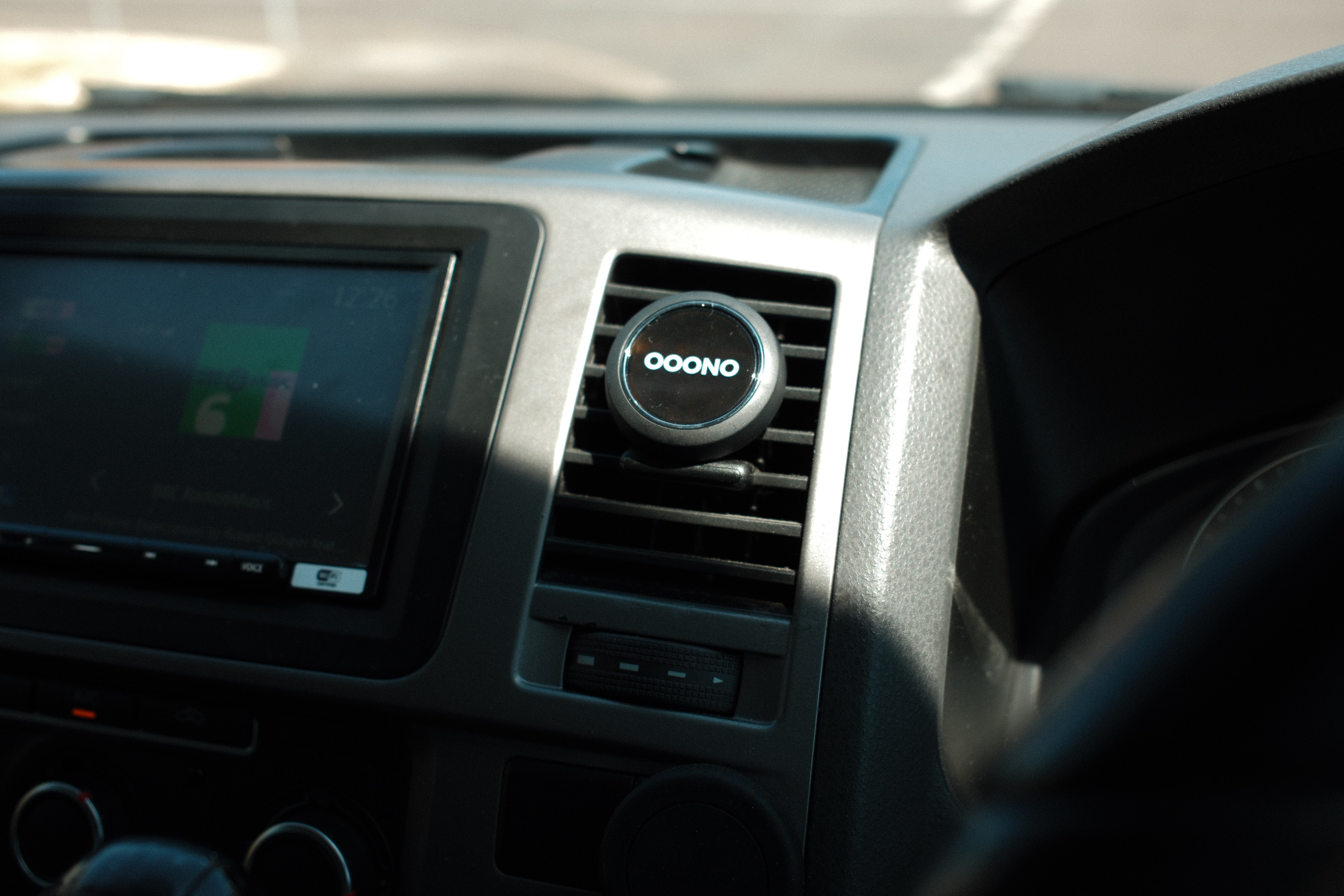
Designed in Denmark, the compact puck-shaped device looks more like a premium smart home accessory than a piece of automotive hardware. A subtle aluminum outer ring, bright wraparound LED indicator and minimalist styling mean it blends neatly into almost any dashboard without drawing attention to itself.
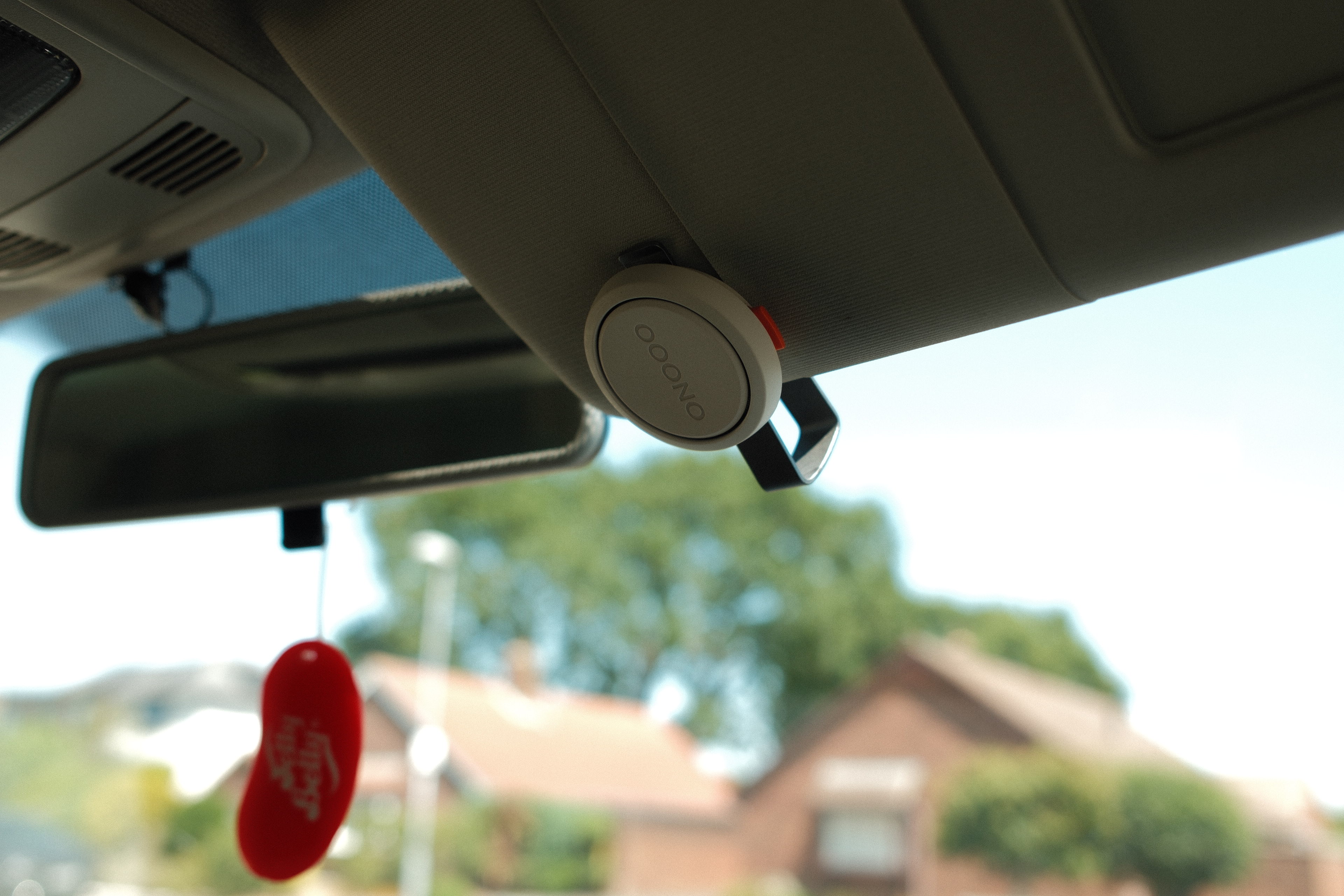
Its mounting system remains one of the smartest available. Rather than relying on a large adhesive pad, Ooono supplies two tiny magnetic mounting points with discreet 3M backing. Once installed, the device simply snaps into place magnetically and can be removed in seconds for charging or swapping between vehicles. An optional sun-visor mount also allows it to be positioned completely out of sight while remaining within easy reach.
Unlike the original Co-Driver, the second generation features a rechargeable battery that lasts around a month between charges and tops up via USB-C, eliminating the need for disposable batteries or permanent power cables.
(Image credit: Future/Leon Poultney)
The Ooono Co-Driver NO2 sets the benchmark for one simple reason: it makes almost every rival feel unnecessarily complicated
Setup
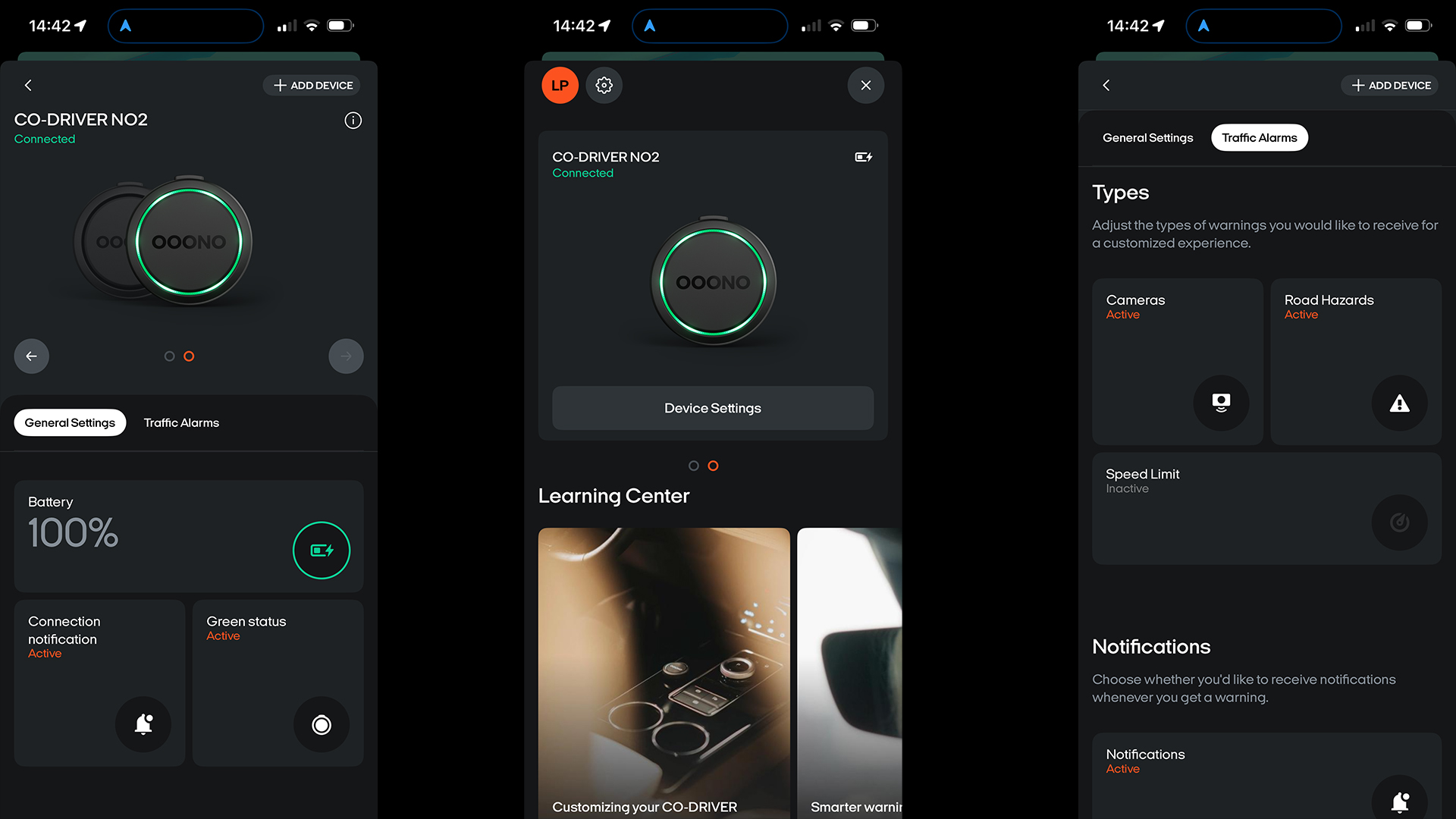
Getting started takes a few minutes. Download the free Ooono app, pair the device over Bluetooth and grant the necessary permissions. Once configured, it automatically wakes whenever it detects your smartphone nearby, meaning there's very little to think about before setting off.
The latest generation also adds native compatibility with both Apple CarPlay and Android Auto, allowing alerts to play directly through the vehicle's audio system while your preferred navigation app continues handling directions. It feels like a small upgrade but makes a noticeable difference during longer journeys, especially if you prefer keeping your phone tucked away.
Perhaps best of all, there are no subscriptions or premium membership tiers to worry about. Once you've bought the hardware, everything else is included. Bonus.
(Image credit: Future/Leon Poultney)
Performance
Fixed speed camera alerts arrive with plenty of notice, accompanied by bright LED flashes and clear audible warnings that are difficult to miss without becoming too irritating. Optional speed limit notifications can also be enabled, providing a gentle reminder whenever you creep above the posted limit.
Now, these can get annoying, but there’s plenty of adjustability and personalization within the accompanying smartphone app, so you can get blend just right.
Reporting hazards is also dead easy. A couple of button presses allows drivers to report mobile speed cameras, accidents or broken-down vehicles, while a dedicated cancel button quickly dismisses false alerts. The controls become second nature after only a few journeys and, crucially, never require you to look away from the road.
The only area where Ooono still trails the biggest smartphone navigation apps is community reporting. While its network continues to grow rapidly across the UK, services such as Waze can still provide more comprehensive reports for temporary hazards and mobile enforcement in some regions.
That said, Ooono's verified speed camera database is very good and rarely got things wrong during testing. Plus, its combination of stylish design, thoughtful ergonomics and genuinely useful alerts makes it the easiest dedicated speed camera detector to recommend.
2. Tom by TomTom
(Image credit: Future/Leon Poultney)
Price: £69.99 / $95 / AU$143
Rating: 4/5
Design
If the Ooono is the minimalist Scandinavian option, the awkwardly-named Tom by TomTom is the slightly more extrovert cousin.
Build quality is decent, although the plastics don't feel quite as premium as the Ooono's aluminum-trimmed shell
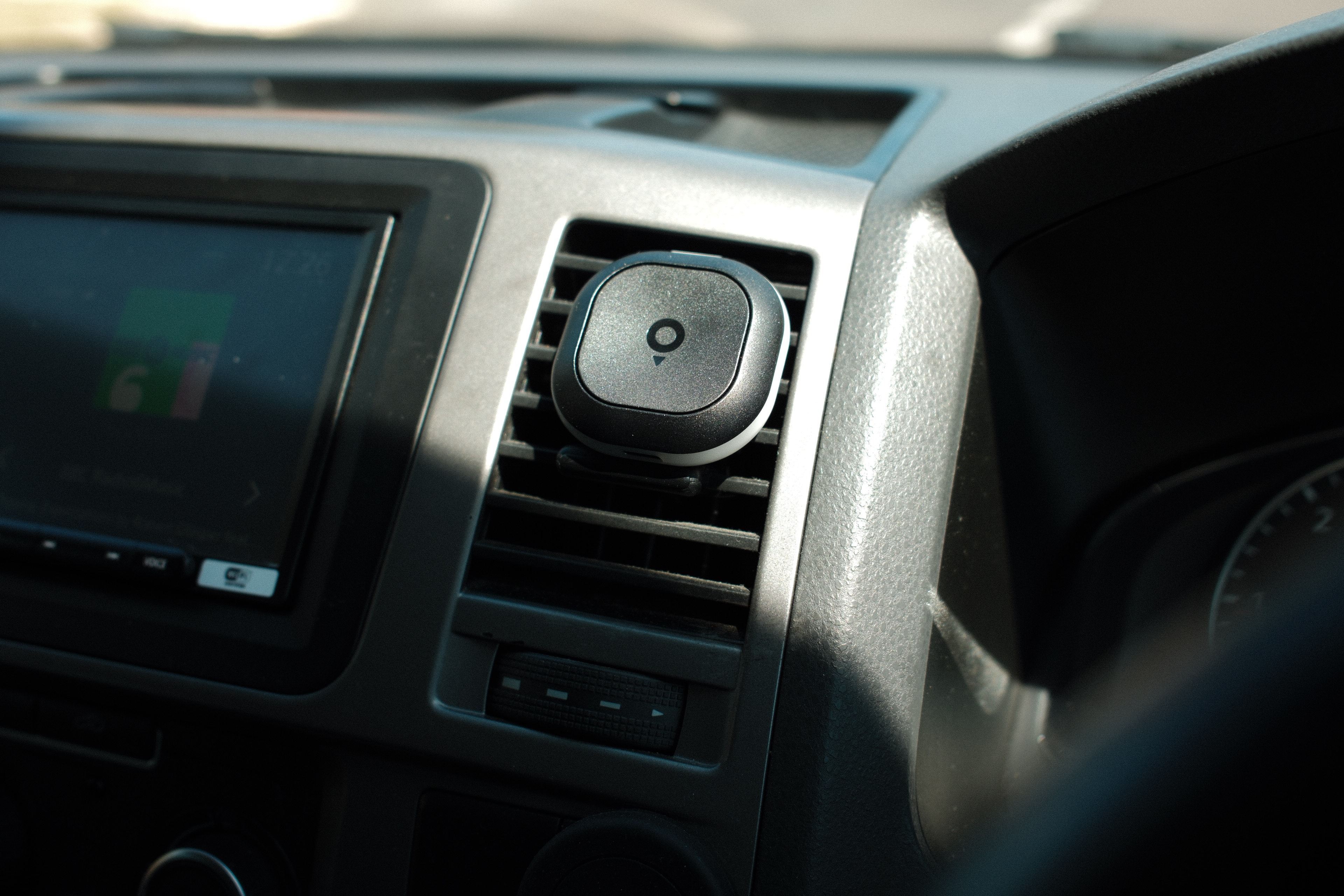
The overall concept is basically the same: a small dashboard-mounted unit with LED alerts and physical buttons for reporting incidents. The TomTom device is a little larger and uses a full adhesive ring mount rather than Ooono's tiny magnetic points, which makes it feel more permanent once installed. There is no visor-mount option either, so it is clearly intended to live on the dashboard full-time.
The upside is visibility. The bright LEDs are among the easiest to spot while driving, particularly in strong sunlight, and the rechargeable battery lasts roughly a month between charges, meaning there is no need for a permanent power cable snaking across the cabin.
Build quality is decent, although the plastics don't feel quite as premium as the Ooono's aluminum-trimmed shell. Plus, there are fewer limited edition finishes like Ooono offers.
(Image credit: Future/Leon Poultney)
Setup
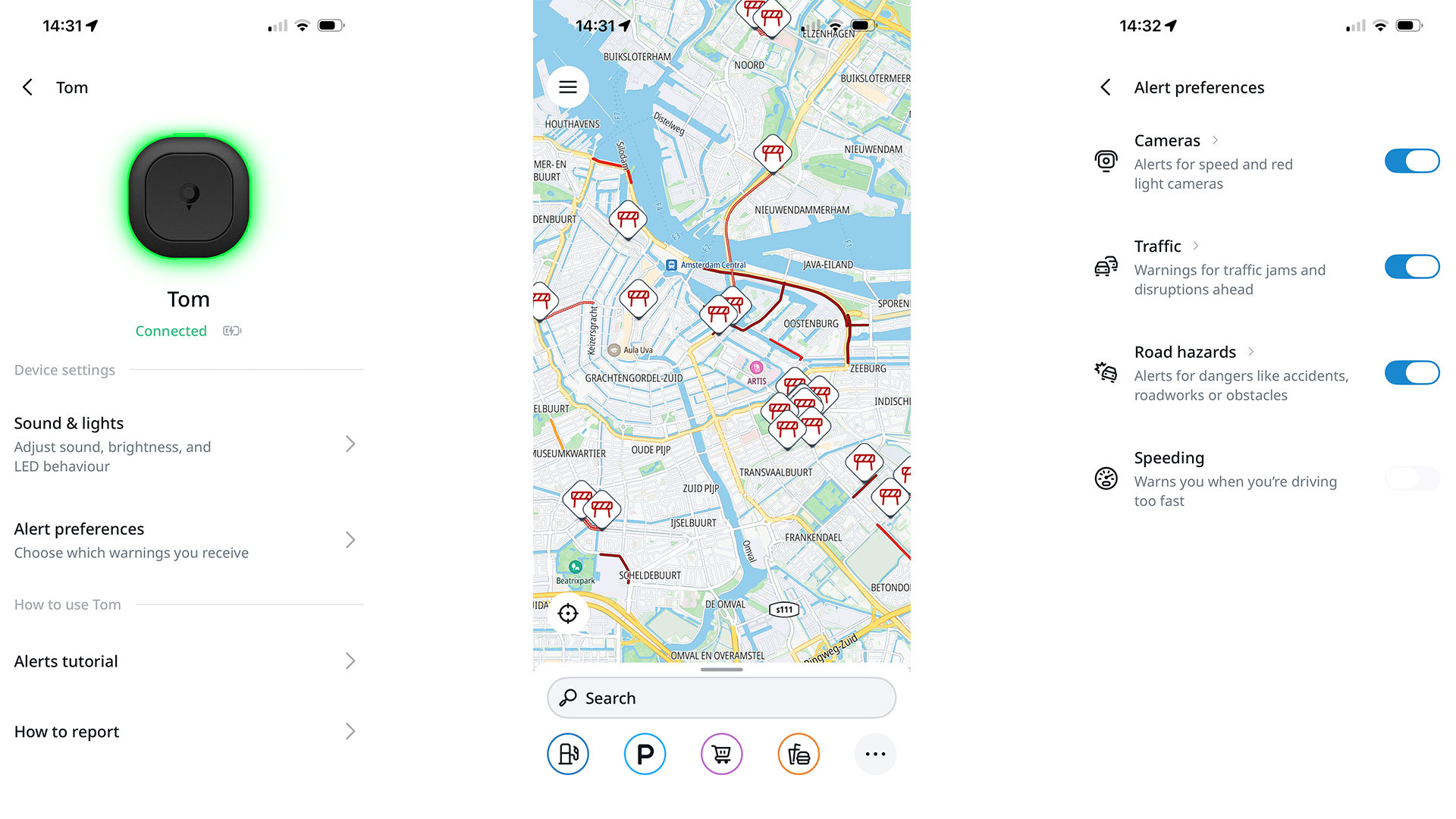
TomTom deserves credit for making the onboarding process almost foolproof. Again, it’s all handled through an app, where users create a free account, pair the device over Bluetooth and you're essentially ready to go. There are no subscription tiers, no payment details to enter and very little opportunity for things to go wrong.
The device automatically reconnects when you get in the car and, because it relies on your phone's data connection, camera and hazard information stays up to date without requiring manual downloads.
(Image credit: Future/Leon Poultney)
Performance
In daily use, the Tom by TomTom runs the Ooono devices surprisingly close. Fixed camera alerts are timely and accurate, average-speed zones are handled well and the visual warnings strike a good balance between noticeable and distracting.
The device also warns when you exceed the limit, using a combination of color changes and audible alerts that are difficult to ignore without becoming overbearing.
Reporting incidents is straightforward, with single and long presses assigned to different hazard types, although the button layout isn't quite as intuitive as Ooono's oversized top-mounted control. Finding the correct button by touch occasionally requires a little more finger fumbling than ideal.
TomTom's greatest strength remains its mapping and traffic data expertise. The camera database proved consistently accurate during testing, and the overall experience felt polished, reliable and refreshingly low-maintenance.
For many drivers, it will come down to a simple question: whether you prefer TomTom's brighter, LEDs or Ooono's more discreet industrial design and slick Apple CarPlay or Android Auto integration.
3. Road Angel Pure Sync
(Image credit: Future/Leon Poultney)
Price: £99.99 / $135 / AU$205
Rating: 3.5/5
Design
The Road Angel Pure Sync takes a very different approach from the puck-shaped devices above.
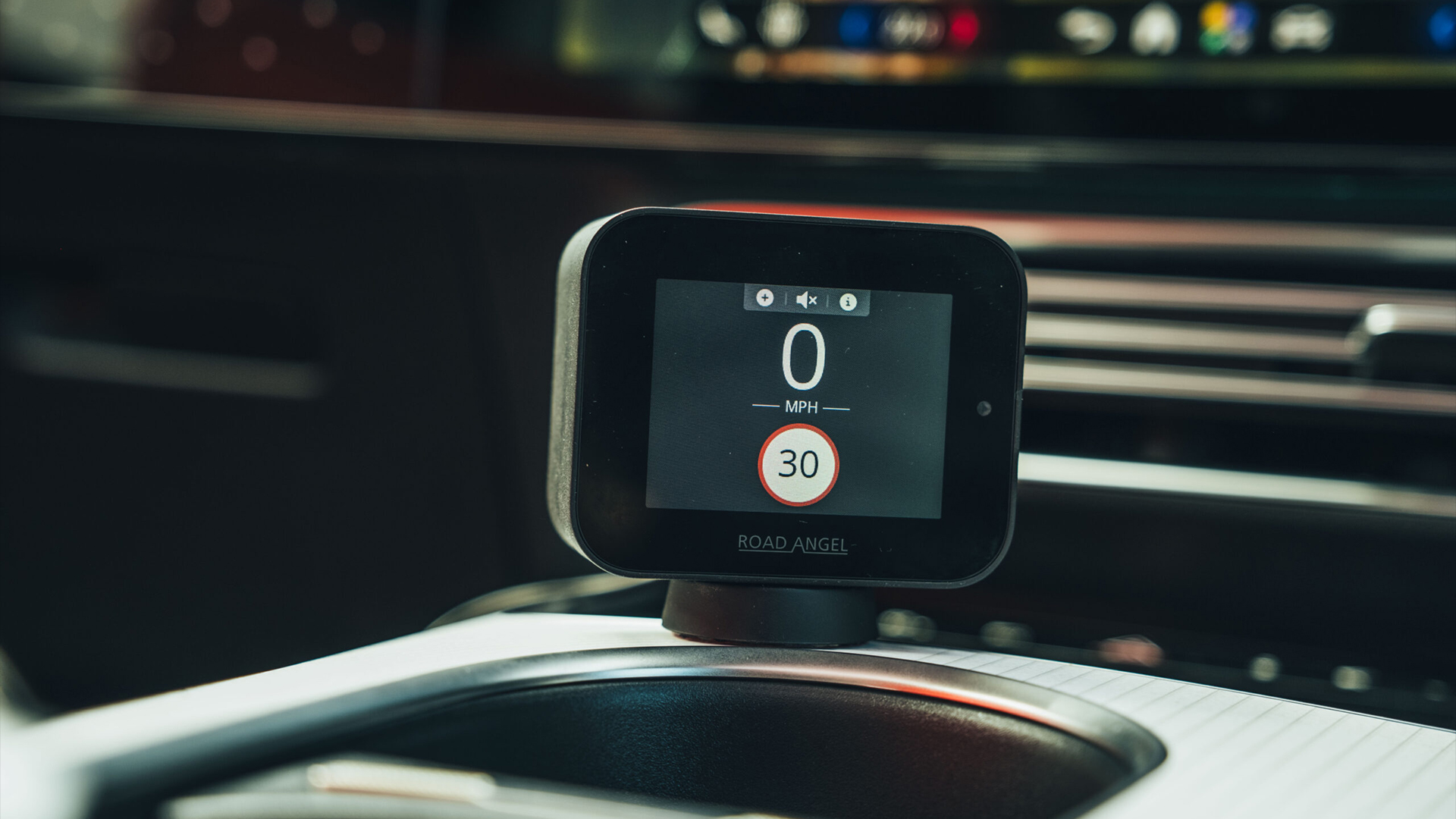
Instead of disappearing into the dashboard, it places a small color display front and center, showing GPS speed, speed limits and camera warnings at all times. The magnetic mount is neatly integrated with the USB-C power connection, helping to keep cable routing tidier than many older dashboard gadgets.
Unfortunately, the device still requires constant power, so there is always a cable to manage somewhere in the cabin. Build quality is also less convincing than the price suggests, with a noticeably plasticky shell and a screen that can become difficult to read in direct sunlight depending on where it is mounted.
(Image credit: Future/Leon Poultney)
Camera warnings arrive with plenty of notice, while the speed limit system is impossible to miss
Setup
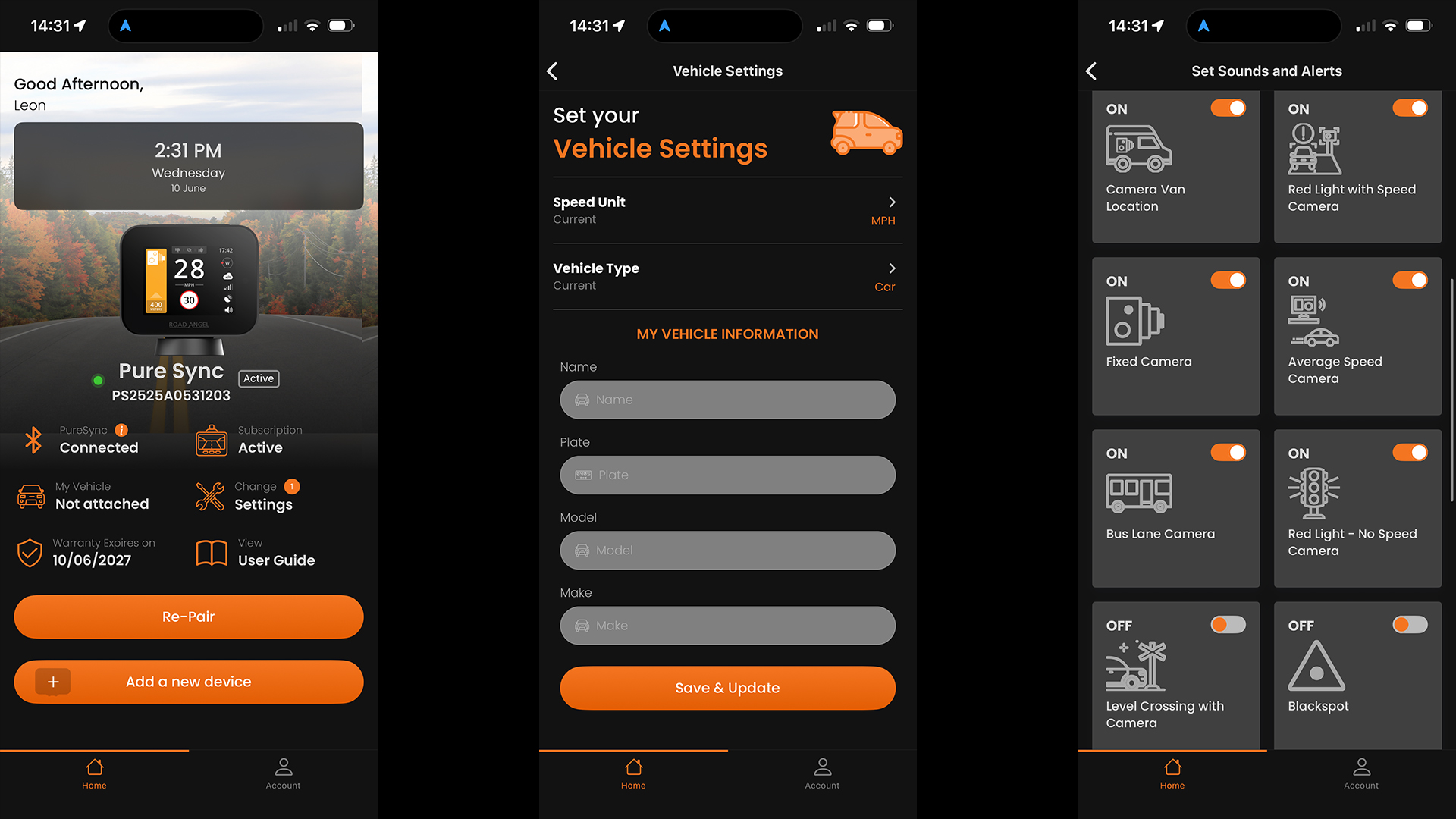
This is, by far and away, the weakest link in the Road Angel's armor. Despite the included 12-month subscription, registration still requires payment details, which feels unnecessarily complicated when rivals simply ask you to download an app and pair a device.
Bluetooth pairing also proved temperamental during setup, requiring several attempts before the phone and hardware consistently connected. Once configured, however, the system generally behaved itself and reconnects automatically when you start the car.
(Image credit: Future/Leon Poultney)
Performance
Camera warnings arrive with plenty of notice, while the speed limit system is impossible to miss: the screen flashes red and the device emits a loud voice warning whenever you drift above the posted limit. In fact, the default volume is so aggressive that most drivers will probably dive into the settings menu and turn it down after the first journey.
The live GPS speed display is genuinely useful in older vehicles with optimistic analogue speedometers, although it feels less essential in modern cars that already provide accurate digital speed readouts.
Hazard reporting works well once you've memorized the controls, with incidents submitted to the Road Angel community for verification before being distributed to other users. As with all cloud-connected systems, coverage still depends on local user numbers, and Waze, Ooono and the TomTom device all remain stronger for temporary hazards in some parts of the UK.
The Pure Sync ultimately feels like a halfway house between a traditional sat-nav camera alert unit and the newer minimalist Bluetooth devices. If you value a permanent speed display and don't mind the subscription model, it remains a capable option. If simplicity is the priority, the Ooono and TomTom solutions are easier to live with.
4. Ooono Co-Driver NO1
(Image credit: Future/Leon Poultney)
Price: £19.99 / $27 / AU$41
Rating: 4/5
Design
The original Ooono Co-Driver remains available and, placed beside the newer NO2, it is immediately obvious how much the design has evolved.
The first-generation unit is noticeably smaller and arguably even more discreet, blending into the dashboard almost completely once installed. However, it uses a fixed adhesive mount rather than the newer magnetic system, making it less convenient to remove or transfer between vehicles.
It also relies on a coin-cell battery rather than a rechargeable pack, although Ooono claims around a year of battery life before replacement is needed.
(Image credit: Future/Leon Poultney)
Setup
As before, setup is very simple and anyone can have it up and running in a matter of minutes. The device pairs with the Ooono app over Bluetooth and then quietly runs in the background using the phone's data connection and GPS. There are no subscription fees and no complicated menus to navigate.
(Image credit: Future/Leon Poultney)
For the core job of warning about speed cameras, the NO1 still performs remarkably well
Performance
For the core job of warning about speed cameras, the NO1 still performs remarkably well. It uses the same Ooono camera database and community reporting network as the newer model, so alert accuracy remains strong.
What you lose are the convenience features: there is no Apple CarPlay or Android Auto integration, no rechargeable battery and no dedicated false-alert cancellation button.
For drivers who simply want reliable camera warnings in the smallest possible package, the original Co-Driver remains one of the cheapest and most discreet options on sale.
5. Snooper My-Speed Plus
(Image credit: Future/Leon Poultney)
Price: £199.99 / $270 / AU$410
Rating: 3/5
Design
After spending time with the smartphone-connected devices above, the Snooper My-Speed Plus feels like a product from a different era — and that is not necessarily a criticism.
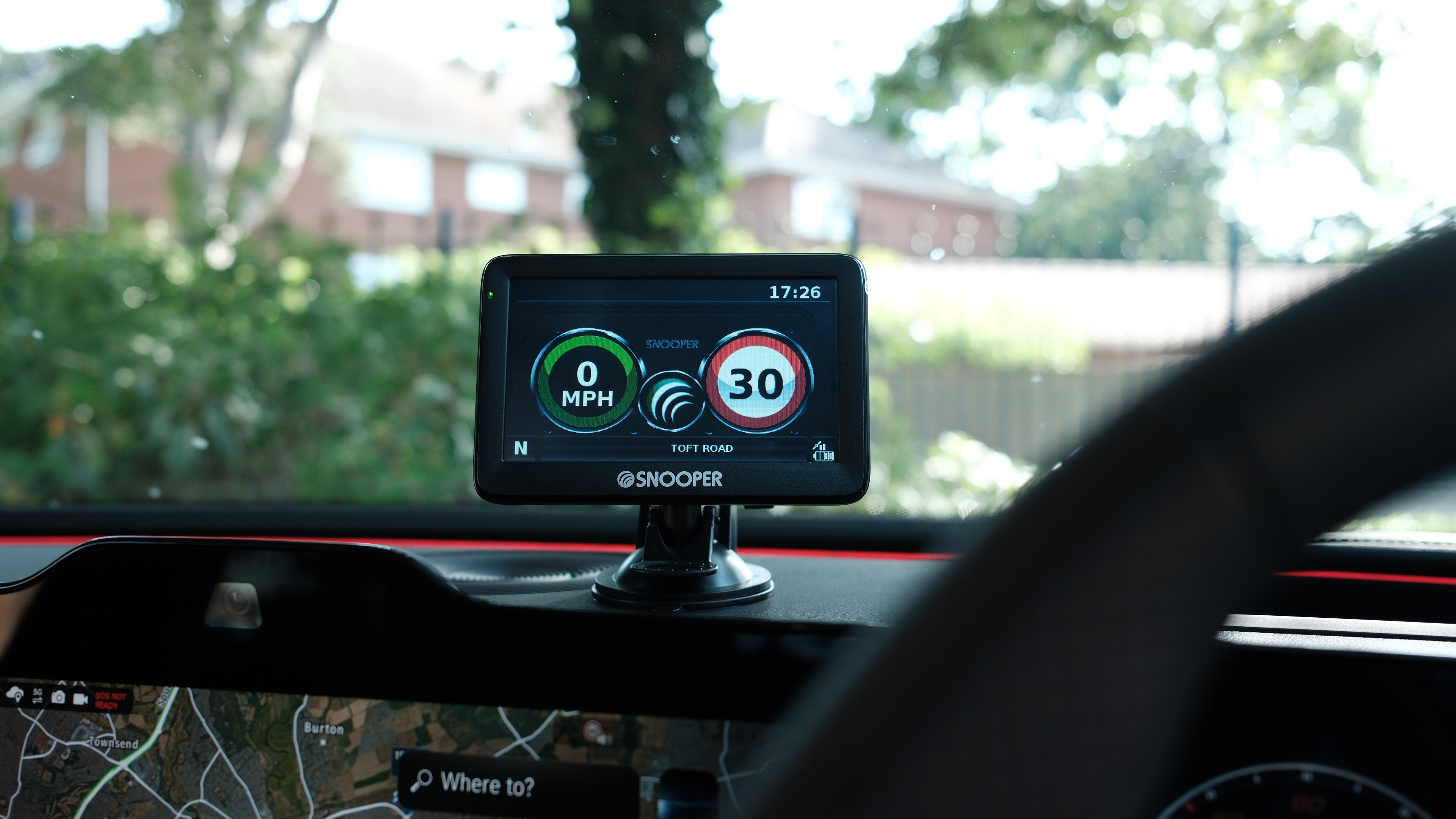
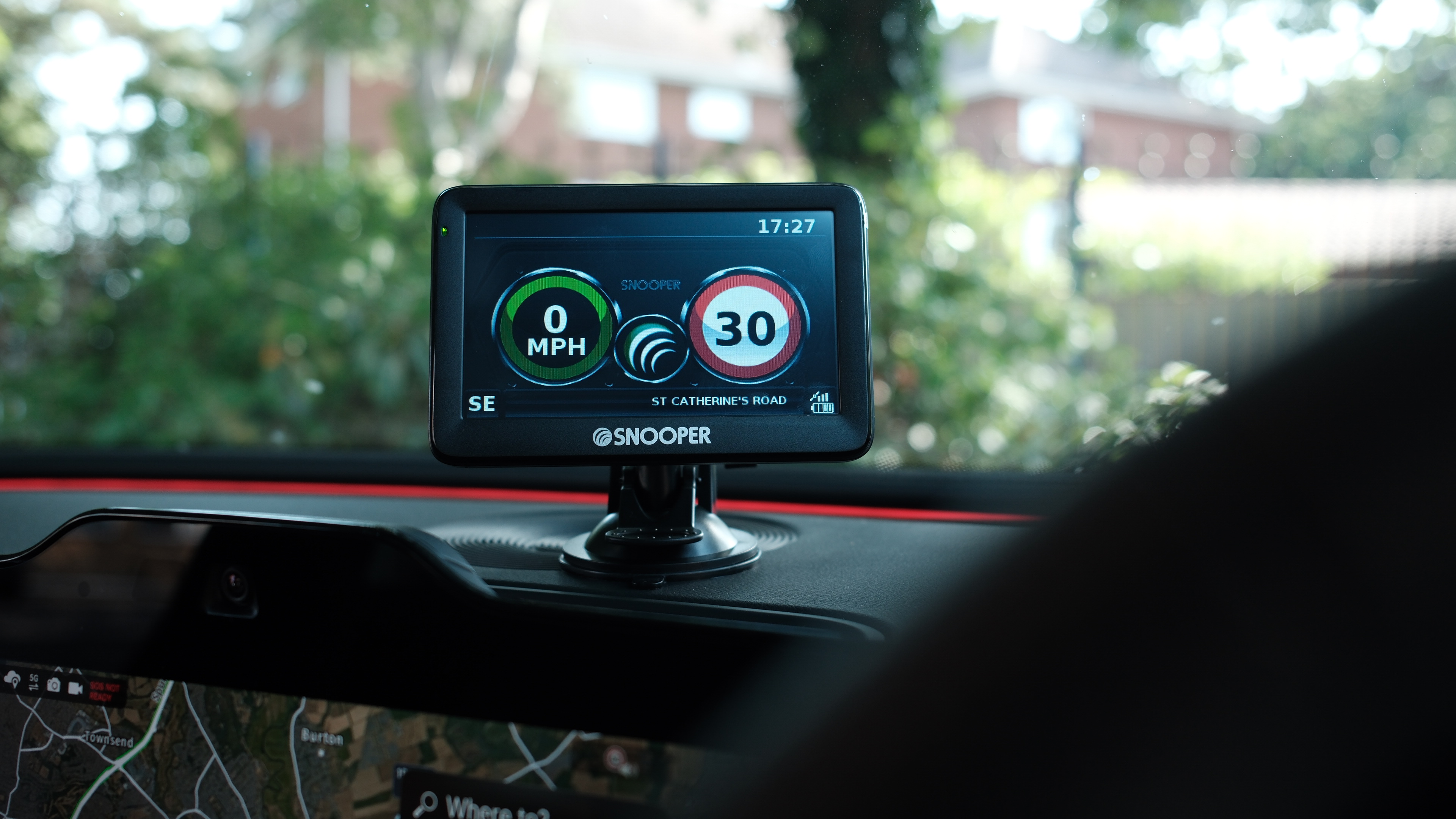
Rather than a tiny puck on the dashboard, Snooper gives you a full 5-inch color display mounted to the windshield or dash, complete with speed readouts, camera warnings and traffic information. It looks more like a compact sat-nav than a modern Bluetooth accessory, and it occupies a lot more real estate as a result.
The larger screen does have advantages. Speed limits and GPS speed are visible at a glance, while the red-and-green graphics make it very obvious when you have drifted above the limit.
(Image credit: Future/Leon Poultney)
The Snooper My-Speed Plus feels like a product from a different era
Setup
Unlike the other products here, the Snooper operates independently of your smartphone. The device contains its own GPS receiver and uses Snooper's AURA camera database, so there is no need to keep a phone connected during journeys. Initial setup is straightforward, but keeping the database current requires occasional manual updates via USB using a Windows PC or Mac.
That feels decidedly old-school in 2026, but some drivers will appreciate the complete independence from apps, Bluetooth connections and mobile data.
(Image credit: Future/Leon Poultney)
Performance
Once updated, the Snooper's camera coverage is excellent. Fixed camera warnings are reliable, average-speed zones are handled well and the large display provides far more information than the minimalist LED-based rivals.
The trade-off is size and cost. At £199.99, it is by far the most expensive device in this guide, requires permanent power from a 12V socket and occupies a significant portion of the windshield compared with the almost invisible Ooono or TomTom units.
For drivers who want a dedicated, easy-to-read display without relying on a smartphone, the Snooper remains a compelling niche option. For everyone else, the newer Bluetooth-based devices generally deliver a cleaner, more modern experience.
Which should you buy?
(Image credit: Future/Leon Poultney)
If you simply want the best all-round experience, the Ooono Co-Driver NO2 remains the device I'd recommend. Its combination of elegant design, effortless setup, strong camera database and CarPlay and Android Auto integration makes it the easiest product here to live with every day.
The Tom by TomTom runs it surprisingly close and offers excellent value for drivers who prefer bright, visible alerts from the built-in LEDs. Road Angel Pure Sync will appeal to owners of older vehicles who value the permanent GPS speed display, while the Ooono NO1 remains a brilliant budget entry point.
The Snooper My-Speed Plus, meanwhile, occupies its own category entirely. It is larger, more expensive and more old-school than the others, but its standalone GPS operation means it doesn’t blitz data on your smartphone. Regardless, it’s absolutely massive and feels OTT compared to the others.
Imagens de satélite do programa Copernicus revelam a dimensão das plumas de fumo provocadas pelos incêndios florestais no Canadá, que estão a afetar a qualidade do ar na costa leste dos Estados Unidos e a levantar preocupações antes da final do Mundial de Futebol.
International authorities and a raft of private technology companies say they have disrupted a cybercrime “assembly line” that allowed crooks to collect millions of login credentials and steal more than $47 million in ransom payments and by other fraudulent means.
The crux of the operation was the simultaneous targeting of two unrelated tools that are widely used in various online scams. The first is Amadey, a malware-as-a-service platform for compromising devices and delivering malicious payloads for ransomware and other scams. Amadey has been observed in the wild since at least 2018 and was seen last year abusing GitHub as it collected system information from infected devices and installed customized payloads. The second tool was StealC, an infostealer-as-a-service platform that collects credentials, authentication cookies, cryptocurrency wallets, browser extensions, and files whose names match customer-defined patterns.
Severing a critical link in the cybercrime chain
Amadey and StealC are separate tools that are run independently of each other. Given their widespread use, however, many customers use both in their individual cybercrime activities. The tools also, it turns out, relied on some of the same underlying infrastructure to run. Microsoft said it made this determination after analyzing the tools using AI. This insight allowed Microsoft attorneys to seek an order disrupting both at the same time.
A new FTC lawsuit reveals how sophisticated subscription app operators can allegedly use shell companies and payment infrastructure to stay active on app stores despite mounting consumer complaints.

 Login
Login