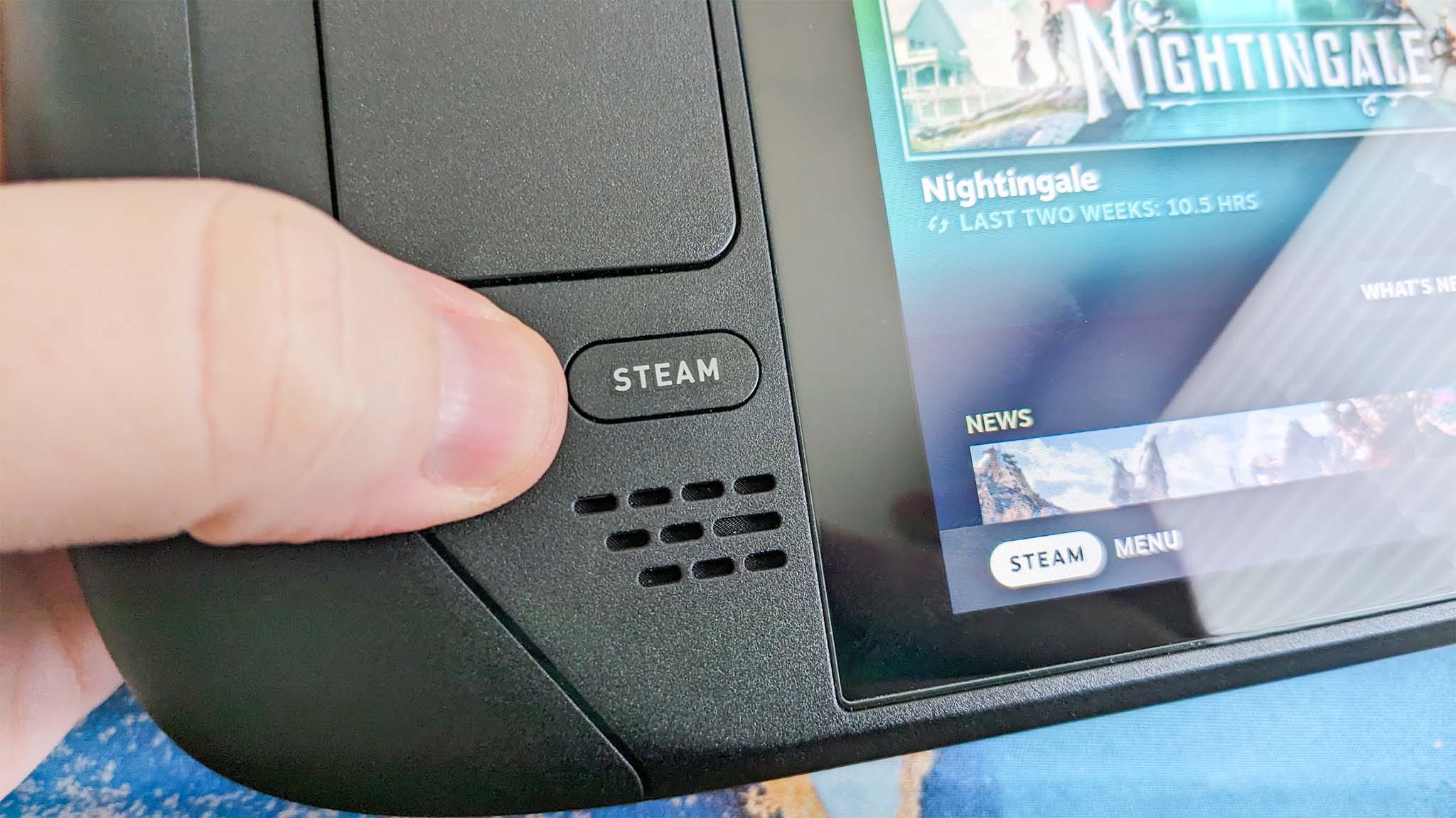
I've spent a lot of time this summer gaming on my Steam Deck. It's hot outside, it's hot inside, and my desktop gaming PC simply creates too much heat.
The only major problem I have with my Steam Deck is that it doesn't play nicely with PC Game Pass, to which I'm a subscriber. Yeah, I could stream games to my handheld, but there's now a better solution in the works.
I'm talking about Xodus, an open-source project that's attempting to build a bridge between PC Game Pass and Linux systems, including the Steam Deck. The project is also attempting to iron out similar issues on macOS. No Windows install needed.
Xodus comes from the developers behind the Heroic Games Launcher, a separate open-source app that brings Epic, GOG, and Amazon Prime titles to Steam Deck (it also works on Windows, macOS, and other Linux systems).
The developers are undoubtedly up against a grind with this project. Xbox PC games that come from the Xbox app rely primarily on a Microsoft Game Development Kit (GDK) runtime, which is a far cry from DirectX and Win32 layers that Valve's Proton already handles quite well.
This Microsoft GDK is really what has kept PC Game Pass from running directly on the Steam Deck (and macOS) for so long.
Is Xodus ready for public release?
Xodus could finally bridge the gap between PC Game Pass and Steam Deck. (Image credit: Rebecca Spear / Windows Centarl)
According to updates shared on the Xodus GitHub page, the developers have cracked Xbox authorization, license checks, and MSIXVC package (the containers that PC games come in) download and decryption.
In a Reddit post, a Xodus developer noted that the team's main focus is now getting the Software Development Kit (SDK) for each title to run through Wine. It appears that Xodus has its own Wine and Proton forks for this purpose, as well as an open-source version of the xgameruntime.dll file that Game Pass games depend on.
Xodus likely won't support all Game Pass games when it launches, either. Older games that eschew GDK and MSIXVC for UWP will likely come later, if at all.
Why I'm so excited to try out Xodus on my Steam Deck
PC Game Pass on Steam would open up a whole lot of new options for gaming on the go. (Image credit: Future)
As mentioned, the biggest drawback to my Steam Deck, aside from its growing age, is its lack of native PC Game Pass support.
Sure, I could upgrade to a newer handheld that natively runs Windows, but it looks like I might not need to quite yet. That's especially exciting considering just how expensive gaming handhelds have become of late.
Then there's the Steam Machine, another Valve device running the Linux-based SteamOS. A whole bunch of gamers recently got their hands on the Steam Machine when it launched in June, and making PC Game Pass an option can only benefit Microsoft.
Here's the rub: Xodus has no affiliation with Microsoft. It's an unofficial community project created by independent developers. Does that mean Microsoft will have a problem with it? Not likely, but you never can tell.
Xodus still doesn't have an official release date, but it's something I'll be keeping my eyes on as it progresses. If you're a Linux gamer who wishes they could use PC Game Pass natively, you'll definitely want to keep watch as well.
What do you think about Xodus as a bridge between Steam Deck/Machine and PC Game Pass? Is it something you'd use regularly? Do you already have an alternative method that works better for you? Let me know in the comments section below!
A modder has taken the innards of a Steam Deck and put them into a Game Boy-style case
The end result is the 'SteamBoy', although it's not quite finished (the screen doesn't yet work)
There's a lot of excitement about this DIY project, and some gamers have even said they'd be keen to buy a retro handheld like this
Ever wished the Steam Deck looked a bit more retro — or indeed a lot more retro? Meet the 'SteamBoy', which takes the innards of Valve's handheld and transplants them into a case styled on the Game Boy.
The SteamBoy uses the motherboard, controller, buttons, speakers, and battery from the Steam Deck, fitting the components into a case which the maker says is the same dimensions as an original Game Boy, with a thickness of 32mm (yes, it's thick).
PhyFawkes explains: "The battery is the original battery, and it basically takes up the whole width of the device on the inside. It's sandwiched between the motherboard and the display. The motherboard and controller boards are completely intact as well."
The only element that isn't functional yet is the screen, so this device is still a work in progress. The Redditor has demonstrated it working on an external monitor, though.
Analysis: next stop Kickstarter?
(Image credit: PhyFawkes on Reddit)
The snag with getting the screen going is that the motherboard firmware reports the display properties directly to SteamOS, and so the firmware details must be updated with the info for the new screen. The Redditor says it hopefully it won't take too long to sort this out.
Another part of the recipe that's missing is the triggers, but PhyFawkes says that they might be able to add them eventually, but that space constraints with the case could make this too tricky a proposition.
Apparently the handheld runs cool enough with some slight under-volting. All in all, this a very smart-looking project, and I'm seriously impressed. The case itself is 3D-printed, with the Redditor noting that they're going to provide the details on how to make one for those who might want to try their hand at this enterprising piece of handheld DIY.
Of course, constructing something like this is well beyond the scope of your average gamer, and there are fans of this concept out there who'd be willing to pay money for a SteamBoy of their own. Plenty of them, in fact, as the reception for this project has been nothing short of glowing.
As someone on Reddit put it: "This is legitimately so cool. I would totally back something like this on Kickstarter."
What do you do when you return to your home town, with your dead mother in your car boot, to find the inhabitants have been turned into robots?
In the boot of her car, Pratelle carries the corpse of her mother and a giant sledgehammer. Her mission is simple: take the hammer to her home town. As you enter shops and homes through the door and leave them through the opposite wall, it becomes clear that the robots who either attack you or flee are all digital versions of your old neighbours.
Pratelle, with her close-cropped hair and dungarees, read to me as a queer woman, but interestingly, testers of the game often mistook her as a man. The team at developer Deconstructeam and longtime collaborator Selkie Harbour didn’t anticipate this confusion but found it fits the character perfectly, especially in this setting based on a small Spanish town like those in which the developers grew up.
The GuliKit KK3 Max might look like a standard controller, but it has plenty of extras and features on board.
Adopting the familiar form of the Xbox’s gamepad, the KK3 Max doesn’t exactly push the boundaries in terms of design. But given how comfortable and convenient the shape and layout are, it’s hard to complain about its lack of originality.
There are also a few extra flourishes that add some interest. The matte white finish of my review unit was rather fetching, while the front panel is incredibly smooth, smoother than any other I’ve felt before. Its construction also feels quite solid, rivaling the builds of the best PC controllers.
This premium feel extends to the buttons, since there’s very little wobble to any of them. The same can be said of the various sets of levers for the four back buttons, although a fair amount of force is required to insert them.
(Image credit: Future)
Despite the lack of software, there are still plenty of input-related customizations and settings available via various button combinations. These range from basic adjustments, such as the vibration intensity and stick sensitivity, to more advanced features, such as motion control and macro recording.
The overall performance of the KK3 Max is pretty good. Most of the buttons are responsive and satisfying to press. The triggers offer a fair amount of control, although I found their travel distance a little too short for my preferences. The sticks also lack the precision of the best, although they move easily and quickly. Motion controls are also inconsistent: I found they performed well with Nintendo Switch games, but were less effective on PC and mobile titles.
I’m happy to report that I had no issues with connectivity on any system I tried the KK3 Max with. Whether it was to my PC via the USB dongle or to my Switch and Android tablet via Bluetooth, the KK3 Max connected quickly to them all and I didn’t experience any dropouts or lag. Hotswitching between devices is also easy thanks to the dedicated button for this purpose, although it can take several presses for the button to respond.
The current multiplatform controller market is certainly a competitive one, with an increasing number of entrants offering increasingly better value. At $79.99 / £65.99 / AU$113.95, the KK3 Max is dangerously close in price to some real standouts, such as the Steam Controller and the GameSir G7 Pro 8K, and more expensive than the 8BitDo Pro 3, another highly capable controller. It mightn’t quite match up to its cohort, but the KK3 Max is still a gamepad to consider if you prefer onboard adjustments and like to have plenty of back buttons.
(Image credit: Future)
Gulikit KK3 Max review: Price & availability
$79.99 / £65.99 / AU$113.95
Available now in various colorways
Premium pricing puts it against big hitters
The GuliKit KK3 Max costs $79.99 / £65.99 / AU$113.95 and is available now from Amazon. Three colorways are available: black, white, and grey.
This pricing places the KK3 Max at the premium end of the market. It comes close to some big names in this space, such as the new Steam Controller. This has the advantage of touchpads for controlling the mouse cursor, and we found its gyroscope controls performed very well, unlike the KK3 Max’s. It isn’t compatible with the Switch or Switch 2, though.
The KK3 Max is also more expensive than the 8BitDo Pro 3, which has class-leading performance. We particularly loved its smooth analog sticks and triggers, as well as its phenomenal D-pad. It’s very customizable, too, thanks to its accompanying software — something the KK3 Max lacks.
Gulikit KK3 Max review: Specs
Gulikit KK3 Max
Price
$79.99 / £65.99 / AU$113.95
Weight
9.7oz / 275g
Dimensions
6 x 4.3 x 1.3in / 154.7 x 108.1 x 32.4mm
Compatibility
PC, Switch, Switch 2, Android, iOS
Connection type
Wireless (2.4GHz, Bluetooth), Wired (USB-C)
Battery life
15-28 hours
(Image credit: Future)
Gulikit KK3 Max review: Design and features
Super smooth surface
No extra D-pad hats or stick caps
No software
The KK3 Max has a simple and conventional design, replicating the form and layout of the best Xbox controllers. This is no bad thing, though, since such gamepads are among the most ergonomic and comfortable out there. Along with many others, I’m also particularly fond of the asymmetric analog sticks, since this moves the D-pad to a position that makes it easier to use with either thumb.
What may prove more divisive, however, is the relatively small size of the entire unit. I don’t have particularly large hands, but both my thumbs and forefingers tended to overhang the sticks and triggers respectively. I was able to adjust my grip to compensate without sacrificing comfort or security, but others might find this more of a problem.
There are some extra touches to the KK3 Max’s design that set it apart from the crowd. The brilliant white matte finish of my review unit is quite eye-catching, as is the subtle yet effective RGB lighting around the sticks, which also has a practical function that I’ll come to later.
(Image credit: Future)
The front plate is incredibly smooth to the touch, smoother than any other controller I’ve experienced. However, this plate isn’t magnetically attached as it is on other gamepads, allowing for easy removal for the sake of customization and reordering or replacing buttons.
You can still remove the KK3 Max’s face buttons — you’ll just need to use the included puller to do so, which is thankfully easy to use. You can’t directly swap the X with the Y button or the A with the B, though, since they have different depths and curvatures. Rather, duplicates of each button are included in the box with the appropriate depth and curvature for swapping their position. This seems like a rather inefficient solution to me, and just means you have more bits of plastic in your life than you otherwise would.
I can’t complain about their quality, though. They’re pleasantly smooth and stable, with only a marginal amount of play, while their transparent design is quite fetching. The D-pad also feels stable, although it’s a shame you can't replace the hat, as different designs can make a real difference to feel and performance, and would cater to more preferences. Fortunately, I found it quite ergonomic; even though it adopts the traditional four-point shape, its rounded edges make it better for rolling between directions.
(Image credit: Future)
The triggers are also comfortable. They have rounded outside edges, which makes them soft on the finger, as well as a dotted texture to provide grip. The analog stick caps are reasonably small but have an ergonomic shape and a soft finish. Their edges are slightly textured, although this is less prominent than other examples, so those with sweaty thumbs might slip off them. They are removable, but GuliKit doesn’t provide any extra sets in the box, which is a shame. The sticks themselves are quite tall and suitably planted, with a negligible amount of play.
More solid are the back button levers. Despite how they look, they’re not made from metal, but they are reassuringly sturdy. They actually require a fair amount of force to insert in their slots, but once in place, I felt pretty confident that they weren’t going to come loose. They come in different shapes, with two sets of paddle-like levers and a set that looks more like bumpers.
(Image credit: Future)
There’s no software for customizing the inputs of the KK3 Max, which is a shame. However, there are still plenty of adjustments you can make and features to enable using various button combinations. You can alter the sensitivity of the analog sticks, with three levels to choose from, as well as toggle Dead Zone mode for them. You can also enable the Motion Aim Assist mode, letting you assign gyroscopic controls when either the left stick or the left trigger is held. Again, there are three levels of sensitivity to choose from here.
Other settings include a toggle for the D-pad between four- and eight-direction modes, A and B and X and Y swaps, and a Rapid Trigger function with two modes to choose from: one where the chosen input triggers repeatedly when held, and the other when it’s merely pressed. An autopilot mode and a macro recorder are available, too.
All these adjustments are quite easy to make, and there are some useful indicators that let you know what settings have been selected. For instance, the sticks light different colors depending on which of the three sensitivity levels is set, and the pad rumbles once, twice, or thrice depending on which of the three sensitivities of the Motion Aim Assist is set. However, I still would’ve preferred software for convenience's sake; it’s always nice to see your settings represented graphically, and having to remember all the button combinations is a hassle I could do without.
(Image credit: Future)
Gulikit KK3 Max review: Performance
Solid button feel
Slightly imprecise sticks
Motion controls are mixed
In action, the KK3 Max acquits itself rather well. The face buttons are tactile and well-damped, and only require a light touch to press, which makes them feel snappy. However, they don’t provide the best feedback, and there are times when it can be difficult to feel them actually being pressed. Thankfully, however, this didn’t result in presses failing to register, in my experience.
The bumpers are more clicky, but still have enough dampening to make presses satisfying. However, I found their position a little too high, which can make reaching them a little difficult. I should say that I encounter this problem on quite a few gamepads, but here it’s particularly acute.
In fact, I found the back buttons more usable than the bumpers, which isn’t something I can say about a lot of other controllers with back buttons. Their travel might be shallow, no matter which lever you decide to attach, but there’s enough dampening and feedback to make them viable as replacements for other inputs. I didn’t accidentally trigger them when gripping the KK3 Max tightly, either. The shapes of the various levers are easy to use, although I did find that the lower paddles were best used with two fingers rather than one.
(Image credit: Future)
The triggers are resistant enough to provide adequate control when performing graduated presses, something I especially appreciate when playing racing games such as Assetto Corsa that require precise acceleration and braking inputs. Their relatively shallow travel does negate this aspect somewhat, but I still found them just about up to the task. They’re also light enough to perform rapid inputs when needed, and to prevent fatigue from setting in during prolonged holds.
The sticks move freely and quickly, with a fast rebound that makes them feel snappy. Aiming was quite accurate when I played 007 First Light, although they don’t offer the smoothest motion, with small but frequent jumps and unexpected accelerations affecting my accuracy. Thankfully, their aforementioned height didn’t pose a problem when moving them around, although it did cause some instability when pressing in the L3 and R3 buttons, with accidental directional movements often accompanying them.
The gyroscopic motion controls are mixed in terms of their performance. When I played The Legend of Zelda: Tears of the Kingdom on my Switch, they were smooth when aiming the bow, and on a par with the best Nintendo Switch controllers. However, with games on other platforms, such as First Light on PC and Hitman Blood Money — Reprisal on Android, they were jerky and restrictive in terms of movement. No matter how many times I recalibrated them using the onboard function to do this, they didn’t improve on these systems.
I had no issues connecting the KK3 Max to my Windows 11 PC, Switch, or Android tablet via Bluetooth or the USB dongle. The handy button for hot-switching between devices is also useful, and hot-switching itself proved quick in my experience. However, the button doesn’t operate that well, taking a few too many presses to actually respond.
Should I buy the Gulikit KK3 Max?
Buy it if…
You want a comfortable gamepad The ergonomic shape of the KK3 Max, combined with the super smooth front panel and rounded triggers, make it comfortable to use — although those with particularly large hands might struggle with it.
You want plenty of back buttons With four back buttons and three different kinds of lever attachments for them, the KK3 Max is great for those who like to trigger inputs with their fingers rather than their thumbs.
Don't buy it if…
You want software Even though you can customize the inputs of the KK3 Max, you’ll need to do this with button combinations, as there’s no companion app.
You want the best stick performance The sticks aren’t quite as smooth or precise as those in the best gamepads.
Gulikit KK3 Max review: Also consider
GuliKit KK3 Max
8BitDo Pro 3
Valve Steam Controller (2026)
Price
$79.99 / £65.99 / AU$113.95
$59.99 / £40 (around AU$84)
$99 / £85 / AU$149
Weight
9.7oz / 275g
8.5oz / 242g
10.3oz / 292g
Dimensions
6 x 4.3 x 1.3in / 154.7 x 108.1 x 32.4mm
6.1 x 3.9 x 2.6in / 154 x 101 x 65mm
4.4 x 6.3 x 2.2in / 111 x 159 x 57mm
Compatibility
PC, Switch, Switch 2, Android, iOS
Switch, Switch 2, PC, Android, iOS
PC, Mac, Android, iOS
Connection type
Wireless (2.4GHz, Bluetooth), Wired (USB-C)
Wireless (2.4GHz, Bluetooth), Wired (USB-C)
Steam Controller Puck, USB, Bluetooth
Battery life
15-28 hours
15-20 hours
35+ hours
Valve Steam Controller (2026) Valve’s latest iteration of the Steam Controller was highly anticipated, and in our view it didn’t disappoint. We found it offered great all-round performance, thanks to its TMR analog sticks and excellent gyro controls. Unlike other controllers, it also features touchpads for controlling cursor movement, making it a real boon for PC players. It doesn’t have the wide-ranging platform support of others, though.
8BitDo Pro 3 If you want to spend less on a controller but still want great performance, look no further than the 8BitDo Pro 3. We loved the performance of its sticks, triggers, and D-pad, and we found its shape supremely comfortable, while still staying faithful to the old SNES gamepad it’s keen to emulate. It also has great software with plenty of customizations.
I tested the Gulikit KK3 Max for a few days, during which time I played a number of games on most of the platforms the controller is compatible with. I used it on my Windows 11 PC via the 2.4GHz wireless USB dongle, and on my Switch and Samsung Galaxy Tab S11 tablet via Bluetooth.
I made sure to play a variety of games across these platforms to test every facet of the controller’s performance. I played 007 First Light on PC, which is a good test for the accuracy and precision of analog sticks, as well as Hitman: Blood Money — Reprisal on my tablet for the same purpose. I also played Assetto Corsa, which is not only a good test for the sticks but also for the control offered by the triggers. I also played The Legend of Zelda: Tears of the Kingdom on Switch, primarily to test the motion controls, as the game and console handle such controls very well.
I’ve been gaming for decades, and have used numerous gamepads with numerous systems in that time. I’ve also reviewed a number of other controllers, from budget offerings to high-performing premium models.
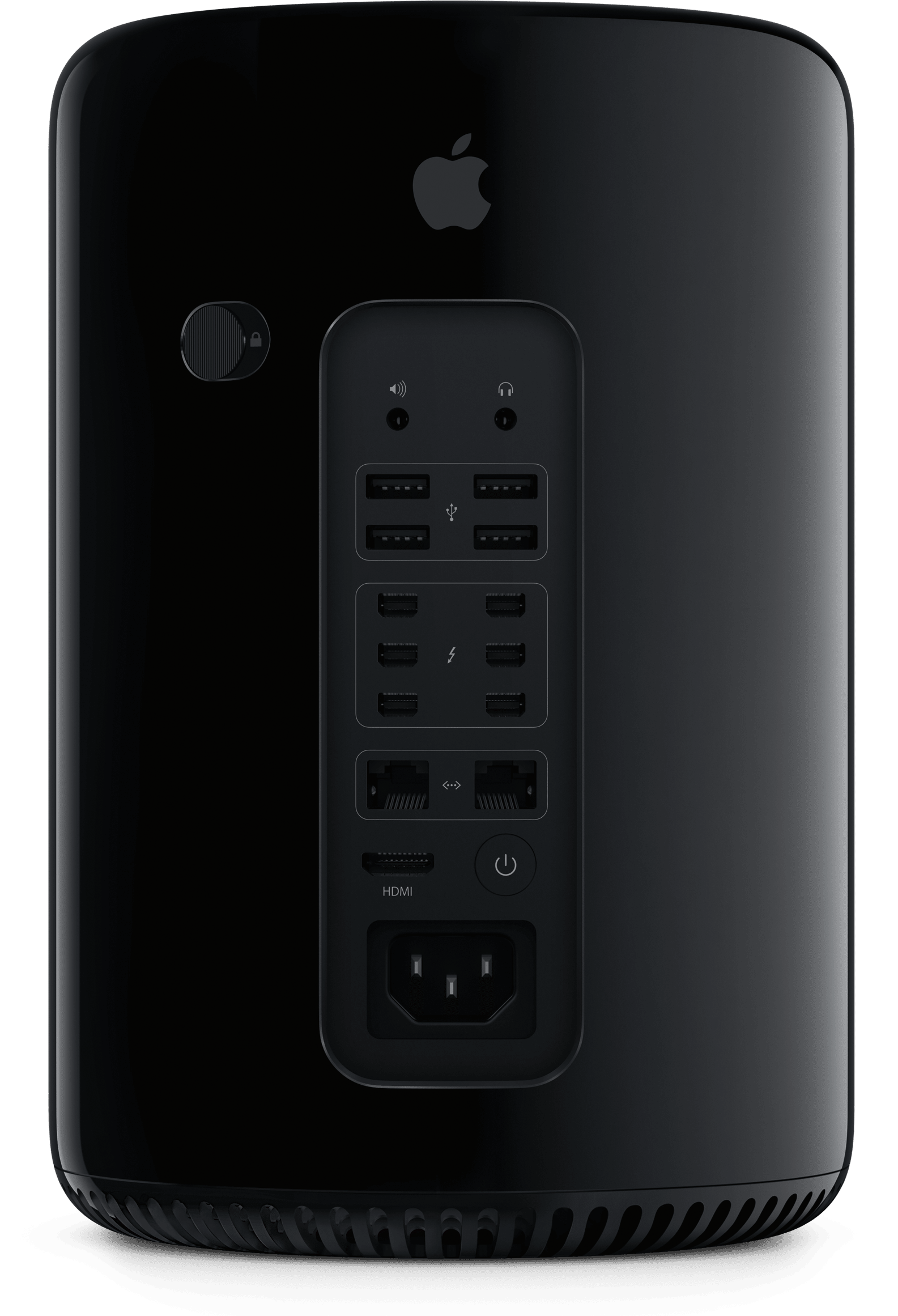
Último Mac a trocar os chips PowerPC pelos processadores da Intel (transição que havia sido iniciada em 2005), ele chegou com o dobro de performance do Power Mac G5, seu antecessor direto — e de quem herdou a primeira iteração do design de “ralador de queijo”, que com certeza marcou época.
Com um preço inicial de US$2.500 (ou US$4.140, levando em conta a inflação até os dias de hoje), ele era parrudíssimo — tanto em termos de performance bruta quanto de conectividade. Extremamente “upgradeável”, ele vinha com dois processadores Intel Xeon de dois núcleos (2,0GHz, 2,66GHz ou 3,0GHz, dependendo da versão escolhida), bem como com a placa gráfica GeForce 7300 GT, da NVIDIA — componente que podia ser trocado por uma Quadro FX 4500 (também da NVIDIA) ou uma ATI Radeon X1900 XT (da AMD).
Contando com quatro espaços para unidades Serial ATA (dois a mais que o Power Mac G5), o Mac Pro de primeira geração também permita a instalação de até quatro GPUs 1Graphics processing units, ou unidades de processamento gráfico. via PCIe, além suportar até 32GB de RAM 2Random access memory, ou memória de acesso aleatório. — por padrão, ele vinha com “apenas” 1GB. O desktop também era equipado com 5 portas USB 2.0 e 4 FireWire 800, padrão ainda muito popular na época.
O queridinho de profissionais criativos, o Mac Pro parecia ser feito sob medida (ou vice-versa) para softwares como o Final Cut Pro, além de vir de fábrica com o clássico Mac OS X Tiger, lançado mais cedo naquele ano. Nem tudo eram flores, no entanto, já que alguns apps, como os da popular Adobe Creative Suite, ainda precisavam da camada de tradução Rosetta para rodar adequadamente em Macs com processadores x86, o que resultava em gargalos de performance — problema que foi solucionado com o passar dos meses.
Desde então, o Mac Pro original foi atualizado algumas vezes; o primeiro upgrade veio já em abril 2007, seguido por outro em janeiro de 2008. No início de 2009, o computador ganhou os processadores Intel Xeon 5500 e, um ano depois, passou a suportar até 64GB de memória e até 8TB de armazenamento — além de ter adotado os processadores da linha Intel Xeon 5600, é claro. A última dança desse primeiro design do desktop veio em 2012, com dois processadores Intel Xeon Westmere-EP de seis núcleos (2,4GHz).
O primeiro tropeço
O ano de 2013 foi difícil para o Mac Pro, que recebeu um novo design tão compacto quanto polêmico. Cilíndrica, a nova geração do Mac Pro instigou comparações com latas de lixo, principalmente por conta da abertura para ventilação na parte de cima do computador.
Divulgação/Apple
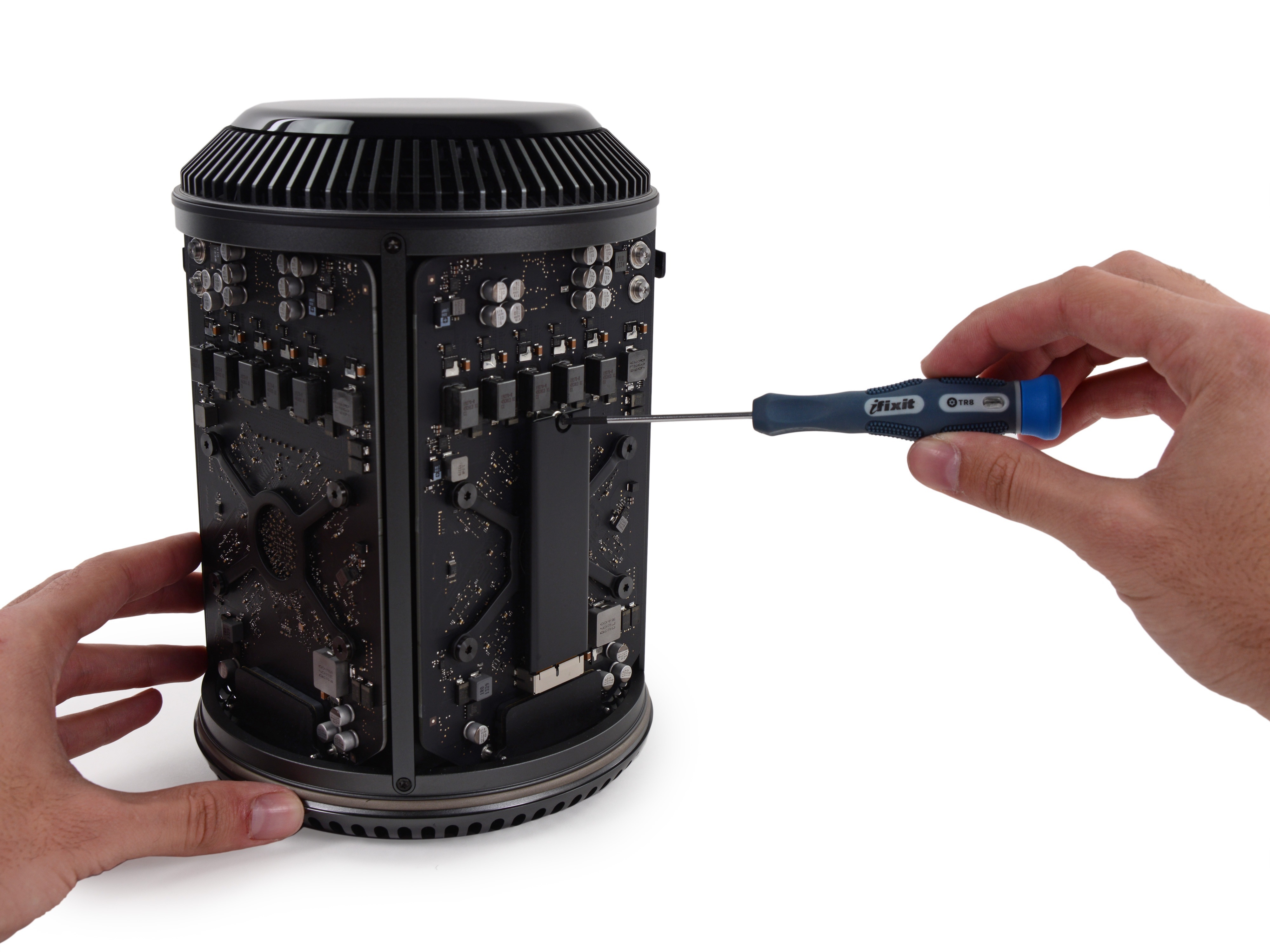
Por falar em ventilação, é nessa área onde reside a maior fraqueza desse novo modelo: o sistema de resfriamento, construído em volta de um “núcleo térmico unificado” central que, embora fosse, sim, um conceito muito interessante, não era o suficiente para resfriar o seu processador Intel Xeon e as duas GPUs AMD FirePro.
O novo design também fez a Apple abrir mão de duas outras características importantíssimas do Mac Pro: a vasta seleção de portas e a possibilidade de trocar praticamente todos os principais componentes do computador. Caso o usuário quisesse realizar algum upgrade, ele era obrigado a fazer isso por meio de uma das suas portas Thunderbolt 2, o que estava longe de ser o ideal.
Foto: iFixit
A má recepção fez o Mac Pro “lata de lixo” cair no ostracismo e ficar sem receber novas atualizações por nada menos que seis anos — um contraste e tanto em relação ao modelo anterior. A situação chegou até mesmo ao ponto de a própria Apple admitir, em 2017, que errou a mão na hora de projetar a mais nova versão do seu desktop profissional — atitude que foi seguida pelo lançamento do iMac Pro, que serviu como uma espécie de “tapa buraco” até o lançamento do último grande redesign do Mac Pro.
Um breve renascimento
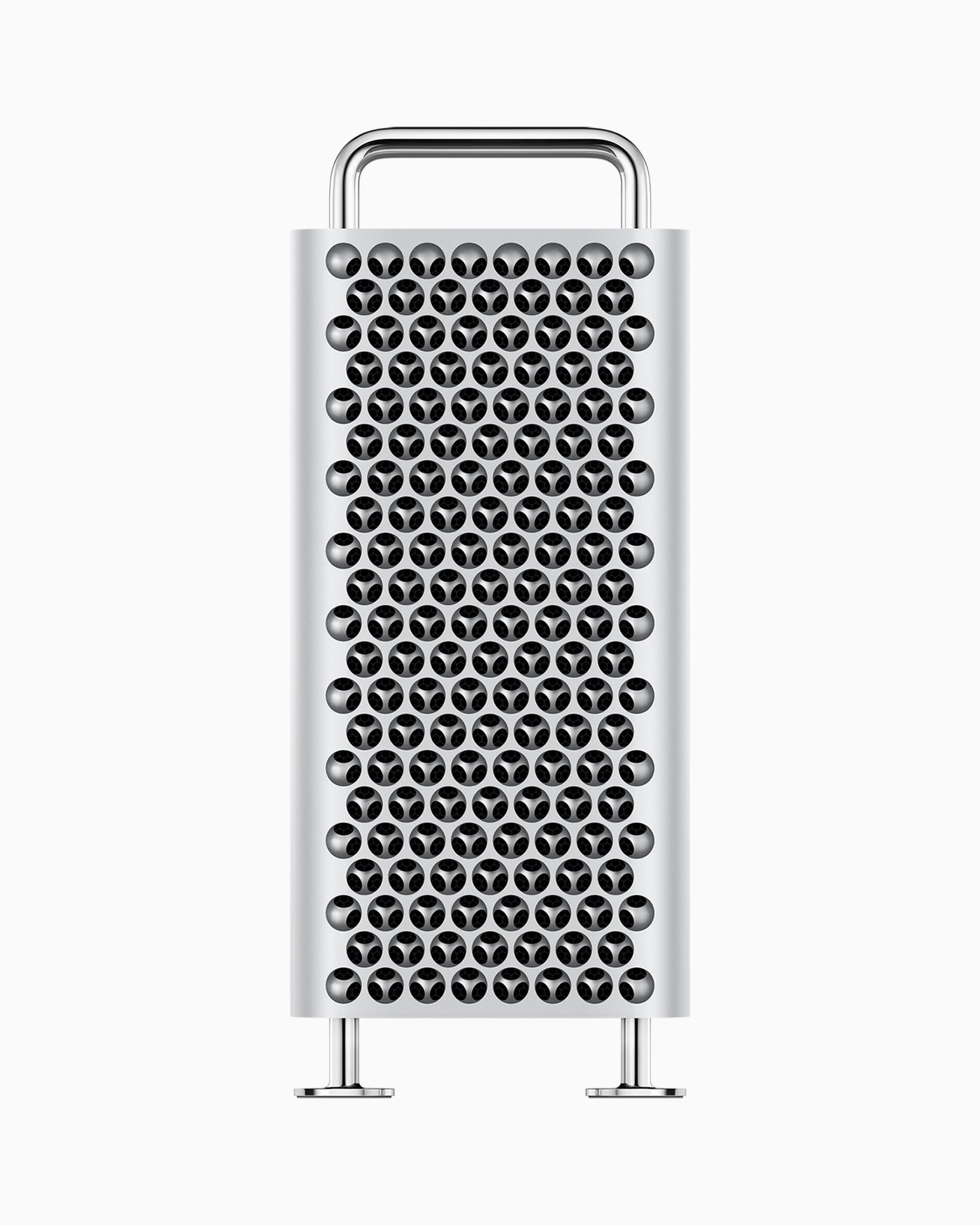
Em 2019, a Apple colocou ordem na casa ao lançar um novo Mac Pro muito mais parecido com o modelo original do que com o computador que o precedeu — ou seja, com um formato de torre tradicional.
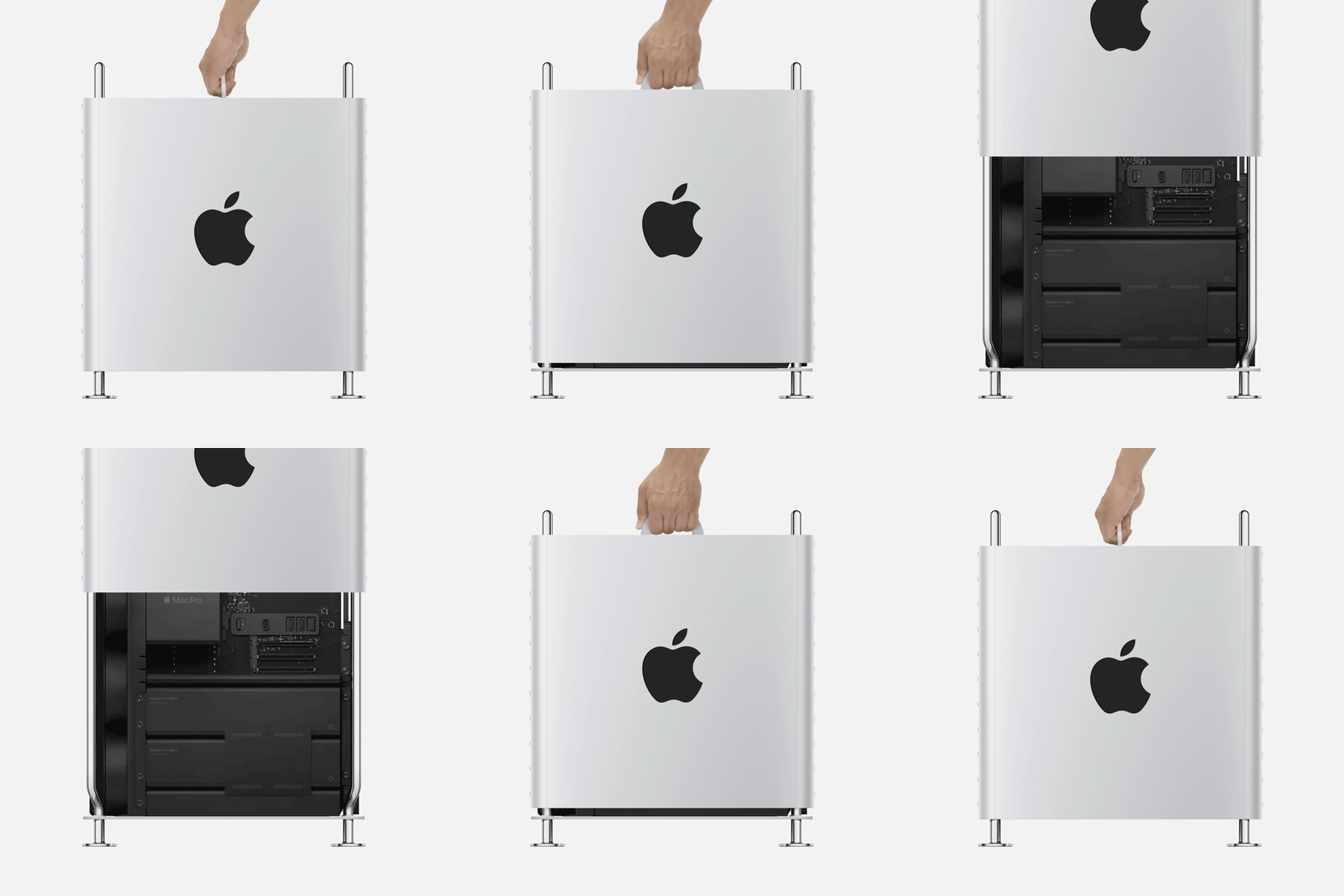
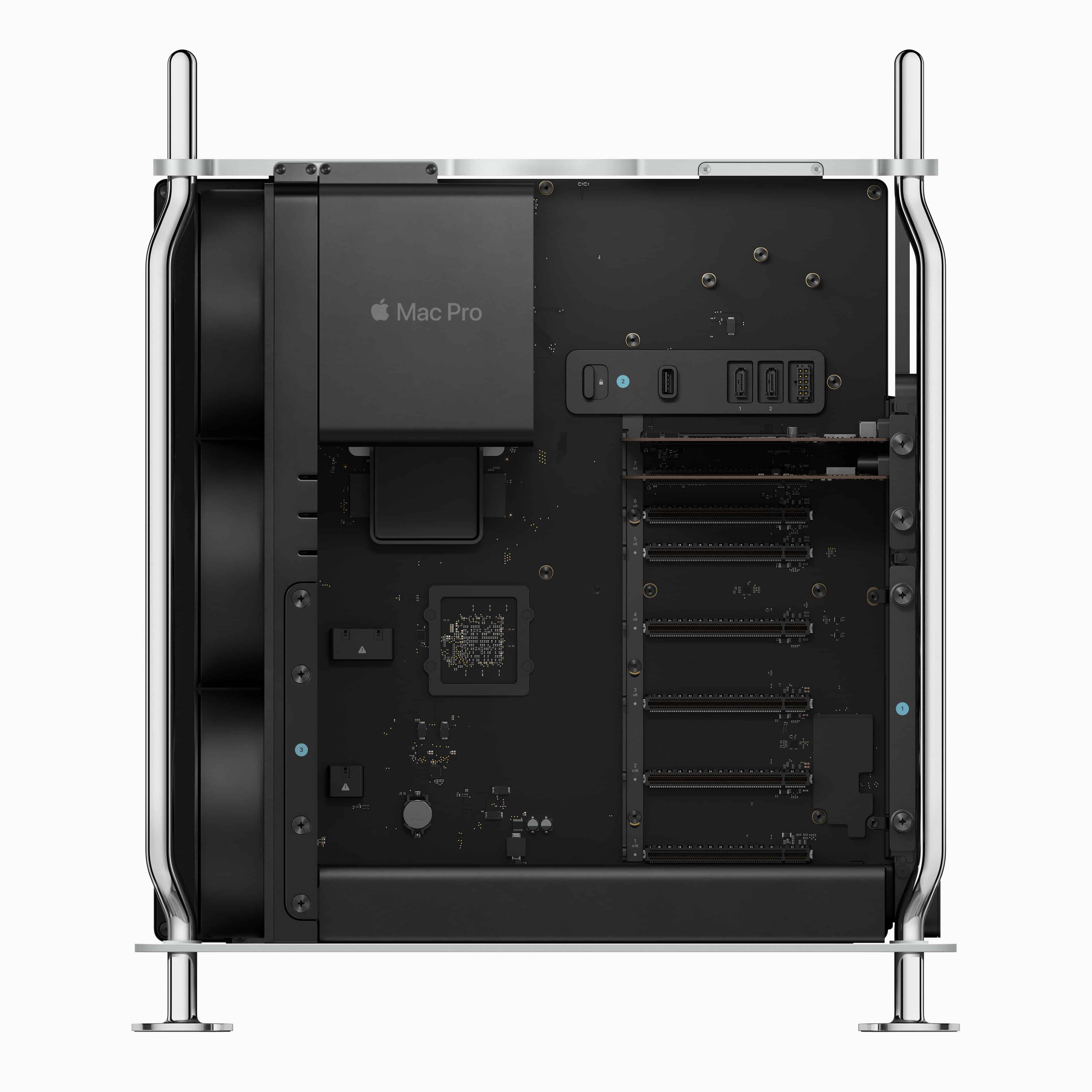
Apostando mais uma vez no alumínio como seu material principal, o desktop passou a contar com furos para ventilação que, mais uma vez, provocaram comparações com raladores de queijo. Dentro, foram adicionada três ventoinhas bem parrudas, as quais davam conta de resfriar todos os componentes do computador, já que eles não contavam com coolers individuais.
Divulgação/Apple
Equipado com um processador Intel Xeon de até 28 núcleos, ele suportava até 1,5TB de memória — número surpreendente até para os dias de hoje. Contando com nada menos que oito slots PCIe, ele podia ser configurado com as GPUs Radeon Pro 580X ou Radeon Pro Vega II, da AMD, bem como com a novíssima placa aceleradora Apple Afterburner, para a edição de vídeos.
O otimismo introduzido por esse novo design, porém, foi logo suplantado pela introdução, apenas um ano depois, dos chips da família Apple Silicon, bem mais rápidos e eficientes que os da Intel e que passariam a substituir os processadores da fabricante estadunidense nos Macs. Em outras palavras, isso fez com que muita gente pensasse duas vezes antes de adquirir um Mac Pro — afinal, uma versão bem mais poderosa com um chip ARM3Advanced RISC Machine. provavelmente já estava nos planos da Apple.
Isso, no entanto, só foi acontecer em 2023 — e de um jeito um tanto… agridoce. Embora a adoção do chip M2 Ultra tenha sido bem-vinda, o computador perdeu muitas das características que o faziam ser uma boa opção para usuários profissionais, como a possibilidade de fazer upgrades nas suas peças — uma consequência da natureza centralizada dos SoCs 4System on a chip, ou sistema em um chip. da Apple.
Além disso, a essa altura do campeonato, o Mac Studio (outro computador voltado a profissionais) já estava no mercado há cerca de um ano e oferecia a mesma performance de ponta que muitos esperavam do Mac Pro, além de ser bem mais compacto e, principalmente, “acessível” (a partir de US$7.000vs. a partir de US$2.000).
Embora rumores de uma atualização tenham circulado nos últimos anos, tudo isso levou a Apple a finalmente aposentar o Mac Pro em março de 2026, pouco meses antes do seu aniversário de 20 anos. No momento, os esforços da Apple parecem estar completamente voltados ao Mac Studio, que tomou o posto de “computador para profissionais” da Maçã.
Daniel Mullins explains how he plans to follow up his quirky classic without losing what made it stand out in the first place
Glitchy aesthetics. Literally collapsing menu boxes. The game taunting you by “possessing” your Steam friends. Technical tricks of this nature may sound gimmicky in 2026, but they felt excitingly unorthodox a decade ago, when Pony Island came out to critical acclaim.
Fans of Daniel Mullins, the celebrated indie developer of Inscryption, will be forgiven for forgetting that Pony Island 2: Panda Circus is in active development. After all, it’s been almost three years since the announcement – and a full decade since it was first teased as an Easter egg in Pony Island’s ARG (Alternate Reality Game) – with only a single trailer and a bunch of tunes from the soundtrack released to the public.
NPC XL is a weekly members-only version of NPC with extra content, available exclusively through our new Patreon for $5/month. Each week on NPC XL, Federico, Brendon, and John record a special segment or deep dive about a particular topic that is released alongside the “regular” NPC episodes. You can subscribe here.
Comfort Zone, Episode 112, ‘Dollar Dollar Bills Y’all’ Show Notes
For even more from the Comfort Zone crew, you can subscribe to Cozy Zone. Cozy Zone is a weekly bonus episode of Comfort Zone where Matt, Niléane, and Chris invite listeners to join them in the Cozy Zone where they’ll cover extra topics, invent wilder challenges and games, and share all their great (and not so great) takes on tech. You can subscribe to Cozy Zone for $5 per month here or $50 per year here.
MacStories launched its first podcast in 2017 with AppStories. Since then, the lineup has expanded to include a family of weekly shows that also includes MacStories Unwind, Magic Rays of Light, Comfort Zone, NPC: Next Portable Console, and First, Last, Everything that collectively, cover a broad range of the modern media world from Apple’s streaming service and videogame hardware to apps for a growing audience that appreciates our thoughtful, in-depth approach to media.
If you’re interested in advertising on our shows, you can learn more here or by contacting our Managing Editor, John Voorhees.
Explore Antarctica as a flightless bird – and dodge some earthly monsters – in this surreal adaptation of HP Lovecraft
While watching the 2006 animated film Happy Feet with his daughter, Origame Digital founder Naphtali Faulkner noticed something interesting. “[In the movie], they see the digger fall into the ocean, and it has an almost eldritch quality,” he says. Over time, and with plenty of iteration, Faulkner’s inspirations coalesced, from HP Lovecraft to the 1982 version of The Thing and the works of David Lynch. “I’m a big fan of horror that sits in your head rather than in your stomach,” says Faulkner.
In Penguin Colony, players body-switch between species of flightless birds, piecing together cryptic cosmic clues as they tail a Nazi expedition to Antarctica. In the process, Origame Digital draws on Lovecraft’s novella At the Mountains of Madness. “I’d always wanted to do a creature that’s a manifestation of colonial thought, energy and power, and the idea of it resting and then regrowing,” says Faulkner. “I was looking through the history of Lovecraft and him being a gigantic racist, and this idea of the Nazis sort of came out,” he adds.
AI research habits are reshaping PPC accounts. Here is when to consolidate, when to segment, and how conversion values keep budget flowing to valuable buyers.
Microsoft Advertising expands AI Visibility, Performance Max testing, and Ad Preview Hub with new reporting, experimentation, and creative review capabilities.
Além da Meta, a Microsoft utilizou esse sistema de solicitações de interoperabilidade da UE para pedir à Apple suporte à função de copiar e colar entre dispositivos, abrangendo iPhones e PCs com Windows.
Conforme detalhado na página do pedido, disponível no portal Apple Developer, a empresa descreveu o recurso da seguinte forma:
Copiar texto ou outro conteúdo compatível no iPhone e colá-lo diretamente no PC com Windows, e vice-versa.
Executar fluxos de trabalho comuns de produtividade sem precisar colocar um aplicativo em primeiro plano ou realizar ações repetidas e explícitas para iniciar uma transferência.
Acessar a sincronização da área de transferência como um recurso contínuo e leve, em vez de uma operação manual dependente de aplicativos.
À época em que comentamos o pedido da Meta, as informações eram de que a Apple havia colocado o pedido da Microsoft na fase II — o que significa que seus engenheiros estavam avaliando a possibilidade, sem um comprometimento de implementação. Mais recentemente, a Maçã moveu o pedido para a fase III — indicando que a companhia começará a desenvolver um recurso que atenda ao pedido da Microsoft.
Estranhamente, o cronograma exibido na página do pedido indica que essa mudança para a fase III aconteceu em junho — ou seja, antes mesmo da divulgação das informações sobre a fase II. Pode ser, porém, que a Apple tenha atualizado sua página retroativamente com o progresso do pedido, já que em meados de julho a página não indicava a mudança para a fase III ainda.
Não obstante, o fato é que a solução proposta pela Apple exige a adoção do frameworkAccessorySetupKit para sincronizar os dados da área de transferência entre as duas plataformas — de modo que, após emparelhar um PC com Windows a um iPhone, será necessário conceder permissão uma única vez para que os dois dispositivos possam compartilhar conteúdos.
Ademais, a Apple observou que, dada a complexidade de engenharia envolvida, a conclusão do desenvolvimento do recurso deverá acontecer só no outono (do hemisfério norte) de 2027. Além disso, ele será disponibilizado inicialmente em uma versão beta para desenvolvedores, visando testes antes do lançamento oficial. Caso a funcionalidade comece a ser testada próximo ao fim de 2027, o acesso pelos usuários em geral poderá ocorrer apenas no início de 2028 (em futuras atualizações do iOS 28, portanto).
Vale notar, por fim, que assim como muitas das mudanças motivadas pela DMA, a Apple poderá lançar a sincronização da área de transferência entre iPhones e PCs com Windows (inicialmente?) apenas na UE.
This week, John and Federico discuss the changing face of the AI-fueled App Store and questionable changes made to TestFlight before going into the nerdiest details of Open Minis, an iOS app that brings desktop-class agents onto the iPhone and iPad.
Then on AppStories+, Federico and John explore Cmux, a Mac terminal app with an iPhone and iPad beta that makes it easier than ever to sync coding projects across devices.
This week, the refreshingly complete announcement by Anbernic of the RG SP, Ticci buys a handheld, and people are tired of months-long hardware reveals.
We have a guest! D. Griffin Jones is here to show the gang technology they could only dream of: the MessagePad. After that, we look at the brand new Pastebot 3 and the surprisingly useful Clop, and we close it out by trying to sell Niléane on a 3D printer.
This week’s Cozy Zone is all about the games we’ve been enjoying lately.
This week, John realizes that too much Wi-Fi is never enough, Federico wonders what he’s going to do with a Linux PC, and John recommends Apple TV’s Lucky.
AppStories, Episode 495, ‘Open Minis Turns iOS into an Agent Playground’ Show Notes
This episode is sponsored by:
Inoreader – Build Your Own Newsfeed and Cut Through the Noise
Claude – For problems worth solving — get started with Claude today.
Scribe – AI-powered workflow documentation. Get your first month free.
NPC XL is a weekly members-only version of NPC with extra content, available exclusively through our new Patreon for $5/month. Each week on NPC XL, Federico, Brendon, and John record a special segment or deep dive about a particular topic that is released alongside the “regular” NPC episodes. You can subscribe here.
Comfort Zone, Episode 111, ‘I’m the Guest, I Have No Consequences’ Show Notes
For even more from the Comfort Zone crew, you can subscribe to Cozy Zone. Cozy Zone is a weekly bonus episode of Comfort Zone where Matt, Niléane, and Chris invite listeners to join them in the Cozy Zone where they’ll cover extra topics, invent wilder challenges and games, and share all their great (and not so great) takes on tech. You can subscribe to Cozy Zone for $5 per month here or $50 per year here.
MacStories Unwind, ‘Flooding the Wi-Fi Zone’ Show Notes
MacStories launched its first podcast in 2017 with AppStories. Since then, the lineup has expanded to include a family of weekly shows that also includes MacStories Unwind, Magic Rays of Light, Comfort Zone, NPC: Next Portable Console, and First, Last, Everything that collectively, cover a broad range of the modern media world from Apple’s streaming service and videogame hardware to apps for a growing audience that appreciates our thoughtful, in-depth approach to media.
If you’re interested in advertising on our shows, you can learn more here or by contacting our Managing Editor, John Voorhees.
Playing as recent arrival Lena, your challenges include learning a new language and uncovering family secrets – its developer hopes it will spread ‘a little more compassion’
The cosy house-sorting sim has become a much-loved staple of the PC indie scene. Titles such as Unpacking, A Little to the Left and Momento charm players with their detailed interiors and quiet narratives of lives lived and shared within the same four walls. For Clean Start, Polish developer Serious Sim has taken a different approach – here you play as domestic cleaner, Lena, an immigrant who has arrived in an unspecified western country with little knowledge of the local language, and a family to support back home.
From here, you’re tasked with cleaning a series of houses and apartments, polishing tables, tidying shelves and scrubbing muddy pawprints from kitchen floors. It seems you’re able to rearrange the rooms, giving them a personal feel, which is after all one of the most pleasing elements of the genre. You can also, we are reassured, pet the dog.
Hidden gems can be unearthed, but you have to dig deep into the bargain bins of countless outdated Fifas, Wii Fits without the controllers and partially finished quizshow games
As an eternally optimistic charity shop fan, I hold on to the fantasy that one day I’ll walk into my local Oxfam and find a pristine copy of the Sega Saturn shooter Burning Rangers for £1.50. Or perhaps a box full of old Neo Geo carts for a quid each. Sadly, this is now unlikely. Charity shops have caught on to the fact that old video games – like old vinyl albums – are highly collectible, and so they’re putting the good stuff on eBay. That’s fine, it’s their job to raise money, not to provide opportunist swine like me with bargains. But what games can you find tucked away in your local branch of Barnardo’s? To find out I visited about 40 charity stores across the country. Here is what I discovered on the shelves … And please do share your own charity shop gaming finds in the comments!
One of the most striking discoveries in condensed matter physics over the past few years is that simply rotating one atomically thin crystal on top of an identical layer can create entirely new electronic behavior. This idea became famous in 2018, when physicists found that graphene sheets stacked at a very particular “magic angle” could turn into a superconductor, even though a single sheet of graphene is not. That discovery launched an entire field, sometimes called twistronics, built around moiré patterns: the large-scale interference patterns that appear when two crystal lattices are laid on top of each other with a slight mismatch in angle or spacing. In many materials, these patterns reshape how electrons move, sometimes producing superconductivity or other exotic collective states.
Moiré collapse
Most of this research has focused on materials whose crystal structure looks roughly the same in every direction, such as graphene, where the interesting physics shows up only at very small twist angles, close to perfect alignment. Now, a team of researchers instead looks at a strongly directional material: bilayer black phosphorus, whose atomic structure behaves very differently along two perpendicular directions in the plane, somewhat like a fabric that stretches easily one way but not the other. That built-in directionality turns out to change the whole logic of moiré physics, producing an effect the authors call moiré collapse. 1
Moiré collapse in twisted anisotropic homobilayers. Source: D. J. P. de Sousa et al. (2026) Proc. Natl. Acad. Sci. U. S. A. doi: 10.1073/pnas.2527371123 / fair use
In black phosphorus, the two layers start out rotated 90 degrees relative to each other. As that angle is dialed away from 90 degrees, the moiré pattern does something unusual. Rather than staying a two-dimensional pattern, like a slowly shifting checkerboard, it stretches more and more along one direction until, at a specific angle that depends only on the material’s own geometry, it effectively stops repeating in the other direction altogether. What remains behaves like a one-dimensional crystal, even though the material is still built from ordinary two-dimensional atomic sheets. For twisted bilayer black phosphorus, the calculations place this collapse at a twist of about 71.6 degrees, or equivalently about 18.4 degrees away from the initial 90-degree arrangement.
Pure geometry
This transformation has nothing to do with how electrons repel or attract each other; it is pure geometry. The mathematical description of the moiré pattern, expressed in terms of the directions in which its periodicity repeats, is squeezed from two independent directions down to one. In ordinary space, this means the pattern keeps a well-defined repeat distance along one axis while stretching out indefinitely along the other, with no repeating pattern left in that direction at all.
Such a dramatic structural change reshapes the electrons riding on top of it. At the untwisted 90-degree configuration, the anisotropy of one layer happens to cancel out the anisotropy of the other, so electrons move about equally well in every in-plane direction. As the twist angle approaches the collapse point, that cancellation breaks down. The electron energy bands become sharply directional, and electrons increasingly travel along one preferred line rather than spreading across the plane. Their energy spectrum starts to show the telltale fingerprints of one-dimensional systems, including sharp spikes in the density of available electron states known as one-dimensional van Hove singularities.
Luttinger liquid physics
One-dimensional conductors behave very differently from ordinary metals. In a three-dimensional metal, electrons can mostly be treated as independent particles that only weakly notice one another. Confine them to a single dimension, however, and that picture stops working: electrons cannot slip past each other, so they are forced to move collectively, in a coordinated wave-like fashion. The framework that describes this collective behavior, called Luttinger liquid theory, traces back to work by Sin-Itiro Tomonaga in 1950 and Joaquin Luttinger in 1963, and it has since been confirmed experimentally in systems such as carbon nanotubes. In a Luttinger liquid, the basic excitations are not single electrons at all, but collective ripples of charge and spin, and this leads to electrical transport properties that look qualitatively different from those of a normal metal.
The calculations in this study show that moiré collapse naturally sets up the conditions Luttinger liquid physics requires. As the collapse angle is approached, the one-dimensional electronic channels that form become progressively less coupled to their neighbors, making the correlated, wave-like behavior increasingly favorable. The analysis estimates a Luttinger parameter of about 0.3 for the collapsed black phosphorus system, a value indicating strong electron-electron interactions, and it predicts distinctive collective charge oscillations and unusual, non-metallic patterns in electrical conduction that could, in principle, be measured in the laboratory.
A notable feature of this mechanism is that the electron bands stay quite dispersive even at collapse, with electron speeds exceeding 100 kilometers per second. This sets it apart from most previously studied moiré systems, including twisted graphene, where strong correlations usually arise because the electronic bands become extremely flat and electrons effectively slow to a crawl. Here, the correlated behavior instead comes from the geometric collapse of the moiré lattice itself, with fast-moving electrons confined to one dimension rather than slow ones spread over two.
Moiré collapse is not a peculiarity of one material
To test these ideas, the researchers combined simplified mathematical models with detailed first-principles calculations of the atomic and electronic structure. Beyond black phosphorus, they found the same collapse in twisted bilayer tin selenide, another layered material with strongly directional bonding. The details of the electronic structure differ somewhat because of the specific atomic orbitals involved, but the same geometric collapse into quasi-one-dimensional channels appears, suggesting the phenomenon is not a peculiarity of one material but a general consequence of twisting any sufficiently anisotropic crystal.
Taken together, the findings outline a different strategy for engineering exotic quantum matter. Instead of hunting for a special magic angle that flattens electronic bands, as in twisted graphene, this approach relies on a purely geometric collapse angle at which a two-dimensional moiré material naturally turns one-dimensional. If confirmed in experiments, it would offer a new and versatile platform for studying Luttinger liquids and other correlated electronic phases that only emerge when electrons are squeezed into moving along a single line.
Author: César Tomé López is a science writer and the editor of Mapping Ignorance
Disclaimer: Parts of this article may have been copied verbatim or almost verbatim from the referenced research paper/s.
References
D. J. P. de Sousa, S. Lee, F. Guinea, and T. Low (2026) Moiré collapse and Luttinger liquids in twisted anisotropic homobilayers Proc. Natl. Acad. Sci. U. S. A. doi: 10.1073/pnas.2527371123↩
Deep underground the player joins a colony of ruthlessly exploited pit workers who could be taking on the bosses. How things play out will depend on you
It is rare for video games to feature industrial action as a key theme, but it does happen. There’s the shady Dockworker’s Union in Disco Elysium and the Orbital Workers Union in space adventure Tacoma; then there is Lynx, the evil union-bashing corp in Hardspace: Shipbreaker. Soon we can add A Line Held Tight, a visual novel that puts workers’ rights – and workers’ lives – at the very centre of the narrative.
In the distant future, a colony of miners digs far beneath the surface of an isolated planet, searching for veins of some exotic ore, protected from the poisonous atmosphere within giant mech suits. But the working conditions are woeful and as a strike looms, an unpopular employee named the Canary must decide whether or not to stand with colleagues and fight against suppression. The player, of course, takes on the role of the Canary, navigating personal as well as political struggles in a world rendered in stark monochrome.
Lead-gen and ecommerce managers: two Google Ads bidding changes landed this summer. Here's what shifts, what doesn't, and which campaigns to audit first.

 Login
Login