❌

Normal view

Until the end of the day, Windows 11 Pro is only $11.23

9 August 2026 at 09:00

Macworld

TL;DR: Today only: get Windows 11 Pro on sale for $11.23 with code AUG25.

If Mac users want to run Windows apps, it’s easier to just set up a Windows operating system with something like Parallels Pro, but that does mean you still have to pay for the OS you’re licensing. Instead of dropping the full $199 on Windows 11 Pro, you can get it right here for only $11.23, but this sale ends today.

Pro adds a range of useful upgrades over older versions of Windows. BitLocker encrypts the drive on your virtual machine, so anything sensitive stays locked down. Hyper-V and Windows Sandbox let you spin up more virtual machines and test risky apps in isolation, away from your main setup. Azure AD connects you to a company network when work calls for it.

You also get the full Windows 11 experience running next to macOS. Snap layouts arrange your windows, DirectX 12 Ultimate handles the games that skip the Mac, biometric login is backed by TPM 2.0, and Copilot sits in the taskbar for quick answers and page summaries. One license installs on a single machine and stays yours for good.

You don’t have to pay full price for Windows anymore.

Use code AUG25 to get Windows 11 Pro for $11.23.

Sale ends August 9 at 11:59 p.m. PT.

Microsoft Windows 11 ProSee Deal

StackSocial prices subject to change.

Is this $450 laptop from an unknown brand too good to be true?

A Chuwi UniBook laptop, facing away from the camera to show its lid. It’s sitting on a glss table admist a plush meeting space filled with colorful couches and chairs.
Cute name, especially if it were a wookiee. | Photo: Antonio G. Di Benedetto / The Verge

Finding a good laptop under $500 was hard enough before RAMageddon. They nearly always had cheap hardware and underpowered, often outdated chips. That's what made the MacBook Neo so disruptive: It offered great build quality and good-enough performance starting at $599. Windows laptops couldn't touch it. Even though it's gone up to $699, it's still the laptop to beat.

So when little-known Chinese brand Chuwi announced a $450 Windows laptop with an aluminum build and a brand-new Intel Wildcat Lake processor, it sounded too good to be true.

It is.

Chuwi UniBook

Score: 3

ProsCons
  • It's $450
  • Tons of ports for a small laptop (though none are very …

Read the full story at The Verge.

Apple pretende liberar interoperabilidade entre iPhones e PCs com Windows no iOS 28

4 August 2026 at 19:02

Nos últimos anos, a Apple abriu o iOS para atender aos requisitos de interoperabilidade da União Europeia estabelecidos pela Lei dos Mercados Digitais (Digital Markets Act, ou DMA) — incluindo até mesmo a abertura de um sistema para pedidos por parte de rivais da companhia que quisessem solicitar a abertura de algum recurso específico.

Além da Meta, a Microsoft utilizou esse sistema de solicitações de interoperabilidade da UE para pedir à Apple suporte à função de copiar e colar entre dispositivos, abrangendo iPhones e PCs com Windows.

Conforme detalhado na página do pedido, disponível no portal Apple Developer, a empresa descreveu o recurso da seguinte forma:

  • Copiar texto ou outro conteúdo compatível no iPhone e colá-lo diretamente no PC com Windows, e vice-versa.
  • Executar fluxos de trabalho comuns de produtividade sem precisar colocar um aplicativo em primeiro plano ou realizar ações repetidas e explícitas para iniciar uma transferência.
  • Acessar a sincronização da área de transferência como um recurso contínuo e leve, em vez de uma operação manual dependente de aplicativos.

À época em que comentamos o pedido da Meta, as informações eram de que a Apple havia colocado o pedido da Microsoft na fase II — o que significa que seus engenheiros estavam avaliando a possibilidade, sem um comprometimento de implementação. Mais recentemente, a Maçã moveu o pedido para a fase III — indicando que a companhia começará a desenvolver um recurso que atenda ao pedido da Microsoft.

Estranhamente, o cronograma exibido na página do pedido indica que essa mudança para a fase III aconteceu em junho — ou seja, antes mesmo da divulgação das informações sobre a fase II. Pode ser, porém, que a Apple tenha atualizado sua página retroativamente com o progresso do pedido, já que em meados de julho a página não indicava a mudança para a fase III ainda.

Não obstante, o fato é que a solução proposta pela Apple exige a adoção do framework AccessorySetupKit para sincronizar os dados da área de transferência entre as duas plataformas — de modo que, após emparelhar um PC com Windows a um iPhone, será necessário conceder permissão uma única vez para que os dois dispositivos possam compartilhar conteúdos.

Ademais, a Apple observou que, dada a complexidade de engenharia envolvida, a conclusão do desenvolvimento do recurso deverá acontecer só no outono (do hemisfério norte) de 2027. Além disso, ele será disponibilizado inicialmente em uma versão beta para desenvolvedores, visando testes antes do lançamento oficial. Caso a funcionalidade comece a ser testada próximo ao fim de 2027, o acesso pelos usuários em geral poderá ocorrer apenas no início de 2028 (em futuras atualizações do iOS 28, portanto).

Vale notar, por fim, que assim como muitas das mudanças motivadas pela DMA, a Apple poderá lançar a sincronização da área de transferência entre iPhones e PCs com Windows (inicialmente?) apenas na UE.

via MacRumors

MacBook Neo vence Dell XPS 13 em desempenho e bateria, mas perde em tela e design

3 August 2026 at 16:56

Em mais um dos seus comparativos, o canal do YouTube PhoneBuff colocou o MacBook Neo para disputar com o Dell XPS 13, ambos vendidos lá fora pelos mesmos US$700 (após o reajuste recente de Macs) com 8GB de memória — com diferença no armazenamento, 512GB contra os 256GB iniciais no caso da Apple.

Embora o XPS 13 tenha se mostrado um tanto competitivo em diversos cenários, o Neo se mostrou equivalente ou superior na maioria dos critérios estabelecidos no comparativo.

Quanto ao som dos dois, o computador da Apple, mesmo com metade da quantidade de alto-falantes, apresentou um resultado mais consistente em termos de qualidade — embora o XPS 13 tenha apresentado um volume maior.

Em se tratando da tela, tivemos a primeira grande derrota da Maçã: embora o MacBook Neo apresente maior visibilidade em ambientes com alta exposição à luz, o Dell XPS 13 venceu no conjunto geral ao contar com suporte ao toque, uma taxa de atualização de 120Hz e suporte ao padrão de gama de cores DCI-P3.

Sobre a bateria, embora perca em tempo de carregamento, o MacBook Neo compensa a desvantagem de capacidade física (36,5Wh frente aos 52Wh do XPS 13) com eficiência energética, até mesmo considerando a diferença entre a arquitetura x86 do Intel Core 5 320 e a arquitetura ARM64 presente no chip A18 Pro.

Falando em seus chips, aliás, o desempenho é outro ponto para a Apple: o computador da Dell vence em tempo de inicialização e nos testes de navegador por uma margem pequena (19 contra os 21 segundos do Neo), mas perde para o MacBook na descompactação de um arquivo de 6GB, sendo cerca de três vezes mais lenta na máquina com Windows, e também na abertura de um documento de 500 páginas no Word, com uma diferença de 5 segundos (12 no XPS e 7 no caso do Neo). A Maçã também levou a melhor com os programas da Adobe, concluindo mais rapidamente as alterações em projetos do Photoshop e do Premiere. Em jogos, foi o único momento em que o empate foi ruim o suficiente para ambos; títulos como Cyberpunk 2077 passaram com muita dificuldade da casa dos 30 quadros por segundo.

Câmera foi outro ponto positivo para o MacBook Neo, que apresentou imagens com mais nitidez e um microfone com uma filtragem de voz mais suave que sua contrapartida no universo Windows.

Já tratando de design, na avaliação do canal a vantagem é do Dell XPS 13 por sua leveza, bordas mais finas e a presença de retroiluminação no teclado (embora ele destaque positivamente o trackpad do MacBook) — ausência um tanto criticada por diversos entusiastas de tecnologia.

Em conclusão, ambas as máquinas possuem seus próprios pontos positivos — ou seja, não houve uma vitória clara para uma ou outra.

MacBook Neo

Cores: prateado, blush, amarelo-cítrico ou índigo
Armazenamento: 256GB ou 512GB (com Touch ID)
R$ 6.999,00

NOTA DE TRANSPARÊNCIA: O MacMagazine recebe uma pequena comissão sobre vendas concluídas por meio de links deste post, mas você, como consumidor, não paga nada mais pelos produtos/serviços usando os nossos links de afiliado.

Bazzite has been an excellent OS for my second gaming PC, but I can't replace Windows 11 with it on my main rig — here's why

2 August 2026 at 16:00

Valve's SteamOS has often presented the perfect excuse to be whisked away from Microsoft's troublesome Windows 11. The Linux operating system's better gaming performance has often been proven, utilizing RAM well without the bloatware often found with Windows 11.

SteamOS provides a console-like user interface (UI), making navigation and game launches far easier than Windows 11, despite the recent Xbox mode. With those benefits in mind, I've been contemplating a full switch to SteamOS, ditching Windows for good, and the best way to do that would be via Bazzite.

Bazzite (not affiliated with Valve) is effectively a SteamOS clone, specifically designed for "Linux newcomers and enthusiasts alike", but most importantly, comes with out-of-the-box compatibility with Nvidia and Intel GPUs, and a smooth experience for handhelds.

Using my second streaming PC, I put Bazzite to the test over a few months. Without a doubt, it's easily the best option for any gamer looking for a console-like couch gaming setup.

With tools like Decky Loader, customization is easy, with plugins to change SteamOS game mode themes, navigation sound effects, or even the startup and shutdown videos. However, despite all of the benefits of using the operating system, I still can't step away from Windows 11 on my main system, and there are multiple reasons why.

Multitasking drawbacks

Bazzite/SteamOS's user interface on Asus ROG Ally

(Image credit: Universal Blue / Bazzite)

As a frequent multitasker using applications like Discord to stream games to friends, Bazzite (more specifically SteamOS) isn't an ideal option. Using Discord to stream games on the same rig works just fine in desktop mode; however, it's not the same story for its game mode, which is arguably the entire purpose of using Bazzite.

Streaming on Discord in game mode severely drops frame rates in games, with constant stutters in many I tested, and there are a few instances where attempting to stream an application will result in a black screen. I tried to use the NZXT Signal 4K30 capture card and stream my second PC's Bazzite activity on Discord via my main PC, but it's not that simple.

Sure, HDMI passthrough on the capture card is possible, but I didn't want to be limited to 4K 60 frames per second on either my TV (which is capable of 144Hz) or my gaming monitor (capable of 240Hz). Frankly, capture cards with higher passthrough capabilities don't come cheap.

Discord's end-to-end encryption on all platforms

(Image credit: Discord)

Duplicating or projecting the display, as you would on Windows 11, would be the easy solution. However, Gamescope, the compositor responsible for displaying games on screen with Bazzite, cannot duplicate outputs.

Still trying to avoid the NZXT capture card's 4K 60Hz passthrough limitation, I opted for an HDMI splitter with one input and two output ports. Unfortunately, the moment the capture card is connected, the output on either my TV or monitor has the refresh rate slashed to 60Hz and VRR disabled.

That occurs to ensure that the Extended Display Identification Data (EDID) of both is matched, according to what the capture card is capable of in passthrough.

Ports on NZXT Signal 4K30

(Image credit: Future / Isaiah Williams)

None of these issues are present on Windows, as you can use OBS to project the main display onto the capture card without ever having to rely on an HDMI splitter or a better capture card.

This isn't an attack on SteamOS or Bazzite in particular; after all, game mode is quite literally designed for gaming, so multitasking isn't a priority for Valve or specifically Bazzite developers in this case.

However, it's worth noting that streaming on the gaming OS is more trouble than it's worth, and that's without even mentioning the potential audio bugs or OS glitches. That's only one part of why it's worth sticking with Windows, though.

Compatibility issues

GIF of Corsair PC case

(Image credit: Future / Isaiah Williams)

I wish these issues stopped there, but not quite. Firstly, a large majority of popular multiplayer games such as Battlefield 6, Call of Duty (most of the modern entries), Destiny 2, and EA Sports FC 26 will not work on Linux due to their anti-cheat systems.

This is an issue that lies directly with publishers and developers for those games that refuse to adapt their anti-cheat systems to work on SteamOS. It also doesn't seem as though this will change any time soon; the Steam Machine was arguably one way to effectively force the hand of publishers to consider anti-cheat compatibility on Linux, but it's not exactly a popular PC due to its high price.

It's also worth noting that Game Pass is inaccessible natively on Bazzite, and requires either cloud gaming or third-party launchers, and you'll be lucky if you can get the latter to function.

The solution to accessing those anti-cheat games is a dual-boot with Windows 11 and Bazzite. However, that isn't completely ditching Windows 11 as I've planned to, and a dual-boot can end up messy thanks to Windows' forced updates.

Steam Machine and SteamOS logo

(Image credit: Valve)

Perhaps the most frustrating aspect is that Nvidia GPUs don't play nice with game mode on Bazzite, often resulting in glitchy functionality, or just completely black screens. I tested this by swapping out the AMD Radeon RX 9060 XT 16GB GPU in my second PC with my spare Nvidia GeForce RTX 3080 Ti and found that game mode was just frustrating to use.

So if I wanted to use Bazzite on my main rig equipped with an Nvidia GeForce RTX 4080 Super, its DX12 (a graphics API) gaming performance would be worse than Windows. Overall, the entire purpose of switching over to Linux was for better gaming performance and easy console-like UI navigation would be non-existent.

I'm sure all of these pain points will be addressed at some point, whether via Bazzite or Valve's official SteamOS builds. For now, though, I'll stick with Windows 11 on my main rig — even though I desperately want to be done with it.

Did you know TechRadar now has membership?

Various tech product cutouts next to the words 'Insider TechRadar Learn More'

(Image credit: Future)

Become a TechRadar Insider by simply clicking 'Join Now' at the top of this page. Have a question? Please email membership@techradar.com

Microsoft vows to make Windows 11 fly on 8GB RAM amid memory shortage — optimizations to reduce OS memory footprint have begun

Microsoft said that it’s planning to optimize Windows 11 for systems with 8GB of RAM and above as part of its promise to improve Windows 11 in March 2026. The company said in its latest update that the optimization is part of expanding its focus on operating system upgrades, which include a faster out-of-the-box experience, easier parental controls, and improved voice interactions.

While the official minimum specifications for Windows 11 sit at just 4GB of RAM, most PC builders advise getting at least 16GB if you want to have a smooth experience. In fact, Microsoft has previously recommended 32GB of RAM for Windows 11 for gamers, especially if they want a system that can handle games in the near future. Unfortunately, the RAMpocalypse has forced both users and manufacturers to stick with slower DDR4 memory and lower capacities. Some experts predict that the entry-level PC will disappear by 2028, and we’ve even seen some manufacturers, including Apple, reintroduce 8GB laptops just to hit a specific price point.

The resurgence of 8GB systems will likely deliver a bad experience for users who stick with Windows 11, which is the likely reason why Microsoft is pushing for the optimization of its operating system. If Windows 11 performs poorly on these systems, it could draw users towards macOS or Linux alternatives as they blame the operating system for underperforming on limited hardware. In fact, we’ve already seen this happen before — after Microsoft ended support for Windows 10, MacBooks saw an uptick in sales as users migrated towards macOS instead of going for Windows 11. SteamOS is also encouraging some gamers to ditch Windows, and Valve is working on a general release for the OS, which many say contains less bloat and is a bit snappier than what Microsoft offers.

The RAM shortage crisis, alongside increasing competition, is forcing Microsoft to do better with Windows 11. Hopefully, these optimizations arrive sooner and don’t introduce new bugs, allowing both new and existing users to get more out of their systems.

The Windows blog post also gave an update on what improvements the company has made to Windows 11 so far. This includes a better Windows Search experience, more Taskbar and Start customizations, a more responsive and reliable File Explorer, among others. Many of these changes are still in preview, though, so unless you’re part of the Windows Insider Program, you’ll have to wait a few more weeks to months before you can start enjoying these changes.

Windows NT 4.0 brought the Win95 UI to servers 30 years ago today — milestone unifying modern Windows OS hit RTM in the Pentium era

31 July 2026 at 10:00

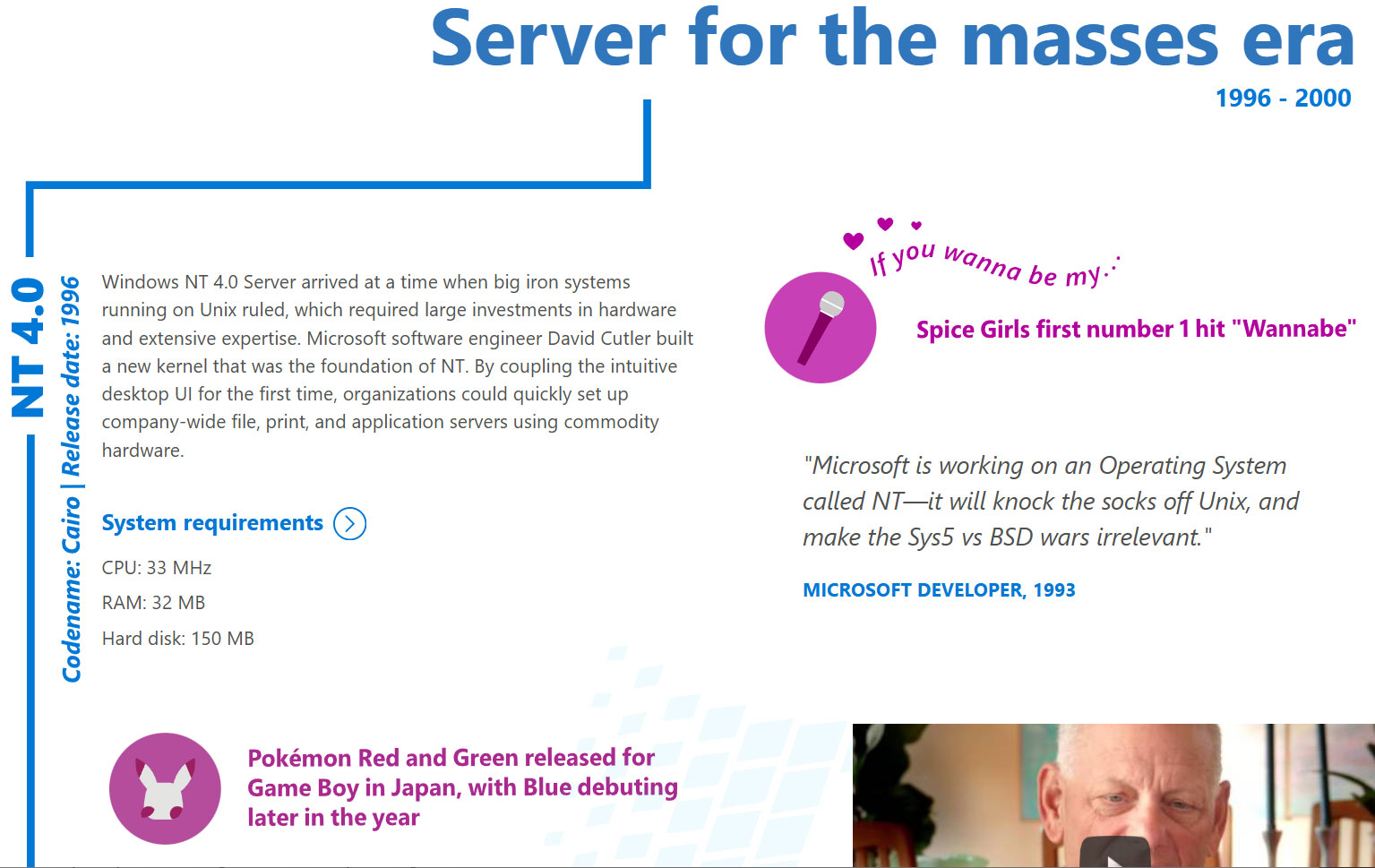
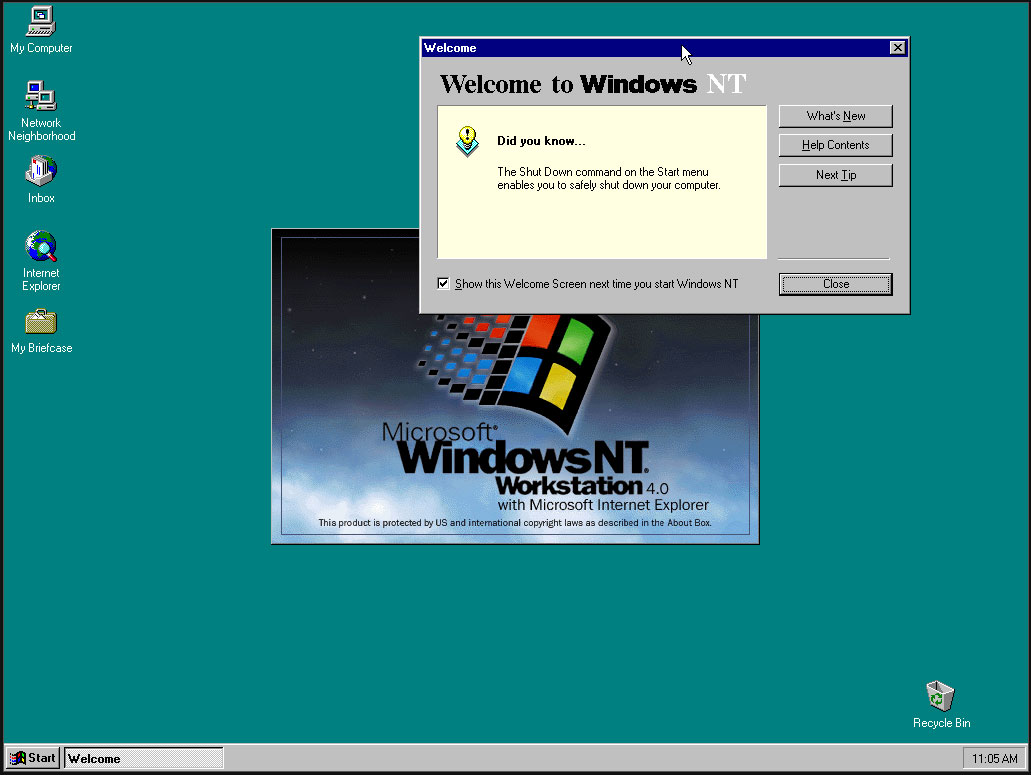
Microsoft released Windows NT 4.0 to manufacturing partners on July 31, 1996. Codename Cairo marked an important milestone in the history of Microsoft’s original server OS and would far outlive Microsoft’s original plans as enthusiasts and administrators clung to it, as older readers will be aware. Headlining features of NT 4.0, which made it a winner, include the melding of the intuitive new Windows 95 UI into the fully 32-bit enterprise OS. It was also notable for being the last version of NT to support Alpha, MIPS, or PowerPC CPU architectures.

Historical Windows NT timeline:

  • Windows NT Server 3.1 – in 1993, the first version of Windows NT also introduced NTFS
  • Windows NT Server 3.5 – in 1994, this update provided integrated support for Winsock and TCP/IP
  • Windows NT Server 3.51 - client/server support added in 1995
  • Windows NT 4.0 – in 1996, NT got the Windows 95 UI and the familiar My Computer, My Documents, and so on
  • Windows 2000 Server – the 5th NT release started a new naming scheme, introduced Active Directory, plus NTFS 3.0 with file system encryption
  • Followed by the more modern Server releases…

Windows NT 4.0

(Image credit: Microsoft)

After the initial Windows NT 4.0 release, Microsoft followed up with a version for embedded systems and its Terminal Server edition.

The Windows NT line was critical to Microsoft as it led the charge against dominant Unix server software ecosystems. Its first public release was in 1993, with version 3.1, but NT 4.0 coupled the underlying data server and personal workstation tooling with Win95 UI elements such as the Start Menu, Taskbar, Task Manager, and so on. It would also support new components like the cryptography API, DCOM, TAPI 2.0, and some DirectX (v2) features.

Despite all the new technology under the hood and the frills of the latest UI, Microsoft’s Windows NT 4.0 launched with remarkably low minimum requirements. Would-be users were recommended to install it on a PC with a CPU that ran at 33 MHz or better, had 32MB of RAM, SVGA graphics, and a hard disk with 256 MB capacity. This was in the Pentium / Pentium Pro era. NT 4.0 would become “the server for the masses,” boasted Microsoft on the OS’s 20th anniversary.

Another reason that NT 4.0 was so important is that it formed the foundation for the Windows XP release (2001), leaving the DOS-based 95, 98/SE, and Me versions of the consumer OS behind as archaic hybrids. In the half-decade between the release of NT 4.0 and XP, Microsoft had a lot of work to do, such as implementing Plug and Play, building out gaming tech, adding WDM drivers, and so on. Thankfully, PCs also grew in muscle, specs, and multimedia capabilities to make the larger and more demanding XP a big hit.

Windows XP landed with a core marketing line that it was “Built on NT technology,” which felt uncomfortable to read if you were from the camp that believed ‘NT’ was short for ‘New Technology.’

Windows NT 4.0 screenshots

(Image credit: Tom's Hardware)

It is pretty easy to find an old Cairo release online for retro machine tinkering. Those interested in a more casual poke around in NT 4.0 out of interest, curiosity, or nostalgia will find there are some online installs you can play with via a web browser.

Hate the Copilot key in Windows 11? It looks like Microsoft's bringing in the option to remap it to do nothing — if you feel that's more useful

24 July 2026 at 19:27
  • A new option for the Copilot key has been spotted in testing
  • Windows 11 users are getting the ability to remap it to 'Do nothing'
  • This comes on top of work already underway to redefine the key to Right Ctrl or the context menu

Microsoft's latest revolutionary idea for Windows 11 is to have a key on your keyboard which can be remapped to do absolutely nothing.

Windows Latest noticed the latest twist in the tale of the Copilot key, as highlighted by regular leaker PhantomOfEarth on X, who spotted the development hidden in a recent Windows 11 preview build.

In the choices to customize the Copilot key – which, by default, summons Windows 11's Copilot AI (of course) – there's a new option to simply 'Do nothing'.

Yes, that's correct – you can change the key to simply be a pointless piece of plastic that does precisely zip. (Or at least you'll be able to in testing, when this ability comes into play, that is, although some Windows 11 testers have reportedly seen it live in preview already).

As you may have seen earlier this year, Microsoft is working on bringing fresh options to the Copilot key that include customizing it to invoke the context (right-click) menu, and to turn it back into Right Ctrl (which was the key that the Copilot button replaced on Copilot+ laptops and some keyboards).

Analysis: do nothing, be happy

COnfused  businessman working with his laptop, at the office

(Image credit: rui vale sousa / Shutterstock)

What's the point of a key that does nothing? Good question. Maybe it's the keyboard equivalent of a stress ball – you can hammer on that key as much as you want when you're really annoyed, and it won't splurge a load of characters into the document you're working on as you exorcise your frustrated demons.

Okay, so maybe not, but perhaps the idea is that this is aimed at people who really hate the Copilot key, but haven't decided what they might want to remap it to. So, they can go ahead and elect for the key to do nothing if it's accidentally hit, while they figure out what they might want to redefine in its place. That's stretching things, admittedly, but it's the best guess I have.

At any rate, it's a harmless enough option, although it feels inescapably odd to have a 'blank' key on your keyboard. How far we've fallen since the Copilot key was first revealed and trumpeted by Microsoft as the biggest thing to happen to keyboards in 30 years since the Windows key was introduced. And indeed more recently, Microsoft promoted the Copilot key as the "button you can press to fix everything", so there's some irony that it could soon (optionally) become the button you can press to fix 'nothing' in a very literal sense.

Don't forget that you don't have to wait for Microsoft's Copilot key remapping functions to arrive in the release version of Windows 11. You can use the Keyboard Manager in PowerToys to do this instead, although it'll be far neater to have these options in Windows 11's settings, of course.

Microsoft responds to LG monitors installing McAfee ads on Windows

23 July 2026 at 21:47

LG is reportedly pulling a McAfee pop-up ad from a controversial app that some of its monitors have stealthily installed on connected computers.

An example of the pop-up ad is seen in a still from Gamers Nexus' video. An example of the pop-up ad is seen in a still from Gamers Nexus' video. Credit: Gamers Nexus/Windows/YouTube

The app, LG Monitor App Installer, installs itself through a Windows Update alongside monitor driver updates. LG Monitor App Installer then pushes ads for a 30-day free trial for McAfee, as well as other software, via a pop-up on affected systems, multiple users have reported.

This has drawn negative attention recently, with complaints surfacing on Reddit and a subsequent video from YouTube channel Gamers Nexus. In the video, editor-in-chief Steve Burke said that the publication paid $1,200 for an LG UltraGear 3GX900A-B gaming monitor (the monitor’s price dropped to $600 two days later, Burke said) for testing and replicated the behavior “several times” across “multiple” Windows 11 systems.

Read full article

Comments

© LG

Microsoft responds to LG monitors installing McAfee ads on Windows

23 July 2026 at 21:47

LG is reportedly pulling a McAfee pop-up ad from a controversial app that some of its monitors have stealthily installed on connected computers.

An example of the pop-up ad is seen in a still from Gamers Nexus' video. An example of the pop-up ad is seen in a still from Gamers Nexus' video. Credit: Gamers Nexus/Windows/YouTube

The app, LG Monitor App Installer, installs itself through a Windows Update alongside monitor driver updates. LG Monitor App Installer then pushes ads for a 30-day free trial for McAfee, as well as other software, via a pop-up on affected systems, multiple users have reported.

This has drawn negative attention recently, with complaints surfacing on Reddit and a subsequent video from YouTube channel Gamers Nexus. In the video, editor-in-chief Steve Burke said that the publication paid $1,200 for an LG UltraGear 3GX900A-B gaming monitor (the monitor’s price dropped to $600 two days later, Burke said) for testing and replicated the behavior “several times” across “multiple” Windows 11 systems.

Read full article

Comments

© LG

Geekbench 7 chega com benchmark de GPU e testes multi-core reformulados

23 July 2026 at 20:47

A Primate Labs anunciou hoje o Geekbench 7, a geração mais recente de sua popular ferramenta de benchmark, que traz conjuntos de dados maiores e mais exigentes para o processamento de GPUs 1Graphics processing units, ou unidade de processamento gráfico., testes multi-core reformulados, entre outras novidades.

A Primate Labs afirma que o benchmark de GPU reformulado concentra-se em aprendizado de máquina e criação de conteúdo para refletir a forma como as GPUs são utilizadas atualmente. Ele inclui agora testes que rastreiam rostos e aplicam efeitos de filtro em tempo real a vídeos, realizam upscaling de imagens com aprendizado de máquina e desfocam fundos em transmissões de videoconferência.

Já os benchmarks multi-core foram projetados para refletir melhor o comportamento real dos softwares, visto que as novas cargas de trabalho só utilizam múltiplas threads quando as tarefas simuladas exigem.

Geekbench 7
Divulgação/Primate Labs

A Primate Labs adicionou ainda um teste expandido de edição de fotos, com um conjunto mais abrangente de edições. Ademais, a carga de trabalho de biblioteca de fotos oferece suporte à importação e ao processamento de formatos de imagem como JPEG XL e DNG. Além disso, os novos testes de áudio e vídeo agora incluem suporte a AV1 e Opus, além de simular cargas de trabalho de streaming e consumo de conteúdo.

No mais, ele tem a mesma aparência do Geekbench 6 — e a licença Pro continua custando US$100 (com desconto para US$80 até 6 de agosto). A versão Pro permite realizar benchmarks offline — sem envio de dados para o Geekbench Browser — e abrange todas as plataformas desktop compatíveis (macOS, Windows e Linux).

É possível baixar gratuitamente o Geekbench 7 para macOS e outros sistemas operacionais nessa página. A versão para iOS/iPadOS ainda não foi atualizada na App Store.

Notas de rodapé

  • 1
    Graphics processing units, ou unidade de processamento gráfico.

Tony Krueger, RIP

25 June 2026 at 18:26

Raymond Chen:

Tony Krueger is remembered in Wikipedia as the person who ported the game Chip’s Challenge to Windows for the Windows Entertainment Pack. But that’s probably not the code he wrote that touched the most people.

Tony worked on Word 1.0, 1.1, 2.0, then on Word for OS/2 and Word for Mac, then returned to Word 6.0 and several versions beyond that. He probably holds the record for “most versions of Word shipped.”

[…]

Tony made the spell checker much more unobtrusive so that it didn’t interfere with your foreground work. And when it found a problem, instead of waiting for you to trigger a spell check, it immediately drew red squiggles under potentially-misspelled words (and later green squiggles under potential grammatical errors).

Update (2026-06-30): See also: Marcin Wichary and Jon Snader.

★ Ferramentas no navegador ou aplicativos: qual é a melhor opção para acessar conteúdo offline?

20 July 2026 at 15:38

Grande parte dos vídeos que consumimos hoje vai muito além do entretenimento. Tutoriais técnicos, palestras públicas, demonstrações de produtos, treinamentos corporativos, webinars, apresentações de eventos e materiais educativos fazem parte da rotina de estudantes, profissionais e empreendedores.

Em muitos momentos, ter acesso a esse conteúdo mesmo sem conexão com a internet pode fazer toda a diferença. Mas surge uma dúvida comum: vale mais a pena utilizar uma ferramenta que funciona diretamente no navegador ou um aplicativo dedicado?

A resposta depende principalmente da forma como cada pessoa utiliza seus dispositivos e organiza seu fluxo de trabalho.

Quando uma ferramenta baseada no navegador faz mais sentido

As soluções que funcionam diretamente no navegador conquistaram muitos usuários por eliminarem uma etapa importante: a instalação.

Em poucos segundos, é possível abrir a ferramenta, utilizar seus recursos e continuar trabalhando, independentemente do computador ou do dispositivo utilizado.

Essa praticidade costuma ser especialmente útil para quem precisa acessar conteúdos em diferentes dispositivos sem depender da instalação de programas.

  • Acompanhar palestras e conferências online;
  • Consultar tutoriais técnicos durante o trabalho;
  • Revisar treinamentos profissionais;
  • Utilizar computadores compartilhados;
  • Alternar frequentemente entre computador, tablet e smartphone.

Nesses casos, um baixador de vídeos do YouTube baseado no navegador permite abrir a ferramenta rapidamente e acessar conteúdos públicos de forma simples, independentemente do sistema operacional utilizado.

VidsSave.com

Outro benefício importante é a compatibilidade. Como o acesso acontece pelo navegador, a experiência permanece semelhante em diferentes sistemas operacionais, facilitando o uso em qualquer dispositivo.

Quando um aplicativo pode ser a melhor escolha

Embora as ferramentas baseadas no navegador sejam extremamente práticas, existem situações em que um aplicativo dedicado oferece uma experiência diferente.

Usuários que acessam frequentemente os mesmos materiais, organizam conteúdos por categorias ou preferem manter tudo disponível em um único ambiente costumam valorizar recursos adicionais de organização e gerenciamento.

Nesse contexto, soluções como a Muka representam uma alternativa interessante para quem prefere utilizar um aplicativo em vez do navegador. Dependendo da rotina de cada pessoa, esse tipo de abordagem pode tornar o acesso aos conteúdos mais conveniente.

Além disso, aplicativos costumam facilitar a organização de arquivos locais e oferecer acesso rápido aos materiais utilizados com maior frequência.

Não existe uma solução única

Na prática, o navegador e o aplicativo resolvem necessidades diferentes.

Imagine alguns exemplos:

  • Um estudante universitário utiliza o computador da biblioteca para revisar uma palestra antes de uma prova.
  • Um empresário salva uma apresentação sobre marketing digital para consultar durante uma viagem.
  • Um técnico acompanha demonstrações de equipamentos enquanto trabalha em locais onde a conexão nem sempre é estável.
  • Outro profissional prefere manter seus materiais organizados em um aplicativo para encontrá-los rapidamente sempre que necessário.

Todos possuem objetivos semelhantes, mas desenvolvem hábitos diferentes para acessar seus conteúdos de referência.

O fator mais importante é a praticidade

Ao escolher uma solução, muitas pessoas concentram a atenção apenas nas funcionalidades. Entretanto, a facilidade de acesso costuma ser igualmente importante.

Se o objetivo é consultar rapidamente um material de referência, quanto menos etapas existirem entre o usuário e o conteúdo, melhor será a experiência.

Por isso, ferramentas baseadas no navegador continuam sendo uma excelente opção para quem valoriza simplicidade e acesso imediato, enquanto aplicativos podem oferecer uma experiência mais organizada para quem consulta os mesmos conteúdos com frequência.

Conclusão

O crescimento dos conteúdos digitais mudou a forma como aprendemos, trabalhamos e compartilhamos conhecimento. Palestras, treinamentos, demonstrações técnicas, apresentações profissionais e outros materiais de referência tornaram-se recursos importantes para milhões de pessoas.

Escolher entre uma ferramenta baseada no navegador ou um aplicativo dedicado não significa decidir qual tecnologia é superior, mas identificar qual delas se adapta melhor ao seu dia a dia.

Quando a solução acompanha a maneira como utilizamos nossos dispositivos, acessar conteúdos importantes offline torna-se um processo mais simples, eficiente e conveniente.

Microsoft’s Patch Tuesday updates: Keeping up with the latest fixes

17 July 2026 at 18:47

Long before Taco Tuesday became part of the pop-culture vernacular, Tuesdays were synonymous with security — and for anyone in the tech world, they still are.  Patch Tuesday, as you most likely know, refers to the day each month when Microsoft releases security updates and patches for its software products — everything from Windows to Office to SQL Server, developer tools to browsers.

The practice, which happens on the second Tuesday of the month, was initiated to streamline the patch distribution process and make it easier for users and IT system administrators to manage updates.  Like tacos, Patch Tuesday is here to stay.

In a blog post celebrating the 20th anniversary of Patch Tuesday, the Microsoft Security Response Center wrote: “The concept of Patch Tuesday was conceived and implemented in 2003. Before this unified approach, our security updates were sporadic, posing significant challenges for IT professionals and organizations in deploying critical patches in a timely manner.”

Patch Tuesday will continue to be an “important part of our strategy to keep users secure,” Microsoft said, adding that it’s now an important part of the cybersecurity industry.  As a case in point, Adobe, among others, follows a similar patch cadence.

Patch Tuesday coverage has also long been a staple of Computerworld’s commitment to provide critical information to the IT industry. That’s why we’ve gathered together this collection of recent patches, a rolling list we’ll keep updated each month.

In case you missed a recent Patch Tuesday announcement, here are the latest six months of updates.

July’s Patch Tuesday sees an end-of-support collision amidst a massive, record-setting patch wave

Microsoft addressed 722 CVEs this month once the 427 Chromium upstream relays are set aside — roughly three times a normal cycle and one of the largest single months in recent memory. Two vulnerabilities arrive under active exploitation: an elevation of privilege in Active Directory Federation Services (CVE-2026-56155), and an elevation of privilege in SharePoint Server (CVE-2026-56164). A third, a BitLocker security feature bypass (CVE-2026-50661) is publicly disclosed but not yet exploited.

The July 2026 Patch Tuesday earns Patch Now recommendations for Windows, Office, Exchange, and SQL Server. SharePoint has two critical RCEs on top of its exploited zero-day, and Exchange Server returns with a critical on-premises spoofing flaw. Adding to our (dear) administrator’s efforts, SharePoint Server 2016/2019 and SQL Server 2016 all reach end of support today. The Readiness team has provided a handy infographic of the expected risk profile of this month’s Patch Tuesday updates.

More info is available here on Microsoft Security updates for July 2026.

For June, Patch Tuesday means an IT scramble

Microsoft this month released 206 updates affecting Windows, Office, Exchange Server, and its developer tools — including three Windows vulnerabilities already publicly disclosed. That trio includes an elevation of privilege in the Collaborative Translation Framework (CVE-2026-45586), a denial of service in HTTP.sys (CVE-2026-49160), and a BitLocker security feature bypass (CVE-2026-50507). At the moment, none appear to be under active exploitation, but all three are rated “Exploitation More Likely.” 

Even without an exploited zero-day, the June 2026 Patch Tuesday release requires Patch Now recommendations for Windows, Office, and Exchange. The latter is back in the patch picture with a consolidated security update that Microsoft recommends installing “as soon as possible.”

More info is available here on Microsoft Security updates for June 2026.

For May, Patch Tuesday means 139 updates — but no zero-days

Microsoft this month released 139 updates affecting Windows, Office, .NET, and SQL Server (though there were no updates for Microsoft Exchange Server). Despite the absence of zero-days, the May Patch Tuesday update still requires Patch Now recommendations for Windows and Office. 

The combination of three unauthenticated network RCEs (Netlogon, DNS Client, and SSO Plugin for Jira and Confluence), four Word Preview Pane RCEs, the large TCP/IP vulnerability cluster, and the carry-over BitLocker recovery condition (still active on Windows 10 and Windows Server) warrants an accelerated deployment release schedule. 

More info is available here on Microsoft Security updates for May 2026.

Microsoft’s Patch Tuesday release for April is a whopper

Windows admins are going to be busy this month, dealing with the largest Patch Tuesday cycle in memory. The April release involves 165 updates and roughly 340 unique CVEs from Microsoft — including two zero-days, one of which is already being actively exploited in the wild. 

The Readiness team recommends “Patch Now” schedules for nearly every major product family: Windows, Office (with a zero-day), Microsoft Edge (Chromium), SQL Server, and Microsoft Developer Tools (.NET). April also brings Phase 2 of Microsoft’s Kerberos RC4 hardening with full enforcement set for July. There is a lot to cover, so here’s a useful infographic mapping the deployment risk for each platform.

More info is available here on Microsoft Security updates for April 2026.

For March, Patch Tuesday delivers fixes for 83 vulnerabilities

Microsoft’s March Patch Tuesday release addresses 83 vulnerabilities across Windows, Office, SQL Server, Azure, and .NET — with two publicly disclosed zero-days affecting SQL Server and .NET (though neither is being actively exploited in the wild.) Six additional vulnerabilities spanning the Windows Kernel, Graphics Component, SMB Server, Accessibility Infrastructure, and Winlogon are flagged as “Exploitation More Likely.”

The most significant change this month is the introduction of Common Log File System (CLFS) hardening with signature verification, which will affect how Windows handles log files across the operating system. More info on Microsoft Security updates for March 2026.

February’s Patch Tuesday release fixes 59 flaws, including 6 being exploited

The company’s Patch Tuesday release for February addresses 59 CVEs across the company’s product family — roughly half the volume of January’s 159 patches. Six vulnerabilities, affecting Windows Shell, MSHTML, Desktop Window Manager, Remote Desktop, Remote Access, and Microsoft Word, are already being actively exploited. (All five Critical-rated CVEs target Azureservices rather than Windows, however.) 

Both Windows and Office get a “Patch Now” recommendation, with CISA setting a March 3 enforcement deadline for all six exploited vulnerabilities. Two new enforcement timelines also take effect in April: Kerberos RC4 deprecation (CVE-2026-20833) and Windows Deployment Services hardening (CVE-2026-0386). More info on Microsoft Security updates for February 2026.

July’s Patch Tuesday sees an end-of-support collision amidst a massive, record-setting patch wave

17 July 2026 at 17:00

Microsoft addressed 722 CVEs this month once the 427 Chromium upstream relays are set aside — roughly three times a normal cycle and one of the largest single months in recent memory. Two vulnerabilities arrive under active exploitation: an elevation of privilege in Active Directory Federation Services (CVE-2026-56155), and an elevation of privilege in SharePoint Server (CVE-2026-56164). A third, a BitLocker security feature bypass (CVE-2026-50661) is publicly disclosed but not yet exploited.

The July 2026 Patch Tuesday earns Patch Now recommendations for Windows, Office, Exchange, and SQL Server. SharePoint has two critical RCEs on top of its exploited zero-day, and Exchange Server returns with a critical on-premises spoofing flaw. Adding to our (dear) administrator’s efforts, SharePoint Server 2016/2019 and SQL Server 2016 all reach end of support today. The Readiness team has provided a handy infographic of the expected risk profile of this month’s Patch Tuesday updates.

(More information about recent Patch Tuesday releases is available here.)

Known issues

The July release note flags known issues against the following updates:

  • BitLocker recovery prompt on first restart – the PCR7 recovery condition tracked since April remains live on the platforms that did not receive the Boot Manager servicing fix (Windows Server 2022 and Windows 10 22H2). Devices with BitLocker on the OS drive, the Group Policy “Configure TPM platform validation profile for native UEFI firmware configurations” set with PCR7 included, and Secure Boot State PCR7 Binding reported as “Not Possible” may be prompted for the recovery key on the first restart after installing this update. This month’s publicly disclosed BitLocker security feature bypass (CVE-2026-50661) keeps the component in focus.
  • WSUS synchronization error details suppressed (Windows Server 2025 and 2022) – WSUS no longer displays synchronization error details in its error reporting, a deliberate change made to address the Remote Code Execution Vulnerability CVE-2025-59287. Sync still works, but administrators triaging a failed synchronization lose the detail pane and must fall back to the SoftwareDistribution logs.

Windows Update can still replace manually installed graphics drivers with older OEM versions from the catalogue (the four-part Hardware ID ranking issue acknowledged on the Hardware Dev Center). The two-part HWID pilot runs to September 2026.

Major revisions and mitigations

Between the June and July Patch Tuesdays, MSRC Security Update Guide notices updated 651 reported CVEs across six notification dates (15, 19, 26 June and 3, 8, 11 July), 532 of them routine Chromium upstream re-publications. Of the roughly 30 Microsoft revisions, almost all were cross-platform Office catch-up with no bearing on a Windows enterprise estate. No further action required for IT administrators for this Windows update cycle.

Windows lifecycle and enforcement updates

This is the deadline cycle June pointed at. The July end-of-support wave lands today, and it collides with the month’s heaviest patching. SharePoint and SQL Server take some of their most active security updates ever on platforms receiving their last.

  • SharePoint Server 2016 and 2019, Project Server 2016 and 2019, SQL Server 2016 and InfoPath 2013 have all reached end of support. SQL Server 2014 ESU Year 2 reaches end of support today. SharePoint 2016/2019 take an actively exploited zero-day and two RCEs this cycle, and SQL Server 2016 takes a critical RCE, all as their final security update. Now is the time to get moving on updating these platforms.

The 2011 Secure Boot certificate expiries have now passed; devices that never took the Windows UEFI CA 2023 key updates under CVE-2023-24932 can no longer receive updated boot components, with the Windows Production PCA for the boot manager still ahead on 19 October 2026. Kerberos RC4 hardening (CVE-2026-20833) has been in enforcement since April 2026; the July 2026 update removes the RC4DefaultDisablementPhase rollback control that let administrators defer it, making enforcement final.

Microsoft’s July 2026 Patch Tuesday is a security-only release: 180 test-guidance entries, 14 of them high risk (June had one). Printing and graphics are the centre of gravity: win32kfull.sys, the kernel-mode window manager, is the most-patched binary (14 entries), and seven high-risk flags sit alongside it – the Print Spooler, four win32k entries, and two GDI+ metafile entries. NTFS is the second theme, with 10 entries, two high risk. Every entry reports no functional changes – it’s pure regression validation. The packages span Windows 11 26H1 back to Server 2012 ESU.

Printing and graphics (high risk)

The Print Spooler flag centres on shared printers, whose queue status must track jobs accurately; the win32k flags cover 32-bit application printing, font rendering in printed and exported output, on-screen rendering, and window management; the GDI+ flags cover metafiles.

  • Share a printer from a print server, print from a separate client in varied sizes and formats, and cancel a job, confirming the queue reflects every state change
  • Print from your 32-bit applications, and print text-heavy, graphics-heavy, and multi-page documents to physical and virtual (PDF or XPS) printers, repeating after orientation, scaling, and resolution changes
  • Export documents with varied fonts to PDF and confirm fonts and layout survive; render EMF+ files that apply effects to very large images, and convert EMF files to WMF
  • Open and close windows rapidly, drive common dialogs by mouse and keyboard, and close parents with children open – no orphaned windows

Storage and file systems (high risk)

Both NTFS high-risk flags target integrity – extended attributes, and volume recovery after an unexpected shutdown. File History carries its own high-risk flag on clients. A Windows Server 2025-only bundle across boot, BitLocker, and ReFS demands the full Secure Boot/BitLocker matrix. Eight entries hit Server 2025 alone, including WSL, GPU partitioning, and a scripted Windows Server Backup pass repeating recovery after rolling the date 90 days forward.

  • Exercise NTFS extended attributes – older-system EAs, backup workflows that preserve them, concurrent same-file operations where supported – with antivirus, encryption, or storage filters active
  • Simulate an unexpected shutdown during file activity, verify the volume mounts intact, run chkdsk, and confirm indexing, shadow copies, and backup still work
  • Run a full File History pass: back up, modify and back up again, exclude folders, change frequency, move the destination
  • On Server 2025, boot all four Secure Boot/BitLocker combinations, in standard and confidential VMs where supported

Devices, input and networking (high risk)

Three further high-risk flags land here: HID input (hidparse.sys with win32k) – touch, keyboard, mouse, touchpad, through disconnects and restarts; the WinSock bundle (afd.sys plus Bluetooth and multicast drivers); and IrDA. The heaviest ask is not high risk at all: the NetAdapterCx driver (24H2/25H2, Server 2025) wants 500-plus adapter enable-disable cycles under Driver Verifier.

  • Run the connectivity suite: browsing, large downloads, mapped drives, an RDP session idle 30+ minutes, a Teams call, an hour of streaming, and localhost apps such as Docker or WSL
  • Stress Bluetooth: pairing, 10+ minutes of audio, input after idle, and reconnection after sleep
  • Where infrared hardware exists, transfer a file and run at least 100 connect-disconnect cycles
  • Sweep the rest: DNS Server (zone data must stay under its configured database directory), the client resolver (five entries), DHCP Server (five entries), SMB, NFS, Message Queuing (five entries), RRAS administration, client VPN, and WinHTTP/WinINet consumers

Other windows components

Windows Installer itself is patched: testing should include application install, uninstall, repair, and force a rollback. Hyper-V wants virtual-switch traffic as part of its testing exercises with Virtual Filtering Platform policies enforced. Sixteen media-related security entries cover playback, HEVC and MPEG-TS, USB audio, and MIDI 2.0.

Shell hardening and LSA isolation

These two entries are a little different from the rest of the cycle: they ask you to confirm a security behaviour actively works, not just that nothing regressed. A pass here means the protection fired, so treat them as functional checks rather than box-ticking.

  • Shortcut handling (windows.storage.dll; Windows 11 23H2 and earlier, plus Server 2022): drop a shortcut file carrying the Mark of the Web into a folder and confirm the system refuses to extract its icon and leaks no NTLM credential hash – include the zero-click paths, where the icon would otherwise render without you opening anything
  • LSA isolation and KeyGuard (24H2/25H2, Server 2025): run the supplied PowerShell validation script, which turns on Virtualization-based Security if it isn’t already, exercises KeyGuard key operations in both required and best-effort isolation modes, and reports pass or fail – it needs TPM 2.0, UEFI with Secure Boot disabled, and PowerShell 7
  • Run that script on a dedicated test machine, never a shared one: it enables test signing, disables automatic updates, and reboots without asking

Office & SharePoint

July’s Office wave is security-only; everything landed on 14 July, and nothing critical or non-security shipped in the 7 July preview. It’s an MSI-only cycle, so Click-to-Run estates can sit this one out.

  • On MSI Office 2016, apply the client updates – Excel (KB5002886), Word (KB5002890), PowerPoint (KB5002867), and five further Office 2016 security updates (KB5002273, KB5002887, KB5002748, KB5002857, KB5002830) – then exercise macros, external data, embedded objects, and any line-of-business add-ins
  • On SharePoint Server, patch 2016 (KB5002891, plus the KB5002892 language pack) and Subscription Edition (KB5002882), then check browser-based editing; the guidance lists SharePoint 2019 with a baseline but ships no 2019 package, so there is nothing to install there

Mind the rollback rules before you schedule the window: most client updates can be uninstalled, but the server updates cannot and always require a reboot.

Developer tools & databases

The developer estate gets a broad but low-drama sweep this month. Both .NET and SQL Server patch widely, but the ask is representative-application validation rather than anything exotic – install on the matching branch and confirm normal behaviour.

  • .NET: install the SDK updates (8.0.423, 9.0.316, 10.0.302, x64 and x86) and the Framework rollups spanning 3.5 through 4.8.1 – which reach from Windows Server 2012 up to Windows 11 26H1 and Server 2025 – then run a representative set of applications and confirm they function normally
  • SQL Server: the GDR updates span 2016 SP3 through 2025 – install each on its matching branch and test that each removes cleanly
  • Check an encrypted client connection through the separately patched Windows SQL client (dbnetlib.dll), which ships outside the server branches

The Readiness team recommends the following priorities for your larger enterprise deployments:

  • Start with printing and graphics: half the high-risk flags sit in the Print Spooler, win32k, and GDI+, so regress shared printers, 32-bit printing, PDF export, metafiles, and window management before anything else
  • Take NTFS next – extended attributes and crash recovery both touch data integrity – and add a client File History backup-and-restore pass
  • Give Server 2025 its wider matrix – the Secure Boot/BitLocker combinations, WSL, GPU partitioning, and the scripted backup pass – and work through the stress suites
  • Run the scripted KeyGuard validation on any VBS estate, preferably on a dedicated machine.

Each month, we break down the update cycle into product families (as defined by Microsoft) with the following basic groupings:

  • Browsers (Microsoft IE and Edge)
  • Microsoft Windows (both desktop and server)
  • Microsoft Office
  • Microsoft Exchange and SQL Server
  • Microsoft Developer Tools (Visual Studio and .NET)
  • Adobe (if you get this far)

Browsers

Edge has had a busier month than usual. Microsoft addressed 46 Microsoft Edge (Chromium-based) CVEs this cycle. None critical, but heavily weighted to remote code execution (21 entries) and spoofing (13), led by CVE-2026-58289, a remote code execution flaw. A run of further RCEs (CVE-2026-57981, CVE-2026-56645, CVE-2026-57974) follows.

  • Microsoft Edge – the Edge-specific fixes ship in the Edge stable channel (version 150.0.4078.65, released 9 July). The concentration of RCE and spoofing this month is worth a look for managed Edge estates rather than a routine wave-through.
  • Chromium upstream – 427 CVEs relayed through MSRC this cycle, spanning the weekly Chrome release cadence since the June report: use-after-free, out-of-bounds read/write, type confusion, and inappropriate-implementation flaws across V8, Dawn, ANGLE, Skia, and Tint. The same fixes ship in the Chrome Stable channel; see the Chrome releases blog for the upstream notes.

The Chromium volume looks (quite) alarming but is routine plumbing: it flows to Edge through its own auto-update channel. Add these browser (Edge) updates to your standard release schedule for your managed environments.

Microsoft Windows

Windows carries the bulk of this month’s updates: 406 CVEs, 31 rated critical and 374 important. Elevation of privilege dominates by volume (226 entries), followed by remote code execution (70), information disclosure (70), denial of service (23), and a scatter of security-feature-bypass, tampering, and spoofing entries across the following feature groupings:

The Windows Kernel is the most-patched component (28 CVEs, seven “More Likely”), followed by NTFS (21), Windows Runtime (17), Windows Media (14), ReFS (12), and Win32k (15 across its two entries). Add this Windows update to your Patch Now deployment schedule.

Microsoft Office

Microsoft released 96 Office CVEs this month: 19 critical, 76 important. Remote code execution leads (53 entries), ahead of information disclosure (27) and spoofing (10). SharePoint is the centre of gravity: it touches 39 of the 96 CVEs and supplies the family’s one actively exploited flaw.

  • SharePoint Server: has been exploited (who would have guessed) and reaches end of support today. CVE-2026-56164, an elevation of privilege, is under active exploitation. Above it sit two critical remote code execution flaws, both “Exploitation More Likely” (CVE-2026-50522, CVE-2026-58644) and a critical security feature bypass (CVE-2026-55040). SharePoint Server 2016 and 2019 reach end of support on 14 July, so this exploited, critical-heavy set is the final security update those on-premises farms will receive.
  • Office has experienced a long run of critical remote code execution entries across Office, Word, and PowerPoint (among them CVE-2026-55033 and CVE-2026-55127 in Word, CVE-2026-55043 in PowerPoint, and CVE-2026-55018 in Office), topped by CVE-2026-55045.

With an exploited zero-day, two RCEs, and an end-of-support deadline all landing on SharePoint in the same cycle, SharePoint environments are the priority. Add the July Office and SharePoint updates to your Patch Now schedule.

Microsoft Exchange and SQL Server

Both Exchange and SQL Server carry critical-rated security vulnerabilities this month. Exchange Server returns with an on-premises security update for Exchange Server Subscription Edition, the only on-premises release still supported after Exchange Server 2016 and 2019 reached end of support in October 2025; SQL Server takes two critical remote code execution flaws, one of them against SQL Server 2016, which reaches end of support on the same day.

  • Exchange Server (on-premises) – CVE-2026-55008, a spoofing vulnerability rated critical and “Exploitation More Likely,” is the headline. Behind it, a remote code execution entry (CVE-2026-55005) and two elevation-of-privilege flaws (CVE-2026-55006, CVE-2026-55009) round out the on-premises set. A separate Exchange Online elevation of privilege (CVE-2026-54998, critical) is fixed service-side with no customer action.
  • SQL Server – two critical remote code execution flaws: CVE-2026-54117 (SQL Server 2025) and CVE-2026-54118 (which reaches back to SQL Server 2016 SP3), with five further important elevation-of-privilege and information-disclosure entries behind them. The 2016 exposure matters because SQL Server 2016 reaches end of support on 14 July: a critical RCE on a platform taking its final update.

Both belong on the Patch Now schedule this month: the Exchange on-premises update for its critical spoofing flaw, and the SQL Server update for the two critical RCEs.

Microsoft developer tools

Microsoft released 24 CVEs across its developer tooling this month, all rated important. The weighting shifts from last month’s Visual Studio Code concentration toward .NET and ASP.NET Core, where a run of denial-of-service entries dominates the volume:

Add these Microsoft updates to your standard developer update release schedule.

Adobe (and third-party updates)

Outside Microsoft’s own catalogue, July is quiet. Adobe issued no Acrobat or Reader security updates. So, the month belongs to Microsoft, and it is a heavy one: 722 CVEs, roughly three times a normal cycle and one of the largest on record. Worth noting that this lands in the same season Microsoft has been talking up AI-assisted vulnerability management, and the AI stack it is selling as the answer, Copilot and Azure OpenAI among them, sits in the centre of this patch cycle’s own critical-rated updates. The (AI) tooling may be getting smarter, but the patch pile is (definitely) not getting smaller. This may be the beginning of an accelerating curve of ever larger patch cycles. My feeling is that we are in the middle of the beginning of this coming patch surge.

This article is published as part of the Foundry Expert Contributor Network.
Want to join?

A pesquisa do Windows 11 vai finalmente deixar de mostrar publicidade e conteúdo inútil

17 July 2026 at 16:40

A Microsoft está a testar uma versão radicalmente simplificada da caixa de pesquisa do Windows 11, sem anúncios, sem trivia, sem sugestões de jogos, e com um botão para desligar completamente os resultados da web e da Microsoft Store. Por enquanto é só para membros do programa Windows Insiders, mas o caminho para a versão final parece traçado.

The post A pesquisa do Windows 11 vai finalmente deixar de mostrar publicidade e conteúdo inútil appeared first on Tek Notícias.

❌