Com mais de 10 milhões de jogadores em todo o mundo, Airport Simulator: Plane City é um simulador de gestão de aeroportos do estúdio francês Playrion que mistura estratégia, personalização e a calma hipnótica de ver aviões a descolar e a aterrar.
An anonymous reader quotes a report from 9to5Google: Phone by Google wants to combat the "growing threat of impersonation scams" and protect Android users against "sophisticated, AI-powered deepfake attacks" with fake call detection. [...] Fake call detection requires that both parties are on Android and use the Phone by Google app, while Google Messages and Google Contacts also have to be installed. When a contact calls, their phone "sends a silent confirmation signal in real time to your device to verify the call is legitimate and truly coming from the contact's device."
This digital handshake uses end-to-end encrypted RCS (Rich Communication Services). If you're being scammed by an impersonator, your phone will notice that the "initial confirmation signal will be missing," and ping the contact's real device to double-check. If their real device says, "I'm not making a call right now," you'll get a warning on your screen advising you to hang up immediately. This feature will be available globally on Android 12+ phones starting with Pixel devices this month. Fake call detection is enabled by default but can be turned off at any time. Google says it's "possible for other apps and device manufacturers to adopt this technology" given the RCS underpinnings. You can learn more about fake call detection in Google's blog post.
Se già a marzo e aprile il Samsung Galaxy S26 Ultra era tra i più acquistati, a maggior ragione non poteva che continuare il trend. Il motivo è semplice: al prezzo di circa 999€ in offerta, Samsung ha aggiunto anche un tablet, il Galaxy Tab S10 FE+, che da solo vale circa 500€. Rivendendolo, il conto è presto fatto: S26 Ultra rimane in tasca a circa 499€. Un prezzo ridicolo, impossibile da battere persino per i brand cinesi che ultimamente provano a offrire anche le TV assieme a uno smartphone top di gamma, rispetto ai più modesti auricolari, tablet e simili.
Certo, se si fa un giro sui vari mercatini e siti di rivendita, di Galaxy Tab S10 FE+ ce ne sono così tanti che probabilmente lo venderete al più a 300€, ma anche così, il prezzo effettivo dello smartphone resta ghiottissimo. Lo stesso discorso si applica ai Galaxy S26 che seguono a ruota con un’offerta simile: un uno‑due che al momento nessun concorrente riesce a replicare con la stessa efficacia.
Attenzione però alle sorprese: per la prima volta vediamo comparire iPhone Air, che sta vendendo sempre di più. Con l’avvicinarsi dell’estate, avere uno smartphone così sottile e leggero in tasca è un vero toccasana, un fattore che può spostare parecchi acquisti.
As people increasingly refuse to answer calls from unknown numbers, scammers are shifting their tactics by spoofing trusted phone numbers and using AI deepfake technology to sound like authority figures, family members, or employers.
Google ha annunciato l’introduzione sull’app Telefono dellarilevazione delle chiamate false. Si tratta di una funzione con cui il gigante del web intende combattere “la minaccia crescente delle truffe di impersonificazione”, e il riferimento è ai malviventi che utilizzano i deepfake AI per mandare a segno le truffe.
Come funziona il raggiro che Google intende combattere con la rilevazione delle chiamate false dell’app Telefono? Il truffatore inizia con la falsificazione del numero da cui chiama, filtrando il flusso audio con un software che tramuta il numero reale del chiamante in un numero (fittizio) di un contatto conosciuto, di cui la vittima si fida, sia un familiare, un amico o un collega di lavoro.
Fatto ciò, la fase due prevede il dialogo con la vittima attraverso una voce generata dall’AI, voce che risulta essere identica a quella della persona per la quale il truffatore si spaccia. Google spiega che secondo gli esperti queste tecniche di clonazione della voce, a tutti gli effetti un deepfake, con il progresso rapidissimo che i software AI compiono in poco tempo hanno raggiunto un livello di realismo tale che la maggior parte delle persone non è più dire con certezza se una voce è reale oppure non lo è.
Dopo il lancio sul mercato vietnamita, avvenuto a inizio anno, realme 16 5G si prepara ad arrivare anche in Italia. Lo smartphone sarà presentato ufficialmente il 10 giugno e, in vista del debutto nel nostro mercato, realme ha voluto ribadire le caratteristiche del design, costruito attorno alla filosofia Air Design, alla barra fotografica orizzontale con selfie mirror integrato e a una scocca sottile da 8,1 mm.
Rispetto alla versione per il mercato asiatico, tuttavia, ci sarebbero alcune differenze, a partire da batteria e peso: realme specifica infatti una capacità di 6550 mAh e 181 grammi, contro i 7.000 mAh e i 183 grammi indicati per il modello già inserito a catalogo in Vietnam. Cambia anche la denominazione delle colorazioni, indicate ora come Air White e Air Black invece di White Swan e Black Cloud. Configurazioni e scheda tecnica definitiva per l’Italia saranno confermati in fase di lancio.
AIR DESIGN
Il nuovo linguaggio estetico scelto da realme ruota attorno alla filosofia Air Design, pensata per ridurre peso e ingombri senza rinunciare a una batteria di grande capacità. Secondo l’azienda, realme 16 5G sarà lo smartphone da 6550 mAh più leggero del suo segmento. Il risultato viene attribuito alla struttura interna AirCraft, studiata per ottimizzare la densità dei componenti e massimizzare lo spazio dedicato alla batteria senza aumentare il volume complessivo. Per migliorare il rapporto tra capacità e ingombro è stata adottata una batteria in grafite ad alta densità energetica.
One of the best parts about using Android is the good old-fashioned geeky fun that comes with finding new ways to improve your digital environment — and improve your day-to-day efficiency.
Perhaps the most classic example of advanced Android customization, though, is a splendid little somethin’ called the home screen launcher — a fancy way of saying the system that controls how your home screen and app drawer look and work. Your phone has a built-in process that handles that by default, but here in the land o’ Googley matters, you can always replace that with something completely different and make your device adapt to the way you like to work instead of the other way around.
The real beauty of this ecosystem, though, is how much power it gives to Android developers — and subsequently to us, as Android-appreciating animals who embrace these creations! — to experiment and try out all sorts of new concepts. Sometimes, an Android launcher approach speaks to you for its practicality. Other times, it’s just a refreshingly interesting take on how you can get around your phone and get stuff done.
Today, I’ve got a perfect example to share with you. It’s a whole new approach to the Android home screen that’s both unlike anything else I’ve ever seen in this arena and delightfully familiar, in a retro-tech sense.
My friend and fellow enlightened Android phone owner, allow me to introduce you to a creative little concoction called Key Launcher.
Key Launcher has only been out and available on the Play Store for a matter of weeks now, but it’s impressively polished — and, even more important, impressively original while also having some fantastic geek-tech throwback vibes.
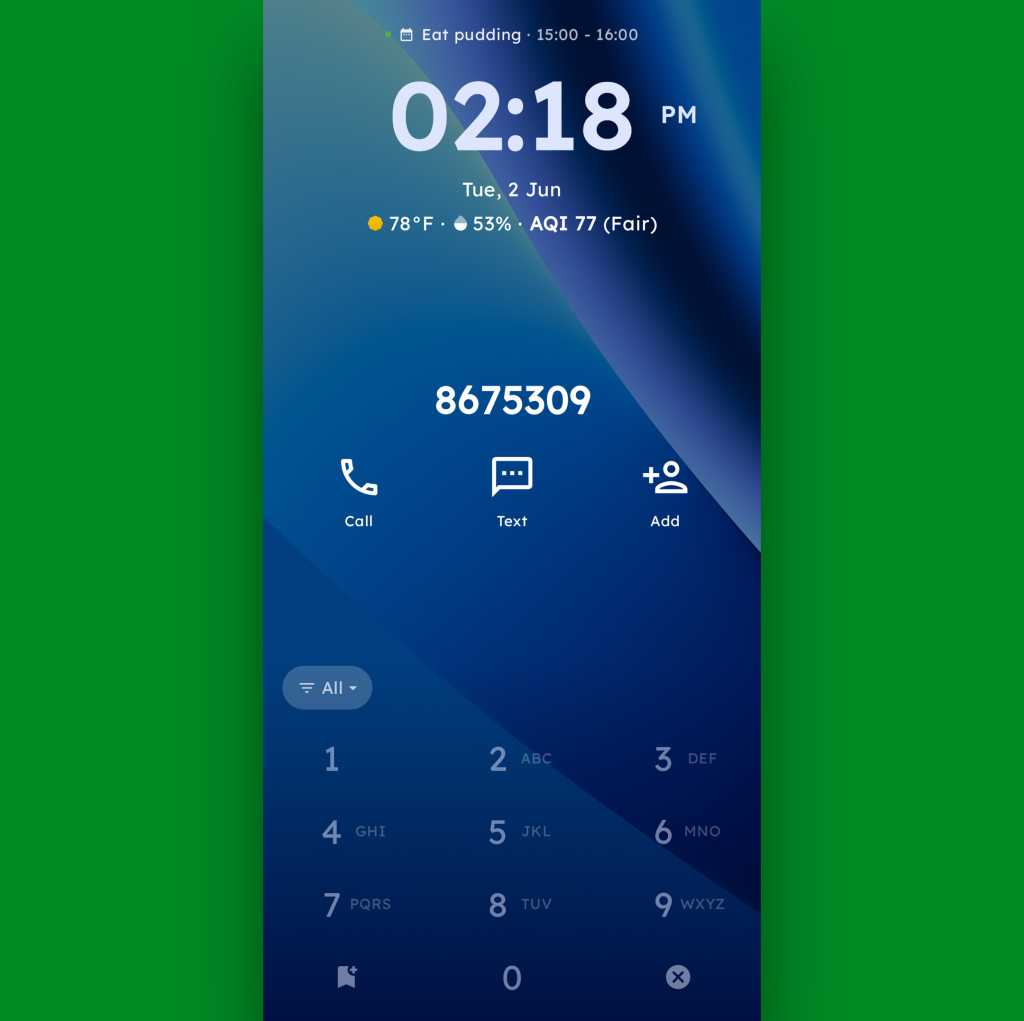
To that end, the core distinctive element of Key Launcher is the T9-style dialpad that sits front and center on the lower third of its primary panel. It is quite literally the same set of letter-packin’ numbers and characters you’d see on an old-school phone — or in the dialer of your favorite Android phone app.
width="1024" height="1022" sizes="auto, (max-width: 1024px) 100vw, 1024px">The T9 keypad is the centerpiece of the Key Launcher Android home screen experience.
JR Raphael, Foundry
And in this context, it serves some pretty interesting purposes:
In true T9 style, you can find and access any app or contact on your phone simply by tapping the letter that corresponds with its name — and if you want to narrow down the list even further, you can keep typing letters to refine the results.
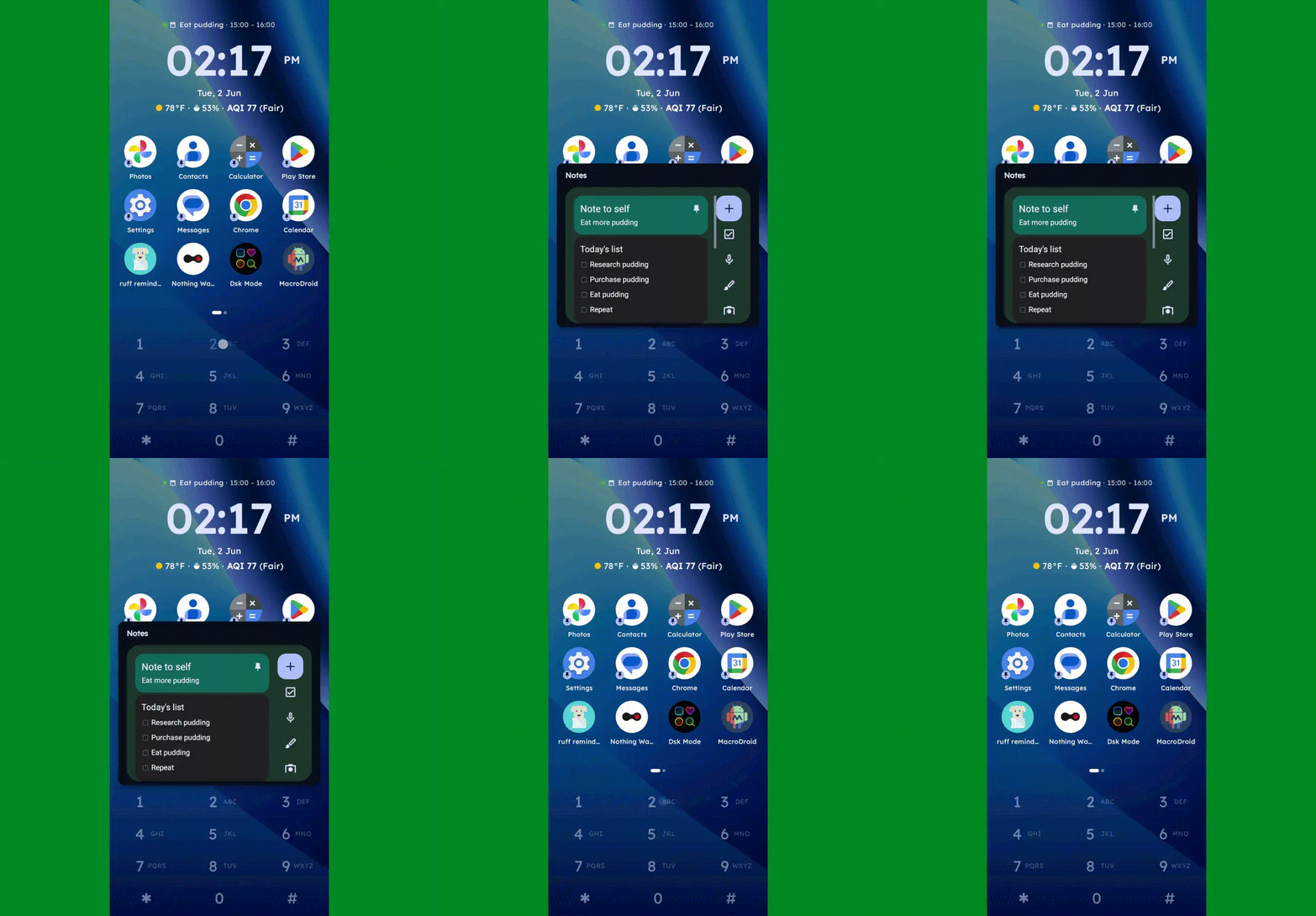
You can long-press any number to create and then access a custom “super shortcut” — anything from a single specific action (opening a particular app or calling or texting a certain contact) to launching a group or category of apps or contacts, launching an on-demand pop-up widget or swipeable stack of widgets, or even launching a pre-filled search query.
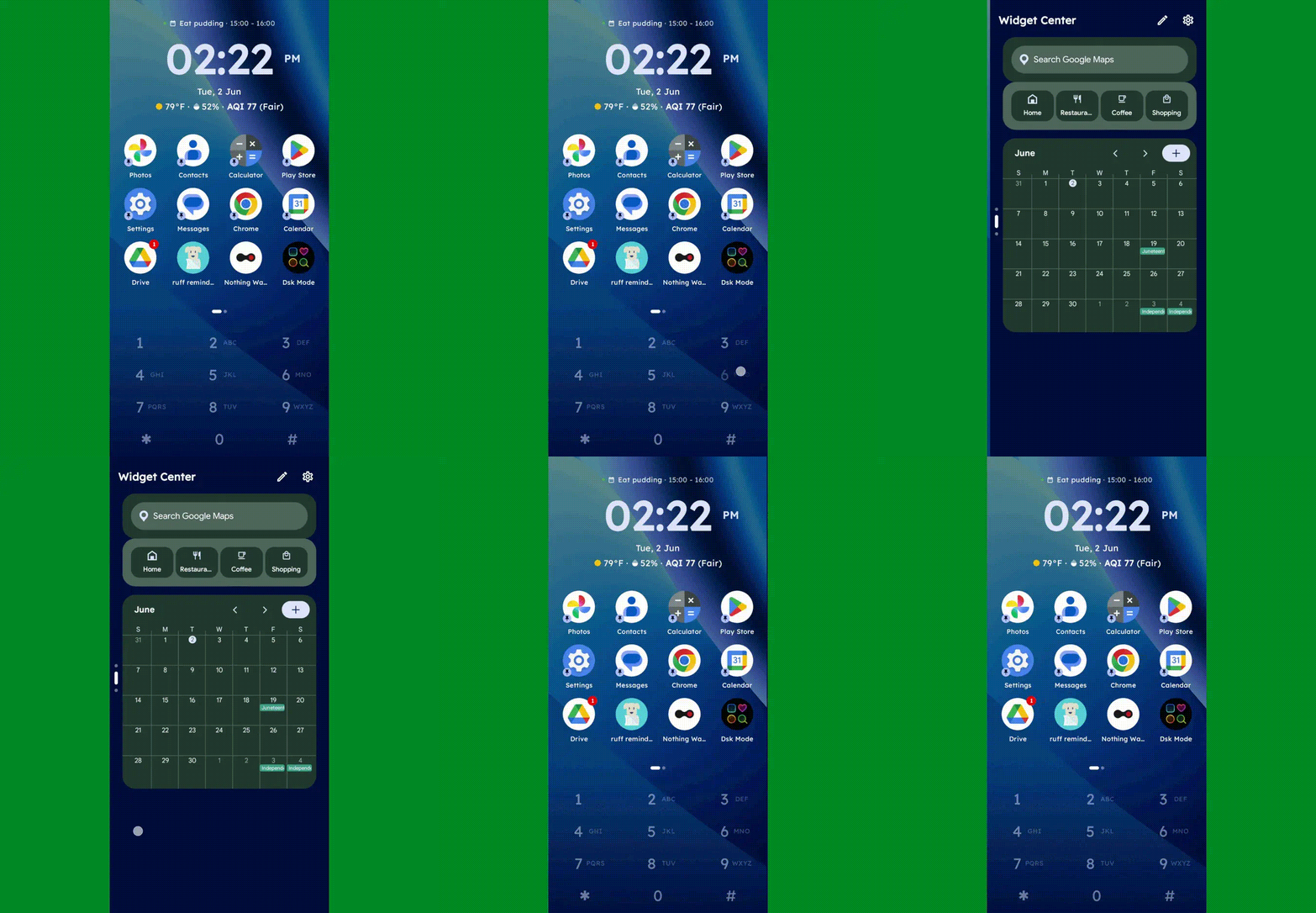
One press, and poof: Any widget you want — or series of swipeable widgets, even — is right there and ready.
JR Raphael, Foundry
If you tap the # key (known as “pound” in this context — not “hashtag” — for any non-olds among us), you can set up and then access a special “vault” area, where apps are hidden and only visible and accessible with authentication.
And, in an especially nifty touch, you can also just use the dialpad as an actual dialpad — to punch in any number you want to text or call, even if it isn’t already in your contacts.
Your phone dialer is always right in front of you with Key Launcher as your home screen.
JR Raphael, Foundry
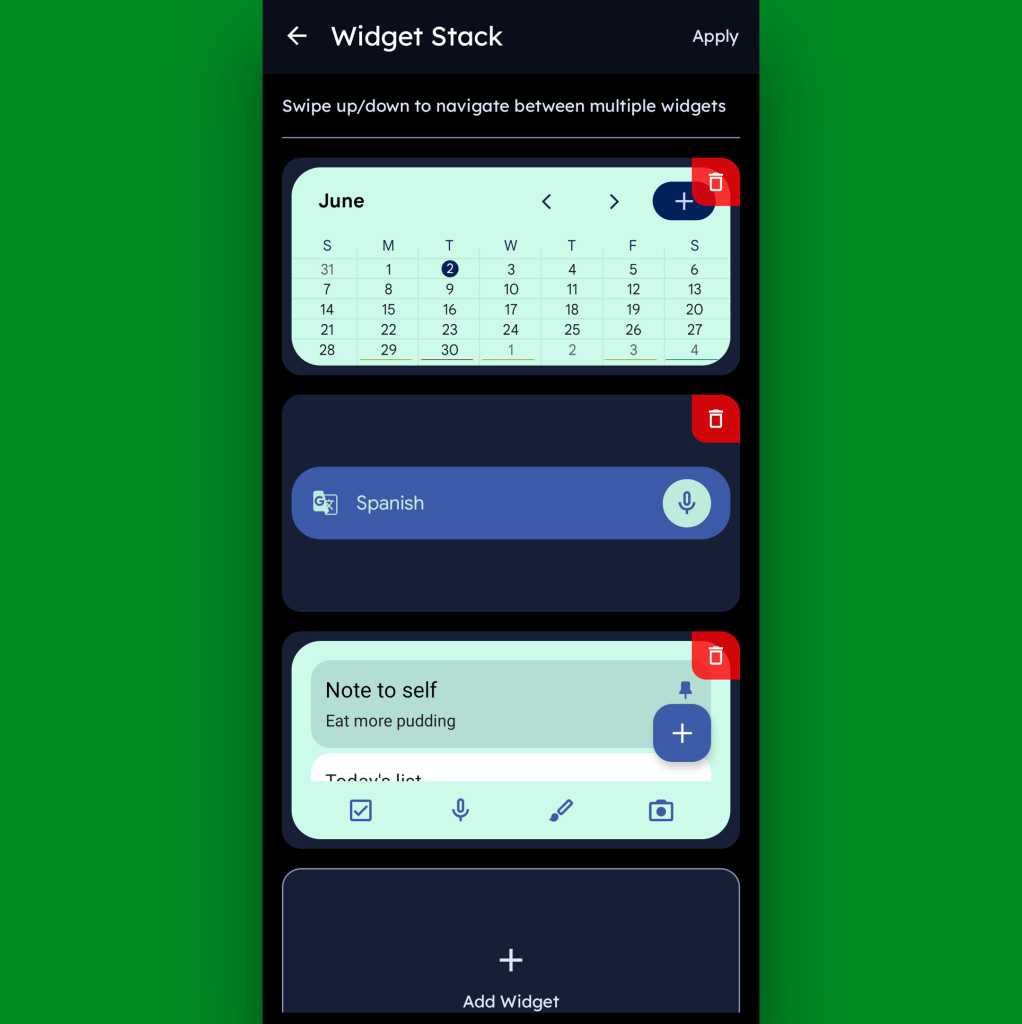
Function-packed as all of that may be, that dialpad is still just one piece of the Key Launcher puzzle. Above it sits a grid of app shortcuts that includes both your own pinned favorites and a dynamic selection of recently opened items. And above that is a handy built-in widget that shows a rotating array of upcoming calendar events from your agenda along with the local time and weather — and, in an especially neat twist, can also be customized to act as an interactive stack that lets you flip through your own set of standard Android widgets right then and there as well.
Key Launcher’s primary widget spot can be configured to hold numerous widgets in a swipeable stack.
JR Raphael, Foundry
Speaking of widgets, if you swipe toward the left on Key Launcher’s dialpad, you’ll reveal the launcher’s built-in “Widget Center” panel — which is an entire screen dedicated to holding however many widgets you want, in any configuration you like, for easy ongoing access.
The Widget Center is another interesting way to access widgets within Key Launcher.
JR Raphael, Foundry
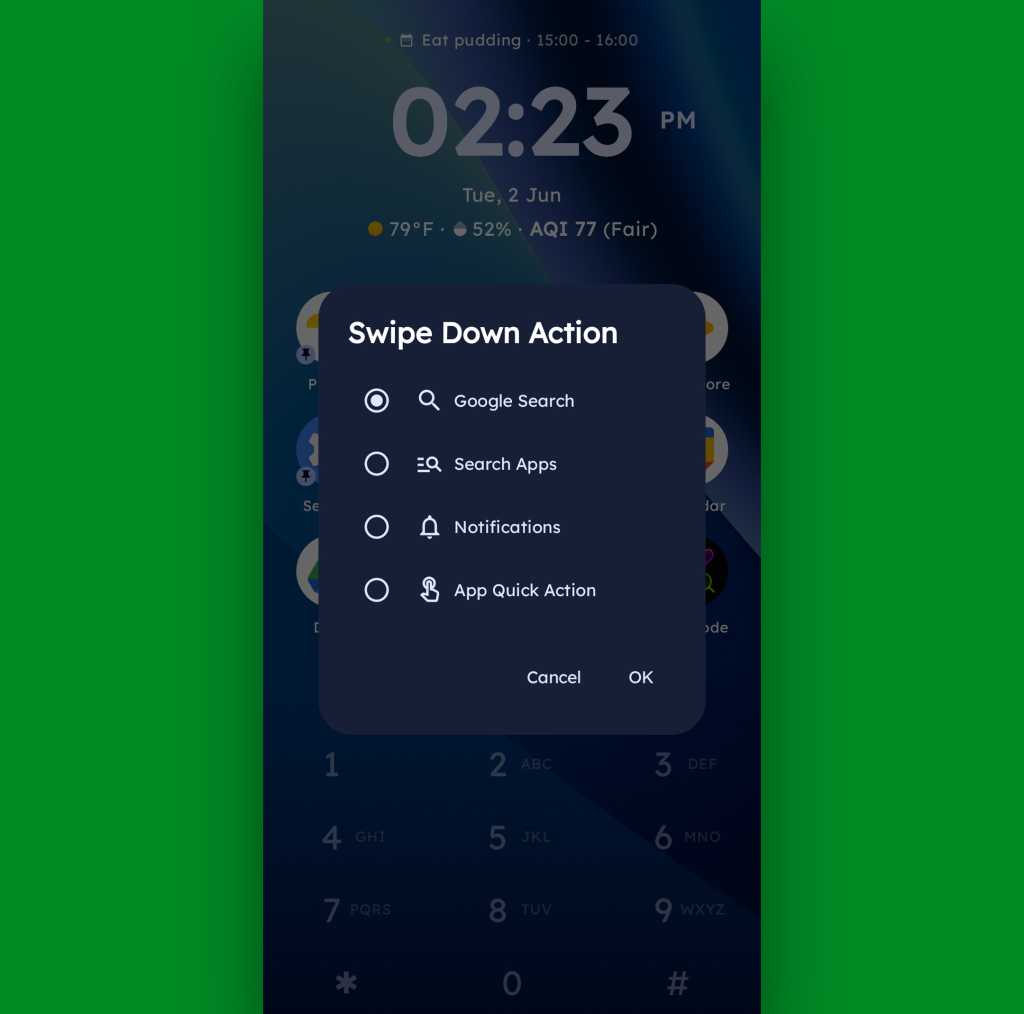
A swipe in the other direction will take you to an enlarged view of your active notifications, meanwhile, while a swipe downward can be set to launch either a quick search (of Google or whatever provider you prefer), a search of your apps, or a direct Android app shortcut within any app on your device.
Swiping down on your home screen can trigger a shortcut of your choice.
JR Raphael, Foundry
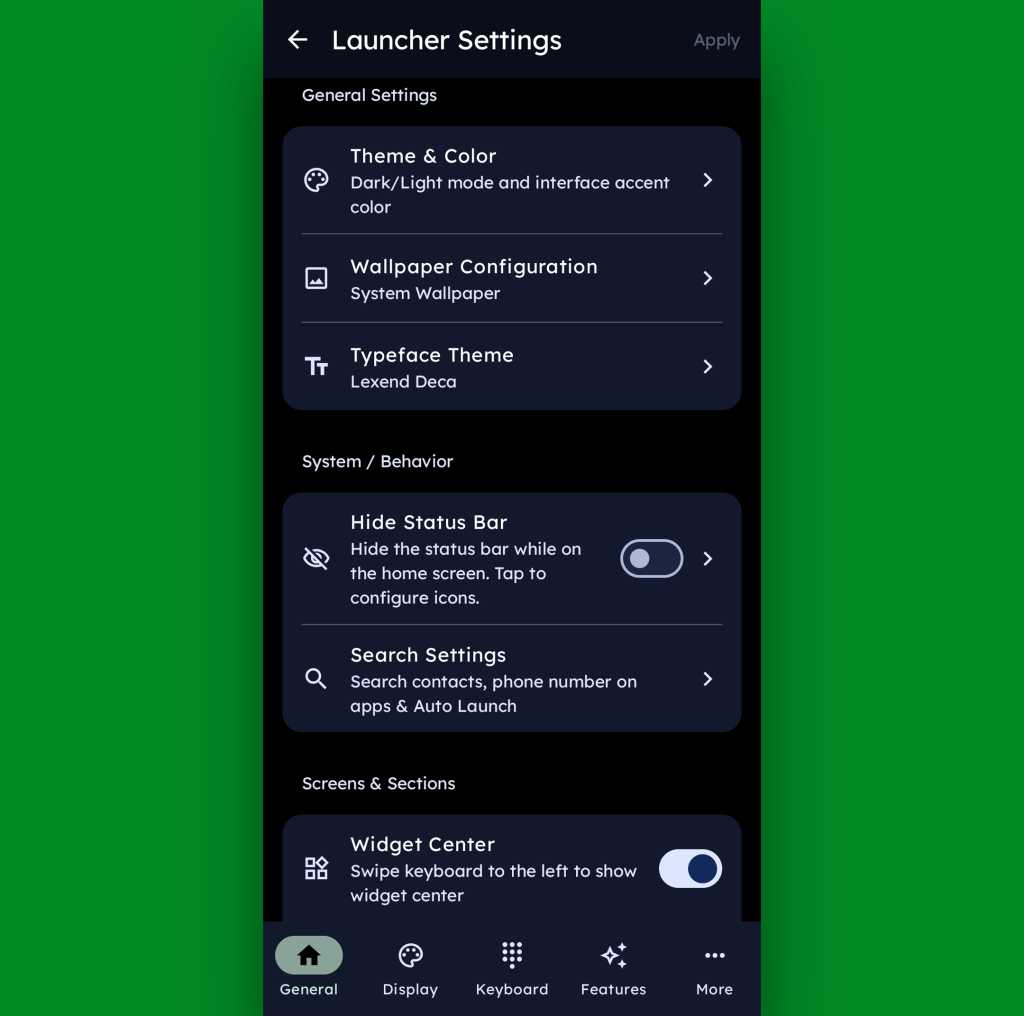
And if all of that seems like a lot of productivity-boosting possibilities, just wait ’til you get into this thing’s settings. Key Launcher is overflowing with options to customize and control practically every facet of its operation, ranging from basic visuals to the specifics of how the dialpad works and even a toggle for optimizing the interface for left- or right-handed use.
Key Launcher is no slouch when it comes to settings.
JR Raphael, Foundry
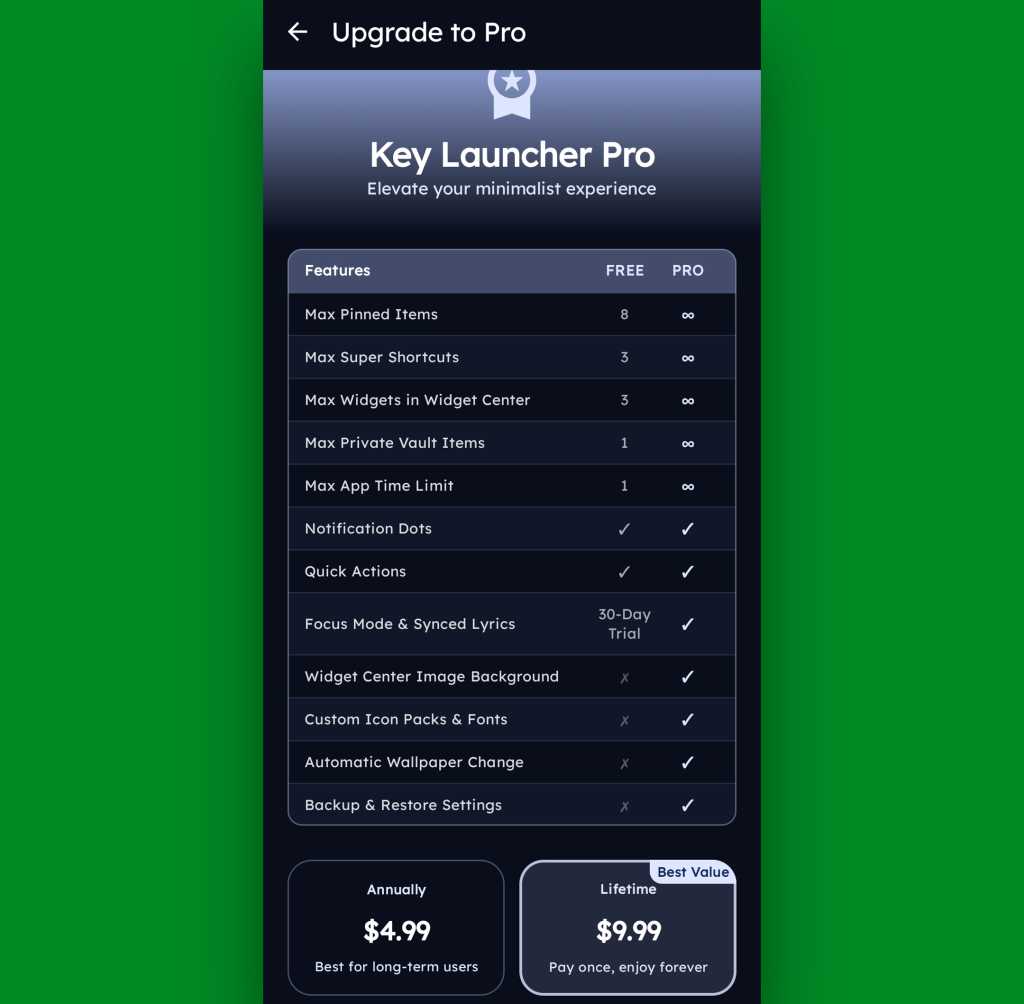
Key Launcher is free on its base level with an optional Pro upgrade that unlocks certain limitations and more advanced features. That path is available for five bucks a year or $10 as a single lifetime purchase, and you get a month-long trial the first time you install the app so you can check it out in its full form.
The Pro path adds in lots of extras, but even Key Launcher’s free version is quite pleasant and functional.
JR Raphael, Foundry
Even if you just stick to the free version, though, this thing has an awful lot to offer — and it really is unlike anything else out there, with so many clever and potentially useful touches.
It’s that kind of creativity and constant discovery that keeps Android so interesting and advantageous, even after all this time — and that’s true whether you end up sticking with Key Launcher for the long haul or just giving it a go for a few hours and appreciating the deliciously original thinking it offers.
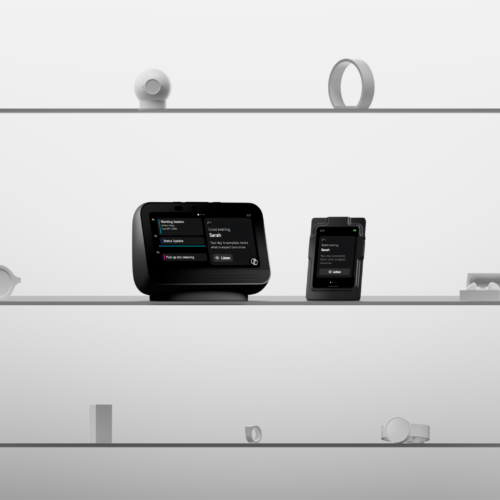
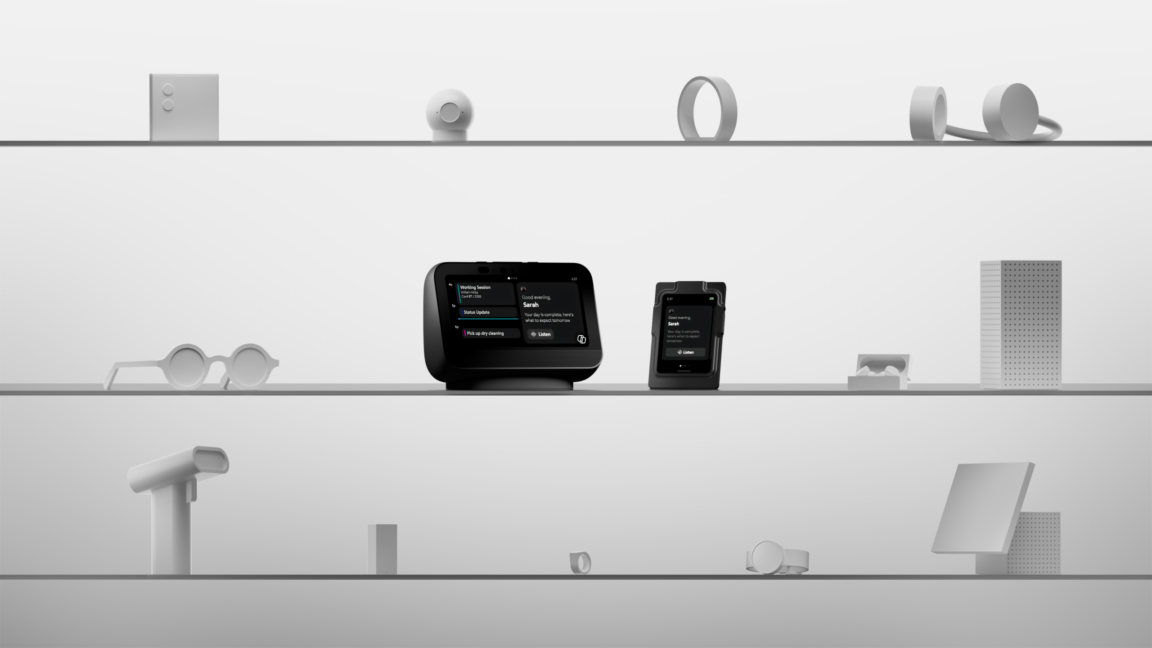
Microsoft has been deeply committed to the growth of generative AI technology in recent years through its now-fragmented partnership with OpenAI. At Build 2026, the company remains all-in on AI, and it's looking toward the future with a new software platform. The new Android-based OS is called Project Solara, and Microsoft says Solara is designed to run agents instead of apps.
Project Solara is not something you'll have to worry about killing your apps anytime soon. It's limited to a few pieces of concept hardware and software that are awaiting the magical agents of the future. The vision is for Solara to run on myriad specialized devices with interfaces generated on the spot, and it's all powered by the explosive intelligence of models that Microsoft and others insist will soon exist.
According to Microsoft, Solara is a chip-to-cloud platform intended to free agents from reliance on single interfaces. Much of Microsoft's messaging around AI is speculative and self-serving, but the company rightly points out that new computing form factors have always required specialization, and that process is complex and expensive. The shift to mobile computing, for example, tripped Microsoft up multiple times as it fell behind on app availability, security, and long-term support.
Microsoft has been deeply committed to the growth of generative AI technology in recent years through its now-fragmented partnership with OpenAI. At Build 2026, the company remains all-in on AI, and it's looking toward the future with a new software platform. The new Android-based OS is called Project Solara, and Microsoft says Solara is designed to run agents instead of apps.
Project Solara is not something you'll have to worry about killing your apps anytime soon. It's limited to a few pieces of concept hardware and software that are awaiting the magical agents of the future. The vision is for Solara to run on myriad specialized devices with interfaces generated on the spot, and it's all powered by the explosive intelligence of models that Microsoft and others insist will soon exist.
According to Microsoft, Solara is a chip-to-cloud platform intended to free agents from reliance on single interfaces. Much of Microsoft's messaging around AI is speculative and self-serving, but the company rightly points out that new computing form factors have always required specialization, and that process is complex and expensive. The shift to mobile computing, for example, tripped Microsoft up multiple times as it fell behind on app availability, security, and long-term support.
Microsoft has been deeply committed to the growth of generative AI technology in recent years through its now-fragmented partnership with OpenAI. At Build 2026, the company remains all-in on AI, and it's looking toward the future with a new software platform. The new Android-based OS is called Project Solara, and Microsoft says Solara is designed to run agents instead of apps.
Project Solara is not something you'll have to worry about killing your apps anytime soon. It's limited to a few pieces of concept hardware and software that are awaiting the magical agents of the future. The vision is for Solara to run on myriad specialized devices with interfaces generated on the spot, and it's all powered by the explosive intelligence of models that Microsoft and others insist will soon exist.
According to Microsoft, Solara is a chip-to-cloud platform intended to free agents from reliance on single interfaces. Much of Microsoft's messaging around AI is speculative and self-serving, but the company rightly points out that new computing form factors have always required specialization, and that process is complex and expensive. The shift to mobile computing, for example, tripped Microsoft up multiple times as it fell behind on app availability, security, and long-term support.
Microsoft has been deeply committed to the growth of generative AI technology in recent years through its now-fragmented partnership with OpenAI. At Build 2026, the company remains all-in on AI, and it's looking toward the future with a new software platform. The new Android-based OS is called Project Solara, and Microsoft says Solara is designed to run agents instead of apps.
Project Solara is not something you'll have to worry about killing your apps anytime soon. It's limited to a few pieces of concept hardware and software that are awaiting the magical agents of the future. The vision is for Solara to run on myriad specialized devices with interfaces generated on the spot, and it's all powered by the explosive intelligence of models that Microsoft and others insist will soon exist.
According to Microsoft, Solara is a chip-to-cloud platform intended to free agents from reliance on single interfaces. Much of Microsoft's messaging around AI is speculative and self-serving, but the company rightly points out that new computing form factors have always required specialization, and that process is complex and expensive. The shift to mobile computing, for example, tripped Microsoft up multiple times as it fell behind on app availability, security, and long-term support.

 Login
Login


 :
:  :
:  a 349 euro
 a 370 euro