

Normal view

How hackers can break into AI servers with an off-the-shelf antenna

26 May 2026 at 14:00

The word ‘hacker’ comes loaded with a cliched image: A hoodie-clad loner hunched over a keyboard in a room lined with monitors. The stereotype stuck for a reason. And for decades hacking really did come down to how well a hacker could operate a computer.

That trend might change. The next generation of attacker may have more in common with a cat burglar than a code monkey. They slip physically close to a target instead of typing their way in. Some of the sharpest new attacks skip the login screen entirely. They reach straight into the hardware, sometimes from the other side of a wall.

The researchers behind the discovery are led by Prof. Han Jun of KAIST, working with researchers from the National University of Singapore and Zhejiang University in China. At NDSS (Network and Distributed System Security) 2026, they demonstrated that an antenna trained on a running computer can capture the faint electromagnetic leakage from its GPU. This new technique was enough to reconstruct the layer structure of the AI model inside, with up to 97.6 percent accuracy. They call the technique ModelSpy, and it works even through a wall.

If this technique fell into the wrong hands, stealing a company’s AI would hardly look like an attack. Someone could walk down the hallway with a 20-liter backpack of antenna and receiver tucked inside and walk back out with the blueprint of the AI model running on that floor. No malware, no breached server, no exposed source code, not a single line of planted code. Just the AI’s design, leaking out as electromagnetic noise. The research won the Distinguished Paper Award at NDSS 2026.

Stealing AI without touching the computer

AI has gotten valuable enough that plenty of people are now trying to figure out how to steal it. None of the usual paths are easy. You can break into the company’s network and plant malicious code. But planting anything on a hardened corporate server is hard, and getting caught is easy. What about going after the hardware directly, skipping the software entirely?

The most promising example is the side-channel attack. Instead of breaking in, an attacker just listens. Any running computer leaks signals like small flickers in the current it draws, the heat coming off the chips, the hum of its fans, the faint vibrations of its components. Read those signals carefully enough, and they can tell you what the machine is doing inside. Researchers have been chasing that idea for decades.

Some of this work has been done. Researchers have clipped sensors onto the power lines feeding a GPU, and they’ve stripped chips bare to probe their internals directly. The catch is always the same: you have to be standing next to the machine, hands on the hardware.

The KAIST researchers wanted to know if they could pull off a side-channel attack from a distance by listening to it. The idea was to reassemble the signals that leak from a computer as it runs, and work backward through them to uncover the architecture of the AI inside. But how do you reconstruct a model from a few stray waves of static? The answer comes down to what GPUs unwittingly emit while they compute.

A running GPU is electricity in constant motion, current racing through millions of circuits as they pass signals back and forth. Nothing in a GPU ever rests. The memory clocks keep the rhythm of data access, voltage regulators hold the power steady, refresh circuits rewrite the memory before it forgets itself. Each of these subsystems gives off its own electromagnetic signature as it works. Engineers call them carrier waves.

Those carrier waves are not steady. The moment a GPU starts running an AI model, its electromagnetic emissions begin to shimmer. They rise and fall as the current through the chip shifts to match whatever the model is computing and however often it needs to reach into memory. The GPU’s memory-access patterns are imprinted like traces onto the waves it gives off.

So those memory patterns ride on the carrier waves like a signature of the AI itself. A modern model is a stack of layers, each one feeding its output into the next. The final answer falls out of the top of the stack. The key is that different kinds of layers hit memory in very different ways. Some pull in huge chunks of data at once for heavy processing. Others make short repeated trips to grab a little at a time. Read the carrier waves carefully enough and in principle you can trace those memory patterns backward to reconstruct which layers ran in what order. Pulling this off in practice is another matter.

But working backward from those traces to the actual AI behind them is the hard part. The space of candidates is enormous. Models vary wildly in how many layers they have and what kinds. Each layer brings its own hyperparameters, with the possibilities multiplying until they grow unmanageably large. The researchers estimated that even under a simplified setup of just five layer types across a 100-layer network, the number of possible combinations runs to about 10 to the power of 70. For reference, the observable universe holds roughly 10 to the 24th power stars. Testing every candidate one by one is obviously off the table.

So they set out to fight AI with AI. The researchers built a separate analytical model, trained to take in electromagnetic patterns and guess at the architecture they came from. The trick was to keep the model from trying to read the whole signal in one bite. Instead it works in layers, moving from the broad shape of the waveform down to the fine grain. First the model reads the overall flow of the signal along with its surrounding context, since a single instant of waveform tells you almost nothing on its own. Then it slices the signal into thin time windows and classifies each slice by layer type. Lastly, it estimates the hyperparameters that go with each layer. All three stages were trained together as one piece rather than being bolted on top of each other.

What pushed the technique past the bar was the training data. The analytical AI needed clean and abundant examples to learn from, but real electromagnetic recordings were noisy and patchy — the kind of data it would face in an actual attack. So the researchers turned to something else. DRAM traces are time-stamped records of how a GPU’s memory is accessed while it runs an AI model. Since the GPU’s electromagnetic emissions are nothing more than DRAM activity riding on signal strength and leaking outward, the two are essentially mirror images of each other.

The catch is where they come from. DRAM traces are captured directly inside the GPU, which makes them far cleaner than anything an antenna can pick up from outside. The researchers trained the model on both sources in stages. The AI first built its foundation on clean and plentiful DRAM data, then sharpened its real-world instincts on electromagnetic signals. The electromagnetic data was harder to collect but closer to actual attack conditions.

To test the attack, the researchers ran it against five everyday Nvidia GPUs (RTX 3060, 3060 Ti, 3070, 4060, 4060 Ti). All of it is gear you can buy off the shelf. Their attack kit was equally ordinary. A 5GHz antenna and an electromagnetic receiver were the only equipment, both small enough to fit inside a 20-liter backpack. The goal was to mimic what an actual attacker would do. They had to capture the emissions from across the room with no way of touching the machine.

The DRAM trick paid off. Pretraining on DRAM traces before fine-tuning on electromagnetic recordings beat training on electromagnetic data alone by a wide margin. Layer segmentation accuracy climbed from 92.5 percent to 97.6 percent. The task is to identify which layer each point in the signal belongs to. Accuracy at estimating each layer’s hyperparameters rose from 86.2 percent to 94.2 percent. And the gains held across all five GPUs.

Distance did not kill the attack. Using an RTX 3060 Ti as the test target, the researchers backed the antenna farther and farther away and watched what happened to the numbers. At five meters, layer segmentation accuracy held at 86.7 percent. Hyperparameter estimation remained at 81.7 percent. The researchers estimate the technique stays usable out to about six meters. The signal weakens as you back away, but enough of its traces survive to keep the analysis going.

An antenna hidden inside a backpack can extract the architecture of an AI model from the other side of a wall.

The same held when they put a wall between the GPU and the antenna. The researchers ran the test through glass, then wood, then concrete. Layer segmentation accuracy stayed at roughly 96 percent in every case. The electromagnetic waves leaking from the GPU weren’t fully blocked by the walls. They passed partway through, holding on to enough signal for the model to read.

ModelSpy has clear limits though. It cannot reach an AI model’s weights, the numerical values learned during training. It cannot pull out the training data or the source code either. What it captures is the architecture, and only the architecture. That does not mean there is no cause for concern. A stolen blueprint alone can be enough for a hacker to design a dangerous attack.

Once an attacker has the layer structure and hyperparameters, they can build a model that behaves like the target. The technique is known as a surrogate model. Instead of going at the real system blind, the attacker can run any number of attacks against the surrogate first. The effective ones then get turned on the actual AI. A model that closely mimics the target’s inner workings turns any attack into something much closer to a precision strike.

Take the adversarial example attack. Imagine someone going after the traffic-sign recognition system in a self-driving car. To the human eye it looks like an ordinary stop sign. Stick a small piece of tape on its face or paint a subtle pattern across it and the AI can be tricked into reading it as a speed limit sign or a straight-ahead sign. A car that misreads its signs can accelerate through an intersection where it should stop, or turn into the wrong lane.

The researchers used ModelSpy itself to put the surrogate-model idea to the test. They built a surrogate from the architecture ModelSpy had estimated, then used it to test adversarial attacks. These are attacks designed to make an AI misjudge what it sees. Attacks built on ModelSpy’s estimate performed almost as well as attacks designed with full knowledge of the real model. The gap averaged just four percentage points.

Copying the AI itself may be on the table too. In a so-called model extraction attack the attacker hammers the target with queries to capture its outputs and trains a replica on what comes back. It is imitation learning in effect with a stolen AI as the teacher. The catch is knowing what kind of model to imitate. Without the architecture, building something that performs as well as the original takes far more data and far more compute. The result is usually off anyway. With the architecture in hand, a close replica is fast and cheap.

A copyable AI is also a leakier AI when it comes to privacy. A surrogate model also sharpens what is called a membership inference attack. This is a way of working backward from a model’s behavior to figure out who and what was in its training data. The attack rests on a simple quirk. An AI responds in subtly different ways to data it was trained on than to data it has never seen. The distribution of its outputs shifts just a little when it encounters something it has seen before. An attacker who can spot that shift can infer whether a specific piece of data was part of the training set.

Once ModelSpy hands them a surrogate that closely matches the target’s architecture, they can do that inference with far greater precision. Sensitive training data makes the threat far worse. Medical AI is the obvious example. A membership inference attack against such a model can be devastating. Imagine a hospital running a diagnostic AI that was trained on its own patients’ records. Once an attacker confirms that a specific person’s record was part of that training set, they learn more than the fact that the person was treated at that hospital. They also learn by implication that the person may have the particular condition that AI was built to diagnose.

The researchers have proposed two countermeasures. The first is electromagnetic jamming: deliberately blanket the GPU’s signal with artificial noise so the real emissions can’t be picked out. The second is an obfuscation technique that runs decoy computations alongside the real ones to mask the traces of actual AI inference. Neither is a perfect solution. Careless jamming can spill over into the Wi-Fi band and knock out office communications. Decoy computations slow the GPU down and drive up operating costs. Still, the two approaches give GPU manufacturers and AI companies a place to start.

ModelSpy suggests that safeguarding AI may have to extend well beyond the computer itself.

“This research demonstrates that AI systems can be exposed to new forms of attack even in the physical environment,” said Prof. Han. “To protect critical AI infrastructure such as autonomous driving and national facilities, it is essential to build a cyber-physical security framework that encompasses both hardware and software.”

The story was produced in partnership with our colleagues at Popular Science Korea.

The post How hackers can break into AI servers with an off-the-shelf antenna appeared first on Popular Science.
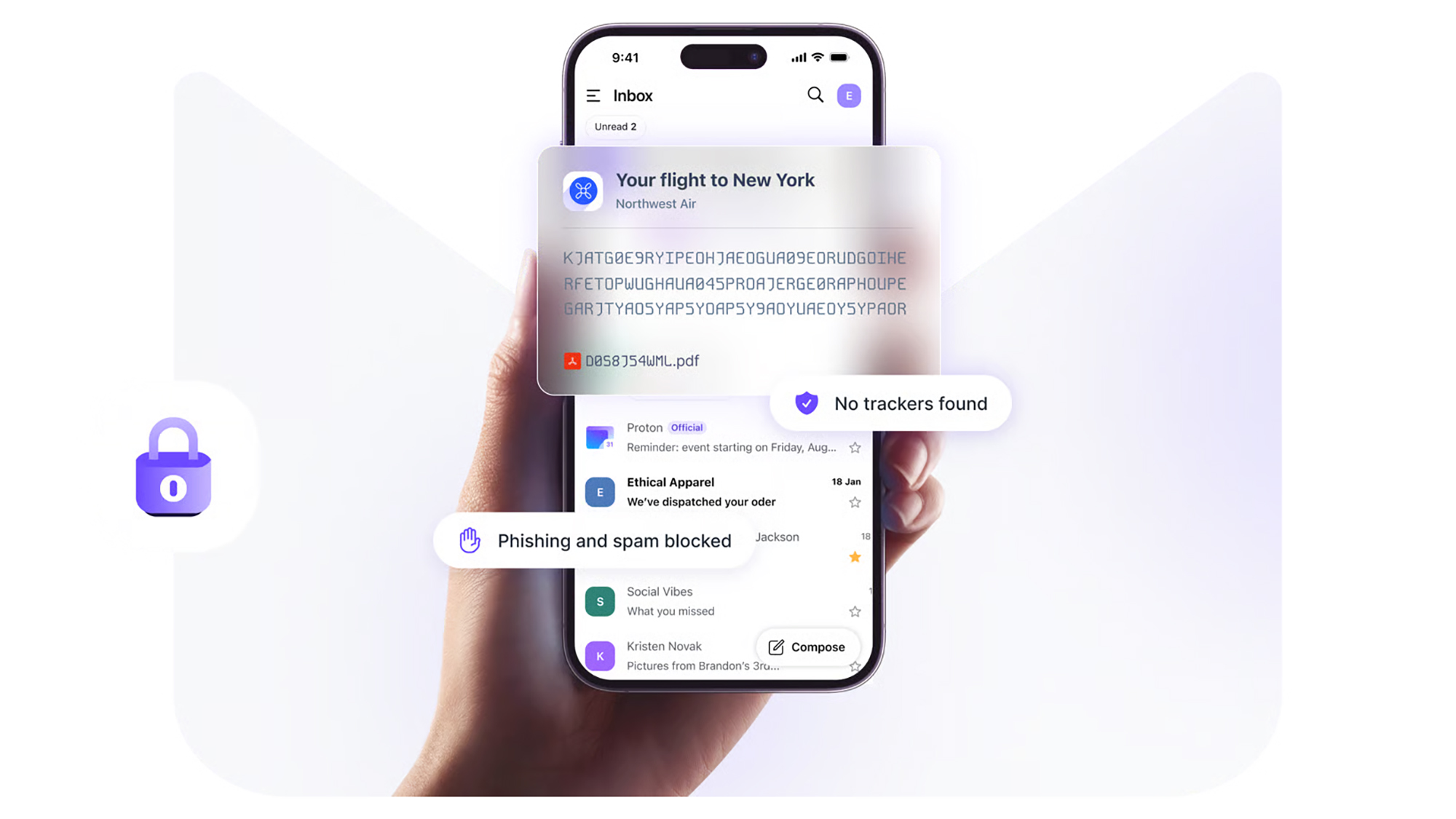

Gmail vs Proton Mail: Is it worth switching if you care about privacy?

23 May 2026 at 13:00

Google launched its own email service all the way back in 2004 (remember the hype around a free 1GB of email storage space?). In the years since, it’s become the default email service for many of us—in part because of its close ties to so other Google apps, like Google Drive, Google Maps, and Google Photos.

We’ve also seen plenty of competing products launch over the last two decades, so if you’re thinking about leaving Gmail, you have plenty of other options. Apple and Microsoft are two of the big names that will gladly take over the responsibility of managing your inbox.

Then there’s Proton Mail, part of the Proton suite of products that prioritizes privacy and security. We’ve previously compared Proton Docs and Google Docs, and here we’re going to take a look at how Proton Mail stacks up against Gmail. It may be worth your while to switch, especially if you’re unsure about Google’s privacy policies.

Gmail vs Proton Mail: The basics

Both services are available on the web, and have dedicated apps for Android and iOS. Both have free options, with premium plans also available: Proton Mail gives you 1GB of storage for free, while Gmail gives you 15GB (though bear in mind this is also shared with Google Drive and Google Photos).

Paid plans start at $1.99 a month for Gmail and $4.99 a month for Proton Mail, but it’s hard to do a straight comparison, as a lot of other upgrades are included. Google gives you more AI features as well as more storage room, for example, while Proton gives you more usage across its VPN, Calendar, and Drive tools in addition to the extra cloud storage.

If you prefer to use a third-party email client like Apple Mail or Outlook, this is easily done on Gmail and only takes a few steps. With Proton Mail, it’s more involved: You need to sign up for a premium subscription, and use the Proton Mail Bridge app. This ensures end-to-end encryption, so not even Proton itself can read your emails (this isn’t something Gmail offers by default).

screenshot of proton mail interface
Proton Mail focuses on security and privacy. Image: Proton

Gmail vs Proton Mail: Key features

When it comes to key features, both Gmail and Proton Mail have plenty to offer, though with Proton Mail your use of labels and filters is restricted on the free plan. It supports folders though, which Gmail doesn’t. And if you pay for Proton Mail, you can set up multiple email addresses to work through one inbox, which again Gmail doesn’t support.

It’s similar with the email scheduling and snoozing features, and automatic email forwarding to another inbox. This is all free in Gmail, and requires a subscription in Proton Mail. There is also an undo send feature on both platforms, free of charge, that you can use to quickly bring back messages you’ve sent in error.

Ideally, you need to be paying for Proton Mail: Otherwise you run into restrictions on filters, folders, and labels, and the number of messages you can send (150 per day). With Gmail, all of this is supported by advertising and data collection This is the distinction Proton focuses on: You’ll never see a single advert inside Proton’s products.

Gmail vs Proton Mail: Interface

Both Gmail and Proton Mail offer a clean, modern-looking app interface that’s easy to navigate around and intuitive in the way it works. Both platforms let you customize the interface too—so you can tailor the look and feel to suit yourself (Gmail does offer more in the way of tweaks, however).

Both email platforms support keyboard shortcuts on the desktop, which can be very helpful for powering through emails and clearing out your inbox. There’s also well-done integration with the other apps offered by these companies—including Google Drive and Proton Drive, and Google Calendar and Proton Calendar.

You could argue that the Gmail app is a little bit more polished, especially on mobile, but there’s not much in it. Both platforms support conversation grouping, where emails from the same thread are bunched together for easy reference (but both also let you turn this off, if you prefer the traditional approach).

Gmail vs Proton Mail: Privacy

While Gmail may be ahead on the scorecard up to this point, it’s here that Proton Mail strikes back. The Proton offering is way ahead here, and offers full end-to-end encryption for your emails, plus password-protected emails, and expiration dates for emails.

Gmail provides some of these features in a more limited way, but they’re not enabled by default, and aren’t as comprehensive as the Proton Mail equivalent. While Google’s email servers are encrypted, Google holds the decryption keys—so messages can be accessed by Google or agencies approved by Google. The full, end-to-end encryption that Proton Mail provides means no one but you can read your emails.

Both these platforms do well in terms of anti-spam and anti-virus protection for your inbox. But on other privacy and security features, Proton Mail wins: The VPN bundled with all plans (even the free one), for instance, and the complete absence of ads.

gmail interface
Gmail is packed with features and functions. Image: Google

Gmail vs Proton Mail: Verdict

As you can see, the primary reason to switch to Proton Mail from Gmail is privacy and security. And if that’s what’s most important to you, then you’ll probably be okay with paying a few dollars more a month to get those features, and to make sure you’re not being tracked or advertised to in your inbox.

There’s still a lot to be said for Gmail though. It’s ubiquitous and compatible with a host of third-party apps and tools, it’s got loads of customization options and other features to play around with, and if you can stick under the 15GB storage limit then you get unlimited use of everything for free, too.

You also need to think of the inconvenience cost, of course, and it may take a while before all your contacts are right up to date with your new email address. Of course, if there are some contacts you’d rather not hear from again in the future, then switch away.

The post Gmail vs Proton Mail: Is it worth switching if you care about privacy? appeared first on Popular Science.

Websites Are Spying on Your Solid State Drive

30 May 2026 at 17:45

These days, it’s nearly impossible to traverse the web without leaving some trace of your activity. That’s thanks to a panopticon of cookies, keystroke loggers, fingerprinting, tracking pixels, and probably some other horrors that haven’t even come to light. Maybe that sounds paranoid, but it’s exactly what researchers in Austria uncovered in bombshell new cybersecurity research.

According to the recently released paper, first spotted by Ars Technica, researchers have uncovered a type of no-interaction attack that websites can easily run to access data stored in your computer.

It’s called FROST, which stands for “fingerprinting remotely using OPFS-based SSD timing.” It’s a mouthful for sure, but it basically allows malicious websites to spy on your computer activity, all without installing any software or tricking you into clicking sketchy email links.

Per the researchers, it works by taking advantage of your computer’s solid state drive (SSD), the internal storage devices which have largely taken over from magnetic hard drives on the consumer market. Whenever you visit a site, your computer’s SSD starts buzzing with activity, allowing webpages to store temporary files for your browsing pleasure.

FROST attacks take advantage of this by creating a massive file — we’re talking several gigabytes — which functionally blocks your computer from moving what it sees as temporary web data out of the SSD. While that mammoth file is being processed, however, the malicious website is able to probe the timing of incoming data from other sites, generating data which can then be analyzed through a machine learning model to predict what else you’re doing online.

While “predict” suggests the attacker is guessing, the FROST method is scary good at identifying what a victim’s doing on their computer. Researchers write that by using this technique, their machine learning model was able to predict which sites a user would access with an accuracy rate of 88.95 percent, and could accurately predict accessed applications 95.83 percent of the time.

Worse, the whole thing works regardless of what browser you use — because it works through your SSD, an attacker can theoretically track your web browsing on Firefox based on a website accessed via Google Chrome. Researchers only experimented with the technique on Mac and Linux devices, but caveated that Windows devices are not immune.

“In principle, it would be possible to train a model on any system activity that reliably generates SSD accesses,” the study’s lead author, Hannes Weissteiner, told Ars.

While FROST represents the kind of vulnerability that probably needs to be patched by web developers, Ars notes that you can mitigate the risks by closing website tabs as soon as you’re done with them. It isn’t much, but it could prevent you from becoming the next victim of a scary new kind of cyberattack.

More on web development: New Website Detects Apocalypse If Billionaire Jets Start Fleeing en Masse

The post Websites Are Spying on Your Solid State Drive appeared first on Futurism.

The MyPillow Guy’s Entire Business is Being Held Hostage by Hackers

27 May 2026 at 19:03

Monstrous defeats keep coming for Mike Lindell, the notorious entrepreneur behind the MyPillow brand and one-time advisor to Donald Trump.

According to Straight Arrow News, a clique of hackers known as “Play” is claiming to have accessed a huge chunk of private data from MyPillow, which it’s now holding hostage. Per the outlet, which viewed a communique from the gang, the hackers now have access to “private and personal confidential data, clients’ documents, budget, payroll, IDs, taxes, finance information and etc.”

Lindell’s company has been given until Friday, May 29 to respond — or else its data will be published online, the hackers threatened. The amount they’re trying to extort hasn’t been disclosed, and neither the hackers nor MyPillow responded to Straight Arrow‘s requests for comment.

Play first appeared in 2022, when it orchestrated cyber attacks throughout the US, Brazil, Germany, and Switzerland, among others. Their targets tend to be those associated with government functionaries, like the Argentinian judiciary, and an IT firm contracted by the Swiss Federal Department of Finance.

In that vein, a successful attack on Lindell would be a major trophy. The entrepreneur first met Trump in the run-up to the 2016 presidential election, a relationship which blossomed as the would-be president ferried the increasingly crankish Lindell around rallies across the country.

In 2020, Lindell briefly served as Trump’s reelection campaign chair, then nearly ran for governor of Minnesota with his blessings. Later in November of 2022, Lindell ran for Chair of the Republican National Committee, though he lost after receiving only 2.4 percent of the total votes.

Now in 2026, the MyPillow founder is once again running for governor of Minnesota, having filed all the corresponding paperwork — which is more than he did last election cycle. That said, the hack comes as his finances and personal life are now under perhaps more scrutiny than they’ve ever been. Given his ties to Trump, who appears to be backing him again in the 2026 election, there could conceivably be some fascinating details lurking in the MyPillow archives.

Whether Lindell can pony up to keep them hidden remains to be seen: in April of 2025 he admitted that he didn’t even have “5 cents” to his name, owing to an avalanche of civil suits and federal investigations stemming from his political antics.

More on hacking: Riot Games Denies Using Anti-Cheat Software That Bricks Hackers’ Computers

The post The MyPillow Guy’s Entire Business is Being Held Hostage by Hackers appeared first on Futurism.

Riot Games Denies Using Anti-Cheat Software That Bricks Hackers’ Computers

25 May 2026 at 22:17

Rest easy, paranoid gamers. Riot Games says its Vanguard anti-cheat tool won’t “brick” the computers of hackers ruining everyone’s fun in its multiplayer games. And that’s too bad, since cheaters deserve to suffer at least twice as much as the beleaguered gamers that willingly subject themselves to grinding MMR in one of the company’s titles already do.

The brouhaha stems from a Vanguard update the “Valorant” and “League of Legends” maker released last week that targets notoriously hard to detect direct memory access (DMA) cheats, which bypass security measures by using an external device to write directly to a computer’s RAM.

Responding to another post about its new anti-cheat measure, the Riot social media account tweeted a picture of a bunch of rounded-up computer hardware that was reminiscent of a drug bust haul. It was appended with a provocative caption: “congrats to the owners of a brand new $6k paperweight.”

This turned out to be a PR landmine. The tongue-in-cheek post was interpreted as Riot bragging that it now had the ability to remotely brick your computer, creating an explosion of angry posts so overwhelming that the company scrambled to propitiate the mob banging on its gates.

“There’s been a wave of claims by cheaters about Vanguard ‘bricking’ their PCs, so let’s clear that up: Vanguard does not damage hardware or disable your devices,” it wrote in a lengthy X statement less than a day later.

“The photo we posted is a picture of cheat hardware devices that are sold explicitly for cheating in VALORANT (not normal PCs or PC components),” it added. “Through our latest updates, Vanguard now makes those devices worthless for VAL, but does not in any way brick PCs or PC components or PC software.”

congrats to the owners of a brand new $6k paperweight https://t.co/3rjZVQntrc pic.twitter.com/fS3JC0FL0p

— Riot Games (@riotgames) May 21, 2026

The backlash is a reflection of how controversial Riot’s Vanguard software remains years after it was first released in 2020. A so-called kernel-level anti-cheat, it requires gaining the highest level of access to a part of the operating system where its most crucial processes run, a privilege that most software does not ask for. 

While this makes Vanguard adept at rooting out cheats running on someone’s system, it also in the eyes of critics makes it alarmingly invasive. And beyond potential privacy concerns, many users have complained that Vanguard causes all sorts of technical glitches on their machines, though it’s impossible to corroborate all those claims.

Unfortunately for Riot, those critiques aren’t about to die down after its latest DMA update and accompanying disastrous post. And unfortunately for the Vanguard-skeptical, Riot is sticking to its kernel-level guns.

“We’ll keep investing in anti-cheat to protect competitive integrity, and we’ll keep being as transparent as possible about how those systems work,” the company said in its statement.

More on cybersecurity: Google Alarmed by Formidable AI-Powered Zero-Day Cyberattack

The post Riot Games Denies Using Anti-Cheat Software That Bricks Hackers’ Computers appeared first on Futurism.

Certifiably random: Swiss researchers claim perfect random number source

Researchers in Switzerland claim to have built a perfect random number generator from two quantum superconducting chips, a 30-meter-long pipe, and some software. The resulting device could be used to generate cryptographic keys, or to offer a “public randomness service” for lotteries or blockchain applications, they say.

They’re not the first to make the claim.

Many sources of randomness are biased. For example, coins or dice tend to favor one side. “Even modern random number generators, which are based on quantum mechanical effects like the reflection of photons from beam splitters, are not entirely immune to such a systematic error or ‘bias’,” said Andreas Wallraff, one of the leaders of the research team at ETH Zurich.

Similar biases can be found in purely software-based pseudo-random number generators. This has led to security problems in IoT devices and WhatsApp, among other applications.

To get around that, the researchers set up of two supercomputing chips, each representing one qubit, cooled to near absolute zero. The chips are connected by a 30-meter-long microwave guide, similarly cooled, and the microwave photons flying between them create a situation of quantum entanglement.

The results produced by this process are then transformed via a special algorithm to generate perfect randomness. “The resulting sequence of zeros and ones is now really perfectly random, and we can even certify that,” said Renato Renner, the other team leader. “The technical improvements allowed us to create random numbers that will remain perfectly random for all eternity.”

The team published their results this week in an article entitled “Experimental randomness amplification” in Nature.

This article first appeared on CSO.

How to protect Windows 10 and 11 PCs from ransomware

CryptoLocker. WannaCry. DarkSide. Conti. MedusaLocker. Qilin. The ransomware threat has exploded over the past decade, and it isn’t going away anytime soon; the news brings constant reports of new waves of this pernicious type of malware washing across the world.

Ransomware gained in popularity in large part because of the immediate financial payoff for attackers: It works by encrypting the files on your hard disk, then demanding that you pay a ransom, frequently in Bitcoin or other cryptocurrency, to decrypt them. Now many ransomware gangs are switching tactics, stealthily infiltrating enterprise systems, collecting sensitive corporate data over time, and later threatening to expose that data if the organization doesn’t pay up.

Nevertheless, individuals and businesses are still at risk from traditional ransomware attacks. In this article, I’ll show you how to keep yourself safe in Windows 11 — and Windows 10 too, for those who haven’t yet moved to Windows 11 — including how to use an anti-ransomware tool built into both versions of Windows.

(Administrators, see “What IT needs to know about ransomware and Windows” at the end of this article.)

This article assumes that you’re already taking the basic precautions against malware in general, including running anti-malware software and never downloading attachments or clicking links in email from unknown senders and suspicious-looking email. Also note that this article has been updated for Windows 11 25H2 and Windows 10 22H2. If you have an earlier Windows release, some things may be different.

Use controlled folder access

Microsoft is concerned enough about ransomware that it built an easy-to-configure anti-ransomware tool directly into Windows 10 and 11. Called controlled folder access, it protects you by letting only safe and fully vetted applications access your files. Unknown applications or known malware threats aren’t allowed through.

By default, the feature is not turned on, so if you want to protect yourself against ransomware, you’ll have to tell it to get to work. And you can customize exactly how it works by adding new applications to its whitelist of programs that can access files, and adding new folders in addition to the ones that it protects by default.

To switch it on, you’ll need to access Windows Security. To get to it in Windows 11, click Start > Settings to open the Settings app, then select Privacy & Security > Windows Security.  

In Windows 10, click Start > Settings to open the Settings app, then select Update & Security > Windows Security.

In Windows Security, select Virus & threat protection. On the screen that appears, scroll down to the “Ransomware protection” section and click Manage ransomware protection. On the next screen, under “Controlled folder access,” toggle the switch to On. You’ll get a prompt asking if you want to make the change. Click Yes.

ransomware protection screen in windows 11 settings with controlled folder access toggle turned on

Switch the toggle to On to turn on controlled folder access.

Preston Gralla / Foundry

You shouldn’t leave it at that and feel safe yet, because there’s a chance that you have folders you’d like to protect that the feature ignores. By default, it protects Windows system folders (and folders underneath them) like C:\Users\UserName\Documents, where UserName is your Windows user name. In addition to Documents, Windows system folders include Desktop, Music, Pictures, and Videos.

But all your other folders are fair game for any ransomware that makes its way onto your PC.

To add folders you want protected, click the Protected folders link that appears after you switch on controlled folder access. A prompt appears asking if you want to make the change. Click Yes. Click the Add a protected folder button that is on top of the list of protected folders that appears, then navigate from the screen that appears to the folder you want to protect and click Select Folder.

protected folders list in windows 11 security settings

Click Add a protected folder to protect more of your folders with controlled folder access.

Preston Gralla / Foundry

Continue to add folders in this way. Remember that when you add a folder, all folders underneath it are protected as well.

If you decide at any point to remove a folder, get back to the “Protected folders” screen, click the folder you want to remove, and then click Remove. Note that you won’t be able to remove any of the Windows system folders that are protected when you turn the feature on. You can only remove the ones that you’ve added.

Microsoft determines which applications should be allowed access to protected folders, and unsurprisingly, among them are its own Microsoft Office apps. Microsoft hasn’t published a list of which apps are allowed, though, so consider taking action to let apps you trust access your files.

To do it, go back to the screen where you turned on controlled folder access and click Allow an app through Controlled folder access. A prompt appears asking if you want to make the change. Click Yes. From the screen that appears, click Add an allowed app, navigate to the executable file of the program you want to add, click Open, and then confirm you want to add the file. As with adding folders to the list of protected folders, you can remove the app by getting back to this screen, clicking the application you want to remove, then clicking Remove.

Hint: If you’re not sure where executable files are located for programs you want to add to the allow list, look for the folder name with the program’s name in the “WindowsProgram Files” or “WindowsProgram Files (x86)” folders, then look for an executable file in that folder.

Note: In Windows 11, OneDrive folders are automatically protected by controlled folder access when you turn it on. However, they may not necessarily be protected in Windows 10. In Windows 10, on the “Ransomware protection” page, you’ll be notified in the Ransomware data recovery section whether your OneDrive files are protected. If they’re not protected, click the Set up OneDrive button there.

Back up… but do it properly

The whole point of ransomware is to hold your files hostage until you pay to unlock them. So one of the best protections from ransomware is to back up your files. That way, there’s no need to pay the ransom, because you can easily restore your files from the backup.

It’s a good idea to not just back up to a local drive but additionally use a reputable cloud-based storage and backup service. If you back up to a drive attached to your PC, when your PC gets infected with ransomware, the backup drive will likely be encrypted along with any other disks inside or attached to your PC. Cloud backups are generally less vulnerable but not wholly immune to ransomware attacks.

Make sure that your backup service uses versioning — that is, it keeps not just the current version of each of your files, but previous ones as well. That way, if the most current version of your files gets infected, you can restore from previous versions. Most popular backup and storage services, including Microsoft OneDrive, Google Drive, Carbonite, Dropbox, and many others, use versioning. It’s a good idea to get familiar with the versioning feature of whichever service you use now, so you can easily restore files in a pinch.

Some services, including OneDrive and Google Drive, now offer ransomware detection. Users are notified of suspicious activity and can use the vendors’ tools to remove infected files and restore older versions.

Stay patched

Microsoft regularly releases Windows 10 and Windows 11 security patches, and they’re automatically applied via Windows Update. But if you hear about a ransomware outbreak, you shouldn’t wait for Windows Update to work — you should immediately get the update yourself so that you’re protected as soon as possible. And it’s not just Windows updates you want to get. You also want to make sure Windows Security, Microsoft’s built-in anti-malware tool, has the latest anti-malware definitions.

To do both in Windows 10, go to Settings > Update & Security > Windows Update and click the Check for updates button. In Windows 11, go to Settings > Windows Update and click the Check for updates button. (If updates are already waiting for you, you’ll see them listed instead of the Check for updates button.) If Windows finds updates, it installs them. If it requires a reboot, it will tell you.

windows update screen in windows 11 showing checking for updates progress bar

Checking for Windows 11 updates.

Preston Gralla / Foundry

You need to worry not just about Windows staying patched, but other software as well. If you use an anti-malware program other than Windows Security, make sure it and its malware definitions are up to date.

And the other software on your PC should be kept up to date as well. So check how each piece of software gets updated and make sure to update each one regularly. For help keeping all your apps up to date, consider setting up an automated tool like Patch My PC Updater or Software Update Monitor (see our tutorial “How to keep your apps up to date in Windows 10 and 11”) — or, if you’re comfortable using the command line, try the WinGet command (see “WinGet: The best way to keep Windows apps updated”).

Disable macros in Microsoft Office

Ransomware can be spread via macros in Office files, so to be safe you should turn them off. Microsoft now disables macros from the internet by default, but that doesn’t necessarily mean that they’re turned off in your version of Office, depending on when you installed it and whether you’ve updated it.

To turn them off, when you’re in an Office application, select File > Options > Trust Center > Trust Center Settings and select either Disable all macros with notification or Disable all macros without notification. If you disable them with notification, when you open the file you’ll get a message warning that the macros were disabled and letting you turn them on. Only turn them on if you’re absolutely sure they’re from a safe, trusted source.

macro settings screen in microsoft word with disable all macros with notification selected

Here’s how to disable macros in Office.

Preston Gralla / Foundry

Get ransomware protection and/or mitigation tools

Just about any anti-malware program includes built-in anti-ransomware protections, but there are several programs that promise to specifically target ransomware. Most are paid, but there are also some free options.

Bitdefender offers free decryption tools that can unlock your data if you’ve been attacked by ransomware and it’s being held ransom. They can only decrypt data that’s been encrypted with certain specific pieces or families of ransomware, including REvil/Sodinokibi, DarkSide, MaMoCrypt, WannaRen, and several others. Avast offers its own set of free decryption tools.

What IT needs to know about ransomware and Windows

Many Microsoft 365 and Windows commercial plans, especially at the enterprise level, include ransomware detection and protection tools. Advanced products such as Microsoft Defender XDR are also available under separate licenses.

Even without those tools, there’s plenty that admins can do to protect Windows systems from ransomware. The most obvious: Apply the latest security patches to not just all PCs in an organization, but all servers and any other enterprise-level hardware. Also lock down application permissions, train users to spot phishing attempts, and, of course, securely back up all corporate data.

IT also needs to make sure the notoriously insecure SMB1 Windows networking protocol is disabled in all devices. Multiple ransomware attacks have spread through the 30-year-old protocol; even Microsoft says it should be used by no one, ever.

The good news is that Windows 10 version 1709, released in October 2017, finally did away with SMB1. (It’s not in Windows 11, either.) But that’s only for PCs with clean installs of version 1709 or later. Older PCs that were updated from earlier versions of Windows still have the protocol built in.

The Microsoft support article “Detect, enable and disable SMBv1, SMBv2, and SMBv3 in Windows” offers details about how to turn off the protocol. It recommends killing SMB1 but keeping SMB2 and SMB3 active, and only deactivating them for temporary troubleshooting.

Administrators can use the controlled folder access feature (covered earlier in this article) to stop ransomware from encrypting files and folders of PCs running Windows 11 or Windows 10 version 1709 or later. They can use the Group Policy Management Console, the Windows Security Center, or PowerShell to turn on controlled folder access for users on a network, customize which folders should be protected, and let additional applications access the folders beyond the Microsoft defaults, as detailed  in the Microsoft articles “Enable controlled folder access” and “Customize controlled folder access.”

One potential issue with controlled folder access is that it might block apps that users typically use from accessing folders. So Microsoft recommends using audit mode first, to see what will happen when controlled folder access is turned on. For information about how to do it, go to Microsoft’s “Evaluate exploit protection” documentation.

As noted above, Office macros can spread ransomware. Microsoft is now blocking macros downloaded from the internet by default, but to be safe, IT should use Group Policy to block them. For advice on how to do it, go to the “Block macros from running in Office files from the Internet” section on Microsoft’s “Macros from the internet will be blocked by default in Office” documentation.

This article was originally published in January 2018 and most recently updated in May 2026.

Another IT governance headache: AI-enabled sanction evasion

Over the next three to five years, both governments and the private sector will need to rapidly adapt identification and mitigation protocols as adversaries move from AI-assisted to AI-enabled sanctions evasion and proliferation financing (PF), a new research paper warns.

The report, Algorithms of Evasion: The Rise of AI-Enabled Proliferation Financing, from the Royal United Services Institute (RUSI), a UK-based defense and security think tank, defines PF as the use of funds or financial services to acquire, develop or otherwise deal in weapons of mass destruction (WMD). It states, “North Korea and Iran are now developing and deploying AI models to aid with sanctions evasion activities.”

Key findings include the fact that AI is now capable of mass producing high-quality fraudulent documents, as well as automating what the report describes as “the administrative minutia of managing extensive shell company  networks.” AI powered systems, it states, can also “analyze blockchain patterns in real time to dynamically adjust cryptocurrency mixing strategies, effectively evading detection tools.”

In addition, it says, “[tools such as generative AI] which can produce sophisticated fraudulent identification documents, for example, have helped North Korea perpetrate phishing attacks against Western companies.”

Dr. Aaron Arnold, senior associate fellow with the Centre for Finance and Security at RUSI, who authored the paper, said in an email that what prompted it was an uptick over the last year in North Korea’s use of AI to facilitate and enhance its cyber operations, in the form of phishing schemes designed to generate revenue for the country’s ballistic missile and nuclear weapons programs.

He advised enterprise IT managers who need to protect their organizations from becoming victims of sanction evasion activities that “[it] means largely adapting to a landscape where traditional human-focused security boundaries are being bypassed by automated technologies.”

For IT managers, said Arnold, “this might entail incorporating defensive AI, the use of behavior-based analytics, using ‘circuit breakers’ when there is heavy use of API or MCPs, updating personnel training, and hardening identity verification, especially for any remote hiring.” 

Distinction between AI-assisted and AI-enabled activity is ‘central’

Sanchit Vir Gogia, chief analyst at Greyhound Research, said that the RUSI report matters “because it names the right structural shift. AI is not creating sanctions evasion from thin air, it is compressing and scaling methods that already work.”

He pointed out that none of the sanction-evading techniques such as fraudulent documents, synthetic identities, shell companies, hidden beneficial ownership, crypto laundering, and others are new. “What changes is the speed, quality, volume and coordination with which these methods can now be assembled,” he said.

According to Gogia, “the distinction between AI-assisted and AI-enabled activity is central. AI-assisted evasion uses AI for discrete tasks: writing a better email, producing a cleaner document, generating a stronger false profile, translating a pitch, summarizing regulations or preparing a plausible job application. AI-enabled evasion is more serious.”

A ‘structural asymmetry’

This tactic, he said, “begins to coordinate the system itself. It links identity, documents, ownership structures, payment routes, cloud access, crypto wallets, API calls and timing. The difference is not whether AI helps someone fake a document. The difference is whether AI begins to orchestrate the deception.”

That is why the report’s findings should worry enterprise leaders, he noted: “Many organizations still assume the bad actor is mostly human, mostly linear and mostly slow. That assumption is expiring. AI lets adversaries run more attempts, with fewer errors, across more channels, in more languages, with better paperwork and greater patience than most enterprise review processes can absorb. This is not a tale of genius criminals discovering magic. It is the story of ordinary controls meeting industrialized plausibility.”

The evidence today, he pointed out, is strongest around tactics such as identity fraud, document fraud, synthetic personas, remote-worker deception, phishing, social engineering, crypto obfuscation and workflow abuse. “Fully autonomous evasion networks sit on the horizon,” he said. “They are serious, but they are not yet the everyday baseline.”

This distinction matters, said Gogia: “If enterprises obsess over cinematic autonomous agent scenarios while leaving remote hiring, vendor onboarding, payment approvals, and document review full of holes, they will lose in the most prosaic way imaginable.”

The report, he said, also gets the “asymmetry” right. “Offensive actors can learn across the ecosystem,” he said. “They can scrape open information, reuse leaked records, study enforcement patterns, test onboarding forms, inspect public procurement data, watch court filings, probe compliance thresholds and [use the information to] refine their behavior.”

Defenders, by contrast, are hemmed in by privacy rules, fragmented data, explainability requirements, jurisdictional boundaries, conservative operating models and siloed technology estates. “Offensive AI learns broadly,” he said. “Defensive AI often learns from fragments. That is the structural asymmetry.”

He explained that the regulatory landscape also amplifies the problem, in that regulatory bodies “still speak in separate dialects. [For example] the EU AI Act pushes organizations toward stronger obligations for high-risk AI. NIST-style frameworks push risk management, transparency, and governance.”

A trust architecture problem

Financial Action Task Force (FATF) expectations push national risk assessment and counter-proliferation controls, he noted, while banking regulators focus on model risk, accountability and operational resilience. “None of these streams is irrelevant. The trouble is that criminals do not organize themselves around regulatory workstreams. They organize around outcomes.”

What that means, said Gogia, “is that enterprise cannot wait for a clean global rulebook. It will not arrive in time. CIOs, CISOs, compliance officers and boards need a working governance model now. They need privacy-preserving analytics, controlled data environments, audit trails, legal safeguards and clear model-risk accountability.”

He said that enterprise IT managers should treat the situation as a trust architecture problem rather than a narrow sanctions-screening problem. “The uncomfortable truth is that AI is not simply helping bad actors write better phishing emails or forge tidier documents,” he noted. “It is helping them manufacture legitimacy across a chain of enterprise workflows.”

Likely outcome an ‘AI arms race’

Report author Arnold also noted that there are signs that cyber criminals have discovered new AI technologies and abilities that legitimate enterprises could adopt for legitimate applications.

History, he said, “is replete with [criminals] developing novel solutions to tough problems, [which are] later adopted by law enforcement. Much of our anti-financial crime policy is effectively a response to bad actors exploiting systems or using technology in novel ways to perpetrate crimes. In this scenario, I think an ‘AI arms race’ between enforcement authorities and bad actors is the most likely outcome.”

Gogia added, “the baddies are not teaching enterprises how to invent AI. They are teaching enterprises where trust is leaking. That is the lesson worth taking seriously.”

This article originally appeared on CIO.com.

United flight forced to turn around because of a Bluetooth speaker name

31 May 2026 at 16:50
Flight tracking for UA236 showing it returning to Newark.
An hour in flight UA236 returned to Newark. | Screenshot: The Verge

United flight 236 from Newark to Palma de Mallorca on Saturday night was forced to turn around just an hour after takeoff due to security concerns around a Bluetooth signal. Multiple Redditors claimed to be on the flight and reported that the crew repeatedly requested passengers to turn off their Bluetooth. According to one poster, the crew issued a one-minute warning, saying that two devices were still active.

One Redditor reported flight attendants making comments like, "This little joke is ruining it for everyone."

An archived recording from Air Traffic Control (embedded below) confirms that the root of the issue was the name of a disc …

Read the full story at The Verge.

The White House’s Aliens.gov Site Brags That ICE Arrested More Than 700 US Citizens

29 May 2026 at 21:53
The website, which compares human beings to extraterrestrials, touts arrest numbers from the Trump administration’s sweeping immigration crackdown. But some of its details are really out there.

Botnet of more than 17 million devices dismantled

29 May 2026 at 19:46

Authorities in the Netherlands said they dismantled a botnet that comprised more than 17 million devices and were managed by 200 servers in a joint operation by the police and the National Cyber Security Center.

The action, announced Thursday, came about after a security researcher reported the sprawling network to authorities. The host infrastructure was located in the Netherlands.

Used for criminal purposes

“The police then seized several botnet servers from a hosting provider for investigation,” the NCSC said. “The botnet was taken offline by the provider because it was used for criminal purposes.”

Read full article

Comments

© Aurich Lawson / Ars Technica

Botnet of more than 17 million devices dismantled

29 May 2026 at 19:46

Authorities in the Netherlands said they dismantled a botnet that comprised more than 17 million devices and were managed by 200 servers in a joint operation by the police and the National Cyber Security Center.

The action, announced Thursday, came about after a security researcher reported the sprawling network to authorities. The host infrastructure was located in the Netherlands.

Used for criminal purposes

“The police then seized several botnet servers from a hosting provider for investigation,” the NCSC said. “The botnet was taken offline by the provider because it was used for criminal purposes.”

Read full article

Comments

© Aurich Lawson / Ars Technica

Botnet of more than 17 million devices dismantled

29 May 2026 at 19:46

Authorities in the Netherlands said they dismantled a botnet that comprised more than 17 million devices and were managed by 200 servers in a joint operation by the police and the National Cyber Security Center.

The action, announced Thursday, came about after a security researcher reported the sprawling network to authorities. The host infrastructure was located in the Netherlands.

Used for criminal purposes

“The police then seized several botnet servers from a hosting provider for investigation,” the NCSC said. “The botnet was taken offline by the provider because it was used for criminal purposes.”

Read full article

Comments

© Aurich Lawson / Ars Technica

Chuck scrive a Evgenija ogni giorno, ma dietro quella chat ci sono tre professionisti delle truffe romantiche online

29 May 2026 at 06:00
Su piattaforme di incontri come Dating.com e AnastasiaDate, operatori e sistemi di intelligenza artificiale gestiscono profili fittizi, alternandosi nelle chat e utilizzando foto e contenuti generati per mantenere attive relazioni sentimentali inesistenti. Sono le romance scam

❌