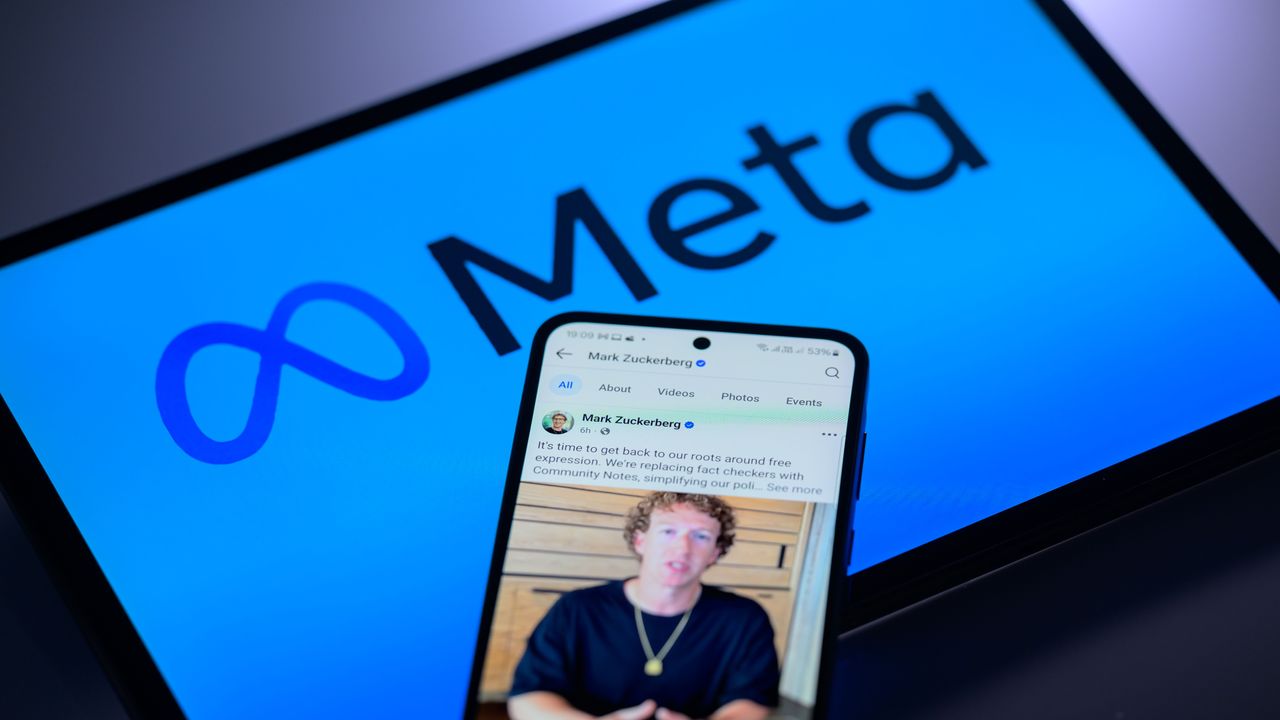
Meta’s AI support chatbot proved unusually helpful to hackers looking to steal and resell notable Instagram accounts—the hackers simply asking the bot to change the accounts’ associated email addresses while using VPN to mask their true locations.
Videos featuring the “shockingly easy” exploit have been circulating among Telegram groups for hackers and security researchers, according to 404 Media. The exploit allowed hackers to take over and flip valuable Instagram accounts worth hundreds of thousands of dollars on the gray market before Meta implemented an emergency patch on May 29. The Barack Obama White House account and the Chief Master Sergeant of Space Force’s account also posted pro-Iranian images and messages while they were temporarily compromised.
Attackers simply had to use a VPN to approximately match their location to the target Instagram account’s region, begin a password reset process, and then ask Meta’s AI support chatbot to change the email address associated with the account, according to 404 Media. It’s a very straightforward prompt injection attack.
Meta’s AI support chatbot proved unusually helpful to hackers looking to steal and resell notable Instagram accounts—the hackers simply asking the bot to change the accounts’ associated email addresses while using VPN to mask their true locations.
Videos featuring the “shockingly easy” exploit have been circulating among Telegram groups for hackers and security researchers, according to 404 Media. The exploit allowed hackers to take over and flip valuable Instagram accounts worth hundreds of thousands of dollars on the gray market before Meta implemented an emergency patch on May 29. The Barack Obama White House account and the Chief Master Sergeant of Space Force’s account also posted pro-Iranian images and messages while they were temporarily compromised.
Attackers simply had to use a VPN to approximately match their location to the target Instagram account’s region, begin a password reset process, and then ask Meta’s AI support chatbot to change the email address associated with the account, according to 404 Media. It’s a very straightforward prompt injection attack.
Official Red Hat NPM accounts have been compromised and used to push a malicious worm that spreads from machine to machine, where it pilfers sensitive credentials in hopes of stealing yet more confidential data, researchers said.
The supply-chain attack began Monday and remained active at the time this post went live, according to researchers at security firm Aikido. It’s the result of the threat actor responsible for the hack taking control of @redhat-cloud-services, a legitimate channel in the npm repository that’s reserved for official Red Hat packages. As such, the channel is widely trusted by developers who rely on Red Hat cloud services.
The vicious cycle of today’s supply-chain attacks
It’s unclear precisely how the threat actor took control of the namespace, but it almost certainly involved the compromise of credentials required to access it, possibly through a previous supply-chain attack. More than 30 packages seem to be affected.
Official Red Hat NPM accounts have been compromised and used to push a malicious worm that spreads from machine to machine, where it pilfers sensitive credentials in hopes of stealing yet more confidential data, researchers said.
The supply-chain attack began Monday and remained active at the time this post went live, according to researchers at security firm Aikido. It’s the result of the threat actor responsible for the hack taking control of @redhat-cloud-services, a legitimate channel in the npm repository that’s reserved for official Red Hat packages. As such, the channel is widely trusted by developers who rely on Red Hat cloud services.
The vicious cycle of today’s supply-chain attacks
It’s unclear precisely how the threat actor took control of the namespace, but it almost certainly involved the compromise of credentials required to access it, possibly through a previous supply-chain attack. More than 30 packages seem to be affected.
Official Red Hat NPM accounts have been compromised and used to push a malicious worm that spreads from machine to machine, where it pilfers sensitive credentials in hopes of stealing yet more confidential data, researchers said.
The supply-chain attack began Monday and remained active at the time this post went live, according to researchers at security firm Aikido. It’s the result of the threat actor responsible for the hack taking control of @redhat-cloud-services, a legitimate channel in the npm repository that’s reserved for official Red Hat packages. As such, the channel is widely trusted by developers who rely on Red Hat cloud services.
The vicious cycle of today’s supply-chain attacks
It’s unclear precisely how the threat actor took control of the namespace, but it almost certainly involved the compromise of credentials required to access it, possibly through a previous supply-chain attack. More than 30 packages seem to be affected.
Hackers are ruthless. They can take control of your computer, delete files and disappear without a trace. However, FIU cybersecurity researcher Weidong Zhu has discovered a way to transform a computer's storage chip into an additional tool for cyber defense. Working with collaborators at the University of Florida, Zhu created a system that makes data on these chips last longer—extending the lifespan of your files in the critical window after your computer is compromised. The work is published in the journal Proceedings of the 2025 ACM SIGSAC Conference on Computer and Communications Security.
Meta's AI support chatbot helped hackers hijack Instagram accounts, as reported earlier by 404 Media. In a video shared on Telegram, a hacker shows how they could take over an account by asking Meta's chatbot to switch the email associated with someone else's profile and then reset the password.
The issue, which Meta says has since been patched, cropped up around the same time Barack Obama's White House account on Instagram was hacked. On Sunday, users noticed that the @obamawhitehouse account began posting images containing Iranian propaganda. Hackers appeared to have hijacked the Instagram accounts belonging to the US Space Force Chief Ma …
Aikido Security says more than 30 official @redhat-cloud-services npm packages were compromised with a credential-stealing worm called "Miasma," a variant resembling the open-sourced Mini Shai-Hulud supply-chain malware. "The packages were published via GitHub Actions OIDC, indicating the CI/CD pipeline was compromised rather than an npm token," the report says. "If you have installed any affected package versions since June 1, 2026, treat all CI secrets, cloud credentials, SSH keys, and npm tokens as compromised and rotate them immediately." From the report: Each compromised package declares a preinstall script in its package.json that executes node index.js automatically on every npm install, before any application code runs and before the developer has any indication something is wrong. The index.js file is 4.2 MB payload hidden behind multiple layers of obfuscation.
As with previous Mini Shai-Hulud attacks, the payload performs a broad credential sweep across cloud providers, CI/CD environments, and developer tooling. On the CI side it targets GitHub Actions secrets including GITHUB_TOKEN and ACTIONS_RUNTIME_TOKEN. For cloud credentials it collects AWS access keys and session tokens, GCP application default credentials and service account key files, and Azure service principal credentials and managed identity tokens. It also sweeps for HashiCorp Vault tokens, Kubernetes service account tokens and kubeconfig files, npm and PyPI publish tokens, SSH private keys, Docker registry credentials, GPG keys, and any .env files it can find across the filesystem.
In the ever-evolving cybersecurity landscape, Microsoft has introduced various new features in Windows 11 designed to protect users from modern workplace threats. Among such features, Smart App Control (SAC) changes how Windows devices handle, and occasionally block, unwanted or potentially malicious applications.
But what exactly is Smart App Control? How does it work, who benefits most, and are there any caveats? In this story we’ll share some history and explain why SAC has been something of a stealth feature in Windows 11.
What is Smart App Control?
Smart App Control is a security feature in Windows 11 designed to block untrusted or potentially dangerous applications from running on a PC. Built directly into the operating system (through Windows Security), SAC leverages code signing, Microsoft’s intelligence cloud, and artificial intelligence to make real-time decisions about whether an app or application should be allowed to run. Its goal is to minimize the risk that malware, ransomware, and unwanted software could run on users’ systems — with minimal user intervention.
At its heart, Smart App Control is a kind of gatekeeper. When you attempt to run an app, SAC evaluates its trustworthiness. That evaluation is based on numerous criteria: Is the app digitally signed? Is it widely used and recognized as safe by Microsoft’s threat intelligence network? Has it been flagged previously for questionable behavior?
If an app fails one or more such checks and is found suspicious or untrustworthy, SAC blocks its execution, silently preventing a potential security event before it starts.
How does Smart App Control work?
SAC operates using a combination of cloud-based intelligence, local analysis, and digital signatures. Here’s a step-by-step breakdown of how it functions:
App verification: When a user attempts to launch an application, SAC inspects the file. It first checks if the app is digitally signed by a trusted publisher, an important indicator of legitimacy.
Cloud intelligence search: SAC then consults Microsoft’s extensive security databases in the cloud. These aggregate threat data from millions of Windows devices worldwide. If the app has been flagged already or is recognized as part of any malware campaign, it is blocked.
AI-based analysis: For less clear-cut instances, SAC uses AI to evaluate an app’s behavior. That is, it looks for telltale signs of malware or unwanted code. Such a dynamic analysis helps catch emerging threats not yet known to the cloud.
When an app is blocked, the user gets a clear, informative notification. Usually, there’s no way to override SAC’s decision, which puts security ahead of convenience. It also ensures that users will quickly report false positives.
Smart App Control is designed to be simple and automatic. Unlike conventional antivirus or endpoint security, it requires no updates to definitions, nor manual scans. SAC works behind the scenes to block threats in real time. Because it uses both local and cloud-based intelligence, it’s always current.
On the downside, some legitimate apps, especially older or custom business software, may not be digitally signed, resulting in false positives. If SAC decides an app is unsafe, the only way to run the app is to turn SAC off.
Working with Smart App Control
Notably, Smart App Control is enabled by default — but only on “clean installs” of Windows 11 version 22H2 or later. Systems upgraded from older versions of Windows 11 will always show SAC in the “Off” state.
Microsoft made this decision to avoid potential compatibility issues with legacy or line-of-business applications. That means users can’t benefit from SAC unless they have a newer PC or somebody reinstalls Windows 11 from scratch on an older one. (See my Windows clean install tutorial for complete instructions.)
SAC prerequisites
To get granular: SAC requires that the following be present as Windows 11 comes up for the first time:
Secure Boot, a security feature that allows only trusted, digitally signed software to run as Windows boots up
A working chain of trust, including current CA-2023 boot certificates in Unified Extensible Firmware Interface (UEFI) and a CA-2023 compliant bootloader
Newer PCs — namely, those built in 2018 or later, with Windows 10 or 11 installed prior to delivery — routinely include UEFI-only boot and support Secure Boot from the get-go. Indeed, Secure Boot was introduced with Windows 8, and the original certificates came along in 2011 (Production PCA 2011, UEFI CA 2011, and KEK CA 2011). They’ve been shipped in firmware ever since.
As long as such machines get updated through Windows Update (or some managed equivalent, such as Microsoft Intune, Windows Autopilot, or Microsoft Configuration Manager), the new certificates and a proper chain of trust should be established on those PCs. (See FAQ: What you need to know about expiring Windows Secure Boot certificates for more information.) All this said, only Windows 11 imposes a working Secure Boot environment as a hard and fast system requirement as of 2021.
In short, Secure Boot and the chain of trust provide the essential foundation for SAC to start with a clean bill of health, security wise, and keep things that way. To learn more about Secure Boot and its various certificates and trappings, consult the Secure Boot and Windows Secure Boot Key Creation and Management Guidance pages on Microsoft Learn.
Modes of operation
SAC has three distinct modes:
On: SAC actively monitors and blocks untrusted apps.
Evaluation: SAC quietly observes your usage patterns and system needs before fully activating.
Off: SAC is disabled and will not intervene.
SAC will normally start in Evaluation mode for up to a month, then turn itself On or Off depending on observed system behavior. Once turned on, SAC cannot be set back into Evaluation mode. Organizations or users who run custom software or specialized workflows should leave SAC in Evaluation mode to ensure that business functions keep working.
To check SAC’s status:
Open the Windows Security app.
Navigate to App & browser control.
Look for the “Smart App Control” section. You’ll see the current status: On, Off, or Evaluation mode, as shown in Figure 1.
Figure 1: On this PC, the evaluation period is over and Smart App Control is enabled.
Ed Tittel / Foundry
Until recently, SAC could not be toggled off and on again — once it was turned off, you had to reinstall or reset Windows 11 to re-enable it. But with the April 2026 Patch Tuesday release of Windows 11 (KB5083769), admins and elevated users can turn SAC on or off as they see fit, as long as the initial setup conditions described above are met.
This toggling capability is a step forward for usability and safety, because it lets users with administrative privileges temporarily disable SAC in order to install, update, or uninstall certain unsigned apps, such as those that rely on Windows Installer Transform (MST) files, and then turn SAC back on immediately.
Note that this feature is being gradually rolled out, so you may not have access to it yet.
Smart App Control compared to other Windows 11 protections
Microsoft has long offered security features like Windows Defender, Controlled Folder Access, and Application Control. SAC differs in its general, automated approach. Rather than relying on static definitions, group policies, or user input, SAC leverages real-time intelligence and AI.
In many ways, SAC takes the best bits of Application Control (previously available through Device Guard and Windows Defender Application Control) and makes them accessible to a wider audience. It also involves little or no manual setup and few, if any, policy issues. Then again, as covered earlier in the story, SAC also functions as a black box: one either lives with its judgments, or does without it.
Real-world impact and industry reception
Feedback from the IT community has been mostly positive. Security researchers note SAC’s ability to block emerging threats before traditional antivirus solutions can respond. But SAC is hardly bullet-proof: a number of studies cite focused exploits or workarounds to bypass or trick SAC. For instance, Elastic Security Labs documented multiple techniques to break SAC in 2021, with follow-ons from Hacker News and TechRadar.
As always, a proactive approach to cybersecurity that includes teaching users to avoid trouble remains a key ingredient in establishing and maintaining a strong security posture.
For end users, SAC’s presence may go largely unnoticed — until, that is, it intercepts a malicious download or prevents installation of a suspicious or malicious program. Or, as the case may sometimes be, when users try to run old, unsigned software that SAC won’t allow.
Tips for IT administrators
For IT professionals considering deploying devices with SAC, certain best practices are worth implementing:
Test SAC in Evaluation mode before rolling out widely, especially if your organization relies on custom or legacy software, or if anything important is unsigned.
Educate users about SAC’s presence and purpose so they understand why certain apps may be blocked. Set up a procedure to request support and/or fixes, particularly if important software gets blocked. Possible workarounds include restricted VMs with SAC turned off to run unsigned applications.
Maintain an up-to-date inventory of critical applications and ensure as many as possible are digitally signed by trusted publishers.
Monitor Microsoft resources Learn, Support, and Answers forums for SAC updates, compatibility lists, and troubleshooting tips.
The future of Smart App Control
As threats continue to evolve, Microsoft should continue to expand SAC’s capabilities. Undoubtedly it will use more advanced AI models and deeper integration with Windows Defender and Microsoft 365 security. Future updates may introduce more granular controls for enterprise environments, including managed exceptions and better reporting tools.
For now, SAC represents a useful additional tool for Windows security. It’s intended to shift the balance in favor of the good guys in the ongoing war against malware. So far, it’s been a modest step forward. But it’s not unthinkable that SAC could offer more and better protection in upcoming Windows releases.
The word ‘hacker’ comes loaded with a cliched image: A hoodie-clad loner hunched over a keyboard in a room lined with monitors. The stereotype stuck for a reason. And for decades hacking really did come down to how well a hacker could operate a computer.
That trend might change. The next generation of attacker may have more in common with a cat burglar than a code monkey. They slip physically close to a target instead of typing their way in. Some of the sharpest new attacks skip the login screen entirely. They reach straight into the hardware, sometimes from the other side of a wall.
The researchers behind the discovery are led by Prof. Han Jun of KAIST, working with researchers from the National University of Singapore and Zhejiang University in China. At NDSS (Network and Distributed System Security) 2026, they demonstrated that an antenna trained on a running computer can capture the faint electromagnetic leakage from its GPU. This new technique was enough to reconstruct the layer structure of the AI model inside, with up to 97.6 percent accuracy. They call the technique ModelSpy, and it works even through a wall.
If this technique fell into the wrong hands, stealing a company’s AI would hardly look like an attack. Someone could walk down the hallway with a 20-liter backpack of antenna and receiver tucked inside and walk back out with the blueprint of the AI model running on that floor. No malware, no breached server, no exposed source code, not a single line of planted code. Just the AI’s design, leaking out as electromagnetic noise. The research won the Distinguished Paper Award at NDSS 2026.
Stealing AI without touching the computer
AI has gotten valuable enough that plenty of people are now trying to figure out how to steal it. None of the usual paths are easy. You can break into the company’s network and plant malicious code. But planting anything on a hardened corporate server is hard, and getting caught is easy. What about going after the hardware directly, skipping the software entirely?
The most promising example is the side-channel attack. Instead of breaking in, an attacker just listens. Any running computer leaks signals like small flickers in the current it draws, the heat coming off the chips, the hum of its fans, the faint vibrations of its components. Read those signals carefully enough, and they can tell you what the machine is doing inside. Researchers have been chasing that idea for decades.
Some of this work has been done. Researchers have clipped sensors onto the power lines feeding a GPU, and they’ve stripped chips bare to probe their internals directly. The catch is always the same: you have to be standing next to the machine, hands on the hardware.
The KAIST researchers wanted to know if they could pull off a side-channel attack from a distance by listening to it. The idea was to reassemble the signals that leak from a computer as it runs, and work backward through them to uncover the architecture of the AI inside. But how do you reconstruct a model from a few stray waves of static? The answer comes down to what GPUs unwittingly emit while they compute.
A running GPU is electricity in constant motion, current racing through millions of circuits as they pass signals back and forth. Nothing in a GPU ever rests. The memory clocks keep the rhythm of data access, voltage regulators hold the power steady, refresh circuits rewrite the memory before it forgets itself. Each of these subsystems gives off its own electromagnetic signature as it works. Engineers call them carrier waves.
Those carrier waves are not steady. The moment a GPU starts running an AI model, its electromagnetic emissions begin to shimmer. They rise and fall as the current through the chip shifts to match whatever the model is computing and however often it needs to reach into memory. The GPU’s memory-access patterns are imprinted like traces onto the waves it gives off.
So those memory patterns ride on the carrier waves like a signature of the AI itself. A modern model is a stack of layers, each one feeding its output into the next. The final answer falls out of the top of the stack. The key is that different kinds of layers hit memory in very different ways. Some pull in huge chunks of data at once for heavy processing. Others make short repeated trips to grab a little at a time. Read the carrier waves carefully enough and in principle you can trace those memory patterns backward to reconstruct which layers ran in what order. Pulling this off in practice is another matter.
But working backward from those traces to the actual AI behind them is the hard part. The space of candidates is enormous. Models vary wildly in how many layers they have and what kinds. Each layer brings its own hyperparameters, with the possibilities multiplying until they grow unmanageably large. The researchers estimated that even under a simplified setup of just five layer types across a 100-layer network, the number of possible combinations runs to about 10 to the power of 70. For reference, the observable universe holds roughly 10 to the 24th power stars. Testing every candidate one by one is obviously off the table.
So they set out to fight AI with AI. The researchers built a separate analytical model, trained to take in electromagnetic patterns and guess at the architecture they came from. The trick was to keep the model from trying to read the whole signal in one bite. Instead it works in layers, moving from the broad shape of the waveform down to the fine grain. First the model reads the overall flow of the signal along with its surrounding context, since a single instant of waveform tells you almost nothing on its own. Then it slices the signal into thin time windows and classifies each slice by layer type. Lastly, it estimates the hyperparameters that go with each layer. All three stages were trained together as one piece rather than being bolted on top of each other.
What pushed the technique past the bar was the training data. The analytical AI needed clean and abundant examples to learn from, but real electromagnetic recordings were noisy and patchy — the kind of data it would face in an actual attack. So the researchers turned to something else. DRAM traces are time-stamped records of how a GPU’s memory is accessed while it runs an AI model. Since the GPU’s electromagnetic emissions are nothing more than DRAM activity riding on signal strength and leaking outward, the two are essentially mirror images of each other.
The catch is where they come from. DRAM traces are captured directly inside the GPU, which makes them far cleaner than anything an antenna can pick up from outside. The researchers trained the model on both sources in stages. The AI first built its foundation on clean and plentiful DRAM data, then sharpened its real-world instincts on electromagnetic signals. The electromagnetic data was harder to collect but closer to actual attack conditions.
To test the attack, the researchers ran it against five everyday Nvidia GPUs (RTX 3060, 3060 Ti, 3070, 4060, 4060 Ti). All of it is gear you can buy off the shelf. Their attack kit was equally ordinary. A 5GHz antenna and an electromagnetic receiver were the only equipment, both small enough to fit inside a 20-liter backpack. The goal was to mimic what an actual attacker would do. They had to capture the emissions from across the room with no way of touching the machine.
The DRAM trick paid off. Pretraining on DRAM traces before fine-tuning on electromagnetic recordings beat training on electromagnetic data alone by a wide margin. Layer segmentation accuracy climbed from 92.5 percent to 97.6 percent. The task is to identify which layer each point in the signal belongs to. Accuracy at estimating each layer’s hyperparameters rose from 86.2 percent to 94.2 percent. And the gains held across all five GPUs.
Distance did not kill the attack. Using an RTX 3060 Ti as the test target, the researchers backed the antenna farther and farther away and watched what happened to the numbers. At five meters, layer segmentation accuracy held at 86.7 percent. Hyperparameter estimation remained at 81.7 percent. The researchers estimate the technique stays usable out to about six meters. The signal weakens as you back away, but enough of its traces survive to keep the analysis going.
An antenna hidden inside a backpack can extract the architecture of an AI model from the other side of a wall.
The same held when they put a wall between the GPU and the antenna. The researchers ran the test through glass, then wood, then concrete. Layer segmentation accuracy stayed at roughly 96 percent in every case. The electromagnetic waves leaking from the GPU weren’t fully blocked by the walls. They passed partway through, holding on to enough signal for the model to read.
ModelSpy has clear limits though. It cannot reach an AI model’s weights, the numerical values learned during training. It cannot pull out the training data or the source code either. What it captures is the architecture, and only the architecture. That does not mean there is no cause for concern. A stolen blueprint alone can be enough for a hacker to design a dangerous attack.
Once an attacker has the layer structure and hyperparameters, they can build a model that behaves like the target. The technique is known as a surrogate model. Instead of going at the real system blind, the attacker can run any number of attacks against the surrogate first. The effective ones then get turned on the actual AI. A model that closely mimics the target’s inner workings turns any attack into something much closer to a precision strike.
Take the adversarial example attack. Imagine someone going after the traffic-sign recognition system in a self-driving car. To the human eye it looks like an ordinary stop sign. Stick a small piece of tape on its face or paint a subtle pattern across it and the AI can be tricked into reading it as a speed limit sign or a straight-ahead sign. A car that misreads its signs can accelerate through an intersection where it should stop, or turn into the wrong lane.
The researchers used ModelSpy itself to put the surrogate-model idea to the test. They built a surrogate from the architecture ModelSpy had estimated, then used it to test adversarial attacks. These are attacks designed to make an AI misjudge what it sees. Attacks built on ModelSpy’s estimate performed almost as well as attacks designed with full knowledge of the real model. The gap averaged just four percentage points.
Copying the AI itself may be on the table too. In a so-called model extraction attack the attacker hammers the target with queries to capture its outputs and trains a replica on what comes back. It is imitation learning in effect with a stolen AI as the teacher. The catch is knowing what kind of model to imitate. Without the architecture, building something that performs as well as the original takes far more data and far more compute. The result is usually off anyway. With the architecture in hand, a close replica is fast and cheap.
A copyable AI is also a leakier AI when it comes to privacy. A surrogate model also sharpens what is called a membership inference attack. This is a way of working backward from a model’s behavior to figure out who and what was in its training data. The attack rests on a simple quirk. An AI responds in subtly different ways to data it was trained on than to data it has never seen. The distribution of its outputs shifts just a little when it encounters something it has seen before. An attacker who can spot that shift can infer whether a specific piece of data was part of the training set.
Once ModelSpy hands them a surrogate that closely matches the target’s architecture, they can do that inference with far greater precision. Sensitive training data makes the threat far worse. Medical AI is the obvious example. A membership inference attack against such a model can be devastating. Imagine a hospital running a diagnostic AI that was trained on its own patients’ records. Once an attacker confirms that a specific person’s record was part of that training set, they learn more than the fact that the person was treated at that hospital. They also learn by implication that the person may have the particular condition that AI was built to diagnose.
The researchers have proposed two countermeasures. The first is electromagnetic jamming: deliberately blanket the GPU’s signal with artificial noise so the real emissions can’t be picked out. The second is an obfuscation technique that runs decoy computations alongside the real ones to mask the traces of actual AI inference. Neither is a perfect solution. Careless jamming can spill over into the Wi-Fi band and knock out office communications. Decoy computations slow the GPU down and drive up operating costs. Still, the two approaches give GPU manufacturers and AI companies a place to start.
ModelSpy suggests that safeguarding AI may have to extend well beyond the computer itself.
“This research demonstrates that AI systems can be exposed to new forms of attack even in the physical environment,” said Prof. Han. “To protect critical AI infrastructure such as autonomous driving and national facilities, it is essential to build a cyber-physical security framework that encompasses both hardware and software.”
Google launched its own email service all the way back in 2004 (remember the hype around a free 1GB of email storage space?). In the years since, it’s become the default email service for many of us—in part because of its close ties to so other Google apps, like Google Drive, Google Maps, and Google Photos.
We’ve also seen plenty of competing products launch over the last two decades, so if you’re thinking about leaving Gmail, you have plenty of other options. Apple and Microsoft are two of the big names that will gladly take over the responsibility of managing your inbox.
Then there’s Proton Mail, part of the Proton suite of products that prioritizes privacy and security. We’ve previously compared Proton Docs and Google Docs, and here we’re going to take a look at how Proton Mail stacks up against Gmail. It may be worth your while to switch, especially if you’re unsure about Google’s privacy policies.
Gmail vs Proton Mail: The basics
Both services are available on the web, and have dedicated apps for Android and iOS. Both have free options, with premium plans also available: Proton Mail gives you 1GB of storage for free, while Gmail gives you 15GB (though bear in mind this is also shared with Google Drive and Google Photos).
Paid plans start at $1.99 a month for Gmail and $4.99 a month for Proton Mail, but it’s hard to do a straight comparison, as a lot of other upgrades are included. Google gives you more AI features as well as more storage room, for example, while Proton gives you more usage across its VPN, Calendar, and Drive tools in addition to the extra cloud storage.
If you prefer to use a third-party email client like Apple Mail or Outlook, this is easily done on Gmail and only takes a few steps. With Proton Mail, it’s more involved: You need to sign up for a premium subscription, and use the Proton Mail Bridge app. This ensures end-to-end encryption, so not even Proton itself can read your emails (this isn’t something Gmail offers by default).
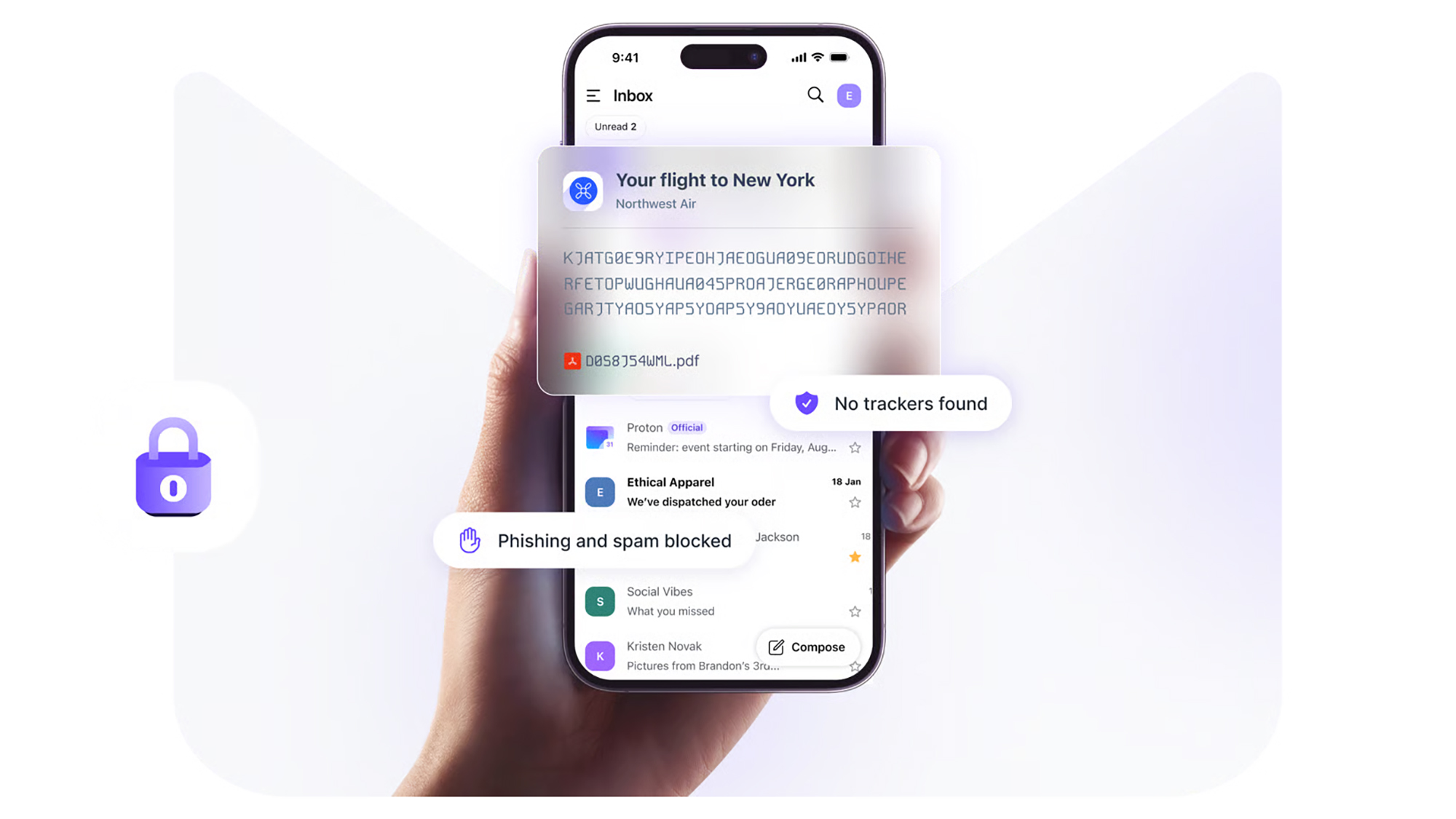
Proton Mail focuses on security and privacy. Image: Proton
Gmail vs Proton Mail: Key features
When it comes to key features, both Gmail and Proton Mail have plenty to offer, though with Proton Mail your use of labels and filters is restricted on the free plan. It supports folders though, which Gmail doesn’t. And if you pay for Proton Mail, you can set up multiple email addresses to work through one inbox, which again Gmail doesn’t support.
It’s similar with the email scheduling and snoozing features, and automatic email forwarding to another inbox. This is all free in Gmail, and requires a subscription in Proton Mail. There is also an undo send feature on both platforms, free of charge, that you can use to quickly bring back messages you’ve sent in error.
Ideally, you need to be paying for Proton Mail: Otherwise you run into restrictions on filters, folders, and labels, and the number of messages you can send (150 per day). With Gmail, all of this is supported by advertising and data collection This is the distinction Proton focuses on: You’ll never see a single advert inside Proton’s products.
Gmail vs Proton Mail: Interface
Both Gmail and Proton Mail offer a clean, modern-looking app interface that’s easy to navigate around and intuitive in the way it works. Both platforms let you customize the interface too—so you can tailor the look and feel to suit yourself (Gmail does offer more in the way of tweaks, however).
Both email platforms support keyboard shortcuts on the desktop, which can be very helpful for powering through emails and clearing out your inbox. There’s also well-done integration with the other apps offered by these companies—including Google Drive and Proton Drive, and Google Calendar and Proton Calendar.
You could argue that the Gmail app is a little bit more polished, especially on mobile, but there’s not much in it. Both platforms support conversation grouping, where emails from the same thread are bunched together for easy reference (but both also let you turn this off, if you prefer the traditional approach).
Gmail vs Proton Mail: Privacy
While Gmail may be ahead on the scorecard up to this point, it’s here that Proton Mail strikes back. The Proton offering is way ahead here, and offers full end-to-end encryption for your emails, plus password-protected emails, and expiration dates for emails.
Gmail provides some of these features in a more limited way, but they’re not enabled by default, and aren’t as comprehensive as the Proton Mail equivalent. While Google’s email servers are encrypted, Google holds the decryption keys—so messages can be accessed by Google or agencies approved by Google. The full, end-to-end encryption that Proton Mail provides means no one but you can read your emails.
Both these platforms do well in terms of anti-spam and anti-virus protection for your inbox. But on other privacy and security features, Proton Mail wins: The VPN bundled with all plans (even the free one), for instance, and the complete absence of ads.
Gmail is packed with features and functions. Image: Google
Gmail vs Proton Mail: Verdict
As you can see, the primary reason to switch to Proton Mail from Gmail is privacy and security. And if that’s what’s most important to you, then you’ll probably be okay with paying a few dollars more a month to get those features, and to make sure you’re not being tracked or advertised to in your inbox.
There’s still a lot to be said for Gmail though. It’s ubiquitous and compatible with a host of third-party apps and tools, it’s got loads of customization options and other features to play around with, and if you can stick under the 15GB storage limit then you get unlimited use of everything for free, too.
You also need to think of the inconvenience cost, of course, and it may take a while before all your contacts are right up to date with your new email address. Of course, if there are some contacts you’d rather not hear from again in the future, then switch away.
 Login
Login