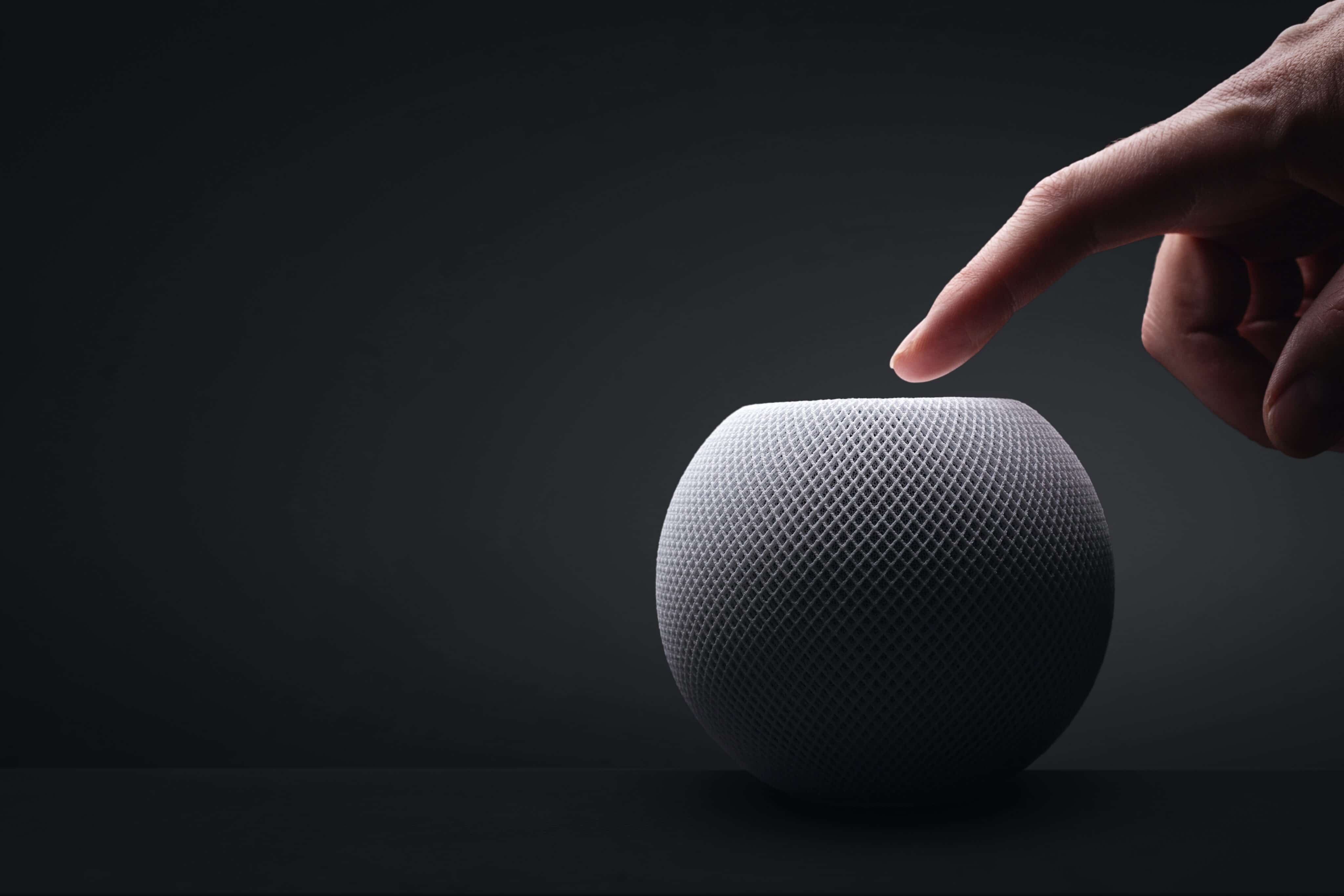
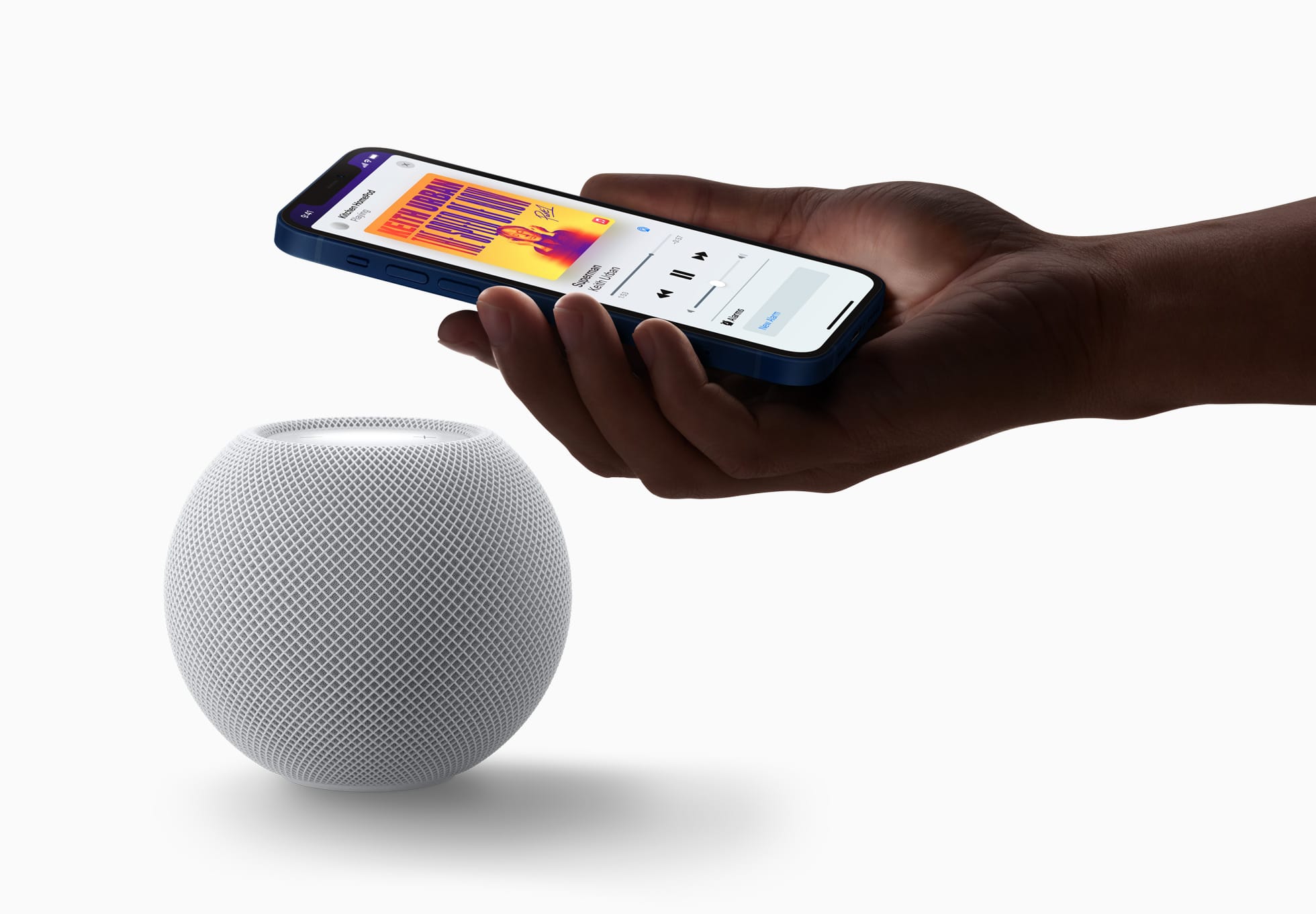
Apple finally announced its new HomeView smart display after a long wait. Fans wondered why the brand took so much time to release this heavily anticipated gadget, which was originally aimed for an early 2025 release. Now, executives are speaking up about the long delays. It turns out the hardware was basically ready for years, […]
In a MacVoices After Dark supplemental, members of the panel continue their discussion of Apple’s HomeView and Apple TV announcements. Pricing, functionality, and real-world value are debated as they examine HomeView’s potential as a smart home controller, its limitations compared to an iPad, and possible future capabilities. Apple TV’s higher price raises questions about performance, […]
Apple’s new HomePod mini 2 and Apple TV 4K spark debate over pricing, surround sound capabilities, compatibility, and the value of upgrading. The MacVoices Live! panel examines Apple’s premium streaming experience, compares competing devices from Roku and Amazon, and disagree about whether new features justify higher costs. Storage, performance, advertising, and smart TV privacy concerns round out a discussion of the latest iteration of Apple’s home entertainment strategy.
Yesterday, Wired reported that third-party apps with CarPlay functionality would be available on Apple’s new HomeView device. That struck me as odd. I was expecting, and I think many others were at least hoping, that the HomeView would be a new platform for building apps. And while strictly speaking that doesn’t seem to be the case, in an entirely different way it is. Here’s what’s going on.
Apple’s original press release caused some confusion because it doesn’t spell out the CarPlay angle. Instead, it simply says that the HomeView supports “compatible third-party audio and video apps,” and “[s]elect apps require a paired and compatible iPhone nearby,” which is also a CarPlay requirement. That press release also mentioned the HomeView’s ability to use widgets and access personal context without ever mentioning whether that applies to third-party apps.
On Apple HomeView, people can place widgets on the Modular face and the Home Screen. Widgets on HomeView are from the small system family, and share the appearance of iPhone widgets. A person chooses widgets from among those already installed on HomeView, like Weather or World Clock, or from their individually connected iPad or iPhone.
As for whether Siri can access third-party data and actions, I suspect the answer is yes. Apple’s press release called out personal context specifically, which was confirmed by Apple’s Kaiann Drance and Lilian Rincon in an interview with Reuters. So, for example, you can presumably use the HomeView to retrieve an old message from the Messages app on your iPhone. The Q&A section on the HomeView product page also mentions taking action across apps with Siri. That strongly suggests that the HomeView’s functionality will be the same as the new HomePod mini 2’s when it gains Siri AI capabilities, even though I haven’t seen anything from Apple that addresses whether that sort of Siri integration extends to third-party apps directly.
So, as of today, Apple has documented support for CarPlay audio and video apps and small widgets. I suspect Siri AI will provide another route, too. That limited app model may disappoint some, but I think it points to where personal assistants are heading. Apps aren’t going away, but the need for a separate app on every device is.
Siri, with apps integrated through App Intents, is emerging as a new UI. Developers who have adopted that technology already give users ways to interact with their apps beyond the apps themselves. I expect HomeView will extend that opportunity even further without requiring developers to build for an entirely new device. If it does, that’s a win for developers and users alike, and perhaps just the tip of the iceberg in a world where computing extends beyond apps.
Apple’s new HomeView takes center stage (no pun intended) as the panel examines its design, features, pricing, and potential role in the smart home. From tabletop and wall-mounted models to HomeKit integration, FaceTime, calendars, and home automation, the discussion explores practical uses and limitations. Panelists who have already ordered HomeView share their buying decisions, while […]
Apple today announced Apple Home Collection, a new lineup of smart home accessories — including indoor and outdoor cameras, thermostats, temperature sensors, and a video doorbell and door lock — designed in collaboration with LG Electronics and Schneider Electric. These new accessories are simple to set up starting with one tap with iPhone, and everything is managed through the Apple Home app — no separate app or account required. Each accessory is encrypted end-to-end in Apple Home, so only users and the people they choose can access their home data.
[…]
LG’s Video Doorbell offers dual cameras that capture separate views of visitors and packages — allowing users to switch between the front and bottom camera views seamlessly — along with a built-in spotlight and a chime that plays through HomeView, HomePod, and HomePod mini. The front camera captures 2.5K resolution video, and the bottom camera captures full HD resolution.
LG’s Floodlight Cam delivers powerful perimeter monitoring with adaptive dual floodlights that activate automatically when motion is detected, and low-light color night vision that preserves clarity in darker conditions so users can see more of what’s happening outside.
[…]
LG’s Smart Deadbolt Lock brings a new level of convenience to home access. Using Ultra Wideband technology, the lock can tell how close a user is and when they’re approaching the door. As a user with a home key on a compatible iPhone or Apple Watch walks up, the door unlocks automatically, with no tapping required.
[…]
Two new Smart Thermostats are available — one from LG Electronics and one from Schneider Electric — so users can choose the product that best fits their home’s broader energy ecosystem.
The thing that makes this partnership awkward for Apple is that these products — doorbells, cameras, deadbolt locks — are products that require the utmost of trust. What products could possibly require more trust than a camera with footage of what’s going on in or at your home, or a lock that controls who can get in? I think that’s why Apple wants to get into this market with products that they can put their stamp of approval on. But LG, of all companies, was just exposed in a scandal for shipping “smart” TVs that literally listen to the ambient audio in the room — even in standby! — and invade your privacy by tracking what content appears on screen.
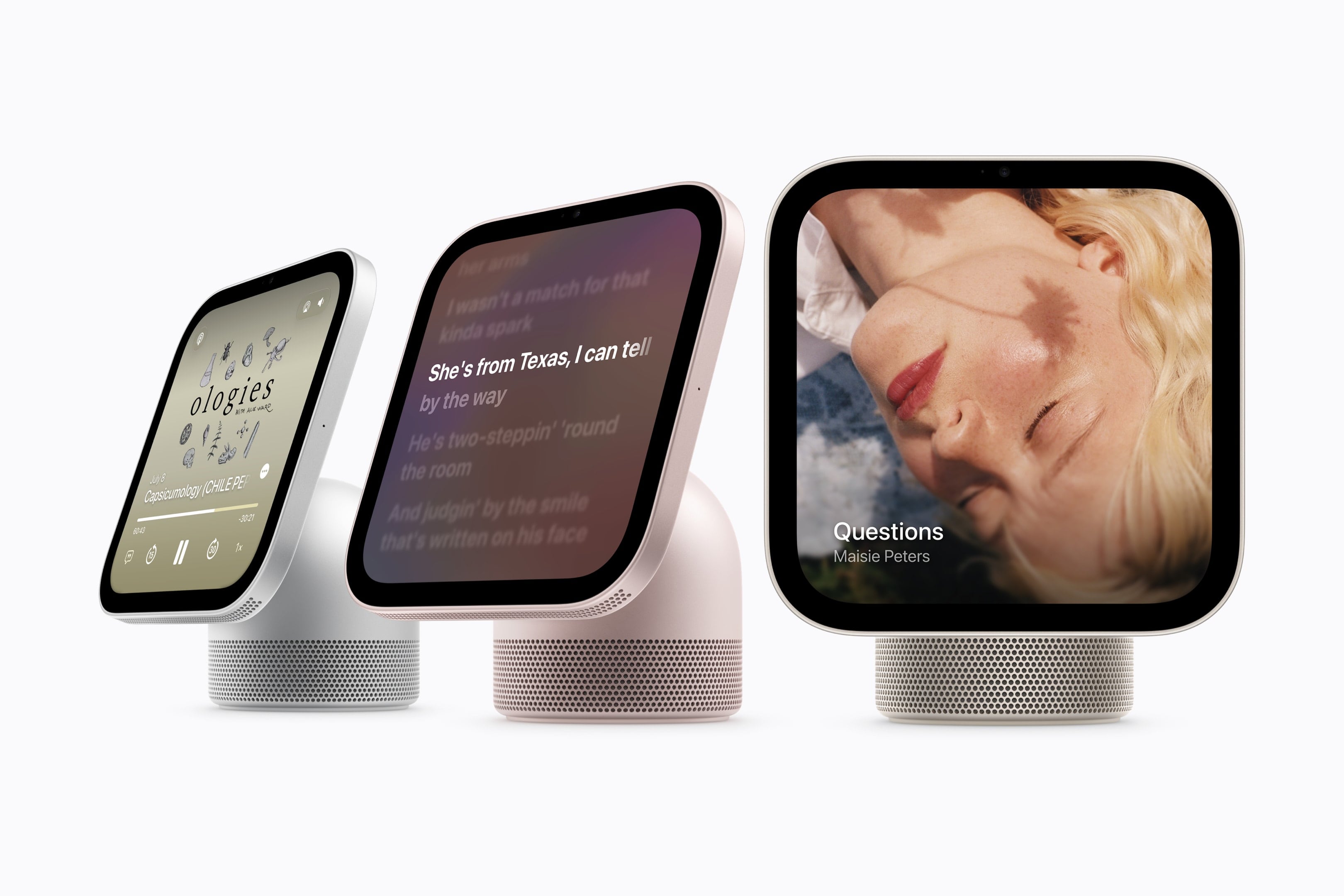
Apple today introduced Apple HomeView, designed to be central to the home and personal to everyone in it. With a stunning 7-inch Liquid Retina display, HomeView brings entertainment, connection, and smart home management together in one place, from playing music and making FaceTime calls to home monitoring and hands-free automations with voice control — all designed with privacy and security at the core. HomeView recognizes users by their faces, adapting so they can access their personal content in Messages, FaceTime, Calendar, Reminders, and Find My.
[…]
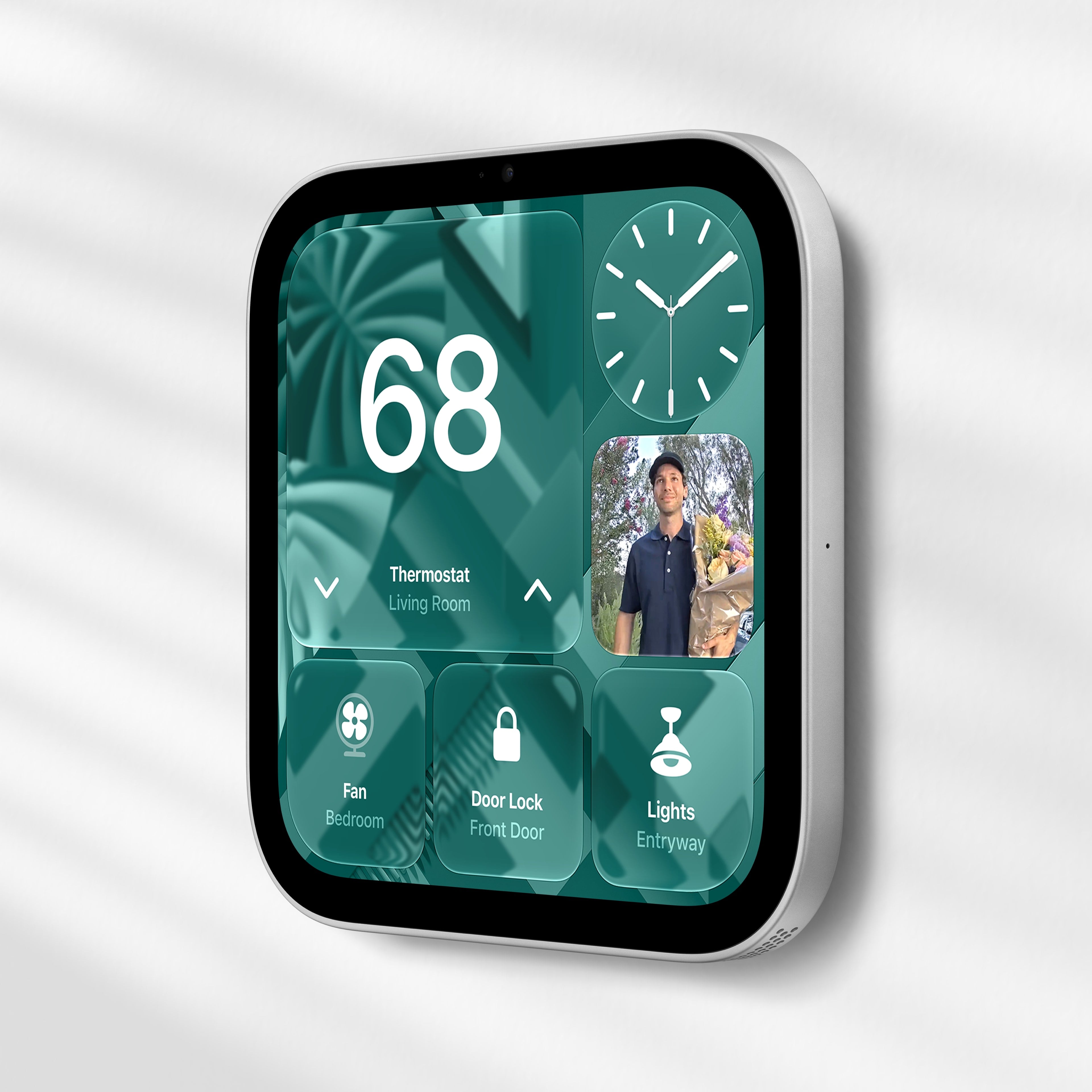
Designed to fit in any space, HomeView can be placed on a tabletop as the center of the home or wall-mounted to fit in spaces like the entryway or hallway.
I guess the best part is the price. $299 (not including wall mount) is less than the base iPad and the same as the Apple TV. But I just can’t imagine what I would use this thing for. It does not seem more appealing than an iPhone or HomePod for any tasks. I wouldn’t want to dedicate any kitchen space for it, and the cord is a problem. Why would I not just use an old iPad or iPhone, which are wireless and support apps and standalone video? Maybe it would be interesting if it could do something extra, like act as a Time Capsule.
HomeView does not have FaceID. I asked about this and Apple reps said that first, your home is (reasonably!) presumed to be a safe space. But in order for users to be recognized — by voice or face — they must have a “registered [non-watch] personal device” that supports Apple Intelligence and Siri AI, that device must be present on the home’s Wi-Fi network, and it must have been recently unlocked.
It doesn’t have an App Store. Instead, Apple has a curated selection of apps, including FaceTime, Messages, and Safari. A handful of third-party media apps like Spotify are available, and developers can bring over existing CarPlay apps. If your iPhone already has one of these CarPlay apps installed, it can automatically appear on the HomeView after setup. (There are no video streaming apps like YouTube, Netflix, or Disney+, but if those companies choose to make their apps available on the CarPlay framework, they will show up on the HomeView; for now, you’ll have to consume videos by using the Safari browser.)
Beyond that, though, it seems like HomeView is at least starting life as a very limited app platform. Apple does say that if you make a Siri AI query for your personal content, it will search everything on your iPhone or iPad—and that includes apps that aren’t on the HomeView. So you should be able to query your iPhone apps, but not actually run them.
I do think I want one, but there are a few things to settle besides price and value. For starters, having more screens in the house doesn’t seem like a winning proposition (the HomePods we’ve got work OK for alarms, reminders, etc.), and the American fascination with the kitchen island (which, by the way, needs power sockets in the middle…) doesn’t translate to European flats.
Wait… I just noticed something else from the HomeView video🤔
When she goes to grab the HomeView, you can see her right hand reach out to grab the lower right hand corner of the screen. But then the cut shows her grab the top of the base to rotate it?
Did they not like the cut where the entire base rotates? (This would would have shown the USB-C plug rotate along with the entire unit)
Folks speculating HomeView is the tail end of Tim Cook’s product “leadership,” but 1) Ternus is the CEO and can torpedo it if he thinks it’s a stinker. 2) He’s also the guy who spearheaded iPad’s “what’s a computer?” campaign and the idea that an iPad was a viable replacement.
The biggest issue with Apple’s Home ecosystem is the absolutely garbage Home app. Still, in 2026, there is a tab dedicated fully to buying more smart home gadgets (aka, an ad) within the iOS Home app and it can’t be removed. Yet rooms are buried up top. Pitiful.
This is the ONE THING (“One more thing”?) I’d been hoping to get from
@Apple
in this announcement: they were redoubling efforts on HomeKit/Home.app to make the ecosystem actually work better… annnnnd did not get that impression. At all.
IMHO, as an HomeKit user with dozens of devices in 2 Homes, there is SO MUCH low-hanging fruit that
@Apple
could be working on to improve the UX, it is pathetic.
The original HomePod didn’t come to the EU either for 5 months, and even then it was only in two countries. The original HomePod never came to Ireland at all, before it was discontinued. But if you only listened to the pundits, this is somehow now the DMA’s fault.
It is so convoluted that people will be having trouble understanding it, and if they have trouble understanding it they’ll be having trouble trusting it. Most of what it does involves somehow sucking in the juices from the people’s devices that cohabitate with it.
[…]
That it works at all is impressive, but will people really put their integrity in its hands? Between this and the various “always-listening” features of the recent Apple Watch releases, I’m thinking Apple has gotten a bit too high on its own supply.
Apple overhauled the external display APIs in iOS 27 for unclear reasons and replaced it with a ‘scene accessory’ API, which I believe powers the iPhone Duo’s both-screens-at-once entitlement-gated API.
Enter HomeView, with its ‘CarPlay’ API, which is clearly a stopgap solution that will please nobody.
But if we’re beaming UI from a connected iPhone, the external scene accessory API suddenly looks more promising. That way you could do ‘real’ apps without an App Store.
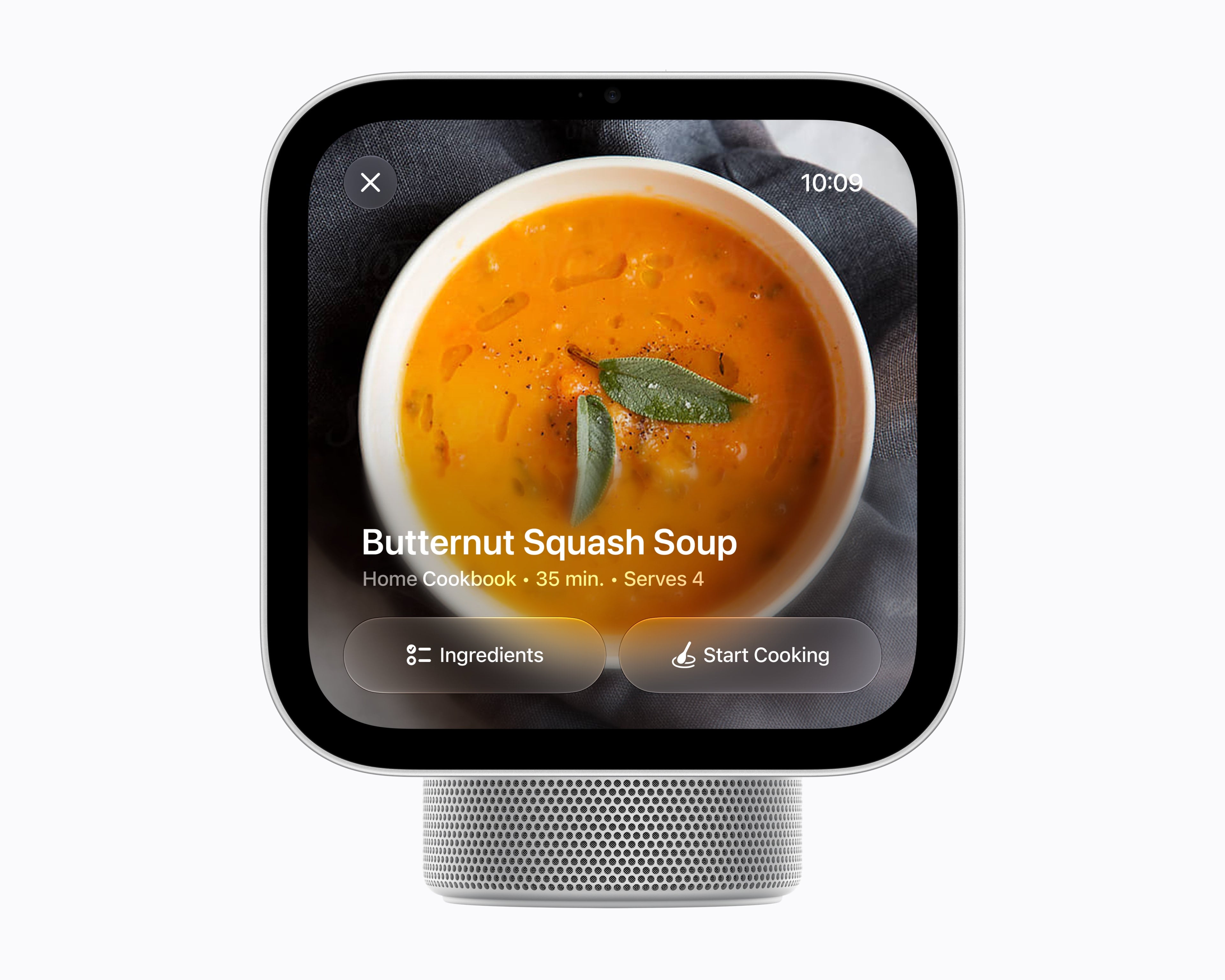
I do think the basic concept is an intriguing idea. But as an implementation of that concept, my initial impressions are threefold. First, I am unconvinced that anyone in a family would use this for anything other than playing music or podcasts, rather than just using their phones. And if that’s the case, why not just have a HomePod? Apple’s video shows family members taking turns to use the HomeView, rotating it on the kitchen island to face themselves. Why? Why does the mom check her calendar on this, rather than on her iPhone, while the dad is using it to follow a French toast recipe? There’s a real “Why do we need this?” question here and I don’t think Apple’s video answers it, at all.
I don’t have a HomeView yet. But I’m excited to own one.
[…]
I’m confident that Apple won’t show endlessly scrolling promos on that screen.
[…]
Yes, my phone shows those things. Yes, my Apple Watch shows those things. But I like that data being glanceable and not requiring I look at a full-on distraction machine. I’m thinking the HomeView might be the Kindle hardware of tiny bits of data I want.
Apple postponed the HomeView repeatedly — first until spring 2025, then summer, then fall, and then again throughout 2026 before finally unveiling it this past week. And the hardware betrays its age. With thick bezels, an A18 processor and 8 gigabytes of memory, this is clearly a product conceived years ago. Finished units have been sitting boxed up in warehouses for the better part of a year, waiting for the software to catch up.
Apple produced a 3-minute promotional video that purports to show a “typical” family using a HomeView. The ad has drawn criticism from John Gruber and TidBITS readers, who were horrified by the behaviors portrayed, and more to the point, it doesn’t seem to show the HomeView making life any better. Certainly, nothing in that video matches how any “typical” morning has ever gone in our household.
Although we use our HomePods heavily to turn lights on and off and listen to music, it’s hard to think of much else we would choose to do on the HomeView.
[…]
As someone who cooks seriously, I’m skeptical of HomeView’s one-step-at-a-time approach.
I cook a lot and can’t imagine using HomeView for recipes. I always reformat and edit them beforehand. I print them out so I can jot notes as I’m cooking and easily see more than one at once without having to fiddle with a screen.
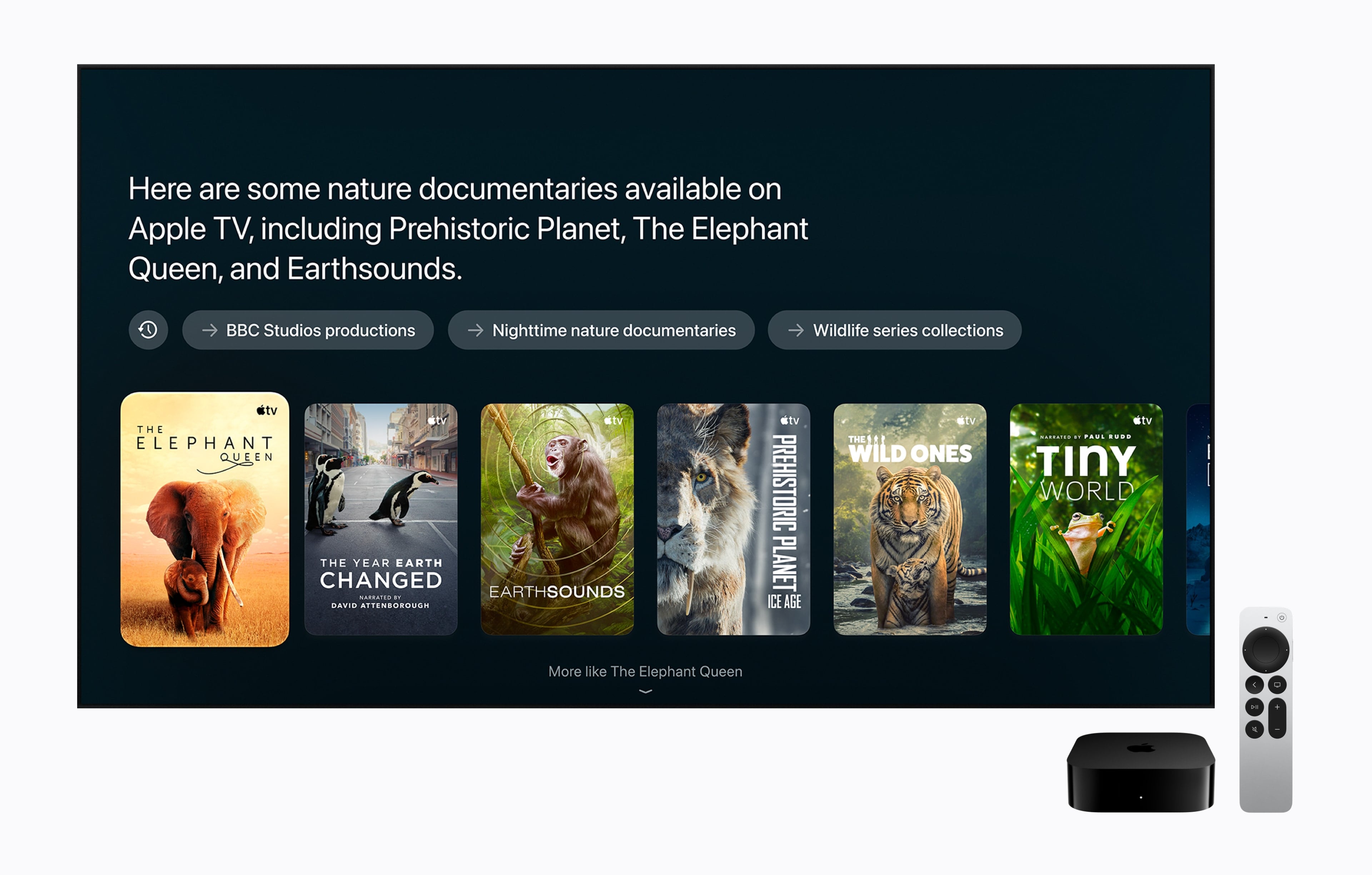
Apple today announced the next generation of Apple TV 4K, delivering its most immersive home theater experience yet. The new Apple TV 4K features Siri AI, an entirely new version of Siri powered by the next generation of Apple Intelligence, transforming how users search for, discover, and enjoy their favorite movies and TV shows through a full-screen Siri AI experience. With built-in far-field microphones, Apple TV 4K also lets users talk to Siri completely hands-free.
[…]
The A19 chip in the new Apple TV 4K delivers up to 50 percent faster CPU performance and up to 2x faster GPU performance than the previous generation, for greater responsiveness, faster navigation, and smoother animations. The A19 chip also includes a new, dedicated AV1 decoder, enabling more efficient, high-quality streaming while using less bandwidth.
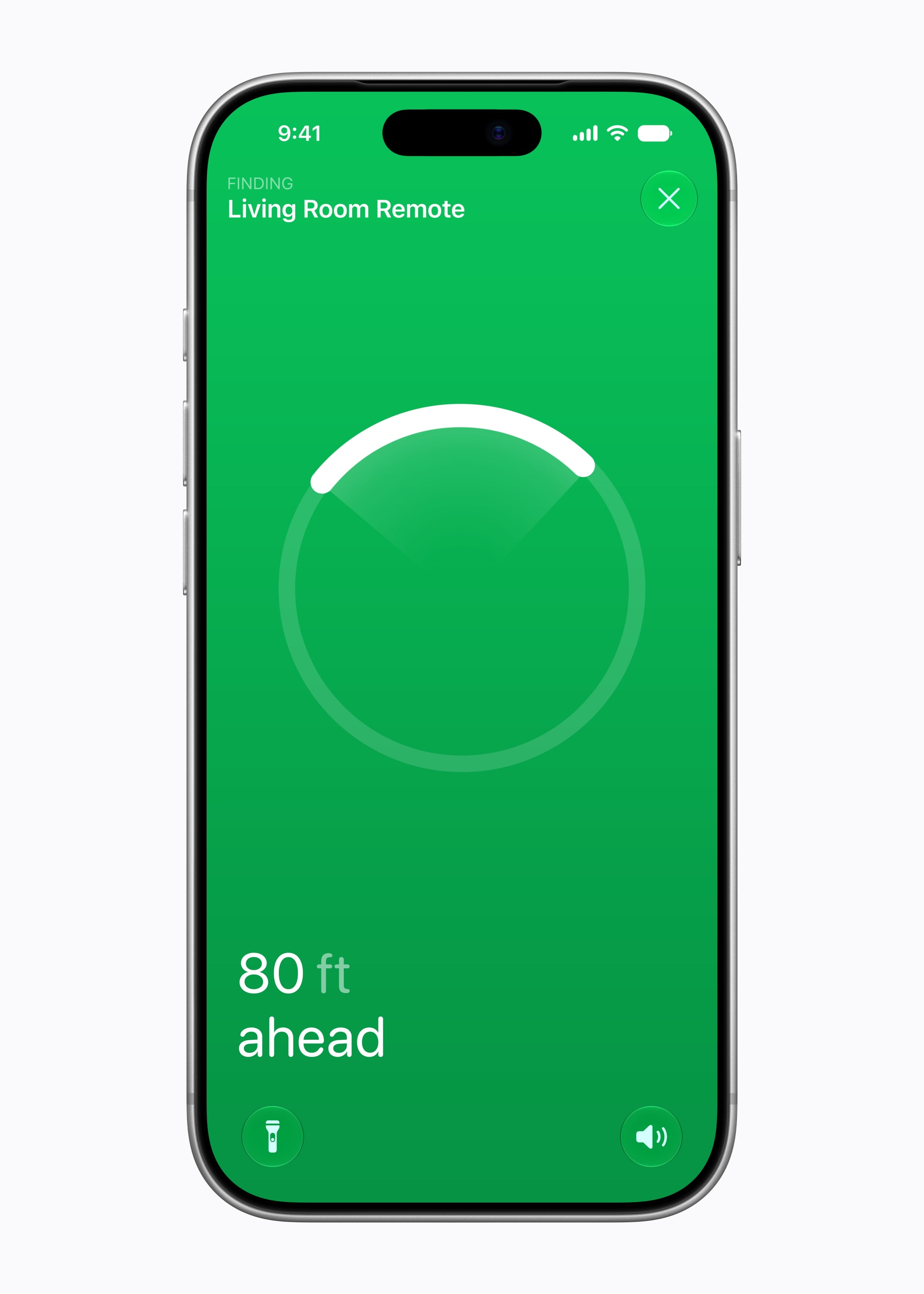
The new Siri Remote keeps its familiar design while adding Find My support with Precision Finding and an option to play a sound on the remote — making it far easier to locate.
The price is now $299. Apple TV doesn’t get updated very often, so if you need one I guess now is the time to buy.
But I’ve really soured on this product. The software design is worse than when I bought it. I just want a basic interface like the iTunes column browser. Instead, we get all this extra stuff so that the text I care about is secondary, truncated, and obscured. It seems designed to hide the content I want to see, and which I am in the middle of watching, while constantly promoting what Apple wants me to watch. The search has always been bad and is still bad. The main thing it’s supposed to do is play video, and lately that’s been failing, too. It either won’t play at all or it’ll play for a while, and then after a commercial break it will switch to a different episode.
I’m considering just getting a $40 Fire TV Stick to see whether things are any better over there. Maybe the privacy is worse, but I have to weigh that against the product actually working. We watch TV to relax in the evening, and instead I keep getting agitated that either it didn’t work at all or we had to go through hassles like logging in again or rebooting. I would miss the screensaver, though.
1. There is nothing compelling here for existing owners.
2. The price is so high compared to Roku or Fire that it’s hard to justify telling friends to upgrade for the better experience.
Apple should probably, at the very least, have kept the existing 64GB box at a lower price point, and bundled in a year of Apple TV+, to work with market.
[…]
It’s about “WTF is Apple thinking? Who is this targeted at?”
We have three products released today all of which look like flailing.
[…]
I’ve been on team Apple (customer and employee) since 1990. This is the first time (even including the Wired Pray cover days) that I feel genuinely worried that Apple is fumbling the future.
I don’t understand the direction the team working on the Apple TV has been given. I know people are excited by it, because they’ve been waiting to buy the best one, and cycle the old ones down to lesser TVs in their homes, but this update is going to be around next year and the year after so it’s worth thinking about it from that point of view. What will you get out of this when it isn’t just “new”? A microphone array? Chip bumps?
According to Apple’s footnotes, Precision Finding requires an iPhone Duo, iPhone Air, or iPhone 17 or later, excluding the iPhone 17e. Compatible iPhones must run the latest version of iOS, and availability varies by region.
The restriction is particularly notable because the iPhone 15 lineup and most iPhone 16 models already feature Apple’s second-generation Ultra Wideband chip. Those iPhones support expanded Precision Finding with the AirTag 2, but they can’t use the new Siri Remote’s Precision Finding feature.
I’m sure the graphics and CPU improvements matter for gaming, but the only mention of gaming in Apple’s own Newsroom announcement is this sentence: “With Apple Fitness+, the living room becomes a workout studio, while Apple Arcade and the App Store’s library of games turn it into a home arcade.” I wish it were otherwise, but gaming is such an afterthought on Apple TV that it only garnered the second half of a sentence that started with Fitness+, a service that has only been in the news this year because Mark Gurman says Apple laid off part of the team.
You can pre-order a 128 GB fourth-generation Apple TV 4K with Wi-Fi and gigabit Ethernet for $299, and it ships on 13 November 2026. In comparison, the third-generation model started at $129 for 64 GB with Wi-Fi and $149 for 128 GB with added Ethernet. In June, Apple raised those prices to $199 and $249 (see “Apple Raises Prices for Many Products,” 26 June 2026). Apple eliminated the lower-capacity option, so now we have only the higher-end model at twice its initial price.
For the people who do care, who do want something better, the options are more limited. Amazon’s Fire TV Cube is $199. Roku’s “Ultra” is $149. The Google TV streamer, my favorite of all the non-Apple products on the market, is $150.
When you could get an Apple TV starting at $199, you could spot Apple playing its usual game—not the low-price leader, but in the ballpark. At $299, though, it becomes a lot harder for me to convince my relative who is complaining about how slow and terrible their streaming interface is to spring for the Apple one and solve their problems.
[…]
I’ve seen some commentators suggest this is a good thing because it “simplifies the product line.”
I don’t follow that argument at all. Having a cheaper product is good, because not only do some people not need Ethernet or large amounts of storage on a streamer box, but lower prices broaden the market!
Inflation adjusted, a $69 Apple TV box today would cost a little under $99. Even if we only consider the $99 price in 2015 dollars, that’s about $137 in today’s dollars. Round that up to $150 and it would still be half the price of the only Apple TV hardware Apple now sells: this week’s new 4th-gen Apple TV 4K.
The new Siri Remote, with precision Find My support (and a speaker), is compatible with all prior generations of Apple TV 4K. So if you just want the new remote you can just buy the new remote. But it costs $59, which is almost as much as an entire Apple TV (with remote, of course) did in 2015.
I wondered what the entry-level, initial price of each Apple TV box at introduction was, from the March 2007 original to the Apple TV 4K (4th generation) announced October 13, 2026, adjusted for inflation. So I charted it.
Apple today announced HomePod mini 2, featuring Siri AI, gorgeous new colors, and enhanced audio experiences. Siri AI, coming to HomePod mini 2 in a future software update, is a profoundly more capable and conversational assistant with personal context understanding, broad world knowledge that powers tasks like richer music discovery, and the ability to tap into even more apps — bringing a whole new level of capability to HomePod mini.
[…]
With Sound Glow, the top of HomePod mini transforms into a visual canvas that glows and pulses in sync with the music, reacting in real time to bass and treble.
[…]
Sound Recognition gives HomePod mini users peace of mind by listening for a smoke or carbon monoxide alarm and, if one is detected, sending a notification immediately to the user’s iPhone, iPad, and Apple Watch.
The price has increased from $99 to $149. Our HomePod is placed high enough that the top isn’t visible, anyway. I assume it still can’t play all my purchased music.
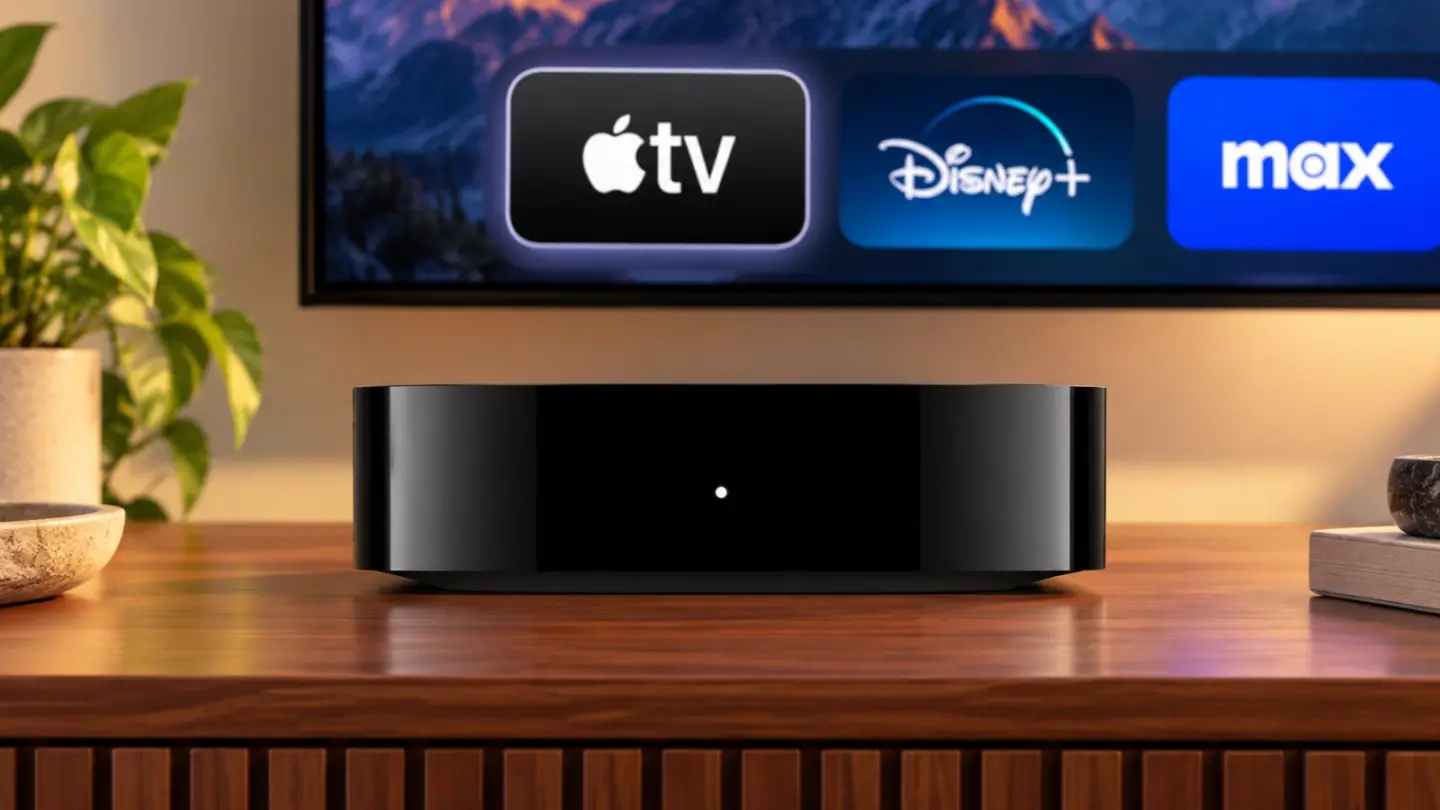
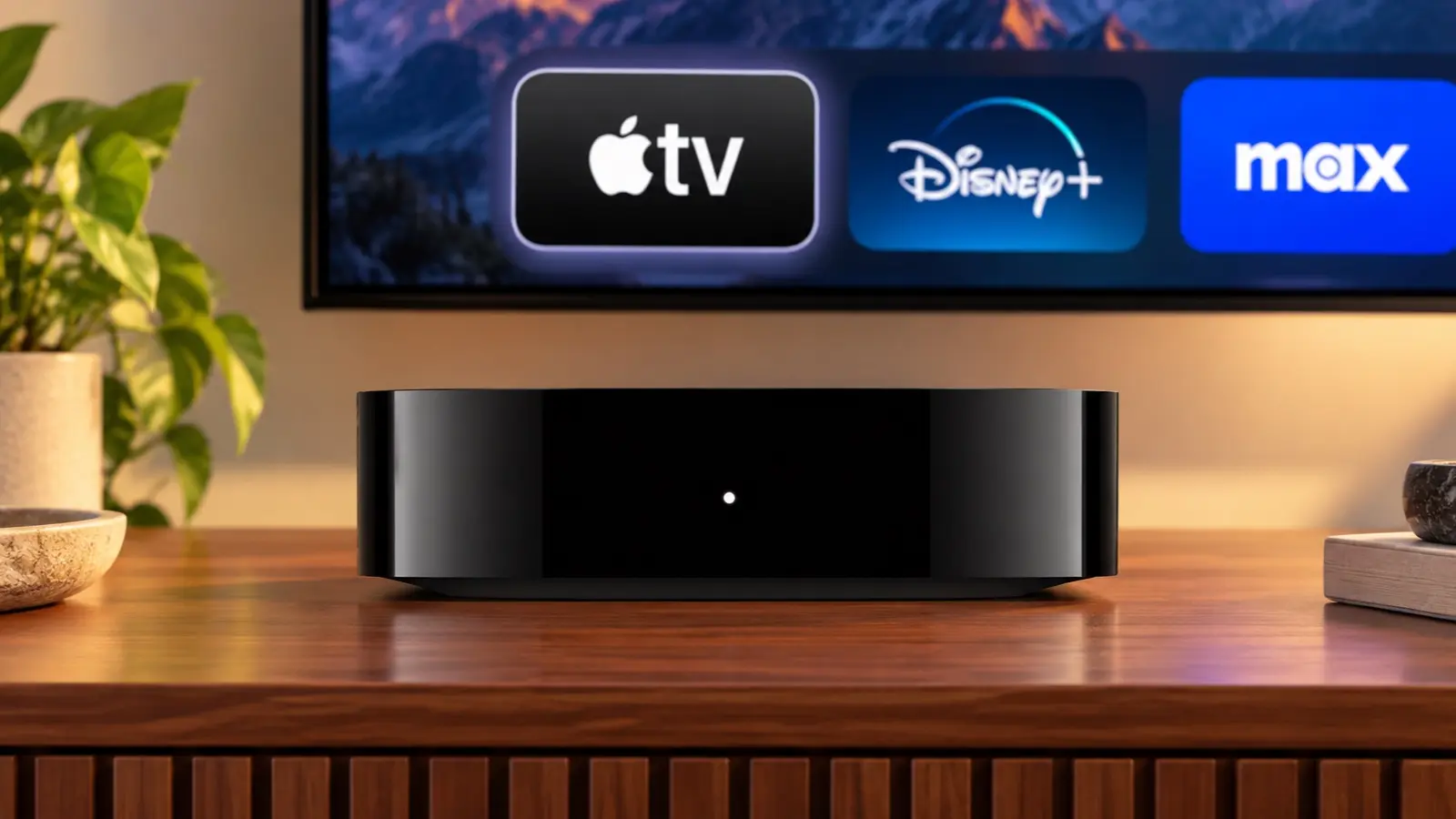
Apple also updated the Apple TV 4K today. Last updated in 2022, the Apple TV 4K’s fourth-generation update is focused on bringing an improved surround sound experience to the Apple TV, along with Siri AI. From the outside, the new Apple TV 4K looks like the old one: a nondescript black box that sits under your TV, but on the inside, the components have been upgraded. The Siri Remote has been updated too.
Source: Apple.
The updated Apple TV features Apple’s A19 chip with an AV1 decoder and three far-field microphones. The A19 chip has a faster CPU (a claimed 50% boost) and GPU (a claimed 2x improvement), which may come in handy when playing games. The microphones allow a user’s voice to be picked up by the Apple TV despite background noise, and Apple says Siri AI will enable new ways to discover what to watch on the device. It’s worth noting that Siri AI is available on the second- and third-generation Apple TV 4K, too. Other upgraded specs that are notable include Wi-Fi 7 and Bluetooth 6.
Source: Apple.
Apple has also expanded the surround sound capabilities of the Apple TV. It can now be paired with four Apple HomePod mini 2s or second-generation HomePods or two pairs of each HomePod type. As for the Siri Remote, it now supports Precision Finding and can play a sound when used with the Find My app.
The new Apple TV 4K is a steep $299, which is disappointing but understandable given the update and 128GB of storage and can be preordered now in the U.S. and 29 other countries, with delivery and in-store availability on November 13.
Today, Apple announced the highly anticipated HomeView, a Siri AI-powered device for controlling your HomeKit devices and accessing other apps and services like Apple Music, your calendar, Reminders, Apple Podcasts, and more.
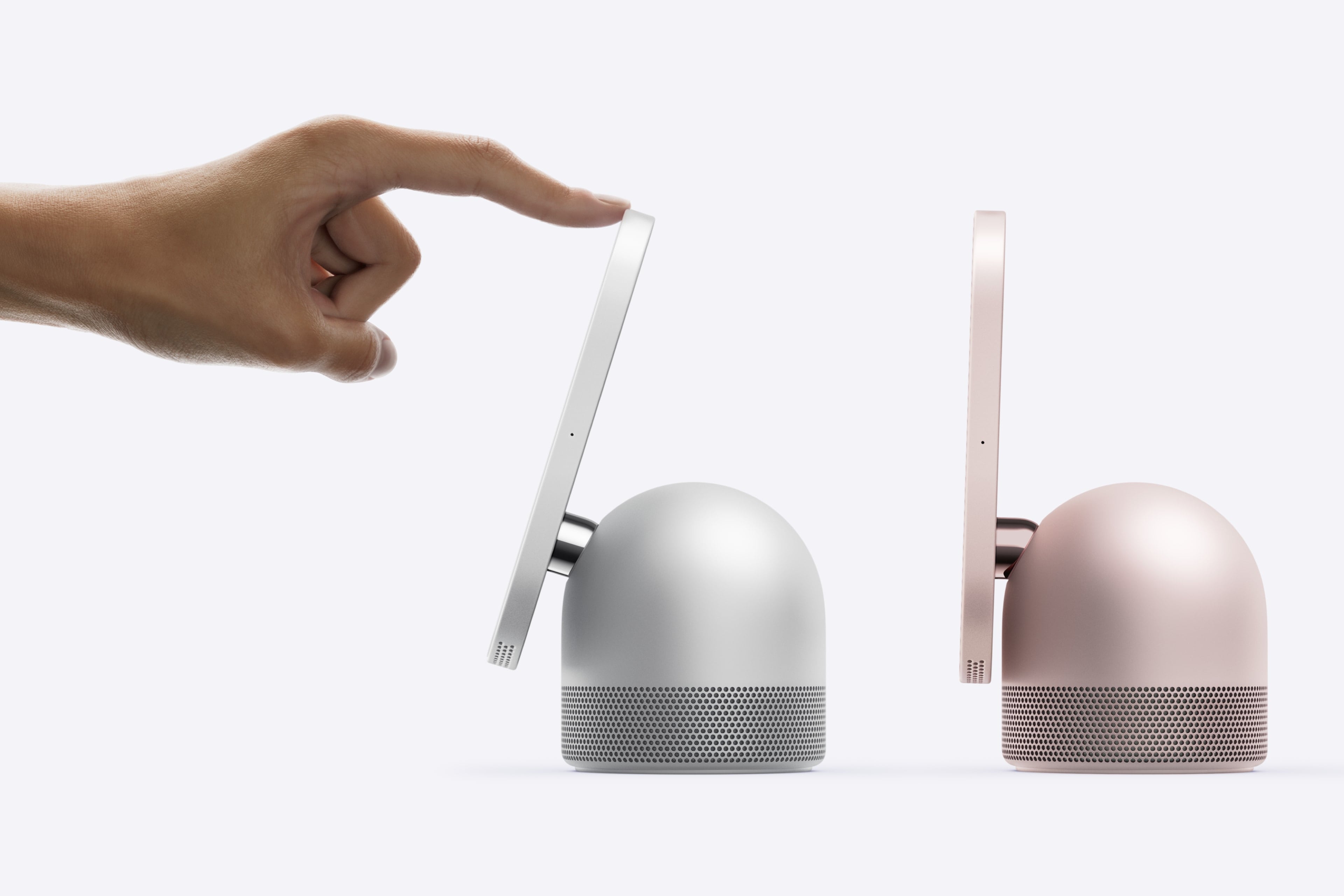
The table top HomeView’s screen tilts. Source: Apple.
HomeView comes in two configurations, each of which is $299 and will launch on November 13 and can be preordered today. The first sits on a flat surface and has a domed aluminum base and a 7-inch Liquid Retina True Tone display that tilts. The base houses a downward-firing woofer and two force-cancelling passive radiators and the display has two drivers that support Spatial Audio.
The Wall Mounted HomeView. Source: Apple.
The second HomeView model is meant to be hung on a wall, but the functionality of both is roughly the same. The main difference being that the wall-mounted version lacks the other model’s base and its woofer.
HomeView faces. Source: Apple.
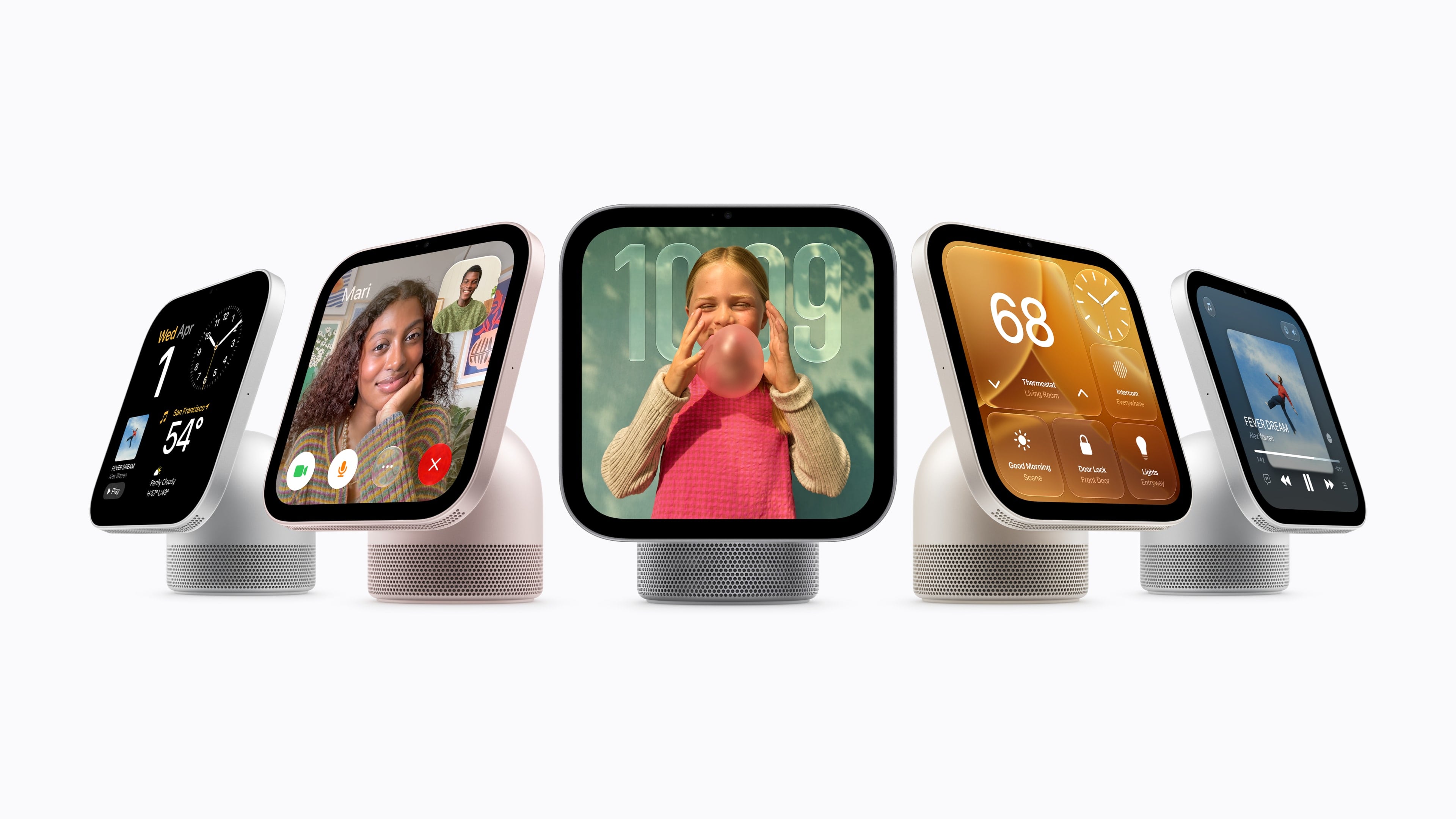
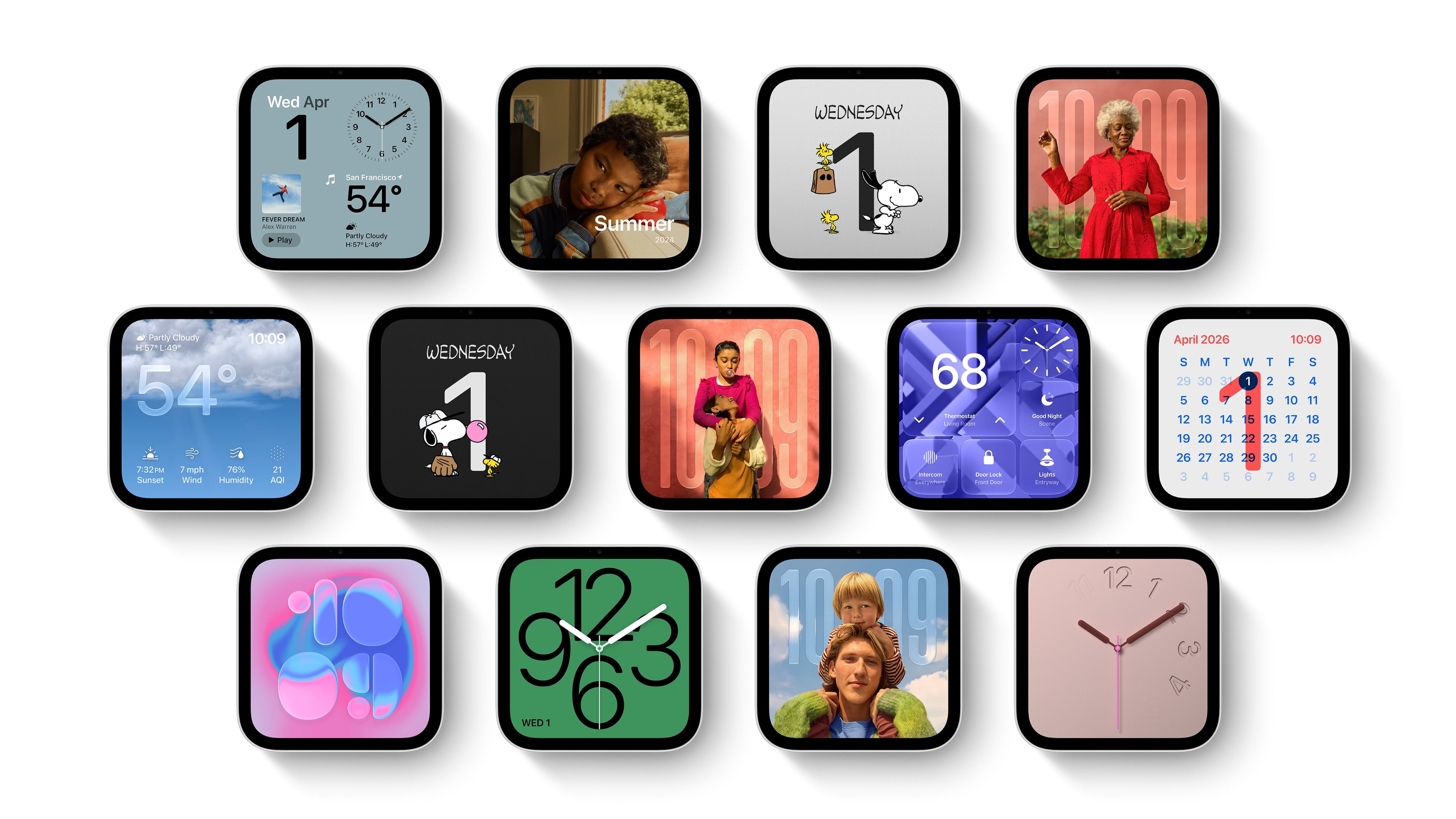
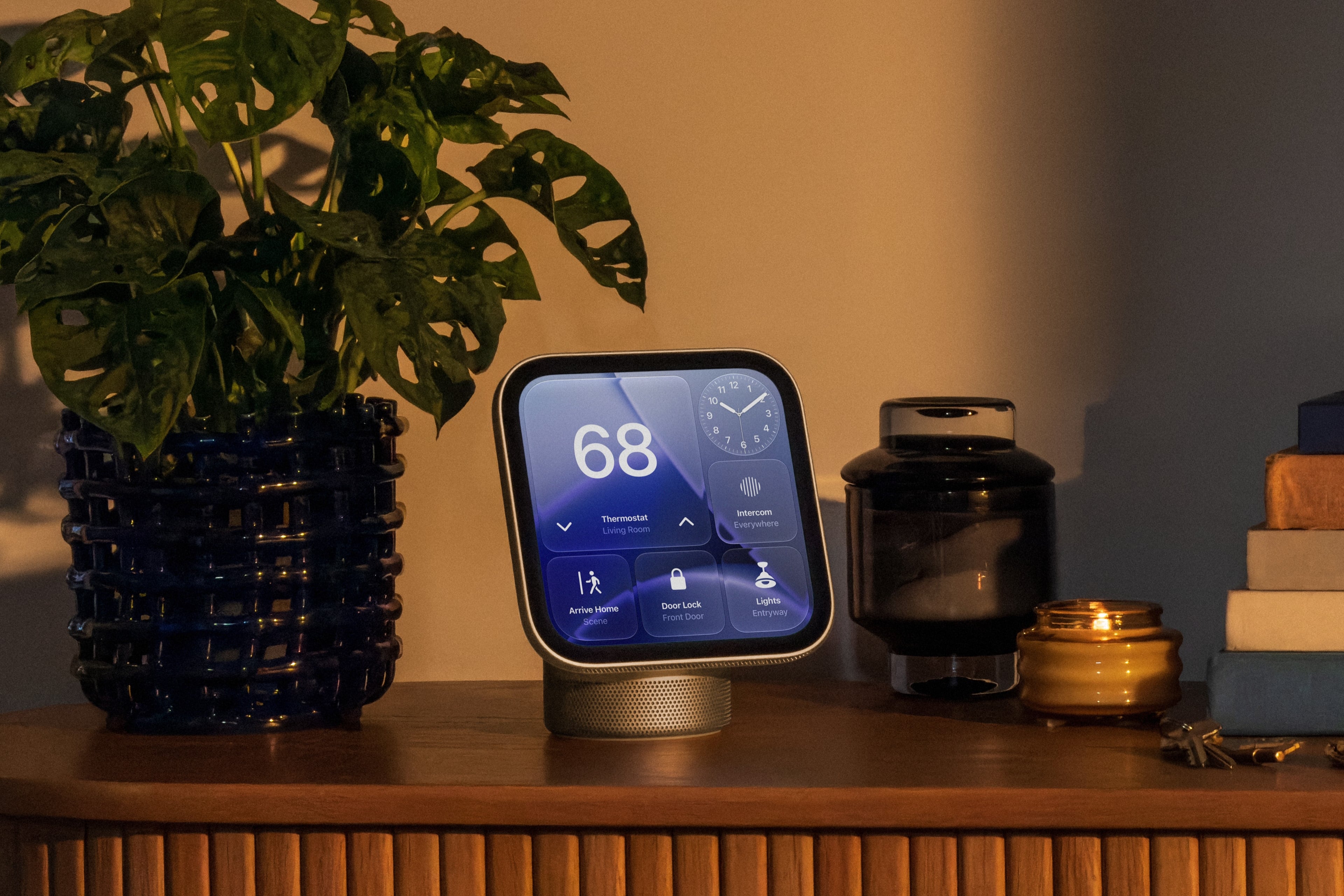
The HomeView features a series of customizable faces that are navigated by swipe gestures. There are faces for photos, weather, a clock, for example, which are reminiscent of Apple Watch faces. There are also tiles for controlling HomeKit devices and widgets for things like the weather and your calendar, which are similar to the iPhone’s StandBy Mode widgets.
As for apps, Apple includes a selection of their own apps like FaceTime, Music, Podcasts, TV, News, and Messages along with select video and audio apps from third parties. As a smart home hub, HomeView allows users to watch HomeKit camera feeds and control locks, thermostats, lights, blinds, and other compatible devices. Of course, Siri AI is a big part of the HomeView story, too, serving as a means for navigating the device’s UI, interacting with apps, and requesting information conversationally.
Source: Apple.
Under the hood, the HomeView is powered by an A18 chip with Secure Exclaves for processing audio and video data. According to Apple, Messages and Calendar content are only available when a user is recognized and their paired iPhone or iPad is present and recently unlocked.
Overall, I love the look of the HomeView and have been thinking about where I’d place it in my home as I write this. I also like the blend of concepts that draw from the Apple Watch, StandBy Mode, and widgets. My hope, though, is that the third-party developer story expands beyond the limited audio and video apps mentioned in Apple’s press release.
Preorders are live now in Australia, Canada, India, New Zealand, the UK, and the U.S. and will begin on Thursday, October 15, at 9 a.m. SGT in Singapore. The HomeView is not available in the EU because Siri AI is not available there.
For the wall-mounted version, Apple is offering a $59.95 USB-C Wall Connector and a $79.95 AC Wired option, both of which are available for preorder now in the U.S. A Power Mount PoE option will be available in early 2027 for $129.95 in the U.S., too.
Among its smart home product announcements on Tuesday, Apple announced the new HomePod mini 2, priced at $149 and powered by an S10 chip (introduced in the Apple Watch Series 10). Curiously, its banner feature—support for Siri AI—will not be available when the product ships on October 30.
According to Apple, Siri AI will come to the HomePod mini 2 “in a future software update.” When it does, Apple’s press release hints that it will be able to tap into personal context when paired with an Apple Intelligence-capable iPhone or iPad. When there’s no such device available, it’ll still have access to broader Siri AI functionality, but won’t have access to the treasure trove of data that rides with your device.
Of course, since home accessories are the order of the day, Apple has touted the HomePod mini 2’s integration with the broader home experience. Like its predecessor, you can use it to control home devices via voice commands. Apple’s also supporting a new four-speaker surround sound setup, when four HomePod minis are connected to the new Apple TV 4K.
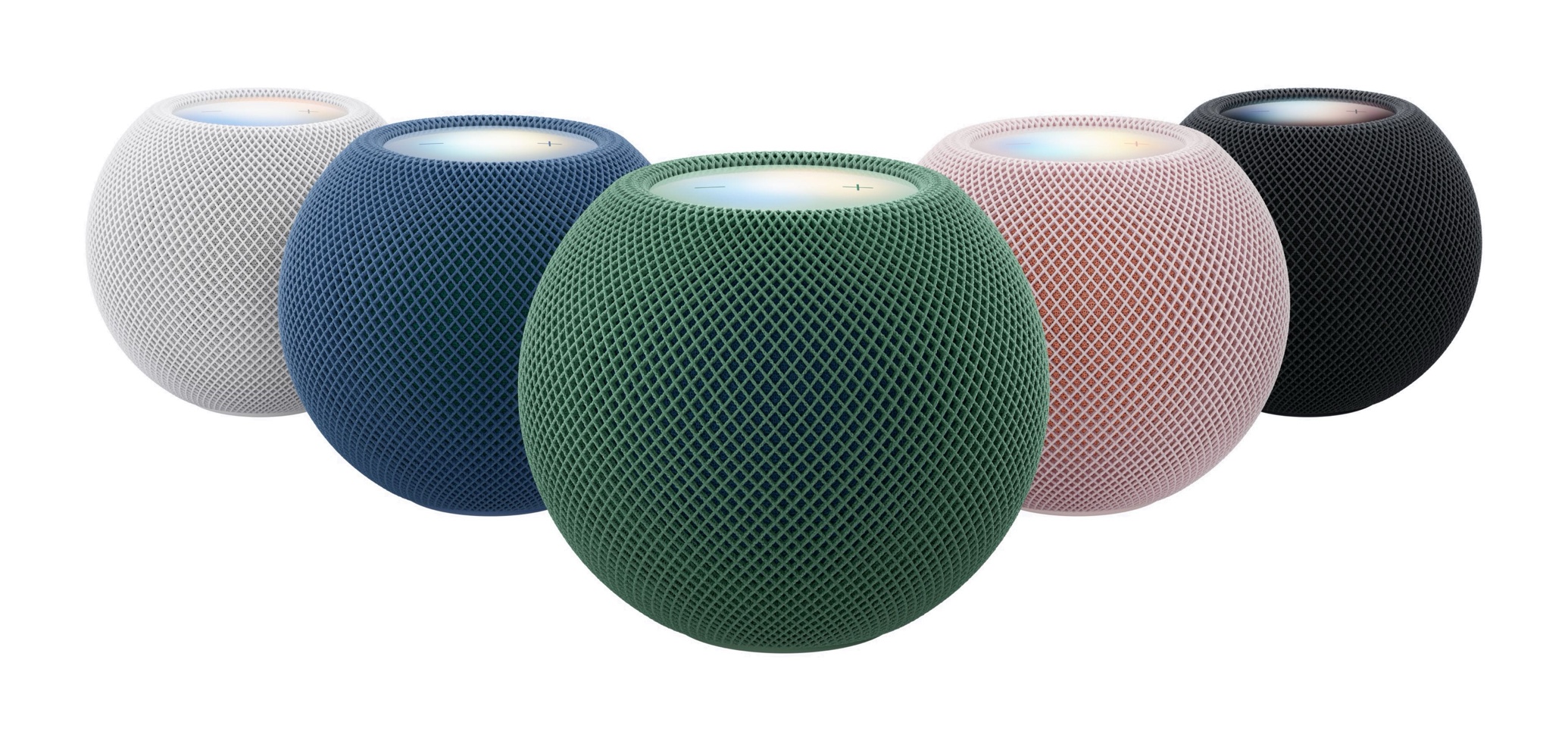
Apple also continues to tinker with that little glowing circle at the top of the HomePod, that’s not quite a display but is… something. The new Sound Glow feature turns it into a visualizer that is based on the sound of the currently playing song, and its color scheme will match the song’s associated album art.
I discovered that macOS 15.3 had enabled a feature that was phoning home every 15 minutes with personal data. And that I said “no” and turned it off.
[…]
And today I discovered that Apple had [in macOS 27] removed the “no” switch.
[…]
Digging through macOS 27 settings I turned off Siri (again). Of course, multiple unkillable Siri processes remain, stealing memory and writing data. For what purpose? Who knows. Note that they removed “Apple Intelligence” from this control.
[…]
All of this garbage was enabled after upgrading to macOS 27 despite me having “Apple Intelligence & Siri” turned off already. That was a rather explicit “no”, no?
Author claims the system setting “Privacy & Security > Apple Intelligence Report > Report Duration” with its 3 options [Off | 15 minutes | 7 days] sends that data to Apple with that frequency. This is wrong - this is a transparency report so that you as a user can see everything that is getting sent to Apple as a part of Apple Intelligence. Nothing additionally is getting sent to apple if you switch this away from “Off”.
To me, the main point of the post was about the missing off switch for Apple Intelligence itself. Bushell was forced into enabling a feature (and storage use) he had specifically turned off, and there is no option to block his data from being sent to Private Cloud Compute. But, yes, the first sentence I quoted from Bushell is wrong. The report feature isn’t periodically sending data to Apple; it’s reporting what was already sent. Turning it off does not add any additional privacy, except from someone snooping the report file directly on your Mac. Apple’s wording explaining the report was confusing but has improved somewhat in recent versions.
The panel explores first impressions of Siri AI, from image searches, weather, news, and Vision Pro visual recognition to unexpected limitations involving apps and personal context. The discussion also covers Steve Jobs and Apple Store history, Steve Wozniak’s new merchandise venture, Apple’s wearable market strength, GM’s continuing retreat from CarPlay, and Tim Cook’s expanding diplomatic role.
Siri AI is a completely reimagined version of Siri that is more personal and powerful. With detailed responses and rich, natural conversations, Siri AI helps users get more done than ever before.
Built on Apple Intelligence, this new version of Siri draws on personal context understanding to help users find what they need in the moment across messages, emails, photos, and more. And with even more systemwide app actions, Siri AI can help users with tasks such as drafting an email from scratch or editing and sharing a set of photos.
[…]
Siri AI already works seamlessly with apps from Apple’s vast ecosystem of developers. Users can continue to take action in the apps they already use with Siri, like texting a friend in WhatsApp or playing a book on Audible. And soon, users will be able to ask Siri AI to draft an email in Microsoft Outlook, search for a homework assignment in Notability, or add a restaurant recommendation to Tripsy.
With onscreen awareness, Siri AI can answer questions or take actions related to the content on a user’s screen. For example, while viewing their favorite sports team’s website, a user can ask Siri to find all the upcoming home games and add them directly to their calendar. And Siri AI can also use broad world knowledge to get up-to-date information on virtually any topic.
And these advantages sum up why I struggled to understand Siri AI at first. Is Siri AI only passable because it has an unfair advantage due to proprietary integrations that other AI models can’t use? Can it stand on its own as a good implementation of AI for most people? Does it fundamentally reinvent how we use our devices, or is it just a lot of hype for a slightly better Siri?
[…]
I find Siri AI’s underlying models to be subpar compared to the competition: for anything beyond a simple knowledge query, I can’t see Siri AI replacing ChatGPT and its superior reasoning modes combined with web search. For simpler queries – the kind that a Google AI overview could also capably answer – the balance of speed and terse formatting is optimal in Siri AI. If I’m watching a movie and want to know how old an actor is, or if I want to know the meaning of a word, Siri AI is perfect for it and I no longer need to reach for ChatGPT or my personal agent in Open Minis. As we’ll see later, I find the Siri app to be extremely barebones and representative of the state of the art for chatbot design…two years ago.
The lack of an “agent mode” for Siri AI stings, and it’s why I can’t replace my beloved Codex or Hermes Agent setups with it.
However, Siri AI eventually clicked for me for the opposite reason: it can do things in and with apps that no other third-party agent can. Yes, they are simpler actions, and, no, results aren’t always perfect; but if you love the Apple app ecosystem and prefer using excellent native apps to cross-platform web ones, Siri AI is a breath of fresh air in the AI landscape right now.
[…]
By and large, what Apple has built works, and as a user of Apple devices and the new Siri AI, you will never see any of its underlying complexity.
For years, I barely used Siri for anything beyond menial tasks like setting timers or alarms. That has changed with iOS 27, as I now repeatedly use Siri for complex requests and to make sense of on-screen context.
Apple may be the last company to embrace AI. But wow, was it worth the wait.
The new AI Siri came out this week as part of OS 27 for iPhone, iPad, Apple Watch, and Mac, and it’s a life changer. A phone changer. It replaces most Google searches, most ChatGPT or Claude interactions, and cumulative hours of fumbling and searching and dragging and copying and finding and tapping and pasting.
[…]
Now that the final version is out, I wanted to see how often it gets things right. It is AI, after all. So I ran it through 125 tests.
By default, Siri uses the Apple models described above, primarily the AFM 3 Cloud model (you can tell the local models can’t do much here because most Siri queries fail if you switch off your Internet connection). ChatGPT is still available in System Settings as an extension, with an option to make it speak using a different voice than Siri’s.
While Apple Intelligence as a whole can’t be turned off, users can opt out of the Siri AI beta at this point if they’d like. If you do this, you’ll be given the option to turn Siri off entirely or to use what Apple now dubs “Siri Classic.” In either mode, the UI for Spotlight reverts to its previous style.
The new Siri experience is so much like Copilot or the AI answers in Google Search that it barely seems worth remarking upon, which is both a comment about how “behind” its rivals Apple is in the AI race and how “caught up” Apple feels now that it has shipped something usable.
[…]
The Siri app isn’t much to look at, but I actually like that about it—I’ve lost track of the number of completely different Copilot apps Microsoft has shipped with Windows 11 and what the capabilities of those versions have been. Compared to that, it’s kind of nice to have a simple, clean, Mac-native app that just presents a chronological list of every question or conversation you’ve had with Siri.
So far the biggest single objection to Golden Gate has been the storage space required to support this. As I’ve shown in my own figures, this could be as low as 10 GB, but is more likely to be around 30 GB. Add to that the 28 GB or so required for the system itself, and that’s a substantial burden on your Mac’s internal SSD.
MacRumors ran an article this morning about this today, and what’s interesting is how different people report different storage sizes for the same devices. Why are some people, running the same operating system, seeing different storage sizes? And why isn’t the size the same on all Macs, at least those running the same processor? My M4 iMac reports 32.22 GB; not that big a difference, but still about 1.6 GB less than my laptop.
I do not think Apple should not have local models. But as it is surely the single largest system component now, consuming about the same space as an entire Sonoma installation, I think it is stingy of Apple to ship 256 GB base storage even on its lowest-priced computers.
I installed Golden Gate a week ago. Since then, I have been noticing an expected battery drain (Siri AI (useless for me), new OS, indexing) that has increased in comparison to Tahoe. This is expected, I know. The thing is that this does not stop, even after more than a week. It has gotten so much worse that the MacBook’s battery is being depleted even while sleeping to zero within hours. It is so bad that it even struggles to get beyond the point of being able to boot when connected to a charger. Eventually, it works, but it is a struggle.
According to pdfu, HomePod Software 27 includes the system behind Siri AI, called “Linwood,” along with new status lights in the Siri AI colors. […] Since HomePod Software 27 is out and Siri AI isn’t available on existing HomePods, it’s possible support will be limited to new HomePod models.
But there’s also a Siri app (on iPhone, iPad, Mac) whose primary function is keeping a running log of your requests. Today, I thought maybe I’d share mine, so you can see what Siri is like in practice.
I’ve deliberately picked a hectic 24-hour period from last week so that you can see the potential. The takeaway is that I’ve largely stopped opening apps. When I need something, I hold in the side button, ask my question, get the answer, and put the phone away. Often, people who witness it can’t believe what they’ve just seen.
I feel like Siri AI has gotten worse since iOS 27.0 was officially released. It feels a bit slower and I seem to get worse answers, sometimes. I asked it for a word today, using it as an interactive thesaurus, and it simply told me it couldn’t. It never did that over the summer.
I’m excited about the new Siri AI. However I’m not feeling the love yet. I’m finding that approximately a quarter to a third of my requests on both my Mac and iPhone produce a spinning white circle as it churns through a list of searches that it’s doing internally, followed by “Sorry, something went wrong. Please try again later.” This happens for simple requests, for complex requests, and too many requests in between. When it works I feel the magic but boy, I really can’t count on it in all the ways that people are gushing about.
[…]
[If] all processing is supposed to happen on device, does anybody know why we need an internet connection for Siri AI to work for things like “tell me what’s on my calendar tomorrow” or “can you pull up the email with my theater tickets”?
There’s nothing like havin an iPhone in your pocket, an AWU at your wrist, headphones on and telling Siri to call someone, calling, talking, hanging up and then asking Siri to call another person [only] to hear “You need to unlock your phone first!”.
OmniFocus 4.9 adds support for Siri AI, optional new date parsing assistance via Apple Intelligence, and a range of new and updated App Intents exposed as Shortcuts actions.
[…]
In our testing we’ve found that the new Siri AI hasn’t yet learned how to work with app capabilities that it hasn’t specifically been trained on, even for App Intents that are available in Shortcuts and Spotlight. For example, its understanding of how to work with OmniFocus is based on how it’s been trained to work with the Reminders app. Our work in OmniFocus 4.9 means that Siri now knows about “reminders” in OmniFocus (i.e. actions and Inbox items), “lists” (i.e. projects) which contain reminders, and any “groups” (i.e. folders) that lists have been organized into. Siri can assign and edit reminder due dates, flags, repeat schedules, and notes and image attachments in OmniFocus. This is another great leap forward! But as soon as you try to go beyond what Reminders can do, you find its limits: for example, it doesn’t understand the distinction between due dates, planned dates, and defer dates.
Siri also doesn’t really understand much about how our document-based apps work, because Apple hasn’t trained it on our specific apps or anything equivalent. So, Siri doesn’t know how to make an outline, or a diagram, or a Gantt chart. We expect this to improve over time—after all, we’ve worked with other language models that do understand how to make those things—but it’s important to understand Siri’s current limits.
[…]
With Siri AI, Spotlight becomes even more important as a source for personal context. You can ask Siri about content in your OmniFocus database, so Siri can summarize the actions you’ve completed this week, or tell you what items you might consider working on soon.
My favorite change in OmniFocus 4.9 seems less exiting, but I’m irrationally happy about it. Last year, as part of the Liquid Glass update, they redesigned the Perspectives Bar on iOS to automatically collapse and expand as you scroll. I found the animations distracting, it messed up my muscle memory, and it required lots of extra taps. In 4.9, there’s a new Show Perspective Bar option, which you can set to Automatically (the 4.8 behavior), Manually (stay collapsed but expand when you tap), or Always (show the expanded state all the time, nothing moves). This is, of course, what I chose.
I’m still seeing the previously mentioned glitches in the Mac app with tabbing, spontaneous tag collapsing, and the window moving itself between spaces. The iOS app sometimes still shows an out-of-date list of flagged actions.
Anunciado na semana passada, o HomePod mini 2 traz algumas novidades bastante interessantes, como o suporte à Siri AI e um processador atualizado. Ainda assim, como ele se parece bastante com o seu antecessor (principalmente em termos de design), é possível que algumas pessoas ainda estejam confusas quanto às melhorias promovidas pela Apple.
Se você é uma delas, saiba que está no artigo certo! A seguir, vamos passar por todas as diferenças entre o HomePod mini de primeira geração e o HomePod mini 2 — assim, você poderá decidir qual dos dois modelos comprar ou se vale a pena trocar o seu.
Design e dimensões
Aqui você vai encontrar mais semelhanças do que diferenças entre as duas gerações da caixa de som inteligente, que contam com o mesmo visual geral, introduzido em 2020, com novas cores adicionadas em 2021 e posteriormente em 2024.
Divulgação/Apple
Com um corpo esférico envolto por uma malha colorida, ambos os modelos têm 84,33mm de altura e 97,9mm de largura, com diferença apenas no peso, menor no HomePod mini 2: 335g (ante os 345g do modelo de primeira geração).
Como dito, as cores do HomePod mini de primeira geração já foram atualizadas algumas vezes, e o modelo chegou a ser vendido nas opções branca, amarela, laranja, azul e meia-noite. O HomePod mini 2, por sua vez, pode ser adquirido nas cores branca, rosa, verde, azul e meia-noite.
Ambos os modelos seguem vindo com uma superfície circular retroiluminada com botões de “+” e “-” para ajuste rápido de volume.
A Apple disponibilizará o recurso Brilho do Som (Sound Glow), que faz essa superfície pulsar e brilhar em tempo real de acordo com a música que está tocando, para todos os modelos do HomePod mini e para o HomePod de segunda geração.
Divulgação/Apple
Tecnologia de áudio
Nesse quesito temos algumas mudanças bem curiosas de uma geração para a outra, embora pouco tenha mudado do ponto de vista de hardware.
O que ambos os modelos têm:
Driver de alcance completo e dois radiadores passivos para graves profundos e frequências altas nítidas;
Guia de onda acústica personalizada para um campo sonoro de 360º;
Tecido acusticamente transparente;
Áudio computacional para ajustes em tempo real;
Reconhecimento de Som para alarmes de fumaça e monóxido de carbono;
Áudio multiambiente com AirPlay;
Compatibilidade com setups de áudio estéreo.
O que apenas o HomePod mini 2 tem:
Compatibilidade com som surround quando emparelhado a uma Apple TV 4K;
Pode ser usado como caixa de som para Macs;
Chip S10.
Divulgação/Apple
Em termos de hardware de áudio, o HomePod mini de primeira geração leva vantagem em apenas um item: o número de microfones. Enquanto o modelo mais antigo vem com quatro microfones embutidos “para Siri em distâncias grandes”, o HomePod mini 2 vem com “apenas” três.
É possível, no entanto, que a Apple esteja compensando a ausência de um microfone no novo modelo com as novas capacidades de software viabilizadas pelo chip S10, bem mais moderno do que o S5 do HomePod mini de primeira geração.
Fontes e controles de áudio
Aqui, nada mudou. Ambos os modelos podem reproduzir áudio das seguintes fontes:
Apple Music;
Compras do iTunes;
Biblioteca de Música do iCloud com uma assinatura do Apple Music ou do iTunes Match;
Serviços de música de terceiros;
Estações do Apple Music Radio ou episódios sob demanda;
Estações de rádio do TuneIn, do iHeartRadio ou do Audacy;
Apple Podcasts;
Resumos de notícias;
AirPlay (iPhone, iPad, iPod touch, Apple TV 4K ou Mac).
Também é possível controlar a reprodução ao:
Tocar uma vez na parte superior para reproduzir/pausar;
Tocar duas vezes seguidas para pular;
Tocar três vezes seguidas para voltar;
Tocar e segurar para invocar a Siri;
Tocar nos botões de “+” e “-” para aumentar ou diminuir o volume.
O HomePod mini 2 vence com facilidade nesse quesito: é o único compatível com a versão “turbinada” da assistente virtual da Apple, a Siri AI.
De acordo com a Apple, além de ajudar em tarefas mais simples como enviar mensagens, controlar a reprodução e configurar lembretes, a Siri AI também pode conversar mais naturalmente, responder dúvidas sobre o mundo real com base em buscas na web e recomendar músicas de maneira mais precisa. Ela ainda leva mais o contexto em conta e processa a maioria das solicitações no próprio dispositivo.
O HomePod mini de primeira geração segue com a versão antiga da Siri, capaz de lidar com comandos mais básicos.
Conectividade e sensores
Tanto o HomePod mini de primeira geração quanto o HomePod mini 2 são compatíveis com descoberta ponto a ponto, para acesso fácil de convidados, e com redes Thread, além de contarem com um chip de banda ultralarga para recursos que dependem da proximidade de outros aparelhos, como iPhones.
Divulgação/Apple
Já o modelo mais antigo tem Wi-Fi 4 (802.11n) e Bluetooth 5, enquanto a nova versão conta com Wi-Fi 6E (802.11ax) e Bluetooth 6. Ambos os modelos vêm com sensores de temperatura e umidade.
Preço e disponibilidade
Já disponível em pré-venda, o HomePod mini 2 será lançado em 30 de outubro por US$150 (US$20 a mais do que o modelo anterior) nos Estados Unidos e em outros países selecionados.
Assim como seu antecessor, o novo HomePod mini também segue sem uma previsão de lançamento no Brasil ou em Portugal — quem sabe isso mude com o lançamento dos sistemas 27.2 e com a chegada da Siri AI em português.
Divulgação/Apple
Ambos os HomePods mini vêm com um cabo USB-C e um adaptador bivolt de 20W na caixa, além da documentação regulamentar, é claro.
NOTA DE TRANSPARÊNCIA: O MacMagazine recebe uma pequena comissão sobre vendas concluídas por meio de links deste post, mas você, como consumidor, não paga nada a mais pelos produtos/serviços ao usar os nossos links de afiliado.

 Login
Login