❌

Reading view

Can tissue chips overcome the limitations of animal testing?

Animal testing has shaped modern drug development for decades, but its limitations become especially visible when scientists evaluate cancer immunotherapies. These treatments are designed to stimulate the immune system to recognize and destroy malignant cells, yet the same powerful immune activation can trigger life-threatening complications in patients. Researchers at the University of Rochester are developing a human-cell-based alternative: miniature tissue models known as organs-on-a-chip that could help predict these toxicities before experimental medicines reach clinical trials.

The work is being led through the university’s Translational Center for Barrier Microphysiological Systems, or TraCe-bMPS. The center is building drug-development tools around modular µSiM tissue chips, devices that contain ultrathin membranes populated with human cells. Unlike conventional laboratory cultures, these systems are engineered to reproduce key features of biological barriers, including the physical separation between tissues, controlled exposure to drugs, and measurable inflammatory responses. Their modular construction also allows the devices to be manufactured in large quantities with consistent dimensions and materials.

The platform is based primarily on acrylic components and incorporates membranes designed to mimic interfaces found in the human body. Such barriers regulate the movement of molecules and immune cells between compartments, making them central to drug absorption, toxicity, and inflammation. By assembling reproducible chips with human cells, researchers can study how a therapy affects a tissue under conditions that more closely approximate human biology than many animal models. The design also makes it possible to modify individual components for different organs or disease settings.

A major feature of the Rochester system is the integration of sensors directly into the chips. Developed in part through the work of biomedical engineering professor Benjamin Miller, these sensors can track barrier function and inflammatory signaling in real time. Instead of waiting until the end of an experiment to examine damaged cells, researchers can observe how a tissue responds as a drug is introduced. Changes in electrical or molecular signals may reveal that a barrier is becoming more permeable or that inflammatory pathways are being activated, providing an early warning of toxicity.

The immediate focus is on two severe complications associated with some cancer immunotherapies. Cytokine release syndrome, commonly called CRS, occurs when activated immune cells release large quantities of signaling proteins known as cytokines. The resulting systemic inflammation can cause fever, low blood pressure, breathing difficulties, and, in the most serious cases, organ failure. Immune effector cell-associated neurotoxicity syndrome, or ICANS, can affect the nervous system, producing confusion, seizures, impaired speech, or other neurological symptoms. Both conditions are difficult to predict reliably with animal testing because species differ in immune signaling networks and cell-surface receptors.

“The goal is to predict these toxicities from human cells on a chip, before a drug ever reaches a patient, and to do it without relying on animal models that have repeatedly failed to predict CRS in people,” says James McGrath, director of TraCe-bMPS and the William R. Kenan Jr. Professor of Biomedical Engineering. The approach does not simply attempt to reproduce a whole human body in miniature. Instead, it focuses on specific biological barriers and immune interactions that are directly relevant to the safety question being studied.

The project has now reached an important regulatory stage. The team was accepted into the US Food and Drug Administration’s Innovative Science and Technology Approaches for New Drugs, or ISTAND, pilot program. ISTAND is intended to help evaluate emerging methods that could improve drug development and eventually support regulatory decisions. Acceptance does not mean that the tissue-chip platform has already been approved for routine use, but it creates a formal pathway for the researchers to work with the FDA on defining the evidence needed for qualification.

The Rochester group is preparing a detailed qualification plan that will describe clinical considerations, timelines, data-sharing procedures, and statistical methods for evaluating the technology. If the platform ultimately receives FDA qualification, pharmaceutical companies could use its results as part of the evidence submitted in support of new drug applications. Such recognition would represent a significant step for organs-on-a-chip research, which has expanded rapidly but has only rarely progressed into formal regulatory programs.

The effort comes as US regulators seek alternatives to animal testing in preclinical safety studies. The FDA Modernization Act 2.0, enacted in 2022, opened the door for non-animal methods, while the agency’s 2025 roadmap outlined further efforts to reduce reliance on animal models. Researchers say pharmaceutical companies are showing strong interest because many immunotherapies are already in clinical development and carry risks of CRS or ICANS. The Rochester team collaborated with Graham Marsh of the Critical Path Institute and consulted with scientists at Pfizer about how the tool could fit into real-world drug development. If successful, the technology could give researchers a more human-relevant way to identify dangerous immune reactions early, helping developers eliminate unsafe candidates and refine promising treatments before patients are exposed.

Subject of Research: Human-cell tissue chips for predicting cancer immunotherapy toxicities.

Web References: University of Rochester; Translational Center for Barrier Microphysiological Systems; University of Rochester Biomedical Engineering; FDA ISTAND pilot program; FDA Modernization Act 2.0.

Image Credits: URochester photo / J. Adam Fenster.

Keywords: Drug discovery, tissue chips, organs-on-a-chip, cancer immunotherapy, cytokine release syndrome, CRS, ICANS, neurotoxicity, animal testing alternatives, biomedical engineering, microphysiological systems, human-cell models.

  •  

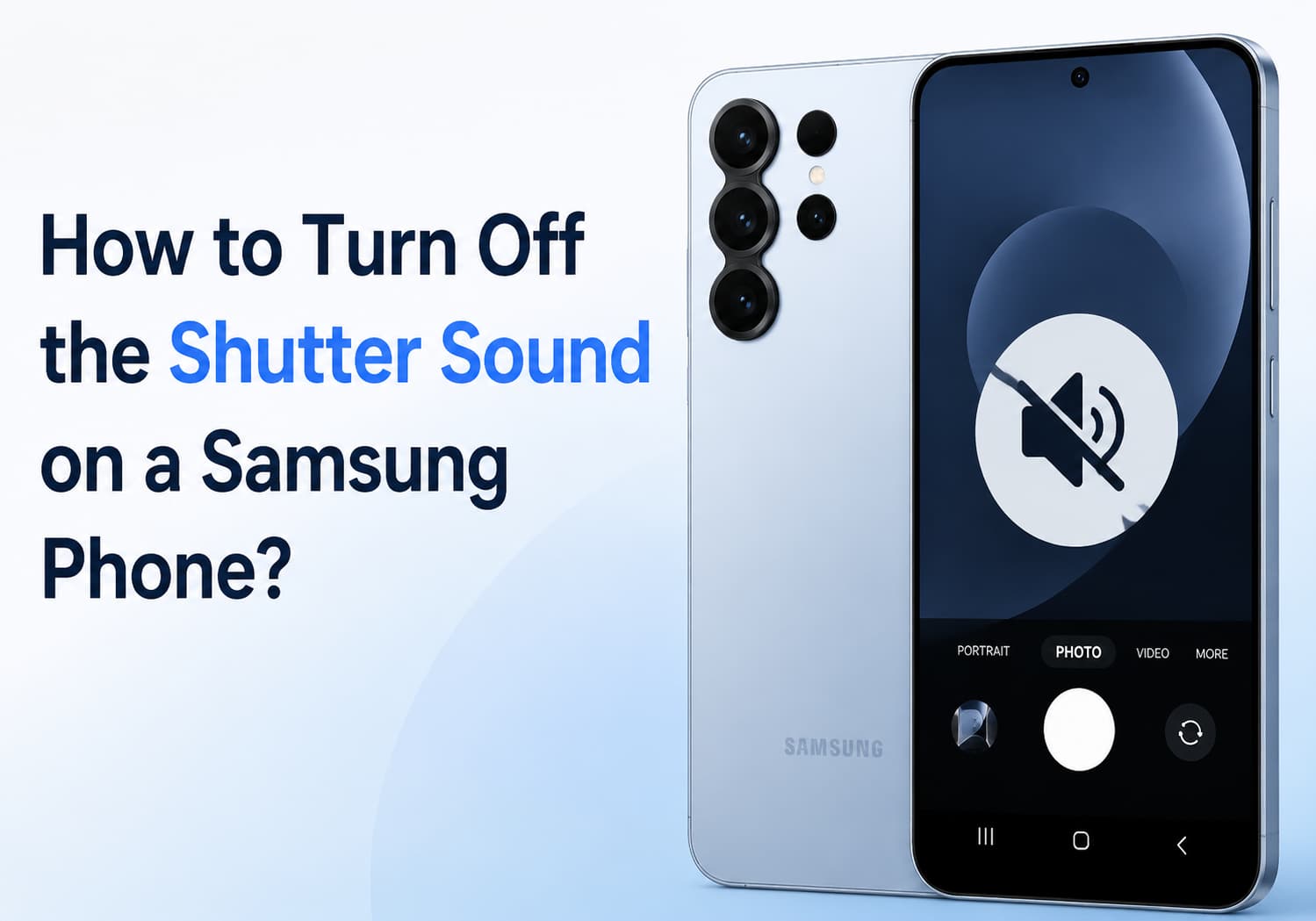
How to Turn Off the Camera Shutter Sound on a Samsung Phone: Complete Guide

Samsung smartphones are known for their excellent camera performance, but the camera shutter sound can sometimes be inconvenient, especially when taking photos in quiet environments such as libraries, meetings, museums, or during personal moments.

Depending on your Samsung phone model, region, and software version, the method for disabling the camera sound may vary. This guide explains the common ways to turn off or reduce the camera shutter sound on Samsung Galaxy devices.

Why Does a Samsung Phone Make a Camera Shutter Sound?

The camera shutter sound is designed to provide an audible confirmation that a photo has been captured.

However, in some countries and regions, smartphone manufacturers are required by law to keep the shutter sound enabled to protect privacy and prevent unauthorized photography.

Because of these regional regulations:

  • Some Samsung phones allow the shutter sound to be disabled
  • Some models only allow it to be muted through system sound settings
  • Some versions permanently keep the shutter sound enabled

If you cannot find the option, it may be restricted by your device’s region settings.

Method 1: Disable Camera Shutter Sound Through Camera Settings

On many Samsung Galaxy phones, you can turn off the shutter sound directly from the Camera app.

Follow these steps:

Step 1: Open the Camera App

Launch the built-in Camera application on your Samsung phone.

Step 2: Enter Camera Settings

Tap the gear icon (Settings) in the top-left or top-right corner.

Step 3: Find Shutter Sound Option

Look for:

Shutter sound

or

Camera sounds

Step 4: Turn It Off

Toggle the option off.

After disabling it, taking photos will no longer produce the camera shutter sound.

Note: This option is not available on every Samsung model.

Method 2: Turn Off Camera Sound by Using Silent Mode

If your Samsung phone does not provide a shutter sound option, you can try muting system sounds.

Steps:

  1. Swipe down from the top of the screen to open the Quick Settings panel.
  2. Tap the Sound icon.
  3. Change the phone mode to:
  • Silent
  • Vibrate
  1. Open the Camera app and take a photo.

On many Galaxy devices, the shutter sound follows the system volume settings.

Method 3: Lower System Volume Settings

Another simple method is reducing the system sound volume.

Steps:

  1. Open:

Settings → Sounds and vibration

  1. Select:

Volume

  1. Reduce:

System volume

to the lowest level.

Then test the camera again.

Depending on your Samsung model, the shutter sound may disappear.

Method 4: Use Samsung Modes and Routines

Samsung’s Modes and Routines feature allows automatic sound control.

You can create a routine that switches your phone to silent mode when entering specific locations or situations.

For example:

  • Library
  • Office
  • Meeting room

Setup Steps:

  1. Open:

Settings → Modes and Routines

  1. Tap:

Routines

  1. Create a new routine.
  2. Set a condition:
  • Location
  • Time
  • App opened
  1. Add an action:
  • Sound mode → Silent

This can automatically disable camera sounds when needed.

Method 5: Use Third-Party Camera Apps

If the Samsung Camera app does not allow shutter sound control, some third-party camera applications may offer additional options.

Examples include:

  • Open Camera
  • Other professional camera apps

These apps may provide settings such as:

  • Disable camera sound
  • Custom shutter options
  • Manual controls

However, availability depends on your phone model and Android version.

Method 6: Change the Phone Region (Advanced Option)

Some Samsung phones sold in regions where shutter sounds are mandatory cannot disable the sound.

Advanced users sometimes change the device region or firmware version to another market where disabling the shutter sound is allowed.

However, this method is not recommended for most users because it may:

  • Affect warranty service
  • Cause software issues
  • Require firmware flashing knowledge

Always check your local laws before changing regional settings.

How to Turn Off Camera Sound on Popular Samsung Galaxy Models

Samsung Galaxy S Series

For Galaxy S models:

  1. Open Camera
  2. Tap Settings
  3. Disable Shutter sound if available

If the option is missing:

  • Use Silent mode
  • Lower system volume

Samsung Galaxy Z Fold and Z Flip Series

Foldable Galaxy phones usually follow the same camera settings:

Camera → Settings → Shutter sound

If unavailable:

  • Enable Silent mode before taking photos

Samsung Galaxy A Series

Budget and mid-range Galaxy A phones may have different software versions.

Try:

  1. Camera settings
  2. Sound settings
  3. Silent mode

Why Can’t I Disable the Camera Sound on My Samsung Phone?

If the shutter sound cannot be turned off, possible reasons include:

1. Regional Restrictions

Some countries require phones to make a camera sound.

2. Carrier Firmware

Carrier-specific software may remove the option.

3. Android Version Differences

New One UI versions may change camera settings locations.

4. Device Model Limitations

Not all Samsung Galaxy models support shutter sound control.

Frequently Asked Questions

Can I completely remove the Samsung camera shutter sound?

It depends on your phone model and region. Some devices allow it through Camera settings, while others only allow muting through sound modes.

Does silent mode always disable the camera sound?

Not always. Some Samsung phones still keep the shutter sound active due to regional restrictions.

Can I turn off the screenshot sound too?

Screenshot sounds are controlled separately and may also depend on your region settings.

Will disabling camera sound affect photo quality?

No. Turning off the shutter sound only changes audio feedback and does not affect camera performance or image quality.

Final Thoughts

Turning off the camera shutter sound on a Samsung phone is usually simple if your device supports the option. Start by checking:

Camera App → Settings → Shutter Sound

If that option is unavailable, try:

  • Silent mode
  • Reducing system volume
  • Using Samsung Modes and Routines
  • Trying a compatible third-party camera app

Keep in mind that some Samsung phones sold in certain regions are required to keep the shutter sound enabled, so the available options may depend on your device model and location.

The post How to Turn Off the Camera Shutter Sound on a Samsung Phone: Complete Guide appeared first on IGeeKphone China Phone, Tablet PC, VR, RC Drone News, Reviews.

  •  

Zuckerberg’s superyacht ignored emergency channel, failed to aid stranded boat

Social media scuttlebutt about Mark Zuckerberg’s $300 million superyacht failing to assist stranded boaters off the coast of Alaska was partly corroborated by ship-tracking data—and eventually prompted responses from both the US Coast Guard and a spokesperson for Zuckerberg.

The incident was made public when Michael Love, a passenger aboard the replica steamship Wilderness Legacy during an Alaska cruise, posted about it on the social media platform Bluesky. The ship detoured to rescue a stranded 21-foot skiff with two women, a child and a dog, after the US Coast Guard had supposedly first radioed Zuckerberg’s superyacht, Launchpad, for help without success.

“There was near unanimous booing when the captain announced this,” Love wrote in describing the Alaska cruise passengers’ response to the lack of help from Zuckerberg’s ship.

Read full article

Comments

© Sylvain Lefevre/Getty Images

  •  

Zuckerberg’s superyacht ignored emergency channel, failed to aid stranded boat

Social media scuttlebutt about Mark Zuckerberg’s $300 million superyacht failing to assist stranded boaters off the coast of Alaska was partly corroborated by ship-tracking data—and eventually prompted responses from both the US Coast Guard and a spokesperson for Zuckerberg.

The incident was made public when Michael Love, a passenger aboard the replica steamship Wilderness Legacy during an Alaska cruise, posted about it on the social media platform Bluesky. The ship detoured to rescue a stranded 21-foot skiff with two women, a child and a dog, after the US Coast Guard had supposedly first radioed Zuckerberg’s superyacht, Launchpad, for help without success.

“There was near unanimous booing when the captain announced this,” Love wrote in describing the Alaska cruise passengers’ response to the lack of help from Zuckerberg’s ship.

Read full article

Comments

© Sylvain Lefevre/Getty Images

  •  

Mercado dos tablets recua 10%. Fabricantes mudam prioridades e apostam no segmento premium

Com uma queda de 10% no segundo trimestre do ano, o mercado dos tablets recuou pela primeira vez em vários anos, num período que por norma tem muita procura para o regresso às aulas.

The post Mercado dos tablets recua 10%. Fabricantes mudam prioridades e apostam no segmento premium appeared first on Tek Notícias.

  •  

Finalist: A Paper-Inspired Daily Planner with Notes for iPhone, iPad, Mac, and Now Apple Watch [Sponsor]

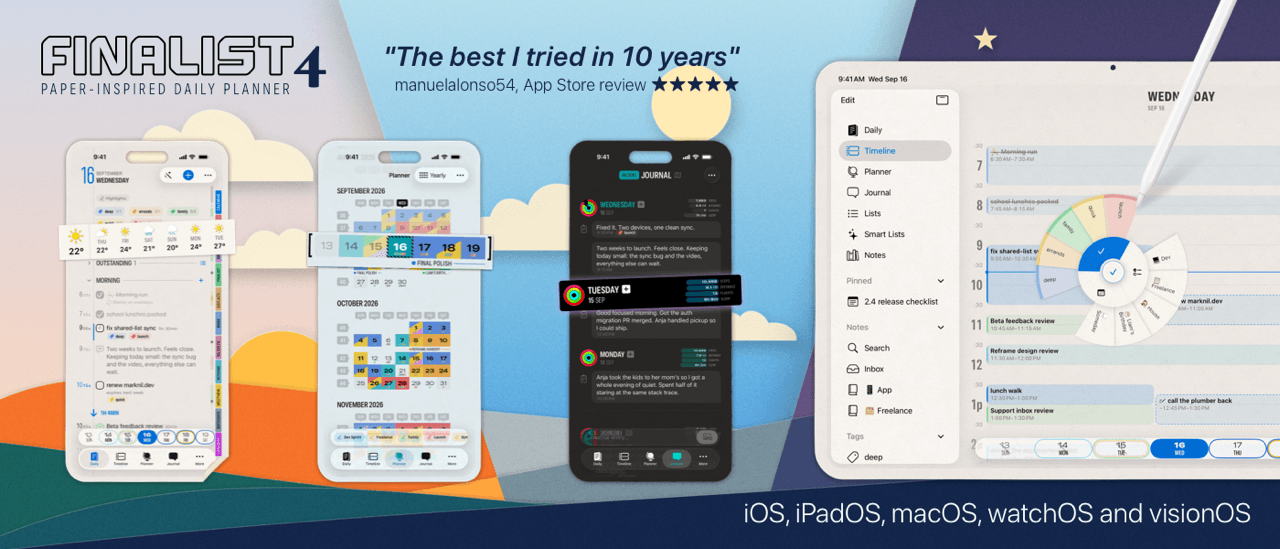
If you read MacStories, you might have caught John’s Finalist 1.0 review a few years back. A lot has changed since: version 4.0 is out this week, its biggest update yet. Finalist is a paper-inspired daily planner for iPhone, iPad, Mac, and now Apple Watch, giving you one place to plan your day, week and month. It wrangles all your stuff into one cohesive system to help you stay on top of it all: Reminders, Calendars, habits, tasks, notes, weather, and lots more.

New in 4.0 are Notes. Write native notes that sync to your iCloud, or point Finalist at a folder of markdown files and it round-trips cleanly with Obsidian vaults, GitHub, or any editor you like. Markdown tasks inside those files show up in your timelines as real tasks, on the right date, with the right tags. There are even timeline swimlanes per tag, to visualize any endeavour.

The Watch app is also new and it extends Finalist to your wrist. Its Now card answers the day’s current question: your first moves in the morning, the running time block with a countdown, an evening wrap-up with streaks to protect. It has some very nifty complications and a Smart Stack widget.

Or take a look at Broadsheet, a newsprint-inspired layout that shines on big screens. It has delightful touches throughout: tap a World Clock and the whole page retunes to another city, with date, weather, tasks, and appointments all in that timezone. The Timeline tab lets you sketch your day in pencil. Perfect for timeblocking, especially with Pencil Pro and its squeeze menu.

Apple has featured Finalist as App of the Day multiple times, and a large Discord community drives it forward. To help you try it, MacStories readers get 50% off their first year with code MACSTORIES40.

Our thanks to Finalist for sponsoring MacStories this week.

  •  
❌