❌

Reading view

NASA Award Boosts Space Technology Research Capabilities

2 Min Read

NASA Award Boosts Space Technology Research Capabilities

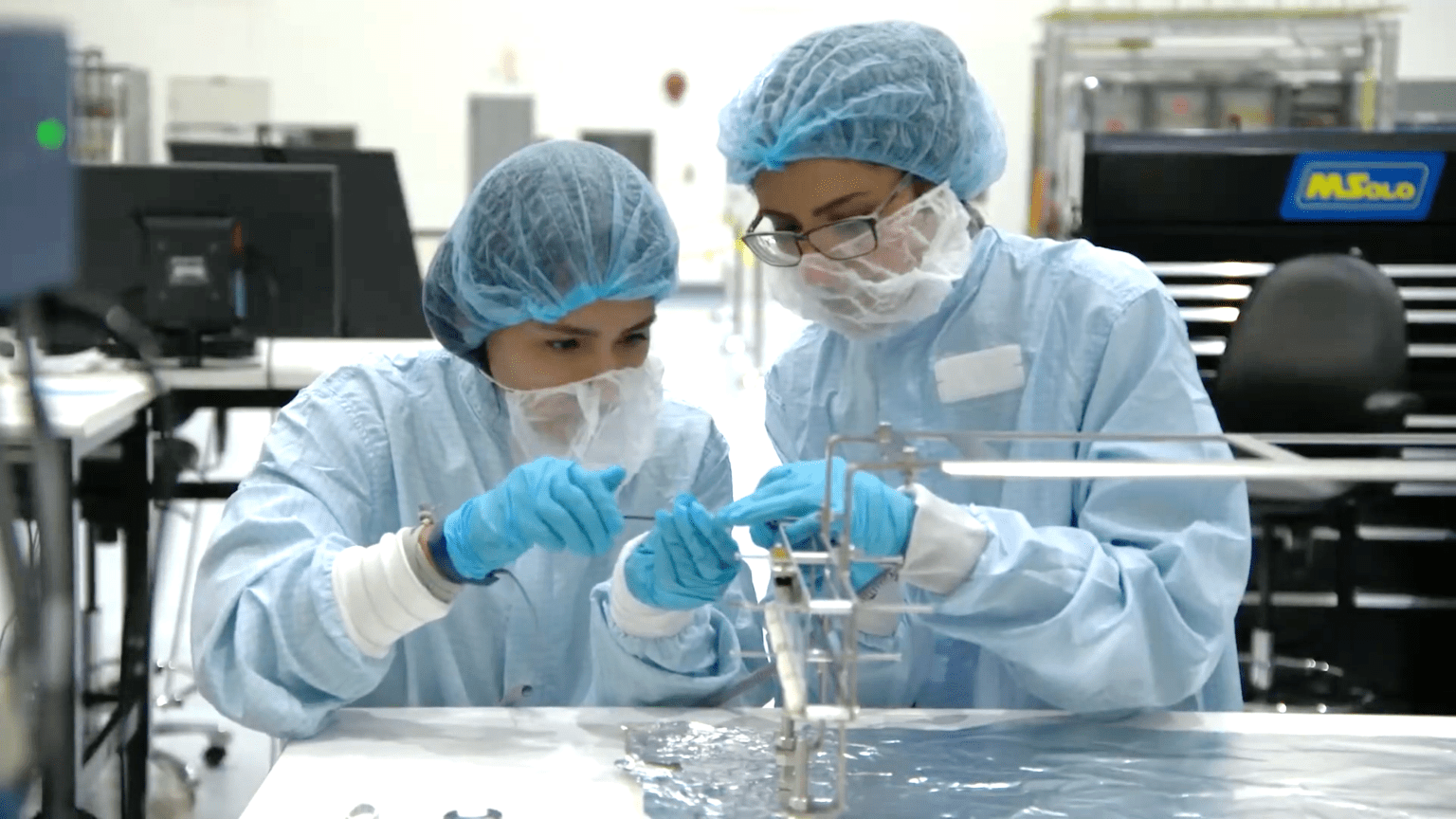
Space Technology Mission Directorate, Two mechanical engineers working on the calibration gas system

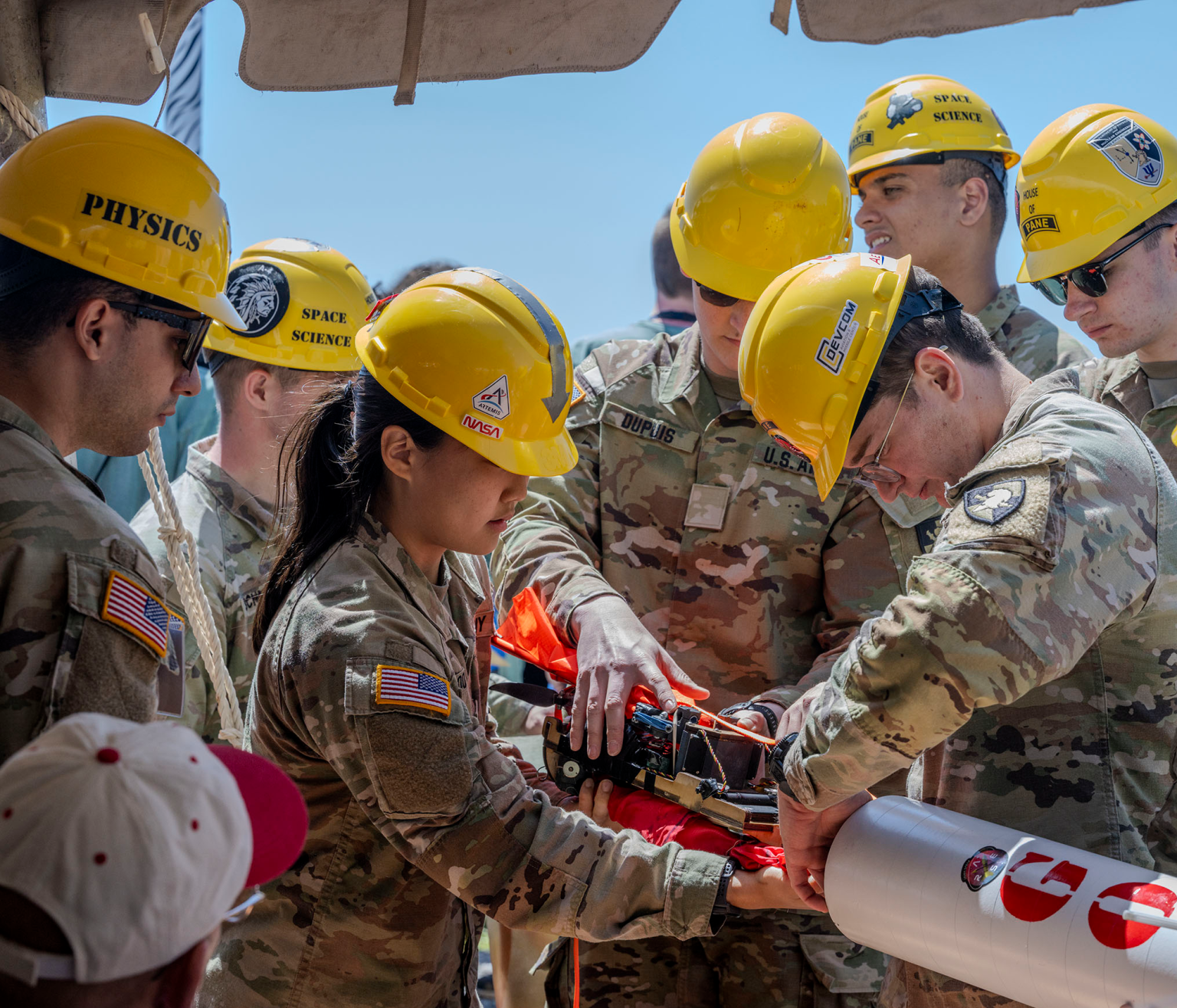
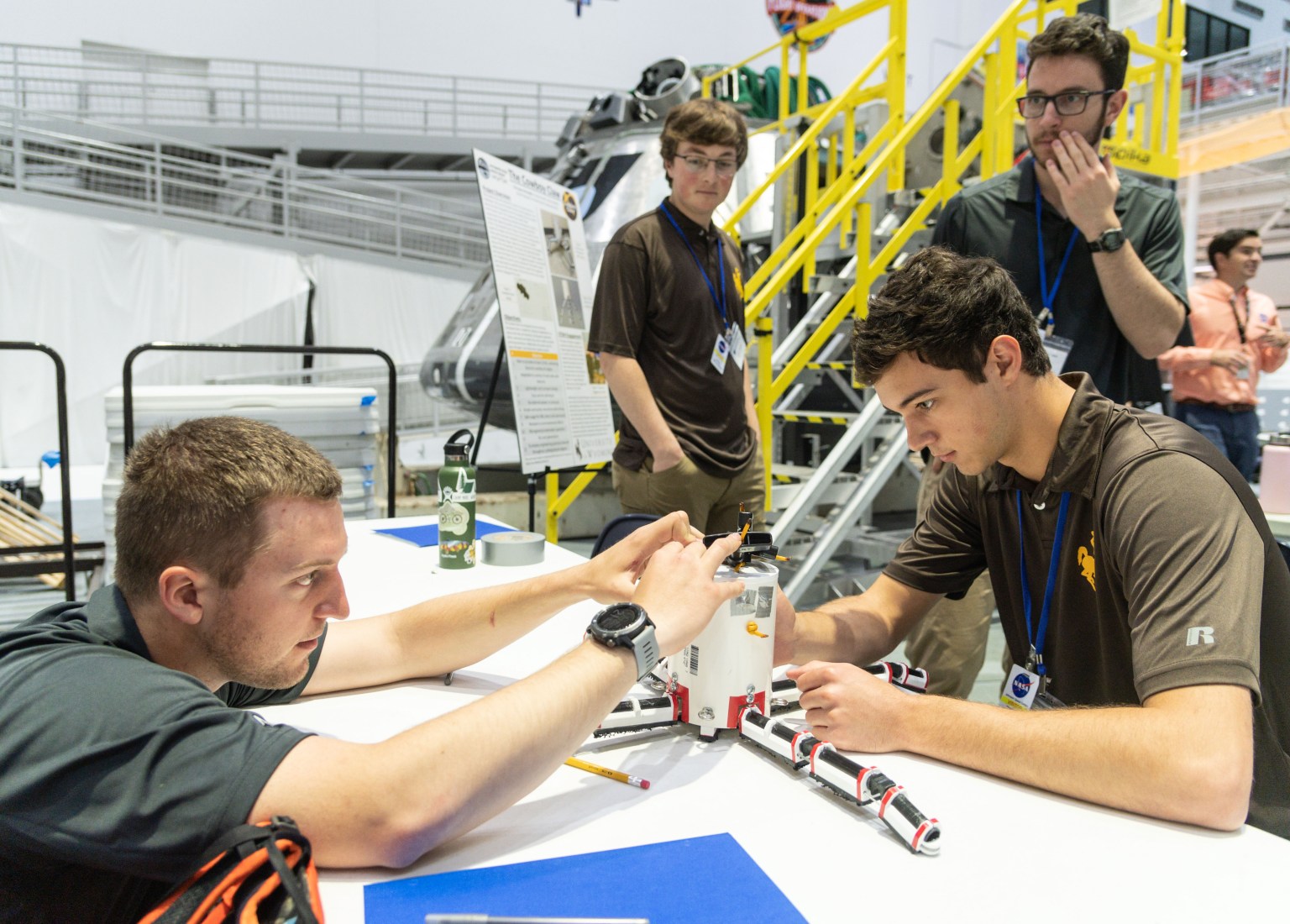
NASA is introducing a new funding opportunity to accelerate academic research and technology development. The Minority University Research and Education Project Space Technology Artemis Research (M‑STAR) application window opened Thursday and will remain open through 11:59 p.m. EDT on Tuesday, Aug. 11.

The research funded through this award supports the agency’s priorities for exploring the Moon, Mars, and deep space, while strengthening eligible institutions in the future of space exploration. Through M-STAR, institutions are encouraged to grow their scientific and engineering capabilities, enhance faculty and student engagement in aerospace research, and expand their ability to compete for future federal and commercial research awards.

Administered by NASA’s Office of STEM Engagement, this initiative contributes to NASA’s Space Technology Mission Directorate, and supports the agency’s broader mission to develop innovative technologies that improve space transportation, human exploration, robotic discovery, and the growing space economy.

NASA’s Office of STEM Engagement fosters an ecosystem across education, industry, and government to cultivate a well‑prepared talent pool, while the agency’s Space Technology Mission Directorate develops the transformative space technologies that enable future NASA missions and ensure U.S. leadership in aerospace. Together, they accelerate mission readiness by aligning cutting edge technological innovation with the workforce needed to carry it forward.

For complete eligibility information, help session registration, and to submit an M-STAR proposal, visit:

https://go.nasa.gov/4exkPiH

  •  

I Am Artemis: Elkin Norena

3 Min Read

I Am Artemis: Elkin Norena

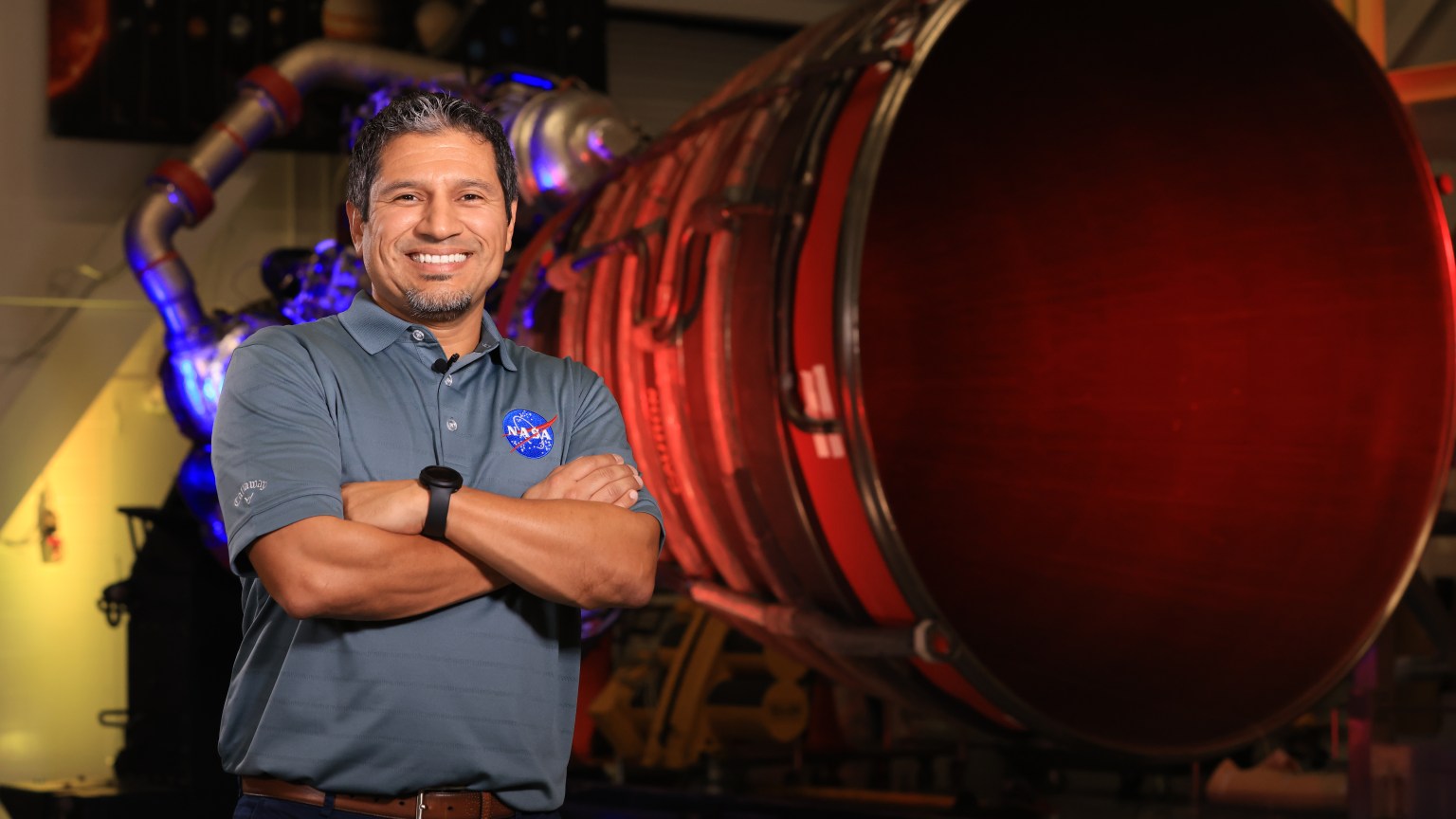
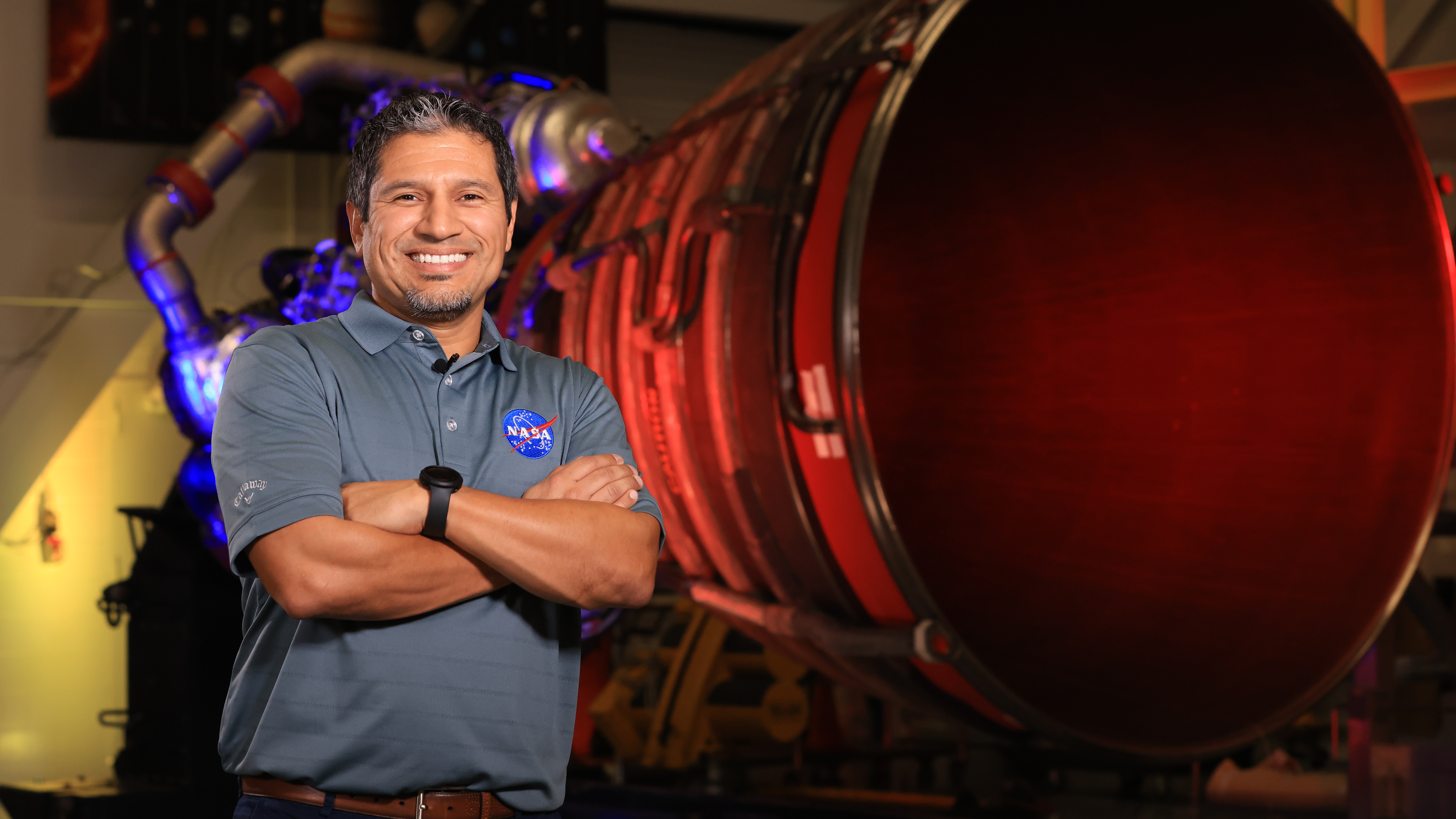
Elkin Norena, who serves as an SLS resident management officer at NASA’s Kennedy Space Center in Florida, stands in front of an RS-25 engine.

Listen to this audio excerpt from Elkin Norena, resident management officer, NASA’s Space Launch System Program:

0:00 / 0:00

NASA’s Elkin Norena has helped the agency launch more than a dozen space shuttle missions – that’s more than a dozen crews to low Earth orbit and more than a dozen historic missions. They were missions that helped build the International Space Station, that provided a final servicing mission to the Hubble Space Telescope, and that performed critical science experiments that improved life right here on Earth.

Today, he continues that work as the manager of the Resident Management Office for SLS at NASA’s Kennedy Space Center in Florida, helping launch America’s rocket – the SLS (Space Launch System) – and the Orion spacecraft with its international quartet of astronauts  on the Artemis II mission to fly by the Moon and return home.

Elkin Norena, who serves as an SLS resident management officer at NASA’s Kennedy Space Center in Florida, stands in front of an RS-25 engine.
NASA

As resident manager, Norena provides onsite SLS support for NASA’s Exploration Ground Systems team that is responsible for preparing, stacking, testing, and launching SLS and Orion. He is also the eyes and ears for the SLS Program, providing an avenue of communications back to the program, which is managed at NASA’s Marshall Space Flight Center in Huntsville, Alabama.

It is the continuation of a childhood dream to be part of space exploration.

“When I was a kid in New Jersey, I watched a space shuttle launch in class one day,” said Norena. “When I watched the power of launch and the brave astronauts going to explore, I knew I had to be a part of that one day. I wanted to become an astronaut.”

The dream to join the space program led the Colombia native to the University of Central Florida in Orlando, where he majored in computer engineering, just miles from the Space Coast and in view of space shuttle launches like the ones he once watched on TV.

When that clock ticks down to T-10 minutes, everybody’s just waiting. You wait for the automated system to kick in. You hold your breath and watch the clock go down to T-0. Then BOOM, launch happens, and you know it was all worth it.

Elkin Norena

Elkin Norena

Resident management officer, NASA Space Launch System Program

Following college, he joined NASA contractor United Space Alliance at NASA Kennedy, and in 2008 he joined the NASA Kennedy team as a civil servant, working on the same spacecraft that inspired him to pursue the space program as a child.

“I started off in the Space Shuttle Program as an electrical engineer. Then I moved into the firing room for 17 different shuttle missions as a flight termination engineer. It was exciting to be part of all those missions and build the International Space Station,” Norena said.

The Milky Way stretches above Dry Tortugas National Park in Florida.
Elkin Norena

Using those experiences, he became one of the original SLS team members. He was a part of the teams that successfully launched Artemis I and II and is now critical to the upcoming Artemis III mission.

Away from the launch pad, Norena’s hobbies orbit around his teenage daughters, participating in their activities. He also keeps a keen eye on space and is an avid astrophotographer.

“I love capturing the Milky Way! I’ve traveled to Utah, New Mexico, Arizona, and all across the western United States,” he said. “A great spot that’s closer for me is Dry Tortugas National Park beyond Key West.”

No matter how he explores space, Norena believes Artemis II is more than just a mission.

“This is historic. I grew up watching the shuttle missions, learning about Apollo, and wanting to be part of those Moon missions. We built the space station. The space shuttle explored space and technology on many levels,” he said. “Now, it’s our turn with Artemis to get back to the Moon, and this time to stay there. I’m excited to be part of the generation that does that.”

About the Author

William Bryan

Communication Strategist

Keep Exploring

Discover More Topics From NASA

The post I Am Artemis: Elkin Norena appeared first on NASA Science.

  •  

I Am Artemis: Elkin Norena

3 Min Read

I Am Artemis: Elkin Norena

Elkin Norena, who serves as an SLS resident management officer at NASA’s Kennedy Space Center in Florida, stands in front of an RS-25 engine.

Listen to this audio excerpt from Elkin Norena, resident management officer, NASA’s Space Launch System Program:

0:00 / 0:00

NASA’s Elkin Norena has helped the agency launch more than a dozen space shuttle missions – that’s more than a dozen crews to low Earth orbit and more than a dozen historic missions. They were missions that helped build the International Space Station, that provided a final servicing mission to the Hubble Space Telescope, and that performed critical science experiments that improved life right here on Earth.

Today, he continues that work as the manager of the Resident Management Office for SLS at NASA’s Kennedy Space Center in Florida, helping launch America’s rocket – the SLS (Space Launch System) – and the Orion spacecraft with its international quartet of astronauts  on the Artemis II mission to fly by the Moon and return home.

Elkin Norena, who serves as an SLS resident management officer at NASA’s Kennedy Space Center in Florida, stands in front of an RS-25 engine.
NASA

As resident manager, Norena provides onsite SLS support for NASA’s Exploration Ground Systems team that is responsible for preparing, stacking, testing, and launching SLS and Orion. He is also the eyes and ears for the SLS Program, providing an avenue of communications back to the program, which is managed at NASA’s Marshall Space Flight Center in Huntsville, Alabama.

It is the continuation of a childhood dream to be part of space exploration.

“When I was a kid in New Jersey, I watched a space shuttle launch in class one day,” said Norena. “When I watched the power of launch and the brave astronauts going to explore, I knew I had to be a part of that one day. I wanted to become an astronaut.”

The dream to join the space program led the Colombia native to the University of Central Florida in Orlando, where he majored in computer engineering, just miles from the Space Coast and in view of space shuttle launches like the ones he once watched on TV.

When that clock ticks down to T-10 minutes, everybody’s just waiting. You wait for the automated system to kick in. You hold your breath and watch the clock go down to T-0. Then BOOM, launch happens, and you know it was all worth it.

Elkin Norena

Elkin Norena

Resident management officer, NASA Space Launch System Program

Following college, he joined NASA contractor United Space Alliance at NASA Kennedy, and in 2008 he joined the NASA Kennedy team as a civil servant, working on the same spacecraft that inspired him to pursue the space program as a child.

“I started off in the Space Shuttle Program as an electrical engineer. Then I moved into the firing room for 17 different shuttle missions as a flight termination engineer. It was exciting to be part of all those missions and build the International Space Station,” Norena said.

The Milky Way stretches above Dry Tortugas National Park in Florida.
Elkin Norena

Using those experiences, he became one of the original SLS team members. He was a part of the teams that successfully launched Artemis I and II and is now critical to the upcoming Artemis III mission.

Away from the launch pad, Norena’s hobbies orbit around his teenage daughters, participating in their activities. He also keeps a keen eye on space and is an avid astrophotographer.

“I love capturing the Milky Way! I’ve traveled to Utah, New Mexico, Arizona, and all across the western United States,” he said. “A great spot that’s closer for me is Dry Tortugas National Park beyond Key West.”

No matter how he explores space, Norena believes Artemis II is more than just a mission.

“This is historic. I grew up watching the shuttle missions, learning about Apollo, and wanting to be part of those Moon missions. We built the space station. The space shuttle explored space and technology on many levels,” he said. “Now, it’s our turn with Artemis to get back to the Moon, and this time to stay there. I’m excited to be part of the generation that does that.”

About the Author

William Bryan

Communication Strategist

Keep Exploring

Discover More Topics From NASA

  •  

Rural Alabama Community Lacking Basic Sanitation Faces New Environmental Challenge from Proposed Data Center

Rural Alabama Community Lacking Basic Sanitation Faces New Environmental Challenge from Proposed Data Center

In Hayneville, Alabama, a stark environmental justice issue is unfolding along the historic route where civil rights marchers once walked toward Montgomery. This rural community, where some residents still cannot flush their toilets due to inadequate sewage infrastructure, now faces the prospect of a massive data center being built in their backyard.

The proposed facility represents a troubling pattern of environmental inequality, where communities already struggling with basic utilities become targets for industrial development that could strain their limited resources further. Data centers are notorious for their enormous energy consumption and water usage requirements for cooling systems, potentially exacerbating existing infrastructure challenges in areas that can least afford additional environmental burdens.

The juxtaposition is particularly striking along Highway 80, a road that symbolizes the fight for equal rights and justice. Today, residents of this same corridor face a different kind of struggle—one for environmental equity and access to basic services that many Americans take for granted. The situation highlights how communities with limited political and economic power often bear disproportionate environmental costs while receiving few benefits from industrial development.

This case exemplifies the growing tension between the digital economy’s infrastructure needs and environmental justice concerns, particularly in rural areas where oversight may be limited and community voices often go unheard in development decisions.

The post Rural Alabama Community Lacking Basic Sanitation Faces New Environmental Challenge from Proposed Data Center first appeared on EnviroLink Network.

  •  

AcuRite admits new app falls short, delays old app’s May shutdown to fix problems

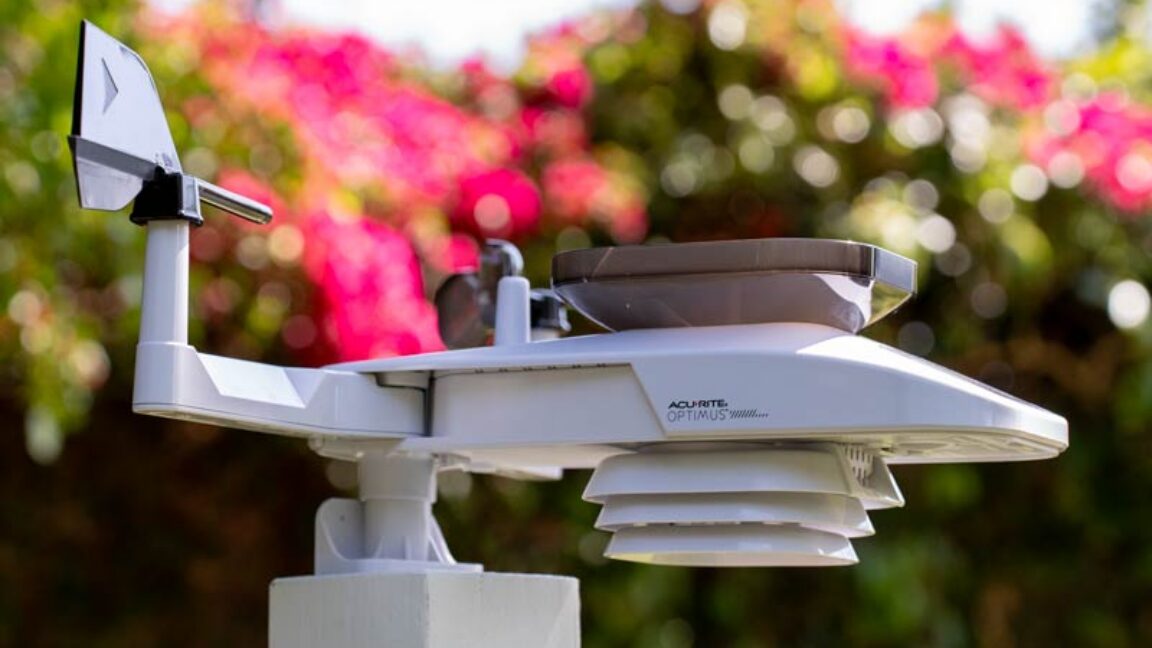
Smart weather-monitoring device vendor AcuRite has delayed plans to force users onto a new companion app. The transition from My AcuRite to AcuRite NOW, which AcuRite previously set for May 30, “has raised serious questions and concerns among many long-time users,” AcuRite’s VP of product development, Jeff Bovee, told Ars Technica.

AcuRite, whose devices include weather stations, rain gauges, and indoor thermometers, told customers that it would shut down My AcuRite at the end of May. Devices owners would have to use AcuRite NOW, an iOS and Android app launched in June 2025, to control their gadgets instead.

Some long-time users lamented being forced to new software when the current software worked fine, if not better, than the new app. When Ars first reported on AcuRite in May, AcuRite NOW lacked some features of My AcuRite, including the ability to rename multiple temperature sensors, report temperatures in non-integers, as well as an online dashboard option. Users have also highlighted problems uploading data to weather sites and a poor layout with wasted space.

Read full article

Comments

© AcuRite

  •  

Microbiology DNA and Chemistry for Health Insights Tops Research Schedule

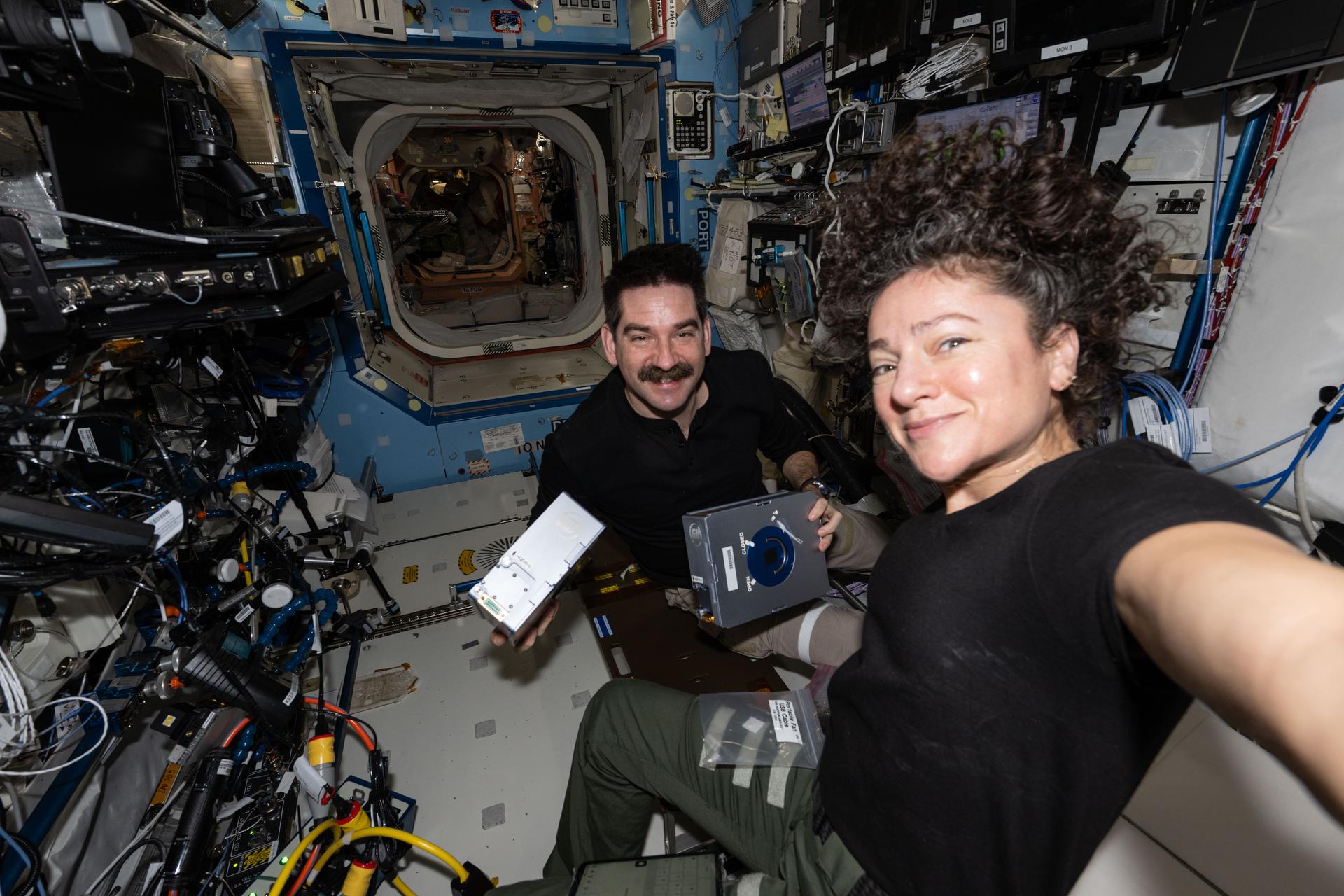
NASA astronauts Jack Hathaway and Jessica Meir, both Expedition 74 flight engineers, pose together as Hathaway shows off a pair of Advanced Space Experiment Sample Processor-4 research cassettes being used aboard the International Space Station to study how weightlessness affects drug crystals possibly leading to new pharmaceutical formulas.
NASA astronauts Jack Hathaway and Jessica Meir pose together as Hathaway shows off a pair of Advanced Space Experiment Sample Processor-4 research cassettes being used to study how weightlessness affects drug crystal growth possibly leading to new pharmaceutical formulas.
NASA/Jessica Meir

Microbiology dominated the research schedule aboard the International Space Station on Thursday helping doctors protect health on Earth and in space. The Expedition 74 crew also tested a new spacesuit, packed a U.S. cargo spacecraft, and kept up lab maintenance throughout the orbital outpost.

Scientists are comparing bacteria samples grown onboard the orbiting lab to similar samples living in simulated microgravity chambers on Earth to learn how microbes respond to space-like conditions. ESA (European Space Agency) astronaut Sophie Adenot kicked off the Odyssey biotechnology investigation processing microbe samples inside the Kibo laboratory module’s Life Science Glovebox (LSG) to document their genetic function. Next, NASA flight engineer Chris Williams collected the microbes for preservation and cleaned the research hardware inside the LSG for continuing operations. Finally, NASA flight engineer Jessica Meir took over and completed the day’s genetic study treating the sensitive samples to observe their chemical response. She immediately stowed the microbes for preservation afterward inside the LSG’s science freezer that she had installed the day before. Insights gained from the new study may lead to new ways of protecting humans and equipment exposed to harsh conditions on and off the Earth.

After completing her microbe work, Adenot moved to the Columbus laboratory module and tried on a prototype spacesuit designed by ESA to be worn inside a spacecraft. She tested the EuroSuit for its ease of donning on and off, as well as its comfort and mobility, then documented her experience for engineers to review. Results will inform the final design of the suit to meet the ergonomic requirements of living and working in space.

Williams also continued packing cargo inside a SpaceX Dragon cargo spacecraft with assistance from NASA flight engineer Jack Hathaway. Dragon is being loaded with several thousand pounds of station gear and science experiments that will be returned to Earth for analysis by engineers and scientists. Hathaway spent the majority of his shift inside the Tranquility module swapping orbital plumbing components and transferring water between tanks for life support maintenance.

Meir began her shift servicing fluid-containing sample processing hardware that is supporting the observation of pharmaceutical crystal growth to promote the production of advanced cancer therapies in weightlessness. Next, she activated tubes filled with microbial and botanical samples for a variety of student-designed experiments inside the Harmony module.

Roscosmos cosmonaut and station commander Sergey Kud-Sverchkov inspected and cleaned ventilation equipment then repaired a thermal sensor inside the Zvezda service module. Flight engineer Sergei Mikaev disinfected surfaces inside the Zarya module and checked the functionality of video hardware. Flight engineer Andrey Mikaev spent his shift on orbital plumbing and oxygen generator maintenance in the space station’s Roscosmos segment.

Learn more about station activities by following the space station blog, @space_stationon X, as well as the ISS Facebook and ISS Instagram accounts.

Get the latest from NASA delivered every week. Subscribe here.

The post Microbiology DNA and Chemistry for Health Insights Tops Research Schedule appeared first on NASA Science.

  •  

NASA Robotic Tech Demo Will Advance Prototype Gamma-Ray Detectors

4 min read

NASA Robotic Tech Demo Will Advance Prototype Gamma-Ray Detectors

A new type of gamma-ray sensor developed by NASA, called AstroPix, will take part in a robotic arm demonstration on the agency’s upcoming Fly Foundational Robots mission, set to launch in late 2027.

Gamma rays are the highest-energy form of light. Scientists observe them coming from events like lightning in Earth’s atmosphere, powerful solar flares from our Sun, and cosmic collisions in distant galaxies. The sensors on the AstroPix technology demonstration are designed to measure gamma rays between 20,000 and 700,000 electron volts. For comparison, visible light’s energy falls between 2 and 3 electron volts.

Current NASA missions, including the Fermi Gamma-ray Space Telescope and Neil Gehrels Swift Observatory, also observe gamma rays, including those with even higher energies.

But for energies between 500,000 to 1 million electron volts, existing detectors are less sensitive. This range is where many powerful explosions called gamma-ray bursts shine the brightest. It’s also where astronomers expect to see the strongest glow from the most massive and distant active galaxies powered by black holes. By stacking AstroPix detectors in future missions, scientists could bridge this gap and improve observations of these cosmic objects to better understand the processes that create and drive them.

“The Fly Foundational Robots spacecraft is also a technology demonstration, so the projects were a good fit for each other,” said Dan Violette, an AstroPix team member and post-doctoral fellow at NASA’s Goddard Space Flight Center in Greenbelt, Maryland. “We need to thoroughly test AstroPix’s performance before we can use the sensors in future science missions. We’ve flown comparable technologies on a scientific balloon mission, and the current prototype eventually will be part of a sounding rocket payload. Many of those flight opportunities only reach near space, though. It’s not often that technology demonstrations like ours can find a ride into orbit.”

A gloved hand holds a detector square
Each AstroPix chip has four silicon pixel gamma-ray detectors. Each of these detectors incorporates 1,225 pixels. AstroPix detectors, which are developed by NASA’s Goddard Space Flight Center in Greenbelt, Md., function similarly to the sensors in cellphone cameras except they are sensitive to gamma-ray light.
Image courtesy of Argonne National Laboratory

Each AstroPix chip contains four silicon pixel gamma-ray detectors, and each detector incorporates 1,225 pixels. The chips function similarly to the sensors in cell phone cameras.

The AstroPix Satellite Technology dEmonstration Payload, also known as A-STEP, will be hosted within the Fly Foundational Robots mission’s Orbital Replacement Unit, a movable module built by Rocket Lab Robotics. Rocket Lab Robotics also will provide a robotic arm that will pick up and reposition the unit during flight and perform in-orbit operations as part of a robotic servicing demonstration. The A-STEP payload will collect its data following the repositioning. Astro Digital will provide the spacecraft.

The Orbital Replacement Unit was designed to support power and data interfaces for a payload, but the original plan called for the robotic arm to reposition the module without one. As mission development progressed, however, the Fly Foundational Robots team identified an opportunity to further maximize the mission’s value by integrating an additional technology demonstration that could fit within the 11.8-inch (30-centimeter) cube.

“The unit already had the volume, power, and data needed to support the AstroPix team’s design,” said Bo Naasz, senior technical lead, In-space Servicing, Assembly, and Manufacturing in the Space Technology Mission Directorate at NASA Headquarters in Washington. “One of our major goals with Fly Foundational Robots is to demonstrate robotic changeout of payloads in orbit, enabling upgrades or improvements to satellites and space instruments at a fraction of the cost of a full mission. Allowing AstroPix to complete its own technology demonstration in orbit is a bonus.”

A satellite in space with Earth in the background
NASA’s Fly Foundational Robots mission will be hosted aboard a spacecraft provided by Astro Digital of Littleton, Colo., as shown in this artist’s concept. The robotic arm, provided by Motiv Space Systems in Pasadena, Calif., will perform a technology demonstration in orbit, including picking up and moving a small box containing the agency’s AstroPix gamma-ray sensors.
Rocket Lab Robotics

The AstroPix team is working to deliver their hardware this September, and it will be integrated into the Fly Foundational Robots payload before final integration onto the spacecraft. The Orbital Replacement Unit will hold the chips and all the associated electronics needed to provide power, and collect and transmit data during flight.

NASA’s Fly Foundational Robots mission is funded through the Space Technology Mission Directorate’s ISAM portfolio, managed at NASA Goddard. Rocket Lab Robotics will supply the mission’s robotic arm system through a NASA Small Business Innovation Research Phase III award. Astro Digital will host the orbital flight test of the arm through NASA’s Flight Opportunities program, managed at NASA’s Armstrong Flight Research Center in Edwards, California. The development of AstroPix was supported by NASA’s Astrophysics Division in the Science Mission Directorate at NASA Headquarters, through the agency’s Astrophysics Research and Analysis Program, and funded through the Nancy Grace Roman Technology Fellowship.

To learn more, visit:

https://go.nasa.gov/3R28tWE

By Jeanette Kazmierczak
Goddard Space Flight Center, Greenbelt, Md.

The post NASA Robotic Tech Demo Will Advance Prototype Gamma-Ray Detectors appeared first on NASA Science.

  •  

NASA Robotic Tech Demo Will Advance Prototype Gamma-Ray Detectors

4 min read

NASA Robotic Tech Demo Will Advance Prototype Gamma-Ray Detectors

A new type of gamma-ray sensor developed by NASA, called AstroPix, will take part in a robotic arm demonstration on the agency’s upcoming Fly Foundational Robots mission, set to launch in late 2027.

Gamma rays are the highest-energy form of light. Scientists observe them coming from events like lightning in Earth’s atmosphere, powerful solar flares from our Sun, and cosmic collisions in distant galaxies. The sensors on the AstroPix technology demonstration are designed to measure gamma rays between 20,000 and 700,000 electron volts. For comparison, visible light’s energy falls between 2 and 3 electron volts.

Current NASA missions, including the Fermi Gamma-ray Space Telescope and Neil Gehrels Swift Observatory, also observe gamma rays, including those with even higher energies.

But for energies between 500,000 to 1 million electron volts, existing detectors are less sensitive. This range is where many powerful explosions called gamma-ray bursts shine the brightest. It’s also where astronomers expect to see the strongest glow from the most massive and distant active galaxies powered by black holes. By stacking AstroPix detectors in future missions, scientists could bridge this gap and improve observations of these cosmic objects to better understand the processes that create and drive them.

“The Fly Foundational Robots spacecraft is also a technology demonstration, so the projects were a good fit for each other,” said Dan Violette, an AstroPix team member and post-doctoral fellow at NASA’s Goddard Space Flight Center in Greenbelt, Maryland. “We need to thoroughly test AstroPix’s performance before we can use the sensors in future science missions. We’ve flown comparable technologies on a scientific balloon mission, and the current prototype eventually will be part of a sounding rocket payload. Many of those flight opportunities only reach near space, though. It’s not often that technology demonstrations like ours can find a ride into orbit.”

A gloved hand holds a detector square
Each AstroPix chip has four silicon pixel gamma-ray detectors. Each of these detectors incorporates 1,225 pixels. AstroPix detectors, which are developed by NASA’s Goddard Space Flight Center in Greenbelt, Md., function similarly to the sensors in cellphone cameras except they are sensitive to gamma-ray light.
Image courtesy of Argonne National Laboratory

Each AstroPix chip contains four silicon pixel gamma-ray detectors, and each detector incorporates 1,225 pixels. The chips function similarly to the sensors in cell phone cameras.

The AstroPix Satellite Technology dEmonstration Payload, also known as A-STEP, will be hosted within the Fly Foundational Robots mission’s Orbital Replacement Unit, a movable module built by Rocket Lab Robotics. Rocket Lab Robotics also will provide a robotic arm that will pick up and reposition the unit during flight and perform in-orbit operations as part of a robotic servicing demonstration. The A-STEP payload will collect its data following the repositioning. Astro Digital will provide the spacecraft.

The Orbital Replacement Unit was designed to support power and data interfaces for a payload, but the original plan called for the robotic arm to reposition the module without one. As mission development progressed, however, the Fly Foundational Robots team identified an opportunity to further maximize the mission’s value by integrating an additional technology demonstration that could fit within the 11.8-inch (30-centimeter) cube.

“The unit already had the volume, power, and data needed to support the AstroPix team’s design,” said Bo Naasz, senior technical lead, In-space Servicing, Assembly, and Manufacturing in the Space Technology Mission Directorate at NASA Headquarters in Washington. “One of our major goals with Fly Foundational Robots is to demonstrate robotic changeout of payloads in orbit, enabling upgrades or improvements to satellites and space instruments at a fraction of the cost of a full mission. Allowing AstroPix to complete its own technology demonstration in orbit is a bonus.”

A satellite in space with Earth in the background
NASA’s Fly Foundational Robots mission will be hosted aboard a spacecraft provided by Astro Digital of Littleton, Colo., as shown in this artist’s concept. The robotic arm, provided by Motiv Space Systems in Pasadena, Calif., will perform a technology demonstration in orbit, including picking up and moving a small box containing the agency’s AstroPix gamma-ray sensors.
Rocket Lab Robotics

The AstroPix team is working to deliver their hardware this September, and it will be integrated into the Fly Foundational Robots payload before final integration onto the spacecraft. The Orbital Replacement Unit will hold the chips and all the associated electronics needed to provide power, and collect and transmit data during flight.

NASA’s Fly Foundational Robots mission is funded through the Space Technology Mission Directorate’s ISAM portfolio, managed at NASA Goddard. Rocket Lab Robotics will supply the mission’s robotic arm system through a NASA Small Business Innovation Research Phase III award. Astro Digital will host the orbital flight test of the arm through NASA’s Flight Opportunities program, managed at NASA’s Armstrong Flight Research Center in Edwards, California. The development of AstroPix was supported by NASA’s Astrophysics Division in the Science Mission Directorate at NASA Headquarters, through the agency’s Astrophysics Research and Analysis Program, and funded through the Nancy Grace Roman Technology Fellowship.

To learn more, visit:

https://go.nasa.gov/3R28tWE

By Jeanette Kazmierczak
Goddard Space Flight Center, Greenbelt, Md.

  •  

China’s robotic snakes slither across power lines to spot faults before failure

China has deployed robotic snakes to inspect power lines and help ensure a stable electricity supply.

The snake-like robots wrap around power lines and use onboard cameras and sensors to detect hazards such as damaged wires, worn components, and abnormal temperatures.

According to online media reports, the robots have inspected more than 80 miles (130 kilometers) of distribution lines serving exam sites near airport no-fly zones.

The system is three times more efficient than manual inspections, reducing the need for labor-intensive, hazardous work while improving reliability and safety.

Robotic grid guardians

Power utilities in southwestern China are using robotic snakes to inspect power lines, showcasing a new approach to infrastructure monitoring in environments where drones face limitations.

The snake-like robots have been deployed in Kunming, the capital of Yunnan province, where they move directly along power lines while inspecting critical electrical infrastructure. Equipped with cameras and sensors, the robots can identify faults such as broken wires, worn components, and abnormal temperature changes that could signal potential failures, reports the South China Morning Post (SCMP).

Developed by the Guandu District Power Supply Bureau, the robotic system has already inspected more than 80 miles (130 kilometers) of power distribution lines. According to its developers, the technology delivers inspection efficiency three times higher than traditional manual methods.

Unlike aerial drones, which are widely used for power-line inspections, the robotic snakes operate directly on the cables they monitor. This allows them to work in locations where drone flights are restricted, including areas near airport no-fly zones. The robots are also less vulnerable to high-voltage electromagnetic interference, a common challenge that can disrupt drone control systems and reduce image quality.

Meet the snake-like #robot patrolling power lines in #Kunming.

Slithering along cables, it uses onboard cameras and sensors to spot damage and overheating in real time. Even better, it draws power straight from the line, enabling autonomous 24/7 monitoring without interruption. pic.twitter.com/zXJq61oft4

— China SCIO (@chinascio) June 10, 2026

The system addresses several limitations of drone-based inspections, including restricted flight zones, weather dependence, and limited battery endurance. By providing continuous close-range monitoring of power infrastructure, the robotic snakes enable utility crews to quickly identify and address potential hazards, reports SCMP.

Intelligent grid inspectors

Chinese power utilities are deploying a range of robotic systems, including snake robots, robot dogs, drones, and surveillance cameras, to monitor electricity infrastructure and maintain reliable power supplies during the national college entrance exams.

The snake robot features a flexible, multi-jointed body that allows it to move along power lines and navigate around obstacles such as insulators. This design enables it to reach areas that are difficult for human inspectors and aerial drones to access. A camera and onboard sensors mounted in the robot’s head detect potential faults and safety risks, while a non-contact power-harvesting system allows the robot to draw energy directly from the power lines it is inspecting.

Following successful trials on multiple transmission routes, utility operators have expanded the robot’s deployment to more complex sections of the power grid. Robot dogs are also being used for inspections in high-voltage environments and other locations that are challenging or hazardous for human workers. Combined with drones and fixed monitoring systems, the robotic platforms provide continuous oversight of critical electrical infrastructure.

The deployment comes as approximately 12.9 million students sat for China’s National Higher Education Entrance Examination, known as the gaokao, one of the country’s most important academic tests. Reliable electricity is considered critical during the examination period, prompting utilities to adopt advanced robotic technologies to improve inspection efficiency and reduce operational risks, reports SCMP.

  •  

After nearly breaking, NASA's Deep Space Network "worked well" on Artemis II

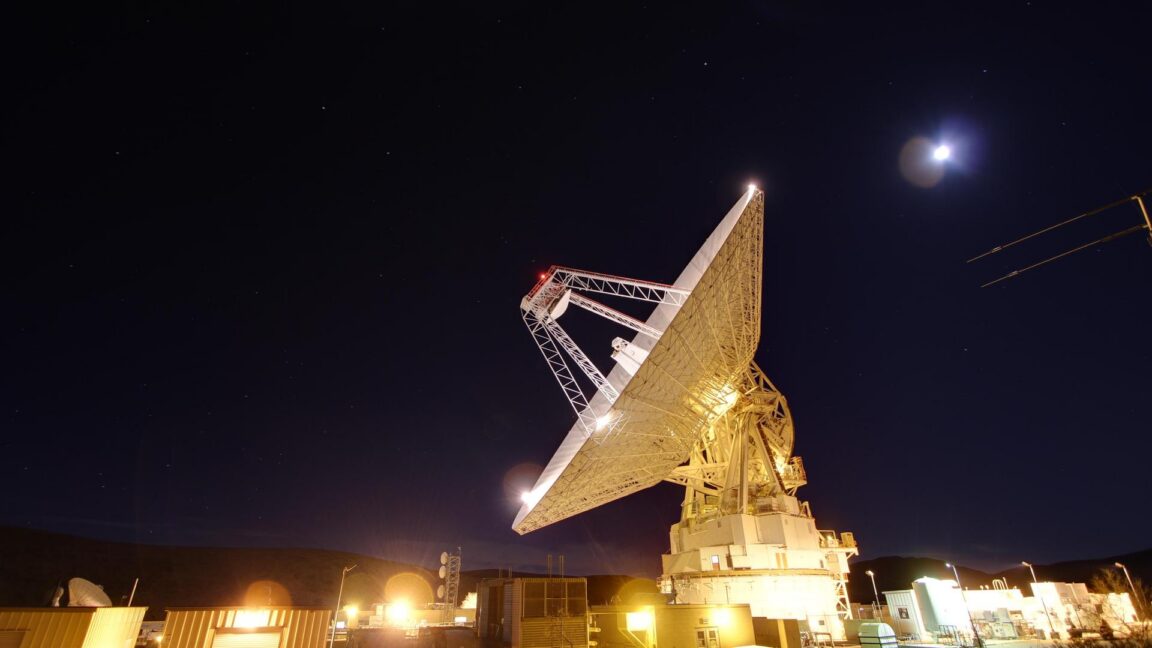
NASA pushed its Deep Space Network beyond its limits during the Artemis I mission nearly four years ago. The global array of deep space communications antennas couldn't keep up with the routine demands of 40 robotic science missions and the extraordinary surge required by NASA's Orion space capsule as it flew around the Moon.

The experience in late 2022 reduced or delayed downlinks from several high-profile science missions, including the James Webb Space Telescope and Mars rovers, as the data-hungry Artemis I mission took priority on NASA's communications network. And that was before the first Artemis mission with astronauts onboard. When Artemis II launched April 1, NASA called upon the Deep Space Network (DSN) again to connect Mission Control to the Orion capsule as it soared more than a quarter of a million miles from Earth.

With a crew of four flying inside the spacecraft, the agency's appetite for data from Orion on Artemis II was even higher than it was on Artemis I. But at a little more than nine days, the Artemis II mission was shorter than the 25 days Artemis I spent in space, helping alleviate the communications overload. Artemis I also launched 10 small CubeSats into deep space, many of which required tracking and telecom services from the DSN. Artemis II carried fewer CubeSats.

Read full article

Comments

© NASA/JPL-Caltech

  •  

After nearly breaking, NASA's Deep Space Network "worked well" on Artemis II

NASA pushed its Deep Space Network beyond its limits during the Artemis I mission nearly four years ago. The global array of deep space communications antennas couldn't keep up with the routine demands of 40 robotic science missions and the extraordinary surge required by NASA's Orion space capsule as it flew around the Moon.

The experience in late 2022 reduced or delayed downlinks from several high-profile science missions, including the James Webb Space Telescope and Mars rovers, as the data-hungry Artemis I mission took priority on NASA's communications network. And that was before the first Artemis mission with astronauts onboard. When Artemis II launched April 1, NASA called upon the Deep Space Network (DSN) again to connect Mission Control to the Orion capsule as it soared more than a quarter of a million miles from Earth.

With a crew of four flying inside the spacecraft, the agency's appetite for data from Orion on Artemis II was even higher than it was on Artemis I. But at a little more than nine days, the Artemis II mission was shorter than the 25 days Artemis I spent in space, helping alleviate the communications overload. Artemis I also launched 10 small CubeSats into deep space, many of which required tracking and telecom services from the DSN. Artemis II carried fewer CubeSats.

Read full article

Comments

© NASA/JPL-Caltech

  •  

Microsoft 365: A guide to the updates

Microsoft 365 (and Office 365) subscribers get more frequent software updates than those who have purchased Office without a subscription, which means subscribers have access to the latest features, security patches, and bug fixes. But it can be hard to keep track of the changes in each update and know when they’re available. We’re doing this for you, so you don’t have to.

Following are summaries of the updates to Microsoft 365/Office 365 for Windows over the past year, with the latest releases shown first. We’ll add info about new updates as they’re rolled out.

Note: This story covers updates released to the Current Channel for Microsoft 365/Office 365 subscriptions. If you’re a member of Microsoft’s Office Insider preview program or want to get a sneak peek at upcoming features, see the Microsoft 365 Insider blog.

Version 2605 (Build 20026.20168)

Release date: June 9, 2026

This build offers “various fixes to functionality and performance,” according to Microsoft.

Get more info about Version 2605 (Build 20026.20168).

Version 2605 (Build 20026.20140)

Release date: June 3, 2026

This build fixes a single bug, in which images didn’t display when using top and bottom text wrapping in classic Outlook.

Get more info about Version 2605 (Build 20026.20140).

Version 2605 (Build 20026.20112)

Release date: May 26, 2026

This build offers “various fixes to functionality and performance,” according to Microsoft.

Get more info about Version 2605 (Build 20026.20112).

Version 2605 (Build 20026.20076)

Release date: May 20, 2026

This build fixes several bugs, including one in which Excel or PowerPoint closed unexpectedly in rare cases while the user was actively co-authoring, particularly when opening a document for the first time.

Get more info about Version 2605 (Build 20026.20076).

Version 2604 (Build 19929.20172)

Release date: May 14, 2026

This build fixes a bug in Outlook in which sending mail failed when multiple Exchange accounts were configured.

Get more info about Version 2604 (Build 19929.20172).

Version 2604 (Build 19929.20164)

Release date: May 12, 2026

The build plugs a number of security holes. For details, see Release notes for Microsoft Office security updates.

What IT needs to know: Because this is a security update, it should be applied relatively soon. Over the next few weeks, check for reports about problematic issues, and if all seems well, apply the update.

Get more info about Version 2604 (Build 19929.20164).

Version 2604 (Build 19929.20136)

Release date: May 5, 2026

This build fixes a bug in which Outlook closed unexpectedly after replying to a mail item with labels.

Get more info about  Version 2604 (Build 19929.20136).

Version 2604 (Build 19929.20106)

Release date: April 29, 2026

This build includes “various fixes to functionality and performance,” according to Microsoft.

Get more info about Version 2604 (Build 19929.20106).

Version 2604 (Build 19929.20090)

Release date: April 21, 2026

This build includes “various fixes to functionality and performance,” according to Microsoft.

Get more info about Version 2604 (Build 19929.20090).

Version 2603 (Build 19822.20182)

Release date: April 14, 2026

In this build, Copilot can now edit your PowerPoint documents. Copilot can start a new presentation or build on an existing one, generate slides, update content, improve layouts, and polish design, while preserving formatting, structure, and branding. 

The build also plugs a number of security holes. For details, see Release notes for Microsoft Office security updates.

What IT needs to know: Because this is a security update, it should be applied relatively soon. Over the next few weeks, check for reports about problematic issues, and if all seems well, apply the update.

Get more info about Version 2603 (Build 19822.20182).

Version 2603 (Build 19822.20168)

Release date: April 9, 2026

This build fixes several bugs, including one in Outlook in which users could not close the Copilot chat pane using a keyboard. Users can now close the pane by navigating to the Close button using a keyboard or by using the assigned keyboard shortcut.

Get more info about Version 2603 (Build 19822.20168).

Version 2603 (Build 19822.20142)

Release date: March 31, 2026

This build includes “various fixes to functionality and performance,” according to Microsoft.

Get more info about Version 2603 (Build 19822.20142).

Version 2603 (Build 19822.20114)

Release date: March 24, 2026

This build fixes a single bug in which PowerPoint sometimes closed unexpectedly when opening a newly created empty file from the OneDrive folder.

Get more info about Version 2603 (Build 19822.20114).

Version 2602 (Build 19725.20190)

Release date: March 18, 2026

This build fixes an Outlook bug in which updating a single instance of a recurring meeting in a Microsoft 365 group calendar updated the entire series.

Get more info about Version 2602 (Build 19725.20190).

Version 2602 (Build 19725.20172)

Release date: March 10, 2026

This build introduces agent mode in Word, which adds a conversational chat experience that helps create, edit, and refine document content as you work. In addition, the build fixes a bug that impacted the rendering of extended characters in calendar items, causing certain characters to appear as question marks.

The build also plugs a number of security holes. For details, see Release notes for Microsoft Office security updates.

What IT needs to know: Because this is a security update, it should be applied relatively soon. Over the next few weeks, check for reports about problematic issues, and if all seems well, apply the update.

Get more info about Version 2602 (Build 19725.20172).

Version 2602 (Build 19725.20152)

Release date: March 3, 2026

This build fixes a bug in which closing a document sometimes remained in progress indefinitely after the Office app resumed from sleep or hibernation.

Get more info about Version 2602 (Build 19725.20152).

Version 2602 (Build 19725.20126)

Release date: February 24, 2025

This build fixes several bugs, including one that caused OneNote to close unexpectedly upon startup.

Get more info about Version 2602 (Build 19725.20126).

Version 2601 (Build 19628.20214)

Release date: February 17, 2025

This build includes, in Microsoft’s words, “various fixes to functionality and performance.”

Get more info about Version 2601 (Build 19628.20214).

Version 2601 (Build 19628.20204)

Release date: February 10, 2026

This build fixes a bug that sometimes prevented users from opening emails with the Encrypt Only label in Outlook.

It also plugs a number of security holes. For details, see Release notes for Microsoft Office security updates.

What IT needs to know: Because this is a security update, it should be applied relatively soon. Over the next few weeks, check for reports about problematic issues, and if all seems well, apply the update.

Get more info about Version 2601 (Build 19628.20204).

Version 2601 (Build 19628.20166)

Release date: February 3, 2026

This build includes, in Microsoft’s words, “various fixes to functionality and performance.”

Get more info about Version 2601 (Build 19628.20166).

Version 2601 (Build 19628.20150)

Release date: January 27, 2025

In this build, OneNote applies your chosen proofing language more consistently, so you don’t have to reset it for every paragraph when writing in multiple languages. In addition, the build fixes several bugs, including one that caused Office applications to become unresponsive when profile card-related activities were performed.

Get more info about Version 2601 (Build 19628.20150).

Version 2512 (Build 19530.20184)

Release date: January 21, 2025

This build includes, in Microsoft’s words, “Various fixes to functionality and performance.”

Get more info about Version 2512 (Build 19530.20184).

Version 2512 (Build 19530.20144)

Release date: January 13, 2026

This build fixes a number of bugs, including one that caused Excel, PowerPoint, and Word to become unresponsive when profile card-related activities were performed.

It also plugs a number of security holes. For details, see Release notes for Microsoft Office security updates.

What IT needs to know: Because this is a security update, it should be applied relatively soon. Over the next few weeks, check for reports about problematic issues, and if all seems well, apply the update.

Get more info about Version 2512 (Build 19530.20144).

Version 2512 (Build 19530.20138)

Release date: January 8, 2025

This build offers, in Microsoft’s words, “Various fixes to functionality and performance.”

Get more info about Version 2512 (Build 19530.20138).

Version 2511 (Build 19426.20218)

Release date: December 16, 2025

This build offers, in Microsoft’s words, “Various fixes to functionality and performance.”

Get more info about Version 2511 (Build 19426.20218).

Version 2511 (Build 19426.20186)

Release date: December 9, 2025

This Patch Tuesday build offers, in Microsoft’s words, “Various fixes to functionality and performance.” The build also has a variety of security updates (see details).

What IT needs to know: Because this is a security update, it should be applied relatively soon. Over the next few weeks, check for reports about problematic issues, and if all seems well, apply the update.

Get more info about Version 2511 (Build 19426.20186).

Version 2511 (Build 19426.20170)

Release date: December 3, 2025

This build includes, in Microsoft’s words, “Various fixes to functionality and performance.”

Get more info about Version 2511 (Build 19426.20170).

Version 2510 (Build 19328.20244)

Release date: November 20, 2025

This build fixes a bug in Outlook that caused users to see “Contacting the server for information” repeatedly when loading some emails.

Get more info about Version 2510 (Build 19328.20244).

Version 2510 (Build 19328.20232)

Release date: November 18, 2025

This build includes, in the words of Microsoft, “various fixes to functionality and performance.”

Get more info about Version 2510 (Build 19328.20232).

Version 2510 (Build 19328.20190)

Release date: November 11, 2025

This Patch Tuesday build fixes a bug in Outlook that caused some recipients to be unable to access OneDrive links shared with them via email. The build also has a variety of security updates (see details).

What IT needs to know: Because this is a security update, it should be applied relatively soon. Over the next few weeks, check for reports about problematic issues, and if all seems well, apply the update.

Get more info about Version 2510 (Build 19328.20190).

Version 2510 (Build 19328.20178)

Release date: November 4, 2025

This build fixes a single bug, in which @mention searches produced no results in Office apps.

Get more info about Version 2510 (Build 19328.20178).

Version 2510 (Build 19328.20158)

Release date: October 30, 2025

This build introduces a new Get Data dialog in Windows that simplifies finding and using external data, and adds Analyze Data to the Data tab.

The build also fixed an bug in Outlook that prevented users from downloading web add-ins in some virtualized environments.

Get more info about Version 2510 (Build 19328.20158).

Version 2509 (Build 19231.20216)

Release date: October 21, 2025

This build has, in Microsoft’s words, “various fixes to functionality and performance.”

Get more info about Version 2509 (Build 19231.20216).

Version 2509 (Build 19231.20194)

Release date: October 14, 2025

This build has a variety of security updates (see details), along with various fixes to functionality and performance.

What IT needs to know: Because this is a security update, it should be applied relatively soon. Over the next few weeks, check for reports about problematic issues, and if all seems well, apply the update.

Get more info about Version 2509 (Build 19231.20194).

Version 2509 (Build 19231.20172)

Release date: October 7, 2025

This build has, in Microsoft’s words, “various fixes to functionality and performance.”

Get more info about Version 2509 (Build 19231.20172).

Version 2509 (Build 19231.20156)

Release date: October 1, 2025

This build fixes two bugs, one in Excel in which ribbon controls were not rendered when rejoining Office sessions in a virtual machine, Azure Virtual Desktop, or remote desktop environment, and another that caused Outlook to terminate unexpectedly when starting.

Get more info about Version 2509 (Build 19231.20156).

Version 2508 (Build 19127.20264)

Release date: September 23, 2025

This build has, in Microsoft’s words, “various fixes to functionality and performance.”

Get more info about Version 2508 (Build 19127.20264).

Version 2508 (Build 19127.20240)

Release date: September 16, 2025

This build has, in Microsoft’s words, “various fixes to functionality and performance.”

Get more info about Version 2508 (Build 19127.20240).

Version 2508 (Build 19127.20222)

Release date: September 9, 2025

This build has multiple security updates (see details), along with various fixes to functionality and performance.

What IT needs to know: Because this is a security update, it should be applied relatively soon. Over the next few weeks, check for reports about problematic issues, and if all seems well, apply the update.

Get more info about Version 2508 (Build 19127.20222).

Version 2508 (Build 19127.20192)

Release date: September 3, 2025

This build fixes a bug in which some Outlook add-ins were getting “Office.auth.getAccessToken is not a function” errors.

Get more info about Version 2508 (Build 19127.20192).

Version 2508 (Build 19127.20154)

Release date: August 26, 2025

This build fixes a bug that caused Outlook to terminate unexpectedly when sending a meeting invite with an encryption label. It also adds support for pixelated rendering of embedded images in SVG assets for the entire Office suite.

Get more info about Version 2508 (Build 19127.20154).

Version 2507 (Build 19029.20208)

Release date: August 19, 2025

This build fixes a variety of bugs.

Get more info about Version 2507 (Build 19029.20208).

Version 2507 (Build 19029.20184)

Release date: August 12, 2025

This build fixes a bug which required users to restart Outlook to open a .msg file after initially accessing it once. The build also includes a variety of security updates (see details).

What IT needs to know: Because this is a security update, it should be applied relatively soon. Over the next few weeks, check for reports about problematic issues, and if all seems well, apply the update.

Get more info about Version 2507 (Build 19029.20184).

Version 2507 (Build 19029.20156)

Release date: August 5, 2025

This build fixes a single bug, in which users had to restart Outlook to open a .msg file after initially accessing it once.

Get more info about Version 2507 (Build 19029.20156).

Version 2507 (Build 19029.20136)

Release date: July 30, 2025

This build fixes a wide variety of bugs, including in which Outlook closed unexpectedly shortly after launch, and another in Word in which the word count sometimes displayed incorrectly.

Get more info about Version 2507 (Build 19029.20136).

Version 2506 (Build 18925.20184)

Release date: July 22, 2025

This build fixes two bugs, one that caused the Copilot Command Center to continue to be visible after disabling the Copilot user interface, and another in which when creating handouts in PowerPoint, certain characters (full-width numbers) couldn’t be properly transferred to the handout.

Get more info about Version 2506 (Build 18925.20184).

Version 2506 (Build 18925.20168)

Release date: July 15, 2025

This build fixes two bugs, one that caused Visio 32-bit to close unexpectedly when using the Drawing control, particularly in setups involving COM components or .NET integrations, and another in Word in which copying and pasting content between documents sometimes changed the applied style unexpectedly.

Get more info about Version 2506 (Build 18925.20168).

Version 2506 (Build 18925.20158)

Release date: July 8, 2025

This Patch Tuesday build fixes several bugs in Outlook, PowerPoint, Word, and the whole Office suite, including one that caused the Copilot icon to unexpectedly display in Outlook when Copilot had been disabled by the admin in government cloud.

The release also includes a variety of security updates (see details).

What IT needs to know: Because this is a security update, it should be applied relatively soon. Over the next few weeks, check for reports about problematic issues, and if all seems well, apply the update.

Get more info about Version 2506 (Build 18925.20158).

Version 2506 (Build 18827.20176)

Release date: July 1, 2025

This build fixes a wide variety of bugs, including one in Word in which print preview sometimes stopped working when printing long emails.

Get more info about Version 2506 (Build 18827.20176).

Version 2505 (Build 18827.20176)

Release date: June 26, 2025

This build introduces several new features, including one in Excel in which the PivotTables dialog box interface has been replaced by a redesigned panel, making it easier to view all of your options and simpler to change your data selection before inserting a recommended PivotTable.

Get more info about Version 2505 (Build 18827.20176).

Version 2505 (Build 18827.20164)

Release date: June 17, 2025

This build fixes a bug that caused the “Try the new Outlook” toggle to be enabled when working in Classic Outlook side by side with the new Outlook.

Get more info about Version 2505 (Build 18827.20164).

Version 2505 (Build 18827.20150)

Release date: June 10, 2025

This build fixes several bugs, including one for the entire Office suite in which a Save As attempt on an existing file didn’t complete successfully, and subsequent attempts continued to encounter issues when trying to save to a file that no longer existed.

This Patch Tuesday release also includes a variety of security updates: see details.

What IT needs to know: Because this is a security update, it should be applied relatively soon. Over the next few weeks, check for reports about problematic issues, and if all seems well, apply the update.

Get more info about  Version 2505 (Build 18827.20150).

Version 2505 (Build 18827.20140)

Release date: June 3, 2025

This build offers a variety of bug and performance fixes.

Read about Version 2505 (Build 18827.20140).

Version 2504 (Build 18730.20186)

Release date: May 20, 2025

This build introduces a new PowerPoint feature: Notification emails for mentions, tasks, comments, and replies will now contain context previews even when the source document is encrypted, and the email will inherit the document’s security policies.

Get more info about Version 2504 (Build 18730.20186).

Version 2504 (Build 18730.20168)

Release date: May 13, 2025

This build fixes a bug in which users were seeing high CPU usage when typing in Outlook. It also includes a variety of security updates: see details.

What IT needs to know: Because this is a security update, it should be applied relatively soon. Over the next few weeks, check for reports about problematic issues, and if all seems well, apply the update.

Get more info about Version 2504 (Build 18730.20168).

Version 2504 (Build 18730.20142)

Release date: May 6, 2025

This build includes various bug and performance fixes.

Get more info about Version 2504 (Build 18730.20142).

Version 2504 (Build 18730.20122)

Release date: April 29, 2025

This build fixes a wide variety of bugs, including one in which PowerPoint was unable to open a file from a network mapped drive from File Explore, another in which Word closed unexpectedly when opening .doc files, and another for the entire Office suite in which large 3D files couldn’t be inserted.

Get more info about Version 2504 (Build 18730.20122).

Version 2503 (Build 18623.20208)

Release date: April 17, 2025

This build fixes a bug that could cause Excel to stop responding.

Get more info about Version 2503 (Build 18623.20208).

Version 2503 (Build 18623.20178)

Release date: April 8, 2025

This build fixes a single bug in Word in which users may have encountered an issue with saving, seeing the message “saving…” in the title bar. It  also includes a variety of security updates. Go here for details.

What IT needs to know: Because this is a security update, it should be applied relatively soon. Over the next few weeks, check for reports about problematic issues, and if all seems well, apply the update.

Get more info about Version 2503 (Build 18623.20178).

Version 2503 (Build 18623.20156)

Release date: April 2, 2025

This build lets you use Dark Mode in Excel, which darkens your entire sheet, including cells, and may reduce eye strain. It also fixes several bugs, including one in Word in which opening specific files that contain many tracked changes and comments resulted in poor performance, and one in PowerPoint in which the app was not displaying the icon for an inserted PDF object.

Get more info about Version 2503 (Build 18623.20156).

Version 2502 (Build 18526.20168)

Release date: March 11, 2025

This build fixes several bugs, including one in which some Word files with numerous tracked changes and comments were slow. It also includes a variety of security updates: see details.

What IT needs to know: Because this is a security update, it should be applied relatively soon. Over the next few weeks, check for reports about problematic issues, and if all seems well, apply the update.

Get more info about Version 2502 (Build 18526.20168).

Version 2502 (Build 18526.20144)

Release date: March 5, 2025

This build fixes a wide variety of bugs, including one in Word in which the default font size may not be 12pt as expected, and another in which PowerPoint automatically closed when the system went into hibernate or sleep mode.

Get more info about Version 2502 (Build 18526.20144).

Version 2501 (Build 18429.20158)

Release date: February 11, 2025

This build removes the option to display Track Changes balloons in left margin in Word. It also includes a variety of security updates. See “Release notes for Microsoft Office security updates” for details.

What IT needs to know: Because this is a security update, it should be applied relatively soon. Over the next few weeks, check for reports about problematic issues, and if all seems well, apply the update.

Get more info about Version 2501 (Build 18429.20158).

  •  

Instagram VOLTA ATRÁS e REMOVE Mapa de Amigos após polêmica #instagram #meta #redessociais

💾

O Instagram retirou do ar o Mapa de Amigos no Brasil após uma onda de críticas envolvendo privacidade, segurança e compartilhamento de localização em tempo real. A Meta afirmou que a ferramenta foi disponibilizada por engano para usuários brasileiros e está trabalhando para corrigir o problema. A função também chamou a atenção de autoridades e gerou debates sobre stalking, assédio e monitoramento online.


#Instagram #Meta #MapaDeAmigos #Privacidade #SegurançaDigital #RedesSociais #Tecnologia #InstagramBrasil #TechNews #Shorts #TecMundo
  •  

The Impact of Strong Lensing on Hubble Constant Measurements with Gravitational-Wave Dark Sirens

Eungwang Seo et al 2026 ApJS 284 20
Combining strongly lensed gravitational wave signals with luminosity distances from their host galaxies, the Hubble constant could be measured in a way that is complementary to electromagnetic methods.
The post The Impact of Strong Lensing on Hubble Constant Measurements with Gravitational-Wave Dark Sirens appeared first on AAS Nova.
  •  

Did Iron Age Britons remove brains of the dead?

Very little is known about funerary practices in Iron Age Britain, since few human remains have survived. However, the environment in northwest Scotland is more conducive to preserving bone from that period. Archaeologists have previously noted evidence of postmortem manipulation of human remains, such as mummification, and of modifying human bones into tools or decorative artifacts. Now a new paper published in the journal Antiquity describes evidence of postmortem brain removal in remains from that region, as well as sharpened limb bones, possibly for use as tools.

The remains in question were found in 2000 at a burial cairn in Loch Borralie, near the most northwest tip of the Scottish mainland, after erosion revealed a human cranium. The excavated remains belonged to two individuals: one an adult female and the other a juvenile of (at the time) indeterminate sex; the cranium belonged to the latter. The authors of the new paper conducted a fresh osteoarchaeological analysis as well as multi-isotope and ancient DNA analysis. Radiocarbon dating of molar teeth from both sets of remains placed their deaths as occurring between 50 BCE and 70 CE.

In the case of the female individual, the authors noted an unusual break at the base of the cranium that likely occurred near the time of death. It's the kind of fracture that one gets from high-velocity impacts, including vehicular collisions, sporting accidents, falls, assaults, or even long-drop hanging. But the known forensic patterns observed in the aforementioned scenarios don't exactly match the pattern of the Iron Age cranium, leading the authors to conclude that it likely resulted from a targeted impact. They also noted perimortem fractures on both scapulae.

Read full article

Comments

© Rebecca Ellis-Haken

  •  

Here are the price-matching policies for Best Buy, GameStop, and others

Hand holding credit card again illustrated background

Nothing is more frustrating than buying a new pair of headphones, an OLED TV, or a laptop just to find out that you could have gotten it for cheaper somewhere else just a few days or weeks later. That’s why, in order to keep customers happy and prevent them from shopping elsewhere, some retailers offer price-matching policies in which they promise to match a lower price found elsewhere. That kind of information comes in handy no matter the time of year, but it’s especially helpful during shopping events like Amazon’s Prime Day 2026 sale, which kicks off June 23rd and lasts through June 26th.

What follows are the price-matching policies for a number of major retailers. There are a few things to note here. First, every retailer has its own set of rules and restrictions. We’ve summarized some of them here, but we recommend visiting the provided links and reading the policies carefully. Second, most retailers that serve as a marketplace for other sellers, specifically wholesale retailers like Costco and Sam’s Club, don’t offer any protections, and many traditional stores won’t match their prices.

Lastly, there are always exceptions to the rules. If you’re looking for a deal on a product and you know it’s available for a lower price elsewhere (or it was previously offered at the same retailer), it never hurts to call or chat with a customer service rep and ask if they’ll match the price. You have nothing to lose but time, and there’s always a chance they may find a loophole or make a special exception.


The 2024 Kindle Paperwhite.

Amazon

Amazon doesn’t offer price matching. Full stop. You can contact customer support, but even if you’re an Amazon Prime customer, it’s not likely that they’ll help you out.

That being said, Amazon does offer a liberal return policy, meaning you can often return an item you purchased from Amazon if it’s available for less elsewhere (or at Amazon). Then, you can just repurchase the product wherever it’s cheapest.

Target

Target used to let shoppers price match identical items sold by select retailers, including Amazon, but no longer does so. Under its current policy, shoppers can only request a price adjustment if they find an identical qualifying item for less than they paid on Target.com, at their local Target store, or through an eligible Target Circle deal. Target will also price match Target Plus Partner (the retailer’s name for third-party sellers) items if the same Target Plus Partner on Target.com has it for less, or with a Target Circle deal. Price matches can be requested at the time of purchase or within 14 days after purchase.

To request a price match, you’ll need to show the online price or digital version of the ad and provide your original receipt or packing slip; screenshots and photos aren’t accepted. Alternatively, you can call for online purchases at 1-800-591-3869 or chat online via contactus.target.com.

However, that Target’s policy excludes in-store price matches from other Target stores. It also can’t be combined with Target Circle Bonuses, Target coupons, Registry coupons, or gift card promotions, and doesn’t apply to clearance, closeout, liquidation, damaged, used, open-box, refurbished, pre-owned, or rent-to-own items. In addition, Target won’t match prices between items sold directly by Target and those sold by third-party Target Plus Partner sellers.

Best Buy

Best Buy’s Price Match Guarantee states that a product could be eligible for a price reduction if it’s new, identical to the competitor’s product, immediately available at a qualifying competitor’s store or on its site, and not shown on Best Buy’s exclusion list — that includes “items for sale the Thursday before Thanksgiving Day through the Monday after Thanksgiving.” Items must have the identical model number and color. However, disclaimer here: Best Buy only matches prices that are available to all customers and does not match membership-exclusive, loyalty-program, or paid-member discounts, thus it excludes events like Amazon Prime Day.

To get the difference, you have to contact Best Buy via its on-site chat and provide the ad or website with a lower price point. Alternatively, you can call 1-888-237-8289 or visit any Best Buy or Pacific Sales store. Approved retailers include Amazon, B&H Photo, Apple, Costco, Sam’s Club, Target, and Walmart. Items must be sold directly through the store, too, not a third-party seller.

Best Buy will also, upon request, match an in-store or online price that was lowered during the return and exchange period, which typically lasts up to 15 days. Keep in mind that the return window on most products is 60 days for both Best Buy Plus and My Best Buy Total members.

Walmart

Walmart doesn’t price-match competitors, though Walmart’s online store offers price matching on items purchased from Walmart stores if the item is in stock at Walmart.com.

However, the policy doesn’t apply to residents of Alaska, Hawaii, or Puerto Rico. Additionally, it doesn’t apply to special event prices, like those seen during Black Friday. Walmart also does not retroactively price-match items purchased on Walmart.com that have dropped in price after the time of purchase. The retailer doesn’t price-match items purchased from Walmart Marketplace retailers or third-party sellers, either, and Walmart says the ultimate decision for a price match comes down to the store manager on duty when you make the request.

Apple

While we’ve seen claims that Apple will price-match up to 10 percent on products bought at certain major retailers, there is no official policy on the company’s website.

If Apple reduces the price of an Apple-branded product within 14 days of when you receive it, you can visit an Apple Store or contact Apple Support at 1-800-MY-APPLE to request a refund or credit for the difference. However, this doesn’t apply to special promotional pricing, such as Black Friday or Cyber Monday deals.

B&H Photo

B&H says that it might be able to honor a current lower price or match the price of a competitor, but it does so on a case-by-case basis. You have to contact its customer service team using the on-site chat, email, or by calling 1-800-606-6969 / 1-212-444-6615. If approved, B&H Photo will price match one identical item per customer.

Costco

Costco does not price match with competitors. However, according to its website, it will issue a credit for the difference between the price a member paid and the promotional price if you bought the item online at Costco and requested the credit up to 30 days before the price change. If you bought the product from a Costco warehouse location, visit the membership counter at the store where you made the purchase. Costco doesn’t price-match items purchased at Costco warehouses with items purchased on Costco.com.

Dell

Dell will price-match identical products from Dell, Amazon, Best Buy, Walmart, Target, HP, Apple, Lenovo, and several other retailers. Dell will not match prices available at Costco or Sam’s Club. You can call 1-877-275-3355 or chat online to run a price check, but you’ll need to provide a link to the competitor’s product. Dell outlines the specs you’ll need to compare to determine whether an item is eligible for a price match before you contact them, and before you make a purchase.

You can also contact the company about a price difference within 30 days of purchase. However, Dell doesn’t match membership-only pricing or the exclusive discounts you’ll find during Amazon Prime Day. Items that are discounted as a Deal of the Week or Daily Deals through Dell’s Member Purchase Program are also ineligible.

eBay

eBay doesn’t offer price matching on purchases made during the week of Thanksgiving through Cyber Monday, but it does provide a generous price guarantee on select items outside that window. If you buy an item marked with the “Best Price Guarantee” badge — or one featured in eBay Deals — and find a lower price from an approved competitor within 48 hours, eBay will give you 110 percent of the price difference in the form of a coupon. That means you’ll receive a coupon worth the full difference plus an extra 10 percent, which you can use toward your next eBay purchase. Approved competitors include Amazon, Best Buy, Target, and Walmart.

The products must be new, unopened, and identical to the competitor’s item. You have to contact eBay Customer Service, and if they verify your claims are legitimate, you will receive the coupon and be able to use it toward your next eBay purchase. Only one item can be price-matched per day, however.

GameStop

GameStop does not mention an official price-matching policy on its website. In 2022, however, GameStop tweeted that the store will price-match items sold and shipped by Amazon as long as they’re available online or in-store. Although GameStop only mentioned Amazon in the tweet, others have reported that the store will price-match items purchased from Target and elsewhere.

The Google Pixel 10 lineup on a table.

Google

If a request is made within the standard return period, Google will match online pricing from select retailers — specifically Amazon, Best Buy, Walmart, B&H Photo, Signifi, and Target. It doesn’t, however, match preorder pricing from other retailers or carrier deals. The product must also be in stock and identical, right down to the color and configuration. Plus, you need to provide a public link to the promo page or product listing to verify the lower price, and that item must be currently in stock. Items sold by third-party sellers are ineligible for a price match.

Amazon Prime deals are eligible for price matching, but other members-only discounts aren’t. Other exclusions apply, too, including wholesale and educational pricing; mail-in offers and coupons; product bundles; clearance, open-box, refurbished, and pre-owned items; and products sold by third-party sellers on a competitor’s website. Google will only provide a price match on smartphones and other products with data plans if they’re unlocked devices.

You may also receive the difference if the product you purchased from the Google Store drops in price within the standard return period, though you’ll need to contact Google directly to get the price match or correction.

The Home Depot

The Home Depot will match the price of identical, in-stock products from other retailers, except for membership-based wholesalers. The retailer must be able to ship the item to your location, so prices from regional retailers are ineligible. The price-match policy does not apply to special events like Black Friday, clearance prices, used and refurbished items, or rebate offers. You may request a price match within 30 days of your purchase.

You must bring the ad or listing to the register in-store. (You can also request price matches for online purchases that are shipped to the customer.) For online orders, you’ll need to provide the exact SKU for the item on both the competitor’s and The Home Depot’s sites. To request a price match over the phone, you can call 1-800-430-3376. Additionally, The Home Depot will only honor requests submitted by the original buyer.

HP

According to HP’s website, the company will match the current pretax price for new comparable PCs and identical HP printer, display, and accessory model numbers from nationally recognized online retailers, such as Dell, Lenovo, Amazon, Staples, Newegg, and Best Buy. The specs have to be the same to get a price match on PCs, but the product model number does not need to be identical.

You must ask for the match at the time of purchase by calling 1-800-888-0229 or via chat. You can’t request a price match via email, and the policy doesn’t apply to items purchased during promotional periods. It also doesn’t apply to membership stores like Costco and Sam’s Club, items purchased through a third-party vendor on an approved site, or items purchased using financing.

HP also offers price protection on HP-branded products. If a price drops during your 30-day return window, you can request an adjustment by emailing myhpsales@hp.com. This doesn’t apply to products purchased during certain seasonal sales events, including Fourth of July promotions and deals offered during Thanksgiving Week and Cyber Week.

Lenovo’s ThinkPad X9 on a desk.

Lenovo

Lenovo matches pricing on comparable PCs from Lenovo, HP, or Dell with the same key specs as long as they’re sold through a list of recognized retailers. That list includes bigger stores such as Best Buy, Walmart, Amazon, Newegg, and B&H Photo, as well as direct competitors such as Dell and HP. The comparable PC must also be in stock and readily available from both Lenovo and the competing retailer, and you have to contact a Lenovo sales rep with specific details about the specs and availability of the product you’re inquiring about in order to facilitate the match.

That said, you can’t use coupons or special discounts when requesting a price match, and the policy doesn’t apply to membership stores like Costco. The policy also doesn’t apply to “Marketplace” items where third parties fulfill the order, so double-check that you bought the product directly from the retailer. Build-your-own models are also ineligible for a price match. Lenovo’s separate Price Guarantee program, meanwhile, is limited to five eligible Lenovo products per customer per year.

Lenovo also offers a price guarantee refund for laptops and personal desktop computers bought from Lenovo.com within 30 days of purchase. To receive a refund, you must contact Customer Care and provide proof of the lower price for the identical product offered on Lenovo.com. This policy doesn’t apply to doorbuster or clearance products, however.

Lowe’s

Lowe’s will match the price of identical, in-stock products when you present an ad, product listing, or photo from a qualifying online or local retailer, including Amazon, Best Buy, Target, and Walmart. The product must be purchased directly from the retailer and not a third-party seller, however, and it doesn’t apply to special sales events like Black Friday and other holiday promotions.

Additionally, Lowe’s doesn’t match prices from one Lowe’s store to another, nor does it match any rebate discounts or those available only to a select group of customers (such as loyalty clubs). Clearance, seasonal, buy one get one free, and custom made items are also ineligible for a price match. To request a price match, you can head to the store, call 1-877-465-6937, or chat online.

An Xbox Series X console is placed on a white surface with a black background behind it.

Microsoft

Microsoft will refund you the difference if it drops the price of an in-stock physical product purchased online from the Microsoft Store within 60 days of your purchase being delivered.  The same policy also applies if you find the identical product on sale at a lower price at a qualifying retailer such as Amazon or Best Buy, though it doesn’t extend to the Surface Hub, HoloLens, Windows DevKits, or digital products.

Furthermore, some eligible products are subject to specific retailer exclusions. For example, price matches for Surface products at other retailers are limited to Amazon and Best Buy, while Xbox products are limited to the two aforementioned retailers as well as Target, GameStop, and Walmart. The price match policy excludes products from third-party sellers, clearance items, bundles, rebates, and prices only available after guests log in.

You’ll need to contact Microsoft’s Sales and Support team at 1-800-642-7676 within 60 days of delivery to request a refund. If you purchase an item from a Microsoft Experience Center, you’ll need to return to that location with your receipt. In both instances, Microsoft will credit the difference between the price you paid and the current lower price to your original payment method, which typically takes between three and five days to process.

Newegg

Newegg no longer matches prices from competing retailers. The company only price matches eligible items sold and shipped by Newegg (not third-party sellers), and the product must be identical. The lower price must also appear on Newegg.com within seven calendar days of your purchase. If approved, Newegg will issue the difference as credit that can be used on the site or app for up to 365 days. 

The match won’t apply to rebates, coupons, financing offers, bundles, clearance items, open-box and refurbished products. The policy also doesn’t apply to prices found at third-party marketplace sellers, or products on sale during major sales events like Black Friday and Cyber Monday.

Sam’s Club

You can request a price match against other Sam’s Club stores, but not competitors. Note that this doesn’t apply to items marked down or on clearance.

Update, June 11th: Updated to reflect current retailer policies.

  •  

NASA’s Career Technical Education Day Highlights Technical Careers

3 min read

NASA’s Career Technical Education Day Highlights Technical Careers

Students participate in a hands-on robotics demonstration during Career Technical Education Day at NASA’s Langley Research Center in Hampton, Virginia.
NASA/Mark Knopp

At NASA, remaining a global leader in exploration and innovation includes having a skilled
and dedicated workforce. Technicians play a critical role in advancing the agency’s
research and missions, applying hands-on expertise across engineering, fabrication,
electronics, and countless other technical fields.


To help cultivate the next generation of technical talent, NASA’s Office of STEM Engagement
hosted Career Technical Education Day recently at NASA’s Langley Research Center in
Hampton, Virginia. One hundred high school and community college students from Virginia
and North Carolina attended, eager to explore the technical career paths that help drive
NASA’s work.


“Many students picture NASA as only astronauts or engineers and therefore never consider
a career at NASA to be within their reach,” said Bonnie Murray, lead for the Office of STEM
Engagement at NASA Langley. “Bringing students from local career and technical
education programs to Langley allows them the opportunity to see technicians at work,
hear the pathways those technicians followed, and understand how the skills they are
developing in their related classes have a place in the NASA workforce.”


The event opened with remarks from NASA Langley’s Steve Gayle, who traced his path from
an engineering technician co-op in the center’s Fabrication Division and a graduate of
Langley’s Engineering Technician Apprentice Program to his current role as acting
associate director. Gayle encouraged students to embrace challenges, think critically, stay
curious, and create their own opportunities as they pursue their career goals.


“We need young, bright minds,” Gayle said. “At NASA, we rely on skilled hands-on
professionals — technicians who operate our wind tunnels, apply their skills in our
fabrication shops, and use their electronics knowledge to design, test, and build critical
systems.”

Students visit NASA Langley Research Center’s model shop during Career Technical Education Day to learn about the materials and techniques technicians use to build model aircraft and spacecraft.
NASA/Ryan Hill

Throughout the day, students toured several of Langley’s world-class facilities, including
the historic Landing and Impact Research Facility and one of the center’s wind tunnels. At
each stop, they received a behind-the-scenes look at the spaces where NASA technicians
build, test, and refine the tools and technologies that support the agency’s missions. The
technicians spoke with students about their work, their career paths, and the skills needed
to excel in technical roles.


Hands-on demonstrations and interactive activities lead by NASA technicians and
aerospace industry partners helped students connect their classroom experience with
real-world applications. Whether observing fabrication techniques, seeing instrumentation
up close, or engaging with engineering demonstrations, participants experienced how
STEM and technical skills directly translate into meaningful careers.


“Through events such as this, NASA seeks to prepare students for aerospace careers
through experiences and investments that strengthen research capacity, build technical
expertise, and expand reach in alignment with agency missions and needs,” Murray said.
The event ended with a career panel moderated by NASA astronaut Joe Acaba, associate
director of mission and strategy at NASA’s Johnson Space Center in Houston and former
math and science teacher. The panel featured four Langley technician apprentices who
shared insights into their roles and the value of strong foundational skills in technical
fields.

Wyatt Healy, mechanical engineering technician apprentice at NASA’s Langley Research Center, answers questions during a career panel featuring NASA Langley technician apprentices during Career Technical Education Day.
NASA/Ryan Hill

“A basic grasp of how software, systems, and even everyday items function goes a long way
as you progress in your technician journey,” said Wyatt Healy, mechanical engineering
technician apprentice at NASA Langley. “When you have those fundamentals down,
learning the more advanced concepts becomes much easier. It doesn’t happen overnigh
but with a strong foundation, the sky is the limit.”


By connecting students with NASA professionals, facilities, and hands-on experiences, the
event showcased a broad range of opportunities available in technical careers. It also
underscored NASA’s commitment to building a strong, skilled workforce equipped to
support the agency’s mission and tackle the challenges of tomorrow.


For more information about opportunities to connect students with NASA’s mission, work, and people, visit:

https://www.nasa.gov/learning-resources

Brittny McGraw
NASA Langley Research Center

The post NASA’s Career Technical Education Day Highlights Technical Careers appeared first on NASA Science.

  •  

NASA’s Career Technical Education Day Highlights Technical Careers

3 min read

Preparations for Next Moonwalk Simulations Underway (and Underwater)

Students participate in a hands-on robotics demonstration during Career Technical Education Day at NASA’s Langley Research Center in Hampton, Virginia.
NASA/Mark Knopp

At NASA, remaining a global leader in exploration and innovation includes having a skilled
and dedicated workforce. Technicians play a critical role in advancing the agency’s
research and missions, applying hands-on expertise across engineering, fabrication,
electronics, and countless other technical fields.


To help cultivate the next generation of technical talent, NASA’s Office of STEM Engagement
hosted Career Technical Education Day recently at NASA’s Langley Research Center in
Hampton, Virginia. One hundred high school and community college students from Virginia
and North Carolina attended, eager to explore the technical career paths that help drive
NASA’s work.


“Many students picture NASA as only astronauts or engineers and therefore never consider
a career at NASA to be within their reach,” said Bonnie Murray, lead for the Office of STEM
Engagement at NASA Langley. “Bringing students from local career and technical
education programs to Langley allows them the opportunity to see technicians at work,
hear the pathways those technicians followed, and understand how the skills they are
developing in their related classes have a place in the NASA workforce.”


The event opened with remarks from NASA Langley’s Steve Gayle, who traced his path from
an engineering technician co-op in the center’s Fabrication Division and a graduate of
Langley’s Engineering Technician Apprentice Program to his current role as acting
associate director. Gayle encouraged students to embrace challenges, think critically, stay
curious, and create their own opportunities as they pursue their career goals.


“We need young, bright minds,” Gayle said. “At NASA, we rely on skilled hands-on
professionals — technicians who operate our wind tunnels, apply their skills in our
fabrication shops, and use their electronics knowledge to design, test, and build critical
systems.”

Students visit NASA Langley Research Center’s model shop during Career Technical Education Day to learn about the materials and techniques technicians use to build model aircraft and spacecraft.
NASA/Ryan Hill

Throughout the day, students toured several of Langley’s world-class facilities, including
the historic Landing and Impact Research Facility and one of the center’s wind tunnels. At
each stop, they received a behind-the-scenes look at the spaces where NASA technicians
build, test, and refine the tools and technologies that support the agency’s missions. The
technicians spoke with students about their work, their career paths, and the skills needed
to excel in technical roles.


Hands-on demonstrations and interactive activities lead by NASA technicians and
aerospace industry partners helped students connect their classroom experience with
real-world applications. Whether observing fabrication techniques, seeing instrumentation
up close, or engaging with engineering demonstrations, participants experienced how
STEM and technical skills directly translate into meaningful careers.


“Through events such as this, NASA seeks to prepare students for aerospace careers
through experiences and investments that strengthen research capacity, build technical
expertise, and expand reach in alignment with agency missions and needs,” Murray said.
The event ended with a career panel moderated by NASA astronaut Joe Acaba, associate
director of mission and strategy at NASA’s Johnson Space Center in Houston and former
math and science teacher. The panel featured four Langley technician apprentices who
shared insights into their roles and the value of strong foundational skills in technical
fields.

Wyatt Healy, mechanical engineering technician apprentice at NASA’s Langley Research Center, answers questions during a career panel featuring NASA Langley technician apprentices during Career Technical Education Day.
NASA/Ryan Hill

“A basic grasp of how software, systems, and even everyday items function goes a long way
as you progress in your technician journey,” said Wyatt Healy, mechanical engineering
technician apprentice at NASA Langley. “When you have those fundamentals down,
learning the more advanced concepts becomes much easier. It doesn’t happen overnight,
but with a strong foundation, the sky is the limit.”


By connecting students with NASA professionals, facilities, and hands-on experiences, the
event showcased a broad range of opportunities available in technical careers. It also
underscored NASA’s commitment to building a strong, skilled workforce equipped to
support the agency’s mission and tackle the challenges of tomorrow.


For more information about opportunities to connect students with NASA’s mission, work, and people, visit:

https://www.nasa.gov/learning-resources

Brittny McGraw
NASA Langley Research Center

  •  

Alaskans will be flying blind after NSF decommissions ocean monitoring network

The upcoming loss of a deep-ocean monitoring system is triggering deep anxiety in Alaska, the nation’s top fish-producing state, where temperatures are warming twice as quickly as the global average.

The National Science Foundation announced plans in May to decommission the Ocean Observatories Initiative, a nearly $368 million network of scientific instruments that tracks ocean chemistry, wave action, water temperature, salinity, and a host of other metrics.

The real-time information from these ocean observatories helps scientists, fishery managers, coastal hazard planners, and even the military plan and prepare for the future. Whether that’s calculating how much fish can be harvested or when a marine heatwave or giant wave action may be occurring, the data is used by a plethora of sources.

Read full article

Comments

© Laura Dwyer/NOAA

  •  

The first complex cells had genes from a complex mix of species

We tend to view ourselves and the complex cells that build us as a distinct branch of the tree of life from the compact, seemingly featureless cells of bacteria and archaea. But we've found that our genome is actually a hybrid, a mish-mash of genes from bacteria and archaea, along with some that have evolved in our own lineage.

Scientists gradually settled on a simple explanation for this: the first complex cells were the product of a fusion between archaeal cells and bacteria, with the bacteria ultimately evolving into the mitochondria, a chemical-power-generating structure that still retains a bit of its own genome. Over time, many of the other bacterial genes were transferred to the nucleus of what was becoming what we now call a eukaryote, intermingling with the archaeal genes there.

But a new study has taken a careful look at some of the genes shared by all eukaryotes and comes to the conclusion that the reality is a little more complicated and that there were several waves of gene transfers from bacteria. The big picture of a merger between bacteria and archaea is still right, but it was only part of a picture where gene transfers among species were commonplace.

Read full article

Comments

© MARK GARLICK/SCIENCE PHOTO LIBRARY

  •  
❌