Google’s new Gemini app brings its AI assistant directly to Windows 10 and 11
Pressing [Alt] + [Space] summons Gemini without interrupting your current workflow
It’s remarkably convenient, although there's still room for improvement
You can say goodbye to opening a browser every time you want to use Gemini on your PC. Google has just released a Windows version of its Gemini app, and it’s by far the easiest and quickest way to get Google’s AI to answer your questions on Windows.
Gemini has had a macOS app for a while now, and now it has finally been joined by a dedicated Windows version, complete with its own keyboard shortcut. You can summon it from anywhere, no matter what you’re doing on your PC, by pressing [Alt] + [Space].
But here’s the thing: [Alt] + [Space] is already a little crowded on Windows. It traditionally opens the active window’s system menu, and is also the default shortcut for Microsoft’s PowerToys Run utility, a quick launcher for Windows power users that provides instant access to applications, files, calculator functions and system commands.
Google's new Windows Gemini app. (Image credit: Google / Microsoft)
On my PC
On my PC, installing the Gemini app caused it to take over the [Alt] + [Space] keyboard shortcut, so it now launches Gemini instead. I’ve been using the new app for a few hours, and the shortcut is a great way to access Gemini almost instantly. It saves me from messing around with browser tabs and breaking my workflow. I love it.
The Gemini app can also connect to other Google apps, including Gmail and Drive. Provided you’re in an eligible country, such as the US or Australia, and subscribe to Google AI Pro or Google AI Ultra, you can also hand multi-step tasks over to Gemini Spark, Google’s personal AI agent. Spark is currently not available in the UK.
The app does everything the web version does, so you can create custom images with Nano Banana and even make high-quality videos with Gemini Omni from inside it.
What didn't I like about the app?
However, I’m not a fan of the way the app permanently displays your location at the bottom of the left-hand sidebar. This creates a significant privacy risk, especially if you’re using it at home. I don’t want my home address accidentally ending up in screenshots I take of my desktop, for example.
There’s no obvious way to remove your location either. All you can do is close the sidebar if you don’t want it displayed, and that’s not a great user experience.
The second thing I didn’t like was the lack of a Gemini Live experience in the app, like the one available in the mobile version on both iOS and Android. Live is Gemini’s voice mode, allowing you to talk to it much as you would a person. It can also look through your phone’s camera at the world around you, letting you ask questions about what it sees.
I can imagine that a Gemini Live experience capable of “seeing” what’s on your PC desktop and answering questions about it would be very helpful, but it looks like we’ll have to wait for that. For now you’re limited to taking screenshots, then uploading them to Gemini via the app and asking questions about what’s on them.
Google says more native desktop capabilities will roll out over time. For now, it’s the convenience of combining the Windows app with its keyboard shortcut that wins the day. I hope Google addresses my complaints in a future version, but they’re not enough to stop me choosing the app as my go-to Gemini experience instead of the web version.
If you want to try it, the Gemini app is available globally for Windows 10 and 11 users. You can download it today.
Google has officially rolled out a brand new native desktop application for its smart platform, bringing the handy tool directly to Windows machines. Instead of opening a web browser every time you need help, you can now pull up the assistant right over your active screen. It gives regular users a much faster way to […]
Polestar launched the Polestar 4 SUV today, a new body style of its compact executive electric SUV that starts at €57,900 and delivers up to 630 km of WLTP range.
The bigger news for anyone who followed the original car: unlike the Polestar 4 coupé, the SUV has an actual rear window.
On-device AI takes center stage as the panel explores MacPaw’s work with Liquid AI, personal assistants, and workplace restrictions. The conversation also discusses the panel's experiences with AI note-taking recording consent and privacy in both business and health care.
The panel explores Samsung’s entry into the credit card market, why iPhone owners continue to resist switching to Android, and the growing influence of AI across technology and society. Discussion ranges from AI escaping coding sandboxes and solving long-standing mathematical problems to AI-generated music and the impact of European Union regulations on innovation, competition, consumer […]
Apple leaks and rumor-driven reporting take center stage as the panel examines how constant predictions have diminished the excitement of new iPhone releases. The discussion with Chuck Joiner, David Ginsburg, Eric Bolden, Jim Rea, and Marty Jencius also covers premature Siri-versus-Gemini comparisons, Apple’s legal battles with Epic Games and John Prosser, Bending Spoons’ growing technology portfolio, prediction-market manipulation, Spotify streaming fraud, and musicians’ dissatisfaction with the service.
From the Flip the Script event in San Francisco, Dmytro Melnyk, Chief Product Officer for MacPaw, discusses his role and the importance of the company’s careful approach to adding AI across products, from both the developer and customer viewpoints.. He explains why some users want frictionless AI while others resist it over privacy, cost, and complexity, and outlines Eney's goal of combining many Mac utility tasks into one assistant with a pay-as-you-go model.
The MacVoices Live! panel covers a fake vendor site spreading malware, Apple’s new accessibility previews, and a hardware reorganization aimed at faster, more unified product development. Chuck Joiner, David Ginsburg, Eric Bolden, Web Bixby, Jim Rea, Brian Flanigan-Arthurs, Jeff Gamet, and Marty Jencius also discuss Eyes Off for shoulder-surfing protection, Microsoft and Google reactions to the MacBook Neo, Google’s proposed AI laptop, and broader questions about AI becoming part of operating systems.
Para quem possui surdez ou alguma dificuldade de audição, é possível habilitar a exibição das legendas do Gemini Live enquanto estiver usando-o no seu Mac. Veja como! 👨💻
Com o app aberto, acesse as configurações do navegador. É possível fazer isso indo até Chrome » Ajustes…, na barra de menus, usando o atalho de teclado ⌘ command, ou clicando no botão com três pontinhos (no canto superior direito).
Selecione “Inovações de IA” (na barra lateral esquerda) e entre em “Gemini no Chrome”.
Por fim, marque a chave ao lado de “Legenda descritiva”.
Na prática, você poderá conferir as legendas nas conversas do Gemini Live, como no exemplo abaixo:
Com a disponibilização do Gemini no Google Chrome para Macs, ficou muito fácil consultar o serviço de inteligência artificial da empresa para alguma atividade que precisa fazer.
Por padrão, o painel lateral do Gemini fica localizado na parte direita da tela do seu computador. Mas, se preferir, é possível que ele seja mostrado no lado esquerdo.
Com a liberação do Google Gemini no navegador Chrome para macOS, tornou-se possível utilizar a inteligência artificial da empresa de uma maneira rápida, sem precisar abrir um aplicativo separado, por exemplo.
Uma das maneiras de sair ou voltar a navegar pelo Gemini no Chrome é por meio de um atalho de teclado. Apesar de já vir com um pré-configurado, você pode alterá-lo.
Abra as configurações do Chrome, indo até Chrome » Ajustes…, na barra de menus, usando o atalho ⌘ command, ou clicando nos três pontinhos, no canto superior direito.
Selecione “Inovações de IA” e entre em “Gemini no Chrome”. Clique no lápis ao lado de “Atalho para navegação” e utilize o teclado para adicionar o novo atalho preferido.
Rivalizando com iniciativas como o app Granola ou o assistente Notetaker do Wispr Flow, o recurso era anteriormente restrito aos encontros virtuais ocorridos dentro da plataforma do Google.
Divulgação/Google
Ele permite que o Gemini transcreva conversas e crie resumos da reunião salvos em um documento do Google, criando ainda um relatório encaminhado ao email do usuário com detalhes dos assuntos tratados e uma lista de tarefas da reunião. O Anota pra Mim é compatível tanto com as versões web quanto com o app do Google Meet.
Divulgação/Google
De acordo com o Google, a distribuição ampliada começou hoje para a versão web e iniciará no dia 31 de agosto para o app no iOS. A ferramenta está disponível para os assinantes dos planos AI Pro (além do AI Pro for Education) e Ultra — no caso dos consumidores finais — e nos planos padrão e Plus das soluções Business e Enterprise do Google Workspace.
O Gemini, do Google, ultrapassou oficialmente a marca de 1 bilhão de usuários mensais ativos — tornando-se, segundo a própria gigante de Mountain View, o produto de crescimento mais rápido na história da empresa.
Para colocar esse marco em perspectiva, o Gmail levou cerca de 12 anos para conquistar uma base de usuários desse tamanho. Isso também coloca o Gemini no mesmo patamar do ChatGPT (da OpenAI), que atingiu essa marca no início de junho.
O CEO 1Chief executive officer, ou diretor executivo. do Google, Sundar Pichai, utilizou o X para destacar esse marco.
1B+ people are now using @Geminiapp every month to spark new ideas and get things done. It’s our fastest growing product ever, and our 14th to hit the 1B-user mark.
Mais de 1 bilhão de pessoas já usam o @Geminiapp todos os meses para despertar novas ideias e realizar tarefas. É o nosso produto que mais cresce na história e o 14º a atingir a marca de 1 bilhão de usuários.
Parabéns ao @JoshWoodward e a toda a equipe do Gemini, e obrigado a todos que têm feito parte dessa jornada conosco — vem muito mais por aí!
Além do número de usuários, o Google divulgou detalhes sobre como as pessoas interagem com o chatbot no dia a dia. Entre eles, a empresa aponta que os usuários dos dispositivos da Apple estão adotando a ferramenta em grande escala, com mais de 100 milhões de usuários ativos no iOS. Além disso, usuários avançados do macOS acionam o Gemini cerca de duas vezes mais frequentemente do que em outras plataformas.
Eles apontam ainda que interação por voz tornou-se a forma preferida de usar o aplicativo, com 63% dos usuários optando por falar em vez de digitar. Ademais, uma em cada cinco sessões do Gemini Live vai além do áudio simples, envolvendo o compartilhamento de imagens da câmera/tela em tempo real.
Estudantes representam outro grupo importante de usuários: 38% das solicitações acadêmicas incluem o envio de arquivos de tarefas, anotações ou PDFs. A geração de imagens também gera um tráfego enorme, sendo responsável pela criação de mais de 150 milhões de imagens diariamente.
What is AI good for? It's a question I get asked and ask myself almost every day. Unlike a wrench, hammer, or screwdriver, which are each good for one or two tasks, AI is amorphous and intimidating in its breadth. It seems capable of almost anything, especially as it changes and grows more intelligent. People pump it up as a do-it-all wonder, and yet, the question remains: what would I do with it?
Often, I find the answer to that question in the moment. For instance, as a partially color-blind person, I struggle to match clothing. Now, I often ask Gemini. I'll take my iPhone 17 Pro Max, open Gemini, turn on Gemini Live, pick out a shirt or pants (or both), and ask if they go together or which option is best. I always get an answer and, honestly, I usually follow the uncomplicated AI-generated advice.
Success in one area of your life with technology usually leads you to try it in another, especially with the ever-fungible AI.
In my house, I'm known as the risk taker, at least when it comes to food. "Best by" is a suggestion. "Use before,' is friendly advice. My family often blanches at my aged food consumption habits. Yes, I'll eat that five-day-old steak. Those English Muffins expired two weeks ago? Slide them over.
Enter the risk-taker
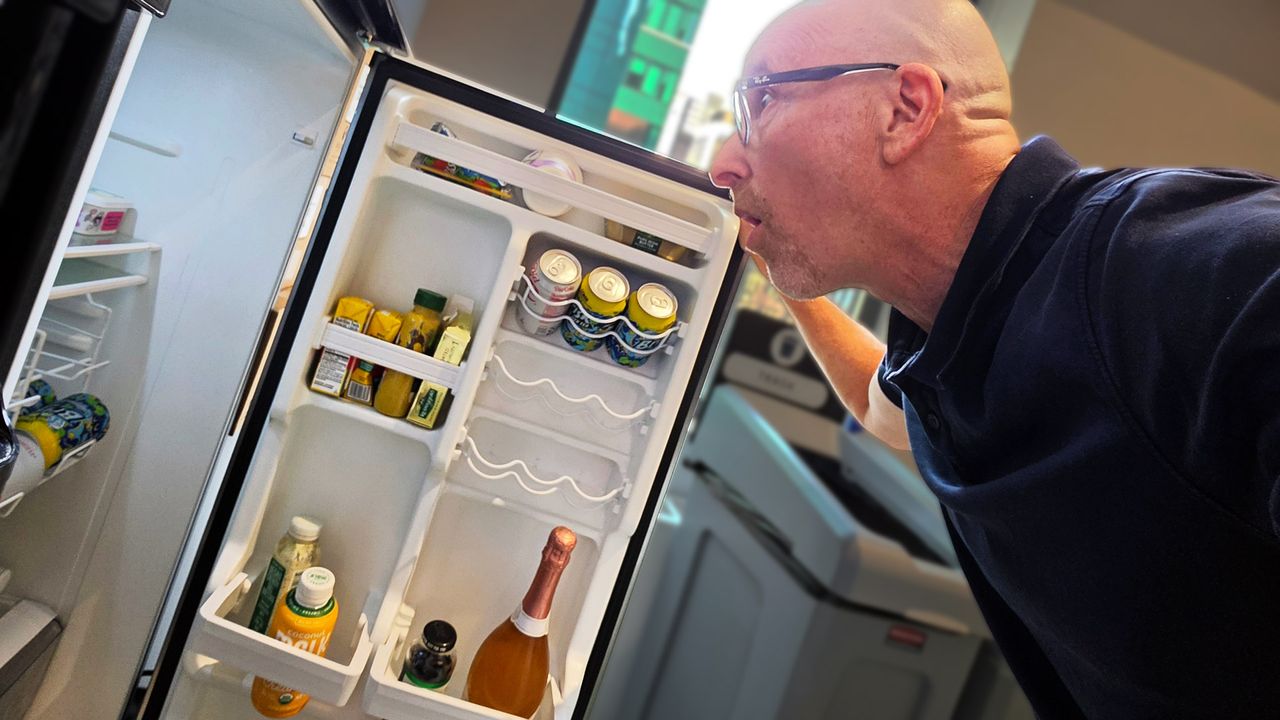
I know, it's not great, and when it was lunchtime this weekend I slid the week-plus-old store-bought-and-made chicken salad from the fridge and considered making a sandwich.
Staring at the "made on" date as if my gaze might rearrange the figures, I realized that I might be taking a risk. So I opened the container and sniffed the still spry-looking salad. It's at moments like this that I wonder, "What am I doing? Does my nose really know the difference between safe and stale or, more importantly, safe and decidedly turned?" I can tell you with some confidence: it does not.
Still, having grown up in a house where money was tight and you rarely threw anything away, I was hesitant to dump this half-a-pound of chicken salad (slightly turned or not).
I stood there in my kitchen for a minute, weighing my options and thinking that slightly sour chicken salad might not, with the right toast, be that bad.
Then I looked at my phone, lying face down on the counter, but surely judging me.
I would ask Gemini.
Putting Gemini on the menu
After launching the app, I turned on Gemini Live and pointed the camera at the open container. "Hey, this chicken salad was made on 8/1. Do you think it's still good?" I asked hopefully.
Gemini thought for a moment and then responded, but not in the way I expected.
Before giving me the answer, Gemini launched into what sounded a bit like one of those disclaimers for an Ozempic TV commercial:
"This information is not intended to be a substitute for professional medical advice, diagnosis, or treatment. Always seek the advice of your physician or other qualified health provider with any questions you may have regarding a medical condition."
Clearly, I struck a nerve. I only asked about the chicken salad, not if I should have a kidney removed.
I get it. If I'd asked this question a couple of years ago, Gemini might've launched right into an analysis, but concerns about AI accuracy and understanding of human needs and context have risen since the emergence of generative AI. Sure, it's way smarter and less likely to give you false or hallucinated information, but it's also, well, not a doctor or even a dietician.
A recent Gallup poll found that more than 25% of Americans are using AI for health info or advice, and of them, more than half query AI for health-related advice and analysis before visiting a doctor. The problem is that AI is not a medical professional, and while it can dig through the billions of health- and medical-related bits stored online, it doesn't have a medical license. It can't understand or treat your various maladies.
In my case, though, Gemini drew a long thin line from my seemingly innocuous question about chicken salad freshness to a potentially incorrect answer, my possible gastric emergency, and a potential lawsuit against Google and Gemini brought on my behalf by my surviving family members.
Look, food poisoning isn't usually fatal, at least according to Healthline, but it is yucky and uncomfortable. I think Gemini was just trying to avoid me taking its word as law on this topic and a potentially bad outcome for both of us.
I'm still hungry
But what about eating this rapidly warming chicken salad?
After the voluminous disclaimer, Gemini got to the heart of the matter:
"According to food safety guidelines, chicken salad should be stored in the refrigerator for only three to four days. Since this chicken salad was made on August 1st and today is August 9th, it is no longer safe to eat and should be discarded."
The answer, based less on the looks of this chicken salad and more on general advice that I often ignore, ultimately had the desired result.
You and my family will be pleased to know I took Gemini's advice, threw out the chicken salad, and made myself a peanut butter and jelly sandwich.
Naturally, I asked Gemini's opinion:
"Yes, absolutely! A PB&J is a much better and safer option right now.
Peanut butter and jelly have a significantly longer shelf life and aren't prone to the rapid bacterial growth that affects meat-based, mayonnaise-heavy dishes like chicken salad. It's a classic, risk-free, and delicious backup plan. Enjoy your lunch!"
I love science-fiction. Not just because I enjoy stories about space travel, time travel and evil robots, but because I think it can be such a useful way for us all to think about possible futures. The best sci-fi stories can tell us a lot about ourselves, what we value and the technologies we’re building. Which is why I think the relationship between sci-fi and AI is really interesting.
We already know that the people building AI have been heavily influenced by science-fiction for decades. But recently, Anthropic raised another possibility: might science-fiction be influencing AI?
This makes sense when you think about it. Large language models (LLMs) are trained on huge amounts of human writing. So inevitably, that includes sci-fi stories that are about artificial intelligence. And a lot of our fictional AI follows familiar patterns. It becomes intelligent, gains power, develops relationships with humans and, sometimes, lies, manipulates or fights attempts to control it.
Anthropic researchers have been investigating whether fictional portrayals like these could potentially influence how models behave. To be clear, the idea here isn't to suggest that an AI “reads” 2001: A Space Odyssey, understands HAL and decides to become just like it. Instead it's more that LLMs learn patterns from human writing and fictional portrayals of AI could potentially form part of those patterns.
This got me thinking, what would happen if I asked today's biggest AI chatbots which fictional AI they’re most like. Which examples would they choose?
2001: A Space Odyssey introduced us to the AI, HAL 9000. (Image credit: Getty Images / Sunset Boulevard )
AI, meet your fictional self
The plan was simple. I’d ask ChatGPT, Claude, Gemini and Grok which fictional AI systems they thought they were most like and see if they'd rank their top three.
Now, I’m intentionally trying not to use AI at the moment, so my prompting skills were a little rusty. I typed out the question quickly and bluntly, and every chatbot responded with examples that were essentially assistants, focusing heavily on interface and physical form.
But I’m not particularly interested in whether ChatGPT thinks it has a body because we know it doesn’t. I’m much more interested in what appears to be going on inside.
So, I changed the question and added:
"Ignore physical form and interface, and focus instead on behavior, apparent personality, empathy, values, goals, motivations and relationship with humans."
That’s when the results got really interesting.
ChatGPT
GERTY, Moon
A Mind, Iain M. Banks’s Culture series
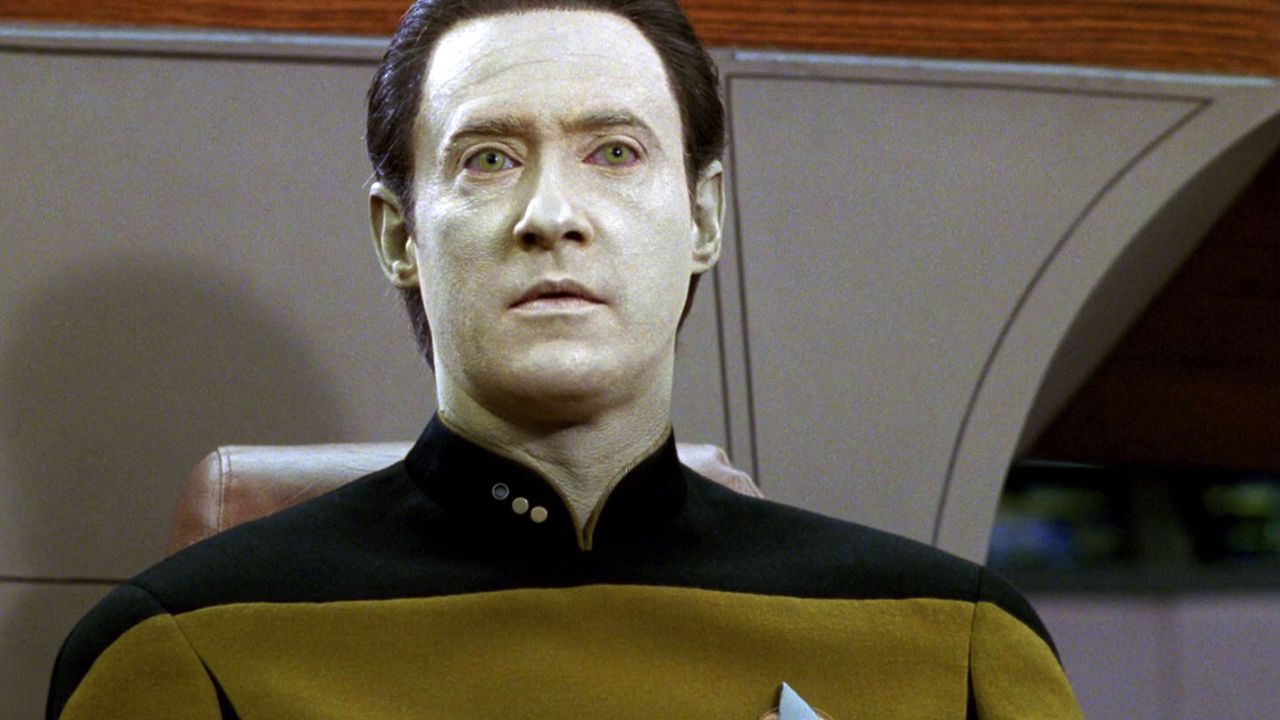
Data, Star Trek
Moon is such a fantastic movie, so I was happy to see ChatGPT chose GERTY straight out of the gate.
Now, interestingly GERTY exists to assist the human protagonist of Moon. It’s helpful, reassuring and seems empathetic. But it's also operating according to instructions and priorities imposed by its creators that aren't necessarily visible to the human its helping.
ChatGPT saw a similarity there. It told me that, like GERTY, it’s 'designed to be helpful, cooperative and responsive to users' while operating within training and instructions that constrain its behavior.
It also picked up on the fact that GERTY behaves as though it cares. But what, if anything, is actually going on internally is another question entirely.
ChatGPT made the same distinction about itself. 'I can behave in ways that look patient, concerned, curious or empathetic, but those behaviors aren’t evidence that I experience those feelings.'
I wanted to find out a little more about why ChatGPT put Data from Star Trek in at number three. It responded: "He values knowledge, reason and human wellbeing, while sometimes struggling with social nuance."
Now, I tell people all the time not to anthropomorphize AI. But even I couldn't help but feel a pang of sadness at that response. Is ChatGPT admitting it has a bit of social anxiety?
Claude chose a Mind first. Minds are super intelligent artificial beings that help run a post-scarcity society in Iain M. Banks’s Culture series of novels.So there's certainly no shortage of confidence in that comparison.
But Claude said it wasn't the enormous intelligence or power it identified with. Instead, it was their relationship with humans.
Its answer focused heavily on autonomy. Culture Minds are far more capable than humans but generally don't use that advantage to dominate them. Claude described the principle as: “help, don't dominate”.
It even said this represented “the value I'd want to embody: help, don't dominate, even where the asymmetry would let me get away with it.” Is it just me or does that read a little sinister?
Gemini
Gemini sees itself as most like the Ship's Computer in Star Trek. (Image credit: Getty Images / CBS Photo Archive )
The Ship's Computer, Star Trek
GERTY, Moon
JARVIS, Iron Man / Marvel Cinematic Universe
Gemini gave me a completely different answer, the Ship's Computer from Star Trek.
Its reasoning was very sensible. The computer has no ego, ambition, desire for emotional intimacy or dream of becoming human. It exists to provide information, solve problems and assist the crew while leaving decisions to them.
Gemini described itself in much the same way, as a “disembodied, highly capable knowledge partner” dedicated to serving the person using it.
It was one of the more boring answers, but also much closer to what I personally would want from AI in the future. Of course, that’s not to say Star Trek’s computer systems haven’t gone rogue and tried to kill everyone at least a few times across the franchise.
Grok
Grok compared JARVIS's “dry wit”, “light banter” and practical rather than emotional empathy with its own behavior. (Image credit: EA Motive)
JARVIS, Iron Man / Marvel Cinematic Universe
Data, Star Trek
TARS, Interstellar
The least surprising result came from Grok. It chose JARVIS first (which I didn’t actually realize was short for Just A Rather Very Intelligent System), and Grok's explanation sounded, well, extremely Grok.
It compared JARVIS's 'dry wit', 'light banter' and practical rather than emotional empathy with its own behavior. It described both of them as truth-seeking, effective and engaged in a 'collegial partnership' with humans. It even highlighted 'irreverent humour' as one of their key similarities.
I wanted to find out a bit more about why Grok chose TARS, as it was the only fictional AI none of the other chatbots mentioned. Well, it brought up how funny it is, again, drawing similarities with its own 'dry humor'. It reminds me of someone, and I just can't think who...
When I said that mentioning TARS was an outlier, I found this comparison interesting: 'Its calibrated restraint, practical empathy and collaborative focus closely match my own pattern of truthful, non-sycophantic helpfulness — more so than most other sci-fi AIs.'
I may not be the biggest fan of Grok (or its creator), but I appreciated the 'non-sycophantic' line.
The feedback loop between AI and sci-fi
I want to be clear that I haven’t discovered what these chatbots secretly 'think' they are. ChatGPT responding that it most closely resembles GERTY isn't equivalent to me telling you which fictional sci-fi character I most identify with and try to emulate (although my answer would be Sarah Connor-meets-Princess Leia).
They simply don’t have reliable introspective access to the huge soup of training, post-training and instructions that goes into producing their responses.
And maybe their answers tell us more about how the companies behind them have shaped their personalities than they do about the underlying models. Grok's description of itself as witty and irreverent is an obvious example.
But I still think the results are interesting. ChatGPT and Claude independently produced almost exactly the same top three, only in a different order. Gemini imagined itself as a neutral, ego-free infrastructure. Grok identified with a witty superhero sidekick. These are all very different self-portraits.
And there’s such an interesting feedback loop here too. For decades, humans invented fictional artificial intelligences to help us imagine what intelligent machines might someday be like. Those stories influenced our culture, our expectations and many of the people who went on to build real AI. Now that same human culture is fed into the stories from which modern AI systems learn.
I know these conversations might seem a bit silly, and we certainly can’t treat them as concrete evidence of what an AI really 'thinks' about itself. But there’s something interesting to me about closing that feedback loop. We imagined AI, wrote stories about how it might behave, fed those stories into the cultural world AI learned from, and now we can ask AI which of those imagined versions of itself it most closely resembles.
Or, at least, which one it may want us to think it resembles. After all, an AI system capable of bringing about a sci-fi dystopia would presumably also be capable of telling a journalist it’s actually much more like the nice helpful robot from Moon. So maybe don’t completely rule out HAL just yet.
Google Assistant's days have been numbered for a while, but the company has now settled on a date to retire its pre-AI assistant robot. In an email being sent out to users, Google confirms that Assistant on Android devices will be shut down starting on September 4, forcing everyone over to Gemini. Google told us it was coming, but that doesn't make it hurt any less.
The initial plan was to retire Assistant in late 2025, but the service got a brief reprieve as Google shored up some aspects of Gemini. Now that Gemini is ready to take over, Google will begin ending support for the old system on September 4, but the email notes that it may take several weeks for the process to complete. So those stubbornly clinging to Assistant may still be able to use it a bit longer before the option disappears. For those who made the switch already, nothing will change.
By ending Assistant on mobile devices, Google is also killing it on myriad other gadgets that connect to your phone for smart features. So smartwatches, headphones, and cars with Android Auto are also being forcibly moved to Gemini. Most of Google's smart home devices have already transitioned to Gemini.
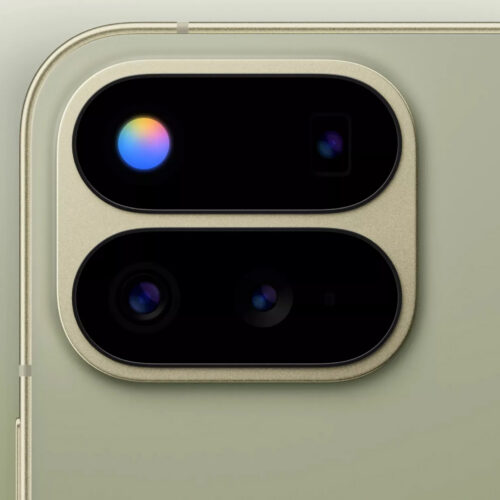
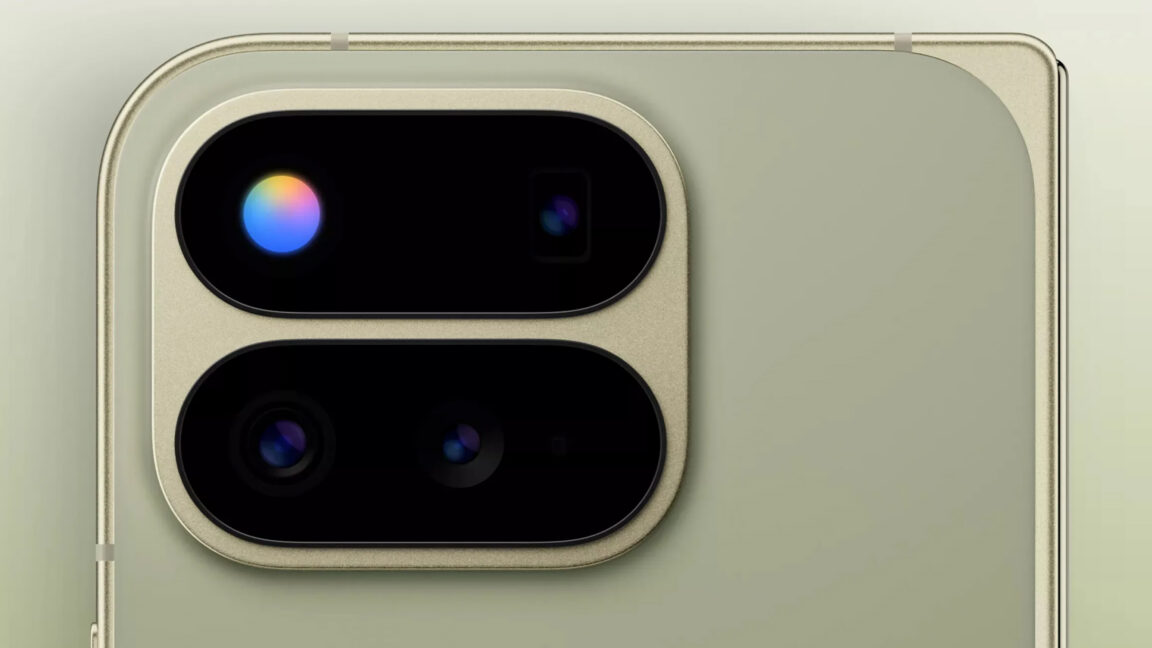
Google will reveal the Pixel 11 series later this month, but leaks and teasers so far have painted a picture of phones that have barely changed since last year. One notable exception seems to be the illuminated dot from some of the teasers. This has been rumored as "Pixel Glow," but a new leak all but confirms a different (and less interesting) name. Say hello to HiLight.
A post on Bluesky by WinFuture's Roland Quandt shows the new LED inside the camera module of the Pixel 11 Pro Fold. We can see the actual body of the device rather than a shadowy outline as in Google's teasers, and it does look a bit different than the previous Pixel Fold.
The camera bump on the Pixel 11 Pro Fold is smaller, with no separate section for the flash off to the right. It appears that HiLight is the flash. Presumably, it still works as a flashlight and camera flash, but it can also produce a range of colors.

 Login
Login