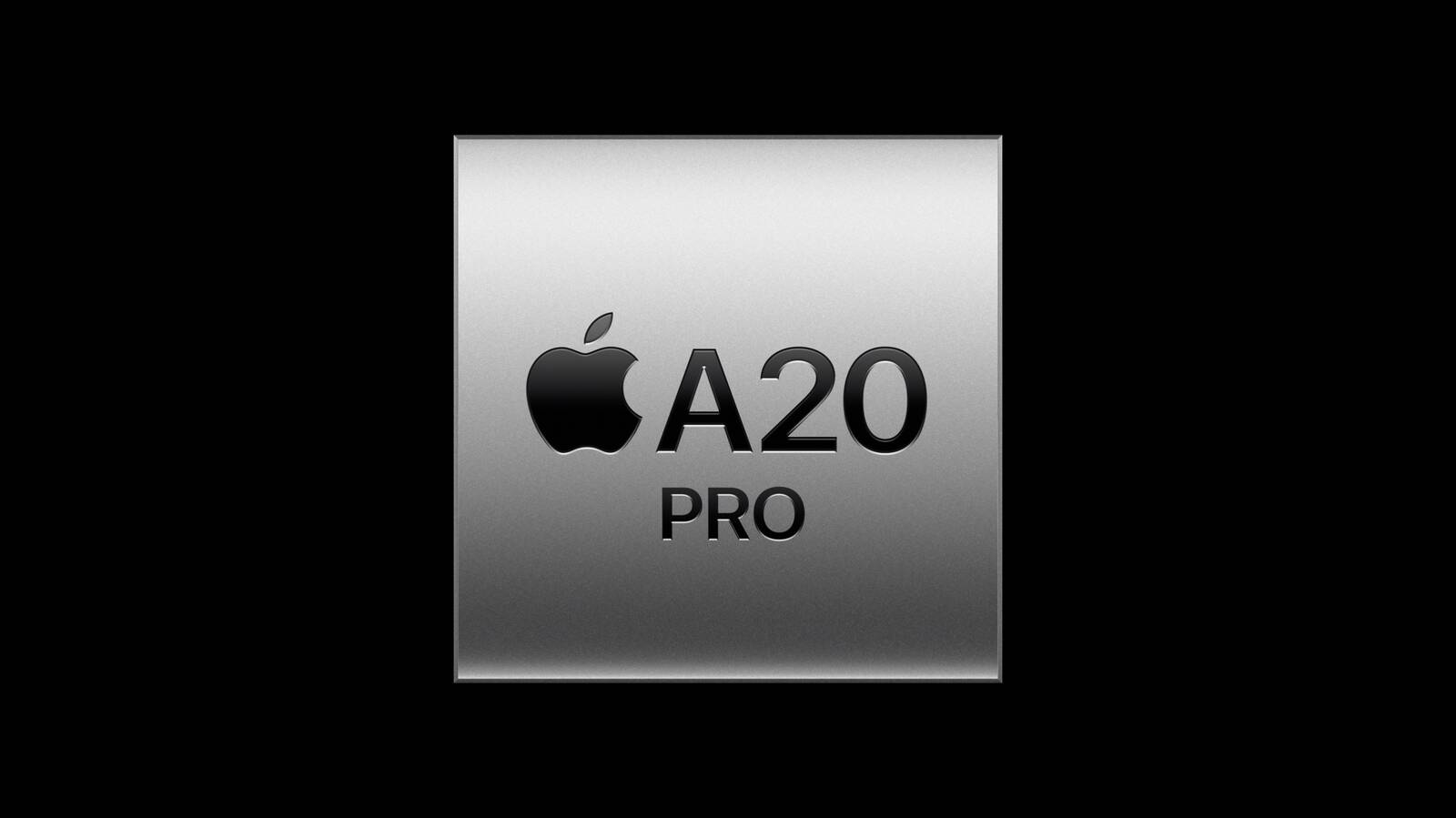
Resultadospreliminares de benchmark do chip A20 Pro, que alimenta o iPhone 18 Pro, o iPhone 18 Pro Max e o iPhone Duo, surgiram na manhã de hoje no banco de dados do Geekbench 7, oferecendo uma primeira visão do desempenho de CPU1Central processing unit, ou unidade central de processamento. e GPU2Graphics processing unit, ou unidade de processamento gráfico. dos novos modelos antes mesmo de chegarem ao mercado.
Com base nesses resultados iniciais, o chip A20 Pro parece oferecer um desempenho cerca de 21% a 23% mais rápido em single-core (média de 4.722 pontos), além de 27% a 28% mais rápido em multi-core (média de 12.626 pontos) em comparação com o chip A19 Pro dos iPhones 17 Pro/17 Pro Max.
Talvez não surpreenda que os resultados do iPhone 18 Pro Max sejam praticamente iguais aos do iPhone 18 Pro. Uma diferença aparece nas pontuações do teste Metal: o modelo menor marcou 64.069 pontos, enquanto o maior atingiu 64.915 pontos.
Ainda assim, os resultados gráficos alinham-se, em linhas gerais, à afirmação da Apple — presente no comunicado de imprensa e na página do iPhone 18 Pro — de que o A20 Pro oferece uma performance gráfica até 40% mais rápida que o chip A19 Pro.
Também foram vistos resultados de benchmark do iPhone 18 Pro Max no AnTuTu, que registrou uma pontuação geral de 3.551.073. A pontuação da CPU, especificamente, foi de 920.410, enquanto a GPU alcançou 1.397.374 pontos. Os testes de memória e UX registraram 470.245 e 763.044 pontos, respectivamente. Para fins de comparação, o iPhone 17 Pro Max obteve uma média de 2.275.118 pontos, colocando o novo modelo substancialmente à frente no benchmark.
Vale ressaltar que esses testes de desempenho pontuais — que ainda não foram confirmados — não indicam como os dispositivos se comportarão durante sessões prolongadas de jogos ou outras cargas de trabalho exigentes; afinal, os resultados de testes no mundo real poderão apresentar algumas diferenças.
Apple today revealed the A20 Pro chip in the iPhone 18 Pro and iPhone 18 Pro Max, built on a brand new architecture using 2nm process technology.
Apple described the A20 Pro as "an exceptional chip that sets a new bar for mobile computing." The chip has a 6-core CPU design with two new super cores that Apple says are up to 20% faster, calling them "desktop class" and "the fastest in any smartphone," alongside four new efficiency cores.
The GPU has also been redesigned with a 7-core layout that Apple says delivers up to 40% faster graphics performance and increased memory bandwidth. New neural accelerators built into the GPU offer twice the FP8 performance of the previous generation, which Apple said helps the chip run large language models locally on the device.
The A20 Pro features an additional Neural Engine, bringing the total core count to 32. The company says the redesigned Neural Engine delivers 2x the compute of its predecessor, is more efficient, and now supports 8-bit floating point math. Apple called the A20 Pro "the ultimate chip for running advanced on-device models," adding that it ships with "the widest memory interface we've ever shipped in an iPhone."
The company said effective thermal management in the iPhone 18 Pro is critical to unlocking the chip's maximum performance, since efficient heat dissipation determines how much of that performance can be sustained. To support this, Apple redesigned the chip's silicon packaging, describing it as "custom packaging inspired by our M-series chips" that connects the silicon and memory directly to the vapor chamber for improved thermal performance.
Apple compared sustained performance directly against previous generations, citing 40% more sustained performance in iPhone 18 Pro's A20 Pro compared with the A19 Pro in the iPhone 17 Pro, and twice the sustained performance compared with the A18 Pro in the iPhone 16 Pro.
Perplexity has launched Hybrid Compute for its Computer agent on Apple Silicon Macs, a system that splits a single task between frontier models in the cloud and compact models running locally so confidential files and personal data never have to leave the machine.
The idea is simple and, if it holds up in daily use, important: Computer still starts work in the cloud, where large models handle research, planning, and long-horizon reasoning. When a local classifier spots sensitive information — names, emails, account numbers, privileged files — the user is prompted to keep that slice of the job on the Mac, mask the details, or send it to the cloud anyway. Cloud and local pieces stay in the same workflow. The user does not have to restart the task or shuttle files between tools.
At launch, local options include Gemma 4 E4B, Qwen3.6 35B-A3B, and a Perplexity post-trained Qwen variant. Users pick the cloud orchestrator; Perplexity selects helper frontier models. Hybrid Compute is available today to Pro, Max, and Enterprise subscribers in the Perplexity Mac app on Apple silicon running macOS 15 or later, with 24GB of unified memory as the minimum and 32GB recommended. Setup is a one-click model download rather than a custom local-runtime stack.
The Mac does not have to be the device that starts the job. A prompt from iPhone or iPad can still kick off a session; if the Mac is on and running Perplexity, sensitive steps can execute there against local files and apps. That makes a always-on Mac mini a plausible private compute node for people who work from a phone most of the day.
Perplexity has been building toward this split for months. In June it described hybrid agentic inference as a way to optimize for accuracy, privacy, and token cost at once: keep financial records, health information, and personal files local; send only the work that truly needs a frontier model to the server. Portable Computer, a more local-first variant, already existed for users who want most of the stack on device and only escalate with permission. Hybrid Compute approaches the same problem from the other direction — cloud-first orchestration with an on-device privacy gate.
That gate is the linchpin. An on-device PII classifier, which Perplexity says it has open-sourced and trained with its Secure Intelligence Institute, inspects content before anything is transmitted. Credentials, payment numbers, and government IDs get the strictest treatment. For enterprises, admins can set organization-wide rules for what must stay local, what may be masked, and what requires approval, plus audit when data leaves a device. That is the pitch for law, finance, healthcare, and other regulated shops that want agentic tools without dumping client records into someone else’s cluster.
Competitors are chasing the same mix of on-device privacy and cloud intelligence. Perplexity’s claim is that it can start a job in the cloud, peel off the confidential pieces mid-task, and finish without losing context. For Mac users sitting on 24GB-plus Apple silicon — and for the new M5/M6 machines Apple just put on the table — that is now a shipping product rather than a Computex slide.
MacDailyNews Take: The use cases Perplexity and early reviewers walk through are familiar: an attorney updating a brief with client files that stay on the Mac while case-law research runs in the cloud; an analyst rebuilding a confidential model against public comps; a small-business owner starting pricing research from a phone while private price lists never leave the desktop. In each case the agent is only as useful as the data it can touch. Hybrid Compute is an attempt to let it touch private data without treating the cloud as the default home for that data.
Please help support MacDailyNews — and enjoy subscriber-only articles, comments, chat, and more — by subscribing to our Substack: macdailynews.substack.com. Thank you!
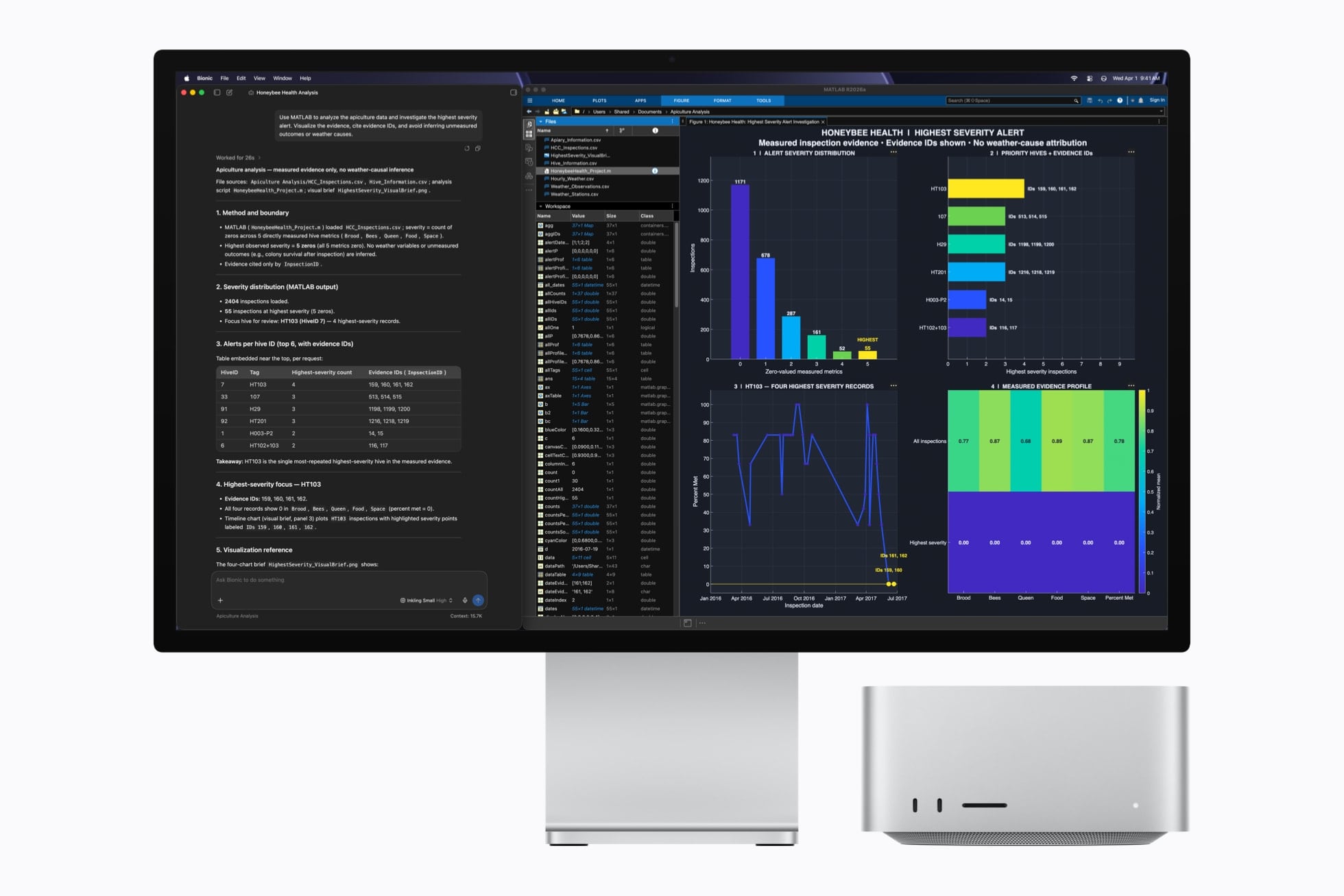
Earlier today, Apple unveiled the new generation of Mac mini and Mac Studio, featuring the latest entries in the Apple silicon family of chips: the M6, available in the Mac mini, and the M5 Ultra, exclusive to the Mac Studio. You can read more details about the announcement and related specs in John’s overview.
As someone who’s been working with an M3 Ultra Mac Studio (on loan from Apple) with 512 GB of RAM for the past year (plus two separate M4 Mac minis) with a particular focus on local AI models and performance gains enabled by Apple’s MLX framework, I obviously am very interested in these new machines. To give you some context: my current workspace for my upcoming iOS and iPadOS 27 review, which lives in Notion, is entirely managed by a series of local agents running the latest DeepSeek-V4-Flash via MLX on the Mac Studio, which continuously scan the project for new notes, sources, and research material that is automatically categorized and linked in the chapters that I’m writing. So, yes, I’m sure I’ll have more thoughts on the new Mac minis and Mac Studios soon. In the meantime, I thought it’d be fun to break down the local AI-related details from Apple.
First, the M6. While it may not be the powerhouse that the M5 Ultra is, it’s an interesting new chip because of its new 2 nm process and dual Neural Engine system:
M6 is built using cutting-edge 2 nm process technology, packing greater transistor density into a smaller die for a major leap in performance and power efficiency. M6 also introduces a Dual 16-core Neural Engine, providing up to 2x the peak compute over previous generations to make on-device AI workflows run even faster. System frameworks can automatically utilize both engines simultaneously, enabling applications to see faster model execution.
But that’s not all: the new 12-core GPU (which has two more cores than the M4’s old GPU) now features Neural Accelerators in each core for the first time on the Mac mini. The result, according to Apple, is “4x faster AI performance and 2x faster graphics than Mac mini with M4”. If these numbers hold up and scale linearly, a local Mixture-of-Experts model such as Qwen 3.5-35B-A3B, which would run at ~17 tokens/sec on average on a base M4 Mac mini with 16 GB of RAM, could realistically generate output at over 60 tokens/second with the base model M6 Mac mini.
Based on what we’ve seen so far, the one downside of the M6 Mac mini is that it does not have Thunderbolt 5 ports; those are exclusive to the M5 Pro model, also announced today. As Apple also notes, Thunderbolt 5 allows multiple M5 Pro Mac minis to run local AI models as a single cluster (for example, using something like exo). Alas, that won’t be possible with the M6 Mac mini and its Thunderbolt 4 bandwidth bottleneck. Nonetheless, I’d be intrigued to compare the performance of the widely regarded Qwen3.8-27B and DeepSeek-V4-Flash models on the new M6 Mac mini.
Moving on to the flagship M5 Ultra Mac Studio, let’s start here:
With M5 Ultra, Mac Studio achieves up to 4.3x the peak AI compute performance of M3 Ultra and a staggering 9.8x more than M1 Ultra. Combined with up to 512GB of unified memory and 1.2TB/s of memory bandwidth, 50 percent higher than before, Mac Studio lets users run massive models entirely on device with complete privacy — without counting tokens or worrying about rising cloud costs.
As seen on the Mac Studio’s product page, the 512 GB RAM version of the M5 Ultra Mac Studio will only be available in “late October”. Unlike the M6, the M5 Ultra supports Thunderbolt 5, which will allow customers to run multiple Mac Studios in a cluster with shared memory to distribute inference across machines. And, according to Apple, a cluster of four Mac Studios yields three times the performance of a single Mac Studio.
Speaking from personal experience, I know that my M3 Ultra Mac Studio using oMLX can run DeepSeek-V4-Flash locally with generation averaging 35 tokens/second. Assuming a linear 4x increase, that would put the same model at over 120 tokens/second on an M5 Ultra Mac Studio. To put things in perspective, that kind of performance would be faster than any AI chatbot website, it’d be faster than many providers who offer a “fast” mode for their models, and it’d only be second to either dedicated NVIDIA PC clusters at home or specialized inference providers such as Cerebras or Groq…which are running in full-blown data centers. Sure, you would need a computer that is likely going to cost more than $20,000 to make it happen, but it’d still be possible on a single machine that is small, quiet, and that – in theory – any consumer can buy off the shelf.
It’s also interesting to consider the implications of M5 Ultra for running much larger models that would have typically required aggressive quantization to even stay in memory and produce any useful output. For example, Z.ai’s GLM-5.2 (a 744B MoE model) could run at up to 17 tokens/second on an M3 Ultra Mac Studio with 512 GB of RAM; the same person was even able to get the massive Kimi K3 model to run on a single machine…with decoding performance up to 3 tokens/second. You see where this is going: by continuing to push the envelope of what is possible with M-series chips, Apple is gradually making it possible to run frontier open-weight models on local hardware that takes up as much space as four Mac minis stacked together.
Obviously, for now, this is all theoretical: we’re going to need actual benchmarks to objectively measure the improvements and performance gains of the new chips. But if Apple’s claims hold up – and I have no reason to believe they won’t – I believe both the M6 and M5 Ultra will meaningfully shake up the landscape of local AI models on macOS, reinforcing, once again, that Apple continues making the best computers for AI in the industry.
We got a nice surprise from Apple this morning with some new Macs. Those of you waiting for that M5 Ultra Mac Studio are finally going to get your wish. You can get the M5 Ultra with up to 36 CPU cores and up to 80 GPU cores. Interestingly, memory tops out at 512 GB. That’s the same ceiling the M3 Ultra had, and it’s the configuration Apple dropped back in March. There’s no mystery why. The M5 Ultra starts at $5,500, up from the $4,000 entry price for the M3 when it launched. Again, no surprise.
If your needs are more modest, the Mac mini also got updated to M6 and M5 Pro variants. That’s right, we can now buy an M6 Mac.
The mini also took a price hike. The base model is $899 now, up from $599 last fall and $699 since June. I’m glad Apple released these things. I expect the AI gang will buy them like hotcakes.
Há dois meses, falamos aqui sobre o RetinaDesk, um site muito bacana que ajuda você a escolher o melhor monitor externo para o seu Mac, levando em conta todas as especificidades dos computadores da Apple.
Pois bem, recentemente, a ferramenta ficou ainda mais completa com a adição de uma página que ajuda você a descobrir, de maneira extremamente intuitiva, a quantidade máxima de displays externos suportados pela sua máquina.
O banco de dados da ferramenta cobre todos os Macs com Apple Silicon lançados até hoje, bem como suas respectivas variantes — detalhe que joga o total de computadores listados pelo RetinaDesk para nada menos que 53.
Encontrar essa página é fácil: basta acessar o site do RetinaDesk, clicar na aba “Tools” na parte de cima da tela e, depois, selecionar a opção “Mac External Display Support by Chip” — ou simplesmente acessar esse link. Feito isso, é só selecionar o modelo do seu Mac na seção “Which Mac is it?” e, em seguida, sua respectiva variante — indicada pelo chip e o ano de lançamento (e, às vezes, o número de portas do computador) — em “Step 2”.
Captura de tela/RetinaDesk
Uma vez que você indicar o modelo do seu Mac, o número máximo de monitores externos ao qual ele pode ser conectado deverá aparecer à direita da tela, junto de uma ilustração do seu “setup máximo” — ou seja, com o maior número de monitores possível.
A nova página, no entanto, não para por aí, já que ela também conta com outra seção a qual ajuda você a montar setups com diferentes combinações de monitores, os quais podem ter resoluções e taxas de atualização distintas — sempre levando em conta, é claro, as limitações do seu computador. Ela também é uma boa forma de descobrir se o seu Mac suporta uma resolução ou uma taxa de atualização (ou uma combinação dessas duas coisas) específica.
Captura de tela/RetinaDesk
A seção “What each built-in port can drive”, por sua vez, exibe com quais resoluções/taxas de atualização cada porta do seu computador é compatível, além de revelar a sua versão (se é Thunderbolt 4 ou 5, por exemplo). Logo abaixo, temos a seção “How you can arrange the displays” que, como seu nome indica, mostra todas as combinações possíveis de monitores para a sua máquina.
Por fim, a ferramenta também deixa você comparar um Mac qualquer com outro modelo da sua escolha, checar se sua máquina precisa estar no modo clamshell para suportar um setup específico e aprender sobre soluções alternativas e suas respectivas concessões.
Captura de tela/RetinaDesk
Assim como o resto das ferramentas do RetinaDesk, essa nova página é totalmente gratuita, com o único “porém” sendo o fato de que ela não está disponível em português — problema que, é claro, pode ser facilmente remediado com a ajuda das ferramentas de tradução dos navegadores atuais.
O MacBook Air foi atualizado neste ano com o chip M5 e é o notebook ideal para quem quer um Mac portátil capaz de lidar com a grande maioria das tarefas diárias. Além disso, ele traz um visual moderno, com uma tela Liquid Retina e o conector MagSafe 3.
Se você está de olho nesse notebook, estamos trazendo hoje duas ofertas muito boas no KaBuM! — atrativas principalmente levando em conta os recentes aumentos de preços na linha de computadores da Maçã.
Modelo de 13 polegadas
O modelo de 13″, na cor prateada, traz 16GB de memória unificada, 1TB de SSD1Solid-state drive, ou unidade de estado sólido. e chip M5 com uma GPU 2Graphics processing unit, ou unidade de processamento gráfico. de 10 núcleos.
MacBook Air de 13” (M5 com GPU de 10 núcleos, 16GB de memória e 1TB de SSD)
Parcelado: de R$19.599,00 por R$12.902,10 em até 10x À vista no Pix: de R$17.639,10 por R$12.257,00
Ele está saindo por R$12.902,10, valor que pode ser parcelado em até 10 vezes no cartão de crédito. Se levarmos em conta que o preço tabelado desse mesmo computador é de R$19.599, estamos diante de um desconto de 34%.
Para quem preferir pagar à vista no Pix, o preço cai para R$12.257,00, o que representa um desconto de 31% se compararmos com o valor à vista praticado pela Apple, de R$17.639,10.
Para pagamentos à vista no Pix, o preço fica melhor: cai para R$13.667,99. Como o valor à vista praticado pela Maçã no país é de R$19.439,10, estamos diante de um desconto de 30%.
Para aproveitar ambas as ofertas, aplique o cupom 8DO8 no carrinho.
Todos os descontos de promoções divulgadas pelo MacMagazine são calculados com base nos preços sugeridos pela Apple ou por outras fabricantes. Pode ser que um determinado produto seja comumente encontrado por valores inferiores em redes varejistas, mas a nossa base de comparação é sempre em cima das tabelas oficiais.
Não perca! 💻
Fique sempre por dentro das ofertas!
Se você não é louco, é claro que gosta de economizar. E, para isso, o MacMagazine tem diversas opções para ajudar você a conseguir comprar o seu produto Apple pagando menos!
NOTA DE TRANSPARÊNCIA: O MacMagazine recebe uma pequena comissão sobre vendas concluídas por meio de links deste post, mas você, como consumidor, não paga nada mais pelos produtos/serviços usando os nossos links de afiliado.
Notas de rodapé
1
Solid-state drive, ou unidade de estado sólido.
2
Graphics processing unit, ou unidade de processamento gráfico.
Apple Intelligence files can occupy several gigabytes of Mac storage because locally downloaded models power text generation, summaries, image creation, Siri requests, and other on-device features. Removing these files can recover valuable space when Apple Intelligence is no longer needed.
Apple lists 7GB of available device storage among the requirements for Apple Intelligence, but the amount displayed on a Mac can be higher. Additional languages, image-generation resources, updated models, and temporary assets can increase the total over time.
The files are managed by macOS and do not appear as ordinary documents that can be moved to the Trash. Apple provides a supported removal method through System Settings: turning off Apple Intelligence causes macOS to remove the downloaded on-device models.
This also disables features that depend on Apple Intelligence. Writing Tools, summaries, Image Playground, Genmoji, intelligent Shortcuts actions, and Apple Intelligence functions inside Siri may become unavailable. Regular Mac applications and the rest of macOS continue working normally.
Check Apple Intelligence Files on Your Mac
Recording the available storage before removing the files makes it easier to confirm how much space macOS recovered afterward.
To see the current storage allocation:
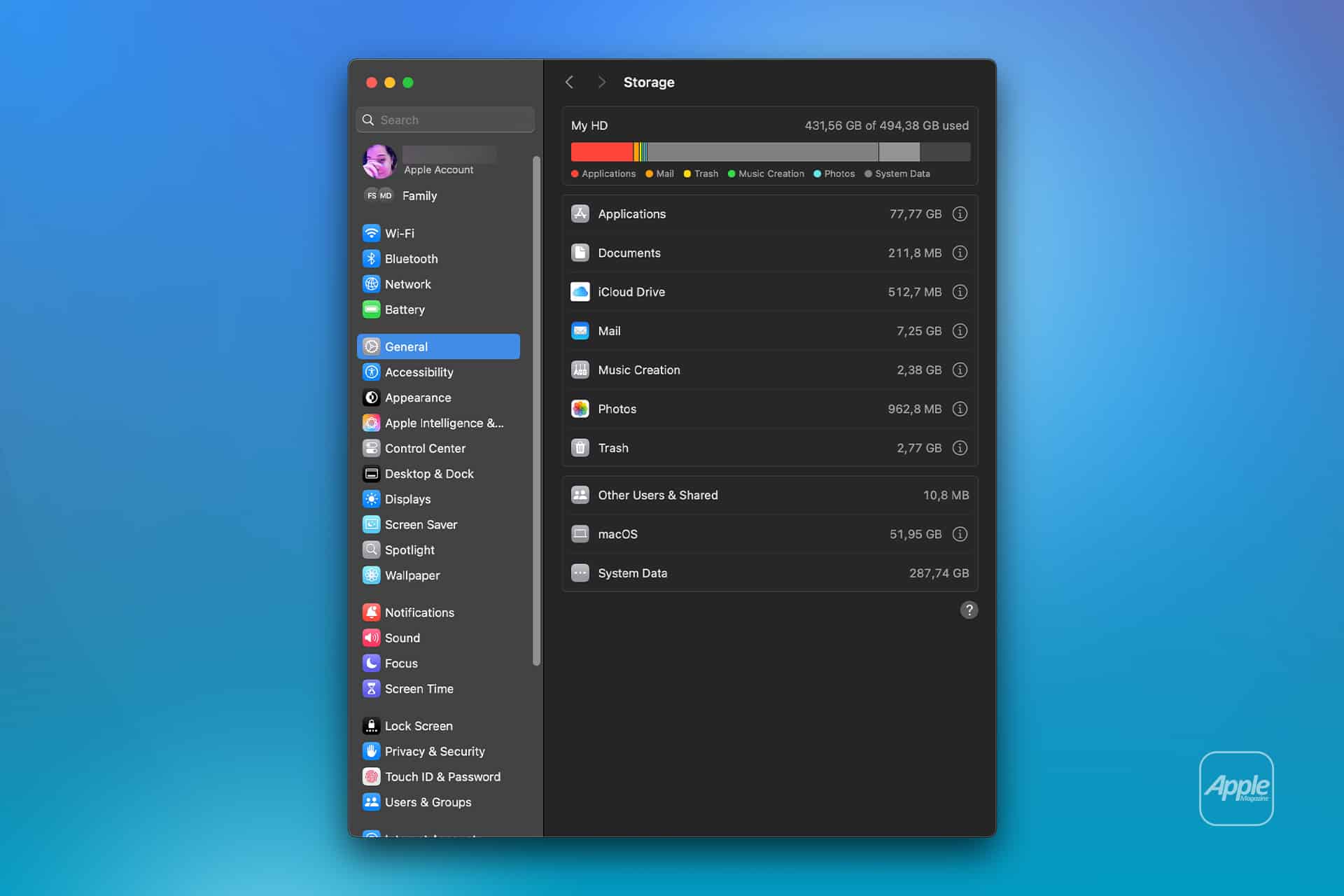
Apple menu > System Settings > General > Storage
Allow the Storage page to finish calculating its categories. The process may take a moment when the Mac contains many applications, local files, connected volumes, or several user accounts.
Apple Intelligence may appear as a separate item within the macOS storage category. Depending on the installed macOS version, some related assets may instead be counted under macOS or System Data.
Note the amount of available storage displayed near the storage graph. Comparing the total free space before and after the procedure is usually more reliable than watching one category because macOS can reclassify system-managed files while deleting them.
To inspect the complete internal storage container:
Apple menu > System Settings > General > Storage > All Volumes
This view is useful when the internal drive contains several APFS volumes sharing the same physical storage. The available capacity belongs to the shared container rather than remaining permanently assigned to one volume.
The storage used by Apple Intelligence is different from the memory, or RAM, used while features are running. Closing applications may reduce RAM consumption, but it does not delete the models stored on the internal SSD.
Image Credit: AppleMagazine
Remove Local Apple Intelligence Files
Apple Intelligence is available on compatible Macs with Apple silicon. Intel-based Macs do not support the complete Apple Intelligence system and should not contain the same downloadable model collection.
To turn off Apple Intelligence and request the removal of its on-device models:
Apple menu > System Settings > Apple Intelligence & Siri > Turn off Apple Intelligence > Turn Off Apple Intelligence
The second Turn Off Apple Intelligence command confirms the change. The exact appearance may vary between macOS versions, with the first control presented as either a switch or a button.
Apple says that turning off Apple Intelligence removes the on-device models. There is no separate model manager, Delete Models button, or supported Finder location from which users must remove the files manually.
Keep the Mac connected to power while macOS completes its background storage work. The Apple Intelligence setting changes immediately, but the Storage page may not display the recovered capacity at once.
macOS manages these models through its system asset service. The operating system must identify the associated packages, release them, and recalculate the storage categories. The process can therefore continue after the Apple Intelligence switch has already moved to the off position.
Turning off only individual features does not remove the complete model collection. Disabling notification summaries, Writing Tools, ChatGPT access, or Siri suggestions leaves Apple Intelligence itself active.
A Screen Time restriction also serves a different purpose. It can prevent access to image generation, Writing Tools, and other functions without turning off the underlying intelligence system. Use the Apple Intelligence control inside Apple Intelligence & Siri when the objective is recovering storage.
Confirm That the Space Was Recovered
After macOS has had time to process the removal, return to the Storage page.
To check the available capacity again:
Apple menu > System Settings > General > Storage
Wait for the storage graph and categories to finish updating. Compare the new amount of available space with the figure recorded before Apple Intelligence was turned off.
The Apple Intelligence entry may disappear completely, display a smaller amount, or become part of an adjusted macOS or System Data category. The increase in total available storage provides the better indication that the local models were removed.
If the figures have not changed, restart the Mac to refresh its system services and storage calculation.
To restart macOS:
Apple menu > Restart > Restart
Sign back in, allow the Mac to remain idle for a while, and open the Storage page again.
Apple menu > System Settings > General > Storage
Restarting does not delete the models by itself. Apple Intelligence must remain disabled while macOS completes the removal.
Emptying the Trash is not part of this procedure because macOS does not place Apple Intelligence models there. The Trash affects only files that a user or application has already marked for deletion.
Image Credit: Apple Inc.
What to Do When the Files Remain
First, verify that the complete Apple Intelligence system is off rather than one related feature.
To confirm its status:
Apple menu > System Settings > Apple Intelligence & Siri > Apple Intelligence
The control should display Apple Intelligence as disabled. If macOS presents another confirmation request, complete it and leave the feature off.
Storage information can take time to settle because macOS also manages caches, local snapshots, temporary update packages, and purgeable files. These categories can change while the Mac is idle, making an immediate before-and-after comparison misleading.
Installing the latest stable macOS update can correct storage reporting or asset-management problems.
To check for an available update:
Apple menu > System Settings > General > Software Update
Save current work before installing an update. The Mac may need to restart, and the installation temporarily requires additional free storage.
Beta versions of macOS require extra caution. Development releases may download experimental models, retain previous model revisions, or temporarily change the Apple Intelligence controls. A procedure confirmed for the public version of macOS may not produce the same storage behavior in a beta.
Avoid following online instructions that require starting in macOS Recovery, disabling System Integrity Protection, mounting protected volumes, and deleting folders with names referring to MobileAsset or generative models.
System Integrity Protection prevents applications and administrator accounts from modifying protected parts of macOS. Disabling it weakens that protection and creates the possibility of deleting the wrong asset, leaving macOS with an incomplete model installation, or causing the system database to disagree with the files present on the drive.
A storage utility can help identify how much space system files occupy, but it should not require disabling macOS security to remove Apple Intelligence. If the documented switch leaves a large allocation after a restart and sufficient processing time, Apple Support can investigate the asset database without exposing the Mac to an unsupported system modification.
Turning Apple Intelligence on again reverses the storage saving.
To restore its features:
Apple menu > System Settings > Apple Intelligence & Siri > Turn On Apple Intelligence
The Mac will download the required local models again. Apple recommends leaving the device connected to Wi-Fi and power while the model download completes.
The reckoning is coming. Apple has done it before, and it’s doing it again. After macOS 27 Golden Gate, you will no longer be able to run legacy Intel apps using Rosetta 2. After the 26.4 update in March, when running any affected app in macOS 26 Tahoe, you see a notification banner when you launch affected software or a background component launches that uses Intel code:
Support Ending for Intel-based Apps. This version of “[App Name Here]” will not open in a future release of macOS. Learn how to update to an Apple silicon version. [Learn More pop-up menu]
Whenever you launch an Intel-only app, macOS politely tells you the end is coming.
There is one carveout noted for “certain older, unmaintained games that rely on Intel-based frameworks,” so far unnamed.
With information in hand, you can plan how to deal with Intel-only apps that have been abandoned, or the developers have seemingly no interest in updating. Printer makers are, so far, the worst.
A history of looking backward
Apple has done this before—many times, in fact. I’ve argued in the past that one of Apple’s key strengths, and a key to the continuity of the Mac’s operating system, is how well it’s managed transitions across chip architectures, frameworks, and operating system changes.1
Look at what Apple has managed:
Motorola 680×0 to PowerPC (silent emulator)
Mac OS 9.1 (or later) to Mac OS X (Classic)
PowerPC to Intel (Rosetta, original flavor)
32-bit to 64-bit code (warnings)
Intel to Apple silicon M-series chips (Rosetta 2)
At each of those milestones, Apple offered either advance warnings about a future lack of compatibility, an emulator tool, or both. Does anyone have fond memories of running QuarkXPress using Classic in Mac OS X in its early days? When it crashed, which was often, it only took down the Classic “app” and didn’t require a Mac restart.
To be fair, Apple could have continued to let older software run for as long as it was willing to devote time to maintaining emulators or compatibility layers. We could be using apps written for Motorola 68030s on our M5 Macs right now! However, it makes increasingly less sense to support the past after a reasonable transition, particularly one that stretches years and sees the company discontinuing compatible hardware.
Apple released the last Intel-based model in August 2020, introduced its first M-series computer in November 2020, and halted sales of computers with Intel inside in 2023.
As part of this shift, you receive the Intel software warning, not just the first time you launch an affected app or an Intel-based component or even Terminal-accessed binary runs, but the next time you do it after a restart. Yes, it is trying to bug you to get a newer version of your software. Golden Gate also pulls an interesting trick: When you upgrade, it removes the Rosetta emulator. You’re prompted to install it the first time you need Intel code. I guess this is an extra spur to remind you.
Because Intel-only apps will continue to work under Rosetta until you install macOS 28 Dumbarton, these reminders will continue for at least another 16 months or so.2 Once you upgrade to macOS 28, those apps and components will simply stop working.
Sunsets can be beautiful
Use Golden Gate to review a list of Intel-only apps, although third-party apps can provide more information.
Apple includes a helpful tool in Golden Gate in System Settings: General: About. Click Details next to Intel-based Apps, and a dialog box appears that lists everything installed that requires Rosetta. As a nice touch, Apple shows you apps launched in the last year, along with when, so you know the most critical to upgrade or swap out.
Golden Gate will list all the apps (but not all components) that require Rosetta.
You can also examine any app in the Finder, choose Get Info from the File menu, and note the warning next to Kind. Apple allows apps to be compiled as universal binaries that include both Intel and Apple silicon code, and offers an Open using Rosetta checkbox that was useful in the early days of the swapover when some M-series versions of an app were missing features or were buggy compared to the Intel version. You sometimes checked that box to use the more stable Intel variety, and then surely forgot about it. (For instance, Adobe updated its primary apps faster than third parties did their plug-ins. To use some Photoshop plug-ins, you had to force Photoshop to run in emulation.)
The Get Info dialog is a way to check on the code status of an app.
Hover over the item, and you can click Visit Website if Apple has a link to one, or click the More … button and choose Show App in Finder or Move to Trash. Not every app or component has a Move to Trash item, and I’m not sure why. I also suggest installing AppCleaner, a free app that will root out all files associated with an app when it’s deleted. (Turn on SmartDelete to monitor the Trash, or you can drag apps onto it.) This ensures you’re not leaving cruft behind when you get rid of the app proper.
This is all fine for rooting out installed apps, but Apple may not catch every system component, command-line utility, or other software that lives in crevices and emerges in particular conditions. For that, you should take a look at:
Go64: The free app from St. Clair Software, the makers of our favorite app, Default Folder X, provides details in a list form.
Rosetta Check ($7): Turn to Rosetta Check for even more information about each unsupported app, which may be useful if you have a lot of software to work through updating.
HoudahSpot: If you use HoudahSpot, you can construct a search.
A few companies that have Intel-only apps or components have explained their migration path, with PaperCut being an excellent example. Others without any financial incentive—such as hardware makers, who sometimes barely care about compatibility for software required to support their products—may wait until after the 2027 transition to wake up and make changes. This has happened many times before!
[Got a question for the column? You can email glenn@sixcolors.com or use/glennin our subscriber-only Discord community.]
MacBook Neo sales have given Apple something the Mac rarely achieved through its premium models: immediate access to the enormous market for affordable everyday notebooks.
The new line arrived in March 2026 with a launch price of $599, or $499 through education pricing. That placed a current MacBook within reach of buyers who previously depended on discounted older models, inexpensive Windows laptops or Chromebooks.
Price opened the door, but appearance helped people walk through it. MacBook Neo entered the market in blush, indigo, silver and citrus, avoiding the visual compromises commonly associated with entry-level computers. The aluminum enclosure, color-matched keyboard and 13-inch Liquid Retina display made it look like a deliberate new Mac rather than a reduced MacBook Air.
Those choices changed the conversation around an affordable Apple notebook. Buyers could select a computer according to personality and style before considering processor benchmarks. Students could carry something visibly different from institutional gray and black laptops. Families could distinguish multiple computers by color, while first-time Mac owners received a product with its own identity.
Early shipment estimates suggest that strategy worked. IDC data shared with TechCrunch placed MacBook Neo shipments at approximately 1.1 million units during the March quarter, even though the computer had been available for only about three weeks. Apple does not disclose sales by individual Mac model, so the figure remains an independent market estimate rather than an official unit count.
The pace was nevertheless substantial enough to make MacBook Neo one of the strongest recent Mac introductions. It also pushed the story beyond one successful product launch. Apple had entered a price segment responsible for tens of millions of notebook purchases each year and found customers who had never seriously considered macOS.
Image Credit: Apple Inc.
MacBook Neo Sales Started With a Missing Price Tier
Apple spent years concentrating the MacBook line above the mainstream notebook market. MacBook Air became the accessible model, but its price still placed it beyond many students, families and buyers in countries where local income and currency conversion make Apple hardware especially expensive.
Discounted older MacBook Air generations partially filled that gap. Retailers could keep M1, M2 or M3 models available after newer versions arrived, offering buyers lower prices without Apple designing a dedicated entry-level computer.
That approach had limitations. Availability depended on remaining inventory, configurations varied among retailers and the product still looked like a previous generation being cleared from the channel. It could attract value-conscious buyers, but it did not establish a permanent starting point for the Mac.
MacBook Neo created that starting point. Apple designed the model around an A18 Pro chip rather than the M-series processors used by MacBook Air and MacBook Pro. The base configuration included 8GB of unified memory and 256GB of storage, enough for browsing, school assignments, communication, streaming and everyday productivity without competing directly with higher-performance Macs.
The model retained features that buyers encounter every day: an aluminum body, a 13-inch high-resolution display, a Magic Keyboard, a large Multi-Touch trackpad, a 1080p FaceTime HD camera and a fanless design. Apple rated its battery for as long as 16 hours under its testing conditions.
Performance headroom, memory capacity and external-display support remain more limited than on a MacBook Air. Those compromises are easier to accept when the computer is purchased for writing, research, web applications, video calls and media consumption rather than professional video production or complex development work.
IDC estimated that the sub-$700 segment represented about 75 million annual notebook shipments, close to 40% of global notebook volume. Windows and ChromeOS historically controlled more than 95% of that tier. Apple had been competing for a small premium section of the market while a far larger pool of buyers purchased elsewhere.
MacBook Neo sales gave the company a way into that pool without placing an old design or plastic enclosure at the entrance to the Mac line. A buyer comparing computers at similar prices could now choose macOS without first accepting a major premium.
Color Gave the Affordable MacBook an Identity
Low-cost laptops are frequently designed to disappear. Dark plastic, conservative finishes and generic bodies keep manufacturing simple and reduce the risk that one color will remain unsold. MacBook Neo took the opposite approach by making color one of the most recognizable parts of the product.
Silver preserves a familiar Mac appearance, while indigo offers a darker alternative without returning to standard black. Blush gives the line a softer finish, and citrus creates the visual signature that separates Neo from every other MacBook on a table.
The colors do more than decorate an inexpensive computer. They prevent the model from being defined entirely by what it lacks. Instead of asking why it has an A18 Pro rather than an M5, buyers can begin with which finish they want.
That distinction is valuable among younger customers. IDC described reactions from teenagers who focused on the display, weight and appearance rather than memory specifications or processor architecture. Their interest centered on how the computer would look at school compared with the Windows laptops and Chromebooks already around them.
Apple used a similar strategy when color helped turn the original iMac into a cultural object. Later iBook models carried bright finishes into portable computing, while colorful iMac and MacBook designs made personal computers feel less institutional. MacBook Neo revisits that idea for a generation accustomed to selecting colors for phones, headphones, cases and watches.
The approach also avoids making affordability look like punishment. A lower price does not force the buyer into an anonymous product with a visibly cheaper exterior. Neo has limitations, but its design gives owners something exclusive to the line instead of presenting the computer as a substitute for the MacBook they could not afford.
Color alone did not produce MacBook Neo sales. The launch price, battery life, macOS integration and recognizable MacBook construction carried more purchasing weight. Color made those advantages easier to notice and gave stores a product that could attract attention before a salesperson explained its specifications.
First-Time Buyers Changed the Mac Equation
Apple said customer response exceeded its expectations and connected the launch with record participation from people buying their first Mac. That audience may prove more valuable than existing owners choosing a less expensive replacement.
A first Mac purchase can introduce a customer to applications and services that become part of daily work. People who already use an iPhone can access Messages, FaceTime, Photos, iCloud, AirDrop and iPhone Mirroring from the computer without rebuilding their digital routines.
That familiarity lowers one of the barriers to changing computer platforms. A person may have used Windows throughout school or work while carrying an iPhone for years. MacBook Neo makes the switch less financially demanding, while the connected features reduce the amount of relearning required after purchase.
MacBook Neo sales also challenge the assumption that low-cost notebook buyers care only about the lowest available price. Many customers are willing to spend more than the cost of an entry Chromebook when the difference provides a better display, metal construction, longer useful life or closer integration with a phone.
The line is therefore competing on perceived value rather than absolute cheapness. A $599 launch price remains expensive beside the least costly education laptops, but it enters the same purchasing discussion as many mainstream Windows models. It no longer requires a buyer to stretch directly toward MacBook Air pricing.
Education represents a particularly large opportunity. Schools and families make purchases around durability, battery life, software management, support requirements and the number of years a computer can remain useful. A lower acquisition price gives the Mac a better chance of surviving the first stage of that calculation.
Small businesses face similar decisions. A company that previously reserved Macs for designers or executives can consider Neo for administrative work, communication and browser-based services. Wider Mac deployment then becomes possible without assigning a premium notebook to every employee.
MacBook Neo sales may also protect Apple from depending entirely on upgrades. Mature computer owners can keep a capable Mac for many years, extending replacement cycles. Bringing new people onto the platform creates additional demand without waiting for an existing MacBook Air or MacBook Pro to become obsolete.
Worldwide Adoption Is the Larger Story
The geographic distribution of the first units shows both progress and unfinished work. IDC estimated that 44% of March-quarter shipments went to the United States. That concentration is unsurprising for an Apple launch, but the larger opportunity sits in markets where Mac adoption has remained limited by price.
India offers an early example. Approximately 18,000 units reportedly shipped there during the short March launch period, while retailers later experienced difficulty obtaining enough inventory. The local starting price of ₹69,900 remained above the direct currency conversion of the U.S. price, yet it sat far below the ₹119,900 entry point reported for MacBook Air at the time.
Older MacBook Air generations had previously generated Indian sales when retailers offered substantial discounts. Neo gives Apple and its partners a current model to promote throughout the year rather than depending on irregular clearance inventory.
Availability timing will influence adoption elsewhere. The computer reached some markets later than the initial launch, including Indonesia in May. Local taxes, currency movements, distribution capacity and supply allocation can produce a very different value proposition from one country to another.
Independent forecasts remain optimistic despite severe pressure across the PC industry. TrendForce projected Apple notebook shipments could grow 7.7% during 2026 and estimated that MacBook Neo could reach between 4 million and 5 million units. IDC later said stronger-than-expected demand from the model contributed to an upward revision of its notebook forecast.
Those gains are occurring while memory shortages and rising component costs are pushing much of the computer industry toward higher prices. IDC expects worldwide PC shipments to contract during 2026, making Apple expansion unusual in a market where many manufacturers are reducing configurations and protecting margins.
Supply control helped Apple enter the lower tier at a difficult moment. The company already designs the A18 Pro, uses a highly standardized configuration and purchases components at enormous scale. That structure gave it more room to assemble a focused notebook without relying on a separate processor vendor for the central chip.
Recent Mac price increases caused by rising memory costs may test how much of the early advantage Apple can preserve. Neo depends on remaining close enough to mainstream notebooks that first-time buyers continue placing it on the same shortlist. A widening price gap would return the Mac to the premium territory the new line was created to escape.
The next evidence will arrive through education purchasing cycles and expansion in price-sensitive countries. A personal citrus or blush MacBook can win attention in a store, but deployments across schools and small businesses will depend on supply, local pricing, management costs and useful life. The first semester filled classrooms with individual Neo buyers; the coming academic year will reveal whether entire institutions are ready to replace rows of gray laptops with macOS.
A cada atualização anual do macOS, uma escolha da Apple em particular gera quase tanta curiosidade quanto as mudanças e os novos recursos do seu sistema operacional: o nome que acompanhará o update.
Hoje, faremos uma breve recapitulação das principais escolhas da Maçã sobre os nomes de cada versão do sistema operacional dos seus computadores, passando por décadas de codinomes felinos e, mais recentemente, paisagens californianas.
As (várias) mudanças do passado
Antes disso — no período do Mac OS Classic, que abrange os sistemas dos Macintoshes lançados entre 1984 e 2001 —, os nomes dos sistemas da Apple eram usados quase exclusivamente de forma interna. Publicamente, as versões recebiam denominações bastante protocolares, mas, nos bastidores, praticamente todas carregavam codinomes.
O System 6, por exemplo, teve versões conhecidas internamente como Antares (6.04), Big Deal (6.05), SixPack (6.06) e Terminator (6.08). Já o System 7 passou por uma verdadeira coleção de nomes, incluindo Blue, Beta Cheese, Cube-E, I Tripoli, Jirocho, Mozart, Capone, Danook, Thag e Marconi, entre outros. Também houve casos específicos, como Road Warrior, utilizado nos primeiros PowerBooks, além de Unity, Buster, Son of Buster, Harmony e Ides of Buster, empregados em versões posteriores do sistema.
A partir do Mac OS 8, os nomes foram predominantemente relacionados à teoria musical — é o caso do codinome Tempo no Mac OS 8, Allegro no Mac OS 8.5 e Sonata no Mac OS 8.7 (versão de desenvolvimento do que viria a ser o Mac OS 9). As exceções são o Mac OS 8.1 (intitulado Bride of Buster) e o Mac OS 8.6 (Veronica).
Essa só se tornou uma tradição marqueteira a partir do Mac OS X 10.2, quando Steve Jobs apresentou a nova versão do sistema operacional como Mac OS X Jaguar, levando um codinome ao público pela primeira vez — antes do Jaguar, a Apple utilizou os codinomes Kodiak para a versão beta, Cheetah para a 10.0 e Puma para a 10.1 —, inaugurando a era de nomes de grandes felinos.
Os animais ditaram os sistemas dos Macs por cerca de dez anos (de 2002 até 2012): foi o caso do Mac OS X 10.3 Panther, Mac OS X 10.4 Tiger, Mac OS X 10.5 Leopard, Mac OS X 10.6 Snow Leopard, Mac OS X 10.7 Lion e, por fim, OS X Mountain Lion 10.8 — que abandonou (temporariamente) o prefixo “Mac”.
OS X Mavericks 10.9: a alteração de rota rumo à Califórnia
A partir da décima versão do macOS (então OS X), a Apple adotou publicamente nomes com as regiões da Califórnia, tendência que segue em vigor até os dias de hoje.
A troca, aliás, andou em paralelo a uma mudança paradigmática do sistema: foi somente com o OS X Mavericks 10.9 que a Maçã deixou de cobrar pela atualização dos seus sistemas operacionais, permitindo que os seus usuários, a partir do Snow Leopard (na compilação 10.6.8), atualizassem as suas máquinas sem custos adicionais — uma realidade que permanece até os dias de hoje.
O primeiro destino geográfico escolhido pela Apple remete a uma região litorânea conhecida pelas altas ondas, propícias para a cena local do surfe. O papel de parede do OS X 10.9 dava destaque à curvatura de uma grande onda em tons de azul e turquesa, com clara inspiração na localização que deu nome ao update.
Em matéria de software, o OS X Mavericks ficou marcado pelo aprimoramento na gestão de performance, bateria e memória, aproveitando melhor o hardware dos computadores da Apple. Quanto aos recursos, o sistema trouxe os links compartilhados no Safari, respostas embutidas em notificações, abas e tags no Finder, melhor suporte ao uso de múltiplos monitores, além da introdução de novos aplicativos, como o Mapas e iBooks.
OS X Yosemite 10.10
Pouco mais de quatro horas adiante (ou 314km, para ser mais exato), encontramos o Parque Nacional de Yosemite. A área já era considerada tão importante para a preservação ambiental que Abraham Lincoln autorizou sua proteção e uso público em 1864, anos antes da criação de Yellowstone, reconhecido como o primeiro parque nacional do mundo. Outro grande entusiasta de Yosemite foi Theodore Roosevelt, que ajudou a consolidar a sua importância dentro do sistema de parques americanos.
Um dos maiores símbolos do parque — e também o destaque do wallpaper oficial do sistema — é o Half Dome, um monólito de granito com impressionantes 2.696 metros de altitude. Localizada no coração de Yosemite, a formação foi considerada inescalável por alguns geólogos do século XIX, até que George G. Anderson realizou a façanha em 1875, escalando-a descalço. Muito possivelmente, a foto usada pela Apple foi registrada com uma lente teleobjetiva nas proximidades da Ahwahnee Meadow.
O OS X Yosemite 10.10 foi um marco importante na trajetória do macOS. Muito lembrado pelas mudanças de design na interface — com elementos translúcidos e ícones de formas planas que definiriam a identidade visual do sistema por várias gerações —, ele também deixou como legado a introdução dos recursos de Continuidade (Continuity) entre o OS X e o iOS.
Inicialmente, a novidade englobava apenas o AirDrop, as chamadas telefônicas, o app Mensagens, o Handoff e o Instant Hotspot. Ainda assim, ela inaugurou um nível de interoperabilidade que ajudou a redefinir a forma como o mercado de tecnologia passou a enxergar ecossistemas compostos por diferentes produtos de uma mesma marca.
OS X El Capitan 10.11
A apenas 20 minutos de distância do Ahwahnee Meadow, a próxima parada do Mac é outra atração turística presente dentro do Parque Nacional de Yosemite: o El Capitan é um monólito de granito de quase 900 metros que se ergue acima do vale do parque.
O papel de parede provavelmente foi fotografado a partir do mirante Tunnel View, de onde é possível avistar o El Capitan à esquerda do vale. Ao fundo, surge o Half Dome — um enquadramento que parece refletir o espírito da atualização. Diferentemente de Yosemite, o OS X El Capitan 10.11 deu menos ênfase à introdução de novos recursos e concentrou seus esforços em correções de bugs, otimizações de desempenho e refinamentos da experiência de uso. Entre as principais novidades, estavam um Spotlight aprimorado, a adição do Split View e diversas melhorias nos aplicativos nativos da Apple.
macOS Sierra 10.12
Cerca de 338km depois (aproximadamente quatro horas e meia) de Yosemite, passando pela cordilheira de Sierra Nevada (situada no leste da Califórnia, a oeste do Mount Whitney), temos o Lone Pine Peak, cenário da montanha que aparece no wallpaper do sistema.
Além da mudança de nomenclatura de OS X para macOS (colado e com o “m” minúsculo, como segue até os dias de hoje), a atualização é particularmente lembrada pela inclusão da Siri no Mac, o Desbloqueio Automático (Auto Unlock) com o Apple Watch e a Área de Transferência Universal (Universal Clipboard) entre Macs, iPhones e iPads.
macOS High Sierra 10.13
Uma rápida viagem de 80 minutos (129km) é capaz de nos levar ao próximo destino fotografado pela Apple: North Lake, localizada na pequena cidade de Bishop, entre as montanhas da cordilheira de Sierra Nevada. Ali, muito possivelmente em meio ao outono, o registro eternizado no papel de parede do sistema foi feito.
Quando falamos do sistema, aos moldes do próprio El Capitan e do Snow Leopard, o macOS High Sierra 10.13 focou muito mais no aprimoramento interno do macOS do que em novos recursos, mas vale mencionar a inclusão do novo sistema de arquivos da Maçã (o Apple File System, ou APFS), do suporte aos formatos audiovisuais HEVC e HEIF, bem como a chegada da segunda geração da tecnologia de desempenho gráfico Metal.
macOS Mojave 10.14
Depois das montanhas, que peculiarmente ficam na margem do wallpaper, vieram as dunas. Com uma distância de 253km (ou três horas de carro), o próximo destino é o Parque Nacional do Vale da Morte, o ponto mais quente do continente americano — onde se registrou a maior temperatura da história (56,7°C) em julho de 1913, e onde a foto do papel de parede do macOS Mojave 10.14 foi feita.
Já sobre as novidades do sistema, essa versão do macOS é particularmente conhecida pela introdução do Modo Escuro, a inclusão dos Conjuntos (Stacks) na Mesa (Desktop), além da estreia de apps já conhecidos dos usuários de iOS, como o Apple News, o Bolsa (Stocks), o Gravador de Voz (Voice Memo) e o Casa (Home).
macOS Catalina 10.15
A 428km adiante do Deserto de Mojave (cerca de cinco horas e meia de carro), nós temos a Ilha de Santa Catalina, destino paradisíaco — e remoto — da costa sul da Califórnia que deu nome à versão do macOS lançada em 2019. Pela posição da foto, o que se especula é que o registro oficial da Apple tenha sido feito com o auxílio de um drone ou helicóptero, sobrevoando as águas para capturar Catalina sob diferentes períodos e iluminações para fornecer o tema dinâmico disponível no sistema.
Essa atualização marcou o fim do iTunes, que foi segmentado em um catálogo de aplicativos separados (Apple TV, Música, Apple Podcasts), mas sua adição mais relevante muito possivelmente foi o recurso Sidecar, que possibilita o uso do iPad como um monitor externo do Mac.
macOS Big Sur 11
Com uma distância de 524km da Ilha de Catalina, a próxima parada é na Ponte Bixby Creek (inaugurada em 1932 e particularmente conhecida por suas estradas com curvas), localizada na costa central de Big Sur, que dá nome a essa versão do macOS — o papel de parede retrata também a parte litorânea do local.
Sobre o sistema, a versão marcou a transição dos processadores da Intel para o Apple Silicon com o lançamento do M1, trazendo novos ícones, materiais translúcidos, um novo Dock, Central de Controle e de Notificações.
Esta versão também foi um marco para o sistema operacional, pois, pela primeira vez em muitos anos, a Apple abandonou as sub-versões 10.x e passou para o número 11 — o que se manteve nos anos subsequentes.
macOS Monterey 12
Ainda na costa de Big Sur, o macOS Monterey 12 marcou a quebra de uma tradição: pela primeira vez em anos, a Apple optou por não incluir um registro fotográfico como possível papel de parede ou tela de descanso, mantendo apenas temas dinâmicos para ilustrar o sistema dos Macs naquela ocasião.
O Condado de Monterey, que inspirou o nome do sistema, é particularmente lembrado por ter abrigado a primeira capital da Califórnia, quando a região ainda era de domínio dos governos da Espanha e do México.
Em relação ao sistema, o grande destaque foi a introdução do Controle Universal (Universal Control), permitindo que um único conjunto de periféricos (como teclados e mouses) seja utilizado simultaneamente no Mac e no iPad.
macOS Ventura 13
Por volta de 450km de distância (quatro horas e meia de trajeto) depois, temos o Condado de Ventura, que inspirou essa versão do macOS. Emancipado do Condado de Santa Bárbara em 1873, ele abriga o píer mais antigo do estado da Califórnia. Mais uma vez, a Apple optou por não incluir um papel de parede fotográfico.
Quanto aos seus recursos, o macOS Ventura 13 se destacou pela adição do recurso Organizador Visual (Stage Manager) e melhorias no Spotlight, Safari, entre outros aplicativos nativos do sistema que ganharam reformulações.
macOS Sonoma 14
Do Condado de Ventura até Sonoma, são 748km (pouco mais de sete horas de trajeto) até a região norte de San Francisco, conhecida por abrigar centenas de vinícolas. O registro da Apple foi feito na vinícola Mazzocco Sonoma, no rancho de Warm Springs.
Depois de dois anos, a Apple enfim retornou com os papéis de parede fotográficos no macOS, funcionando também como protetores de tela (screensavers) dinâmicos que lentamente se tornam um wallpaper estático após o login.
A maior novidade do sistema foi a implementação dos widgets interativos na Mesa (Desktop), além de reformulações no modo Jogo, na relação do sistema com acessos remotos e no compartilhamento de conteúdos em videochamadas, com novidades também no Safari, na Siri e nos recursos de acessibilidade.
macOS Sequoia 15
Saindo de Sonoma, nosso próximo destino está localizado a quase sete horas de distância (mais ao sul da Califórnia, a exatos 547km de distância); trata-se do Parque Nacional da Sequoia, que abriga algumas das maiores árvores do planeta em termos de volume.
O registro do papel de parede é remoto o suficiente para não termos uma dimensão exata da sua localização geográfica (até porque a Apple nunca divulgou essa informação), mas é seguro afirmar que as imagens foram capturadas em algum dos bosques de sequoias da Sierra Nevada.
Além da estreia controversa dos recursos da Apple Intelligence devido à discrepância entre o que foi apresentado e as funcionalidades entregues, o macOS Sequoia 15 introduziu o Espelhamento do iPhone (iPhone Mirroring), a organização de janelas em mosaico e o aplicativo Senhas (Passwords).
macOS Tahoe 26
Do Parque Nacional de Sequoia, partimos rumo ao norte, até a fronteira entre a Califórnia e o estado do Nevada (uma distância de 330km, ou três horas e meia de trajeto). O próximo destino é o Lago Tahoe, também presente na cordilheira de Sierra Nevada. Ele é particularmente conhecido por ser o maior lago alpino da América do Norte em termos de altitude.
Conhecido por suas águas cristalinas, o lago é um destino frequente para esqui. O papel de parede do macOS Tahoe 26 exibe um ângulo baixo sobre o lago, com as rochas em primeiro plano, enquanto os pinheiros e as montanhas de Sierra Nevada aparecem ao fundo.
Quanto ao sistema, além da unificação da numeração com todo o ecossistema (iOS, iPadOS, watchOS, tvOS e visionOS) da Apple, essa versão foi especialmente marcada pelo redesign de interface com a estreia do Liquid Glass. Outras novidades incluem a adição das Atividades Ao Vivo (Live Activities) ao recurso Continuidade, além de revisões do Spotlight, Central de Controle e os recursos da Apple Intelligence.
macOS Golden Gate 27
E, enfim, chegamos à versão mais recente do macOS! Com uma distância de 330km (trajeto com cerca de três horas e meia), nosso próximo destino é o cartão postal da cidade de San Francisco: a Ponte Golden Gate.
Ela foi, até 1964, a maior ponte suspensa do mundo — caso seus cabos de sustentação fossem esticados, teriam tamanho o suficiente para dar três voltas no planeta.
Enquanto sistema, assim como o Snow Leopard ou o High Sierra, o macOS Golden Gate 27 é marcado por sua abordagem de priorização dos refinamentos, tanto relacionados ao visual Liquid Glass quanto aos recursos da Apple Intelligence e da Siri, que agora se torna Siri AI.
E você aí, usa o macOS desde que versão? Alguma, em especial, lhe marcou? Ou você (ainda) não é usuário de Mac, mas gostou de todas essas curiosidades? 😊
Até então, a ferramenta dependia do Rosetta 2 (a camada de tradução da Apple que será descontinuada em 2027 com o macOS 28), marcando um dos últimos passos na transição do x86 (dos chips Intel) para a arquitetura ARM 1Advanced RISC Machine. (dos chips Apple Silicon) no ecossistema da Apple — vale lembrar que o macOS Golden Gate 27 já não contará com suporte aos processadores da Intel.
O desenvolvimento da nova versão foi iniciado em 2023, baseando-se nos avanços sucessivos do Wine, além de passar a integrar o FEX (emulador que executa aplicativos x86 e que, originalmente feito para a versão ARM64 do Linux, agora foi portado para o macOS).
Algumas limitações incluem a ausência de suporte ao D3DMetal, a camada de tradução da Apple do DirectX 11/12 para a API 2Application programming interface, ou interface de programação de aplicações. Metal, a incompatibilidade com o inicializador de alguns jogos e a impossibilidade de migrar garrafas (bottles) para a arquitetura ARM.
Embora a empresa tenha confirmado o fim do suporte aos Macs Intel na nova versão do utilitário, o CrossOver 26 seguirá funcionando mesmo com o lançamento da nova versão.
A versão ARM64 do CrossOver 27 pode ser testada a partir do macOS 26.5; em versões anteriores do sistema, o CrossOver continua funcionando via Rosetta 2.
O CrossOver possui um teste gratuito de 14 dias para novos usuários e pode ser adquirido tanto por US$54 em sua versão com um ano de suporte quanto por US$494 com suporte vitalício.
MacBook Neo helped Apple move against the global PC market in the second quarter of 2026, delivering double-digit Mac shipment growth while most leading computer manufacturers sold fewer units than a year earlier.
Preliminary data from IDC estimates that Apple shipped 6.7 million Macs during the quarter, up 10.1% from 6.1 million in Q2 2025. Its worldwide market share rose from 8.5% to 9.9%, placing the company within a fraction of the 10% threshold.
The rest of the industry moved in the opposite direction. Global shipments fell 4.9% year over year to 68.2 million units, ending nine consecutive quarters of growth. A separate Omdia estimate placed the decline at 3.6% and Apple growth at 15.9%, but both research groups identified the same pattern: the Mac gained ground while established Windows PC vendors contracted or remained flat.
IDC directly connected the Apple increase with the arrival of its lowest-priced notebook. MacBook Neo began shipping in March, giving the model its first complete quarter of retail availability between April and June.
MacBook Neo Drives Mac Shipment Growth
MacBook Neo entered the market as an alternative for buyers previously priced out of the Mac lineup.
The 13-inch notebook launched at $599 with an A18 Pro chip, 8GB of unified memory, a Liquid Retina display and up to 16 hours of video playback. It also brought macOS, Apple Intelligence and integration with the iPhone ecosystem into a price range commonly occupied by mainstream Windows laptops and Chromebooks.
That positioning attracted students, families and first-time Mac customers who did not need the performance or display technology of a MacBook Air or MacBook Pro. The four-color aluminum design also gave the entry model a more recognizable identity than the older Mac notebooks that frequently remained on sale through discounts.
IDC had already identified the computer as an unusual source of strength when it revised its notebook forecast earlier in 2026. Demand exceeded initial expectations in several markets, and reported inventory shortages appeared shortly after the March launch.
The effect became much more visible in Q2. MacBook Neo was available for the entire three-month period, allowing Apple to increase production, expand retail distribution and serve customers who could not obtain the computer during its first weeks.
The entry model also widened the Mac lineup without replacing the MacBook Air. Buyers seeking more memory, faster ports, longer wireless web use or additional external-display support could continue moving toward the M5-powered Air, while the less expensive machine handled education, office work, web browsing and communication.
That separation allowed Apple to reach lower price points without reducing the value of its premium notebooks.
Image Credit: Apple Inc.
Lenovo, HP and Dell Lose Shipments
Apple remained the fourth-largest traditional PC vendor, but its performance contrasted sharply with the companies above it.
Lenovo retained first place with 16.6 million units and 24.4% market share. Its shipments declined 2.1% from the previous year.
HP experienced the steepest drop among the top five, falling 9% to 13 million units. Dell shipped 9.3 million computers, representing a 5% decline. Asus remained nearly flat at 5 million units, up only 0.2%.
Manufacturers outside the five largest brands collectively suffered a 10.5% contraction, indicating that weaker demand and component inflation placed even more pressure on smaller companies.
The figures measure shipments into distribution channels or directly to end users, not confirmed retail purchases by individual consumers. A manufacturer can therefore record shipment growth while some inventory remains unsold in stores or warehouses.
MacBook Neo demand appears to have been strong enough to support Apple production increases rather than simply filling channels. The company reportedly doubled its annual production target after the initial response, although later quarters will reveal how much of Q2 reflected lasting demand rather than launch-period enthusiasm.
Apple also benefits from operating at a scale that provides leverage with memory, storage and semiconductor suppliers. Smaller PC brands face greater difficulty securing components at competitive prices when shortages intensify.
Memory Costs Reverse the PC Recovery
The Q2 contraction arrived after manufacturers and commercial customers accelerated purchases during late 2025 and early 2026.
Buyers expected memory and storage prices to rise, encouraging some businesses to replace computers earlier than planned. Vendors also increased inventories while components remained available.
That activity supported nine quarters of market growth but borrowed demand from later periods. Once the early purchases were completed, the industry faced a more difficult combination of expensive components, cautious consumers and elevated retail prices.
The memory shortage is closely connected to the AI infrastructure boom. Chipmakers are dedicating more production capacity to high-bandwidth memory used by data center accelerators, limiting the supply of conventional DRAM needed for personal computers.
IDC expects little relief before the end of 2027 or early 2028. The research company forecasts an 11.3% decline in worldwide PC shipments across 2026, with the fourth quarter potentially falling 20% from the previous year.
Computer revenue may not decline at the same pace. Manufacturers have raised prices faster than shipments have fallen, allowing them to collect more money from fewer units.
That strategy creates another problem. Retailers and distributors can become trapped with expensive inventory if customers refuse the new prices, forcing promotions or production reductions later.
MacBook Neo initially softened that pressure by giving Apple a new product near the bottom of the notebook market. Its original $599 price made the Mac competitive with midrange Windows machines at the moment many rivals were becoming more expensive.
Image Credit: Freepik
The Price Increase Creates the Next Test
The strongest Q2 MacBook Neo shipments were recorded while most customers could still buy the computer at its introductory price.
Apple raised the U.S. starting price to $699 in late June as memory and storage costs affected the Mac and iPad lineups. The education price remained at $599, preserving the original offer for eligible students and educators.
A $100 increase changes the comparison with discounted Windows notebooks and places the entry model closer to older MacBook Air configurations available through third-party retailers.
Apple must now determine whether the appeal came primarily from the low launch price or from the combination of macOS, battery life, design and iPhone integration.
The company remains better positioned than many rivals to absorb supply disruption, negotiate long-term component agreements and promote several notebooks at different prices. MacBook Neo also uses an iPhone-class A18 Pro processor rather than an M-series chip, providing another way to manage silicon costs and production capacity.
IDC expects the full PC market to deteriorate during the second half of 2026. Apple will enter that period with almost 10% worldwide share, but the September quarter will be the first to measure MacBook Neo demand almost entirely at the higher $699 retail price.
Intel forecast stronger-than-expected third-quarter revenue and profit on Thursday, fueled by surging demand for its data-center CPUs amid the agentic AI boom. Shares jumped more than 5% after hours as the company also raised its 2026 capital-spending plans, while lingering hopes of a high-profile manufacturing partnership with Apple continue to intrigue investors.
Intel expects third-quarter revenue between $15.8 billion and $16.8 billion, compared with analysts’ average estimate of $15.1 billion, according to data compiled by LSEG. Adjusted profit is expected to be 38 cents per share, compared with analyst estimates of 27 cents.
On a conference call with analysts, [CEO Lip-Bu] Tan said second-quarter developments prompted Intel to become “fully committed” to high-volume production of chips made with its forthcoming 14A manufacturing technology in 2028. Last year, Intel had warned it might be forced to abandon 14A if it could not find a major customer, which would have effectively put the U.S. out of the race to make the world’s fastest chips.
“I’m pleased to see the increasing momentum on customer engagements for Intel 14A, and I’m increasingly confident that the 14A will be a highly competitive process,” Tan said.
For the second quarter ended June 27, Intel said sales rose 25.4% to $16.13 billion and adjusted profit was 42 cents per share, compared with estimates of $14.42 billion and 21 cents per share. Adjusted gross margin came in at 41.8%, versus estimates of 38.8%…
Intel’s foundry business had $5.77 billion in second-quarter sales, compared with analyst estimates of $5.55 billion.
The unit secured Elon Musk’s Tesla as a customer for its next-generation 14A process for the “Terafab” AI chip project. Expectations of another high-profile win rose in April after President Donald Trump announced that Apple AAPL.O had agreed to make processors with Intel. Neither company has confirmed the deal.
MacDailyNews Take: Reported possibilities for Intel’s 14A node in regard to Apple Silicon (based on preliminary agreements and analyst/rumor commentary, none of which have been officially confirmed by Apple or Intel) include:
• Future iPhone A-series SoCs (e.g., successors around the A21/A22 generation) on 14A, potentially entering production toward the end of 2028.
• Certain M-series chips for Macs and iPads, though some reports lean toward earlier nodes like 18A-P for nearer-term Mac chips (around 2027) and 14A for later or higher-end parts.
The 14A node’s density and efficiency gains would suit Apple’s priorities: packing more transistors for stronger CPU/GPU/Neural Engine performance while keeping power consumption low enough for battery-powered devices. Mobile SoCs (especially iPhone chips) are often mentioned among analysts as a strong fit for new advanced nodes because of their volume and efficiency focus.
Important caveats: No official confirmation exists of which specific Apple Silicon products (if any) would use 14A, the exact mix of chips, or volume. Production is still years out, dependent on Intel successfully ramping the process and meeting Apple’s stringent yield, quality, and capacity requirements. Diversifying away from TSMC is the main strategic motive for Apple reigniting business with Intel.
Please help support MacDailyNews — and enjoy subscriber-only articles, comments, chat, and more — by subscribing to our Substack: macdailynews.substack.com. Thank you!
Apple Silicon supplier TSMC, the world’s largest contract chipmaker, is planning to increase prices for both its cutting-edge and mature chip production services by up to 10% beginning in 2027, according to Nikkei Asia which cites sources familiar with the matter.
The hikes aim to offset surging costs for materials, manufacturing equipment, and the construction of new overseas fabrication plants. Negotiations with clients began around June and were finalized in July, with the new pricing scheduled to take effect at the start of 2027.
For advanced process technologies at the 7-nanometer node and below — which accounted for about 77% of TSMC’s revenue in the most recent April-June quarter — base price increases will range from 5% to 10%, depending on the customer and product. Additional high-performance computing orders exceeding original forecasts could face an extra 10-15% premium, potentially pushing total increases above 10% for some clients.
Mature-node production, including 12nm, 16nm, 28nm and legacy processes (representing roughly 23% of recent revenue), will also see increases of up to 10%, though some products will receive smaller adjustments.
Major TSMC customers include Apple, Nvidia, Google, Amazon, Qualcomm, Arm, and MediaTek. Industry executives noted that the company has taken a relatively measured approach by delaying the increases until 2027, giving clients time to adjust rather than implementing immediate hikes.
This move comes amid broader cost pressures in the semiconductor industry. Many chipmakers have raised prices this year to counter rising expenses for labor, materials, chemicals and logistics. TSMC’s own executives have highlighted the financial strain from overseas fab expansions and the ramp-up of 2-nanometer production. The company recently announced an additional $100 billion investment in Arizona and raised its 2026 capital spending plan to as much as $64 billion.
Responding to Nikkei questions, TSMC declined to comment directly on pricing, but described its strategy as “strategic, not opportunistic.”
MacDailyNews Note: During its July earnings briefing, TSMC Chairman C.C. Wei emphasized a philosophy of sustainable pricing to support long-term growth, stating that the company aims to maintain sufficient gross margins without sudden, drastic increases that could harm customers.
Please help support MacDailyNews — and enjoy subscriber-only articles, comments, chat, and more — by subscribing to our Substack: macdailynews.substack.com. Thank you!
Segundo o Gurman, a Apple desenvolveu pelo menos dois modelos do Mac Pro que nunca viram a luz do dia: um com processador da Intel — mesmo depois do lançamento da linha M1, curiosamente —, de codinome J170, para atender casos específicos; e outro equipado com o M3 Ultra, chamado internamente de J190 e previsto para ser lançado junto da última leva do Mac Studio, que chegou ao mercado no começo do ano passado.
Um caminho possível para a linha seria um suposto chip superior aos do sufixo Ultra; citado pelo jornalista como a variante “Extreme”, ele teria como objetivo oferecer o dobro de núcleos de CPU 1Central processing unit, ou unidade central de processamento. e GPU 2Graphics processing unit, ou unidade de processamento gráfico. em relação aos do Ultra, e o desenvolvimento do projeto chegou até o M3 antes de ser encerrado devido à preocupação com custos e demanda.
Genius Bar com IA?
Na mesma edição, o jornalista comentou que a Apple passou a testar a implementação de um sistema que utiliza IA para registrar conversas entre clientes e funcionários do Genius Bar.
Divulgação/Apple
Intitulado Live Notes, o recurso opcional testado em algumas Apple Stores permitiria que os funcionários do Genius Bar registrassem transcrições dos seus atendimentos com uma ferramenta capaz ainda de resumir as interações com os clientes. Ambas as partes deverão consentir com a gravação e o resultado final é passível de ajustes, sendo adicionado ao iPad do funcionário como parte do registro do atendimento ou reparo.
Ainda assim, o teste gerou preocupações entre os empregados, os quais temem que esses registros poderão ser usados para metrificar avaliações de desempenho e o trabalho dos colegas. A Apple teria descartado essa possibilidade, afirmando que as gravações não serão armazenadas e que nem mesmo os gerentes possuirão acesso às transcrições.
Notas de rodapé
1
Central processing unit, ou unidade central de processamento.
2
Graphics processing unit, ou unidade de processamento gráfico.
Taiwanese prosecutors on Monday indicted a former deputy manager at Taiwan Semiconductor Manufacturing Company (TSMC) for allegedly stealing trade secrets involving technologies designated as national core technologies, with the intent to use them in China.
The defendant, identified by the surname Chen, faces charges under Taiwan’s National Security Act and the Trade Secrets Act. Prosecutors are seeking a seven-year prison sentence.
According to the indictment, Chen conspired with a Hong Kong national between 2023 and 2024 to establish CSMAC, a semiconductor materials analysis company in China. He is accused of copying 21 TSMC documents containing national core technologies and other proprietary trade secrets for use in the new venture.
TSMC, the world’s largest contract chipmaker and a key supplier to companies such as Nvidia and Apple, detected the unauthorized copying through an internal investigation and successfully recovered all duplicated documents. The Hong Kong co-conspirator was not prosecuted because he had died. Chen remains in custody, and Reuters was unable to reach him for comment. TSMC declined to comment on the case.
Prosecutors described this as Taiwan’s first indictment involving the alleged theft of trade secrets related to technologies officially designated as national core technologies for intended use in China.
The case underscores heightened concerns in Taiwan over China’s efforts to recruit Taiwanese semiconductor talent and acquire advanced chip know-how. In response, Taiwan has significantly tightened protections for technologies deemed critical to its economic and national security.
MacDailyNews Take: TSMC clearly plays a central role in the global semiconductor supply chain, making the protection of its intellectual property a matter of strategic importance far beyond Taiwan’s borders.
Please help support MacDailyNews — and enjoy subscriber-only articles, comments, chat, and more — by subscribing to our Substack: macdailynews.substack.com. Thank you!
Apple is quietly shopping for AI chip companies. According to a new report from The Information, the company has been approaching chip startups and consulting with bankers about potential acquisitions — a notable shift for a firm long known for its reluctance to make big hardware buys.
The move comes as Apple grapples with limitations in its current AI infrastructure. Its Private Cloud Compute servers, which power parts of Apple Intelligence, currently rely on internally designed M2 Ultra chips. These have proven insufficient for handling larger, more demanding AI models.
The Siri Overhaul Problem
One concrete example stands out: Apple has been working on a major Siri overhaul powered in part by Google’s Gemini models through a partnership. When engineers tried running these advanced models on Apple’s own servers, the M-series hardware fell short. As a result, more complex Siri tasks are now routing through Nvidia GPUs hosted in Google’s cloud infrastructure.
This dependency clashes with Apple’s long-standing preference for controlling its own silicon and protecting user privacy through on-device and Private Cloud Compute processing.
Baltra Delayed
Internally, Apple has been developing its first dedicated AI server chip, codenamed Baltra. The company had originally targeted a 2026 launch, but the timeline has slipped. Baltra is designed as a purpose-built server ASIC (with Broadcom contributing key networking and interconnect technology) to reduce reliance on third-party GPUs for cloud AI workloads.
The reported pursuit of acquisitions suggests Apple wants to accelerate progress on its next-generation server silicon — either by bringing in specialized talent and IP or by acquiring teams that have already solved similar challenges.
A Rare Shift in M&A Approach
Apple has historically avoided large acquisitions, preferring to build technology in-house. Its most recent notable deal was the January 2026 acquisition of Israeli audio AI startup Q.ai (reportedly valued around $2 billion). With roughly $45.6 billion in cash and cash equivalents as of late March 2026, Apple certainly has the financial firepower if it chooses to move.
This new interest in chip startups marks a pragmatic acknowledgment that the AI hardware race — particularly in data center-scale inference and training — moves extremely fast. While Apple excels at designing efficient mobile and laptop chips, scaling specialized AI accelerators for servers is a different challenge that hyperscalers like Google, Amazon, and Meta have been tackling for years.
Broader Context
This development comes just days after Apple announced a major multi-year expansion of its partnership with Broadcom, worth more than $30 billion. The deal includes custom silicon components and supports U.S. manufacturing expansion in Colorado. It underscores Apple’s broader push to strengthen its custom silicon capabilities while also highlighting how much it still relies on external partners for certain advanced technologies.
What It Means
If Apple follows through on acquisitions, it could help close the gap in its cloud AI infrastructure faster than organic development alone would allow. Success here would support more ambitious on-device and private-cloud AI features without heavy dependence on external clouds and GPUs.
It would also represent a meaningful evolution in Apple’s strategy: from a company that largely designs its own chips from scratch to one willing to acquire specialized expertise to stay competitive in the AI era.
The coming months will reveal whether these discussions lead to actual deals — and whether they can meaningfully accelerate Apple’s ability to run sophisticated AI models on its own terms.
MacDailyNews Take: The mad scramble to catch up continues. Hopefully, new Apple CEO John Ternus can quickly kick things back into high gear after far too many years of coasting along in neutral.
Please help support MacDailyNews — and enjoy subscriber-only articles, comments, chat, and more — by subscribing to our Substack: macdailynews.substack.com. Thank you!
According to Bloomberg News‘ Mark Gurman in his most recent Power On newsletter, Apple is making one of the biggest changes yet to its Apple Silicon roadmap for Macs. The company is prioritizing on-device AI performance and graphics capabilities over its traditional generational cadence, leading to a skipped generation of high-end chips and a faster push toward the M7 family.
Apple’s New Chip Roadmap: M6 (Base Only), Then Straight to M7
Apple plans to release a base M6 chip as early as late 2026 for entry-level Macs. This includes testing in a refreshed 14-inch MacBook Pro (internally codenamed J804). Key improvements expected in the M6 include:
• Memory bandwidth rising to around 200 GB/s (up from 153 GB/s on the M5)
• Enhanced GPU performance with up to 12 cores
• A stronger neural engine for better AI workloads
In a notable departure from past strategy, Apple will skip M6 Pro, M6 Max, and M6 Ultra variants entirely. This marks the first time the company has bypassed higher-end versions of a new chip generation.
Instead, Apple is fast-tracking the M7 series to deliver major advancements in on-device AI processing and graphics performance sooner. According to Gurman’s reporting:
• Base M7 — Expected in the first half of 2027
• M7 Pro and M7 Max — Targeted for late 2027
• M7 Ultra — Slated for 2028 (with support for up to 1.5 TB of memory in high-end configurations)
The M7 lineup (with codenames like Delos for the base and Andros for the higher variants) represents Apple’s effort to meet surging demand for AI features and more graphics-intensive software by accelerating technologies originally planned for later generations.
Gurman also notes that M8 chips are already in active development, with high-end variants expected around 2028 on an advanced manufacturing process.
First-Ever Touch MacBook Pro Coming Soon
Gurman’s newsletter also covers Apple’s long-rumored touchscreen MacBook Pro models (14-inch and 16-inch, codenamed K114 and K116). These represent the biggest hardware overhaul of the high-end MacBook Pro lineup since the transition away from Intel chips.
Key details:
• Expected launch window: Late 2026 or early 2027
• Initial models will use current-generation M5 Pro and M5 Max chips (aligning with the decision to skip high-end M6 variants)
• First MacBooks to feature OLED displays
• Adoption of an iPhone-style Dynamic Island interface (with a hole-punch camera cutout replacing the current notch)
• Touch support designed as a “bonus” feature rather than a primary input method — macOS updates will allow seamless switching between touch and traditional trackpad/keyboard use, with adaptive UI elements
Later follow-up models are expected to transition to the new M7 chips once available. The redesigned laptops are also described as potentially thinner and lighter, with reinforced components to handle touch input without screen bounce.
Why the Change? AI Is Reshaping Apple’s Priorities
Gurman explains that this unusual strategy shift allows Apple to focus engineering resources on the more significant architectural leap in the M7 generation. By skipping incremental high-end M6 chips, the company can deliver stronger on-device AI capabilities and graphics performance to its most powerful Macs faster.
This aligns with broader industry trends and Apple’s ongoing push into AI across its ecosystem (including new Apple Pencil models also mentioned in the newsletter).
MacDailyNews Take: M6, we hardly knew ya!
Please help support MacDailyNews — and enjoy subscriber-only articles, comments, chat, and more — by subscribing to our Substack: macdailynews.substack.com. Thank you!

 Login
Login