❌

Reading view

Lost Vape Centaurus M120 S Kit Review: 5500mAh Battery, 120W Power and a More Practical Design

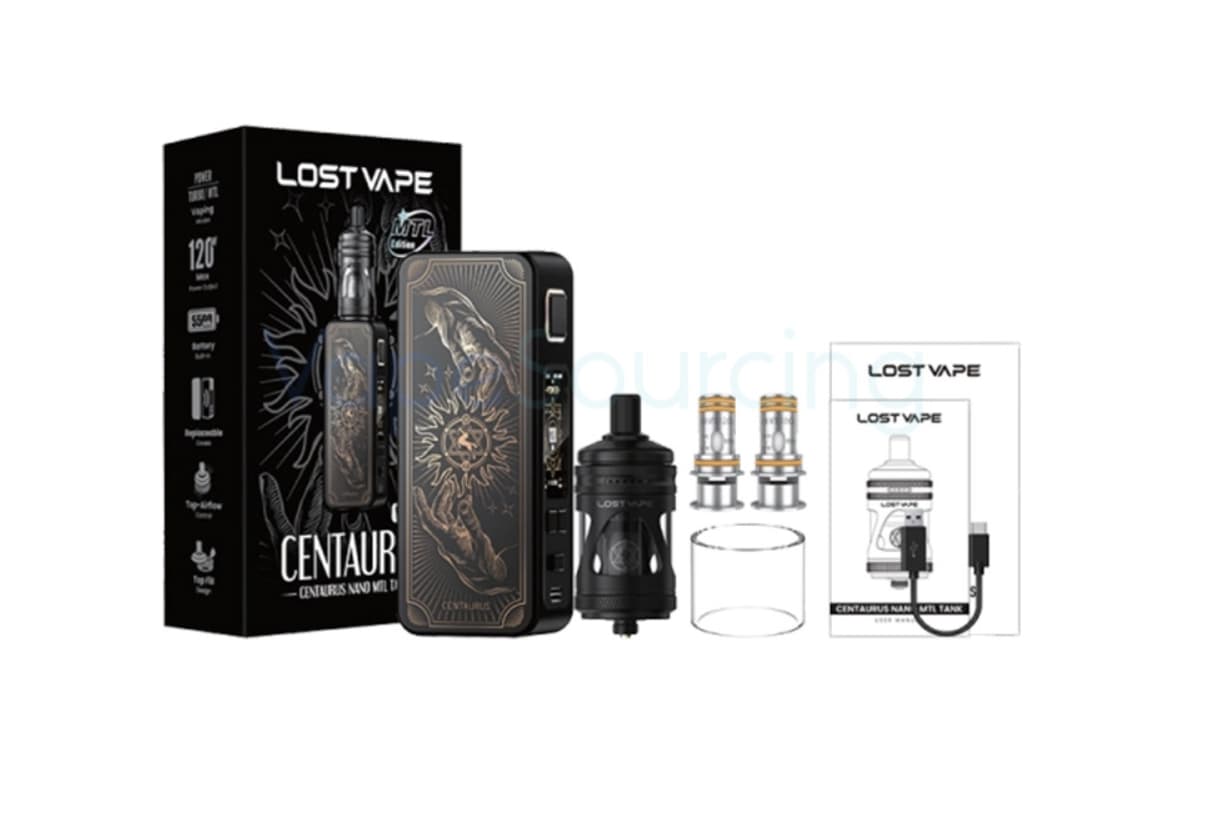
Lost Vape Centaurus M120 S Kit takes a different approach to the modern vape kit. Instead of competing mainly on extreme wattage or oversized hardware, it combines a built-in 5,500mAh battery, up to 120W of adjustable output, several vaping modes, and a relatively straightforward control system.

That combination makes the Centaurus M120 S interesting for adult vapers who want the flexibility of a higher-powered device without having to carry spare batteries.

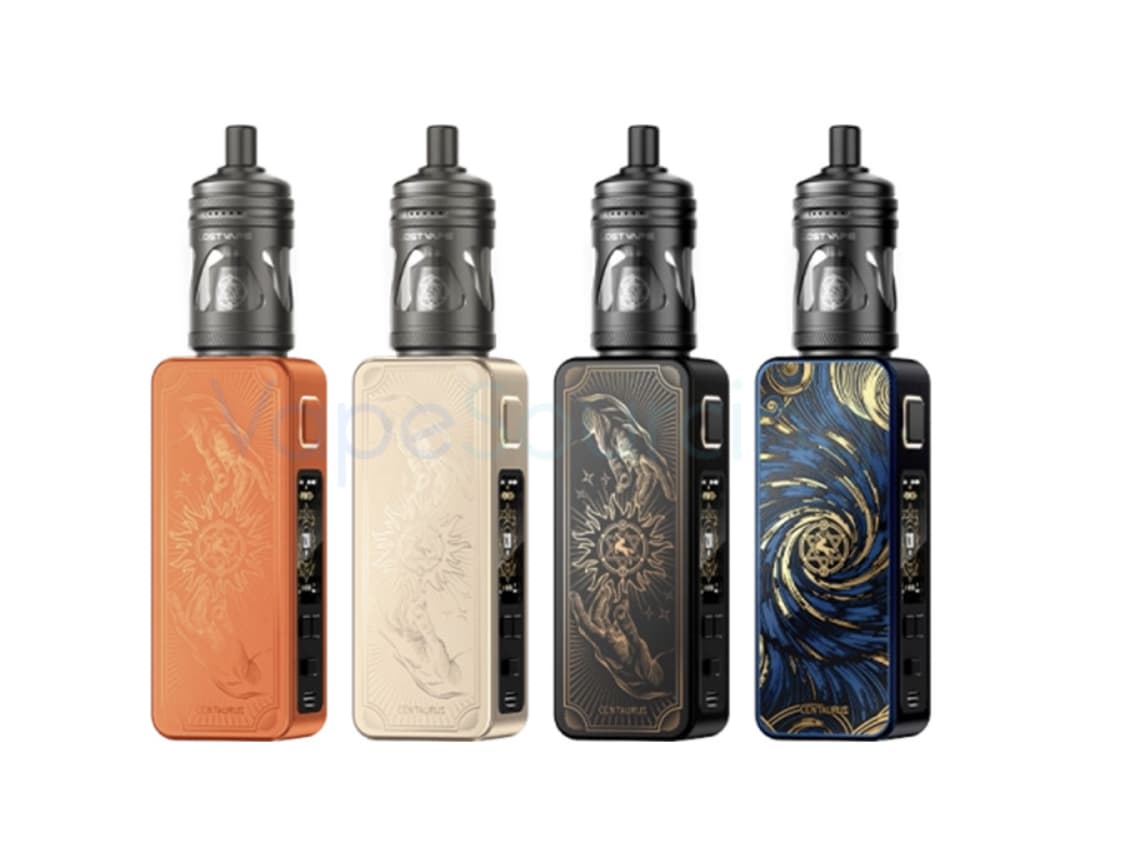
The kit also introduces a redesigned Centaurus form factor, an interchangeable-panel design, an on/off switch, and a large color display. According to current product specifications, the mod measures 108.6 × 40.7 × 15.7mm and weighs around 120g, while the built-in battery supports USB-C charging at up to 2A.
The Battery Is the Main Story

The most important feature of the Centaurus M120 S is arguably not its 120W maximum output. It is the 5,500mAh built-in battery.

A 120W mod can be attractive on paper, but high power also places greater demands on the battery. The M120 S approaches the problem differently by giving users a large internal battery designed around extended daily use.

For moderate-power vaping, 5,500mAh gives the device a substantial energy reserve. Users who normally operate at lower wattages may not need to recharge as frequently as they would with a smaller internal-battery pod system.

The battery is also built into the device, so there is no need to purchase or carry a separate 18650 or 21700 cell.

That is an important distinction. The M120 S is aimed more at convenience and endurance than at the battery-swapping flexibility associated with traditional external-battery mods.
120W Gives the Kit Plenty of Headroom

The Centaurus M120 S supports a power range of 5W to 120W vape device, giving it considerably more output headroom than a typical compact pod device.

However, the maximum number should not be interpreted as a recommendation to vape at 120W all the time.

The practical advantage of 120W is flexibility. A user can operate at a lower setting for a more controlled experience and still have additional power available when using compatible coils that require it.

This makes the M120 S more adaptable than a device designed around a narrow wattage range.

It is also worth remembering that actual performance depends on the coil, airflow, e-liquid, battery condition, and selected power level. Maximum output alone does not determine the quality of a vape.

Three Modes Change How the Device Feels

One of the more interesting aspects of the M120 S is its three operating modes: POWER, TURBO and MTL.

Rather than forcing every user into the same operating style, these modes give the device a broader range of possible applications.

POWER mode is the straightforward option for users who prefer direct control over their wattage.

TURBO mode is designed for users who want a more aggressive performance profile when their atomizer and coil setup are suitable for it.
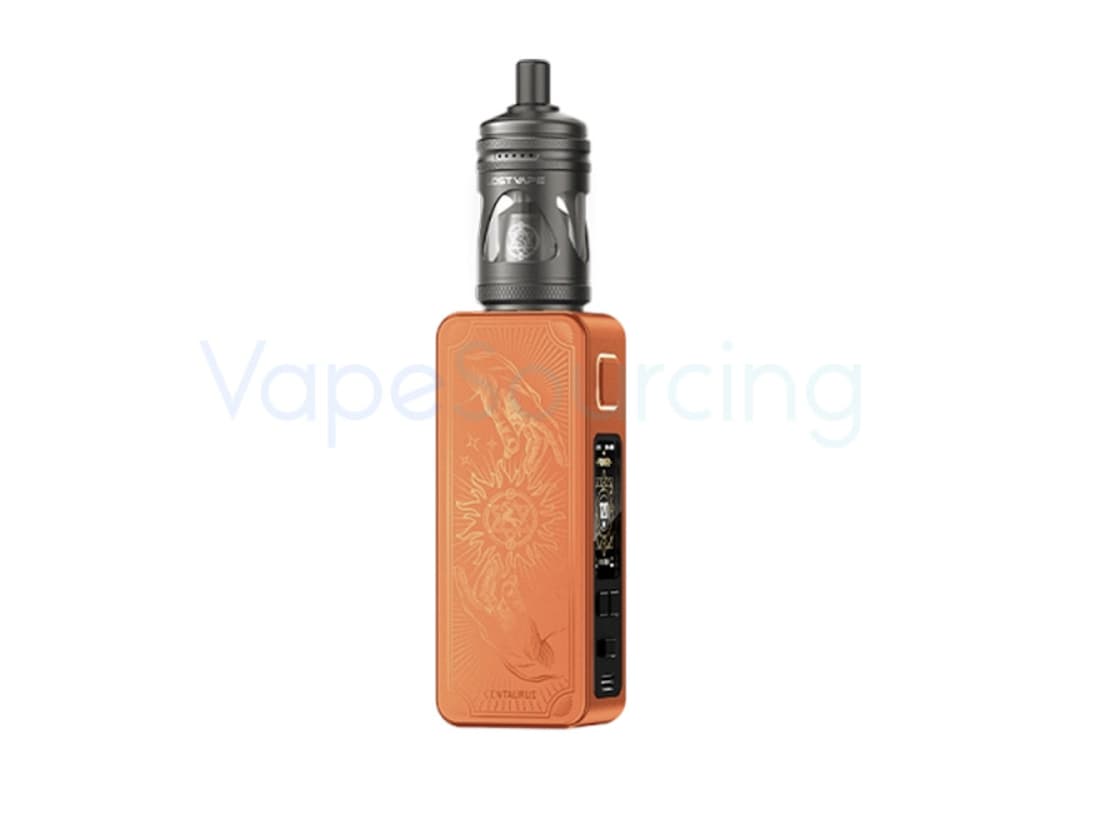
The inclusion of an MTL vaping is particularly notable. The Centaurus name has traditionally been associated with more powerful box-mod hardware, so having a dedicated mode for a tighter, mouth-to-lung-oriented experience makes the M120 S more versatile.

The important point is that these modes are not simply extra menu options. They give the device different ways of responding to the same hardware setup.

The 1.47-Inch TFT Screen Is More Than Decoration

The Centaurus M120 S uses a relatively large 1.47-inch TFT display, giving the device enough screen space to present important vaping information clearly.

A larger display can be useful on a high-output device because users may want to check wattage, battery status and other settings without navigating through complicated menus.

The screen also helps distinguish the M120 S from simpler pod-style devices, where information is often reduced to a few basic indicators.

For a device designed around adjustable power and multiple operating modes, having a readable interface is more useful than simply having a larger screen for visual appeal.

The On/Off Switch Is a Small Feature With a Practical Benefit

One of the details that deserves more attention is the physical on/off switch.

Many modern vape devices rely on button combinations or automatic sleep functions. The M120 S instead uses a dedicated switch for turning the device on and off.

That sounds simple, but it can make everyday handling more intuitive.

It also reduces the number of steps needed when the device is not being used. For people who regularly carry their device in a bag or pocket, having a clearly defined power switch can be more reassuring than relying entirely on software controls.

Interchangeable Panels Add Personality Without Changing the Hardware

The M120 S continues the Centaurus family’s emphasis on customizable exterior panels.

The interchangeable-panel concept allows the appearance of the device to be changed without replacing the entire mod. This is primarily an aesthetic feature, but it also gives the M120 S a more distinctive identity than a conventional rectangular box mod.

Lost Vape has used customizable panels across parts of the Centaurus family before, including the Centaurus M200, where the company describes the design as using changeable face panels.

For the M120 S, the approach fits naturally with the redesigned body.

The 4ml Tank Keeps the Kit Practical

The kit is offered with a 4ml tank, giving the overall package a useful balance between capacity and portability. Current product listings identify the Centaurus M120 S kit as a 4ml, 5,500mAh configuration.

A 4ml capacity is large enough for regular use without turning the tank into an unnecessarily bulky component.

Of course, actual e-liquid consumption will vary significantly depending on coil resistance, wattage, airflow and vaping frequency. Someone running a higher-power setup will naturally consume liquid faster than someone using a lower-power configuration.

That is why tank capacity should always be considered alongside power output rather than viewed as an isolated number.

This Is Not Trying to Be an Ultra-Small Pod

The M120 S measures 108.6 × 40.7 × 15.7mm and weighs approximately 120g, according to current specifications.

Those dimensions make it more substantial than a basic pod system, but that is not necessarily a disadvantage.

The larger body provides space for the 5,500mAh battery, display, controls and tank connection. In other words, the size is partly a consequence of what the device is trying to accomplish.

The more useful question is therefore not whether the M120 S is small enough to disappear in a pocket. It is whether the additional size is justified by the battery capacity and functionality.

For users prioritizing battery life and adjustable performance, the answer may be yes.

USB-C Charging Makes the Large Battery Easier to Live With

A large internal battery would be less useful if charging were inconvenient.

The Centaurus M120 S supports USB-C charging at up to 2A, providing a modern charging interface and making it easier to recharge from commonly available USB-C power sources.

It is still worth using an appropriate charger and cable and following the manufacturer’s charging instructions.

The advantage of USB-C here is mainly convenience: there is no need to remove the battery or use an external charger.

Who Is the Centaurus M120 S Really For?

The M120 S makes the most sense for adult vapers who want a device somewhere between a compact pod and a traditional high-powered dual-battery box mod.

It is particularly interesting for users who prioritize:

  • A large built-in battery
  • Adjustable output up to 120W
  • Multiple operating modes
  • A larger TFT display
  • USB-C charging
  • A physical on/off switch
  • Customizable exterior panels
  • A 4ml tank
  • A relatively manageable 120g body

It is less compelling for someone whose priority is an extremely lightweight pod that can disappear into a pocket.

The M120 S is ultimately built around battery capacity and versatility, not minimalism.

What Should You Consider Before Buying?

The built-in battery is both an advantage and a limitation.

There is no need to purchase external cells, but the battery cannot simply be swapped when its charge is depleted. Users who prefer carrying several charged batteries may therefore prefer a traditional external-battery mod.

The 120W output also does not mean every coil should be operated at high wattage. Coil specifications should always be followed, and the power level should be adjusted according to the installed coil and personal preference.

The tank and coil configuration also matters. A powerful mod can only perform as well as the atomizer setup attached to it.

Finally, buyers should check the vaping regulations that apply in their location before purchasing or using the device.

Lost Vape Centaurus M120 S Kit Specifications

Specification Details
Product Lost Vape Centaurus M120 S Kit
Maximum Output 120W
Power Range 5–120W
Battery Built-in 5,500mAh
Charging USB-C, up to 2A
Display 1.47-inch TFT
Operating Modes POWER, TURBO, MTL
Tank Capacity 4ml
Dimensions 108.6 × 40.7 × 15.7mm
Weight About 120g
Panels Interchangeable
Power Control On/Off switch
Manufacturer Lost Vape

The core mod specifications above are based on current product information for the Centaurus M120 S.

Final Verdict

Lost Vape Centaurus M120 S Kit is interesting because it does not rely on one exaggerated specification to define the product.

Its strongest combination is the 5,500mAh internal battery + 120W maximum output + three operating modes. That gives the device enough range to serve different vaping preferences while keeping the hardware relatively straightforward to operate.

The large TFT screen, physical power switch, USB-C charging and interchangeable panels add useful touches around that core design.

For adult users who want a higher-powered kit but would rather avoid external batteries, the M120 S presents a practical alternative. Its biggest appeal is not simply the 120W number; it is the attempt to combine substantial battery endurance with adjustable performance in a single, relatively manageable device.

Note: Vape products contain nicotine when used with nicotine-containing e-liquid, and nicotine is addictive. This product is intended only for adults of legal purchasing age. Always follow the manufacturer’s instructions and local regulations.

The post Lost Vape Centaurus M120 S Kit Review: 5500mAh Battery, 120W Power and a More Practical Design appeared first on IGeeKphone China Phone, Tablet PC, VR, RC Drone News, Reviews.
  •  

iScooter EB8 Review: A Torque-Sensor Fat-Tire E-Bike With Long Range

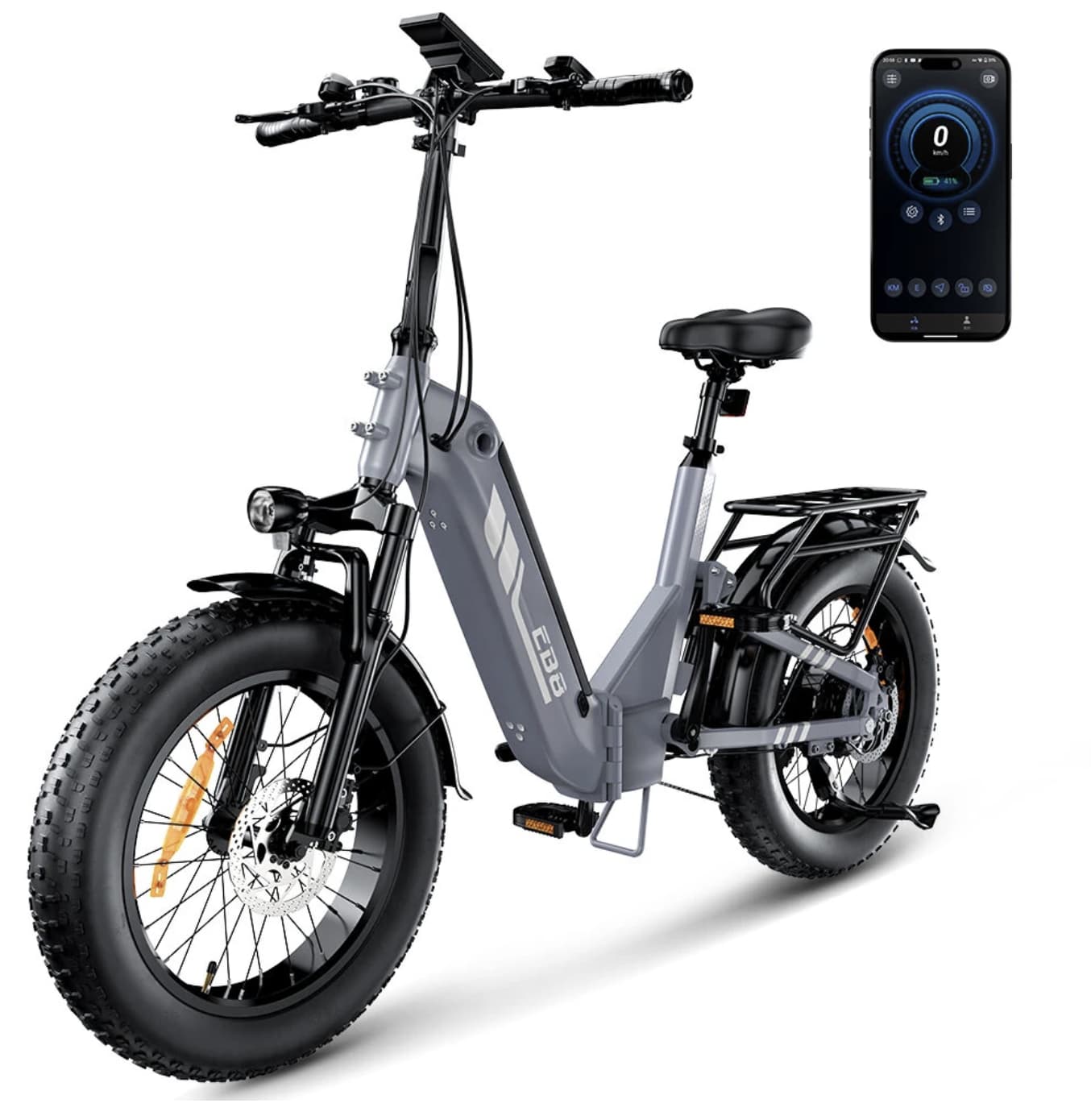
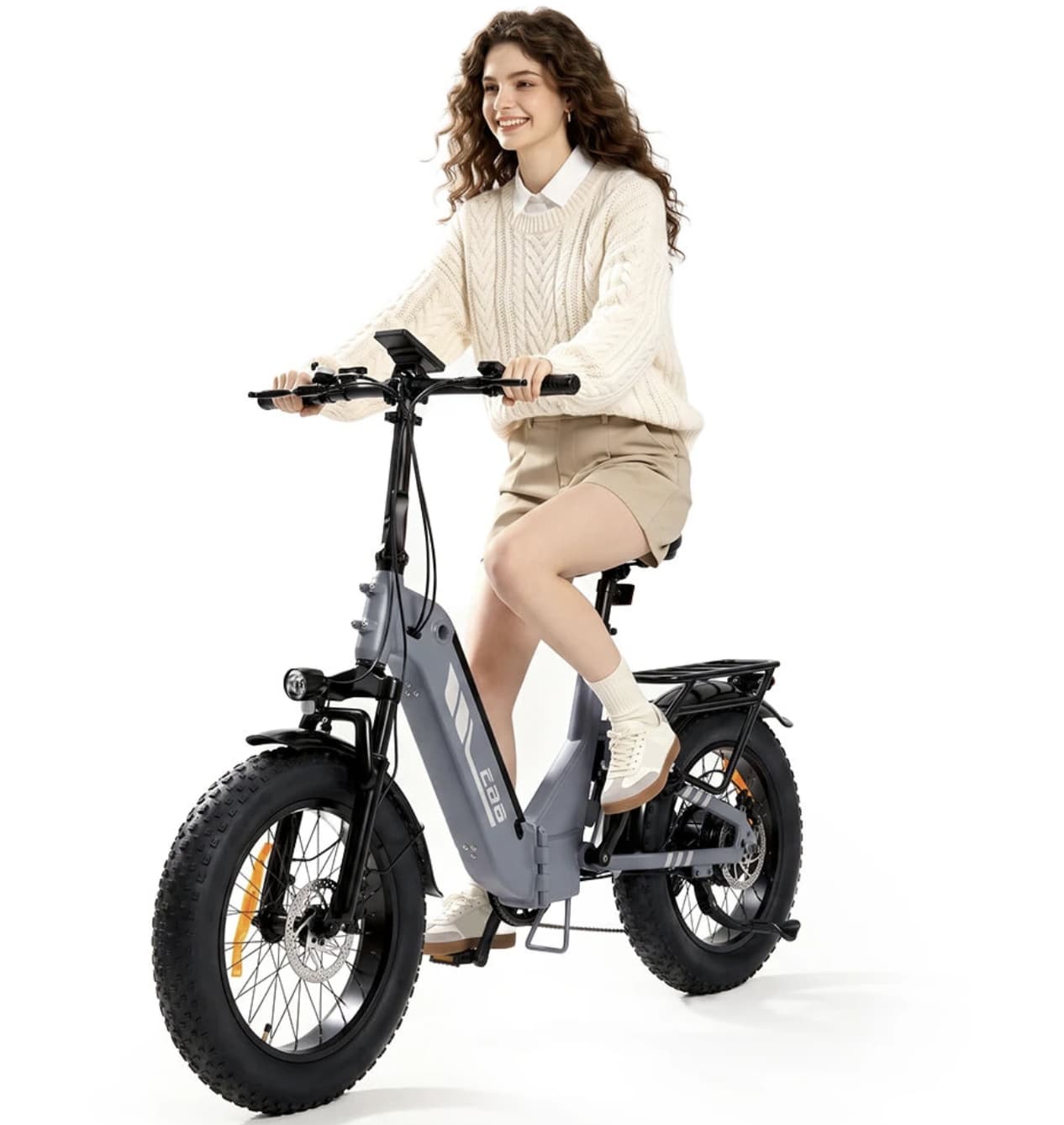
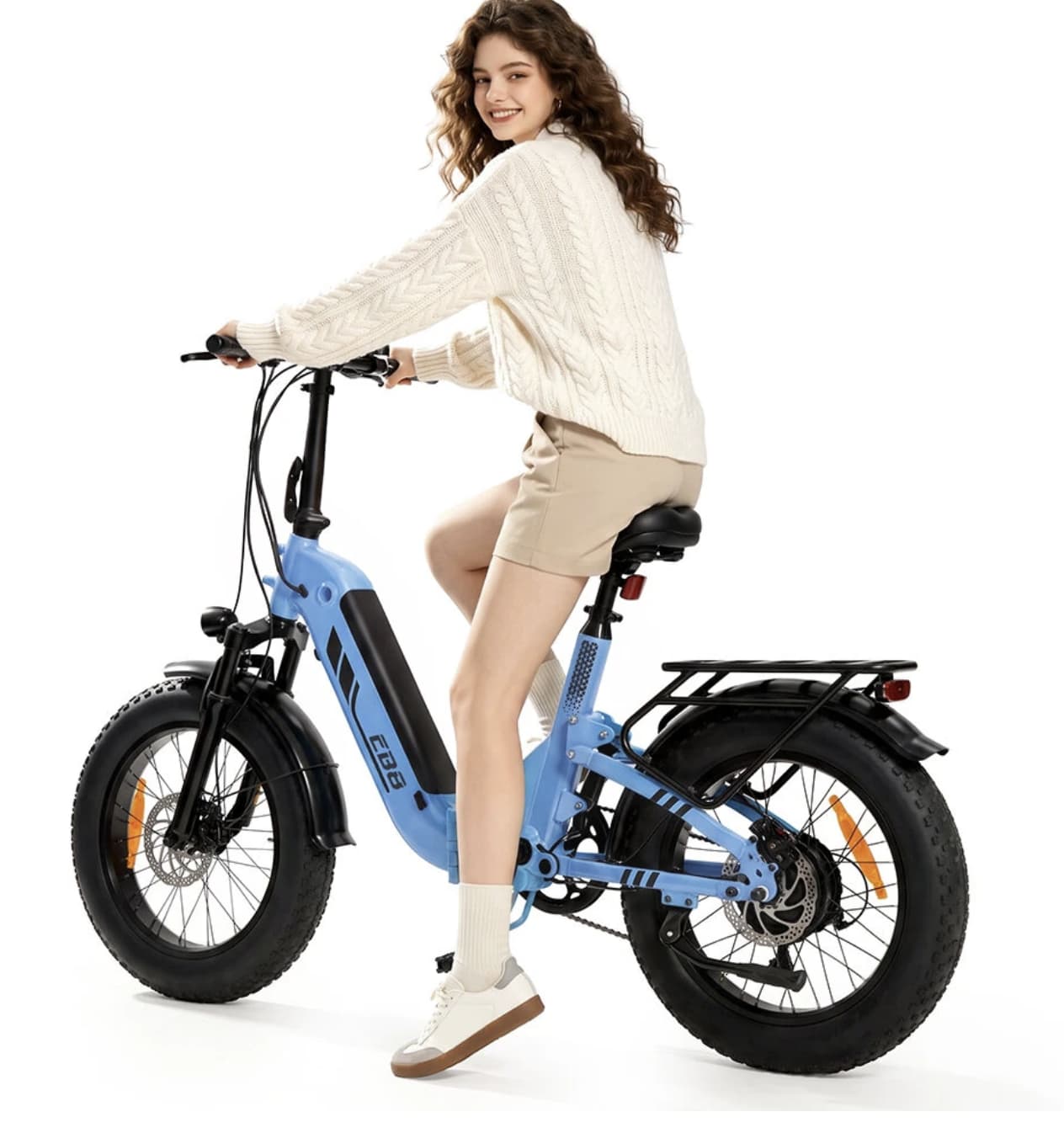
iScooter EB8 scooter takes a different approach from lightweight urban e-bikes that are designed mainly around portability. Its priorities are easier to understand once you look beyond the motor rating: a large 48V battery, 20-inch fat tires, front suspension, torque sensing, a folding frame, and a high maximum load are combined into one practical package.

The result is an electric bike aimed at riders who want more stability and range than a small commuter bike can provide. The EB8 is particularly interesting for longer daily trips, mixed road surfaces, leisure riding, and routes where comfort matters as much as outright speed.

According to the current Banggood listing, the EB8 uses a 48V 15Ah battery, a 250W motor with up to 1000W peak output, a torque sensor, 20×4.0-inch tires, and a claimed range of 90–144 km. Its listed maximum speed is 25 km/h, while the maximum load is 150 kg.

The Torque Sensor Is One of the EB8’s Most Important Features

Many entry-level electric bikes rely mainly on cadence sensing. In simple terms, the motor detects that the pedals are turning and then provides assistance.

The EB8 torque sensor electric bike uses a torque sensor instead.

That distinction matters because a torque sensor can respond to how much force the rider is putting through the pedals. Light pedaling can result in a more restrained assistance response, while stronger input can request more support.

For everyday riding, this can make the bike feel more connected to the rider. Instead of feeling like the motor simply switches on when the pedals rotate, the assistance can feel more natural and predictable.

This is particularly useful when starting from a stop, climbing a gradual hill, or adjusting your effort during a longer ride.

The torque sensor therefore gives the EB8 a more sophisticated riding character than its basic 250W rating might suggest.

48V 15Ah: The Battery Is Designed for Distance

Battery capacity is one of the biggest reasons to consider the EB8.

The bike combines a 48V electrical bike battery with a 15Ah battery, giving it considerably more energy capacity than many compact commuter e-bikes. Banggood lists a claimed range of approximately 90–144 km, although actual distance will depend heavily on rider weight, terrain, temperature, assist level, tire pressure, wind, and riding style.

That range figure should therefore be treated as a manufacturer’s claim rather than a guarantee for every ride.

More importantly, the larger battery gives the EB8 room to work as a genuine long-distance commuter. A rider who does not want to recharge after every short trip can benefit from having more battery capacity available.

The listed charging time is approximately 5–6 hours, so the most sensible approach is to recharge overnight or during another period when the bike is not being used.

Why the 20×4.0-Inch Fat Tires Matter

The EB8’s 20×4.0-inch fat tires are not simply a visual design choice.

Wide tires create a much larger contact area with the riding surface, which can help the bike feel more planted on loose or uneven ground. The combination of wide tires and front suspension is particularly relevant when moving between smooth pavement and less predictable surfaces.

For city riding, the setup can help absorb some of the harshness created by broken pavement, rough sidewalks, or uneven streets.

For recreational riding, the wider tires also make the EB8 better suited to surfaces where a narrow commuter tire might feel less confident.

However, fat tires also add weight and rolling resistance. This is not a lightweight bicycle designed primarily for carrying upstairs or accelerating like a road-oriented e-bike. The EB8 is better understood as a stability-focused electric bike.

Front Suspension Adds Another Layer of Comfort

The front fork suspension works together with the wide tires rather than replacing them.

The tires provide the first layer of cushioning, while the suspension helps manage larger impacts reaching the front of the bike. This combination should be useful for riders who regularly encounter cracked pavement, gravel paths, cobblestones, or other imperfect surfaces.

Banggood lists the EB8 with front fork suspension and dual oil-disc brakes.

That brake setup is especially relevant on a heavier fat-tire e-bike. When the bike is carrying a rider and additional cargo, predictable braking becomes more important than simply having a high motor output.

The 250W Motor Has More to the Story

At first glance, a 250W motor may not sound particularly aggressive compared with some high-powered e-bikes.

The EB8’s specifications, however, list a peak output of up to 1000W.

The important point is that rated power and peak power describe different parts of the motor’s behavior. The 250W figure represents the rated motor power, while the higher peak figure describes short-duration output under demanding conditions.

That extra headroom can be useful when accelerating, climbing, or dealing with changing terrain.

The EB8 is also listed with a maximum incline of 15 degrees. Real-world hill performance will depend on rider weight, battery level, surface conditions, and riding mode, so the specification should not be interpreted as a universal guarantee for every hill.

Folding Design Without Pretending It Is a Lightweight Bike

The EB8 folds, but portability is not its main selling point.

Banggood lists the bike at approximately 32.3 kg, with unfolded dimensions of 174.5 × 68.5 × 131 cm and folded dimensions of 107 × 56 × 78.5 cm.

That weight is important to understand before buying.

The folding mechanism is useful for reducing the bike’s footprint when storing it at home, in an office, or in a suitable vehicle. It does not turn the EB8 into something most people will want to carry for long distances.

In other words, the folding frame is primarily a storage and transportation advantage, not a lightweight-cycling advantage.

That distinction makes the product positioning clearer.

A 150 kg Maximum Load Opens Up More Practical Use Cases

The EB8 is rated for a maximum load of 150 kg.

A higher load rating can make an e-bike more practical for riders who are not well served by smaller commuter models. It also provides additional flexibility when carrying everyday items.

The bike comes with a rear rack, according to the listing, making it possible to use panniers, bags, or other compatible cargo accessories for commuting and errands.

For someone using an e-bike as transportation rather than simply recreation, this can be more valuable than another increase in top speed.

App Connectivity Makes the EB8 More Modern

The EB8 is listed with Volotix app support.

The app connection is designed to add functions such as smart unlocking and access to riding information.

This gives the bike a more connected experience than a traditional bicycle. Smartphone integration can also be useful for riders who want to keep track of basic ride information rather than relying only on the bike’s display.

The central horizontal LCD display provides another way to monitor the bike while riding, keeping key information visible without requiring a phone to be mounted on the handlebars.

A Better Match for Commuters Than Speed Seekers

The listed 25 km/h maximum speed tells you quite a lot about the EB8’s intended character.

This is not primarily an e-bike for riders chasing high top speeds.

Instead, the design puts more emphasis on:

  • stable handling
  • long-distance battery capacity
  • comfortable riding
  • hill assistance
  • cargo practicality
  • fat-tire traction
  • controlled acceleration
  • everyday usability

That makes the EB8 more interesting as a transportation tool than as a performance machine.

For commuting, grocery trips, recreational rides, and mixed-surface routes, those priorities make sense.

Where the iScooter EB8 Makes the Most Sense

The EB8’s specification sheet becomes more convincing when viewed as a complete system.

A large battery alone does not create a good long-distance e-bike. The rider also needs a comfortable chassis, stable tires, usable braking, sensible motor assistance, and enough carrying capacity.

The EB8 brings these elements together.

Its strongest use cases are likely to be:

Long commutes: The 48V 15Ah battery provides substantial energy capacity for riders who regularly cover longer distances.

Mixed surfaces: The 20×4.0-inch fat tires and front suspension make the bike better suited to rougher surfaces than a narrow-tire city bicycle.

Errands and utility riding: The rear rack and 150 kg maximum load make it more practical for carrying everyday items.

Leisure riding: The combination of fat tires, suspension, and electric assistance creates a comfortable setup for casual exploration.

Storage-conscious owners: The folding frame can reduce the bike’s footprint when it is parked or transported.

What You Should Consider Before Buying

The EB8 is not perfect for every rider.

Its approximately 32.3 kg weight is significant. If your main requirement is carrying an e-bike up several flights of stairs, a smaller and lighter model would be easier to live with.

The fat tires also make more sense for stability and comfort than for maximum efficiency on smooth roads.

The advertised 90–144 km range should be interpreted carefully as well. Maximum range figures are normally achieved under favorable conditions. A heavier rider, frequent hills, high assistance levels, cold weather, low tire pressure, or strong wind can reduce actual range.

There is also an important product-listing detail worth checking before ordering: the current Banggood page states that the EB8 is manufactured by iScooter but that the shipped bike may not carry the iScooter logo. Buyers who care about the branding should verify this point before purchase.

iScooter EB8 Specifications

Specification iScooter EB8
Bike Type Folding fat-tire electric bike
Battery 48V 15Ah
Rated Motor Power 250W
Peak Motor Power Up to 1000W
Sensor Torque sensor
Maximum Listed Speed 25 km/h
Claimed Range 90–144 km
Tires 20 × 4.0 inches
Suspension Front fork suspension
Brakes Dual oil-disc brakes
Maximum Load 150 kg
Maximum Incline 15°
Weight Approx. 32.3 kg
Charging Time About 5–6 hours
Display Central horizontal LCD
App Volotix
Unfolded Size 174.5 × 68.5 × 131 cm
Folded Size 107 × 56 × 78.5 cm

Specifications are based on the current Banggood product listing and may vary with market, configuration, or future listing updates.

Final Verdict

iScooter EB8 is most interesting when viewed as a long-range utility e-bike rather than a lightweight city bicycle.

Its combination of a 48V 15Ah battery, torque sensor, 20×4.0-inch fat tires, front suspension, dual oil-disc brakes, folding frame, rear rack, and 150 kg load rating gives it a clear purpose.

The torque sensor is arguably one of its most meaningful features because it changes how the motor assistance interacts with the rider. Meanwhile, the large battery and wide tires address two of the biggest concerns for longer recreational and commuting rides: range and comfort.

The trade-off is size and weight. At around 32.3 kg, this is a substantial e-bike, and the folding mechanism should be viewed as a storage convenience rather than a promise of easy carrying.

For riders who prioritize range, stability, comfort and practical carrying ability, the EB8 has a much more convincing proposition than a specification list alone might suggest.

The post iScooter EB8 Review: A Torque-Sensor Fat-Tire E-Bike With Long Range appeared first on IGeeKphone China Phone, Tablet PC, VR, RC Drone News, Reviews.

  •  

ATK Blazing Sky X1 V2 Review: Lightweight 8K Wireless Gaming Mouse

Gaming mice have become increasingly focused on three things: lower weight, faster communication and more accurate tracking. The ATK Blazing Sky X1 V2 series brings all three ideas together in a compact wireless design, while adding an unusually large battery for a mouse in this weight class.

Depending on the version, the X1 V2 family combines a high-performance sensor, an 8,000Hz polling rate, Nordic 54-series hardware, lightweight construction and 2.4GHz wireless connectivity. The Banggood listing identifies the Ultra Max version with a PAW3395 Ultra sensor, an 800mAh battery and a weight of around 55g, while the other versions use different sensor and switch configurations.

That makes the X1 V2 more interesting than a mouse that simply advertises a high DPI number. Its real appeal is the balance between movement, wireless responsiveness and long-term usability.

A Mouse Built Around Low Weight

A gaming mouse does not need to be extremely small to feel fast.

The X1 V2 measures approximately 127 × 64 × 40mm and uses a symmetrical body shape. Depending on the version, its listed weight is around 54–55g, putting it firmly in the lightweight gaming mouse category.

The advantage becomes particularly noticeable when a game requires frequent large movements, which is where lightweight gaming mice can make a difference.

In competitive shooters, players using relatively low sensitivity often move the mouse across a large section of the desk to make a turn or correct their aim. A lighter mouse reduces the amount of physical effort required for those repeated movements.

The X1 V2 therefore makes more sense as a precision-oriented gaming tool than as a general office mouse. Its shape and weight are designed around quick repositioning rather than adding unnecessary mass.

8,000Hz Polling Is About More Than a Bigger Number

One of the headline specifications is the 8,000Hz polling rate, a feature increasingly found on high-end competitive gaming mice.

A 1,000Hz mouse reports its position to the computer roughly every 1 millisecond. At 8,000Hz, that interval is reduced to approximately 0.125 milliseconds.

The practical difference is not that an 8K mouse suddenly makes someone a better player. Instead, a higher polling rate can provide more frequent position updates, particularly on a sufficiently powerful gaming PC and high-refresh-rate display.

The X1 V2 is designed to support 8,000Hz polling in both wired and wireless modes. ATK also lists button latency around 0.181ms for several X1 V2 configurations.

For everyday desktop work, the difference may be difficult to notice. In fast competitive games, however, players who already use high-refresh-rate monitors and low-latency peripherals are more likely to appreciate the additional responsiveness.

The Sensor Choice Depends on the Version

One detail buyers should pay attention to is that the X1 V2 is a series, not a single configuration.

The Banggood listing identifies three versions: X1 V2 Ultras Max, X1 V2 Ultimate and X1 V2 Extreme. The listing associates the Ultra Max with the PAW3395 Ultra sensor, while the other versions use different sensor configurations.

This distinction matters because shoppers should not assume that every X1 V2 carries exactly the same internal hardware.

ATK’s current official X1 V2 product page also shows that the broader X1 V2 lineup has evolved across several configurations, including models using PAW3950 Ultra and PAW3955 Master sensors.

For anyone purchasing the mouse, checking the exact version is therefore more useful than simply searching for “X1 V2.”

Why an 800mAh Battery Is Significant

Wireless gaming mice usually have to make a compromise between weight and battery capacity.

A larger battery can extend runtime, but it also adds weight. The X1 V2 takes a different approach by pairing an 800mAh battery with a lightweight body.

The Banggood listing advertises more than 800 hours of battery life at 1,000Hz for the 800mAh configuration.

That figure should be treated as a manufacturer-rated condition rather than a guaranteed runtime during continuous 8K wireless gaming. Higher polling rates, lighting, wireless conditions and other usage variables can affect actual battery life.

Even so, the battery capacity is one of the more practical reasons to consider this mouse. A wireless mouse that needs to be charged frequently can become frustrating, especially for people who use it for work during the day and gaming at night.

Wireless Freedom Without Giving Up Wired Mode

The X1 V2 supports wired and 2.4GHz wireless connectivity, giving users two different ways to use the mouse.

That flexibility is useful because different situations call for different setups.

A wired connection can make sense when charging the mouse or when someone wants the simplest possible competitive setup. Wireless operation, meanwhile, removes the cable from the desk and allows the mouse to move more freely, which is one of the main advantages of a wireless gaming mouse.

The included 8K receiver and cable are part of the package listed by Banggood, so the high-polling-rate setup is not dependent on purchasing a separate basic receiver.

The Shape May Matter More Than the Specifications

Specifications are easy to compare. Mouse shape is not.

The X1 V2 uses a symmetrical 127mm-long body and is positioned by ATK for medium-to-large hands, with claw and palm grips listed as suitable grip styles.

This suggests that the mouse is aimed at users who want a relatively substantial body without moving into the heavier designs commonly associated with large gaming mice.

For claw-grip users, the rear portion of the shell can provide support while still leaving enough freedom for quick fingertip adjustments. Palm-grip players may also appreciate the larger overall footprint.

However, grip preference is highly personal. A lightweight mouse can have excellent specifications and still feel wrong if its hump, width or button position does not match the user’s hand.

PTFE Feet Complete the Lightweight Approach

Weight alone does not determine how quickly a mouse moves.

The contact surface between the mouse and mousepad also has a major effect on the feeling of movement. The X1 V2 uses high-purity PTFE mouse feet, with ATK describing the design as focused on smooth and stable gliding.

This becomes particularly relevant when the mouse is used with a low sensitivity setting.

A lightweight shell combined with low-friction feet can make broad movements feel less demanding. At the same time, players who prefer more stopping resistance may want to consider their mousepad surface before deciding whether this setup matches their preferences.

A Nordic 54-Series Platform

Inside the X1 V2 is ATK’s Nordic 54-series platform.

The manufacturer describes its ApexShark MAX solution as a combination of hardware and firmware optimization, with high-speed wireless transmission and low button latency.

The important point for buyers is that the mouse is not relying on the polling rate alone. The controller, wireless system, sensor and firmware all contribute to the overall response chain.

This is also why looking only at DPI can be misleading when comparing gaming mice. A high maximum DPI number does not automatically translate into better real-world aiming.

For most players, sensor tracking quality, consistent wireless communication, shape and the ability to control the mouse comfortably are more meaningful factors.

Who Is the ATK Blazing Sky X1 V2 For?

The X1 V2 makes the most sense for several types of users.

Competitive FPS players may benefit from the lightweight body and high polling rate, particularly when paired with a high-refresh-rate monitor.

Low-sensitivity gamers can take advantage of the reduced weight when making repeated wide movements.

Wireless enthusiasts get 2.4GHz connectivity without having to accept a heavy mouse.

Users who dislike frequent charging may find the 800mAh configuration particularly attractive because of its large battery capacity.

It is less compelling for someone who mainly wants a basic office mouse. An 8K polling rate and esports-focused sensor platform are unnecessary for browsing, documents and casual desktop use.

What Makes the X1 V2 Different?

The strongest part of the X1 V2 concept is not one individual specification.

There are plenty of gaming mice with high polling rates. There are also many lightweight wireless mice and plenty of models with high-end optical sensors.

The more interesting combination here is the attempt to bring these characteristics together without turning the mouse into an ultra-small design or sacrificing battery capacity.

The result is a peripheral aimed at players who want a fast, light and flexible setup but still care about endurance.

ATK Blazing Sky X1 V2 Specifications

Feature Details
Product ATK Blazing Sky X1 V2 Series
Dimensions 127 × 64 × 40mm
Shape Symmetrical
Weight About 54–55g depending on version
Sensor PAW3395 Ultra / other sensor options depending on version
Polling Rate Up to 8,000Hz
Battery 800mAh on the Ultra Max configuration
Battery Life 800+ hours at 1,000Hz, manufacturer rated
Connectivity Wired / 2.4GHz wireless
MCU Nordic 54-series
Button Latency About 0.181ms on listed configurations
Mouse Feet PTFE
Intended Use Competitive gaming and esports

Specifications can vary between X1 V2 versions, so buyers should verify the exact configuration before ordering.

Final Thoughts

ATK Blazing Sky X1 V2 is best understood as a performance-focused wireless mouse rather than another accessory chasing impressive numbers.

Its lightweight construction can make large movements easier, while 8,000Hz polling targets users who want a highly responsive setup. The 2.4GHz connection keeps the desk cable-free, and the 800mAh battery on the Ultra Max configuration addresses one of the biggest disadvantages of lightweight wireless mice: charging interruptions.

The biggest buying consideration is the specific X1 V2 version. Sensor, switch, weight and battery specifications can differ across the range, so the exact configuration matters.

For gamers who already have a high-refresh-rate monitor and care about low-latency peripherals, the X1 V2 offers a well-balanced collection of hardware features. For casual users, many of those advantages will be difficult to notice—and a simpler mouse may make more sense.

The post ATK Blazing Sky X1 V2 Review: Lightweight 8K Wireless Gaming Mouse appeared first on IGeeKphone China Phone, Tablet PC, VR, RC Drone News, Reviews.
  •  

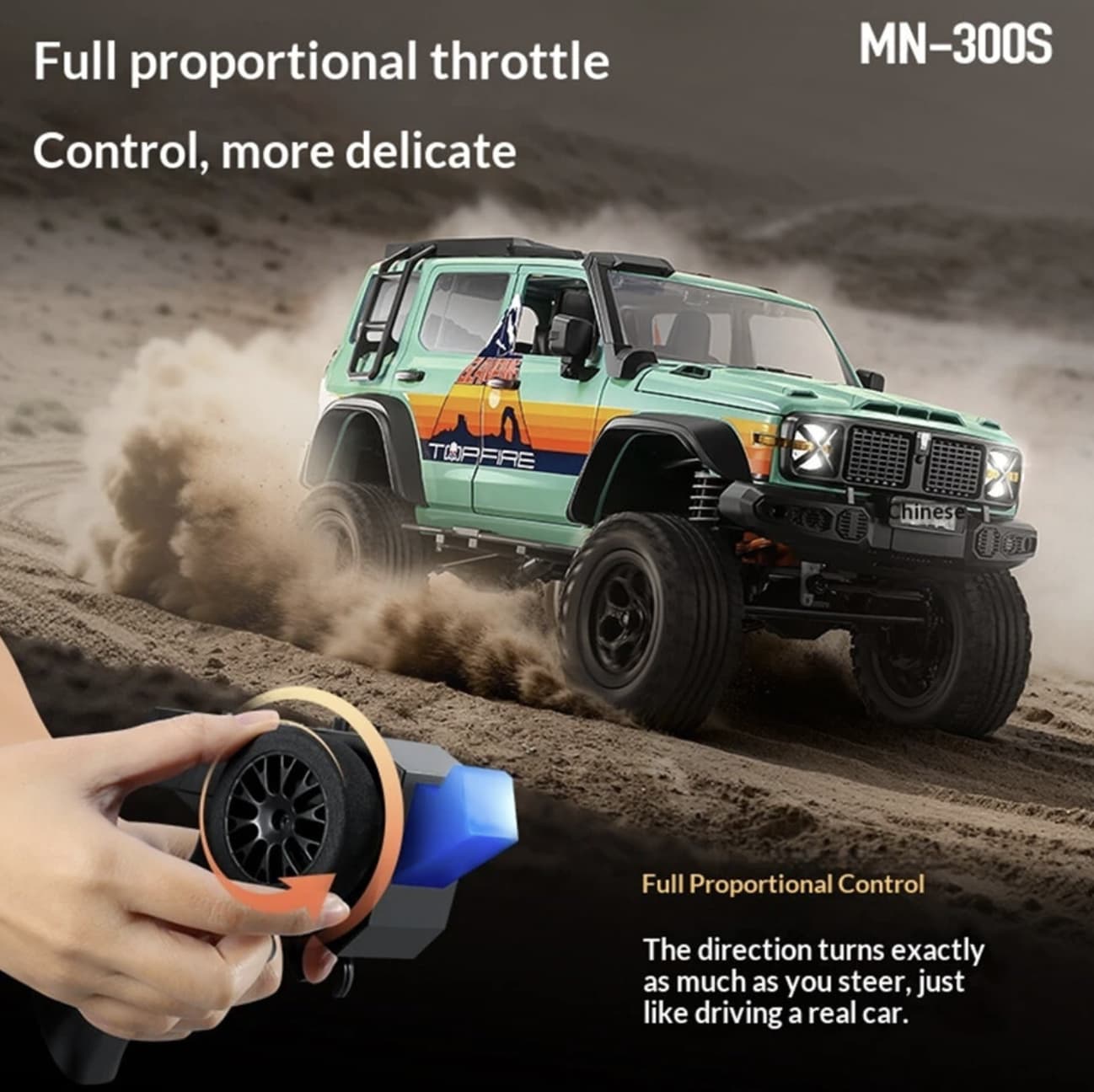
MNRC MN300S Review: 1:12 4WD RC Crawler With Proportional Control

Not every remote-control vehicle is designed to be fast. Some are more interesting when the terrain becomes difficult.

MNRC MN300S rc truck takes that approach. Rather than focusing on high top speed, this 1:12 4WD RC crawler combines four-wheel drive, proportional rc controls, a two-speed transmission and a relatively large body to create a platform aimed at climbing, trail driving and technical off-road play.

Its specifications suggest a vehicle intended for users who enjoy controlling an RC crawler through uneven ground rather than simply racing it across a flat surface. The manufacturer lists a maximum speed of 8 km/h, a climbing capability of up to 45 degrees, a control distance of around 50 meters and approximately 45 minutes of driving time from its included 7.4V 1200mAh lithium-ion battery.

The MN300S Is More About Control Than Speed

The first thing to understand about the MN300S is its character.

With a claimed top speed of 8 km/h, this is not positioned as a speed-focused RC truck. Instead, the combination of 4WD and proportional control gives the vehicle a more deliberate operating style.

Proportional control matters when navigating obstacles. Instead of treating steering and throttle as simple on/off commands, the controller allows the driver to make smaller adjustments. That is particularly useful when the vehicle is approaching a rock, climbing a slope or trying to keep its wheels positioned on a narrow section of trail.

For casual driving, this can make the MN300S feel more predictable. For hobbyists, it also creates more room to develop driving technique.

1:12 Scale Gives It a Substantial Trail Presence

The MN300S measures approximately 38.78 × 16.84 × 18.5 cm, putting it firmly into the larger end of casual RC toys while remaining manageable for outdoor use.

Its 1:12 scale is also important from a visual perspective. The body is designed around an officially licensed, high-simulation appearance, so the vehicle is intended to work in two different ways: as something to drive and as a model that can be displayed when it is not being used.

That combination should appeal to hobbyists who care about the appearance of their RC vehicles as much as the driving experience.

4WD Is the Key to Its Off-Road Personality

The MN300S uses a four-wheel-drive system designed for uneven outdoor terrain.

On a smooth floor, the difference between 2WD and 4WD may not be especially important. On loose soil, grass, stones and other irregular surfaces, however, maintaining traction across multiple wheels becomes much more relevant. It comes with 4WD RC cars for off-road driving.

The listing gives the vehicle a maximum climbing angle of 45 degrees. This figure should be viewed as a manufacturer specification rather than a guarantee that the vehicle will climb every 45-degree surface, because actual performance depends on terrain, tire grip, battery condition, surface material and driving technique.

Still, the specification clearly shows where MNRC expects the MN300S to be used: on terrain where traction and controlled wheel movement matter more than outright speed.

Two-Speed Transmission Adds Another Layer of Control

Another interesting feature is the two-speed transmission.

A crawler benefits from having different driving characteristics for different situations. A lower-speed setting can be useful when negotiating obstacles that require careful throttle control, while a faster setting makes ordinary trail movement less tedious.

This is one of the details that separates the MN300S from very basic RC cars. The vehicle is not simply designed around maximum acceleration. Its controls are intended to give the driver more influence over how the truck responds to the terrain.

A 7.4V Battery Provides Around 45 Minutes of Claimed Runtime

Power comes from a 7.4V 1200mAh lithium-ion battery, which is included with the vehicle. Banggood lists approximately 45 minutes of playtime and around 210 minutes of charging time.

The real runtime will naturally vary according to driving conditions. Continuous climbing and frequent throttle changes can consume more energy than relaxed driving on relatively flat ground.

The roughly three-and-a-half-hour charging time also means owners should plan charging before an outdoor session rather than expecting a quick top-up between short drives.

The transmitter itself requires two AA batteries, which are not included.

LED Lighting Makes the Vehicle More Than a Daytime Toy

The MN300S includes a remotely controllable lighting system with front lights, turn signals and rear lights.

That is more than a cosmetic detail. Lighting gives the vehicle a more realistic appearance and makes it easier to distinguish the front and rear of the model when driving at a distance.

For hobbyists who enjoy filming RC rock crawler or creating miniature trail scenes, the lighting system can also add visual interest without requiring additional accessories.

Built for Hobbyists Who Like to Modify Their Vehicles

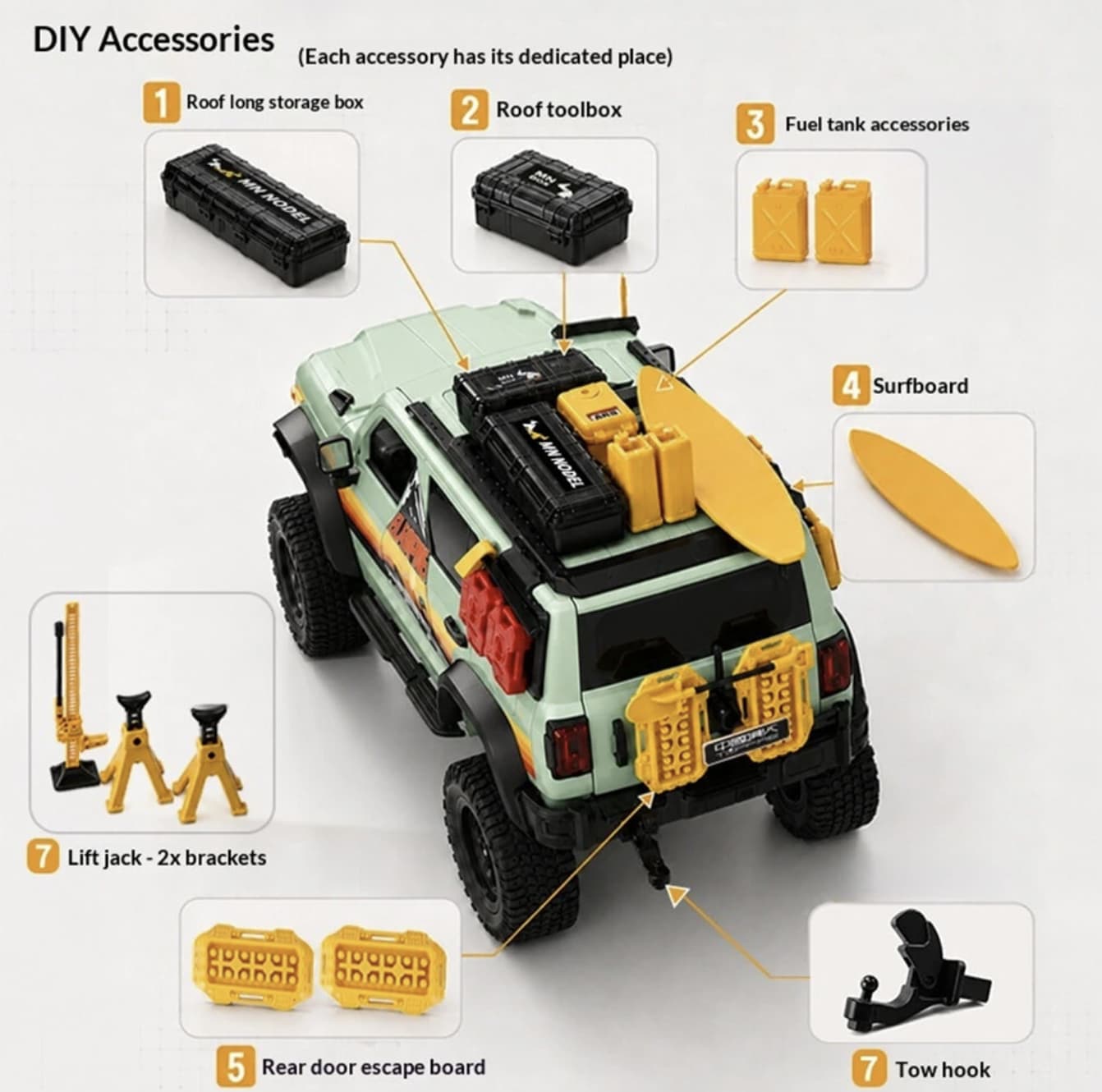
One of the more interesting aspects of the MN300S is its stated support for customization and upgrades.

That makes the platform potentially more attractive to hobbyists than a completely closed RC toy. Owners who enjoy changing components, experimenting with setup or gradually improving a vehicle have more reason to keep working with the same chassis.

The product listing also describes the vehicle as using a combination of PA, alloy and electronic components, while the body is described separately as a sturdy ABS structure.

This suggests a design that tries to balance visual detail with the demands of outdoor driving.

50-Meter Control Range Is Enough for Trail Driving

The included 2.4GHz transmitter operates across four channels and has a listed control distance of approximately 50 meters.

For a crawler, that is a sensible range. Unlike a fast RC racer, the MN300S does not need to travel huge distances before reaching its intended driving environment.

A 50-meter range gives the driver enough room to send the vehicle along a garden path, park trail or open outdoor area while maintaining a practical distance for observing obstacles.

What the MNRC MN300S Is Actually Good At

The specifications point toward a particular type of RC experience.

The MN300S makes the most sense for:

  • Technical off-road driving
  • Rock and trail crawling
  • Outdoor RC sessions
  • Hobbyists who enjoy proportional controls
  • Drivers interested in customization
  • Collectors who want a realistic 1:12 model
  • Users who prefer controlled driving over high speed

It is less compelling if the main goal is racing. An 8 km/h maximum speed places it firmly in the crawler-oriented category rather than the high-speed RC category.

MNRC MN300S Specifications

Feature Details
Model MN300S
Brand MNRC / MNR/C
Scale 1:12
Drive 4WD
Frequency 2.4GHz
Channels 4CH
Motor 280 brushed motor
Steering servo 17g
Maximum speed Up to 8 km/h
Control distance About 50m
Car battery 7.4V 1200mAh Li-ion
Claimed runtime Approx. 45 minutes
Charging time Approx. 210 minutes
Climbing angle Up to 45°
Steering angle Up to 28°
Load weight Up to 3kg
Traction weight Up to 5kg
Vehicle size 38.78 × 16.84 × 18.5cm
Transmission Two-speed
Lighting Front lights, turn signals and rear lights
Control Proportional
Recommended age 15+

Specifications are based on the current product listing and should be treated as manufacturer/retailer claims rather than independent performance measurements.

Final Take

MNRC MN300S is interesting because it does not try to compete with RC vehicles by chasing an impressive top-speed number. Its appeal comes from a different combination: 1:12 scale, four-wheel drive, proportional control, two-speed gearing and a design intended for climbing and outdoor terrain.

The included battery and transmitter also mean the package is relatively straightforward for someone who wants to start driving without assembling a complete RC system from individual components. The addition of controllable lighting and upgrade potential gives the platform more personality than a basic entry-level RC car.

For someone looking for a realistic RC crawler to take onto trails, grass, dirt and moderate obstacles, the MN300S has a specification sheet that makes sense as a hobby-oriented off-road platform. Its relatively modest speed is not necessarily a weakness—it is part of the reason the vehicle is better understood as a technical crawler rather than a racing truck.

The post MNRC MN300S Review: 1:12 4WD RC Crawler With Proportional Control appeared first on IGeeKphone China Phone, Tablet PC, VR, RC Drone News, Reviews.

  •  

Razer Prio Review: A Foldable Mobile Gaming Controller Built for Travel

Razer Prio Foldable Mobile Gaming Controller

$99.99
Price as of 09/01/2026
We may earn a commission when you buy through our links. This helps support MacSources and keeps our content free. Thank you!

The Razer Prio combines a compact foldable design, USB-C connectivity, responsive controls, and extensive customization in a mobile gaming controller that’s easy to take anywhere.

I’ve been an avid player of first-person shooter games since I was a kid. Call of Duty is one of my favorites, and a few years ago, I picked up Call of Duty: Mobile on my iPhone. At the time, I wasn’t a fan of on-screen controls, so I investigated mobile gaming controllers and ended up with the Razer Kishi. It was a great controller to use with the iPhone, and I did really well in-game with its help.

I did step away from mobile gaming for a short period of time, but I recently decided to pick it back up. Fortunately for me, Razer happened to release a brand new controller for mobile gaming called the Razer Prio. Given my previous experience with the Kishi, I was particularly interested to see how the Prio compared and whether its compact, foldable design could provide the same type of gaming experience in a more portable package.

Razer Prio Mobile Gaming Controller

About the Razer Prio

The Razer Prio is a mobile gaming controller designed to provide a more traditional console-style gaming experience without the bulk typically associated with mobile controllers. Its most notable feature is its foldable design, allowing the controller to collapse into a compact form that is easy to carry when you’re not gaming. At just 101 grams, the Prio is also considerably lighter than many traditional mobile gaming controllers.

When unfolded, the Prio provides a familiar controller layout with two analog sticks, a D-pad, four face buttons, shoulder buttons, and triggers. Razer also equipped the controller with contactless capacitive analog sticks, which are designed to provide precise input while eliminating the physical contact points found in traditional potentiometer-based sticks.

The Prio connects directly to compatible smartphones through USB-C, eliminating the need for Bluetooth pairing or a built-in controller battery. This means there’s no controller to charge before a gaming session, although the controller does draw power from the connected smartphone. Razer says the Prio supports iPhone and Android devices, including phones with cases, making it compatible with a wide range of mobile gaming setups.

The controller also includes a dedicated Razer Cortex button for accessing supported games and services, including cloud and remote-play options. With its combination of a compact folding design, direct USB-C connection, and full controller controls, the Prio is designed for mobile gamers who want a more portable alternative to larger controllers without giving up the physical controls needed for serious gaming.

Razer Prio Mobile Gaming Controller

Specs

  • Connectivity: USB-C
  • Charging: None
  • Battery Life: None
  • Thumbsticks: Capacitive Thumbsticks
  • Thumbstick Sensitivity Adjustment: None
  • Multi-Function Buttons: 4 Multi-Function Buttons
  • Action Buttons: Silent Tactile Face Buttons
  • Triggers: Dual Bumper Triggers
  • System Requirements: Android 14 or higher; iOS 18
  • Supported Phone Dimensions: Devices up to 7 inches
  • Size: 101 mm × 67 mm
  • Weight: 101 g
  • Mobile App: Razer Cortex Mobile

Pricing & Availability

The Razer Prio is available for $99.99 on razer.com and Amazon.

User Experience

The Razer Prio comes in a classic Razer-branded box. It’s primarily white with Razer green used as an accent color, and there’s a full-color image of the controller on the front. When you open the box, you’ll find the controller folded up into itself, different sizes of rubber inserts, a manual, and the usual Razer stickers.

Razer Prio Mobile Gaming Controller

When I first took a look at the folded-up Prio, I was a little confused about how to unfold it. I tried to figure it out without looking at the manual, and once I pulled the rubber band off to one side, the two halves of the controller split apart. At first, I thought I had broken something, but this is actually part of the Prio’s design. Rather than trying to game with it right away, I spent a little time figuring out how to put it back together. While the process does feel a little awkward at first, after a couple of attempts, opening and closing the controller became fairly easy.

As I mentioned, Razer includes replacement rubber inserts for different iPhone models. The different configurations are:

  • iPhone: A + A
  • iPhone Pro Max: E + A
  • iPhone Air: A + D

I tested the Prio with both an iPhone 17 Pro Max and an iPhone 16 Pro, and the inserts worked as expected. One important thing to note is that the controller is not designed to work with all cases. The iPhone 16 Pro had a slim Defender-style case on it, and the Prio was unable to connect properly with the case installed. Removing the case resolved the issue.

Razer Prio Mobile Gaming Controller

Gaming with the Razer Prio

With the iPhone 17 Pro Max, I tested the Prio with Call of Duty: Mobile. The controller connected immediately and worked as expected as a wired controller. Overall, I think the Prio does a good job when it comes to responsiveness and general gameplay, although there are a few personal preferences that hold it back for me.

First, the thumbsticks sit almost flush with the rest of the controls. I prefer thumbsticks that sit higher, as they give me a greater sense of control and range of movement. I’m accustomed to the feel of an Xbox controller, and the Prio’s low-profile sticks feel noticeably different. This isn’t necessarily a flaw, but it did take some adjustment.

I also wasn’t a big fan of the L2 and R2 triggers. They have a somewhat squishy feel and lack the definitive tactile bump I prefer from a gaming controller. They also seem to have more travel than necessary. As a result, the triggers don’t feel quite as responsive or precise as I’d like, particularly during fast-paced gameplay.

Razer Prio Mobile Gaming Controller

Razer Cortex Mobile

With the iPhone 16 Pro, I connected the Prio to Razer Cortex Mobile and used the app as recommended. While Cortex is optional, I wanted to see how it integrates with the Prio and whether it adds anything meaningful to the overall experience.

One of the most useful aspects of Cortex is the additional customization it provides. The app can be used to update the controller’s firmware and change various controller settings. Most notably, I was able to adjust the thumbstick dead zones and polling rate.

This was one of the more surprising features I encountered while testing the Prio. I haven’t encountered many controllers in this category that offer this level of customization, particularly when being used with iOS devices. Having the ability to adjust the dead zones and polling rate gives users considerably more control over how the controller responds to their inputs.

Razer Prio Mobile Gaming Controller

After making sure the firmware was up to date, I played a few rounds of Combat Master, which provides a very similar first-person shooter experience to Call of Duty: Mobile. This gave me an opportunity to see whether my initial impressions of the Prio’s controls carried over to another FPS rather than relying solely on my experience with COD: Mobile. Since the controls felt virtually the same, I found that my initial impressions of the Prio carried over to another FPS.

After playing Combat Master, I moved over to Asphalt Legends Unite and found the controls to be more than adequate for this type of game. It doesn’t use as much of the controller as an FPS, but the controls were responsive and felt natural on the Prio. The overall experience was a significant improvement over using the touchscreen controls.

Final Impressions

I think the Prio is a very capable mobile gaming controller. It’s clearly designed with portability in mind, and much of my testing actually took place during a very long road trip. The compact, foldable design makes it remarkably easy to travel with, although I do wish Razer had included a carrying case. While the controls are protected when the controller is folded up, I still think a small case or sleeve would have been a worthwhile addition for protecting the Prio while it’s being carried around.

Razer Prio Mobile Gaming Controller

Overall, I found the controls to be responsive, and if you’re familiar with a console-style controller, the Prio should feel comfortable for mobile gaming. That said, the biggest adjustment for me was the overall layout and feel. Rather than reminding me of an Xbox controller, the Prio actually feels much more like the original Nintendo gamepad. The low-profile thumbsticks and overall arrangement of the controls give it a distinctly different feel from the traditional Xbox-style controllers I’m accustomed to using.

Conclusion

The Razer Prio is an interesting take on the mobile gaming controller. Rather than trying to replicate the size and feel of a traditional console controller, Razer took a different approach by making portability one of its biggest priorities. The foldable design makes the Prio easy to take with you, and the fact that it doesn’t require a battery or Bluetooth connection makes it especially convenient for mobile gaming on the go. It may take some adjustment if you’re accustomed to an Xbox-style controller, but the combination of its compact design, responsive controls, USB-C connectivity, and Cortex customization makes the Prio a compelling option for mobile gaming.

For more information, visit razer.com

  •  

ViewSonic VG1457 REVIEW A Dual-Screen Portable Monitor for Productivity

ViewSonic VG1457 Dual Screen 14 Inch 1200p Portable Monitor

$349.99
Price as of 08/28/2026
We may earn a commission when you buy through our links. This helps support MacSources and keeps our content free. Thank you!

The ViewSonic VG1457 puts two 14-inch WUXGA displays into a portable 2.6-pound package, giving mobile workers more screen space without carrying two separate monitors.

Traveling and staying productive has become much easier in recent years, largely thanks to portable devices like tablets and laptops. The only issue I end up having is a lack of screen real estate when I’m on-the-go since I’m used to working on a 34-inch wide screen monitor. This is where ViewSonic’s dual-screen portable monitor comes in handy.

About the ViewSonic VG1457

The ViewSonic VG1457 is a dual-screen portable monitor designed to give users additional screen space without requiring two separate displays. It features two 14-inch WUXGA IPS displays with a 1920 × 1200 resolution, connected by a flexible hinge that allows the screens to be positioned in multiple configurations.

The VG1457 supports several viewing modes, including Extend, Mirror, Full-Screen, Share, and Dual Source. It also features USB-C connectivity with up to 65W power delivery, allowing it to connect to compatible laptops and mobile devices while helping reduce the number of cables needed. At approximately 2.6 pounds, the VG1457 is designed for users who want a larger workspace while traveling or working away from their primary desk.

With its flexible design and dual-display functionality, the VG1457 is particularly suited to productivity tasks such as multitasking, presentations, document work, and working with multiple applications simultaneously.

ViewSonic VG1457 Dual Monitor

Specs

  • Screen Size: 14″ (x2)
  • Viewable Area (in.): 14″ (x2)
  • Color Space Support: 8 bit (6 bit + FRC)
  • Viewing Angles: 170º horizontal, 170º vertical
  • Backlight Life (Hours): 15,000
  • Display Resolution: WUXGA (1920×1200)
  • Display Resolution: 1920 x 1200
  • Dynamic Contrast Ratio: 50,000,000:1
  • Aspect Ratio: 16:10
  • Panel Surface: Anti-glare, hard-coating (3H)
  • Light Source: LED
  • Brightness: 250 cd/m2
  • Static Contrast Ratio: 800:1
  • Panel Type: IPS
  • Refresh Rate: 60Hz
  • PC Resolution (max): 1920×1200
  • Mac® Resolution (max): 1920×1080
  • USB Type C: 65W x 3
  • Internal Speakers: 2W (x2)
  • Consumption (typical): 13W
  • Consumption (max): 18.5W
  • Voltage: AC 100-240V (universal), 50-60Hz
  • Stand-by: 0.5W
  • Power Supply: External
  • Cable Organization: No
  • Physical Controls: Up, Down, Enter, Power
  • On Screen Display: Input Select, Display Settings, Volume, Color Adjust, Information, All Recall
  • Temperature: 32-104º F (0 – 40º C)
  • Humidity (non-condensing): 20-90%
  • Frequency Horizontal: 15 ~ 82 KHz
  • Frequency Vertical: 50 ~ 170 Hz
  • Swivel: 340º
  • Pivot (Right/Left): Landscape Mode: 0~180 degrees, Portrait Mode: 0~180 degrees, Stand Hinge: up to 90 degrees
  • Tilt (Forward/Back): 15º / 45º
  • Regulations: cTUVus, FCC-B, ICES003, Energy Star 8.0, EPEAT Silver, CEC
  • Net (lbs): 2.6
  • Net Without Stand (lbs): 2.6
  • Gross (lbs): 4.4
  • Net (kg): 1.2
  • Net Without Stand (kg): 1.2
  • Gross (kg): 2.0
  • Packaging (in.): 15.4″ x 11.3″ x 3″
  • Physical (in.): 16.77″ x 12.35″ x 0.59″
  • Physical Without Stand (in.): 12.21″ x 8.37″ x 0.98″
  • Packaging (mm): 391mm x 287mm x 77mm
  • Physical (mm): 425.9mm x 313.8mm x 15mm
  • Physical Without Stand (mm): 312.8mm x 212.65mm x 22.5mm
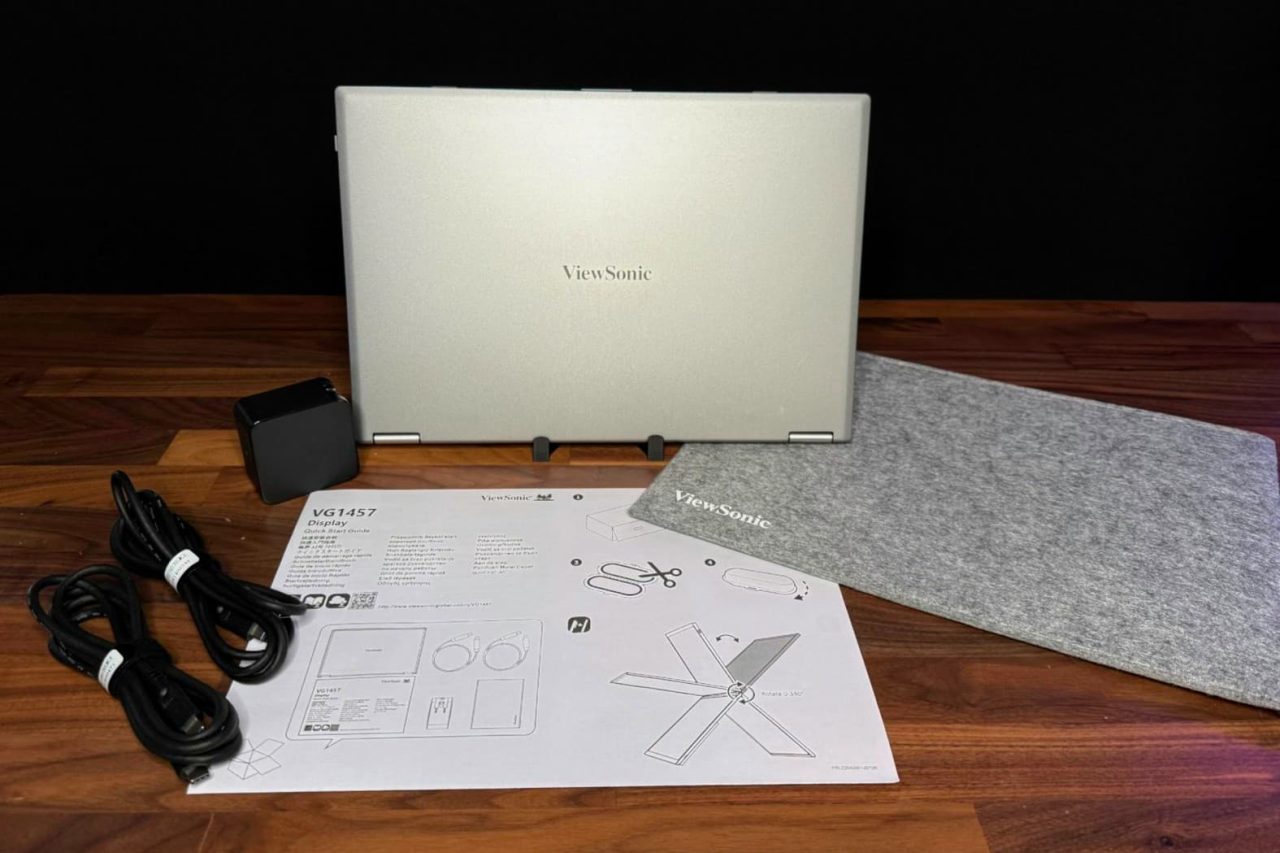
  • Package Contents: LCD Display, AC/DC Adapter, 2x USB Type C Cable, Protective Case, Quick Start Guide
  • Recycle/Disposal: Please dispose of in accordance with local, state or federal laws.
  • Warranty: Three-year limited warranty on parts, labor and backlight

Pricing & Availability

The ViewSonic VG1457 has a list price of $349.99 and is available on Amazon.

ViewSonic VG1457 Dual Monitor

Setup & Connectivity

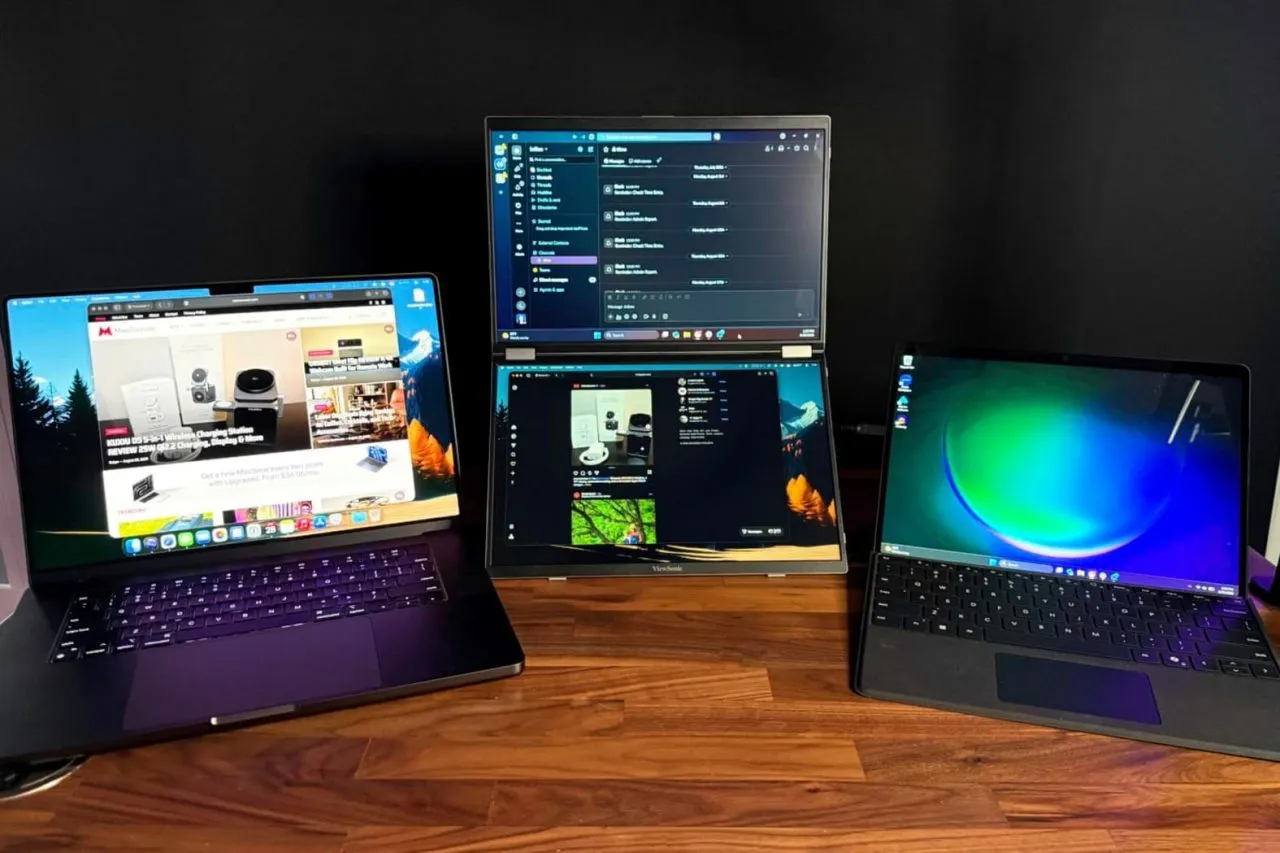
Getting the ViewSonic VG1457 up and running is remarkably simple. I connected both a Microsoft Surface Pro and a MacBook Pro directly to the monitor using USB-C, with each side of the VG1457 having its own USB-C port for controlling its respective display. No software or drivers were required, and both displays worked immediately when connected to their host systems.

One of the more convenient features is that the VG1457 does not necessarily need to be connected to external power. I initially had power connected, but disconnected it to see whether the laptops could power the displays themselves. Both the Surface Pro and MacBook Pro were able to power the VG1457 without issue. I also haven’t experienced any connection dropouts during my testing.

The experience does differ depending on the host computer. When using the MacBook Pro by itself, macOS recognizes the VG1457 as a single external display, with both panels showing the same content. The two panels are essentially mirrored rather than appearing as two independent external displays. I did adjust the resolution on the MacBook-connected display, although the monitor worked without making that adjustment. When I connected the Surface Pro by itself, only one of the VG1457’s displays was active. However, connecting the Surface Pro and MacBook Pro simultaneously allowed each display to operate independently, with one screen dedicated to each computer.

Display & Everyday Use

The VG1457’s displays have been impressive for everyday productivity. Brightness is more than adequate for indoor use and remains usable when positioned near a window. I haven’t tested it in direct sunlight, so I can’t say how well the panels would perform under those conditions, but typical indoor environments haven’t presented any issues.

ViewSonic VG1457 Dual Monitor

Colors look good straight out of the box. They are slightly muted compared with the display on my MacBook Pro, but the difference is relatively minor, and I haven’t made any color adjustments. Text is particularly easy to read, which is important for a monitor designed primarily around productivity. I also haven’t noticed any significant glare or reflections during use.

For my testing, I used one display for Slack and the other for Messages. Having those applications visible simultaneously is a good example of where the VG1457 makes sense. Rather than constantly switching between windows, both applications remain visible and accessible. With its 60Hz maximum refresh rate, this isn’t a portable monitor I’d choose specifically for gaming, but that isn’t really where it excels. It is much better suited to expanding your workspace when you need additional screens for productivity.

Portability & Build Quality

Portability is one of the VG1457’s strongest attributes. Despite incorporating two displays into a single unit, it isn’t excessively heavy or cumbersome to carry. The system feels sturdy and robust when being handled, which gives me confidence that it can withstand normal wear and tear of traveling between home, office, and other locations.

ViewSonic VG1457 Dual Monitor

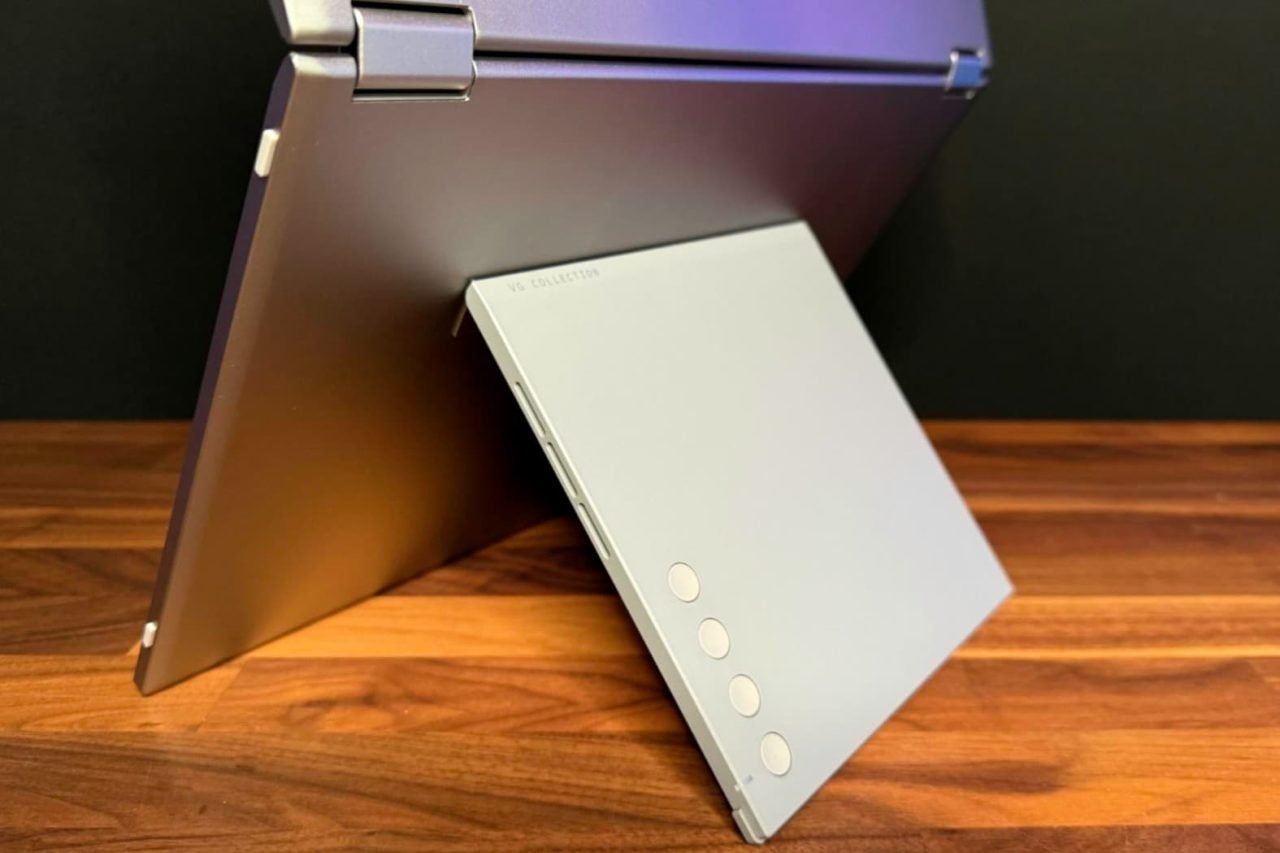
The hinge is tight enough to keep the displays securely positioned while still being easy to open and adjust. That balance is important for a portable dual-screen design because a hinge that is too loose would make positioning the displays frustrating, while one that is too stiff would make setup unnecessarily difficult.

ViewSonic also includes a travel pouch, which is a welcome addition and makes transporting the VG1457 easier. The pouch is made from felt, however, so I would have preferred something with a little more structure and protection. A more substantial travel case would provide greater peace of mind when carrying two displays in a laptop bag or backpack.

Overall, the VG1457 has been easy to set up, reliable in my testing, and surprisingly practical to carry. Its biggest limitation so far is not the hardware itself, but how the displays behave depending on the computer they’re connected to. For productivity, however, having two additional panels available in such a portable package can be extremely useful.

ViewSonic VG1457 Dual Monitor

Conclusion

The ViewSonic VG1457 solves a problem that anyone who regularly works away from a desktop setup can appreciate: how do you get more screen space without carrying a collection of monitors and cables? By combining two 14-inch displays into a single portable unit, ViewSonic has created a convenient way to expand your workspace while traveling.

Despite its limitations, the VG1457 is an excellent option for people who prioritize productivity and portability. Having two displays available in a single 2.6-pound package is incredibly useful when working away from a traditional desk. If your primary goal is to have more room for applications, messages, documents, and other productivity tasks while traveling, the VG1457 is worth considering.

For more information, visit viewsonic.com

  •  

Schlage Sense Pro UWB smart lock review: What price beauty?

A beige rectangular device mounted on a blue door above a silver handle.
The Schlage Sense Pro is an unobtrusive match for my door hardware.

Back in March I took possession of an Aqara UWB Smart Lock, which allowed me to live out my Star Trek dreams by using Ultra Wideband technology to sense my arrival and unlock the door without any interaction from me. Now a second UWB lock has arrived on the scene, Schlage’s Sense Pro UWB smart lock. I’ve spent the last month locking and unlocking my front door with it, and it’s got some definite strengths over the Aqara lock—as well as some definite weaknesses.

Let’s start with the prices. The Aqara is $269, and the Schlage lock is $400. While it can be hard to justify a smart lock at any price, it’s extremely difficult to recommend one lock with much the same feature set over another when there’s this kind of price disparity.

And yes, these locks are very much playing by the same playbook: Both use UWB and Apple’s HomeKey technology to detect when your iPhone (11 or newer) or Apple Watch (Series 6 or newer) approaches your door, unlocking without having to wait or tap your device against the keypad. You can read my previous review for more about how this works, but it’s a huge improvement on both NFC tap-to-unlock and Bluetooth proximity detection, because it can wirelessly detect if you’re inside or outside the door—and only unlocks when you’re approaching from the outside.

The Schlage Sense Pro trades versatility for compactness and attractiveness. The Aqara lock is a big black slab, compared to a relatively squat keypad that comes in either black or satin nickel (a perfect match for my front door hardware). Schlage’s lock is undeniably better looking. It also has a light-up keypad so you can unlock it with a code, and you can program additional codes via the Schlage app or directly via the Apple Home app. And it supports NFC unlock, so if someone in your house doesn’t have a UWB device, they still have an avenue to electronically unlock the door via a tap.

Past Schlage smart locks—I used one for several years before buying the Aqara UWB model—offered a little 9-volt battery nubbin at the bottom of the outside to provide emergency power if the device’s batteries died and you needed to get into the house. This model has a USB-C port to do the same thing, and I don’t know about you, but I’m far more likely to source a USB-C cable (and an iPhone to provide power) than I am to find a 9-volt battery laying around outside my house.

Unlike the Aqara lock, the Schlage Sense Pro doesn’t have a thumbprint scanner or a physical key. The Aqara’s thumbprint scanner works but always seemed a bit pointless to me; the key, on the other hand, might have value if you like the idea of using a hide-a-key or giving a physical spare key to a friend. Alternately, it might seem unnecessary or even a security flaw. Trade-offs.

A gray rectangular device with a protruding tab mounted on a white wall.
The interior deadbolt box is… less unobtrusive.

The Schlage Sense Pro is powered by four AA batteries that slide into the lock in a plastic sled; I found that if I was too forceful sliding the sled in, a battery occasionally popped out. I strongly prefer Aqara’s battery solution—a power-bank-style rechargeable battery pack that offers long life and a relatively easy USB charging path—to swapping AA batteries every so often.

My front door is not quite perfectly aligned, so automatic locks sometimes fail to lock it properly. The Schlage’s lock motor is forceful enough to do the job, but a lot less forceful than the Aqara’s, which would often have enough oomph to get the door closed even if it had to push really hard. In truth, though, both locks were equal in their ability to lock my weird door, though Aqara is much more aggressive in making a noise when it fails to lock the door, which I appreciated more than Schlage’s somewhat muted alert.

I also appreciated Aqara’s gesture to lock the door when leaving the house—you basically tap the pad anywhere—to be a lot easier to use than the Schlage lock, which requires you tap the top portion of the touch pad twice. I got used to the double-tap, but Aqara’s was faster and less fussy.

When testing the Schlage Sense Pro, I also ran into a very odd quirk where the lock became completely unresponsive until I pulled the battery sled out and put it back in—essentially, power cycling the lock. According to Schlage, this was likely due to a faulty lock and the company supplied me with a replacement that hasn’t shown any signs of the same issue.

Both locks do a great job of unlocking automatically. This is what the whole show is really about: If I walk up to a door with my watch on my wrist or my phone in my pocket, does the door unlock by the time I put my hand on the latch? Yes, almost all the time. Very occasionally there would be a slight pause when I reached the door, but almost never. It really is a magical feeling to have your door know that it’s you and unlock as you approach, and if you connect it to other HomeKit automations, you can have that unlock trigger other devices, like turning on your entryway lights.

In the end, the Schlage Sense Pro is a very nice lock, with a restrained look that I prefer to the Aqara’s industrial black block. Aqara’s extra locking methods (fingerprint, traditional key) are not really ones I feel are necessary. Yes, Aqara’s battery approach is better than Schlage’s, but I’ve been using AA-powered locks for ages, and it was fine, if a little annoying.

All in all, these locks are pretty close to even, with Schlage having the advantage in aesthetics. The problem is that the Schlage lock costs $130 more than the Aqara. If you don’t mind the extra charge for a more attractive lock, I won’t fault you, but for most people a smart lock is a bit of a splurge purchase as it is. It’s not the kind of product that can be snuck by household members who are less enthusiastic about technology, and sometimes the price tag is all it takes for the household to decide that it’s not worth doing.

The Schlage Sense Pro is a great product that brings that Star Trek feeling to my front door—but at a price that makes me wince. The first UWB lock that arrived on the scene, Aqara’s U400, is equally capable—and a lot cheaper.

  •  

TabControl Scam and the App Review Queue

Jeff Johnson:

Despite my history of uncovering App Store frauds, I rarely go looking for these things intentionally! They’re just so pervasive and obvious, they jump out at me. In this case, I was looking at the list of top paid Safari extensions in the Mac App Store, because two of my own extensions are currently on the list, when I noticed the TabControl Extension.

[…]

The Mac App Store “screenshot” for the app is not actually a screenshot at all. If you look closely, that’s not the real Safari: the toolbar elements are wrong. I suspect that the image was AI-generated.

[…]

Another thing you should note in the fake screenshot is the “4.9 out of 5” stars, giving the impression that this is the App Store user rating of the app.

[…]

These purported reviews, all but one of which is 5 stars, are all in English. Yet none of them is in the US App Store. […] If you’ve ever looked through App Store user reviews, it’s unusual to find this naming format. […] the dates on the reviews, such as “Mar 12,” predate the release of TabControl Extension in the App Store!

John Gruber:

God only knows what this obvious AI slop scam is doing with the data from users’ Safari tabs. It’s currently the 12th or 13th most popular Safari extension in the App Store.

Jeff Johnson:

Coincidentally, on the same day well-known developer Marco Arment complained on social media that his new, unreleased Mac App Store app had been waiting 12 days for review by Apple.

Arment ended up waiting on hold—listening to an odd choice of music—to talk to App Review, which I didn’t realize was an option. His Unforgetful app is now approved.

Johnson continued browsing Safari extensions in the store:

The apps’s privacy policy is again on Google Drive, but the developer website link goes to https://aee5e5015.app-ads-txt.com, a suspicious URL. This website is barren and simply redirects back to the App Store[…] Did App Store review ever bother to click the developer website link?

[…]

In addition to the 41 apps, each of which required at least one submission to App Store review, I count across those 41 apps at least 327 updates, almost all of which have the same generic description for what’s new in the update: "Bug fixes and performance improvements." So that’s at least 368 submissions to App Store review, most within the past 12 months, from a single developer. In other words, the developer is averaging almost one submission per day. We can count only approved submissions; we have no idea how many submissions by the developer were privately rejected by App Store review.

I get the impression that Apple is asleep at the wheel. Is anyone at Apple counting submissions per developer? How many is too many? How many resources is one developer allowed to consume?

[…]

You may view it as a noble, democratic ideal to treat every app developer the same, but in reality this is the path to the crApp Store, full of scams and slop.

John Voorhees:

There’s no doubt that there is spam on the App Store, but the way to remove it is to target the spammers, not new developers, students, and hobbyists looking to build their ideas. I know that being an indie developer isn’t an easy way to make a living, but erecting barriers to submitting apps is the surest way to starve Apple platforms of fresh, innovative ideas.

John Voorhees:

I’d like to see App Store spam cleaned up as much as anyone, but the way to do it isn’t preferring well-known developers and those who can afford to pay more for special treatment.

Marc Palmer:

I don’t agree with paid tiers either. However it feels like there should be a natural brake applied to new developers and new apps. It’s no big deal if your first app takes a week or two to review (often did 10y ago), and as it matures & receives meaningful updates in the store, turnaround increases as trust and “value” (active users?) builds up. Like “tarpitting” new accounts. I think limiting the # of new apps you can add per month to say 1 or 2 would also help…

Jeff Johnson:

I was a new App Store developer myself ten years ago. My previous article didn’t propose any new barriers for those groups. To be clear, I did imply that no developer, whether new or not, should have more than 40 apps and average a new App Store submission every day of the year. I’m not aware of any prominent developer who has that many. Apparently, checking just now, Microsoft by my count has 38 App Store apps between iOS and Mac, which is a lot but still less than the 41 apps of the developer I discussed in my previous article who is definitely not one of the largest software developers in the world along with Microsoft. I do think it’s reasonable for Microsoft to pay a significantly higher developer fee to have those 38 apps reviewed than a smaller developer pays to have one app reviewed by Apple.

[…]

My contention is that Apple is actually wasting its own resources treating every developer like a potential spammer or scammer, even the developers who are known to be trustworthy, and this wasting of resources makes it harder on everyone, including new developers, students, and hobbyists. App review is grossly inefficient, and it’s clearly failing to scale to the increase in App Store submissions. What I propose is not raising the gates but rather lowering the gates for developers who have already proven trustworthy, so that Apple can focus its review efforts where they’re most needed.

I’m not sure that paying more would help anything. If scams are profitable, surely it would be worth them paying more, and then we’re back to square one. And I don’t want to create another situation like App Store Search Ads where providing poor service makes the revenue numbers go up. But I like the general idea of considering the account’s history, e.g. the way the Discourse forum gradually increases trust over time. It should count for something if you have a long history of following the rules and submitting updates to a small number of apps on a reasonable schedule vs. frequent spamming of submissions that don’t even have real release notes. It would not be fair for Microsoft to be able to cut in line, but giving spammers equal access to the review queue means they’ll use more than their share of Apple’s resources. That also seems unfair. The current system encourages frequent submissions, which also increases the overall load on the reviewers. I think the incentives need to be changed somehow. Maybe each account should get a certain number of “fast” submissions per month or year, after which you can still submit but it goes into a lower priority queue.

William Gallagher:

Even among more legitimate-seeming apps, though, Apple is ignoring clear problems. In AppleInsider research, for instance, we found that many price tiers listed for the “Simply Piano” app bore no relation to what the developer actually charges.

[…]

You shouldn’t have to be the one to investigate apps you want to try. That is the future of third-party App Stores, and that is a future to be fought.

But that future is here with the first-party App Store we already have. And this inability to trust an App Store is here, right now, because Apple will not do what it keeps saying it is doing and what it is charging developers to do.

Previously:

Update (2026-08-20): Eric deRuiter:

I wonder if there is already a separate queue, not for Marco or other established indies, but for the huge companies: Facebook, Spotify, Google, etc.

Jeff Johnson:

Apparently the App Store developer in question saw my article in the news, because the fake App Store reviews posted on the developer’s website were quickly removed, as reported by AppleInsider and confirmed by me. Until yesterday, the misleading “4.9 out of 5 stars” claim remained in the App Store. However, the developer released an update only hours ago with new screenshots that no longer include the misleading claim, thereby erasing all evidence of the previous fraud. Apple approved the developer’s update and, needless to say, did not remove the app from the App Store.

[…]

There are 59 reviews [of Authenticator ℠], 54 of which are 1 star, and 3 of which are 2 stars. Two of the reviews are 5 stars; of those, one is titled “space jam” and goes on to say, “i believe i can fly and touch the sky.” Anyway, the question is, how did the app manage ratings of 4.1 out of 5 when the reviews average 1.2 out of 5? (That’s a rhetorical question. I think we all know the answer.)

  •  

Review: SuperDuper! 4 gets a stem-to-stern revamp, but is just as seaworthy as ever

Backups, as any computer user knows, are worth their weight in gold. If it isn’t backed up, it might as well might not exist. That’s why I have for years trusted ShirtPocket’s SuperDuper! to ensure that all my data is safe and sound. And now, for the first time in a very long time, the venerable backup utility has gotten a top-to-bottom update that brings it into the modern era without sacrificing any of the features—and, most importantly, the reliability—that its users have come to depend on.

While SuperDuper! 4 may look like an entirely new beast, its history has stuck around. It still explains what it’s doing in plain English. It still allows you to make complete, bootable backups. It still has its excellent Smart Update option to optimize the copying process.

SuperDuper! 4 screenshot showing Ghost to Ghost Backup daily backup configuration with text including Daily Backup, Copy Now, Preview, and Copy Jobs can run unattended.

But it’s gotten some significant updates too. There’s a new interface, for starters, which conforms to Apple’s current Liquid Glass aesthetic, love it or hate it. It’s a bit of a shock to the system after so long without a change, but it’s hard to deny that the old look had grown somewhat antiquated. The result is an app that makes backups as simple and straightforward as they should be, so that anyone can figure it out: click here to set your destination, choose what method, and click Go.

The changes to SuperDuper! 4 also run more than just skin deep. For example, it’s considerably faster than the previous version—up to an order magnitude faster using the new Turbo implementation of Smart Update, according to Shirt Pocket. That’s borne out in my real-world usage. For example, my last nightly backup of 20.55GB took less than 4 minutes.

Screenshot of SuperDuper Daemon Ping menu listing actions: Create Job, Delete Job, Run Job, Get Job Results, Get Job Settings, Get Job Status, Get Setup Info, Save Setup Info, Set Job Settings, Ask for Setup Choice, Ask for Setup Text, Get Job by Identifier, Get Jobs for Source, Get Source by Identifier, Get Run Result by Identifier.
Just get a load of all those Shortcuts actions.

There are new capabilities here, too. A new Preview feature lets you perform a dry run of your copy job, letting you see every file that will be changed without actually doing any of it. With a new background helper app, copies won’t interrupt whatever you’re doing. And there’s Shortcuts support, so you can run a workflow when your copy job is completed—or even have one of your shortcuts kick off a copy job.

I’ve been using betas of SuperDuper! 4 for a month or so now, and what’s impressed me most is how much it maintains that set-it-and-forget-it strength of the previous versions. The most important thing for a backup is that element of reliability, so when I open up the app and see “31 successful in a row” note, I know that my data is right where it should be. And if something goes wrong, it’s easier than ever to see what happened: click on a failed job and you’ll get the details, including an Apple Intelligence-powered summary of the job. (You can get that for completed jobs too.)

There are way more features here too, ones that I just don’t have much reason to use for my purposes, but might just well be what you’re looking for. For example, copy rules that let you handle certain files and folders in granular ways, such as excluding certain ones from backups; support for any file system that macOS understands; and there’s support for multiple copy jobs at the same time, even for those that are scheduled.

Backup apps may not be the most exciting software category, but I dare you to find one that’s more crucial. For me, SuperDuper! has done the job for years and I’ve never had any reason to complain about it. Nothing about that seems poised to change with version 4.

SuperDuper! 4 screenshot showing Run succeeded Aug 10 at 12:54 PM, TIME 1m 11s, COPIED 14.05 GB, FILES 4,734, UPDATED 70, DELETED 4,154, METHOD Smart Update, BOOTABLE Yes. APPLE INTELLIGENCE SUMMARY: The successful backup of the source volume/drive from Ghost to Ghost Backup was completed in 1 minute and 11 seconds using the Smart Update copy mode. The backup was kept bootable. Generated from local diagnostics on-device. The copy log never leaves your Mac.
You can see the details of any copy job, including a quick summary.

SuperDuper! 4 requires macOS 14 (Sonoma) or later. A free trial version lets you make unlimited full erase backups, but to unlock the rest of the features requires a one-time payment of $43.95. There’s also an upgrade discount for owners of SuperDuper 3 of up to 30 percent. (And, if you bought version 3 very recently, you may be able to get version 4 for free.) And good news: if you need to run backups on older systems, SuperDuper 3 is sticking around.

For everybody who’s already backing up their Macs, SuperDuper! 4 may offer some new features and speed increases that will make the process even smoother. For those of you who aren’t yet…what are you waiting for?

  •  

MacVoices #26188: Live – App Store Guidelines, AI Password Changing, and Snap’s Specs

The MacVoices Live! panel discusses Apple’s updated App Store review guidelines, the challenge of filtering low-quality or AI-generated apps, and whether trusted developers should receive faster review. Chuck Joiner, David Ginsburg, Jim Rea, Marty Jencius, Web Bixby, Jeff Gamet, and Eric Bolden also debate Apple’s Passwords app gaining automatic password-changing abilities, weighing convenience against account-lockout risk. They also provide reactions to Snap’s new Specs and the uncertain future of smart glasses. 

💾

  •  

HQD SiSA 80K Hookah Disposable Vape Review: A New Era of High-Puff Hookah-Style Vaping

The disposable vape market continues to evolve, with manufacturers moving beyond traditional compact devices and introducing products designed to deliver longer-lasting performance, larger vapor production, and a more immersive experience. The HQD SiSA 80K Hookah Disposable Vape is one of the latest high-capacity devices aiming to combine the convenience of disposable vaping with the social-style experience of hookah.

Designed for users who enjoy rich flavor, dense vapor, and extended usage, the HQD SiSA 80K Hookah focuses on three major areas:

  • Extremely long-lasting puff capacity
  • Hookah-inspired vaping experience
  • Convenient rechargeable disposable design

In this review, we take a closer look at the design, features, performance, and overall experience of the HQD SiSA 80K Hookah Disposable Vape.


HQD SiSA 80K Hookah Disposable Vape Overview

Traditional disposable vapes are usually designed for portability, but the HQD SiSA 80K Hookah takes a different approach. It focuses on delivering a larger and more relaxed vaping experience similar to an electronic hookah.

The device is designed for users who want:

  • Longer usage time
  • Bigger vapor production
  • Smooth direct-to-lung (DTL) draws
  • Less frequent replacement

HQD has expanded its hookah-style product lineup with devices focused on large-capacity cartridges, adjustable airflow, and rechargeable batteries. For example, HQD’s SHISHA series features refillable cartridge designs, adjustable airflow, mesh coil technology, and large battery capacities aimed at a hookah-style experience.


Design and Build Quality: Hookah Style Meets Modern Disposable Design

The HQD SiSA 80K Hookah features a larger body compared with traditional disposable vapes.

Instead of a slim pocket-style design, it adopts a more substantial form factor inspired by modern electronic hookahs.

The design focuses on:

  • Comfortable mouthpiece
  • Large vapor airflow
  • Premium appearance
  • Easy operation

The larger structure allows space for:

  • High-capacity e-liquid storage
  • Larger battery
  • Advanced coil technology

Compared with small disposable devices, the bigger body also helps create a more satisfying hookah-style experience.


80,000 Puff Capacity: Built for Long-Term Use

The biggest highlight of the HQD SiSA 80K Hookah is its ultra-high puff rating.

With up to 80,000 puffs, the device is designed for extended use compared with traditional disposable vapes.

A high puff capacity means users can enjoy:

  • Longer replacement cycles
  • Fewer interruptions
  • Better value for frequent users

This makes the device suitable for:

  • Heavy vape users
  • Long trips
  • Social gatherings
  • Users who prefer fewer replacements

However, actual puff numbers can vary depending on:

  • Puff duration
  • Airflow settings
  • Usage habits
  • Battery management

Flavor Performance: Rich Hookah-Style Vapor Experience

Flavor quality is one of the most important factors in a hookah-style vape.

The HQD SiSA 80K Hookah is designed to provide:

  • Dense vapor clouds
  • Smooth airflow
  • Rich flavor output

The device uses advanced coil technology to improve vapor consistency and flavor reproduction. HQD’s newer hookah-style devices commonly use mesh coil systems to create fuller vapor and layered flavor performance.

Compared with standard disposable vapes, hookah-style devices typically aim for:

  • A deeper inhale
  • Larger vapor production
  • More relaxed sessions

This makes them closer to a traditional hookah experience rather than a quick nicotine break.


Battery Performance and Charging

A major limitation of many disposable vapes is battery life.

Because the HQD SiSA 80K Hookah is designed for a very high puff count, it requires a rechargeable battery system.

Benefits include:

  • Longer usable lifespan
  • Reduced waste compared with traditional single-use devices
  • More consistent power output

USB Type-C charging is becoming standard across modern HQD rechargeable devices, providing faster and more convenient charging. HQD’s rechargeable disposable products commonly use Type-C charging systems for improved usability.

Users can recharge the device when needed and continue enjoying the remaining e-liquid capacity.


Airflow and Vaping Experience

The hookah-style design focuses heavily on airflow.

A good airflow system helps deliver:

  • Smooth inhalation
  • Cooler vapor
  • Larger clouds
  • More comfortable long sessions

Compared with traditional mouth-to-lung disposable vapes, hookah-style devices usually provide a more open draw.

The HQD SiSA 80K Hookah is designed for users who prefer:

  • Direct-to-lung vaping
  • Bigger clouds
  • A smoother inhale

Ease of Use: Simple Disposable Experience

One of the biggest advantages of disposable-style devices is convenience.

The HQD SiSA 80K Hookah requires:

  • No coil replacement
  • No complicated settings
  • No manual e-liquid filling

Users can simply:

  1. Open the package
  2. Activate the device
  3. Start vaping

This makes it suitable for beginners who want a simple experience without maintaining a traditional vape kit.


HQD SiSA 80K Hookah vs Traditional Disposable Vape

Feature HQD SiSA 80K Hookah Standard Disposable Vape
Puff Capacity Up to 80,000 puffs Usually much lower
Design Large hookah-style body Compact
Vapor Production Large clouds Moderate
Battery Rechargeable Often smaller
Experience Relaxed hookah-style vaping Quick daily use
Maintenance Simple Simple

The HQD SiSA 80K Hookah is clearly designed for users who prioritize endurance and vapor production rather than maximum portability.


Who Should Buy the HQD SiSA 80K Hookah?

The device may appeal to users who want:

Extremely long-lasting performance
Large vapor production
Hookah-inspired experience
Rechargeable convenience
Fewer replacements

It may not be ideal for users who prefer:

  • Small pocket-sized devices
  • Minimal vapor output
  • Highly discreet vaping

Final Verdict

The HQD SiSA 80K Hookah Disposable Vape represents the next generation of high-capacity vaping devices.

Instead of focusing only on portability, it combines:

  • Massive puff capacity
  • Rechargeable power
  • Hookah-inspired airflow
  • Rich vapor production
  • Simple disposable operation

For users looking for a long-lasting device with a more immersive vaping experience, the HQD SiSA 80K Hookah offers a unique alternative to traditional disposable vapes.

As the disposable vape market continues moving toward higher-capacity and rechargeable designs, products like the HQD SiSA 80K Hookah show how manufacturers are attempting to blend convenience with a more premium experience.

The post HQD SiSA 80K Hookah Disposable Vape Review: A New Era of High-Puff Hookah-Style Vaping appeared first on IGeeKphone China Phone, Tablet PC, VR, RC Drone News, Reviews.
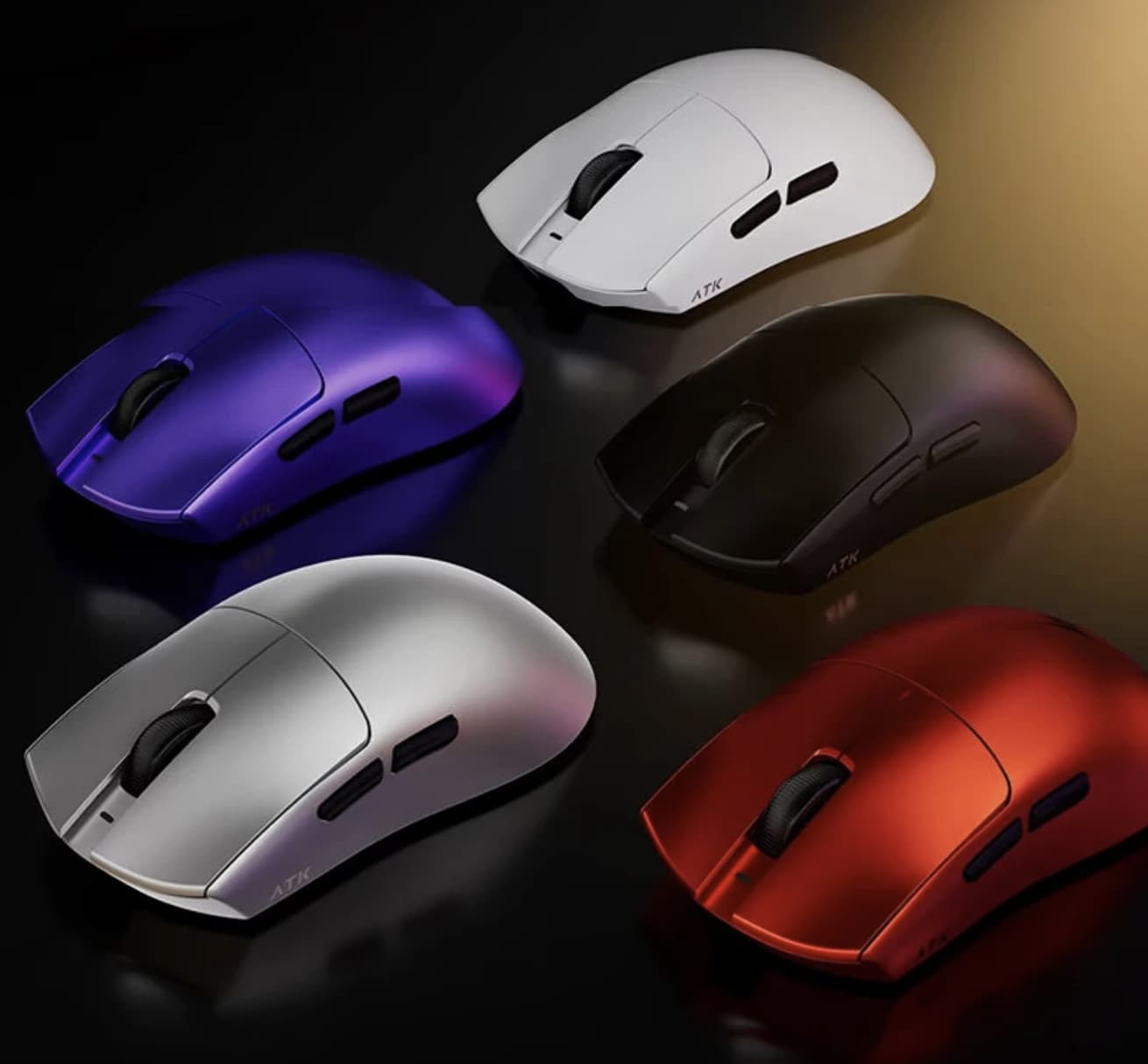
  •  

OPPO K15 Smartphone Review: The Truly Practical Choice in the 2K Price Segment

1. Introduction: Cooling Is Usually Reserved for Gaming Flagships, But Mid-Range Phones Need It More

There are plenty of smartphones in the 2,000-yuan price range that focus on stacking specifications, but very few invest in advanced cooling systems.

Looking across the market, phones in this price segment are usually competing on performance, cameras, and fast charging. Cooling solutions are often mentioned only briefly—or ignored completely.

It is not because cooling is unimportant. The reason is simple: with limited costs, manufacturers usually spend their budget on features that users can immediately notice.

However, overheating and performance throttling are exactly the problems that trouble mid-range smartphone users the most.

Examples include:

  • A phone becoming too hot to hold while navigating outdoors in summer
  • Gaming frame rates dropping from 60fps to 40fps after half an hour
  • The device overheating while charging and being used at the same time
  • Reduced battery lifespan caused by long-term heat exposure

OPPO K15 is a practical all-round smartphone that brings an active cooling fan system into the 2K price segment.

OPPO K15 Review: 8000mAh Battery + Active Cooling Fan Makes It the Most Practical 2K Phone

The OPPO K15 is equipped with the MediaTek Dimensity 7360 SUPER processor, OPPO’s Tidal Engine optimization system, an 8000mAh large-capacity battery, and IP69 flagship-level water resistance.

It also features:

  • Three 50MP cameras
  • A large 5000mAh-class imaging system
  • Active cooling fan
  • Long-lasting battery performance

The phone aims to solve two of the biggest complaints among mid-range smartphone users:

  1. Overheating
  2. Running out of battery

Honestly, I did not have very high expectations for cooling performance on a 2K-range smartphone. With cost limitations, simply keeping temperatures under control is already considered good enough.

However, OPPO added an active cooling fan this time, making me curious:

Is the cooling fan just a marketing gimmick, or can it actually reduce temperatures?

Active Cooling Fan: More Than Just a Marketing Feature

The OPPO K15 uses a new-generation Wind Cooling Engine, featuring a built-in micro cooling fan.

According to OPPO, the cooling system can:

  • Reduce temperature by 5°C within 5 minutes
  • Keep fan noise as low as 30dB during full-speed operation


The fan is integrated with the rear camera module design. Thanks to this approach, the back cover remains completely flat without a large camera bump.

The entire phone is only:

  • 8.27mm thick

This means the cooling system does not negatively affect the grip or overall feel.

After completing temperature tests, I found that the fan performed better than expected.

Adding a cooling fan to a 2K-range smartphone reminds me of installing a turbocharger on an economy car—not to make it a racing machine, but to ensure it does not lose power when climbing uphill.

For flagship gaming phones, cooling is about achieving peak performance.

For mid-range phones, cooling is about maintaining stable performance during daily use.


Battery and Charging: 8000mAh Battery Designed for All-Day Use

The OPPO K15 features an 8000mAh Glacier Battery, providing enough endurance for heavy daily usage.

It supports:

  • 80W SUPERVOOC fast charging
  • UFCS universal fast charging protocol
  • PPS charging protocol
  • Bypass charging
  • Wired reverse charging

The bypass charging feature allows power to directly supply the motherboard instead of continuously charging the battery during gaming sessions.

This helps:

  • Reduce heat generation
  • Protect battery health
  • Improve long-term durability

The reverse charging function also allows the phone to act as an emergency power source for accessories such as:

  • Earbuds
  • Smartwatches
  • Other small devices


Camera System: Three 50MP Cameras in the 2K Segment

The OPPO K15 features three 50MP cameras:

  • Rear main camera
  • Ultra-wide-angle camera
  • Front selfie camera

The main camera includes:

  • 1/2-inch large sensor
  • f/1.88 aperture
  • Optical Image Stabilization (OIS)

The ultra-wide-angle camera offers:

  • 143.3° ultra-wide field of view

The front camera supports:

  • 50MP resolution
  • Autofocus (AF)

For a phone in the 2K price segment, this camera configuration is quite generous.


Durability: IP69/IP68/IP66 Protection and Military-Grade Testing

The OPPO K15 focuses heavily on durability.

It supports:

  • IP69 waterproof rating
  • IP68 dust and water resistance
  • IP66 protection
  • Eight military-standard durability tests

The phone also features:

  • Crystal Shield glass protection
  • Metal middle frame

The combination makes it more resistant to:

  • Drops
  • Water exposure
  • Dust
  • Extreme environments

2. Design Review: Cloud Pattern Back Cover with Hidden Cooling Fan

The OPPO K15 features a 6.59-inch centered punch-hole flat display.

The rounded corners and narrow bezels provide a comfortable viewing experience.

The display supports:

  • 1.5K resolution
  • 120Hz refresh rate

Daily activities such as:

  • Watching videos
  • Switching apps
  • Scrolling webpages

all feel smooth and responsive.

The front panel uses high-strength Crystal Shield glass, while the back cover has a smooth texture that reduces fingerprints.


Colors and Rear Design

The OPPO K15 comes in two colors:

  • Speed White
  • Wind Gray

The review unit is the Speed White version, featuring a unique cloud-pattern texture.

When light reflects across the surface, it creates a flowing storm-like visual effect.

At the bottom of the back panel is the text:

“ACTIVE COOLING, MASTER THE WIND”

This highlights the phone’s cooling identity without making the design look aggressive.


Camera Module and Cooling Fan Integration

The rear camera module is one of the most distinctive parts of the phone.

It uses:

  • A square silver camera base
  • Four corner screws
  • Industrial-style design elements

Layout:

  • Top left: Main camera
  • Top right: Ultra-wide camera
  • Bottom left: Cooling fan air intake
  • Bottom right: Flash

The fan and camera system are integrated into one flat module.

Despite including an internal fan, the phone remains:

  • 8.27mm thick
  • Comfortable to hold
  • Free from a large camera bump

This design is clever because many flagship phones now have large protruding camera modules, while the OPPO K15 maintains a cleaner back design.

3. Cooling Test: The Active Fan Actually Works — Overheating and Throttling Become Less of a Concern

When people think of smartphones with built-in cooling fans, gaming flagships usually come to mind.

However, for users in the 2K price segment, long-term stable performance is arguably more important.

Common scenarios such as:

  • Outdoor navigation under strong sunlight
  • Long gaming sessions
  • Recording videos for extended periods
  • Using the phone while charging

can easily cause mid-range phones to heat up and reduce performance.

The OPPO K15 features the new-generation Wind Cooling Engine, which uses a three-layer cooling solution:

  1. Large-area VC vapor chamber

    The VC cooling plate quickly spreads heat away from the processor area.

  2. High-conductivity graphite layer

    The graphite material helps transfer heat more efficiently throughout the body.

  3. Built-in micro cooling fan

    The active fan pulls hot air away through the exhaust outlet, actively accelerating heat dissipation.

The key difference is that this is active cooling, not traditional passive cooling.

The fan is physically running, and heat is actively being removed.


Temperature Reduction Test

First, we used the AnTuTu stress test to push the OPPO K15 into a high-load state.

After continuous full-load operation:

  • Front temperature reached: 45.5°C
  • Rear temperature reached: 46.5°C

At this point, the phone felt noticeably hot in the hand.

Then we activated the cooling fan.

After 7 minutes:

  • Front temperature dropped to 40.9°C
  • Rear temperature dropped to 40.2°C

The phone changed from hot to only slightly warm.

After waiting 12 minutes:

  • Front temperature: 38.8°C
  • Rear temperature: 36.5°C

Compared with the peak temperature of 46.5°C, the rear temperature dropped by approximately 10°C.

The thermal imaging results clearly showed that heat was being transferred away through the fan system.

The temperature around the cooling fan area was noticeably lower than other parts of the phone, proving that the fan was actively removing heat.


High-Energy Outdoor Mode

The OPPO K15 also includes a High-Energy Outdoor Mode, which can be enabled through the accessibility settings.

Once activated, the system automatically:

  • Starts the cooling fan
  • Optimizes temperature control
  • Keeps the phone operating within a stable performance range

This mode also includes several practical outdoor improvements:

Enhanced Screen Brightness

The display automatically increases brightness, making it easier to see under direct sunlight.

Improved Voice Volume

When Bluetooth devices are disconnected, the phone automatically switches to the speaker and increases volume.

Extended Screen Timeout

The display stays active longer, preventing interruptions during:

  • Navigation
  • Outdoor work
  • Long-term map usage

Quick Access Optimization

Frequently used applications can be pinned to a shortcut bar for faster switching.

There are also desktop shortcut cards that allow one-tap access to important functions.

The combination of cooling assistance and outdoor optimization makes the OPPO K15 more convenient for real-world use.

The purpose of active cooling in a 2K smartphone is not chasing the highest benchmark score.

It is about maintaining stable performance during long gaming sessions, navigation, and video recording.

Other phones compete for peak performance.

The OPPO K15 focuses on staying stable for longer.

4. Performance Test: Dimensity 7360 SUPER + Tidal Engine Focus on Stability

The OPPO K15 is powered by the MediaTek Dimensity 7360 SUPER processor.

Although positioned as a mid-range chipset, OPPO has added its own Tidal Engine optimization system to improve long-term performance.

The phone also features:

  • 4950mm² VC vapor chamber
  • High-conductivity graphite cooling layer
  • Built-in active cooling fan

This combination provides a strong thermal foundation for a phone in this price category.

To evaluate real-world performance, we tested two popular mobile games.


Gaming Test 1: Honor of Kings

For Honor of Kings, we set:

  • Frame rate: Ultra-high
  • Graphics quality: HD
  • Performance mode: Enabled

During a full 5v5 match:

Results:

  • Average frame rate: 90.72 FPS
  • Frame fluctuation index: 0.22

The phone maintained smooth performance throughout the match.

Whether during:

  • Large team fights
  • High-density skill effects
  • Tower battles

there were no obvious frame drops or visible lag.

Average power consumption:

  • 3.34W

Energy consumption per frame:

  • 36.8mW

After enabling the cooling fan in smart variable-speed mode, temperatures remained well controlled.


Gaming Test 2: PUBG Mobile

For PUBG Mobile, settings were:

  • Graphics: Smooth
  • Frame rate: Extreme (60 FPS)
  • Mode: Classic Squad Battle

During the entire match:

  • Landing
  • Rotating zones
  • Fighting enemies
  • Final circle battles

the frame rate remained around 60 FPS.

There were no common mid-range phone issues such as:

  • Sudden frame drops when entering the zone
  • Delayed aiming response
  • Stuttering during combat

Average power consumption:

  • 2.84W

Energy consumption per frame:

  • 47.5mW

The cooling fan helped maintain stable temperature during the gaming session.


5. Camera Review: Three 50MP Cameras Deliver Strong Image Quality

The OPPO K15 represents a major improvement in imaging for the K series.

It features three 50MP cameras:

  • Main camera
  • Ultra-wide camera
  • Front camera

The main camera includes:

  • 1/2-inch large sensor
  • f/1.88 aperture
  • OIS optical stabilization

The ultra-wide camera provides:

  • 143.3° ultra-wide field of view

Unlike many mid-range phones where secondary cameras are mainly for marketing, the OPPO K15 gives more attention to practical photography.


Main Camera Experience

The 50MP main camera performs well in daylight scenes.

Strengths include:

  • Good detail retention
  • Natural colors
  • Strong dynamic range
  • Stable handheld shooting thanks to OIS

Photos maintain good clarity even when zooming into details.

The large sensor also helps improve:

  • Low-light performance
  • Background separation
  • Night photography quality

Ultra-Wide Camera Experience

The 143.3° ultra-wide camera is useful for:

  • Architecture photography
  • Landscape shots
  • Group photos
  • Travel scenes

The wider perspective allows users to capture more content in a single frame.


Night Photography

The main camera’s large sensor and optical stabilization help improve nighttime shooting.

Night photos show:

  • Better light control
  • Reduced motion blur
  • Improved shadow details

For a mid-range smartphone, the camera performance is above average.

6. Battery and Charging: 8000mAh Battery Easily Lasts a Full Day, 80W Flash Charging Keeps You Going

Battery life is one of the strongest selling points of the OPPO K15.

The phone comes with an 8000mAh Glacier Battery, which is significantly larger than the batteries commonly found in mainstream smartphones.

For users who rely heavily on their phones every day, such as:

  • Outdoor workers
  • Travelers
  • Navigation users
  • Mobile gamers
  • Video streamers

the large battery capacity provides a clear advantage.


Battery Life Test

To evaluate real-world endurance, we used the Battery Dog testing tool developed by Kuai Technology.

The test simulated typical daily usage scenarios, including:

  • CPU high-load operation
  • Multi-thread processing
  • AI recognition
  • Image browsing
  • Video playback
  • Web browsing

Testing conditions:

  • Screen brightness: 50%
  • Auto brightness: Disabled
  • Volume: 30%

The results showed:

The OPPO K15 lasted:

14 hours and 33 minutes from 100% battery down to 20%.

Based on this result, the theoretical full battery endurance is approximately:

18 hours of continuous usage.

This result matches the expectations of an 8000mAh battery and demonstrates the phone’s excellent endurance.

For normal users, the OPPO K15 can easily handle:

  • A full day of heavy usage
  • Long outdoor navigation
  • Extended gaming sessions
  • Continuous video playback

without worrying about battery anxiety.


80W SUPERVOOC Fast Charging Experience

The OPPO K15 supports:

  • 80W SUPERVOOC fast charging
  • UFCS universal fast charging
  • PPS fast charging protocol

We tested charging with the included 80W charger.

Starting from:

1% battery

Charging results:

Charging Time Battery Level
5 minutes 11%
10 minutes 18%
30 minutes 43%
60 minutes 81%
80 minutes 100%

Although the phone uses a large 8000mAh battery, it can still reach a full charge within around 80 minutes.

This provides a good balance between battery capacity and charging speed.


Bypass Charging: Better for Long Gaming Sessions

The OPPO K15 supports bypass charging, which is especially useful for gamers.

When enabled:

  • Power goes directly to the motherboard
  • Battery charging is reduced
  • Heat generation is lowered
  • Battery aging is minimized

This means users can keep playing games while connected to power without constantly stressing the battery.

For people who often:

  • Play games while charging
  • Watch videos for long periods
  • Use the phone as a stationary entertainment device

this feature is very practical.


Wired Reverse Charging

The OPPO K15 also supports wired reverse charging.

The phone can temporarily act as a power bank for devices such as:

  • Wireless earbuds
  • Smartwatches
  • Other smartphones

When traveling, this feature provides an emergency power solution without carrying an additional charger.


7. Special Features: IP69 Protection, Breathing Light, NFC and Infrared

Beyond cooling, performance, and battery life, the OPPO K15 also includes many practical features that improve everyday experience.


IP69 Protection: Designed for Tough Environments

The OPPO K15 supports:

  • IP69 waterproof protection
  • IP68 dust and water resistance
  • IP66 protection

It also passed eight military-standard durability tests covering:

  • High temperature
  • Low temperature
  • Rain exposure
  • Dust environments
  • Drop resistance

This makes the phone suitable for more demanding environments.


Water Resistance Test

During testing, we played Douyin videos on the OPPO K15 while placing it under running water.

The results:

  • Video playback continued normally
  • Touch controls remained responsive
  • Wet fingers could still operate the screen

The phone remained fully functional after exposure to water.

While IP69 protection does not mean users should intentionally abuse their devices, it provides additional confidence for:

  • Outdoor workers
  • Travelers
  • Users in rainy environments

Mist Shadow Breathing Light: Adding Gaming Atmosphere

The rear panel includes OPPO’s Mist Shadow Breathing Light system.

Users can customize:

  • Full lighting area
  • Strip lighting
  • Fan lighting

Lighting effects include:

  • Flowing effects
  • Breathing effects
  • Always-on mode
  • Flashing effects

The fan lighting also supports:

  • Breathing mode
  • Constant lighting
  • Flashing mode

Multiple colors are available.

At night, the lighting can synchronize with music, creating a gaming-style atmosphere.

Unlike inexpensive RGB lighting effects, the implementation feels more refined.

Users can also configure:

  • Activation time
  • Lighting behavior
  • Automatic disabling when the phone is in a pocket

Mountain-Sea Communication Technology: Better Signal in Weak Areas

The OPPO K15 includes OPPO’s self-developed Mountain-Sea Communication Technology.

The system uses:

  • 360° surround antenna design
  • Multi-source signal optimization algorithms

It is designed to improve connectivity in difficult environments such as:

  • Underground parking areas
  • Elevators
  • Buildings with weak signals

During testing in an underground parking area:

Network results:

  • Ping latency: 37ms
  • Download speed: 8.37Mbps
  • Upload speed: 16.12Mbps

The phone maintained stable connectivity without obvious disconnections.

Dual-Frequency GPS: Faster and More Accurate Positioning

The OPPO K15 is equipped with:

  • Dual-frequency GPS
  • Flagship-level sensors
  • Multi-source positioning algorithms

During navigation testing with Amap:

  • Location locking was fast
  • Navigation started quickly
  • Position accuracy remained stable

The real-time navigation interface showed:

  • 26 BeiDou satellites assisting positioning

Even in complex environments such as:

  • Urban streets
  • Tunnels
  • Underground parking areas

the positioning performance remained reliable.


8. Final Verdict: A Smartphone That Solves Real Problems

At the beginning of this review, the question was:

Is the cooling fan on a 2K-range smartphone just a gimmick, or does it really work?

After testing, the answer is clear:

It works.

During the AnTuTu stress test:

  • Rear temperature reached 46.5°C
  • After activating the fan for 12 minutes, it dropped to 36.5°C

A temperature reduction of around 10°C was confirmed through thermal imaging.

The active cooling fan is the feature that truly separates the OPPO K15 from other phones in the same price range.

Many smartphones offer:

  • Large batteries
  • Water resistance
  • Fast charging

But fewer combine these features with an integrated cooling fan.


OPPO K15 Key Strengths

The phone delivers:

8000mAh large battery
Active cooling fan
IP69/IP68/IP66 protection
Stable gaming performance
80W fast charging
Three 50MP cameras
120Hz 1.5K display
Dual-frequency GPS
Strong signal performance


Who Should Buy the OPPO K15?

The OPPO K15 is especially suitable for users who care about:

  • Long battery life
  • Stable performance
  • Outdoor usage
  • Gaming without overheating
  • Durability
  • Practical everyday features

However, users who want:

  • Maximum gaming frame rates
  • Flagship-level processor performance

may prefer higher-end gaming smartphones.

The Dimensity 7360 SUPER is not designed to chase extreme benchmark records. Instead, it focuses on delivering stable performance over long periods.

Final Conclusion

Many smartphones in the 2K price range compete by making their specification sheets look impressive.

OPPO K15 takes a different approach.

Instead of only chasing higher numbers, it focuses on solving real user problems:

  • A phone that does not become uncomfortable when hot
  • A battery that lasts all day
  • A device that remains reliable outdoors
  • A smartphone that can handle daily challenges

The built-in cooling fan is like adding a turbocharger to an economy car—not for racing, but to prevent losing power when climbing a hill.

After testing, the OPPO K15 proves that it can:

  • Stay cool under pressure
  • Maintain stable performance
  • Last through demanding usage
  • Survive tougher environments

For users looking for a practical, durable, and reliable smartphone in the 2K price segment, the OPPO K15 is one of the most complete choices available.

OPPO K15: A truly practical smartphone built for real-world use.

The post OPPO K15 Smartphone Review: The Truly Practical Choice in the 2K Price Segment appeared first on IGeeKphone China Phone, Tablet PC, VR, RC Drone News, Reviews.
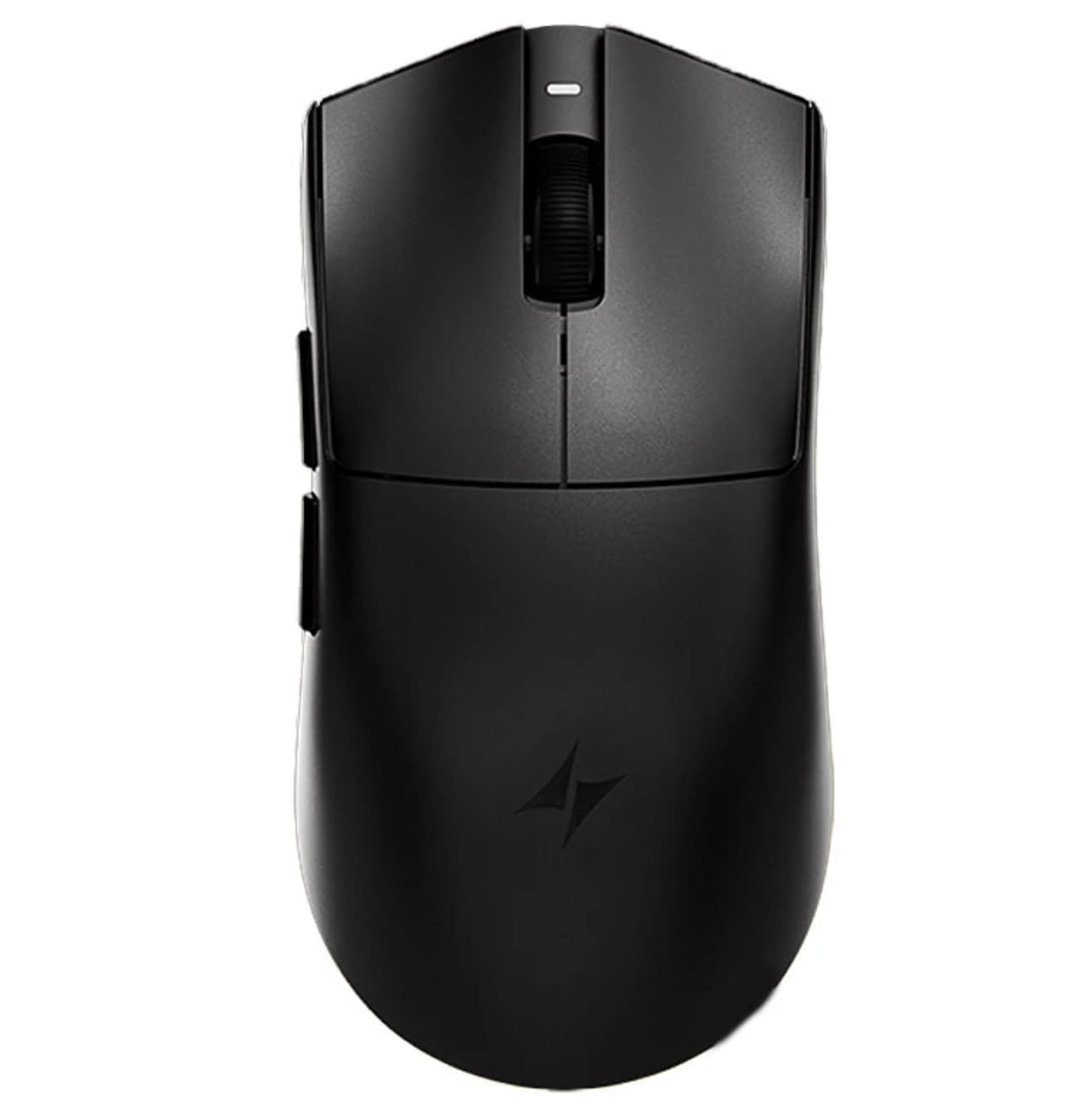
  •  

A7 Smart 1080P WiFi PTZ Security Camera Review: A Smart Home Surveillance Camera with Motion Detection and Two-Way Audio

A7 Smart 1080P WiFi PTZ Security Camera is a versatile wireless surveillance camera designed for home, office, and outdoor monitoring. Featuring 1080P Full HD video quality, PTZ panoramic movement, infrared night vision, motion detection, two-way audio, and wireless WiFi connectivity, the A7 provides an affordable way to improve security and monitor important areas remotely.

With its compact design and smart monitoring features, the A7 Smart Camera is suitable for users who want real-time viewing, family protection, pet monitoring, and property surveillance without complicated installation. Similar smart PTZ cameras commonly combine 1080P resolution, WiFi connection, motion detection, and two-way communication features for convenient remote monitoring.

A7 Smart 1080P WiFi PTZ Security Camera Main Features

1080P Full HD Clear Video Quality

The A7 Smart Security Camera delivers 1080P Full HD resolution, providing clear and detailed images for everyday monitoring.

The high-definition camera helps users capture:

  • Clear room views
  • Visitor activity
  • Pet movements
  • Family interactions
  • Important security events

Compared with lower-resolution cameras, 1080P provides sharper details, making it easier to identify objects and movements.

PTZ Pan-Tilt Design for Wider Coverage

One of the key advantages of the A7 camera is its PTZ (Pan-Tilt-Zoom) design.

Unlike fixed-angle security cameras, PTZ cameras can adjust their viewing direction to cover a larger area.

Benefits include:

  • Wider monitoring range
  • Flexible viewing angles
  • Reduced blind spots
  • Remote camera adjustment

Users can control the camera direction through a connected mobile application, allowing them to check different areas without physically moving the device.

Smart WiFi Wireless Connection

The A7 Smart Camera supports wireless WiFi connectivity, making installation easier without complicated network wiring.

Wireless advantages include:

  • Easy setup
  • Flexible placement
  • Remote access through mobile devices
  • Suitable for homes and offices

The camera can be placed in locations such as:

  • Living rooms
  • Bedrooms
  • Offices
  • Shops
  • Garages
  • Outdoor areas

Many smart WiFi cameras use 2.4GHz wireless networks because they provide stable coverage and better wall penetration for home environments.

Infrared Night Vision for 24-Hour Monitoring

Security problems can happen at any time, which is why the A7 includes infrared night vision technology.

The camera automatically switches between day and night modes, allowing users to monitor environments even in low-light conditions.

Night vision features help with:

  • Nighttime security monitoring
  • Baby room observation
  • Pet monitoring after dark
  • Outdoor area protection

This provides continuous surveillance without requiring additional lighting.

Motion Detection Alerts

The built-in motion detection function helps users stay informed about unexpected activity.

When movement is detected, the camera can send notifications to the connected device, helping users respond quickly.

Motion detection is useful for:

  • Home security
  • Package monitoring
  • Pet activity tracking
  • Office protection

Smart camera systems often combine motion detection with app notifications and recording functions for more convenient security management.

Two-Way Audio Communication

The A7 Smart PTZ Camera features two-way audio, allowing users to communicate remotely through the built-in microphone and speaker.

This function enables:

  • Talking with family members
  • Checking on children
  • Communicating with visitors
  • Interacting with pets

For example, users can answer the door remotely or speak to someone inside the home while away.

Wide-Angle Monitoring for Home Security

The camera’s wide viewing capability helps cover more space with a single device.

It is suitable for monitoring:

  • Entrances
  • Hallways
  • Living spaces
  • Small businesses
  • Outdoor zones

The PTZ movement further improves coverage compared with traditional fixed cameras.

Remote Monitoring Through Mobile App

The A7 Smart WiFi Security Camera supports remote viewing, allowing users to check live footage from smartphones or tablets.

Remote monitoring features include:

  • Live video viewing
  • Camera control
  • Playback access
  • Security notifications

Whether users are traveling, working, or outside the home, they can keep track of important areas remotely.

A7 Smart 1080P WiFi PTZ Security Camera Specifications

Feature Details
Product Name A7 Smart WiFi PTZ Security Camera
Resolution 1080P Full HD
Camera Type Wireless IP Security Camera
Movement PTZ Pan/Tilt
Connection WiFi Wireless
Night Vision Infrared Night Vision
Audio Two-Way Audio
Detection Motion Detection
Use Indoor / Outdoor Monitoring
Storage TF Card / Cloud Storage Support (depending on setup)


Installation and Usage Experience

Easy Setup

The A7 camera is designed for simple installation. Users can connect it to WiFi, place it in the desired location, and start monitoring through the mobile application.

No complicated security system installation is required.

Home Security Applications

The camera is ideal for everyday security needs, including:

Baby Monitoring

Parents can check on children remotely and communicate through two-way audio.

Pet Monitoring

Pet owners can watch pets during work hours and interact with them remotely.

Home Protection

The camera helps monitor entrances, rooms, and outdoor areas for unexpected activity.

Office Surveillance

Small businesses can use it to monitor workspaces and improve security.

Pros

1080P Full HD video quality
PTZ rotating camera design
Wireless WiFi connection
Infrared night vision
Motion detection alerts
Two-way audio communication
Remote smartphone monitoring
Easy installation

Who Should Buy the A7 Smart PTZ Security Camera?

The A7 Smart Camera is suitable for:

  • Homeowners looking for affordable security
  • Parents monitoring children
  • Pet owners
  • Small business owners
  • Users wanting remote surveillance

It is a practical choice for anyone who wants basic smart monitoring features without investing in expensive CCTV equipment.

Final Verdict: Is A7 Smart 1080P WiFi PTZ Security Camera Worth Buying?

A7 Smart 1080P WiFi PTZ Security Camera offers a strong combination of essential smart surveillance features, including Full HD video, PTZ movement, night vision, motion detection, WiFi connectivity, and two-way audio.

For everyday home monitoring and personal security needs, the A7 provides an easy-to-use and cost-effective solution. Its wireless design and remote access features make it a convenient choice for users who want smarter protection for their home, office, or outdoor spaces.

The post A7 Smart 1080P WiFi PTZ Security Camera Review: A Smart Home Surveillance Camera with Motion Detection and Two-Way Audio appeared first on IGeeKphone China Phone, Tablet PC, VR, RC Drone News, Reviews.
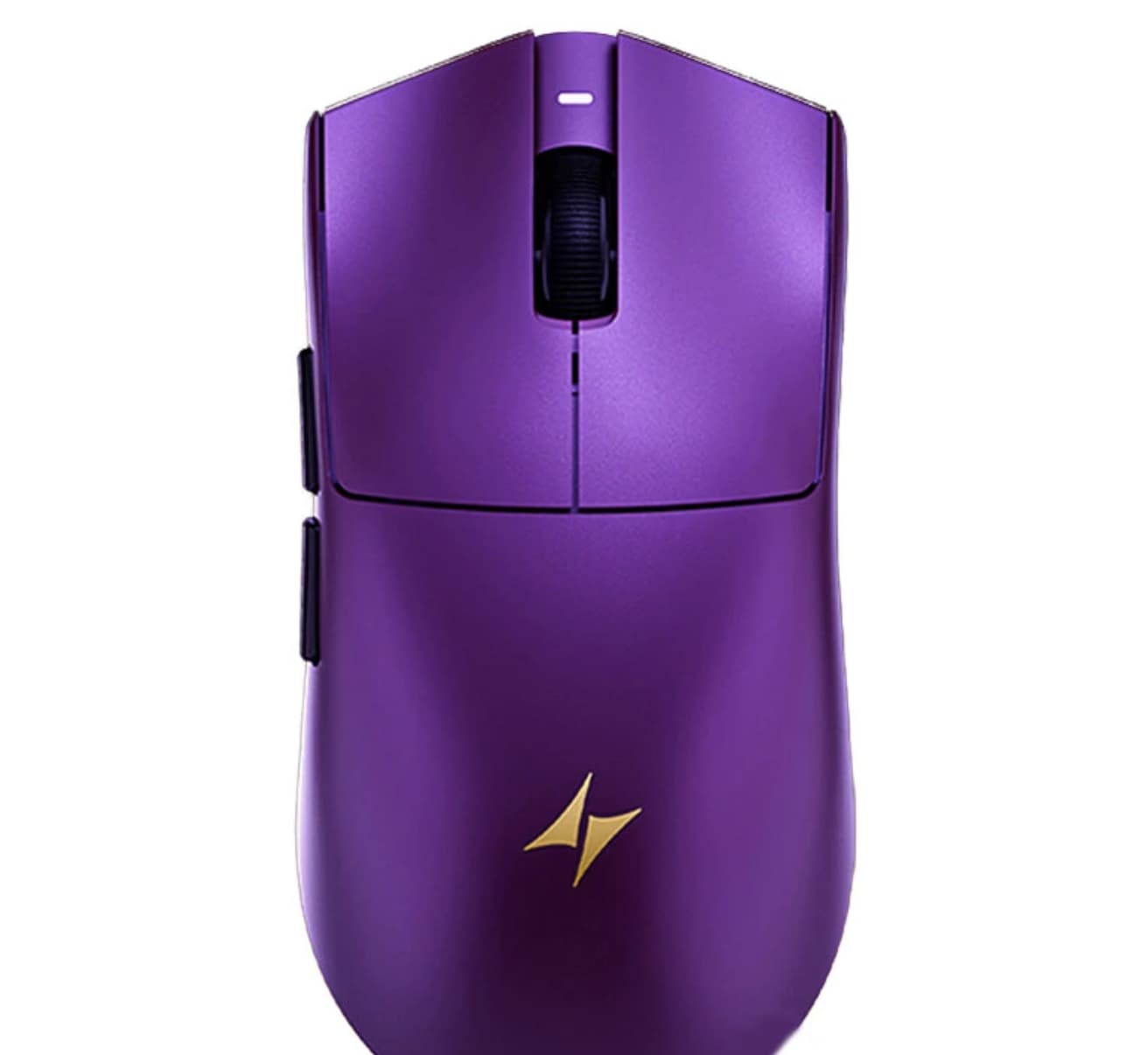
  •  

SOUNDPEATS UU2 REVIEW Surprisingly Powerful Open-Ear Clip-On Earbuds

SoundPEATS UU2 Wireless Open Ear Earbuds for Glasses

SOUNDPEATS soundpeats.com
$49.99
LAUNCH DISCOUNT of 30% (Valid 8/10-8/31, 2026)

SPUU2810
We may earn a commission when you buy through our links. This helps support MacSources and keeps our content free. Thank you!

The SOUNDPEATS UU2 combine a comfortable open-ear design, strong bass, LDAC, Bluetooth 6.0, multipoint connectivity, and up to 42 hours of battery life in an affordable package.

I recently just started a new workout regimen, and while I love my AirPods Pro, they tend to work their way out of my ears when I’m active. There’s nothing quite as distracting as having to stop in the middle of a workout to push an earbud back into place, especially when I’m trying to stay focused on what I’m doing.

That got me looking at open-ear earbuds, particularly the clip-on style that doesn’t rely on an ear tip staying securely inside the ear canal. The SOUNDPEATSU@ UU2 caught my attention because they take that approach while still offering features I typically look for in a pair of wireless earbuds, including Bluetooth 6.0, LDAC support, multipoint connectivity, and a claimed 10 hours of battery life.

SOUNDPEATS UU2 Earbuds

I’ve also been curious about how well this style of earbud actually performs in everyday use. Leaving the ear canal open sounds appealing for workouts and other situations where I want to remain aware of my surroundings, but that design also raises some questions. How do they sound? Is there enough bass? How secure are they during exercise? And how much sound actually reaches the people around you?

I’ve spent some time with the SOUNDPEATS UU2 to find out whether these clip-on earbuds can deliver the stability and convenience I’m looking for without sacrificing the audio experience that has kept me coming back to the AirPods Pro.

About the SOUNDPEATS UU2

The SOUNDPEATS UU2 are open-ear clip-on earbuds designed to sit around the ear rather than inside the ear canal. This allows users to listen to music while still hearing some of the sounds around them.

The UU2 feature 12mm dual-magnet dynamic drivers with DynamicEQ technology, Bluetooth 6.0, and support for SBC, AAC, and LDAC codecs. They also offer multipoint connectivity, physical button controls, IPX5 water resistance, and up to 10 hours of playback on a single charge. The included charging case extends total battery life to up to 42 hours.

With their lightweight clip-on design and open-ear construction, the UU2 offer an alternative to traditional in-ear earbuds. The rest of this review focuses on how that design performs in everyday use, including comfort, audio quality, fit, controls, and connectivity.

SOUNDPEATS UU2 Earbuds

Specs

Core Specs

  • Bluetooth: v6.0
  • Bluetooth Profiles: HSP / HFP / A2DP / AVRCP
  • Chipset: BT8912F
  • Bluetooth Codecs: SBC / AAC / LDAC

Battery

  • Earbud Battery: 50mAh × 2
  • Charging Case Battery: 500mAh
  • Earbud Charging Time: 45 minutes
  • Case Charging Time: 1 hour 36 minutes
  • Fast Charging: 10 minutes provides up to 2 hours of playback
  • Total Playtime: Up to 42 hours
  • Charging Port: USB-C

What’s in the Box

  • SOUNDPEATS UU2 (POP Clip2) earbuds
  • Charging case
  • USB-C charging cable
  • User manual
  • App quick-start card
  • SOUNDPEATS sticker sheet

Package & Design

  • Single Earbud Weight: Approximately 5g
  • Charging Case + Earbuds: 47.7g
  • Controls: Physical buttons
  • Water Resistance: IPX5

Pricing & Availability

The list price for the earbuds is $49.99 on soundpeats.com and Amazon.

SOUNDPEATS UU2 Earbuds

User Experience

Getting started with the SOUNDPEATS UU2 is straightforward. Inside the box, you’ll find the earbuds, their charging case, a short USB-C charging cable, and a user guide. There’s also an app quick-start card and a SOUNDPEATS sticker sheet. The earbuds arrive stored in the charging case, so there isn’t much to do before getting started beyond charging them and connecting them to a device.

The first thing I noticed after taking the UU2 out of the case was just how different they feel compared with traditional earbuds. Rather than placing anything inside the ear canal, the UU2 use a clip that sits behind the ear with the speaker positioned just outside it. That design takes a little getting used to, but it also ended up being one of my favorite aspects of using them.

Comfort & Fit

The SOUNDPEATS UU2 took a little getting used to at first. Since the clip sits behind the ear, it feels noticeably different from traditional earbuds. Initially, I was very aware of the clip being there, but after wearing them for a while, that feeling became much less noticeable.

Once I got used to the design, I found the UU2 to be very comfortable. One of my favorite things about the open-ear design is that there isn’t a traditional earbud wedged into my ear canal. Instead, it feels almost like I have two small speakers sitting just outside my ears.

The earbuds have stayed securely in place during normal movement, and so far, I haven’t noticed any significant movement or shifting. They also work well with my glasses, and I haven’t experienced any pressure or irritation around my ears.

Putting them on and taking them off takes a little practice because of the clip design, but once I figured out the proper motion, it became easy to do. Overall, I have been very impressed with how comfortable the UU2 are, particularly for longer listening sessions.

SOUNDPEATS UU2 Earbuds

Audio Quality

I was pleasantly surprised by the sound quality of the UU2. They sound great, and the bass response is particularly impressive for an open-ear design. I expected some compromise in the low end because the earbuds don’t create a seal inside the ear canal, but the bass is actually very strong.

Vocals are clear, and the mids and highs are well balanced. I’ve also been impressed with how the UU2 handle different volume levels. Whether I’m listening at a lower volume or turning things up, the audio remains clear and I haven’t noticed any significant distortion at higher volumes.

For an open-ear pair of earbuds, the overall listening experience has been better than I expected. They provide plenty of volume and bass without losing the clarity that I want when listening to music.

Everyday Use

The physical buttons are one area where I think the UU2 could be improved. The buttons themselves work well, but their location makes them a little awkward to press. It isn’t something that prevents me from using the earbuds, but it does take some getting used to.

The controls themselves are intuitive, and I especially like that they can be customized through the SOUNDPEATS app. Being able to change what the different button presses do gives me more control over how I use the earbuds and lets me configure them around my preferences.

SOUNDPEATS UU2 Earbuds

Connection speeds have also been good. The UU2 connect to my devices within a few seconds, so I haven’t had to wait around for them to establish a connection.

One of the biggest advantages of an open-ear design is being able to remain aware of what’s happening around me while listening. With the UU2, I can still hear ambient sounds such as my keyboard while I’m typing or my dog barking. However, the music remains the dominant sound, so I wouldn’t describe them as providing complete awareness of my surroundings.

I also haven’t had anyone complain about sound leakage while I’ve been using them. That said, because the speakers sit outside the ear rather than creating a seal, I can see how someone nearby could hear the earbuds if the volume were turned up high enough.

SOUNDPEATS UU2 Earbuds

Conclusion

The SOUNDPEATS UU2 have turned out to be a pleasant surprise. I went into this review primarily looking for a solution to a very specific problem: keeping earbuds securely in place while working out. What I found was a pair of earbuds that not only stay in place, but are also comfortable enough that I can see myself using them well beyond my workouts.

At $49.99, the SOUNDPEATS UU2 offer an impressive combination of comfort, sound quality, battery life, and features. For someone looking for an alternative to traditional in-ear earbuds, particularly for workouts or extended listening, the UU2 are easy to recommend.

For more information, visit soundpeats.com

  •  

Samsung Galaxy Z Fold8 REVIEW A Powerful Foldable That Finally Feels Refined

Samsung Galaxy Z Fold8

$1,899.99
Price as of 08/10/2026
We may earn a commission when you buy through our links. This helps support MacSources and keeps our content free. Thank you!

The Galaxy Z Fold8 combines flagship performance, a versatile foldable display, and improved One UI 9, but its high price and ecosystem compromises make the decision more complicated.

The Galaxy Z Fold8 arrives at an interesting point in the evolution of foldable smartphones. Samsung has had several generations to refine the concept, and the Fold8 represents the company’s latest attempt to make a foldable feel less like an experimental alternative and more like a legitimate flagship. With a new generation of Snapdragon hardware, updated software, a redesigned chassis, and a growing collection of AI features, there is plenty here to evaluate beyond the novelty of having a phone that folds.

For this review, I wanted to look at the Fold8 as a smartphone I could actually live with rather than simply evaluating its specifications. That means looking at its performance, battery life, software, cameras, design, and everyday usability while also considering where it fits among the other flagship phones available today.

About the Samsung Galaxy Z Fold8

The Samsung Galaxy Z Fold8 is Samsung’s latest flagship foldable smartphone, combining the portability of a traditional smartphone with a 7.6-inch foldable display that provides a much larger workspace when opened. The Fold8 features a slimmer and lighter design than previous generations, a 120Hz Dynamic AMOLED 2X cover and inner display, and is powered by the Snapdragon 8 Elite Gen 5 for Galaxy processor. It also includes a 50MP wide camera, 50MP ultra-wide camera, and a range of Galaxy AI features designed to make multitasking, communication, photography, and everyday productivity easier.

With up to 1TB of storage and 16GB of RAM, the Galaxy Z Fold8 is positioned as both a premium smartphone and a compact productivity device. Its large inner display makes it particularly suited to multitasking, content consumption, document editing, and other tasks that benefit from additional screen space, while its redesigned hinge and thinner profile make it more practical to carry throughout the day.

Samsung Galaxy Z Fold8

Features & Specs

Weight & Size

  • Cover Display Dimension: 5.5”
  • Main Display Dimension: 7.6”
  • Weight: 201g

Camera

  • Wide: 50.0 MP
  • Ultra Wide: 50.0 MP
  • Front: 10.0 MP (Cover) + 10.0 MP HID (Main)
  • Zoom: Optical Quality Zoom 2x, Digital Zoom up to 10x

Battery

  • 4800 mAh
  • Up to 26 hours of video playback

Processor

  • Snapdragon 8 Elite Gen 5 for Galaxy

Display

  • Cover Display Resolution: 1972 x 1248 WUXGA + Dynamic AMOLED 2X
  • Main Display Resolution: 1848 x 2448 QXGA+ Dynamic AMOLED 2X

Storage Options

  • 256 GB
  • 512 GB
  • 1 TB

Memory

  • 12 GB (256 GB + 512 GB models)
  • 16 GB (1 TB model)

Durability

  • Frame: Armor Aluminum Frame

Glass

  • Corning Gorilla Glass Ceramic 3 / Corning Gorilla Glass Victus 2

Water Resistance

  • IP48

Connectivity

  • 5G
  • WiFi

Galaxy Exclusives

  • Samsung Care+
  • Samsung Health
  • Samsung Wallet

User Experience

Specifications and benchmark numbers only tell part of the story with a device like the Galaxy Z Fold8. A foldable can have all the right hardware on paper, but what matters is how that hardware comes together when you actually use the phone every day. After spending time with the Fold8, there are several things about the experience that stood out to me.

First of all, the Galaxy Z Fold8 has a bright display that does an excellent job of hiding the crease in most lighting conditions. When the screen is on, the crease is almost impossible to see, which makes the display feel much more like a traditional smartphone screen than I expected.

The hinge also feels tight and well made. Samsung has put a significant amount of R&D into the hinge, including testing how many times it can be opened and closed, and that engineering is apparent in the way it feels during everyday use.

The glass on the front of the phone is nice, although it does not seem to be as scratch-resistant as the glass on the iPhone. If you take care of the phone or use a screen protector, I don’t expect this to be a major issue. The enter screen can potentially scratch, but this isn’t necessarily Samsung’s fault. It is simply where we are with current screen technology. We haven’t quite caught up with what we want to be able to do with glass while maintaining the durability we expect from it.

Samsung Galaxy Z Fold8

A Form Factor That Works

Using the wider form factor has been a joy for my eyes. I’ve been noticing that I have to squint when looking at text on my iPhone, but text renders comfortably on the Fold8’s larger display. Reading on this phone has been a joy.

The phone is smaller than an iPhone Pro Max when it is closed, yet the screen still feels like you’re reading from a much larger display. The combination of its compact closed form and large inner display is one of the things I have enjoyed most about using the Fold8.

If you’re an Apple fan, this form factor could be particularly interesting when Apple eventually releases its own foldable iPhone coming up in a month. The Fold8 provides a good example of what a larger foldable phone can offer without requiring you to carry a tablet-sized device.

Typing

Typing on the Fold8 has been a joy, both open and closed. The wider body when the phone is closed gives me a better grip while texting.

One of my concerns was that typing with the phone open would feel unwieldy, similar to typing on an iPad mini. Instead, the split design of the keyboard felt natural after just a few minutes of use and has been very comfortable.

That was one of the surprises of using the Fold8. I expected the larger screen to make typing more awkward, but Samsung’s approach to the keyboard makes good use of the additional screen real estate.

Setup and Connectivity

When setting up the phone, I wanted to test the transfer option between Android devices. Unfortunately, this is where I ran into a problem. The phone would get so far into the transfer process and then fail.

This may have been related to the Google Pixel I was transferring from, but I also ran into an issue when trying to transfer my eSIM. I was ultimately unable to complete the transfer and had to have a brand-new eSIM sent to me via email.

The setup experience wasn’t as seamless as I had hoped, although I don’t necessarily think the transfer issue can be attributed entirely to Samsung.

Samsung’s Magnetic Case

I’m currently using Samsung’s magnetic case with the Fold8. This case is designed only to fit on the back of the phone. It isn’t intended to protect the front or sides. Its primary purpose is to provide MagSafe-style charging and compatibility with magnetic accessories.

When using this case, the phone actually feels lighter than my iPhone Pro Max with a thin case attached to it. That’s an impressive difference considering how much more screen the Fold8 provides when opened.

The magnetic functionality also gives the Fold8 access to a range of charging options and MagSafe-style accessories, which adds another layer of flexibility to the phone.

Samsung Galaxy Z Fold8

Performance and Software

Overall, I am very excited about the hardware in this phone. The Snapdragon processor is extremely fast, and the phone comes with a 12GB of RAM. If you keep the phone for more than a year, I expect that combination to make it a relatively future-proof device.

The software experience has also surprised me.

The last time I used a Samsung device, I believe we were on One UI 6 or 7, and I wasn’t a huge fan of it. With One UI 9 and Android 17, the experience feels much more polished. The software feels stable and much more visually appealing than I remember.

I can see how casual iPhone and Pixel users could be tempted to switch to Samsung because of the Fold8. There is a lot to like here, particularly when you combine the hardware with the improved One UI experience.

That said, there are small things I miss from iOS.

For example, I frequently take screenshots, and copying text from a screenshot is incredibly simple on an iPhone. I also miss being able to tap text within an image and select it directly. If this functionality is available in Android 17, I haven’t been able to find the setting that enables it.

These may sound like small things, but when you use a particular operating system for years, those small conveniences add up.

Ecosystem Matters

Having my phone work seamlessly with my Mac, iPad, Apple TV, and the other devices in my Apple ecosystem is another factor that is difficult to overlook. Those little conveniences can turn an otherwise excellent hardware experience into more of a challenge when you move outside of that ecosystem.

For someone who is already heavily invested in Apple, the Fold8 would require giving up some of those conveniences. The hardware may be compelling enough to make that worthwhile, but it is something potential buyers should consider before making the switch.

The same is true for Google users. If you enjoy the Google ecosystem, it is worth remembering that Google has an event coming up on Wednesday where it is expected to introduce its next generation of foldable devices, while Apple is expected to make its own announcements the following month.

Pixel vs. Fold8

For me, the Google Pixel 10 Pro XL has been my secondary phone. It is a great flagship testing phone and has worked well for my second number.

However, as my primary device, as much as I enjoy the new form factor and the speed of the hardware in the Fold8, it can’t push my iPhone into the secondary position. What it has done is knock the Pixel down a spot and taken its place as my secondary phone.

That puts me at something of a crossroads.

I enjoy the bare-bones approach of Google Pixel phones, but that more stripped-down version of Android can sometimes feel a little plain. I previously strongly disliked Samsung’s One UI, but the current version feels much more stable and visually appealing.

Ultimately, both devices are running Android, and your data belongs to either Samsung, Google, or both depending on the services you use. With the Google Pixel, you have options such as GrapheneOS, while there are also Android debloating tools that can be used on the Fold8 to remove some of the software you don’t want.

For example, tools such as Universal Android Debloater Next Generation and ADB AppControl can give experienced users more control over what is installed and running on their device.

For most people, the default experience will be perfectly fine. It’s simply nice to know that tools exist to give you more control if you need it.

Samsung Galaxy Z Fold8

Overall Feel

After spending time with the Fold8, I’m very impressed with the hardware. The display is bright, the crease is surprisingly easy to ignore, the hinge feels solid, and the phone is comfortable to hold and use.

The rounded corners are a nice touch, although I think a more pronounced curve could have made the phone slightly more comfortable to hold for long periods. This is a relatively minor complaint, but when you’re using a device this large for extended periods, small ergonomic details matter.

The biggest consideration for me isn’t whether the Fold8 is a good phone. It absolutely is. The question is whether its excellent hardware and improved software experience are enough to overcome the ecosystem conveniences I get from using an iPhone.

For me, the answer is no, at least as my primary phone. But the Fold8 has absolutely earned its place as my secondary device, replacing the Pixel 10 Pro XL in that role.

Benchmark Testing

To get a better understanding of how the Galaxy Z Fold8 performs beyond everyday use, I ran a series of industry-standard benchmarks covering CPU performance, GPU performance, artificial intelligence, everyday productivity, battery life, and sustained graphics performance. These tests provide a consistent way to measure the hardware and compare the results with Samsung’s published performance claims.

Benchmarks don’t necessarily represent how a phone will perform during every real-world task, but they can reveal the capabilities of the processor, GPU, NPU, memory subsystem, and battery. They can also help determine whether a device can maintain its performance under sustained workloads rather than simply delivering a high score during a short test.

Samsung Galaxy Z Fold8

Geekbench 7

Geekbench 7 provides a standardized way to measure CPU and GPU performance. The CPU tests are particularly useful for evaluating the Snapdragon 8 Elite Gen 5 for Galaxy’s ability to handle both single-threaded and multi-threaded workloads. Single-core performance is important for many everyday tasks, while multi-core performance becomes more important when several demanding processes are running simultaneously.

The Galaxy Z Fold8 produced a single-core score of 3,056 and a multi-core score of 9,629.

Geekbench 7 CPU

  • Single-Core: 3,056
  • Multi-Core: 9,629

These results provide a useful baseline for the Fold8’s overall processing capability and help demonstrate whether Samsung’s flagship hardware delivers the level of performance expected from the Snapdragon 8 Elite Gen 5 for Galaxy.

Geekbench 7 also includes a GPU compute test. Rather than measuring traditional gaming performance, this test evaluates how effectively the GPU handles compute workloads.

Geekbench 7 GPU

  • OpenCL: 17,377

The OpenCL result gives us another way to evaluate the Adreno GPU and provides a useful point of comparison with other flagship smartphones. While it shouldn’t be treated as a direct representation of gaming frame rates, it helps establish how much computational power is available for GPU-accelerated workloads.

Geekbench AI

The Fold8’s Snapdragon 8 Elite Gen 5 for Galaxy isn’t only designed to deliver high CPU and GPU performance. Samsung also places considerable emphasis on AI capabilities, making Geekbench AI an especially relevant benchmark for this phone.

Geekbench AI measures machine-learning performance across different hardware acceleration paths. Running the benchmark using the CPU, GPU, NNAPI, and Qualcomm’s QNN framework helps show how the phone handles AI workloads depending on which processing hardware is being used.

CPU

Geekbench AI CPU

  • Single Precision: 2,552
  • Half Precision: 4,109
  • Quantized: 6,153

The CPU results provide a baseline for AI workloads without relying on the phone’s dedicated AI acceleration hardware. These numbers are useful for understanding how the Snapdragon processor handles AI tasks when they are executed through the general-purpose CPU.

GPU

Geekbench AI GPU

  • Single Precision: 2,984
  • Half Precision: 4,576
  • Quantized: 4,082

The GPU results demonstrate how the Fold8 handles AI workloads using its graphics processor. This is particularly relevant for applications that can take advantage of GPU acceleration rather than relying entirely on the CPU or dedicated NPU.

NNAPI

Geekbench AI NNAPI

  • Single Precision: 670
  • Half Precision: 646
  • Quantized: 1,476

NNAPI, or Android’s Neural Networks API, provides a standardized way for Android applications to access available neural-network acceleration hardware. These results help show how AI workloads can perform through Android’s broader machine-learning framework.

QNN

Geekbench AI QNN

  • Single Precision: 659
  • Half Precision: 27,041
  • Quantized: 67,208

The QNN results are particularly interesting because QNN is Qualcomm’s neural-network framework and is designed to take advantage of Qualcomm’s AI hardware. The dramatic increase in the half-precision and quantized results compared with the CPU, GPU, and NNAPI results highlights the difference between general-purpose AI processing and the specialized acceleration available through Qualcomm’s QNN framework.

The 67,208 quantized QNN score is especially noteworthy. Quantized models use reduced numerical precision to make AI workloads more efficient, which is important for running AI features locally on a smartphone while minimizing power consumption and processing overhead.

These results don’t mean that every AI application will achieve anything close to the Geekbench AI scores. Applications use different models and APIs, and software optimization plays a significant role. However, they provide evidence that the Fold8 has the specialized hardware needed to support the local AI processing Samsung is promoting with this generation of Galaxy devices.

Samsung Galaxy Z Fold8

PCMark for Android

PCMark provides a different perspective than Geekbench because its Work benchmark is designed around common smartphone tasks rather than isolated processor workloads.

For this test, the Galaxy Z Fold8 achieved a PCMark Work 3.1 score of 20,546.

PCMark Work 3.1

  • Overall: 20,546

PCMark Work 3.1 evaluates tasks representative of everyday smartphone use, including web browsing, document and data manipulation, image editing, and other productivity-oriented workloads. This makes it useful for putting the synthetic CPU and GPU results into a more practical context.

A strong Geekbench score tells us that the processor is powerful. A strong PCMark score helps demonstrate how that hardware translates into everyday productivity.

3DMark

To evaluate the Galaxy Z Fold8’s sustained graphics performance, I ran 3DMark’s Wild Life Extreme Stress Test. Unlike a standard benchmark that measures peak performance during a relatively short workload, the Stress Test repeatedly runs the same demanding graphics workload to determine how well the phone maintains performance as it heats up.

The Galaxy Z Fold8 produced the following results:

3DMark Wild Life Extreme Stress Test

  • Best Loop Score: 5,949
  • Lowest Loop Score: 3,037
  • Stability: 51%

The most notable result here is the difference between the best and lowest loop scores. The Fold8 started with a score of 5,949 but dropped to 3,037 during the later loops. That’s a reduction of approximately 49% from its best performance.

The resulting 51% stability rating indicates that the phone was unable to maintain anywhere near its initial level of GPU performance throughout the extended workload. This is important because it demonstrates the difference between peak performance and sustained performance. The Snapdragon 8 Elite Gen 5 for Galaxy is capable of delivering very strong graphics performance, but when the GPU is pushed continuously, thermal limitations have a significant impact on how much of that performance can be sustained.

This doesn’t mean the Fold8 will constantly operate at half of its benchmark performance during normal use. Everyday tasks typically don’t place the same continuous load on the GPU that a stress test does. Gaming sessions, however, can create workloads that are much closer to this type of sustained testing, particularly with demanding 3D titles.

For Samsung’s performance claims, the result provides an important qualification. The Fold8 clearly has the hardware necessary to deliver flagship-level peak performance, but the Stress Test shows that sustained performance is considerably lower than peak performance under prolonged heavy workloads. That’s not unusual for a thin, powerful smartphone, but it is something potential buyers should keep in mind if they intend to use the Fold8 for extended gaming or other graphics-intensive tasks.

Samsung Galaxy Z Fold8

What the Results Tell Us

Taken together, these benchmarks show that the Galaxy Z Fold8 has the hardware to deliver a true flagship-level experience. The Snapdragon 8 Elite Gen 5 for Galaxy provides strong CPU and GPU performance, while the Geekbench AI results, particularly through QNN, demonstrate the potential of Qualcomm’s dedicated AI hardware. The PCMark Work 3.1 score of 20,546 also shows that this performance translates well to everyday productivity workloads.

The 3DMark Wild Life Extreme Stress Test provides an important look at what happens when that hardware is pushed for an extended period. While the Fold8 achieved a strong Best Loop Score of 5,949, its Lowest Loop Score fell to 3,037, resulting in 51% stability. This shows that sustained GPU performance is considerably lower than peak performance under a prolonged, demanding workload. While most users won’t place this kind of continuous load on the phone, it is worth considering for extended gaming sessions or other graphics-intensive tasks.

No benchmark can completely reproduce the way someone uses a smartphone. However, by combining CPU, GPU, AI, productivity, and sustained-performance testing, we get a much more complete picture of what the Galaxy Z Fold8’s hardware is capable of. The results largely support Samsung’s positioning of the Fold8 as a high-performance flagship, while also showing that peak performance and sustained performance are two very different things.

Conclusion

The Samsung Galaxy Z Fold8 has left me with a somewhat unexpected conclusion. I went into this review expecting to evaluate another generation of Samsung’s foldable hardware, but I came away genuinely impressed by how mature the overall experience has become. The hardware is excellent, the Snapdragon 8 Elite Gen 5 for Galaxy provides plenty of performance, the displays are impressive, and One UI 9 is considerably more polished than I remember from my previous experiences with Samsung.

The Fold8 also demonstrated why foldable smartphones continue to be interesting. The larger inner display isn’t simply a novelty. For reading, typing, multitasking, and working with content, it can fundamentally change how you use a smartphone. At the same time, the device remains relatively compact when closed, making the form factor surprisingly practical.

Samsung Galaxy Z Fold8

The biggest drawback is the price. The Fold8 is an expensive smartphone, and while the hardware helps justify some of that premium, buyers need to decide whether the foldable form factor provides enough additional value to warrant the cost. The 3DMark results also show that while the Fold8 delivers excellent peak performance, sustained GPU performance can drop considerably under prolonged workloads.

The Galaxy Z Fold8 isn’t perfect, and it doesn’t have to be. What matters is that Samsung has continued refining the concept rather than simply making a phone that folds. The Fold8 feels like a mature flagship with a different approach to what a smartphone can be. For users who want a larger screen without carrying a tablet, it is one of the most compelling options available. For those deeply invested in another ecosystem, however, the decision is more complicated.

For me, the Fold8 doesn’t replace my iPhone. It does something arguably more interesting: it made me enjoy using a Samsung phone.

For more information, visit Samsung.com

  •  

2026 Subaru Outback review: Great interior, refined drive, divisive looks

When station wagons headed for the same retirement home as the vinyl roof and the opera window, Subaru looked at its sensible Legacy wagon and had a different idea. Raise it a few inches, wrap the lower body in plastic cladding, name it for the Australian bush, and suburban families would drive to soccer practice while imagining themselves fording streams and climbing sand dunes.

In giving birth to the Legacy Outback in 1995, Subaru more or less created the template for the modern, adventure-minded, off-road-themed crossover. By the 2000 model year, the Outback had graduated from trim level to standalone model, and it has been paying the bulk of Subaru's bills ever since.

Today, the 2026 Outback marks a new era in the model's history. The wagon silhouette that defined six generations has given way to a sharpened two-box shape that's much more at home parked next to an upright Forester or Ascent. Tall, square, and profusely SUV-like, the new edition won't win any beauty contests, but form follows function more than ever in the Outback.

Read full article

Comments

© Jim Resnick

  •  

Peer review is overwhelmed—can it survive in the AI era?

Jason Semprini was excited about his research on policies mandating that elementary school students receive the human papillomavirus vaccine. HPV causes most cases of cervical cancer, but counterintuitively, Semprini found that mandates don’t do that much to reduce the overall rate of cervical cancer in a population. That’s odd, but it's also not completely surprising—we know that mandating a vaccine can motivate some people to find ways to avoid it.

Semprini wrote up the study and submitted the manuscript to a journal, where it was sent out for peer review, a long-standing process through which other researchers in the field assess the validity of research and make a recommendation on whether or not it should be published. This is usually done anonymously and on a volunteer basis.

In this case, the reviewer did not share Semprini’s excitement. That may have stemmed from a misunderstanding of the study’s central message: The reviewer mistakenly thought Semprini was questioning whether the HPV vaccine itself prevents cervical cancer rather than studying the effectiveness of a policy meant to increase vaccination rates. “There’s a very big difference there,” said Semprini, who is a health economist at Des Moines University.

Read full article

Comments

© Aurich Lawson | Getty Images

  •  
❌