If you play hard to get, you could get Xbox Game Pass for cheaper; at least that is what numerous users are reporting on a Reddit thread. One Xbox Game Pass subscriber shared a screenshot of Microsoft offering them the Ultimate plan for $16.09 for a month, 30% lower than the standard $22.99. Their secret? Cancel Xbox Game Pass almost every month.
Dynamic win-back discounts are perhaps the oldest trick in the book, but they remain widely used because of their effectiveness in re-engaging customers who have stopped buying a product or, in Microsoft's case, canceled their Xbox Game Pass subscription. These targeted offers, often disguised as "We Miss You" or "Welcome back" deals, aim to win back lost customers with exclusive or time-limited discounts.
According to the Redditor, they have used Xbox Game Pass on and off for about two years. However, instead of committing to an annual plan, the user frequently paused and resubscribed. In the Redditor's words, they were "not doing any sort of tricks lol...just got the offer randomly because I cancel gamepass almost every month, so maybe this was their way of keeping me."
This kind of customer behavior is not uncommon among subscription services, since buyers seek to maximize value and avoid unnecessary spending. Apparently, Microsoft seemingly noticed this user and proactively offered a 30% discount, dropping the Xbox Game Pass Ultimate price from $22.99 to $16.09 for a year. And it worked. The Redditor confirmed that they took the offer and locked in for the entire year.
At least one other Redditor confirmed they also received the same $16.09 offer. The thread quickly filled with additional posts as users shared their experiences with Xbox Game Pass discounts. For example, one Reddit user said that when they logged in with a secondary account on their Xbox console, they saw an $18 offer for 12 months of Xbox Game Pass Ultimate. Their main account allegedly never receives offers like this. Meanwhile, other users chimed in to report receiving $ 20-per-month offers.
It is unclear what criteria Microsoft uses to distribute these win-back discounts. Many speculate that the company may be considering activity, subscription history, or even multiple accounts. The discounts do not seem limited to the U.S., where the Redditor lives. Users in the thread have reported similar discounts in regions like México.
Despite Microsoft slashing Xbox Game Pass pricing earlier this year, many gamers still resort to digital key marketplaces such as Eneba, G2A, or Loaded, where one month of Xbox Game Pass Ultimate can cost as little as $9.28. By running targeted annual promotions, Microsoft can encourage subscribers to stick with Xbox Game Pass, secure long-term revenue, and avoid the risks of month-to-month cancellation.
However, these targeted discounts raise an important question: should Microsoft not reward loyal Xbox Game Pass subscribers with similar exclusive discounts? Win-back promotions are great for bringing back former subscribers, but long-time users will feel overlooked and see no reason to commit, since the generous deals go to those who cancel and return.
The leaked achievements are listed for each title on Exophase, including spoilers for major plot points, character reveals, and even weapon unlocks (notably for Kingdom Hearts 4), despite missing full descriptions. It's effectively created a minefield of spoilers to avoid, which is made worse since the list includes games that don't even have a release date.
It's not exactly clear how this leak occurred on Valve's end, but it doesn't appear to be a breach of the Steam platform. Instead, it may very well be an issue with Valve's API exposure, at least according to Exophase owner Mike Bendel, who claims it's a "possible screw-up on Valve's end", which makes this the second slip-up in just a few weeks.
Recently, around 12TB to 13TB of early prototypes, unreleased titles, and scrapped builds of games between 2003 and 2013 were leaked from Steam, including games such as GTA 5, The Binding of Isaac, and even some of Valve's very own games like Left 4 Dead.
(Image credit: T. Schneider / Shutterstock)
It's possibly the worst spell of game leaks for publishers launching games on PC platforms like Steam, especially with the leak of builds for games like Death Stranding 2: On the Beach and Forza Horizon 6 before launch.
There's clearly a major security issue at hand with Steam, and until it's addressed, game leaks seem inevitable. Game achievements, while potentially spoiler-filled, are minor in comparison to the very recent game prototype leak.
Valve hasn't made an official statement on the Steam prototype or achievements leaks, but with its impact on both publishers and consumers, it wouldn't be surprising to see both cases addressed soon.
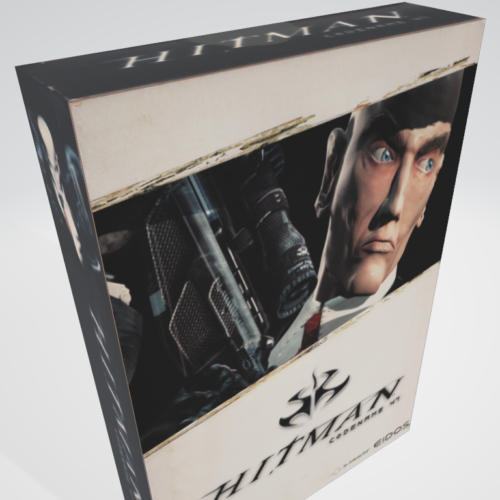
Those who remember PC gaming in the days before Steam may have fond memories of the "big box" packaging that made those games stand out as shelf eye candy and sought-after in-home collectibles. Today, PC gaming platform GOG is hoping to reignite some of the nostalgia for those days by adding downloadable 3D models and printable, foldable high-res packaging scans for a handful of PC games on the platform.
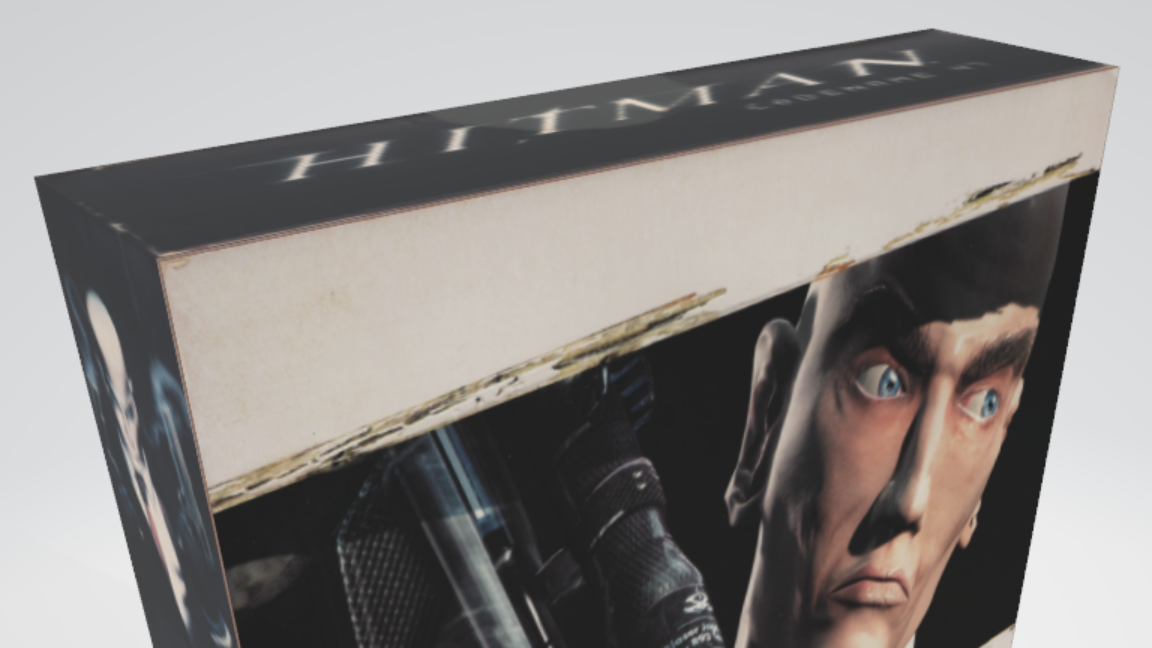
Thus far, the "Printable Big Box" collection on GOG is limited to just five games: Armikrog, Descent, Hitman: Codename 47, Myst, and Star Trek: 25th Anniversary. Players browsing those games on the GOG store will now see "3D Boxes" listed among the included "Goodies" before purchase. Owners of those games on GOG can download a ZIP file containing a version of the box art as an animated 3D object file (in an easy-to-open GLB format) and a "flat printable template" in PDF, SVG, and Adobe Illustrator formats. Those downloads allow for what GOG calls "a proper papercraft project for anyone who misses shelves full of PC game boxes."
The 3D model animates to show the front flap opening.
Credit:
GOG
"Physical media doesn’t survive the way software can—boxes get lost, crushed, thrown out," GOG writes in today's announcement. "Scanning them, and letting you print your own, is preservation in a different shape: the same mission that keeps these games running on modern PCs, applied to the objects they used to come in."
A modder has taken the innards of a Steam Deck and put them into a Game Boy-style case
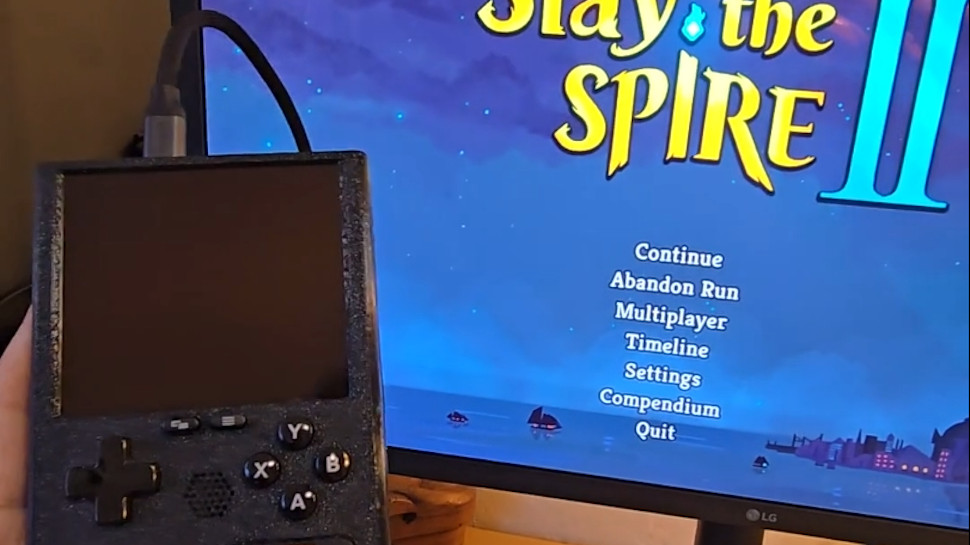
The end result is the 'SteamBoy', although it's not quite finished (the screen doesn't yet work)
There's a lot of excitement about this DIY project, and some gamers have even said they'd be keen to buy a retro handheld like this
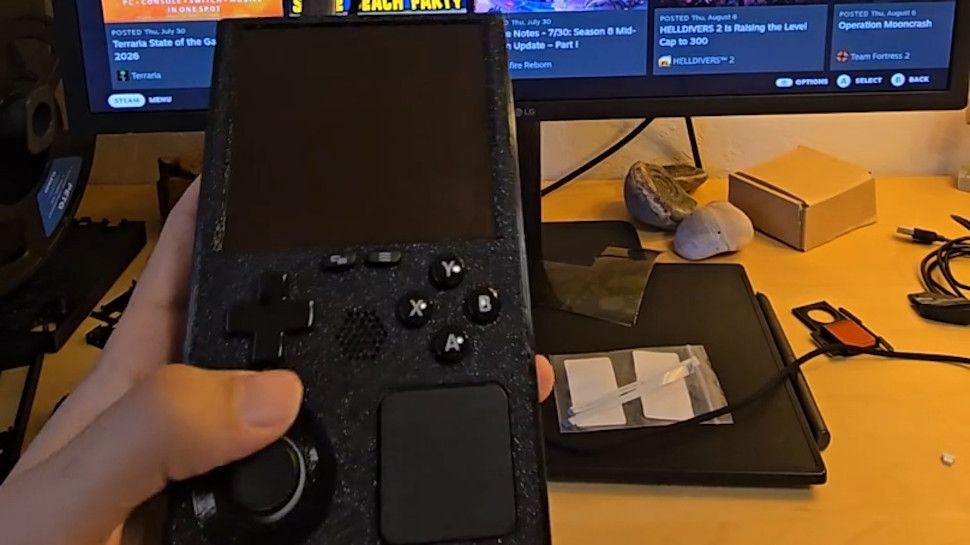
Ever wished the Steam Deck looked a bit more retro — or indeed a lot more retro? Meet the 'SteamBoy', which takes the innards of Valve's handheld and transplants them into a case styled on the Game Boy.
The SteamBoy uses the motherboard, controller, buttons, speakers, and battery from the Steam Deck, fitting the components into a case which the maker says is the same dimensions as an original Game Boy, with a thickness of 32mm (yes, it's thick).
PhyFawkes explains: "The battery is the original battery, and it basically takes up the whole width of the device on the inside. It's sandwiched between the motherboard and the display. The motherboard and controller boards are completely intact as well."
The only element that isn't functional yet is the screen, so this device is still a work in progress. The Redditor has demonstrated it working on an external monitor, though.
Analysis: next stop Kickstarter?
(Image credit: PhyFawkes on Reddit)
The snag with getting the screen going is that the motherboard firmware reports the display properties directly to SteamOS, and so the firmware details must be updated with the info for the new screen. The Redditor says it hopefully it won't take too long to sort this out.
Another part of the recipe that's missing is the triggers, but PhyFawkes says that they might be able to add them eventually, but that space constraints with the case could make this too tricky a proposition.
Apparently the handheld runs cool enough with some slight under-volting. All in all, this a very smart-looking project, and I'm seriously impressed. The case itself is 3D-printed, with the Redditor noting that they're going to provide the details on how to make one for those who might want to try their hand at this enterprising piece of handheld DIY.
Of course, constructing something like this is well beyond the scope of your average gamer, and there are fans of this concept out there who'd be willing to pay money for a SteamBoy of their own. Plenty of them, in fact, as the reception for this project has been nothing short of glowing.
As someone on Reddit put it: "This is legitimately so cool. I would totally back something like this on Kickstarter."
If you ordered any of Valve's products within Europe, such as its Steam Machine gaming PC or the modern Steam Controller, there's a chance your private information may have been compromised. This morning, an email detailed "a note about a security incident at our shipping partner in Europe" involving a cyberattack on Valve's EU shipping partner, CEVA Logistics, on August 7.
Expect fake messages - email, SMS or phone - that mention your hardware order and appear to come from Steam, Valve or a delivery company.
Valve
I bought the Steam Controller in May, though I skipped the Steam Machine pre-order queue, and still received the notice as a customer in the United Kingdom. Crucially, Valve clarifies that this attack on CEVA and its subsequent data breach does not affect "your payment information, passwords, Steam Guard codes or other information."
Your Steam account should remain safe, and right now, there's no reason to change your password or change any account settings. However, Valve warns that customers could "expect fake messages" from bad actors asking for money or other information. Personal details that "may have been compromised" include:
Your name
Your street address, postal code and city
Your country
Your phone number
Your email address — the same one your Steam account uses
The type and price of the ordered product
How did the CEVA Logistics breach happen?
Steam Machine buyers report receiving the same email, presumably affecting all European hardware shipments. (Image credit: Valve)
Valve says that it is "pressing CEVA for the full scope of what was taken and how, and we are in the process of notifying the data protection authorities in the countries affected", and clarifies that the affected system has been taken offline and isolated from further leaks, but there is currently no confirmation on which customers have been affected or exactly how this happened.
For now, Valve invites anyone with concerns or questions to reach out to its support team at help.steampowered.com or to write to its contact point at Artana Digital GmbH, Alstertwiete 3, 20099 Hamburg, Germany.
Fake messages from convincing impersonators are unfortunately common, and bad actors will go through extreme lengths to make their text messages, emails, and phone calls appear genuine. If you're new to Steam, remain vigilant but remember that Valve only handles account issues via its dedicated support site, and "never by email, Steam Chat, or Discord — Anyone who contacts you elsewhere claiming to be Steam Support is not."
I'd also caution anyone who might be at risk that, while Valve implies that your credit card information is safe, bad actors can use other personal information to attempt various identity fraud and access accounts elsewhere. It's important to stay vigilant as data breaches like this happen, and scrutinize every message you receive from delivery companies asking for money: "Treat all of them as fake", Valve says.
Customers based in the United States and, in turn, anywhere outside CEVA Logistics' operating area in Europe shouldn't be affected by this breach. Nevertheless, it should come as an important lesson in customer privacy and data security. Keep using strong passwords that are unique to each platform, and protect yourself as much as possible.
Join us on Reddit at r/WindowsCentral to share your insights and discuss our latest news, reviews, and more.
Desktop gaming PCs have a reputation for being huge, and, to be honest, a lot of them are. However, if you're confident enough to dive into the twisted world of cable management, then a compact build could be a fantastic challenge that pays off as a space-saving monster rig. When the Cooler Master Qube 340 case appeared at Computex earlier this year, I was immediately intrigued, even if I can't afford the full gamut of parts to build inside of it just yet.
Cooler Master provided a sample but did not see the contents of my article before publishing. I'm also refraining from assigning a traditional review score to this case until I can complete a build with a full set of components.
How much does the Qube 340 cost?
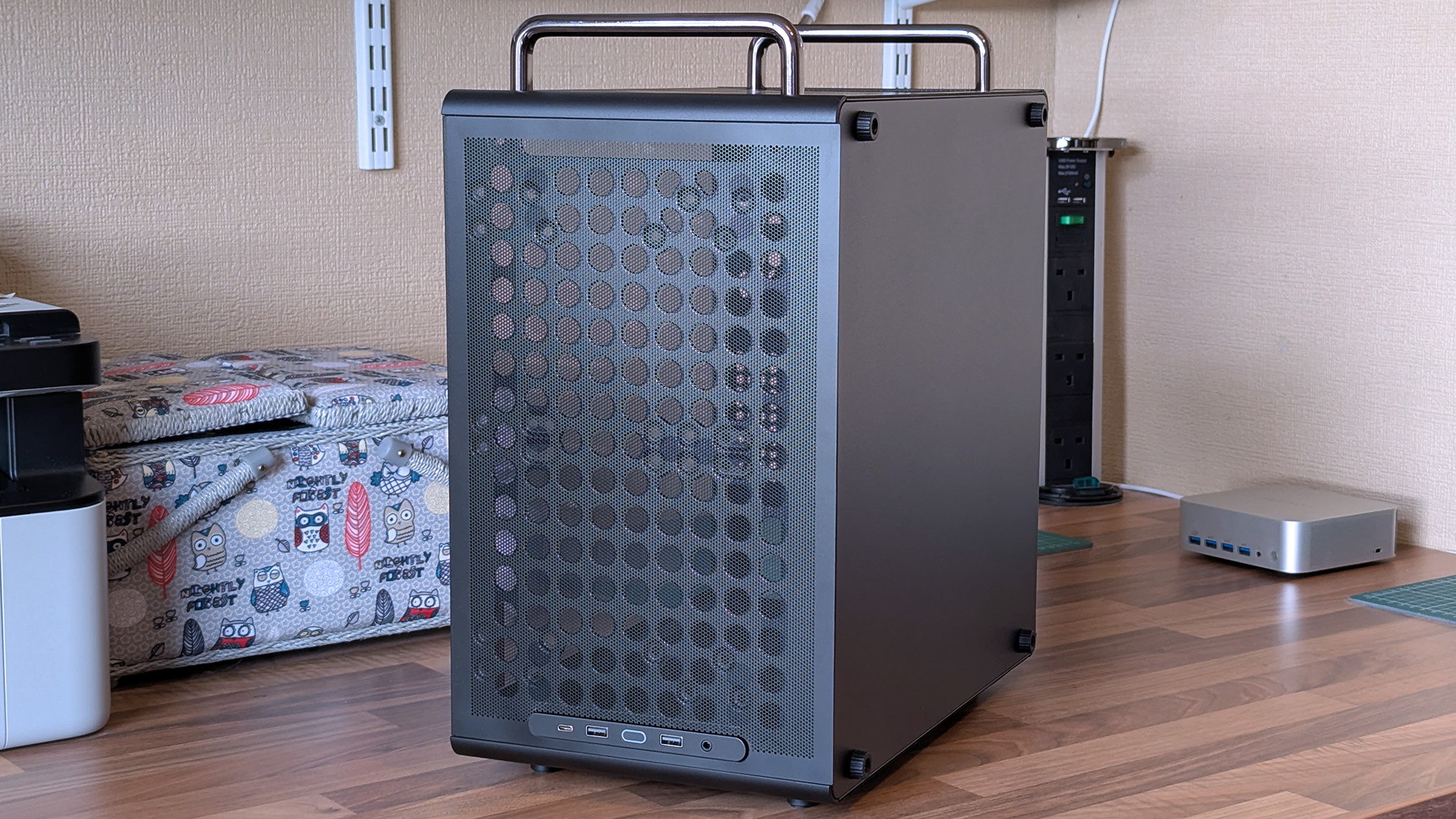
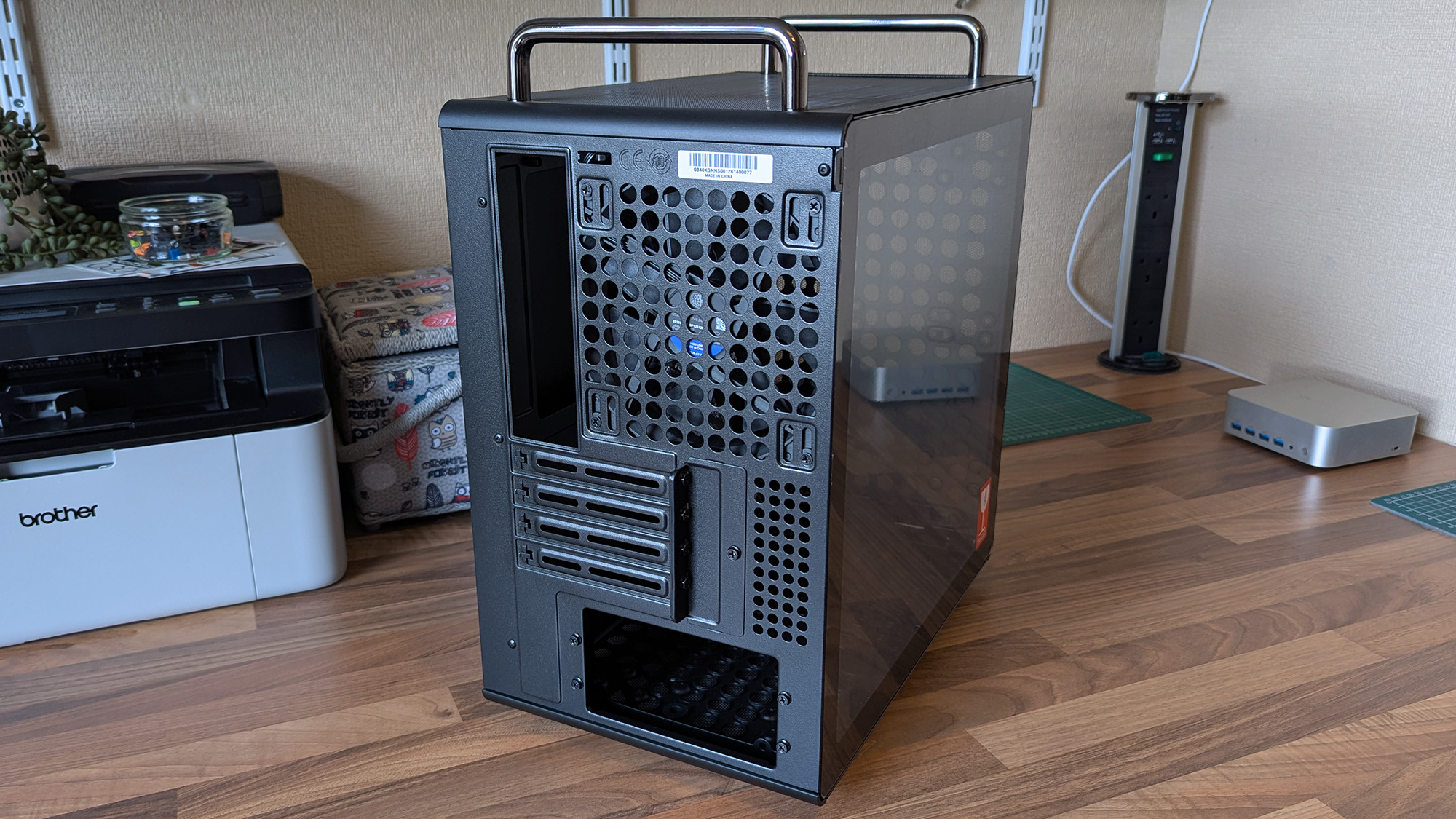
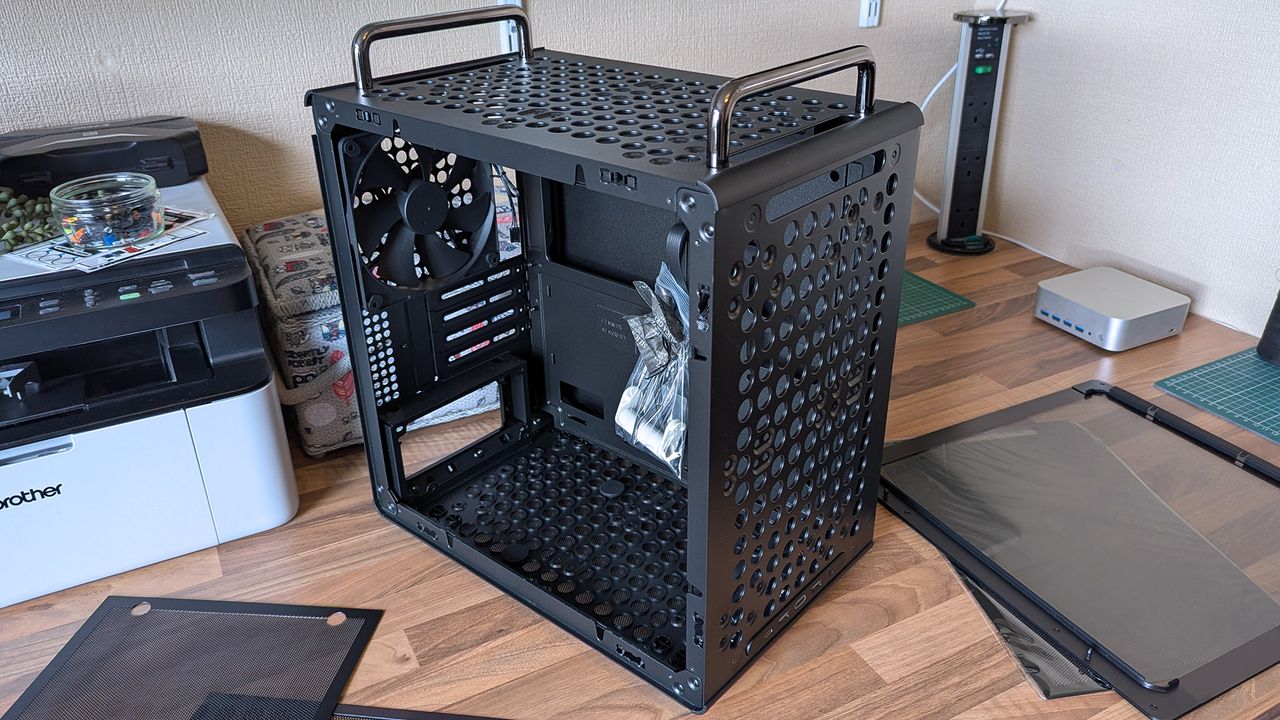
I wouldn't say it looks exactly like that infamous Apple Mac Pro, but there's definitely a resemblance. (Image credit: Ben Wilson | Windows Central)
For now, the best place to buy the Cooler Master Qube 340 is Newegg at $54.99. It's currently listed by Newegg itself, rather than any third-party sellers, and is in stock at the time of writing. A listing for the Qube 340 in black on Amazon US lists "Newegg Business" as a reseller at $59.49, which isn't worth the extra money. At the time of writing, the white variant of this case is "currently unavailable" on Amazon and is outright missing from Newegg.
CPU cooler: 178mm GPU: 365mm (without front fan) PSU: 200mm/100mm (with/without bottom fan)
Dimensions
386.1 x 230 x 429.4 mm (including handles, feet)
The exact model I tested is available on Newegg at its intended price, with good availability and options for free shipping, depending on your location.View Deal
What I like about the Qube 340
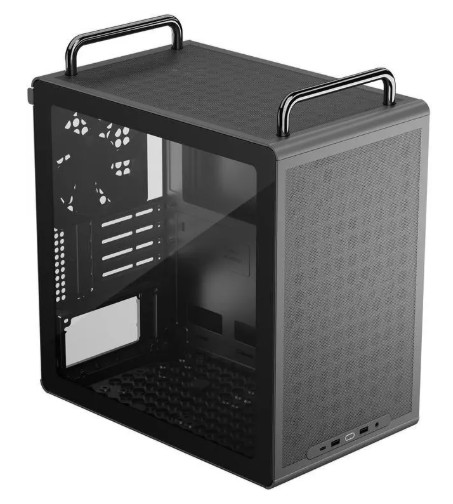
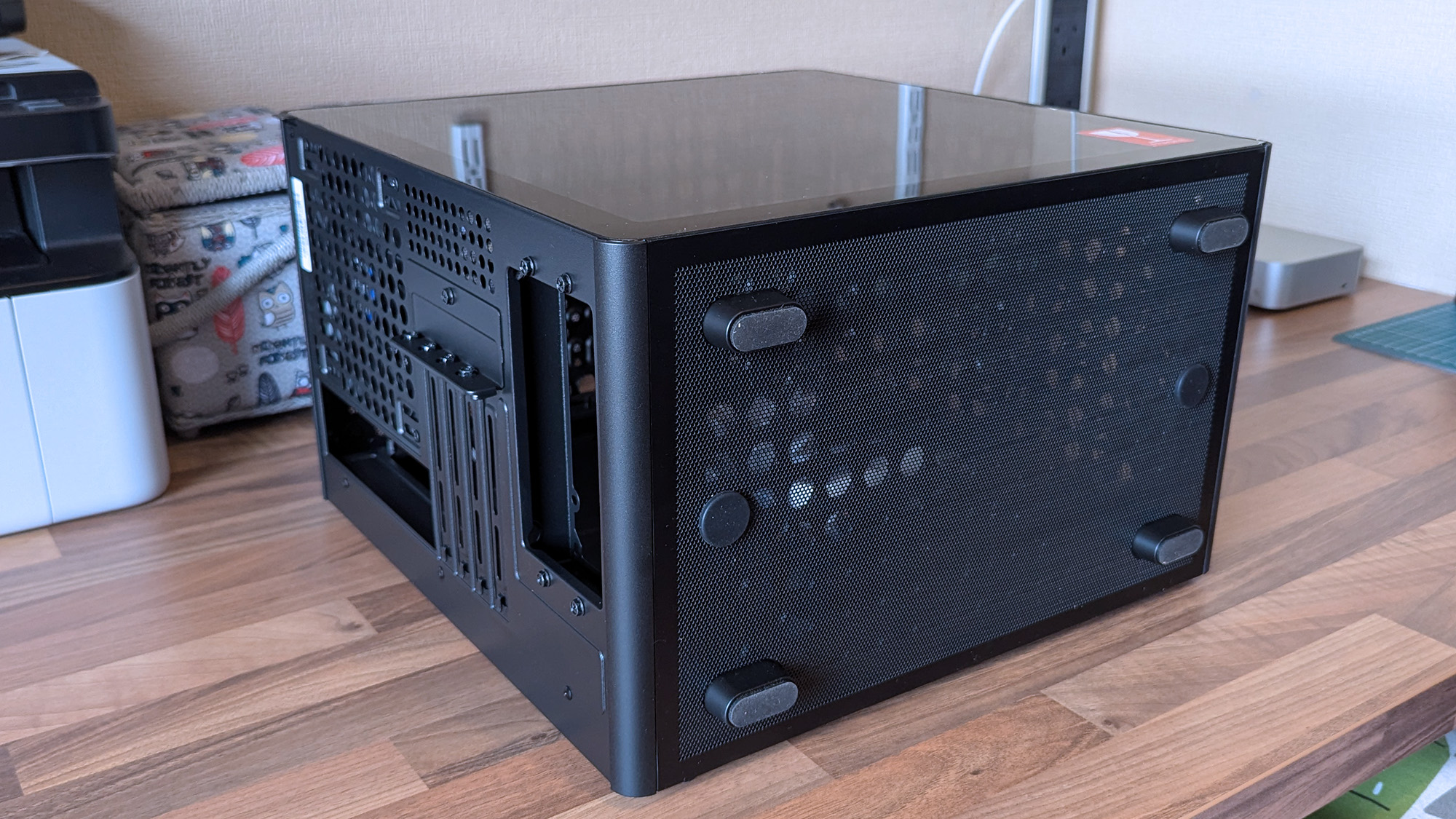
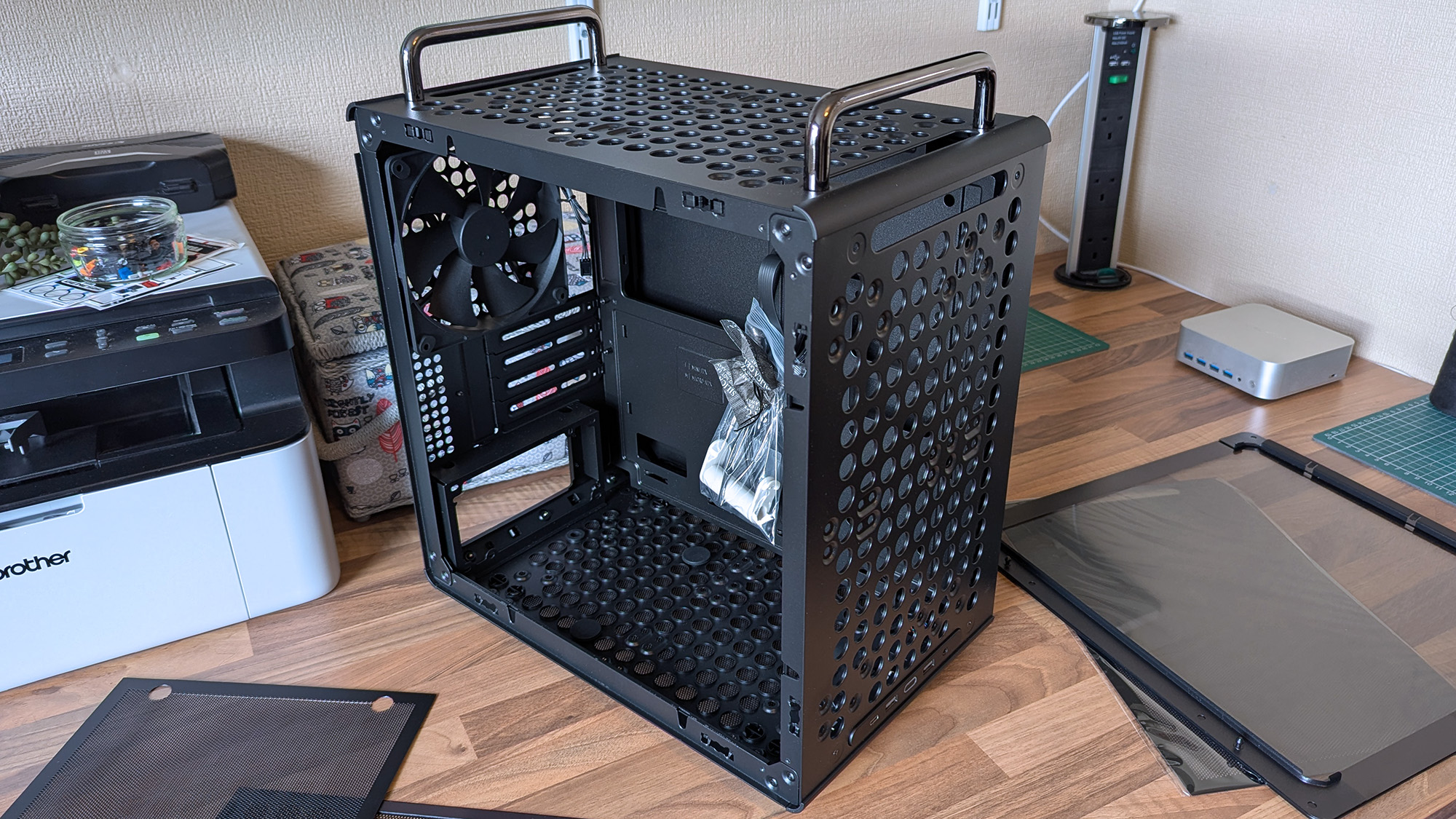
Compact and portable, the Qube 340 instantly had me planning a build.Ben Wilson | Windows CentralMicro ATX or Mini ITX, you have enough expansion slots to choose from.Ben Wilson | Windows CentralDust shields cover the whole case, but they can all be removed easily.Ben Wilson | Windows Central
Ever since the RAM crisis ruined any prospect of affording Valve's Steam Machine gaming PC, I've thought about how I could repurpose some of the spare components I have in storage — and even then, it isn't a huge pile. Still, I knew I'd never manage anything quite as purposefully tiny, but I could come close with a mini ITX build, and the Qube 340 looked perfect on paper.
The removable handles (are) ideal for what I've planned: A desktop that I can set up and take away at a moment's notice.
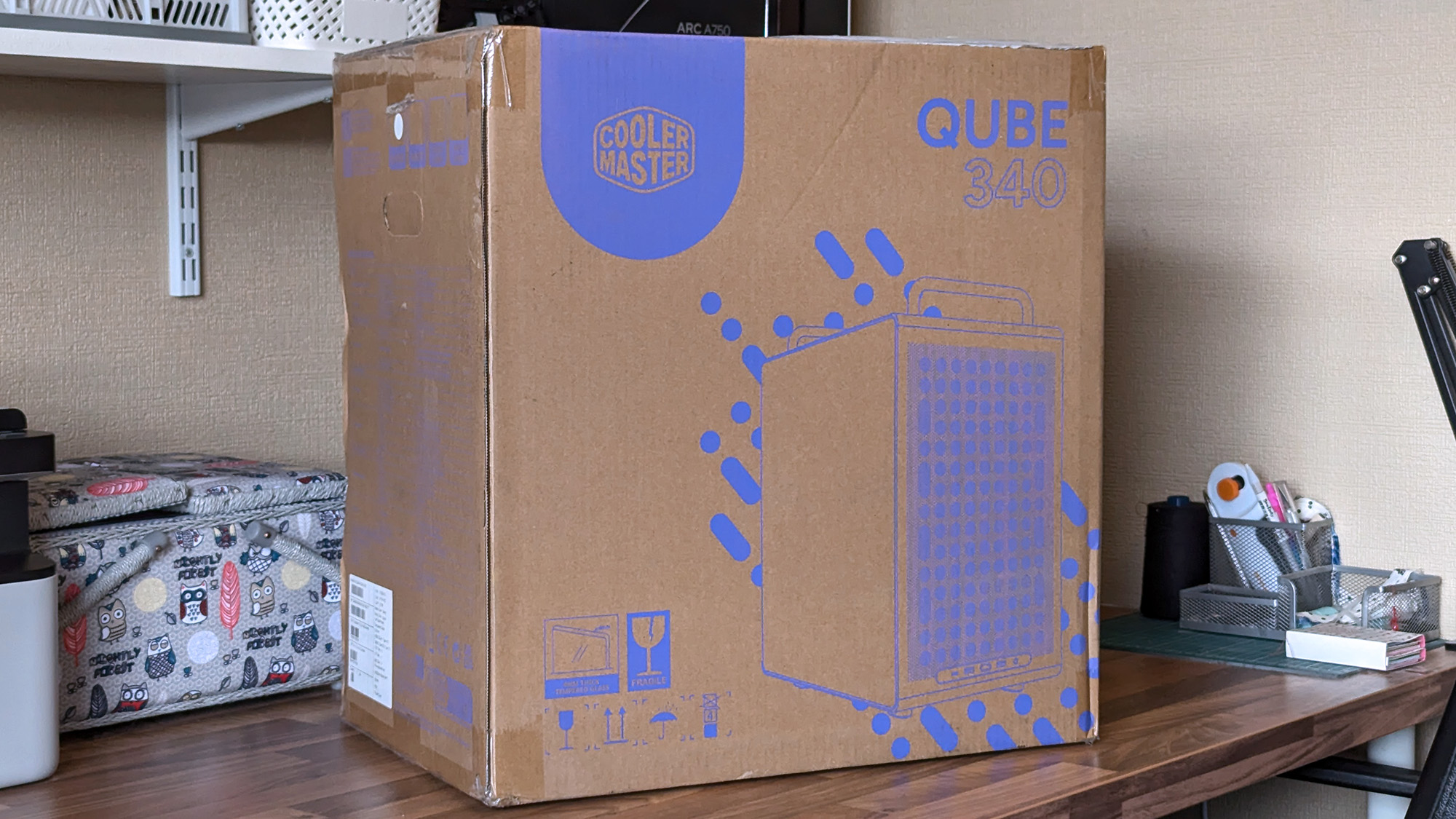
It came in a huge box, but it feels as compact in person as I'd hoped. The removable handles are also ideal for what I've planned: A desktop that I can set up and take away at a moment's notice, rather than leaving something permanently underneath our TV. Sure, I'll need to buy some more niche parts, like a compatible motherboard, but Cooler Master impressed me out of the box.
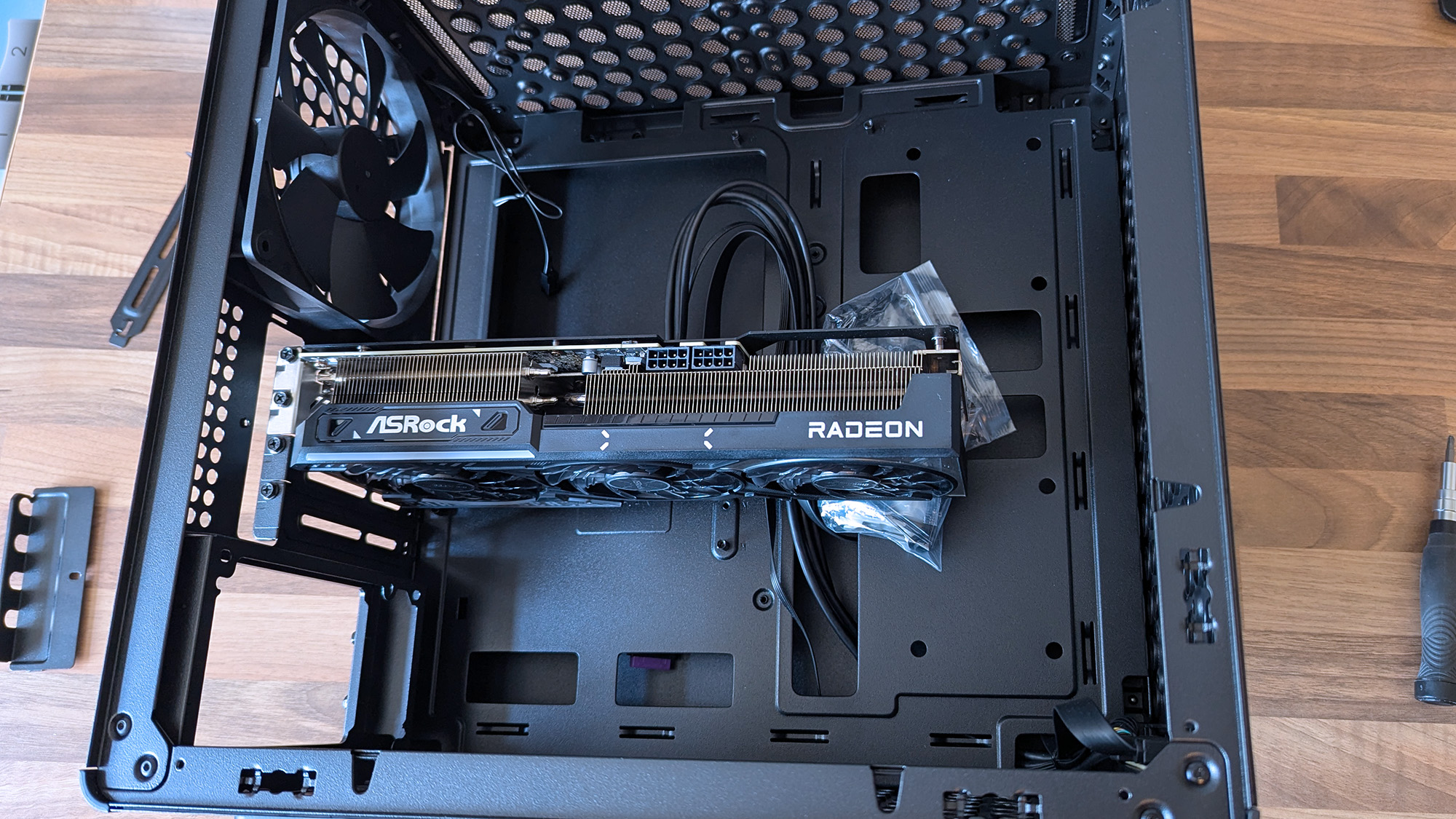
A 290mm ASRock Challenger Radeon RX 9070 XT GPU fits with room to spare for front-mounted fans. (Image credit: Ben Wilson | Windows Central)
My most important consideration was whether the ASRock Challenger Radeon RX 9070 XT graphics card I have would fit, depending on my front-fan decisions. I could also use an AIO radiator, but the cheesegrater-esque design of the Qube 340 feels better suited to a traditional air cooler — even if only in aesthetics — plus there's a 140mm 'DF1402512RFLN' fan pre-installed at the rear.
At a glance, there's nothing to worry about, as the 290mm GPU fits with around 78mm to spare. My immediate idea is to have a single 140mm intake fan mounted at the top, pulling cool air into the case and pushing it through a CPU air cooler before exhausting it out the back. Still, I have options, including adding an even longer card, as long as everything is measured correctly.
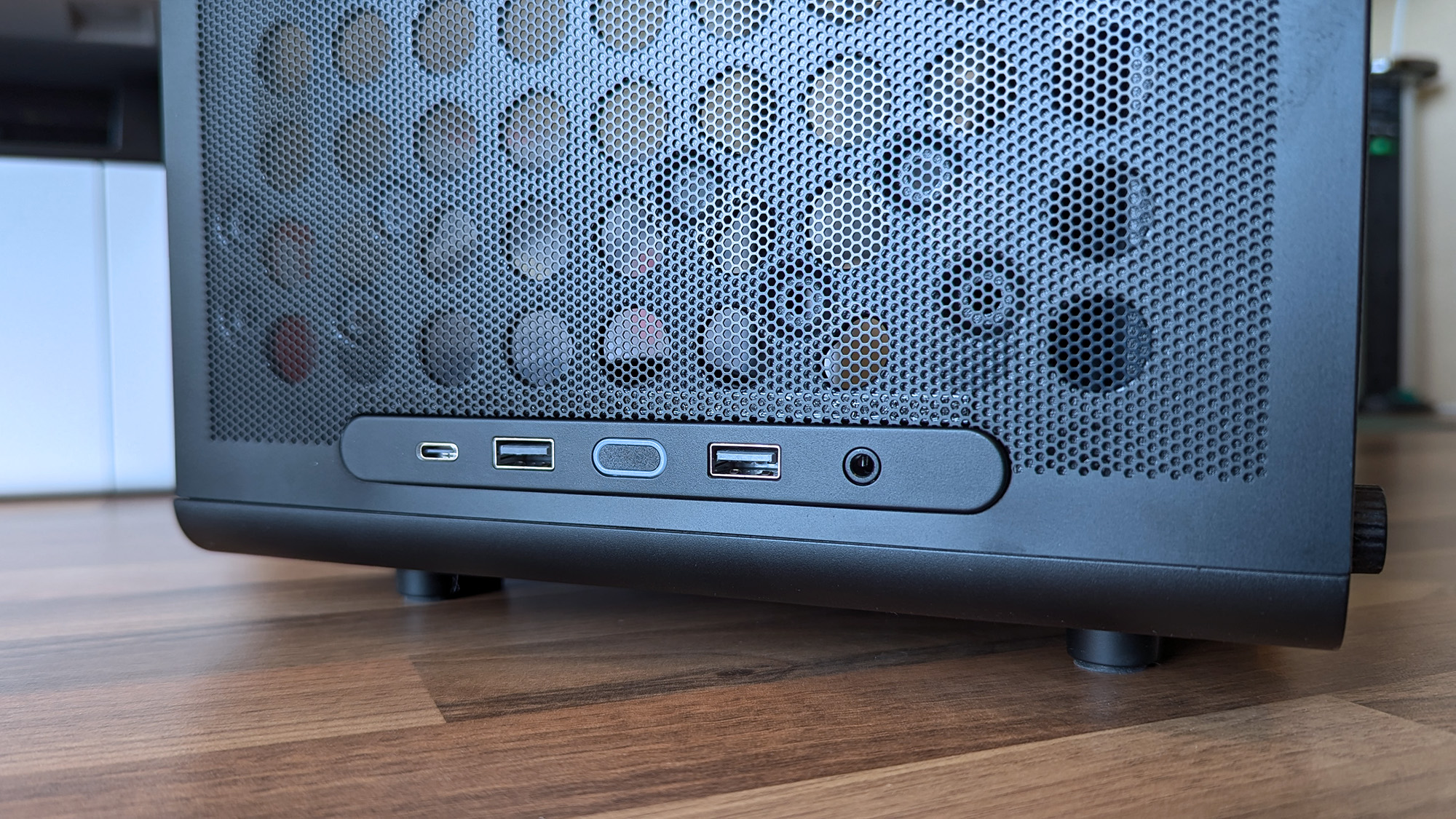
Undoubtedly geared towards airflow, the Qube 340 is absolutely covered in holes.Ben Wilson | Windows CentralThe front I/O panel can be moved, which is ideal because I prefer a top-mounted power button.Ben Wilson | Windows Central
Next up are cable management and routing options. Like most hobbyists, I prefer to take my time with my own builds and get everything as clean as possible, which is more of a mandatory requirement in a compact case than a preference. While there aren't any dedicated trunking channels, there are a few mounting points for zip ties, so I just need to plan everything carefully.
The front-mounted I/O plate is also removable, so I can move it to the top of the case for easier access and re-route the attached cables from the start. It all depends on my motherboard of choice and how it determines the shortest route for each component, but it's fantastic to have the option. I'll always prefer my power button and front ports to be at the top of the case.
What I don't like about the Qube 340
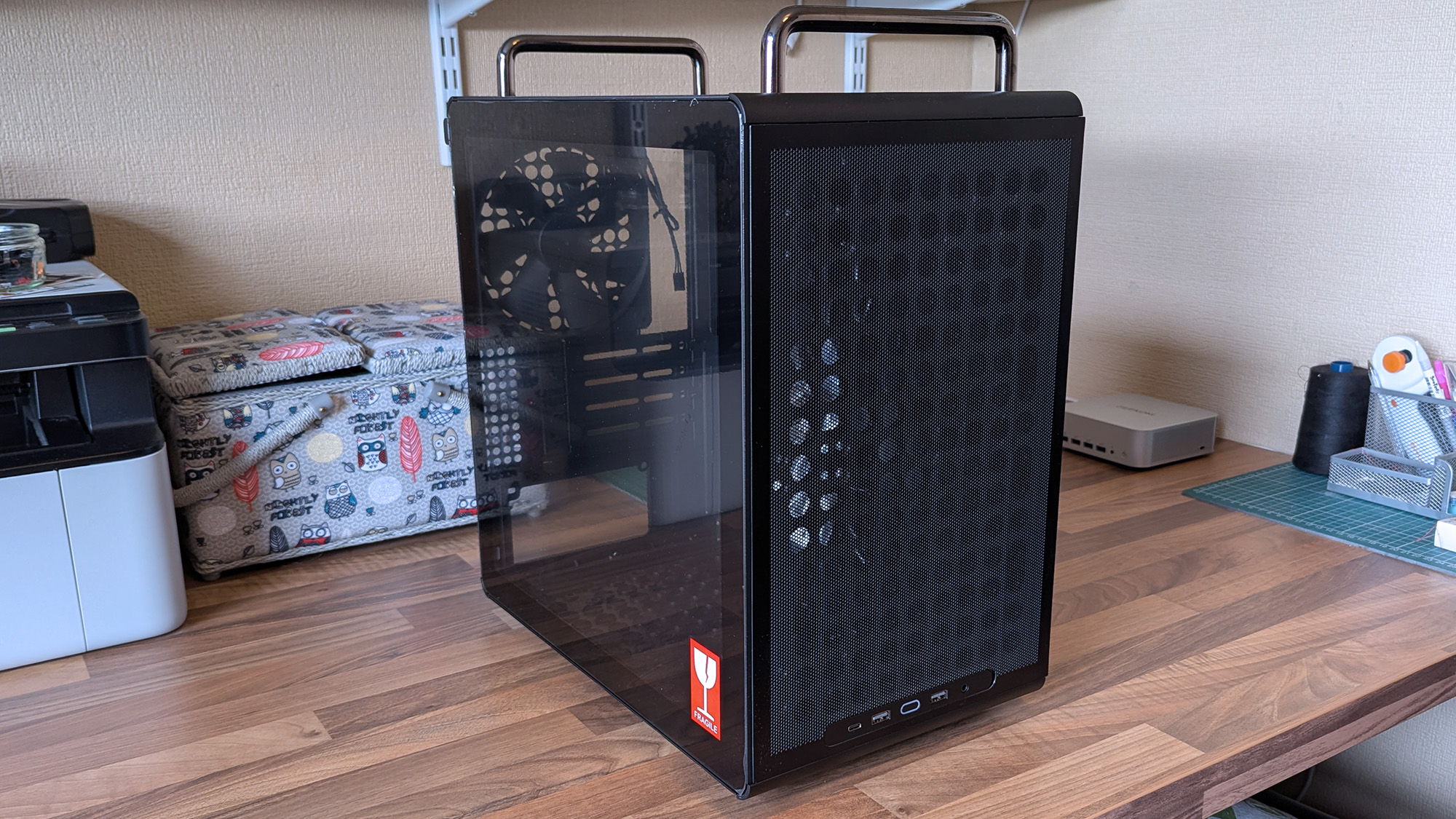
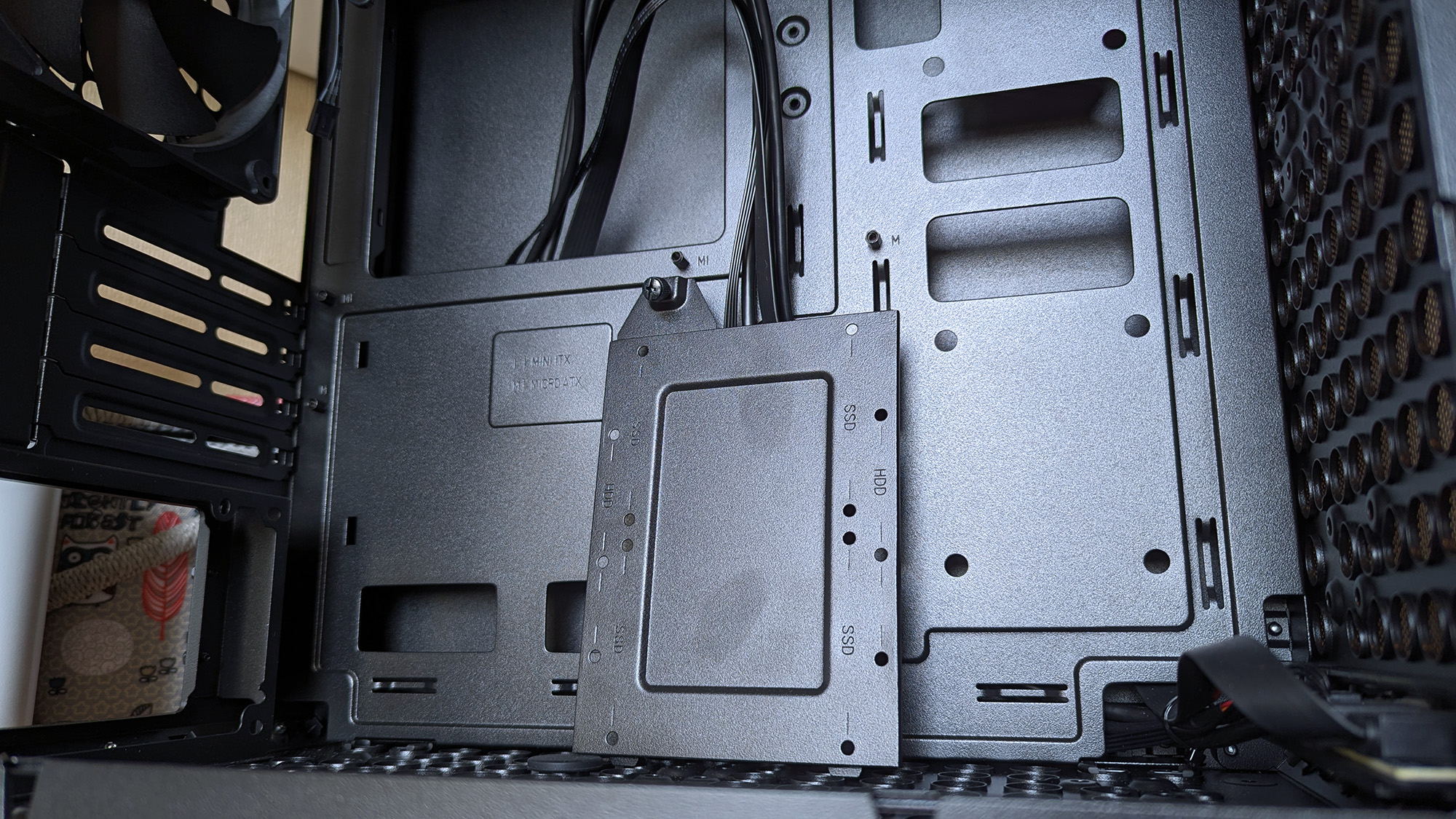
Internally, some of the metal is thin and somewhat flexible.Ben Wilson | Windows CentralThe glass side panel is held in place by a protruding tab, which could pose an issue during transit if it were accidentally released.Ben Wilson | Windows Central
The build quality is generally great on the outside, with those sturdy carry handles and rubberized feet keeping it steady in a vertical position and similarly when laid flat for construction and upgrades. However, the metal on the inside — particularly around the motherboard tray — is quite thin with some flex, but I doubt I'd ever accidentally bend it in any permanent way.
Being mostly toolless also raises some concern about the glass side panel, which holds well but is secured only by a single protruding tab.
I found the removable 2.5/3.5-inch drive tray similarly skinny and flexible, but it hardly has to do anything beyond holding my storage in place, and it at least removes with a single thumbscrew. It would likely take a heavy dent from an accidental drop to twist this case out of shape, and though it's well padded in its box, it's still worth checking everything over as soon as you buy one.
Concerns about missing rubber grommets are tempered by the fact that this is a $55 PC case. Not to excuse any internal mishaps that might happen, but again, it feels unlikely given how solid the outer shell is overall. Otherwise, being mostly toolless also raises some concern about the glass side panel, which holds well but is secured only by a single protruding tab.
Should you buy the Qube 340?
Thankfully, the shipping box for the Qube 340 is so huge, it helps protects it against concerns of bent metal. (Image credit: Ben Wilson | Windows Central)
You should buy this if ...
✅ You want to build a portable mini ITX gaming PC
✅ You're prioritizing airflow with dust protection
You should not buy this if ...
❌ This is your first-ever rig; compact builds are tricky
You can go smaller, but for my first planned adventure into a mini-ITX build, the Qube 340 is exactly what I wanted it to be. If, like me, you're toying with the idea of a compact gaming PC that's easier to move around than a full-sized desktop, I think you'll be quite happy with this incredibly affordable case. Some of my opinions might change once I have enough parts to build inside it, but that won't affect the overall praise I have for Cooler Master on this occasion.
Cooler Master
Qube 340
Compact and cool with a design built entirely around airflow, this portable case is a bargain.
As price rises hit everything thanks to the RAMpocalypse, with SSDs, memory, graphics cards, PCs, handhelds, consoles, and literally everything getting more expensive, let's celebrate when someone beats the system.
Sure, it's only one person, but at this point, I'm so utterly depressed with the state of things that I'm ready to buy this person a beer and shake their hand.
Is it the greatest deal of all time? Honestly, even before the price rises, I'd have grabbed this, thrown down a $5 bill, and run out of the store before anyone realized what they'd done putting that price tag on it.
Is the RTX 3050 a particularly good graphics card? I mean, it depends what you want to do with it. It'd be pretty good as a budget video encoding card for streaming; it'll play games at 1080p fairly well, too. Hell, I'd have absolutely put it into a machine and given it to my son.
For five bucks I would have found something to use it for. Maybe slap it inside the home server I've been wanting to build again for years to handle video transcoding. I don't care; I'd have found something to do with it.
That's assuming it works properly, of course. The post does show a Windows boot screen, so it would appear it at least gives video output, so that's a start. With a used, mystery GPU like this, you'd have to test it properly, and most definitely you'd want to strip it down, clean it up, and give it some new thermal paste.
But for $5, who cares? Worth a go, right? It's just nice to see someone have a win right now. If you were to buy a brand new RTX 3050 right now, you're looking at paying at least $250 if you went to somewhere like Best Buy. Nobody should pay $250 for a two-generation-old budget graphics card.
It also gets me thinking: What's the absolute craziest deal you've ever found on a piece of hardware? I think I've only ever been so lucky once, managing to get a Surface Go 2 LTE with a price mistake once and securing it for essentially free with an inexpensive data SIM contract.
It should have been a couple of hundred British pounds, and I got it for £8. And even though it was a mistake, it was still honored, and I got my Surface Go 2.
So jump into the comments below and let me know your personal craziest deal. Meanwhile, I'm definitely raising a glass to this person. Hopefully it all works well, and if so, you've definitely beaten the system right now.
Join us on Reddit at r/WindowsCentral to share your insights and discuss our latest news, reviews, and more.
Lenovo Legion Gogaming handhelds are reportedly being bricked by a BIOS update. According to reports, installing the N3CN42WW update results in a black screen and systems not booting correctly.
It's not clear how widespread this issue is, but I suggest holding off on installing a BIOS update on your Legion Go until Lenovo has clarified the situation.
The problem affects the original Legion Go (often called the Legion Go 1 by fans), including both the Z1 and Z1 Extreme models.
In some cases, the Legion Go failed to boot immediately after the BIOS update was installed. In other cases, the failure occurred later.
Several Legion Go owners have reported issues on Reddit. The mods at the LegionGo subreddit shared the following:
"It has come to our attention that some of the Z1E and Z1 versions are being bricked when updating to the latest BIOS that was released on June 17th, 2026.
Please do not update your devices unless you are willing to assume all risks. We the mod team are trying our best to understand and get help on this."
They also asked people to share if they've run into the same issue.
Reddit user mherold11said they reached out to Lenovo support to have their Legion Go repaired. They were told that fixing the gaming handheld would be a chargeable repair since the device was out of warranty. The quote for repair was €237.16 (roughly $273.81).
Other people in that same Reddit thread said their Legion Go gaming handhelds were repaired at no cost when still in warranty.
One Reddit user had luck performing their own repair, but that fix was complicated and is not recommended for general users.
This is a developing story and we do not know the extent of the issue. If you have a Legion Go and have been affected by the issue (or have upgraded and not run into the problem), please share with us through the comments below and reach out to Lenovo and the mods of the LegionGo subreddit.
Join us on Reddit at r/WindowsCentral to share your insights and discuss our latest news, reviews, and more.
The GuliKit KK3 Max might look like a standard controller, but it has plenty of extras and features on board.
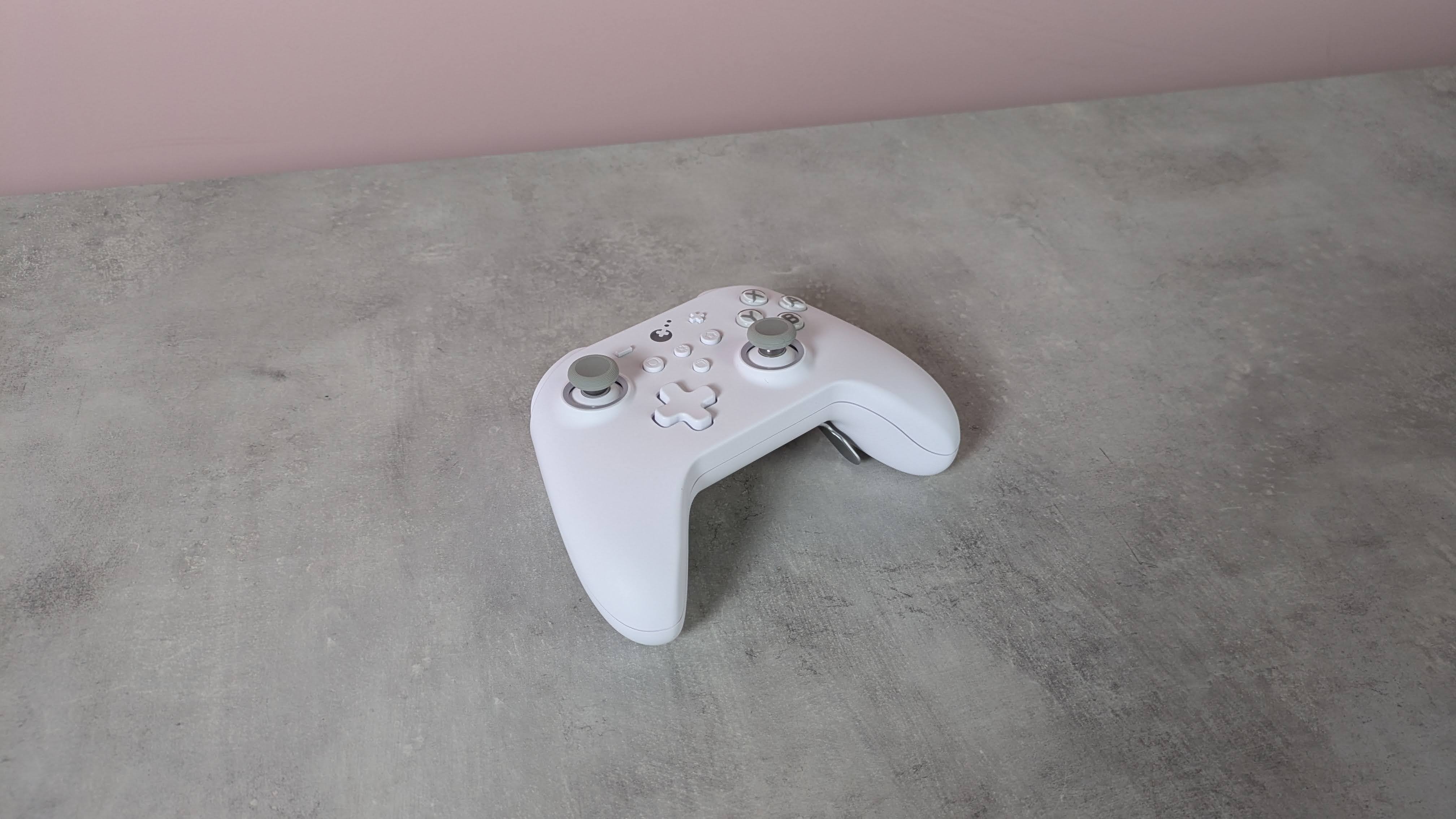
Adopting the familiar form of the Xbox’s gamepad, the KK3 Max doesn’t exactly push the boundaries in terms of design. But given how comfortable and convenient the shape and layout are, it’s hard to complain about its lack of originality.
There are also a few extra flourishes that add some interest. The matte white finish of my review unit was rather fetching, while the front panel is incredibly smooth, smoother than any other I’ve felt before. Its construction also feels quite solid, rivaling the builds of the best PC controllers.
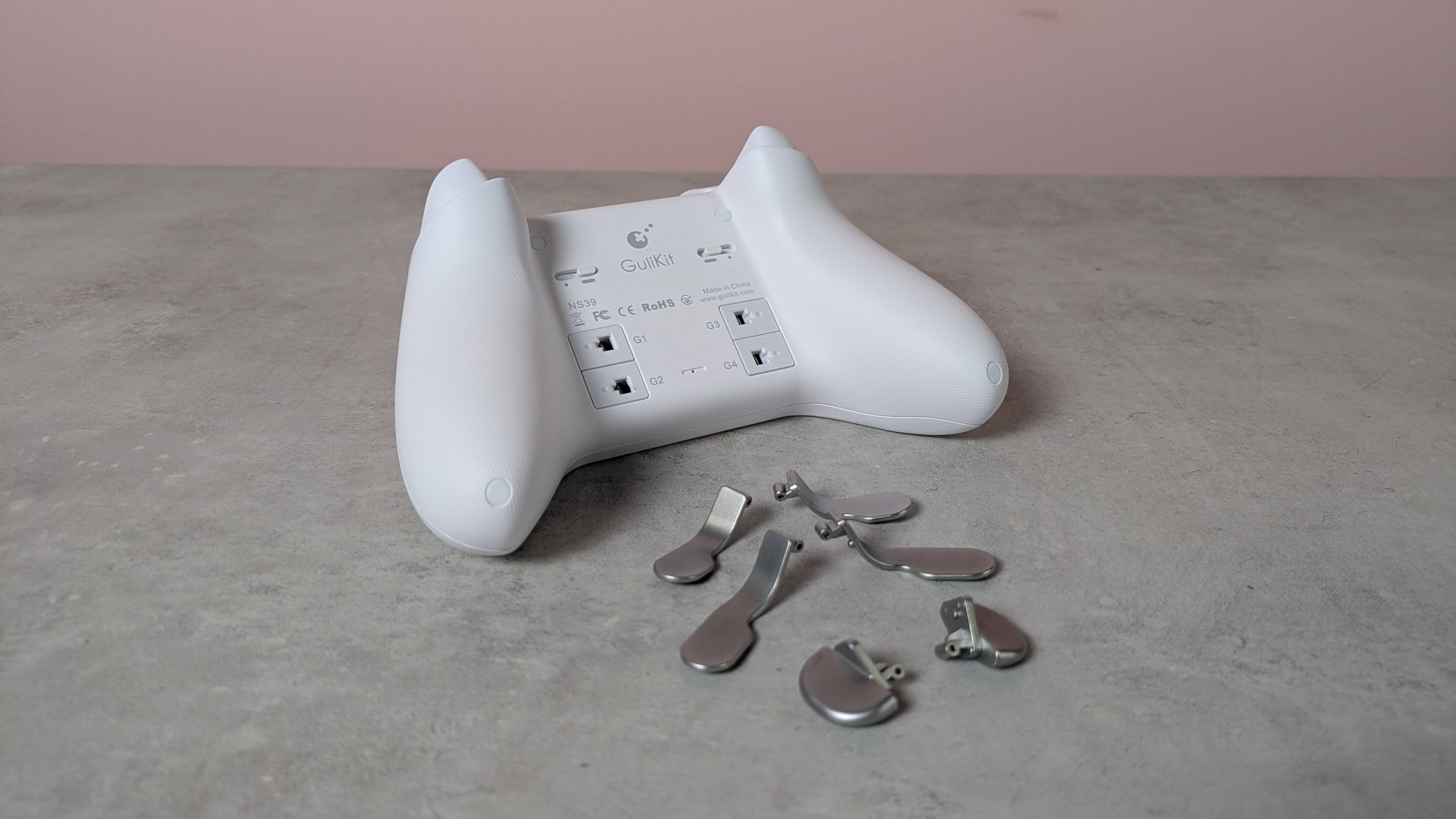
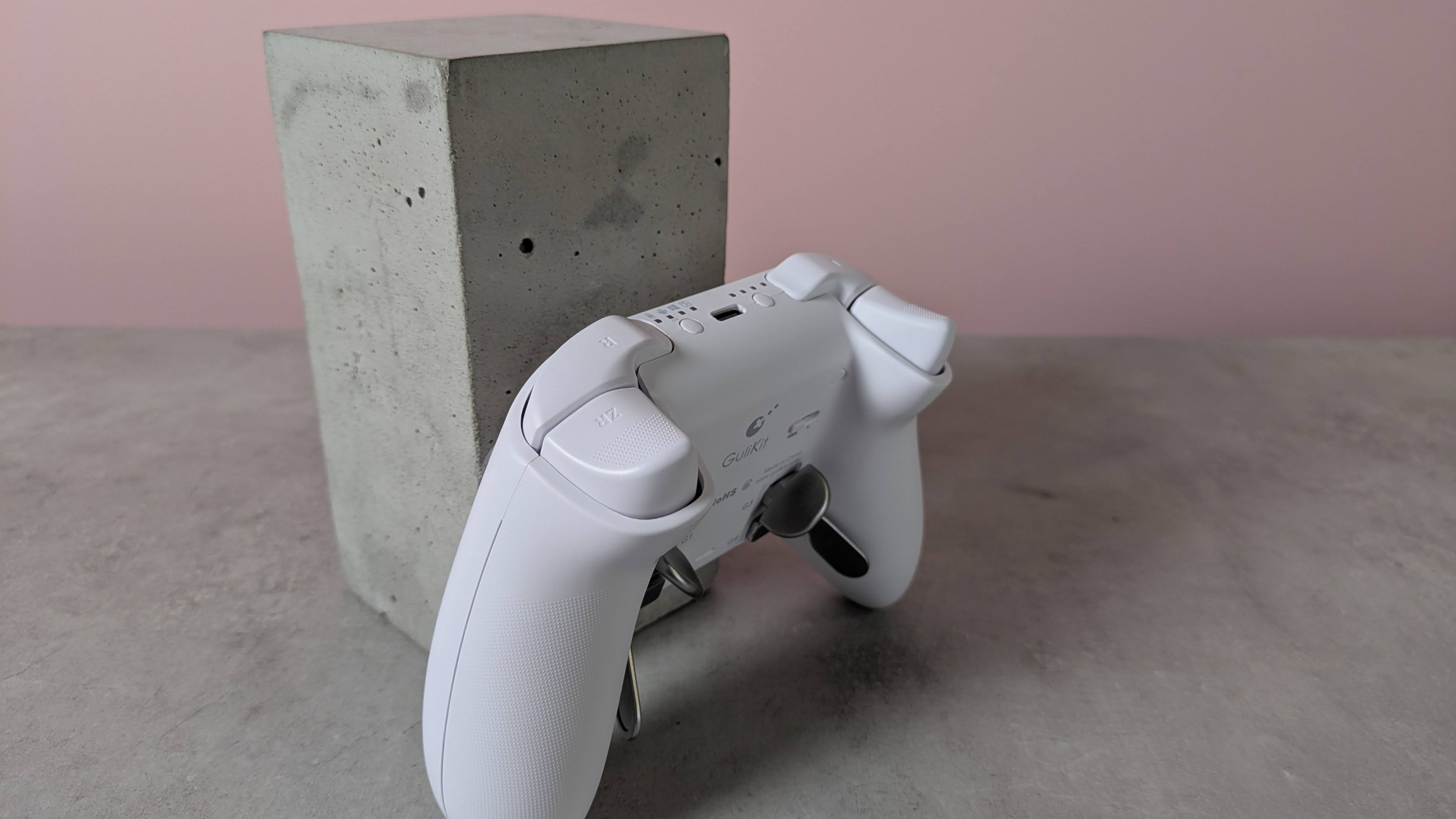
This premium feel extends to the buttons, since there’s very little wobble to any of them. The same can be said of the various sets of levers for the four back buttons, although a fair amount of force is required to insert them.
(Image credit: Future)
Despite the lack of software, there are still plenty of input-related customizations and settings available via various button combinations. These range from basic adjustments, such as the vibration intensity and stick sensitivity, to more advanced features, such as motion control and macro recording.
The overall performance of the KK3 Max is pretty good. Most of the buttons are responsive and satisfying to press. The triggers offer a fair amount of control, although I found their travel distance a little too short for my preferences. The sticks also lack the precision of the best, although they move easily and quickly. Motion controls are also inconsistent: I found they performed well with Nintendo Switch games, but were less effective on PC and mobile titles.
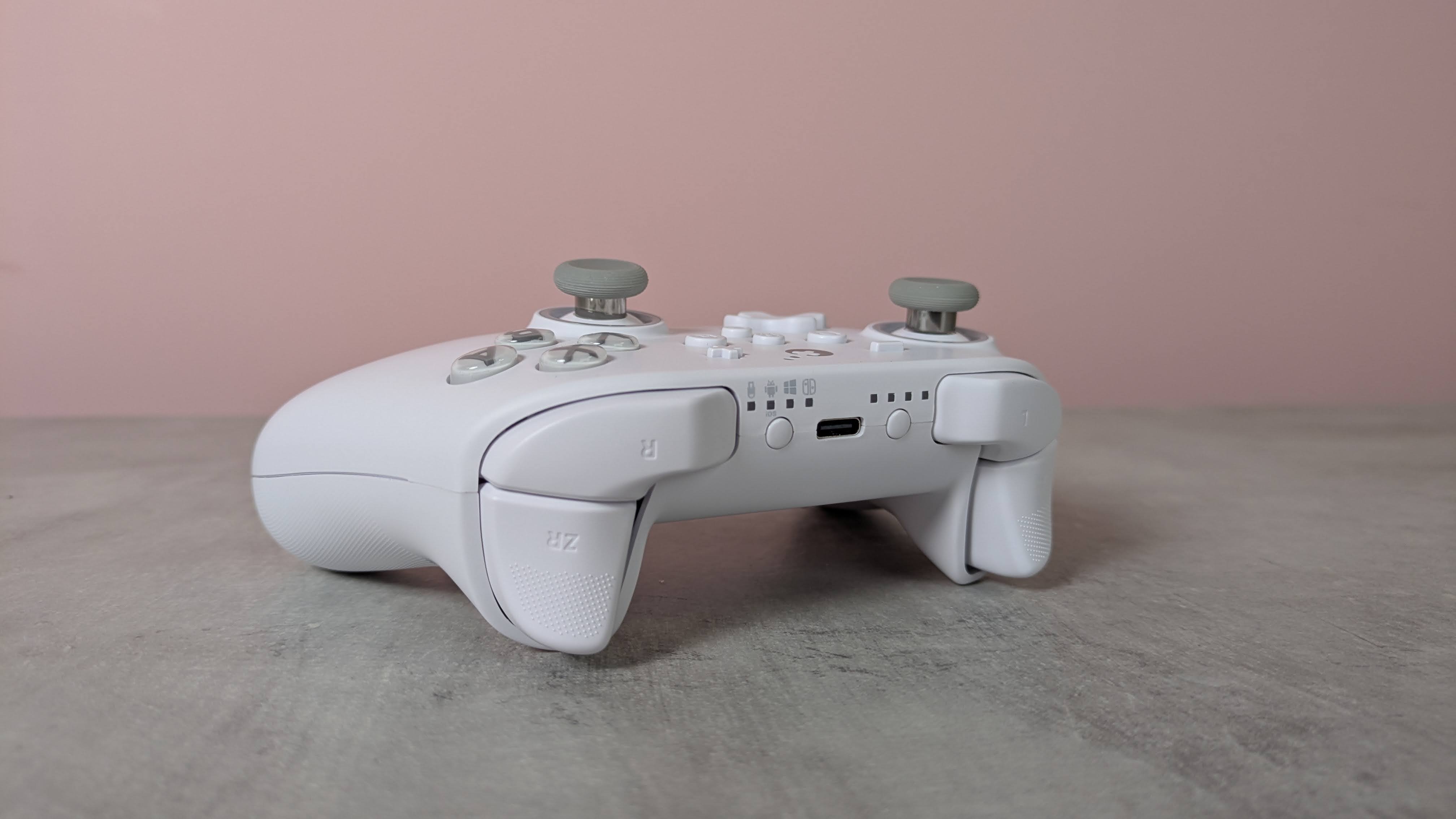
I’m happy to report that I had no issues with connectivity on any system I tried the KK3 Max with. Whether it was to my PC via the USB dongle or to my Switch and Android tablet via Bluetooth, the KK3 Max connected quickly to them all and I didn’t experience any dropouts or lag. Hotswitching between devices is also easy thanks to the dedicated button for this purpose, although it can take several presses for the button to respond.
The current multiplatform controller market is certainly a competitive one, with an increasing number of entrants offering increasingly better value. At $79.99 / £65.99 / AU$113.95, the KK3 Max is dangerously close in price to some real standouts, such as the Steam Controller and the GameSir G7 Pro 8K, and more expensive than the 8BitDo Pro 3, another highly capable controller. It mightn’t quite match up to its cohort, but the KK3 Max is still a gamepad to consider if you prefer onboard adjustments and like to have plenty of back buttons.
(Image credit: Future)
Gulikit KK3 Max review: Price & availability
$79.99 / £65.99 / AU$113.95
Available now in various colorways
Premium pricing puts it against big hitters
The GuliKit KK3 Max costs $79.99 / £65.99 / AU$113.95 and is available now from Amazon. Three colorways are available: black, white, and grey.
This pricing places the KK3 Max at the premium end of the market. It comes close to some big names in this space, such as the new Steam Controller. This has the advantage of touchpads for controlling the mouse cursor, and we found its gyroscope controls performed very well, unlike the KK3 Max’s. It isn’t compatible with the Switch or Switch 2, though.
The KK3 Max is also more expensive than the 8BitDo Pro 3, which has class-leading performance. We particularly loved its smooth analog sticks and triggers, as well as its phenomenal D-pad. It’s very customizable, too, thanks to its accompanying software — something the KK3 Max lacks.
Gulikit KK3 Max review: Specs
Gulikit KK3 Max
Price
$79.99 / £65.99 / AU$113.95
Weight
9.7oz / 275g
Dimensions
6 x 4.3 x 1.3in / 154.7 x 108.1 x 32.4mm
Compatibility
PC, Switch, Switch 2, Android, iOS
Connection type
Wireless (2.4GHz, Bluetooth), Wired (USB-C)
Battery life
15-28 hours
(Image credit: Future)
Gulikit KK3 Max review: Design and features
Super smooth surface
No extra D-pad hats or stick caps
No software
The KK3 Max has a simple and conventional design, replicating the form and layout of the best Xbox controllers. This is no bad thing, though, since such gamepads are among the most ergonomic and comfortable out there. Along with many others, I’m also particularly fond of the asymmetric analog sticks, since this moves the D-pad to a position that makes it easier to use with either thumb.
What may prove more divisive, however, is the relatively small size of the entire unit. I don’t have particularly large hands, but both my thumbs and forefingers tended to overhang the sticks and triggers respectively. I was able to adjust my grip to compensate without sacrificing comfort or security, but others might find this more of a problem.
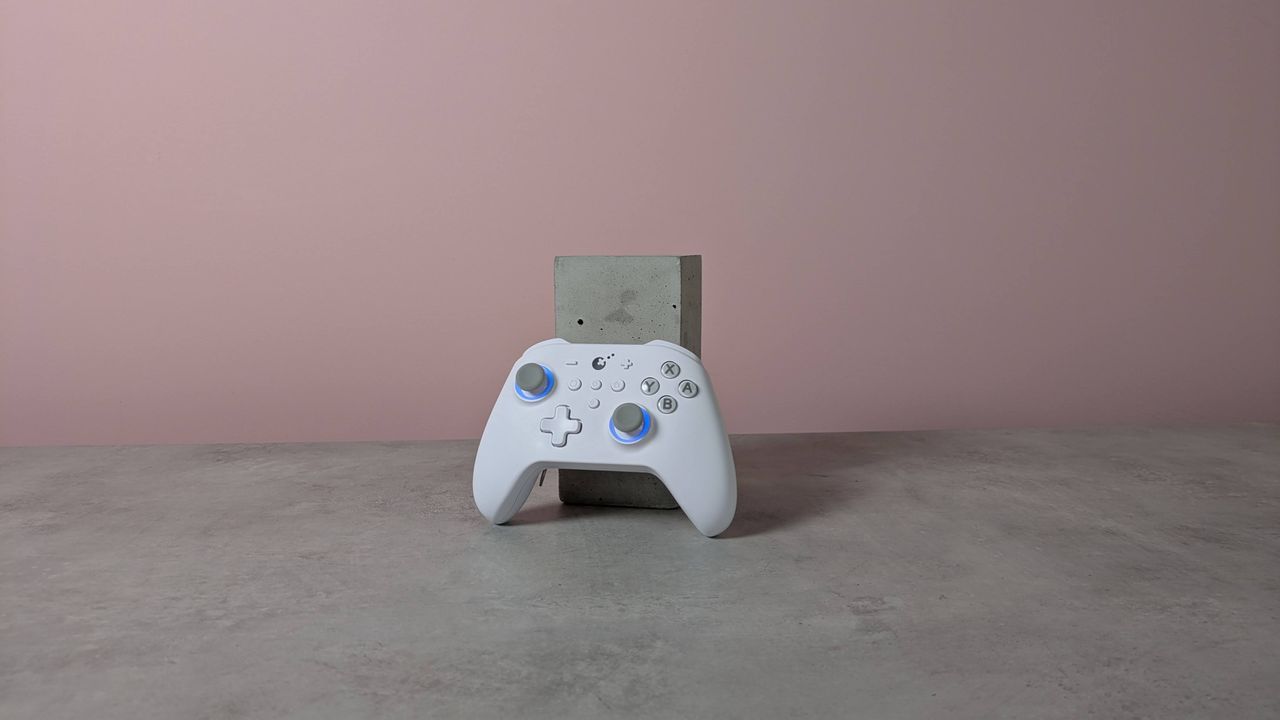
There are some extra touches to the KK3 Max’s design that set it apart from the crowd. The brilliant white matte finish of my review unit is quite eye-catching, as is the subtle yet effective RGB lighting around the sticks, which also has a practical function that I’ll come to later.
(Image credit: Future)
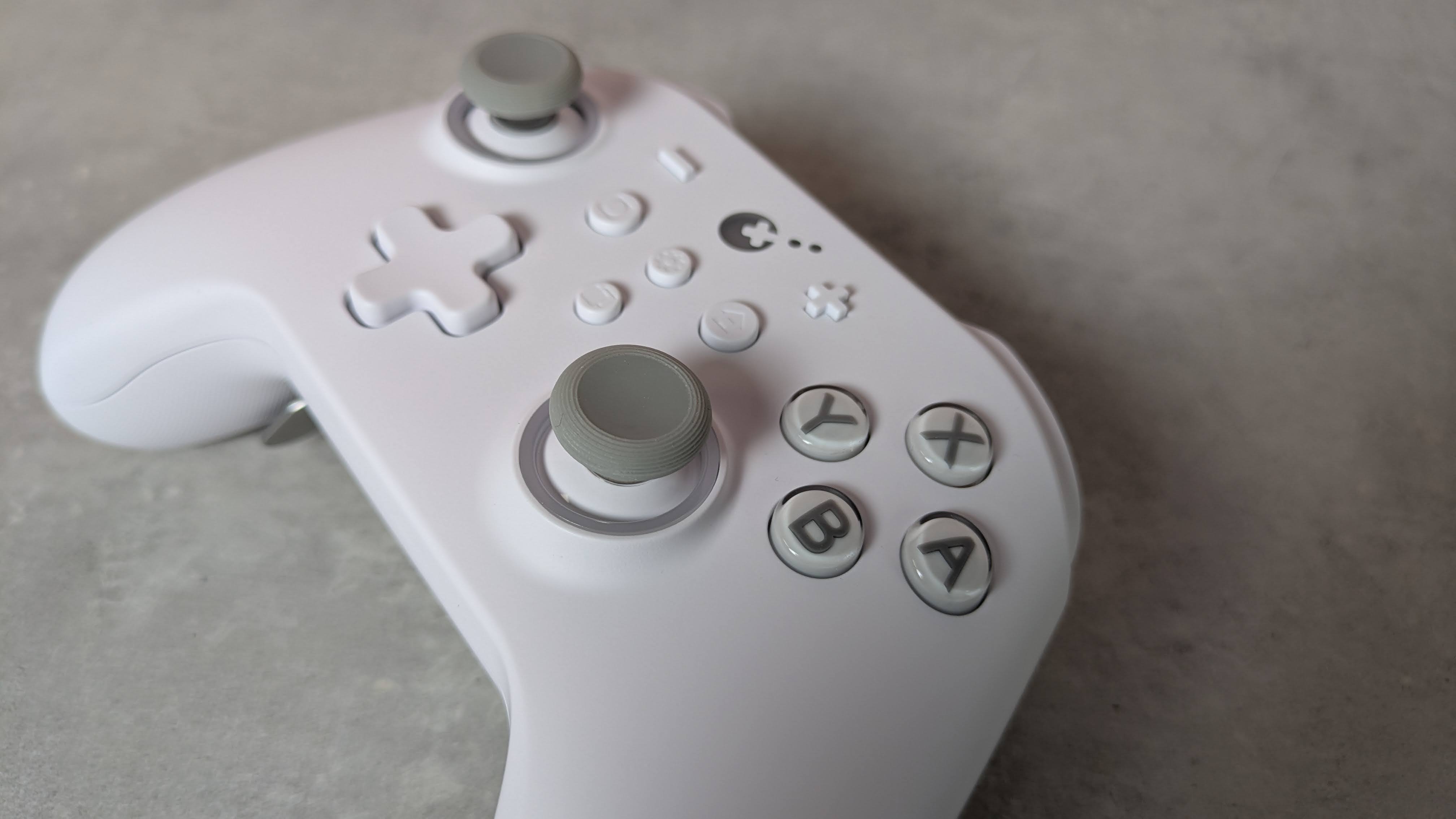
The front plate is incredibly smooth to the touch, smoother than any other controller I’ve experienced. However, this plate isn’t magnetically attached as it is on other gamepads, allowing for easy removal for the sake of customization and reordering or replacing buttons.
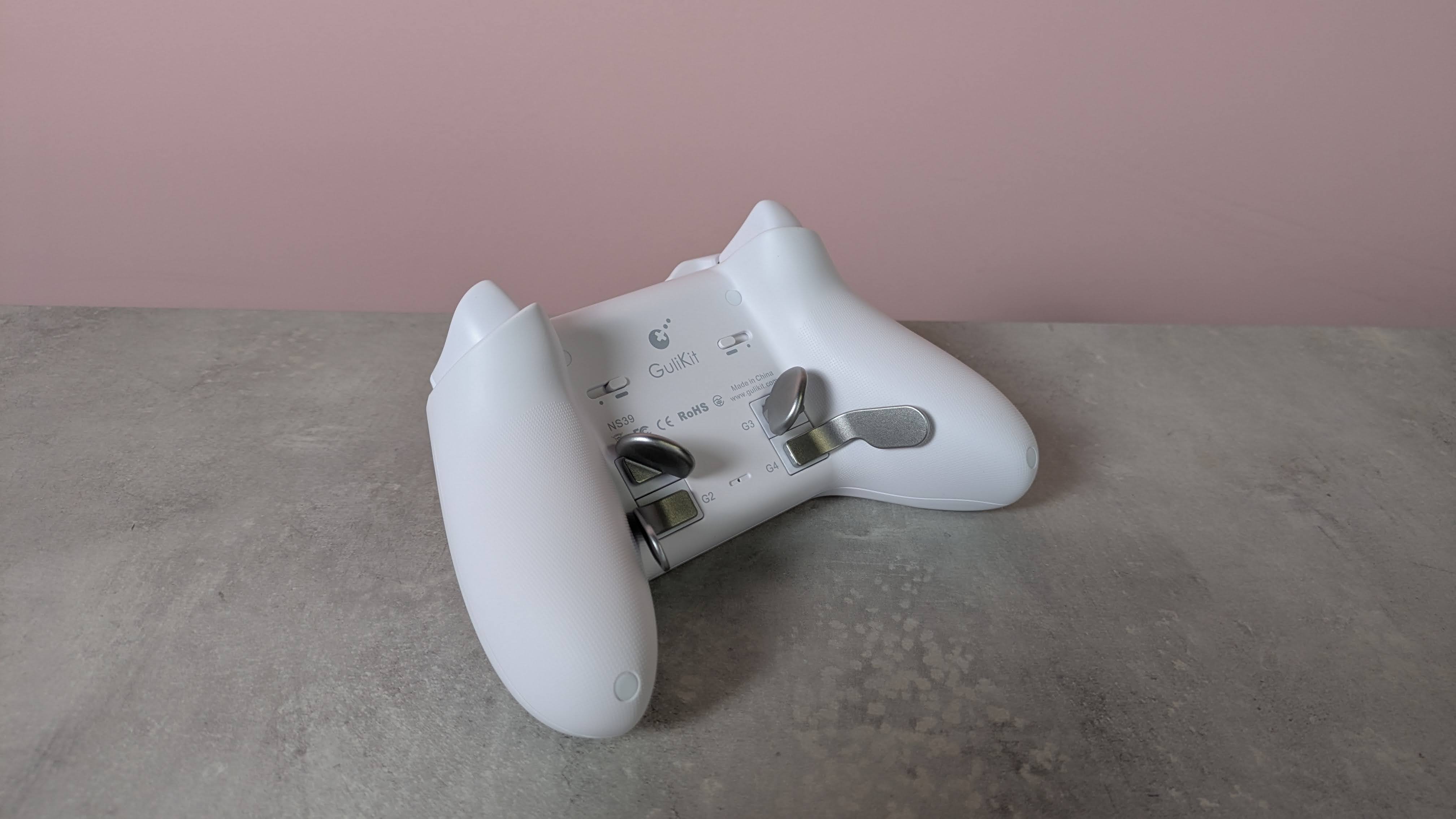
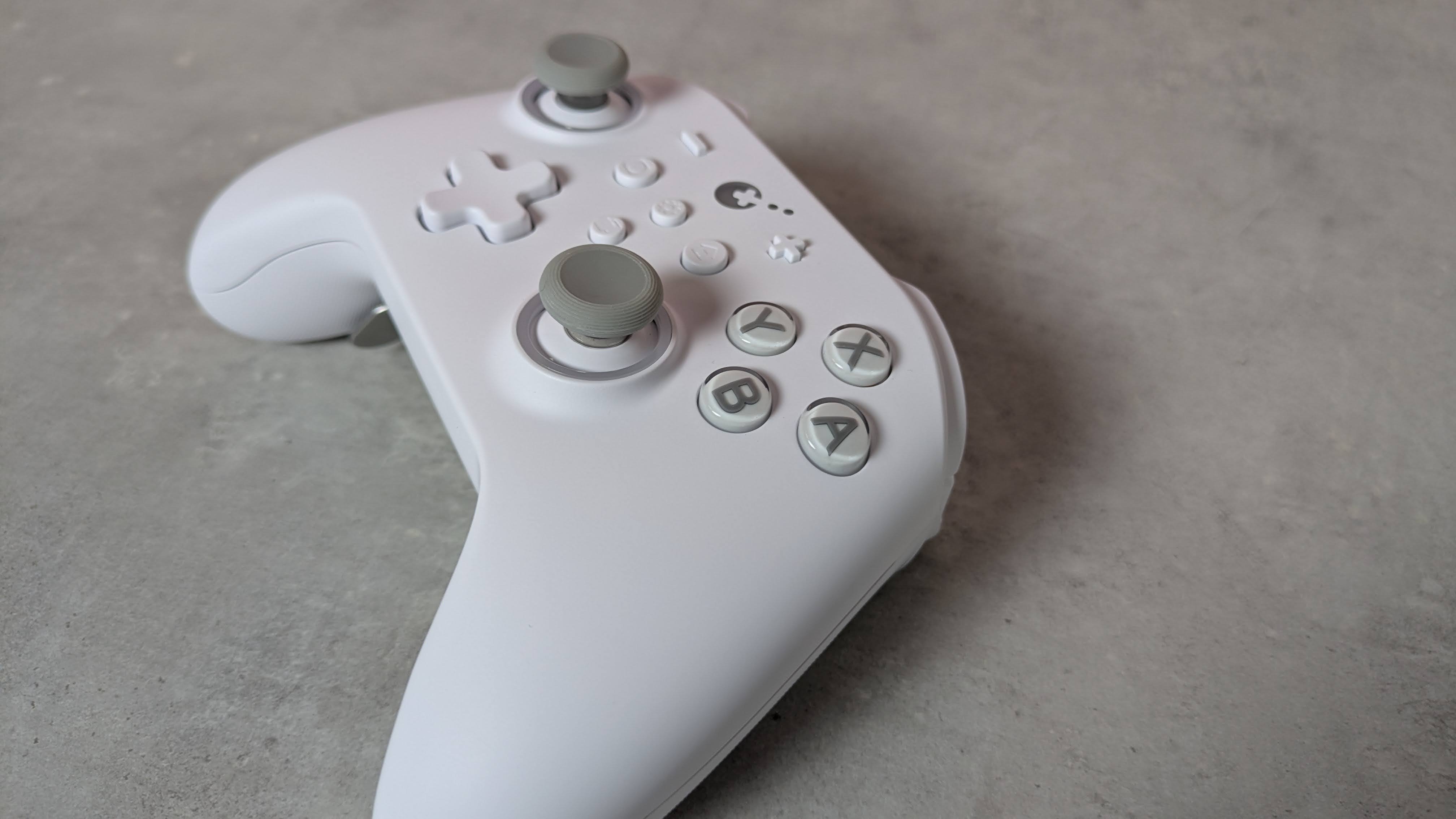
You can still remove the KK3 Max’s face buttons — you’ll just need to use the included puller to do so, which is thankfully easy to use. You can’t directly swap the X with the Y button or the A with the B, though, since they have different depths and curvatures. Rather, duplicates of each button are included in the box with the appropriate depth and curvature for swapping their position. This seems like a rather inefficient solution to me, and just means you have more bits of plastic in your life than you otherwise would.
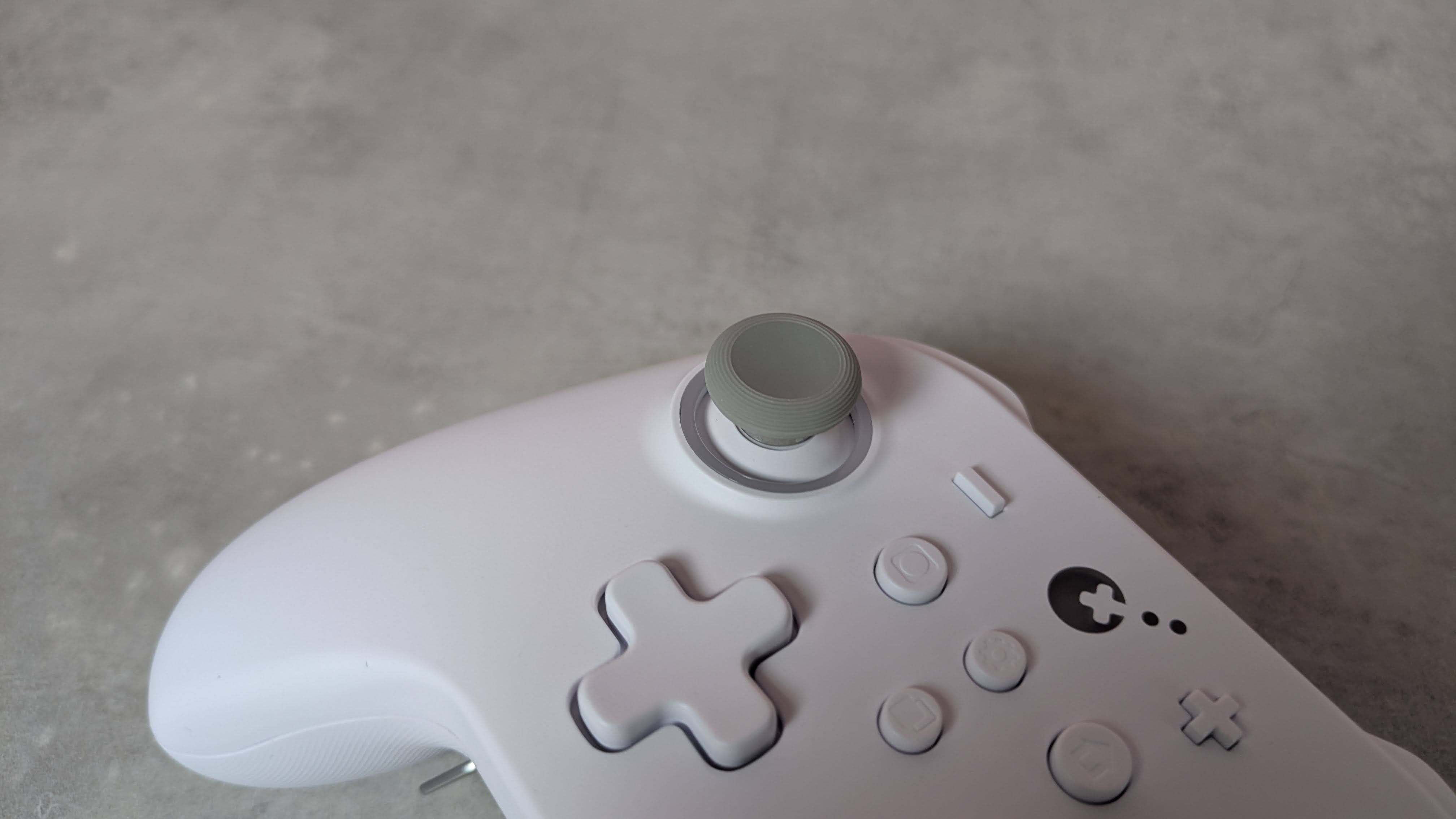
I can’t complain about their quality, though. They’re pleasantly smooth and stable, with only a marginal amount of play, while their transparent design is quite fetching. The D-pad also feels stable, although it’s a shame you can't replace the hat, as different designs can make a real difference to feel and performance, and would cater to more preferences. Fortunately, I found it quite ergonomic; even though it adopts the traditional four-point shape, its rounded edges make it better for rolling between directions.
(Image credit: Future)
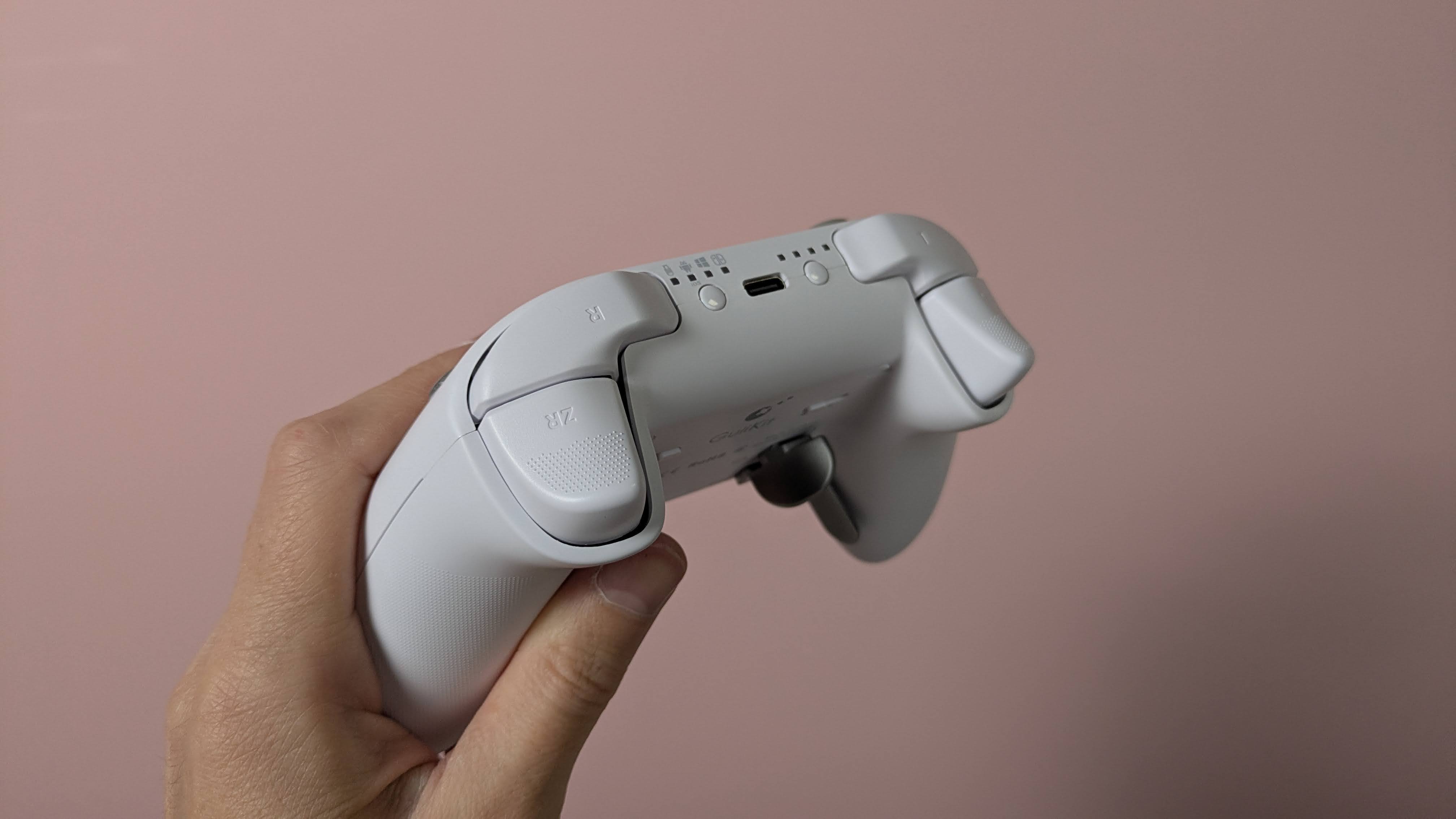
The triggers are also comfortable. They have rounded outside edges, which makes them soft on the finger, as well as a dotted texture to provide grip. The analog stick caps are reasonably small but have an ergonomic shape and a soft finish. Their edges are slightly textured, although this is less prominent than other examples, so those with sweaty thumbs might slip off them. They are removable, but GuliKit doesn’t provide any extra sets in the box, which is a shame. The sticks themselves are quite tall and suitably planted, with a negligible amount of play.
More solid are the back button levers. Despite how they look, they’re not made from metal, but they are reassuringly sturdy. They actually require a fair amount of force to insert in their slots, but once in place, I felt pretty confident that they weren’t going to come loose. They come in different shapes, with two sets of paddle-like levers and a set that looks more like bumpers.
(Image credit: Future)
There’s no software for customizing the inputs of the KK3 Max, which is a shame. However, there are still plenty of adjustments you can make and features to enable using various button combinations. You can alter the sensitivity of the analog sticks, with three levels to choose from, as well as toggle Dead Zone mode for them. You can also enable the Motion Aim Assist mode, letting you assign gyroscopic controls when either the left stick or the left trigger is held. Again, there are three levels of sensitivity to choose from here.
Other settings include a toggle for the D-pad between four- and eight-direction modes, A and B and X and Y swaps, and a Rapid Trigger function with two modes to choose from: one where the chosen input triggers repeatedly when held, and the other when it’s merely pressed. An autopilot mode and a macro recorder are available, too.
All these adjustments are quite easy to make, and there are some useful indicators that let you know what settings have been selected. For instance, the sticks light different colors depending on which of the three sensitivity levels is set, and the pad rumbles once, twice, or thrice depending on which of the three sensitivities of the Motion Aim Assist is set. However, I still would’ve preferred software for convenience's sake; it’s always nice to see your settings represented graphically, and having to remember all the button combinations is a hassle I could do without.
(Image credit: Future)
Gulikit KK3 Max review: Performance
Solid button feel
Slightly imprecise sticks
Motion controls are mixed
In action, the KK3 Max acquits itself rather well. The face buttons are tactile and well-damped, and only require a light touch to press, which makes them feel snappy. However, they don’t provide the best feedback, and there are times when it can be difficult to feel them actually being pressed. Thankfully, however, this didn’t result in presses failing to register, in my experience.
The bumpers are more clicky, but still have enough dampening to make presses satisfying. However, I found their position a little too high, which can make reaching them a little difficult. I should say that I encounter this problem on quite a few gamepads, but here it’s particularly acute.
In fact, I found the back buttons more usable than the bumpers, which isn’t something I can say about a lot of other controllers with back buttons. Their travel might be shallow, no matter which lever you decide to attach, but there’s enough dampening and feedback to make them viable as replacements for other inputs. I didn’t accidentally trigger them when gripping the KK3 Max tightly, either. The shapes of the various levers are easy to use, although I did find that the lower paddles were best used with two fingers rather than one.
(Image credit: Future)
The triggers are resistant enough to provide adequate control when performing graduated presses, something I especially appreciate when playing racing games such as Assetto Corsa that require precise acceleration and braking inputs. Their relatively shallow travel does negate this aspect somewhat, but I still found them just about up to the task. They’re also light enough to perform rapid inputs when needed, and to prevent fatigue from setting in during prolonged holds.
The sticks move freely and quickly, with a fast rebound that makes them feel snappy. Aiming was quite accurate when I played 007 First Light, although they don’t offer the smoothest motion, with small but frequent jumps and unexpected accelerations affecting my accuracy. Thankfully, their aforementioned height didn’t pose a problem when moving them around, although it did cause some instability when pressing in the L3 and R3 buttons, with accidental directional movements often accompanying them.
The gyroscopic motion controls are mixed in terms of their performance. When I played The Legend of Zelda: Tears of the Kingdom on my Switch, they were smooth when aiming the bow, and on a par with the best Nintendo Switch controllers. However, with games on other platforms, such as First Light on PC and Hitman Blood Money — Reprisal on Android, they were jerky and restrictive in terms of movement. No matter how many times I recalibrated them using the onboard function to do this, they didn’t improve on these systems.
I had no issues connecting the KK3 Max to my Windows 11 PC, Switch, or Android tablet via Bluetooth or the USB dongle. The handy button for hot-switching between devices is also useful, and hot-switching itself proved quick in my experience. However, the button doesn’t operate that well, taking a few too many presses to actually respond.
Should I buy the Gulikit KK3 Max?
Buy it if…
You want a comfortable gamepad The ergonomic shape of the KK3 Max, combined with the super smooth front panel and rounded triggers, make it comfortable to use — although those with particularly large hands might struggle with it.
You want plenty of back buttons With four back buttons and three different kinds of lever attachments for them, the KK3 Max is great for those who like to trigger inputs with their fingers rather than their thumbs.
Don't buy it if…
You want software Even though you can customize the inputs of the KK3 Max, you’ll need to do this with button combinations, as there’s no companion app.
You want the best stick performance The sticks aren’t quite as smooth or precise as those in the best gamepads.
Gulikit KK3 Max review: Also consider
GuliKit KK3 Max
8BitDo Pro 3
Valve Steam Controller (2026)
Price
$79.99 / £65.99 / AU$113.95
$59.99 / £40 (around AU$84)
$99 / £85 / AU$149
Weight
9.7oz / 275g
8.5oz / 242g
10.3oz / 292g
Dimensions
6 x 4.3 x 1.3in / 154.7 x 108.1 x 32.4mm
6.1 x 3.9 x 2.6in / 154 x 101 x 65mm
4.4 x 6.3 x 2.2in / 111 x 159 x 57mm
Compatibility
PC, Switch, Switch 2, Android, iOS
Switch, Switch 2, PC, Android, iOS
PC, Mac, Android, iOS
Connection type
Wireless (2.4GHz, Bluetooth), Wired (USB-C)
Wireless (2.4GHz, Bluetooth), Wired (USB-C)
Steam Controller Puck, USB, Bluetooth
Battery life
15-28 hours
15-20 hours
35+ hours
Valve Steam Controller (2026) Valve’s latest iteration of the Steam Controller was highly anticipated, and in our view it didn’t disappoint. We found it offered great all-round performance, thanks to its TMR analog sticks and excellent gyro controls. Unlike other controllers, it also features touchpads for controlling cursor movement, making it a real boon for PC players. It doesn’t have the wide-ranging platform support of others, though.
8BitDo Pro 3 If you want to spend less on a controller but still want great performance, look no further than the 8BitDo Pro 3. We loved the performance of its sticks, triggers, and D-pad, and we found its shape supremely comfortable, while still staying faithful to the old SNES gamepad it’s keen to emulate. It also has great software with plenty of customizations.
I tested the Gulikit KK3 Max for a few days, during which time I played a number of games on most of the platforms the controller is compatible with. I used it on my Windows 11 PC via the 2.4GHz wireless USB dongle, and on my Switch and Samsung Galaxy Tab S11 tablet via Bluetooth.
I made sure to play a variety of games across these platforms to test every facet of the controller’s performance. I played 007 First Light on PC, which is a good test for the accuracy and precision of analog sticks, as well as Hitman: Blood Money — Reprisal on my tablet for the same purpose. I also played Assetto Corsa, which is not only a good test for the sticks but also for the control offered by the triggers. I also played The Legend of Zelda: Tears of the Kingdom on Switch, primarily to test the motion controls, as the game and console handle such controls very well.
I’ve been gaming for decades, and have used numerous gamepads with numerous systems in that time. I’ve also reviewed a number of other controllers, from budget offerings to high-performing premium models.
Tough sell. | Photo: Antonio G. Di Benedetto / The Verge
The HP HyperX Omen 15, which I first saw at CES, replaces the HP Victus 15, a longtime bestselling budget gaming laptop. The Victus cost just $800, or less when on sale, and was a good entry point to decent laptop gaming.
The Omen 15 has nice little upgrades over the Victus. Its RTX 5050 Laptop GPU can play 2026's latest games, albeit on low-ish settings. But it's also got a brighter 16:10 aspect ratio display with higher refresh rate, and a 1080p webcam to make it a little better for non-gaming stuff.
I'd call it a working-class gaming laptop, but thanks to RAMageddon, the Omen 15 starts at $1,200 - a far cry from the $800 that made its …
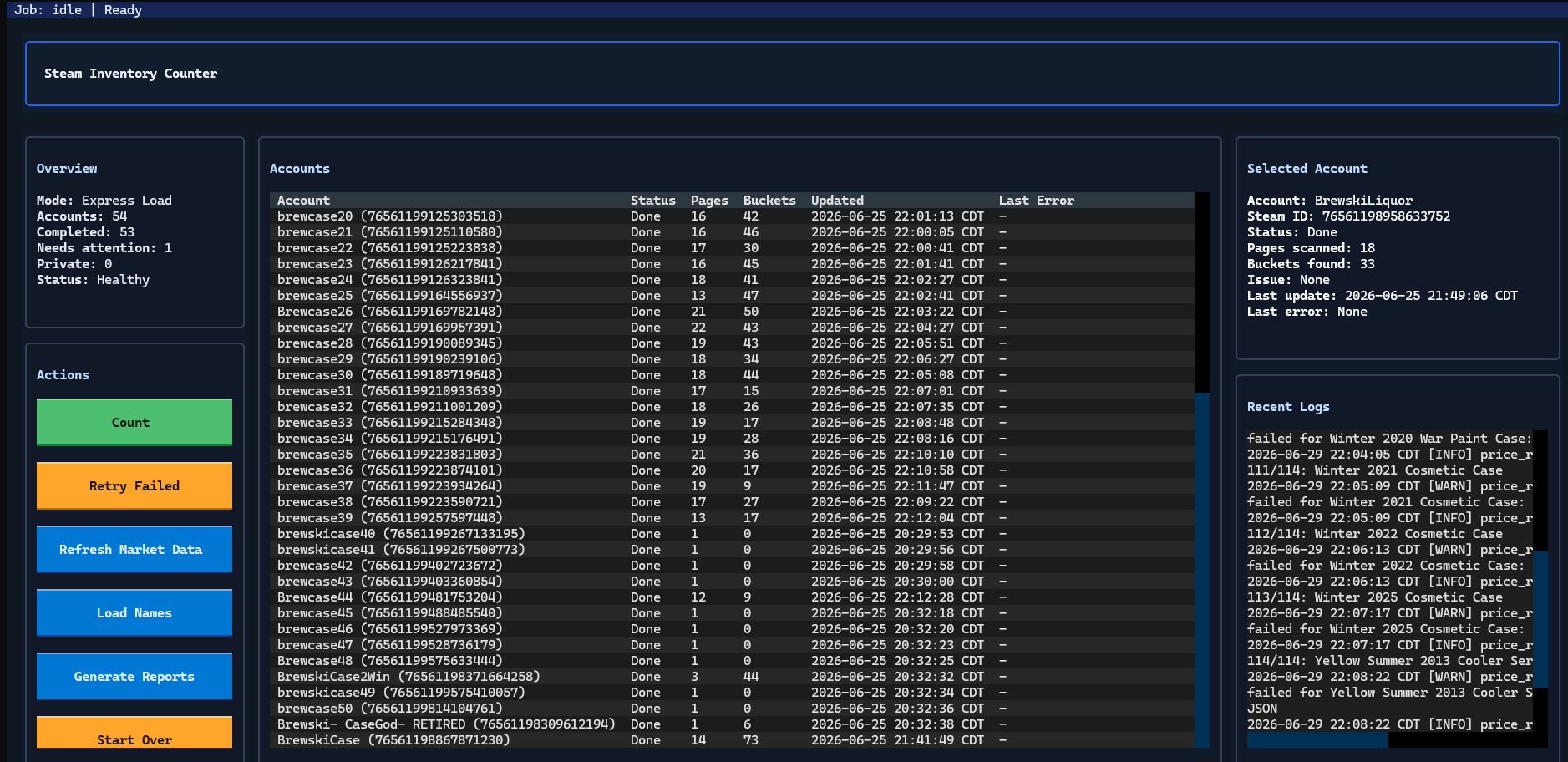
Team Fortress 2 cases are worth pocket change. There are a few select cases that scale up to a few dollars, and even fewer with a market price in the double digits, but the vast majority of cases are worth a few pennies, no more than a Steam Trading Card. But one player, Vincent Stech, started collecting cases nearly a decade ago, racking up over 1.7 million cases across several Steam accounts. And now, he’s selling the whole collection, with an estimated value of $100,000.
Stech started collecting cases around Team Fortress 2’s last major update, in late 2017, outside of annual Halloween events that persisted through 2022. In order to accumulate so many cases, Stech largely automated the process, noting that he was careful not to upset the string-pullers at Valve as he amassed a stash of seemingly innocuous digital assets.
“That’s always been one of my biggest fears over the past decade, is one day they wake up like ‘hey, we don’t like what this guy’s doing,’” Stech told Tom's Hardware. “Because I know people with accounts with like 50,000 items that won’t load, and Valve won’t delete the items off their account, so they just can’t access Team Fortress 2 inventory ever again on their main account.”
Before understanding Stech’s process, however, we have to start with how Team Fortress 2’s in-game economy works. Like other Valve titles, you’re able to list items you earn in-game on the Steam Community Marketplace, selling them for real dollars or spending real dollars of your own to buy other items. That’s the normal way of doing things, but this in-game economy has grown beyond the bounds of Steam. A lot of transactions happen off the platform.
(Image credit: Backpack)
Websites like backpack.tf and stntrading.eu take trading off of Steam, allowing you to use in-game crafting materials (along with keys) to buy and sell items. There are several reasons for these third-party marketplaces to exist, not the least of which is bot automation, which is against Steam’s Terms of Service. This exchange of in-game currency for items happens through trades on Steam, creating a separate marketplace where real money doesn’t change hands.
That’s not where Stech started. “Team Fortress 2 cases, they weren’t worth anything. They were… people were just giving them away because they take inventory spots,” Stech said. “People were deleting things, and so I decided to scoop them up.”
The problem Stech quickly ran into was inventory space. You can only have a few thousand items in your inventory (Stech told me 4,000 for Team Fortress 2, others say it’s around 2,000). Regardless of the number, it’s far too low a limit to amass nearly 2 million items, even with dozens of alternative accounts. Stech bypassed this issue by using the community marketplace. He listed the cases at very high prices where they were unlikely to sell. That’s because you can have tens of thousands of items on the market “before Steam gets really angry at you.” It effectively multiplies inventory space.
(Image credit: Vincent Stech)
As his inventory began to grow, Stech started automating the process of taking inventory and accepting trades, the latter of which was handled through a simple batch file. At first, Stech was just buying cases in bulk at relatively low prices, but the inventory escalated once he started digging into Steam’s local pricing in different regions.
“In Venezuela and, like, Russian [Rubles]... they are very weak currencies compared to the U.S. dollar,” Stech said. “What I found out is the lowest you can sell an item on Steam for us is three cents. For them, it’s a 10th of a penny. So I found this one guy in Venezuela… he would buy almost every case off the Steam Community Market for their extremely low price, and then he would sell it to me, and I would just give him, like, keys. And he was actually a doctor in Venezuela, and they don’t make much at all by comparison to, like, what $50 would be in USD. So a large majority of his income was case money.”
For context, $50 is equivalent to just over 37,000 bolívares (the official currency of Venezuela).
Stech’s first cash-out from Steam was $50 when he was around 16 years old. A few years later, he cashed out $2,500 to buy his first car. Stech stopped collecting cases about three years ago, and now, he’s looking to sell off the entire collection, which he estimates is worth around $100,000.
Selling this collection is no easy feat, however. For starters, Steam can break when trades get too large, necessitating hundreds of trades across dozens of different accounts. Further, Stech controls quite a large portion of known cases. “At one point, I calculated I had, like, 17% of all TF2 cases that are publicly known… I would have an extremely hard time selling it off because I am a large [portion] of the market. It’s like, you know, Elon Musk couldn’t dump a lot of his stock.”
Stech has, apparently, found a buyer that wants the whole collection, however, and the selling process is already underway. “The transaction has kind of started… he has admin privileges on the trade offers he sends to my accounts, so my accounts just automatically accept any trade from him,” Stech said. “An option was for him to just buy the accounts, but we know that is very bannable, so we haven’t done that.”
Stech says he expects to have the process complete around October. Just as he used case money to buy his first car, he says he plans to use the money from the sale as a down payment on a house.
An intrepid TechTuber has tested a trio of passive mini PCs from the Subway sandwich chain to check if they can be repurposed for gaming fun. In a recent video, Garkus indicates that the three Intel Skylake-powered mini PCs that had been displaying sandwich menus above the serving counters for a decade but were saved from scrap/landfill, alongside a matching set of LG digital signage TVs. Spoiler: they are too puny for mainstream AAA gaming in 2026, even after doubling the RAM installed.
Before getting on with the digital signage-to-gaming conversion, Garkus investigated the hardware in hand. Labeling indicated that the three slim mini PCs were all Advantech DS-081 models (official PDF link). Pondering over that data sheet, we see that the variant with the Intel Core i3 6100U, as these were, carries the full designation of DS-081GB-U21A1E.
The processor is now both long in the tooth and low powered, so immediately we know this 2C/4T @ 2.3 GHz CPU, configured to suck between 7.5W and 15W, won’t be ideal for modern AAA titles. Moreover, the iGPU is the Intel HD Graphics 520 with 24 EUs and clocks up to just 1.00 GHz, sharing the DDR4 system RAM.
A DS-081GB-U2A1E is quite expandable for such a small, low-powered set-it-and-forget-it unit. It has twin HDMI 1.4, twin Ethernet, four USB 3, audio in/out, and an RS-232 serial port accessible from the outside. Inside, users can configure the machine via twin DDR4-2133 SODIMM slots (up to 32GB total), a SATA III HDD/SSD, and an mSATA port that looked like it was an M.2 2242 slot in the video. This passive machine is designed to run signage 24/7 in environments with 0 ~ 40° C (32 ~ 104 ° F) ambient temperatures.
These systems were found to actually come with just 4GB of RAM (one slot used) and with a 64GB SATA SSD installed. They booted to Windows and went straight to kiosk mode, displaying the Subway sandwich menu. We saw an extra 4GB DDR4 stick added to bring the test system(s) up to 8GB RAM in total.
After a bit of OS wrangling, Garkus decided to set up the salvaged trio of passive mini PCs as follows. One kept Windows 10, another got Bazzite Linux (because SteamOS balked at the SATA-only storage), then another went Hackintosh with macOS Monterey installed.
Gaming tests began with a very light test. The system ran Peggle, and this 2D puzzler posed no problems. After this modest victory, Garkus ambitiously leapt straight to GTA V. This legendary but now older title could only reach a frame rate of about 15 fps. But it was found to have defaulted to high settings, took ages to get ready to run on Bazzite, then crashed on exit.
Probably not following best benchmarking practice, the tech tinkerer appears to have decided to test Mario Kart Wii emulation performance while GTA V was still compiling shaders… Later, a test run in Minecraft delivered a wildly inconsistent but roughly 25 fps performance. As is now established as the Garkus testing MO, resolution, quality settings, and so on weren’t shared.
To conclude the gaming part of the video, the TechTuber suggests that these ex-kiosk machines are probably best suited to emulating older consoles up to the PS2 and original Xbox era. We think that for PS2 emulation, you will still need to restrict yourself to lighter titles and reduced settings for smooth action.
The Steam Machine is almost here. Valve chose possibly the worst time to announce new PC gaming hardware in late 2025, just as the AI boom sent storage and RAM prices through the roof. The upheaval delayed its new Steam Machine release, but Valve has announced its TV-friendly gaming PC will go on sale June 29 with a reservation-based system and a starting price of $1,049.
The Steam Machine will come in two variations: one with 512GB of storage and a more expensive one with 2TB. They'll retail for $1,049 and $1,349, respectively, and you'll be able to bundle a Steam Controller with either for an additional $79. Buying the 2TB model also gets you a pair of exclusive faceplates with red fabric and walnut finishes. Like the Steam Deck, the machine ships with the Linux-based SteamOS.
Both versions of the Steam Machine will run on a custom six-core AMD Zen 4 CPU with a peak clock speed of 4.8GHz. The integrated AMD RDNA3 GPU will feature 28 compute units and 8GB of dedicated DDR6 VRAM soldered to the board. The system will have its own 16GB allotment of DDR5 on the board. This should provide enough oomph (with upscaling tech) to play moderately demanding PC games on your TV.
Valve has some good news and bad news about Steam Controllers. The good news: If you make a reservation for a Steam Controller, the company will now show you one of three estimates of when you'll be able to actually order your gamepad: by September 2026, by December 2026, or sometime in 2027. The bad news: Any reservations made today "indicate a 2027 date for shipping," Valve says.
"We have no plans to stop making Steam Controller," according to Valve. "But as we look at the current demand compared to how many we know we can make by the end of the year, we want to manage expectations as much as we can with regards to when folks can expect t …
Roblox's vice president of safety product policy, Eliza Jacobs, told NBC News that Roblox is "optimistic" that its new facial age estimation tech will "continue to get better," saying, "Ticking a box to say you're 13 or older, it's not enough anymore." NBC invited a group of kids to try out Roblox's new video selfie age check process, but they weren't able to get around it with a fake mustache. Jacobs claims Roblox's facial age estimates can typically land "within 1.4 years of a child's exact age."
Roblox announced plans in April to begin using its video selfie age estimation tech to sort players into age brackets. Users under 16 and unde …
On June 10th, the German container ship Posen docked in Los Angeles after a two-week voyage from Shanghai. As Valve watcher Brad Lynch notes, it was almost certainly carrying the first mass production shipments of the Steam Frame, Valve's new gaming headset.
Import records show that Valve's distribution partner Ceva offloaded nearly 32 metric tons of "Virtual Reality Devices" on Valve's behalf - or roughly 13 tons of actual product, after you subtract the roughly 3,700 kilogram weight of five 40-foot shipping containers.
After over a decade, Steam will no longer sell physical gift cards in stores. In a support page spotted earlier by Windows Central, Valve says it will no longer restock its gift cards once they run out, citing scammers who "continue to have an impact on Steam customers and other unsuspecting individuals."
In its post, Valve links to a Federal Trade Commission article outlining how gift card scammers attempt to convince victims to buy a gift card at a store and give them the code. Valve says it has responded to these scams by working with law enforcement, adding a warning to gift cards, and limiting their availability in stores, but "scammer …

 Login
Login



 The 3D model animates to show the front flap opening.
Credit:
GOG
The 3D model animates to show the front flap opening.
Credit:
GOG