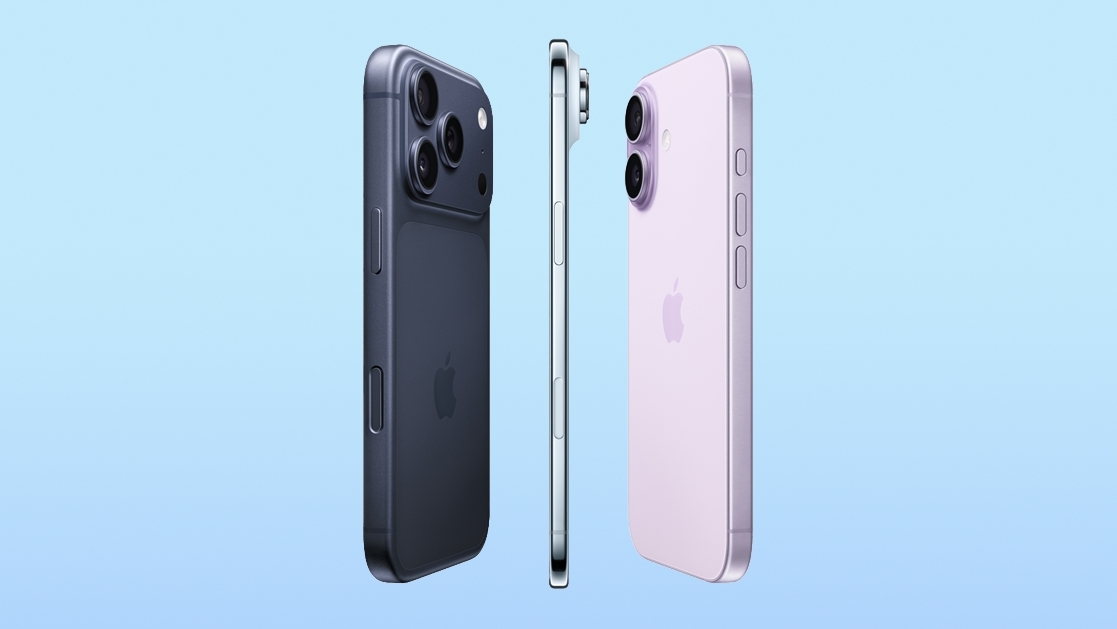
A Apple disponibilizou ontem a quinta versão beta dos sistemas 27 e, no caso do iOS, além de trazer novidades como novos ícones para apps nativos e mais opções de personalização de voz para a Siri, a última atualização fez menção à linha de iPhones que deverá ser lançada entre o final deste ano e o início do ano que vem, composta pelos modelos “18 Pro”, “18 Pro Max”, “Ultra”, “18”, “18e” e “Air 2”.
As referências foram encontradas pela Macworld em arquivos do sistema relacionados aos drivers de bateria do iPhone, limitando-se à exibição dos codinomes desses aparelhos. Nenhuma outra informação sobre esses dispositivos foi localizada.
A lista dos seis codinomes internos inclui:
V62: “iPhone Air 2”
V63: “iPhone 18 Pro”
V64: “iPhone 18 Pro Max”
V67: “iPhone 18”
V68: “iPhone Ultra”
V69: “iPhone 18e”
Algo semelhante ocorreu com o “iPhone Ultra” na quarta versão beta do novo iOS, cujo código incluía referências a um aparelho com múltiplas baterias — algo inexistente hoje e fortemente especulado no caso do primeiro dobrável da Apple.
Em um feito inédito, o tradicional evento de setembro destinado ao anúncio de novos iPhones — cujos preparativos já começaram — poderá dividir os lançamentos da linha “iPhone 18”, restringindo-se inicialmente aos modelos premium, como o “Ultra”, o “18 Pro” e o “18 Pro Max”, enquanto os demais aparelhos ficarão para o início do ano que vem.
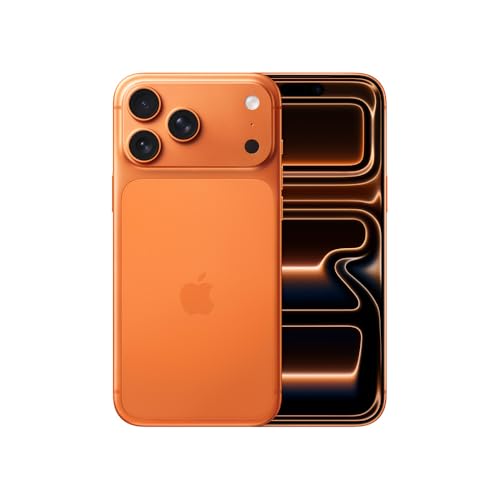
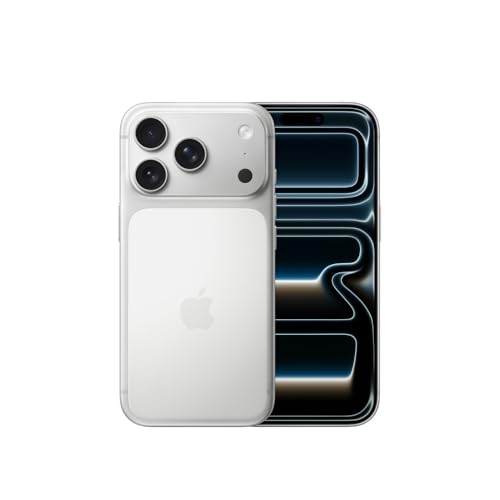
iPhone 17 Pro Max
Cores: prateado, laranja-cósmico ou azul-intenso Armazenamento: 256GB, 512GB, 1TB ou 2TB
NOTA DE TRANSPARÊNCIA: O MacMagazine recebe uma pequena comissão sobre vendas concluídas por meio de links deste post, mas você, como consumidor, não paga nada mais pelos produtos/serviços usando os nossos links de afiliado.
Macworld reports that iOS 27 beta 5, released to developers on Monday, contains hidden code revealing six unreleased iPhone models – although you've probably heard of them before.
The following references are said to have been found alongside references to existing iPhone models, in system files associated with the iPhone's battery drivers and Battery Intelligence features:
V62 — iPhone Air 2
V63 — iPhone 18 Pro
V64 — iPhone 18 Pro Max
V67 — iPhone 18
V68 — iPhone Ultra
V69 — iPhone 18e
It's the first time the full iPhone 18 lineup has been mentioned in code found in an iOS 27 beta. To be clear, the discovered references are the codes in bold, excluding the names (which are inferred) but these internal Apple identifiers have appeared in previous leaks or have been used by Bloomberg's Mark Gurman in his reporting, allowing them to be matched to the expected iPhone models.
Apple has not publicly confirmed the existence of any upcoming iPhone 18 models, but regular readers will know that they have been heavily rumored for several months now.
Apple is taking a different launch approach to the iPhone 18 series this time around, with a split-launch strategy that will see the iPhone 18 Pro, iPhone 18 Pro Max, and foldable iPhone Ultra unveiled in September. For the first time, the regular iPhone 18 will be launched in the spring of 2027 alongside the iPhone 18e and iPhone Air 2.
Apple is working on "Apple Reference Image," a photo provenance system that will verify if an image was captured with an iPhone. References to the feature were found in a privacy disclosure included in iOS 27 beta 5, but it is not live yet.
According to the text, there will be a "Reference" mode option in the Camera app that users can select. Using this mode will embed provenance data in the image's metadata.
Images captured with an opt-in Reference mode can be authenticated to confirm they were taken with an iPhone. Authenticating is done by tapping the Reference badge on the image, which sends the raw image, sensor signatures, capture time frame, and the unique hardware identifiers of the sensor to Apple's Private Cloud Compute (PCC) servers. PCC uses the information to determine whether the camera captured the photo, gives it a unique ID, and then returns an authenticated version to the user's device.
When authenticating a photo, Apple receives sensor data, a hash, and the assessment results, but not the raw photo. Apple can refuse to authenticate images from a sensor that might be compromised, and it can retroactively revoke a sensor's past authentications.
Authenticated photos can be viewed on an iPhone, iPad, or Mac, and the Reference badge can also be clicked on a Mac. Images have to be captured in Apple's specific Reference mode to be authenticated, which suggests it's a feature aimed at pro photographers, journalists, and others who need to verify images. There may also be a video component, since Apple's disclosure mentions "photos or videos" and "uncropped footage."
Reference mode offers hardware-backed evidence that an image was captured with a physical camera sensor, which is useful at a time when AI can generate realistic-looking images. AI images are often watermarked or labeled through metadata to make sure they can be identified as fake, including images from Image Playground.
Camera manufacturers like Leica, Sony, and Nikon use C2PA Content Credentials for authentication, and Google also adopted it for the Pixel 10 lineup. Apple's authentication system sounds like it serves a similar purpose.
We're a little over a month away from the launch of iOS 27, and Apple is continuing to make changes. The fifth beta of iOS 27 changes the look of some app icons and adjusts Liquid Glass, plus it adds some smaller features that make the iPhone just a little nicer to use.
App Icons
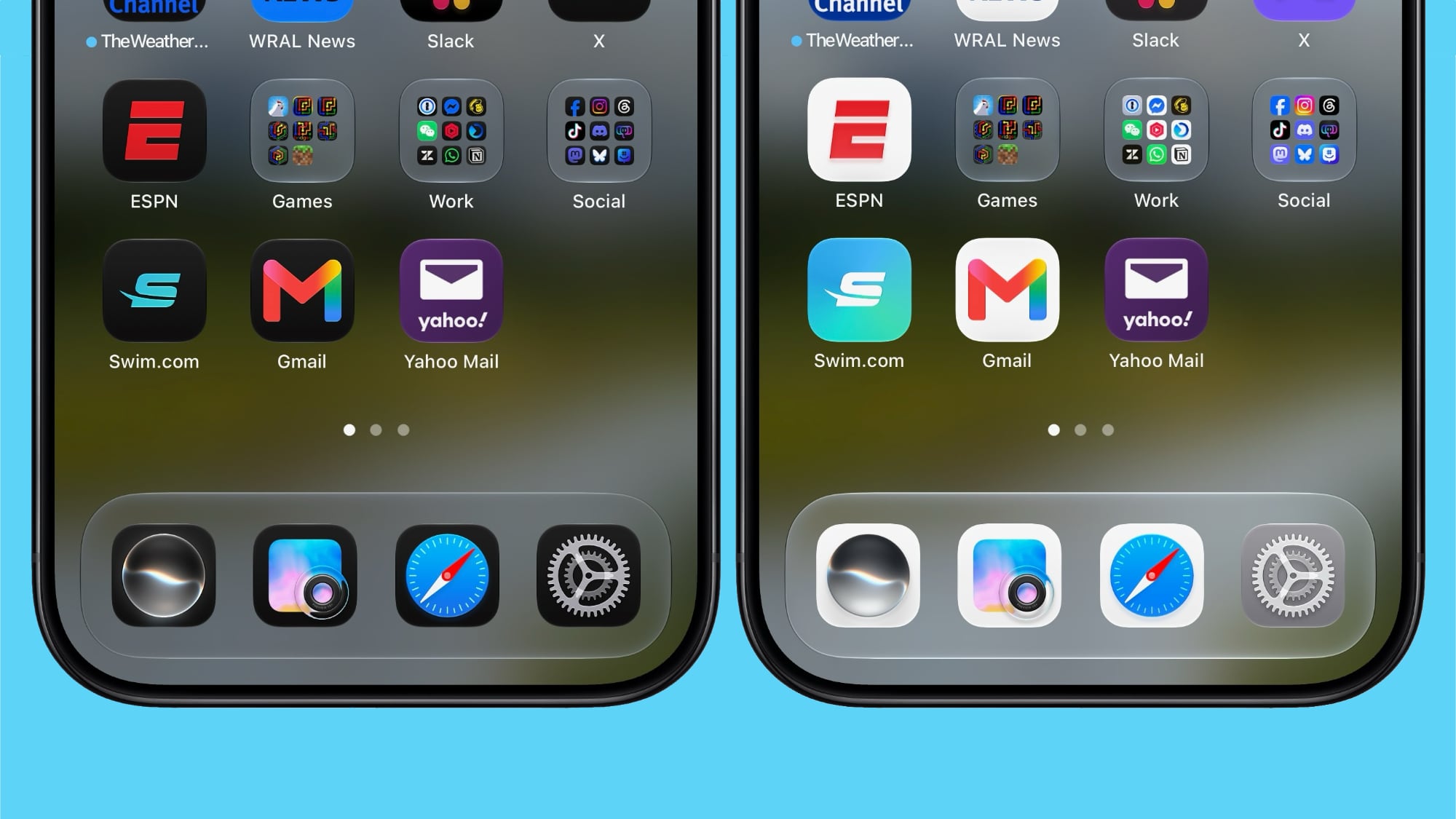
There are updated Liquid Glass icons for Safari, Siri, Settings, Remote, App Store, and Preview. Some of the icons have been entirely redesigned, while others feature more detail than before.
Siri AI Voice Customization
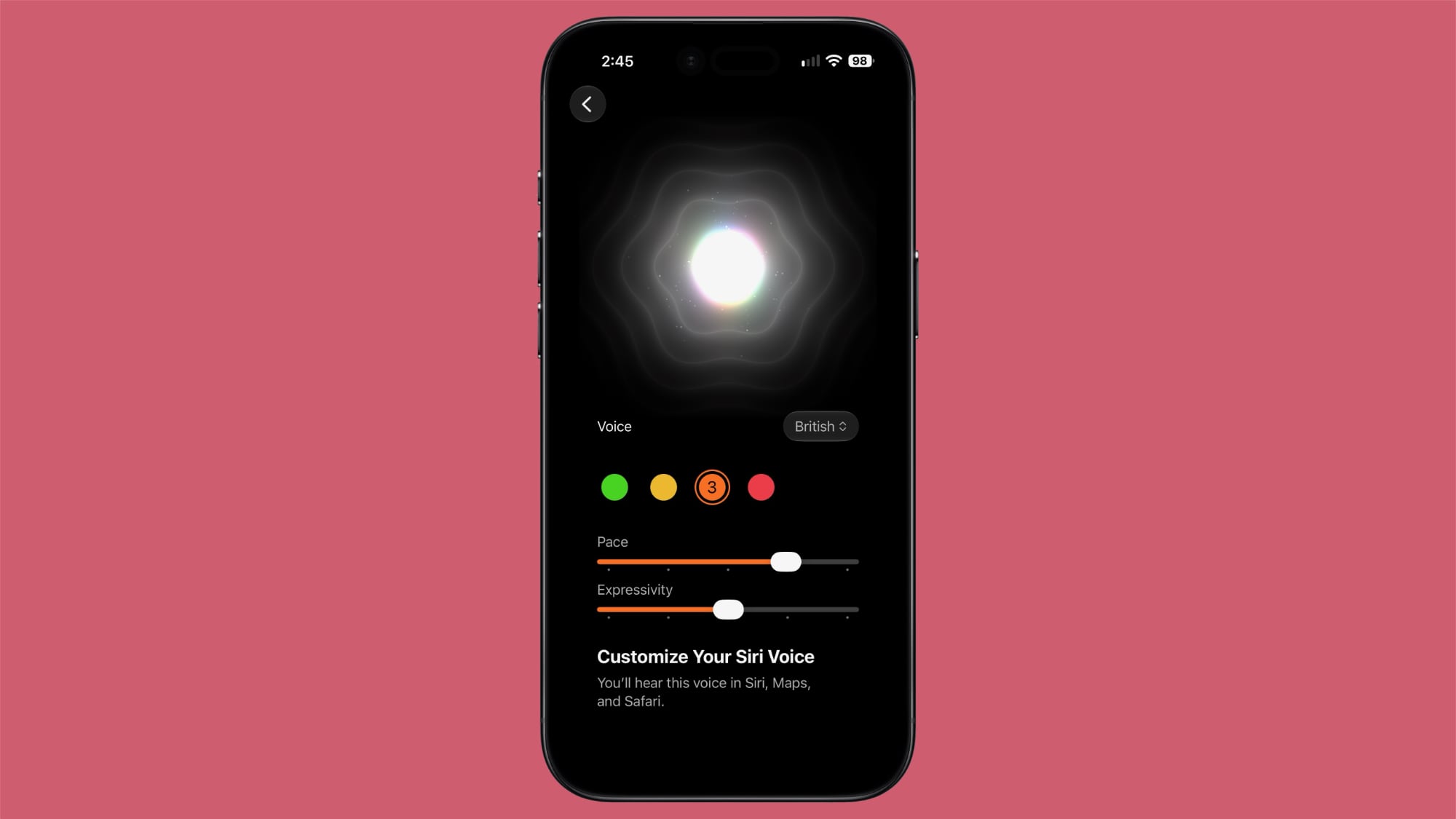
Voice customizations for Siri AI have been expanded, and Pace and Expressivity can be adjusted for all seven American voices and the four British voices.
Siri AI voice customization is done on-device, so the feature is limited the iPhone 17 Pro, iPhone 17 Pro Max, or iPhone Air.
Contacts
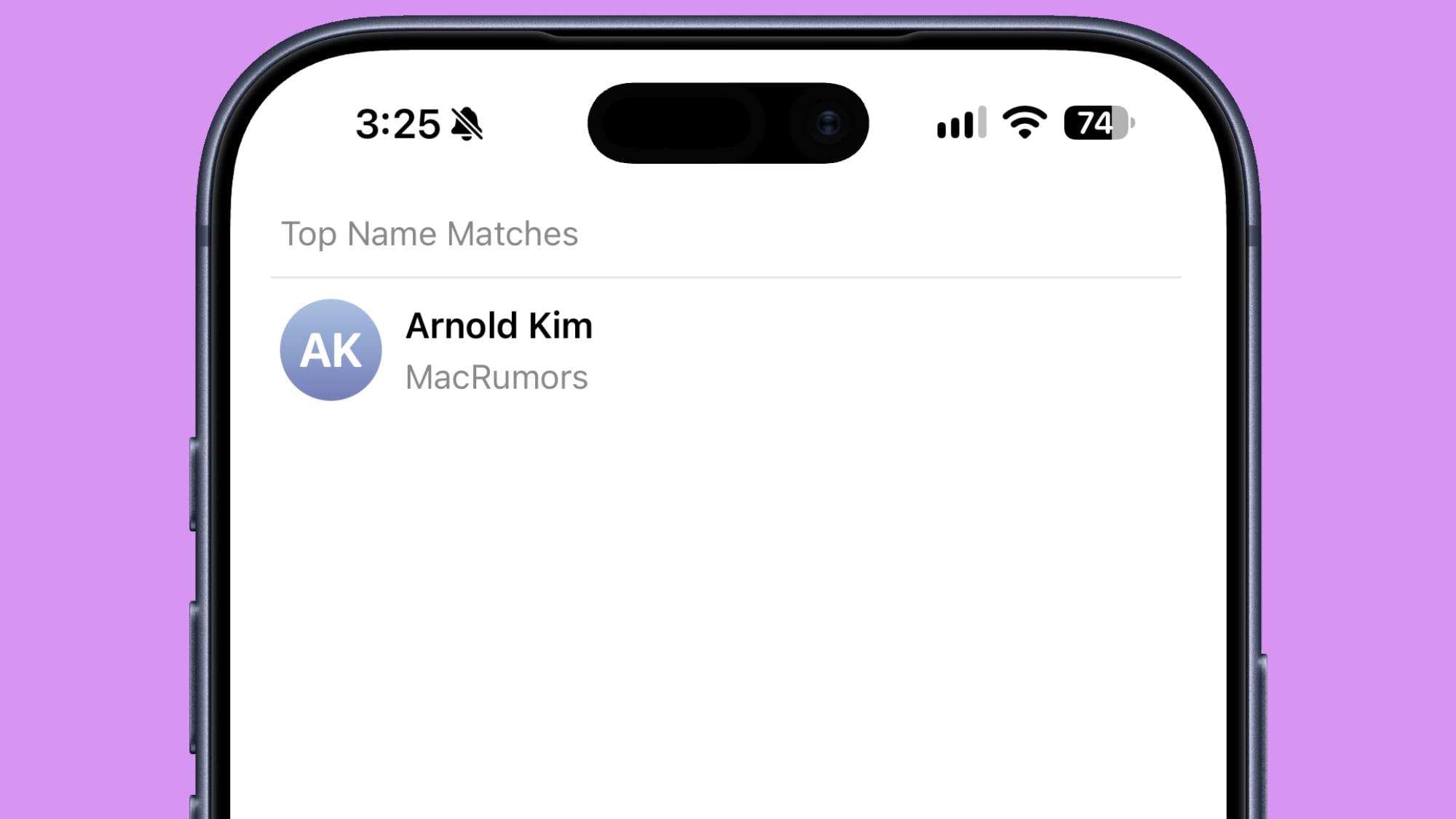
If a contact you've created has a company associated with it, the company name will show in the contact list under the name and in search. It makes it easier to see more information on a contact without having to tap into the contact card.
Create a Pass
The Apple Wallet Create a Pass feature is now available outside of the U.S.
Splash Screens
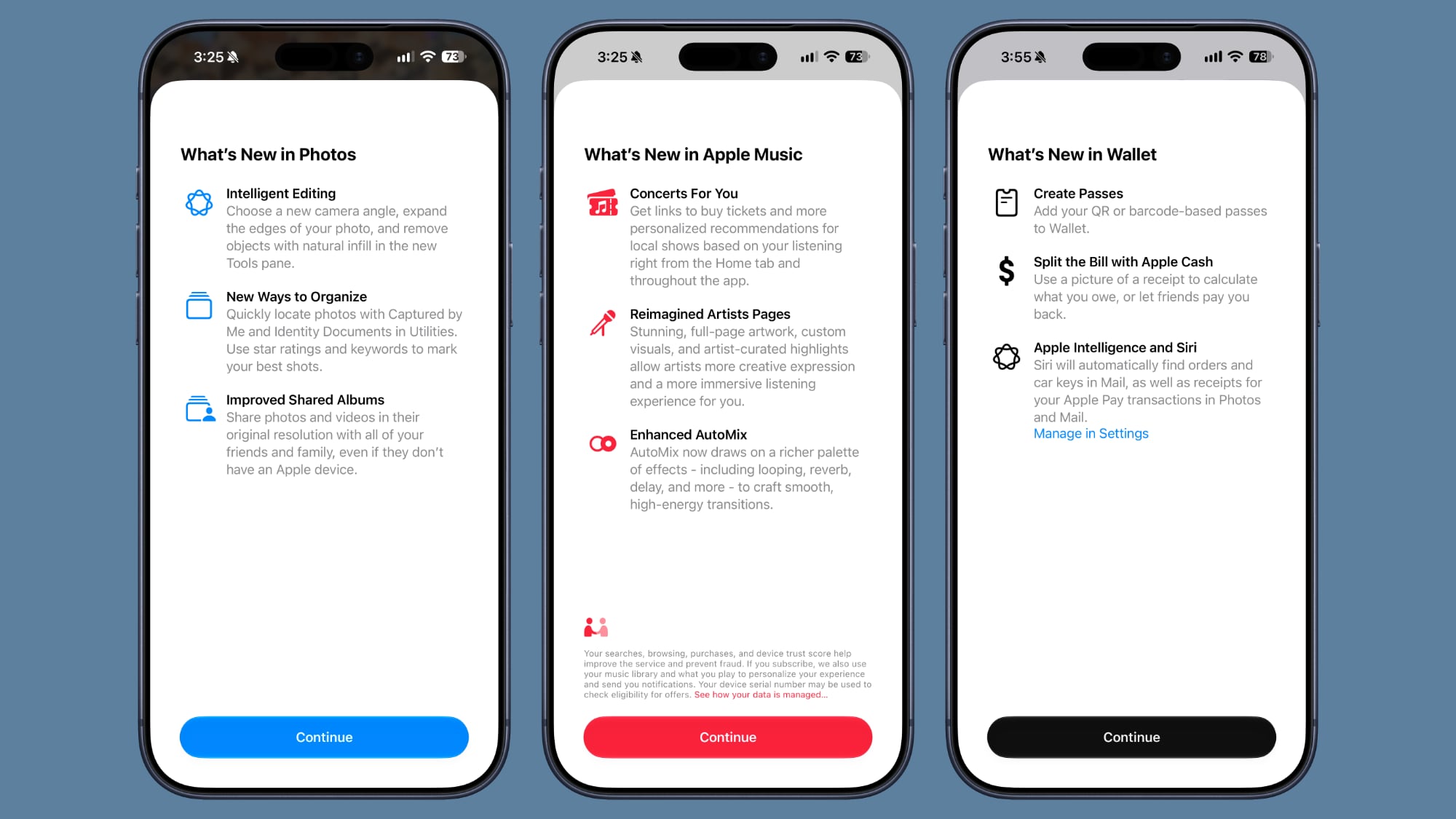
Apple added splash screens for the Photos, Wallet, and Music apps, explaining what's new in iOS 27.
Search and Ask
Apple made minor changes to the animation when bringing up Search or Ask. The suggestions interface now comes up as the search bar does rather than popping up slightly afterward.
The search interface also now has a "Search the Web" option at the bottom of results that was not there before.
Apps in Search
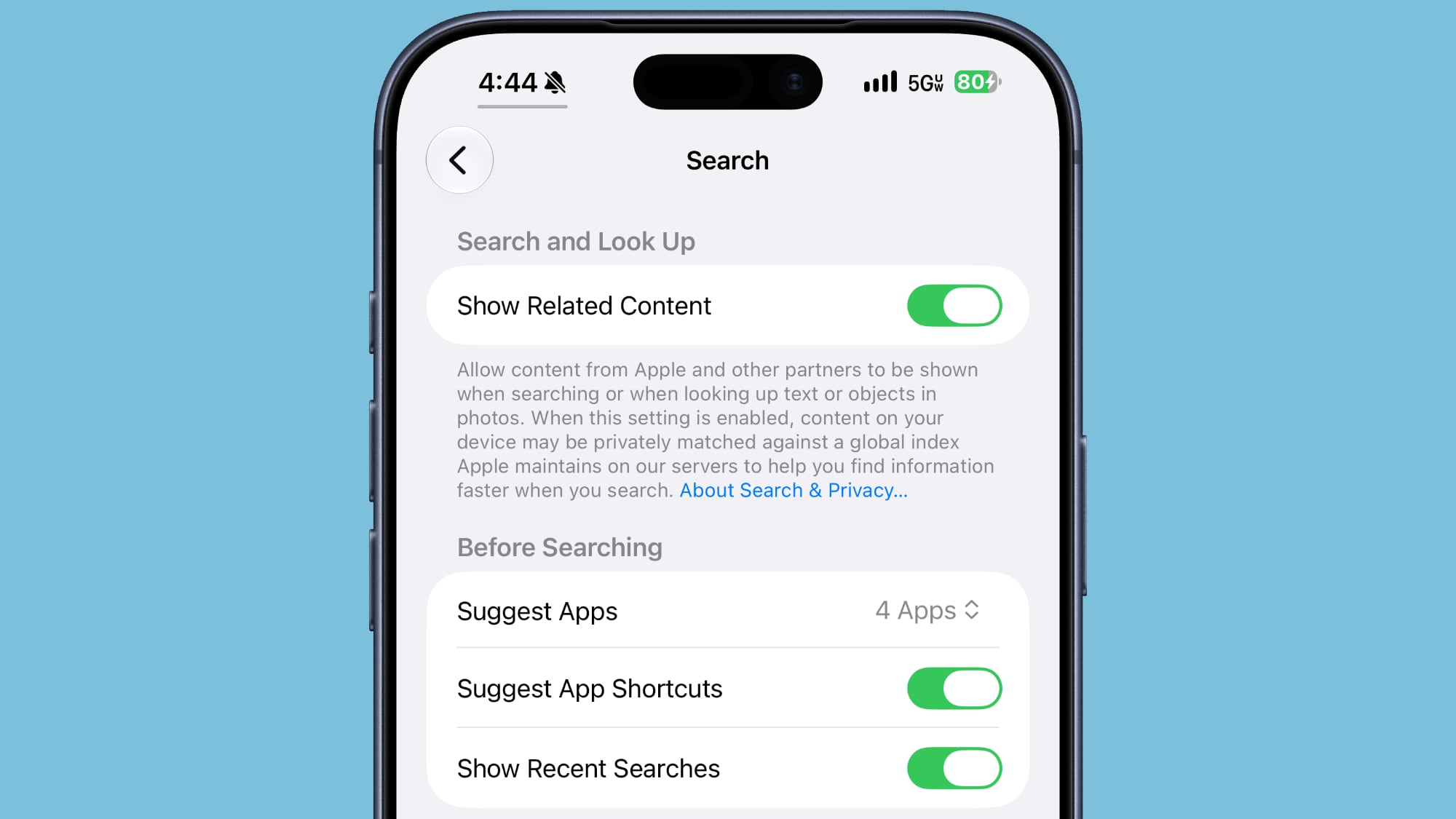
You can now decide whether search should show app results, and if so, how many. You can turn off app results, have it show four apps, or have it show eight apps. There's also a toggle for showing app shortcuts.
Control Center
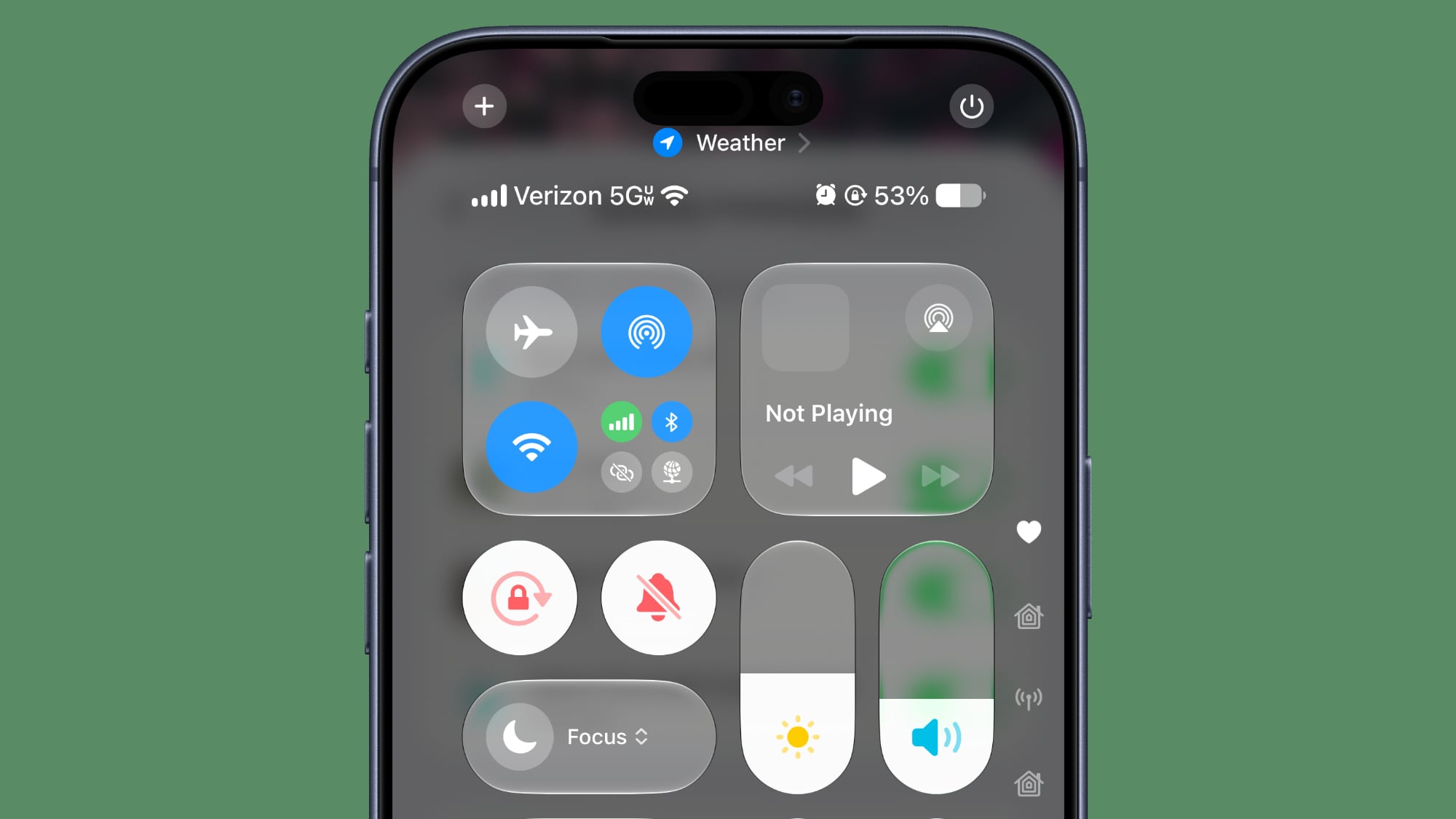
When connected to Wi-Fi, the Control Center no longer shows information on cellular connection.
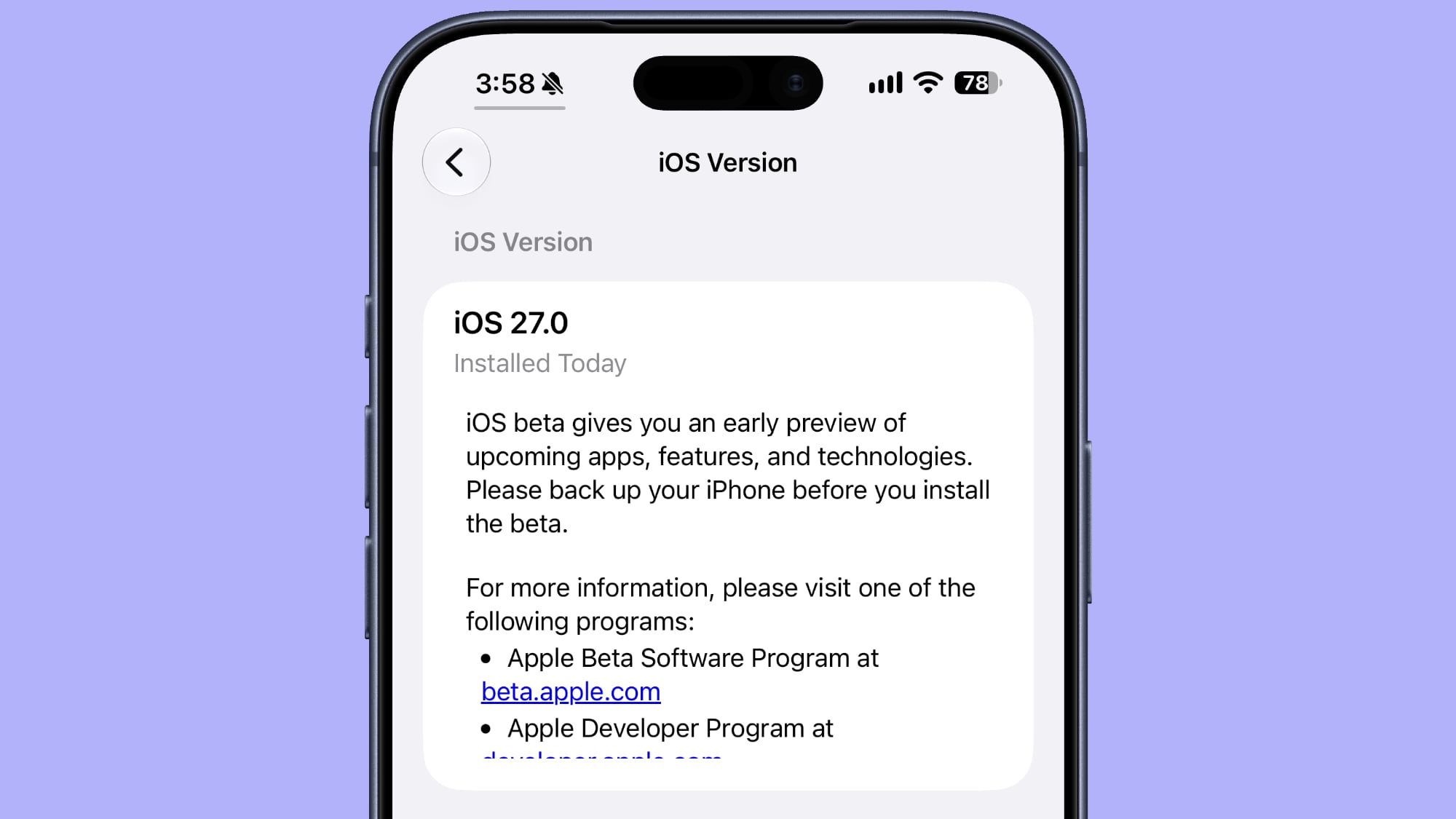
When you look at your software version in Settings > General > About, it now tells you when the last update was installed.
Clock
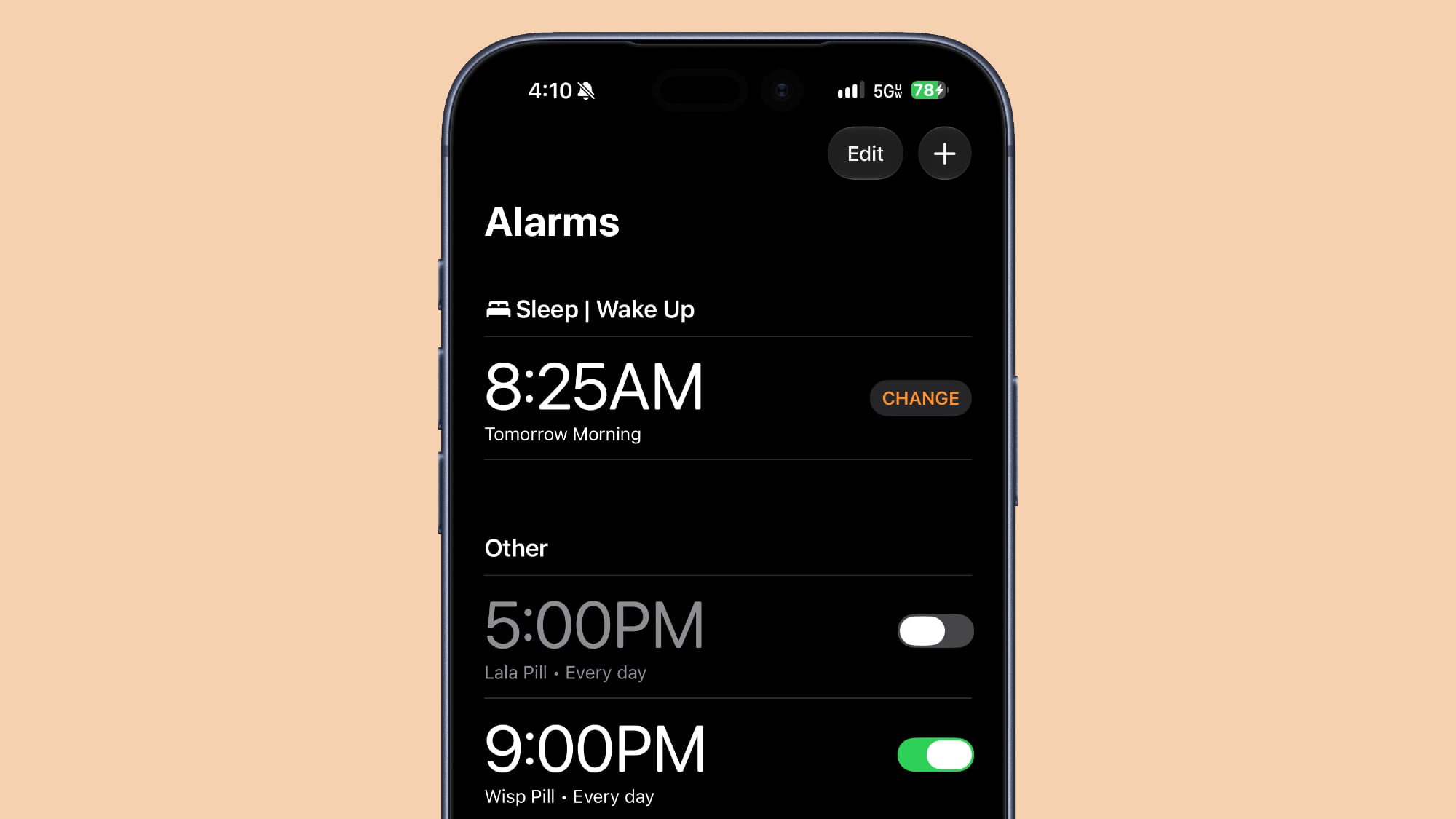
There is a thicker font for the Alarms and Timers section of the Clock app.
Liquid Glass
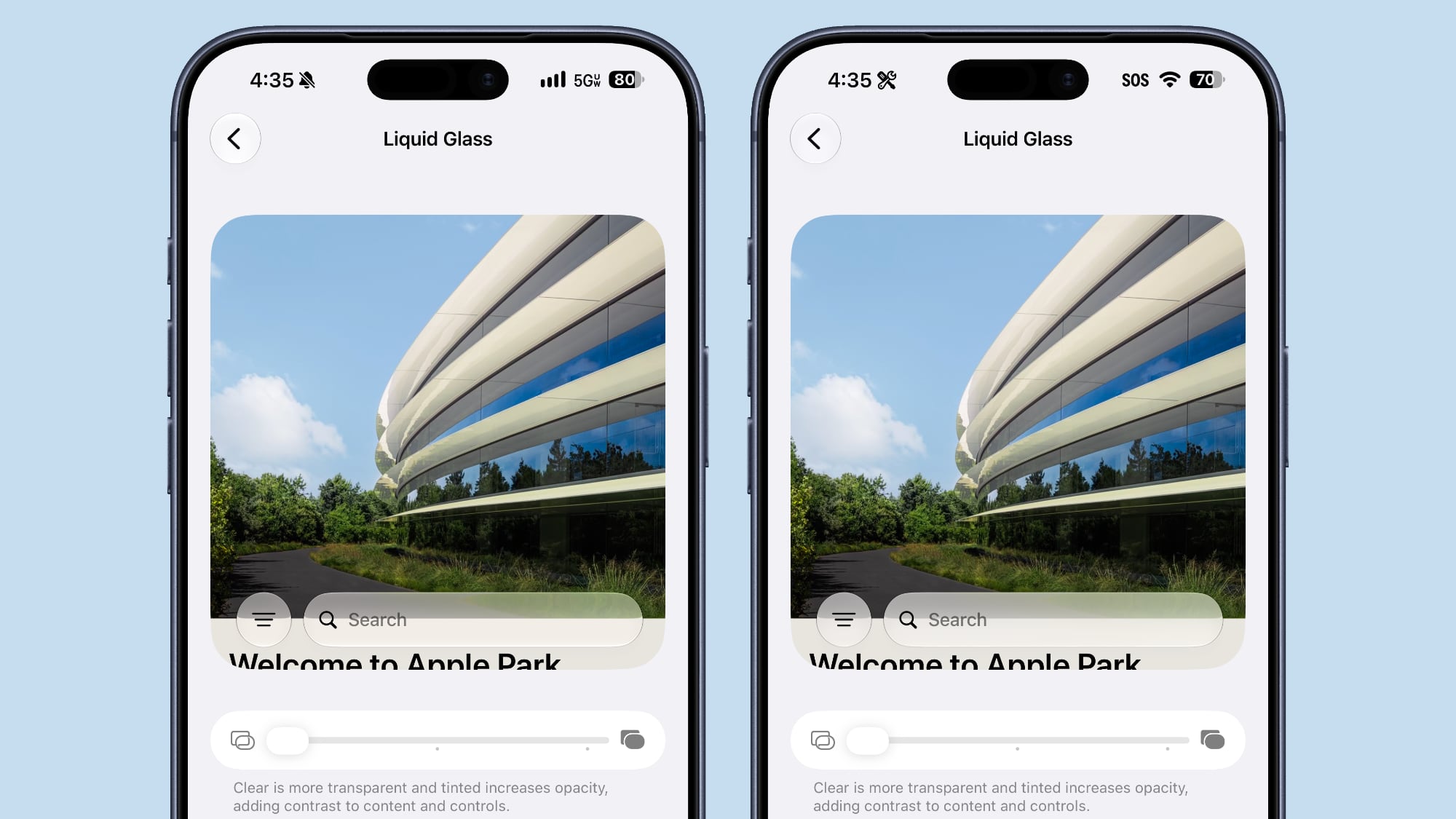
The clearest Liquid Glass setting is clearer than it was in the prior beta.
Mail
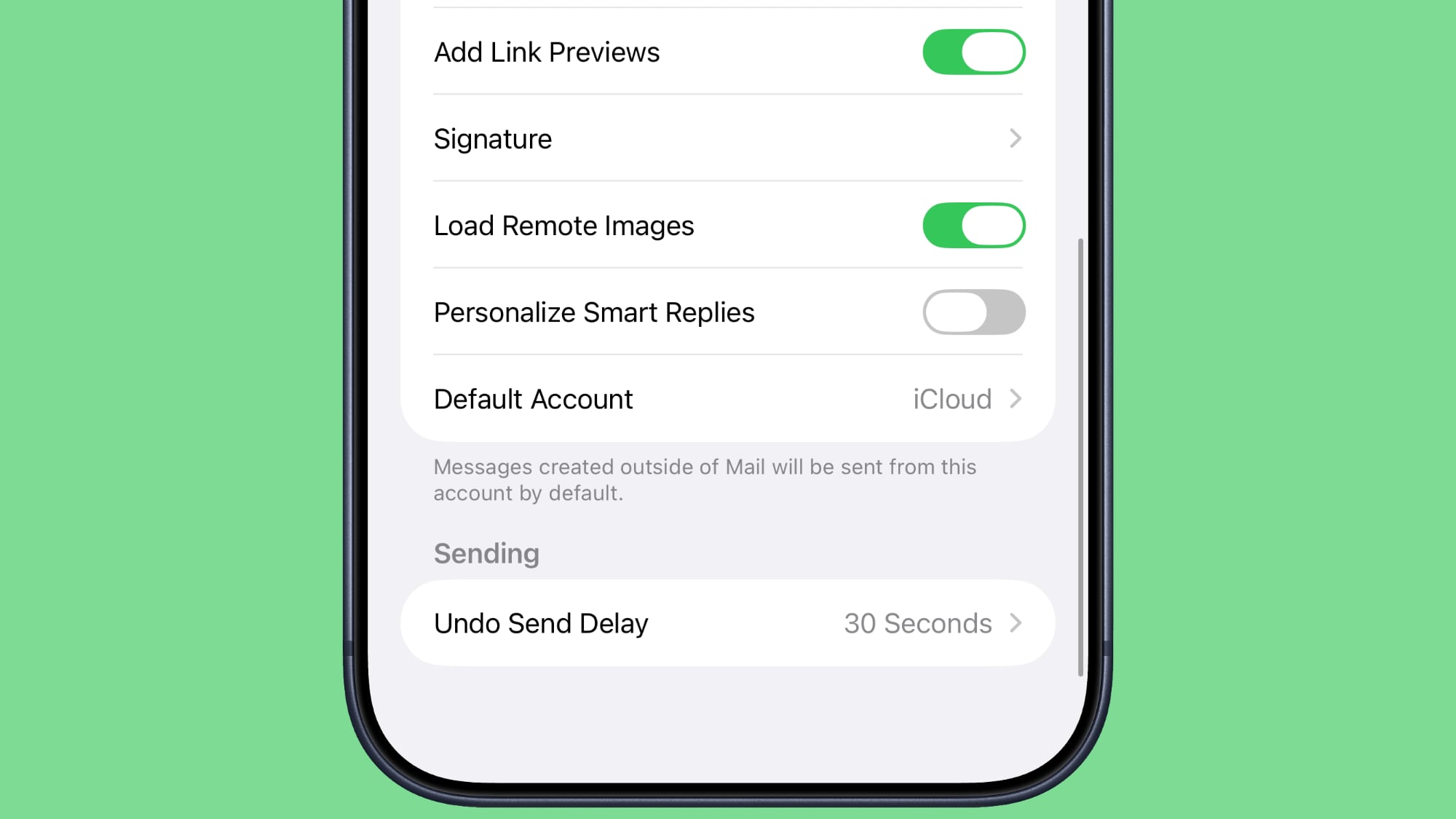
There's now a toggle for the Personalize Smart Replies feature in the Mail app. It's off by default and can be turned on in the Mail section of the Settings app.
Battery
The Battery section of the Settings app will now let you know if a poor cellular connection is causing battery drain.
Apple has released iOS 27 beta 5 for iPhone, along with iPadOS 27 beta 5 for iPad. If you’re currently running the developer beta you will find the latest update available right away, and typically public beta testers find the same build version available soon after as well. The emphasis of iOS 27 and iPadOS ... Read More
In the fifth beta of iOS 27, Apple is continuing to make design tweaks. There are updated Liquid Glass icons for Safari, the Siri app, Settings, Remote, App Store, and Preview.
The Safari icon is a brighter blue with more detailed compass lines and arrows, while the Siri icon looks more like the actual Siri bubble that's displayed when Siri is activated. The App Store app icon is more translucent so you can better see each line making up the A, Settings uses more translucency, and Preview has an entirely different look with a loupe over a colorful background. The Remote icon also has more detail and it's been updated with a gray background instead of black.
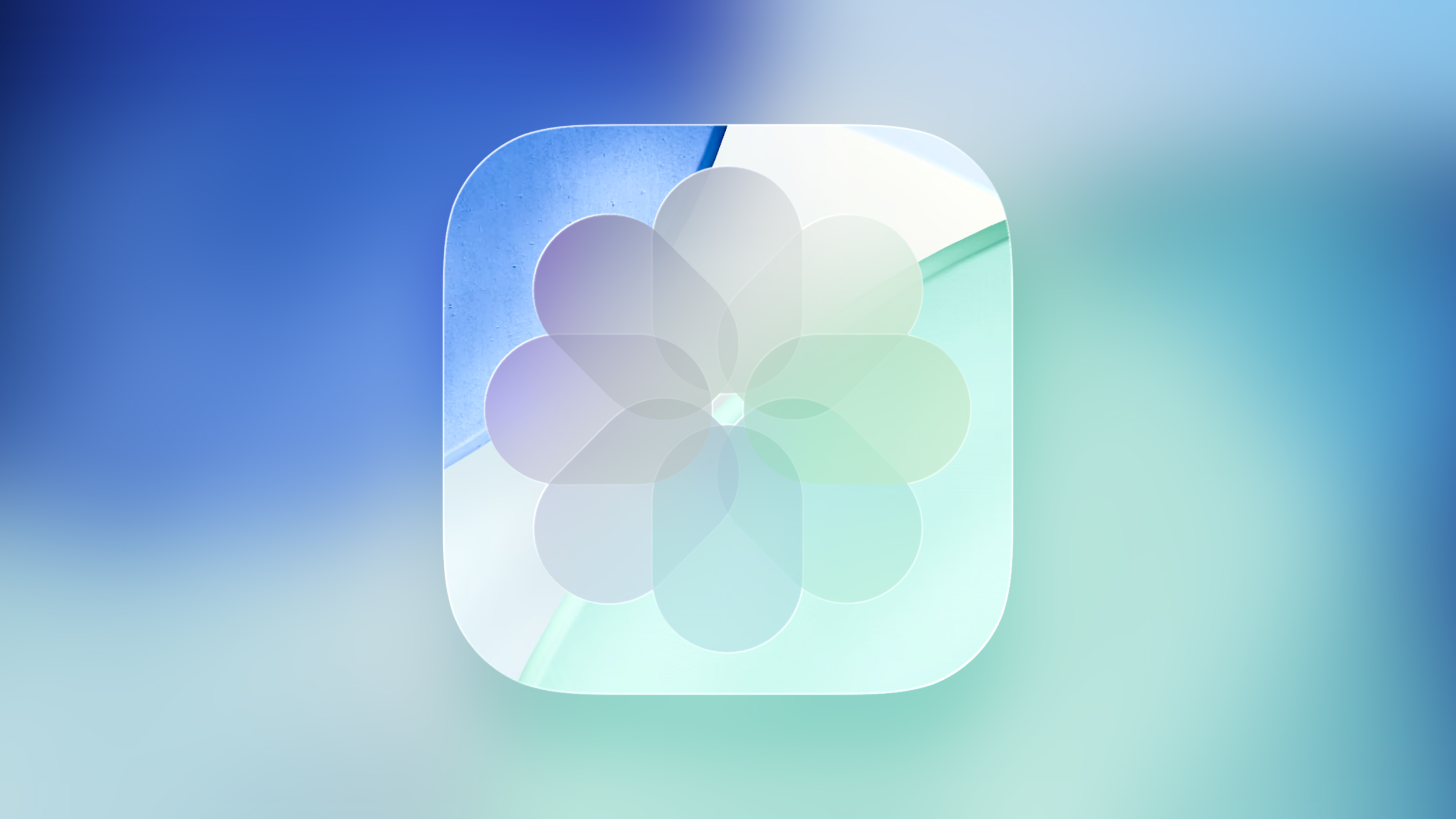
Some app icons were updated with the initial iOS 27 beta release, including Maps, Photos, and Weather, but others kept their iOS 26 look.
It's possible Apple will overhaul even more icons in upcoming betas, because the company said it was planning to give icons an updated layered look to better fit the Liquid Glass aesthetic.
With the fifth beta of iOS 27, Apple has expanded the voice customization options for Siri AI.
Pace and Expressivity can now be adjusted for more of the available voice options instead of just the two American voices.
There are seven American voice options and four British voices to choose from, all of which can be customized with different Pace and Expressivity settings. Pace changes talking speed, while expressivity changes emphasis.
Siri AI voice customization is done on-device, so the feature is limited to newer iPhones. You need an iPhone 17 Pro, iPhone 17 Pro Max, or iPhone Air to use voice customization on an iPhone.
It's available on Macs with an M3 chip or newer and at least 12GB RAM, and the M4 iPad Pro and newer, also with at least 12GB RAM.
Apple today seeded the fifth betas of iOS 27 and iPadOS 27 to developers for testing purposes, with the update coming two weeks after Apple released the fourth betas.
Registered developers can download the betas from the Settings app on the iPhone or iPad by going to the General section and selecting Software Update.
iOS 27 introduces Apple's smarter version of Siri, Siri AI. Siri AI is a chatbot similar to ChatGPT, incorporating general world knowledge, personal data from apps like Messages and Mail, and onscreen awareness to answer questions and find information for you.
There are new Apple Intelligence features in apps like Photos, Safari, Shortcuts, Wallet, and Passwords, plus Apple added a standalone Siri app that houses Siri conversations. Write with Siri is available systemwide for generating text or offering feedback on your writing, and Visual Intelligence has been relocated to the Camera app with a new Siri mode.
Apple improved the look of Liquid Glass and added a slider for customizing transparency. There are multiple performance improvements to speed up iOS, so everything feels faster, even on older iPhones. Apps launch quicker, AirDrop transfers are faster, the keyboard pops up more quickly, and devices are better at transitioning between Wi-Fi and Cellular to keep you connected.
Apple is making more of an effort to turn the iPhone into a physical wallet replacement in iOS 27, and there are several upgrades to the Wallet app.
Pass Upgrades
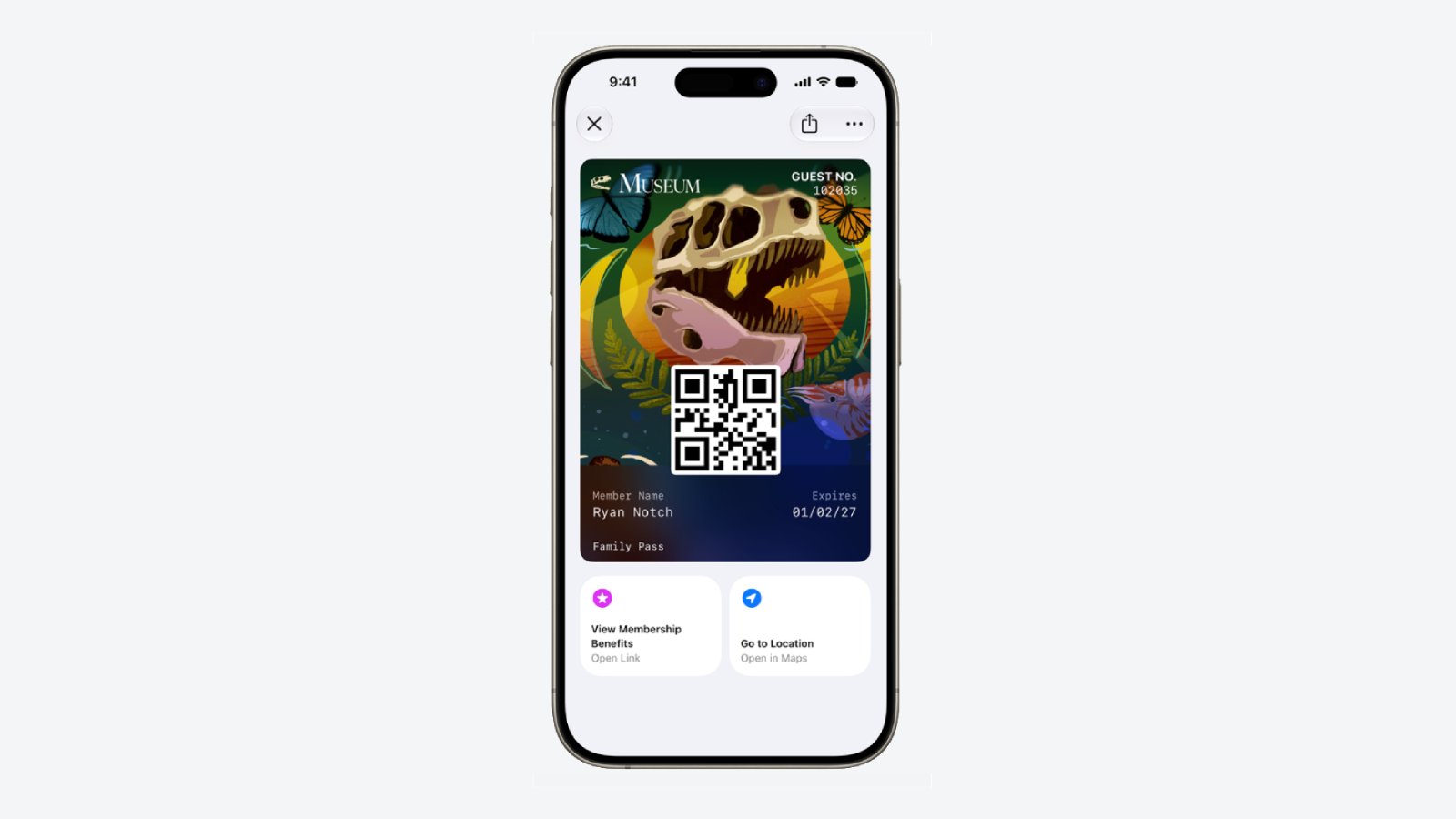
Apple upgraded airline boarding passes in the Wallet app with iOS 26, and in iOS 27, upgrades are coming to additional types of passes. Memberships, gift cards, loyalty cards, and rewards cards can use a bolder "Poster Generic" card style with full background images, primary logo, header fields, footer field, primary fields, and an optional barcode.
Each pass is able to include up to two actions that can be tapped from the bottom of the pass, such as getting directions to a venue or checking a rewards point balance.
Apple is also allowing users to check the pass issuer certificate to ensure that a digital pass is legitimate (not applicable to Create a Pass), and there are four new barcode types supported, including EAN–13, Code 39, Codabar, and ITF.
There is a new Pass Designer Mac app for developers that makes it easier to create a pass using a WYSIWYG editor.
Create a Pass
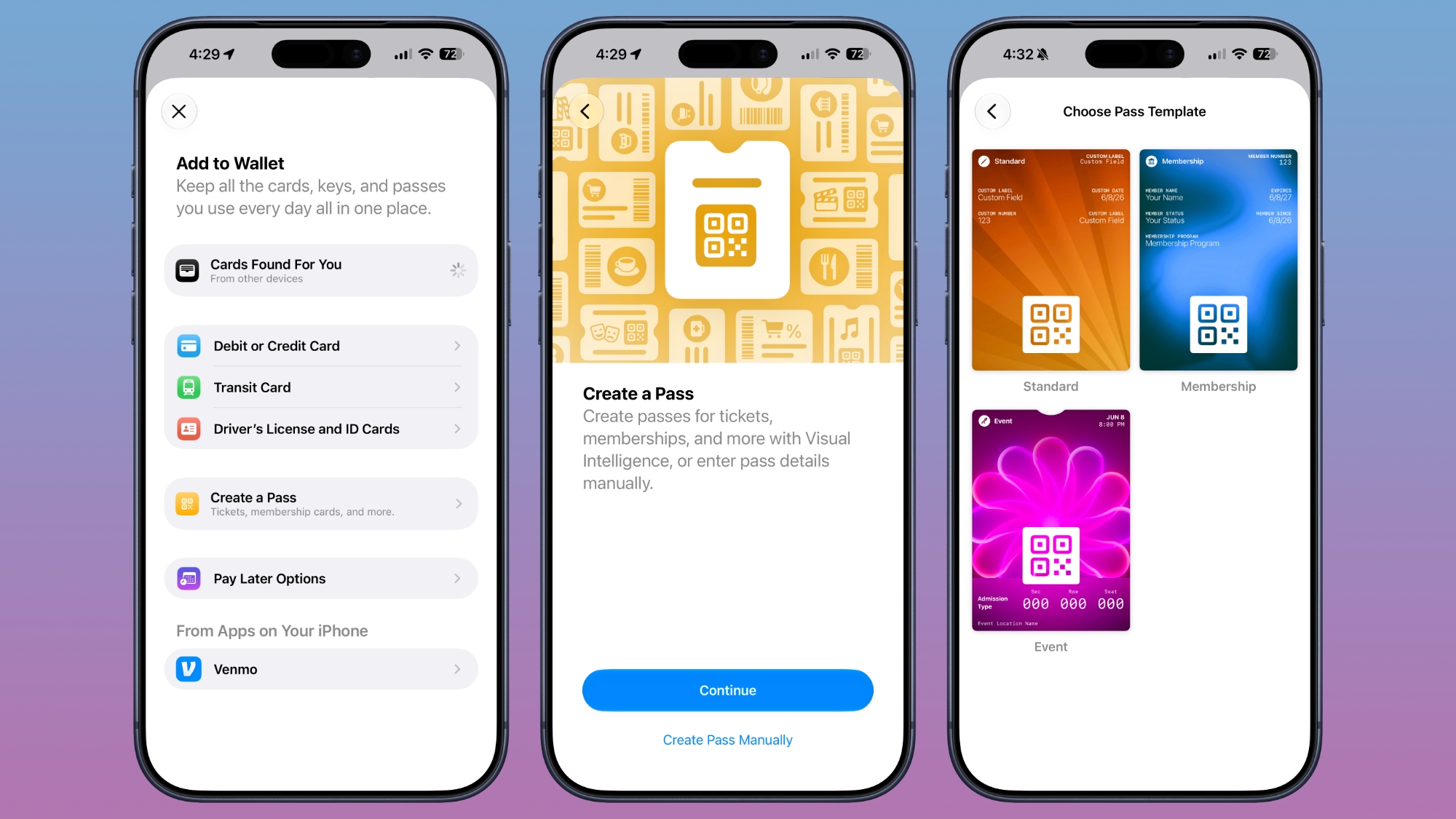
There's a "Create a Pass" feature in the Wallet app for adding tickets, memberships, and more using Visual Intelligence. If you have a ticket for an event and there's not a digital version available for the Wallet app already, you can create one using the physical pass.
You can scan a pass and add it with Visual Intelligence if there's a barcode or QR code, or a pass can be added manually. Pass templates include Standard, Membership, and Event.
Each type includes relevant information like name, location, or admission type, along with a scannable code drawn from an included barcode or QR code that you take a photo of. There are 12 background colors to choose from with different texture options, or seven custom backgrounds for categories like theater, music, sports, and movies.
Fields can be added or removed as needed when creating a custom pass, with options like label, date, membership, contact, coupon code, VIN, insurance, and more, so most physical cards are able to be stored digitally.
Hotel Keys
When you add a digital hotel key from a participating hotel to the Wallet app, you can now view more details about the trip. Hotels can provide updates on booked activities and allow access to different services.
AI Bill Splitting
Using the new Siri Mode in the Camera app, or a feature in the Messages and Wallet apps, you can take a photo of a bill and use Apple Intelligence to figure out what each person owes. Visual Intelligence scans the receipt and makes a digital copy of everything on the list, and each person can select what they consumed. Tax and tip portions are also calculated automatically.
Payments can be made using Apple Cash, which is a U.S.-only feature.
Insights
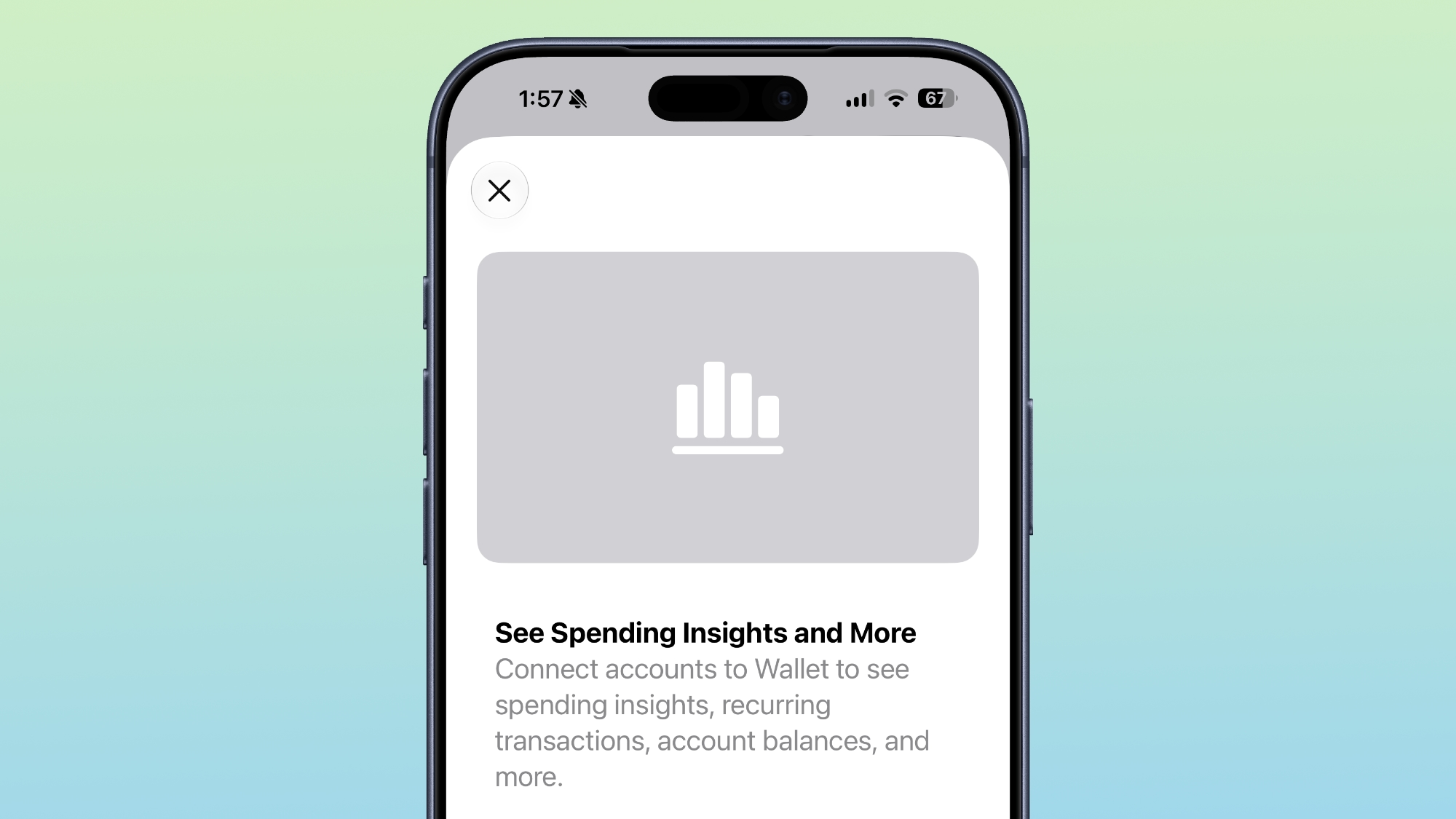
iOS 27 includes an "Insights" feature where you can add financial accounts to the Wallet app to monitor spending.
Insights is an expansion of the Connected Accounts feature in earlier versions of iOS, and it includes spending, recurring transactions, account balances, and more. It works for financial institutions that have implemented Connected Cards support, including several UK banks.
Order Tracking
Order tracking in the Wallet app is expanding to Australia and Canada in iOS 27. In iOS 26, it was limited to the United States and UK.
Tap to Share
Tap to Share is an iOS 27 feature that lets customers connect to a participating merchant's iPhone for quicker digital checkout.
Device Requirements
Visual Intelligence is an Apple Intelligence feature requiring an iPhone 15 Pro or newer. Many of the other features should work on all iPhones.
Começando pela parte visual, a Apple continua a fazer ajustes em alguns ícones de aplicativos — como o Safari, o app da Siri, os Ajustes (Settings), o Controle Remoto, a App Store e o Pré-visualização (Preview), entre outros.
O ícone do Safari está em um azul mais claro, com linhas e setas da bússola mais detalhadas, enquanto o ícone do app da Siri se parece mais com o “balão” que aparece quando ela está ativada.
Can you actually spot the difference between Safari app icon:
O ícone da App Store está mais translúcido para que você possa ver melhor cada linha que compõe o “A”, enquanto o do app Ajustes também ficou mais translúcido em algumas partes.
Já o ícone do app Pré-visualização tem uma aparência completamente diferente, com uma lupa sobre um fundo colorido, enquanto o ícone do Controle Remoto também ganhou mais detalhes e foi atualizado com um fundo cinza em vez de preto.
A quinta beta do iOS 27 também expandiu ainda mais as opções de personalização da voz da Siri. Em versões anteriores, os controles deslizantes de Ritmo e Expressividade estavam disponíveis apenas para as vozes da Siri com sotaque americano.
Agora, essas opções de ajuste estão disponíveis para qualquer voz americana, além de todas as vozes com sotaque britânico já existentes. Isso significa que agora há 11 vozes compatíveis que permitem escolher diferentes configurações de ritmo (velocidade da fala) e expressividade (nível de emoção e ênfase).
iOS 27 Beta 5 expands Siri voice customization.
Pace and Expressivity can now be adjusted across more Siri voices, including all seven American voices and all four British voices. pic.twitter.com/Ma0aZDRHio
Conforme observado pelo pessoal do 9to5Mac, o código da quinta beta iOS 27 mostra que a Apple está trabalhando em algo chamado “Imagem de Referência” (Apple Reference Image), um possível novo recurso projetado para autenticar a origem das fotos usando dados vinculados ao hardware da câmera do iPhone.
Para isso, o sistema enviará a imagem ao Private Cloud Compute para autenticação, sendo que certas informações do sensor e metadados da foto são enviados de volta para a Apple — embora ela garanta que não acessará a foto original.
Atualmente, o recurso está desativado por padrão e, quando for lançado, poderá ser ativado em Ajustes » Câmera » Imagem de Referência e tocando em “Modo de Referência”.
Essa verificação só será possível se as fotos forem capturadas com o referido modo ativo. Isso significa que as fotos tiradas normalmente não conterão as informações de procedência necessárias para a autenticação posterior; além disso, se a Apple determinar que um sensor pode ter sido comprometido, ela poderá revogar as autenticações anteriores associadas a esse sensor.
As fotos autenticadas também poderão ser compartilhadas com outras pessoas, de modo que as informações incluídas no compartilhamento variarão dependendo do método usado (AirDrop, Mensagens, etc.) e se a foto é uma versão original, editada ou autenticada. Se o usuário optar por compartilhar “Todos os Dados de Fotos”, a Apple afirma que a transferência também pode incluir identificadores de hardware exclusivos e qualquer vídeo não cortado associado à imagem.
Por fim, a reportagem aponta que a Apple também está adicionando uma opção “Transferir com Procedência” (Transfer with Provenance) para transferências feitas a partir de um cabo USB. Quando ativada, as fotos autenticadas transferidas para um Mac ou PC incluirão os dados de Imagem de Referência, enquanto as fotos não autenticadas ainda poderão conter informações de procedência, como identificadores de hardware exclusivos e qualquer vídeo não cortado.
RCS da Claro
Como notado por testadores da nova beta, a Claro começou a testar o suporte ao padrão RCS 1Rich communications service, ou serviço de comunicação rico., o que indica que ela pretende cumprir a promessa de liberar essa funcionalidade ainda neste ano.
Outras novidades menores vistas com as novas betas incluem novas telas de apresentação quando os aplicativos Carteira (Wallet), Apple Music, App Store e Fotos são abertos pela primeira vez após o update.
iOS 27 beta 5 includes new Splash Screens for Calendar, Photos, and Apple Music pic.twitter.com/TVSytZQJbg
A Apple também fez ajustes na Central de Controle com a beta mais recente. Os tipos de rede celular não são mais exibidos — então você não verá “5G” ou “LTE” quando seu telefone estiver conectado a uma rede Wi-Fi. Ademais, a Central de Controle e a barra de status agora apresentam novas barras de ícones de rede celular.
Apple increased the height of the Cellular Data signal bars in the Status Bar and added a matching Control Center icon in iOS 27 Beta 5. pic.twitter.com/LabNcVkR8F
Na seção Busca do aplicativo Ajustes, a Apple adicionou uma nova opção chamada “Antes de Buscar” (Before Searching), permitindo que os usuários escolham quantos aplicativos aparecem como sugestões durante as buscas, entre outras coisas.
🚨 New feature Alert 🚨
iOS 27 Dev Beta 5 lets you devices how many apps spotlight suggests when first opening it up. You can keep it at 8, switch to 4 or just say none
No app Contatos (Contacts), caso um contato criado por você tiver uma empresa associada, o nome da empresa aparecerá na lista — abaixo do nome — e nos resultados de busca.
New in iOS 27 beta 5: If a contact has a company name added, it now shows in the main view pic.twitter.com/xNtSXnYY5E
Há uma fonte mais espessa para a seção de Alarmes e Timers do aplicativo Relógio (Clock).
A configuração mais transparente do Liquid Glass está mais translúcida do que na versão beta anterior.
Agora existe uma opção para ativar ou desativar o recurso “Personalizar Respostas Inteligentes” no aplicativo Mail. O recurso vem desativado por padrão e pode ser ativado na seção Mail do aplicativo Ajustes.
iOS 27 beta 5 adds a new setting for mail called Personalize Smart Replies
“Smart Reply can learn from your sent Mail messages to suggest responses that sound more like you” pic.twitter.com/LvD6NNkJod
A seção Bateria do aplicativo Ajustes agora informa se uma conexão de rede móvel ruim está causando consumo excessivo de bateria.
O aplicativo Ajustes agora também mostra quando a atualização mais recente do iOS foi instalada.
O recurso de criação de passes do app Carteira já está disponível fora dos Estados Unidos.
A fonte San Francisco dos números do indicador de bateria foi trocada por uma versão mais arredondada.
They swapped SF Pro to SF Pro rounded for the battery percentage on beta 5 Certainly looks better pic.twitter.com/6cK6asCtGH
— ShrimpApplePro 🍤 ずっと真夜中でいいのに (@VNchocoTaco) August 11, 2026
Foram encontradas referências à disponibilidade da Apple Intelligence na China, incluindo menções a “mecanismos de segurança” disponibilizado por empresas locais.
iOS 27 beta 5 preps support for Apple Intelligence in China
"Apple Intelligence is built for privacy. To comply with laws and regulations, Apple Intelligence in China uses a safety mechanism provided by a local company. Your requests are processed on-device and not sent to Apple… pic.twitter.com/mCwiwZqqMi
Algumas semanas após a liberação das quartas versões de testes, a Apple enfim disponibilizou hoje as quintas betas do iOS 27 (compilação 24A5408d), iPadOS 27 (idem), macOS Golden Gate 27 (26A5406e), watchOS 27 (24R5347a), tvOS 27 (24J5346a) e visionOS 27 (24M5348b) para desenvolvedores.
Também já está disponível para desenvolvedores a quinta versão beta do Xcode 27 (compilação 27A5237l).
Os novos sistemas, anunciados na WWDC26, trarão novidades e diversas melhorias para iPhones, iPads, Macs, Apple Watches, Apple TVs e Vision Pros — conforme temos acompanhado e detalhado no apanhado de matérias abaixo.
Como de costume, nós estamos acompanhando as possíveis novidades incluídas com as novas betas e detalharemos tudo sobre elas por aqui. Continuem de olho!
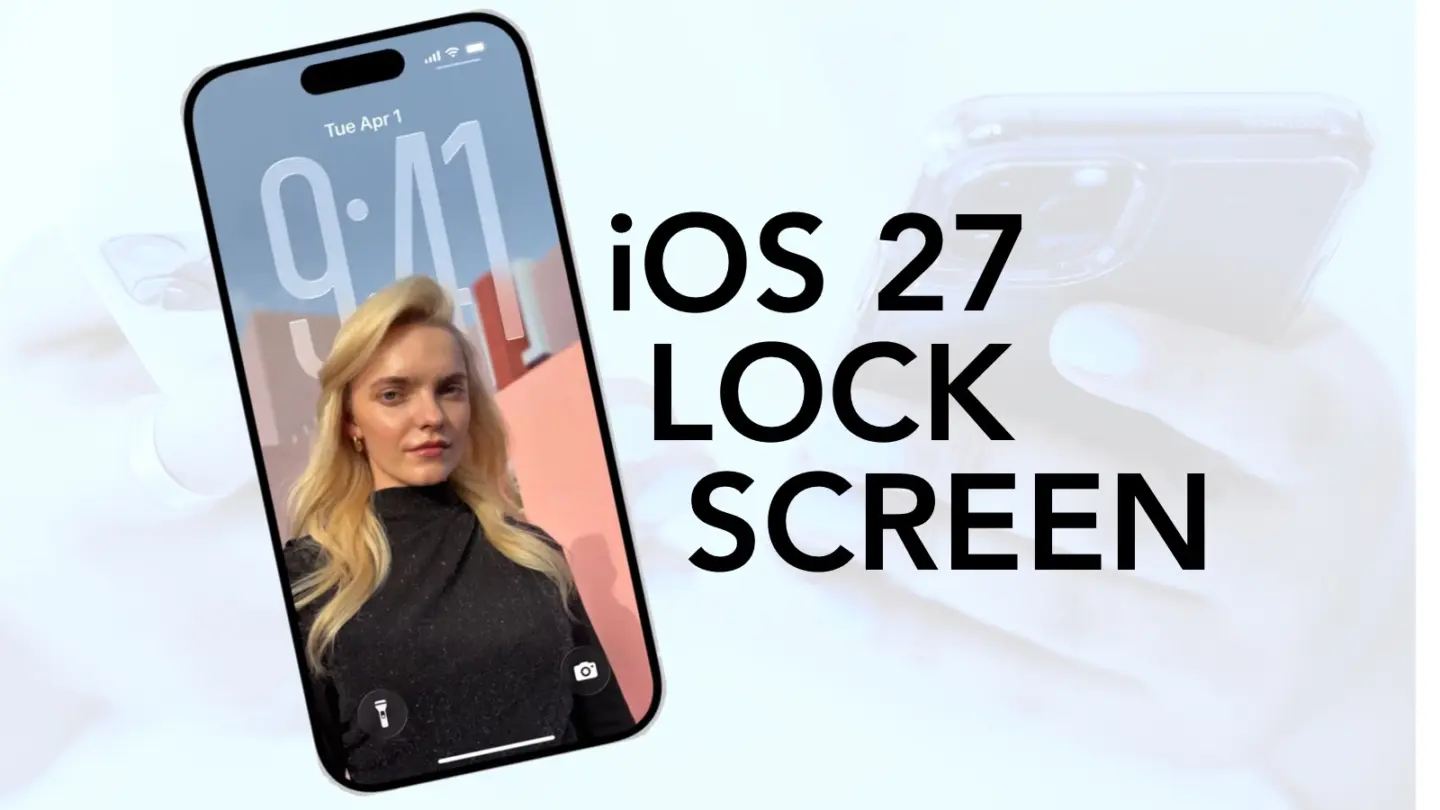
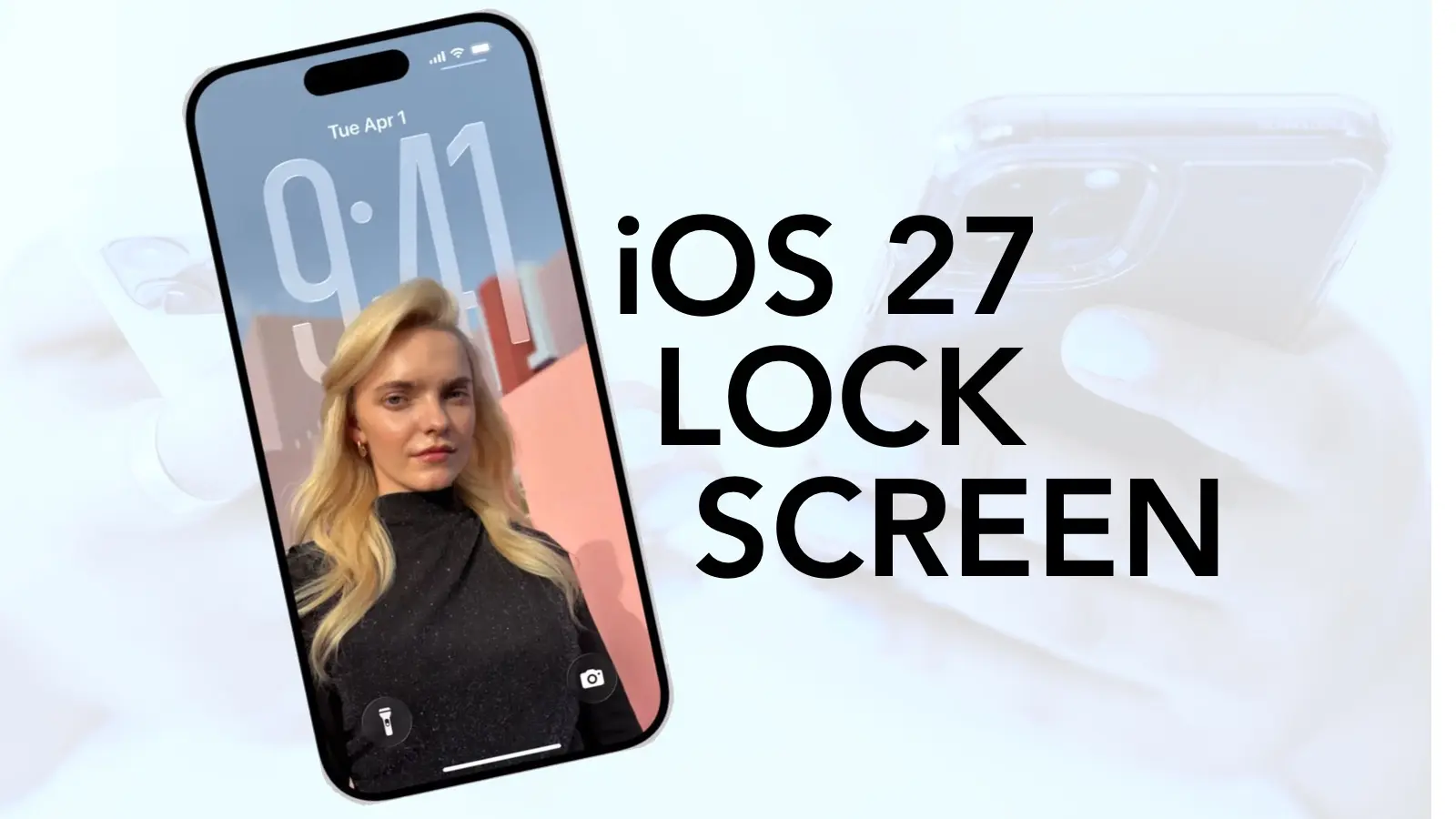
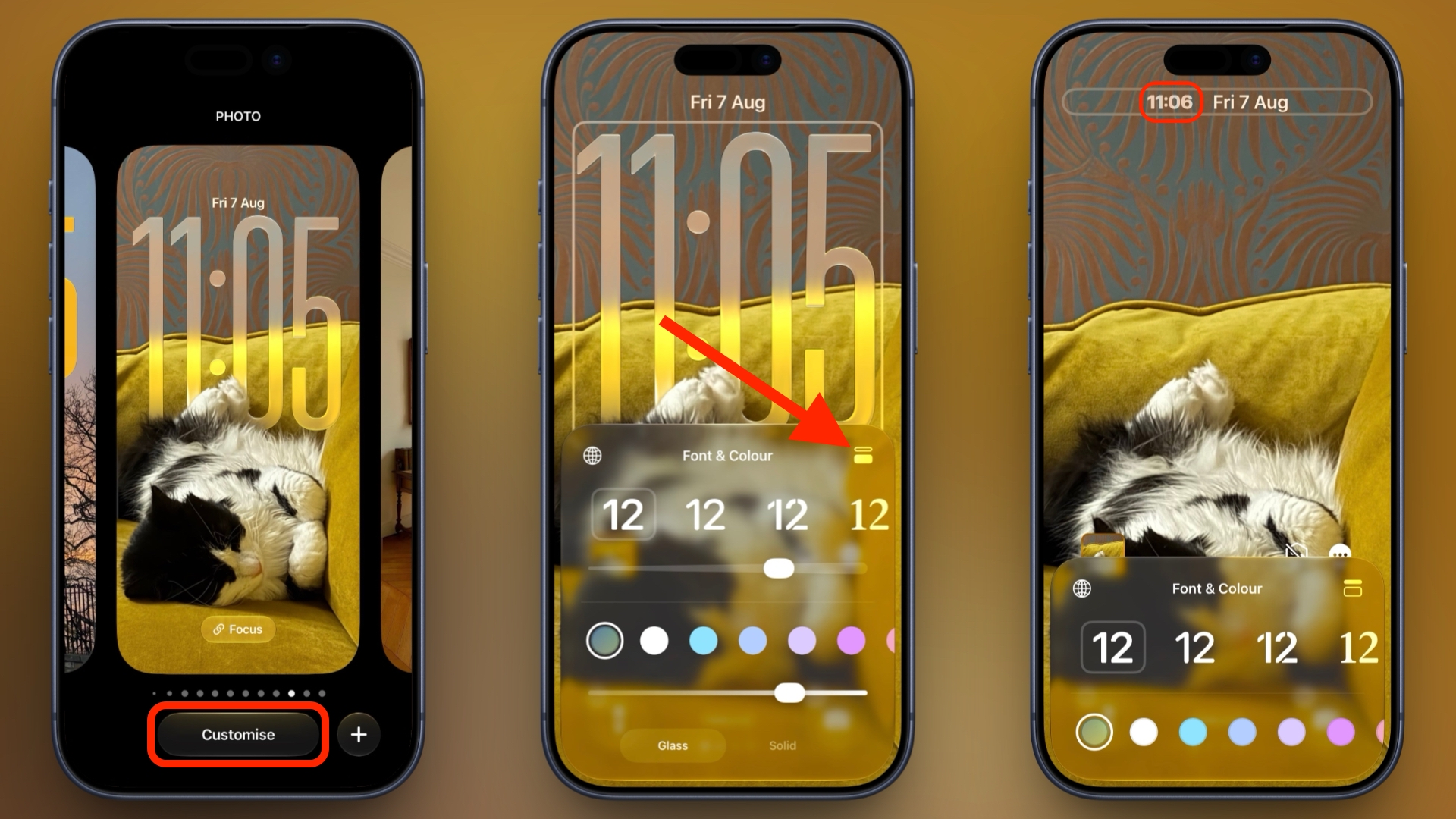
In iOS 26, Apple let you stretch the Lock Screen clock down your iPhone's display until it dwarfed everything else. In iOS 27, Apple has a new clock option that does the opposite, with the introduction of a compact mode that shrinks the time to roughly the size of the date and tucks it into the row at the top of the screen.
The result is a Lock Screen that genuinely shows off your wallpaper, while still displaying the time and date. If you picked a photo that looks better in its complete framing, this is the first time iOS gives you the opportunity to see more of it unobstructed.
How to Switch to the Compact Clock
The following steps show you how it's done.
Touch and hold the Lock Screen, then tap Customize.
Tap inside the currently set clock frame to open the Font & Color panel.
Tap the new icon made of two horizontal bars in the top-right corner of the panel to set the clock to compact mode.
If you're happy with the new look, tap anywhere else on the wallpaper, then tap Done in the top-right corner of the screen.
You'll see that the clock shrinks immediately and moves up beside the date, so you can judge the effect against your wallpaper before saving. To go back, simply tap the same icon in the Font & Color panel again. The clock will return to its previous position and size.
Customizations
The new compact clock keeps your existing clock customizations like font, weight, and color, and these can still be adjusted, but you do lose access to the Liquid Glass slider in compact mode.
Bear in mind that the option applies to individual Lock Screens rather than being a global setting, so you can have a compact clock on one wallpaper and a full-size one on another – for a Focus mode, for example. iOS 27 is currently in public beta with general availability expected in September.
FaceTime Dual Capture is bringing simultaneous front-and-rear camera streaming to video calls in iOS 27, allowing compatible iPhones to show the caller and their surroundings without repeatedly switching between cameras.
The feature expands technology Apple introduced with the iPhone 17 family. Dual Capture already allows the Camera app to record through the Center Stage front camera and a rear camera at the same time. iOS 27 brings a similar capability directly into live FaceTime calls.
During a call, the front camera can continue showing the speaker while the rear camera displays whatever the iPhone is pointing toward. Someone attending a concert can share the performance and remain visible. A parent can show a child playing without disappearing from the conversation. A person asking for technical assistance can remain on screen while directing the rear camera toward the equipment causing the problem.
Dual Capture removes the awkward sequence of switching to the rear camera, showing something, and switching back to continue speaking face to face. Both perspectives remain available inside the same call.
Image Credit: Thomas Trutschel Photothek/Getty Images
FaceTime Dual Capture Changes Camera Switching
The normal FaceTime camera control changes from a simple front-or-rear choice on supported iPhones. When the caller activates the rear camera, iOS 27 keeps the front camera visible by default.
The main view displays the rear camera feed while a smaller window contains the front camera image. This picture-in-picture arrangement gives the other participant a continuous view of the caller’s reaction, commentary, or explanation.
To activate both cameras during a supported FaceTime call:
FaceTime > Start a video call > Tap the Flip button
Tapping the Flip button turns on the rear camera without immediately removing the front view. The other participant begins receiving both perspectives as part of the FaceTime stream.
The caller can disable the front view when it is no longer needed. This provides a conventional rear-camera presentation for situations where the surroundings should occupy the complete image.
To return to a single camera view:
FaceTime > Tap the camera view > Disable the front camera
The exact labels and placement may change before the public release of iOS 27 because the feature is still being tested in beta software. Its basic behavior is already established: the Flip control activates the rear camera while retaining the front camera feed.
Dual Capture does not create two independent FaceTime calls. Both images belong to one video stream, so the caller does not need a second account, device, or invitation.
The feature also differs from screen sharing. FaceTime screen sharing transmits applications and interface activity from the iPhone display. Dual Capture transmits live video from two physical cameras.
Image Source: Google
Which iPhones Support Dual Capture
Apple has limited FaceTime Dual Capture transmission to the iPhone 17, iPhone 17 Pro, iPhone 17 Pro Max, and iPhone Air. Each model includes Apple’s 18MP Center Stage front camera and the Dual Capture capability introduced in the Camera app.
An older iPhone that supports iOS 27 cannot originate a Dual Capture stream. It continues to use the normal option of selecting either the front camera or a rear camera during a call.
Older models can still receive and display a Dual Capture feed when they are running iOS 27. This allows an iPhone 16 or another supported device to see both views transmitted from an iPhone 17, even though it cannot send the same presentation back.
Both participants need iOS 27 for the new FaceTime layout to work as intended. The transmitting device must also be one of the supported iPhone 17-generation models.
This limitation is based on Apple’s official feature support rather than the simple presence of front and rear cameras. Earlier iPhones have camera hardware capable of operating in several multi-camera applications, but Apple has not extended its native Dual Capture implementation to them.
Third-party applications have offered forms of simultaneous multi-camera recording for years through Apple’s developer frameworks. The difference is that iOS 27 integrates the experience into FaceTime, where users can activate it through the familiar camera-switching control.
iPhone 17 Owners Receive a Second Dual Capture Feature
Describing FaceTime Dual Capture as retro-compatible with the iPhone 17 does not fully explain its relationship with the hardware. The iPhone 17 family introduced Apple’s native Dual Capture recording in 2025, and iOS 27 now gives that existing camera system another purpose.
Inside the Camera app, Dual Capture produces a saved video containing front and rear views. Apple lists support for recording at up to 4K Dolby Vision at 30 frames per second on the iPhone 17.
FaceTime uses the camera pairing for live communication instead. Network quality, bandwidth, device temperature, and FaceTime processing can affect the transmitted resolution, so users should not assume that a call will preserve the Camera app’s maximum 4K recording specification.
The Center Stage front camera also contributes more than resolution. Its square sensor gives the iPhone greater freedom to adjust framing without requiring the device to be physically rotated. Center Stage can help keep the caller positioned inside the smaller front-camera view while the rear camera follows the subject being shared.
That combination makes Dual Capture more useful than placing two untreated camera feeds beside each other. FaceTime can preserve the speaker’s presence while directing most of the screen toward the event, object, or location being discussed.
The feature may require more processing power and energy than an ordinary single-camera call. Running two camera sensors while encoding and transmitting live video can increase battery consumption and device temperature, especially during long calls over cellular data.
Apple has not published separate battery estimates for Dual Capture FaceTime calls. Users planning extended sessions may want access to power and a stable Wi-Fi connection.
iOS 27 Prepares FaceTime for iPhone 18
FaceTime Dual Capture arrives shortly before Apple’s expected iPhone 18 generation, making it likely to become part of how the company demonstrates the new phones’ camera and communication abilities.
Apple has not announced the iPhone 18 lineup or confirmed its final camera specifications. Compatibility with FaceTime Dual Capture is therefore expected from the software’s “iPhone 17 and newer” positioning, but individual iPhone 18 models should not be treated as confirmed until Apple presents them.
The software release gives existing iPhone 17 owners access without requiring another hardware purchase. That approach also provides Apple with a working FaceTime feature before the next iPhone launch rather than introducing the camera mode and communication interface at the same moment.
Future hardware could improve the experience through faster processors, stronger image stabilization, upgraded sensors, or more efficient video encoding. None of those additions is required for the supported iPhone 17 family, which already contains the camera system needed to transmit both views.
Dual Capture is only one part of the FaceTime update. Apple is also improving video-call quality when the network connection is weak, addressing a problem that becomes especially relevant when two live camera views require transmission. Traditional Chinese support is joining FaceTime Live Captions as well.
The weak-connection improvement may determine how dependable Dual Capture becomes away from Wi-Fi. A feature designed for travel, events, repairs, and outdoor calls needs to tolerate changes in cellular bandwidth without freezing both views or forcing the session to end.
FaceTime Dual Capture remains part of the iOS 27 beta as Apple prepares the public update for September. Apple can still adjust the interface, performance, device requirements, and picture-in-picture behavior before the completed software reaches iPhone 17 owners.
Learn how to expand a photo by intelligently generating new content beyond its original boundaries using Apple AI in iOS 27, iPadOS 27, and macOS 27 Golden Gate.
De acordo com Mark Gurman, jornalista da Bloomberg, a Apple pretende transformar seus futuros óculos e headsets em dispositivos voltados à saúde.
Na edição mais recente da newsletter “Power On”, ele ressaltou que a ideia já havia sido levantada durante o desenvolvimento do Apple Vision Pro, que contaria com uma versão do Apple Fitness+ com execução local — permitindo que o dispositivo auxiliasse os usuários no acompanhamento dos seus treinos e na análise dos movimentos —, mas o recurso foi descartado.
A ideia, no entanto, parece viva para novos dispositivos, como os rumorados óculos inteligentes da Apple. O que ressalta essa especulação é a descrição de uma vaga para uma liderança estratégica de design de produto.
Com vinculação ao Vision Products Group, a demanda envolve “definir o futuro das experiências de saúde, bem-estar e condicionamento físico nos produtos de computação espacial”, transformando “oportunidades ambíguas na interseção entre computação espacial, vestíveis, saúde do consumidor e comportamento humano”.
Caso esse direcionamento se concretize a partir da estreia da Apple no segmento dos óculos inteligentes, essa abordagem — somada à integração com o seu ecossistema — pode se tornar a sua marca registrada em relação a competidores estabelecidos desse mercado, como a Meta.
Novos AirPods ainda em 2026?
Questionado sobre o futuro dos AirPods, Gurman rememorou que, embora a primeira versão dos AirPods com câmeras integradas a recursos de inteligência artificial (IA) — de codinome B798 — tenha sido adiada para 2027, uma segunda versão encontrada no código do iOS 27, sob o codinome B790, pode sugerir que a estreia dessa reformulação dos fones ocorrerá ainda em 2026.
Imagem: ChatGPT
O jornalista mencionou, ainda, que a última variante estaria no cronograma interno da Apple com previsão de lançamento já para este ano.
AirPods Max 2
Chip: H2 Cores: azul, roxo, meia-noite, estelar ou laranja
NOTA DE TRANSPARÊNCIA: O MacMagazine recebe uma pequena comissão sobre vendas concluídas por meio de links deste post, mas você, como consumidor, não paga nada mais pelos produtos/serviços usando os nossos links de afiliado.
Todas as empresas de capital aberto (que possuem ações à venda na bolsa de valores) são obrigadas, por lei — na maioria dos países (inclusive Brasil) —, a disponibilizar publicamente suas demonstrações financeiras periodicamente. Esse costuma ser um momento bastante esperado por acionistas (analisando se a empresa na qual estão investindo está sendo bem administrada e gerando lucros), investidores (para captar novas oportunidades de alocar seus recursos), além da imprensa e de curiosos em geral. Na última quinta-feira (30/7), foi a vez da Apple de divulgar seus resultados financeiros referentes ao trimestre abril-junho de 2026.
Para alegria de todos, o CEO 1Chief executive officer, ou diretor executivo.Tim Cook se despede da sua posição com o melhor terceiro trimestre fiscal que a empresa já registrou — um recorde absoluto! Como já informado aqui no MacMagazine, no período de abril a junho (encerrado no dia 27/6), a companhia relatou uma receita de US$109,4 bilhões (alta de 16,4%) em relação ao mesmo trimestre do ano anterior, e lucro líquido de US$29,8 bilhões (um avanço de 27%). A margem bruta chegou a incríveis 50,1%, a maior já apurada em períodos semelhantes da história da empresa!
Hoje, a Apple tem orgulho de relatar o nosso melhor trimestre de abril-junho de todos os tempos, com crescimento de receita de dois dígitos em iPhone, Mac e Serviços, e em todos os segmentos geográficos.
Uma das grandes surpresas do relatório foi o crescimento no faturamento de Macs. Pela primeira vez, a categoria ultrapassou a casa dos US$10 bilhões em um trimestre abril-junho, e o crescimento de 29% superou o do iPhone.
A explicação está em parte na procura alucinada por Macs mini para rodar agentes de inteligência artificial e na leva de lançamentos de março: MacBook Air com M5, MacBook Pro com M5 Pro e M5 Max, e principalmente o MacBook Neo, o modelo de entrada que estreou a US$600 — preço que subiu para US$700 em junho, no reajuste geral motivado pelo custo de memória. A Apple parece ter encontrado um mercado relevante abaixo do Air, e vale acompanhar o que isso faz com a margem da linha nos próximos trimestres.
O iPad foi a única categoria no vermelho, com queda anual de 6%. Não é surpresa: a própria Apple havia avisado que a comparação seria difícil, pois no ano anterior houve o lançamento do iPad com chip A16. O iPad Air com M4, que chegou em março, não foi suficiente para compensar. Cabe ainda analisar se o bem-sucedido MacBook Neo não acabou levando um pouco do mercado dos tablets, também.
O asterisco que quase ninguém vai mencionar
A margem bruta de 50,1% e o lucro por ação de US$2,02 não são resultado apenas da operação, e esse detalhe se perde facilmente na comemoração dos recordes.
À primeira vista, no press release — e nos comentários que fizemos no último podcast —, esse ponto não ficou bem claro, mas merece atenção. A Apple informou, no comunicado, que a margem incluiu cerca de dois pontos percentuais e o lucro por ação incluiu US$0,11 vindos de reembolso de tarifas, dinheiro que a empresa havia pago ao governo americano e recebeu de volta depois que a Suprema Corte derrubou, em fevereiro, as tarifas impostas sob a IEEPA (a lei de poderes econômicos internacionais de emergência). A empresa não detalhou a origem exata dos valores devolvidos, mas a decisão da Corte é o evento que abriu caminho para os reembolsos.
É dinheiro real, entra legitimamente no resultado, mas não é recorrente e não diz nada sobre a capacidade da Apple de vender aparelhos. Descontando o efeito, a fotografia muda um pouco: a margem bruta cai para aproximadamente 48%, exatamente o que o consenso projetava, e o lucro por ação vai para cerca de US$1,91, contra os US$1,89 esperados. De uma superação de 6,9% no lucro, sobra uma de pouco mais de 1%.
Ou seja: o trimestre continua bom em receita e em volume, que são genuinamente fortes. Mas o brilho extraordinário no lucro é, em boa parte, contábil, e não se repete.
A Apple abre a margem bruta em dois blocos apenas: produtos e serviços. Ela nunca divulga margem por categoria individual (não existe margem oficial de iPhone, Mac ou iPad em documento nenhum da empresa, e todo número desse tipo que circula é estimativa de analista), mas os dois blocos que ela abre já contam a história.
Linha de negócio
Margem do FQ3 2026
Margem do FQ3 2025
Variação
Produtos
40,07%
34,52%
+5,55pp
Serviços
75,62%
75,58%
+0,04pp
Consolidado
50,06%
46,49%
+3,57pp
A margem de hardware subiu 5,55 pontos percentuais em 12 meses. A margem de hardware não sobe 5 pontos por ganho de eficiência: é ali que o reembolso de tarifas desembarcou, porque tarifa incide sobre produto físico. A prova está na linha seguinte: serviços, que não pagam tarifa nenhuma, ficou praticamente parado. A melhora não foi operacional.
Vale registrar um desequilíbrio que explica boa parte do valuation da Apple. Serviços representam 28,1% da receita, mas respondem por 42,4% do lucro bruto do trimestre. Produtos são 71,9% da receita e apenas 57,6% do lucro. Cada dólar de serviço vale quase o dobro de um dólar de hardware, e é por isso que o mercado aceita pagar perto de 40x o lucro por uma empresa que, no fim das contas, vende telefone.
Serviços: um pequeno sinal de alerta
Os relatórios revelaram um problema silencioso do trimestre. Serviços cresceram 12,1%, um bom número isolado, mas bem abaixo dos 16,2% do trimestre encerrado em março e, mais grave, abaixo do que a própria Apple havia sinalizado. Na teleconferência de abril, o diretor financeiro Kevan Parekh disse que os serviços cresceriam em ritmo “similar ao reportado em março” (ou seja, algo perto de 16%, ressalvando o efeito cambial). Ficaram cerca de 4 pontos percentuais aquém.
A linha chegou a recuar 0,8% em relação ao trimestre imediatamente anterior. Foi o único item da projeção que a Apple não cumpriu, e não é um item qualquer: é o que sustenta o múltiplo da ação. Parte da imprensa de mercado atribuiu a reação negativa à combinação de serviços com a Grande China, embora as estimativas para a região divergissem bastante entre as casas: havia projeções de US$18,8 bilhões, que o resultado cumpriu, e de US$19,5 bilhões, que não.
Fora das manchetes do balanço, três indicadores das demonstrações merecem atenção, e nenhum deles apareceu no material de divulgação.
O estoque quase dobrou, de US$5,7 bilhões em setembro de 2025 para US$11,1 bilhões, alta de 94%. Uma empresa que é referência mundial em operar com estoque enxuto dobrou o estoque em 9 meses. A leitura mais provável é compra antecipada de memória, antes que os preços subam ainda mais. É a confirmação contábil do que Cook disse em junho, quando afirmou que aumentos de preços eram inevitáveis.
Pesquisa e desenvolvimento saltou para US$11,7 bilhões, o dobro do ritmo da receita, e passou de 9,4% para 10,7% do faturamento. Ao mesmo tempo, o investimento em ativo fixo (equipamentos, imóveis, veículos etc.) caiu 28% no acumulado de 9 meses. É a tese da IA “capital-light” traduzida em números: a Apple gasta mais em gente e software, e menos em concreto e servidor, apostando em rodar inteligência nos mais de 2 bilhões de aparelhos que já estão nas mãos dos usuários. O oposto de Microsoft, Google e Amazon.
O caixa operacional de 9 meses foi de US$117 bilhões, contra US$81,8 bilhões. Mesmo assim, a recompra de ações caiu de US$70,6 para US$62,1 bilhões. A Apple está segurando dinheiro, o que é coerente com o estoque dobrado e com uma troca de comando marcada para 1º de setembro.
Há ainda um detalhe na linha de outras receitas, que agrupa o que a Apple ganha fora da operação: juros do caixa aplicado, juros pagos sobre dívida, variação cambial e valorização de participações minoritárias. O resultado foi de US$572 milhões positivos, contra US$171 milhões negativos há um ano — um giro de US$743 milhões. A carteira de caixa e aplicações subiu para US$146,5 bilhões, enquanto a dívida caiu para US$82,3 bilhões. Mais dinheiro rendendo, menos juros a pagar. É lucro financeiro, não operacional.
A projeção para setembro veio bem abaixo
O trimestre relatado é recorde. A projeção que o acompanha, não. E como o mercado precifica futuro e não passado, foi ela que dominou a reação. A ação, que havia fechado o pregão a US$333,43, caiu cerca de 6,5% na negociação estendida ao longo da teleconferência, o que equivale a aproximadamente US$317 bilhões de valor de mercado. No dia seguinte, a queda se confirmou: -7,35%. A projeção da Apple para o trimestre de setembro, o último do ano fiscal, veio com dois números desconfortáveis.
Indicador
FQ3 2026 (real)
FQ4 2026 (projetado)
Crescimento de receita
16,4%
de 9% a 11%
Margem bruta
50,1%
de 47% a 48%
Margem bruta sem reembolso de tarifas
48,1%
de 47% a 48%
Receita implícita
US$109,4 bilhões
de US$111,7 a US$113,7 bilhões
A desaceleração de 16,4% para algo entre 9% e 11% já seria suficiente para incomodar. O que agravou foi a justificativa: Parekh afirmou que o impacto das restrições de oferta deve “aumentar significativamente” em relação ao trimestre anterior — citando explicitamente iPhone, Mac e iPad —, e mencionou ainda ventos contrários de câmbio sobre a receita de iPhone.
A margem projetada de 47% a 48% é o número mais revelador de todo o balanço. Ela fica abaixo do resultado limpo deste trimestre sem o reembolso de tarifas. Ou seja: a Apple está dizendo que a margem vai cair de verdade, em bases comparáveis. O colchão de estoque de memória comprado a preço favorável, que segurou os custos nos últimos trimestres, está acabando, e o trimestre de setembro é justamente o que carrega o lançamento dos “iPhones 18 Pro/18 Pro Max” — e provavelmente do “iPhone Ultra”, o primeiro dobrável da empresa.
Ternus assumirá como diretor executivo em 1º de setembro, com Cook passando a presidente executivo do conselho. A julgar pelo balanço, ele recebe uma casa em ordem: receita recorde, base instalada de aparelhos ativos em máxima histórica em todas as categorias principais, patrimônio líquido de US$107,5 bilhões e — possivelmente — a companhia mais valiosa do mundo.
Recebe também três problemas bem definidos. O primeiro é o custo de memória, que já forçou aumentos de preço no MacBook Air, no Mac mini e no Mac Studio, e que agora vai comprimir margem sem o amortecedor do estoque barato.
O segundo é a desaceleração dos serviços, com os recursos judiciais contra o acordo de busca com o Google ainda pendentes.
A leitura mais honesta deste balanço talvez seja esta: Cook encerra sua gestão entregando o melhor trimestre abril-junho da história da Apple, a maior capitalização de mercado do mundo e uma operação que cresce dois dígitos em todos os continentes em que atua. O que ele não entrega pronto é a próxima curva: provar que a aposta de rodar inteligência artificial dentro do aparelho, e não na nuvem, vale o múltiplo de 40x que a ação vinha cobrando. Essa parte, agora, é com Ternus.
Metodologia
Os números do trimestre e do comparativo anual foram extraídos das demonstrações consolidadas condensadas não auditadas da Apple referentes ao terceiro trimestre fiscal de 2026 e ao terceiro trimestre fiscal de 2025, conferidas linha a linha. As margens por linha de negócio, os indicadores de balanço patrimonial e de fluxo de caixa e todos os percentuais foram calculados a partir desses documentos.
As estimativas de consenso de Wall Street citadas foram compiladas antes da divulgação junto a Yahoo Finance, TipRanks, Zacks, Visible Alpha, Hudson Labs e Goldman Sachs.
A projeção para o trimestre de setembro e as declarações do diretor financeiro vêm da teleconferência de 30 de julho de 2026, com apuração de 9to5Mac, CNBC e AppleInsider.
Os dados de mercado chinês são da IDC e da CAICT. A série de fechamentos mensais da ação tem origem em StatMuse, StockAnalysis.com, FinancialContent e Macrotrends, via S&P Global Market Intelligence.
O ajuste identificado como “sem reembolso de tarifas” não é uma linha contábil: é cálculo próprio a partir do efeito que a Apple declarou no comunicado de resultados.
Observação
Este texto não constitui recomendação de investimento.

 Login
Login



 The iOS 27 Control Center in beta 4