Apple is re-evaluating the Apple Watch lineup and considering a host of radical new designs, according to Bloomberg's Mark Gurman.
In today's edition of his "Power On" newsletter, Gurman compared plans for the Apple Watch's evolution to the "revolutionary design change" that the foldable iPhone represents. It will be "something that transforms the product for a new era." Apple's industrial design team has reportedly been "exploring a broader rethink of its smartwatches" for some time, with several directions under evaluation.
The company is apparently taking the resurgence of fitness bands without screens and smart rings seriously. As a result, the company is considering new Apple Watch-style devices with no display, as well as new Apple Watches with different types of screen and various new sizes.
Apple has also contemplated giving the Apple Watch a round display, but Gurman cautioned that such a device is unlikely to be released. The company has also considered introducing new premium variants designed to sit above the Ultra and Hermès models, alongside even more affordable options in addition to the Apple Watch SE.
The company has not yet settled on a direction for the product line, but it is said to be "determined to reinvent the lineup in response to growing competition." It also plans to make its wearables more AI-focused, with ambitious long-term plans to revamp the Health app.
Gurman believes that the Apple Watch revamp "could be as significant as the iPhone's transformation from a slab design into a foldable device." Apple purportedly hopes to reinvigorate its Wearables, Home and Accessories segment, which has struggled to generate growth over recent years.
El día del eclipse no será uno más para nadie y mucho menos para los científicos. Algunos estarán realizando observaciones para investigaciones y otros, como Ruth Lazkoz, harán divulgación en el sitio donde estén. La doctora en Física es catedrática en la Universidad del País Vasco, se ha especializado en el universo en expansión y ahora está interesada en “devolver a la sociedad” lo que le ha dado.
En los días previos, conversa con National Geographic España sobre la ciencia detrás de este fenómeno y pone el foco en un aspecto poco difundido: el rol de las estrellas.
Pregunta. ¿Cómo se explica que dos cuerpos tan diferentes en su tamaño y su distancia queden alineados y el más pequeño impida el acceso de la luz?
Respuesta. La clave es el tamaño angular de cada objeto. Podemos pensar como si tuviéramos un palo de escoba que barre de un lado a otro de la Luna y otro palo de escobar más larga de un lado al otro del Sol. La distancia que barres y la longitud del palo cuando las divides tienes el ángulo. La cuestión curiosa es que, aunque el diámetro del Sol es 400 veces más grande que el de la Luna, la distancia a la que está es 400 veces más que nuestra distancia con la Luna. Entonces son dos números que al dividirse nos dan el mismo ángulo. Es una coincidencia cósmica. Si la Luna fuera más pequeña o estuviera más lejos, ya no veríamos eclipses totales. De hecho, las mareas lo que hacen es alejar la Luna 4 centímetros cada año de la Tierra y en aproximadamente 600 millones de años no habrá más eclipses totales. Estamos viviendo una etapa privilegiada en la historia de la humanidad.
P. ¿Dónde lo verá?
R. Yo lo voy a ver en la meseta de Burgos, que es una de las mejores localizaciones porque clásicamente es un sitio en el que en verano no suele haber nubes, polución ni partículas como en zonas costeras, y la atmósfera es estable.
P. ¿Será una buena noche para hacer observaciones astrofísicas?
R. Yo solo voy a verlo a nivel de puro aficionado, pero voy a intentar hacer alguna actividad popular en el pueblo, Covarrubias (Burgos), para intentar acercar un poquito la ciencia. Más que nada explicar con cuerdas y nueces esta cosa de cómo la Luna se coloca delante, tapa al Sol y entonces no vemos su luz, pero sí vamos a ver la luz de las estrellas porque quedan detrás del Sol. He hecho mucha investigación pura y dura, ahora lo que me interesa es devolver a la sociedad lo que me ha dado y poder enfocar el interés público hacia un entendimiento del valor de la ciencia para que avance la humanidad y todos seamos más críticos.
P. ¿Qué recomienda para tener un buen sitio de observación?
R. El eclipse será tan bajo en el horizonte, que realmente hay que controlarlo en los días previos. Porque si te colocas en un sitio, aunque estés en un pueblecito sin contaminación, puede que no vayas a verlo si no te subes a un punto elevado. Tiene un componente de aventura de buscar cada uno su lugar.
P. El Sol es el gran protagonista, pero ¿qué fenómeno ocurrirá con las estrellas?
R. Vamos a ser capaces de ver estrellas que justo en ese momento están detrás del Sol por un efecto de curvatura. El Sol es una masa muy grande y densa, que produce una curvatura significativa a su alrededor del espacio-tiempo. Todas las partículas que tengan masa (un protón, un electrón, un balón de fútbol o una partícula de luz) tienen que seguir ese espacio-tiempo, o sea, el universo. A nivel divulgativo, podemos imaginarnos el espacio-tiempo como una sábana elástica y las partículas van pegaditas.
P. Es decir, ¿el Sol actúa afecta al trayecto de la luz de las estrellas?
R. Lo que va a ocurrir es que un rayo que sale de una estrella detrás del Sol va a sentir la atracción gravitatoria del Sol y va a ser una especie de ‘pozo’ por el que pasa esa partícula de luz. Entonces, envez de escapar del Sol en su trayectoria, se va a acercar. Será como tener un obstáculo en la carretera, esquivarlo y volver a la carretera. Pues la partícula de luz va a hacer a hacer algo así: sale intentando esquivar el Sol, el Sol la atrae un poco y al atraerla vuelve hacia una trayectoria que llega hasta nuestros ojos.
P. ¿Lo podremos observar cualquiera?
R. No, realmente esto solo podría observarse con un instrumento muy sofisticado. A nivel de calle no lo vamos a ver. A nivel Física, lo importante va a ser la cantidad de gente que consigue hacerse preguntas o interesarse por esta cuestión tan hermosa.
I was fourteen or so when I went to the Gadget Show Live (once a big tech event in the UK which showed off the latest technology) in 2016 as a punter and overheard someone on a stand I'd visited mention they'd spent £1,000 on a custom gaming PC.
A thousand pounds. On a computer. I remember turning that figure over in my head (it's roughly $1,400) and not quite being able to make sense of it, not necessarily because I couldn't fathom how much money that was, but because at the time, it seemed like a lot of money to spend on a PC without any frame of reference as to what that price got you.
As it turned out, £1,000 would have bought you an upper mid-range system back then, and speccing a top-end system of the time would have added an awful lot more to my 'dream budget'. A properly specced 3XS system built around Intel's then-flagship Kaby Lake processor, the Core i7-7700K, and an Nvidia GeForce GTX 1080, would set you back around £1,700 including VAT.
Nvidia went one further with the venerable GTX 1080 Ti, which arrived in March 2017. It immediately became the card every serious PC gamer wanted, and pushed that high price even higher. Nonetheless, you still got an entire top-of-the-range PC for that price.
(Image credit: Future)
Here's what's strange about that number in 2026: it's roughly what you'd pay for a flagship graphics card alone. Nvidia's RTX 5090 should retail for roughly in line with what this entire PC cost, although the Asus ROG RTX 5090 Astral I've got for testing is over double the RRP of this PC, even taking inflation into account.
Intriguingly, the GPU that was the ceiling of consumer ambition in 2017 is now, in isolation, cheaper than a mid-range graphics card in 2026. Nvidia's GTX 1080 Ti launched at £699 / $699 (about AU$930); the RTX 5090 launched at £1,799, at least for the Founder's Edition card.
That's not a like-for-like comparison — flagship GPU pricing has always been a law unto itself — but it does tell you something about the economic difference between these two moments in PC gaming history.
Now, Scan has sent me that exact system, and I've plonked the GTX 1080 Ti Founder's Edition inside, and I've been running it alongside my own high-spec rig, with an RTX 5090 added for good measure, to see how the decade-old dream holds up.
What £1,700 bought you nearly a decade ago
Here's the entire spec sheet of the 3XS PC that Scan sent my way with the GPU swapped out:
CPU: Intel Core i7-7700K
Cooler: Corsair 240mm AIO
GPU: Nvidia GTX 1080 Ti Founder's Edition
RAM: Corsair Vengeance LED 16GB DDR4-3000
SSD: Samsung 960 Evo 250GB SSD (supplemented with a further 1TB SSD for game storage in my case)
Motherboard: Asus ROG Strix Z270F Gaming
PSU: Corsair RM750x 750W White
Case: Corsair Carbide 400C in white
On first impressions, I'm a fan of the Corsair Carbide 400C case, feeling it to be a quieter and more considered choice than a lot of the RGB-laden alternatives that were becoming increasingly common at the time. Coming in white adds a bit of style to proceedings, and it seems roomy enough for the build on offer here. The hinged door with glass window is a nice touch, too.
Inside, the Asus ROG Strix Z270F Gaming motherboard is decently feature-rich and adds a smattering of RGB in the top corner to sit alongside the white LEDs of the RAM and the stock case fan inside. The Samsung 960 Evo SSD would have been top spec at the time, but is the one component that feels particularly outdated. It's a fast, capable boot drive, but is easily filled up with a modern Windows 11 installation and a game or two. Back in 2017, you'd have definitely wanted a hard drive installed as well.
(Image credit: Future)
Then there's the GTX 1080 Ti Founder's Edition. Nvidia's reference cooler on the Ti was a meaningful step up from the blower-style designs of previous generations, with an open dual-fan layout that kept temperatures in check. It's a handsome card even by today's standards and feels more restrained than the AIB partner designs that surrounded it. Holding it in 2026 feels like handling something from a very specific and rather significant chapter in GPU history, given its legendary status.
The 1080 Ti has a reputation that outlasted the hardware cycle it was supposed to belong to. When Nvidia's RTX 2080 Ti arrived in 2018, it brought ray tracing and a steeper price — and offered only a slight bump in rasterisation performance that most 1080 Ti owners looked at the cost of upgrading and decided against it. Even now, folks are asking how good this card is today, which is testament to its performance - and indeed its reputation.
A modern point of reference
Of course, benchmark numbers are no good in isolation, so for comparison's sake, I'm putting the Scan system against my own personal gaming rig, with the added boost of the RTX 5090. Usually it'd be an RTX 4080 Super, but for a 'dream PC' angle, I needed to go with the modern dream. Here it is in terms of specs:
That isn't too bad of a PC if I do say so myself, and yes, I could use faster RAM or a beefier AMD processor if I wanted to eke out as much performance as possible, but I haven't seen fit to upgrade just yet.
(Image credit: Future)
Benchmarking methodology
To see how this 2017-era PC performs in the big 2026, I thought it might be fun to run it through a range of games – both ones that are contemporaries of the system and some slightly more modern titles that might push it quite hard. I've also put it through a range of modern benchmark tests to gauge performance against the newer hardware.
To Scan's credit, the machine came running the latest version of Windows 11 25H2 and Nvidia's latest driver release for GTX 10-series desktop cards, driver 582.66, which was a security update released in June 2026.
I've also elected to run games hooked up to my 4K QD-OLED monitor to see how far we can really push this Scan system, running at 1080p, 1440p and 4K to give you a full picture. The RTX 5090 system has also been put through the same tests, as close as possible, to give some comparable results and a frame of reference.
Testing 2017-era games
Firstly, I thought it was correct to run the Scan system through some games that would be period-correct for the time this PC was released to give an idea of a baseline. All four titles were run at their maximum settings, for reference.
Far Cry 5 seemed an ideal first candidate, being from 2018, and at the Ultra preset with HD textures enabled, it managed a 113fps average at 1080p. Going up to 1440p pushed things to 95fps, proving some surprisingly playable results. It was only when I got up to 4K that things dipped immensely, with a 50fps average. For reference, the RTX 5090 system hit 186fps at 4K, which tells you something about how much the goalposts have moved.
I followed this up with the original Dirt Rally, a game that relies on a strong CPU to help alongside the 1080 Ti, so the Core i7-7700K has to do a fair bit of heavy lifting. At the Ultra preset, the 1080 Ti managed 127fps at 1080p and 126fps at 1440p — results so close together that the GPU clearly isn't the bottleneck at either resolution; the 7700K is setting the ceiling, and it's holding it pretty well. At 4K, the GPU gets more of a say, and results come in at a still-reasonable 79fps.
(Image credit: Ubisoft)
However, this revealed one of the bigger gulfs between the older system and my more modern option. The RTX 5090 system managed 304fps at 1080p, 267fps at 1440p, and 225fps at 4K — numbers so high they serve as a reminder of how differently the two machines interpret the same game.
The original Hitman, which uses DirectX 12 at maximum settings, returned 128fps at 1080p, 106fps at 1440p, and 59.5fps at 4K. The RTX 5090 system managed 203fps at 1080p, 191fps at 1440p, and 186fps at 4K — again, the gap narrowing considerably at lower resolutions before opening up at 4K.
I'd argue Rise of the Tomb Raider is the 1080 Ti's finest hour in this period-correct lineup. Running at the Very High preset in DirectX 12, it returned 144fps at 1080p and 110fps at 1440p. These are numbers that would have felt sky-high at the time and still feel impressive today. Even at 4K, the 59.7fps result is the most modern-feeling 4K figure of the four period titles, suggesting this is a game the 1080 Ti was particularly well-matched for, and a near-60fps average provides some very playable results even today.
(Image credit: Future)
That is, until you get the RTX 5090 involved – it posted 316fps, 302fps, and 281fps across the three resolutions in Rise of the Tomb Raider.
Trying newer games
The older game results paint a flattering picture of the 1080 Ti. However, modern titles are much less kind, as you might expect.
My first port of call was Cyberpunk 2077, perhaps this generation's Crysis equivalent, as it can be quite a demanding title for a range of systems. For the 1080 Ti, at the Ultra preset without any upscaling, it managed 52fps at 1080p — passable, if not quite the experience the game deserves — while 1440p dropped to 32fps, and 4K delivered a deeply unimpressive 13.9fps. Enabling FSR 2.1 Quality improved things to 62fps, 41fps, and 20.5fps across the three resolutions respectively, which at least makes 1080p feel workable.
Beyond that, it's a significant compromise. Ray tracing isn't an option here at all — the 1080 Ti simply has not got the hardware for it, and that means for 2026's most demanding titles, including Indiana Jones & The Great Circle that require hardware-based ray-tracing to even run, you won't be able to play them at all.
(Image credit: CD Projekt Red)
The RTX 5090, by contrast, ran the Ultra preset at 173fps, 148fps, and 116fps natively. Plus, a more modern card supplements its raw power with Nvidia's DLSS upscaler and fully-fledged RT performance. With DLSS Transformer enabled, those numbers climbed to 183fps, 170fps, and 167fps. With a combination of Cyberpunk 2077 at its RT: Ultra preset with DLSS Transformer enabled, it managed 130fps, 129fps, and 125fps at 1080p, 1440p, and 4K respectively. The gap between these two machines in Cyberpunk 2077 is the widest in my entire test suite, and the most instructive.
This is especially true when you take the multi-frame-gen tech Nvidia has put into these new Blackwell cards, acting as a multiplier for 'fake frames' for a smoother feeling experience, as long as you're starting with a solid enough base frame rate so too much latency isn't introduced. With the RT: Ultra preset, and the MFG multiplier set to 4x, the RTX 5090 system managed 511fps at 1080p, 452fps at 1440p and 355fps at 4K, widening the gulf even further.
Returnal tells a similar story for this matchup. The Epic preset returned 57fps at 1080p, 45fps at 1440p, and 27fps at 4K — the 1080p result is playable, but Returnal's fast-paced action makes anything below 60fps feel like a handicap, and 27fps at 4K is below any reasonable threshold. The RTX 5090 managed 231fps, 207fps, and 147fps at the same resolutions. In a game built around sharp reactions and split-second timing, that headroom matters more than in most.
(Image credit: Future)
Moving over to Rainbow Six Extraction, I had higher hopes for a more modern eSports-type title. The default Ultra preset includes a Dynamic resolution of 25-100% of the selected one, which is how I left it, revealing 126fps at 1080p, 85fps at 1440p, and a genuinely solid 66fps at 4K. It's the most comfortable the 1080 Ti looks across this entire modern test suite, and a reminder that there are modern titles that aren't particularly demanding, which are still playable on older hardware.
Meanwhile the RTX 5090-equipped modern PC scored 461fps at 1080p, 405fps at 1440p, and 272fps at 4K, and prove the benefit of the bevvy of high refresh rate OLED screens we've begun to see in recent years when paired with such powerful hardware.
For one final test, I thought it'd be interesting to try a super up-to-date Unreal Engine 5-based title in Black Myth Wukong, as one of the few titles that doesn't need any hardware-based ray-tracing, unlike a lot of its contemporaries.
I elected to step down to the Very High preset, with FSR enabled (with a resolution scale of 33 for 4K, 49 for 1440p and 66 for 1080p) and frame-gen on. The result was 46fps at 1080p, 44fps at 1440p, and 40fps at 4K, which make for some remarkably consistent numbers across different resolutions that make it clear that frame-gen is doing some form of heavy lifting to keep the output FPS so stable. The RTX 5090 managed 120fps, 122fps, and 119fps with the same settings.
Synthetic benchmark time!
The synthetic benchmarks tell a predictable story. The 7700K holds up reasonably well in single-core workloads — the gap to the 7800X3D is meaningful but not embarrassing, and is somewhere in the region of 50% depending on which test you trust.
Multi-threaded performance is a different matter, though, where nearly a decade of core count increases and architectural progress make the comparison increasingly one-sided.
On the GPU side, the picture is more interesting. In 3DMark Fire Strike — a DirectX 11 test that's broadly representative of the conditions the 1080 Ti was designed around — the RTX 5090 leads by roughly three time. Push to Fire Strike Ultra at 4K, and that becomes nearly five times, and the Time Spy results, which move into DirectX 12 territory, tell the same story: a 4x gap at 1440p becoming 4.6x at the Extreme variant.
The 1080 Ti doesn't just lose ground to newer hardware — it loses it disproportionately as resolution and API demands increase, which is worth keeping in mind as we come to a judgement on this entire system.
Intel Core i7-7700K + Nvidia GTX 1080 Ti FE
AMD Ryzen 7 7800X3D + Nvidia RTX 5090
Geekbench 6
1,643 (Single) 5,484 (Multi)
2,691 (Single) 14,911 (Multi)
Cinebench R23
1,204 (Single) 6,038 (Multi)
1,763 (Single) 17,541 (Multi)
3DMark Fire Strike
19,076
55,465
3DMark Fire Strike Ultra
6,241
30,553
3DMark Steel Nomad
1,982
N/A
3DMark Time Spy
7,785
31,075
3DMark Time Spy Extreme
3,627
16,828
Summing up
The comparisons made here make for a fascinating reminder of just how much the PC gaming landscape has changed over the past decade.
In 2017, £1,700 bought you an entire dream machine built around the best consumer graphics hardware money could buy. In 2026, that same sort of money barely gets you through the door for a flagship GPU alone. The economics are strange, but the performance gulf is telling: the RTX 5090 system is several times faster in many of the tests here, especially as resolutions rise and modern rendering technologies come into play.
However, the old Scan system isn't the write-off those numbers might suggest when you drill down. The GTX 1080 Ti and Core i7-7700K remain a remarkably capable pairing in the games they were designed around, with high-refresh-rate 1080p and 1440p gaming still very much within reach for those older titles. Even some newer titles remain playable with sensible settings, although the lack of dedicated ray-tracing hardware and modern AI-assisted upscaling means there are increasingly firm limits to what the system can do.
That perhaps says more about how well balanced the original machine was than anything else. The 1080 Ti earned its legendary reputation because it wasn't merely fast for its time, but rather remained relevant for years afterwards, and even now it can still provide a decent experience in the right games. There are still folks talking about how well it does today, which is a testament to its legacy.
(Image credit: Future)
Admittedly, the rest of the system has aged more unevenly, with the 16GB of DDR4 memory and tiny 250GB boot drive feeling particularly constrained in 2026, but there is still something satisfying about using a PC that once represented the absolute pinnacle of enthusiast gaming so far removed from the original situation.
The modern machine is undeniably better in almost every measurable sense. It's dramatically faster, more capable at 4K, and supported by technologies that simply didn't exist when the GTX 1080 Ti launched. Features such as DLSS, frame generation and hardware-accelerated ray tracing have changed what we expect from a high-end graphics card, while high-refresh-rate OLED displays, such as the one both systems have been hooked up to from Philips, give all that extra performance somewhere meaningful to go.
Still, there is a certain charm to the 2017 system in my book. It represents a point when a top-end gaming PC felt aspirational but not entirely unattainable — when spending £1,700 could buy the whole dream, rather than just the graphics card. The hardware may no longer be cutting-edge, but it hasn't become entirely obsolete either. If anything, testing it against a 2026 flagship proves just how exceptional the GTX 1080 Ti was, and how long a genuinely well-specced gaming PC can remain enjoyable.
The goalposts have moved enormously, but the old dream still has plenty of game left in it.
Existem diversos aplicativos de notas, dos mais variados estilos e para todos os gostos: desde aqueles baseados em bancos de dados ou mapas mentais, até simples processadores de texto. Entre eles, há os apps de notas livres, que procuram simular um caderno ou fichário não só para tornar a interface familiar, como também para alcançar usuários que desejam usufruir de uma ferramenta de escrita à mão.
Esse é o caso de um dos apps mais populares nesse meio: o Notability, sobre o qual trataremos neste artigo. Mais especificamente, exporei minhas experiências utilizando-o com o Apple Pencil (de primeira geração) e um iPad (9ª geração).
Interface e personalização
Um dos aspectos que mais me agradou no aplicativo foi sua interface simples e intuitiva. Ele oferece diversos temas e combinações de cores que agradarão aos cromófilos, mas gostei bastante do visual padrão/básico, tanto no modo claro quanto no escuro.
A página inicial é bem organizada e, após a versão 16, ficou ainda melhor. Antes, a organização era feita por Subjetos (uma tradução bastante infeliz para Subjects) e Divisores. Agora, tudo foi simplificado para pastas e subpastas. A funcionalidade continua exatamente a mesma, mas a nova organização é muito mais intuitiva e fácil de compreender. Além disso, cada pasta recebe uma cor diferente, o que deixa tudo mais organizado e agradável visualmente.
Na barra lateral esquerda ficam as configurações, a busca, todas as suas notas e a Galeria, onde é possível encontrar templates disponibilizados tanto pela comunidade quanto pela própria equipe do Notability.
Na seção Notas, todas ficam reunidas e podem ser filtradas por Recentes, Favoritos e Não arquivados. Tanto ali quanto dentro das pastas, é possível ordenar as notas por data de modificação, data de criação ou nome. Apenas senti falta da possibilidade de reorganizá-las manualmente.
Partindo para o que realmente importa: a nota. Nela, a personalização é ainda maior. Ao criar uma nova nota, você pode começar com a folha em branco ou optar por diferentes cores e layouts. O app sugere alguns: linha, grelha e ponto (isto é, pautado, quadriculado ou pontilhado), mas também é possível escolher alguns dos modelos disponíveis na Galeria ou enviar o seu próprio em Meus Modelos » Importar.
O aplicativo ainda permite definir um modelo padrão para todas as novas notas. Como essa opção não é muito fácil de encontrar, seguem as instruções: na página inicial, vá em configurações (engrenagem no topo) e depois em Editor de Notas » Modelo. Escolha então uma das opções do app — ou crie o seu próprio em Meus Modelos.
O único detalhe é que não existe uma opção para transformar uma nota já existente em modelo. Se quiser, será preciso exportá-la e importá-la como PDF ou imagem — um processo que poderia ser muito mais simples se tivesse uma opção como “Adicionar aos Modelos” (sigo esperançosa de que a equipe implemente isso a qualquer momento).
A barra de ferramentas — que, inicialmente, aparece no topo da nota — também é bastante personalizável. Os itens nela podem ser reorganizados, duplicados ou ocultados, e a própria barra pode ser movida para qualquer canto da tela: esquerda, direita ou parte inferior. Dependendo da forma como você segura o iPad ou escreve, basta arrastá-la para que ela deixe de atrapalhar a visualização da página.
Por fim, há uma pequena barra discreta com comandos para desfazer, refazer e compartilhar, além de acesso às configurações, à visualização das páginas e ao recurso Learn, sobre o qual falarei mais adiante.
No dia a dia, a simplicidade da interface ajuda a manter o foco no conteúdo, sem distrações. Ao mesmo tempo, usuários novos talvez levem algum tempo para descobrir alguns recursos mais avançados, já que certas opções ficam escondidas em menus pouco intuitivos.
Principais recursos
Para quem não é fã do modelo de assinaturas, é fácil torcer o nariz inicialmente. No entanto, desde que comecei a usá-lo, em 2023, o aplicativo evoluiu bastante.
Além de aprimorar ferramentas já existentes, a equipe passou a lançar atualizações frequentes — principalmente na área de inteligência artificial, sinal de que os desenvolvedores se esforçam para entregar uma experiência cada vez melhor. Antes de falar da IA, porém, vale conhecer os recursos que fazem parte da experiência básica.
Ferramentas fundamentais
No básico, o Notability faz muito bem o que se propõe. A escrita é feita por meio de três ferramentas principais: lápis, caneta e marcador. Todas permitem modificar cor e espessura, enquanto as duas últimas também oferecem estilos como linha contínua, tracejada ou pontilhada, além de diferenciação de pressão.
A princípio, o app sugere algumas cores, mas é possível escolher qualquer uma no seletor de cor (com suporte a códigos hexadecimais) e salvá-la para que permaneça na sua paleta.
Naturalmente, você também encontra uma borracha, que pode apagar apenas uma área específica ou remover automaticamente um traço inteiro.
Além da escrita manual, o Notability permite inserir textos digitados em qualquer ponto da página, com opções básicas de formatação, como títulos, negrito, itálico, hiperlinks e listas.
Nos meus testes, copiar e colar textos funcionou bem na maior parte do tempo. Encontrei apenas um comportamento curioso ao importar conteúdos do Canva: a ordem dos elementos foi alterada, o título acabou sendo enviado para o final do texto e as listas perderam seus marcadores; fora isso, funcionou corretamente.
Entre todos os recursos tradicionais do aplicativo, talvez o Zoom seja um dos mais engenhosos. Ao ativá-lo, uma pequena janela delimita a região da página em que você está escrevendo, enquanto uma área ampliada aparece na parte inferior da tela. Isso permite escrever em tamanho reduzido sem perder precisão nem precisar aumentar constantemente o zoom da página.
O bacana é que o recurso acompanha automaticamente a escrita. Conforme você avança, a janela também avança; ao chegar ao final da linha, ela passa para a seguinte sem que seja necessário mover a página manualmente. Para quem precisa de agilidade nas anotações (como em uma aula, por exemplo), isso torna a escrita surpreendentemente fluida.
Além dessas funções, o aplicativo oferece régua, ponteiro laser, fita adesiva, multimídia e gravação de áudio.
A régua funciona exatamente como esperado: basta posicioná-la sobre a página e desenhar próximo dela para que o traço seja automaticamente alinhado. Vale chamar atenção para apenas um detalhe importante: ela serve para criar linhas e formas retas, não como apoio para melhorar a caligrafia.
Já o ponteiro laser foi pensado para apresentações. É possível escolher diferentes cores e decidir se o ponteiro deixa ou não um rastro durante o movimento.
A fita adesiva é outro recurso simples, mas extremamente útil. Ela funciona como um marca-texto que esconde o conteúdo abaixo dele até ser tocado. Na prática, isso pode ser interessante para estudantes testarem seus conhecimentos: ao esconder informações, podem forçar o cérebro a lembrar o que está embaixo da fita e depois verificar se acertaram.
Na ferramenta Multimídia, o Notability permite inserir fotos na hora, imagens da galeria, GIFs, adesivos personalizados (que você pode criar e salvar, ou escolher em uma vasta galeria) e notas adesivas (Post-its). Gostei especialmente da implementação do último: quando você escreve sobre eles, o texto passa a fazer parte da nota adesiva, permitindo redimensioná-la ou movê-la sem deformar o conteúdo.
Embora o aplicativo aceite GIFs animados, ainda não é possível inserir vídeos diretamente nas notas. Como alternativa, ao adicionar uma URL, o Notability oferece o recurso “Criar recorte da Web” (“web clip”), que cria rapidamente uma captura da página vinculada. Assim, uma miniatura da página é adicionada como referência dentro da nota.
Por fim, uma funcionalidade bastante prática é a possibilidade de duplicar (ou remover) ferramentas. Em vez de trocar de cor ou espessura sempre que precisar, manter várias canetas já configuradas na barra de ferramentas traz mais praticidade, então você apenas alterna com um toque. Toda essa barra também pode ser reorganizada conforme sua preferência, escondendo recursos que você utiliza menos.
Gravação e recursos de IA
Desde que comecei a usar o Notability, nenhum aspecto evoluiu tanto quanto seus recursos de inteligência artificial. A gravação de áudio, que já era uma ferramenta excelente, se tornou um conjunto bastante completo de funcionalidades graças à IA.
Inicialmente, o recurso captava o áudio juntamente com a sua escrita. Depois, ao reproduzir a gravação, os manuscritos vão “ganhando cor” conforme aquele trecho do áudio é reproduzido. Na prática, isso facilita muito revisões de aulas ou reuniões, porque fica fácil localizar exatamente o contexto em que determinada anotação foi feita.
Depois, o recurso passou a oferecer também transcrição automática dos áudios. Nos meus testes, ela funcionou bem na maior parte do tempo, embora ainda apresente algumas dificuldades com nomes próprios ou trechos extraídos de vídeos e outras fontes externas.
Com a chegada do Notability Learn, conjunto de recursos de IA do app, as gravações foram levadas a um outro nível. No plano Pro, a transcrição pode acontecer em tempo real (Live Transcript), o que funcionou bem até com mais de um idioma sendo falado. Curiosamente, quando a gravação termina, o aplicativo escolhe apenas um idioma principal para gerar a transcrição final, ignorando os demais. É um detalhe pequeno, mas que pode fazer diferença para quem participa de reuniões ou aulas bilíngues.
Mas a IA vai muito além da transcrição. Com o Learn, o app analisa o conteúdo completo da nota (incluindo áudio, escrita à mão, textos digitados e PDFs importados) para gerar automaticamente resumos, flashcards, questionários, exercícios de preencher lacunas e atividades de associação (Mix & Match). Para quem estuda, isso é extremamente prático; mesmo que dê para fazer algo similar utilizando um chatbot de IA externo, estar tudo integrado nele é um grande diferencial.
Outro recurso interessante são as Smart Notes. Diferentemente dos resumos tradicionais, que são gerados depois da gravação, elas podem ser produzidas em tempo real a partir da transcrição, organizando automaticamente os principais tópicos da conversa. Gostei também da possibilidade de escolher em qual idioma essas notas serão exibidas — algo que pode ser bastante útil para quem estuda outras línguas.
O pacote inclui ainda o recurso Chat with your note (Converse com sua nota), que permite fazer perguntas sobre qualquer conteúdo presente naquela nota. A IA responde utilizando apenas as informações contidas ali, sem recorrer à internet ou a fontes externas.
Nos meus testes, o recurso funcionou muito bem para revisar conteúdos, embora ainda tenha algumas limitações importantes: o histórico das conversas não é sincronizado entre dispositivos e cada conversa fica restrita a uma única nota.
Outro recurso bastante útil são os Action Items. A IA consegue identificar tarefas automaticamente tanto a partir das gravações quanto do conteúdo escrito na nota, reunindo tudo em uma lista organizada. Testei o recurso em português e em inglês, e ele funcionou bem em ambos os idiomas.
Minha principal crítica ao conjunto de ferramentas de IA é a falta de edição. Se a transcrição estiver errada ou se um item de ação não fizer sentido, não há como corrigir. O mesmo vale para resumos, flashcards e questionários gerados automaticamente. Atualmente, a única alternativa é copiar o conteúdo para dentro da nota e editá-lo manualmente.
Por fim, vale mencionar que as gravações podem ser exportadas tanto junto com a nota (em PDF, incluindo os arquivos de áudio) quanto separadamente, no formato M4A.
Menções honrosas (e muito boas)
Há recursos do Notability que raramente aparecem nos reviews, mas que, no dia a dia, acabaram fazendo uma diferença enorme para mim! O primeiro deles foi uma surpresa bastante agradável: a barra lateral “escondida”.
Enquanto você está em uma nota, um gesto simples de arrastar do canto esquerdo para o centro revela uma barra lateral com toda a sua biblioteca de notas — você navega entre elas sem sair da página atual. Mais interessante ainda é que, ao arrastar uma dessas notas para a área principal, o Notability abre automaticamente uma visualização em tela dividida (split view) dentro do próprio aplicativo, sem depender do multitarefa do iPadOS. Isso facilita bastante consultar uma anotação enquanto escreve em outra ou copiar informações entre documentos.
Outro recurso que merece destaque é a busca inteligente. Ela localiza textos digitados, manuscritos e até conteúdo presente em PDFs importados. Os resultados aparecem organizados por nota e, ao abrir qualquer um deles, o aplicativo já destaca automaticamente o trecho encontrado. Mesmo com uma biblioteca grande de documentos, a busca permaneceu rápida durante meus testes.
Para quem deseja utilizar o Notability no iPad como ferramenta de estudos, duas novidades recentes também são maravilhosas. A primeira é o suporte aos sumários de PDFs. Sempre que um documento possui um índice incorporado, o aplicativo passa a exibi-lo automaticamente, facilitando bastante a navegação por materiais mais longos.
A segunda são as Sessões de Estudo, um temporizador inspirado na técnica Pomodoro integrado diretamente ao aplicativo. É um recurso simples, mas que gostei muito de ver incorporado ao fluxo de estudos, já que evita a necessidade de recorrer a aplicativos externos para controlar o tempo de foco.
Por fim, dois pequenos detalhes que talvez passem despercebidos, mas fazem diferença depois de algum tempo de uso. O primeiro é o gesto de desfazer e refazer utilizando dois e três dedos, respectivamente — algo familiar para quem usa aplicativos como o Procreate e do qual sempre sinto falta quando uso o Pencil com o Notas (Notes).
O segundo é a possibilidade de ocultar completamente a barra de status do iPad, removendo relógio, bateria e outros indicadores da tela. Pode parecer um detalhe bobo, mas ajuda a criar uma sensação maior de imersão durante a escrita (e eliminar distrações).
Apple Pencil: experiência real
Utilizei o Notability com um Apple Pencil de primeira geração em um iPad de 9ª geração, então toda a minha experiência parte dessa combinação. Porém, se você tiver um dos modelos mais recentes, como o Pencil de segunda geração ou o modelo Pro, certamente aproveitará ainda mais o app com recursos como o toque duplo, o gesto de apertar, feedback tátil e o Cursor (hover), todos compatíveis com o app. Infelizmente, não tive como testá-los.
No que eu pude testar, o desempenho foi excelente com o lápis da Apple. A resposta é fluida e precisa, com latência baixa o suficiente para a escrita parecer natural. A rejeição de palma funciona muito bem, possibilitando apoiar a mão na tela tranquilamente sem se preocupar com toques acidentais ou interrupções durante a escrita.
A sensibilidade à pressão também merece elogios. Além de funcionar com o modo caneta e marcador, no modo lápis o app reconhece a inclinação do Apple Pencil, simulando o efeito esfumaçado e produzindo sombreados com pressões variadas.
Com isso, mesmo que o foco do aplicativo não seja ilustrações, ele atende muito bem quem precisa fazer pequenos desenhos para complementar as anotações.
“Pencil sobre tela”, uma contribuição do meu marido
Outro recurso bacana é a conversão de escrita à mão. Por padrão, o aplicativo utiliza o idioma definido no dispositivo para reconhecer o texto, mas permite baixar pacotes de outros idiomas e escolhê-los manualmente durante a conversão — o que abre possibilidades interessantes para quem estuda línguas.
Gostei especialmente da forma como o processo foi implementado: antes de substituir a escrita manuscrita, o Notability mostra uma prévia com o texto reconhecido, permitindo revisar o resultado antes de confirmar a alteração. Testei convertendo textos em coreano e reconheceu bem. A única questão que encontrei foi o tamanho da fonte gerada; o app não preservou a escala original e a conversão ficou com um texto pequeno demais, mas é possível aumentar o tamanho depois, se você quiser.
Com as fórmulas matemáticas, o desempenho permaneceu o mesmo, bastante satisfatório. Pode ser uma verdadeira mão na roda para estudantes de exatas.
As funções e recursos do app são notáveis por si só (tanto que a empresa está disponibilizando vários desses gratuitamente na web). Entretanto, não há dúvidas de que a maior parte da experiência positiva vem do uso juntamente com o iPad e um lápis (ou caneta), seja o da Apple ou qualquer outra disponível no mercado.
Importação, exportação e compartilhamento
Embora o Notability seja voltado principalmente para anotações manuscritas, ele também faz um bom trabalho na importação e exportação de arquivos, oferecendo compatibilidade com diversos formatos.
Existem várias maneiras de importar documentos. É possível utilizar o menu de compartilhamento do iPadOS, arrastar arquivos diretamente para o aplicativo ou, em sua tela inicial, pressionar e segurar o botão “+ Nova” para acessar a opção de importação e escolher a origem do arquivo.
O aplicativo aceita imagens, PDFs, apresentações do PowerPoint e Keynote, além de planilhas do Excel. No caso das apresentações e planilhas, o conteúdo é convertido automaticamente em PDF, e funciona como uma espécie de template, permitindo que você faça anotações diretamente sobre ele.
Com imagens, porém, a experiência é um pouco diferente. Quando importadas para servir como modelo de página, elas aparecem pequenas e posicionadas no canto superior esquerdo da nota. Para utilizá-las como fundo, é preciso ajustar manualmente o tamanho usando a opção “Ajustar à página”. Se a intenção for usá-las como plano de fundo da nota, vale usar a opção de bloquear elemento para evitar que ela seja movida acidentalmente durante a escrita.
Quando a imagem é inserida como um elemento dentro de uma nota já existente, o comportamento é melhor: ela pode ser posicionada livremente e redimensionada normalmente, como seria esperado.
Na exportação, o Notability oferece praticamente todas as opções que se espera de um aplicativo desse tipo. As notas podem ser exportadas no formato nativo do aplicativo (NTB), em PDF, PNG ou JPEG. Também é possível incluir as gravações de áudio durante a exportação, que são salvas em arquivos M4A.
Outro recurso proveitoso é o compartilhamento por meio de links públicos — traduzido de maneira esquisita pelo aplicativo como Hiperligação. Ao gerar esse link, qualquer pessoa pode visualizar a nota diretamente pelo navegador, sem precisar ter uma conta no Notability. Expandindo ainda mais esse recurso, o app recentemente também passou a oferecer edição colaborativa em tempo real, ótima notícia para quem gostaria de utilizá-lo em grupo.
Naturalmente, continuam disponíveis as opções tradicionais de compartilhamento do iPadOS, permitindo enviar notas por email ou salvá-las em serviços como iCloud, Google Drive, Dropbox e praticamente qualquer outro aplicativo compatível com a folha de compartilhamento do sistema.
Screenshot
Sincronização e backup
A sincronização entre dispositivos da Apple acontece por meio do iCloud, que é o método recomendado pelo próprio Notability para manter todas as notas atualizadas entre os aparelhos. Vale lembrar que, ao apagar uma nota pelo iCloud, ela também será removida do aplicativo e vice-versa. Por isso, o ideal é sempre gerenciar suas notas diretamente pelo app, para evitar excluir algo acidentalmente.
Falando em iCloud, uma vantagem pouco conhecida é o histórico de versões. Conforme você edita uma nota, versões são salvas periodicamente no iCloud e podem ser restauradas caso algo dê errado.
Para acessá-las, basta tocar nos três pontos para abrir as configurações, pressionar onde aparece o nome da nota e escolher “Histórico de Versões na iCloud”. Obviamente, para tal é preciso que a nota já esteja sincronizada e tenha pelo menos uma versão anterior já salva. Um detalhe importante é que a versão restaurada é salva como uma nota separada, não substituindo a versão mais recente.
Além da sincronização pelo iCloud, o Notability oferece um sistema independente de backup em serviços de terceiros como Google Drive, Dropbox, Box, OneDrive e servidores WebDAV. A diferença é que, enquanto o serviço da Apple mantém todas as alterações sincronizadas entre seus dispositivos, o backup serve apenas como uma cópia de segurança. Ou seja, apagar uma nota no aplicativo não remove automaticamente sua cópia armazenada no Google Drive, Dropbox ou outro serviço — e vice-versa.
Quanto ao formato do backup, também há certa flexibilidade. É possível salvar as notas no formato nativo do Notability, preservando todos os elementos editáveis, incluindo as gravações de áudio, ou optar por PDFs simples ou PDFs acompanhados dos arquivos de áudio em formato M4A, compactados em um arquivo ZIP.
Compatibilidade e preços
Embora o foco deste review tenha sido a experiência no iPad com o Apple Pencil, o Notability também está disponível para iOS, macOS e até visionOS. Há ainda uma versão web (ainda em beta), disponível em notability.com/app, que permite visualizar e editar notas, embora com algumas limitações.
Starter (gratuito): notas ilimitadas, acesso às ferramentas de edição, mas com um limite mensal de alterações (a empresa não divulga exatamente qual é esse limite). Após atingi-lo, ainda é possível visualizar as notas normalmente, e o contador é renovado no mês seguinte. Segundo a empresa, as edições na versão web permanecem ilimitadas.
Lite (R$30/mês ou R$40/ano): inclui edições ilimitadas, backup em serviços de terceiros e acesso a mais de 20 mil templates.
Plus (R$40/mês ou R$80/ano): adiciona recursos de IA, como resumos automáticos, até 400 questionários e flashcards por mês, gravação e transcrição de áudio, além da busca em anotações manuscritas.
Pro (R$100/mês ou R$500/ano): reúne todos os recursos anteriores, e inclui Smart Notes em tempo real, transcrições ilimitadas, geração ilimitada de flashcards e questionários, além do recurso de conversar com suas notas.
Vale a pena?
Mesmo sendo possível utilizar o Notability no iPhone ou navegador, ele brilha mesmo é no iPad, especialmente quando combinado com um Apple Pencil (ou qualquer outra ferramenta de escrita que preferir).
Ao longo dos últimos anos, foram poucas as limitações que encontrei usando o app. Em mais de uma ocasião, inclusive, quando voltava para revisar este próprio review — ele foi criado ao longo de muitos meses —, percebia que alguns dos pontos que eu havia criticado já tinham sido corrigidos. Essa evolução constante transmite a sensação de que vale a pena investir em um app cujos desenvolvedores estão atentos ao feedback dos usuários e buscam sempre lançar melhorias.
Seja para estudos, trabalho ou organização pessoal, o aplicativo com certeza pode atender aqueles que buscam um lar para suas notas, principalmente quem usa o tablet da Maçã como ferramenta de anotações manuscritas. A interface é agradável, a escrita é excelente, os recursos evoluem constantemente e as funcionalidades de IA, embora ainda possam amadurecer, já agregam bastante valor ao aplicativo.
Como existe um plano gratuito (e edições ilimitadas pela web), minha recomendação é simples: experimente. Depois de algum tempo de uso, fica muito mais fácil entender se os recursos adicionais justificam a assinatura para o seu fluxo de trabalho. Então, “se jogue” na versão gratuita e seja feliz; se utilizar com frequência e achar valor, com certeza não se arrependerá do investimento!
iPad Pro de 13″
Cores: preto-espacial ou prateado Armazenamento: 256GB, 512GB, 1TB ou 2TB Vidro: convencional ou nano-texture Conectividade: Wi-Fi ou Wi-Fi + Cellular
NOTA DE TRANSPARÊNCIA: O MacMagazine recebe uma pequena comissão sobre vendas concluídas por meio de links deste post, mas você, como consumidor, não paga nada mais pelos produtos/serviços usando os nossos links de afiliado.
Helicopters are no longer the only aircraft capable of taking off vertically. Electric motors, autonomous flight systems and lightweight materials are giving rise to machines that lift like helicopters but fly more like conventional airplanes.
Some are designed to carry passengers over congested cities, while others could transport soldiers, deliver cargo or give individuals their own personal aircraft. Here are 10 futuristic VTOL aircraft attempting to change how people and goods move through the sky.
Joby Aviation has developed one of the most mature electric vertical takeoff and landing aircraft in the industry. Its air taxi uses six tilting electric propellers to rise vertically before transitioning into forward flight.
The aircraft is designed to carry a pilot and four passengers at speeds of up to 200 mph, with a range of up to 100 miles. Joby reported that its aircraft had completed more than 2,600 flights and covered over 50,000 miles by December 2025.
Archer Aviation’s Midnight is built for short, repeated journeys across crowded cities. The aircraft has 12 electric motors and propellers, providing additional redundancy if one propulsion unit fails.
Midnight can carry four passengers and a pilot at speeds of up to 150 mph. Although its claimed range reaches 100 miles, it is optimized for consecutive journeys of around 20 to 50 miles. A piloted aircraft completed a 55-mile flight in 31 minutes in August 2025.
BETA Technologies has taken a relatively straightforward approach with its ALIA VTOL. Four horizontal propellers provide vertical lift, while a separate propeller at the rear drives the aircraft during forward flight.
ALIA is designed to carry five passengers or around 200 cubic feet of cargo. It has a listed maximum speed of 153 knots, equivalent to approximately 176 mph.
BETA is targeting passenger transport, medical missions, logistics and military operations with the platform.
China’s AutoFlight is developing Prosperity I for longer passenger journeys between cities and transport hubs. Its unusual propulsion system includes 10 lifting propellers and three propellers for forward flight.
The aircraft has five seats, including one for the pilot, and a typical payload capacity of 350 kilograms. AutoFlight claims a range exceeding 250 kilometres and a cruise speed above 200 kilometres per hour.
The passenger aircraft is currently progressing through airworthiness certification.
5. Vertical Aerospace Valo
Valo is the latest electric aircraft being developed by Britain’s Vertical Aerospace. It uses eight tilt-shift propellers and a carbon-composite airframe to carry four passengers and one pilot.
The all-electric aircraft is designed to travel up to 100 miles at speeds reaching 150 mph. Vertical is also planning a hybrid-electric version with a significantly more ambitious range of up to 1,000 miles.
The company is targeting entry into service after regulatory approval, currently expected in 2028.
Instead of placing its lift propellers outside the aircraft, Horizon Aircraft has hidden them inside the wings. Panels open to expose 12 electric fans during vertical takeoff and close once the Cavorite X7 transitions into forward flight.
The Canadian hybrid-electric aircraft is being developed to carry six passengers and one pilot. Horizon is targeting a range of approximately 500 miles and a maximum speed of around 280 mph.
Its proposed missions include regional transport, defence and emergency response.
The Jetson ONE resembles a cross between an open-wheel racing car and an oversized drone. Its lightweight aluminium-and-carbon-fibre frame carries a single pilot above eight electrically powered propellers.
The aircraft offers approximately 20 minutes of flight and has a software-limited maximum speed of 63 mph.
It is controlled using a four-axis joystick and includes automatic landing, motor redundancy and a ballistic parachute. Unlike many proposed personal eVTOLs, early Jetson ONE aircraft have already reached customers.
ARIDGE’s Land Aircraft Carrier approaches the flying-car problem by separating driving and flying. The system consists of a six-wheeled ground vehicle carrying a detachable two-seat electric aircraft inside its rear compartment.
Once the vehicle reaches a suitable location, the aerial module can be released and prepared for vertical flight. This modular architecture avoids forcing one machine to operate effectively both on public roads and in the air.
Sikorsky’s Nomad is a family of autonomous aircraft built around a rotor-blown-wing design. Two large propellers generate airflow over the wing, allowing the aircraft to hover before transitioning into efficient horizontal flight.
A 10.3-foot-wing prototype completed more than 40 takeoffs and landings, including 30 transitions between helicopter and airplane modes.
The larger Nomad aircraft could eventually perform reconnaissance, light-attack and contested-logistics missions without putting a crew onboard.
Bell’s MV-75 Cheyenne II is being developed as the U.S. Army’s next-generation long-range assault aircraft. Derived from the V-280 Valor demonstrator, it uses tilting rotors to combine helicopter-like vertical flight with turboprop-like speed.
The Army expects the MV-75 to fly more than twice as far and twice as fast as parts of its current helicopter fleet. It could eventually conduct air assault, medical evacuation, resupply and disaster-relief missions while replacing the UH-60 Black Hawk in certain roles.
Conclusion
These aircraft show there is no single solution to the vertical-flight problem. Companies are experimenting with tilting propellers, dedicated lift rotors, concealed fans, hybrid engines and autonomous flight systems.
However, flying prototypes are only part of the challenge. Certification, infrastructure, battery life, noise and operating costs will ultimately decide which of these futuristic VTOL aircraft become everyday machines—and which remain captivating visions of aviation’s future.
Mount Toba was the biggest volcanic eruption in the last 2.6 million years, and some have suggested it nearly wiped out humanity. Around 74,000 years ago, a caldera on what is now Sumatra emptied thousands of cubic kilometers of magma in about two weeks, roughly a thousand times more than Mount Pinatubo spewed out in 1991. “People thought it might have caused massive cooling of the planet, and hence threatened the survival of our ancestors,” says Jinheum Park, a geoscientist at Johannes Gutenberg University in Mainz, Germany.
Park and his colleagues went looking for the records of that catastrophe in the mud taken from the bottom of a small crater lake on the Kenya-Tanzania border. They found instead that the effects of the Mount Toba eruption lasted under two years and amounted to perhaps half a degree of cooling.
Muddy calendars
Volcanic eruptions inject sulfur dioxide into the stratosphere, where it becomes a haze of tiny droplets that reflect sunlight back into space. Bigger eruptions eject more sulfur dioxide and, in principle, cause more cooling. But this trend stops working when the eruption exceeds a certain magnitude. “Bigger sulfate aerosols settle quickly, because they are heavier,” Park explains. This quick settling makes them less effective in scattering incoming solar radiation.
Mount Toba was the biggest volcanic eruption in the last 2.6 million years, and some have suggested it nearly wiped out humanity. Around 74,000 years ago, a caldera on what is now Sumatra emptied thousands of cubic kilometers of magma in about two weeks, roughly a thousand times more than Mount Pinatubo spewed out in 1991. “People thought it might have caused massive cooling of the planet, and hence threatened the survival of our ancestors,” says Jinheum Park, a geoscientist at Johannes Gutenberg University in Mainz, Germany.
Park and his colleagues went looking for the records of that catastrophe in the mud taken from the bottom of a small crater lake on the Kenya-Tanzania border. They found instead that the effects of the Mount Toba eruption lasted under two years and amounted to perhaps half a degree of cooling.
Muddy calendars
Volcanic eruptions inject sulfur dioxide into the stratosphere, where it becomes a haze of tiny droplets that reflect sunlight back into space. Bigger eruptions eject more sulfur dioxide and, in principle, cause more cooling. But this trend stops working when the eruption exceeds a certain magnitude. “Bigger sulfate aerosols settle quickly, because they are heavier,” Park explains. This quick settling makes them less effective in scattering incoming solar radiation.
What it is: Saguaro, a lower-redshift spiral galaxy
Where it is: About 10 billion light-years away in the constellation Ursa Major
When it was shared: July 29, 2026.
Ever since NASA's James Webb Space Telescope (JWST) began science operations in 2022, something has been bothering astronomers. Scattered across JWST's deepest images of the early cosmos are tiny, crimson-colored smudges that glow brightly in infrared light but appear surprisingly compact, making them difficult to classify. These mysterious objects appear in huge numbers around 600 million years after the Big Bang before seemingly vanishing less than a billion years later.
These odd-looking "little red dots" (LRDs) left astronomers wondering whether they were witnessing an entirely new type of galaxy or something even stranger. But now, fresh observations from JWST, combined with data from the Hubble Space Telescope and NASA's Chandra X-ray Observatory, suggest that LRDs may not have disappeared at all. Instead, they may have simply changed their appearance as the universe grew older.
Researchers trained JWST on a relatively close galaxy near the Big Dipper known as WISEA J123635.56+621424.2, nicknamed the Saguaro because its sweeping spiral arms resemble the iconic cactus of the Sonoran Desert, which bears red fruit.
The Saguaro galaxy existed around 3.3 billion years after the Big Bang, long after LRDs were thought to have faded from view. However, at its heart sits a compact, reddish core that ticks nearly every box for an LRD, including unusually weak X-ray emissions. The researchers chose the Saguaro because, unlike the incredibly distant LRDs, it's close enough for the space telescope to spot the galaxy's spiral arms and brilliant central core.
The aim wasn't to study the Saguaro as it is now but to try to calculate what it would look like if it were much farther away. Using computer models, the researchers shifted the galaxy to the enormous distances seen in the early universe. As they did, its elegant spiral arms gradually melted into the darkness until only a tiny glowing red point remained. It looked almost identical to the LRDs littering JWST's farthest deep-field images.
The findings suggest that many LRDs may in fact be ordinary galaxies, but at such vast distances that only their bright, active centers remain visible, while the surrounding galaxies fade beyond even JWST's incredible vision.
Instead of representing a completely new class of cosmic object, then, LRDs may actually be a short-lived phase in the growth of supermassive black holes during the universe's youth.
The hunt is now on for more nearby galaxies like the Saguaro to see whether they follow the same pattern. This will enable scientists to build a catalog of LRDs to understand better how galaxies and their central black holes evolved together across cosmic history.
It turns out that major mobile manufacturer Xiaomi also makes Bluetooth speakers, and its latest model, the Xiaomi Sound Play, is aiming to deliver “immersive, powerful sound” as well as a “stylish and versatile” design.
But that’s not all. The tech giant is doing all of this while keeping its speaker nice and cheap. It comes in at just £49.90 (about $67 / AU$95) — which is refreshingly affordable for an 18W model with features such as smart lighting, Auracast, and IP68 waterproofing.
So can the Xiaomi Sound Play compete with some of the very best Bluetooth speakers around? The answer is a little more complicated than a simple yes or no.
Let’s start by looking at the areas in which the Sound Play excels, and there are a fair few of these. I alluded to some a moment ago — its waterproofing and LED lights, for example. That IP68 rating means that the speaker is fully dustproof, but can also survive a dunking under a meter and a half of water for as long as 30 minutes, so you really can take it anywhere without fear of damage.
The lighting — a key selling point of this speaker — is pretty neat too. Lights sit on the base of the speaker and beneath a panel on the top side, which resembles an infinity mirror. And the rings of lighting really help to make your listening sessions more immersive, especially in lower-lit conditions. You can customize the color and pattern of the lights too, and one setting also syncs up to bass output. That level of customizability is spectacular to see on a speaker in this price category.
More generally, I’m quite a big fan of how the Sound Play looks. It comes in four very stylish colors — the Purple variant I tried is quite the looker, as is the Green version. It is reminiscent of the JBL Flip 7 in terms of look and feel, with a neat fabric exterior and psuedo-cylindrical build. The inclusion of the infinity mirror light and handy rubber strap also make it a real stand-out, looks wise.
Another welcome inclusion is a built-in mic, for speakerphone duties. This is something you don't often see these days and it does add value, on paper. However, I made a phone call and although my voice sounded clear on the other end, I noticed a high-pitched chime whenever the other person wasn’t speaking. It wasn’t a dealbreaker (my discussion was still easy to navigate), but it's my job to notice these things.
Other highlights include a JBL Grip-rivalling 14-hour battery life — which is excellent for a speaker of this size — as well as Bluetooth 6.0 connectivity, and true wireless stereo playback for anyone with multiple Sound Play models at their disposal.
Something that the Sound Play omits, however, is companion app support. For me, this is a bigger miss — an app could’ve opened up EQ adjustment, remote light alteration, and precise battery life tracking. The speaker’s nominal price doesn’t quite excuse this either. There are a number of budget-friendly rivals from the likes of Earfun, Edifier, and Tribit that do come with app support.
(Image credit: Future)
By now you must be wondering how Xiaomi’s speaker sounds. In honesty, it’s a bit of a mixed bag. It’s a steady performer in some areas, but in need of improvement in others.
In general, the Sound Play delivers fairly clear audio. In Yes I Know My Way by Pino Daniele, vocals had good presence in the mix, and even had a decent sense of separation from other instruments in the mid-range. OK, higher-pitched drums weren’t the most expressive or articulate, but they didn’t sound tinny at mid-volume, and bass was weighted relatively well too.
With more energetic tracks, such as Trip by Ruze, the cracks started to show. There was a slightly compressed quality to the track, and the pumping bass just didn’t come through with the command or depth of similarly sized rivals, including the JBL Grip, which I directly tested against the Sound Play.
During this comparison, the Grip just delivered a more fun performance, with enhanced directionality and low-end punch. But that’s not to say Xiaomi’s speaker was blown out of the water — it still held its own with commendable clarity in the mid-range and fairly agile bass.
In House tracks, bass drops didn’t always have the impact or dynamism I was listening out for, and vibrant drums could occasionally sound on the blunt side. But then again, the Xiaomi didn’t succumb to a boomy, super-muddy sound that a lot of its budget rivals do — it puts up a fairly controlled performance overall.
As a smaller speaker, the Sound Play can’t get super loud, and bass will thin out substantially at top volume levels. It also won’t deliver the most detailed or open sound ever — again, I found a few tracks sounded a little compressed and narrow, which isn’t helped by the lack of higher-res codecs like LDAC or aptX.
(Image credit: Future)
All in all, I think the Sound Play sounds good enough for the price you pay. Sure, it’s not the most dynamic or revealing-sounding model on the market, but you get typically clear, decently balanced sound without having to shell out all too much cash.
So, looking at the Xiaomi Sound Play as a whole, would I consider it worth buying? Well that depends. If you’re on a tight budget, and you want a speaker for less than £50, then I think the Sound Play is an option worth considering. It doesn’t sound amazing, but it gets the job done, and I’m a big fan of its durable yet eye-catching design.
However, if you’ve got a little more money to play with, then I’d suggest picking up the JBL Flip 7. That model can produce truly seismic bass, incredibly clean audio, and has a top-class companion app to boot. The JBL Grip is another neat alternative, especially if you can grab it on sale.
(Image credit: Future)
Xiaomi Sound Play review: price & release date
Priced at £49.90 (about $67 / AU$95)
Launched in May 2026
Scheduled to release in Australia in August 2026
The Xiaomi Sound Play was launched in May 2026, at the same time as its recently released 17T series. The speaker is available for £49.90 (about $67 / AU$95) in the UK, although Xiaomi told me that there are no plans for a US release, and the speaker won’t be available in Australia until August 2026. It can be purchased in one of four colors — Black, Green, Purple, or White — via Xiaomi’s digital store.
Xiaomi Sound Play review: specs
Weight
0.9lbs / 415g
Dimensions
2.5 x 2.7 x 7.9 inches / 63.4 x 69.5 x 201.1mm
Connectivity
Bluetooth 6.0
Battery life
14 hours
Speaker drivers
1x 18W full-range
Waterproofing
IP68
(Image credit: Future)
Should I buy the Xiaomi Sound Play?
Attribute
Notes
Score
Features
Adjustable lighting, good battery life, but lack of app is a shame.
3.5/5
Performance
Decently balanced audio with clear vocals, but lacks the depth and dynamism of some rivals.
3.5/5
Design
Infinity mirror and lights look great, neat color options, well protected against the elements.
4.5/5
Value
Decent enough audio and great design at a very affordable price point.
4/5
Buy it if…
You want something stylish I’m a big fan of the way Xiaomi’s Sound Play speaker looks. It comes in a funky range of colors, has personalizable lighting, and the infinity mirror feels like the cherry on top.
You’re on a tighter budget Something the Sound Play has over rivals from the likes of JBL and Bose, is that it’s available at an exceedingly low price. At £49.90 (about $67 / AU$95), it’s highly affordable, and although it could sound a little better, I think it easily earns its price.
Don’t buy it if…
You want the best-sounding speaker Although the Sound Play is a steady enough performer, offering relatively balanced audio output with clear vocals, it’s no sonic marvel. It lacks the extension and authority of similarly powered (and sized) rivals like the JBL Grip and JBL Flip 7 — so if you want truly great audio, it may not be your best option.
You’re looking for a speaker with remote controls Perhaps the biggest shame here is that the Sound Play omits a companion app. This would’ve enabled remote control of lighting, EQ, and more, and it’s something that a huge proportion of Xiaomi’s competitors can deliver.
Xiaomi Sound Play review: also consider
Xiaomi Sound Play
Ultimate Ears Wonderboom 4
JBL Go 5
Price
£49.90 (about $67 / AU$95)
$99.99 / £89.99 / AU$149
$54.95 / £39.99 (about AU$75)
Weight
0.9lbs / 415g
0.9lbs / 420g
0.5lbs / 230g
Dimensions
2.5 x 2.7 x 7.9 inches / 63.4 x 69.5 x 201.1mm
4.1 x 3.8 x 3.8 inches / 104 x 95.3 x 95.3mm
4 x 3.1 x 1.7 inches / 101 x 77.4 x 43mm
Connectivity
Bluetooth 6.0
Bluetooth 5.2
Bluetooth 6.0, USB-C
Battery life
14 hours
14 hours
10 hours (with PlayTime Boost)
Speaker drivers
1x 18W full-range
2 x 40mm active drivers, 2 x 46.1x65.2mm passive radiators
1x 45mm full range
Waterproofing
IP68
IP67
IP68
Ultimate Ears Wonderboom 4 Ah, the UE Wonderboom 4 — I just can’t get enough of this little Bluetooth speaker. For such a small model, it produces an awful lot of bass, but its compact form makes it ideal for taking just about anywhere you go. It’s also highly waterproof, offers solid battery life, and can be bought at a discount fairly regularly. Pretty good, right? Read our full Ultimate Ears Wonderboom 4 review.
JBL Go 5 The tiny JBL Go 5 recently earned a glowing five-star review from yours truly, and for good reason. Not only is it extremely affordable, but it's equipped with a sensational feature-set, is incredibly durable, and produces far better sound than its predecessor. Read my full JBL Go 5 review.
How I tested the Xiaomi Sound Play
(Image credit: Future)
I spent multiple days testing
Mainly streamed tunes via Tidal
Reviewed by someone who’s tested more than 50 Bluetooth speakers
I spent multiple days testing out the Xiaomi Sound Play, during which time I listened to countless tunes, exhausted its various features, and compared it against various rivals.
When listening to music I mainly streamed tracks over Tidal, but I dipped into Spotify from time to time as well. As always, I started out by sifting through the TechRadar reference playlist, which features songs from a wide variety of genres. I also listened to a ton of tunes from my personal library as well, though.
More generally, I’ve spent years reviewing audio gear here at TechRadar, and have tested a whole lot of Bluetooth speakers — more than 50 in fact. I’ve tried out everything from pocket-sized audio companions like the Bose SoundLink Micro Gen 2 through to luxurious large-sized alternatives like the Marshall Bromley 750, as well as Xiaomi Sound Play rivals like the JBL Grip, so I know exactly what it takes for a speaker to stand out in this highly competitive market.
La bandera con un dragón devorando el Sol, también conocida como bandera del Dragón amarillo se convirtió en la primera bandera nacional de China. Wikimedia commons, CC BY
La imagen es poderosa: un dragón celestial devorando el Sol, mientras en la Tierra, el pueblo, aterrorizado, hace sonar tambores y gongs para espantarlo y salvar la luz del día. Este mito, que durante milenios explicó los eclipses solares en China, escondía una cruda realidad política y científica. Para los astrónomos de la corte imperial, un eclipse no era solo un espectáculo celeste, sino una cuestión de vida o muerte y de legitimidad dinástica.
En muchos textos de historia de la astronomía de los eclipses se recoge esta imagen del dragón que devora al Sol (que llegó a ser precisamente la bandera de la novena dinastía del imperio, la dinastía Qing –清朝– desde 1889 hasta su caída el 11 de octubre de 1911) como si fuera su principal contribución a este tema.
Pero resulta terriblemente injusto pensar que en un imperio milenario donde todo se registraba cuidadosamente –incluyendo, miles de años antes que en otros lugares, anotaciones sobre manchas en el Sol, estrellas nuevas y cometas– o donde la propia divinidad del emperador estaba asociada al cielo, lo único que hicieron con los eclipses fue tocar tambores.
El primer eclipse solar se registró en China
De hecho, el primer eclipse solar del que tenemos constancia ocurrió en China el 22 de octubre del año 2137 a. e. c., según aparece documentado en el Shujing o Clásico de Historia (書經) una de las fuentes históricas del Imperio chino, en compendios escritos en torno al siglo tercero antes de nuestra era, pero que recogen sucesos hasta del siglo XI a. e. c.
La leyenda cuenta que los astrónomos reales He y Hi, posiblemente distraídos o quizá ebrios e incapaces de predecirlo, fueron ajusticiados por su fracaso. Aunque debemos reconocer que toda esta historia es posiblemente apócrifa y que tanto el registro como su datación precisa de la mano de la astronomía son dudosos, como analiza el veterano comunicador científico Moncho Núñez en su reciente libro Eclipses. Historia y ciencia de la ocultación extemporánea del Sol (Guadalmazán, 2026). Un castigo ejemplarizante que mostraba que la astronomía en China era una ciencia de Estado al servicio del poder. El emperador, como “Hijo del Cielo”, basaba su legitimidad en una armonía cósmica. Un eclipse imprevisto era una grieta en ese orden, un presagio potencial de desgracia que podía interpretarse como una pérdida del Mandato Celestial.
Calendario chino y burocracia
El corazón de este sistema era el calendario lunisolar, una monumental obra de ingeniería matemática que sincronizaba los ciclos de la Luna con el año solar. Este calendario no solo organizaba el tiempo: regulaba desde la siembra y la cosecha hasta los impuestos y los complejos rituales imperiales. Su correcto funcionamiento era el termómetro del buen gobierno. Para sostenerlo se desarrolló una astronomía basada en la observación meticulosa y el registro minucioso, casi obsesivo, generando series de datos que abarcaban siglos. De hecho, se consideraba un orgullo que a lo largo de una serie temporal de miles de años se pudiera mantener la coherencia de los diferentes calendarios que se superpusieron en cada dinastía.
La Oficina de Astronomía Imperial, el Qīntiānjiān (钦天监), era la encargada de esta tarea. Sus astrónomos trabajaban con un método sofisticado basado en ciclos empíricos, derivados de ese archivo histórico. Conocían y aplicaban, por ejemplo, el ciclo metónico (19 años solares casi iguales a 235 meses lunares), un patrón descubierto también en otras culturas antiguas que permitía predecir épocas propicias para eclipses.
El nombre de este ciclo recuerda al astrónomo griego Metón de Atenas, que lo anotó en 432 a. e. c. Sabemos que en Mesopotamia se conocía dos siglos antes, aunque estaba ya en la base aún anterior de los primeros calendarios lunisolares, al tener en cuenta las repeticiones de los plenilunios a lo largo de los años solares.
Fracasos en la predicción
En cualquier caso, este método aritmético tenía un margen de error considerable. Podía alertar de que en un mes dado era probable un eclipse, pero fallaba al predecir la hora exacta, la duración o, incluso, si sería visible desde la capital imperial. Un eclipse predicho que no se veía, o uno no anunciado que oscurecía el cielo de Pekín, eran fracasos igualmente graves. Lo malo es que si se introducían correcciones para mejorar estos pronósticos, la duración de los años y los calendarios empezaba a variar y se podría perder la serie consolidada del registro histórico.
El problema se agravó durante la dinastía Ming (1368-1644). El calendario oficial, el Datong li (Calendario del Gran Inicio), establecido en 1384, acumulaba errores que se magnificaban con el tiempo. Para finales del siglo XVI, sus predicciones fallaban con frecuencia y notoriedad. Este deterioro no pasó desapercibido para los eruditos. El destacado astrónomo Xing Yunlu ya había señalado graves inexactitudes y abogado por una reforma en las décadas de 1570 y 1580. Sin embargo, su propuesta chocó con la muralla de la burocracia del Imperio Ming.
Asunto de Estado
La Oficina de Astronomía se había convertido en una casta burocrática y hereditaria. Como señala el historiador de la ciencia Nathan Sivin en su libro Granting the Seasons (Springer, 2009), estas posiciones a menudo se transmitían dentro de las mismas familias, creando un sistema nepotista más preocupado por mantener privilegios y estabilidad que por innovar (y menos aún reconocer errores). Un cambio en el calendario no era una mera actualización técnica; era un asunto de estado de primer orden que implicaba admitir el fracaso de un sistema vinculado a la legitimidad cosmológica de la dinastía. Promover una reforma era un riesgo político enorme, pues un error podía ser castigado severamente, mientras que mantener el statu quo, aunque fuera defectuoso, era el camino más seguro.
Este rifirrafe político creó el caldo de cultivo perfecto para la intervención externa. Los fracasos predictivos se hicieron tan evidentes que, hacia 1590, incluso altos funcionarios como los del Ministro de Ritos (el Ministerio de los Ritos o Lǐbù ,礼部, era uno de los seis ministerios que formaban el núcleo de la administración civil) comenzaron a presionar para buscar soluciones fuera del sistema tradicional. Fue esta crisis de credibilidad interna, y no solo la curiosidad intelectual, la que provocó que la corte acabara abriendo sus puertas a unos visitantes occidentales.
La llegada de los “letrados del oeste” y su geometría celestial
En este contexto de crisis de precisión y credibilidad en 1601 se presenta en Pekín el italiano Matteo Ricci (1552-1610), normalmente considerado el introductor del cristianismo en China, acompañado por el español Diego de Pantoja (1571-1618). Eran jesuitas, pero su estrategia fue presentarse ante la corte como “letrados occidentales”, eruditos en ciencias y matemáticas. Entre sus regalos al emperador, los más apreciados fueron los relojes mecánicos, instrumentos de una precisión en la medición del tiempo entonces desconocida en China.
Pantoja, nacido en Valdemoro (Madrid) en 1571 y formado como cosmógrafo, desempeñó un papel clave. No solo dirigió la fabricación de relojes solares, sino que colaboró con el erudito y funcionario chino Sun Yuanhua (孫元化) en el Libro ilustrado sobre el reloj de sol, Rìguǐ Túfǎ (日晷圖法), introduciendo nuevas técnicas de medición.
Su mayor aportación, sin embargo, fue demostrar la superioridad práctica de los métodos astronómicos europeos contemporáneos. Mientras el Qīntiānjiān trabajaba con compleja aritmética cíclica, los jesuitas usaban la geometría esférica y los últimos modelos planetarios (como los de Tycho Brahe). Su enfoque no se limitaba a buscar patrones en registros antiguos; calculaban los movimientos reales del Sol y la Luna en el espacio tridimensional. Esto les permitía predecir no solo el día, sino la hora, la duración, la magnitud y la trayectoria de la sombra sobre la Tierra, con una exactitud que dejó pasmada a la corte.
Una revolución silenciosa desde dentro del palacio
La evidencia fue, con el tiempo, incontestable. En repetidas ocasiones, los jesuitas acertaron donde el Datong li fallaba. El poder de su cálculo era tan evidente que, tras la caída de los Ming, el nuevo gobierno de la dinastía Qing tomó una decisión radical: encargar al jesuita Johann Adam Schall von Bell la creación de un nuevo calendario oficial.
El resultado fue el calendario Shixian (Calendario de la Concesión del Tiempo, 時憲曆), promulgado en 1645. Fue un híbrido histórico: la primera vez que el Imperio Celestial adoptaba un sistema astronómico oficial diseñado y dirigido por extranjeros. Se trataba de una síntesis forzada por la necesidad: el marco institucional, la necesidad política y los datos históricos eran chinos, pero la metodología matemática y geométrica era europea. La resistencia burocrática continuó durante décadas, y los errores no desaparecieron por completo, pero se redujeron drásticamente. Para el siglo XVIII, las predicciones tenían márgenes de error de minutos, no de horas o días.
De los ciclos a la geometría pura de Bessel
Sin embargo, esta historia de precisión creciente no termina con los jesuitas. Tanto los ciclos metónicos chinos como las efemérides tabuladas europeas del siglo XVII aún arrastraban limitaciones. Eran herramientas potentes, pero basadas en aproximaciones y correcciones empíricas. El nacimiento de la astronomía moderna y del análisis matemático asociado a la mecánica de Newton permitieron mejorar las predicciones en las posiciones de los planetas, el Sol y la Luna y, con ello, mejorar la precisión en los pronósticos de un eclipse. Como todo problema de los tres cuerpos, incorporaba cálculos complejos y soluciones aproximadas.
La auténtica domesticación matemática de los eclipses llegó en el siglo XIX con el astrónomo prusiano Friedrich Wilhelm Bessel (1784-1846).
En 1824, Bessel introdujo un método revolucionario que transformó el problema. En lugar de calcular laboriosamente las posiciones individuales del Sol y la Luna, expresó toda la geometría del eclipse en torno al cono de sombra de la segunda proyectado sobre la Tierra.
Al definir un plano fundamental perpendicular a este eje de sombra y usar un ingenioso sistema de coordenadas, redujo la complejidad del cálculo a unos pocos parámetros elegantes (los llamados “elementos beselianos”). Este método, que separaba claramente la geometría celeste de los movimientos orbitales, permitía una precisión analítica sin precedentes y es, en esencia, la base de los algoritmos que aún hoy se siguen usando para el cálculo de eclipses.
Así, el largo camino para “domar al dragón” pasó de los tambores rituales y la minuciosa observación y registro de los sucesos a la aritmética de ciclos a la geometría esférica de los jesuitas, y, finalmente, alcanzó la abstracción analítica de Bessel.
El encuentro entre China y Europa en el siglo XVII no fue una simple transferencia de conocimiento, sino el catalizador que resolvió una crisis interna de precisión. Demostró que incluso la tradición observacional más rica del mundo podía estancarse en la inercia burocrática, y que la innovación, a menudo, llega por caminos inesperados y forzados por la pura necesidad de tener razón. Y, por supuesto, tuvo consecuencias sociales, políticas y económicas que propiciaron toda la historia de relaciones entre oriente y occidente a partir de entonces.
Sobre el autor: Javier Armentia, Profesor del Máster de comunicación científica, médica y ambiental, Universitat Pompeu Fabra
The 2026 MotoGP season returns from its summer break as a fascinating riders' championship battle resumes at Silverstone, the home of UK motorsport, for the British Grand Prix 2026.
Just 24 points separates the top five riders in the standings, with 2024 champion Jorge Martin (Aprilia Racing) leading SuperFile Trackhouse's Ai Ogura by 14. However, the duo will be nervously looking over their shoulders after seven-time world champion Marc Marquez (Ducati Lenovo) roared back into contention with three wins in the past four grands prix having recovered from a fractured foot. He is only 18 points off the summit, while Martin's Aprilia teammate Marco Bezzecchi is a further four adrift with Fabio Di Giannantonio of Pertamina Enduro VR46 Racing in fifth following a consistent first half of the season.
Bezzecchi has recent experience of success at Silverstone, taking the checkered flag in the 2025 race ahead of Johann Zarco and Marquez. The latter has historically struggled here, despite his incredible success over the years, managing just one British Grand Prix victory in his glittering career - and that was back in 2014. Meanwhile, his Ducati teammate and 2022 race winner Francesco Bagnaia is set to compete despite undergoing arm pump surgery during the four-week summer break, so it will be interesting to see how he fares in Northamptonshire.
So read on to find out how to watch the British Grand Prix 2026 MotoGP for free online and from anywhere in the world.
Can you watch British Grand Prix 2026 MotoGP for free?
Yes. ThreeNow in New Zealand has free-to-air coverage of every session, from first practice to qualifying and, of course, the race. The streaming service is showing all 22 races live across the 2026 season at no cost – you just need to create an account and away you go.
Free MotoGP coverage is also available from Servus On in Austria, RTBF in Belgium, and Canale 8 in Italy.
Traveling abroad right now? You can use a VPN to watch British Grand Prix 2026 MotoGP for free as if you were right at home.
Use a VPN to watch British Grand Prix 2026 MotoGP live streams
A VPN is handy piece of software that can make your device appear as if it's back in your home country, so you can unlock your usual service. The best VPN right now? We recommend NordVPN – it does everything and comes with up to 75% off.
Not having a VPN is like leaving your front door wide open in a busy city – anyone can walk right in and take a peek.
TechRadar regularly reviews all the biggest and best VPN providers and NordVPN is our #1 choice.
✅ Up to 75% off today ✅ 3 extra months free ✅ Unlocks ThreeNow
Get NordVPN and stream the British Grand Prix 2026 from anywhere.View Deal
How to watch British Grand Prix 2026 MotoGP live streams in the US
In the US, live coverage of the British Grand Prix 2026 MotoGP will be on FS1, which is showing Saturday's qualifying session and the race on Sunday.
If you don't have the channel on cable, FS1 is available throughSling – specifically the Blue plan, which starts at $45.99/month. You can also access it viaYouTube TV (free trial),Fubo (free trial), andDirecTV.
Alternatively, you can live stream every race of the 2026 MotoGP season via Fox One, which costs $19.99/month after a3-day FREE trial.
Visiting the US coverage from New Zealand? UseNordVPN to watch free-to-air MotoGP coverage.
How to watch British Grand Prix 2026 MotoGP live streams in the UK
(Image credit: Other)
TNT Sports is showing the British Grand Prix 2026 MotoGP live in the UK.
TNT Sports is the exclusive rights holder of MotoGP in the UK, with coverage of every session at Silverstone live on TNT Sports 2.
You can add TNT Sports to your Sky, Virgin Media or EE TV package, or get anHBO Max plan that includes TNT Sports. Prices start at £25.99/month if you commit to a year.
If you're out of the UK but still want to tune in, explorethe VPN route set out above, which will help you access your accounts from anywhere.
How to watch British Grand Prix 2026 MotoGP live streams in Australia
(Image credit: free)
MotoGP fans in Australia can watch the British Grand Prix 2026 live on ESPN via Foxtel (streamed viaFoxtel Now). Subscriptions start at AU$35/month for the Starter Plan.
The race can also be streamed through the excellent sports streaming platformKayo Sports (from AU$29.99/month for the Standard Plan, or your first month for $1 if you choose the Premium Plan, which costs AU$45.99/month thereafter).
Both ESPN via Foxtel and Kayo Sports are showing every single MotoGP race live during the 2026 season, so you won't miss a lap.
Not in Australia right now? You can simply use a VPN likeNordVPN to watch all the action as if you were back home.
How to watch British Grand Prix 2026 MotoGP in Canada
(Image credit: Other)
In Canada, you can watch live coverage of the British Grand Prix 2026 MotoGP on Sportsnet.
Sportsnet is available to live stream via Sportsnet Plus, which starts at CA$29.99/month or CA$249.99/year. The platform is Canada's leading sports network and will show all 22 grands prix during the 2026 MotoGP season.
If you're traveling outside of Canada, you can make use of NordVPN to catch the action.
MotoGP 2026 Q&A
What is the MotoGP 2026 schedule?
MotoGP 2026 schedule
Sunday, March 1 Thai Grand Prix | Buriram International Circuit (Winner: Marco Bezzecchi - Aprilia Racing)
Sunday, March 22 Brazilian Grand Prix | Autodromo Internacional Ayrton Senna (Winner: Marco Bezzecchi - Aprilia Racing)
Sunday, March 29 US Grand Prix | Circuit of the Americas (Winner: Marco Bezzecchi - Aprilia Racing)
Sunday, April 26 Spanish Grand Priz | Circuito de Jerez (Winner: Alex Marquez - BK8 Gresini)
Sunday, May 10 French Grand Prix | Bugatti Circuit (Winner: Jorge Martin - Aprilia Racing)
Sunday, May 17 Catalan Grand Prix | Circuit de Barcelona-Catalunya (Winner: Fabio Di Giannantonio - Pertamina Enduro VR46)
Sunday, May 31 Italian Grand Prix | Autodromo Internazionale del Mugello (Winner: Marco Bezzecchi - Aprilia Racing)
Sunday, June 7 Hungarian Grand Prix | Balaton Park Circuit (Winner: Marc Marquez - Ducati Lenovo)
Sunday, June 21 Czech Grand Prix | Brno Circuit (Winner: Marc Marquez - Ducati Lenovo)
Sunday, June 28 Dutch TT | TT Circuit Assen (Winner: Ai Ogura - SuperFile Trackhouse)
Sunday, July 12 German Grand Prix | Sachsenring (Winner: Marc Marquez - Ducati Lenovo)
Sunday, August 9 British Grand Prix | Silverstone
Sunday, August 30 Aragon Grand Prix | Circuito de Alcañiz
Sunday, September 13 San Marino and Rimini Riviera Grand Prix | Misano World Circuit Marco Simoncelli
Sunday, September 20 Austrian Grand Prix | Red Bull Ring
Sunday, October 4 Japanese Grand Prix | Mobility Resort Motegi
Sunday, October 11 Indonesian Grand Prix | Mandalika International Street Circuit
Sunday, October 25 Australian Grand Prix | Phillip Island Grand Prix Circuit
Sunday, November 1 Malaysian Grand Prix | Sepang International Circuit
Sunday, November 8 Qatari Grand Prix | Lusail International Circuit
Sunday, November 22 Portuguese Grand Prix | Portimão Circuit
Sunday, November 29 Valencian Community Grand Prix | Circuit Ricardo Tormo
What are the MotoGP 2026 Riders' Championship standings? (top 10 only)
Riders' Championship standings
Jorge Martin (Aprilia Racing) - 208 points
Ai Ogura (SuperFile Trackhouse) - 194
Marc Marquez (Ducati Lenovo) - 190
Marco Bezzecchi (Aprilia Racing) - 186
Fabio Di Giannantonio (Pertamina Enduro VR46) - 184
Raul Fernandez (SuperFile Trackhouse) - 159
Pedro Acosta (Red Bull KTM Factory) - 148
Francesco Bagnaia (Ducati Lenovo) - 143
Alex Marquez (BK8 Gresini) - 87
Luca Marini (Honda HRC Castrol) - 79
What are the MotoGP 2026 Teams' Championship standings?
Teams' Championship standings
Aprilia Racing - 394 points
SuperFile Trackhouse - 353
Ducati Lenovo - 333
Pertamina Enduro VR46 - 230
Red Bull KTM Factory - 212
BK8 Gresini - 172
Honda HRC Castrol - 105
Red Bull KTM Tech3 - 86
Castrol Honda LCR - 82
Monster Energy Yamaha - 76
Prima Pramac Yamaha - 31
Who are the MotoGP 2026 riders?
MotoGP riders
Aprilia Racing Marco Bezzecchi Jorge Martin Lorenzo Savadori
Castrol Honda LCR Johann Zarco Cal Crutchlow Diogo Moreira
Ducati Lenovo Francesco Bagnaia Marc Márquez
Honda HRC Castrol Luca Marini Joan Mir
Monster Energy Yamaha Fabio Quartararo Alex Rins Augusto Fernandez
Pertamina Enduro VR46 Franco Morbidelli Fabio Di Giannantonio
Prima Pramac Yamaha Toprak Razgatlioglu Jack Miller
Red Bull KTM Factory Brad Binder Pedro Acosta
Red Bull KTM Tech3 Maverick Vinales Jonas Folger Enea Bastianini
SuperFile Trackhouse Raul Fernandez Ai Ogura
We test and review VPN services in the context of legal recreational uses. For example:1. Accessing a service from another country (subject to the terms and conditions of that service).2. Protecting your online security and strengthening your online privacy when abroad.We do not support or condone the illegal or malicious use of VPN services. Consuming pirated content that is paid-for is neither endorsed nor approved by Future Publishing.
Raggiungere il punto più a nord d'Europa a bordo di un veicolo decisamente inconsueto, dalla potenza di appena 10 CV: è l'impresa compiuta da<strong> Francesco Furlani</strong>, ventottenne content creator veronese. Partito il 15 luglio da Legnago, in provincia di Verona, Francesco ha guidato un’<strong>Ape Piaggio TM 703</strong> camperizzata fino a Capo Nord, arrivando a destinazione a inizio agosto con ben<strong> diciannove giorni di anticipo</strong> rispetto alla data prevista. Durante il viaggio, lungo <strong>oltre 4.500 chilometri</strong>, ha attraversato nove Paesi europei – tra cui Austria, Finlandia e Norvegia – arrivando oltre il Circolo Polare Artico.<h2>Un mezzo camperizzato stampato in 3D</h2>L’impegnativo tragitto è stato affrontato con un mezzo dal forte valore affettivo. L’<a href="https://www.hdmotori.it/ape-piaggio-autostrada-multa/">Ape</a> è infatti stata prestata a Furlani da una famiglia che in passato la utilizzava per trasportare la frutta da vendere nella provincia di Verona. Con il supporto di un team di professionisti, sul veicolo – con una<strong> cilindrata di soli 200 cc</strong> e una<strong> potenza di appena 10 CV</strong> – è stata montata una <strong>cellula abitativa stampata in 3D</strong> con plastica riciclata e atossica dal peso di appena 70 kg, per rispettare i limiti di portata previsti dal libretto. In questo ristretto spazio c’era tutto il necessario vivere in completa autonomia: cucina, letto, bagno e doccia.<img class="alignnone size-full wp-image-281397" src="https://www.hdmotori.it/app/uploads/2026/08/ape-capo-nord-2.png" alt="" width="1152" height="947" /><h2>Tra le sfide guasti meccanici e venti a 90 km/h</h2>La bassissima velocità del veicolo, che viaggiava a una media di circa <strong>40 km/h</strong>, ha richiesto un incredibile spirito di adattamento e fino a dodici ore consecutive di guida al giorno. Francesco ha dovuto resistere a <strong>pioggia e vento forte</strong> con raffiche che in Norvegia arrivavano fino a 90 km/h. Non sono mancati vari<strong> guasti meccanici</strong> come problemi al motore e al freno a mano. Durante un temporale in Austria è nata <strong>un'amicizia con Pietro</strong>, un ragazzo che viaggiava su una <a href="https://www.hdmotori.it/vespa-primavera-gts-80th-prezzi-caratteristiche/">Vespa</a> d'epoca: i due si sono aiutati a vicenda e hanno successivamente proseguito insieme fino alla meta.<blockquote class="instagram-media" style="background: #FFF; border: 0; border-radius: 3px; box-shadow: 0 0 1px 0 rgba(0,0,0,0.5),0 1px 10px 0 rgba(0,0,0,0.15); margin: 1px; max-width: 540px; min-width: 326px; padding: 0; width: calc(100% - 2px);" data-instgrm-captioned="" data-instgrm-permalink="https://www.instagram.com/reel/DbtGMDzq3DH/?utm_source=ig_embed&utm_campaign=loading" data-instgrm-version="14"><div style="padding: 16px;"> <div style="display: flex; flex-direction: row; align-items: center;"><div style="background-color: #f4f4f4; border-radius: 50%; flex-grow: 0; height: 40px; margin-right: 14px; width: 40px;"></div><div style="display: flex; flex-direction: column; flex-grow: 1; justify-content: center;"><div style="background-color: #f4f4f4; border-radius: 4px; flex-grow: 0; height: 14px; margin-bottom: 6px; width: 100px;"></div><div style="background-color: #f4f4f4; border-radius: 4px; flex-grow: 0; height: 14px; width: 60px;"></div></div></div><div style="padding: 19% 0;"></div><div style="display: block; height: 50px; margin: 0 auto 12px; width: 50px;"></div><div style="padding-top: 8px;"><div style="color: #3897f0; font-family: Arial,sans-serif; font-size: 14px; font-style: normal; font-weight: 550; line-height: 18px;">Visualizza questo post su Instagram</div></div><div style="padding: 12.5% 0;"></div><div style="display: flex; flex-direction: row; margin-bottom: 14px; align-items: center;"><div><div style="background-color: #f4f4f4; border-radius: 50%; height: 12.5px; width: 12.5px; transform: translateX(0px) translateY(7px);"></div><div style="background-color: #f4f4f4; height: 12.5px; transform: rotate(-45deg) translateX(3px) translateY(1px); width: 12.5px; flex-grow: 0; margin-right: 14px; margin-left: 2px;"></div><div style="background-color: #f4f4f4; border-radius: 50%; height: 12.5px; width: 12.5px; transform: translateX(9px) translateY(-18px);"></div></div><div style="margin-left: 8px;"><div style="background-color: #f4f4f4; border-radius: 50%; flex-grow: 0; height: 20px; width: 20px;"></div><div style="width: 0; height: 0; border-top: 2px solid transparent; border-left: 6px solid #f4f4f4; border-bottom: 2px solid transparent; transform: translateX(16px) translateY(-4px) rotate(30deg);"></div></div><div style="margin-left: auto;"><div style="width: 0px; border-top: 8px solid #F4F4F4; border-right: 8px solid transparent; transform: translateY(16px);"></div><div style="background-color: #f4f4f4; flex-grow: 0; height: 12px; width: 16px; transform: translateY(-4px);"></div><div style="width: 0; height: 0; border-top: 8px solid #F4F4F4; border-left: 8px solid transparent; transform: translateY(-4px) translateX(8px);"></div></div></div><div style="display: flex; flex-direction: column; flex-grow: 1; justify-content: center; margin-bottom: 24px;"><div style="background-color: #f4f4f4; border-radius: 4px; flex-grow: 0; height: 14px; margin-bottom: 6px; width: 224px;"></div><div style="background-color: #f4f4f4; border-radius: 4px; flex-grow: 0; height: 14px; width: 144px;"></div></div> <p style="color: #c9c8cd; font-family: Arial,sans-serif; font-size: 14px; line-height: 17px; margin-bottom: 0; margin-top: 8px; overflow: hidden; padding: 8px 0 7px; text-align: center; text-overflow: ellipsis; white-space: nowrap;"><a style="color: #c9c8cd; font-family: Arial,sans-serif; font-size: 14px; font-style: normal; font-weight: normal; line-height: 17px; text-decoration: none;" href="https://www.instagram.com/reel/DbtGMDzq3DH/?utm_source=ig_embed&utm_campaign=loading" target="_blank" rel="noopener">Un post condiviso da Francesco Furlani ï¸ï¸ (@furlanifrancesco)</a></p></div></blockquote><script async src="//www.instagram.com/embed.js"></script><h2>La finalità benefica</h2>L’incredibile avventura è nata per promuovere una raccolta fondi a favore della <strong>Fondazione "Tra Terra e Cielo"</strong>, creata da Elisa Amighini e Jacopo Reale per offrire supporto specialistico alle famiglie colpite dalla perdita di un figlio. Finora, Francesco ha raccolto quasi 3.000 euro da donare interamente alla fondazione.Raggiunta la meta, ora inizia il ritorno a casa, che sarà compiuto sempre a bordo dell’Ape ma su un itinerario diverso, ma altrettanto affascinante.
Discover the cosmos! Each day a different image or photograph of our fascinating universe is featured, along with a brief explanation written by a professional astronomer.
The New Moon is only a few nights away, so there's less and less of the Moon to see each evening. Here's what it'll look like tonight.
What is today’s Moon phase?
As of Sunday, Aug. 9, NASA's Daily Moon Guide tracker tells us the Moon phase is in Waning Crescent phase, with 16% of its surface visible.
Without visual aids, you'll only be able to see the Aristarchus Plateau. However, if you have binoculars or a telescope, you'll also see the Grimaldi Basin.
When is the next Full Moon?
The next Full Moon will take place on August 28.
What are Moon phases?
The Moon's appearance changes throughout the month as it orbits Earth, completing one full lunar cycle approximately every 29.5 days, according to NASA. During that journey, the positions of the Sun, Earth, and Moon are constantly shifting, altering how much of the Moon's illuminated surface is visible from our perspective. That's why we see the familiar sequence of phases, from a slim crescent to a half Moon, then a Full Moon, before the pattern begins again.
The eight phases are:
New Moon - The Moon is between Earth and the sun, so the side we see is dark (in other words, it's invisible to the eye).
Waxing Crescent - A small sliver of light appears on the right side (Northern Hemisphere).
First Quarter - Half of the Moon is lit on the right side. It looks like a half-Moon.
Waxing Gibbous - More than half is lit up, but it’s not quite full yet.
Full Moon - The whole face of the Moon is illuminated and fully visible.
Waning Gibbous - The Moon starts losing light on the right side. (Northern Hemisphere)
Third Quarter (or Last Quarter) - Another half-Moon, but now the left side is lit.
Waning Crescent - A thin sliver of light remains on the left side before going dark again.
Yesterday I published an article titled “App Store Rejection of the Week: Dark Hours”. I have retracted it. Its premise was so fundamentally wrong that there’s no point merely correcting or editing it. Even the title, as I explain below, was inaccurate. Although the original is now retracted, I’m not memory-holing it. The text of the original story is available, for transparency and accountability, in plain text (Markdown, natch) and PDF (preserving original presentation). Both of those versions include a preface at the top linking to this retraction. The URL for the original story now redirects to this one that you are currently reading.
To the best of my recollection, this is the first post I’ve retracted in the 24 years I’ve been writing Daring Fireball. I hope it’s the last. I was misled, both overtly and through omissions, in several ways, but what I publish is my responsibility, and I apologize for the error.
Terry Godier first came to my attention in February, when I linked to his excellent interactive essay on RSS feed reader design, “Phantom Obligation”, which essay introduced Current, Godier’s new RSS reader that he made to exemplify the ideas from his essay. Current is, deservedly, a bit of a breakout hit. (E.g., David Pierce, at The Verge, put it on a very short list of iOS-exclusive indie apps that keep him from switching to Android.) In March I linked to another interactive essay from Godier, “The Last Quiet Thing”, and again in April to a post regarding the App Store’s 5-star review system. I struck up an iMessage correspondence with Godier around when I first linked to his work.
A while ago I tried to submit an iOS app for Dark Hours, my
astronomy website for normal people. It was rejected on the
grounds that it was astrology.
It has no tarot function, no horoscopes, and nothing that I, or
anyone else I’ve asked, would associate with astrology.
Those paragraphs, at this writing (August 8, 11:00 pm ET), have been deleted and replaced by this:
Note: the original version of this post had a section here about an
astronomy app I am working on that began as an astrology app and
was rejected after having the astrology content removed. App store [sic]
review reached out to me and let me know that they had apparently
never been given the updated build and that the app should be fine
to submit now.
You can now see the problem that has led me to fully retract my original post, given that my post was entirely predicated on the premise that Godier’s original description of the rejected app was true — that the app “has no tarot function, no horoscopes, and nothing that I, or anyone else I’ve asked, would associate with astrology.” The truth is, the app, as originally submitted by Godier to the App Store (under the name “Asterly”, not “Dark Hours”), was entirely dedicated to astrology, not astronomy, and did in fact include a “Tarot card of the day” feature amongst other occultist horseshit.
The grounds of Apple’s original App Store rejection of the app, and the rejection’s upholding by the App Review Board, were correct.1 I wrongly took Godier at his word, both in his public blog post and in private iMessage correspondence yesterday, that the rejection wasn’t just merely debatable, but completely and rather preposterously ungrounded. Whether Godier ever submitted a build of “Asterly” to the App Store that contained no occult horseshit and only the hard-science astronomy features that were present in his “Dark Hours” website that was available for the last week, I don’t know. But I have no reason to believe that he did.
My disdain for astrology is so utter, and my esteem for Godier’s previous work so high, that it simply never occurred to me that he might have actually made and submitted to the App Store an astrology app, let alone that he’d then feign surprise and frustration that an astrology app was rejected for being an astrology app. I showed him a draft of my post before publication, to make sure I had the story straight, and he offered not a word of caution, only gratitude for my drawing attention to the matter.
It gets messier. Godier’s astrology app that he submitted to the App Store back in January was named “Asterly”. That was still the name when the App Review Board upheld its rejection in April. According to Godier, frustrated by the App Store’s rejection, he ported the astronomy version to the web, launching it last week under the name “Dark Hours” at the domain darkhours.io. (This is why it was incorrect for me, in the very title of my post, to claim that Apple had rejected an app named “Dark Hours”. They rejected an app named “Asterly” and had never seen an app from Godier named “Dark Hours”.) Yesterday, after I linked to Godier’s post and Hacker News then linked to my post, Godier’s “Dark Hours” (with a space) came to the attention (and justifiable surprise) of Miguel Beher, creator of an open-source “astrophotography and dark-sky planner” project named DarkHours (no space). Beher’s GitHub project contains the source code, and the actual web app is freely available at the domain darkhours.app. In an uncomfortable exchange between Beher and Godier on Bluesky, Beher pointed out that Godier’s Dark Hours had the same bug as Beher’s that routed people to “random fields in Mexico”. Earlier today, Godier took his web app down and redirected his darkhours.io domain to Beher’s darkhours.app.
At the end of my now-retracted post yesterday, assuming I had righteously and rightly skewered Apple for an egregiously erroneous App Store review rejection, I wrote:
Mistakes happen. But in a functioning system mistakes get
corrected, and mistakes as obvious as this one get corrected
almost instantly and include a quick apology for the conflation.
Obviously it was I who was mistaken. This article is my correction, and I apologize to all who read and believed my now-retracted post, and to the reviewers at the App Store whose competence (if not literacy) I besmirched. I am deeply sorry about that. Won’t happen again.
Regardless of one’s opinion regarding pseudoscience and occultist horseshit — pro, con, or indifferent — one might reasonably think it wrong for Apple to disallow or discourage such apps from the App Store. In fact, there exist plenty of such apps in the App Store, and Apple has even run “Best Astrology Apps” editorial features. Apple’s stance is basically that the App Store has enough of these apps (and I suspect they’re a common source of scams, given that by their very nature they target the gullible). Guideline 4.3(b) states (emphasis added):
Certain kinds of apps, such as dating, flashlight, sound effects,
wallpaper, simple timers, and fortune telling, are well established
on the App Store and we will not accept new submissions unless they
offer a meaningfully different or improved experience. We may
remove these apps from the App Store going forward if they are not
updated, improved, or do not attract customers. Other kinds of
apps, such as drinking games, Kama Sutra, fart, and burp apps, are
mediocre, low-quality, or low-effort and do not add value to the
App Store.
That serial comma, ever useful, gives hope to anyone hard at work on a “fart and burp” app. ↩︎
The NYT Connections puzzle today is not too difficult if you have a good sense of smell.
Connections is the one of the most popular New York Times word games that's captured the public's attention. The game is all about finding the "common threads between words." And just like Wordle, Connections resets after midnight and each new set of words gets trickier and trickier—so we've served up some hints and tips to get you over the hurdle.
If you just want to be told today's puzzle, you can jump to the end of this article for today's Connections solution. But if you'd rather solve it yourself, keep reading for some clues, tips, and strategies to assist you.
The NYT's latest daily word game has become a social media hit. The Times credits associate puzzle editor Wyna Liu with helping to create the new word game and bringing it to the publications' Games section. Connections can be played on both web browsers and mobile devices and require players to group four words that share something in common.
Each puzzle features 16 words and each grouping of words is split into four categories. These sets could comprise of anything from book titles, software, country names, etc. Even though multiple words will seem like they fit together, there's only one correct answer.
If a player gets all four words in a set correct, those words are removed from the board. Guess wrong and it counts as a mistake—players get up to four mistakes until the game ends.
Players can also rearrange and shuffle the board to make spotting connections easier. Additionally, each group is color-coded with yellow being the easiest, followed by green, blue, and purple. Like Wordle, you can share the results with your friends on social media.
A new NYT Connections puzzle appears at midnight each day for your time zone – which means that some people are always playing 'today's game' while others are playing 'yesterday's'. If you're looking for Saturday's puzzle instead then click here: NYT Connections hints and answers for Saturday, August 8 (game #1154).
Good morning! Let's play Connections, the NYT's clever word game that challenges you to group answers in various categories. It can be tough, so read on if you need Connections hints.
What should you do once you've finished? Why, play some more word games of course. I've also got daily Strands hints and answers and Quordle hints and answers articles if you need help for those too, while Marc's Wordle today page covers the original viral word game.
SPOILER WARNING: Information about NYT Connections today is below, so don't read on if you don't want to know the answers.
NYT Connections today (game #1155) - today's words
(Image credit: New York Times)
Today's NYT Connections words are…
SHIFT GEARS
JURY DUTY
SPACE OPERA
LABYRINTH
CAPS FOR SALE
ESCAPE ROOM
NEO-NOIR
COURSE-CORRECT
BAD DREAM
BUDDY COP
CORDUROY
CHANGE TACK
MADELINE
RECALIBRATE
SPAGHETTI WESTERN
GOODNIGHT MOON
NYT Connections today (game #1155) - hint #1 - group hints
What are some clues for today's NYT Connections groups?
YELLOW: Take a new path
GREEN: Bedtime stories
BLUE: Types of fims
PURPLE: In need of an exit strategy
Need more clues?
We're firmly in spoiler territory now, but read on if you want to know what the four theme answers are for today's NYT Connections puzzles…
NYT Connections today (game #1155) - hint #2 - group answers
What are the answers for today's NYT Connections groups?
YELLOW: TAKE A DIFFERENT APPROACH
GREEN: CLASSIC CHILDREN'S BOOKS
BLUE: MOVIE SUBGENRES
PURPLE: THINGS PEOPLE TRY TO GET OUT OF
Right, the answers are below, so DO NOT SCROLL ANY FURTHER IF YOU DON'T WANT TO SEE THEM.
NYT Connections today (game #1155) - the answers
(Image credit: New York Times)
The answers to today's Connections, game #1155, are…
YELLOW: TAKE A DIFFERENT APPROACH: CHANGE TACK, COURSE-CORRECT, RECALIBRATE, SHIFT GEARS
GREEN: CLASSIC CHILDREN'S BOOKS: CAPS FOR SALE, CORDUROY, GOODNIGHT MOON, MADELINE
BLUE: MOVIE SUBGENRES: BUDDY COP, NEO-NOIR, SPACE OPERA, SPAGHETTI WESTERN
PURPLE: THINGS PEOPLE TRY TO GET OUT OF: BAD DREAM, ESCAPE ROOM, JURY DUTY, LABYRINTH
My rating: Easy
My score: Perfect
Everyone’s knows that GOODNIGHT MOON is one of a handful of CLASSIC CHILDREN’S BOOKS (the “bowl full of mush” always puzzled me) and I was sure MADELINE was too, but I couldn’t see any others — so decided to put this possible group to one side. In fact, you could say I decided to TAKE A DIFFERENT APPROACH.
After landing the yellow group I decided that SPACE OPERA and SPAGHETTI WESTERN belonged together and guessed that NEO-NOIR and BUDDY COP could also be labeled as MOVIE SUBGENRES.
With eight tiles left the titles of children’s books were not popping out for me, so I took a risk connecting things that sounded like you could get trapped in and added JURY DUTY as a random fourth tile.
Yesterday's NYT Connections answers (Saturday, August 8, 2026, game #1154)
YELLOW: QUAINT EXPRESSIONS OF EXCITEMENT: HOT DOG, HURRAH, WHOOPEE, YAHOO
GREEN: CONVEY: COUCH, EXPRESS, FRAME, PHRASE
BLUE: WORDS ABBREVIATED WITH LETTERS AS HOMOPHONES: CUTIE, EASY, EFFECTS, I OWE YOU
PURPLE: SAFETY _____: BELT, GOGGLES, PIN, RAZOR
What is NYT Connections?
NYT Connections is one of several increasingly popular word games made by the New York Times. It challenges you to find groups of four items that share something in common, and each group has a different difficulty level: green is easy, yellow a little harder, blue often quite tough and purple usually very difficult.
On the plus side, you don't technically need to solve the final one, as you'll be able to answer that one by a process of elimination. What's more, you can make up to four mistakes, which gives you a little bit of breathing room.
It's a little more involved than something like Wordle, however, and there are plenty of opportunities for the game to trip you up with tricks. For instance, watch out for homophones and other word games that could disguise the answers.
It's playable for free via the NYT Games site on desktop or mobile.
A new Quordle puzzle appears at midnight each day for your time zone – which means that some people are always playing 'today's game' while others are playing 'yesterday's'. If you're looking for Saturday's puzzle instead then click here: Quordle hints and answers for Saturday, August 8 (game #1657).
Quordle was one of the original Wordle alternatives and is still going strong now more than 1,500 games later. It offers a genuine challenge, though, so read on if you need some Quordle hints today — or scroll down further for the answers.
Enjoy playing word games? You can also check out my NYT Connections today and NYT Strands today pages for hints and answers for those puzzles, while Marc's Wordle today column covers the original viral word game.
SPOILER WARNING: Information about Quordle today is below, so don't read on if you don't want to know the answers.
Quordle today (game #1658) — hint #1 — Vowels
How many different vowels are in Quordle today?
• The number of different vowels in Quordle today is 4*.
* Note that by vowel we mean the five standard vowels (A, E, I, O, U), not Y (which is sometimes counted as a vowel too).
Quordle today (game #1658) — hint #2 — repeated letters
Do any of today's Quordle answers contain repeated letters?
• The number of Quordle answers containing a repeated letter today is 3.
Quordle today (game #1658) — hint #3 — uncommon letters
Do the letters Q, Z, X or J appear in Quordle today?
• No. None of Q, Z, X or J appear among today's Quordle answers.
A new NYT Strands puzzle appears at midnight each day for your time zone – which means that some people are always playing 'today's game' while others are playing 'yesterday's'. If you're looking for Saturday's puzzle instead then click here: NYT Strands hints and answers for Saturday, August 8 (game #888).
Strands is the NYT's latest word game after the likes of Wordle, Spelling Bee and Connections – and it's great fun. It can be difficult, though, so read on for my Strands hints.
Want more word-based fun? Then check out my NYT Connections today and Quordle today pages for hints and answers for those games, and Marc's Wordle today page for the original viral word game.
SPOILER WARNING: Information about NYT Strands today is below, so don't read on if you don't want to know the answers.
NYT Strands today (game #889) - hint #1 - today's theme
What is the theme of today's NYT Strands?
• Today's NYT Strands theme is… Isn’t that a bit much
NYT Strands today (game #889) - hint #2 - clue words
Play any of these words to unlock the in-game hints system.
RANG
WRATH
FRIED
RULER
FLIRTED
THERE
NYT Strands today (game #889) - hint #3 - spangram letters
How many letters are in today's spangram?
• Spangram has 9 letters
NYT Strands today (game #889) - hint #4 - spangram position
What are two sides of the board that today's spangram touches?
• First side: left, 1st row
• Last side: right, 4th row
Right, the answers are below, so DO NOT SCROLL ANY FURTHER IF YOU DON'T WANT TO SEE THEM.
NYT Strands today (game #889) - the answers
(Image credit: New York Times)
The answers to today's Strands, game #889, are…
LUXURY
EXTRAVAGANCE
TREAT
INDULGENCE
FRILLS
SPANGRAM: IMWORTHIT
My rating: Hard
My score: 1 hint
It was hard to ignore the two Xs on the board, so that’s where I began first — spying LUXURY and then EXTRAVAGANCE, although I did manage to start the latter with the wrong letter E, quite a drag for a 12-letter word.
After this burst I ground to a halt and busied myself with finding some interesting non-game words. A hint gave me TREAT, but I had to spend a good couple of minutes staring at these five letters before I connected them in the right order.
After all this, I think I’m going to pamper myself with a scoop of vegan ice cream.
Yesterday's NYT Strands answers (Saturday, August 8, game #888)
TRACK
DROP
LOOP
CUTBACK
TUNNEL
CORKSCREW
SPANGRAM: ROLLERCOASTER
What is NYT Strands?
Strands is the NYT's not-so-new-any-more word game, following Wordle and Connections. It's now a fully fledged member of the NYT's games stable that has been running for a year and which can be played on the NYT Games site on desktop or mobile.
I've got a full guide to how to play NYT Strands, complete with tips for solving it, so check that out if you're struggling to beat it each day.
South Africa begin their preparations for welcoming New Zealand in Buenos Aires as they face Argentina.
The Springboks finished the summer section of the Nations Championship with three wins from three and have now gone almost a year since their last defeat — a 22-38 loss to Australia. But August brings the Greatest Rivalry Tour, and with it, the chance to beat New Zealand on their own turf.
Before any of that, though, they travel to Argentina for a warm-up game against a side that looked somewhat out of sorts in July. Los Pumas lost two of their three Nations Championship matches, including a damaging 38-47 defeat to Gregor Townsend’s Scotland. Few challenges come tougher than the Springboks, and with Rassie Erasmus naming a strong side, the writing may already be on the wall.
Among those starting for South Africa are a familiar collection of names, including Siya Kolisi, Eben Etzebeth and the now-definitive first-choice fly-half Sacha Feinberg-Mngomezulu.
So, read on as we show you how to watch Argentina vs South Africa for free from anywhere in the world.
Can you watch Argentina vs South Africa for free?
Yes. Argentina vs South Africa is available for free on RugbyPass TV in the US.
They will also show every game of Rugby's Greatest Rivalry tour, including the four tests between the Springboks and All Blacks.
Abroad right now? You can use NordVPN to watch for free.
Use a VPN to watch Argentina vs South Africa live streams
A VPN is handy piece of software that can make your device appear as if it's back in your home country, so you can unlock your usual service. The best VPN right now? We recommend NordVPN – it does everything and comes with up to 75% off.
Not having a VPN is like leaving your front door wide open in a busy city – anyone can walk right in and take a peek.
TechRadar regularly reviews all the biggest and best VPN providers and NordVPN is our #1 choice.
✅ Up to 75% off today ✅ 3 extra months free ✅ Unlocks RugbyPass TV
Get NordVPN and stream Argentina vs South Africa across the globe.View Deal
How to watch Argentina vs South Africa live streams in the US
As alluded to above, you can stream Argentina vs South Africa on RugbyPass TV in the US.
You can tune in via the RugbyPass TV website or app, and it works with Chromecast, Airplay, Apple TV and Android TV.
Outside of the US? Use a VPN while you're traveling away from home to unlock your stream.
How to watch Argentina vs South Africa live streams in the UK
In the UK, Sky Sports will broadcast Argentina vs South Africa. You will be looking for Sky Sports+ to watch.
Sky Sports packages start at £22 per month for existing Sky subscribers and rise to £35 per month for those without a Sky subscription.
Outside the UK? Access your Sky Sports live stream with NordVPN.
How to watch Argentina vs South Africa live streams in Australia
In Australia, you can watch Argentina vs South Africa on Stan Sport.
Stan Sport costs AU$20/month on top of a Stan subscription, which itself starts at AU$9.99/month.
It will also cover New Zealand's full tour of South Africa.
Not in Australia right now? You can simply use a VPN like NordVPN to watch the action as if you were back home.
How to watch Argentina vs South Africa live streams in New Zealand
In New Zealand, Sky Sport Now are showing Argentina vs South Africa.
A day pass starts at NZ$29.99.
Those outside of New Zealand today can use NordVPN to gain access to their home streaming service.
How to watch Argentina vs South Africa live streams in South Africa
Argentina vs South Africa is being shown on SuperSport in South Africa.
You'll need a DStv access package to watch the game, with prices starting at Rs99/month for the streaming version.
Abroad right now? Just use a VPN and tell your device that you're back home, then you'll be good to go.
What is the Argentina vs South Africa start time?
The scheduled Argentina vs South Africa kick-off time on Saturday, August 8 is 9pm SAST local time in South Africa. That’s 12pm PT / 3pm ET / 8pm BST / 5am AEST (Sun) / 7am NZST (Sun).
We test and review VPN services in the context of legal recreational uses. For example:1. Accessing a service from another country (subject to the terms and conditions of that service).2. Protecting your online security and strengthening your online privacy when abroad.We do not support or condone the illegal or malicious use of VPN services. Consuming pirated content that is paid-for is neither endorsed nor approved by Future Publishing.

 Login
Login
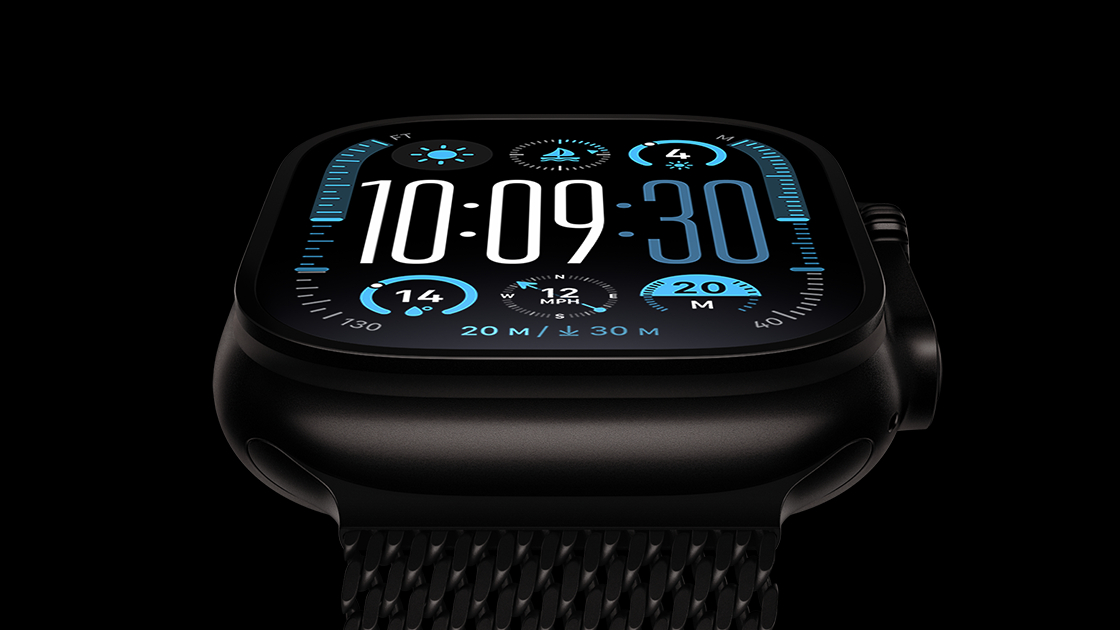
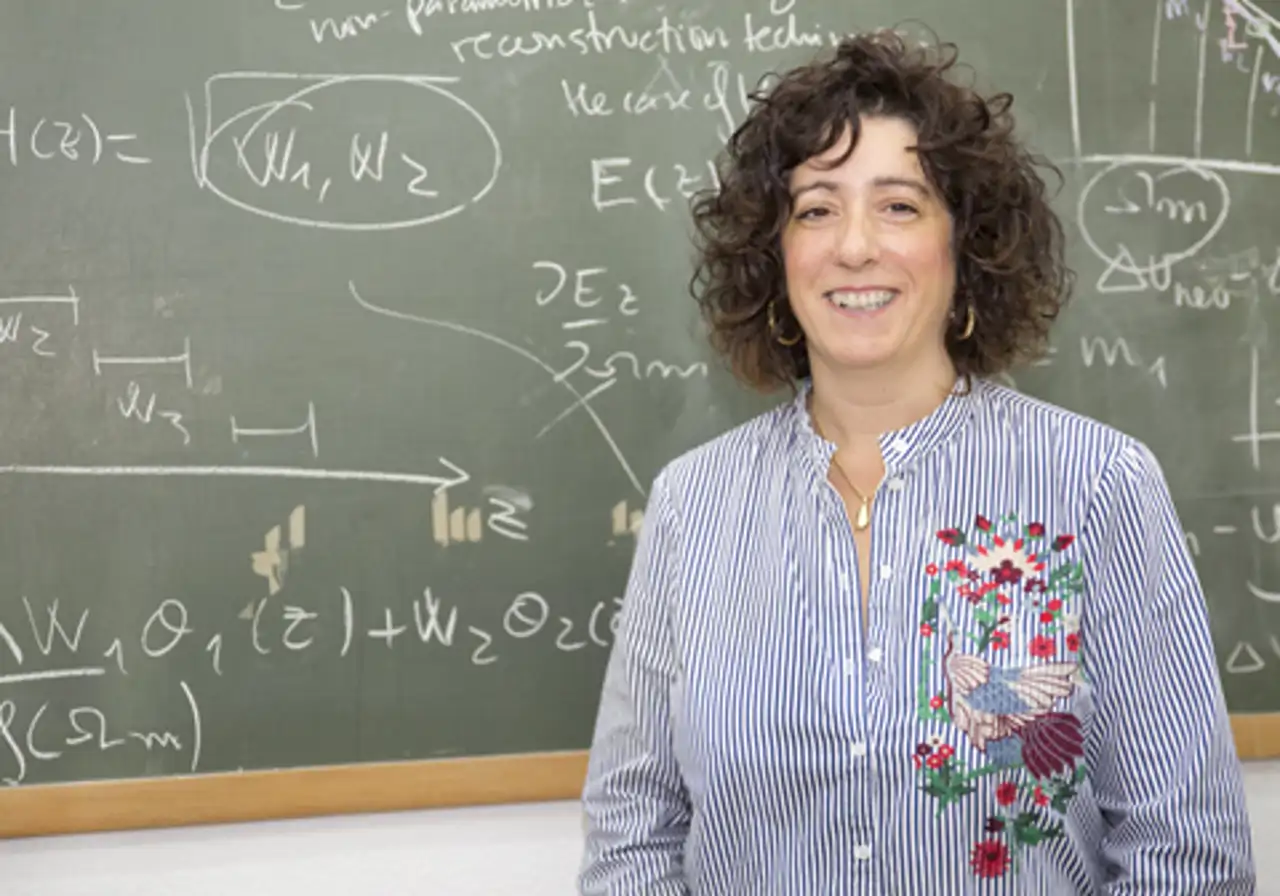
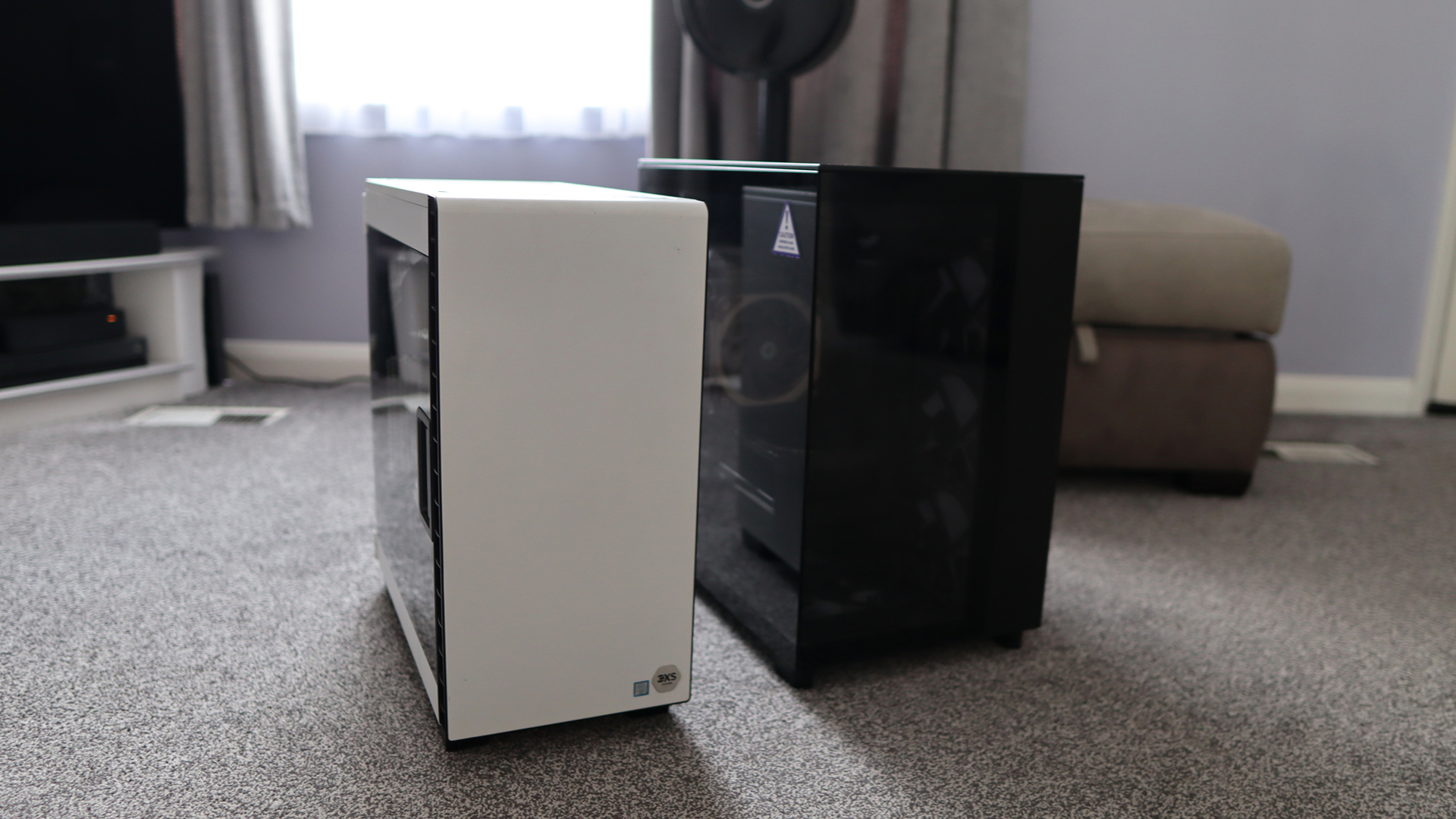
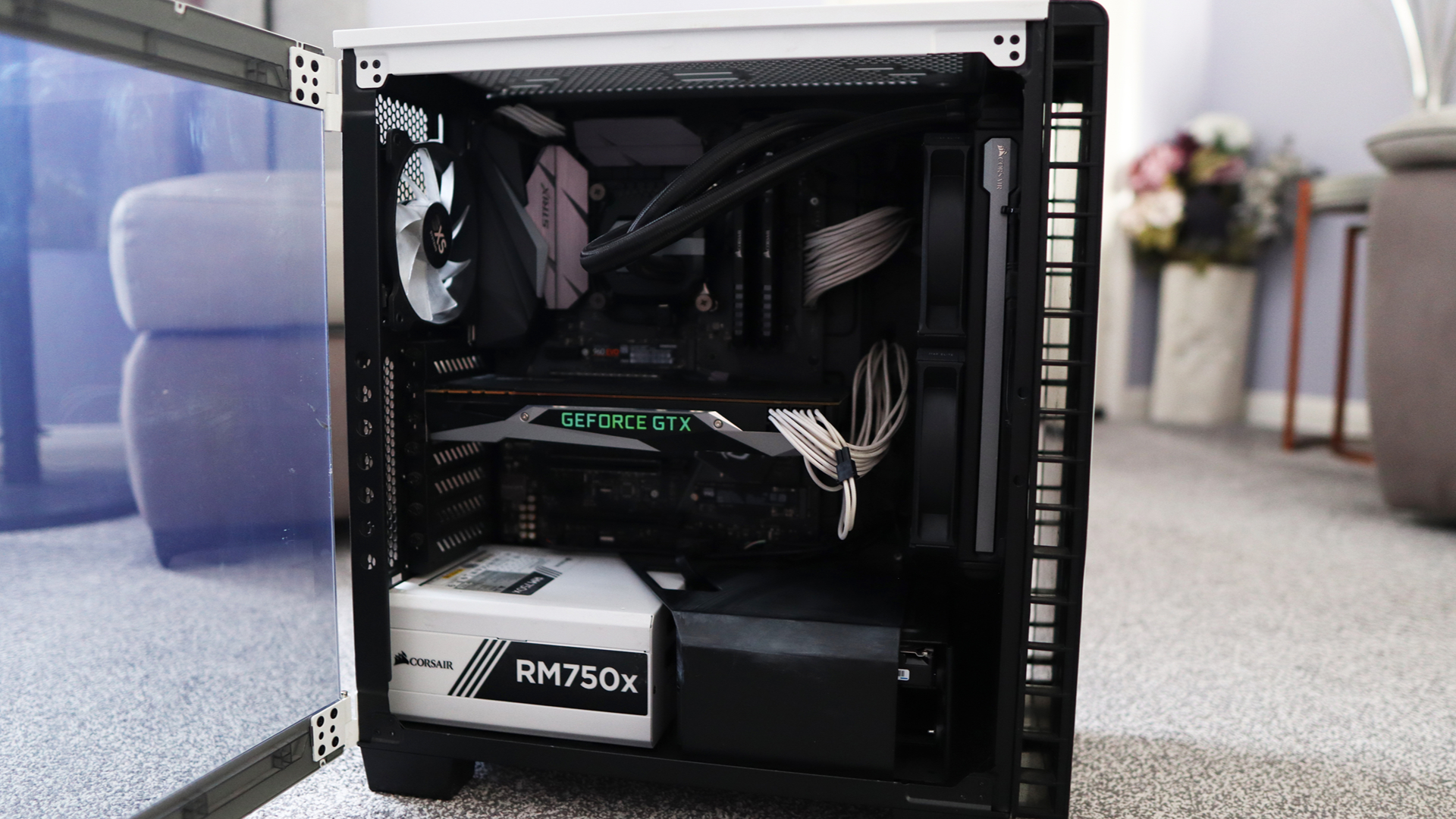
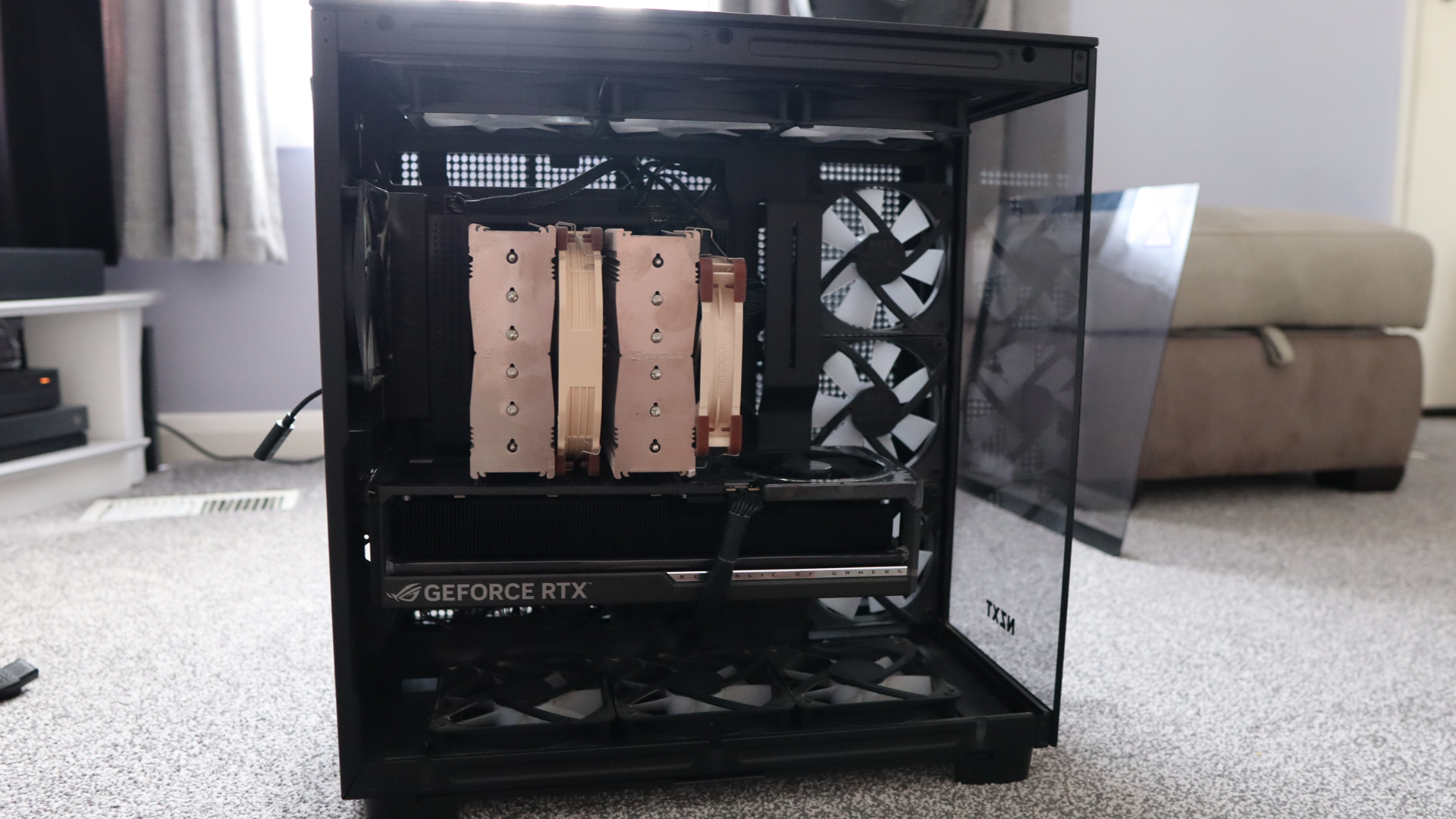

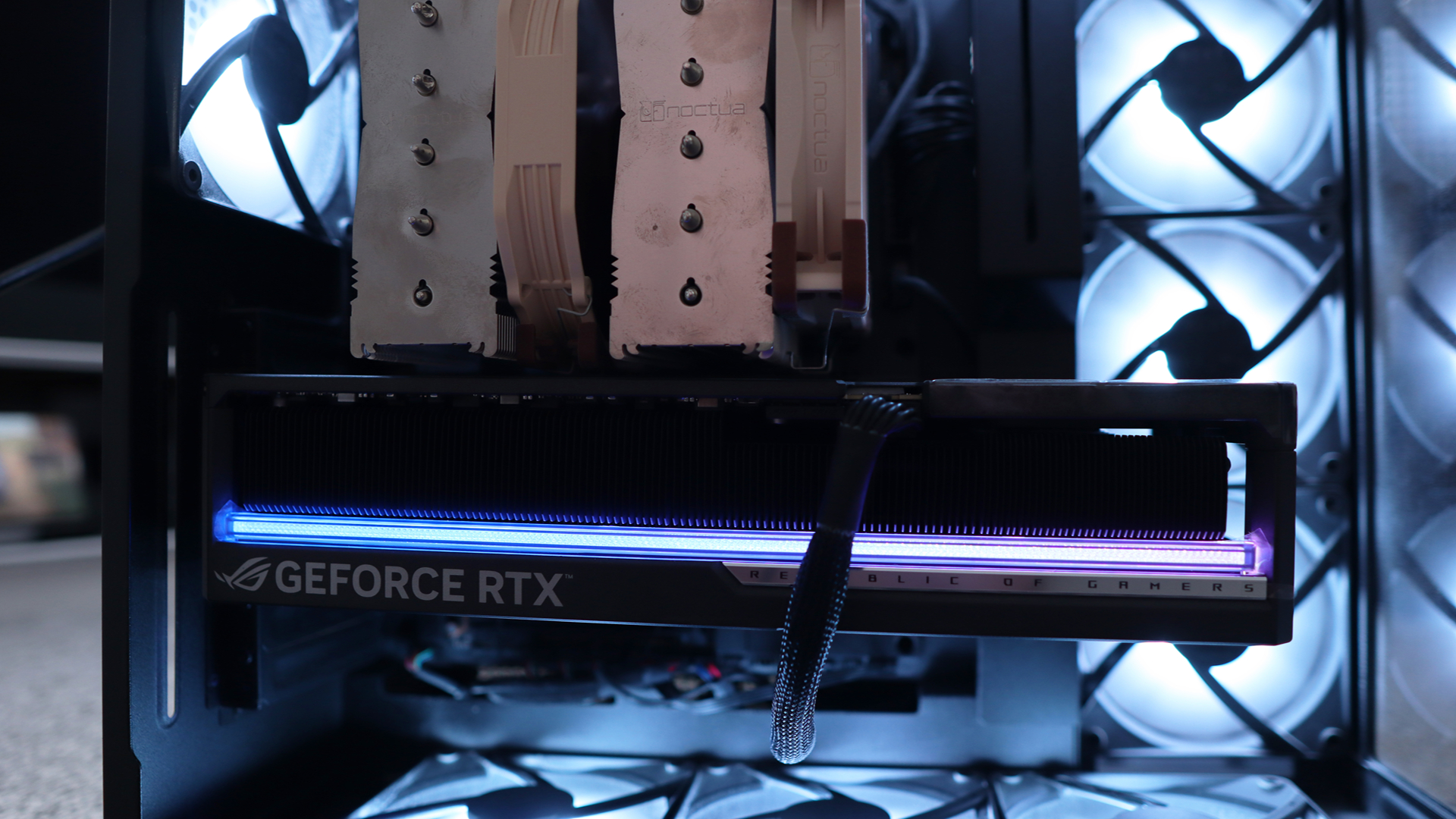
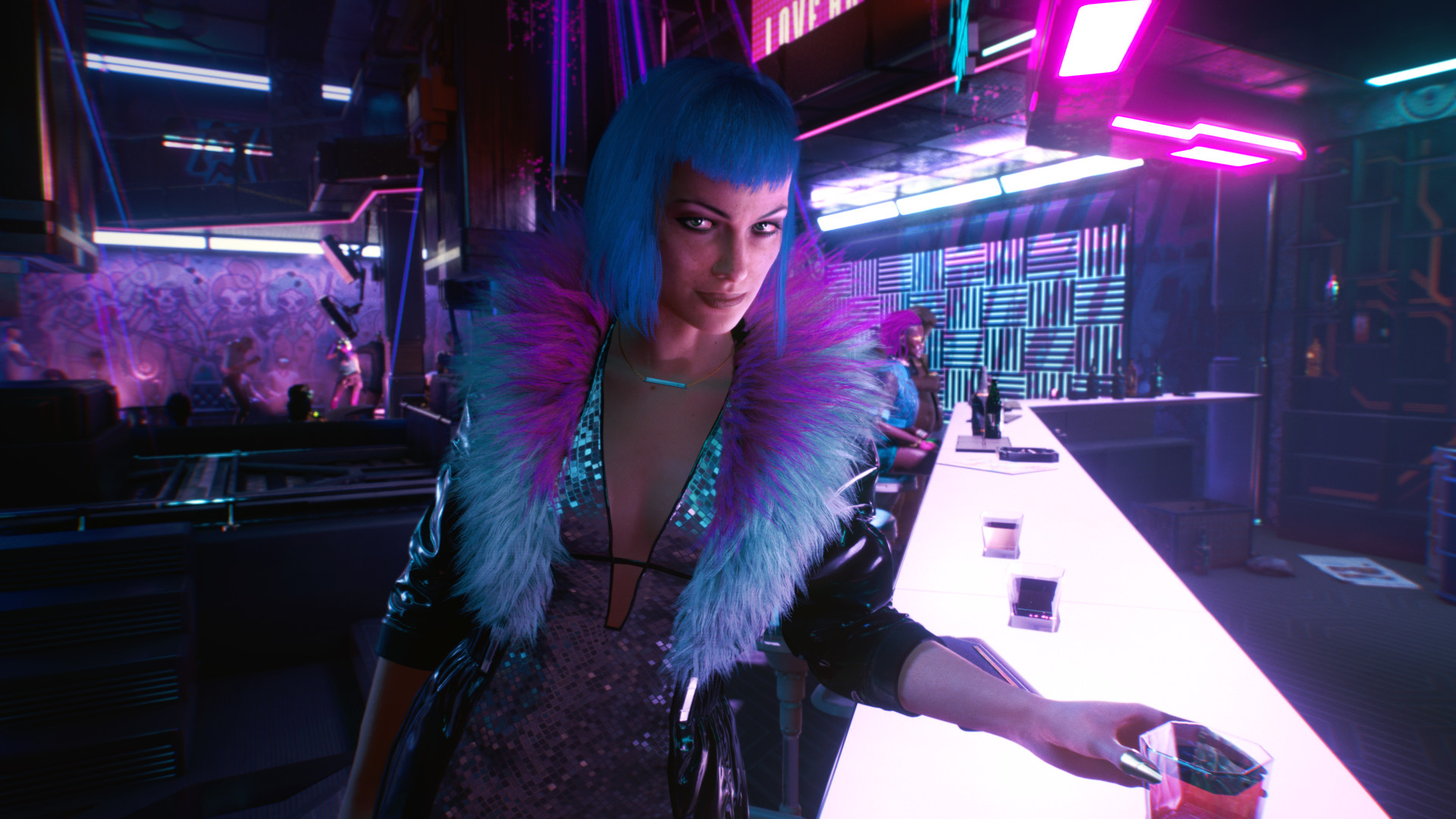
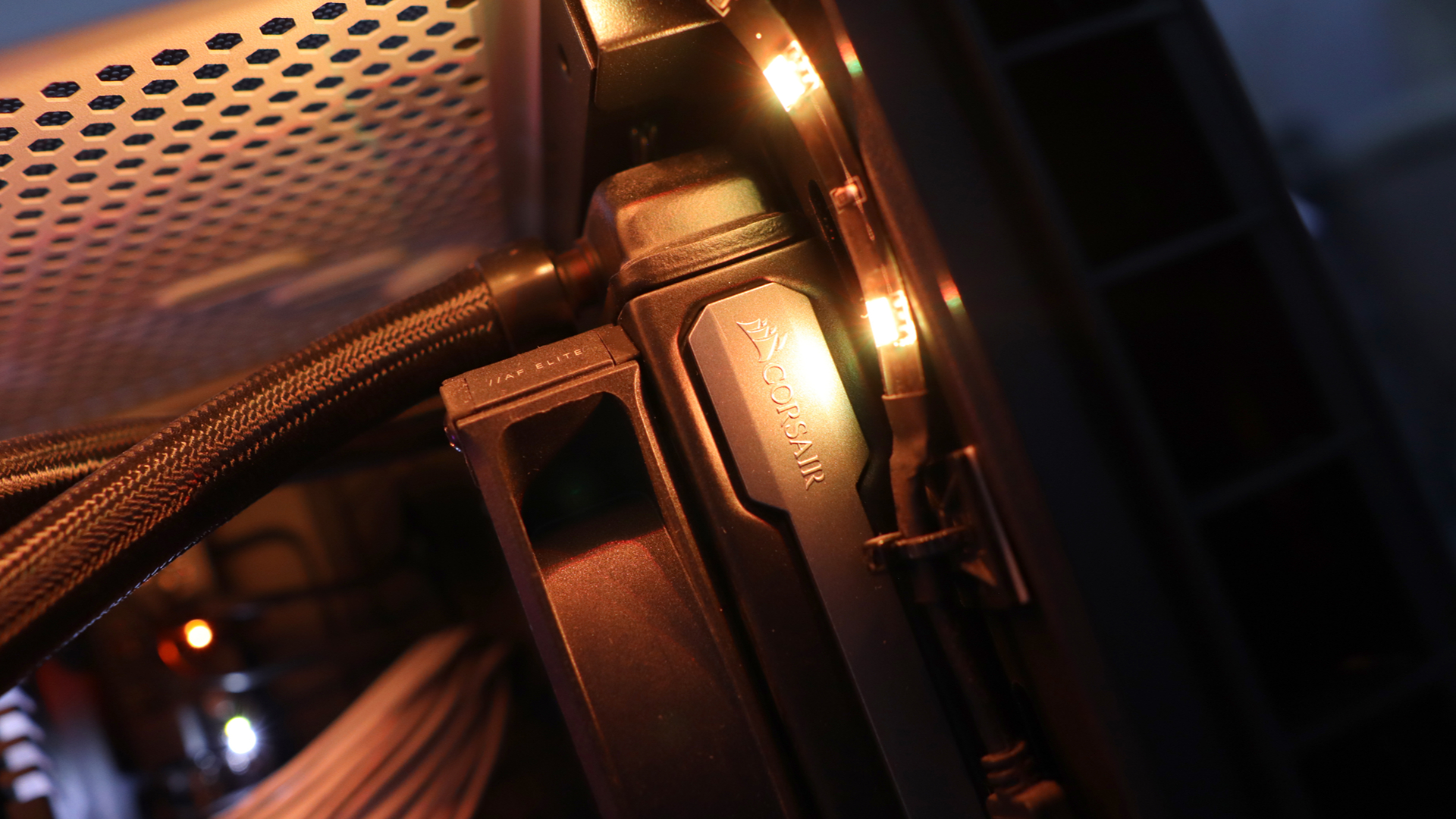
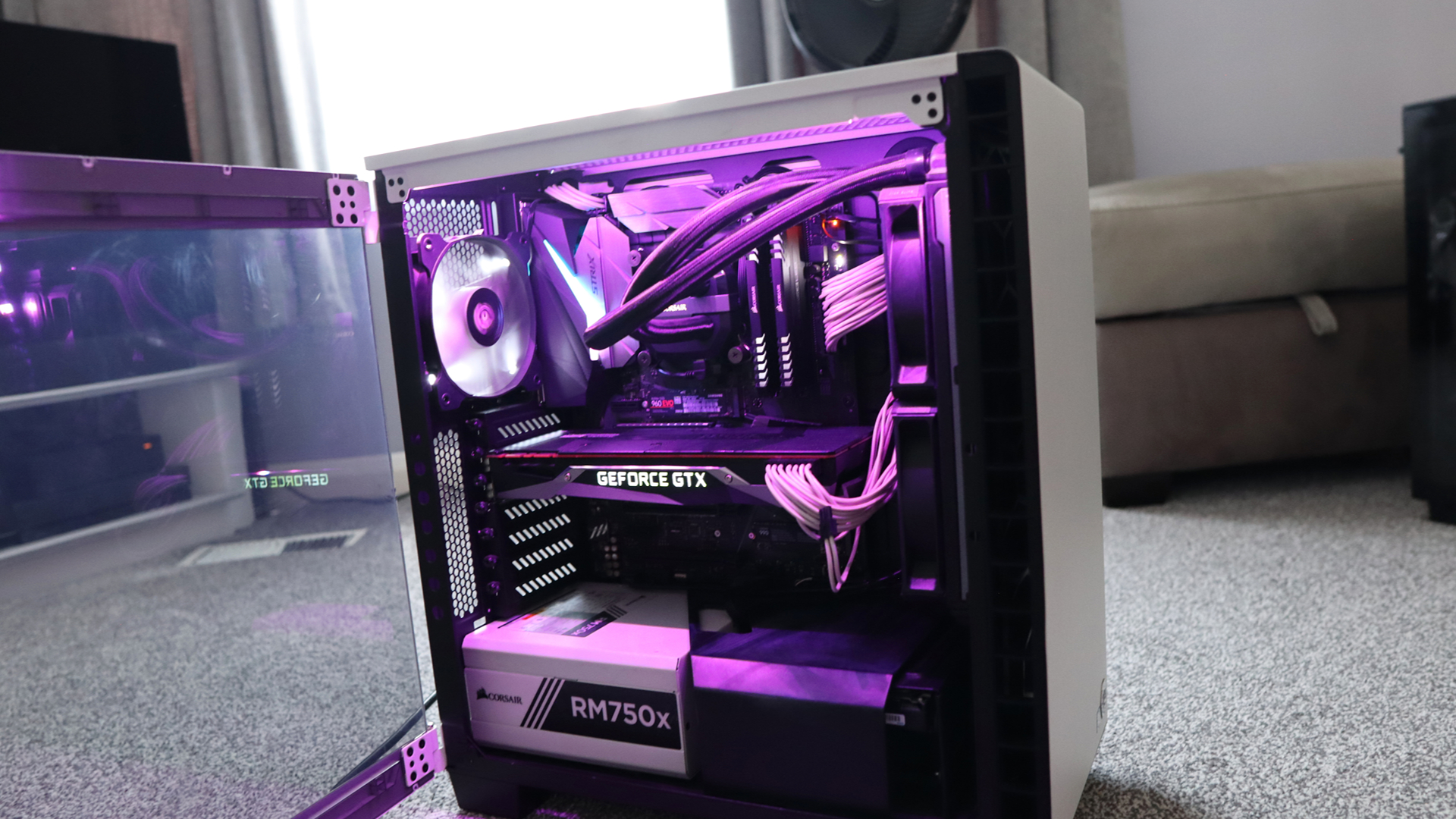
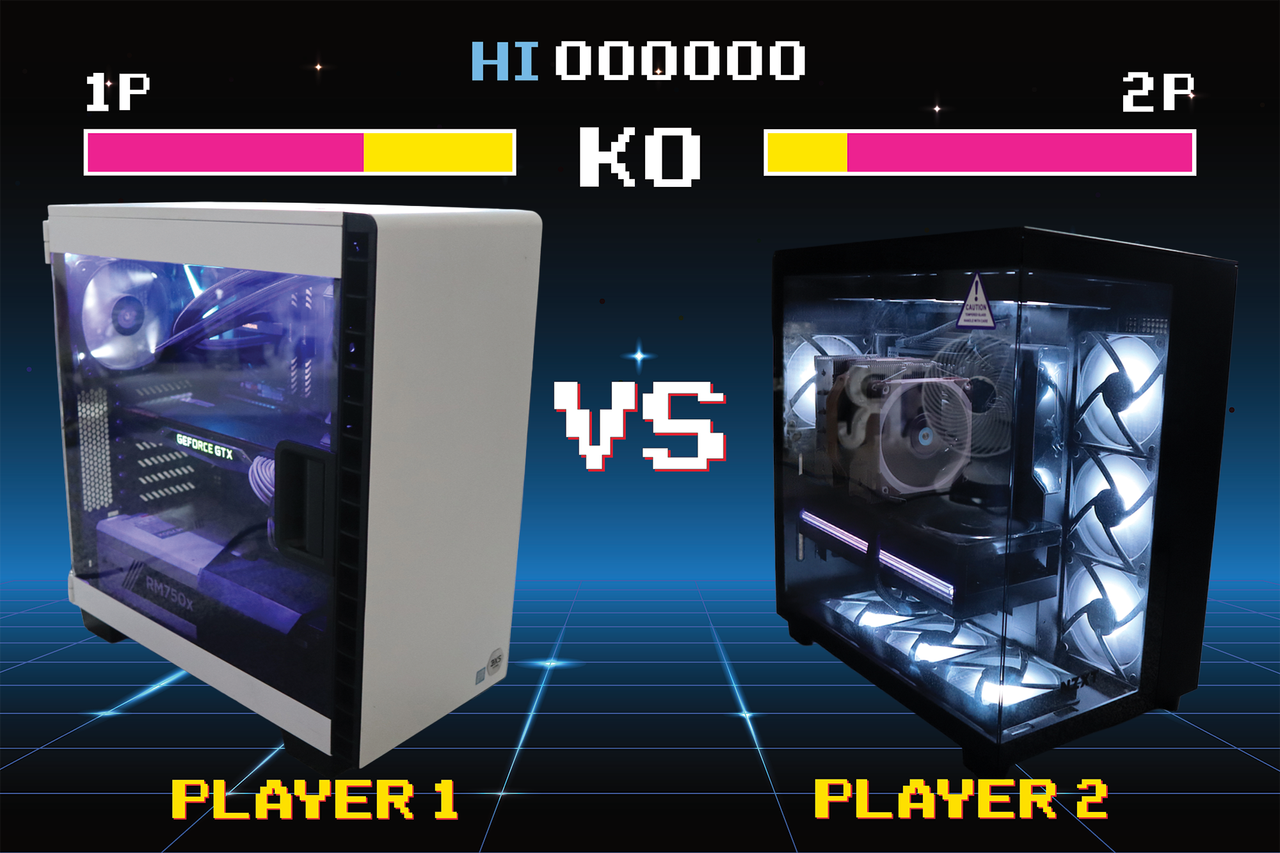


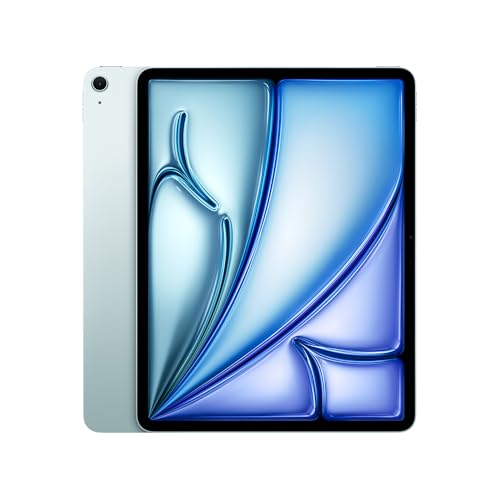



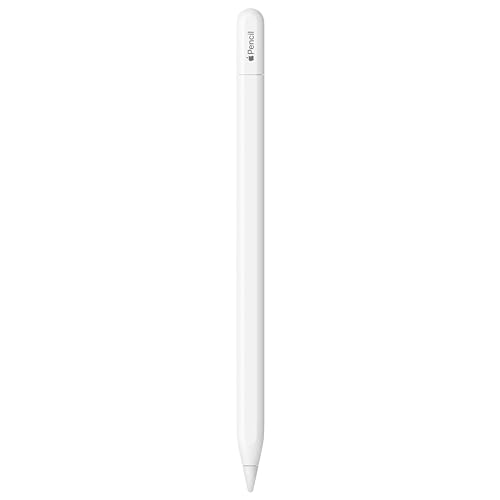


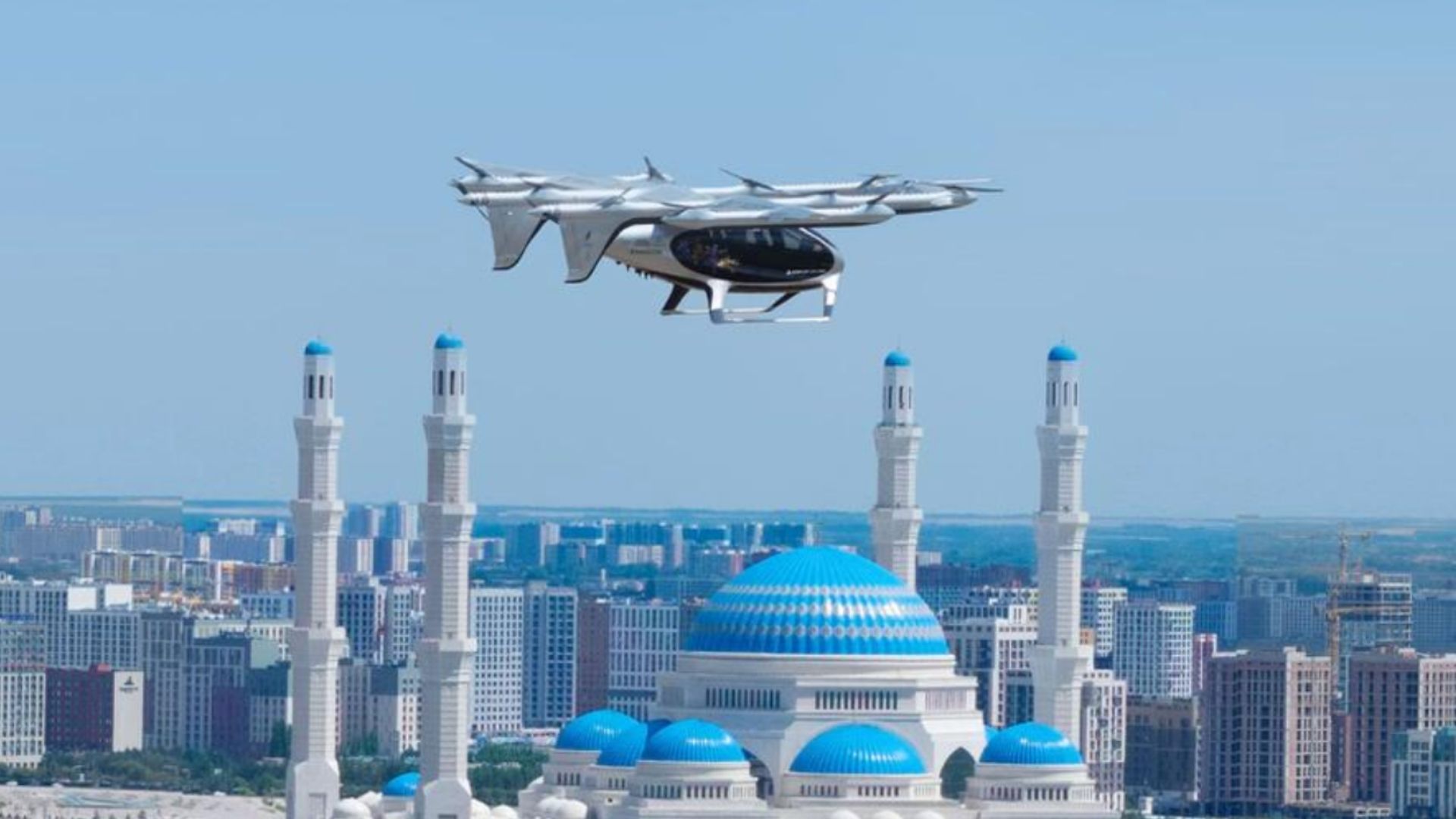

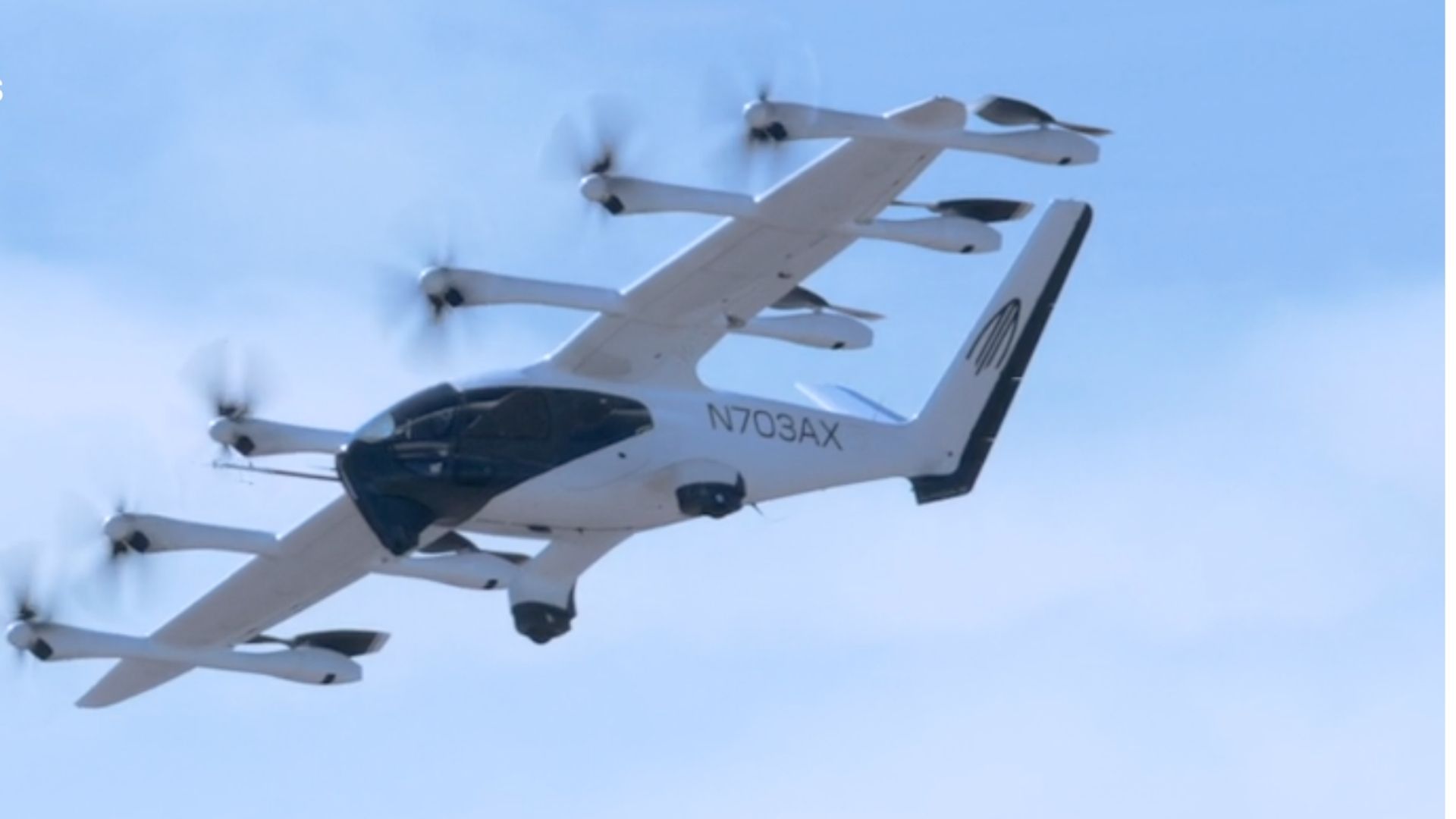
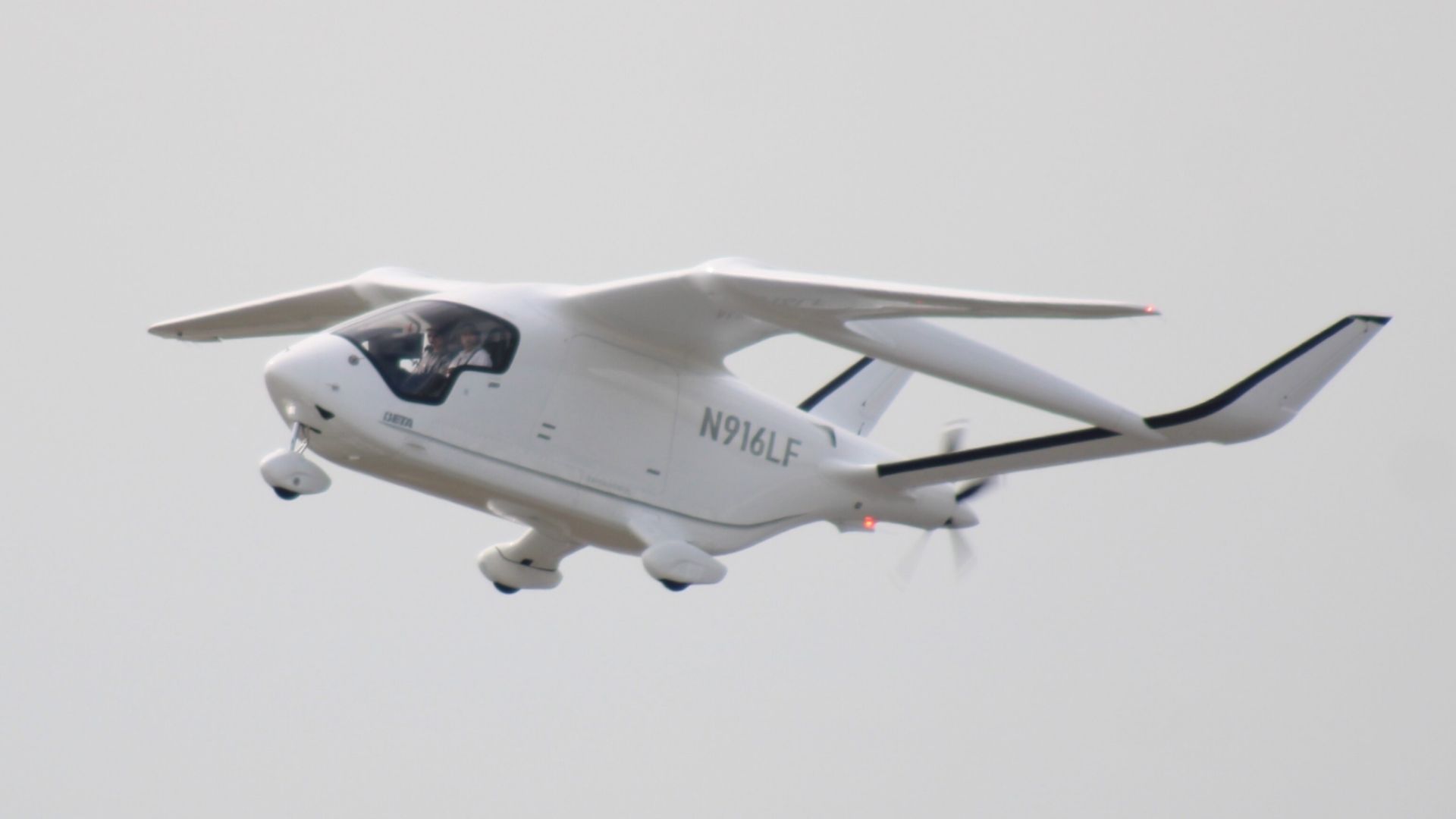
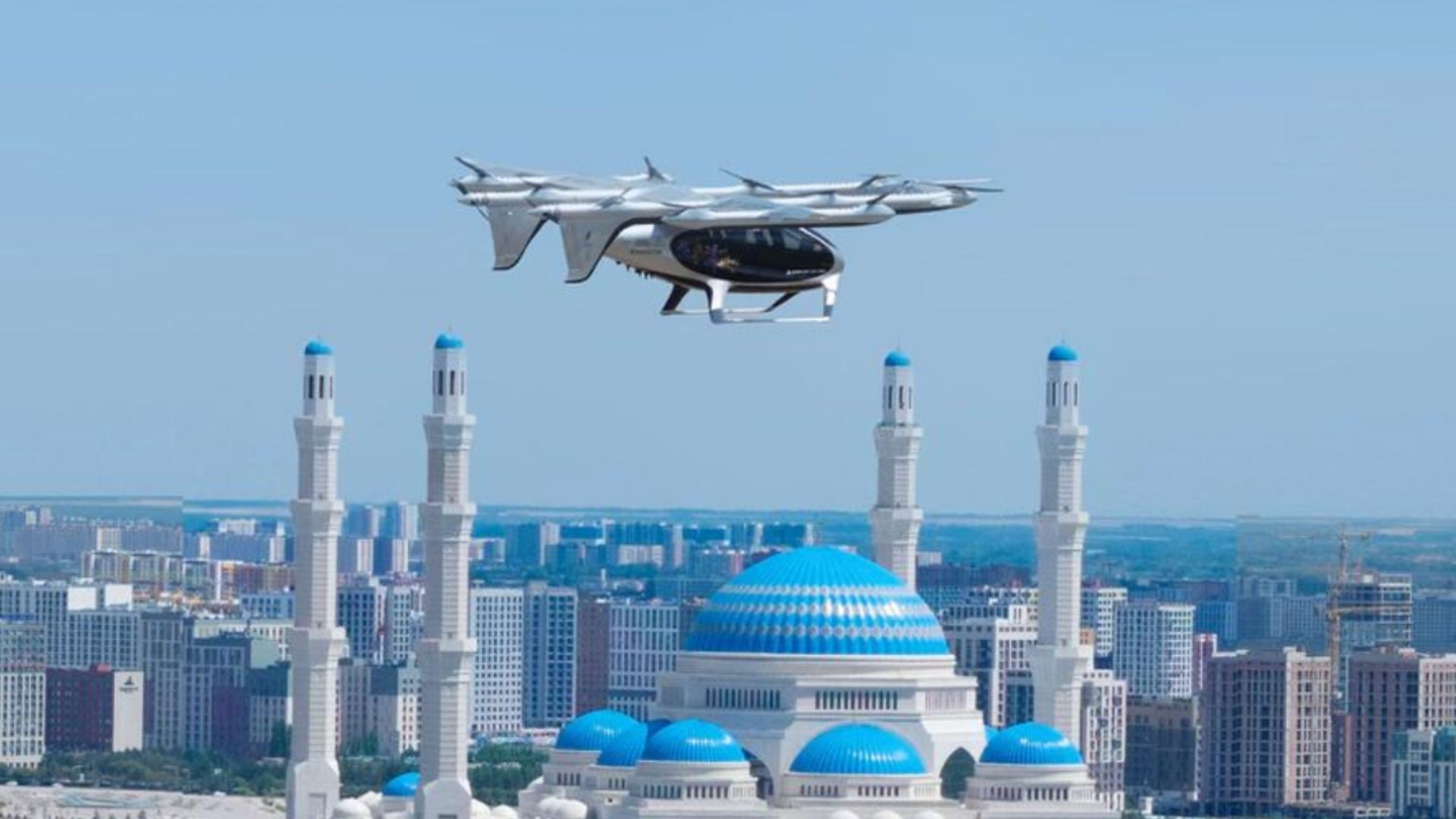

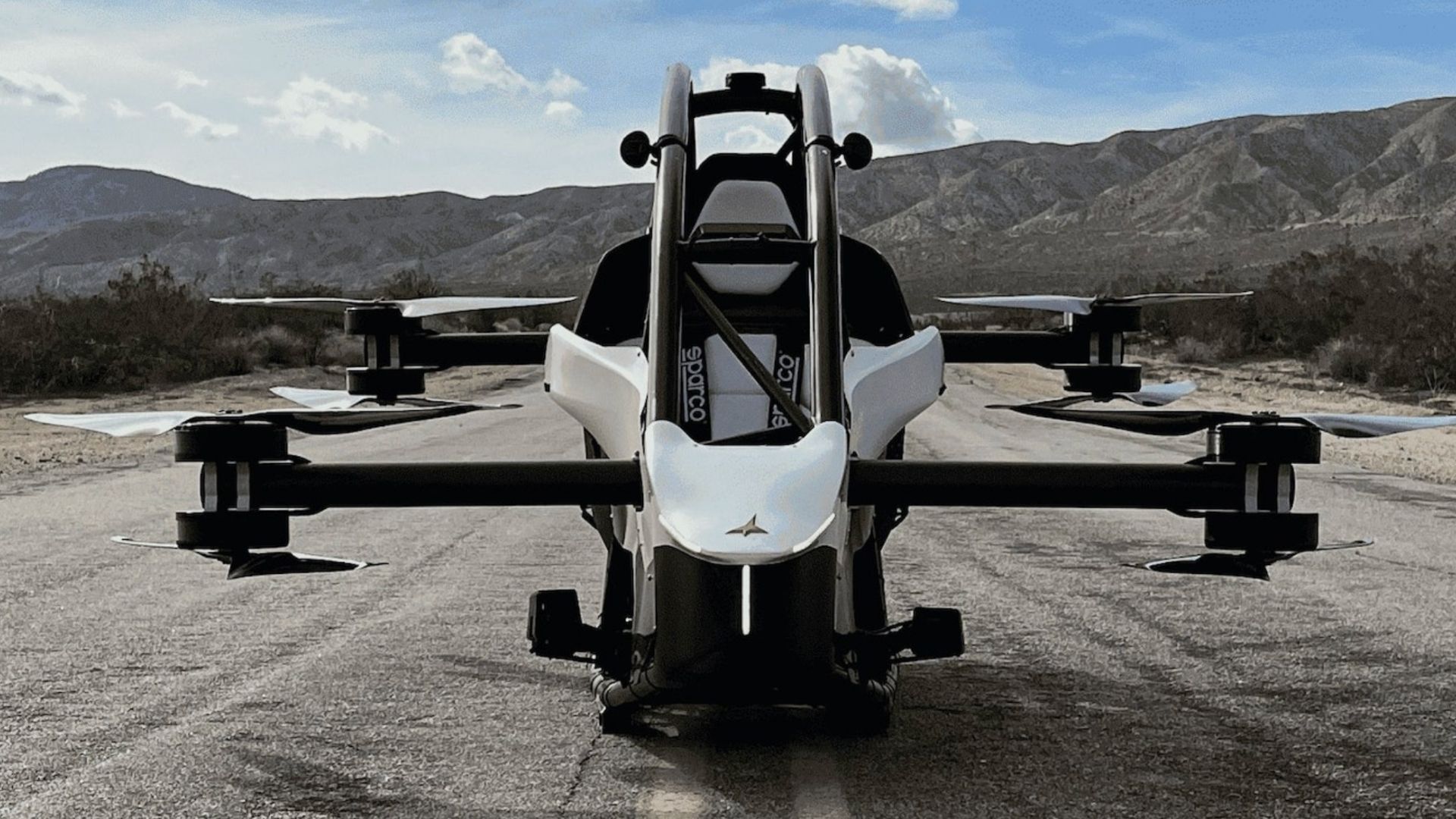
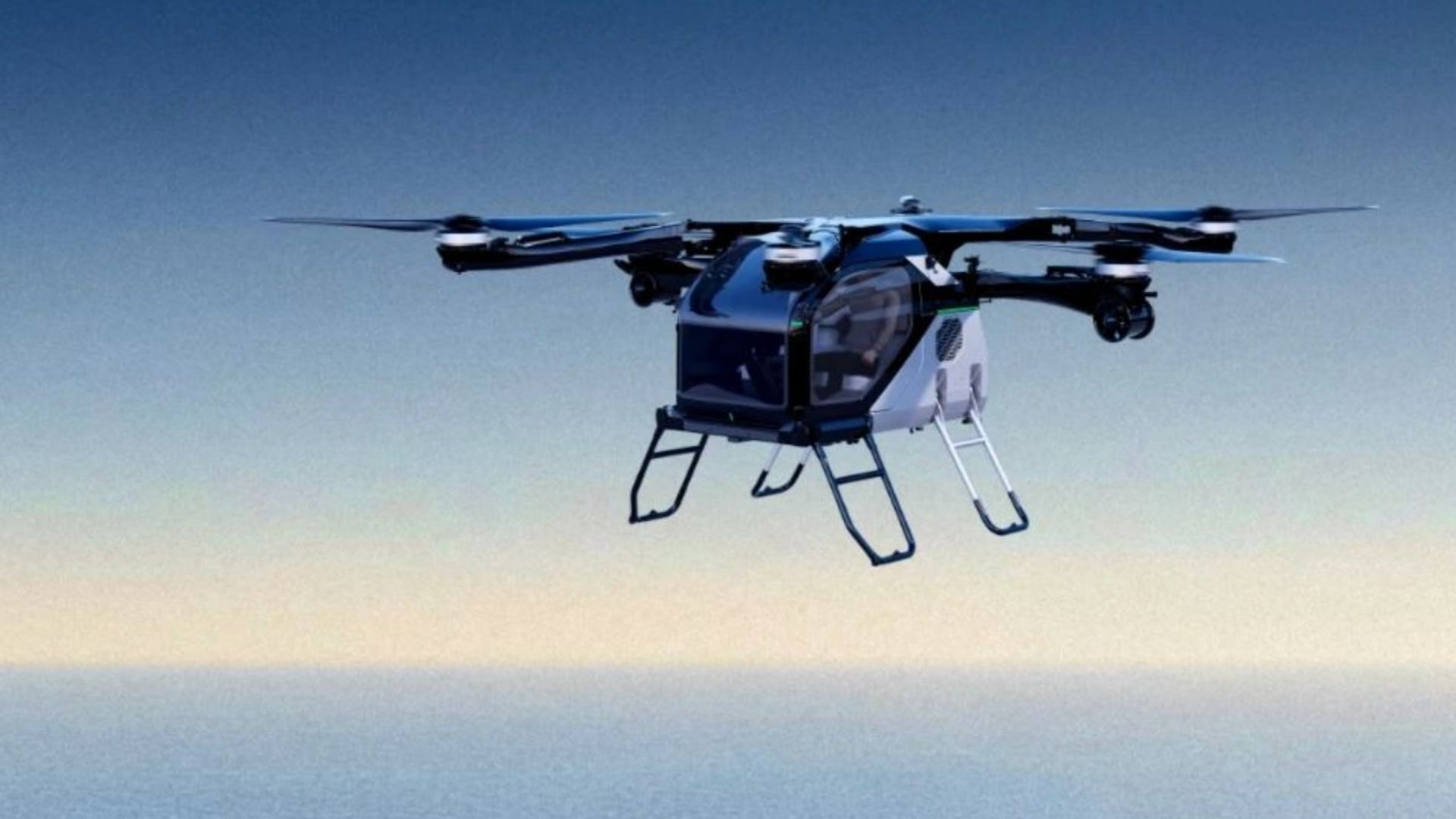

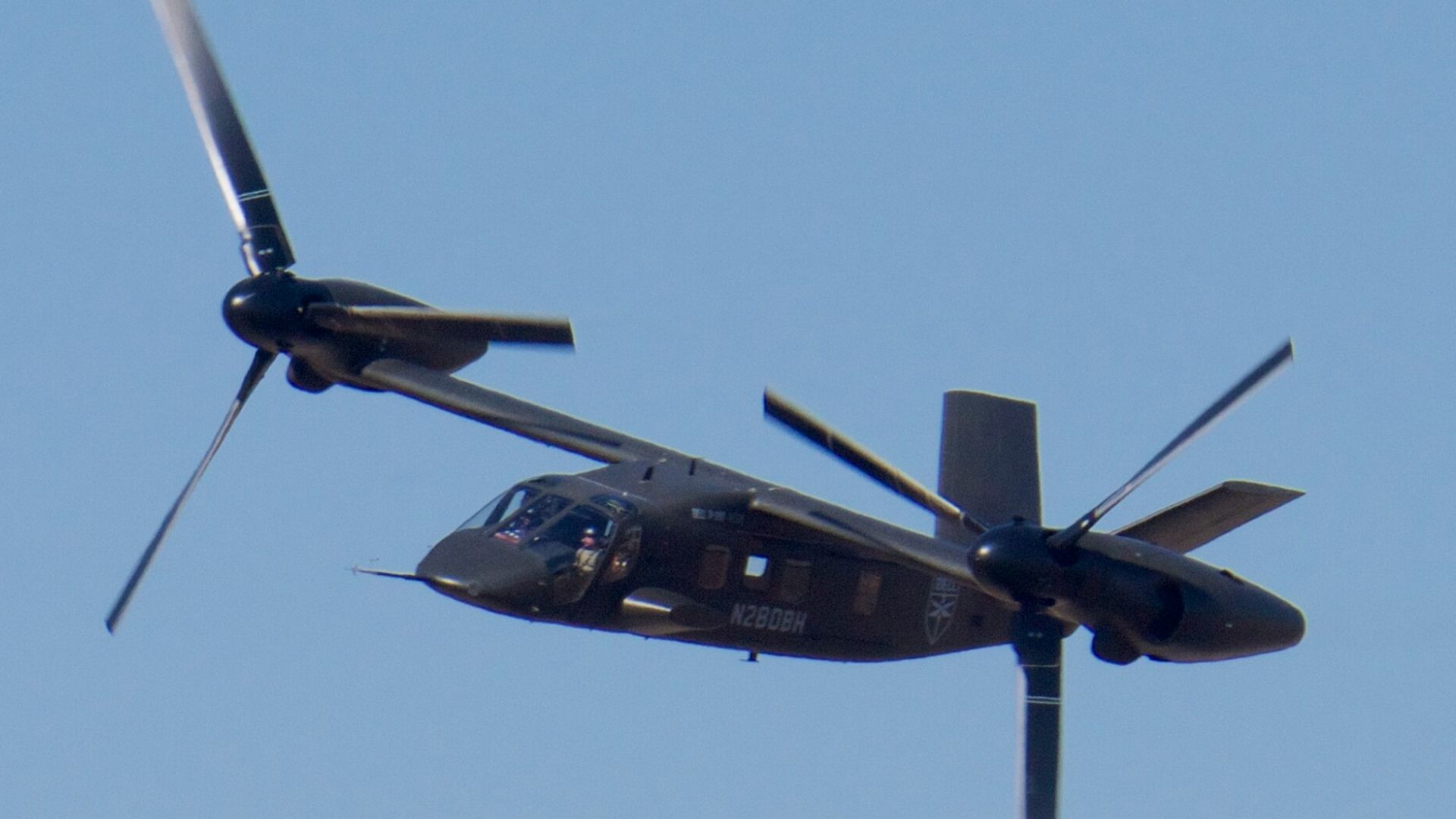



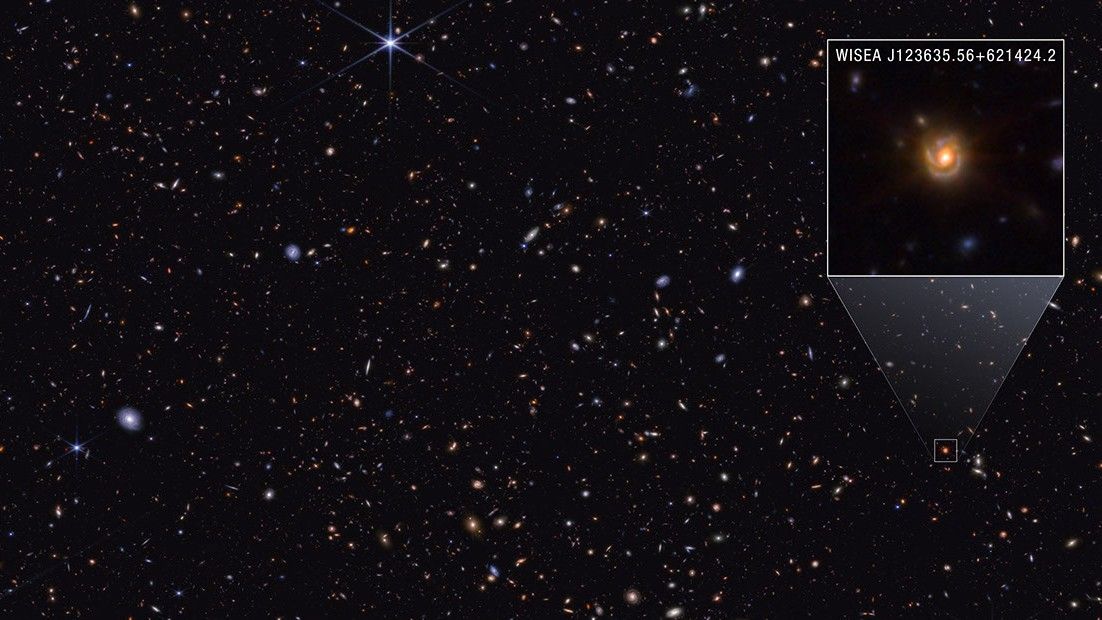
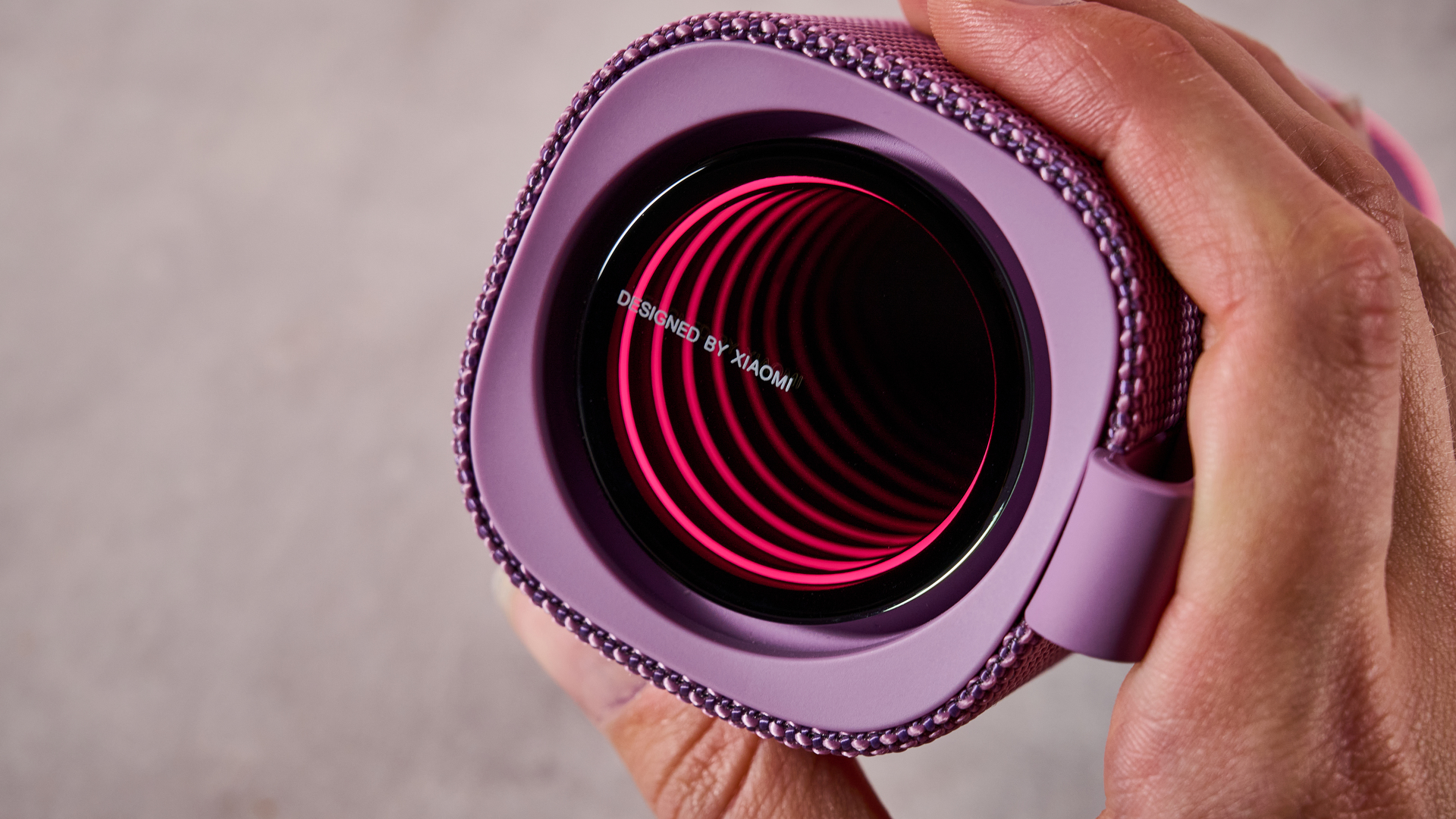
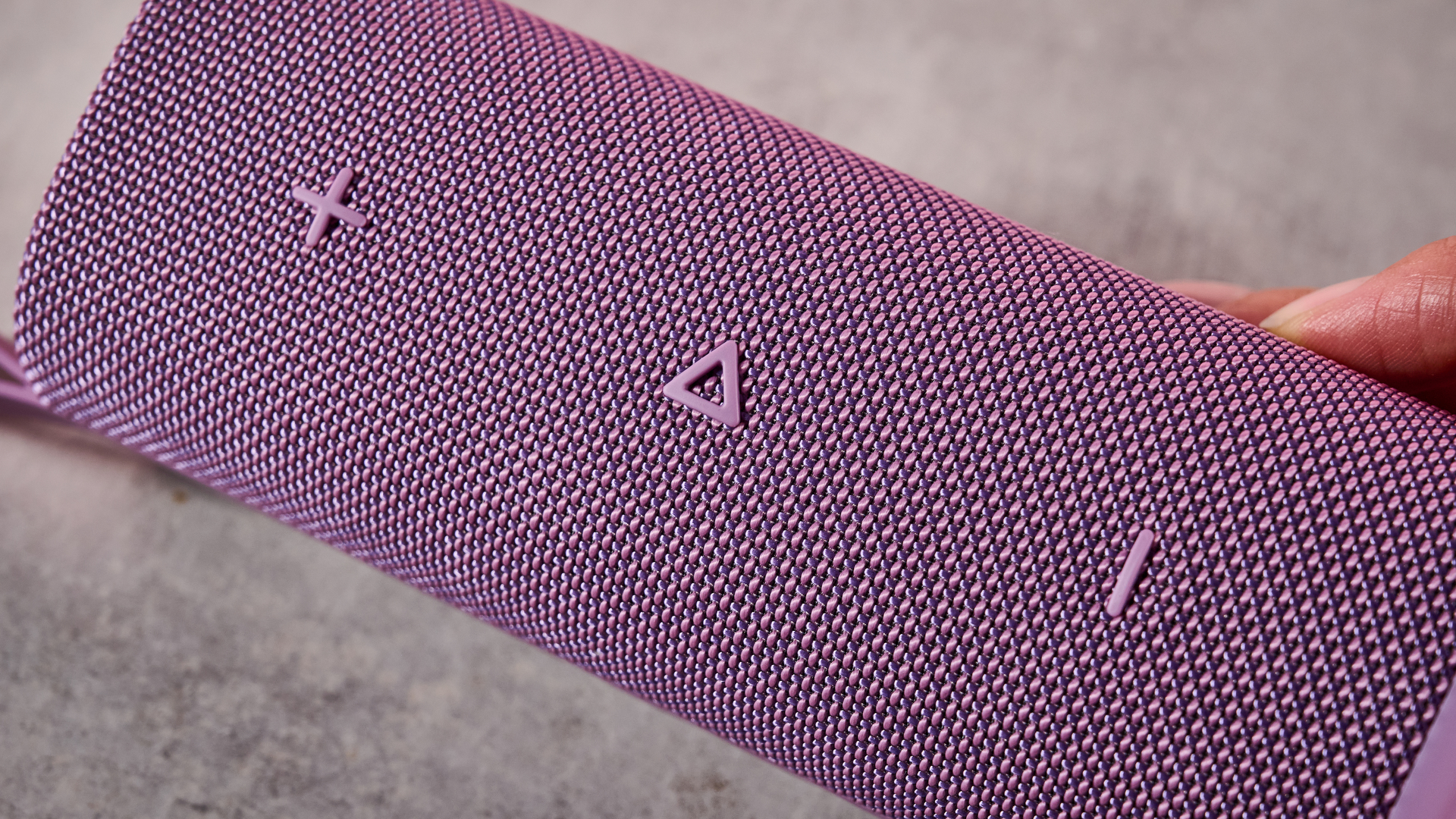
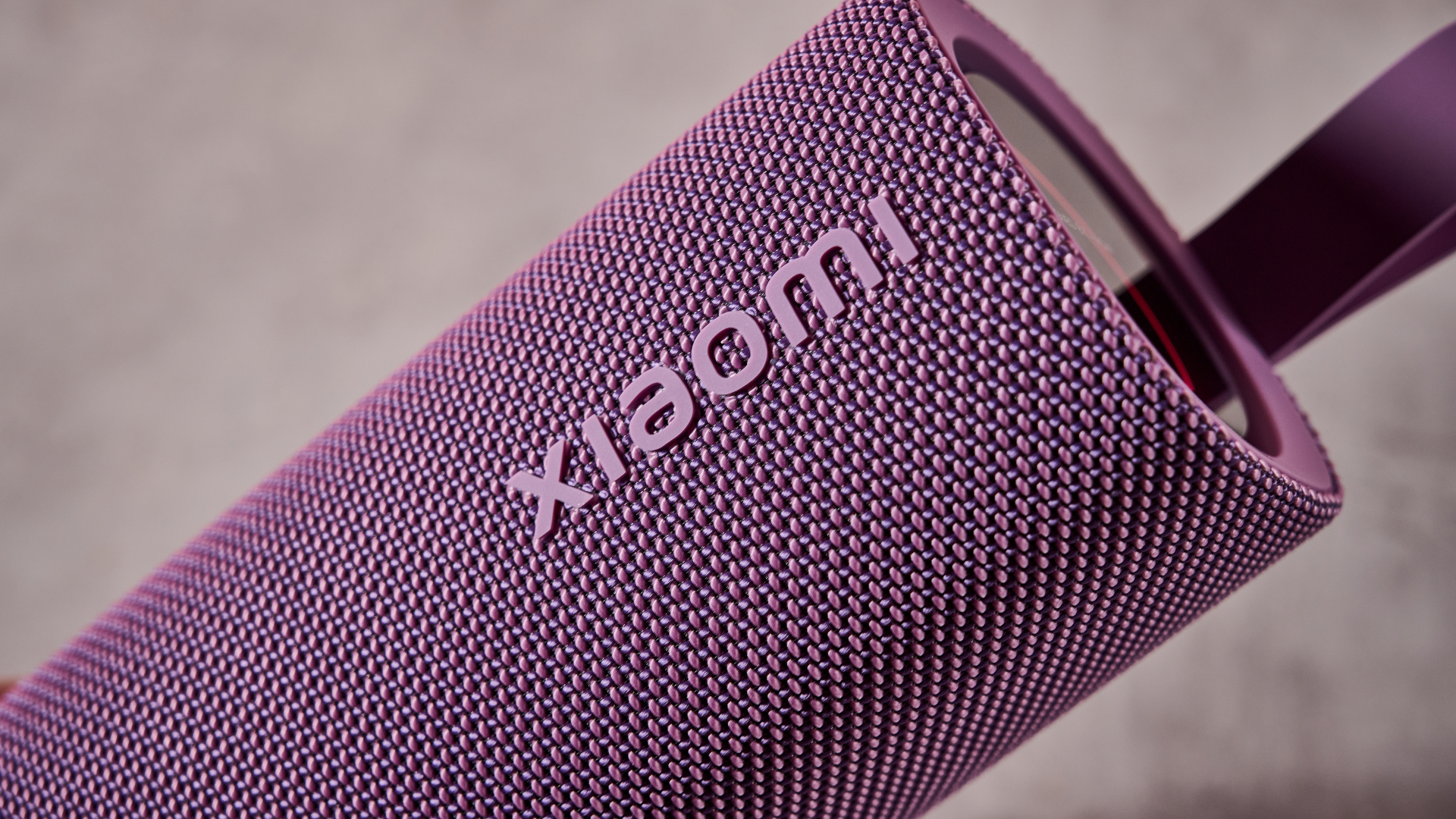
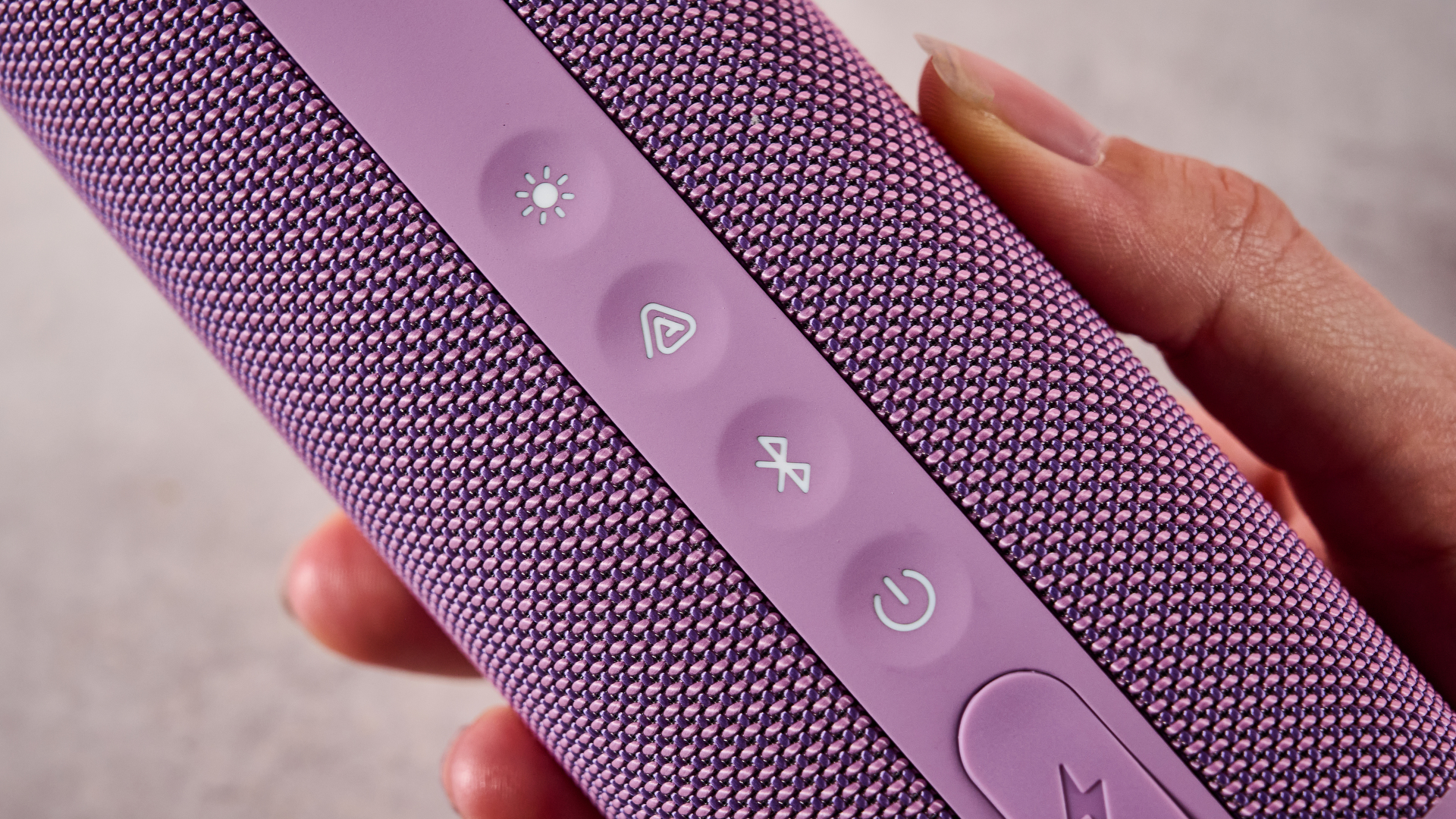
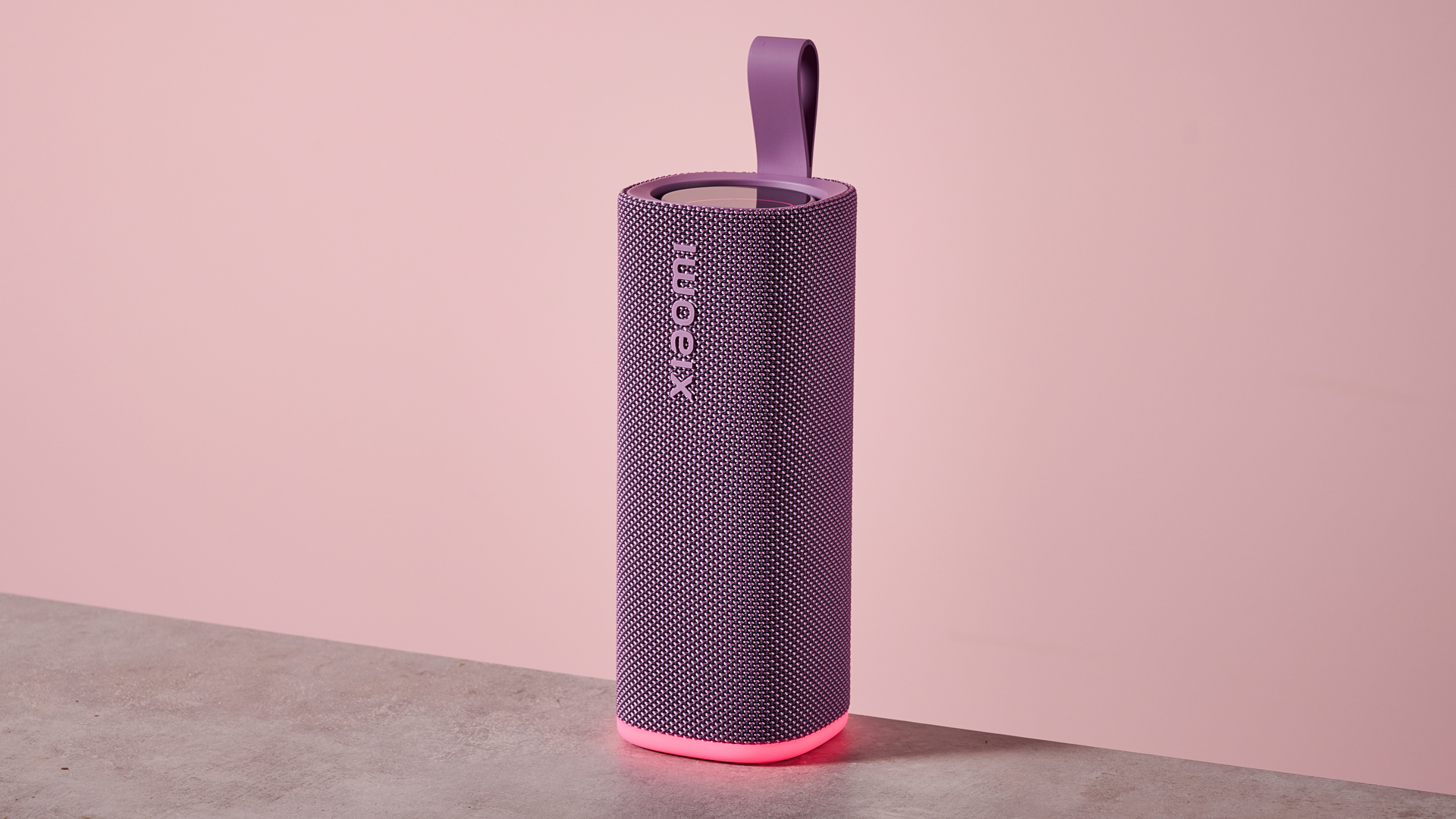
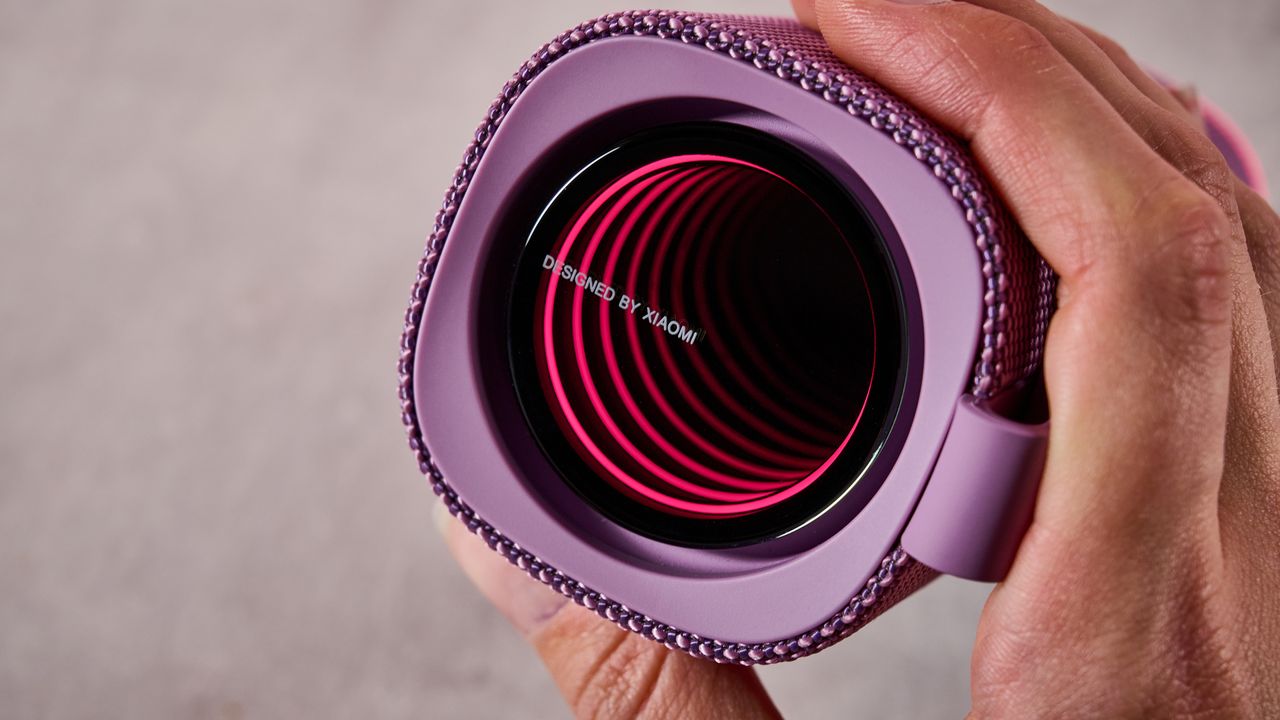








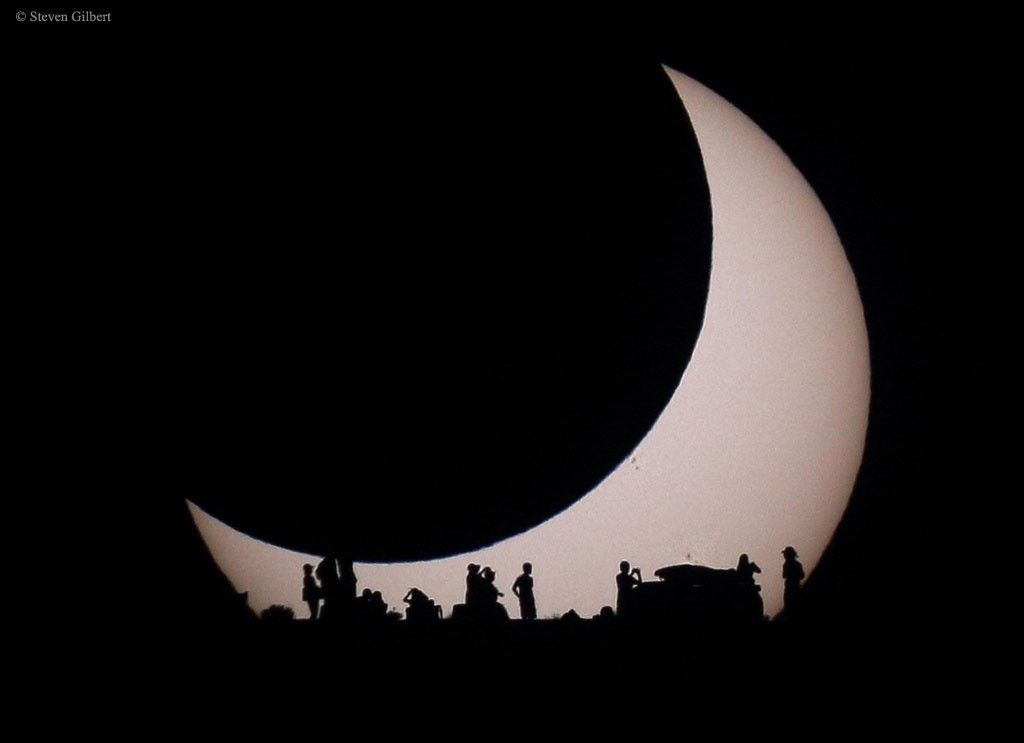








_(3-25-2025).jpg)

.svg)