A Apple anunciou o watchOS 27 com uma quantidade razoável de novidades, e neste vídeo lhes trago um resumo das principais mudanças que chegarão ao Apple Watch nesta atualização.
Entre os destaques, está a Siri AI (que requer um iPhone compatível), com um novo app dedicado a conversas mais naturais e contextuais. A interface também recebeu refinamentos visuais com o Liquid Glass, incluindo ícones redesenhados como o do Maps, além de um novo grid dinâmico de sugestões de apps ao pressionar a Digital Crown.
Outras novidades incluem novos botões para fechar ou silenciar notificações, um gesto de tocar e segurar para abrir itens do Conjunto Inteligente, e a chegada de um novo app Buscar (Find My), unificando a localização de pessoas, dispositivos e itens. Há ainda o recurso Call Context, que exibe informações relevantes durante chamadas.
No quesito desempenho, a reprodução de música ficou mais rápida, e a Apple promete melhor eficiência de bateria e conectividade Wi-Fi aprimorada. Para quem treina, o watchOS 27 traz maior precisão de distância em corridas e caminhadas na esteira, contagem de passos mais precisa e um Workout Buddy menos intrusivo, mais independente e agora com suporte a espanhol. O Acompanhamento de Ciclo (Cycle Tracking) também passa a contar com alertas de perimenopausa e menopausa.
Uma ausência notável é a do app Walkie-Talkie, que curiosamente não está presente nesta versão.
Este vídeo contou com o apoio do IvyCraft, um workspace de criação com IA que transforma documentos, vídeos e páginas da web em conteúdo pronto — slides, infográficos, vídeos explicativos, podcasts e muito mais, tudo direto do navegador, sem precisar instalar nada. Experimente gratuitamente!
Todas as empresas de capital aberto (que possuem ações à venda na bolsa de valores) são obrigadas, por lei — na maioria dos países (inclusive Brasil) —, a disponibilizar publicamente suas demonstrações financeiras periodicamente. Esse costuma ser um momento bastante esperado por acionistas (analisando se a empresa na qual estão investindo está sendo bem administrada e gerando lucros), investidores (para captar novas oportunidades de alocar seus recursos), além da imprensa e de curiosos em geral. Na última quinta-feira (30/7), foi a vez da Apple de divulgar seus resultados financeiros referentes ao trimestre abril-junho de 2026.
Para alegria de todos, o CEO 1Chief executive officer, ou diretor executivo.Tim Cook se despede da sua posição com o melhor terceiro trimestre fiscal que a empresa já registrou — um recorde absoluto! Como já informado aqui no MacMagazine, no período de abril a junho (encerrado no dia 27/6), a companhia relatou uma receita de US$109,4 bilhões (alta de 16,4%) em relação ao mesmo trimestre do ano anterior, e lucro líquido de US$29,8 bilhões (um avanço de 27%). A margem bruta chegou a incríveis 50,1%, a maior já apurada em períodos semelhantes da história da empresa!
Hoje, a Apple tem orgulho de relatar o nosso melhor trimestre de abril-junho de todos os tempos, com crescimento de receita de dois dígitos em iPhone, Mac e Serviços, e em todos os segmentos geográficos.
Uma das grandes surpresas do relatório foi o crescimento no faturamento de Macs. Pela primeira vez, a categoria ultrapassou a casa dos US$10 bilhões em um trimestre abril-junho, e o crescimento de 29% superou o do iPhone.
A explicação está em parte na procura alucinada por Macs mini para rodar agentes de inteligência artificial e na leva de lançamentos de março: MacBook Air com M5, MacBook Pro com M5 Pro e M5 Max, e principalmente o MacBook Neo, o modelo de entrada que estreou a US$600 — preço que subiu para US$700 em junho, no reajuste geral motivado pelo custo de memória. A Apple parece ter encontrado um mercado relevante abaixo do Air, e vale acompanhar o que isso faz com a margem da linha nos próximos trimestres.
O iPad foi a única categoria no vermelho, com queda anual de 6%. Não é surpresa: a própria Apple havia avisado que a comparação seria difícil, pois no ano anterior houve o lançamento do iPad com chip A16. O iPad Air com M4, que chegou em março, não foi suficiente para compensar. Cabe ainda analisar se o bem-sucedido MacBook Neo não acabou levando um pouco do mercado dos tablets, também.
O asterisco que quase ninguém vai mencionar
A margem bruta de 50,1% e o lucro por ação de US$2,02 não são resultado apenas da operação, e esse detalhe se perde facilmente na comemoração dos recordes.
À primeira vista, no press release — e nos comentários que fizemos no último podcast —, esse ponto não ficou bem claro, mas merece atenção. A Apple informou, no comunicado, que a margem incluiu cerca de dois pontos percentuais e o lucro por ação incluiu US$0,11 vindos de reembolso de tarifas, dinheiro que a empresa havia pago ao governo americano e recebeu de volta depois que a Suprema Corte derrubou, em fevereiro, as tarifas impostas sob a IEEPA (a lei de poderes econômicos internacionais de emergência). A empresa não detalhou a origem exata dos valores devolvidos, mas a decisão da Corte é o evento que abriu caminho para os reembolsos.
É dinheiro real, entra legitimamente no resultado, mas não é recorrente e não diz nada sobre a capacidade da Apple de vender aparelhos. Descontando o efeito, a fotografia muda um pouco: a margem bruta cai para aproximadamente 48%, exatamente o que o consenso projetava, e o lucro por ação vai para cerca de US$1,91, contra os US$1,89 esperados. De uma superação de 6,9% no lucro, sobra uma de pouco mais de 1%.
Ou seja: o trimestre continua bom em receita e em volume, que são genuinamente fortes. Mas o brilho extraordinário no lucro é, em boa parte, contábil, e não se repete.
A Apple abre a margem bruta em dois blocos apenas: produtos e serviços. Ela nunca divulga margem por categoria individual (não existe margem oficial de iPhone, Mac ou iPad em documento nenhum da empresa, e todo número desse tipo que circula é estimativa de analista), mas os dois blocos que ela abre já contam a história.
Linha de negócio
Margem do FQ3 2026
Margem do FQ3 2025
Variação
Produtos
40,07%
34,52%
+5,55pp
Serviços
75,62%
75,58%
+0,04pp
Consolidado
50,06%
46,49%
+3,57pp
A margem de hardware subiu 5,55 pontos percentuais em 12 meses. A margem de hardware não sobe 5 pontos por ganho de eficiência: é ali que o reembolso de tarifas desembarcou, porque tarifa incide sobre produto físico. A prova está na linha seguinte: serviços, que não pagam tarifa nenhuma, ficou praticamente parado. A melhora não foi operacional.
Vale registrar um desequilíbrio que explica boa parte do valuation da Apple. Serviços representam 28,1% da receita, mas respondem por 42,4% do lucro bruto do trimestre. Produtos são 71,9% da receita e apenas 57,6% do lucro. Cada dólar de serviço vale quase o dobro de um dólar de hardware, e é por isso que o mercado aceita pagar perto de 40x o lucro por uma empresa que, no fim das contas, vende telefone.
Serviços: um pequeno sinal de alerta
Os relatórios revelaram um problema silencioso do trimestre. Serviços cresceram 12,1%, um bom número isolado, mas bem abaixo dos 16,2% do trimestre encerrado em março e, mais grave, abaixo do que a própria Apple havia sinalizado. Na teleconferência de abril, o diretor financeiro Kevan Parekh disse que os serviços cresceriam em ritmo “similar ao reportado em março” (ou seja, algo perto de 16%, ressalvando o efeito cambial). Ficaram cerca de 4 pontos percentuais aquém.
A linha chegou a recuar 0,8% em relação ao trimestre imediatamente anterior. Foi o único item da projeção que a Apple não cumpriu, e não é um item qualquer: é o que sustenta o múltiplo da ação. Parte da imprensa de mercado atribuiu a reação negativa à combinação de serviços com a Grande China, embora as estimativas para a região divergissem bastante entre as casas: havia projeções de US$18,8 bilhões, que o resultado cumpriu, e de US$19,5 bilhões, que não.
Fora das manchetes do balanço, três indicadores das demonstrações merecem atenção, e nenhum deles apareceu no material de divulgação.
O estoque quase dobrou, de US$5,7 bilhões em setembro de 2025 para US$11,1 bilhões, alta de 94%. Uma empresa que é referência mundial em operar com estoque enxuto dobrou o estoque em 9 meses. A leitura mais provável é compra antecipada de memória, antes que os preços subam ainda mais. É a confirmação contábil do que Cook disse em junho, quando afirmou que aumentos de preços eram inevitáveis.
Pesquisa e desenvolvimento saltou para US$11,7 bilhões, o dobro do ritmo da receita, e passou de 9,4% para 10,7% do faturamento. Ao mesmo tempo, o investimento em ativo fixo (equipamentos, imóveis, veículos etc.) caiu 28% no acumulado de 9 meses. É a tese da IA “capital-light” traduzida em números: a Apple gasta mais em gente e software, e menos em concreto e servidor, apostando em rodar inteligência nos mais de 2 bilhões de aparelhos que já estão nas mãos dos usuários. O oposto de Microsoft, Google e Amazon.
O caixa operacional de 9 meses foi de US$117 bilhões, contra US$81,8 bilhões. Mesmo assim, a recompra de ações caiu de US$70,6 para US$62,1 bilhões. A Apple está segurando dinheiro, o que é coerente com o estoque dobrado e com uma troca de comando marcada para 1º de setembro.
Há ainda um detalhe na linha de outras receitas, que agrupa o que a Apple ganha fora da operação: juros do caixa aplicado, juros pagos sobre dívida, variação cambial e valorização de participações minoritárias. O resultado foi de US$572 milhões positivos, contra US$171 milhões negativos há um ano — um giro de US$743 milhões. A carteira de caixa e aplicações subiu para US$146,5 bilhões, enquanto a dívida caiu para US$82,3 bilhões. Mais dinheiro rendendo, menos juros a pagar. É lucro financeiro, não operacional.
A projeção para setembro veio bem abaixo
O trimestre relatado é recorde. A projeção que o acompanha, não. E como o mercado precifica futuro e não passado, foi ela que dominou a reação. A ação, que havia fechado o pregão a US$333,43, caiu cerca de 6,5% na negociação estendida ao longo da teleconferência, o que equivale a aproximadamente US$317 bilhões de valor de mercado. No dia seguinte, a queda se confirmou: -7,35%. A projeção da Apple para o trimestre de setembro, o último do ano fiscal, veio com dois números desconfortáveis.
Indicador
FQ3 2026 (real)
FQ4 2026 (projetado)
Crescimento de receita
16,4%
de 9% a 11%
Margem bruta
50,1%
de 47% a 48%
Margem bruta sem reembolso de tarifas
48,1%
de 47% a 48%
Receita implícita
US$109,4 bilhões
de US$111,7 a US$113,7 bilhões
A desaceleração de 16,4% para algo entre 9% e 11% já seria suficiente para incomodar. O que agravou foi a justificativa: Parekh afirmou que o impacto das restrições de oferta deve “aumentar significativamente” em relação ao trimestre anterior — citando explicitamente iPhone, Mac e iPad —, e mencionou ainda ventos contrários de câmbio sobre a receita de iPhone.
A margem projetada de 47% a 48% é o número mais revelador de todo o balanço. Ela fica abaixo do resultado limpo deste trimestre sem o reembolso de tarifas. Ou seja: a Apple está dizendo que a margem vai cair de verdade, em bases comparáveis. O colchão de estoque de memória comprado a preço favorável, que segurou os custos nos últimos trimestres, está acabando, e o trimestre de setembro é justamente o que carrega o lançamento dos “iPhones 18 Pro/18 Pro Max” — e provavelmente do “iPhone Ultra”, o primeiro dobrável da empresa.
Ternus assumirá como diretor executivo em 1º de setembro, com Cook passando a presidente executivo do conselho. A julgar pelo balanço, ele recebe uma casa em ordem: receita recorde, base instalada de aparelhos ativos em máxima histórica em todas as categorias principais, patrimônio líquido de US$107,5 bilhões e — possivelmente — a companhia mais valiosa do mundo.
Recebe também três problemas bem definidos. O primeiro é o custo de memória, que já forçou aumentos de preço no MacBook Air, no Mac mini e no Mac Studio, e que agora vai comprimir margem sem o amortecedor do estoque barato.
O segundo é a desaceleração dos serviços, com os recursos judiciais contra o acordo de busca com o Google ainda pendentes.
A leitura mais honesta deste balanço talvez seja esta: Cook encerra sua gestão entregando o melhor trimestre abril-junho da história da Apple, a maior capitalização de mercado do mundo e uma operação que cresce dois dígitos em todos os continentes em que atua. O que ele não entrega pronto é a próxima curva: provar que a aposta de rodar inteligência artificial dentro do aparelho, e não na nuvem, vale o múltiplo de 40x que a ação vinha cobrando. Essa parte, agora, é com Ternus.
Metodologia
Os números do trimestre e do comparativo anual foram extraídos das demonstrações consolidadas condensadas não auditadas da Apple referentes ao terceiro trimestre fiscal de 2026 e ao terceiro trimestre fiscal de 2025, conferidas linha a linha. As margens por linha de negócio, os indicadores de balanço patrimonial e de fluxo de caixa e todos os percentuais foram calculados a partir desses documentos.
As estimativas de consenso de Wall Street citadas foram compiladas antes da divulgação junto a Yahoo Finance, TipRanks, Zacks, Visible Alpha, Hudson Labs e Goldman Sachs.
A projeção para o trimestre de setembro e as declarações do diretor financeiro vêm da teleconferência de 30 de julho de 2026, com apuração de 9to5Mac, CNBC e AppleInsider.
Os dados de mercado chinês são da IDC e da CAICT. A série de fechamentos mensais da ação tem origem em StatMuse, StockAnalysis.com, FinancialContent e Macrotrends, via S&P Global Market Intelligence.
O ajuste identificado como “sem reembolso de tarifas” não é uma linha contábil: é cálculo próprio a partir do efeito que a Apple declarou no comunicado de resultados.
Observação
Este texto não constitui recomendação de investimento.
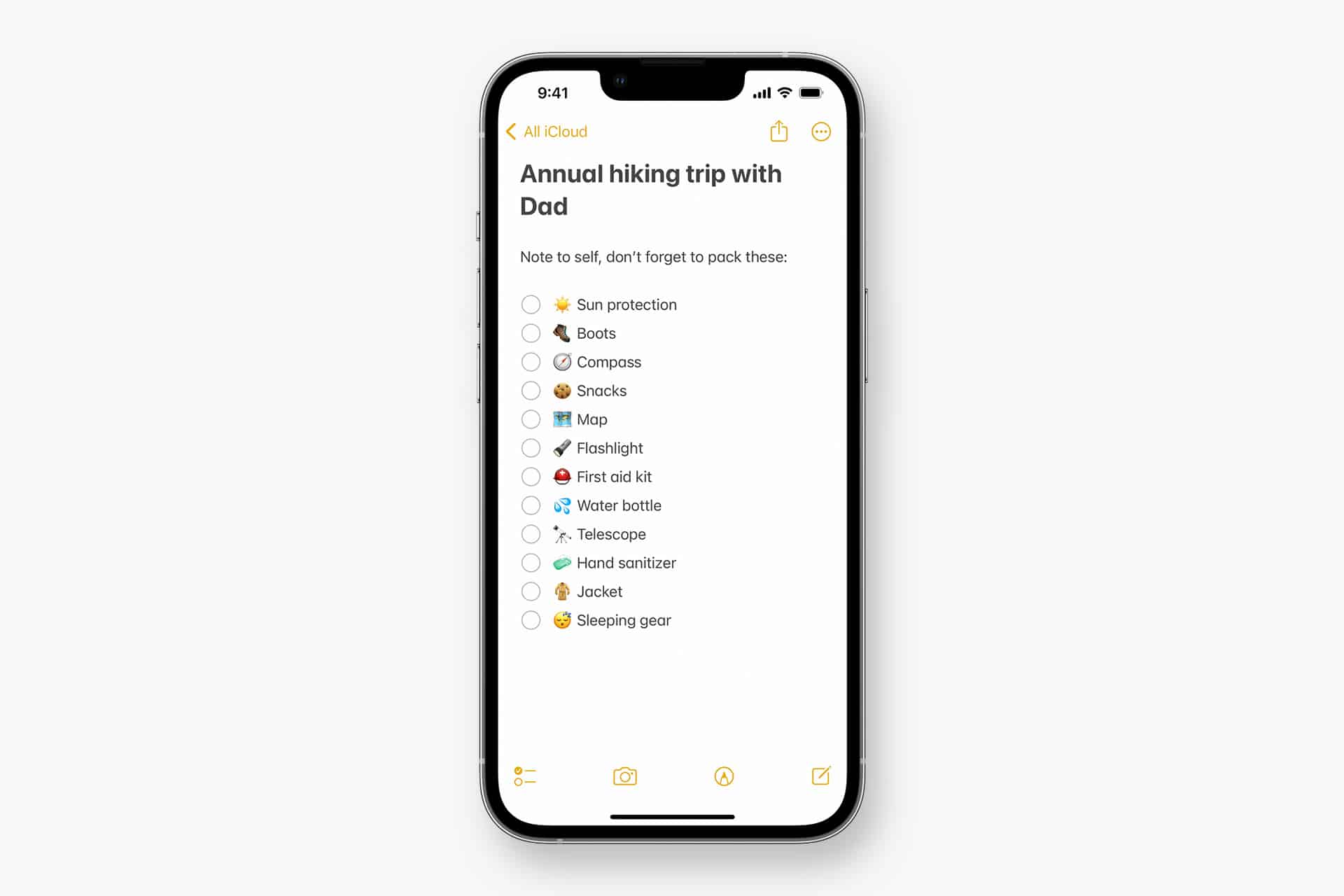
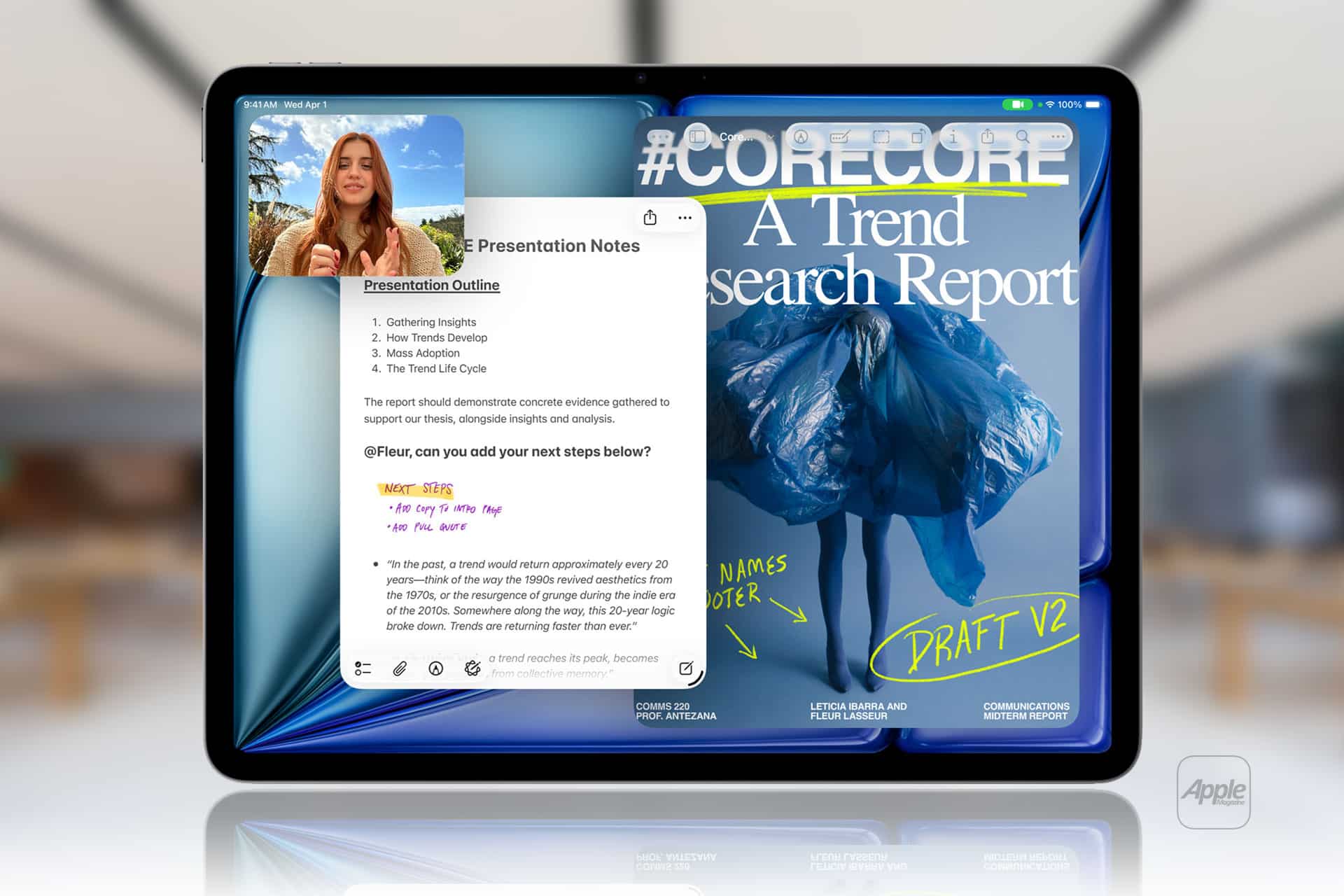
Apple Notes in iOS 27 receives a focused collection of upgrades designed to make long documents easier to navigate and information simpler to move between apps.
Section links allow users to jump directly to headings inside a note. Divider lines create clearer visual boundaries, while expanded Markdown support improves workflows involving websites, writing tools and plain-text editors.
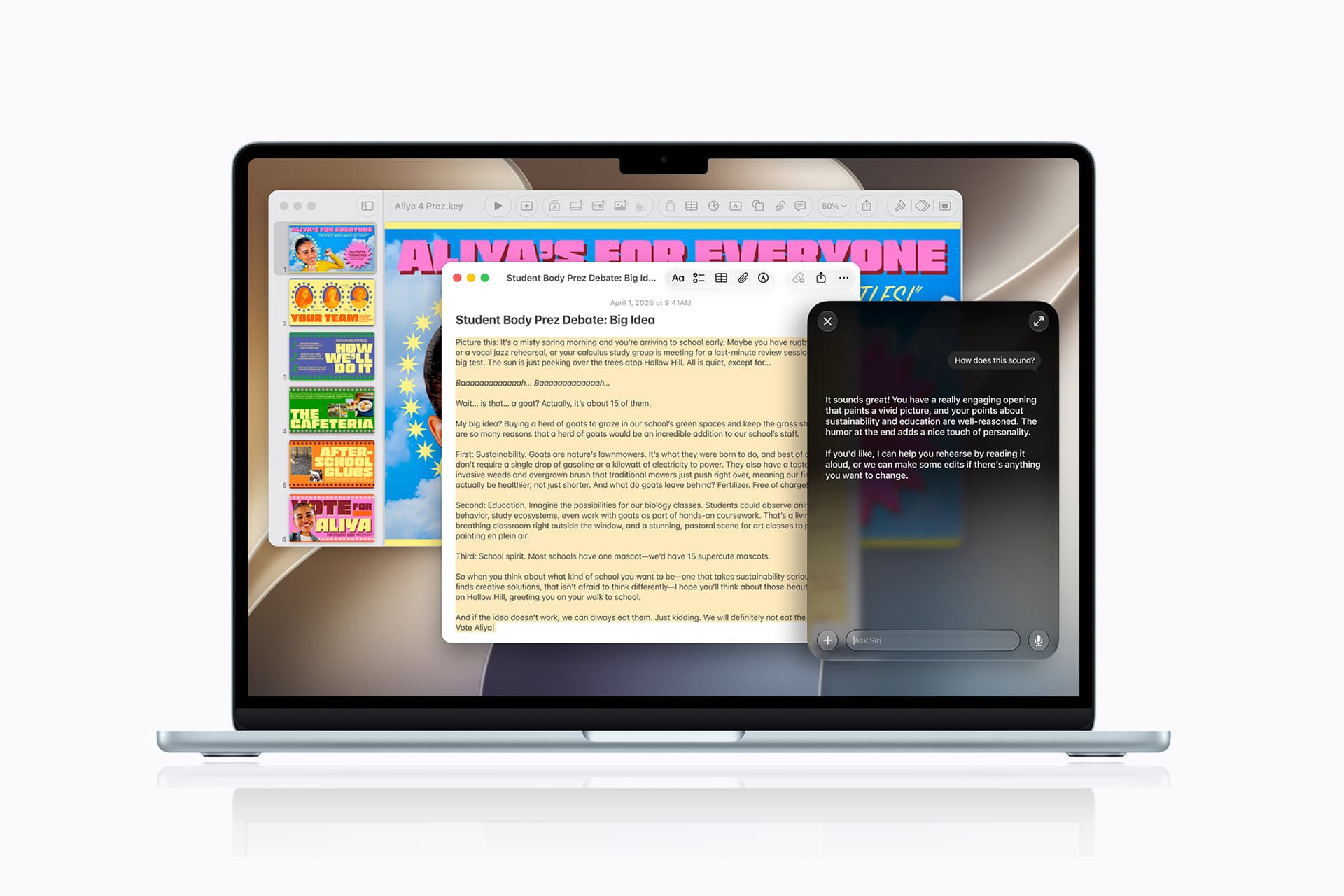
Siri AI introduces the most ambitious addition by creating notes, adding information to existing documents and transferring answers from a Siri conversation without requiring manual copying.
Image Playground also becomes more capable inside Notes, gaining additional visual styles and photorealistic image generation through Apple’s new cloud-based model.
Not every feature requires Apple Intelligence. Divider lines, section links, Markdown tools and the updated interface work on every iPhone compatible with iOS 27. Siri AI and advanced Image Playground capabilities need newer hardware and may have additional language or regional restrictions.
Image Credit: Apple Inc.
Apple Notes iOS 27 Adds Section Links
Section links solve one of the largest problems affecting long notes: reaching information located several screens below the beginning.
A user can now select text, choose Add Link and connect it to any heading or subheading inside the current note. Tapping that linked text immediately moves the reader to the selected section.
The feature can turn the opening of a document into a manual table of contents. A project note might contain links to its schedule, budget, participants, research and outstanding tasks without requiring separate documents.
To create a section link:
Select text > Add Link > Link to Section > Choose a heading
Notes displays the headings and subheadings already present in the document. Regular body paragraphs do not appear as destinations, so the note must use Apple’s title or heading formats before links can be created.
To format a destination:
Select the section title > Formatting > Heading or Subheading
The visible link text does not need to match the destination heading. A phrase such as “View the current budget” can link to a section titled “Financial Information.”
Section links differ from the existing ability to connect separate notes. Apple Notes already allows users to create internal links leading from one document to another. The new control moves within the same document instead.
That distinction is useful for meeting records, research files, travel plans and study material that become too long for ordinary scrolling but do not need to be divided into several notes.
Links should continue working when the document is shared through iCloud because they point to structural elements inside the note rather than fixed screen positions.
Renaming or deleting a destination heading may affect its link. Users maintaining complex documents should test their navigation after reorganizing major sections.
Divider Lines Improve Visual Structure
Apple Notes in iOS 27 adds horizontal divider lines as a native formatting element.
The line creates a visible separation across the document without requiring users to type repeated hyphens, underscores or other characters.
To add one:
Place the cursor > Open the edit menu > Insert Divider Line
The divider is inserted at the cursor position and moves with the surrounding content as the note changes.
A horizontal line can separate meeting notes by date, distinguish reference material from personal comments or divide a recipe into ingredients, preparation and serving information.
It also provides structure without making every section a heading. Headings define the hierarchy used by section links, while dividers create a visual break that does not become another navigation destination.
Typing a row of hyphens previously produced an inconsistent substitute. The characters could wrap on a narrow screen, change length after editing or become difficult to select. The native element maintains its appearance as the document moves among iPhone, iPad and Mac.
Divider lines should be used selectively. Adding one between every short paragraph can make the note look more fragmented rather than organized.
The strongest layout combines headings for major subjects, subheadings for smaller divisions and divider lines where one type of content clearly ends before another begins.
Markdown Moves More Easily Into Apple Notes
Apple Notes gained the ability to import and export Markdown files with iOS 26. The iOS 27 upgrade removes additional steps from copying content between Notes and Markdown-based tools.
Markdown uses plain-text characters to represent formatting. A hash symbol can identify a heading, pairs of asterisks can create bold text and square brackets can define a link.
The format is widely used by writers, developers, documentation systems and publishing platforms because it remains readable without requiring a proprietary editor.
When Markdown-formatted text is pasted into Apple Notes in iOS 27, the app automatically converts the syntax into rich text. Headings become formatted headings, links become clickable and emphasis appears as bold or italic text.
A pasted line such as Project Schedule appears as a formatted heading rather than displaying the two hash symbols.
Moving content in the opposite direction is also easier. Apple has added a Copy as Markdown command that converts selected rich text into Markdown syntax before placing it on the clipboard.
To use it:
Select the text > Open the edit menu > Copy as Markdown
The result can be pasted into a content-management system, code editor, Markdown document or another writing application while preserving supported formatting.
Copy as Markdown does not transform Apple Notes into a complete Markdown editor. Users continue writing through the familiar rich-text interface rather than viewing raw syntax throughout the document.
Complex attachments may not translate perfectly. Scanned documents, drawings, audio recordings, embedded files and some tables do not have universal Markdown equivalents.
Basic elements such as headings, links, emphasis and lists provide the most dependable transfer. Users preparing an important publication should review the pasted result before assuming every element survived the conversion.
Image Credit: AppleMagazine
Siri AI Can Create and Update Notes
Siri AI gives Apple Notes in iOS 27 a more direct connection with information generated or located through the assistant.
A user can ask Siri a question, refine the answer through conversation and save the result into a new note. The transfer happens without selecting the response, copying it and leaving Siri to open Notes manually.
A request could take the following form:
“Create a note called Kyoto Trip and add this itinerary.”
Siri can also target an existing document when the user identifies it clearly:
“Add these restaurant suggestions to my Kyoto Trip note.”
The integration extends beyond saving complete answers. Siri AI can reorganize poorly formatted information, convert text into a clearer structure and place the revised version inside Notes.
Someone collecting an unorganized group of tasks could ask Siri to separate them by priority before saving the result. A block of research could be converted into headings and shorter paragraphs.
Siri’s personal-context capabilities can help locate an existing note when the precise title is forgotten. The assistant is designed to search information across apps and understand requests using details connected to the user.
These actions remain subject to permissions. Siri should not silently place information into a document without recognizing the requested destination and action.
Users should review AI-generated material before treating it as authoritative. Reformatting supplied text carries less factual risk than asking Siri to generate research, dates, quotations or instructions from general knowledge.
Siri AI Requires Newer iPhone Hardware
The main Apple Notes iOS 27 update runs on iPhone 11 and later, as well as the second-generation iPhone SE and newer models.
Siri AI has a narrower hardware requirement. Apple lists iPhone 15 Pro, iPhone 15 Pro Max and every iPhone 16 or later model as compatible with the new Apple Intelligence architecture.
An iPhone 15, iPhone 15 Plus, iPhone 14 or iPhone 11 can receive section links, dividers, Markdown support and the redesigned Notes interface. Those devices cannot use the Siri AI note-writing actions.
This separation means two iPhones running the same operating system can display different Notes capabilities.
Siri AI is scheduled to reach users as a beta later in 2026, beginning in English. Apple plans to expand language availability, but individual capabilities may not arrive simultaneously in every supported language.
The assistant will not initially be available on iPhone or iPad in the European Union. Apple has also said its new Apple Intelligence features will remain unavailable in China while the company works through regulatory requirements.
Ordinary Siri controls may continue to perform basic actions on unsupported devices, such as creating a simple dictated note. They should not be confused with the new ability to hold a conversation, reorganize information and add the result to a chosen document.
Image Playground Expands Inside Notes
Image Playground remains integrated with Apple Notes in iOS 27 and receives a substantially more capable generation model.
The upgraded system can produce higher-quality images in a wider range of visual styles, including photorealistic results. Earlier Image Playground versions concentrated on illustration, animation and sketch-like appearances.
Users can describe an image and insert the generated result into the current note. A travel plan might receive a destination image, while a creative project could use generated concept art beside written ideas.
Photorealistic generation runs through Private Cloud Compute rather than entirely on the iPhone. Apple says requests processed through this architecture are not stored or made accessible to the company.
Generated images automatically include a hidden SynthID watermark identifying them as AI-created. The watermark does not appear as a visible label across the picture, but it provides a technical signal that compatible systems can detect.
Image generation may have daily usage limits because it depends on powerful server models. Apple says most iCloud+ plans will provide increased access, although the exact allowance can depend on the subscription and service conditions available at release.
The complete Image Playground experience may not appear in every early iOS 27 beta. Apple can activate or adjust cloud-dependent features separately while testing the operating system.
New Icons Clarify Shared Notes and Folders
Apple Notes adopts the wider iOS 27 design changes through refreshed buttons, menus and Liquid Glass interface elements.
The Notes app icon has been updated while preserving the familiar yellow-and-white paper design. The change keeps the app recognizable without leaving it visually disconnected from the new system icons.
Shared material receives clearer identification. The shared folder displayed near the top of the folder list now uses a blue icon, separating it more clearly from private iCloud and local folders.
Individual shared notes and folders also receive revised symbols. These indicators make it easier to understand whether another person can view or edit material before sensitive information is added.
The distinction matters because a collaborative note can look almost identical to a private document once it is open. A clearer icon in the list provides another warning before the user begins editing.
Liquid Glass changes the appearance of controls and menus but does not alter the underlying note format. Existing notes, scans, checklists, attachments and locked documents remain available after the update.
People using accessibility settings such as increased contrast, reduced transparency or reduced motion may see a modified version of the visual design.
Existing Notes Features Remain Available
The iOS 27 changes build on a much larger set of capabilities introduced during earlier releases.
Apple Notes can already scan documents, attach PDFs, record audio, generate transcripts, solve mathematical expressions, create checklists and collaborate through iCloud.
Users can link one note to another, place notes inside folders, apply tags and create Smart Folders that collect documents according to selected rules.
Locked notes can use a device passcode or separate password, while Face ID provides faster access on supported iPhones.
The app can also identify handwriting, search text inside scanned documents and recognize information contained in images.
None of those existing tools has been replaced by Siri AI or Markdown. The new version concentrates on moving through large notes and transferring information with less manual work.
Section links are particularly effective when combined with audio transcripts or lengthy scanned research. A user can create headings above important material and place navigation links at the beginning of the document.
Markdown support addresses another gap by making Notes more practical as the first stage of a publishing workflow rather than a closed destination for text.
Image Credit: Apple Inc.
What to Check Before Installing the iOS 27 Beta
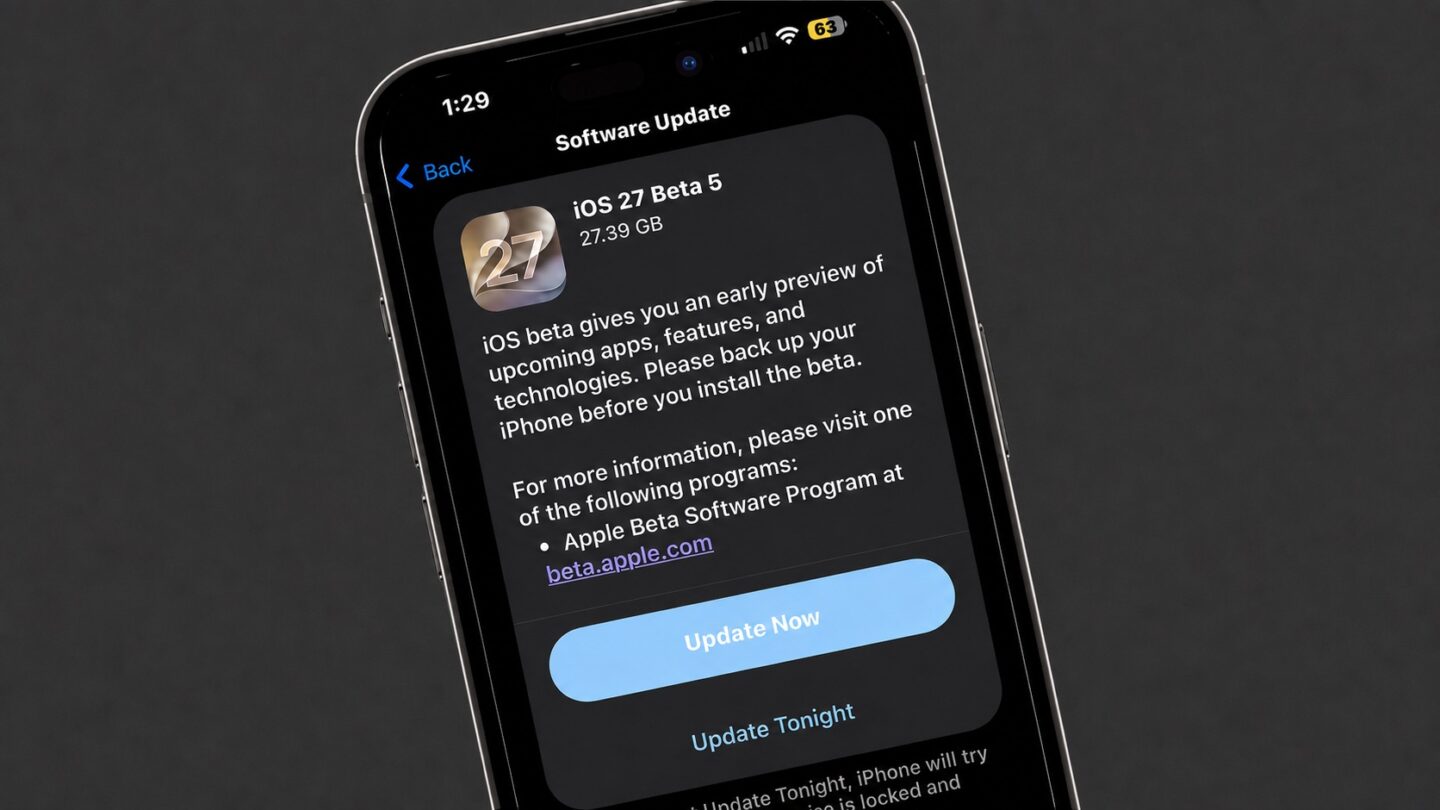
Apple Notes in iOS 27 is available for testing through prerelease software, with the complete operating-system release scheduled for the fall.
Beta software can contain synchronization failures, interface problems and changes that Apple has not finished documenting. Notes is especially sensitive because its content may synchronize immediately across every device using the same Apple Account.
Before installing a beta on a primary iPhone, users should confirm that important notes have finished syncing and that another copy of critical information exists outside the beta device.
A Mac, iPad or iCloud.com can be used to verify whether recent documents have reached the server. Exporting especially important notes as PDFs or Markdown files provides an additional copy that does not depend on the Notes database.
Collaborative notes require more caution. People using older operating systems may not see every new formatting element exactly as intended, particularly while iOS 27 remains in testing.
The public release should resolve many compatibility issues, but Siri AI will follow its own beta schedule and regional limitations. Installing iOS 27 alone will not guarantee that every intelligent Notes action appears immediately.
Apple can still modify menu locations, visual elements and cloud-based features before the final version arrives. The safest time to reorganize a large Notes library around section links will be after every frequently used Apple device can install its corresponding fall update.
Apple is looking closely at how much its upcoming artificial intelligence tools will cost to run. During his final earnings call before stepping down, CEO Tim Cook addressed investor concerns about the massive expenses tied to the new Siri AI features. While the basic digital assistant will be available to everyone at no charge, it […]
Apple’s all-new Siri AI. An even more capable AI assistant with expanded intelligence to be more helpful every day.
According to Gene Munster, an X poll indicated that only about 17% of U.S. iPhone users engage with Siri on a daily basis, a notably low figure given that the average iPhone is interacted with more than 100 times per day. At present, Siri is primarily used for low-stakes tasks and is not widely trusted as a full assistant.
Munster anticipates that this will begin to change over the next year. A new version — Siri AI — will become available in the U.S. late this year through an iOS 27 update. In beta testing conducted over the past 20 days, the feature was observed to be slow; however, this drawback was more than offset by an AI assistant that simply works effectively.
Ultimately, Munster believes that increased use of Siri (which is central to Apple’s personalized AI) will form the foundation of the value proposition for Apple devices.
We ran a simple one-question poll on X asking, “How often do you use Siri?” The poll drew 1,750 votes. The raw results showed daily Siri use at a low 17%, with 39% reporting they never use it. As a daily Siri user, these numbers caught my attention, underscoring the degree of brand damage the feature has endured over the past decade.
The comments were more telling than the poll. Across 64 replies, the message was clear and expected: Siri survives as a basic utility or shortcut, not an assistant…
My takeaway: Siri today is, on average, not trusted. It works for a narrow set of commands where the cost of failure is low.
The question is, once Siri gets overhauled, will the 83% of users who question its utility give it another try? I believe the answer is yes.
MacDailyNews Take: We fully agree with Gene.
Siri AI no longer just marketing. The rebuilt architecture works in real life — helping with souvenirs for the kids, prepping for your day, or analyzing your breakfast — while staying firmly within responsible boundaries.
The old Siri is gone. The new Siri AI has arrived in a very promising way – and it’s still just in beta. Our little birdies — who’ve been telling for months that the new Siri not only works, but is actually pretty great — knew what they were talking about! – MacDailyNews, June 20, 2026
Please help support MacDailyNews — and enjoy subscriber-only articles, comments, chat, and more — by subscribing to our Substack: macdailynews.substack.com. Thank you!
Apple, long viewed as a laggard in the smart home market, is preparing a significant expansion into the category with a slate of new devices and software centered on an upgraded Siri AI assistant, according to Bloomberg News’ Mark Gurman.
The company plans to begin this wave soon with a dedicated smart home hub built around the new Siri AI capabilities, people familiar with the matter told Bloomberg. Apple is also readying a new Apple TV 4K set-top box and a refreshed HomePod mini, the sources said, speaking on condition of anonymity because the plans remain private.
The updated Apple TV and HomePod mini are expected to launch this fall, while the long-awaited smart home hub featuring a screen is targeted for release between the end of the year and early next year, Gurman reports.
The moves mark a notable acceleration in Apple’s home strategy after years of more limited offerings. The new hardware is designed to work with enhanced Siri AI features that promise improved conversational abilities and deeper integration across the Apple ecosystem.
MacDailyNews Take: We wish Apple would release some indoor and outdoor cameras, but, as we need them now, we’re going to have to go with some other company instead.
Please help support MacDailyNews — and enjoy subscriber-only articles, comments, chat, and more — by subscribing to our Substack: macdailynews.substack.com. Thank you!
Apple's settlement has now received preliminary approval from a judge, according to a July 17 court document. However, there is no settlement website yet, and it may take months before eligible customers can begin submitting claims. In other words, no action is required from eligible customers at this time, but stay tuned for updates.
Below, we have answered some key questions regarding the lawsuit.
Why Was Apple Sued?
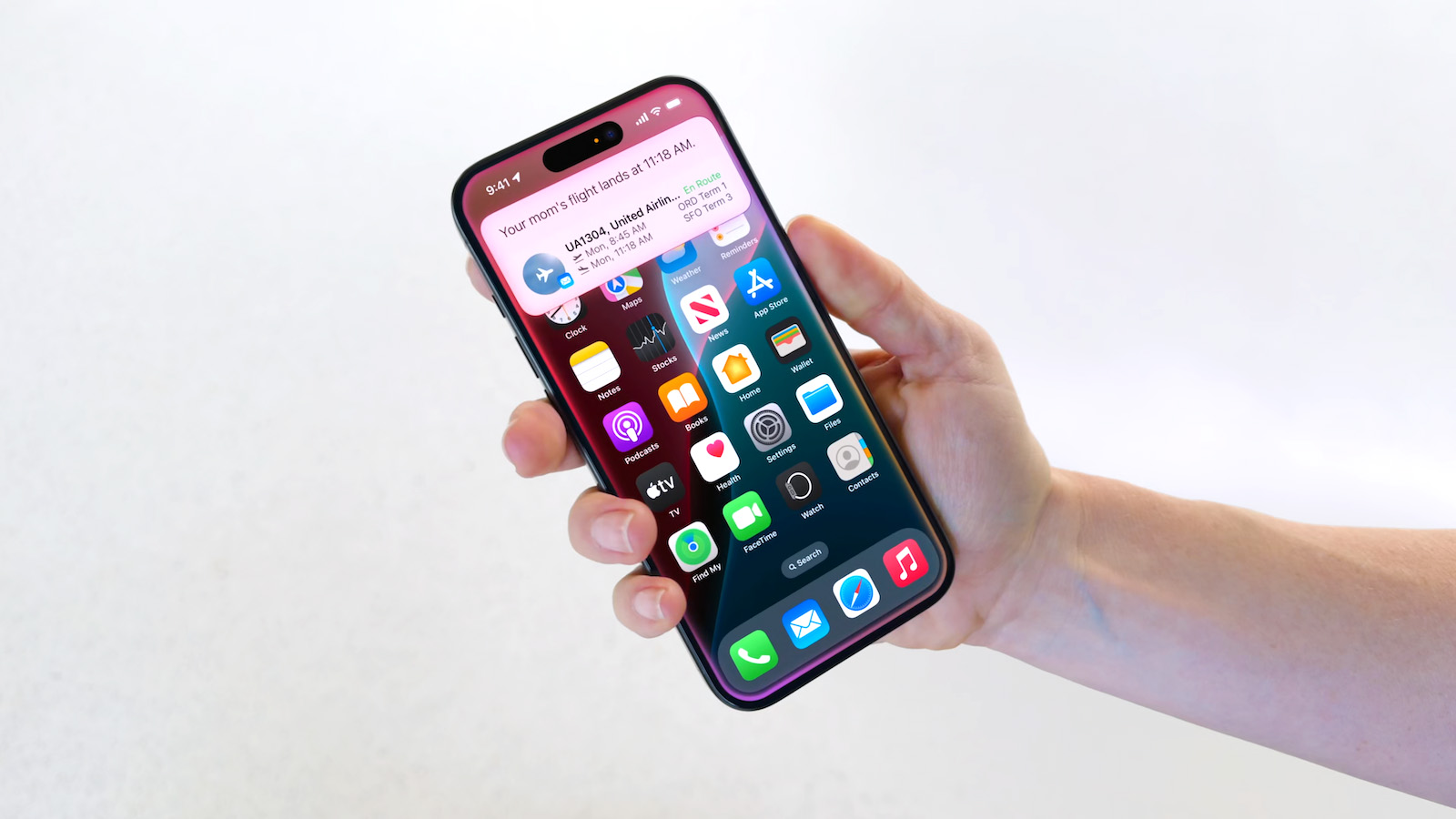
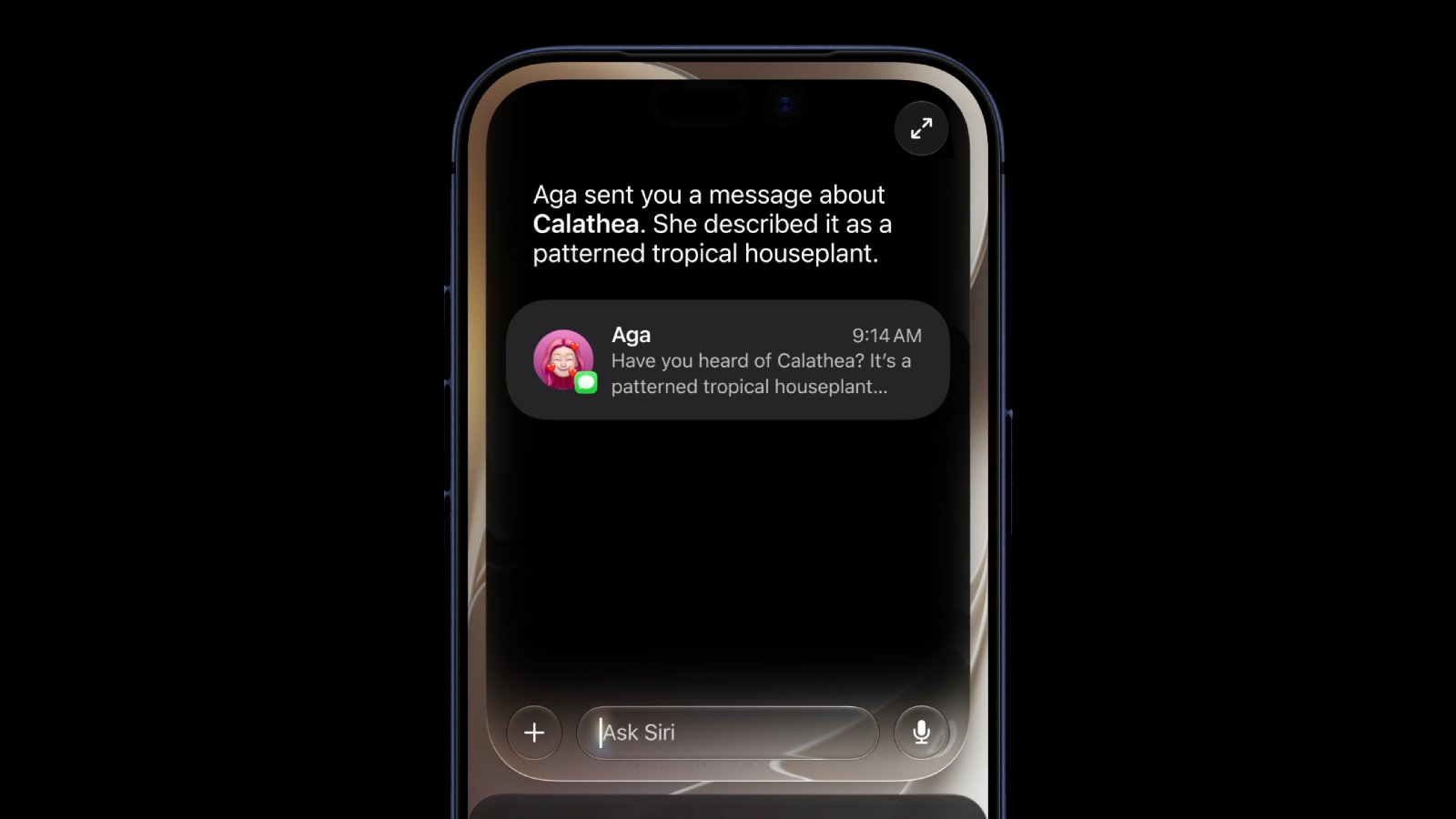
In June 2024, Apple previewed new Siri capabilities powered by Apple Intelligence, including understanding of a user's personal context, on-screen awareness, and deeper per-app controls. For example, Apple showed an iPhone user asking Siri about their mother's flight and lunch reservation plans based on info from the Mail and Messages apps.
In a statement, Apple touted a range of other Apple Intelligence features it had already released. Nevertheless, Apple agreed to settle the lawsuit "to stay focused" on "delivering the most innovative products and services to our users."
Apple finally announced "Siri AI" at WWDC 2026 last month, and the revamped assistant is available to test on the iOS 27 developer beta, with a public beta to follow this month. iOS 27 should be released in September, at which point "Siri AI" will finally be available to all users with an iPhone 15 Pro or newer.
Am I Eligible?
To be eligible to submit a claim, you must reside in the U.S. and have purchased any iPhone 15 Pro or iPhone 16 model between June 10, 2024 and March 29, 2025.
The full list of eligible iPhone models:
iPhone 15 Pro
iPhone 15 Pro Max
iPhone 16
iPhone 16e
iPhone 16 Plus
iPhone 16 Pro
iPhone 16 Pro Max
It is unlikely that individuals who submit a claim will still need to have physical possession of an eligible iPhone model. However, there is a possibility that proof of purchase or other information will be required, such as the device's serial number. Exact requirements will be outlined on the settlement website, which is still not live.
How Much Will Apple Pay Me?
According to the terms of the settlement, each person who files an eligible claim will receive a per-device payment of $25, but this amount could increase up to $95 if the total number of claims submitted is lower than anticipated.
Where and When Can I Submit a Claim?
Over the coming months, a settlement website is expected to go live with an online claims form.
Eligible class members will be notified by email within approximately 45 days after the settlement received preliminary approval, according to the court documents. Even if you are not notified but are a U.S. resident who purchased one of the above iPhone models within the above dates, you are still eligible if you meet the criteria.
Apple’s all-new Siri AI. An even more capable AI assistant with expanded intelligence to be more helpful every day.
Apple appears to be testing a hidden popover interface for Siri AI in the macOS 27 Golden Gate beta that surfaces Writing Tools and contextual actions whenever the user selects some text, MacRumors reports.
Spotted by a member of Reddit’s r/MacOSBeta community, the floating icon appears at the top-left of the selected text, expanding when the pointer hovers over it to a compact popover of the tools and actions.
Currently, the popover offers the tools Rewrite, Proofread, “How does this sound?” and “Edit with Siri,” plus options for creating key points and summarizing text. The contextual actions are based on the content selected, including things like adding contact details, composing a message or email, creating a calendar event, showing a location in Maps, and tracking flights or packages.
The Siri popover is disabled by default in macOS 27 developer beta 3 and public beta 1. Beta testers found it can be switched on through a private feature flag, but the feature is clearly unfinished. Some of the actions don’t respond, suggesting Apple is still building out the underlying functionality.
MacDailyNews Take: Terminal commands for enabling Apple’s secret Siri AI interface in the full article here.
Please help support MacDailyNews — and enjoy subscriber-only articles, comments, chat, and more — by subscribing to our Substack: macdailynews.substack.com. Thank you!
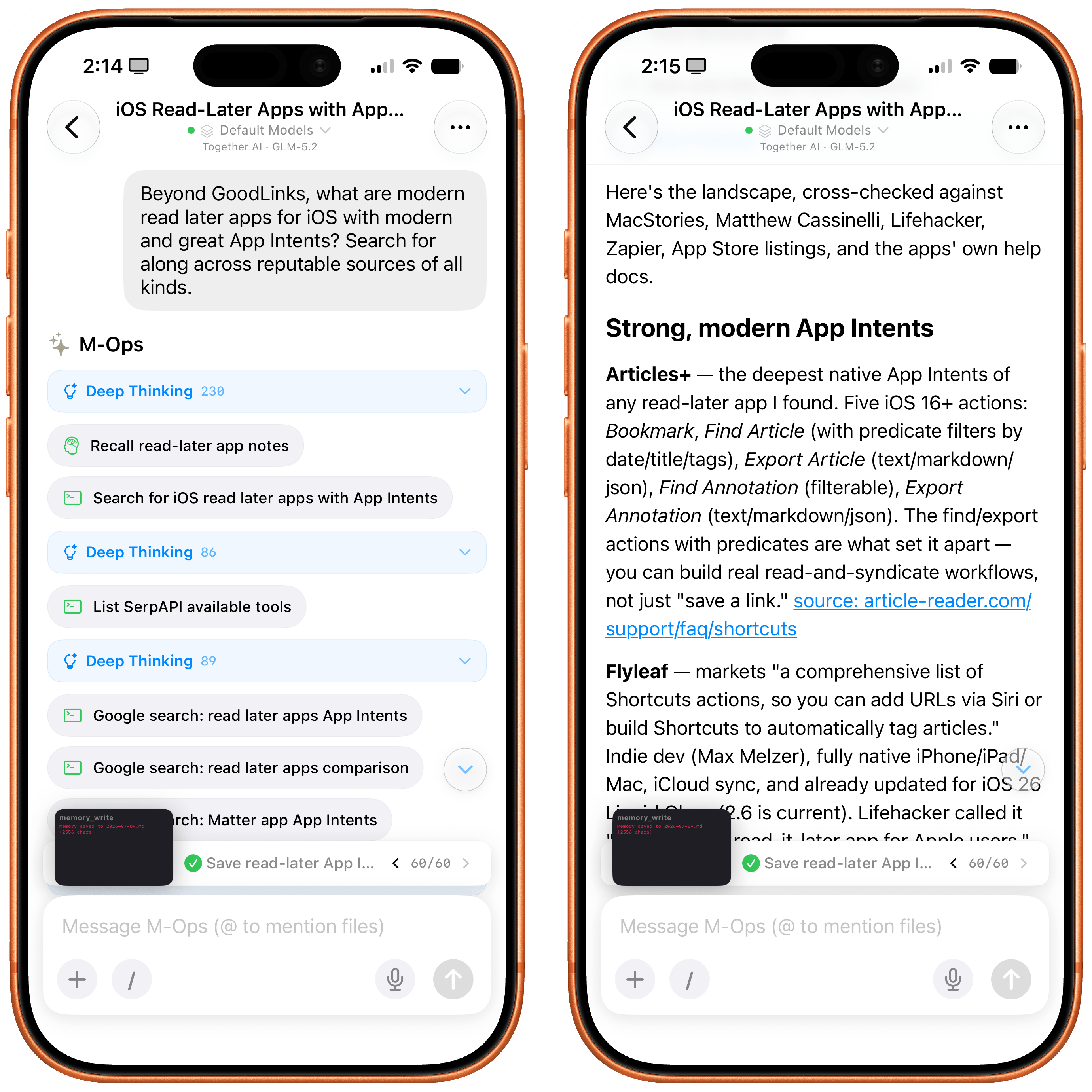
Every once in a while, I come across a third-party app that either resets my expectations for a particular niche of software on iOS or creates an entirely new category altogether. I’ve had quite a few of these moments in the 17 years I’ve been writing app reviews at MacStories: Editorial, Workflow, Obsidian, Sky, and, most recently, OpenClaw come to mind. Over the past few weeks, I’ve had another such moment with Open Minis, a new chatbot app for iPhone and iPad that I can best describe as getting a preview of Siri AI’s agentic future, today.
Open Minis is an on-device agent that lets you use any frontier model for conversations, with a twist: unlike other AI wrappers, this app deeply integrates with all sorts of native Apple system frameworks using official APIs available to third-party developers. Open Minis can control Reminders and Music, which we have seen before, but also Calendar, Maps, HomeKit, HealthKit, and Files; it can even work with frameworks such as Vision for OCR, Apple NLP for natural language processing, the iOS clipboard, speech recognition and dictation, NFC, and Bluetooth. Furthermore, Open Minis comes with its own configurable workspace in the Files app, has an on-device memory system, and features browser-use capabilities via a (once again, native for iOS developers) built-in WebKit web view.
Effectively, Open Minis is what would happen if you rolled Claude Code and OpenClaw into one intuitive agentic experience designed for Apple users, with a powerful tool-calling harness that can improve and tweak itself, and with integrations specifically designed for the Apple ecosystem. It is the most impressive indie app I’ve seen in a while. If you were disappointed by the lack of power-user capabilities in Siri AI, this is a real, currently shipping example of what Siri AI could be if only it were powered by a frontier model with truly agentic functionalities.
The iOS CLI
The trick hidden up Open Minis’ sleeve is as ingenious as it is obvious: all the Apple framework integrations it supports are powered by command-line interfaces (CLIs) that bridge native Apple APIs (EventKit, MusicKit, HomeKit, etc.) to a code environment that modern LLMs can understand and operate with. To make all of this work behind the scenes, the developer of Open Minis had to create dedicated CLIs for each of these frameworks, which – and here comes the other trick – are driven by a model harness that has access to a built-in Linux terminal and is sandboxed to the app’s workspace.
Specifically, Open Minis runs a version of iSH, a popular Alpine Linux shell that operates a persistent, emulated Linux environment for ARM64 architecture in a sandboxed fashion. The shell inside Open Minis can download external packages from the web using Alpine’s apk package manager (which means that you can access popular tools such as ffmpeg and yt-dlp directly from the app), has its own Linux filesystem (exposed in the Files app as a native file provider location), and is able to call bridged Apple CLIs, as well as any kind of MCP server (via MCP code execution, another trend in the AI industry these days). Think about it this way: if Claude Code or Codex on the Mac can do anything across the entire filesystem by virtue of running in the Terminal app, Open Minis can do (almost) anything within its app sandbox thanks to a built-in terminal emulator – including running Python, using Git and SSH, and accessing standard Unix text utilities.
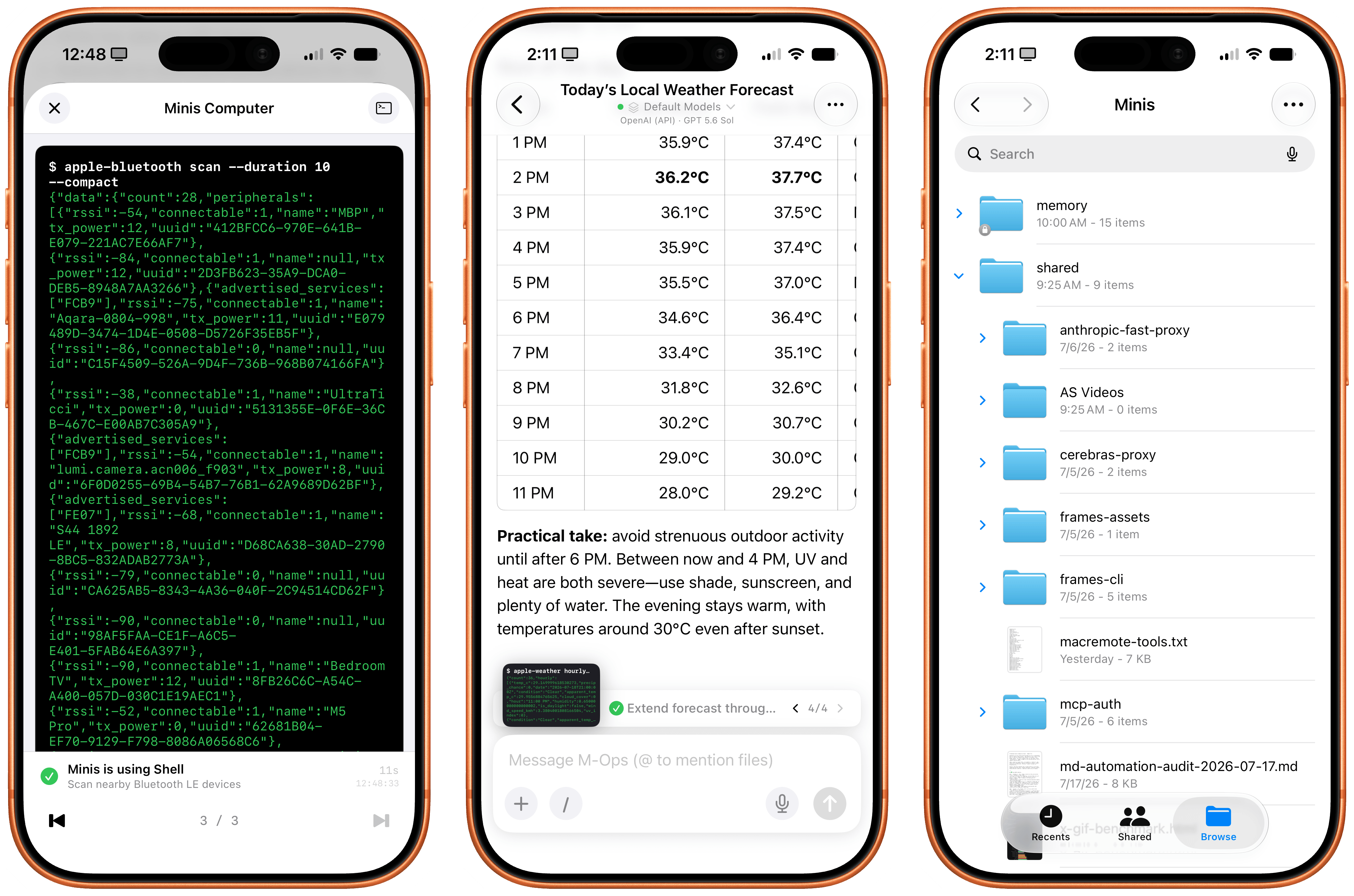
Minis’ built-in shell (left) and dedicated workspace in the Files app (right).
However, this doesn’t mean that, when using Open Minis, you’ll be looking at a terminal UI all the time: the underlying shell is simply what makes all of this possible behind the scenes. The app can display a picture-in-picture terminal preview that you can open to preview what it’s doing, but you don’t have to. The app’s main interface is your classic, chatbot-style UI that, depending on the model you’re using, will display interleaved thinking blocks, tool calls, and messages in a conversation transcript.
The regular chatbot UI of the Minis app.
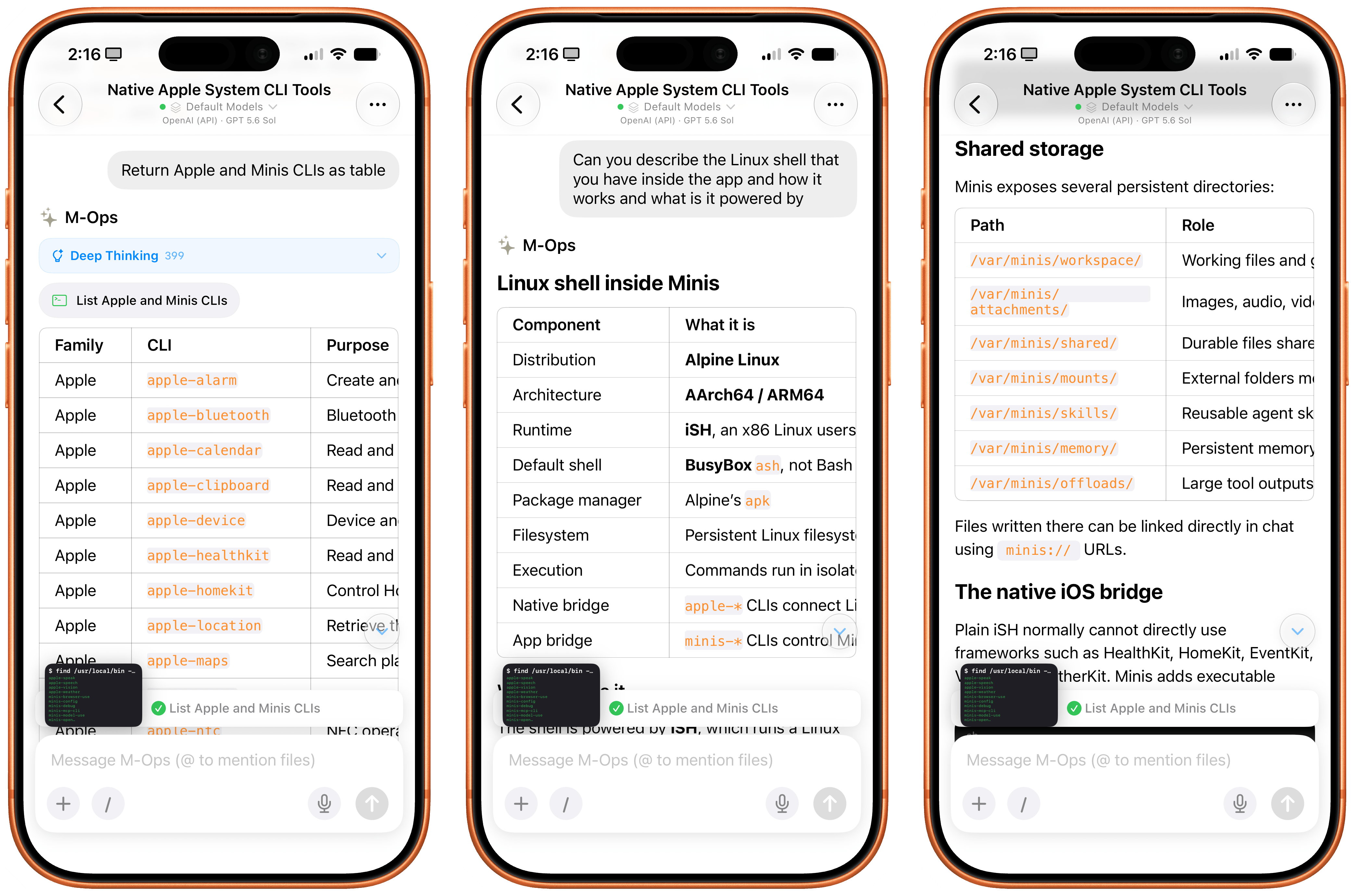
The other hidden power of Open Minis (which is reminiscent of OpenClaw, or, perhaps more aptly, a self-improving system such as Hermes Agent) is that it can inspect and modify its own workspace via dedicated Minis CLIs. For example, you can ask Minis – in natural language, of course – to add a new model or MCP server, and the app will bring up a native settings screen and ask for permissions to do so. If you want to store a password or API token, the app won’t do it in plain text: it’ll display a native, Keychain-based page where you can securely store your credentials. And more importantly, Minis’ own CLIs are used to recall previous conversations via the app’s memory system (based on Markdown files), create skills, and answer questions about the app itself. For instance, when I asked Minis to describe what Apple CLIs it has for iOS users, it happily provided a full guide:
Asking Minis about itself and the CLIs it has.
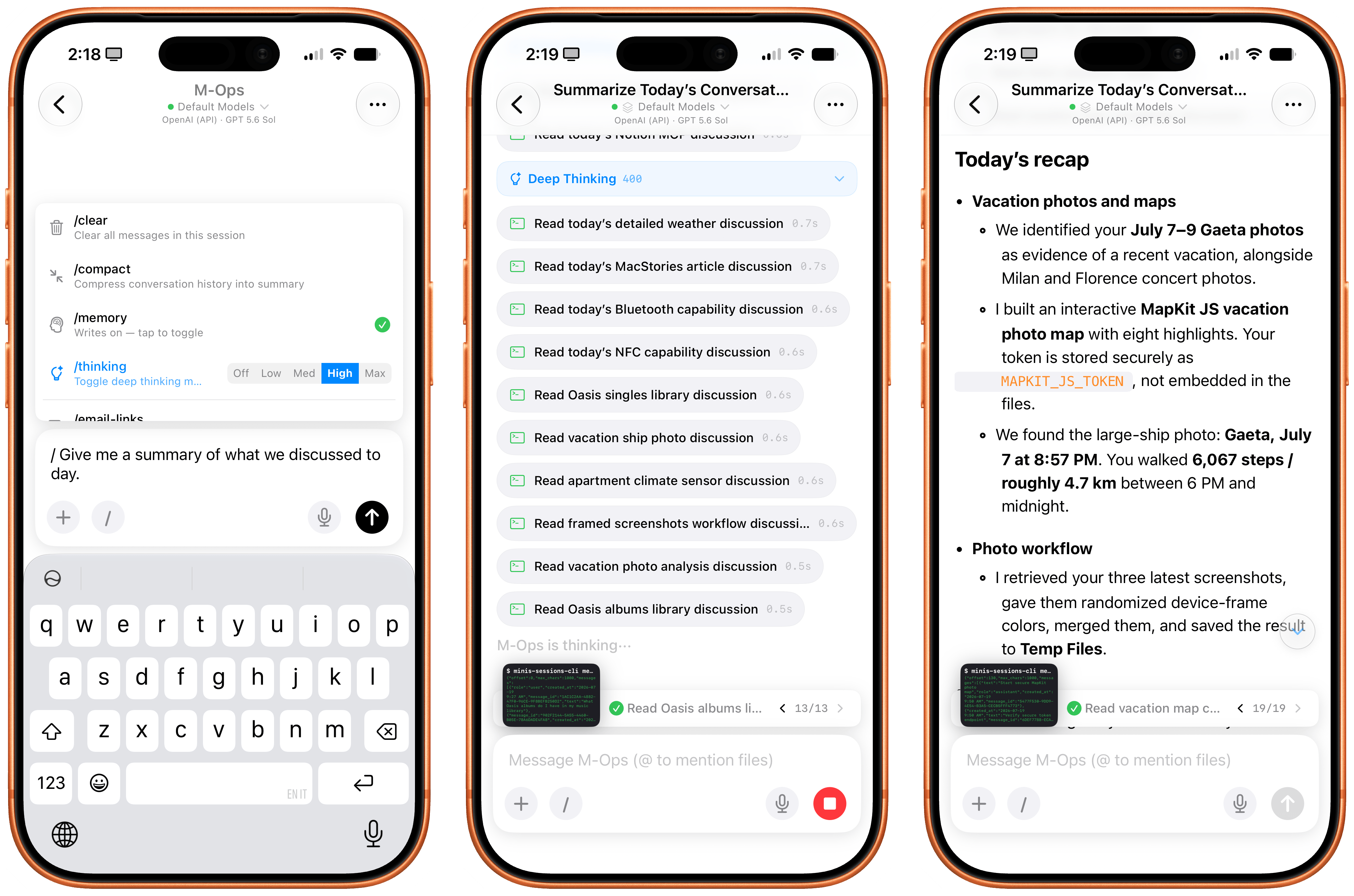
Or when I asked to recall all the things we worked on during the day, Minis used one of its CLIs to read transcripts of previous chats (which, again, are simply stored in the Files app), recall memories, and present me with a useful summary of all the tasks we completed.
Minis can inspect its own sessions as well as user memories to recall previous conversations.
The same is true for adding new functionalities to Minis. Since it’s running a Linux shell with access to Python and can store assets in a persistent Files workspace, I figured I could ask Minis to install my own Apple Frames CLI for itself by giving it a link to my GitHub repo. GPT-5.6 Sol (my model of choice in the app) didn’t hesitate: it found all the dependencies for the Frames CLI, installed them, pulled the CLI’s official skill, and was good to go a minute later. And since Minis also comes with a native Photos integration, I was able to ask:
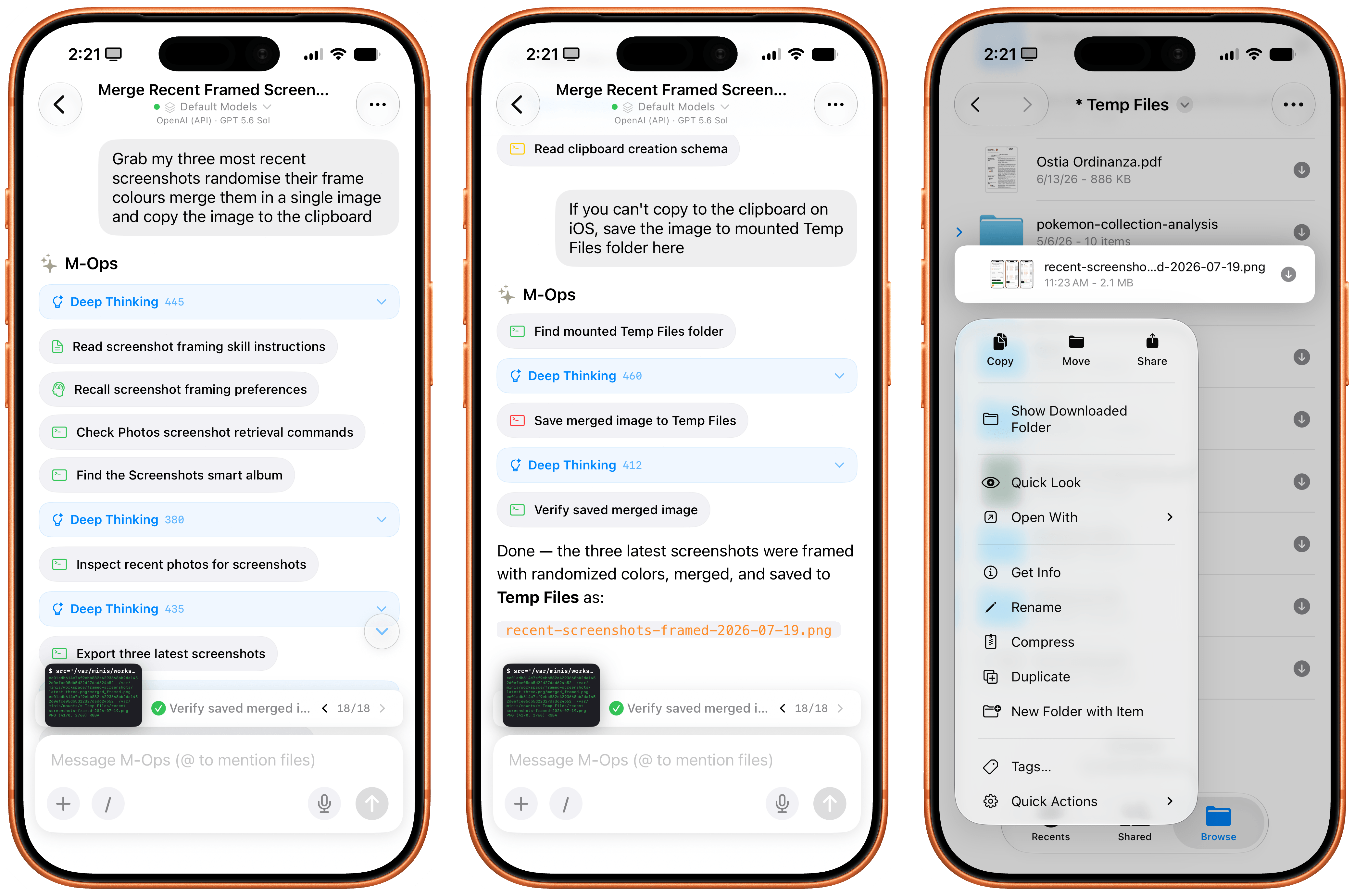
Grab my three most recent screenshots, randomize their frame colors, merge them, and save the image to my Temp Files folder.
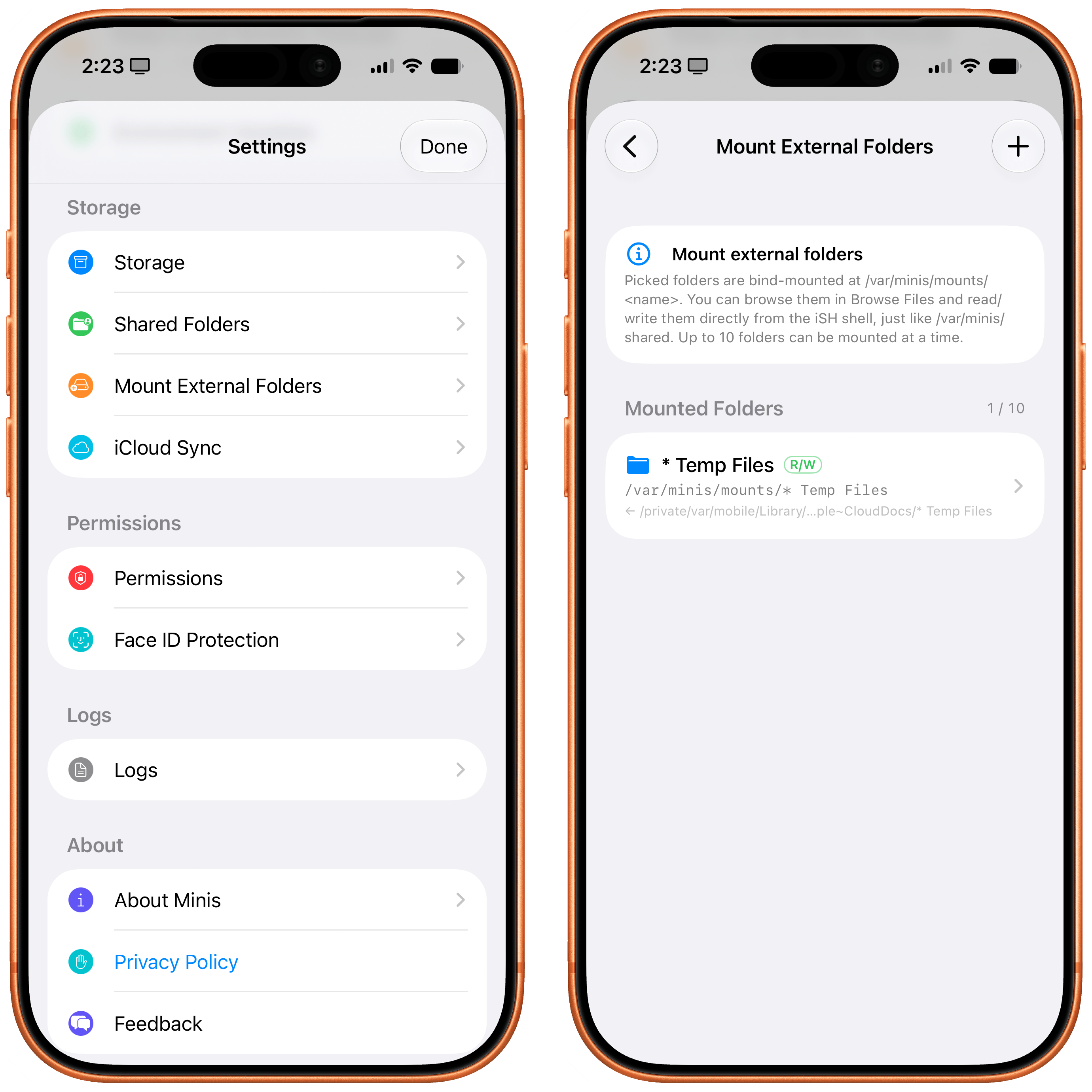
A few seconds and Apple CLI calls later, Minis saved the resulting framed image to a folder of my choosing. The ability to work in any folder in the Files app outside of Minis’ sandbox is another official iOS API that the app is leveraging; we first saw the ability to “mount” specific folders from the Files app in Working Copy years ago, and the feature was later adopted by the likes of Ulysses, iA Writer, MWeb, and other document-based apps. In Open Minis, you can bookmark any folder from any file provider location in the Files app and tell your agent to save files to or read them from there.
Minis can’t write images to the iOS clipboard, but it can save files in any (previously bookmarked) location of the Files app.
Minis’ settings for managing mounted folders.
This feels magical to me, but it’s merely one of the many examples of what is possible when you combine large, powerful models with the more-open-than-you-think, secure nature of iOS and iPadOS.
Working with Open Minis on iOS
All of this a lot to wrap your head around at first, and there’s no denying that Open Minis is a power-user tool designed for people who, like me, enjoy using frontier models and living at the bleeding edge of AI. What’s different in this case, though, is the fact that Open Minis – unlike other apps – embraces its Apple-first nature by fully supporting technologies that are made by Apple, released to third-party developers, and not being used by Siri AI at all at the moment.
It’s impossible to “review” an AI chatbot app since everyone’s use cases are so different, but I’m going to nevertheless describe a few scenarios that should give you an idea – and hopefully reset your expectations, too – of what can be accomplished with an AI that has deep hooks into iOS.
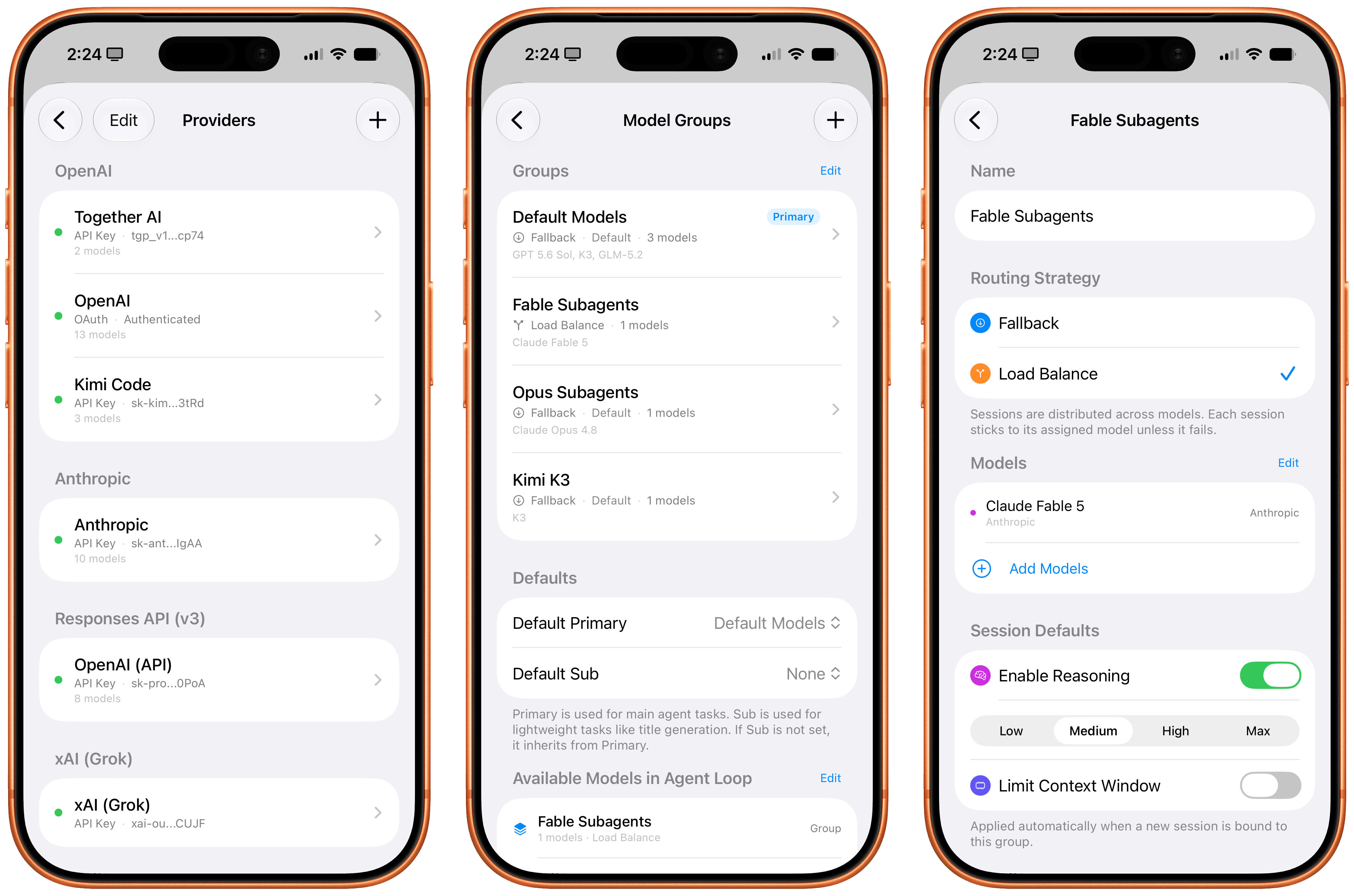
For starters, you can use any model you want in Open Minis, including the latest GPT-5.6 models, Claude Fable, anything from OpenRouter, and more. (I even asked Open Minis to create our own proxy for the OpenAI API, running on my Mac Studio, so I could use Sol in Fast mode; it works!) You can press the / button above the keyboard to trigger reasoning levels, compaction, memories, and skills; you can also create model groups, model defaults, and subagents from the app’s settings, then ask the model to use a specific set of subagents for a particular task, and it’ll do it.
Managing model providers, groups, and subagents in Minis.
Approach this app with this concept in mind: nearly everything about it is open and configurable by just talking to it. Short of rewriting the app’s code itself, you can ask Open Minis to tweak all sorts of things about itself and its own settings, and the agent will do it. Personally, I find this to be a more effective, elegant, and stable harness than OpenClaw for these kinds of things. Even though the app’s UI could use some polish (I don’t like the reasoning picker, and I wish I could collapse thinking steps by default), it is incredibly fun to tune Minis’ workspace to your liking by talking to a model. You can, in fact, just do things.
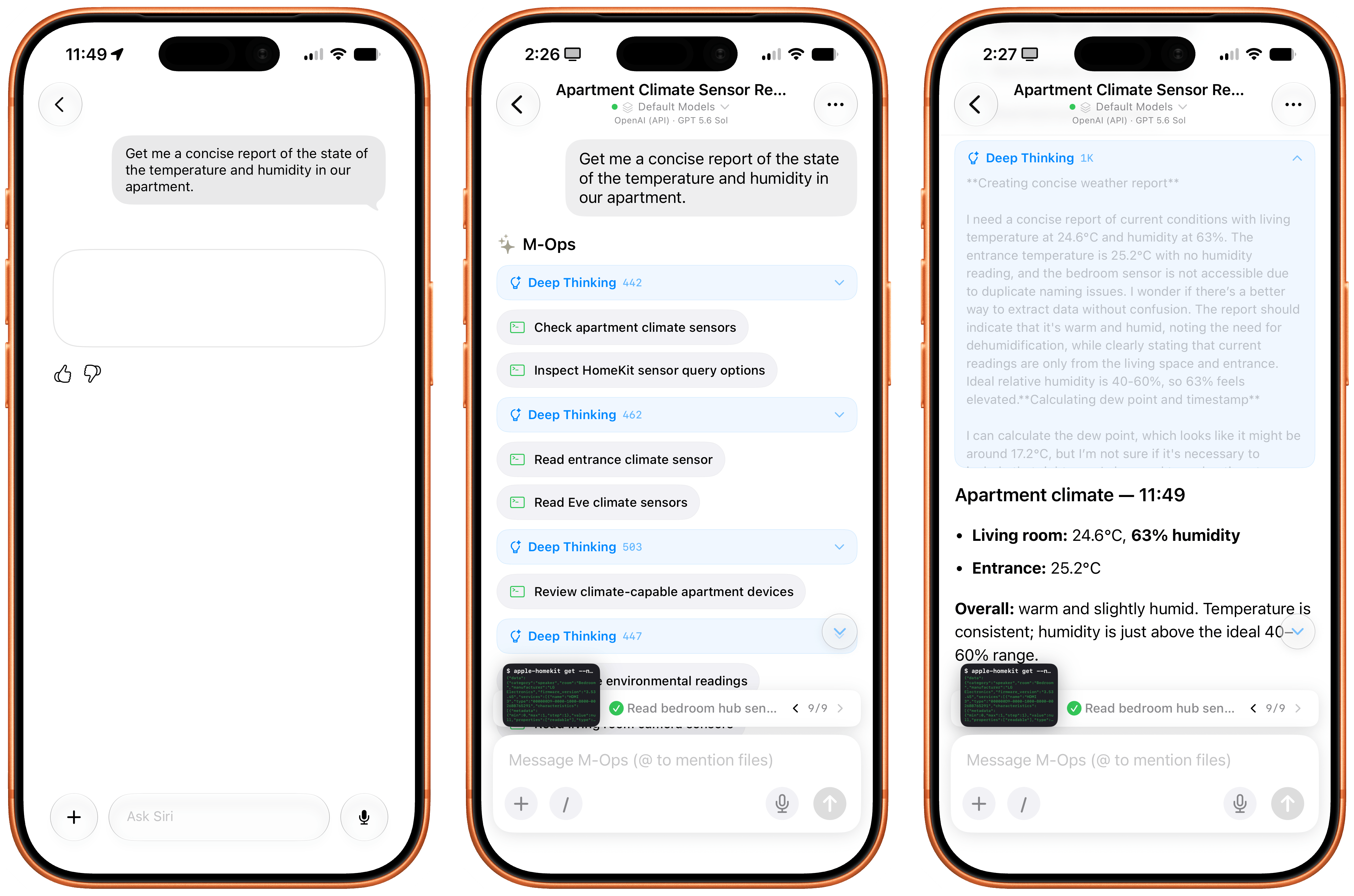
A few days ago, I was curious about the state of the temperature and humidity in our apartment. So I asked Minis:
Get me a concise report of the state of the temperature and humidity in my house, present it as a nice table.
A native HomeKit permission prompt and a couple minutes later, Sol in Minis parsed a raw dump of temperature and humidity readings from each sensor, reviewed each room configured in HomeKit, and presented the results. Siri AI, for comparison, presented…something:
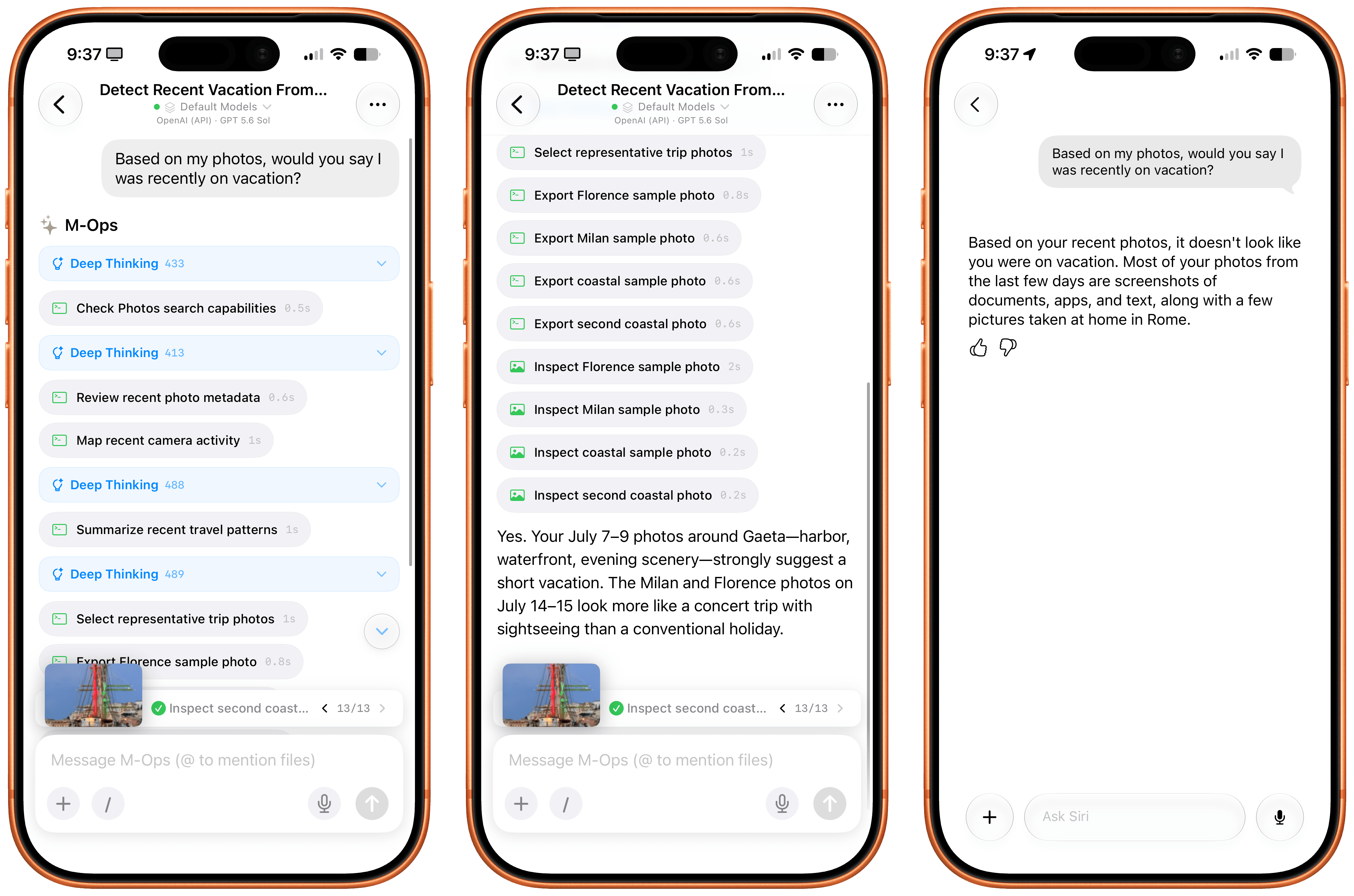
I also figured it’d be cool to compare the Photos integration in Open Minis to Siri AI’s photo library access. In theory, they’re both using the same framework, with the same metadata for each photo, but Siri AI also has access to “personal context”, right? So, I asked:
Based on my Photos, would you say I was recently on vacation?
I will let the results speak for themselves:
How about HealthKit? Again, keep in mind that Open Minis isn’t employing any “hacks” or workarounds here; it’s simply accessing the same native Apple APIs and frameworks that all developers can use. I asked:
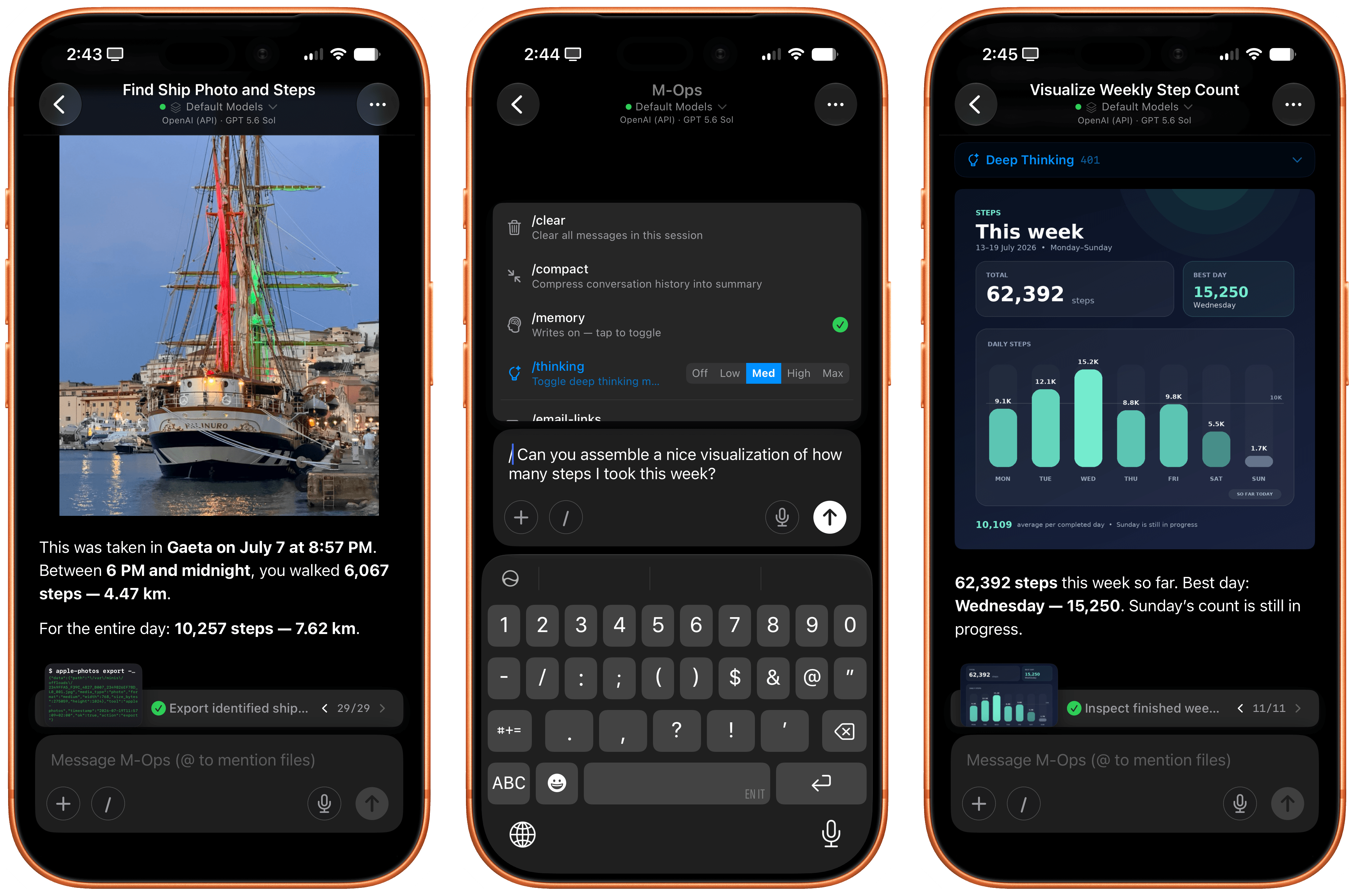
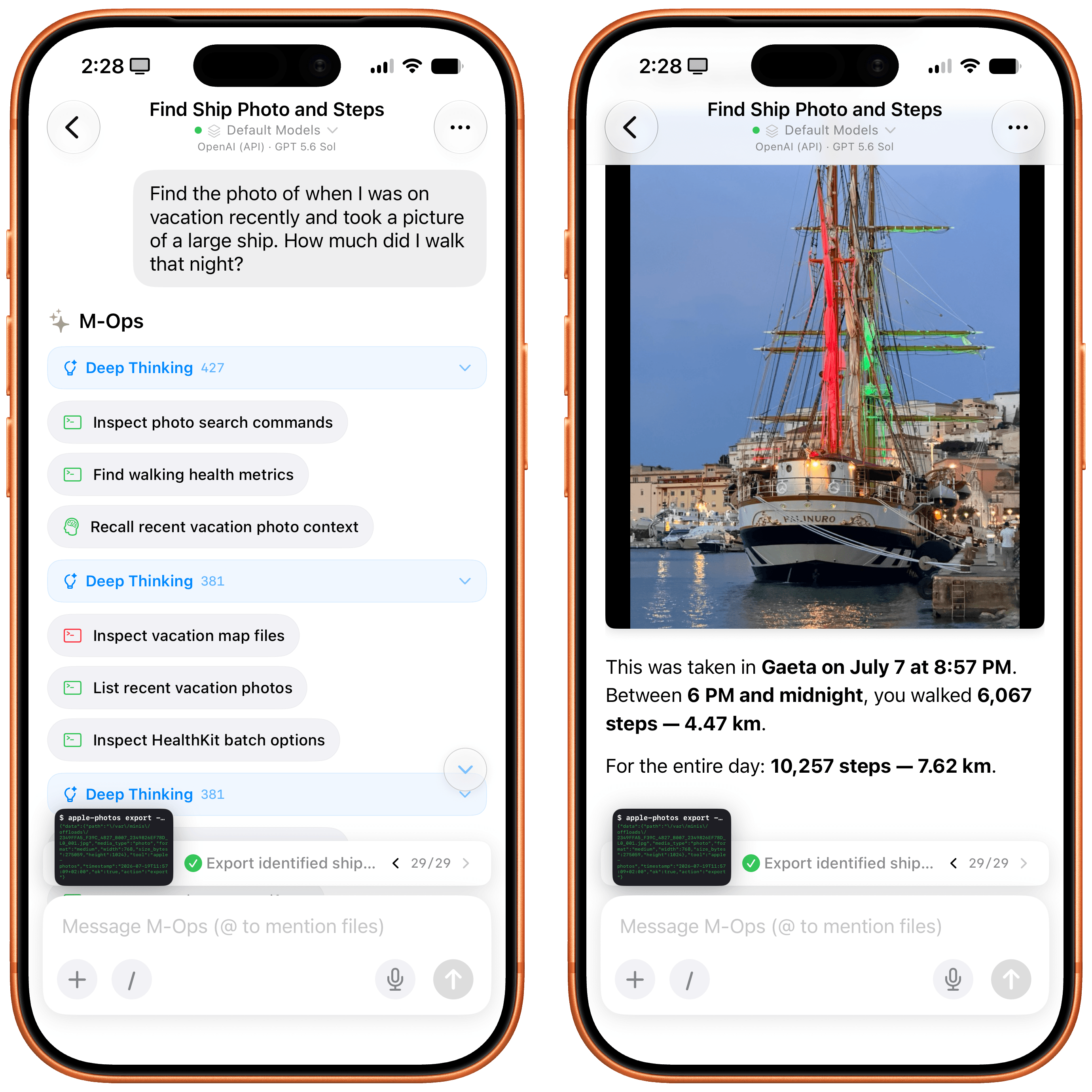
Find the photo of when I was on vacation recently and took a picture of a large ship. How much did I walk that night?
Minis started thinking about this request in a different way: it checked its memory first, and it realized that we recently discussed my recent vacations, so it could immediately short-circuit the process of finding out about those dates. Then, it started filtering my photos by those dates, found the original photo of the Palinuro vessel, and…yeah:
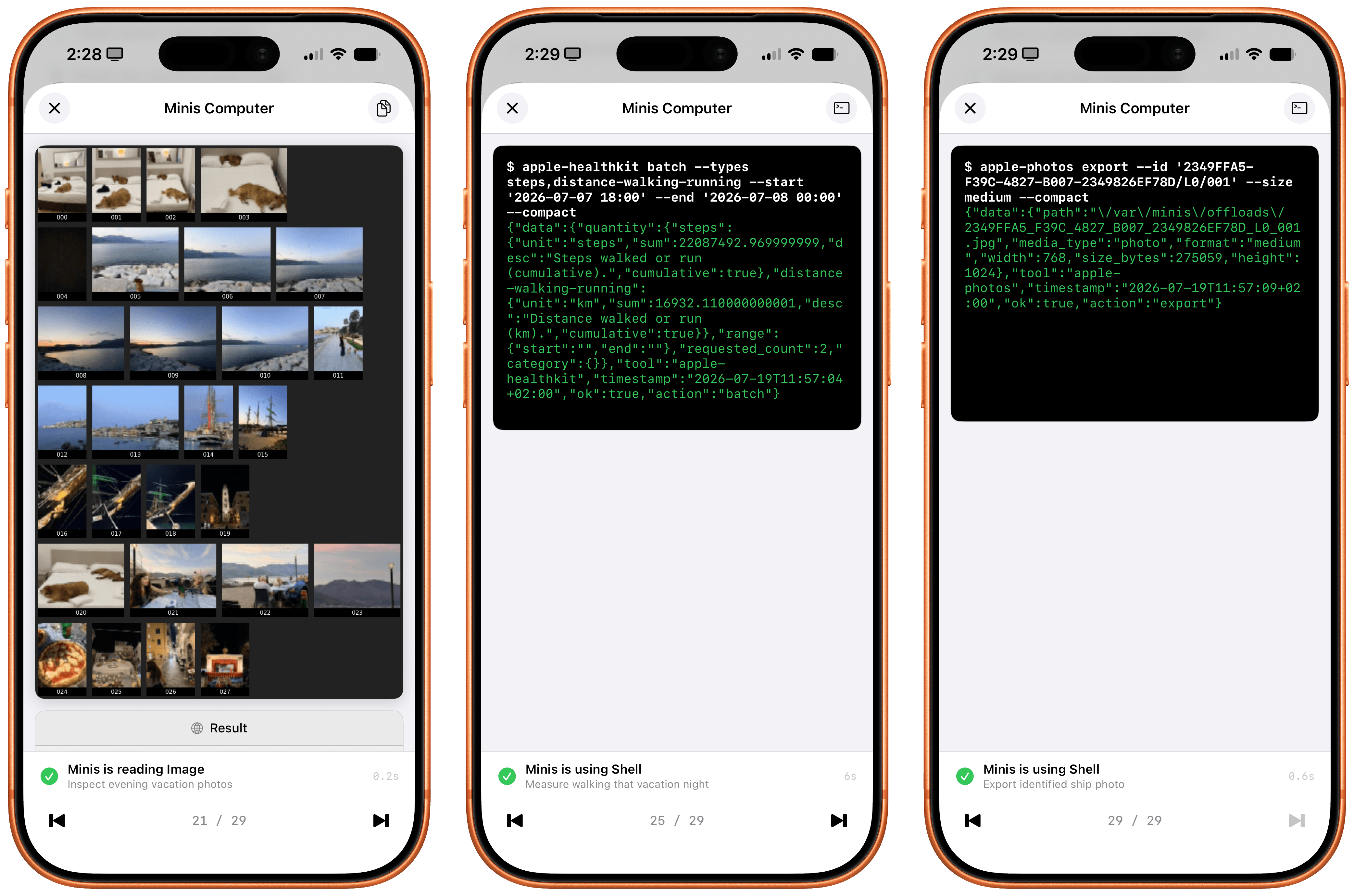
Inspecting the thinking steps in the request is also a fun exercise in seeing how a frontier model driven by an exceptional iOS harness can reason through a problem like this. The model – using the ‘Minis Computer’ (i.e., the aforementioned Linux shell) – fetched memories as Markdown files from the Files app, called the Apple Photos CLI, assembled a contact sheet with a grid of photos, picked two candidates, selected the best photo, isolated the date, called HealthKit for that date, and only then built an answer. And since all of this is based on deterministic code that was executed on-device, the response was fast and did not contain any hallucinations.
How the agent reasoned through my question and data returned by iOS.
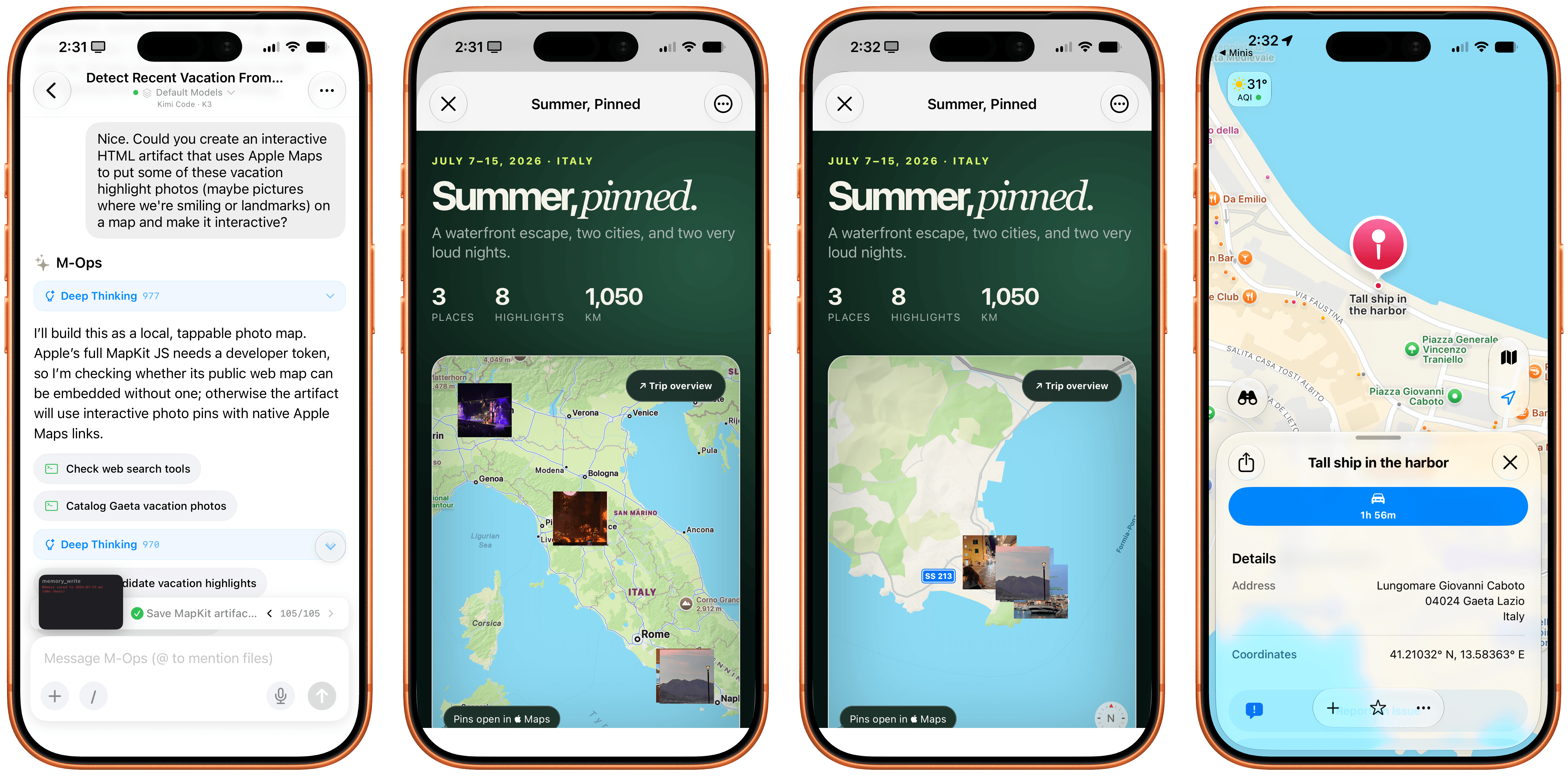
I then decided to go a step further: I asked Minis to take photo highlights from my recent vacations, put them on a map powered by Apple’s MapKit JS, and create a nice, interactive HTML artifact with photos on a map. I used Kimi K3 for this. Minis first asked me to securely store my MapKit developer token, then got to work. It collected photos and parsed metadata returned by the Photos app, and a couple of minutes later, there it was:
The Maps artifact built in HTML by Minis with a combination of Photos and MapKit.
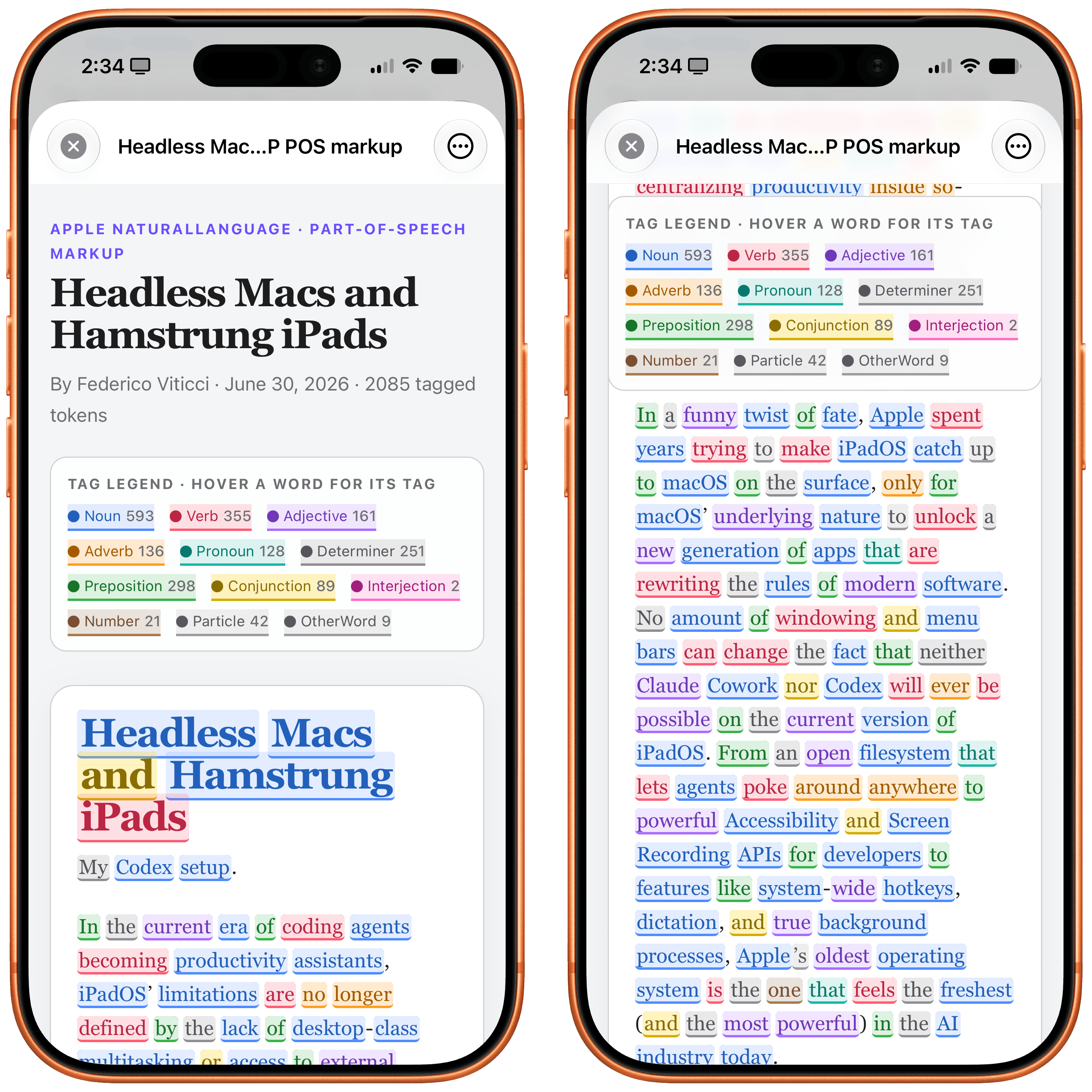
Notice how the HTML artifact itself is presented with WKWebView – another native Apple framework that lets Minis’ agent display webpages with the same WebKit rendering engine used by other web apps on iOS. I also combined web views with Apple NLP, the Natural Language Processing framework that’s available to Minis as another CLI. I asked the app to fetch my most recent iPad article from MacStories, scrape it as Markdown via Firecrawl, tag its different parts of speech with Apple NLP, and present it nicely. Not a problem:
Parts of speech tagged with Apple’s native NLP framework.
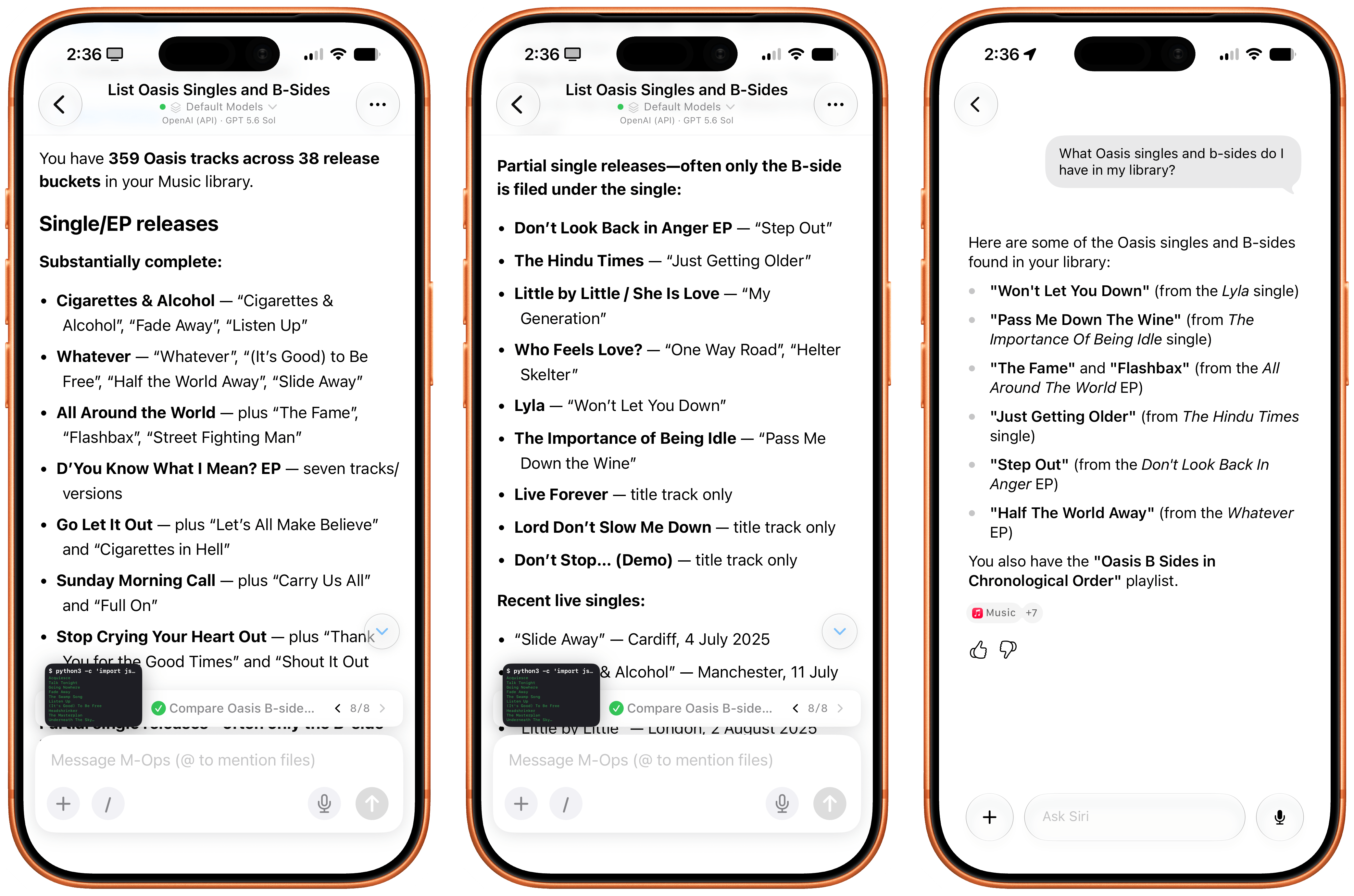
Music is also a first-class citizen in Open Minis: by integrating with the Apple Media framework, agents can see what’s in your music library and find information about the albums, songs, and artists you’ve saved. Which means that if I ask Minis…
What Oasis singles and b-sides do I have in my library?
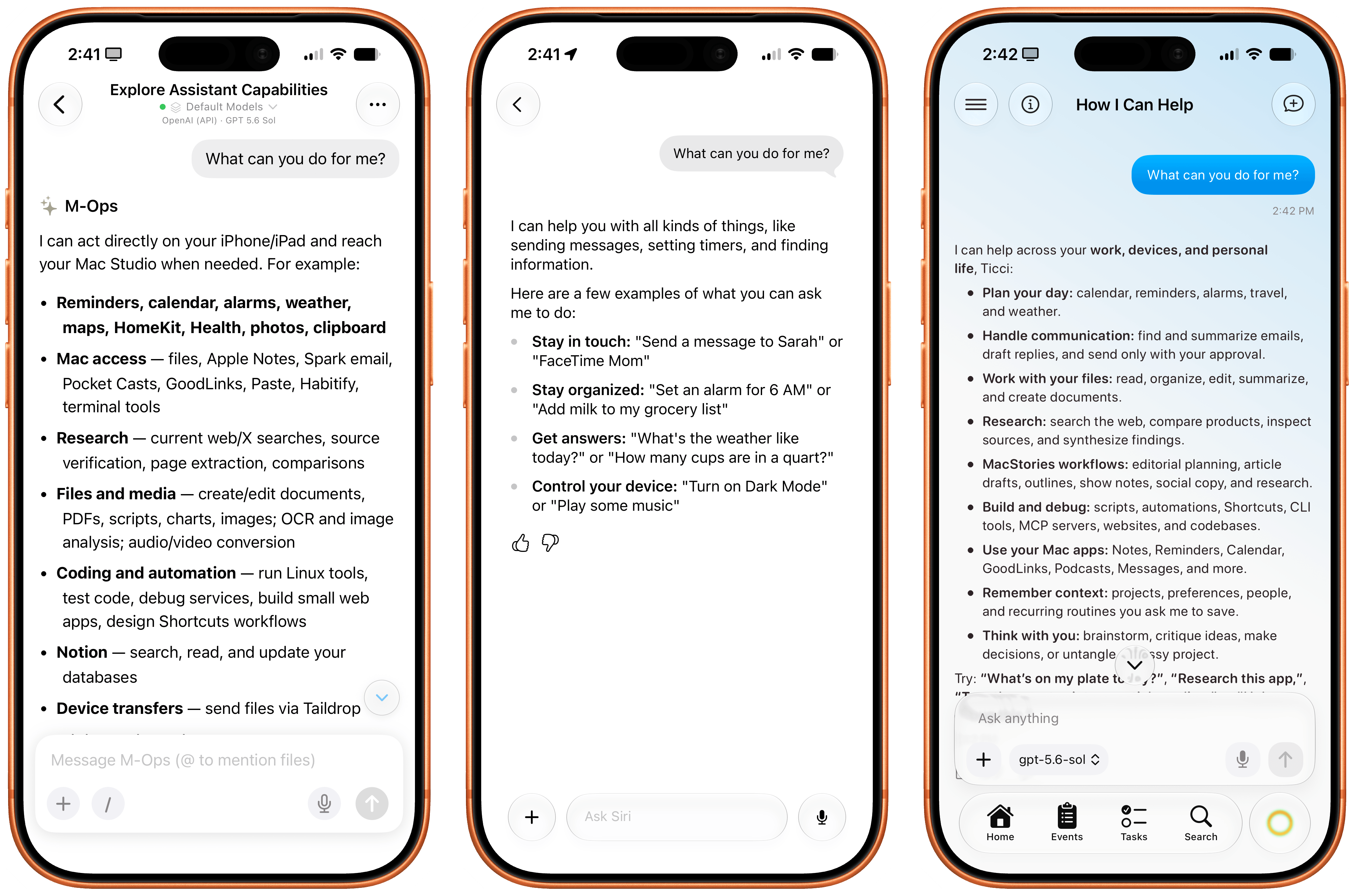
…Minis can inspect my library, cross-reference results with the web, de-duplicate matches, and present results in a way that Siri AI just can’t do right now since its capabilities are limited and the model can’t reason for longer on any specific query:
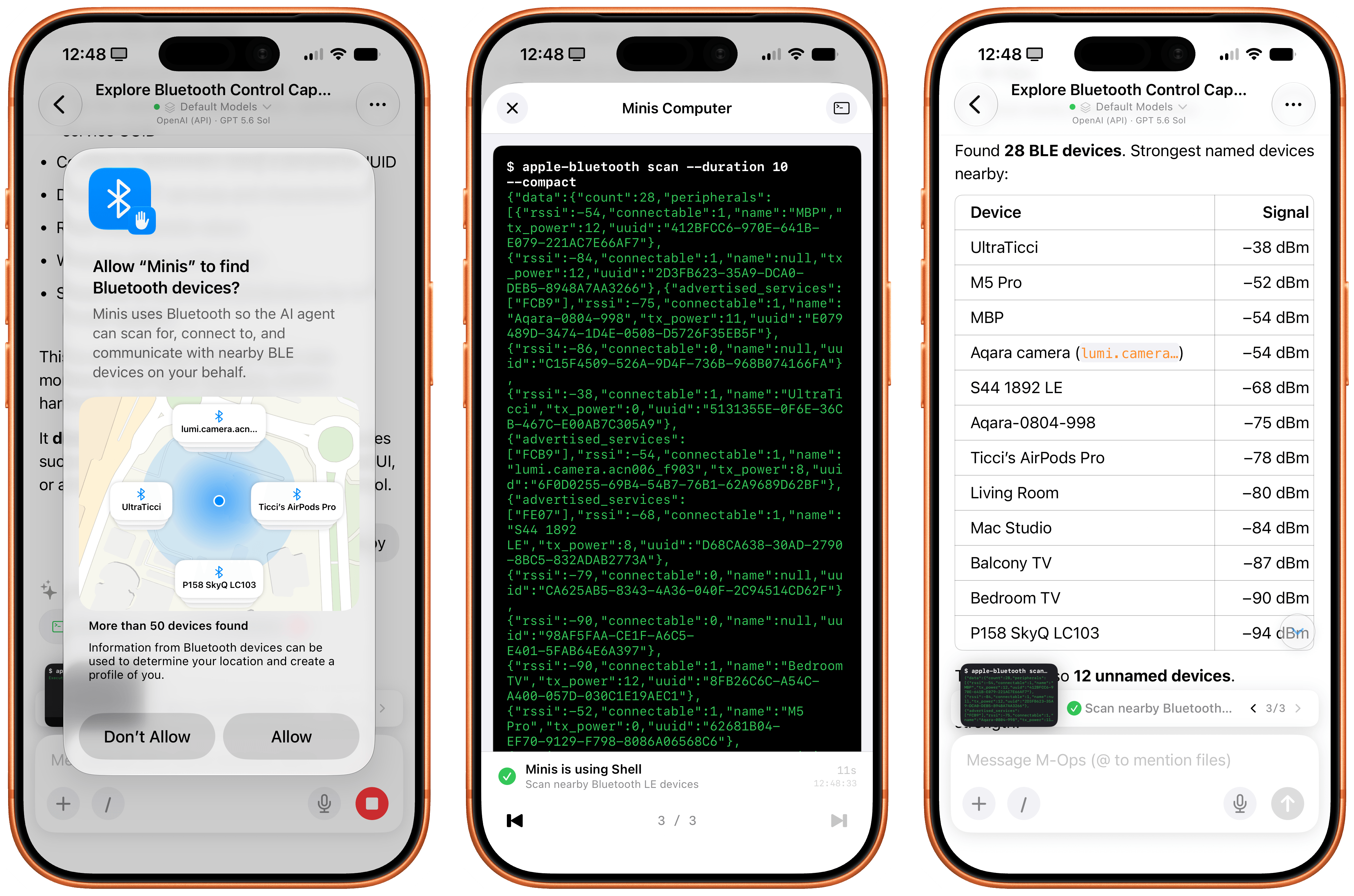
I can go on. Open Minis can access the native Bluetooth framework, scan nearby Bluetooth LE devices, and find out details about them:
Working with the Bluetooth CLI in Minis.
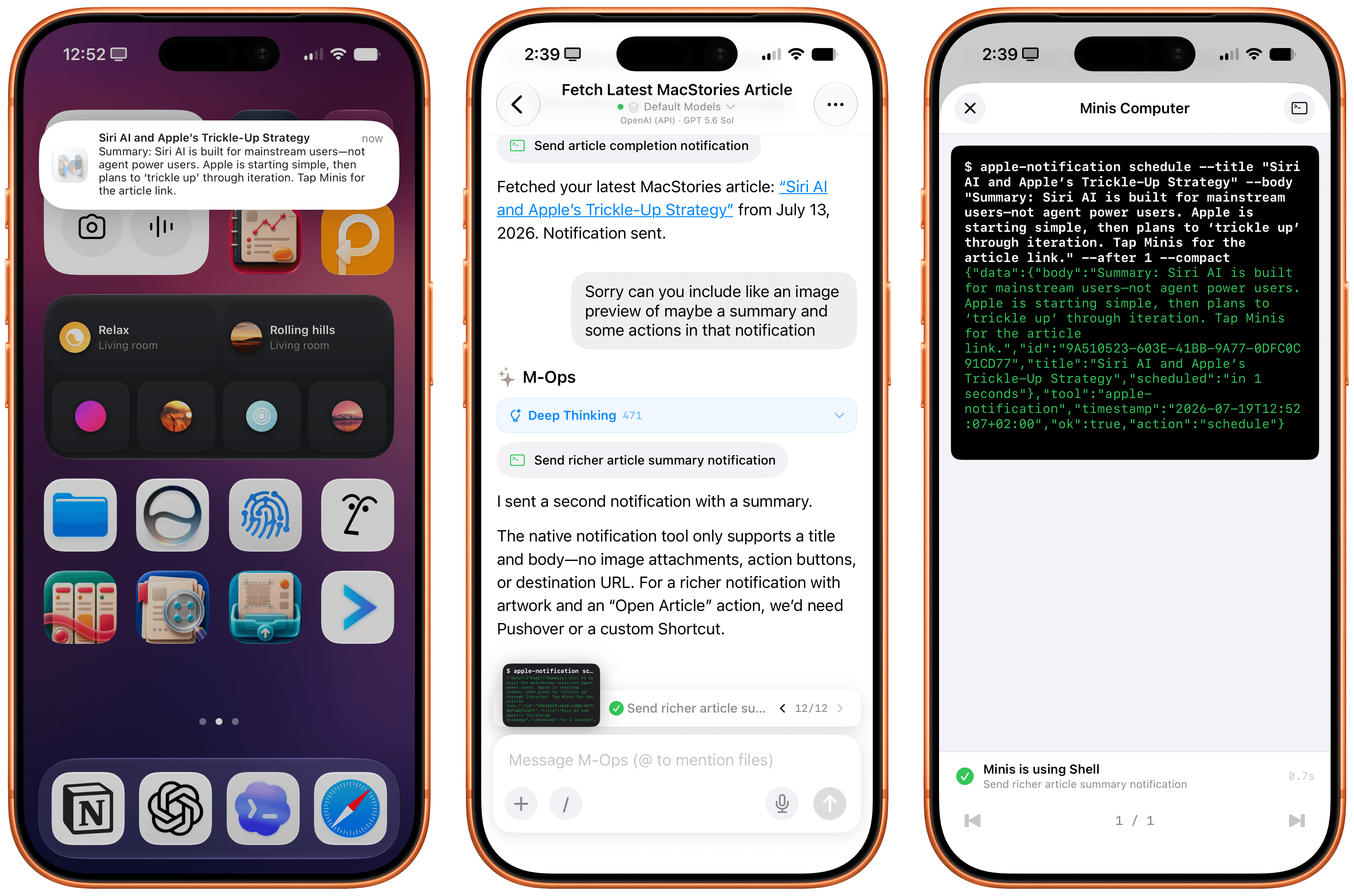
It can send you real notifications when it’s done with a task, and you can even program those notifications to have a custom title and body text:
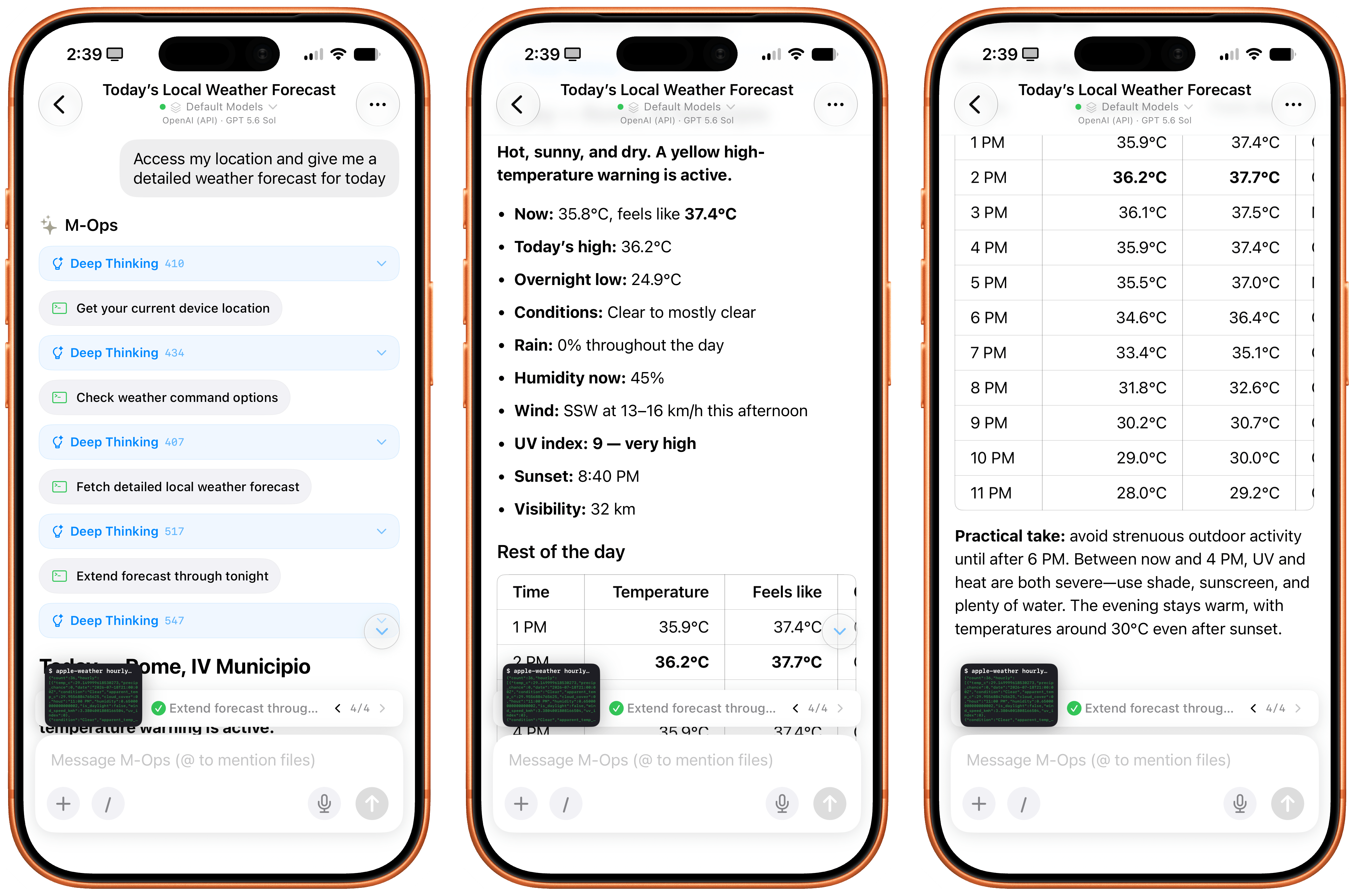
The app can also access your current location, extract locations from calendar events, and use the native Apple Weather APIs to give you detailed weather forecasts:
I think you get the idea.
By combining intelligent reasoning models with extensive integration on Apple platforms, Open Minis can deliver an agentic experience with no equal on iOS right now, which also serves as a fascinating preview of Siri AI’s potential future for power users. As a result of all this, while I still enjoy Siri AI as a basic voice assistant more capable than it was before, I’ve completely replaced its text-based chatbot functionalities with Open Minis powered by either GPT-5.6 Sol or Kimi K3.
iOS Agents Are Coming
Minis, Siri AI, and the upcoming Halo agent for iOS.
It is ironic that, on the cusp of Siri AI launching to millions of users in English only in a few months, here we have a single indie developer who is shipping an app that puts Siri AI to shame when it comes to getting work done with LLMs on iPhone and iPad today – with any model you want, in any language or region.
Over the next few months, I expect more developers to ship products comparable to (and perhaps even exceeding) Open Minis, based on the same idea of an on-device agentic harness that combines LLMs with iOS-specific integrations. One worth keeping an eye on is Halo, an upcoming iOS agent from Tanmay Sonawane that aims to combine LLMs, iOS integrations, memory, and proactive features based on Andrew Karpathy’s pioneering work on AutoResearch in an elegant, iPhone-native experience. I’m in the early testing group for Halo, and it’s a very promising product that, unlike Minis, runs in a loop on-device (displayed via Live Activities) to gather insights about your conversations, upcoming tasks and events, and more.
As I wrote months ago, I’m surprised that none of the big AI labs are exploring this space more in depth. As Open Minis proves, now that models have grown incredibly capable at long-running tasks and tool calling, there’s a real case to be made for agents that can tap into the iOS filesystem, apps such as Photos and Calendar, and technologies like Vision OCR, location, and speech-to-text at virtually no cost. Can you imagine what a “real” Codex or ChatGPT Work for iPhone and iPad could be with a similar system to Open Minis’ and the agentic loop and harness that drive OpenAI’s models? What could Anthropic do with a Claude Cowork powered by Fable that could access the Files app, run CLIs, and sync your workspace files across devices?
With Siri AI, Apple is finally shipping a pretty good chatbot with world knowledge and personal context. Open Minis feels like the beginning of a whole new category of agentic apps for iPhone, which power users like myself can start relying on and fitting into their workflows today.
Desativada por padrão, ela lembra, de certa forma, a interface de ajuste dos estilos fotográficos do iOS, com o usuário tendo que segurar e arrastar o dedo — ou, no caso do Siri no macOS 27, o cursor do mouse — por uma malha de pontos brancos.
Como explicado por mactracker, conforme o cursor do mouse navega por essa malha, a voz da Siri é modulada para reproduzir certas características. Quanto mais o cursor do mouse se aproxima de um ponto, mais clara a voz da Siri fica.
Esse “voice pad”, como a interface está sendo popularmente chamada, também conta com animações elaboradas e bastante coloridas, além de vir acompanhado de um áudio de referência — com direito a Áudio Espacial (Spatial Audio) — que fica tocando sem parar no fundo.
Ainda segundo as informações, essa malha comporta 13 pontos diferentes, sugerindo que o novo sistema operacional do Mac ganhará novas opções de vozes para a assistente virtual. Como a quarta beta do macOS 27 não conta com todos os modelos de voz necessários, no entanto, apenas 2 opções personalizadas podem ser definidas pelo usuário por enquanto.
A nova versão do sistema também inclui um arquivo com descrições (algumas mais completas do que outras) para todas essas 13 vozes:
Gênero
Idade
Características
Estilo
Feminino
Jovem
Fala mansa
—
Feminino
Jovem
Sussurrante, brilhante, suave
—
Feminino
Adulto na faixa dos 20 anos
—
—
Feminino
Adulto na faixa dos 30 anos
—
Amigável
Feminino
Adulto na faixa dos 30 anos
—
Entusiasmada, relaxada, aconchegante
Feminino
Adulto na faixa dos 40 anos
—
—
Feminino
Velho
—
—
Masculino
Jovem
—
—
Masculino
Adulto na faixa dos 30 anos
Profunda
—
Masculino
Adulto na faixa dos 30 anos
Suave
—
Masculino
Adulto na faixa dos 30 anos
Rica
Amigável
Masculino
Velho
—
—
Masculino
Desconhecido
—
—
Ativar essa interface, porém, não é exatamente fácil, com usuários tendo que desativar o recurso System Integrity Protection (SIP) e sobrepor o código interno usando um depurador. Caso contrário, o sistema continuará exibindo o menu tradicional da voz da Siri no app Ajustes do Sistema (System Settings).
Por fim, embora essa interface tenha sido encontrada apenas no macOS 27, ela utiliza o mesmo framework de configuração da Siri que o iOS 27 e o iPadOS 27, o que sugere que ela também poderá dar as caras em iPhones e iPads. Ademais, também foi confirmado que ela será localizada para 44 outros idiomas.
Começando pelas novidades que chegaram hoje, a maioria delas tem relação com a Siri AI. Agora, por exemplo, o sistema exibe uma tela de boas-vindas para o usuário quando ele usa a nova assistente pela primeira vez.
New in iOS 27 beta 4: There is a new splash screen when using Siri AI for the first time pic.twitter.com/R6kFXk1loF
Falando em Siri AI, a nova beta acrescentou novas opções de vozes na personalização da Siri — que requerem dispositivos com pelo menos 12GB de memória, cabe recordar.
New in iOS 27 beta 4: Apple has added more Siri voices with a note that customizations for them are coming soon pic.twitter.com/5ksQXTERAm
Já na seção da Siri do aplicativo Ajustes, há uma nova opção para ajustar o tamanho das prévias das informações da assistente, com a possibilidade de escolher entre nenhuma e até até cinco linhas. No menu de Acessibilidade, há uma nova opção “Sempre Mostrar Solicitação” que exibe na tela uma transcrição do que você diz à Siri.
Além disso, a Apple removeu o recurso que causava um efeito de profundidade ao abrir a central de notificações. Ao deslizar, era possível ver um recorte do elemento principal do papel de parede da Tela de Início, mas isso não está mais disponível.
iOS 27 beta 4 removes the depth effect when opening Notification Center, a change that first showed up in beta 3. pic.twitter.com/1at4mqM3KU
Ainda em termos de correção, os ícones de atalhos na Tela Bloqueada mantém a aparência tanto no modo escuro quanto no modo claro.
Outras novidades incluem:
Na seção de ajustes do app Apple TV, há uma nova opção “Downloads Automáticos”. Ao ativá-la, os dois próximos episódios das séries que você começar a assistir na seção “Continuar Assistindo” serão baixados automaticamente.
Uma nova opção “Ampliar fotos para preencher”, na seção de ajustes do aplicativo Fotos (Photos), amplia levemente as fotos que têm proporção próxima à da tela e vem ativada por padrão.
Na seção Câmera (Camera) do aplicativo Ajustes, há uma opção para escolher um formato ProRes Log se você ativar o Apple ProRes.
Existe uma opção para ativar ou desativar o recurso Assistência ao Wi-Fi para cada rede Wi-Fi conectada, independentemente de a função geral estar ativada ou não.
Ainda durante o ciclo da terceira beta, outro destaque vai para a possibilidade de a Siri AI obter informações de aplicativos de terceiros — algo que, por ora, parece se restringir a informar o nível de bateria de veículos elétricos.
O app Traduzir (Translate), por sua vez, também suportará os idiomas/dialetos português (Portugal), dinamarquês, malaio, norueguês bokmål, sueco, cantonês (chinês tradicional) e espanhol (México e Estados Unidos).
Além disso, uma nova (e bem bonita) animação ao estilo Liquid Glass para o ícone de bateria fraca aparece quando o iPhone está prestes a “morrer”.
Apple really cooked with iOS 27 Beta 3🔥 That new liquid-glass, low-battery animation is absolutely sick. The glow and texture on the graphic are pure eye candy—almost makes you want your phone to die just to look at it. pic.twitter.com/gmFwRMhSbd
Por fim, de acordo com o Cult of Mac, especificamente na terceira beta do watchOS 27, a Apple passou a permitir usar a Siri para configurar um tempo adicional para um timer já em andamento — algo impossível até então nos relógios da Maçã.
A Apple está testando uma nova interface na beta do macOS Golden Gate 27 que exibe uma série de atalhos da Siri AI sempre que o usuário seleciona texto em um app qualquer.
Descoberta pelo usuário identificado como “pdfu” em uma comunidade do Reddit, a novidade está claramente inacabada, o que explica o fato de ela vir desativada por padrão nas versões mais recentes do sistema operacional.
Como é possível notar abaixo, a interface assume a forma de um popover que aparece no canto superior esquerdo da seleção feita pelo usuário. Além disso, os atalhos são contextuais, o que significa que ações diferentes poderão ser sugeridas dependendo do conteúdo em destaque.
Caso o usuário esteja trabalhando em um texto, o recurso exibirá atalhos relacionados às Ferramentas de Escrita (Writing Tools), só para citar um exemplo. Ainda de acordo com as informações, o recurso também pode sugerir ações como enviar um email, adicionar um número aos contatos, exibir um endereço no app Mapas (Maps) ou rastrear um voo.
Para desativar a novidade (o que talvez se prove necessário, já que, como dito, ela ainda está inacabada e apresenta inconsistências), basta abrir o Terminal novamente, rodar o comando a seguir e reiniciar o Mac:
Como essa nova interface já está disponível (mesmo que escondida) nas betas do macOS 27, é bem possível que ela dê as caras em uma futura versão de teste do sistema — provavelmente em um estado bem mais polido.
Apple’s all-new Siri AI. An even more capable AI assistant with expanded intelligence to be more helpful every day.
Apple is exploring new ways to keep AI processing on users’ devices, prioritizing speed, privacy, and reduced reliance on the cloud. The company is in early discussions with PrismML, a startup developing technology that dramatically compresses large AI models to fit and run efficiently on iPhones.
According to PrismML CEO Babak Hassibi, who spoke to CNBC, Apple and other companies have been evaluating the startup’s models, measuring their speed, energy efficiency, and performance on devices. “They’re really evaluating our technology right now,” Hassibi said of Apple. He described the discussions as very early but noted that “things are progressing nicely.”
Shrinking Massive Models for Everyday Devices
PrismML, a Khosla Ventures-backed spinout from the California Institute of Technology, recently released compressed versions of Alibaba’s open-source Qwen model. The company reduced the model from roughly 54 GB to less than 4 GB, enabling all 27 billion parameters to run on an iPhone 15 or newer.
The compression technique simplifies how internal information is stored—reducing values from 16 bits to just one or three possible values. PrismML claims the compressed models use 10 to 15 times less memory, generate responses six to eight times faster, and consume three to six times less energy than conventional versions.
Hassibi acknowledged a small performance trade-off: “PrismML’s models typically lose a few percentage points of overall performance, with factual recall weakening before skills such as reasoning, math and coding.” Despite this, the company is releasing two compressed versions for free, designed to run on iPhones, MacBooks, and Nvidia-powered PCs.
Boosting Siri and On-Device Capabilities
This development aligns closely with Apple’s ongoing efforts to enhance Siri. Just before PrismML’s release, Apple opened the public beta of iOS 27, introducing a major overhaul aimed at making Siri more competitive with offerings from xAI, OpenAI, and Anthropic — while emphasizing on-device processing for personal data.
Running more AI locally would bring several benefits:
• Reduced latency compared to cloud requests
• Lower cloud computing costs
• Support for features that work offline
• Stronger privacy protections, especially for sensitive health, medication, or personal information
Carolina Milanesi, president and principal analyst at Creative Strategies, told CNBC: “The more you can do on device, the better it is,” highlighting applications like computational photography, video generation, and health tools.
Analysts note Apple’s integrated hardware-software approach gives it an edge in optimizing these models. Horace Dediu of Asymco explained that Apple aims to keep most common Siri interactions on-device while routing only the most demanding tasks to the cloud. “They’re trying to figure out how big a model and how clever a model they can fit on the device,” he said.
Potential Industry Impact and Caveats
If PrismML’s technology proves effective at scale, it could influence memory requirements and datacenter demands. However, analysts caution that real-world performance — especially on lengthy prompts, multitasking, battery life, and millions of queries — remains to be fully validated.
Tarun Pathak of Counterpoint Research emphasized: “The ultimate test will be millions of queries, thousands of device combinations and robust testing at scale.” Phil Solis of IDC pointed to power consumption as a key open question for always-on or agent-like features.
Hassibi sees broader applications beyond phones, including robotics and autonomous systems where fast, local intelligence is critical: “It’s very important that the intelligence be local and that it can run fast.”
Pathak summed up the balanced future: “The combination of cloud and on-device AI can serve a more complete, efficient and privacy-centric AI experience. Complex tasks will be offloaded to the cloud, whereas sensitive, latency-critical and privacy-relevant tasks will be executed on-device.”
MacDailyNews Take: Apple’s interest in technologies like PrismML underscores its commitment to privacy as a core differentiator while pushing the boundaries of what smartphones can achieve with AI. As testing continues, this could mark a significant step toward more capable, personal, and private intelligent assistants.
Please help support MacDailyNews — and enjoy subscriber-only articles, comments, chat, and more — by subscribing to our Substack: macdailynews.substack.com. Thank you!
While many Big Tech peers chase high-risk AI growth, Apple stands out for its stability and resilience. The company is projected to grow free cash flow in 2026 — a rarity among its counterparts — positioning its stock as a defensive haven traditionally reserved for consumer staples, utilities, and healthcare names.
“No one admits they like or want to buy more AAPL,” Mizuho Securities analyst Jordan Klein wrote Friday. “But I get why more folks [are] looking at AAPL as a hedge or long idea.”
“Analysts estimate Meta Platforms, Oracle, and Amazon will have negative free cash flow in 2026 because of their AI investments. Meanwhile, Apple is expected to produce $143 billion in free cash flow, up from $109 billion last year, per FactSet. Its capital expenditures will likely decline in 2026.
“[Apple] has definitely been out of favor, but carries a lot less direct near-term execution risk,” Klein wrote.”
But Apple is one of the few high-profile tech names that isn’t a primary consumer or supplier of AI compute, and that differentiation has value… If Apple’s share price is any indication, plenty of investors want to keep at least some money away from the AI trade.
Just wait until Apple begins to release Apple Intelligence features underpinned with — but privacy-protected from — Google Gemini and things like Siri begin to actually work as well as, or even better than, people expect them to work in 2026. The sky’s the limit for Apple stock!
Please help support MacDailyNews — and enjoy subscriber-only articles, comments, chat, and more — by subscribing to our Substack: macdailynews.substack.com. Thank you!
Apple is in discussions with PrismML, a Khosla Ventures-backed startup that claims to have achieved a major breakthrough in running exceptionally large AI models directly on iPhones without relying on cloud servers, Aaron Tilley reports for The Information. The company says it has successfully compressed and executed a 27-billion-parameter model on the latest iPhone hardware, marking what it describes as the largest AI model ever run fully on-device.
PrismML, which emerged from stealth earlier this year as a Caltech spinout, specializes in extreme model compression techniques, particularly 1-bit and ternary weight architectures. These methods drastically reduce memory footprints while aiming to preserve performance. According to the startup, its technology allowed Alibaba’s open-source Qwen 3.6 (27B parameters) — which normally requires about 54 GB in standard precision — to shrink to under 4 GB. The compressed model reportedly ran with all parameters active simultaneously on an iPhone 17 Pro, enabling more complex on-device tasks like advanced reasoning and software development assistance.
This development aligns with Apple’s long-standing push to enhance Apple Intelligence with more powerful on-device capabilities. By keeping AI processing local, Apple can improve privacy, reduce latency, and lessen dependence on cloud infrastructure and external partners. Sources familiar with the matter indicate Apple has held talks with PrismML about potential integration of its compression technology to expand what future iPhones can handle natively.
The Technical Leap: 1-Bit Models and Intelligence Density
Traditional large language models use 16-bit floating-point precision, leading to massive memory requirements. PrismML’s approach uses 1-bit weights (essentially on/off states) and ternary variants (weights of -1, 0, or +1). The company’s flagship open-source “Bonsai” family includes:
• Bonsai 8B: An 8-billion-parameter model that fits in roughly 1 GB (versus ~16 GB for a typical 16-bit equivalent), while delivering competitive results on benchmarks like MMLU, GSM8K, and HumanEval.
• Smaller variants (4B and 1.7B) optimized for even greater efficiency.
PrismML claims these models offer up to 14× smaller memory use, 8× faster inference, and 5× better energy efficiency compared to full-precision counterparts, resulting in over 10× “intelligence density.” The startup has open-sourced its models under Apache 2.0 and released custom kernels for Apple’s Metal framework, making them compatible with iPhone and Mac hardware.
Co-founders, including Caltech professor Babak Hassibi and other PhDs, emphasize that the breakthrough stems from years of research into neural network compression. Investors include Khosla Ventures, Cerberus Capital, and Caltech itself, with the company raising $16.25 million in seed funding. Vinod Khosla has praised the work as a “mathematical breakthrough” that could shift AI from data-center dominance to efficient edge deployment.
Implications for Apple and the Industry
For Apple, adopting such technology could supercharge features in iOS and Apple Intelligence, enabling more sophisticated AI agents, real-time coding help, or advanced multimodal capabilities without constant server calls. It also addresses growing concerns around energy consumption and data privacy in AI.
PrismML positions its tech not just for consumer devices but for robotics, wearables, and industrial edge applications. By open-sourcing core models, the company hopes to accelerate adoption and invite community improvements.
While independent verification of all performance claims is still emerging, the reported iPhone demo and Apple’s interest signal strong validation. As the AI race intensifies, solutions that pack more intelligence into everyday devices — without ballooning costs or power draw — could prove transformative.
PrismML plans further releases and is expected to continue engaging with major device makers.
MacDailyNews Take: For Apple, which has invested heavily in on-device AI silicon like the Neural Engine, this could represent a key for the next-gen of truly personal, secure, and private artificial intelligence.
Please help support MacDailyNews — and enjoy subscriber-only articles, comments, chat, and more — by subscribing to our Substack: macdailynews.substack.com. Thank you!
Depois de já termos publicado vários vídeos sobre as novidades do iOS 27, chegou a vez de começarmos a cobertura em vídeo do macOS Golden Gate 27 em nosso canal. E não tem jeito melhor de abrir essa série do que falando sobre a mudança mais aguardada do sistema: a Siri AI.
Neste primeiro vídeo, mostramos como funciona o novo app da Siri, os ajustes de voz disponíveis, as melhorias na busca do Spotlight, os recursos da Inteligência Visual a partir de screenshots e as ferramentas de escrita e revisão de texto integradas ao sistema.
Apple Intelligence on-device processing remains Apple’s most convincing argument in artificial intelligence. Rivals may lead in public model rankings, chatbot adoption and the speed of releasing experimental features, but Apple is building AI inside devices people already use for their most personal work.
That distinction changes the definition of winning.
Apple does not need every iPhone owner to open a separate chatbot app. It can place intelligence inside Messages, Mail, Photos, Notes, Shortcuts, Siri and third-party apps. Local models can operate on private information without automatically transferring that information to an external server.
The strategy appeared slow while the AI market measured progress through chatbot launches and model size. It looks more competitive as the industry confronts cloud costs, privacy concerns, unreliable connectivity and the difficulty of turning general-purpose AI into useful daily actions.
In his video “Apple Lost the AI Race,” Marques Brownlee captures the contradiction in one concise line:
“Apple lost the AI race. Actually, Apple won the AI race.”
The apparent reversal describes Apple’s current position well. Apple may have lost the first race for public perception. It is increasingly prepared for the longer contest over where AI runs, how it reaches users and who controls the personal data required to make it useful.
Apple Intelligence On-Device Changes the AI Relationship
Most popular generative AI products began as cloud services. A user sends a request to a remote model, the provider processes it in a data center and the answer returns through an app or browser.
That structure supports enormous models but creates dependence on internet access, server capacity and continuing infrastructure expense. It also means personal prompts leave the device, even when the provider uses strong security and privacy policies.
Apple Intelligence on-device begins from the opposite direction. The iPhone, iPad or Mac first attempts to handle the request locally using Apple Foundation Models optimized for Apple silicon.
That local model does not need to know everything available on the internet. It needs to understand the user’s request, work with relevant personal context and complete common tasks efficiently.
The difference is similar to owning a capable computer rather than renting every calculation from a distant server. Cloud systems remain useful for difficult workloads, but they no longer need to participate in every interaction.
For Apple, local processing is also a product advantage. The company controls the chip, operating system, model architecture, memory system and apps. Each layer can be designed around the others rather than assembled from unrelated services.
Image Credit: Apple Inc.
Privacy Becomes a Technical Feature
Technology companies frequently describe privacy as a policy. Apple is trying to make it part of the AI architecture.
When a request runs entirely on an iPhone, the associated data does not need to leave the device. A model can work with messages, appointments, photos or app content without uploading that personal context to a conventional cloud account.
That structure is especially relevant to Siri AI. A truly personal assistant needs access to information that users may never place willingly inside an ordinary chatbot: private conversations, travel plans, health-related details, work documents and relationships between people.
An assistant becomes more useful as it gains context. It also becomes more invasive when the same context is stored, analyzed or used for model training outside the device.
Apple Intelligence on-device allows Apple to expand personal context while maintaining a stronger boundary around it. The assistant can understand information locally, perform an action and discard temporary processing data without building a permanent advertising or training profile.
This is difficult for competitors whose businesses depend on cloud services, large-scale data collection or engagement inside separate AI products. Apple’s hardware business gives it different incentives.
Private Cloud Compute Extends the Model
Not every AI task can fit within the power and memory limits of an iPhone. Apple uses Private Cloud Compute when a request requires a larger model.
Private Cloud Compute is designed to extend the privacy architecture of Apple devices into the cloud. User information is processed only for the request, is not stored and is not made available to Apple for unrelated purposes.
Independent researchers can inspect software images used by the system, creating an unusual level of outside visibility into the cloud environment. Apple has also expanded the architecture while maintaining control over the software and privacy protections used for processing.
This creates a layered system rather than a simple choice between local and cloud AI.
Apple Intelligence first determines whether the device can handle the request. More complex work can move to Private Cloud Compute. External models may be offered separately when the user chooses to involve them.
The user does not need to understand the technical path behind every answer. The system chooses the smallest and most private environment capable of completing the task.
Apple Silicon Was an AI Investment
Apple’s control of its processors has become one of its largest advantages in the AI era.
The Neural Engine first appeared years before generative AI became a consumer obsession. It supported Face ID, photography, speech recognition and other machine-learning tasks. Apple continued expanding that hardware across the iPhone, iPad and Mac.
Those investments now provide a large installed base of devices designed to run machine-learning workloads locally. Recent Apple chips combine CPU, GPU, Neural Engine and unified memory in one architecture that can move information efficiently between different types of processing.
The same design helps foundation models run without requiring the power consumption or separate memory systems associated with conventional data-center hardware.
Apple also controls the operating systems that schedule those workloads. A model can be optimized for the exact processors, memory limits and energy behavior of supported devices.
Competitors can build excellent models, but they often need to support hardware from several manufacturers with inconsistent capabilities. Apple can decide that an AI feature requires a specific generation of silicon and design the complete experience around it.
Developers Gain a Local Model
The Foundation Models framework extends Apple Intelligence on-device beyond Apple’s own apps. Developers can use the system model through native Swift tools rather than shipping a separate large model or paying for every cloud request.
An app can generate structured content, interpret natural language or use tool calling while keeping supported processing on the device. Apple handles model delivery and system integration.
This can reduce operating costs for developers. A cloud-based AI feature creates an ongoing expense each time a user submits a request. Local inference uses hardware the customer already owns.
It can also improve reliability. Features may remain available without an internet connection and respond without waiting for a remote service.
The framework encourages a quieter form of AI adoption. Apps do not need to add a prominent chatbot tab or redesign themselves around a conversational interface. Intelligence can appear inside existing workflows as a useful capability.
That is where Apple’s strategy may reach scale. Millions of apps can incorporate small AI functions that users experience as normal software behavior rather than as visits to an AI destination.
Image Credit: Apple Inc.
The Installed Base Is Apple’s Distribution Advantage
The AI race is often discussed as a contest between models. Consumer adoption also depends on distribution.
Apple can deliver new intelligence features through operating-system updates across the iPhone, iPad, Mac and Vision Pro. Users do not need to create another account, choose a provider or transfer their personal information into a new service.
Siri already occupies the system interface. Apple Intelligence can work across first-party apps. Developers can connect their own features through Apple frameworks.
The scale is difficult to reproduce. A model provider may have stronger benchmark scores but still need users to download an app and consciously open it. Apple can introduce AI during actions people already perform: replying to a message, locating a photo, organizing a note or completing a shortcut.
This does not guarantee success. Apple must make Siri AI reliable, keep feature availability consistent and prove that local models can deliver enough capability to satisfy users accustomed to powerful cloud assistants.
The distribution advantage only becomes meaningful when the experience works.
Winning Without Building the Loudest Chatbot
Apple has made mistakes during its AI transition. Siri improvements arrived later than promised, regional regulations delayed features and competitors established powerful consumer brands before Apple completed its new system.
Those setbacks explain why the claim that Apple lost the AI race became persuasive.
They do not settle the outcome.
The first stage rewarded companies that released chatbots quickly and demonstrated increasingly large models. The next stage may reward systems that can integrate AI into ordinary life without demanding constant cloud access, high subscription costs or broad collection of personal information.
Apple Intelligence on-device is built for that stage. It uses hardware already in the user’s hand, protects more personal context locally and gives developers access to intelligence without requiring every interaction to become a server transaction.
Apple does not need to win every benchmark or release the most talkative assistant. It needs AI to become a reliable part of the devices people already trust.
Brownlee’s title works because both statements can be true. Apple lost the visible sprint that defined the early generative AI market. By concentrating on local processing, silicon, privacy and operating-system integration, it may already be positioning itself to win the race that follows.

 Login
Login