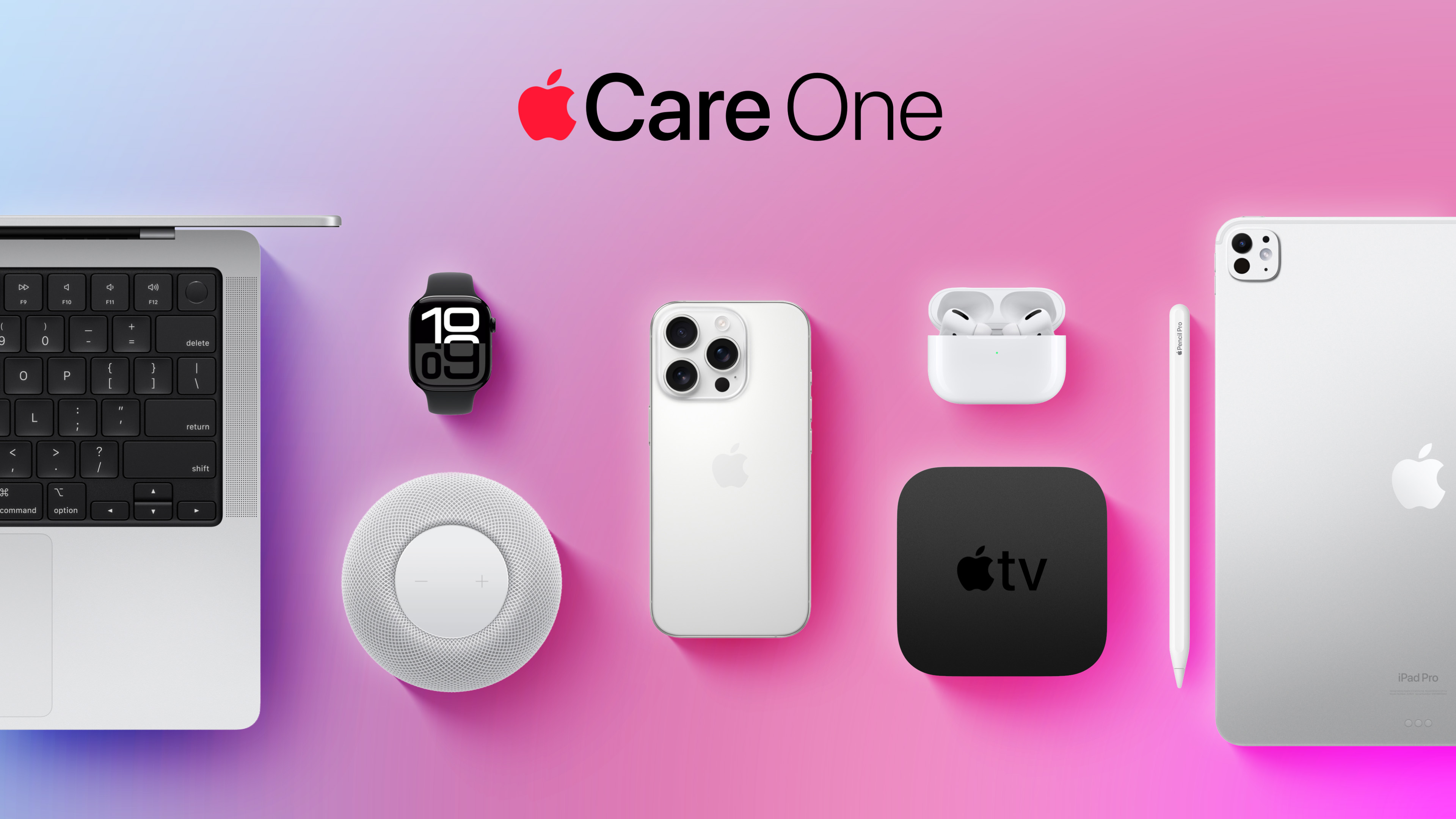
While the monthly and annual prices of AppleCare+ plans for Macs and iPads received a slight increase this week, AppleCare One continues to start at $19.99 per month in the U.S., making the multi-device plan even more valuable.
Launched in July 2025, AppleCare One allows you to cover up to three devices as part of a single subscription for $19.99 per month, and additional devices can be added for $5.99 each. AppleCare One offers repairs for accidental damage, 24/7 priority tech support, and theft and loss protection for the iPhone, iPad, and Apple Watch.
If you have an iPhone 17 Pro, a MacBook Air with an M5 chip, and an iPad mini with an A17 Pro chip, for example, AppleCare+ plans with theft and loss coverage where applicable can cost up to $26.97 per month for those devices in total. As mentioned, AppleCare One still costs $19.99 per month, so you can save $6.98 per month in this scenario.
Notably, you can add Apple devices that you already own to an AppleCare One plan, so long as they are in good condition and less than four years old. A diagnostic check and/or inspection may be required to verify a device's condition.
A white spot on iPad screen can appear as a bright patch that remains visible while browsing, watching videos or using apps. It may be small and easy to ignore at first, then become distracting whenever the screen shows a white, gray or lightly colored background.
The spot may come from a temporary software problem, but a fixed bright area is more commonly connected to the display hardware. Pressure inside the iPad, a damaged backlight layer, display separation or an impact can create uneven illumination that no setting can remove.
Before arranging a repair, a few simple checks can reveal whether the spot belongs to the image being displayed or to the physical screen itself.
What Causes a White Spot on iPad Screen?
A white spot on iPad screen is often described as a bright spot, pressure mark or backlight patch. On iPads with LCD displays, light passes through several internal layers before reaching the glass. When one of those layers becomes damaged, separated or compressed, light can concentrate in one area.
The mark may be more visible against pale backgrounds and almost disappear when the screen displays black or dark content. This is different from a dead pixel, which usually appears as a tiny fixed dot rather than a larger cloudy patch.
Pressure is one possible cause. Carrying an iPad in an overloaded bag, placing heavy objects on it or using a tight case can place stress on the display. A drop may also disturb the internal screen layers without cracking the front glass.
Battery swelling can create similar pressure from inside the device. If the screen is lifting from the frame, the iPad feels unusually warm or the body appears bent, stop using it and seek service. A swollen battery should not be pressed back into place or handled as an ordinary screen defect.
The problem can also appear after a display replacement involving a poorly fitted or lower-quality part. Apple notes that nongenuine displays may produce inconsistent brightness, color or touch behavior.
Image Credit:
Check Whether the Spot Is Really on the Display
Begin by opening several different apps. Look at the spot over a white webpage, a gray Settings screen, a dark photo and a full-screen video. A hardware-related mark normally stays in the same physical location regardless of what appears underneath it.
Rotate the iPad. If the content changes orientation but the bright patch remains in the same part of the glass, the display is the likely cause.
Taking a screenshot provides another useful test. A physical screen defect will not normally become part of the screenshot file.
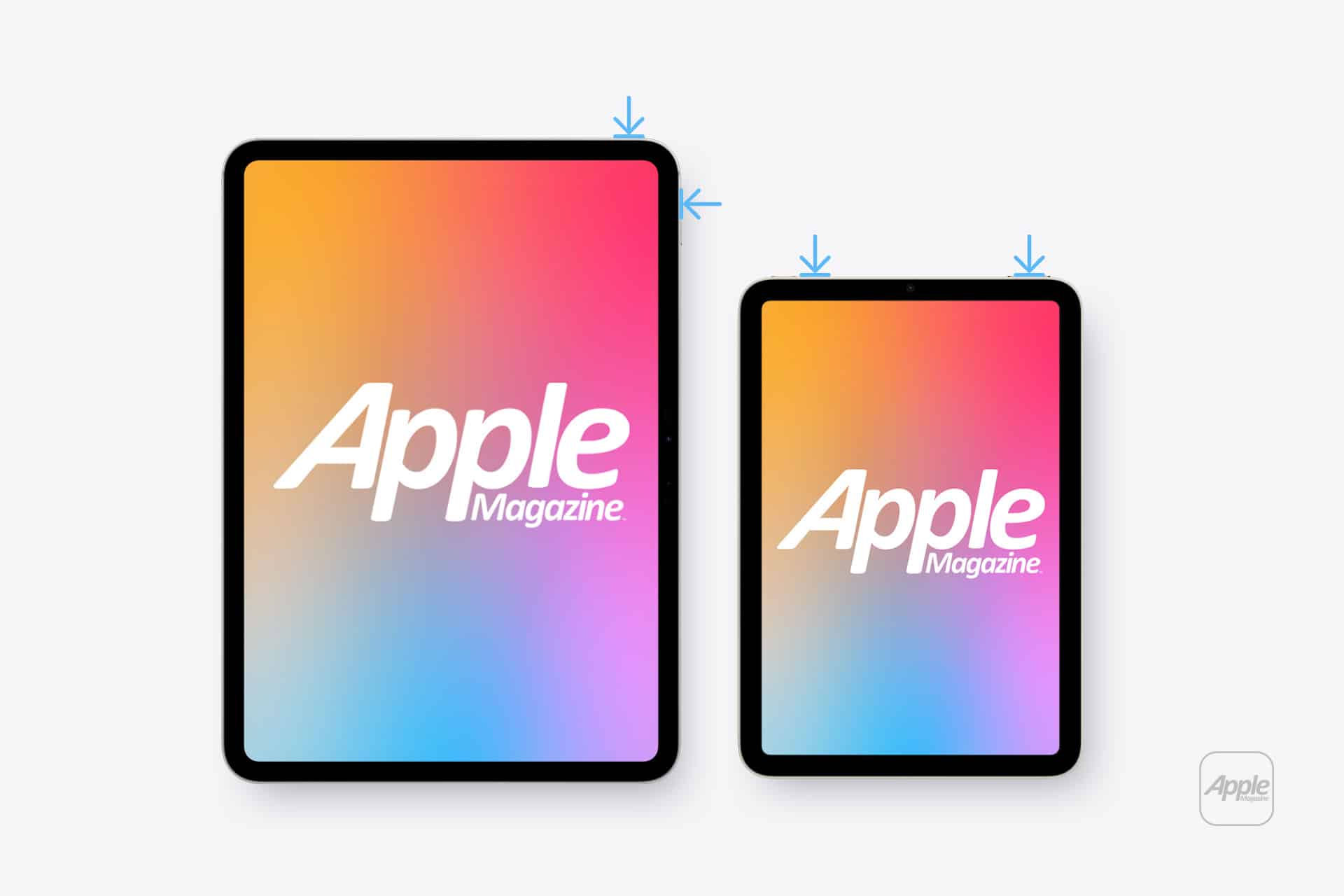
To take a screenshot on an iPad without a Home button:
Top button + either volume button
To take a screenshot on an iPad with a Home button:
Top button + Home button
Open the screenshot on another device or send it to a trusted computer. If the white spot does not appear there, the image generated by iPadOS is normal and the problem is probably inside the display assembly.
If the mark appears in the screenshot, it may belong to an app, image, accessibility setting or software effect rather than the panel.
Restart Before Assuming Hardware Failure
A restart is worth trying because it clears temporary display and system behavior without affecting personal files. It is unlikely to repair physical backlight damage, but it can eliminate a short-lived graphical problem.
To restart an iPad without a Home button:
Press and hold the top button and either volume button > Drag the power slider > Wait approximately 30 seconds > Hold the top button until the Apple logo appears
To restart an iPad with a Home button:
Press and hold the top button > Drag the power slider > Wait approximately 30 seconds > Hold the top button until the Apple logo appears
After restarting, return to the same pale background and check the area again. A spot that remains fixed is unlikely to be caused by a temporary iPadOS issue.
Image Credit: AppleMagazine
Brightness Can Make the Problem More Visible
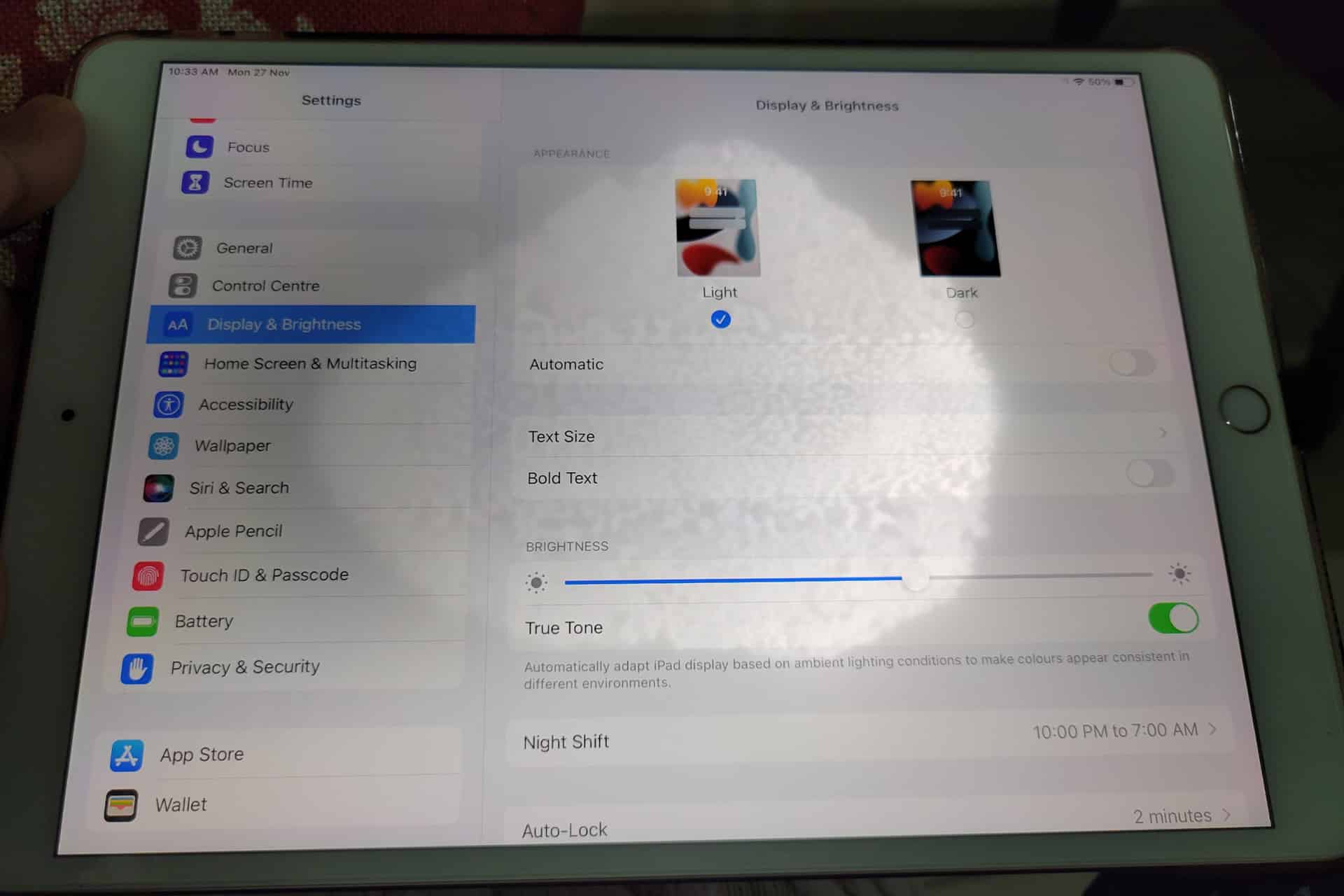
Lowering brightness may make a bright patch less distracting, but it does not repair the underlying display. The same applies to Dark Mode, Night Shift and Reduce White Point. These settings can change how noticeable the mark becomes without removing it.
To adjust screen brightness:
Settings > Display & Brightness > Brightness
Test the iPad at several brightness levels. A backlight-related spot may become easier to see as brightness increases. Photographing the screen against a plain background at medium and high brightness can also help document the defect before requesting service.
Avoid pressing or rubbing the affected area. Pressure may temporarily change the appearance, but it can damage the display further. Internet advice suggesting that users massage bright spots out of a panel should be ignored.
Check the Case and Screen Protector
Remove any rigid case that appears unusually tight or has been damaged. A poorly fitted case can place uneven pressure around the frame, particularly if the iPad has been dropped while inside it.
A screen protector normally cannot create a true illuminated patch beneath the display. It can, however, produce bubbles, trapped moisture or reflective marks that resemble a screen defect. Examine the iPad with the display turned off. If the mark is visible on the surface even when the screen is black, the protector or glass may be involved.
Do not remove a properly installed protector solely as an experiment unless the mark clearly appears close to its surface. A bright patch visible only while the display is illuminated usually comes from deeper inside the screen.
When the iPad Needs Repair
A persistent white spot generally requires display service when it remains after restarting and does not appear in screenshots. There is no iPadOS setting that can realign a damaged diffuser, remove internal pressure or repair separated display layers.
Back up the iPad before service so photos, documents and app data remain protected.
To create an iCloud backup:
Settings > your name > iCloud > iCloud Backup > Back Up Now
Apple can inspect the device and determine whether the defect qualifies for warranty coverage, AppleCare service or paid repair. Coverage depends on the device, purchase date, condition and whether the problem resulted from accidental damage.
To check coverage:
Settings > General > AppleCare & Warranty
Apple or an Apple Authorized Service Provider may replace the display assembly or the iPad, depending on the model and available service process. The final repair estimate normally requires inspection.
Image Credit: AppleMagazine
Do Not Ignore Physical Changes
A stable white spot that has not changed for months may remain only a visual annoyance. A spot that is expanding, accompanied by screen lifting or followed by unusual heat needs faster attention.
Stop using the device if the display separates from the enclosure, the iPad becomes visibly swollen or pressure marks spread across the panel. Do not puncture the device, force the display closed or continue charging it unattended.
For an ordinary fixed bright patch, the practical path is simpler: confirm it does not appear in screenshots, restart the iPad, remove any case applying pressure and arrange display service if the mark remains.
A white spot on iPad screen rarely affects the information stored on the device, but it can indicate physical damage that software cannot correct. A brief check can rule out the easy causes. After that, repair is usually more effective than repeatedly changing display settings and hoping the light disappears.
AppleCare+ pricing has gone up for new Mac and iPad customers, adding another small cost increase to the Apple ownership equation. According to Bloomberg, Apple has raised monthly and annual AppleCare+ rates for new Mac and iPad plans, with the change applying to new coverage rather than existing plans already active on customer devices.
The increase is modest on paper. Reports indicate Apple has raised monthly AppleCare+ rates by 50 cents and annual plans by $5 for affected Mac and iPad products. For example, AppleCare+ for the 13-inch MacBook Air is now listed at $7.99 per month or $79.99 per year, up from $7.49 per month and $74.99 per year. The Mac mini now starts at $4.49 per month or $44.99 per year, while the 16-inch MacBook Pro costs $15.99 per month or $159.99 per year.
The numbers are not dramatic alone. The context is harder for buyers. Mac and iPad prices have already been under pressure from component costs, financing changes and longer upgrade cycles. AppleCare+ is optional, but for many customers buying expensive laptops and tablets, it is part of the real purchase price.
AppleCare+ Pricing Adds to the Ownership Cost
AppleCare+ pricing is one of those costs many buyers do not fully consider until checkout. The device price gets attention first. Then come storage upgrades, cellular connectivity, keyboard accessories, Apple Pencil, taxes, financing, software subscriptions and protection coverage.
For a MacBook Air, an extra 50 cents per month may not change the decision. For a MacBook Pro, iPad Pro or a family buying multiple devices, the increases add up over time. Annual plans rising by $5 also signal that Apple is comfortable nudging protection costs higher even when the change is small enough to avoid a major backlash.
AppleCare+ remains valuable for users who carry devices daily or depend on them for work. Macs and iPads are portable, expensive and often used in places where accidents happen: classrooms, coffee shops, airports, offices, studios, kitchens and family rooms. A cracked iPad screen or damaged MacBook display can be expensive without coverage.
Apple’s pitch is convenience as much as insurance. AppleCare+ includes priority support, battery service when capacity drops below Apple’s threshold, and reduced service fees for accidental damage. For iPad, AppleCare+ can also cover Apple-branded keyboard accessories and Apple Pencil damage under service-fee terms.
That makes the plan attractive. It also makes the higher price easier for Apple to defend.
Image Credit: Apple Inc.
New Customers Feel the Change First
The latest increase applies to new Mac and iPad AppleCare+ customers. Existing customers with active plans are not the immediate target of the reported change. That distinction helps Apple avoid angering subscribers who already signed up at previous rates, while still lifting revenue from new device buyers.
This approach fits Apple’s broader shift toward recurring coverage. Apple has been moving AppleCare+ further into monthly and annual subscription-style plans, with AppleCare One offering a bundled option for multiple products. The protection plan is no longer only a one-time add-on at purchase. It is increasingly part of Apple’s services layer.
That matters because Apple’s services business depends on recurring payments. AppleCare+ may not get the same attention as iCloud, Apple Music or Apple TV, but it is another way Apple extends the customer relationship beyond the hardware sale. A Mac or iPad purchase becomes not only a device transaction, but also a support and repair subscription.
The price increase strengthens that pattern. A small rise across a large base of new buyers can support services revenue without changing the product lineup.
Mac Buyers Should Compare Plans
Mac buyers now have more reason to compare AppleCare+ options before adding coverage. Apple’s Mac plans vary by model because repair risk and device cost vary. A Mac mini plan starts lower because the device is stationary and less likely to face drops or screen damage. A 16-inch MacBook Pro costs more because it is a high-value portable machine with expensive components.
For a buyer choosing a MacBook Air, AppleCare+ may be easier to justify if the laptop travels daily. Students, journalists, consultants, photographers, editors and business travelers are more exposed to accidental damage than someone who leaves a Mac mini on a desk.
For MacBook Pro buyers, the decision often depends on work dependency. If the Mac is the primary income tool, AppleCare+ can be less about repair math and more about reducing downtime. Access to Apple support and lower repair costs can be worth the subscription if the device is central to daily work.
Still, users should compare the plan cost with their own risk. A careful desktop Mac user may not need the same coverage as a frequent traveler. AppleCare+ is useful, but it should not be automatic for every buyer.
iPad Buyers Face a Different Calculation
iPad AppleCare+ has its own logic because iPads are more physically exposed than Macs in many homes. They are passed between family members, used by children, carried around the house, taken to school, placed in bags and paired with accessories that raise the total cost of ownership.
For iPad Pro and iPad Air buyers, AppleCare+ can make sense because screen repairs and accessory damage can be costly. Apple’s current AppleCare+ terms for iPad include service fees for screen damage, other accidental damage and covered accessories. That can make the plan appealing for users who buy Magic Keyboard, Apple Pencil Pro or a high-end iPad Pro.
The decision becomes more complicated for entry-level iPad buyers. A lower-cost iPad may not justify years of coverage for every user, especially if it stays mostly at home. Families, however, may see the protection differently. An iPad used by children faces more risk than a laptop used carefully by one adult.
The new pricing does not change the core question. It makes the answer slightly more expensive.
AppleCare Products | Warranty Check
AppleCare One Becomes More Relevant
AppleCare One gives Apple another way to soften individual plan increases. The bundle starts at $19.99 per month for up to three eligible products, with additional devices available for $5.99 per month each. It includes AppleCare+ benefits and adds theft and loss coverage for eligible iPhone, iPad and Apple Watch products.
For users with only one Mac or one iPad, AppleCare One may not be the best fit. For users with multiple devices, it can become more attractive as individual plans rise. A person with an iPhone, iPad and Mac may compare three separate AppleCare+ plans against the bundle and find the monthly difference easier to justify.
That is likely part of the strategy. Apple can raise individual plan prices modestly while giving heavier ecosystem users a bundled option. The company has used similar logic across services with Apple One, where the value increases as users subscribe to more Apple products.
The same principle now applies to protection. The deeper a customer is inside Apple’s hardware ecosystem, the easier it becomes to turn support coverage into a monthly bundle.
Small Increase, Larger Signal
AppleCare+ pricing increases may be small, but they arrive during a period when Apple is asking customers to absorb more costs across the ecosystem. Device prices, component pressure, cellular financing, AI hardware demands and service subscriptions all affect the total ownership picture.
The AppleCare+ change fits that pattern. Apple is not dramatically changing the service. It is raising the price slightly while keeping the value proposition intact: lower repair costs, battery service, accidental damage coverage and Apple support.
For buyers, the best response is not panic. It is math. Compare the plan price with the device cost, repair risk, usage pattern and whether multiple Apple products would make AppleCare One more efficient. Someone buying a MacBook Pro for travel may want the protection. Someone buying a Mac mini for a desk may not. A family iPad may be a stronger candidate than a carefully handled personal tablet.
AppleCare+ remains a useful safety net. It is just a slightly more expensive one for new Mac and iPad buyers, and that makes the real cost of the device a little higher than the number on the product page.

 Login
Login