❌

Reading view

Besser als Time Machine: Die fünf besten Backup-Lösungen für den Mac für 2026

Time Machine ist eine erstklassige Backupsoftware und für die meisten Anwender völlig ausreichend. Die große Stärke der Sicherheitssoftware ist die einfache Bedienung – auch bei der Wiederherstellung von Daten. Geht etwas schief, können Sie sehr einfach Daten wiederherstellen oder Ihre Daten auf einen neuen Mac übertragen. Das ist nicht bei jeder Backupsoftware so einfach möglich.

Diese simple Bedienung hat aber einen großen Nachteil: Apples Software ist nicht sehr flexibel und erlaubt dem Nutzer nur sehr wenige Konfigurationsmöglichkeiten oder Anpassungen an besondere Situationen.

  • Wollen Sie bei Büroschluss noch schnell Ihren Projektordner auf einen USB-Stick sichern oder Daten im Web archivieren, ist das umständliche System von Time Machine nicht ideal. Time Machine macht stur vollständige Backups des Macs, auch wenn Sie es eilig haben und nur einen einzelnen Projektordner mit Ihren Office-Dokumenten synchronisieren wollen.
  • Sie benötigen zudem eine externe SSD oder Festplatte, die durchgehend mit dem Mac verbunden sein sollte. Ein bootfähiges Backup oder ein Klonen des Systems ist nicht möglich, beim Backup auf ein NAS gibt es immer wieder Kompatibilitätsprobleme.
  • Sie können außerdem Daten nicht archivieren oder auslagern: Alte Dateiversionen werden bei Platzmangel gelöscht, eine versehentlich gelöschte Datei wird irgendwann auch von Time Machine eliminiert. Bei anderen Backup-Lösungen können Sie alte Dateiversionen archivieren.
  • Eine weitere Schwachstelle von Time Machine: Bei einem Brand oder Diebstahl verlieren Sie vielleicht nicht nur Ihren Mac, sondern auch Ihr Time-Machine-Backup. Ein zusätzliches Backup in der Cloud oder auf einem mobilen USB-Stick ist deshalb sehr sinnvoll.
  • Fachleute empfehlen entsprechend der 3-2-1-Backup-Regel ein zusätzliches externes Offsite-Backup. Das kann etwa ein Cloud-Backup sein, oder ein zweites Backup im Büro oder Heimbüro.

Acronis True Image (kostenlos für WD-Kunden)
Acronis True Image (kostenlos für WD-Kunden)

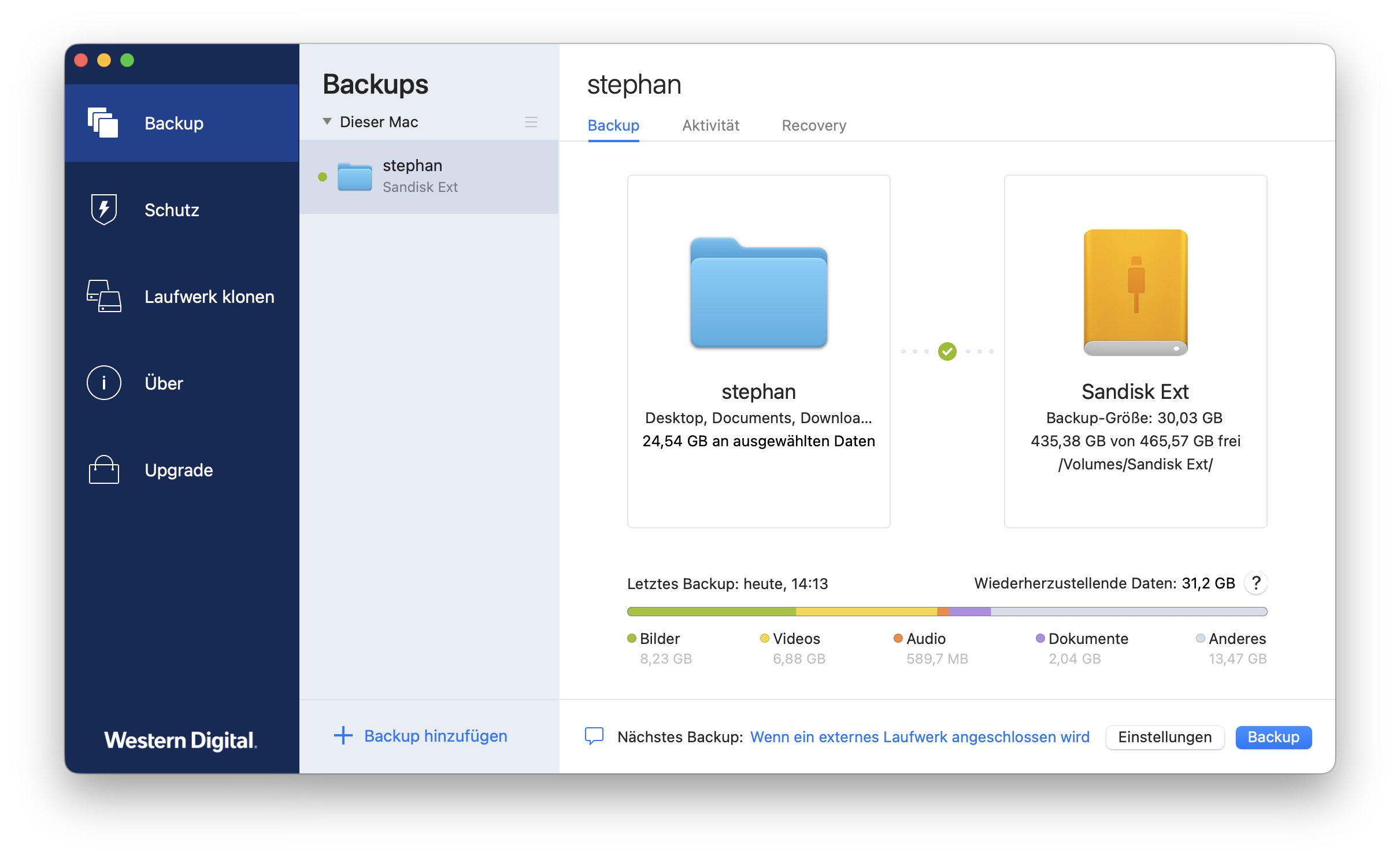
Time Machine ist ein hervorragendes Backup-Programm, es ist aber ein recht starres Konzept, das wenig Voreinstellungen und Optionen bietet. Mehr Optionen bietet etwa die kommerzielle Software Acronis True Image. Auf Wunsch startet sie ein Backup beim Einschalten des Macs, täglich oder automatisch beim Einstecken des Backup-Mediums.

Ein Unterschied gegenüber Time Machine ist zudem eine Archivierungs-Option. Als Standard werden alte Versionen eines Backups gelöscht, das ist aber nicht immer gewollt. Über die Voreinstellungen können Sie dies unter „Bereinigung“ deaktivieren. Ihre Daten werden dann sicher archiviert. Bei Time Machine werden alte, veränderte oder gelöschte Daten irgendwann gelöscht.

Eine Komplettkopie, einen kompletten Klon eines Macs, können Sie damit ebenfalls erstellen, auch wenn dies bei modernen Macs nur noch selten praktikabel ist. Das Erstellen eines eigenen Boot-Mediums wird dazu unterstützt.

Das ausgereifte und einfach bedienbare Backup-Programm kostet ab 50 Euro im Jahr. Die günstigste Version Essentials unterstützt allerdings nur lokale Backups, die Version Advanced kann auch Daten in der Cloud sichern. Für 73 Euro im Jahr erhalten Sie 250 GB Cloud-Backup.

Tipp: Für  Besitzer eines Speichermediums (SSD, NAS und Festplatte) von Western Digital gibt es eine Basisversion für lokale Backups, die Sie für fünf Jahre freischalten können. Laut WD werden auch Geräte von Sandisk und G-Technology unterstützt. In einem kurzen Test konnte ich übrigens auch zwei alte USB-Sticks von Sandisk damit verwenden.

Eine kostenlose Version von Acronis True Image gibt es seit Kurzem auch bei den Bee-Station-Geräten von Synology.

Aktuell bester Preis: Samsung T9

Shop
Preis
Preisvergleich (über 24.000 Shops weltweit)
Produkt
Preis
Preisvergleich von Backmarket

Carbon Copy Cloner

Carbon Copy Cloner

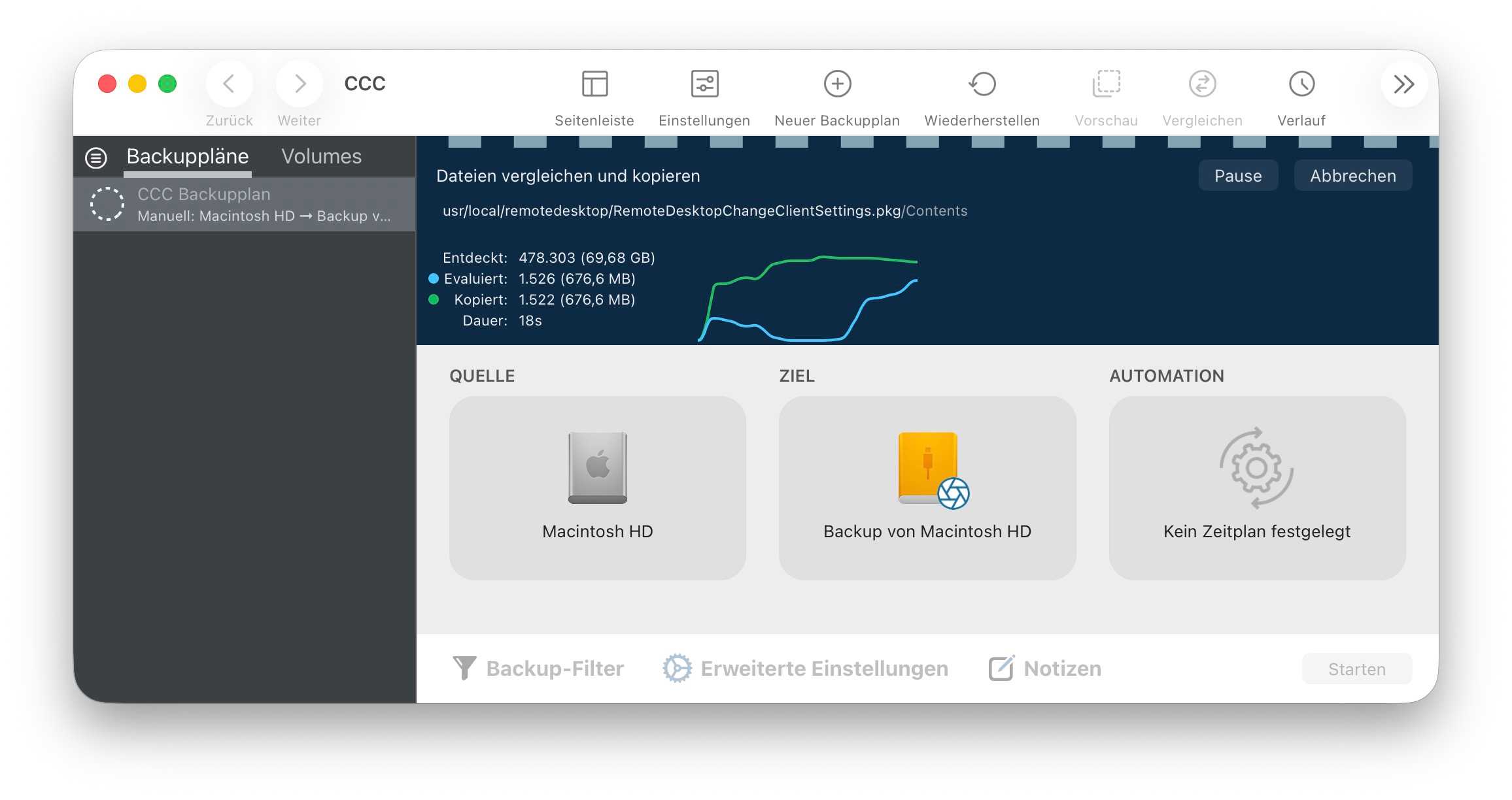
Einen hervorragenden Funktionsumfang bietet Carbon Copy Cloner. Die Software wird nicht grundlos so oft empfohlen, der Hersteller Bombich Software hält sein 45,25 Euro teures Tool mit viel Aufwand auf aktuellem Niveau und garantiert gute Kompatibilität mit aktuellen Systemen.

Die Oberfläche ist zwar weniger eingängig als bei Acronis True Image, dafür bietet die Software ungewöhnliche Funktionen an. Sie können bei Bedarf aber auch eine vereinfachte Oberfläche für Einsteiger aktivieren und eine Assistentenfunktion führt Sie durch die Einrichtung Ihres Backups.

Die Funktionalität von Carbon Copy Cloner hat leider unter den immer stärkeren Sicherheitsfunktionen von macOS gelitten. So war die Erstellung eines startfähigen Backups früher eine Spezialität der App, dies ist aber nur noch sehr eingeschränkt möglich.

Individuelle Konfiguration ist per Skript möglich, mit Filtern wählt man die zu sichernden Dateien aus – etwa wenn Sie nur Videodateien sichern wollen. Gut ist die Unterstützung von macOS, so gibt es die Unterstützung von Snapshots. Auch Cloud-Dateien, die eigentlich nur online gespeichert werden, können beim Backup berücksichtigt werden.

So kann ein Backup nicht nur zeitgesteuert oder durch das Mounten eines Backup-Mediums, sondern auch durch das Ändern von Dateien ausgelöst werden. Gut: Jeden Backup-Vorgang überwacht Carbon Copy Cloner akribisch und weist auf Probleme hin.

Lesen Sie unseren Carbon Copy Cloner Test

Google Drive und iCloud+
Google Drive und iCloud+

Wie erwähnt, hat Time Machine einen großen Nachteil: Wird der Mac gestohlen oder es gibt einen Rohrbruch in der Wohnung, können Mac inklusive Backup verloren gehen. Ein zusätzliches Online-Backup wichtigster Daten ist deshalb keine schlechte Idee. Vermutlich genügt bei vielen Anwendern ja bereits eine Datensicherung des Dokumente-Ordners als zusätzliche Absicherung.

Es gibt unzählige Anbieter für Online-Backups. Neben Backblaze, Acronis und Arq-Backup sollten Sie auch iCloud+ nicht vergessen. Bietet doch iCloud die oft übersehene Option „Schreibtisch“ & „Dokumente“, bei der diese beiden Ordner automatisch mit iCloud synchronisiert werden. Stärke dieser Dienste ist das schnelle Abgleichen einzelner Ordner, etwa eines Dokumente-Verzeichnisses. Für das Sichern eines kompletten Macs eignen sie sich weniger, das ist bei modernen Macs auch nur wenig praktikabel. Eine zusätzliche Kopie wichtiger Daten landet dann aber automatisch im Web.

Diese Dienste und die teureren Verträge von iCloud + sind aber recht kostspielig, Backblaze kostet etwa ab 99 US-Dollar, Acronis Advanced ab 73 Euro pro Jahr.

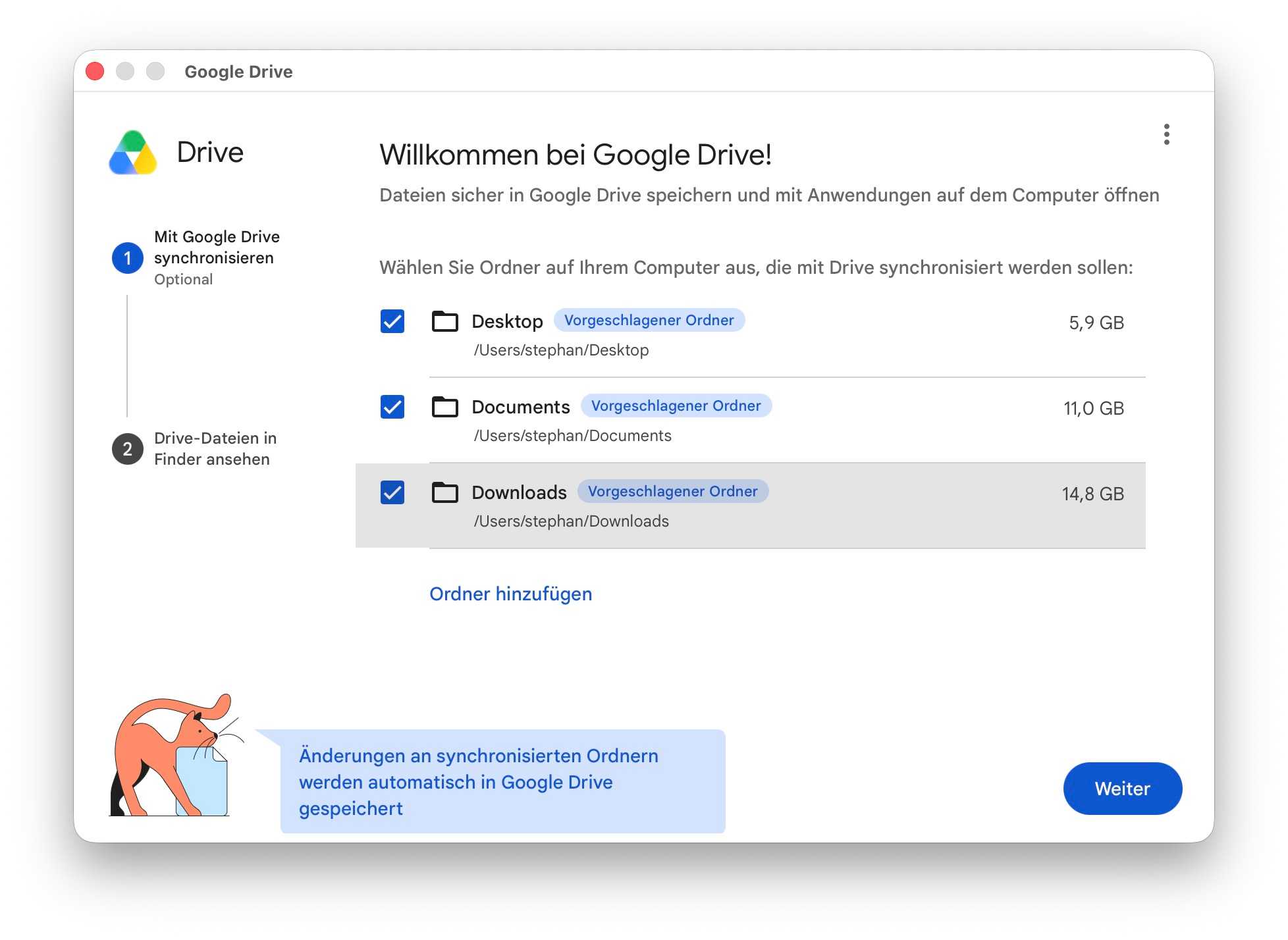
Schon für 24 Euro pro Jahr erhalten Sie bei Google Drive 100 GB Online-Speicherplatz, für 60 Euro gibt es 400 GB. Über ein simples Mac-Programm können Sie dann einzelne Ordner auswählen, die laufend mit der Online-Version bei Google Drive synchronisiert werden. Nach meiner Erfahrung hat Google Drive einen weiteren Vorteil: Die Performance ist ausgezeichnet. Bei iCloud und Google werden die Daten allerdings nur synchronisiert, gelöschte Daten werden automatisch entfernt. Benötigen Sie ein echtes Online-Backup mit Versionsverwaltung, müssen Sie zu den teureren Anbietern Backblaze, Acronis und Arq greifen.

Smart Backup
Smart Backup

Um Platz zu schaffen, löscht Time Machine regelmäßig alte Backup-Versionen – auch von der externen Festplatte. Um dies zu vermeiden, können Sie Ihre Daten mit einem anderen Backup-Programm archivieren, etwa auf einer externen Festplatte mit viel Speichervolumen.

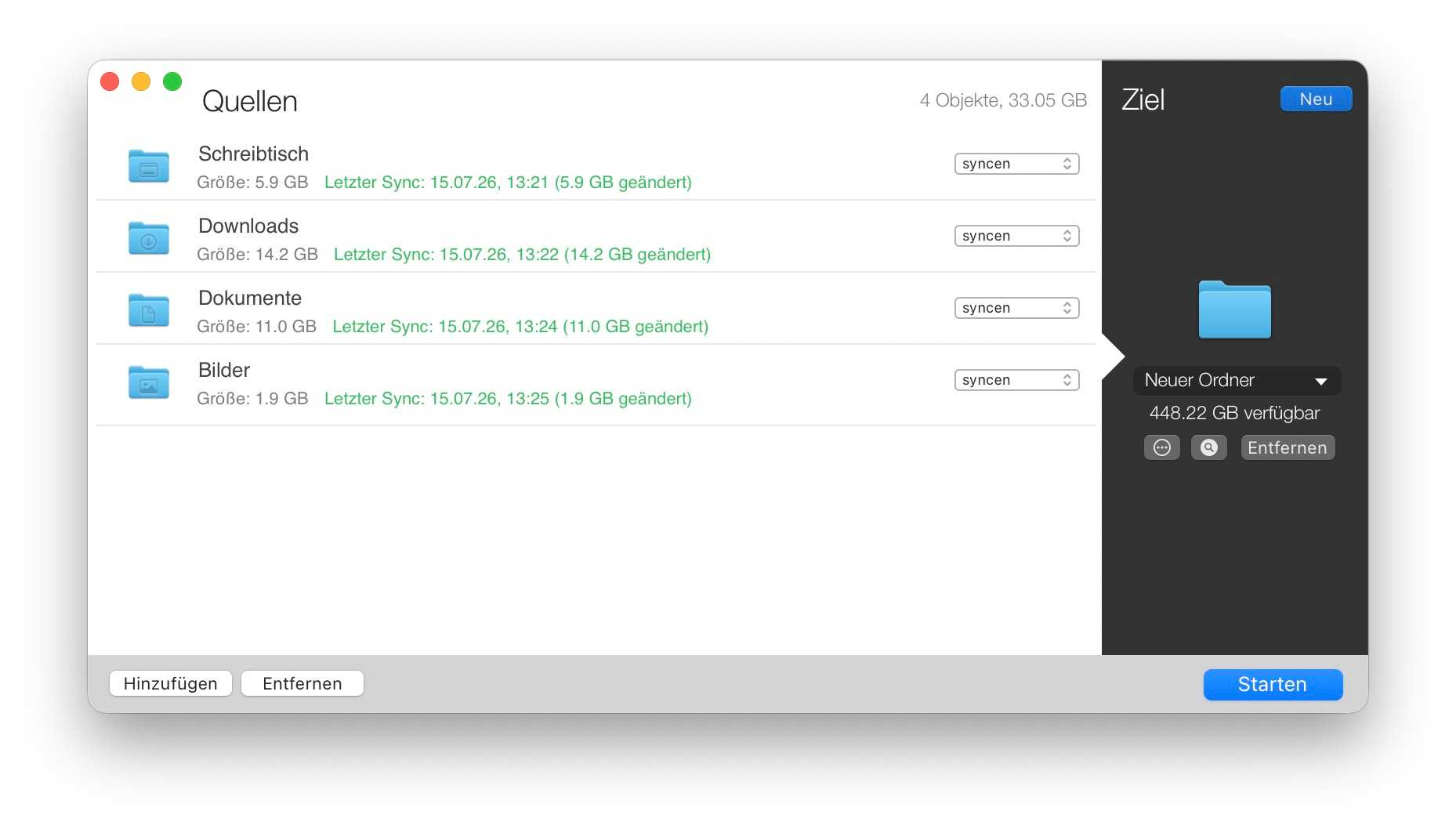
Dafür eignet sich auch das spendenfinanzierte Smart Backup von Solesignal. Bei Datensicherungen archiviert es auf Wunsch Ihre gelöschten und veränderten Daten (oder nur eines von beiden). Auf Wunsch werden dabei gelöschte und geänderte Dateien in Ordnern mit Zeitstempel abgelegt.

Interessant ist diese Software nicht zuletzt für Projekte im Bereich Audio- und Videobearbeitung. Sie können damit recht gut Ihre Arbeitsdaten sichern und archivieren. Datensicherungen erfolgen zeitgesteuert, auch per Kommandozeile ist das Tool nutzbar.

Die Freeware von Solesignal ist einfach zu bedienen und unterstützt nebenbei auch NAS und Netzvolumes. Weniger gut eignet sich die Software aber nach meinem Eindruck für das Sichern eines kompletten Macs. Über die Voreinstellungen bietet das Tool in der neuesten Version einige interessante Optionen. So kann man etwa Online-iCloud-Daten automatisch überspringen.

Vor allem mit Daten in Systemordnern hat das Tool Probleme, was für Fehlermeldungen und sehr lange Sicherungsvorgänge sorgen kann. Problemlos funktioniert aber das Sichern ausgewählter Nutzerordner.

Super Duper
Super Duper

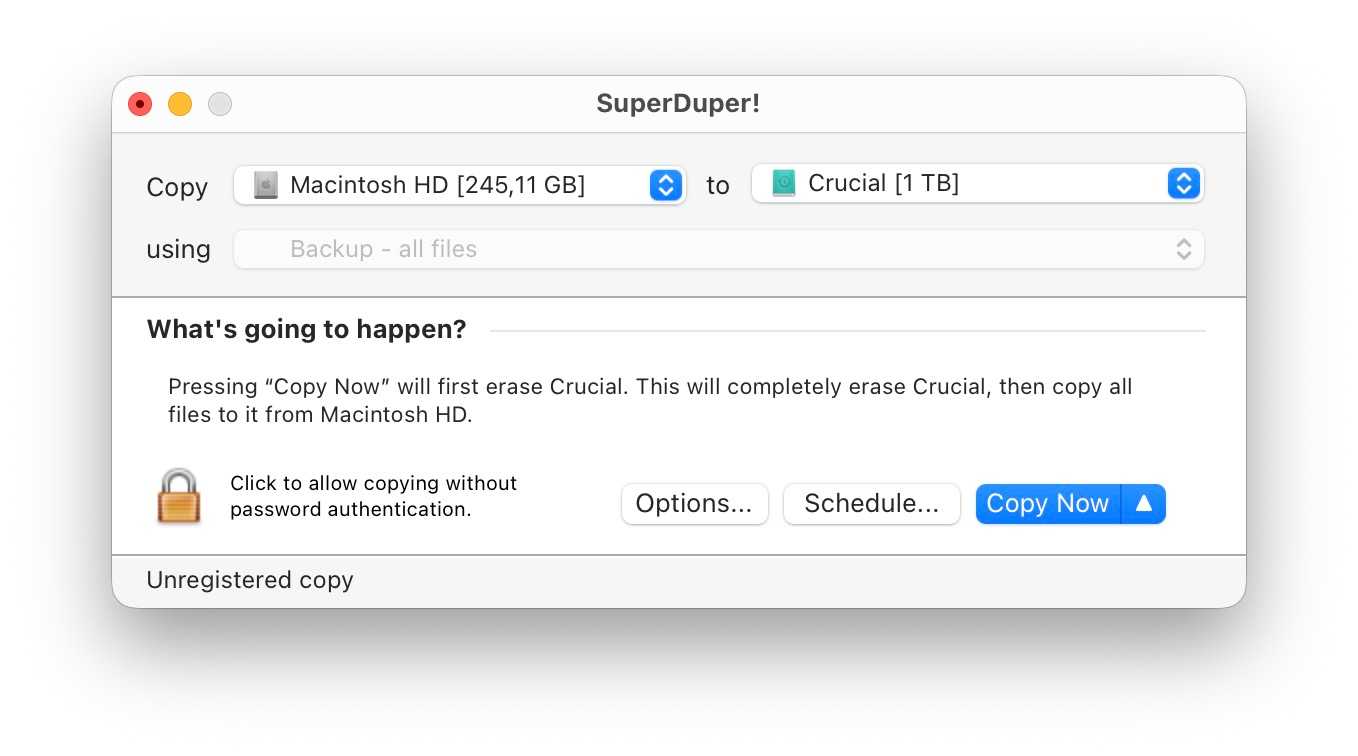
In einem Ratgeber zu Backupsoftware darf SuperDuper! nicht fehlen. Die 29,63 Euro teure Shareware hat sich in den letzten Jahrzehnten zwar optisch kaum verändert, ist aber noch immer sehr einfach bedienbar und wird sehr oft empfohlen.

Kostenlos ist immerhin ein manuelles Komplettbackup eines Macs möglich, ebenso die Wiederherstellung. Die Software erstellte früher sogar startfähige Kopien eines Macs und wurde dafür häufig empfohlen. Aus technischen Gründen ist dies aber – wie bei den anderen Tools – nicht mehr zeitgemäß.

Nach dem Kauf der Software können Sie weitere Backup-Methoden nutzen, etwa ein zeitgesteuertes Backup oder ein „Smart Update“. Bei dieser Methode werden nur geänderte Daten aktualisiert. Zusätzlich bietet die Software dann auch einige Skripte für besondere Aufträge. Nach meinem Eindruck ist dieses Tool aber mittlerweile doch etwas veraltet und die Konkurrenten bieten deutlich mehr.

Lesen Sie unseren SuperDuper! Test

Fazit

Neben Time Machine gibt es einige gute Alternativen, die sich für manche Situationen besser eignen. An den Komfort von Apples Datensicherung reicht zwar keines der Tools heran, dafür bieten sie deutlich mehr Flexibilität – gerade für berufliche Anwender.

  •  

macOS 27 Beta 2 is out: A glance at Build 26A5368g

The first developer beta of macOS Golden Gate dropped on the first day of WWDC26, June 8th 2026. Siri AI is slowly rolling out to those who joined the waitlist, quietly replacing the older Siri in the background.      See: MacOS Golden Gate 27 Beta 2 Release Notes – Apple . Download: MacOS Golden […]

The post macOS 27 Beta 2 is out: A glance at Build 26A5368g appeared first on Low End Mac.

  •  

A look at Golden Gate Developer Beta 1: Build 26A5353q

After upgrading your Mac to the new Golden Gate beta, your desktop will look mostly the same as Tahoe at a quick glance, with some slight differences. macOS 27 makes tweaks to the UI, listening to some user feedback.     See: MacOS Golden Gate 27 Beta 1 Release Notes – Apple . Download: MacOS […]

The post A look at Golden Gate Developer Beta 1: Build 26A5353q appeared first on Low End Mac.

  •  

macOS 27.0 Golden Gate

On June 8th 2026, Apple announced the first version of macOS intended solely for Apple Silicon – macOS Golden Gate. This version of the operating system brings some refinements to the Liquid Glass UI, making some changes through user feedback. It’s also the final version of macOS to natively run Rosetta 2.     This […]

The post macOS 27.0 Golden Gate appeared first on Low End Mac.

  •  
  •  
  •  
  •  

Microsoft’s Patch Tuesday updates: Keeping up with the latest fixes

Long before Taco Tuesday became part of the pop-culture vernacular, Tuesdays were synonymous with security — and for anyone in the tech world, they still are.  Patch Tuesday, as you most likely know, refers to the day each month when Microsoft releases security updates and patches for its software products — everything from Windows to Office to SQL Server, developer tools to browsers.

The practice, which happens on the second Tuesday of the month, was initiated to streamline the patch distribution process and make it easier for users and IT system administrators to manage updates.  Like tacos, Patch Tuesday is here to stay.

In a blog post celebrating the 20th anniversary of Patch Tuesday, the Microsoft Security Response Center wrote: “The concept of Patch Tuesday was conceived and implemented in 2003. Before this unified approach, our security updates were sporadic, posing significant challenges for IT professionals and organizations in deploying critical patches in a timely manner.”

Patch Tuesday will continue to be an “important part of our strategy to keep users secure,” Microsoft said, adding that it’s now an important part of the cybersecurity industry.  As a case in point, Adobe, among others, follows a similar patch cadence.

Patch Tuesday coverage has also long been a staple of Computerworld’s commitment to provide critical information to the IT industry. That’s why we’ve gathered together this collection of recent patches, a rolling list we’ll keep updated each month.

In case you missed a recent Patch Tuesday announcement, here are the latest six months of updates.

July’s Patch Tuesday sees an end-of-support collision amidst a massive, record-setting patch wave

Microsoft addressed 722 CVEs this month once the 427 Chromium upstream relays are set aside — roughly three times a normal cycle and one of the largest single months in recent memory. Two vulnerabilities arrive under active exploitation: an elevation of privilege in Active Directory Federation Services (CVE-2026-56155), and an elevation of privilege in SharePoint Server (CVE-2026-56164). A third, a BitLocker security feature bypass (CVE-2026-50661) is publicly disclosed but not yet exploited.

The July 2026 Patch Tuesday earns Patch Now recommendations for Windows, Office, Exchange, and SQL Server. SharePoint has two critical RCEs on top of its exploited zero-day, and Exchange Server returns with a critical on-premises spoofing flaw. Adding to our (dear) administrator’s efforts, SharePoint Server 2016/2019 and SQL Server 2016 all reach end of support today. The Readiness team has provided a handy infographic of the expected risk profile of this month’s Patch Tuesday updates.

More info is available here on Microsoft Security updates for July 2026.

For June, Patch Tuesday means an IT scramble

Microsoft this month released 206 updates affecting Windows, Office, Exchange Server, and its developer tools — including three Windows vulnerabilities already publicly disclosed. That trio includes an elevation of privilege in the Collaborative Translation Framework (CVE-2026-45586), a denial of service in HTTP.sys (CVE-2026-49160), and a BitLocker security feature bypass (CVE-2026-50507). At the moment, none appear to be under active exploitation, but all three are rated “Exploitation More Likely.” 

Even without an exploited zero-day, the June 2026 Patch Tuesday release requires Patch Now recommendations for Windows, Office, and Exchange. The latter is back in the patch picture with a consolidated security update that Microsoft recommends installing “as soon as possible.”

More info is available here on Microsoft Security updates for June 2026.

For May, Patch Tuesday means 139 updates — but no zero-days

Microsoft this month released 139 updates affecting Windows, Office, .NET, and SQL Server (though there were no updates for Microsoft Exchange Server). Despite the absence of zero-days, the May Patch Tuesday update still requires Patch Now recommendations for Windows and Office. 

The combination of three unauthenticated network RCEs (Netlogon, DNS Client, and SSO Plugin for Jira and Confluence), four Word Preview Pane RCEs, the large TCP/IP vulnerability cluster, and the carry-over BitLocker recovery condition (still active on Windows 10 and Windows Server) warrants an accelerated deployment release schedule. 

More info is available here on Microsoft Security updates for May 2026.

Microsoft’s Patch Tuesday release for April is a whopper

Windows admins are going to be busy this month, dealing with the largest Patch Tuesday cycle in memory. The April release involves 165 updates and roughly 340 unique CVEs from Microsoft — including two zero-days, one of which is already being actively exploited in the wild. 

The Readiness team recommends “Patch Now” schedules for nearly every major product family: Windows, Office (with a zero-day), Microsoft Edge (Chromium), SQL Server, and Microsoft Developer Tools (.NET). April also brings Phase 2 of Microsoft’s Kerberos RC4 hardening with full enforcement set for July. There is a lot to cover, so here’s a useful infographic mapping the deployment risk for each platform.

More info is available here on Microsoft Security updates for April 2026.

For March, Patch Tuesday delivers fixes for 83 vulnerabilities

Microsoft’s March Patch Tuesday release addresses 83 vulnerabilities across Windows, Office, SQL Server, Azure, and .NET — with two publicly disclosed zero-days affecting SQL Server and .NET (though neither is being actively exploited in the wild.) Six additional vulnerabilities spanning the Windows Kernel, Graphics Component, SMB Server, Accessibility Infrastructure, and Winlogon are flagged as “Exploitation More Likely.”

The most significant change this month is the introduction of Common Log File System (CLFS) hardening with signature verification, which will affect how Windows handles log files across the operating system. More info on Microsoft Security updates for March 2026.

February’s Patch Tuesday release fixes 59 flaws, including 6 being exploited

The company’s Patch Tuesday release for February addresses 59 CVEs across the company’s product family — roughly half the volume of January’s 159 patches. Six vulnerabilities, affecting Windows Shell, MSHTML, Desktop Window Manager, Remote Desktop, Remote Access, and Microsoft Word, are already being actively exploited. (All five Critical-rated CVEs target Azureservices rather than Windows, however.) 

Both Windows and Office get a “Patch Now” recommendation, with CISA setting a March 3 enforcement deadline for all six exploited vulnerabilities. Two new enforcement timelines also take effect in April: Kerberos RC4 deprecation (CVE-2026-20833) and Windows Deployment Services hardening (CVE-2026-0386). More info on Microsoft Security updates for February 2026.

  •  

OnlyFans performers become unlikely allies of CISOs in securing websites

CISOs at government organizations and universities have an unexpected ally coming to their aid: OnlyFans models.

For some time, hackers have exploited weaknesses in the websites of universities or government departments to host scams or malware, using content stolen from the OnlyFans website as bait to attract victims.

Now, according to security researchers at Upguard, the fightback has begun: creators of adult content on OnlyFans are leveraging Google search results and the protection offered by copyright law to break up the traffic distribution systems created by bad actors.

These distribution systems work in three stages: entry points using adult or other content to attract and capture web traffic, a routing system sends it to destination sites, and those sites monetize the traffic through scams and malware. It has proved to be a lucrative business for the scammers.

Google recognizes the approach and calls such actors SEO parasites as they benefit from the reputations of other organizations — in particular government or academic sites, which Google views as having high authority.

Since the creators of OnlyFans content are also the copyright holders, they are able to issue Digital Millennium Copyright Act (DMCA) take-down notices for the stolen content posted by the bad actors to other sites. Upguard was able to track this through Google’s DMCA Transparency Report, and through the Lumen Database, another tracker of takedown notices, to which it was granted research access.

“This allows us to identify likely compromised sites: government and university domains advertising unlicensed adult content,” Upguard said.

The OnlyFans creators’ action has two benefits for the operators of the affected websites: The adult content associated with their domain disappears from Google search results, no longer affecting their reputation — and if they receive takedown notices for such content they can check their webservers for the vulnerabilities that enabled the bad actors to post it there in the first place.

This article first appeared on CSO.

  •  

Zoom patches account takeover hole

Zoom has identified, and patched, a critical security hole that “may allow an unauthenticated user to conduct an account takeover via network access.”

The issue is especially significant given Zoom’s extensive reach; it reportedly has more than 300 million daily active users, including 470,000 paying business customers. Given that reach, Zoom has been impacted by many other security incidents and France recently tried banning its use by French government users. 

 Zoom security bulletins released Tuesday revealed the bug, and three other security issues, which Zoom patched on Wednesday. 

The company originally said that the takeover issue impacted Zoom Desktop Client for Windows before version 7.0.0, Zoom VDI Client for Windows before version 7.0.10 and 6.6.15 and 6.5.18 in their respective branches, and Zoom Meeting SDK for Windows, but on Wednesday, without explanation, it removed Meeting SDK for Windows as an affected product.

The other three holes were less severe, but still significant, and they all involved privilege escalation. They impacted Zoom Workplace for Windows before version 7.0.5, Zoom Workplace VDI Client for Windows before 6.5.17 and 6.6.14 in their respective branches, Zoom Workplace VDI plugin for Windows before 6.5.17 and 6.6.14 in their respective branches, Zoom Rooms for Windows before 7.0.5 and Remote Control for Zoom Contact Center for Windows before version 7.0.0.

A second privilege escalation issue impacted Zoom Rooms for Windows before version 7.1.0, and another impacted Zoom Workplace VDI Plugin for Windows before version 6.6.14.

Zoom did not immediately reply to a request for comment.

‘As bad as it gets’

Frank Dickson, group VP for security at IDC, said the nature of the reported hole is alarming.

This bug “is about as bad as it gets, short of a worm. It is exploitable over the network, low complexity, zero privileges required, no user interaction needed,” he said, pointing out that exploitation is easy once technical details leak or someone reverse-engineers the patch, which is not as challenging as it once was, thanks to AI. “Yesterday’s script kiddies have been empowered,” he said.

Dickson said the only good news is that Zoom discovered the hole itself, and that “no in-the-wild exploitation has been reported by any outlet as of Thursday.”

Consultant Brian Levine, executive director of FormerGov, agreed with Dickson’s characterization of the hole, but said a potentially bigger issue is the high level of sensitive data that Zoom accesses. 

“An attacker with unfettered access to a Zoom account may be able to listen to recordings of sensitive meetings, to eavesdrop on future meetings, and to impersonate the organization in an effort to social engineer its clients and partners. Thus, given that ubiquity of Zoom in large enterprises, this vulnerability is pretty concerning,” Levine said.

He’s encouraged, however, that Zoom found the flaw itself, which indicates its security team is “actually doing the hard, unglamorous work of auditing its code.”

Giuseppe Trotta, principal security researcher at Malwarebytes, has a theory about what was behind the Zoom disclosure. 

“Because the vulnerability requires zero privileges and absolutely no user interaction, the remote network attack vector is highly suspected to involve the mishandling of deep links, such as custom URL schemes like zoommtg:// or zoomworkplace://,” he said. This led him to think that if the Zoom Workplace client for Windows fails to properly sanitize and validate incoming arguments passed via these special browser-to-desktop links, an unauthenticated attacker could craft a malicious string that could trick the desktop application into exposing or redirecting the user’s active session tokens directly to an attacker-controlled server, achieving a seamless and completely silent account takeover.

“Watch out for Zoom links and invites if you are on Windows or VDI and haven’t updated yet,” he advised.

Mike Wilkes, enterprise CISO at Aikido Security, offered kudos to Zoom for discovering the critical flaw, but he wanted to know how such a severe bug got into its software initially.

“This vulnerability raises questions about why the defect was not caught by design review, fuzzing, or pre-release abuse-case testing,” Wilkes said. “A historical defect in Zoom’s product/security relationship has been prioritizing ease of use over security risk.”

All four bugs important

Justin Greis, CEO of consulting firm Acceligence, said that the two types of holes reported by Zoom, account takeover and escalation, are both important, but for different reasons. 

“The critical vulnerability is significant because it has the characteristics security teams worry about most,” Greis said, but the privilege escalation holes “are certainly important to patch as they primarily increase the impact of an attack that has already begun. The critical vulnerability has the potential to be an initial entry point, which is why it deserves the most attention.”

Greis also applauded Zoom’s response, saying that it “reflects a reasonably mature security program.”

He pointed out that no complex software platform will eliminate vulnerabilities entirely. “The differentiator is whether vendors are continuously investing in offensive testing, finding weaknesses before attackers do, and moving quickly to develop and distribute fixes,” he said.

  •  
❌