❌

Reading view

Best Digital Planners for Mac and iPad 2026

The best digital planners for Mac and iPad are not necessarily the apps with the longest feature lists. A useful planner should help make the day easier to understand, keep commitments visible and reduce the number of places where tasks quietly disappear.

Mac and iPad also encourage two different planning styles. The Mac is better for typing, reviewing projects and arranging a full week across a larger screen. The iPad is more natural for handwritten notes, Apple Pencil planning and checking the day away from a desk. The strongest apps either work well across both devices or focus so successfully on one style that the compromise feels worthwhile.

Some people want a digital version of a paper agenda. Others want a visual timeline, a task manager, a calendar command center or a workspace that can hold an entire life. These are the strongest options for those different approaches.

Structured Is the Best Visual Daily Planner

Structured is the easiest recommendation for users who want to see the day as one continuous timeline. Tasks, appointments and focus sessions appear in chronological order, making it immediately obvious when the schedule is overloaded or when a free hour actually exists.

The app feels particularly natural on iPad because tasks can be moved and adjusted visually. Its Mac version provides more space for planning the full day while preserving the same clean layout. Structured also offers apps for iPhone and Apple Watch, which helps keep the plan accessible without repeatedly opening the Mac.

This is a strong choice for students, busy families and anyone who struggles with traditional task lists. A list says what needs to happen. Structured shows where each task can fit.

Its limitation is scale. It handles daily planning beautifully, but users managing large professional projects may need a separate project-management system. Structured is best when the priority is today rather than the entire company roadmap.
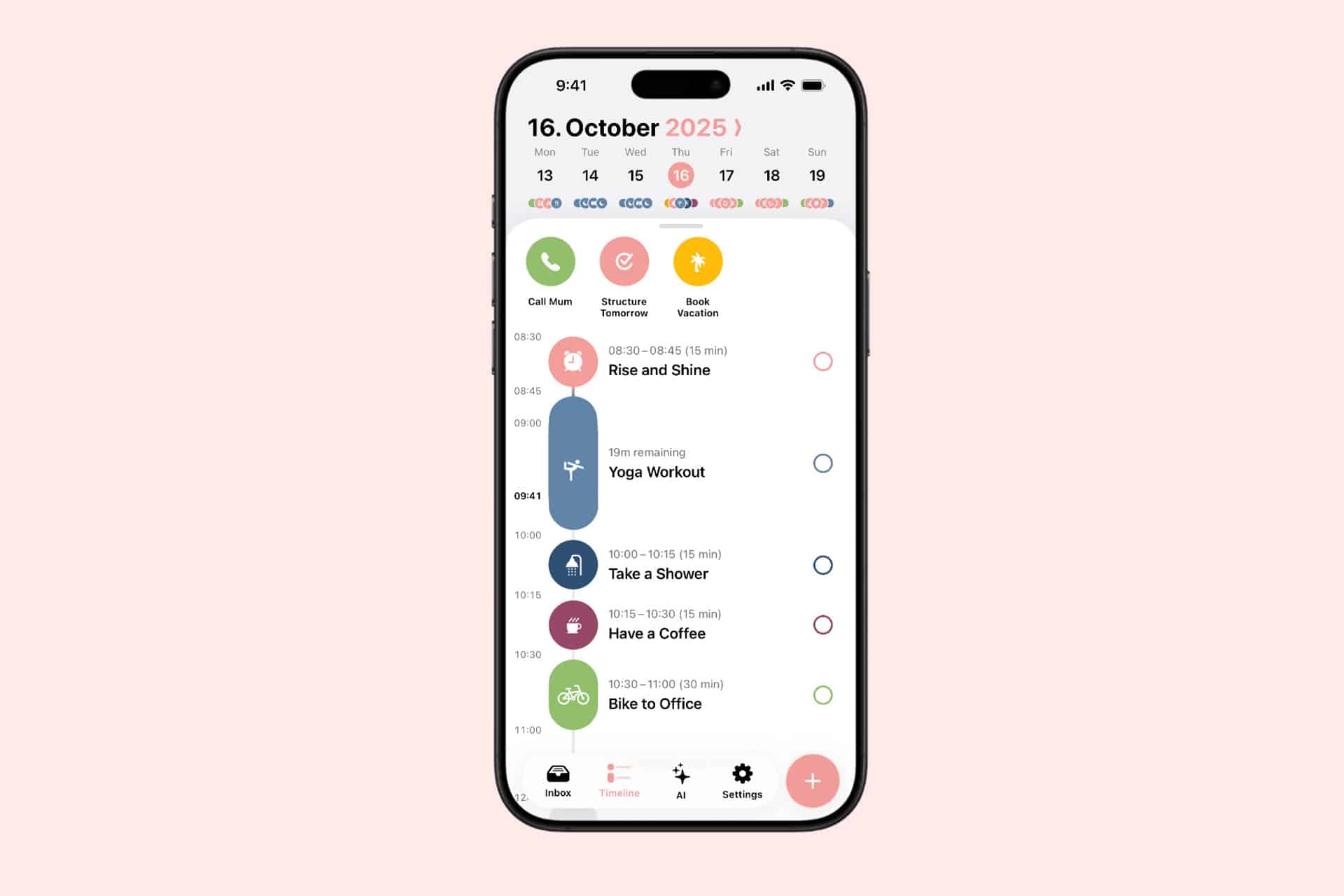
Smartphone displaying a daily schedule app on a pink background, similar to the best digital planners or Mac planner apps, showing tasks like "Rise and Shine," "Yoga Workout," "Take a Shower," "Have a Coffee," and "Bike to Office" for October 16, 2025.
Image Credit: Structured

Goodnotes Is Best for Handwritten Planning

Goodnotes remains one of the best digital planners for iPad users who want the experience of paper without carrying notebooks. It supports Apple Pencil handwriting, PDF planner templates, typed text, images, links, stickers and searchable handwritten notes.

The experience depends heavily on the planner template selected. Users can choose daily, weekly, monthly, academic, financial or wellness layouts and import them as PDF files. Hyperlinked tabs can make a digital planner behave like a physical binder with instant navigation between months and sections.

The Mac app is useful for reviewing pages, typing longer notes and accessing the same documents at a desk. The iPad remains the better creation device because handwriting is the central appeal.

Goodnotes does not automatically manage time like a calendar-based app. Writing “meeting at 3 p.m.” on a page does not necessarily create a calendar alert. It is best for people who enjoy manually planning and reflecting rather than expecting the software to rearrange the day automatically.

Things 3 Is Best for Focused Personal Planning

Things 3 is a task manager rather than a traditional calendar, but its Today and Upcoming views make it an excellent personal planner. The interface is calm, fast and unusually disciplined. Tasks can be collected quickly, organized into projects and areas, then scheduled without turning the app into a complicated database.

The Mac version is especially good for weekly reviews and larger project organization. On iPad, Things feels lighter and more direct, with excellent keyboard support and touch controls. Cloud sync keeps tasks aligned across Apple devices.

Things is ideal for users who want to separate tasks from appointments. Calendar events can appear beside the daily list, but the app remains focused on actions rather than becoming a full calendar replacement.

The main drawback is collaboration. Things is designed primarily for personal planning, not shared team projects or household lists. It is also sold separately for Mac, iPad and iPhone rather than through one universal purchase.
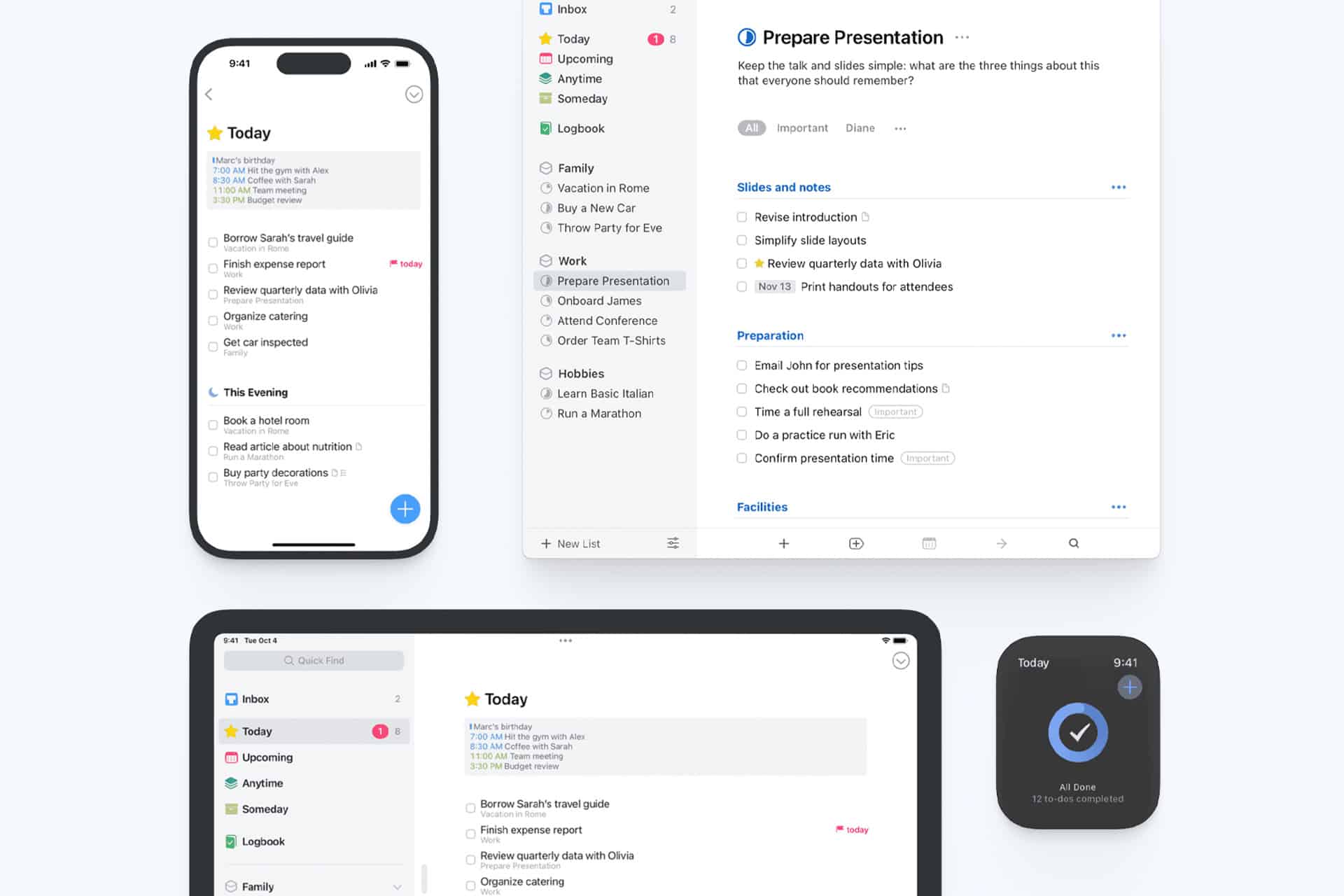
A productivity app interface is displayed on a smartphone, tablet, desktop, and smartwatch, showing task lists, checkboxes, and a schedule for today—highlighting cross-device syncing and organization features for those seeking the best digital planners. It seamlessly functions as both an iPad planner and Mac planner to keep your workflow efficient everywhere.
Image Credit: Things

Notion Is Best for Building a Custom Planner

Notion works for users who do not want to accept someone else’s idea of a planner. It can become a project tracker, editorial calendar, habit journal, reading list, weekly dashboard or all of those at once.

Templates make the starting process easier. A user can create daily pages connected to tasks, projects, goals and notes, then display the same information through calendar, table, board or timeline views. Notion Calendar adds a more conventional scheduling layer and works well on Mac.

The flexibility is both the attraction and the warning. Notion can become a beautifully organized personal operating system. It can also become a weekend-long design project that produces more templates than completed tasks.

The iPad app is useful for reviewing plans, adding notes and working with a keyboard. It is less satisfying for freehand Apple Pencil planning than Goodnotes. Notion is the better option for structured information, connected projects and users who enjoy building their own system.

Fantastical Is Best for Calendar-First Planning

Fantastical is the strongest choice for users whose day is governed by appointments, meetings and scheduled commitments. It combines calendars and tasks in polished day, week, month, quarter and year views across Mac and iPad.

Natural-language input makes adding events fast. Typing a phrase such as “Lunch with Alex Friday at noon” can create the event without opening several fields. Fantastical also supports multiple calendar services, time zones, reminders, meeting links and scheduling tools.

The Mac app is a strong command center for professional calendars. The iPad version offers enough space to examine the week without feeling compressed. Users can also connect Apple Reminders, Todoist or Google Tasks so scheduled work appears beside events.

Fantastical is less suited to reflective journaling or handwritten planning. Its premium subscription may also be excessive for someone who only needs a basic calendar. It earns its place when the calendar itself is the planner.
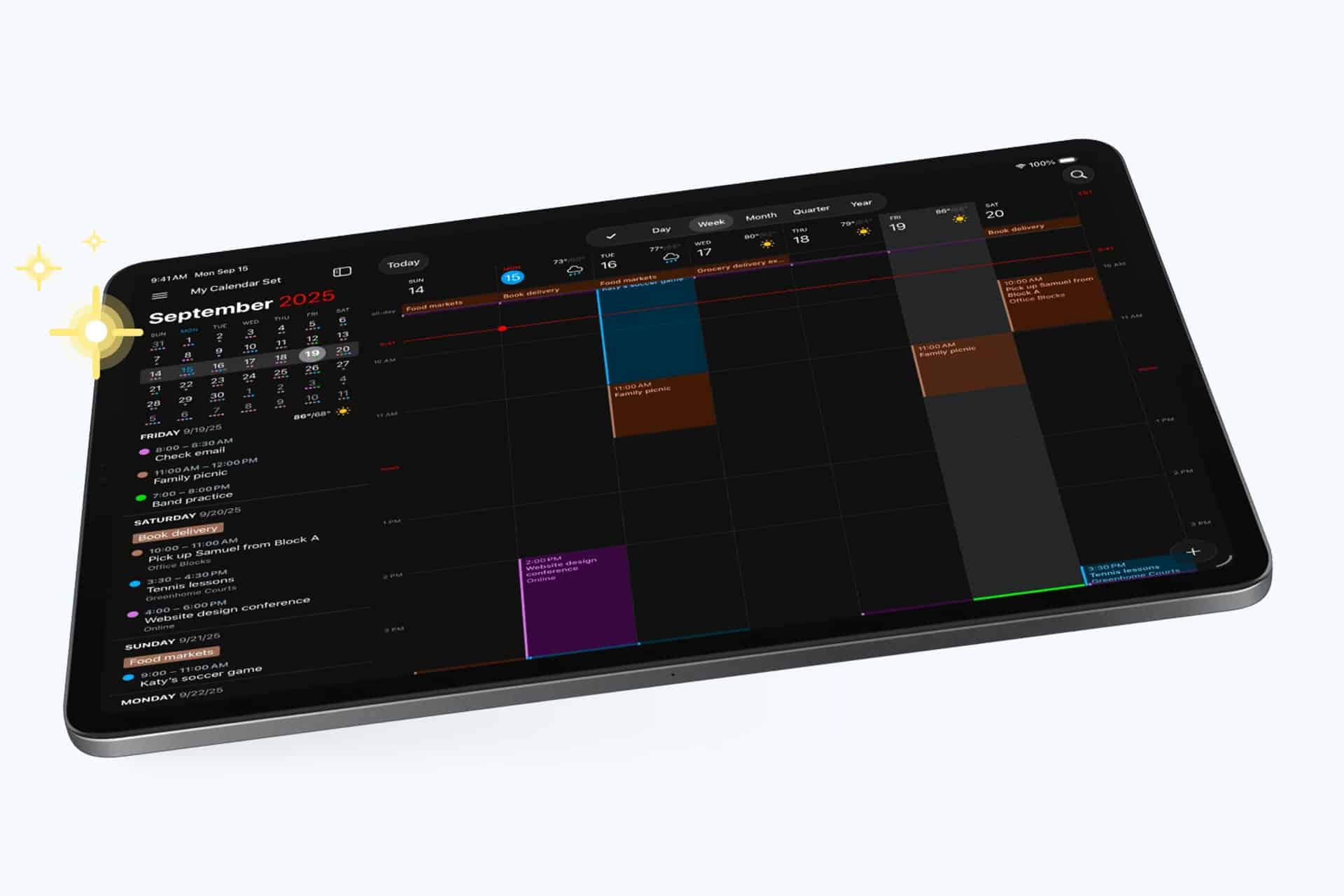
A tablet displays a digital calendar in dark mode, showing a weekly schedule for September 2025 with various colored events and a highlighted date—an ideal setup for seamless digital planning with the best digital planners.
Image Credit: Fantastical

Sunsama Is Best for Deliberate Work Planning

Sunsama approaches productivity as a daily planning ritual. Each morning, users review tasks, decide what belongs in the day and place that work onto the calendar through time blocking. At the end of the day, the app encourages a review rather than allowing unfinished tasks to become permanent background guilt.

It can collect work from services such as Notion, Trello, Asana and other professional tools, then combine those tasks with calendar events. This makes it useful for people whose work is scattered across several platforms.

Sunsama is more guided than most planners. That structure can help users stop planning an impossible day. The Mac experience is the main attraction, while the iPad app keeps the plan available away from the desk.

The subscription is relatively expensive, and the deliberate workflow may feel slow to users who only want a simple task list. Sunsama suits professionals who want planning to become a daily boundary around work rather than another place to collect everything.

Which Digital Planner Should You Choose?

The right planner depends on how the user naturally thinks.

Structured works best for seeing the day visually. Goodnotes is the closest replacement for a paper agenda. Things 3 provides the cleanest personal task system. Notion offers the most freedom. Fantastical serves users who live through their calendars. Sunsama brings the most deliberate approach to professional time blocking.

Using several planners at once usually defeats the purpose. A better strategy is choosing one primary system and allowing other apps to support it. Someone might use Fantastical for appointments and Things for tasks, or Goodnotes for weekly reflection while Structured runs the actual day.

The best digital planners do not create motivation by themselves. They create a reliable place to decide what deserves time. On Mac, that place can become a detailed planning desk. On iPad, it can feel closer to a notebook held in the hand. The right app should make those two experiences feel connected rather than duplicated.

The post Best Digital Planners for Mac and iPad 2026 appeared first on AppleMagazine.
  •  

AppleCare+ Pricing Rises for Mac and iPad

AppleCare+ pricing has gone up for new Mac and iPad customers, adding another small cost increase to the Apple ownership equation. According to Bloomberg, Apple has raised monthly and annual AppleCare+ rates for new Mac and iPad plans, with the change applying to new coverage rather than existing plans already active on customer devices.

The increase is modest on paper. Reports indicate Apple has raised monthly AppleCare+ rates by 50 cents and annual plans by $5 for affected Mac and iPad products. For example, AppleCare+ for the 13-inch MacBook Air is now listed at $7.99 per month or $79.99 per year, up from $7.49 per month and $74.99 per year. The Mac mini now starts at $4.49 per month or $44.99 per year, while the 16-inch MacBook Pro costs $15.99 per month or $159.99 per year.

The numbers are not dramatic alone. The context is harder for buyers. Mac and iPad prices have already been under pressure from component costs, financing changes and longer upgrade cycles. AppleCare+ is optional, but for many customers buying expensive laptops and tablets, it is part of the real purchase price.

AppleCare+ Pricing Adds to the Ownership Cost

AppleCare+ pricing is one of those costs many buyers do not fully consider until checkout. The device price gets attention first. Then come storage upgrades, cellular connectivity, keyboard accessories, Apple Pencil, taxes, financing, software subscriptions and protection coverage.

For a MacBook Air, an extra 50 cents per month may not change the decision. For a MacBook Pro, iPad Pro or a family buying multiple devices, the increases add up over time. Annual plans rising by $5 also signal that Apple is comfortable nudging protection costs higher even when the change is small enough to avoid a major backlash.

AppleCare+ remains valuable for users who carry devices daily or depend on them for work. Macs and iPads are portable, expensive and often used in places where accidents happen: classrooms, coffee shops, airports, offices, studios, kitchens and family rooms. A cracked iPad screen or damaged MacBook display can be expensive without coverage.

Apple’s pitch is convenience as much as insurance. AppleCare+ includes priority support, battery service when capacity drops below Apple’s threshold, and reduced service fees for accidental damage. For iPad, AppleCare+ can also cover Apple-branded keyboard accessories and Apple Pencil damage under service-fee terms.

That makes the plan attractive. It also makes the higher price easier for Apple to defend.

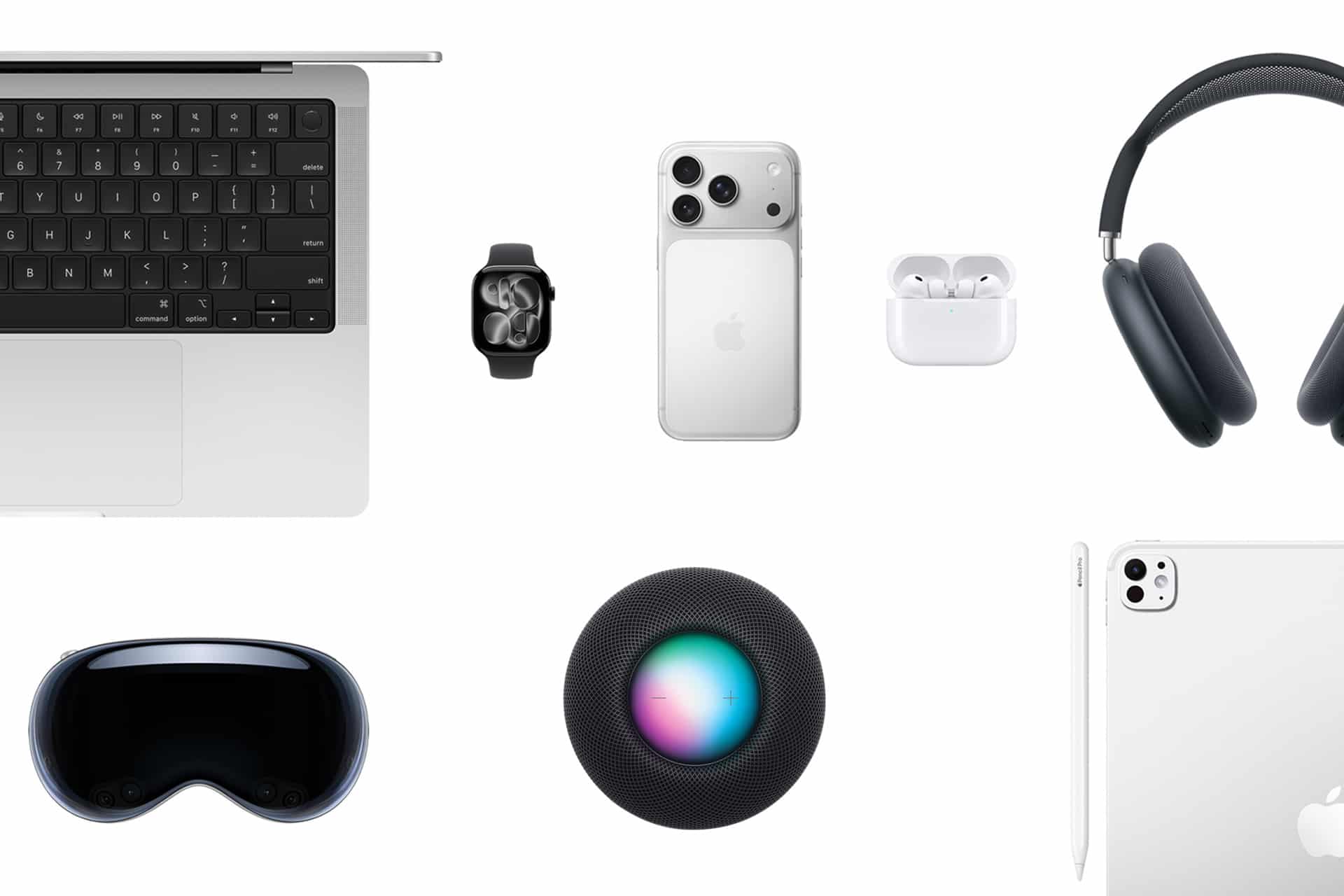
A flat lay of Apple active devices on a white background, including a MacBook, Apple Watch, iPhone, AirPods, AirPods Max headphones, HomePod, iPad, and Apple Vision Pro headset.
Image Credit: Apple Inc.

New Customers Feel the Change First

The latest increase applies to new Mac and iPad AppleCare+ customers. Existing customers with active plans are not the immediate target of the reported change. That distinction helps Apple avoid angering subscribers who already signed up at previous rates, while still lifting revenue from new device buyers.

This approach fits Apple’s broader shift toward recurring coverage. Apple has been moving AppleCare+ further into monthly and annual subscription-style plans, with AppleCare One offering a bundled option for multiple products. The protection plan is no longer only a one-time add-on at purchase. It is increasingly part of Apple’s services layer.

That matters because Apple’s services business depends on recurring payments. AppleCare+ may not get the same attention as iCloud, Apple Music or Apple TV, but it is another way Apple extends the customer relationship beyond the hardware sale. A Mac or iPad purchase becomes not only a device transaction, but also a support and repair subscription.

The price increase strengthens that pattern. A small rise across a large base of new buyers can support services revenue without changing the product lineup.

Mac Buyers Should Compare Plans

Mac buyers now have more reason to compare AppleCare+ options before adding coverage. Apple’s Mac plans vary by model because repair risk and device cost vary. A Mac mini plan starts lower because the device is stationary and less likely to face drops or screen damage. A 16-inch MacBook Pro costs more because it is a high-value portable machine with expensive components.

For a buyer choosing a MacBook Air, AppleCare+ may be easier to justify if the laptop travels daily. Students, journalists, consultants, photographers, editors and business travelers are more exposed to accidental damage than someone who leaves a Mac mini on a desk.

For MacBook Pro buyers, the decision often depends on work dependency. If the Mac is the primary income tool, AppleCare+ can be less about repair math and more about reducing downtime. Access to Apple support and lower repair costs can be worth the subscription if the device is central to daily work.

Still, users should compare the plan cost with their own risk. A careful desktop Mac user may not need the same coverage as a frequent traveler. AppleCare+ is useful, but it should not be automatic for every buyer.

iPad Buyers Face a Different Calculation

iPad AppleCare+ has its own logic because iPads are more physically exposed than Macs in many homes. They are passed between family members, used by children, carried around the house, taken to school, placed in bags and paired with accessories that raise the total cost of ownership.

For iPad Pro and iPad Air buyers, AppleCare+ can make sense because screen repairs and accessory damage can be costly. Apple’s current AppleCare+ terms for iPad include service fees for screen damage, other accidental damage and covered accessories. That can make the plan appealing for users who buy Magic Keyboard, Apple Pencil Pro or a high-end iPad Pro.

The decision becomes more complicated for entry-level iPad buyers. A lower-cost iPad may not justify years of coverage for every user, especially if it stays mostly at home. Families, however, may see the protection differently. An iPad used by children faces more risk than a laptop used carefully by one adult.

The new pricing does not change the core question. It makes the answer slightly more expensive.

AppleCare | Apple Warranty Check: The image features a logo with a red apple symbol and a leaf on top, associated with Apple Inc. Below the logo, the text reads "AppleCare+ Products" on a square white background. The backdrop is draped with soft white fabric.
AppleCare Products | Warranty Check

AppleCare One Becomes More Relevant

AppleCare One gives Apple another way to soften individual plan increases. The bundle starts at $19.99 per month for up to three eligible products, with additional devices available for $5.99 per month each. It includes AppleCare+ benefits and adds theft and loss coverage for eligible iPhone, iPad and Apple Watch products.

For users with only one Mac or one iPad, AppleCare One may not be the best fit. For users with multiple devices, it can become more attractive as individual plans rise. A person with an iPhone, iPad and Mac may compare three separate AppleCare+ plans against the bundle and find the monthly difference easier to justify.

That is likely part of the strategy. Apple can raise individual plan prices modestly while giving heavier ecosystem users a bundled option. The company has used similar logic across services with Apple One, where the value increases as users subscribe to more Apple products.

The same principle now applies to protection. The deeper a customer is inside Apple’s hardware ecosystem, the easier it becomes to turn support coverage into a monthly bundle.

Small Increase, Larger Signal

AppleCare+ pricing increases may be small, but they arrive during a period when Apple is asking customers to absorb more costs across the ecosystem. Device prices, component pressure, cellular financing, AI hardware demands and service subscriptions all affect the total ownership picture.

The AppleCare+ change fits that pattern. Apple is not dramatically changing the service. It is raising the price slightly while keeping the value proposition intact: lower repair costs, battery service, accidental damage coverage and Apple support.

For buyers, the best response is not panic. It is math. Compare the plan price with the device cost, repair risk, usage pattern and whether multiple Apple products would make AppleCare One more efficient. Someone buying a MacBook Pro for travel may want the protection. Someone buying a Mac mini for a desk may not. A family iPad may be a stronger candidate than a carefully handled personal tablet.

AppleCare+ remains a useful safety net. It is just a slightly more expensive one for new Mac and iPad buyers, and that makes the real cost of the device a little higher than the number on the product page.

The post AppleCare+ Pricing Rises for Mac and iPad appeared first on AppleMagazine.

  •  

Fourier pixels for bidirectional light control

Nature, Published online: 24 June 2026; doi:10.1038/s41586-026-10681-7

A versatile platform of miniaturized Fourier-optics-based diffractive elements enables multifunctional pixels that fully control and sense the amplitude, phase and polarization of optical wavefronts for advanced photonic applications.
  •  

Exclusive: Leaked documents show BHP’s climate backtrack - podcast

Nour Haydar speaks with Christopher Knaus about the BHP files – the cache of internal documents leaked to the Guardian and the ABC’s Four Corners – which show that the world’s biggest miner has war-gamed ways to massively delay decarbonisation

Additional audio in this episode was sourced by Financial Times Live

Read more:

Continue reading...

© Composite: Victoria Hart/Guardian

© Composite: Victoria Hart/Guardian

© Composite: Victoria Hart/Guardian

  •  

Replicability challenges in redox flow cell testing: insights from a multi-institutional study

Energy Environ. Sci., 2026, 19,3323-3344
DOI: 10.1039/D5EE07103H, Paper
Open Access Open Access
Creative Commons Licence&nbsp This article is licensed under a Creative Commons Attribution 3.0 Unported Licence.
Hugh O’Connor, Alexander H. Quinn, Edward Saunders, Aodhán Dugan, Thomas R. Goodwin, Nadia L. Farag, Greta Thompson, Ameya Bondre, Marina Tabuyo-Martinez, Hannah M. Burnett, Thomas Y. George, Jordan D. Sosa, Carlos J. Mingoes, Peter Nockemann, Clare P. Grey, Dominic S. Wright, Michaël De Volder, Antoni Forner-Cuenca, Robert A. W. Dryfe, Michael J. Aziz, Ana B. Jorge Sobrido, Fikile R. Brushett, Josh J. Bailey
In the first, multi-institution study of its kind for flow batteries, several laboratories worldwide performed identical single-cell experiments. The findings show that procedural choices significantly alter commonly reported electrochemical metrics.
The content of this RSS Feed (c) The Royal Society of Chemistry
  •  
❌