The refreshed lineup of Dell laptops has turned out to be even better than many of us hoped for, including the return of the XPS line — and right now, Dell's 'Days of Deals' sale is offering even better pricing than the Amazon Prime Day laptop deals I've been seeing.
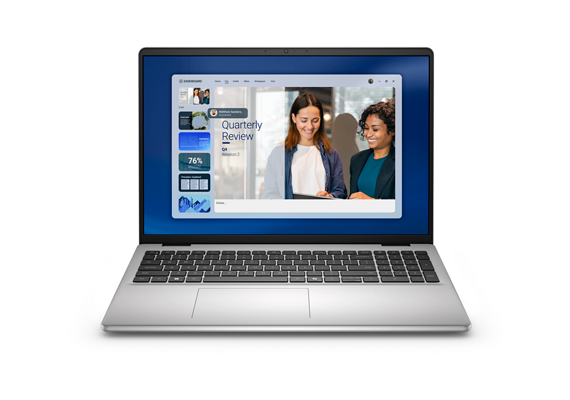
Right off the top, you have the new Dell 16 Laptop for $499.99 (originally $1029.99), which is a better price for a Windows 11 Home laptop than just about any other model on Amazon that doesn't come with junk hardware inside. Instead, you get an eight-core AMD Ryzen 7 250 processor, 16GB RAM, and a 512GB SSD, far better than most sub-$500 laptops on sale for Prime Day.
There's more to explore at Dell.com, and I encourage you to check out their sale if you're in the market for new computer hardware, but I've pulled together my favorite laptop picks and configurations from the sale to help make it easier to find what you're looking for.
Today's best laptop deals at Dell.com
AMD Ryzen 7 250 | 16GB DDR5 RAM | 512GB SSD
I always think of the Dell 16 Laptop as the everyday workhorse for remote and hybrid workers. Likewise, If you or your child is off to college this September, then get ahead of the curve with this outstanding deal.View Deal
AMD Ryzen AI 5 340 | 16GB DDR5 RAM | 512GB SSD
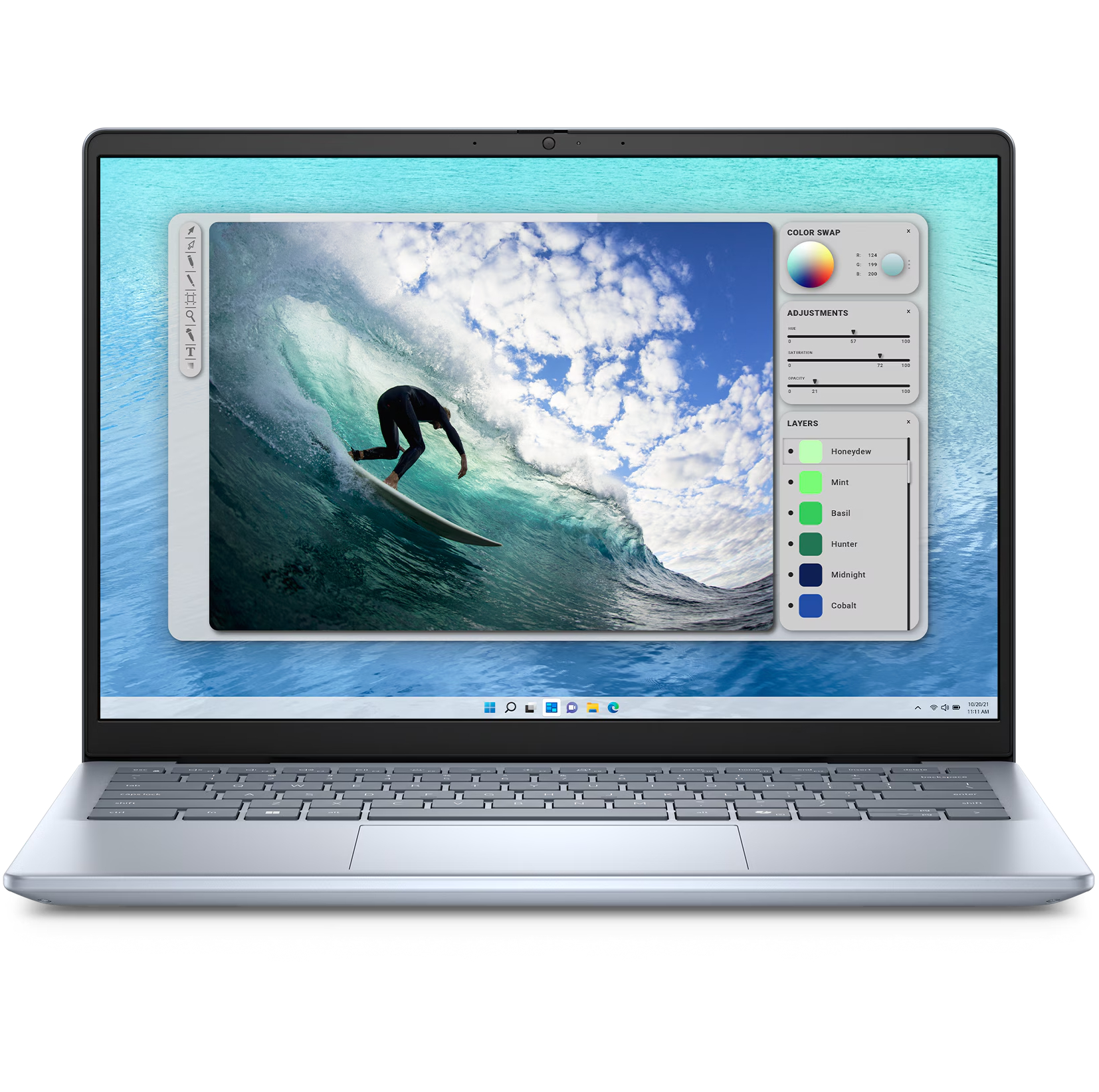
The Dell 14 Plus is one of our favorite mid-range Windows laptops thanks to its excellent design and competitive specs. If I were looking for a decent everyday laptop for everything from work to demanding productivity applications, then I'd be very tempted by this deal.View Deal
Intel Core 5 320 | 8GB DDR5 RAM | 512GB SSD
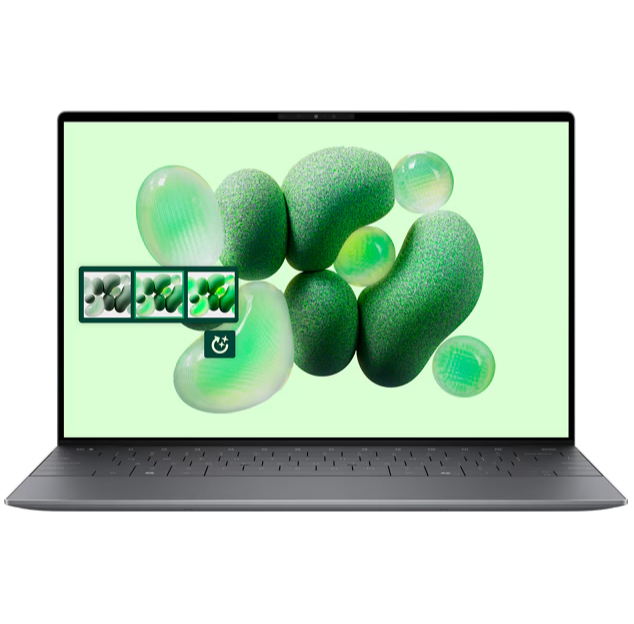
Dell's answer to the Neo comes with a touchscreen display and a special price for students (matching Apple's $599). This is the cheapest XPS 13 yet and one with a smaller-than-A4 footprint.View Deal
Intel Core Ultra 7 258V | 32GB DDR5 RAM | 1TB SSD
Dell ships 32GB of RAM with this laptop and this is the optimal amount of memory for serious productivity/business workloads. 'Between great general computing performance for any college student or executive and long-lasting battery life, it's a solid mid-tier laptop and it's even cheaper than last year!View Deal
Dell's XPS 13 laptops are always worth keeping an eye out for during Prime Day, as we often see big price cuts for what are some of the best laptops you can currently buy. Right now, one of the biggest discounts you'll find is for this Snapdragon-equipped model, which also features an impressive 32GB of RAM. With a Snapdragon chipset, you'll get great performance and almost unbeatable battery life out of this model.View Deal
Save $350 on the Alienware Aurora 15 gaming laptop. This system strikes a sensible balance between gaming proficiency and affordability. For less than $1,000, it's a capable workhorse for both casual and professional tasks.View Deal
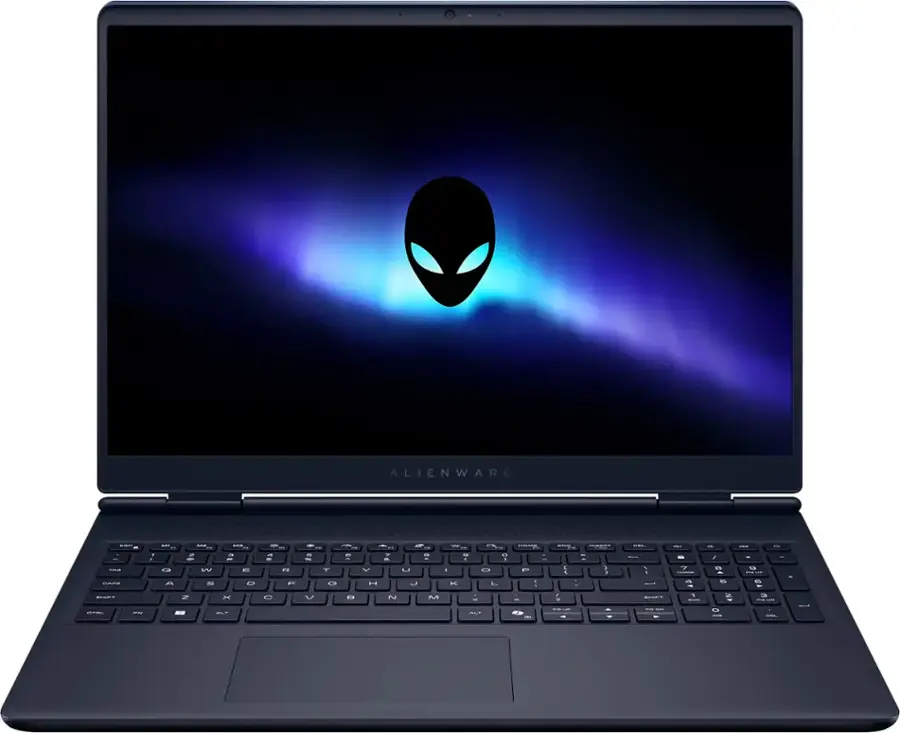
This Alienware Aurora 16 isn't the cheapest laptop on the market, but you're getting an Intel Core Ultra-7 240H chipset, RTX 5060 graphics card, 32GB of DDR5 RAM, and a 1TB SSD - superb specs for 1080p gaming. If you need a decent machine with a premium build, then this is a fantastic choice in the Dell Black Friday in July sale.View Deal
Well, I’m not here to tell you that Amazon’s Prime Day makes everything better. But the discounts certainly don’t hurt.
As usual, we’re doing our best to surface the best Prime Day tech deals. And here, we’ve pulled together the biggest discounts happening not just on laptops, but also on keyboards, mice, webcams, or other worthwhile PC accessories. And since Prime Day has counter-deals running at other retailers like Best Buy (and its Tech Fest Sale), there are also laptop deals for non-Amazon shoppers alike.
The best deals on MacBooks
The days of multi-hundred-dollar discounts on MacBooks are behind us for now, but the base 14-inch MacBook Pro with an M5 chip for $1,549 ($150 off) at Amazon and Best Buy is still a solid deal. It’s powerful enough for the average content creator, comes with 16GB of RAM and 1TB of storage, and has lots of ports. Read our review.
Apple MacBook Air (M5)
Apple’s 2026 MacBook Air has an M5 chip and starts with 512GB of storage that’s significantly faster than previous generations. It’s still as excellent as ever despite a higher base price. Read our review.
The 14-inch MacBook Pro with an M5 Pro chip (15-core CPU / 16-core GPU), 24GB of memory, and 1TB of storage is $2,034 (around $165 off) at Amazon and $2,049 at Best Buy. It’s a pretty nice step-up model from the standard M5 MacBook Pro, with a bit more RAM, a more powerful chip, and faster Thunderbolt 5 ports.
The best deals on Windows laptops
Microsoft Surface Laptop, 13-inch
Microsoft’s slightly smaller, entry-level Surface Laptop trims some of the size and a few features from its bigger 13.8-inch counterpart, but it maintains excellent battery life and solid performance. It’s just a shame it’s price went up. Read our review.
Microsoft’s latest Surface Pro is smaller, with a new design and updated keyboard. It’s powered by Qualcomm’s Arm64 Snapdragon X Plus chip. Read our review.
The Lenovo IdeaPad Slim 3x was one of the laptops I tested against the MacBook Neo and… it got smoked. But a 512GB config for $449 ($251 off) at Walmart? Not bad. The speakers are an assault on your ears and the trackpad ain’t great, but if you can live with those shortcomings, you get a decent laptop with a competent Snapdragon X processor and marathon battery life. Just read our review and be aware of its shortcomings.
Like the Lenovo above, the Acer Aspire 14 AI is another MacBook Neo contender I tested that’s on sale. It’s $589.99 (about $288 off) at Amazon, exclusively for Prime members. Best Buy has it for anyone, sold via Acer, for $599.99. Let me set your expectations: The screen on this laptop is pretty washed out, the speakers are tinny, and the build quality feels cheap. But what you’re getting a deal on is a great Intel Core Ultra 7 256V “Lunar Lake” processor that’s a solid performer while also being quite power efficient. It also has plenty of ports (including Thunderbolt 4) and can even do some light gaming.
For a higher-end Acer offering, the Swift X 14 AI is selling for a new low of $1,559.99 ($140 off) at Amazon for Prime members. The 14-inch laptop has a 2880 x 1800 / 120Hz OLED, AMD Ryzen AI 7 350 CPU, RTX 5060 discreet graphics, 32GB of RAM and 1TB SSD. It even has a haptic trackpad that should be a nice upgrade over Acer’s mechanical ones that can be a bit basic.
Asus Zenbook A14
Asus’s Zenbook A14 is a bit of a MacBook Air wannabe, but it’s a compelling alternative if you value a superlight Windows laptop with long battery life. The last-gen 2025 model sports an Arm-based Qualcomm Snapdragon X Plus chip, a nice 14-inch OLED display, and a sleek textured beige finish.
Asus’ ROG Zephyrus G14 is the go-to choice for a portable gaming machine that’s great at regular laptop duties. It’s got a lovely OLED display, great keyboard and trackpad, and solid battery life. There’s a new Intel model that’s much pricier, but the 2025 version with AMD chips is still a great choice.
The 2025 Asus ROG Zephyrus G16 is $1,574.99 ($575 off) at Best Buy. The larger version of the Zephyrus twins sports a 240Hz OLED display and a thin profile to make it travel friendly. This configuration includes an Intel Core Ultra 9 285H CPU, RTX 5070 GPU, 16GB of RAM, and 1TB SSD.
HP’s Omen 16 gaming laptop from last year is $1,619.99 ($600 off) at Best Buy through a third-party seller. The 16-inch laptop is configured with an AMD Ryzen 9 8940HX processor, RTX 5060 graphics, 32GB of RAM, and 1TB SSD. Not bad for around $1,500, but while its screen’s 144Hz refresh is nice, the resolution is only 1920 x 1200.
For a little more money, you can get a Lenovo Legion 5i at Walmart for $1,589 ($261 off). This 15-inch Legion has an Intel Core i9 14900HX CPU, RTX 5070 GPU (the 8GB VRAM version), 16GB of RAM, and 1TB SSD. You’re getting less RAM than the HP Omen deal, but in exchange it’s got a better GPU and 2560 x 1600 OLED display with 165Hz refresh rate.
Acer Predator Helios Neo 16 AI (2025)
An affordable mid-ranger from Acer running RTX 5070 or 5070 Ti graphics, a 16-inch 240Hz display, and lots of ports.
Acer’s Nitro V 16S AI gaming laptop is selling for $1,099.99 ($300 off) at Amazon, exclusively for Prime members. It’s got an AMD Ryzen 7 260 CPU, RTX 5060 GPU, 32GB of RAM, and 1TB SSD. The specs are close to the Asus ROG Zephyrus G14 deal above, but it’s much chunkier, has more RAM, and its display is larger but a lower-res LCD.
The best deals on keyboards, mice, and other PC peripherals
Moft has a variety of deals on its origami-style cases and stands. You can get its folding 2-in-1 Laptop Carry Sleeve, a sleek laptop case that doubles as a portable stand, for $51.96 ($13 off) at Amazon in four sizes and up to 11 different colors. Or, if you don’t mind some adhesive, the Moft Laptop Stand in select colors is $19.99 ($5 off) at Amazon. The super thin attachment sticks to the bottom of your laptop to give you a fold-out stand anywhere you go.
Logitech MX Master 3S
The MX Master 3S is a favorite among many Verge staff members because of its comfort and customization. It can connect via Bluetooth, via its included 2.4GHz receiver, or wired with its USB-C cable.
The fairly new Keychron V5 Ultra mechanical keyboard with Silk POM red linear switches is $107.99 ($12 off) at Amazon. The near-full-size 96-percent layout board has an incredibly long battery life thanks to its ZMK-based firmware, and it supports a fast 8,000Hz polling rate via its 2.4GHz wireless connection. Its plastic case isn’t as nice as ones with a metal chassis, but it’s a great no-nonsense keyboard for the money. Read our review.
Ugreen’s Dock and Stand for the Mac Mini M4 / M4 Pro is $49.99 ($40 off) at Amazon, exclusively for Prime members. The dock sits below your Mac Mini and plugs in to a rear USB-C port, dramatically expanding the port offerings of your tiny desktop and making your power button more accessible with a tiny lever. It has SD / microSD card slots and two USB-A ports on the front, and three USB-C and three USB-A ports on the rear. Plus, inside is an M.2 SSD slot for extra built-in storage. (You’ll have to BYO SSD.)
LG’s 32-inch UltraGear 32GX850A-B OLED gaming monitor is $684.50 ($600 off MSRP) at Amazon, exclusively for Prime members. LG also has it for anyone for a slightly higher $699.99. The dual mode 4K OLED supports a fairly high 165Hz refresh rate but can dip down to 1920 x 1080 resolution to output a super fast 330Hz for specialized uses like competitive gaming.
For a much more affordable and down to Earth OLED, check out the 27-inch Acer Predator Gaming Monitor X27U, selling for $314.99 ($235 off) at Amazon, exclusively for Prime members. It’s a sweet spot of 2560 x 1440 resolution that isn’t as demanding on games while supporting a high 240Hz refresh.
Elgato Stream Deck MK. 2
The MK.2 version of the standard Stream Deck comes with 15 programmable buttons, a swappable faceplate, and a detachable stand.
This mechanical keyboard is inspired by the original Xbox, with a translucent green color scheme and two large customizable buttons. Along with Bluetooth support, it offers a standard tenkeyless layout with clicky hot-swappable Kailh Jellyfish X switches.
VSCO One è la nuova soluzione all-in-one dedicata ai fotografi per la gestione della loro attività, dalla fase creativa sino alla fatturazione e alla consegna del lavoro al cliente. Offre accesso ad un ecosistema di app perfettamente integrato, eliminando ogni rischio di incompatibilità. Al costo annuale di 499,99 dollari, il piano mette a disposizione un pacchetto completo di strumenti professionali - intelligenza artificiale inclusa - garantendo un risparmio fino a 840 dollari.
Ricordiamo che gli altri piani disponibili sono Starter (gratis), Plus (29,99$/anno o 7,99$/mese) e Pro (59,99$/anno o 12,99$/mese). VSCO One prevede la sola opzione di abbonamento annuale (equivalente a 41,67$/mese). Tra le diverse app sviluppate da Visual Supply Company c'è VSCO Capture, soluzione per iOS che rappresenta un'alternativa gratuita alla fotocamera nativa di iPhone.
You have just 3 days left to save up to $190 on your pass to TechCrunch Founder Summit 2026 before Early Bird rates end on June 26 at 11:59 p.m. PT. Register here.
The Jeff Bezos-backed startup finally revealed more pricing details for its debut EV, including a $29,950 starting price for the SUV variant, and boosted the base range to 205 miles.
Few things are as delightfully divisive as Android’s dark mode.
Some phones now ship with Android’s darker-style interface activated by default. Most reasonably recent devices offer it as a swift ‘n’ simple toggle. And most people, in my experience, have amusingly strong preferences about which approach they prefer — the standard Android “light” mode, in which screens tend to be bright and with shades of white as a foundation, and the dark mode (a.k.a. “dark theme”), where black and dark gray dominate and everything is much more muted and muddy.
It really is a night and day difference, so to speak — but no matter where you fall on the light vs. dark preference spectrum, it’s well worth your while to noddle over two pertinent points:
Android’s dark mode doesn’t have to be an all-or-nothing decision. With the right setup, you can use it as a dynamically activated sometimes switch that enables itself automatically based on different variables and gives you a darker, less glary motif when conditions call for it while leaving you with the lighter, brighter look the rest of the time.
Regardless of how often you’re using dark mode, a few easy adjustments will make it meaningfully more complete and effective as an end-to-end interface style for whatever you’re doing on your device.
It occurred to me recently that we’ve gone over several smart Android dark mode enhancements over the past weeks and months — and that, put together into a single power-pack bundle, these small-seeming items can add up to create a pretty dramatic difference in your Android-using experience, whether you’re a full-fledged dark mode convert or a more light-preferring vampire skeptic.
Here, specifically, are five easy ways to make Android’s dark mode meaningfully better for you.
Up first is a feature that arose as part of our Android 17 discussion and sparked the entire idea for this collection — and that’s the one-tap switch in the latest Android version that forces every app on your phone to follow your dark mode preference, whether the program technically supports such a setting or not.
In Android 17, finding and flipping that switch will make every app turn dark whenever the system-wide dark mode is active. It eliminates the irksome exceptions that’ve traditionally stayed stubbornly light (due to developer laziness) even when your dark theme is on.
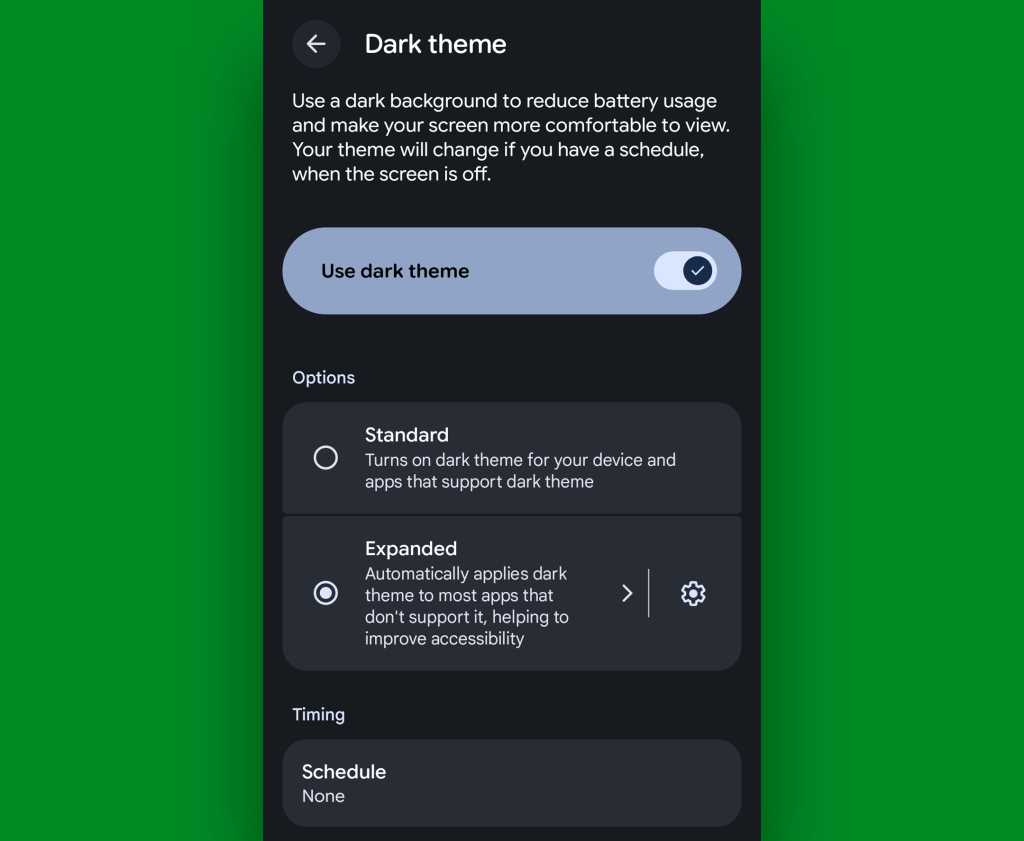
If you’ve got Android 17 on your phone already, it couldn’t be much easier to make it happen. Just look in the Display section of your system settings, tap the words “Dark theme,” then change the setting that shows up next from “Standard” to “Expanded.”
Android’s new “Expanded” option lets you force apps into dark mode compliance, even if they aren’t designed to do it on their own.
JR Raphael, Foundry
No Android 17? No problem: On devices with reasonably recent pre-Android-17 system software, you can actually find a switch buried deep in some developer settings that’ll let you enable the exact same option without any waiting.
That first trick fixes the issue of certain apps not following your dark mode preference — but what about the web? Most of us spend a fair amount of time in our browsers these days, and most websites won’t follow a dark mode setting and adjust their interfaces accordingly.
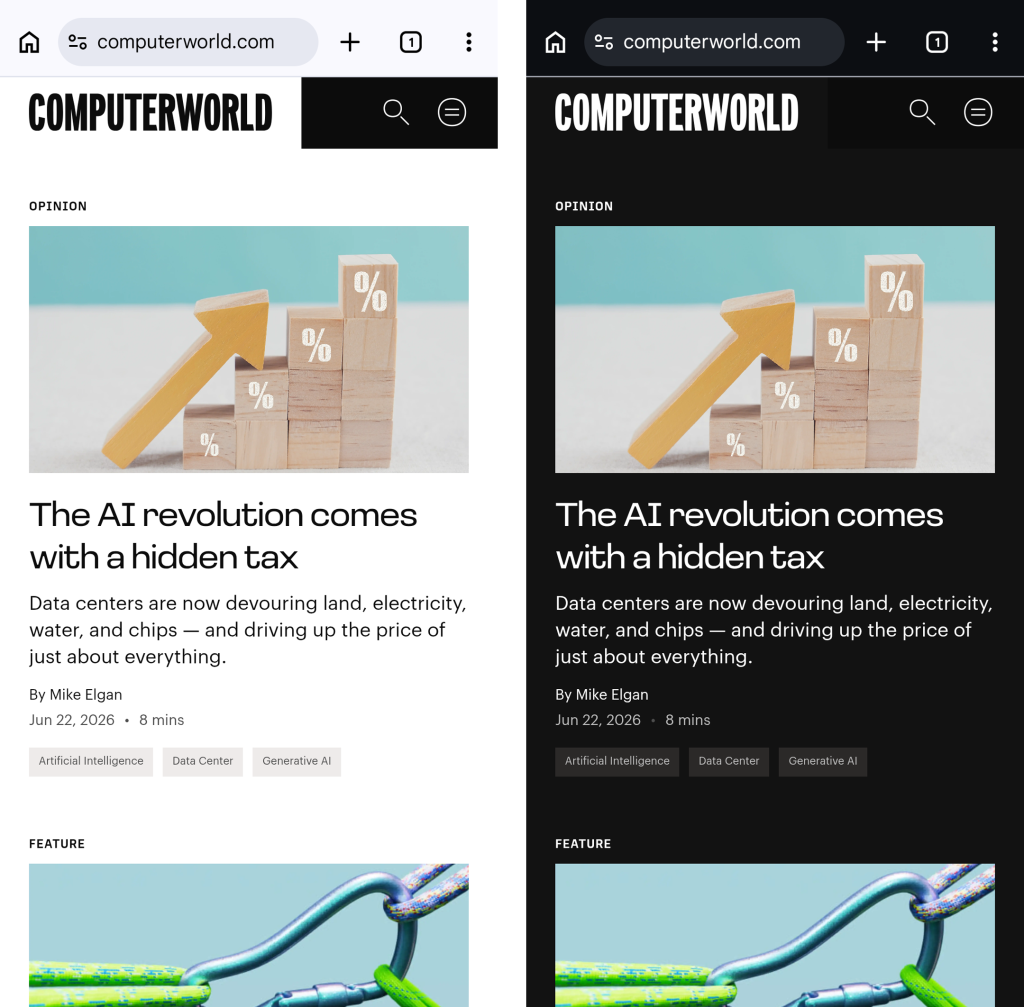
They absotively can, though. With the flip of a single switch buried within your browser’s bowels, you can force every website into a darkened motif whenever your system-level dark mode is up and running.
See?
Viewing a website in Chrome normally, at left, and with dark-mode-associated web darkening, at right.
JR Raphael, Foundry
Here’s the secret:
Open up Chrome on whatever Android device you’re using. (And note that this will also work with any Chromium-based Chrome alternative, like Brave, Edge, or Vivaldi.)
Type chrome:flags into the address bar.
Type darken into the search box at the top of the screen that comes up next.
See the line labeled “Darken websites checkbox in themes setting”? Tap the “Default” box beneath it, and change its setting to “Enabled.”
Tap the blue “Relaunch” button at the bottom of the screen.
Now, when Chrome comes back a second or so later…
Tap the three-dot menu icon in its upper-right corner.
Tap “Settings” in the next menu.
Scroll down until you see “Appearance.” Tap it, then tap “Theme.”
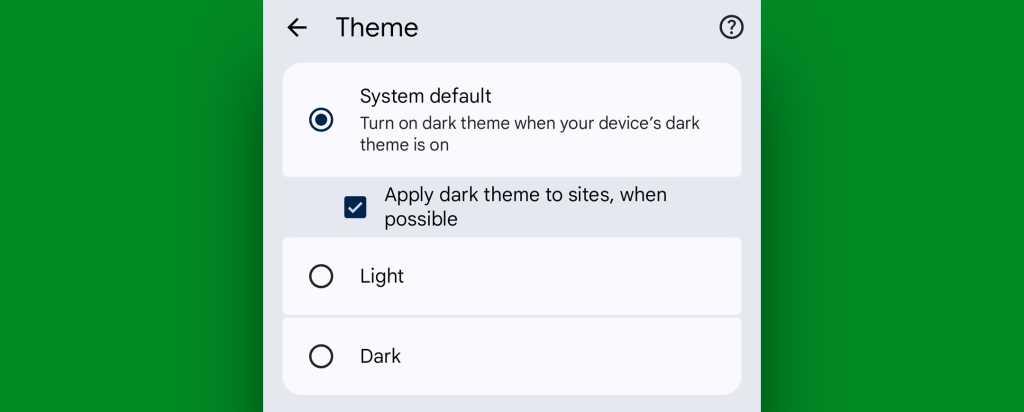
Make sure the newly added box for “Apply dark theme to sites, when possible” — which we just magically made appear via our last little modification — is checked and active.
Chrome’s web-darkening option appears only after you’ve enabled an out-of-the-way flag.
JR Raphael, Foundry
And that’s it: From that moment onward, whenever your Android device is switched into its dark mode, any website you’re viewing within Chrome will automatically follow suit. Nothing more to it, and no further thought or action ever required on your part.
Not bad, eh?!
Android dark mode power-up #3: A dark mode schedule
Even as someone who isn’t into dark mode as a 24/7 sort of thing, I can definitely appreciate the presence of a dimmer, less glary look on my device in certain specific scenarios.
It’s incredibly easy to overlook or forget, but Google’s actually got a way to handle that for you. In fact, it’s been built into Android itself since 2020’s Android 11 release.
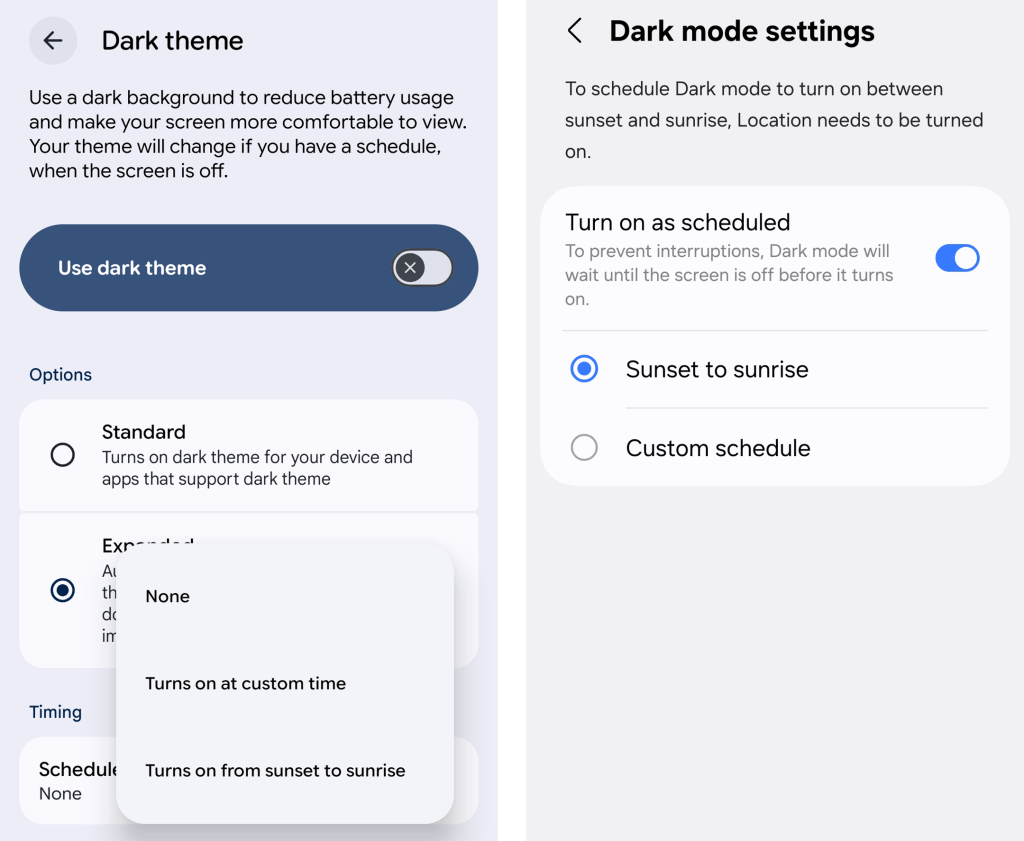
Just look in the Display section of your system settings and tap the line for either “Dark theme” or “Dark mode settings.” If you see a toggle alongside that line, make sure you’re tapping the actual words next to it — not the toggle itself.
Then look for the option to create a schedule.
An Android dark mode schedule, as seen in Google’s standard Android interface (at left) and in Samsung’s Android style (right).
JR Raphael, Foundry
You can create a time-based rule for when your device’s dark mode turns on and back off again, or — more intelligent yet — you can set it to automatically activate at sunset, wherever you are at any given moment, and then turn itself back off and switch you back over to light mode at sunrise.
Android dark mode power-up #4: Contextual dark mode
A dark mode schedule is pretty forkin’ sensible. But the reality is that even with a time-based setup or a sunset-driven activation approach, you’ll still be using your phone in bright rooms with dark mode active and vice-versa.
And if you want Android’s dark theme present only when you’re actually in a dark room — as makes the most sense in my mind — there’s an even more intelligent option.
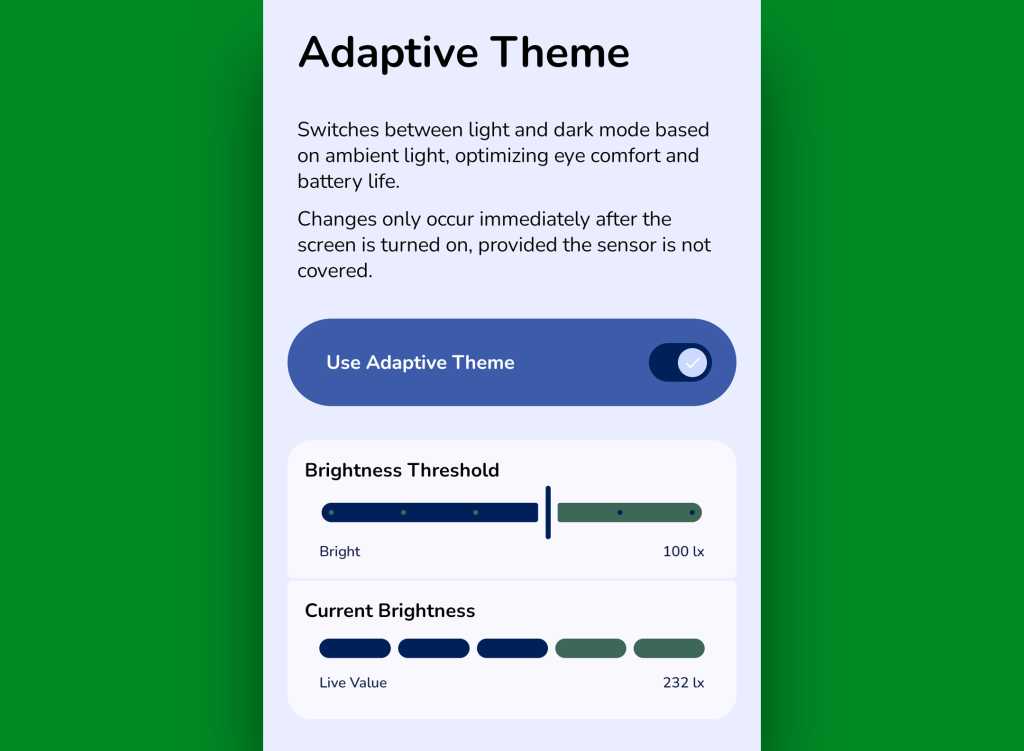
It comes our way via a handy little free app called Adaptive Theme. That app does one thing and only thing only: It automatically adjusts your device’s dark mode setting based on the actual ambient light around you, using your phone’s sensors rather than an arbitrary time or a not-always-relevant sunset status as a guide. It makes so much sense, you’ll find yourself wondering why your phone didn’t just work that way from the get-go.
The app does unavoidably have a slightly complex one-time setup, which I outline step-by-step here. It’s perfectly safe to do, though, and it shouldn’t take you more than a couple minutes to pull off.
And once you’ve done that, your Android dark mode will just work for you — flipping on when the lighting around you is dim (to your exact specifications) and flipping back off when you’re in brighter surroundings.
Adaptive Theme lets you take total control of how and when Android’s dark mode activates based on your environment.
JR Raphael, Foundry
Yes, please — and thank you. Last but not least…
Android dark mode power-up #5: The wallpaper wizard
Superficial as it may seem, the one piece of the puzzle we haven’t yet addressed — that isn’t ordinarily affected by Android’s dark mode setting — is your home screen wallpaper.
By default, whatever wallpaper you set at the system level stays the same even as your interface moves between its dark and light states — and when you’re anglin’ for a dimmer, less glary look in dark environments, that can be pretty darn jarring.
An app called, rather aptly, Dark/Light Wallpaper Scheduler is the answer you never knew you needed. It’s pretty self-explanatory — you tell it which wallpaper you want when your phone is in dark mode and light mode, then it automatically switches ’em out for you based on that status — but I wrote about it in detail here, if you’re interested in reading more about how exactly it works and how you can make the most of it.
And with that, my fellow Android-appreciating animal, your dark mode power-pack is complete. Now, would someone please turn off the lights? I don’t know about you, but all this talk of darkness has me hankering for a nap.
Wake up to even more useful Android wisdom every Friday with my free Android Intelligence newsletter — one practical new trick to try each week, straight from me to ye.
TechCrunch's StrictlyVC evening in Los Angeles late last week brought together two of the more straight-talking investors working in AI right now. They were as entertaining as they were illuminating.
A new Quordle puzzle appears at midnight each day for your time zone – which means that some people are always playing 'today's game' while others are playing 'yesterday's'. If you're looking for Tuesday's puzzle instead then click here: Quordle hints and answers for Tuesday, June 22 (game #1610).
Quordle was one of the original Wordle alternatives and is still going strong now more than 1,400 games later. It offers a genuine challenge, though, so read on if you need some Quordle hints today – or scroll down further for the answers.
Enjoy playing word games? You can also check out my NYT Connections today and NYT Strands today pages for hints and answers for those puzzles, while Marc's Wordle today column covers the original viral word game.
SPOILER WARNING: Information about Quordle today is below, so don't read on if you don't want to know the answers.
Quordle today (game #1612) - hint #1 - Vowels
How many different vowels are in Quordle today?
• The number of different vowels in Quordle today is 4*.
* Note that by vowel we mean the five standard vowels (A, E, I, O, U), not Y (which is sometimes counted as a vowel too).
Quordle today (game #1612) - hint #2 - repeated letters
Do any of today's Quordle answers contain repeated letters?
• The number of Quordle answers containing a repeated letter today is 2.
Quordle today (game #1612) - hint #3 - uncommon letters
Do the letters Q, Z, X or J appear in Quordle today?
• No. None of Q, Z, X or J appear among today's Quordle answers.
What letters do today's Quordle answers start with?
• S
• E
• G
• N
Right, the answers are below, so DO NOT SCROLL ANY FURTHER IF YOU DON'T WANT TO SEE THEM.
Quordle today (game #1612) - the answers
(Image credit: Merriam-Webster)
The answers to today's Quordle, game #1612, are…
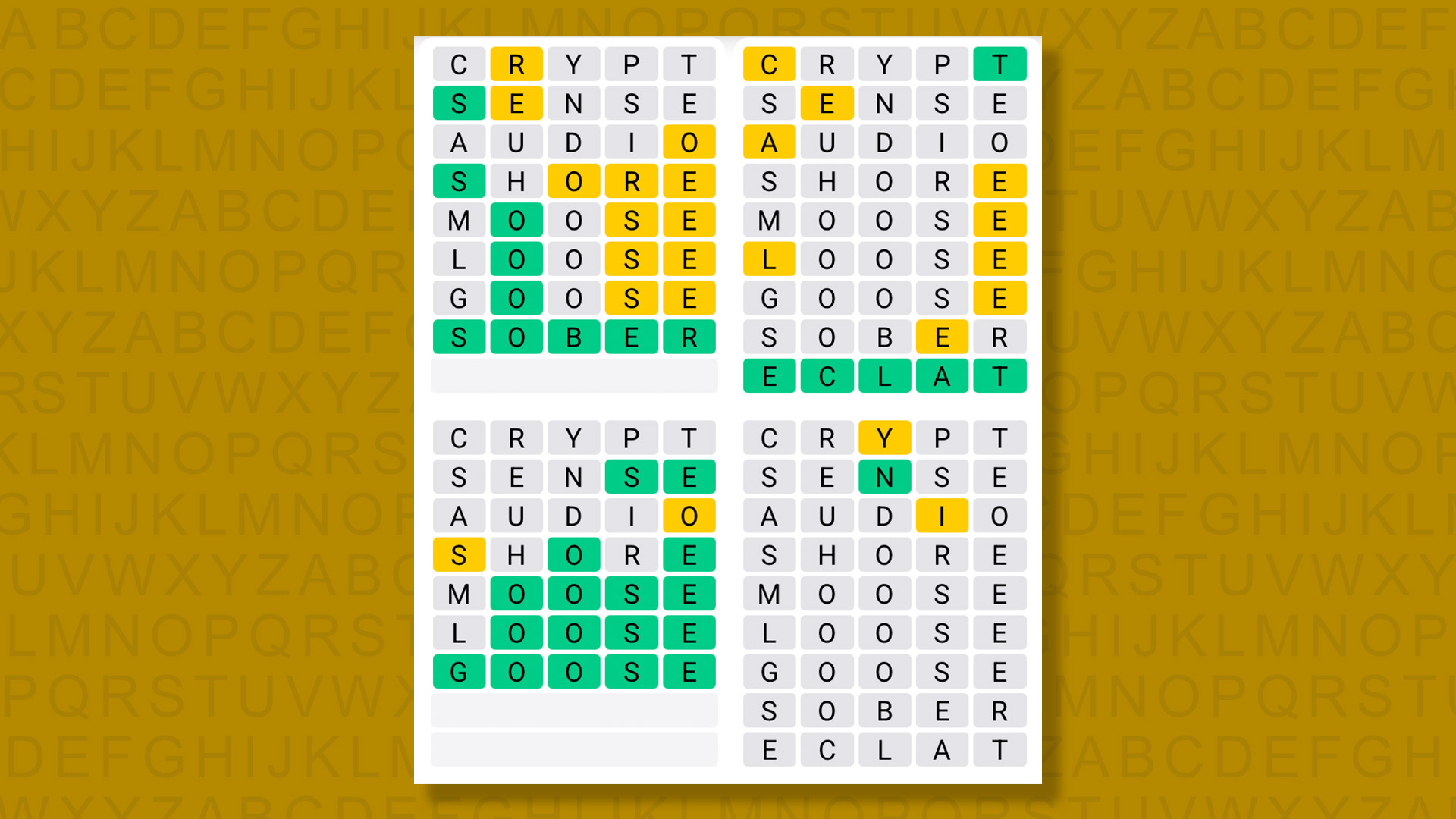
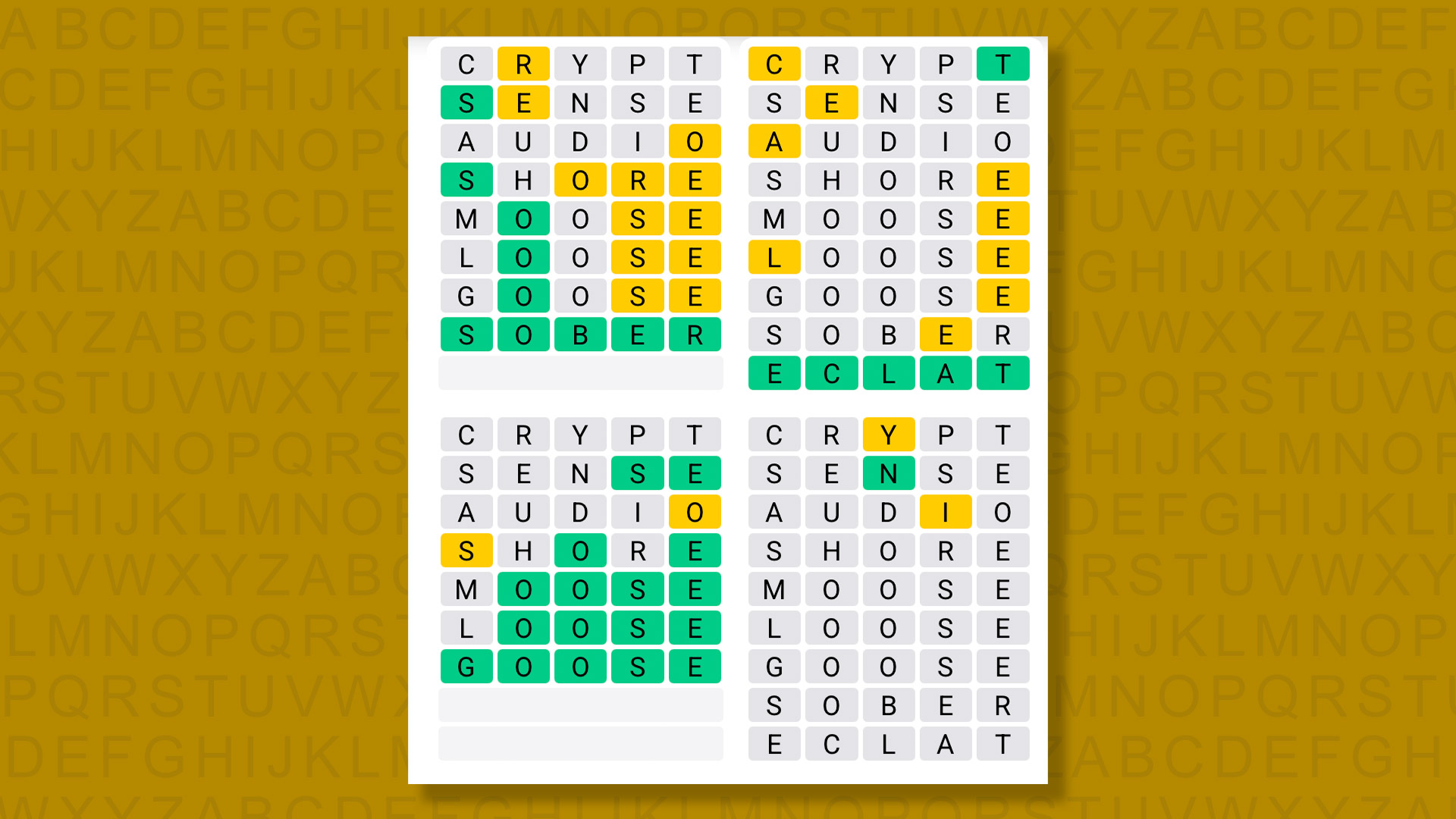
SOBER
ECLAT
GOOSE
NINNY
After a year-long win streak I’ve been having a really rough time of Quordle recently and lost again today — another case of having too many options and picking the wrong words.
I think after a successful run I might have to change my start words again. I’ll consult Claude and see what it suggests, seeing as it knows everything!
Daily Sequence today (game #1612) - the answers
(Image credit: Merriam-Webster)
The answers to today's Quordle Daily Sequence, game #1612, are…
A new NYT Strands puzzle appears at midnight each day for your time zone – which means that some people are always playing 'today's game' while others are playing 'yesterday's'. If you're looking for Tuesday's puzzle instead then click here: NYT Strands hints and answers for Tuesday, June 23 (game #842).
Strands is the NYT's latest word game after the likes of Wordle, Spelling Bee and Connections – and it's great fun. It can be difficult, though, so read on for my Strands hints.
Want more word-based fun? Then check out my NYT Connections today and Quordle today pages for hints and answers for those games, and Marc's Wordle today page for the original viral word game.
SPOILER WARNING: Information about NYT Strands today is below, so don't read on if you don't want to know the answers.
NYT Strands today (game #843) - hint #1 - today's theme
What is the theme of today's NYT Strands?
• Today's NYT Strands theme is… Just chill
NYT Strands today (game #843) - hint #2 - clue words
Play any of these words to unlock the in-game hints system.
STEEL
MOVE
ZERO
MUCH
TEAR
BARD
NYT Strands today (game #843) - hint #3 - spangram letters
How many letters are in today's spangram?
• Spangram has 15 letters
NYT Strands today (game #843) - hint #4 - spangram position
What are two sides of the board that today's spangram touches?
First side: left, 5th row
Last side: right, 5th row
Right, the answers are below, so DO NOT SCROLL ANY FURTHER IF YOU DON'T WANT TO SEE THEM.
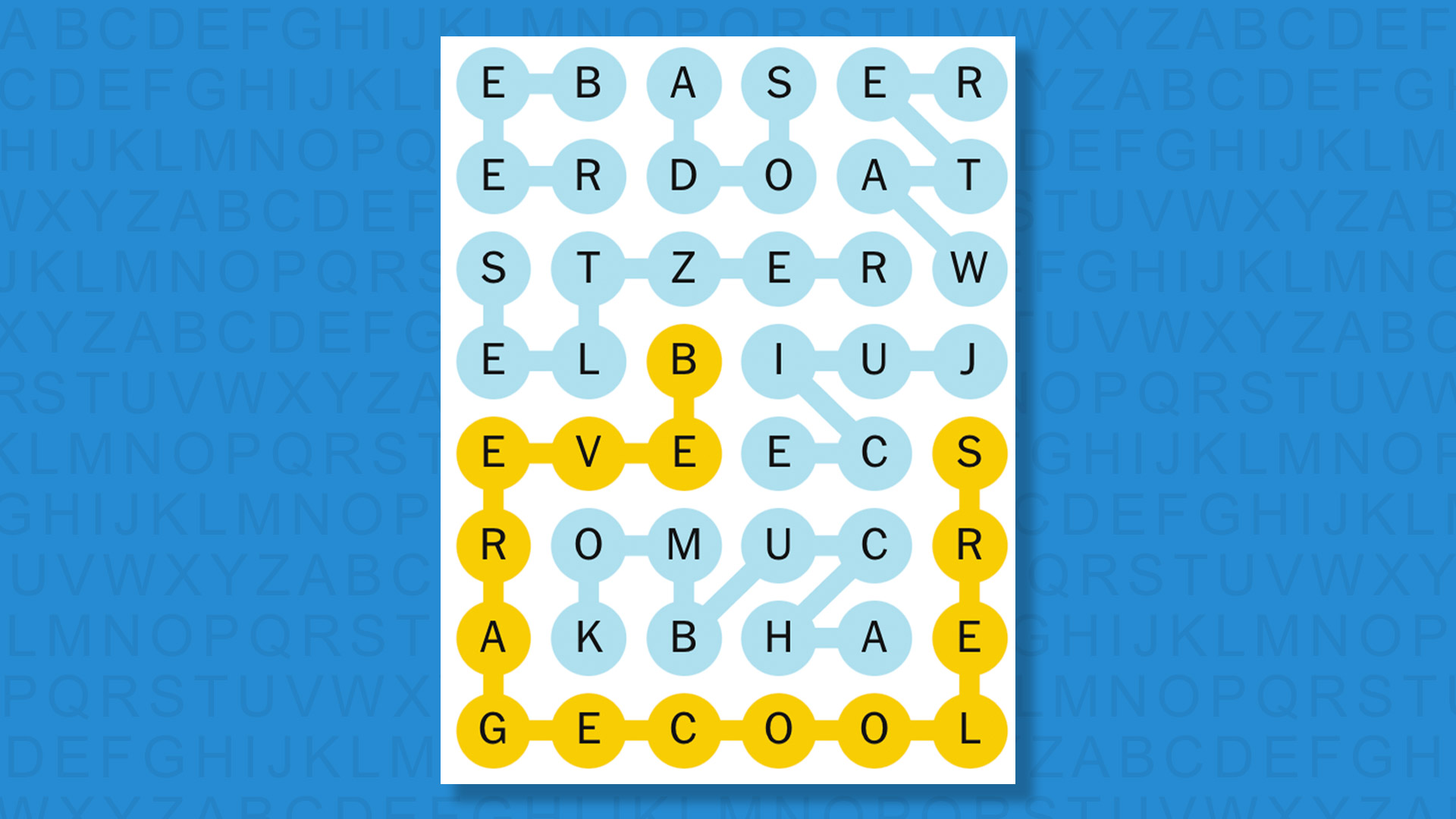
NYT Strands today (game #843) - the answers
(Image credit: New York Times)
The answers to today's Strands, game #843, are…
BEER
SELTZER
KOMBUCHA
JUICE
WATER
SODA
SPANGRAM: BEVERAGECOOLERS
My rating: Easy
My score: Perfect
The weather is scorching hot in the UK, so my mind automatically went to words connected with staying cool.
However, I realized after spotting BEER that we were instead looking for cooling beverages — or BEVERAGECOOLERS according to the lengthy spangram.
My cooling beverage of choice — iced tea — didn’t make the cut, but as a second best I’d go with a KOMBUCHA, which is a bit of an upgrade on a regular tea drink but part of the same family, like a distant fancy auntie.
Yesterday's NYT Strands answers (Tuesday, June 23, game #842)
FOOD
BLOCK
ARMOR
BUILDING
PORTAL
STORAGE
TOOL
SPANGRAM: MINECRAFT
What is NYT Strands?
Strands is the NYT's not-so-new-any-more word game, following Wordle and Connections. It's now a fully fledged member of the NYT's games stable that has been running for a year and which can be played on the NYT Games site on desktop or mobile.
I've got a full guide to how to play NYT Strands, complete with tips for solving it, so check that out if you're struggling to beat it each day.
HaloBraid aims to help salons speed up braiding with its first device, slated to launch later this year, that acts as a braiding assistant for professional stylists.
Segundo um relatório da Kaspersky, as burlas mais comuns nas aplicações de mensagens em Portugal incluem falsas entregas de encomendas, assim como esquemas de investimento e fraudes românticas.
Four days left to save up to $190 on your pass to TechCrunch Founder Summit 2026 — the ultimate founder bootcamp — before Early Bird rates end on June 26 at 11:59 p.m. PT. Register today.
Stockholm-based startup Fika Jobs is building a video-first hiring platform that combines AI interview agents with short-form video profiles, creating something that feels like a cross between LinkedIn and TikTok.

 Login
Login