I can't recall the last time I took a road trip or flight without my trusty Steam Deck in tow. It's just too convenient to slip into my backpack alongside a thin and light work laptop that doesn't stand out in professional settings.
That trend ends this weekend.
I have a 10-hour round trip to contend with, and after playing around with Lenovo's Pro 9n laptop powered by NVIDIA's new RTX Spark chip this past week, I'm ready to make it earn its accolades.
Can it really be my one-stop device for AAA gaming AND for work, just like what was advertised countless times in the lead-up to launch? Here's what it needs to prove to me.
What the RTX Spark platform needs to prove on a 10-hour trip
There are several key points that I want to confirm, and a 10-hour road trip seems like the perfect testing ground as I work on a full review of the Lenovo Pro 9n.
There are some areas where I do expect the RTX Spark platform to fall short, which I've also noted below.
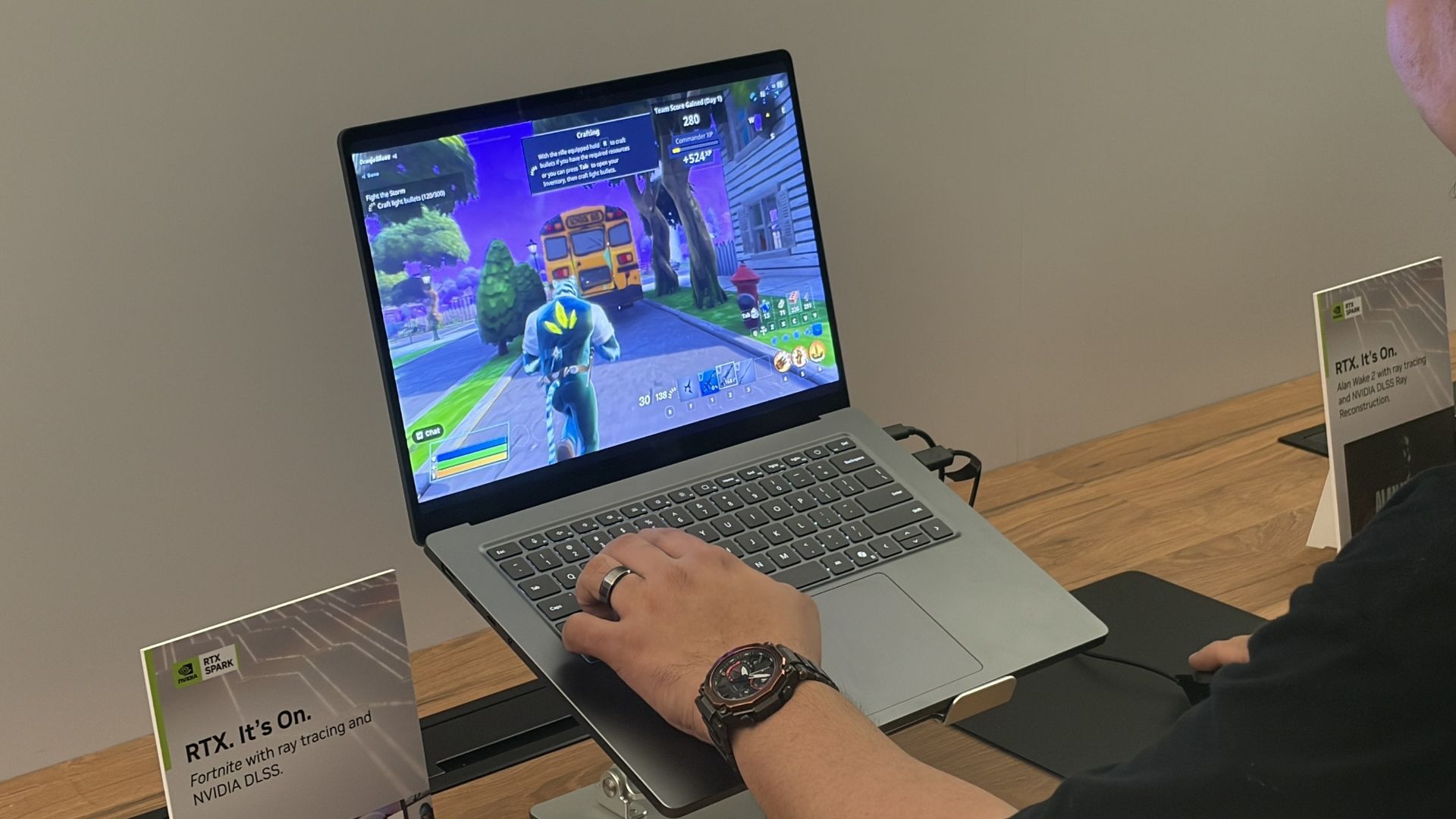
Is ray tracing worth turning on when I'm not near an AC adapter?
The Surface Laptop Ultra is another RTX Spark laptop, and I've seen how well it handles gaming on a charger. What about battery? (Image credit: Future)
One of the RTX Spark platform's biggest selling points is its Blackwell-class RTX GPU supporting all of NVIDIA's latest upscaling and frame-gen goodies.
That doesn't bode well for efficiency, but I'm curious to see if I can dial it in by lowering settings like resolution or refresh rate. I really want ray tracing to be a worthwhile option without AC power.
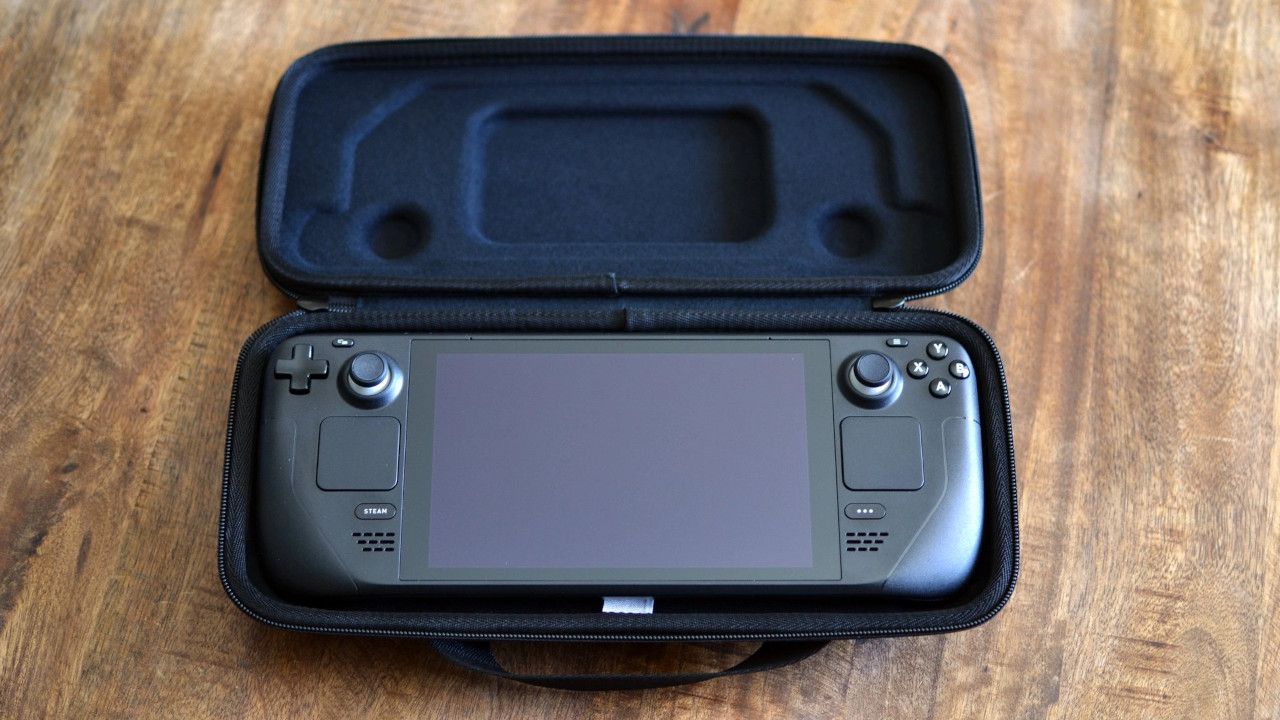
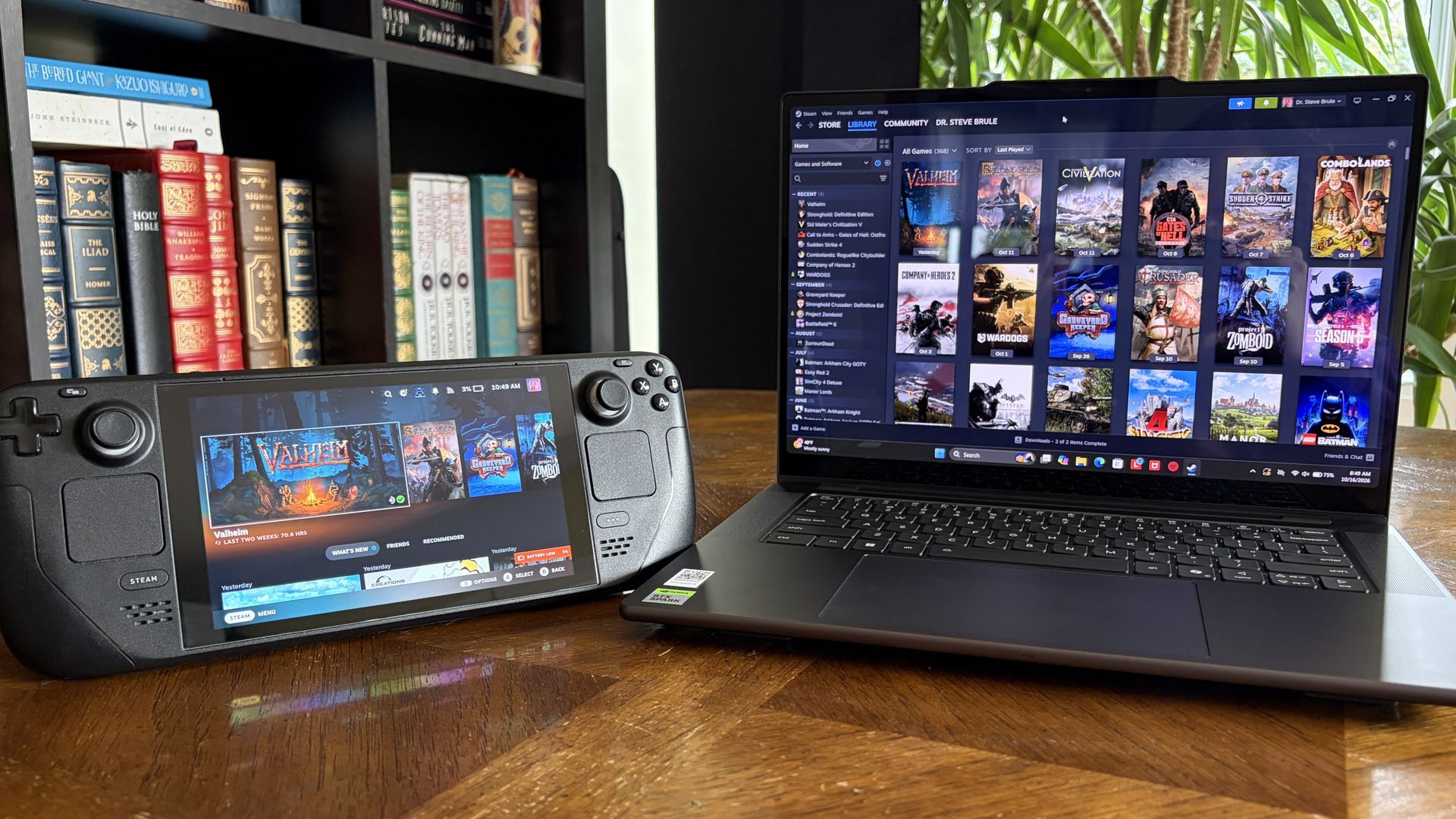
Can I replace two devices with one?
Not having the Steam Deck and its bulky case in my bag should free up a lot of space. (Image credit: Miles Dompier | Windows Central)
Is having everything contained within the same PC actually simpler? Long-time gaming laptop users will probably say yes. Heck, I'd lean towards an affirmative if I wasn't testing it out myself this weekend.
But there are two sides to this question.
On one hand, it's nice to have a dedicated gaming device that I can put away when it's time to focus on work. On the other hand, I'll have a lot more room in my bag without an extra charger and an encased gaming handheld. A standard controller is much easier to slip into my bag.
The Pro 9n will have to handle any work I throw its way and be ready to switch to gaming on the fly, all while balancing heat and battery life.
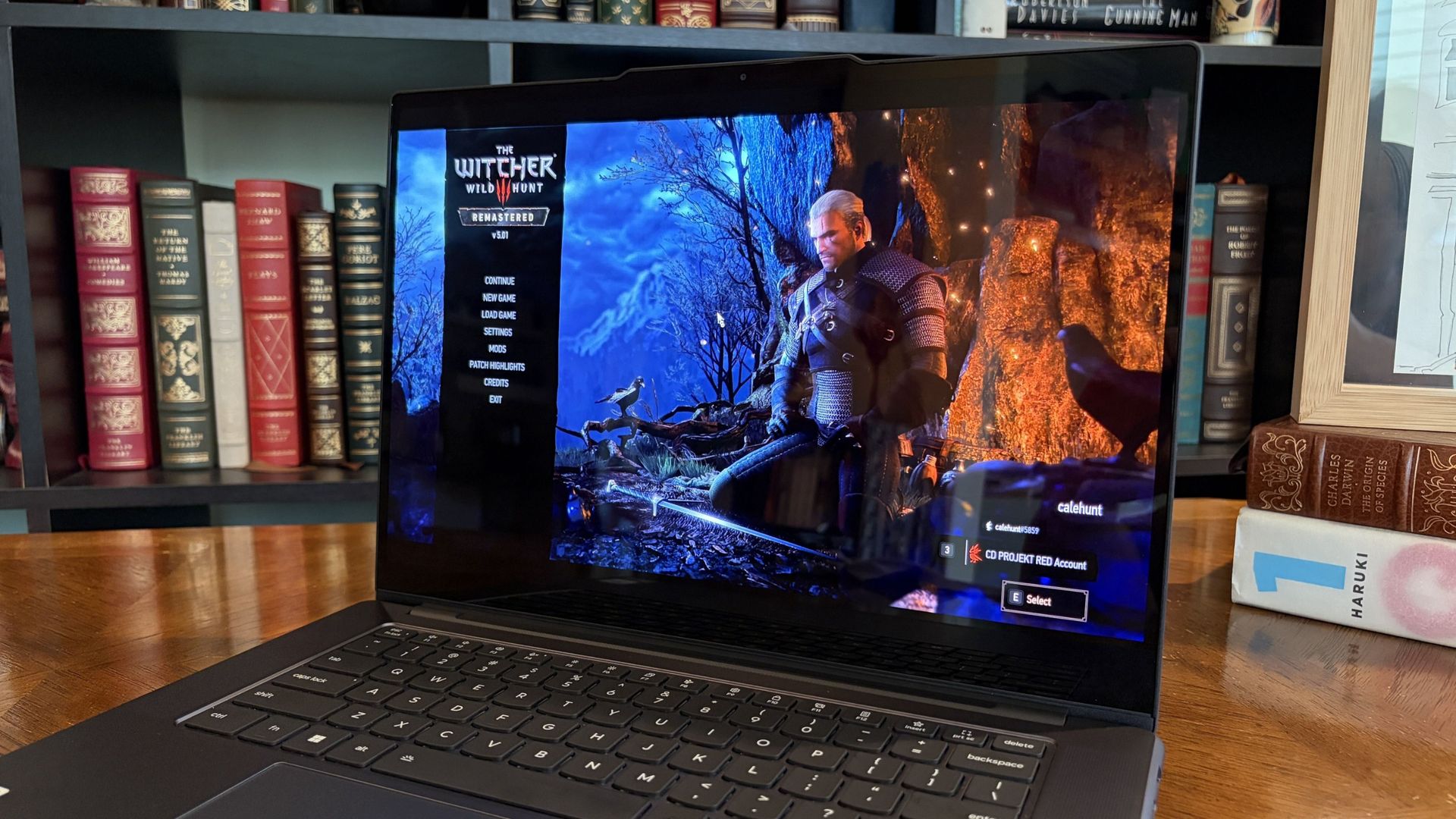
Can the battery survive a real travel day?
The Witcher 3: The Wild Hunt Remastered looks gorgeous with ray tracing enabled, but it eats battery a bit too quickly. (Image credit: Future)
The Steam Deck, and any gaming handheld for that matter, can be extremely efficient or inefficient depending on the game you're playing. The same ultimately goes for RTX Spark laptops.
Considering I plan to split time evenly between work — involving writing, hotspot web browsing, photo editing, etc. — and gaming, I'm hoping that one or the other doesn't leave me out to dry.
I do have the ability to plug in if required, and that will be another test of how much heat is created in a cramped cabin as the battery recharges.
Where I expect my RTX Spark laptop to fall short
Gaming handhelds are ergonomic, comfortable, and don't produce a lot of heat. A lot of that goes out the window when using a 15.3-inch laptop.
Sure, I'll have an ergonomic gamepad in hand part of the time, but I'll need to keep the laptop on my lap while gaming. Will it get too hot to handle? Will I feel too cramped in my seat? In those cases, I'll no doubt be wishing for my Steam Deck.
What I need from you
My testing results from this weekend will inevitably end up in my full Lenovo Pro 9n review that I'm already working on, and act as the most compelling evidence as to why I did (or didn't) give up my Steam Deck for an RTX laptop.
I'm more than open to other suggestions on how to test the gaming/work balance on the RTX Spark platform. I urge you to drop your most pressing questions in the comments section below, and I'll do my best to address them.
Join us on Reddit at r/WindowsCentral to share your insights and discuss our latest news, reviews, and more.
It's been a busy week in the world of mods and ports. While most gamers, including me, have been focusing on the PS5's jailbreak and the ability to emulate PS5 games on Xbox hardware, there's another project capturing the attention of die-hard Microsoft fans.
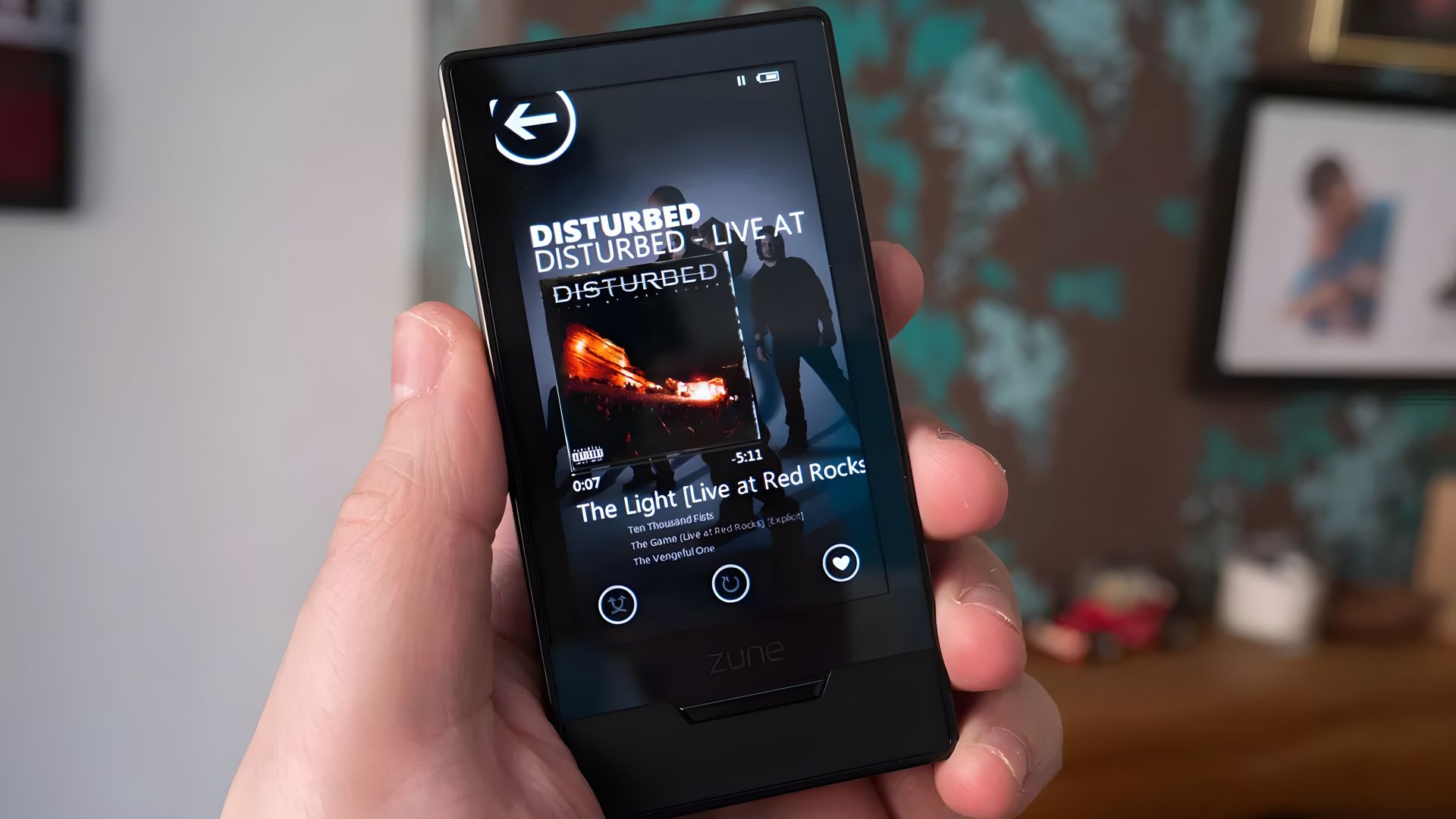
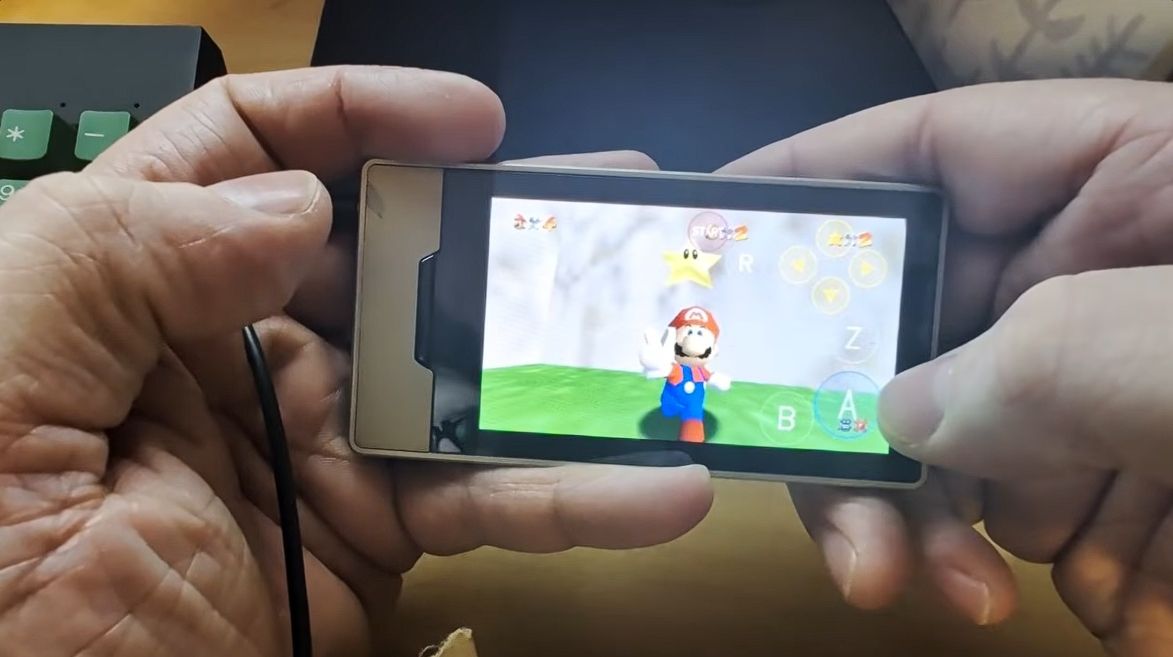
As reported by Hackaday, a savvy modder has figured out how to get Super Mario 64 running on a Microsoft Zune HD. Yes, the ill-fated music player that once put up a valiant fight against Apple's iPod has been repurposed as a micro-portable gaming handheld.
This project comes from GitHub user rsheldiii, who effectively ported the sm64ex version (containing a full decompilation of Super Mario 64 running on Linux and Windows) to the portable media player that launched in 2009.
Creator rsheldiii explains that the mod "plays (mostly) at full speed with sound, touch controls and saves." You're asked to provide the ROM for the game yourself in order to circumvent any legal issues, but otherwise, it appears that all you'll need to test it out yourself is a Zune HD in working order and an x86-64 Linux PC with Docker and Git.
It's explained that the first run of the game takes "five to ten minutes" to complete as it builds a container image and downloads compilers. The game is controlled entirely with touch, and the Nintendo 64's native buttons are clearly displayed on the screen.
The video provided by the creator on the GitHub page (I'm not sure if the YouTube version I used here is hosted by the same person) shows just how easy it is to start playing Super Mario 64 once everything is installed.
Within seconds, the game is launched, and Mario is running towards the castle to choose a mission. Once in a mission, the game appears to run smoothly, with the player not having any evident issues with controls.
I, unfortunately, do not have any spare Zune HDs lying around my office, or I'd be all over this little hack. Is it something you'd consider trying out? Let me know in the comments section below!
A brief history of Microsoft's failed iPod competitor
The Zune HD was (is?) an admittedly nice little piece of hardware. (Image credit: Windows Central)
Microsoft launched the original Zune media player on November 4, 2006, roughly five years after Apple's first iPod hit markets. Yes, the Zune was created to compete in the shifting world of MP3 players, eventually arriving at the Zune HD model in 2009.
It was a significant upgrade thanks to a 3.3-inch OLED touch display, an NVIDIA Tegra processor (which undoubtedly helps this little Mario 64 hack get legs), an accelerometer, and up to 64GB of flash storage.
Zune hardware was discontinued in 2011, not because the iPod killed it, but because it failed to kill the iPod. It was ultimately late to the party, kept quiet once it arrived, and slipped out before it all ended. At that same party was the newfound smartphone, and it seemed to be getting most of the attention anyway.
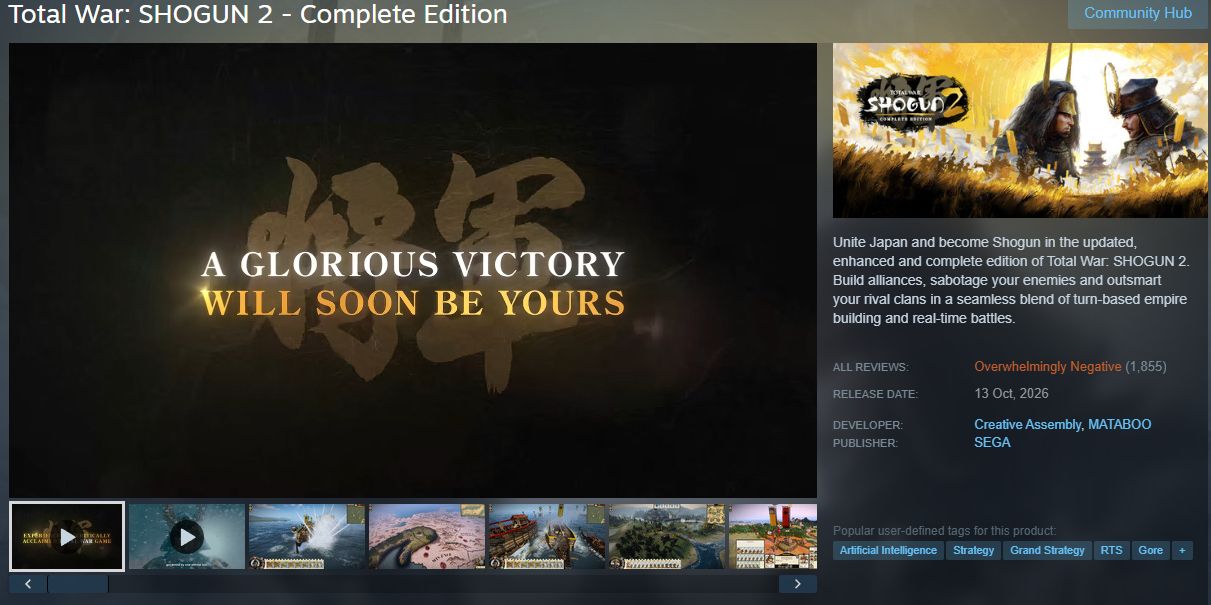
The original game launched in 2011, and after some 15 years of availability, it sits at a Very Positive rating on Steam with more than 22,000 user reviews. The game's new "Complete Edition," which launched on October 13, 2026, has already received more than 1,850 user reviews.
The problem? The enhanced version has fallen to an Overwhelmingly Negative rating on Steam, which is often a death blow from which a game never recovers.
Digging into the sea of red reviews, it appears that plenty of gamers were already disappointed in the remake's quality before anyone looked closely enough at player cards to notice some undisclosed use of AI.
Plenty of reviewers have called out the game-breaking bugs, the poor performance, and the "countless graphical issues," including dreadful lighting and HDR. I could go on.
You be the judge — does the Complete Edition screenshot look like it was upscaled using AI? Why does it suddenly look like the front of a Mercedes rather than a mustachioed soldier? Let me know what you think in the comments section below.
Gamers are used to slop ... just not AI slop
Total War: SHOGUN 2 Complete Edition sits at an Overwhelmingly Negative rating on Steam. (Image credit: Valve)
What's really sticking with me is how gamers have approached the relaunch of SHOGUN 2. At this point, I think many of us have been around long enough to not be surprised when a remake gets botched.
I was there for Warcraft 3: Reforged tragedy. I remember when the Grand Theft Auto: The Trilogy remake launched to backlash. AI had nothing to do with these games.
This time, though, the Total War and Shogun 2 subreddits are flooded with posts focusing on the poor quality of AI upscaling. It extends well beyond the one Mercedes-face soldier, with gamers posting images of six-fingered characters, wonky hands, odd faces, and more.
I don't think saying there's more focus on the AI aspect than the actual bugs and glitches is too far out there. And I'm definitely not saying that fans of the series have their gripes in the wrong place; I'd be upset too if one of my favorite games was given this treatment. It's just interesting to see how the outcry falls into place.
Remasters don't have to be low-quality cash grabs
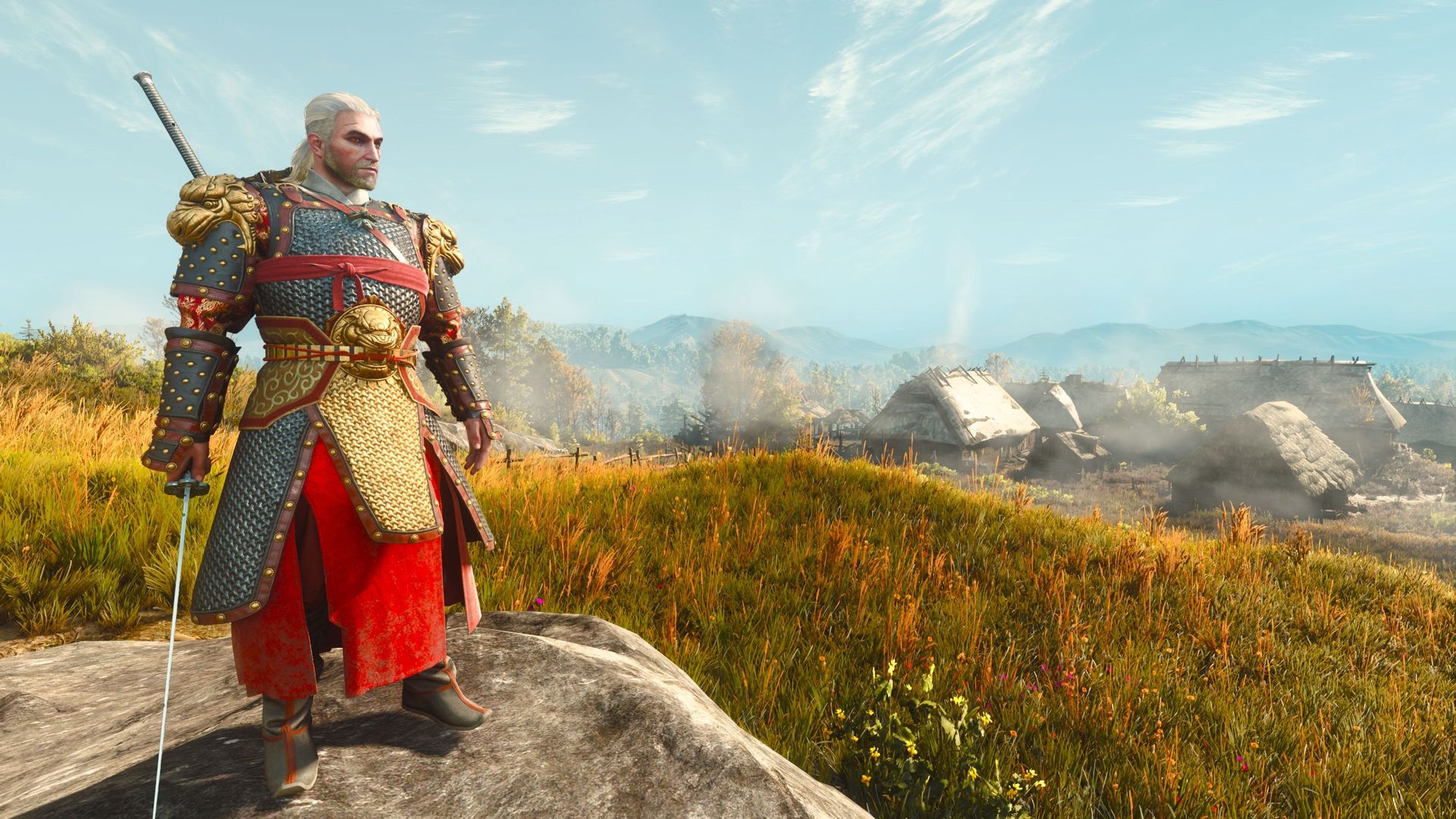
The Witcher 3 remastered is a glorious upgrade, free for any owners of the original game. (Image credit: Jennifer Young - Windows Central)
What makes it so great? Well, it's completely free for anyone who already owns The Witcher 3. It doesn't overwrite the original game (great news for people like me who still game on a Steam Deck). And it comes with a host of quality-of-life fixes, upgraded graphics, and more.
It's about as good a remake as you'll find, and a far cry from the $40 Total War: SHOGUN 2 entry from this week.
For those who have played the game, is it really as bad as the reviews are making it out to be? Would it not have such an aggressively bad rating if not for the alleged undisclosed AI upscaling? Let me know in the comments section below!
Join us on Reddit at r/WindowsCentral to share your insights and discuss our latest news, reviews, and more.
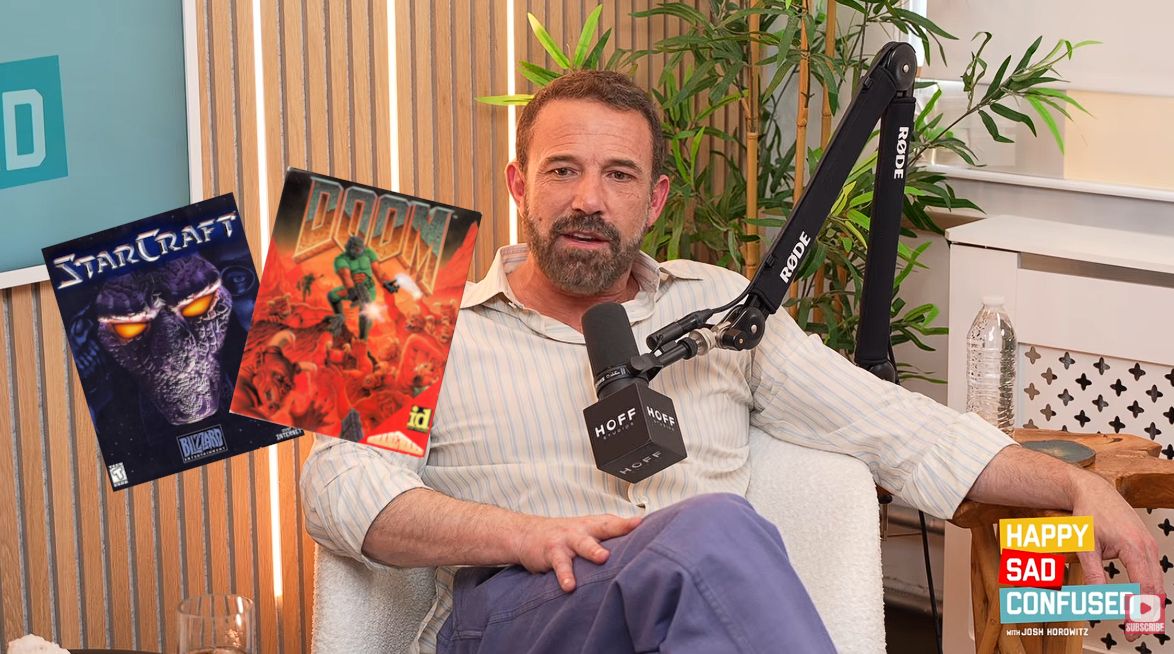
I had no idea that Ben Affleck is such an avid PC gamer. The mega-star from countless Hollywood hits recently appeared on the Happy Sad Confused podcast hosted by Josh Horowitz, where he revealed that he spent years doing nothing but playing PC games shortly after becoming famous.
Affleck says, "There was a game called StarCraft that probably took the most life out of me. [...] I had just gotten famous, and all I did was stay home for three years and play StarCraft." Yeah, I'd say we have a gamer on our hands here.
Good Will Hunting, the movie that Affleck co-wrote and starred in alongside Matt Damon, won two Oscars at the 1998 Academy Awards, propelling him into stardom. Just a couple of months later, the real-time strategy gem StarCraft launched in March 1998.
Other long-time PC gamers no doubt recall StarCraft's intense launch, which saw about 1.5 million copies ship in the first nine months. It was the best-selling game of the year, and I can recall that it was practically the only game my friends and I could talk about for months after its release.
We have a PC gamer here, and his name is Ben Affleck
Affleck's video game history didn't quite start with StarCraft, although it might have been the most affecting in the young actor's life.
He states that he was playing DOOM "endlessly, for hours," before and while he was working on Good Will Hunting. Maybe that's where some of the jokes about Damon and Affleck's shared (but skewed) workload on writing the movie originated.
I remember writing and taking these long breaks to play DOOM. I can't believe it's been out that long.
Ben Affleck (Happy Sad Confused podcast)
Going back even further, Affleck says he played Donkey Kong, Tetris, and Ms. Pac-Man for "tens of millions of hours" in arcades and at home. He still has a Ms. Pac-Man arcade cabinet at home.
Affleck admits that he still enjoys PC games today, albeit from a slightly different angle than all those years ago. He enjoys 2K and Madden titles for a sports fix, which he plays with his son. He calls Valorant "a great game" that has one major problem: "I just get f***in' rocked."
As an adult who has attempted these types of competitive shooters, I can relate to him accusing young gamers with incredible reflexes of being cheaters. Hearing Affleck's imitation of getting cussed out by online squeakers is hilarious. The video game question comes up at about the 54-minute mark of the podcast.
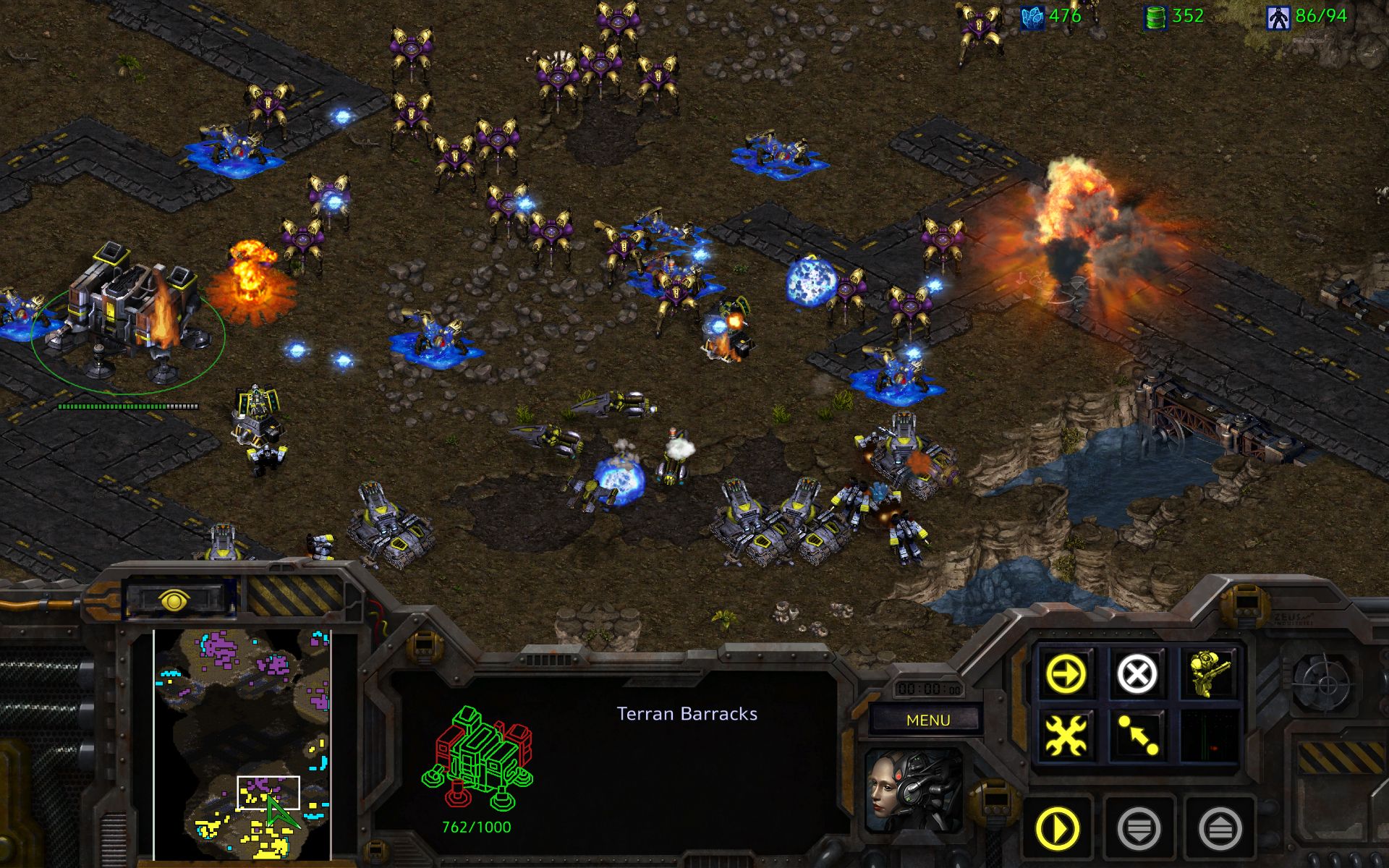
An official screenshot grabbed from StarCraft Remastered. I think I might have to give it a shot. (Image credit: Blizzard)
Affleck also comments on how real-time strategy PC games have regressed in popularity over the years.
"I like those real-time strategy and civilization-building styles, which have sort of gone out of style."
All this talk about StarCraft has me thinking it's time to install it once again. I've yet to give the remastered version a try, and the game's voice lines are bouncing around in my head. Anyone up for a quick match?
Join us on Reddit at r/WindowsCentral to share your insights and discuss our latest news, reviews, and more.
It seems like every time I turn around, there's another round of layoffs affecting video game studios.
In July, Xbox announced its biggest downsizing ever, cutting 3,200 jobs throughout 2026 and 2027. At the same time, Xbox made deals with four major studios to go independent or take on new management.
It's all starting to feel like white noise with the same language. Streamlining. Restructuring. Focusing resources. Adapting to changing markets.
After reading an excellent report from Rest of World about the plight of small game developers in Turkey, I realized that the entire video game industry is likely in more trouble than most people realize.
While Microsoft and other big companies at the apex of the industry have been cutting thousands of jobs at the top, there's something just as disruptive going on at the bottom.
Solo developers are shipping full games with a tiny team, empowered by tools like Claude Code and Cowork, OpenAI Codex, and Copilot. This shift in how games are developed is eating up the entry-level jobs that used to serve as a way to break into the game dev industry. The candle is burning at both ends, as they say.
Turkey's AI game development example doesn't bode well
The game development scene in Turkey should be a warning for the rest of the world. (Image credit: Getty | Sergio Amiti)
Over the last decade, Turkey has become a mobile gaming hotspot with more than 800 studios at its peak. It served as a pipeline for young developers who finished school, applied, got hired, worked in junior roles, and eventually made their way up the ladder.
This pipeline is no longer functioning as it should, and it's largely due to AI. One developer interviewed by Rest of World went from a huge studio pumping out a game per week to founding his own studio.
With Claude Code in his back pocket, the developer realized he needed just two employees to achieve similar productivity.
I’m the only developer in my team. When we started, I had to write all the code myself. I also have to manage game design, social media, investment meetings, and the like. With Claude Code, I can do all that easily. It really sped things up and helped me a lot.
Emirhan Gül, speaking to Rest of World
This shift in Turkey's game development scene is having dire effects. Entry-level jobs are understandably disappearing at smaller studios, and the larger studios are reticent to hire inexperienced developers.
The AI stack designed to make us more productive is killing key jobs
AI tools are making us more productive, but at what cost? (Image credit: Getty Images, Robert Way)
The AI stack negatively affecting one of the largest game development booms in European history is the same AI stack that Microsoft is racing to put in front of every developer, on every platform, including the ones building for Xbox and Windows.
Microsoft has famously spent years telling Windows users that Copilot will make us all more productive. But Turkey's example is likely a preview of what that means when followed to its logical end.
Not a team of developers shipping games faster (OK, maybe a bit faster). One developer doing the job that used to require a team. Set this dilemma on top of a video game industry that just saw Xbox cut thousands of jobs, and the math really starts to hurt.
It's worth noting that Microsoft stated that AI is not being used to replace the most recent batch of laid-off employees at Xbox, but the company's overall massive spending on AI infrastructure and data centers has undoubtedly played a role in cuts to underperforming sectors like Xbox.
With layoffs at the top and an ever-shrinking front door at the bottom, the entire industry is being squeezed for all its juice.
Windows Central's take
Junior video game developers are being hit hard by the rise of AI. (Image credit: Getty Images | Microsoft)
The part that stuck with me the most is the plight of junior developers. A university director in Turkey is warning students not to follow the traditional path of getting hired on in an introductory position and working their way up. Instead, they should be building their own games while in school in order to land a job.
Right now is the worst time to enter the game industry to find a stable job, but it’s the best time to start your own venture, to realize your own idea.
Güven Çatak, Founder and Director of Game Lab, Bahçeşehir University (speaking with Rest of World)
So, yes, AI tools definitely lower the barrier to creating a game. At the same time, however, AI tools do nothing to ensure that a game actually finds an audience.
Key steps in the nurturing and maturing of a video game developer are being skipped, and artists, writers, and programmers aren't necessarily getting the experience needed to compete at the upper levels of the industry.
Turkey's degrading video game development scene seems like a preview of what's to come for the rest of the industry, and I'm not sure I like it.
Are you a developer who uses Copilot, Claude, or any other AI tools in your workflow? Has it made you more ambitious? More productive? Are you more nervous now about who you're competing with? Let me know in the comments section below!
Join us on Reddit at r/WindowsCentral to share your insights and discuss our latest news, reviews, and more.
I've spent a lot of time this summer gaming on my Steam Deck. It's hot outside, it's hot inside, and my desktop gaming PC simply creates too much heat.
The only major problem I have with my Steam Deck is that it doesn't play nicely with PC Game Pass, to which I'm a subscriber. Yeah, I could stream games to my handheld, but there's now a better solution in the works.
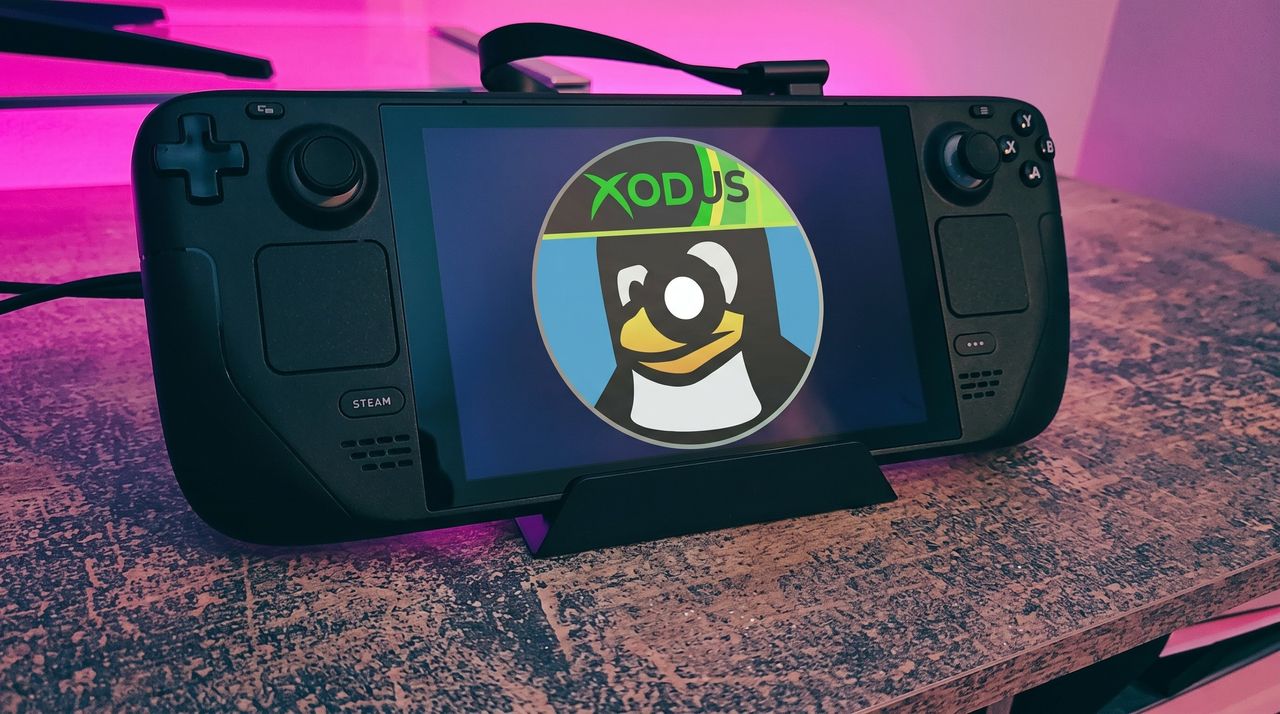
I'm talking about Xodus, an open-source project that's attempting to build a bridge between PC Game Pass and Linux systems, including the Steam Deck. The project is also attempting to iron out similar issues on macOS. No Windows install needed.
Xodus comes from the developers behind the Heroic Games Launcher, a separate open-source app that brings Epic, GOG, and Amazon Prime titles to Steam Deck (it also works on Windows, macOS, and other Linux systems).
The developers are undoubtedly up against a grind with this project. Xbox PC games that come from the Xbox app rely primarily on a Microsoft Game Development Kit (GDK) runtime, which is a far cry from DirectX and Win32 layers that Valve's Proton already handles quite well.
This Microsoft GDK is really what has kept PC Game Pass from running directly on the Steam Deck (and macOS) for so long.
Is Xodus ready for public release?
Xodus could finally bridge the gap between PC Game Pass and Steam Deck. (Image credit: Rebecca Spear / Windows Centarl)
According to updates shared on the Xodus GitHub page, the developers have cracked Xbox authorization, license checks, and MSIXVC package (the containers that PC games come in) download and decryption.
In a Reddit post, a Xodus developer noted that the team's main focus is now getting the Software Development Kit (SDK) for each title to run through Wine. It appears that Xodus has its own Wine and Proton forks for this purpose, as well as an open-source version of the xgameruntime.dll file that Game Pass games depend on.
Xodus likely won't support all Game Pass games when it launches, either. Older games that eschew GDK and MSIXVC for UWP will likely come later, if at all.
Why I'm so excited to try out Xodus on my Steam Deck
PC Game Pass on Steam would open up a whole lot of new options for gaming on the go. (Image credit: Future)
As mentioned, the biggest drawback to my Steam Deck, aside from its growing age, is its lack of native PC Game Pass support.
Sure, I could upgrade to a newer handheld that natively runs Windows, but it looks like I might not need to quite yet. That's especially exciting considering just how expensive gaming handhelds have become of late.
Then there's the Steam Machine, another Valve device running the Linux-based SteamOS. A whole bunch of gamers recently got their hands on the Steam Machine when it launched in June, and making PC Game Pass an option can only benefit Microsoft.
Here's the rub: Xodus has no affiliation with Microsoft. It's an unofficial community project created by independent developers. Does that mean Microsoft will have a problem with it? Not likely, but you never can tell.
Xodus still doesn't have an official release date, but it's something I'll be keeping my eyes on as it progresses. If you're a Linux gamer who wishes they could use PC Game Pass natively, you'll definitely want to keep watch as well.
What do you think about Xodus as a bridge between Steam Deck/Machine and PC Game Pass? Is it something you'd use regularly? Do you already have an alternative method that works better for you? Let me know in the comments section below!
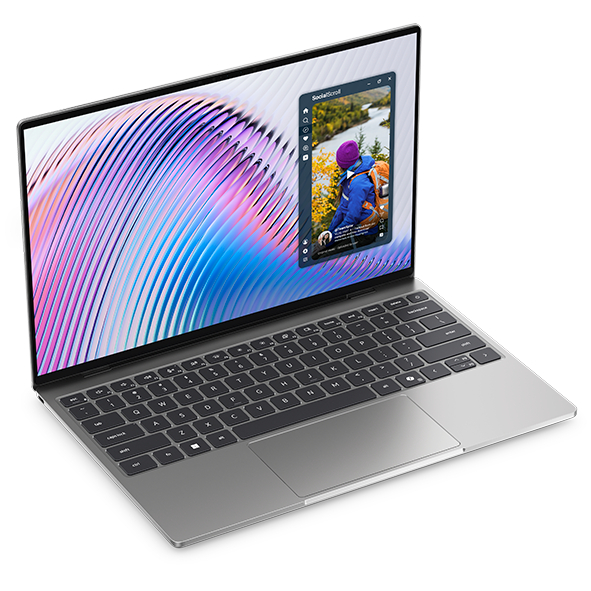
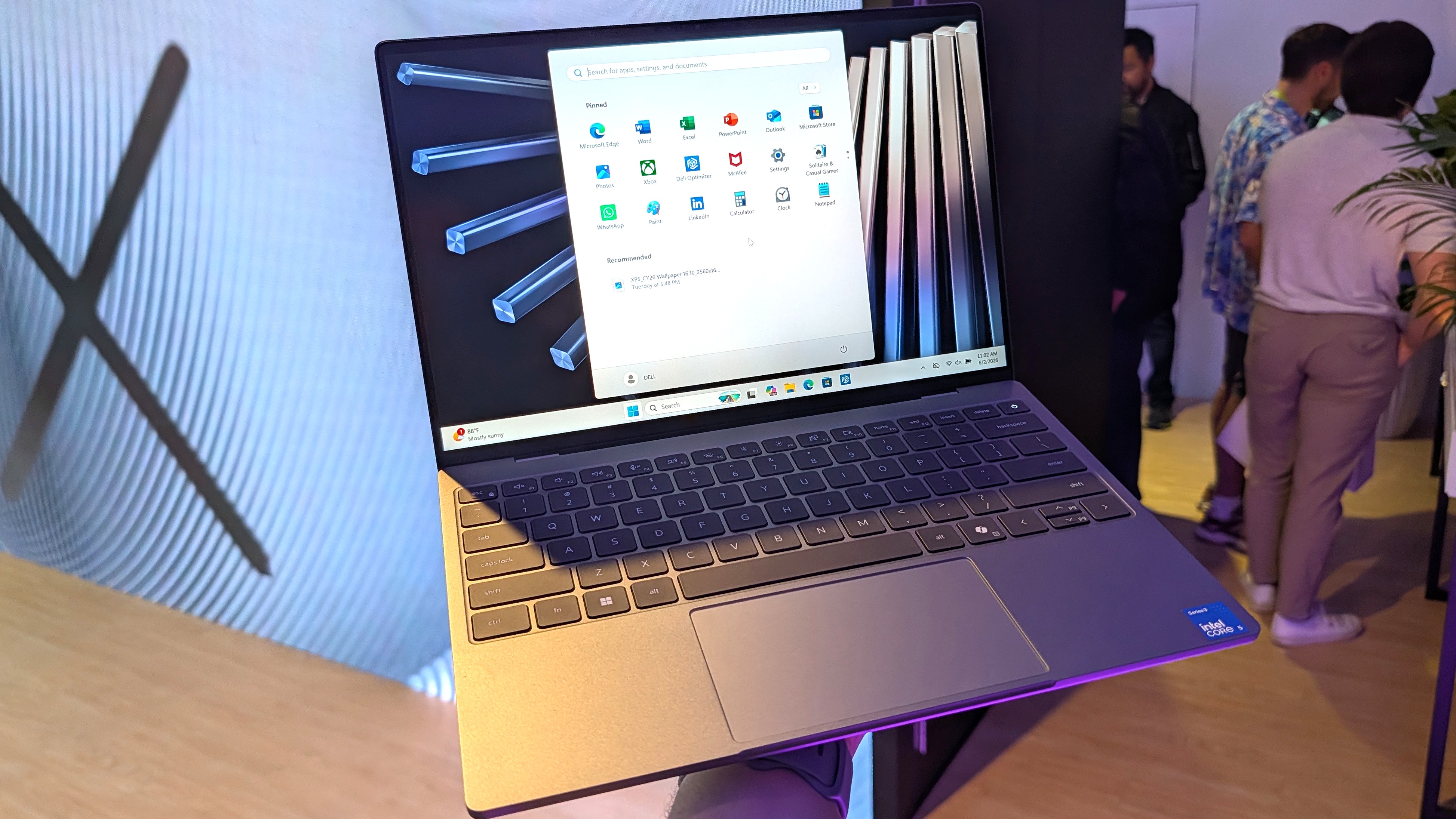
Dell's XPS 13, starting at $599 for students and $699 for everyone else, kicked off a new market sector of affordable-but-premium Windows 11 PCs. It's not likely to be usurped by the new Acer Swift Air 14 unless you need more ports, a larger display, or more expressive color options.
Pros
Beautiful aluminum design that's more compact
2.5K display with plenty of brightness; 30Hz-120Hz variable refresh rate
IR camera for Windows Hello
Starts at $599 for students
Cons
No USB-A or 3.5mm audio
Thunderbolt 4 is only available with more expensive models
Acer's Swift Air 14 arrives to challenge the $699 affordable-but-premium PC market, and it should be the right choice for those who want a larger 14-inch display, more color options, and a more generous selection of ports.
Pros
Thunderbolt 4 ports come standard, includes USB-A and 3.5mm audio
Four color options, beautiful aluminum design
Larger 14-inch display hits 120Hz
Could have slightly better battery life compared to XPS 13
IR camera for Windows Hello
Cons
Slightly larger and heavier (though you get a larger display)
No Dolby Vision, lower-res display
No Panther Lake option for power users
Dell's latest XPS 13 (DX13260) was unveiled at Computex 2026 and launched in June, starting at $599 for students and $699 for everyone else.
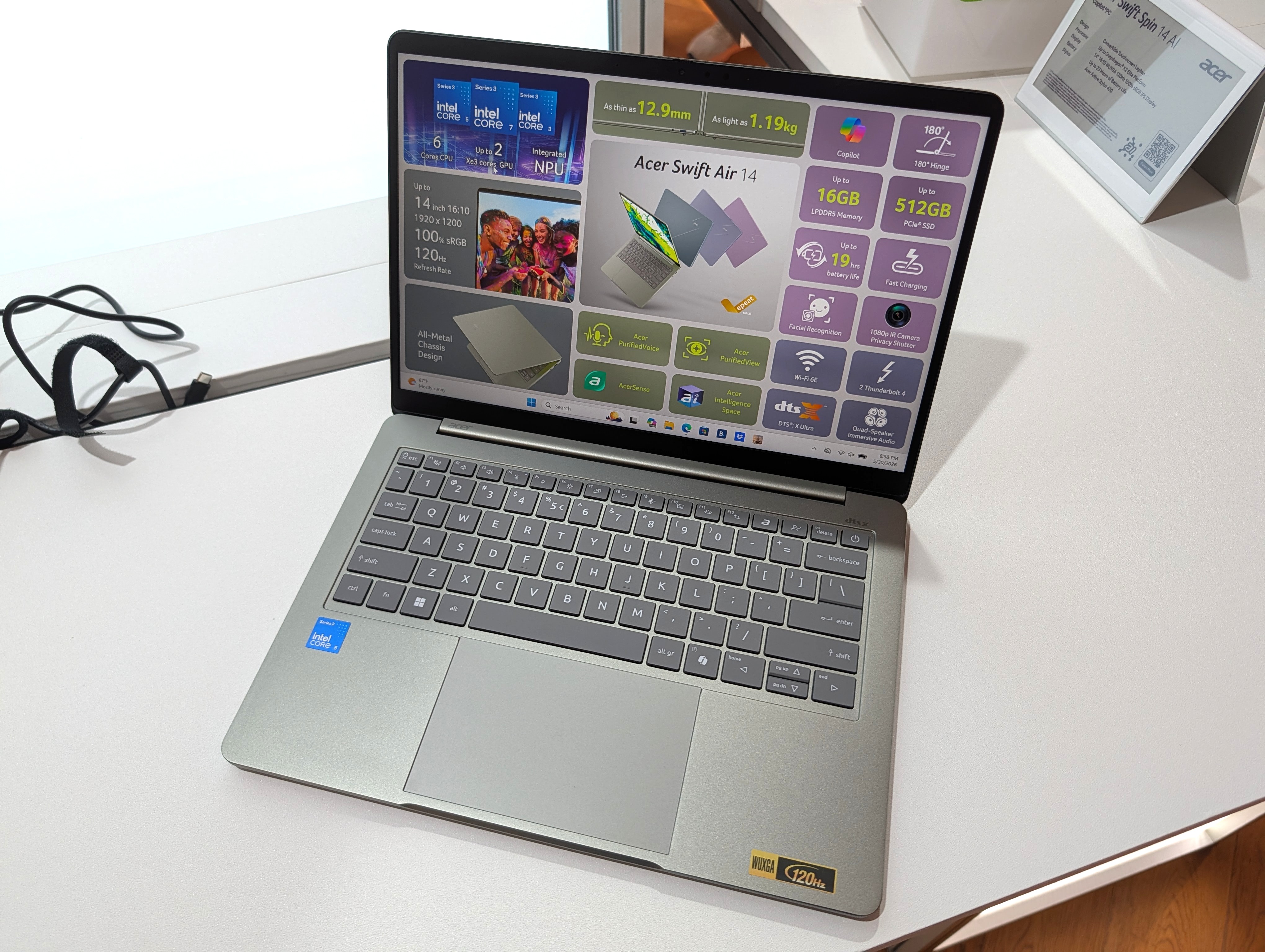
Not to be outdone, Acer also unveiled a new budget $699 Windows 11 laptop at Computex; the Acer Swift Air 14 is expected to launch in North America in August ... basically any day now.
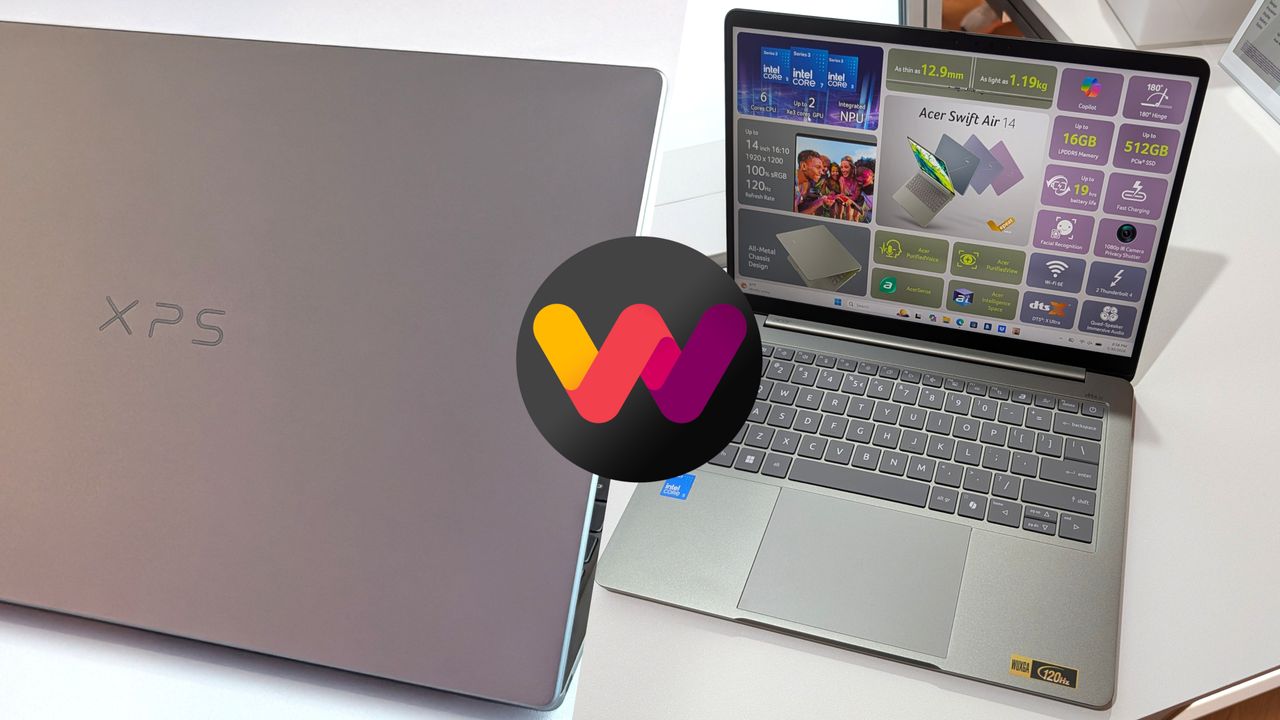
Considering how closely matched these two PCs are in price, I thought it was best to put together a comparison to help you make the right decision.
Dell XPS 13 vs. Acer Swift Air 14: Specifications
Here's a breakdown of the specs that go into each of these laptops to give you a better idea of what you're buying.
TL;DR? Acer's Swift Air 14 is a larger laptop with a much larger battery capacity, and both PCs run on the same Intel Wildcat Lake chips. I break down the differences in some detail below this table.
These budget laptops feel like they should cost a lot more than $699
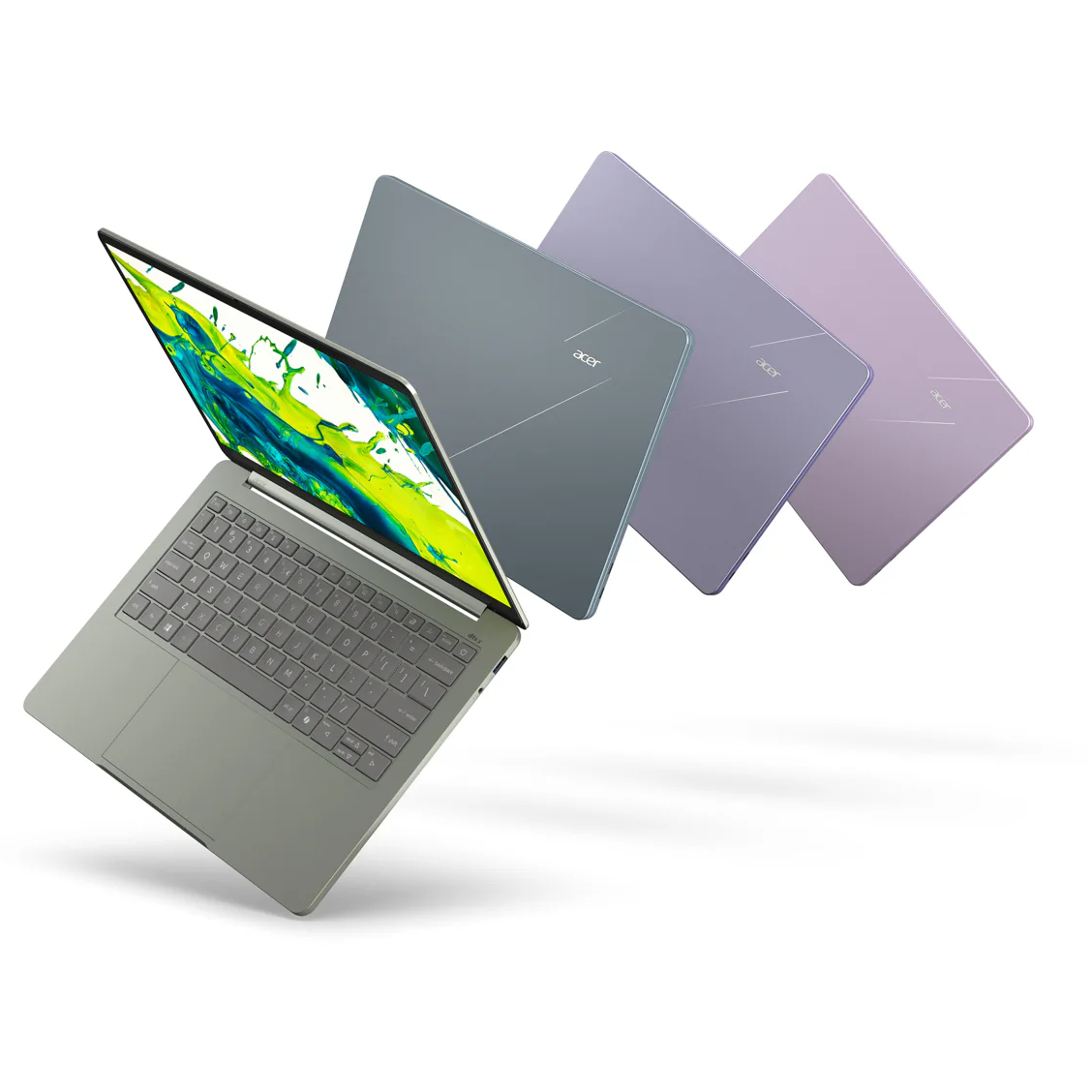
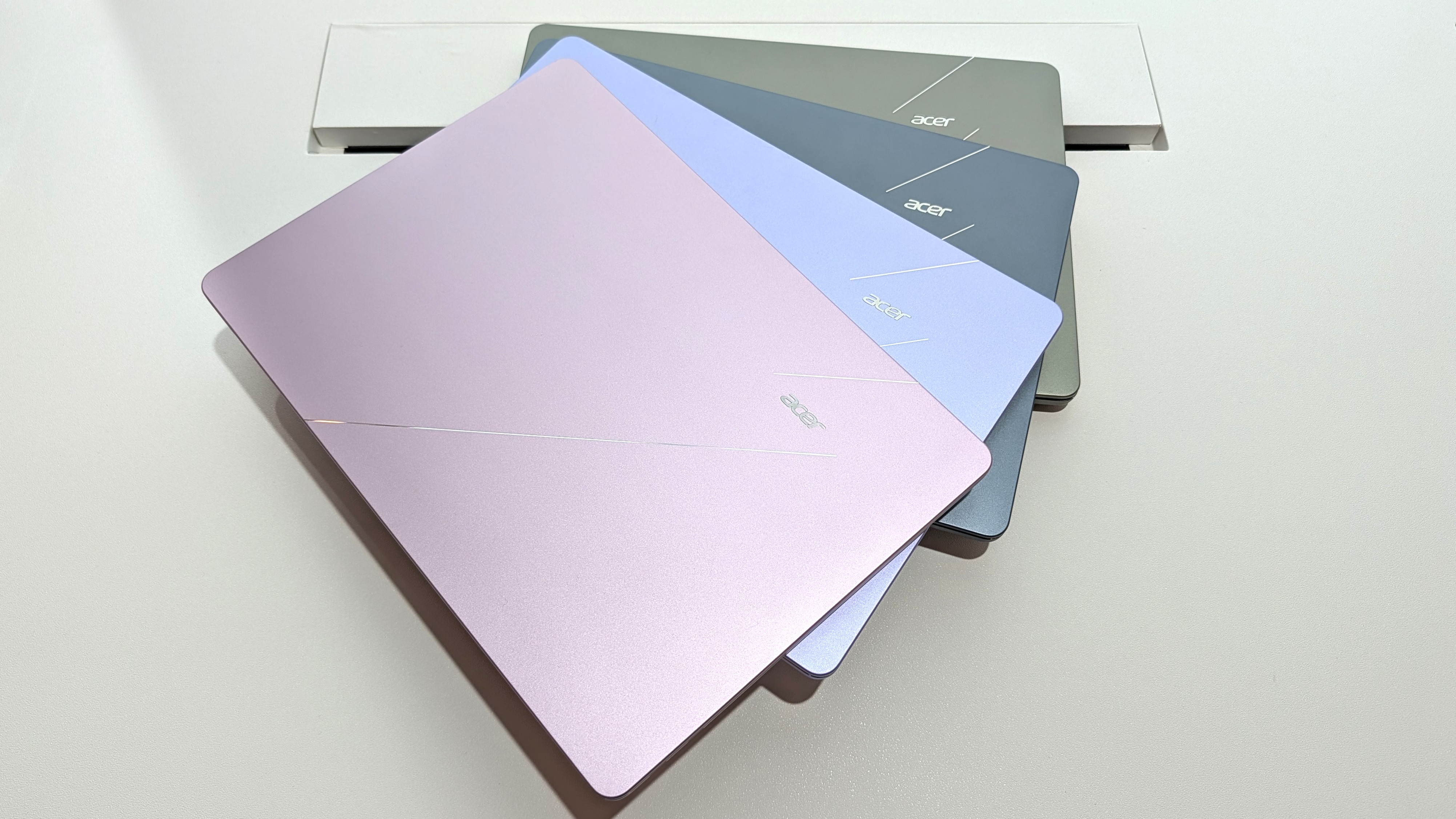
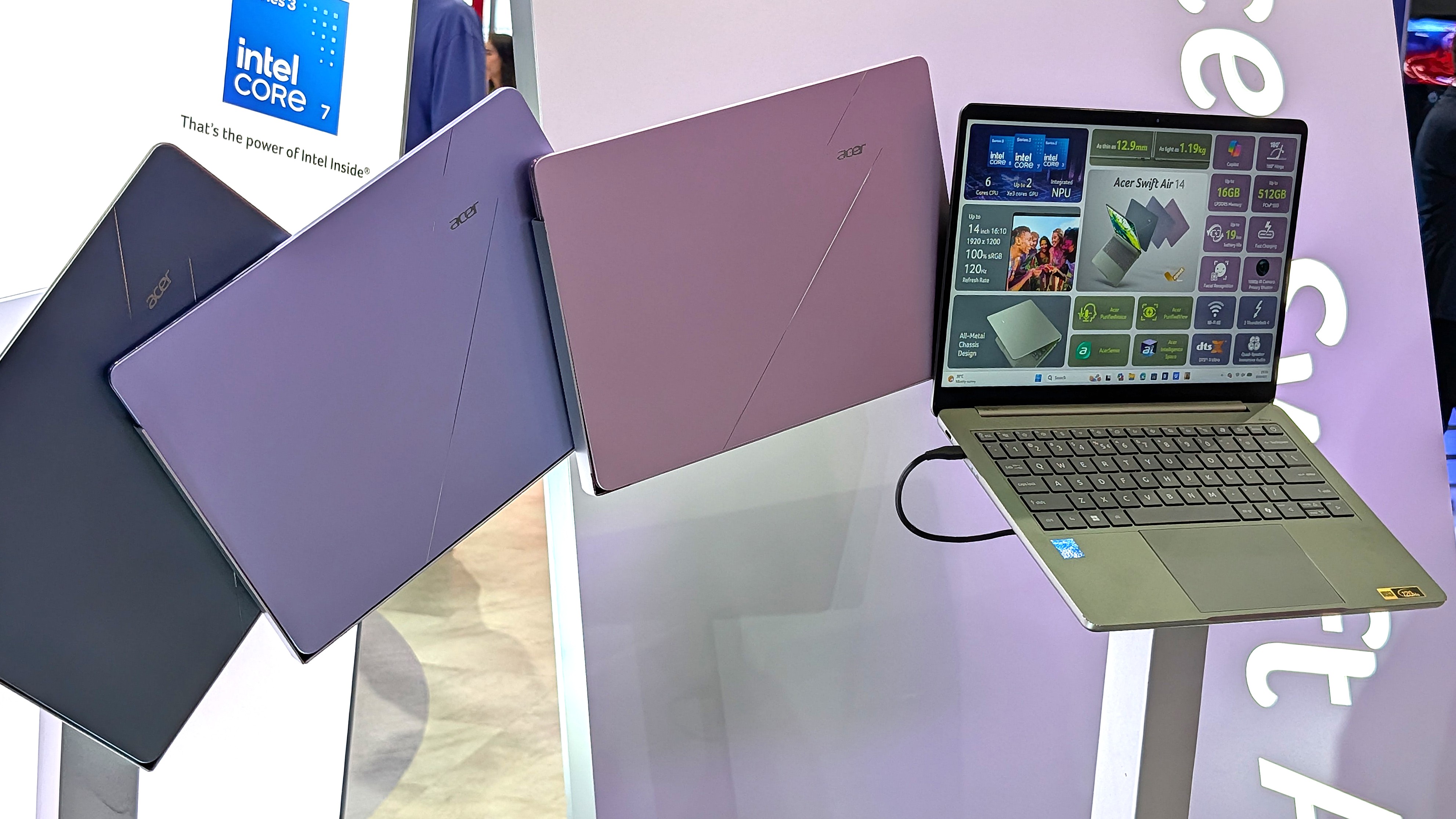
Showing off the Acer Swift Air 14's color options. (Image credit: Windows Central / Zac Bowden)
One major feature that sets these budget laptops apart from other PCs in the same price range is their aluminum frames. These are laptops with a truly premium feel despite their budget pricing.
It's a beautiful laptop, complete with a metal enclosure that feels premium to touch, and a large trackpad and excellent keyboard that make using the device feel great.
Zac Bowden
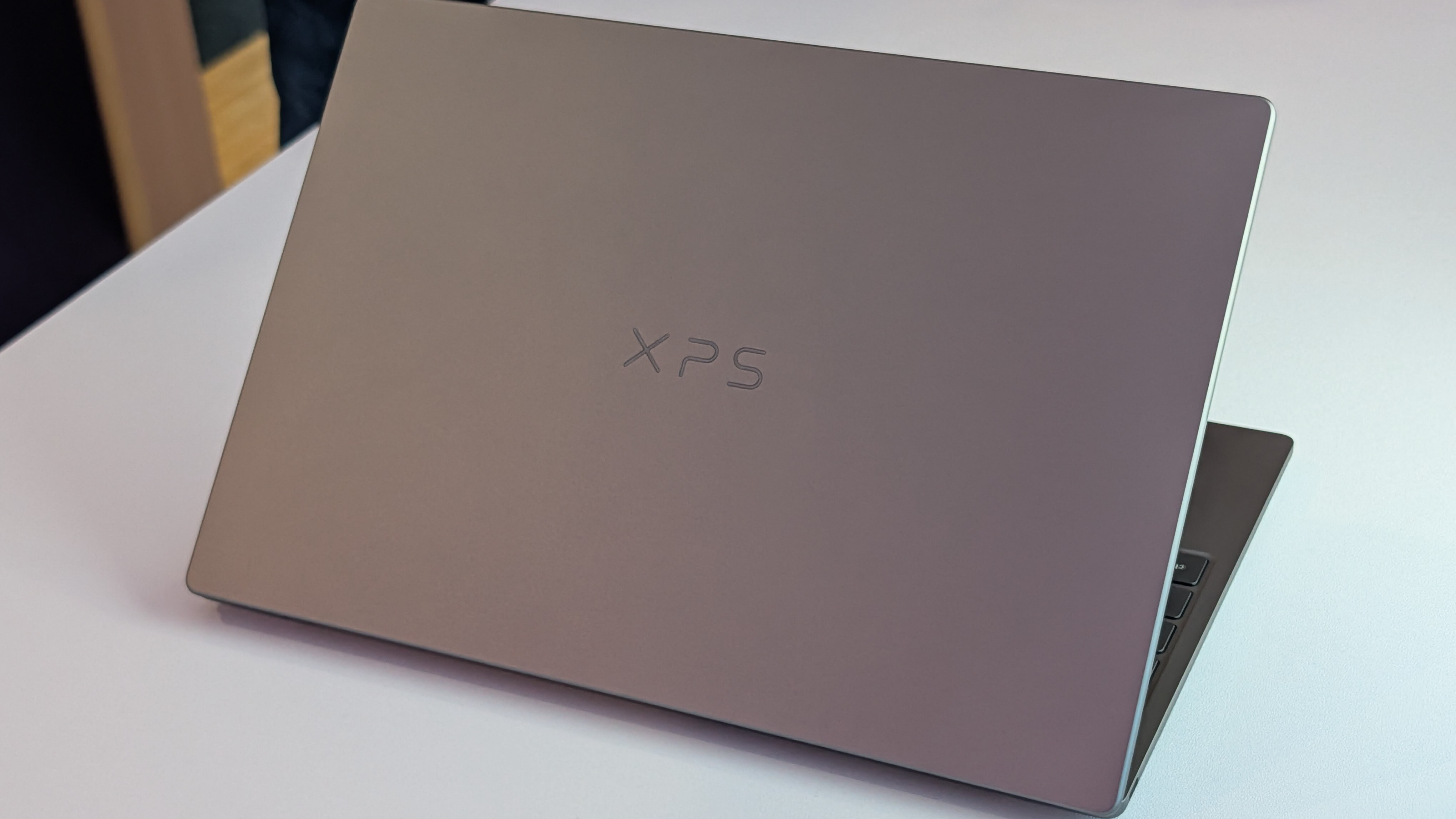
Dell offers two colors — Storm or Sky — for its XPS 13, while Acer offers Sage Green, Frost Blue, Blossom Pink, and Lilac Purple colors for a bit of extra expression.
The Swift Air 14 is the larger of the two laptops due to its 14-inch screen. It's still only about 12.36 inches wide (basically the size that 13-inch laptops used to be), and it weighs in at just 2.75 pounds (1.25kg).
The XPS 13 has a width of 11.69 inches and weighs in at 2.2 pounds (1kg), which is considerably lighter. I'd say that both of these laptops are extremely portable, and there's a difference of just 0.1 inches when it comes to thickness.
The laptops feel premium, and that's really what matters with such affordable devices. Bowden, too, went hands-on with the new XPS 13, stating:
The new XPS 13 doesn't cut any obvious corners to reach its new $699 price point. It still feels every bit as premium and nice to use as the $1,000 XPS 13 before it. This would be like if Apple made the MacBook Air a $699 laptop, instead of building a cheaper MacBook Neo.
Zac Bowden
TL;DR: Both laptops have a premium design and build quality, and they're both relatively thin and light. Stick with the XPS 13 if you want to be as mobile as possible, though the Swift Air 14 isn't far behind.
Touchpads and keyboards don't suffer from budget pricing
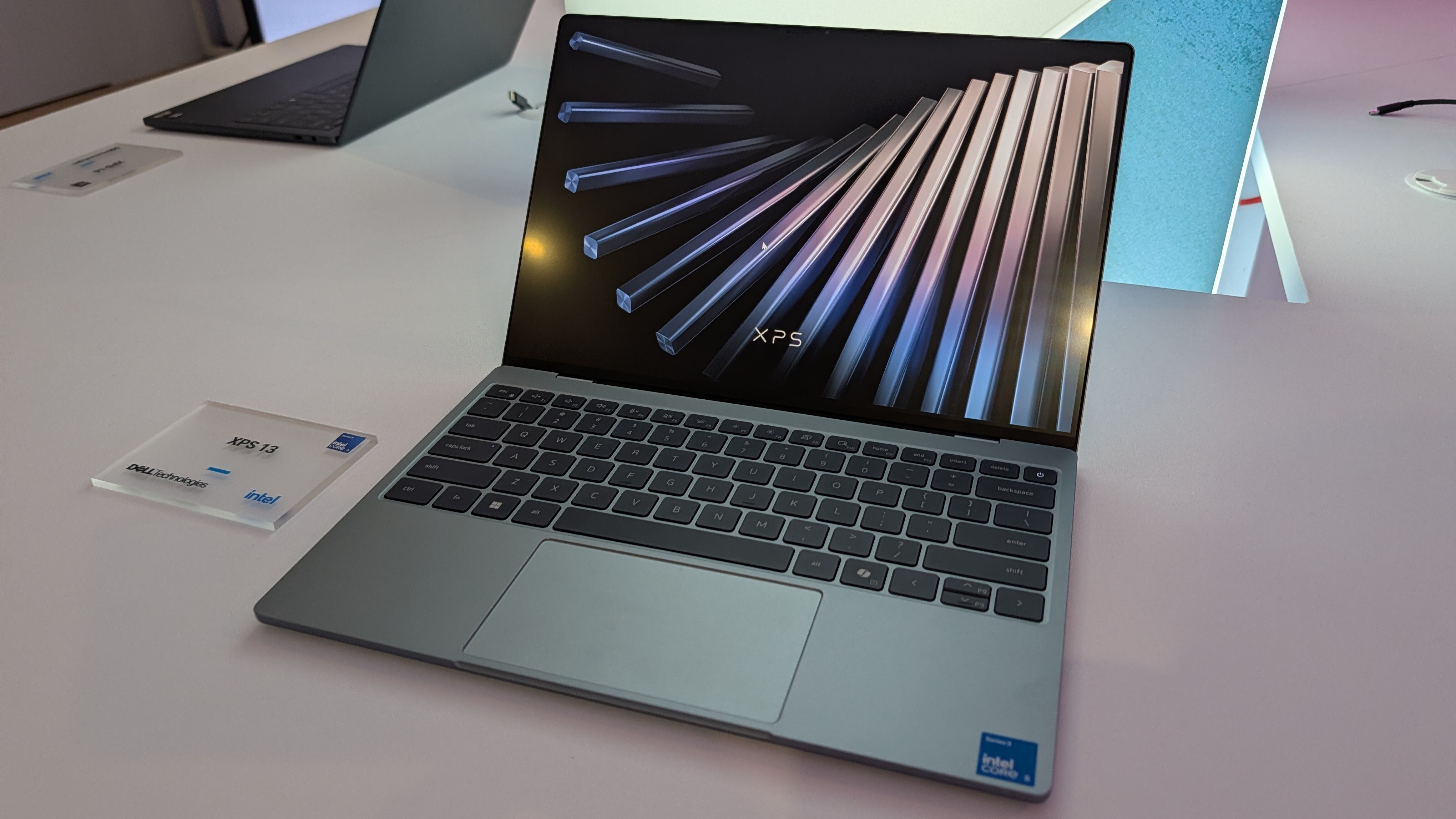
A closer look at the XPS 13's backlit keyboard and mechanical touchpad. (Image credit: Future)
As I mentioned, these laptops don't feel like they cost $699. Zac Bowden and I tested them both while we were at Computex, and it's clear that both brands put a lot of work into their keyboards and touchpads.
Dell skipped its lattice-free keyboard design on the new XPS 13 for a more traditional feel, and its mechanical touchpad (no haptics, unfortunately) is large and has a satisfying click.
In the same vein, the Swift Air 14's keyboard has decent travel and a comfy feel. The touchpad, again without haptics, is large and tracks well. You'll ultimately have to decide for yourself which setup you like more, but I can say that neither laptop skimps on the backlit keyboard and mechanical touchpad.
TL;DR: Your final decision will likely come down to personal preference, but I can say after testing both laptops that neither is likely to disappoint in terms of touchpad and keyboard.
Port selection might be the weak spot for some users
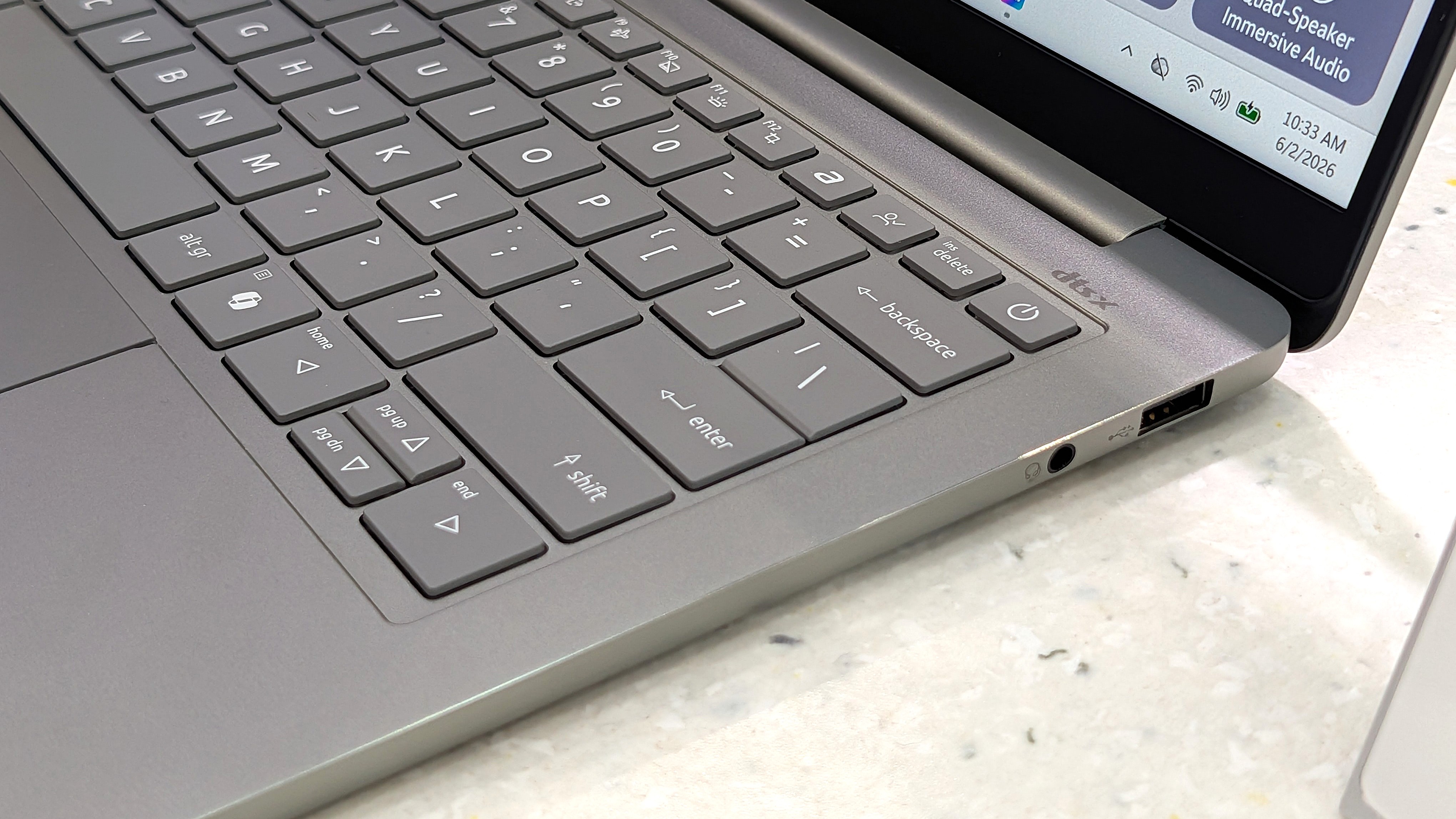
A look at the Swift Air 14's USB-A port and 3.5mm audio jack. (Image credit: Zac Bowden / Windows Central)
The XPS 13 with Intel's Wildcat Lake chips features dual USB-C 3.2 (Gen 2) ports. If you spend more on a model with an Intel Panther Lake CPU, you'll get two Thunderbolt 4 ports instead.
The Swift Air 14 is a lot better on ports, with dual Thunderbolt 4, one USB-A 3.2, and a 3.5mm audio jack.
As for wireless connectivity, the XPS 13 has more modern Wi-Fi 7 connectivity paired with Bluetooth 6.0. The Acer Swift Air 14 falls back to Wi-Fi 6E and Bluetooth 5.3. Is this a difference an average user will notice in day-to-day computing? Absolutely not.
TL;DR: Dell's most affordable XPS 13 models don't come with Thunderbolt 4, and there's no 3.5mm audio jack. Acer's Swift Air 14 comes with dual Thunderbolt 4 by default, plus it adds USB-A and an audio jack.
Both PCs have IR cameras for Windows Hello
The bezel above the Swift Air 14's display houses a 1080p webcam with IR capabilities for Windows Hello. (Image credit: Windows Central / Zac Bowden)
Something you don't see very often in budget laptops is an IR camera for Windows Hello. This additional hardware built into the above-display cameras unlocks facial recognition for Windows 11, adding an invaluable layer of security for any type of user.
Both laptops have a regular 1080p camera for video conferencing and stills. We had limited time to test cameras during our hands-on, but each seemed to do a good job of handling varying lighting conditions.
TL;DR: There's not much difference here between the 1080p webcams with IR sensors for Windows Hello facial recognition.
Dell's XPS 13 has a superior display compared to the Swift Air 14
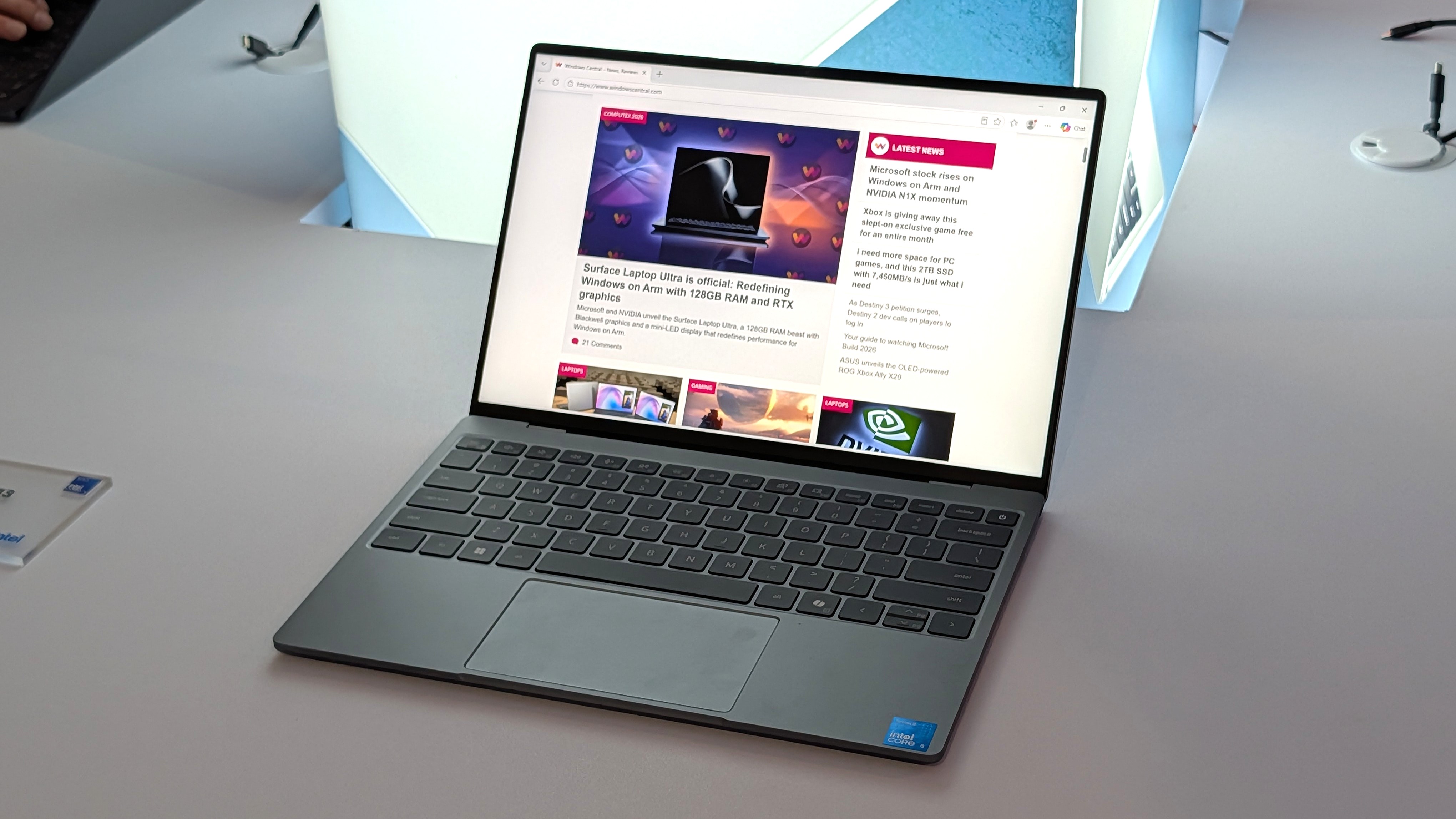
A bright display with a 2.5K resolution comes standard in the XPS 13.
Measuring 13.4 inches with a 2560x1600 (2.5K) resolution, the XPS 13's display doesn't fail to impress. It's crisp, it has plenty of brightness at a 500-nit maximum, and an anti-glare finish makes it easier to see in bright conditions.
It features Dolby Vision certification for HDR content, it has a 30Hz to 120Hz variable refresh rate, and Dell clocks it at 100% DCI-P3 color gamut coverage.
The only aspect I can see Acer winning with the Swift Air 14's display is sizing. It measures 14 inches, giving some users a much-needed boost for multitasking. It also hits 100% sRGB color.
Another shot of the XPS 13's 2.5K display. (Image credit: Zac Bowden / Windows Central)
It does, however, have a lower 1920x1200 resolution and less brightness at 350 nits. It's unclear if the Swift Air 14's display has a variable refresh rate: it's listed as 120Hz only. That's a nice smooth picture, though the variable aspect can help conserve battery life.
TL;DR: The XPS 13's higher resolution, variable refresh rate, and Dolby Vision certification make it an attractive option, though some users will prefer a full 14 inches from the Swift Air 14 for easier multitasking.
Intel Wildcat Lake CPUs help keep prices down
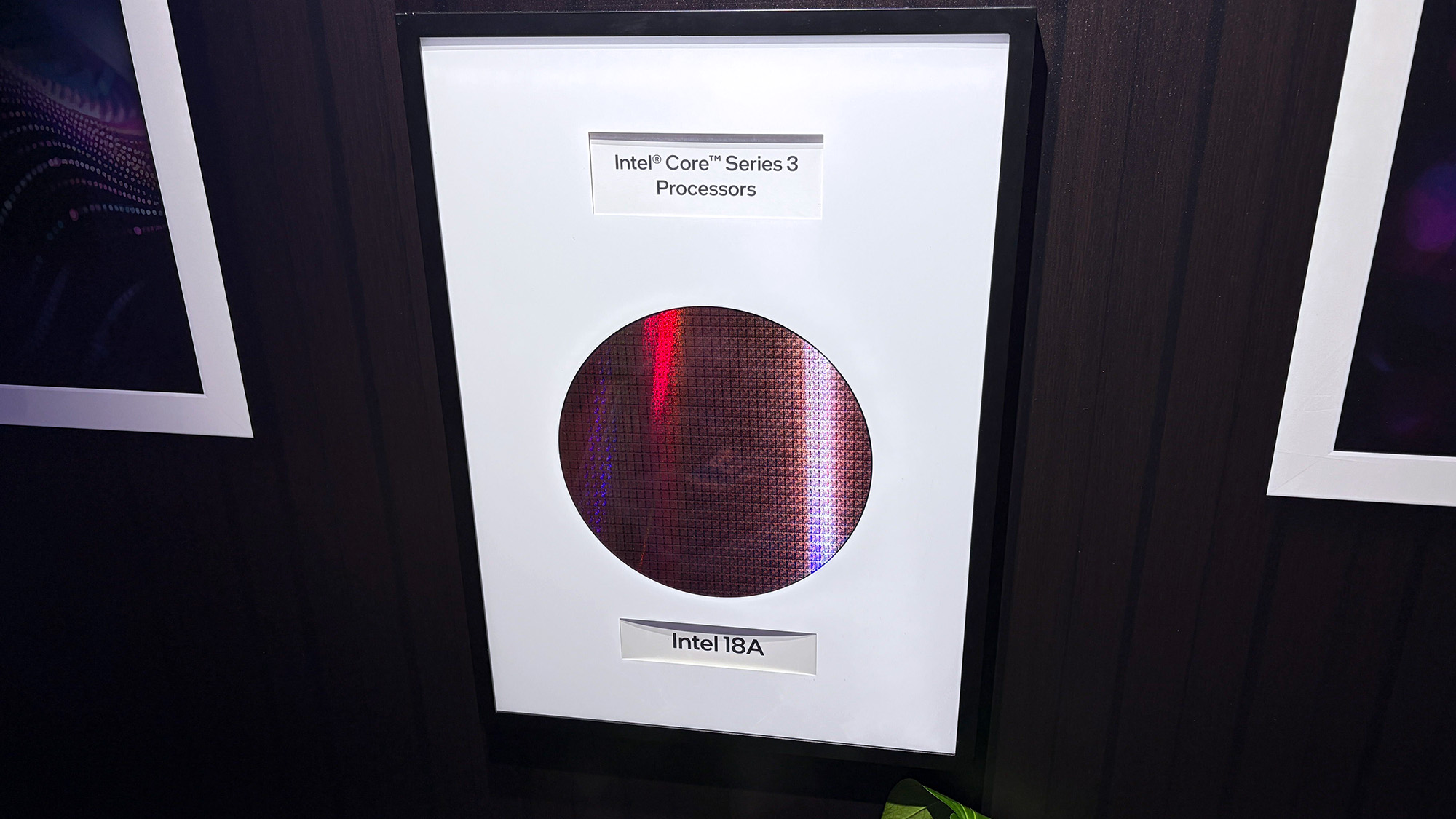
The Intel Core Series 3 wafer used to make the Wildcat Lake chips in the XPS 13 and Swift Air 14. (Image credit: Cale Hunt | Windows Central)
Dell's Wildcat Lake Core Series 3 processors are driving both of these $699 laptops, so I don't expect there to be much difference in performance. However, there is some nuance.
The XPS 13 is currently only available with a Core 5 320 chip; a Core Ultra 7 355 chip from the more powerful Panther Lake series is expected to arrive at some point in the future. If you want the most power possible and don't mind spending more, this is the configuration I'd hold out for.
I'm expecting the Swift Air 14 to launch with the same Core 5 320 CPU in its $699 model, but Acer also lists a Core 7 350 for those with a bit more to spend. Both laptops come with 8GB or 16GB of LPDDR5 RAM, and only Dell plans to release a 32GB config for its upcoming Intel Core Ultra model.
TL;DR: The use of Intel Wildcat Lake CPUs in both laptops means performance should be close. If you want more power, only the XPS 13 is expected to offer an Intel Panther Lake alternative.
Acer's Swift Air 14 has a much larger battery capacity, but Dell has a secret weapon
The Swift Air 14 hides a sizable 70Wh battery in its slim chassis. (Image credit: Zac Bowden / Windows Central)
The Intel Wildcat Lake chips used in these laptops are geared to offer exceptional battery life.
Dell says its XPS 13 with a 52Wh battery can go for up to 17 hours when streaming video, and that's boosted by the use of 800ED battery cells that hold more power while taking up less physical space.
Acer's Swift Air 14 has a larger 70Wh battery, though it doesn't have Dell's extra-dense cells. This results in an estimated 19 hours of video playback, or 16 hours of web browsing, according to Acer.
We'll have to perform our own tests on these laptops to discover the true battery life, but I can say that both PCs should be able to get through a day of work or study without needing a charge.
TL;DR: The Swift Air 14's larger battery capacity is offset by Dell's use of denser battery cells. Both PCs should be able to go for most of a day without needing a charge.
Dell XPS 13 vs. Acer Swift Air 14: Which should you buy?
Dell's new XPS 13 is available starting at $599 for students, $699 for everyone else. (Image credit: Future)
Which laptop you ultimately choose should come down to several personal preferences. Want a larger display even with a lower resolution? Acer's laptop is the way to go. Want a larger battery capacity? The same goes.
But Dell's XPS 13 drops its price to $599 if you're a student, which makes it a particularly spectacular deal. Combine that with a higher-res 2.5K display, snappy performance, and long battery life, and you have a PC that's tough to beat.
The incumbent
Dell
XPS 13 (DX13260)
Dell's XPS 13, starting at $599 for students and $699 for everyone else, kicked off a new market sector of affordable-but-premium Windows 11 PCs. It's not likely to be usurped by the new Acer Swift Air 14 unless you need more ports, a larger display, or more expressive color options.
The Challenger
Acer
Swift Air 14 (SFA14)
Acer's Swift Air 14 arrives to challenge the $699 affordable-but-premium PC market, and it should be the right choice for those who want a larger 14-inch display, more color options, and a more generous selection of ports.
Join us on Reddit at r/WindowsCentral to share your insights and discuss our latest news, reviews, and more.

 Login
Login