❌

Reading view

Mais franquias de consoles e PCs estão chegando ao mobile, diz chefe da App Store

Em entrevista ao Polygon, o vice-presidente da App Store, Carson Oliver, comentou o Apple Arcade e a relação da Maçã com os desenvolvedores de jogos independentes.

As declarações ocorreram em meio à Indie Games Week, evento que deu destaque a alguns títulos de sucesso disponíveis para os dispositivos da Apple, como Sifu, Vampire Crawlers e No Man’s Sky.

A matéria avalia que a investida da Apple no mercado de videogames ao longo da última década foi consistente o suficiente para conquistar de fato o público gamer. Oliver, vale lembrar, assumiu a liderança da loja de aplicativos do ecossistema da Apple, após Phil Schiller deixar o posto em agosto.

O executivo falou sobre os esforços da empresa no segmento, que, segundo ele, vão além da distribuição, e ressaltou a chegada de títulos AAA ao ecossistema:

O que está acelerando esse movimento hoje é a tecnologia que impulsiona esse ecossistema. Apoiamos os desenvolvedores na App Store com muito mais do que distribuição. Continuamos investindo pesadamente em gaming: de novas tecnologias de hardware que entregam o mais alto desempenho sustentado, como o ray tracing acelerado por hardware do A20 Pro e a câmara de vapor de última geração no iPhone 18 Pro; a ferramentas de desenvolvimento, como o Game Porting Toolkit 4, o Metal e os nossos plugins de código aberto da Unity.

Temos observado o crescimento no número de jogos que chegam à App Store, em geral, com mais títulos premium este ano do que no anterior. […] Enquanto muitos são indies, nós estamos vendo mais franquias de consoles e PC chegando ao mobile, já que é um público em expansão para esses jogos.

O executivo também falou sobre a relação da Apple com os desenvolvedores independentes, além de destacar as diferentes formas de levar os jogos a Macs, iPhones e iPads:

Desde o primeiro dia, a App Store foi pensada para equilibrar as condições de descoberta e distribuição, de modo que um título indie possa se equiparar às maiores franquias do entretenimento. […]

Nós queremos dar aos desenvolvedores um ambiente confiável para alcançar usuários ao redor do mundo, dar-lhes suporte em cada passo e ajudá-los a construir negócios bem-sucedidos. […] Para atingir esses objetivos, nós oferecemos modelos de negócio flexíveis. Isso significa que um fenômeno inovador como Balatro pode prosperar como um jogo premium, e também pode encontrar um espaço no serviço Apple Arcade. O importante é que damos aos desenvolvedores a flexibilidade para fazer a melhor escolha e, a todos os jogos e jogadores, a liberdade de jogar como quiserem.

O Apple Arcade conta com mais de 200 títulos no acervo (livres de propagandas ou compras internas), os quais podem ser acessados por até cinco membros de um Compartilhamento Familiar em iPhones, iPads, Macs, Apple TVs e/ou Apple Vision Pros. O serviço de jogos custa R$14,90 por mês e também faz parte do pacote de assinaturas da empresa, o Apple One.

NOTA DE TRANSPARÊNCIA: O MacMagazine recebe uma pequena comissão sobre vendas concluídas por meio de links deste post, mas você, como consumidor, não paga nada a mais pelos produtos/serviços ao usar os nossos links de afiliado.

  •  

I opened ASUS' gigantic $2,499 ROG Xbox Ally X20 Pelican case, and there's a lot to unpack, literally

This might be the most over-the-top gaming handheld unboxing I've ever done

What does $2,499 worth of ROG Xbox Ally look like?

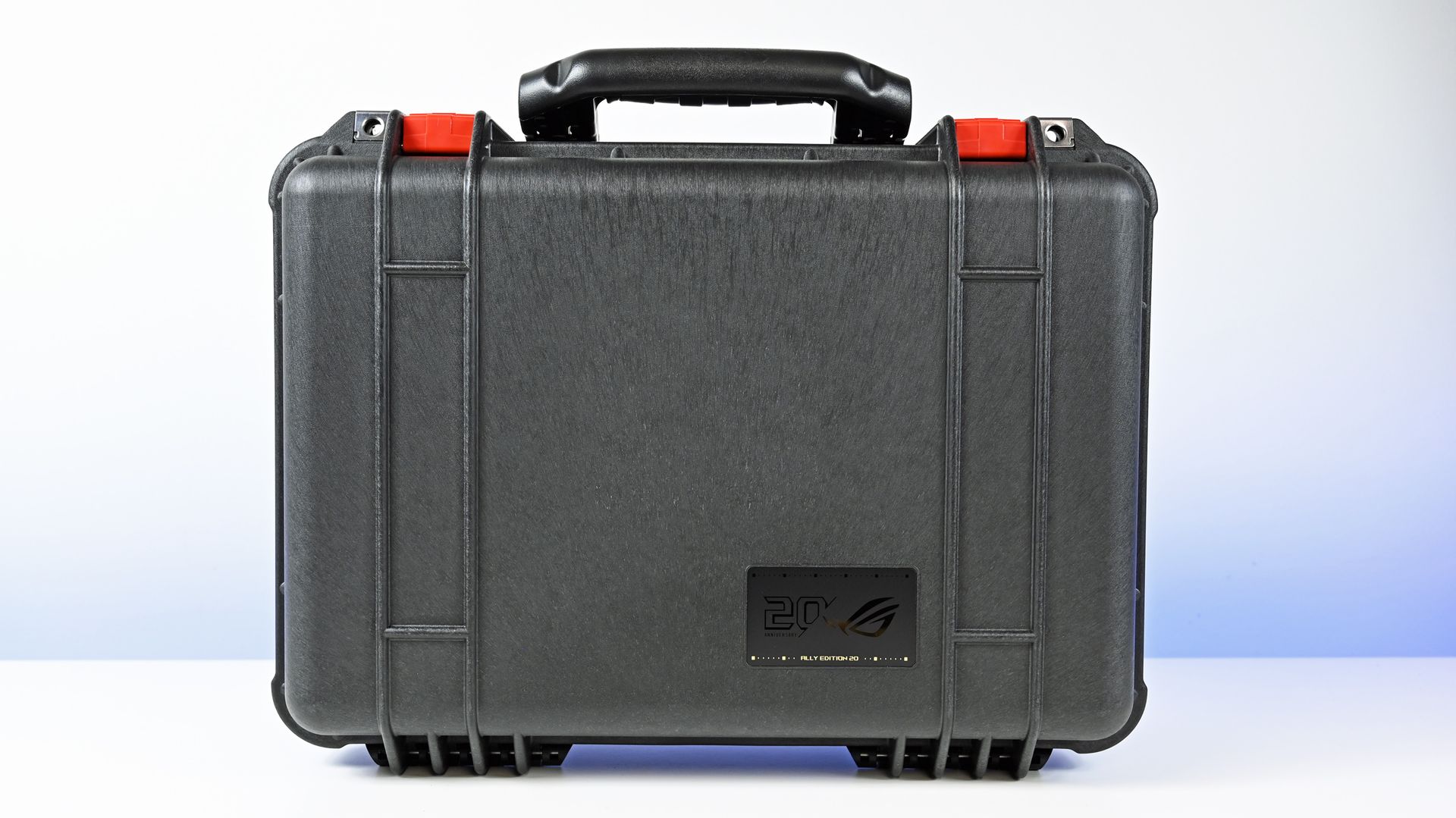
Well, apparently it looks like an enormous, heavy-duty Pelican case that feels like it should contain either extremely expensive gaming hardware or something you've been tasked with delivering to a secret government facility.

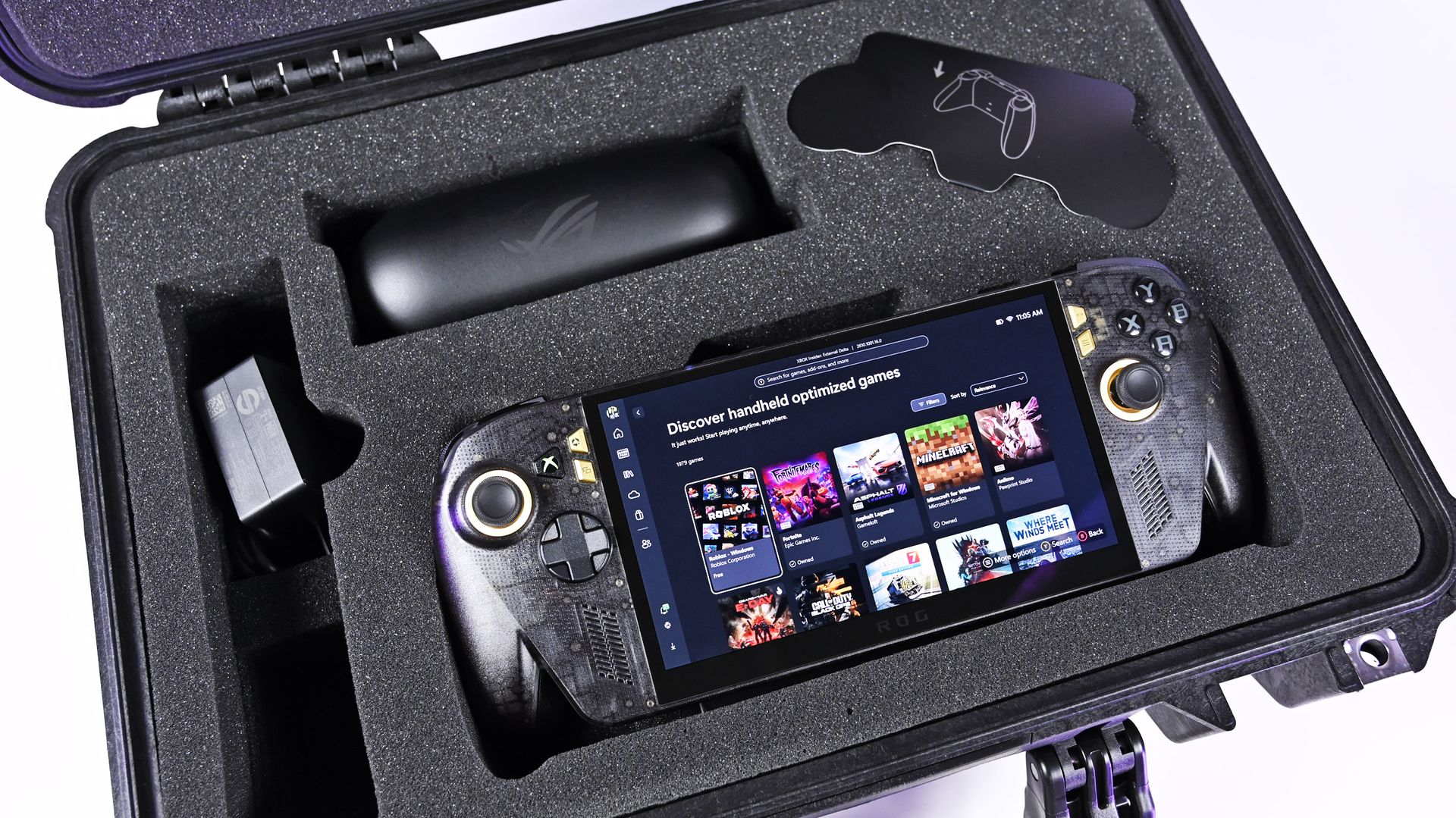
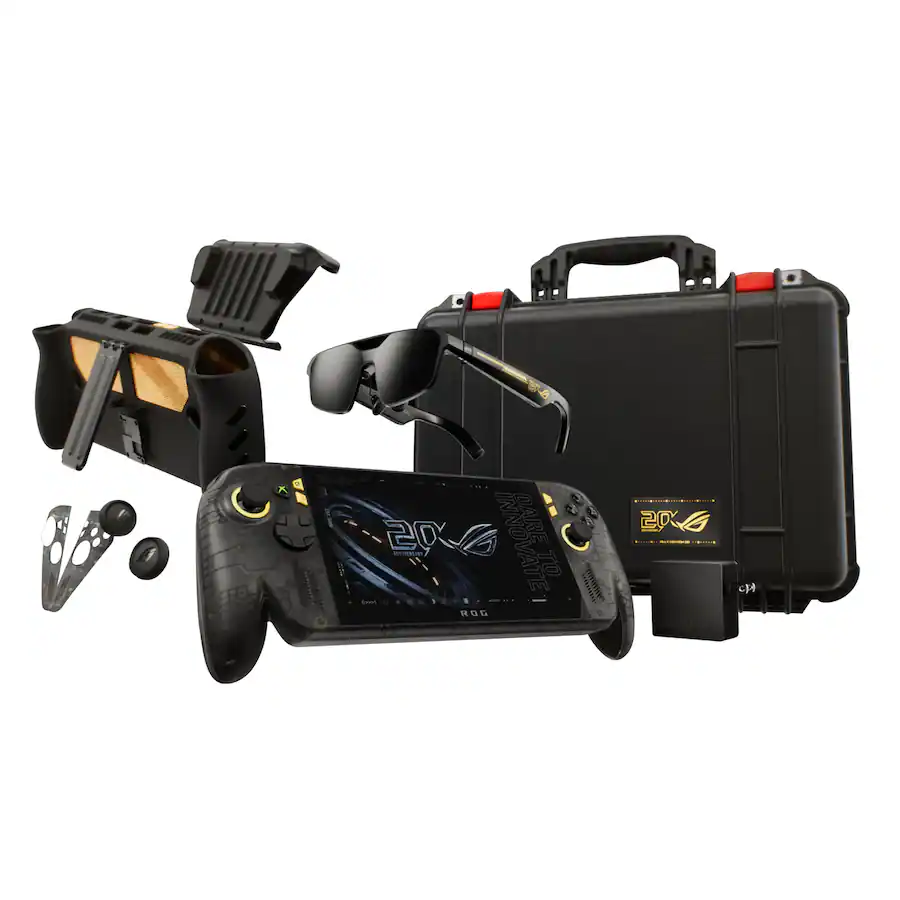
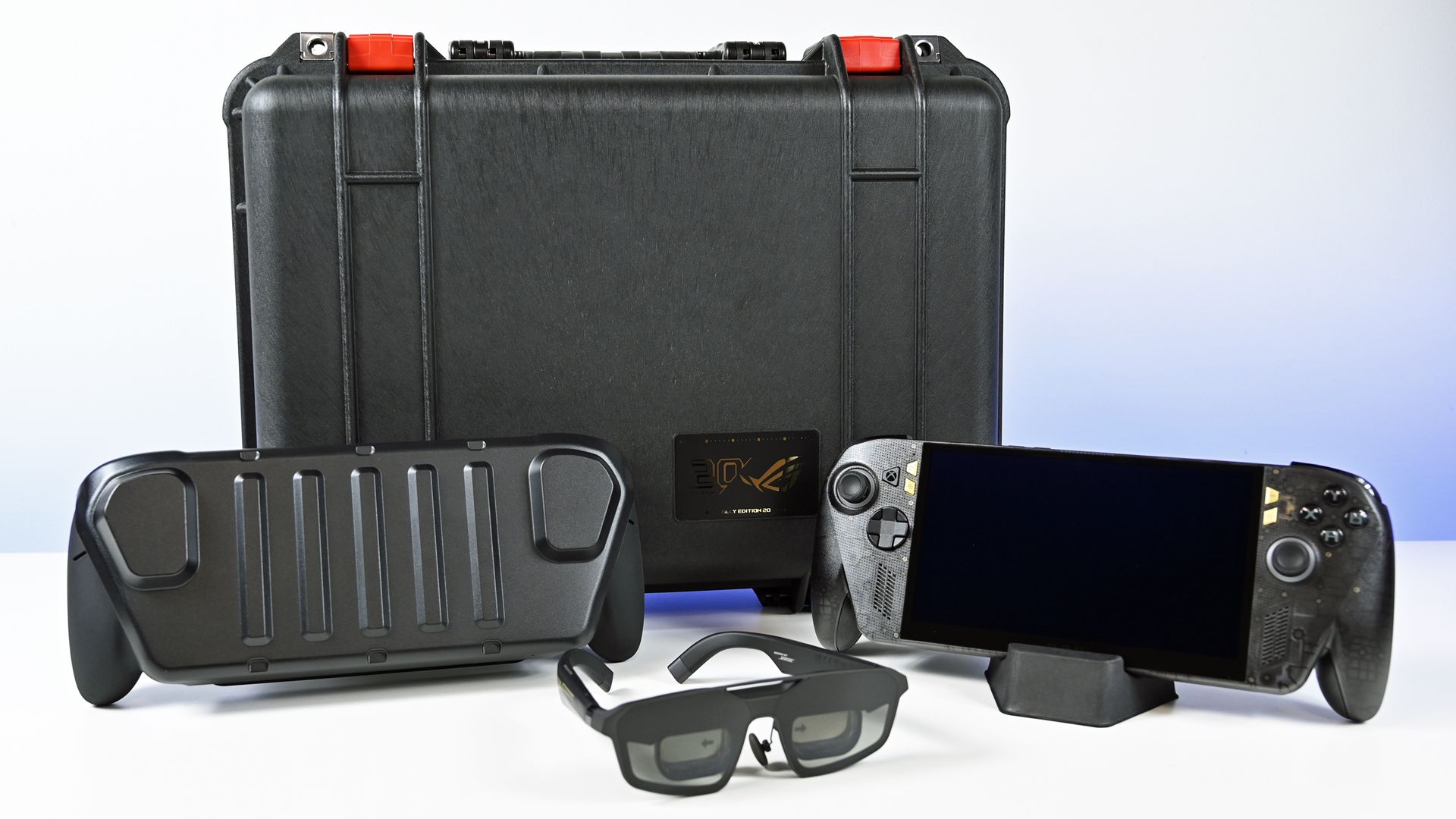
Inside is the new ROG Xbox Ally X20 (now available at Best Buy), ASUS' limited-edition handheld celebrating 20 years of its Republic of Gamers brand, along with the new ROG XREAL R1 Edition 20 AR glasses, a custom dbrand Killswitch and skin, and all the accompanying accessories.

There's even an empty cutout where you can add your own Xbox controller, which is objectively kind of fun (as it implies I'm going to show up randomly to public places carrying this kit, which is certainly a baller move).

And yes, I unboxed the whole ridiculous thing (see video below):

Let's talk about this Pelican case

Front view of the closed black Pelican Protector Case with red latches and a gold 20th Anniversary ROG badge.

Front view of the closed black Pelican Protector Case with red latches and a gold 20th Anniversary ROG badge. (Image credit: Daniel Rubino)

The first thing you'll notice is that ASUS didn't exactly go for subtlety.

The X20 bundle arrives inside a custom Pelican Protector Case, with everything nestled into its own section. And having now handled the thing, I can confirm two things: it's incredibly substantial, and it has some of the most satisfying, snappy latches I've ever used on a case (with holes for padlocks, natch!).

Opening it feels like an event.

That's appropriate because the hardware inside isn't exactly normal either. The X20 uses a translucent black chassis with gold accents underneath, giving it a distinct throwback look that fits the 20th-anniversary theme without making the handheld look like a toy.

Even the Xbox logo/button now glows green (and you can set it to static, pulsing, or fading), which is really sharp-looking and reminds you this is XBOX FIRST.

More importantly, I've now spent some actual time using the X20, and I'm warming up to this thing considerably.

That OLED display really does make a difference

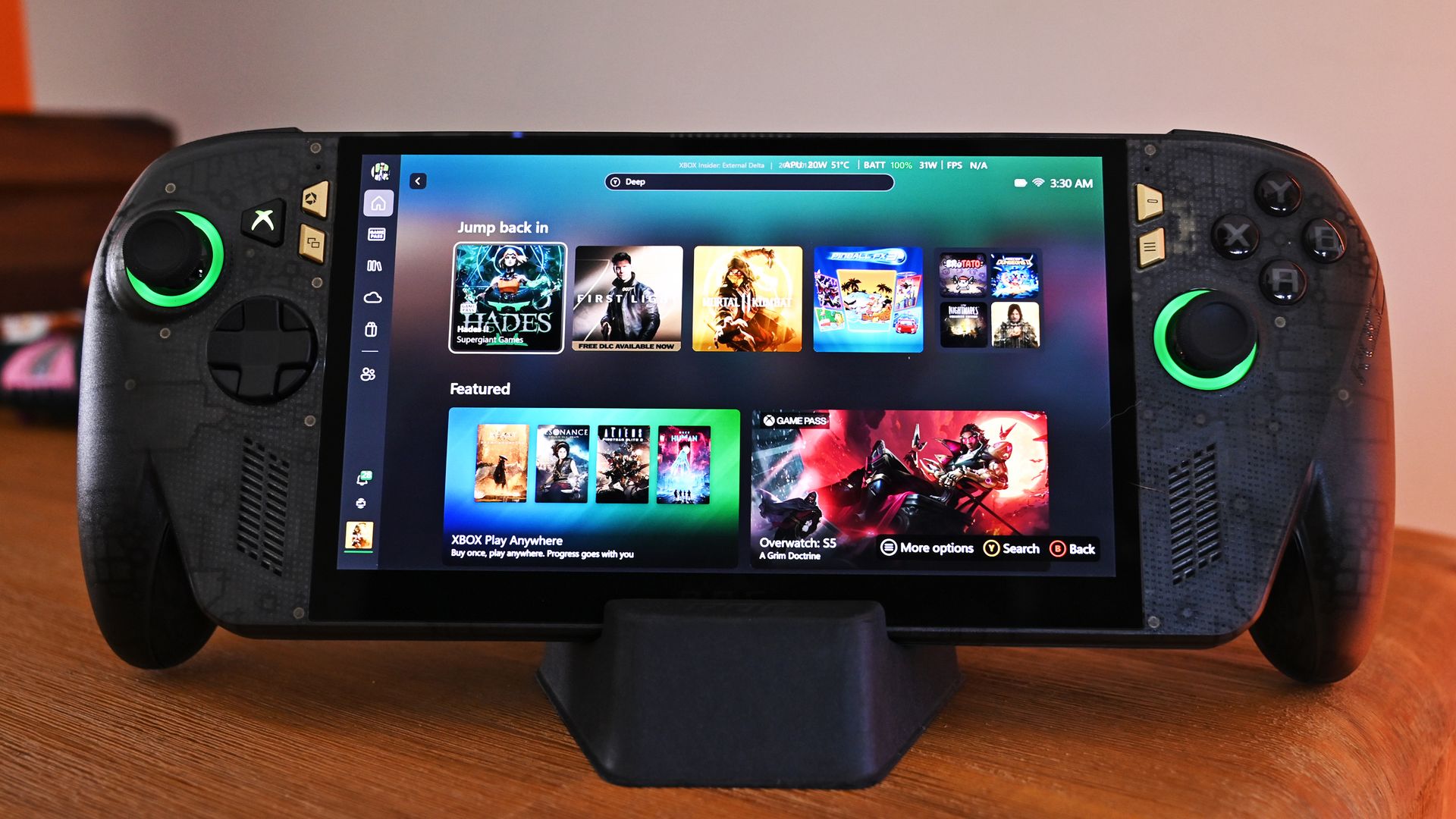
Front view of the ROG Ally X20 handheld resting on a desk dock, showing the Xbox dashboard game tiles and illuminated green joystick rings.

ASUS' new 7.4-inch ROG Nebula HDR OLED display (120Hz VRR) is a huge selling point and upgrade over the current Ally X's LCD panel (7-inch, IPS). (Image credit: Daniel Rubino)

The centerpiece is ASUS' new 7.4-inch ROG Nebula HDR OLED display, a 1080p panel capable of 120Hz with FreeSync Premium Pro and VRR support from 30Hz to 120Hz. It can also reach a claimed 1,400-nit peak brightness.

And yeah, it's good.

The OLED panel is one of those upgrades that becomes immediately obvious when you put the X20 in front of you. It's a significant improvement over the display on the existing ROG Xbox Ally X and gives ASUS' latest handheld some real visual punch.

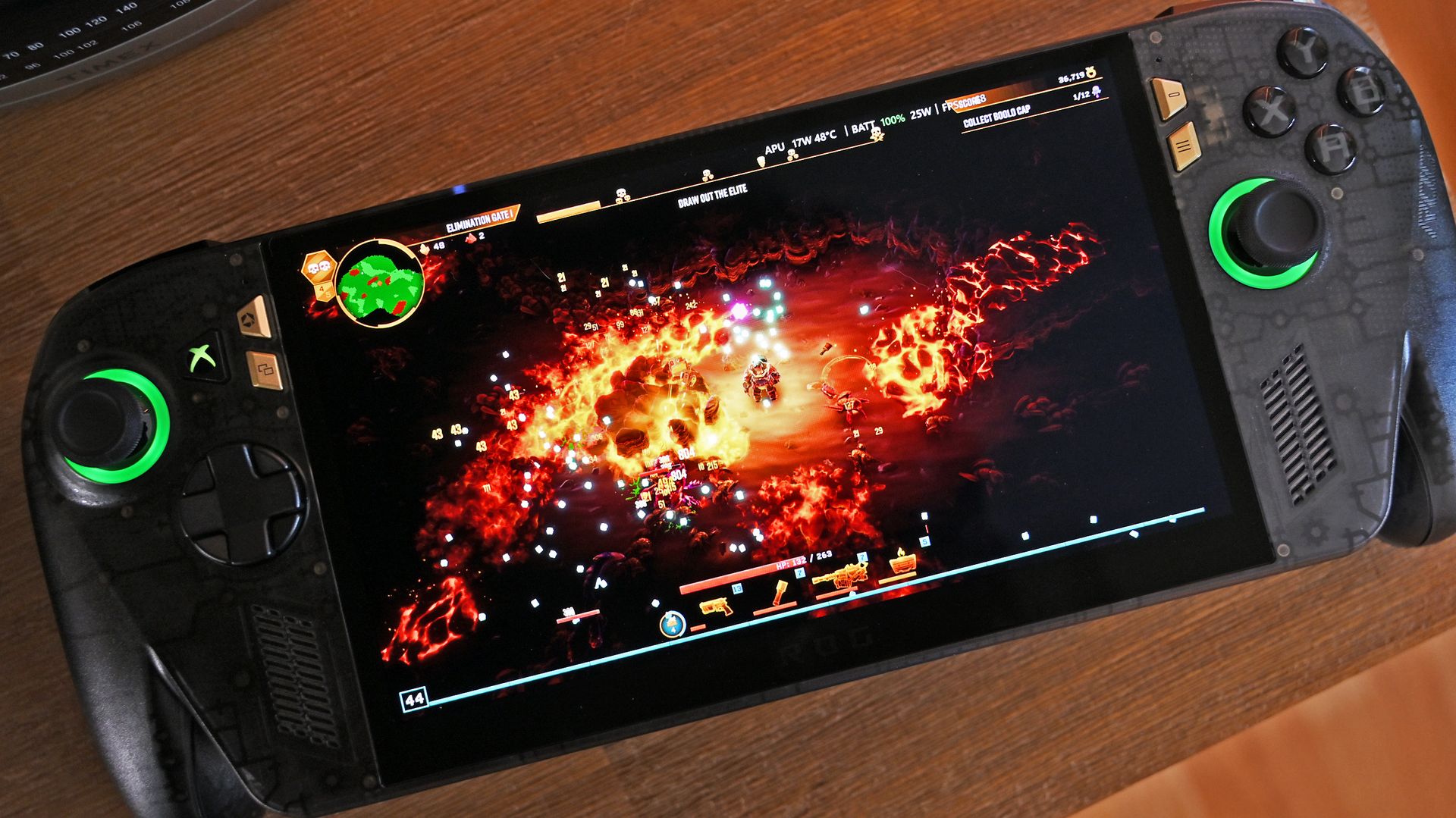
I spent most of the evening trying various games, including one of my recent favorites, Deep Rock Galactic: Survivor (Xbox Play Anywhere; also on sale right now for under $8!). That game has, in my opinion, some outstanding HDR graphics that really shine on this device.

Perhaps even more surprising are the speakers.

Top-down view of the ROG Ally X20 handheld running an action game with fiery explosions, showing green glowing joystick rings and a dbrand custom skin.

Playing Deep Rock Galactic: Survivor on the X20's OLED display is a dream. (Image credit: Daniel Rubino)

They're absurdly loud. In fact, they're the loudest speakers I've heard on a gaming handheld so far, and between the audio and that OLED screen, the X20 makes a surprisingly strong first impression before you even start digging into performance.

Underneath all of that is AMD's Ryzen AI Z2 Extreme, paired with 24GB of LPDDR5X memory, a 1TB M.2 2280 SSD and an 80Wh battery. ASUS has also redesigned the cooling system, while TMR joysticks, a transforming D-pad, and rubberized grips round out some of the hardware changes.

Then ASUS throws a 171-inch virtual display into the box

Three-quarter angle view of the ROG XREAL R1 Edition 20 AR smart glasses resting on a white tabletop.

The ROG XREAL R1 Edition 20 AR smart glasses with 240Hz refresh and OLED internal displays. (Image credit: Daniel Rubino)

Because apparently a $2,499 bundle needs more toys.

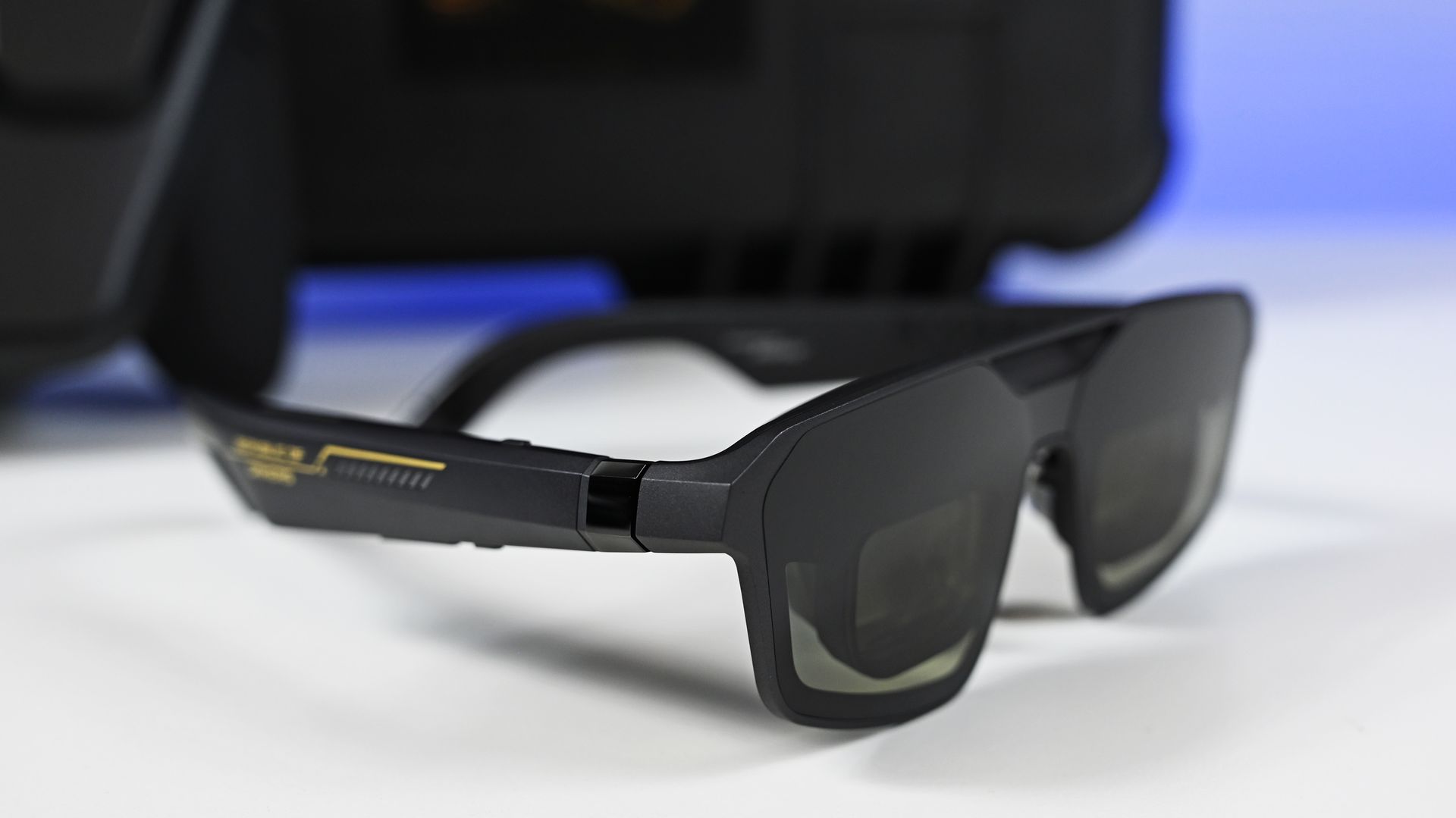
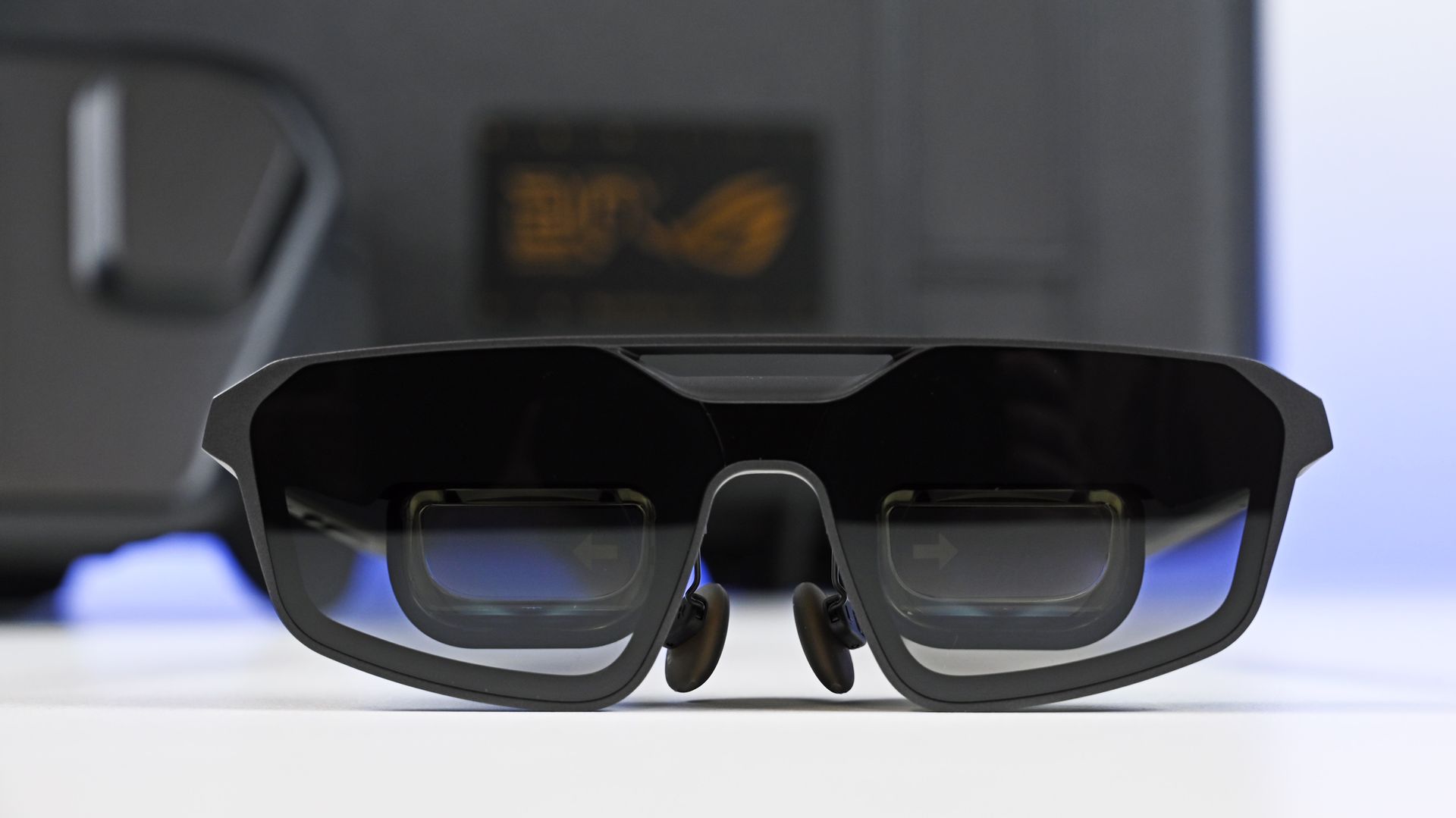
The ROG XREAL R1 Edition 20 Gaming AR Glasses (MSRP: $849) can create a virtual display of up to 171 inches viewed from roughly 13 feet away. They use Micro-OLED panels and support up to a 240Hz refresh rate, along with native 3DoF tracking and an Anchor Mode that can keep the virtual screen fixed in position while you move your head.

Front view of the matte black ROG XREAL R1 Edition 20 AR glasses, highlighting the tinted lenses and dual display prisms.

Front view of the matte black ROG XREAL R1 Edition 20 AR glasses, with tinted lenses and dual display prisms. (Image credit: Daniel Rubino)

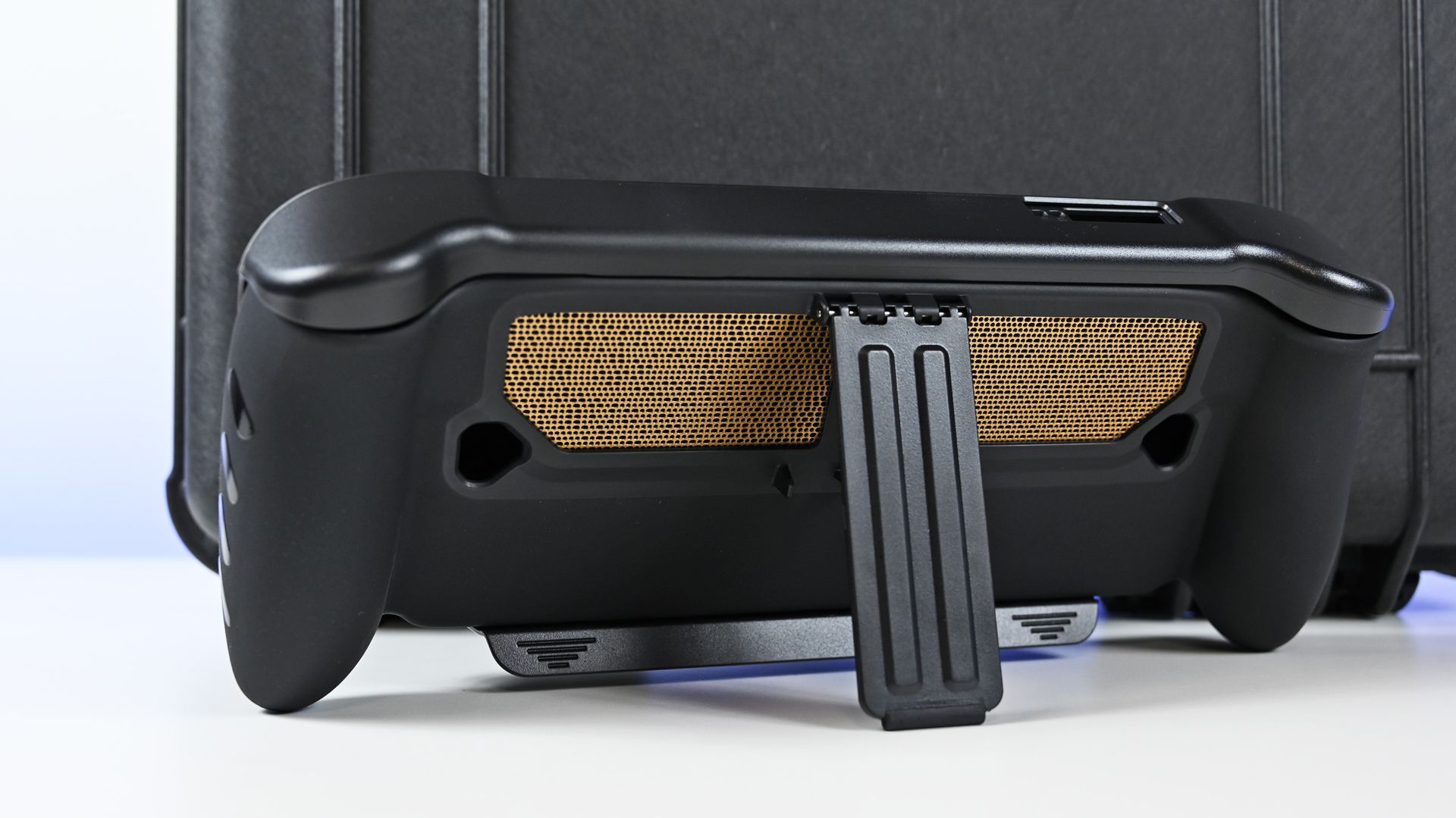
You also get a custom dbrand Killswitch (see our review) designed for the X20, complete with an exclusive skin and stick caps. I'm torn about using it. On one side, it's an excellent case with a cover, making it perfect for tossing in the bag. On the other, you're now covering 80% of the translucent case, which seems kinda sacrilegious.

There's a 68W charger in the package too, along with the various accessories for the glasses.

It's basically the "give me everything" configuration.

$2,499 is bonkers, but thankfully you don't need to spend that much

Open Pelican case with custom foam holding the powered-on ROG Ally X20 handheld, 68W charger, and AR glasses case.

The Pelican case with custom foam holding the powered-on ROG Ally X20 handheld, 68W charger, and AR glasses case. (Image credit: Daniel Rubino)

Let's be realistic: $2,499 for a gaming handheld bundle is an enormous amount of money.

This isn't the mainstream X20 package. It's a collector's bundle for the hardcore ROG enthusiast who wants the limited-edition machine, AR glasses, custom accessories, and a Pelican case capable of making the whole setup feel like precious cargo.

The good news is that ASUS isn't forcing you to buy all of that.

The ROG Xbox Ally X20 is also available by itself for $1,299, compared with $999 for the existing ROG Xbox Ally X. Both the standalone X20 and bundle are available in the U.S. through ASUS and Best Buy.

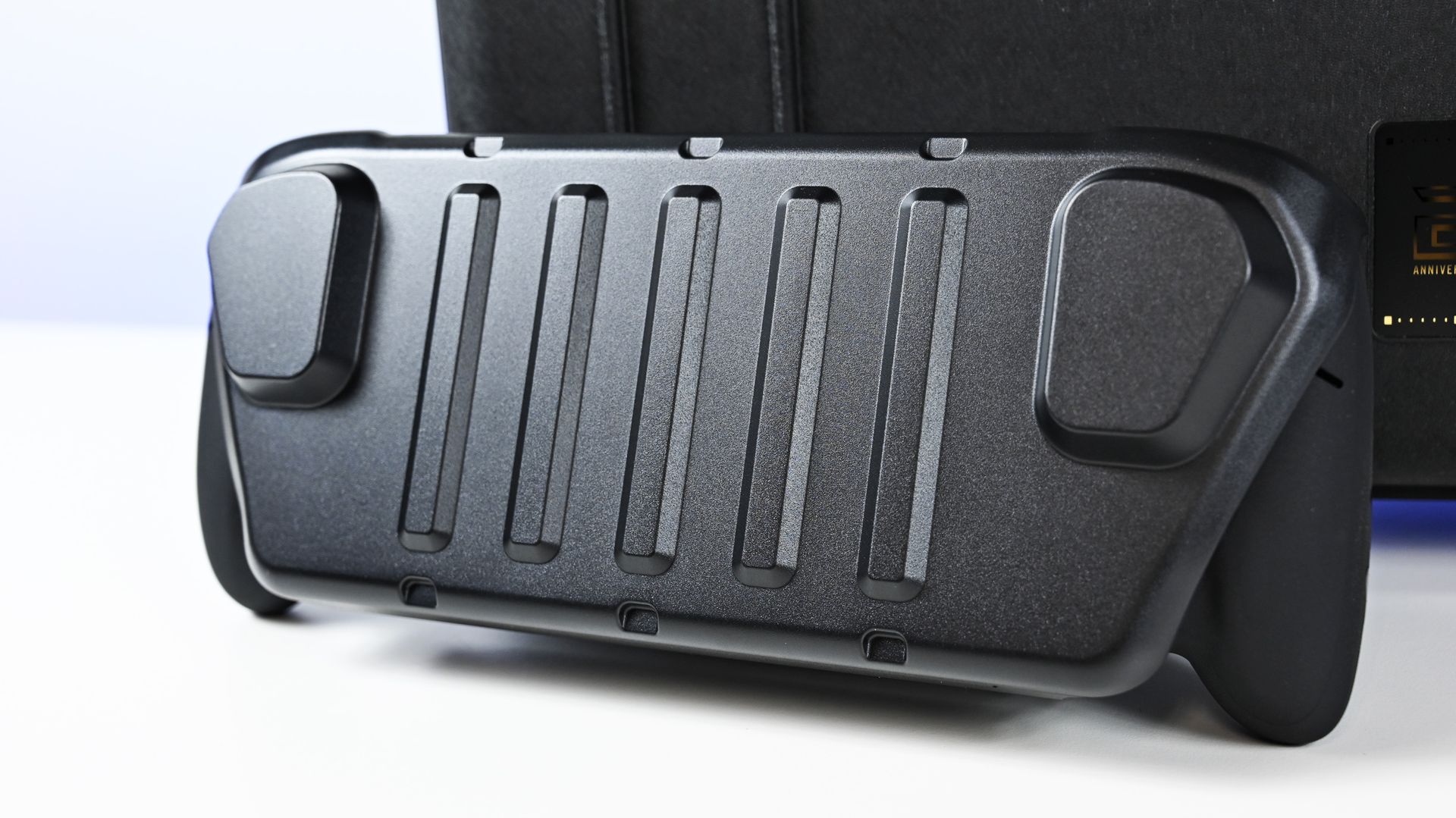
Rear view of the ROG Ally X20 in a black dbrand Killswitch case, showing the deployed kickstand and gold mesh vent skin.
Daniel Rubino
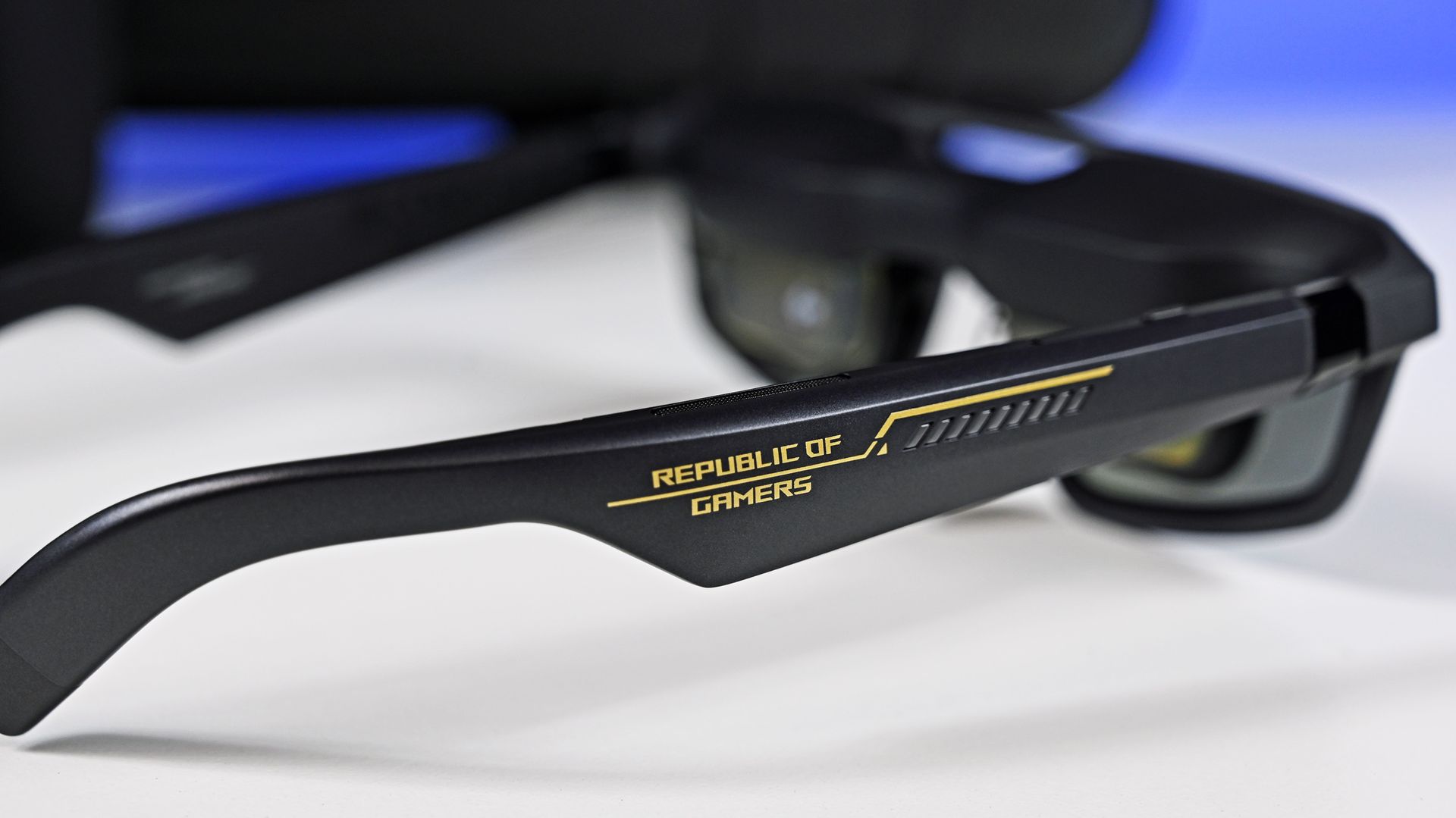
Side profile of the ROG XREAL AR glasses arm, featuring gold
Daniel Rubino
Front view of the ROG Ally X20 fitted with a ribbed, matte black dbrand Killswitch protective travel cover.
Daniel Rubino
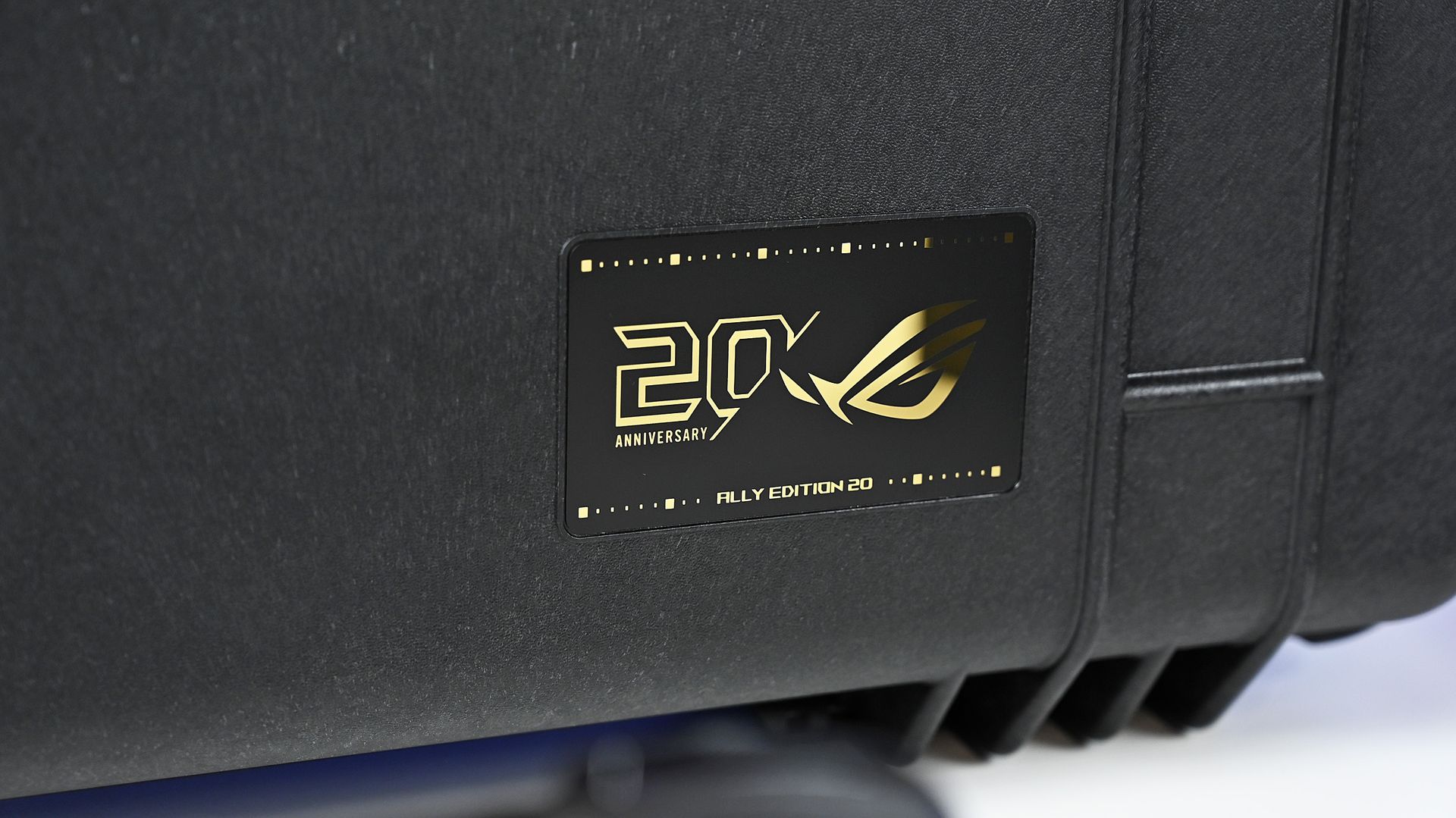
Close-up of the Pelican case's gold 20th Anniversary ROG badge, reading
Daniel Rubino
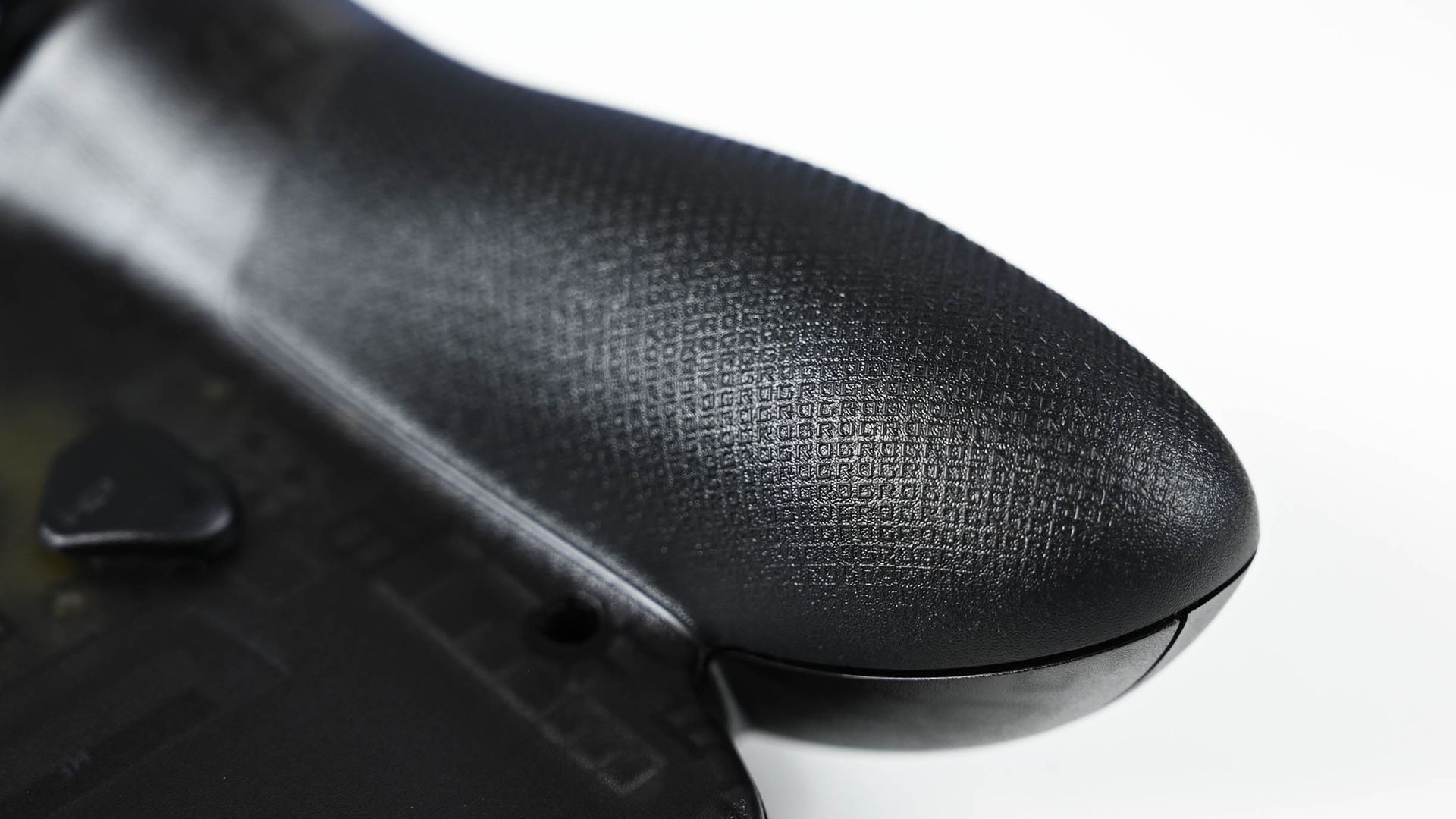
Close-up of the ROG Ally handheld grip, showing a textured anti-slip surface patterned with repeating micro
Daniel Rubino

And after spending more time with it, that's the version I'm increasingly interested in.

At $1,299, the X20 certainly isn't cheap either. But the combination of its excellent OLED display, booming speakers, unique translucent design and other hardware improvements is making it feel like a much more substantial upgrade over the current Ally X than I initially expected.

I'll have a lot more to say about that very soon.

Stay tuned to Windows Central for my full ROG Xbox Ally X20 review in the coming week, where I'll answer the question that really matters: is ASUS' new $1,299 handheld actually worth it?

Stock image of the ASUS ROG Xbox Ally X20 Annivesary edition and kit.

Now available
ASUS
ROG Xbox Ally X20 Bundle

Twenty years of ROG innovation, marked by the limited ROG Edition 20 lineup in an exclusive colorway. The ROG XBOX Ally X20 Bundle carries that celebration forward, pairing the handheld with the ROG XREAL R1 Edition 20 Gaming AR glasses to create a complete gaming setup that travels with you.

Click to join us on r/WindowsCentral

Join us on Reddit at r/WindowsCentral to share your insights and discuss our latest news, reviews, and more.

  •  

How Do I Measure And Attribute When Clicks Only Tell Part Of The Story? – Ask A PPC

Measure PPC value beyond clicks with conversion tracking, impression signals, and business records that help validate attribution as buying journeys move into AI.

The post How Do I Measure And Attribute When Clicks Only Tell Part Of The Story? – Ask A PPC appeared first on Search Engine Journal.

  •  

'There's one never-ending challenge working for IKEA: cable management' — how Xbox collaborated with the Swedish designers to help solve the biggest problems for gamers while also making beautiful furniture

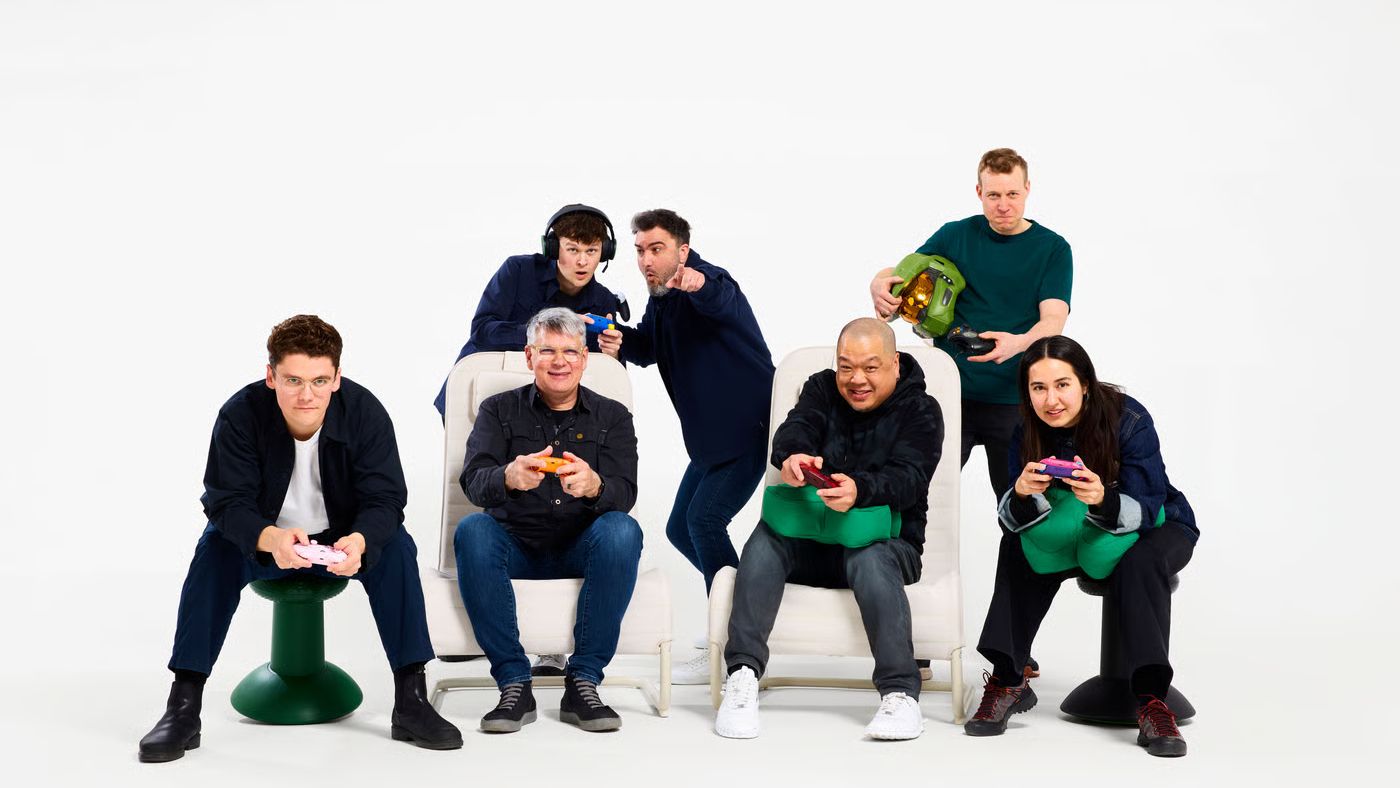
When I first saw the IKEA x Xbox collaboration at this year's Gamescom, I was struck by two conflicting ideas.

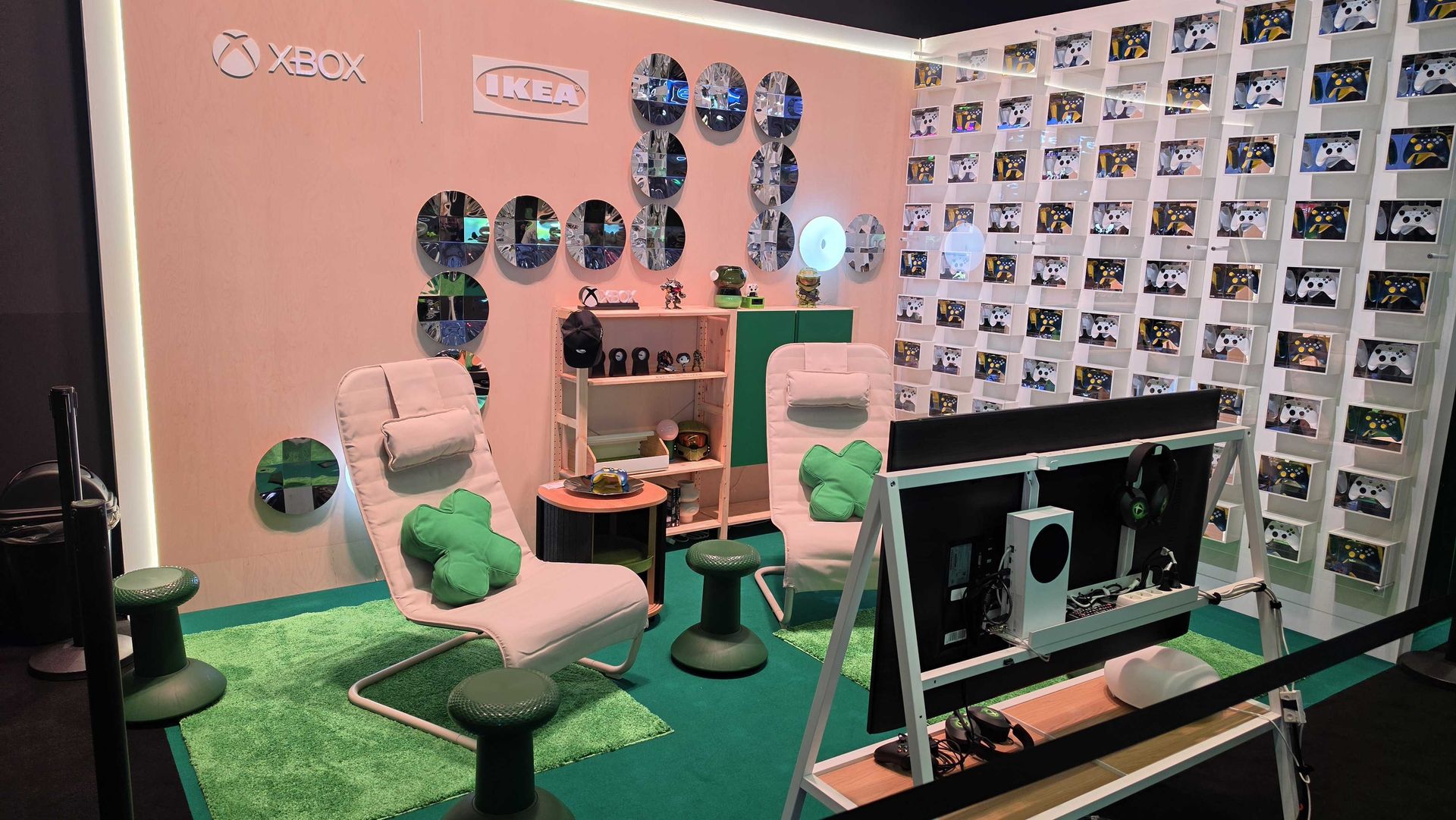
With its multi-functional side table, TV stand, and decorative controller box, this is some smartly made furniture with some genuinely helpful uses. Then, with a thumbstick stool and a D-pad cushion, it's also one of the silliest things I've seen.

Taken as a whole, you can see it's a mix of the playful and the practical. After I spoke to designers at both IKEA and Xbox at the show, it turns out that was the point all along.

"That was present throughout the journey because it's important," explained Philip Dilé, product developer for IKEA of Sweden. "Playing games is playful; it is fun. Solving people's needs connected to that can be very functional and practical. We tried to balance that, for sure.

"We wanted to make things that are relevant for people who play games. Something that reflects you, or that you feel allows you to express yourself...but the object itself is a beautiful piece of home furnishing."

It's a philosophy echoed by Carl Ledbetter, partner head of design at Xbox: "Just like when we design a console, it can be as quiet as people want it. They can put it back and let it recede into their environment. Or they can pull it forward and have it be very expressive. And I think some of those same qualities are in these products in the YXSTABY collection."

The IKEA x Xbox collection in situe at Gamescom

(Image credit: Future / IKEA / Xbox)

Ledbetter used the controller display box and the TV stand as examples of this. With the former, it's ideal for enthusiast gamers who like to collect controllers and show off their favorite designs in a dedicated gaming space. Meanwhile, with the latter, it serves a "dual life" — whether it's sitting in the corner while you're watching shows and movies, or wheeled front and centre for an intense gaming session.

"That was a big part of our philosophy: how do we make products that can adapt to how people want to use them? Either be as expressive as possible, or just be part of your world," summarised Ledbetter.

You can see that approach clearly in all of the more practical products from the collection.

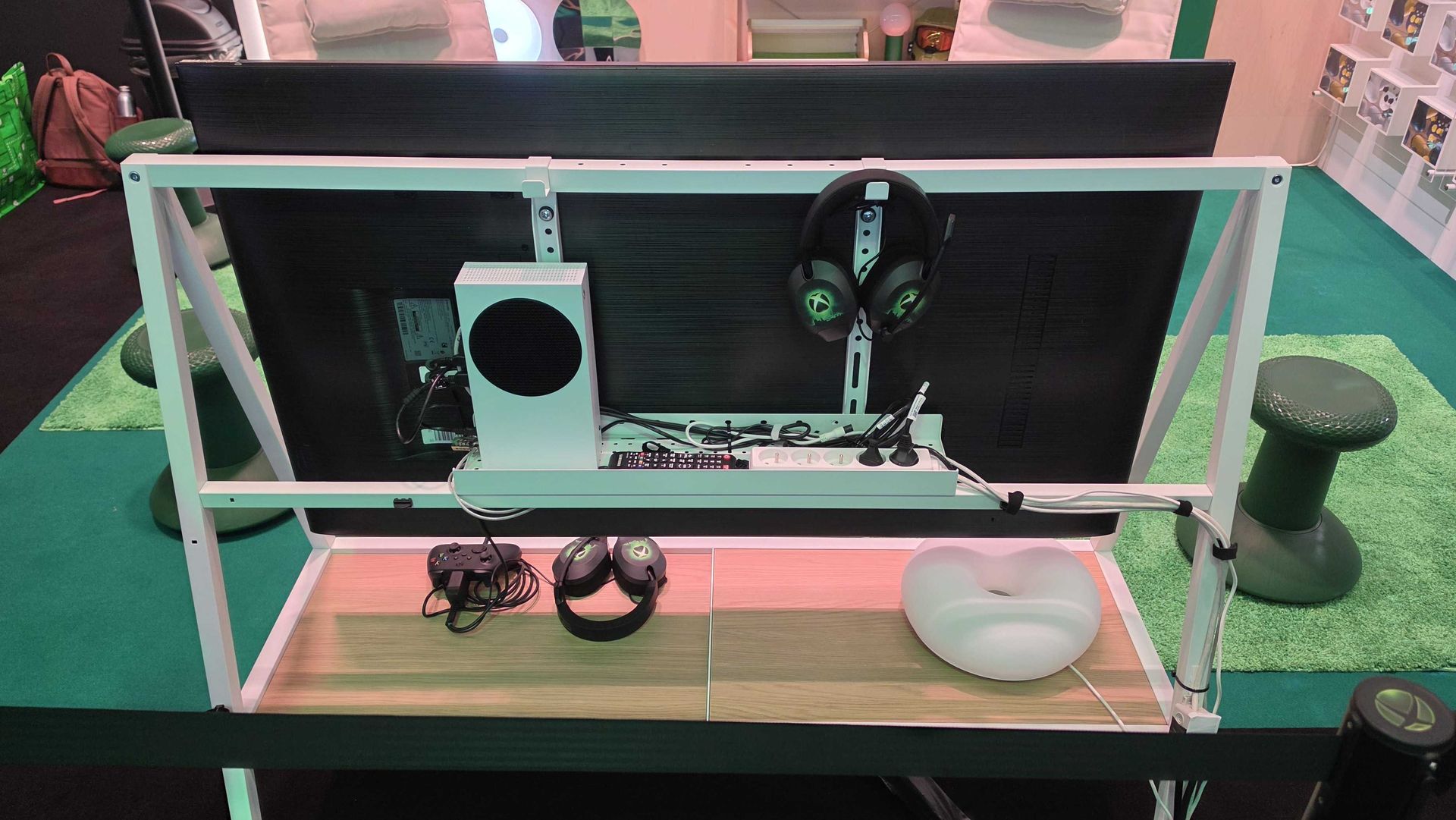
Take the side table. Closed up and next to your sofa, it could be mistaken for another piece of clean and minimalist furniture you'd find in IKEA. Open up the sliding doors on the front, though, and inside there's space specifically designed to store controllers, headsets, and battery packs — plus the all-important cable management and power connectivity options you need to keep your tech charged between sessions.

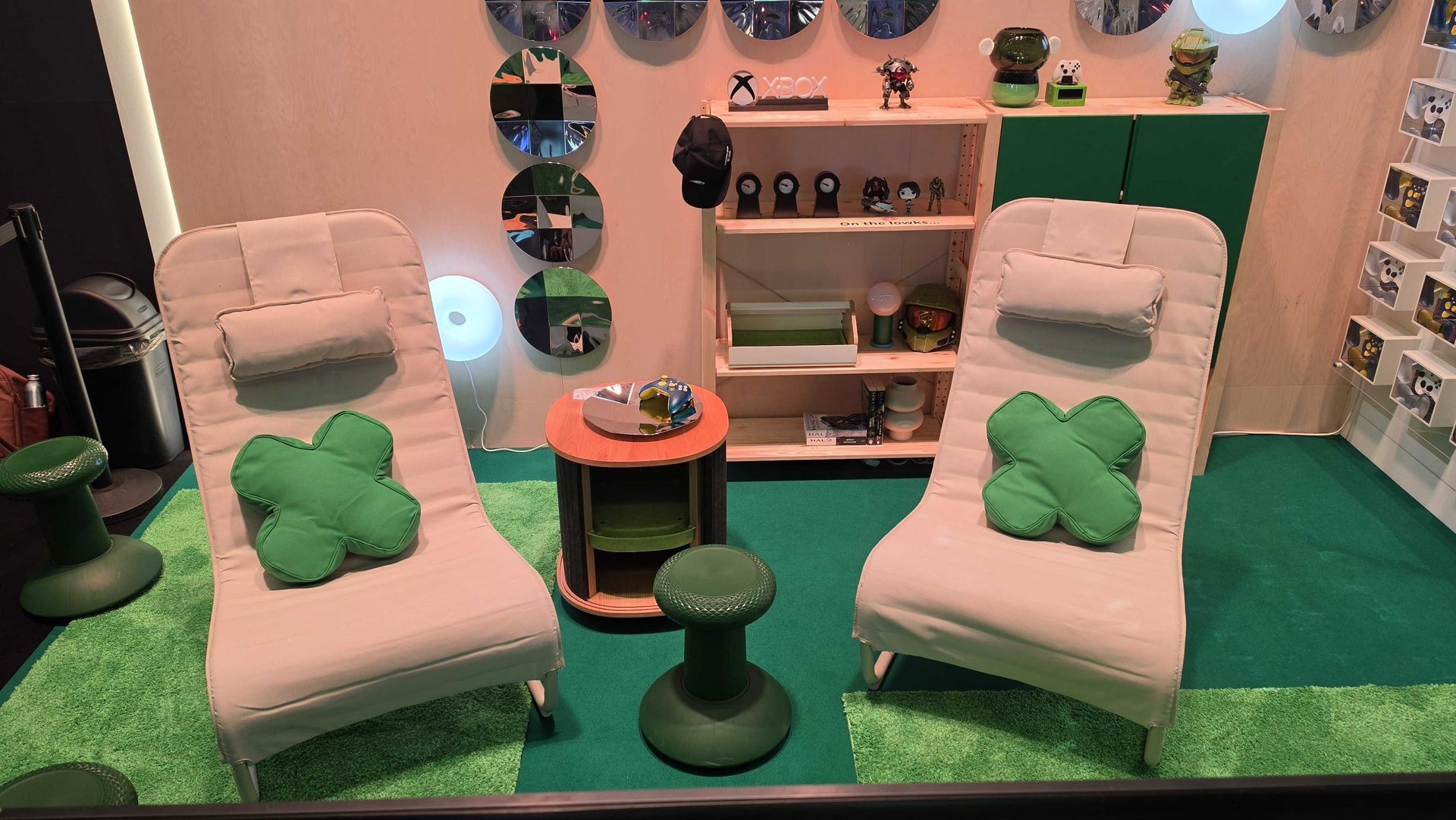
Two chairs from the IKEA x Xbox collection with d-pad cushions on top

(Image credit: Future / IKEA / Xbox)

"This came up time and time again: cable management, charging stuff — where do you put it when you're done? People don't want it all over the place," said Ledbetter.

And Dilé agreed: "We looked at it from the perspective of: what does gaming throughout the home look like? Because, of course, people play at their desks, in the living room, on the couch. In so many different ways. For us, it was important to cater for a lot of these different needs.

"And there's one never-ending challenge working for IKEA: cable management. It always comes up over and over again. I think it's a very real frustration for people.

"Take the TV stand, for example. Yeah, you need to have the console there; you need to have somewhere to charge the controllers, somewhere to put a headset. That was one of the benefits of working together with someone like Xbox that knows gaming, and the hardware, and the players. That made the brief really, really clear."

Showing the cable management of the TV stand from the IKEA x Xbox collection

(Image credit: Future / IKEA / Xbox)

And even though designing for gamers was a big part of their brief, both teams were also well aware that they wanted products that a non-gamer would be happy to live in their home. This meant offering something that wasn't bedazzled with RGB lighting and garish colors.

"You need to cater for gamers, but also for non-gamers or people who are living with gamers, or people who want to have the functionality but still want to have a nice home," said Dilé.

"[We wanted to create] things that maybe your spouse or the people you live with also want to put in your home. These aren't just things that you accept because of your hobby. That was an important balance for us.

"There are so many people who play games, so it’s incredibly diverse. We really wanted to showcase that you can have that [gaming] experience and still have beautiful products that blend into your home to create a nice environment that you want to live in."

The design team and creative brains behind the YXSTABY collection at IKEA and Xbox

(Image credit: IKEA)

That led Ledbetter to reminisce about the first meeting between both parties, where they both discovered they shared very similar design philosophies and were keen to get both of their respective design teams together to bounce around ideas.

The result is this YXSTABY collection — nine products encompassing everything from stools, seats and cushions, to TV stands, storage and display cases — set to launch in October later this year. A weird and wonderful mix of items that speak to both the fun side of gaming and the practical needs in the home.

Ledbetter summed up his hopes for the collection as follows: "Think about it: we create these controllers, and we sell millions of controllers, but we're not in charge of the controller’s home. We make the controller, and then where does it go? We don’t know. So, now, there's this opportunity between IKEA and Xbox to build that home. It felt like a completion of that journey."

  •  

Blackwood is almost the John Wick-inspired third-person shooter I've been waiting for, and after 2 hours of playtime, I'm really excited for all of it — but it's rough around the edges right now

Indie games have arguably become a cornerstone of PC gaming, even more so with modern-day entries becoming huge hits such as Hollow Knight: Silksong, Hades 2, and a superhero surprise from developer Adhoc, Dispatch.

In comes Blackwood, a cinematic third-person action indie, set in New York in 2012. You play as Anton Blackwood, an ordinary DVD store owner by day and an assassin by night, taking on contracts and dealing with the challenge of balancing two lives at once.

After playing two hours of Act 1 (the only one available so far) during my short preview at Gamescom 2026, I can see Blackwood's promise. It's quite evident what developer AttritoM7 Productions is aiming for with its gun-fu style gameplay, heavily focused on explosive, cinematic enemy takedowns, intense gun fights, and stylish maneuvers.

Blackwood is very clearly inspired by classic martial arts and gun-fu movies, notably John Wick, and even borrows elements from classic games like Dead to Rights and Max Payne. Players can either choose to challenge enemies in a gung-ho play style, rushing out and executing different takedowns you can pick before setting out on a mission.

A more tactical approach is also possible, staying in cover and strictly going for headshots only (fitting for a John Wick-styled game), which would perfectly suit the hardest game difficulty.

Blackwood nails enemy takedowns, which is easily the one aspect that will keep me coming back to replay missions I can once Act 1 is complete. (Video Credit: AttritoM7 Productions)

The takedowns swiftly shifting straight back into gunplay are where Blackwood absolutely shines, and I can't go without stressing how impressed I am with what AttritoM7 developers were able to pull off there. In so many sequences, I was instantly taken back to those iconic moments in John Wick movies, where Keanu Reeves pulls no punches.

Ultimately, what holds Blackwood back is jankiness in combat, especially during hand-to-hand encounters. During multiple scenarios, there are bugs and stiffness in certain animations from Anton and enemies that I couldn't ignore.

Controlling Anton can be a struggle sometimes, as certain button prompts are unresponsive while in cover, and since enemies can flank the player, that unresponsiveness can lead to some pretty frustrating deaths.

The weapon recoil feels great, and I can see that AttritoM7 designed Blackwood's gunplay to have players make every shot count — which is especially important, since preparing for missions requires you to purchase ammunition with dirty money earned from fulfilling contracts.

However, I set aim assist to its lowest level (minimal), and it felt like the reticle was fighting against my control of the joystick — and it also doesn't help that the ultrawide field of view resolution desperately needs adjusting.

The opening street shootout was a great way to kick the game off, and I very quickly learned that enemies are unforgiving, requiring the player to be wary of a gung-ho playstyle. (Video Credit: AttritoM7 Productions)

Some of the audio in both combat and some NPC dialogue feels a bit out of place too, particularly during one of the early contract missions in a subway station. There are many elements like this, especially involving animations (notably Anton's run and other NPCs' movements), that end up impacting immersion.

Fortunately, while Blackwood isn't launching in early access, its remaining Acts will be released later for free (for existing owners), with Act 2 planned for March 2027 and Act 3 in September 2027 on Steam. Hopefully, with the release of the following content, patches can be made to significantly tweak and adjust those pain points.

Blackwood is a very promising game and has plenty of opportunity to shine among some of the best indie games available. However, it's a little rough around the edges at the moment, and a few steps away from realizing its potential.

  •  

Two new PlayStation Pulse headsets are coming with tons of new features, 'studio-inspired' planar magnetic drivers, and native PS Portal compatibility

  • Sony has revealed two new PlayStation headsets
  • They're intended to supersede the previous PlayStation Pulse models
  • There's no word on pricing yet

Sony has just unveiled the "next line of PS5 audio products" with two new PlayStation Pulse wireless gaming headsets.

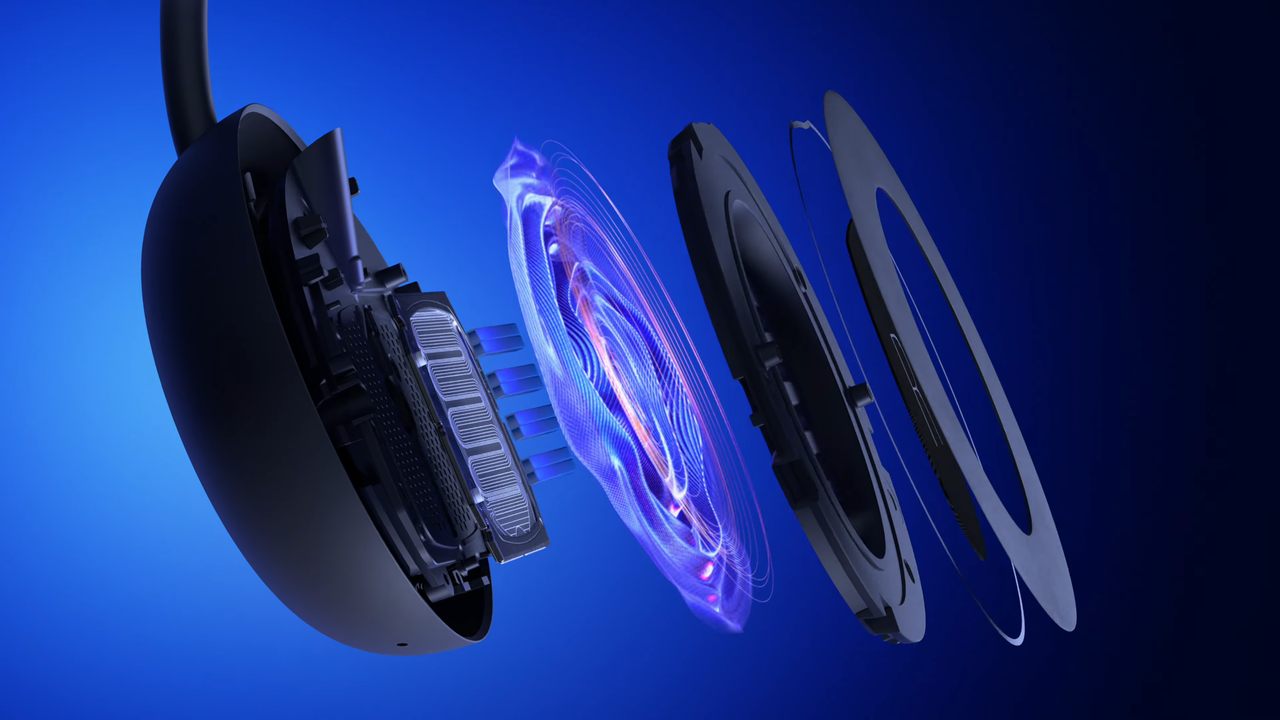
Both models are intended to supersede the old PlayStation Pulse Elite, which was released in 2024. The new PlayStation Pulse Edge boasts custom planar magnetic drivers that deliver "studio-inspired" sound and has eight magnets under the hood.

It comes with a detachable boom mic offering AI noise rejection alongside a USB Type-C adapter and premium carrying case.

Major features include built-in volume controls that integrate with the console's operating system, a game audio and chat balance slider, and active noise cancellation.

The upcoming PlayStation Pulse, in contrast, is positioned as a more entry-level model. It cuts the number of driver magnets down to four, which likely means less bass and reduced clarity. There's no boom mic either, so you need to rely on an integrated microphone instead.

It also loses the game audio and chat balance feature, lacks active noise cancellation, and isn't bundled with any kind of case.

Sony has been quite cagey about pricing, with no word on how much either model will cost on the official PlayStation Blog. This makes it hard to determine whether this refreshed line will offer good value, especially given the abundance of excellent headsets currently offered by third-party brands like SteelSeries and Corsair.

We do know that both models will be available in both white and black, however, and will hit shelves early next year.

They will also connect to the PlayStation Portal out of the box, thanks to their native PlayStation Link compatibility.

  •  

200 hours in, Fire Emblem: Fortune’s Weave is my favorite Nintendo Switch 2 game ever — here’s why

Every now and then, a game comes along that doesn’t just entertain and engage me — it totally enraptures me. It stands as a pure work of art that reminds me of exactly why I love this medium and captures the essence of a book you just can’t put down. For me, that’s exactly what Fire Emblem: Fortune’s Weave is — an engrossing experience that I simply can’t get enough of.

Review info

Platform reviewed: Nintendo Switch 2
Available on: Nintendo Switch 2
Release date: September 17, 2026

This Nintendo Switch 2-exclusive tactical JRPG offers a combination of excellent turn-based combat and rewarding exploration, alongside captivating storytelling and a great cast of characters. And its sheer scale cannot be understated — I’ve spent north of 200 hours in Fortune’s Weave, and there’s still so much more I have to see.

I’ve played through each of the four Flame Lords’ paths and taken the battle to the demonic god Balor, and I’ve got a number of thoughts about gameplay, visuals, and narrative to share. So, without further ado, let’s take a look at why Fire Emblem: Fortune’s Weave is one of the best Nintendo Switch 2 games you can play right now.

Four paths converge

Dietrich, Theodora, and Cai have dinner in Fire Emblem: Fortune's Weave

(Image credit: Nintendo)

I won’t get into the weeds of the premise in Fortune’s Weave, but to sum up, you’re able to play as four heroes, known as the Flame Lords, as they compete in a grand arena event known as the Heroic Games. The champion of the Games will be granted a wish of their choosing by Divine Sovereign, Solel, who rules over the land of Dagda and its capital, Dagsion.

After completing the brief prologue — which acts as a solid tutorial for newcomers — you can select any of the Flame Lords’ paths and play through them in any order you like from a central hub area. This approach works nicely, as you don’t have to replay the prologue each time you start a new journey, and you’re able to dip in and out of each story as you please.

This makes up Part I of the game, which was probably my favorite overall. Although some cutscenes and quests are the same across the four stories, they still feel distinct and gripping in their own right. Each pathway has a distinct tone and feeling to it, with each Flame Lord having a deeply personal ambition and a unique set of close allies. For instance, the vengeful and skilful Leda is joined by the womanizing bard Sirocco and protective warrior Buccar, whereas Dietrich is partnered with the excitable Esmeralda and bizarre and eccentric missionary, Fabio.

The core cast of characters is truly excellent, but you’ll also be able to recruit more allies as you progress the story, including foes you face in the Heroic Games and parties of interest across Dagsion. Many of these units can be recruited across all four stories, though their recruitment requirements often vary, which encouraged me to experiment with different characters across different stories.

Best bit

Dietrich and Fabio converse in Fire Emblem: Fortune's Weave

(Image credit: Nintendo)

Anything with Dietrich and Fabio. They're an unlikely yet incredible duo, with Dietrich's bloodlust and Fabio's eccentricity somehow combining to create some of the most hilarious — and sometimes emotive — dialogue in the series.

What makes the multi-path system click is that you’ll uncover revelations in one story that answer questions — or even pose new ones — about events in one of the other paths. There are plenty of twists and turns — some perhaps more obvious than others — which change the way you perceive certain characters and add substantial depth to units that may seem less significant on some paths than others.

This cross-path storytelling is done really well, and the narrative is strong, more generally. I won’t spoil anything, but it’s got its fair share of shock instances, touching moments, and character development that help it to hit — and if not, exceed — the standards that the series has set thus far.

Gameplay-wise, things are kept pretty fresh too. Each Flame Lord has specific abilities that they can make use of on the world map and beyond, with Deitrich able to battle warriors and learn their combat arts, Leda capable of holding performances to unlock unique materials, Theodora able to recruit warriors to assign battalions, and Cai skilled enough to wrangle mounts for himself and his allies.

And luckily, all of this comes together nicely in the latter parts of the game. While Part I is more individually tailored to each Flame Lord and their journey through the Heroic Games, paths begin to converge in Part II, known as the War Arc. Again, I won’t spoil anything here, but Part II offers far less variation across each pathway, but there are still some interesting differences in dialogue, and the way you approach battles will likely change considerably.

I loved how the enormity of Fortune’s Weave came together in Part III, though. Here, you’ll be able to unite all of the Flame Lords beside the game’s true protagonist, you. It’s awesome that you’re able to make use of all of the heroes’ unique abilities and even re-recruit old units for the final battle against the demonic lord, Balor.

Being able to bring all of your units, inventory, and abilities into a singular, epic finale is incredibly rewarding and makes building the ultimate army even more enjoyable.

I see grids in my sleep

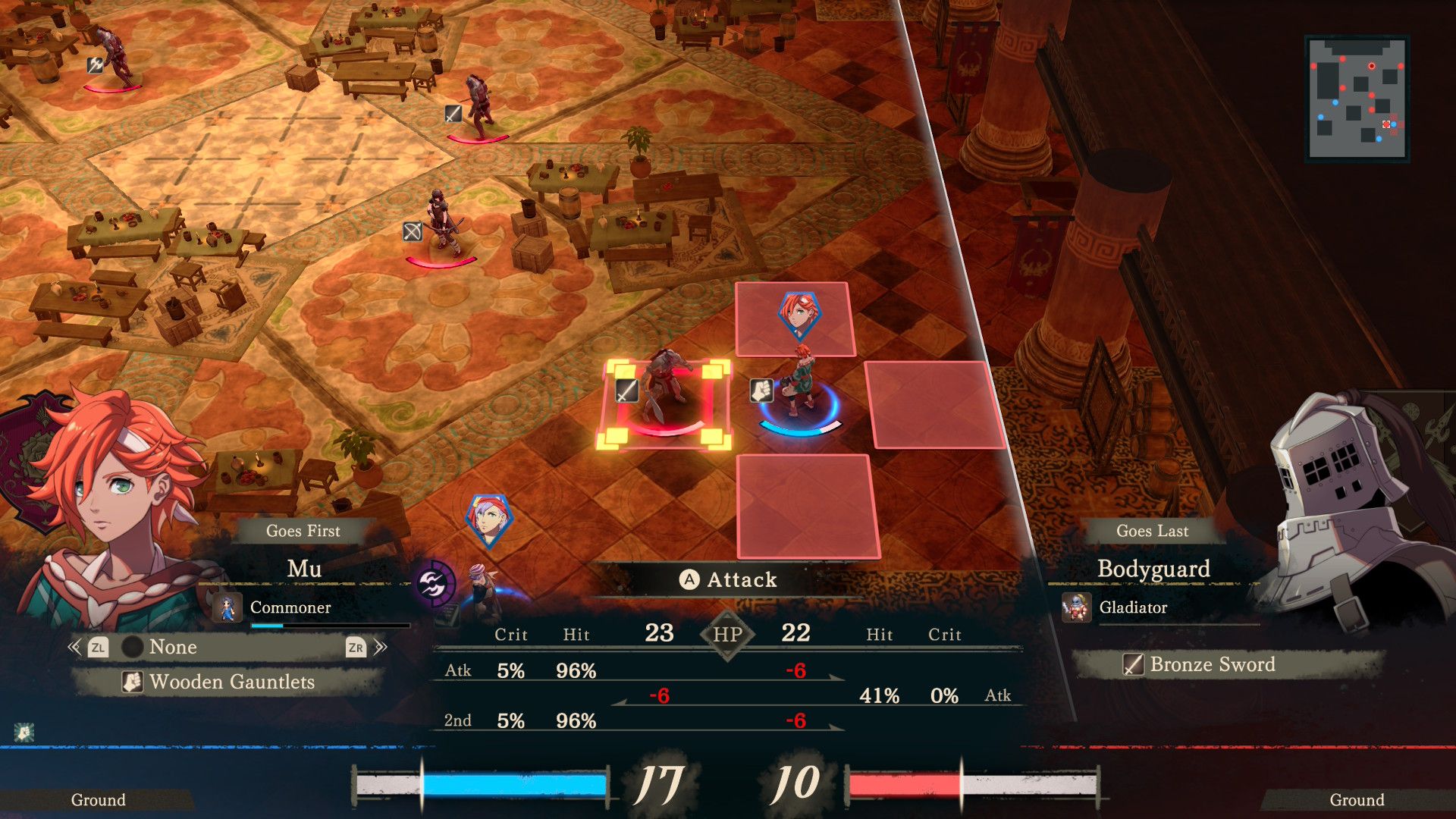
Mu battles a soldier in Fire Emblem: Fortune's Weave

(Image credit: Nintendo)

Let’s delve a bit more deeply into gameplay, which, as you’d expect, is outstanding in Fortune’s Weave.

For the most part, you’ll be battling on classic grid-based battlefields. Honestly, I’ve fought on these so many times I’m starting to see them in my dreams. It's that classic turn-based Fire Emblem that you know and love, with some returning features, like Combat Arts (which provide benefits in exchange for weapon durability) and gambits (in Theodora’s path), for instance.

But there are new mechanics too, like Blaze Arts, which are unique to specific units. By sacrificing HP, Blaze Arts enable you to deal more damage, move further, buff allies, and more. The health trade-off means they don’t feel like a cheat code, and they also fill a blaze gauge, which will burst at a certain point, forcing you to work with reduced HP for the rest of the map.

Clash Battle in Fire Emblem: Fortune's Weave

(Image credit: Nintendo)

Standard battles feel brilliantly balanced, and I never felt that difficulty spikes were too severe or that I had to grind much to push past my opponent. When you do want to grind, though, you can enter into a skirmish against foes on the world map, or try your luck in a dungeon.

Dungeons work a bit differently, and you’ll move around a 3D area to face foes in Clash Battles. These are a bit different and combine light action segments with more traditional turn-based JRPG combat rather than tactical grid-based battles. I think that they’re a great option if you want a break from the usual maps and want a faster-paced method for gaining experience or class proficiency for your units.

That’s not to say that the standard maps aren’t engaging though; quite the opposite. There’s some excellent map variety, and some battles will ask more of you than just routing the enemy. In some cases, I had to defeat more giants than my opponents, rescue defenseless citizens from a huge serpent, or even collect missing cargo before thieves made off with it. Battlefields are also delightfully diverse throughout the heroic games, and become even grander as the stakes rise towards the back end of the game.

If at any point you’re struggling, you can make use of Blessings, enabling you to rewind to a previous turn, increase your strength, or reduce the cost of Combat Arts, for example. I kept usage of these to a minimum, as I was playing on the slightly more gracious Normal/Casual difficulty. But there’s also a Hard mode, and you can play Classic (where units are permanently lost when they fall in battle), where Blessings will likely feel a bit more necessary.

All in all, combat is incredibly addictive, varied, and offers impressive depth. Building a squad with the right balance in terms of classes and weapons is massively satisfying, and breaking things up with a bit of dungeon crawling keeps the experience feeling fluid and fun for the game’s full runtime. And given that we’re talking about a title that will take you well over 100, if not 200, hours to finish, that’s an impressive feat in itself.

Beyond the battlefield

Leda in Dagsion in Fire Emblem: Fortune's Weave

(Image credit: Nintendo)

Before I wrap up, I want to touch on my experience with Fortune’s Weave outside of battle. There’s quite a bit to do, both within the capital, Dagsion, and in the land of Dagda more broadly.

Dagsion has all of the stuff you’d expect. A training ground to boost your aptitude with specific weapons, a shopping district, an inn for viewing support conversations and restoring motivation (which is used for training and increasing your Blessings level), and an area where you can take an exam for whatever class you want to be.

A lot of your time in Fortune’s Weave will be spent using these facilities to increase your weapon levels, boost support with your allies, and acquire better equipment.

If I were to nitpick, I’d argue that the support grind can become a little tiresome for some units. If you want to recruit a new ally who requires a high support level, it can take quite some time to fill the gauge and add them to your team, though some are easier to add to your roster than others.

There are more things to do, though, like going to the Theater, taking a bath at the Thermae spa, and accepting subquests from distressed townsfolk. Perhaps the most unusual option, however, is Bird Time.

Here, you can feed the Pale Raven (the main protagonist in bird form) to increase your support level for later in the game. Is it a bit goofy? Yeah. Does it get a bit repetitive? Sure. But I kinda love the feeling of getting that sweet ‘perfect bird time’ message when you have a successful interaction with your ally.

Outside of Dagsion, you can enter the aforementioned dungeons, search for materials, enter into some smaller hub areas, and speak with wandering merchants. The world map is easy to navigate, but you’ll only have a set amount of time to explore before the day of the Main Quest arrives. This helps the game to maintain good pacing throughout, and while there’s a ton to explore, it’s broken up with main story goodness in healthy intervals, in my view.

Theodora in a rage in Fire Emblem: Fortune's Weave

(Image credit: Nintendo)

On a technical level, Fire Emblem: Fortune’s Weave is pretty solid too. It keeps a lot of the enticing visual style seen in Fire Emblem: Three Houses, but being a Nintendo Switch 2 exclusive, there’s a clear step-up in terms of resolution, and character models look excellent too. Be it Fortuna, whose vibrant hair pops with eye-catching yellow, or the striking, rich reds of Bertrand, the White-Maned Demon’s clothing, I found myself impressed by the visuals pretty consistently.

Some background textures do look a bit basic, however, and while the game runs smoothly, it’s not targeting a silky 60fps (but this never bothered me, personally).

I also want to shout out the game’s excellent soundtrack, which is more eclectic than you may think. There’s the classic orchestral-style stuff, which creates a real sense of grandeur and high stakes, but there are also spacey, synth-led tunes in the temples, which create ambience and intrigue, as well as electronic music with pumping bass in some mysterious hidden areas.

On the topic of sound, the voice acting is exceptional in Fortune’s Weave. You feel each character’s unmistakable personality through just about every performance, and this only makes you feel more attached to your units. The perfect example is Fabio, whose voice acting is just as outlandish and unusual as you’d hope for the character, though he also has some authentic, impassioned emotional scenes that stole the show. Great stuff all round.

To conclude, then, Fire Emblem: Fortune’s Weave is a masterful tactical JRPG that has it all. Addictive, depth-filled combat, fresh mechanics, a well-paced, multi-layered story, and a likeable cast of characters. It hypnotized me from minute one, all the way to the end, and its careful balance of tight turn-based gameplay and exploration really worked for me. As things stand, I consider Fortune’s Weave to not only be among the best Fire Emblem games in recent memory, but also the best game on the Nintendo Switch 2 thus far.

Whatever you do, don’t skip this one.

Should you play Fire Emblem Fortune’s Weave?

Leda and her crew in Fire Emblem: Fortune's Weave

(Image credit: Nintendo)

Play it if…

You want to sink your teeth into an epic RPG
Fire Emblem: Fortune’s Weave is a huge game that will easily take you north of 100 hours to finish if you want to complete each Flame Lord’s path and clear every subquest. If you’re looking for a true epic to get your money’s worth out of, this is the game for you.

You’re a fan of character-driven narratives
Yes, Fortune’s Weave features a very high-stakes story, but the narrative is largely centered around the four Flame Lords, and their personal ambitions in the Heroic Games. Watching each story unfurl, and seeing how each hero develops is a joy, so if you’re into more character-driven stories, then you’ll likely enjoy this.

Don’t play it if…

You’re not a big fan of tactical combat
There are some light action segments and swifter turn-based dungeon battles in Fortune’s Weave, but a lot of the time will be spent commanding your units on a grid. If you’re not into the more strategic style of other Fire Emblem games, then you may not have the best time with this one either.

You need top-tier performance from your games
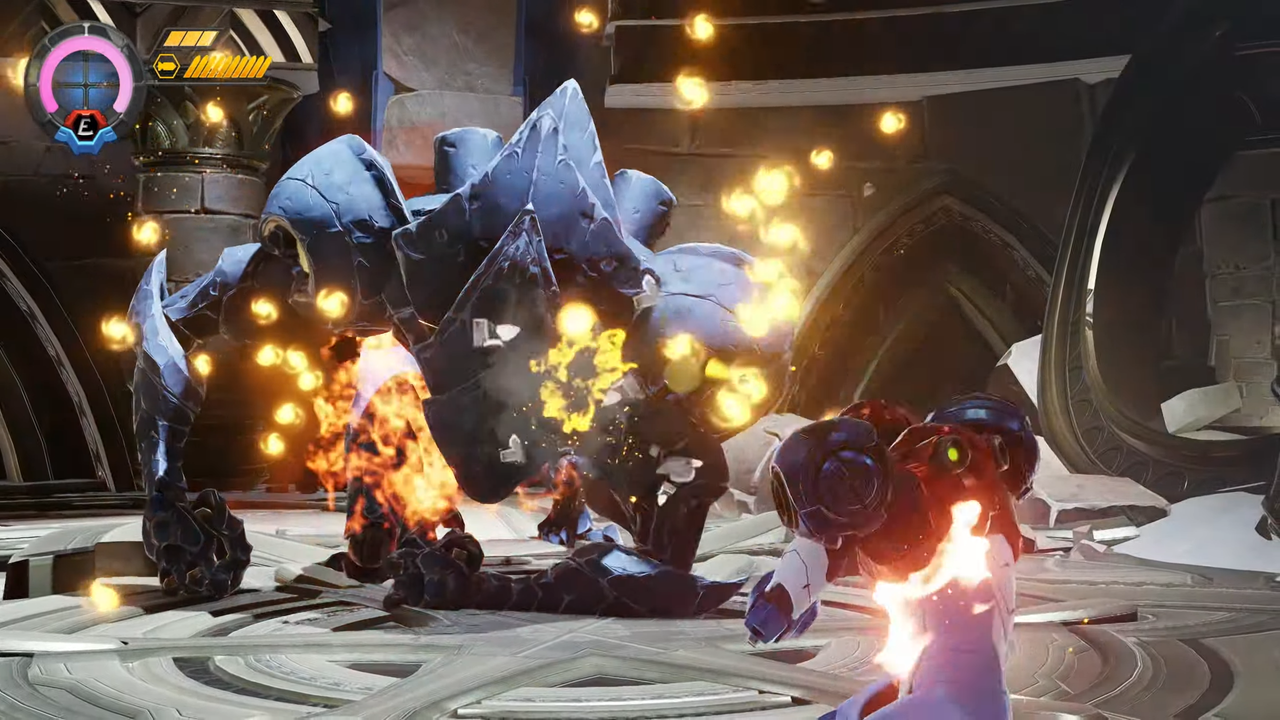
While Fortune’s Weave looks pretty solid, it’s by no means pushing boundaries as far as visuals go. It’s very stable, in terms of performance, but it’s also not going to give you the buttery smoothness of other Switch 2 games, like Metroid Prime 4: Beyond, say, which can even run at 120fps in handheld mode.

Accessibility features

There are a handful of ways to customize your experience in Fire Emblem: Fortune’s Weave. You can make UI adjustments, like altering the size of the battle minimap, toggling the grid display on and off, you can personalize camera controls and sensitivity, and choose from a number of different subtitle languages.

There’s even an Enemy Masking mode that changes the appearances of insectile enemies if you have arachnophobia or entomophobia. There is no colorblind mode, or similar.

Leda dancing in Fire Emblem: Fortune's Weave

(Image credit: Nintendo)

How I reviewed Fire Emblem: Fortune's Weave

I spent just over 200 hours with Fire Emblem: Fortune’s Weave, during which time I played through the main story (including each of the Flame Lords’ individual paths), completed just about every subquest, and recruited countless allies.

For the most part, I played in docked mode, with my Nintendo Switch 2 connected to my Sky Glass Gen 2 TV and Marshall Heston 120 soundbar. However, I did dip into handheld mode now and then, and usually had my Sennheiser CX 80U wired earbuds connected when playing on the go.

More generally, I’ve spent years reviewing gaming software, hardware, and accessories here at TechRadar, where I serve as a Senior Reviews Writer. I’ve covered all sorts of titles, from Switch 2 exclusives like Kirby Air Riders and Yoshi and the Mysterious Book to RPGs such as Dragon Quest I & II HD-2D Remake and Final Fantasy Tactics: The Ivalice Chronicles.

I've also played a number of Fire Emblem titles, including Awakening, The Blazing Blade, and Three Houses.

  •  

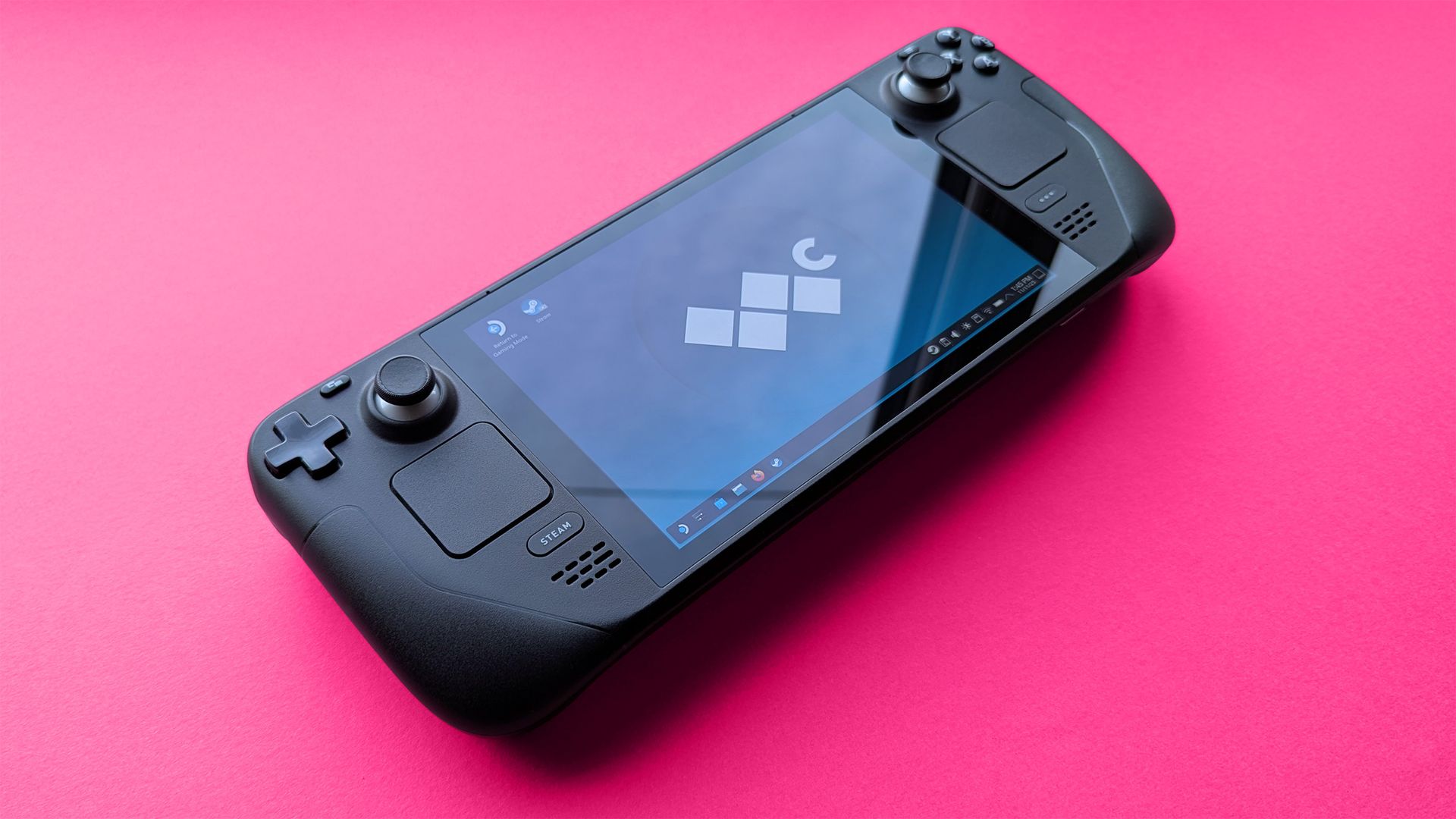
Steam Deck 2 handheld plans haven't been affected by the RAM crisis, even if Valve's Steam Machine PC and Steam Frame VR were more expensive than planned.

Valve's popular Steam Deck handheld pushed handheld gaming PCs into the mainstream with its affordable, Linux-based console, and its potential successor seemingly aims to make the same impact. Speaking to IGN's Jacqueline Thomas, Valve software developer Pierre-Loup Griffais touched on the fabled 'Steam Deck 2' and whether the ongoing RAM crisis could affect its development.

We want to make sure there's a very delineated performance improvement for something like a future Steam Deck.

Pierre-Loup Griffais, Valve

When asked whether ongoing hardware shortages — which have already affected pricing for its Steam Machine PC and Steam Frame VR headset — have changed how Valve thinks about a Steam Deck successor, Griffais answered, "Not really." For now, it sounds like any potential 'Steam Deck 2' will target the same balance of performance and affordability as before, but is that realistic?

Steam Deck performance was crushed years ago

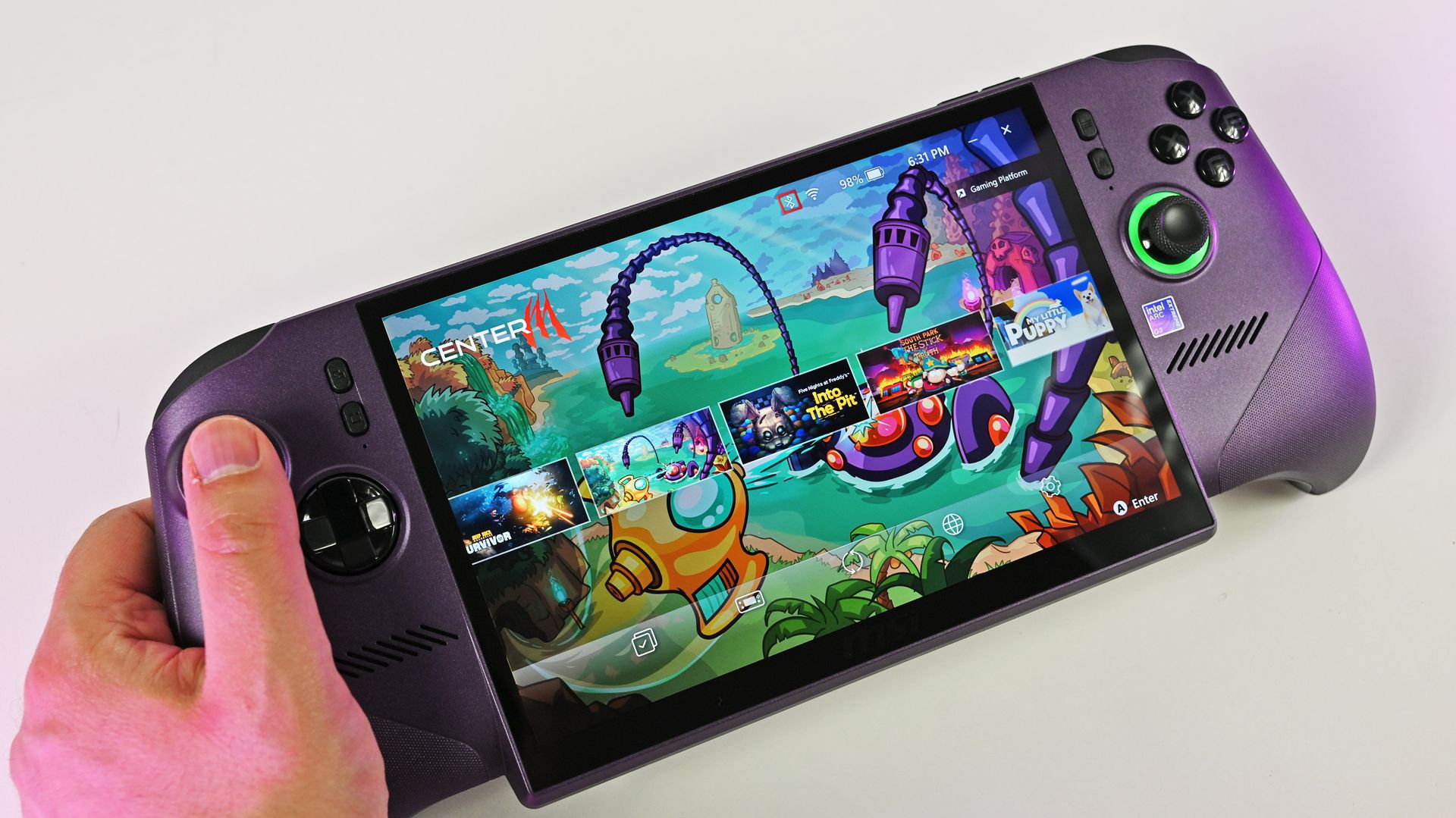
A person holds the metallic purple MSI Claw 8 EX AI+ handheld gaming PC, showcasing its large screen running the MSI Center M game launcher.

MSI Claw 8 EX AI+ stands as one of the best Windows-based handhelds today. (Image credit: Daniel Rubino)

For clarity, I use my Steam Deck almost every day, and it still powers through my library of built-for-Windows PC games with relative success. However, there's no denying its age, and the custom-made Zen 2/RDNA 2 APU doesn't stand a chance in many of the AAA games released in the past few years. For those demanding titles, plenty of Windows-based handhelds are far better suited.

Of course, higher-end options like ASUS ROG's "next-gen" Xbox Ally X and the all-out powerhouse MSI Claw 8 EX AI+ don't offer higher performance without asking for more cash. On the contrary, the Ally X starts at $999.99, while the Claw 8 EX AI+ moves closer to $1,800, which is a far cry from the $399 to $649 window that the Steam Deck originally targeted.

Unfortunately, much like the Claw [8 EX AI+], the Steam Machine is a premium engineering marvel suffering from historically terrible macroeconomic timing.

Daniel Rubino, Windows Central

In that, I'm trying to stay grounded when I hear that Valve's plans haven't changed for the Steam Deck 2 (or whatever it might be called), because that never necessarily meant it would target the same price point as its first handheld. After all, the company just launched its new Steam Frame VR headset for $1,059, which is higher than it originally planned (via PC Gamer).

So, Valve is stuck between a rock and a hard place: sourcing a follow-up (presumably also custom-made) processor and the corresponding components for a mass-produced handheld without pricing it so high that it loses mainstream appeal. It won't be easy, and I wouldn't be surprised if we don't hear anything concrete about the Steam Deck 2 for a few years.

Click to join us on r/WindowsCentral

Join us on Reddit at r/WindowsCentral to share your insights and discuss our latest news, reviews, and more.

  •  

Xiaomi Pad 9 Pro Max Review: 13.3-Inch Display Explained

The Xiaomi Pad 9 Pro Max makes an immediate impression with its 13.3-inch display and 3:2 aspect ratio. The larger screen provides noticeably more workspace, yet the tablet remains surprisingly portable at just 5.67mm thick and 653g. Despite its size, it does not feel like a device that needs to stay on a desk.

The model tested here is the Soft Light Edition. Unlike a standard display designed to deliver higher brightness and more vivid colors, the soft light panel is better suited to extended viewing. This gives the 13.3-inch tablet a clearer focus on productivity, reading, and long sessions.

However, the large display is not necessarily the most interesting part of the Xiaomi Pad 9 Pro Max. The bigger question is how Xiaomi intends users to take advantage of such a large tablet.

Flagship Performance in a Slim Body

The Xiaomi Pad 9 Pro Max is the first tablet to feature the Xiaomi Xring O3 chip, bringing the company’s flagship-level processor to a tablet form factor. Fitting such a powerful chip into a body measuring only 5.67mm thick makes the device particularly interesting from a hardware perspective.

However, the Xring O3 is not simply about achieving higher benchmark scores or faster gaming performance. Its real value becomes more apparent when combined with the tablet’s large display and software features.

The HyperOS 4 experience introduces large-screen features such as improved multitasking and multi-window functionality. When paired with the floating keyboard and touchpad, the Pad 9 Pro Max starts to feel less like a traditional tablet and more like a flexible productivity device.

Apps such as WPS Office and CapCut also benefit from the additional screen space, giving users more room to work with documents, timelines, and multiple applications. The inclusion of DP-in video input further expands the tablet’s potential use cases, allowing the large display to serve purposes beyond conventional tablet tasks.

This is what makes the Xiaomi Pad 9 Pro Max particularly interesting. Its appeal is not simply based on having a 13.3-inch screen or a powerful processor. Instead, Xiaomi appears to be exploring how hardware, software, and accessories can work together to make a large tablet genuinely useful.

During my experience with the Xiaomi Pad 9 Pro Max, the main question was not how powerful the Xring O3 could be. Instead, I wanted to see whether the combination of the Xiaomi Xring O3, 13.3-inch display, HyperOS 4, keyboard, touchpad, and other accessories could unlock the full potential of a large-screen tablet.

That approach makes the Pad 9 Pro Max more than simply a bigger tablet. It is an attempt to create a device that can adapt to productivity, entertainment, creative work, and other everyday scenarios. The rest of the review will explore whether Xiaomi has successfully achieved that goal.

Design and Screen

The Xiaomi Pad 9 Pro Max features a large 13.3-inch LCD display with a 3408 × 2272 resolution, delivering a sharp 3.4K viewing experience at 308 PPI. It also supports a 144Hz refresh rate, making scrolling, animations, and everyday navigation feel noticeably smoother.

One of the display’s standout features is its 3:2 aspect ratio. Compared with the more common 16:10 format, the taller screen provides additional vertical space, which is particularly useful for browsing websites, reading documents, and working with productivity apps. The panel also supports the P3 wide color gamut, HDR10, and Dolby Vision, while its peak brightness reaches 1,000 nits. As a result, the display is well suited to both office tasks and multimedia consumption.

The model featured in this review comes in a deep wine-red finish inspired by the Burgundy wine region of France. Its color sits between bright and dark red, giving the tablet a distinctive appearance without looking overly flashy. The overall finish feels refined and premium.

At just 653g, the tablet made an immediate impression with its relatively light weight. Considering its 13.3-inch display, it feels considerably easier to carry than a typical laptop of a similar screen size.

Flip the tablet over and you’ll find an all-metal unibody construction that gives it a sturdy and premium feel. The Xiaomi logo sits in the center, while the camera module is positioned toward the upper-right corner. Three metal contact points can be found near the opposite side for connecting the optional floating keyboard.

These three circular contacts allow the keyboard to attach directly to the tablet. Once the magnetic connection is made, the keyboard is ready to use without requiring additional pairing or complicated setup. It’s a simple but practical design for users who frequently switch between tablet and laptop-style workflows.

The rear camera module uses a rounded rectangular design and houses a 50MP main camera. The upper portion of the module also carries the “XRING” branding, highlighting Xiaomi’s in-house Xuanjie chip platform and giving the rear design a distinctive touch.

Along one side of the tablet, you’ll find the speakers and a USB Type-C 3.2 Gen 2 port. The port supports DP-in video input and can handle output of up to 3.4K at 120Hz. This expands the tablet’s versatility, allowing it to work as a secondary display when connected to a laptop or as a larger gaming screen when paired with devices such as a Nintendo Switch.

The opposite edge houses the power button, another speaker, and microphone openings. Xiaomi has also added a “Dolby Vision · Atmos” marking to the chassis, reflecting support for Dolby Vision and Dolby Atmos technologies.

Floating Keyboard

The accompanying Xiaomi Pad 9 Pro Max floating keyboard attaches magnetically and holds the tablet securely in place. Once connected, it is immediately ready for use, allowing the tablet to transition quickly from a traditional touchscreen device into a laptop-style workstation.

With the 13.3-inch display paired with a physical keyboard, tasks such as writing documents, responding to messages, and handling other productivity work become much more comfortable. The setup gives the tablet a laptop-like experience while retaining the flexibility of a detachable design.

The keyboard uses large 16mm keycaps with approximately 1mm of key travel. During typing, the keys provide clear feedback and a relatively crisp response, making the layout more familiar to users accustomed to conventional laptop or desktop keyboards.

The integrated touchpad uses a linear motor to provide tactile feedback and supports multiple gesture shortcuts. This makes navigation more convenient when the tablet is being used in laptop mode without relying heavily on the touchscreen.

The rear of the keyboard cover follows the tablet’s overall material and color scheme, creating a cohesive look when the two are attached. When closed, the cover sits firmly against the tablet and maintains a clean, integrated appearance.

Slim Design and Battery

At only 5.67mm thick, the Xiaomi Pad 9 Pro Max has an exceptionally slim profile for a device of this size. From the side, its thin body gives it an almost plate-like appearance. More impressively, Xiaomi has managed to fit a large 12,000mAh battery and its flagship Xring O3 chip into this slim chassis.

The tablet also comes with a 120W fast-charging adapter. According to Xiaomi’s official figures, the 12,000mAh battery can reach a full 100% charge in approximately 53 minutes. We will put that claim to the test later in the review to see how the real-world charging performance compares with the manufacturer’s specifications.

Hardware and Performance

The Xiaomi Pad 9 Pro Max is the first Xiaomi tablet to feature the company’s third-generation self-developed Xring O3 chipset. The processor uses a 10-core all-big-core CPU architecture and a 16-core Mali G2-Ultra NX GPU, giving it hardware specifications that are closer to desktop-class performance.

As Xiaomi’s most powerful tablet chipset to date, the Xring O3 achieved more than 5.22 million points in AnTuTu V11 under low-temperature laboratory conditions. In our own testing, we used the latest version of AnTuTu in a 25°C environment, where the Xiaomi Pad 9 Pro Max reached 5.53 million points. This puts the tablet firmly among the highest-performing Android tablets.

Thermal Performance and Cooling

To maintain sustained performance, Xiaomi has equipped the Pad 9 Pro Max with a 3,038 mm² vapor chamber (VC) cooling plate and a massive 10,112 mm² graphite heat-spreading layer. The tablet’s 13.3-inch chassis also provides additional internal space for its cooling hardware.

The key question is whether this thermal design can prevent performance from dropping during extended gaming sessions. To find out, we tested three demanding mainstream games under high-performance settings.

1. Honor of Kings

For Honor of Kings, we enabled Performance Mode and selected the highest available graphics quality and frame-rate settings.

During a standard 5v5 match, the Xiaomi Pad 9 Pro Max delivered an average frame rate of 144.22 fps, while the 1% Low frame rate reached 134.3 fps. The frame-rate curve remained remarkably stable throughout the test.

The large 13.3-inch display provides a clear advantage for MOBA games. The wider screen gives players more room to view the battlefield, while the larger interface makes controls and on-screen information easier to see. However, the tablet’s size also makes it less comfortable to hold for extended gaming sessions.

For longer gaming sessions, placing the tablet on a stand is a more practical solution. This is one of the main compromises of using a large-screen tablet for gaming.

Average power consumption during the test was 4.6W, with power consumption per frame measured at 31.9mW.

The highest surface temperature reached 31.9°C on the front and 31.5°C on the rear, showing that the cooling system kept temperatures under control.

2. Genshin Impact

For Genshin Impact, we enabled Performance Mode and frame interpolation. We then ran through Sumeru City for 10 minutes using the highest graphics settings.

Sumeru City is a demanding area because of its dense combination of NPCs, buildings, vegetation, and other environmental elements. This makes it a useful scenario for evaluating sustained GPU performance.

After 10 minutes of gameplay, the Xiaomi Pad 9 Pro Max achieved an average frame rate of 119.7 fps, while the 1% Low figure reached 94.9 fps. Overall, the tablet maintained performance close to a consistent 120 fps.

Average power consumption was 5.98W, while power consumption per frame was 49.98mW.

The highest temperature recorded on the front was 35°C, while the rear reached 33.6°C.

One of the more interesting features of the Xring O3 is its integrated AI rendering capability. The GPU includes eight AI rendering acceleration units that support 3.2K super-resolution and 120fps frame interpolation at the same time.

In practical terms, this allows the tablet to improve image sharpness and frame-rate smoothness without relying on a separate discrete graphics processor.

We also tested the feature directly in Genshin Impact. After opening the game toolbox, enabling Display Enhancement, and turning on super resolution, the visual quality became noticeably sharper. Fine details such as Keqing’s hair, clothing patterns, and textures on the stone walls appeared clearer, while distant building edges looked less blurred.

3. Honkai: Star Rail

For Honkai: Star Rail, we again enabled Performance Mode and frame interpolation. The game was tested for 10 minutes at the highest graphics settings while exploring the Golden Hour area.

After the 10-minute test, the average frame rate reached 119.27 fps, while the 1% Low frame rate was 74.1 fps. Performance remained generally stable, although frame-rate fluctuations became more noticeable during the second half of the test. Even so, the overall result remained within a reasonable range for demanding gameplay.

Average power consumption was 7.92W, with power consumption per frame reaching 66.37mW.

The highest temperature measured on the front was 34.9°C, while the rear reached 33.6°C.

The Xiaomi Pad 9 Pro Max demonstrates strong sustained gaming performance across all three tests. Its Xring O3 chipset, large cooling system, and spacious 13.3-inch chassis work together to maintain high frame rates without excessive surface temperatures.

The tablet is particularly well suited to players who prefer a large display and high refresh-rate gaming. Its main limitation is physical size: while the 13.3-inch panel improves visibility and immersion, holding such a large tablet for long gaming sessions can become uncomfortable.

For users who primarily game with the tablet supported on a desk or stand, however, the Xiaomi Pad 9 Pro Max offers a compelling combination of large-screen immersion, high frame rates, and strong thermal performance.

Productivity Experience

The Xring O3 showed impressive results in gaming, but raw performance is only part of what makes a premium tablet useful. For a device positioned as a large-screen productivity flagship, the more important question is whether its processor, 13.3-inch display, and Surge OS 4 can make everyday work faster and more convenient.

After spending time with the Xiaomi Pad 9 Pro Max, its productivity features make a stronger impression than benchmark numbers alone.

A 13.3-Inch Display Designed for Productivity

The Xiaomi Pad 9 Pro Max features a 13.3-inch display with a 3408 × 2272 resolution and a 3:2 aspect ratio. While the specifications are impressive, the real advantage becomes clear during office work.

When using WPS to write documents, the taller 3:2 screen shows more vertical content than a typical 16:10 tablet display. This means less scrolling when reading or editing long documents.

The Soft Light Edition is particularly useful outdoors. Its anti-glare treatment noticeably reduces reflections under strong lighting, making the display more comfortable to view during extended work sessions.

1. Six Apps Can Run at the Same Time

The Xiaomi Pad 9 Pro Max supports up to six application windows simultaneously. A four-finger pinch gesture opens the panoramic view, allowing all active windows to be displayed together and resized or repositioned as needed.

I tested this feature while planning a weekend trip to Shanghai Disneyland. I used Xiaohongshu to browse travel recommendations, Gaode Maps to check the route from Zhengzhou to Shanghai, Flightradar24 to compare flight information, QQ to communicate with my friend, the Disney store to check ticket prices, and the calculator to work out the overall budget.

With all six applications open, switching between them remained responsive, with no obvious stuttering. This is where the multi-core capability of the Xring O3 becomes useful in everyday productivity rather than simply in benchmarks.

For normal work, four windows feel more comfortable. Six windows are better when you need to compare several sources at once, such as when researching, shopping, planning a trip, or managing multiple work tasks.

2. Full-Featured WPS Brings a Desktop-Like Office Experience

Android tablets have traditionally offered a more limited WPS experience compared with desktop computers. Large spreadsheets could become sluggish when scrolling, while long documents sometimes suffered from delays when zooming or navigating.

The Xiaomi Pad 9 Pro Max takes a different approach with a full-featured version of WPS designed for the tablet. Xiaomi states that its performance is more than 20% higher than the previous container-based version, while scrolling through large spreadsheets, scaling lengthy documents, and rendering complex presentations have also been optimized.

In practical use, large Excel spreadsheets containing tens of thousands of rows remained smooth while scrolling. The brief delays that can occur on less powerful tablets were much less noticeable.

Adding the floating keyboard and touchpad makes the experience even closer to using a traditional computer. Document editing, navigation, and text input feel familiar enough for extended office sessions.

The built-in Lingxi AI features add another layer of convenience. Users can generate presentations, analyze Excel data, and create text content with AI-assisted commands, reducing the amount of repetitive work required for common office tasks.

3. CapCut Pro Makes Large-Screen Video Editing More Practical

The Xiaomi Pad 9 Pro Max comes with CapCut Pro pre-installed. Its interface provides a familiar editing environment, while the 13.3-inch display gives the timeline, media library, preview window, and editing controls more room than a smartphone.

The larger canvas makes dragging clips, adjusting effects, and managing multiple layers considerably easier.

Even with several video tracks, filters, transitions, and effects active, playback remained smooth during testing. This highlights one of the biggest advantages of combining a powerful processor with a large display: the goal is not simply achieving a high benchmark score, but maintaining a responsive experience during real work.

I also tested video export performance. A 30-second 4K video file measuring 113MB took less than 15 seconds to export from the moment the process was started. That makes the tablet particularly useful for creators who need to edit and share footage quickly while traveling or working away from a desk.

4. AI Features: Super Xiao Ai and Cross-Device File Management

Surge OS 4 introduces an expert mode for Super Xiao Ai that goes beyond basic question-and-answer functions. It can understand more complicated instructions, divide them into multiple tasks, and perform operations across different applications.

4.1 Cross-Device AI File Management

One of the more useful AI features is the ability to access files across tablets, smartphones, and computers using natural-language commands.

Instead of manually opening a file manager and transferring documents, users can simply tell Xiao Ai what they need. During testing, a request to send an order-data spreadsheet from a computer to the tablet prompted the system to locate the relevant file and transfer it to the Pad.

The process took only a few seconds and removed several manual steps from the workflow.

4.2 Super Xiao Ai Expert Mode

Expert Mode becomes more interesting when handling multi-step tasks. For testing, a six-minute meeting recording was used with a simple instruction: organize the latest recording, create notes, and prepare a PowerPoint presentation.

Super Xiao Ai automatically processed the recording, created structured meeting minutes, identified the main ideas, and summarized the advantages and risks of the five startup plans discussed during the meeting.

It then generated an 11-page business-style presentation containing a cover page, meeting overview, plan details, comparison information, and an action flow. After reviewing the generated content, the presentation could be created with a confirmation. The system can also generate interactive web pages, data dashboards, and other structured office content from basic instructions.

4.3 AI Notes Turn Recordings Into Structured Summaries

The AI Notes feature can automatically transcribe meeting recordings and turn them into organized summaries.

In one test, a six-minute recording was converted into approximately 660 words of structured notes. The result included the key discussion points, the five solutions mentioned during the meeting, and the final conclusion.

Different processing modes, including key-point summaries, meeting minutes, proofreading, and simplified content, provide additional flexibility.

AI can also answer questions about previously recorded meetings, making it easier to find information without manually searching through every note.

5. DP-In Could Be One of the Tablet’s Most Useful Features

DP-In is arguably one of the most interesting features of the Xiaomi Pad 9 Pro Max. Using a full-featured USB-C cable, the tablet can function as an external display and portable second monitor, supporting input of up to 3.4K at 120Hz.

Because the connection does not depend on Wi-Fi, it can also be useful in environments where wireless connectivity is unreliable.

5.1 Use the Pad as a Portable Second Monitor

I connected the Xiaomi Pad 9 Pro Max to a laptop and used it as a secondary display. Text remained sharp, and moving application windows between the two screens felt responsive.

A dual-screen setup is particularly useful for office work. For example, the laptop can display the main document while the Pad shows reference materials, communication apps, or meeting information.

The tablet also works with Mac devices and supports multiple HiDPI display modes, making it more flexible for different desktop setups.

5.2 Turn a Handheld Console Into a Larger Gaming Setup

DP-In can also expand the display of a handheld gaming device.

After connecting a handheld console, the 13.3-inch screen provided a much larger viewing area than the console’s built-in display. During testing with the SFC version of Chrono Trigger, the larger panel made the pixel graphics easier to appreciate and the dialogue easier to read.

This setup offers a portable alternative to carrying a separate desktop monitor when you want a larger gaming screen.

5.3 Use the Pad as a Portable Drawing Display

When connected to a PC and paired with the Xiaomi Focus Stylus Pro, the Pad can also function as a digital drawing display.

The stylus supports up to 16,384 levels of pressure sensitivity. Its gesture controls can be used to access the color palette, adjust brush settings, and change brush thickness, making common drawing operations easier to access.

I tested the setup with Drawing World Pro. The pen response was responsive, while the 13.3-inch canvas provided enough space for drawing and annotation work. For users who regularly create illustrations or annotate documents while traveling, this setup can be more convenient than carrying a dedicated graphics tablet.

The Xiaomi Pad 9 Pro Max can also connect directly to mainstream cameras. With compatible photo-editing software, photos can be transferred to the tablet for quick editing and output without first moving them to another computer.

Beyond traditional productivity, the tablet can also serve as a rear entertainment and control screen in supported Xiaomi vehicles, including the SU7 and YU7. Depending on the vehicle configuration, users can access functions such as air conditioning, seat controls, music, and navigation. Child-space and anti-motion-sickness features further expand its potential for passengers.

Battery Life and Charging

Battery life is an important consideration for any large-screen tablet, especially a 13.3-inch flagship model. A bigger display and powerful hardware can consume more power, making battery capacity and charging speed key factors in the overall user experience.

The Xiaomi Pad 9 Pro Max addresses this with a large 12,000mAh battery and support for 120W fast charging. While these specifications look impressive, real-world battery performance is a better measure of how well the tablet handles demanding tasks.

Battery Life Test

To evaluate the Xiaomi Pad 9 Pro Max’s endurance, we used BatteryDog, a battery testing tool developed by Fast Technology. The test combines several demanding scenarios to simulate typical daily use, including CPU-intensive workloads, multi-threaded processing, AI recognition, image browsing, video playback, and web browsing.

For consistency, the display brightness was set to 50%, automatic brightness was disabled, and the volume was fixed at 30% throughout the test. These settings help reduce external variables and provide more reliable results.

The test results provide a clearer picture of how the 12,000mAh battery performs under a mixed workload. For a tablet with a 13.3-inch display and flagship-level hardware, endurance under sustained use is particularly important, as it determines how long users can work, stream videos, browse the web, or handle demanding applications before needing to recharge.

Battery Life and Charging

Battery life is an important consideration for a large-screen tablet, especially when it combines a high-resolution display with flagship-level performance. The larger display and more powerful hardware can naturally lead to higher power consumption.

The Xiaomi Pad 9 Pro Max addresses this with a 12,000mAh battery and 120W fast charging. While these specifications are impressive, real-world performance is more important. Here is how the tablet performed in our battery and charging tests.

1. Battery Life Test

We used BatteryDog, a testing tool from Fast Technology, to evaluate the Xiaomi Pad 9 Pro Max under a range of simulated everyday workloads. The test included CPU-intensive tasks, multi-threaded processing, AI recognition, image browsing, video playback, and web browsing.

To maintain consistent testing conditions, the display brightness was fixed at 50%, automatic brightness was disabled, and the volume was set to 30%.

The Xiaomi Pad 9 Pro Max lasted 11 hours and 2 minutes, dropping from 100% to 20% battery capacity during the test. Based on this result, the tablet’s estimated full battery endurance is approximately 13 hours and 47 minutes.

The tablet also maintained a relatively low peak temperature of 35.3°C throughout the test, indicating good control over both heat and power consumption.

For a device featuring the Xring O3 flagship chipset and a 13.3-inch 3.4K high-refresh-rate display, this is a strong result. The combination of a large 12,000mAh battery and the chipset’s power-efficiency optimizations allows the Xiaomi Pad 9 Pro Max to provide enough endurance for a full day of typical use.

2. Charging Test

The Xiaomi Pad 9 Pro Max was also tested with its included 120W fast charger. We performed the test with the screen turned off to measure the charging performance under controlled conditions.

The results were impressive. The tablet charged from 1% to 25% in just 10 minutes, reached 63% after 30 minutes, and completed a full charge in approximately 57 minutes.

Considering the tablet’s large 12,000mAh battery, reaching a full charge in under an hour is particularly useful for users who need to quickly prepare the device before heading out.

The Xiaomi Pad 9 Pro Max also supports 27W wired reverse charging, allowing it to provide emergency power to a smartphone or other compatible device. Although 27W is considerably lower than the tablet’s own 120W charging speed, the feature can still be useful when another device needs a quick power boost.

Overall, the combination of a 12,000mAh battery, nearly 14 hours of estimated endurance, and 120W fast charging makes the Xiaomi Pad 9 Pro Max well suited to users who want both long battery life and fast recharge times from a large-screen flagship tablet.

Verdict

The Xiaomi Pad 9 Pro Max shows that a larger tablet display can offer more than simply extra screen space. After using the device, it becomes clear that the real advantage of its 13.3-inch panel comes from how Xiaomi integrates the display with the hardware and software.

A bigger screen alone does not necessarily make a tablet more useful. However, when the additional space is combined with productivity features, multitasking, creative tools, and support for external devices, the experience becomes significantly more practical.

This is where the Xiaomi Pad 9 Pro Max stands out.

The Xring O3 chip provides a strong performance foundation, but Xiaomi has designed the tablet around more than gaming and everyday performance. The 13.3-inch display works alongside Surge OS 4, a keyboard, and a range of software features to create a more desktop-like experience.

Features such as multi-window support, full-featured WPS, CapCut, AI tools, and DP-in make better use of the large display. Instead of simply showing larger versions of the same content, the screen provides additional room for office tasks, creative projects, and multitasking.

DP-In Adds Another Dimension

One of the most useful features is DP-in, which expands how the tablet can be used. The Xiaomi Pad 9 Pro Max can connect to a computer and serve as a secondary display. It can also work with gaming devices or be used as a digital display when paired with a stylus.

This makes the 13.3-inch screen more than a tablet display. It can become a portable workspace, secondary monitor, or entertainment screen depending on the situation.

For users who frequently switch between a laptop, desktop, gaming device, and tablet, this flexibility could be one of the tablet’s biggest advantages.

Is the Large Size a Problem?

The 13.3-inch form factor does have one obvious drawback: portability in the traditional tablet sense. Its larger body makes it less comfortable to hold for extended periods, particularly when using it without a stand.

For gaming, reading, or watching videos for a long time, placing the tablet on a desk or stand is likely to be more comfortable. However, this limitation matters less for users who primarily want a large workspace for office tasks, creative work, or multitasking.

In other words, the Xiaomi Pad 9 Pro Max is not designed to compete with smaller tablets purely on portability. Its strength lies in providing a much larger working area while retaining the flexibility of a tablet.

The Xiaomi Pad 9 Pro Max is not aimed at users who simply want the biggest tablet possible. Instead, it makes more sense for people who can take advantage of a large display and want one device that can combine tablet functionality, productivity features, creative tools, and secondary-screen capabilities.

Its 13.3-inch display is therefore more than a size upgrade. Combined with the Xring O3 chip, Surge OS 4, multitasking features, and DP-in, it gives the tablet a broader range of practical uses.

That is what makes the Xiaomi Pad 9 Pro Max interesting: it is not just a tablet with enough power to handle work. It is a tablet designed to become a more capable part of a user’s everyday workspace.

Read Also: Xiaomi 18 Pro Max Appears on Geekbench With Snapdragon 8 Super Gen 6

The post Xiaomi Pad 9 Pro Max Review: 13.3-Inch Display Explained appeared first on IGeeKphone China Phone, Tablet PC, VR, RC Drone News, Reviews.

  •  

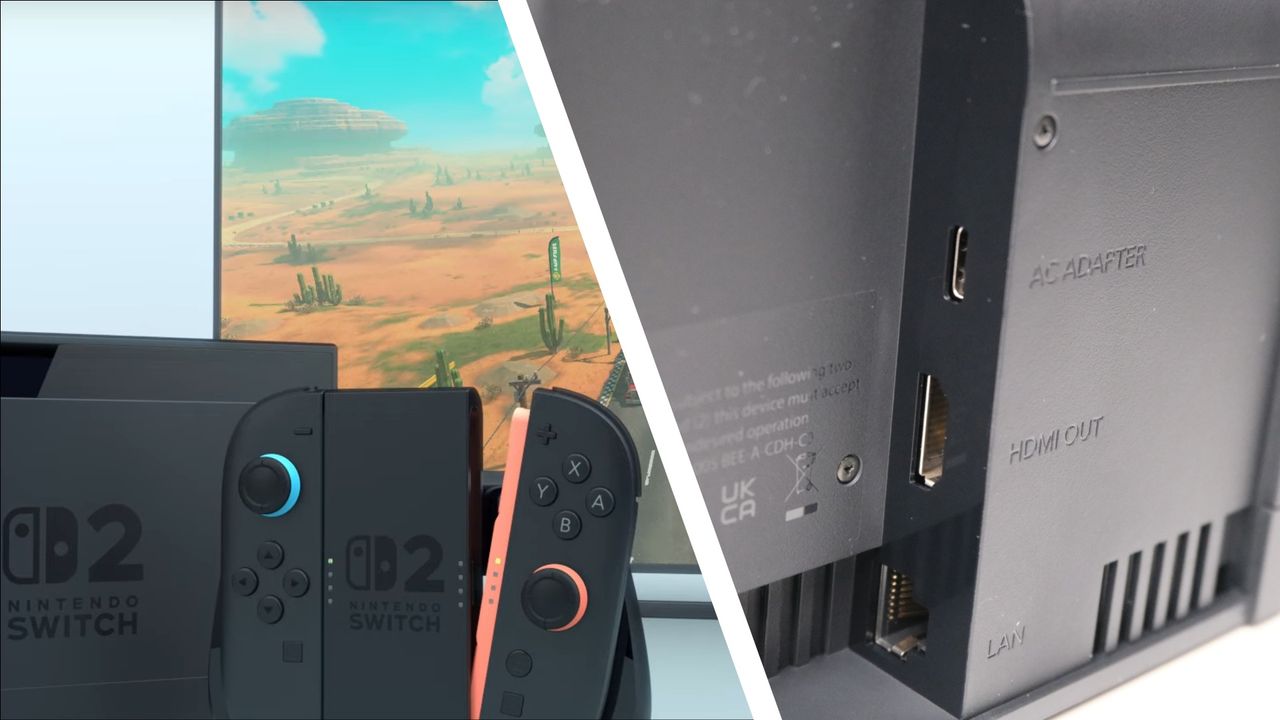
The Switch 2 is finally getting VRR in docked mode for smoother performance with compatible TVs and monitors — but there's a classic Nintendo wrinkle

  • Docked VRR finally arrives more than a year after Nintendo announced and then unannounced it
  • Requires a system update to both console and Dock
  • It seems to work on a title-by-title basis and will require games to update to use it

Nintendo's latest system update for the Switch 2 is here and delivers a much-wanted new feature: VRR support in Docked mode. But there's a catch: a the moment, it only works on one game, and we're not sure how many more will follow, because it's reported to work on a "whitelist" system.

When the Switch 2 launched, VRR (variable refresh rate) was only supported when using the console in handheld mode. Having the same feature available in Docked mode means your display's refresh rate and the game's frame rate can be synchronized to get rid of any screen tearing or judder when you're playing on one of the best gaming TVs or the best gaming monitors that supports VRR.

Unfortunately, the new VRR support in System Update 23.0.0 only appears to be available on a title-by-title basis, unlike the way that the PS5 can force VRR support at the system level on games that don't natively have it.

The big concern here is that Digital Foundry reports that "the feature appears to operate on a whitelist, so only games that developers have flagged as supporting docked VRR will activate it" — and what's unclear is whether the whitelist will require a slow certification process by Nintendo, or whether developers can just quickly roll out an update with support.

It means that, at the time of writing, the list of titles with docked VRR support only includes Nintendo's Switch 2 Welcome Tour, which has just been updated to add the feature. That's it. We at least assumed Nintendo would be ready with updates for all its own games.

What's new in the Switch 2 update

In the release notes Nintendo says: "VRR output is now supported in TV mode. When both the software and the TV support it, the video will be output at a refresh rate that matches the game's processing speed."

We've known for a while that the Switch 2 Dock supports docked VRR, because Nintendo told us on its US website before removing the text last year. So it's nice to see the feature finally being implemented, even if it'll take a while for the appropriate game patches to arrive.

In addition to VRR the Switch 2 software update gives you the ability to make a complete data transfer from one Switch 2 to another. There's a new toggle for Switch 2 Boost saving you a trip into System Settings, improved accessibility support, background music in the Mii editor (which you can turn off if you don't want it) and the usual interface tweaks, unspecified bug fixes and optimizations.

Nintendo's support page for the new system update is here.

  •  

How Do I Keep Control As Platforms Automate My Account? – Ask A PPC

Keep AI-driven PPC accountable with transparent reporting, brand-safe creative guardrails, and campaign structures that preserve performance without surrendering control.

The post How Do I Keep Control As Platforms Automate My Account? – Ask A PPC appeared first on Search Engine Journal.

  •  

Why an insulator can conduct electricity along its edges

Nickel disulfide, NiS₂, is an unusual material. Its interior behaves as an electrical insulator, blocking the flow of current, while certain parts of its surface conduct electricity freely. This contradiction has puzzled physicists for decades, and a recent study offers a detailed explanation. The conduction, it turns out, is confined to tiny one-dimensional steps on the surface, and these narrow conducting channels are a direct consequence of how electrons are arranged inside the crystal.

Mott insulator

NiS₂ shares its crystal structure with pyrite, the mineral sometimes called fool’s gold. At ordinary conditions, its electrons do not move freely through the lattice: the strong electrical repulsion between them opens an energy gap that keeps the bulk of the material insulating. This behaviour defines what physicists call a Mott, or charge-transfer, insulator, a category of materials that simple band theory cannot explain. Band theory predicts that any material with a partially filled outer electron shell should conduct electricity, yet compounds like nickel oxide obstinately insulate instead. In 1949, the physicist Nevill Mott showed why: if two electrons crowding the same atomic site cost more energy than is available, the electrons stay locked in place and no current flows, regardless of what band theory predicts. NiS₂ behaves in much the same way.

Yet electrical-transport measurements had repeatedly found that crystals of NiS₂ conduct through their surfaces. Earlier scanning-tunnelling experiments helped explain part of the puzzle: the broad, flat surface remains insulating, but the electronic gap narrows sharply near atomic-scale steps, tiny cliffs just one or two atoms high where the surface abruptly changes level. A new study 1 confirms this picture and examines the steps with much higher spatial resolution than before.

A not that smooth surface

A scanning tunnelling microscope (STM) works by bringing an extremely sharp needle close enough to a surface that electrons can leak across the gap between tip and sample. Measuring that leakage at different energies reveals both the surface’s shape and how easily electrons can enter or leave it. In NiS₂, these measurements uncovered electronic states concentrated tightly along the step edges: the states extend for a long distance parallel to a step but stay confined to roughly one to two nanometres across it. In other words, the electrons are effectively free to move in one direction while remaining trapped in the other two, forming genuine one-dimensional conduction channels.

NiS₂
Surface spectra of the terminations observed in STM. Source: M. Iraola, H. Guo et al (2026) Nature Communications doi: 10.1038/s41467-026-76126-x

Two distinct kinds of surface step were observed, depending on whether the outermost atomic layer exposes nickel or sulfur atoms. Both carry electronic states associated with their steps, but they are not equally important. The nickel-terminated steps host states that sit right at the energy where electrical conduction happens, making them the most likely explanation for the surface conductivity that transport experiments had measured for years. The sulfur-terminated steps also host states inside the insulating gap, but their energy is positioned further away, making them less directly responsible for carrying current.

The study also tested what happens when a magnetic field is applied perpendicular to the surface. The step-edge states survived fields as strong as 10 tesla, a field far stronger than any produced by a laboratory magnet used for everyday purposes. Their intensity weakened somewhat, particularly on the sulfur-terminated steps, but the states were never destroyed. This robustness matters because NiS₂ already displays complicated magnetic behaviour of its own, which might easily have disrupted a more fragile conducting state.

The deeper explanation lies in how electrons are distributed inside the crystal. In an ordinary insulator, the occupied electronic states can usually be pictured as clouds centred on the atoms themselves. NiS₂ is different: calculations show that part of its electron density is naturally centred at special positions between atoms, specifically near the midpoints of pairs of sulfur atoms, where no atom actually sits. Physicists call these obstructed charge centres, and materials built around them belong to a class known as obstructed atomic insulators, a concept that grew out of a broader effort over the past decade to classify materials by the geometry, and not just the energy, of their electron states.

NiS₂
The concept of obstructed atomic insulator. In an OAI, the valence bands are induced from Wannier functions localized at obstructed Wannier charge centers (OWCCs)—symmetric positions in the crystal not occupied by any ion. Wannier functions are the localized molecular orbitals of crystalline systems. Source: M. Iraola, H. Guo et al (2026) Nature Communications doi: 10.1038/s41467-026-76126-x

Not ordinary metallic defects

This arrangement is not a chemical accident; it is protected by the symmetry of the crystal. When the crystal is cut to form a surface, though, the special positions that hosted this electron density can no longer fit together the way they did in the bulk. At a step edge, this mismatch creates what is known as a filling anomaly: an imbalance in how the available electronic states can be occupied, which leaves behind a state inside the insulating gap, localized right at the edge. Calculations of artificial step structures reproduce the main features seen under the microscope, including this localization, supporting the idea that the conducting channels are not ordinary metallic defects caused by broken chemical bonds, but a direct consequence of the crystal’s underlying electronic geometry.

The study also settles a long-standing question about NiS₂’s magnetism at low temperature. Below about 39 kelvin, the nickel magnetic moments arrange themselves into a non-collinear antiferromagnetic pattern, with neighbouring moments pointing in different directions that largely cancel out. Below about 30 kelvin, they rearrange again into a state that produces a small but measurable net magnetization. New neutron-diffraction measurements support a revised model of this low-temperature arrangement, resolving a debate about the material’s magnetic ground state that had lasted for roughly fifty years.

Taken together, the results give NiS₂ a significance well beyond its peculiar conducting surface. The material shows that strong repulsion between electrons, magnetism, and the geometry of electronic states can coexist within a single crystal. Such geometric protection is normally associated with topological materials, in which certain electronic states are shielded from disorder or defects by the crystal’s symmetry. The new results suggest that this protection can survive even when strong interactions push a material into being an insulator, making NiS₂ a rare setting for studying how the quantum-mechanical arrangement of electrons decides where electricity is allowed to flow within an otherwise insulating crystal.

Author: César Tomé López is a science writer and the editor of Mapping Ignorance

Disclaimer: Parts of this article may have been copied verbatim or almost verbatim from the referenced research paper/s.

References

  1. Mikel Iraola, Haojie Guo, Fabio Orlandi, Sebastian Klemenz, Martina O. Soldini, Sandra Sajan, Pascal Manuel, Jeroen van den Brink, Titus Neupert, Miguel M. Ugeda, Leslie M. Schoop & Maia G. Vergniory (2026) One-dimensional conduction channels in the correlated Mott NiS2 arising from obstructed Wannier charges Nature Communications doi: 10.1038/s41467-026-76126-x ↩

The post Why an insulator can conduct electricity along its edges appeared first on Mapping Ignorance.

  •  

AULA V1 Gaming Mouse Combines Lightweight Design With Competitive-Level Features

Gaming mice have changed significantly in recent years. Instead of simply adding more buttons or aggressive designs, many modern players are looking for a better balance between speed, precision, comfort and wireless flexibility.

The AULA V1 gaming mouse follows this trend with a lightweight 55g body, a PAW3311 optical sensor, dual 1000Hz polling support and three connection modes. Designed for PC and laptop gamers, the mouse aims to deliver a responsive experience while remaining comfortable during long gaming sessions.

Rather than targeting only professional esports players, the AULA V1 focuses on a broader group of users who want a fast and reliable gaming mouse without dealing with excessive weight or unnecessary complexity.

Lightweight 55g Design Focuses on Faster Movement

Weight has become one of the most important factors in gaming mouse design.

The AULA V1 weighs approximately 55g, placing it in the lightweight gaming mouse category. A lower weight can make quick movements easier, especially in fast-paced FPS games where players frequently perform rapid aiming adjustments.

A lighter mouse also reduces the amount of physical effort needed during extended sessions. For gamers who use low sensitivity settings and rely on larger arm movements, reducing unnecessary weight can improve overall control and comfort.

However, lightweight design is not only about reducing numbers. The shape, balance and grip style also determine whether a mouse feels comfortable.

The AULA V1 uses a versatile ergonomic shape designed for different grip methods, including palm grip, claw grip and fingertip grip. It is recommended for small to medium-sized hands, making it more suitable for users who prefer a compact gaming mouse design.

PAW3311 Sensor Delivers Accurate Tracking

At the center of the AULA V1 is the PixArt PAW3311 optical sensor.

The sensor supports up to 12,000 DPI, with tracking performance reaching up to 300 IPS and acceleration up to 35G. These specifications provide enough adjustment range for different gaming styles, from precise aiming in competitive shooters to faster cursor movement in everyday applications.

DPI flexibility is especially useful because different games require different sensitivity settings.

A competitive FPS player may prefer a lower DPI setting for accuracy, while strategy games, productivity tasks or large-resolution displays may benefit from higher sensitivity.

Instead of forcing users into one performance profile, the AULA V1 gives players more freedom to customize the mouse according to their preferences.

Dual 1000Hz Polling Rate Keeps Wireless Performance Competitive

Wireless gaming accessories have improved significantly, and many players no longer want to sacrifice performance for convenience.

The AULA V1 supports a 1000Hz polling rate in both wired and 2.4GHz wireless modes. This means the mouse can report its position frequently, helping maintain a responsive connection during gameplay.

For competitive gaming, consistency is often more important than simply chasing the highest specification number.

A stable 1000Hz polling rate combined with a lightweight body and accurate sensor creates a balanced setup for players who want a fast response without being restricted by a cable.

Tri-Mode Connectivity Makes It More Versatile

One of the biggest advantages of the AULA V1 is its tri-mode connection system.

The mouse supports:

  • USB-C wired connection
  • 2.4GHz wireless connection
  • Bluetooth connection

This allows users to switch between different scenarios more easily.

For gaming desktops, the 2.4GHz wireless mode provides a cleaner setup without the limitations of a cable. When battery charging is needed or maximum stability is preferred, users can switch to wired mode.

Bluetooth connectivity expands compatibility with laptops and other devices, making the AULA V1 more practical than a mouse designed only for gaming PCs.

Built for Long Gaming Sessions

A gaming mouse is not only judged by performance numbers. Comfort becomes increasingly important when users spend several hours playing or working.

The AULA V1 combines its lightweight construction with an ergonomic body design to reduce fatigue during extended use.

Its compact dimensions of approximately 94mm × 62.7mm × 38.5mm make it easier to control for users who prefer smaller mice.

The design is especially suitable for players who prefer quick movements rather than the heavier, larger shapes often found on traditional gaming mice.

Reliable Switches and Custom Control Software

The AULA V1 uses AULA’s custom MCU system and gaming switches rated for approximately 10 million clicks.

While click lifespan does not directly determine gaming performance, durability is important for users who frequently play competitive games where thousands of clicks can accumulate over time.

The mouse also supports AULA’s proprietary HUB driver software, allowing users to adjust settings and customize the experience according to their needs.

Battery and Everyday Wireless Convenience

The AULA V1 includes a built-in 300mAh battery, allowing it to operate as a wireless gaming mouse without requiring constant cable connection.

Battery capacity is only one part of wireless mouse performance. Actual usage time depends on factors such as connection mode, polling rate and lighting settings.

For users who switch between gaming and everyday computer use, the combination of wireless freedom and USB-C charging provides a more flexible experience.

AULA V1 Specifications

Feature Details
Model AULA V1
Sensor PAW3311 Optical Sensor
Maximum DPI 12,000 DPI
Tracking Speed 300 IPS
Acceleration 35G
Polling Rate 1000Hz wired / 1000Hz wireless
Weight About 55g
Battery 300mAh
Connection USB-C wired / 2.4GHz wireless / Bluetooth
Switch Lifespan 10 million clicks
Driver AULA HUB Driver
Size 94 × 62.7 × 38.5mm
Recommended Hand Size Small to medium

Specifications are based on the current product listing and may vary depending on regional versions.

Who Should Buy the AULA V1 Gaming Mouse?

The AULA V1 is a good match for users who want:

  • A lightweight mouse for FPS and competitive gaming
  • Wireless freedom without giving up 1000Hz polling
  • A compact ergonomic design
  • Multiple connection options for PC and laptop use
  • A balance between gaming performance and daily productivity

It may not be the ideal choice for users who prefer large ergonomic mice designed for bigger hands or those looking for advanced features such as adjustable weights, many programmable buttons or premium flagship sensors.

Final Thoughts

AULA V1 gaming mouse focuses on the areas that matter most for modern gaming: low weight, accurate tracking and flexible connectivity.

Its 55g design makes fast movements easier, while the PAW3311 sensor and dual 1000Hz polling rate provide the responsiveness expected from a modern gaming peripheral. The addition of wired, 2.4GHz wireless and Bluetooth modes also makes it practical beyond a single gaming setup.

For gamers looking for a lightweight, versatile and affordable gaming mouse, the AULA V1 offers a balanced combination of performance and everyday convenience.

The post AULA V1 Gaming Mouse Combines Lightweight Design With Competitive-Level Features appeared first on IGeeKphone China Phone, Tablet PC, VR, RC Drone News, Reviews.

  •  

Everything announced at today's Nintendo Direct — from a new 2D Metroid game to a surprise Mario Kart World update, and massive Kirby reveal

The latest Nintendo Direct has concluded, and what a cracker of a show!

It delivered a huge number of titles for Nintendo Switch and Nintendo Switch 2 owners to look forward to, with some big new entries in major franchises like Kirby and Metroid.

There were also plenty of exciting ports, like three new Resident Evil ports, two Far Cry games, and more. Lots of existing titles also got big upgrades in the form of new Switch 2 Editions or free updates.

There are more maps coming to Mario Kart World, for example, and Pikmin 4 is getting a comprehensive Switch 2 upgrade later today.

If you didn't manage to catch the show, you can see a bullet point list of all the announcements in the order that they happened below.

Everything announced at Nintendo Direct – 09/09/2026

  • Monster Hunter Wilds Nintendo Switch 2 port shown, includes all updates — launches on December 4
    • Ascendance expansion is also coming in 2027
  • Final Fantasy 7 Revelation trailer shown — launches on April 8, with pre-orders beginning later today
  • Crisis Core Final Fantasy 7 Reunion launches on Nintendo Switch 2 later today
  • Hyrule Warriors Age of Calamity Definitive Edition coming to Nintendo Switch 2 with visual upgrades and new modes — out February 25
  • Viral hit Meccha Chamelon is coming to Nintendo Switch 2 later today
  • Pokémon Pokopia Expansion Pass DLC is adding some cute new accessories later this year
  • Star Fox is getting a free update with four split-screen players in battle mode, plus three new stages
  • Star Fox Adventures from the Nintendo GameCube is coming to Nintendo Classics later today
  • Some Nintendo Switch 2 The Witcher 3: Wild Hunt - Remastered footage shown — out September 29
    • Songs of the Past expansion also shown — coming in 2027
  • Kingdom Come: Deliverance 2 Royal Edition is coming to Nintendo Switch 2 in 2027
  • Fire Emblem: Fortune's Weave new trailer shown — game still set to launch on September 17
  • Professor Layton and the New World of Steam finally gets a new trailer showing puzzle gameplay — set to have the biggest number of puzzles yet when it arrives on December 10
  • New Yokai Watch game revealed — Yokai Watch 2 Haunted Domain currently in development
  • Nintendo Switch 2 Edition version of Pikmin 4 confirmed — adds voice commands, new mode, and more when it comes out today
  • Onyx The Dead Grip — new horror game from Bloober Team launches as a Switch 2 exclusive next year, can only be played in handheld mode
  • New sizzle reel for Xenoblade Chronicles 3 Nintendo Switch 2 Edition
  • Stage Fright, a new spooky game from the developers of Overcooked shown — comes to Switch and Switch 2 next year
  • Disney Dreamlight Valley: The Keepsake Sea — the game's next paid expansion with underwater areas
  • Ondeh Ondeh Kaya's Tasty Tale — a charming rhythm adventure out in 2027
  • Lego Batman: Legacy of the Dark Knight finally releasing for Switch 2 on September 18
  • New Kirby Air Riders amiibo will launch on November 12
  • Cairn port arriving in early 2027, with demo out today
  • Resident Evil 2 Deluxe Edition, Resident Evil 3, and Resident Evil 4 Gold Edition all coming on October 16
  • Tomb Raider Legacy of Atlantis Switch 2 trailer shown — out February 12, 2027
  • New Nintendo Switch Sports Resort trailer showing free island exploration — Switch 2 exclusive coming October 22
  • New 2D Metroid title revealed — Metroid Ravenous, out January 28, 2027
  • Big free update with ten new courses, plus two new knockout tour routes, is coming to Mario Kart World today
  • Mega Man: Dual Override gameplay trailer shows off Proto Man
    • New Mega Man and Proto Man amiibo also revealed
  • New RPG Eternal Anima shown — comes to Switch 2 on March 4, 2027
  • Danganronpa 2x2 port revealed with new 'Slayhem' mode out on January 14, 2027, for Switch and Switch 2
  • Fatal Fury: City of the Wolves port is on the way in October
  • Metal Slug Ultimate Collection revealed with loads of games — out for Switch and Switch 2 next year
  • Yo-Gi-Oh! Tag Force GX port revealed for Switch and Switch 2 — launches February 16, 2027
  • Romance Saga 3: Destinies United remake for Switch and Switch 2 also out February 16, 2027
  • 007 First Light is actually launching at some point this year, apparently
  • Far Cry 3 Classic Edition coming to Switch in 2027
  • Far Cry Blood Dragon Classic Edition on the way too
  • The Crew Motorfest Switch 2 port shown in the sizzle reel
  • The Apothecary Diaries: The First Imperial Brother out in early 2027
  • House Flipper 2 out October 15
  • Sonic Pico Park spin dashing on to Switch and Switch 2 on November 12
  • Dragon Quest Monsters: The Withered World out on December 3
  • Torneko's Mystery Dungeon Classic HD is available later today
  • Hela port launching on December 1
  • Criksholm The Stolen Dream is coming to Switch 2 on December 3
  • Stellar Blade Complete Edition shown with Bayonetta crossover costume
  • The Ascent Complete Edition is out in December
  • It Takes Two comes out on October 15 for Switch 2
  • Palia Nintendo Switch 2 Edition out in December
  • Bluey's Happy Snaps — brief bit of new footage shown
  • Hot Wheels Infinite Rush dropping on September 10
  • Fading Echo out on September 17 — demo later today
  • Hell is Us port shown, out October 8
  • Marvel Guardians of the Galaxy Encore Edition dropping on November 5 — pre-order today
  • Surprise Persona 4 Revival trailer shows off loads of new gameplay
  • Persona 6 logo shown on screen
  • The final announcement is a new Kirby game that looks almost open-world — called Kirby and the World Beyond and out in Spring 2027

VOD

You can also catch up with the video on demand (VOD) version of the stream via YouTube below.

What did you think?

  •  

GTA 6 PS5 controller pre-orders live — build-up ahead of two new DualSense pads dropping tomorrow

The giant of a video game release is nearly upon us, and Sony is getting well and truly involved with GTA 6 PS5 controllers beginning tomorrow on two very cool looking DualSense variations.

GTA 6 PS5 controller pre-orders

Custom three-way artwork showing the GTA 6 PS5 controllers and the GTA 6 logo

(Image credit: Future/Rockstar/Sony)

1. US pre-order quick links
2. UK pre-order quick links
3. Live updates

Two new limited-edition GTA 6 PS5 controllers are up for grabs tomorrow: one black, one white. Both share a lot of the same design sensibilities and features, but I think both look slick as heck. They are both unmistakably 'Vice City' with palm tree emblems and fronds draped over the pad, while the glints of pink shine wonderfully through on the white or black backgrounds, and the shimmering finish on both does a great job of evoking neon lights.

Both DualSense controllers will cost you $84.99 / £74.99 and will release alongside GTA 6 on November 19. However, there will be a slight variation in availability. The white GTA 6 DualSense will be "available in limited quantities globally at direct.playstation.com and at participating retailers", says Sony. The black GTA 6 DualSense will be "available in limited quantities exclusively through direct.playstation.com where available" — so that means in the UK and US.

We expect the usual suspects to get involved in pre-order listings on both sides of the Atlantic, and we will be casting our eager eye over those, and a wider net more generally, to make sure we get you the best links and info as soon as we see them. We're starting today to get our flag in the ground early, so you know where to be in the run-up to stock dropping.

US GTA 6 DualSense pre-orders – quick links

UK GTA 6 DualSense pre-orders – quick links

Grand Theft Auto 6 Dualsense Controllers

(Image credit: Sony / Rockstar)

Should you pre-order a GTA 6 Limited Edition PS5 controller?

This is perhaps an even easier recommendation to make than the one I did before the game was available to pre-order: in short, you should absolutely, 100%, definitely consider placing a pre-order on these GTA 6 DualSense controllers if you can, rather than waiting and hoping they remain available in the long run.

These are accessories — that will be available in "limited quantities", according to Sony — that will coincide with the release of the biggest thing in all of entertainment ever. As a result, the demand will likely be the highest on DualSense controller editions we've ever seen — and perhaps on any accessory ever.

Yes, there are two different editions which will hopefully spread the load of the demand, but I think placing a pre-order if you can is by far the safest option if you're at all interested in one of these PS5 controllers.

GTA 6 Limited Edition PS5 controllers: cut to the chase

  • Price: $84.99 / £74.99
  • Pre-order date: September 10, 2026; 10am ET / 10am local time in Europe
  • Release date: November 19, 2026
  • Design: Sony describes the limited edition DualSense controllers as pads that "each capture the essence of Vice City, from bright days along the coast to vibrant city nights. Both editions feature a shimmering, color-shifting finish that brings together the hues of a Vice City sunset and the glow of neon lights. They both also feature custom palm tree details molded directly into the controller, adding a unique tactile element alongside official Grand Theft Auto VI branding." There's no denying they do look pretty slick.

Hello!

Hello and welcome to our live coverage of the upcoming GTA 6 PS5 controller pre-orders which are dropping tomorrow!

We're getting our flag in the ground early to be in the best position to help you snag your one, or two, new DualSense controllers!

These are going to be hot stuff...

The DualSense Wireless Controller – Grand Theft Auto 5 Black Limited Edition

(Image credit: PlayStation)

Not only are these two controllers absolute beauties — at least, I think — they are tied to the biggest entertainment release in history.

As a result, I predict the demand for these is going to be huge; absolutely wild, in fact. I know that recent Limited Edition PS5 controllers haven't sold out like some, but surely the safe bet here is that stock will fly.

Because of that I reckon it'll pay to get in position early with bookmarking the above links, getting account information in order, and making sure you're fully informed ahead of stock dropping. tomorrow.

So let's begin with some key information...

What, and how much, are the GTA 6 PS5 controller pre-orders?

Key artwork from the PS Blog piece on the new GTA 6 PS5 controllers

(Image credit: Sony/Rockstar)

In terms of what, there will be two distinct GTA 6 PS5 controllers up for pre-order tomorrow.

Sony is attractively naming them, officially, as 'DualSense Wireless Controller – Grand Theft Auto VI Black Limited Edition' and 'DualSense Wireless Controller – Grand Theft Auto VI White Limited Edition'. The black and white overarching colorway is indeed the biggest thing that separates them, but they both look slick as heck in my view.
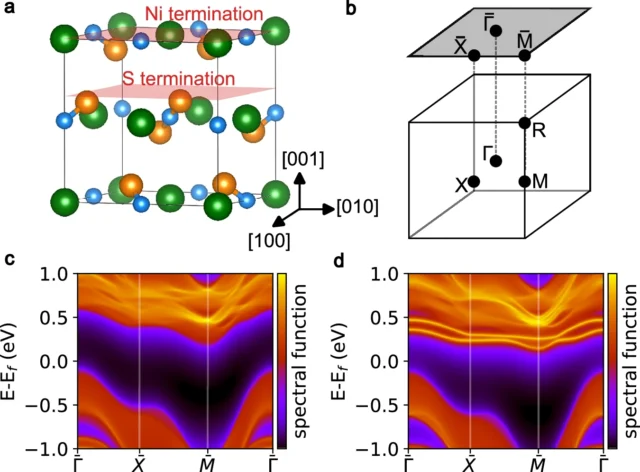
There's that shimmering blue look on both, palm tree fronds and forms draped over the pads, and pink accents that punch through the black or white really pleasingly. I think I prefer the Black one, but it's a close run thing.

There's no difference in price, though, and both will cost you $84.99 / £74.99 — the standard price for DualSenses right now.

When and where are the GTA 6 PS5 controller pre-orders?

Key artwork from the PS Blog piece on the new GTA 6 PS5 controllers

(Image credit: Sony/Rockstar)

OK, the first part of this is easy: GTA 6 PS5 controller pre-orders kick off at 10am ET in the US, and 10am local time everywhere else. Boom.

The second part, availability, is a little more complex, but only in the sense of the difference between the two variants. If my parsing of the PS Blog post is correct, it appears that the Black GTA 6 DualSense will be exclusive to PS Direct, while the white variant will be the one that's available at both PS Direct and other retailers.

The details are fabulous...

A close up of the new GTA 6 PS5 controllers

(Image credit: Sony/Rockstar)

I really like the flashy details of the glinty art style in both the black and white variants, and this close up of the white model really shows how the glimmering and shimmering speckles will change in the light too. Nice.

...and more than just a pattern

A close up of the new GTA 6 PS5 controllers

(Image credit: Sony/Rockstar)

And I also really like the look of the properly moulded and formed palm tree fronds that are raised off the surface of the DualSense.

A lot of previous designs haven't altered the physical feel of the PS5 controller that much, so I really like this change and feature of this particular limited edition design.

So: which one do you like the look of most?

As I said, I think the Black one just pips it for me in terms of my aesthetic tastes, but which one are you most likely to pre-order? Let me know in the poll below!

An early bit of advice to be in position, well, early

It sounds obvious, being ready early, but actually what I mean more specifically is that last time out with the Marvel's Wolverine PS5 collection of controllers and console covers, retailers in the UK, particularly, actually went live comfortably earlier than the 10am start time.

So much so, in fact,m that PS Direct itself also pulled the trigger before 10am in the end; such were the options available to customers before the official start time.

As a result, it'll definitely pay to be as ready to go as you possibly can earlier than 10am ET or 10am local time — perhaps aim for 9.30am and get poised.

Which retailers are the ones to go for first?

PlayStation Direct

(Image credit: Future)

If I'm understanding the PS Blog post correctly — and I think I am, I've done loads of these launches now, though Sony can be ambiguous — then I reckon you're best first port of call is going top be PlayStation Direct. And that's on both sides of the Atlantic.

US retailers have been pretty good on the last limited edition releases and all of Walmart, Amazon, Best Buy, Target, and GameStop have reliably followed with stock. We'd still err toward the former three though for the best and likely-quickest shopping experience.

In the UK, things have been a bit different in recent times. Amazon UK has been very unreliable when it comes to limited edition PS5 hardware or accessory stock. For example, it still hasn't got Marvel's Wolverine DualSense stock. However, the likes of Smyths Toys, Currys,. and Very have all been reliable with the last release or two.

Even the packaging looks dope — if it's real

Our friends at GamesRadar+ have spotted a social media post that shows an image of the packaging — and even that looks slick as heck! If it's real, of course...

Here's a new look at the #GTAVI DualSense controller boxSource: https://t.co/DEQ8Ul0gEI pic.twitter.com/fdboZqGFo4September 8, 2026

I'm off for now - but we're still going

I'm passing the steering of our GTA 6 PS5 controller pre-order ship to one of my excellent colleagues now, as I step away for the evening (and to prepare for a trip to BlizzCon too!).

Keep it right here for the best information and links in preparation for tomorrow's pre-orders kicking off!

  •  
❌