❌

Reading view

★ HAYLOU Velo combina estilo para o dia a dia, carregamento sem fio e uma grande tela AMOLED

A HAYLOU anunciou nesta semana o HAYLOU Velo, um novo smartwatch que combina design contemporâneo com recursos práticos para o dia a dia. Com uma estrutura de liga de zinco, carregamento sem fio e duas pulseiras intercambiáveis incluídas na caixa, o Velo oferece uma alternativa versátil para quem deseja um smartwatch que combine com seu estilo pessoal e sua rotina diária.

Uma tela brilhante e um design diferenciado

O Velo conta com uma tela AMOLED de 1,96 polegada, resolução de 410×502 pixels e brilho máximo de até 1.500 nits, trazendo cores vibrantes e detalhes nítidos no pulso, mesmo em condições externos com muita luz.

HAYLOU Velo
Divulgação/HAYLOU

Uma estrutura central de liga de zinco, vidro 2.5D e botões de liga de alumínio conferem ao relógio uma aparência limpa e contemporânea. Disponível nas cores preta e branca, o Velo foi desenhado para combinar com uma série de estilos do dia a dia.

Duas pulseiras, mais maneiras de usar

O Velo vem com duas pulseiras intercambiáveis: uma pulseira texturizada com padrão ondulado (para um visual diferenciado) e uma pulseira de silicone macio (para treinos e dias mais ativos). A troca entre elas permite aos usuários adaptar o relógio a diferentes roupas e ocasiões.

HAYLOU Velo
Divulgação/HAYLOU

A personalização continua na tela, com mais de 200 mostradores disponíveis online, suporte a mostradores personalizados, quatro layouts para o menu principal e cinco estilos visuais.

Recursos inteligentes para a conveniência diária

O Velo mantém os usuários conectados com chamadas via Bluetooth e notificações inteligentes, além de ferramentas úteis, como controles de música e câmera, assistente de voz e localização do celular. Os usuários de Android também podem responder a mensagens do WhatsApp diretamente pelo pulso.

HAYLOU Velo
Divulgação/HAYLOU

Com mais de 100 modos esportivos e monitoramento diário de atividades, o Velo foi construído para acompanhar os movimentos ao longo do dia, desde as atividades da rotina até os treinos.

Carregamento sem fio, menos complicações

O carregamento sem fio torna a recarga do Velo simples e conveniente. Sua bateria de 300mAh oferece até sete dias de uso, dependendo das configurações e do uso.

HAYLOU Velo
Divulgação/HAYLOU

Com classificação de resistência à água de 1ATM, o Velo foi projetado para lidar com respingos cotidianos e chuva leve, mas não é indicado para natação ou banho.

Preço e disponibilidade

O HAYLOU Velo estará disponível nas cores preta e branca por meio dos canais oficiais de venda da HAYLOU e de parceiros varejistas selecionados em todo o mundo. O preço de varejo estimado é de aproximadamente US$45, com o preço final variando de acordo com o mercado, o varejista e o período promocional.

Para mais informações, acesse o site oficial.

Sobre a HAYLOU

A HAYLOU é uma marca global de tecnologia de dispositivos vestíveis inteligentes e áudio, comprometida em tornar a tecnologia cotidiana acessível. Por meio de produtos de áudio inteligente, dispositivos vestíveis e tecnologias práticas de saúde, a HAYLOU cria experiências confiáveis e agradáveis que ajudam as pessoas a levar vidas mais saudáveis, ativas e conectadas.

NOTA DE TRANSPARÊNCIA: O MacMagazine recebe uma pequena comissão sobre vendas concluídas por meio de links deste post, mas você, como consumidor, não paga nada a mais pelos produtos/serviços ao usar os nossos links de afiliado.

  •  

Bose acquires Skullcandy to help it reach a wider audience

A pile of Skullcandy headphones sitting on a mixing board in a studio.

Bose announced today it has acquired Skullcandy. Although the two companies are competitors in the consumer audio space, Skullcandy recently partnered with its new owner to bring several of Bose's audio technologies - including its head-tracking spatial audio and excellent active noise cancellation (ANC) - to products like the Skullcandy Crusher 1080 ANC headphones and Method 360 ANC earbuds.

Specific details about the deal weren't shared, but according to a news release, Bose plans to keep Skullcandy a separate brand that will become part of its premium consumer audio business. Skullcandy will remain based in Park City, Utah, where it was …

Read the full story at The Verge.

  •  

Does opting out of smart TV tracking work? Research finds “suspicious” traffic.

Smart TVs running operating systems from Samsung, Vizio, and Roku continue sending data to automatic content recognition (ACR) endpoints after users opt out of tracking in the devices’ settings, according to research published on Monday. The paper from Northeastern University researchers points to potential privacy violations from some of the biggest TV brands.

ACR captures video screenshots or audio clips from smart TVs and sends the data to remote servers, where it's used for things like measuring content viewership and serving targeted ads.

The paper, "Watching the Watchers: Privacy Analysis of US Smart TV Automatic Content Recognition," examined eight smart TV OSes across 12 smart TVs from 10 manufacturers (Amazon, Hisense, LG, Roku, Samsung, Sony, Supersonic, TCL, Vizio, and Westinghouse) to examine when smart TVs use ACR and how effective opting out of user tracking is.

Read full article

Comments

© https://www.gettyimages.com/detail/photo/modern-living-room-with-smart-tv-and-remote-control-royalty-free-image/2226225055

  •  

Does opting out of smart TV tracking work? Research finds “suspicious” traffic.

Smart TVs running operating systems from Samsung, Vizio, and Roku continue sending data to automatic content recognition (ACR) endpoints after users opt out of tracking in the devices’ settings, according to research published on Monday. The paper from Northeastern University researchers points to potential privacy violations from some of the biggest TV brands.

ACR captures video screenshots or audio clips from smart TVs and sends the data to remote servers, where it's used for things like measuring content viewership and serving targeted ads.

The paper, "Watching the Watchers: Privacy Analysis of US Smart TV Automatic Content Recognition," examined eight smart TV OSes across 12 smart TVs from 10 manufacturers (Amazon, Hisense, LG, Roku, Samsung, Sony, Supersonic, TCL, Vizio, and Westinghouse) to examine when smart TVs use ACR and how effective opting out of user tracking is.

Read full article

Comments

© https://www.gettyimages.com/detail/photo/modern-living-room-with-smart-tv-and-remote-control-royalty-free-image/2226225055

  •  

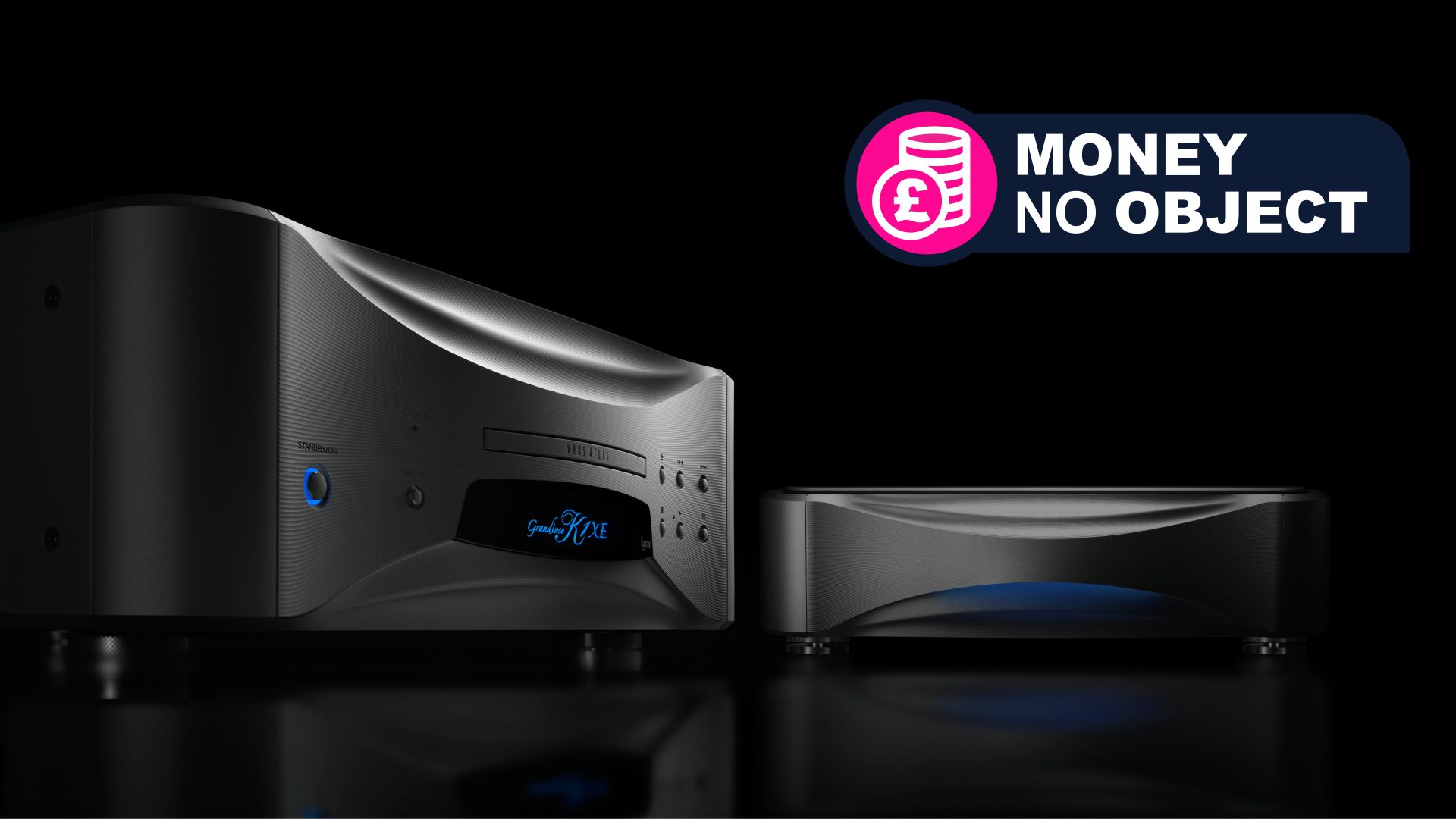
SACD's are making a big comeback and Esoteric's new $45k / £38k player proves it

  • Esoteric knows more of us are embracing CDs — and we'll love SACDs too
  • Meet the elite K1XE SACD player and optional PS1XE external power supply 
  • How much is it? If you need to ask, I fear it's going to be too much… 
Money no object

We love to give practical buying advice about the latest tech products here on TechRadar. But sometimes what we love even more is to indulge in the most outrageously high-end, cutting-edge, luxurious propositions on the planet. That's what we bring you in these Money No Object columns — you can read the whole series here.

Well well well. We knew CD players were having a moment because we can't seem to stop writing about them — whether ultra-luxe, super-fresh and with aptX Bluetooth, be they hefty and toting both analog and digital inputs, fully transparent like some sort of award, inspired by Death Stranding 2: On the Beach in neon orange or even an affordable little ripper, from FiiO.

So there's a CD player for everyone in 2026. TechRadar even published a roundup of 9 of the coolest new CD player releases not six weeks ago, in an effort to stay abreast of them all.

And now, there's an option for people in possession of an awful lot of money. And why not? It's your money and if you have a collection of SACDs you want to make use of, along with a sizeable chunk of cash to invest into the experience, you should be able to do so.

What am I talking about when I say 'SACD'? These delicate little beauties are shiny and circular just like your regular CDs, but the moniker stands for 'Super Audio Compact Disc'. It's a high-resolution optical audio disc format first introduced in 1999 and developed jointly by Sony and Philips Electronics. Unlike CDs, the format uses a 1-bit resolution with a sampling rate of 2.8224 MHz, also known as DSD64, to provide a data rate of 5.6 Mbps — and that walks all over your typical CD's 16-bit/44.1kHz resolution, or a data rate of 1.411 Mbps, in the hi-res audio stakes.

So, it makes sense to get a serious player for your seriously detailed recorded music, right? That's clearly what Esoteric was thinking too. Behold: the ultra-luxe K1XE SACD player. You may see it as an outrageously high-end player, for a format many people thought was largely done and gone. I call it a huge win for offline hi-res listening.

How many of us still dig SACDs? I'd say the number is growing…

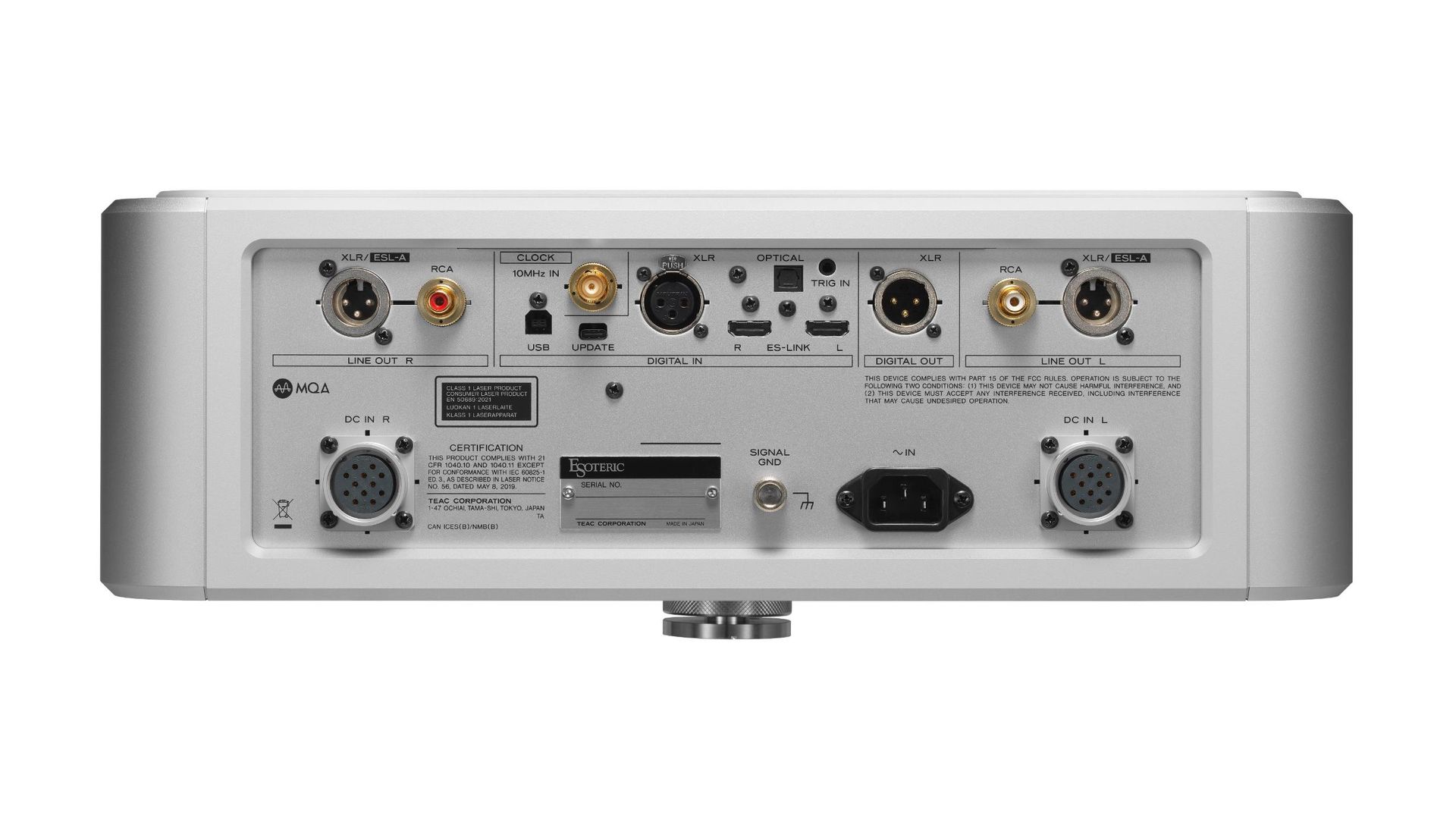
Esoteric's K1XE CD player seen from the back, to show the inputs

(Image credit: Esoteric)

Anyway, what you're looking at in the main image (and the one above) is the Esoteric Grandioso K1XE, the ultra-luxury Japanese audio specialist's new flagship Super Audio CD player.

It features the VRDSATLAS (try saying that out loud, or writing it out several times in a news piece), Esoteric’s proprietary SACD transport mechanism, featuring an "exceptionally rigid, heavyweight platform engineered for outstanding mechanical precision". Also inbuilt is the proprietary Master Sound Discrete DAC G2, a next-generation, discrete digital-analog converter developed entirely in-house by Esoteric.

The K1XE is a fully dual-mono DAC configuration. Esoteric explains that this "large scale" architecture incorporates five independent linear power supply systems to achieve what the company calls "full-bodied sound reminiscent of vinyl playback".

OK but what's the thing on the right, in the main image above? That's the Grandioso PS1XE, an also-new optional external power supply — because you want to power this player properly, don't you? Doing so will reduce electrical interference, lower the noise floor for cleaner SACD sound, move high-voltage AC and heat a sensible way away from those sensitive audio circuits, including that beautifully rigid, hefty transport.

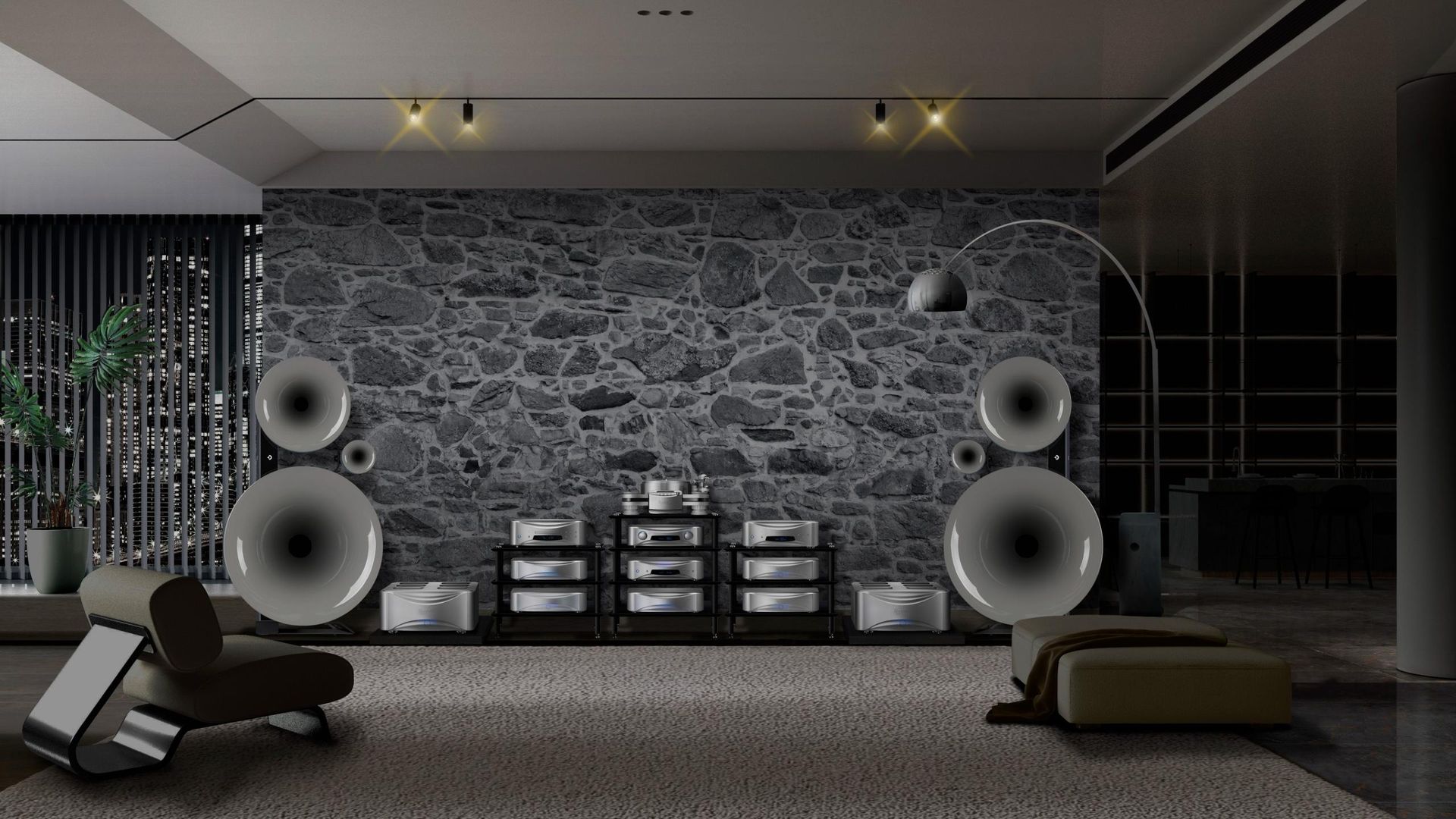
Esoteric's full Grandioso range in a hi-fi listening room

Esoteric's K1XE is just part of the full Grandioso range, seen here in a particularly high-end listening space (Image credit: Esoteric)

Both products will be available for international shipment from the beginning of November 2026. And it's worth considering shipping costs too (although if you're bothered by those, it's probably a little rich for the blood) because the K1XE alone weighs 34.3kg / 75lbs, which is roughly the weight of a large adult dog — think German Shepherd or Golden Retriever.

Will this glorious beast still play your regular CDs? Almost certainly. Esoteric hasn't confirmed this in its marketing, but practically all SACD players are fully backwards-compatible and are able to read the standard Red Book CD layer of an audio CD (sometimes called a CD-DA) without issue.

And that's important, because CD sales revenue was up 58% in the opening six months of 2026 (and 45% in volume) in the US, according to the Recording Industry Association of America (RIAA). Also, the burgeoning popularity of newer portable CD players (along with the growing trend for wired earbuds that do away with streaming and generally being online) proves that music lovers are buying new, pristine CDs alongside inheriting caches of old (possibly scratched) collections. And isn't listening to a full concept album in superior quality one of life's great pleasures?

Let's tackle pricing: both The Grandioso K1XE and PS1XE will be available worldwide starting November 2026. And I'm just going to write it quickly: the Esoteric Grandioso K1XE SACD player has an MSRP of US $45,000 / £37,999 (or around AU$72, 399). The PS-1XE external power supply is priced at $19,000 / £16,500 (approximately AU$36,199).

Just imagine how good those SACDs are going to sound though…

  •  

‘I’m always being real’: what on earth persuades disgraced people like Elizabeth Holmes to let the cameras in?

With You Can See Everything, Holmes joins other such high-profile subjects as Lance Armstrong, Imelda Marcos and Anthony Weiner to allow film-makers to document their lives. But do they ever come out well?

In You Can See Everything, convicted fraudster Elizabeth Holmes invites film-makers Nathan Fielder and Lance Oppenheim into her home in a supposed act of “radical transparency”. Holmes is filmed, along with her partner, Billy Evans, and their two young children, in the weeks before starting a prison sentence for defrauding Theranos investors. “The best way for people to see who she is,” Evans says, “is to give as much access as possible into our daily lives”. It may also be the best way to market “Theranos 2.0”, which the couple are working on during filming. But the documentary questions whether Holmes is presenting her authentic self or a manufactured persona. Fielder speaks for the audience when he asks Holmes in a tense exchange whether she’s “being real” with him. “I’m always being real,” she says.

That question of authenticity is at the heart of documentary film-making. You Can See Everything is as much about the ambiguous relationship between film-maker and subject as it is about Holmes herself. There is often a power struggle over narrative control in documentaries, with both sides of the dynamic wanting different outcomes from the final film. Watching You Can See Everything inevitably prompts the question: why would Holmes, days before she heads to jail, invite the scrutiny of a film crew?

Continue reading...

© Photograph: Courtesy of A24

© Photograph: Courtesy of A24

© Photograph: Courtesy of A24

  •  

4 cheap headphones and earbuds we've tested to avoid 'headphone dodger' fines — they're all cheaper than the £100 you'll pay if you're caught

  • UK government cracks down on people who annoy others with phone music
  • Fines of up to £100 for those people
  • It's cheaper to just buy these headphones

People who play music, TikTok videos or out-loud video calls on public transport probably aren't self-aware enough to know how annoying it is, but apparently the UK government does, because it's finally cracking down on so-called "headphone dodgers".

From next Monday, transport authorities will be allowed to fine rule-breakers by up to £100 if they're causing a nuisance. Prime Minister Andy Burnham is fronting the campaign, after previous governments toyed with the idea.

It's a good idea, but the success is dependent on enforcement, as transport safety officers and not drivers are expected to hand out the fines. Given how minimally-staffed most public transport services are, some (me) are dubious that the rules will make a difference.

However if you've been a 'headphone dodger' and you want to turn a new leaf (good on you), it'd make sense to buy a pair of headphones that cost much less than the £100 penalty fare.

And naturally, we've tested a few that we can recommend…

Sennheiser CX 80U

Sennheiser CX 80U earbuds on block

(Image credit: Future)

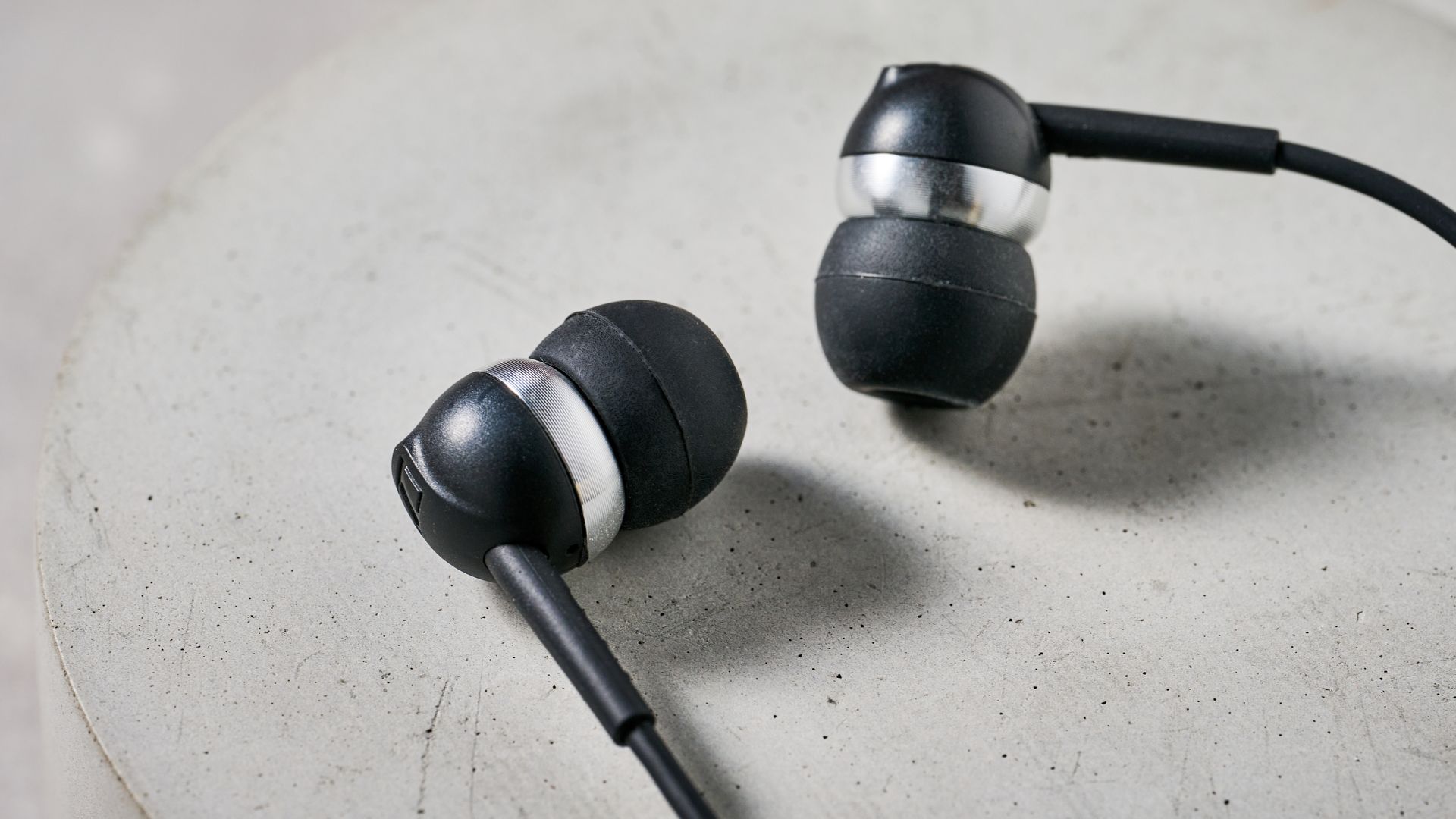
Starting with something nice and cheap, we've got some wired earbuds, which you can easily plug into the USB-C port on a phone and keep bundled up in your pocket the rest of the time. No Bluetooth dropouts, no losing a bud as you board the bus, no apps, none of that.

The Sennheiser CX 80U sound great, block surrounding noise quite well, and offer a nice simple design. We gave them 4.5 stars out of 5 in our review, only knocking them for some missing features of pricier buds.

Best of all, though, they're really cheap. They launched for $39.95 / £34.99 in January this year, but you can find them even a little cheaper than that on Amazon.

Sony WH-CH530 (or even the Sony WH-CH730N)

Sony WH-CH530N headphones in different colors, arranged in a circle to form a flower shape, on a gray floor

(Image credit: Sony)

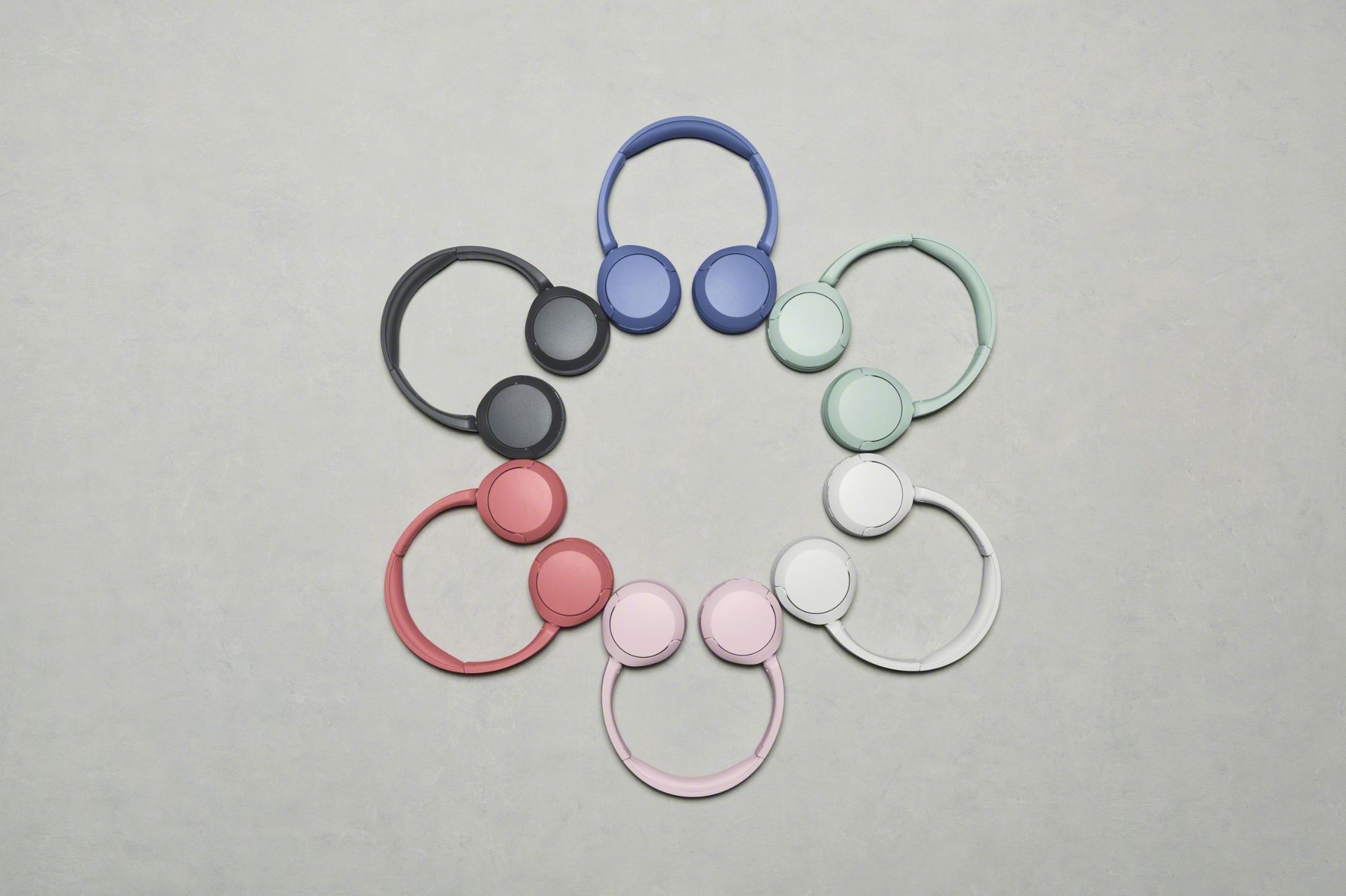
If you want great-value headphones, you can't go wrong with a pair from Sony, and its recently-released Sony WH-CH530N are really affordable at $69 / £50.

We haven't yet finished testing these on-ears, they're that new, but their predecessors the WH-CH520 got 4.5 stars in our review. We praised the balanced sound and long-lasting battery, and the newer pair will likely bring improvements.

As you can see in the picture, they come in a wide range of colors, and also have noise cancellation, which isn't something you can say about all options at this price point.

Prefer over-ears? Go for the just-reviewed, all-new Sony WH-CH730N: a solid four stars and they're just under that £99 (or equivalent, in your country of residence) fine line, if you'll pardon the pun…

JLab JBuds Mini ANC

JLab JBuds Mini ANC earbud outside the case

(Image credit: Future)

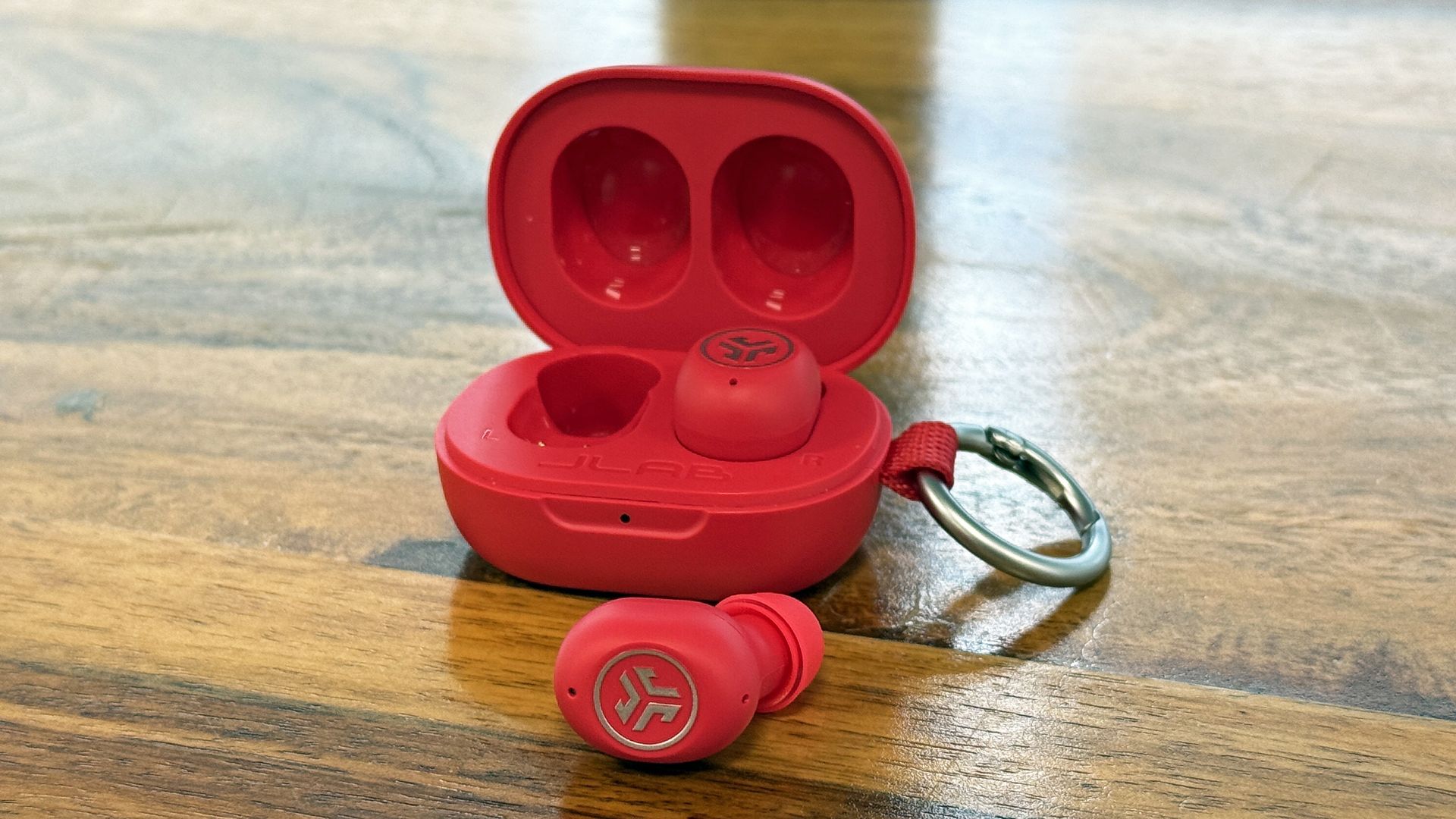
Last, but not least, let's look at some standard wireless noise-cancelling earbuds, which we got to try earlier this year.

The JLab JBuds Mini ANC are tiny — you can even clip the case onto your keyring — so you've got no excuse for not having buds on the bus. At $49.99 / £49.99 they won't break the bank either.

We enjoyed the non-ANC JLab JBuds Mini too, when they came out three years ago, and they're ideal for people who want lightweight buds.

Have further thoughts? Drop us a comment — or better yet, fill out the poll below this text and then add your comment!

  •  

Mac Studio’s carbon footprint is 314 kg to Mac mini’s 30 kg, and use is the gap

Apple’s Product Environmental Reports put the base Mac Studio, with M5 Max, 36GB memory and 512GB storage, at 314 kg of gross greenhouse gas emissions (CO2e). The base Mac mini, with M6, 16GB memory and 256GB storage, comes in at 30 kg, and the largest single line separating them is customer product use. Both reports […]

The post Mac Studio’s carbon footprint is 314 kg to Mac mini’s 30 kg, and use is the gap appeared first on The Mac Observer.

  •  

Apple Self Service Repair Now Supports iPhone 18 Pro and New Macs

Owners of the newest Apple devices can now fix their own hardware at home. The tech brand has officially added the iPhone 18 Pro, the M6 Mac mini, and the latest Mac Studio to its Self Service Repair program. This allows handy users to order official parts and tools directly from the company to perform […]

The post Apple Self Service Repair Now Supports iPhone 18 Pro and New Macs appeared first on The Mac Observer.

  •  

HomePod mini 2: Everything you need to know release date, price & specs

Macworld

Apple has unveiled the HomePod mini 2, the first major update to its smallest smart speaker since the original launched in November 2020. Announced on October 13, 2026, the new HomePod mini brings Apple’s more capable Siri AI assistant, upgraded audio experiences, improved connectivity, and a selection of new colors. It retains the familiar compact, spherical design but features significantly improved technology inside.

The biggest upgrade is Siri AI, which will bring more natural conversations, broader knowledge, and greater awareness of personal information stored on connected Apple devices. This will allow users to ask more complex questions, find information in messages and emails, and perform tasks across apps. Siri AI will arrive in a future software update. To enable it, the owner of the home in the Home app needs an Apple Intelligence-enabled iPhone or iPad with current software and Siri AI enabled in a supported language. Other household members can then use its general conversational features without their own compatible device, but personal-context requests require a paired Apple Intelligence-enabled device.

Apple has also replaced the original HomePod mini’s aging S5 processor with the newer S10 chip, enabling enhanced computational audio. Other major additions include four-speaker surround sound when paired with the fourth-generation Apple TV 4K, the ability to use HomePod mini 2 as the default audio output for a Mac equipped with Wi-Fi 6E or later, and Sound Glow, which turns the illuminated touch surface into a colorful display that responds to music.

Sound Glow isn’t exclusive to the new model: our testing confirms that it also works on the original HomePod mini with the iOS 27.2 and HomePod Software 27.2 release candidates. Wi-Fi 6E and Bluetooth 6 bring the speaker’s wireless technology up to date.

The HomePod mini 2 comes in five colors: pink, green, blue, white, and midnight. It costs $149, compared with the previous model’s $129 price following Apple’s June 2026 price increase. Pre-orders opened on October 13, with the new speaker going on sale on Friday, October 30. It’s a substantial upgrade for anyone buying their first HomePod mini, although existing owners may find the strongest reason to upgrade is the new Siri experience.

HomePod mini 2 vs. HomePod mini: The 10 biggest changes

FeatureHomePod mini 2 (2026)HomePod mini (2020)
1. ProcessorApple S10Apple S5
2. SiriSiri AI, arriving laterOriginal Siri features
3. Personal contextCross-app personal context with compatible iPhone/iPadLimited personal requests
4. Home theaterFour-speaker surround sound with Apple TV 4K (4th gen)Stereo pairing
5. Mac audioDefault audio output on Macs with Wi-Fi 6E or later; supports one speaker or a stereo pairAirPlay audio
6. Visual effectsSound Glow music animationsSound Glow also supported in HomePod Software 27.2 release-candidate testing
7. Wi-FiWi-Fi 6EWi-Fi 4 (802.11n)
8. BluetoothBluetooth 6Bluetooth 5.0
9. ColorsMidnight, white, blue, green, pinkMidnight, white, blue, yellow, orange
10. Price$149$99 at launch; $129 most recently

The biggest improvements are in software intelligence, audio capabilities, and wireless connectivity rather than the speaker’s physical design. Its fundamental audio hardware remains familiar, including the full-range driver, dual passive radiators, and 360-degree acoustic waveguide.

HomePod mini 2 release date: When will it go on sale?

Apple announced the HomePod mini 2 on Tuesday, October 13, 2026, at its “Welcome Home” product launch. The new speaker is available to pre-order immediately, with the official release date set for Friday, October 30, 2026.

Customers in the U.S. and more than 23 other countries and regions can order the HomePod mini 2 through the Apple online store or Apple Store app. It will also be available in Apple retail stores from October 30. Other retailers are expected to stock the speaker.

The new model arrives almost six years after the original HomePod mini launched in November 2020. Apple had been widely expected to update the speaker in 2025, but reports suggested that development of its redesigned Siri assistant delayed the launch. Standard smart-home controls will be available at launch, but Siri AI will arrive in a later software update. To enable it, the home owner will need a compatible Apple Intelligence-enabled iPhone or iPad.

We recommend: Apple HomePod mini 2

Apple HomePod mini 2

Pre-order the HomePod mini 2 from Apple U.S.

Pre-order the HomePod mini 2 from Apple U.K.

HomePod mini 2 design: What does it look like?

HomePod mini 2 Soundglow animated gif
The HomePod mini 2 showing Sound Glow.

Apple

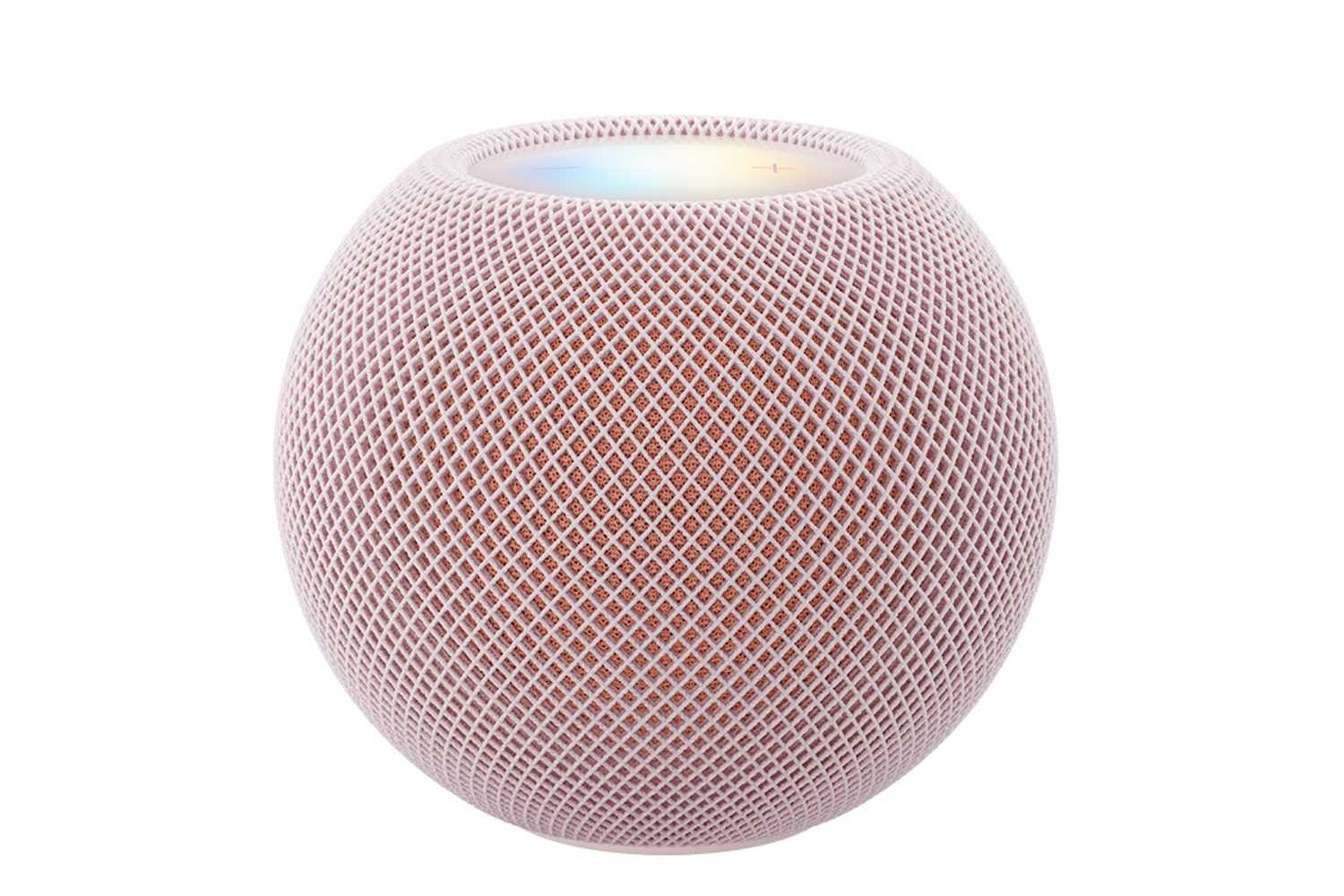
Apple hasn’t radically redesigned the HomePod mini for its second generation. The new speaker retains the familiar spherical shape, with a seamless acoustic mesh covering its body and an illuminated touch-sensitive surface on top. It’s designed to fit unobtrusively on a desk, bookshelf, kitchen counter, or bedside table.

The HomePod mini 2 measures 3.3 inches (84.3mm) high and 3.9 inches (97.9mm) wide, exactly the same dimensions as its predecessor. It weighs 335g, making it slightly lighter than the original 345g model. Apple continues to use acoustically transparent fabric, allowing sound to travel through the enclosure in every direction.

The most obvious visual changes are the colors. HomePod mini 2 is available in pink, green, blue, white, and midnight. Pink and green replace the outgoing orange and yellow options, while blue has a darker appearance than before. Interestingly, these colors closely match those revealed in Apple software before the announcement, although a previously rumored red version hasn’t appeared.

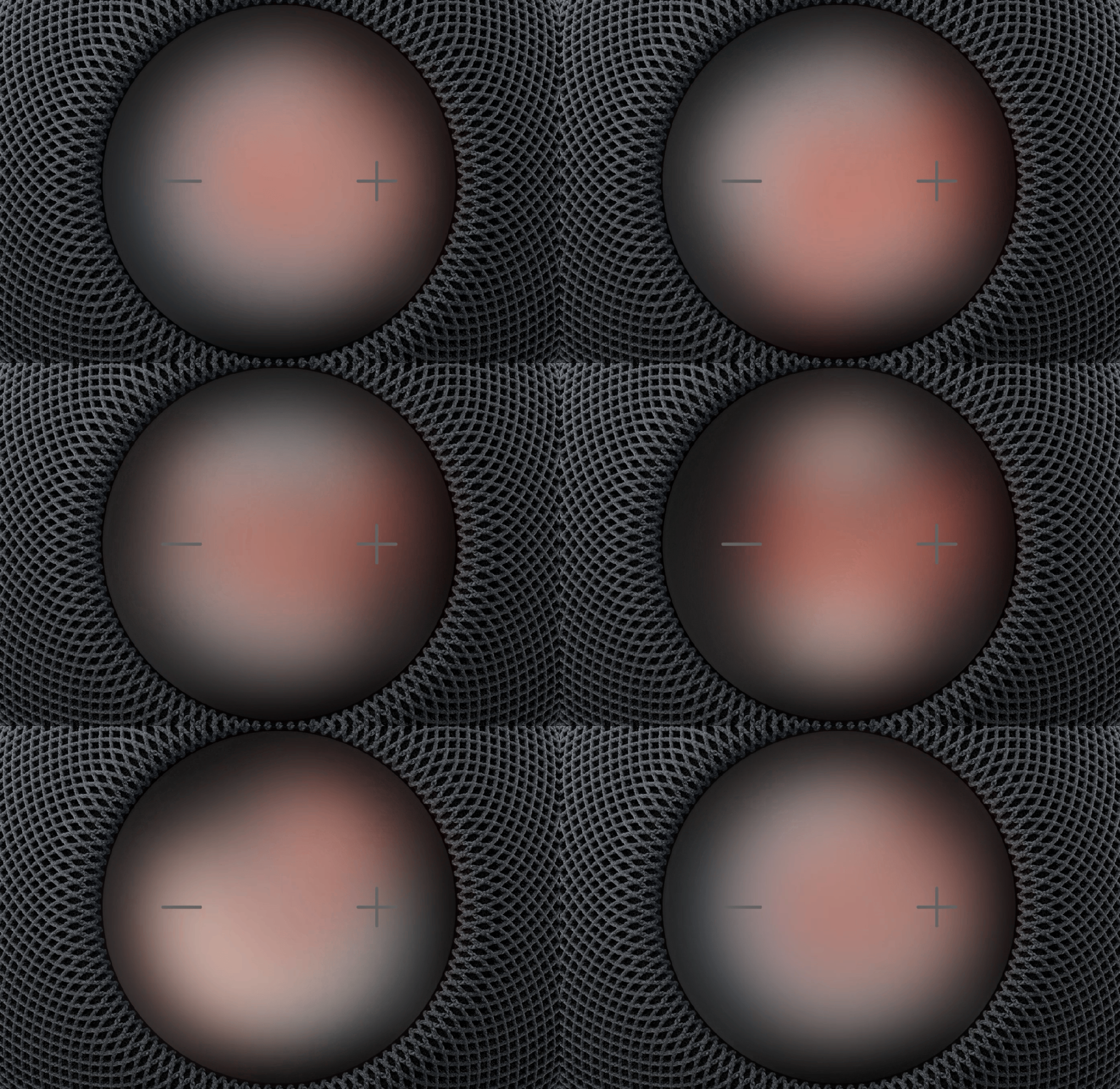
The other significant visual upgrade is Sound Glow, which makes the illuminated surface on top much more expressive. Rather than simply displaying Siri’s familiar animations, it can pulse and glow in response to the bass and treble of music. Colors can reflect the artwork of the song being played, while soundscapes such as rain produce their own lighting effects. Voice control element of Sound Glow requires an Apple Intelligence-enabled iPhone running the latest software.

Owners of the original HomePod mini won’t need to replace their speakers solely to get these lighting effects. Macworld tested Sound Glow successfully on the 2020 model using prerelease software. This does not bring Siri AI to the original mini, however.

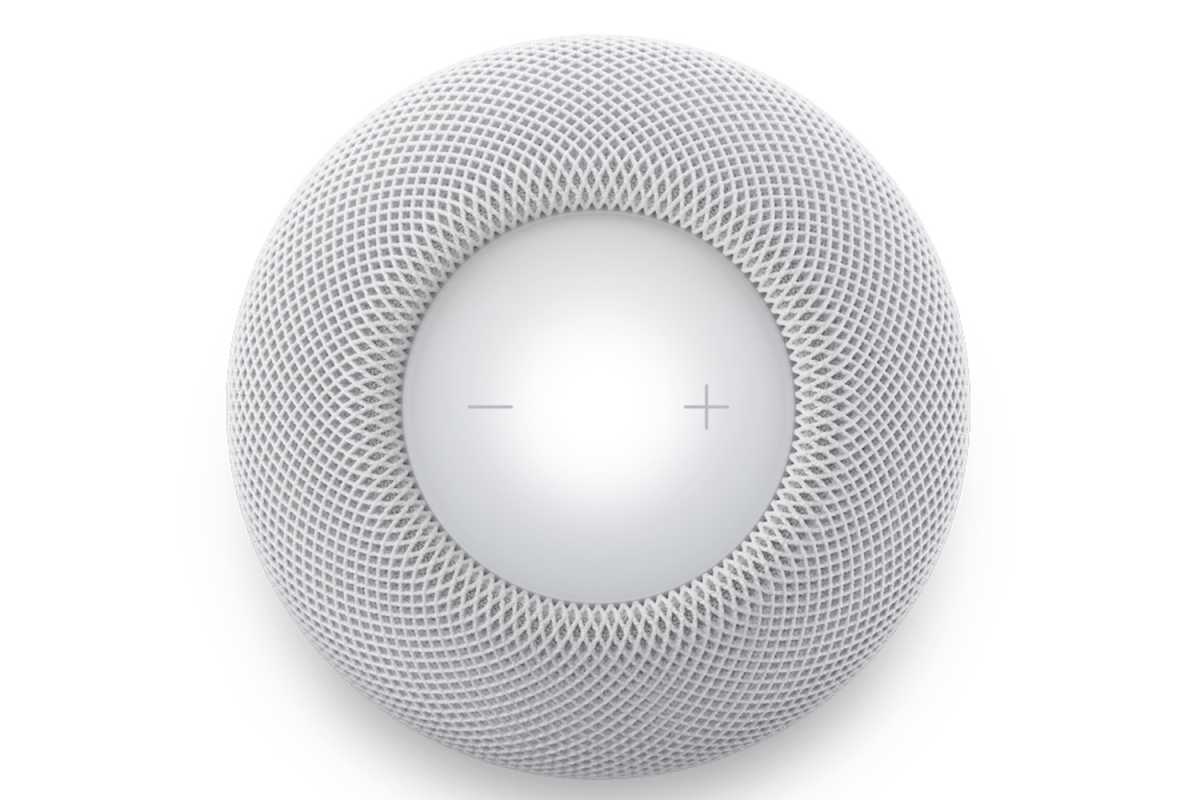
Apple hasn’t changed the basic touch controls. Users can still tap to play or pause music, double-tap to skip forward, triple-tap to skip backward, touch and hold to activate Siri, and use the illuminated plus and minus controls to adjust volume. The biggest interface improvements therefore come from Sound Glow and the forthcoming Siri AI features rather than new physical buttons.

HomePod mini 2 processor: What chip does it use?

The HomePod mini 2 uses Apple’s S10 chip, replacing the original model’s S5. It powers computational audio that adjusts the sound in real time, including its dynamic range and loudness.

The new model also supports the forthcoming Siri AI features, including more conversational requests and access to personal context. These will arrive through a future software update and require compatible Apple devices.

The redesigned Siri will support more conversational requests, broader world knowledge, and personal context awareness, with processing distributed between the HomePod, connected Apple devices, and Apple’s Private Cloud Compute servers.

HomePod mini 2 connectivity: What’s changed?

top of HomePod mini 2
Top of the HomePod mini

Apple

The HomePod mini 2 brings two confirmed wireless upgrades: Wi-Fi 6E and Bluetooth 6. These replace the original model’s older Wi-Fi 4 and Bluetooth 5.0 technologies, bringing the speaker up to date with Apple’s latest wireless ecosystem.

Wi-Fi 6E adds access to the 6GHz wireless band when used with a compatible router, potentially reducing congestion and improving network performance in busy homes. Bluetooth 6 introduces newer wireless capabilities, although Apple hasn’t specified which Bluetooth improvements the HomePod mini 2 takes advantage of.

The new HomePod mini also supports Thread networking, allowing it to act as part of a compatible smart-home network. This helps it communicate with devices such as smart lights, sensors, and other supported accessories without relying exclusively on traditional Wi-Fi connections.

Apple lists an Ultra Wideband chip for device proximity, continuing support for proximity-based interactions with compatible devices. However, the technical specifications don’t identify the generation of the chip, so it isn’t yet possible to confirm whether this is an improvement over the original model’s U1 hardware.

Despite earlier rumors about Apple’s in-house wireless networking technology, the company hasn’t named a specific Apple-designed connectivity chip for the HomePod mini 2. The speaker continues to depend on Wi-Fi for its internet connection.

HomePod mini 2 speaker setup

You can use HomePod mini 2 on its own, pair two for stereo sound, or build a four-speaker surround system with a compatible Apple TV – while supported Macs can use a single speaker or stereo pair.

Can you use HomePod mini 2 speakers for stereo or surround sound?

You can use one HomePod mini 2 on its own or combine two into a stereo pair, with separate left and right audio channels. Stereo pairing was available on the original HomePod mini.

The new addition is four-speaker surround sound with an Apple TV 4K (4th generation) running the latest software. This uses two speakers at the front and two at the rear.

Each pair must contain matching models, but the front and rear pairs can differ. For example, you can use two HomePod (2nd generation) speakers at the front and two HomePod mini 2 speakers at the rear.

Which Macs can use HomePod mini 2 as their default speaker?

HomePod mini 2 can serve as the default audio output for a Mac with Wi-Fi 6E or later. You can use one speaker or two HomePod mini 2 speakers configured as a stereo pair. Four-speaker surround sound requires an Apple TV 4K (4th generation) and isn’t supported through this Mac feature.

Compatible models include:

  • Mac mini: M2 and M2 Pro models or newer
  • MacBook Pro: 14-inch and 16-inch models introduced in 2023 or later
  • Mac Studio: M2 Max and M2 Ultra models or newer
  • Mac Pro: M2 Ultra model
  • iMac: M3 models or newer
  • MacBook Air: M3 models or newer

HomePod mini 2 price: How much does it cost?

The HomePod mini 2 costs $149/£149, making it $20/£20 more expensive than the previous-generation model at its most recent official price. It’s also $50/£50 more expensive than the original HomePod mini was when it launched in November 2020.

Apple initially sold the HomePod mini for $99/£99, but increased the price to $129/£129 in June 2026. The new model therefore represents another price increase, although it brings a significantly newer processor, support for Siri AI, improved connectivity, and additional audio capabilities.

A 20W power adapter is included in both the U.S. and U.K. boxes. Apple lists an iPhone or iPad running the latest iOS or iPadOS, plus Wi-Fi internet access, as requirements for using the speaker.

ModelU.S. priceUK price
HomePod mini (2020 launch)$99£99
HomePod mini (June 2026 price)$129£129
HomePod mini 2 (October 2026)$149£149
Increase over previous price+$20+£20
Increase over launch price+$50+£50

Should you buy a HomePod mini 2?

The HomePod mini 2 looks like a worthwhile purchase for anyone looking for an affordable Apple smart speaker, particularly those interested in Siri AI, smart-home control, new Mac audio and home theater options. The S10 chip, upgraded connectivity, and new audio features make it a much more capable device than its predecessor.

However, existing HomePod mini owners shouldn’t rush to upgrade. The design and fundamental speaker hardware remain largely unchanged, and Siri AI won’t arrive until a future software update. If you mainly use your HomePod for music, an inexpensive first-generation model could still be a good choice. For more powerful sound, consider the full-size HomePod.

  •  

How to Edit an iPhone Voice Recording Without Losing the Original

Editing an iPhone voice recording starts with deciding what you want to change—and protecting the version you might need later. A pause before a presentation, an interruption halfway through a memo, and an incorrect sentence call for different editing choices.

For this walkthrough, imagine a short narration introducing a workshop. It starts with silence, includes an unnecessary aside, and gives the wrong day. The aim is to produce a clear final recording while keeping the untouched take available for comparison.

The steps below follow Apple’s Voice Memos instructions for iOS 27. If your iPhone runs another version, menu labels or the editing layout may differ.

Duplicate the Recording Before Editing

In Voice Memos, select your recording, open the ellipsis menu, and choose Duplicate. Apple’s duplication instructions explain that the copy appears below the original. Tap its name to rename it.

Use descriptive names such as “Workshop — Original” and “Workshop — Edit 01.” Open the working copy before making changes.

Duplicating first is especially helpful when you are learning the controls or deciding between several versions. It gives you a reference you can return to without needing to remember every cut. For an interview or lecture, preserving that reference also helps you check whether a shortened passage still represents what the speaker meant.

A smartphone screen displaying voice memo editing options, including a pop-up menu to share, rename, edit, view or copy transcripts, apply studio sound, or organize recordings.
Image Credit: AppleMagazine

Listen Before Choosing an Editing Tool

AppleMagazine’s guide to recording and transcribing audio on iPhone covers capturing spoken material. Once you have a recording, listen through it before deciding what to remove.

Our example narration reads:

“Welcome to the workshop. Let me start that sentence again. The session takes place on Thursday at ten. Please bring your notebook.”

Suppose the correct day is Friday. There are three separate jobs: shorten the silence around the narration, remove the unnecessary aside, and correct the schedule.

Write down those changes before touching the waveform. This simple checklist helps prevent a common editing mistake: concentrating on one awkward moment and overlooking an incorrect detail elsewhere.

Trim Unwanted Audio From the Ends

Select the working recording, open the ellipsis menu, and tap the trimming icon. Pinch outward to zoom in, then move the yellow handles around the audio you want to keep. Tap Play to preview the selection before choosing Trim, then tap Apply.

In our example, the useful selection begins just before “Welcome” and ends after “notebook.” Leave a little breathing room at both ends. Cutting exactly against the first or final sound can make a voiceover feel abrupt.

Listen for complete words rather than choosing boundaries solely by the waveform’s appearance. A quiet consonant may be harder to spot than a loud vowel, but losing it can make the opening sound clipped.

A smartphone screen displaying the iPhone Voice Memos app with a waveform, a play button, and a replace button for editing a recording.
Image Credit: AppleMagazine

Delete an Interruption Within the Recording

In the same trimming view, position the yellow handles around the unwanted passage and choose Delete, then apply the change. Apple’s editing guide distinguishes this from trimming: deleting removes the selected passage; trimming keeps it.

For the workshop narration, select “Let me start that sentence again.” Listen across the resulting join, paying attention to the rhythm between the introduction and the schedule.

A shorter recording is not automatically a better recording. Keep natural pauses that help listeners follow the message. When editing someone else’s speech, check that removing a hesitation or aside does not change the meaning or make separate thoughts sound like one statement.

Replace an Incorrect Spoken Line

Open the ellipsis menu and choose Edit Recording. Move the playhead to the correction’s starting point, tap Replace, and speak. Tap Pause when finished and preview the result. Replacement records over existing audio from that position.

For our example, rehearse “The session takes place on Friday at ten” before recording it. Aim for a similar pace and keep the iPhone at a consistent distance from your mouth. A noticeably different room sound or speaking volume can make the correction more distracting than the original mistake.

Start playback a few seconds before the correction and continue beyond it. That makes changes in tone, background noise and sentence rhythm easier to notice than listening to the replacement alone. If the transition sounds unnatural, rerecording the full sentence may produce a cleaner result than replacing only the day.

Check the sentence afterward, too. Do not assume a replacement of a different length will leave the following words intact. If the correction sounds cramped, consider recording a longer continuous passage on another working copy.

Save and Check the Finished Version

When finishing an edit, tap Done. Choose Save Recording to update the working copy, or Save as New Recording to create a separate edited version while preserving the recording you opened. Because this walkthrough starts with a duplicate, the untouched original remains separate—as long as you have been editing the copy.

Listen to the finished narration from beginning to end. Confirm the correct day, complete opening and closing words, and comfortable transitions around each edit. Comparing it with the untouched take can reveal a missing phrase that is easy to overlook when replaying only a few seconds.

Before sharing, give the finished version a clear name and verify that you have selected it. Keeping an identifiable original alongside a checked final recording makes future corrections easier—and lets you edit with confidence rather than treating every cut as your only chance.

The post How to Edit an iPhone Voice Recording Without Losing the Original appeared first on AppleMagazine.

  •  

The dangers of letting tech billionaires shape our world

As SpaceX impacts Ukraine and AI-generated music divides artists and fans, critics are asking what happens when technology has too much control over our lives

Hello, and welcome to TechScape. I’m Blake Montgomery, US tech editor at the Guardian, writing to you while sitting in front of Roy Lichtenstein’s monumental Drowning Girl, on view in New York City. Today in tech, we’re discussing the perils of Elon Musk’s one-man global infrastructure, AI-generated music and a Guardian AI conference in Paris.

Continue reading...

© Photograph: Gonzalo Fuentes/Reuters

© Photograph: Gonzalo Fuentes/Reuters

© Photograph: Gonzalo Fuentes/Reuters

  •  

Huawei’s car unit joins CATL’s 2,520-station battery swap network

Huawei’s smart car business is signing on to CATL’s battery swap network, giving the world’s largest battery maker another heavyweight partner for a technology most of the industry wrote off a decade ago.

Yinwang, the Huawei-controlled automotive unit also known as Newcool, signed a strategic cooperation framework with CATL and its swap subsidiary CAES on Monday. CATL’s Choco-swap network already counts 2,520 stations across about 200 Chinese cities.

more…
  •  

Meta Releases Muse Spark Open, an Over 800 Billion Parameter Model That Can Run Locally on Multiple M5 Ultra Mac Studios

Meta just released the weights for Muse Spark Open, a multimodal large language model with a mixture-of-experts architecture. It has over 800 billion parameters in total, with 40 billion active per token, and it can run on the latest Mac Studios.

Meta worked closely with Apple to make that happen specifically on the M5 Ultra Mac Studio with the support of MLX, the Apple-led, open-source machine-learning framework. The result is a frontier-class model that can be run locally on desktop hardware.

Apple’s Machine Learning Research blog put the M5 Ultra through its paces standalone and connected with other M5 Ultra Studios, and the results are impressive. If you’re at all interested in running LLMs locally, it’s worth checking out all the details, but a few things jumped out at me:

  • The M5 Ultra’s time to first token exceeds the M3 Ultra by 4.6x thanks to the M5 Ultra’s Neural Accelerators.
  • Tokens generated by the M5 Ultra beat the M3 Ultra by 1.6x.

However, thanks to MLX’s support of RDMA over Thunderbolt 5, big models like Muse Spark Open can be split across multiple M5 Ultra Mac Studios accelerating tasks further. For very large contexts that means a time to first token that’s up to 1.8x faster, but it’s also what lets the model fit onto desktop hardware because even the 4-bit version of Muse Spark Open requires 493GB of memory.

Some of Apple’s testing was done with the 512GB model of the M5 Ultra Mac Studio, which is slated for release at the end of the year. Apple hasn’t said how much the new model will cost, but for context, the 256GB model with 2TB of storage will set you back over $11,000. So the 512GB model isn’t your typical consumer purchase, even more so since running Muse Spark Open requires at least two of them.

However, that doesn’t make this any less of an accomplishment. Muse Spark Open is at the bleeding edge of models that can be run locally on computers that can sit on your desk and don’t need more power than can be delivered from a wall outlet. That’s made possible by the unique combination of Apple silicon and updates to MLX. Plus, with the pace of advancements in AI and Apple silicon hardware, what may only meet enterprise budgets today could become accessible to more consumers faster than most of us might expect.

  •  

MacVoices #26279: Live! – HomePod mini 2 and Apple TV 4K: Worth the Upgrades?

Apple’s new HomePod mini 2 and Apple TV 4K spark debate over pricing, surround sound capabilities, compatibility, and the value of upgrading. The MacVoices Live! panel examines Apple’s premium streaming experience, compares competing devices from Roku and Amazon, and disagree about whether new features justify higher costs. Storage, performance, advertising, and smart TV privacy concerns round out a discussion of the latest iteration of Apple’s home entertainment strategy. 

💾

  •  
  •  

MacVoices #26276: Live! – Mac mini M5 Pro vs. Mac Studio, Googlebook ’s App Problems, Meta’s Muse

The panel compares the M5 Pro Mac mini and Mac Studio, examining performance, pricing, upgrades, and video rendering capabilities. They also discuss Android app compatibility problems on Google’s new computers, Meta’s controversial Muse AI collecting personal relationship information, Facebook’s continuing relevance for content creators, and ChatGPT’s new virtual clothing try-on capabilities. 

💾

  •  
❌