Apple on October 20, 2026 unveiled its 2026 Designers of Tomorrow showcase, an exhibition made in collaboration with Design Miami that opened that day at Hôtel de Maisons in Paris. Curated by Rodman Primack, it features new work by Salem S. Charabi, Isabel Rower, Yoonjeong Lee and the studio Parafernalia. This is the program’s second […]
Apple’s 2026 Designers of Tomorrow exhibition opened October 20 at Hôtel de Maisons in Paris. Returning for a second year in collaboration with Design Miami, the showcase is curated by Rodman Primack and organized around the theme of presence. A similar exchange between digital exploration and physical production appears in Bünyamin Aydın’s work with iPad Pro for Les Benjamins, where sketches and shared references helped develop a fashion collection.
The featured participants are Salem S. Charabi, Isabel Rower, Yoonjeong Lee, and Parafernalia. Their work provides a starting point for examining a broader creative question: how can an object encourage someone to stop, pay attention, and engage with their surroundings?
For Apple readers, the exhibition also offers a different way to think about creative technology. The finished works invite attention through their materials and use, while digital tools operate behind the scenes.
Four Projects With Different Material Languages
Charabi’s The Eminence of Light combines palm fronds, banana paper, and limestone in a lantern developed with MacBook Pro sketching and 3D modeling.
Rower’s Padded Chair 1860 features a glossy finish and ceramic beaded fringe that makes sound when brushed. Her workflow includes documenting ideas on iPhone and arranging references in Keynote.
Lee’s New Form combines a wooden table and lamp, incorporating worn pencils and approximately 5,000 layers of veneer. She uses iPad Pro and Apple Pencil within a connected workflow.
Parafernalia’s Genki Matsumura and Sebastián Zorrilla created MonoAmbiente 1, a stainless steel piece that opens to reveal stools and a table. Their geographically separated collaboration involves shared sketches and communication apps. Apple describes the projects and their development in its exhibition announcement.
Image Credit: Apple Inc.
Presence Begins With What an Object Asks You to Notice
Together, the projects suggest several ways to interpret presence. Light can draw attention across a room. An unexpected sound can make a familiar action feel different. A recognizable material placed in an unfamiliar role can prompt a second look.
These are useful distinctions because attention is not always a matter of visual impact. An object may become interesting through movement, proximity, or participation. Looking at a photograph and encountering the work physically can therefore produce different experiences.
That is an editorial reading of the exhibition’s theme, rather than a measured finding about visitors. Whether a particular piece creates that response will depend on the person encountering it and the circumstances of the encounter.
Digital Planning Supports Physical Judgment
The workflows offer a practical reminder that creative work contains several different kinds of decisions. Sketching helps establish a possibility. Modeling can help examine relationships between components. Collecting references provides material for comparison.
None of those steps eliminates the need to make judgments about the finished object. A convincing image cannot, by itself, establish whether a surface feels right, a structure behaves as intended, or an interaction is satisfying.
For someone developing a personal project, the useful question is which stage needs support. A student organizing visual research may need a clearer reference archive. Two collaborators may need a more consistent way to exchange revisions. A maker exploring a complex form may benefit from investigating its geometry before committing materials.
The exhibition illustrates specific workflows, rather than prescribing one equipment list for every creative discipline.
Image Credit: Apple Inc.
Collaboration Is Part of the Design Process
Working with another person introduces a separate challenge: making an unfinished thought understandable. A sketch that feels obvious to its creator may leave a collaborator unsure about scale, construction, or purpose.
A useful shared reference gives both people something concrete to discuss. It can expose disagreements early, preserve an alternative worth revisiting, or clarify which version is currently under consideration.
For readers, that offers an approachable lesson without requiring a professional studio. Naming revisions clearly, recording why a decision changed, and keeping references accessible can make a small project easier to develop. The value comes from the working habit as much as the software involved.
Read the Showcase as a Set of Creative Examples
Apple positions the exhibition around its products’ role in design. That makes it a curated account with a clear commercial perspective, rather than an independent comparison of creative platforms. The featured experiences show how these designers work; they do not establish that equivalent results require identical devices.
The stronger takeaway is to examine the path from observation to finished object. Each stage needs a purpose: capturing something worth exploring, testing a possibility, communicating a revision, or assessing the physical result. For readers interested in making things, that process is the most useful part of the showcase—and something they can apply to their next project.
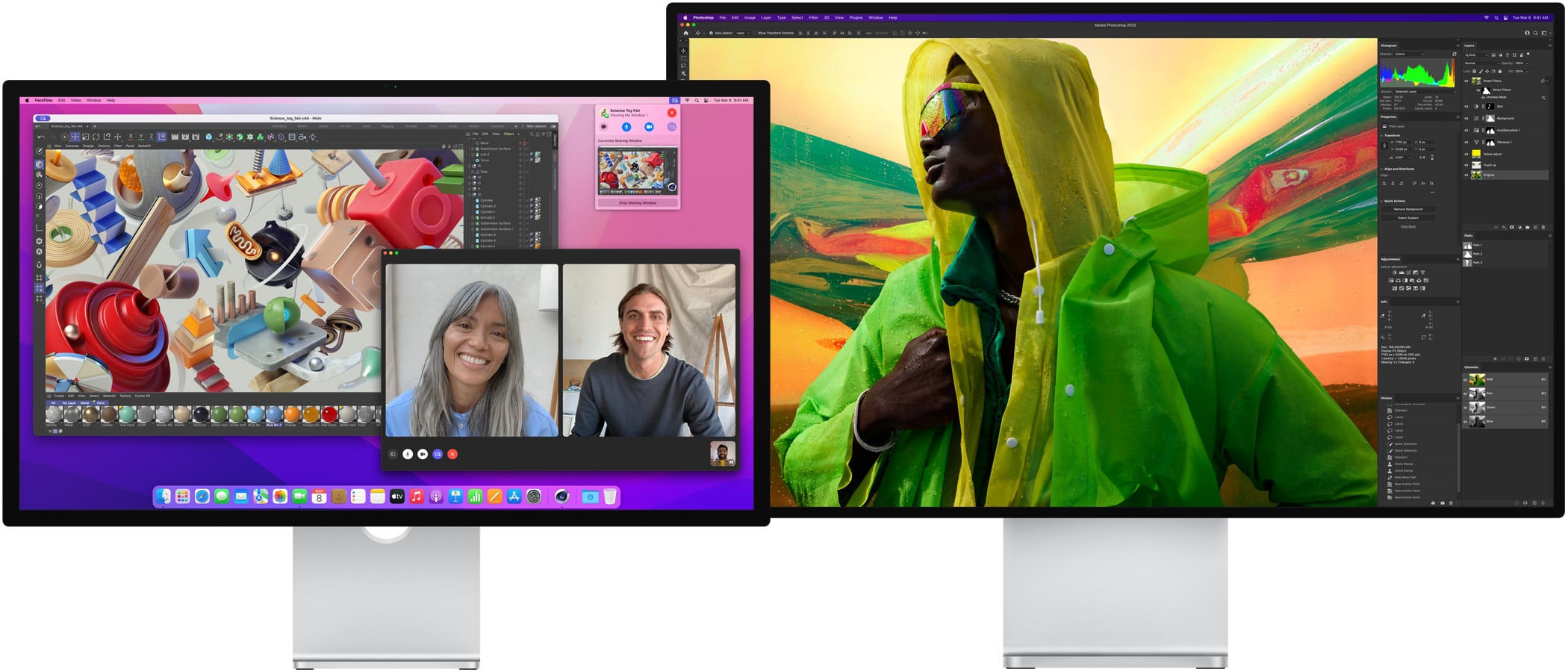
A drawback of using an HDR-ready third-party monitor on macOS 26 Tahoe was the inability to activate High Dynamic Range at the common 2560 x 1440 scaled resolution. Fortunately, the newest macOS release resolves this problem.
Symptom: scrolling is choppy on the Studio Display XDR at 120Hz or Adaptive (47–120Hz). At 60Hz, and on the MacBook’s own screen, scrolling is smooth.
What devices are affected: M5 Pro MacBook Pros have reproduced the problem; other repots suggest the Mac mini with M5 Pro chip is also affected. Apple lists M5 Pro MacBook Pro models as supporting the Studio Display XDR at 120Hz.
Likely cause: measurements suggest the GPU stays at a low clock speed while scrolling and misses frame deadlines.
Workaround: MacRumors Forums poster Tiguanito’s M5ScrollBoost, a small menu bar app that encourages the GPU to run faster while you scroll.
Apple has added some light menu-bar management, specifically to deal with items that overflow the notch on some MacBook models. I’m glad that it’s taken this tentative step, though I wish it were more—it’s okay, Apple, you can sherlock all those menu-bar-management utilities out there—and of course, it should’ve happened back when the notch first appeared five years ago.
Apple has scheduled another product launch event with the tagline “Pro and tell.” Following last week’s consumer-focused launch, rumors point to high-end touchscreen MacBooks.
Apple is preparing to host its second media gathering of the month. Members of the press recently received invites for a special Apple event scheduled for Wednesday, October 28 at 10 a.m. PT. Greg Joswiak teased the announcement on social media using the clever tagline Pro and tell. This upcoming showcase in Los Angeles will […]
O que era esperado foi confirmado hoje! A Apple acaba de convidar a imprensa para o seu segundo evento especial do mês, que acontecerá na quarta-feira da semana que vem (28 de outubro), às 10h pelo horário de Cupertino (14h em Brasília; 17h em Lisboa).
A expectativa gira em torno do lançamento de novos Macs, especialmente um novo MacBook (até agora chamado de “MacBook Ultra”), que possivelmente contará com uma tela OLED 1Organic light-emitting diode, ou diodo emissor de luz orgânico. sensível ao toque e será bem mais leve que os Pros atuais. Além dele, porém, são aguardados um novo MacBook Pro de 14 polegadas e um iMac, ambos equipados com o chip M6, bem como um novo iPad mini (também com tela OLED).
O esquema deverá ser bem similar ao da semana passada, que ocorreu em Nova York, sem keynote transmitida ao vivo; o próximo, por sua vez, será em Los Angeles:
Apple event invite just hit for October 28th. I think this one's pretty clear. Macbook Pro update incoming pic.twitter.com/UfSpr2s7py
Apple has barely finished unveiling the iPhone Duo, iPhone 18 Pro lineup, AirPods 5, and new Apple Watches, but the company already has a much larger pipeline queued up for late 2026 and the first half of 2027, according to Bloomberg News‘ Mark Gurman.
The coming products are part of what new CEO John Ternus has internally described as Apple’s most ambitious product road map yet. Many of the devices are designed to spread Siri AI more widely across the lineup and close some of the gap with rivals in artificial intelligence. As always, dates can slip and products can be delayed or canceled.
Later this yearGurman reports that Apple is preparing several updates before year-end:
• HomePod mini with Siri AI — Same familiar design as the 2020 model, but with a new chip to power the overhauled assistant.
• Apple TV with Siri AI — Another look-alike refresh, this time with a faster chip for navigation and the new Siri experience.
• Smart-home hub — A square display that can sit on a speaker base or mount on a wall. It will run a new operating system, support video calls, and use facial recognition to personalize what it shows. Apple had considered showing it at last week’s event and is now aiming as early as October, though the timeline remains fluid after repeated delays.
• Touch-screen MacBooks — The biggest MacBook Pro change since 2021, adding OLED panels and touch screens for the first time, with M5 Pro and M5 Max chips.
• Entry-level 14-inch MacBook Pro — Current design, updated with the M6 chip.
• iMac — New colors and an M6 processor.
• iPad mini — One of the line’s biggest upgrades, adding an OLED display.
The HomePod mini and Apple TV are already being tested with iOS 27. The new Macs are running macOS 27.1 internally, and the iPad mini is on iPadOS 27.1. Both of those software updates are expected late next month.
First half of 2027
The spring and early summer slate is heavier on refresh cycles than radical redesigns:
• MacBook Air — Same 13-inch and 15-inch designs, moving to the M6 chip.
• MacBook Neo — Follow-up model with an A19 Pro chip and more memory.
• Entry-level iPad — Faster chip so the cheaper tablet can run Apple Intelligence and Siri AI.
• iPad Pro — Chip upgrade plus vapor-chamber cooling similar to the iPhone 18 Pro.
• iPad Air — First OLED screens in that line, plus a new chip.
• iPhone 18 — Largely an A20 chip upgrade, with the notable change that the standard model is shifting from fall to spring.
• iPhone 18e — Another chip-focused update; Apple will need to make clear how it differs from the regular iPhone 18.
• iPhone Air 2 — More substantial: a 2-nanometer A20 Pro chip, better battery life, and a second rear camera for ultrawide shots.
• Apple Pencils — New Pencil Pro and USB-C models timed with the iPads; the iPhone Duo will support the stylus as well.
Looking further ahead
The second half of 2027 is expected to get more ambitious still, Gurman writes, with M7 updates to MacBooks, smart glasses, camera-equipped AirPods, a home security system, a redesigned Apple Watch, Twentieth Anniversary iPhones, and a second-generation foldable iPhone Duo.
MacDailyNews Take: Taken together, the road map suggests Apple is trying to do two things at once: push Siri AI onto more affordable and living-room devices, and finally refresh categories that have languished for years. Whether October brings a full event or quieter waves of launches, the next 12 months look unusually crowded with product launces!
Please help support MacDailyNews — and enjoy subscriber-only articles, comments, chat, and more — by subscribing to our Substack: macdailynews.substack.com. Thank you!
Apple has already put the M5 Ultra in a machine: the new Mac Studio, announced in late August with a first-of-its-kind quad-die UltraFusion design, up to a 36-core CPU, up to an 80-core GPU, and as much as 512GB of unified memory. That should have closed the book on where the chip would land. It hasn’t.
Earlier this year, software identifiers in an iOS beta pointed to both M5 Max and M5 Ultra silicon in contexts that looked a lot like upcoming MacBook hardware. Apple’s internal naming has long been consistent: “C” for Max, “D” for Ultra. Those codes were enough for some analysts to float a once-unthinkable idea: an M5 Ultra MacBook Pro.
That rumor never became the official plan. Bloomberg News’ Mark Gurman has since reported that Apple’s first OLED, touchscreen high-end laptop — widely expected to be branded MacBook Ultra rather than another MacBook Pro — will ship with the existing M5 Pro and M5 Max chips, not the Ultra and not the skipped high-end M6 parts. A follow-up with M7 Pro and M7 Max is already in testing for late 2027.
So why keep talking about an M5 Ultra MacBook Pro?
Because the engineering and product logic hasn’t fully gone away. Apple skipped an M4 Ultra entirely. It built the M5 Ultra anyway, then put it in a compact desktop that can swallow the heat and power. A laptop version would be a different problem: more dies, far higher memory bandwidth (Apple cites 1.2TB/s on the Studio chip), and a thermal envelope that the current 14- and 16-inch MacBook Pro chassis was never designed to hold. Battery life would suffer unless Apple cut clocks, limited cores, or redesigned the cooling stack from scratch.
That last option is exactly what the rumored MacBook Ultra is supposed to be — a thinner, redesigned chassis with OLED, a touchscreen, and a Dynamic Island. The first models are slated for late 2026 or early 2027 and are expected to stay on M5 Pro and M5 Max so Apple doesn’t have to wait for M7. Putting a true Ultra in that body would be the most aggressive move Apple has made with portable silicon since the original M1 Max.
There is still a narrow path where an M5 Ultra laptop appears. Apple could treat it as a limited, top-of-line SKU rather than the volume product. It could use a derated Ultra configuration. Or the early beta strings were simply leftover desktop code that happened to sit next to laptop identifiers. The safer read, based on the latest reporting, is that the Ultra stays on the desk for this generation and the new laptop line differentiates itself with display, input, and industrial design instead of raw die count.
Even so, the combination of an announced M5 Ultra, older software leaks that named it alongside MacBook-class chips, and a high-end laptop that Apple is clearly treating as a new flagship is why the rumor won’t die.
MacDailyNews Take: If Apple is testing an M5 Ultra MacBook Pro, it would be the first time the company has tried to put its biggest fused SoC in a notebook. That would be a statement product — and a thermal engineering marvel.
Please help support MacDailyNews — and enjoy subscriber-only articles, comments, chat, and more — by subscribing to our Substack: macdailynews.substack.com. Thank you!
Há dois meses, falamos aqui sobre o RetinaDesk, um site muito bacana que ajuda você a escolher o melhor monitor externo para o seu Mac, levando em conta todas as especificidades dos computadores da Apple.
Pois bem, recentemente, a ferramenta ficou ainda mais completa com a adição de uma página que ajuda você a descobrir, de maneira extremamente intuitiva, a quantidade máxima de displays externos suportados pela sua máquina.
O banco de dados da ferramenta cobre todos os Macs com Apple Silicon lançados até hoje, bem como suas respectivas variantes — detalhe que joga o total de computadores listados pelo RetinaDesk para nada menos que 53.
Encontrar essa página é fácil: basta acessar o site do RetinaDesk, clicar na aba “Tools” na parte de cima da tela e, depois, selecionar a opção “Mac External Display Support by Chip” — ou simplesmente acessar esse link. Feito isso, é só selecionar o modelo do seu Mac na seção “Which Mac is it?” e, em seguida, sua respectiva variante — indicada pelo chip e o ano de lançamento (e, às vezes, o número de portas do computador) — em “Step 2”.
Captura de tela/RetinaDesk
Uma vez que você indicar o modelo do seu Mac, o número máximo de monitores externos ao qual ele pode ser conectado deverá aparecer à direita da tela, junto de uma ilustração do seu “setup máximo” — ou seja, com o maior número de monitores possível.
A nova página, no entanto, não para por aí, já que ela também conta com outra seção a qual ajuda você a montar setups com diferentes combinações de monitores, os quais podem ter resoluções e taxas de atualização distintas — sempre levando em conta, é claro, as limitações do seu computador. Ela também é uma boa forma de descobrir se o seu Mac suporta uma resolução ou uma taxa de atualização (ou uma combinação dessas duas coisas) específica.
Captura de tela/RetinaDesk
A seção “What each built-in port can drive”, por sua vez, exibe com quais resoluções/taxas de atualização cada porta do seu computador é compatível, além de revelar a sua versão (se é Thunderbolt 4 ou 5, por exemplo). Logo abaixo, temos a seção “How you can arrange the displays” que, como seu nome indica, mostra todas as combinações possíveis de monitores para a sua máquina.
Por fim, a ferramenta também deixa você comparar um Mac qualquer com outro modelo da sua escolha, checar se sua máquina precisa estar no modo clamshell para suportar um setup específico e aprender sobre soluções alternativas e suas respectivas concessões.
Captura de tela/RetinaDesk
Assim como o resto das ferramentas do RetinaDesk, essa nova página é totalmente gratuita, com o único “porém” sendo o fato de que ela não está disponível em português — problema que, é claro, pode ser facilmente remediado com a ajuda das ferramentas de tradução dos navegadores atuais.
A Satechirevelou ontem uma nova versão do seu carregador de mesa ChargeView, agora com seis portas USB-C e uma potência total de 240W. Ele conta com uma tela LCD 1Liquid crystal display, ou display de cristal líquido. semelhante à do primeiro modelo da linha (lançado em abril), capaz de exibir a potência liberada em cada uma das portas em utilização, além de contar com a tecnologia GaN 2Gallium nitride, ou nitreto de gálio..
As portas C1 e C2 contam com suporte a uma potência de 140W cada com a tecnologia USB Power Delivery (PD) 3.2, que conta com o Extended Power Range (EPR) e Adjustable Voltage Supply (AVS) para carregamento via USB-C (o protocolo de carregamento rápido do iPhone 17).
As portas C3 e C4 fornecem 100W de potência cada, enquanto a C5 e a C6 estão limitadas a 30W de carregamento cada. Além disso, essas quatro últimas fazem uso da tecnologia USB PD 3.0 com suporte ao Programmable Power Supply (PPS).
Em matéria de acabamento, ele possui uma parte em metal fosco e uma cobertura brilhante para a tela. Sua cor, Space Black, foi pensada para combinar com o ecossistema de computadores da Apple, com destaque para o MacBook Pro e o Studio Display. O carregador é acompanhado ainda de um suporte, o qual permite que ele seja utilizado tanto na horizontal quanto na vertical em sua mesa de trabalho.
NOTA DE TRANSPARÊNCIA: O MacMagazine recebe uma pequena comissão sobre vendas concluídas por meio de links deste post, mas você, como consumidor, não paga nada mais pelos produtos/serviços usando os nossos links de afiliado.
Notas de rodapé
1
Liquid crystal display, ou display de cristal líquido.
O macOS é o sistema operacional que equipa os computadores da Apple, os Macs.
Para receber os novos recursos e estar sempre protegido contra ataques ou brechas de segurança, é recomendável manter o seu dispositivo atualizado para a última versão disponível.
Veja como conferir qual versão do sistema seu Mac está usando! 👨💻
Cores: preto-espacial ou prateado Tela: padrão ou nano-texture Chips: M5 Pro ou M5 Max Memória: 24GB, 36GB, 48GB, 64GB ou 128GB Armazenamento: 1TB, 2TB, 4TB ou 8TB
Cores: preto-espacial ou prateado Tela: padrão ou nano-texture Chips: M5, M5 Pro ou M5 Max Memória: 24GB, 36GB, 48GB, 64GB ou 128GB Armazenamento: 1TB, 2TB, 4TB ou 8TB Adaptador de energia: USB-C de 70W ou 96W
Cores: azul-céu, prateado, estelar ou meia-noite Chip: M5 Memória: 16GB, 24GB ou 32GB Armazenamento: 512GB, 1TB, 2TB ou 4TB Adaptador de energia: USB‑C de 30W, 35W com duas portas ou 70W
Cores: azul-céu, prateado, estelar ou meia-noite Chip: M5 Memória: 16GB, 24GB ou 32GB Armazenamento: 512GB, 1TB, 2TB ou 4TB Adaptador de energia: USB‑C de 30W, 35W com duas portas ou 70W
NOTA DE TRANSPARÊNCIA: O MacMagazine recebe uma pequena comissão sobre vendas concluídas por meio de links deste post, mas você, como consumidor, não paga nada mais pelos produtos/serviços usando os nossos links de afiliado.
Apple Upgrade — a new hardware leasing program — is available on the Apple Store online, in the Apple Store app, and at Apple Store locations in the United States.
Apple’s new Upgrade leasing program lets you pay a low monthly fee for an iPhone, Mac, iPad, or Watch instead of the full price upfront. Max Tech creator Vadim Yuryev ran the numbers on a $2,999 MacBook Pro and claims that leasing, buying out the residual, and reselling can leave you hundreds ahead of purchasing outright — with zero interest. Here’s how the math works (and the caveats that still apply).
In a post on X in response to Bloomberg’s Apple expert Mark Gurman, Yuryev walked through the math, using a $2,999 MacBook Pro as an example.
Explained this in today’s YouTube video. If you lease a $2,999 Mac, you pay $58 a month for 36 months. At the end, you owe $911 to pay it off or return it.
However, Apple gives you 6 more months to decide. Meanwhile, you continue paying monthly payments of $53.
He said a 36-month lease would run $58 per month, leaving a $911 balance due at the end — though Apple gives lessees six additional months to decide, during which payments drop to $53 per month. Yuryev argued that paying off that final balance makes sense because the device could then be resold for “$1,500+ on eBay or Facebook marketplace,” rather than the customer simply losing the amount paid in over the life of the lease.
Yuryev emphasized that “you never pay more” than the device’s MSRP, since Apple Upgrade carries no interest or lease fees. He added that the primary risk is failing to keep up with payments or falling short on the final balance, and noted that once a device is paid off, users can start a new lease while keeping the original one.
MacDailyNews Take: While, as AAPL shareholders, we wish Apple every success with their Apple Upgrade program via Klarna, in an age of zero-interest financing, “buy now, pay later,” and glossy leasing schemes dressed up as smart upgrades, a simple truth keeps getting buried (caution, soap box sermon ahead):
The surest way to build lasting wealth is to avoid debt entirely, buy only what you can afford outright, and live within your means.
Leasing expensive hardware, stretching payments over years, may feel painless month to month. It is still debt. You are paying for the privilege of using something you do not fully own, often while assuming residual balances, credit checks, and the risk that the used-market value collapses when everyone else is dumping the same leased devices. The math can be made to look attractive on a YouTube whiteboard. Reality is less forgiving.
Paying cash for what you can actually afford forces discipline. It prioritizes value over status. It eliminates interest, fees, and the quiet stress of monthly obligations. When the device eventually ages, you own it free and clear — you can sell it, keep it, or pass it on without a lender’s permission. That freedom compounds.
Financial success is not about maximizing monthly cash flow or chasing the newest model every two years. It’s not about keeping up with The Joneses. It is about keeping more of what you earn, avoiding the traps that turn consumers into lifelong renters, and building genuine ownership over time.
Debt is easy. Discipline is harder. The latter is the only reliable route to real financial independence.
Please help support MacDailyNews — and enjoy subscriber-only articles, comments, chat, and more — by subscribing to our Substack: macdailynews.substack.com. Thank you!
Inicialmente, a limitação da disponibilidade era restrita ao Mac mini e ao Mac Studio, mas agora ela já afeta os notebooks mais populares da Maçã. Segundo as fontes de Gurman ligadas ao varejo, percebe-se uma maior dificuldade por parte da Apple em manter o estoque previsto, e também mais limitação no fornecimento de novas unidades.
Also in Power On: Major shortages hit the MacBook Air amid the memory and silicon crunch, with many new orders now not arriving until September. Apple appears to be prioritizing sales now of the entry level MacBook Pro. https://t.co/3aouZVsmsg
Também na “Power On”: grande escassez atinge o MacBook Air em meio à crise de memórias e silício, com muitos novos pedidos agora não chegando até setembro. A Apple parece estar priorizando agora as vendas do MacBook Pro de entrada.
A hipótese não parece difícil de atestar: para quem opta por adquirir os notebooks agora, seja em uma Apple Store física ou online, o prazo de entrega para novos modelos pode se estender até setembro em casos de personalização (cor, tela e memória) ou até o final de agosto para configurações básicas.
Ele afirmou que isso se deve em parte à priorização da aquisição de novas memórias para o MacBook Pro de entrada (modelo de 14 polegadas), que poderá ganhar em breve uma atualização com o chip “M6” durante o outono do hemisfério norte (nossa primavera — isto é, entre setembro e dezembro).
Por fim, o jornalista observou que, tanto em seus sites quanto nas lojas físicas, o MacBook Pro básico ganhou mais destaque do que os MacBooks Air, um feito possivelmente inédito. Em alguns casos, a Apple chega a incluir um aviso de que a linha Air está sujeita à disponibilidade de estoque.
MacBook Pro de 16″
Cores: preto-espacial ou prateado Tela: padrão ou nano-texture Chips: M5 Pro ou M5 Max Memória: 24GB, 36GB, 48GB, 64GB ou 128GB Armazenamento: 1TB, 2TB, 4TB ou 8TB
Cores: preto-espacial ou prateado Tela: padrão ou nano-texture Chips: M5, M5 Pro ou M5 Max Memória: 24GB, 36GB, 48GB, 64GB ou 128GB Armazenamento: 1TB, 2TB, 4TB ou 8TB Adaptador de energia: USB-C de 70W ou 96W
Cores: azul-céu, prateado, estelar ou meia-noite Chip: M5 Memória: 16GB, 24GB ou 32GB Armazenamento: 512GB, 1TB, 2TB ou 4TB Adaptador de energia: USB‑C de 30W, 35W com duas portas ou 70W
Cores: azul-céu, prateado, estelar ou meia-noite Chip: M5 Memória: 16GB, 24GB ou 32GB Armazenamento: 512GB, 1TB, 2TB ou 4TB Adaptador de energia: USB‑C de 30W, 35W com duas portas ou 70W
NOTA DE TRANSPARÊNCIA: O MacMagazine recebe uma pequena comissão sobre vendas concluídas por meio de links deste post, mas você, como consumidor, não paga nada mais pelos produtos/serviços usando os nossos links de afiliado.
Many MacBook Air, MacBook Pro, and MacBook Neo owners have noticed something curious; their MacBook battery stops charging at 80% when plugged in. To add to the confusion, even if they leave their MacBook plugged in overnight, the battery seems to be stuck at 80% and will not charge any further. Because this is not ... Read More

 Login
Login