❌

Reading view

App Tracking Transparency: Apple Faces $2.7 Billion UK Lawsuit

App Tracking Transparency is at the center of a new UK lawsuit seeking approximately $2.7 billion (£2 billion), putting one of the most recognizable iPhone privacy features under fresh legal pressure. The claim follows earlier challenges to the tracking system in France, but this action seeks compensation for developers who say Apple imposed unfair restrictions on their businesses while favoring its own advertising services.

Filed on September 3 at London’s Competition Appeal Tribunal, the case represents another dispute over the rules behind the familiar permission prompt. Apple rejects the allegations and maintains that it follows the same App Tracking Transparency requirements as other developers.

The amount being sought is not a fine or an awarded payment. It is the claimants’ estimate of losses, which Apple disputes.

What the App Tracking Transparency Lawsuit Alleges

The action was brought by ATT Collective Action Limited, whose director, Ann Pope, previously led antitrust enforcement at the UK Competition and Markets Authority. Law firm Hausfeld is representing the proposed class.

According to Hausfeld’s announcement of the claim, developers argue that Apple introduced the framework unfairly, without adequate consultation, and applied more burdensome requirements to outside businesses than to its own services.

The complaint focuses partly on consent. It alleges that third-party developers must obtain permission under data-protection law and then secure an additional approval through the iOS tracking prompt. Apple’s advertising services, the claimants argue, operate under a less demanding process.

Developers also contend that the introduction left them insufficient time to adapt business models dependent on advertising.

These are allegations about how the system was designed and introduced—not established findings in this UK case. The claimants’ stated position is that privacy protections should remain compatible with fair treatment of businesses.

App Tracking Transparency | Two iPhones display Apple’s “Find My” app settings in dark mode, showing options like “Notify When Left Behind,” separation alerts, device locations, and contact sharing. The interface offers users easy access to Find My alerts and seamless integration with AirTag tracking.
Image Credit: AppleMagazine

What the Tracking Prompt Actually Protects

For someone using an iPhone, App Tracking Transparency offers a direct choice about a practice that previously could be difficult to see.

An app may want to connect information about your activity with information gathered through other companies’ apps or websites. That connection can help advertisers build a profile, target advertisements, or measure whether an advertising campaign led to a purchase.

Under Apple’s explanation of the tracking rules, apps must request permission before carrying out the tracking covered by the framework. Choosing “Ask App Not to Track” blocks access to the system advertising identifier and prohibits using other identifying information to perform that tracking instead.

The feature arrived with iOS 14.5 in 2021. It does not remove advertisements, make an app anonymous, or serve as a universal switch for every kind of data collection.

That boundary matters. A retailer remembering purchases made within its own service is not automatically doing the same thing as an advertising company linking activity across unrelated businesses.

The disagreement concerns whether those distinctions, and the consent processes built around them, give Apple an unfair commercial advantage.

App Tracking Transparency | iOS 16 | iPhone 14

Apple Says the Same Rules Apply to Everyone

Apple has responded directly to the lawsuit, defending the feature as a way to give people control over tracking across other companies’ services.

In a statement reported by AFP, a spokesperson said: “Apple is bound by the exact same requirements as all developers under ATT.”

The company also pointed to support for the feature from customers and privacy advocates.

That response challenges the foundation of the developers’ case. Apple presents App Tracking Transparency as a rule based on the type of data activity involved. The claimants argue that its practical operation places competing advertising businesses at a disadvantage.

Resolving that disagreement requires more than comparing the appearance of two permission screens. The underlying data uses, consent requirements, and commercial effects all matter.

Why Free Apps Are Part of the Dispute

Advertising can support both sides of an app business. A developer may sell advertising space inside a free app while also buying advertisements elsewhere to attract new users.

A change to tracking can therefore affect how much an app earns and how confidently its developer can measure spending on promotion.

Consider a small game studio. It needs to know whether an advertising campaign brings in players who keep using the game. If measurement becomes less precise, deciding where to spend the next marketing dollar becomes harder. Separately, advertisers may value the game’s available ad space differently when less information is available for targeting.

That explains the commercial concern without proving the legal claim. Losing revenue after a privacy change does not, by itself, establish that the change was unlawful.

There is also a consumer interest that cannot be reduced to advertising performance. Someone choosing not to be tracked is expressing a preference about personal information, not making a promise to preserve a developer’s previous income.

The difficult question is whether that preference can be protected through a system that treats competing businesses fairly.

France Has Already Examined the Consent Process

The UK action arrives after a separate French competition investigation found problems with the implementation of App Tracking Transparency.

In its March 2025 decision, France’s Autorité de la concurrence distinguished between the legitimate objective of protecting privacy and the way Apple pursued it.

The authority criticized multiple consent requests and differences in treatment between Apple and outside publishers. It also highlighted the position of smaller businesses that lack the extensive first-party data available to large platforms.

Importantly, the French authority did not argue that people should lose the ability to refuse tracking. It said adjustments to the framework could address competition concerns while retaining privacy protections.

That distinction leaves room for changes to wording, consent flows, or implementation without automatically requiring the removal of the feature. The French decision, however, does not determine liability or compensation in the separate UK proceedings.

The Claim Is for Developers, Not iPhone Owners

The official claim website describes a proposed action for UK-based app developers affected since April 2021. It estimates losses across the group rather than offering a fixed payment to everyone who owns an iPhone.

The proposed scope includes developers earning advertising revenue from third-party iOS apps and developers spending money to attract users to those apps. Whether compensation becomes available depends on the proceedings and their outcome.

For U.S. readers, the filing does not announce a change to domestic iPhone settings or create a consumer refund program. There is no reason to grant an app tracking permission simply because its developer objects to the framework.

Businesses following the case should also distinguish registering interest from receiving compensation. The claim website currently invites affected organizations to provide their details; it is not distributing a settlement.

A smartphone screen displays the "Privacy & Security" settings, highlighting iPhone App Permissions for Location Services and Tracking, with the Apple logo in the bottom right corner.

The post App Tracking Transparency: Apple Faces $2.7 Billion UK Lawsuit appeared first on AppleMagazine.
  •  

CarPlay Chatbots: 5 Major AI Apps Now Reach Your Dashboard

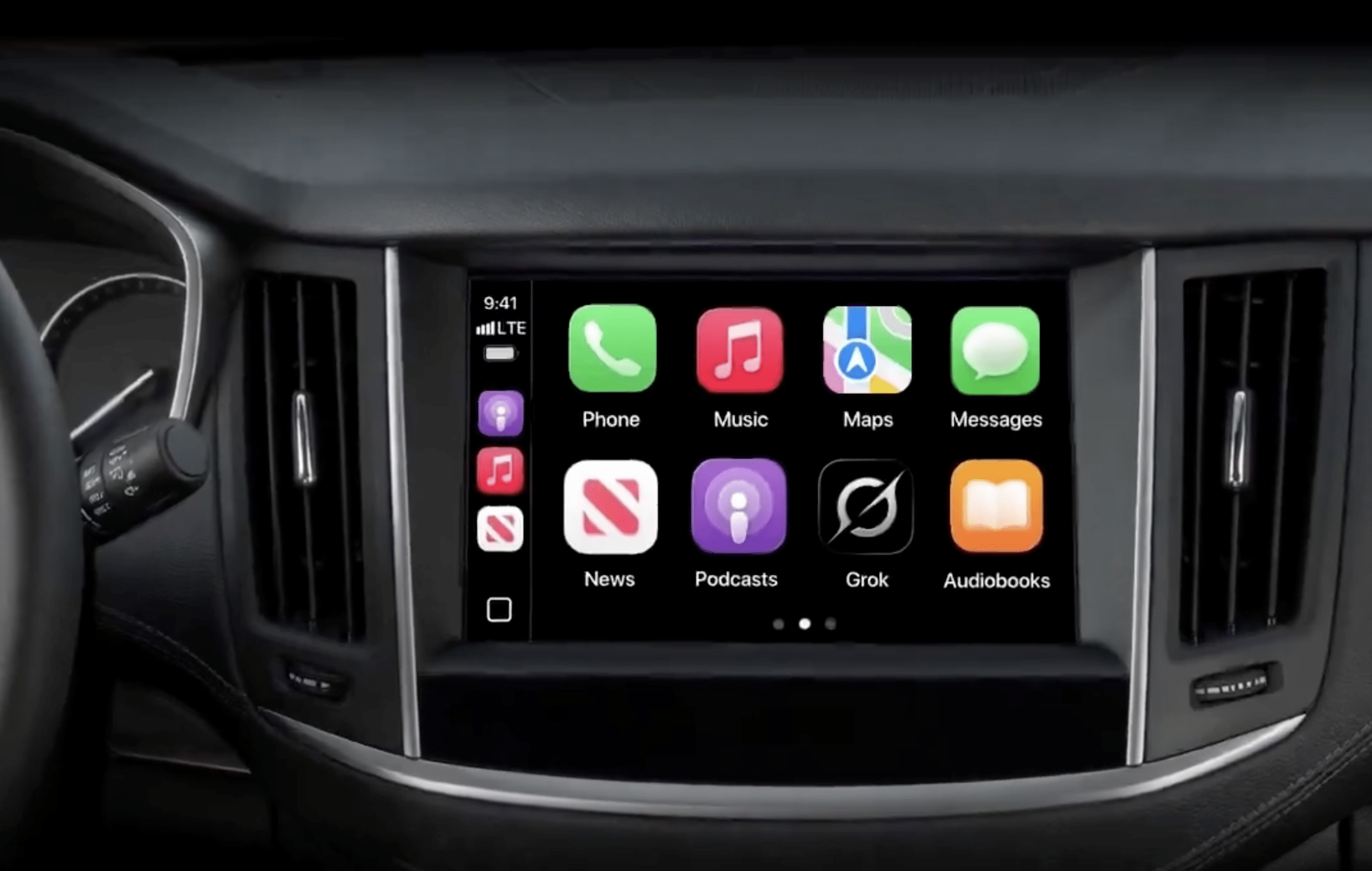
CarPlay chatbots now span five major services, giving the growing collection of dashboard apps a much more conversational side. Claude is the latest addition, joining ChatGPT, Perplexity, Grok, and Meta AI. Drivers can increasingly bring their preferred AI service into the car through an iPhone app update, although access is not equally open across all five.

The appeal is easy to understand. A question comes to mind during a trip, and instead of saving it for later, you can ask it aloud. A follow-up can become part of the same conversation. There is no need to turn every request into a rigid command or reach for a keyboard.

But the headline needs one qualification: Meta AI has appeared in CarPlay while remaining unavailable to some accounts. Five apps have added support; that does not mean every driver can open all five and immediately start talking.

Claude Brings CarPlay Chatbots to Five

Anthropic’s latest iPhone update adds a straightforward CarPlay experience: begin a new voice conversation or return to a recent chat. The reported Claude integration places those choices inside the simplified dashboard interface rather than reproducing the full mobile app.

That continuity could be particularly useful for someone who already uses Claude regularly. A conversation does not have to begin again simply because the setting has changed from a desk to a parked car or a journey.

Claude’s arrival also makes the category feel less experimental. ChatGPT, Perplexity, and Grok established an earlier presence, while Meta AI recently joined the lineup. There is now a broader choice of familiar services rather than one chatbot acting as a demonstration of what CarPlay might eventually support.

This is not a reason to install all five. An assistant that already understands the conversation you want to continue may be more convenient than another app with a different account, unfamiliar controls, and an empty chat history.

CarPlay Chatbots | A car dashboard display shows an infotainment screen with app icons for Phone, Music, Maps, Messages, News, Podcasts, Grok Voice, and Audiobooks in a grid layout. Steering wheel and air vents are partially visible.
Image Credit: Grok / X

Meta AI Still Has an Access Catch

Meta AI is the entry readers should approach with the most caution about availability. Reports describe its icon appearing on the CarPlay screen, only for the app to display a notice that the experience is not supported for that account.

Coverage of the limited Meta AI rollout also notes that moving to a paid account did not necessarily remove the restriction. Paying solely to unlock CarPlay would therefore be a poor assumption.

An icon and a working service are different things. The first shows that the app includes a CarPlay interface; the second depends on whether the provider has enabled access.

If Meta AI opens normally on the iPhone but refuses to work on the dashboard, that account-specific message is important. Repeatedly reconnecting the cable or resetting the vehicle’s infotainment system is unlikely to resolve a restriction controlled by the service.

What CarPlay Chatbots Actually Do

The useful distinction is between discussing something and making the car do something.

A conversational assistant can help explain an unfamiliar subject, work through an idea, or answer follow-up questions. You might ask for a plain-English explanation of a concept mentioned in a podcast, practice a short introduction, or explore ideas for a weekend project.

Those are different requests from changing a destination, calling a contact, or adjusting a vehicle setting. A chatbot’s ability to describe an action should not be mistaken for permission to perform it.

Apple recognizes voice-based conversational apps as a supported CarPlay category, alongside separate categories for navigation, audio, messaging, and driving tasks. Developers must build an appropriate CarPlay experience; an ordinary iPhone chatbot does not automatically qualify simply because it has a microphone button.

The distinction also helps set expectations about the screen. A dashboard conversation should not become an invitation to read paragraphs, inspect generated images, or manage a complicated workspace while driving.

For everyday use, short questions make more sense than elaborate assignments. Asking for three talking points is manageable. Dictating a detailed business proposal while negotiating traffic is a task better saved for somewhere stationary.

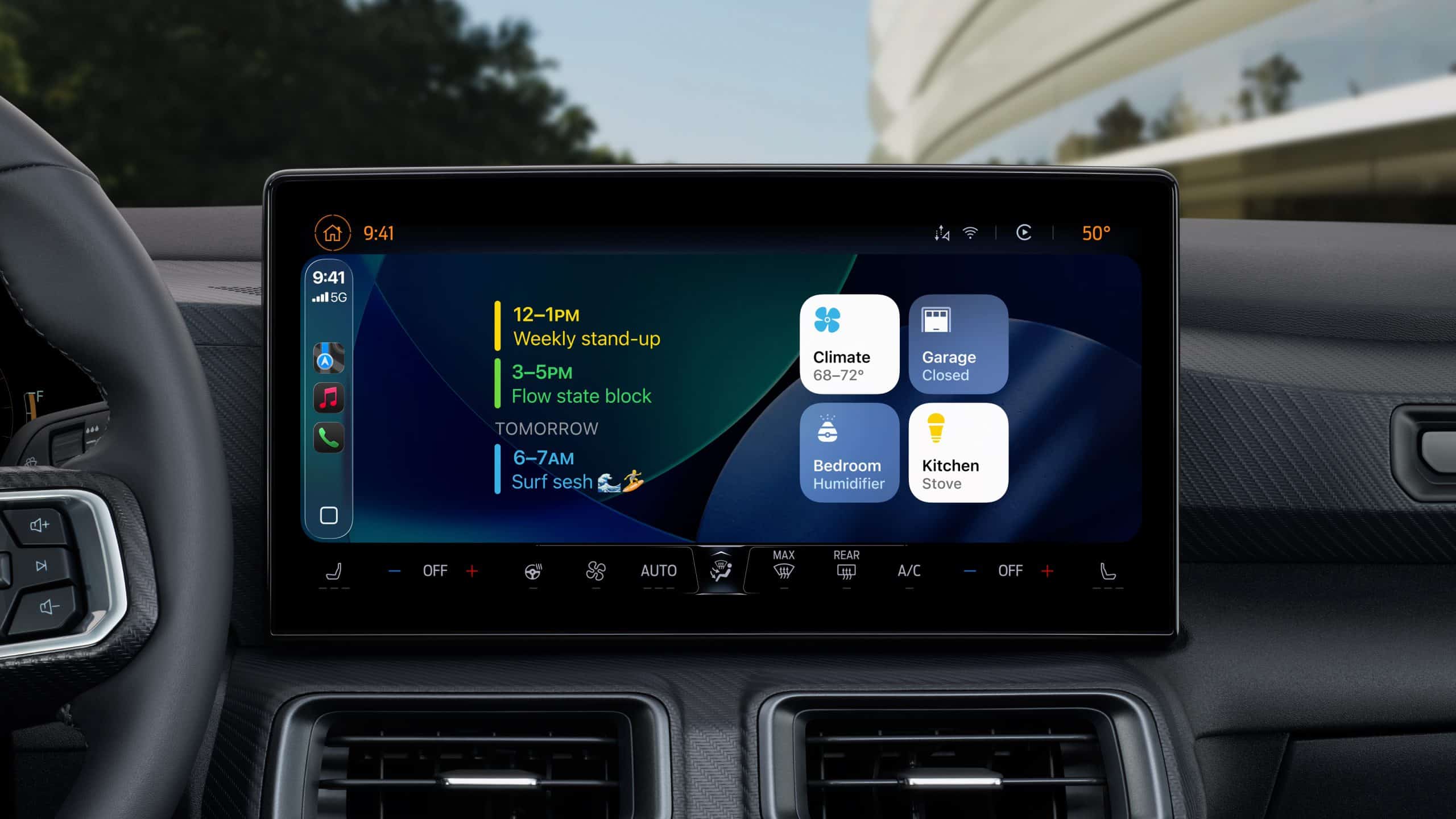
Apple’s next-generation CarPlay interface displayed across multiple in-car screens, showing customizable speedometer, widgets, and climate controls.

ChatGPT Has Clear Requirements and Limits

OpenAI’s CarPlay support documentation confirms availability across all ChatGPT plans, globally, on supported iPhones running iOS 26.4 or later. The latest ChatGPT app and a CarPlay-compatible vehicle are required.

Its interface supports starting a voice conversation, returning to recent or pinned chats, and accessing projects. However, OpenAI explicitly says the CarPlay version cannot access maps, vehicle information, or live location, and cannot control the car or other apps.

That rules out assuming it knows which intersection you are approaching or can change a route because you discussed a destination.

These requirements also mean ChatGPT’s CarPlay support is not something that requires waiting for iOS 27. Readers already using compatible software can check the existing app without installing an upcoming operating-system beta.

Choosing an Assistant Without Adding Dashboard Clutter

There is little value in treating the car as a place to conduct a five-way AI comparison. Try the services while parked, then keep the one that suits the conversations you actually want to have.

Listen for how clearly an assistant answers, whether it understands follow-up questions, and how easily a conversation can be stopped. A response that feels impressive on a laptop may be exhausting when spoken through car speakers for several minutes.

Ask for shorter answers when needed. “Explain that in two sentences” is often a more useful instruction in this setting than requesting a comprehensive overview.

For work-related conversations, consider who else is in the vehicle before resuming a saved chat. A colleague’s name, a client discussion, or a personal detail can become audible to passengers even when the phone remains untouched.

The presence of an app inside CarPlay should not be treated as approval to share confidential information with its provider. Keep employer rules and the service’s own account settings in mind before discussing business material.

Voice Quality Can Depend on the Car

A disappointing voice experience is not always a sign that the AI service misunderstood the question. OpenAI notes that CarPlay audio depends on the vehicle’s microphones, speakers, and echo cancellation. The same app can therefore sound or behave differently across cars.

Before abandoning an assistant because it repeatedly misses words, test it while parked with the cabin quiet. That makes it easier to distinguish a microphone or audio-routing problem from an account restriction or an unhelpful response.

There is also a small behavior worth knowing about ChatGPT: CarPlay may reopen the last-used app when the iPhone reconnects. If a chatbot unexpectedly returns to the display on your next trip, that alone does not mean it has started a fresh conversation or begun listening.

Luxury car interior featuring a brown leather steering wheel with a digital display behind it and a large touchscreen center console showcasing ioS 26 smartphone apps; green trees visible through the windshield.

The post CarPlay Chatbots: 5 Major AI Apps Now Reach Your Dashboard appeared first on AppleMagazine.

  •  

iPhone Colors 2026: New Pro and Ultra Shades Won’t Erase Complaints

New iPhone colors could give Wednesday’s launch an immediate visual refresh, with Dark Cherry and lighter blue finishes among the shades rumored for the iPhone 18 Pro generation. But replacing Cosmic Orange in the promotional photographs would leave an uncomfortable question behind: what happens to customers whose orange iPhone 17 Pro has reportedly turned pink?

Owners have posted accounts of discoloration on Reddit and Apple’s own community forum. Some describe receiving replacement devices; others say their requests were rejected as cosmetic issues. The reports establish a reason for scrutiny, although they do not establish how frequently the problem occurs or whether every affected phone shares the same cause.

Apple does not appear to have published a dedicated technical explanation or a general service program addressing these complaints. With another generation approaching, the company has an opportunity to explain what owners should expect from the finish on an expensive phone—and from support when that finish changes.

The iPhone Colors Expected This Week

The most consistent iPhone 18 Pro rumors center on Dark Cherry, sometimes described as burgundy or deep red, and Sky Blue, also called Light Blue. The neutral option remains disputed.

According to the latest color-leak roundup, Sonny Dickson shared an image of alleged SIM trays suggesting Silver, Dark Cherry, and Sky Blue. A separate claim from Fixed Focus Digital points to Black taking Silver’s place.

That leaves a plausible three-color lineup without agreement on all three finishes. The names also remain unofficial; a supplier’s description does not necessarily become the name displayed in the Apple Store.

The same reporting favors black and white for the foldable iPhone Ultra. A purported reddish version lost credibility after Mark Gurman identified the images associated with it as Xiaomi renders, and the post sharing them was subsequently deleted.

Cosmic Orange is absent from these leading launch rumors. Its possible departure would fit the annual rotation of signature shades, but there is no evidence that Apple is changing colors because of the discoloration complaints.

For buyers, the distinction is straightforward: a new shade may make the next phone look different. Its name cannot establish that its finish will age better.

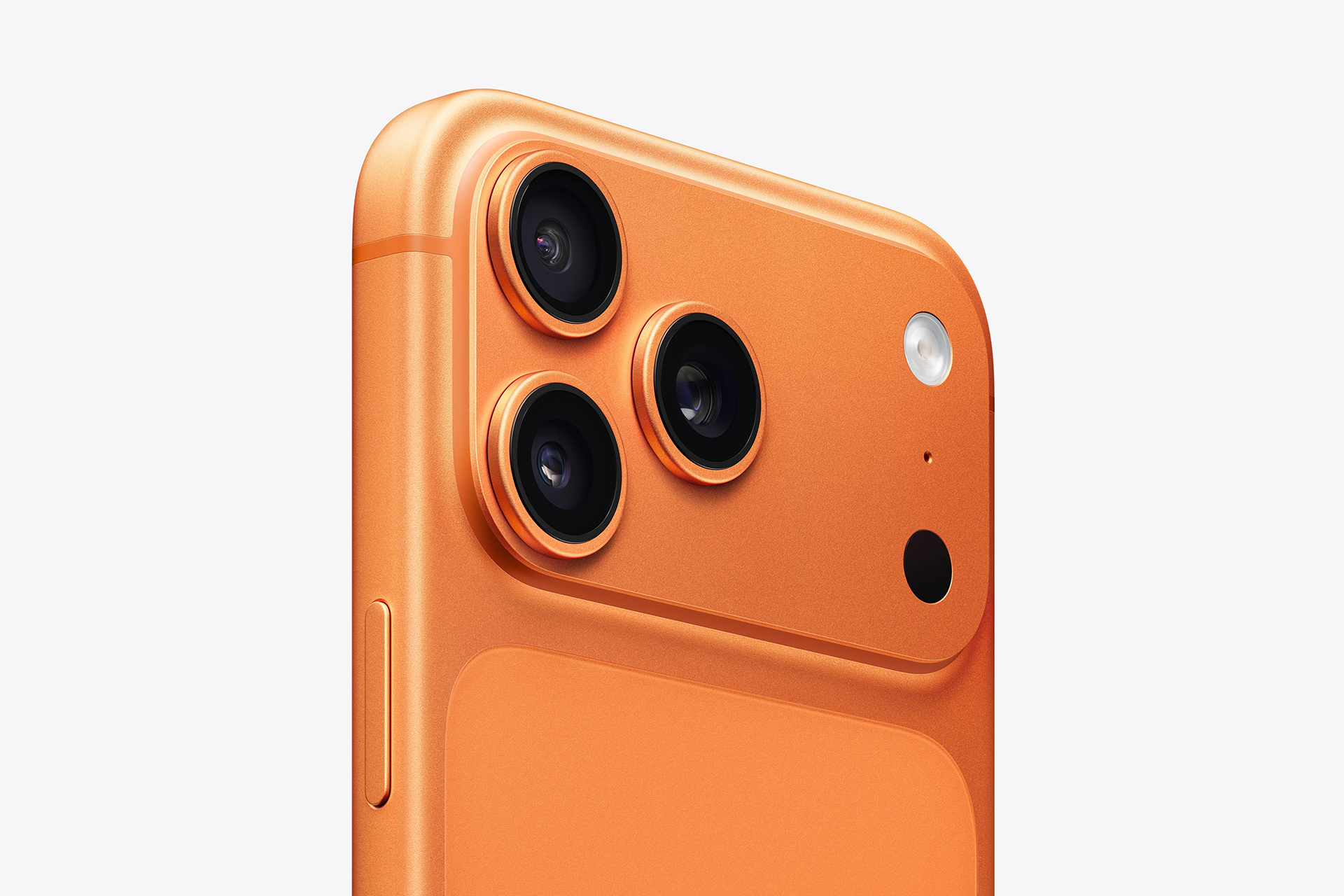
iPhone Colors | Close-up view of an orange smartphone's rear camera module, featuring three raised camera lenses and a small black sensor set against a smooth matte surface with an iPhone aluminium frame. - iPhone 17 Pro Orange
Image Credit: Apple Inc.

Cosmic Orange Owners Have Described Different Outcomes

One detailed Reddit replacement account describes an iPhone 17 Pro camera plateau turning pink approximately two weeks after purchase. The owner said the rest of the phone was protected by a case and denied using bleach, peroxide, or other treatments to produce the change.

According to that account, Apple Support escalated the case and supplied a warranty replacement without initially identifying the cause. The owner posted comparison images and later said an engineer contacted them after receiving the original phone, asking questions about usage and environmental conditions.

That reported follow-up complicates any claim that Apple has ignored every customer. At least some owners describe service and further investigation.

A separate Reddit complaint about a salmon-pink camera plateau describes a less satisfactory experience. The owner said the change became noticeable after several months and continued to develop. They reported being directed toward cleaning guidance and told that assistance would be outside warranty coverage, despite saying they had used only a microfiber cloth.

These accounts are owner testimony, not independently inspected service records. Different histories or inspection findings could explain different decisions. Even so, they expose the uncertainty customers face when trying to understand whether a changing finish is considered wear, external damage, or a possible manufacturing problem.

Someone seeking help should not have to reconstruct an unofficial support policy from strangers’ experiences.

A close-up of the back and side of an orange turning pink iPhone 17 Pro placed on a light gray surface, highlighting its dual camera lenses and side buttons.
Image Credit: Reddit

Complaints Also Appear on Apple’s Community Forum

The discussion extends beyond Reddit. In an Apple Community post about orange iPhone 17 Pro Max discoloration, an owner described color damage after approximately four months and said support had classified it as cosmetic and outside warranty coverage.

Apple Community is a customer discussion forum hosted by Apple. A complaint appearing there is evidence that an owner raised the issue publicly; replies from community participants do not amount to an official engineering finding or company statement.

The posts also cannot tell us the failure rate. A forum collects people who have a reason to speak, and the same incident can circulate through multiple websites. Counting photographs, comments, or reposts would not produce a reliable estimate of affected devices.

But the absence of a reliable denominator should not make individual complaints disappear. A customer does not need to demonstrate that thousands of other phones have changed color before their own device deserves an inspection and a reasoned response.

The unresolved issue is how Apple distinguishes those cases and communicates the result.

Close-up of the back panel of an orange iPhone 18 Pro featuring three camera lenses, an LED flash, and additional sensors against a light background.
Image Credit: Apple Inc.

Cleaning Guidance Is Not a Diagnosis

Apple’s official iPhone cleaning instructions advise against products containing bleach or hydrogen peroxide. They recommend appropriate gentle cleaning methods and warn against abrasives and several categories of household cleaner.

That guidance is useful for protecting a device. It does not establish that prohibited cleaning products caused every Cosmic Orange complaint.

Some owners expressly deny using those substances. Their statements cannot rule out every possible exposure, but a general warning cannot substitute for examining what happened to a particular phone.

Suggestions involving sunlight, chemical reactions, or variations in the finish’s protective treatment continue to circulate. None should be presented as the universal explanation without testing that connects the proposed cause to the reported changes.

A credible public response could explain whether Apple has identified a recurring mechanism, whether certain production periods require attention, and what service teams should examine. If the company concludes that several unrelated causes are involved, that would also be useful information.

The current uncertainty leaves customers debating material science when they should be able to ask a much simpler question: why does this phone no longer look like the one they bought?

iPhone 18 red color concept shown front and back with edge-to-edge display.

A Premium Finish Is Part of the Product

Color is something Apple asks customers to choose deliberately. It receives prominent space in launch presentations, retail displays, advertising, and the ordering process. Buyers coordinate cases and accessories around it, and some wait for a particular finish to become available.

It is reasonable to expect that choice to survive ordinary use.

Normal wear exists, and no finish should be described as indestructible. Scratches, impacts, and chemical exposure can alter a device. A reported change from orange to pink, however, warrants an explanation rather than an assumption that every visible change belongs in the same category.

The financial stakes are also difficult to quantify responsibly. There is no verified public count of affected Cosmic Orange devices, no established failure rate, and no disclosed average remediation cost. Those gaps prevent a credible estimate of billion-dollar exposure.

The purchase value of potentially affected phones would not equal Apple’s repair liability in any event. A repair, replacement, refund, and lost future sale are different costs.

The more immediate commercial concern is confidence. A customer who receives a satisfactory explanation may accept a service decision even when it is disappointing. A customer who feels dismissed may carry that experience into their next purchase—and into conversations with other buyers.

New Colors Need Evidence That Lasts Beyond Launch Day

Dark Cherry could become the finish most associated with the iPhone 18 Pro. The Ultra’s rumored neutral palette could place greater attention on the foldable design itself. Neither possibility tells us how those surfaces will look after months in pockets, cases, cars, and everyday handling.

Early product photographs will help buyers judge appearance. Longer ownership will reveal whether the finish retains it.

For existing Cosmic Orange owners noticing a change, documenting the phone under consistent lighting is a useful first step. Images taken on different days can help distinguish a developing alteration from reflections or camera white balance. Photographs of the complete device can also show whether the change is limited to exposed areas.

Keeping the purchase receipt, support case number, and written inspection outcome makes subsequent conversations easier. If service is declined, the useful question is what finding led to that decision and whether the device was assessed for a possible materials or workmanship issue.

A new color announcement will not supply those answers to someone still holding the previous generation.

Four iPhones in blue, red, black, and silver are displayed side by side, showcasing their iPhone 18 Pro colors and triple camera setups against a black background with a small Apple logo in the corner.
Image Credit: AppleMagazine

The post iPhone Colors 2026: New Pro and Ultra Shades Won’t Erase Complaints appeared first on AppleMagazine.

  •  

Patrick Brammall Takes a Dark Turn in Apple TV’s Last Seen

Patrick Brammall is heading into a much darker week on television. Following the Last Seen screening in Sydney, the Colin from Accounts star arrives on Apple TV as a father whose missing daughter has left his life suspended for more than a decade. The Australian thriller premieres September 9, bringing a very different kind of emotional discomfort from the romantic comedy that introduced him to many American viewers.

In Colin from Accounts, embarrassment can become an opening for affection. Last Seen gives Brammall a character with far less room to recover from a bad decision. Ian Ridley is a former detective, now working as a police dispatcher, who receives a call he believes could finally lead him back to his daughter.

The casting offers an immediate reason to be curious. Audiences familiar with Brammall’s comic timing will be watching him carry a story built around loss, uncertainty, and a hope that could become dangerous.

Patrick Brammall Finds a Personal Connection to Ian Ridley

Brammall has described drawing on fatherhood to understand the role. In an interview with Radio Times, he explained that being the father of two young daughters gave him access to an emotional vulnerability he could bring into the performance.

He did not need to imagine the story happening to his own children. Becoming a parent had already changed how available those feelings were to him.

“Ian is like a raw nerve,” he said.

That description gives a more precise sense of the character than the familiar image of a troubled detective. Ian’s professional experience may help him interpret a crisis, but his connection to this particular call makes distance almost impossible.

The challenge for a performance like this lies in keeping both sides believable. An audience needs to understand why Ian recognizes a possibility others might dismiss, while remaining alert to how much he wants that possibility to be true.

Brammall also credited his classical theater training and casting director Kirsty McGregor with helping him move between genres. The dramatic assignment draws on an established acting background, even if it surprises viewers who associate him most closely with comedy.

Patrick Brammall | Last Seen | Description: A woman with long hair buries her face in a man's chest, appearing upset, while the bearded man holds her protectively and looks ahead with a serious expression in a warmly lit room, evoking the emotional intensity of Last Seen on Apple TV.
Image Credit: Apple Inc.

One Phone Call Reopens an Eleven-Year Absence

Maggie disappeared 11 years before the events of Last Seen. Ian has never accepted that she might be gone forever. When a teenage girl calls for help, he becomes convinced that he recognizes his daughter and begins pursuing the possibility of bringing her home.

The premise places an ordinary professional responsibility under extraordinary personal pressure. A dispatcher must listen carefully, gather information, and help someone through an emergency. Ian suddenly has to do that while confronting the possibility that the voice belongs to the person he has spent years hoping to find.

There is tension in the simple absence of a face. A voice offers clues without providing the certainty of seeing someone. Memory, fear, and recognition can arrive together, leaving very little time to sort one from another.

The emotional question extends beyond whether the caller is Maggie. Eleven years have passed for everyone involved. Even a reunion could not return the family to the day before she disappeared.

That gives the story room to explore the difference between finding someone and recovering the life that existed before their loss. It also gives Brammall something more complicated to play than determination alone: a man whose idea of rescue may be tied to a past that cannot be restored.

These are the tensions established by the premise. How the series resolves them remains part of the mystery awaiting viewers.

An Australian Production With a Substantial Supporting Cast

Last Seen adapts Ryan David Jahn’s novel The Dispatcher, with Kris Mrksa serving as writer and executive producer. The series is produced by 60Forty Films and was entirely set and filmed in Victoria, Australia.

The official cast and crew credits name Christian Schwochow as director and executive producer. Brammall is joined by Maxine Peake, Brendan Cowell, Daniel Henshall, Jessica Wren, Zahra Newman, Chloe Jean Lourdes, and Tobias Muhafidin. Executive producers also include Hakan Kousetta, Jamie Laurenson, and Joanna Werner.

For American audiences, the Australian setting gives the show an identity outside the familiar geography of U.S. police dramas. Victoria is the location of the story itself, allowing the adaptation to establish its own surroundings rather than asking local scenery to stand in for another country.

The ensemble also creates room for perspectives beyond Ian’s. A missing-person story can become claustrophobic when every event is filtered through a single person’s conviction. The dramatic interest comes partly from encountering people who have their own knowledge, loyalties, and reasons for responding differently.

Brammall carries the central search, but the relationships around him will determine whether that search feels convincing as a family story.

The Action Was a Physical Challenge

Last Seen also demanded action sequences, and Brammall has been candid about finding them harder at 50 than he once imagined.

Discussing the production with Radio Times, he credited a younger scene partner with taking on much of the physical work during an early confrontation. Asked about the possibility of doing more action, he offered a practical condition: “Give me the right stunt double and I’ll do it.”

His account brings a welcome human detail to the promotional image of a desperate father fighting his way toward an answer. Performing that desperation requires choreography, cooperation, and people prepared to absorb the physical demands of a scene.

For the character, physical vulnerability can be useful territory. Ian’s willingness to intervene does not necessarily mean he is equipped to control what follows. The possibility of getting hurt gives an impulsive decision consequences beyond moving the investigation forward.

When Last Seen Arrives in the U.S.

Apple’s official premiere announcement confirms that the first two episodes arrive together on Wednesday, September 9. The remaining four episodes follow weekly, with the sixth scheduled for October 7.

That gives the thriller a five-week release window. Viewers can begin with a substantial introduction to Ian’s situation, then follow the investigation one chapter at a time. Those who prefer watching a complete season can plan around the final episode’s arrival.

The U.S. Last Seen page provides access to the series through Apple TV. No familiarity with the source novel or Brammall’s previous work is needed to begin.

American viewers will have an unusually sharp contrast available the following day. Paramount+ has confirmed that the third and final season of Colin from Accounts arrives September 10, with all episodes released at once.

Brammall returns there alongside Harriet Dyer, his wife and fellow creator, writer, and star. Their comedy began with a car accident, an injured dog, and two strangers drawn into each other’s lives. Its farewell season places another set of complicated relationships on his schedule, with considerably more space for laughter between the difficult moments.

Six people stand together in front of a green backdrop with large white letters. Dressed in formal attire, with some smiling at the camera, they gather to celebrate the premiere of an exciting Australian thriller starring Patrick Brammall on Apple TV.
Image Credit: Apple Inc.

The post Patrick Brammall Takes a Dark Turn in Apple TV’s Last Seen appeared first on AppleMagazine.

💾

Enjoy the videos and music you love, upload original content, and share it all with friends, family, and the world on YouTube.
  •  

iPhone Prices Leak: U.S. Estimates for Ultra, Pro and Pro Max

iPhone prices are drawing attention ahead of Wednesday’s launch, with U.S. estimates placing the iPhone 18 Pro around $1,250 to $1,300, the Pro Max around $1,350 to $1,400, and the foldable Ultra above $2,000. Those expectations build on reports of a new premium price tier for the foldable iPhone, but the figures circulating under Vodafone’s name need closer examination.

Vodafone Egypt has denied that the alleged pricing leak came from its operation. In a September 4 correction, PhoneArena reported the carrier’s response and acknowledged that it could not verify the material.

The American price estimates and the overseas carrier claims come from different sources. Apple has not announced U.S. retail prices for any of these devices.

U.S. iPhone Prices Could Rise Across the Pro Lineup

For American buyers, the most useful figures are the estimates expressed directly in U.S. dollars. Current reporting on the projected Pro prices places the iPhone 18 Pro between $1,249 and $1,299 and the iPhone 18 Pro Max between $1,349 and $1,399.

Those ranges reflect expectations built around TrendForce’s pricing outlook. They are possible starting prices before applicable sales tax, rather than authenticated carrier listings or amounts Apple has approved publicly.

The foldable has a wider potential spread. In its September 3 forecast, TrendForce estimated a starting price between $2,099 and $2,299, with the highest configurations potentially exceeding $3,000.

The firm expects price increases of roughly 10% to 20% for the new models as rising memory costs put pressure on production expenses. It also expects Apple to absorb some of those costs to protect demand.

An increase in component spending does not translate directly into the same increase at checkout. Apple can accept a smaller margin, negotiate elsewhere in the supply chain, or distribute the increase differently across models and storage configurations.

The exact starting capacities will therefore deserve attention alongside the prices. A more expensive entry model that includes additional storage presents a different comparison from an unchanged configuration carrying a higher charge.

A person is holding a red iPhone Ultra (mockup) with dual cameras, partially pulled out of their pocket, as if ready for a special event. The Apple logo is visible, and the background is a blue sky.
Image Credit: AppleMagazine

Australian Ultra Claim Converts to About $2,700

The separate Australian claim would put the entry iPhone Ultra at approximately $2,700 when converted into U.S. dollars. The original amount is AU$3,699 for a purported 256GB model.

As reproduced in Tom’s Guide’s report on the Australian pricing claim, X user @ev_downunder attributed the information to Vodafone Australia.

The same claim lists a 512GB version at roughly $3,000 in converted value, with an original price of AU$4,199. The alleged 1TB model approaches $3,400, corresponding to AU$4,699. These rounded equivalents provide context for the overseas figures; they are not predicted American retail prices.

The post also names September 12 as the preorder date. Neither that date nor the claimed Australian pricing has been authenticated through a public carrier announcement.

The proposed storage structure adds about $360 in converted value at each step, or AU$500 locally. If accurate, that would make storage selection a substantial part of the purchase rather than a minor addition to the headline price.

A buyer planning to record large amounts of video or carry a substantial offline library could quickly move into a more expensive configuration. Comparing an entry Pro with a fully equipped Ultra would then combine two separate premiums: the folding hardware and the extra capacity.

The Egyptian Figures Are Disputed

The alleged Egyptian listing translates to approximately $1,930 for the iPhone 18 Pro, $2,070 for the Pro Max, and a little over $3,000 for the Ultra, using the conversions reported when the claim circulated.

The original figures were EGP 98,000, EGP 105,000, and EGP 155,750, respectively. Vodafone Egypt’s denial means these amounts cannot be presented as prices confirmed or leaked by the carrier.

A recognizable logo and local currency can make a screenshot appear convincing. They do not establish that a company published it, that its contents are authentic, or that the amounts represent final retail pricing.

For U.S. buyers, this material offers no dependable basis for changing an upgrade budget. Its main relevance is explaining where some of the unusually high numbers appearing online originated.

Four iPhones in blue, red, black, and silver are displayed side by side, showcasing their iPhone 18 Pro colors and triple camera setups against a black background with a small Apple logo in the corner.
Image Credit: AppleMagazine

Currency Conversions Can Exaggerate U.S. Expectations

An overseas price converted into dollars answers what that amount of foreign currency is worth. It does not reveal what the same product will cost in an American store.

Tax treatment contributes to the difference. Australian consumer prices generally include GST, while U.S. advertised prices typically exclude sales tax. Regional pricing also reflects currency planning, distribution expenses, and commercial decisions.

Removing tax and applying an exchange rate still would not produce an official American price. Companies set regional prices for a selling period, rather than adjusting them continuously to match daily currency movements.

The same limitation applies when comparing percentage differences with an older phone. Assuming that the Ultra will carry an identical premium over the Pro in Australia, Egypt, and the United States introduces another unverified step.

That is why the direct U.S. estimates deserve priority when considering a purchase here. The international claims can provide additional context, but they should not replace an American price forecast or be mixed into it as supporting confirmation.

The Ultra Premium Creates a Different Buying Decision

If the projected U.S. ranges hold, the foldable could cost roughly $700 to $950 more than the Pro Max at entry level. That is a substantial amount to spend on a different form factor.

The larger internal display would need to earn its place in everyday use. Reading documents, comparing information, reviewing photographs, and working with more content on screen could make the extra space valuable. Someone primarily interested in photography, messaging, and navigation may find fewer reasons to make the jump.

The most expensive device also will not automatically be the best choice in every category. Camera versatility, battery endurance, weight, and comfort can favor different designs. Those comparisons will become more useful once Apple publishes complete specifications.

For a first-generation foldable, repair pricing deserves particular attention. An attractive monthly device payment can look different once accidental-damage protection and display service costs enter the ownership budget.

Carrier Offers Will Need Their Own Comparison

Apple’s September 9 event announcement confirms a presentation at 10 a.m. Pacific Time. Product pricing, availability, and ordering details remain separate from that confirmed schedule.

When American carrier offers appear, the monthly figure should be read together with the requirements attached to it. A promotion may depend on an eligible trade-in, a particular service plan, or credits distributed across an extended agreement.

A household already using the required plan might receive substantial value. Someone moving to a more expensive plan solely to obtain a phone discount could spend more over the full term.

The final comparison should use the same storage capacity and include the upfront payment, service cost, financing charges, and any credits lost by leaving early. A smaller payment on the device line of the bill does not necessarily produce a smaller total bill.

iPhone Ultra are displayed side by side (mockup) in white, gray, and red—a striking representation of the new iPhone Ultra Color lineup. All show the time 9:41 on their screens, with the Apple logo visible on the back. Set against a sleek, silver gradient background featuring an Apple logo at the bottom right, this arrangement evokes a sense of anticipation often seen at a special event.

The post iPhone Prices Leak: U.S. Estimates for Ultra, Pro and Pro Max appeared first on AppleMagazine.

  •  

Machine Vision Joins Apple’s U.S. Factory Training Push

Machine vision is becoming a practical part of Apple’s U.S. factory training strategy, giving smaller manufacturers access to techniques that help production systems inspect what they make. The recent opening of the Houston manufacturing training center extends that effort into a working electronics production campus, while courses developed with Michigan State University introduce businesses to image analysis, machine learning, and automated quality checks.

For a manufacturer, the attraction can be straightforward: finding a missing component before a product leaves the line, identifying a surface defect before more material is added, or recognizing an assembly error while it can still be corrected cheaply.

These are manageable problems with measurable costs. They also offer an accessible starting point for businesses interested in AI but unsure where it belongs inside their operations.

Machine Vision Enters the Manufacturing Curriculum

The Apple Manufacturing Academy’s current course catalog includes Machine Learning with Vision, a course introducing machine learning and deep learning through practical activities using Apple devices. It sits alongside instruction in automation, quality fundamentals, manufacturing data, maintenance, and process improvement.

That placement gives the subject useful context. A camera can produce an image, but a factory needs a decision: accept the part, flag it for review, check its position, or investigate a process that may be drifting out of tolerance.

Machine vision connects image capture to those operational decisions. Some applications use established rules to measure dimensions or identify patterns. Others use machine learning to recognize acceptable variations and defects that are difficult to describe through fixed rules.

The academy’s public description confirms introductory activities with Apple devices. It does not identify a particular iPhone, Mac configuration, software framework, or industrial camera package that every participant must use.

For smaller businesses, the educational value is learning how to define an inspection problem before purchasing equipment. A company that understands what it needs to detect can have a much more productive conversation with an automation supplier.

A woman in a pink smartwatch uses Visual Look Up on her smartphone to snap a photo of her food at a wooden table, with plates of rice, salad, and grilled meat in front of her.

Houston Brings Training Closer to Production

Apple opened its 20,000-square-foot Advanced Manufacturing Center on August 13. According to the Houston opening announcement, the free program offers small and medium-sized businesses instruction in advanced manufacturing, interactive labs, and experience with representative production equipment.

The first cohort worked with machine learning for quality control and advanced automation. Participants also explored production challenges, used a holographic table, and assembled and laser etched a product.

The location adds context: the center occupies the same Houston facility that builds advanced AI servers and is scheduled to begin Mac mini manufacturing this year. Its teaching program includes final assembly principles and design considerations for printed circuit board assembly.

Houston is the company’s second U.S. manufacturing learning site, following the Detroit academy established with Michigan State University in August 2025. By the Houston opening, Apple said the academy had helped nearly 1,000 workers, students, and entrepreneurs.

That figure measures people reached through the program. It should not be interpreted as 1,000 factories already operating AI inspection systems.

A diagram titled "Adapters" displays various blue bars labeled Summarization, Proofreading, Mail replies, Tone adjustment, Role Playing, Query handling, Friendly, and Urgency. Below these bars is an icon representing a neural network structure powered by Apple Intelligence Servers.
Apple Machine Learning Adapters

A Useful Inspection Starts With a Specific Problem

Imagine a small business assembling control panels. Each panel needs the same set of connectors, positioned correctly before the enclosure closes. A machine vision station could check for a missing connector while the assembly remains accessible.

The value comes from catching that error at the right moment. Discovering it after packaging creates extra handling and rework. Discovering it after delivery may involve a return, a service visit, and an unhappy customer.

A useful pilot would therefore begin with that single inspection point. The business could compare the existing process with the assisted one, recording missed defects, unnecessary rechecks, inspection time, and the cost of correcting mistakes.

The camera is only part of the exercise. Workers must agree on what constitutes a defect, collect representative examples, and decide what happens when the result is uncertain.

Those decisions draw heavily on experience already present on the factory floor. An operator may know that an unusual mark is harmless, while a barely visible change in alignment predicts a later assembly problem. Turning that knowledge into consistent inspection criteria is valuable work in its own right.

These are examples of how manufacturers could apply the training, rather than projects Apple has announced for individual participants.

Teaching Machine Vision to Handle Ordinary Variation

A demonstration can look impressive when every part arrives clean, centered, and evenly lit. Production introduces variation: different surface finishes, reflections, changing positions, and batches that look slightly different while remaining within specification.

The inspection system must distinguish those acceptable differences from actual failures. Otherwise, it can reject good products or allow defective ones to continue.

Industrial vision supplier Cognex’s deployment guidance recommends validating systems across product models, defect types, and manufacturing lines. It also describes an approach in which automated inspection handles preliminary checks while experienced inspectors review borderline cases.

For a business learning machine vision, that offers a realistic way to introduce the technology. Employees can compare its decisions with their own, investigate disagreements, and determine whether the results justify extending its role.

An inspection system also needs an owner after installation. Someone must understand when a product change requires new examples, when equipment needs attention, and when performance has slipped. Training that responsibility into the workforce helps prevent an initially successful project from becoming an unreliable fixture.

Smaller Manufacturers Are Already Applying the Training

The academy’s reach extends beyond companies producing consumer electronics. In its May update on participating manufacturers, Apple highlighted Block Imaging, a Michigan business that services and refurbishes medical imaging equipment.

The company hosted visitors during the academy’s Spring Forum and described applying techniques learned from Apple engineers and Michigan State experts to its operations. Apple reported that the academy had supported more than 150 American businesses at that point.

The announcement did not identify a particular machine vision deployment at Block Imaging or publish a percentage improvement attributable to visual inspection. It does provide an example of the training reaching businesses whose work differs substantially from building an iPhone.

That wider participation could benefit Apple indirectly. More capable domestic manufacturers can support equipment maintenance, tooling, components, and specialized production services. Participation itself does not establish a supplier relationship, but the skills can be used across customers and industries.

Access Without a Large Training Budget

The academy’s participation information says eligible small and medium-sized U.S. manufacturers can take courses free of charge. Online learning includes on-demand materials and interactive modules, while in-person sessions add workshops and more personalized instruction.

Digital badges are available for different topics, and completed course materials remain accessible for review. That gives a business room to train an employee around existing production commitments and return to the material when an actual project begins.

Free instruction does not remove the eventual cost of cameras, lighting, integration, maintenance, or employee time. It can help a manufacturer understand those costs before committing to a system.

The first proposal brought back to the factory might be modest: inspect one recurring defect at one station and record the results for several weeks. A supervisor can then weigh the time saved against the extra reviews, maintenance, and mistakes. That is the kind of evidence a business owner can use when deciding whether to install a second station.

A lineup of Apple devices—a Vision Pro headset, iPad, MacBook, iPhone, and Apple Watch—displays colorful swirling dot patterns on their screens against a white background, highlighting seamless Apple Account recovery across the entire ecosystem.
Image Credit: Apple Inc.

The post Machine Vision Joins Apple’s U.S. Factory Training Push appeared first on AppleMagazine.

  •  

iPhone 18 Launch: Apple Park Prepares for a Bigger In-Person Event

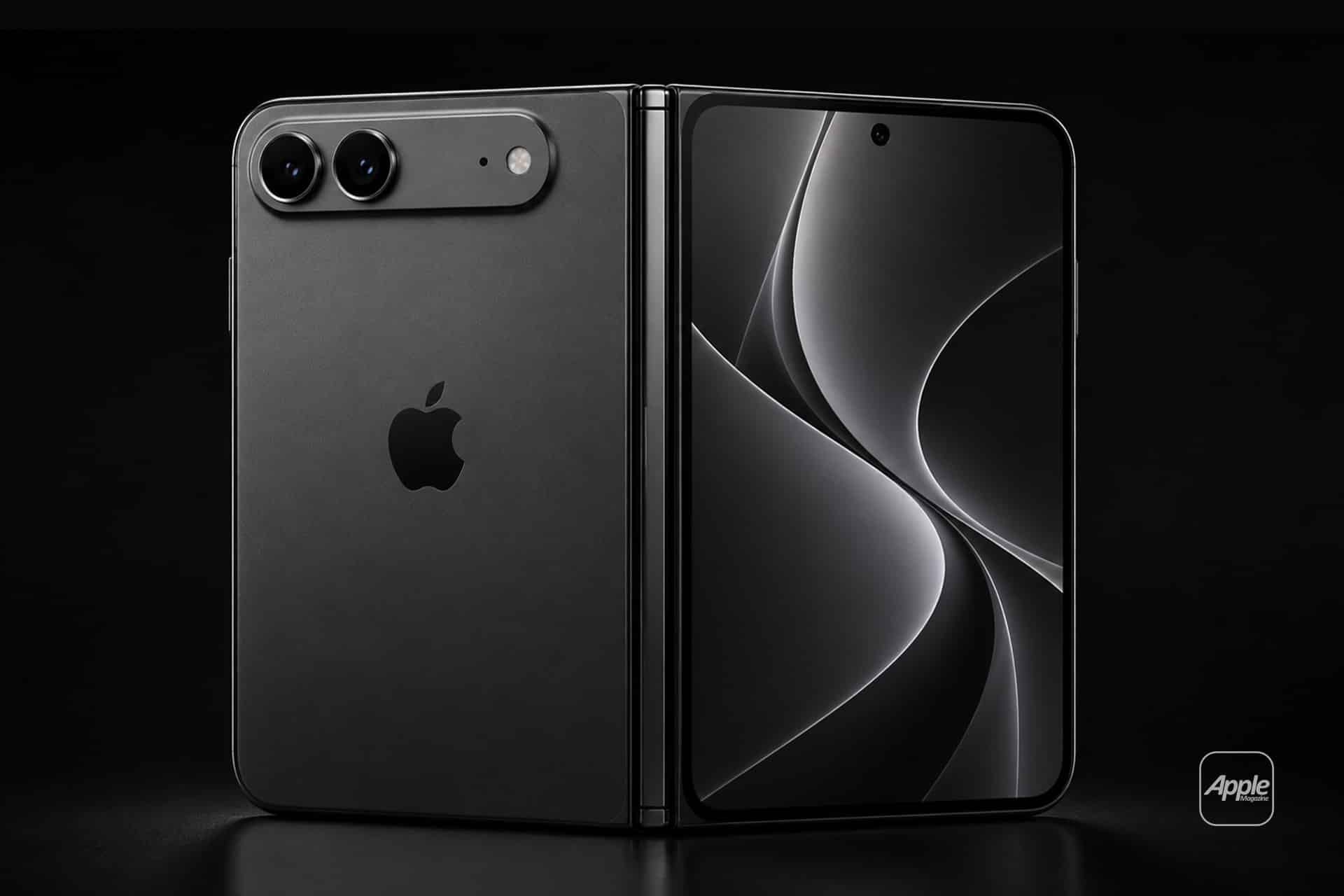
iPhone 18 launch, Apple Park, iPhone 18, iPhone 18 Pro, iPhone 18 Pro Max, iPhone Ultra, foldable iPhone, Apple event, September event, John Ternus, Steve Jobs Theater, iOS 27, iPhone camera, variable aperture, liquid metal hinge, foldable display, hands-on event, product launch, Cupertino, smartphone news

The iPhone 18 launch is turning Apple Park into more than a stage for Wednesday’s presentation. The September 9 Apple event already carries unusual expectations around a possible foldable iPhone, a new generation of Pro cameras, and John Ternus’ first major product introduction as CEO. Reports of additional event staff now suggest that the experience awaiting invited media could be larger and more demanding than a conventional iPhone demonstration.

The official event announcement confirms that “Surprise and shine” begins September 9 at 10 a.m. Pacific Time, with worldwide streaming through apple.com, Apple TV, and YouTube. The invited audience will attend from Apple Park, but the increased activity surrounding the event does not necessarily mean that the company will abandon its carefully produced video format for a completely live keynote.

A polished presentation can explain specifications, introduce software, and display new hardware from perfect angles. It cannot reproduce the first sensation of opening a foldable screen, examining a crease under direct light, testing a mechanical hinge, or watching a camera respond as the lighting changes. Those moments happen after the main presentation, inside the hands-on areas where early opinions begin to form.

Apple Park

Apple Park Scales Up for the iPhone 18 Launch

The first indication of a larger operation arrived through an internal program for US retail employees. According to reporting distributed by Bloomberg, store employees were invited to enter a lottery for positions supporting the in-person unveiling.

Selected employees were expected to organize lines, check in guests, provide directions, welcome attendees, and assist security teams. Employees who participated in WWDC 2026 or the iPhone 17 event were reportedly excluded, allowing another group of retail workers to experience the launch.

The existence of the lottery does not prove that the keynote itself will return to a traditional live-stage presentation. Apple has previously recruited retail employees to support events, and the company has not disclosed how many people were selected this year.

It does confirm that the Apple Park gathering requires a substantial customer-facing operation beyond the team producing the presentation. Retail employees already know how to direct visitors, explain products without overwhelming them, manage queues, and identify when someone needs technical help.

Those skills become particularly useful during an event attended by journalists, photographers, analysts, creators, and international guests, all trying to reach the same devices within a short period. Additional staff can prevent the hands-on area from becoming a crowded ring around a few demonstration tables.

The iPhone 18 launch may also require more movement between specialized spaces. A conventional phone can be displayed in rows according to color or size. A foldable model needs room for repeated opening and closing, interface demonstrations, durability questions, and comparisons between its exterior and interior screens. Camera testing requires a different environment again.

Apple Park does not need to undergo a permanent architectural transformation for that expansion. Modular tables, managed lighting, guided demonstrations, additional charging equipment, and more employees can significantly enlarge the experience around Steve Jobs Theater for a single afternoon.

A person holds a foldable smartphone displaying the time, 09:07, in a cozy café with wooden tables, drinks, and a blurred background of people and large windows—perhaps testing out new features on iOS 27 Beta or eagerly comparing it to rumors about the upcoming iPhone 18.
Image Credit: AppleMagazine

A Foldable iPhone Needs a Different Kind of Demo

The rumored iPhone Ultra is likely to attract the longest lines if it appears on Wednesday. It would represent the first substantially new iPhone form factor since the current full-screen design became established, and its appeal cannot be communicated through processor charts alone.

Visitors will want to know how the hinge feels at different angles, whether the device stays open when partially folded, how much pressure is required to close it, and whether both sides align evenly. They will inspect the central folding area under bright light and move a finger across the display to determine whether the crease is visible, noticeable by touch, or effectively hidden during normal use.

Display stress remains one of the most difficult engineering problems in the foldable category. TrendForce’s analysis of foldable display technology explains that crease reduction depends on controlling stress across the panel’s multilayer structure. Ultra-thin glass, optically clear adhesive, support plates, and the position of the display’s neutral layer can all influence how the screen behaves after repeated folding.

Reports have associated the iPhone Ultra with a liquid-metal hinge and a virtually creaseless internal display, but neither detail has been announced. Even if the production device resembles those descriptions, “virtually creaseless” will remain a subjective claim until people can examine the screen from different angles and under different lighting conditions.

Apple will consequently need demonstration units that are fully accessible rather than fixed behind stands. A journalist should be able to fold the device repeatedly, rotate the internal display, type with the phone partially open, and watch iOS 27 transfer an activity between the exterior and interior screens.

Those interface transitions could be as revealing as the physical hardware. A larger display gains value when an app can reveal another column, create a more capable workspace, or reposition controls without simply enlarging the standard iPhone interface.

Demonstrators may need to direct visitors toward examples that reveal those differences within the limited time available. Mail, Maps, Photos, Safari, video calling, document editing, and drag-and-drop workflows could communicate the benefit of the larger display faster than a static home screen.

The hands-on area must also answer durability questions without pretending that a few minutes can replace months of ownership. Hinge resistance, protection around the folding axis, weight distribution, screen reflections, and off-center visibility can be judged immediately. Long-term wear, dust resistance, and thousands of folding cycles cannot.

Camera Testing Could Become Part of the Event

The Pro camera system is expected to receive one of the lineup’s most technical hardware changes. Previous iPhone 18 Pro camera reporting has centered on a mechanical or variable aperture, which could physically alter the amount of light passing through the main lens.

A conventional fixed-aperture smartphone camera manages exposure through shutter speed, sensor sensitivity, computational processing, and other electronic controls. A mechanical aperture can change the physical opening through which light reaches the sensor. Depending on its design, that could provide additional control over exposure, depth of field, highlights, and the appearance of subjects at different distances.

Current pre-event iPhone 18 expectations indicate that the feature may be exclusive to the iPhone 18 Pro Max, although its final availability will remain uncertain until the presentation.

A normal demonstration table would reveal little about such a camera system. Effective testing requires contrast, motion, faces, reflections, foreground objects, and meaningful changes in brightness.

Apple has previously used prepared scenes to demonstrate cameras, making controlled lighting stations a reasonable possibility for the iPhone 18 launch. No dependable report has confirmed that a dedicated photography pavilion or a particular new installation has been constructed for Wednesday, however.

A useful setup would allow creators to move between bright and dim areas while watching the aperture respond. A foreground object positioned near a person could demonstrate changes in depth of field. Directional lights could reveal highlight handling, while a darker scene could test whether the physical aperture works smoothly with computational photography.

Video creates another challenge. Any aperture adjustment during recording must appear gradual rather than causing sudden jumps in exposure or background separation. If manual control is available, photographers will immediately look for the number of supported aperture positions and whether a chosen setting can be locked before recording.

These demonstrations would offer the in-person audience something that cannot be reproduced during the stream. The presentation can display carefully selected photographs and video clips, but activity around the camera stations will reveal how quickly professionals understand the controls and whether the results remain convincing outside a prepared promotional sequence.

John Ternus Faces His First Apple Park Test

Wednesday’s event will be John Ternus’ first major product launch as CEO. That creates an unusual balance between continuity and change. The campus, production team, executives, and controlled demonstrations remain familiar, while the person responsible for the final message has changed.

Ternus does not need to replace every established event practice during his first days in the role. A larger in-person component would let him place more attention on direct product experience without sacrificing the timing and visual precision of a prerecorded presentation.

A live welcome, appearances around the campus, and extended media access after the video could establish his presence without forcing the event into an entirely different format. His background in hardware engineering also makes this a suitable launch for more detailed demonstrations, particularly if the lineup includes a new hinge, display construction, or mechanical camera component.

The hardware surrounding the iPhone 18 launch will test how well the company explains unfamiliar decisions. A foldable iPhone must justify its size, construction, software behavior, and likely premium price within minutes. The Pro camera must demonstrate an advantage that remains visible after computational processing. Accessories must protect new shapes without making them unpleasant to hold.

Retail employees working at Apple Park can observe those reactions closely. They will hear which controls require an explanation, which accessories create hesitation, and which claims prompt the same questions repeatedly. That experience can return to stores before customers begin arriving for demonstrations of their own.

The Hands-On Area Becomes the Real Examination

Apple controls every frame of its presentation video, but it cannot control every observation made after the screens turn off. A foldable display will be photographed from difficult angles. Its hinge will be opened hundreds of times. Camera samples will be compared before visitors have left Apple Park. Any awkward transition, reflection, or confusing control will circulate within minutes.

This makes the in-person operation more demanding than a larger guest list might suggest. Every demonstration unit must remain charged, connected, clean, updated, and ready for the next visitor. Foldable devices may require closer inspection between sessions, while camera areas need staff who understand both the feature and the conditions created to demonstrate it.

The employees around those spaces should provide enough guidance to help visitors locate unfamiliar features without turning every interaction into another scripted presentation. Excessive control makes a demonstration feel artificial; too little creates confusion and crowded tables.

Apple Park therefore becomes a second launch platform after the worldwide stream. The video introduces the products, while the hands-on area exposes them to fingers, lenses, questions, and immediate judgment. By Wednesday afternoon, the questions repeated most frequently around those demonstration tables may offer the first indication of how easily the iPhone 18 lineup can explain itself.

iPhone 18 red color concept shown front and back with edge-to-edge display.

The post iPhone 18 Launch: Apple Park Prepares for a Bigger In-Person Event appeared first on AppleMagazine.

  •  

John Ternus Begins His Apple CEO Era With a Discreet Public Profile

John Ternus has entered one of the most visible positions in global business without trying to turn his first days into a personal media event. The new CEO arrived with a remarkably discreet public profile, a newly opened social presence and decades of work completed mostly behind Apple’s products.

His X account, @johnternus, appeared publicly on September 1, the day he officially succeeded Tim Cook. Its biography contained only the company logo and his new title. The first post was even shorter: “hello.”

The simplicity felt consistent with an executive who has spent most of his career explaining materials, engineering decisions and manufacturing improvements rather than building a public personality. It also created a sharp contrast with the scale of the position he now occupies.

Ternus can remain personally reserved, but the CEO role will repeatedly place him before customers, employees, investors, governments and developers. His first social post may have been quiet. The responsibilities arriving behind it are anything but.

John Ternus Arrives Without a Personal Media Machine

Ternus did not maintain a prominent public social account during his years leading hardware engineering. Most customers encountered him through carefully produced product presentations, occasional interviews or appearances focused on a particular device.

Even within those settings, his style remained technical and controlled. He usually spoke about engineering choices, durability, materials, performance and the work required to turn a design into a product that could be manufactured at enormous scale.

His new X account does not immediately change that character. Opening a channel is different from revealing a private life or becoming a daily commentator. The minimal introduction suggests a place for official communication rather than an invitation into every passing thought.

That would follow an established pattern for senior leadership. Tim Cook used his public account to acknowledge product launches, employees, social causes, environmental initiatives, community visits and major events. His posts rarely became extended personal debates.

Ternus may adopt a similar rhythm, although the account is too new to define its purpose. One word and a short biography cannot tell us how frequently he will post, which subjects he will address or whether he will write directly during moments of controversy.

The restrained opening still served one practical purpose. It established an authenticated public identity before unofficial profiles, impersonators and parody accounts could occupy the space around a newly appointed CEO.

A man with short dark hair and light stubble, rumored to be Apple Next CEO, smiles at the camera. He is wearing a black crew-neck shirt and is posed in front of a plain, light background.
John Ternus | Image Credit: Apple Inc.

A Career Built Behind the Hardware

The limited public profile should not be mistaken for limited influence inside the company.

Ternus joined the product design team in 2001 and became a vice president of hardware engineering in 2013. He entered the executive team as senior vice president in 2021, eventually overseeing engineering work across iPhone, iPad, Mac, AirPods and Apple Watch.

His official biography credits him with an instrumental role in the introduction of iPad and AirPods, along with work across multiple generations of the company’s largest product lines. It also connects his leadership to improvements in reliability, durability, materials, repairability and environmental performance.

This background gives Ternus a different starting point from a CEO recruited principally through finance, sales, software or public policy. He arrives from the part of the organization responsible for making difficult designs function consistently outside a laboratory.

Hardware engineering at this scale reaches far beyond choosing a processor or shaping an enclosure. It requires coordinating displays, batteries, cameras, radios, thermal systems, structural materials, manufacturing equipment, repair procedures and supplier capacity. A small change can affect production across millions of units.

That experience may explain part of his measured communication style. Engineering organizations reward details that survive testing. Public attention often rewards immediate confidence. Ternus has spent his career in an environment where confidence eventually meets a drop test, production line or repair bench.

His public appearances have often carried the same discipline. He tends to explain what a product team accomplished without placing himself at the center of the accomplishment.

The CEO Role Changes the Audience

Leading hardware engineering allowed Ternus to speak after a product decision had passed through years of development. As CEO, he will also need to speak while difficult questions remain unresolved.

Investors will expect him to explain spending, growth and long-term priorities. Governments will want answers about manufacturing, competition, privacy and platform control. Employees will look for direction as artificial intelligence, robotics, home technology, augmented reality and satellite communications create new opportunities across the company.

Customers will judge him through products, but they will also hear his response when a launch disappoints, a service fails or a policy creates frustration.

This is where a discreet profile can become either an advantage or a limitation.

A CEO who does not comment constantly preserves the weight of the moments when he chooses to speak. Fewer posts also reduce the chance that a hurried reaction becomes the story instead of the company’s work.

Silence becomes harder to maintain when people expect reassurance. Product defects, security incidents, employee concerns and political disputes can create situations in which a carefully prepared statement feels too distant. Ternus will have to decide when restraint protects the company and when it begins to look like avoidance.

Cook will remain involved as executive chairman and is expected to assist with areas including engagement with policymakers. That arrangement gives Ternus continuity during the transition without removing the need to develop his own public authority.

The distinction between their roles will become more visible with time. Cook can offer experience and institutional relationships, but employees and customers need to recognize which priorities belong to the new CEO.

A More Technical Public Voice Could Work

Ternus does not need to imitate Steve Jobs’ stage presence or Cook’s diplomatic style. A convincing public identity can grow from the expertise that brought him to the position.

The most natural version would be an engineering-minded CEO who explains trade-offs without turning every decision into a slogan. Product design is full of compromises involving battery life, weight, cost, durability, repairability and production capacity. Carefully explaining some of those decisions could make corporate communication more informative.

His 2024 commencement appearance at Penn Engineering offered a rare view outside a product presentation. Ternus returned to the university where he earned his mechanical engineering degree and addressed students as an experienced engineer rather than a celebrity executive.

That type of setting allows more personality to appear without requiring constant social posting. Longer interviews, engineering discussions, employee conversations and educational appearances may suit him better than trying to manufacture spontaneity several times a day.

A restrained profile could also reinforce collaboration. The products reaching customers are built by large teams, and Ternus has generally presented himself as a representative of that work. Maintaining that tone as CEO would keep attention on the organization rather than turning every announcement into a personal performance.

The difficulty will be preserving technical depth while discussing areas beyond hardware. Services, entertainment, artificial intelligence, software platforms and international policy cannot always be explained through materials and manufacturing. The CEO must connect them into one recognizable direction.

His First Major Appearances Will Define the Account

The opening “hello” gives Ternus room to decide how visible he wants to become.

Upcoming product events will offer an early test. A social account can distribute announcements and photographs, but the stage will reveal more: which subjects he chooses to introduce, how much technical detail he includes and whether he remains present throughout the presentation or delegates most of it to other executives.

Earnings calls will create a different test. Product videos are rehearsed around finished work; financial discussions require direct answers about demand, margins, investment and risks. His language in those conversations will begin shaping how investors understand the new administration.

Internal communication may prove equally influential even when the public sees only fragments. Employees will listen for signals about decision-making speed, tolerance for experimentation and the relationship between engineering ambition and commercial discipline.

The X account can support that work, but it cannot substitute for it. A polished stream of product announcements would tell customers what has shipped. Occasional direct messages during difficult moments would reveal more about how Ternus intends to lead.

For now, the empty space around his first post is part of the story. The next useful signal may not be how often John Ternus speaks, but which moment persuades this notably private engineer that the CEO should speak in his own voice.

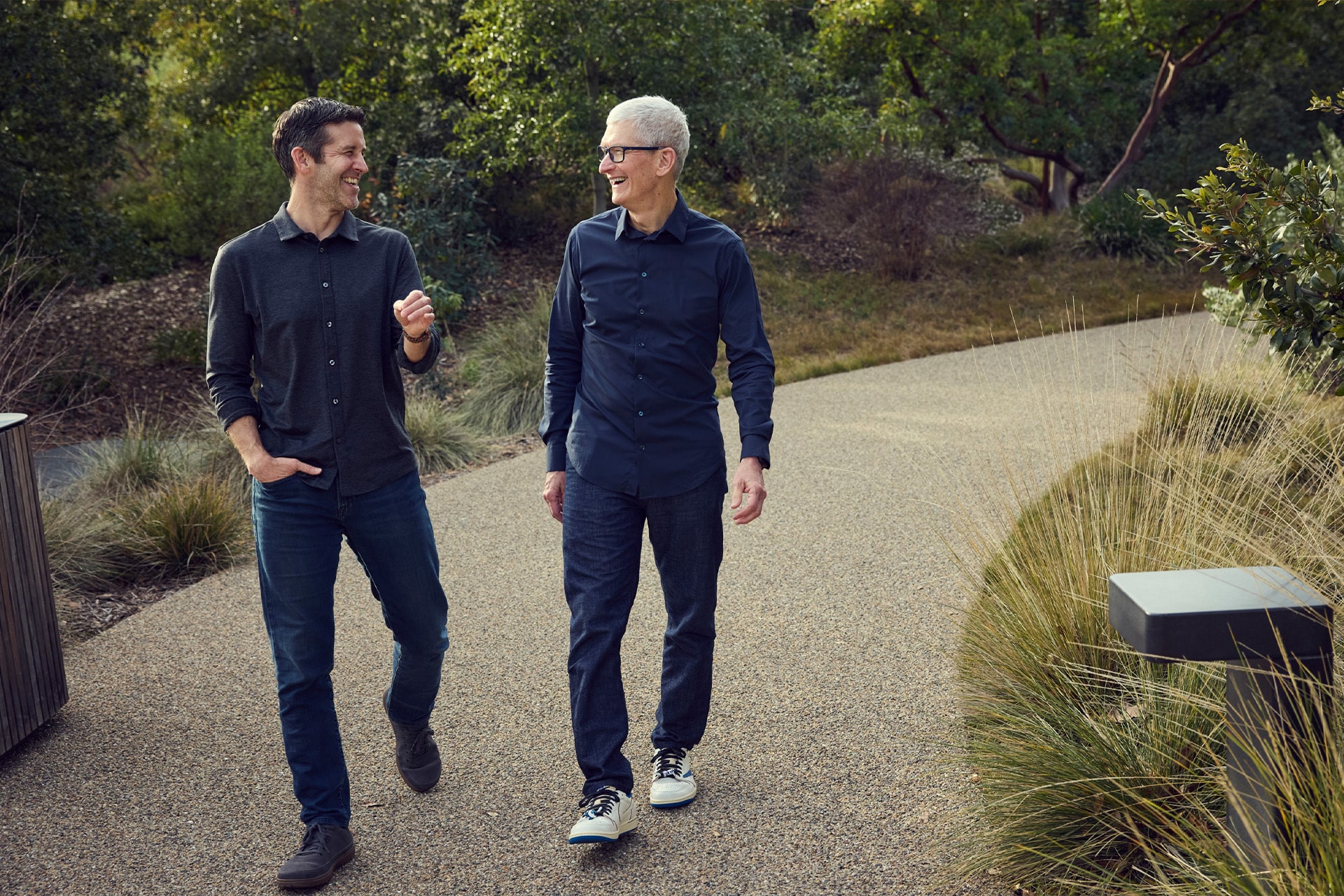
Two men walk side by side on a gravel path surrounded by greenery, smiling and engaged in conversation. Both are casually dressed in long-sleeve shirts, jeans, and sneakers.
Image Credit: Apple Inc.


The post John Ternus Begins His Apple CEO Era With a Discreet Public Profile appeared first on AppleMagazine.

  •  

Sam Altman Calls Himself a ‘Mega Apple Fanboy’ Amid Lawsuit

Sam Altman has described himself as a “mega Apple fanboy” while discussing the trade secrets lawsuit now dividing two companies that were close technology partners only two years ago.

Speaking with journalist Alex Heath on the Sources podcast, the OpenAI CEO said he was “very sad” when he learned about the case. His admiration for Apple, however, did not soften his rejection of the allegations against OpenAI and two former employees.

Altman said the company does not want another business’s intellectual property and would dismiss anyone found to have improperly brought confidential material into OpenAI. He also said an internal investigation left him convinced that the employee at the center of the dispute had not acted improperly.

That is OpenAI’s account, not a resolution of the lawsuit. Apple alleges that trade secrets connected to hardware design, manufacturing and supply-chain operations were taken for the benefit of OpenAI’s consumer-device program. The defendants deny wrongdoing, and the court has not settled those competing claims.

Sam Altman Separates Personal Admiration From the Case

Altman’s response was unusually personal for a dispute of this scale.

Technology executives normally leave active litigation to lawyers and carefully written company statements. Calling himself a fanboy places Altman on familiar ground with millions of customers who admire Apple products while disagreeing with a corporate decision.

His first reaction, he said, was to assume that the accusations sounded serious enough that someone must have behaved badly. OpenAI then examined the matter and reached a different view.

Altman said the company would act if it found that someone had taken another company’s intellectual property. At the same time, he argued that an employee who had done nothing wrong deserved a defense.

That distinction is central to OpenAI’s public position. It does not deny that former Apple employees now work on its hardware initiative. Instead, the company disputes the allegation that their movement between employers brought protected information into the program.

Personal admiration cannot answer the evidentiary questions. Being a customer, praising a company or enjoying its products has no bearing on whether confidential files were accessed or used. Altman’s comments are more revealing as an account of how sharply the relationship has changed.

OpenAI once promoted its work with Apple as a partnership built around safety, innovation and access to advanced AI. It now describes the lawsuit as aggressive, inaccurate and unnecessary.

Close-up of a metallic knob and translucent buttons on a sleek OpenAI device. Text on the device reads, “OpenAI | 2026.” The design is modern, with a soft, neutral color palette and clear, blue-accented buttons—echoing the refined sensibilities often associated with Jony Ive’s hardware innovations.
Image Credit: OpenAI

From ChatGPT Partnership to Hardware Rivalry

In June 2024, both companies announced an agreement to integrate ChatGPT into experiences across iPhone, iPad and Mac.

Siri could ask for permission to send certain requests to ChatGPT, while Writing Tools could use the model for composition and image generation. The integration gave OpenAI direct exposure inside some of the world’s most widely used personal devices without requiring every user to create an account.

At the time, Sam Altman said the partnership would introduce ChatGPT to users in a new way. Apple presented the external model as an optional extension of Apple Intelligence, keeping permission and privacy controls between the user and the third-party service.

The arrangement made sense while the companies occupied complementary positions. Apple controlled the devices and operating systems; OpenAI supplied a widely recognized generative model.

Consumer hardware changed that balance.

OpenAI is developing a family of AI-native devices with designer Jony Ive, whose work at Apple helped shape products including iPhone, iMac, iPod and Apple Watch. Tang Tan, another longtime hardware figure who previously worked on major Apple products, is now OpenAI’s chief hardware officer.

Once OpenAI began recruiting deeply from Apple’s hardware organization, the relationship was no longer limited to providing a model inside Siri. The companies were moving toward competition over the physical objects through which people may interact with AI.

That competition helps explain why the lawsuit reaches beyond an ordinary employment disagreement. Hardware development depends on manufacturing knowledge, component choices, testing systems, supplier relationships and production methods that can take years to build.

Apple’s complaint alleges that OpenAI benefited from confidential information in those areas. OpenAI argues that the case is being used to slow a potential rival and discourage employees from leaving.

What Apple Alleges Against OpenAI

Apple filed its lawsuit in July against OpenAI, Tang Tan and former electrical engineer Chang Liu.

The complaint alleges that former employees misappropriated trade secrets connected to product development and shared them with OpenAI as it accelerated its consumer-hardware ambitions. Apple has also sought a preliminary injunction intended to prevent the use of disputed information while the case proceeds.

According to Associated Press reporting on the original complaint, Apple accused OpenAI of encouraging recruits to provide confidential knowledge and advising them on how to avoid scrutiny during the transition between companies.

Those are allegations. OpenAI has denied that it requested, received or wants Apple’s trade secrets.

In its public response, OpenAI disputed several details surrounding Apple’s communications and treatment of departing employees. It argued that continued access to some files resulted from Apple’s own account-management practices and said former employees had attempted to handle that access responsibly.

OpenAI also said Tan had instructed his team not to use confidential material belonging to previous employers. Its motion to dismiss asks the court to reject Apple’s case, while its opposition to the requested injunction challenges the evidence and need for immediate restrictions.

Reuters reported that roughly 400 former Apple employees had joined OpenAI’s hardware initiative, according to figures appearing in court filings. Headcount alone does not establish misuse of trade secrets. It does illustrate the scale of the talent movement and why the dispute has become a defining fight over the next generation of personal hardware.

OpenAI’s Device Work Is Continuing

Sam Altman said he does not expect the lawsuit to slow the company’s device program.

That is the most direct business claim in his interview. It suggests that OpenAI has separated disputed material and personnel questions from the work it believes can continue without relying on protected Apple information.

Whether the schedule remains unaffected may depend on the court. A preliminary injunction could impose restrictions before a full trial, depending on its scope. A denial would allow development to proceed without that requested intervention, although the wider lawsuit would remain active.

OpenAI has revealed little about the devices themselves. The company has discussed an AI-native hardware family rather than a single conventional phone replacement, and Altman has spoken about the privacy discomfort created by products that visibly point cameras at other people.

That leaves the design, release timing and commercial strategy largely unknown. No product has been publicly introduced, and Altman’s assurance that development continues does not amount to a launch announcement.

The lawsuit also does not automatically end ChatGPT’s role across Apple platforms. The existing integration remains a separate customer-facing arrangement unless either company announces a change.

For people using ChatGPT through Siri or Writing Tools, the legal conflict currently produces more drama in court filings than difference on the screen. The stranger question is how long two companies can remain software partners while preparing to compete over the device sitting on the table beside that screen.

A glowing white geometric OpenAI logo appears above the word "OpenAI" on a dark background, with green light effects radiating outward—evoking the seamless experience of ChatGPT payment checkout.
Image Credit: Samuel Boivin—NurPhoto via Getty Images

The post Sam Altman Calls Himself a ‘Mega Apple Fanboy’ Amid Lawsuit appeared first on AppleMagazine.
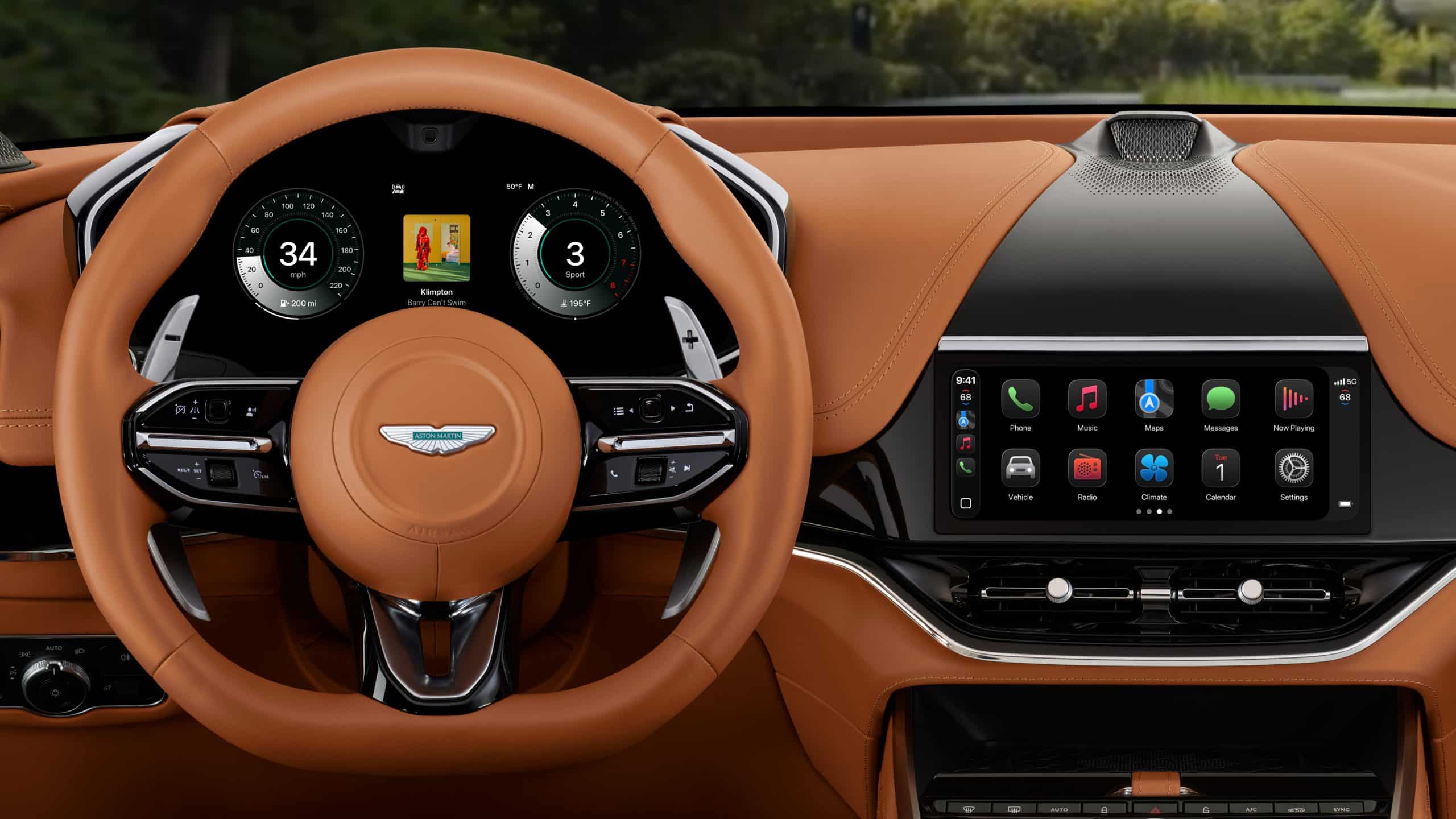
  •  

Silo Season 4 Premieres July 9, 2027 as the Final Chapter

Silo season 4 will premiere globally on July 9, 2027, giving the Apple TV science-fiction drama a firm date for its final descent into the mysteries surrounding Juliette Nichols and the underground society that shaped her life.

The announcement arrived immediately after the third-season finale, with Apple TV also releasing a two-minute sneak peek at the last chapter. Rebecca Ferguson returns as Juliette and remains an executive producer, while Graham Yost continues to oversee the adaptation of Hugh Howey’s bestselling trilogy.

Three complete seasons are already available to stream. Season four is designed to finish the story rather than leave the series waiting for another renewal, a rare advantage for a mystery built around questions that have been accumulating since its opening episode.

Silo Season 4 Has a Confirmed Release Date

Friday, July 9, 2027, is now the official premiere date for Silo season 4. Apple TV has not announced an episode count, a complete release schedule, or whether more than one episode will arrive on opening day.

The previous seasons used weekly releases, but that history should not be mistaken for confirmation of the final plan. The service can still decide how it wants to introduce the premiere and pace the remaining episodes closer to launch.

The timing creates a wait of a little more than 10 months after the third-season finale on September 4, 2026. That is long enough to build anticipation without sending the production into an indefinite gap.

It also gives new viewers a comfortable opportunity to catch up. The series began in May 2023 with an apparently contained mystery involving a community of 10,000 people living deep underground, protected from a world believed to be toxic. Each season has widened that mystery while keeping its emotional center with Juliette, the engineer whose refusal to accept convenient answers made her dangerous to the silo’s leadership.

Season three expanded the narrative across two periods. In the present, Juliette survived her forced cleaning and returned as the underground community faced the consequences of rebellion. The other story followed journalist Helen Drew, played by Jessica Henwick, and Congressman Daniel Keene, played by Ashley Zukerman, centuries earlier.

The fourth season must now bring those timelines into their final relationship without losing the human tension beneath the history.

The Ending Has Been Planned for Years

Silo season 4 being the final season is not a cancellation revealed after production had already moved in another direction.

Apple TV renewed the drama for seasons three and four in December 2024, while its second season was still being released. The service said at the time that the fourth chapter would complete the story contained in Howey’s trilogy.

That early commitment gave Yost and the writing team something mystery dramas rarely receive: a known destination and enough screen time to prepare the route toward it.

When the two-season renewal was announced, Yost said the adaptation would tell the complete story over four seasons. Ferguson also spoke about her desire to bring the full journey from the books to the screen.

Planning does not guarantee that every question will receive an individual explanation. It does mean the writers were able to build seasons three and four as connected parts of an ending, rather than producing a temporary finale that might need to serve as the last episode if another renewal failed to arrive.

That distinction suits Silo particularly well. The drama depends on controlled information. Residents learn only what their society permits, viewers encounter evidence in fragments, and even discoveries can create new uncertainty. A rushed ending could turn years of tension into a sequence of explanations. Too much hesitation could leave the central conflict unfinished.

The third season’s expansion into the “Before Times” gave the series another way to deliver answers. Instead of relying entirely on present-day characters finding records or explaining old events, the story could place viewers closer to the decisions that created the underground world.

Silo season 4 can use that groundwork to connect institutional history with Juliette’s personal fight. The mystery is no longer simply how the silos work. It is also about who designed their rules, what those rules were meant to prevent, and whether survival built on control can remain defensible after its foundations are exposed.

Silo season 4 | A man in a dark suit and red patterned tie walks outdoors with his hands in his pockets, while a woman in a trench coat and gray pants follows behind him. Their serious expressions add intrigue, reminiscent of scenes from Silo Season 3, amid lush greenery.
Image Credit: Apple Inc.

Rebecca Ferguson Carries Juliette’s Last Journey

Ferguson has been the physical and emotional anchor of the series since its first season. Juliette is an engineer before she is a conventional hero, approaching danger as a system that can be studied, opened, repaired, or challenged.

That temperament helped Silo avoid turning its central mystery into an abstract puzzle. Every hidden mechanism affects people who must live within it. Discovering the truth carries a personal cost because the society depends on limiting who may possess it.

Ferguson’s executive producer role also gives her involvement beyond the performance itself. The fourth season will close a character journey she has helped shape across several years of production.

The current Silo cast page also includes Common, Harriet Walter, Chinaza Uche, Avi Nash, Alexandria Riley, Shane McRae, Remmie Milner, Rick Gomez, Billy Postlethwaite, Clare Perkins, Jessica Henwick, Ashley Zukerman and Steve Zahn. The final-season announcement does not provide a definitive list of every returning performer, so presence on the wider series page should not be treated as confirmation that each character appears in Silo season 4.

Behind the camera, the announced executive producers include Yost, Ferguson, Howey, Michael Dinner, Nina Jack, Joanna Thapa, Morten Tyldum, Amber Templemore, Fred Golan, Rémi Aubuchon and AMC Studios. Apple Studios produces the series.

Howey’s continuing involvement is especially valuable as the adaptation reaches material that must connect the mythology created across the novels. A screen version can reorganize characters, timing and revelations, but the ending still needs to feel consistent with the world’s original logic.

Why a Complete Four-Season Story Helps Apple TV

A defined ending gives Silo lasting value beyond the attention surrounding its final premiere.

Viewers who hesitate to begin a serialized mystery often want to know whether it reaches an intentional destination. Once Silo season 4 is complete, the service will have a finished science-fiction drama spanning four seasons, with no uncertainty about whether its central narrative stops midway.

That makes the show easier to recommend years after the finale. It can be watched as one long story rather than as a promising series whose survival depends on another corporate decision.

The release date also allows Apple TV to keep one of its recognizable genre dramas active through 2027. Silo occupies a particular place within the catalog: visually ambitious science fiction built around social control, mechanical detail and a mystery that rewards attention.

Its appeal does not depend on constant spectacle. Long stairways, restricted spaces, aging machinery and controlled screens make the environment feel oppressive before a character says a word. The production turns architecture into part of the power structure, reinforcing the distance between the people making decisions and those living far below them.

A planned final season can spend its resources on the places and events necessary to complete that world instead of extending the premise simply to preserve a successful title.

Anyone starting from the beginning has roughly 10 months to watch the first three seasons before July 9. That works out to about three episodes per month, leaving enough time to absorb the clues without turning the entire story into a rushed marathon.

The season-four sneak peek is already available as bonus content on the show’s Apple TV page. Because it follows the third-season finale, viewers who have not caught up may prefer to leave that two-minute preview untouched until they reach the end of “Troy.”

Rebecca Ferguson SILO TRAILER
Apple TV+ | Silo Series | Rebecca Ferguson

The post Silo Season 4 Premieres July 9, 2027 as the Final Chapter appeared first on AppleMagazine.

💾

Enjoy the videos and music you love, upload original content, and share it all with friends, family, and the world on YouTube.
  •  

How to Sync Apple Health Data With Google Health on Your iPhone

Apple Health data can now move between the Health app and Google Health on an iPhone. The connection lets Google Health import supported information recorded by an iPhone, Apple Watch, and compatible apps. The latest Google Health update can also send supported Fitbit information to Apple Health.

This two-way connection is useful for people who wear a Fitbit but prefer Apple’s Health app as the central place for viewing activity, sleep, steps, and other wellness information. It also reduces the need for third-party synchronization apps.

The feature requires a recent version of Google Health. Google began introducing support for sending data back to Apple Health with Google Health version 5.05. Because app updates can roll out gradually, the new sharing options may not appear until the latest version reaches your account.

Update Google Health Before Starting

The Fitbit app became Google Health in 2026. Existing Fitbit users should find that the installed app has changed its name and design after updating. Fitbit accounts must also be moved to an adult Google Account to use the redesigned service.

Google says the Apple Health connection requires iOS 16.4 or later. The iPhone must have internet access while the connection is being created.

To check the iOS version installed on your iPhone:

Settings > General > About > iOS Version

Install the latest compatible iOS update if the phone is running an older release.

To look for an available iPhone software update:

Settings > General > Software Update

Next, confirm that Google Health is current. Version 5.05 or later is required for the newer option that sends supported Google Health and Fitbit information to Apple Health.

To update Google Health from the App Store:

App Store > Profile Picture > Available Updates > Google Health > Update

If Google Health does not appear under Available Updates, search for the app manually. The App Store page may show an Update button if a newer release is available.

To find the app directly:

App Store > Search > Enter Google Health > Google Health (Fitbit)

People who previously used Fitbit should sign in with the Google Account connected to their Fitbit information. Creating a different account may produce an empty Google Health profile.

Two smartphones display Google Health apps; one shows detailed sleep tracking data, and the other presents a health chatbot answering a user’s query about sleep and symptoms. Both screens are clear and on a white background, highlighting how users can manage their health data seamlessly—much like with Apple Health data.
Image Credit: Google

Connect Apple Health Data to Google Health

Connecting the apps allows Google Health to read supported information from Apple Health. This can include data collected by the iPhone, Apple Watch, and other apps that already share information with Apple Health.

To start the Apple Health connection:

Google Health > Connections > Apps and Services > Apple Health > Get Started

Depending on the Google Health version and interface shown on the iPhone, Connections may appear behind the profile icon.

To find Apple Health through the alternative menu:

Google Health > Profile Icon > Partner Apps > Apple Health

Google Health will display a consent screen explaining the connection. Read the information before continuing.

To approve the initial connection:

Sync Google Health With Apple Health > Agree

The iPhone will then display Apple’s health permission screen. This screen lets you decide which information Google Health can read.

To give Google Health access to every supported category:

Apple Health Permission Screen > Turn All Categories On > Allow

You do not have to share every available category. Selecting individual permissions provides more control over sensitive health information.

To share only selected categories:

Apple Health Permission Screen > Select Each Health Category > Allow

Google Health can import supported information such as steps, distance, active energy, exercise records, routes, sleep sessions, sleep stages, heart rate, resting heart rate, heart rate variability, blood oxygen, respiratory rate, body temperature, weight, body fat percentage, water, nutrition information, and some cycle-tracking data.

Available categories depend on the devices and apps connected to Apple Health. An iPhone may provide steps and walking information, while an Apple Watch can contribute heart rate, workouts, sleep, and other measurements supported by the model.

After the permissions are approved, Google Health should confirm that the connection is complete.

To finish the connection:

Google Health Confirmation Screen > Done

New Apple Health information should begin appearing automatically in Google Health. Google has said that imported data can be used across relevant Google Health metrics, although not every external data type is used for every calculation.

To find imported health information:

Google Health > Health > Select a Metric

Google Health may display information from several connected sources together. Its value for a metric can differ slightly from the number shown by Apple Health because the apps may process available data differently.

Send Fitbit Data to Apple Health

Google Health version 5.05 adds the reverse direction that many iPhone and Fitbit users previously lacked. Supported information recorded through Fitbit can now be written into Apple Health.

Before enabling this option, make sure the Fitbit is properly connected to Google Health. Fitbit devices normally synchronize automatically throughout the day when Bluetooth is available and the wearable is near the iPhone.

To check the connected Fitbit:

Google Health > Profile Icon > Devices > Select Your Fitbit

The device page should show the wearable, its battery level, and its most recent synchronization time. Opening Google Health can also prompt a nearby Fitbit to transfer recently collected information.

Once the wearable is updating Google Health correctly, open the Apple Health connection settings.

To open the sharing controls for Apple Health:

Google Health > Profile Icon > Partner Apps > Apple Health

The interface may use Apps and Services instead of Partner Apps on some versions.

To reach the same connection through Apps and Services:

Google Health > Connections > Apps and Services > Apple Health

Follow the prompts for sharing Google Health information with Apple Health. The iPhone may display separate permissions for data that Google Health can read and data that it can write.

To allow supported Fitbit information to appear in Apple Health:

Apple Health Permission Screen > Allow Google Health to Write > Select Health Categories > Allow

Google says supported information can include exercise records, steps, sleep, vitals, and other health data. The exact selection can vary according to the Fitbit model, region, Google Health version, and information stored in the account.

Selecting every category is convenient, but it can create overlapping sources when an iPhone, Apple Watch, and Fitbit record the same type of activity. Choose only the categories you want Google Health to add.

A person who uses a Fitbit mainly for sleep, for example, can allow sleep information while leaving steps disabled. Someone who wears a Fitbit instead of an Apple Watch may prefer to enable steps, workouts, heart rate, sleep, and other supported categories.

A white app icon with a multicolored heart shape in blue, green, yellow, and red is centered on a blurred blue, green, red, and yellow background. An “Apple” label appears in the bottom right corner, highlighting its connection to Apple Health and easy Fitbit sync capabilities.
Image Credit: AppleMagazine

Check Google Health Permissions

Apple Health keeps permission controls on the iPhone. You can change them after the first connection without deleting either app.

To review Google Health access from Apple Health:

Health > Profile Picture > Privacy > Apps > Google Health

The page shows the categories Google Health is permitted to read or update. Turn off any category you no longer want to share.

Some iOS versions provide the same controls through the Sharing tab.

To find Google Health through the Sharing tab:

Health > Sharing > Apps and Services > Google Health

Turning off a permission stops future sharing for that category. It does not necessarily remove information that has already been written to Google Health or Apple Health.

The Google Health app also provides controls for the connection.

To review Apple Health inside Google Health:

Google Health > Connections > Apps and Services > Connected > Apple Health

If Google Health displays a message that new data types are available, open the connection and approve the additional categories you want to use. Newly supported information is not automatically shared without permission.

Manage Duplicate Health Information

An iPhone, Apple Watch, and Fitbit can record similar information at the same time. Apple Health keeps each source attached to its data and uses a priority order when presenting combined measurements.

You can inspect the sources contributing to a category and choose which one Apple Health should prefer.

To review the sources used for step information:

Health > Search > Activity > Steps > Data Sources and Access

The screen shows the apps and devices that provide step records. If Google Health, an Apple Watch, and the iPhone all appear, you can adjust their priority.

To change the order of step sources:

Health > Search > Activity > Steps > Data Sources and Access > Edit > Drag Sources Into the Preferred Order > Done

Move the source you trust most toward the top. Apple Health generally gives higher priority to sources placed above others when similar records overlap.

Repeat the same process for other categories if their totals do not look right. Exercise, sleep, active energy, and distance can each have their own sources and permissions.

A woman wearing a fitness tracker stretches her arm and touches her shoulder in a bright, spacious room, effortlessly syncing her activity to Google Health to monitor her health data.
Image Credit: Google

Fix Missing or Delayed Data

Synchronization is not always immediate. A Fitbit first sends its information to Google Health, and Google Health then writes supported records to Apple Health. Bluetooth availability, Background App Refresh, internet access, and battery-saving behavior can affect this process.

Begin by opening Google Health with the Fitbit close to the iPhone. Wait for the device to complete its normal synchronization before checking Apple Health.

If Apple Health information is missing from Google Health, confirm that the connection remains active.

To check the connection status:

Google Health > Connections > Apps and Services > Apple Health

If Google Health displays an error or a request for new permissions, follow the message shown on the screen.

Background App Refresh can help Google Health update when the app is not open.

To allow Google Health to refresh in the background:

Settings > General > Background App Refresh > Google Health > On

Bluetooth must remain available for a Fitbit to communicate with the iPhone.

To confirm that Bluetooth is enabled:

Settings > Bluetooth > Bluetooth On

If the connection continues to fail, disconnecting and reconnecting Apple Health may restore the permission request.

To disconnect Apple Health from Google Health:

Google Health > Connections > Apps and Services > Apple Health > Disconnect > Confirm Disconnect

Disconnecting the service does not automatically remove every permission already stored by Apple Health. Review the Google Health entry in the Health app if you want to remove those permissions as well.

To remove the remaining Apple Health permissions:

Health > Profile Picture > Privacy > Apps > Google Health > Turn Off All

After reconnecting the apps, allow time for new records to appear. Previously stored information may not transfer in exactly the same way as activity recorded after the connection was enabled.

You can inspect an individual entry to confirm whether it came from Google Health, a Fitbit, an Apple Watch, or the iPhone.

To check the source and time of a synced record:

Health > Search > Select a Health Category > Show All Data > Select the Latest Entry

The post How to Sync Apple Health Data With Google Health on Your iPhone appeared first on AppleMagazine.

  •  

How to Show Hidden Files on Mac With or Without Terminal

You can show hidden files on Mac with a simple keyboard shortcut. You do not need Terminal, an administrator password, or advanced technical knowledge for the most common method.

macOS hides some files because they contain settings, app information, or system resources that people do not normally need to open. These items remain on the Mac, but Finder does not display them during regular use.

You may need to see them when following troubleshooting instructions, opening the hidden Library folder, managing website files, checking app settings, or finding data left behind by an uninstalled application. Once the files are visible, you should avoid deleting anything unless you understand its purpose.

Show Hidden Files Without Terminal

Finder has a built-in shortcut that reveals hidden files and folders instantly. It is the fastest method when you only need temporary access.

To show hidden files in the current Finder folder:

Finder > Open Any Folder > Command + Shift + Period (.)

The period is the regular full-stop key on the keyboard. You must press Command, Shift, and Period at the same time.

The folder will update immediately. Hidden items normally appear lighter or more transparent than regular files. This visual difference helps you recognize files that macOS does not usually display.

The shortcut works in most Finder locations, including the user’s Home folder and some folders on external drives. It can also work inside the Open and Save windows presented by Mac applications.

If you do not see any changes, try the shortcut inside your Home folder. The available hidden items depend on the apps and services used on the Mac.

To open your Home folder:

Finder > Go > Home

After the Home folder opens, use the hidden-file shortcut again. You may see items with names that begin with a period, including configuration folders created by applications.

Files beginning with a period are commonly called dot files. macOS and Unix-based applications use them to store settings and other information without filling normal folders with technical data.

The Finder shortcut acts as a visibility switch. Using it a second time conceals the files again.

To hide the files after you finish:

Finder > Open Any Folder > Command + Shift + Period (.)

Hiding the files does not delete them. Finder simply returns to its normal view.

A dark-themed Mac Finder window displays files and folders in the 76BPPrimary directory, with a blue gradient background and an Apple logo in the bottom right corner. The view also hints at advanced customization options commonly accessed through Mac Terminal commands, such as the ability to show hidden files within the Finder.
Image Credit: AppleMagazine

Open the Hidden Library Folder

The user Library is one of the most frequently accessed hidden folders on a Mac. It stores app preferences, browser information, caches, containers, saved states, Mail resources, and other data connected to the signed-in account.

You can open the Library directly without making every hidden file visible.

To open your personal Library folder:

Finder > Go > Press and Hold Option > Library

The Library option appears in the Go menu while you hold the Option key. Select Library before releasing the key.

This method opens the Library belonging to the current user. Its path is ~/Library, where the tilde represents the user’s Home folder.

The user Library is different from the Library folder located at the top level of the startup disk. The top-level folder contains resources that can be shared by different accounts, while ~/Library primarily contains information for the current account.

Deleting content from the Library can reset an app or remove locally stored information. If troubleshooting instructions tell you to remove a file, confirm its name and location before making any changes.

Open a Specific Hidden Folder

Finder includes a Go to Folder feature for opening locations that are difficult to find manually. It is useful when you know the folder’s exact path and do not want to reveal every hidden item.

To open the Go to Folder field:

Finder > Go > Go to Folder

You can also reach the same field with a keyboard shortcut.

To open Go to Folder from the keyboard:

Finder > Shift + Command + G

A small field will appear. Type or paste the path of the location you want to open, then press Return.

To open your personal Library:

Go to Folder > Enter ~/Library > Press Return

To open the hidden SSH folder in your Home folder:

Go to Folder > Enter ~/.ssh > Press Return

The .ssh folder stores information used by Secure Shell tools. It may not exist if SSH software has never created it on the Mac. Finder displaying an error for this path does not necessarily indicate a problem.

To open the Library shared by all users:

Go to Folder > Enter /Library > Press Return

Pay attention to the beginning of each path. ~/Library opens the Library inside the current user’s Home folder. /Library opens the shared Library at the top level of the startup disk.

You can also paste a longer path supplied by an app developer or support technician. Check the spelling carefully because similarly named folders may contain completely different data.

A dark-themed Mac Finder window on a Mac shows files in a folder called “BGs,” displaying image filenames, their sizes, types, and modification dates, with an Apple logo watermark at the bottom right. If you want to see even more details or show hidden files in this view, you can easily use Mac Terminal commands for extra control.
Image Credit: AppleMagazine

Show Hidden Files With Terminal

Terminal can change Finder’s hidden-file preference so concealed items remain visible until you change the setting again. This option is helpful during longer troubleshooting or development sessions.

Terminal is included with macOS and can be opened from the Utilities folder.

To open Terminal:

Finder > Applications > Utilities > Terminal

A Terminal window will appear with a text prompt. Enter the command exactly as presented and press Return.

To keep hidden files visible in Finder:

defaults write com.apple.finder AppleShowAllFiles -bool true && killall Finder

Finder will close briefly and reopen. This restart allows the new visibility preference to take effect.

The command does not change the files themselves. It tells Finder to display items that macOS normally conceals.

You can reverse the change at any time.

To hide the files in Finder again:

defaults write com.apple.finder AppleShowAllFiles -bool false && killall Finder

Finder will restart once more and return to its regular view.

If Finder does not behave as expected after changing the preference, you can remove the custom value. macOS will then use its default behavior.

To remove the custom hidden-file preference:

defaults delete com.apple.finder AppleShowAllFiles && killall Finder

Terminal may say that the preference does not exist if no custom value is stored. That message simply means there is no setting to remove.

See Hidden Files Only in Terminal

Terminal can list hidden files without making them appear in Finder. This can be helpful when checking whether a file exists while leaving Finder unchanged.

The ls command displays the contents of a folder. Adding -a includes hidden items, while -l displays details such as permissions, ownership, file size, and modification date.

To list visible and hidden items in your Home folder:

ls -la ~

The results appear inside Terminal. Names beginning with a period are hidden during normal Finder use.

To list the contents of the folder currently open in Terminal:

ls -la

These commands only display information. They do not delete or modify the files shown in the results.

Work Safely With Hidden Mac Files

A hidden file is not automatically unnecessary, suspicious, or safe to delete. macOS and installed applications conceal many items to protect settings and reduce clutter.

The .DS_Store file, for example, can store Finder display information for a folder. External drives may include folders such as .Trashes and .Spotlight-V100, which macOS uses for Trash and Spotlight features.

Removing the wrong item can reset an application, delete local information, interrupt syncing, or cause macOS to rebuild a database. Copy an item to a safe location before changing it when troubleshooting instructions require manual file work.

Some system folders remain protected even when Finder displays them. Showing hidden files does not bypass administrator permissions or System Integrity Protection. There is no need to disable Mac security features simply to view a hidden folder.

Applications can also contain internal resources. These files are stored inside an app bundle and are different from standard hidden files.

To view the internal contents of an application:

Finder > Applications > Control-click the App > Show Package Contents

Changing files inside an app bundle can prevent the application from opening. If you need one of its resources, copy that file elsewhere instead of editing the original.

When you finish working, return Finder to its regular view to reduce the chance of accidentally moving or deleting a configuration file.

To hide all revealed files with the Finder shortcut:

Finder > Open Any Folder > Command + Shift + Period (.)


The post How to Show Hidden Files on Mac With or Without Terminal appeared first on AppleMagazine.

  •  

FaceTime Dual Capture: iOS 27’s Biggest Video Call Upgrade

FaceTime Dual Capture is bringing simultaneous front-and-rear camera streaming to video calls in iOS 27, allowing compatible iPhones to show the caller and their surroundings without repeatedly switching between cameras.

The feature expands technology Apple introduced with the iPhone 17 family. Dual Capture already allows the Camera app to record through the Center Stage front camera and a rear camera at the same time. iOS 27 brings a similar capability directly into live FaceTime calls.

During a call, the front camera can continue showing the speaker while the rear camera displays whatever the iPhone is pointing toward. Someone attending a concert can share the performance and remain visible. A parent can show a child playing without disappearing from the conversation. A person asking for technical assistance can remain on screen while directing the rear camera toward the equipment causing the problem.

Dual Capture removes the awkward sequence of switching to the rear camera, showing something, and switching back to continue speaking face to face. Both perspectives remain available inside the same call.

Close-up of the FaceTime app icon on a screen, showing a green background with a white video camera symbol and the label “FaceTime” below it. Highlighted in this iOS 27 interface, a finger is partially visible near the icon.
Image Credit: Thomas Trutschel Photothek/Getty Images

FaceTime Dual Capture Changes Camera Switching

The normal FaceTime camera control changes from a simple front-or-rear choice on supported iPhones. When the caller activates the rear camera, iOS 27 keeps the front camera visible by default.

The main view displays the rear camera feed while a smaller window contains the front camera image. This picture-in-picture arrangement gives the other participant a continuous view of the caller’s reaction, commentary, or explanation.

To activate both cameras during a supported FaceTime call:

FaceTime > Start a video call > Tap the Flip button

Tapping the Flip button turns on the rear camera without immediately removing the front view. The other participant begins receiving both perspectives as part of the FaceTime stream.

The caller can disable the front view when it is no longer needed. This provides a conventional rear-camera presentation for situations where the surroundings should occupy the complete image.

To return to a single camera view:

FaceTime > Tap the camera view > Disable the front camera

The exact labels and placement may change before the public release of iOS 27 because the feature is still being tested in beta software. Its basic behavior is already established: the Flip control activates the rear camera while retaining the front camera feed.

Dual Capture does not create two independent FaceTime calls. Both images belong to one video stream, so the caller does not need a second account, device, or invitation.

The feature also differs from screen sharing. FaceTime screen sharing transmits applications and interface activity from the iPhone display. Dual Capture transmits live video from two physical cameras.

A hand holds a smartphone, recording a video of four people in costume outdoors. A small FaceTime Dual Capture window at the top shows two people smiling during the call. The phone’s screen displays camera controls, powered by iOS 27.
Image Source: Google

Which iPhones Support Dual Capture

Apple has limited FaceTime Dual Capture transmission to the iPhone 17, iPhone 17 Pro, iPhone 17 Pro Max, and iPhone Air. Each model includes Apple’s 18MP Center Stage front camera and the Dual Capture capability introduced in the Camera app.

An older iPhone that supports iOS 27 cannot originate a Dual Capture stream. It continues to use the normal option of selecting either the front camera or a rear camera during a call.

Older models can still receive and display a Dual Capture feed when they are running iOS 27. This allows an iPhone 16 or another supported device to see both views transmitted from an iPhone 17, even though it cannot send the same presentation back.

Both participants need iOS 27 for the new FaceTime layout to work as intended. The transmitting device must also be one of the supported iPhone 17-generation models.

This limitation is based on Apple’s official feature support rather than the simple presence of front and rear cameras. Earlier iPhones have camera hardware capable of operating in several multi-camera applications, but Apple has not extended its native Dual Capture implementation to them.

Third-party applications have offered forms of simultaneous multi-camera recording for years through Apple’s developer frameworks. The difference is that iOS 27 integrates the experience into FaceTime, where users can activate it through the familiar camera-switching control.

iPhone 17 Owners Receive a Second Dual Capture Feature

Describing FaceTime Dual Capture as retro-compatible with the iPhone 17 does not fully explain its relationship with the hardware. The iPhone 17 family introduced Apple’s native Dual Capture recording in 2025, and iOS 27 now gives that existing camera system another purpose.

Inside the Camera app, Dual Capture produces a saved video containing front and rear views. Apple lists support for recording at up to 4K Dolby Vision at 30 frames per second on the iPhone 17.

FaceTime uses the camera pairing for live communication instead. Network quality, bandwidth, device temperature, and FaceTime processing can affect the transmitted resolution, so users should not assume that a call will preserve the Camera app’s maximum 4K recording specification.

The Center Stage front camera also contributes more than resolution. Its square sensor gives the iPhone greater freedom to adjust framing without requiring the device to be physically rotated. Center Stage can help keep the caller positioned inside the smaller front-camera view while the rear camera follows the subject being shared.

That combination makes Dual Capture more useful than placing two untreated camera feeds beside each other. FaceTime can preserve the speaker’s presence while directing most of the screen toward the event, object, or location being discussed.

The feature may require more processing power and energy than an ordinary single-camera call. Running two camera sensors while encoding and transmitting live video can increase battery consumption and device temperature, especially during long calls over cellular data.

Apple has not published separate battery estimates for Dual Capture FaceTime calls. Users planning extended sessions may want access to power and a stable Wi-Fi connection.

FaceTime

iOS 27 Prepares FaceTime for iPhone 18

FaceTime Dual Capture arrives shortly before Apple’s expected iPhone 18 generation, making it likely to become part of how the company demonstrates the new phones’ camera and communication abilities.

Apple has not announced the iPhone 18 lineup or confirmed its final camera specifications. Compatibility with FaceTime Dual Capture is therefore expected from the software’s “iPhone 17 and newer” positioning, but individual iPhone 18 models should not be treated as confirmed until Apple presents them.

The software release gives existing iPhone 17 owners access without requiring another hardware purchase. That approach also provides Apple with a working FaceTime feature before the next iPhone launch rather than introducing the camera mode and communication interface at the same moment.

Future hardware could improve the experience through faster processors, stronger image stabilization, upgraded sensors, or more efficient video encoding. None of those additions is required for the supported iPhone 17 family, which already contains the camera system needed to transmit both views.

Dual Capture is only one part of the FaceTime update. Apple is also improving video-call quality when the network connection is weak, addressing a problem that becomes especially relevant when two live camera views require transmission. Traditional Chinese support is joining FaceTime Live Captions as well.

The weak-connection improvement may determine how dependable Dual Capture becomes away from Wi-Fi. A feature designed for travel, events, repairs, and outdoor calls needs to tolerate changes in cellular bandwidth without freezing both views or forcing the session to end.

FaceTime Dual Capture remains part of the iOS 27 beta as Apple prepares the public update for September. Apple can still adjust the interface, performance, device requirements, and picture-in-picture behavior before the completed software reaches iPhone 17 owners.

The post FaceTime Dual Capture: iOS 27’s Biggest Video Call Upgrade appeared first on AppleMagazine.

  •  

Bonfire Series Stalls at Apple After Creative Split

Bonfire series planned for Apple is no longer proceeding at the streaming service, ending the latest attempt to transform Tom Wolfe’s The Bonfire of the Vanities into an episodic television drama.

The project had assembled a notable creative team. David E. Kelley was attached to write and executive produce, while The Batman director Matt Reeves was expected to direct the eight-episode adaptation and serve as an executive producer through his 6th & Idaho Productions company.

Warner Bros. Television was producing the series, with Sarah Geismer representing 6th & Idaho and Matthew Tinker participating through David E. Kelley Productions.

According to industry reports, Apple and the creative team were not aligned on the direction of the adaptation. Kelley was also reportedly dissatisfied with how the development process had been handled. The exact source of the disagreement has not been disclosed.

Apple has not announced the project as a formal cancellation, and it never received a public premiere date or cast. Its departure from Apple instead ends one stage of development while leaving Warner Bros. Television with the possibility of taking the adaptation elsewhere.

An older man in a striped suit sits at a typewriter, smiling gently at the camera in a warmly lit room with patterned wallpaper—a scene reminiscent of classic storytelling found in the Bonfire series on Apple TV.
Tom Wolfe’s | Image Source: Google

Apple Ends the Project After Four Months

News of the Bonfire series first emerged in April 2026. Kelley was expected to write the adaptation after working with Apple on Presumed Innocent and Margo’s Got Money Troubles, while Reeves would direct after completing his existing film commitments.

The partnership appeared well suited to a complicated literary adaptation. Kelley has extensive experience turning novels into television dramas, including Big Little Lies, The Lincoln Lawyer, Nine Perfect Strangers, Presumed Innocent, and Wolfe’s A Man in Full.

Reeves brought a different set of strengths. His work on The Batman, Dawn of the Planet of the Apes, War for the Planet of the Apes, and Cloverfield demonstrated his ability to handle large casts, morally compromised characters, and cities presented as active elements of the story.

The arrangement also connected Warner Bros. Television with Apple’s preference for recognizable creators and established literary properties. Wolfe’s novel offered a prestigious title, a large ensemble, and a view of New York society that could support a limited-series structure.

The development reportedly lasted only a few months before the creative relationship broke down. No actors had been announced, and there was no indication that cameras were close to rolling.

The absence of production activity makes the development easier to stop than a commissioned series with actors, sets, and crews already under contract. It also means Apple can leave the project without abandoning completed episodes or disrupting a release calendar.

Development Never Reached Production

A television project entering development is not the same as a series receiving a complete production order. Writers can prepare scripts, directors can become attached, and studios can negotiate with a streaming service before a final budget or filming commitment is approved.

The Bonfire of the Vanities was widely discussed as an eight-episode Apple adaptation, but Apple never unveiled it through its official press service. The project did not appear with a cast, production date, first-look image, or planned release window.

That distinction makes “stalled” more accurate than suggesting that Apple canceled a finished series. The adaptation remains intellectual property controlled through its rights and production arrangements, but the version developed for Apple has stopped advancing.

Creative alignment can cover several areas, including tone, period setting, episode structure, budget, casting, and how closely a project follows its source. None of those issues has been identified publicly as the specific cause of the disagreement.

The source material presents difficult choices. Wolfe wrote the novel as a detailed portrait of 1980s New York, with Wall Street, tabloid journalism, city politics, race, class, and personal ambition colliding around a single incident.

An adaptation could preserve that period or move the story into a contemporary financial and media environment. Keeping the 1980s setting would retain the social ecosystem Wolfe observed, while modernization would require substantial changes to technology, journalism, policing, politics, and the financial industry.

Reports of creative differences do not establish which approach Apple, Kelley, Reeves, or Warner Bros. preferred. Until one of the parties discusses the project, the disagreement remains undefined.

Apple TV logo with a glowing apple icon and the letters "tv" on a vibrant gradient background, shifting from orange to purple and blue—reflecting the dynamic spirit of Apple TV competition. The small Apple logo appears in the bottom right corner.
Image Credit: AppleMagazine

A Difficult Novel to Translate

Published in 1987 after being serialized in Rolling Stone, The Bonfire of the Vanities follows Sherman McCoy, a wealthy bond trader who considers himself a “Master of the Universe.”

McCoy’s protected life begins collapsing after he and his mistress take a wrong turn into the Bronx. Their encounter with two young Black men ends in a hit-and-run, creating an opportunity for journalists, attorneys, politicians, activists, and social climbers to exploit the case.

The novel spreads its attention across several communities and institutions. Its satire depends on the reader observing how each group manipulates the incident while claiming moral authority. That scope gives television more room than a feature film, but it also requires precise control of perspective and tone.

Brian De Palma directed the previous film adaptation, released by Warner Bros. in 1990. Tom Hanks played Sherman McCoy alongside Melanie Griffith, Bruce Willis, Morgan Freeman, Kim Cattrall, and F. Murray Abraham.

Despite the cast and an estimated production budget of approximately $47 million, the film earned about $15.6 million domestically. Critics objected to its casting, tonal decisions, and changes to Wolfe’s characters.

The difficult production later became the subject of Julie Salamon’s The Devil’s Candy, a detailed account of how an expensive adaptation made by accomplished filmmakers deteriorated through compromises and conflicting decisions.

The film’s reputation has followed every subsequent effort to revisit Wolfe’s novel. A television version has frequently been proposed as a better format because it can preserve more characters, institutional detail, and social context.

Amazon began developing an eight-episode adaptation in 2016 with Chuck Lorre and Warner Bros. Television. That version was intended to update the story while approaching it through themes of race, class, politics, and media. It never entered production.

Apple’s attempt therefore becomes another chapter in a long development history rather than the first revival since De Palma’s film.

The Kelley Relationship May Continue

The collapse of this project does not necessarily end David E. Kelley’s relationship with Apple. His adaptation of Presumed Innocent became a major drama for the service, while Margo’s Got Money Troubles expanded his work with the company into comedy-drama.

Large producers and streaming services regularly continue working together after deciding against an individual project. Each adaptation has its own creative, financial, and scheduling demands.

The reported dissatisfaction does introduce uncertainty around whether Kelley would remain involved if Warner Bros. Television places the series with another distributor. Reeves’ position is similarly unknown, particularly because directing all eight episodes would require a substantial scheduling commitment.

Apple can continue expanding its collection of literary adaptations without Bonfire. Its existing slate includes projects derived from novels, nonfiction books, short stories, podcasts, and magazine reporting, often with established filmmakers receiving considerable creative control.

The decision also illustrates how selective Apple can be before production. Projects in development may attract prominent writers and directors without ever becoming Apple Originals available to subscribers.

Warner Bros. Television remains attached as the studio behind the adaptation, giving it a potential route to another streaming service or network. No new buyer, revised creative team, or timetable has been reported for The Bonfire of the Vanities.

The post Bonfire Series Stalls at Apple After Creative Split appeared first on AppleMagazine.
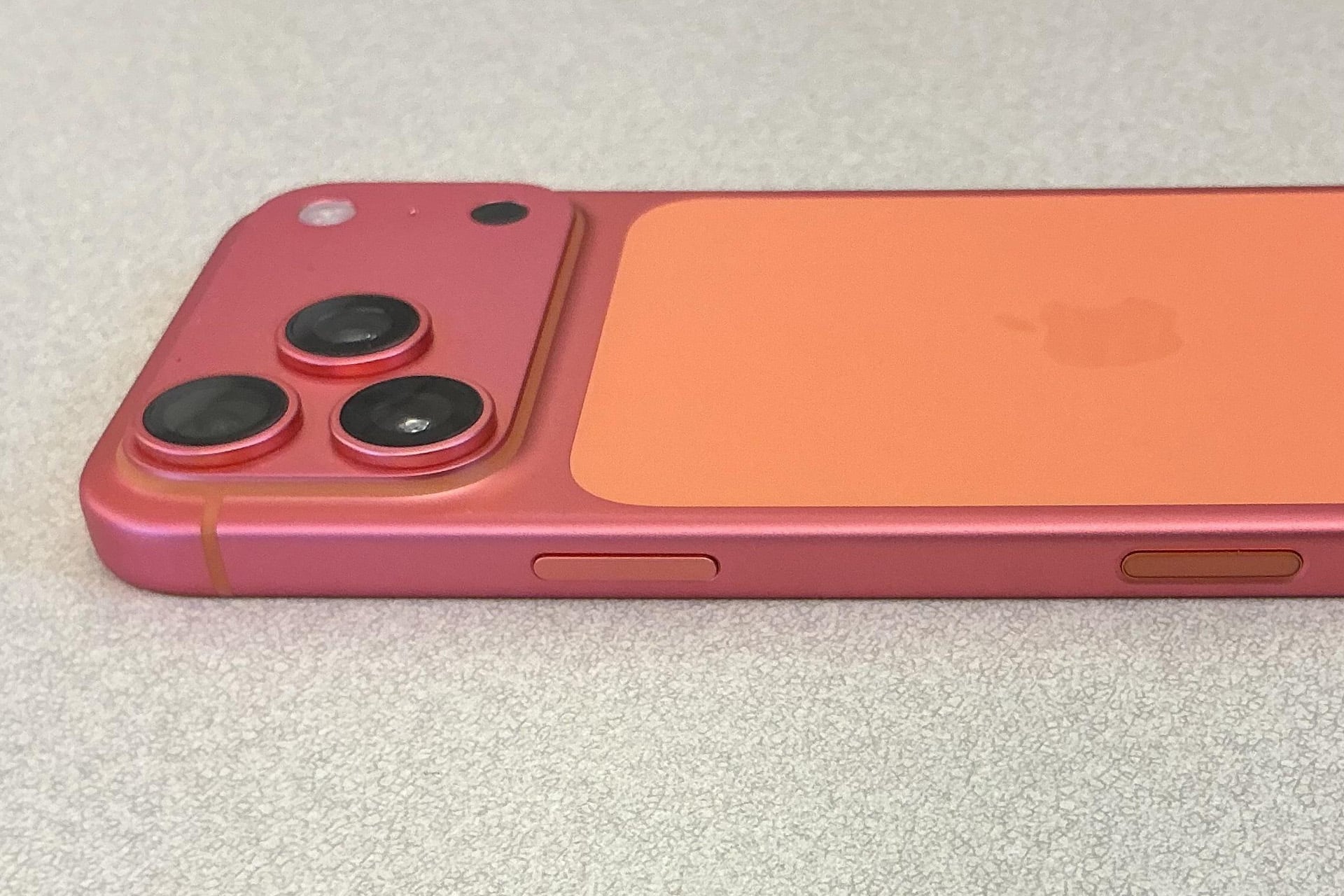
  •  

RAM Production Capacity Is Reportedly Sold Out Through 2027

RAM production capacity at Samsung Electronics, SK hynix, and Micron Technology is reportedly committed through the end of 2027, leaving consumer electronics manufacturers with little room to secure additional memory outside existing supply agreements.

Industry reports indicate that the three dominant manufacturers have allocated their available DRAM and high-bandwidth memory production for next year. Long-term contracts with cloud companies, AI chip developers, automakers, and device manufacturers have effectively reserved the output those suppliers expect to produce.

The claim does not mean every RAM module that will be sold in 2027 has already been manufactured or purchased by a consumer. It refers to future production capacity being assigned to customers before the chips leave the factory.

It also does not cover every memory producer worldwide. Chinese manufacturer ChangXin Memory Technologies, known as CXMT, and several smaller suppliers continue to produce DRAM. However, Samsung, SK hynix, and Micron control most of the advanced global DRAM market, making their available capacity the primary constraint for companies such as Apple.

RAM Production Is Already Committed

Selling out a year of production capacity means manufacturers have received enough contractual commitments to allocate the output they expect from their factories. Customers may have reserved specific volumes, product types, or manufacturing capacity under agreements that include minimum purchases and pricing protections.

Micron has been shifting toward this model through strategic customer agreements. The company disclosed 16 multiyear deals covering customers across data centers, consumer devices, automotive products, and industrial equipment.

Those agreements typically run for several years and include binding volume commitments. Some use fixed prices, while others establish price floors and ceilings. Micron has said that its signed contracts represent approximately $100 billion in expected revenue over their remaining terms.

Such agreements give memory manufacturers more predictable revenue than the traditional DRAM cycle, in which aggressive expansion frequently created excess supply and collapsing prices. They also give large buyers assurance that chips will be available for planned products.

The disadvantage falls on customers that did not reserve enough capacity early. A company needing more memory than its contract provides may have to pay higher prices, accept a different specification, delay production, or find another qualified supplier.

SK hynix CEO Kwak Noh-jung has described 2027 as potentially the worst year in the memory industry’s history from a supply perspective. He expects customer demand to remain above the company’s production capacity beyond 2030, despite major investments in new factories.

Samsung has issued a similar warning, expecting the constraints to become more severe in 2027 and continue into 2028. Analysts at UBS have projected that the DRAM market could remain undersupplied until at least the second quarter of 2028.

A man with short dark hair wearing a navy blazer and white shirt smiles while sitting indoors against a blurred blue background, reminiscent of an executive discussing advancements in Apple memory and DRAM supply.
Image Credit: Bloomberg / Getty Images

AI Memory Consumes More Factory Capacity

The shortage originates primarily from the rapid expansion of artificial intelligence infrastructure. AI accelerators require high-bandwidth memory, or HBM, to move large amounts of data between memory and processors at extremely high speeds.

HBM and the LPDDR memory used in Apple devices are different products. An iPhone or Mac is not competing directly for the same finished memory package installed beside an Nvidia AI accelerator.

They still depend on overlapping manufacturing resources. HBM begins with advanced DRAM dies, and producing a given capacity of stacked HBM consumes considerably more wafer output and packaging resources than conventional memory. Suppliers have also concentrated spending, equipment, and engineering work on the more profitable AI segment.

Every production line converted or optimized for HBM can reduce the industry’s flexibility to make standard server DRAM, PC memory, or mobile LPDDR. New investment may increase total memory output while doing little to relieve the parts of the market serving phones and personal computers.

Cloud companies are willing to enter multiyear agreements and make large financial commitments because a shortage of memory can leave costly AI processors unused. Memory manufacturers therefore have a powerful incentive to prioritize these customers over consumer device companies seeking lower component prices.

The pressure is also moving beyond HBM. AI servers need large quantities of conventional DDR5 memory, while storage systems supporting model training and inference consume enterprise NAND flash. This spreads the shortage across several categories that were previously less exposed to AI infrastructure spending.

Apple Faces Expensive Supply Decisions

Apple purchases enormous volumes of LPDDR memory for the iPhone and iPad, along with memory used across the Mac, Apple Watch, Vision Pro, Apple TV, and HomePod product families. Its size gives it substantial negotiating power, but it cannot purchase capacity that suppliers have already assigned to other customers.

The company has acknowledged that memory prices are continuing to rise. Tim Cook recently characterized the pricing environment as a “hundred-year flood” and said Apple expects to pay more for memory during the September quarter.

Apple has already raised prices across several Mac and iPad models while reducing or removing some high-memory Mac configurations. Although memory availability is not the sole influence on every product decision, eliminating configurations can help a manufacturer concentrate limited components around the models expected to sell in larger volumes.

The design of Apple silicon makes memory allocation especially sensitive. Unified memory is integrated closely with the processor package and cannot be upgraded after purchase. Apple must decide how many chips to secure for each configuration long before customers begin ordering those machines.

A shortage can therefore affect more than the cost of an individual RAM component. It can influence base memory capacities, upgrade pricing, the number of configurations offered, production volume, and the timing of product introductions.

Apple can absorb part of the increase through its margins, negotiate longer agreements, adjust retail pricing, or redesign its product mix. Each option carries a cost. Absorbing higher prices reduces profit per device, while passing them to customers could weaken demand. Restricting configurations risks pushing professional users away from Macs that no longer offer enough unified memory.

The company is reportedly evaluating DRAM from CXMT for products sold in China. Adding a fourth major source could improve access to conventional memory, but qualification takes time because Apple must confirm performance, reliability, manufacturing consistency, and compatibility with its hardware.

The political environment creates another obstacle. US lawmakers have raised national security concerns about American companies purchasing memory from Chinese semiconductor manufacturers. Apple could consequently find that a supplier is technically suitable for China-market products but difficult to introduce across its international supply chain.

RAM production - Apple Store Hamburg

Sold Out Does Not Mean Stores Will Be Empty

The reported capacity commitments do not guarantee a universal shortage of finished devices. Apple and other major manufacturers will still receive memory under agreements they have already negotiated.

Products can also continue reaching stores while component prices rise. Manufacturers may reduce discounts, increase retail prices, limit premium configurations, or give priority to their most profitable devices before allowing a shortage to stop production completely.

Contracted capacity can change if customers reduce orders or if AI infrastructure investment slows. Memory makers could redirect production between customers and product categories, although converting lines and qualifying different chips cannot happen immediately.

CXMT could also expand faster than expected, particularly in mainstream DRAM. Its products have reportedly attracted interest from HP, Asus, Acer, Dell, Lenovo, and Apple as established suppliers devote more resources to AI memory. CXMT is unlikely to replace the combined output of Samsung, SK hynix, and Micron during 2027, but it may provide an alternative for products sold outside the United States.

New production facilities offer little immediate relief. Semiconductor factories require construction, equipment installation, process development, yield improvement, and customer qualification before reaching dependable volume.

Micron expects the first wafer output from its initial new Idaho facility around the middle of 2027, with a second facility following in late 2028. Those first wafers will still need to pass through the production ramp and customer qualification process, leaving much of their effect on available device memory for 2028 and later.

A person wearing a long-sleeve dark shirt holds a DRAM memory module between their thumb and fingers, showcasing its memory chips against a plain light background.
Image Credit: Magnific

The post RAM Production Capacity Is Reportedly Sold Out Through 2027 appeared first on AppleMagazine.

  •  

Apple Lawsuit: OpenAI Seeks Dismissal of Trade Secrets Case

Apple lawsuit against OpenAI has reached its first major procedural challenge, with the ChatGPT developer asking a US federal judge to dismiss allegations that it acquired or used trade secrets taken by former Apple employees.

OpenAI submitted its 31-page dismissal motion on Wednesday in the US District Court for the Northern District of California. The filing argues that Apple has not adequately identified protectable trade secrets or alleged facts showing that OpenAI misappropriated confidential information.

Apple filed the case on July 10 against OpenAI, its io Products hardware operation, former Apple Vice President Tang Yew Tan, and former electrical engineer Chang Liu. The complaint accuses the defendants of obtaining information connected to Apple’s product development, manufacturing, components, testing, and supply chain operations.

The allegations have not been proven, and OpenAI denies possessing or seeking Apple’s trade secrets. US District Judge Edward Davila must now decide whether Apple’s complaint contains enough factual detail for the litigation to continue.

OpenAI Challenges the Apple Lawsuit

OpenAI’s motion focuses initially on how Apple described the information it claims was stolen. According to OpenAI, the complaint relies on generalized product-development categories without identifying the protected information with enough precision.

Trade secret plaintiffs face a difficult balance at the beginning of litigation. Apple must describe the protected material sufficiently to establish a plausible legal claim, but revealing the material publicly could expose the same information it is trying to protect.

Sensitive details can later be handled under seal or through a protective order. At the dismissal stage, however, Apple must still provide enough information for the court to distinguish genuine trade secrets from general engineering knowledge, employee experience, or skills acquired through years of work.

OpenAI argues that Apple has not crossed that threshold. Its motion says the complaint fails to establish ownership of a protectable trade secret and does not plausibly allege that OpenAI acquired, disclosed, or used such information.

The filing also disputes the commercial premise behind Apple’s accusations. OpenAI says it is developing products that are different from Apple’s hardware and has no need or desire to use the iPhone maker’s confidential material.

That position does not settle whether information was taken. A company can potentially misappropriate trade secrets even when its eventual product has a different design. The court’s immediate task is narrower: determining whether Apple has alleged facts that could support its claims if those facts are later proven.

The image shows a large, circular modern building surrounded by trees, with the sun rising or setting in the background. The sleek, white architecture resembles Apple’s campus—an icon often seen in discussions about their Q2 earnings.
Apple Park | Image Source: Google

Disputed Access to Apple Information

Apple’s complaint centers partly on Chang Liu, who spent eight years working as a senior system electrical engineer at the company before joining OpenAI in January 2026.

Apple alleges that Liu retained an Apple-issued computer and accessed confidential technical information after leaving. It claims he exploited residual authentication access on multiple occasions to obtain internal documents while already working for OpenAI.

OpenAI presents a different explanation. It says Apple employees contacted Liu after his departure and asked him to help locate files needed for ongoing Apple work. The company published redacted messages that it says support this account.

OpenAI argues that Apple’s systems and policies allowed personal and corporate information to become intermingled through iCloud accounts. Former employees, it says, could retain access to Apple files without requesting it or realizing that access remained active.

The motion maintains that Apple cannot treat the foreseeable effects of its own access-management practices as proof that former employees intentionally stole data. Apple, in contrast, alleges that its records document repeated access to restricted information rather than an accidental discovery of lingering permissions.

These competing accounts are likely to become central if the case enters discovery. Authentication logs, downloaded files, device records, internal communications, and employment timelines could establish whether access was deliberate, what information was obtained, and whether it reached anyone working on OpenAI products.

A dismissal motion normally tests whether the complaint states a legally sufficient claim. It is not a trial, and the judge is not expected to resolve every factual disagreement using competing evidence at this point.

Tang Tan and OpenAI’s Hardware Team

Apple separately accuses Tang Tan, OpenAI’s chief hardware officer, of seeking confidential information from Apple employees during recruiting conversations.

Tan spent more than 24 years at Apple and worked on products including the iPhone, Apple Watch, AirPods, and iPod. He later helped establish io Products with former Apple design chief Jony Ive and other collaborators. OpenAI acquired the hardware company as part of its effort to create a family of devices built around artificial intelligence.

Apple alleges that Tan used confidential project names, retained internal materials, and encouraged job candidates to discuss unreleased components or bring physical parts to interviews. OpenAI rejects the claim that these interactions formed a coordinated effort to collect Apple secrets.

OpenAI says Tan repeatedly instructed employees that confidential information from previous employers could not be brought into its organization. It also offers an alternative explanation for an Apple offboarding document found in his possession, arguing that Tan retained it to help incoming employees comply with Apple’s departure procedures.

Apple’s position is that the document and recruiting communications must be examined alongside the other alleged conduct. It describes the events as part of a connected campaign rather than isolated employment or administrative issues.

The dispute comes during intense competition for engineers capable of developing consumer AI hardware. Apple alleges that more than 400 former employees have moved to OpenAI, although hiring people from a competitor does not by itself establish trade secret misappropriation.

A company must generally connect recruitment to the acquisition, disclosure, or use of protected information. OpenAI is relying heavily on that distinction, presenting Apple’s lawsuit as an attempt to respond to employee departures and its difficulties competing for AI talent.

A man with light skin, short brown hair with some gray, and blue eyes—resembling Sam Altman of rocket company fame—wears a black suit, white shirt, and black polka dot tie while posing against a dark gray background.
Image Credit: Getty Images

Apple Seeks Immediate Restrictions

OpenAI’s dismissal request arrives shortly after Apple asked the court for a preliminary injunction. Apple wants restrictions imposed while the lawsuit proceeds, arguing that it could suffer harm if its confidential information is used during OpenAI’s hardware development.

The requested relief would prevent OpenAI and the individual defendants from acquiring, accessing, using, or disclosing the alleged trade secrets. Apple has also requested expedited discovery and forensic examination of relevant devices and accounts.

OpenAI says those restrictions are unnecessary because it does not possess or want Apple’s protected information. It has described Apple’s request as based on false information and has offered to cooperate in addressing specific concerns.

The two companies also disagree over their communications before the lawsuit. Apple initially said its concerns had been raised with OpenAI months earlier. OpenAI responded that Apple’s outside lawyers contacted the wrong person after confusing names and incorrectly described a conversation with OpenAI’s general counsel.

OpenAI says Apple did not present the specific accusations before filing the case and that the companies had previously discussed resolving any access issues. Apple has since provided additional information in support of its injunction request, including allegations involving other former employees.

These disputes have moved beyond ordinary court filings. OpenAI published messages and emails on its website to support its version of events, calling Apple’s lawsuit aggressive and poorly investigated. Apple has primarily presented its account through formal legal submissions.

Judge Davila could dismiss some or all of Apple’s claims, deny the motion, or allow Apple to amend its complaint with more specific allegations. Even a dismissal would not necessarily end the case if permission to revise the complaint is granted.

The next scheduled public test is an October 1 hearing covering Apple’s preliminary injunction and request for early discovery. That proceeding may determine whether OpenAI faces immediate limits on its hardware work before the underlying trade secret claims receive a full evidentiary review.

The post Apple Lawsuit: OpenAI Seeks Dismissal of Trade Secrets Case appeared first on AppleMagazine.

  •  

Apple Raises Trade-In Values for Most iPhone, iPad, Mac, & Watch Models

Apple has increased its estimated trade-in values for most current iPhone, iPad, Mac, and Apple Watch models in the United States. The adjustments give customers slightly more credit toward a new device, although some older Apple hardware and several Android phones have moved in the opposite direction.

The updated values are maximum estimates rather than guaranteed payments. Apple calculates the final credit after confirming the model and inspecting its condition. A damaged display, enclosure problems, missing functionality, or an inaccurate description can reduce the amount offered.

Most of the increases are modest, but they arrive across several of Apple’s largest product categories at the same time. Recent iPhones receive between $10 and $25 more, every iPad category listed in Apple’s summary gains value, and several popular Macs receive larger increases.

The revisions also reinforce the role of trade-ins within Apple’s retail operation. Credit can reduce the cost of a regular purchase, be delivered through an Apple Gift Card, or lower payments at the beginning of an eligible Apple Upgrade lease.

Trade-in values - A lavender iPhone in Apple Low Power Mode displays a purple abstract flower pattern beside an Apple Watch with a blue strap and blue-themed face, both set against a crisp white background.
Image Credit: Apple Inc.

Trade-In Values Rise Across iPhone and iPad

Every iPhone 16 model included in the update receives a higher maximum estimate. The iPhone 16 Pro Max moves from $685 to $695, retaining the highest listed value among the affected iPhones.

The iPhone 16 Pro increases from $550 to $560, while the iPhone 16 Plus moves from $455 to $465. The standard iPhone 16 receives the largest increase within the family, rising by $25 from $435 to $460.

These changes narrow the difference between the standard iPhone 16 and the larger Plus model. The Pro models retain substantially higher estimates, reflecting their higher original prices and stronger position in the used-device market.

An additional $10 or $25 will not transform the cost of an upgrade, but it can offset part of a case, charger, AppleCare plan, or storage upgrade. The difference also becomes more relevant for customers comparing Apple’s direct program with a third-party reseller offering a similar amount.

Apple’s iPad adjustments are more consistent. The maximum estimate for an iPad Pro rises from $670 to $690, an increase of $20. The iPad Air moves from $445 to $460, while the standard iPad rises from $220 to $235.

The iPad mini also gains $15, moving from a maximum of $250 to $265. That means every current iPad category displayed in Apple’s trade-in summary receives a higher estimate.

Apple’s direct trade-in values are generally lower than the prices an owner might obtain through a private sale. The program instead emphasizes convenience: the device can be returned at an Apple Store or sent using Apple’s online process, with the credit connected directly to a new purchase.

A private sale can produce a better return, especially for a recent device in excellent condition. It also requires the owner to set a price, find a buyer, manage payment, and handle the transfer independently. Apple’s program trades some resale value for a simpler exchange.

Mac and Apple Watch Changes Are Less Consistent

Mac trade-in values receive some of the largest increases, but the category also includes notable reductions.

The MacBook Air rises from a maximum of $485 to $520, adding $35. The Mac mini receives the same increase, moving from $340 to $375. The MacBook Pro changes only slightly, increasing from $685 to $690.

Apple leaves the current iMac estimate unchanged at $355. The Mac Studio receives a larger increase from $975 to $1,045, reflecting the higher value retained by recent desktop configurations.

Older professional desktops move in the other direction. The iMac Pro falls from $325 to $315, while the top Mac Pro estimate declines from $2,090 to $2,045.

That $45 reduction at the top of the Mac range means Apple’s maximum Mac trade-in offer decreases even though several mainstream models receive more credit. The changes appear more closely connected to the resale position of individual product families than to a uniform increase across every computer.

Mac estimates can vary considerably because one model name can cover different years, processors, memory configurations, storage capacities, and physical designs. Apple asks for a serial number before producing a more specific estimate for a Mac.

The Apple Watch adjustments are similarly mixed. Apple Watch Ultra 2 rises from $295 to $305, while Apple Watch Series 9 increases from $120 to $130.

Apple Watch Series 10 remains unchanged at a maximum of $150. The original Apple Watch Ultra falls from $215 to $205, losing $10.

Wearable trade-in values can decline quickly because watches receive frequent updates and are exposed to greater physical wear than many computers or tablets. Battery condition, display damage, case wear, and working buttons can influence whether the device receives the estimated credit.

Apple also accepts devices that no longer qualify for monetary value. Those products can be returned for recycling, including older hardware and accessories that would otherwise remain unused.

An iPhone, MacBook, and iPad display the same digital document about cacti and succulents, highlighting cross-device compatibility and various Pages export formats. The screens show green and beige pages with plant images and text.
Image Credit: Apple Inc.

Android Offers Face Several Reductions

Apple accepts selected smartphones from Samsung, Google, and other manufacturers when customers move to an iPhone. The latest revisions are less favorable to several Android devices.

The maximum Android estimate across Apple’s displayed range decreases from $370 to $360. Individual changes vary by model.

The Samsung Galaxy S23 Ultra drops from $230 to $200, a $30 reduction. Google’s Pixel 8 Pro declines from $170 to $165.

Other devices remain unchanged. The standard Galaxy S23 continues to carry an estimated value of up to $125, while the OnePlus 12 remains at up to $200.

Apple’s Android offers are primarily designed to remove friction for people moving to the iPhone. They do not necessarily match the amount available from the manufacturer, a carrier promotion, or a private buyer.

Carrier promotions can advertise considerably higher trade-in credits than Apple, particularly around a new iPhone launch. Those offers commonly require an eligible unlimited plan, a new line, monthly bill credits, or a commitment lasting two or three years.

Apple’s direct credit is easier to understand because it is tied to the assessed value of the device rather than a long carrier agreement. The best choice depends on whether the customer values flexibility, immediate credit, or the largest possible promotional discount.

A Higher Estimate Is Not the Final Offer

Apple’s published figures represent the maximum available for qualifying devices in suitable condition. The online estimate is based on the answers supplied before the product is inspected.

After receiving the device, Apple or its trade-in partner verifies its identity and checks whether it powers on, functions properly, and matches the reported condition. A difference can produce a revised offer.

Customers can accept or reject a lower revised value. Rejecting it cancels the trade-in and returns the device, although the payment arrangement for the accompanying purchase may also be adjusted. If the inspected value is higher than the original estimate, Apple says it automatically increases the credit.

The way the credit is delivered depends on the purchase. When a customer pays in full for a new iPhone, iPad, Mac, or Apple Watch, the confirmed value can be returned to the original payment method up to the price of the new product. Any remaining amount can be issued through an Apple Gift Card.

With an eligible monthly payment arrangement, the estimated credit can be applied directly to the new device’s purchase price. Under Apple Upgrade, a qualifying trade-in owned by the customer can reduce payments across the initial lease term. Another device cannot be traded in each time the customer exercises the lease’s upgrade option.

Values also differ between countries and can change without a product announcement. The revised dollar amounts apply to Apple’s United States program, while local market prices, available models, currencies, and trade-in partners determine estimates elsewhere.

Anyone considering an exchange should obtain a fresh estimate shortly before purchasing. Apple requires the trade-in device to arrive within the specified return period and says an online estimate is generally protected for 14 days after the customer receives the new product.

The post Apple Raises Trade-In Values for Most iPhone, iPad, Mac, & Watch Models appeared first on AppleMagazine.

  •  

How to Delete Stickers on iPhone Without Losing Favorites

You can delete stickers on iPhone without removing your entire collection, but the correct procedure depends on whether you want to erase a custom sticker, remove a Genmoji, hide keyboard stickers, or detach a sticker from a conversation.

For custom photo stickers and Live Stickers, iOS provides an individual Remove command. This lets you clean the sticker drawer while leaving every other saved sticker untouched.

Apple does not provide a protected Favorites folder inside the system sticker drawer. The Frequently Used section is created automatically from your activity and should not be treated as a permanent collection. If you have stickers you cannot afford to lose, save recoverable copies before beginning the cleanup.

Save Your Favorite Stickers First

The safest backup is to send your favorite stickers to a conversation with yourself. The sent copies remain inside the conversation even if you later remove the reusable versions from your sticker collection.

Adding Stickers:

Messages > New Message > Your Contact > Add > Stickers

Select each favorite sticker and send it as a separate message. You can also create a private conversation with a trusted contact, but messaging yourself keeps the backup separate from ordinary conversations.

If you accidentally delete one of these stickers from the drawer, return to the self-conversation and restore it.

Messages > Your Self-Conversation > Touch and Hold Sticker > Save to Stickers

For a sticker attached to the corner of a message bubble, open its details before saving it.

Messages > Your Self-Conversation > Touch and Hold Sticker > Sticker Details > Save

This procedure is especially useful for stickers received from other people. A photo sticker you created yourself can usually be recreated from the original image, but a saved sticker from another person may be difficult to replace if the original conversation is deleted.

An iPhone displays the Messages app in dark mode, showing the new message screen with Memoji and Live Stickers at the bottom. The Apple logo appears in the lower right corner of the image.
Image Credit: AppleMagazine

How to Delete Stickers on iPhone

The easiest way to remove an individual custom sticker is through the Messages app. You can open any existing conversation because you do not need to send a message.

Removing individual stickers:

Messages > Conversation > Add > Stickers > Live Stickers

The Live Stickers tab uses an icon resembling a sticker being peeled from a surface. It contains stickers created from your photos, animated Live Stickers, and compatible stickers saved from conversations.

Touch and hold the unwanted sticker until the contextual menu appears, then release your finger and select Remove. Do not drag the sticker toward the conversation because that action may attach it to a message instead of opening the menu.

Touch and Hold Sticker > Remove

Only the selected sticker is deleted. Other photo stickers, saved designs, and favorite items remain in the collection.

Some iOS versions also display a Rearrange command after you touch and hold a sticker. This mode allows you to move the stickers you use most often toward the beginning of the collection.

Messages > Conversation > Add > Stickers > Live Stickers > Touch and Hold > Rearrange

Drag the stickers you want to preserve toward the first positions. You may also see a removal control beside each sticker while rearranging. Use it carefully because iOS may remove the sticker immediately without presenting a second confirmation.

A selective cleanup is safer than trying to reset the complete keyboard or sticker database. Removing and reinstalling the Emoji keyboard is unnecessary and may alter frequently used emoji without providing better sticker controls.

Delete Stickers Through the Emoji Keyboard

The same sticker collection is accessible from the system keyboard in Messages, Notes, Mail, and other supported apps.

Using system keyboard in Messages:

Any Text Field > Emoji Keyboard > Stickers > Live Stickers

Touch and hold the sticker you want to erase, then tap Remove. If the menu does not appear, confirm that you are viewing the Live Stickers collection rather than Frequently Used.

Frequently Used combines recently selected emoji, Memoji, Genmoji, and stickers. Items shown there are shortcuts to content stored in another section. Opening the Live Stickers tab gives iOS the correct context for managing your custom collection.

If the keyboard is compressed or several categories are hidden, swipe across the sticker controls until the Live Stickers icon becomes visible. The exact position can change as Apple adjusts the keyboard, but the touch-and-hold removal gesture remains the same.

IPhone screen showing a chat with a sushi car image and various colorful custom stickers in a messaging app. The keyboard and iPhone sticker options are visible below the conversation.
Image Credit: Apple Inc.

Use Photos When the Sticker Menu Does Not Respond

You can also access the system sticker drawer through the Markup tools in Photos. This is useful when Messages tries to drag a sticker rather than displaying its menu.

Photos > Open Photo > Edit > Markup > Add > Add Sticker

Touch and hold the unwanted sticker, then tap Remove. You are managing the same synchronized collection, so a sticker deleted through Photos also disappears from Messages and the system keyboard.

Removing a sticker does not delete the source photograph. If you created the sticker by lifting a person, pet, or object from an image, the original photo remains in your library unless you delete it separately.

To recreate the sticker later, open the original image and lift its subject again.

Photos > Open Photo > Touch and Hold Subject > Add Sticker

You can then apply an effect such as Outline, Comic, Puffy, or Shiny. Live Photos can produce animated Live Stickers when the isolated subject contains usable motion.

Delete a Genmoji Without Removing Other Stickers

Genmoji created with Apple Intelligence are stored with the stickers accessible through the emoji keyboard. They can be removed individually without affecting your photo stickers or other generated designs.

Any Text Field > Emoji Keyboard > Stickers > Genmoji

Touch and hold the Genmoji you no longer want, then tap Remove. You can perform the same procedure from Messages.

Messages > Conversation > Add > Stickers > Genmoji > Touch and Hold > Remove

Removing one Genmoji does not disable Apple Intelligence or erase the other Genmoji you created. If you later want a similar design, open the Genmoji creator and enter the description again, although the generated image may not be identical.

An iPhone screen shows an emoji keyboard in dark mode, featuring options like “Rearrange,” “New Emoji,” “Share,” and “Delete.” Alongside various faces and animals, users can manage iPhone stickers or delete stickers, making it easy to personalize their messaging experience.
Image Credit: AppleMagazine

Be More Careful With Memoji Stickers

Memoji stickers operate differently because iOS automatically creates a complete sticker pack from each custom Memoji character. You cannot normally delete one expression while keeping the remaining expressions from the same character.

Deleting the underlying Memoji removes its generated sticker pack. Before selecting Delete, confirm that you do not want any of that character’s poses or expressions.

Any Text Field > Emoji Keyboard > Memoji > More > Delete

If you only want Memoji and other stickers to stop appearing in the keyboard, use the keyboard setting instead of deleting the character.

Settings > General > Keyboard > Stickers

Turning off Stickers hides sticker content from the emoji keyboard. It does not provide a selective cleanup and should not be used as a substitute for removing individual items. Your saved stickers remain available when the setting is enabled again.

Remove a Sticker From a Message Without Deleting It

A sticker attached to a message bubble is separate from the reusable copy stored in your collection. Deleting it from the conversation does not erase the sticker from your drawer.

Messages > Conversation > Touch and Hold Message Bubble > Sticker Details

Find the sticker you want to detach, swipe left across it, and tap Delete. This removes that placement from the conversation on your iPhone.

Use this procedure when a sticker covers text, was attached accidentally, or no longer belongs in the conversation. If you instead open the sticker drawer and select Remove, you erase the reusable sticker while leaving previously sent copies in their conversations.

Understand What Happens Through iCloud

Custom stickers sync through iCloud to supported Apple devices using the same Apple Account. Removing a sticker from the iPhone can therefore remove it from the sticker drawers on an iPad, Mac, or Apple Vision Pro.

There is no Recently Deleted album for the system sticker collection. Keep the original source photo or send valuable stickers to yourself before removing anything.

After a deletion, another Apple device may continue displaying the sticker briefly while synchronization completes. Closing and reopening the sticker drawer usually refreshes the collection. A favorite preserved in your self-conversation can be restored at any time through Touch and Hold Sticker > Save to Stickers.

The post How to Delete Stickers on iPhone Without Losing Favorites appeared first on AppleMagazine.

  •  

iPhone Ultra Price Could Take Apple’s Foldable Beyond $2,000

The iPhone Ultra price could establish an entirely new tier within Apple’s smartphone range. Current estimates place the company’s first foldable iPhone above $2,000, with some industry forecasts suggesting an average selling price near $2,500 and higher-storage configurations approaching $3,000.

Apple has not confirmed the device, its name, or its retail price. The iPhone Ultra branding also remains unofficial, although it has appeared repeatedly in reports concerning Apple’s planned expansion beyond the Pro and Pro Max levels.

The foldable is expected to join the iPhone 18 Pro family during Apple’s fall hardware cycle. Rather than replacing the iPhone Pro Max, it would sit above it as a separate model built around a book-style design and a display that expands to approximately the size of a small tablet.

A price beyond $2,000 would make it the most expensive iPhone Apple has released. The current iPhone 17 Pro Max starts at $1,199 in the United States, leaving a difference of at least $800 between Apple’s established flagship and the lowest estimates for the foldable.

Recent projections have pushed that gap even wider. Reports citing analyst Ming-Chi Kuo have discussed a possible range between $2,300 and $2,500, while an IDC estimate cited in supply-chain coverage placed the average selling price at approximately $2,500. Storage upgrades could take selected configurations closer to $3,000.

An orange smartphone, resembling an iPhone, is shown with both its front and back visible. The screen glows with an abstract pattern, and a small, colorful Apple logo appears—ideal for Belgian consumers exploring iPhone contracts or Lyca Mobile eSIM.

iPhone Ultra Price Creates a New Flagship Tier

Apple has spent years arranging the iPhone range around a price ladder. Standard models serve the center of the market, while Air and Pro devices address different preferences involving weight, cameras, materials, performance, and display size.

A foldable iPhone would require another level. Its internal display, hinge, structural materials, battery arrangement, and manufacturing tolerances introduce costs that do not exist in a conventional iPhone.

The rumored hardware points to a device intended to combine phone and tablet functions. Reports describe an outer screen measuring about 5.5 inches and an internal display of approximately 7.8 inches. When closed, the product would operate as a compact iPhone. Opening it would provide enough space for larger applications, side-by-side content, expanded video, and an iPad-style software interface.

Apple is reportedly developing interface changes that would let applications take greater advantage of the internal display instead of simply enlarging an iPhone layout. That software work may become one of the main distinctions between the device and existing foldables, particularly if Apple can connect it closely with iPad multitasking conventions.

The hinge is expected to use liquid metal, an amorphous alloy chosen for strength and resistance to deformation. Apple has also reportedly focused on reducing the visible display crease, one of the most recognizable compromises found on current folding phones.

Those elements help explain a premium price without guaranteeing that customers will accept it. A $2,000-plus phone would compete for spending that could otherwise purchase an iPhone and an iPad, a high-end Mac, or several years of conventional smartphone upgrades.

The device would therefore need to offer more than the novelty of a folding screen. Durability, battery life, camera performance, application behavior, repair costs, and long-term display reliability will influence whether buyers view the iPhone Ultra as a versatile computer or an unusually expensive phone.

Costly Engineering Behind the Fold

Rumors suggest Apple may use Touch ID in the side button instead of Face ID. The change would not necessarily represent a retreat from facial authentication across the rest of the iPhone range. A foldable chassis has limited internal space, and eliminating the TrueDepth camera hardware could help Apple manage thickness around the outer and inner displays.

The reported design includes two rear cameras and front-facing cameras accessible in both folded and unfolded positions. That arrangement may leave the iPhone 18 Pro Max with the more extensive photography system, despite the foldable carrying a much higher price.

Such a decision would position the iPhone Ultra around form factor and productivity rather than making it the automatic leader in every specification. Apple has used similar distinctions elsewhere, allowing one product to command a premium for its design while another retains advantages in cameras, battery endurance, or sustained performance.

Display production is another source of expense. Folding OLED panels require flexible materials, protective layers, specialized hinges, and tighter assembly controls. Apple’s reported pursuit of a nearly crease-free screen may increase component costs and reduce early manufacturing yields.

The company is also entering the category after competitors have spent several generations addressing hinge failures, screen damage, dust protection, and application scaling. Arriving later gives Apple access to a more mature supply chain, but its design standards may create additional production challenges.

Industry estimates suggest Apple’s arrival could help raise the average selling price of book-style foldables throughout 2026. Competitors already sell premium folding phones, yet a model priced near $2,500 would push the category further away from mainstream flagship pricing.

iPhone Ultra price - A sleek, black, foldable iPhone with the Apple logo, shown half-open with dual rear cameras and a modern abstract wallpaper on the inner display, set against a dark background.
Image Credit: AppleMagazine

Apple Upgrade Softens the Monthly Number

Apple Upgrade could make the iPhone Ultra price appear less intimidating at checkout. The Klarna-backed program lets eligible US customers lease selected Apple devices through fixed monthly payments rather than covering the entire retail price upfront.

Current iPhones can be leased for 12 or 24 months. At the end of the term, customers may return the device, move into another eligible Apple product, or pay the remaining amount required to keep it.

That structure can produce lower monthly payments than traditional financing because the customer is not necessarily paying the entire purchase price during the lease. Part of the product’s value remains in the device at the end of the agreement.

A future iPhone Ultra could fit naturally into this model. Its high retail price and expected resale value would give Apple and Klarna room to separate the cost of using the phone for two years from the cost of owning it permanently.

No monthly figure has been announced for the foldable. Apple cannot price an Apple Upgrade lease until it establishes the phone’s retail cost, residual value, eligible term, and trade-in conditions. A simple calculation that divides $2,000 or $2,500 by 24 months would therefore be misleading.

The monthly charge may be considerably lower than a standard purchase installment, but the customer does not automatically own the iPhone after making the scheduled lease payments. Keeping it requires an additional payment based on the remaining value specified by the agreement.

AppleCare+ is also separate from the current Apple Upgrade lease price. That differs from the former iPhone Upgrade Program, which bundled AppleCare+ coverage into its monthly payments. Protection could be particularly relevant for an expensive first-generation foldable containing a flexible display and complex hinge.

Trade-in credit may reduce the monthly charge, while storage selection would push it higher. Sales tax, cellular service, accessories, and optional protection would remain additional costs. Apple Upgrade changes when and how customers pay, but it does not turn a $2,000-plus product into a lower-priced iPhone.

Limited Supply Could Intensify Early Demand

Apple is reportedly preparing millions of foldable units, but production may be heavily weighted toward the final months of 2026 and 2027. Supply-chain estimates have ranged from 7 million to 10 million devices, with different reports using different production periods and assumptions.

The foldable may be announced alongside the iPhone 18 Pro and iPhone 18 Pro Max but reach customers later. That would resemble the 2017 launch of the iPhone X, which was introduced with the iPhone 8 family in September and released in November.

A delayed retail date would give Apple more time to accumulate inventory while preserving the device’s place in its fall presentation. It could also place the iPhone Ultra into the holiday quarter with considerable demand concentrated around a relatively small supply.

High pricing does not necessarily prevent shortages during the first weeks of an Apple product launch. Early adopters, developers, collectors, and customers waiting specifically for an Apple foldable represent a smaller audience than the conventional iPhone market, but they may still outnumber the units available at release.

Apple Upgrade could add another source of demand by replacing the full retail figure with a monthly lease price inside the Apple Store. That presentation may make the phone accessible to customers who would reject a $2,500 purchase while accepting a recurring payment and returning the device later.

Kuo expects only 500,000 to 1 million foldable iPhones to ship during the third quarter, a supply level that could push some deliveries four to six weeks beyond the opening preorder window.

The post iPhone Ultra Price Could Take Apple’s Foldable Beyond $2,000 appeared first on AppleMagazine.

  •  

How to Remove Apple Intelligence Files From Your Mac

Apple Intelligence files can occupy several gigabytes of Mac storage because locally downloaded models power text generation, summaries, image creation, Siri requests, and other on-device features. Removing these files can recover valuable space when Apple Intelligence is no longer needed.

Apple lists 7GB of available device storage among the requirements for Apple Intelligence, but the amount displayed on a Mac can be higher. Additional languages, image-generation resources, updated models, and temporary assets can increase the total over time.

The files are managed by macOS and do not appear as ordinary documents that can be moved to the Trash. Apple provides a supported removal method through System Settings: turning off Apple Intelligence causes macOS to remove the downloaded on-device models.

This also disables features that depend on Apple Intelligence. Writing Tools, summaries, Image Playground, Genmoji, intelligent Shortcuts actions, and Apple Intelligence functions inside Siri may become unavailable. Regular Mac applications and the rest of macOS continue working normally.

Check Apple Intelligence Files on Your Mac

Recording the available storage before removing the files makes it easier to confirm how much space macOS recovered afterward.

To see the current storage allocation:

Apple menu > System Settings > General > Storage

Allow the Storage page to finish calculating its categories. The process may take a moment when the Mac contains many applications, local files, connected volumes, or several user accounts.

Apple Intelligence may appear as a separate item within the macOS storage category. Depending on the installed macOS version, some related assets may instead be counted under macOS or System Data.

Note the amount of available storage displayed near the storage graph. Comparing the total free space before and after the procedure is usually more reliable than watching one category because macOS can reclassify system-managed files while deleting them.

To inspect the complete internal storage container:

Apple menu > System Settings > General > Storage > All Volumes

This view is useful when the internal drive contains several APFS volumes sharing the same physical storage. The available capacity belongs to the shared container rather than remaining permanently assigned to one volume.

The storage used by Apple Intelligence is different from the memory, or RAM, used while features are running. Closing applications may reduce RAM consumption, but it does not delete the models stored on the internal SSD.

Apple Intelligence files - A MacOS Storage window showing disk space usage by Applications, Documents, iCloud Drive offline, Mail, Music Creation, Photos, Trash, Other Users & Shared, macOS, and System Data on a blue gradient background with an Apple logo.
Image Credit: AppleMagazine

Remove Local Apple Intelligence Files

Apple Intelligence is available on compatible Macs with Apple silicon. Intel-based Macs do not support the complete Apple Intelligence system and should not contain the same downloadable model collection.

To turn off Apple Intelligence and request the removal of its on-device models:

Apple menu > System Settings > Apple Intelligence & Siri > Turn off Apple Intelligence > Turn Off Apple Intelligence

The second Turn Off Apple Intelligence command confirms the change. The exact appearance may vary between macOS versions, with the first control presented as either a switch or a button.

Apple says that turning off Apple Intelligence removes the on-device models. There is no separate model manager, Delete Models button, or supported Finder location from which users must remove the files manually.

Keep the Mac connected to power while macOS completes its background storage work. The Apple Intelligence setting changes immediately, but the Storage page may not display the recovered capacity at once.

macOS manages these models through its system asset service. The operating system must identify the associated packages, release them, and recalculate the storage categories. The process can therefore continue after the Apple Intelligence switch has already moved to the off position.

Turning off only individual features does not remove the complete model collection. Disabling notification summaries, Writing Tools, ChatGPT access, or Siri suggestions leaves Apple Intelligence itself active.

A Screen Time restriction also serves a different purpose. It can prevent access to image generation, Writing Tools, and other functions without turning off the underlying intelligence system. Use the Apple Intelligence control inside Apple Intelligence & Siri when the objective is recovering storage.

Confirm That the Space Was Recovered

After macOS has had time to process the removal, return to the Storage page.

To check the available capacity again:

Apple menu > System Settings > General > Storage

Wait for the storage graph and categories to finish updating. Compare the new amount of available space with the figure recorded before Apple Intelligence was turned off.

The Apple Intelligence entry may disappear completely, display a smaller amount, or become part of an adjusted macOS or System Data category. The increase in total available storage provides the better indication that the local models were removed.

If the figures have not changed, restart the Mac to refresh its system services and storage calculation.

To restart macOS:

Apple menu > Restart > Restart

Sign back in, allow the Mac to remain idle for a while, and open the Storage page again.

Apple menu > System Settings > General > Storage

Restarting does not delete the models by itself. Apple Intelligence must remain disabled while macOS completes the removal.

Emptying the Trash is not part of this procedure because macOS does not place Apple Intelligence models there. The Trash affects only files that a user or application has already marked for deletion.

A silver laptop with a black screen displaying an abstract, curved line pattern in dark gray tones on a white background—designed to be as sleek and portable as its lightweight MacBook weight suggests.
Image Credit: Apple Inc.

What to Do When the Files Remain

First, verify that the complete Apple Intelligence system is off rather than one related feature.

To confirm its status:

Apple menu > System Settings > Apple Intelligence & Siri > Apple Intelligence

The control should display Apple Intelligence as disabled. If macOS presents another confirmation request, complete it and leave the feature off.

Storage information can take time to settle because macOS also manages caches, local snapshots, temporary update packages, and purgeable files. These categories can change while the Mac is idle, making an immediate before-and-after comparison misleading.

Installing the latest stable macOS update can correct storage reporting or asset-management problems.

To check for an available update:

Apple menu > System Settings > General > Software Update

Save current work before installing an update. The Mac may need to restart, and the installation temporarily requires additional free storage.

Beta versions of macOS require extra caution. Development releases may download experimental models, retain previous model revisions, or temporarily change the Apple Intelligence controls. A procedure confirmed for the public version of macOS may not produce the same storage behavior in a beta.

Avoid following online instructions that require starting in macOS Recovery, disabling System Integrity Protection, mounting protected volumes, and deleting folders with names referring to MobileAsset or generative models.

System Integrity Protection prevents applications and administrator accounts from modifying protected parts of macOS. Disabling it weakens that protection and creates the possibility of deleting the wrong asset, leaving macOS with an incomplete model installation, or causing the system database to disagree with the files present on the drive.

A storage utility can help identify how much space system files occupy, but it should not require disabling macOS security to remove Apple Intelligence. If the documented switch leaves a large allocation after a restart and sufficient processing time, Apple Support can investigate the asset database without exposing the Mac to an unsupported system modification.

Turning Apple Intelligence on again reverses the storage saving.

To restore its features:

Apple menu > System Settings > Apple Intelligence & Siri > Turn On Apple Intelligence

The Mac will download the required local models again. Apple recommends leaving the device connected to Wi-Fi and power while the model download completes.

The post How to Remove Apple Intelligence Files From Your Mac appeared first on AppleMagazine.

  •  
❌