Want a powerful new OLED gaming laptop with a $1,000 discount on top? This HyperX Omen Max 16 gaming laptop from HP is down to $3,699.99 right now and features, among other top specs, an Nvidia GeForce RTX 5090 mobile GPU. You'll struggle to find a better spec'd laptop at this price point, and it's much cheaper than buying or building a top spec desktop gaming PC, too.
The mobile version of the RTX 5090 isn't quite as beefy as its desktop counterpart, but it's still the best GPU for a laptop that you can buy. Specs wise, it has 10,496 CUDA cores as its disposal, with 24GB of GDDR7 VRAM, operating on a 256-bit memory bus. A peak 175W TDP is much less than the desktop's 575W rating, but laptops are designed to be portable.
What's interesting is the pricing here. This laptop costs $3,699.99, and that's for an entire working system. If you wanted to buy the desktop version of the RTX 5090 alone from a retailer that has it in stock, it'd set you back at least $5,899. You could argue that they're totally different beasts, but PC gaming is getting really expensive. Buying a new desktop PC will set cost you thousands of dollars more than it would have last year. A top-spec laptop this like HyperX Omen Max 16 is the better of the two options from a financial point of view right now, especially as it'll still be able to handle modern games with the best settings for years to come.
An OLED gaming laptop with a huge $1,000 discount. This HP-made, 16-inch HyperX Omen Max 16 laptop features a 16-inch OLED panel with a 240Hz refresh rate, capable of outputting at 1600p.
It ships with the mobile version of the Nvidia GeForce RTX 5090, along with the 24-core Intel Core Ultra 9 290HX Plus, 32GB of DDR5-6400 RAM, and a 2TB SSD for storage. View Deal
As for this laptop, our HyperX Omen Max 16 review made clear that its original launch pricing didn't quite work, with better performance from rival laptops. The $1,000 drop makes it a much more attractive system, with a gorgeous build quality that's "solid as a rock." It's built with aluminum, with no flashy styling gimmicks, just a matte black finish and RGB lighting for the keyboard. It's weighty, too, measuring 14.04 x 10.59 x 1.03 inches and weighing 6.56 pounds.
This HyperX laptop has a 16-inch OLED display, will give you perfect blacks and infinite contrast compared to a cheaper LCD, with an ultra-fast 240Hz refresh rate for smooth, blur-free motion. The top resolution on this laptop's display is 2,500 x 1,600, and coupled with the RTX 5090, you won't struggle to hit the highest frame rates with Ultra graphics presets applied at 1600p, with the option to hook up to an external display using the supplied HDMI port if you prefer.
Games, movies and more are going to look incredible on this OLED panel, as it'll produce rich colors with plenty of depth, with 500-nit rated brightness, along with a max 1,100 for HDR content, to keep things vivid on-screen. Our review found it performed extremely well against the competition, with 131.2 percent of the DCI-P3 color space and 185.2 percent of sRGB. It also beat the MSI Raider 16 Max HX for panel brightness in our tests, with 464.6 nits vs 455.6.
(Image credit: Tom's Hardware)
The RTX 5090 is the centerpiece of this laptop, but you're also the Intel Core Ultra 9 290HX Plus as your CPU. It ships with 24 cores, eight of which are performance cores, which are good for gaming, along with 16 efficient cores for multi-threaded work. You're getting 32GB of DDR5-6400 RAM included, so no need to worry about the RAMpocalypse with this rig, along with a 2TB SSD offering Gen 5 speeds.
Wi-Fi 7 and Bluetooth 5.4 support ensures the fastest wireless connectivity, and you've got plenty of I/O too, including 2.5Gb Ethernet, the already-mentioned HDMI, a headphone jack, and two Type-C ports.
The $3,699.99 sale price for this HyperX Omen Max 16 OLED gaming laptop makes it a much more appealing option for buyers. In a market where an equivalent high spec desktop PC can set you back over $6,000, this price for a high spec laptop with an RTX 5090 is a good one in the current market. Grab it while you can, because HP aren't likely to keep it this cheap for long.
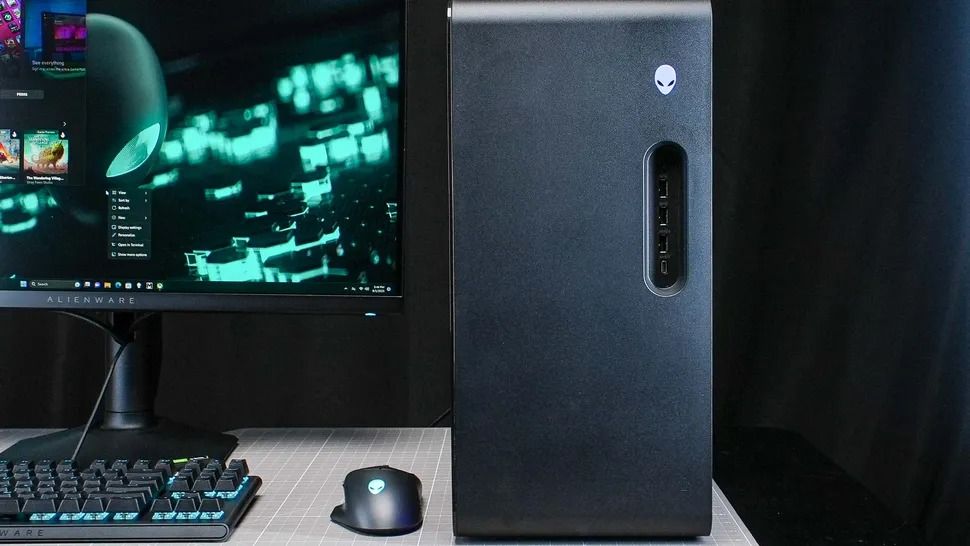
The memory crisis rages on, driving PC gaming prices through the roof. But that won't stop Dell (as Alienware) from offering powerful gaming desktops and letting players enjoy their favorite titles at high resolutions and smooth frame rates.
One rig in particular is the Alienware Aurora Gaming Desktop, currently discounted by $1,000 and offering an RTX 5070 (12 GB) GPU, 32GB of DDR5 RAM, and an Intel Core Ultra 7 265F CPU configuration for $2,229.99 at Dell (was $3,229.99).
"The Alienware Aurora R16 delivers great gaming performance at a whisper thanks to its powerful components and enhanced cooling technology." — Tony Polanco, Senior Computing Writer, Tom's Guide
It didn't earn these top review scores lightly either, as the Alienware Aurora R16 configuration that's on sale is equipped with some of the most mainstream and capable hardware for gaming.
These include an NVIDIA GeForce RTX 5070 graphics card to help it run graphically intense games like Cyberpunk 2077 at 1440p and 60fps (with some DLSS support), 32GB RAM to help it maintain stability during heavy multitasking (like playing a game while opening several browser tabs), and an Intel Core Ultra 7 265F CPU to aid it during content creation (like photo editing and rendering graphics) or everyday tasks (like browsing the web or writing reports).
It also has a 1TB SSD, so the Aurora can store plenty of game files or work folders that can be transferred in mere seconds.
To top it off, the Alienware Aurora Gaming Desktop has a superb ventilation and cooling system that will prevent this gaming PC from overheating during heavy-duty tasks while keeping it quiet.
Extra accessories for the Alienware Aurora Gaming Desktop
So if you're looking for a reliable gaming PC rig that can play the best PC games at their full graphical potential while getting some work done on the side in a jiffy, then you won't regret snagging the Alienware Aurora Gaming Desktop, now on sale for $2,229.99 at Dell.
While you're at it, here are some additional discounted accessories to help complete your Alienware Aurora Gaming Desktop setup and enhance your gaming experience.
"Developed in collaboration with over 100 esports professionals, it stands as one of the best wireless gaming headsets and has dethroned my favorite Razer option as my daily driver." — Brendan Lowry, Contributor, Gaming
"Build quality is exceptional, typing feels great, and gaming performance is flawless. It's light on extra features at this price point, but the core experience is good enough to make up for it." — Zachary Boddy, former Staff Writer
"Dell knocks it out of the park again with the excellent Alienware AW720M gaming mouse. Sleek, lightweight, and gorgeous, this mouse sports some serious hardware and specs." ~—Allisa James, Computing Staff Writer
Yesterday, Apple unveiled iPhone Duo, much to the dismay of the dozens of die-hard Surface Duo fans that opted for Microsoft's now defunct line of foldable phones. Of course, the name of the product was what drew immediate comparisons to Surface Duo, but as the keynote went on, it quickly became evident that it isn't just the name that Apple was interested in.
Ever since Surface Duo launched in 2020, I have heralded it as the best multitasking phone you could buy. No other folding phone, whether that be from Samsung, Huawei, Oppo, Honor, Xiaomi, or Google, have matched the Surface Duo from a pure multitasking perspective.
The dual-screen setup allowed for Microsoft to create a new user experience around the gap between the screens, and that led to a unique experience that made multitasking automatic. Open your app on one screen, and the other screen would remain on the home screen, available whenever you need it to begin another task.
Surface Duo multitasking allowed for both halves to work independently or in unison. (Image credit: Daniel Rubino / Windows Central)
If the second screen was free, opening links would open them on the other screen, allowing you to keep viewing the first app without it being obscured by your browser. You could swipe up from the bottom and drag the app across both screens, swapping them in place or spanning a single app across both screens for a totally immersive experience.
No other folding phone has ever matched this level of fluidity or multitasking prowess. Most single-screen folding phones opt to treat the large folding screen as a tablet screen, opening apps full screen and requiring gestures or modes to enter a special "multitasking view" that allows you to run the apps side by side. The OS isn't able to dynamically do this, unlike the Surface Duo.
Well, it turns out, iPhone Duo can. I've never seen another folding phone match the Surface Duo's multitasking design, but iPhone Duo does almost identically. In multiple demos, Apple shows the iPhone Duo opening an app, and letting users split it side by side with another app by dragging the app up and docking it to the left or right of the screen.
iPhone Duo lets you treat each side of the folding screen as independent. Just like Duo. (Image credit: Apple)
When you do this, the iPhone home screen appears on the other side, just like Surface Duo. From there, you can open another app, and swap sides with it by doing the same drag and drop gesture you do on Surface Duo. It even opens links in a browser next to your app automatically, just like Surface Duo.
Surface Duo had a lot of flaws, but one thing it got absolutely right was the fluidity and automagic-ness of its multitasking experience. Users were in control of where apps appeared, and it was easy to move apps between the two halves, and have them run side by side. In most instances, multitasking on Surface Duo was an automatic experience. I never had to cognitively initiate a multitasking mode, it automatically happened.
It looks like iPhone Duo is opting for the same design philosphy. User shouldn't need to initiate a complex gesture or mode to multitask. It should just happen when it makes the most sense. If you need to open an app next to your currently open one, just drag the app to the side and open the second app from your familiar home screen.
If you tap a link, it should open the browser next to your current app, not on top of it like so many other Android phones do. Both Surface Duo and iPhone Duo appear to do this correctly, and that's the biggest surprise in my book. It's not just the name Duo that Apple borrowed, it's the entire multitasking design ethos as well.
You can see this in action in this video:
I'm not even mad about it, I've always said that I wish another company built the Surface Duo, because it wasn't fair of Microsoft to debut the best multitasking experience I'd ever seen on a phone, only to kill the product two years later. Apple has taken the best of Surface Duo and implemented it onto its own iPhone Duo, which is a win for Surface Duo fans in my book.
And it's not just the software multitasking and windowing that Apple have copied. iPhone Duo also supports pen, another feature that was incredibly popular on Surface Duo. Many people used their Surface Duo's as a personal diary or note taking device, and it did that quite well. iPhone Duo also supports pen input via the Apple Pencil, which is awesome to see.
I think Apple even indirectly referenced the Surface Duo during their keynote. At the start of the iPhone Duo segment, Apple says "others have created foldables that just feel like two phones awkwardly stuck together." The only folding phone that was literally two phone screens stuck together was Surface Duo.
Apple is right in that you can mimic the setup of a dual-screen phone 100% on a single screen folding phone, and that's exactly what they've done with iPhone Duo. All the dual-screen multitasking behaviors have been implemented on the folding screen, and it still works great.
Surface Duo fans, I fear we may finally have our Surface Duo 3 in the form of iPhone Duo. Too bad it costs $2,000.
Join us on Reddit at r/WindowsCentral to share your insights and discuss our latest news, reviews, and more.
Apple didn't shock the world this week by unveiling the iPhone Duo, but it has taken the tech world by storm. With Apple joining the folding phone fray, we now have millions of people considering foldables that never would have considered the category.
But the iPhone Duo announcement stood out to me for another reason. It shows what happens when a company knows its own identity and leans into it. Apple is far from the first company to make a foldable phone, but the iPhone Duo tackles foldables in a way that's quintessentially Apple.
In normal Apple fashion, the company bided its time and waited for Samsung, Motorola, Xiaomi, and other companies to work out the biggest issues with foldables. Through years of trial and error, other manufacturers have determined the best form factor for a folding phone. They've also figured out use cases for folding screens and the large displays provided by what are essentially tablets that fold into phones at this point.
Apple's patient approach does more than give its engineers real-world feedback about a product category. By waiting until foldables became normal, Apple has left potentially the most difficult task to be completed by other companies: getting people to even consider a folding phone that costs a fortune.
Every time Apple introduces a new product or feature that's been seen elsewhere, people online joke about Apple "inventing" things. I get it. It's an easy joke and some Apple heads are smug and ignore advances made by other companies. But Apple's strategy works. In addition to making Apple money hand over fist, it creates good products.
Apple knows what it is. The leaders at Apple have a clear strategy and know how to make new products. Microsoft is lost when it comes to Surface, and the iPhone Duo shows that.
The Surface Duo pushed boundaries but was later abandoned by Microsoft. (Image credit: Future)
Before you jump to the comments, I am fully aware that Microsoft had a foldable phone years before Apple. The buggy mess that was the Surface Duo launched in 2020. After silently fixing a few bugs and realizing people want NFC and good cameras in a smartphone, Microsoft unveiled the Surface Duo 2. But Microsoft abandoned the Surface Duo lineup and never even released the Surface Duo 3, so I'm not going to give it the benefit of the doubt.
By not sticking with the Surface Duo lineup, Microsoft gave up its pioneer status. The company could have made a Surface Duo 3 that addressed concerns and then unveiled a model with a folding screen by now. But instead, Surface Duo is dusted.
When it comes to tech, you need to carve out a niche. That's often done by being the first, the best, or the most affordable. You can also succeed by being unique or by being over the top. Surface used to check some of these boxes, but it rarely does anymore.
What is Surface in 2026? It's no longer the innovative hardware maker that drove the 2-in-1 form factor. Experimental projects have been pushed to the wayside, leaving Lenovo to pick up the slack. Surface PCs were never the most affordable, and I'd argue they aren't even the best options in their respective categories anymore.
Microsoft has shown some small signs of moving in the right direction with the Surface Laptop Ultra, but I still have my reservations. Surface still seems lost, and I don't see Microsoft returning to the experimental roots of the product family.
Microsoft no longer pushes the limits of computing with experimental hardware. But it also does not wait long enough to see a category fully mature and then swoop in with a perfected version. Surface is stuck in the middle of a crowded PC space and feels like a leftover appendage of a bloated company.
Join us on Reddit at r/WindowsCentral to share your insights and discuss our latest news, reviews, and more.
Ever since the MacBook Neo launched earlier this year, Windows OEMs have scrambled to ship devices that match it from a design and price perspective. Until this year, most Windows OEMs weren't all that interested in insuring their sub-$1,000 laptops were pretty, but that has all changed in recent months.
OEMs like Dell and Acer have come out with $799 laptops that match the MacBook Neo in design and premium build quality, and now ASUS is joining the fray with their own $799 Windows laptop that also looks the part. The new ZenBook 14 with Snapdragon X is one of the better $799 Windows laptops we've tested, thanks to its premium design and excellent OLED display.
I've been daily driving the ZenBook 14 over the last few weeks, and this is my full review.
This review was made possible via a sample unit supplied by ASUS. The company had no editorial input and did not see the contents of this review before publication.
ASUS
Zenbook 14 (UX3480 Snapdragon)
The ASUS ZenBook 14 with Snapdragon X is ASUS's first true MacBook Neo competitor. Coming in at $799, it features a 1080p OLED display, excellent keyboard, plenty of ports, good performance and all day battery life.
Category
Specification
Model
UX3480QA
Operating System
Windows 11 Home
Processor
Snapdragon X X1 26 100 (30MB Cache, up to 2.97GHz, 8 cores, 8 threads)
Graphics
Qualcomm Adreno GPU
Neural Processor
Qualcomm Hexagon NPU up to 45 TOPS
Display
WUXGA (1920×1200) OLED, 16:10, 0.2ms response, 60Hz, 100% DCI‑P3, 1,000,000:1 contrast, 16.7M colors, 70% less blue light, non‑touch
Memory
16GB or 8GB LPDDR5X (on board)
Storage
256GB M.2 NVMe PCIe 3.0 SSD
Expansion Slot
1× M.2 2280 PCIe 4.0×4
I/O Ports
2× USB‑C (USB 3.2 Gen 2, display & power delivery) 1× USB‑A (USB 3.2 Gen 1) 1× HDMI 2.1 TMDS 1× 3.5mm audio jack
AI Noise Canceling, Live Update, TaskFirst, WiFi SmartConnect, Function key lock, Splendid, Fan Profile, Battery health charging, System diagnosis
Included Offers
3‑month Google AI Pro 3‑month GoPro Premium+ 1‑month Adobe Creative Cloud All Apps Xbox Game Pass Premium (2 months)
Security
TPM, Microsoft Pluton, BIOS password protection, IR webcam with Windows Hello
What I love
(Image credit: Zac Bowden / Windows Central)
Any laptop that wants a running chance at being competitive with the MacBook Neo needs to focus on design and build quality. Luckily, the ASUS ZenBook 14 is a device that looks and feels the part. It features a premium metal chassis with a coating that does a great job at hiding fingerprints and remaining light.
The design of the laptop is notably rounder than the MacBook Neo and other laptops in this price range, which gives it an edge in ergonomics too. Carrying this laptop around in your hands is very comfortable, and it just looks great when sitting on a desk or on your lap.
The texture of the chassis is nice and smooth, and cold to the touch which helps with that premium feeling. It's also super lightweight, coming in at just 2.87lbs, making it a touch heavier than the MacBook Neo but still plenty light, especially at 14-inches. The chassis does flex a tiny amount, but not enough for it to take away from the overall premium experience.
(Image credit: Zac Bowden / Windows Central)
Opening the laptop up, we're greeted with what I'd arguably describe as the star of the show. This laptop is rocking 14-inch OLED display that looks great for $799. It is a 1080p panel, which is notably lower resolution than what you might find on the MacBook Neo and Dell XPS 13, but the OLED colors make up for that slight drop in sharpness.
You don't often find OLED displays on laptops at this price bracket, especially not with a Snapdragon chip on the inside. This laptop is powered by the Snapdragon X 8-core SoC, which delivers good performance for day to day tasks while being incredibly energy efficient, meaning this device will last you all day on a single charge without breaking a sweat.
The configuration that starts at $799 includes 8GB RAM, which is a little on the low side in 2026, but if you're only planning to use your laptop for lightweight productivity tasks and a bit of multitasking between a web browser, Spotify, Teams/Slack, and an email client, it should be more than enough. If you need more, ASUS does offer the laptop with more RAM and storage at a higher price.
(Image credit: Zac Bowden / Windows Central)
Turning out attention to the chassis once more, we have plenty of ports for a laptop at this price bracket. It features a full size USB-A port on the right, and two USB-C ports, a full-size HDMI port, and a 3.5mm audio jack on the left. The USB-C ports are used for both data and charging the device.
I also want to take a second to shout out the great keyboard on this laptop. The ZenBook 14 has one of the best feeling keyboards I've ever typed on at this price point. For $799, this keyboard is lush. It's tactile yet quiet, and my fingers just glide across the keys. Actuating the keys is also easy and weightless.
(Image credit: Zac Bowden / Windows Central)
Lastly, the audio and webcam on this device are surprisingly good. The webcam is a XX shooter which looks great in well lit rooms, but gets a bit noisy in low light. It's perfect for Teams calls and video calling friends, and the built-in microphone is more than cabable for the same tasks.
What's really nice about the webcam is that it also features IR sensors for Windows Hello face unlock. This level of biometric authentication isn't something you'll find on the $799 MacBook Neo, but it does match the $799 Dell XPS 13.
What I hate
(Image credit: Zac Bowden / Windows Central)
There's not much to dislike about the ASUS ZenBook 14, but there are a few things I noticed during my time with it that I wasn't a fan of.
First of all, I don't like the trackpad. It's nice and smooth, and plenty large, but that's about as much good as I can say about it. I don't know if this was just an issue with my review unit, but the trackpad feels notably tougher to actuate than other trackpads I've tried. The MacBook Neo's trackpad is effortless, but the ZenBook 14 trackpad is a little tougher to press down.
I'll also say that the tracking of the trackpad itself is also not great. When people say Windows trackpads suck, I suspect it's trackpads like this that they're referring to. It just doesn't feel very accurate, often over or under shooting where I intended to move the mouse. The keyboard also doesn't feature a backlight, which kind of sucks. I know the MacBook Neo also doesn't have a backlight, but it also sucks on that laptop too. At $799, the laptop should have a backlight in my opinion.
The only other annoyance I found with the ZenBook 14 is that I found its fan spins up a fair bit, and it can get quite loud under super intensive load. It's not normally an issue in day to day use, but if you're susceptible to fan noise, I'd be weary of the ASUS ZenBook 14.
Conclusion
(Image credit: Zac Bowden / Windows Central)
The ASUS ZenBook 14 is the latest MacBook Neo competitor to hit the scene, and it's one of the better ones. Yeah, the trackpad isn't amazing, but everything else about this laptop is great for a $799 starting price.
I think it's one of the better looking $799 laptops you can find right now, complete with a thin and light profile and plenty of ports to boot. It also has all day battery life, and good performance for the day to day tasks you'd be expected to want to complete on a device in this price bracket.
The OLED display is a great addition, and while I wish it was slightly higher resolution and higher refresh rate, the panel itself is perfectly acceptable at this price point. In fact, I'd say the punchy colors are worth the slight decrease in resolution.
ASUS
Zenbook 14 (UX3480 Snapdragon)
The ASUS ZenBook 14 with Snapdragon X is ASUS's first true MacBook Neo competitor. Coming in at $799, it features a 1080p OLED display, excellent keyboard, plenty of ports, good performance and all day battery life.
Join us on Reddit at r/WindowsCentral to share your insights and discuss our latest news, reviews, and more.
The new Asus Zenbook 14 is designed to be an ultra portable device with a mid-range price that doesn’t compromise on performance.
True to other models in the line, the finish of the Zenbook 14 is different to the usual fare at this kind of price point, with its soft texture and uncommon colorways that are far more vibrant than many.
More impressive, though, is the Zenbook 14’s build, which blends strength and lightness in a way very few can match. Compared to other 14-inch laptops, this has to be one of the best laptop constructions around in terms of portability.
However, it’s not quite as thin as you might expect, and the thick feet underneath only add to the bulk. What’s more, although most of the unit is remarkably sturdy, the keyboard has a tendency to flex while typing on it, which is a little disconcerting.
(Image credit: Future)
As you might expect for a laptop this portable, the Zenbook 14 isn’t loaded with interfaces, but those included are wisely chosen. You get one USB-A and two USB-C ports — the latter of which support power delivery and display signals — as well as an HDMI output and a headset jack.
The Zenbook 14 performs competently at everyday tasks. It can handle basic productivity and browsing, as well as 4K streaming. It struggles with even light gaming, but that isn’t too surprising given its lack of a dedicated GPU.
Fortunately, the Zenbook 14 remains composed even when undertaking heavy workloads. The fans are audible in such circumstances, but they’re certainly more hushed than many other examples. Temperatures also remain impressively cool, with only a few hotspots appearing — and mercifully these steer clear of commonly touchable surfaces.
The 1920 x 1200p resolution is sharp enough for its 14-inch real estate, while the OLED technology provides the vividness and contrast you’d expect. Reflections are visible at times, but the maximum brightness level should keep them from disrupting your viewing experience too much.
One of the main drawbacks of the Zenbook 14, though, is its battery life. It lasted just over 12 hours when I played a movie on a loop, which is short compared to many of its competitors. In fact, the Zenbook A14, a similar machine to the 14 in many ways, more than doubled this time when I ran the same test.
What’s more, the A14 is similarly priced to the 14, so all things considered it offers the better value. The 14 is the better the choice if you want a slightly more solid body, but in all other regards, the A14 would be the better choice.
(Image credit: Future)
Asus Zenbook 14 (2026) review: Price & availability
Starts from £799.99 (about $1,080 / AU$1,500)
Preorders open now (ships September)
Some rivals offer better value
The Zenbook 14 starts from £799.99 (about $1,080 / AU$1,500) and is available to preorder now, with shipments expected early to late September. Availability in the US and Australia is yet to be confirmed, but we'll update this section once it has.
The base model gets a Qualcomm Snapdragon X1 CPU, 16GB of RAM, and a 50Wh battery. More powerful AMD Ryzen AI 7 and Intel Core Ultra 9 models, both with 70Wh batteries, can also be preordered for £1,399.99 and £1,499.99 respectively. These two also get backlit keyboards, but the Snapdragon model doesn’t. Each model has three colorways to choose from: Zabriskie Beige, Arctic Blue, and Komodo Coral.
This is a reasonable price considering its spec. However, the already available Asus Zenbook A14 is slightly cheaper, yet has superior battery life and a marginally lighter build. Then there’s the HP OmniBook 7, which we’ve seen in recent sales with a similar price, and is a fantastic all-rounder that’s hard to beat at this point in the market.
2x USB-C (3.2 Gen 2, display / power delivery support, 10Gbps) 1x USB-A (3.2 Gen 2, 5Gbps), 1x HDMI 2.1, 1x 3.5mm Combo Audio Jack; Wi-Fi 6E, Bluetooth 5.3
2x USB-C (1x 4.0 Gen 3 40Gbps, 1x 3.2 Gen 2 10Gbps, display / power delivery support) 1x USB-A (3.2 Gen 2, 5Gbps), 1x HDMI 2.1, 1x 3.5mm Combo Audio Jack; Wi-Fi 6E, Bluetooth 5.4
2x USB-C (1x 4.0 Gen 3 40Gbps, 1x 3.2 Gen 2 10Gbps, display / power delivery support) 1x USB-A (3.2 Gen 2, 5Gbps), 1x HDMI 2.1, 1x 3.5mm Combo Audio Jack; Wi-Fi 6E, Bluetooth 5.4
Battery
50Wh
70Wh
70Wh
Dimensions
12.3 x 8.5 x 0.7 inches / 311 x 216 x 17mm
12.3 x 8.5 x 0.7 inches / 311 x 216 x 17mm
12.3 x 8.5 x 0.7 inches / 311 x 216 x 17mm
Weight
2.43lbs / 1.10kg
2.65lbs / 1.20kg
2.65lbs / 1.20kg
(Image credit: Future)
Asus Zenbook 14 (2026) review: Design
Light and strong body
Unique finish
Reasonable port selection
The unique Ceraluminum body certainly sets the Zenbook 14 apart, as do the bright colorways. The beige finish of my review unit was more interesting than the usual monochromatic shades we’ve grown accustomed to, looking softer and more inviting as a result. This was further aided by the rounded corners and the odd texture of the material, which has a slight graininess that’s comfortable in the hand.
One of the major selling points of the Zenbook 14’s construction is its lightness. It weighs around 2.5 pounds (just over a kilogram), which is impressive for a 14-inch laptop. However, it’s not quite as thin as you might expect, with a bit more unexpected bulk at the rear. The two long bars that run underneath, acting as feet, don’t help matters, either.
(Image credit: Future)
However, some may view this a worthy sacrifice for the unit’s surprising solidity. Both the base and the lid have very little flex to them. It feels slightly sturdier than the A14 I reviewed previously, although that model is slightly lighter at 2.16 lbs / 0.98kg.
There is, though, one weak point to the Zenbook 14’s build, and unfortunately that’s the keyboard. Hammering away on the keys often depresses the whole board, which can be quite annoying and doesn't inspire much confidence. There’s also no backlighting, which is an omission I always lament.
On the plus side, there are a reasonable number of ports on the Zenbook 14. There’s one USB-A port on the right-hand side of the unit, which is the only port on this side. On the left, you’ll find two USB-C ports (both of which support external display signals and power delivery), an HDMI port, and a headset jack.
(Image credit: Future)
Asus Zenbook 14 (2026) review: Performance
Fast everyday performance
Vivid but reflective display
Good for typing
Asus Zenbook 14 (2026) benchmarks
3DMark: Night Raid: 16,506; Fire Strike: 3,644; Steel Nomad: 224; Solar Bay: 6,135; Solar Bay Unlimited: 6,132; Solar Bay Extreme: 624; Solar Bay Extreme Unlimited: 625 Geekbench 6.5: Multicore: 10,701; Single-core: 2,145 Cinebench R23: Multi Core: 7,403; Cinebench R24: Single Core: 58; Multi Core: 435 Crossmark: Overall: 1,118; Productivity: 1,047; Creativity: 1,188; Responsiveness: 1,132 Passmark Overall: 2,989.3; CPU: 12,886; 2D Graphics: 330.3; 3D Graphics: 1,848.8; Memory: 2,338.2; Disk: 37,339.4 BlackMagicDisk: Read: 3,832MB/s; Write: 2,810MB/s HandBrake 4K to 1080p: 37.6fps Battery Life (TechRadar movie test): 12 hours and 15 minutes
For everyday tasking, the Zenbook 14 is a solid performer. The Snapdragon X1 chip in my review unit was fast and smooth when conducting basic productivity workloads such as word processing. It also handled multi-tab browsing and 4K streaming with plenty of composure as well.
Sadly, but somewhat expectedly, the Zenbook 14 isn't ideal for a spot of light gaming. It struggled to run Cyberpunk 2077 even on the lowest preset, blighted by rough visuals and debilitating slow downs during chaotic scenes. The A14 I tested previously, equipped with a Snapdragon X2 Elite chip, was able to handle low presets better, although it still wasn’t a flawlessly smooth experience.
Some fan noise is evident when the Zenbook 14 is under stress, but this isn’t too distracting. For such a compact laptop, the Zenbook 14 also does well to keep temperatures from soaring. I only noticed portions above the keyboard and underneath getting hot, while the commonly touchable surfaces, such as the keyboard, only became lukewarm at most.
(Image credit: Future)
The 1200p OLED display is crisp and sharp, with plenty of contrast and vividness. It can show reflections a little too readily, especially when deep blacks are displayed. Mostly, though, the high brightness levels do well to keep reflections at bay.
Despite that aforementioned flexing of the keyboard, the Zenbook 14 is still good for typing. It may feel a little harsh due to the lack of dampening, but the keycaps are comfortable and well spaced, while their low profile and short travel make them feel snappy and easy to glide over.
Complementing the keyboard is the super smooth touchpad that allows for easy swipes and gesturing. It’s not very large, but it maximizes its real estate commendably by extending from almost the bottom edge of the unit to the bottom of the space bar, which makes navigation less of a chore than it otherwise would be.
(Image credit: Future)
Asus Zenbook 14 (2026) review: Battery life
Middling longevity compared to rivals
Zenbook A14 massively outlasts it
Quick to charge
The battery life of the Zenbook 14 isn’t particularly impressive. When I played a movie on a continuous loop unplugged, its 50Wh battery lasted 12 hours and 15 minutes. While this is quite long, it falls short of quite a few of its rivals.
For context, the A14 has a 70Wh battery, and the difference shows, as that laptop lasted over 28 hours in the same test, one of the best results we’ve seen. And if you’re looking for another enduring 14-inch laptop, the HP OmniBook 7 posted a time of 26 hours. Fortunately, the Zenbook 14 is at least quick to charge, just around two hours to fully top up.
Should I buy the Asus Zenbook 14 (2026)?
Scorecard
Attributes
Notes
Rating
Value
Similarly priced rivals are better all-round propositions.
3 / 5
Design
The construction is unique, super light, and high in quality, but the flexing keyboard is a small shame.
4.5 / 5
Performance
Great for everyday tasking, but don't expect more beyond that. It remains remarkably cool and quiet at all times, though.
4 / 5
Battery Life
The Zenbook 14 can last a while, but it’s disappointingly short lived compared to rivals. It’s quick to charge, though.
3.5 / 5
Final Score
The Zenbook 14 is a capable and highly portable laptop, but when rivals occupying same price point are better all-rounders, they might make more sense.
3.5 / 5
Buy it if…
You want something portable You won’t find many 14-inch laptops more portable than the Zenbook 14, thanks to its compact dimensions and light footprint.
You want a unique design You won’t find many constructions like this, either: it’s solid with a soft-touch finish and has some interesting colorways to boot.
Don't buy it if…
You want a stable keyboard While the 14 is great to type with, the keyboard flexing as you do so might irk some users.
You want the best battery life The Zenbook 14’s battery life isn’t anything special, while the A14’s is.
Asus Zenbook 14 (2026) review: Also consider
Asus Zenbook A14 The A14 is very closely matched to the 14, but it has a much better battery life — the best in class, in fact — and despite having a very similar Ceraluminum construction, it’s ever so slightly lighter (0.98KG as opposed to 1.10KG). It’s similarly priced, too, so might be the better pick of the two. Read our full Asus Zenbook A14 review.
HP OmniBook 7 The OmniBook 7 is a terrific laptop across the board. Its battery life is much longer than Zenbook 14’s, although it can’t quite match the endurance of the aforementioned A14. Its list price is quite steep, but we’ve seen it with significant discounts, bringing it more in line with the Zenbook 14. Read our full HP OmniBook 7 review.
(Image credit: Future)
How I tested the Asus Zenbook 14 (2026)
Tested for a few days
Used for a variety of tasks and benchmarks
Extensive laptop reviewing experience
I tested the Zenbook 14 for a few days, during which time I used it for all manner of tasks, from basic productivity and general browsing to 4K streaming and gaming.
I also ran our series of benchmark tests for laptops, designed to assess every aspect of performance. I ran a movie on a loop to test the battery life, too.
I’ve been using laptops for decades, and have reviewed a large number of them, ranging from small budget offerings to large gaming monsters.
A cracking deal at Walmart could set you up with a brand new gaming laptop, capable of hitting high frame rates at 1080p. This MSI Cyborg 15 gaming laptop is down to $1,049 right now, a saving of $250, and it makes it one of the best value machines you can buy for gaming right now, especially considering the specs.
This laptop was $100 cheaper last month, but given the AI-fueled boom in PC hardware prices, that's a modest increase for a laptop that is still good value at this price. You're getting a 15.6-inch 1080p display with this MSI laptop, featuring a decent 144Hz refresh rate.
The Nvidia GeForce RTX 5060, meanwhile, is the best component in this rig. You're ditching integrated graphics for a current-gen Nvidia Blackwell GPU with 8GB VRAM and 3,328 CUDA cores. With Nvidia DLSS support enabling multi-frame generation for the most intensive games, you're going to easily hit high frame rates in games on this 1080p display.
The CPU, meanwhile, is an eight-core Intel Core 5 210H CPU, featuring four performance and four efficient cores apiece. You're also getting 16GB of DDR5-5600 RAM, which is a plus, as you're not settling for slower DDR4 speeds. A small compromise, given the price, is the 512GB SSD, which is still Gen 4, so it won't be particularly slow.
RTX 5060
Enjoy buttery-smooth gaming with the RTX 5060-powered Cyborg 15, coupled with the 8-core Intel Core 5 210H CPU and 16 GB RAM. Featuring a sleek design, plenty of battery life, and a 144 Hz 1080p IPS display, this is a solid machine for any task on the go — made even better at its discounted price. View Deal
The MSI Cyborg 15 has a clear aesthetic for gamers, with a slate gray chassis, combined with a symmetrical pattern on the keyboard and transparent plastic cutouts. The keyboard has four RGB zones, which you can configure, with the chassis also including a fingerprint reader and webcam privacy shutter. There's also a decently large 55.2 Wh battery for those on-the-go gaming sessions.
As for connectivity, you're getting Wi-Fi 6E and Bluetooth 5.3 support for wireless networking, while a Gigabit Ethernet port is included if you want to max out your connection. You've got USB-A and USB-C ports, along with an HDMI 2.1 port to hook up your laptop to a separate monitor.
The $1,049 sale price for this MSI Cyborg 15 makes it one of the best value laptops on the market right now for 1080p gaming. You're not settling for outdated components, with the RTX 5060 setting you up for gaming for several years to come. If you want a budget-friendly rig before the holiday season, this is the deal you'll want to take advantage of.
I loved my Surface Duo a lot. It was a unique folding phone with two screens instead of a single foldable display, supported pen input, and was the thinnest of its kind when it launched in 2020 (see our original review). It was a mesmerizing bit of kit, but it failed to gain any real mainstream attention.
And although it never shipped, its bigger brother, the Microsoft Surface Neo PC, was also something a lot of us Windows fans were looking forward to at the time. A dual-screen laptop, to complement my dual-screen phone? Sign me up! In 2020, it really did seem like Microsoft was building out its own unique device ecosystem to compete with Apple, Samsung, and Google.
The Neo and Duo were clever names for these devices. Both names had dual meanings to them, too. Neo, meaning "new," referred to the form factor, as well as being a reference to "The One" from The Matrix. And Duo, obviously signifying the device's unique "duo" screen setup, but it was also a reference to the fact that it was a surprise second device in a pair, alongside Neo.
When Duo was announced, it was a true one more thing moment during the event. There had been rumors that Microsoft was working on a folding phone for years prior, but recent reporting at the time had suggested the project was dead. So when Duo was announced alongside Neo, it was a rare true surprise to those in attendance and watching online.
(Image credit: Future)
Cut to 2026, and it's all dead. Microsoft gave up on Duo after just one iteration (Surface Duo 2 review), and it never even gave Neo a chance. The company's boneheaded shortsightedness led to the death of unique Surface hardware, and now today we're left with boring laptops and tablets from the Redmond giant.
It was inevitable that the Neo and Duo would forever be relegated to the history books, a hall of fame of unique devices that tried and failed to capture the market. Now, Apple has stormed in and stolen these names for their own products, which will only serve to further bury Microsoft's efforts.
I'm sure there are some Apple fans out there who think Apple never even thought about Microsoft when it named the MacBook Neo and iPhone Duo, but I think that's a lie. Apple is clearly aware that Neo and Duo were strongly tied to the Surface brand, but decided that didn't matter, which is the correct decision.
The MacBook Neo is an almost polar opposite of the Surface Neo. While Surface Neo was supposed to be a super expensive dual-screen flagship laptop, the MacBook Neo is Apple's cheapest laptop, undercutting much of the market. I don't know why, but that feels like an F.U. to Microsoft's vision for its Neo.
And now, there's iPhone Duo. This one hits much harder, as they're both playing in the same game. Surface Duo was a thin folding phone with pen support, and the iPhone Duo is pretty much exactly that. Of course, Apple's iPhone Duo refers to the fact that it's both an iPhone and an iPad, but seeing the Duo moniker on an Apple product just stings.
The iPhone Duo is a modern day Surface Duo. (Image credit: Apple)
If anything, it's just reminded me of what was possible had Microsoft pushed through and continued to innovate on the Surface Duo. The company had started working on a third-gen Surface Duo in 2022, which was going to pivot to a single-screen folding setup not dissimilar to the iPhone Duo.
But Microsoft just can't see a good thing through. Because Surface Duo 1 sold poorly, and Surface Duo 2 sold even less than that, the company decided that it was not worth continued investment in this category, which is just wrong. Folding phones were and still are the future, but Microsoft decided to pack it all in.
Now, Apple has just stolen the crown for the Duo moniker, with a product that seemingly does everything the Duo set out to achieve, but better in every way because Apple isn't going to give up after just one iteration. I get the impression that Duo is here to stay in Apple's lineup, unlike the Duo in Microsoft's lineup.
I'm mad that Apple has stolen the Neo and Duo moniker, but frankly, they deserve it. Microsoft clearly isn't doing anything with them, and they are cool product names for devices that stand out. MacBook Neo and iPhone Duo certainly do that, even if they're not in complete harmony like the Surface Neo and Surface Duo were supposed to be.
Congratulations on the launch of iPhone Duo, Apple.
Join us on Reddit at r/WindowsCentral to share your insights and discuss our latest news, reviews, and more.

 Login
Login