
 Login
Login
New NASA Earth Missions Gear Up to Start Science Flights
New NASA Earth Missions Gear Up to Start Science Flights
CSU/CIRA & NOAA
Landslides in Alaska. Air quality in Atlanta. Fire clouds out West. From the Arctic fringes to farm country, NASA’s newest class of suborbital Earth Venture missions is gearing up to deliver science that will benefit communities in the United States and beyond.
The six projects will mobilize hundreds of scientists and pilots from NASA, the U.S. Navy, universities, and other institutions over the next several years. While the investigations range across topics, a defining feature of suborbital missions is the use of sensors mounted on aircraft.
Airborne remote sensing serves as a bridge between ground-based instruments and satellites. Data collected via planes, helicopters, drones, and balloons can fill in gaps in computer models used by weather forecasters, city planners, and others.
When wildfires create their own weather
The first project to take wing this summer is Injected Smoke and PYRocumulonimbus Experiment (INSPYRE), led by the Naval Research Laboratory. From mission headquarters in Colorado, the team will chase one of the least understood forms of severe weather on Earth: towering “fire clouds” generated when extreme wildfires burn hot enough to brew their own thunderstorms.
Smoky and crackling with lightning, these unique storms can create blind spots for aviators above and spark new blazes below. Measuring and mapping the dangerous storms as they develop in real-time will help scientists forecast them in the future. Several aircraft, including NASA’s high-altitude ER-2, flying out of Montana, will carry a large suite of instruments over wildfire-generated storm systems. Among them will be two state-of-the-art infrared wildfire trackers, which were developed at NASA’s Jet Propulsion Laboratory (JPL) in Southern California and will be flying as part of the agency’s FireSense program.
Testing the air over farmland, megacities
Agricultural emissions represent an important and understudied part of Earth’s land and atmosphere systems. The FarmFlux mission, which kicks off this year, will deploy more than a dozen sensors to measure ozone, methane, ammonia, particulates, and other pollutants rising from agricultural lands and animal farms stretching from the Midwest to California’s Central Valley. These emissions affect human health, global climate, and stratospheric ozone. The mission is led by NASA’s Goddard Space Flight Center in Greenbelt, Maryland, along with Colorado State University, and Boston University.
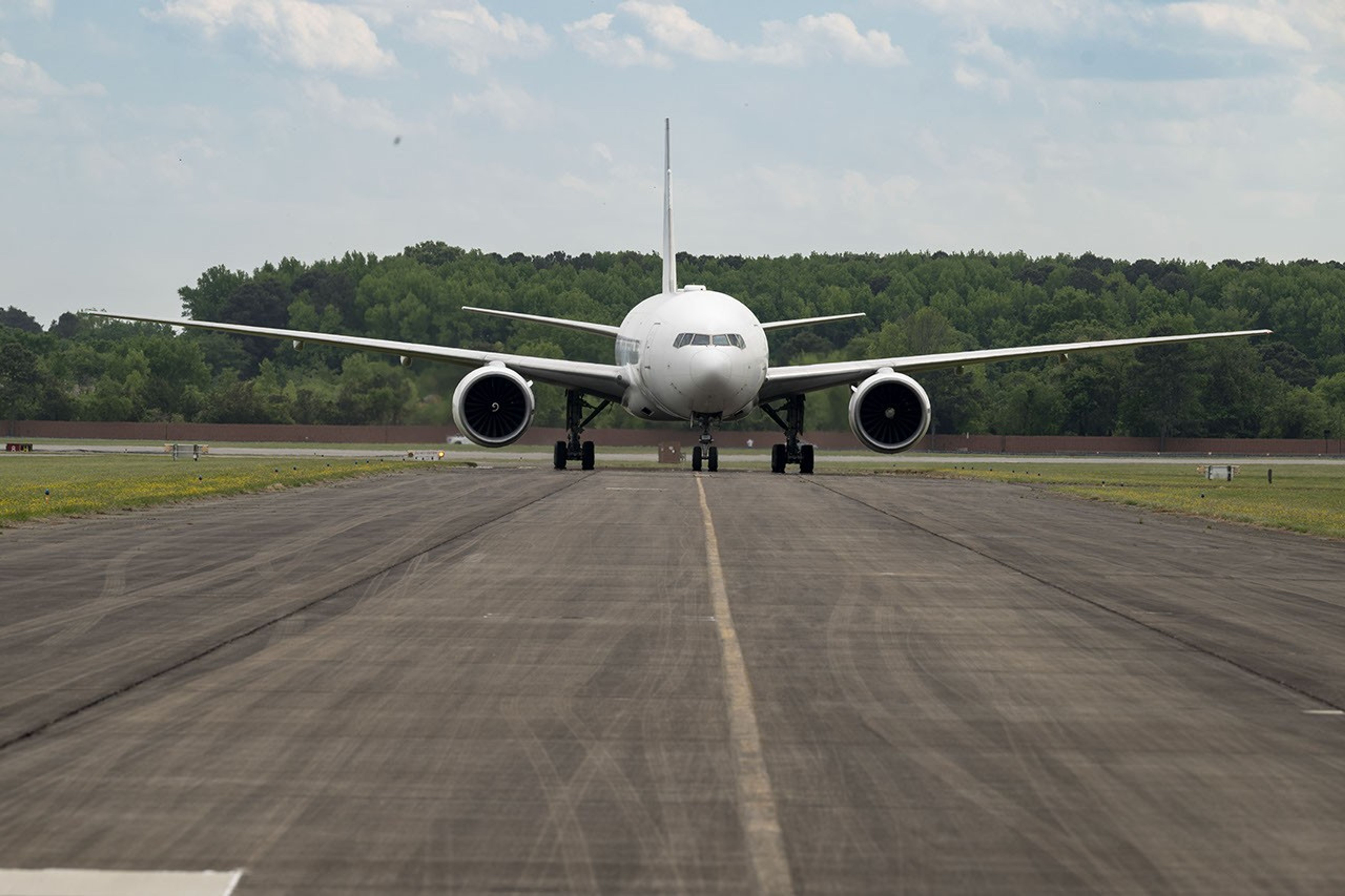
Two North American cities with air quality concerns are Atlanta and Mexico City. But the causes differ, with weather and terrain playing a role. To explore these differences, the Hemispheric Airborne Measurements of Air Quality (HAMAQ) mission will investigate areas of poor air in the two capitals and test how satellite information can help forecasting and mitigation efforts. The team will deploy two aircraft at different altitudes: NASA’s P-3B will fly close to the surface, directly measuring fine particle and gaseous pollutants, while the recently acquired 777 science jet will soar high above, mapping pollution with remote sensors. NASA’s Langley Research Center in Hampton, Virginia, is leading the mission.
Fast-changing north
As the Arctic warms at least twice as fast as the rest of Earth, data collected today can help guide communities on the front lines of change.
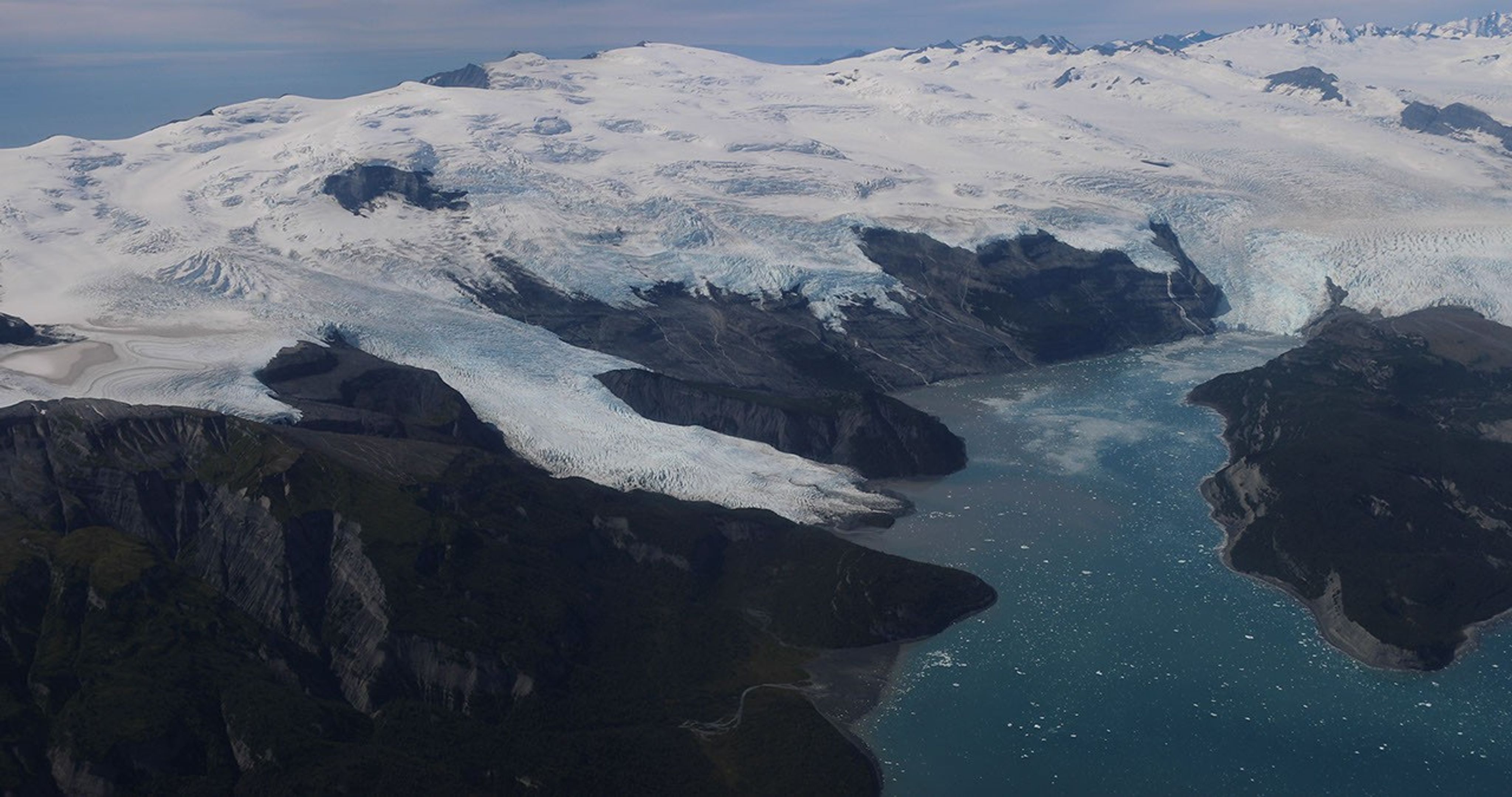
The Snow4Flow campaign, led by the University of Arizona, seeks to measure and model how far and fast glaciers are retreating in the far north. Traversing remote icescapes across Alaska, the Yukon, Arctic Canada, Greenland, and Svalbard, Norway, they’ll sound both the near-surface and frozen depths of hundreds of glaciers while flying over in a modernized WWII-era aircraft outfitted with a scanning laser altimeter and two custom radars. Their observations, combined with satellite data and advanced models of snowfall and glacier flow, will advance our understanding of how glaciers behave in different regions of the Arctic. The mission seeks to uncover not just what these glaciers look like beneath the surface today, but the processes that will drive changes in the future.
As permafrost thaws, rivers on the doorstep of the Arctic become conveyor belts of carbon and sediment. NASA Goddard, and the City College of New York lead a multidisciplinary team studying how rivers, lagoons, and estuaries across Alaska’s North Slope interact with the Arctic Ocean. The project, called Frontlines of Rapidly Transforming Ecosystems (FORTE) will combine optical and radar measurements from satellites, planes, high-tech research vessels, drones, and underwater autonomous systems to track microscopic marine life, water flow, and chemistry. The team will collaborate with local and tribal communities to sustain observations over time and apply NASA assets to address emerging local needs and decision-making priorities.
Landslide triggers
When a slow-moving landslide in California suddenly collapsed and buried a section of coastal highway in 2017, scientists at NASA JPL wanted to know how precipitation swings played a role. JPL studies how water infiltrates and destabilizes hillslopes all over the world. The Landslide Change Characterization Experiment (LACCE) project will combine airborne synthetic aperture radar with land-based sensors to track how slopes in California are responding to a world of intensifying droughts and downpours. The project also takes aim at emerging landslide hazards in Alaska, where rapidly retreating glaciers are accelerating slope movements that have the potential to create mega-tsunamis.
NASA’s Earth Venture Suborbital program, designed to be nimble and high impact, was established following a recommendation by the National Research Council in 2007. In the decades since, teams have studied phenomena, including blizzards, coral reefs, and ocean whirlpools.
About the Author
Sally Younger
Details
Related Terms
Explore More
Discover More Topics From NASA
Earth
Your home. Our Mission. And the one planet that NASA studies more than any other.

Earth Observatory
NASA’s Earth Observatory brings you the Earth, every day: images, stories, and discoveries about the environment, Earth systems, and climate.
Earth Science at Work
NASA Earth Science helps Americans respond to challenges and societal needs — such as wildland fires, hurricanes, and water supplies…
Earth Videos
Collection of Earth science videos explaining a variety of concepts and activities performed by NASA’s Earth Science Division.


