Reading view

Steam no Linux finalmente vale a pena?

Steam no Linux evoluiu e tornou-se uma plataforma viável para gamers, com compatibilidade crescente e melhorias constantes. Saiba os detalhes!

O post Steam no Linux finalmente vale a pena? apareceu primeiro em Blog do Edivaldo - Informações e Notícias sobre Linux.

  •  
  •  
  •  

Intuitive Software Suite Revolutionizes DNA Structure Generation and Analysis

In a groundbreaking advancement for molecular biology and computational chemistry, researchers at the University of Amsterdam’s Van ’t Hoff Institute for Molecular Sciences have unveiled an innovative software suite designed to accurately model DNA structures within biomolecular assemblies. Dubbed MDNA, this state-of-the-art toolkit empowers scientists across multiple disciplines—including biochemistry, molecular biology, bioinformatics, and biophysics—to visualize, analyze, and simulate DNA with unprecedented atomic precision. This development promises to significantly deepen our understanding of DNA behavior in complex biological environments, advancing both fundamental research and applied sciences.

At the heart of MDNA’s innovation is its ability to generate three-dimensional atomic coordinates for double-stranded DNA molecules, regardless of their shape or complexity. Unlike traditional tools that might rely heavily on generalized models or limited structural libraries, MDNA adopts the rigid base formalism originally embodied in the Curves+ code, a well-regarded computational framework for nucleic acid conformation analysis. This approach treats each base pair within the DNA as an individual rigid unit, allowing for a finely tuned representation of the molecule’s structural intricacies.

What sets MDNA apart from many existing molecular modeling tools is its flexibility and adaptability. Users can effortlessly design DNA molecules following virtually any arbitrary spatial curve, making the creation of highly customized and intricate DNA architectures more accessible than ever before. Moreover, the software supports the modification and extension of pre-existing DNA structures, facilitating iterative design and refinement processes crucial for research that explores DNA-protein interactions and biomolecular mechanics.

The software’s user-friendly nature further democratizes molecular modeling. It has been extensively tested by students and researchers from diverse scientific backgrounds—many with minimal prior programming experience—and has proven accessible for both novices and experts. Accompanying the software are comprehensive tutorials and demonstrations, positioning MDNA as not only a research tool but also as an invaluable educational resource suitable for workshops and classroom environments.

A vital component of MDNA’s structural modeling capabilities comes from the collaborative implementation of an advanced energy function, developed in partnership with the group led by Helmut Schiessel at TU Dresden. This energy function facilitates rapid equilibration of DNA structures while accurately modeling essential physical properties such as stiffness, flexibility, and intrinsic mobility. By incorporating physical constraints, it enables the simulation of biologically relevant phenomena like DNA supercoiling without the computational overhead typically associated with all-atom simulations.

In addition to its robust structural generation features, MDNA excels as an analytical tool. It can process DNA configurations derived from molecular dynamics simulations, facilitating a seamless integration between modeling and analysis within a unified workflow. This integration is crucial for researchers investigating the dynamic nature of DNA and its interactions with proteins and other cellular components, as it reduces the barriers between data generation, exploration, and hypothesis testing.

The scope of MDNA extends beyond just double-stranded DNA; the software includes a growing library of sixteen nucleobase types with plans for future expansion, offering an expanding toolkit to model various DNA modifications and analogs. Such versatility is especially pertinent as synthetic biology and epigenetics increasingly demand precise modeling tools capable of representing non-canonical DNA structures and chemical modifications.

MDNA’s efficient computational framework leverages simplifications that avoid simulating every atom explicitly, allowing structures to reach equilibrium within seconds. This significant reduction in computational time without sacrificing accuracy presents substantial advantages for high-throughput DNA modeling tasks, enabling rapid prototyping of DNA-based nanodevices or exploring a vast landscape of theoretical DNA conformations.

The open-source nature of the MDNA suite invites broad usage and collaborative development within the scientific community. Available publicly via repositories like Figshare and Github, it encourages transparency, reproducibility, and community-driven enhancements. This openness not only fosters innovation but also helps establish MDNA as a standard platform for DNA modeling in both academic and industrial research contexts.

By bridging detailed atomic-level resolution with high computational efficiency and an intuitive interface, MDNA fills a critical gap in the current toolbox for molecular simulation. It offers molecular scientists an indispensable means to unravel DNA’s structural complexities, enhancing our grasp on biological mechanisms ranging from gene regulation to chromosome packaging.

As research increasingly focuses on the interplay between DNA and proteins within the crowded cellular environment, tools like MDNA pave the way for more accurate models that can directly inform experimental design and therapeutic development. These models may, in turn, accelerate progress in fields such as drug discovery, gene editing, and synthetic biology, where precise structural understanding is paramount.

The collaboration between experimental insight and computational ingenuity as demonstrated in MDNA exemplifies the future of molecular sciences—where software not only supports but actively shapes research frontiers. With the support of comprehensive documentation and educational outreach, MDNA is poised to become a cornerstone technology for any scientist captivated by the elegance and complexity of DNA.


Subject of Research: Molecular modeling and simulation of DNA in biomolecular assemblies

Article Title: MDNA: A comprehensive molecular modeling toolkit for DNA in biomolecular assemblies

Web References:
DOI link to the published paper

Image Credits: HIMS / University of Amsterdam

Keywords: Computational chemistry, Biochemistry, Molecular biology, Bioinformatics, Biophysics, DNA modeling, Molecular simulation, DNA-protein interactions, Molecular dynamics

  •  
  •  
  •  

Project Solara é o primeiro passo da Microsoft para a era dos equipamentos baseados em agentes de IA

A Microsoft revelou o Project Solara, uma plataforma chip-to-cloud onde o sistema operativo deixa de estar confinado ao equipamento, distribuindo-se entre o hardware e a cloud.

The post Project Solara é o primeiro passo da Microsoft para a era dos equipamentos baseados em agentes de IA appeared first on Tek Notícias.

  •  

A retro-geeky Android home screen remix

One of the best parts about using Android is the good old-fashioned geeky fun that comes with finding new ways to improve your digital environment — and improve your day-to-day efficiency.

That capability manifests itself in all sorts of interesting freedoms that (cough, cough) other mobile platforms don’t trust their users enough to allow — from added on-screen elements to custom air gestures, advanced multitasking additions, and all sorts of other shape-shifting enhancements that can completely change the way you interact with your device.

Perhaps the most classic example of advanced Android customization, though, is a splendid little somethin’ called the home screen launcher — a fancy way of saying the system that controls how your home screen and app drawer look and work. Your phone has a built-in process that handles that by default, but here in the land o’ Googley matters, you can always replace that with something completely different and make your device adapt to the way you like to work instead of the other way around.

We’ve got no shortage of interesting Android launcher options, too, ranging from versatile blank slates for complete customization to carefully crafted frameworks for ergonomic efficiency and even throwbacks to mobile operating systems past.

The real beauty of this ecosystem, though, is how much power it gives to Android developers — and subsequently to us, as Android-appreciating animals who embrace these creations! — to experiment and try out all sorts of new concepts. Sometimes, an Android launcher approach speaks to you for its practicality. Other times, it’s just a refreshingly interesting take on how you can get around your phone and get stuff done.

Today, I’ve got a perfect example to share with you. It’s a whole new approach to the Android home screen that’s both unlike anything else I’ve ever seen in this arena and delightfully familiar, in a retro-tech sense.

Lemme show ya what it’s all about.

[Get fresh Googley goodness in your inbox with my free Android Intelligence newsletter — three new things to try every Friday.]

The T9 Android launcher — with a modern twist

My friend and fellow enlightened Android phone owner, allow me to introduce you to a creative little concoction called Key Launcher.

Key Launcher has only been out and available on the Play Store for a matter of weeks now, but it’s impressively polished — and, even more important, impressively original while also having some fantastic geek-tech throwback vibes.

To that end, the core distinctive element of Key Launcher is the T9-style dialpad that sits front and center on the lower third of its primary panel. It is quite literally the same set of letter-packin’ numbers and characters you’d see on an old-school phone — or in the dialer of your favorite Android phone app.

width="1024" height="1022" sizes="auto, (max-width: 1024px) 100vw, 1024px">
The T9 keypad is the centerpiece of the Key Launcher Android home screen experience.

JR Raphael, Foundry

And in this context, it serves some pretty interesting purposes:

  • In true T9 style, you can find and access any app or contact on your phone simply by tapping the letter that corresponds with its name — and if you want to narrow down the list even further, you can keep typing letters to refine the results.
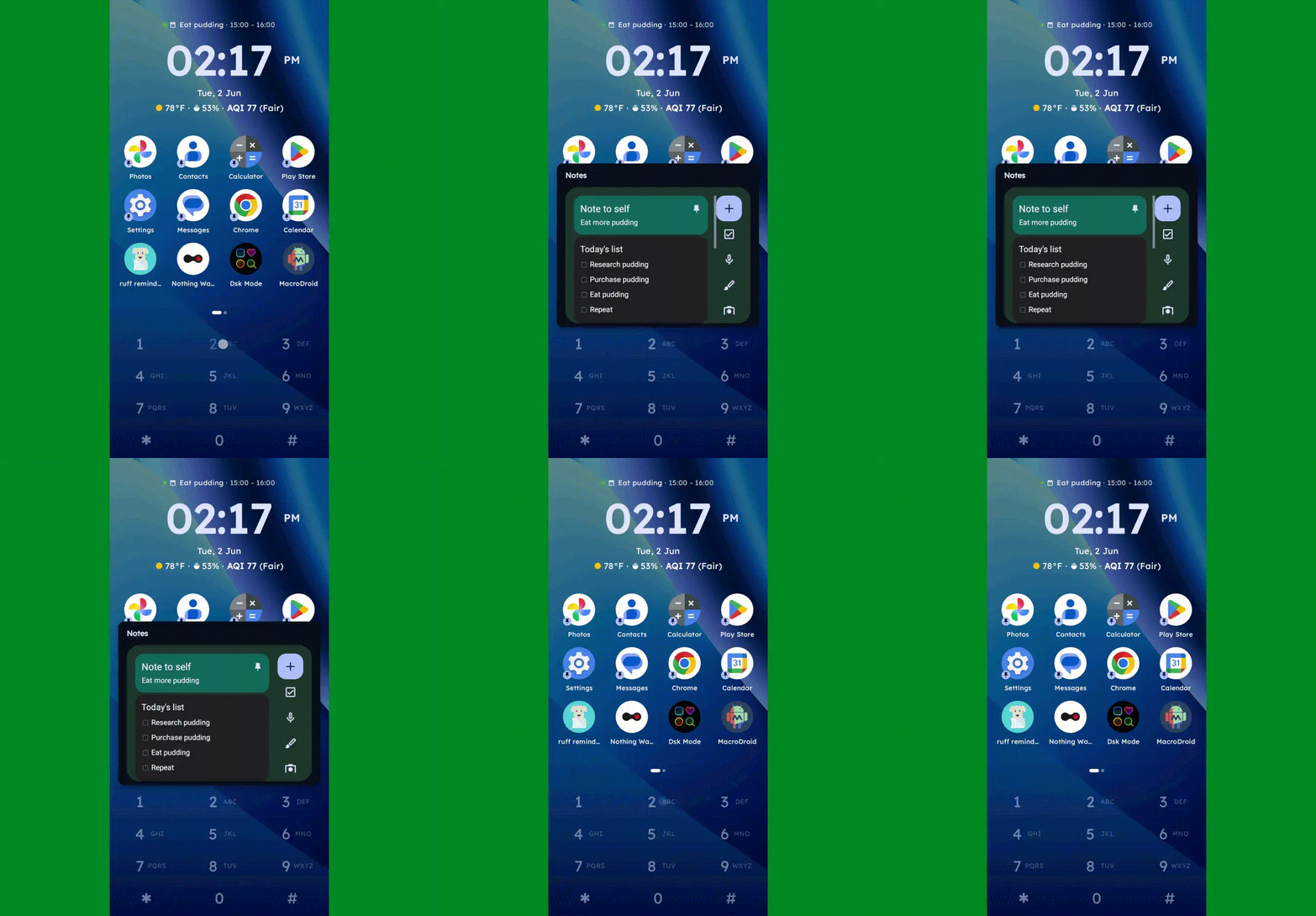
  • You can long-press any number to create and then access a custom “super shortcut” — anything from a single specific action (opening a particular app or calling or texting a certain contact) to launching a group or category of apps or contacts, launching an on-demand pop-up widget or swipeable stack of widgets, or even launching a pre-filled search query.
Key Launcher Android home screen widget pop-up
One press, and poof: Any widget you want — or series of swipeable widgets, even — is right there and ready.

JR Raphael, Foundry

  • If you tap the # key (known as “pound” in this context — not “hashtag” — for any non-olds among us), you can set up and then access a special “vault” area, where apps are hidden and only visible and accessible with authentication.
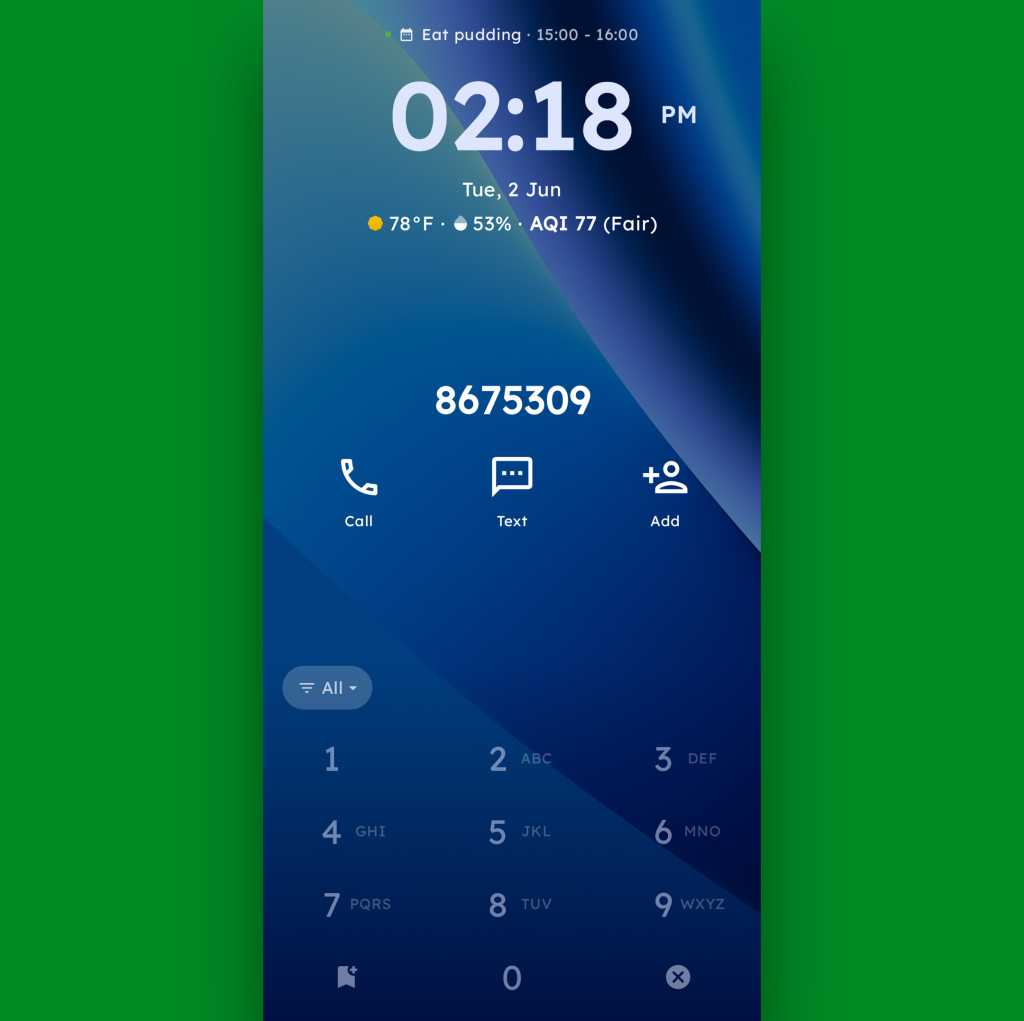
  • And, in an especially nifty touch, you can also just use the dialpad as an actual dialpad — to punch in any number you want to text or call, even if it isn’t already in your contacts.
Key Launcher Android home screen dialpad
Your phone dialer is always right in front of you with Key Launcher as your home screen.

JR Raphael, Foundry

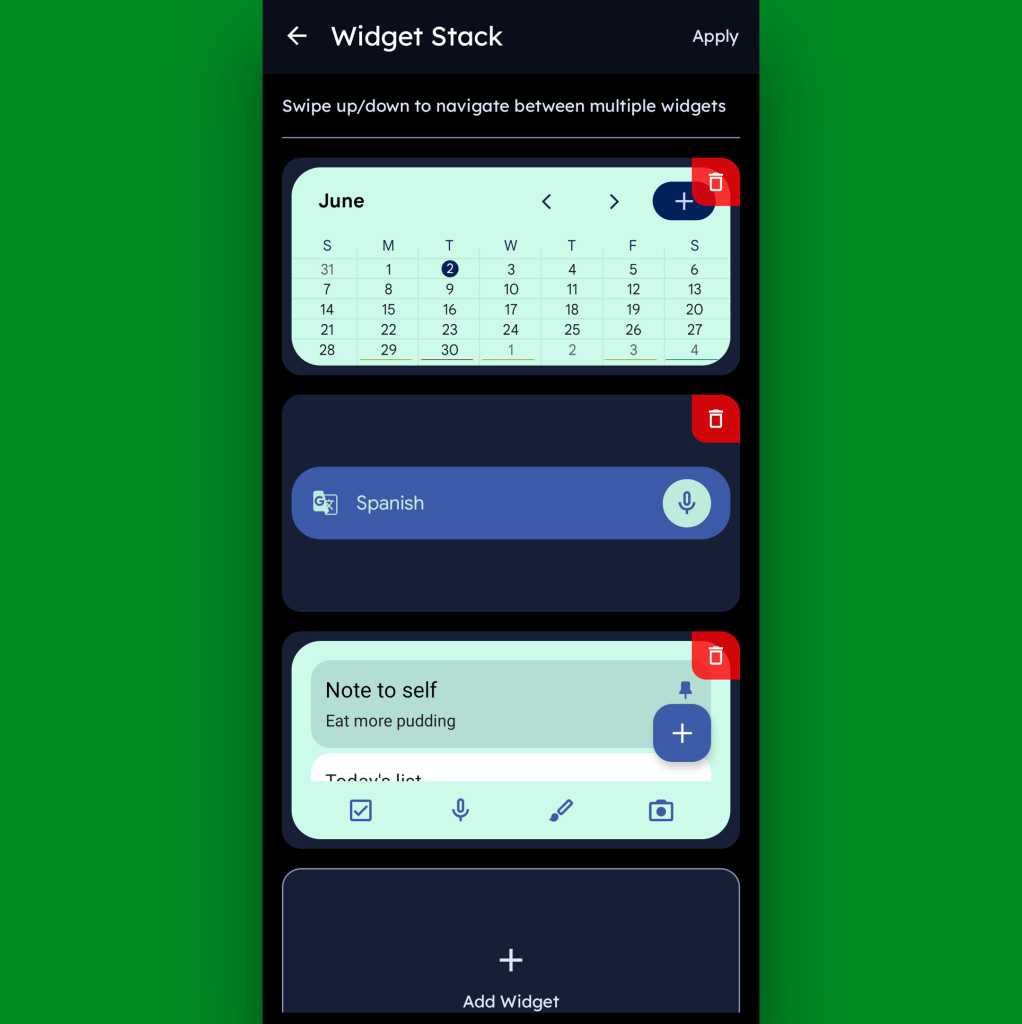
Function-packed as all of that may be, that dialpad is still just one piece of the Key Launcher puzzle. Above it sits a grid of app shortcuts that includes both your own pinned favorites and a dynamic selection of recently opened items. And above that is a handy built-in widget that shows a rotating array of upcoming calendar events from your agenda along with the local time and weather — and, in an especially neat twist, can also be customized to act as an interactive stack that lets you flip through your own set of standard Android widgets right then and there as well.

Key Launcher Android home screen widget stack
Key Launcher’s primary widget spot can be configured to hold numerous widgets in a swipeable stack.

JR Raphael, Foundry

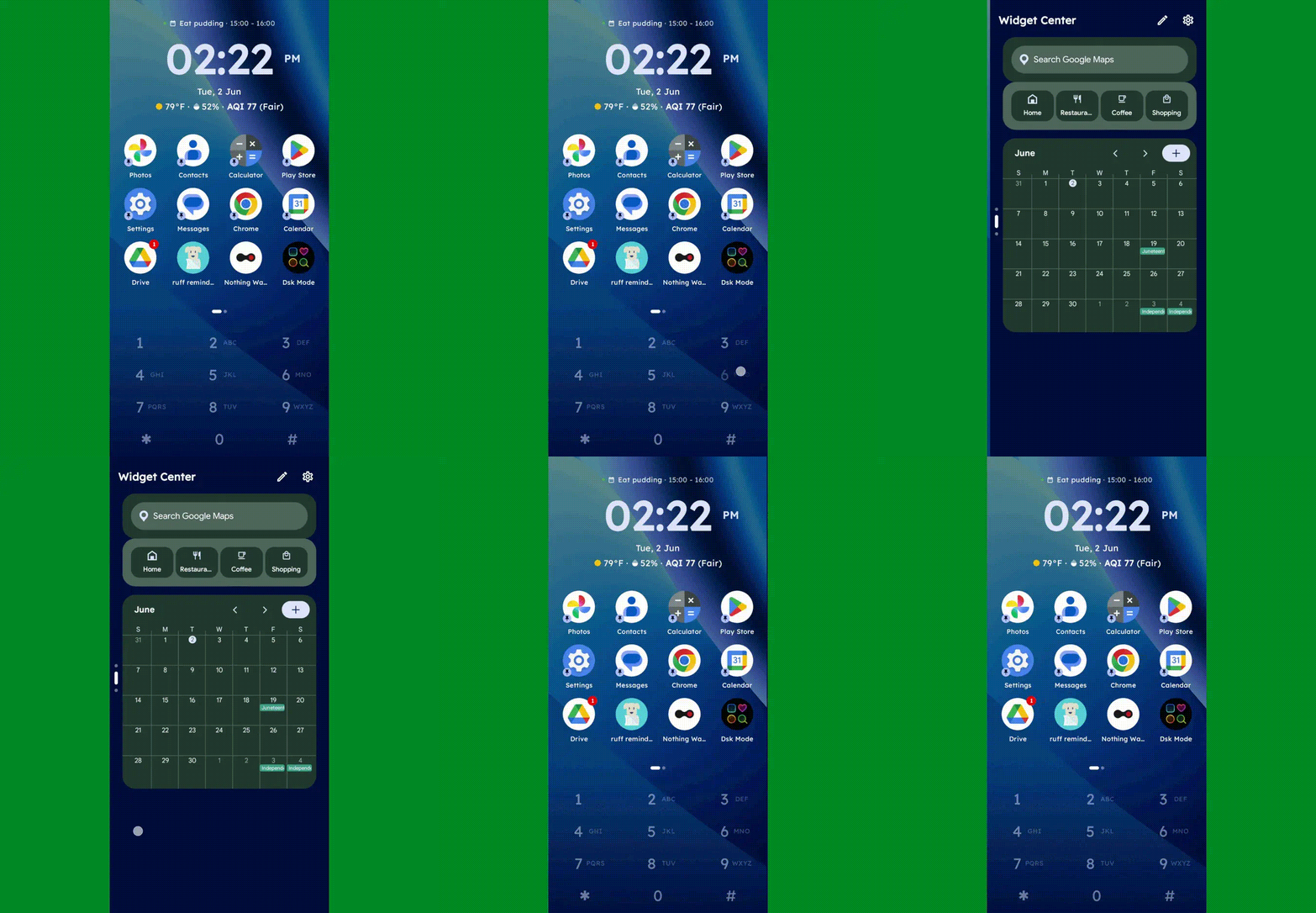
Speaking of widgets, if you swipe toward the left on Key Launcher’s dialpad, you’ll reveal the launcher’s built-in “Widget Center” panel — which is an entire screen dedicated to holding however many widgets you want, in any configuration you like, for easy ongoing access.

Key Launcher Android home screen widget center
The Widget Center is another interesting way to access widgets within Key Launcher.

JR Raphael, Foundry

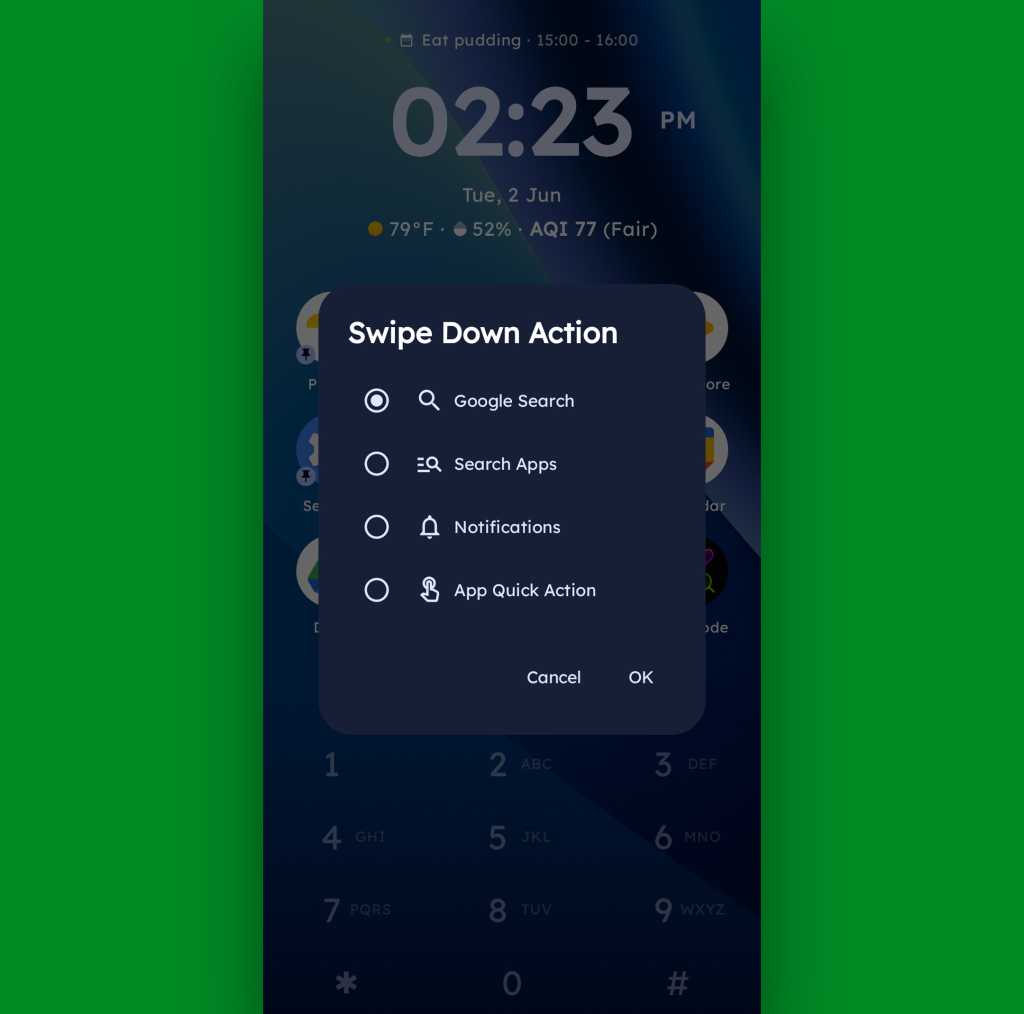
A swipe in the other direction will take you to an enlarged view of your active notifications, meanwhile, while a swipe downward can be set to launch either a quick search (of Google or whatever provider you prefer), a search of your apps, or a direct Android app shortcut within any app on your device.

Key Launcher Android home screen swipe action
Swiping down on your home screen can trigger a shortcut of your choice.

JR Raphael, Foundry

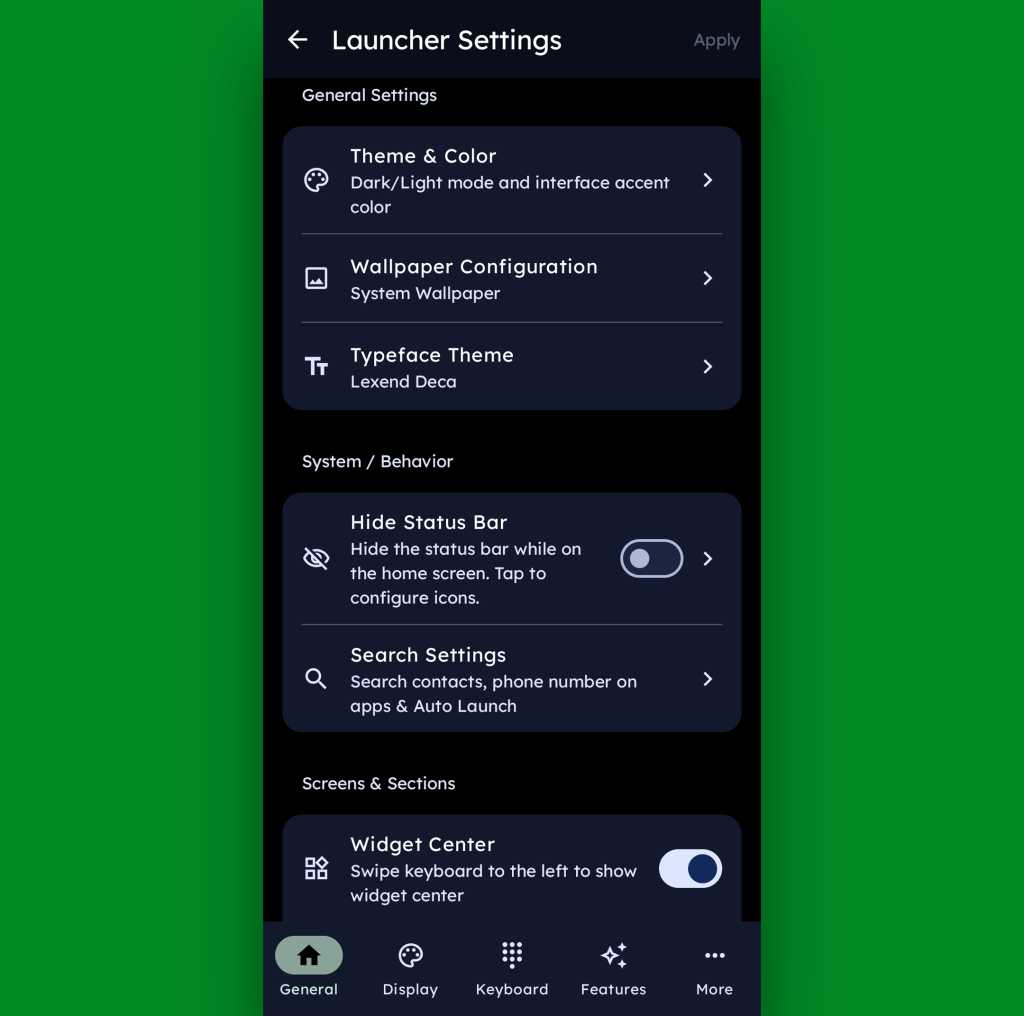
And if all of that seems like a lot of productivity-boosting possibilities, just wait ’til you get into this thing’s settings. Key Launcher is overflowing with options to customize and control practically every facet of its operation, ranging from basic visuals to the specifics of how the dialpad works and even a toggle for optimizing the interface for left- or right-handed use.

Key Launcher Android home screen settings
Key Launcher is no slouch when it comes to settings.

JR Raphael, Foundry

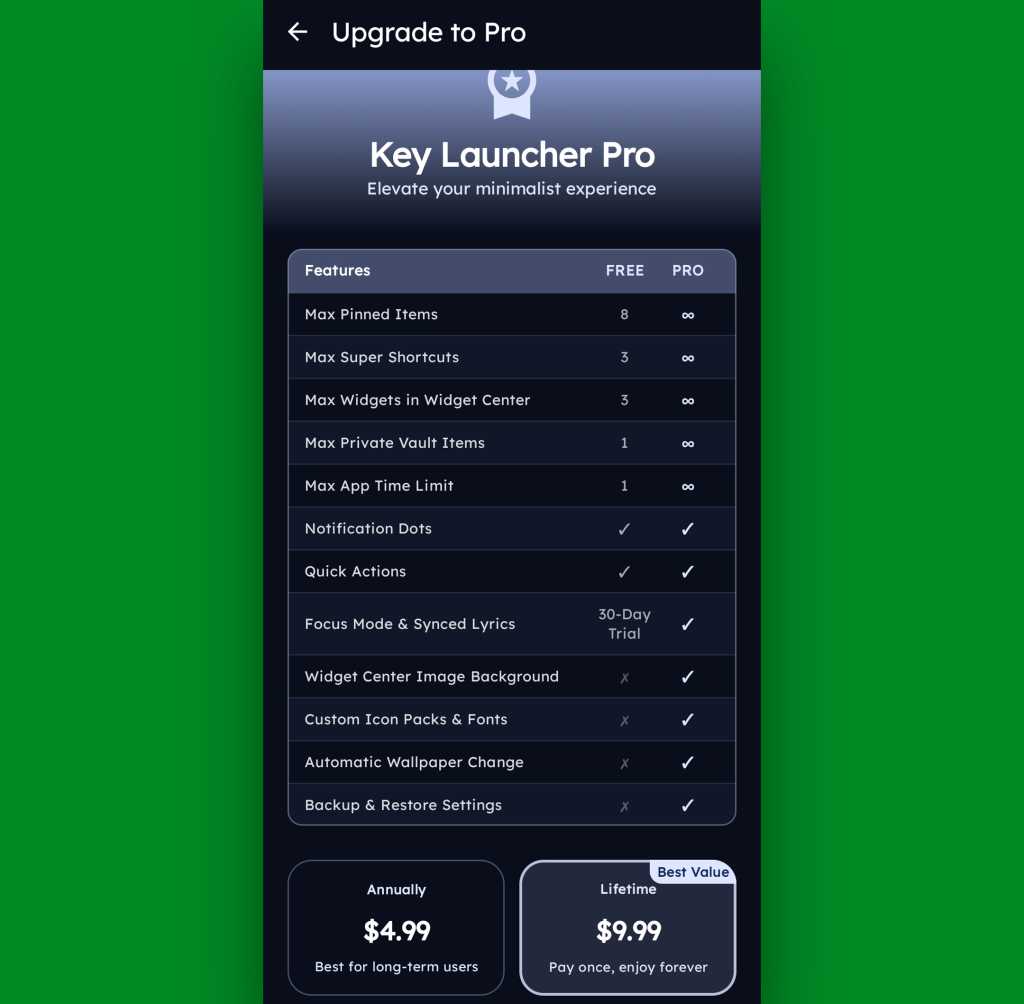
Key Launcher is free on its base level with an optional Pro upgrade that unlocks certain limitations and more advanced features. That path is available for five bucks a year or $10 as a single lifetime purchase, and you get a month-long trial the first time you install the app so you can check it out in its full form.

Key Launcher Pro Upgrade
The Pro path adds in lots of extras, but even Key Launcher’s free version is quite pleasant and functional.

JR Raphael, Foundry

Even if you just stick to the free version, though, this thing has an awful lot to offer — and it really is unlike anything else out there, with so many clever and potentially useful touches.

It’s that kind of creativity and constant discovery that keeps Android so interesting and advantageous, even after all this time — and that’s true whether you end up sticking with Key Launcher for the long haul or just giving it a go for a few hours and appreciating the deliciously original thinking it offers.

Keep the geeky goodies coming with my free Android Intelligence newsletter — three new things to try every Friday, straight from me to you.

  •  

Microsoft unveils Scout, an autonomous AI agent built on OpenClaw

Microsoft has developed a new AI agent that can run autonomously around the clock to complete tasks across Microsoft 365 applications.

Microsoft Scout, unveiled at the company’s Build event Tuesday, is a new type of always-on agent based on the OpenClaw agent framework that Microsoft calls “autopilots.”

These act on a user’s behalf with their own governed Entra identity, Omar Shahine, corporate vice president at Microsoft, said in a blog post.

“Autopilots stay active in the background, understand how work gets done across your apps and systems, and take action without needing to be prompted each time,” said Shahine, a Microsoft veteran who recently announced he is leading a new team to bring OpenClaw-based personal assistants to Microsoft 365 apps.

Microsoft Scout connects to apps such as Teams, Outlook, OneDrive, and SharePoint, and accesses data from chat, email, calendar, and contacts. Accessed via Teams, it can also interact with a user’s browser and with external apps via model context protocol (MCP). The tool functions across cloud, desktop, and the web.

Shahine said Scout can reduce mundane tasks that office workers face, such as coordinating and scheduling meeting times with colleagues, or blocking times in a user’s calendar based on upcoming work commitments. “It can also spot risks, like stalled decisions, so you can address them before they become blockers,” he said.

It’s available as an “experimental release” to customers of the company’s Frontier program, Microsoft said, and will require Intune policy configuration and “opt-in attestation.”

Scout is the latest in a range of agentic tools available in Microsoft 365 apps, including Agent Mode, where users can interact with Microsoft 365 Copilot inside apps such as Word and Excel to create content, and Copilot Cowork — Microsoft’s version of Anthropic’s Claude Cowork agent that can complete tasks independently.

Despite the company’s big AI push, Microsoft has struggled to convince businesses that Microsoft 365 Copilot is worth the additional cost; it’s advertised at $30 per user each month for large businesses. Around 3% of Microsoft 365 customers pay for the add-on subscription, the company said in January, with 15 million paid users. (Microsoft announced last month that that figure has now risen to 20 million.)

It’s not clear whether Scout will be included in Microsoft 365 Copilot subscriptions or charged separately. Microsoft did not immediately provide additional details about pricing.

The launch follows Google’s recent announcement of Spark, an autonomous agent that runs within the Google Workspace application suite. Spark can also be considered a response to the launch of OpenClaw last year, initially under the name “Clawdbot.”

OpenClaw has drawn scrutiny due to apparent security flaws, but Microsoft promises Scout is built with “enterprise-grade security and controls, so it can be trusted in your organization from day one.”

For organizations that have already deployed Microsoft 365 Copilot, Scout doesn’t introduce entirely new data risks, said Jeff Pollard, vice president and principal analyst at Forrester. But it “amplifies whatever data governance problems already exist. The difference this time: instead of surfacing sensitive data to users, it can potentially act on it.

“That makes it an active risk in terms of day to day operations,” Pollard said.

Potential security concerns echo those for AI agents and are exacerbated with personal agents such as Scout: amplified data exposure (since agents can interact with data and use tools autonomously); agent manipulation or prompt injection; unexpected actions, such as using tools or acting in ways that aren’t supposed to be allowed; and observability gaps related to understanding user and agent intent and the explainability of actions.

“However, these tools exist because they make AI far more useful for individuals, so security leaders can’t draw a line in the sand and say “no.” They have to adapt and figure out how to secure them,” said Pollard.

As with most new workplace technologies, Pollard expects adoption to start with “power users” who design and develop the use cases for the agent that can then expand more widely across users.

He warned that the accuracy of tools such as Microsoft Scout can fall short of user expectations. “LLM agents still struggle with goal alignment, multi-step reasoning drifts, and tool misuse,” he said. “Users aren’t always great at explaining what they want and LLM agents aren’t always great at providing what was requested. That’s a continuing problem.”

  •  
❌