Login
Login
Women's Dementia Risk May Be Shaped by These Key Factors, Study Finds
1 June 2026 at 19:00
 Longer life expectancy can’t explain it all.

Longer life expectancy can’t explain it all.


People have been consuming tobacco for millennia, though it wasn't until the late 1820s that nicotine was first extracted from tobacco plants.
Now, 200 years later, scientists have finally discovered how the tobacco plant makes those nicotine molecules.
The discovery could potentially transform products made from or using tobacco species, a practice known as 'plant molecular farming'.
Scientists have been engineering tobacco plants to produce therapeutic compounds and even vaccines, but the nicotine is problematic: it's highly addictive.
Understanding how nicotine is made could mean researchers could devise ways to prevent its production in plants.
"It is a big moment in plant science and biochemistry that we now have the answer we have been chasing for more than 200 years," says biologist Benjamin Lichman, from the University of York.
Lichman and colleagues at the University of Copenhagen in Denmark identified in their new study the genes and enzymes that help produce nicotine.
"With this new knowledge we can remove or repurpose the nicotine that is produced naturally by the plant and create better biotechnology tools," says Lichman.
"There is also exciting potential for the future to adapt tobacco's nicotine forming system to make useful pharmaceutical compounds."
Through a genetic analysis of tobacco (Nicotiana tabacum), the researchers flagged genes that sit close together in tobacco DNA, and activate at the same time as genes already known to be involved in nicotine production.
They then isolated the enzymes produced by these genes.
In both test tubes and living plants, the researchers demonstrated that these enzymes combined to form nicotine.
It turns out the enzymes work through a clever process that goes some way to explaining why they've remained hidden for so long.
Initially, a glucose molecule is attached to the building blocks of nicotine, putting them in the reactive state that's needed for nicotine assembly. That same molecule then snaps off after the process has finished – so the sugar does its essential job, then disappears.
The researchers also identified the two enzymes, NaGR and NicGS, that help assemble the nicotine molecule from its raw materials. Those materials are an amino acid linked to protein building and a vitamin-like compound.
"It is exciting because it has real-world applications," says Lichman.
"A close relative of tobacco, Nicotiana benthamiana, is already used in 'molecular farming' to produce life-saving drugs and vaccines."
"It opens up new ways to use tobacco plants for good: not in cigarettes, but for medicines and other valuable products."
Another recently published study backs up the findings: nicotine is created by glucose, helped by a chain of enzymes, before the glucose disappears.
That complete vanishing act, together with the unusual way glucose is used here compared to other plant processes, is what made the nicotine production process so elusive for so long, the researchers say.
There are still some questions about nicotine production in tobacco, but we now have the main steps and key ingredients sorted.
The researchers suggest the process could be tweaked to produce different chemical substances and tobacco with low levels of nicotine; however, previous attempts have stunted plant growth.
Related: Plants Stopped Thriving When Earth Warmed 56 Million Years Ago
Ultimately, these researchers have not only solved a 200-year-old mystery but also laid the groundwork for more advanced and precise bioengineering.
"Tobacco plants can be used in biotechnology as platforms for producing vaccines or other pharmaceutical products, but it is plagued by the presence of nicotine, which contaminates the products and requires processing to remove it," says Lichman.
The research has been published in Nature Communications.

A diet designed for weight loss could offer a different bonus benefit, according to a new review.
Researchers from the University of Coimbra in Portugal looked at dozens of previous studies analyzing this diet and its relationship to neurodegenerative diseases, such as Alzheimer's, Parkinson's, and Huntington's disease.
If you're on the ketogenic (or keto) diet, you'll be prioritizing fats and proteins, while cutting down on carbohydrates – and it turns out, at the same time you could be protecting your brain from disease.
The team also looked at research relating to the keto diet more generally, trying to pin down the effects of the high-fat, dairy-rich diet on the body's metabolism – how it stores and uses energy in the form of glucose (sugar).
Problems with processing glucose underpin several brain diseases, and the team concluded that the keto diet has real potential as a way of targeting these conditions.
They also acknowledge there are several challenges with using the diet as a treatment method.
"The ketogenic diet has emerged as a metabolically oriented strategy with potential preventive and therapeutic relevance in neurodegenerative diseases," write the researchers in their published paper.
"While preclinical studies have demonstrated encouraging results, significant gaps remain in understanding long-term effects, safety, and practicality of [the ketogenic diet] in clinical settings."
The keto diet works by getting the body to burn fat for energy rather than glucose (which we get mainly from carbohydrates). Biologically, this is known as a metabolic state called ketosis, where fat molecules called ketones are used instead of glucose.
It means weight can rapidly be lost, and the keto diet is actually prescribed for treating epilepsy in some cases.
As the researchers here summarize, there are multiple mechanisms through which it might protect against neurodegenerative conditions too.
Brains running on empty could use ketones as an alternative, emergency energy source, for example, as has been demonstrated in studies of Alzheimer's – thus going some way to restoring neuron stability and functionality.
Ketones have also been shown to reduce inflammation in mice models of Parkinson's and multiple sclerosis, boost an important cellular clean-up process called autophagy, and promote gut bacteria associated with better brain function.
Add all of that up, and there's plenty of evidence that the keto diet – and the metabolic changes that it brings about – can target some of the processes thought to contribute to several devastating brain diseases.
"The ketogenic diet may serve as a complementary metabolic intervention that supports disease-specific treatments by enhancing metabolic resilience and contributing to symptom management," write the researchers.
It's not quite as simple as using the keto diet with people at high risk of neurodegenerative problems, however. Most of the reviewed studies involved animals rather than people, so further investigation is required in terms of clinical trials.
The keto diet is also one of the most difficult to stick to, so getting patients to follow it might be a problem. It also tends to come with a variety of unpleasant side effects: it's been linked to constipation, insomnia, and high cholesterol in some people, for instance.
Past studies have found that the keto diet might cause harm in the longer term, and increase the risk of type 2 diabetes and heart disease. These downsides need to be weighed against any benefits that come along with the keto diet.
What this new review does is give us a 'state of play' in terms of scientific understanding right now. The multiple studies that were looked at offer solid evidence that following a keto diet and having better brain health are connected – though their results shouldn't be considered in isolation.
Related: Keto Diet May Have a Surprising Bonus Benefit, Mouse Study Suggests
"This review underscores the potential of [the ketogenic diet] for treating neurodegeneration on the basis of current scientific evidence while highlighting the need for further research to optimize its application and address existing gaps," write the researchers.
The research has been published in Translational Neurodegeneration.

A diagnosis of multiple sclerosis (MS) comes with a wave of uncertainty about how the condition will progress.
Now, new research points to a potential mechanism and treatment target for those who are most severely affected.
MS damages nerve cells, stripping away their protective covering that keeps nerve signals firing.
The new study, from researchers in the Netherlands, suggests that in the most severe cases of MS, an immune cell usually in charge of repairing damaged tissue and clearing away waste becomes overloaded with fat droplets.
Known as "foamy microglia", these cells have been spotted in MS patients before, but it wasn't clear exactly what they were doing.
According to the findings from this latest study, they could be key drivers of MS at its worst.
MS is an autoimmune disease in which the body's immune system becomes overactive, mistakes its own cells as foreign, and starts causing damage through inflammation. But these foamy microglia suggest there's also more to the story.
"We found that patients with large numbers of these foamy microglia had a more severe disease course more frequently," says molecular physiologist Daan van der Vliet, from Leiden University in the Netherlands.
"It does not appear to be simply about the inflammatory response alone."
The team analyzed post-mortem brain tissue from 28 people with secondary progressive MS, where the disease has progressed to the point where cognitive and physical function are declining.
This tissue was compared against samples from 10 donated brains from people without the disease.
Using a combination of profiling techniques, the researcher created a map of proteins, fats, and active genes for the brain regions affected by MS lesions.
These lesions form when the fatty, protective coating around nerve fibers, known as myelin, is attacked by immune cells that have become too aggressive.
Not only was there a link between more foamy microglia and MS progression, but the researchers also found that the microglia were changing the mode of inflammation around the lesions – they had a different molecular signature in terms of proteins and enzymes.
The researchers suggest that as microglia arrive to try and repair the damage done to neurons, they get clogged up with fats (beginning with myelin) and become overwhelmed, which in turn, makes the inflammation worse.
"These cells are probably trying to do something good: clearing up damage," says van der Vliet.
"But they become overloaded, so to speak. As a result, they can no longer effectively contribute to repair."
The researchers also used a mouse model of MS, blocking one of the enzymes most active in foamy microglia. Tissue healing improved in these mice, further emphasizing the connection between these immune cells and worse MS progression.
We're still in the early stages of this research, and clinical trials with MS patients will be needed to see if the foamy microglia link holds up.
Researchers will also need to look at how these lesions that aren't repaired continue to develop over time.
However, these are promising findings in terms of figuring out why some people with MS live relatively normal lives for decades, while others become paralyzed sooner or develop more severe symptoms at a young age.
The study team is hopeful that the findings could help develop new MS treatments that target fat metabolism in cells.
There's also the potential, along with other lines of research, to identify more severe cases of MS at an earlier stage.
The researchers found signs of fats associated with foamy microglia floating around in cerebrospinal fluid, which they say could be measured as a marker of the disease.
Related: Scientists Identify Specific Bacteria Linked to Multiple Sclerosis
"That opens the possibility of developing biomarkers in the future that could help doctors identify earlier which patients are at risk of rapid decline – and which treatment would suit them best," says van der Vliet.
The research has been published in Nature Neuroscience.
Google Maps has been helping us get from A to B since 2005. In that time, it’s amassed a huge amount of data about the world—from business opening times to national boundaries. And alongside the map itself, there’s satellite imagery and imagery at ground level, courtesy of Street View.
You may well have used Street View before, dropping a little pegman onto a road in Google Maps to see what it looks like if you’re actually stood on the sidewalk. What you might not be aware of is that you can go back in time in Street View—back to 2007 in the first places that were mapped with this technology.
It means you can check out your neighborhood (or someone else’s neighborhood) as far back as twenty years ago. You can see what’s changed and what hasn’t. It works for the most iconic streets and locations in the world too, from Times Square to the Arc de Triomphe. Here’s how to use the feature.
The feature is a little easier to use through Google Maps on the web, not least because there’s more screen real estate to work with. Scroll and pan to the part of the world that you want to take a look at, or use the search box up in the top left corner to jump to somewhere specific.
You can find the little Street View pegman icon down in the bottom left corner (yes, pegman is his official name). Click and drag the pegman over to the map, and you’ll see all the roads, paths, lanes, and freeways that support Street View highlighted in blue. Drop the pegman on the spot you want to take a look at.
You’ll go straight into the immersive Street View mode, with ground-level imagery. Use the mouse or the arrow keys on your keyboard to take a look around. You can also start moving up and down the street using the up and down arrow keys, or by clicking the arrow icons overlaid on the ground.
Here’s the time travel bit: Click the See more dates link up in the top left corner, and along the bottom of the screen you’ll see thumbnails of older imagery, together with dates—scroll to the right to see the oldest available pictures.
Bear in mind that the total number of different date options, and the years they cover, are going to vary depending on how long Google’s Street View cars have been covering a particular area, and how regularly they’ve been back. You’ll find there’s quite a substantial difference in how far you can go back, depending on where you are in the world.
As soon as you select one of the image thumbnails representing an earlier year, you’ll be taken back in time in Street View. You can still look around and explore as before—the views you see will be from the same year you’ve selected, until you choose a different month and date from the carousel at the bottom.
It lets you check out how businesses and houses have changed over time, and in some locations you’ll even be able to see roads or buildings being built (or being leveled) as the years go by. For busy areas, you get an interesting peek into the changing fashions for both people and vehicles.
It’s possible to check out famous landmarks in this way too, though if they’re iconic then they don’t tend to be modified much over time. When you’re ready to return to the present day, click the See latest date link in the top left corner.
You can time travel through Street View through the Google Maps apps for Android and iOS as well. To get to Street View, long-press on a road on the map, then tap the Street View thumbnail that pops up in the lower left corner. You can then tap the date label (top left) to find other dates.
It’s also worth noting that historical imagery is available in Google Earth too, for both Street View images and satellite maps. Either drag the pegman in from the bottom right corner and then choose See more dates, or click the historical imagery button in the top toolbar (it looks like a globe with an arrow around it).
The post How to go back in time with Google Maps appeared first on Popular Science.
When you search Google for something topical, you might see a cluster of headlines from news outlets, reporting breaking stories related to your search query. If you want to focus on those results, you can click to see More news, or navigate to the News tab at the top of the screen.
How these news sources are chosen depends on a variety of signals and factors—just the same as any other Google results—but you now have the ability to set “preferred” sources that will always show up first.
Maybe you want more New York Times and less CNN, or vice versa—Google will let you pick your favorites (which hopefully include Popular Science). This can also help you surface content from news sources you wouldn’t otherwise see in Google, like a local website covering your area.
If you run a Google search on the web for something in the news, topical enough that the Top stories box comes up in your results, you can then click the small icon next to the Top Stories heading to pick your sources. The icon looks like a couple of rectangles with a plus symbol on top.
This brings up a new dialog, where you can pick specific sources. Just start typing the name of the website you want to read more often, and select it when it appears. You can’t add any website on the internet though, only those that are regularly updated (and therefore qualify as news sites).
While there’s no specific set of rules about how often preferred sources show up, Google says you’ll see them “more often” than other outlets. As you add more sources, you’ll see the option to Reload results based on your last search. This should now include your selected sources, as long as they’ve published something related to your search recently.
You can head back to this dialog via the Top stories box whenever you want, and add new preferred sources or remove existing ones—there’s actually no limit to the number of sources you can add, so you’re able to cover a full gamut of perspectives and topics. You can also head to google.com/preferences/source directly in your web browser.
Many news websites have now started adding Add as a preferred source on Google badges on their articles, which you can click directly to jump to the preferred sources dialog. In our articles, you’ll find it’s labeled Add Popular Science, just under the headline and sub-heading—click the link to add us.
Google hasn’t officially said anything about how preferred sources in Google search relates to the dedicated Google News website and apps for Android and iOS, but there is some overlap here.
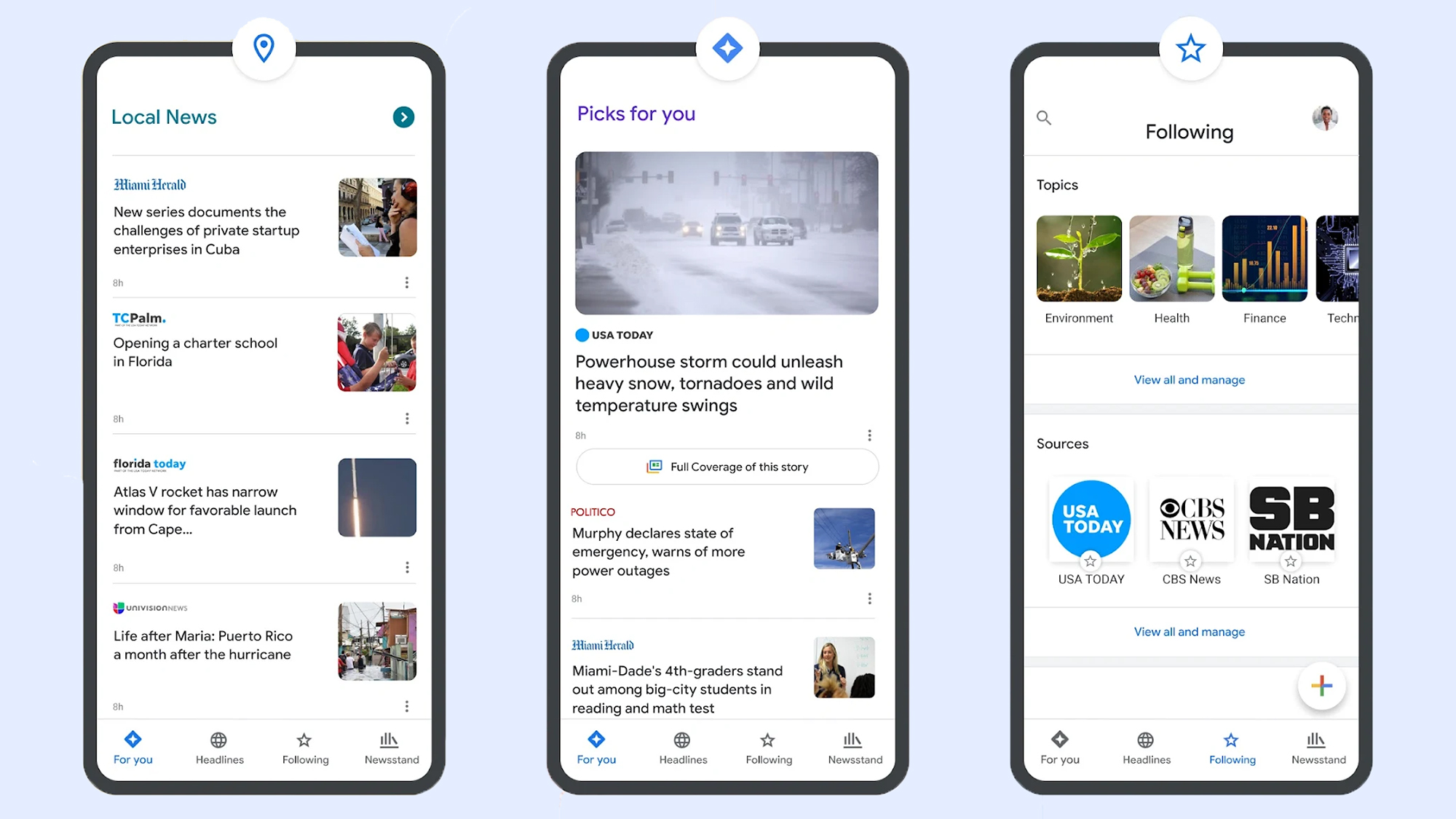
If you head to Google News on the web and then open the Following tab, you’ll see that the preferred sources you’ve selected via search are also listed under Sources. However, there’s no way (at the moment) to add new sources from Google News—you need to go through Google search.
On the dedicated Google News portal, if you click the three dots next to any story, you can opt to see more stories or fewer stories like it—but you can’t specifically request to see more of a particular publisher. You can block an outlet though, by choosing Hide all stories from… on the same menu.
There are other factors that affect your Google News selection as well, and if you scroll down the front page of Google News to the Your topics section, there’s a Customize button to the right. Click on this, and you can tell Google News which topics you want to see more of (like sports, entertainment, and business, for example).
We may well see a closer connection between preferred sources and Google News in the future, but for now there are a variety of ways to customize the stories you get served up inside Google’s portals. If you’re spending a lot of time reading news, it’s worth making sure your favorite publishers appear first.
The post How to avoid garbage news on Google Search appeared first on Popular Science.
Google launched its own email service all the way back in 2004 (remember the hype around a free 1GB of email storage space?). In the years since, it’s become the default email service for many of us—in part because of its close ties to so other Google apps, like Google Drive, Google Maps, and Google Photos.
We’ve also seen plenty of competing products launch over the last two decades, so if you’re thinking about leaving Gmail, you have plenty of other options. Apple and Microsoft are two of the big names that will gladly take over the responsibility of managing your inbox.
Then there’s Proton Mail, part of the Proton suite of products that prioritizes privacy and security. We’ve previously compared Proton Docs and Google Docs, and here we’re going to take a look at how Proton Mail stacks up against Gmail. It may be worth your while to switch, especially if you’re unsure about Google’s privacy policies.
Both services are available on the web, and have dedicated apps for Android and iOS. Both have free options, with premium plans also available: Proton Mail gives you 1GB of storage for free, while Gmail gives you 15GB (though bear in mind this is also shared with Google Drive and Google Photos).
Paid plans start at $1.99 a month for Gmail and $4.99 a month for Proton Mail, but it’s hard to do a straight comparison, as a lot of other upgrades are included. Google gives you more AI features as well as more storage room, for example, while Proton gives you more usage across its VPN, Calendar, and Drive tools in addition to the extra cloud storage.
If you prefer to use a third-party email client like Apple Mail or Outlook, this is easily done on Gmail and only takes a few steps. With Proton Mail, it’s more involved: You need to sign up for a premium subscription, and use the Proton Mail Bridge app. This ensures end-to-end encryption, so not even Proton itself can read your emails (this isn’t something Gmail offers by default).
When it comes to key features, both Gmail and Proton Mail have plenty to offer, though with Proton Mail your use of labels and filters is restricted on the free plan. It supports folders though, which Gmail doesn’t. And if you pay for Proton Mail, you can set up multiple email addresses to work through one inbox, which again Gmail doesn’t support.
It’s similar with the email scheduling and snoozing features, and automatic email forwarding to another inbox. This is all free in Gmail, and requires a subscription in Proton Mail. There is also an undo send feature on both platforms, free of charge, that you can use to quickly bring back messages you’ve sent in error.
Ideally, you need to be paying for Proton Mail: Otherwise you run into restrictions on filters, folders, and labels, and the number of messages you can send (150 per day). With Gmail, all of this is supported by advertising and data collection This is the distinction Proton focuses on: You’ll never see a single advert inside Proton’s products.
Both Gmail and Proton Mail offer a clean, modern-looking app interface that’s easy to navigate around and intuitive in the way it works. Both platforms let you customize the interface too—so you can tailor the look and feel to suit yourself (Gmail does offer more in the way of tweaks, however).
Both email platforms support keyboard shortcuts on the desktop, which can be very helpful for powering through emails and clearing out your inbox. There’s also well-done integration with the other apps offered by these companies—including Google Drive and Proton Drive, and Google Calendar and Proton Calendar.
You could argue that the Gmail app is a little bit more polished, especially on mobile, but there’s not much in it. Both platforms support conversation grouping, where emails from the same thread are bunched together for easy reference (but both also let you turn this off, if you prefer the traditional approach).
While Gmail may be ahead on the scorecard up to this point, it’s here that Proton Mail strikes back. The Proton offering is way ahead here, and offers full end-to-end encryption for your emails, plus password-protected emails, and expiration dates for emails.
Gmail provides some of these features in a more limited way, but they’re not enabled by default, and aren’t as comprehensive as the Proton Mail equivalent. While Google’s email servers are encrypted, Google holds the decryption keys—so messages can be accessed by Google or agencies approved by Google. The full, end-to-end encryption that Proton Mail provides means no one but you can read your emails.
Both these platforms do well in terms of anti-spam and anti-virus protection for your inbox. But on other privacy and security features, Proton Mail wins: The VPN bundled with all plans (even the free one), for instance, and the complete absence of ads.
As you can see, the primary reason to switch to Proton Mail from Gmail is privacy and security. And if that’s what’s most important to you, then you’ll probably be okay with paying a few dollars more a month to get those features, and to make sure you’re not being tracked or advertised to in your inbox.
There’s still a lot to be said for Gmail though. It’s ubiquitous and compatible with a host of third-party apps and tools, it’s got loads of customization options and other features to play around with, and if you can stick under the 15GB storage limit then you get unlimited use of everything for free, too.
You also need to think of the inconvenience cost, of course, and it may take a while before all your contacts are right up to date with your new email address. Of course, if there are some contacts you’d rather not hear from again in the future, then switch away.
The post Gmail vs Proton Mail: Is it worth switching if you care about privacy? appeared first on Popular Science.
The major refreshes that Apple gives its software each year get a lot of attention—you can read our round-up of new iOS 26 and macOS 26 features—but there are also plenty of minor updates that appear during the rest of the year as well.
These minor updates don’t often include big changes that will significantly affect how you use your devices, but they regularly feature small improvements and tweaks that are well worth knowing about.
Listed below you’ll find all the notable upgrades included in iOS 26.3 and iOS 26.4, the two most recent updates pushed out by Apple, besides the usual slew of tweaks and bug fixes. To check for new updates on your iPhone, head to Settings, then select General > Software Update.
Limit precise location: iOS 26.3 lets you limit how closely your carrier can track your location, though the carriers themselves also need to add support for the feature. Apple says it’s like the difference between knowing which neighborhood you’re in, and which address you’re at: Choose Mobile Service > Mobile Data Options from Settings to find it.
Transfer to Android: Apple is lending Google a hand and making it a little more convenient for you to switch over to Android, if you’ve had enough of Apple phones. When an iPhone is in a transfer state, an Android handset can move data over from it, and you can find this from iOS Settings by selecting General and then Transfer or Reset iPhone.
Weather and Astronomy wallpaper: Wallpaper options get a refresh in this update as well, with Weather and Astronomy breaking out into their own categories so you can get to these types of backdrop more quickly. Open Settings, then select Wallpaper to make changes—you can either customize the existing iOS theme, or work on a new one.
Average Bedtime: iOS 26.4 comes with a small tweak to the Health app, in the form of a new Average Bedtime metric in the Sleep section. It gives you another stat to check against your sleep quality, and to use for goal setting, if you’re using a connected Apple Watch (or another device that plugs into the Health app) to monitor your slumber overnight.
CarPlay AI: Third-party AI assistants such as Claude and ChatGPT can be accessed through the CarPlay interface for the first time with this software update, though you’re still relatively limited in terms of what you can do. You can only interact with them via voice, and you can’t use them to control any of the settings in CarPlay or your vehicle.
Concerts Near You: One of the new additions to Apple Music with this update is a Concerts Near You feature, and you can probably guess how it works from the name. Once you’ve granted Apple Music permission to use your location, on the Home tab you’ll find a new section for upcoming gigs in your area, matching the artists that you regularly listen to.
New emoji: Updates to iOS regularly come with new emoji included—after they’ve been approved by The Unicode Consortium—and that’s the case with this update too. Among the new graphics you can look forward to using in your messages are symbols for a trombone, a Bigfoot-style creature, a treasure chest, and a distorted (eyes bulging) face.
Offline music recognition: You can now use your iPhone to identify a song that’s playing in your vicinity without an internet connection… kind of. If you tap on the Recognize Music button in Control Center when you’re offline, iOS will record a snippet of audio data to use for reference, and then look up the song title whenever your device gets back online.
Playlist Playground: Back to Apple Music upgrades, and another new feature you’ll spot in the app is Playlist Playground. This is a new way of generating a playlist from an AI prompt box. So if you enter something like “the essential indie music hits of the 90s,” you’ll get back an appropriate selection of songs. Try it with moods, genres, and feelings.
Purchase sharing: File this under changes that seem to be relatively minor, but which can make a significant difference for certain people. If you’re an adult in a Family Sharing group, it’s now possible to use separate payments for purchases—so you don’t have to use the same bank account or credit card for everything that goes through iOS and its apps.
Urgent reminders: Another Apple app getting an improvement with this software update is Reminders. While the option to categorize reminders as ‘urgent’ isn’t new, there is now a smart list of these urgent items, so you can more easily find them. There are also a couple of extra ways to mark something as urgent, via a long press or from the floating toolbar.
Video podcasts: Many a podcast is adding video these days, and while Apple Podcasts has technically supported video before now, the latest software update brings some big improvements. You can switch between audio and video more easily, you can download videos for offline playback, and you can adjust the playback speed for videos as well.
The post 12 new features Apple quietly added in iPhone updates appeared first on Popular Science.
"It does not appear to be simply about the inflammatory response alone."