Normal view

Manhattanhenge isn’t just for New Yorkers. Find a ‘henge’ near you.

27 May 2026 at 17:40

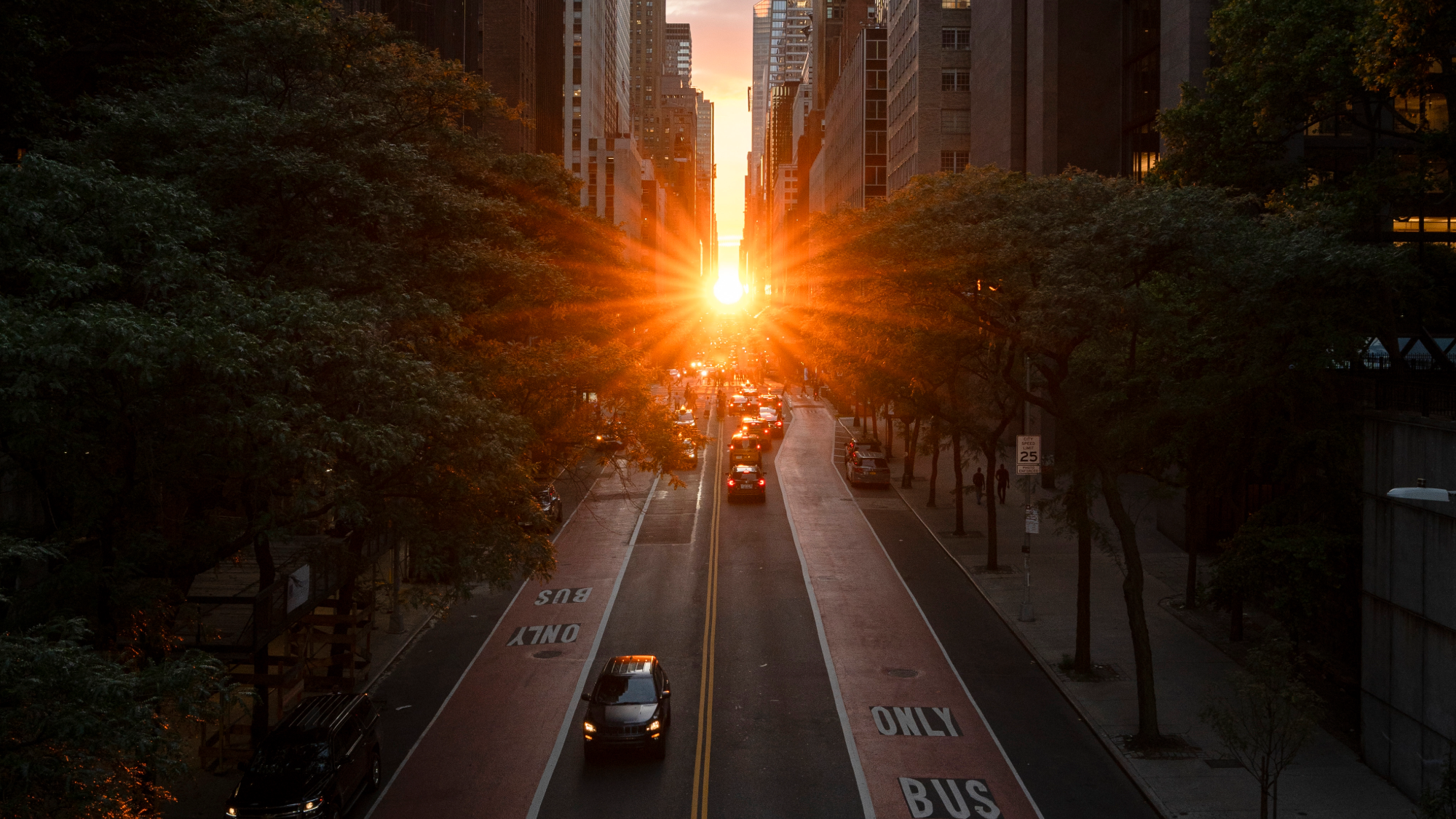
For a few select evenings in the late spring and early summer, sunlight aligns with Manhattan’s grid. The city’s bustling streets are washed with golden light as the sun sets, while tourists and locals alike flood the streets to snap that perfect picture. This event is nicknamed Manhattanhenge and it will begin on May 28 and continue through July 12

However, you don’t need to live in the Big Apple to see a “henge” like Manhattanhenge. They actually pop up in a few places and a website called Hengefinder can help you find the closest henge.

Meet Hedgefinder

Data scientist and engineer Victoria Ritvo created the website, while software engineer John Pribyl built the accompanying app. Ritvo wrote about creating Hedgefinder in her blog, and details the three basic steps that scientists can use to find a henge. First, find the angle of the road, or its bearing relative to true north. Second, find the angle of the sun at sunset, or its azimuth. Third, find the dates when those two angles match. 

While you don’t have to do any of that high-level math, you can read about how Rivoto and Pribyl made their calculations. You simply put in an address or city and can get a calculation for the closet henge near you. 

“Having Hengefinder active means henges are now explorable outside of Manhattan, and I’ve been searching for them using the app,” Ritvo writes. “My favorite one so far, I haven’t actually seen. I’m intrigued by the Haarlemmertrekvaart, a canal which traces the southern edge of Westerpark in Amsterdam.”

Interestingly, much of Europe is left out of henge mania due to medieval street design. Amsterdam’s famed canals do offer an option, where sunlight can reflect off of the water. Henges may have been occurring twice a year for the past 400 years on the Haarlemmertrekvaart.

How henges work

The sun does not set in the same place every day. Its position changes along the horizon with the seasons. While the angle does not usually match the directions of a street, it will on a few days each year if the street is angled correctly.  

In 1997, the term Manhattanhenge was first coined by Neil deGrasse Tyson, an astrophysicist and director of the Hayden Planetarium at New York’s American Museum of Natural History. Tyson noted that the setting sun framed by Manhattan’s building was comparable to how the sun’s rays strike the center of England’s Stonehenge on the solstice. The Neolithic humans who built the stone circle in stages between 3100 BCE and 1600 BCE intended for the light to shine that way on the solstice. But the builders of Manhattan? Not so much.

Chicagohenge in Illinois and Baltimorehenge in Maryland both occur when the sunset  lines up with the grid systems in those cities around the spring and fall equinoxes in March and September. In Canada, Torontohenge occurs in February and October.

The post Manhattanhenge isn’t just for New Yorkers. Find a ‘henge’ near you. appeared first on Popular Science.

How to avoid garbage news on Google Search

24 May 2026 at 18:15

When you search Google for something topical, you might see a cluster of headlines from news outlets, reporting breaking stories related to your search query. If you want to focus on those results, you can click to see More news, or navigate to the News tab at the top of the screen.

How these news sources are chosen depends on a variety of signals and factors—just the same as any other Google results—but you now have the ability to set “preferred” sources that will always show up first.

Maybe you want more New York Times and less CNN, or vice versa—Google will let you pick your favorites (which hopefully include Popular Science). This can also help you surface content from news sources you wouldn’t otherwise see in Google, like a local website covering your area.

How to set preferred sources

screenshot of setting preferred sources
Setting preferred sources on Google. Screenshot: Google

If you run a Google search on the web for something in the news, topical enough that the Top stories box comes up in your results, you can then click the small icon next to the Top Stories heading to pick your sources. The icon looks like a couple of rectangles with a plus symbol on top.

This brings up a new dialog, where you can pick specific sources. Just start typing the name of the website you want to read more often, and select it when it appears. You can’t add any website on the internet though, only those that are regularly updated (and therefore qualify as news sites).

While there’s no specific set of rules about how often preferred sources show up, Google says you’ll see them “more often” than other outlets. As you add more sources, you’ll see the option to Reload results based on your last search. This should now include your selected sources, as long as they’ve published something related to your search recently.

You can head back to this dialog via the Top stories box whenever you want, and add new preferred sources or remove existing ones—there’s actually no limit to the number of sources you can add, so you’re able to cover a full gamut of perspectives and topics. You can also head to google.com/preferences/source directly in your web browser.

Many news websites have now started adding Add as a preferred source on Google badges on their articles, which you can click directly to jump to the preferred sources dialog. In our articles, you’ll find it’s labeled Add Popular Science, just under the headline and sub-heading—click the link to add us.

Preferred sources and Google News

screenshot of customize topics page
Google News also lets you select your favorite topics. Screenshot: Google

Google hasn’t officially said anything about how preferred sources in Google search relates to the dedicated Google News website and apps for Android and iOS, but there is some overlap here.

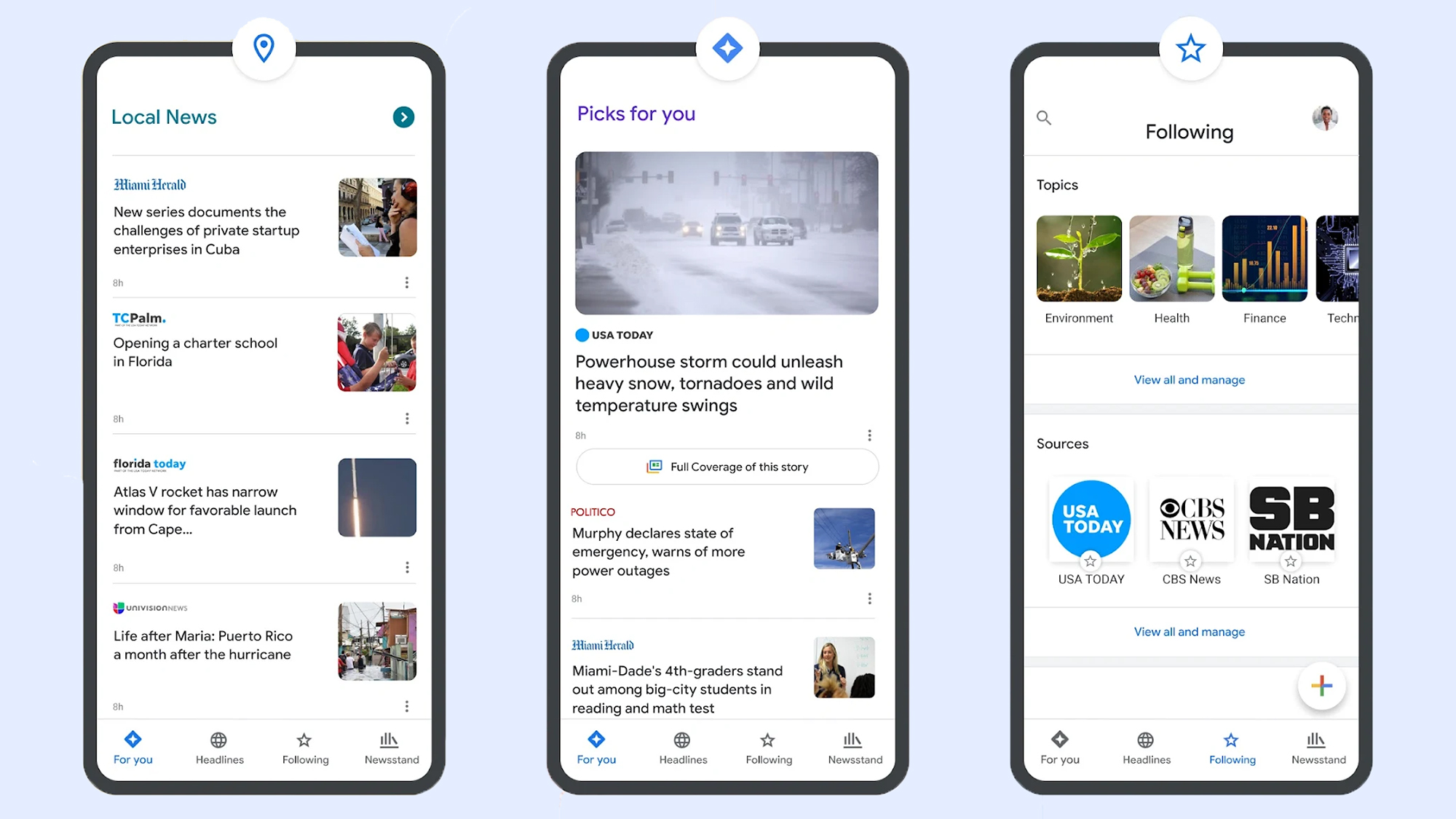
If you head to Google News on the web and then open the Following tab, you’ll see that the preferred sources you’ve selected via search are also listed under Sources. However, there’s no way (at the moment) to add new sources from Google News—you need to go through Google search.

On the dedicated Google News portal, if you click the three dots next to any story, you can opt to see more stories or fewer stories like it—but you can’t specifically request to see more of a particular publisher. You can block an outlet though, by choosing Hide all stories from… on the same menu.

There are other factors that affect your Google News selection as well, and if you scroll down the front page of Google News to the Your topics section, there’s a Customize button to the right. Click on this, and you can tell Google News which topics you want to see more of (like sports, entertainment, and business, for example).

We may well see a closer connection between preferred sources and Google News in the future, but for now there are a variety of ways to customize the stories you get served up inside Google’s portals. If you’re spending a lot of time reading news, it’s worth making sure your favorite publishers appear first.

The post How to avoid garbage news on Google Search appeared first on Popular Science.

‘This isn’t freedom’: anger, anxiety and tears as Iran’s internet flickers back

28 May 2026 at 05:00

After 88 days of near-total blackout, first reactions to the return of partial connectivity were not celebratory

After 88 days of near-total internet blackout in Iran, long-delayed messages, images and poems flooded phones and social media feeds at about 5pm on Tuesday, when still-limited connectivity flickered back to life.

The first reactions, however, were not celebratory. Many new posts were threaded with scepticism, anxiety and anger.

Continue reading...

© Photograph: Majid Asgaripour/Reuters

© Photograph: Majid Asgaripour/Reuters

© Photograph: Majid Asgaripour/Reuters

What We Ask Google by Simon Rogers review – the secrets of our search history

27 May 2026 at 09:00

The company’s data editor trawls through billions of queries to deliver a portrait of the world’s preoccupations

As anyone who has procreated this century knows, childrearing involves daily rounds of online searching. The most common parenting-related queries feature in What We Ask Google, a valiant attempt by the search giant’s data editor Simon Rogers to create a “surprisingly hopeful picture of humankind” (that’s the subtitle) from searches performed over the past two decades. “Why do babies get hiccups?” we ask. “When do babies teethe?” “Why do toddlers bite?” “How do you know if your child has ADHD?” “How to tell kids about divorce?”

Since 2006, engineers have used Google Trends to make sense of common (and anonymised) queries like these, going back as far as 2004, when phones were dumb and less than half of UK households had internet access. Rogers, a British former Guardian journalist based in California, views the results as a kind of social mirror.

Continue reading...

© Photograph: Alfredo Estrella/AFP/Getty Images

© Photograph: Alfredo Estrella/AFP/Getty Images

© Photograph: Alfredo Estrella/AFP/Getty Images

Google announces glasses are back and search is getting an AI makeover

At annual I/O conference, company debuts a product for everyday consumers to create autonomous AI agents

Google announced on Tuesday that it would expand its search bar, the centerpiece of the most-visited website in the world, with a heavy dose of artificial intelligence. The tech giant is also trying its hand at hi-tech glasses again, more than a decade after wearers of its first eyewear were dubbed “glassholes” and laughed out of San Francisco.

Google executives announced at the company’s annual conference for software developers, Google I/O, that its search box would accommodate longer and more specific queries than before – questions more like those people would ask one another than Search’s idiosyncratic syntax. The changes will direct users to engage directly with Google’s chatbot. The change to search is underpinned by the company’s new artificial intelligence model, Gemini 3.5, announced the same day.

Continue reading...

© Photograph: Manuel Orbegozo/Reuters

© Photograph: Manuel Orbegozo/Reuters

© Photograph: Manuel Orbegozo/Reuters

❌